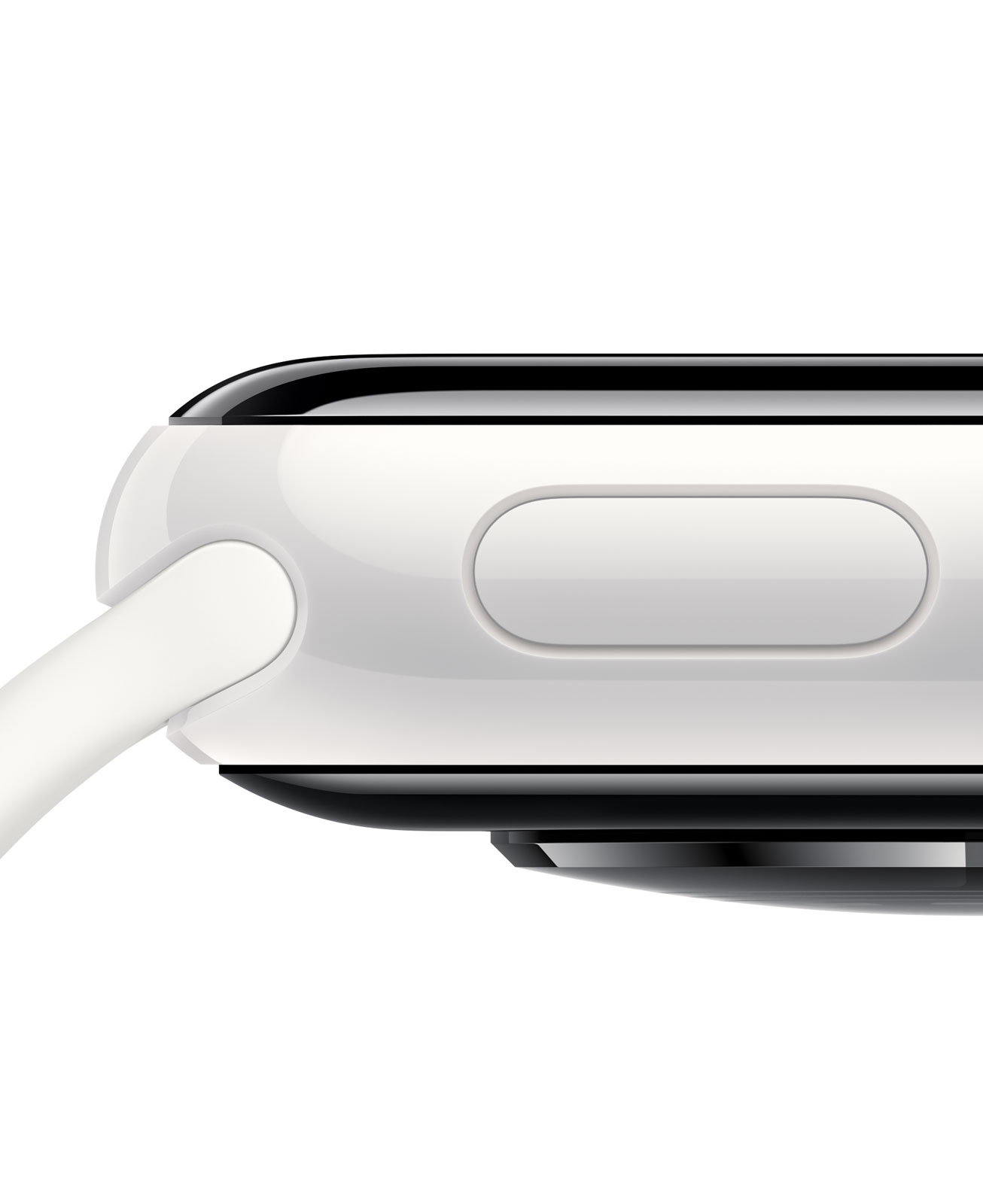
While all eyes this week were on the launch of the Apple Watch Series 12, there are plenty of other wearables out there receiving tempting discounts that might turn your head. As we slowly march towards peak deals season, culminating in Black Friday, we're likely to see discounts on watches from Samsung, Garmin, Huawei and more.
Today it's Huawei's turn, with the excellent Huawei Watch Fit 5 Pro. Right now, you can get the Huawei Watch Fit 5 Pro discounted from £249.99 to just £199 at Amazon, in its black color. Orange and white options are available, but the discounts aren't quite as good. Check out the deal in full below:
Today's best Huawei Watch Fit 5 Pro deal
Save over £50 on the Huawei Watch Fit 5 Pro in its black color. It's a great alternative to an Apple Watch: in our Huawei Watch Fit 5 Pro review, we said it "succeeds, from a hardware perspective, in every way that matters". Its high-quality titanium case, accurate metrics, and a week's worth of battery life seal the deal. View Deal
Why get this deal?
I personally tested this watch, running around the streets of Paris and comparing its stats to a top-tier Garmin Fenix 8 Pro on the other wrist, which costs around £1,000 (or did at the time). The Fenix 8 Pro is the best Garmin had to offer (or was, until the Garmin Fenix 9 Pro arrived), with its Elevate V5 premium heart rate sensor. Comparing the two watches, their respective average heart rate measurements differed by just 1bpm.
I can confirm that it's an accurate watch; the titanium casing looks and feels great to wear, and it's ideal for runners in particular due to a rich feature set. It's got virtual pacers with snappy animations to keep your runs on time, which is perfect for training through your winter arc, ready to hit some races in Spring.
I gave the watch 4.5 stars out of 5 in my Huawei Watch Fit 5 Pro review. It's a great value package, and it's now cheaper than ever, making it easy to recommend.
It's also easily mistaken for an Apple Watch at first glance, so if you're after a Series 12 but don't want to pay launch prices, this is an ideal buy over the Apple Watch SE 3. The only sticking point is that it doesn't work with third-party apps like Spotify and WhatsApp as well as other smartwatches do, and you have to sideload apps via Huawei's AppGallery.
Instagram creator All Gear No Skill has used Dyson's CameraJet toothbrush to shoot street photos
The $499.99 / £419.99 / AU$799 brush uses a 100k-pixel (0.1MP) camera to find the gaps between your teeth
Shots were grabbed by screenshotting the live feed in the MyDyson app
You may have heard the phrase "the best camera is the one you have with you", but what if that's a toothbrush? Instagram creator All Gear No Skill (@allthegearnoskill) has taken Dyson's new CameraJet out of the bathroom and onto the streets, using its tiny built-in camera to capture a series of gloriously odd street photos.
Launched at the start of September, the CameraJet is Dyson's first foray into oral care, and it costs a jaw-clenching $499.99 / £419.99 / AU$799. Tucked just below the brush head is a 100k-pixel macro camera that feeds a machine learning system Dyson calls Gap Optical Targeting. It analyzes at 28fps to spot the gaps between your teeth, then fires a cone-shaped jet of mouth rinse at each one, so you're effectively flossing while you brush.
The same camera doubles as a dental endoscope, streaming a live view of your molars to the MyDyson app (which, as TechRadar writer Emily Peck found in her Dyson CameraJet review, can be a little more revealing than you might like).
Point, shoot, rinse, repeat
That live view is the key to "taking photos" with the toothbrush. Dyson says the CameraJet doesn't save images on the brush or in the cloud, and there's no capture button in the app, so the process is refreshingly low-tech. You point the brush head at your subject, watch the feed on your phone, and take a screenshot when the composition looks right. It's like a $500 / AU$800 remote viewfinder with bristles.
As you'd expect from a sensor designed to peer at incisors from a few millimeters away, the results won't have anyone trading in their Leica: the macro lens bends everything into a fisheye-style bubble, 100k pixels works out to a mere 0.1MP resolution, and the colors and white balance wander all over the place, lending the shots a strange, almost infrared look. For me, the photos instantly brought to mind the otherworldly, hallucinatory AI-driven image generation from a few years ago: think Will Smith eating spaghetti.
The CameraJet surely won't be the last unlikely gadget to get this treatment, either, because cameras are turning up in all sorts of devices that have nothing to do with photography. Your car may have several for parking and driver assistance, robot vacuums use them to dodge kids' toys and charging cables, and some smart fridges and ovens will let you peek at what's inside via your phone. Not to mention robot lawn mowers and VR headsets.
Plenty of these offer a live feed in a companion app, so there's a house full of accidental point-and-shoots out there waiting for someone with a sense of humor. Personally, I can't wait for the first portrait series shot entirely on a fridge.
It's time for TechRadar's annual tech awards, and this year we're doing it differently. For the first time, we have a complete set of categories where the winners are chosen 100% by you, the TechRadar readers.
The TechRadar Readers' Choice Awards 2026 comprises nearly 100 categories, but we know that not everyone is interested in voting in every one, so on this page you can vote in just our Fitness & Home Tech categories.
These include smartwatches, fitness trackers, smart gym equipment, air fryers, smart lighting and home security. You can vote in the survey just below — or follow the links to see other specific categories, or to vote on the full list instead.
The shortlists were chosen by TechRadar's editors based on the best products we've tested or the most popular products of the year. You'll need to vote before 00:01am PST / 03:01am EST / 08:01am BST on Wednesday October 7th 2026 for it to be counted.
Once the deadline has passed at 00:01am PST / 03:01am EST / 08:01am BST on Wednesday October 7th 2026, we'll tally your votes to find the winners in each category.
We'll announce the winners in our big TechRadar Awards 2026 Week, starting Monday October 19th. We'll reveal the winners of the Reader's Choice Awards, as well as the winners of our TechRadar Product of the Year Awards, which are chosen solely by our expert judges.
How many products will do the double? We'll be curious to see — but right now, all you can do is vote for what you think should win, so vote away!
Dyson is known for doing the unexpected, and nothing in the brand's history has been quite as unexpected as its recent toothbrush launch. Well... perhaps the air-purifying headphones were more of a surprise. But still, this shift into oral care certainly wasn't on my 2026 bingo card.
The Dyson CameraJet launched earlier this month. A toothbrush like no other, this chunky device made headlines with its integrated camera and gap-targeting mouthwash squirter. However, the launch has been dogged somewhat by multiple reports of new gadget breaking almost immediately. The toothbrush is also showing as out of stock in multiple territories, including the US, UK and Australia.
Dyson has issued a response, which reads:
"We have had a very positive reaction to the new Dyson CameraJet and are experiencing strong demand globally. We are seeing some shortages of supply as we are in the process of scaling up production.
Additionally, we are aware that a small number of early batches of Dyson CameraJet products may have experienced a component issue. We are isolating those batches and are taking all the necessary steps to support our customers."
Rocky start aside, it's an impressive piece of engineering, and assuming Dyson gets those problems fixed, it has plenty going for it (our tester was impressed enough to award it four stars in our Dyson CameraJet review). I got a demo at the Dyson Unveiled event, where I also had a chance to chat to Jake Dyson — Chief Engineer at the brand, and son of founder James — about the new product's development process. Here are seven interesting things I learned about the new CameraJet...
For avoidance of confusion, I'll use 'Jake' to mean the person, and 'Dyson' when I'm referring to the brand.
1. It took six years to develop
Oral care is a brand new category for Dyson, and getting it market-ready was a lengthy process. That's partly because it needed to, in Jake's words, "work perfectly" before it could be launched. The core feature — a 100k pixel macro lens camera that identifies gaps in your teeth, and delivers a targeted jet of mouthwash directly at them — was particularly tricky to get right.
"We probably could have launched [the CameraJet] two years ago, but it wouldn't have hit every gap perfectly, and that's not acceptable," says Jake. "You know, if you bought it, and it missed the gaps, and didn't do its job, you'd be really disappointed. So, it's got to work properly."
(Image credit: Dyson)
Getting the design just right (in theory, at least...) was a complicated process. "It genuinely took six years to train that camera, because of the variations in people's mouths. It's highly complex," says Jake. "You've got saliva, you've got things moving in front of the camera, you've got dark, shade, light. It's so many things the machine learning has to account for."
He adds: "It's a bit like a driverless car when it snows. If it completely loses its environment, how do you control it?"
2. ...but it's a good job it did
"Six years ago, the camera, the chips that process within the machine, the compute power, probably would have been too expensive," says Jake. Luckily, within that lengthy development process, the cost of all those components dropped enough to make it feasible as a consumer product.
Relatively speaking, of course — it has a list price of $499.99 / £419.99 / AU$799, so its definitely more of an investment than your average toothbrush. Still, Jake is keen to impress that it's very much not your average toothbrush: "What you have there is essentially a $70,000 piece of lab equipment in a handheld consumer product."
3. The colors come from Dyson's beauty lineup
While it's a new product category, it's still very recognizably 'Dyson'. The brand Dyson has pulled its color combinations from its haircare gadget lineup. "The colors have come from our beauty products — so the hair dryers, the Airwraps. Because we think it's a beauty product too," says Jake.
At launch, there are two color combos to choose between. On the 'Ceramic Ultra Blue' version, the toothbrush is an electric blue inspired by Yves Klein — an artist brand founder James Dyson is a fan of. ("He wasn't allowed to use the same blue, but we created our own," reveals Jake.) There's also a 'Ceramic Pink' colorway, with a blush pink toothbrush.
(Image credit: Dyson)
Both have detailing in rose gold, and a heather purple dock. As well as being familiar to anyone who has seen Dyson's recent haircare launches, the colorways benefit from being different to what you'll generally see in the oral care aisle. "Other toothbrushes are white, or black, or a nasty pink," comments Jake. "So it's quite nice to do something different, and… you know you look at it and recognize it as Dyson because of the colors."
4. There are already follow-ups in the works
"If we're going to go into a new area, then we'll do that knowing that we've got more products behind it," says Jake. He confirms that they'll start with a roadmap of multiple products and plan for "expansion in that category, quite quickly".
When pushed on if there's another toothbrush in the works, he responds, "We'd be crazy not to." If I had to make a prediction, I'd bet that — assuming the current component issue is sorted speedily — a second-gen version will be announced and unveiled this time next year, at an IFA-adjacent Unveiled event at the start of September 2027.
5. It's trained on pictures of real mouths
The CameraJet needed to be able to recognize the inside of any mouth. "It's taken two years to train it through imagery and mouths from around the world," says Jake. Said photos came from "images and libraries and probably some dental records too", if you're interested.
While AI was — and continues to be — involved, it's not the same AI you're using when you fire up, say, ChatGPT. "When you go on ChatGPT on your mobile phone, you're using AI live. When you use a toothbrush, you're not," clarifies Jake. "It's in-built machine learning. We used AI to reference all of the images of mouths to train the machine."
The learning will continue as you use the toothbrush, too. "We [continue to] improve it. It trains itself to be even better the more you use it, so it understands your mouth," says Jake.
(Image credit: Dyson)
6. It'll know if you try and use a fake brush head
Dyson is — probably justifiably — concerned about copycats. "We obviously patent areas of the product, if we can patent them, to prevent [dupes]," Jake says. "But we do that in every product, and they always find a way. They find a way, but the product isn't as good."
He continues: "You may well see a toothbrush six months to a year with a camera in it that fires a jet. But does it hit the right bit? The gap between your teeth?"
Dyson is also guarding against third-party brushheads. "There is a chip [in the brushhead]," says Jake. "If there are fake brush heads, it will detect it. In the same way, if you put a fake battery in the vacuum cleaners, and put a fake attachment on our hair dryers, it will detect it."
That's a cost worth factoring in if you're thinking of investing. Replacement heads don't come cheap: a pair will set you back $29.99 / £25 / AU$49.
7. It is suitable for travel… honest
On the suggestion that the Dyson CameraJet might be considered too chunky to travel with, Jake is adamant it's completely fine. "It's definitely to be travelled with. There's a travel case that just slips over."
He also points out that if you're traveling with a tube of toothpaste and a bottle of mouthwash as well as your toothbrush, that's going to take up a fair amount of space. The CameraJet can be filled up with those things before packing. It's a fair point, but I'm still not convinced.
Dyson has included a travel case (right image), but the CameraJet is still chunkier than your average electric toothbrush (Image credit: Dyson)
8. Jake Dyson has personally road-tested it
Wondering if your teeth will work with the CameraJet? Jake says it can deal with all kinds of troublesome teeth... including his own. "I've been cleaning my teeth on a number of devices intermittently for about three months. I have very tight teeth in the back. So raspberry seeds, or Parma ham… They get stuck right there. And [the CameraJet] just blasts it out. It's really good."
In fact, his only real word of warning is the surprise you might get from seeing your molars captured on camera for the first time. "It is quite shocking seeing inside your mouth," he smiles.
Garmin’s Forerunner 170 is a solid running watch that brings great performance and smart features, all in a light and small package, and I particularly loved the Music version for phoneless short runs and activities. The watch was even found to be very accurate, according to my colleague Matt Evans’ testing.
Featuring a more accurate dual-band GPS technology, 13 days of battery life, more size options and on-watch music storage, the Forerunner 265 is hard to beat for just AU$498.
The Garmin Forerunner 265 was the first small Forerunner model with a touchscreen AMOLED display, replacing its predecessor’s monochrome memory-in-pixel display, to make it look and feel similar to something like an Apple Watch or a Samsung Galaxy Watch.
It also features dual-band or multi-frequency GPS for high-precision tracking in dense cities or heavy tree cover, which is technically superior to the Forerunner 170’s single-frequency multi-GNSS tracking.
The 170 is only available in the single 43mm size, while the 265 comes in 46mm and the smaller 265S is 42mm, providing more options for different wrist sizes.
The biggest criticism from our reviewer is the Forerunner 265’s price hike over its predecessor, and slightly worse battery life, which can be credited to the switch to an AMOLED display, but this discount takes care of the former in spades.
Fall is moving in, a new school term is underway, and whether you're heading out and about on campus or just facing down your regular commute under altogether colder, darker conditions, now feels like a really good time to invest in a quality insulated drinks container.
Luckily, Amazon has obliged with some excellent discounts on on-the-go mugs and bottles from usually-pricey, top-quality brands like Hydro Flask and Yeti. The deals vary and they're not on every color or every size, but I've combed through the different options to find the best bargains, and rounded them all up for you below. I've also grouped them by color, so you can pick the one that suits your fall vibe.
I have a Yeti coffee cup and tumbler at home, as well as an insulated Hydro Flask bottle and cup. Before you ask, I don't have a problem — I used to review outdoors kit for my job, and I picked up all of these during that time. The mugs are all in near-constant use as soon as the weather is cool enough for hot drinks, and I can vouch for their quality and reliability.
A rainbow of deals
Hydro Flask
Water Bottle 32oz, Indigo Blue
Hydro Flask
Coffee Mug 12oz, Indigo Blue
Hydro Flask
Water Bottle 40oz, Beachplum Purple
Hydro Flask
Hot Flask & Cup 36oz, Beachplum Purple
Hydro Flask
Water Bottle 32oz, Beachplum Purple
YETI
Rambler 24oz, Tropical Pink
Yeti
Rambler 30oz w/ Stronghold lid
YETI
Rambler 14oz Stackable Mug, Tropical Pink
Hydro Flask
Water Bottle w/ Wide Mouth Flex Lid 32oz, Reef Pink
Yeti
Rambler 30oz with MagSlider Lid, Cherry Blossom
STANLEY
Iceflow 2.0 Flip Straw Tumbler, 30oz, Rose Quartz
Hydro Flask
Water Bottle w/Wide Mouth Flex Lid 40oz, Nectar Orange
Hydro Flask
Water Bottle w/Wide Mouth Flex Lid 32oz, Nectar Orange
I haven’t been this excited about an Apple Watch in a long time. Last week, Apple introduced the Apple Watch Series 12 and Apple Watch Ultra 4, which will be available at the end of the week. The new Watches feature the S11 chip, which enables a bunch of new features, some of which won’t debut until later this year. At the same time, Apple is dropping support for more Watches than usual.
What we’re witnessing is a reboot of the Apple Watch and watchOS forced by advances in AI. The Apple Watch and its OS found their niche years ago, freeing us from pulling out our iPhones for notifications, tracking our health and fitness, and enabling the occasional Siri request. It was a good and comfortable spot for what by all accounts has been one of the most successful wearables to date, but watchOS also felt stuck in a rut.
Every year we got a few new workout types, a new watch face, and a few other features, but the OS didn’t advance much. What’s different this year is that watchOS 27 is breaking with slower hardware and looking forward to the substantially more powerful S11 chip, which will allow the Apple Watch to expand into all-new areas.
What this transition also means is that there is not just one set of features to track in watchOS 27 this year but three:
those that arrive today for anyone with a compatible Apple Watch,
those that arrive at the end of the week that are exclusive to the new Apple Watch Series 12 and Ultra 4, and
those that are coming later this year.
That makes this more than just a review. It’s also a preview of things to come and a roadmap for where the Apple Watch is heading.
There’s more than usual to cover this year, so let’s dive in and check it out.
Notifications, Smart Stack suggestions, and Control Center are all easier to read in watchOS 27.
I like Liquid Glass on all of Apple’s devices and didn’t have any issues with its first iteration in watchOS 26. However, with the latest update, my Apple Watch Ultra 3’s UI is ever so slightly more readable. Smart Stack suggestions and notifications don’t bleed through each other as much, and app icons are sharper.
On a small screen like an Apple Watch, you may never notice the difference, but there’s a sharpness throughout the UI that’s reminiscent of the sharpness you see in app icons on iOS, iPadOS, and macOS. Edges are more defined and colors are diffused less, making everything a little crisper. It’s a subtle change, but a good one.
The watchOS 27 change most users will notice first is the change to the way you navigate through the OS’s UI. The App Switcher is gone, replaced by the simpler Dynamic App Grid. And although I expect the App Switcher will be missed by some, I don’t miss it at all. Sure, it was a little hard to break the Digital Crown double-press habit at first, but as someone who returns to the same handful of apps repeatedly, I find the new design makes more sense.
Before watchOS 27, the App Switcher was invoked with a double press of the Digital Crown. That revealed a Rolodex-style view of your recent apps that you could move among by turning the Digital Crown. The UI served as a shortcut between frequently used apps that avoided returning to the app grid or list views on your Watch, which can be crowded if you have a lot of apps installed.
The new Dynamic App Grid.
Now, whether you single- or double-press the Digital Crown, the new Dynamic App Grid appears. At its center is the new Siri app. Below that is the icon to take you to the app list or grid view depending on how your Watch is set up. Apple says that the remaining five icons that circle the Siri icon are placed based on recency and frequency of use.
I’ve been using watchOS 27 all summer, and my recently used apps have barely changed. Currently, those apps include Settings, Alarms, News, Maps, and Moshi, an app I use for monitoring AI agent projects.
I don’t think I’m alone in being a creature of habit when it comes to the Apple Watch apps I use. Having those five apps just one Digital Crown press away is far easier than pressing twice, scrolling to find what I want, and then tapping into an app. Between the Dynamic App Grid and the expanded Smart Stack, there are plenty of ways to get to the apps you use the most, which I love. What the Dynamic App Grid gives up in predictability is more than made up for by the simpler gesture and UI.
watchOS 27 adds a new single tap gesture for selection, which allows you to do a lot more simply with gestures. For example, a double tap gesture with your thumb and index finger opens the Smart Stack to the first card. Double tap again to move to the next card or, if a card has multiple items that can be selected, to the next item on the card. Once what you want is selected, a single tap will open it. The existing wrist flick gesture is then used to return to the watch face.
Using the single-tap gesture.
The Smart Stack is now stacked with more types of cards, too. Apple has added cards for birthdays stored in Contacts, your car’s parking location, a prompt to change an alarm before a holiday, a shortcut to resume a Siri conversation, transit card balances, pinned Messages conversations, Theater Mode, and more. It’s a nice expansion that has made my Smart Stack feel more useful all summer because there’s always something relevant to me there.
There’s a lot more to see in the Smart Stack now.
The other change announced just last week is the addition of the Siri Modular face, which I immediately installed on my Apple Watch Ultra 3. The watch face displays the top Smart Stack item in a large complication in the middle of your Watch. It’s a nice touch, but because you can’t dismiss the media playback card without turning off Live Activities, that one has wound up on my watch face more frequently than I’d like. Still, when an app like Moshi reports that an AI agent’s task has been completed, it’s nice to be able to see a snippet of the message directly on my watch face. It also strikes me as a great way to keep track of tasks with a deadline from task manager apps like this review’s sponsor, Finalist.
The Siri Modular watch face.
So, on balance, I like what Apple has done with watchOS 27’s navigation. The Dynamic App Grid takes a little getting used to, but I appreciate its simplicity. The Smart Stack, single tap gesture, and new Siri Modular watch face combine to make the Smart Stack more useful than ever too. Watch interactions are meant to be short, and watchOS 27 nails that goal.
Siri AI and the Apple Watch as Helper
You can get to Siri from the Dynamic App Grid, a complication, or by long-pressing the Digital Crown.
Siri AI is a big part of watchOS 27 just like it is on every Apple platform (except tvOS) this year. As on those other platforms, Siri has a dedicated app on the Watch. The main difference is in how you interact with Siri. On macOS, iOS, and iPadOS, you can speak or type queries in the Siri app. On watchOS 27, the app accepts spoken queries only. That struck me as a little strange at first given that Apple offers multiple ways to input text on watchOS, but the reality is chatbot queries are typically longer than a dashed-off text message, so in practice, the lack of text input is fine.
Siri AI requires an Apple Watch Series 9 or later, Ultra 2 or later, or SE 3, along with a nearby iPhone that supports Apple Intelligence: an iPhone 15 Pro, 15 Pro Max, or any iPhone 16 or later model. It’s being released as a beta, initially in English only, and won’t be available in the EU for the time being. Apple also says it will introduce usage limits for Siri AI in the future. Those limits will vary depending on factors such as request complexity and system demand. Increased access will be available for a fee. To make a Siri request, you can tap an installed complication, long-press the Digital Crown, or say “Siri” or “Hey Siri.” Once you start a chat with Siri, it retains the context, allowing you to ask follow-up questions without restating everything.
Reviewing and managing conversations in the Siri app.
Alternatively, you can open the app where you can see your past chats. The app’s button to start a conversation accepts spoken input only. Type to Siri remains available through Accessibility settings, but it’s a separate way to invoke Siri rather than a text-entry option within the app.
Your query list includes any requests you’ve made on your Apple Watch or any other Apple device, all synced via iCloud. In my experience, sync is fast over a good network connection with chats appearing on my Mac seconds after a response is delivered to my Watch. From the Siri Apple Watch app, you can also swipe left on an entry to delete or pin it, or tap the entry to read it.
Pinned conversations can be collapsed and expanded in the Siri Watch app.
Siri AI on the Apple Watch also offers the same personal-context capabilities that let it find information in your email, photos, tasks, and notes and use it to take action in apps. I explored those capabilities and their shortcomings in my macOS Golden Gate review. My experience on the Watch hasn’t been meaningfully different, apart from occasional minor latency, so that review is the best place to dig into my testing.
What changes here is the convenience of having those capabilities on your wrist within easy reach. The nearby iPhone supplies the connection to Apple Intelligence, but the Watch is both the immediate interface and, for many requests, the place where the resulting action occurs.
It’s also worth stepping back to think about what Siri could do before. I rarely used Siri for more than setting timers and alarms, checking the weather, and controlling my lights. However, now, I can tell Siri to remind me to take out the trash tomorrow morning and add a calendar event for a dinner reservation in one breath. That’s not wildly complex stuff, but it’s very convenient, especially when your iPhone is in your pocket or across the room and you think of something you need to do. Siri also has the same broad world knowledge that it does on other Apple devices, allowing you to check recent sports scores, check the news, and answer questions about the world around you.
Not every technology advance needs to be a monumental leap forward. Sometimes the simplest, most convenient small thing has the greatest impact. Siri on the Apple Watch has that potential, although with time, I’d like to see it become independent of the iPhone.
Workouts and Fitness
You can leave your iPhone at home and still use Workout Buddy.
I’m happy to be the one who gets to tell you that Workout Buddy has been freed from the requirement that you carry your iPhone with you. Users tend to love or hate Workout Buddy. Personally, I love it. Sure, its incredibly chipper voice can grate if you’re heading out for a long walk and aren’t feeling it, but that’s sort of the point. Once enabled, Workout Buddy is there to encourage you with no judgment. It’ll tell you you’re below your average targets with the same cheerfulness as when you’re crushing it.
When Workout Buddy debuted, my disappointment wasn’t with its voice, personality, or the information it offers. My issue was that the time I need a pep talk when exercising is when I’m out on a long run by myself suffering in the summer heat. The problem is that until watchOS 27, Workout Buddy was only available if you had your iPhone with you. That was fine when I went on a long walk, and I’m sure many cyclists were fine, but one of the reasons I got an Apple Watch was to never lug an iPhone with me while I ran, especially an iPhone like my iPhone 17 Pro Max.
With watchOS 27, I’m pleased to report that Workout Buddy works as well over a Wi-Fi or cellular connection as it does tethered to your iPhone and is compatible with walking, running, cycling, hiking, elliptical, stair stepper, HIIT, and functional and traditional strength training. Workout Buddy speaks Mexican Spanish now, too. In fact, it’s an Apple Intelligence feature that works without your iPhone nearby, which gives me hope for more iPhone-independent Apple Intelligence features in future releases.
Workout Buddy also offers more insights about your workout by comparing pace, distance, and workout duration to your recent fitness history. Today, just before I wrote this section, I went for a walk to get some fresh air and was cheerfully told how little I’ve exercised during this crazy iPhone event and OS review writing week. What I appreciate most, though, is that overall, Workout Buddy isn’t significantly more chatty. I don’t want it to turn into a podcast; I just want brief, periodic updates, which it delivers well.
The Workout app’s scrolling has been improved too. I know a lot of people who felt it was too easy to scroll past their intended workout type. That’s generally not a problem for me since I only use a few workout types, but even then, I sometimes overshot my mark. With watchOS 27, there’s a little less momentum built into the scrolling. Even if I swipe as fast as I can muster, I can only manage to move five workouts. A normal, calm swipe advances me just one workout.
A post-workout route in Fitness.
Additional Workout and Fitness improvements include:
more precise post-workout route maps, which, based on my walks and runs, have been very accurate whether I’m among buildings, under trees, or out in the open,
more accurate measurement of treadmill distances, which I haven’t tried personally, and
step counts in the Fitness app that now synchronize with those recorded in Health.
There may not be many changes to the workout and fitness features of the Apple Watch in watchOS 27, but I’m nonetheless pleased that I’ve been able to turn on Workout Buddy for my morning runs to help motivate and inform me about my progress.
Apps, Services, and Everyday Improvements
Find My
Find My is now one app.
It never made sense to me that different aspects of the iPhone’s Find My were spread across separate apps on the Apple Watch. I suppose the idea was that splitting the app up made it more atomic and widget-like for the Apple Watch’s small screen, but in practice, I think most people use Find My from an iPhone more than they do an Apple Watch, so the split on the Apple Watch was confusing.
The new Find My app is map-based, just like it is on other platforms. The app defaults to a devices view, and if you have multiple devices with Find My enabled in one location, you can scroll among them using the Digital Crown. Tap the button in the top left corner and you can switch from devices to people or items.
Precision locating my iPhone.
What I love about the new Find My is how true it is to the iPhone app. You’re able to use it to get directions, contact someone, play a sound on a device or item, enable Notify When Found or Notify When Left Behind, set arrival and departure alerts for people, mark devices and items as lost, and use Precision Finding with the iPhone and second-generation AirTag. Precision Finding requires a Series 9 or later or Ultra 2 or later, and locating an iPhone requires a compatible model with Ultra Wideband. Find My is no companion Watch app. It’s the real deal.
Wallet
Homemade Wallet passes on the Apple Watch using “Create a Pass.”
iOS 27 adds the ability to create passes in the Wallet app. The new feature makes it easy to add library, loyalty, and gym cards that use a barcode or QR code to Wallet even when a service doesn’t offer a Wallet pass. With “Create a Pass,” you no longer need to carry physical cards.
Making a Wallet pass on the iPhone.
Setting up a pass is easy. From the Wallet app on your iPhone, tap the plus button and choose “Create a Pass.” The next screen explains that you can set up a pass automatically by photographing it or manually by typing in the information yourself. I’ve used the automatic approach with our local supermarket’s loyalty card and one my wife has for Barnes & Noble. Wallet picked up the relevant information from both cards right away. I haven’t tried the Barnes & Noble card, but the card for our supermarket worked perfectly the last time I bought groceries.
Viewing a Wallet pass and its sharing options on Apple Watch.
The functionality extends to watchOS 27, too. Although you can’t make passes with the Apple Watch’s Wallet app, they appear there the same way cards from other apps are collected there. Tap on a pass in the Wallet app and it expands to show the membership number and name, followed by a barcode, more pass details, and buttons to share the pass with someone or remove it from Wallet. There are third-party apps that do something similar, but for the limited number of cards I have that aren’t already tied to an app or Wallet pass from that app, the new pass generation feature and its integration with watchOS 27 are exactly what I need. On the iPhone, you can also edit a pass’s details and customize its appearance, making your passes easier to tell apart.
Customizing a Wallet pass’s background color and texture.
Other Apps and Features
Phone:
It’s not a Watch call, but I did see Call Context once on my iPhone this summer.
Call Context is a Phone feature that’s available on both the iPhone and Apple Watch that can surface relevant information from Mail during a call, such as flight details when you call an airline. I haven’t had many opportunities to try this over the summer, but it did pull up a flight for me on my iPhone when I called American Airlines about a flight. I called back later from my Apple Watch Ultra 3, but that time, the flight details didn’t appear.
Shazam:
Starting song recognition and browsing Shazam history.
With watchOS 27, Shazam can listen to music even if your Apple Watch isn’t connected to the Internet and send its acoustic signature to the cloud for analysis and matching when your connectivity resumes. This is not on-device song recognition, but it does mean you can still track a song in the moment and get the results later, which I like.
Unused Feature Notifications:
watchOS 27 proactively sends notifications that it will turn off unused features, such as gestures, Start Workout reminders, and Raise to Speak, to preserve your Watch’s battery life. If you get one of these notifications, you can decline it or turn the feature back on later in Settings. I haven’t seen any of these notifications during my summer testing.
Cycle Tracking:
watchOS 27’s Cycle Tracking expands support to perimenopause and menopause, including symptom logging and educational resources. For anyone 40 and older, changes in logged cycle patterns may prompt a notification suggesting a consultation with their doctor. Apple makes it clear that the notifications the Apple Watch provides aren’t meant to be a diagnosis, but a way of recognizing a pattern that the user may want to raise with their doctor.
Screen Time:
Apple has also redesigned Screen Time controls to help families manage a child’s Apple Watch use, including contact restrictions, app schedules, and app access. I don’t manage any of my grown kids’ devices, so I haven’t tested these updates.
Performance
Audiobook playback from the Siri Modular face and Books app.
My experience with watchOS 27 has been a lot like my experience with macOS Golden Gate. The performance enhancements touted by Apple at WWDC are real, but soon become the new normal. I also have just my one Apple Watch to go by, so I’ll share my anecdotal experience with the betas.
My Apple Watch Ultra 3 already had one of the fastest chips available in an Apple Watch, but the performance of watchOS 27 was still noticeably faster from the very first time I installed developer beta 1. That experience is as true today as it was then, but I’m more used to it now. Apps launch faster and more smoothly, and transitions between in-app views are better too. The changes are relatively subtle, but nonetheless noticeable, which I appreciate.
The biggest difference of all, though, has been my experience with Apple Music, Podcasts, and Books. All three apps load content and start playing it faster than before. I’ve also had less trouble connecting both my Powerbeats Fit earbuds that I use for exercising and my AirPods Pro 3. That’s ended a whole connection and playback dance I used to do every time I got ready to go for a jog, which has been wonderful to leave behind.
What I didn’t notice was better battery life. That’s not to say it isn’t better, but with the frequency of beta updates over the summer and my habit of periodically charging my Watch at my desk, battery life seemed about the same as watchOS 26.
Odds and Ends
In addition to what I’ve already covered, it’s worth noting the following changes:
Apple says water detection is more efficient, though in what way is unclear.
GymKit has been extended to the iPhone with AirPods Pro 3, which allows heart rate data collected by the earbuds to be synced through your iPhone to GymKit-enabled equipment, although I haven’t tried this because I don’t belong to a gym.
watchOS 27 requires an Apple Watch Series 9 or later, Ultra 2 or later, or SE 3, paired with an iPhone 11 or later or iPhone SE 2 or later running iOS 27. That’s the requirement for the OS itself, but Siri AI also requires an Apple Intelligence–capable iPhone. The update drops support for Series 6–8, the original Ultra, and SE 2, too, although Apple’s Cait Dooley told TechRadar in June that those older models can remain paired with an iPhone and will continue to receive security updates.
Coming Soon to an Apple Watch Near You
Apple’s upcoming Readiness app. Source: Apple.
I wouldn’t normally touch on unreleased features in an OS release, but so many things were announced during last week’s Surprise and Shine event that I wanted to give readers a quick recap of what’s still to come in watchOS 27, even though I haven’t tried any of these features yet.
When the new Apple Watch Series 12 and Ultra 4 arrive on doorsteps and in Apple Stores on Friday, their owners will be able to enjoy the following additional features:
Apple’s New Health Sensing System: Both new Watches have redesigned optical and electrical heart sensors, which will allow them to take heart rate measurements every five seconds and HRV readings as often as every five minutes, which is up to a 24-fold increase in HRV measurement frequency compared with previous Watches. Apple says the new sensors will provide more accurate and meaningful measurements.
Heart Rate and Vitals: On the Series 12 and Ultra 4 Watches, the additional heart rate measurements also enable an HRV section with recovery and overall HRV readings. Vitals also gains access to recovery HRV in its overnight measurements and adds a daytime view.
Readiness:Readiness is a new app that uses your sleep, vitals, and recent activities to compute a score from 0–10, which the app translates into Recover, Pace Yourself, Ready, or Go For It recommendations.
Sound Recognition: The new Watches can analyze sounds like a baby crying, alarms, sirens, and doorbells even if your iPhone isn’t nearby. When a sound is recognized, users will be alerted on their Apple Watch.
Automatic Music Recognition with Shazam: With Music Detection enabled on the new Watches, Shazam will identify background music when you open the Smart Stack, without requiring you to tap the widget.
Siri Recaps. Source: Apple.
In addition, later this year, Apple is adding two new features to the new Watches, which you can read about in greater depth in my preview story from last week:
Live Rewind: Live Rewind, which plays a sound and animation to alert people that it’s been activated, transcribes the last 15 seconds of speech to help with hearing.
Siri Recap: A summarization feature that will pull key points from conversations and will support only English at first.
Both features are set to debut as betas later this year and require a Series 12 or Ultra 4 Watch paired with a supported iPhone 16 or later, excluding the iPhone 16e, with Apple Intelligence and Siri AI enabled. Both features are opt-in, and Siri Recap can be enabled manually or scheduled by time and location. Unsaved recaps disappear after seven days. Apple says audio is protected by handling processing in a Secure Exclave, but the resulting text can still be saved and shared, and it’s possible for Siri summaries to miss or misunderstand details. Those are things I’ll be looking at carefully when I can try the features for myself.
Finally, later this year, Apple will debut a redesign of the Health app on the iPhone that also incorporates a Health Age feature, movement evaluations, and lab work purchases and scheduling in the U.S.
Shaking off the Cobwebs
New hardware enabling new software experiences.
It’s funny to write a watchOS review hot on the heels of finishing my macOS Golden Gate review. In some ways, the two couldn’t be more different. My Apple Watch Ultra 3’s screen is about two inches diagonally and is designed to be interacted with in small, fleeting doses. Meanwhile, I’m writing this on my Mac Studio, using a 32-inch OLED display and an OS that’s as hands-on as they get.
Yet at the same time, there’s a similar transition going on with Apple Watch hardware and its OS that reflects a similar thing I see in macOS. Apple silicon lit a fire under macOS, opening up new ways to use Apple’s computers. That’s only accelerated with AI.
watchOS is in a similar place. The Apple Watch is already one of the most popular smartwatches on the planet, giving Apple Intelligence a place on a lot of wrists. Apple is raising the minimum hardware requirements for watchOS while introducing another set of capabilities exclusive to its newest Watches. We’re witnessing a shift from small, incremental watchOS changes to a new category of features. Starting with Live Rewind and Siri Recap, those additions have the potential to define the device’s future.
Today, the watchOS features that are currently available are more modest, typical features. I love the expansion of the Smart Stack, the new Siri app is incredibly useful as an extension of the app on other platforms, and it’s great to have Workout Buddy along for my runs without my iPhone.
In any year, I’d be happy with those and the other updates to watchOS, but this year, they feel like the first course of what I expect will be a great year for watchOS. AI has shaken the cobwebs off of watchOS, and I can’t wait to see what’s next.
Though I didn’t get the design upgrades I was hoping for (I wanted Apple to do a 180-degree turn and debut a completely fresh look for its watches), we got some smart new color options in the process. But that aside, the new monitoring tools do more than make up for the lack of visual upgrades — they’re smarter, insightful, and more personal than ever.
It’s hard to tell if all the new wellbeing tracking tools will be available for previous models — for anything powered by Apple Intelligence, it’s likely that these will remain native to the Series 12 and Ultra 4 — but we still think they’ll make for welcomed additions for health-conscious users.
As part of the wider Health app revamp, health monitoring using the Apple Watch paired with the iPhone's camera is a new feature, starting with full body assessments. The assessments allow the Health app to measure VO2 max — the the maximum amount of oxygen your body can use while exercising, a key measure of fitness — along with flexibility, strength, balance, and movement mechanics.
All you have to do is prop your iPhone vertically against a wall so that your whole body fits in the frame, and it will get you to follow a coach-guided workout. Apple says in order to measure VO2 max, you’ll need an Apple Watch, AirPods Pro 3, or a third-party heart rate sensing device.
Health Age
(Image credit: Apple)
Apple is slightly behind on the Health Age feature — Garmin and Whoop got there first with Fitness Age and Whoop Age, respectively — but it’s finally coming to Apple Watch.
Health Age can be found under the new Longevity tab in the Health app, a hub for displaying deeper insights for different health topics including heart health, mental wellbeing, nutrition, and hearing health.
Your Health Age reading takes different aspects of your health profile into account and combines them into one score to show how your metrics compare to the average health and fitness level for your age and gender.
Health Sensing System
(Image credit: Apple)
This is a technical upgrade to the Apple Watch itself, and a welcomed improvement to how the wearable reads your health data.
Both the Apple Watch Series 12 and the Apple Watch Ultra 4 come fitted with new LED sensor arrays designed for better skin contact, including a new heart-rate sensor for more accurate heart rate and heart rate variability (HRV) measurements — which helps to determine the new Readiness score, which we'll discuss in a moment.
Under the new sensors are larger green LEDs, which now measure your heart rate up to every five seconds, all day long. Apple claims that it's the most accurate heart rate measurement on any wearable, and it can back this up with testing results. We can't wait to try it ourselves against an electrical heart rate monitor.
Readiness Score
Much like the Health Age metric, the new Readiness Score is a tool that's been widely adopted by rival wearables in the past — and now it’s Apple’s turn.
Diving into your Vitals, Sleep Score, recent activity, and other metrics, you'll be presented with a score from 0-10, along with a brief explanation to tell you if your watch thinks you need to pace yourself, or if you have the capacity to push yourself further.
It's a clever and handy tool that could stop you from overtraining, or change your plans to fit in a long run on a day in which you're ready for action. Readiness also updates multiple times a day as your Apple Watch gathers new data, telling you exactly what's affecting your overall score.
Insights tab
(Image credit: Apple)
The Health app's new Insights tab looks very comprehensive. Throughout the day, Insights displays timely information about your health metrics including heart, sleep, readiness, fitness, vitals, and cycle tracking data.
It gives you short summaries about how different fitness categories are impacting your long-term health, while the 'For You' section offers personalized recommendations and even relevant health articles based on your data.
While it's only available for preorder, you can get the 42mm GPS-only model for as little as $219 (originally $399) when you trade in a qualifying smartwatch. That's an impressive $180 discount and an incredible deal for a newly released Apple device.
The Apple Watch Series 12 features new Apple silicon and advanced health sensors, which Apple claims are the most accurate heart rate sensing in a wearable. Apple's newest Health Sensing System, along with its S11 chip, offers a suite of health and fitness features including a new readiness score. The Series 12 also includes advanced workout and sleep tracking and offers up to 24 hours of battery life and up to 10 hours during an outdoor workout, a 25% improvement over the previous model.
Save on the new Apple Watch 12 at Best Buy
Apple Watch Series 12 at Best Buy: starting at $219 with qualifying trade-in The Apple Watch 12 is available for preorder, and you can get the smartwatch for as little as $219 with a qualifying trade-in at Best Buy. The Apple Watch 12 features new Apple silicon and advanced health sensors, which offer advanced heart rate, workout, and sleep tracking.View Deal
To find out how much you can save, you'll click on 'Check your trade-in value' on the Apple Watch 12 product page. You'll then answer questions about your trade-in device, and Best Buy will show you the value. The retailer will email you shipping instructions for your trade-in device, and once it receives it, Best Buy will refund the amount to your original payment method.
Keep in mind this is a limited-time offer, and the Apple Watch 12 is only available for preorder with a September 18 ship date. This is a fantastic deal if you have an older smartwatch and want to upgrade to Apple's latest and greatest.
Strength training helps protect independence in aging by preserving the muscle needed for daily movement, balance, and resilience. Healthy aging means staying independent, moving well, and continuing to take part in daily life as the years pass. For many people, the most meaningful signs of good health are practical ones: standing up from a chair [...]
Apple's 'Surprise and Shine' event unveiled long-awaited devices including the iPhone 18 Pro and the long-anticipated iPhone Duo, but Apple Watches also had their time in the spotlight.
The Apple Watch Series 12 and Apple Watch Ultra 4 are the latest models to join Apple's family of wearables, and both pack quite a punch on the features- and health-tracking front, thanks to the combination of the new Health Sensing System and deeper Apple Intelligence integration.
Of course every new Apple Watch offers improvements over the previous generation — the question is always whether it offers enough to make it worth the upgrade. To help you decide, I've compared the new Apple Watch Series 12 against its predecessor, the Apple Watch Series 11, so you can see all the changes side-by-side.
Apple Watch Series 12 vs Apple Watch Series 11: Specifications
Apple Watch Series 11
Apple Watch Series 12
Price
From $399 / £369 / AU$679
From $399 / $369 / AU$649
Dimensions
42mm x 36mm x 9.7mm (42mm), 46mm x 39mm x 9.7mm (46mm)
42mm x 37mm x 9.7mm (42mm), 46mm x 40mm x 9.7mm (46mm)
Weight
30.3g (42mm); 37.8g (46mm)
32.2g (42mm); 39.5g (46mm)
Case/Bezel
Aluminum with a metal back or Titanium (100% recycled)
Aluminum, Titanium or Ceramic
Display
Always-on Retina LTPO3 display Wide-angle OLED at 374 by 446 (42mm) 416 by 496 (46mm). Ion-X scratch-resistant
Always‑On Retina display with wide‑angle OLEDs and LTPO3 at 374 by 446 (42mm) 416 by 496 (46mm)
GPS
L1 GPS, GNSS, Galileo, and BeiDou
Precision L1 GPS (GPS, GLONASS, Galileo, QZSS, and BeiDou)
Battery Life
24 hours, 38 hours in Low Power Mode
24 hours, 38 hours in Low Power Mode
Connection
Bluetooth 5.3, Wi-Fi, second-generation ultra-wideband chip, and 5G (Optional)
Bluetooth 5.3, Wi-Fi, Second‑generation Ultra Wideband chip, and 5G (optional)
Water Resistance
IP6X
IP6X
Design
We weren't expecting a visual overhaul with the Apple Watch Series 12, and nor did we get one.
The new model packs the same digital crown and side button that you'll find on most Apple Watch models, and size-wise the only difference is that the Series 12 is 1mm wider; if you can spot that in real life, you have sharper eyes than I do.
However, there are some design changes worth talking about. The key one is that as well as being available in Aluminium and Titanium, as the Watch 11 is, there's also now a Ceramic version — the first since the Series 5.
The Ceramic Watch 12 comes in two colors, Pearl White and Night Blue, while the Aluminum model is available in Space Gray, Black, Light Gold and the stunning new Dark Bronze shade, perfect for both casual and smart wear. The Titanium versions come in Radiant Gold and Natural.
Sticking with the Apple Watch 11? Then your choices are between Space Gray, Jet Black, Rose Gold, and Silver for Aluminum, and Slate, Gold, and Natural Polished in Titanium. And to reiterate, there is no Ceramic Watch 11 — so if you want that, you'll need the new model.
Features
Minor design changes aside, the key reasons to upgrade to the Apple Watch 12 relate to its health-tracking smarts.
Many of these stem from its new S11 chip. Apple — inevitably — describes this as its "most powerful wearable chip", and it powers the new Health Sensing System and Audio Intelligence features.
Let's start with the Health Sensing System, the redesign of the previous generation's LED heart rate sensor array. The Series 12's electrode surface area is now bigger, allowing for better skin contact for ECG tracking. It also packs new optical-sensing photo diodes to capture light more efficiently, while its brighter green LEDs support accurate HR in motion. In short, it's the most accurate Apple Watch ever, tied with its sibling the Apple Watch Ultra 4.
It records heart rate continuously, up to every five seconds, and heart rate variability (a key part of sleep tracking and recovery metrics) up to every five minutes. That's a massive 24x more frequently than it did before, ensuring peak accuracy (in theory).
However one of the new standout features is the new Readiness Score, which has finally arrived on Apple Watch. Every other health wearable seems to have one, and Apple's Readiness Score will combine your rings, vitals and other health metrics into a single actionable, frequently updated number.
There are also a significant redesign of the Health app which thrusts Apple Intelligence to the front of the experience. Now, Apple Watch lets you explore health profiles while offering personalized guidance thanks to Apple Intelligence. Once the Health app gets a sense of your health habits, it will tweak its recommendations so that they align with your health levels and data.
Health Age is another new feature that aligns your metrics and fitness level with your actual age, similar to features on Whoop and Garmin.
The Series 12 is packing tons of new fitness features, but Apple Intelligence — or at least, audio intelligence — is brand new and unrelated to health.
Audio Intelligence is comprised of four features. The Series 12 can listen out for sounds, be that a doorbell, traffic, or oncoming pedestrians, and will send alerts right to your watch face — which is ideal for users who are hard of hearing. You can also Shazam songs from your wrist.
Slightly more suspect are Live Rewind and Siri Recaps. Live Rewind allows you to go back 15 seconds to remember parts of a conversation. Didn't catch what the waiter said was new on the menu? Just double-press the digital crown and your watch will generate a transcript for you to read. Siri Recaps is a feature that, when active, listens constantly in the background, providing you with a summary of your day in the evening, including conversations.
Apple's September 9 'Surprise and Shine' event has come and gone, and we've learned a lot about Apple's latest crop of devices. While we've got new AirPods and iPhones (including Apple's first foldable, the iPhone Duo), it's the Apple Watches that have caught my eye as TechRadar's resident fitness and wearables writer — specifically, the Apple Watch Ultra 4, the latest version of Apple's flagship watch series.
But how does it compare to the previous gen, the Apple Watch Ultra 3 — and is it worth upgrading? Read on for a full comparison of both watches, so you can make an informed decision.
Apple Watch Ultra 4 vs Apple Watch Ultra 3: Specifications
Component
Apple Watch Ultra 3
Apple Watch Ultra 4
Price
$799 / £749 / AU$1,399
$799 / £749 / AU$1,399
Dimensions
49 x 41 x 14mm
49 x 44 x 12mm
Weight
61.6g
63.1g
Case/bezel
Titanium
Titanium
Display
514 x 422 px LTPO3 always-on OLED Retina Display
514 x 422 px LTPO3 always-on OLED Retina Display
GPS
Yes, dual-band
Yes, dual-band
Battery life
42 hours
48 hours
Connection
Bluetooth 5.3, Wi-Fi, 5G, satellite
Bluetooth 5.3, Wi-Fi, 5G, satellite
Water resistant
Yes, WR100 (diveproof)
Yes, WR100 (diveproof)
Apple Watch Ultra 4 vs Apple Watch Ultra 3: Price and availability
Price is unchanged from last year
$799 / £749 / AU$1,399
Available from September 18
Here's an easy one to start with: the Apple Watch Ultra 4's price is unchanged from last year, at $799 / £749 / AU$1,399. It's available from the September 18, so if you were considering getting an Apple Watch Ultra 3 but were holding out, there's no reason not to wait a few days for the latest model.
Apple Watch Ultra 4 vs Apple Watch Ultra 3: design
(Image credit: Apple)
Physically, little has changed in terms of looks, but there have been subtle tweaks. The titanium case is still there, slightly wider and slimmer than last year, and it lasts six hours longer than the Ultra 3 to make it to two days, or 18 hours with continuous GPS use.
The watch's heart rate accuracy is even better thanks to the new Health Sensing System. This redesign of Apple's LED optical heart rate sensor tech offers better skin contact thanks to an increased electrode surface area. Heart rate readings are now being taken up to every five seconds, with heart rate variability, an overnight measure of rest and recovery, being read up to every five minutes.
This makes Apple's heart rate sensor the most accurate of any wearable, according to Apple. It has apparently conducted tests against rivals using ECG chest straps, much like we do in our reviews.
I can attest that the Apple Watch Ultra 3 is as accurate a wearable as it gets, so I'll be intrigued to test the new Ultra 4 against my trusty Polar H10.
Apple Watch Ultra 4 vs Apple Watch Ultra 3: Features
(Image credit: Apple)
Finally, a Readiness Score
New Audio Intelligence features
Redesigned Health app
At last! Apple Watch gets a Readiness Score, a feature almost every other fitness wearable has had for years. Typically from Apple, it looks like the bee's knees, feeding into Vitals to generate a holistic overview of your night, and updating throughout the day, like Garmin's Body Battery function. A new Health Age feature also compares your current fitness level to those in your age group, much like Garmin's Fitness Age or Whoop's, er, Whoop Age.
It's unclear at the moment whether the Ultra 3 will get these features, or if it will be an Ultra 4 / Series 12 exclusive. But all the Apple Watch Ultra 3 features, including LTE and satellite connectivity, are available on the Ultra 4.
An incoming redesigned Health app on iPhone is Apple Intelligence-forward, offering personalized AI-powered insights, and what is clear is that this will also work with the Apple Watch Ultra 3 and all Apple Intelligence-compatible iPhones. This Health App will show you Readiness, Longevity, and allow you to measure your VO2 Max using a coached guided workout on your iPhone's camera, then update it according to your activity levels and metrics.
Audio Intelligence features are exclusive to the Ultra 4 and Series 12, and include Shazam on your wrist, Sound Recognition (your watch will let you know the doorbell's rung or a siren's going off, for example), and two more features which are sure to prove controversial.
Live Rewind has your watch listen to and instantly recall a conversation up to 15 seconds previously, by double-tapping the crown of your Apple Watch. Siri Recap listens throughout the day and uses Siri AI to process live audio files, serving you a summary of the day in the evening. There are numerous controls and privacy safeguards in place here, but there's no doubt they'll come across as creepy to many. You can read all about Audio Intelligence on Apple Watch here.
This left me (and probably a lot of other people) fearing the worst about the prices of the new stuff coming at Apple's September 2026 event.
But as we watched new products being announced that were the same price, or actually better value, than their predecessors, I felt like I was watching Neo dodging RAM-ageddon bullets… even though the iPhone 18 Pro price rose (check out our full list of iPhone price hikes), it felt reasonable.
But then, just like Neo, we got clipped and dropped to the ground by the fact that Apple quietly increased the price sof all its older phones following the event. Here's the new pricing for those models:
The increased iPhone prices
Model
New starting price
Old starting price
iPhone 17
$899 / £899
$799 / £799
iPhone Air
$1,099 / £1,099
$999 / £999
iPhone 17e
$699 / £699
$599 / £599
iPhone 16
$799 / £799
$699 / £699
Let's run through how well we did in different areas in the US and UK prices (it may differ elsewhere, of course).
Apple's launch prices compared
New product
Launch price
Comparison model
Launch price
Apple Watch Series 12
$399 / £369
Apple Watch Series 11
$399 / £369
Apple Watch Ultra Series 4
$799 / £749
Apple Watch Ultra Series 3
$799 / £749
AirPods 5
$129 / £119
AirPods 4
$129 / £119
AirPods 5 with Wireless Charging Case
$149 / £139
AirPods 4 with Active Noise Cancellation
$179 / $169
iPhone 18 Pro
$1,199 / £1,199
iPhone 17 Pro
$1,099 / £1,099
iPhone 18 Pro Max
$1,299 / £1,299
iPhone 17 Pro Max
$1,199 / £1,199
iPhone Duo
$1,999 / £1,999
Samsung Galaxy Z Fold8 Ultra
$2,099 / £1,899
Apple Watch
A nice easy win here — we got new features across both the new regular model and the new Ultra, and we got them for the same price as the previous model. That's pretty great given the levels of inflation we're dealing with.
These were the big win on value, in my opinion. When reporting on the AirPods 5 rumors, we said that we really wanted to see Apple improve what you got for the money specifically, because its entry-level were behind the best budget earbuds from competitors.
Well, that's exactly what we got. The basic AirPods 5 now have active noise cancellation, and along with other improvements this should make them competitive again at the same price. And the mid-range AirPods 5 model get on-ear volume controls and a few other small quality-of-life upgrades, which makes them cheaper than last year's mid-range model. It's a win all around — and you can pre-order them today.
iPhone 18 Pro
This is where things get rockier — but both models have a relatively modest $100 price increase in the US, which is under 10%, and in the world of 2026, I'll take that.
Of course, they've also improved compared to the previous model, and from what Apple's saying the new variable aperture camera system and the much longer battery life provided by the (somehow also super-powerful) A20 Pro chip might be well worth the extra cash.
iPhone Duo
Look, do I think $1,999 is an appealing price for a phone? It's not what I'd choose to pay. I wasn't happy about the rumors of it being that high, but it was kind of inevitable. However, the iPhone Duo folding phone needs to be assessed in context — and that context is: the Samsung Galaxy Z Fold 8 Ultra costs more in the US (in the UK, Samsung has the edge).
It only costs $100 more, I'll grant you, but a win is a win — and again, given the price rises elsewhere in Apple's range earlier this year, I think it was far from a given that its fancy folder was going to actually undercut the competition.
Will we be as lucky with future releases? Perhaps not. It's notable that these product categories are some of the few that didn't get price rises in the hikes earlier this year.
We're expecting the Apple TV 4K and HomePod mini to get new versions soon, for example, and these will probably arrive with the same price the current models do… which were just jacked up significantly. Same for the rumored new entry-level iPad.
And then there's the small matter of Apple having raised the prices of all its existing iPhone models. Unlike the iPhone 18 Pro, those increases don't come with any hardware or performance upgrades — they're just more expensive.
And I assume this means we're not getting a base iPhone 18 at all, if all these phones are sticking around with higher prices.
The Apple Watch 12 was introduced at today's September Apple Event, along with the AirPods 5, iPhone Duo, and iPhone 18 Pro. Apple's newest smartwatch is packed with new features and is officially available to preorder.
The Apple Watch Series 12 features new Apple silicon and advanced health sensors, which Apple claims are the most accurate heart rate sensing in a wearable. Apple's newest Health Sensing System, along with its S11 chip, offers a suite of health and fitness features including a new readiness score. The Series 12 also includes advanced workout and sleep tracking and offers up to 24 hours of battery life and up to 10 hours during an outdoor workout, a 25% improvement over the previous model.
The Apple Watch 12 starts at $399 / £369 for the GPS-only 42mm model and $449 / £419 for the 46mm size. The Cellular version starts at $499 / £469 for the 42mm model and $549 / £519 for the larger 46mm size.
As of writing, Apple is the only retailer where you can preorder the Apple Watch 12, but I'll update this page when more become available. Apple is currently offering a preorder trade-in deal that allows you to save on the new smartwatch when you trade in an older device.
Where to find the best Apple Watch 12 preorder deals
Below, you'll find the best Apple Watch 12 preorder deals available online in the US and UK.
The Apple Watch 12 starts at $399 / £369 for the GPS-only 42mm model and $449 / £419 for the 46mm size.
The Cellular version starts at $499 / £469 for the 42mm model and $549 / £519 for the larger 46mm size.
What Apple Watch 12 deals can you expect?
The only Apple Watch 12 preorder deals you can typically find are on Cellular versions, offered by phone carriers.
The Apple Watch Series 12 is officially available on Friday, September 18, and that's when we might see small discounts from third-party retailers like Amazon. If you want the best Apple Watch 12 deals, you'll have to wait for the next big holiday sales: Amazon's October Prime Day and November's Black Friday shopping event.
The 2026 Apple September Event is today, and rumors suggest the tech giant will introduce its newest smartwatch, the Apple Watch Series 12.
While we can't comment on what new features the smartwatch will offer, we can recommend the excellent Garmin Venu 3, which I've spotted on sale for a record-low of $288 (originally $449.99) at Amazon. That's a whopping $161 discount and an incredible price for a smartwatch that's packed with health and fitness features.
The Garmin Venu 3 earned four and a half stars in our review, and we said it was a 'near-perfect balance of smartwatch and health tracker'.
Great for outdoor and fitness enthusiasts, the Venu 3 offers advanced GPS tracking, a water-resistant design, a dedicated LED flashlight, and up to 14 days of battery life. The smartwatch also tracks heart rate, respiration, blood oxygen saturation, sleep, and stress levels, and includes a speaker and microphone so you can take calls from your wrist.
While the newest Apple Watch will undoubtedly be packed with new technology and health insights, most people won't need these features, and it will likely start at $399.99 based on its predecessor. The Garmin Venu 3 is down to just $288, making it a fantastic smartwatch, especially for runners, cyclists, hikers, and swimmers.
Get the Garmin Venu 3 for a record-low of $288
The Garmin Venu 3 once sat atop our guide to the best Garmin watches, with our fitness experts calling it "the best for most people". The new Venu 4 has replaced it, but this last-gen model still offers an excellent balance of advanced sports metrics and communication features at a new record-low price.View Deal
Apple's hotly anticipated ‘Surprise and Shine’ event is happening now, and we're on the ground in California bringing you all the big announcements as they happen.
Leading the list of rumored-to-be-unveiled products is Apple's first foldable iPhone — expected to be called either the iPhone Duo or iPhone Ultra — which, if it does arrive, would represent the biggest iPhone shake-up in recent history. This dual-screen device could also skyrocket the popularity of foldable phones more generally, so Samsung and Google executives are surely paying close attention.
Elsewhere, Apple looks set to refresh its wearable, earbud, and smart home lines with new Apple Watches, AirPods, and HomePods, respectively — and we may even see a new version of the Apple TV 4K, which hasn't been updated since 2022.
Proceedings kicked off at 10am PT / 1pm ET / 6pm BST — or 3am AEST on September 10 if you're in Australia — and you can follow along below for our live reaction to new CEO John Ternus' first-ever Apple Event.
Today's ‘Surprise and Shine’ Apple event is taking place at the Steve Jobs Theater in Apple Park, California, but you can follow along via the livestream video embedded above or via Apple’s official event page.
Proceedings kicked off at 10am PT / 1pm ET / 6pm BST, which is 3am AEST on September 10 if you're in Australia, but you'll be able to re-watch the stream once the event finishes (we're expecting things to wrap up around 12pm PT / 3pm ET / 8pm BST, or 5am AEST in Australia).
Live updates
Good morning, folks! It's Apple Day — the most important date in the annual tech calendar and the busiest day of the year for the TechRadar office (sigh).
I'll be bringing you the latest iPhone, AirPods, and Apple Watch rumors ahead of the event's kick-off later today, and trust me: there's a lot to cover.
First, a quick reminder of what's happening: Apple's ‘Surprise and Shine’ event is scheduled to start at 10am PT / 1pm ET / 6pm BST today (that's 3am AEST on September 10 if you're in Australia).
This is the 2026 edition of Apple's annual product showcase, and we're expecting to see as many as nine (yes, nine) new products unveiled.
Of those nine rumored products, the most hotly anticipated is Apple's first foldable iPhone, which we've been referring to as the 'iPhone Ultra' for close to a year now. But at the very last minute, the rumor mill has spat out an unexpected new name for this folding device...
Could the iPhone Ultra be the iPhone Duo?
According to seasoned Apple tipster Mark Gurman, the iPhone Ultra will in fact be called the iPhone Duo. It's pretty hard to believe that such a drastically different name has emerged just hours before the product itself is due to be unveiled — so we're still a tad skeptical about its authenticity — but Gurman has an excellent track record when it comes to Apple predictions.
Apple landed on the iPhone Duo name for the foldable iPhone and a $2,000 starting price, eating the additional memory costs. Storage capacities will reach 2 terabytes and roughly $3,000. It’ll ship in October, has support for the Apple Pencil and come in dark blue + white. https://t.co/58VLtVNka6September 9, 2026
Gurman adds in the same X post that the iPhone Duo will have a starting price of $2,000, rising to $3,000 for the 2TB model. And, yes, in case you were in any doubt: those numbers would make the Duo the most expensive iPhone of all time.
Another important note: Gurman says Apple's first foldable iPhone will have Apple Pencil support. Steve Jobs won't be happy...
(Image credit: Apple)
Let's talk AirPods
(Image credit: Future)
Moving away from the iPhone for the moment, let's talk AirPods. Today, we're expecting Apple to announce two new AirPods models: the AirPods 5 without ANC (active noise cancellation), and AirPods 5 with ANC.
Both models are set to use Apple's new H3 chipset, which should improve audio processing and reduce latency, though it remains to be seen how different the AirPods 5 with ANC will be from the AirPods Pro, which already offer ANC.
In any case, we're not expecting to see any camera-equipped AirPods launch today, despite rumors suggesting that such a product is indeed in development.
(Image credit: Apple)
Today might also be the day we finally get a successor to the HomePod mini. This smaller, more affordable version of the standard Apple HomePod (which now exists as the HomePod 2) was released way back in November 2020, but hasn't been updated since.
More than 20 (!) new iPhones have launched in that same period, so to say the HomePod mini 2 has been a long time coming would be an understatement.
Rumored upgrades for the HomePod mini include a faster chipset (duh!), superior audio quality, and Siri AI functionality.
A clear message from Samsung
(Image credit: Samsung)
If you walk around London, New York, or Seoul today, you may spot Samsung's new tongue-in-cheek advertising campaign, dubbed ‘Welcome to Foldables’.
The Galaxy Z Fold 8 manufacturer is clearly hoping to remind people that it has spent a decade developing foldable technology, and that Apple — if it does release its first foldable today — is late to the party.
That said, Samsung isn't totally against Apple's late entry into the foldables market. Speaking to Bloomberg last year, Samsung's President and COO of the company’s Mobile eXperience (MX) division, Won-joon Choi, said: "I think healthy competition with other companies will bring more innovations, and then bring more benefits to consumers. So we are welcoming others to join this category, which we created back in 2019 [...] Having another global company join this category, I think it's good for the industry, and also, it's going to be great for consumers."
Don't forget about the iPhone 18 Pro
A quick word on the iPhone 18 Pro and Pro Max, which will likely be the forgotten children of today's Apple Event while also being the best-selling Apple products of the next 12 months.
Gurman says both phones will have smaller, more functional Dynamic Islands, an upgraded vapor chamber (read: they won't get as hot), and "major" new camera hardware. Rumors suggest a variable aperture feature could be chief among this new hardware, which would make the iPhone 18 Pro and Pro Max some of the best camera phones around.
The iPhone 18 Pro and iPhone 18 Pro Max will have a smaller and upgraded Dynamic Island that can support three tasks at once (up from two currently), major new pro camera hardware and software, plus an upgraded vapor chamber. https://t.co/58VLtVNka6September 9, 2026
Now look, I can live without the Action button, a SIM card slot, and a telephoto camera, but no Face ID or MagSafe? I'm not sure I would spend $2,000 on an iPhone without those two features, which feel pretty essential to how I use my iPhone every day.
Thinking of selling your iPhone 17 Pro? Do so ASAP
(Image credit: Apple / Future)
Here's some last-minute advice for you: if you're planning on selling your current iPhone 17 Pro or Pro Max to fund an upgrade to the iPhone 18 Pro line, you should head out to your local tech store and do so ASAP. Why? Because current iPhones could fall in value by up to 30% once the new models launch.
“Many people will make the mistake of waiting to see what new features the next iPhone range has before trading in their old device, but our data clearly shows that waiting just a few weeks could mean a significant hit on the amount customers can get for it," Joe Armstrong, Head of Trading at musicMagpie, tells TechRadar. "Those who wait until October may see handsets drop by an average of £48 and up to £122."
It's the same story in the US and Australia, and while Armstrong references October as the hard trade-in deadline, your absolute best bet is to sell your current iPhone before 12pm PT / 3pm ET / 8pm BST today.
Of course, selling before the iPhone 18 Pro has even been announced would leave you with no phone until the new models begin shipping later this month, but some retailers will allow you to lock in a sale price today and keep using your phone for a few more weeks. That's the ideal scenario during this precarious time of year for iPhone trade-in values.
First official look at the iPhone Ultra?
New Apple CEO John Ternus has just posted what appears to be a tease for one of the company's new iPhones on X. There's no Tim Cook-style "Good morning!" here, nor even a reminder of today's event start time. Instead, Ternus has shared a 14-second clip of a spotlight shining down on the corner of what looks like an iPhone. Is this a hint that the iPhone Ultra/Duo won't have four straight edges à la the Samsung Galaxy Z Fold 8, or a reference to the rumored variable aperture feature on the iPhone 18 Pro?
Oh, and the Apple Store website is now closed for maintenance, which typically happens right before the company refreshes its product lineup. Not long to go now!
Regarding Ternus' teaser post on X, some Apple fans are pretty convinced it refers to the iPhone 18 Pro's variable aperture, rather than the company's first foldable iPhone. Perhaps we'll get a second teaser video before the event kicks off at 10am PT / 1pm ET / 6pm BST?
Pro phones to come to variable aperture!Notice how the light source widens up and then convergesJust a guess !September 9, 2026
In terms of what won't be unveiled today, we're not expecting Apple to announce new MacBooks, iPads, or Vision Pro-style VR hardware. Software upgrades will most likely take a backseat, too, after iOS 27, Siri AI, and WatchOS 27 were all announced at WWDC 2026 back in June (though it's worth noting that these new OS packages will almost certainly be released alongside their corresponding hardware products in September).
(Image credit: Future)
TechRadar's Editor at Large, Lance Ulanoff, has touched down in Apple Park. His first stop? The official Apple Store, which appears to be temporarily boarded up in preparation for new products.
The Boys Are Back in Town
(Image credit: Future)
Lance has now been joined by Jacob Krol, TechRadar's US Managing Editor for News. Between them, they'll be bringing you hands-on impressions and videos of everything Apple is announcing today — including, we hope, the company's first foldable iPhone.
OK, I'm pretty sure I know what the winning response will be (it rhymes with "grindstone culture"), but cast your vote below for your most anticipated announcement from today's Apple Event:
Just two hours to go! A reminder that today's event kicks off at 10am PT / 1pm ET / 6pm BST (or 3am AEST if you're in Australia, but if you're reading this from Sydney: go back to sleep).
Here's Lance and Jake on their predictions for today's event:
The sun is out at Apple Park! Incidentally, it was raining cats and dogs during last year's event, so perhaps the universe is telling us we're in for a more exciting set of announcements in 2026.
(Image credit: Future)
Watch out for watches
The Apple Watch Series 11 (Image credit: Future)
The foldable iPhone Duo and iPhone 18 Pro won't be the only stars of today's event: Apple Watches also look set to get an overhaul, starting with the Apple Watch Series 12.
Now, if you're expecting major design upgrades, prepare to be disappointed. According to the latest rumors, the Series 12 will look similar to its predecessor, the Apple Watch Series 11 — though one rumor does hint at ceramic case options, which would be a nice touch. We’ve also heard that the Series 12 could have a new LTPO display instead of the classic OLED, but we’re taking this claim with a pinch of salt.
For now, we’re expecting the biggest upgrades to come inside the watch. Specifically, the Series 12 is tipped to house Apple’s new S12 chipset, which should be powerful enough to support Siri AI, as well as a larger battery for a much-needed battery life boost.
(Image credit: Apple)
The premium Apple Watch Ultra is also tipped to get another update today, but again, it won't necessarily look any different from the current model. Some speculate that the Watch Ultra 4 will be identical in appearance to the Watch Ultra 3, while others claim it will have a bigger screen and slimmer build.
Of course, the biggest updates will likely come under the hood, with the Watch Ultra 4 set to get a new chipset — a no-brainer given Siri AI’s imminent rollout — and a suite of new sensors for more accurate health tracking.
Look out for new health-tracking software
While both new Apple Watch models will almost certainly get hardware upgrades, Apple is also expected to unveil new wellbeing tracking tools for health-minded users. A new default Readiness app is expected to launch for the Apple Watch home screen, delivering a new and improved recovery experience for users — because what you do after a workout is just as important as the workout itself.
The Workout app could be getting an overdue facelift, too. The new version will reportedly let you record individual reps and sets for strength routines to help you keep track of your progress. I’ve been using my iPhone's Notes app in the gym for years, so this is one feature I’m hoping will make an appearance at today's event.
Another handy health tool we’re expecting to see unveiled is always-on heart rate data tracking, which will monitor your activity and recovery over 24 hours using only your heart rate. This sounds exciting, but given that only the Ultra 4 is expected to get new sensors, it’s likely that this feature will be exclusive to Apple's most premium wearable.
(Image credit: Future)
Just 45 minutes to go — Lance and co. are being ushered into the Steve Jobs Theater to take their seats.
The current foldable competition
The Xiaomi 18 Fold (Image credit: Future)
Switching focus back to Apple's first foldable iPhone, there are currently three similarly sized devices available on the market right now: the Samsung Galaxy Z Fold 8, the Xiaomi 18 Fold, and the Huawei Pura X Max.
The first of that trio is the big competition for the iPhone Duo/Ultra. The Z Fold 8 is available globally, and it's been well-received by reviewers and customers as a sturdy, pocket-friendly phone designed for content consumption above all else. Apple will surely ensure its foldable iPhone one-ups the Z Fold 8 in some way, but we're not sure how just yet. I'm banking on a less-visible crease or a superior camera array.
The Xiaomi 18 Fold and Huawei Pura X Max are only available in China, but both may look more similar in appearance to Apple's foldable iPhone than the Galaxy Z Fold 8. Both phones have two rounded corners when closed and four when open, while Samsung's phone is straight-edged whichever way you slice it.
(Image credit: Future)
Lance and Jake have taken their seats inside the Steve Jobs Theater. It's getting real now.
We're kicking off with... iPhone?! I wasn't expecting that. Ternus says the iPhone represents the perfect intersection between AI and hardware. Private Cloud Compute delivers "personal intelligence that's actually personal."
OK we really are getting straight into the new iPhones. I respect it!
(Image credit: Apple)
First up is the iPhone 18 Pro and iPhone 18 Pro Max. "We made massive advancements in Intelligence, Performance, Battery, and Camera," Ternus says.
It comes in Black, Silver, Glacier, and Burgundy.
(Image credit: Apple)
The iPhone 18 Pro features Apple's most advanced foundation models, which, of course, unlock the full capabilities of Siri AI. We got a taste of Siri AI at WWDC 2026 earlier this year, but it now looks set to roll out properly on the 18 Pro, Pro Max, 17 Pro, 17 Pro Max, and iPhone Air (other iPhones will get it, too, but the best version of the software will be locked to these top-end models).
The iPhone 18 Pro features the Expressive Voices feature in Siri AI for more accurate dictation and improved personalization.
We're getting a lot on Siri AI and Apple Intelligence here, but we heard most of this back in June. Let's hope we move onto the hardware upgrades soon...
(Image credit: Apple)
OK, we're finally onto the hardware: the iPhone 18 Pro and Pro Max feature Apple's latest chipset, the A20. It's built on 2nm technology, and features a 6-core CPU (including 2 new super cores and 4 efficiency cores), a 7-core CPU (delivering a 40% increase in graphics performance), and two Neural Engines.
Its the "ultimate chip for running on-device AI models," Apple says.
(Image credit: Apple)
The iPhone 18 Pro and Pro Max also feature a redesigned vapor chamber. It has three times the surface area as the one inside the iPhone 17 Pro, and features more thermally conducted graphite than before. It's much better at dissipating heat, basically (you'll supposedly get a 40% gain in sustained performance).
(Image credit: Apple)
OK, onto the battery – the iPhone 18 Pro Max supposedly delivers the largest increase in battery life ever on an iPhone. You'll get 36 hours of video playback on the 18 Pro, and 45 hours on the Pro Max. As expected, Apple isn't sharing the specific mAh figures.
The biggest phone event of the year has arrived. Today (September 9), Apple is holding its ‘Surprise and Shine’ event where — among many other things — we’re expecting to see the foldable iPhone Ultra unveiled.
This phone has been rumored for years, so it’s almost hard to believe that it could finally be launching today, but all signs suggest that it is — and it won’t be alone, as other phones, plus new wearables and AirPods, look set to be unveiled too.
So, below, we’ve detailed how to watch today's Apple Event, along with all the things we expect to see announced in Cupertino. And to follow along with the announcements as they happen, head to our Apple Event 2026 live blog.
How to watch Apple’s iPhone Ultra launch
Today's major Apple launch is being held at the Steve Jobs Theater in Apple Park, Cupertino, California. As with all these events, it will also be streamed online, so you don’t have to attend in person to witness it.
It starts at 10am PT / 1pm ET / 6pm BST, which is 3am AEST on September 10 for people in Australia. So there’s a good chance you’ll either be at work or asleep while it happens, but you’ll be able to view a recorded version of the video after the live stream has ended, and we’ll also have full coverage of the event here on TechRadar, so you can always just stick with us for our analysis and impressions.
As for how to watch, that’s easy: simply hit play on the video embedded above. Alternatively you can head to YouTube, or Apple’s event page. You’ll also be able to view the livestream on Apple TV.
So, there are lots of ways to watch today's event, and if you press the ‘Notify me’ button on that video, you’ll also get a reminder when the event is starting.
What to expect at Apple’s iPhone Ultra event
(Image credit: Apple; Future)
The iPhone Ultra is almost certainly going to be the most eye-catching announcement at Apple’s Surprise and Shine event. This foldable phone will reportedly have a passport-like form factor similar to the Samsung Galaxy Z Fold 8, with a 7.8-inch foldable display and a 5.5-inch cover screen.
But in addition to this, we’re also expecting Apple to announce the iPhone 18 Pro and the iPhone 18 Pro Max. These will likely have similar designs to the iPhone 17 Pro series and the same screen sizes, but a powerful new chipset and potentially a variable aperture camera.
And it’s not just phones at this event — we’re also expecting to see the Apple Watch Series 12 and the Apple Watch Ultra 4. The main updates here could be the addition of Touch ID and an upgraded chipset, and the Ultra 4 might also gain new sensors.
The AirPods 5 could also land here, as might Apple’s first smart home display, and we might also see updates to the company’s HomePod mini and Apple TV 4K lines.
Beyond hardware, we also expect all of Apple’s next software versions to launch in finished form at today's event, including iOS 27, iPadOS 27, watchOS 27, macOS 27, and tvOS 27, with the headline feature in most of them likely to be Siri’s AI overhaul.
For me, cycling is therapy. It’s calming, meditative and uncomplicated. But there’s a catch. To experience the simple joy of riding a bike, you first have to navigate the maddeningly complex process of buying one.
Make no mistake: this is not a straightforward case of marching into Halfords, saying, “One bike, please!” and leaving with a shiny new steed. But, while complicated, it needn’t be stressful.
Em sua tradicional newsletter “Power On”, o jornalista Mark Gurman (da Bloomberg) tratou dos planos da Maçã para futuro do Apple Watch. A linha poderá passar por reformulações em seu formato, expandindo a variedade de modelos ofertados — mas essa mudança não estaria no horizonte de curto prazo.
Ainda que o bem-estar seja um pilar basilar do segmento de vestíveis (tanto por parte da Apple quanto na concorrência), a equipe de design industrial da empresa trabalha em novos produtos que funcionem como a resposta da Maçã à expansão da gama de dispositivos vestíveis disponíveis no mercado, sejam os anéis inteligentes ou as pulseiras sem tela.
Gurman salientou, no entanto, que essas mudanças poderão “levar tempo” para chegar ao consumidor final, e que atualizações modestas deverão definir o tom da linha durante pelo menos os próximos dois anos; ele reiterou ainda que a Apple planeja reintroduzir o acabamento em cerâmica — ou agora em setembro, com o “Apple Watch Series 12” e o “Ultra 4”, ou com os modelos que deverão ser apresentados no ano que vem —, além de apresentar melhorias significativas de performance.
Quem lidera a frente de ampliação dos vestíveis da Apple é Eddy Cue, que assumiu o comando do setor de saúde no ano passado. O executivo parece estar atento às iniciativas de empresas como a WHOOP ou a Oura, que redefiniram a relação dos wearables com a integração de recursos de inteligência artificial (IA) — o que, dada a expansão da IA no ecossistema da Maçã, poderá ser um caminho para os diferenciais em termos de software.
Os planos para o futuro, de acordo com o jornalista, envolvem variações de wearables sem telas, que deverão ser ainda mais acessíveis do que o Apple Watch SE, além de variantes que extrapolam a linha Ultra e Hermès. Gurman mencionou que, embora acredite que a hipótese nunca se transformará em um lançamento real, a Apple cogitou ainda a implementação de telas redondas.
Ao fazer um breve passeio pela trajetória do Apple Watch, ele destacou que as suas evoluções, assim como as do iPhone, partiram (e seguem partindo) de mudanças incrementais, sem romper com o formato do relógio apresentado por Tim Cook em 2014. Ao traçar um paralelo com a trajetória dos iPhones, a ampliação dos formatos do Apple Watch lembra a expectativa de que o “iPhone Ultra” redefina o paradigma de formato dos celulares da Maçã.
Apple Watch Ultra 3
Cores: natural ou preto Pulseiras: loop Alpina, loop Trail, Oceano ou estilo milanês de titânio
Material: alumínio ou titânio Cores: cinza-espacial, prateado, ouro rosa, preto brilhante, natural, dourado ou ardósia Tamanho: 42mm ou 46mm Conectividade: GPS ou GPS + Cellular Pulseiras: esportiva ou estilo milanês
NOTA DE TRANSPARÊNCIA: O MacMagazine recebe uma pequena comissão sobre vendas concluídas por meio de links deste post, mas você, como consumidor, não paga nada mais pelos produtos/serviços usando os nossos links de afiliado.
Apple is re-evaluating the Apple Watch lineup and considering a host of radical new designs, according to Bloomberg's Mark Gurman.
In today's edition of his "Power On" newsletter, Gurman compared plans for the Apple Watch's evolution to the "revolutionary design change" that the foldable iPhone represents. It will be "something that transforms the product for a new era." Apple's industrial design team has reportedly been "exploring a broader rethink of its smartwatches" for some time, with several directions under evaluation.
The company is apparently taking the resurgence of fitness bands without screens and smart rings seriously. As a result, the company is considering new Apple Watch-style devices with no display, as well as new Apple Watches with different types of screen and various new sizes.
Apple has also contemplated giving the Apple Watch a round display, but Gurman cautioned that such a device is unlikely to be released. The company has also considered introducing new premium variants designed to sit above the Ultra and Hermès models, alongside even more affordable options in addition to the Apple Watch SE.
The company has not yet settled on a direction for the product line, but it is said to be "determined to reinvent the lineup in response to growing competition." It also plans to make its wearables more AI-focused, with ambitious long-term plans to revamp the Health app.
Gurman believes that the Apple Watch revamp "could be as significant as the iPhone's transformation from a slab design into a foldable device." Apple purportedly hopes to reinvigorate its Wearables, Home and Accessories segment, which has struggled to generate growth over recent years.

 Login
Login