Apple finally announced its new HomeView smart display after a long wait. Fans wondered why the brand took so much time to release this heavily anticipated gadget, which was originally aimed for an early 2025 release. Now, executives are speaking up about the long delays. It turns out the hardware was basically ready for years, […]
Yesterday, Wired reported that third-party apps with CarPlay functionality would be available on Apple’s new HomeView device. That struck me as odd. I was expecting, and I think many others were at least hoping, that the HomeView would be a new platform for building apps. And while strictly speaking that doesn’t seem to be the case, in an entirely different way it is. Here’s what’s going on.
Apple’s original press release caused some confusion because it doesn’t spell out the CarPlay angle. Instead, it simply says that the HomeView supports “compatible third-party audio and video apps,” and “[s]elect apps require a paired and compatible iPhone nearby,” which is also a CarPlay requirement. That press release also mentioned the HomeView’s ability to use widgets and access personal context without ever mentioning whether that applies to third-party apps.
On Apple HomeView, people can place widgets on the Modular face and the Home Screen. Widgets on HomeView are from the small system family, and share the appearance of iPhone widgets. A person chooses widgets from among those already installed on HomeView, like Weather or World Clock, or from their individually connected iPad or iPhone.
As for whether Siri can access third-party data and actions, I suspect the answer is yes. Apple’s press release called out personal context specifically, which was confirmed by Apple’s Kaiann Drance and Lilian Rincon in an interview with Reuters. So, for example, you can presumably use the HomeView to retrieve an old message from the Messages app on your iPhone. The Q&A section on the HomeView product page also mentions taking action across apps with Siri. That strongly suggests that the HomeView’s functionality will be the same as the new HomePod mini 2’s when it gains Siri AI capabilities, even though I haven’t seen anything from Apple that addresses whether that sort of Siri integration extends to third-party apps directly.
So, as of today, Apple has documented support for CarPlay audio and video apps and small widgets. I suspect Siri AI will provide another route, too. That limited app model may disappoint some, but I think it points to where personal assistants are heading. Apps aren’t going away, but the need for a separate app on every device is.
Siri, with apps integrated through App Intents, is emerging as a new UI. Developers who have adopted that technology already give users ways to interact with their apps beyond the apps themselves. I expect HomeView will extend that opportunity even further without requiring developers to build for an entirely new device. If it does, that’s a win for developers and users alike, and perhaps just the tip of the iceberg in a world where computing extends beyond apps.
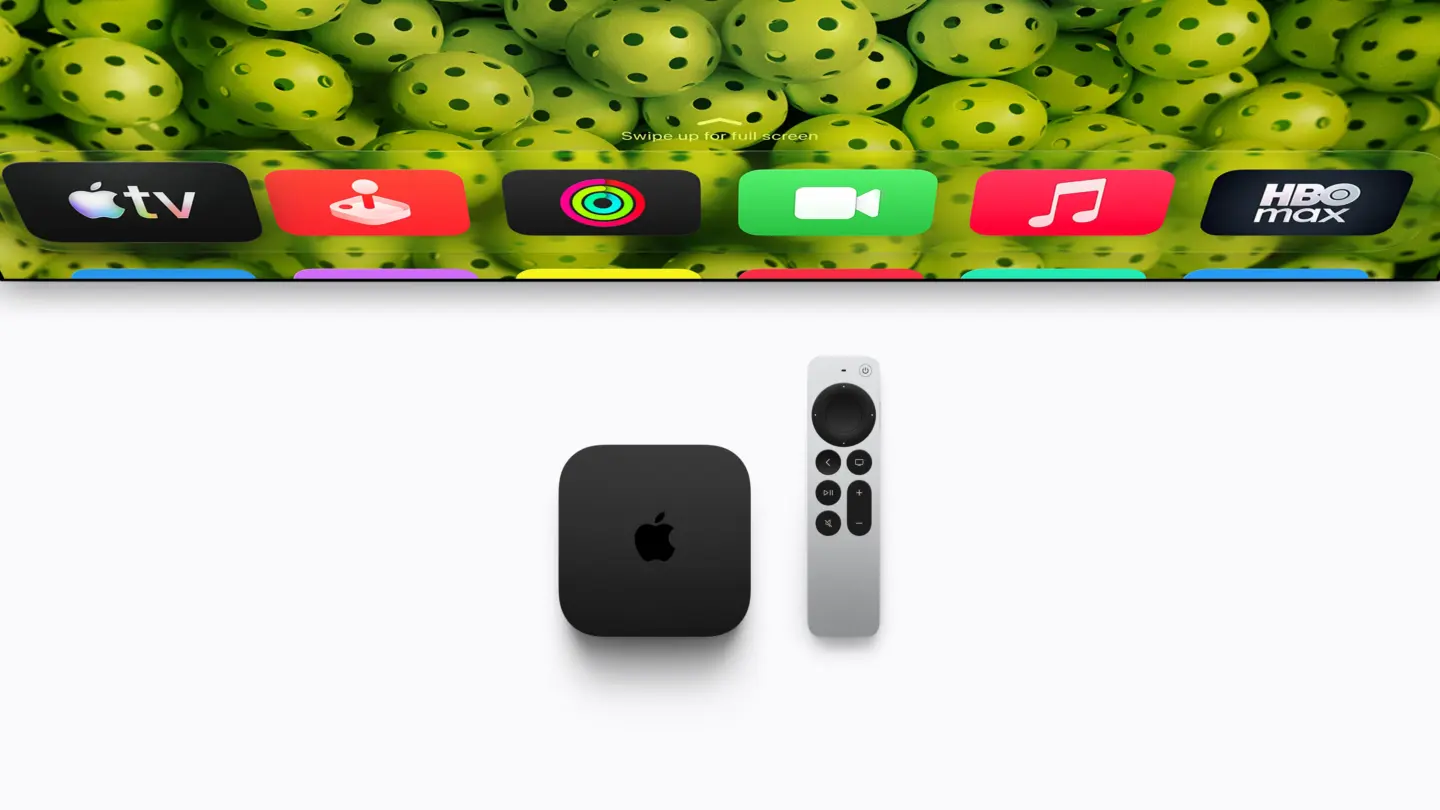
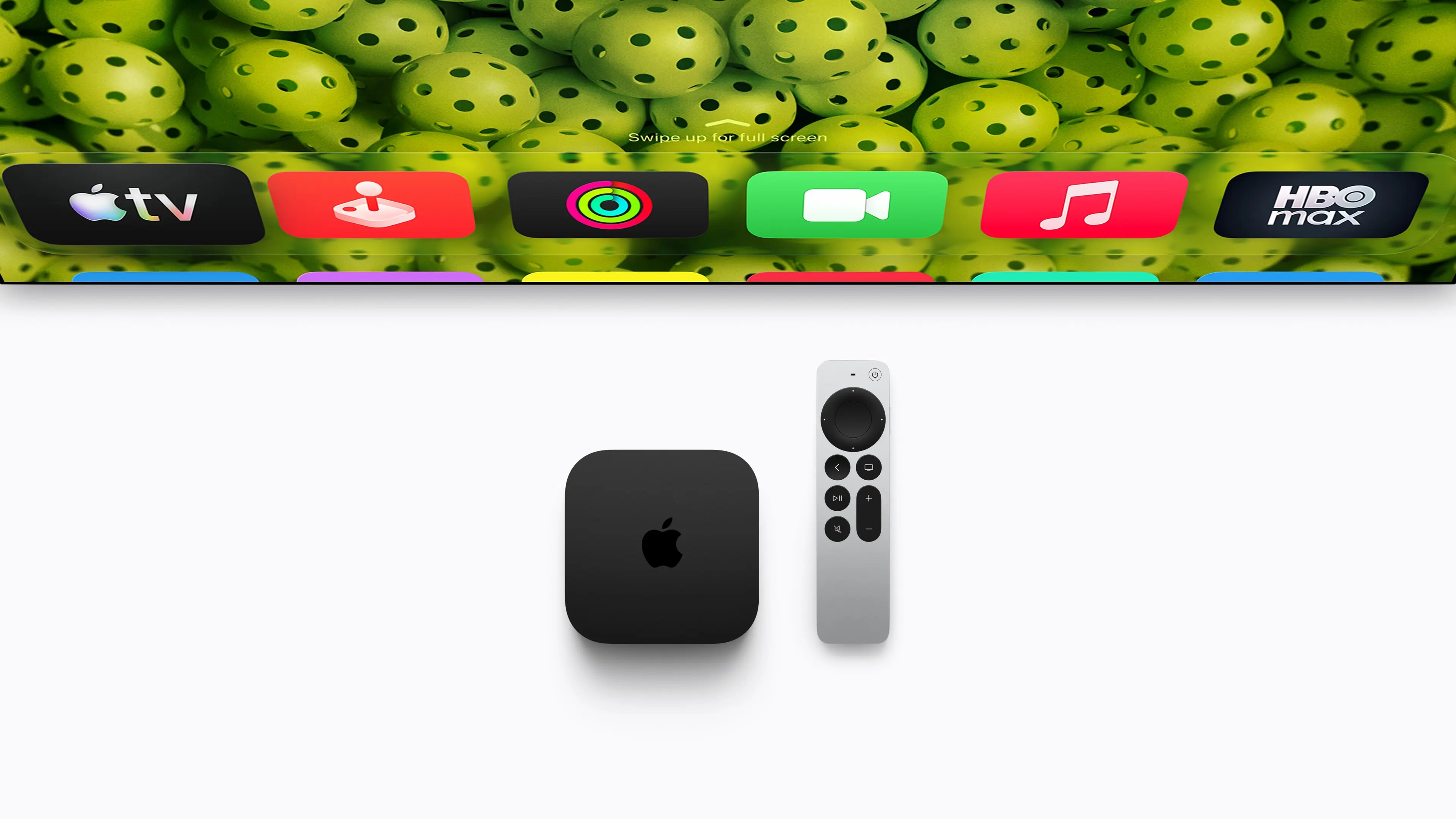
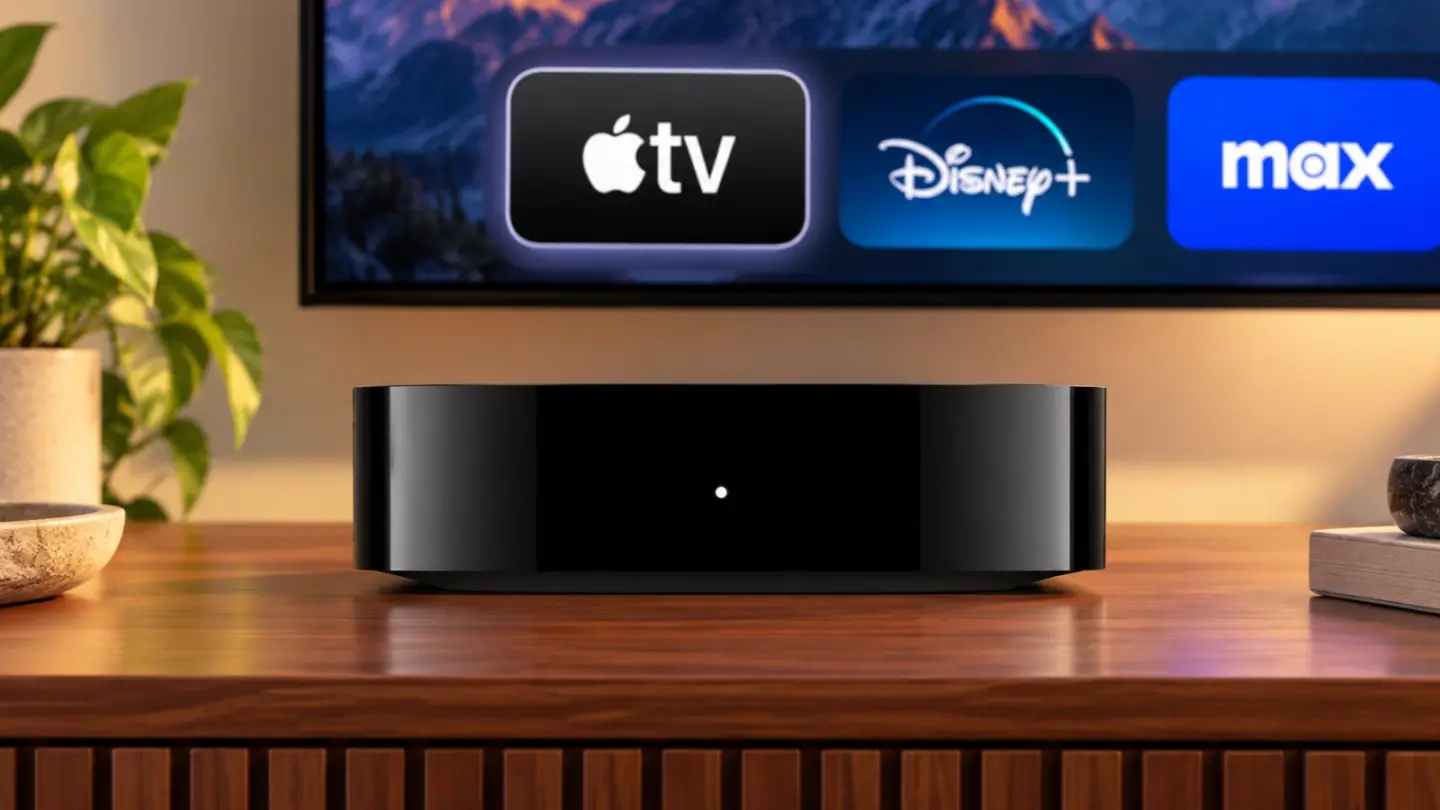
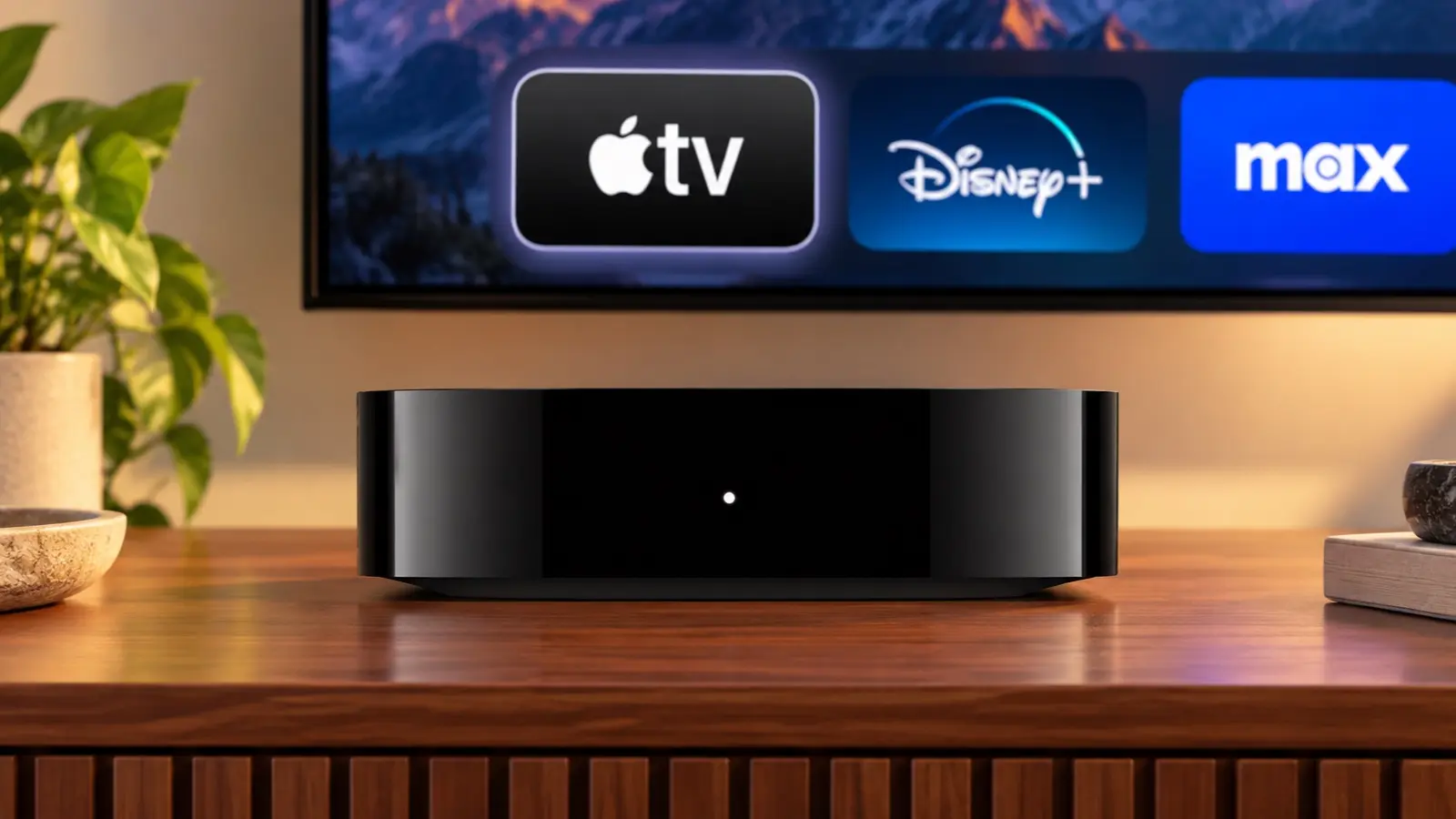
Apple also updated the Apple TV 4K today. Last updated in 2022, the Apple TV 4K’s fourth-generation update is focused on bringing an improved surround sound experience to the Apple TV, along with Siri AI. From the outside, the new Apple TV 4K looks like the old one: a nondescript black box that sits under your TV, but on the inside, the components have been upgraded. The Siri Remote has been updated too.
Source: Apple.
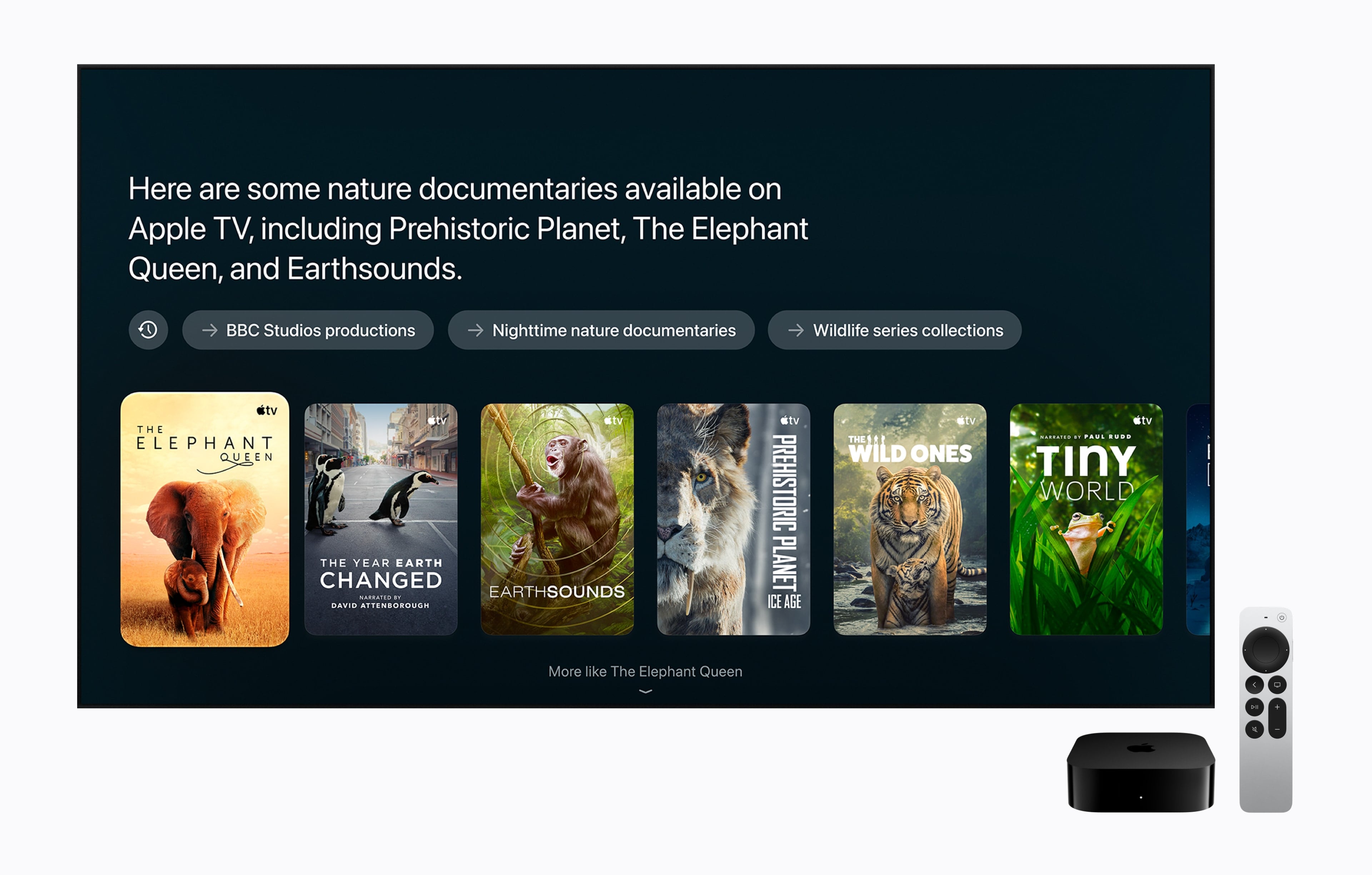
The updated Apple TV features Apple’s A19 chip with an AV1 decoder and three far-field microphones. The A19 chip has a faster CPU (a claimed 50% boost) and GPU (a claimed 2x improvement), which may come in handy when playing games. The microphones allow a user’s voice to be picked up by the Apple TV despite background noise, and Apple says Siri AI will enable new ways to discover what to watch on the device. It’s worth noting that Siri AI is available on the second- and third-generation Apple TV 4K, too. Other upgraded specs that are notable include Wi-Fi 7 and Bluetooth 6.
Source: Apple.
Apple has also expanded the surround sound capabilities of the Apple TV. It can now be paired with four Apple HomePod mini 2s or second-generation HomePods or two pairs of each HomePod type. As for the Siri Remote, it now supports Precision Finding and can play a sound when used with the Find My app.
The new Apple TV 4K is a steep $299, which is disappointing but understandable given the update and 128GB of storage and can be preordered now in the U.S. and 29 other countries, with delivery and in-store availability on November 13.
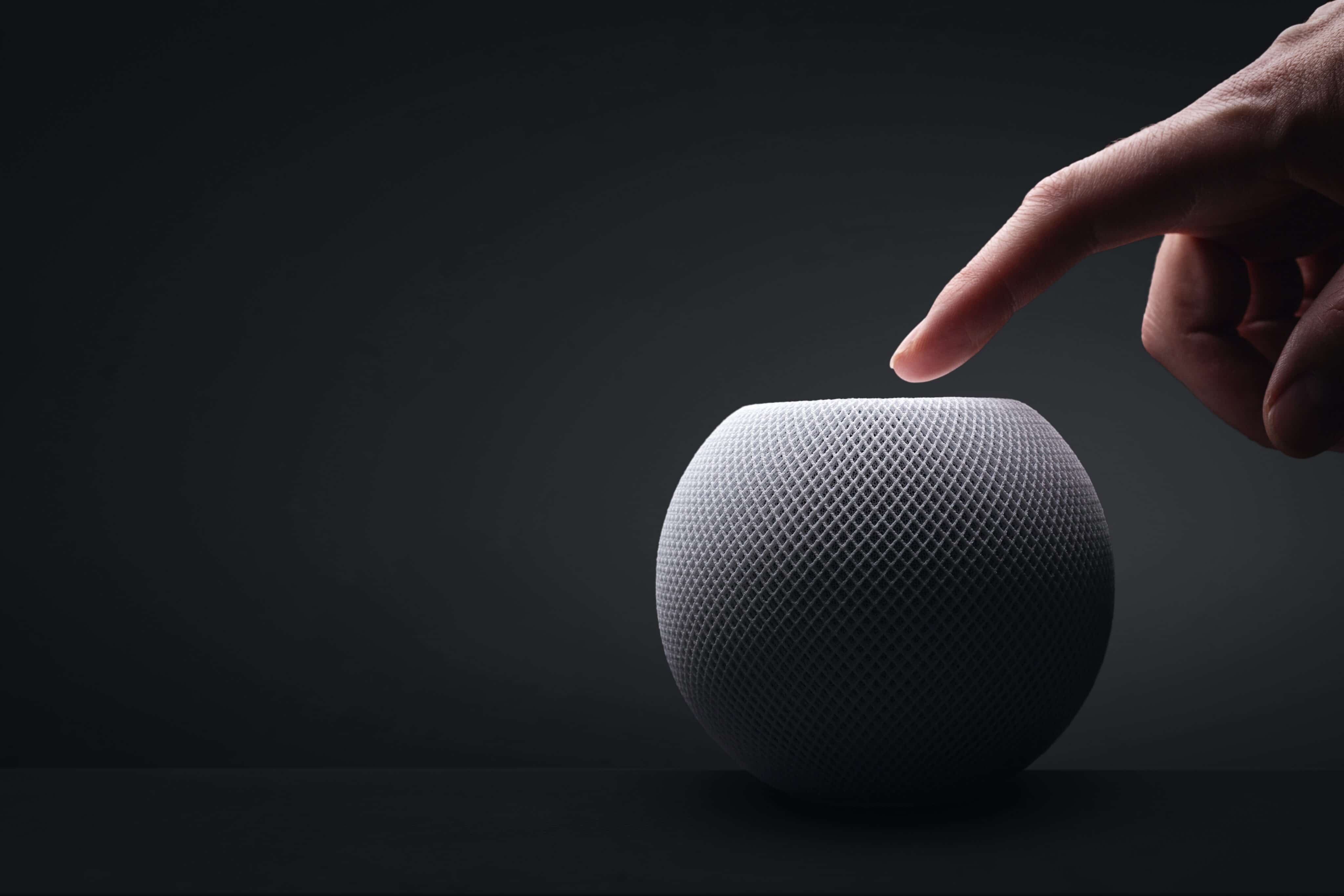
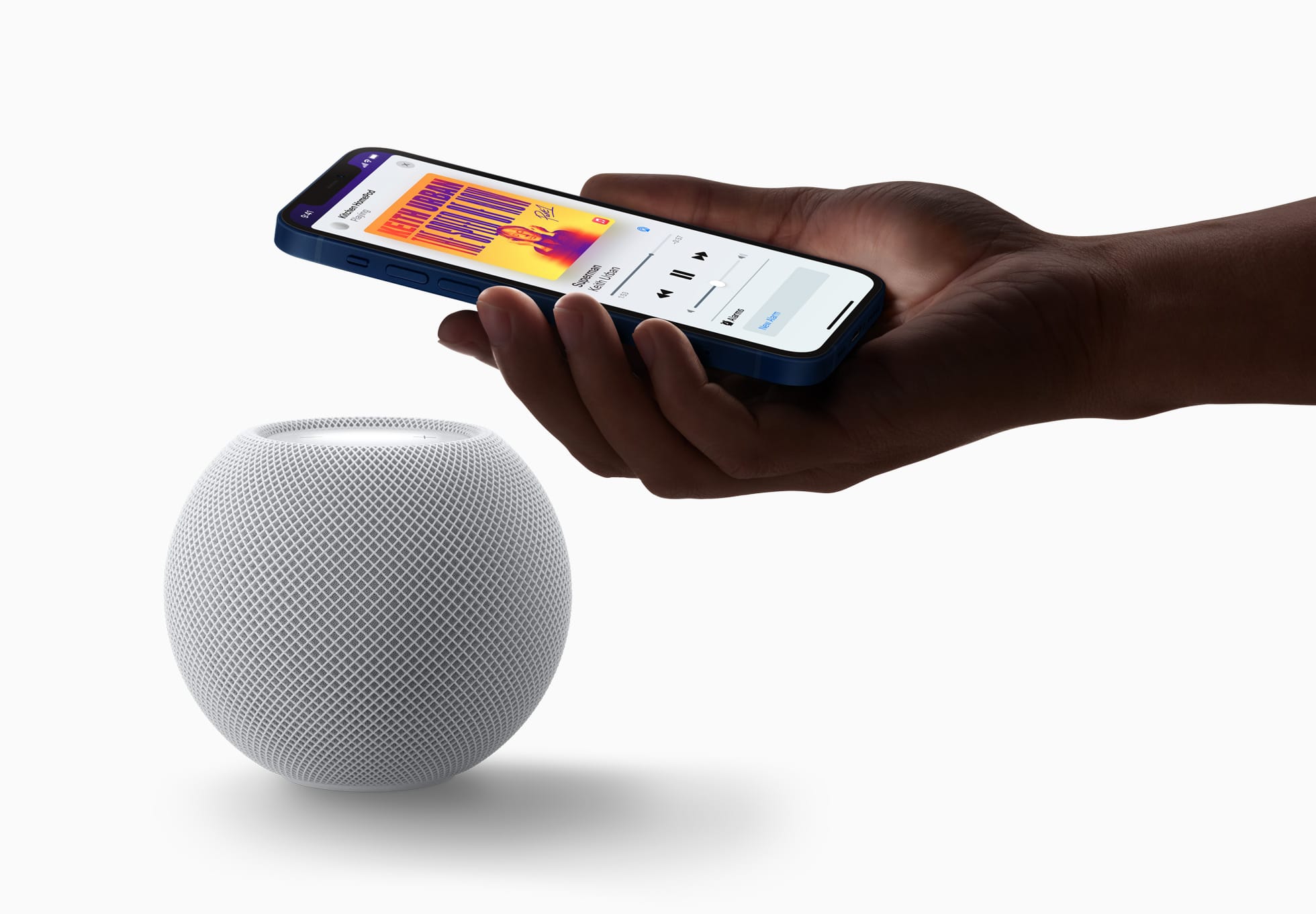
As part of today’s announcements related to Home (including the brand new HomeView, which we’ve covered here), Apple also announced HomePod mini 2, an update to its popular line of diminutive speakers for the home first launched in 2020. The new HomePod mini comes in new colors, will support Siri AI in select markets with a future software update, has a new ‘Sound Glow’ top panel that intelligently adapts colors shown to match what is playing, and offers more integrations with the Apple TV 4K and Mac – all while delivering improved and richer sound compared to the first-generation model.
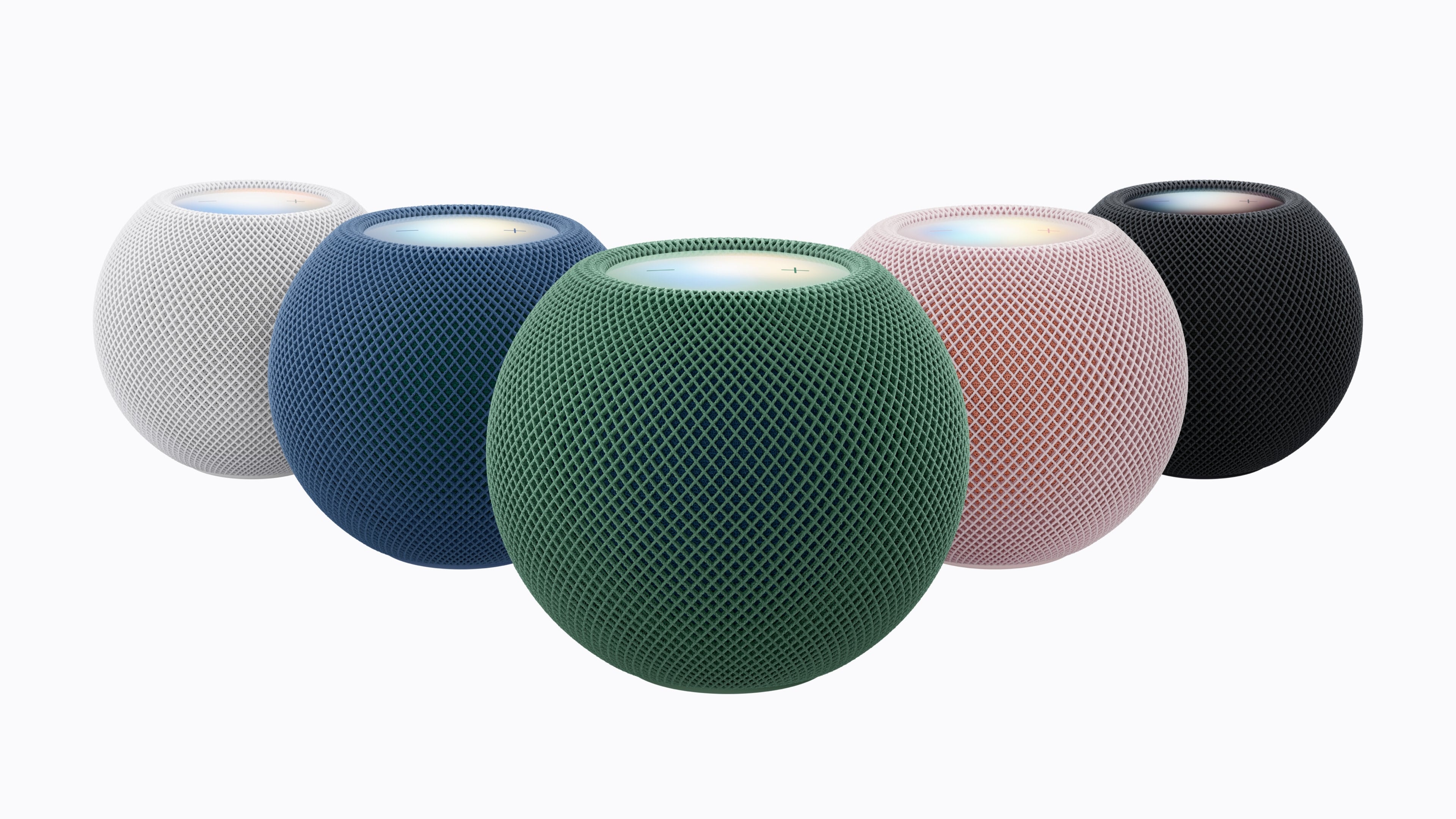
First, the look. The HomePod mini 2 looks nearly identical to its predecessor, except for the aforementioned Sound Glow and the new colors: pink, green, blue, white, and midnight. From the photos we’ve seen so far, they look really nice, and I’m personally a fan of the green and pink options.
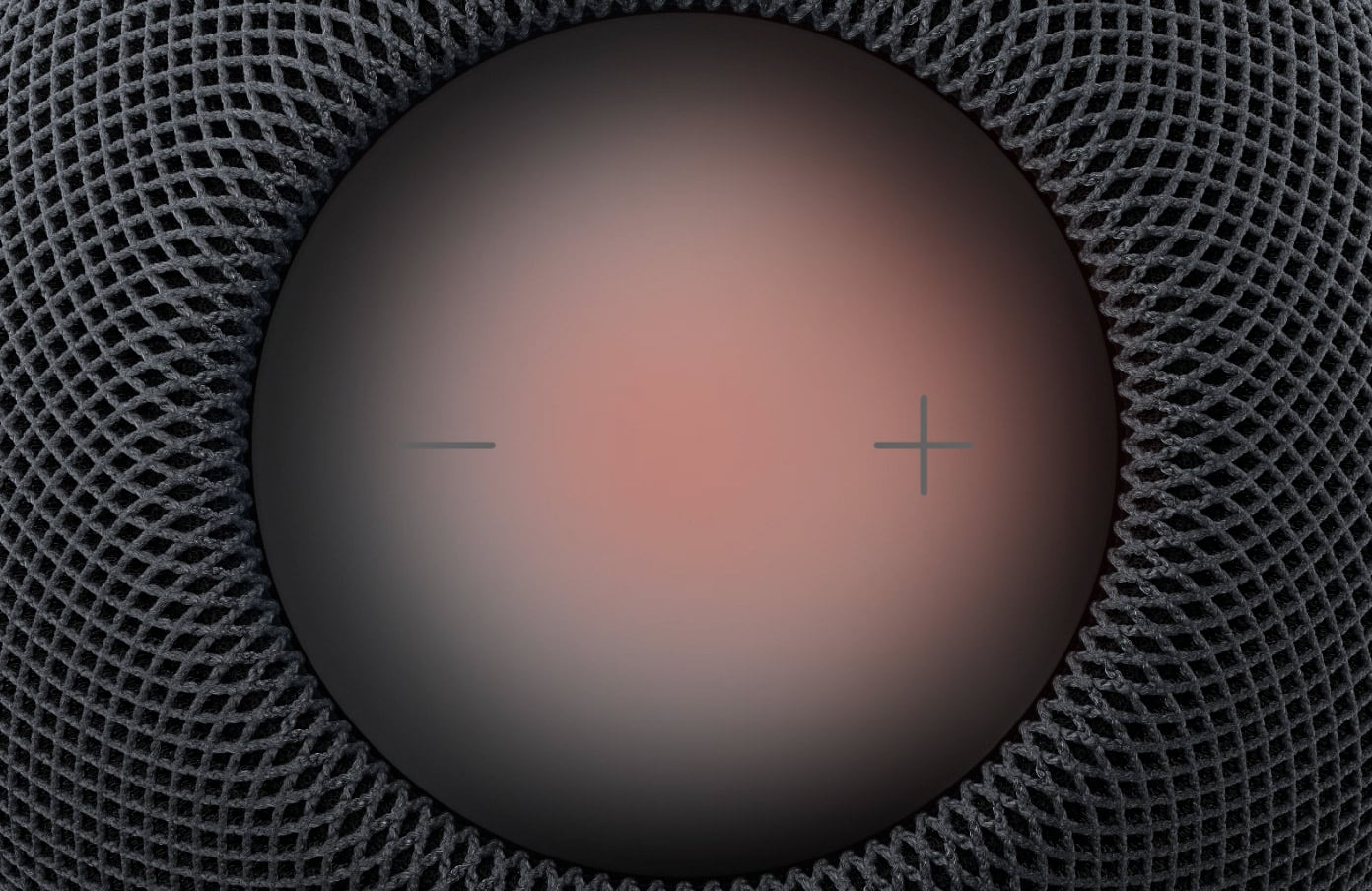
Sound Glow is the most apparent hardware-related innovation here: the top panel has been re-engineered to become “a visual canvas that glows and pulses in sync with the music”. The panel reacts in real time to bass and treble, adjusting its animation accordingly, but it also borrows from the Music app’s Now Playing screen: the colors displayed on Sound Glow will be subtly color-matched to the artwork of the audio that’s playing now. According to Apple, Sound Glow will also play custom animations when a soundscape like ‘Rain’ is activated, although a footnote on Apple’s website suggests that the feature will require an iPhone with Apple Intelligence enabled.
Sound Glow.
The real-time music analysis capabilities of the HomePod mini are made possible by the upgraded chip inside the device, the S10 previously seen on the Apple Watch. (The original HomePod mini had an S5.) In addition to dynamically adapting to sound in real time, the S10 is behind the HomePod mini 2’s ability to run Siri AI (more on this below) as well as to become part of a four-speaker surround group when combined with the also-new fourth-generation Apple TV 4K.
When four speakers are grouped, they can coordinate with an Apple TV to recognize each other’s position in a room and calibrate audio levels and timings to match what is playing. As someone who used for several years a two-HomePod mini pair with an Apple TV in my old apartment, I’m very intrigued by the potential of four little units carefully placed in my larger living room. As detailed by Apple, surround sound requires four HomePod mini 2 or HomePod (2nd generation) speakers in matching pairs front and center, so you can’t mix and match HomePod and HomePod mini 2 at the back of your couch, for instance.
In addition to Apple TV, the HomePod mini 2 can also act as a default speaker for the Mac now. This potentially creates even more purchasing problems for me because, while I have a Sonos Move speaker at my desk, I dislike that I cannot set it as a default sound destination for my Mac mini, so I may even have to consider new speakers for my desk now. Ouch.
I love this look. I need this setup (but not in pink).
In its announcement today, Apple touts the work that has gone into computational audio powered by the S10 and aspects such as “Apple-designed force‑cancelling passive radiators” to improve the HomePod mini’s bass extension; those are things that we can only evaluate with an actual hands-on (ears-on?) with the product. What we can judge today is the Siri AI announcement: HomePod mini 2 will support Siri AI with a future software update, which means the assistant will be able to draw from the user’s context from a paired Apple device (Apple mentions “device”, not “iPhone”, meaning that iPad and Mac should work, too?) and offer personalized suggestions. You can read more about Siri AI in my review from last month here. In an interesting detail, however, Apple notes that even if you have Apple Intelligence disabled on a paired device, you’ll still get access to Siri AI’s newfound world knowledge features when Siri AI becomes available on HomePod mini 2:
Once Siri AI is enabled on a supported HomePod mini speaker, even users without an Apple Intelligence-enabled iPhone or iPad will benefit from Siri AI’s broad world knowledge; its ability to have rich, natural conversations; and its improved music discovery.
Notice how the quote above mentions “iPhone or iPad”, which makes the role of the Mac a little unclear.
That’s about it for the HomePod mini 2. It costs $149, which seems fair given the product’s features, and is available for pre-order today in the U.S. and 23 other countries. It launches on October 30, presumably without Siri AI given Apple’s “future software update” wording. It’s available in Italy, and I’m leaning toward pre-ordering two of them.
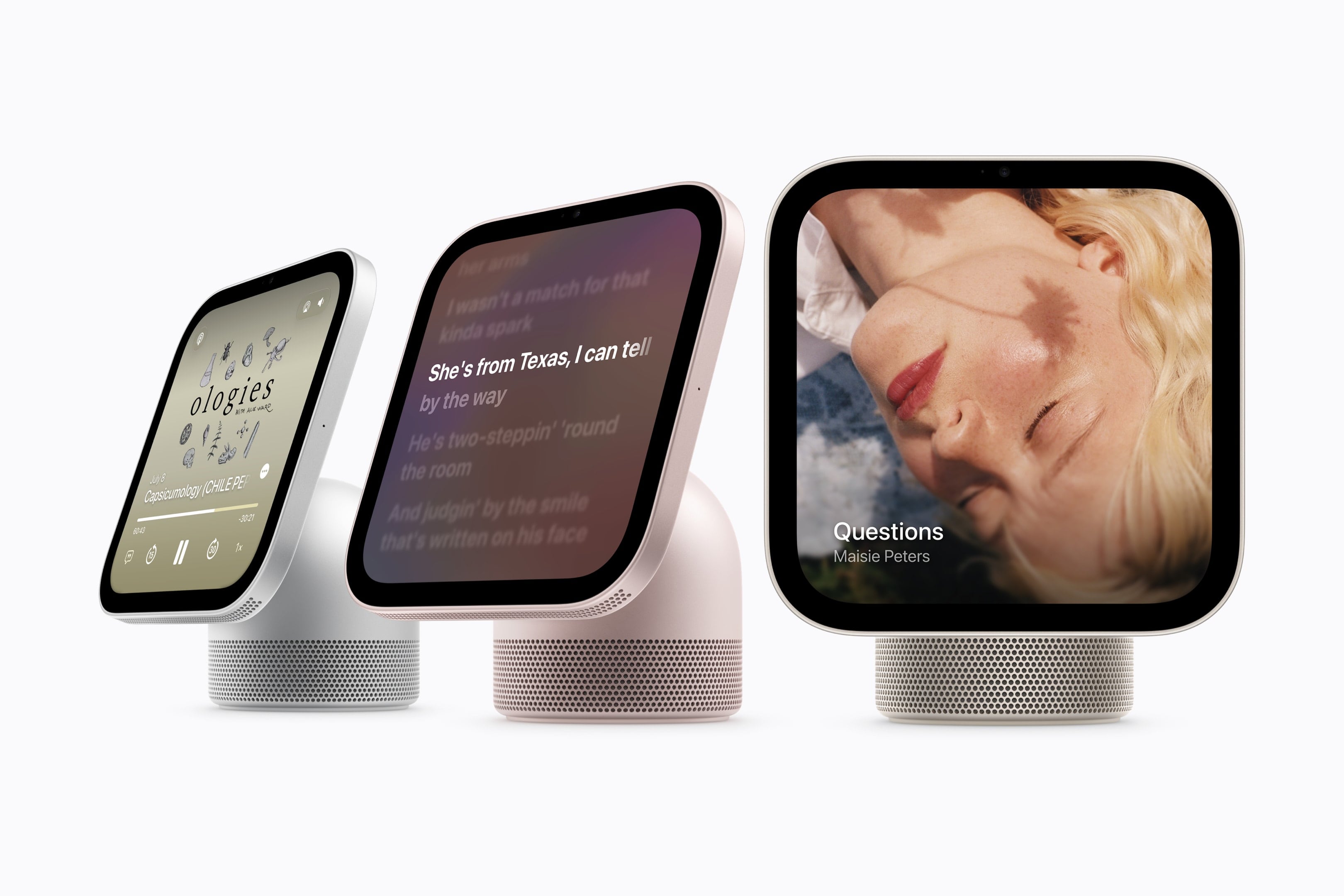
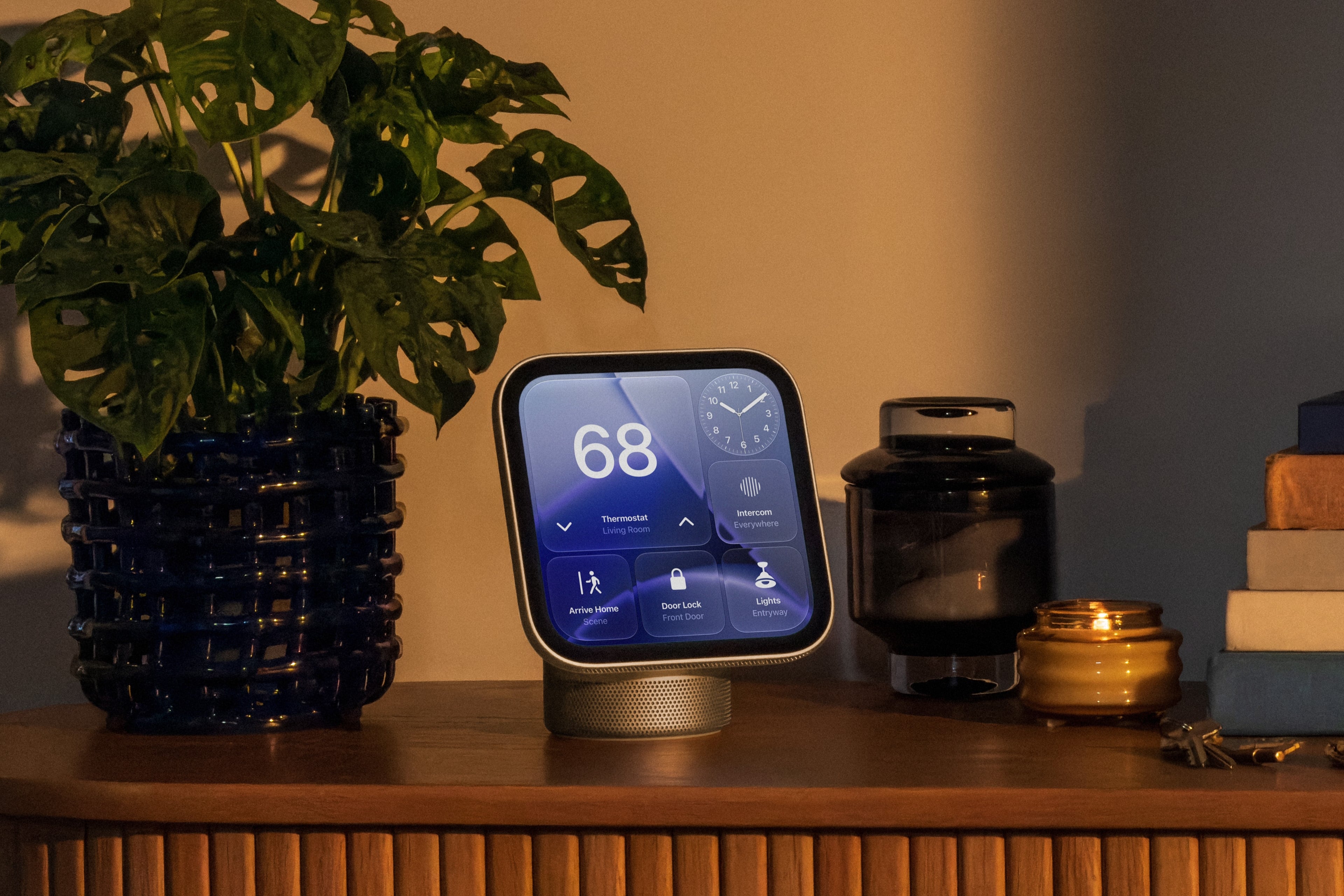
Today, Apple announced the highly anticipated HomeView, a Siri AI-powered device for controlling your HomeKit devices and accessing other apps and services like Apple Music, your calendar, Reminders, Apple Podcasts, and more.
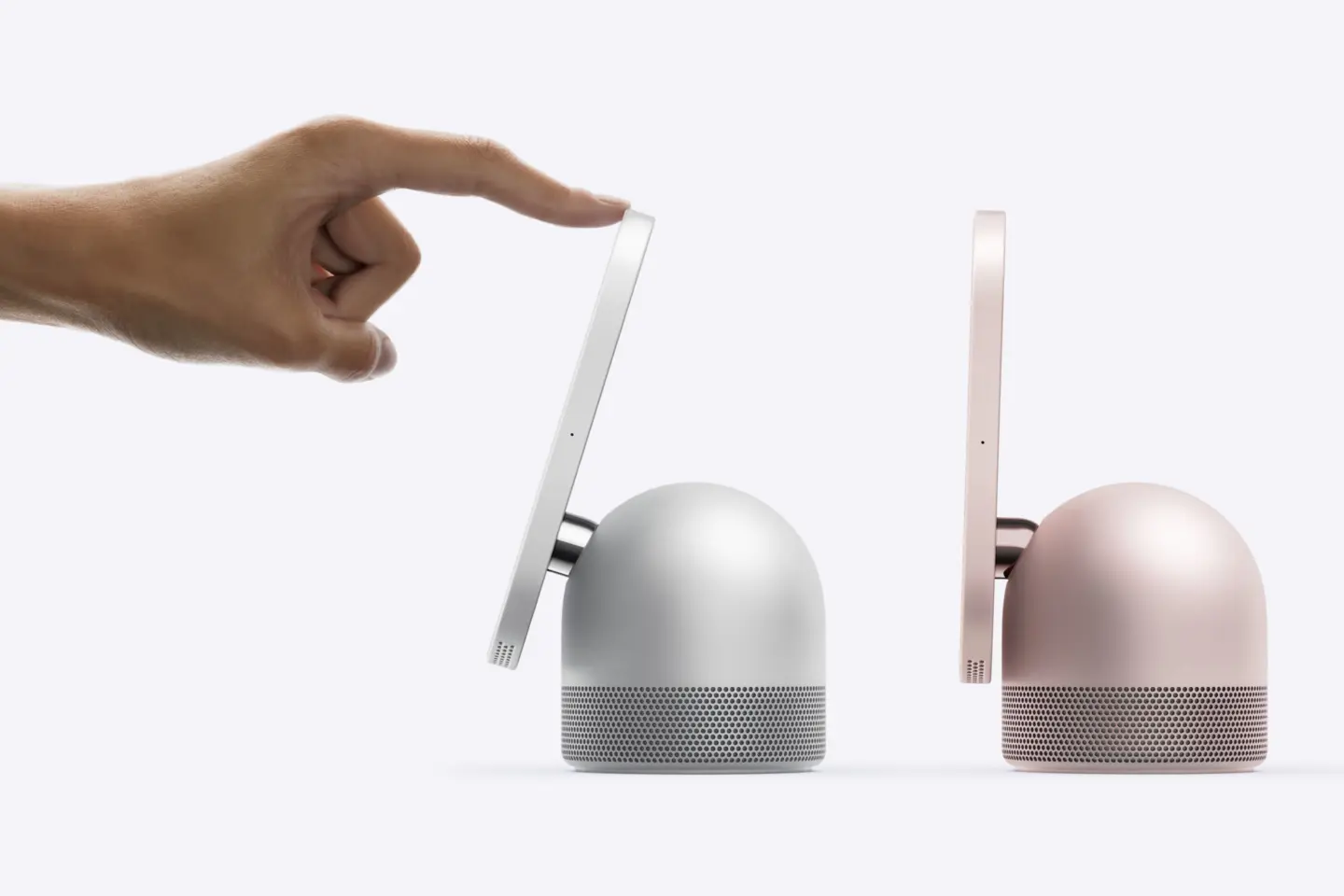
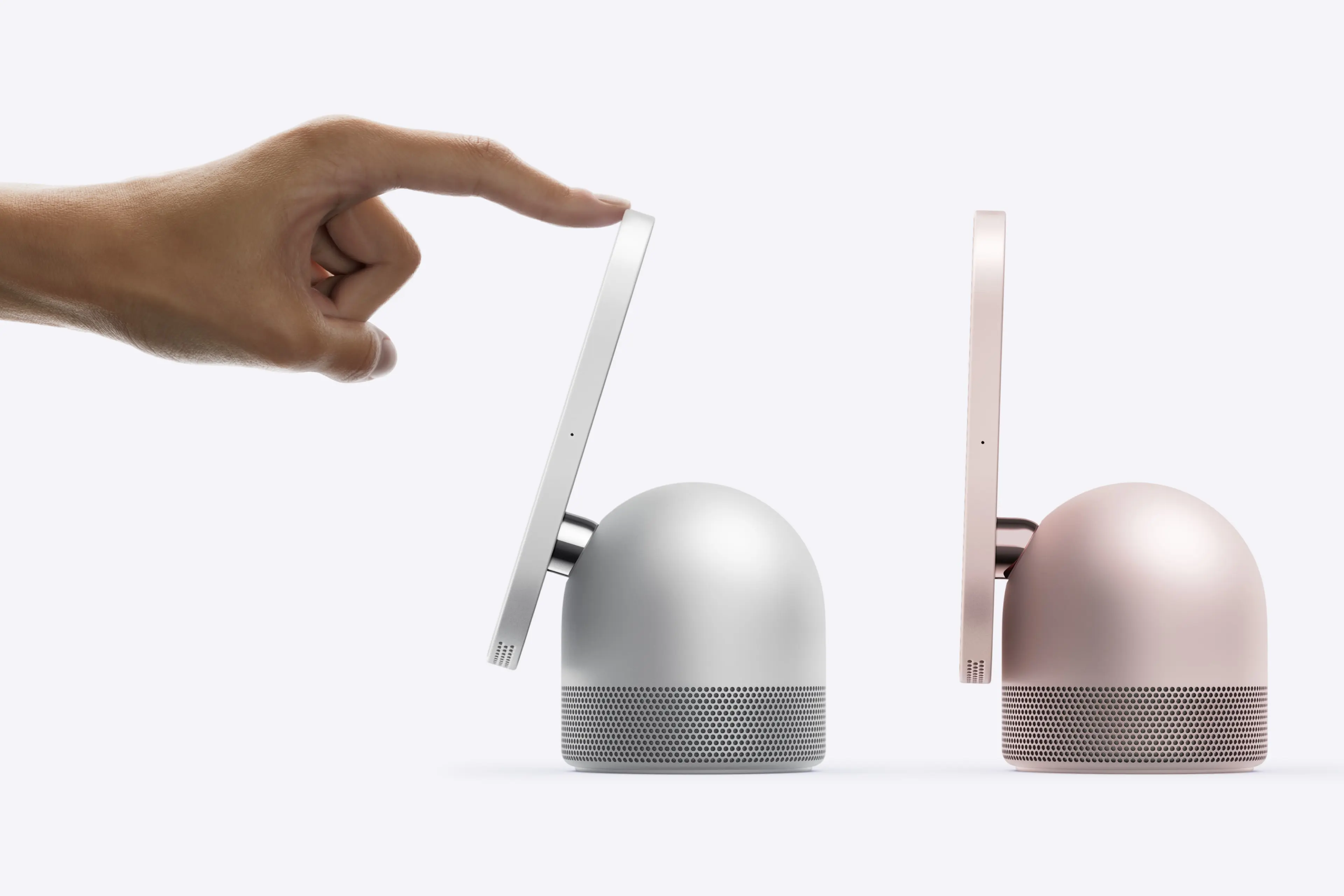
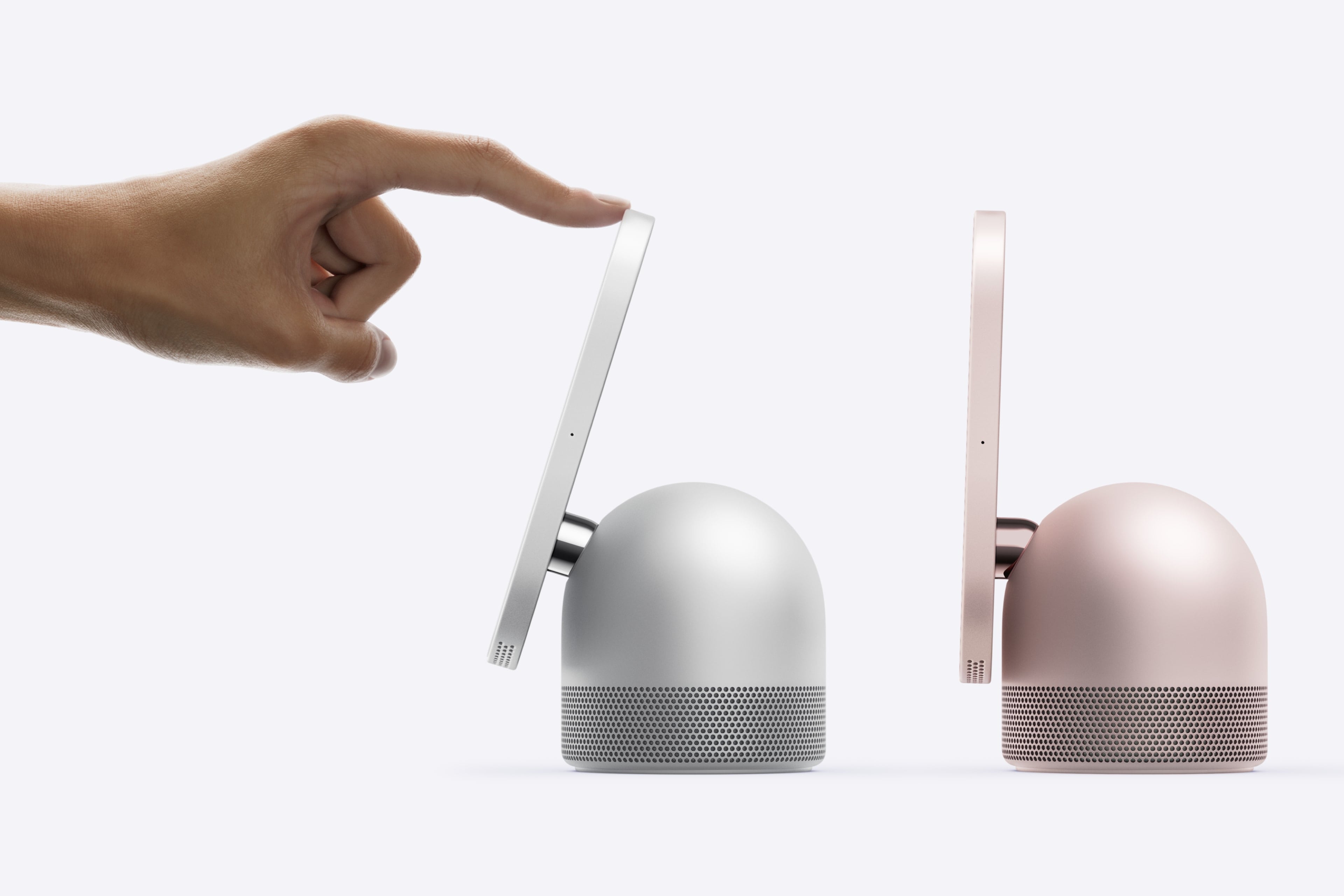
The table top HomeView’s screen tilts. Source: Apple.
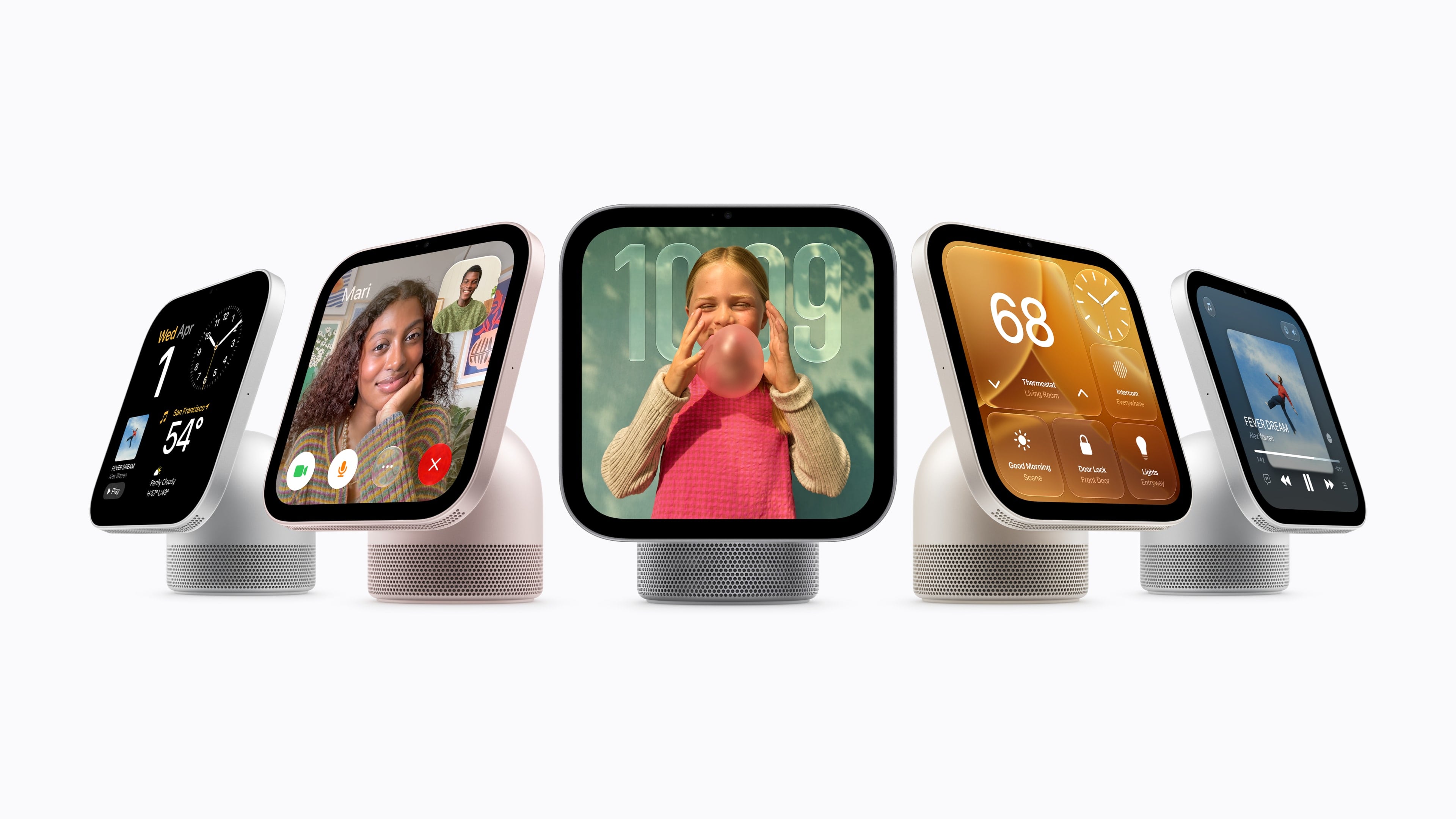
HomeView comes in two configurations, each of which is $299 and will launch on November 13 and can be preordered today. The first sits on a flat surface and has a domed aluminum base and a 7-inch Liquid Retina True Tone display that tilts. The base houses a downward-firing woofer and two force-cancelling passive radiators and the display has two drivers that support Spatial Audio.
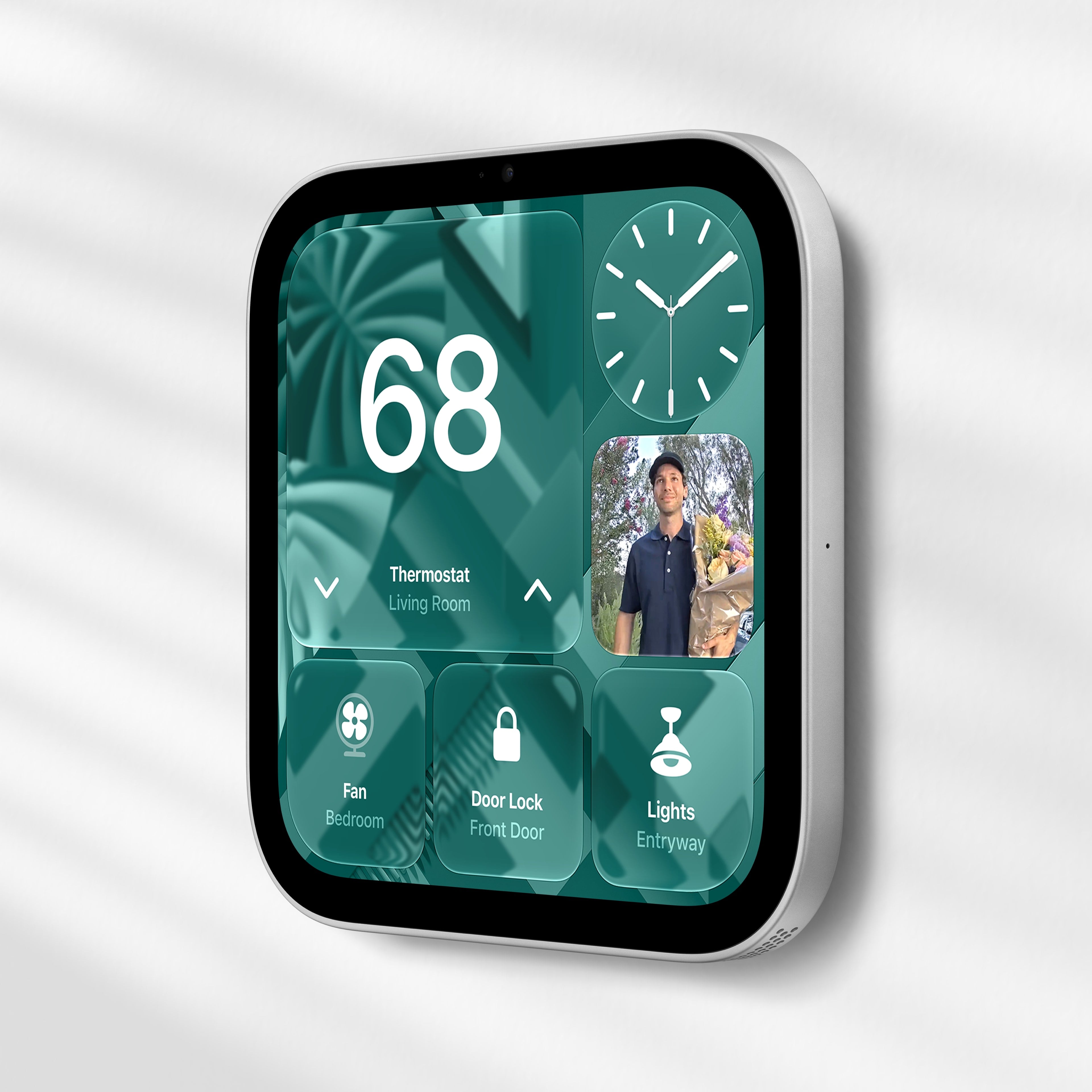
The Wall Mounted HomeView. Source: Apple.
The second HomeView model is meant to be hung on a wall, but the functionality of both is roughly the same. The main difference being that the wall-mounted version lacks the other model’s base and its woofer.
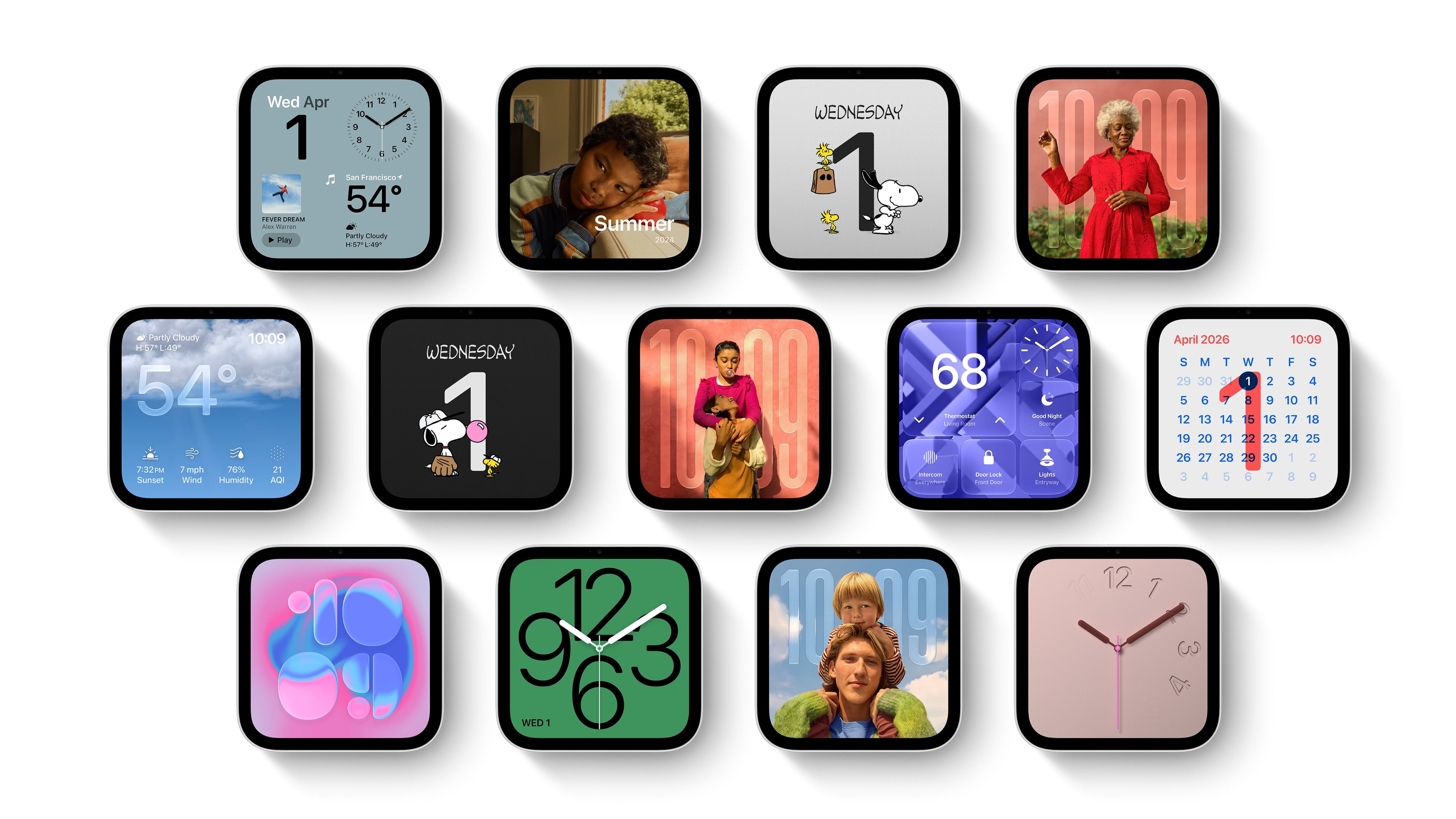
HomeView faces. Source: Apple.
The HomeView features a series of customizable faces that are navigated by swipe gestures. There are faces for photos, weather, a clock, for example, which are reminiscent of Apple Watch faces. There are also tiles for controlling HomeKit devices and widgets for things like the weather and your calendar, which are similar to the iPhone’s StandBy Mode widgets.
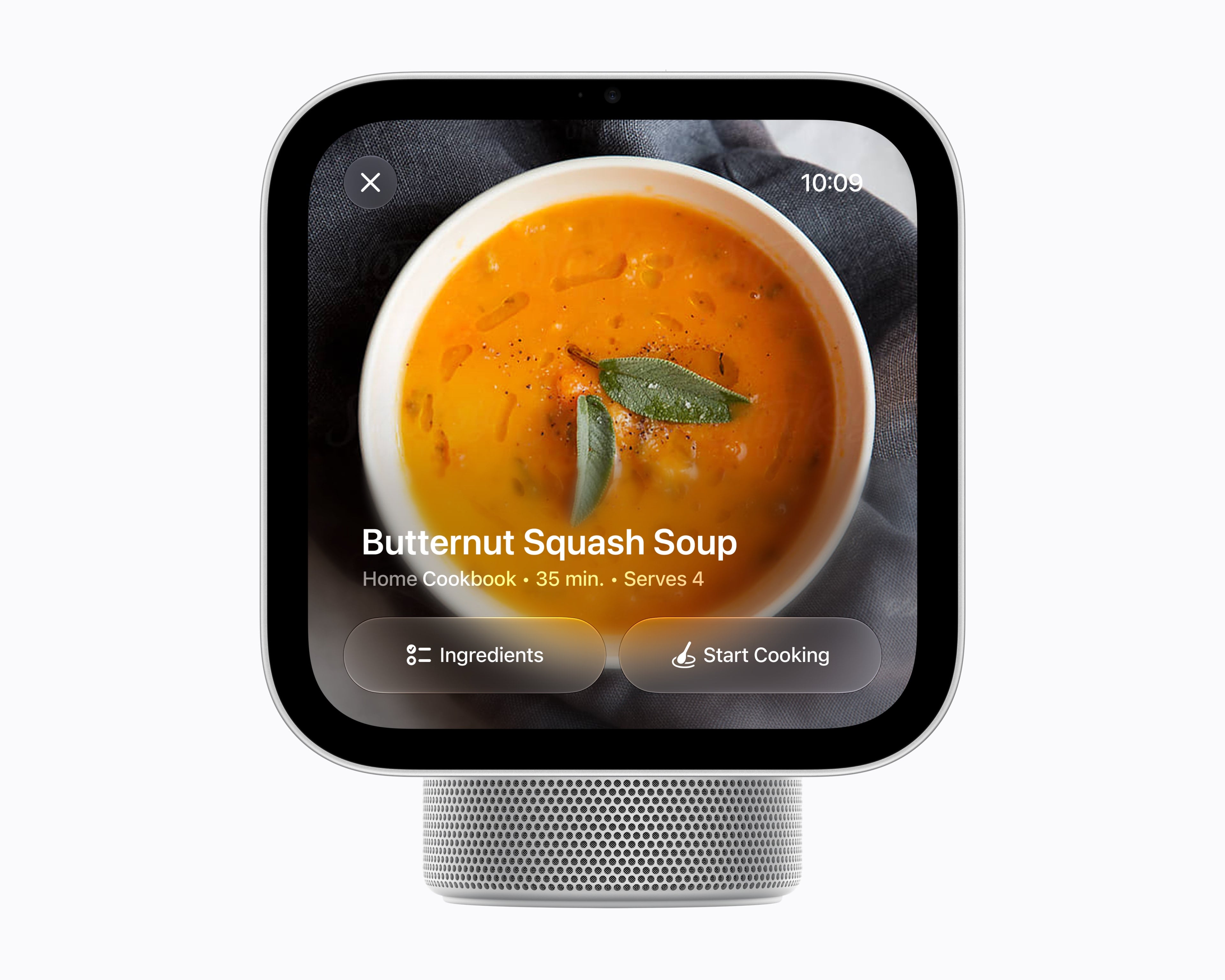
As for apps, Apple includes a selection of their own apps like FaceTime, Music, Podcasts, TV, News, and Messages along with select video and audio apps from third parties. As a smart home hub, HomeView allows users to watch HomeKit camera feeds and control locks, thermostats, lights, blinds, and other compatible devices. Of course, Siri AI is a big part of the HomeView story, too, serving as a means for navigating the device’s UI, interacting with apps, and requesting information conversationally.
Source: Apple.
Under the hood, the HomeView is powered by an A18 chip with Secure Exclaves for processing audio and video data. According to Apple, Messages and Calendar content are only available when a user is recognized and their paired iPhone or iPad is present and recently unlocked.
Overall, I love the look of the HomeView and have been thinking about where I’d place it in my home as I write this. I also like the blend of concepts that draw from the Apple Watch, StandBy Mode, and widgets. My hope, though, is that the third-party developer story expands beyond the limited audio and video apps mentioned in Apple’s press release.
Preorders are live now in Australia, Canada, India, New Zealand, the UK, and the U.S. and will begin on Thursday, October 15, at 9 a.m. SGT in Singapore. The HomeView is not available in the EU because Siri AI is not available there.
For the wall-mounted version, Apple is offering a $59.95 USB-C Wall Connector and a $79.95 AC Wired option, both of which are available for preorder now in the U.S. A Power Mount PoE option will be available in early 2027 for $129.95 in the U.S., too.
We have another collection our favorite indie apps that take advantage of Apple’s latest OS features. Today, we’re highlighting: Haven, Structured, Capture, Scrappy, and Fin.
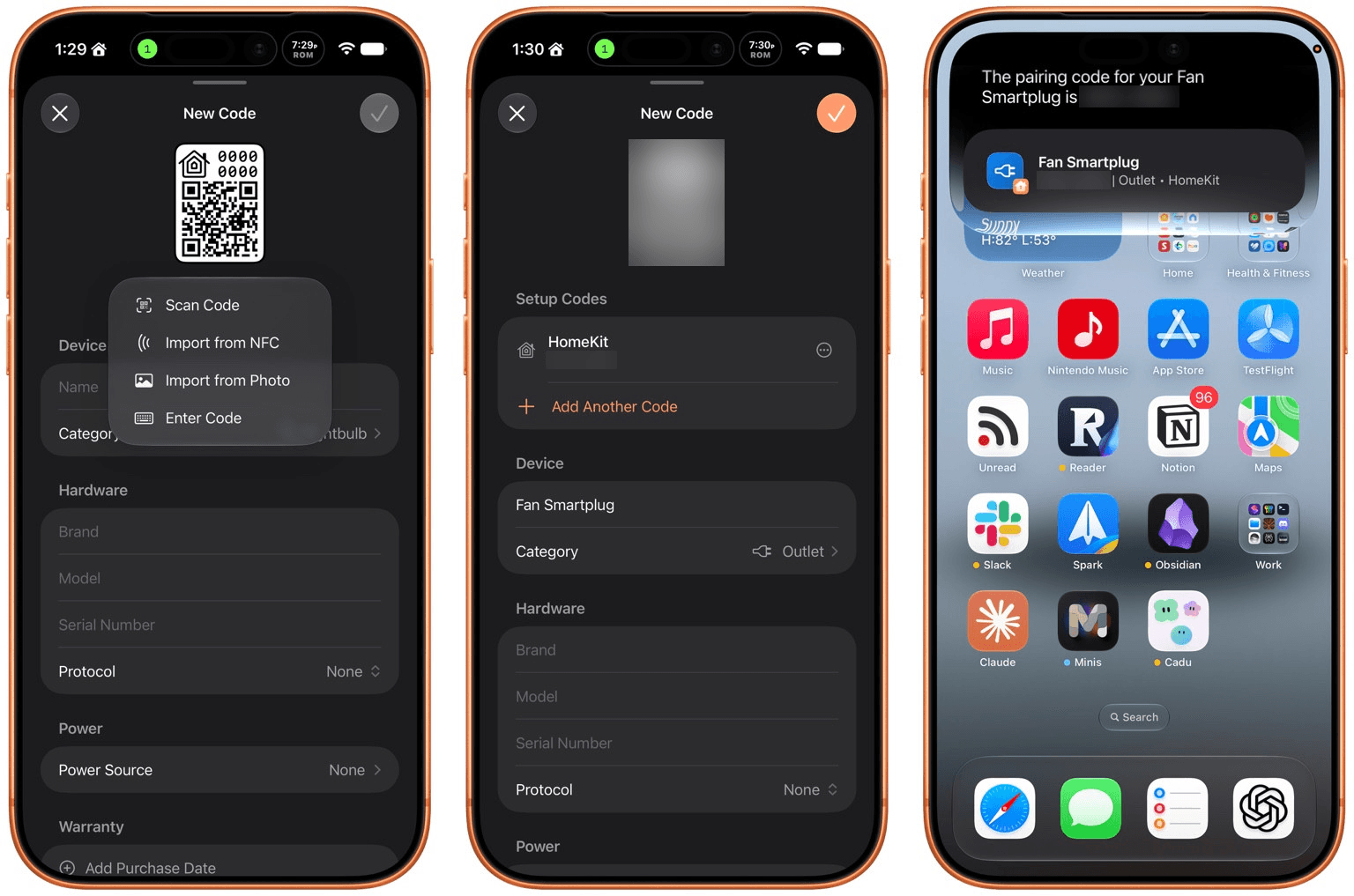
Haven is a HomeKit and Matter pairing code utility by João Franco for the iPhone, iPad, Mac, and Apple Watch that added Siri AI features this fall. The app is exactly what you want with this sort of utility because it makes storing codes for safekeeping fast and easy. Later when you need to re-pair a smart plug behind a couch or a lightbulb in a hard-to-reach spot, you’ll be glad you dropped the codes into Haven.
Retrieving codes is made even simpler, thanks to Haven’s Siri AI integration. Just ask for a code based on the name of your device in Haven, and Siri will fetch the code for you without opening the app. The feature works with both HomeKit and Matter codes and is compatible with natural language queries. The app also supports tagging and the ability to use Apple Intelligence to suggest a tag from among your existing tags.
In addition to the new Apple Intelligence and Siri AI features, Haven can track the home where your device is installed, its room, category, brand, model, serial number, protocol, power source, and status. You can mark items as favorites and add notes and attachments, like a photo of the device, too.
That’s a lot, which will appeal to the HomeKit nerds out there, but as a free download that offers unlimited pairing codes for just $6.99, it’s worth setting up Haven even if all you do is name your device, add the room where it’s located, and then search for it when needed via Siri. Siri AI is perfect for databases, and as anyone who is deep into the HomeKit world knows, a database is the best way to keep your smart home humming.
I had the pleasure of meeting the Structured team at WWDC this year. It was fun to walk through the app with them, learning about all their plans for the summer development season. But it’s been even more fun to actually play with the final product on the iPhone, iPad, Mac, and Apple Watch.
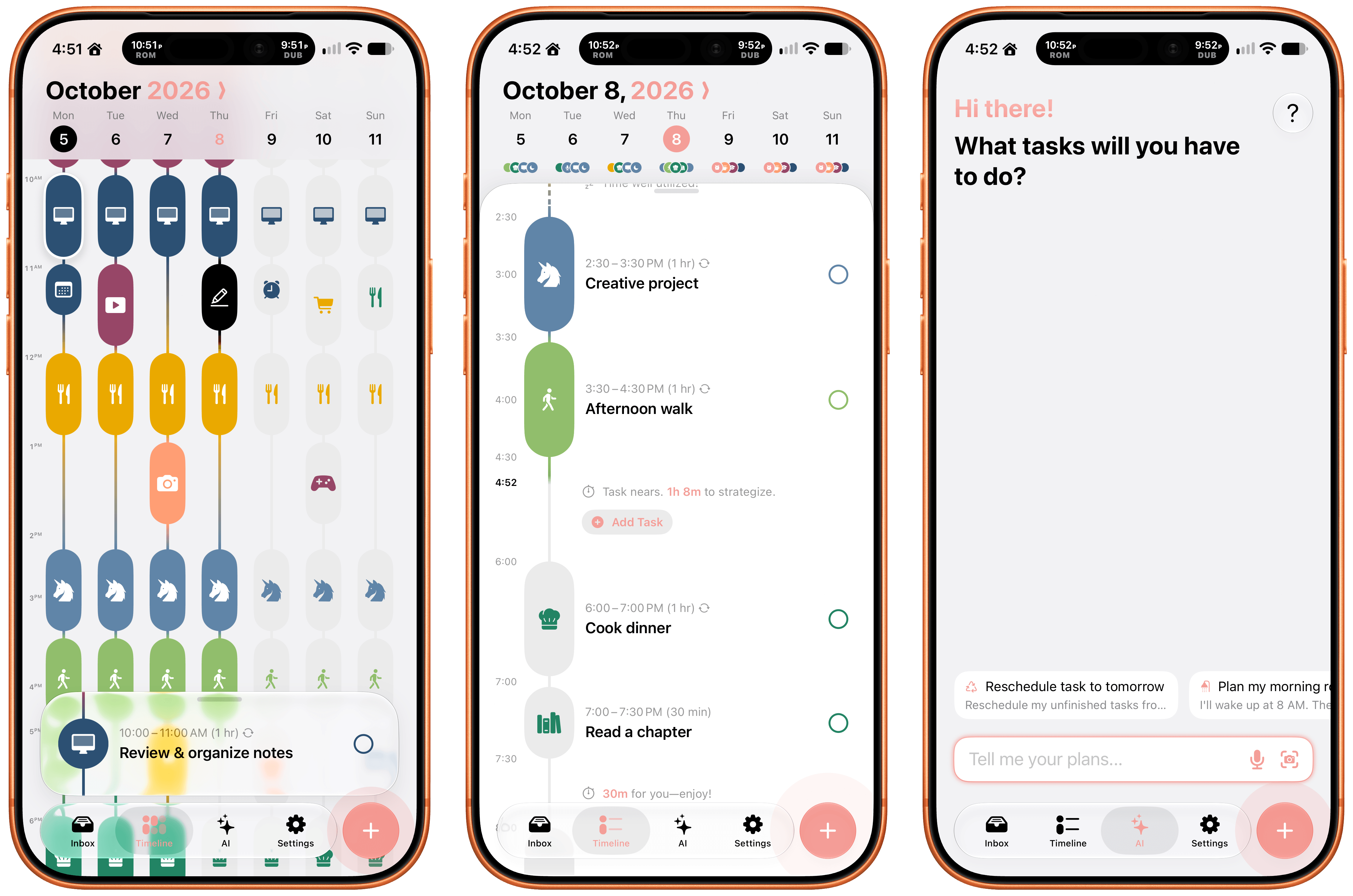
Structured is a day planning app with a beautiful and unique design that made it a finalist for both the 2025 iPad App of the Year Award and an Apple Design Award. I have a bad habit of overstuffing my workday, which is precisely the problem that Structured is designed to solve by visualizing your day and work on a timeline. The app can integrate with Reminders, your calendars, handle recurring tasks, start focus timers, and more.
As for Siri AI, Apple’s assistant can now assist Structured users with creating and editing tasks. There’s also a color prediction feature that’s in beta that learns from your past color choices to help suggest the color of a new task. Plus, Structured got a Liquid Glass update, which makes the app feel right at home among other modern apps without sacrificing the app’s simple design and legibility. If you need help organizing your day and want to see everything in one place, you can’t go wrong with Structured.
I’m always on the lookout for new ways to save random things I find on the Internet. I’m a digital hoarder by nature because you never can be sure when a link, image, or article that piques your curiosity will become something more in the future. The trouble is keeping these sort of bucket apps organized.
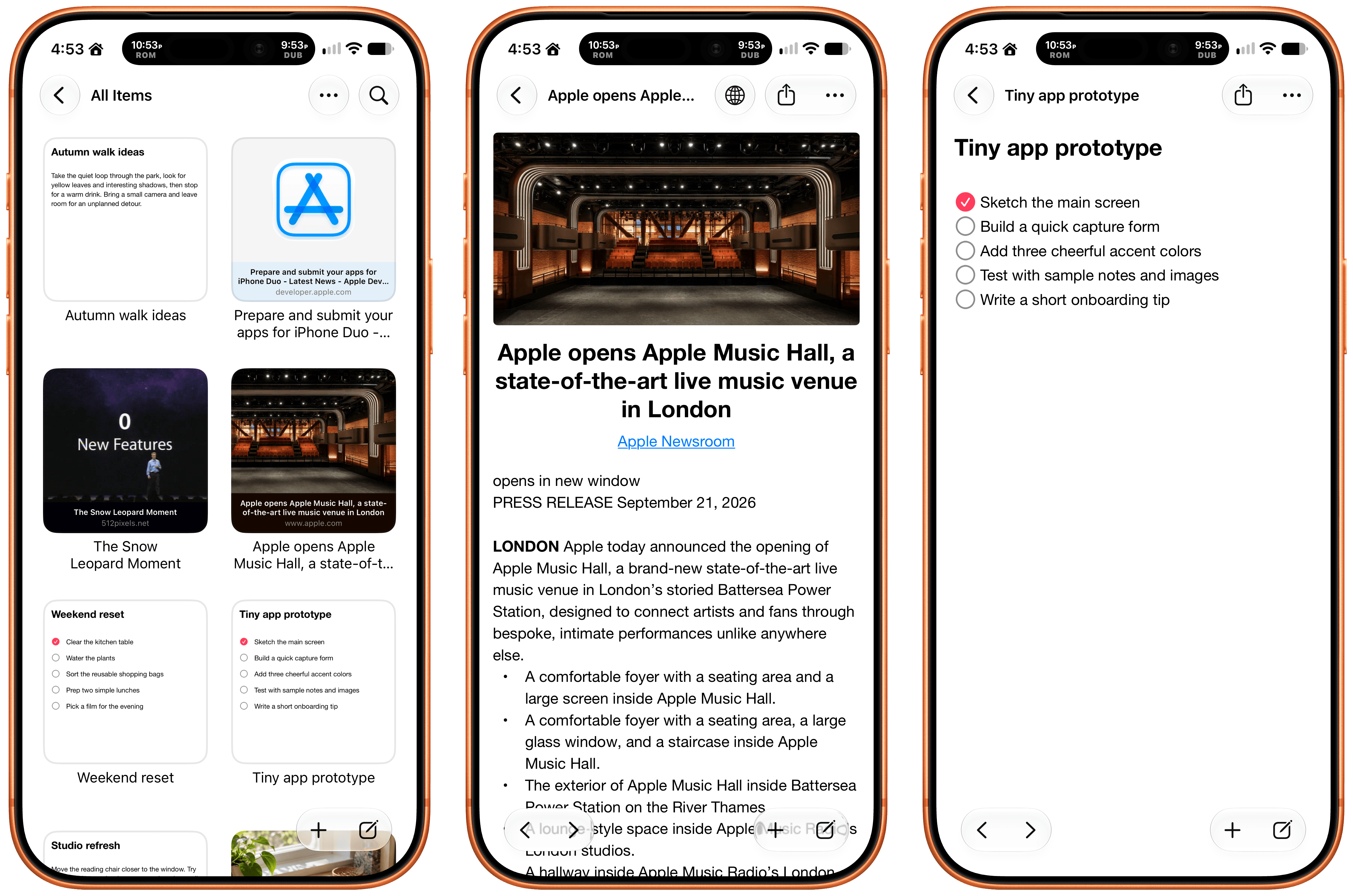
With Scrappy, by developer Steve Harris, you can save it all: notes, images, PDFs, links, videos, photos, screenshots, and more. Harris is also the developer of Keep It a notebook and document organizer app that we’ve coveredon MacStoriesbefore. There are similarities between Keep It and Scrappy, but the thing that unique about Scrappy is that it’s much more visual.
The app, which works on iPhone, iPad, and Mac, puts a handy shelf just off the edge of your Mac’s screen where you can drag items, and across all platforms, it feautures fast search and smart lists. Plus, thanks to Siri AI, you can search and open what you’ve saved and create and edit notes. There are filtering and sorting options, along with an extraordinarily long set of Shortcuts actions that make the app uniquely suited for automation. Scrappy also has a wonderfully modern card interface that takes advantage of Liquid Glass, and it displays previews of links, images, and other content. There are lots of “bucket apps” on the App Store, but Scrappy is one of my favorites.
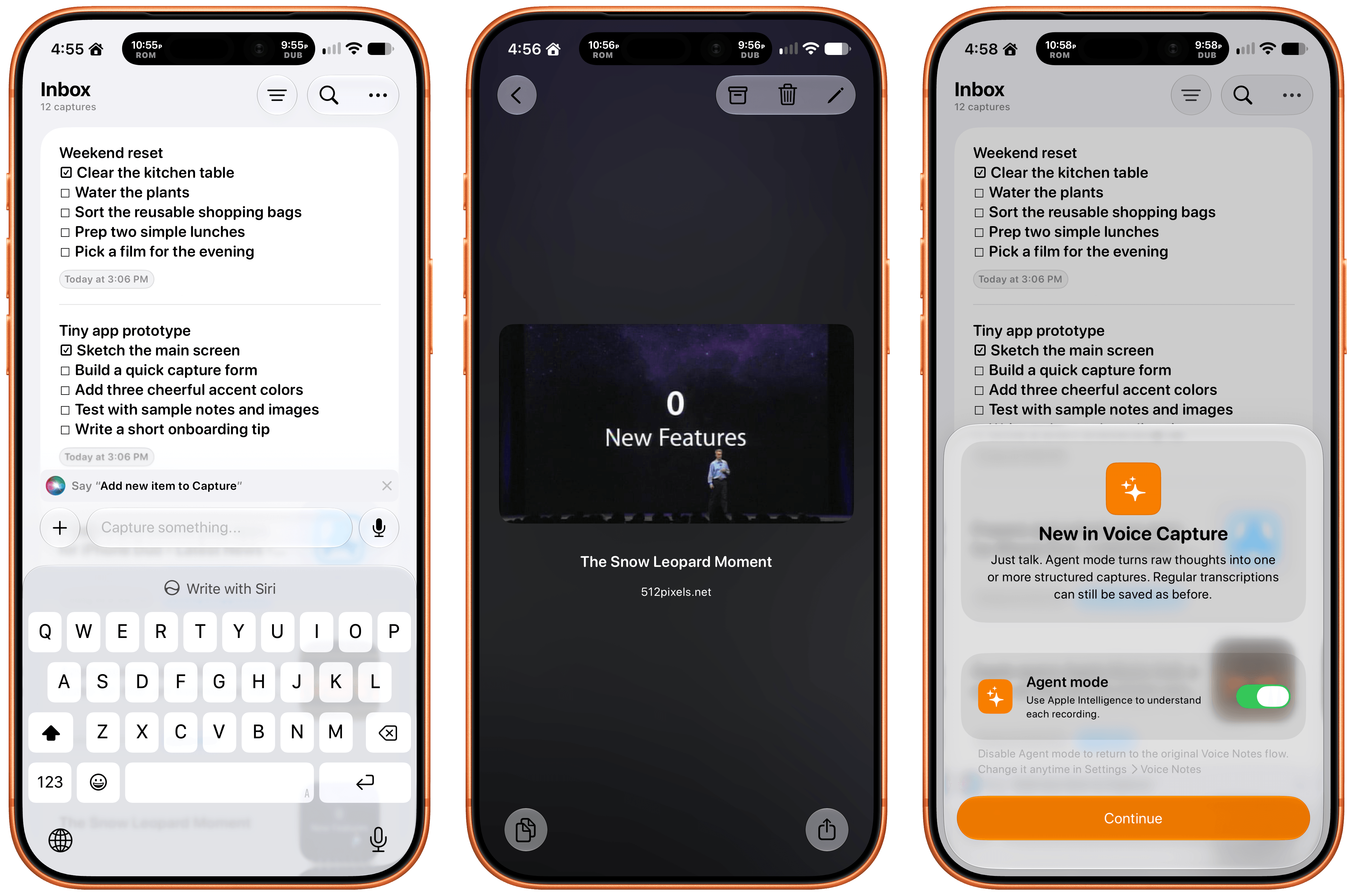
Apps like Capture are a unique obsession of mine as the online world relentlessly accelerates. Capture acts as an inbox for text, links, images, files, and tasks that works on the iPhone, iPad, Mac, Vision Pro, and Apple Watch. While you can store information in Capture long-term, it’s really meant to act as an inbox because the app has nearly 60 integrations with other third-party apps.
Capture has been building a deep library of integrations for a long time now, which I appreciate. It’s the sort of user-first approach that also made the app a perfect fit for App Intents. That integration makes it simple to find, create, and edit items with Siri. There is also an extensive set of Shortcuts actions, making the app a great fit for cross-app automations. Capture also offers creating, finding, and editing via Siri AI, note transcription using Apple’s on-device model, and a voice-based agentic mode.
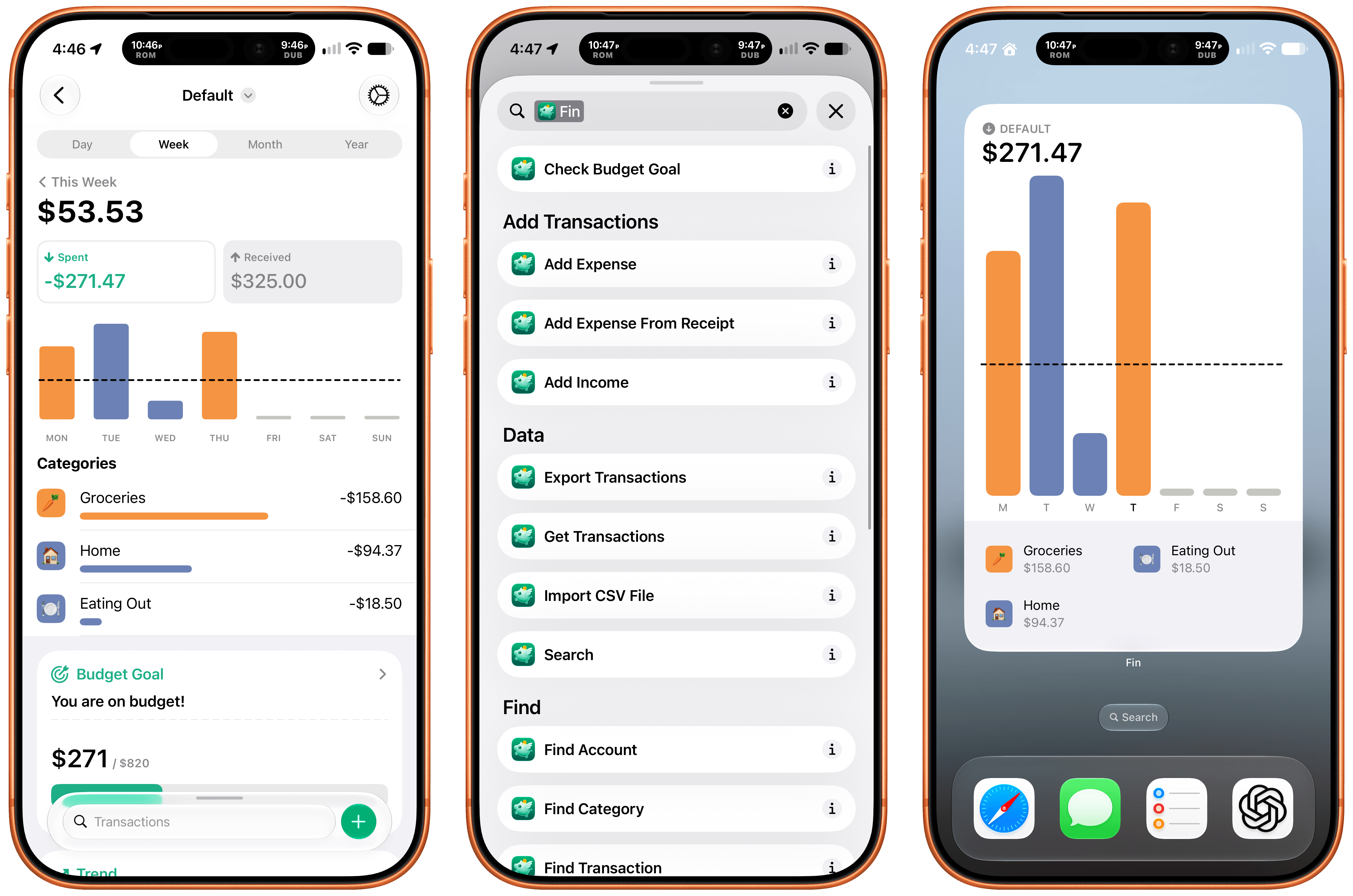
Finally, I want to shout out Fin, the personal budgeting app for iPhone, iPad, Vision Pro, and Apple Watch. Getting data into a budgeting app quickly and easily makes all the difference in the world when it comes to sticking to your budget. Fin excels at quickly recording and organizing your expenses in a clear, colorful interface that takes advantage of Apple’s modern design language.
With the latest version, Fin adds onscreen awareness that lets you ask Siri questions about what’s onscreen. The app also exposes transactions and accounts to Spotlight making it easy to pinpoint data in both. Plus, Fin lets you search, import, export, and add data to the app using Siri. There’s an extra large chart widget too. If you’re looking for a simple on-device way to privately manage your expenses, Fin’s a great choice.
A Apple lançou na semana passada, após anos de espera, uma nova Apple TV 4K — mais precisamente, a quarta geração do produto.
Abaixo, vamos conferir como a nova Apple TV 4K se compara ao modelo anterior, de terceira geração, lançado em 2022.
Design
De relance, ambos os modelos têm virtualmente o mesmo visual, formato e cor. Para não dizer que absolutamente nada mudou, a luz indicadora de status branca está agora centralizada na parte frontal da nova Apple TV 4K.
Divulgação/Apple
Na ponta do lápis, o modelo mais recente tem algumas ligeiras mudanças nas dimensões.
Já o Siri Remote que acompanha ambos os modelos tem as mesmas dimensões (136mm de altura, 35mm de largura e 9,25mm de espessura), com exceção do peso: 69,6g na versão mais recente e 66g na anterior.
Especificações
Uma das principais mudanças é, naturalmente, um novo chip. A nova Apple TV 4K conta com o A19, o mesmo que estreou nos iPhones 17 no ano passado. A Apple TV 4K de terceira geração, por sua vez, trazia o chip A15 Bionic, lançado em 2021.
A Apple afirma que o novo chip “oferece desempenho de CPU 1Central processing unit, ou unidade central de processamento. até 50% mais rápido e de GPU 2Graphics processing unit, ou unidade de processamento gráfico. até 2x mais rápido”, o que resulta em “maior responsividade, navegação mais ágil e animações mais fluidas”. O A19 também inclui um novo decodificador AV1 dedicado, que possibilita “streaming de alta qualidade e maior eficiência, consumindo menos largura de banda”.
Divulgação/Apple
Em matéria de armazenamento, enquanto a Apple TV antiga possuía opções de 64GB (modelo Wi-Fi) e 128GB (modelo Wi-Fi + Ethernet), a nova Apple TV 4K vem apenas com 128GB — a versão de 64GB, portanto, saiu de cena.
Ademais, com relação à memória, a nova Apple TV 4K tem 8GB, ante os 4GB no modelo anterior.
Recursos
Entre os recursos, o destaque vai para a Siri AI, que permitirá funções como “compreensão de contexto pessoal, amplo conhecimento geral e a capacidade de realizar ainda mais ações em aplicativos em todo o sistema”.
Embora a Siri AI estreie na nova Apple TV 4K, ela também chegará aos modelos de segunda e terceira gerações. Ainda assim, é de se esperar que a assistente tenha uma resposta mais rápida no hardware mais recente com o chip A19.
Divulgação/Apple
Uma melhoria exclusiva da Apple TV 4K de quarta geração é a inclusão de um conjunto de três microfones com isolamento de voz integrado ao próprio aparelho, o que permite interações sem o uso das mãos, como chamar a assistente dizendo “Siri” ou “E aí, Siri”, sem a necessidade de ter o controle remoto por perto.
Além disso, se você tem vários HomePods em casa ou planeja investir bastante no ecossistema de casa inteligente da Apple, a Apple TV 4K de quarta geração traz um novo recurso de som surround.
Divulgação/Apple
Com o HomePod mini 2 ou o HomePod de segunda geração, a Apple TV 4K permitirá uma experiência de som surround com quatro alto-falantes. Segundo a Apple, “os quatro alto-falantes trabalham em conjunto com a Apple TV 4K para reconhecer de forma inteligente suas posições no ambiente, permitindo que o timing e os níveis de áudio sejam calibrados automaticamente para o espaço”.
Siri Remote
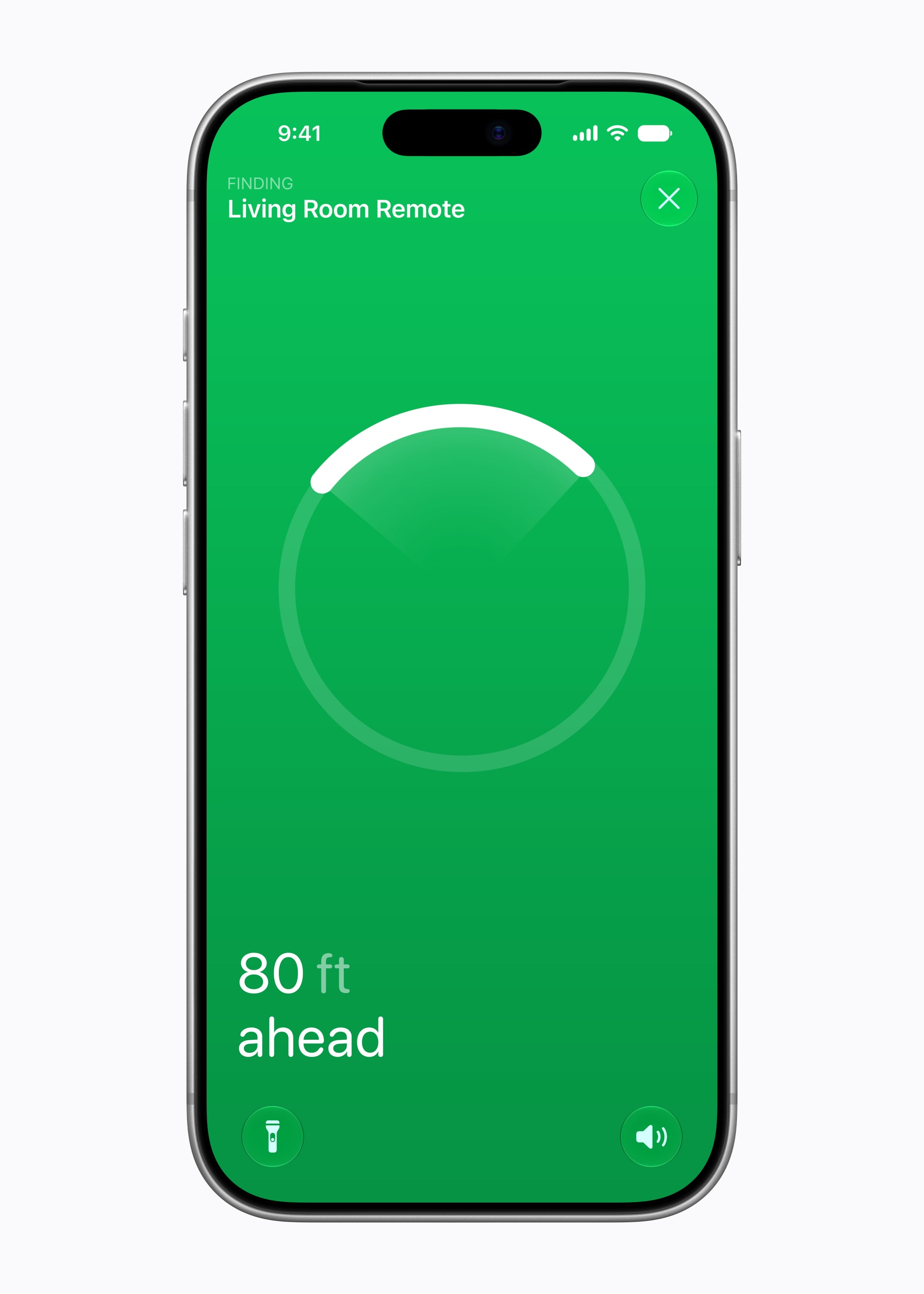
Embora o Siri Remote não tenha sofrido mudanças externas, como vimos acima, ele foi atualizado para funcionar com o recurso Buscar (Find My) com a Busca Precisa (Precision Finding).
Com isso, ao perder o Siri Remote, você poderá receber orientações passo a passo para chegar até ele. Ademais, graças a um novo alto-falante integrado, você pode até reproduzir um som no controle para ajudar a encontrá-lo.
Divulgação/Apple
Ainda que venha com a Apple TV 4K de quarta geração, o novo Siri Remote é compatível com modelos mais antigos da set-top box.
Conectividade
No que diz respeito à conectividade sem fio, a Apple TV 4K de quarta geração tem suporte a Wi-Fi 7 (uma evolução em relação ao Wi-Fi 6 do modelo anterior), Bluetooth 6 (ante o Bluetooth 5.0) e Thread (anteriormente limitado ao modelo de 128GB).
Acredita-se que essas atualizações decorram da inclusão do chip sem fio N1, da Apple, embora isso não tenha sido confirmado oficialmente.
Além disso, a porta Gigabit Ethernet agora vem de fábrica na Apple TV 4K de quarta geração. Anteriormente, a porta não estava presente no modelo básico de 64GB.
Preço
Talvez uma das diferenças mais pertinentes entre o novo modelo e seu antecessor seja o preço: no Brasil, a nova Apple TV 4K custa R$3.600 (US$300 nos Estados Unidos e 350€ em Portugal).
Trata-se de um aumento considerável ao levar em conta que o modelo anterior partia de R$2.500 no Brasil (US$200 nos EUA e 170€ em Portugal).
Já disponível em pré-venda (exceto no Brasil, pois ainda precisa ser homologada pela Anatel), a Apple TV 4K chegará às lojas em 13 de novembro.
Apple TV 4K (3ª geração)
Armazenamento: 64GB ou 128GB Conectividade: Wi-Fi ou Wi-Fi + Ethernet
NOTA DE TRANSPARÊNCIA: O MacMagazine recebe uma pequena comissão sobre vendas concluídas por meio de links deste post, mas você, como consumidor, não paga nada a mais pelos produtos/serviços ao usar os nossos links de afiliado.
Notas de rodapé
1
Central processing unit, ou unidade central de processamento.
2
Graphics processing unit, ou unidade de processamento gráfico.
Anunciado na semana passada, o HomePod mini 2 traz algumas novidades bastante interessantes, como o suporte à Siri AI e um processador atualizado. Ainda assim, como ele se parece bastante com o seu antecessor (principalmente em termos de design), é possível que algumas pessoas ainda estejam confusas quanto às melhorias promovidas pela Apple.
Se você é uma delas, saiba que está no artigo certo! A seguir, vamos passar por todas as diferenças entre o HomePod mini de primeira geração e o HomePod mini 2 — assim, você poderá decidir qual dos dois modelos comprar ou se vale a pena trocar o seu.
Design e dimensões
Aqui você vai encontrar mais semelhanças do que diferenças entre as duas gerações da caixa de som inteligente, que contam com o mesmo visual geral, introduzido em 2020, com novas cores adicionadas em 2021 e posteriormente em 2024.
Divulgação/Apple
Com um corpo esférico envolto por uma malha colorida, ambos os modelos têm 84,33mm de altura e 97,9mm de largura, com diferença apenas no peso, menor no HomePod mini 2: 335g (ante os 345g do modelo de primeira geração).
Como dito, as cores do HomePod mini de primeira geração já foram atualizadas algumas vezes, e o modelo chegou a ser vendido nas opções branca, amarela, laranja, azul e meia-noite. O HomePod mini 2, por sua vez, pode ser adquirido nas cores branca, rosa, verde, azul e meia-noite.
Ambos os modelos seguem vindo com uma superfície circular retroiluminada com botões de “+” e “-” para ajuste rápido de volume.
A Apple disponibilizará o recurso Brilho do Som (Sound Glow), que faz essa superfície pulsar e brilhar em tempo real de acordo com a música que está tocando, para todos os modelos do HomePod mini e para o HomePod de segunda geração.
Divulgação/Apple
Tecnologia de áudio
Nesse quesito temos algumas mudanças bem curiosas de uma geração para a outra, embora pouco tenha mudado do ponto de vista de hardware.
O que ambos os modelos têm:
Driver de alcance completo e dois radiadores passivos para graves profundos e frequências altas nítidas;
Guia de onda acústica personalizada para um campo sonoro de 360º;
Tecido acusticamente transparente;
Áudio computacional para ajustes em tempo real;
Reconhecimento de Som para alarmes de fumaça e monóxido de carbono;
Áudio multiambiente com AirPlay;
Compatibilidade com setups de áudio estéreo.
O que apenas o HomePod mini 2 tem:
Compatibilidade com som surround quando emparelhado a uma Apple TV 4K;
Pode ser usado como caixa de som para Macs;
Chip S10.
Divulgação/Apple
Em termos de hardware de áudio, o HomePod mini de primeira geração leva vantagem em apenas um item: o número de microfones. Enquanto o modelo mais antigo vem com quatro microfones embutidos “para Siri em distâncias grandes”, o HomePod mini 2 vem com “apenas” três.
É possível, no entanto, que a Apple esteja compensando a ausência de um microfone no novo modelo com as novas capacidades de software viabilizadas pelo chip S10, bem mais moderno do que o S5 do HomePod mini de primeira geração.
Fontes e controles de áudio
Aqui, nada mudou. Ambos os modelos podem reproduzir áudio das seguintes fontes:
Apple Music;
Compras do iTunes;
Biblioteca de Música do iCloud com uma assinatura do Apple Music ou do iTunes Match;
Serviços de música de terceiros;
Estações do Apple Music Radio ou episódios sob demanda;
Estações de rádio do TuneIn, do iHeartRadio ou do Audacy;
Apple Podcasts;
Resumos de notícias;
AirPlay (iPhone, iPad, iPod touch, Apple TV 4K ou Mac).
Também é possível controlar a reprodução ao:
Tocar uma vez na parte superior para reproduzir/pausar;
Tocar duas vezes seguidas para pular;
Tocar três vezes seguidas para voltar;
Tocar e segurar para invocar a Siri;
Tocar nos botões de “+” e “-” para aumentar ou diminuir o volume.
O HomePod mini 2 vence com facilidade nesse quesito: é o único compatível com a versão “turbinada” da assistente virtual da Apple, a Siri AI.
De acordo com a Apple, além de ajudar em tarefas mais simples como enviar mensagens, controlar a reprodução e configurar lembretes, a Siri AI também pode conversar mais naturalmente, responder dúvidas sobre o mundo real com base em buscas na web e recomendar músicas de maneira mais precisa. Ela ainda leva mais o contexto em conta e processa a maioria das solicitações no próprio dispositivo.
O HomePod mini de primeira geração segue com a versão antiga da Siri, capaz de lidar com comandos mais básicos.
Conectividade e sensores
Tanto o HomePod mini de primeira geração quanto o HomePod mini 2 são compatíveis com descoberta ponto a ponto, para acesso fácil de convidados, e com redes Thread, além de contarem com um chip de banda ultralarga para recursos que dependem da proximidade de outros aparelhos, como iPhones.
Divulgação/Apple
Já o modelo mais antigo tem Wi-Fi 4 (802.11n) e Bluetooth 5, enquanto a nova versão conta com Wi-Fi 6E (802.11ax) e Bluetooth 6. Ambos os modelos vêm com sensores de temperatura e umidade.
Preço e disponibilidade
Já disponível em pré-venda, o HomePod mini 2 será lançado em 30 de outubro por US$150 (US$20 a mais do que o modelo anterior) nos Estados Unidos e em outros países selecionados.
Assim como seu antecessor, o novo HomePod mini também segue sem uma previsão de lançamento no Brasil ou em Portugal — quem sabe isso mude com o lançamento dos sistemas 27.2 e com a chegada da Siri AI em português.
Divulgação/Apple
Ambos os HomePods mini vêm com um cabo USB-C e um adaptador bivolt de 20W na caixa, além da documentação regulamentar, é claro.
NOTA DE TRANSPARÊNCIA: O MacMagazine recebe uma pequena comissão sobre vendas concluídas por meio de links deste post, mas você, como consumidor, não paga nada a mais pelos produtos/serviços ao usar os nossos links de afiliado.

 Login
Login