❌

Reading view

OpenAI’s Dots

John Voorhees:

Earlier this week, I was at OpenAI’s annual DevDay conference where it launched Dots, a personal agent that lives inside the ChatGPT app.

[…]

Dots are persistent, cloud-based agents that use the plugins and other tools you’ve connected to ChatGPT, after you allow them to do so. Your Dot has its own virtual Linux computer to assist you with your work. And at first, your Dot, which is depicted by a colorful character you can customize, doesn’t have access to anything else. However, as you give your Dot tasks that need access to other tools, it will ask for your permission to access other tools.

[…]

But being a cloud-based agent has its downsides, too. Out of the box, your Dot can’t access your computer’s files and apps. That’s easily fixed by clicking or tapping on your Dot and granting it access to your Mac, so it can use the Mac alongside its own VM.

Previously:

  •  

Not Muse in the App Store

Jeff Johnson:

The Muse from Meta app description says at the beginning, “Muse is your personal AI agent that gets things done, always working on what matters to you.” The Muse AI app description says at the beginning, “Muse is your professional AI agent that gets work done, always helping move important tasks forward.” Near the end, the Muse from Meta app description has the heading “SMART, BUT STILL LEARNING.” Near the end, the Muse AI app description has the heading “POWERFUL, BUT STILL LEARNING.”

In other words, Muse AI is a blatant copy of Muse from Meta, the latter of which is currently the #1 iOS App Store download in the United States. I don’t know where Muse AI ranks in the iOS App Store, but I do know that it’s currently the #20 Mac App Store download in the US.

And the real Muse app isn’t in the Mac App Store, so it has no competition.

By the way, I’d also like to draw your attention to the #11 Mac App Store download, as shown in my screenshot above: App for Instagram º. Yes, the app name includes the º character, a phenomenon I’ve written about before.

[…]

The top search result for “VLC” in the Mac App Store is Video Player for VLC, developed by muhammad faisal jabbar, not by VideoLAN. VLC for Mac is distributed outside the Mac App Store. You may notice a similarity between the icon of the official VLC app in the iOS App Store and the icon of Video Player for VLC.

Previously:

Update (2026-09-29): John Gruber:

“Muse AI” is now gone, but “App for Instagram °” and “Video Player for VLC” are both still there.

Jeff Johnson:

The Reddit commenter claims that the scams receiving public attention are “the tip of the iceberg from a limited, outsider perspective,” which is an accurate metaphor, yet the commenter and I have dramatically different interpretations of that metaphor. For the commenter, the iceberg represents the vast number of scams allegedly caught by Apple app review but not seen by the public; for me, the iceberg represents the vast number of scams not caught by Apple app review and not seen by the public either. To put the argument another way, the commenter appears to assume that the majority of scams in the App Store receive widespread public attention, in blog posts such as mine or in the news media, so the relatively small number of stories we hear is indicative of a relatively small number of scams in the App Store, whereas my own impression is that the vast majority of scams in the App Store do not receive widespread public attention. Scam hunting is not my job, merely an occasional hobby. It’s so easy for me to find scams, they practically fall into my lap whenever I look. I could spend all day every day finding and listing App Store scams, if I were sufficiently motivated (I’m not). You would think that someone working for Apple would be sufficiently motivated, by a paycheck, to spend all day every day finding and listing and most importantly removing App Store scams, but I’ve seen no evidence of it.

I think Johnson is right about the iceberg. Most of the scams that get publicity are at the top of the charts. One view is that all the scam apps that Apple misses end up being popular. What are the odds? The other is that we notice them because they’re popular and that there’s also a vast number of deceitful or dangerous apps lurking.

Dan Moren:

Speaking of App Store shortcomings, I really hate when I want to see how much an app costs and I get this impenetrable list of IAP options. It’s impossible to know without installing and opening the app what the payments options are. Be great if Apple helped make this clearer—which options are actually available? What are their various plans (monthly, weekly, etc.)?

  •  

Meta AI for Mac and Muse

Zac Hall:

The new Meta AI desktop app is version 1.0 beta at launch and weighs just 16MB once installed.

Based on initial inspection, it runs natively on Apple silicon Macs with macOS 15 or later, using an AppKit and SwiftUI shell with WebKit for richer chat content. In other words, this is not an Electron app or a repackaged iPad release.

It includes Mac-specific hooks, making the desktop experience more robust than the Meta AI mobile app.

Karissa Bell:

The Mac app brings a few new capabilities compared with Meta AI’s existing website and mobile app. For example, it enables users to share part of their screen so the assistant can “see” what they’re working on and provide more specific answers.

Juli Clover:

The app is primarily meant for businesses and content creators, and it integrates with Facebook and Instagram. It incorporates analytics tools so it can answer questions about performance, and connects with Google Workspace for document access. Google Workspace access requires a professional Facebook or Instagram account.

John Gruber:

Passes the Settings window sniff test too — it actually has a Settings window.

[…]

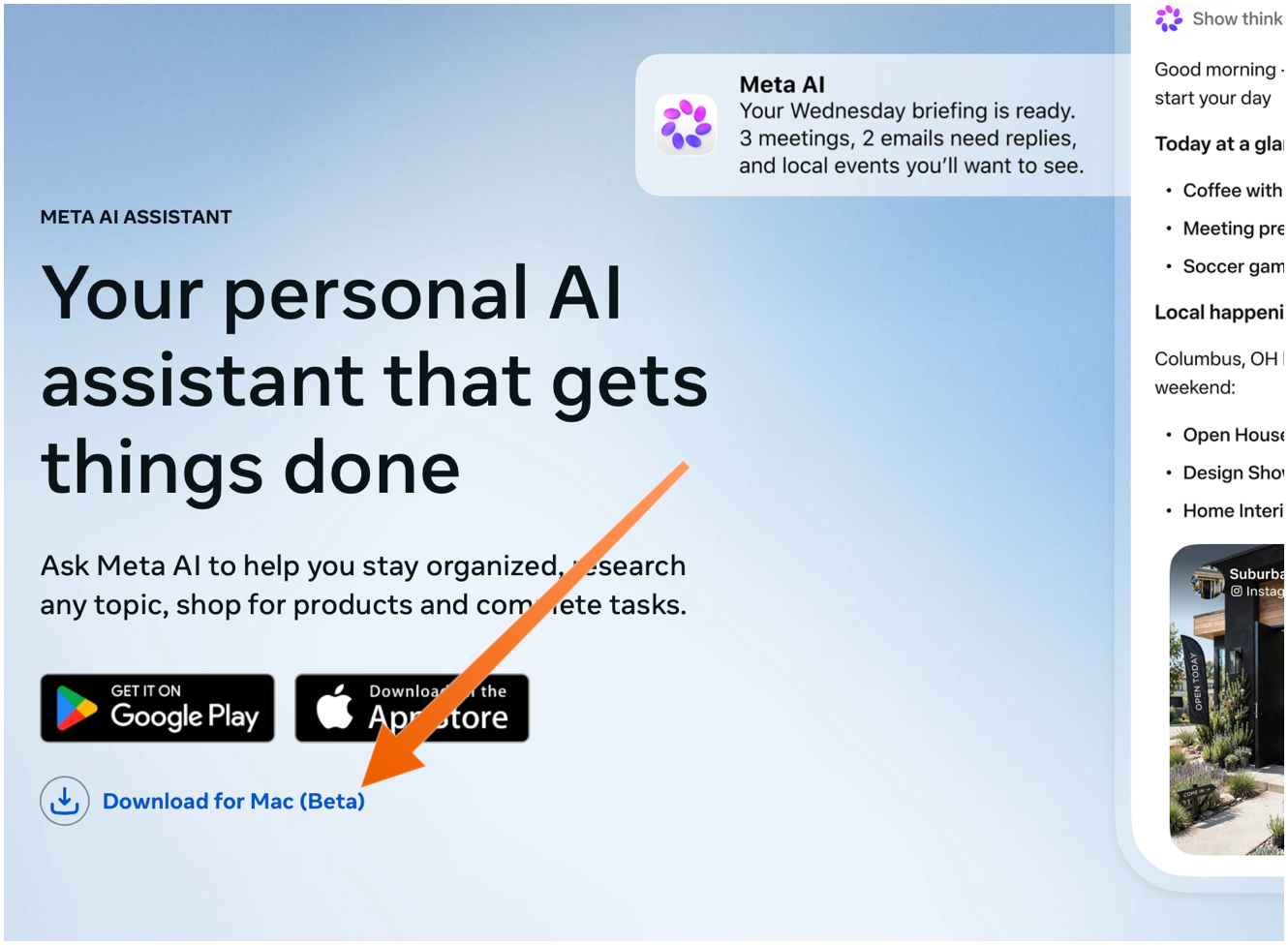
The Mac app is not available in the App Store. You need to download it directly from Meta’s web page, using the “Download for Mac (Beta)” link. The ChatGPT and Claude Mac apps aren’t in the Mac App Store either — they do too many things outside the App Store’s mandatory sandbox (and probably use APIs require that special entitlements in the App Store too).

Sarah Perez:

Meta’s new AI assistant app, Muse, is now available on Mac.

On the Mac, Muse can interact with your files, messages, calendar, notes, and mail, all within their native applications.

Terrence O’Brien:

Jason Aten, a contributing editor at Inc Magazine, posted on Threads screenshots of an interaction he had with Muse in which the assistant asks him some questions about a conversation he was having in Messages.

The problem is that Aten says he didn’t give Muse access to his messages. When asked how it knew about the contents of his messages, Muse replied, “I saw the notification previews, not your message history. I haven’t been reading your texts.” Aten continued to push, asking how Muse was receiving message previews, it didn’t have a good answer.

M.G. Siegler:

The number one response I’ve gotten to my thoughts on Meta’s Muse personal assistant agent is some variation of “I will never trust Meta with my data.” But the number two response is arguably more interesting (and related): “Why didn’t Google build this?”

Pieter Arntz:

Mac security researcher Patrick Wardle says it’s trivial to turn Muse into “the ultimate backdoor.”

[…]

According to Ars Technica, Wardle found that a locally running application or terminal command could alter an undocumented Muse configuration setting that controls the server used for dictation transcription. By redirecting dictation traffic to an attacker-controlled server, an attacker could capture voice prompts and obtain the authentication token for the victim’s Muse account.

John Gruber:

Four days later and Muse still holds the #1 spot in the U.S. iOS App Store.

See also: Joanna Stern.

Alexandr Wang (Watts Martin, John Gruber):

Here’s the best part: we have no idea what people will want. The world until now has been shaped by the small number of fanatics who have somehow found a way to make their wants real. But we’ve never seen humanity with every single person’s agency fully switched on. Eight billion people who just need to write their dream down in order to get started making it happen.

So we built Muse to help people build the world they want.

Damien P. Williams:

So uhhhhhh… Apparently meta’s muse “AI” is just straight up doxxing people to strangers on FB marketplace???

Via Mike Masnick:

Almost all of Meta’s PR about Muse was about how careful they had been to set it up not to do things like this, how they delayed the launch by months to carefully design it so it could be trusted. And then…

Previously:

  •  

OpenClaw 2.0

Juli Clover:

OpenClaw for iOS can be used alongside an existing gateway as a secure node for chat, voice approvals, sharing, and device-aware automation.

The iOS app replaces iPhone and iPad workarounds that involved using Telegram or WhatsApp for on-the-go access.

Hannes Rudolph (Hacker News):

This update touches every part of OpenClaw, including installation, messaging, memory, skills, models, automations, the browser and native apps, plugins, security, and a very long tail of fixes. We started by simplifying installation and rebuilding the browser app as a first-class experience, but doing that properly meant carrying the cleanup through the rest of OpenClaw until it became OpenClaw 2.0.

Previously:

  •  

OmniFocus 4.9

Ken Case:

OmniFocus 4.9 adds support for Siri AI, optional new date parsing assistance via Apple Intelligence, and a range of new and updated App Intents exposed as Shortcuts actions.

[…]

In our testing we’ve found that the new Siri AI hasn’t yet learned how to work with app capabilities that it hasn’t specifically been trained on, even for App Intents that are available in Shortcuts and Spotlight. For example, its understanding of how to work with OmniFocus is based on how it’s been trained to work with the Reminders app. Our work in OmniFocus 4.9 means that Siri now knows about “reminders” in OmniFocus (i.e. actions and Inbox items), “lists” (i.e. projects) which contain reminders, and any “groups” (i.e. folders) that lists have been organized into. Siri can assign and edit reminder due dates, flags, repeat schedules, and notes and image attachments in OmniFocus. This is another great leap forward! But as soon as you try to go beyond what Reminders can do, you find its limits: for example, it doesn’t understand the distinction between due dates, planned dates, and defer dates.

Siri also doesn’t really understand much about how our document-based apps work, because Apple hasn’t trained it on our specific apps or anything equivalent. So, Siri doesn’t know how to make an outline, or a diagram, or a Gantt chart. We expect this to improve over time—after all, we’ve worked with other language models that do understand how to make those things—but it’s important to understand Siri’s current limits.

[…]

With Siri AI, Spotlight becomes even more important as a source for personal context. You can ask Siri about content in your OmniFocus database, so Siri can summarize the actions you’ve completed this week, or tell you what items you might consider working on soon.

My favorite change in OmniFocus 4.9 seems less exiting, but I’m irrationally happy about it. Last year, as part of the Liquid Glass update, they redesigned the Perspectives Bar on iOS to automatically collapse and expand as you scroll. I found the animations distracting, it messed up my muscle memory, and it required lots of extra taps. In 4.9, there’s a new Show Perspective Bar option, which you can set to Automatically (the 4.8 behavior), Manually (stay collapsed but expand when you tap), or Always (show the expanded state all the time, nothing moves). This is, of course, what I chose.

I’m still seeing the previously mentioned glitches in the Mac app with tabbing, spontaneous tag collapsing, and the window moving itself between spaces. The iOS app sometimes still shows an out-of-date list of flagged actions.

Previously:

  •  
❌