Some animal rescues are more complicated than others—especially when the creature in peril is about to become a snack for a seagull on a remote Alaskan beach with polar bears lurking nearby.
That was the sticky situation an orphaned Pacific walrus (a subspecies of Odobenus rosmarus) calf was in when two researchers found it on an island in the region of Point Lay, Alaska. U.S. Geological Survey (USGS) research walrus biologist Tony Fischbach and Ilisaġvik College student and Point Lay local Violet Anniskett stumbled upon the young male while investigating walrus carcasses on a remote beach. They found the orphan between the remains of two adult walruses, which was a first in Fischbach’s long experience working with walrus herds there.
The researchers requested permission to rehabilitate the walrus from the local Inupiaq community and the U.S. Fish and Wildlife Service. Once the approval arrived, the next hurdle was getting the mammal to the Alaska SeaLife Center. The center is the only marine mammal rehabilitation facility in Alaska, and was over 800 miles away. As if things could get any more difficult, stormy weather left Anniskett, Fischbach, and the walrus stuck on the island for days. In the meantime, the researchers guided the calf to an abandoned building to shelter from predators.
“When we found him, a determined flock of gulls was intent on scavenging him. He was in immediate peril of suffering this fate had we not gotten approval to intervene. Two polar bears were also active on the island,” Fischbach said in a statement.
“He bonded with us fast and wouldn’t sleep unless one of us were in the room. It was just us two for three days, stuck in a storm with the young walrus,” Anniskett added.
The calf was finally transported to the local airport, and made it to Alaska SeaLife Center on September 14 after a flight and van ride. The 200 pound baby arrived dehydrated, but in good physical condition. They treated some superficial wounds, gave him fluids, and applied other stabilizing treatments.
But the calf’s journey wasn’t over. In fact, orphaned Pacific walrus calves are one of the most specialized patients in marine mammal rehabilitation.That’s because in the wild, calves are very attached to their mothers, with whom they usually stay for one to two years. Close physical contact both with their mothers and others of their king is a crucial element in a calf’s early life. In the case of an orphaned calf, humans (who are authorized specialists) can act as surrogates, but it’s a tough babysitting job. Someone has to be around all the time to provide physical contact, social interaction, feeding support, and any veterinary care.
Caring for a Pacific walrus calf is not for the faint of heart, but can be pretty cute. Image: Kaiti Grant/Alaska SeaLife Center.
“Caring for an orphaned walrus calf is truly a team effort and requires around the clock commitment,” said Jane Belovarac, an Alaska SeaLife Center wildlife response curator. “At least two staff members have been working shifts around the clock to stay with him and provide the care he needs. This means long days and some unusual sleeping schedules for our team.”
It also means that the calf becomes comfortable with humans and thus cannot return to the wild. Now in a new long term home (whose location hasn’t been announced yet), he will be an ambassador for his species by teaching people about Pacific walruses.
In a follow-up on the measles outbreak in Sweden, no new cases of measles linked to the Urkult festival in Västernorrland have been reported in Sweden since the last update on September 9.
The outbreak has been declared over as of October 14. A total of 40 cases were reported in the outbreak.
In 28 cases, the spread of infection occurred during the Urkult festival. 12 people are considered to have been infected after contact with a person who was infected at the festival.
The majority of the cases are school-age children and young adults. Most of the cases have been unvaccinated against measles.
The cases have been reported from ten regions: Gotland (4 cases), Jämtland Härjedalen (6 cases), Skåne (2 cases), Stockholm (12 cases), Sörmland (3 cases), Uppsala (1 case), Värmland (2 cases), Västerbotten (7 cases), Västernorrland (2 cases) and Västra Götaland (1 case). One case has been reported from Finland.
The regions’ infection tracing of the outbreak cases showed that the source of the outbreak was infected abroad.
Outbreak News Today is a reader-supported publication. To receive new posts and support my work, consider becoming a free or paid subscriber.
The Madagascar Ministry of Health recently reported plague cases in South Midongy state.
Health officials report three cases of pneumonic plague, Test results are still pending on other suspected cases, which are suspected as being bubonic plague.
Officials report the health of all patients are improving with treatment.
Image/CDC
No new cases have been reported since October 12 in Midongy state.
Plague is an infectious disease caused by the bacterium, Yersinia pestis. It is found in animals throughout the world, most commonly rats but other rodents like ground squirrels, prairie dogs, chipmunks, rabbits and marmots. Fleas typically serve as the vector for plague.
People can also get infected through direct contact with an infected animal, through inhalation and in the case of pneumonic plague, person to person.
Yersinia pestis is treatable with antibiotics if started early enough.
There are three forms of human plague; bubonic, septicemic and pneumonic.
Plague is endemic on the Plateaux of Madagascar. A seasonal upsurge, predominantly of the bubonic form, usually occurs yearly between September and April.
According to the general secretary of the Madagascar Ministry of Health, between 300 and 600 suspected cases are reported each year, with about 30 cases of pulmonary plague and 10 to 70 deaths.
Outbreak News Today is a reader-supported publication. To receive new posts and support my work, consider becoming a free or paid subscriber.
As of October 14, 2026, the Democratic Republic of the Congo Ministry of Health reports 65 new confirmed cases of Ebola virus disease (EVD) have been reported across four provinces: Ituri (31 cases), North Kivu (28 cases), Haut-Uélé (5 cases), and Tshopo (1 case).
Additionally, 15 deaths were recorded in Ebola Treatment Centers (ETCs)—6 in Ituri, 6 in North Kivu, 2 in Tshopo, and 1 in Haut-Uélé—bringing the total number of confirmed deaths for the period in question to 37.
Furthermore, 38 patients (18 in Ituri, 15 in North Kivu, and 5 in Haut-Uélé) have been declared recovered after testing negative twice for EVD.
Since the beginning of the outbreak, the DRC has recorded a cumulative total of 9,277 confirmed cases and 4,478 deaths, representing a case fatality rate of 48.3%. Ituri remains the epicenter of the outbreak, accounting for 73.4% of all cumulative confirmed cases and 47.7% of the new confirmed cases reported over the last 24 hours.
To date, 65 out of 167 health zones (38.9%), spread across seven provinces, have been affected since the start of the outbreak.
The 2026 Bundibugyo Ebola outbreak in the Democratic Republic of the Congo (DRC) is the country’s 17th recorded Ebola outbreak and its largest and deadliest to date. It is also the second-largest Ebola outbreak in global history (after the 2014–2016 West Africa epidemic). Caused by Bundibugyo virus (BDBV), for which there is no licensed vaccine or specific treatment, it has expanded rapidly amid insecurity, high population mobility, and challenges with surveillance and community engagement.
Outbreak News Today is a reader-supported publication. To receive new posts and support my work, consider becoming a free or paid subscriber.
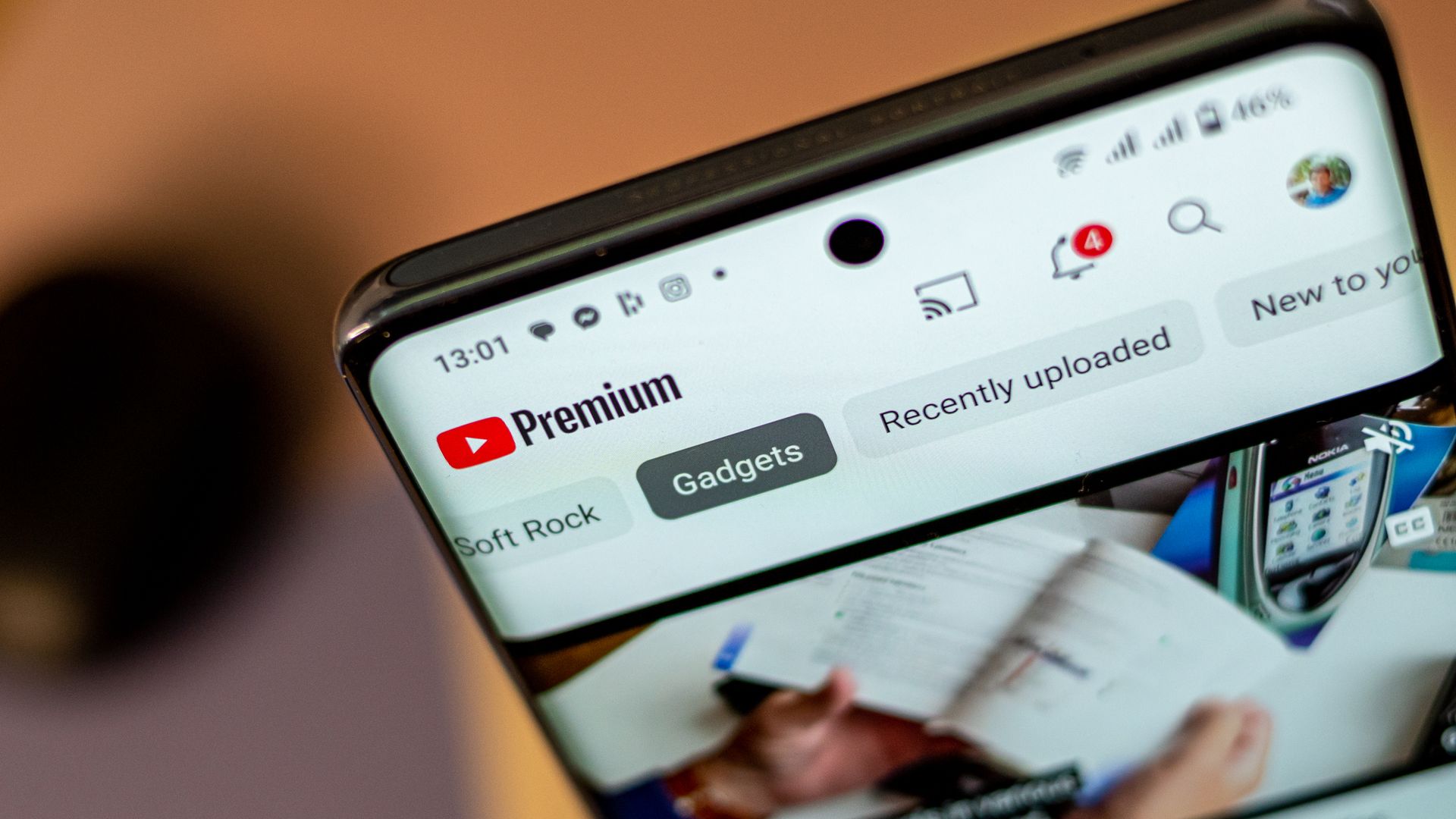
YouTube is reportedly planning to launch audiobooks for its Premium subscribers.
Audiobooks could arrive for the platform's ad-free $16 subscription plan in 2027 if this goes without a hitch for Google/YouTube.
YouTube would run into competition with the likes of Spotify (audiobooks arrived in 2023) and Audible.
Audiobook-enjoyers might have something to celebrate on YouTube. There are rumors that the platform is looking to enter a new market for its Premium subscribers.
A post by the Wall Street Journal (paywalled) highlighted rumors that YouTube Premium could soon offer audiobooks in one of its subscription plans (via GSMArena). Supposedly, Google has been "talking with publishers" about bringing audiobooks onto the platform in 2027.
Early reports allege YouTube Premium would offer audiobooks in its ad-free plan, which currently runs consumers $16 a month. What's interesting is that this could solve an issue: piracy. GoodEReader brought this up in its coverage, highlighting data that shows "45% of listeners" consume "audiobooks" on YouTube. The air quotes (and literal quotes) are warranted here, as the publication states these are AI-narrated, not authentic.
Audiobooks in YouTube Premium would give users the best experience possible, away from false creations. However, it's worth remembering that these are rumors, and nothing's been confirmed by YouTube yet.
YouTube's branching out
(Image credit: Chris Wedel/Android Central)
Android Central's Take
This is one of those things where you can associate a product or a feature or a form of entertainment with the name. If I think Spotify, I think music. If I think Audible, I think audiobooks. When I think of YouTube... I do not think about audiobooks (nevermind the fact that I prefer reading over an audiobook). I wonder how large of a market there is for YouTube. But I guess there must be if there's a piracy problem, and they're using AI voices. Crazy.
Many should be well-acquainted with Audible's audiobook offerings. In recent history, Spotify has joined that market, taking the fight directly to Audible with over 200,000 "free" titles. That was how it all started, anyway. When audiobooks launched for Spotify Premium in 2023, the platform gave its subscribers in the U.S. and the U.K. 15 hours of listening per month.
After you exceeded your limit, you could pay an additional $12.99 to get 10 more hours "or buy them a la carte." Spotify's library exceeded that initial 200,000 for Premium subscribers. But if you wanted more, you'd have to buy them individually. Spotify then launched its "Audiobook Access" tier for $9.99, giving users the same 15 hours of listening per month deal.
It goes without saying that YouTube will have its work cut out for it by stepping into this new world.
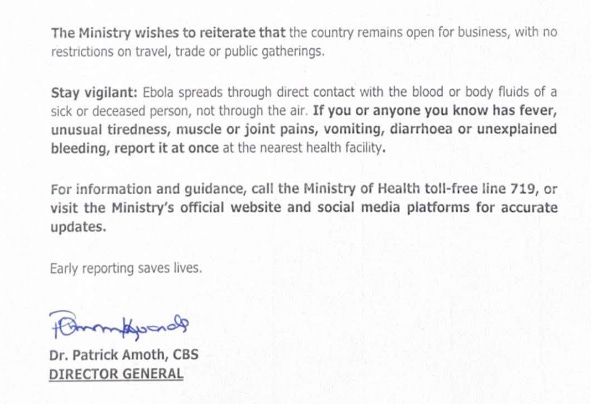
In a follow-up on the Ebola situation in Kenya, the Ministry of Health has confirmed a third case of Ebola (Bundibugyo virus disease) in Kenya. The patient was already in quarantine, and there is no evidence of community transmission.
See press release signed by Dr. Patrick Amoth:
Outbreak News Today is a reader-supported publication. To receive new posts and support my work, consider becoming a free or paid subscriber.
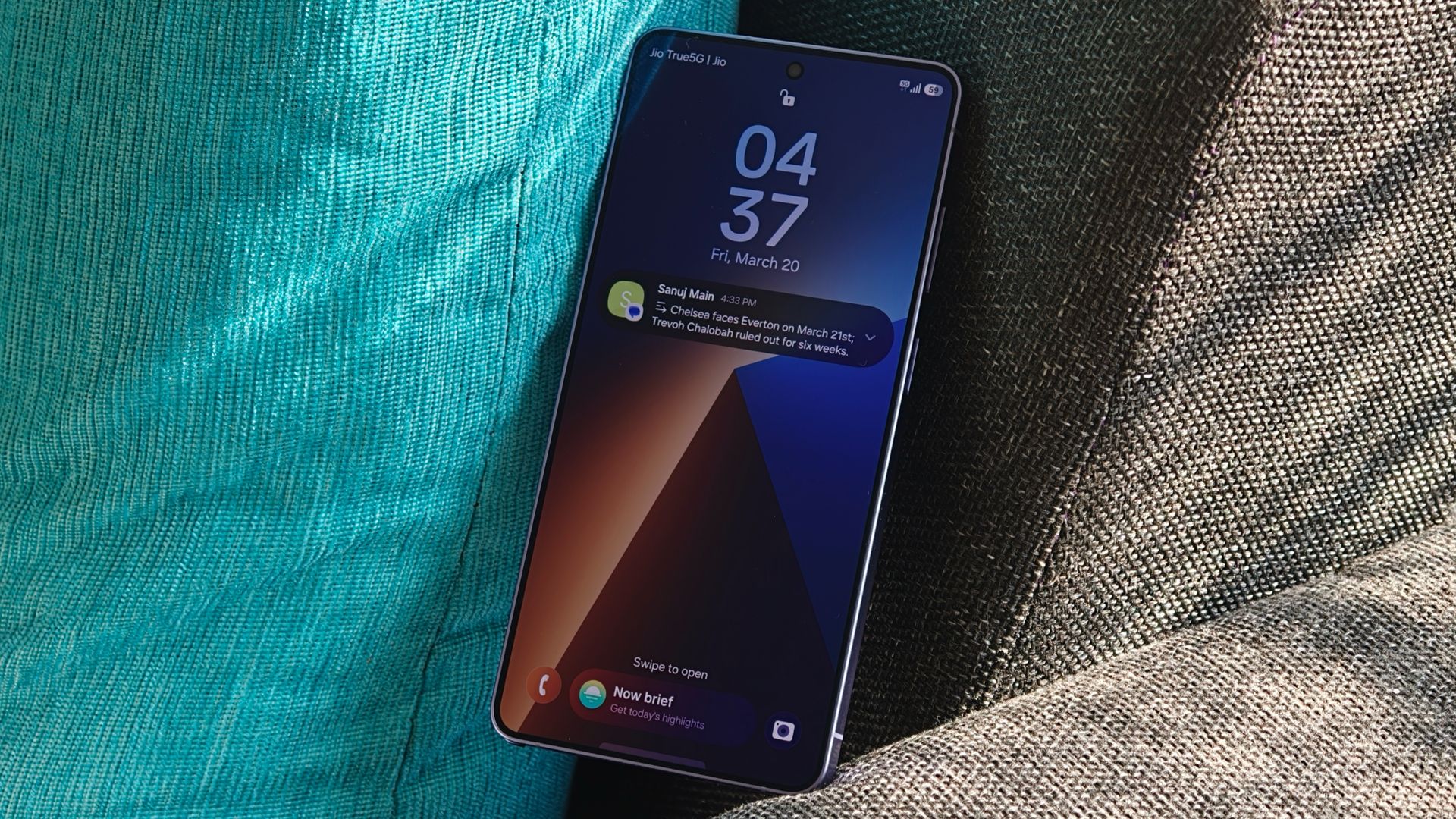
A report claims that Samsung's Galaxy S27 Ultra has run into extreme overheating issues with the Snapdragon 8 Elite Extreme Gen 6.
These issues have reportedly caused "throttling" in the device, lowering its performance significant; a problem Samsung has reached out to Qualcomm to solve.
Reports say time is ticking, and if these issues aren't solved, Samsung might have to go with the Exynos 2700.
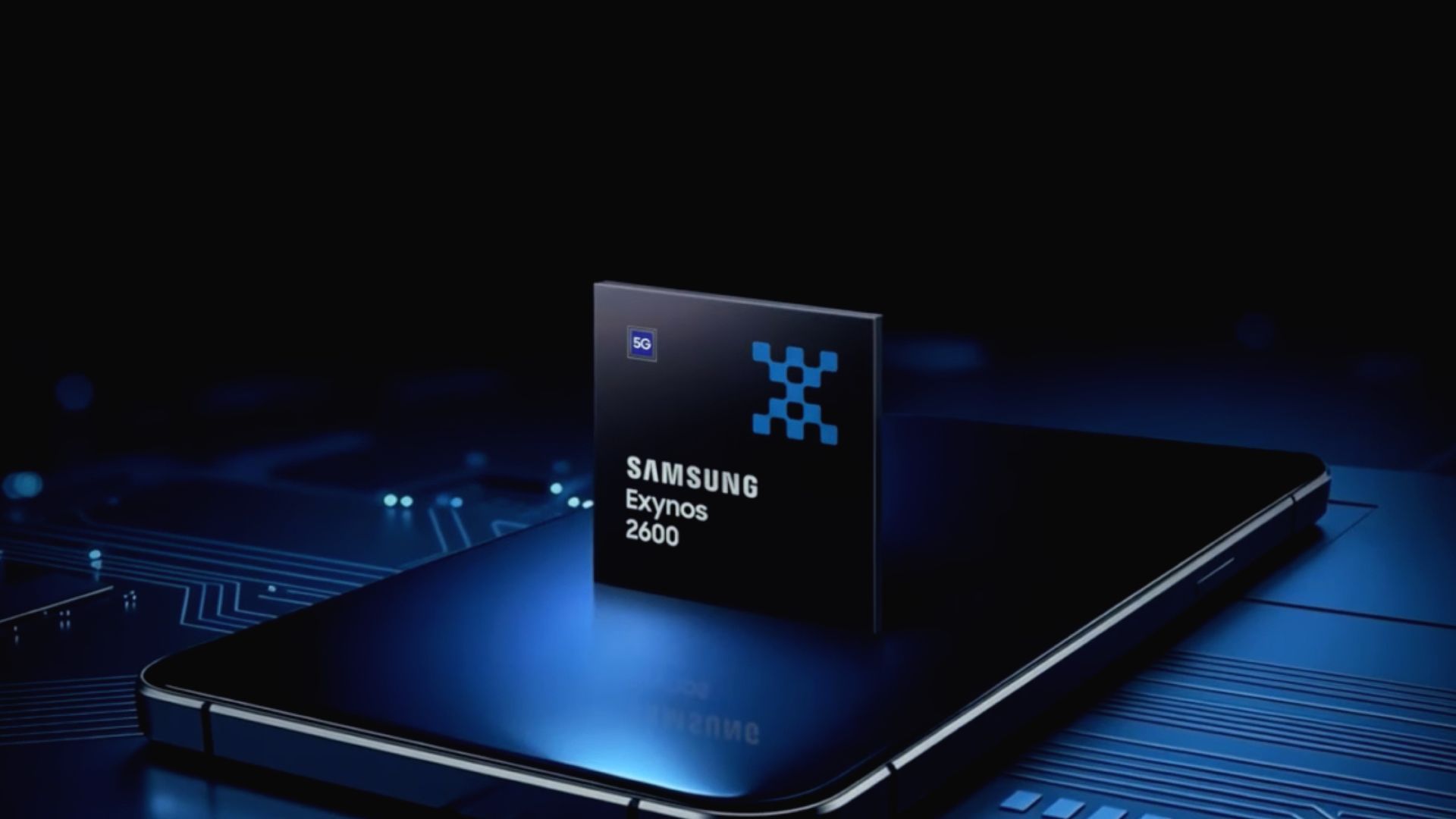
These issues are familiar, considering Samsung's own chips have struggled in the past with overheating problems, but the Exynos 2600 tried to solve that.
While we're eagerly awaiting the next Ultra flagship from Samsung, a report states the company's run into a problem. The issue lies with its chip and its supposed performance hiccups.
A report late this week by SEDaily (Korean) claims that Samsung's run into problems with Qualcomm's Snapdragon 8 Elite Extreme Gen 6 on the Galaxy S27 Ultra (via SamMobile). Samsung reportedly observed that the chip pushed the phone's temperatures beyond acceptable thresholds. Much like a computer, if the device begins to overheat, performance issues will occur.
Samsung has reportedly experienced "throttling" with the Galaxy S27 Ultra. This hasn't sat well with the Korean OEM. The publication reports that Samsung holds the device to the highest standards and that it must "stably run high-performance cameras, graphics, and AI features" (machine-translated).
Presently, if the S27 Ultra continues to experience issues with the SD 8 EE Gen 6, then Samsung may switch to the Exynos 2700. This is a reality that has yet to happen.
The post states that Samsung has reached out to Qualcomm about these issues. Time is of the essence; however, the OEM has given the chipmaker until "mid-October" to rectify the problems. The problem Samsung experienced is interesting, considering it mirrors the gripes consumers have had with its Exynos series in the past.
Overheating chips
(Image credit: Samsung)
Qualcomm split its flagship chips going into 2027 with the Snapdragon 8 Elite Gen 6 and the 8 Elite Extreme Gen 6. The latter is designed to push the boundaries of mobile phone technology and targets Ultra phones. Qualcomm built the chip on a 2nm process with its new Adreno Neural Fusion technology. This leans on AI to boost graphics performance for gamers during longer sessions.
As we alluded to before, Samsung's Exynos chips were infamous for overheating. We'd like to remind you of the Exynos 2600 from 2025. This chip was a significant step for Samsung in the right direction compared to previous generations. Not only was it the world's first 2nm chip, but its CPU and GPU upgrades were also important. What's more, the company introduced a new Heat Path Block (HPB) to fix overheating and performance issues.
While these overheating fixes did well, Samsung could do better. Rumors about the Exynos 2700 say the company wants to introduce a next-generation HPB, reducing heat generation further.
Android Central's Take
This is textbook tech. If it can output graphic or whatever at a higher strength, it will generate more heat. Look at gaming PCs. Why do you think they have so many fans? Why do you think the graphics card has its own fan—or maybe two or three! There's a chance that Samsung and Qualcomm will have to reconfigure some things in the Galaxy S27 Ultra and the chip. Beyond this, there's also public perception. Samsung hesitates to drop an Ultra with Exynos in the States because it could impact sales.
Then there's overall performance. Can the Exynos 2700 go blow for blow with the SD 8 EE Gen 6?
It takes a village to raise a child, and sometimes it takes more than one wildlife rehabilitation center to care for a bat. Even if the bat in question weighs only six grams (about two ounces).
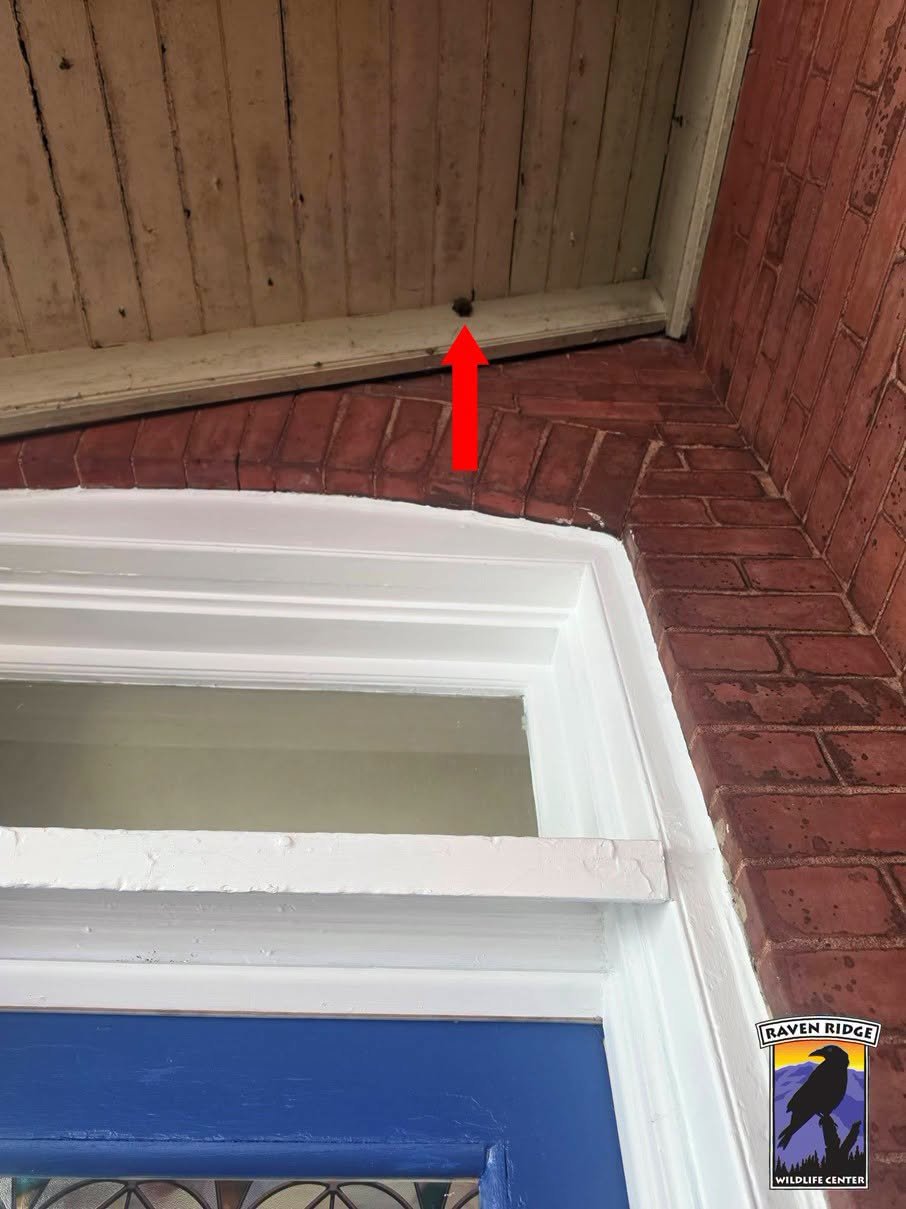
The recent rescue of the juvenile bat in Lancaster, Pennsylvania involved teamwork from the beginning. The “sky puppy” had been hanging on a local porch for two days. While that might not sound off, the bat’s exposure to the elements in a single location for that period of time made the situation an emergency, according to Raven Ridge Wildlife Center in southern Pennsylvania.
The rescued bat perched on a local porch. Image: Raven Ridge Wildlife Center.
Pennsylvania Bat Conservation and Rehabilitation contacted Raven Ridge, who sent a team member to get the bat. The winged mammal was very dehydrated and underweight. It was also unlike the bats that typically arrive at Raven Ridge. The team stabilized her, recontacted PA Bat Conservation and Rehabilitation, and the two organizations realized that they had a northern long-eared bat (Myotis septentrionalis) on their hands.
“Sadly, northern long-eared bats are now critically endangered in North America, with their population dropping by as much as 97% to 100% because of white-nose syndrome,” Tracie Young, Raven Ridge Wildlife Center director, tells Popular Science. White-nose syndrome is a fungal disease that has killed millions of bats in the U.S. and Canada.
“They are now protected at both the state and federal levels,” Young adds.
A Raven Ridge volunteer ultimately drove the youngster to the PA Bat Conservation and Rehabilitation facility about an hour away, where the team is expert in critically endangered bats. The bat was eventually returned to the wild, with a video featuring the little bat launching from a woman’s gloved hand into the night.
“Even though this is just one bat, it was important to get this bat to the rehabber who specializes not only in bats but also in those in a critically endangered status,” Young adds. “The video shows her flying beautifully. This effort was a wonderful partnership between Raven Ridge Wildlife Center and PA Bat Conservation and Rehabilitation.”
Nathan Fielder's documentary about disgraced Theranos CEO Elizabeth Holmes has created a constellation of colliding personas that interrogate the very nature of authenticity.
In the North African country of Morocco, the country’s Ministry of Health reported a small diphtheria outbreak with clusters in multiple regions in Morocco in late September.
Moroccan health teams are tracing contacts and providing preventive treatment and vaccines.
This has prompted the US Embassy to issue a health alert for U.S. citizens in Morocco.
Diphtheria is a serious bacterial infection. It spreads primarily from person to person through coughs and sneezes (respiratory droplets).
Most Americans were vaccinated as children and have received Td or TdaP boosters as adults. The risk to U.S. citizens in Morocco remains low. U.S. Citizens may contact their local doctors if they would like immunizations.
Embassy officials advise citizens to watch out for the following symptoms:
Sore throat or hoarse voice, mild fever, a thick gray or white coating in the throat or nose, swollen neck and trouble swallowing or breathing.
If you or a family member has trouble breathing or swallowing, please contact your local doctor.
They also advise on the following actions concerning vaccines:
Check your vaccination records and your family members’ records.
Get a booster if you need one. Adults need a diphtheria booster (Td or Tdap) every 10 years.
Make sure your children are up to date on their routine vaccines.
Outbreak News Today is a reader-supported publication. To receive new posts and support my work, consider becoming a free or paid subscriber.
Nothing is quite as joyful as watching a dog get caught up in a bout of “zoomies,” zipping around a living room or backyard in a burst of energy. But our canine pals aren’t the only animals subject to these hyperactive displays.
Young condors can also engage in zoomies, as demonstrated in a recent Facebook post from the Ventana Wildlife Society in California. The video shows clips of two young California condors (Gymnogyps californianus), Chert and Pumice, seemingly having a blast in their release pen.
“We observe the zoomies in both captive and wild condors. It’s just a sudden expression of pure excitement for young condors and very fun to watch,” Joe Burnett, California Condor Recovery Program Manager at the wildlife society, tells Popular Science. “Zoomies come out of nowhere and they just can’t contain themselves and totally let loose. They hop, run in circles, or flap around, or all the above! It’s just pure fun!”
It’s not just about the fun, however. Zoomies allow the young condors to release energy and grow stronger, as well as help them figure out their wings, according to the team.
The two zoomie condors are 1.5-year-old males who were raised in zoos before arriving at Ventana Wildlife Society’s San Simeon release pen in early September. It’s called a release pen because Chert, Pumice, and three other captive condors will be kept in the pen to acclimate until their release on October 24 at 10 a.m. The release will also be livestreamed.
The quintet will become a part of the wild condor population of central California, which today includes 104 individuals. But it won’t be a total goodbye. Scientists will be able to keep an eye on Pumice and Chert’s locations via wing-mounted radio & GPS transmitters and ID tags.
California condors are North America’s largest land bird. They measure 9.5 feet from wing tip to wing tip. But their size didn’t spare them from a precipitous population drop. In 1982 there were only 23 condors left in the world. All wild condors were captured and included in a captive breeding program.
“Condor releases are critical to achieving our ultimate goal- to reestablish a self-sustaining condor population in the wild,” Burnett concludes.
At the end of 2025, there were 607 California condors. We’d say Pumice and Chert earned their right to party.
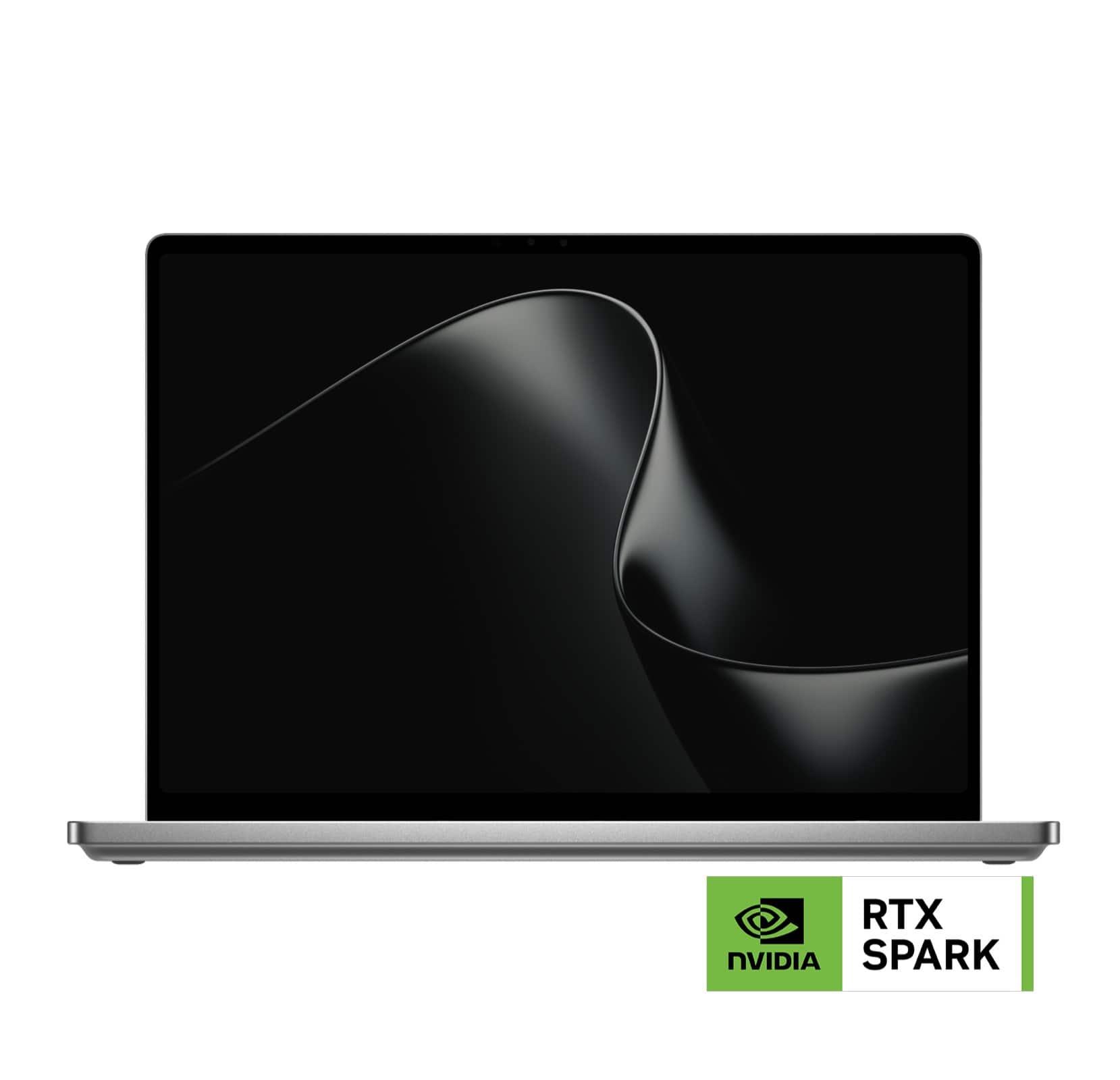
Microsoft is finally ready to take on the MacBook Pro with the new Surface Laptop Ultra. From pricing to specs and design, Surface Laptop Ultra was inspired by MacBook Pro, and that's not necessarily a bad thing.
Unlike most Surface PCs we see ship these days, the Surface Laptop Ultra is a lot of firsts for Microsoft. It's the first ultra-class Surface Laptop, designed from the ground up to compete squarely with high-end professional creator or developer mobile workstations.
What I find fascinating about Surface Laptop Ultra however is that it exists because Microsoft's own developers and engineers wanted it. They built this laptop for themselves. It feels like the company got tired of looking over the fence at the MacBook Pro, and decided "why don't we just make our own version of that?"
It really is Microsoft's most powerful and most capable Surface PC ever, and a great stage for Windows. But that doesn't necessarily mean it's the best Surface PC for everyone. I've been testing the laptop over the last 8 days, and here are my thoughts on Microsoft's new flagship computer.
This review was made possible thanks to a review unit supplied by NVIDIA & Microsoft. Neither company had editorial input and did not see the contents of this review prior to publication.
Price & Availability
Microsoft
Surface Laptop Ultra
Surface Laptop Ultra is Microsoft's flagship and most powerful Windows PC. It can be configured with up to 128GB RAM, and ships with NVIDIA's new RTX Spark SoC. It's great for creative workflows and software development, and those who want to run local AI and LLMs directly on their device.
Surface Laptop Ultra is Microsoft's most expensive Surface Laptop to date. It starts at an eyewatering $2,599 for the entry-level configuration with 24GB of RAM, 512GB SSD storage, and an 18-core RTX Spark with 5,120 GPU cores. That's an expensive laptop, and it only gets worse the higher you climb up the specs ladder.
The model I've reviewed is the very top end configuration, with a crazy 128GB RAM, 1TB SSD, and a 20-core RTX Spark with 6,144 GPU cores. That model will set you back $5,899, which at these prices basically makes this a $6,000 laptop. That's an insane amount of money to spend on a laptop, but this configuration only really exists for professionals who need the extra power to run local agents and data crunching.
For video creators, gamers, and prosumers, you'll be more than well served with the lower tier models with 24-32GB RAM. All models come with the same mini LED screen, speaker setup, ports, keyboard, and trackpad. It's also available in Platinum or Nightfall colorways (aka, silver and black.)
Brightness: SDR up to 1,000 nits (typical), HDR up to 2,000 nits peak luminance
Optimised for touch interaction
Operating System
Windows 11 Home (24 GB unified memory models)
Windows 11 Pro (32 GB, 64 GB, and 128 GB models)
Ports & Connectivity
2 × USB-C® / USB4®
1 × USB-C® / USB4® with Magnetic Connect
1 × HDMI 2.1b
1 × USB-A 3.1
1 × Full-size SD card reader
1 × 3.5 mm headphone jack
Wireless
Wi-Fi 7, Bluetooth 5.4
Camera & Audio
1080p Full HD front-facing camera
Battery Life
Up to 15 hours of local video playback
Up to 12 hours of active web usage
Power Supply
Requires USB PD 115W–140W charging
Weight & Dimensions
Weight: 2.0 kg (4.41 lbs)
Chassis: Sub-18 mm thickness
Colours
Platinum, Nightfall
Base Price
Starting at $2,599
Design & Ports
MacBook Pro? (Image credit: Zac Bowden / Windows Central)
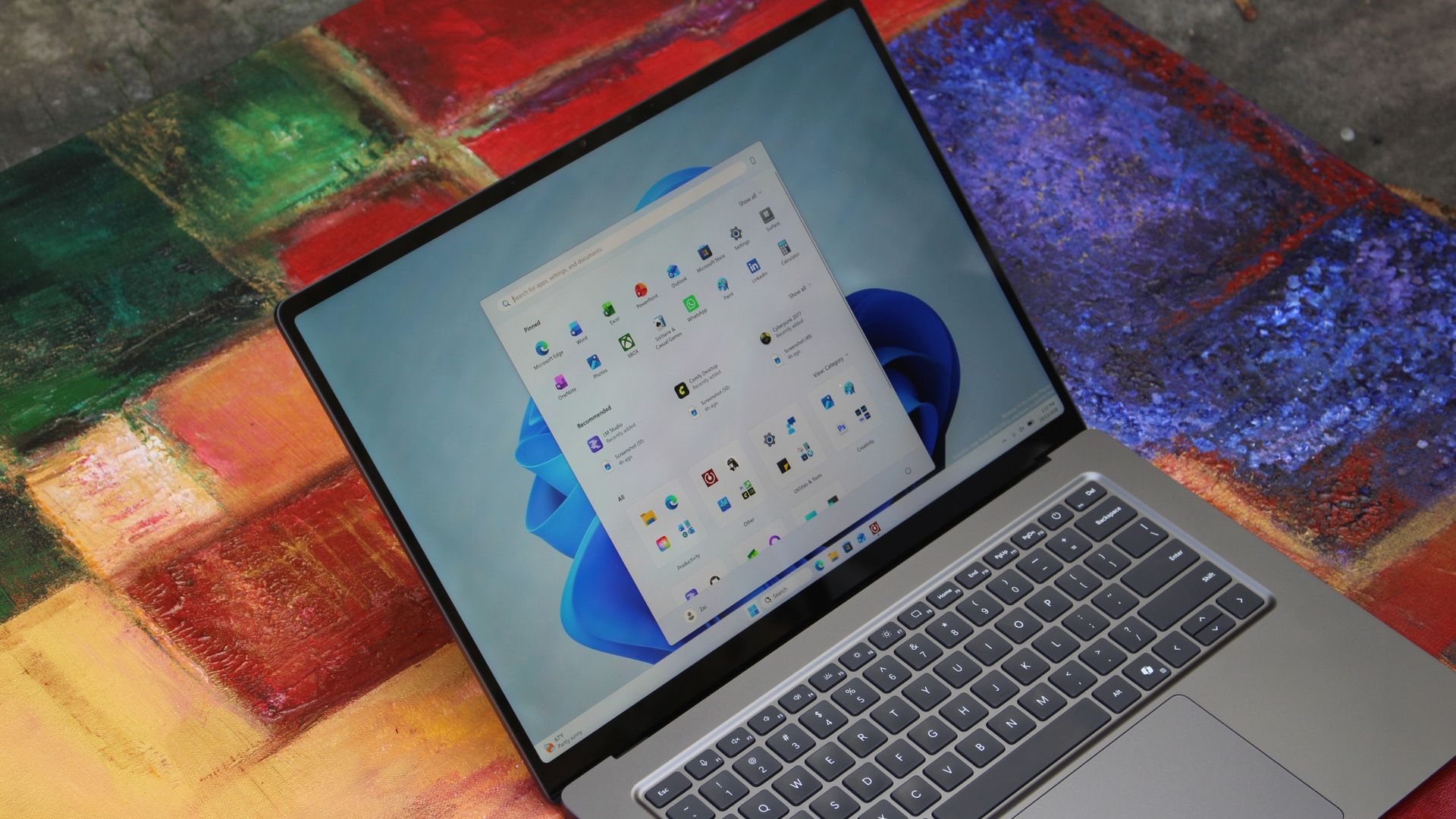
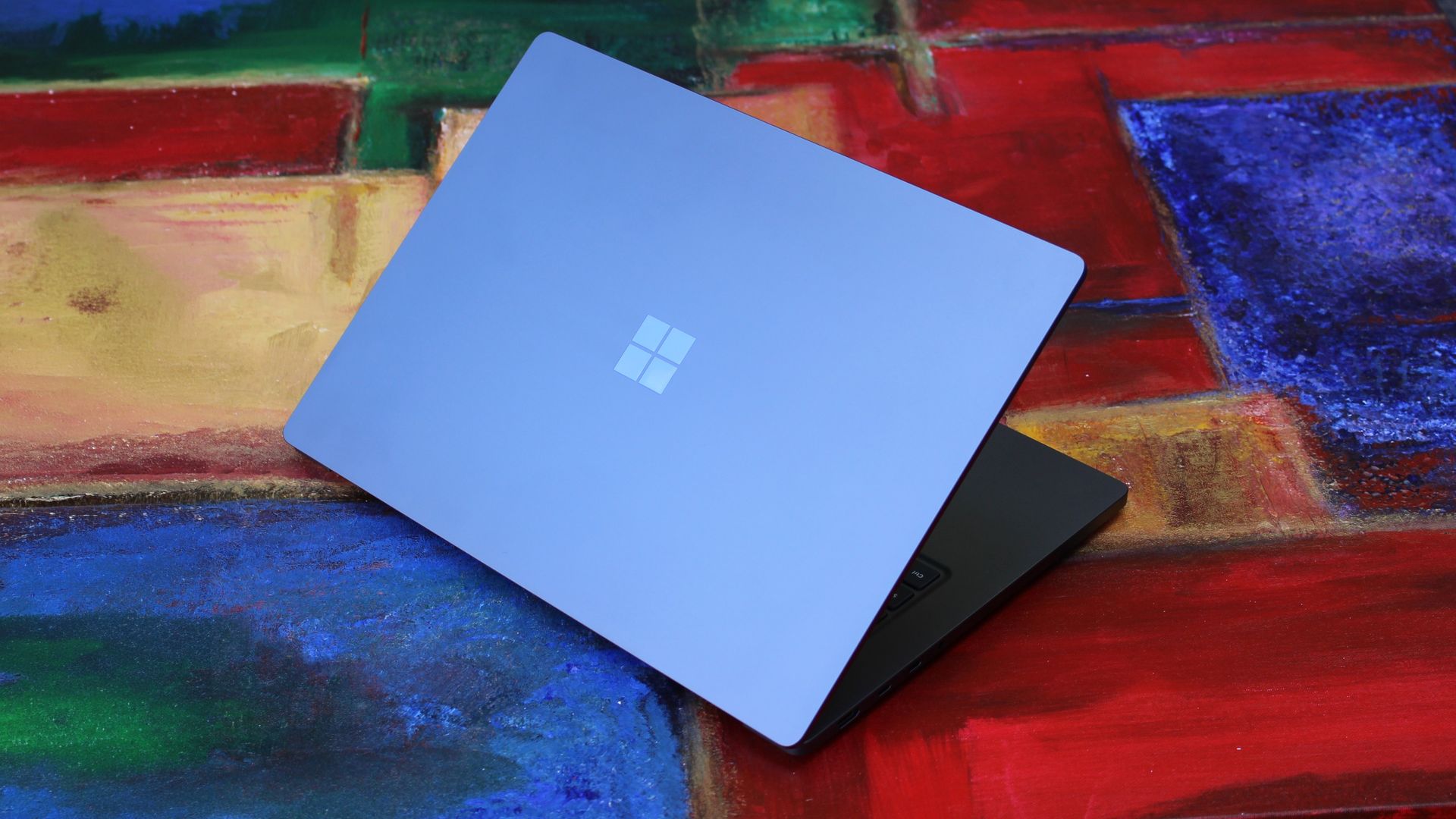
We have to start with how this thing looks, and we do need to address the fruit-shaped elephant in the room. Yes, Surface Laptop Ultra looks an awful lot like a MacBook Pro. I wouldn't blame the layman for even thinking it was a MacBook Pro from a distance. The square edges, large trackpad, and minimalist design echo the MacBook Pro from pretty much every angle.
But I'm not here to tell you that's a bad thing. The MacBook Pro is a beautiful device, which is to say Surface Laptop Ultra is also very beautiful. In fact, I think it even improves upon the MacBook Pro's design in subtle ways. The keyboard deck isn't surrounded by a plastic bezel like on MacBook Pro, instead it's softly indented into the metal keyboard deck which looks lush and seamless.
The corners on Surface Laptop Ultra are also a little rounder than the MacBook Pro, a design choice that trickles down from the corners of the chassis to the keys on the keyboard, and corners on the trackpad. It's an entirely consistent and well thought out design, which I highly appreciate.
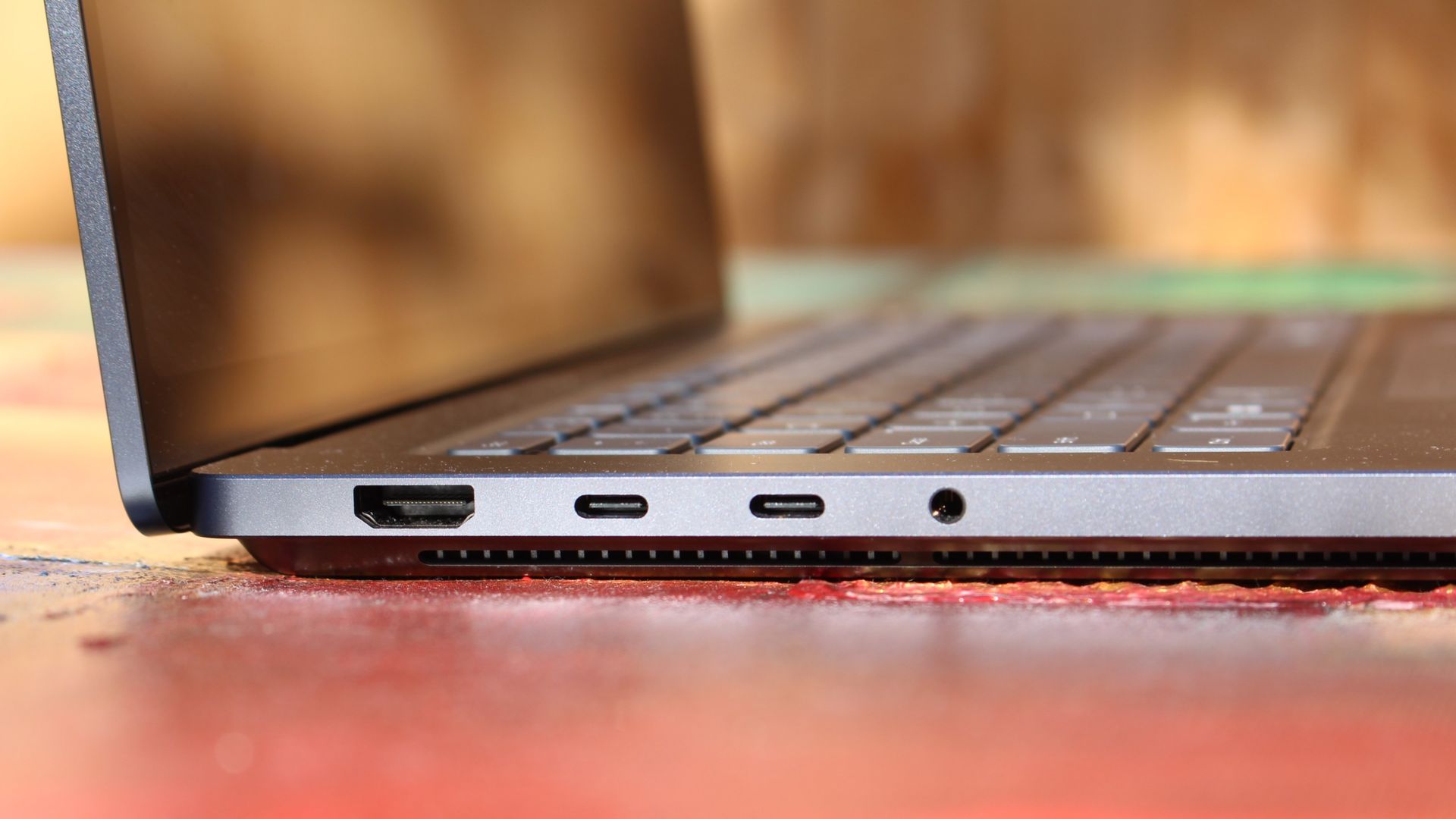
The left-side ports are good enough. (Image credit: Zac Bowden / Windows Central)
Microsoft also doesn't suffer from the godawful notch that you'll find on a MacBook Pro. Surface Laptop Ultra's display bezels are uniform along the left and right, and slightly thicker on the top to accommodate the Windows Hello IR face unlock sensors, which are much better than a fingerprint reader.
I should also mention that the display hinge on this laptop is perfectly tuned. It opens with one finger, and is perfectly balanced to provide a satisfying level of friction as you open and close it. It's also rock solid when typing, meaning it doesn't wobble around at all when on a desk.
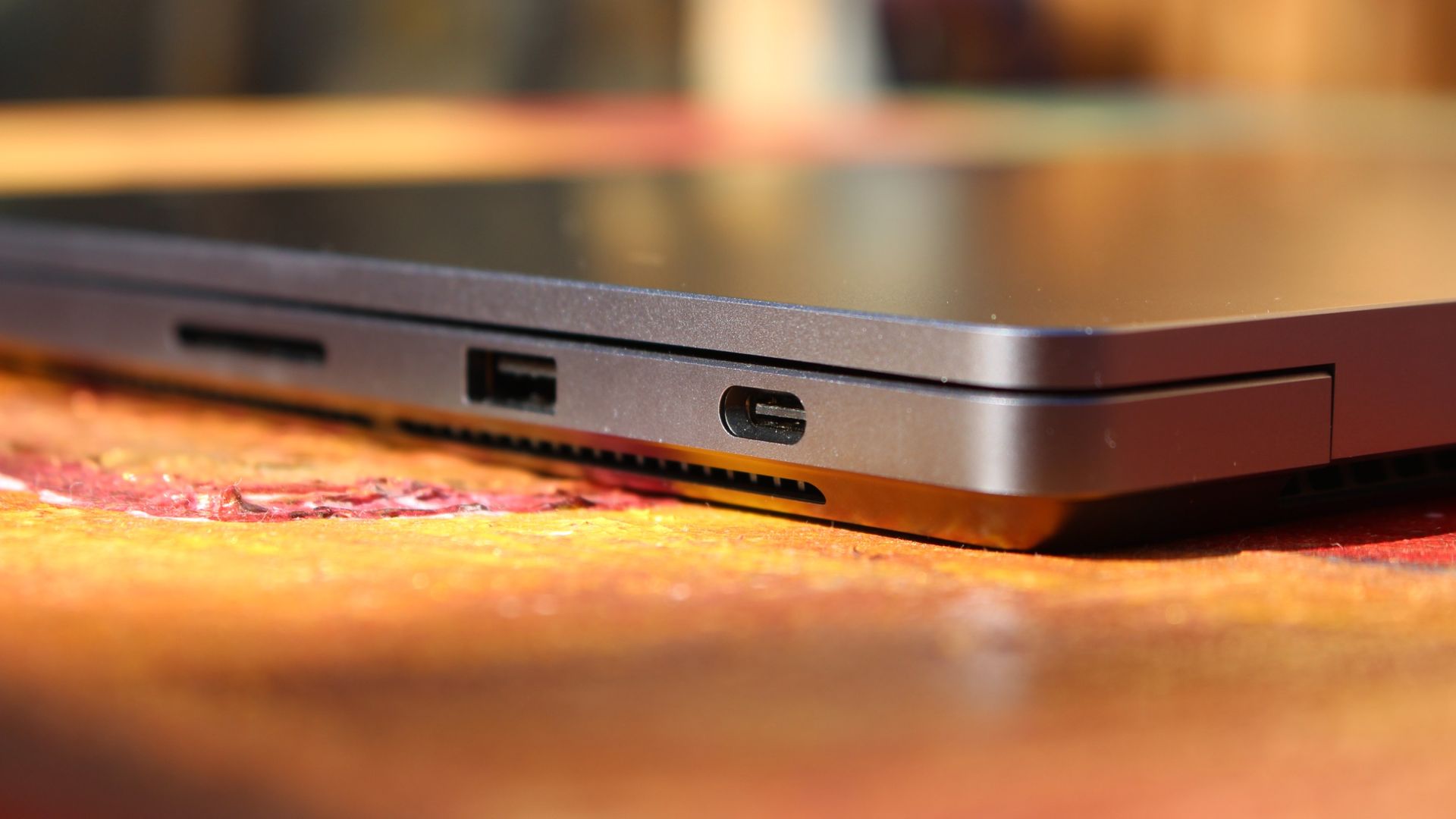
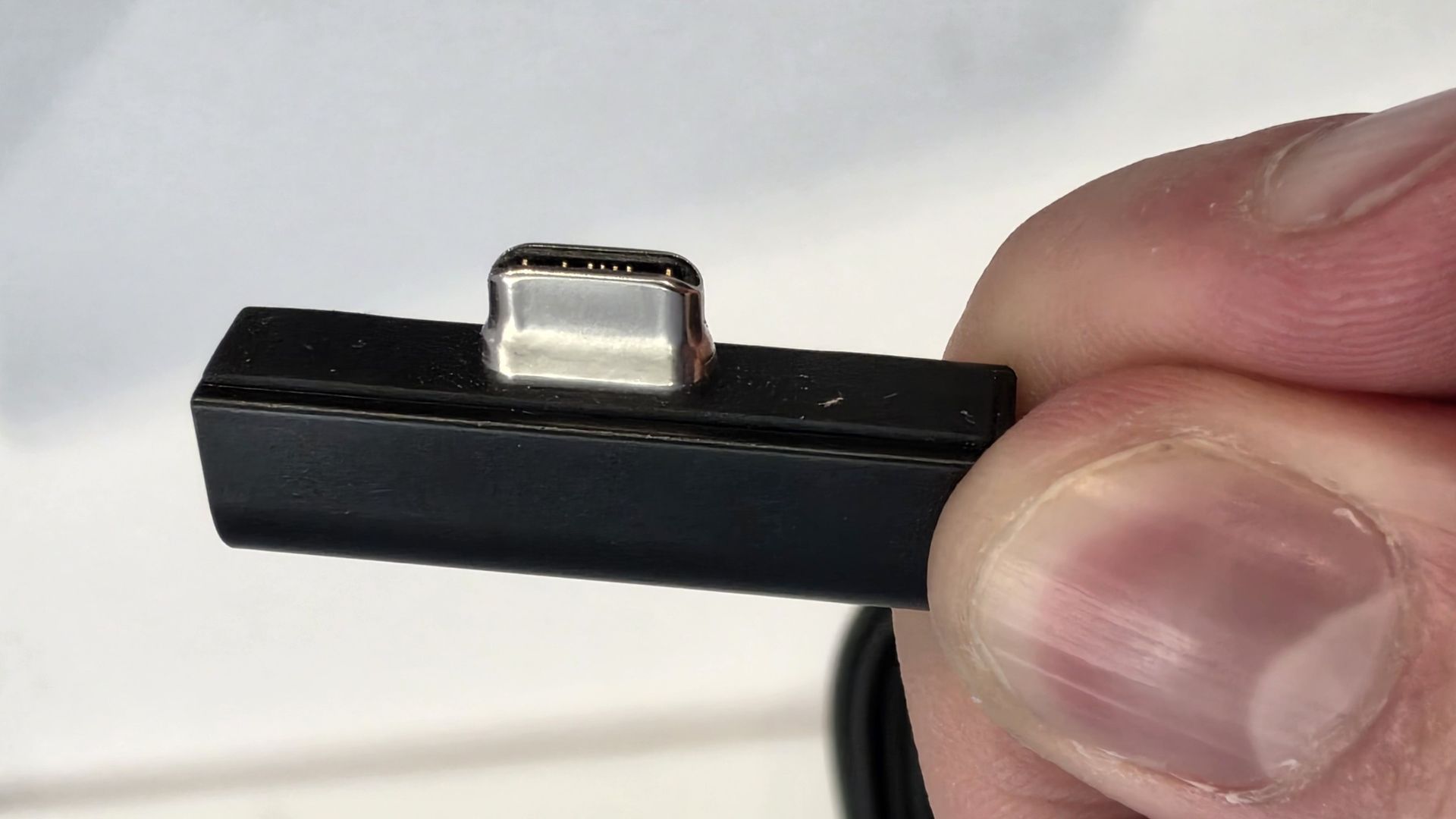
The port selection is good enough. It features three USB-C ports, a USB-A port, a 3.5mm audio jack, HDMI 2.1, and a full-sized SD card reader. Of course, the star of the show in the ports department is Microsoft's clever magnetic USB-C port, which replaces the proprietary Surface Connect charge port found on older Surface Laptops.
The special USB-C port is truly great. (Image credit: Zac Bowden / Windows Central)
It's great to see a laptop manufacturer attempting to innovate and improve on the universal USB-C standard. Here, we have a USB-C port that is compatible with all your USB-C peripherals, but it's also magnetized, and with the included charging cable, magnetically snaps to the device just like Apple MagSafe, while using the same universal USB-C port.
How did Microsoft do this? Well, most of the innovation is actually on the cable side. On the laptop itself, the only real change is that the USB-C port is slightly wider at its opening, but the rest of the USB-C port itself is typical in its design. Microsoft placed magnets on either side of the port, and redesigned the USB-C connector that's attached to the cable to allow for the magnetic connection to be seamless.
The cable's male USB-C end is shallower than a normal USB-C connection. This allows for it to connect to the USB-C port without clicking in, which is what locks a cable to a USB-C port normally. Instead, the magnets hold it in place, which enables the breakaway design that differentiates this USB-C port from the rest.
The USB-C connector is unique. (Image credit: Zac Bowden / Windows Central)
That does mean the USB-C cable that comes included only works with Surface Laptop Ultra, and only in this particular port. Microsoft realized this would be a problem, and designed the power brick that comes with Surface Laptop Ultra in a way that allows the magnetic cable to attach to the brick instead. The other end of the charging cable is a normal male USB-C end, which connects to any USB-C port you want.
So you can still use the Surface Laptop Ultra's power brick and cable on any device or any port you like, you just have to plug the magnetic end into the power brick first. It's a genius design, and proves that Microsoft really thought of everything when it comes to this unique magnetic USB-C experience. I love it, and I hope to see it on more laptops in the future.
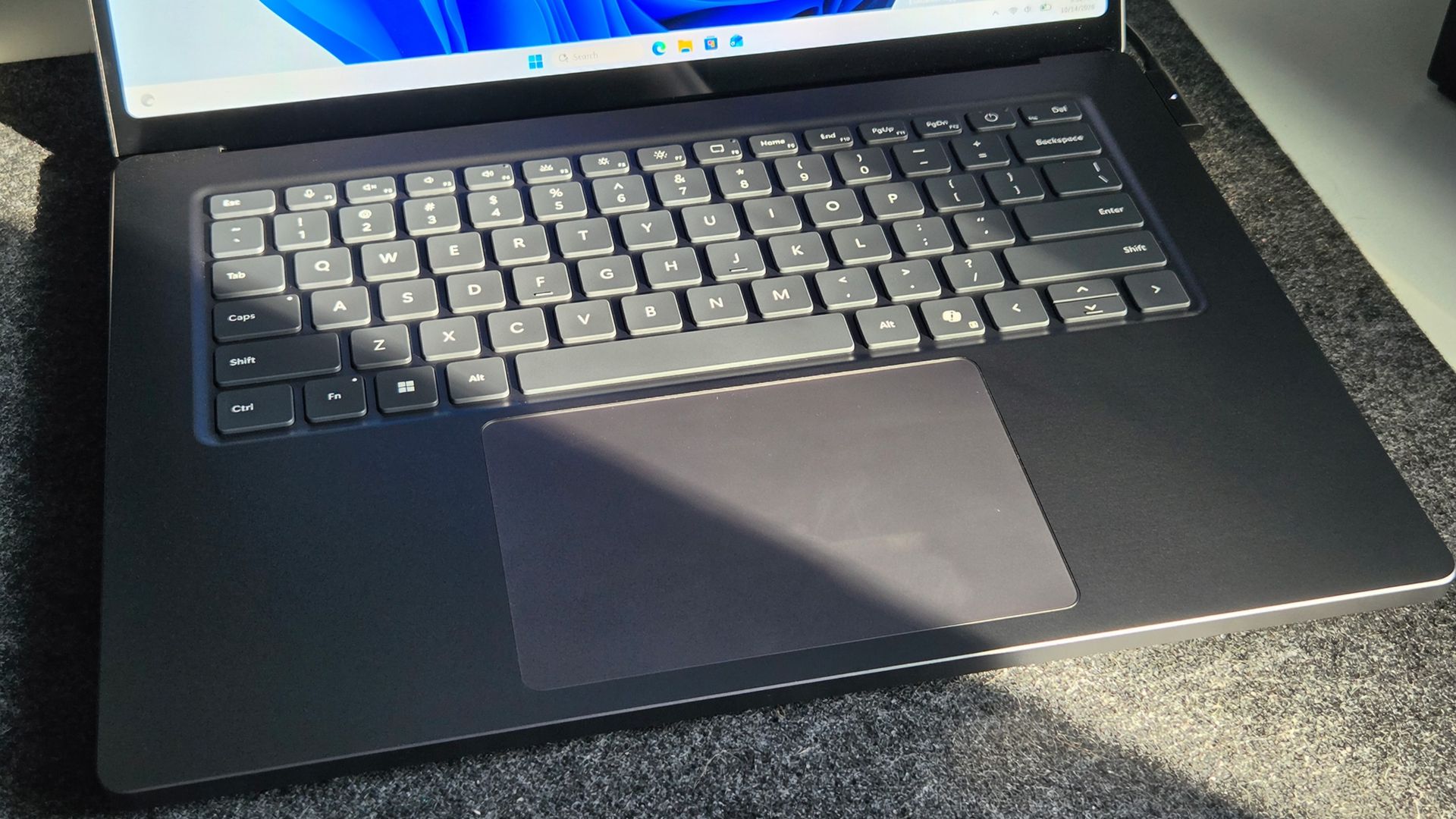
Surface Laptop Ultra is available in just two colorways: Platinum and Nightfall. To me, I think the Platinum version looks the nicest, but the Nightfall version looks clean too. The good news is the dark color does a relatively good job at fending off fingerprints thanks to an anti-fingerprint coating that has been applied to the chassis.
Display & Features
The Mini LED display in all its glory. (Image credit: Zac Bowden / Windows Central)
Surface Laptop Ultra ships with Microsoft's first ever mini-LED display, which delivers better contrast and brighter peak brightness over your standard LCD that has been found in all other Surface Laptops to date. Unlike an LCD, the Surface Laptop Ultra's mini-LED screen packs 1,344 local dimming zones, which allows the laptop to dim darker areas of the screen that don't need as much light.
This number is not as high as the mini-LED screen on the MacBook Pro, and this results in a bit of blooming around bright elements on a dark background. If you use Windows in light mode, this will almost never bother you. But in dark mode, in a dimly lit environment, it becomes quite a bit more apparent.
The backlight also takes a fraction of a second to keep up with what's going on on your screen. If you move a bright window around on a dark background, you'll notice the backlight brightening and dimming around the edges of the window. This gives off a slight ghosting effect which degrades the 120Hz refresh rate somewhat. It isn't noticeable at all in light mode, however.
This all leads me to say I wish Microsoft had opted for an OLED panel on the Surface Laptop Ultra. I've been daily driving OLED displays for the better part of a year now, and a mini-LED panel just isn't a vibrant or contrasty as an OLED display can be. The mini LED display is good, but not the best on the market, and it's certainly no OLED.
Microsoft tells me it opted for mini LED over OLED primarily for the brightness and efficiency gains. At 2,000 nits peak brightness, it is the brightest screen ever put on a Surface. But Tandem OLED displays are also very capable of reaching similar peak brightness levels these days, and so I feel the benefits of a mini LED screen don't carry much weight here.
If you're coming from a standard LCD, the mini LED screen will be nothing but an upgrade to you. It's color accurate, very bright, and its high resolution and 120Hz make reading text and scrolling webpages look and feel great. But if you're coming from a MacBook Pro mini LED screen, or an OLED display, you will notice the downgrade in contrast and more noticeable blooming.
The display is also a touch screen, which is the case on pretty much all Surface PCs since the line began in 2012. Microsoft truly believes that touch has a place on the laptop form factor, and I agree with it. Being able to reach out to tap on a notification or hit OK on a window prompt is really nice, even if I don't use it all the time.
For pen lovers, sadly the Surface Laptop Ultra does not support pen input. Microsoft dropped pen input from the Surface Laptop with Surface Laptop 7, and the Surface Laptop Ultra has not restored it. This makes sense however, as the screen does not lay flat so drawing on it would be uncomfortable.
I also want to mention the fact that Surface Laptop Ultra features a user upgradeable SSD drive. That means you don't have to splash out on the most storage at the checkout screen. You can opt for a lower amount, and when you finally fill it, upgrade the SSD to something larger later down the line. You can't say that about the MacBook Pro.
That large trackpad is something else... (Image credit: Zac Bowden / Windows Central)
Unfortunately, Surface Laptop Ultra is missing a key quality of life feature that I have come to enjoy on other flagship Windows laptops over the last year: presence sensing capabilities. My daily driver is able to wake up and go to sleep whenever I approach it or walk away, and Surface Laptop Ultra is missing this functionality entirely. A crying shame.
It's also missing all Copilot+ PC features currently. Microsoft tells me that RTX Spark is a Copilot+ PC capable chip, but that the suite of Copilot+ PC features aren't yet ready for the platform, and to expect them to show up in the coming months. The RTX Spark has a 50 TOPS NPU that will power these experiences when they finally do arrive.
Keyboard & Trackpad
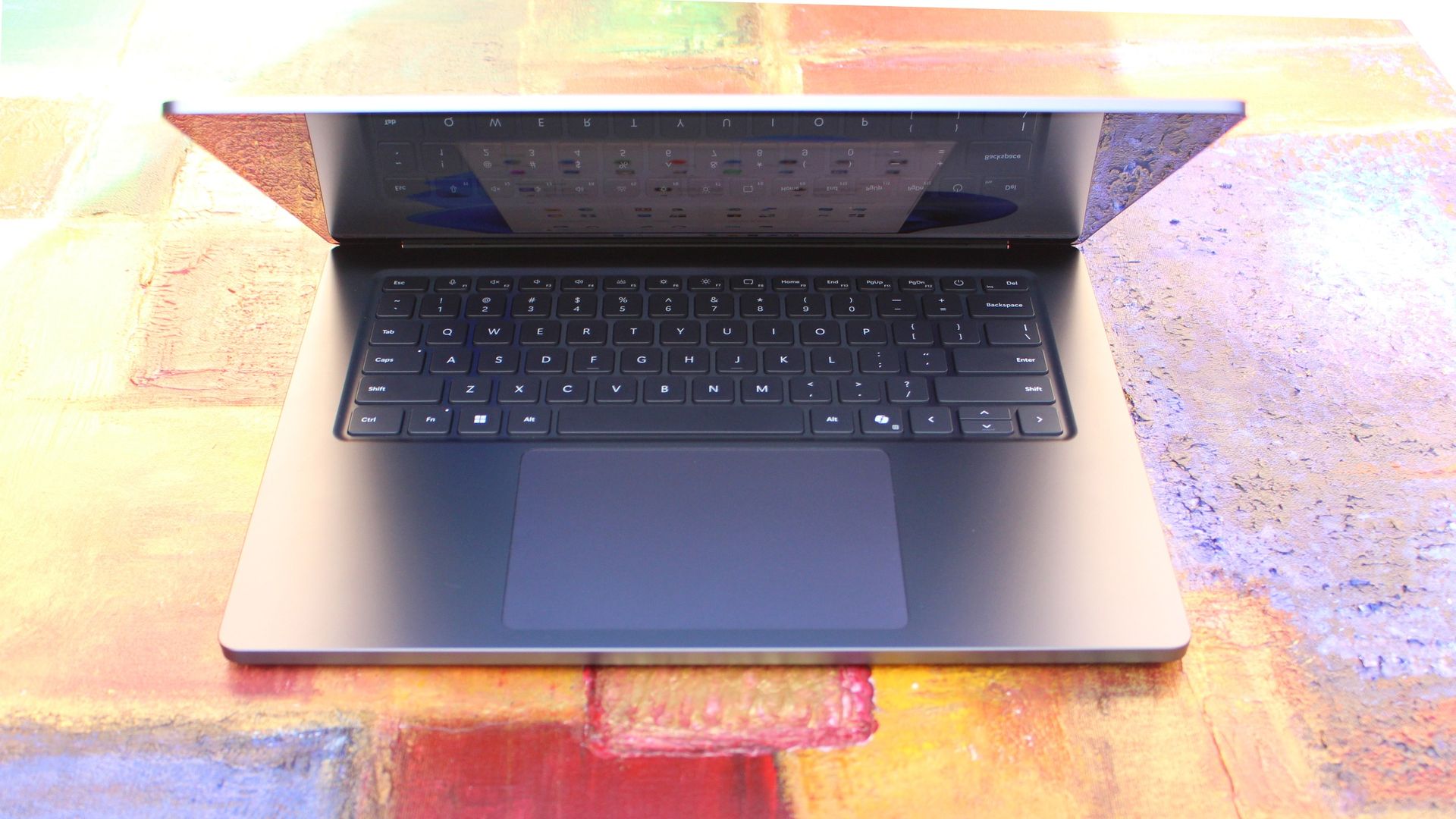
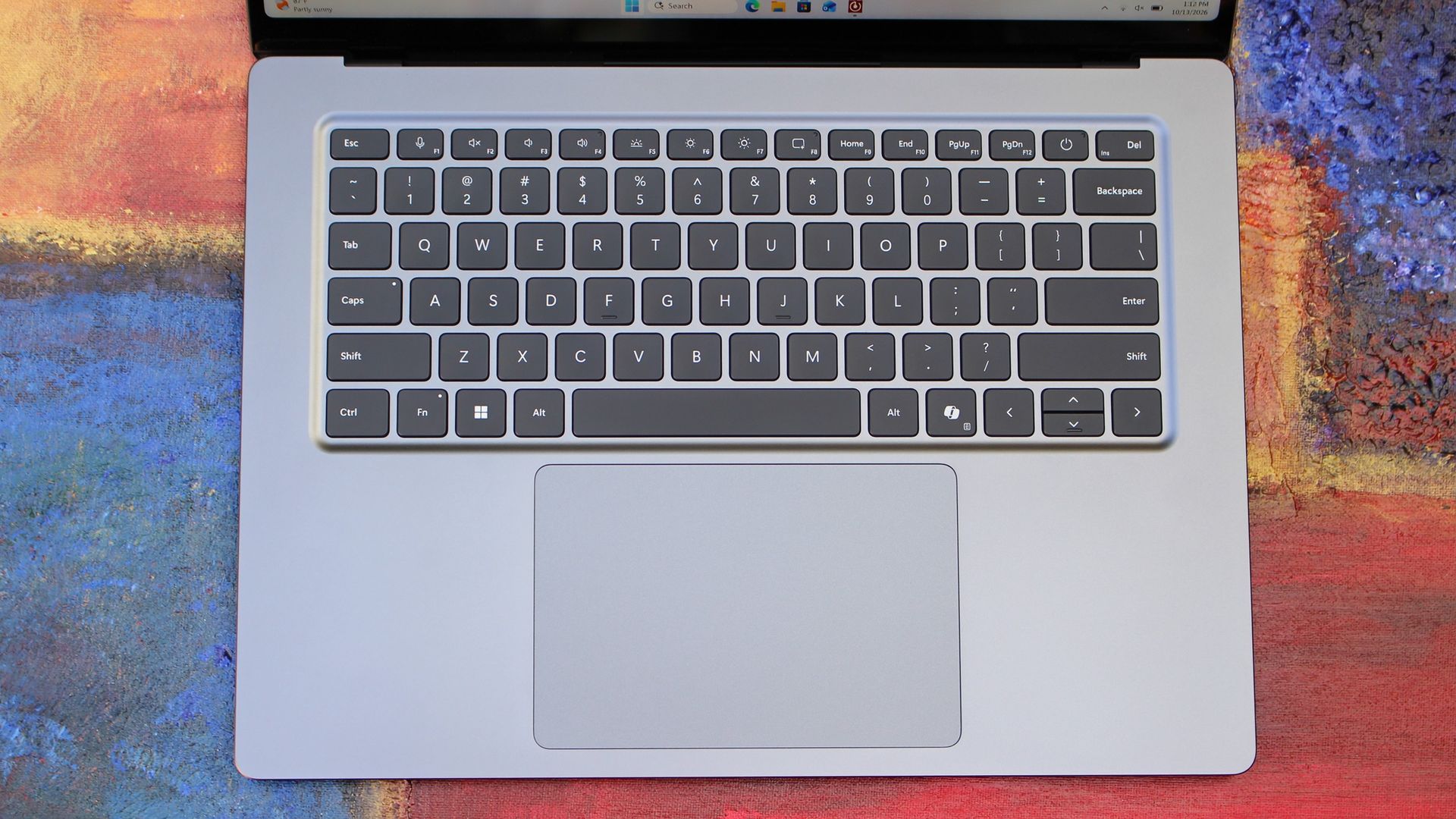
The best keyboard and trackpad I've ever used. (Image credit: Zac Bowden / Windows Central)
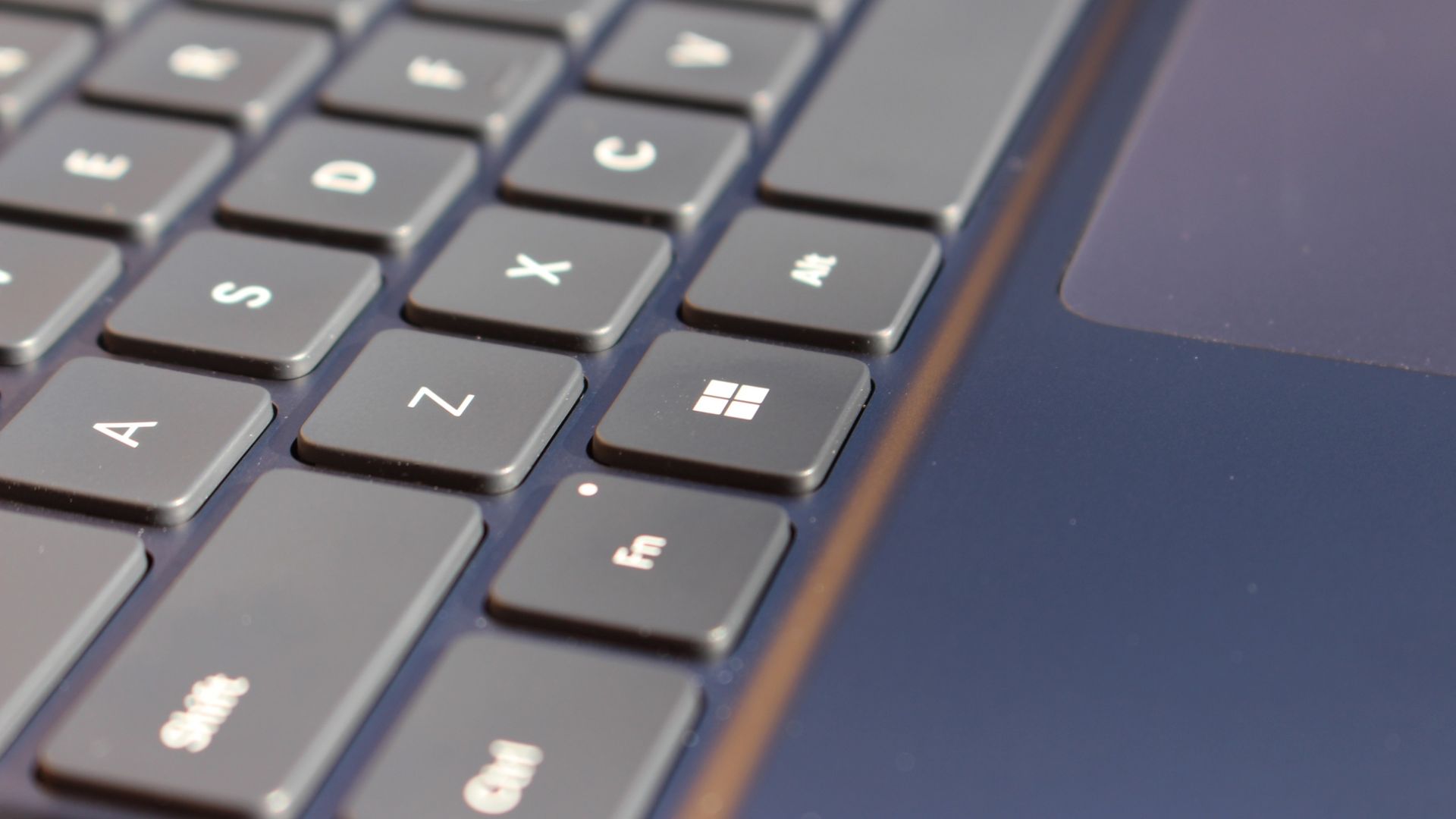
Surface has always delivered excellent keyboard and trackpad experiences, but Surface Laptop Ultra might be on a whole other level. This is probably the best keyboard and trackpad experience I've ever had on a Windows laptop to date. The keyboard is comfortable, tactile, and quiet, with 1.4mm key travel which is incredibly satisfying and not at all fatiguing.
The keys themselves are slightly rounder than the keys found on Surface Laptop 8, which I think is more comfortable and looks nicer as a result. It features a three-stage backlight, a Copilot key (which can be changed,) and a dedicated microphone mute key. It's pretty much perfect in every way.
But what I really want to talk about is the trackpad. It's the largest trackpad ever fitted to a Surface, and that makes a huge difference in how easy it is to use. There's so much room for activities, and you'll never find yourself at the edge of the trackpad because you needed to drag a file and ran out of room.
The keys are so nice to type on. (Image credit: Zac Bowden / Windows Central)
Palm rejection is also very good. I never once had an issue with the trackpad being in the way when typing, which means Microsoft has done a good job at ensuring the trackpad's side isn't impeding the typing experience. The trackpad itself is haptic, and feels great to click on, with strength adjustability in Windows Settings so you can really dial in just how strong that haptic feedback is.
But the new trackpad also supports Windows 11's new haptic system, which introduces subtle haptic feedback when interacting with different UI elements across Windows. When you snap an app window, or drag files across folders, you'll feel haptic bumps under your finger in the trackpad that are different from the usual click down sensation it provides. It's genuinely great.
Camera & Audio
It's a Surface, so you can and should expect great cameras and microphones on Surface Laptop Ultra. The webcam is a 1080p shooter that looks more than fine for video calls, Teams meetings, and recorded presentations. In low light, the image does get a little noisy, but not any more than any other high-end webcams on the market.
The shining star in this department are the built-in studio mics, which are very very good. They sound studio quality, with rich bass and far-field mics that do a very good job at tuning out background noise to ensure the things that you are saying are captured clearly and well.
I also need to take a moment to talk about the built-in speakers on this laptop. They are superb. Again, probably the best I've tried in a Windows laptop to date, and give the MacBook Pro 14-inch a run for its money. There's a clear sound stage, highs are crisp and bass is rich.
Performance & Battery
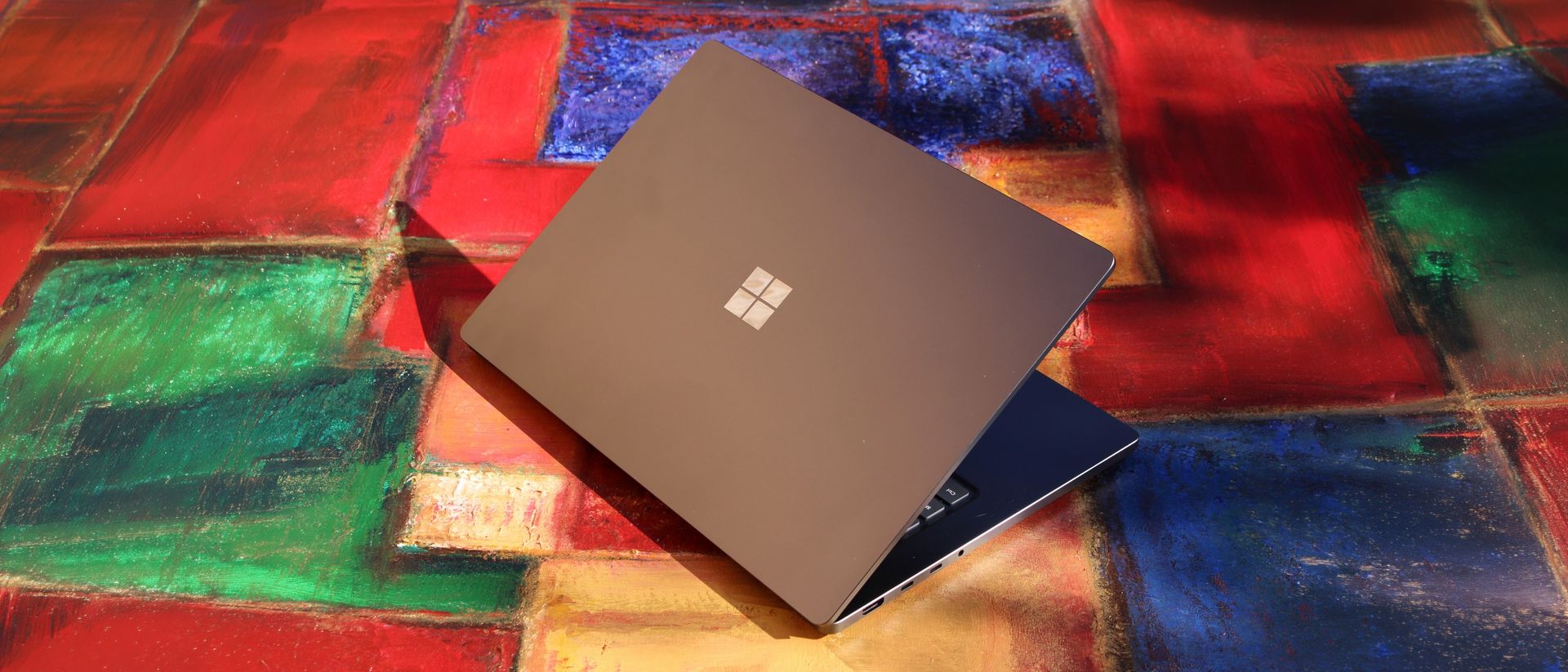
It's a looker for sure. (Image credit: Zac Bowden / Windows Central)
I've already published an in-depth look at the performance of RTX Spark on Surface Laptop Ultra, which you can read here if you're interested, so there won't be raw performance benchmark numbers in this review.
The TL:DR for that however is that the RTX Spark is a powerful chip, with okay CPU performance but great GPU performance. It's capable of playing most games at 1440p high settings above 60fps, and top end configs can fit large AI models directly onto the GPU for faster processing. But it trails behind the latest high-end Apple Silicon, and is more in-line with current-gen Snapdragon X2 Elite or last-gen Apple M4 Pro in overall performance.
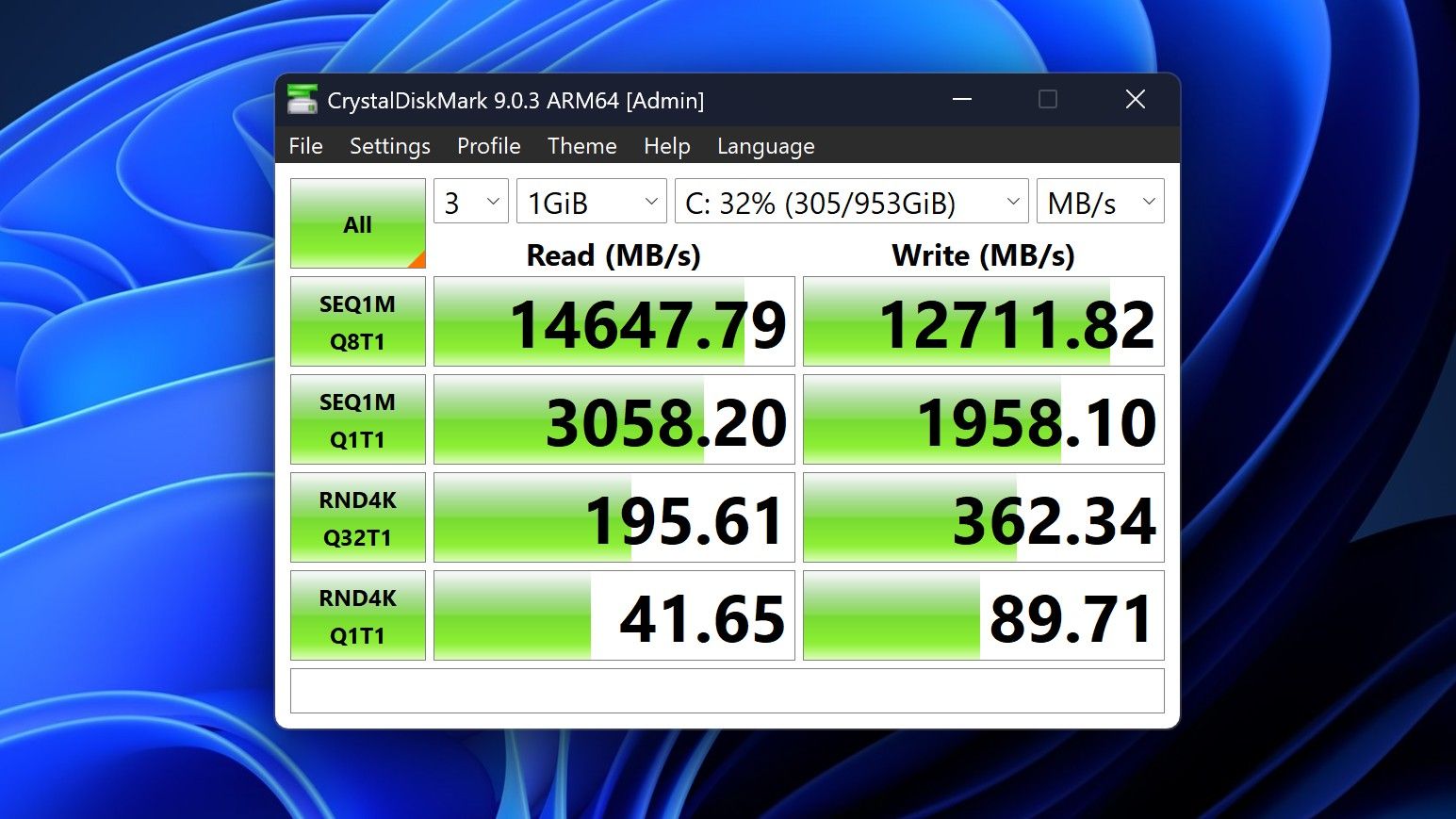
By default, the 128GB Surface Laptop Ultra ships with its unified memory in a 50/50 split configuration. Users are free to adjust this in the NVIDIA app, which is good for when you need to give either the system or your GPU more RAM for whatever task it is you're completing. It requires a restart to apply, which frustratingly takes a long time on the Surface Laptop Ultra.
You can expect very fast read and write speeds on 1TB models. (Image credit: Zac Bowden / Windows Central)
Performance is great for the most part. In day to day usage, it's blazing fast and is able to crunch through pretty much any workload I'd want to throw at a mobile workstation such as this. With that said, there are a couple of oddities related to performance that I feel I should mention.
Compared to other devices I have on hand, the Surface Laptop Ultra sometimes takes twice as long to restart. I'm talking over 2 minutes from hitting restart to being back on the lock screen, which is about double the amount of time it takes all the other laptops in my possession. Microsoft says they are investigating.
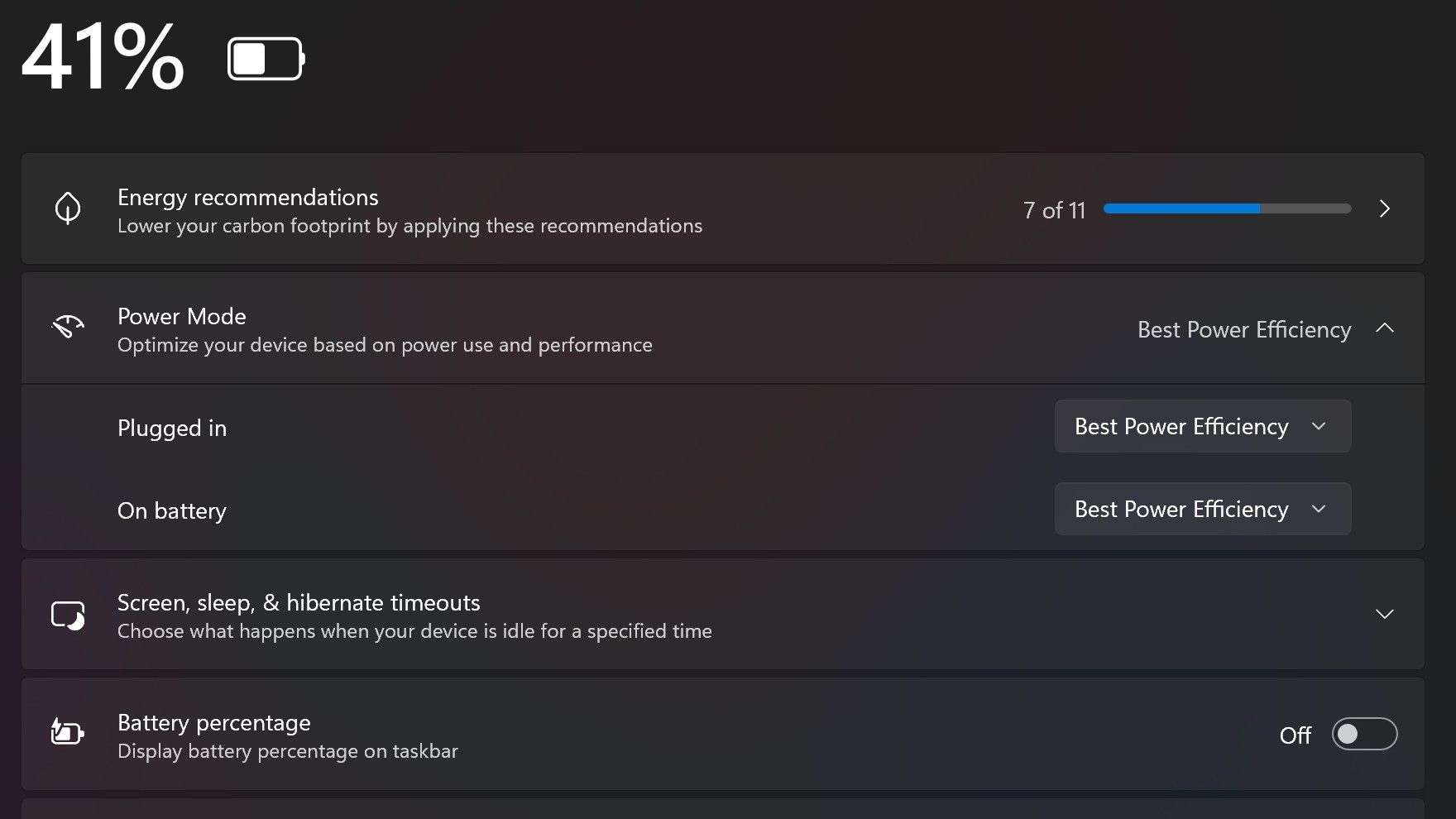
Surface Laptop Ultra also ships with the "Best Power Efficiency" profile set by default. This is unusual, as most Surface PCs ship with their power profile set to balanced. Microsoft says it does this to maximize battery life, but that does come at the cost of performance.
Make sure you change these to Best Performance for plugged in, and Balanced for battery life. (Image credit: Zac Bowden / Windows Central)
I've found that overall performance can be slashed by up to a quarter or even half when in this default mode. So if you want to make the most of your RTX Spark PC, be sure to change the power mode in Windows Settings to either Balanced or Best Performance. I usually set the on-battery mode to Balanced, and the plugged in state to Best Performance.
On the subject of battery life, the Surface Laptop Ultra's endurance is just fine. It's not class leading by any stretch, but I can definitely get through the work day without much fuss, though this will depend on your workload. Our Procyon battery life benchmark test lasted around 14 hours, and in real world use I was getting close to about 10.
But if your workload heavily leans on the GPU, you can expect to halve that number. The GPU is quite efficient for the power it outputs, but it's still a GPU and it's still hungry. So if you know you'll be using the GPU a lot throughout the day, you'll want to bring the charger with you.
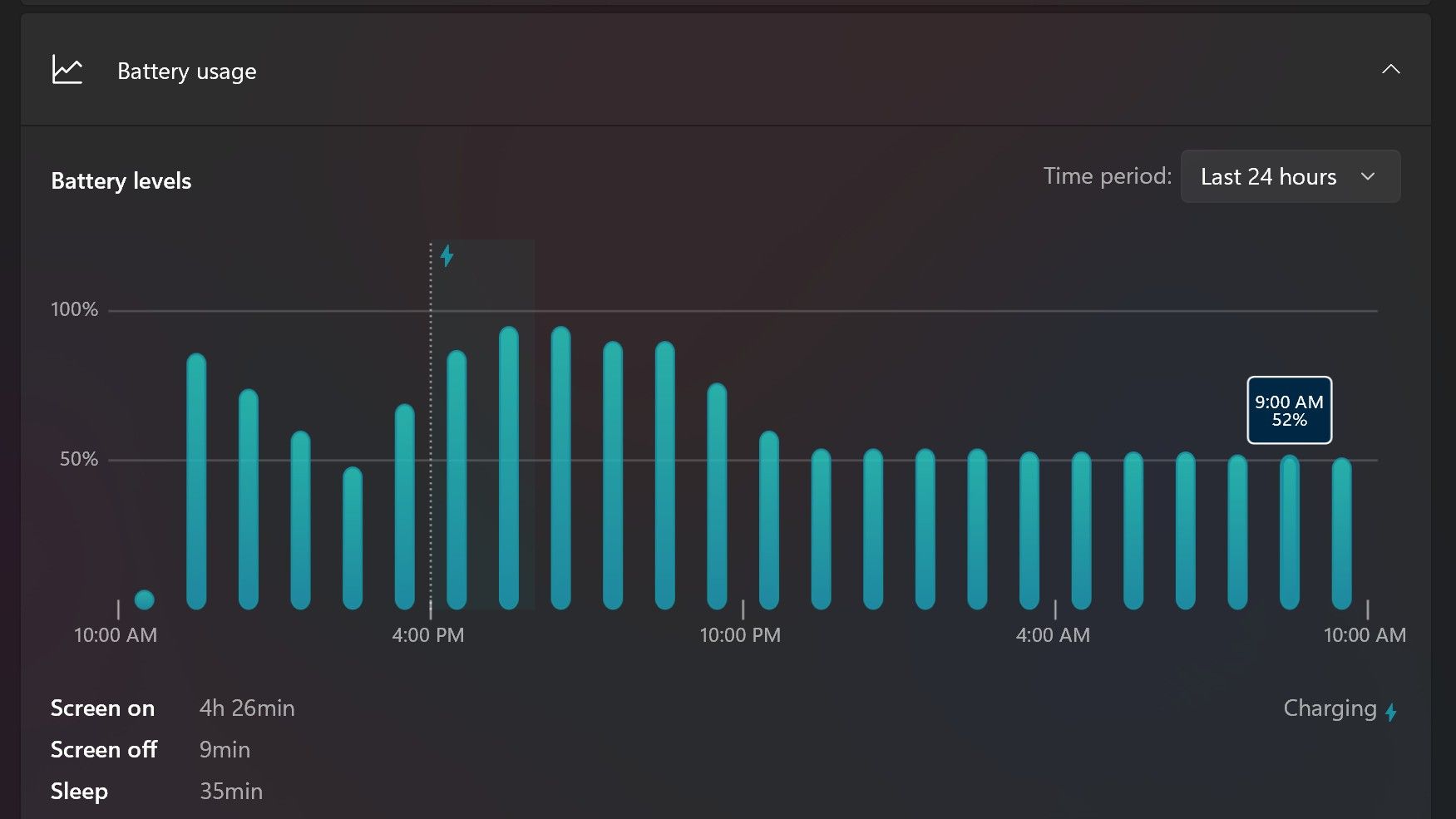
Surface Laptop Ultra only sipped power during sleep between midnight and 9AM. (Image credit: Zac Bowden / Windows Central)
With that said, sleep endurance is very good for the level of power this laptop outputs. I put the laptop to sleep at about midnight, and open the lid 10 hours later, and it's only drained one, maybe two percent from the battery. Very good on that front!
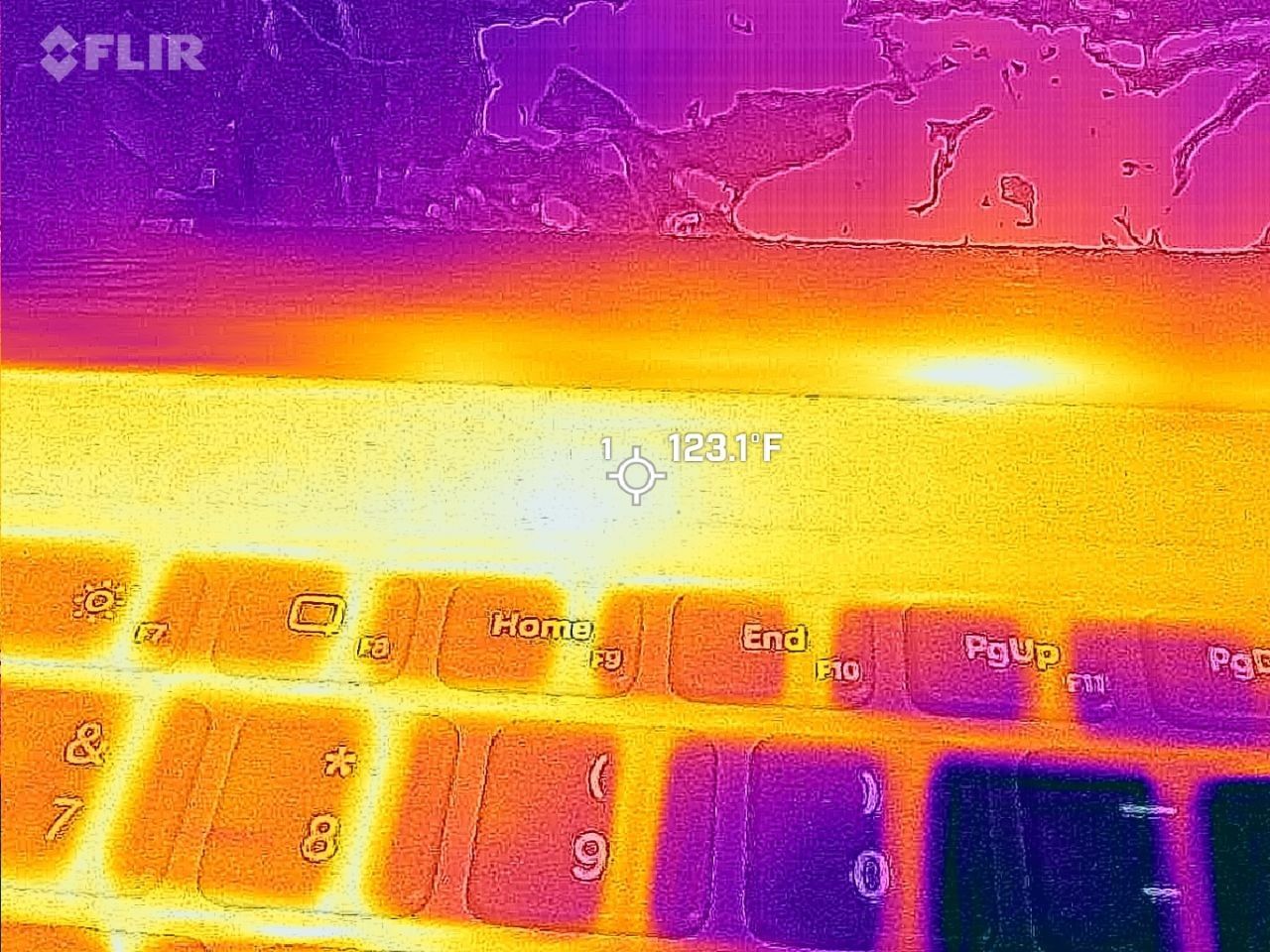
Under max load, the Surface Laptop Ultra gets quite warm. While the keys themselves remain at an okay temperature, the top part of the keyboard deck gets very toasty. I measured 123 F at its hottest under max load, which is approaching "oh that's hot" territory.
Surface Laptop Ultra gets toasty, but doesn't seem to thermal throttle. (Image credit: Zac Bowden / Windows Central)
I also noticed quite audible coil whine when under max load on my Surface Laptop Ultra. This isn't a problem in day to day use, but whenever the GPU is being used, I can hear buzzing coming from inside the keyboard chassis. If you're sensitive to that kind of thing, it will annoy you.
Fan noise is acceptable even at max load. I measure around 42 decibels at its loudest, and that was after running a benchmark for 10 minutes. In normal use, the fans rarely come on, though it does run slightly warm on your lap as a result.
Conclusion
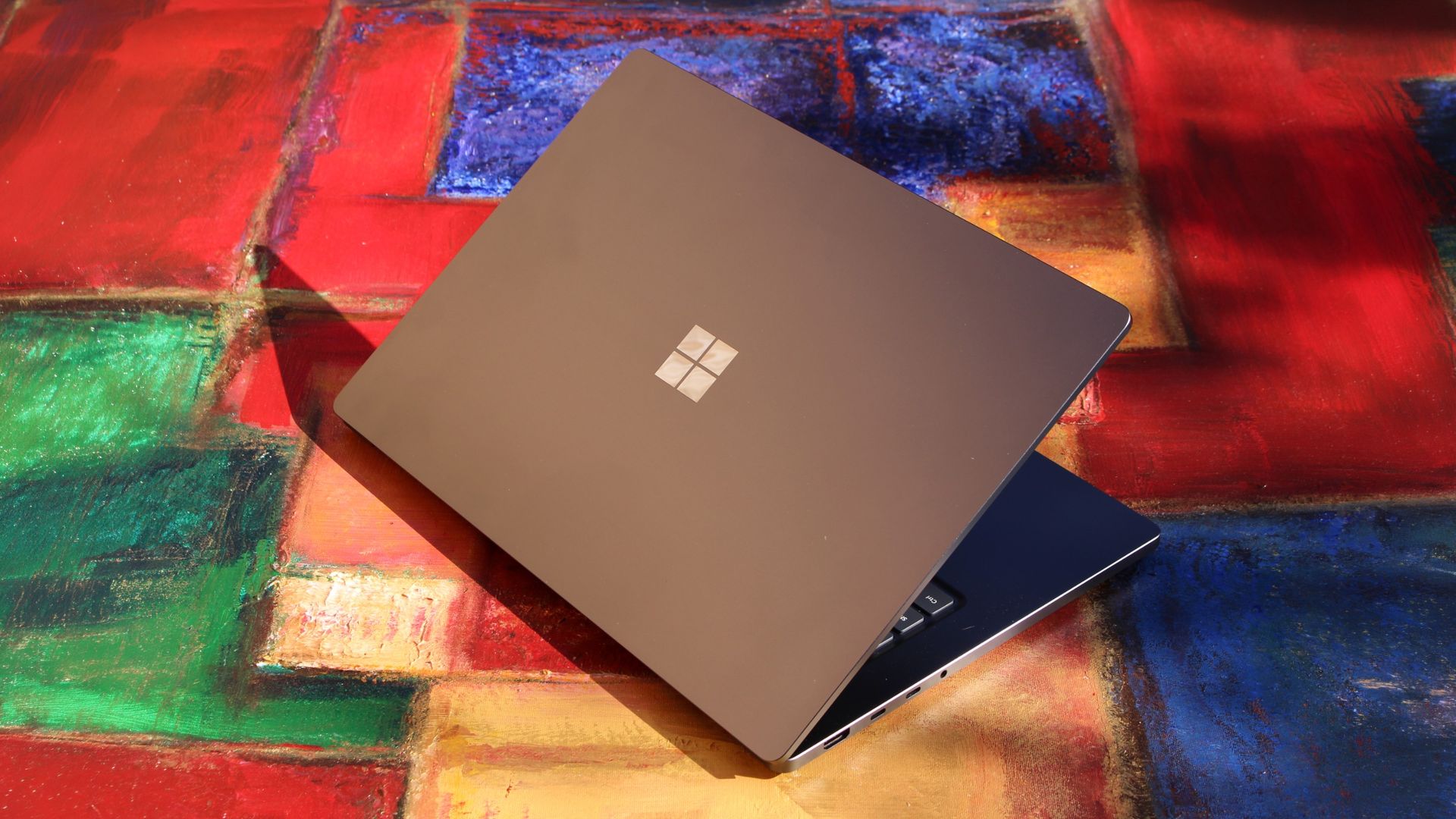
Surface Laptop Ultra is ultra-premium. (Image credit: Zac Bowden / Windows Central)
✅ You should buy this if ...
You are a software developer utilizing on-device AI
You live and breathe large language models and agentic workflows
You need a beefy GPU in a portable and efficient package
You need lots of RAM
❎ You should not buy this if ...
You aren't interested in AI or agentic workflows
You only need a PC for standard productivity tasks
You occasionally game or edit video (get something cheaper)
You want something thin and light
Surface Laptop Ultra is great, but it's not something I can comfortably recommend everyone go out and buy, especially at these high prices. At the base level, it doesn't offer enough to justify the added cost over a Surface Laptop 8 with 24GB RAM. You do get the more beefy GPU and "better" display, but that comes at the cost of portability and battery life.
The Mini LED screen isn't the upgrade I was hoping it would be. For those who have only ever used a standard LCD their whole life, I'm sure you will appreciate the added brightness. But the ghosting issue is annoying and I think most people will notice it. I would have much preferred an OLED on a laptop this expensive.
Battery life is also just okay, which, again, for a laptop of this size and weight, leaves something to be desired. You can get longer day to day use out of a thinner and lighter Surface Laptop 8, which I think most people would prefer over the raw power that Surface Laptop Ultra offers.
And that brings me back to my original point. This isn't a laptop for everyone. It's a laptop for those who know they need it, and it's mainly for AI developers and high-end content creators. If you find yourself leaning on local agents to complete tasks for you, or enjoy generating images and videos using AI models, this is the laptop for you.
If you're someone who just needs a laptop for productivity tasks that includes a little bit of photo and video editing, and sometimes some gaming, there are cheaper laptops out there that will do that job very well.
Is this the MacBook Pro for Windows? I think it is. But it's not the perfect MacBook Pro alternative just yet. RTX Spark isn't at the same level as high-end MacBook Pro silicon, the Mini LED screen isn't best in class, and battery life could use some improvement.
Microsoft
Surface Laptop Ultra
Surface Laptop Ultra is Microsoft's flagship and most powerful Windows PC. It can be configured with up to 128GB RAM, and ships with NVIDIA's new RTX Spark SoC. It's great for creative workflows and software development, and those who want to run local AI and LLMs directly on their device.

 Login
Login