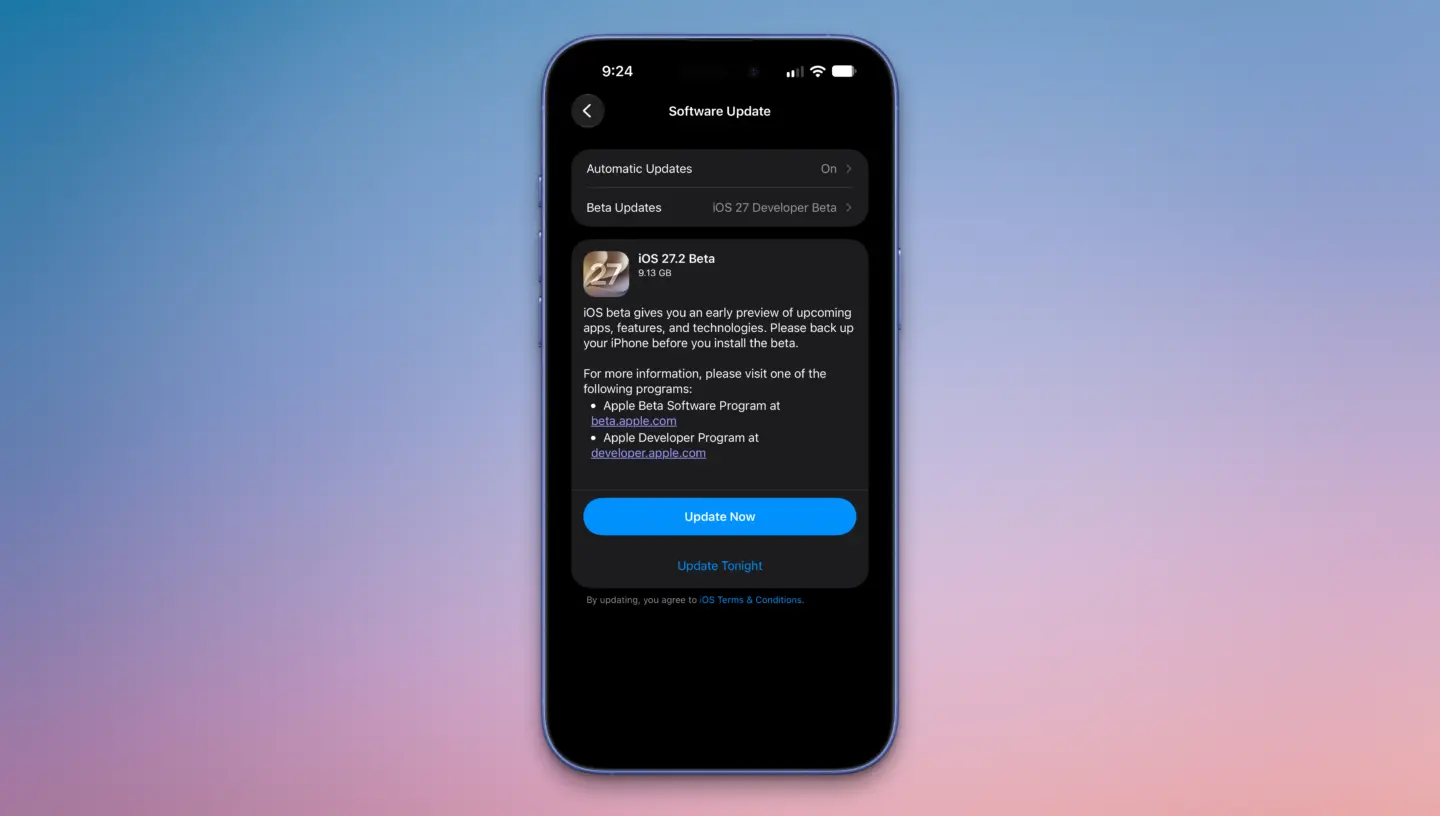
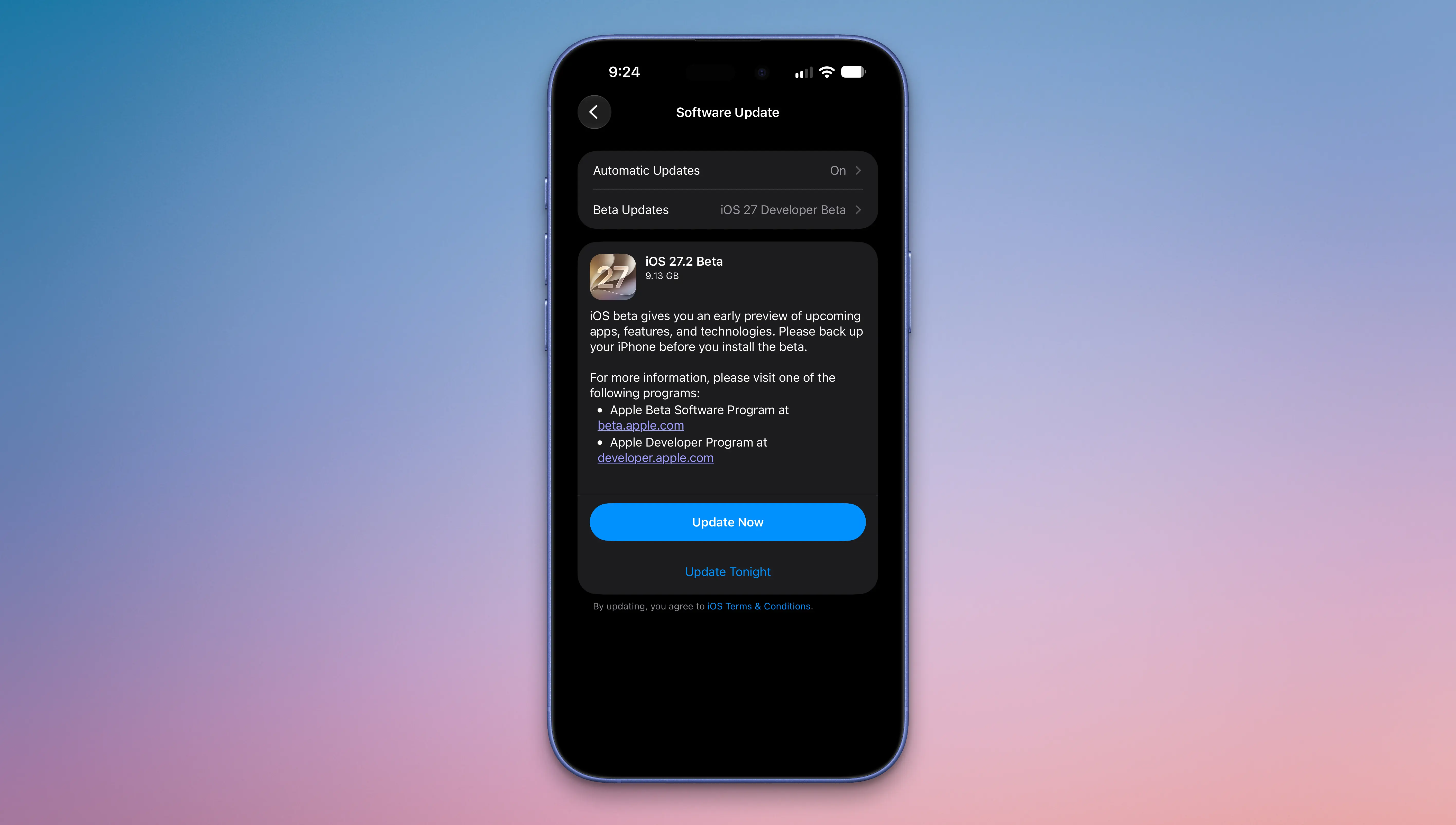
Apple surprised us with the first beta of iOS 27.2 today instead of releasing an iOS 27.1 beta. Apple likely went straight to iOS 27.2 to keep iPhone Duo code under wraps for now, since we already know the iPhone Duo will ship with iOS 27.1 when it comes out in October.
This beta includes Apple's revamped Health app, new languages for Siri AI, and a handful of other useful tweaks.
Revamped Health App
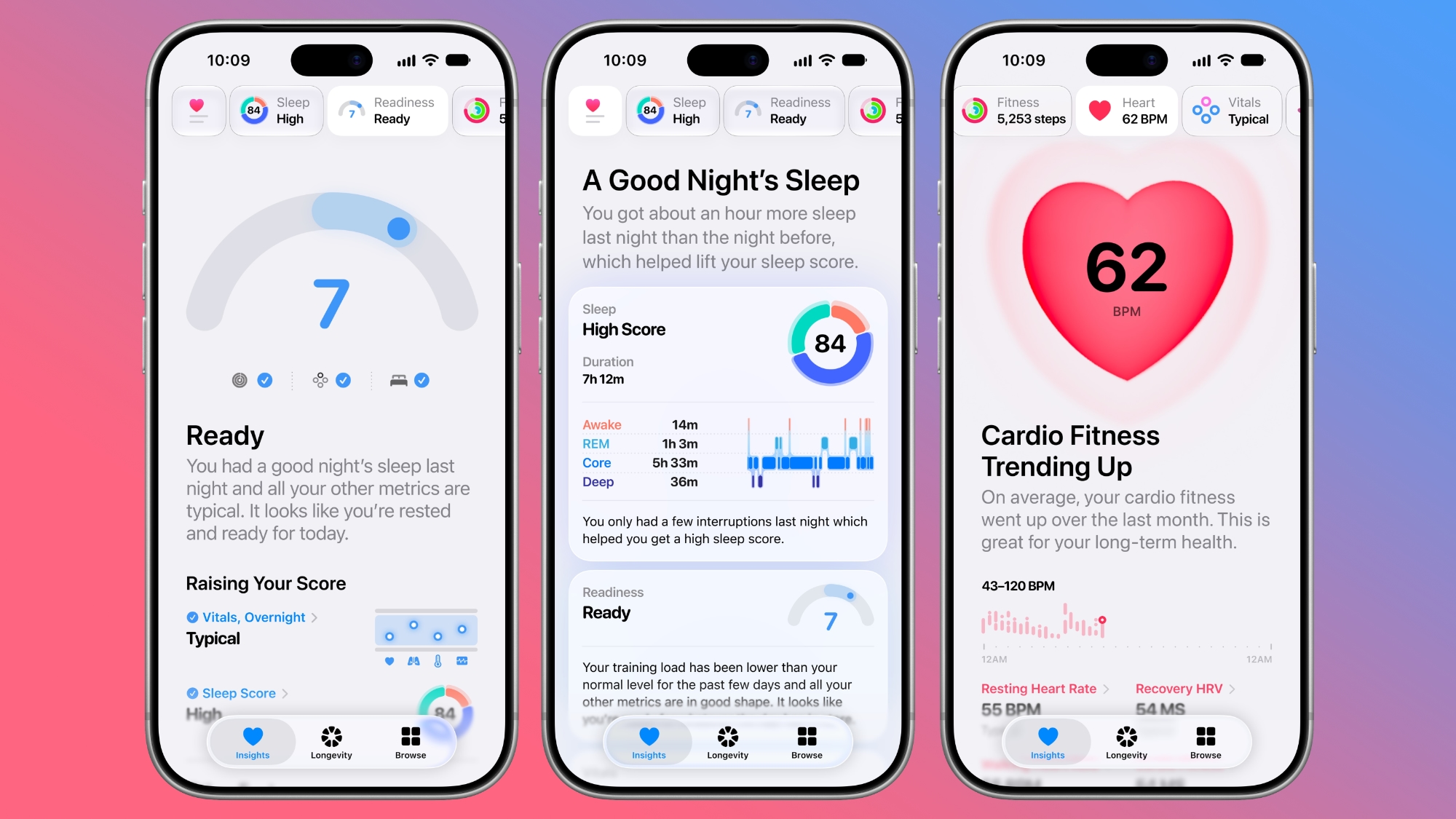
The iOS 27.2 beta includes the redesigned Health app Apple showed off at its September iPhone event. The new app is organized into three main tabs: Insights, Longevity, and Browse.
Insights includes your most recent and relevant health info, such as vitals, sleep score, heart rate, and Activity Rings. Longevity shows your health data over time, offering up a Health Age calculated from activity level, VO2 max, sleep time, and other metrics.
The Health Age feature uses in-app assessments that take advantage of the iPhone's camera. You can measure flexibility, strength, balance, and VO2 max. The revamped Health app is only available in U.S. English.
The Health app also has a new icon.
Call Context
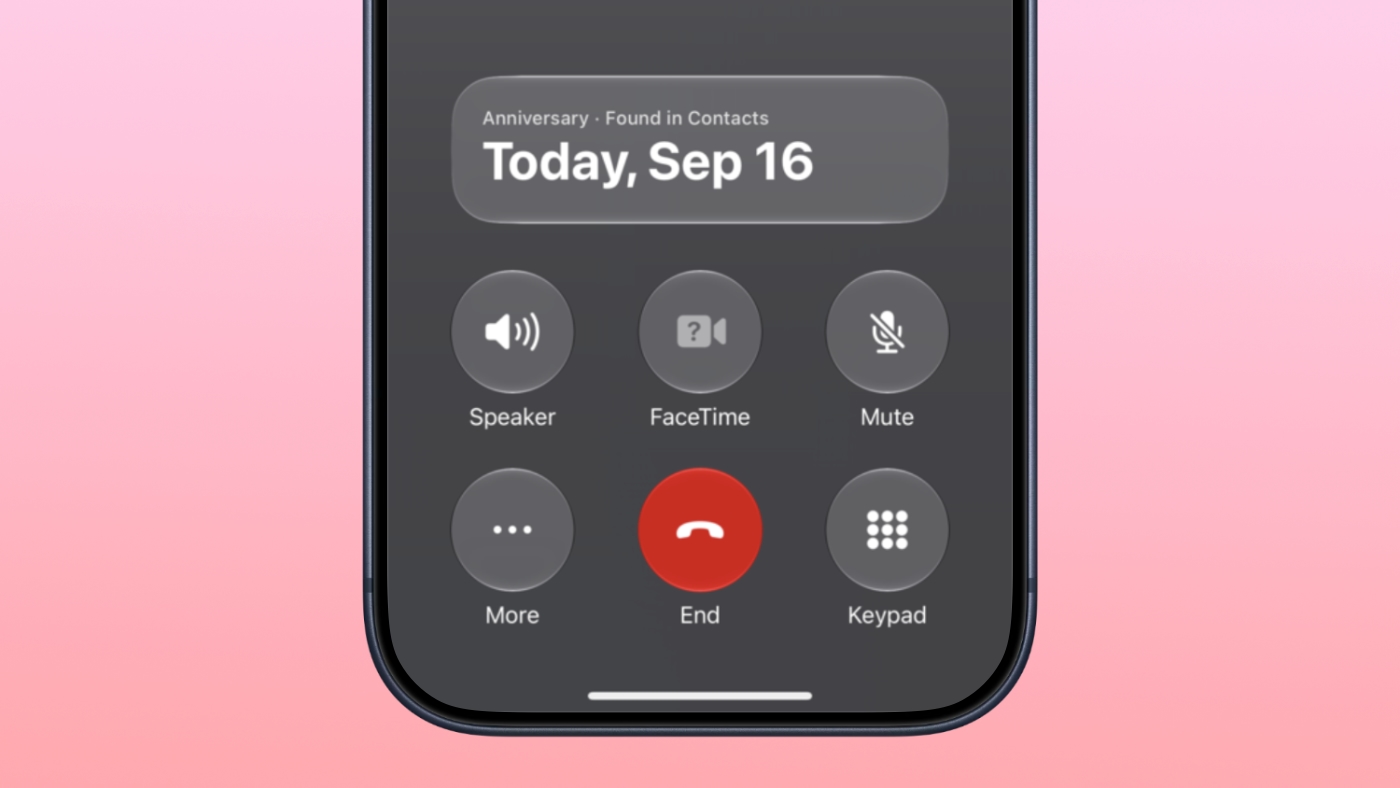
Apple added anniversary alerts to the Apple Intelligence Call Context feature. If you make a phone call to someone and you have an anniversary for them set in the Contacts app, you'll see a reminder in the Phone app.
CarPlay
There are themes for CarPlay Ultra that include options for wallpaper, gauge style, and color. Code suggests ambient lighting in supported vehicles will also match the color of the selected theme.
Siri AI Languages
Siri AI is available in French, Japanese, Korean, Portuguese, and Spanish in the iOS 27.2 beta.
Apple TV App
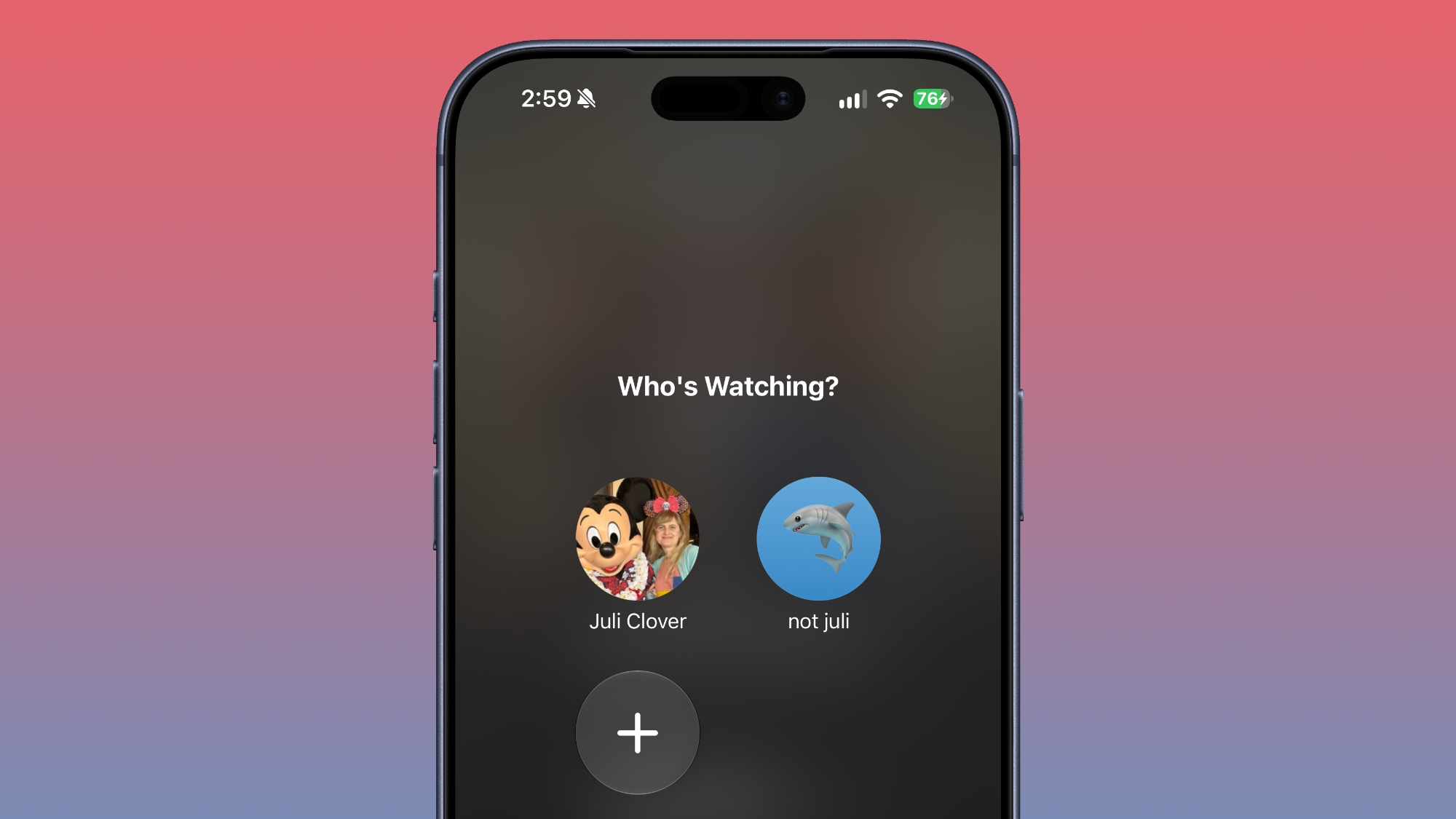
Apple extended Apple TV app profiles to the iPhone and iPad in iOS 27.2. Apple TV app users can create profiles in the account settings section, and then swap between those profiles. Profiles only require a name, profile rating, and information about whether the user is a child.
Creating an account for a child limits content to a PG rating by default, but there is a customize option for more granular control. Users can select age ratings for TV shows and movies that are appropriate for the child based on their age. Profiles are useful for parents that want to hand over an iPhone or iPad to a child to watch TV content while also restricting content that's not age-appropriate.
There's also a new option to turn on sign language interpretation when available. It can be toggled on in the TV app settings.
ASL FaceTime API
Back in May, Apple said it would add a new API to FaceTime allowing developers who make sign language interpretation apps to add a human interpreter to an ongoing video call.
That feature appears to be live in iOS 27.2.
Clock
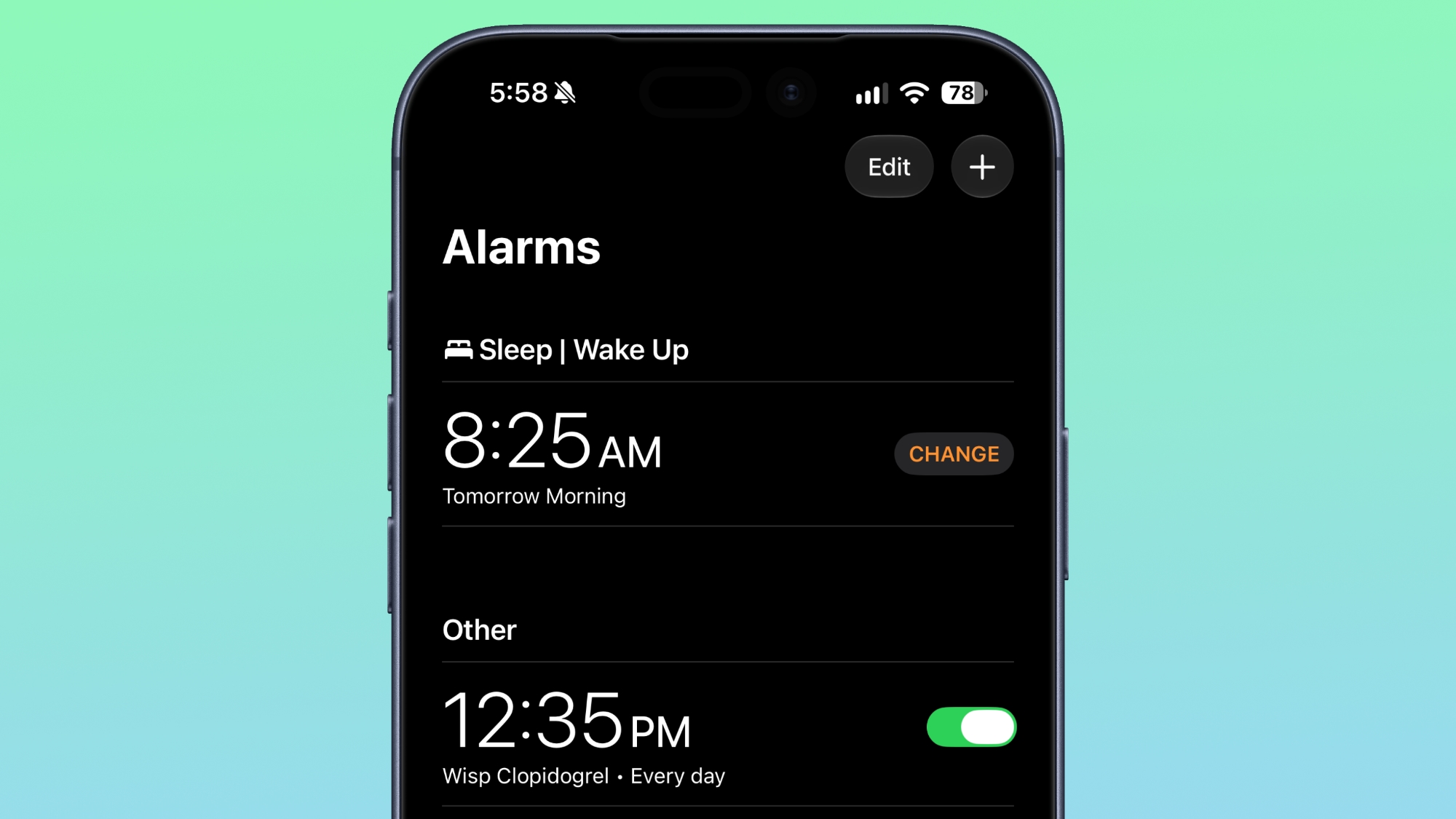
Apple tweaked how alarms appear in the Clock app. The a.m. and p.m. readouts are now smaller than the time.
Music
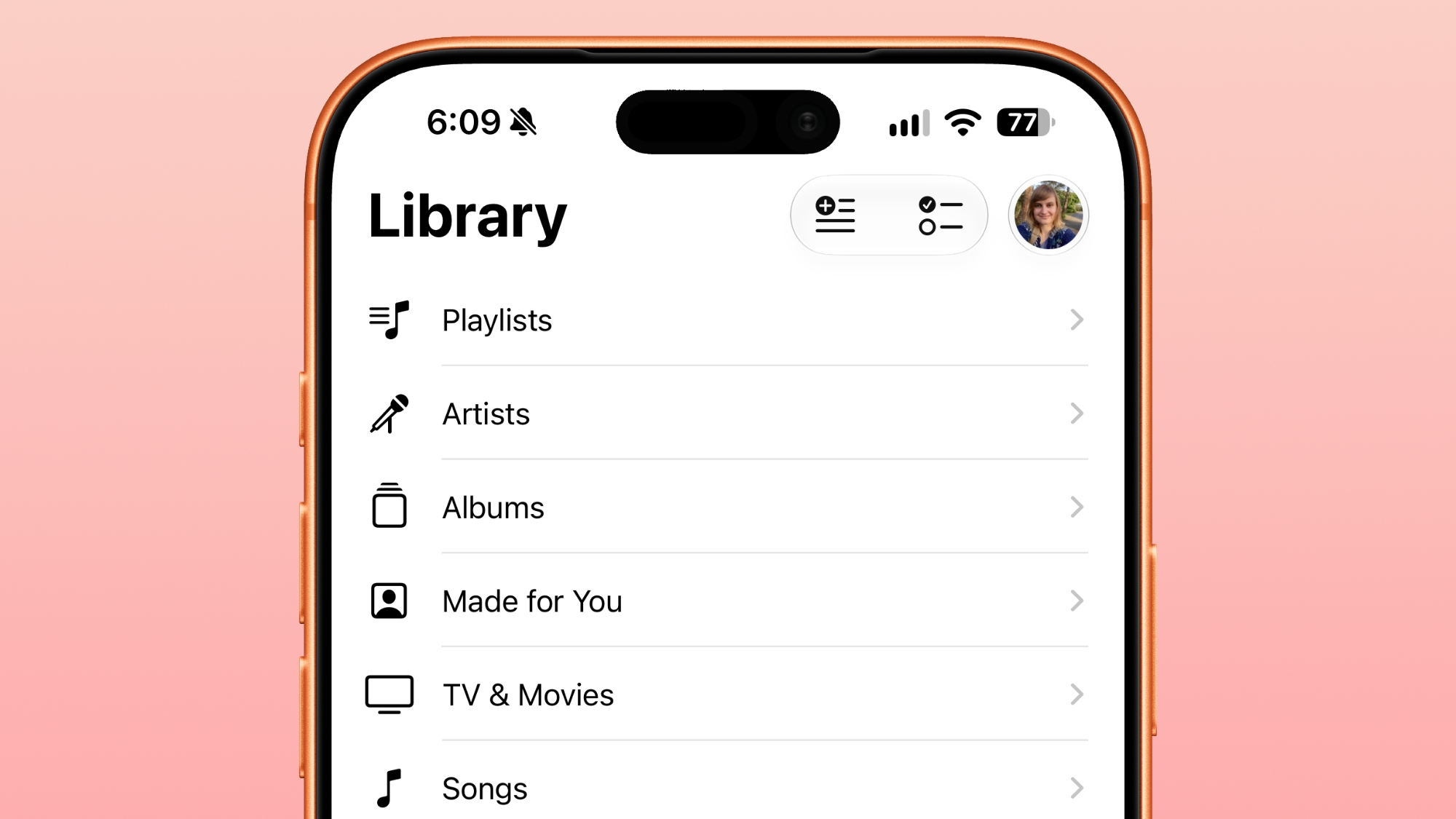
In the Music app, some of the red accents have been removed. The Play and Shuffle buttons in Library are black instead of red, as are all of the icons next to the Library sections.
Siri
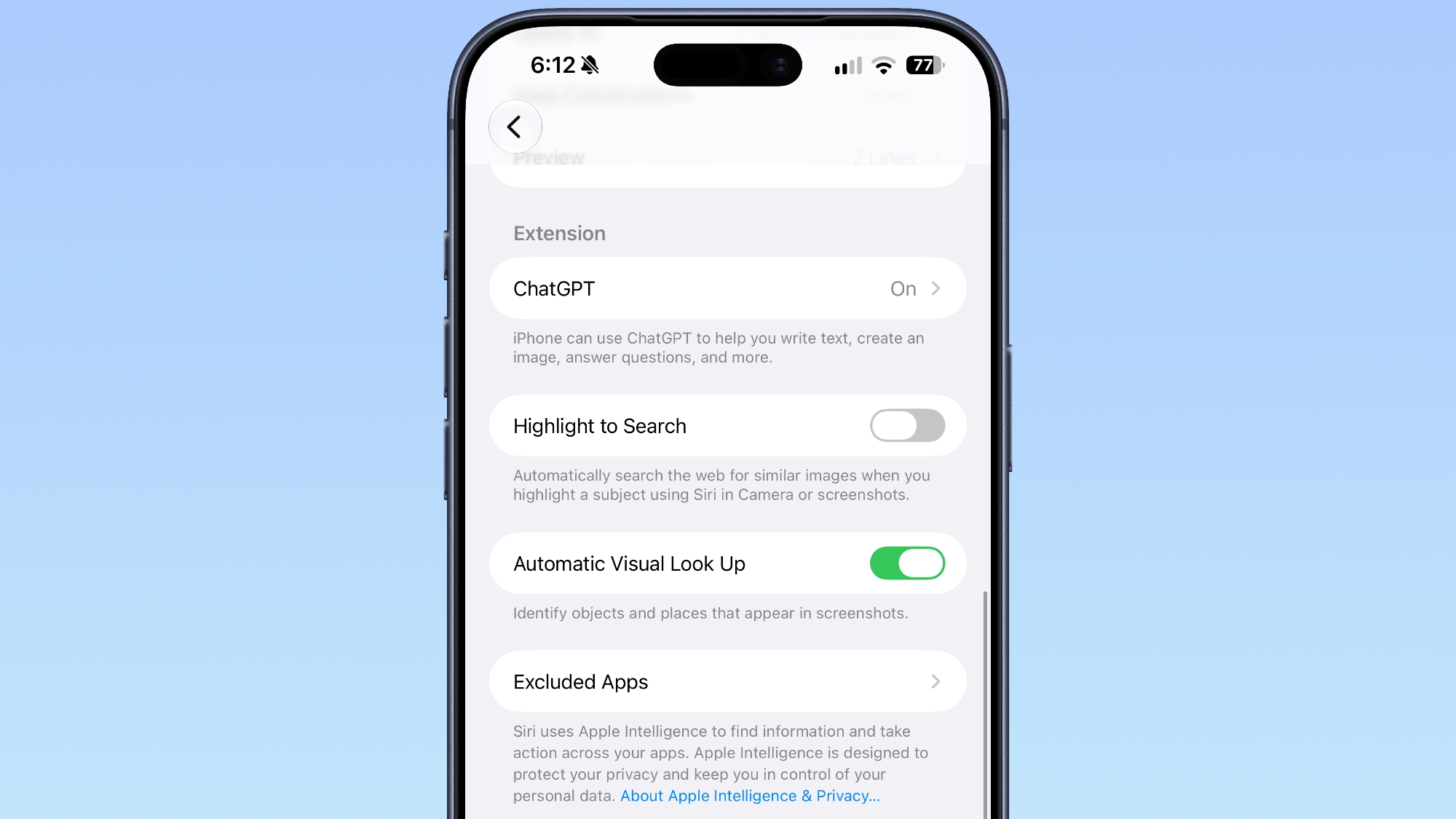
App Access in the Siri section of the Settings app is now named "Excluded Apps." Tapping on "Add Apps" brings up a list so multiple apps can be excluded at once. Apps previously had to be excluded one by one.
Adding an app to the Exclude list prevents it from showing up in Siri, Search, and suggestions.
Podcasts
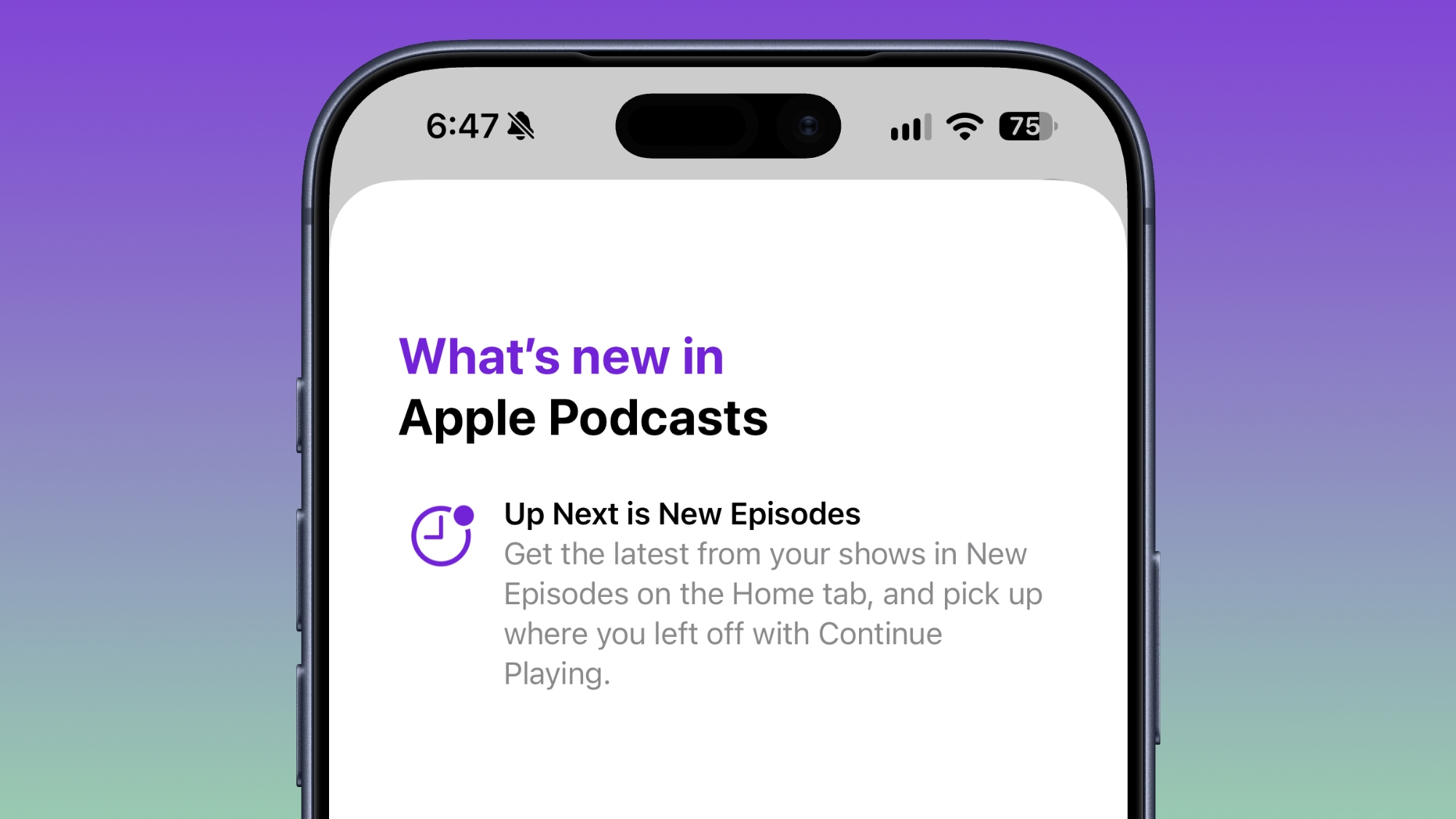
Apple renamed Up Next to New Episodes, with a Continue Playing option directly below it.
App Tracking Transparency
According to Apple's release notes for the update, App Tracking Transparency supports an alternative expanded prompt for EU users along with re-prompting on an annual basis. The alternative prompt is required for users in France, Germany, Italy, Poland, and Romania.
The iPhone Duo status icon introduces a new approach to information that has occupied the top edge of the iPhone display for nearly two decades. Instead of treating Wi-Fi, cellular signal, battery status, and other indicators as a conventional horizontal row, Apple has created a flexible circular system that sits in the corner of the foldable iPhone’s display.
Apple officially describes the feature as a “circular, flexible system” within the status bar rather than one fixed icon containing every piece of information at all times. The distinction is useful: the area can adapt according to context while consolidating status information into a smaller visual region.
It is part of a much larger rethink of iOS 27 specifically for iPhone Duo. The foldable device changes the proportions available to software, particularly when its 7.6-inch inner display is open, forcing Apple to reconsider interface elements that have traditionally stretched horizontally across an iPhone screen.
The status system is one of the smallest changes visually, but it illustrates how extensively Apple has adapted iOS around the new hardware.
Image Credit: Apple Inc.
iPhone Duo status icon replaces the traditional horizontal approach
Conventional iPhones distribute system information across the upper portion of the display. Cellular strength, network type, Wi-Fi connectivity, and battery status typically occupy space around the camera hardware and Dynamic Island.
iPhone Duo approaches that area differently.
Apple says its circular status system nestles into the corner of the screen and presents relevant information including Wi-Fi, cellular strength, battery status, and more. Rather than requiring a long horizontal strip, those indicators can occupy a compact area that works with the device’s unusual screen geometry.
The change is closely connected to the way iPhone Duo handles controls throughout iOS 27.
Apple has moved several interface elements to the side of the display. App navigation, toolbars, the Home Screen Dock, and some Lock Screen controls can use vertical space instead of occupying the familiar horizontal regions found on other iPhones.
The status system therefore becomes part of a vertical interface column rather than an isolated redesign.
This arrangement lets content use more of the display’s height while keeping frequently referenced system information visible. It also creates a consistent location for status details as users change how they hold or fold the device.
A flexible status system suits a foldable iPhone
A foldable phone presents an interface problem that a traditional slab-shaped iPhone does not have.
iPhone Duo can operate through its 5.4-inch outer display or its substantially larger 7.6-inch inner screen. The device can be opened completely, partially folded, rotated, or positioned like a small book.
A static status bar designed around one screen size and orientation would be less effective across those configurations.
Apple instead built iOS 27 so that interface elements can move as the physical device changes. Content reacts to folding, controls relocate, and layouts adjust around the hinge and available screen area.
Apple’s developer guidance provides additional detail about this philosophy. On iPhone Duo, navigation and toolbar controls share vertical space with system elements such as the status bar and Live Activities. When available room becomes limited, application controls can collapse into an overflow menu.
That makes the circular status area part of an adaptive system rather than a cosmetic flourish.
Developers do not need to manually reproduce the status treatment inside their apps. Apple’s standard interface frameworks handle much of the adaptation, especially when applications use native navigation, toolbar, and tab-bar components.
Image Credit: Apple Inc.
Dynamic Island also moves to the side
The status area is not the only familiar piece of iPhone interface that changes position on iPhone Duo.
Apple has redesigned Dynamic Island so that it can sit vertically along the side of both the outer and inner displays. It can expand from that position to present alerts and Live Activities.
The relationship between Dynamic Island and the new circular status system is particularly interesting because Apple now has two dynamic interface areas operating along the same side of the screen.
One communicates persistent device information such as network and battery status. The other handles temporary activity, alerts, and live information.
Apple’s developer documentation refers to this section as shared vertical space. Application controls may also occupy it, meaning iOS has to continuously decide how much room is available and which elements deserve priority.
That is a major departure from the long-standing assumption that the upper corners of an iPhone screen simply contain a predictable row of small status symbols.
On Duo, those regions have become active parts of the interface layout.
Wi-Fi, cellular, and battery remain immediately recognizable
Consolidating status information creates a design challenge: efficiency cannot come at the expense of readability.
Users have spent years learning the meanings of Apple’s individual status symbols. Cellular bars indicate signal strength, the Wi-Fi symbol communicates wireless connectivity, and the battery icon provides an immediate indication of remaining power.
Apple has not discarded those familiar concepts.
Instead, the circular system changes how and where information is presented. The familiar status categories remain present while the container around them becomes more adaptable.
This is particularly useful on a device with two displays. Users should not need to relearn the meaning of basic connectivity information when moving from the outer screen to the inner display.
The same reasoning applies when iPhone Duo changes orientation. Apple can reorganize the status area without changing the fundamental visual vocabulary behind Wi-Fi, cellular, or battery information.
Image Credit: Apple Inc.
iPhone Duo pushes the status bar beyond a fixed strip
The new design suggests a different direction for one of the oldest pieces of smartphone interface.
Status bars traditionally behave like reserved strips of screen space. Applications work around them, and their icons occupy predictable positions regardless of what is happening elsewhere.
iPhone Duo turns that space into something more fluid.
The circular system can coexist with a vertical Dynamic Island, changing application controls, Live Activities, and layouts that respond to the physical position of the foldable display. It becomes another component that iOS can arrange rather than a fixed row placed permanently along an edge.
There is no indication that Apple plans to bring the same circular status treatment unchanged to conventional iPhones. Its current implementation is specifically tied to iPhone Duo and the interface requirements created by the foldable hardware.
Still, the design provides a glimpse at how Apple can rethink even deeply established iPhone conventions when the shape of the device changes. When iPhone Duo reaches customers on October 23, the small circular area in the corner will be one of the most immediately visible examples: cellular strength, Wi-Fi, battery information, and other system details occupying a shared adaptive space instead of stretching across the display.
Screen Time has received one of its most substantial parental-control updates with iOS 27, iPadOS 27, and macOS 27, adding new ways for parents to manage how long children use categories of apps, which websites they can visit, and what content reaches them through Messages and FaceTime.
The features were previewed at WWDC in June and are now available as part of Apple’s latest operating-system releases. Rather than relying only on fixed app limits, the redesigned Screen Time gives parents a more flexible set of controls that can change throughout the day and adapt as a child gains access to more apps and services.
Among the additions are Time Allowances, Ask to Browse, a simpler child-device setup process, expanded Communication Safety protections, and faster controls for temporarily pausing or extending access.
Apple is also working with the American Academy of Pediatrics to adapt the organization’s Family Media Plan into guidance parents can reference when setting up devices and Screen Time.
Screen Time introduces Time Allowances by app category
Time Allowances give parents a daily amount of time that can apply across categories including Entertainment, Games, and Social Media.
That differs from managing each application individually. Parents can set time allowances for categories such as Entertainment, Games, and Social Media, then adjust those settings based on the needs of their household.
Apple provides suggested starting points based on a child’s age and guidance informed by clinical and child-development research. Those recommendations are optional, with parents able to change them based on their own household and the individual child.
The updated Screen Time also supports schedules that control which apps remain available at different periods of the day. Parents can therefore create separate access patterns around school, homework, evenings, and weekends rather than relying on one universal daily restriction.
Temporary adjustments have been made easier as well. Parents can quickly limit access to apps and the web during periods such as meals, then restore access without rebuilding their existing restrictions. When a child reaches a limit, they can request additional time from a parent to complete an activity or finish a conversation.
The redesigned interface puts device usage and the most frequently used applications closer to the front, reducing the amount of navigation required to understand how a child is spending time on a device.
Image Credit: Apple Inc.
Ask to Browse extends parental approval into Safari
Ask to Browse brings a permission model already familiar from app downloads to the web.
When the feature is active, a child who attempts to visit a new website in Safari can be required to request permission first. The parent receives the request through Messages and can review it before allowing access.
The feature is available across iPhone, iPad, and Mac and works alongside existing web-content restrictions.
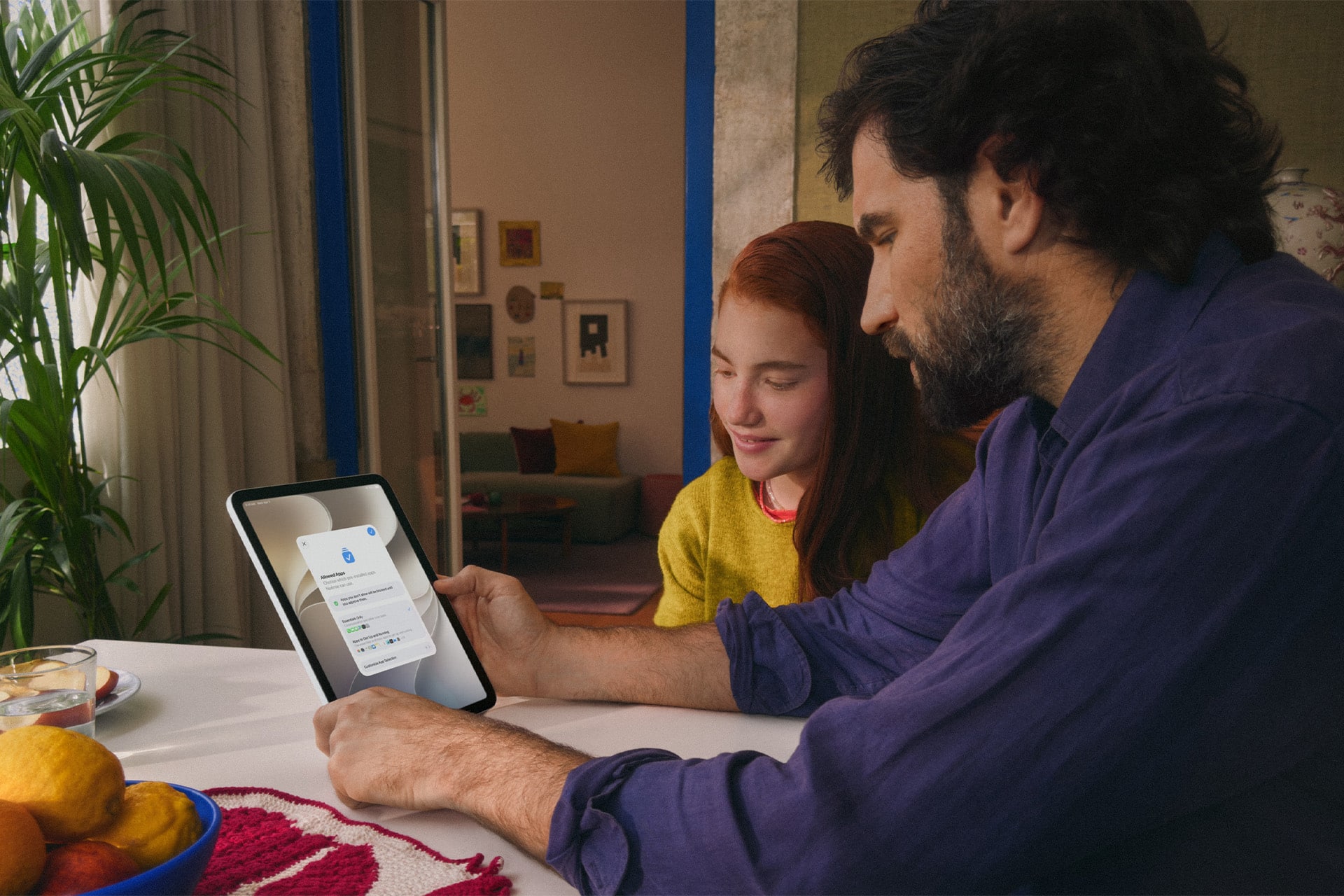
It complements Ask to Buy, which requires children to obtain permission before downloading or purchasing an app or making an in-app purchase. Apple has also expanded the initial setup process so a parent configuring a personal device for a child can choose which apps are available from the beginning.
Setup Assistant offers the option to provide only essential apps, use a recommended group, or manually choose which ones are permitted. More applications can then be introduced later as the parent decides the child is ready for them.
The approach gives parents a way to begin with a comparatively limited device instead of configuring a full standard account and removing unwanted access afterward.
Communication Safety expands beyond detected nudity
Communication Safety now intervenes when it detects gore or violent imagery in shared photos and videos, expanding protections that previously centered on nudity.
Apple says the feature works with content shared through areas including Messages and FaceTime, with the new protection also extending to live FaceTime calls.
Communication Safety is designed to intervene before a child views or shares detected sensitive material. Apple has previously built these protections around on-device analysis, allowing the system to identify content without requiring Apple to receive the underlying images.
Parents can also continue controlling who children communicate with. Contact-management settings can require approval before a child adds someone new and then communicates through Phone, Messages, or FaceTime.
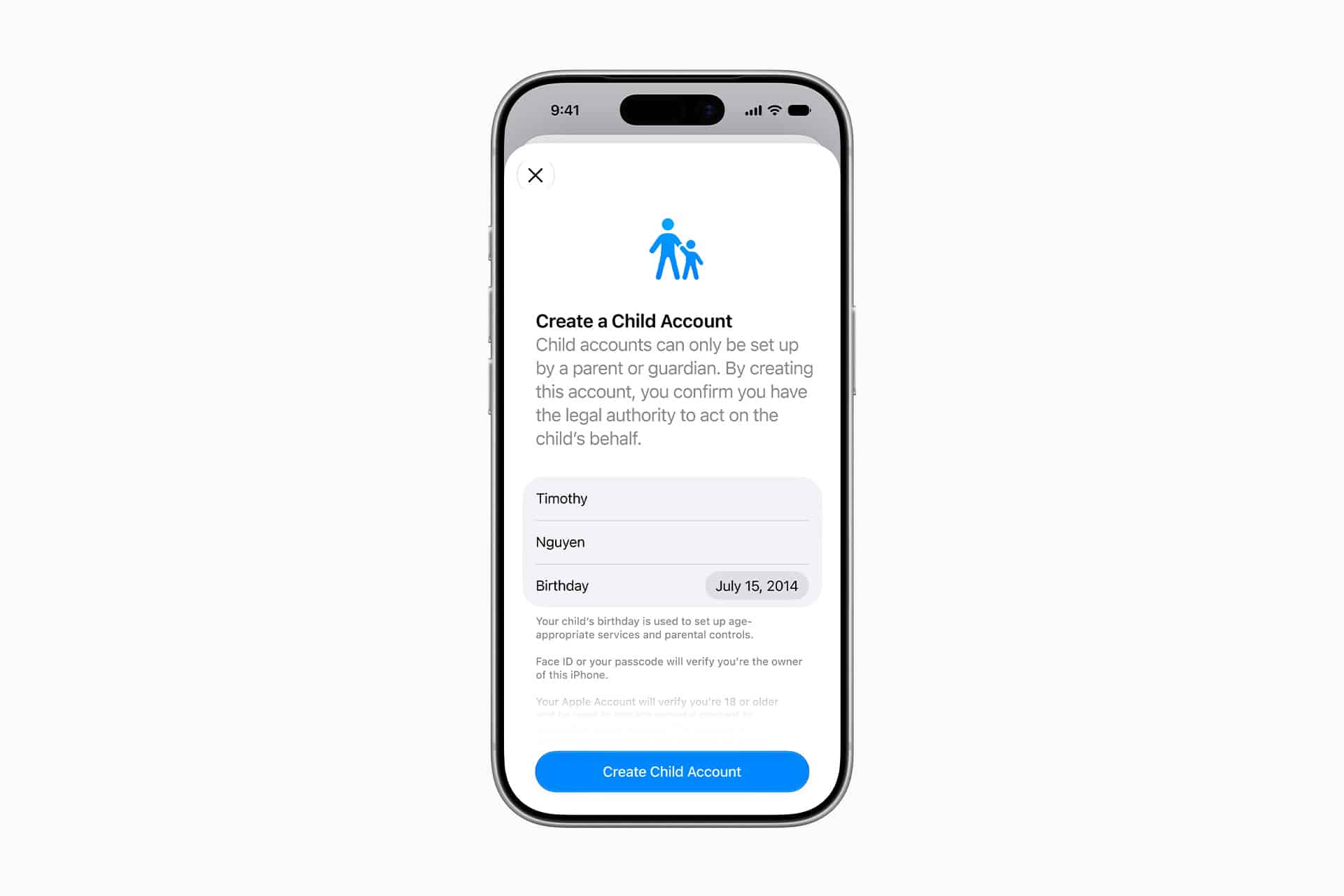
Child Accounts remain the foundation for these controls. Apple generally requires Child Accounts for children under 13, although the applicable age can vary by state, country, or region. Child Accounts remain available for family members up to age 18.
The accounts automatically activate age-based safeguards and connect parental controls through Family Sharing.
Image Credit: Apple Inc.
iOS 27 requires the family’s devices to stay in sync
The new Screen Time controls arrive with one practical requirement: devices participating in the same Family Sharing setup need current software.
Apple says all devices in the Family Sharing group must be updated to the corresponding 27-generation releases — iOS 27, iPadOS 27, macOS 27, watchOS 27, and visionOS 27 — before the updated Screen Time controls can be used consistently across the family.
The family organizer, parent, or guardian must also update the parental-control configuration after the software upgrades.
That requirement is worth checking before troubleshooting a missing setting on one child’s device. If every device in the group cannot be updated, Apple says the family can continue using the previous version of Screen Time and its parental controls, but the new controls will not be available consistently across the group.
The features themselves also vary by platform. Ask to Browse and Time Allowances are available on iPhone, iPad, and Mac, while some Family Sharing and communication features extend to other devices.
Apple has launched a dedicated Child Safety site alongside the software release, collecting setup instructions, explanations of Child Accounts, Screen Time controls, communication protections, App Store age tools, Find My, and Apple Watch options for families.
The updated Screen Time controls are available now with iOS 27, iPadOS 27, and macOS 27, although individual features can vary by region, language, and hardware. For families upgrading several devices at once, checking every device in the Family Sharing group for its corresponding version 27 update is the most useful place to start.
With the iOS 27.2 beta, Apple is testing the new Health app that it previewed at its September iPhone event. The app has been entirely overhauled, with new Insights and Longevity tabs that give you more information on your health and fitness metrics.
The Insights tab shows your most recent health data, such as Activity Rings, heart rate, sleep score, and vitals. It'll eventually show personalized guidance, but that feature hasn't been added yet.
Apple Watch Series 12 and Ultra 4 owners will see a readiness score calculated from recent activity, vitals, and sleep score to help them decide whether to take a recovery day or push harder.
The Longevity tab looks at your health data over time to calculate your Health Age based on activity level, VO2 max, sleep time, and other metrics. It also uses fitness assessments you can do right on your iPhone to check flexibility, balance, and VO2 max.
Apple plans to offer a $119 laboratory panel from Quest Diagnostics, which will also contribute to the Health Age score. For now, you can upload your recent lab results.
Getting the most out of the Health app requires an Apple Watch or another fitness device that integrates with it.
While the Health app is being tested in the iOS 27.2 beta, it won't be part of the iOS 27.2 release. It will instead launch later this year.
The iOS 27.2 beta that Apple released today adds a feature that reminds you it's your anniversary when you call someone, as long as you've added the date in the Contacts app.
On the date of your anniversary, when you go to call the person, you'll see a reminder that it's an important day so you don't forget to say something. The anniversary alert uses Call Context, a feature Apple added in iOS 27.
Call Context brings up information from emails and other sources when you place a phone call. If you place a call to an airline and you have an email with a flight confirmation number for that airline in the Mail app, it surfaces that confirmation number so you don't have to go digging for it.
In iOS 27, Call Context works with birthdays, and it shows a fireworks animation when you're placing a call. iOS 27.2 adds anniversaries, but unfortunately, it doesn't come with a new animation.
The Call Context anniversary option draws from your Contacts app. To add an anniversary to a contact, open the Contacts app and select their name. Tap "Edit" in the corner, then tap "add date," and the first suggestion under date is anniversary.
You can also ask Siri AI to add the anniversary date to the person's contact card if you have a device that supports Apple Intelligence.
iOS 27.2 is in beta right now, and it is expected to launch in October.
Apple today seeded the first beta of an upcoming iOS 27.2 update to developers for testing purposes, with the update coming just two days after the iOS 27 launch. Apple also seeded an iPadOS 27.2 beta.
Registered developers can download the beta updates by opting in under Settings > General > Software Update and selecting the iOS 27 developer beta.
Siri AI will be available in new languages later this year, and support could be added in iOS 27.2. Apple is adding French, Japanese, Korean, Portuguese, and Spanish in October.
Two Apple Intelligence features were removed from the launch version of iOS 27, and those could also be reintroduced as soon as iOS 27.2. Apple delayed suggestions in Messages conversations and the option to automatically fix compromised and weak passwords using AI.
Apple also plans to debut a new Health app experience, and we could see that in the beta as well.
Apple releasing an iOS 27.2 beta ahead of a iOS 27.1 beta is a surprise, especially because the company plans to ship the iPhone Duo with iOS 27.1. Apple may be holding iOS 27.1 until the Duo comes out, just to keep the features under wraps. iOS 27.1 will add updated app layouts and features built for the iPhone Duo's two displays. The iPhone Duo will have a vertical dock, vertical Dynamic Island, new dual-screen app layouts, side-by-side app multitasking, and exclusive Camera app capabilities.
Since the iPhone Duo will launch on Friday, October 23 and will ship with iOS 27.1, Apple will need to release the iOS 27.1 update before then. If iOS 27.2 includes new Siri AI languages, it too will launch sometime during the month of October.
With iOS 27.2 and iPadOS 27.2, Apple extended Apple TV app profiles to the iOS version of the app.
Apple brought Apple TV profiles to tvOS with tvOS 26.2, but the feature has been limited to the Apple TV until now.
Apple TV app users can create new profiles in the account settings section, which can also be used to swap between profiles. Profiles only require a name, profile rating, and information about whether the user is a child.
Creating an account for a child limits content to a PG rating by default, but there is a customize option for more granular control. Users can select age ratings for TV shows and movies that are appropriate for the child based on their age
Profiles are a useful feature for a parent that wants to hand over an iPhone or iPad to a child to watch TV or movie content because it restricts what's available without impacting what the parent sees when signed into their own account.
Apple just seeded the first beta of iOS 27.2 to developers for testing. Yes, you read that correctly: iOS 27.2, not iOS 27.1.
Why no iOS 27.1 beta? The answer likely relates to the iPhone Duo.
Apple previously announced that the iPhone Duo will ship with iOS 27.1, which means that software version will contain all sorts of references to the device hidden within the code. If an iOS 27.1 beta were to have been released today, it could have spoiled some smaller iPhone Duo details that did not make it into Apple's event.
The earlier iOS 27.2 beta versions at a minimum will likely have little to no iPhone Duo references within the code to prevent leaks.
Eventually, the iOS 27.1 and iOS 27.2 codebases will presumably converge, but we will have to wait and see how Apple goes about this exactly.
The first beta of iOS 27.2 includes Apple's redesigned Health app, giving developers a chance to try out the features ahead of launch later this year.
Apple's developer notes for the feature say the Health app is being tested in this beta, but it won't be in the launch version of iOS 27.2. It will instead come later in the year.
The Health app will incorporate Apple Intelligence to turn data and metrics collected by the Apple Watch into personalized guidance. Here are the new features we can expect:
Insights - The Insights tab offers an Apple Intelligence-generated summary of timely information like your latest sleep metrics or a new peak in VO2 max. There are options to get custom advice on readiness, fitness, heart health, and more in the For You section.
Personal Guidance - Personal guidance is part of the Insights tab. It knows what's important to you, and will make relevant suggestions. Apple says if you're working on your cardio, you might see a suggestion to incorporate intervals into your morning run. Recommendations adapt to each user and their data.
Readiness - The new Apple Watch models calculate a readiness score that takes into account recent activity, vitals, and sleep score. It gives a 0–10 score with recommendations on activity level. Readouts include Recover, Pace Yourself, Ready, or Go For It. Info is shown on the watch, in the Fitness app, and in the Health app's Insights tab.
Fitness - Insights incorporates your daily activity and it updates throughout the day.
Vitals - The Vitals option in the Health app has new overnight views and daytime views. HRV is incorporated as a metric, offering a better look at your ability to recover from stress. It measures overall HRV and recovery HRV.
Longevity - There is a new Longevity tab in the Health app. It uses metrics from your iPhone and Apple Watch to assess overall health across heart health, sleep, mental wellbeing, movement health, metabolic health, hearing, and nutrition. The section shows you how well you're doing in each category, and how each metric is classified against the latest clinical guidance.
Health Age - Health Age is part of the Longevity tab. It uses metrics like VO2 max, resting heart rate, HRV, sleep, and biomarkers from blood work to determine how your health metrics compare to your actual age. It will help you figure out what habits make the biggest impact on your health, and how you can improve.
At-home health assessments like a VO2 max test will be coming to the Health app, taking advantage of the iPhone's camera to track your movements as you follow instructions from a trainer. There will be in-depth physical assessments for measuring flexibility, strength, balance, and movement mechanics in addition to VO2 max.
Apple also plans to eventually offer U.S. users the option to buy a bloodwork panel from Quest that covers more than 50 biomarkers. The test is priced at $119, and users will be able to order it right in the Health app.
Not all of the new features are going to be available in the beta. CNET says ordering labs, personalized health info in the Insights tab, and personalized recommendations will not be available until later in the year. Features are going to roll out progressively.
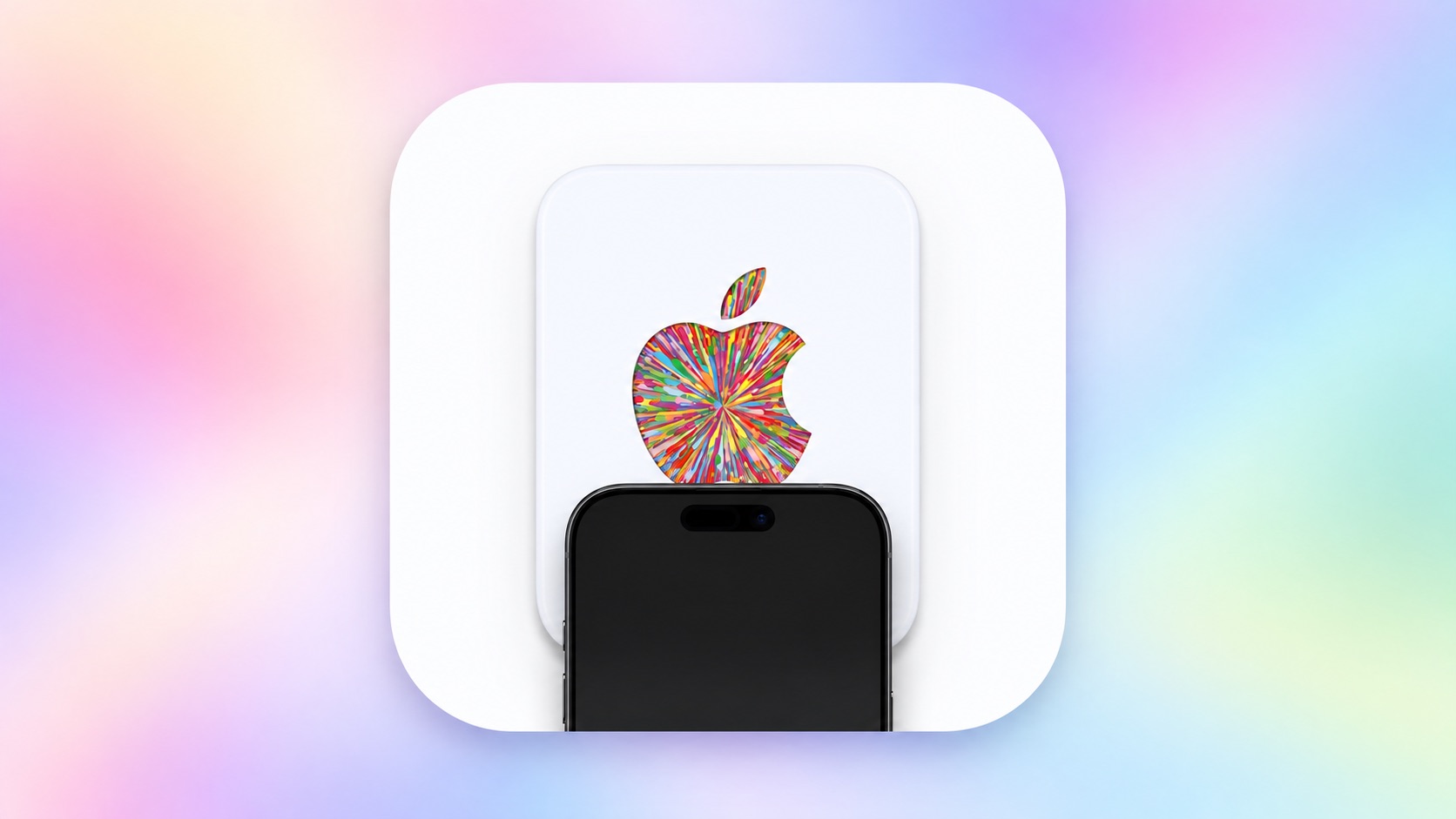
Last week, our team discovered code in the iOS 27 Release Candidate that revealed there will be a new NFC-based way to redeem Apple gift cards by tapping them on the back of a compatible iPhone, and now a demo of the feature has surfaced.
While the functionality does not appear to be live yet, Karta co-founder David Anderson figured out a workaround to get the new gift card interface to appear on iOS 27 and shared a video of it in action on his LinkedIn page today.
Apple's new gift cards will have fine print on the bottom of the card that says "hold iPhone here to redeem," and then a redemption flow will automatically pop up on iOS 27. You can then proceed to check the balance of the card and redeem it. Alternatively, the fine print says that customers can still visit apple.com/redeem for manual redemption.
Specifically, customers will be instructed to hold the top, rear side of their iPhone near the bottom of the Apple gift card to initiate NFC-based redemption.
NFC-based redemption will seemingly help to combat Apple gift card scams, but we do not have all of the details yet. During the redemption process, Apple will verify that the card is authentic and unspent, according to iOS 27 code. For security reasons, the interface may show "this card has been blocked" or "cancelled" if necessary.
iOS 27 is compatible with the iPhone 11 series and newer, all of which support NFC, so this new Apple gift card redemption method should be widely available. However, the feature has yet to be announced by Apple and we do not know when it will launch.
Our solution hinges on splitting the Apple Reference Image process into two phases: creating a secure digital negative, and developing that negative into a reference image. Each phase receives our strongest protections.
[…]
Apple Reference Image provides both a lower bound and an upper bound on capture time from Apple’s cryptographic timestamp service, and we guarantee the photo was taken between the two bounds. On a regular heartbeat, the device requests a cryptographic timestamp token, and retains the most recent one it has received. Globally this happens on average every 15 minutes, though the interval depends on local network conditions. This provides a proven lower bound timestamp for the photographic capture. After capture, the device requests a second timestamp to use as an upper bound, and both timestamps are embedded and signed with the sensor data.
[…]
When the user chooses to create a reference image, the device uploads the digital negative to PCC, which runs the processing steps needed to render the image — including demosaicing, tone mapping, and compression — in a highly secure, private, and verifiable environment. Experts can verify that PCC doesn’t alter a digital negative during development: they can examine the software that does the work.
[…]
Finally, as no security system is perfect, we created a revocation system that can revoke individual photos, as well as all photos from a specific sensor.
[…]
We built Apple Reference Image to avoid using an explicit, public credential for photographers, and to avoid even implicit public association between different photos taken by the same sensor. The final reference image is instead signed by Apple’s signing service, after validation by PCC.
GM made the decision to drop Apple CarPlay and Android Auto phone casting from its newer EVs, and it’s one we’ve been pretty critical of. Although the automaker told us it made that decision in order to offer a better, more unified experience to its customers, that may well have changed: here, customers still have the choice to just cast their phone to the center screen.
And it has done a better job of integrating CarPlay and Android Auto into the experience, putting the casting apps in a large window or tile that takes up most but not all of the infotainment screen. To the left is another card that allows you to access other native apps, like towing or music (although you can still have CarPlay as the source for that native music app, should you start feeling a little Inceptionish). Porsche took a similar approach to working with, rather than against, users who enjoy CarPlay, and this looks like a welcome step from GM.
GM’s spokesperson wouldn’t be drawn on whether this means we’re going to see a corporate retreat from the previous stance on EVs, but I will note that the press release it sent Ars does say that the system was built “as a single scalable foundation across electric, gas and diesel-powered vehicles, it transforms time spent behind the wheel into an effortless, personalized journey,”—emphasis mine.
The car industry accidentally did something I’ve always wanted to see, which was to release basically the same car under two brands and models, with one major consumer-facing difference. It’s kind of remarkable how good of a experimental design this is, since the performance and driving characteristics of both cars are identical, but drivers in one model get a major phone integration the others do not.
[…]
For the years these cars were sold together, the Honda outsold the Blazer by 43%, 73%, and 166% in each time period. Today in 2026, people are buying a Honda Prologue over one and a half times more often than the Chevy Blazer EV the Prologue is based on.
My favorite CarPlay feature is when it’s reading a text message to me and I go to tap the “Done” button and it suddenly turns into a “Call” button underneath my finger and I have to wait for all of the animations to finish before I can actually end the call and then I wonder (a) did the person notice that I called them for a few seconds and (b) do I need to explain that now and (c) are they going to call me back now and (d) HOW DID THIS INTERFACE EVER SHIP oh my god
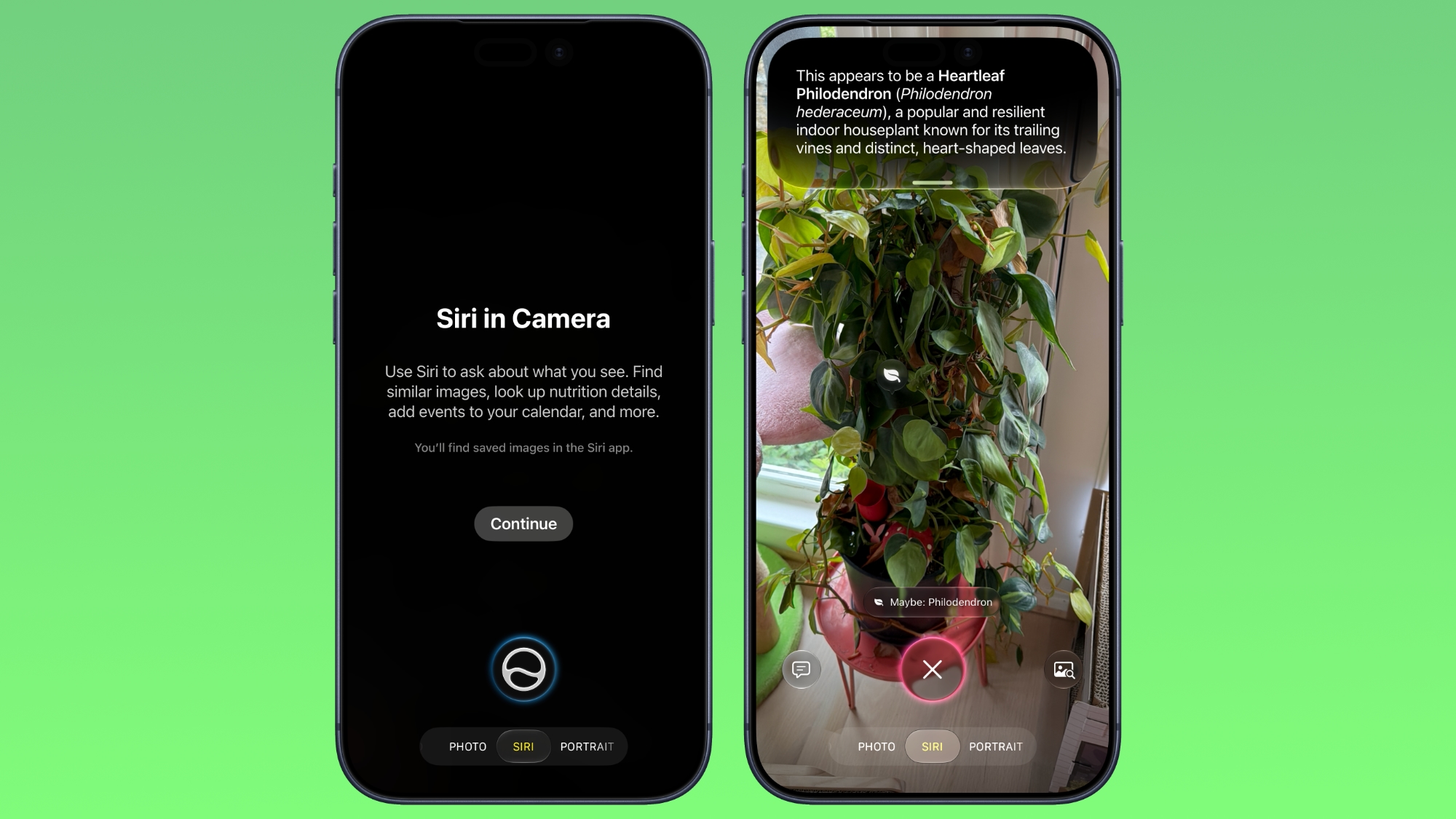
In iOS 27, available now, Apple has made some changes and additions to the iPhone's stock Camera app, including the addition of a new Siri mode.
Available in addition to the Video, Photo, and other camera modes, Siri mode can be accessed by swiping across the mode carousel at the bottom of the screen.
The new mode uses Visual Intelligence to identify objects in the frame and provide information about them. It can be used to identify plants, animals, food, and more. If it's food you want info on, for example, it can tell you what it is, and how many calories are in it.
Other examples Siri mode can be used for include capturing a photo of an event flyer and adding a date to the Calendar app, text translation, splitting a bill, and more.
In Siri mode, a button on the right lets you search Google Images, and a button on the left lets you ask a specific question. So you can ask for help to cook the food in the frame, for instance.
Apple has also tweaked the way the camera interface works in other ways. Quick access tools for activating flash, Live Photo, and Night mode are now located at the top-center of the UI, while the full set of tools can be accessed from the bottom-right instead of the top-right. It's also possible to customize which controls are displayed at the top of the screen.
Apple made iOS 27 available to download on supported iPhone models on September 14, a few days ahead of the launch of new iPhone 18 Pro models on September 18.

 Login
Login