Sul Galaxy Store è stato individuato un servizio Samsung chiamatoGallery Cloud Sync. La descrizione parla della possibilità di effettuare il backup di foto e video su 'Google Cloud' e di ritrovarli sugli altri dispositivi. Il riferimento sembra essere proprio a Google Foto, che verrebbe quindi integrato direttamente nella Galleria Samsung
La funzione non è ancora disponibile pubblicamente, ma è già stato possibile attivarla in anteprima. Nelle impostazioni della Galleria compare una voce per collegare l'account Google, con l'indicazione dello spazio di archiviazione disponibile, la possibilità di scegliere quali album sincronizzare e alcune opzioni relative all'uso del Wi-Fi e del roaming.
Per chi utilizza oggi OneDrive il funzionamento dovrebbe quindi cambiare poco: foto e video continuerebbero a essere gestiti dalla Galleria Samsung, mentre il backup passerebbe dai server Microsoft a quelli Google. I contenuti sincronizzati risulterebbero poi accessibili anche tramite Google Foto.
Samsung ha già iniziato a rimuovere l'opzione OneDrive dalla Galleria per alcuni utenti. Chi ha già utilizzato il servizio Microsoft non perderà comunque le foto salvate nel cloud: semplicemente, una volta terminata l'integrazione, non saranno più visibili direttamente dalla Galleria Samsung e resteranno accessibili tramite OneDrive.
Al momento Samsung non ha ancora annunciato ufficialmente il debutto di Gallery Cloud Sync con Google Foto. Considerando però l'imminente fine dell'integrazione con OneDrive, il lancio potrebbe arrivare tra la fine di settembre e l'inizio di ottobre.
Una delle funzionalità più interessanti dei nuovi smartphone di Google, i Pixel 11, è probabilmente Rambler, un modello AI di speech-to-text molto avanzato in grado di eliminare le parole riempitive, migliorare automaticamente formattazione e punteggiatura, e molto altro ancora. La brutta notizia è che, almeno per ora, è un’esclusiva dei Pixel 11; la buona notizia è che Microsoft sta implementando una funzione che a suo dire è del tutto analoga in SwiftKey, la sua tastiera virtuale per dispositivi Android.
Il nome cambia: da Rambler si passa a un più generico “AI Voice”, ed è per ora disponibile solo nel canale Beta della tastiera, per la precisione dalla versione 9.13.16.4. Il funzionamento è semplice: basta premere l’icona del microfono e parlare. Al termine della registrazione interviene l’AI, che elabora il testo per renderlo più pulito e leggibile. A differenza di Rambler, non viene mostrata un’anteprima in tempo reale durante la dettatura.
AI Voice funziona completamente offline: è necessario scaricare un modello linguistico in locale da qualche decina di MB (163, per la precisione, su un Galaxy Z Fold 8, stando ai test dei ragazzi di Android Central), ma dopodiché si riesce a usare anche in modalità aereo, per dire. Rispetto a Rambler, però, ci sono alcune limitazioni: tanto per cominciare, non è possibile usare i comandi vocali per modificare il testo. Del resto, la feature è ancora in Beta e le possibilità di crescita sono ancora enormi. Ancora da capire anche l’accuratezza del modello e la qualità del testo prodotto.
Shopping for a phone can be an ordeal. That’s why we’ve tested almost every Android phone, from the smartest to the cheapest—even phones that fold—to find the ones worth your money.
Shopping for a phone can be an ordeal. That’s why we’ve tested almost every Android phone, from the smartest to the cheapest—even phones that fold—to find the ones worth your money.
Nubia ha presentato in Cina il suo secondo “AI Phone”: si chiama NaviX Ultra, ed è tutto sviluppato attorno all’assistente AI Doubao di ByteDance. È l’erede di quell’M153 mostrato internazionalmente per la prima volta al MWC 2026, ed è descritto come il primo smartphone al mondo basato su un agente AI. Le specifiche tecniche e l’aspetto sono tutto sommato standard per uno smartphone di fascia alta / top:
display:
tecnologia: OLED LTPO 2.0
diagonale: 6,78 pollici
refresh rate: variabile da 1 a 144 Hz
colore: copertura completa (100%) dello spazio DCI-P3
luminosità: picco fino a 4.500 nit
DC dimming e PWM dimming a 2.160 Hz
piattaforma hardware:
SoC: Qualcomm Snapdragon 8 Elite Gen 5
RAM: 12 o 16 GB
Storage: 512 GB o 1 TB
Sistema di raffreddamento: camera di vapore da 7.100 mm².
Fotocamere:
principale: 200 MP
ultra-grandangolo: 50 MP
tele: 64 MP, obiettivo periscopico
Alimentazione:
batteria: 7.100 mAh
tecnologia: Si-C
ricarica cablata: 90 W
ricarica wireless: 50 W
Lo smartphone è spesso 7,62 mm, ed esteticamente ricorda in modo piuttosto evidente i Pixel di Google. L’elemento distintivo è il pulsante arancione sul lato che serve a richiamare l’assistente AI e fa anche da scanner di impronte digitali. L’agente è l’evoluzione della versione dimostrativa di Doubao presentata da ByteDance lo scorso dicembre e introduce miglioramenti nell’interazione, nella memoria personale, nell’esecuzione delle attività e nei controlli della privacy. L’assistente può inoltre comprendere ciò che viene mostrato sul display, analizzare immagini catturate dalla fotocamera e interpretare contenuti durante una videochiamata.
Brace yourself: The way you get around the web on Android is about to get a whole lot better.
This week, the excellent Vivaldi Android browser is rolling out an update that adds in support for the entire collection of Chrome Web Store browser extensions. That means you can enhance and adjust your mobile web experience with all sorts of interesting — and potentially shape-shifting — new improvements.
Now, with complete Chrome extension support added into the mix on Android, the advantage is growing even greater.
I’ll be honest, though: When I first saw that Vivaldi was adding in Chrome extension support for Android, I wasn’t sure what to make of it. Most of the extensions I use in my desktop browser just wouldn’t make sense on the mobile front and wouldn’t add much of meaningful value in that environment.
But then I put on my thinking cap. I did some deep digging and careful considering. And I found some Chrome extensions that actually work incredibly well in the Android arena and add a lot of interesting value into the mobile web adventure.
This is the first of a two-part collection. Today, we’ll look at five Chrome extensions that you can add into Vivaldi to save yourself steps and bring a welcome efficiency boost to your Android web work. Later this week, we’ll round out the list with another set of extensions that’ll improve the internet itself in some truly intriguing ways.
Ready to reinvent how you experience the web on your phone?
A quick primer on Android Chrome extension installation
Real quick, before we get into the good stuff: When you’re ready to try out an extension, you’ll need to have the latest version of the Vivaldi Android app on your device (obviously, right?) — then either tap the puzzle-shaped extensions icon in the toolbar at the top of the screen, if you see it, or tap the “V”-shaped main menu icon in the upper-right corner and select “Extensions” from there.
Either way you go, you’ll see an option to “Discover more extensions.” That’ll take you to the Chrome Web Store, where you can search or browse through all the available extensions and install anything with a couple quick taps.
I’ll also provide direct links to each extension I’m recommending below, so you can tap it to open it in Vivaldi on your phone and then install it directly from there.
Note, too, that that same Vivaldi Extensions menu is where you can access and manage any installed extensions moving forward. You’ll see every extension you’ve installed there, and you can deactivate or uninstall anything as well as opt to have its icon pinned into your browser toolbar for easy ongoing access.
Chrome Android extension #1: The cookie request crumbler
Our first Android Chrome extension worth considering is one that you won’t ever open or actively think about once you install it and set it up. It’s a tool that works silently in the background to automatically handle those irksome cookie preference prompts that pop up around the web — so they’ll always get answered in the way you prefer, but you’ll never actually have to see or deal with ’em (and have ’em blocking half your view, in a mobile web scenario!) again.
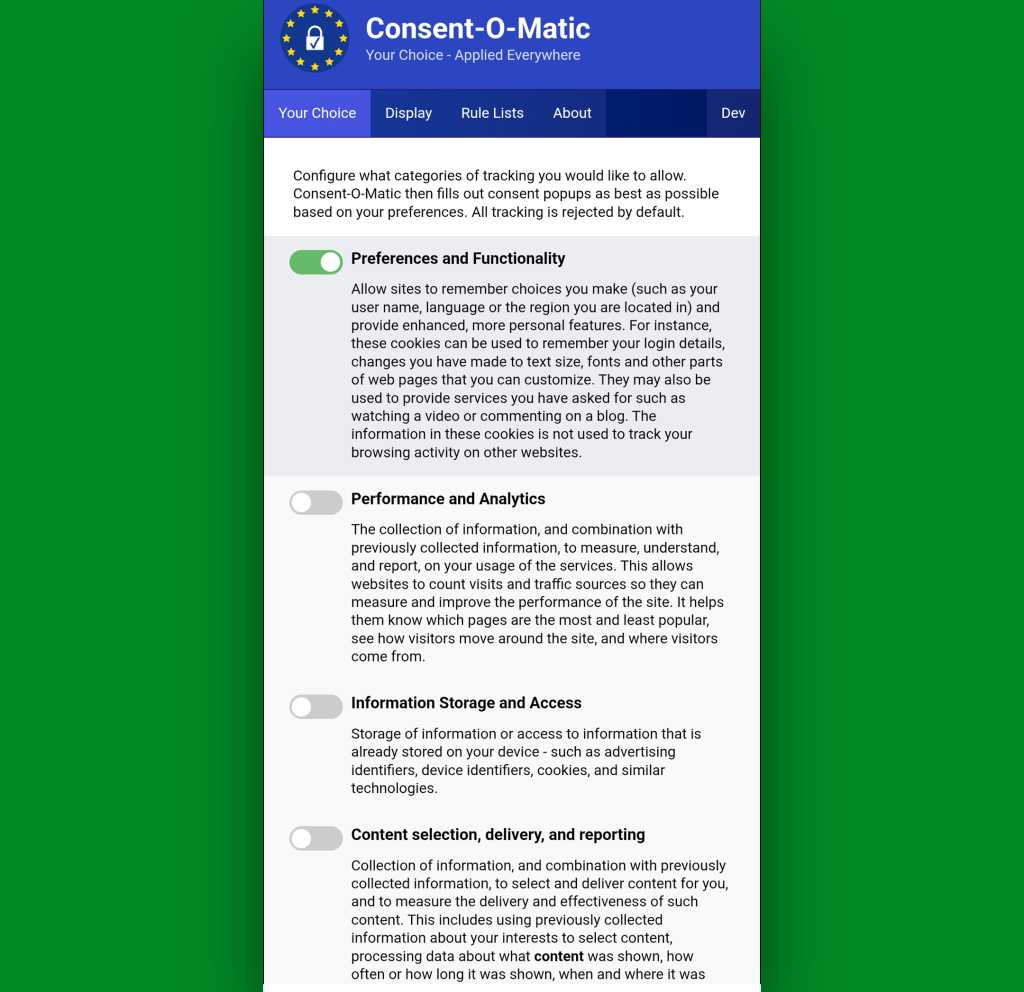
It’s called Consent-o-Matic, and the way it works is simple: You install it, open its options page once to tell it which cookies you do and don’t want to allow around the web — and that’s pretty much it. From there on out, it’ll just click on all those prompts that pop up for you, based on your preferences, and they won’t interfere with your work or irritate you anymore.
Consent-o-Matic remembers your cookie preferences and then applies them for you automatically all over the web.
JR Raphael, Foundry
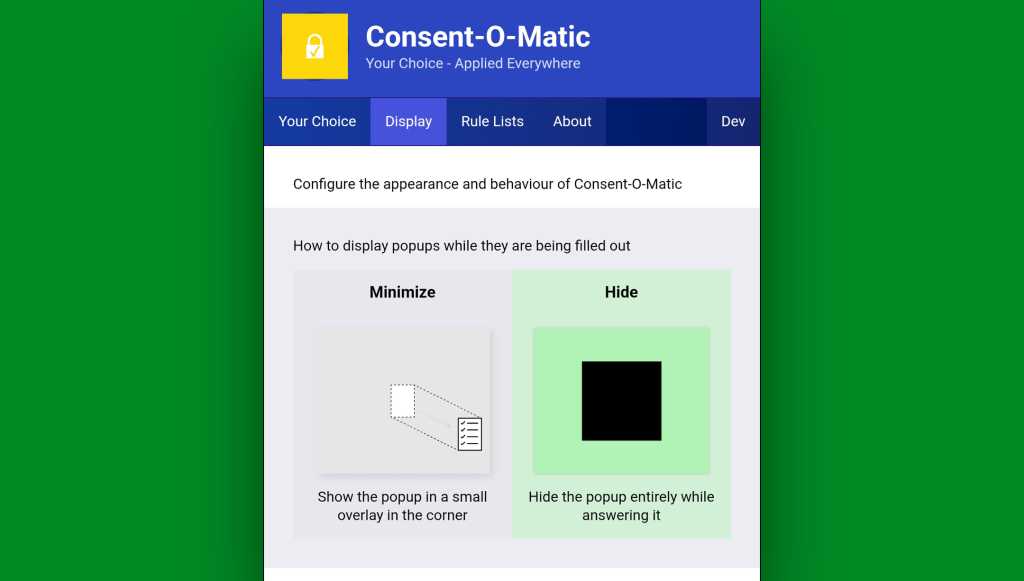
One option to look at while you’re in that initial setup area is in the “Display” tab at the top of the screen. By default, Consent-O-Matic will show any pop-ups it’s handling in a small overlay in the corner of the screen — but you can eliminate that entirely and make the process completely out of sight and invisible, if you want.
You can make Consent-o-Matic completely invisible so you never so much as see another cookie prompt again.
JR Raphael, Foundry
Yes, please — and thank you.
Chrome Android extension #2: 404 no more
Next is another quietly useful addition, and that’s the official Chrome extension for the Wayback Machineat the Internet Archive.
With the Wayback Machine extension active in your Android web browser, anytime you land on a page that for whatever reason isn’t online anymore or just isn’t available at that particular moment, you’ll see an offer to go to the page’s most recent cached version.
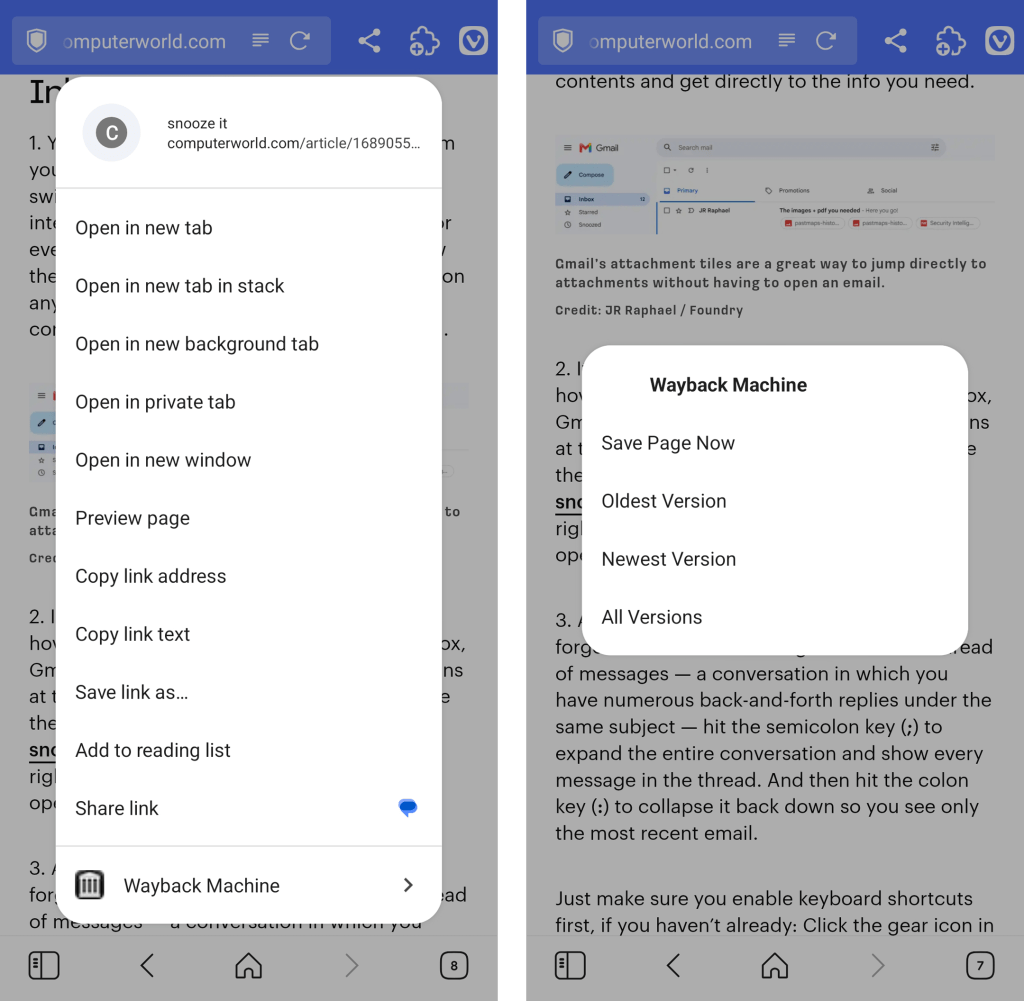
You can also call the extension up on demand to search for older saved versions of any pages by either pinning its icon to your Vivaldi toolbar or long-pressing a link within any page you’re viewing to reveal its menu of options.
The Wayback Machine Chrome extension integrates seamlessly into Vivaldi’s long-press link menu.
JR Raphael, Foundry
Chrome Android extension #3: A background open shortcut
I don’t know about you, but when I’m wading my way around the web, I find myself opening links a lot — often with the intent to look at ’em later.
Typically, that requires long-pressing on the link and then finding the option to open it in a background tab. But with a handy extension called DoubleClicker, that same action can be easier than ever.
Install DoubleClicker into your Android Vivaldi browser, and that’s it: From that moment forward, you can simply double-tap your finger on any link within any page, and it’ll open instantly as a background tab — waiting and ready for when you want it and without any waiting, poking around, or other interruptions to your workflow.
This might just be my favorite addition of all.
Chrome Android extension #4: Hands-free scrolling
The next time you’re reading something on your phone, keep a little somethin’ called Auto Scroll Extension in mind.
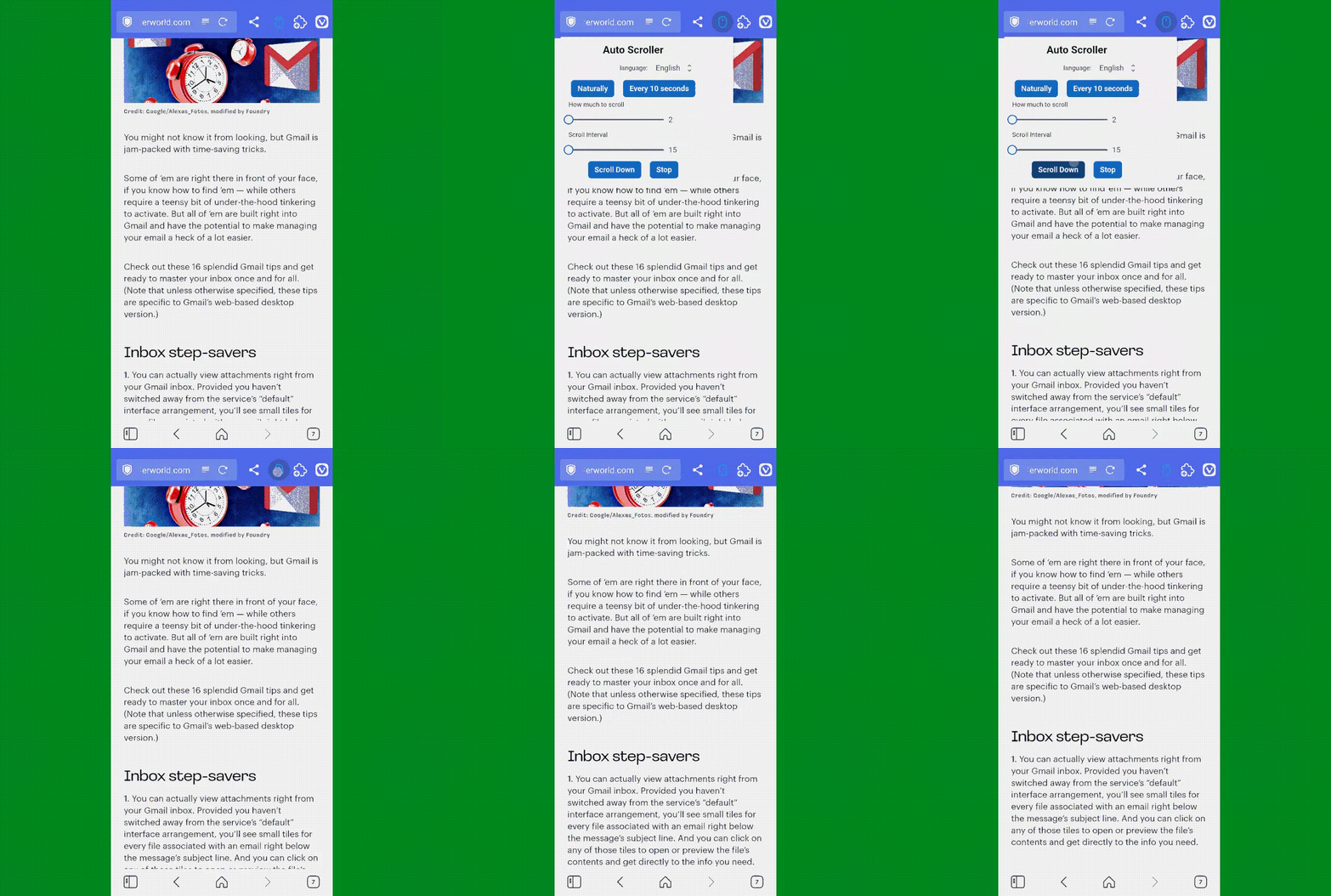
As its name suggests, the extension lets you set any speed you like and then simply tap its icon (which works best if you pin it to your toolbar) to automatically scroll the page for you — so you can keep reading without having to do a thing.
Look, ma: No hands! Auto Scroll in action in Vivaldi on Android.
Yes, it’s redundant with having the standalone app installed and set as your system-wide password management service. But it often ends up being faster and easier to have a sign-in handled directly within the browser instead of having to rely on the system-level integration.
And having the browser-based option present doesn’t prevent you from using the other route, either. You’ve just got options, and you can pick whichever feels fastest and easiest to you at any given moment.
Try it out for yourself and see whatcha think. And stay tuned for the second set of worthwhile Android Chrome extensions soon!
A Google está a atualizar o Maps no Android Auto para mostrar a velocidade, o limite da via e avisos de sinais, mesmo quando o condutor não define um destino.
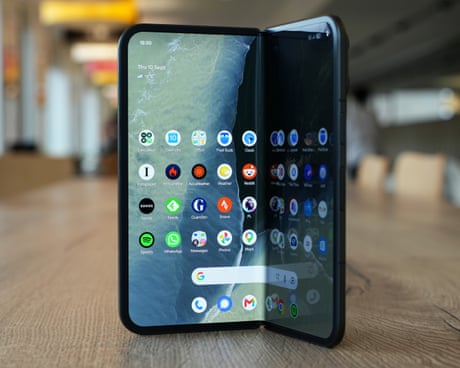
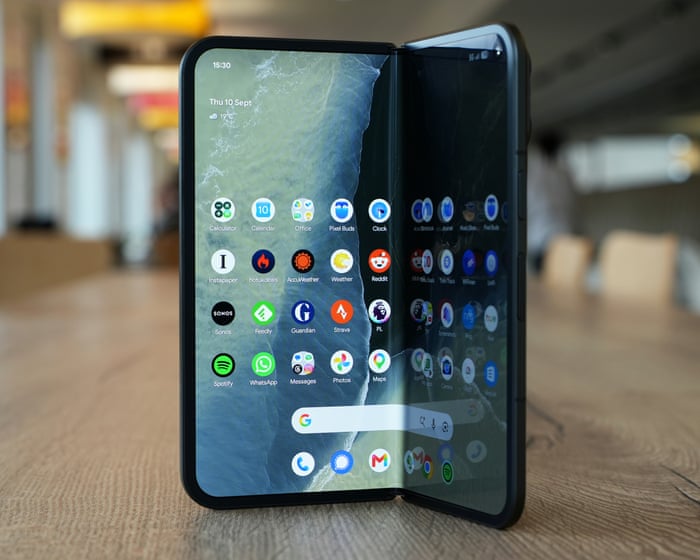
Big screen folder with slick software and advanced AI is just like a regular Android when closed
Google’s latest folding phone sticks with its tried and tested design of a traditional phone shape when closed and almost square when open, in the face of new competition from Apple’s squat iPhone fold.
The Pixel 11 Pro Fold is Google’s fourth-generation folder and is still one of the only models with a full water and dust resistance rating similar to standard slab phones. It costs from £1,799 (€1,999/$1,899/A$2,799), which is £50 (€100/$100/A$100) more than last year as the pressure of RAMageddon continues to push up prices.

 Login
Login