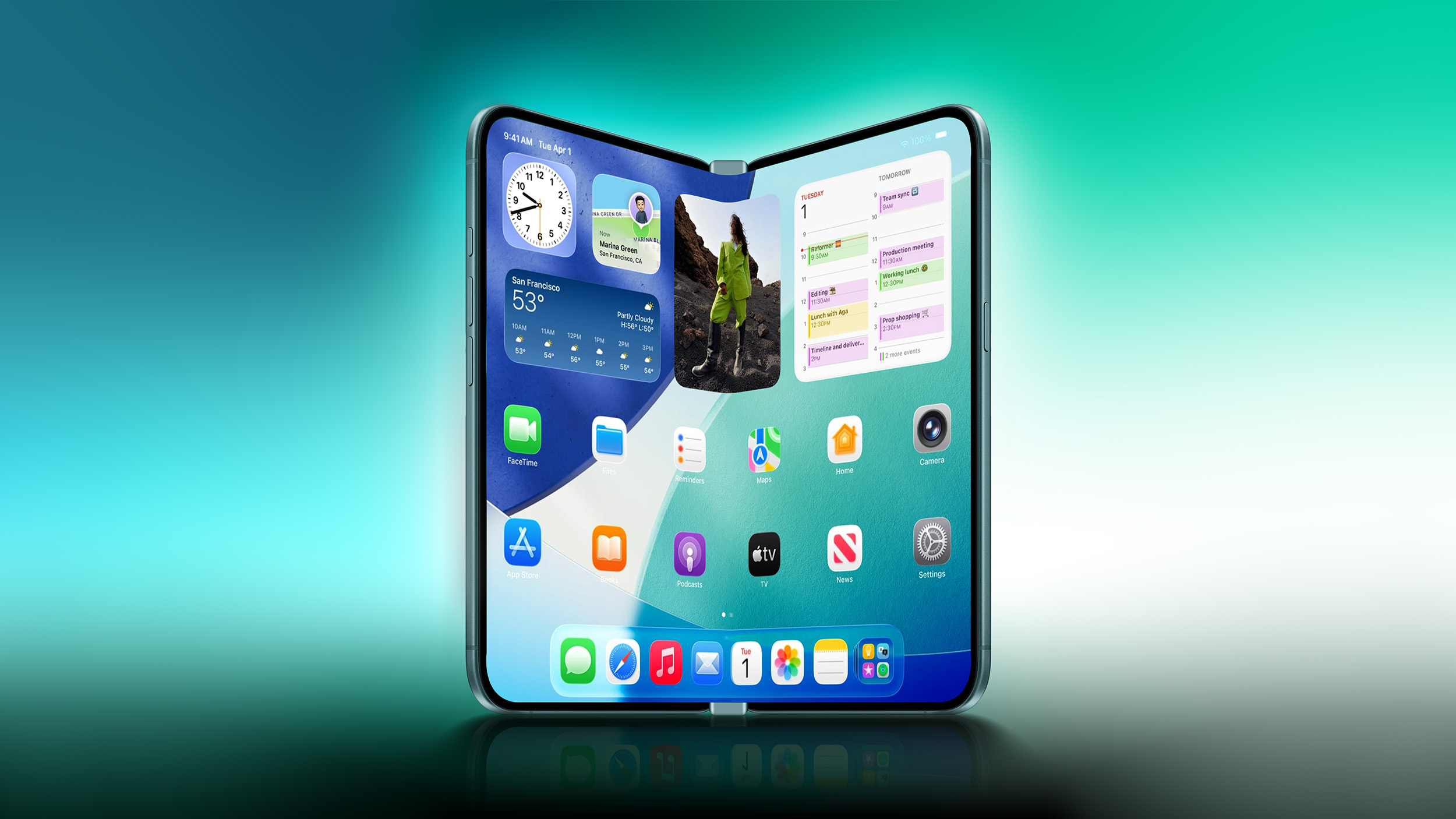
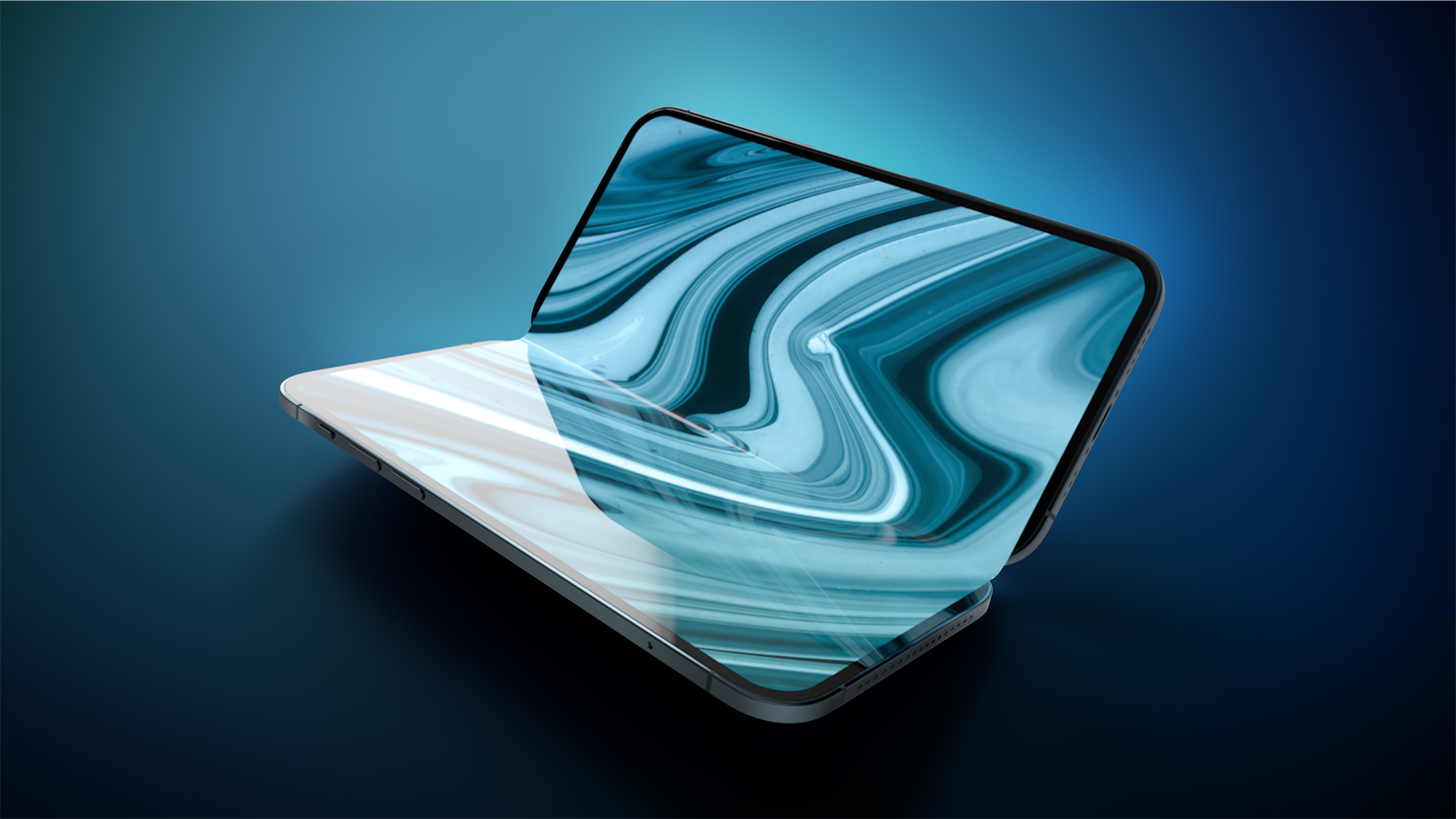
Apple is already making plans for its third-generation foldable iPhone, with launch expected as early as 2028, according to Bloomberg's Mark Gurman.
Writing in his latest "Power On" newsletter, Gurman said the first foldable iPhone is about to get what he called the device's first "truly revolutionary design change" this year, and that Apple already has a roadmap extending two generations beyond it. A second-generation model is planned for 2027, Gurman says, with a third version following as early as 2028.
The third-generation foldable will apparently feature slightly larger displays on both the inside and the outside compared to its predecessors, though he did not provide specific screen sizes. The first foldable iPhone is expected to launch with a 7.8-inch inner display and a 5.5-inch cover display, so any increase would build on those dimensions. This is the first report to lay out plans for a third-generation model, extending Apple's foldable roadmap a year beyond where it previously stood.
The first foldable iPhone is expected to arrive this year with an ultra-thin design, Touch ID instead of Face ID, the A20 chip, C2 modem, and the moniker "iPhone Ultra," at a price around or above $2,000. The second-generation foldable, meanwhile, is reported to have already received the go-ahead for development, according to the Weibo leaker known as "Digital Chat Station," who said the "iPhone Ultra 2" project has been formally approved and will likely reuse the first-generation model's display. That model is expected to launch in fall 2027 alongside the 20th-anniversary iPhone.
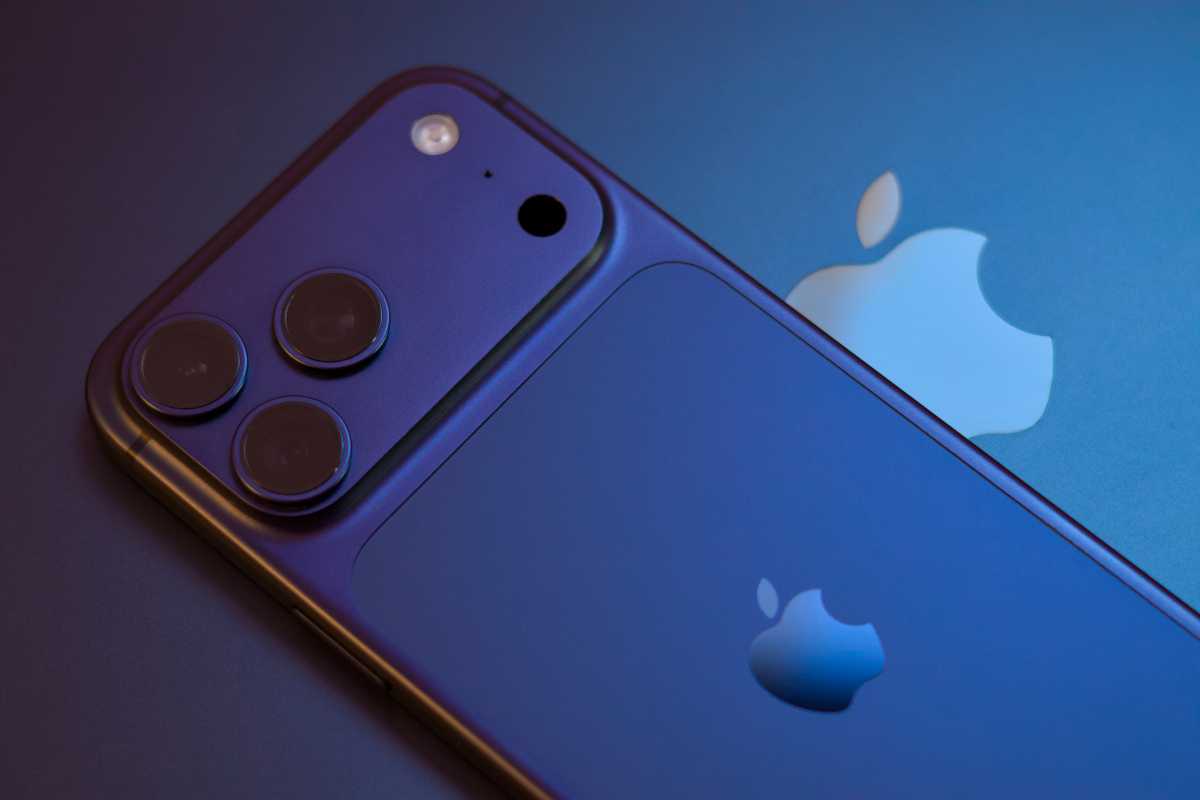
New images of camera protector accessories for the "iPhone Ultra" suggest Apple's first foldable iPhone will launch in silver and dark blue finishes.
Leaker Sonny Dickson yesterday shared images of two third-party camera protectors designed to fit over the iPhone Ultra's camera bump, with one in silver and one in a dark blue finish. Dickson has a track record of accurate accessory and dummy model leaks, including his early look at this year's iPhone 18 Pro colors.
The images back up a May report that cited a Macworld supply chain source describing a classic silver and white model alongside an indigo option similar to the iPhone 17 Pro's Deep Blue finish. A silver finish was separately described as the first "confirmed" color in June, and a report the same week suggested the darker option might not be black. Dickson's accessories now offer the clearest visual confirmation yet of that silver and dark blue offering.
These iPhone Fold camera protectors give us a look at two of the colors planned for the device: silver and dark blue. pic.twitter.com/KMaMu4JyZE
The restrained approach stands in contrast to the iPhone 18 Pro, which is rumored to add a Dark Cherry finish and a Light Blue option alongside Silver this year. A black option for the Pro models was also rumored initially, though a subsequent report suggested Apple decided not to include it this year.
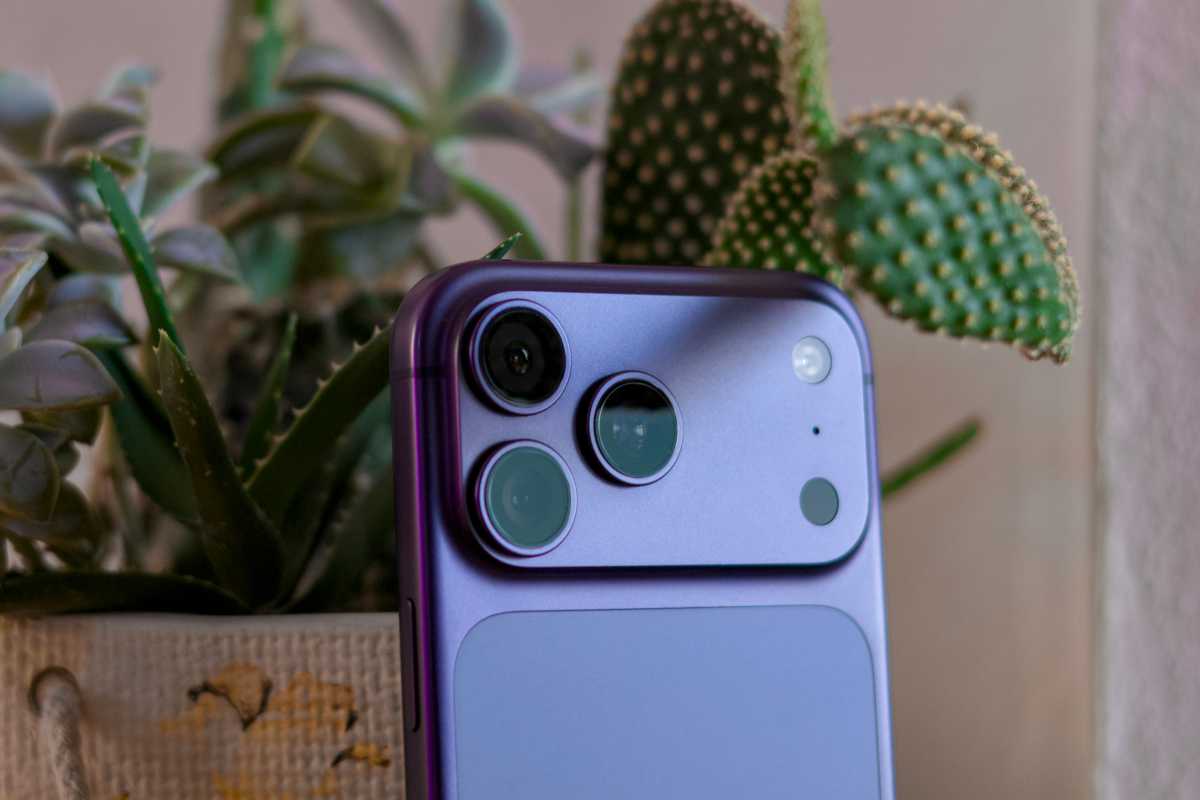
The leaked accessories also clearly show the widely rumored design of the camera plateau on the back of the foldable iPhone, featuring two horizontally arranged lenses alongside a pill-shaped flash and a LiDAR scanner. The foldable iPhone Ultra is expected to be announced alongside the iPhone 18 Pro and iPhone 18 Pro Max next month.
Das Always-on-Display ist eine feine Sache, besonders auf der Apple Watch, mit der die Smartwatch wie eine richtige Uhr aussieht. Mit dem iPhone 14 Pro begann Apple, eine vergleichbare Technologie ins iPhone einzubauen. Seit der 17er-Generation kommt die Einstellung nun auch auf die Einstiegsmodelle. Lediglich das iPhone 17e muss noch darauf verzichten.
Wir haben uns die Frage gestellt, wie sich der immer eingeschaltete Bildschirm auf die Akkulaufzeiten eines iPhones auswirkt. Schließlich muss die Batterie den großen Bildschirm fast rund um die Uhr mit Strom versorgen. Zwar gibt es Situationen, in denen der Always-on-Bildschirm trotz der aktivierten Einstellung ausgeschaltet ist: im Fokus „Schlafen“ oder zur normalen Schlafenszeit, wenn das iPhone mit dem Bildschirm nach unten liegt, wenn eine gekoppelte Apple Watch nicht in der Nähe ist oder wenn Carplay im Auto aktiviert ist. Doch im Allgemeinen sollte die Batterie etwas schneller zur Neige gehen, als beim ausgeschalteten Display.
Wie wir getestet haben
Grundsätzlich neigen solche Diskussionen im Netz sehr stark dazu, lediglich auf Bauchgefühl zu setzen. Da es wenig belastbare Daten sind, emotionalisiert sich die Debatte. Manchmal kommt noch eine Schlussfolgerung, wie bei der vermeintlich geplanten Obsoleszenz der iPhones: Mit jedem neuen iOS-Update soll Apple alte iPhones ausbremsen, damit Leute sich die neuen Geräte lieber kaufen.
Ich habe eine etwas andere Methode ausgewählt: Die Analytics-Daten ein und desselben iPhones (iPhone 17, iOS 27 Beta 3) über zwei Wochen gespeichert. In der ersten Woche (vom 22.07.2026 bis 29.07.2026) habe ich das redaktionelle iPhone normal und im Always-on-Modus genutzt, in der anschließenden Woche (vom 29.07.2026 bis 5.08.2026) war der Bildschirm als Standard ausgeschaltet.
Aus den 14 gespeicherten Analytics-Daten habe ich die Batterie-Zustände im Zeitabstand von 15 Minuten für jeden Tag extrahiert und in die Kategorien „Always On“ und „Always Off“ gegliedert. Dies ergibt in der jeweiligen Kategorie 672 Datenpunkte, also ausreichend Daten, um nicht mehr vom Bauchgefühl zu reden.
Was die Daten verraten
Filtert man in beiden Datensätzen die Reihen mit dem Batteriestand, in denen das iPhone aufgeladen worden war, und berechnet man die Entladerate pro Stunde, kommt heraus, dass das iPhone sich mit dem immer eingeschalteten Display im Schnitt 4,27 Prozent pro Stunde entlädt. Bei einem iPhone mit dem deaktivierten Always-On-Bildschirm beträgt diese Rate 3,75 Prozent pro Stunde. Die Entladung in den Tagestunden von 8:00 bis 23:00 betrug beim eingeschalteten Display 5,88 Prozent, beim ausgeschalteten Always-On 5,37 Prozent.
Ich habe zudem zwei Tage gefunden, die bei den Daten mit Always-On und ohne Always-On in etwa vergleichbar waren: Der Tag startete mit einer ähnlichen Ladung, das iPhone wurde im Laufe des Tages nicht aufgeladen. Erst am späten Abend steckte ich das Gerät an das Netzteil. In der nächsten Nacht startete das iPhone mit einer ähnlichen Ladung.
Wie man den Daten aus der oben stehenden Grafik entnimmt, verlaufen beide Entladelinien fast parallel. Es gibt keine größeren Diskrepanzen bei den unterschiedlichen Einstellungen, die beweisen sollen, dass der abgeschaltete Always-On-Display sich signifikant auf die Batterielaufzeiten auswirkt. Auch der T-Test, der die Signifikanz eines Faktors genau berechnet, ergibt hier einen p-Wert von 0,3011. Eine Signifikanz ist ab dem Wert 0,05 und weniger bewiesen. Dies bedeutet: Ob der immer eingeschaltete Display aktiviert oder deaktiviert ist, wirkt sich nicht besonders auf die Batterielaufzeiten aus.
Fazit
Unsere Messdaten stützen, was Apple bei der Vorstellung von Always-On-Display im Jahr 2022 behauptet hat. Der Bildschirm wird beim gesperrten Zustand auf 1 Hz heruntergefahren, was den Stromverbrauch reduziert. In einem chaotischen Alltag, der durch Nutzerverhalten, Signalstärke und Außentemperaturen (aktuelle Juli-Hitzewelle in München) beeinflusst wird, fällt der ein- oder ausgeschaltete Bildschirm nicht sonderlich viel ins Gewicht.
Während andere Smartphones nach Marktstart recht schnell im Preis sinken, bleiben iPhones lange stabil im Preis. Fast ein Jahr nach Release erlebt das Flaggschiff iPhone 17 Pro nun seinen ersten richtigen Preissturz auf seinen neuen Tiefstpreis.
Bei Amazon kostet das iPhone 17 Pro mit 256 GB in der Farbe Cosmic Orange aktuell nämlich nur 1.139 Euro statt 1.299 Euro UVP. Das entspricht einer Ersparnis von 160 Euro beziehungsweise 12 Prozent. Gleichzeitig markiert das Angebot den neuen Bestpreis: Keine Version war bislang günstiger erhältlich. Zuletzt bewegte sich der Preis überwiegend zwischen 1.199 Euro und der UVP, im Juni fiel er kurzzeitig auf 1.169 Euro.
Auch die blaue Variante ist derzeit reduziert und kostet 1.169 Euro (ebenfalls Bestpreis), liegt damit aber weiterhin über dem Preis der orangefarbenen Version.
Mit 4,6 von 5 Sternen aus fast 1.300 Bewertungen kommt das Modell gut an bei seinen Nutzern. Es ist zudem Bestseller Nummer 2 bei Amazon, direkt hinter der Standard-Version iPhone 17.
Was das iPhone 17 Pro zu bieten hat
Das iPhone 17 Pro besitzt ein 6,3 Zoll großes Super Retina XDR OLED-Display mit einer Auflösung von 2.622 x 1.206 Pixeln. Es unterstützt ProMotion mit adaptiver Bildwiederholrate bis 120 Hertz, Always-on-Display, Dynamic Island, HDR, True Tone sowie den großen P3-Farbraum. Das Display soll laut Apple zudem augenschonender sein als bei früheren Generationen.
Vorder- und Rückseite werden durch Ceramic Shield geschützt. Laut Hersteller bietet die Rückseite einen bis zu vierfach höheren Bruchschutz, während Ceramic Shield 2 auf der Vorderseite eine dreifach höhere Kratzfestigkeit erreichen soll. Das Apple-Handy ist außerdem nach IP68 gegen Wasser und Staub geschützt.
Unter der Haube arbeitet der neue A19 Pro-Chip mit 6-Core-CPU, 6-Core-GPU und 16-Core Neural Engine. Apple verspricht gegenüber der Vorgängergeneration eine bis zu 40 Prozent höhere dauerhaft verfügbare Leistung. Unterstützt wird dies durch eine Dampfkühlung, die die Performance auch unter längerer Last stabil halten soll. Hardwarebeschleunigtes Raytracing gehört ebenfalls zur Ausstattung.
Zu den größten Neuerungen zählt das Kamerasystem. Das iPhone 17 Pro verfügt über drei 48-Megapixel-Kameras mit Fusion-Hauptkamera, Ultraweitwinkel und Telekamera. Möglich sind bis zu 8-facher Zoom in optischer Qualität, ein optischer Zoombereich von 16-facher Vergrößerung sowie bis zu 40-facher Digitalzoom. Hinzu kommen ProRes-Videoaufnahmen bis 4K mit 120 Bildern pro Sekunde, Dolby Vision, Apple Log 2 und einige Profi-Funktionen für Foto- und Videografie.
Die Frontkamera löst mit 18 Megapixeln auf und unterstützt Center Stage. Dadurch passt sich der Bildausschnitt automatisch an und eignet sich sowohl für Videoanrufe als auch für Gruppenaufnahmen. Zusätzlich sind Funktionen wie doppelte Aufnahme mit Front- und Rückkamera, Autofokus und ultrastabilisierte Videos integriert.
Apple spricht von einer deutlich verbesserten Akkulaufzeit. Bis zu 31 Stunden Videowiedergabe sollen mit einer Akkuladung möglich sein. Sie laden das Handy per USB-C oder Magsafe. Mit einem separat erhältlichen 40-Watt-Netzteil sind bis zu 50 Prozent Akkuladung in rund 20 Minuten möglich.
Zur Ausstattung gehören 5G, WLAN 7, Bluetooth 6, NFC sowie eSIM-Unterstützung. Notruf-SOS über Satellit und die Unfallerkennung stehen ebenfalls zur Verfügung und können in Situationen ohne Mobilfunk- oder WLAN-Verbindung hilfreich sein.
Warum sich das Angebot lohnt
Der aktuelle Preis von 1.139 Euro macht das iPhone 17 Pro erstmals so günstig wie nie zuvor. Nachdem das Smartphone bislang meist zwischen 1.199 Euro und der UVP von 1.299 Euro lag und selbst der bisherige Bestpreis bei 1.169 Euro lag, fällt der Preis nun erstmals deutlich darunter.
Nutzer bei Amazon bewerten das Smartphone überwiegend positiv. Sie loben vor allem die hohe Leistung, die sehr gute Kameraqualität, das hochwertige Design, die angenehme Handhabung sowie die Akkulaufzeit. Ebenfalls positiv erwähnt werden die neue Farbpalette und die Verarbeitungsqualität. Beim Preis gehen die Meinungen hingegen auseinander: Während einige Käufer den Preis als angemessen ansehen, empfinden andere die Kosten trotz der technischen Verbesserungen als hoch.
Auch unser Testfazit fällt insgesamt positiv aus. Besonders die hohe Leistung des A19 Pro Chips, die verbesserte Kühlung, die neue Telekamera, die Center-Stage-Frontkamera sowie das augenfreundlichere Display haben uns überzeugt. Kritik gab es dagegen am weiterhin hohen Preis und am vergleichsweise hohen Gewicht.
Im Fazit kamen wir dennoch zu dem Schluss, dass das iPhone 17 Pro und das größere 17 Pro Max das insgesamt ausgewogenste Gesamtpaket der aktuellen iPhone-Generation bieten. Ein Wechsel lohnt sich vor allem für Nutzer älterer Modelle sowie für alle, die viel fotografieren oder Videos aufnehmen.
Desenvolvida por um programador independente, a Helys usa uma fórmula científica que considera o seu tipo de pele, localização, hora do dia, condições meteorológicas e índice UV para calcular, em tempo real, quanto tempo de exposição solar é seguro e suficiente. Disponível gratuitamente apenas para iOS.
Setting up a safe chat space for your kids is about to get much simpler on your Apple smartphone. The popular messaging app WhatsApp is rolling out a brand new parental controls section inside its main settings menu for the iPhone. While the company launched parent-managed accounts earlier this spring, many families never set them […]
People are mostly waiting for September to see what new phones cost, but a recent leak suggests Apple has different plans for its current lineup. According to a fresh rumor, the company might increase the cost of the iPhone 17 as soon as next week. This comes after it raised prices on several other products […]
The official Certified Refurbished Store from Apple just received a massive wave of fresh inventory. If you want to save money on recent hardware, this is your best chance. The company restocked rare M5 MacBook Pro models, high end Studio Display XDR monitors, and a few other hidden gems. These restocks happen quietly and sell […]
SK Hynix just approved a massive $38.3 billion investment to build two new semiconductor fabrication plants in South Korea. As a major memory supplier for Apple, the company is making this huge financial bet to keep up with the explosive demand driven by the artificial intelligence boom. This major expansion aims to boost production of […]
Apple is actively testing iOS 26.6.1, a point release that appears poised for release in the coming days, according to visitor logs tracked by sites including 9to5Mac and MacRumors.
The update comes less than two weeks after the public rollout of iOS 26.6 on July 27, 2026. That earlier release focused primarily on bug fixes, security patches, and optimizing the Spotlight index to prepare devices for the smoother transition to iOS 27 later this year.
What’s likely to be included in iOS 26.6.1
Specific release notes are not yet public, as the software remains in internal testing. However, these minor “.1” or “.x.1” updates typically prioritize stability and security rather than new user-facing features.
Likely contents include:
• Security patches: Apple released macOS Tahoe 26.6.1 (along with updates for Sequoia and Sonoma) this week to address a significant vulnerability in the Screen Sharing app. A parallel iOS update could include related or additional security fixes.
• Bug fixes: Reports have already surfaced of issues introduced or lingering after iOS 26.6, such as problems with Shortcuts automations. Other refinements to performance, battery behavior, or app stability are common in these rapid follow-ups.
• Continued preparation for iOS 27: While the heavy Spotlight indexing work happened in 26.6, further under-the-hood polish is possible as Apple works toward the fall release of its next major OS.
Apple has publicly stated it is accelerating the pace of iPhone software updates in response to the growing speed of AI-assisted hacking tools. This faster cadence means users should expect more frequent, targeted patches like 26.6.1 rather than waiting weeks or months between releases.
What This Means for iPhone Users
Compatible devices (generally iPhone 11 and later that support iOS 26) will receive the update over-the-air via Settings > General > Software Update once it ships. Installation is recommended for the latest security protections, especially given Apple’s emphasis on rapid response to emerging threats.
No major new features — such as design changes to Liquid Glass, expanded Apple Intelligence capabilities, or significant app updates — are expected. Those are reserved for the iOS 27 cycle, which remains in beta and is anticipated for public release in September 2026.
Not every internal build reaches the public, but the appearance of iOS 26.6.1 in analytics logs so soon after 26.6, combined with parallel macOS security releases, strongly suggests a public rollout is imminent. Users who have not yet installed iOS 26.6 should do so first to stay current.
MacDailyNews Take: Stay tuned for the formal release announcement and detailed notes. In the meantime, keep your iPhone backed up and check for the update regularly in the coming days.
Please help support MacDailyNews — and enjoy subscriber-only articles, comments, chat, and more — by subscribing to our Substack: macdailynews.substack.com. Thank you!
Former Bloomberg correspondant and supply-chain expert Tim Culpan has bad news. A brief post on his Substack blog say that Apple isn’t immune to the RAM crunch that is affecting everyone right now. The company is scrambling to get DRAM modules from suppliers to the assembly plants for the iPhone 18 Pro and iPhone Ultra.
With less than two months before the phones ship out to consumers, production should be in full swing right now. But a shortage of DRAM chips means they’re not able to manufacture as many as they would like. It sounds like the iPhone 18 Pro may be in short supply when it first goes on sale. The iPhone Ultra, with a much higher price tag, is expected to have lower demand. It also may have a slightly later shipping date, giving a little more time for production to catch up.
He says processor wafers are “on the shelves awaiting packaging,” so if Apple can get the RAM it needs, it should be able to quickly get new iPhones on shelves.
The iPhone 18 Pro and iPhone Ultra should be announced at a special event in the second week of September, and ship to consumers in late September or early October.
Apple dominated the premium smartphone segment in the first half of 2026, holding a commanding 65% market share, according to Counterpoint Research. The Cupertino company outpaced the broader industry as devices priced at $600 and above (wholesale average selling price) accounted for a record 29% of overall global smartphone sales.
Premium smartphone unit sales grew 5% year-over-year in H1 2026, outperforming the overall market. This marked a rise from 25% share in H1 2025 and 20% in H1 2022. Counterpoint attributed much of the latest jump to rising memory and component costs, which hit low- and mid-tier devices harder. As prices for mid-range Android phones climbed, the gap with premium models—including older or discounted flagships—narrowed, making higher-end upgrades more attractive. Manufacturers also expanded financing, trade-in, and buyback programs to improve affordability.
Apple’s premium segment shipments rose 9% year-over-year, fueled by strong demand for the iPhone 17 series, particularly the base model. This reversed a prior-year slowdown linked to intensified competition in China, the world’s largest premium smartphone market. Apple’s share edged up from 63% in H1 2025 but remains below the 74% peak recorded in H1 2022.
Global Smartphone Premium Segment Brand Unit Sales Share H1 2022 to H1 2026 Source: Counterpoint Research Global Handset Model Sales Tracker, Jun 2026 (Prelim). Premium Segment includes smartphones with a wholesale price of $600 and above.
Samsung held steady at 19% of the premium market (up from 17% in 2022) and posted 3% year-over-year growth despite a later-than-usual launch of the Galaxy S26 series. Together, Apple and Samsung controlled 84% of global premium smartphone sales, up from 82% a year earlier.
Among other players, OPPO recorded the fastest growth at 69% year-over-year, driven by its Find X9 series, while Vivo grew 20%. The remaining 16% of the premium segment was shared among Chinese brands including Huawei, Xiaomi, OPPO, and Vivo.
“Rising memory and component costs are reshaping smartphone pricing and creating opportunities for OEMs to accelerate premiumization,” said Counterpoint Senior Analyst Harshit Rastogi in a statement. “As mid-segment Android smartphone prices rise, the price gap with premium devices, especially older or discounted flagship models, is narrowing. This trend makes flagship smartphones a better upgrade option for consumers. To support this shift, OEMs are expanding financing, trade-in and buyback programs to improve affordability.”
MacDailyNews Take: The data underscores a continued shift toward higher-priced devices even as the broader smartphone market faces volume pressures. Premiumization is expected to persist, supported by better component access for leading brands, steady demand among higher-income consumers, and expanded financing options. In other words; More great news for Apple!
Please help support MacDailyNews — and enjoy subscriber-only articles, comments, chat, and more — by subscribing to our Substack: macdailynews.substack.com. Thank you!
Gaming subscription services are all the rage now, but Apple Arcade isn’t a little different from the likes of PlayStation Plus, EA Play, or Xbox Game Pass. If you’ve got questions about it, we’ve got plenty of answers.
Apple Arcade is a gaming subscription service for iPhone, iPad, Mac, and AppleTV that features several hundred games. The games are a mix of genres and styles, and include original games you’ll only find on the service and others that can be found on the regular App Store or even other platforms. Apple Arcade isn’t a streaming service like Xbox Live Cloud Gaming or GeForce NOW. Games must be downloaded onto your device in order to be played.
What do I need to run it?
Apple Arcade was made available as part of iOS 13, iPad OS 13, tvOS 13, and macOS Catalina or later. Some of the more visually-intensive games may only run well on newer hardware, though, and some Mac games require macOS 11 (Big Sur).
How much does Apple Arcade cost?
Apple Arcade costs $6.99/£6.99 per month, and you’ll also get a one-month free trial or you can get three months free if you purchase a new iPhone, iPad, Apple TV or Mac. To claim your free trial click here.
You can get Apple Arcade for less than $6.99 a month if you subscribe for a year upfront. A year of Apple Arcade is $49.99/£49.99 (so $4.16 a month). If you’re currently on the $6.99 month-to-month plan and want to switch to the annual plan and save some money, you can do so on your iPhone or iPad. Open the App Store app, then tap your account icon in the upper right. Tap Subscriptions, then tap the entry for Apple Arcade. Here, you can switch to the annual plan.
Apple Arcade is also included in the Apple One subscription bundles, which range from $20 a month to $38 a month and include access to Apple Music and Apple TV and iCloud storage. There is also a month free trial of Apple One. To claim the trial, or sign up for Apple One, click here.
How do I sign up for Apple Arcade?
There isn’t an Apple Arcade app—it’s built into the App Store. On your iPhone, iPad, or Mac open the App Store and look for the Apple Arcade tab at the bottom of the screen (or in the left column on macOS). A sign-up screen with a Try It Free button will appear. After the trial you’ll be charged either the monthly or annual fee, depending on your selection. When subscribing, you’ll need to enter your Apple ID password or use Touch ID or Face ID to sign in, and you’ll have to confirm your subscription purchase a few times.
Once you’re done with the sign up, the Arcade section of the App Store shows what games are available to you. To access a game, tap on it in the App Store, then tap the Get button. When the game is done installing on your device, the Get button turns into a Play button, and you can tap it to launch the game. The game app icon will also appear on your device’s Home page.
On the Apple TV, there actually is an Arcade app. Open that to see the sign-up offer. You’ll also find an Arcade tab within the App Store.
Does my subscription include family sharing?
Yes. One $6.99 per month subscription can be shared between up to six people (including you).
How do I cancel Apple Arcade?
First off, keep in mind that if you cancel Apple Arcade (either before your free trial is up or after subscribing), you won’t be able to keep playing the games unless you re-subscribe. If you’re okay with that, you can use the same process you use to cancel any other subscription service. Here’s the easiest way to do it on the iPhone and iPad:
Open the App Store app and tap on your profile photo in the upper right.
In the screen that pops up, press Subscriptions near the top of the page.
You’ll then see a list of active subscriptions, and Apple Arcade should be listed there. Tap it.
You’ll either see Cancel Free Trial or Cancel Subscription toward the middle of the page that appears. Tap whatever option is available, then Confirm Cancellation.
And here’s how to cancel Apple Arcade on the Mac:
Open the App Store app and then press the icon with your profile photo in the lower left.
The Account window will appear, and you should then click View Information at the top of the window. Enter your password when/if prompted.
When your Account Information appears, scroll down to the Manage section and click the Manage link to the right of Subscriptions.
When the list of your active subscriptions appears, click Edit to the right of Apple Arcade.
Toward the middle of the page that appears, you’ll see a button that says either Cancel Free Trial or Cancel Subscription. Click it, then click Confirm Cancellation and Confirm.
Do Apple Arcade games have in-app purchases?
No. In Apple’s words, “since every game includes access to the full experience, including all game features, content, and future updates, no additional purchases will be required.” Even games that have in-app purchases on the App Store won’t have any in Apple Arcade.
Do Apple Arcade games have ads?
Also no. On a related note, Apple says Apple Arcade has no ad tracking.
Is Apple Arcade a game streaming service like GeForce NOW or Xbox Game Streaming?
No. All Apple Arcade are downloaded.
Are there demos for Apple Arcade games?
No, and they’re not really necessary. Like App Store apps, games download quickly and can easily be removed if you don’t want to keep it anymore.
Apple partly envisions Apple Arcade as a way of letting players try out games with more freedom than the App Store currently allows (which is basically none). In Apple’s words, “rather than pay upfront for each game, a subscription to Apple Arcade will give players the opportunity to try any game in the service without risk.”
The service has a free trial, though, as we’ve seen with other Apple subscription services.
Am I able to keep playing Apple Arcade games if I cancel my subscription?
No. As with most subscription services, you only have access while you’re a subscriber.
Can I use controllers with Apple Arcade games?
Yes. In additional to traditional MFi (Made for iOS) controllers, you can pair some specific Bluetooth controllers for either PlayStation or Xbox with either your iPhone, iPad, or Apple TV. Since many Apple Arcade games are playable on Mac and Apple TV (where controller support is more common), many games will support them. Some games, especially those that are also available in the broader App Store and only for iPhone or iPad, have no controller support.
Recently Apple relaxed the requirements for MFi controller certification, which may have grown out of the Apple Arcade negotiations.
How often are new games released?
Games are typically released on the first Friday of each month. There are some rare exceptions.
What games have been released so far?
There are over 200 games available for Apple Arcade, and the list grows all the time.
3D render claiming to depict Apple’s first foldable iPhone (image: Jon Prosser)
Apple and its suppliers are scrambling to secure enough DRAM (mobile memory chips) ahead of the expected September 2026 launches of the iPhone 18 series and the foldable iPhone Ultra, according to semiconductor analyst Tim Culpan’s exclusive reporting for Culpium.
With under six weeks to the anticipated debut, assemblers are rushing shipments of DRAM. Apple primarily sources from Micron, with additional supply from SK Hynix and Samsung. Severe shortages due to RAMageddon have left processor wafers sitting idle, awaiting packaging—creating pressure to avoid launch shortages.
The issue stems from Apple’s A20 Pro chips (built on TSMC’s 2nm process), which use Wafer-Level Multi-Chip Module (WMCM) packaging that integrates the processor and DRAM at the wafer level. This means DRAM must be available for packaging; unfinished dies cannot simply be stockpiled and completed later. Reports indicate TSMC is holding roughly $1 billion worth of unpackaged Apple processors delayed by the missing memory.
DRAM has been tight for months, driven in large part by memory makers prioritizing higher-margin chips for AI data centers over consumer devices. This has already affected other Apple products (such as certain Macs) with longer wait times. Apple and its partners (including assemblers like Foxconn) expect to meet initial launch demand, but retail stock could deplete quickly and online preorder wait times may stretch afterward. The foldable iPhone Ultra, with its more complex design and lower planned volumes (historically projected in the low millions for the second half of the year in related analyst notes), is viewed as particularly vulnerable to limited availability.
Culpan’s sources indicate Apple plans roughly 200 million combined units across the iPhone 18, 18 Pro, and Ultra over the product cycle, with the Ultra representing under 10%.
This memory constraint adds to broader industry dynamics of rising memory costs and competing demand from AI infrastructure, which have already influenced pricing discussions and production priorities for Apple hardware.
MacDailyNews Take: Buyers interested in the new Pro models or the Ultra at launch would be advised to pre-order very, very promptly!
Please help support MacDailyNews — and enjoy subscriber-only articles, comments, chat, and more — by subscribing to our Substack: macdailynews.substack.com. Thank you!
T-Mobile officially retired its 2G GSM network on August 3, 2026, marking the end of 2G service from all three major U.S. carriers. With AT&T having discontinued 2G in 2017 and Verizon following in 2020, devices that rely solely on the older standard—including the original 2007 iPhone — can no longer connect to any cellular network in the United States. The move also affects remaining smartphones, alarm systems, payment terminals, and other IoT devices still using 2G, though T-Mobile had given customers advance notice to upgrade or transition.
T-Mobile kept its 2G network active because it still had some legacy customers who were using it. Some customers visiting the United States and using international roaming carrier agreements for connectivity also needed 2G for voice calling, but T-Mobile worked with carriers globally to prepare for the end of its 2G network.
Customers who were still on T-Mobile’s 2G network were warned well ahead of time about the shutdown and given time to transition. Smartphones, alarm panels, payment terminals, and other IoT accessories that used 2G will no longer function.
AT&T ended support for 2G almost a decade ago in 2017, and Verizon stopped supporting 2G in 2020. Now that no carriers in the U.S. support 2G, legacy devices like the original iPhone will not be able to connect to any cellular network.
MacDailyNews Take: Time marches on!
Please help support MacDailyNews — and enjoy subscriber-only articles, comments, chat, and more — by subscribing to our Substack: macdailynews.substack.com. Thank you!
Apple Health data can now move between the Health app and Google Health on an iPhone. The connection lets Google Health import supported information recorded by an iPhone, Apple Watch, and compatible apps. The latest Google Health update can also send supported Fitbit information to Apple Health.
This two-way connection is useful for people who wear a Fitbit but prefer Apple’s Health app as the central place for viewing activity, sleep, steps, and other wellness information. It also reduces the need for third-party synchronization apps.
The feature requires a recent version of Google Health. Google began introducing support for sending data back to Apple Health with Google Health version 5.05. Because app updates can roll out gradually, the new sharing options may not appear until the latest version reaches your account.
Update Google Health Before Starting
The Fitbit app became Google Health in 2026. Existing Fitbit users should find that the installed app has changed its name and design after updating. Fitbit accounts must also be moved to an adult Google Account to use the redesigned service.
Google says the Apple Health connection requires iOS 16.4 or later. The iPhone must have internet access while the connection is being created.
To check the iOS version installed on your iPhone:
Settings > General > About > iOS Version
Install the latest compatible iOS update if the phone is running an older release.
To look for an available iPhone software update:
Settings > General > Software Update
Next, confirm that Google Health is current. Version 5.05 or later is required for the newer option that sends supported Google Health and Fitbit information to Apple Health.
To update Google Health from the App Store:
App Store > Profile Picture > Available Updates > Google Health > Update
If Google Health does not appear under Available Updates, search for the app manually. The App Store page may show an Update button if a newer release is available.
To find the app directly:
App Store > Search > Enter Google Health > Google Health (Fitbit)
People who previously used Fitbit should sign in with the Google Account connected to their Fitbit information. Creating a different account may produce an empty Google Health profile.
Image Credit: Google
Connect Apple Health Data to Google Health
Connecting the apps allows Google Health to read supported information from Apple Health. This can include data collected by the iPhone, Apple Watch, and other apps that already share information with Apple Health.
To start the Apple Health connection:
Google Health > Connections > Apps and Services > Apple Health > Get Started
Depending on the Google Health version and interface shown on the iPhone, Connections may appear behind the profile icon.
To find Apple Health through the alternative menu:
Google Health > Profile Icon > Partner Apps > Apple Health
Google Health will display a consent screen explaining the connection. Read the information before continuing.
To approve the initial connection:
Sync Google Health With Apple Health > Agree
The iPhone will then display Apple’s health permission screen. This screen lets you decide which information Google Health can read.
To give Google Health access to every supported category:
Apple Health Permission Screen > Turn All Categories On > Allow
You do not have to share every available category. Selecting individual permissions provides more control over sensitive health information.
To share only selected categories:
Apple Health Permission Screen > Select Each Health Category > Allow
Google Health can import supported information such as steps, distance, active energy, exercise records, routes, sleep sessions, sleep stages, heart rate, resting heart rate, heart rate variability, blood oxygen, respiratory rate, body temperature, weight, body fat percentage, water, nutrition information, and some cycle-tracking data.
Available categories depend on the devices and apps connected to Apple Health. An iPhone may provide steps and walking information, while an Apple Watch can contribute heart rate, workouts, sleep, and other measurements supported by the model.
After the permissions are approved, Google Health should confirm that the connection is complete.
To finish the connection:
Google Health Confirmation Screen > Done
New Apple Health information should begin appearing automatically in Google Health. Google has said that imported data can be used across relevant Google Health metrics, although not every external data type is used for every calculation.
To find imported health information:
Google Health > Health > Select a Metric
Google Health may display information from several connected sources together. Its value for a metric can differ slightly from the number shown by Apple Health because the apps may process available data differently.
Send Fitbit Data to Apple Health
Google Health version 5.05 adds the reverse direction that many iPhone and Fitbit users previously lacked. Supported information recorded through Fitbit can now be written into Apple Health.
Before enabling this option, make sure the Fitbit is properly connected to Google Health. Fitbit devices normally synchronize automatically throughout the day when Bluetooth is available and the wearable is near the iPhone.
To check the connected Fitbit:
Google Health > Profile Icon > Devices > Select Your Fitbit
The device page should show the wearable, its battery level, and its most recent synchronization time. Opening Google Health can also prompt a nearby Fitbit to transfer recently collected information.
Once the wearable is updating Google Health correctly, open the Apple Health connection settings.
To open the sharing controls for Apple Health:
Google Health > Profile Icon > Partner Apps > Apple Health
The interface may use Apps and Services instead of Partner Apps on some versions.
To reach the same connection through Apps and Services:
Google Health > Connections > Apps and Services > Apple Health
Follow the prompts for sharing Google Health information with Apple Health. The iPhone may display separate permissions for data that Google Health can read and data that it can write.
To allow supported Fitbit information to appear in Apple Health:
Apple Health Permission Screen > Allow Google Health to Write > Select Health Categories > Allow
Google says supported information can include exercise records, steps, sleep, vitals, and other health data. The exact selection can vary according to the Fitbit model, region, Google Health version, and information stored in the account.
Selecting every category is convenient, but it can create overlapping sources when an iPhone, Apple Watch, and Fitbit record the same type of activity. Choose only the categories you want Google Health to add.
A person who uses a Fitbit mainly for sleep, for example, can allow sleep information while leaving steps disabled. Someone who wears a Fitbit instead of an Apple Watch may prefer to enable steps, workouts, heart rate, sleep, and other supported categories.
Image Credit: AppleMagazine
Check Google Health Permissions
Apple Health keeps permission controls on the iPhone. You can change them after the first connection without deleting either app.
To review Google Health access from Apple Health:
Health > Profile Picture > Privacy > Apps > Google Health
The page shows the categories Google Health is permitted to read or update. Turn off any category you no longer want to share.
Some iOS versions provide the same controls through the Sharing tab.
To find Google Health through the Sharing tab:
Health > Sharing > Apps and Services > Google Health
Turning off a permission stops future sharing for that category. It does not necessarily remove information that has already been written to Google Health or Apple Health.
The Google Health app also provides controls for the connection.
To review Apple Health inside Google Health:
Google Health > Connections > Apps and Services > Connected > Apple Health
If Google Health displays a message that new data types are available, open the connection and approve the additional categories you want to use. Newly supported information is not automatically shared without permission.
Manage Duplicate Health Information
An iPhone, Apple Watch, and Fitbit can record similar information at the same time. Apple Health keeps each source attached to its data and uses a priority order when presenting combined measurements.
You can inspect the sources contributing to a category and choose which one Apple Health should prefer.
To review the sources used for step information:
Health > Search > Activity > Steps > Data Sources and Access
The screen shows the apps and devices that provide step records. If Google Health, an Apple Watch, and the iPhone all appear, you can adjust their priority.
To change the order of step sources:
Health > Search > Activity > Steps > Data Sources and Access > Edit > Drag Sources Into the Preferred Order > Done
Move the source you trust most toward the top. Apple Health generally gives higher priority to sources placed above others when similar records overlap.
Repeat the same process for other categories if their totals do not look right. Exercise, sleep, active energy, and distance can each have their own sources and permissions.
Image Credit: Google
Fix Missing or Delayed Data
Synchronization is not always immediate. A Fitbit first sends its information to Google Health, and Google Health then writes supported records to Apple Health. Bluetooth availability, Background App Refresh, internet access, and battery-saving behavior can affect this process.
Begin by opening Google Health with the Fitbit close to the iPhone. Wait for the device to complete its normal synchronization before checking Apple Health.
If Apple Health information is missing from Google Health, confirm that the connection remains active.
To check the connection status:
Google Health > Connections > Apps and Services > Apple Health
If Google Health displays an error or a request for new permissions, follow the message shown on the screen.
Background App Refresh can help Google Health update when the app is not open.
To allow Google Health to refresh in the background:
Settings > General > Background App Refresh > Google Health > On
Bluetooth must remain available for a Fitbit to communicate with the iPhone.
To confirm that Bluetooth is enabled:
Settings > Bluetooth > Bluetooth On
If the connection continues to fail, disconnecting and reconnecting Apple Health may restore the permission request.
To disconnect Apple Health from Google Health:
Google Health > Connections > Apps and Services > Apple Health > Disconnect > Confirm Disconnect
Disconnecting the service does not automatically remove every permission already stored by Apple Health. Review the Google Health entry in the Health app if you want to remove those permissions as well.
To remove the remaining Apple Health permissions:
Health > Profile Picture > Privacy > Apps > Google Health > Turn Off All
After reconnecting the apps, allow time for new records to appear. Previously stored information may not transfer in exactly the same way as activity recorded after the connection was enabled.
You can inspect an individual entry to confirm whether it came from Google Health, a Fitbit, an Apple Watch, or the iPhone.
To check the source and time of a synced record:
Health > Search > Select a Health Category > Show All Data > Select the Latest Entry
Jeden Sommer raten viele Technikbegeisterte ihren Freunden aus zwei Hauptgründen vom Kauf eines neuen iPhones ab: dem Preis und den Hardware-Neuerungen. Obwohl neue iPhones fortschrittlichere Technologien bieten, bleiben sie in der Regel preislich auf dem Niveau ihrer Vorgängermodelle – oder werden im schlimmsten Fall nur geringfügig teurer, was mit mehr Speicher einhergeht. Ein neues iPhone nur wenige Monate vor der Markteinführung der neuen Modelle im September zu kaufen, würde also bedeuten, den vollen Preis für ein Jahr alte Funktionen zu zahlen.
Dieses Mal ist das jedoch nicht der Fall.
Im Gegensatz zu den Vorjahren, in denen dies der ungünstigste Zeitpunkt für einen Umstieg gewesen wäre, könnte der Kauf eines iPhone 17 Pro vor der bevorstehenden Markteinführung im September Ihnen ein besseres Angebot sichern. Das iPhone 18 Pro wird zweifellos willkommene Neuerungen mit sich bringen, doch das Gesamtpaket rechtfertigt den Preis möglicherweise nicht.
Noch ein Argument, gleich vor der Vorstellung des iPhones 18 Pro ein iPhone 17 Pro zu kaufen, sind die aktuellen Preise für das Flagschiff-iPhone. Amazon verkauft das Gerät in Cosmic Orange für 1.139 Euro, also ein Rabatt von 12 Prozent. Aus Erfahrung können wir sagen, dass die Ermäßigungen für die neuesten Pro-iPhones selten abseits der Zehn-Prozent-Grenze liegen. Es ist also ein gutes Angebot.
Zudem muss man beachten, dass die Preise für die Vorgängermodelle steigen können, sobald Apple neue Preise für das iPhone 18 Pro ankündigt.
Falls Sie es verpasst haben sollten: Apple hat gerade die Preise für iPads, Macs und andere Produkte um bis zu 300 Euro für die Basismodelle angehoben. Diese erhebliche Preiserhöhung, ausgelöst durch die jüngsten Engpässe bei Speicherchips und Speichermedien, hat die iPhone-Reihe seltsamerweise ausgenommen. Es ist jedoch weitestgehend sicher, dass die neuen iPhones im September neue Preisschilder tragen werden, mit größeren Zahlen.
Normalerweise erhöht Apple die Preise für die iPhone-Basismodelle alle paar Jahre um 50 oder 100 Euro und bietet dafür zusätzlichen Speicherplatz an, um die Auswirkungen abzumildern. Derzeit ist die Situation jedoch alles andere als typisch. Einigen Prognosen zufolge könnte das iPhone 18 Pro bei satten 1.299 US-Dollar starten. In Europreisen wird ein Einstiegspreis von 1.599 Euro gemunkelt.
Zum Vergleich: Das iPhone 17 Pro in der Basisversion bietet 256 GB Speicherplatz für 1.299 Euro. Selbst wenn Apple also die Einstiegskonfiguration auf 512 GB erhöht, müssen die Nutzer die zusätzlichen 300 Euro zahlen, ob sie einen halben Terabyte Speicher benötigen oder nicht. Für das iPhone 18 Pro Max sind Preise im Bereich von 1.799 Euro möglich.
Manche mögen argumentieren, dass die anderen Hardware-Upgrades den höheren Preis rechtfertigen. Schauen wir uns einige der Highlights des Geräts genauer an, und Sie können sich selbst ein Urteil bilden.
Gleiche KI-Funktionen
Wir beginnen mit der künstlichen Intelligenz, da sich sehr viele Verbraucher intensiv dafür interessieren. In der Apple-Produktpalette spielt der Arbeitsspeicher (RAM) eine entscheidende Rolle bei der Frage, welche KI-Funktionen unterstützt werden, da viele davon lokal ausgeführt werden. Das wurde erstmals beim Debüt von Apple Intelligence deutlich: Das iPhone 15 Pro mit 8 GB RAM führte die KI-Suite einwandfrei aus, während die Einsteiger-Modelle der 15er-Reihe mit 6 GB RAM gänzlich darauf verzichten mussten. Zwar unterstützt das iPhone 15 Pro weiterhin die neuesten Funktionen, einige davon wie die natürliche Siri-Stimme sind nur den iPhones mit dem A19 Pro vorbehalten.
Foundry
Das iPhone Air, das 17 Pro und das 17 Pro Max sind die einzigen Smartphone-Modelle, die diese Funktionen unterstützen, da sie über die erforderlichen 12 GB RAM verfügen. Das iPhone 18 Pro wird Berichten zufolge mit demselben Arbeitsspeicher ausgestattet sein, was bedeutet, dass die erweiterten Apple-Intelligence-Funktionen gleichermaßen für das iPhone 17 Pro und 18 Pro zur Verfügung stehen.
Vergleichbare Kameras
iPhone-Kameras, insbesondere die Weitwinkel- und Ultraweitwinkelobjektive, sind für ihre Zuverlässigkeit bekannt und liefern gestochen scharfe Fotos und Videos. Dennoch schnitt das Teleobjektiv vor einigen Jahren in vielen Fällen noch schlecht ab, und die Selfie-Kamera wirkte zu unausgereift.
Das iPhone 17 Pro hat die Hauptmängel der Kamera endlich behoben, indem das Tetraprisma-Objektiv verfeinert und auf der Vorderseite ein quadratischer „Center Stage“-Sensor mit höherer Auflösung für den Ausrichtungswechsel hinzugefügt wurde. Auch wenn es immer Raum für Verbesserungen gibt, würden die meisten Nutzer wahrscheinlich zustimmen, dass sich das Kamerasystem des iPhones nun endlich vollständig anfühlt.
Foundry
Es versteht sich von selbst, dass das iPhone 18 Pro die Kamera weiter verbessern wird. Gerüchten zufolge soll das Weitwinkelobjektiv erstmals über eine variable Blende verfügen. Die Auflösung der Frontkamera könnte zudem von 18 MP auf 24 MP erhöht werden. Diese Verbesserungen werden zwar zu schärferen Ergebnissen beitragen, sind jedoch wohl nicht so bahnbrechend wie der bedeutende Sprung nach vorn im letzten Jahr.
Robuste Displays
Als das Display mit Ceramic Shield 2 mit dem iPhone 17 (Pro) angekündigt wurde, verdrehte ich zunächst nur die Augen. Ich glaubte zunächst nicht, dass die angepriesene dreifach höhere Kratzfestigkeit tatsächlich spürbare Auswirkungen haben würde.
Foundry
Das iPhone 17 Pro Max ist mein erstes Smartphone überhaupt, das auch nach monatelanger täglicher Nutzung ohne Displayschutzfolie keinen einzigen Mikrokratzer aufweist – es sieht buchstäblich makellos aus. Das Ceramic Shield 2 ersetzt praktisch die Schutzfolie. (In der Macwelt-Redaktion nutze ich das iPhone 17 (ohne Pro) ohne Hülle und ohne die Schutzfolie für den Bildschirm. In fast einem Jahr Nutzung gibt es auf dem Gerät einen Mikrokratzer von 3 mm direkt gegenüber dem Power-Button, ansonsten können wir die Erfahrungen des Macworld-Kollegen bestätigen. Werfen Sie nicht unbedingt Ihr iPhone 17 (Pro) um sich herum, benötigen Sie keine Schutzfolie. – Anm. d. Red).
Da das Display des iPhones nun so beeindruckend und widerstandsfähig ist, wie es die meisten Nutzer erwarten, sehe ich kaum einen Grund, warum man auf das neuere Display des 18 Pro warten sollte. Die wohl bemerkenswerteste Verbesserung könnte relativ nebensächlich sein: die Verkleinerung des „Dynamic Island“, um mehr Elemente auf dem Bildschirm unterzubringen. Das ist zwar eine gelungene Weiterentwicklung, wird aber nicht so bahnbrechend sein wie der Wechsel des iPhone 14 Pro von einer statischen Notch zum ursprünglichen „Dynamic Island“.
Gleiches Materialdesign
Neben den bahnbrechenden Verbesserungen bei RAM, Kamera und Display war das iPhone 17 Pro auch das Modell, bei dem das Gehäuse komplett überarbeitet wurde, wobei Titan zugunsten von Aluminium aufgegeben wurde.
Abgesehen von den neuen Oberflächenoptionen wird das iPhone 18 Pro daher ein ähnliches Gesamtdesign bieten und möglicherweise sogar etwas klobiger ausfallen. Wenn Sie heute ein iPhone 17 Pro kaufen, wird es später im Herbst nicht veraltet wirken. Das ist eine Prognose, die wir vor einem Jahr nicht getroffen hätten und die wir nächstes Jahr nicht wiederholen werden (angesichts der Gerüchte um das iPhone XX).
Foundry
Ob es sich lohnt, rund 300 Euro mehr für eine optimierte Kamera und eine kleinere „Dynamic Island“ zu bezahlen, hängt ganz von Ihren Prioritäten ab. Meiner Ansicht nach wird das iPhone 18 Pro als überteuertes iPhone 17S Pro fungieren. Greifen Sie lieber zum Original, bevor es auch im Preis steigt.
The ongoing legal fight between Apple and YouTube personality Jon Prosser hit another roadblock this week. Following a lawsuit filed in July 2025 accusing Prosser and Michael Ramacciotti of stealing pre-release data from an employee’s test device, the case faced multiple delays. Prosser missed early deadlines, which caused a default ruling that he later managed […]

 Login
Login