The tech giant is investing in the natural-gas-burning power plant as part of a huge data center in Texas, even as it pledges to honor climate commitments.
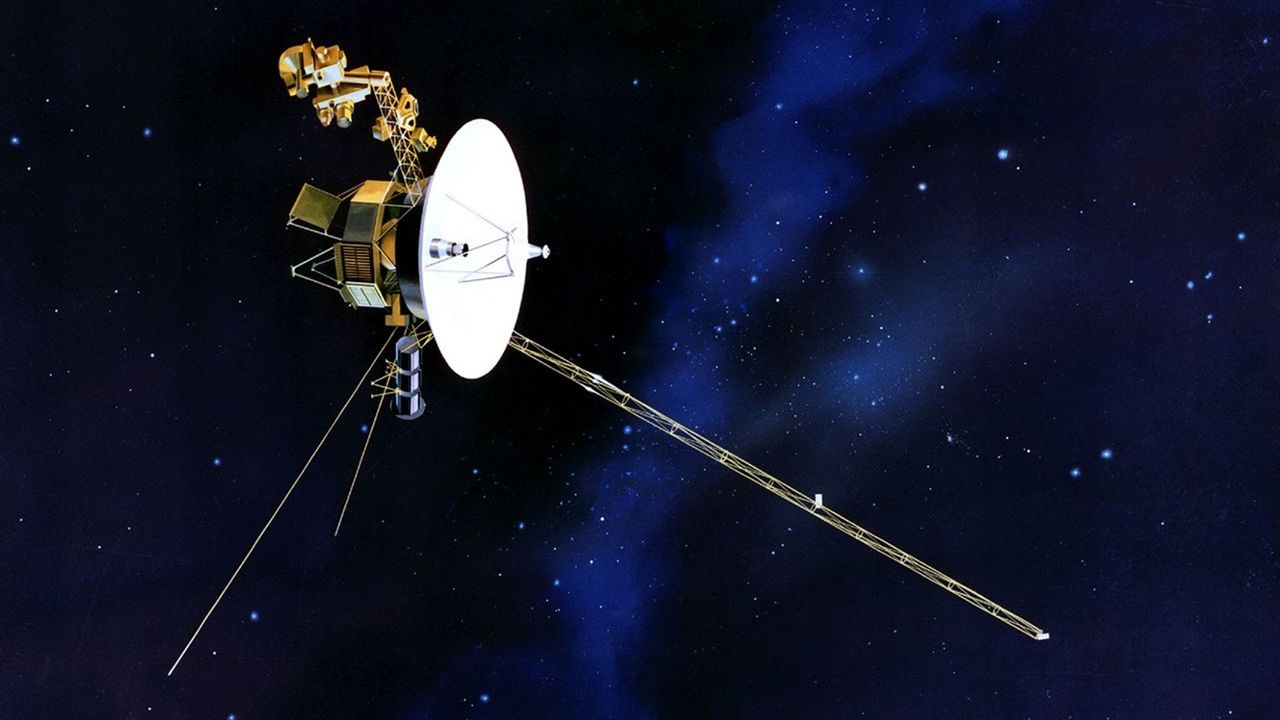
NASA just made an interstellar tweak to the Voyager 2 spacecraft, known as the "Big Bang", to keep its remaining 50-year-old science instruments running a little longer.
Voyager 2 and its twin launched in 1977, called Voyager 1, rely on a form of nuclear battery known as a radioisotope thermoelectric generator that uses the heat produced by the decay of plutonium. But the supply of plutonium on each probe drops at about four watts a year on each spacecraft.
To keep the probe running on this dwindling power supply, engineers recently reduced Voyager 2's power requirements by turning off a few non-science devices and using "lower-power alternatives" that are still effective enough to keep the spacecraft warm while it's so far from the sun, NASA officials said in a statement. "The spacecraft power margins have grown razor thin, requiring the team to conserve energy by shutting off non-essential devices and systems," NASA officials wrote of the mission, which is managed by the agency's Jet Propulsion Laboratory.
The drop in power is having a measurable science impact on both spacecraft — each has turned off two of their science instruments since 2024 alone. While some of these instruments were shut off after the spacecraft finished their historic planetary flybys decades ago, others were turned off due to power requirements.
Each spacecraft initially launched with 10 instruments, and Voyager 2 is now down to only three instruments. At first it looked as though Voyager 2 would have to shut down another of these instruments later this year, but luckily, the new power shifts will allow all three to operate "for at least another year," NASA said.
Voyager 1 will be tasked to do the same "Big Bang" power change "in the coming months." A signal to each spacecraft takes nearly 24 hours (or one light-day) to make a one-way journey, and officials noted Voyager 1 is further from Earth than its twin. (Voyager 2 is at about 142 astronomical units or sun-Earth distances, while Voyager 1 is nearing 171 AU.)
The two spacecraft initially launched to take advantage of a rare alignment between the outer solar system gas giant planets, which in order of distance from the sun are Jupiter, Saturn, Uranus and Neptune. Each Voyager spacecraft first flew past Jupiter and Saturn, taking unprecedented imagery of the planets and their moons.
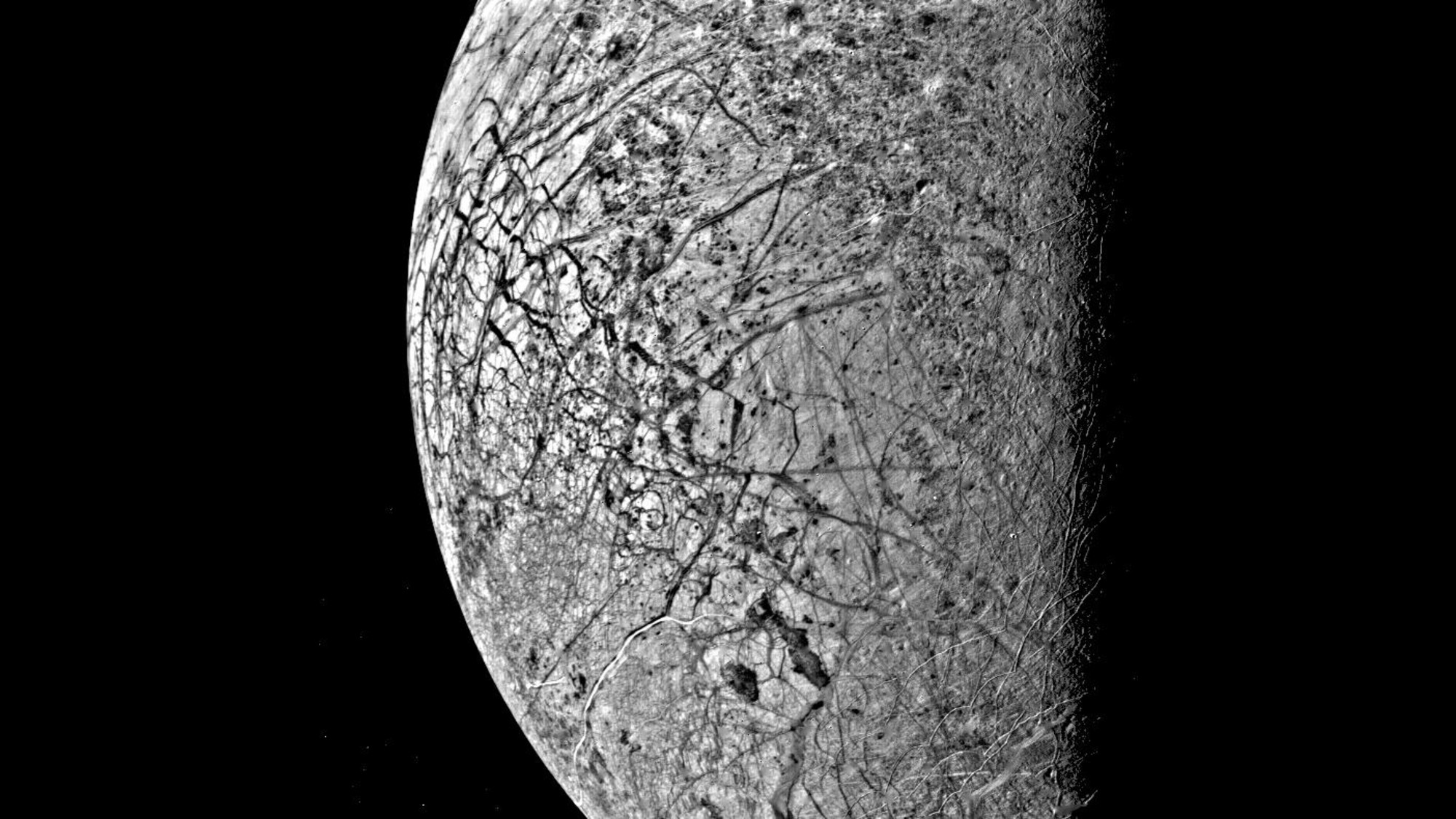
NASA's Voyager 2 probe captured this image of Europa, the smallest of Jupiter's four Galilean moons, on July 9, 1979. (Image credit: NASA/JPL)
Next, Voyager 1 was directed to fly above the plane of the solar system (also known as the ecliptic) while Voyager 2 continued flying past Uranus and Neptune, becoming the first spacecraft to see these worlds and their moons. Voyager 2's last planetary flyby was in 1989.
The two spacecraft continue to send scientific data from interstellar space; Voyager 1 passed into that region in 2012, while Voyager 2 did so in 2018. Voyager 1 is Earth's most distant spacecraft, currently around 15.9 billion miles (25.5 billion kilometers) away from us, according to NASA.
Apple Health data can now move between the Health app and Google Health on an iPhone. The connection lets Google Health import supported information recorded by an iPhone, Apple Watch, and compatible apps. The latest Google Health update can also send supported Fitbit information to Apple Health.
This two-way connection is useful for people who wear a Fitbit but prefer Apple’s Health app as the central place for viewing activity, sleep, steps, and other wellness information. It also reduces the need for third-party synchronization apps.
The feature requires a recent version of Google Health. Google began introducing support for sending data back to Apple Health with Google Health version 5.05. Because app updates can roll out gradually, the new sharing options may not appear until the latest version reaches your account.
Update Google Health Before Starting
The Fitbit app became Google Health in 2026. Existing Fitbit users should find that the installed app has changed its name and design after updating. Fitbit accounts must also be moved to an adult Google Account to use the redesigned service.
Google says the Apple Health connection requires iOS 16.4 or later. The iPhone must have internet access while the connection is being created.
To check the iOS version installed on your iPhone:
Settings > General > About > iOS Version
Install the latest compatible iOS update if the phone is running an older release.
To look for an available iPhone software update:
Settings > General > Software Update
Next, confirm that Google Health is current. Version 5.05 or later is required for the newer option that sends supported Google Health and Fitbit information to Apple Health.
To update Google Health from the App Store:
App Store > Profile Picture > Available Updates > Google Health > Update
If Google Health does not appear under Available Updates, search for the app manually. The App Store page may show an Update button if a newer release is available.
To find the app directly:
App Store > Search > Enter Google Health > Google Health (Fitbit)
People who previously used Fitbit should sign in with the Google Account connected to their Fitbit information. Creating a different account may produce an empty Google Health profile.
Image Credit: Google
Connect Apple Health Data to Google Health
Connecting the apps allows Google Health to read supported information from Apple Health. This can include data collected by the iPhone, Apple Watch, and other apps that already share information with Apple Health.
To start the Apple Health connection:
Google Health > Connections > Apps and Services > Apple Health > Get Started
Depending on the Google Health version and interface shown on the iPhone, Connections may appear behind the profile icon.
To find Apple Health through the alternative menu:
Google Health > Profile Icon > Partner Apps > Apple Health
Google Health will display a consent screen explaining the connection. Read the information before continuing.
To approve the initial connection:
Sync Google Health With Apple Health > Agree
The iPhone will then display Apple’s health permission screen. This screen lets you decide which information Google Health can read.
To give Google Health access to every supported category:
Apple Health Permission Screen > Turn All Categories On > Allow
You do not have to share every available category. Selecting individual permissions provides more control over sensitive health information.
To share only selected categories:
Apple Health Permission Screen > Select Each Health Category > Allow
Google Health can import supported information such as steps, distance, active energy, exercise records, routes, sleep sessions, sleep stages, heart rate, resting heart rate, heart rate variability, blood oxygen, respiratory rate, body temperature, weight, body fat percentage, water, nutrition information, and some cycle-tracking data.
Available categories depend on the devices and apps connected to Apple Health. An iPhone may provide steps and walking information, while an Apple Watch can contribute heart rate, workouts, sleep, and other measurements supported by the model.
After the permissions are approved, Google Health should confirm that the connection is complete.
To finish the connection:
Google Health Confirmation Screen > Done
New Apple Health information should begin appearing automatically in Google Health. Google has said that imported data can be used across relevant Google Health metrics, although not every external data type is used for every calculation.
To find imported health information:
Google Health > Health > Select a Metric
Google Health may display information from several connected sources together. Its value for a metric can differ slightly from the number shown by Apple Health because the apps may process available data differently.
Send Fitbit Data to Apple Health
Google Health version 5.05 adds the reverse direction that many iPhone and Fitbit users previously lacked. Supported information recorded through Fitbit can now be written into Apple Health.
Before enabling this option, make sure the Fitbit is properly connected to Google Health. Fitbit devices normally synchronize automatically throughout the day when Bluetooth is available and the wearable is near the iPhone.
To check the connected Fitbit:
Google Health > Profile Icon > Devices > Select Your Fitbit
The device page should show the wearable, its battery level, and its most recent synchronization time. Opening Google Health can also prompt a nearby Fitbit to transfer recently collected information.
Once the wearable is updating Google Health correctly, open the Apple Health connection settings.
To open the sharing controls for Apple Health:
Google Health > Profile Icon > Partner Apps > Apple Health
The interface may use Apps and Services instead of Partner Apps on some versions.
To reach the same connection through Apps and Services:
Google Health > Connections > Apps and Services > Apple Health
Follow the prompts for sharing Google Health information with Apple Health. The iPhone may display separate permissions for data that Google Health can read and data that it can write.
To allow supported Fitbit information to appear in Apple Health:
Apple Health Permission Screen > Allow Google Health to Write > Select Health Categories > Allow
Google says supported information can include exercise records, steps, sleep, vitals, and other health data. The exact selection can vary according to the Fitbit model, region, Google Health version, and information stored in the account.
Selecting every category is convenient, but it can create overlapping sources when an iPhone, Apple Watch, and Fitbit record the same type of activity. Choose only the categories you want Google Health to add.
A person who uses a Fitbit mainly for sleep, for example, can allow sleep information while leaving steps disabled. Someone who wears a Fitbit instead of an Apple Watch may prefer to enable steps, workouts, heart rate, sleep, and other supported categories.
Image Credit: AppleMagazine
Check Google Health Permissions
Apple Health keeps permission controls on the iPhone. You can change them after the first connection without deleting either app.
To review Google Health access from Apple Health:
Health > Profile Picture > Privacy > Apps > Google Health
The page shows the categories Google Health is permitted to read or update. Turn off any category you no longer want to share.
Some iOS versions provide the same controls through the Sharing tab.
To find Google Health through the Sharing tab:
Health > Sharing > Apps and Services > Google Health
Turning off a permission stops future sharing for that category. It does not necessarily remove information that has already been written to Google Health or Apple Health.
The Google Health app also provides controls for the connection.
To review Apple Health inside Google Health:
Google Health > Connections > Apps and Services > Connected > Apple Health
If Google Health displays a message that new data types are available, open the connection and approve the additional categories you want to use. Newly supported information is not automatically shared without permission.
Manage Duplicate Health Information
An iPhone, Apple Watch, and Fitbit can record similar information at the same time. Apple Health keeps each source attached to its data and uses a priority order when presenting combined measurements.
You can inspect the sources contributing to a category and choose which one Apple Health should prefer.
To review the sources used for step information:
Health > Search > Activity > Steps > Data Sources and Access
The screen shows the apps and devices that provide step records. If Google Health, an Apple Watch, and the iPhone all appear, you can adjust their priority.
To change the order of step sources:
Health > Search > Activity > Steps > Data Sources and Access > Edit > Drag Sources Into the Preferred Order > Done
Move the source you trust most toward the top. Apple Health generally gives higher priority to sources placed above others when similar records overlap.
Repeat the same process for other categories if their totals do not look right. Exercise, sleep, active energy, and distance can each have their own sources and permissions.
Image Credit: Google
Fix Missing or Delayed Data
Synchronization is not always immediate. A Fitbit first sends its information to Google Health, and Google Health then writes supported records to Apple Health. Bluetooth availability, Background App Refresh, internet access, and battery-saving behavior can affect this process.
Begin by opening Google Health with the Fitbit close to the iPhone. Wait for the device to complete its normal synchronization before checking Apple Health.
If Apple Health information is missing from Google Health, confirm that the connection remains active.
To check the connection status:
Google Health > Connections > Apps and Services > Apple Health
If Google Health displays an error or a request for new permissions, follow the message shown on the screen.
Background App Refresh can help Google Health update when the app is not open.
To allow Google Health to refresh in the background:
Settings > General > Background App Refresh > Google Health > On
Bluetooth must remain available for a Fitbit to communicate with the iPhone.
To confirm that Bluetooth is enabled:
Settings > Bluetooth > Bluetooth On
If the connection continues to fail, disconnecting and reconnecting Apple Health may restore the permission request.
To disconnect Apple Health from Google Health:
Google Health > Connections > Apps and Services > Apple Health > Disconnect > Confirm Disconnect
Disconnecting the service does not automatically remove every permission already stored by Apple Health. Review the Google Health entry in the Health app if you want to remove those permissions as well.
To remove the remaining Apple Health permissions:
Health > Profile Picture > Privacy > Apps > Google Health > Turn Off All
After reconnecting the apps, allow time for new records to appear. Previously stored information may not transfer in exactly the same way as activity recorded after the connection was enabled.
You can inspect an individual entry to confirm whether it came from Google Health, a Fitbit, an Apple Watch, or the iPhone.
To check the source and time of a synced record:
Health > Search > Select a Health Category > Show All Data > Select the Latest Entry
Two NASA astronauts installed the seventh and final set of mounting hardware for new sets of solar arrays during a successful 6.5-hour spacewalk outside of the International Space Station.
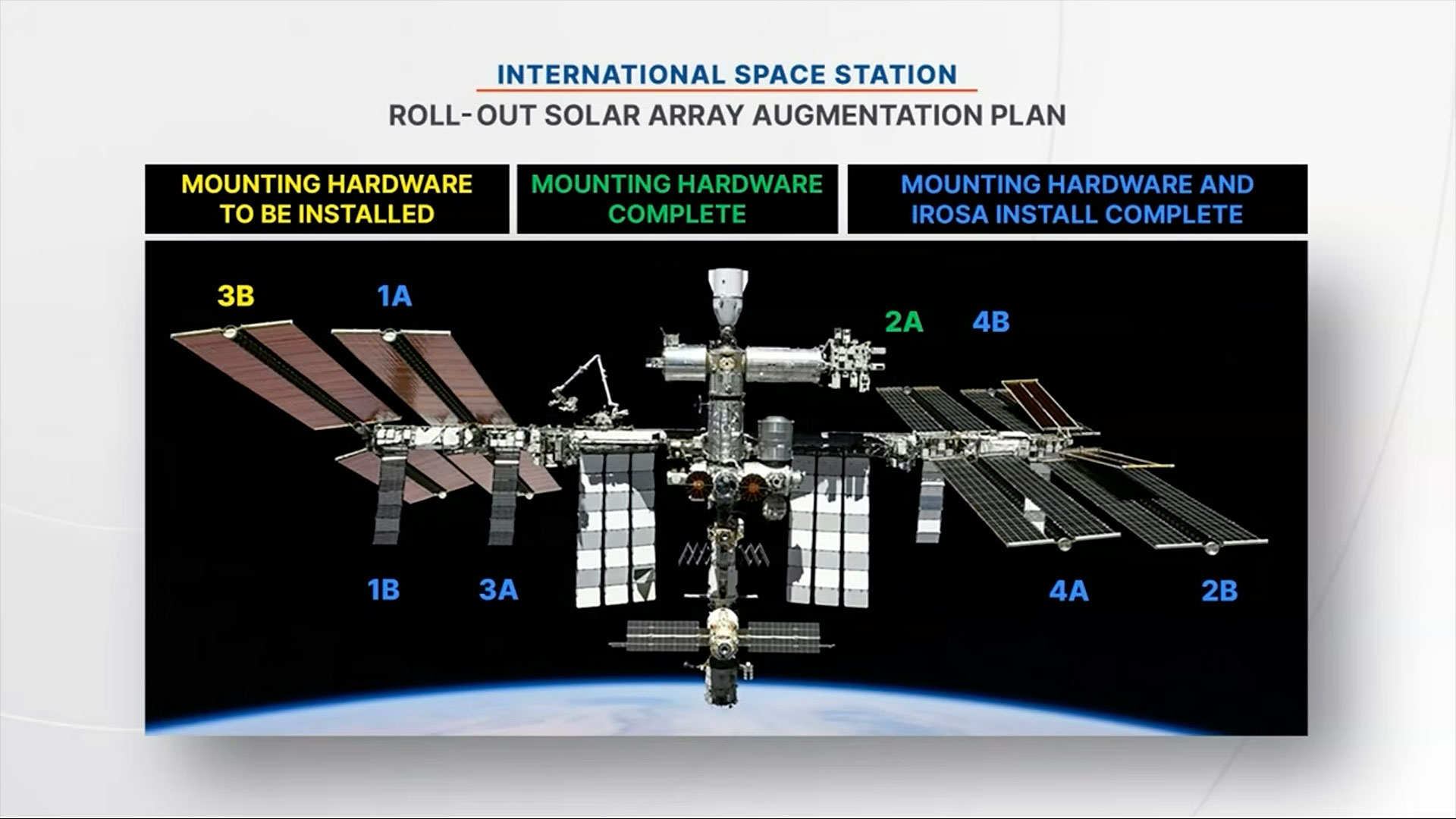
Jessica Meir and Anil Menon on Thursday (Aug. 6), assembled the modification kit for one of the space station's eight power channels, which will allow for the future addition of a new ISS Rolll-Out Solar Array (iROSA). Since 2021, astronauts on prior spacewalks have deployed six of the iROSA assemblies, leaving now just two awaiting delivery to the station later this year.
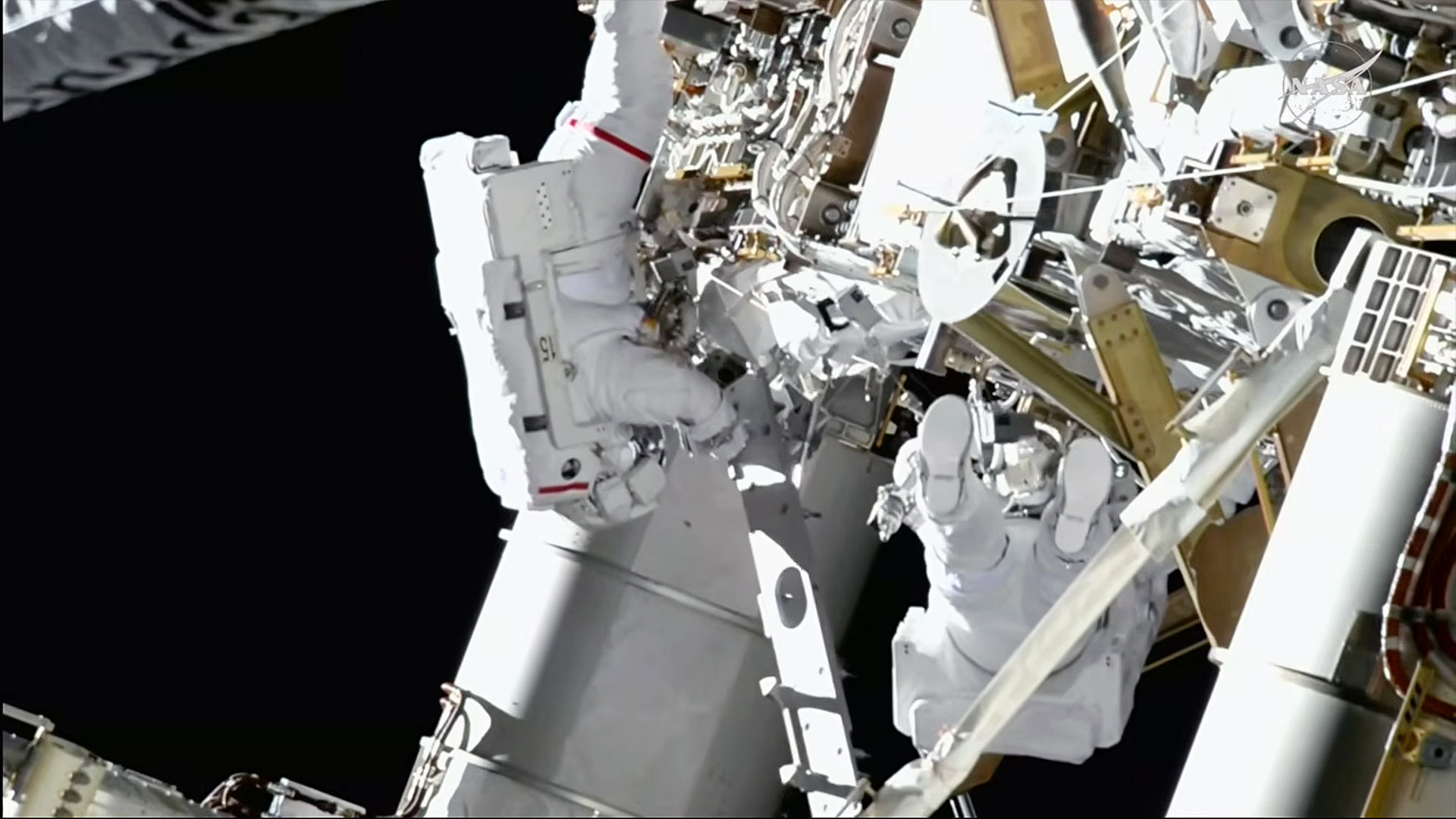
Like building a giant erector set, Meir and Menon worked to assemble and bolt together the triangular brackets on the 3B power channel, located on the far right, or starboard (S6) segment of the station's backbone truss. Menon was positioned on an articulating portable foot restraint (APFR) atop a worksite interface (WIFEX), providing a stable angle to work from the truss.
NASA graphic showing the augmentation plan for the ISS Roll-Out Solar Arrays (iROSAs), including where work has been completed and where work is still needed prior to a spacewalk that installed the mounting hardware on power channel 3B on Thursday, Aug. 6, 2026. (Image credit: NASA)
Once the modification kit structure was built and secured to the 3B mast canister, the two spacewalkers routed cabling that will carry the electricity from the future iROSA into the 3B power channel and then covered the struts with multi-layer insulation to protect them from micrometeoroid strikes.
The iROSA wings sit forward of the legacy solar arrays, augmenting their electricity generation rather than replacing it. The station's eight original arrays began showing degraded power output as they exceeded their 15-year design life. When used in tandem with the new iROSA wings, the upgraded system will increase the station's electricity supply by 20% to 30%.
The other power channel currently without an iROSA deployed is 2A on the left, or port side, of the station.
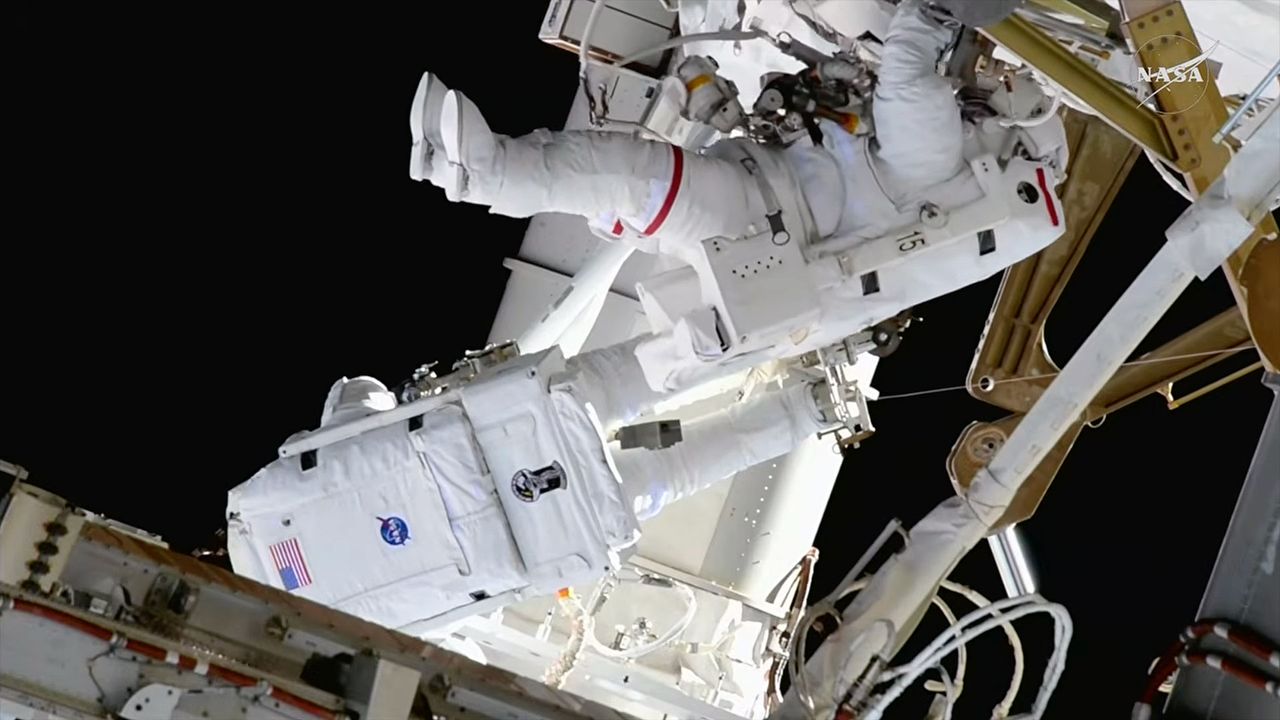
NASA astronauts Jessica Meir (at left) and Anil Menon (with feet to camera) installed solar array mounting hardware during a spacewalk outside of the International Space Station on Thursday, Aug. 6, 2026. (Image credit: NASA)
"Anil, you can see the moon to the — well, I am not sure what way you're facing, but…," said Meir, taking a short break during the spacewalk to notice NASA's next destination for astronauts under its Artemis program.
"To my right. Yeah, I see it — thanks for the heads-up," said Menon. "I can see a future moon base there."
"I can see it, too!" Meir said.
Meir later turned her attention to Mars with her closing words of the day.
"On this day in 2012, NASA's robotic rover Curiosity successfully landed on the surface of Mars with the goal of understanding if the planet could have fostered life. Curiosity achieved that goal within a year," she said. "One day, humans will visit Curiosity, propelled by the groundbreaking science, technology demonstrations and operations conducted here on the International Space Station for almost 26 years now."
"Today, we made one more step toward expanding the ISS power system, further sustaining our human presence in low Earth orbit, as we prepare to take those next steps," said Meir.
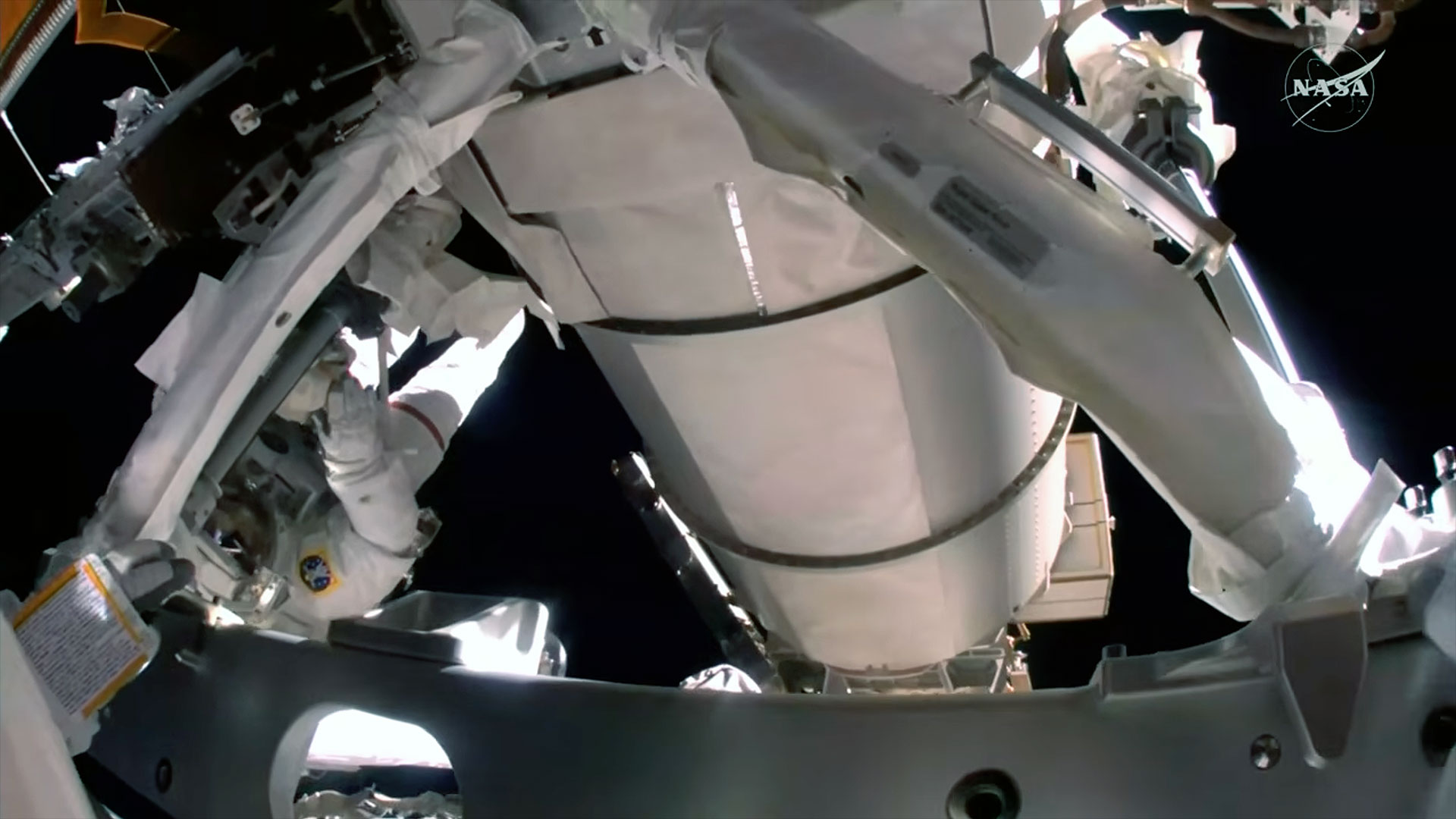
A camera mounted on NASA astronaut Anil Menon's spacesuit helmet captured this view of NASA astronaut Jessica Meir (at left) and the worksite where they assembled and installed mounting hardware for a new solar array outside of the International Space Station on Thursday, Aug. 6, 2026. (Image credit: NASA)
Thursday's spacewalk began at 8:33 a.m. EDT (1233 GMT) when Meir and Menon switched their spacesuits to internal battery power. After collecting their tools and reentering the Quest airlock, the spacewalk, or extravehicular activity (EVA), concluded at 3:00 p.m. EDT (1900 GMT), 6 hours and 27 minutes after it began.
This was the 96th U.S. EVA and 281st spacewalk overall in support of the International Space Station's assembly, maintenance and enhancement. It was the first career spacewalk for Menon and the sixth for Meir, bringing her total time on EVA to 42 hours and 33 minutes.
This was the first spacewalk for the space station's Expedition 75 crew. There are two more U.S. outings scheduled for this month: EVA 97 will work to replace a space-to-ground antenna on Aug. 13, and EVA 98 will connect power channel cables and data relay systems as part of ongoing maintenance, including preparations for the station's future deorbit, as well as replace a navigational aid used for spacecraft docking on Aug. 25.
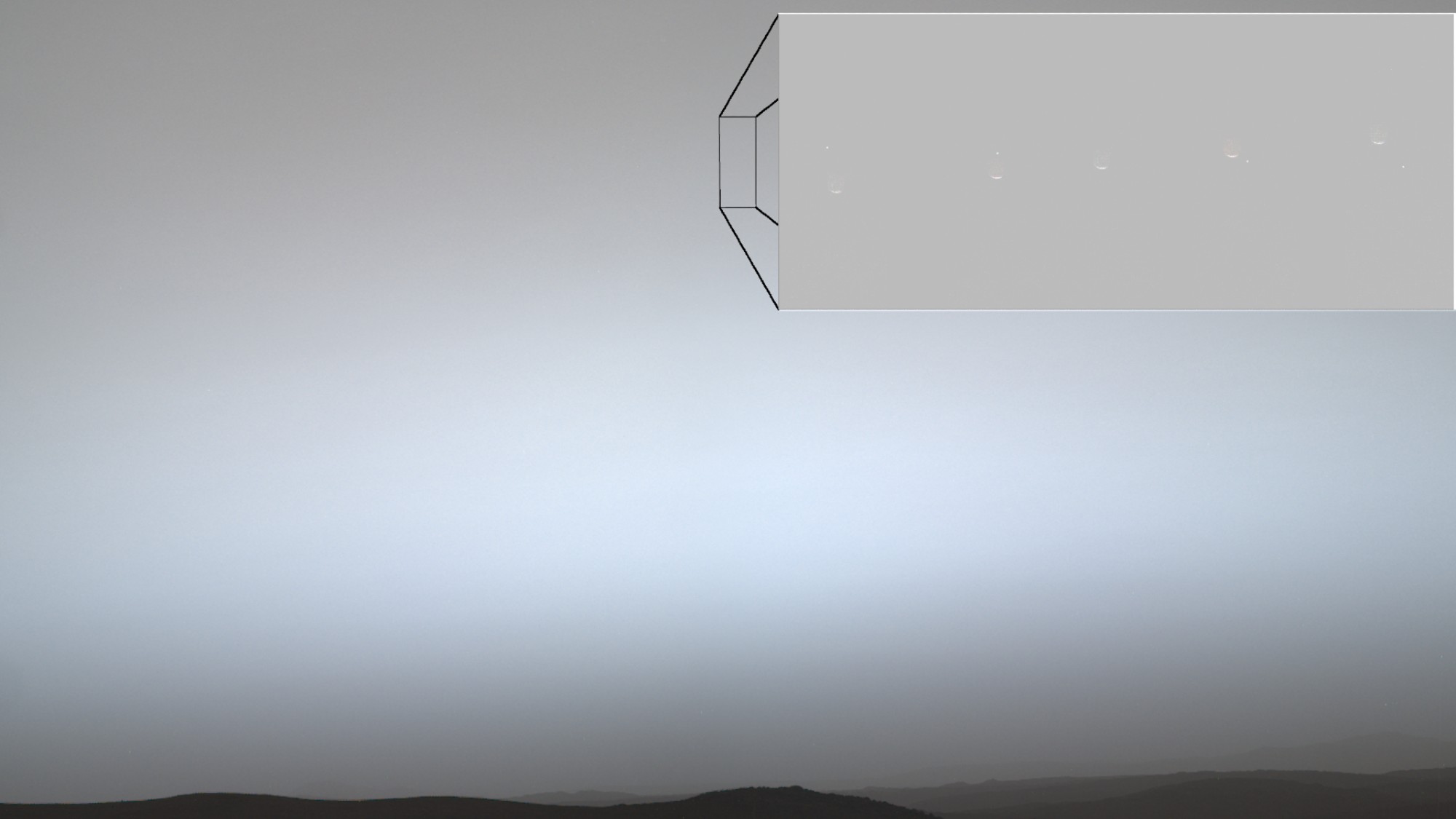
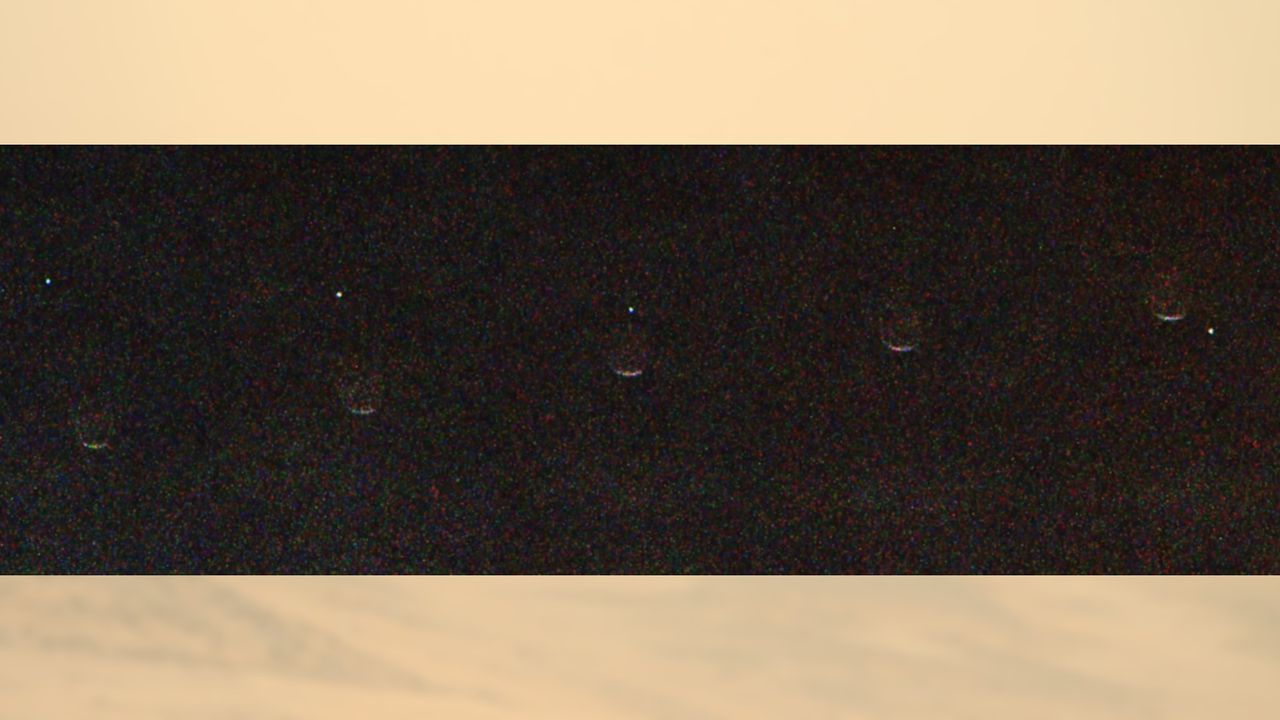
A composite image captured by NASA's Perseverance rover on July 2, 2026 showing Earth (the bright dot) passing behind Mars' moon Phobos in the Red Planet sky. (Image credit: NASA/JPL-Caltech/ASU/MSSS/SSI)
NASA's Perseverance rover witnessed a rare event recently, when Earth briefly disappeared behind Mars' moon Phobos in the Red Planet sky.
What is it?
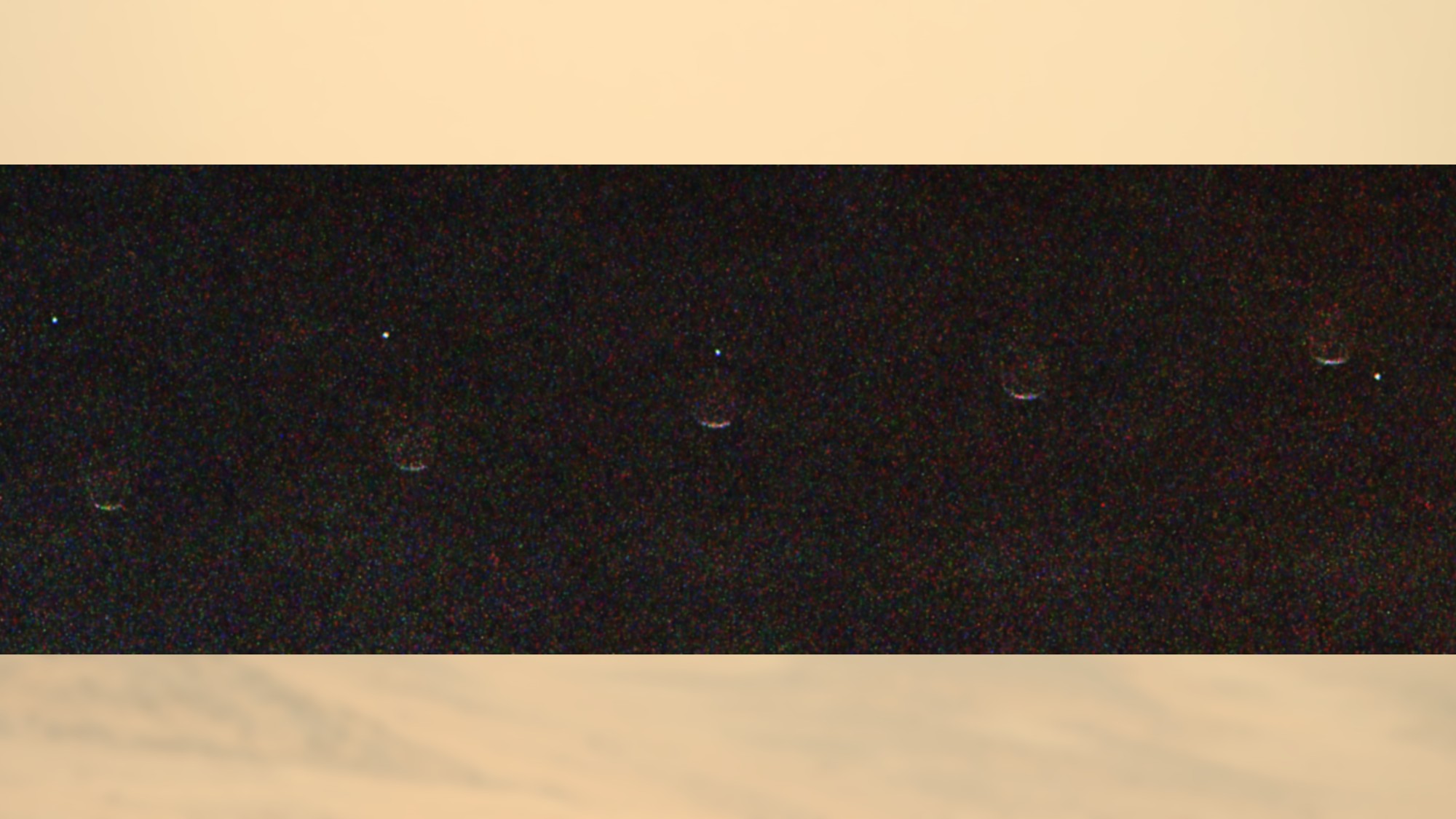
These new composite images were released by NASA's Jet Propulsion Laboratory (JPL) and taken on July 2, 2026, the 1,907th Martian day of Perseverance's mission. They consist of nine different images taken by the rover's Mastcam-Z instrument as it pointed up into the hazy Martian sky, watching our planet, seen here as a pale dot, cross behind the Mars moon Phobos.
This type of event is known as an occultation, from the Latin word occultare, meaning "to hide." On Earth, the most common type of occultation occurs when our moon passes in front of background stars or when planets pass behind the moon.
Mars has two moons, Phobos and Deimos. Phobos is the larger and innermost moon. Both are lumpy and irregularly shaped, and astronomers aren't sure whether they came from the asteroid belt or were formed from an ancient impact near or on the Red Planet.
A composite of nine different images captured by NASA's Perseverance rover on July 2, 2026 showing Earth (the bright dot) passing behind Mars' moon Phobos in the Martian sky. (Image credit: NASA/JPL-Caltech/ASU/MSSS/SSI)
Why is it incredible?
The image took careful preparation and required Perseverance to be in the right place at the right time.
"Phobos crosses the Martian sky three times a day, and Earth is visible for months at a stretch, but catching one directly behind the other takes planning and a little luck," said Mark Lemmon, a Mastcam-Z co-investigator at the Space Science Institute.
The next crew, spacecraft and rocket to fly to the International Space Station are on schedule to meet their mid-September launch date, mission managers and the astronauts told reporters on Monday (Aug. 3).
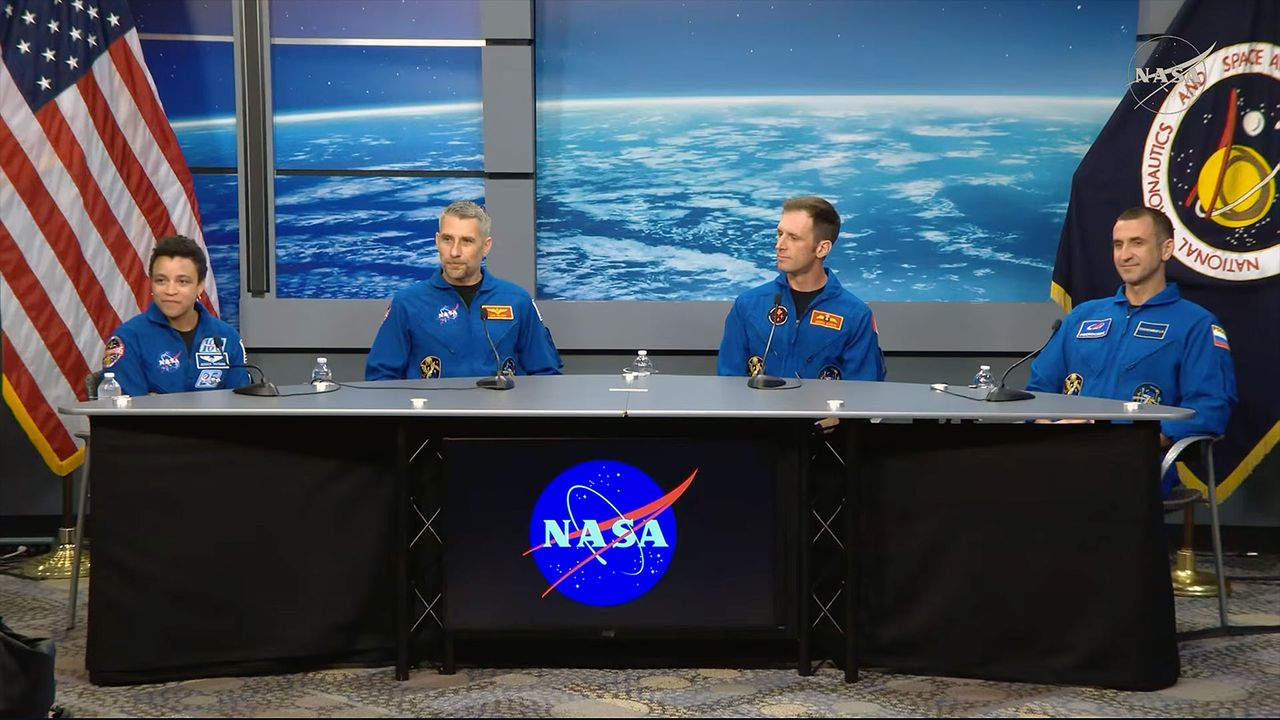
SpaceX's Crew-13 astronauts — commander Jessica Watkins and pilot Luke Delaney of NASA, mission specialist Josh Kutryk with the Canadian Space Agency and mission specialist Sergey Teteryatnikov of Russia's federal space corporation Roscosmos — will become only the second crew to fly aboard the Dragon spacecraft "Grace" when they lift off no earlier than Sept. 12 from Space Launch Complex-40 at Cape Canaveral Space Force Station in Florida.
They will then dock with the space station the following day to begin a seven-month stay on the orbiting outpost, as part of the Expedition 75/76 crew.
"We expect a very busy mission with lots of station maintenance, both internal and external, with a few EVAs [extravehicular activities, or spacewalks] on the docket," said Watkins, who is the only member of Crew-13 to have flown into space before and will become the first active NASA astronaut to fly on Dragon twice. "[We also expect] visiting vehicle capture and stowage operations, lots of science — very interesting science experiments that will be flying with us as well — and plenty of outreach."
Kutryk will be the fourth Canadian to serve on an ISS crew and the second from his country to fly this year, after Jeremy Hansen launched around the moon on the Artemis II crew in April.
"Personally, myself, I grew up on a cattle farm in Canada. It's a long way from being here with this mission in front of us, but the one thing that has resonated at every twist and turn in that journey has been the complexity of these missions and the enormity of the teams that go into pulling missions like this off," said Kutryk. "So, we need to say thank you to everyone."
Cybertrucks, spacesuits and mudflats
"Every time we do a human spaceflight mission, it gives us an opportunity to strengthen our understanding of low Earth orbit. It gives us an opportunity to broaden our international relationships and an opportunity to showcase to the world what we can do in low Earth orbit for human spaceflight," said Joel Montalbano, NASA's deputy associate administrator for human spaceflight.
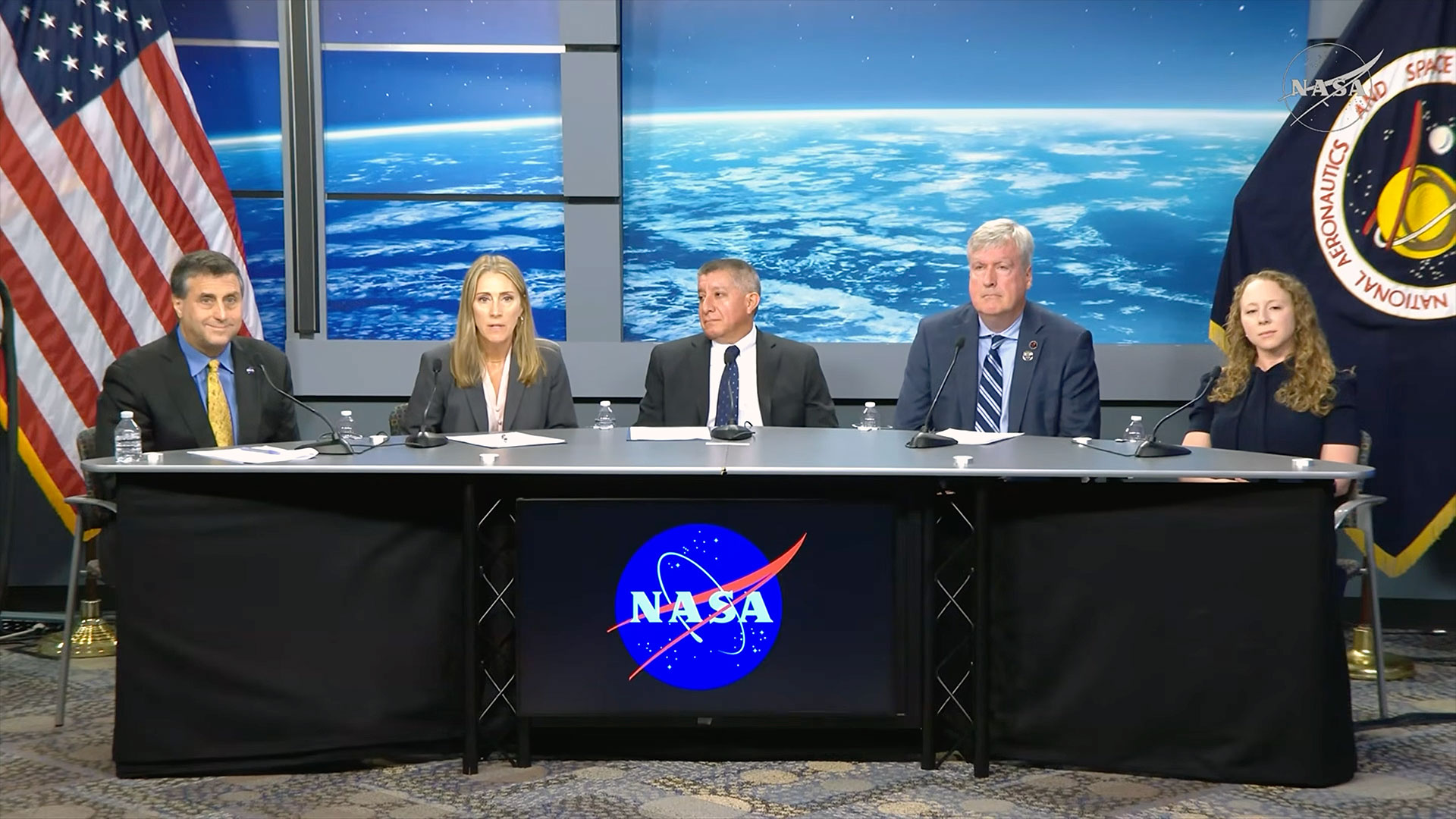
Crew-13 mission managers take part in a pre-flight press conference on Monday, Aug. 3, 2026 at NASA's Johnson Space Center in Houston. From left to right: Joel Montalbano, deputy associate administrator, Human Spaceflight Mission Directorate, NASA Headquarters; Dana Weigel, manager, Low Earth Orbit Program, NASA Johnson; Richard Jones, deputy director, NASA's Commercial Crew Program; Mathieu Caron, director, Astronauts, Life Sciences, and Space Medicine, CSA; and Julianna Scheiman, director, NASA Science and Dragon Programs, SpaceX. (Image credit: NASA)
During the mission, Watkins, Delaney, Kutryk and Teteryatnikov will take part in research to combat heart disease and Parkinson's disease by studying human stem cell-derived tissues. They will also explore crop production that's important for longer-duration spaceflight missions, and help improve scientists' understanding of blood flow abnormalities that are seen on long missions. The crew will also test new diagnostic medical equipment for keeping an eye on their overall health.
First, though, they must get to space.
"Final integration of the Dragon is complete. The capsule was stacked on the trunk just last week and mission preparations are proceeding well for a mid-September launch," said Dana Weigel, NASA's manager for its low Earth orbit program. "Falcon 9 booster maintenance will kick off this month. That same booster was flown on Crew-12. We are not tracking any major issues for this mission campaign."
This Friday (Aug. 7), the crew will don their SpaceX suits — the first "Rev. 3" models with improved donning and doffing capabilities, as well as adjustments to account for spinal growth on orbit — and get their first chance to board "Grace," their ride into orbit and back. This "test drive" will help them gain some muscle memory — some familiarity within the the vehicle mission — and provide them a very big psychological boost, managers said.
"Grace" will also sport new metal "mud flaps" for its Draco abort thrusters, replacing earlier carbon fiber models. In addition, should the crew encounter an emergency before launch, they will be evacuated from the launch pad area for the first time by Tesla Cybertrucks operated by SpaceX, reducing conflicts when SpaceX and NASA want to launch crewed flights at the near or same time.
"There was a lot of certification that had to go into making sure those Cybertrucks would start up with a gloved hand. There were a lot of tests in terms of making sure you could egress the vehicle with a bulky suit on," Richard Jones, deputy program manager of NASA's commercial crew program, said in a response to a question from collectSPACE and Space.com. "All of those things were proven to be already intact, and they're going to configure those Cybertrucks to be ready."
Departures and arrivals
The four members of Crew-13 will be sharing their time on the space station with outgoing and incoming Russian Soyuz crews, who will launch and land with members of Delaney's astronaut candidate class, "The Flies," selected in 2021.
"It's really exciting to see the class fly," said Delaney. "We're going to be meeting Anil [Menon] up there. He's part of our class. Deniz [Burnham] will come up right behind to replace him. Working closely with both of those two throughout astronaut training, it's really just satisfying."
"I'm slightly hoping we get delayed a little bit, so we have some overlaps, so that way we can have three Flies back to back, he said.
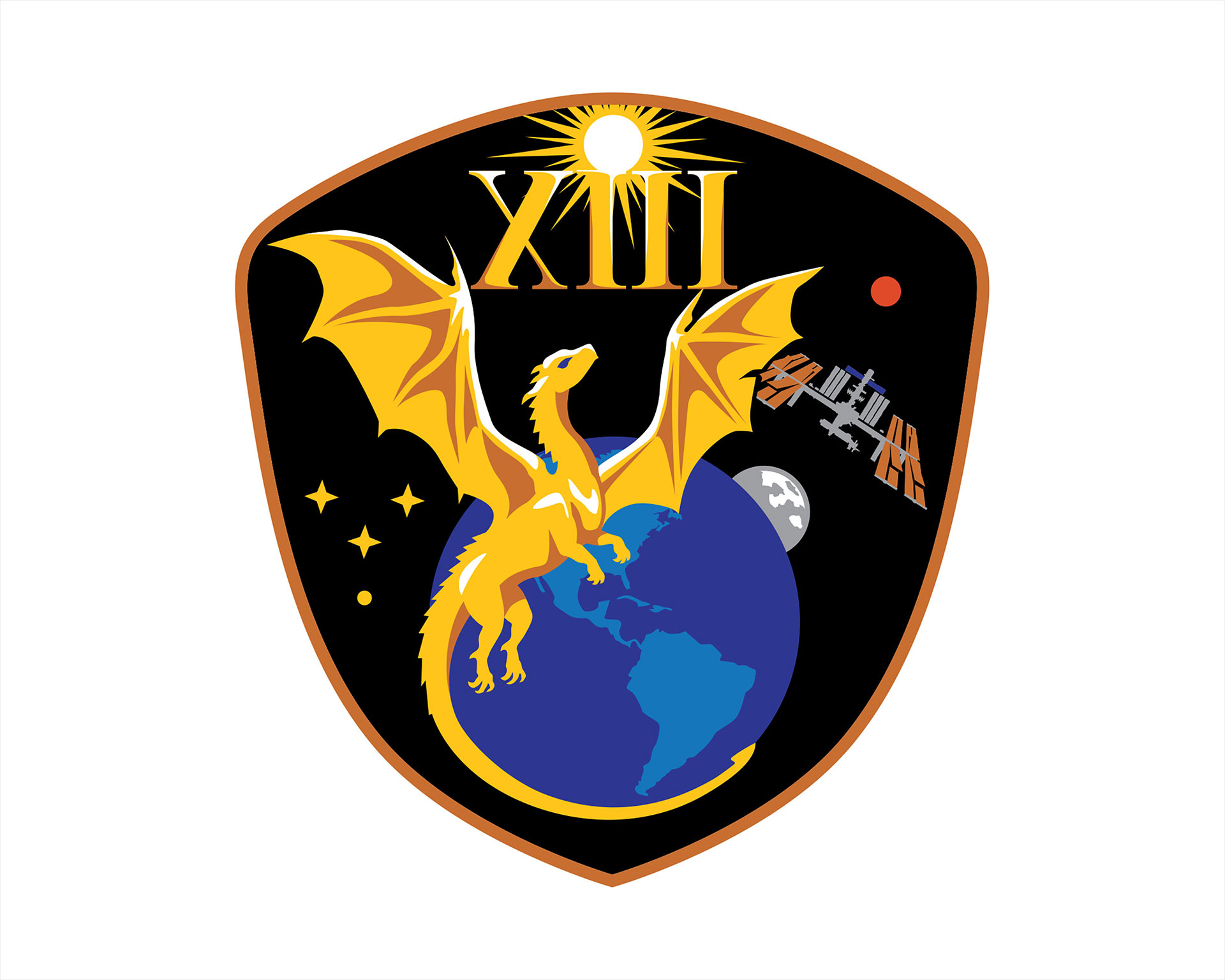
The central golden dragon on NASA’s SpaceX Crew-13 patch harkens back to Apollo 13, embodying resilience and gazing upward to the dawn of a new era of discovery. (Image credit: NASA)
For Kutryk, some timing just cannot be controlled.
"It's about midway through — pretty much perfect timing. That's sarcasm," said Kutryk, referring to the upcoming birth of his third child, who is expected to come into the world while he is on the space station.
"It's been done a couple times before," he said, referring to NASA astronaut Mike Fincke and Randy Bresnik, who both had children born while on the ISS. "I think that my family is ready. I have a wonderful, huge support network, from my wife outwards, around us, and we're looking forward to that challenge and to the uniqueness of this experience."

 Login
Login