Login
Login
Pulsar Feinmann F01 Noctua Edition Review: Extra cool
There are plenty of ultra-lightweight gaming mice in our best gaming mice picks — but there aren't any that have a built-in hand cooler.
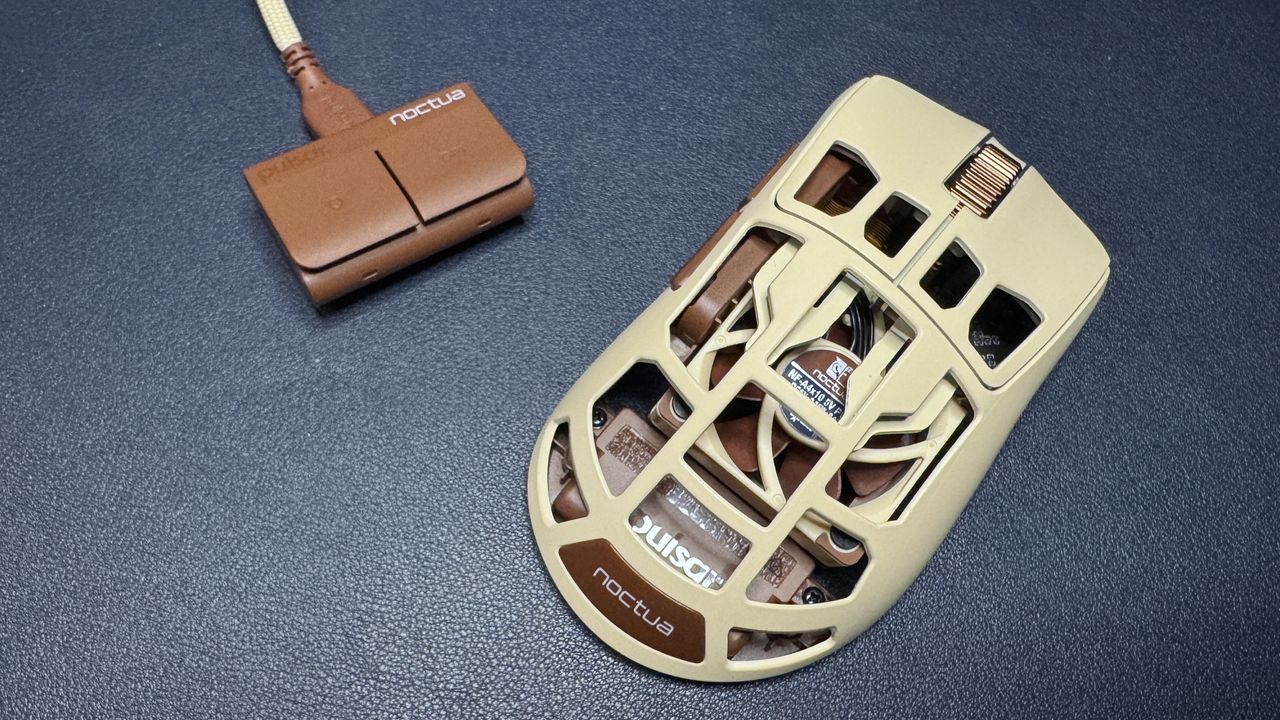
Pulsar recently released a collaboration with infamous air-cooling advocate Noctua — a beige and brown mouse full of top-tier hardware and holes and a built-in 40mm NF-A4x10 fan. For cooling your hand, not the hardware. This eSports-oriented gaming mouse features Pulsar's XS-2 sensor, which has a maximum resolution of 42,000 DPI and a maximum speed of 800 IPS, and can handle up to 70 G's of force. It also features up to an 8,000 Hz polling rate, and, of course, the built-in fan. It retails for the same price as the original Feinmann F01 gaming mouse, which is to say, it's pretty pricey at $179.99.
Design and Comfort of the F01 Noctua Edition
The F01 Noctua Edition is a lightweight wireless eSports gaming mouse with an ergonomic right-handed shape and a hole-filled chassis with a built-in fan. It comes in Noctua's signature beige-and-brown color scheme: The top part of the chassis is light beige, while the bottom and accents (side buttons, scroll wheel, Noctua's logo plate, and some interior elements) are brown.
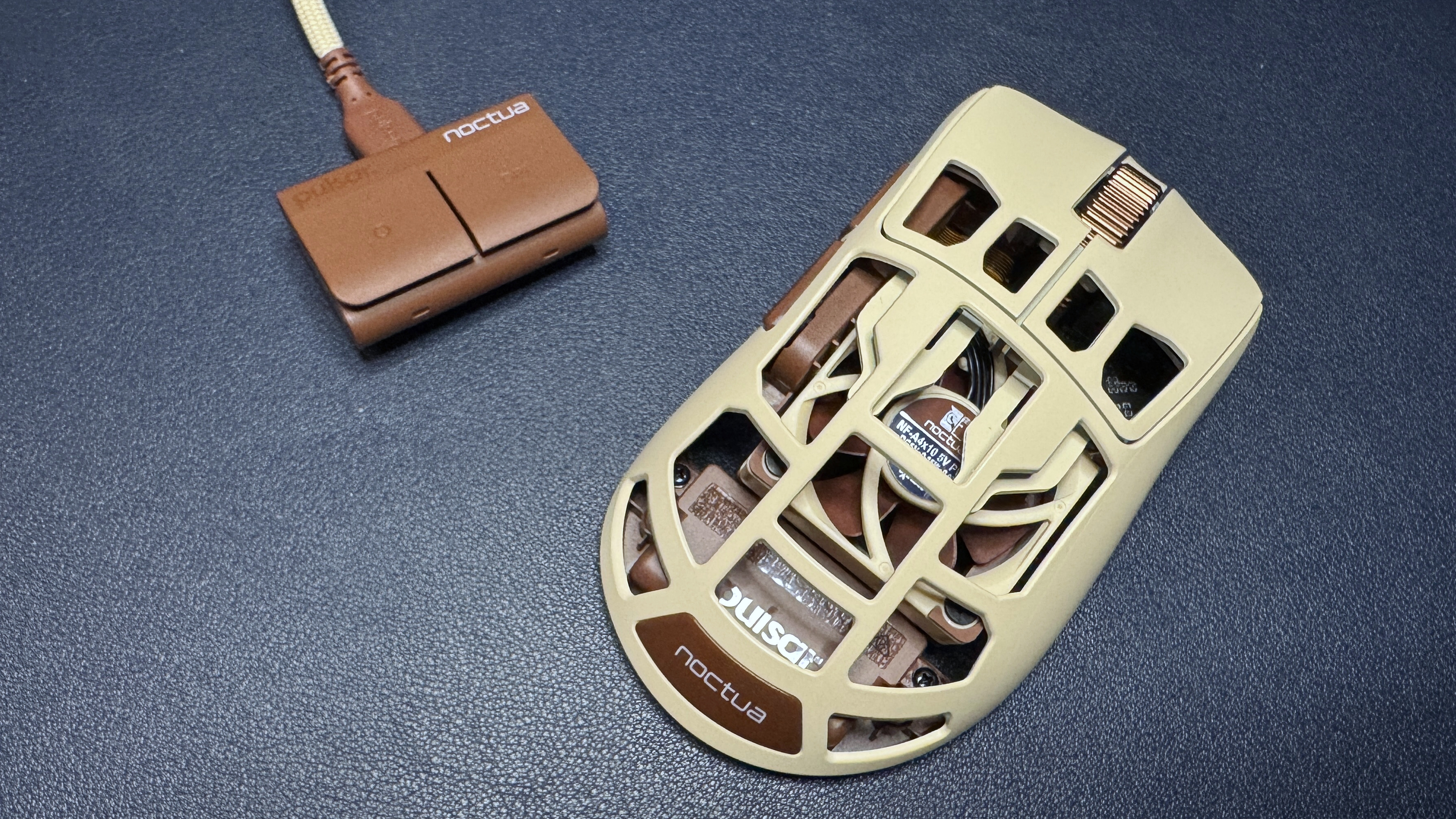
The F01 Noctua Edition has a right-handed, ergonomic shape with contoured primary mouse buttons and an off-center hump. It's a little smaller than most mainstream gaming mice, measuring 4.79 inches (121.7mm) long by 2.62 inches (66.5mm) wide and 1.7 inches (43.3mm) high at its thickest point. It weighs 2.57 ounces (73g), which is on the heavier side for what is supposed to be an ultra-lightweight eSports mouse. It's about an ounce heavier than the regular Pulsar Feinmann F01, which weighs 1.62 ounces (46g), thanks to the built-in fan.
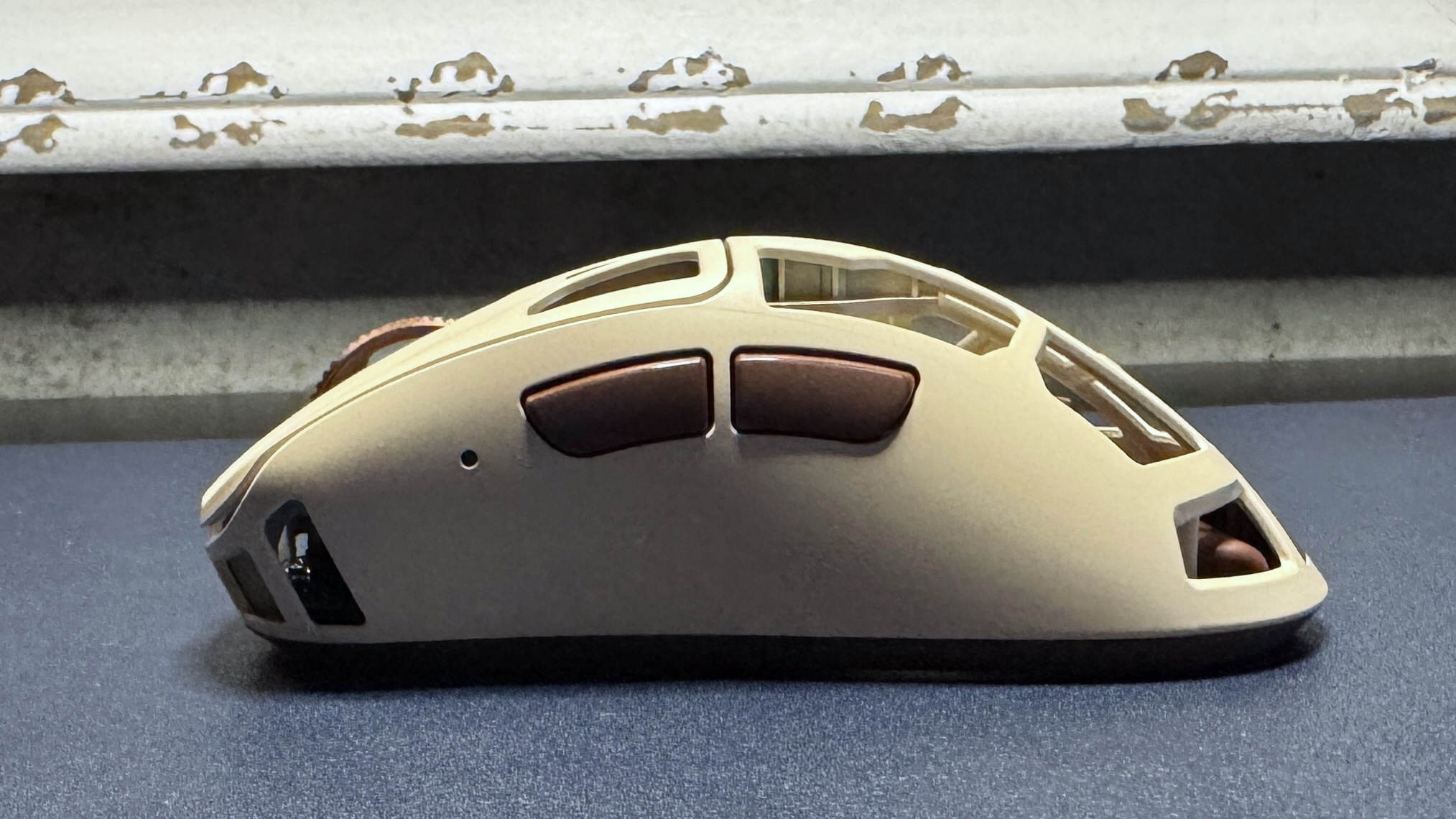
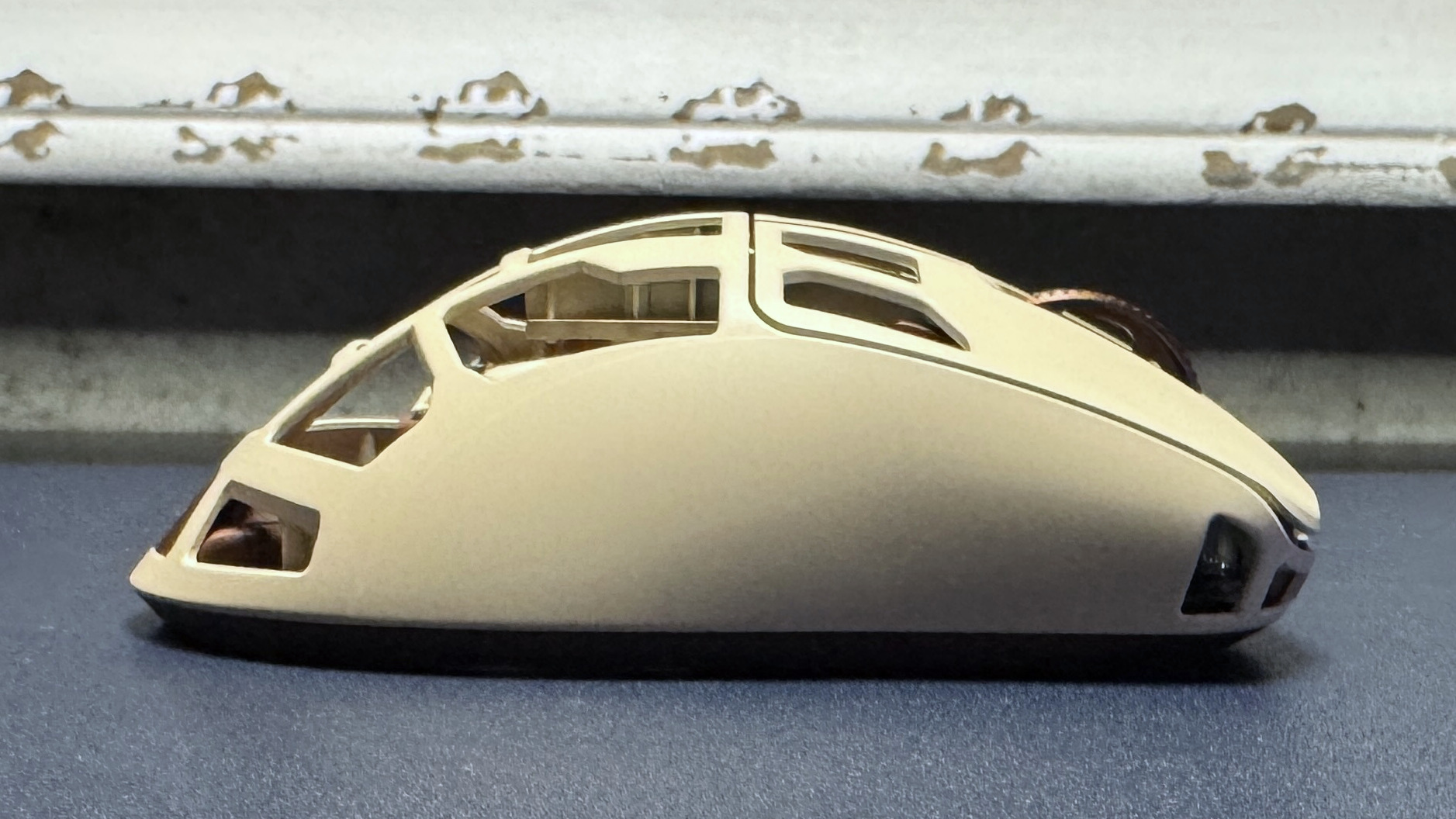
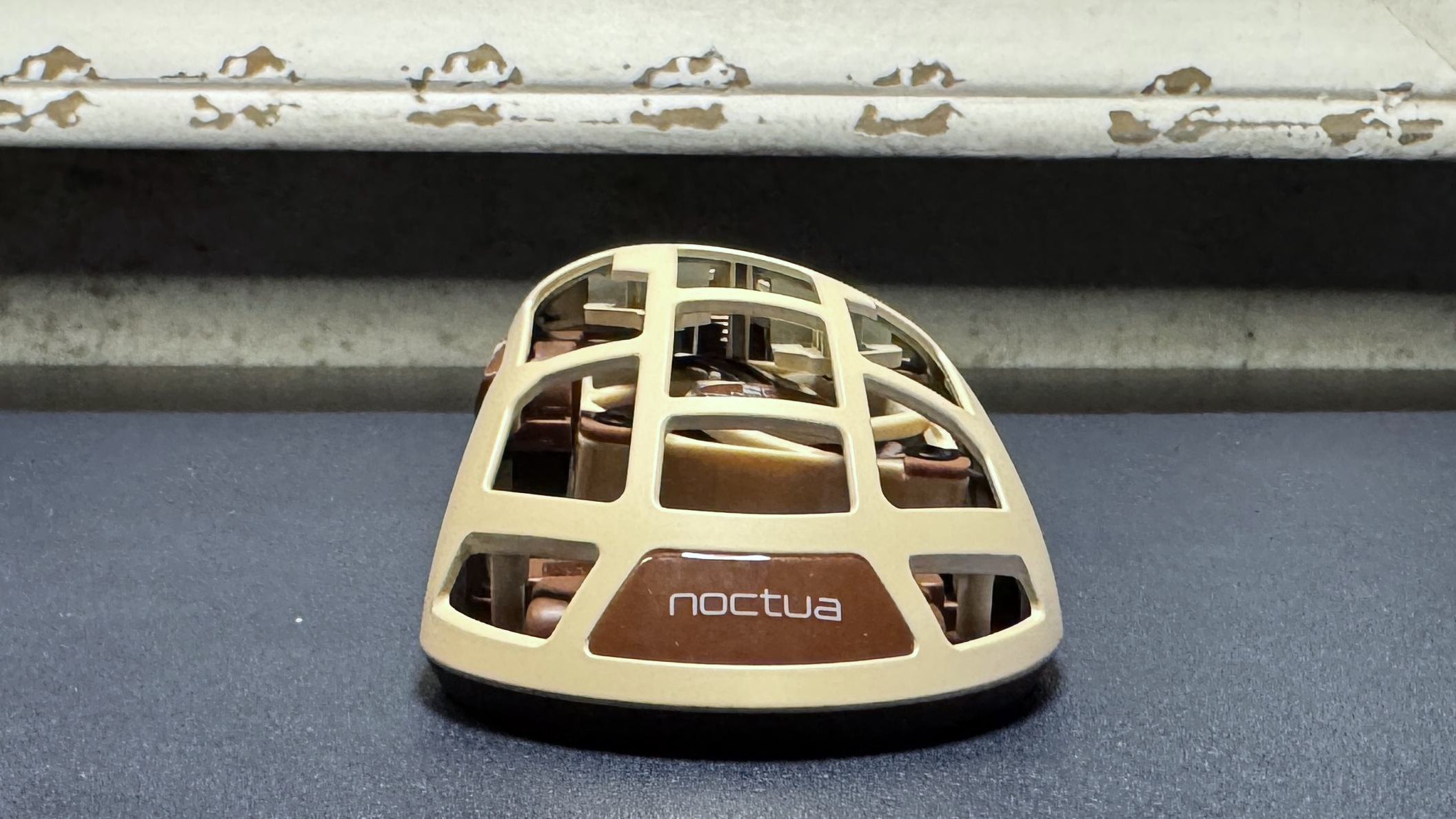
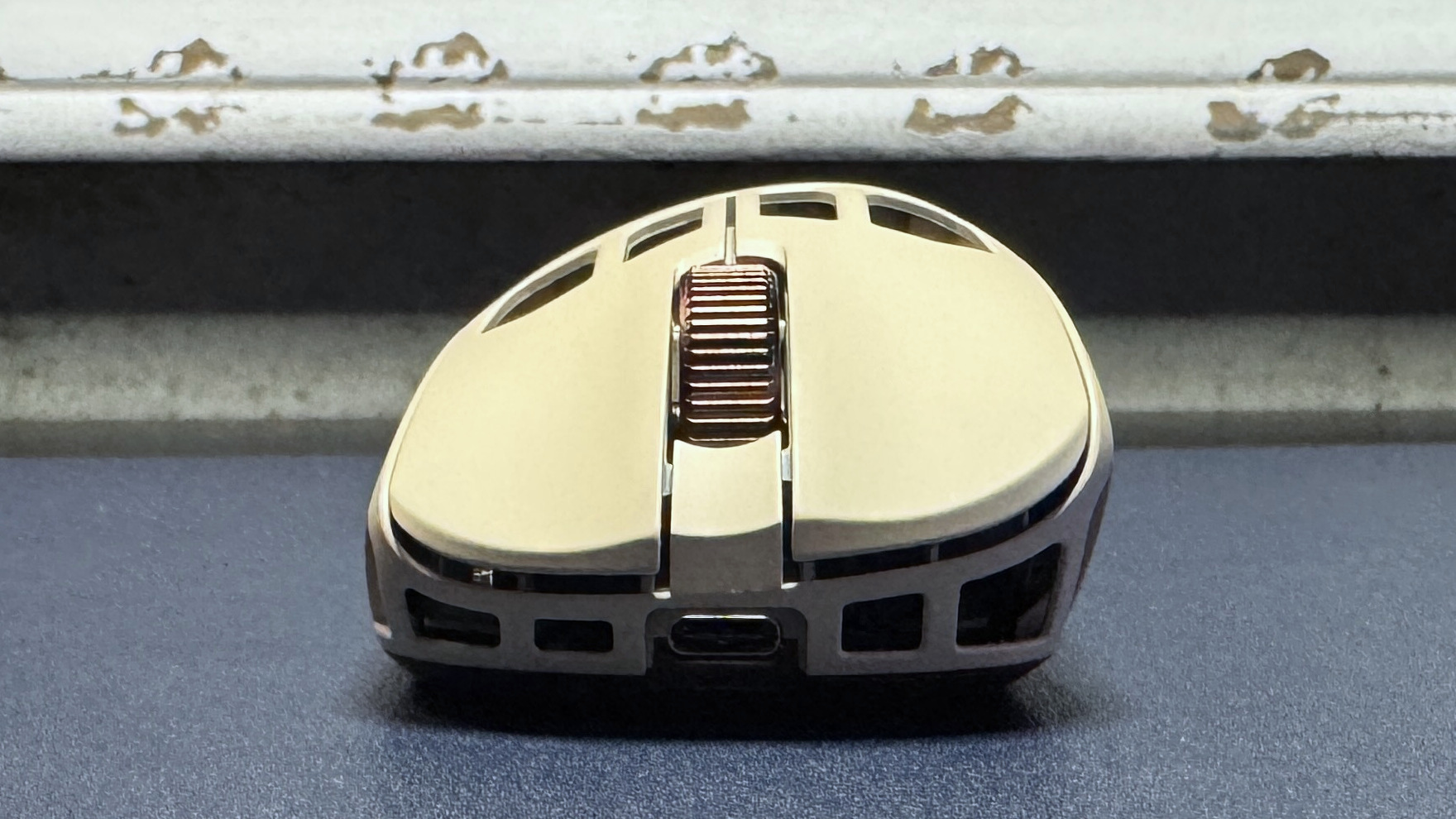
The mouse features a matte chassis made of a carbon composite material for durability. The chassis is full of holes, but at least they serve a purpose (sort of) other than reducing weight and triggering your trypophobia: they're also there to keep your hand cool. In the center of the mouse you'll see a mini Noctua fan that directs air upward — toward your palm. You can activate this fan by holding down both side buttons and scrolling up. There are four different fan speeds, indicated by the small LED indicator light on the left side of the mouse, which you can cycle through by scrolling up or down with both. Holding down both buttons and scrolling down turns the fan off.
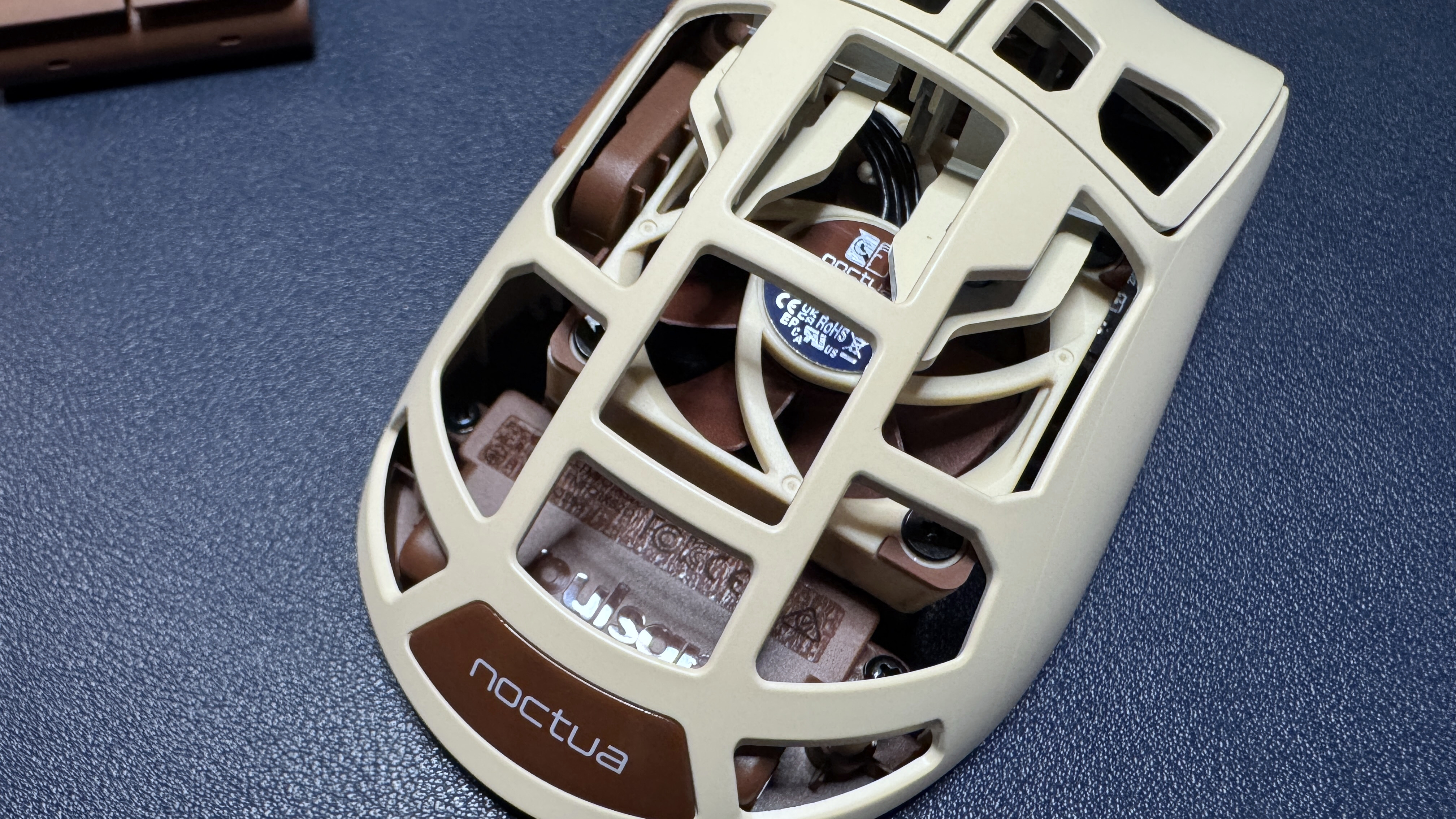
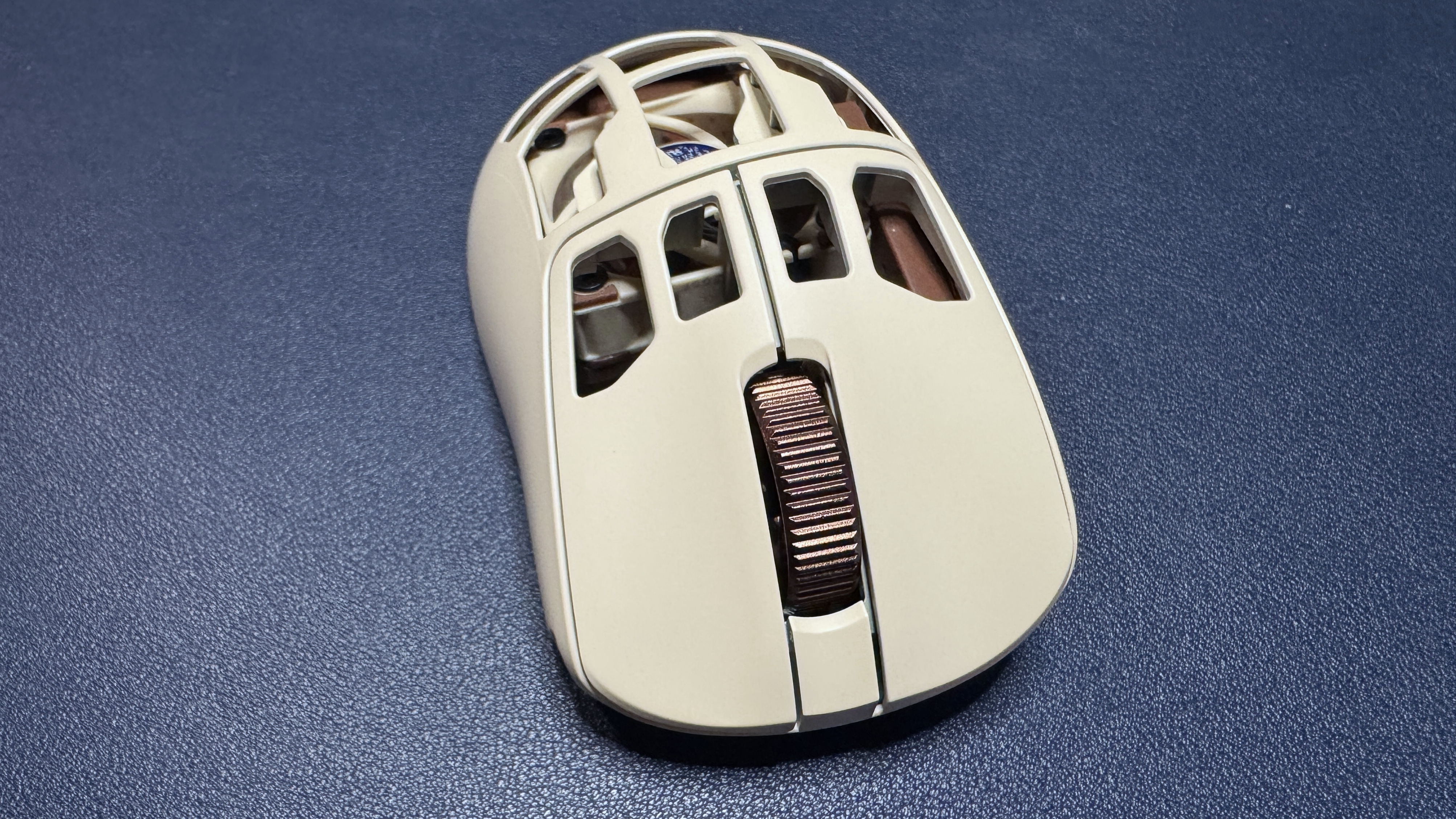
Button-wise, it's pretty standard: primary mouse buttons, two side buttons, a power button / DPI switch on the bottom, and a ridged, notched scroll wheel made of aluminum alloy. The mouse feels sturdy and the metal scroll wheel makes it seem a little fancier — it definitely looks and feels pretty premium. I did think the side buttons felt like they were placed a little too far back, but after comparing the F01 Noctua Edition with other mice, the actual issue is that the side buttons are larger than average — and this results in the back button sitting further back on the chassis. It wasn't a dealbreaker, but I found it mildly uncomfortable.
The bottom of the mouse features two large PTFE mouse feet at the top and bottom, as well as a strip of PTFE around the sensor. There are five geometric cutouts surrounding the sensor, as well as the power button / DPI switch.
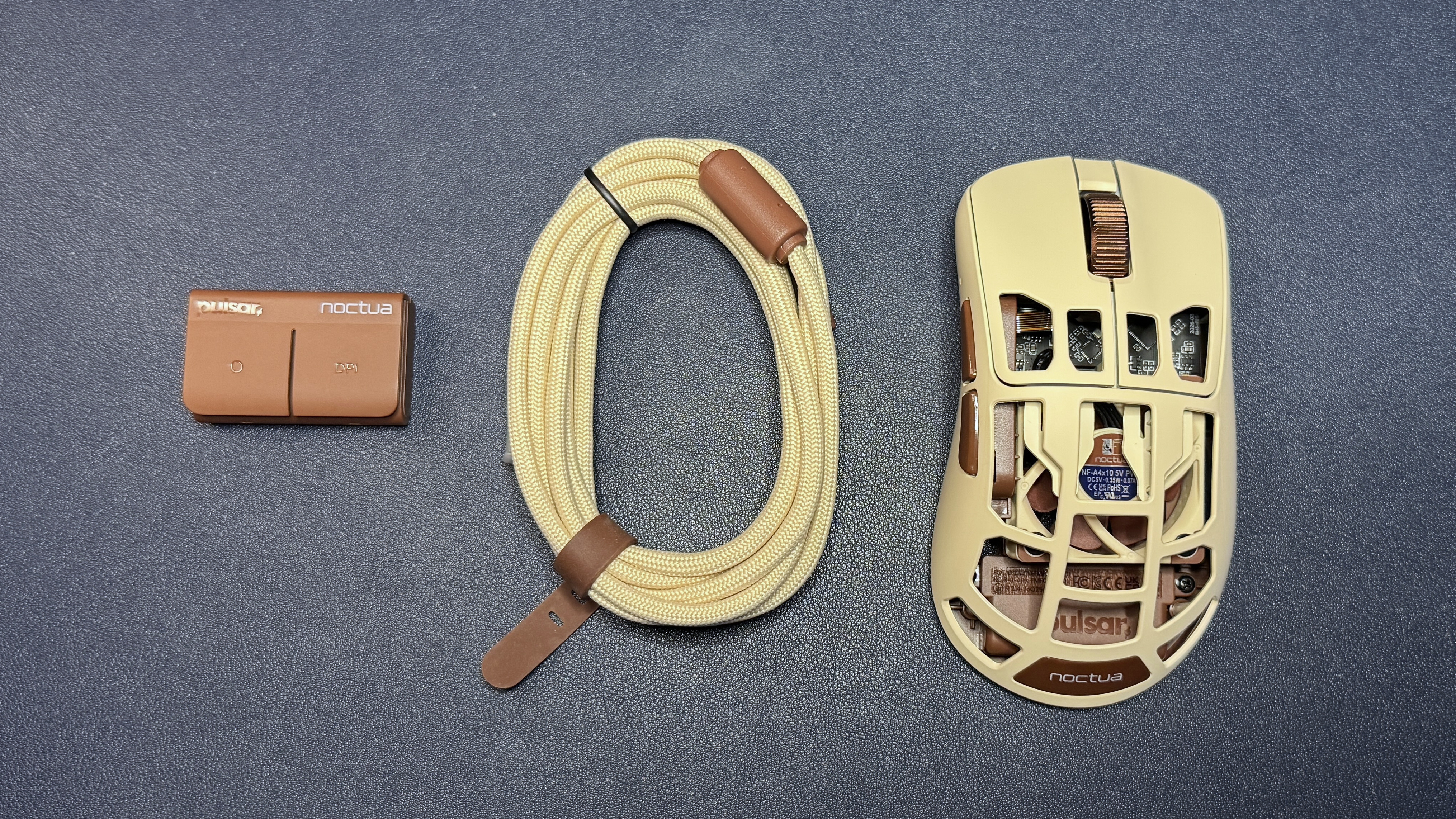
The mouse comes with a separate 8K polling dongle, which has two buttons (a programmable profile switch button and a DPI switch), and a 6-foot (1.8m) detachable, braided USB-C to USB-A cable. Both the dongle and the cable come in Noctua's signature colors (the dongle is brown and the cable has a beige fabric covering with brown accents).
Specs
Sensor Model | Pulsar XS-2 |
Max Sensitivity | 42,000 DPI |
Max Speed (IPS) | 800 IPS |
Max Acceleration | 70G |
Polling Rates | 8,000 Hz |
Programmable Buttons | 5 |
LED Zones | 0 |
Cable | USB-C to USB-A, braided, |
Connectivity | 2.4GHz wireless, wired (USB-C) |
Measurements (L x W x H) | 4.79 x 2.62 x 1.7 inches / 121.7 x 66.5 x 43.3 mm |
Weight (excluding cable) | 2.73oz / 73g |
MSRP / Price at Time of Review | $179.95 |
Release Date | July 2026 |
Performance of the F01 Noctua Edition
The F01 Noctua Edition mouse features Pulsar's XS-2 optical sensor, which has a maximum resolution of 42,000 DPI and a maximum speed of 800 IPS, and can handle up to 70 G's of force. The mouse also features Pulsar's optical switches in its primary buttons (rated for up to 100 million clicks), and can get up to an 8,000 Hz polling rate. The sensor doesn't disappoint — its tracking was accurate and speedy in my tests, and it worked perfectly across a variety of surfaces (including glass). The only thing I can see affecting performance in this mouse is its weight — it's not heavy, but it's heavier than most of its competition.
As I mentioned earlier, at 73g the mouse is on the heavy side for an ultra-lightweight eSports mouse — and it's an entire ounce heavier than the fan-less version. I guess that makes sense considering... there's a fan inside it, but still. If you're looking for an ultra-lightweight gaming mouse and you're not particularly intrigued by the fan, there are lighter, cheaper mice out there, such as my favorite Razer DeathAdder V4 Pro, which weighs 56g and costs $169.99.
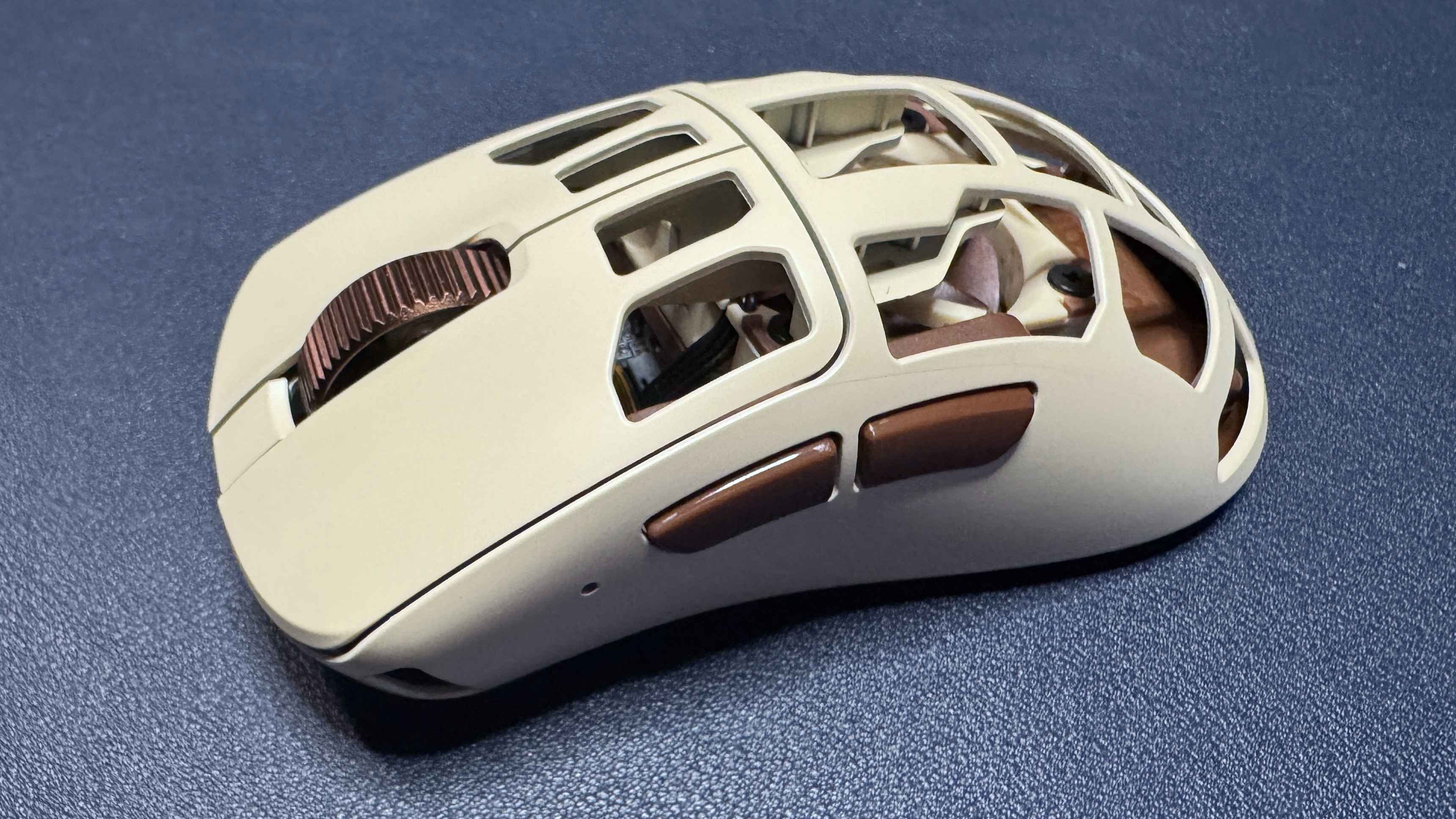
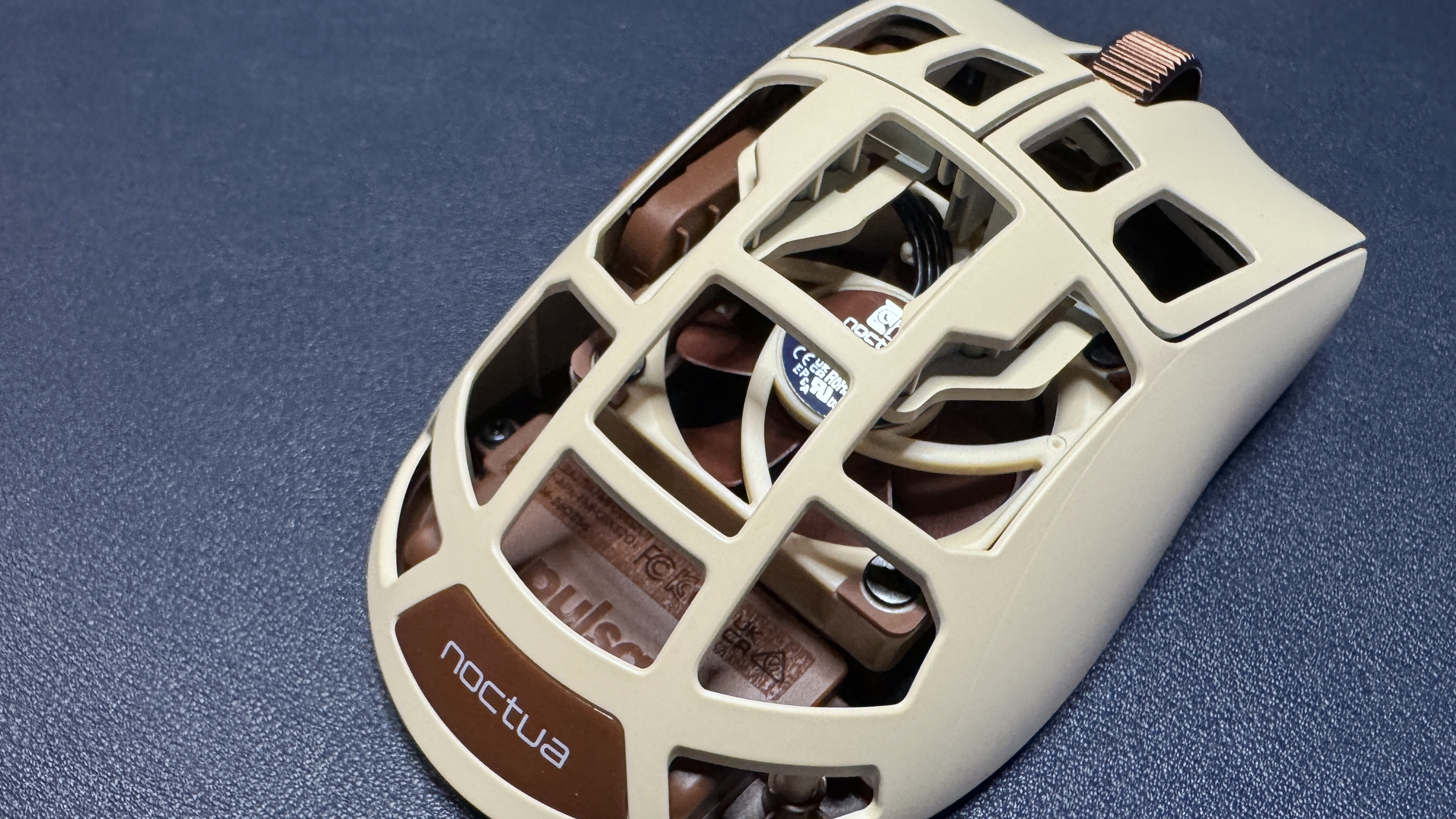
I'll admit I was a bit skeptical about the fan — I'm not really a person who suffers from sweaty palms while I'm gaming, however, so I'm aware I'm not the target audience. But as someone who is not the target audience, I have to say that the fan is actually pretty cool (pun intended). It's small, yes, but you can definitely feel it — and even though I don't sweat much, it still felt pretty good. The fan has four speeds, and the first two are practically silent. You can hear the two fastest speeds, but it's not particularly loud — you'll notice it, but those around you probably won't.
Activating the fan using the two side buttons and scroll wheel was easy enough, though the side buttons will activate when you press them, so it's not perfect. You can also turn on and adjust the fan speed in the software and/or you can program one of the buttons on the dongle to cycle through speeds.
If you do get sweaty palms while gaming, or you just happen to live and game in a hot environment, the fan in this mouse definitely works. It takes a toll on battery life, of course, but you can always plug it in. That said, that part of the mouse is practically non-existent, the holes are so big (it's even more full of holes than the Corsair Sabre v2 Pro Wireless MG). The structure of the mouse honestly keeps your hand — or at least your palm — pretty cool, even without a fan.
Features and Software of the F01 Noctua Edition
The F01 Noctua Edition is largely controllable via the hardware, which is nice. The fan can be activated and adjusted by holding down the two side buttons and scrolling, and DPI can be cycled through using the DPI switch button on the bottom of the mouse or the DPI switch button on the wireless dongle. The dongle also has a function button that cycles through onboard profiles by default — so you will need to connect to Pulsar's web-based peripheral software, Bibimbap, if you want to take advantage of this.
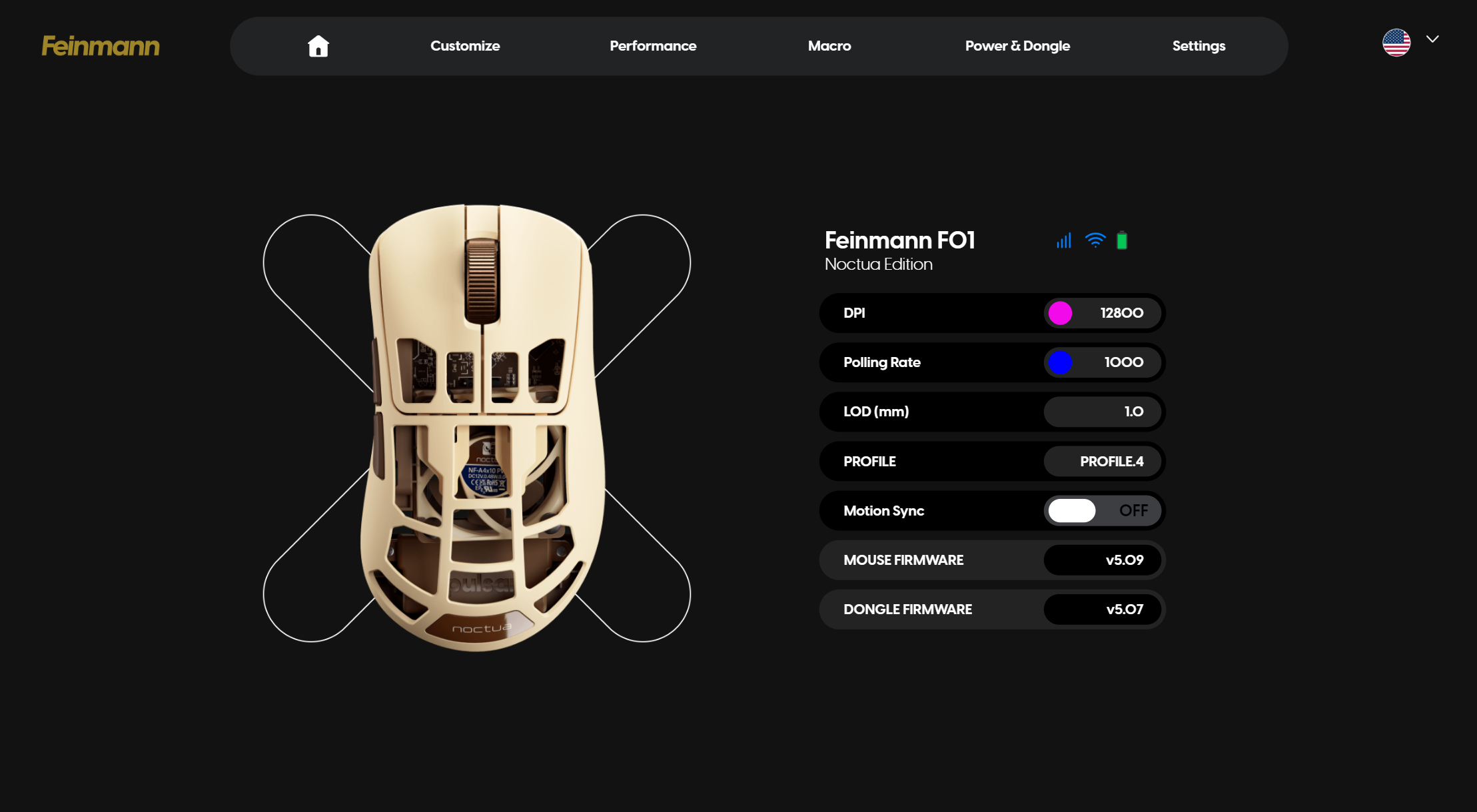
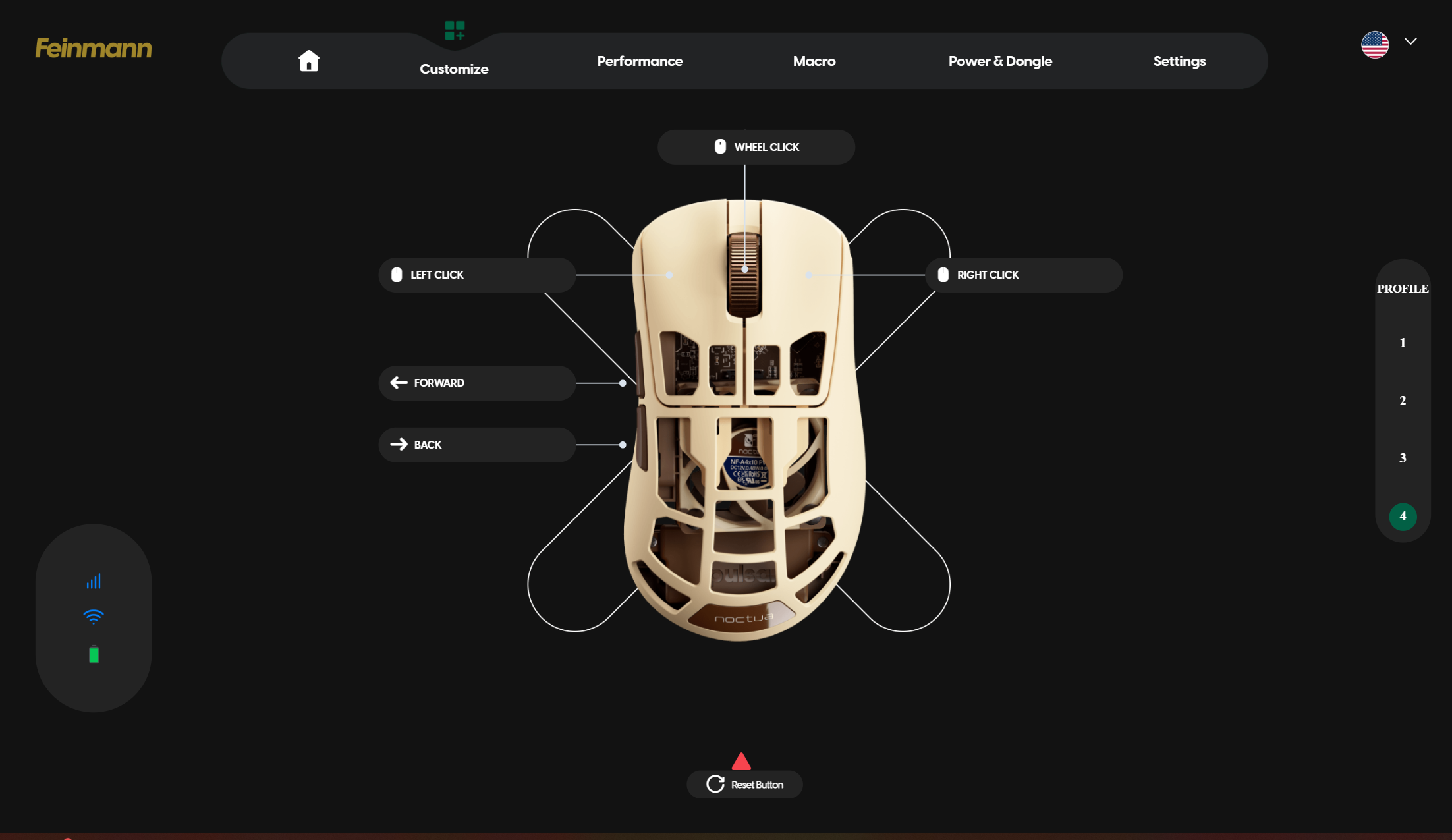
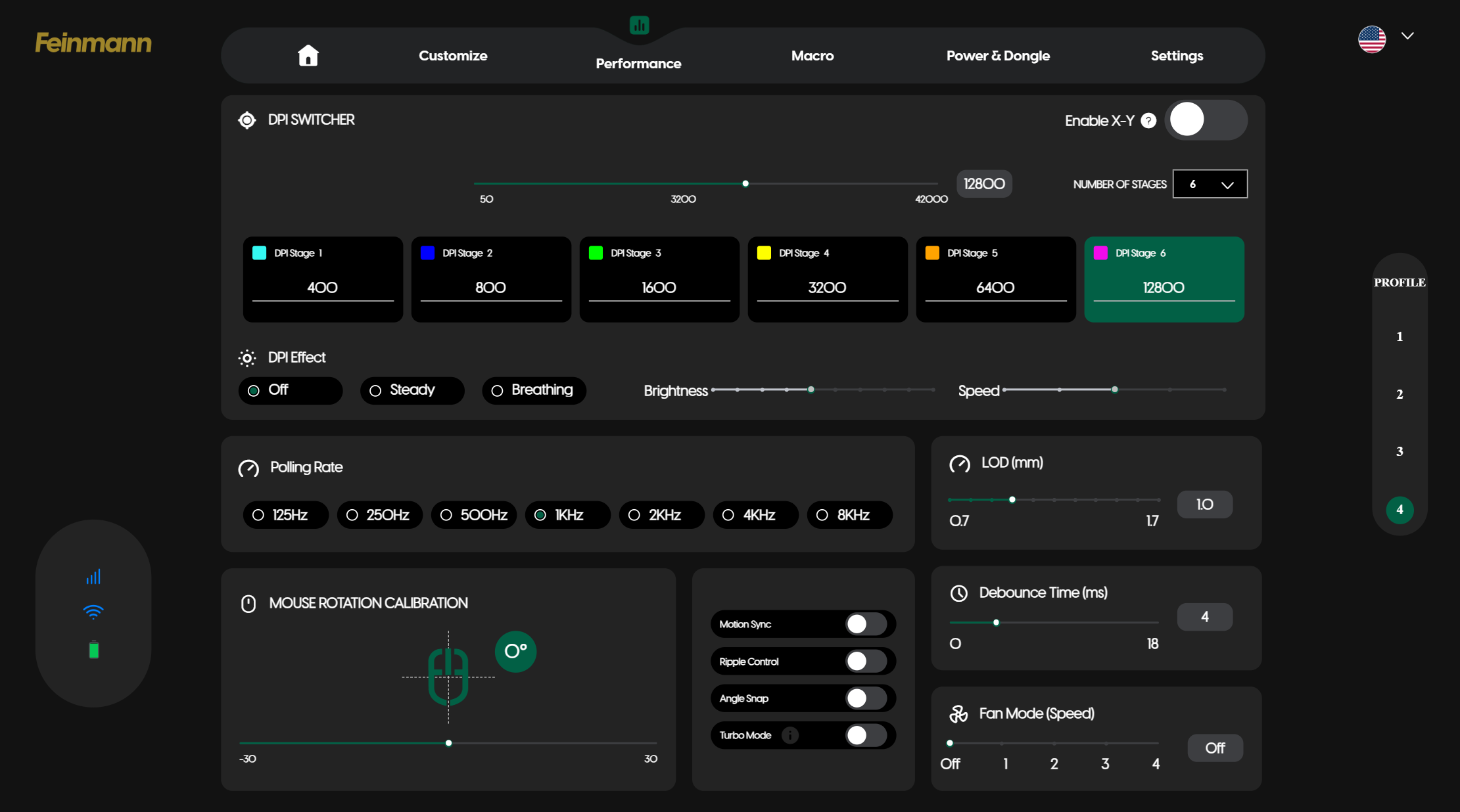
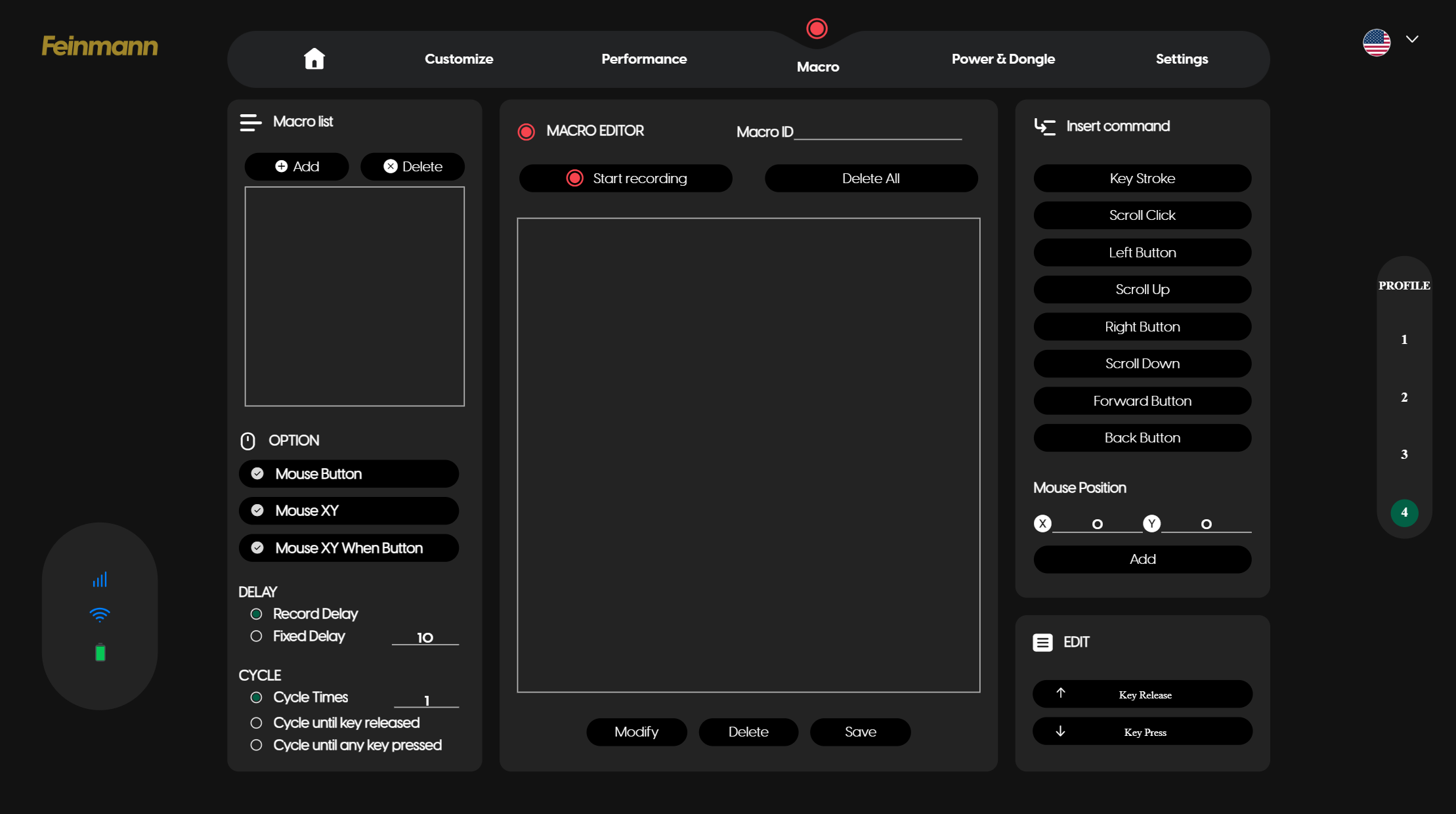
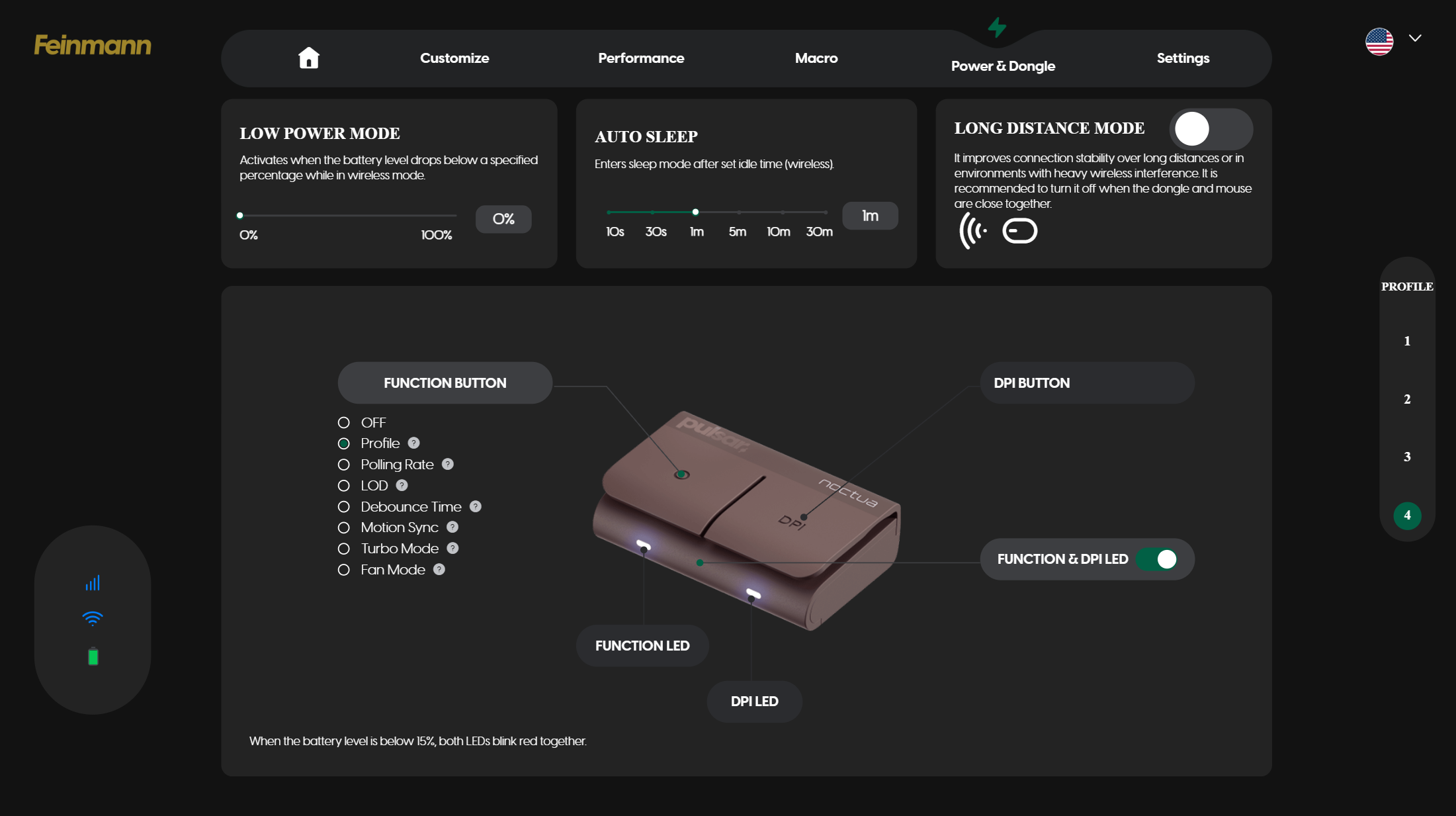
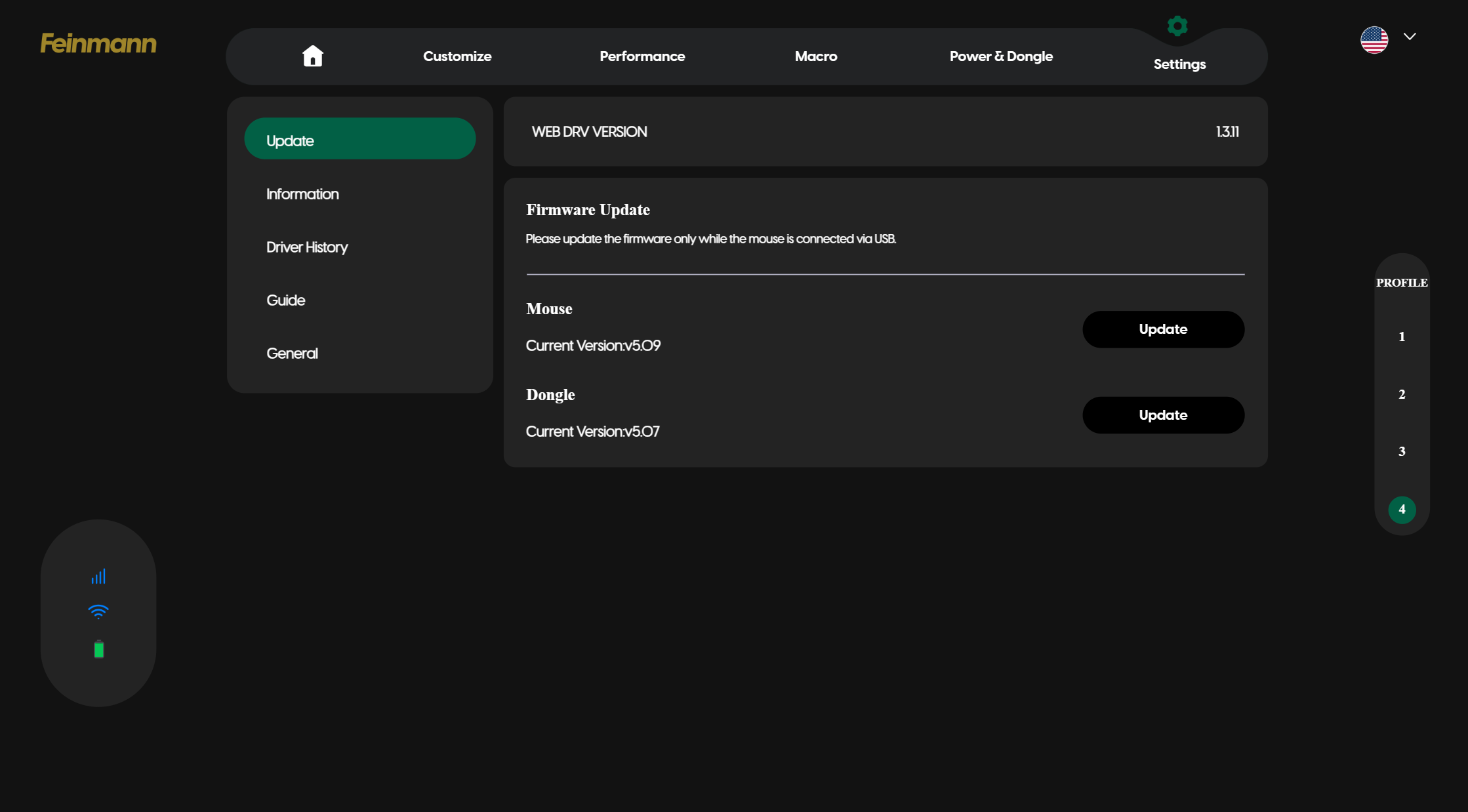
With Bibimbap — which you can connect to wirelessly — lets you remap keys (there are five programmable buttons, including the scroll wheel click) and has a built-in macro recorder. You can also adjust various settings, including DPI steps (up to 6), polling rate (ships with 1,000 Hz and goes up to 8,000 Hz), LOD or liftoff distance, and debounce time. You can also turn on the fan from this app, if you want. You can save up to five profiles directly on the mouse and cycle through them with the function button, or you can remap the function button to cycle through polling rate, LOD, debounce time, motion sync, turbo mode, and fan mode. That last one just does the same thing that holding down both mouse buttons and scrolling does, but it doesn't accidentally activate the side button functions.
Wireless Experience and Battery Life of the F01 Noctua Edition
The F01 Noctua Edition features two forms of connectivity: 2.4GHz wireless and wired (via USB-C). It doesn't have any RGB lighting, but it does have a built-in 40mm 5V PWM NF-A4x10 fan with four different speed settings. Oh, and an 8,000 Hz polling rate. Needless to say, its battery life varies quite a bit, depending on how you have it set up. Its built-in battery is 500mAh, which is... well, don't expect much when it comes to battery life. Based on my observations as I tested the mouse, I think you'll still be able to eke out a full day's worth of usage if you have the fan running at top speed, which is not a lot compared to most wireless mice, but not bad, considering.
Bottom Line
The F01 Noctua Edition is a very well-built lightweight gaming mouse, but its main selling point is definitely the built-in fan. And the built-in fan works pretty well — I was definitely impressed, even if I don't see myself using it very often (or at all, really). But if you don't need a mouse with a built-in fan, it's hard to recommend the F01 Noctua Edition over just about any other lighter, more affordable mouse, including Pulsar's own fan-free Feinmann F01. The Corsair Sabre v2 Pro Wireless, for example, weighs just 56g and has a shell full of holes, gets up to an 8,000 Hz polling rate and retails for $149.99.