Fechando a semana com a nossa tradicional seleção de promoções na App Store para esta sexta-feira!
Canon: Chord Composer, desenvolvido por Dylan Shade, destaca-se como uma ferramenta de composição extremamente intuitiva e inspiradora — e, por isso, é o nosso destaque do dia.
O app combina três modos de criação (Instant Inspiration, Intelligent Discovery e Total Control), permitindo desde progressões totalmente aleatórias até construções manuais detalhadas.
A interface, limpa e direta, facilita a experimentação dos acordes de diferentes estilos (jazz, guitarra, piano, ukulele) e a audição de tudo com reprodução realista, seja você um músico profissional ou apenas um entusiasta no assunto.
Desbloqueie sua criatividade musical! Aproveite a oferta!
Abaixo outros jogos/apps que, juntos, somam quase R$60 em descontos:
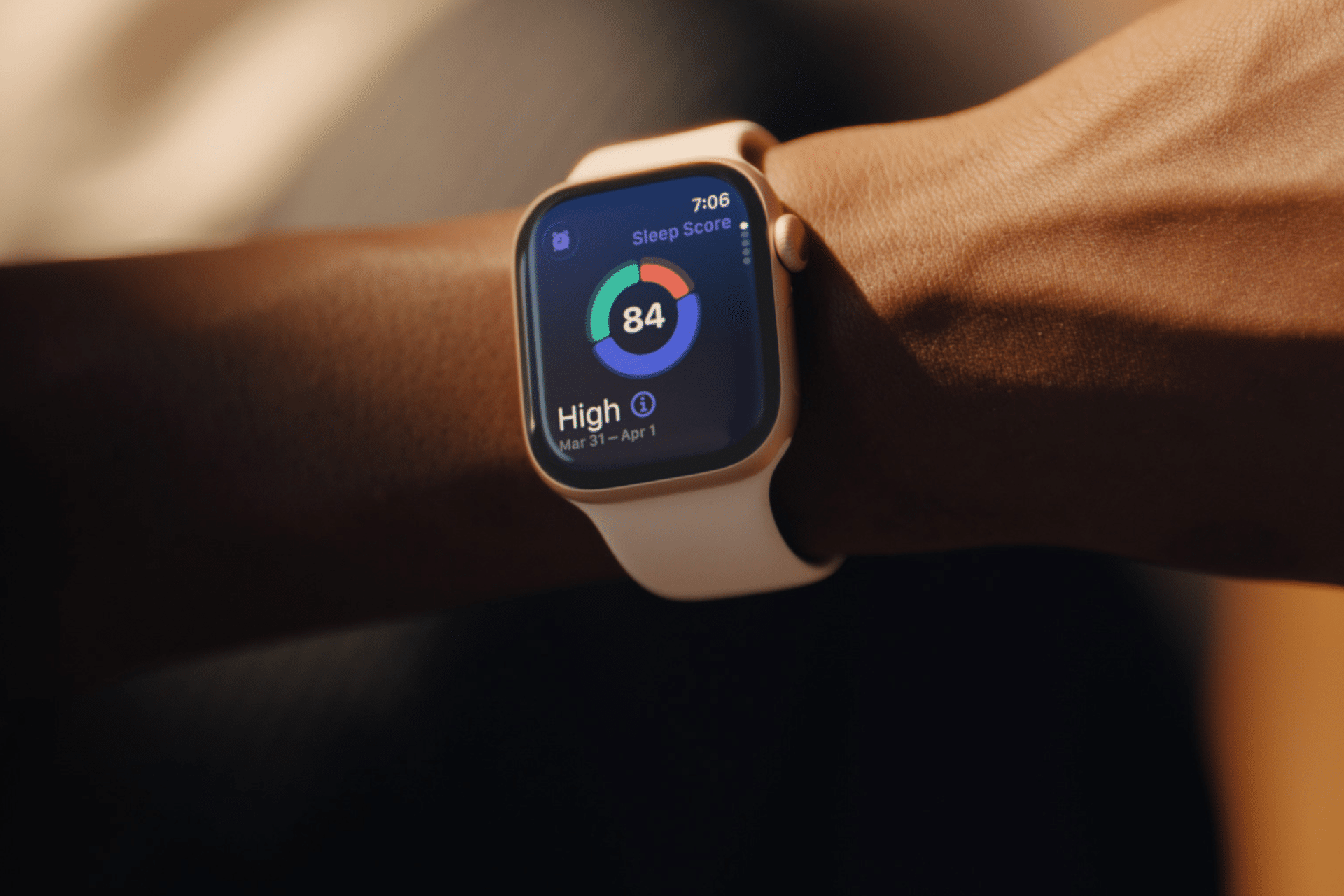
Sleep tracking on Apple Watch can make an invisible part of daily health easier to understand. Each morning, the watch may show sleep duration, stages, interruptions, overnight vitals and a score intended to summarize the night.
That information can be useful. It can also create a new habit of judging the entire day before getting out of bed.
One low score may make a person feel tired before noticing how they actually feel. A few minutes less deep sleep can become a source of concern. Going to bed can even start to feel like a test that must be passed rather than a normal biological process.
Apple Watch sleep data works better as a long-term observation tool than as a nightly verdict. The goal is not to collect perfect scores. It is to notice repeatable patterns and make small changes when those patterns match real-life problems.
What Apple Watch Measures During Sleep
Apple Watch estimates sleep using movement and signals collected while it is worn overnight. Depending on the model and available features, the Health and Sleep apps can show total sleep time, awake periods and estimates for core, deep and REM sleep.
The watch may also collect sleeping heart rate, respiratory rate, wrist temperature and other overnight metrics. The Vitals app compares several of these measurements with the user’s established typical range.
A sleep score compresses parts of the night into one number or category. Apple’s score considers factors including sleep duration, consistency and time spent awake. That makes it convenient, but convenience should not be confused with a complete medical interpretation.
The watch cannot know whether a stressful conversation kept someone awake, whether a child interrupted the night or whether the wearer woke feeling unexpectedly refreshed after fewer hours. It estimates physiological and behavioral signals. The person still supplies the context.
Sleep Tracking Apple Watch Data Works Best as a Trend
One night can be distorted by almost anything: travel, alcohol, illness, noise, a late meal, room temperature or a loose watch band. Even the position of the arm can affect sensor collection.
A weekly or monthly view is more useful because it reduces the influence of isolated nights. Patterns begin to emerge around bedtime consistency, total duration and changes in overnight vitals.
To review longer sleep trends on iPhone:
Health > Search > Sleep > select the weekly, monthly or six-month view
Look first at sleep duration and timing. These measurements are generally easier to interpret than small changes in individual sleep stages.
A person who repeatedly sleeps less on work nights may have a scheduling issue. Someone whose sleep becomes more fragmented after late caffeine may have found a useful connection. A consistently irregular bedtime may explain more than whether deep sleep moved by 12 minutes on Tuesday.
The data becomes valuable when it supports an observation that can lead to a realistic adjustment.
Image Credit: Apple Inc.
Do Not Treat Sleep Stages as Exact Measurements
Core, deep and REM sleep are presented as distinct colored sections, which can make them appear more precise than they are. Apple Watch estimates these stages from signals available at the wrist. A clinical sleep study uses additional equipment and is designed for medical evaluation.
That does not make the stage information worthless. It means small nightly differences should not be overinterpreted.
A person does not need to increase deep sleep manually or achieve a perfect proportion of REM sleep. Sleep architecture changes naturally across age, stress levels, exercise, illness and different parts of the night.
Use stage data to notice substantial or persistent changes, not to compete with yesterday’s chart. Spending 15 minutes less in one estimated stage is not automatically a health problem.
Start With How You Feel
Before opening the Sleep app, notice how the morning feels.
Was waking difficult? Is concentration normal? Is there unusual daytime sleepiness? Does the body feel recovered after exercise? Was the night interrupted for an obvious reason?
This brief self-check prevents the score from defining the experience. Someone may feel fine after a lower-rated night, while another person may feel exhausted despite receiving a favorable score.
The most useful interpretation combines both sources: subjective experience and device data. When they repeatedly agree, the pattern deserves attention. When they conflict for one night, there may be no reason to react.
Use Vitals as Context, Not a Diagnosis
The Vitals app can show whether overnight measurements such as heart rate, respiratory rate, wrist temperature and sleep duration fall within a typical range. It becomes more useful after the watch has collected enough nights to establish a personal baseline.
An outlier may reflect alcohol, medication, elevation, intense training or the beginning of an illness. It may also be an ordinary variation or imperfect reading.
Several unusual metrics appearing together may provide more context than one isolated number. Even then, Apple Watch data should not be used to diagnose a condition independently.
Persistent symptoms, breathing concerns, extreme daytime sleepiness or major changes in sleep should be discussed with a qualified healthcare professional. Bring the trend data if it helps describe what has been happening, but do not let the watch replace an evaluation.
Build a Routine Around Behavior, Not Scores
The healthiest use of sleep tracking is to connect the data with actions a person can actually control.
A consistent bedtime may improve the pattern. Charging the watch before the evening makes tracking more reliable. Reducing late caffeine, adjusting the bedroom temperature or moving an intense workout earlier may also produce noticeable changes.
To set a sleep schedule:
Health > Search > Sleep > Full Schedule & Options > Add Schedule
A schedule can provide Wind Down reminders and help keep bedtime more regular. It should remain a helpful structure rather than a rigid obligation. Life will occasionally interrupt it.
Choose one adjustment and observe it for a week or two. Changing five habits after one poor night makes it difficult to identify what helped.
Image Credit: Apple Inc.
When Sleep Tracking Creates More Stress
Some people become preoccupied with improving sleep data, repeatedly checking results or worrying that a low score guarantees a bad day. The anxiety can itself make falling asleep more difficult.
That is a sign to reduce exposure to the numbers.
Sleep tracking can be turned off temporarily, or the data can be reviewed only once per week. Another option is to avoid checking the score in the morning and examine trends at a neutral time later.
To change sleep tracking settings:
Watch app on iPhone > My Watch > Sleep
A break does not erase the knowledge already gained. A person who has learned that regular timing and less late caffeine improve sleep may no longer need a daily chart to confirm it.
The device should support rest, not supervise it.
A Better Way to Read the Morning Report
A practical morning review can remain simple. Check whether the watch recorded the full night. Notice total duration. Consider whether the bedtime was typical. Look for any major change in overnight vitals, then move on.
There is rarely a need to analyze every stage, compare several apps or search for explanations after one ordinary variation.
Sleep tracking on Apple Watch is most useful when it reveals something that was difficult to see without data: a repeated shortfall in duration, an inconsistent schedule or a pattern linked to habits and recovery.
The score can summarize one night, but it cannot grade the person who slept through it. A healthier measure is whether the information helps create calmer nights, better days and fewer reasons to think about the watch after waking.
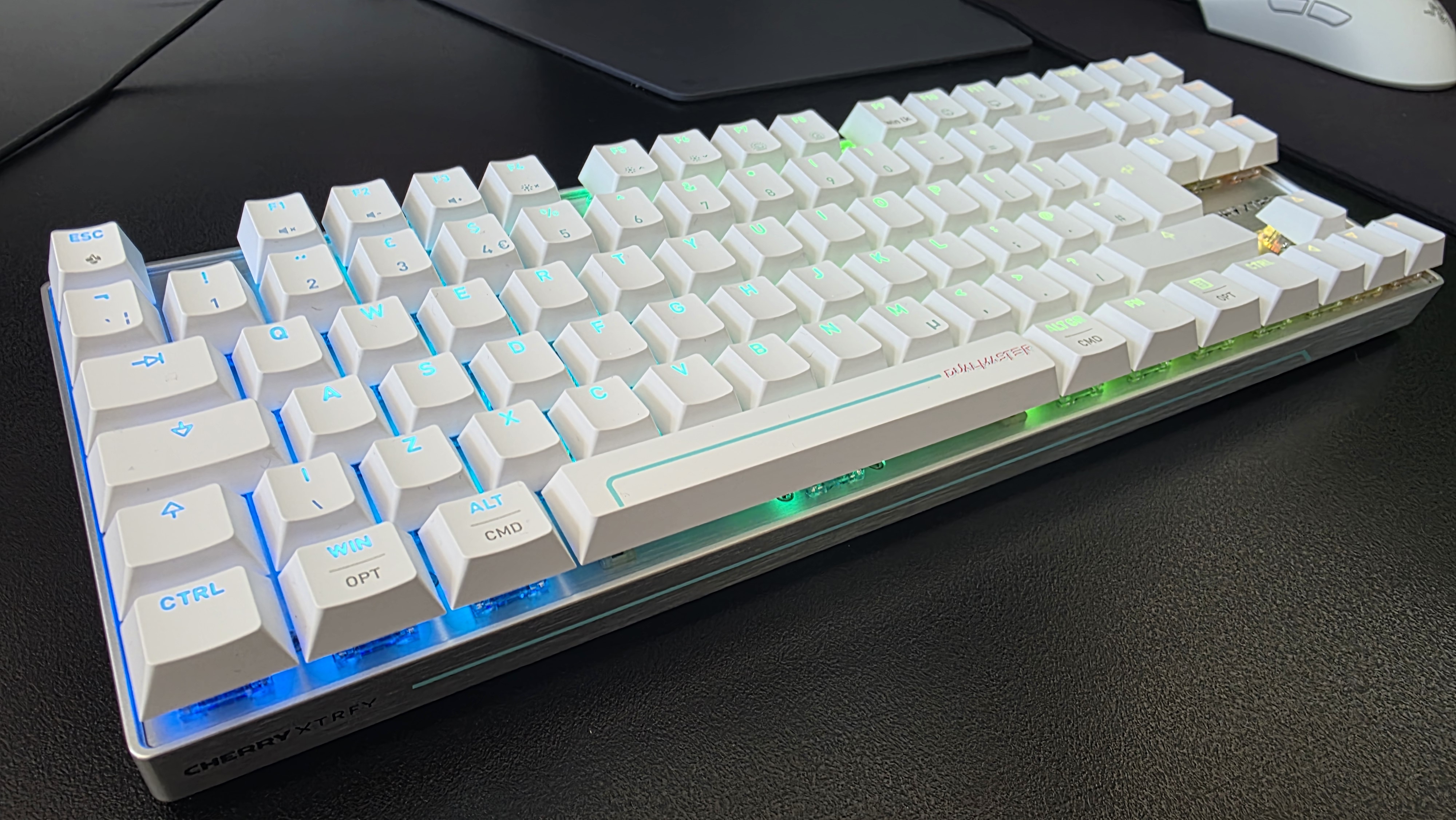
Simply put, polling rate is the frequency at which data is sent between your mouse and keyboard to your computer. For many years, the standard polling rate of most gaming mice and keyboards was 1,000Hz, and that's still a setting that's available by default.
However, with the rise of competitive shooters, particularly tactical ones such as CS2, VALORANT, and Rainbow Six Siege, the pro scene needed a shift, and we saw the advancement towards 4,000Hz and 8,000Hz for "esports tech".
But does anyone really need an 8,000Hz polling rate when gaming? Do the best FPS players in the world even take advantage of it? I'm going through everything you need to know about how 8K works, the latency you can expect, impact on battery life, and all other things you need to consider when properly getting your setup ready for success.
How does polling rate affect latency?
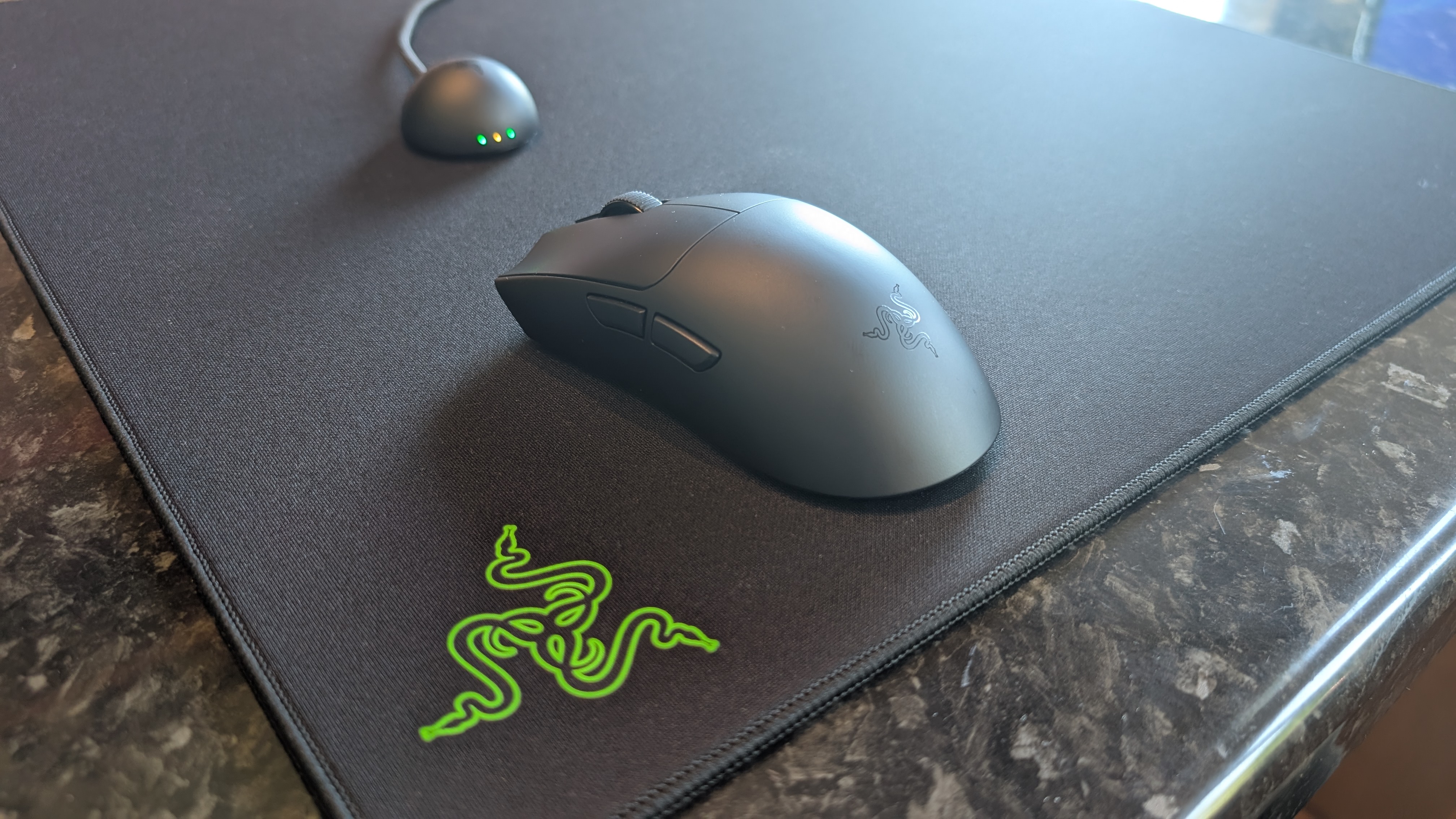
The Razer Viper V4 Pro is among the best gaming mice, and it supports 8K polling (Image credit: Future)
True to its namesake, an 8K polling rate will report its position to your PC a total of 8,000 times, instead of 4,000 times or a thousand times as with 4,000Hz and 1,000Hz, respectively. An 8,000Hz polling rate responds with far lower latency than either of these two previous standards; specifically, updates are sent between a mouse or a keyboard to your computer's processor every 0.125ms, eliminating a theoretical maximum of 0.875 ms input delay, meaning a smoother cursor or movement.
The difference in response time of 0.125ms (8K), 0.25ms (4K), and 1ms (1K) can be huge when it comes to polling rate, provided you have the right hardware to properly take advantage of this. That's because an 8,000Hz polling rate can be incredibly demanding on the battery life of wireless mice and keyboards, and it's one of the main considerations as to why you may want to drop the response time down in your settings.
The drawbacks of an 8,000Hz polling rate
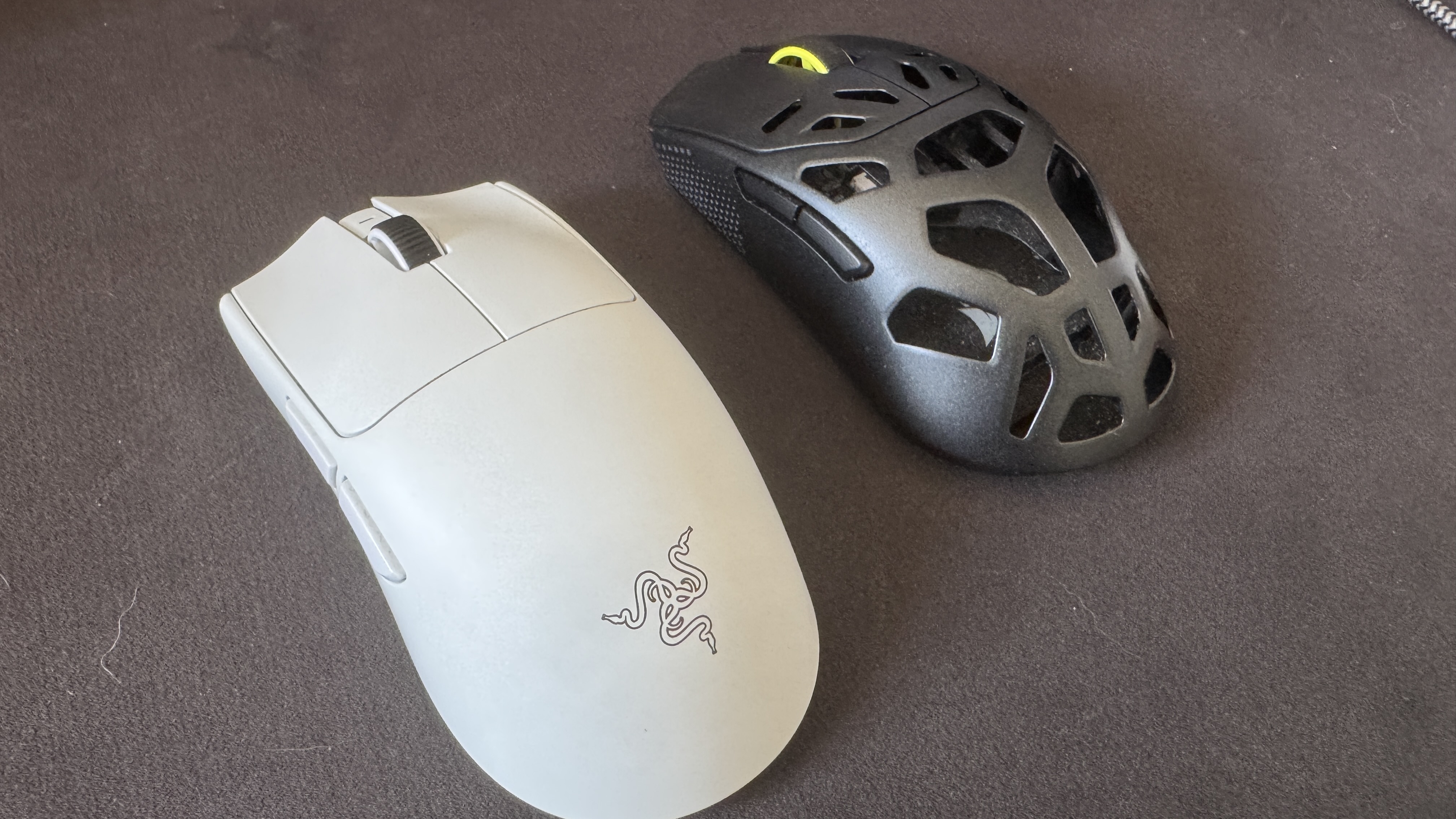
The Corsair Sabre V2 MG, like many top-end mice, have the option of 8K polling wirelessly, even if it comes at 1K out of the box (Image credit: Future)
In brief, an 8,000Hz polling rate for your mouse and keyboard can be incredibly demanding on your computer. That includes heavy strain on even the best processors, the aforementioned heavily reduced battery life on a mouse and keyboard, and even the potential risk of micro-stuttering. As a lifelong PC gamer and a competitive shooter enthusiast who is hopelessly obsessed with VALORANT, I've seen the battery life debate happen in real-time.
I've tested and reviewed hundreds of mice and keyboards throughout my career, and one of the biggest points of contention when it comes to enabling the polling rate comes down to battery life. As an example, my favorite gaming mouse of all time is the Corsair Sabre V2 MG, an 8K-enabled gaming mouse that's built with a Magnesium Alloy frame. It weighs just 56g and features excellent skates, making it ideal for a precision heavy shooter.
As standard, via the Corsair Web Hub, this gaming mouse will run out of the box at 1,000Hz (1K), with battery life prioritized. With the pointer used as the stock, you can expect around 100 to 120 hours of play between charges. In my experience, I am charging this mouse every two weeks or so, depending on how much I'm working day-to-day, etc. However, in my many months with this mouse, I've noticed that things fall off incredibly hard with 8K enabled; my battery life tends to last only around two to three days (or one or two nights of VALORANT Competitive) before I'm reaching for the USB-C lead.
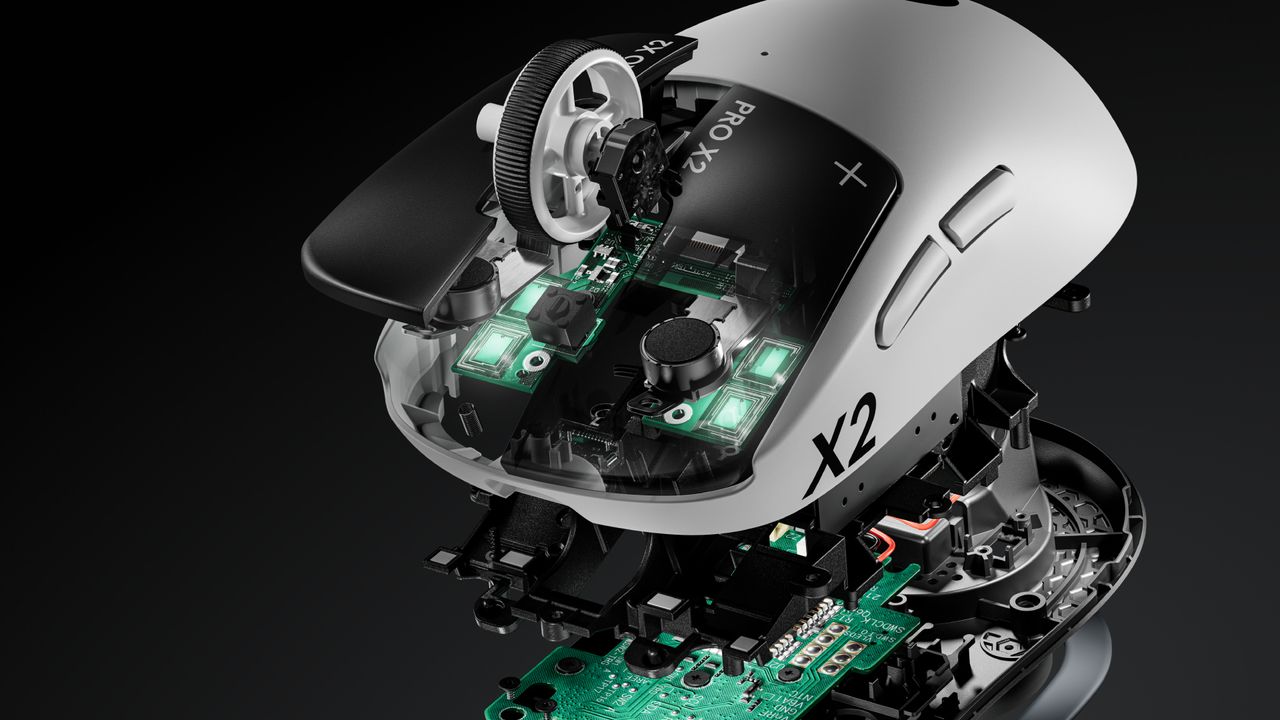
If we take 18 hours as the average battery life from the Corsair Sabre V2 MG when used in 8K mode, that's a reduction of around 85%, which is staggering. We can see a similar drop off from the most well-used new esports mice currently on the market, with the Razer Viper V4 Pro (an excellent mouse), touting up to 180 hours of playback in 1K but only 45 hours when maxed out at 8K. Similarly, while the Logitech G Pro X2 Superstrike has around a 90-hour playback at 1K, that drops down dramatically to between 20 and 35 hours at 8K. With Logitech's pointer, though, you have to factor in the strength of the haptics here, hence the rough range rather than a more exact figure.
What about the human limitations of an 8,000Hz polling rate?
(Image credit: Future)
Now that we've covered what an 8,000Hz polling rate is, how it works, how it compares against 1K and 4K, and the technical drawbacks, we now need to go over the human limitations with 8K. As previously mentioned, 1K means a 1ms response time, and that gets cut down to just 0.125ms with 8K, but what does that mean for a human being, and not a machine?
The average human response time is around 250-280ms; that's the time it takes to see something and physically react. I am not a pro player, but I do play video games at a high level, with a response time average of around 175ms, though I've been faster. The best esports players can eclipse this effortlessly: you only need to look as far as VALORANT and CS2 players, such as TenZ (widely considered to be among the best VALORANT players), with an average reaction time of 135ms. 100ms is even possible, even though the average tends to hover around the 150ms mark.
If we take 1K as a baseline for polling rate, that means there's an average of 150 reports between the mouse/keyboard and the processor, as you tap a key or click what you see. Taking 8K, then, sees 1,200 instances. With this information in mind, is there really much of an advantage here, even at this granular level, with the best players in the world and, conversely, the only people who would even notice a proper difference between 1K, 4K, and 8K?
Do pro players use 8,000Hz polling rates?
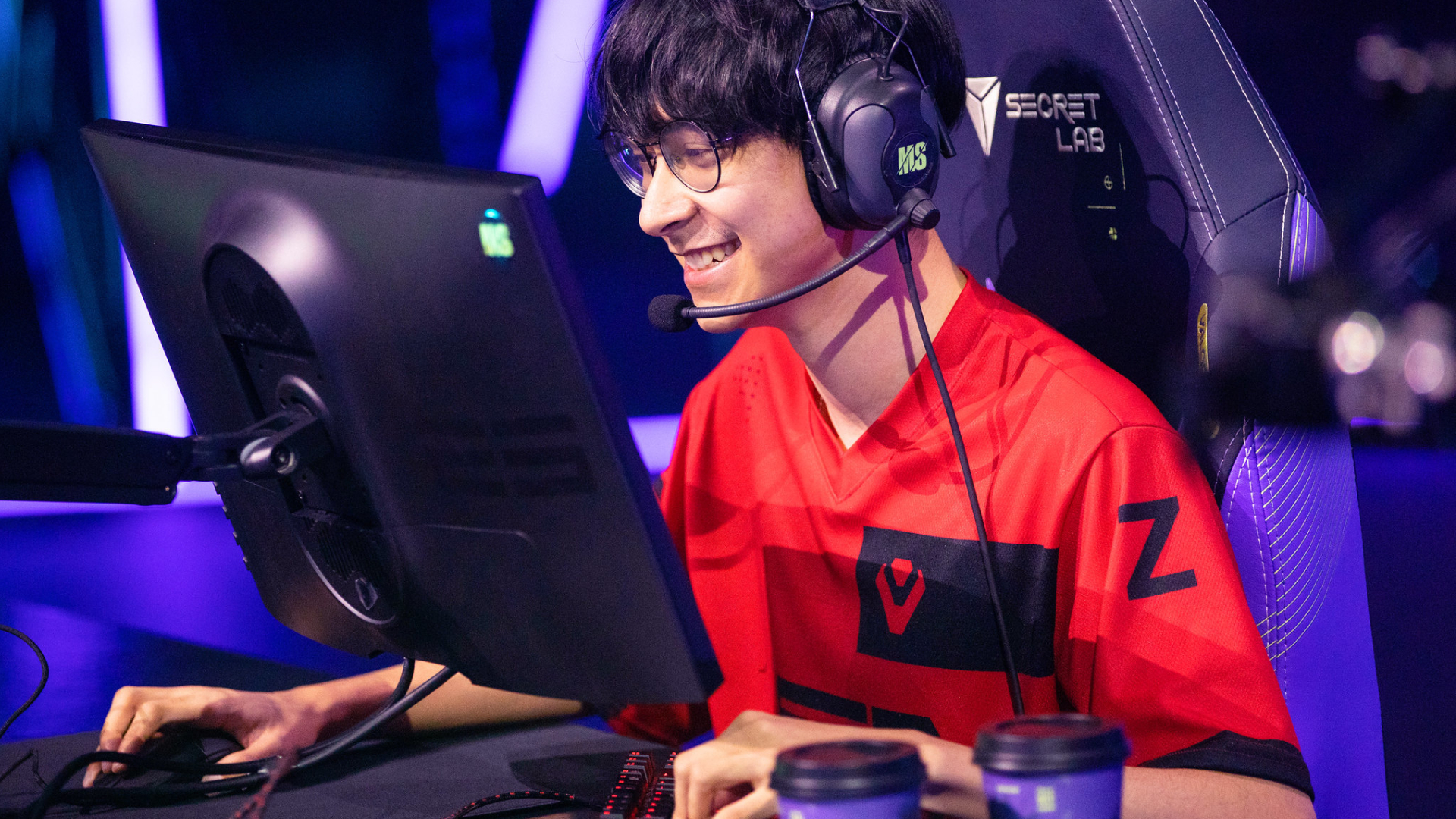
The best gamers in the world aren't interested in using an 8,000Hz polling rate for their keyboards or mice. (Image credit: Secretlab)
Considering the far lower latency, you would expect that professional esports gamers would all dial their settings to an 8,000Hz polling rate by default when playing demanding games, but that's simply not the case. If we look back at TenZ's mouse and keyboard settings when playing VALORANT, he last used the Pulsar TenZ Signature Edition mouse at 1,600 DPI, 0.24 sensitivity, and (most crucially) a 1,000Hz polling rate as standard; no 4K, and certainly no 8K enforced here.
What about a VALORANT player from the most aggressive team in the game? Then we must look at f0rsakeN from the legendary Paper Rex. He was last using the Pulsar Sustanto-X with an 800 DPI, a 0.71 sensitivity, and a 4,000Hz polling rate. Let's move away from Riot Games' shooter and instead turn our attention to Valve, then. As far as CS2 players go, few are as well-regarded in 2026 as Team Spirit's donk.
The young Russian is widely regarded as the best player in the world. Is he using an 8K polling rate for his mouse and keyboard to do this? No, while he previously used the industry standard Logitech G PRO X Superlight 2, he's now switched to a bespoke, and as of yet unreleased/prototype Zowie X Donk mouse at 800 DPI, 1.25 sensitivity, and a 1,000Hz polling rate. What about Niko? He recently had his own Razer collaboration drop, and currently uses a Razer Deathadder V4 Pro Niko Edition with an 800 DPI, 0.9 sensitivity, and a 2,000Hz polling rate.
Let's briefly look at two games for the sake of argument, and two of their respective top players. Peterbot is widely considered the best Fortnite player in the world, and he uses a Logitech G Pro X Superlight 2 at 800 DPI with a 1,000Hz polling rate. ImperialHal is among the best Apex Legends players, and the CEO (as he's known) currently uses a Finalmouse Starlight Pro with an 800 DPI, a 1.1 sensitivity, and a 1,000Hz polling rate. So, pro players simply are not using an 8,000Hz polling rate when playing, and they're simply better than the other 99.9% of players who play these games.
Is using an 8,000Hz polling rate worth it?
Based on everything I've gone through here, it becomes challenging to wholesale recommend (or actively condemn) 8K. An 8,000Hz polling rate is mechanically and technically better for how it responds between the peripheral and the machine, even if the human who presses that key or clicks the mouse ends up being the limiting factor, or bottleneck. It's the simple, undeniable truth that the saved milliseconds are (really) indistinguishable to basically everyone on the planet.
Then we get into the debate of battery life. Do you want your gaming mouse to last over 100 hours on a single charge, or just 10? That's a tough sell, considering it undercuts the primary reason to cut the cord in the first place. Then there's the massive CPU overload, game engine incompatibility (and developers and publishers are not yet gearing their software for the tech), and the variables of the hardware itself. Hardware makes the difference: TMR and Hall Effect switches and sensors will have far more of an impact than the simple reporting time between the processor and peripheral.
So why am I not fully discouraging you from using an 8,000Hz polling rate in its entirety? Because it ultimately comes down to personal preference, and to feel. If you're running one of the best gaming PCs or best gaming laptops with a high-end processor, a 4K graphics card, and a high refresh rate monitor, then, battery life aside, it doesn't really hurt to have everything cranked up and forgotten about. Are you likely to really notice it? No, but fractional optimization is still (ever so slightly) better than none in the first place.
I'm not quite cynical enough to claim that an 8,000Hz polling rate is just a marketing gimmick; however, I will say that hardware companies have gleefully exploited the ignorance of the end consumer, the simple reductionist view that a bigger number automatically means better, without looking into the nuances of the conversation. Now that's something you will be fully clued up on when considering your next keyboard or mouse.
Audio engineer Cameron Oatley is better-known as 'GoldenSound'
He's teamed up with Status to add a special tuning profile to its Pro X buds
The result is Pro X GoldenSound; the fruit of impressively extensive labor
Sometimes in this job (as TechRadar's Audio Editor), I just get sent a set of earbuds and a press release. Sometimes, I'm invited to an online briefing so that a marketing rep can explain key terminology before I start my review process.
Rarely am I invited to a lovely pub in London, lulled into a false sense of security with a drink and a comfy chair and then taken through a brief but intense Doctorate in audio engineering.
I jest, of course. But if you've ever come into contact with either Status Audio (see the Status Audio Between 3ANC or Status Audio Pro X for previous examples of greatness) or Cameron Oatley, aka GoldenSound, you'll know that things are about to get decidedly audiophile. And given that this is a collab between the two, it's doubly so.
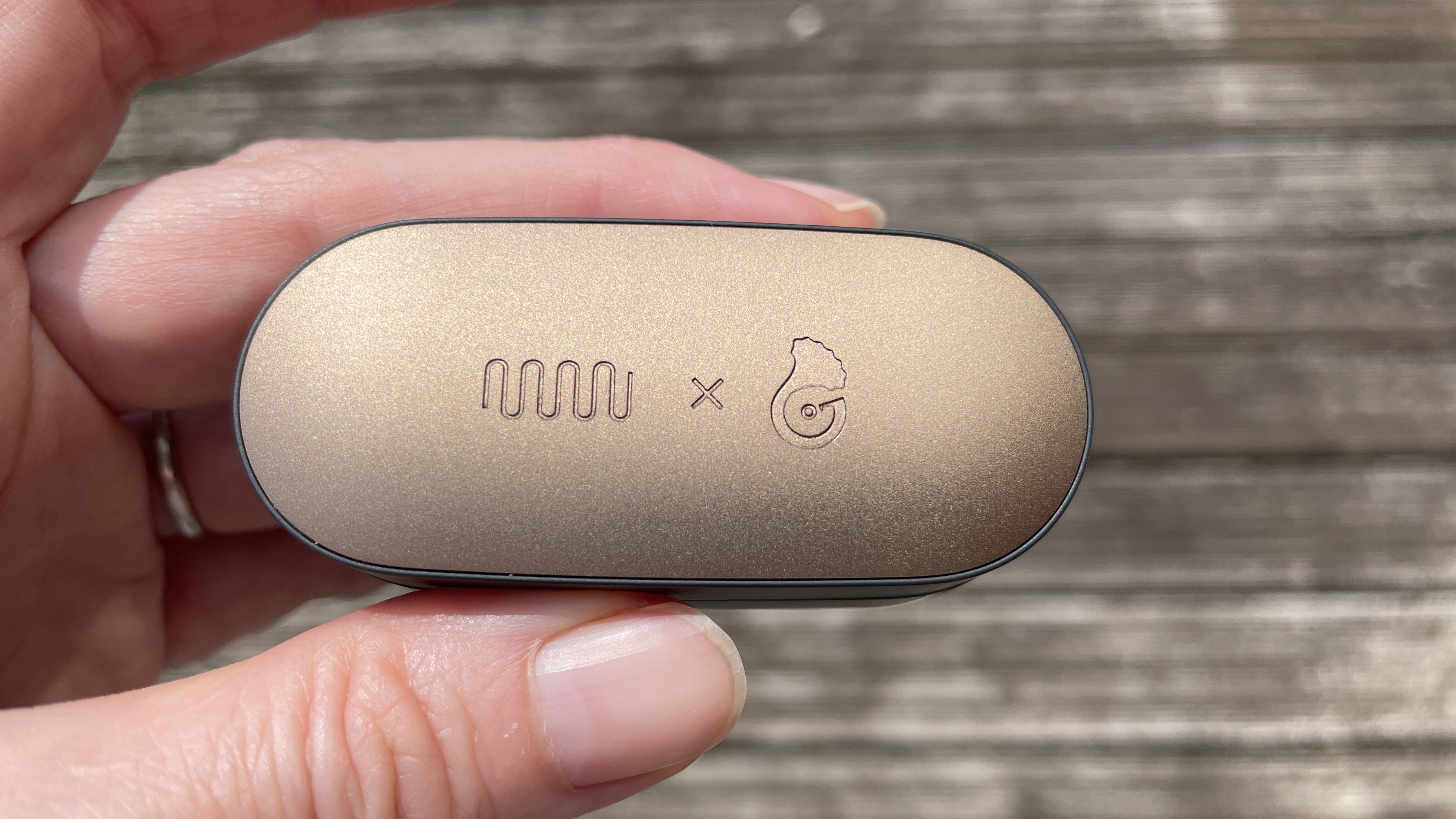
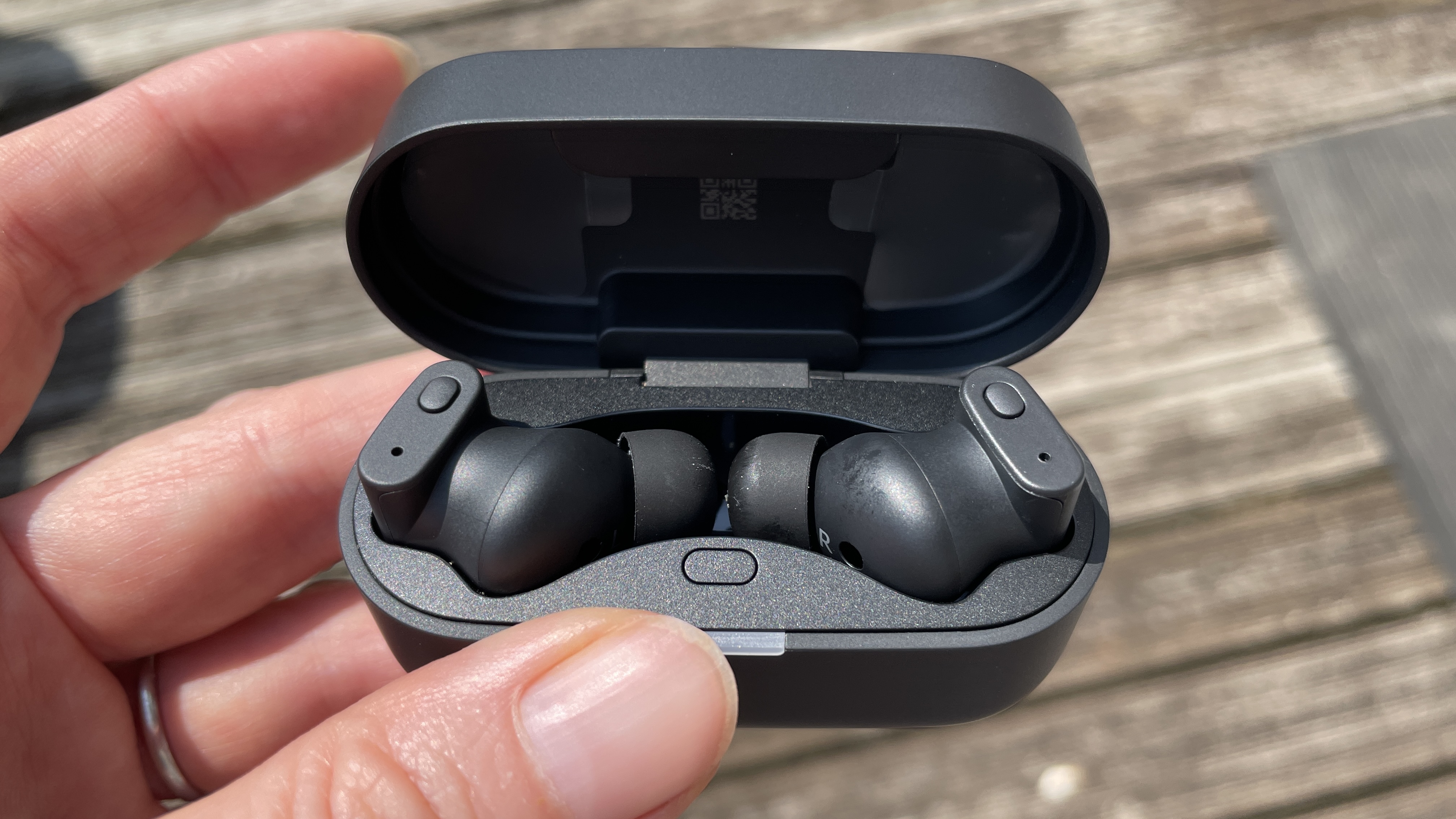
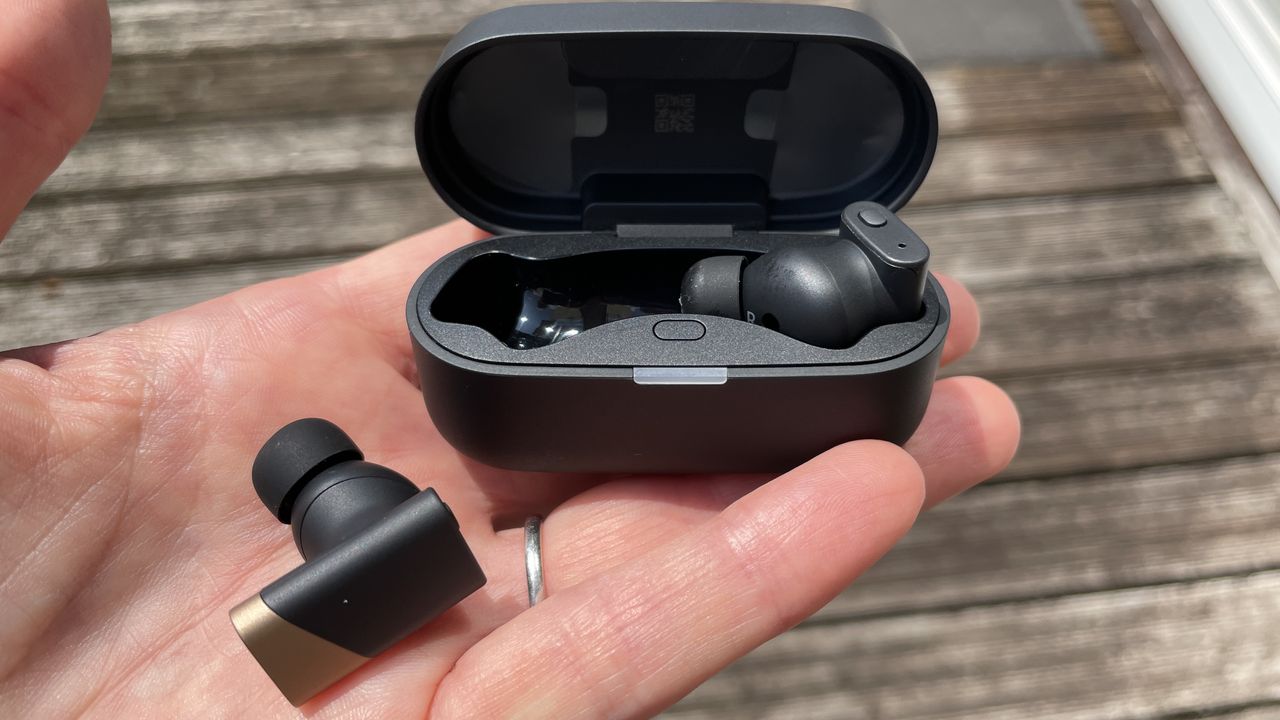
What you're looking at is the Status Pro X GoldenSound Edition. Yes, it's gold-tone on the top of the case and on the accents of the stems — but that's not all. Inbuilt here (and definitely not available in the non-GoldenSound variant) is a special new piece of software that Oatley thinks is the "most accurate tuning that a TWS product has ever had" and a "faithful recreation of real-world sound".
And this version will be $279 when it hits shelves in August (so $30 more than the current price of the Pro X, at $249) or around £209 / AU$400, give or take.
(Image credit: Future)
Status Audio Pro X GoldenSound: are listeners up for a Harmon Curve rewrite?
In terms of hardware, you're looking at everything built into the Status Audio Pro X, so two balanced armatures and a dynamic driver — something Status has been working with for some time and with no dearth of success.
But this time around, Oatley describes his granular approach to tuning thus: "What you measure is the IEM plus the impact of the rig" ie. your inner ear — albeit a metal tube to represent it with a mic at the end, for the purposes of his testing.
Oatley explains that the Harman Curve is often implemented incorrectly by audio engineers, because when it was developed in 2012 (and subsequently published in 2013, quickly becoming a trusted reference), true wireless earbuds hadn't yet been invented.
Because of this, the Harman Curve uses the pinna, or outer ear, as the reference point — ie. part of the "rig". But when developing in-ear products, from a purely sonic perspective (not including the creation of ANC antiphases) you can ignore the outer ear because the product starts within your ear canal. I know! Contrary to what we were taught as kids, the answer to 'My, what big ears you have!' isn't actually 'All the better to hear you with'…
(Image credit: Future)
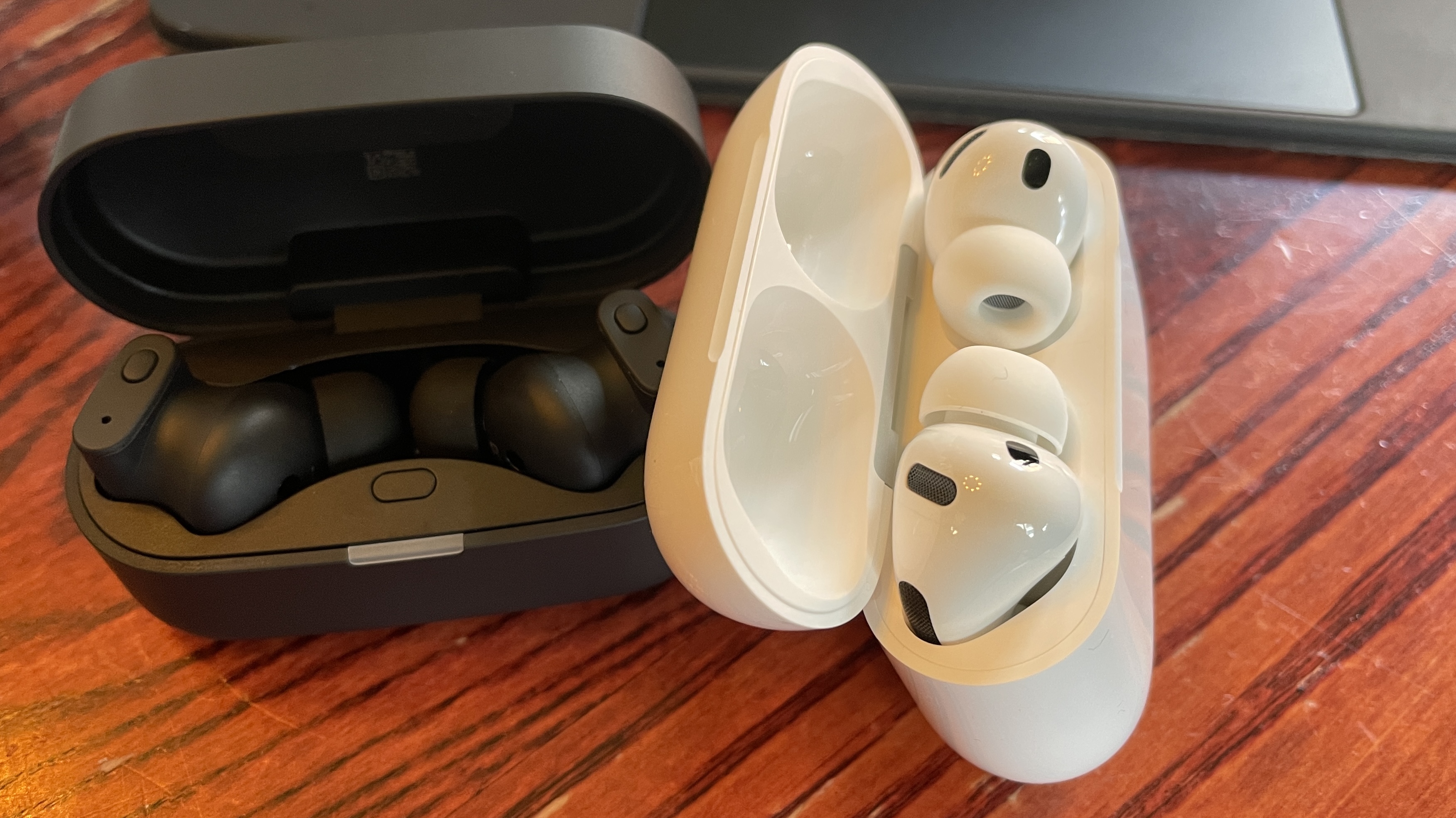
How does all of this stack up against AirPods Pro 3?
I ask Oatley what he's most proud of with this project and he's surprisingly open: "Look, for ANC I think AirPods will always be tough to beat. But a lot of work has been done to make these sound better. These are for the user who wants the best possible sound in a true wireless design. I hope I've achieved that".
He then points me to a graph that's like the Harman Curve, but different. It's what he was able to achieve with the GoldenSound Edition. He's particularly proud of the graceful line between 80Hz and 100Hz, juicy bass frequencies he feels are more accurately relayed in the Pro X GoldenSound Edition. And I have to agree: in this area, these earbuds glitter like gold.
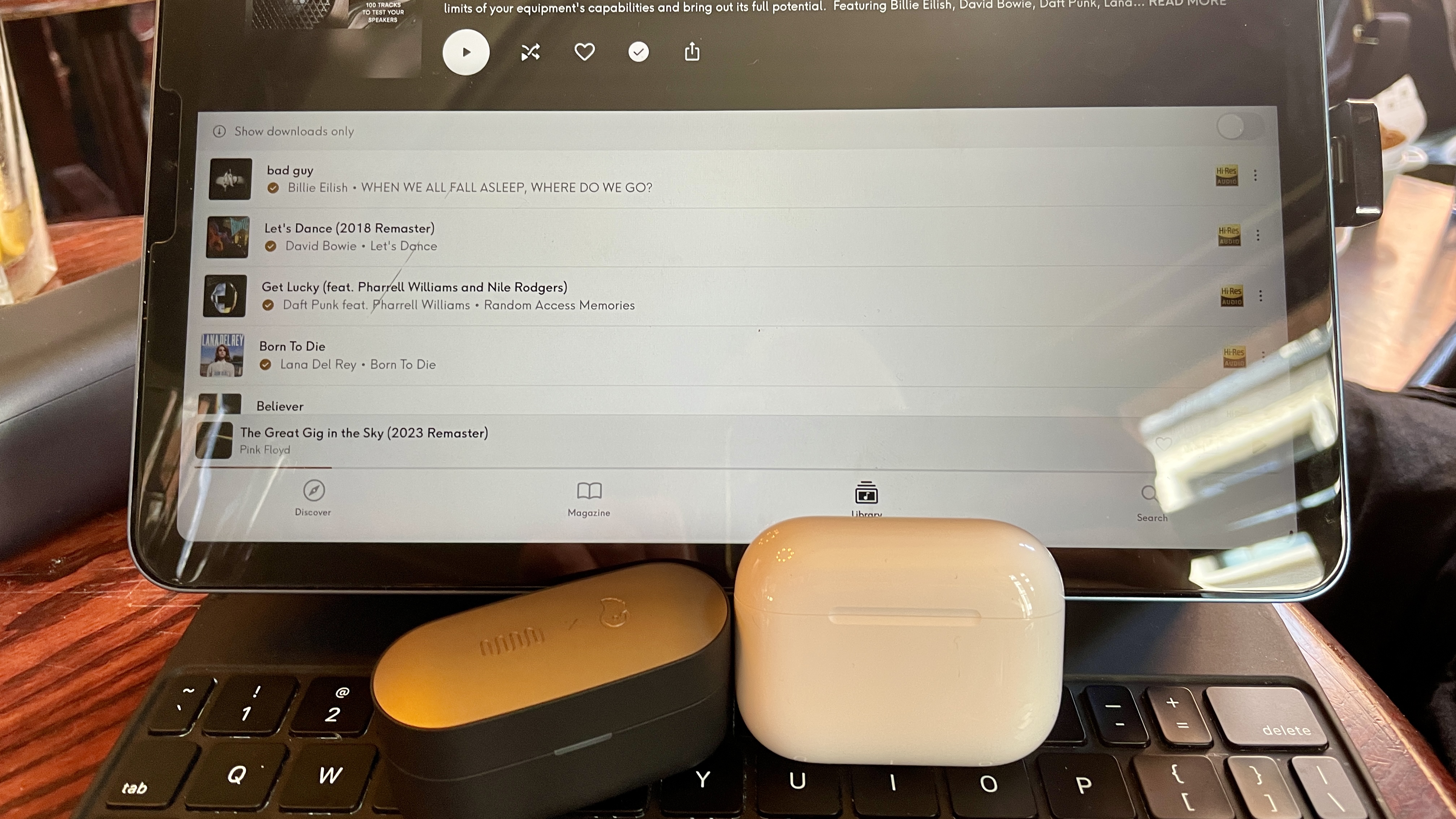
Let's get to the meat of the thing: listening. Both Status and GoldenSound actively encourage me to do this, and even set me up with a Qobuz screen, an LDAC source device and some AirPods Pro 3 for comparison. Oatley adds, "something tuned perfectly on a low codec is still better than something tuned badly on a higher codec", and while we all know you won't get LDAC out of AirPods, it's a very valid point.
Billie Eilish's Bad Guy is expansive and clean, with a snappy, impactful low end. Dire Straits' Money for Nothing is as brooding, snaking and exciting at the outset as you'd ever want it to be. ACDC's Back in Black? A head-nodding and beautifully regimented, cohesive mix.
What's gone are the… I hesitate to call them 'parlor tricks', but that typical V-shaped augmented treble one so often hears in designs of this type feels eased. And know this: the sound is altogether more open as a result.
(Image credit: Future)
It's not all glowing praise: during my limited time for an initial listen, you understand, I found Apple AirPods Pro 3's audio just marginally more woolly overall in direct comparison. That said, AirPods Pro 3 do have a slightly more soaring treble from the box. As such, some tracks sound more fun, forthright and zealous using the Apple product. It's the age old debate, isn't it: integrated hi-fi sound or fun, V-shaped in-ear mix?
I know my ear is keenly tuned to treble sounds (I've done the tests) but some listeners will love what's been achieved here. I spy an industry disruptor and no mistake. It's nothing if not interesting — and I'd say the industry standard was due a shake up.
I often find listeners might think they enjoy a certain tuning (typically, wearers might augment bass frequencies straight away) when in fact, if we play with their EQ settings, they actually prefer something quite different.
Here, Oatley hasn't given users the option to tweak his proprietary GoldenSound profile within the EQ settings, although you can select from 'Status Signature', 'Status Audiophile', 'Knowles Preferred' or 'Vocal Enhance' presets, or create your own using an 8-band tab set at neutral from the Status Hub app. Sadly, there's no similar visual for the presets so you really need to trust GoldenSound has done it right here. And given the extensive amount of work that's gone into them, I think your trust is well-placed.
This is not to be considered a full review, you understand. For that, I need more time. But what I can tell you right now is that the process won't be a hardship.
OpenAI is selling its first hardware — without any help from Jony Ive. It describes the Codex Micro as a “command center for agentic work” but it’s really a 13-switch wireless keyboard customized to help developers keep tabs on what their Codex agents are doing. It costs $230.
The keyboard has 13 mechanical switches (one keycap covers two of them by default), a rotary encoder, joystick, and RGB backlighting around the whole keypad and individual keys. It comes with 32 customizable icon keycaps.
OpenAI claims that the Codex Micro is a serious business tool: The command keys enable Codex users accept changes, reject outputs, push-to-talk, start new chats, and trigger custom actions. The rotary encoder can be used to dial up the “brainpower” allocated to tasks — or in more conventional terms, how many tokens to allocate to reasoning on a task. And the RGB lighting can provide feedback on how various tasks are progressing. And the RGB lighting under the “agent” keys can provide feedback on how various tasks are progressing.
The Codex Micro’s manufacturer, Work Louder, already has a similar device on the market, the Creator Micro, which offers similar functionality, but without the colorful keys. It costs $56 less than the Codex Micro, however.
The Codex Micro will fit in snugly with OpenAI’s other merchandise, where using Codex is as much about a fashion statement as a technological choice.
Em 1995, a SEGA investiu 5 milhões de dólares na Nvidia e salvou a empresa da falência. Três décadas depois, Jensen Huang e o CEO da SEGA celebraram a parceria em Akihabara, anunciando que jogos clássicos e novos títulos como o Virtua Fighter Crossroads chegarão aos novos PCs RTX Spark.
Serbia is the latest nation to sign the Artemis Accords, joining the U.S.-led effort more than two years after signing on to China’s lunar base project.
In this episode, David Ariosto speaks with SpinLaunch CEO Massi Ladovaz. They discuss what attracted Ladovaz to reimagining how to launch spacecraft, the changing needs and challenges of building constellations […]

 Login
Login