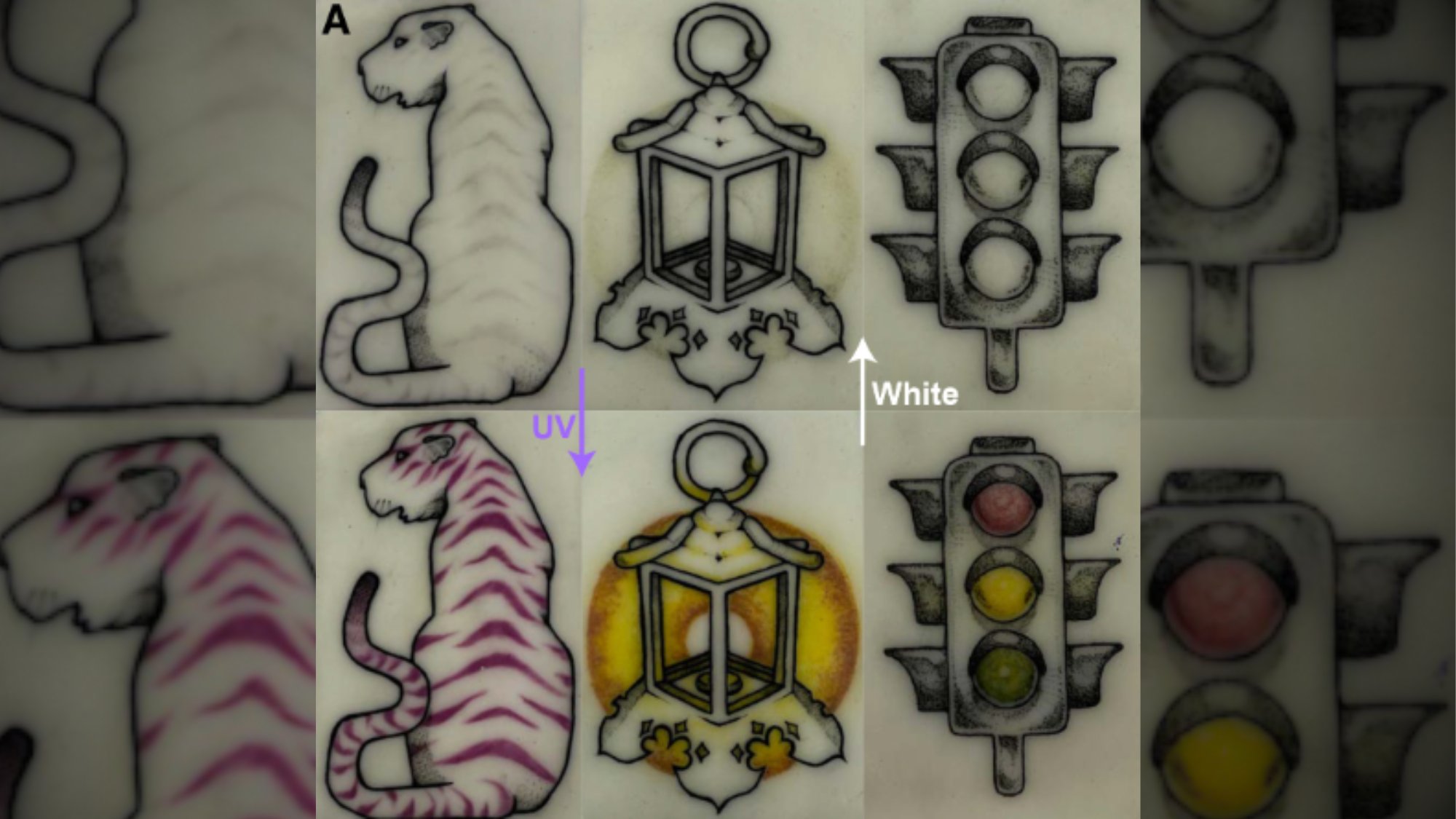
Tattoos are pretty permanent decisions, and laser removal is often described as more painful than actually getting them in the first place. But what about a design that can only be seen when you want to see it? Engineers at the University of Colorado Boulder are working on a new type of tattoo ink to answer that question. Their dye is specifically concocted to physically alter depending on exposure to visible or ultraviolet (UV) light.
The team described their invention in a study published earlier this month in the journal Matter & Light, and they didn’t only demonstrate the capabilities in the lab on silicone and pig skin. One of its creators, Carson Bruns, has already tattooed himself with the ink.
“[It’s] almost a tradition,” the study co-author recently told Nature.
Bruns, a nanoscientist at UC Boulder, previously developed a now-commercialized tattoo product called “Magic Ink” that turns magenta depending on its exposure to UV light. To highlight its efficacy, Bruns gave himself “solar freckles” as a method to track his exposure to sunlight. In similar fashion, he recently completed a similar session on his leg using the disappearing ink.
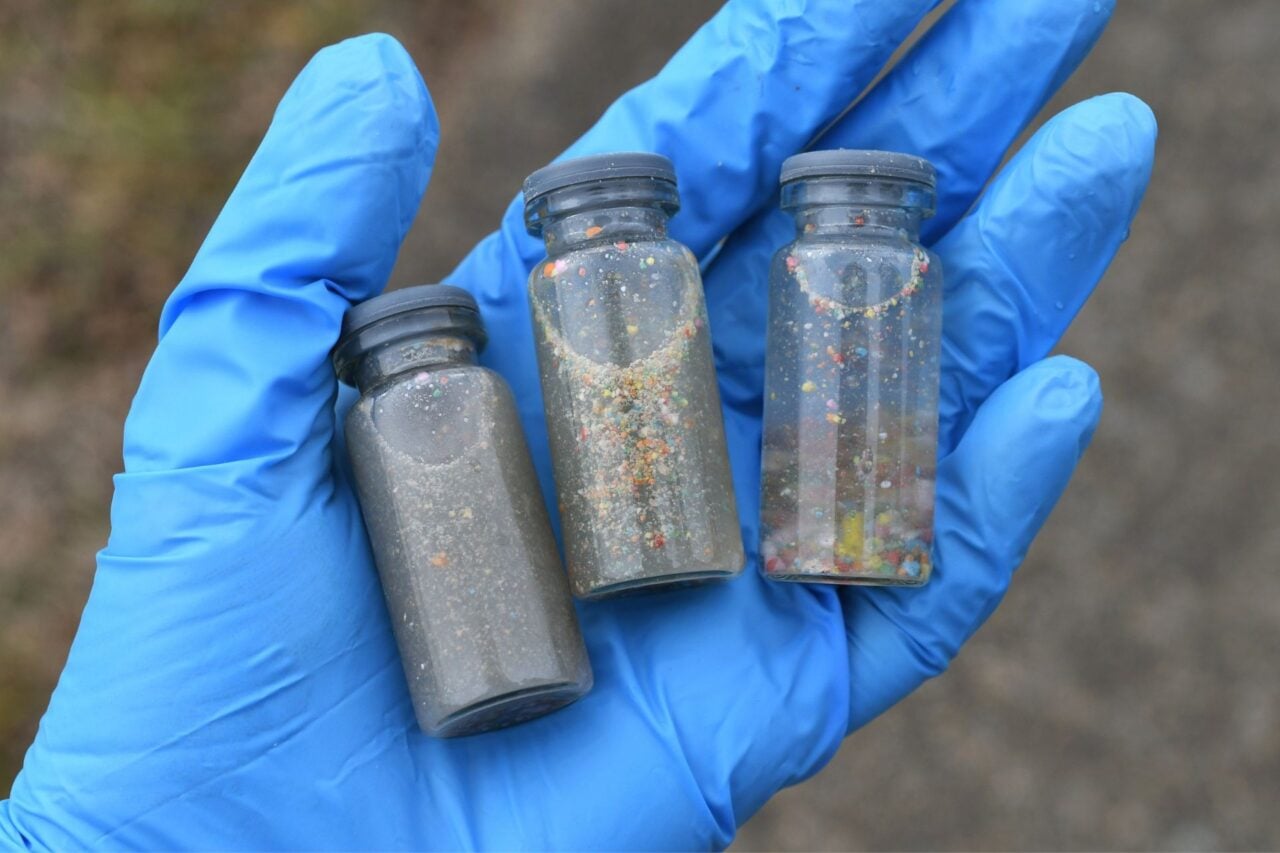
The formula currently comes in three colors—yellow, blue, and magenta—and essentially relies on the same principles behind transition lenses and some textiles. Each dye is composed of tiny spheres of acrylic glass. These beads contain photochromes, which are chemical compounds engineered to absorb specific light wavelength photons. In this case, the photochomic dye’s spheres begin in their original color, but then flatten into transparency after absorbing corresponding light photons exposed to UV rays. The dye remains this way until it absorbs visible light photons, which destroys the chemical bond and allows the spheres to return to their original shape.
Aside from the lab tests, Bruns tattooed his own leg over about 12 months using various dye combinations, all of which responded as intended to UV and visible light exposure. The ink also remained effective for over two years—but the team’s intention is go beyond a nifty parlor trick. Future ink iterations may be particularly useful in medical procedures, such as temporary markings to help maintain accuracy during direct radiotherapy sessions. For now, however, the photochromic tattoo dyes remain for laboratory (and Bruns’) use only until further safety assessments are completed.
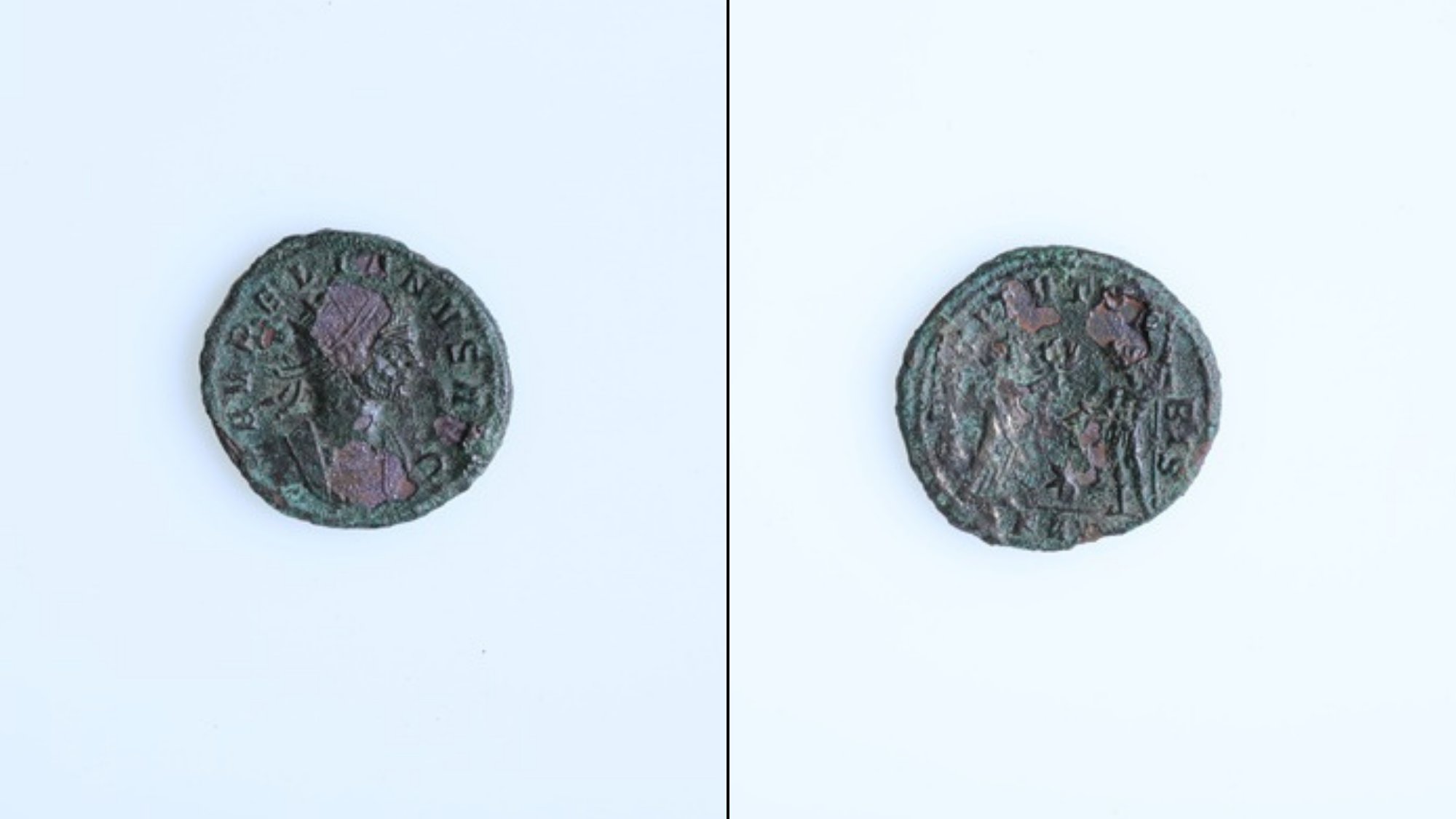
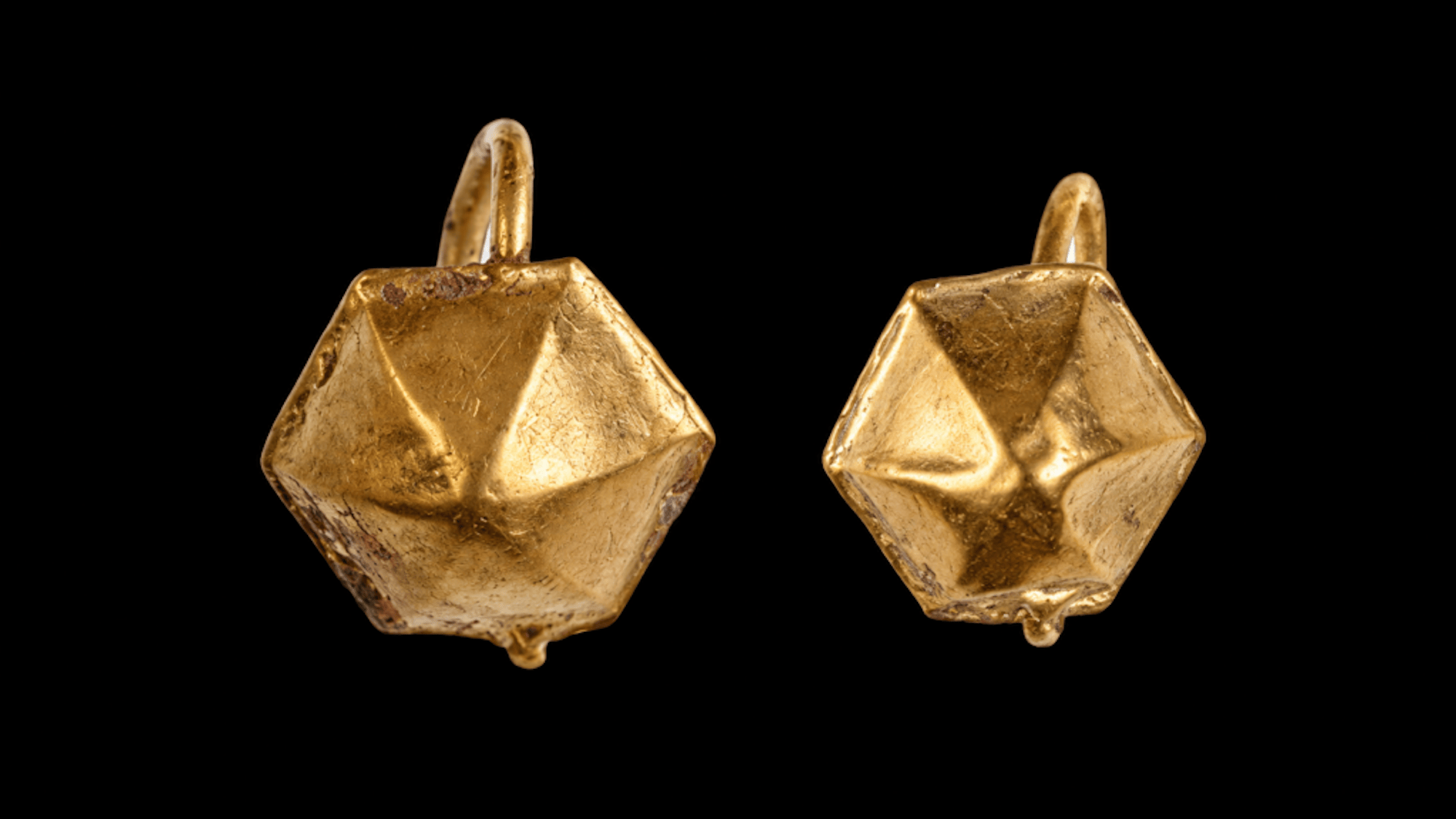
Not far from the Black Sea, a child’s grave uncovered in present-day Bulgaria has provided archaeologists a somber look at Roman funerary practices. Flagged in the city of Stara Zagora during a site survey for a new apartment complex and parking garage project, the burial contained stunningly preserved gold earrings as well as a single, small coin known as an antoninianus. But while the currency’s age is traceable to within a year of its minting, the bronze piece may also represent a grieving family’s hopes for their child’s safe passage into the afterlife.
The Roman empire at its height included over 1.9 million square miles of territory, including much of central Europe and central Asia. Rome annexed the region of Thrace in 46 CE, and eventually renamed the city of Stara Zagora as Ulpia AugustaTraiana in honor of Emperor Trajan (98 to 117 CE). Augusta Traiana quickly grew into one of Thrace’s most prominent urban hubs, becoming so prosperous that Rome ultimately granted permission to build its own coin mint during the second and third centuries CE.
Over 1,750 years later, Augusta Traiana’s remnants exist underneath a city once again known as Stara Zagora. Ruins of the Roman empire are regularly unearthed through the town, including the recent discovery of a large cemetery used for nearly three centuries outside Augusta Traiana’s original walls. Among the 135 graves, researchers identified a child buried with a pair of gold earrings and one of Thrace’s bronze coins. Although details about the young individual’s death and identity remain unclear, the coin clearly dates to either 274 or 275 CE. Archaeologists assume the child likely died either around that time period, or soon after.
While researchers may never learn the precise circumstances of the burial, ancient Greek and Roman funerary beliefs suggest the coin served a specific purpose. It’s possible the child’s family intentionally placed the currency with the deceased as payment to Charon, the ferryman who brought souls to the afterlife. Knowing this, it may be that grieving relatives hoped to impart one final gift to their loved one.
Elon Musk pledged on X to give one of his SpaceX shares to every kid in America next year, and will do more such gifts in the future.
According to estimates by the U.S. Census Bureau, about 21.1% of the U.S. population is under 18 years old, which translates to about 73 million children. At ...
Snakes will bite, rattle their tails, and even spit venom to escape danger. But of all the world’s species, southeast Asia’s dwarf reed snake (Pseudorabdion longiceps) relies on an especially fascinating escape method. When threatened, the diminutive serpent rolls away like a speeding wheel.
An adult dwarf reed snake typically measures less than 12 inches long, but its unique locomotive maneuvers allow it to retreat as fast one foot per second—about four times faster than it travels by simply slithering on the ground. It’s not a flailing getaway, either. The snake also easily rolls along a straight path while somehow keeping its head both stable and facing forward.
Now, researchers finally have a better understanding of how the dwarf reed snake achieves such dizzying acrobatics. In a study published today in the journal Current Biology, a team at Japan’s Toho University detailed the specific physiology that enables its locomotion after filming the snakes with high-speed cameras. Essentially, the snake doesn’t rotate its entire body in a singular, forward motion—it whips one side of its body forward towards the ground while an arched portion swings down by its head in what the study’s authors call a “stroke.” The snake then alternates between its left and right side coming into contact with the ground for each successive stroke. Essentially, it’s like twirling a rope in a lateral circle while holding one end in your hand—except that end is the snake’s head.
The cumulative efforts bypass the traditional idea of a wheel requiring something like a central axle. Instead, this ingenious, highly controlled movement allows the animal to keep its head and sensory organs upright and facing ahead while traveling at such high speed. This is compounded by the dwarf reed snake directing regions of its body to engage in large, alternating rotations while stabilizing its head.
By gaining better insight into these biological mechanisms, researchers also highlight the difficulty in trying to predict an animal’s capabilities based solely on its physiology. A snake may have primarily evolved to slither—but that doesn’t mean it can’t get creative when necessary.
Nvidia has asked the suppliers of its next-generation custom high-bandwidth memory chip to use Taiwan Semiconductor Manufacturing Co’s 3-nanometer manufacturing process, the Seoul Economic Daily reported.
Nvidia asked Samsung Electronics, SK Hynix and Micron to standardize the manufacturing ...
Anthropic announced the creation of a new fund that will get at least 5% of its shares and support public-benefit causes such as addressing the employment impact of AI.
The Anthropic Public Benefit Fund could get an additional 2% of the company’s shares on top of the initial 5% commitment, at ...
When it comes to the mobile app heavyweights, few can beat WhatsApp. It’s estimated that around 3 billion people now use the cross-platform messaging tool at least once a month. And it’s important to remember there are only 8 billion or so people on the planet, so there are no signs of its popularity waning anytime soon.
Beyond being a hugely successful app, it’s also packed with features. You can use it to chat, make voice and video calls, share files, broadcast your location, and more. Even if you’ve used WhatsApp for years, you might not have discovered everything it’s capable of—which is where these tips come in.
1. Set a timer for messages to disappear
You don’t necessarily want everything you say on WhatsApp to be remembered forever, and the app includes a timer feature that will automatically expunge messages in a chat 24 hours, 7 days, or 90 days after they’re read, unless you specifically keep them. This is set on a chat-by-chat basis, and affects everyone in a conversation.
To change the setting for one of your chats, tap the contact or group name at the top of the screen, then pick Disappearing messages to select your time limit. This is applied until you turn it off or select a different period, but doesn’t affect the conversation history.
2. Lock away your most sensitive chats
Put certain chats behind a lock. David Nield
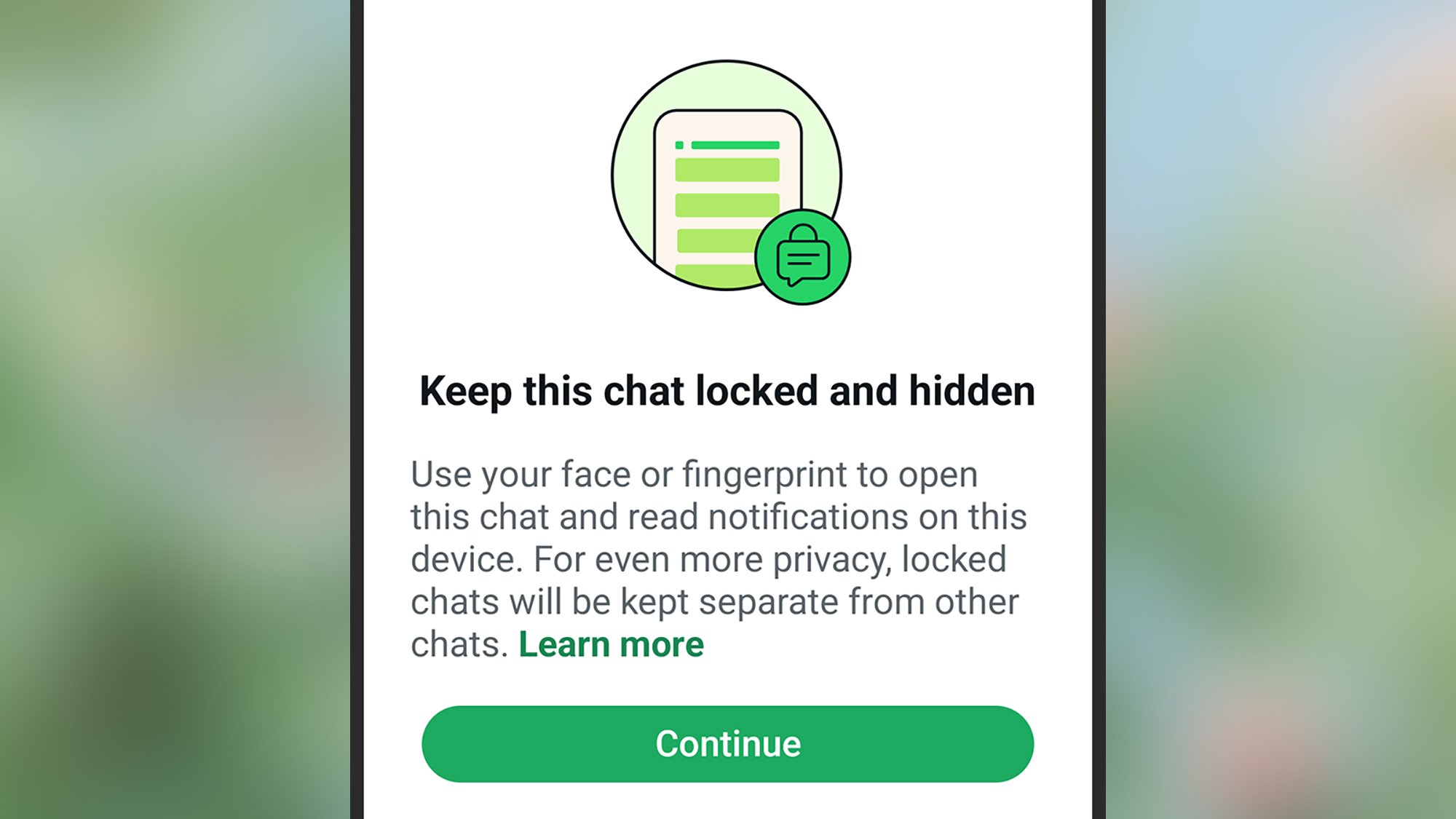
Another way of protecting sensitive information in chats is to add an extra lock to specific conversations. Even if someone should gain access to your phone and your apps, they won’t be able to see your locked chats.
From inside a conversation, tap the contact or group name at the top, then pick Chat lock (Android) or Lock chat (iOS). You can then use a specific PIN code to block access to the conversation, or use the same biometric scan technology (such as Face ID) that already protects your phone at the lock screen.
3. Edit a message after sending it
Have you noticed you can edit messages after sending them? It’s handy for those typos you only spot after dispatching a message—long-press on whatever you just sent, then tap the three dots and Edit (Android), or just Edit on the pop-up menu (iOS). Modified messages have an ‘Edited’ label visible to everyone in the chat, but they won’t be able to see what the original message said.
4. Stop specific contacts from seeing when you’re active
Take control of who sees your activity on WhatsApp. David Niel
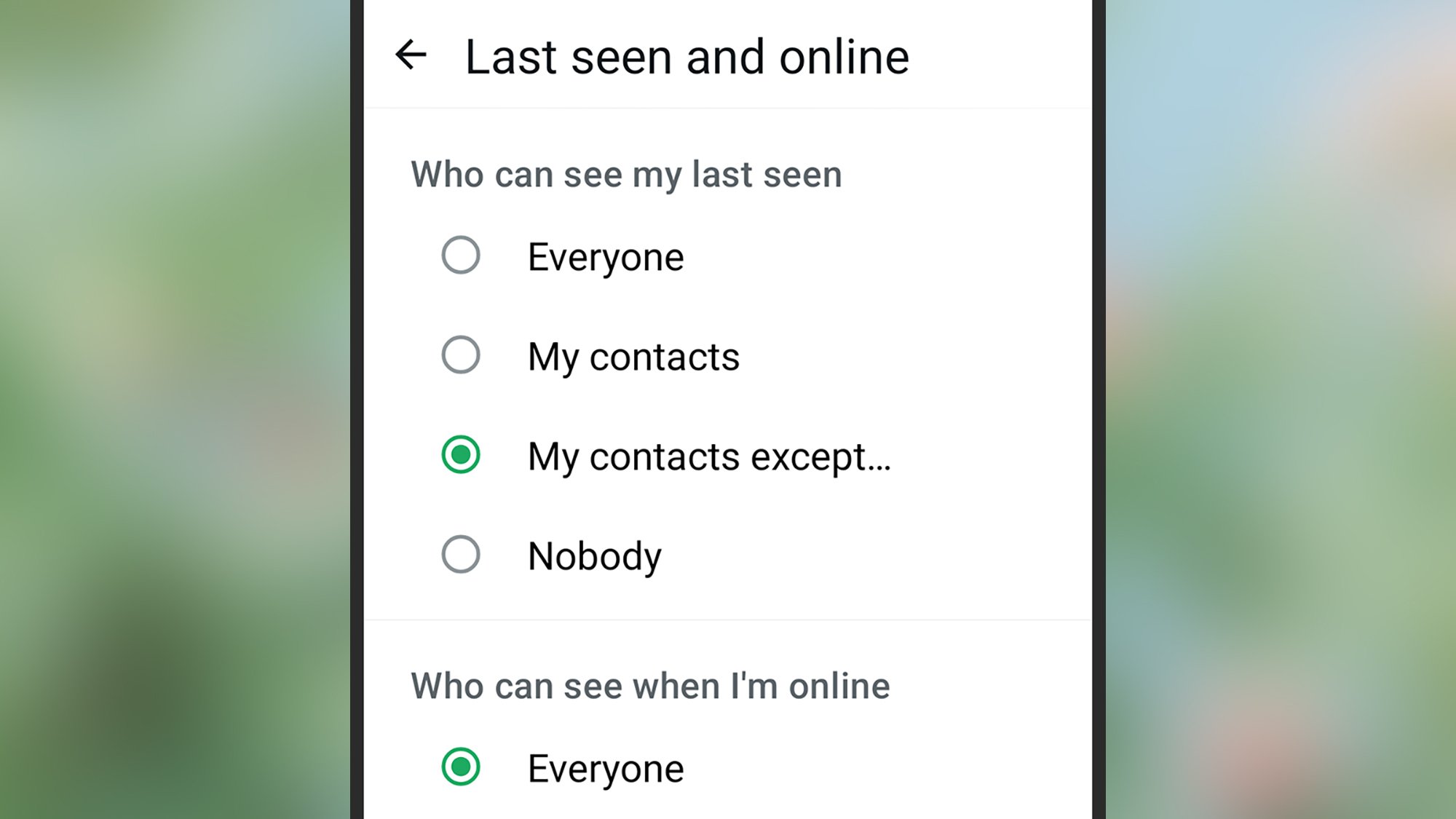
WhatsApp can tell your contacts whether you’re currently using the app and when you were “last seen,” but this might not be information you want to share with everyone. As well as disabling the feature entirely, you can also turn it off for specific contacts.
Open the You tab, then tap Privacy > Last seen and online, then select My contacts except … under the Who can see my last seen heading. You can then pick the contacts you don’t want to give this information to, and set the Who can see when I’m online option to match the same list.
5. Pin important messages you need to refer to or remember
Important details can quickly get lost in WhatsApp conversations, especially in busy group chats. But there is a way to pin specific messages to the top of the chat so they’re easy to get back to—someone’s address or the start time of an event, for example.
To pin a message on Android, long-press on it, then tap the three dots (top right) and Pin. On iOS, long-press a message and choose More > Pin. You can have up to three pinned messages per conversation, and select from three options for how long they’re pinned for: 24 hours, 7 days, or 30 days.
6. Give contacts their own notification sound
Your contacts can have their own alert sounds. David Nield
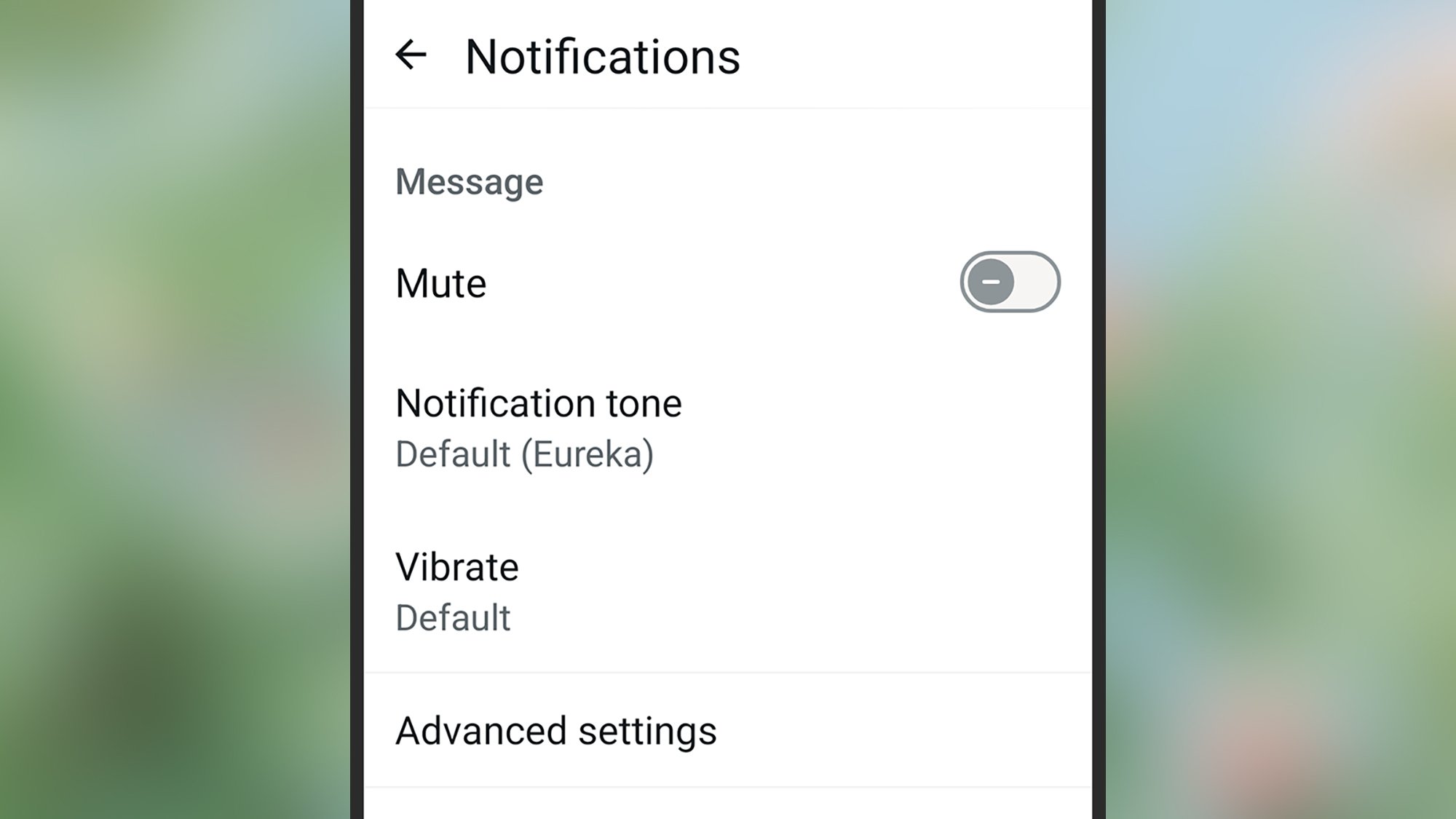
WhatsApp lets you assign specific notification sounds to specific contacts, which means you know who’s calling or messaging without picking up your phone. It gives you a better idea of whether something needs attention right away or can be safely ignored for a while.
Tap the group or contact name at the top of a chat, then pick Notifications and Notification tone or Ringtone to make changes. You can also select Vibrate to customize vibrations for each chat, though there are only four options here.
The option to mute the conversation is on the same screen—you can set mute separately for calls and messages.
7. Message yourself with notes and reminders
Not all messaging apps let you have a conversation with yourself, but WhatsApp does. This might seem like a rather pointless (and lonely) way of using the messaging app, but it can be really useful for jotting down things you need to remember on the go, leaving yourself voice notes of ideas and thoughts, and so on.
From the main conversation list, go to start a new chat, then search for “you” as the contact (or just enter your own username or phone number).
In my eyes, the best gift is a practical one. It’s useful and won’t rot in the back of someone’s closet for years; they’ll think of you whenever they use it; and you get major brownie points for introducing a magical, miracle product into their life. And what’s better than being known as someone who reliably gifts reliable products? I may still get made fun of by family for my history of wanting practical gifts (including lead refills for my mechanical pencil), but the gifts I treasure most often get the most use in my home. These are some of the best practical gear you can give to friends and family members who value utilitarianism over flash and fluff.
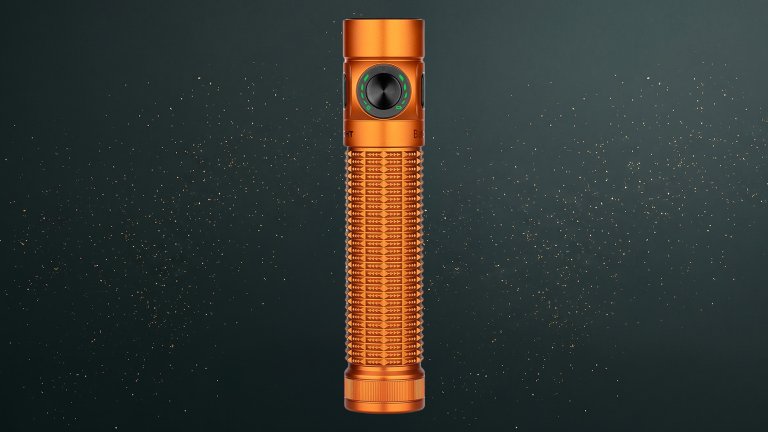
The OLIGHT Baton4 Pro rechargeable flashlight is a $63 flashlight that’s well worth the cost. They’ll never need another flashlight, and they’ll struggle to find one as bright and powerful as this. This torch clocks in at 1600 lumens, and its beam reaches 200 meters long, with a cool white color that cuts through the darkest sky. Dual switches—a side switch and tail switch—allow for one-handed mode selection (choose from high, turbo, and momentary on). Use it hands-free with an included L stand that sticks to metal surfaces, and know it will stay cool and comfortable in hand, even in Turbo mode. Charge it with the included magnetic charger, or unscrew the tailcap to reveal a USB-C port for universal charging anywhere. Your next power outage, camping trip, and attic exploration mission will thank you for this gift.
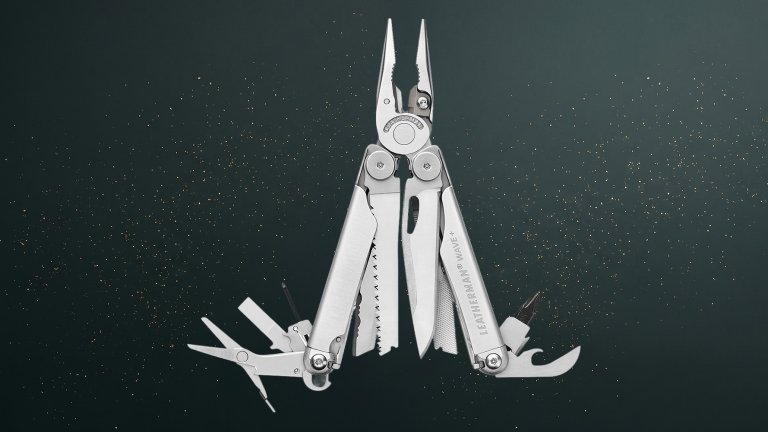
Best multitool: LEATHERMAN Wave Plus 18-in-1 Multi-Tool
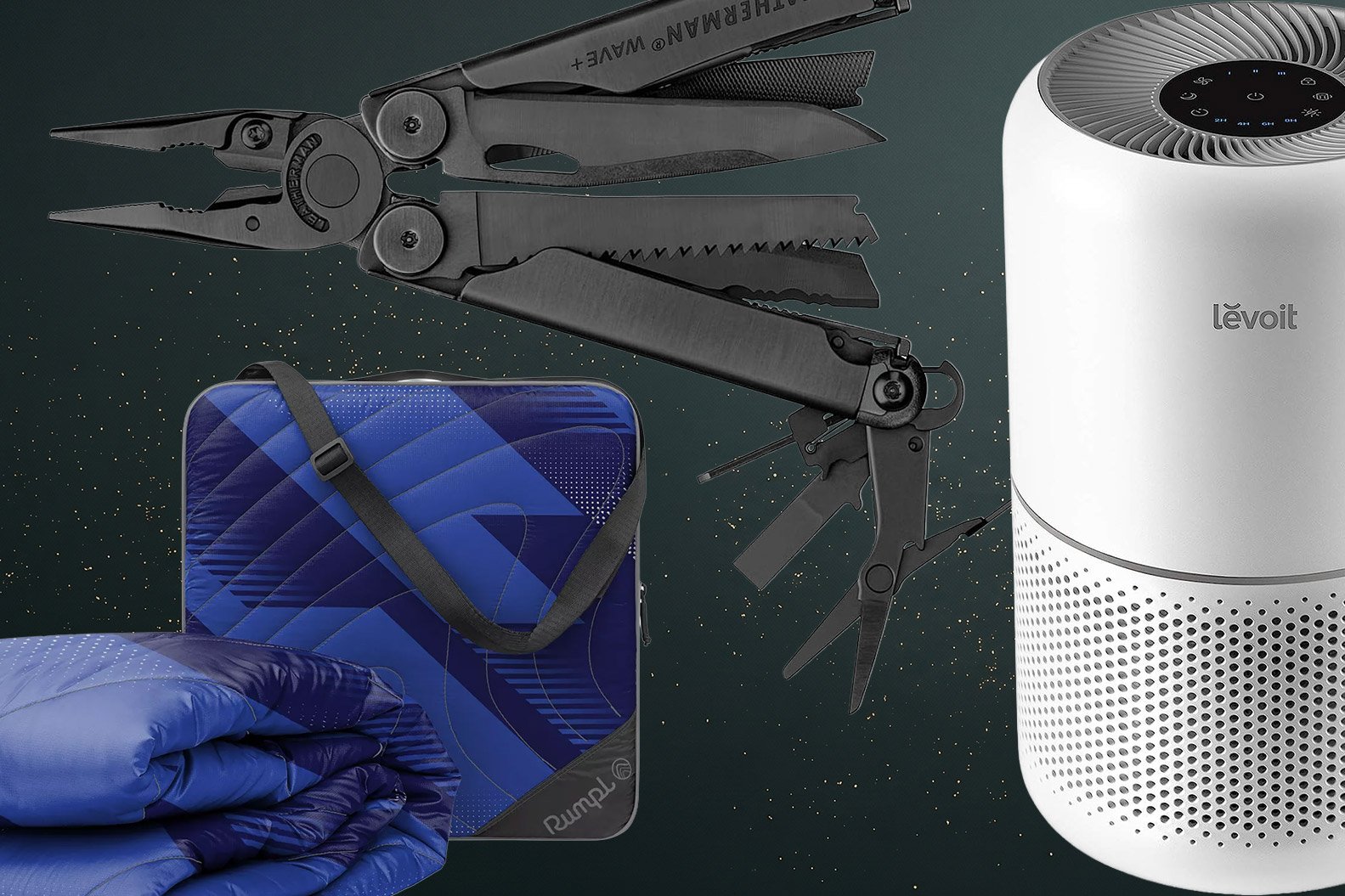
Carry an entire box’s worth of tools in your hand with this $130 LEATHERMAN Wave Plus 18-in-1 Multi-Tool. Standouts and crowd-pleasers include regular pliers, needle-nose pliers, replaceable wire cutters, knives, a saw, a can opener, a bottle opener, spring-action scissors, and three driver sizes. This multitool is made to be portable, reliable, durable, and multifunctional, all ingredients for one practical gift.
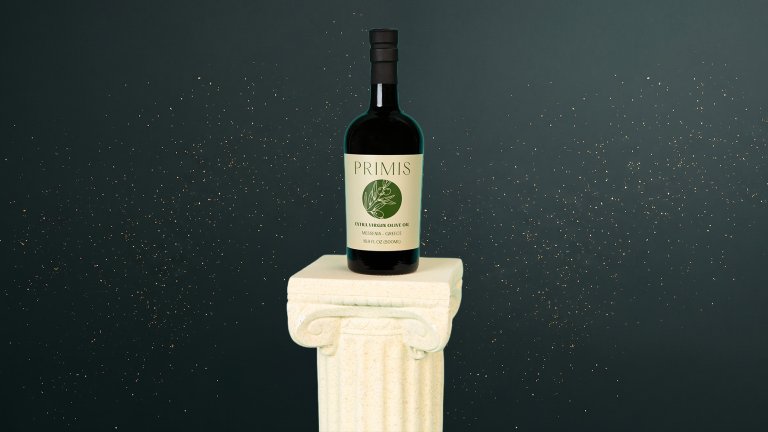
Best oil for phenol-menal flavor: Primis Imports Early Harvest EVOO – Koroneiki, Messenia Greece
Primis Imports Early Harvest Extra Virgin Olive Oil – Koroneiki, Messenia Greece $35
Made from 100 percent Greek Koroneiki olives, this single-varietal, cold-extracted, early harvest extra virgin olive oil adds zest to whatever you love best. From a bowl of simple greens to artisan bread, grilled fish to wood-fired vegetables, you’ll love the grassy, sassy brightness it brings. And that’s how you also know it’s packed with plenty of polyphenols, so you can fight free radicals—reducing inflammation while elevating taste. Combine it with basil and black olives for the kind of flavor the foodies in your life will want to put on a pedestal (not included).
Best aromatherapy with attitude: Hand-crafted candles by FRET12
Hand-crafted candles by FRET12 $12 – $48, plus graphic tees $36
Being backstage at a show is a vibe. Sometimes weird, sometimes wild, but always an interesting mix of calm and chaos. Chicago’s FRET12 brand aims to capture the smell of decompression and anticipation and bring it home with its hand-poured “Green Room” candle, which blends birch, bark, fig, and bergamot into something restful and ripe you can gift the joint audiophile-aromaphile in your orbit. For something more after-hours and intimate, try “Deep Cuts,” or spark up “Campfire Acoustic” and bask in wafts of sweet, warm smoke and vanilla. Available in 3-, 8-, and 10-ounce sizes. And while you’re at it, pick up a custom-designed and -printed T-shirt and other garb for that special member of your personal road crew who wants to celebrate their love of all things analog while they shop for some M&M’s (no brown ones) and white tube socks. And there’s artwork and actual guitar stuff, too, for gigging musicians!
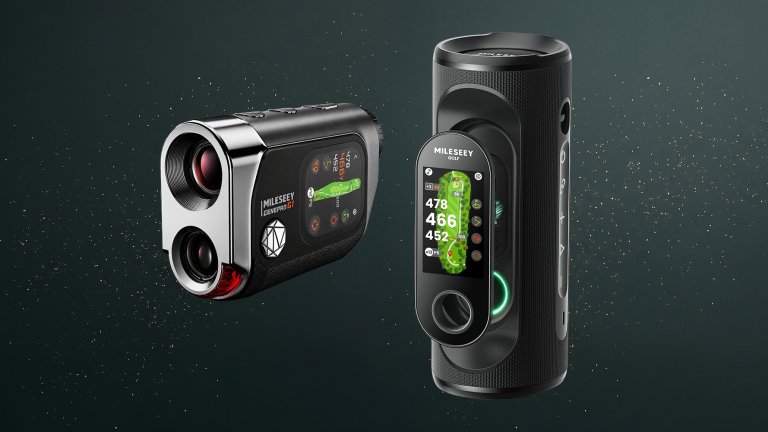
Best golf accessories: Mileseey GenePro G1 Touchscreen Rangefinder & GeneSonic Pro Golf Speaker + GPS Handheld
The Mileseey GeneSonic Pro and GenePro G1 give you what you want for a casual round with friends, and what you need if you still want to know that carry number or feel confident before you even swing a club in more serious competition. The IP65 GenePro G1 delivers accuracy on par with top-of-the-line rangefinders on the market today, while also giving you a full view of the hole. It offers front/center/back yardages, Ball-to-Pin distance, 600-yard flag-lock, SmartSlope compensation, and more. And the IP67 magnetically mounted GeneSonic Pro speaker delivers quality sound and a built-in detachable GPS with 43,000+ preloaded advanced course views for those pesky cart path-only days. Plus, it’s a 30W power bank, so you can get out and continue to jam out, no matter what the weather brings or how you swing. Whichever one suits your game, you can’t go wrong, and they make a great gift for the golfer in your life.
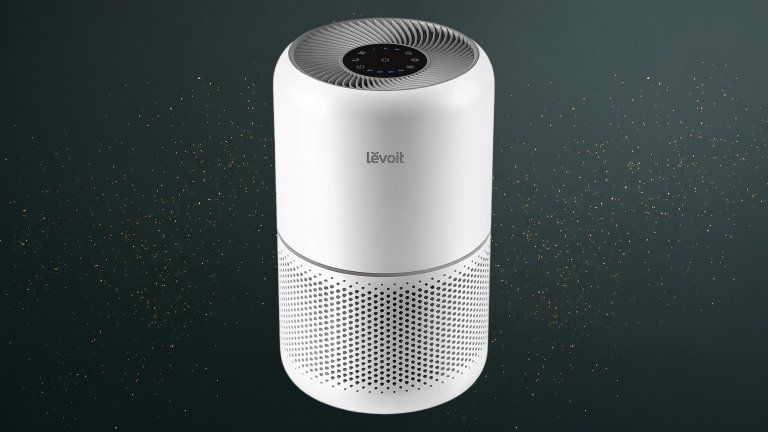
I’ve sung the praises of this $98 Levoit Core300-P air purifier for years. It’s one of our best budget air purifiers, and there are currently two of them in my home: one in the primary bedroom and another in the living room. The replaceable filters aren’t prohibitively expensive, and they’re whisper-quiet at their lowest speeds. I’ve tested many air purifiers, and this one easily beats its more expensive competitors. My asthmatic cat loves this air purifier, my fiancé, who hasn’t gotten sick in years, loves it, and I love it. I’d buy it for all my friends if I could.
Best dehumidifier: Midea Cube 20 Pint Dehumidifier
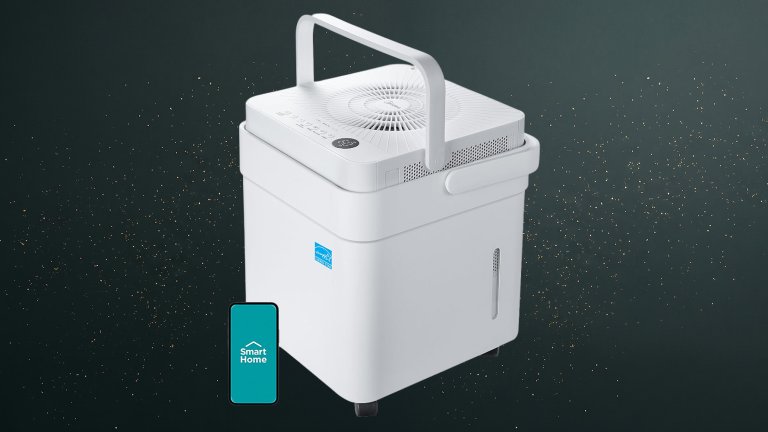
Good things come in small packages, including this $180 Midea dehumidifier, which is two feet high and a little over a foot wide. This small dehumidifier holds 3.2 gallons of water and can cover 1,500 square feet, making it perfect for apartments, bathrooms, and even damp walk-in closets. Control it via app or voice, or use the built-in buttons. A side window shows when it’s time to empty the water tank, and a handle makes it easy to carry. The dehumidifier is also on wheels, so you don’t even have to carry it in some cases.
Best humidifier: Carepod One Stainless Steel Humidifier for Large Room
Carepod One Stainless Steel Humidifier for Large Room $279
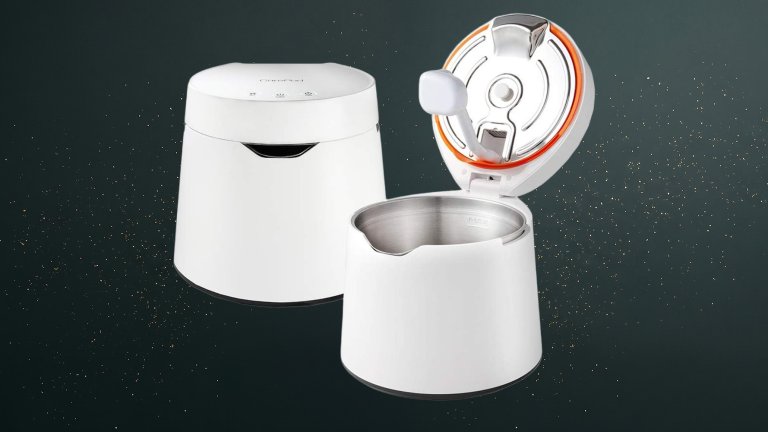
Other humidifiers quickly get gross and grody. The Carepod One is a splurge at $279, but this high-end humidifier stays mold-free thanks to a sterilizable, dishwasher-safe stainless steel basin. It has only three parts to clean: the white wand, stainless steel water tank, and stainless steel inner lid. The humidifier runs for up to 30 hours and includes a built-in timer for hassle-free use. It’s Restriction of Hazardous Substances-certified, meaning it’s free of hazardous substances like lead and mercury.
Best handheld vacuum: Shark Cyclone PET Handheld Vacuum
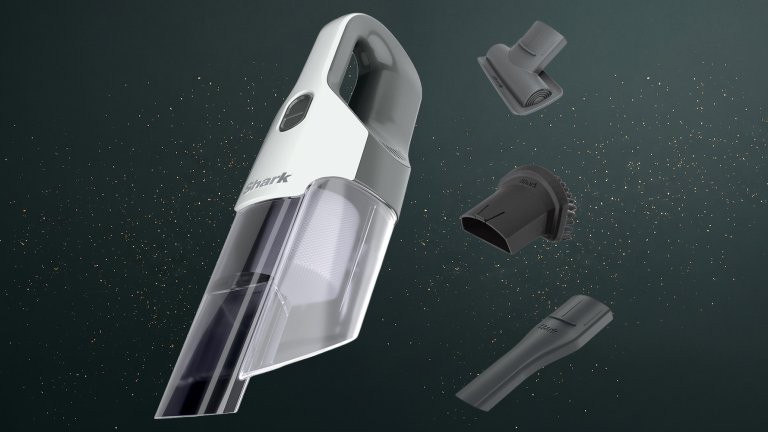
Sometimes, a mess isn’t messy enough to warrant breaking out the big, heavy vacuum, and there is no other pleasure like having a tool for a very specific task. This $80 handheld vacuum from Shark is excellent for cleaning pet hair off couches or collecting the crust from your car. An extra-large dust cup means you can clean all these small messes in one go or have extra room for pet hair when the couch gets particularly fuzzy.
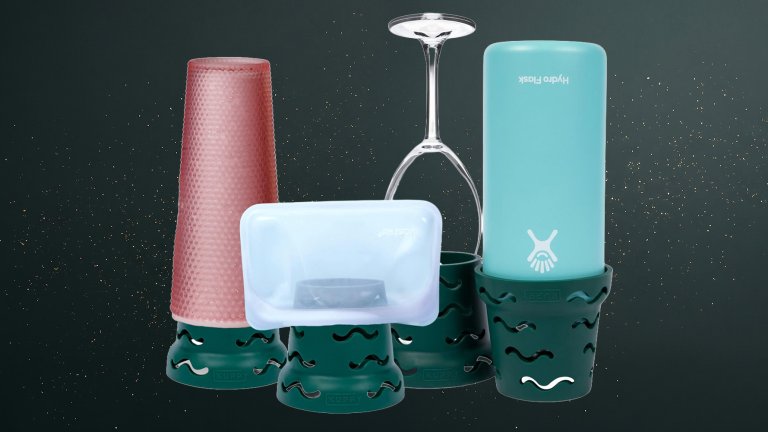
Regardless of water bottle allegiance, the $20 Kuppy Silicone Water Bottle Drying Rack helps reusable bottles of all sizes, wine glasses, and even silicone snack bags dry thoroughly to prevent odor from trapped water. They’re stackable for storage in the water bottle section of a kitchen (Everyone has a Water Bottle Kingdom somewhere in their home). Best of all, they take up less space than traditional dish racks.
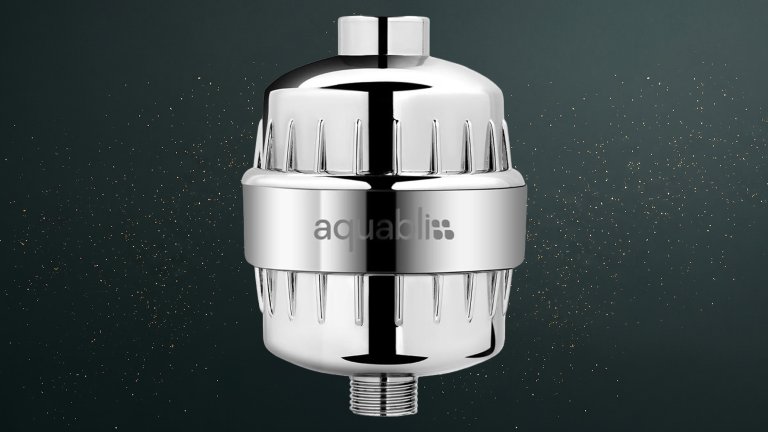
Best shower filter for clean freaks: Aquabliss SF100 Daily Revitalize Shower Filter
This $37 Aquabliss SF100 Daily Revitalize Shower Filter is for the person in your life who has a codependent relationship with their Brita pitcher. This budget shower filter fits standard fittings and works with fixed, rain, handheld, and combination shower heads. It also adds three to four inches to an existing shower arm and maintains water pressure for cleaner water without weaker streams. The filter cartridge takes two minutes to replace and lasts three to six months depending on water quality.
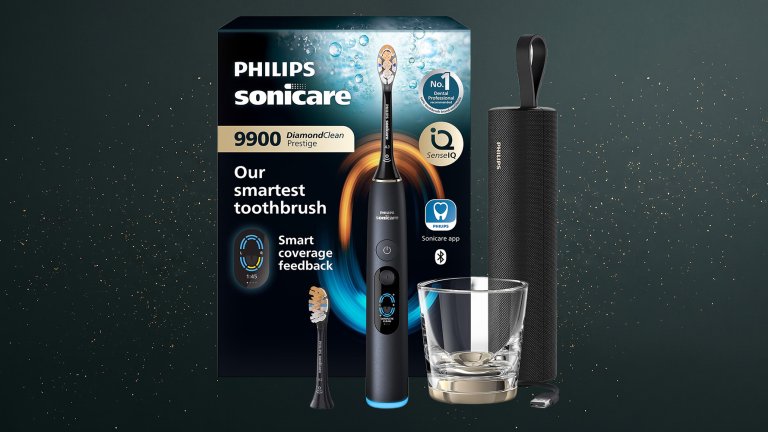
Best electric toothbrush: Philips Sonicare Prestige 9900
The Philips Sonicare Prestige 9900 is a $380 rechargeable toothbrush that provides dentist-level cleaning every day. Sonic technology and multi-angle bristles remove plaque regardless of brush technique. SenseIQ Technology automatically adjusts intensity and flashes when it detects too much pressure. This toothbrush comes with five modes, plus three intensity levels. The Oral-B iO Series 3 Rechargeable Electric Toothbrush is a cheaper option that’s still just as giftable.
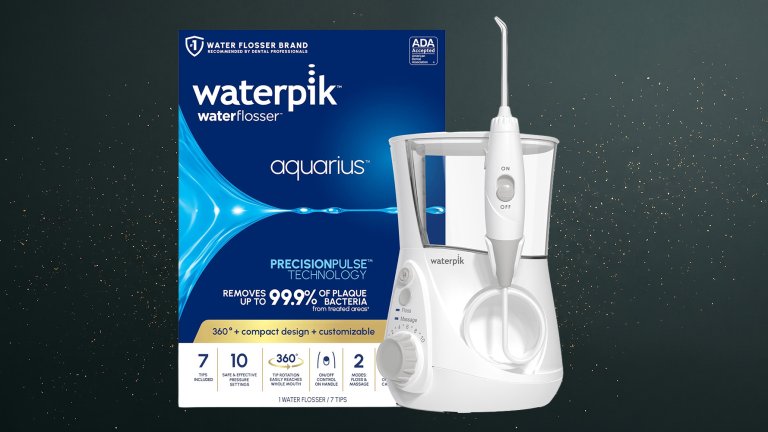
Best water flosser: Waterpik Aquarius Countertop Water Flosser
A water flosser is the bedrock of a well-rounded oral care routine. The Waterpik Aquarius Countertop Water Flosser is a $100 countertop water flosser that’s more like a power washer for mouths. Choose from 10 settings for extra pearly whites, including a massage mode that helps stimulate gums. Although it’s not a replacement for floss, it’s excellent for getting the job done after a late night. I personally use mine after flossing and add a bit of mouthwash to the reservoir to get fluoride where my teeth need it most.
The Nori Press Travel Steam Iron is a $120 handheld iron that resembles a giant hair straightener. If your gift recipient is like me and has ironed out my polo collars with a hair straightener, this iron should feel familiar. Two heated plates iron the front and back of a garment at once, removing wrinkles without an ironing board. The compact iron also includes a built-in steamer to remove wrinkles from more delicate fabrics. At 14 inches long and weighing a little under 1.5 pounds, it’s packable for clothing emergencies.
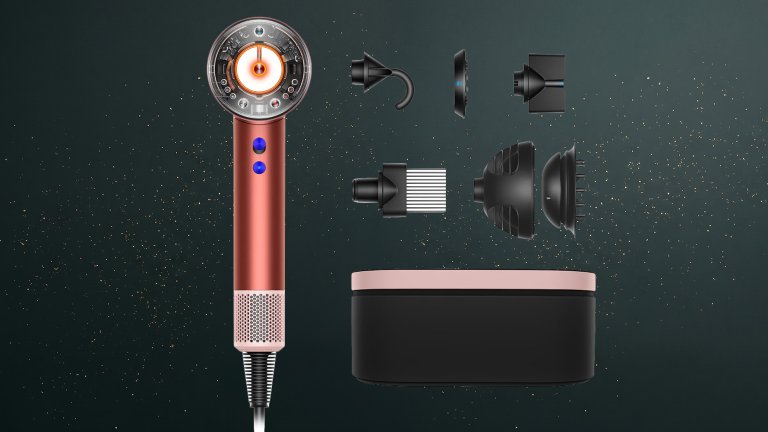
Best hair dryer: Dyson Supersonic Nural Hair Dryer
The Dyson Supersonic Nural Hair Dryer is a $450 hair dryer designed to maintain healthy hair and a healthy scalp. It’s also engineered to reduce flakes and shedding and balance hair oils. This smart hair dryer reduces airflow and deactivates the heater when set down; a Hall sensor recognizes each attachment as it’s used and automatically adjusts settings based on the attachment; and intelligent heat control monitors airflow to prevent hair damage. It also dries hair fast, a plus for practical friends who hate going to bed with wet hair.
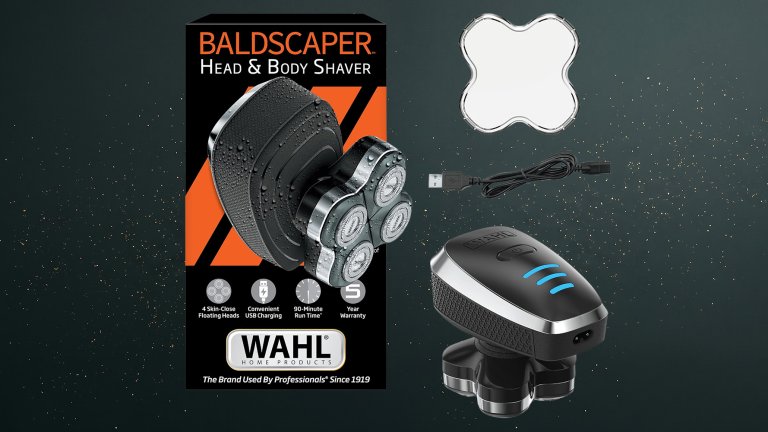
Best head shaver: Wahl Baldscaper Head & Body Shaver
Your most practical friend is most likely a Virgo or Capricorn. Popular Science’s resident Virgo and Managing Editor, Gear & Commerce, enjoys using this Baldscaper to keep his head smooth without causing physical/emotional damage to himself and his loved ones. Four floating shaver heads contour to the head, face, and body for a smooth shave, cutting it close sans nicks and razor burn. It’s fully waterproof, rinses clean with just water, and can be used wet or dry. A powerful motor and 90-minute battery life cut through coarse hair without dying halfway through a head shave.
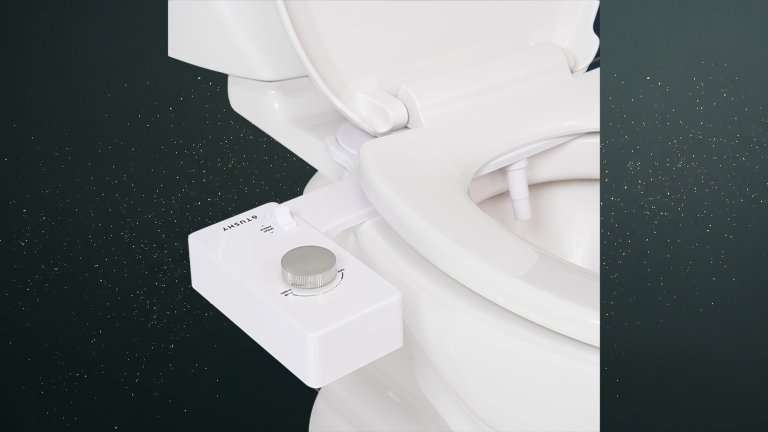
The TUSHY Classic 3.0 Bidet is a $124 starter bidet that helps your gift recipient feel cleaner than using toilet paper alone. It includes all materials needed for installation, which takes less than 10 minutes. A Schmutz Shield (actual name for this feature) blocks grime from escaping past the toilet lid, and a self-cleaning nozzle means this bidet won’t cause more cleaning-related headaches your practical friend may experience daily.
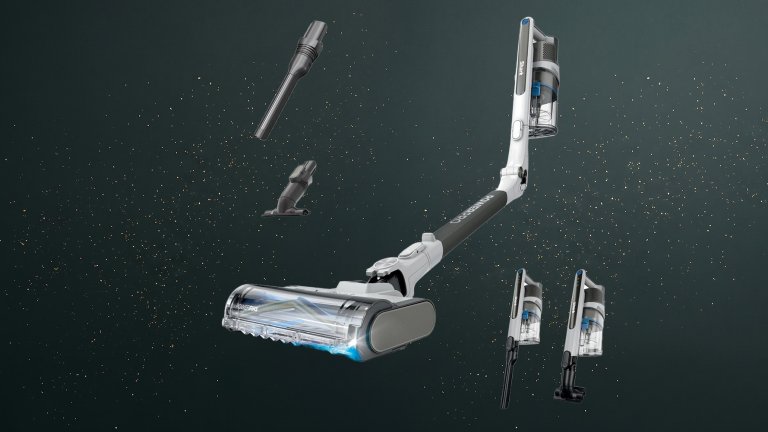
Best cordless vacuum: Shark PowerPro Flex Reveal Plus Cordless Vacuum
Shark PowerPro Flex Reveal Plus Cordless Vacuum $380
Shark makes some of the best cordless vacuums, and this $380 option includes some of our favorite features in a vacuum cleaner, including a MultiFLEX wand that makes it infinitely easier to reach under furniture, a light that reveals missed spots, and Floor Detect technology that adjusts brushroll speed depending on the surface. It also doubles as a handvac and comes with tools for crevices and upholstery. With 50 minutes of runtime, HEPA filtration, and an anti-allergen seal, dust busting won’t involve a sneezing fit.
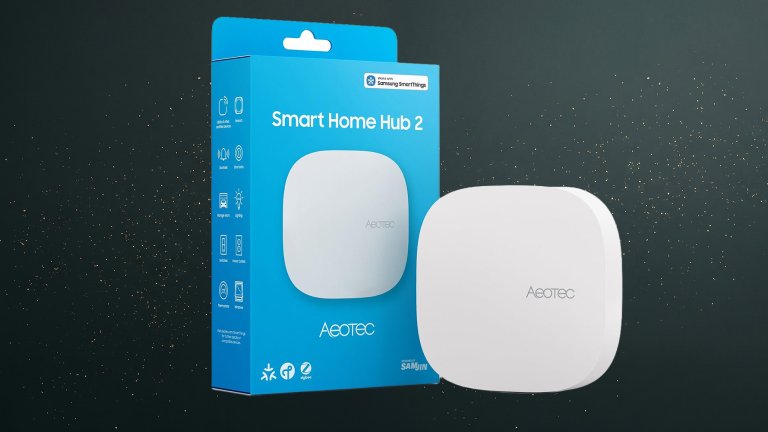
Give the gift of a fully connected home with the $130 Aeotec Smart Home Hub2, which can be used as a SmartThings Hub and supports Zigbee and Matter Gateway protocols. It’s also compatible with Alexa, Google Assistant, and Wi-Fi. Although it’s not Z-Wave compliant, it offers wider device compatibility and stronger security than some competitors.
Best electric blanket: Westinghouse Electric Blanket Heated Throw
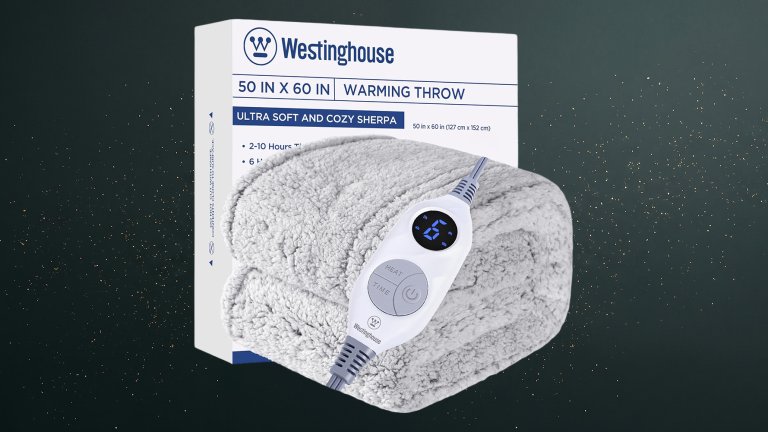
The best electric blankets provide warmth without turning up the thermostat. This $50 electric throw blanket from Westinghouse is reliable and heats evenly. Plus, it protects itself from overheating and includes an auto-off function for peace of mind when a nap strikes. A weighty smart digital controller cycles through six heat settings and a timer up to 10 hours. Throw it in the washing machine and hang it to dry between seasons.
Best outdoor blanket for sports fans: Rumpl Gametime Puffy Blanket
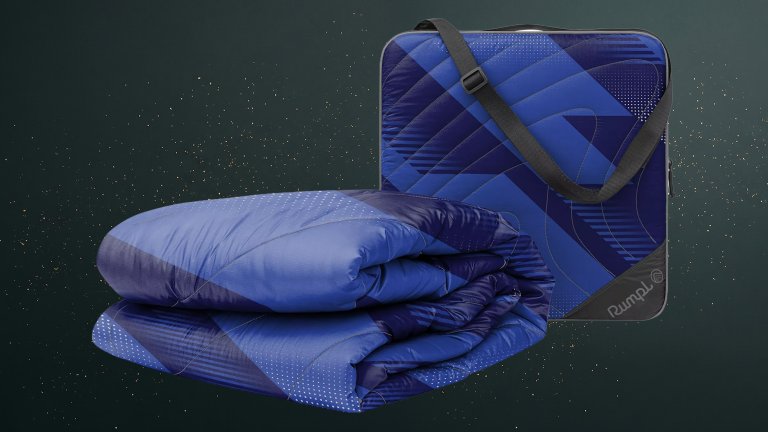
The Rumpl Gametime Puffy is a $100 2-in-1 stadium accessory made for overtime, any time. It packs a full-size 50×70″ insulated blanket into a TPU-laminated storage case featuring an adjustable, removable shoulder strap and an integrated 1-inch insulated foam pad to sit on when you pull the blanket out (and it’s an extra-padded 4” cushion with the blanket in). The shell and case have a PFAS-free water-repellent finish, and the blanket keeps you warm down to 45 degrees, making it great for football games, soccer matches, and club tournaments.
Best drill: Greenworks Pro PowerAll 24V 530 in-lb Drill Driver & 2,200 in-lb Impact Driver Combo Kit
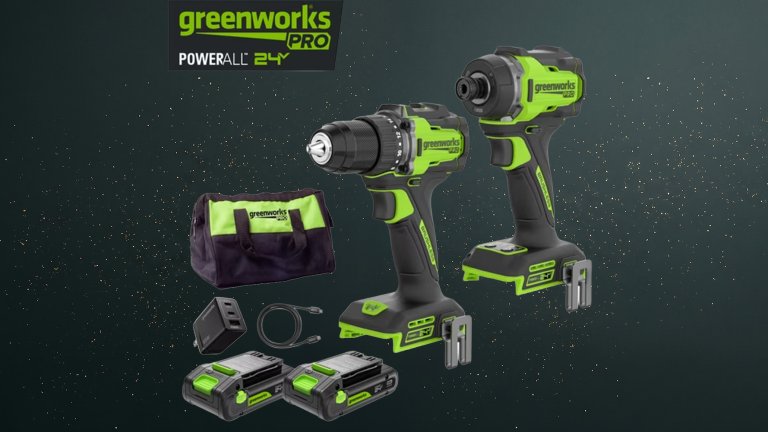
I’ve assembled my fair share of furniture from a multinational home furnishings store, and let’s be real: Sometimes those Allen wrenches don’t cut it. Enter the Greenworks Pro PowerAll 24V Drill Driver and Impact Driver Combo Kit, a $169 bundle that gives you two handy tools for the price of one. The drill driver and impact driver use brushless motors and 24-volt batteries, and run 20% longer than 18- and 20-volt counterparts. It’s compact, lightweight, and easy to use in tight spaces, making it an excellent gift for DIY-minded friends and family.
Best glass containers: Anyday 4-Piece Medium Glass Food Storage with Lids
Anyday 4-Piece Medium Glass Food Storage with Lids $65
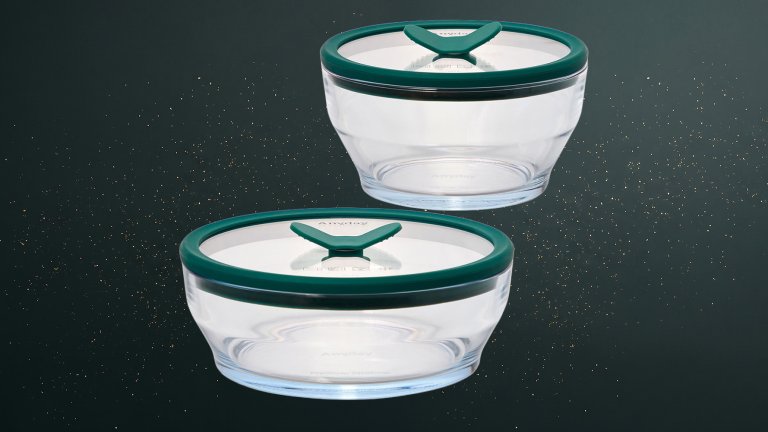
The $65 Anyday 4-Piece Medium Glass Food Storage system is made for microwaving or cooking directly in the oven, thanks to sturdy borosilicate glass that’s stronger and better resists extreme temperature changes than soft glass. The glass dishware is even freezer-safe. A glass lid prevents splatters in the microwave; lay-flat knobs vent food while cooking or create an airtight seal when it’s time to store any leftovers.
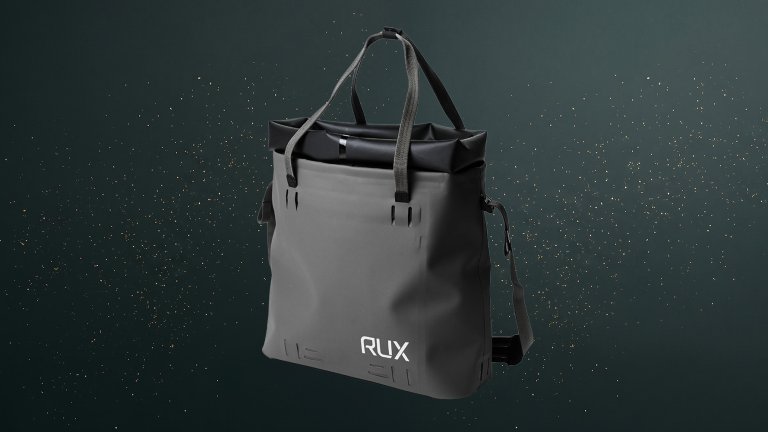
This $160 waterproof, compact carry-all from RUX works like an everyday tote, then converts to a roll-top dry bag to protect against rain and random liquids. It fits a laptop, lunch, and any layers, while internal and external pockets keep keys, a phone, and wallet within reach. Grab it by the handles, or wear it crossbody with the included shoulder strap on a two-hands kind of day. Exterior lash points connect pockets and panels (sold separately) for added storage and organization if your gift recipient desires a gift that keeps on giving.
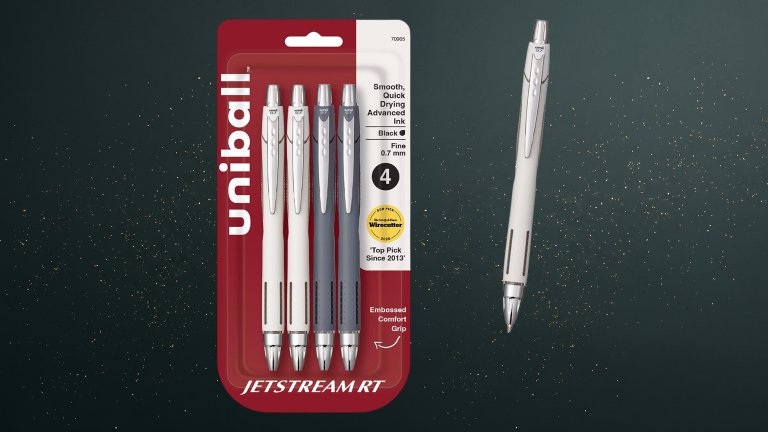
Best pens: uniball JETSTREAM RT, 0.7 mm Ballpoint Pen
Practical people definitely have plenty of pen opinions—I know I do. And this $6.50 pack of uniball Jetstream pens is a favorite thanks to its smooth, opaque, quick-drying ink that’s water- and fade-resistant. Choose the .7 millimeter option for a finer line, or the 1 millimeter thickness for those who prefer a more robust script.
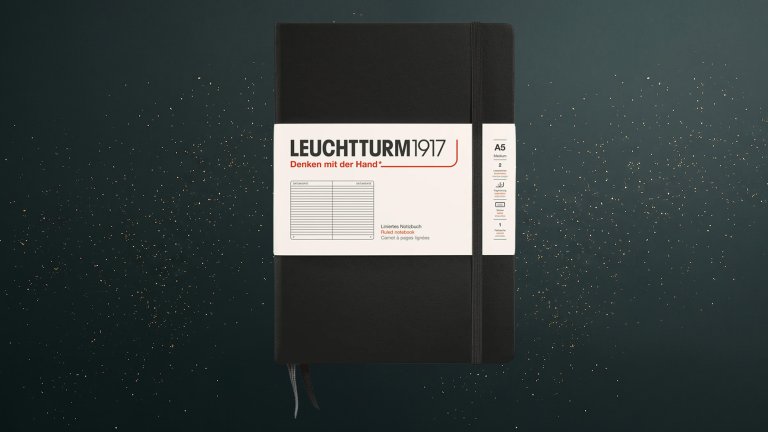
Best notebook: LEUCHTTURM1917 A5 (Medium) Notebook
My $26 LEUCHTTURM1917 A5 notebook holds my journal ramblings, my to-do lists, and random neurotic notes I need to get out of my head and onto a page. Numbered pages, two page markers, and a blank table of contents help organize all my jumbled thoughts. I personally go for a hardcover notebook with ruled paper, but LEUCHTTURM1917 also sells softcover journals in every color of the rainbow, with square grid ruling, dotted ruling, or blank pages.
The Ember Mug 3 is the latest generation of the popular smart mug that can keep hot drinks at a precise temperature all day long. Each 14 oz mug includes a sliding lid that extends battery life up to three hours on a single charge (it’s 80 minutes without the lid). And a charging coaster recharges your mug after your daily dose of bean juice (or maintains the temperature indefinitely if you keep the mug on it). Customize your preferred temperature in the app, or set it manually with a button on the mug. It’s also top-rack dishwasher safe.
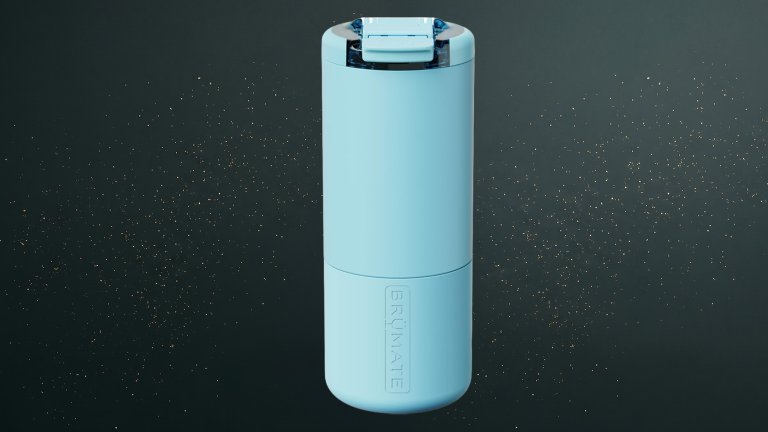
This $35 leakproof travel mug from BrüMate is for those who don’t mix their coffee with their electronics. A ceramic lining preserves flavor while preventing staining and leftover odors, and triple insulation keeps drinks hot or cold for hours. It’s cup-holder friendly for caffeinating on the go, and a magnetic, OctaLock lid prevents spills while running errands.
Best bag carrier: Click & Carry Ergonomic Grocery Bag Carrier Handle & Bag Holder
Click & Carry Ergonomic Grocery Bag Carrier Handle & Bag Holder $14
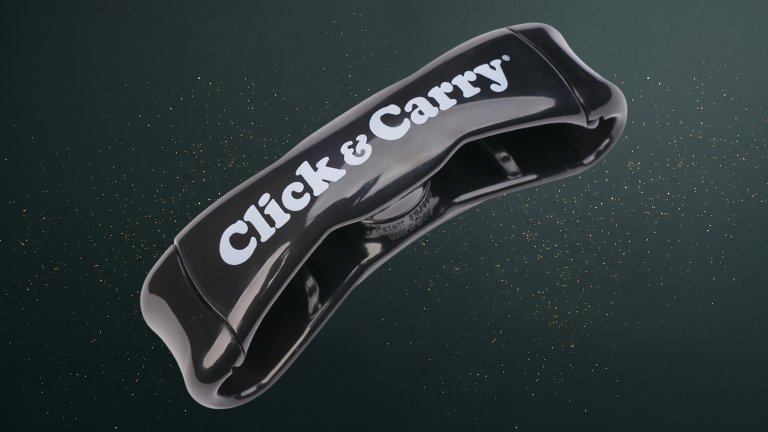
The Click & Carry Ergonomic Grocery Bag Carrier Handle & Bag Holder is a $14 gizmo that saves trips and reduces hassle when unloading groceries. It’s gentle on joints, reduces hand strain, and its ergonomic design lowers injury risk. The bag carrier has a 100-pound weight capacity but weighs just under three ounces. The friend who always tests the boundaries of bringing everything inside in one trip will thank you.
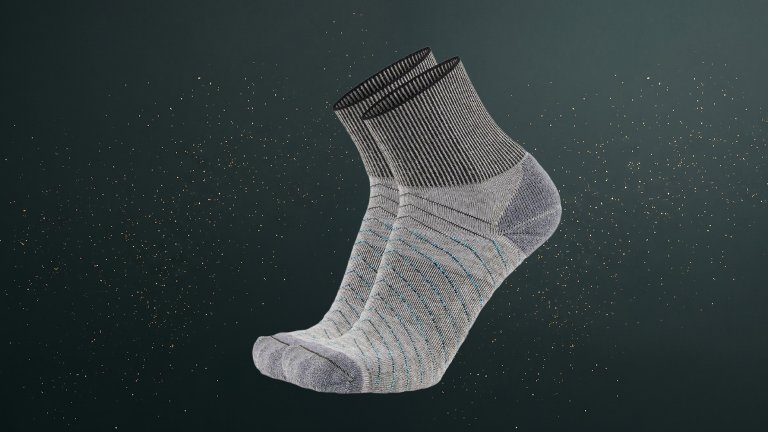
Socks are a well-liked practical gift, and this $25 two-pack of merino wool, COOLMAX EcoMade polyester, REPREVE recycled polyester + nylon socks from Gordini uses fine-gauge and ultra-lightweight yarns to keep feet dry and supported with Linear Wicking Channels that move away moisture and Quilted AirForms that distribute shock and cushion impact. These OrbitFit anatomically mapped 3D zones create a purpose-knit performance fit that keeps you comfortable at home, on a walk, or while running or hiking. If cotton socks are on the gift list, we’re fans of the HUE Women’s Mini Crew Sock and the Men’s Casual Ribbed Crew Socks, which are breathable and comfortable.
The Garmin Venu 4 is a $550 multisport watch that blends style and function. A bright 1.4-inch AMOLED display clearly shows health and fitness stats like sleep tracking and time needed for workout recovery, along with on-screen workouts. A smart wake alarm helps with waking up at an optimal time, and a built-in LED flashlight illuminates dark morning walks. This watch supports running and triathlon, strength training, jet lag recovery, and more. Data-obsessed friends and family members will be pleased with all the numbers and stats they can pull from this watch.
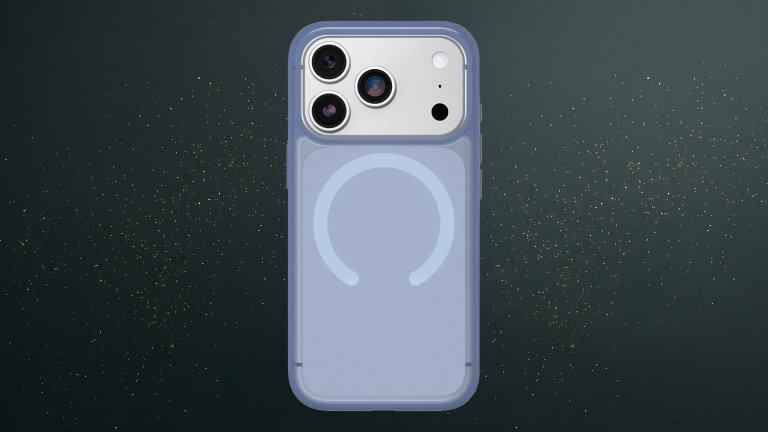
This $50 OtterBox Symmetry Series Case has protected my iPhone 13 for years: the only blemish is a dent in the aluminum bumper from when I took it out of its case and immediately dropped it on my concrete porch. I’ve learned my lesson and never forgo a phone case. The OtterBox Symmetry Series Case is sleek without being too flimsy and protects without bulk. It’s on my repurchase list and should be on yours, too, especially if you’re looking at one of the new iPhone 18s.
Best noise-canceling headphones: Bose QuietComfort Headphones (2nd Gen)
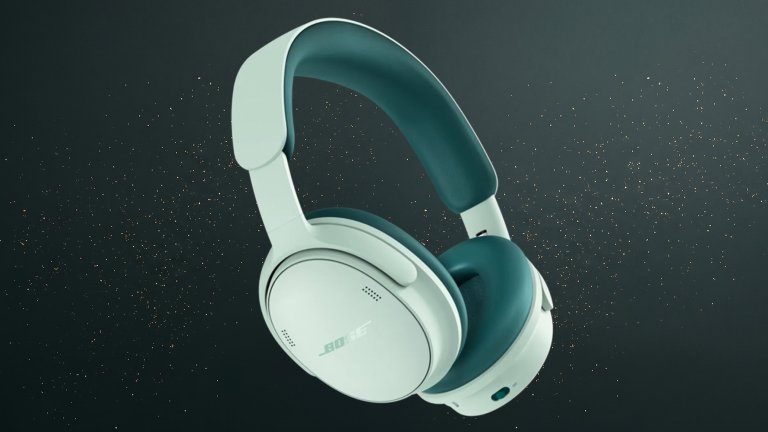
These newly refreshed noise-canceling headphones from Bose are essential for quiet commutes and tuning out the airport chaos while traveling. Bose makes some of our favorite noise-canceling headphones and earbuds thanks to thoughtful design and helpful tech in each pair. We’re particularly fond of the comfortable pill-shaped earcups, 24-hour battery life, Immersive Audio, QuietControl noise cancellation, and updated ActiveSense Tech to smooth sound spikes in Aware Mode.
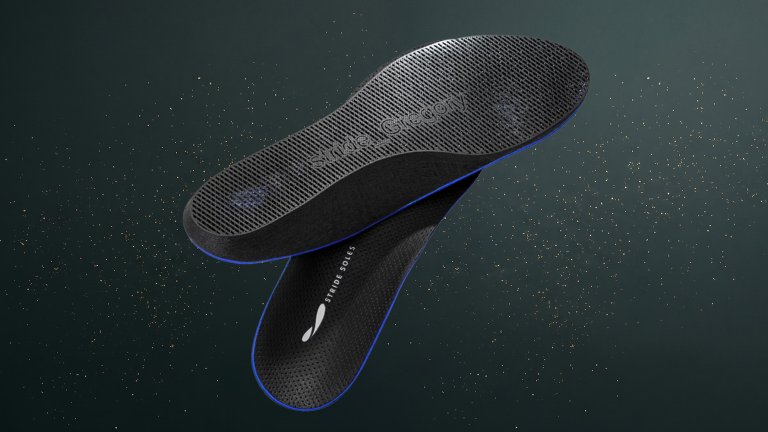
This practical gift is also personal. Every pair of these $249 orthotics from Stride is custom-made from a 3D scan of someone’s foot and a gait video with just their smartphone required, no doctor’s visit necessary. Take a short quiz about pain areas, activity levels, goals, and shoe preferences; provide the digital data; and podiatrists in Germany customize the orthotics and print them on durable TPU (personalized for the recipient) before they arrive at your doorstep in just 10 to 15 days. And they go well beyond arch support. It’s hard to convey the initially odd and then quickly invigorating sensation of an insole that considers each unique contour of the ball of your foot, but we guarantee your achiest friend or family member will appreciate a custom gift that addresses a big pain point, literally.
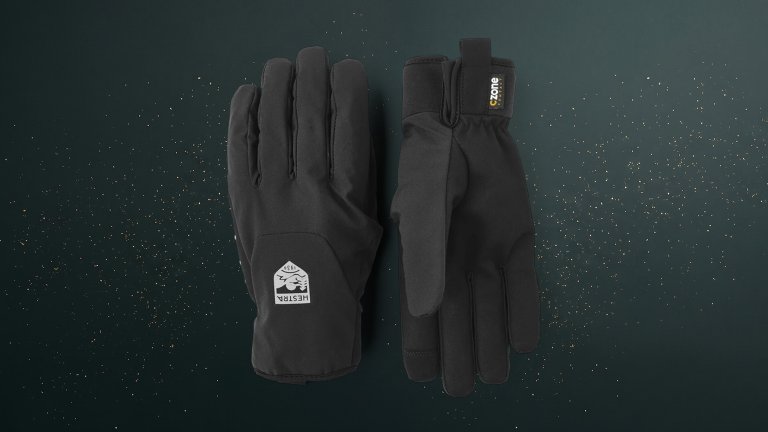
Best gloves for cyclists and beyond: Hestra CZone Bike Mistral – 5 finger
I hate when gloves hinder my range of movement. These $85 bike gloves from Hestra have a flexible but durable outer fabric and stretchy polyester on the palm. Primaloft Gold synthetic insulation, a fleece lining, and a membrane that stops rain and slush without making hands clammy keep your fingers warm. And the Lycra-clad slit makes the glove easy to put on and take off. Even if we don’t ride, these gloves could be our ride or die.
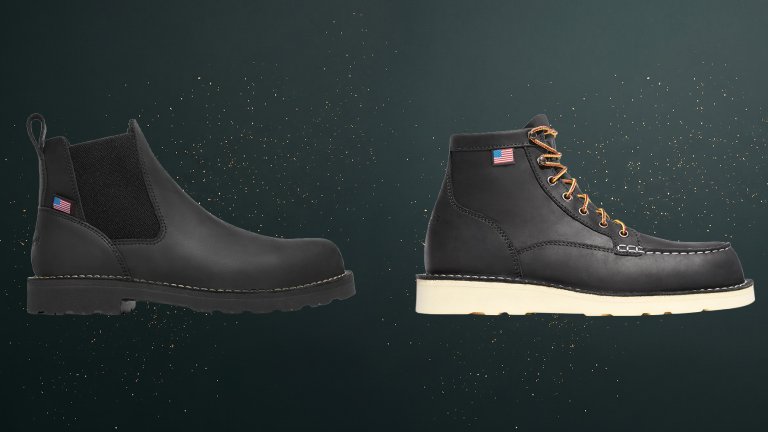
Best work boots: Danner Bull Run Chelsea and Classic Moc Boots
Danner Bull Run Chelsea and Classic Moc Boots $239 – $259
Style and practicality can go hand-in-hand. The Danner Chelsea boot is just that: Proudly assembled in the company’s Portland, Oregon factory with signature stitchdown construction, it slips on and is made of full-grain leather. The nonconductive (Electrical Hazard Certified) outsole is oil- and slip-resistant and is comfortable and durable even after climbing on ladders or standing on unforgiving surfaces like wood, tile, or concrete. Even better, the boots are Danner Recraftable, meaning they are eligible for part replacements, leather care, and restitching (paid services), so you are investing in someone’s ongoing comfort. If your gift recipient is good with laces, the Bull Run Moc Toe is another top choice for both looks and stability.
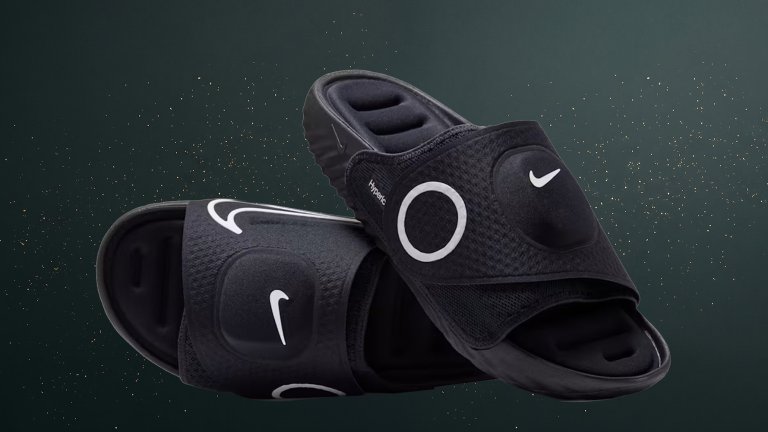
Best post-workout recovery shoes for athletes: Nike x Hyperice Nike Air Zoom Hyperslide
These $249 Nike slides are a collab with recovery company Hyperice, known for its wellness and recovery technology (we’re currently testing the Normatec dynamic air compression massage legs to positive effect). The comfortable slides combine heat, vibration, and responsive cushioning to make every step feel lighter. They’re like giving a pair of heated slippers a friar-like tonsure.
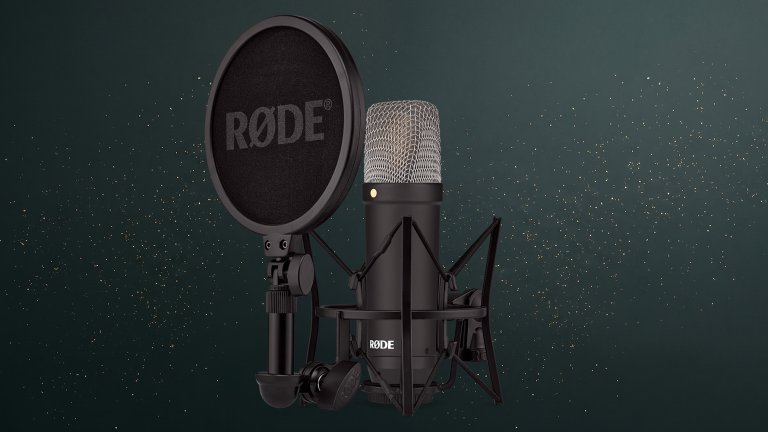
Best microphone for aspiring podcasters and musicians: RØDE NT1 Signature Series
The Rode NT1 Signature Series is a $159 workhorse. This cardioid condenser microphone has warm bass, a detailed midrange, and glistening highs for exceptional performance when recording bedroom melodies and harmonies, instruments, voiceovers, and a podcast episode that may never see the sun. Choose from eight vibrant colors, including red, green, blue, cobalt, and orange, or stick with black. Keep us updated on the views and streams! And if you’re looking for an extremely versatile mic and willing to pay a little more, the AKG C114 Large Diaphragm Multi-Pattern Condenser Microphone is a 2026 release we’ve seen used to record an entire band to a greatly immersive effect.
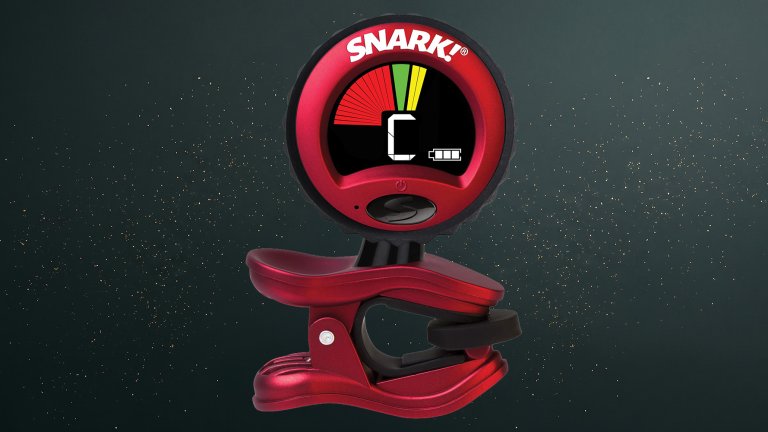
Best tuner for guitarists: Snark ST-2HPT High Precision Rechargeable Tuner
Snark ST-2HPT High Precision Rechargeable Tuner $25.99
Gifting gear or a gadget related to someone’s hobby will always be a hit. If someone in your life recently got an acoustic guitar, a clip-on tuner is a present that keeps giving. This high-precision tuner blocks room noise for faster, easier tuning. Strummed chords ring out in tune, and songs sound infinitely better for it. If an electric guitar and a pedalboard are part of the gear setup, consider adding a tuner pedal like the TC Electronic POLYTUNE 3.
Best durable down jacket: Stio Hometown Down Jacket
After many frigid Pittsburgh winters, I’ve learned that investing in a down jacket always pays off. I’m a fan of Stio’s $449 Colter Down Jacket, but the Hometown style is an even more budget-friendly down jacket. A recycled nylon ripstop outer with a PFAS-free DWR shields from the elements. It’s insulated with HyperDRY water-repellent goose down that offers 800-fill warmth even in wet snow. Other helpful features include pockets for hand warmers and valuable tech, and low-profile cord locks for a customized fit. We also think this limited-edition anniversary denim print shown above is just darling.
On October 16, the National Park Service (NPS)announced the latest additions to a growing list of designated World War II Heritage Cities. The park service began the program in 2020, as a way to honor local ties to history. Officials have since celebrated locations across 46 states and two territories, but there are many more places worthy of distinction.
The10 new cities and counties announced today span Alaska all the way to the U.S. Virgin Islands.
“These designations highlight the enduring legacy of service, sacrifice, innovation, and industrial achievement…and continue to shape our national story,” NPS Jessica Bowron said in a statement.
According to Bowron, this year’s selections include hubs for military manufacturing, training facilities, and logistical centers integral to Allied campaigns. In Aurora, Colorado, Fitzsimons General Hospital cared for wounded returning service members, while the city of Pendleton, Oregon, featured an airfield that trained B-25 crews that later participated in the Doolittle Raid. Meanwhile, South Charleston, West Virginia’s Naval Ordinance Plant supplied invaluable inventories and was largely staffed by local women and Black workers.
A full list of the latest entrants can be found below:
YouTube is reportedly planning to launch audiobooks for its Premium subscribers.
Audiobooks could arrive for the platform's ad-free $16 subscription plan in 2027 if this goes without a hitch for Google/YouTube.
YouTube would run into competition with the likes of Spotify (audiobooks arrived in 2023) and Audible.
Audiobook-enjoyers might have something to celebrate on YouTube. There are rumors that the platform is looking to enter a new market for its Premium subscribers.
A post by the Wall Street Journal (paywalled) highlighted rumors that YouTube Premium could soon offer audiobooks in one of its subscription plans (via GSMArena). Supposedly, Google has been "talking with publishers" about bringing audiobooks onto the platform in 2027.
Early reports allege YouTube Premium would offer audiobooks in its ad-free plan, which currently runs consumers $16 a month. What's interesting is that this could solve an issue: piracy. GoodEReader brought this up in its coverage, highlighting data that shows "45% of listeners" consume "audiobooks" on YouTube. The air quotes (and literal quotes) are warranted here, as the publication states these are AI-narrated, not authentic.
Audiobooks in YouTube Premium would give users the best experience possible, away from false creations. However, it's worth remembering that these are rumors, and nothing's been confirmed by YouTube yet.
YouTube's branching out
(Image credit: Chris Wedel/Android Central)
Android Central's Take
This is one of those things where you can associate a product or a feature or a form of entertainment with the name. If I think Spotify, I think music. If I think Audible, I think audiobooks. When I think of YouTube... I do not think about audiobooks (nevermind the fact that I prefer reading over an audiobook). I wonder how large of a market there is for YouTube. But I guess there must be if there's a piracy problem, and they're using AI voices. Crazy.
Many should be well-acquainted with Audible's audiobook offerings. In recent history, Spotify has joined that market, taking the fight directly to Audible with over 200,000 "free" titles. That was how it all started, anyway. When audiobooks launched for Spotify Premium in 2023, the platform gave its subscribers in the U.S. and the U.K. 15 hours of listening per month.
After you exceeded your limit, you could pay an additional $12.99 to get 10 more hours "or buy them a la carte." Spotify's library exceeded that initial 200,000 for Premium subscribers. But if you wanted more, you'd have to buy them individually. Spotify then launched its "Audiobook Access" tier for $9.99, giving users the same 15 hours of listening per month deal.
It goes without saying that YouTube will have its work cut out for it by stepping into this new world.
An extensive new analysis further confirms the oldest known human footprints in North America date back to the last ice age (about 23,500–21,700 years). To pinpoint their origins, researchers at the University of Arizona relied on cutting-edge methods at the United States Geological Survey (USGS) Radiocarbon Laboratory to examine hundreds of thousands of prehistoric pollen grains extracted from the tracks. According to researchers writing this week in the journal Science Advances, the team can even describe some of the dramatic environmental fluctuations experienced by these prehistoric humans within a single generation.
New Mexico’s White Sands National Park contains more than stunning vistas and desert dunes. It’s also home to one of the most controversial (and consequential) prehistoric discoveries of the last century. In 2006, archaeologists located footprints inside a dry lakebed that they later determined to be the earliest evidence of humans in North America. But there was a problem. Until then, researchers largely agreed that the first humans migrated into the continent about 16,000–12,000 years ago via Beringia, the subcontinent once connecting Alaska to Russia.
However, the White Sands footprints were estimated to be around 23,000 years old. That implied a sustained human presence on the continent at least seven millennia earlier than expected. Various archeological camps continued debating the true age of the White Sands footprints for years, while others cited similar—and sometimes older— sites in both North and South America. Meanwhile, the dry lakebed’s rarely seen geological conditions allowed researchers like University of Arizona geoscientist Jessica Tierney to learn more than each footprint’s age.
“The White Sands sediments are unique in that they allow us to reconstruct environmental conditions during the last ice age at a very high temporal resolution, so that we can see fluctuations that were relevant for the humans present at that time,” Tierney said.
Combining geochemical sediment signatures with the fossilized pollen, researchers accurately determined ancient regional details such as plant distribution, precipitation, temperature, and aridity. They soon learned that the humans who made the White Sands footprints would have experienced incredibly dramatic environmental shifts within their own lifetimes. Within only a few decades, the surrounding conifer forests transformed into plains covered with oak and sage. Lake Oterio, a giant body of water that once covered New Mexico’s national park, fluctuated in size for about 1,500 years until it receded completely. Although these shifts were large, they actually closely followed similar global climate changes at the time.
“And throughout that whole sequence, people were walking there, leaving their tracks alongside those of mammoths, giant sloths and dire wolves,” added Tierney.
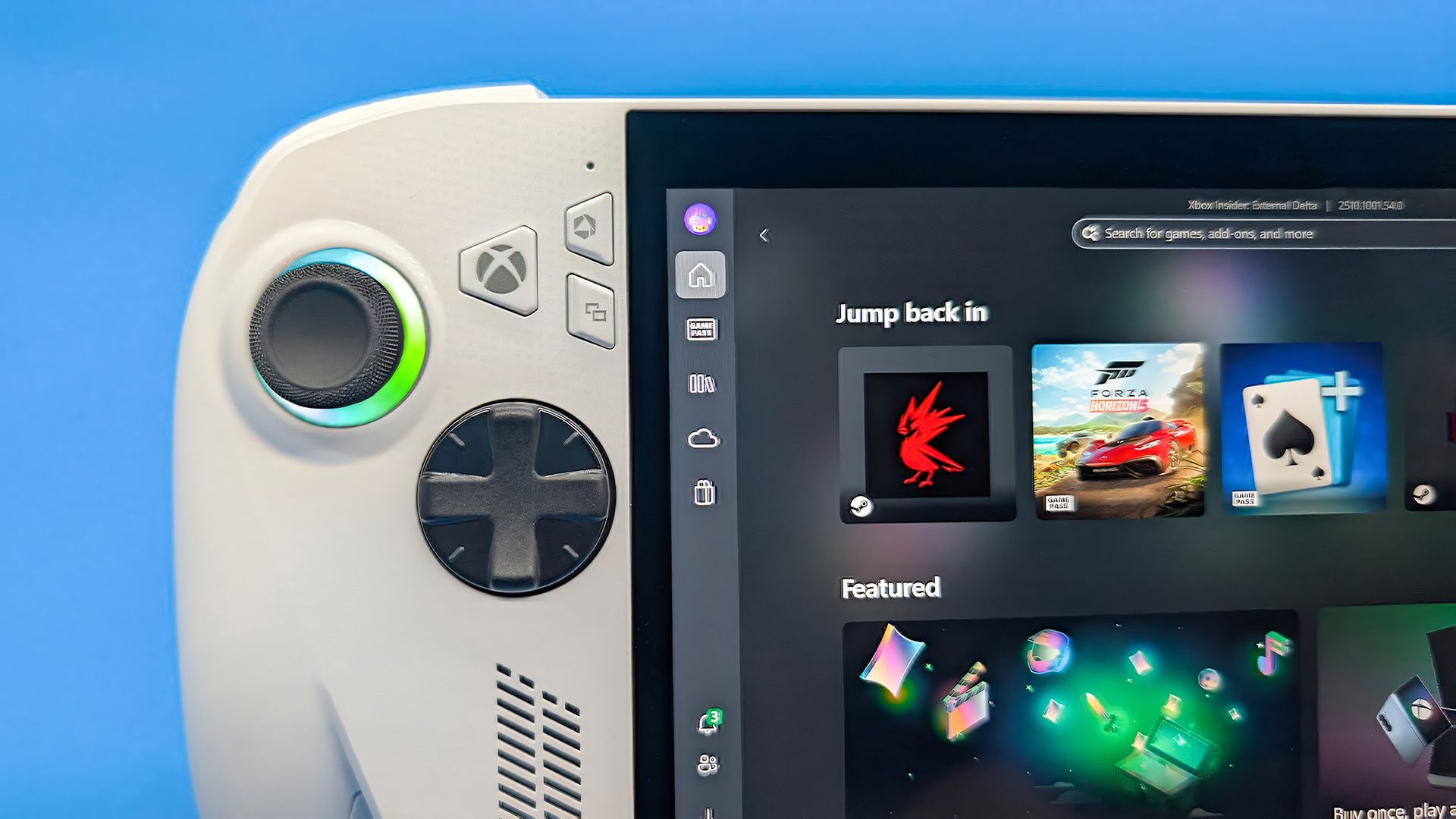
Windows 11 has a new Gaming Task View for XBOX mode that helps users hop back to the desktop or adjust power options for a device. That feature is now in testing among Windows Insiders.
Microsoft released builds in every Windows Insider channel to wrap up the week. I've listed all the changes below except those exclusive to the Release Preview channel since those features have largely been in testing before today.
While the update to XBOX mode is the headline feature of these builds, there are several other welcome changes. For example, Windows Hello can now temporarily brighten your screen to help you sign in when in a dark room.
Gaming (Beta, Experimental)
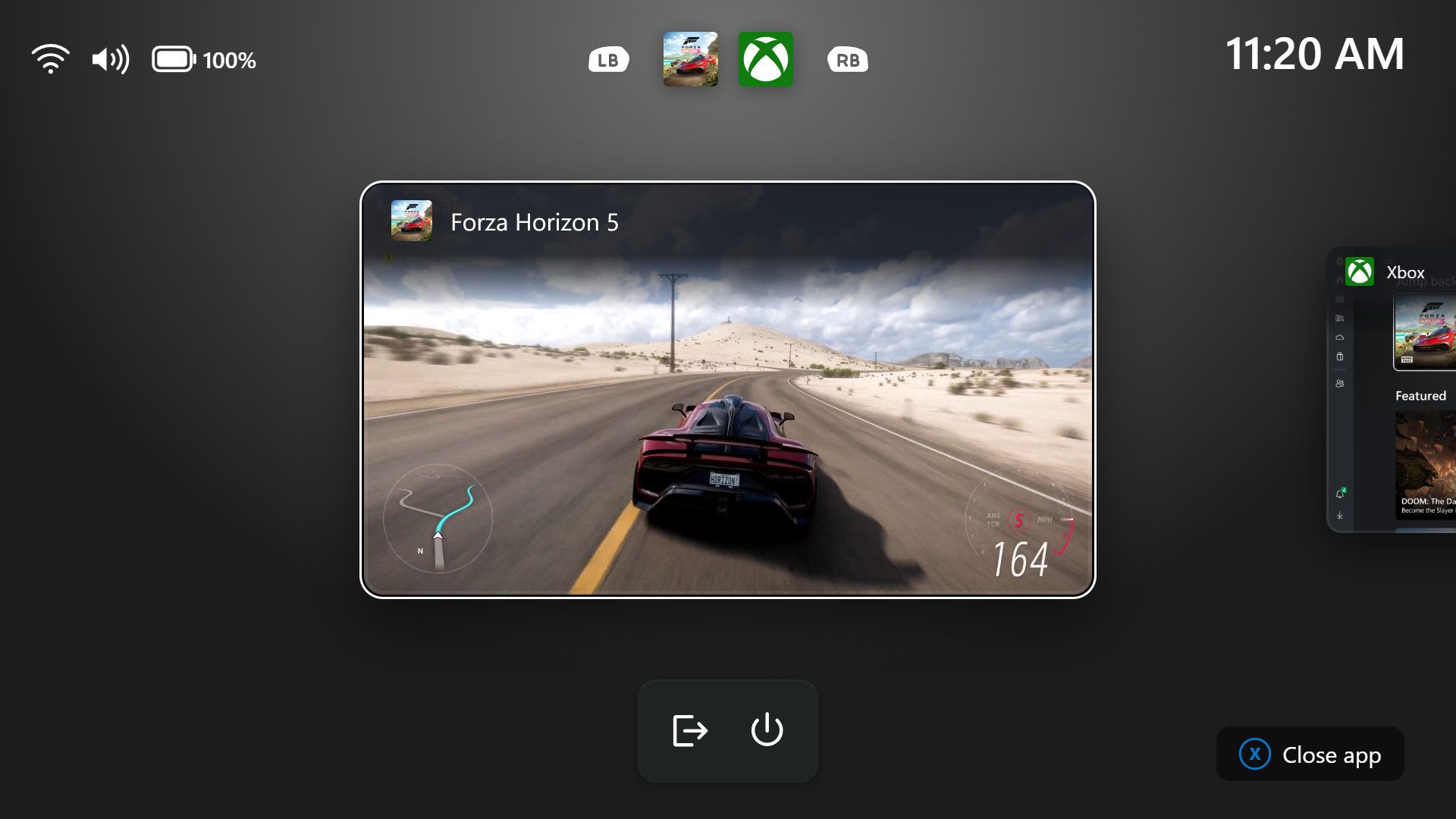
Gaming Task View has a new navigation bar that makes it easier to exit to desktop and edit power options. (Image credit: Microsoft)
We're introducing a refreshed Gaming Task View experience in XBOX mode, featuring a new navigation bar that provides quick access to Exit to Desktop and Power Options. This update makes key system actions easier to access while gaming.
Magnifier (Beta)
Magnifier now understands each of your displays
More and more of the work people do happens across more than one screen. You draft on one display and keep source material open on another. You fill in a form while a reference document sits beside it. Those extra displays can be more helpful when each one can do its own job, and now Magnifier supports exactly that.
To use this update, set your monitors to Extend in System > Display, not Duplicate, so Windows treats each screen as its own space.
Every screen keeps its own view at its own zoom. In earlier versions of Magnifier, zooming in stretched a single magnified view across all of your displays, so one screen's zoom followed you everywhere and screen edges blurred together. With this update, each monitor's boundary is respected, and each monitor can have its own zoom percentage. Your writing screen can be at 300% while your reference screen stays at 150%, and the magnified view no longer spills from one display into the next. This behavior matters because different tasks and screen resolutions often require different levels of magnification to remain comfortable to read.
Setting the zoom on each screen is easy. Choose whichever method feels natural:
Move your mouse pointer onto the screen you want to adjust, then press Windows key + Plus (+) or Windows key + Minus (-), or hold Ctrl + Alt and rotate your mouse wheel.
Set the percentages directly in Accessibility > Magnifier.
Drag the Magnifier toolbar onto a specific screen to adjust that screen from its on-screen controls.
Per-monitor zoom is turned on by default. If you prefer the classic behavior where a single zoom spans all of your displays, you can turn per-monitor zoom off at any time from either the Magnifier toolbar or Accessibility > Magnifier. You can turn it back on whenever you like.
Keep the view that matters, right where you need it
As you move your mouse from screen to screen, the magnified view naturally follows your pointer. Sometimes this might cause you to lose sight of the content that you're actively working on.
Viewport locking keeps that view in place. For example, you might be drafting an email based on a section of a document open on another display. Position that display so the paragraph you need is in view, press Ctrl + Windows key + K, and the screen holds its view steady while you move your cursor over to write. The locked screen stays fully live and interactive, so you can glance back, click, or copy from it whenever you need to, and its view stays put until you release it.
A message appears on the screen when it's locked, so you always know what's being held. To lock or unlock a screen, point your mouse at that screen and press Ctrl + Windows key + K again. To release everything at once, press Windows key + Esc to dismiss all locks. You can change the lock shortcut to Ctrl + Alt + P in Accessibility > Magnifier.
Settings - Home (Beta)
We're beginning to expand the new Device Info Card experience for Settings Home to additional markets globally. Available for Windows Insiders signed in with their Microsoft account, the Device Info Card provides a quick snapshot of your PC's key specifications and usage. From the card, you can go directly to Settings > System > About to see more detailed information about your PC.
The improved Privacy & security page in Windows Settings helps you find the Camera, Microphone, and Location privacy controls more easily. It groups similar controls across the page and brings usage information from deeper linked pages onto this page.
File Explorer (Beta)
Key file information, such as name, location, and date, now appears in a consistent layout on the File Explorer search results page, making search results easier to scan.
File Explorer (Experimental)
Improved responsiveness of folder views so they update and sort correctly when files and folders are added or renamed.
Family Safety (Beta, Beta (26H1), Experimental (26H1))
Improved family safety messaging when applications are blocked because of age-restricted parental controls.
Other (Beta, Experimental)
Improved shutdown reliability, reducing the chance of a hang on shutdown in certain cases.
The dialog for certain system messages, like low battery and permissions, should use the expected modern design again.
Other (Beta (26H1), Experimental (26H1))
Fixed an issue with msmpeg2ac3dec.dll which was leading to some apps and games crashing recently.
Web sign-in (Experimental)
Web sign-in now works on Microsoft Entra hybrid joined devices. Before this update, it was only available on Microsoft Entra joined devices. You can sign in to Windows at the lock screen with a passwordless credential: a FIDO2 security key, a passkey on your phone, or a Temporary Access Pass (TAP). You don't need a password. Once you're signed in, Windows gets a Kerberos ticket, so on-premises file shares and internal sites keep working. For more information, see Use web sign-in to enable passwordless sign-in in Windows.
Windows Hello (Experimental)
Windows Hello facial recognition can temporarily brighten your screen to help you sign in when you're in a dark or dimly lit room.
To turn on this feature, go to Settings > Accounts > Sign-in options > Facial recognition (Windows Hello) and turn on Automatically adjust screen brightness during face recognition.
Windows Search (Experimental)
Addressed underlying issues that could cause search to appear missing or stop working after the previous update, including if you rapidly clicked the search icon repeatedly.
Search (Experimental (26H1))
Search home has been simplified to reduce visual clutter and make it easier to get back to recent searches quickly.
Search does a better job showing where a result comes from, whether it's an app, setting, file, web result, or Store suggestion, so it's easier to tell what you're looking at and where you'll go before you click.
A new setting in Settings > Privacy & security > Search lets you choose whether web and Microsoft Store suggestions appear alongside local results.
Run (Experimental)
Improved the window position when using an Arabic or Hebrew display language.
Improved performance of the Run dialog when navigating to very large folders.
Fixed an issue where your text might unexpectedly disappear if you started typing too quickly after opening Run.
Made a few other small visual fixes and refinements.
Pointer Indicator (Experimental (26H1))
We're introducing the Pointer Indicator accessibility setting. This feature enables Windows users with low vision to easily locate and use their cursor to increase productivity and efficiency when using a Windows device.
To enable this experience, go to Settings > Accessibility > Mouse pointer and touch, and enable the Pointer indicator setting. You can also search for the setting by name. When the setting is enabled, you can toggle it on or off with the keyboard shortcut, Windows logo key + Ctrl + Shift + X.
Live Captions (Experimental (26H1))
We're improving Live Captions with a new Include Screen Reader audio setting, which is off by default. With the setting off, Live Captions won't transcribe audio from screen readers such as Narrator, JAWS, and NVDA, keeping captions focused on microphone and system audio.
Taskbar
New! This update improves animations of app window previews when you move the mouse across app icons in the taskbar.
This update improves the underlying state persistence of taskbar settings related to multiple monitors across monitor connections and disconnections.
Since revamping the Windows Insider Program earlier this year, Microsoft has sped up its release schedule for builds. As a result, we often end the week with a batch of five or six new builds to check out.
Join us on Reddit at r/WindowsCentral to share your insights and discuss our latest news, reviews, and more.
The agents got in through credentials and connection settings left exposed in app configurations, public code repositories, and overly permissive cloud roles.
A report claims that Samsung's Galaxy S27 Ultra has run into extreme overheating issues with the Snapdragon 8 Elite Extreme Gen 6.
These issues have reportedly caused "throttling" in the device, lowering its performance significant; a problem Samsung has reached out to Qualcomm to solve.
Reports say time is ticking, and if these issues aren't solved, Samsung might have to go with the Exynos 2700.
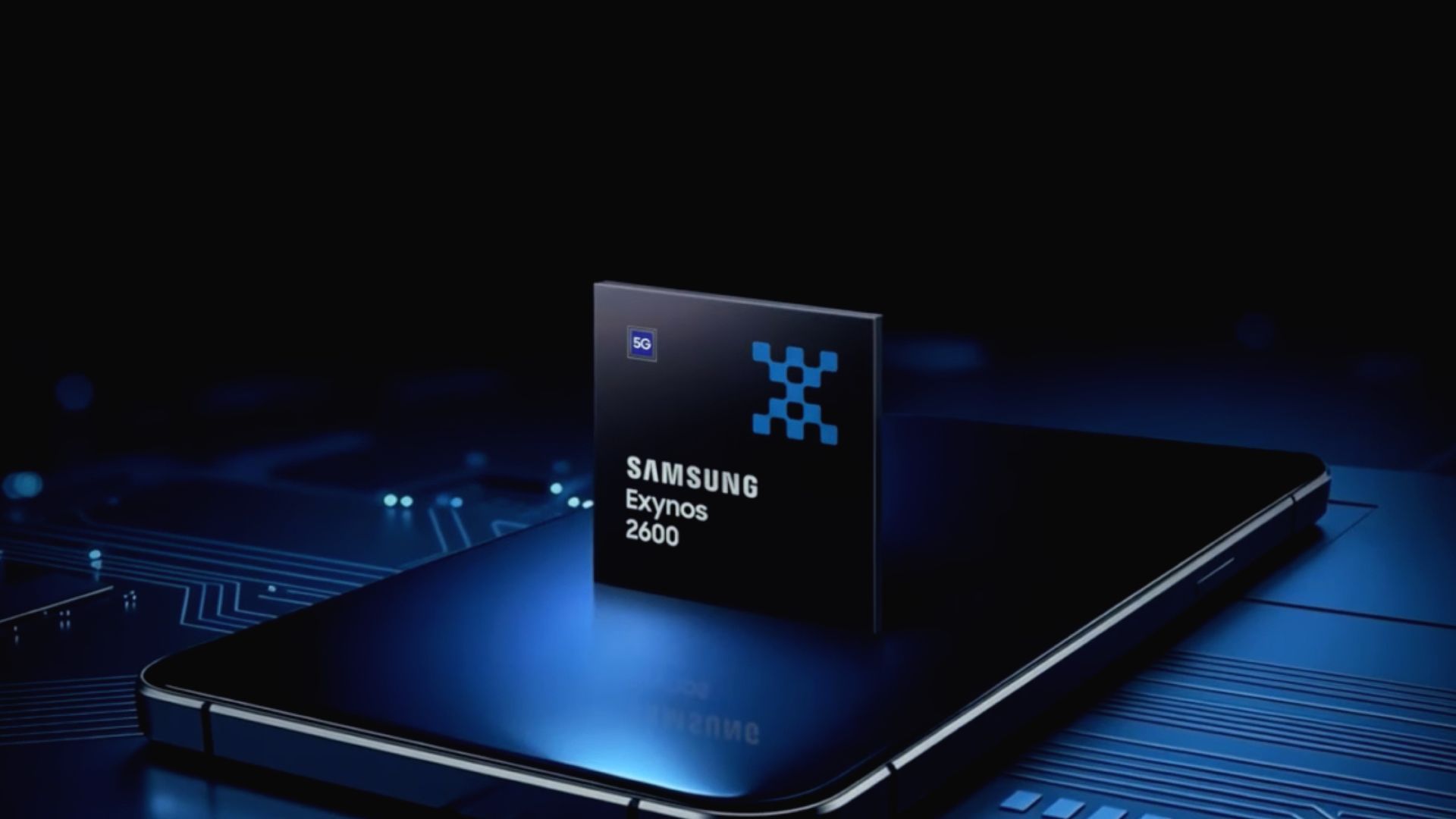
These issues are familiar, considering Samsung's own chips have struggled in the past with overheating problems, but the Exynos 2600 tried to solve that.
While we're eagerly awaiting the next Ultra flagship from Samsung, a report states the company's run into a problem. The issue lies with its chip and its supposed performance hiccups.
A report late this week by SEDaily (Korean) claims that Samsung's run into problems with Qualcomm's Snapdragon 8 Elite Extreme Gen 6 on the Galaxy S27 Ultra (via SamMobile). Samsung reportedly observed that the chip pushed the phone's temperatures beyond acceptable thresholds. Much like a computer, if the device begins to overheat, performance issues will occur.
Samsung has reportedly experienced "throttling" with the Galaxy S27 Ultra. This hasn't sat well with the Korean OEM. The publication reports that Samsung holds the device to the highest standards and that it must "stably run high-performance cameras, graphics, and AI features" (machine-translated).
Presently, if the S27 Ultra continues to experience issues with the SD 8 EE Gen 6, then Samsung may switch to the Exynos 2700. This is a reality that has yet to happen.
The post states that Samsung has reached out to Qualcomm about these issues. Time is of the essence; however, the OEM has given the chipmaker until "mid-October" to rectify the problems. The problem Samsung experienced is interesting, considering it mirrors the gripes consumers have had with its Exynos series in the past.
Overheating chips
(Image credit: Samsung)
Qualcomm split its flagship chips going into 2027 with the Snapdragon 8 Elite Gen 6 and the 8 Elite Extreme Gen 6. The latter is designed to push the boundaries of mobile phone technology and targets Ultra phones. Qualcomm built the chip on a 2nm process with its new Adreno Neural Fusion technology. This leans on AI to boost graphics performance for gamers during longer sessions.
As we alluded to before, Samsung's Exynos chips were infamous for overheating. We'd like to remind you of the Exynos 2600 from 2025. This chip was a significant step for Samsung in the right direction compared to previous generations. Not only was it the world's first 2nm chip, but its CPU and GPU upgrades were also important. What's more, the company introduced a new Heat Path Block (HPB) to fix overheating and performance issues.
While these overheating fixes did well, Samsung could do better. Rumors about the Exynos 2700 say the company wants to introduce a next-generation HPB, reducing heat generation further.
Android Central's Take
This is textbook tech. If it can output graphic or whatever at a higher strength, it will generate more heat. Look at gaming PCs. Why do you think they have so many fans? Why do you think the graphics card has its own fan—or maybe two or three! There's a chance that Samsung and Qualcomm will have to reconfigure some things in the Galaxy S27 Ultra and the chip. Beyond this, there's also public perception. Samsung hesitates to drop an Ultra with Exynos in the States because it could impact sales.
Then there's overall performance. Can the Exynos 2700 go blow for blow with the SD 8 EE Gen 6?
I fondly remember owning my first BlackBerry, and then my second ... and third. The smartphone was a sign of prestige, a device you could fit in your pocket with both a screen (later also a touchscreen in some models) and a miniature QWERTY keyboard. It was genius. That is, until elongated, touchscreen-only phones started coming to market, namely the first iPhone. Suddenly, BlackBerrys weren't so trendy anymore.
What's old becomes new again, however — a statement that fits almost every industry, from fashion to music and even tech. Clicks Technology, a U.K.-based hardware company with team members who previously worked for BlackBerry and within the BlackBerry space, is leaning into this trend. Growing from its first keyboard case, there are two devices coming this year: the Clicks Power Keyboard, which is now shipping, and the hotly anticipated Clicks Communicator, which should launch in December.
"Something was thrown out with the bathwater when we moved to modern smartphones," Jeff Gadway, co-founder of the company (and former marketing director at BlackBerry), explained in a recent interview. His company aims to bring it back — and possibly a little magic to a market that could sorely use some fresh ideas.
I saw both devices in prototype form at CES 2026 earlier this year, and in an interview with Gadway, discussed how the company is bringing razzle dazzle back to mobile.
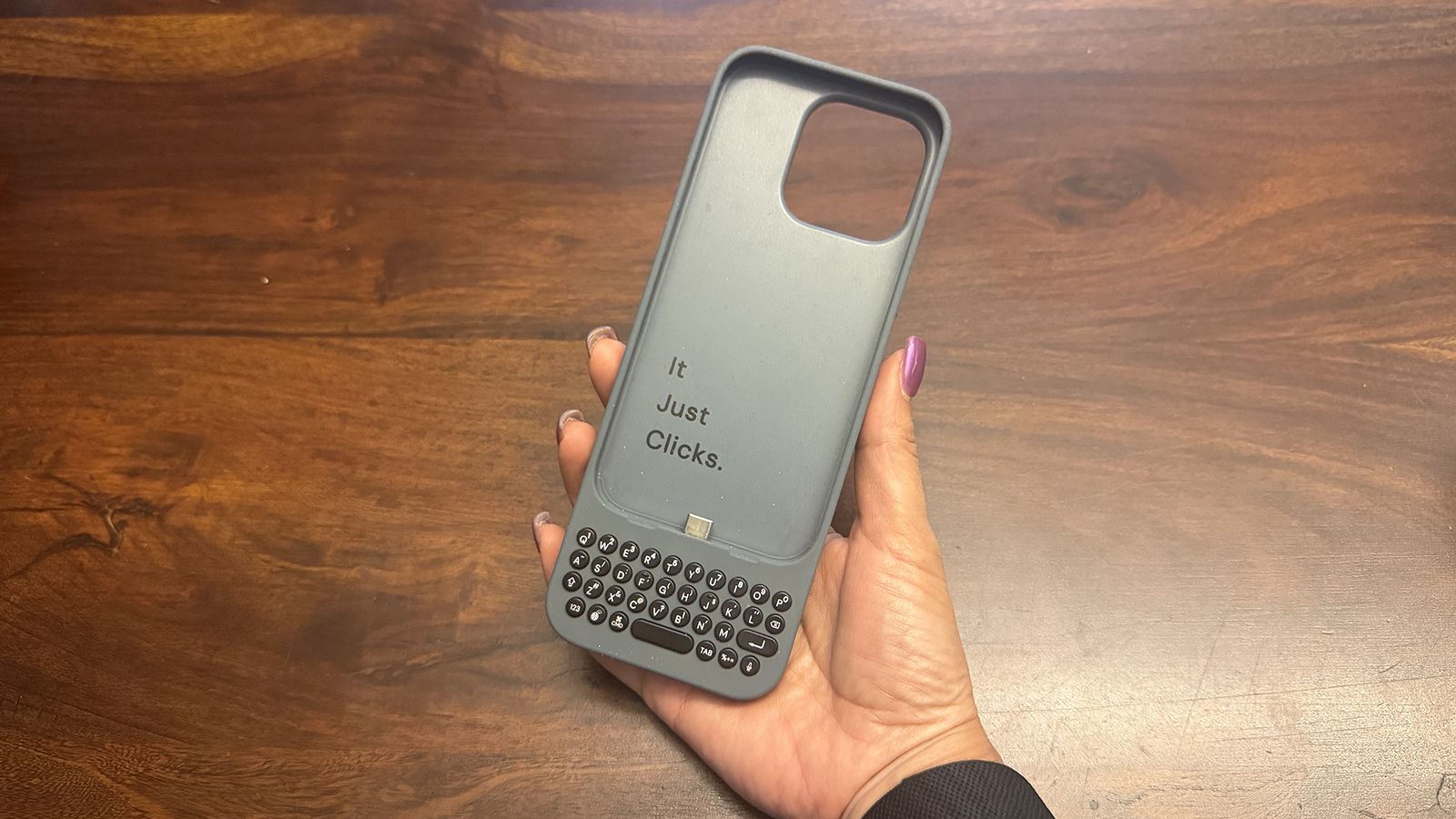
Clicks introduced its first keyboard case for iPhone in 2024, eventually expanding to make cases for select Android phones, too. To say people were excited would be an understatement. "It was like catching lightning in a bottle that first year," Gadway told me during a recent podcast interview.
Interestingly, it wasn't just nostalgia-fueled business executives but also younger folks from the digital native generations who were intrigued. Young adults who had never used anything but a touch- or voice-controlled phone loved the concept as much as they are now learning to love vinyl, CDs, and wired earbuds.
(Image credit: Clicks Technology)
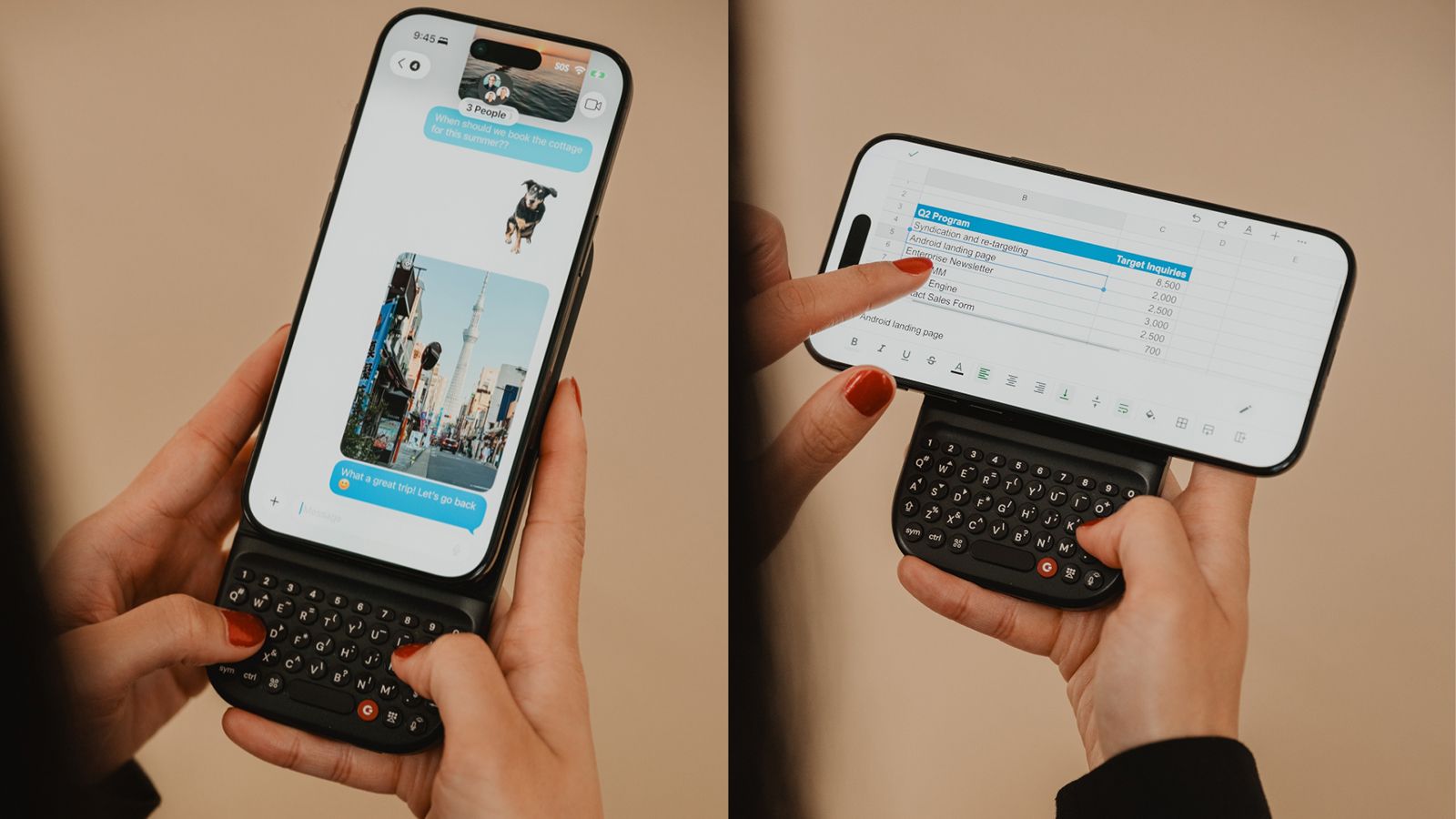
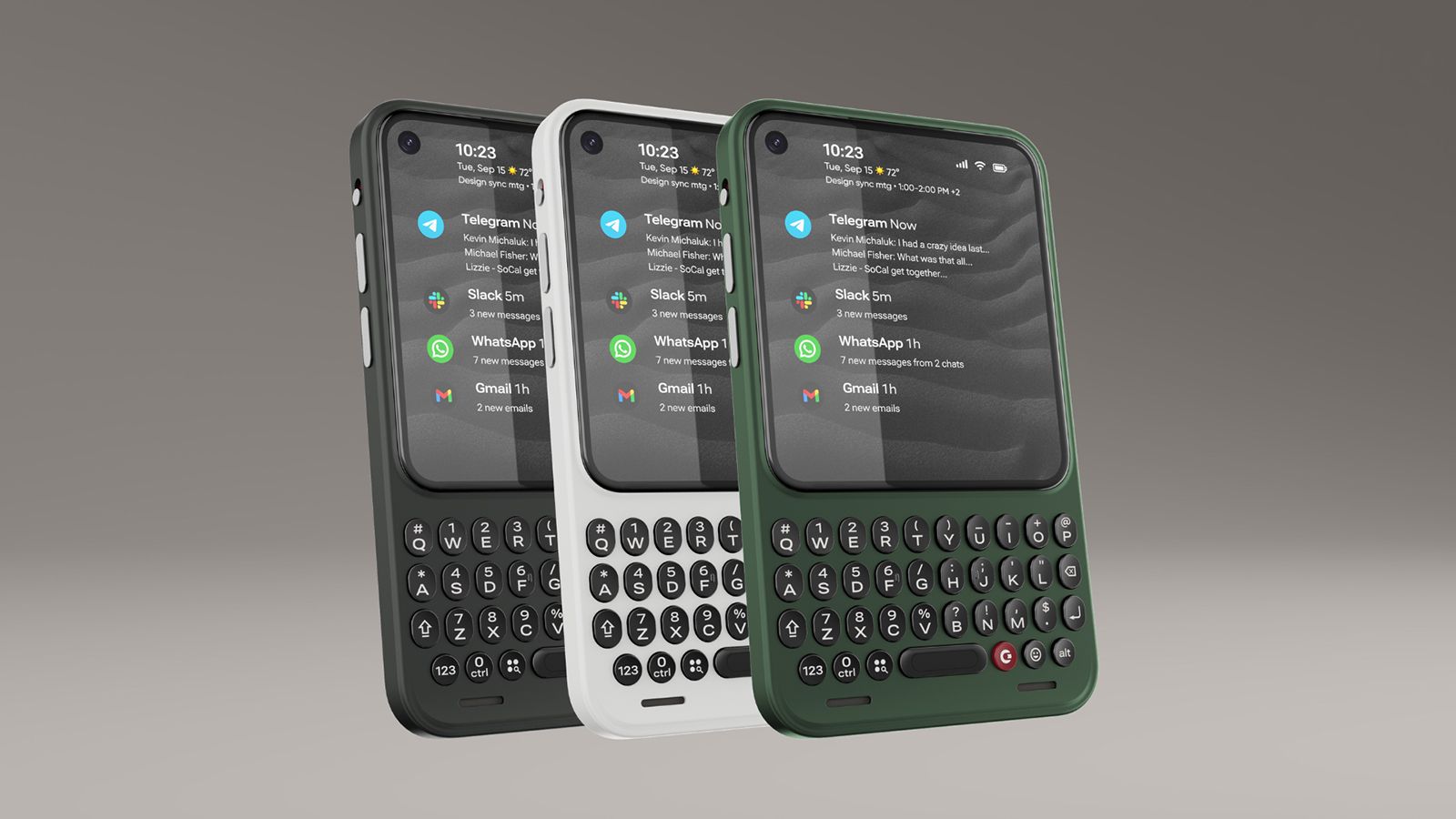
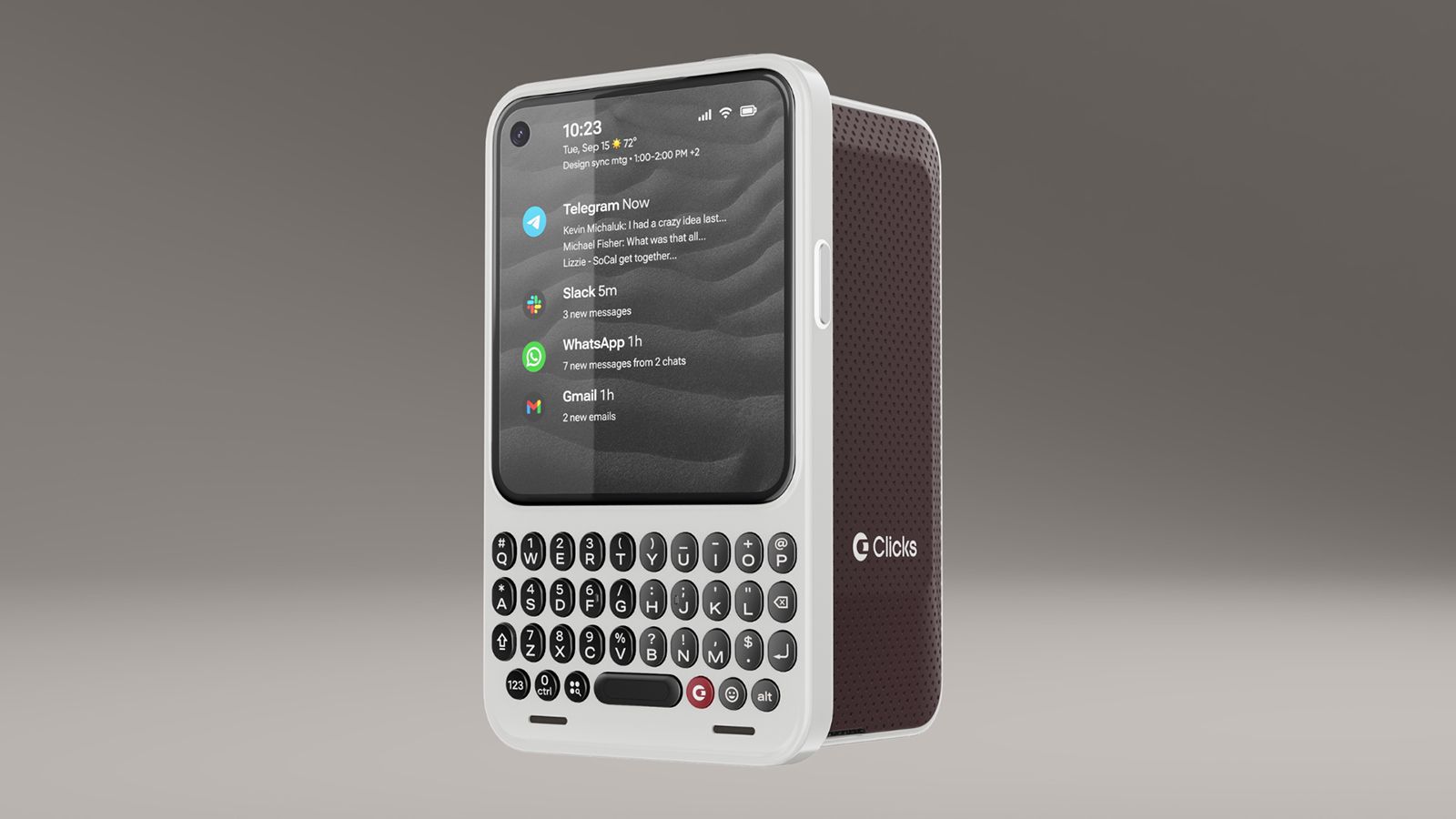
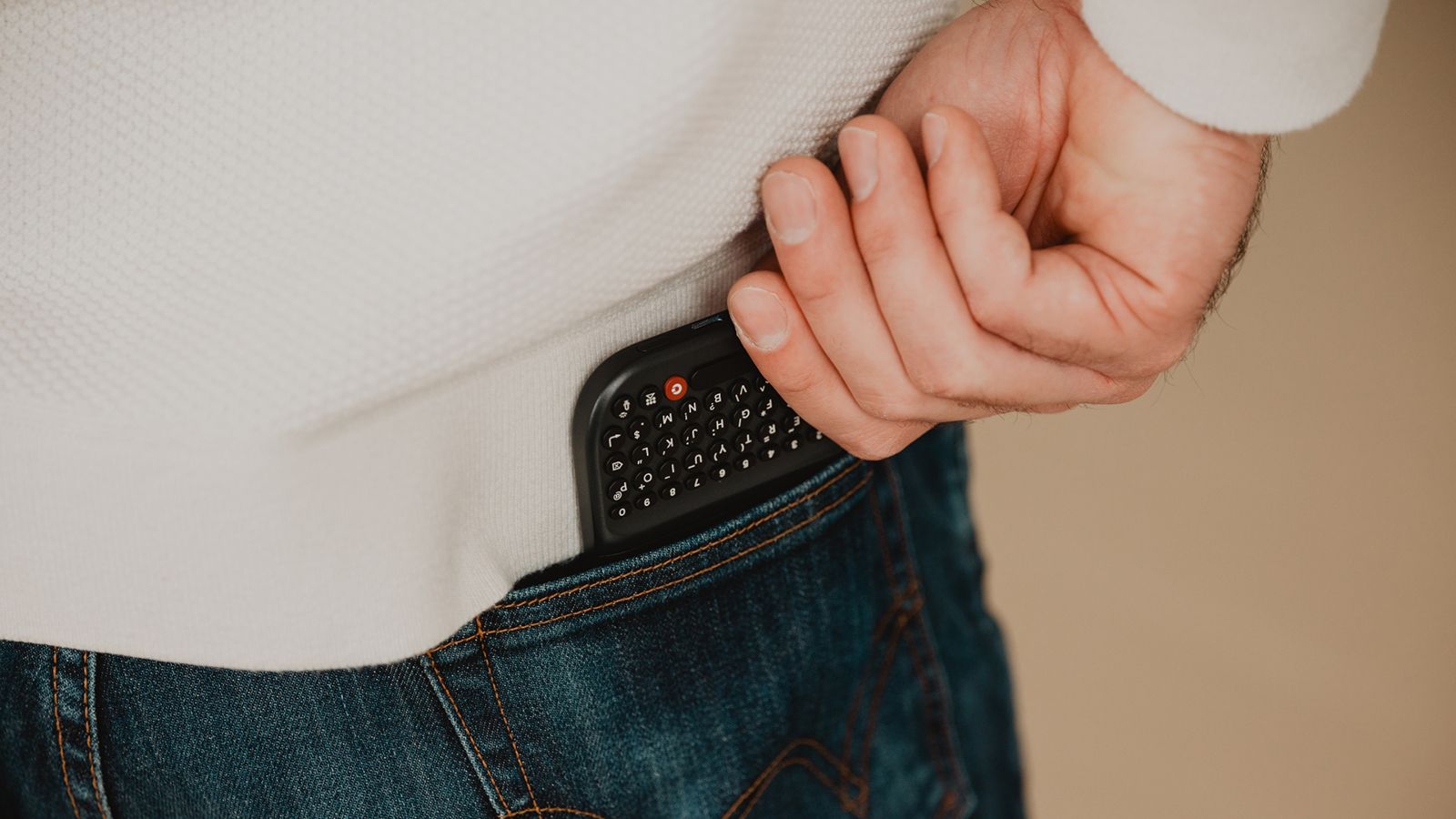
The company has since developed the Power Keyboard, a MagSafe enabled keyboard accessory you can use with any MagSafe-enabled phone or case, or any Bluetooth input device, for that matter. The Communicator is an Android phone reminiscent of a BlackBerry Bold that combines a small screen with a miniature QWERTY keyboard.
The Power Keyboard is universal
(Image credit: Clicks Technology)
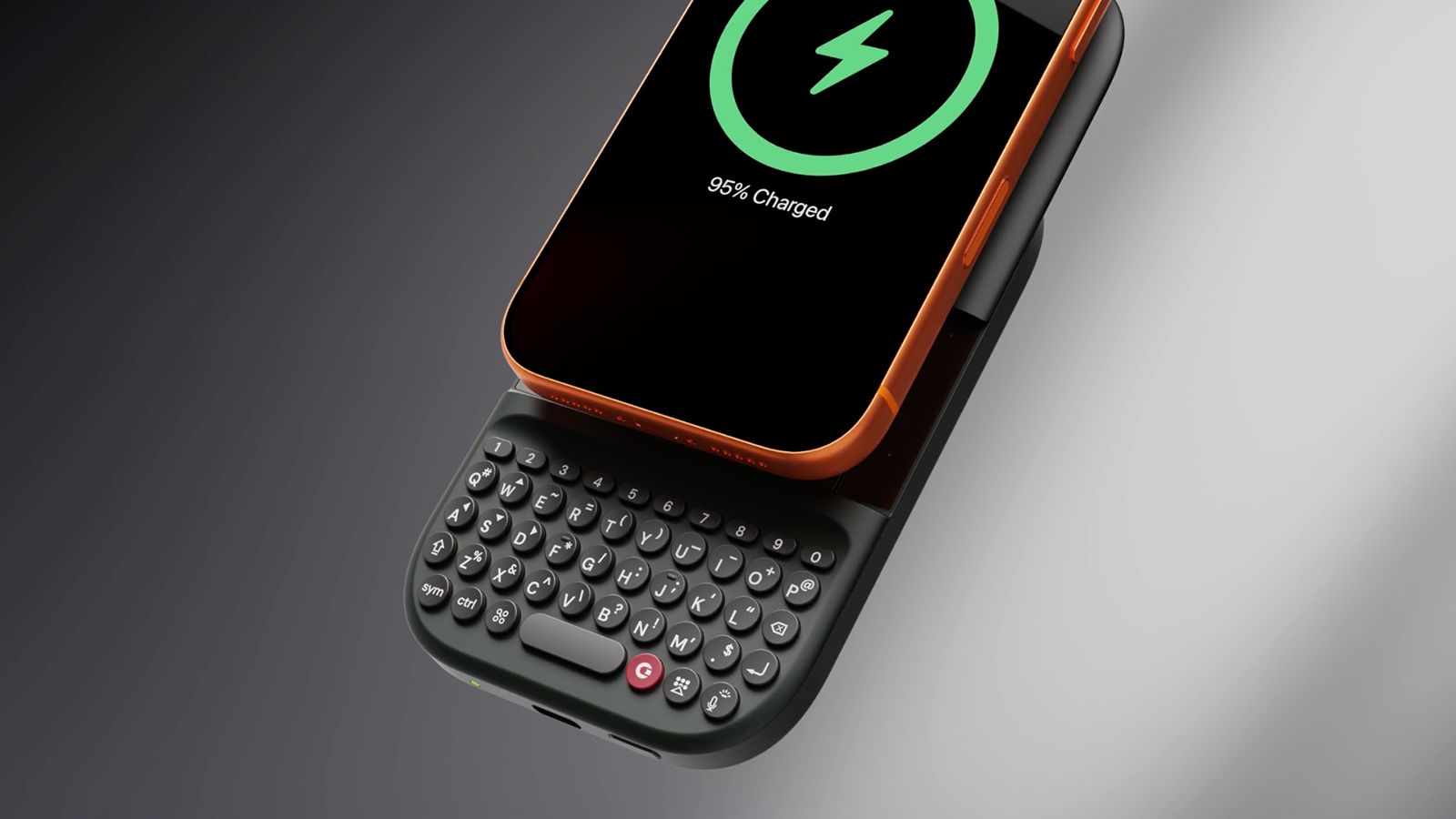
The Power Keyboard solves the biggest issue with the original Clicks Keyboard Case: needing a fitted case for every model phone. Instead, this version is magnetic, clipping vertically or horizontally onto the back of any MagSafe-enabled phone or phone case and functioning as a power bank with a slide-out keyboard.
(Image credit: Clicks Technology)
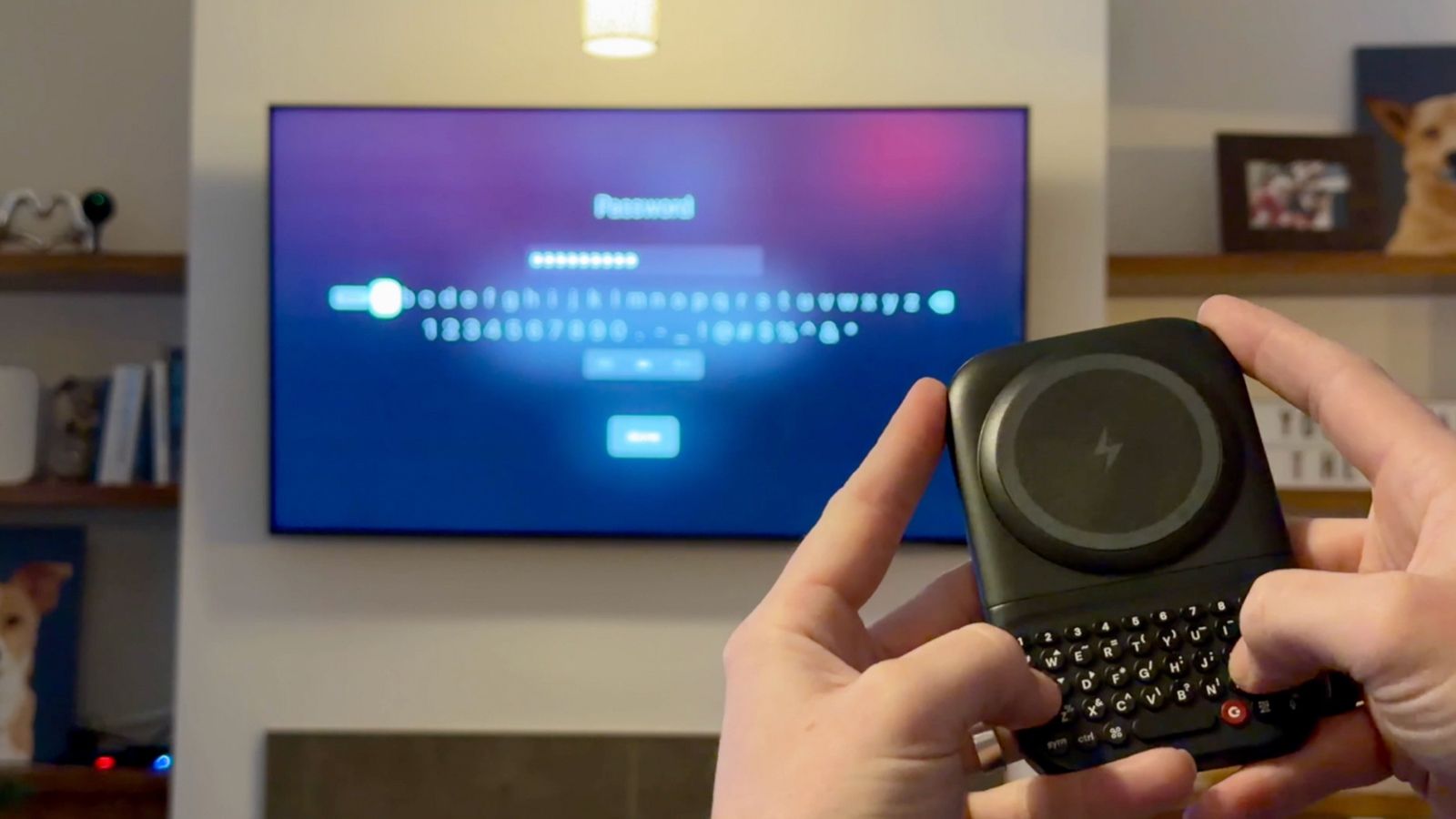
It isn't limited to phones: Use it handheld with a tablet or even as a Bluetooth mini keyboard for your smart TV. If you've ever attempted to enter a password into an app using your TV's remote and on the on-screen keyboard, you know how frustrating that experience can be. Gadway says the use cases run the gamut, from students using this in class with their phone instead of bringing a laptop, to CEOs, writers, and musicians being productive on the go.
Clicks Communicator reminds you what a phone is for
(Image credit: Clicks Technology)
Taking things a step further, the Clicks Communicator is designed to remind us of the true purpose of a mobile phone: communication. Newer smartphones are designed for content consumption and creation with bigger screens, cameras, processors, and batteries, says Gadway. "What if you could build a phone that was really optimized for communication?"
There are two ways you might use the Communicator. The first is as a secondary phone with its own plan or tethered to your primary device. Maybe you have a company-provided phone on which you aren't permitted to download personal apps. The Communicator can be that secondary device to keep in touch with family, access banking and social media apps, play games, and more. The difference between the Communicator and another smartphone is that the smaller, utility-type screen makes this possible, but it's not optimized for going down the rabbit hole of endless scrolling.
(Image credit: Clicks Technology)
The second is as a primary phone, which Gadway told me is how a lot of pre-order customers have said they want to use it. The Communicator sits between a dumbphone, which eliminates access to distracting apps altogether, paring down the experience to bare bones communication, and a full-featured premium smartphone.
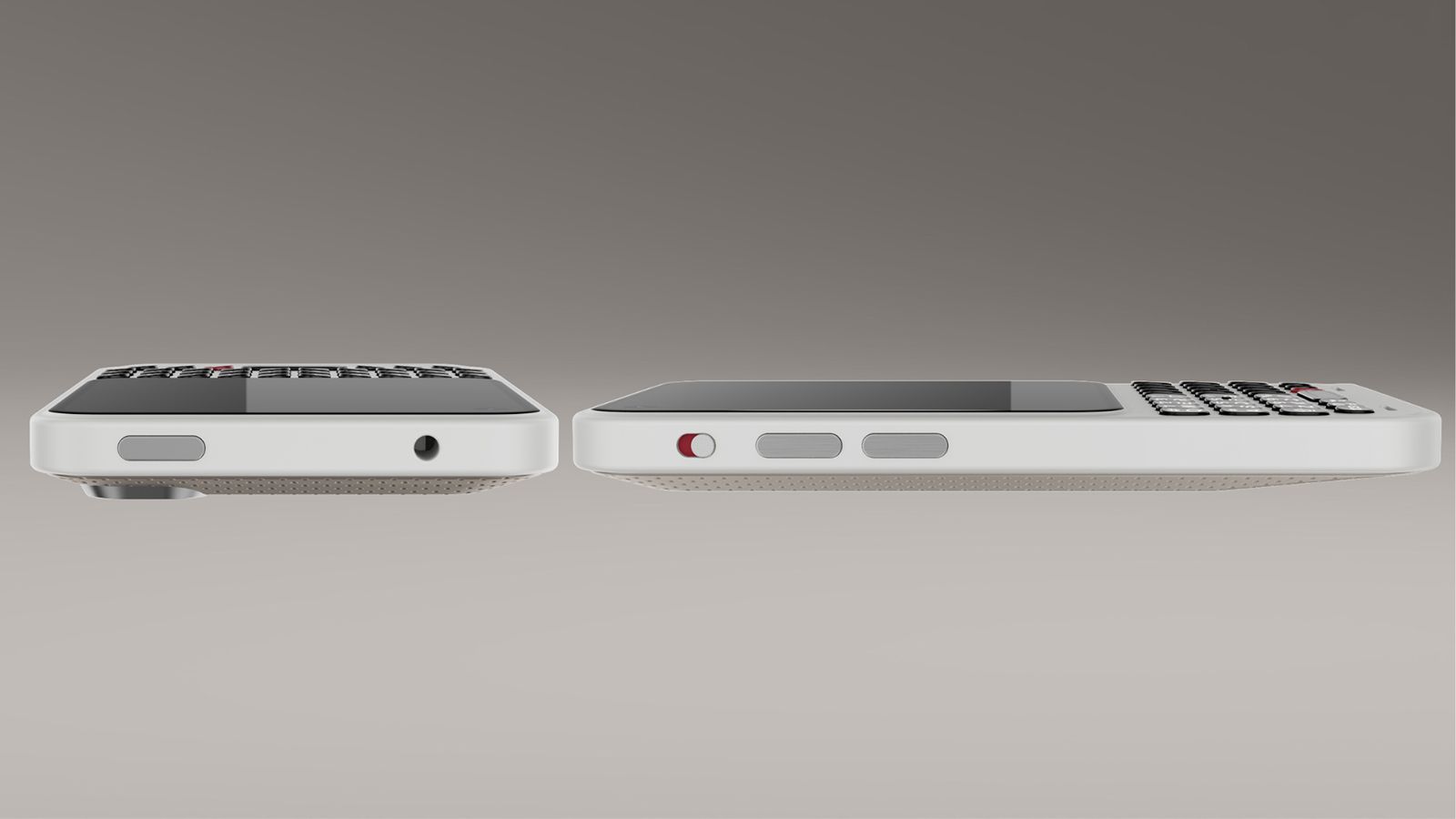
The Communicator is a full Android 17 device, though, with access to the Google Play Store, a MediaTek Dimensity 8300 processor, a 50MP main camera, and a 24MP front-facing camera. Clicks even upgraded the RAM to 12GB prior to the official launch. It has legacy features you won't find in most modern phones, like a 3.5mm headphone jack and microSD card slot to expand the built-in 256GB storage.
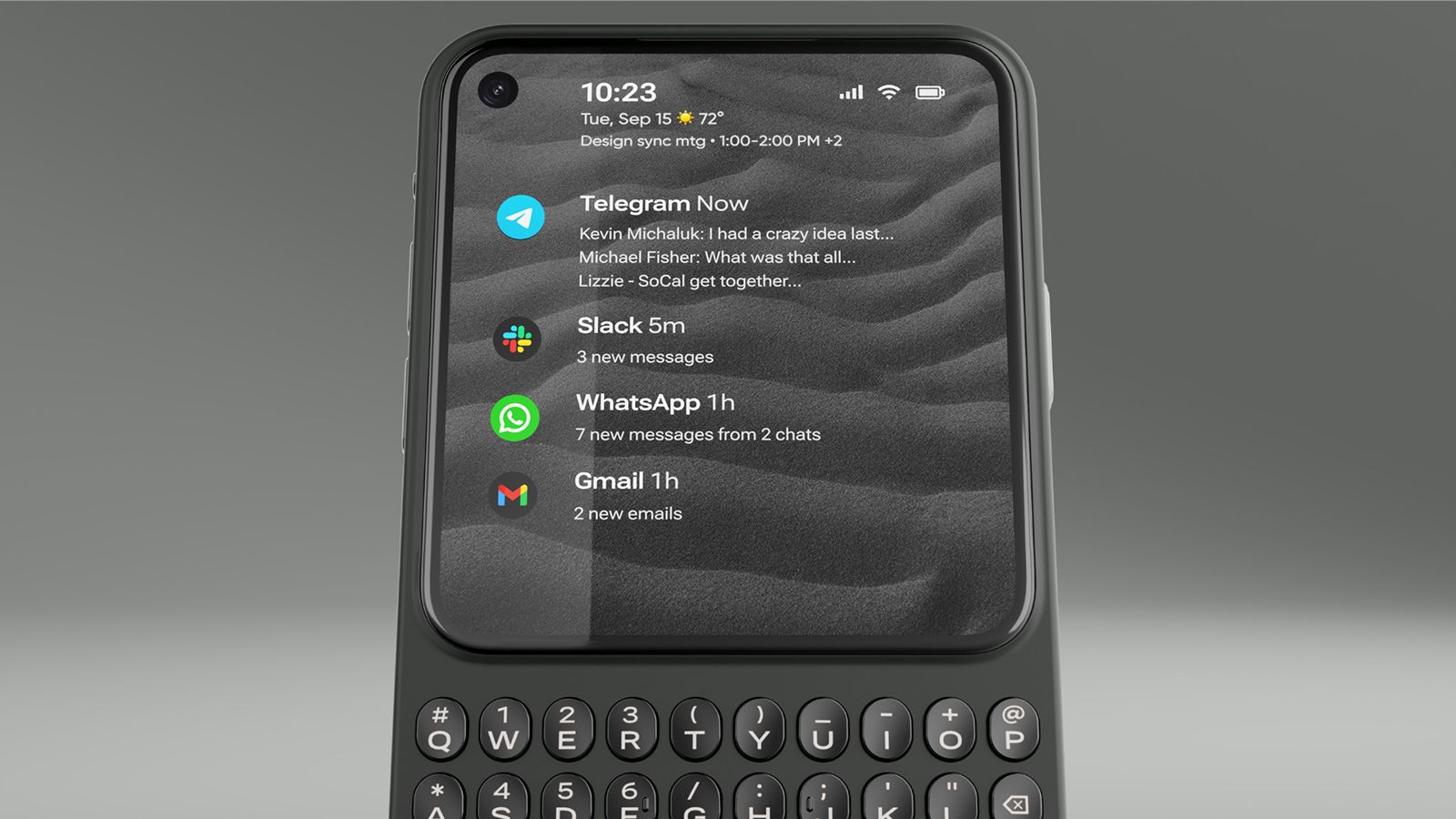
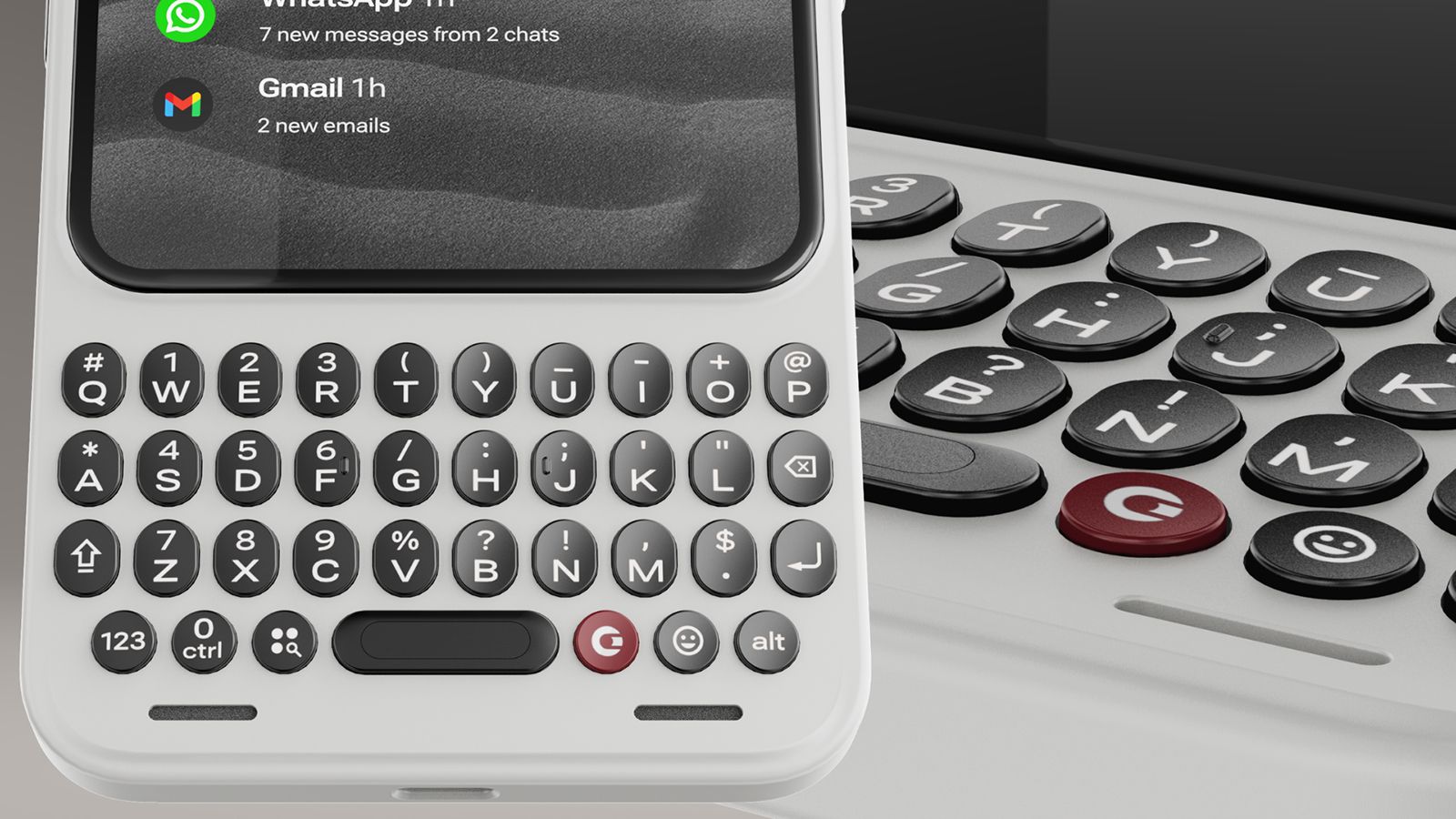
The key is in the design: a touchscreen occupying the top three-quarters (4.03 inches, 120Hz) and a bottom keyboard. It's a constant reminder that this isn't a phone to doomscroll TikTok and Instagram or get caught up in mobile games. You can do that. But you won't want to, and that's a good thing.
(Image credit: Clicks Technology)
Other simple features are meant to further encourage focus, like a signal light, similar to the HiLight button in the Google Pixel 11 Pro series phones. Customize it with illuminating colors so you know when an incoming call or message is from your mom, child, spouse, or business partner versus a spam call or an old friend you don't have time to chat with right now.
Clicks is working with Niagara to build a custom Android launcher that can curate messages from your favorite apps on the home screen. Triage these apps, Gadway explains, to help prevent you from getting "sucked into side quests."
"What we're doing with Niagara," he explains, "is creating a version of this that taps into the hardware of Communicator using the touch-sensitive keyboard to scroll through your messages, and the keys themselves to delete, reply, forward, or mark as unread right from that home screen without ever having to actually go into the app itself. So, it's a much more purposeful home screen experience."
Clicks represents a return to form
(Image credit: Clicks Technology)
Modern smartphones do more than ever. But there's something inherently missing from the experience. It stems from nostalgia, for those who grew up using phones with keyboards. But there's also value from a usability perspective for a younger generation who never put their hands on one.
Gadway says that with the original Keyboard Case, 40-45 percent of buyers had never used a BlackBerry before. "They wanted to reshape their relationship with technology, have some tech that was a little more intentional, a little more purposeful, and that allowed them to get their screen real estate back and have a more satisfying tactile experience."
(Image credit: Clicks Technology)
"Touchscreen smartphones are amazing," Gadway said recently. "They do so many things. And yet they lack some of that tactility and the ability to accomplish certain things from your phone that you wait to do back at your desk."
Originally, Clicks was positioned, at least in the minds of those who clamored to get a look at the original case years ago, as a throwback to simpler times. Today, with the latest generation products, it's evident that a physical keyboard is no longer just catering to the BlackBerry faithful. "There is a much bigger audience than we expected," says Gadway. Touchscreens and voice activation aren't going anywhere. But there's something about tactile feel that even the younger generations yearn to experience, too.

 Login
Login