❌

Reading view

WhatsApp like a pro with these 7 expert tricks and hidden features

When it comes to the mobile app heavyweights, few can beat WhatsApp. It’s estimated that around 3 billion people now use the cross-platform messaging tool at least once a month. And it’s important to remember there are only 8 billion or so people on the planet, so there are no signs of its popularity waning anytime soon.

Beyond being a hugely successful app, it’s also packed with features. You can use it to chat, make voice and video calls, share files, broadcast your location, and more. Even if you’ve used WhatsApp for years, you might not have discovered everything it’s capable of—which is where these tips come in.

1. Set a timer for messages to disappear

You don’t necessarily want everything you say on WhatsApp to be remembered forever, and the app includes a timer feature that will automatically expunge messages in a chat 24 hours, 7 days, or 90 days after they’re read, unless you specifically keep them. This is set on a chat-by-chat basis, and affects everyone in a conversation.

To change the setting for one of your chats, tap the contact or group name at the top of the screen, then pick Disappearing messages to select your time limit. This is applied until you turn it off or select a different period, but doesn’t affect the conversation history.

2. Lock away your most sensitive chats
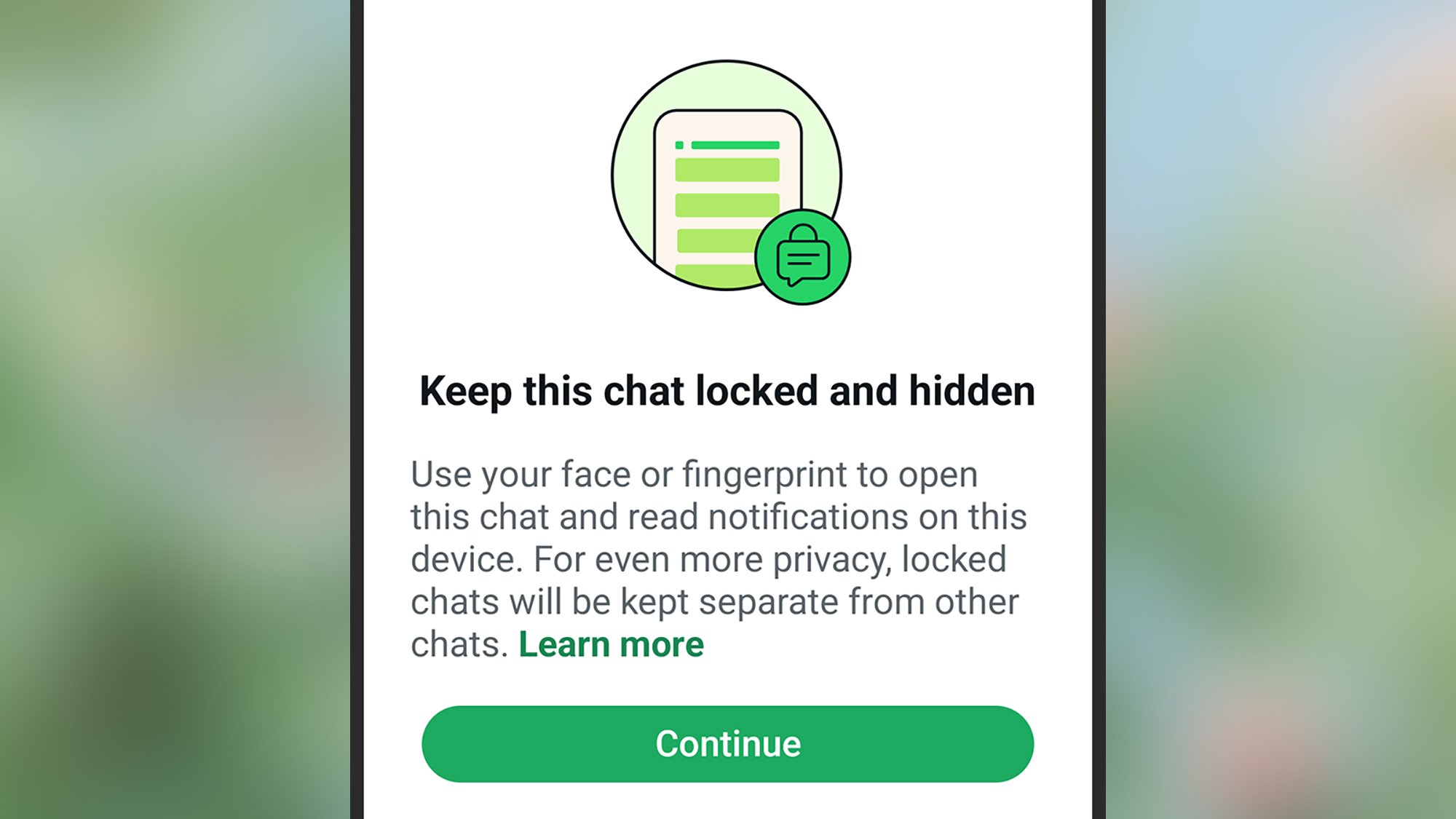
A screenshot of WhatsApps' lock chats screen on a smartphone
Put certain chats behind a lock. David Nield

Another way of protecting sensitive information in chats is to add an extra lock to specific conversations. Even if someone should gain access to your phone and your apps, they won’t be able to see your locked chats.

From inside a conversation, tap the contact or group name at the top, then pick Chat lock (Android) or Lock chat (iOS). You can then use a specific PIN code to block access to the conversation, or use the same biometric scan technology (such as Face ID) that already protects your phone at the lock screen.

3. Edit a message after sending it

Have you noticed you can edit messages after sending them? It’s handy for those typos you only spot after dispatching a message—long-press on whatever you just sent, then tap the three dots and Edit (Android), or just Edit on the pop-up menu (iOS). Modified messages have an ‘Edited’ label visible to everyone in the chat, but they won’t be able to see what the original message said.

4. Stop specific contacts from seeing when you’re active
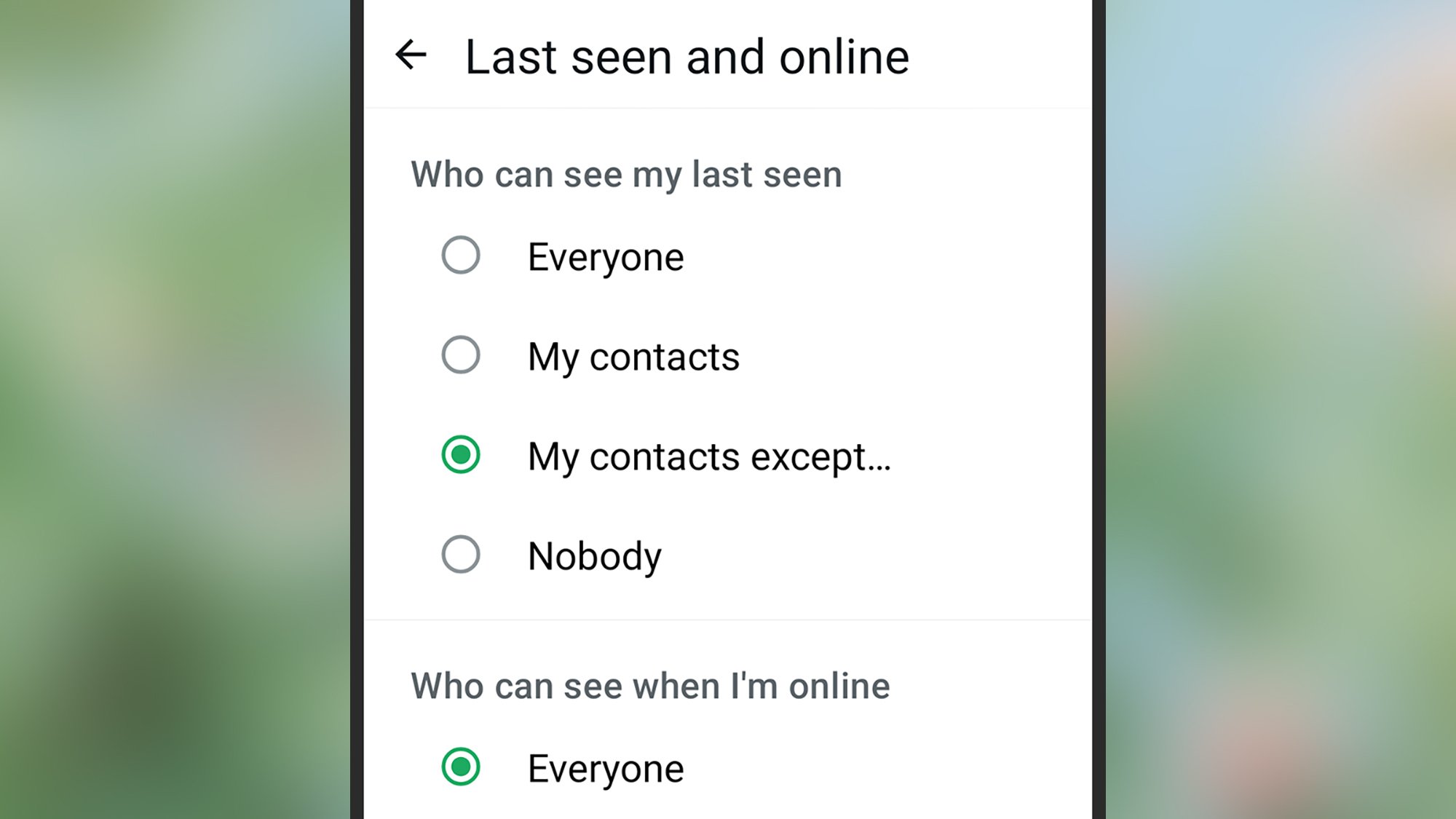
A screenshot of WhatsApps' activity access screen on a smartphone
Take control of who sees your activity on WhatsApp. David Niel

WhatsApp can tell your contacts whether you’re currently using the app and when you were “last seen,” but this might not be information you want to share with everyone. As well as disabling the feature entirely, you can also turn it off for specific contacts.

Open the You tab, then tap Privacy > Last seen and online, then select My contacts except … under the Who can see my last seen heading. You can then pick the contacts you don’t want to give this information to, and set the Who can see when I’m online option to match the same list.

5. Pin important messages you need to refer to or remember

Important details can quickly get lost in WhatsApp conversations, especially in busy group chats. But there is a way to pin specific messages to the top of the chat so they’re easy to get back to—someone’s address or the start time of an event, for example.

To pin a message on Android, long-press on it, then tap the three dots (top right) and Pin. On iOS, long-press a message and choose More > Pin. You can have up to three pinned messages per conversation, and select from three options for how long they’re pinned for: 24 hours, 7 days, or 30 days.

6. Give contacts their own notification sound
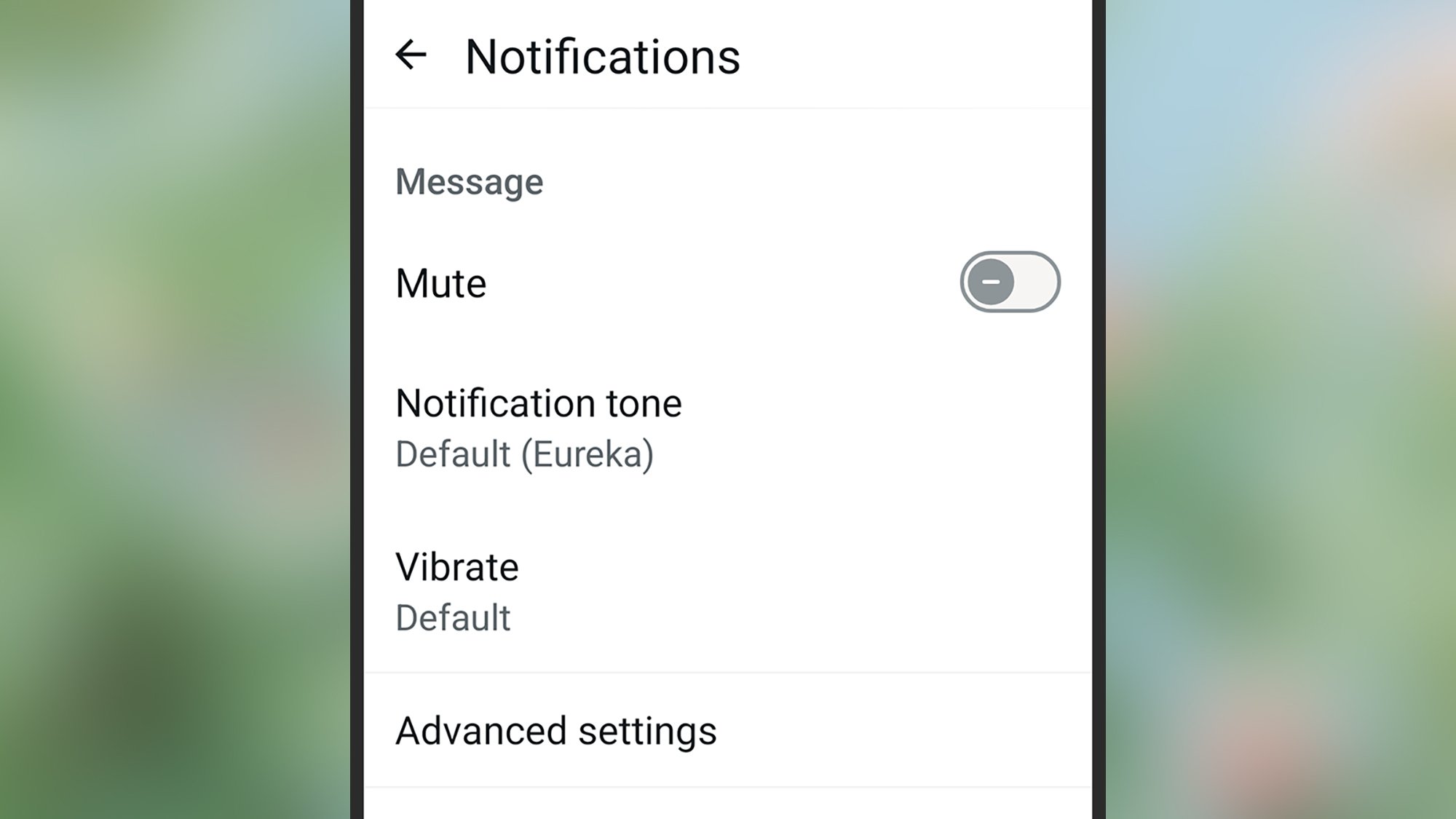
A screenshot of WhatsApps' contacts sound assignments screen on a smartphone
Your contacts can have their own alert sounds. David Nield

WhatsApp lets you assign specific notification sounds to specific contacts, which means you know who’s calling or messaging without picking up your phone. It gives you a better idea of whether something needs attention right away or can be safely ignored for a while.

Tap the group or contact name at the top of a chat, then pick Notifications and Notification tone or Ringtone to make changes. You can also select Vibrate to customize vibrations for each chat, though there are only four options here.

The option to mute the conversation is on the same screen—you can set mute separately for calls and messages.

7. Message yourself with notes and reminders

Not all messaging apps let you have a conversation with yourself, but WhatsApp does. This might seem like a rather pointless (and lonely) way of using the messaging app, but it can be really useful for jotting down things you need to remember on the go, leaving yourself voice notes of ideas and thoughts, and so on.

From the main conversation list, go to start a new chat, then search for “you” as the contact (or just enter your own username or phone number).

The post WhatsApp like a pro with these 7 expert tricks and hidden features appeared first on Popular Science.

  •  

15 uplifting images from Dog Photography Awards 2026

Sometime between 32,000 and 11,000 years ago, dogs domesticated. Since then, these four-legged friends have provided companionship, assistance, and protection for people. Whether you favor a squished-face potato dog or a determined and smart working dog, you likely understand how dogs got the designation of “man’s best friend.”

The Dog Photography Awards celebrate dogs of all shapes and sizes. The annual competition awards prizes across six categories (Studio, Action, Portrait, Dogs & People, Documentary, and Open) in addition to naming an overall winner.

pointy-eared dog standing in front of city lights blurred in the background
“City Lights”
2026 Portrait Outdoor, Honorable Mention
Credit: Maddie Newton / Dog Photography Awards

This year, Katie Brockman took the prestigious title of Dog Photographer of the Year. The St. Louis-based photographer’s winning entry, titled “Loved and Hated” (seen below), captures the duality of feelings around pitbulls and similar breeds.

“I started photography after my dog Caldwell ended up at the emergency vet on Christmas Eve 2020 for an obstruction surgery” Brockman said. “I suddenly realized that I didn’t have enough photos of him, and I wanted a way to document our adventures together. So I saved up for a camera, and in 2021, I officially started my dog photography journey.”

a pitbull with a paper crown and metal leash
“Loved and Hated”
Dog Photographer of the Year 2026
Credit: Katie Brockman / Dog Photography Awards

This year’s competition drew 1,900 entries from photographers in 50 countries. A judging panel of photographers, dog experts, and industry professionals decided on the winners. And when it comes to photographing dogs, aren’t we all winners?

a fancy poodle standing in front of old building
“Elegance Awaits”
2026 Portrait Outdoor, Honorable Mention
Credit: Grace Fiselman / Dog Photography Awards
a corgi and its reflection
“Mirror, Mirror”
2026 Portrait Outdoor, Honorable Mention
Credit: Perdita Pretzl / Dog Photography Awards Henrik Spranz
a french bull dog runs with a blue ball on its head
“Mission Balance”
2026 Action Category, 2nd Place
Credit: Gavriella Leon / Dog Photography Awards
a gretyhound standing on a bridge with a domed building in the background
“Beyond the Track”
2026 Portrait Outdoor Category Winner
Credit: Elena Marchi / Dog Photography Awards Zeiss57
a dog with a wheelchair barks and runs
“Chasing Beyond Limits”
2026 Documentary, Honorable Mention
Credit: Jodie Grieve / Dog Photography Awards
a long-haired dog provides comfort to an elderly woman in a wheelchair
“Therapy Dogs in a Nursing Home”
2026 Documentary, Honorable Mention
Credit: Jessica Mozzetti / Dog Photography Awards Jessica Mozzetti
hairless dog with tongue hanging out
“Peggy”
2026 Studio Category, Honorable Mention
Credit: Jane Thompson / Dog Photography Awards JANE THOMSON
working dogs herd sheep
“Working as a Team”
2026 Documentary, Honorable Mention
Credit: Rebecca Williams / Dog Photography Awards
dog behind a fence looking eager
“Waiting”
2026 Documentary Category Winner
Credit: Tianhang Zhang / Dog Photography Awards
panting dog on man's shoulder
“The Weight of Connection”
2026 Dogs & People Category, 3rd Place
Credit: Santos Ramón / Dog Photography Awards SANTOS ROMAN
corgi puppy amongst bubbles
“Puppy’s Curiosity”
2026 Studio Category, Honorable Mention
Credit: Sylvain Langler / Dog Photography Awards
black dog chases orange ball at the bottle of a pool
“Underwater Fetch”
2026 Action Category, Honorable Mention
Credit: Tianhang Zhang / Dog Photography Awards

The post 15 uplifting images from Dog Photography Awards 2026 appeared first on Popular Science.

  •  

Phoenician Ivory, a Phrygian-Style Belt and Traces of Indian Pepper, Found Inside a Strange “Dark Age” Tomb in Jordan

Around 1200 BC, the eastern Mediterranean fell apart. The great empires of the Bronze Age collapsed, many cities were destroyed or emptied, writing disappeared from much of the region, and long-distance trade shrank to almost nothing. Archaeologists call what came next the dark age, and the name is earned: with few texts and almost no […]

  •  

Una extraña tumba de la “edad oscura” hace 3000 años contenía una mujer fenicia, un hombre frigio, otro del Egeo y pimienta negra de la India

Hacia el año 1200 a.C. el mundo del Mediterráneo oriental se vino abajo. Cayeron los grandes imperios de la Edad del Bronce, se destruyeron o se vaciaron muchas ciudades, se perdió la escritura en buena parte de la región y el comercio a larga distancia se redujo a lo mínimo. Los arqueólogos llaman a lo […]

  •  

National Park Service names 10 new American World War II Heritage cities

On October 16, the National Park Service (NPS)announced the latest additions to a growing list of designated World War II Heritage Cities. The park service began the program in 2020, as a way to honor local ties to history. Officials have since celebrated locations across 46 states and two territories, but there are many more places worthy of distinction.

The10 new cities and counties announced today span Alaska all the way to the U.S. Virgin Islands.

“These designations highlight the enduring legacy of service, sacrifice, innovation, and industrial achievement…and continue to shape our national story,” NPS Jessica Bowron said in a statement.

According to Bowron, this year’s selections include hubs for military manufacturing, training facilities, and logistical centers integral to Allied campaigns. In Aurora, Colorado, Fitzsimons General Hospital cared for wounded returning service members, while the city of Pendleton, Oregon, featured an airfield that trained B-25 crews that later participated in the Doolittle Raid. Meanwhile, South Charleston, West Virginia’s Naval Ordinance Plant supplied invaluable inventories and was largely staffed by local women and Black workers.

A full list of the latest entrants can be found below:

  • Whittier, Alaska 
  • Aurora, Colorado
  • City and County of Honolulu, Hawaii
  • Kootenai County, Idaho
  • City of Rockford and Winnebago County, Illinois
  • City of Owensboro and Daviess County, Kentucky
  • Savage, Minnesota
  • Pendleton, Oregon
  • Charlotte Amalie, U.S. Virgin Islands

Although the 2026 selection season is closed, the NPS will soon begin accepting nominations for next year.

The post National Park Service names 10 new American World War II Heritage cities appeared first on Popular Science.

  •  

You might see audiobooks in YouTube Premium next year if all goes well

What you need to know

  • YouTube is reportedly planning to launch audiobooks for its Premium subscribers.
  • Audiobooks could arrive for the platform's ad-free $16 subscription plan in 2027 if this goes without a hitch for Google/YouTube.
  • YouTube would run into competition with the likes of Spotify (audiobooks arrived in 2023) and Audible.

Audiobook-enjoyers might have something to celebrate on YouTube. There are rumors that the platform is looking to enter a new market for its Premium subscribers.

A post by the Wall Street Journal (paywalled) highlighted rumors that YouTube Premium could soon offer audiobooks in one of its subscription plans (via GSMArena). Supposedly, Google has been "talking with publishers" about bringing audiobooks onto the platform in 2027.

Early reports allege YouTube Premium would offer audiobooks in its ad-free plan, which currently runs consumers $16 a month. What's interesting is that this could solve an issue: piracy. GoodEReader brought this up in its coverage, highlighting data that shows "45% of listeners" consume "audiobooks" on YouTube. The air quotes (and literal quotes) are warranted here, as the publication states these are AI-narrated, not authentic.

Audiobooks in YouTube Premium would give users the best experience possible, away from false creations. However, it's worth remembering that these are rumors, and nothing's been confirmed by YouTube yet.

YouTube's branching out

YouTube on Pixel 7 Pro

(Image credit: Chris Wedel/Android Central)
Android Central's Take

This is one of those things where you can associate a product or a feature or a form of entertainment with the name. If I think Spotify, I think music. If I think Audible, I think audiobooks. When I think of YouTube... I do not think about audiobooks (nevermind the fact that I prefer reading over an audiobook). I wonder how large of a market there is for YouTube. But I guess there must be if there's a piracy problem, and they're using AI voices. Crazy.

Many should be well-acquainted with Audible's audiobook offerings. In recent history, Spotify has joined that market, taking the fight directly to Audible with over 200,000 "free" titles. That was how it all started, anyway. When audiobooks launched for Spotify Premium in 2023, the platform gave its subscribers in the U.S. and the U.K. 15 hours of listening per month.

After you exceeded your limit, you could pay an additional $12.99 to get 10 more hours "or buy them a la carte." Spotify's library exceeded that initial 200,000 for Premium subscribers. But if you wanted more, you'd have to buy them individually. Spotify then launched its "Audiobook Access" tier for $9.99, giving users the same 15 hours of listening per month deal.

It goes without saying that YouTube will have its work cut out for it by stepping into this new world.

  •  

North America’s oldest human footprints tell a tale of ice age chaos

An extensive new analysis further confirms the oldest known human footprints in North America date back to the last ice age (about 23,500–21,700 years). To pinpoint their origins, researchers at the University of Arizona relied on cutting-edge methods at the United States Geological Survey (USGS) Radiocarbon Laboratory to examine hundreds of thousands of prehistoric pollen grains extracted from the tracks. According to researchers writing this week in the journal Science Advances, the team can even describe some of the dramatic environmental fluctuations experienced by these prehistoric humans within a single generation.

New Mexico’s White Sands National Park contains more than stunning vistas and desert dunes. It’s also home to one of the most controversial (and consequential) prehistoric discoveries of the last century. In 2006, archaeologists located footprints inside a dry lakebed that they later determined to be the earliest evidence of humans in North America. But there was a problem. Until then, researchers largely agreed that the first humans migrated into the continent about 16,000–12,000 years ago via Beringia, the subcontinent once connecting Alaska to Russia.

However, the White Sands footprints were estimated to be around 23,000 years old. That implied a sustained human presence on the continent at least seven millennia earlier than expected. Various archeological camps continued debating the true age of the White Sands footprints for years, while others cited similar—and sometimes older— sites in both North and South America. Meanwhile, the dry lakebed’s rarely seen geological conditions allowed researchers like University of Arizona geoscientist Jessica Tierney to learn more than each footprint’s age.

“The White Sands sediments are unique in that they allow us to reconstruct environmental conditions during the last ice age at a very high temporal resolution, so that we can see fluctuations that were relevant for the humans present at that time,” Tierney said.

Combining geochemical sediment signatures with the fossilized pollen, researchers accurately determined ancient regional details such as plant distribution, precipitation, temperature, and aridity. They soon learned that the humans who made the White Sands footprints would have experienced incredibly dramatic environmental shifts within their own lifetimes. Within only a few decades, the surrounding conifer forests transformed into plains covered with oak and sage. Lake Oterio, a giant body of water that once covered New Mexico’s national park, fluctuated in size for about 1,500 years until it receded completely. Although these shifts were large, they actually closely followed similar global climate changes at the time.

“And throughout that whole sequence, people were walking there, leaving their tracks alongside those of mammoths, giant sloths and dire wolves,” added Tierney.

The post North America’s oldest human footprints tell a tale of ice age chaos appeared first on Popular Science.

  •  

Overheating issues may force Galaxy S27 Ultra to switch from Snapdragon to Exynos

What you need to know

  • A report claims that Samsung's Galaxy S27 Ultra has run into extreme overheating issues with the Snapdragon 8 Elite Extreme Gen 6.
  • These issues have reportedly caused "throttling" in the device, lowering its performance significant; a problem Samsung has reached out to Qualcomm to solve.
  • Reports say time is ticking, and if these issues aren't solved, Samsung might have to go with the Exynos 2700.
  • These issues are familiar, considering Samsung's own chips have struggled in the past with overheating problems, but the Exynos 2600 tried to solve that.

While we're eagerly awaiting the next Ultra flagship from Samsung, a report states the company's run into a problem. The issue lies with its chip and its supposed performance hiccups.

A report late this week by SEDaily (Korean) claims that Samsung's run into problems with Qualcomm's Snapdragon 8 Elite Extreme Gen 6 on the Galaxy S27 Ultra (via SamMobile). Samsung reportedly observed that the chip pushed the phone's temperatures beyond acceptable thresholds. Much like a computer, if the device begins to overheat, performance issues will occur.

Samsung has reportedly experienced "throttling" with the Galaxy S27 Ultra. This hasn't sat well with the Korean OEM. The publication reports that Samsung holds the device to the highest standards and that it must "stably run high-performance cameras, graphics, and AI features" (machine-translated).

Presently, if the S27 Ultra continues to experience issues with the SD 8 EE Gen 6, then Samsung may switch to the Exynos 2700. This is a reality that has yet to happen.

The post states that Samsung has reached out to Qualcomm about these issues. Time is of the essence; however, the OEM has given the chipmaker until "mid-October" to rectify the problems. The problem Samsung experienced is interesting, considering it mirrors the gripes consumers have had with its Exynos series in the past.

Overheating chips

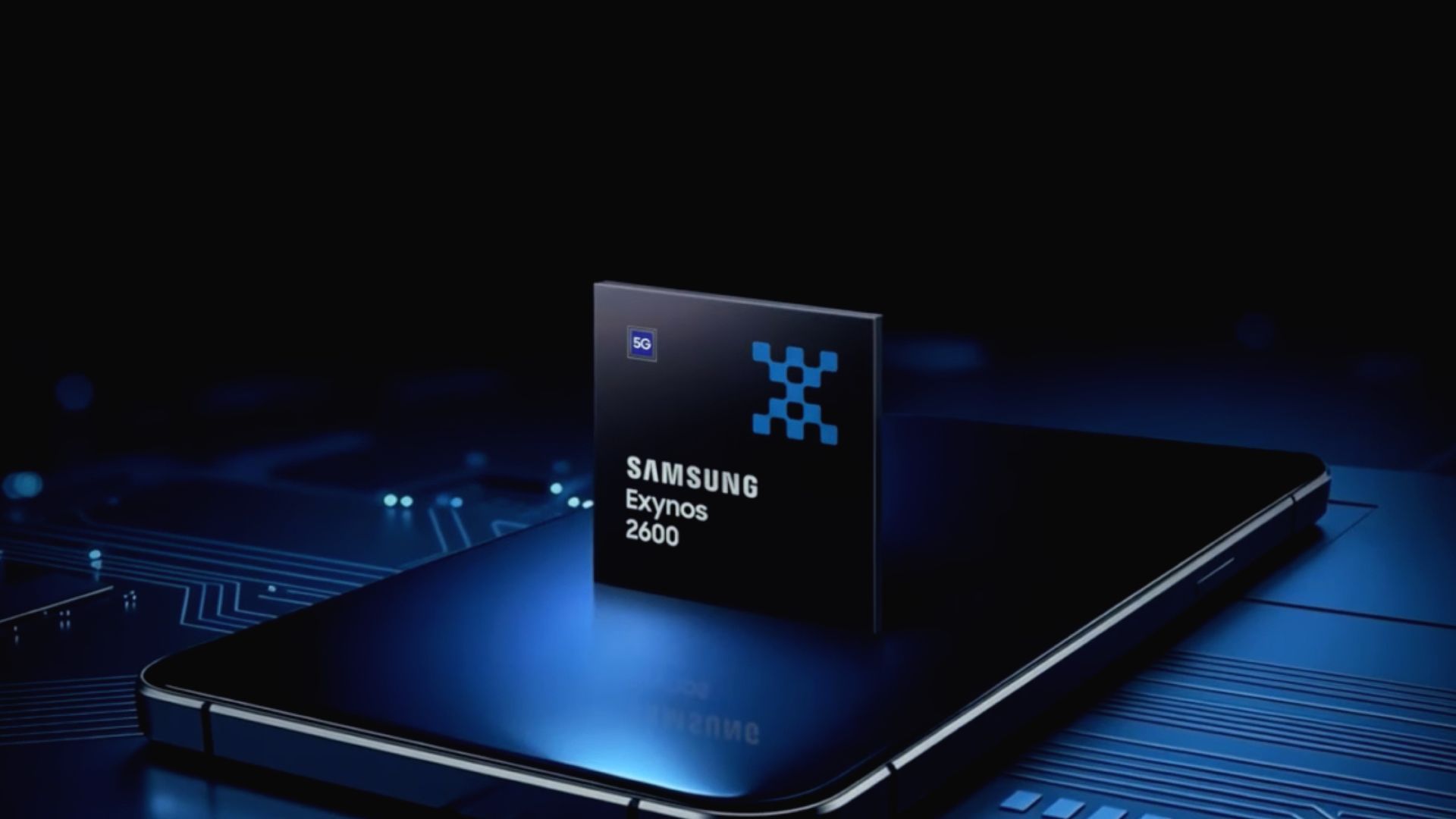
Exynos 2600 chipset

(Image credit: Samsung)

Qualcomm split its flagship chips going into 2027 with the Snapdragon 8 Elite Gen 6 and the 8 Elite Extreme Gen 6. The latter is designed to push the boundaries of mobile phone technology and targets Ultra phones. Qualcomm built the chip on a 2nm process with its new Adreno Neural Fusion technology. This leans on AI to boost graphics performance for gamers during longer sessions.

As we alluded to before, Samsung's Exynos chips were infamous for overheating. We'd like to remind you of the Exynos 2600 from 2025. This chip was a significant step for Samsung in the right direction compared to previous generations. Not only was it the world's first 2nm chip, but its CPU and GPU upgrades were also important. What's more, the company introduced a new Heat Path Block (HPB) to fix overheating and performance issues.

While these overheating fixes did well, Samsung could do better. Rumors about the Exynos 2700 say the company wants to introduce a next-generation HPB, reducing heat generation further.

Android Central's Take

This is textbook tech. If it can output graphic or whatever at a higher strength, it will generate more heat. Look at gaming PCs. Why do you think they have so many fans? Why do you think the graphics card has its own fan—or maybe two or three! There's a chance that Samsung and Qualcomm will have to reconfigure some things in the Galaxy S27 Ultra and the chip. Beyond this, there's also public perception. Samsung hesitates to drop an Ultra with Exynos in the States because it could impact sales.

Then there's overall performance. Can the Exynos 2700 go blow for blow with the SD 8 EE Gen 6?

  •  

'Something was thrown out with the bathwater when we moved to modern smartphones': Clicks co-founder Jeff Gadway on bringing physical keyboards back to mobile phones

I fondly remember owning my first BlackBerry, and then my second ... and third. The smartphone was a sign of prestige, a device you could fit in your pocket with both a screen (later also a touchscreen in some models) and a miniature QWERTY keyboard. It was genius. That is, until elongated, touchscreen-only phones started coming to market, namely the first iPhone. Suddenly, BlackBerrys weren't so trendy anymore.

What's old becomes new again, however — a statement that fits almost every industry, from fashion to music and even tech. Clicks Technology, a U.K.-based hardware company with team members who previously worked for BlackBerry and within the BlackBerry space, is leaning into this trend. Growing from its first keyboard case, there are two devices coming this year: the Clicks Power Keyboard, which is now shipping, and the hotly anticipated Clicks Communicator, which should launch in December.

"Something was thrown out with the bathwater when we moved to modern smartphones," Jeff Gadway, co-founder of the company (and former marketing director at BlackBerry), explained in a recent interview. His company aims to bring it back — and possibly a little magic to a market that could sorely use some fresh ideas.

I saw both devices in prototype form at CES 2026 earlier this year, and in an interview with Gadway, discussed how the company is bringing razzle dazzle back to mobile.

Clicks then and now

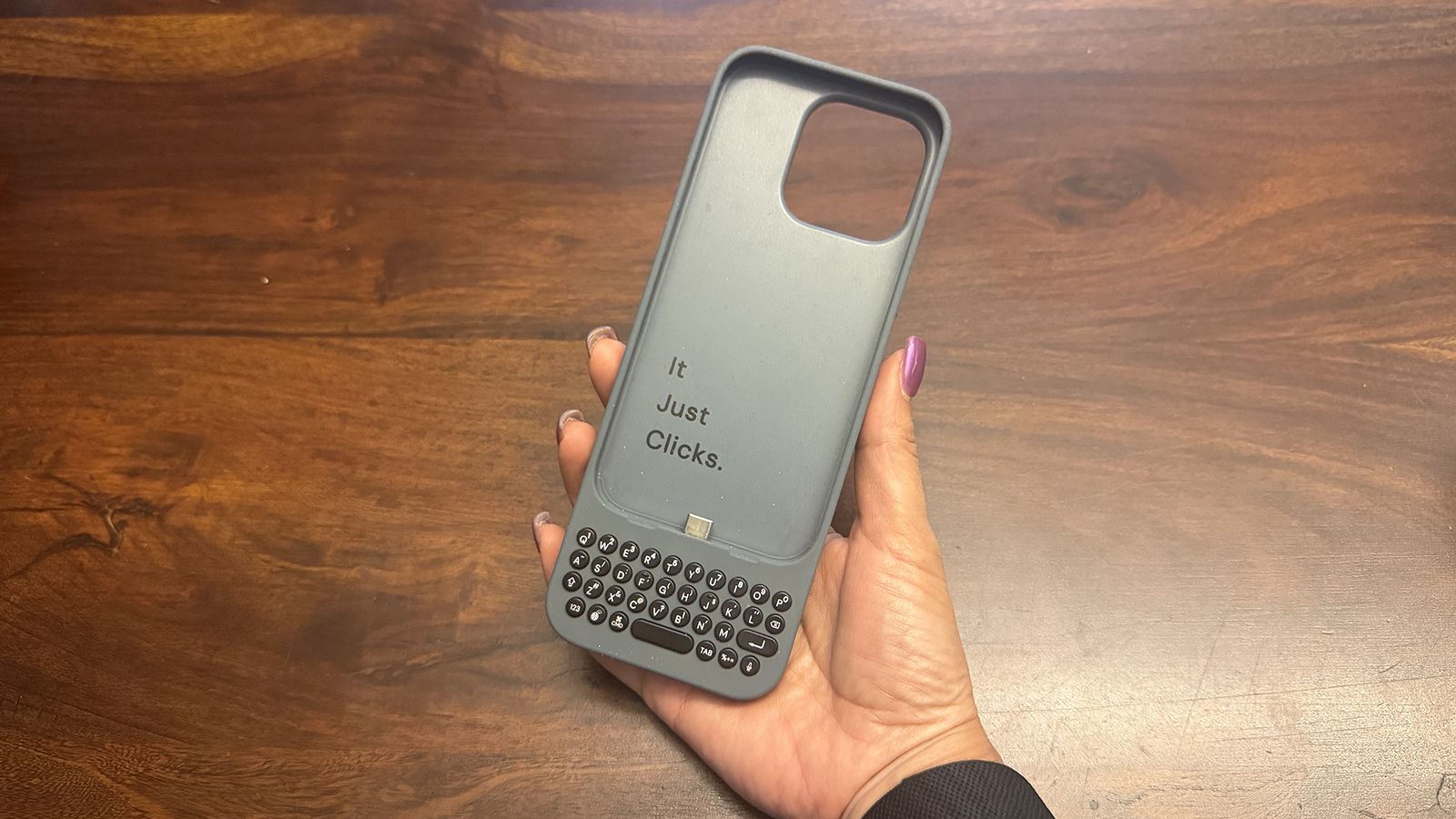
An original Clicks keyboard case in hand.

(Image credit: Christine Persaud / Android Central)

Clicks introduced its first keyboard case for iPhone in 2024, eventually expanding to make cases for select Android phones, too. To say people were excited would be an understatement. "It was like catching lightning in a bottle that first year," Gadway told me during a recent podcast interview.

Interestingly, it wasn't just nostalgia-fueled business executives but also younger folks from the digital native generations who were intrigued. Young adults who had never used anything but a touch- or voice-controlled phone loved the concept as much as they are now learning to love vinyl, CDs, and wired earbuds.

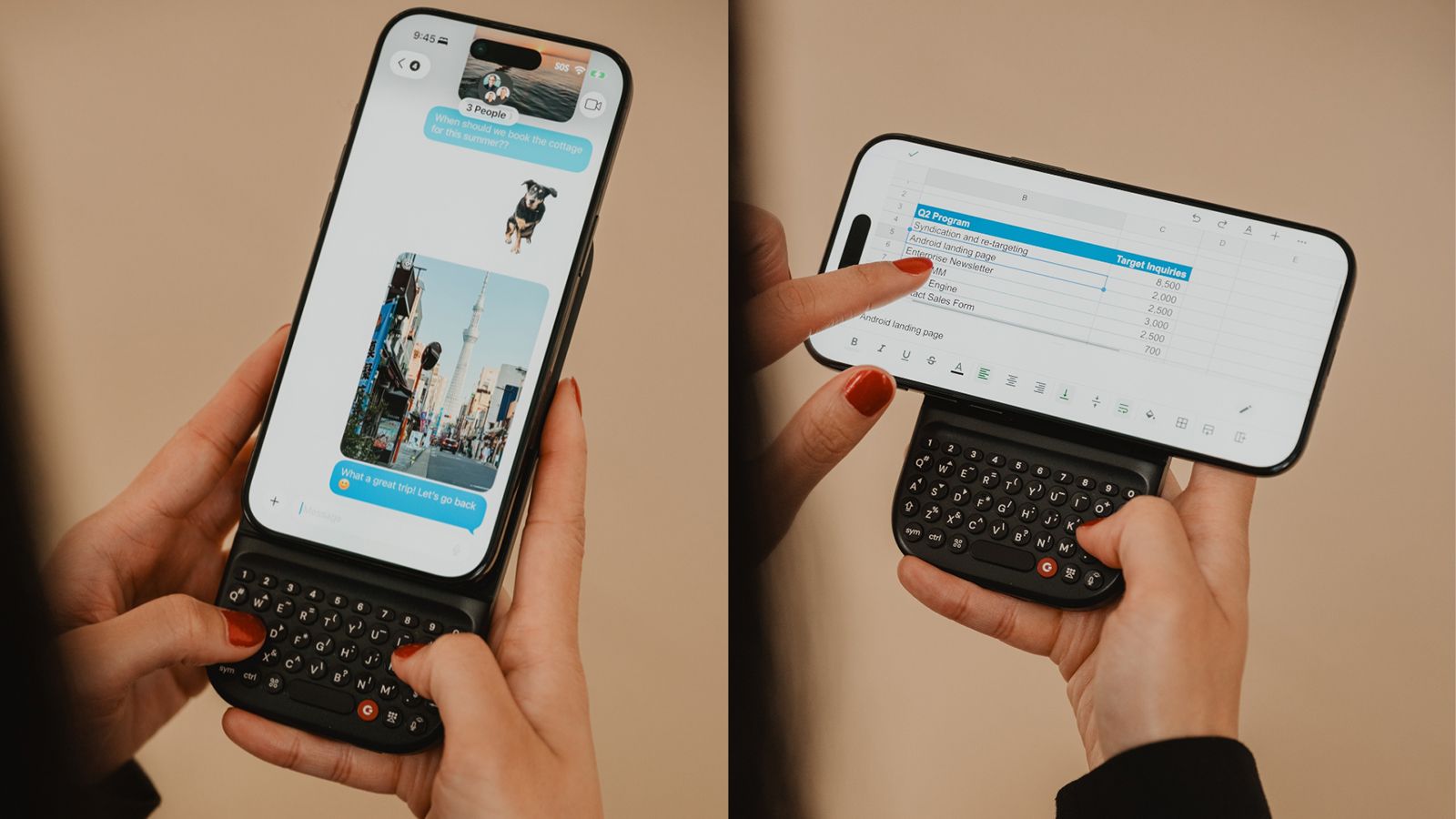
The Clicks Power Keyboard attached to the phone vertically on the left and horizontally on the right

(Image credit: Clicks Technology)

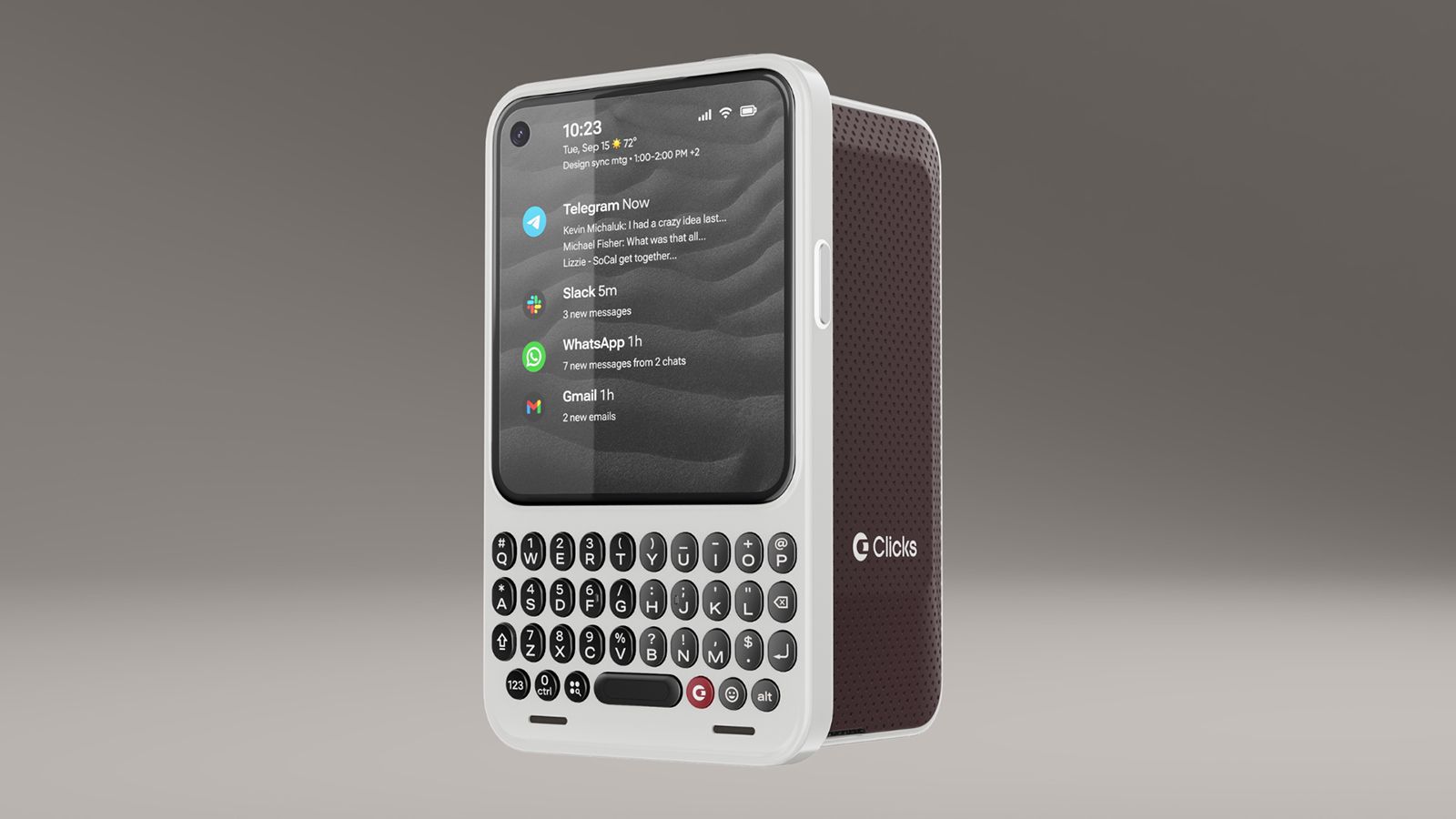
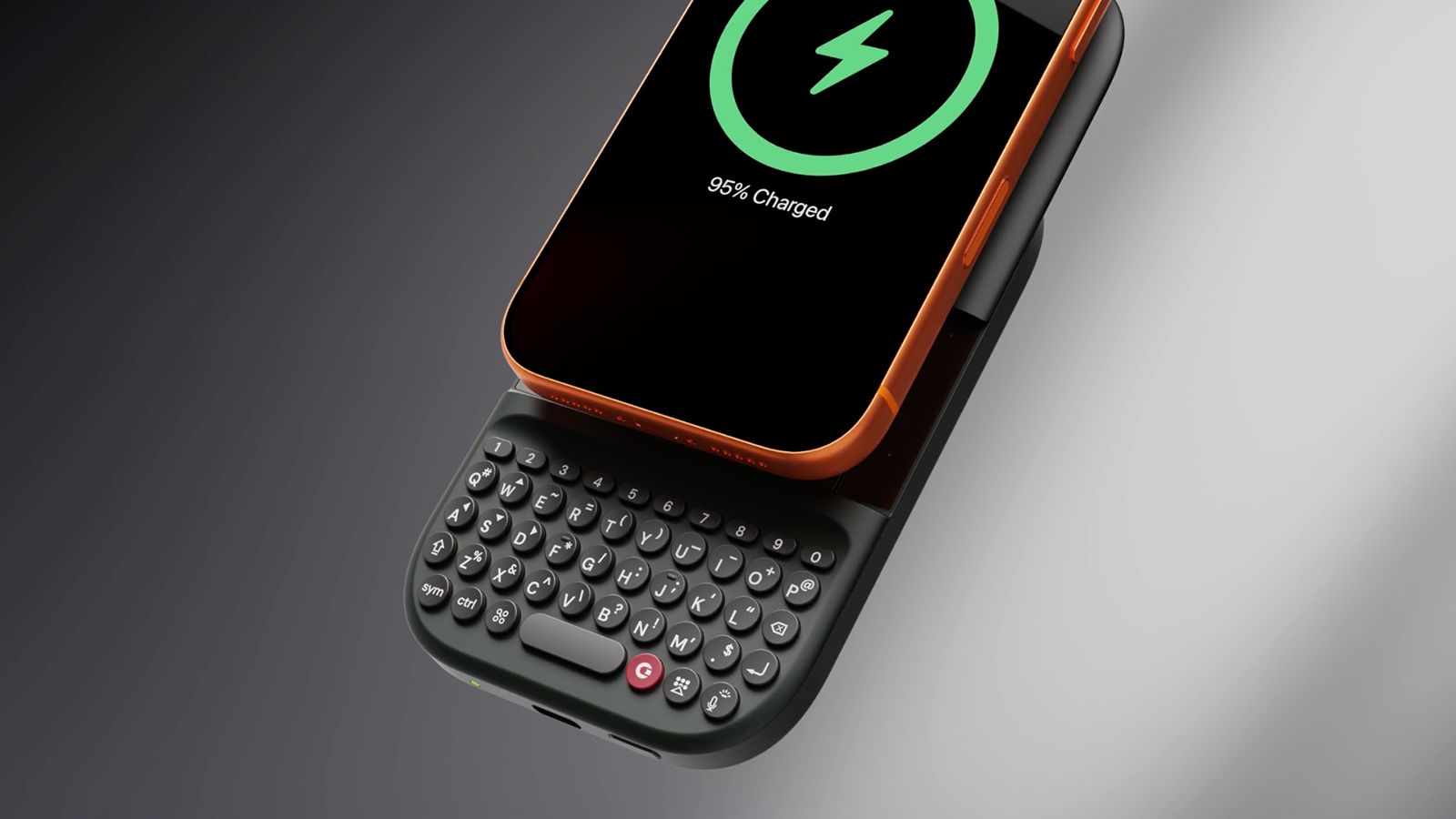
The company has since developed the Power Keyboard, a MagSafe enabled keyboard accessory you can use with any MagSafe-enabled phone or case, or any Bluetooth input device, for that matter. The Communicator is an Android phone reminiscent of a BlackBerry Bold that combines a small screen with a miniature QWERTY keyboard.

The Power Keyboard is universal

A Clicks Power Keyboard attached to a phone on a grey background.

(Image credit: Clicks Technology)

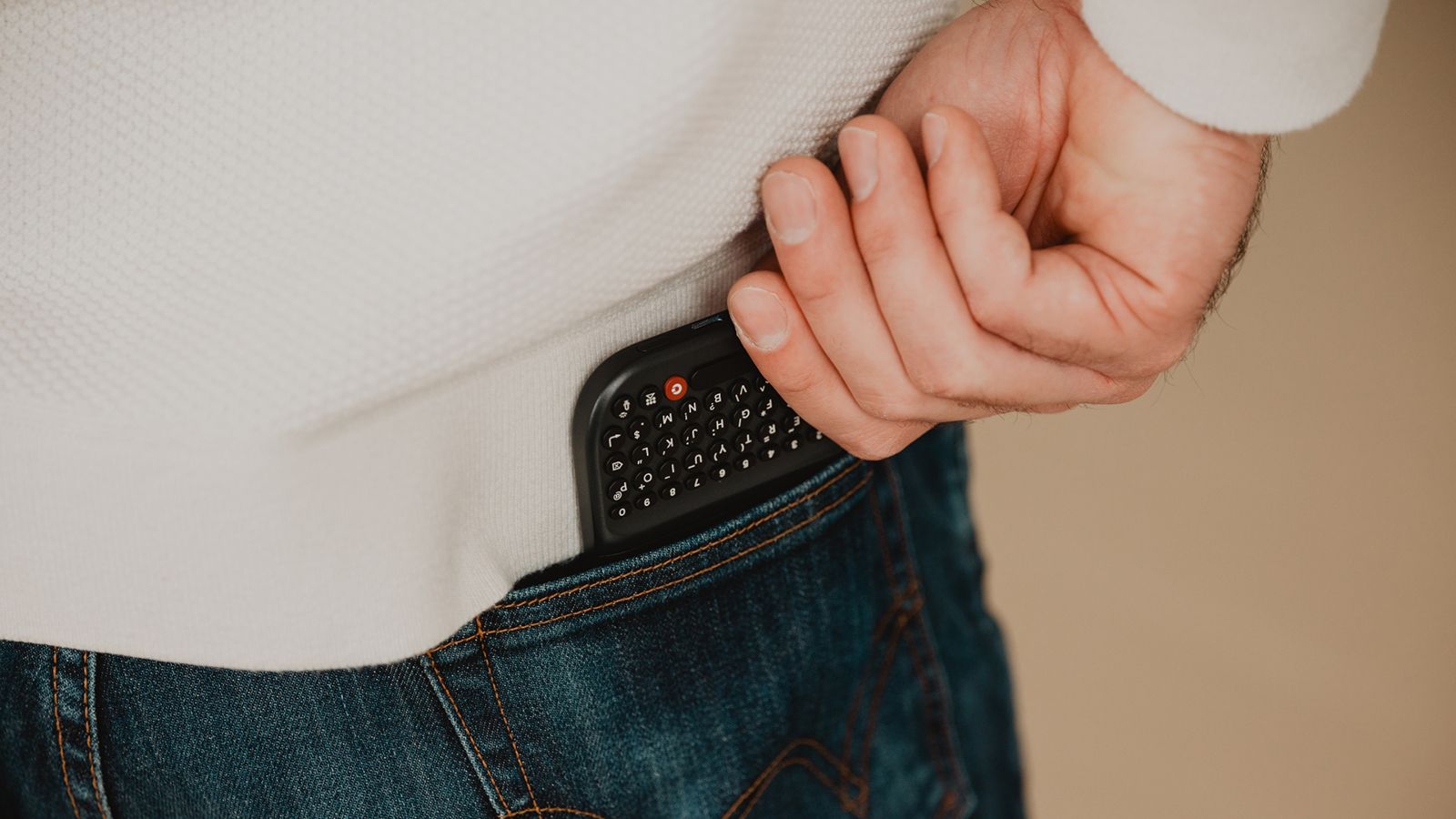
The Power Keyboard solves the biggest issue with the original Clicks Keyboard Case: needing a fitted case for every model phone. Instead, this version is magnetic, clipping vertically or horizontally onto the back of any MagSafe-enabled phone or phone case and functioning as a power bank with a slide-out keyboard.

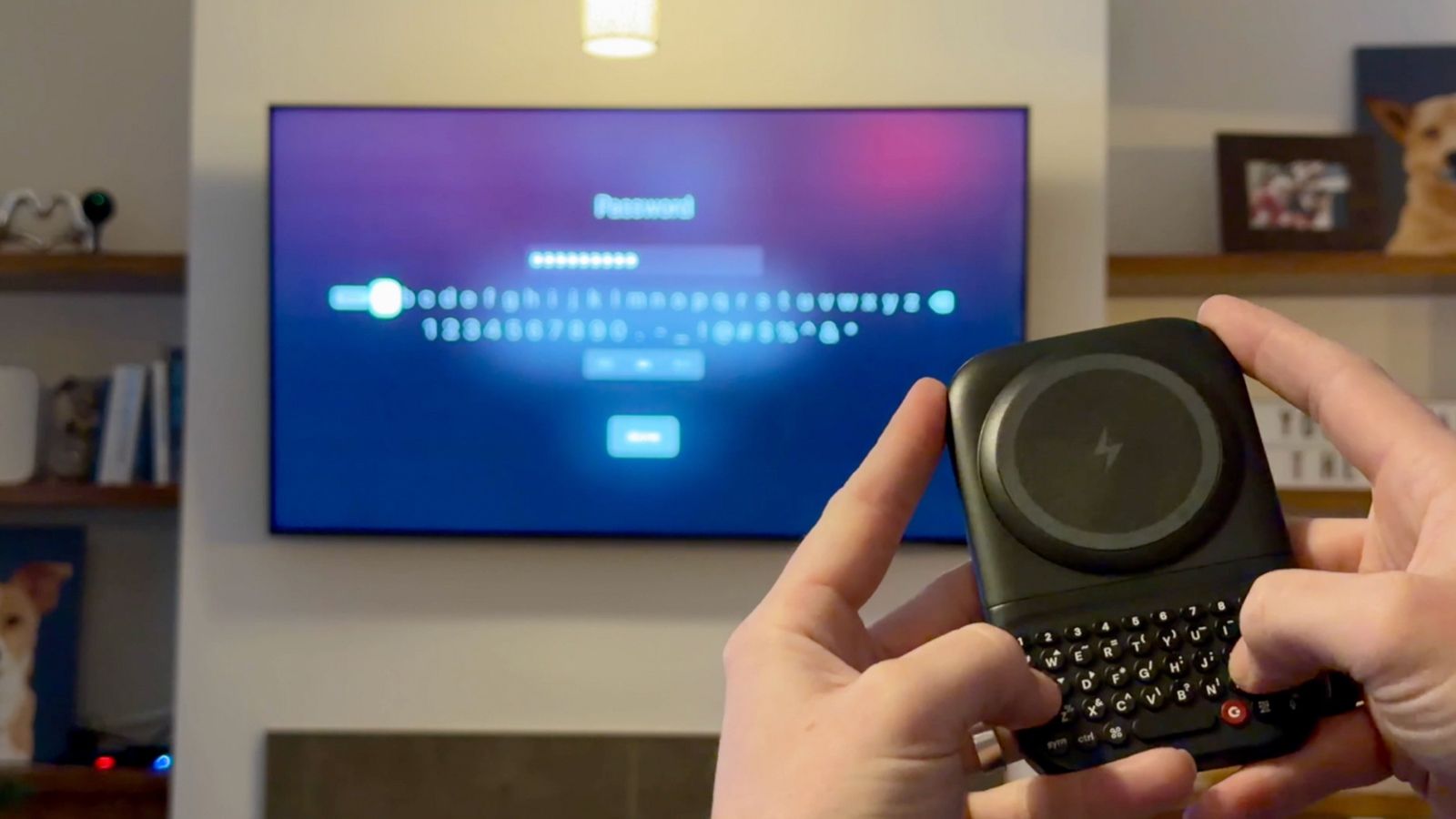
A Clicks Power Keyboard being used with a TV

(Image credit: Clicks Technology)

It isn't limited to phones: Use it handheld with a tablet or even as a Bluetooth mini keyboard for your smart TV. If you've ever attempted to enter a password into an app using your TV's remote and on the on-screen keyboard, you know how frustrating that experience can be. Gadway says the use cases run the gamut, from students using this in class with their phone instead of bringing a laptop, to CEOs, writers, and musicians being productive on the go.

Clicks Communicator reminds you what a phone is for

Three Clicks Communicators in a row in different colors.

(Image credit: Clicks Technology)

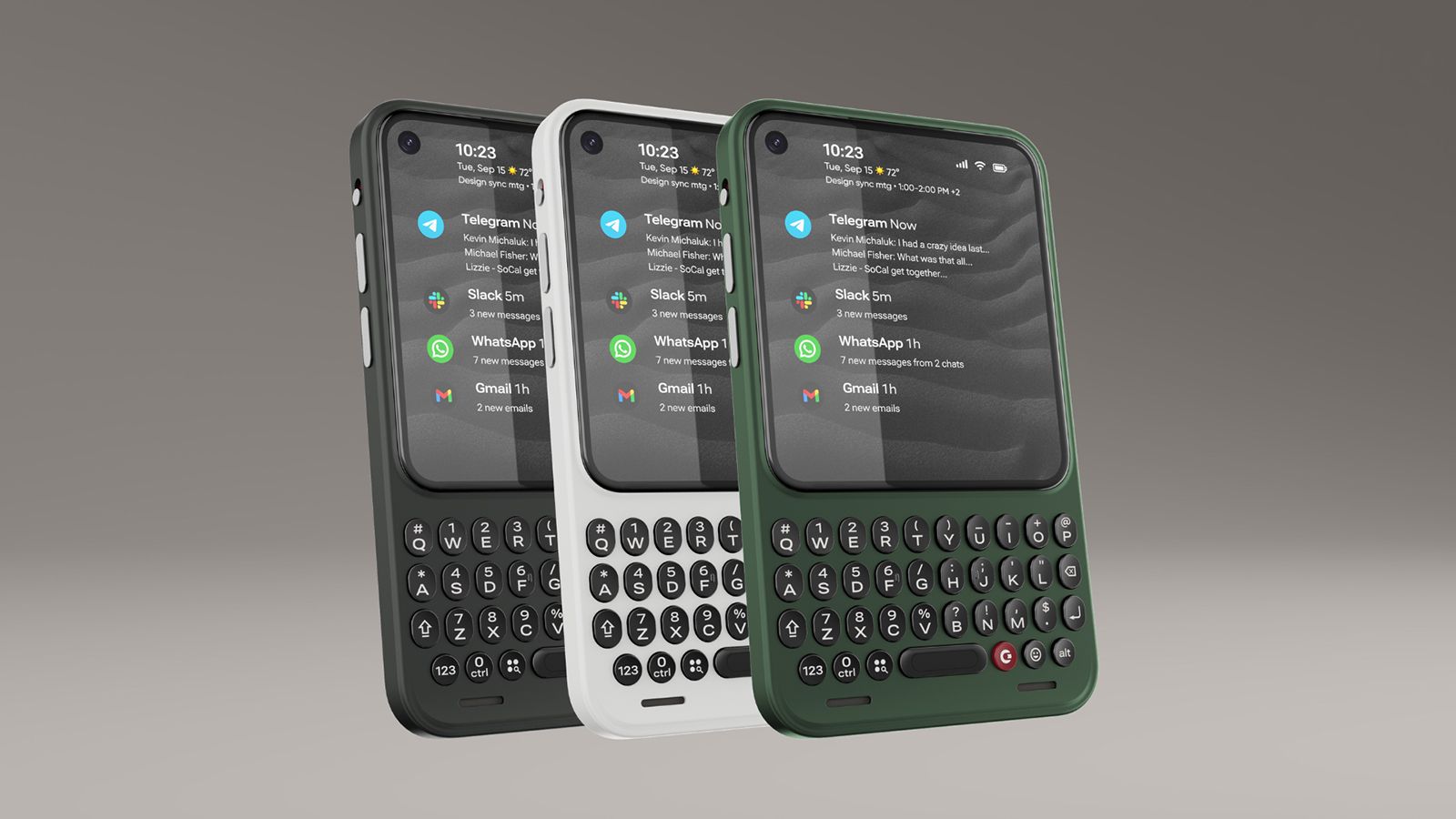
Taking things a step further, the Clicks Communicator is designed to remind us of the true purpose of a mobile phone: communication. Newer smartphones are designed for content consumption and creation with bigger screens, cameras, processors, and batteries, says Gadway. "What if you could build a phone that was really optimized for communication?"

There are two ways you might use the Communicator. The first is as a secondary phone with its own plan or tethered to your primary device. Maybe you have a company-provided phone on which you aren't permitted to download personal apps. The Communicator can be that secondary device to keep in touch with family, access banking and social media apps, play games, and more. The difference between the Communicator and another smartphone is that the smaller, utility-type screen makes this possible, but it's not optimized for going down the rabbit hole of endless scrolling.

A Clicks Communicator on a grey background

(Image credit: Clicks Technology)

The second is as a primary phone, which Gadway told me is how a lot of pre-order customers have said they want to use it. The Communicator sits between a dumbphone, which eliminates access to distracting apps altogether, paring down the experience to bare bones communication, and a full-featured premium smartphone.

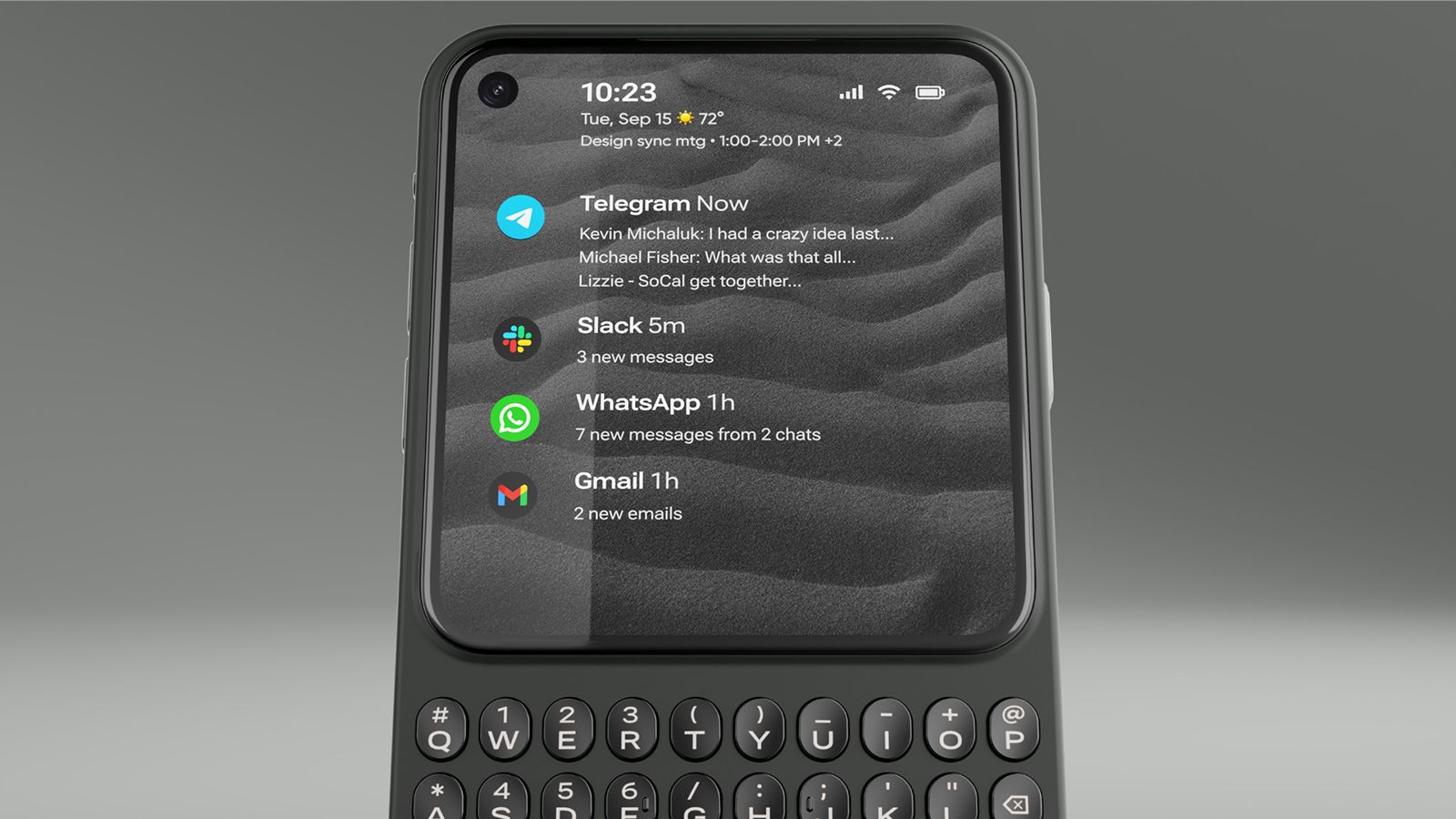
The Communicator is a full Android 17 device, though, with access to the Google Play Store, a MediaTek Dimensity 8300 processor, a 50MP main camera, and a 24MP front-facing camera. Clicks even upgraded the RAM to 12GB prior to the official launch. It has legacy features you won't find in most modern phones, like a 3.5mm headphone jack and microSD card slot to expand the built-in 256GB storage.

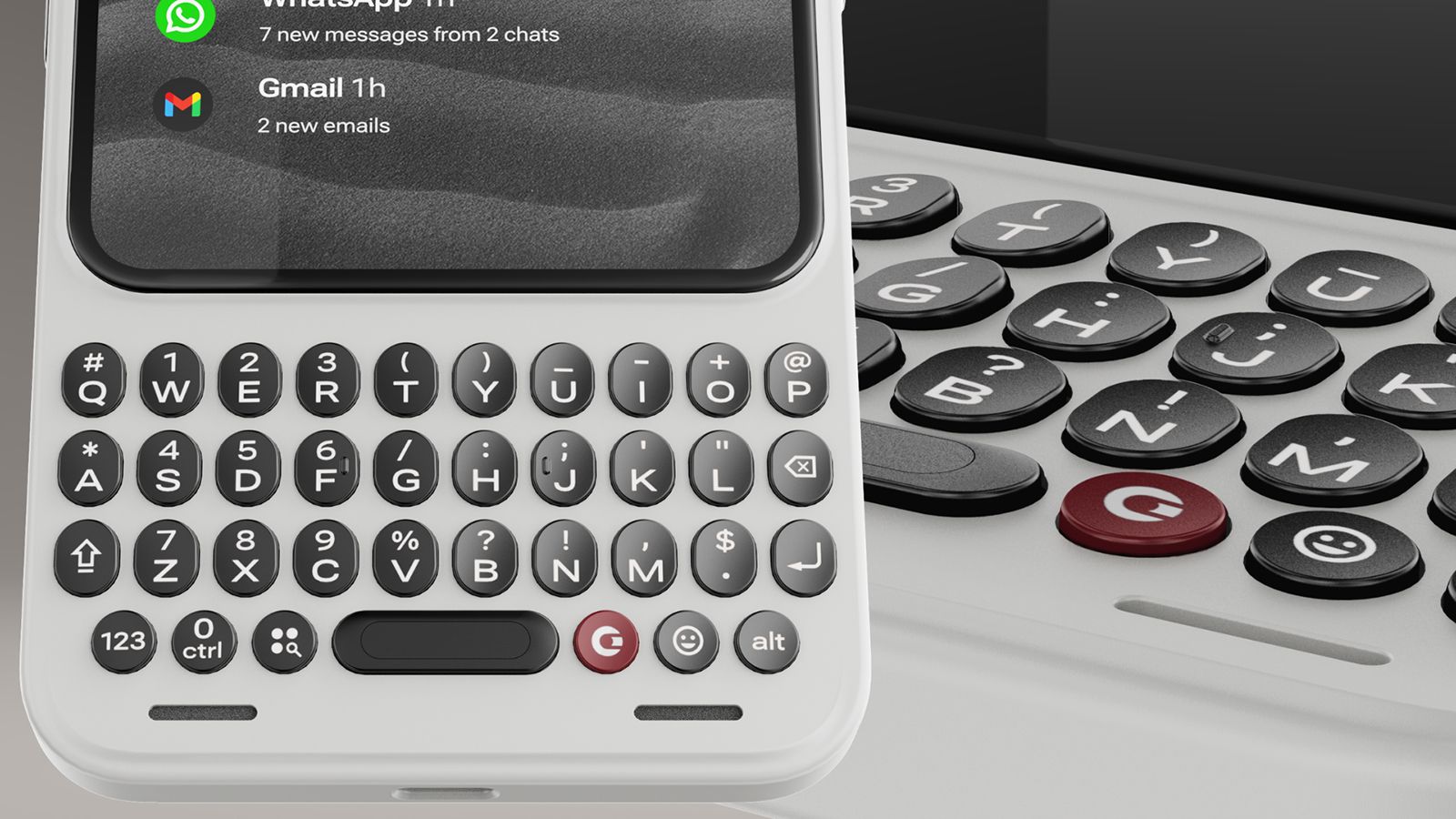
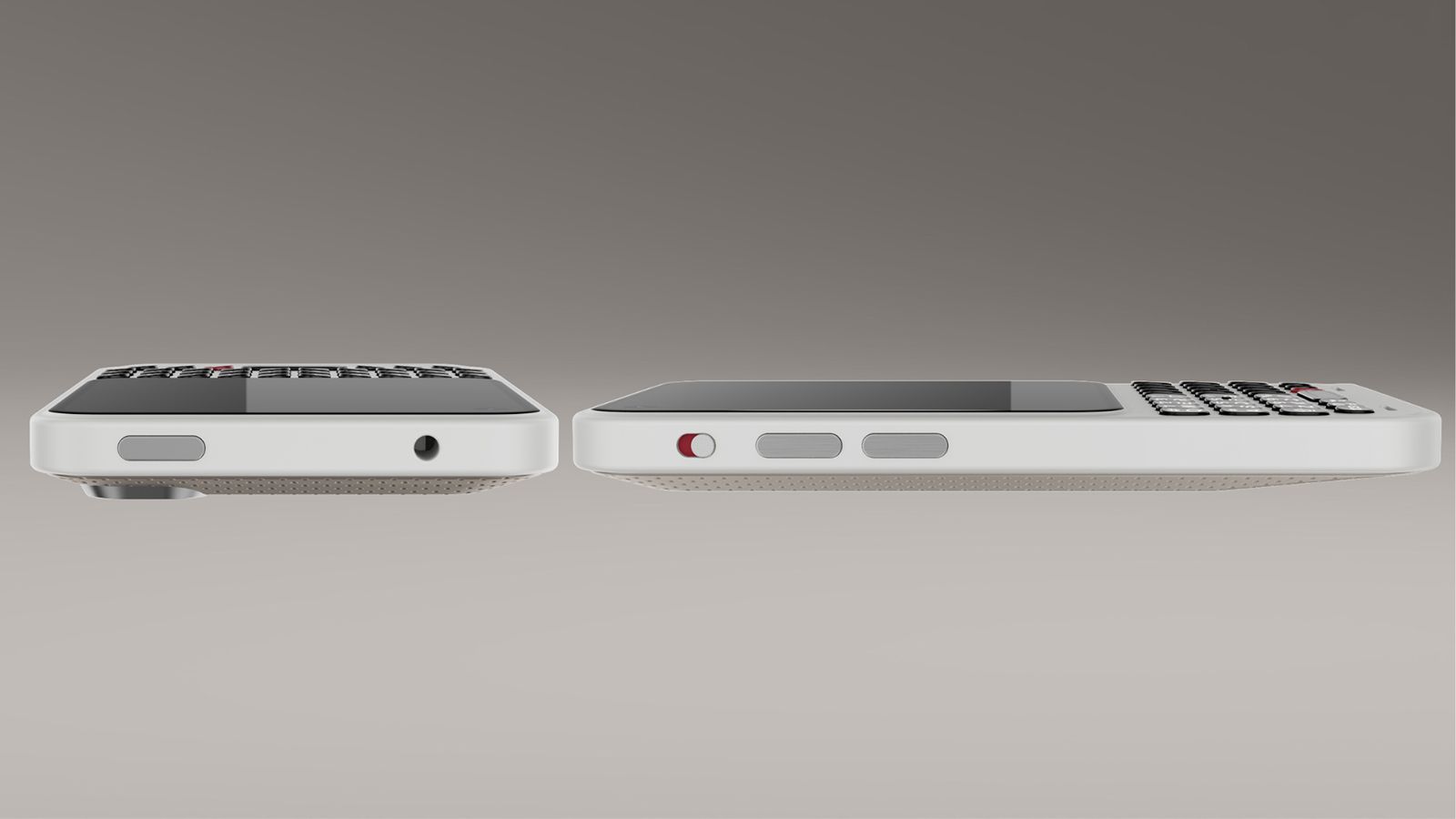
The key is in the design: a touchscreen occupying the top three-quarters (4.03 inches, 120Hz) and a bottom keyboard. It's a constant reminder that this isn't a phone to doomscroll TikTok and Instagram or get caught up in mobile games. You can do that. But you won't want to, and that's a good thing.

A side view of the Clicks Communicator

(Image credit: Clicks Technology)

Other simple features are meant to further encourage focus, like a signal light, similar to the HiLight button in the Google Pixel 11 Pro series phones. Customize it with illuminating colors so you know when an incoming call or message is from your mom, child, spouse, or business partner versus a spam call or an old friend you don't have time to chat with right now.

Clicks is working with Niagara to build a custom Android launcher that can curate messages from your favorite apps on the home screen. Triage these apps, Gadway explains, to help prevent you from getting "sucked into side quests."

"What we're doing with Niagara," he explains, "is creating a version of this that taps into the hardware of Communicator using the touch-sensitive keyboard to scroll through your messages, and the keys themselves to delete, reply, forward, or mark as unread right from that home screen without ever having to actually go into the app itself. So, it's a much more purposeful home screen experience."

Clicks represents a return to form

Front and back views of the Clicks Communicator

(Image credit: Clicks Technology)

Modern smartphones do more than ever. But there's something inherently missing from the experience. It stems from nostalgia, for those who grew up using phones with keyboards. But there's also value from a usability perspective for a younger generation who never put their hands on one.
Gadway says that with the original Keyboard Case, 40-45 percent of buyers had never used a BlackBerry before. "They wanted to reshape their relationship with technology, have some tech that was a little more intentional, a little more purposeful, and that allowed them to get their screen real estate back and have a more satisfying tactile experience."

A close-up of the keyboard on a Clicks Communicator

(Image credit: Clicks Technology)

"Touchscreen smartphones are amazing," Gadway said recently. "They do so many things. And yet they lack some of that tactility and the ability to accomplish certain things from your phone that you wait to do back at your desk."

Originally, Clicks was positioned, at least in the minds of those who clamored to get a look at the original case years ago, as a throwback to simpler times. Today, with the latest generation products, it's evident that a physical keyboard is no longer just catering to the BlackBerry faithful. "There is a much bigger audience than we expected," says Gadway. Touchscreens and voice activation aren't going anywhere. But there's something about tactile feel that even the younger generations yearn to experience, too.

  •  

The RTX Spark is here and Antonline is selling laptops equipped with it

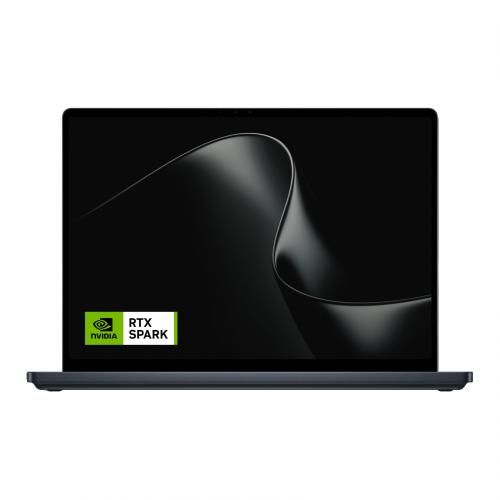
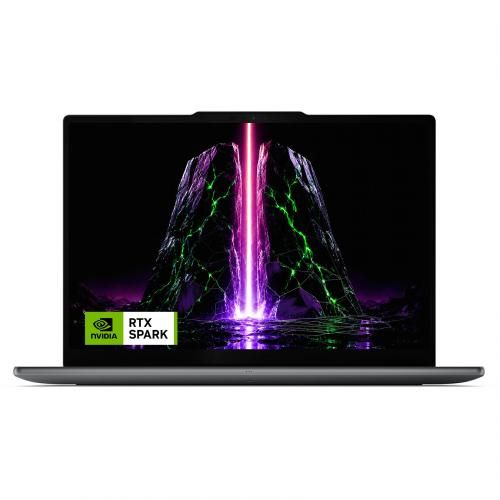
NVIDIA's RTX Spark has arrived, and tons of laptops are quickly equipping themselves with this superchip to take advantage of its NVIDIA AI, RTX graphics, and unified memory to improve their productivity and gaming performance.
Antonline is getting in on the launch-day action by offering Microsoft Surface and Lenovo laptops packed with the RTX Spark, and we've rounded up Antonline's available RTX Spark offers for your perusal.

Do note that some of Antonline's RTX Spark laptop offers are only up for pre-order, while others are not in stock yet, so check back on its website frequently for stock updates.

Surface Laptop Ultra 15": $3299.99

This 15-inch PixelSense Touchscreen laptop comes with an NVIDIA RTX Spark N1X with a 5120-core GPU and 18-core CPU, an NVIDIA Blackwell RTX 5120-core Graphics card, 32GB of Unified Memory, and 1TB Storage.View Deal

Pro 9n 15.3" WQXGA Touchscreen Notebook: $4499.99

This advanced Lenovo Pro 9n Notebook features a 15.3 WQXGA Touchscreen, 64GB RAM, 2TB Storage, and an NVIDIA RTX Spark N1X with a 6144-core GPU and 20-core CPU for improved productivity and gaming.View Deal

Pro 9n 15.3" WQXGA OLED Touchscreen Copilot+ laptop: $2999.99

This configuration of the Lenovo Pro 9n laptop features its display with an OLED Touchscreen, 32GB RAM, 1TB Storage, and an NVIDIA RTX Spark with a 5120-core CPU and 18-Core CPU to help you master its Copilot+ features when conducting research, meetings, or content creation.View Deal

What is the RTX Spark?

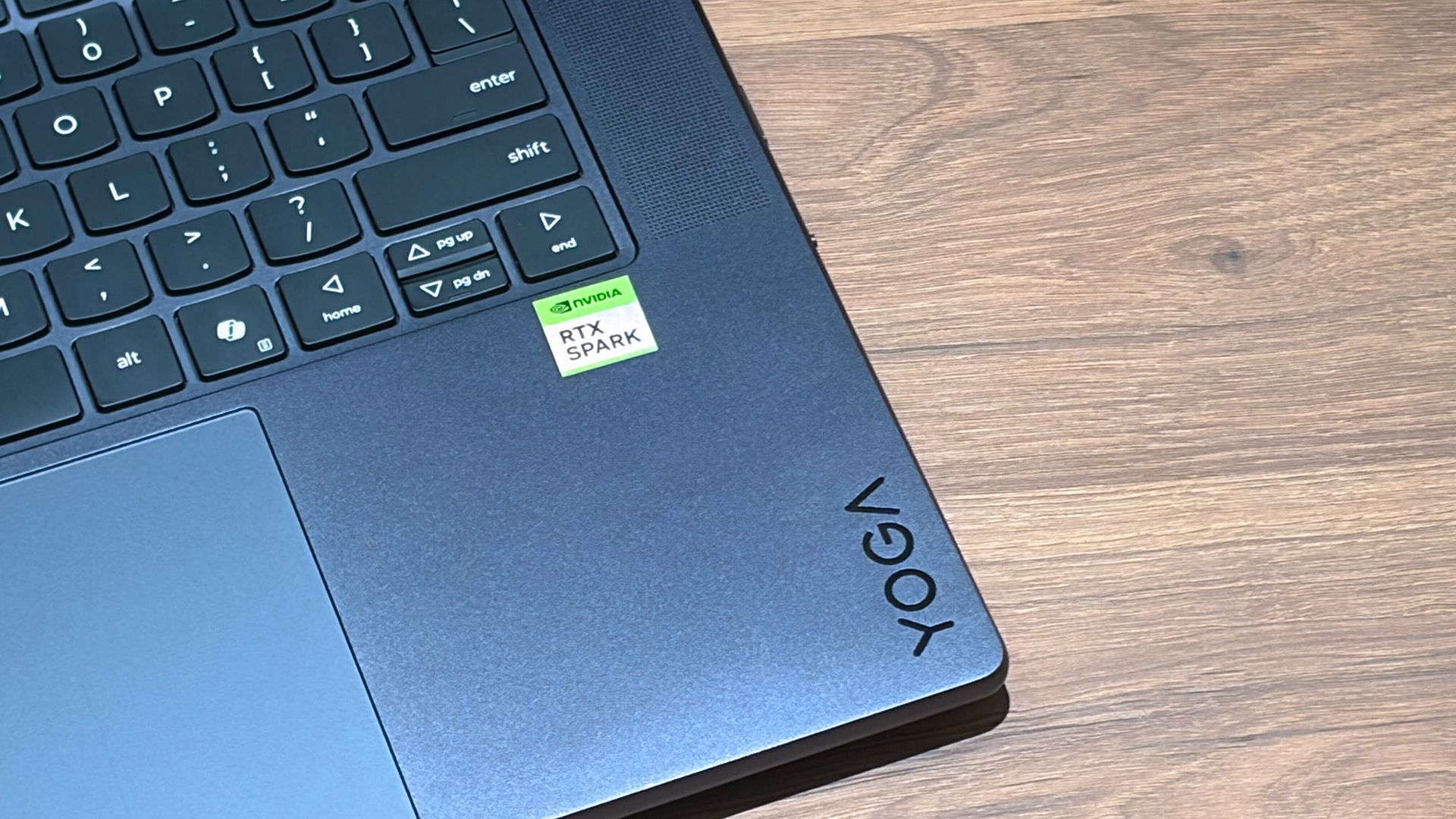
Lenovo Yoga laptop with RTX Spark on a wooden display table at Computex 2026

A Lenovo Yoga laptop equipped with the RTX Spark chip. (Image credit: Cale Hunt | Windows Central)

The RTX Spark is a brand-new ARM-based superchip platform designed by NVIDIA to make a PC more efficient when running high-end PC games and local AI-workflow tasks securely without compromising its performance.
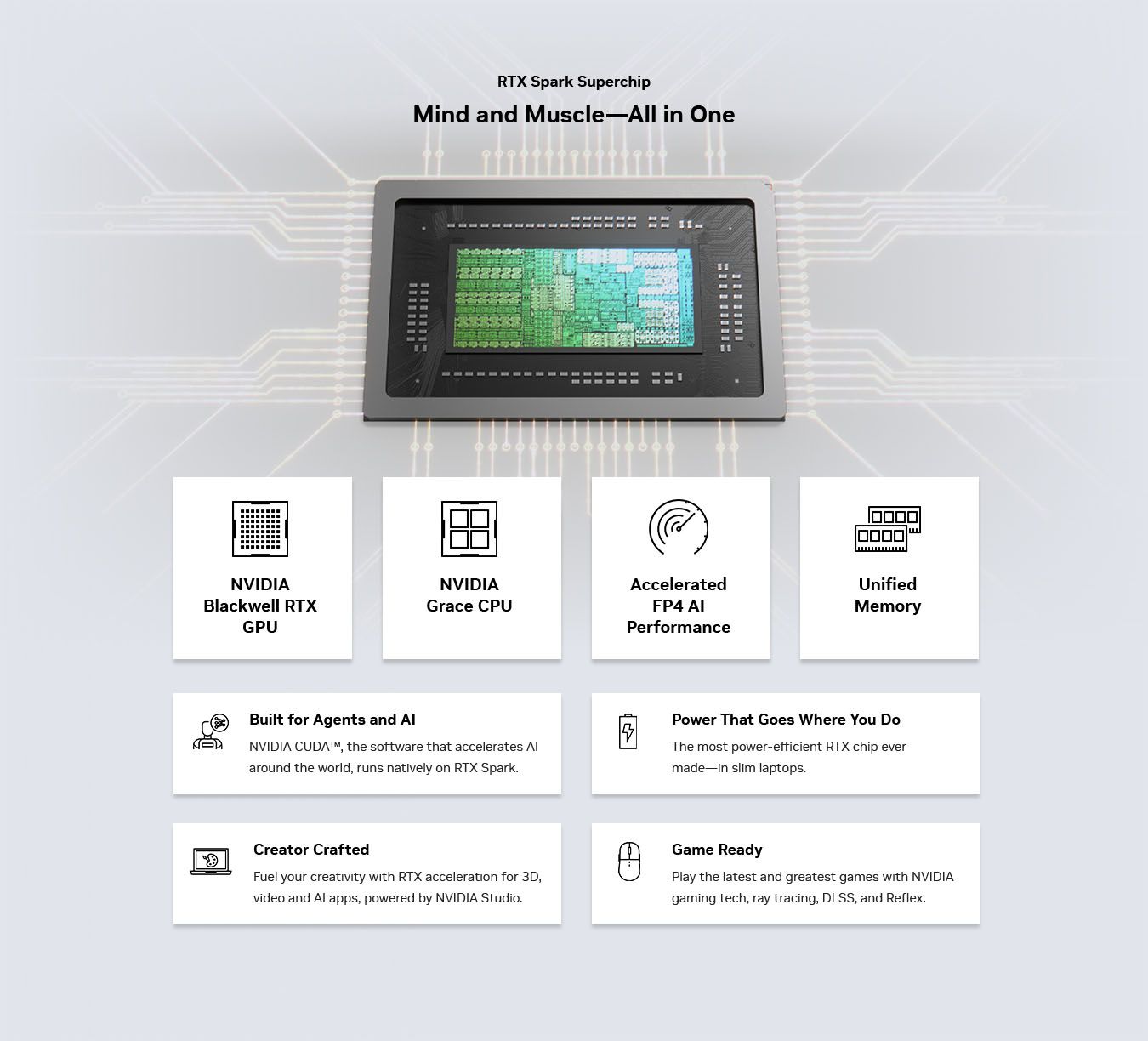
The RTX Spark has an NVIDIA Grace CPU that can support up to 20 cores for boosted performance efficiency, and its Blackwell-generation RTX GPU has gaming performance rates on par with the RTX 5070 graphics card,

Additionally, the RTX Spark can support up to 128GB of unified RAM between its CPU and GPU, and it can generate up to 1,000 TOPS to boost its power when running local AI workflows.

A sleek RTX Spark Superchip graphic shows a chip above feature cards for NVIDIA Blackwell RTX GPU, Grace CPU, AI performance, unified memory, and creative and gaming tools, conveying innovation.

RTX Spark selling points. (Image credit: NVIDIA)

One of our tech experts, Zac Bowden, recently benchmark-tested the RTX Spark and concluded that, and I quote, "RTX Spark is a super interesting chipset. It's forward leaning in a lot of ways, built on the Arm64 architecture that delivers serious performance and great efficiency. While its N1X CPU is just okay, its Blackwell RTX GPU really shines.

This is the first time we've seen RTX 4070-5070 level performance in an SoC that is this small and efficient. It's optimized for AI workloads, which is its strongest workflow by far. Quantized AI models run great, and with up to 128GB of unified memory, most mainstream models will fit entirely on the GPU without a hitch."

Zac also mentions that while it's great for content creators and gamers, the RTX Spark is best recommended for workers who run AI models locally all day, develop software, crunch complex data, and manage source code using thin laptops.

So, If you're one of those hard-working data crunchers in need of a powerful productivity laptop, then laptops built with the RTX Spark are for you.

Click to join us on r/WindowsCentral

Join us on Reddit at r/WindowsCentral to share your insights and discuss our latest news, reviews, and more.
  •  
❌