❌

Reading view

BMX's GaNsta 140W may just be the 4-port GaN travel charger you need

It was when I started running out of storage boxes that I realized I may have too many GaN chargers. I joke that if you casually throw a GaN charger in my home, you're bound to hit another one. Anyway, I have dozens of these things lying around, and having tested just about every major charger released in the last three years, I know what a good charger needs to offer.

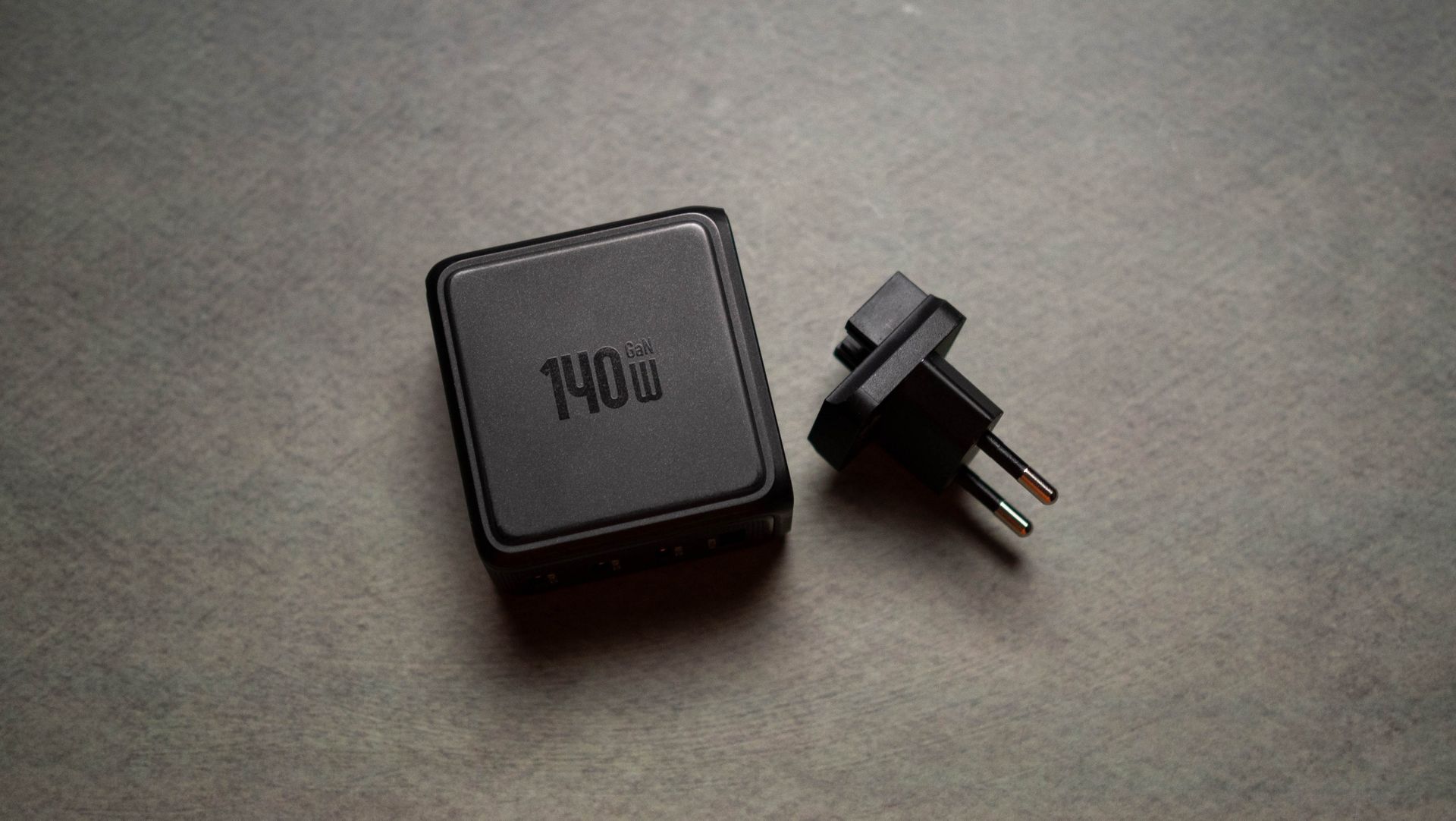
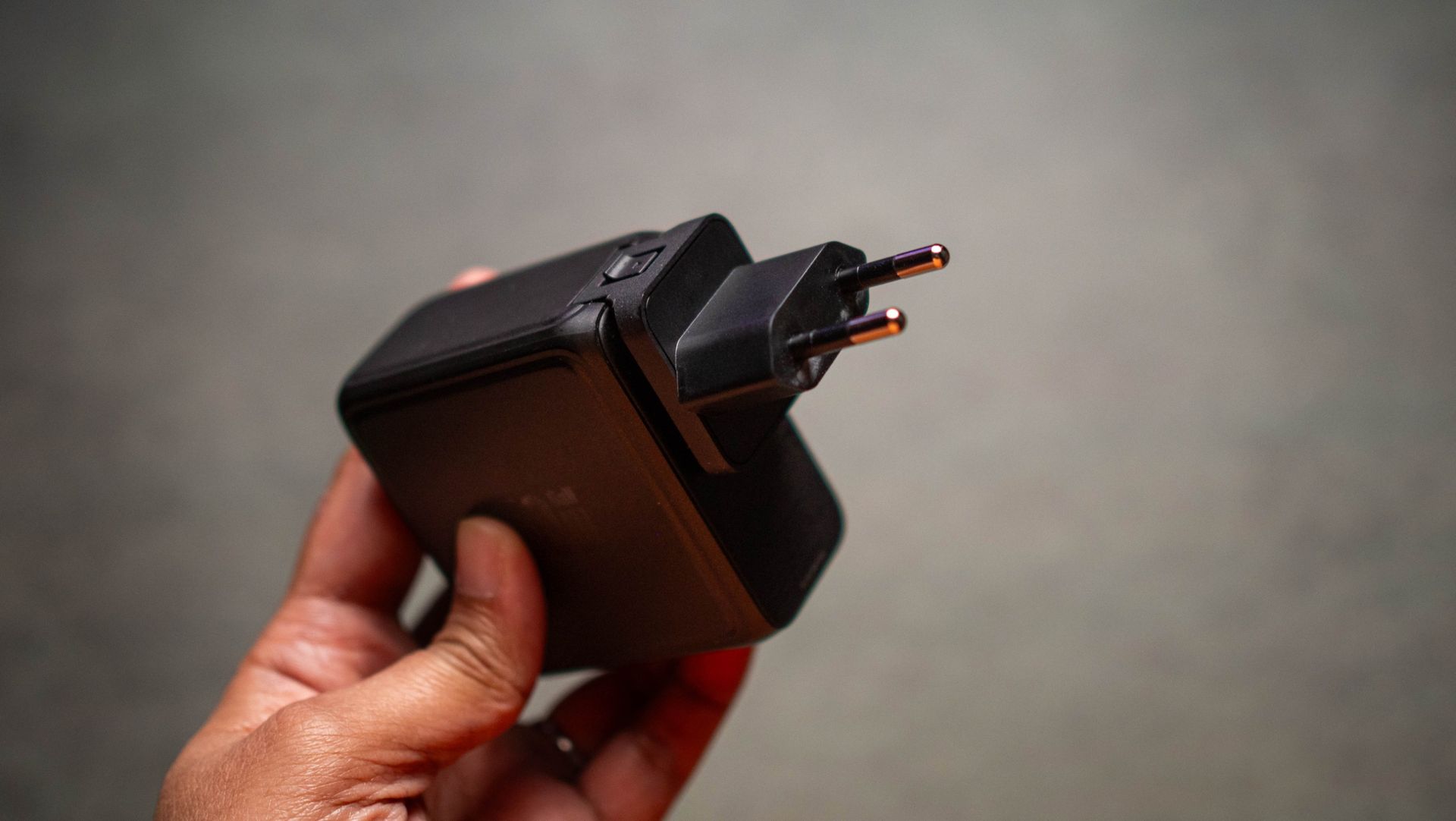
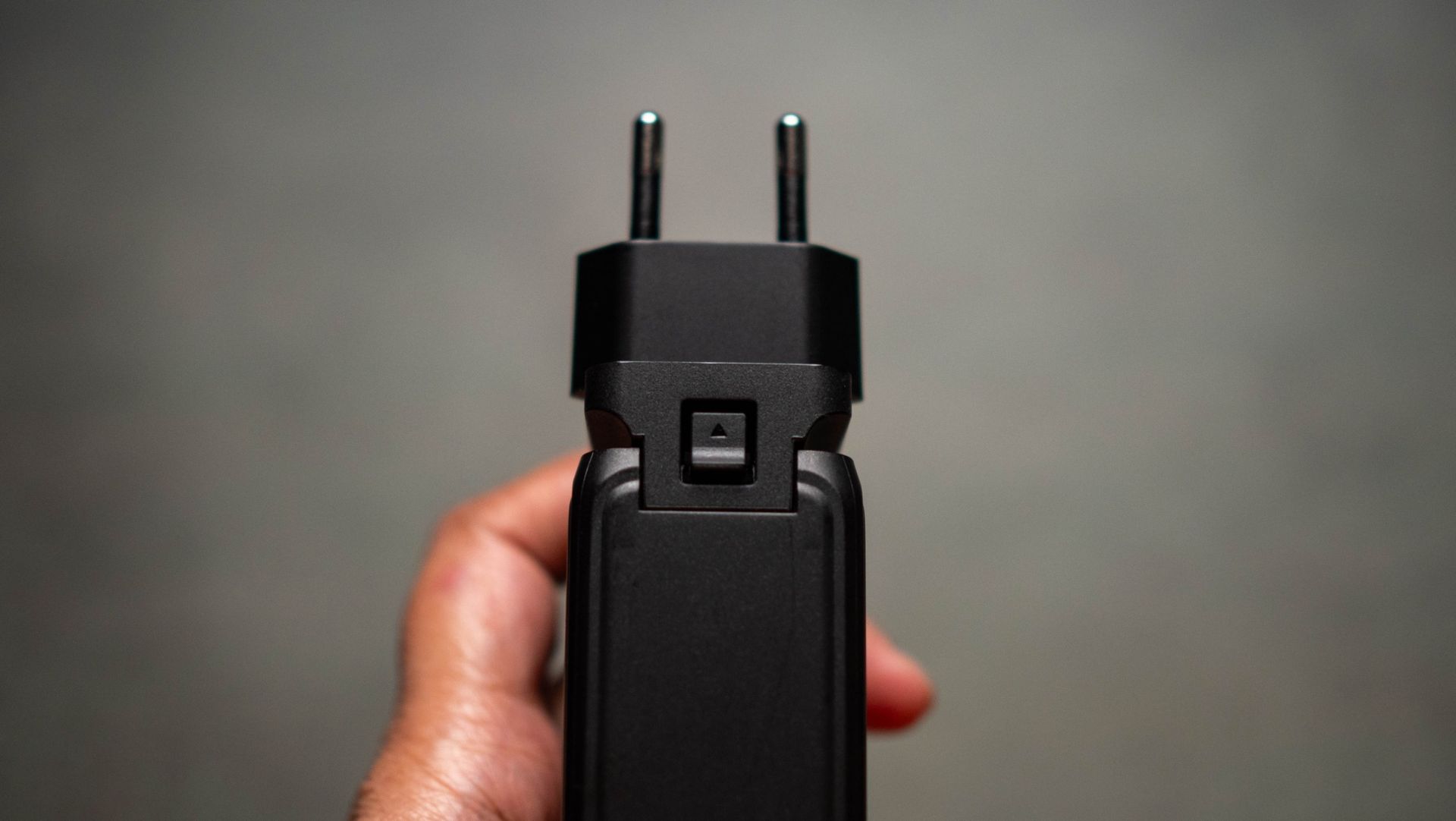
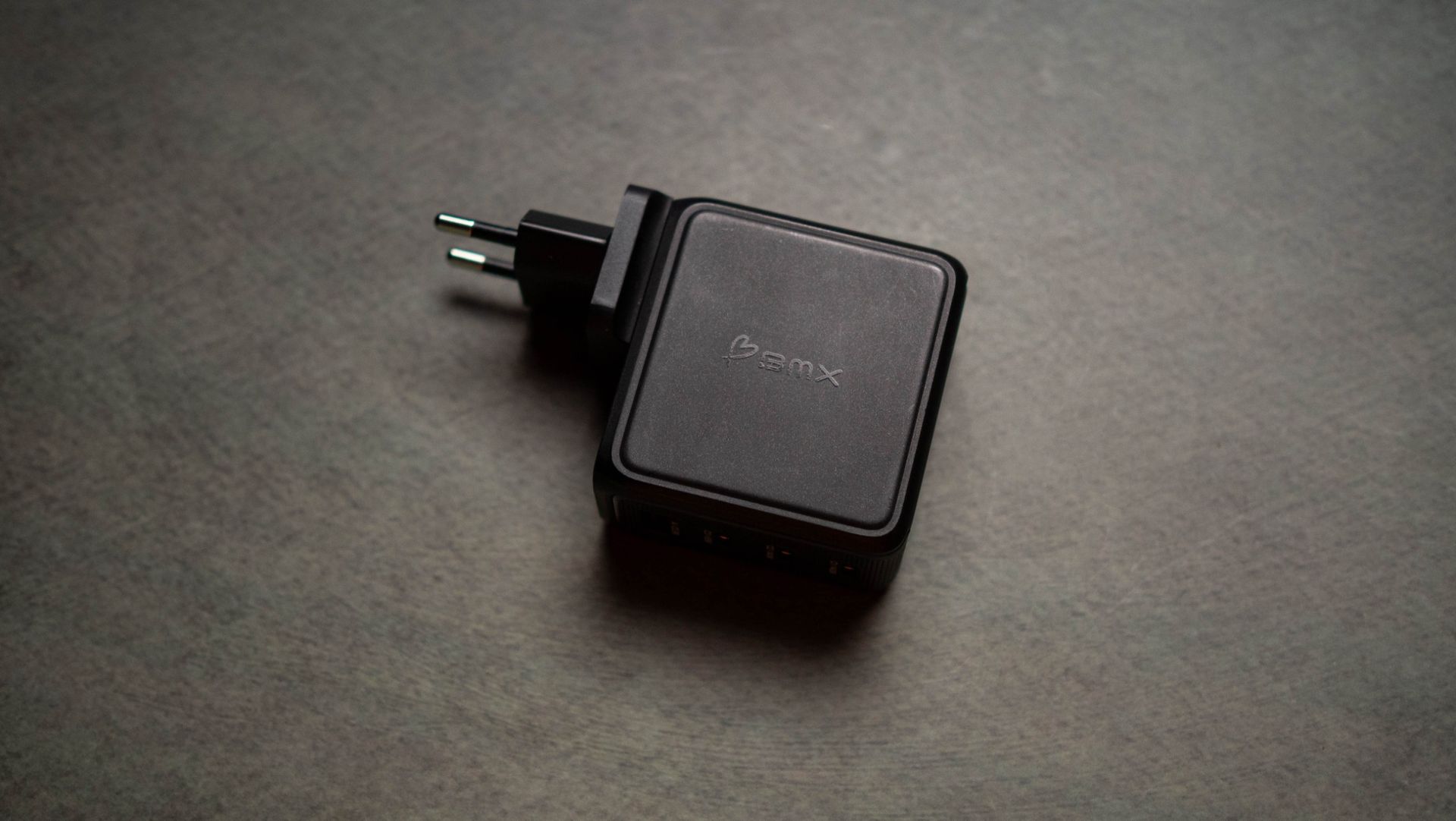
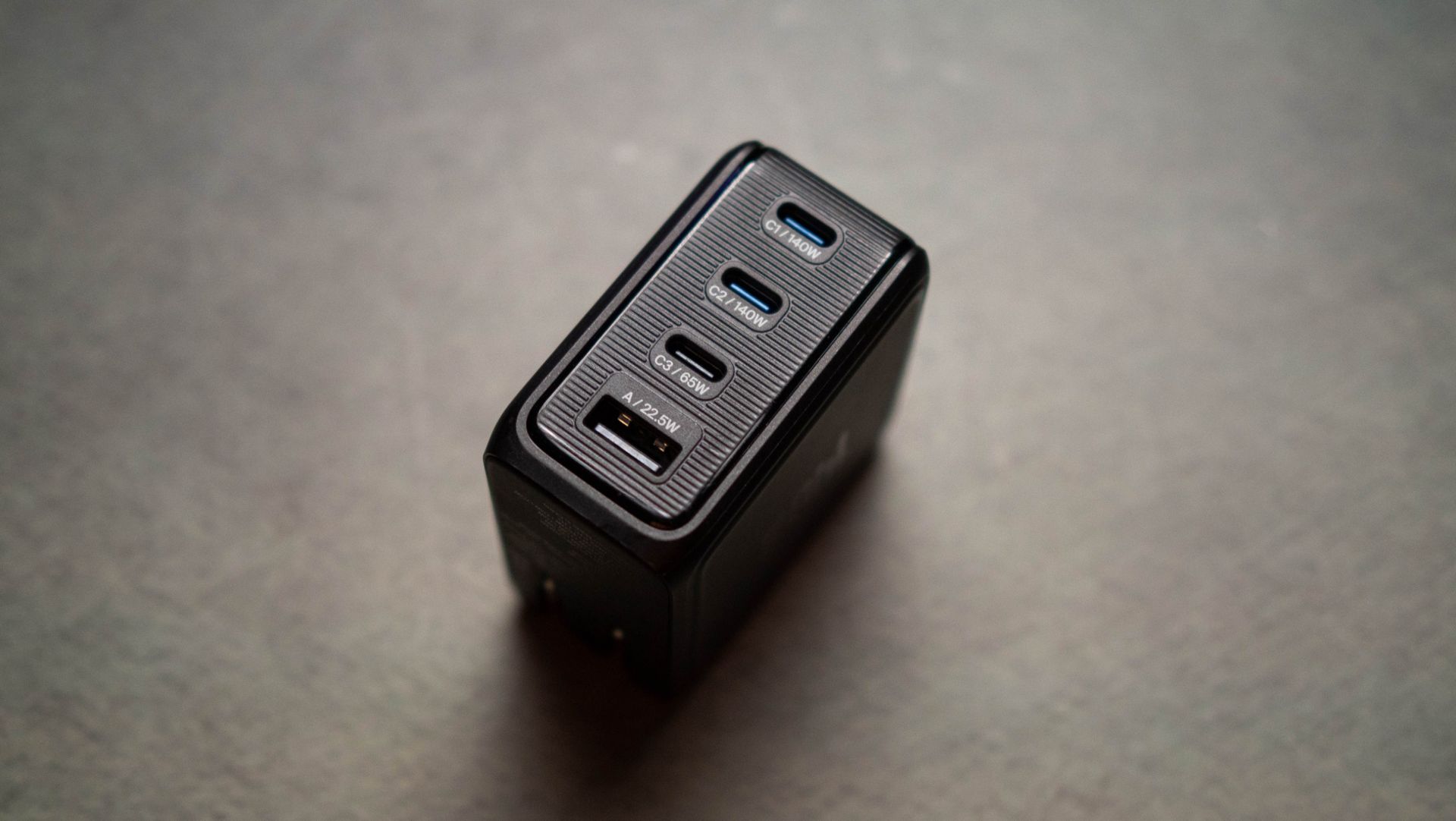
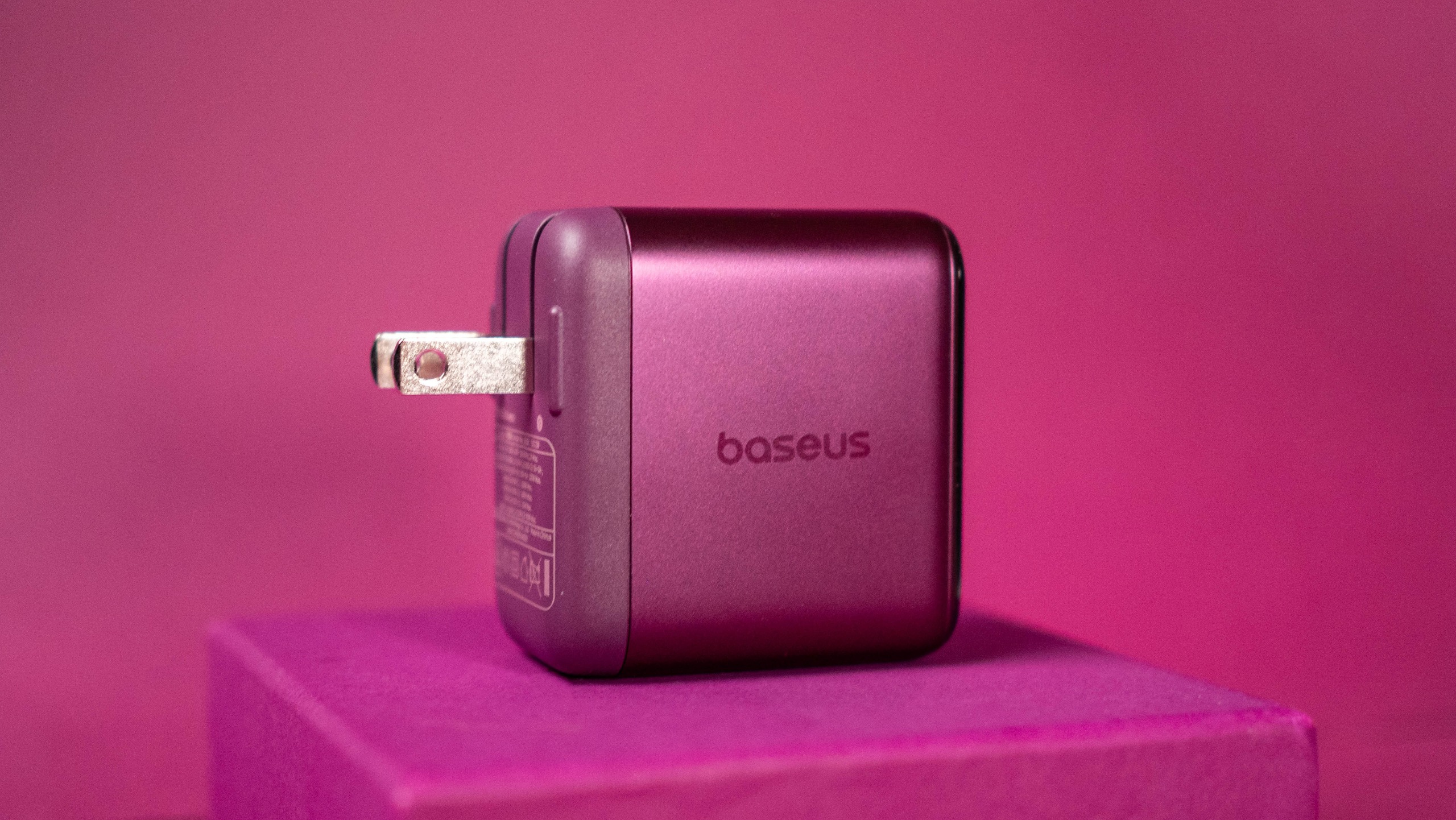
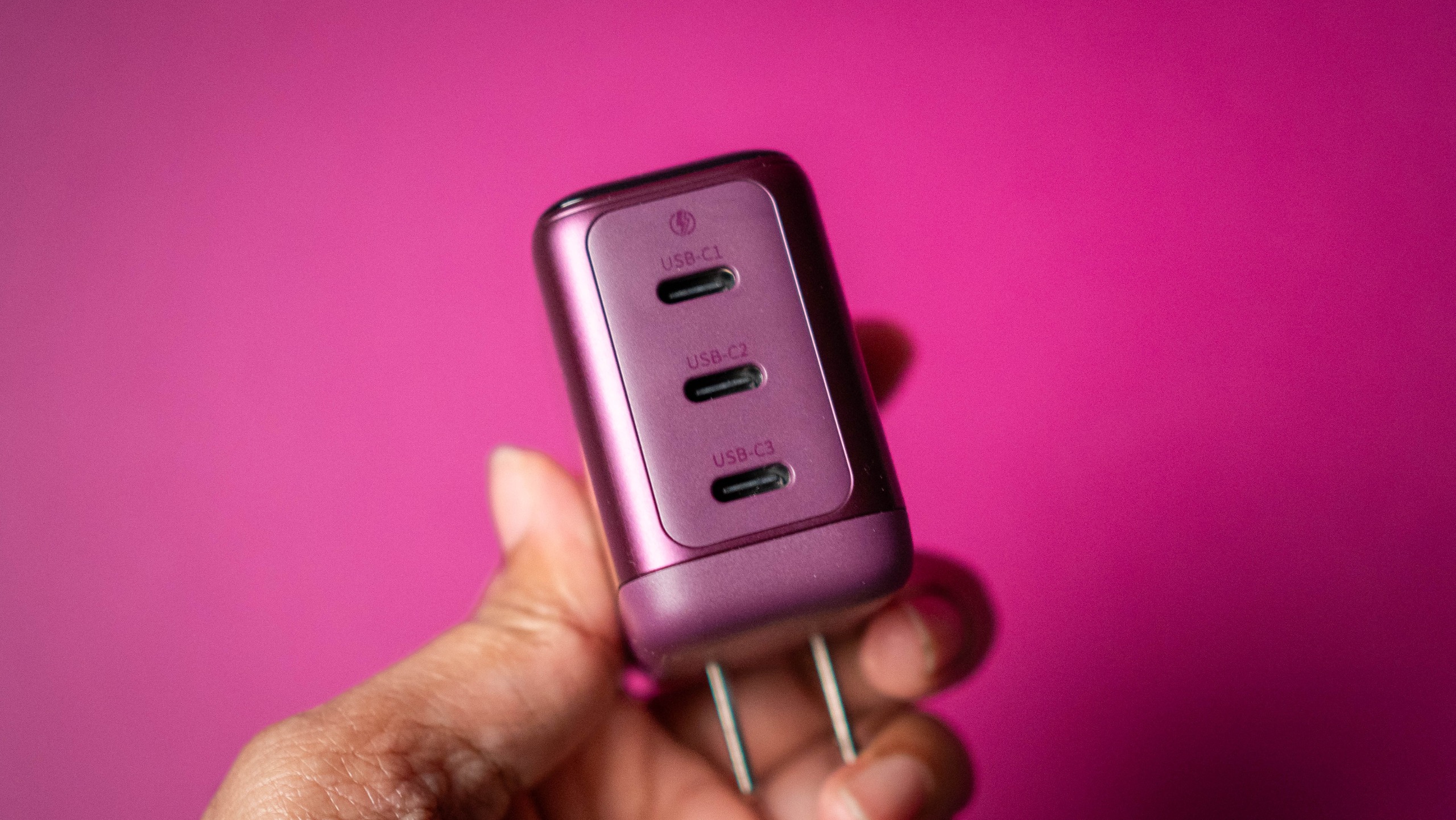
So when I got started with the BMX GaNsta 140W (as puns go, the name gets an 8/10), it was clear that the charger ticked a lot of the right boxes. It has three USB-C ports, a USB-A port, foldable blade pins with EU, UK, and AU converters that make it easy to travel with, and 140W power over USB PD 3.1.

BMX GaNsta 140W GaN charger testing

(Image credit: Apoorva Bhardwaj / Android Central)

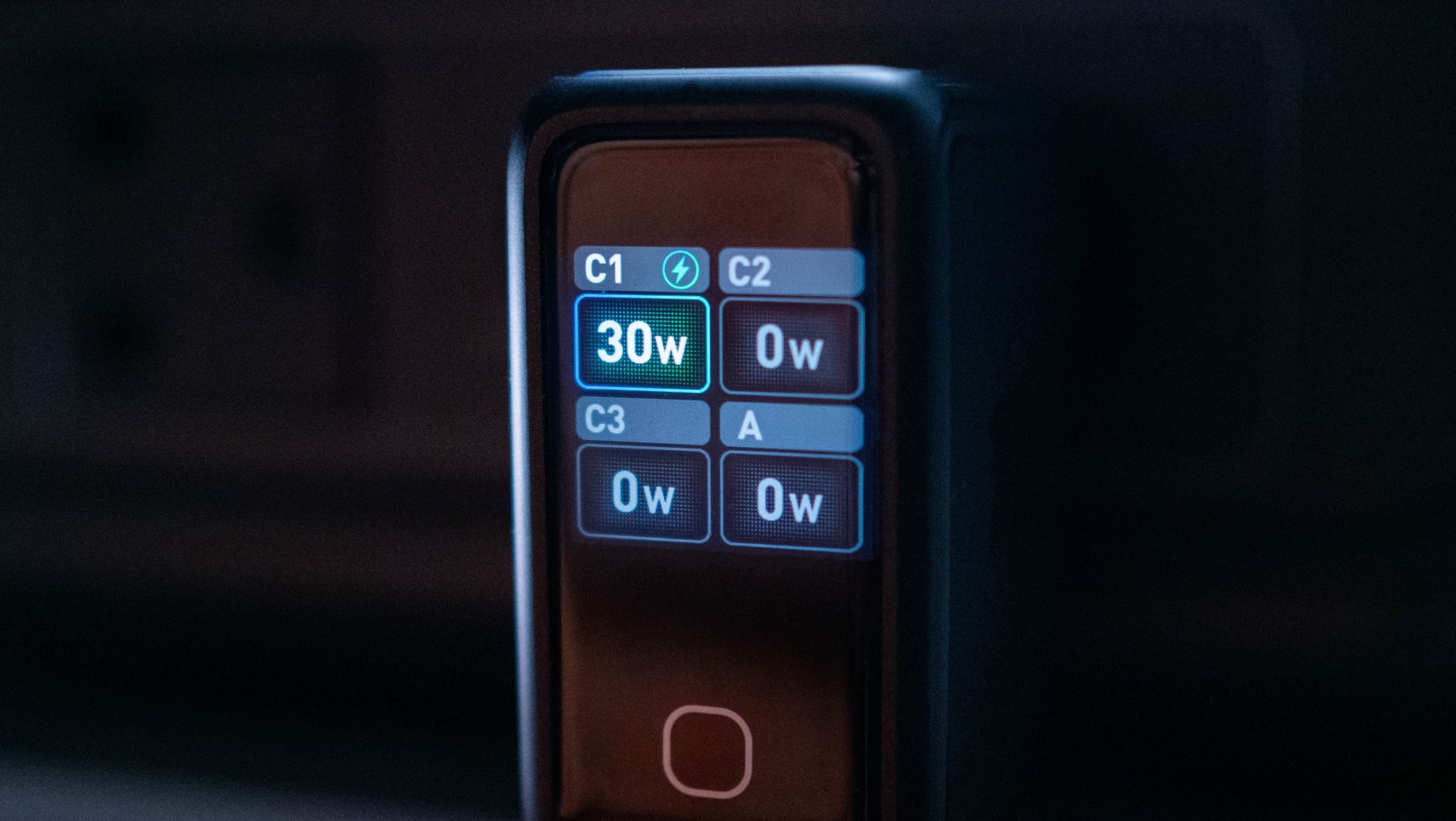
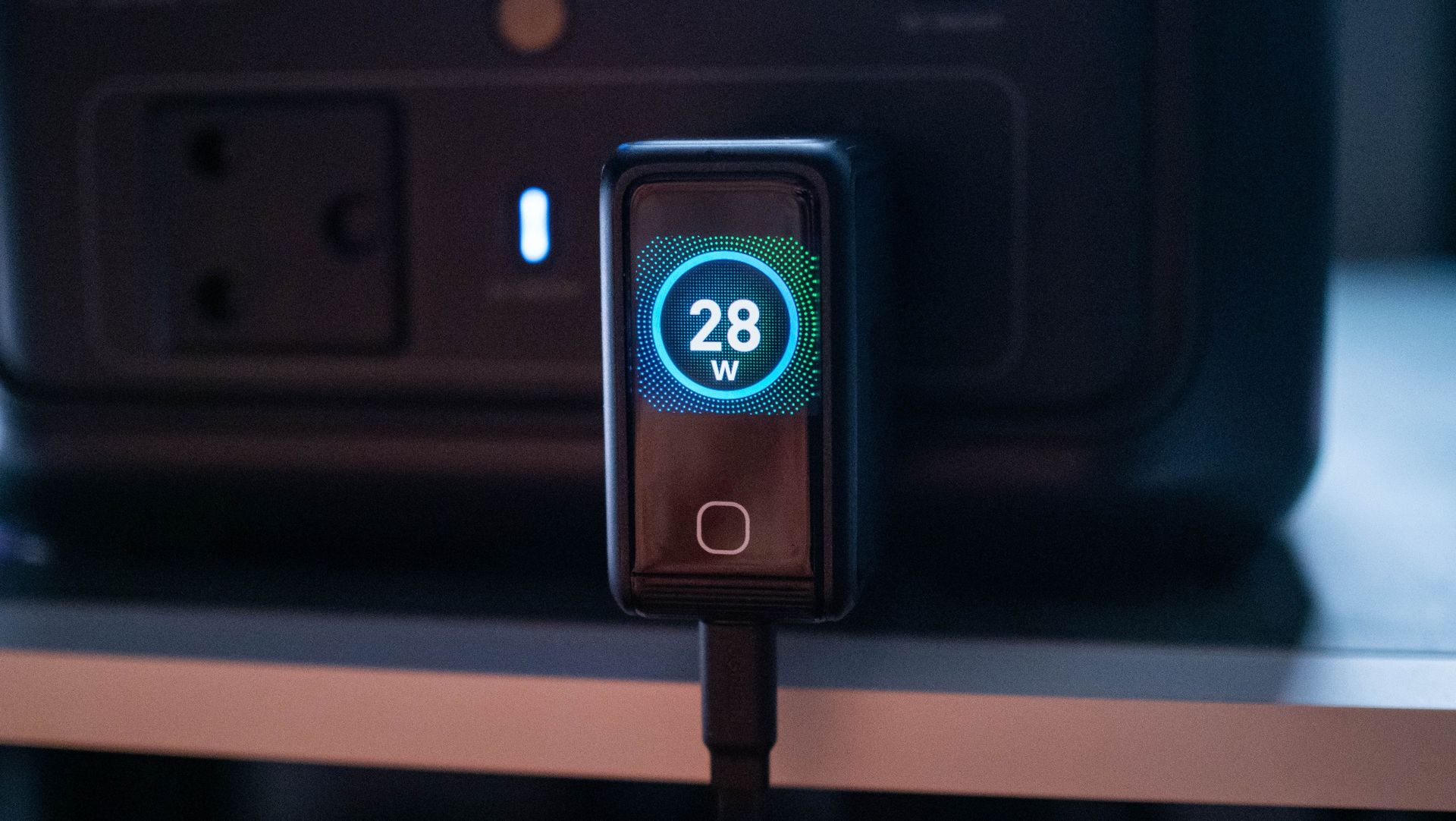
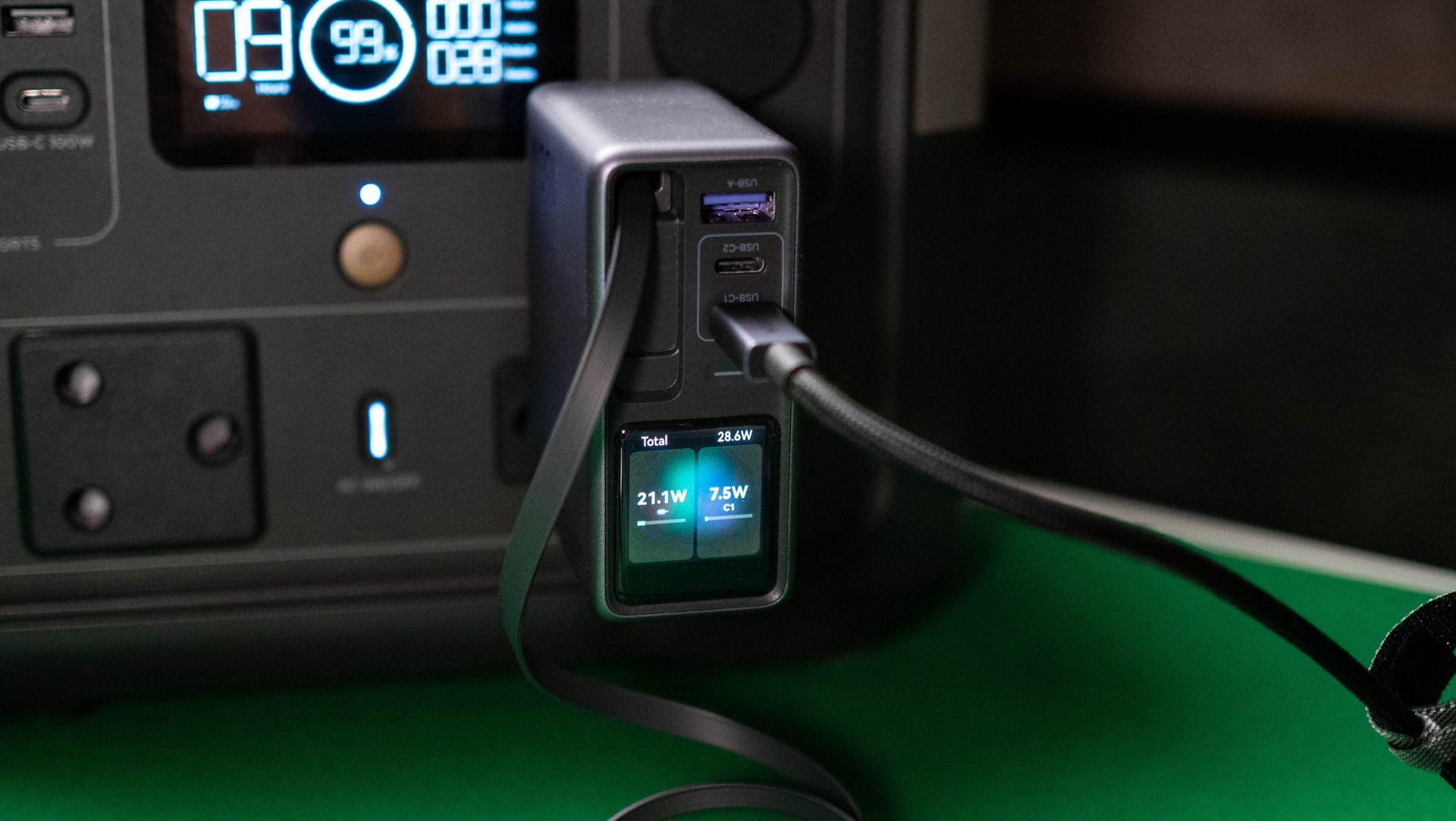
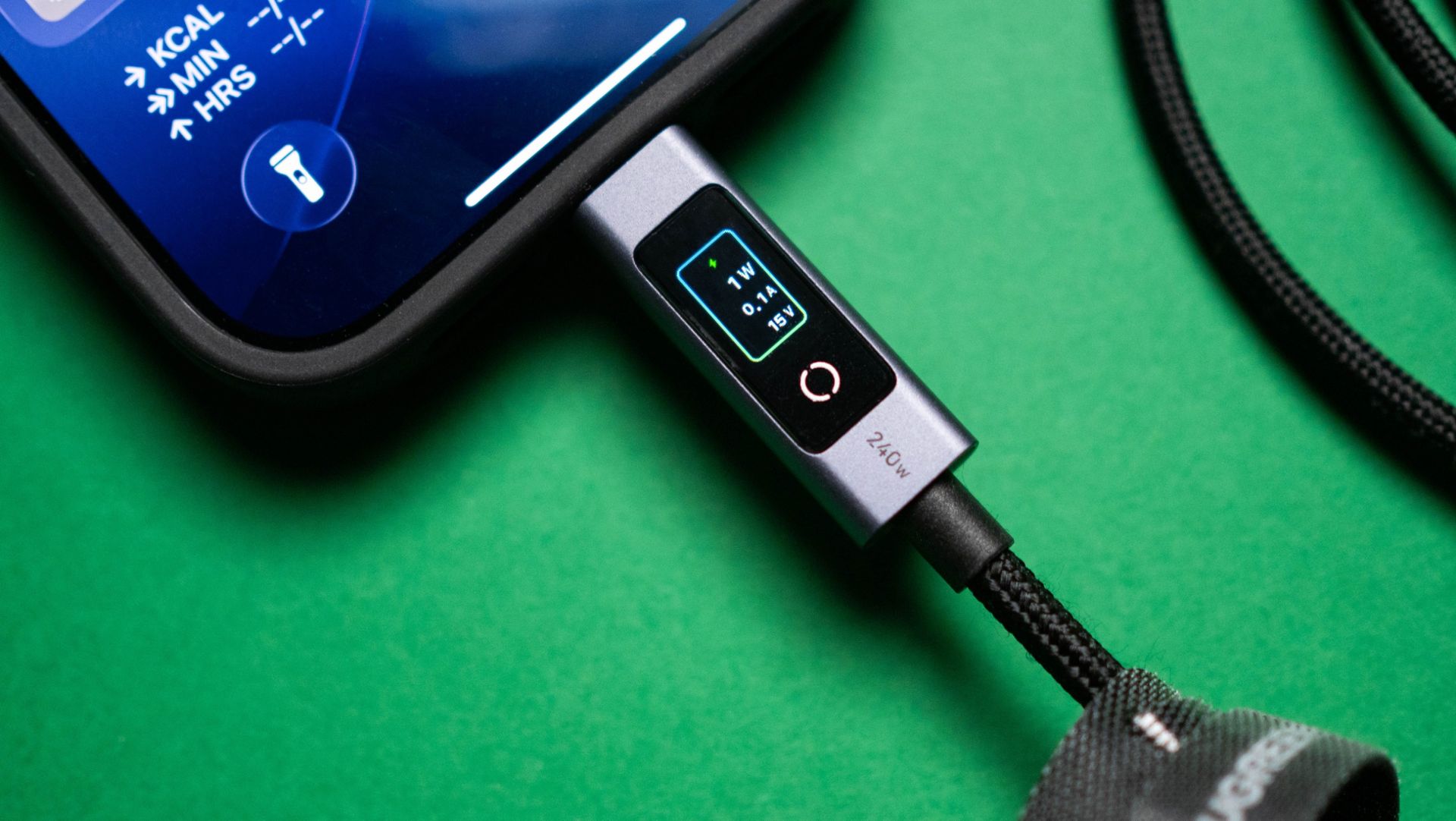
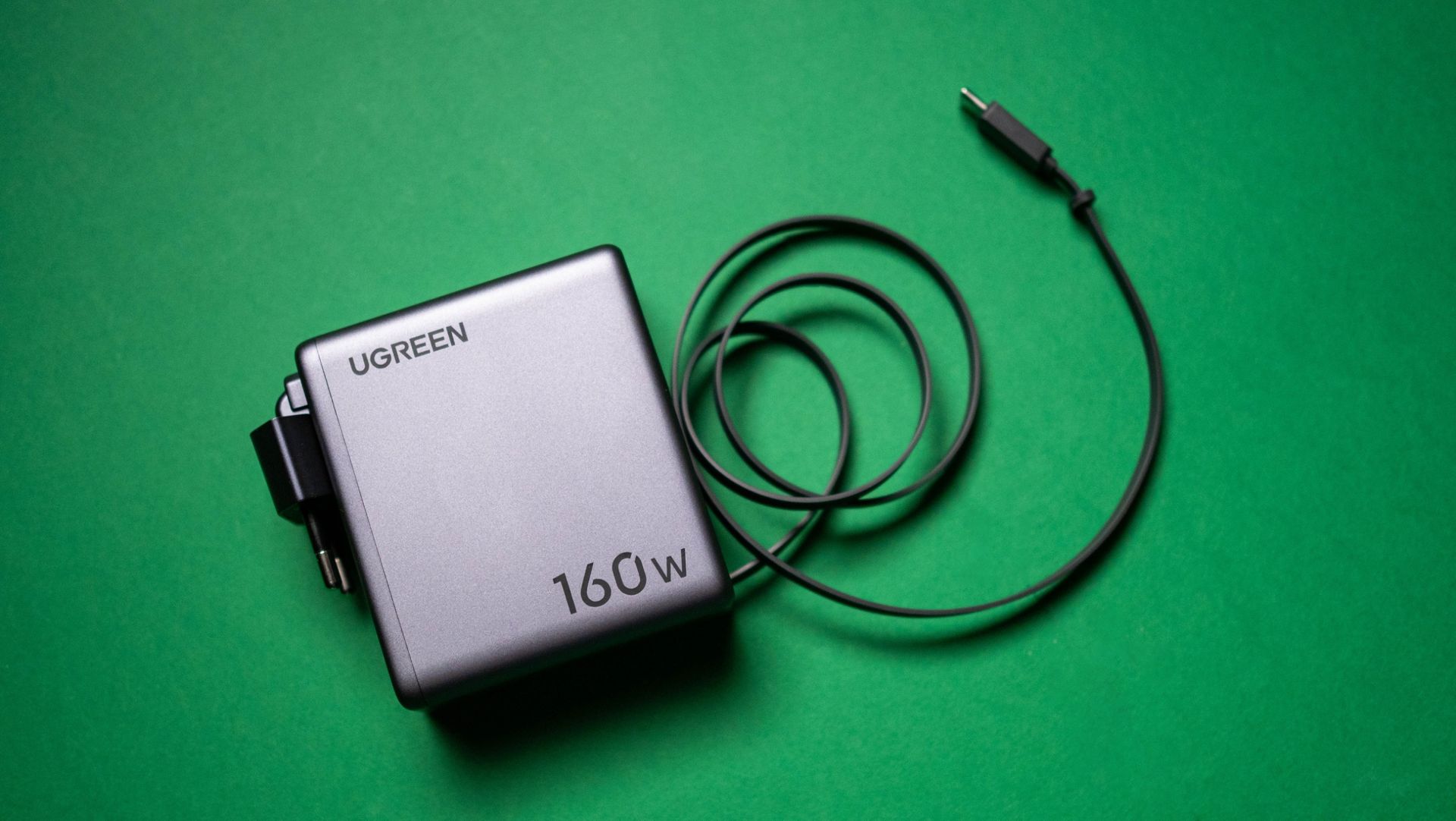
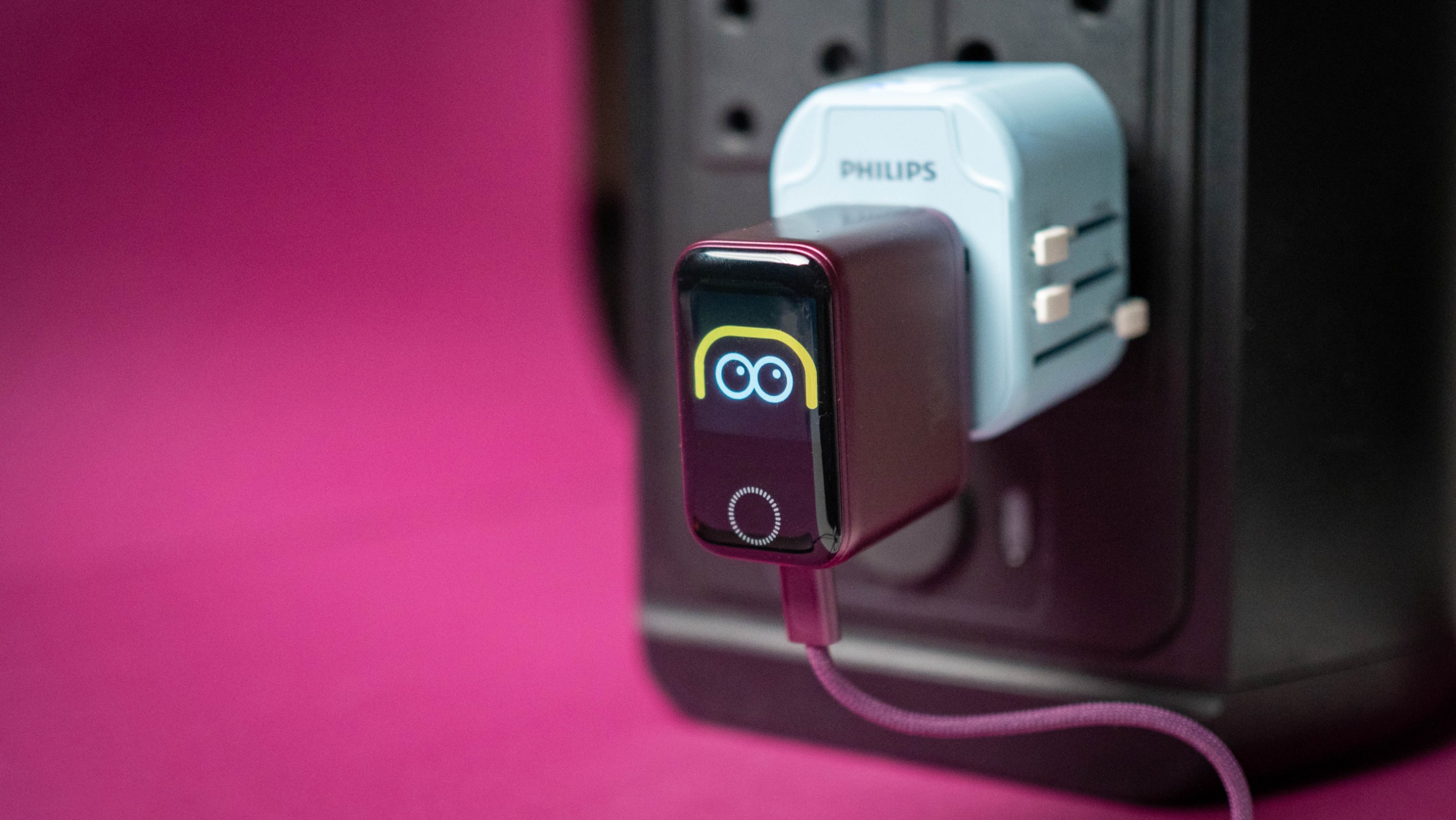
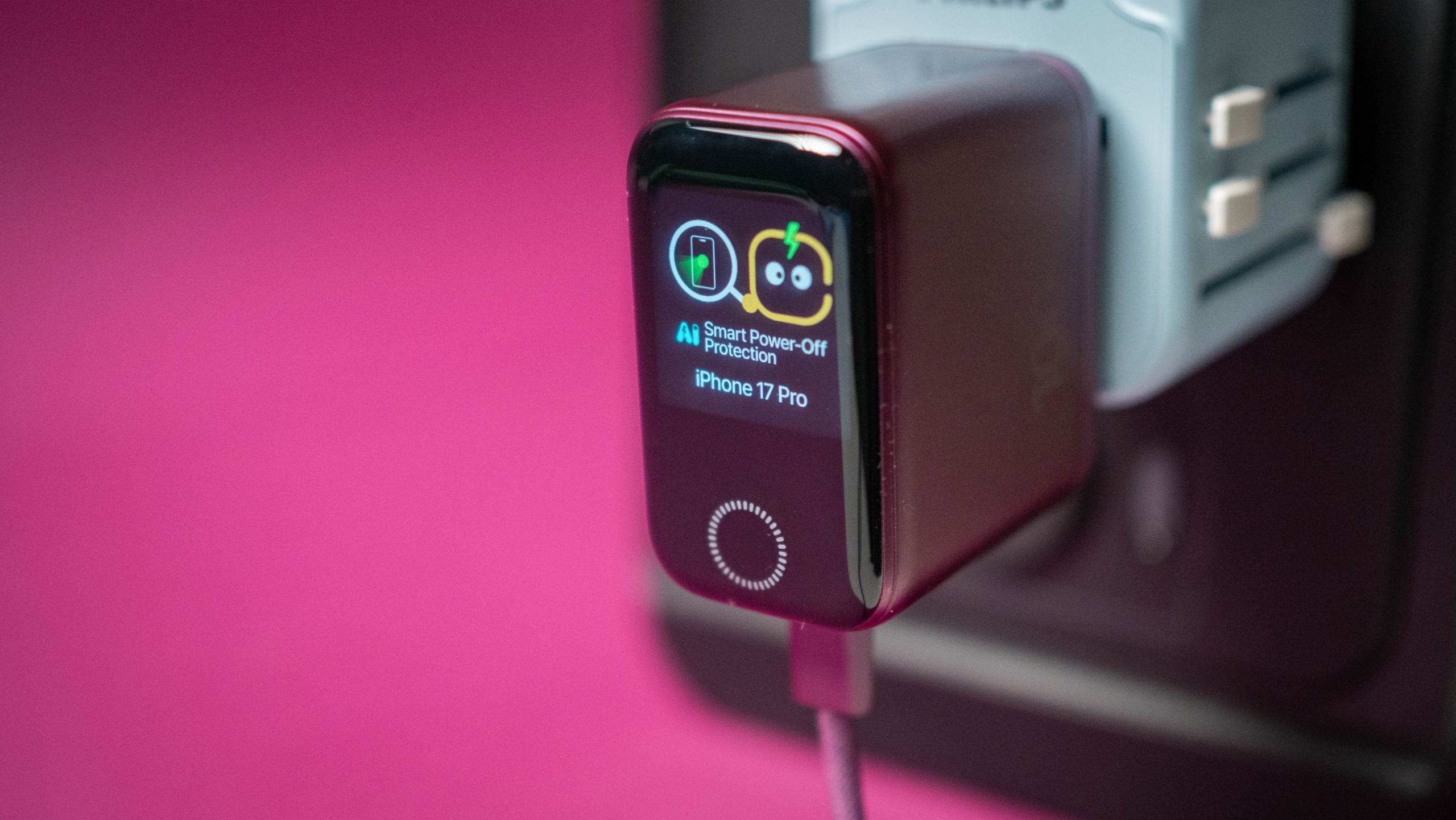
Oh, and it gets an LCD panel that shows real-time charging details out of each port, which is a must-have in a GaN charger in 2026. The GaNsta costs $89 as of writing, which is $10 pricier than Anker's charger, and $30 more than the last-gen 160W UGREEN Nexode Pro, both of which also have LCD screens.

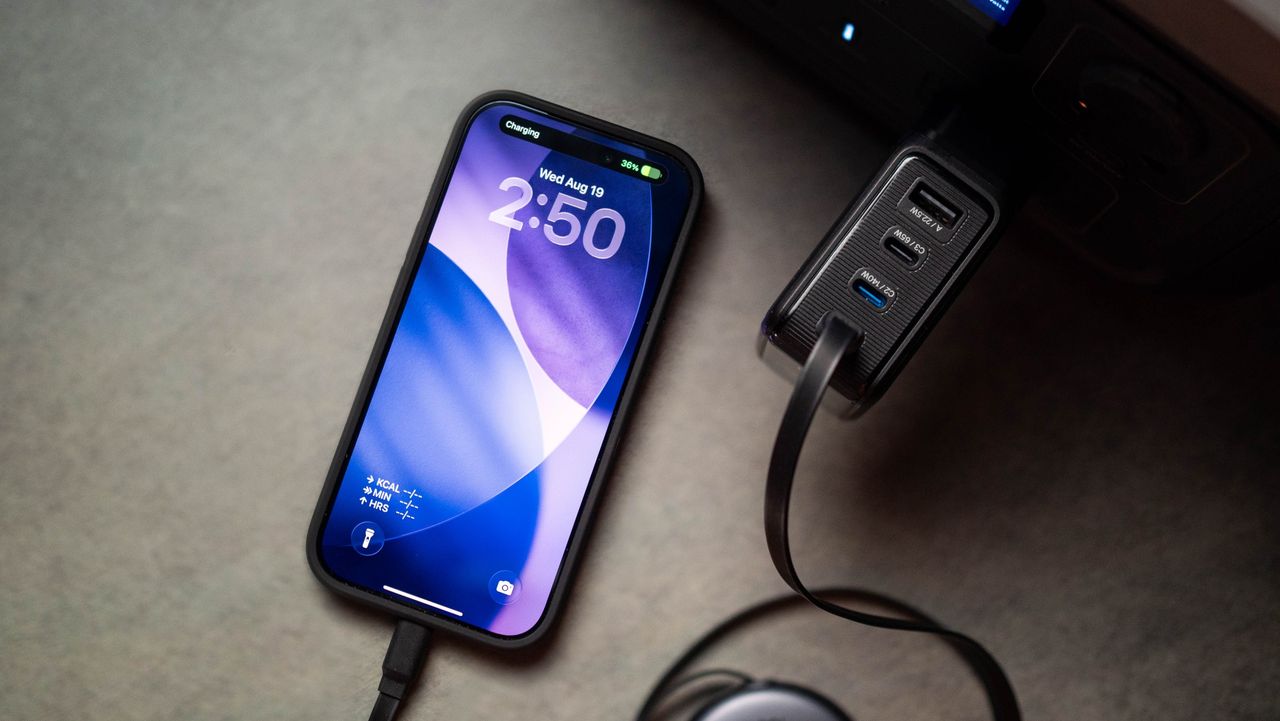
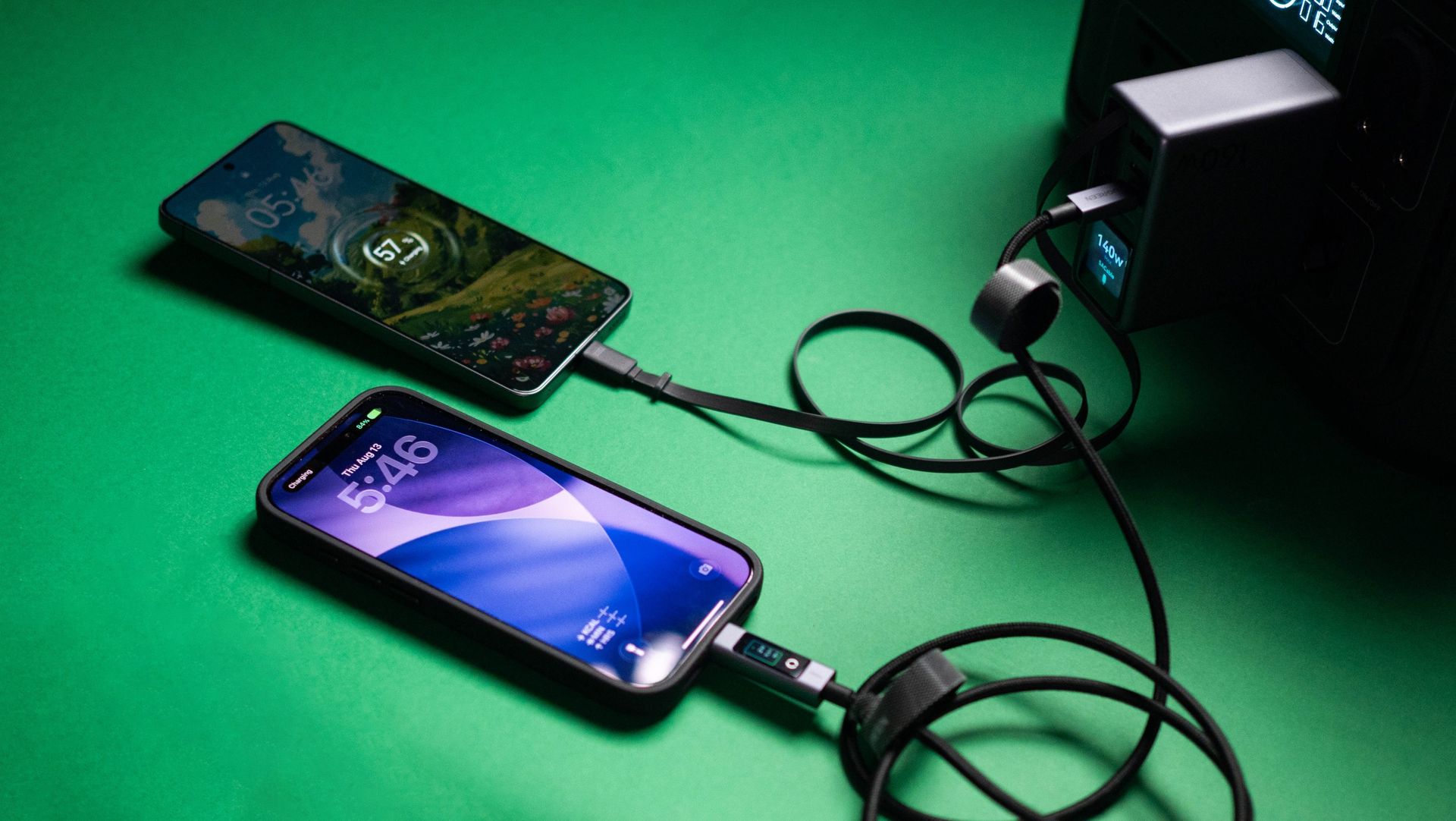
The GaNsta is a little smaller than other 4-port chargers, but not enough that you'd notice the difference. Build quality is decent, and I didn't see any issues in the two months I used it. I tested the charger with my Find X9 Ultra, Pixel 11 Pro XL, iPhone 17 Pro, iPad Pro M4, and a dozen or so accessories — including 160W power banks — and it turned out to be reliable in day-to-day use.

BMX GaNsta 140W GaN charger testing
Apoorva Bhardwaj / Android Central
BMX GaNsta 140W GaN charger testing
Apoorva Bhardwaj / Android Central
BMX GaNsta 140W GaN charger testing
Apoorva Bhardwaj / Android Central
BMX GaNsta 140W GaN charger testing
Apoorva Bhardwaj / Android Central

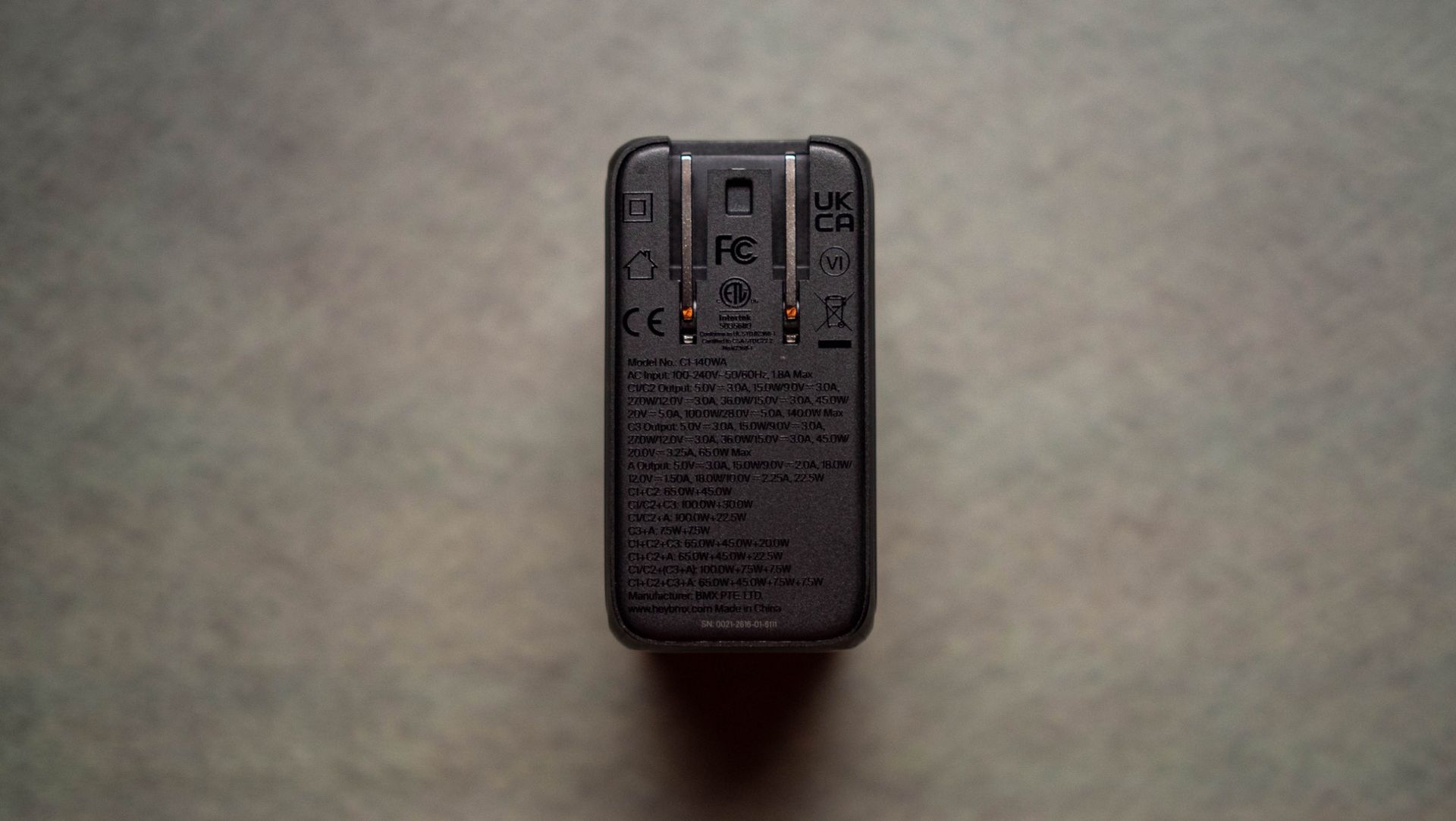
I like that each port's power output is clearly labeled, and it takes a lot of the guesswork out of figuring out which port to use. The USB-C1 and C2 ports individually go up to 140W over the USB PD 3.1 protocol, and I tested this using a standalone power meter (Power-Z KM003C). I also like that the area around the ports has a slotted design to prevent scratches; this is a thoughtful design choice that makes a difference.

BMX GaNsta 140W GaN charger testing
Apoorva Bhardwaj / Android Central
BMX GaNsta 140W GaN charger testing
Apoorva Bhardwaj / Android Central
BMX GaNsta 140W GaN charger testing
Apoorva Bhardwaj / Android Central
BMX GaNsta 140W GaN charger testing
Apoorva Bhardwaj / Android Central
BMX GaNsta 140W GaN charger testing
Apoorva Bhardwaj / Android Central

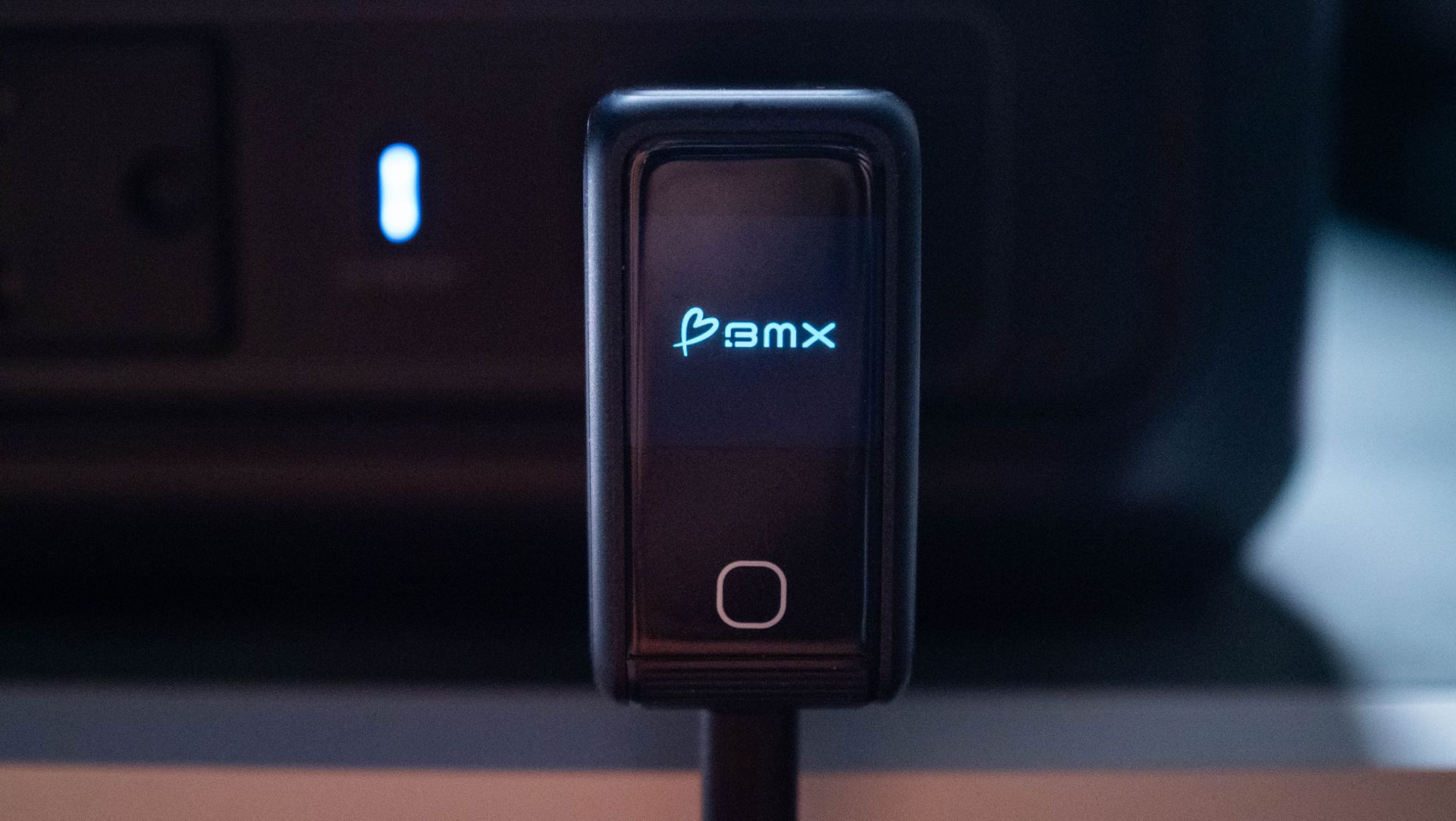
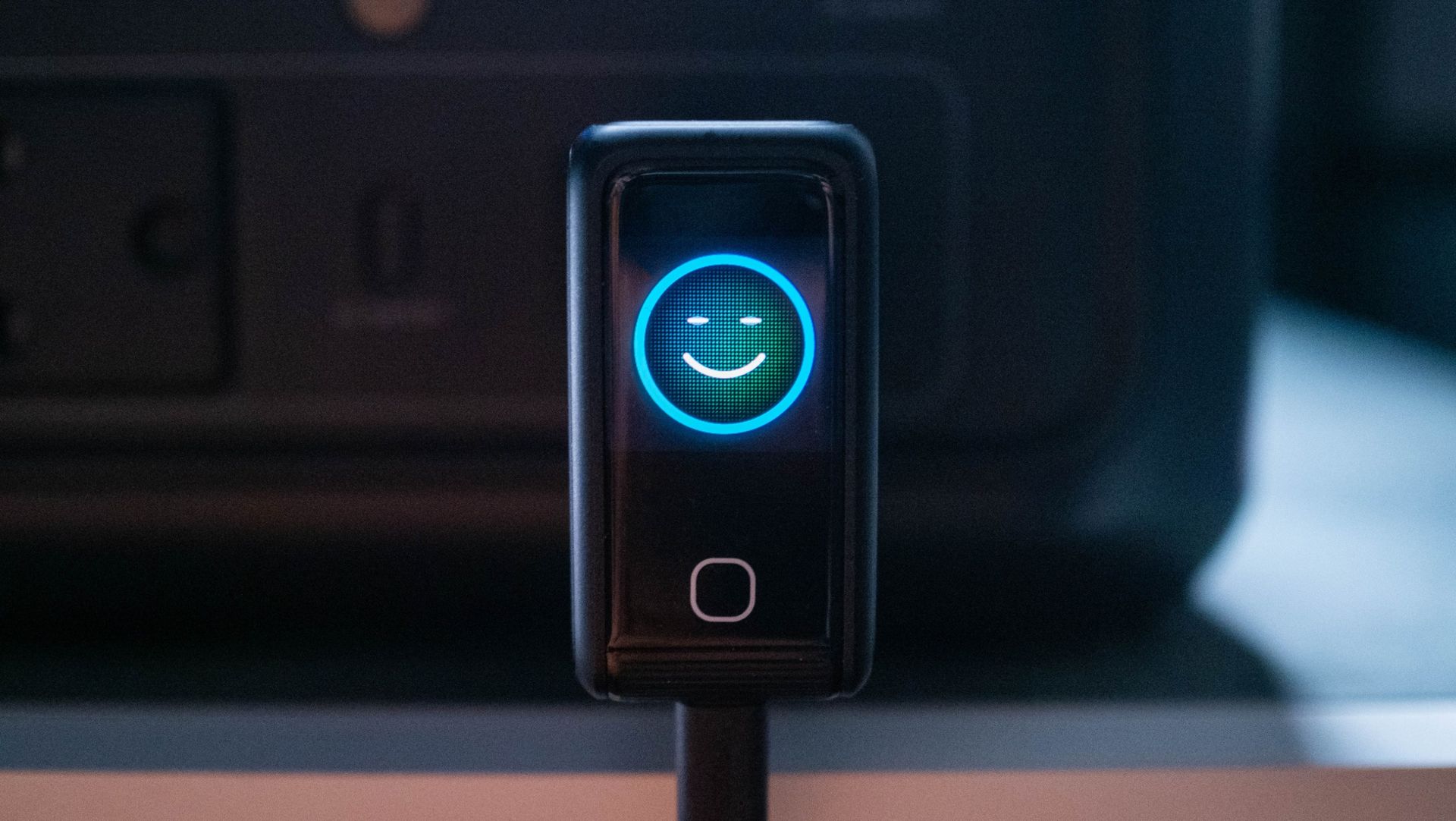
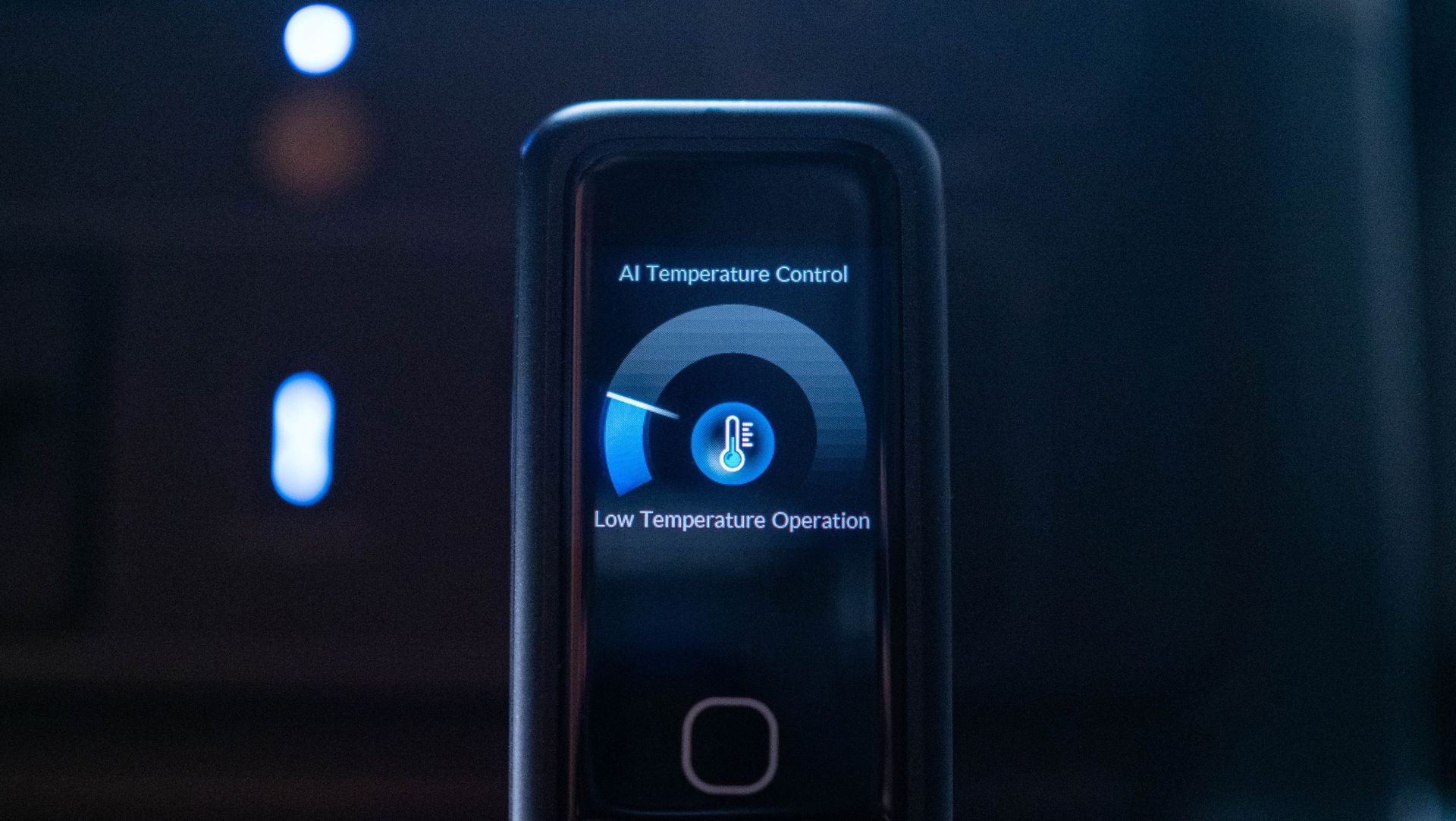
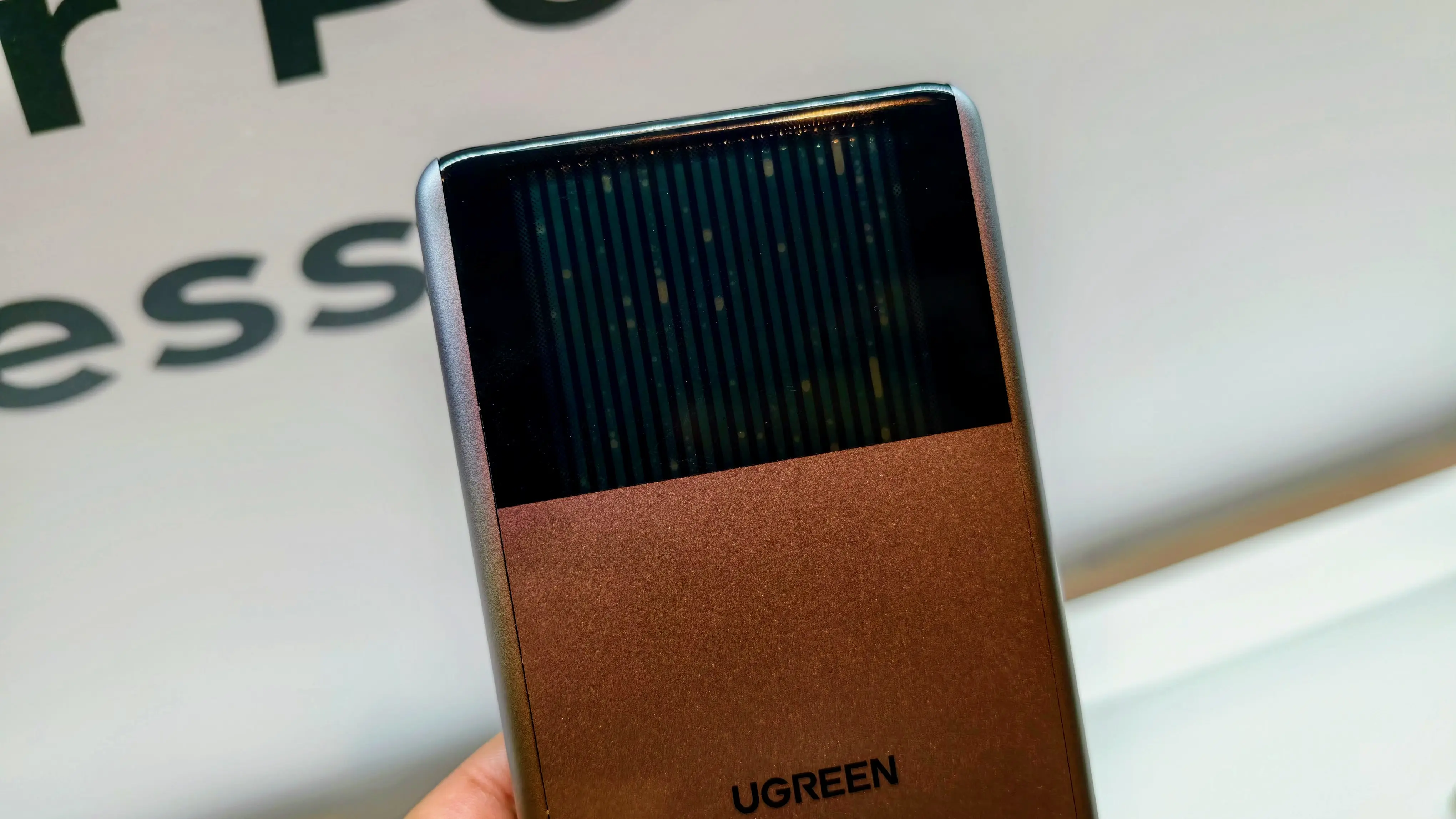
The LCD screen is the real star of the show. It shows real-time charging details, power going out of each port, and heat levels. The latter isn't quite as useful as you don't normally see thermal issues on a 140W charger, but it's there. And as AI needs to be shoehorned into every product these days, this thermal management feature is assisted by AI (however that works). Anyway, what you need to know is that even with all ports in use, the GaNsta doesn't have any issues with overheating.

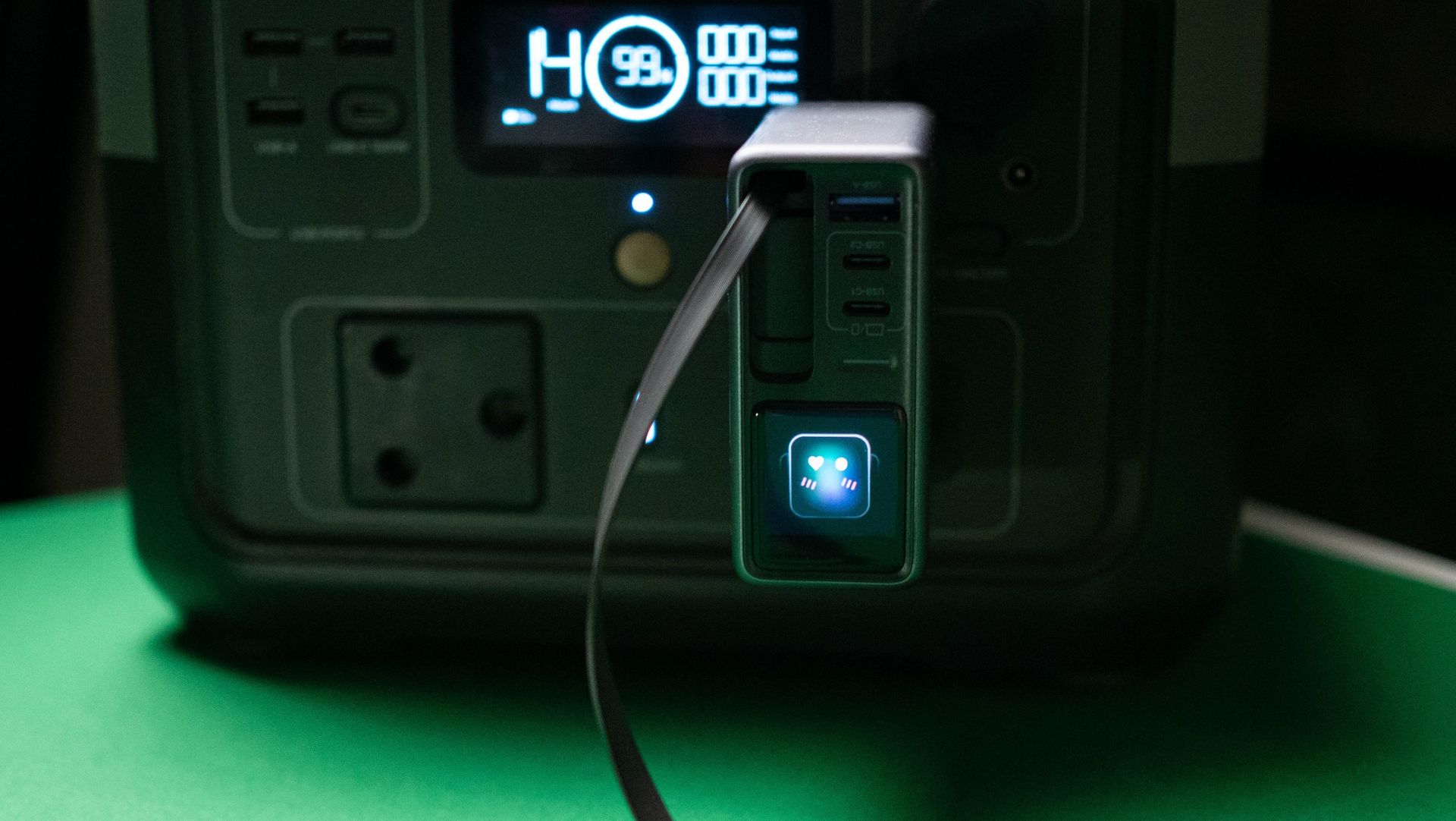
You also get emoticons on the panel, and you can easily cycle through the various menus via the button at the bottom.

BMX GaNsta 140W GaN charger testing

(Image credit: Apoorva Bhardwaj / Android Central)

With four ports available, you get the ability to charge four devices at once. Of course, the total power budget is limited when all ports are in use, and with the GaNsta, you get 125W cumulatively: 65W + 45W + 7.5W + 7.5W. I would've liked to see 65W on both the C1 and C2 ports — like the latest Nexode Pro 160W charger — but that isn't the case.

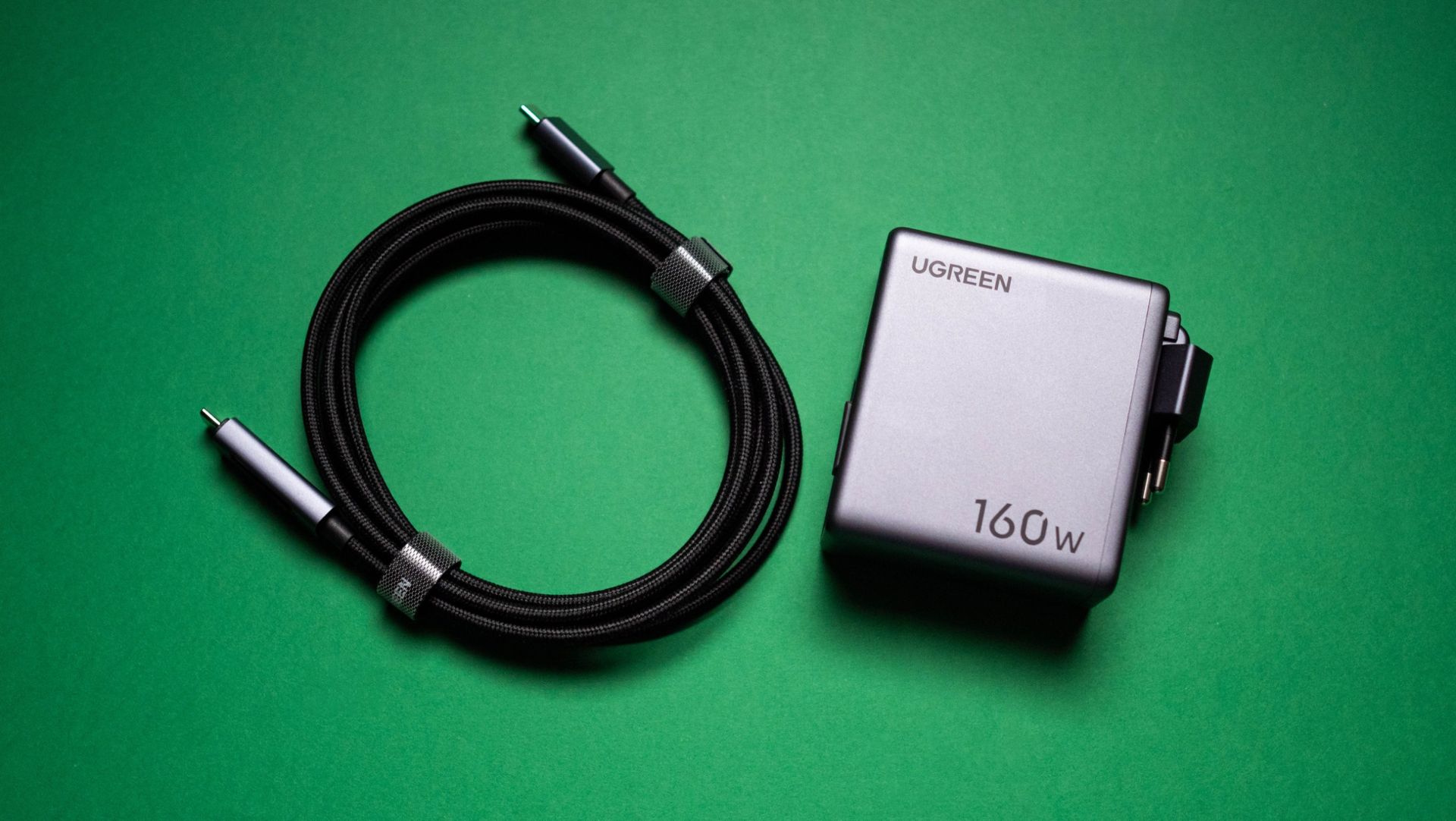
That said, if you're just going to leave four devices to charge overnight, the GaNsta 140W does a decent enough job. The inclusion of a USB-C to USB-C cable along with travel plugs is a good move, and the size of the charger means you can easily throw it into a travel bag. What I'm not too sure about is the pricing; it is costlier than its rivals, and if you're willing to shell out $89, the new Nexode Pro 160W is a better deal at $99 as it has a retractable cable. If you don't need the built-in cable and like the travel-related accessories, the GaNsta 140W is a good choice.

  •  

One Wireless Charger for iPhone 18 Pro, AirPods 5 and Apple Watch? What Apple’s 25W Ceiling Allows

One wireless charger cannot cover the three products Apple launched this month. The iPhone 18 Pro takes MagSafe or Qi2 at up to 25W either way, the $149 AirPods 5 case charges on Qi-certified chargers and Apple Watch chargers but is not listed for MagSafe, the $129 AirPods 5 has no wireless charging at all, […]

The post One Wireless Charger for iPhone 18 Pro, AirPods 5 and Apple Watch? What Apple’s 25W Ceiling Allows appeared first on The Mac Observer.

  •  

3 reasons the UGREEN Nexode Pro 160W is now my go-to GaN charger

I've been using UGREEN's Nexode Pro chargers while traveling for well over two years now. These charges don't take up much room thanks to GaN tech, and they have all the ports I need. The latest iteration of the product — the UGREEN Nexode Pro 160W Charger with Retractable Cable — adds a retractable cable, built-in panel, and foldable pins, and while it is a little bigger than its predecessor, it the new features provide much better convenience in daily use.

The Nexode Pro 160W charger is now available for $99 on Amazon, and I think that's a reasonable price when you look at everything on offer. I the Nexode Pro 160W for the better part of three months, and I'm outlining three reasons why it is now my go-to GaN charger.

The built-in LCD panel takes guesswork out of charging

UGREEN Nexode Pro 160W GaN Charger with Retractable Cable

(Image credit: Apoorva Bhardwaj / Android Central)

While the Nexode Pro 160W isn't the only charger to come with a built-in LCD screen, it makes a big difference in my usage. I connected a lot of accessories and phones to the charger in the last three months, and knowing just how long it takes to fully charge these devices takes all the guesswork out of charging.

UGREEN Nexode Pro 160W GaN Charger with Retractable Cable
Apoorva Bhardwaj / Android Central
UGREEN Nexode Pro 160W GaN Charger with Retractable Cable
Apoorva Bhardwaj / Android Central

The screen also shows real-time charging speeds, including wattage, voltage, and which charging protocol is being used. This is particularly useful for me, as I tend to use phones like the Find X9 Ultra and Vivo X300 Ultra that use their own charging standards. Thankfully, these phones rely on USB PD at up to 50W, and that's what I ended up using. The screen rotates based on the orientation of the charger, which is a nice addition.

The retractable cable is an added bonus

UGREEN Nexode Pro 160W GaN Charger with Retractable Cable

(Image credit: Apoorva Bhardwaj / Android Central)

Retractable cables in charging products became a thing around two years ago, and since then, I didn't use a power bank that didn't have it. They're just so useful, and I'm excited to see brands adding these cables to chargers. The retractable cable on the Nexode Pro 160W goes up to 140W, and is ideal for charging phones, notebooks, and power banks.

UGREEN Nexode Pro 160W GaN Charger with Retractable Cable

(Image credit: Apoorva Bhardwaj / Android Central)

The cable has four preset lengths, and goes up to 70cm with a full extension. The USB-C connector has a built-in magnet that ensures the cable is attached to the GaN charger when not in use, and after three months of extensive use, I didn't see any issues with the retractable motor.

It has all the ports I need

UGREEN Nexode Pro 160W GaN Charger with Retractable Cable

(Image credit: Apoorva Bhardwaj / Android Central)

With three USB-C ports (including the retractable cable) and a USB-A connector, the Nexode Pro 160W has all the ports I need in daily use. The USB-C1 and retractable ports go up to 140W over the USB PD 3.1 protocol, the USB-C2 port hits 100W, and the USB-A port goes up to 22.5W, which is ideal to use with accessories.

It has a total power budget of 160W when using all three USB-C ports — 65W + 65W + 30W — and it's a decent choice if you're like me and need to charge several devices at once. I also like that the plug is foldable; that's the case with U.S.-style blade plugs anyway, but I'm using the EU model, and it's just easier to have a plug that folds — it makes the Nexode Pro 160W just that little bit better as a travel charger.

UGREEN Nexode Pro 160W GaN Charger with Retractable Cable

(Image credit: Apoorva Bhardwaj / Android Central)

Overall, the Nexode Pro 160W has all the features I need in a GaN charger, and the build quality combined with the extras make it a good choice if you need a new charger to use at home or on the road.

UGREEN Nexode Pro 160W 4-Port Charger

UGREEN
Nexode Pro 160W 4-Port Charger

The Nexode Pro 160W GaN charger has all the ports you need, goes up to 140W via USB PD 3.1, and the built-in cable adds a lot of convenience. The LCD panel makes it easier to know just how long it takes to charge a connected device, and the overall build quality is among the best. If you need a new 160W GaN charger, this is the one to get.

  •  

iPhone 18 Pro Charger Prices: 10 Apple Storefronts Checked, None Lists the 60W Adapter

Apple’s fastest published charging figure for the iPhone 18 Pro, up to 50 percent in around 15 minutes, depends on a 60W USB-C adapter that Apple sells separately and has never priced. Ten Apple storefronts were checked and not one of them publishes a number for that adapter, or for the MagSafe Charger. The adapter […]

The post iPhone 18 Pro Charger Prices: 10 Apple Storefronts Checked, None Lists the 60W Adapter appeared first on The Mac Observer.

  •  

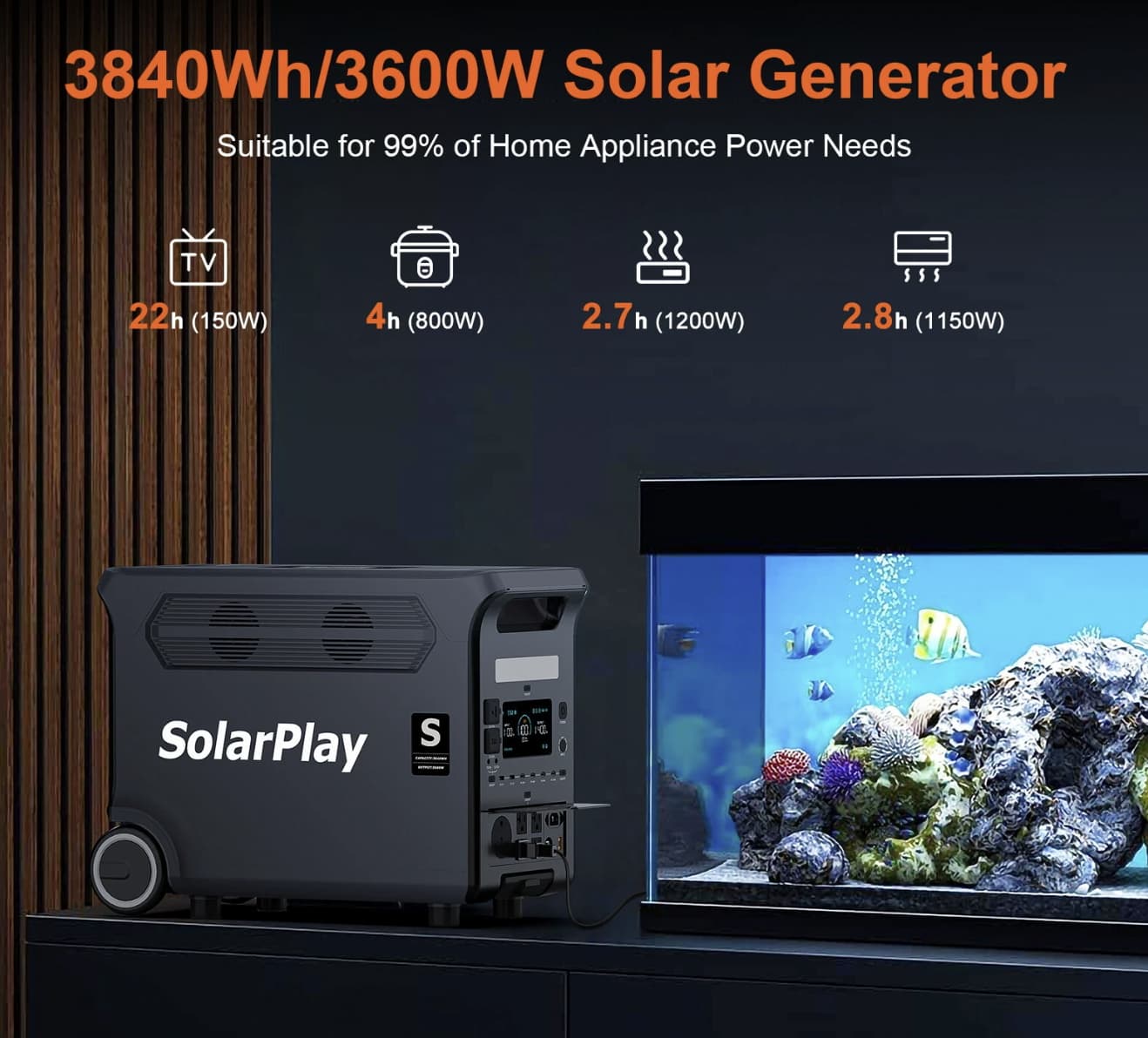
SolarPlay Q3600 Brings 3840Wh Capacity and 3600W Output to Portable Backup Power

Portable power stations have moved beyond simply charging phones and laptops. As more people look for backup power for home appliances, RVs, outdoor equipment and emergency situations, the useful question is no longer just how many USB ports a power station has. It is whether the system has enough capacity, output power and charging flexibility to handle demanding equipment without becoming impractical to move.

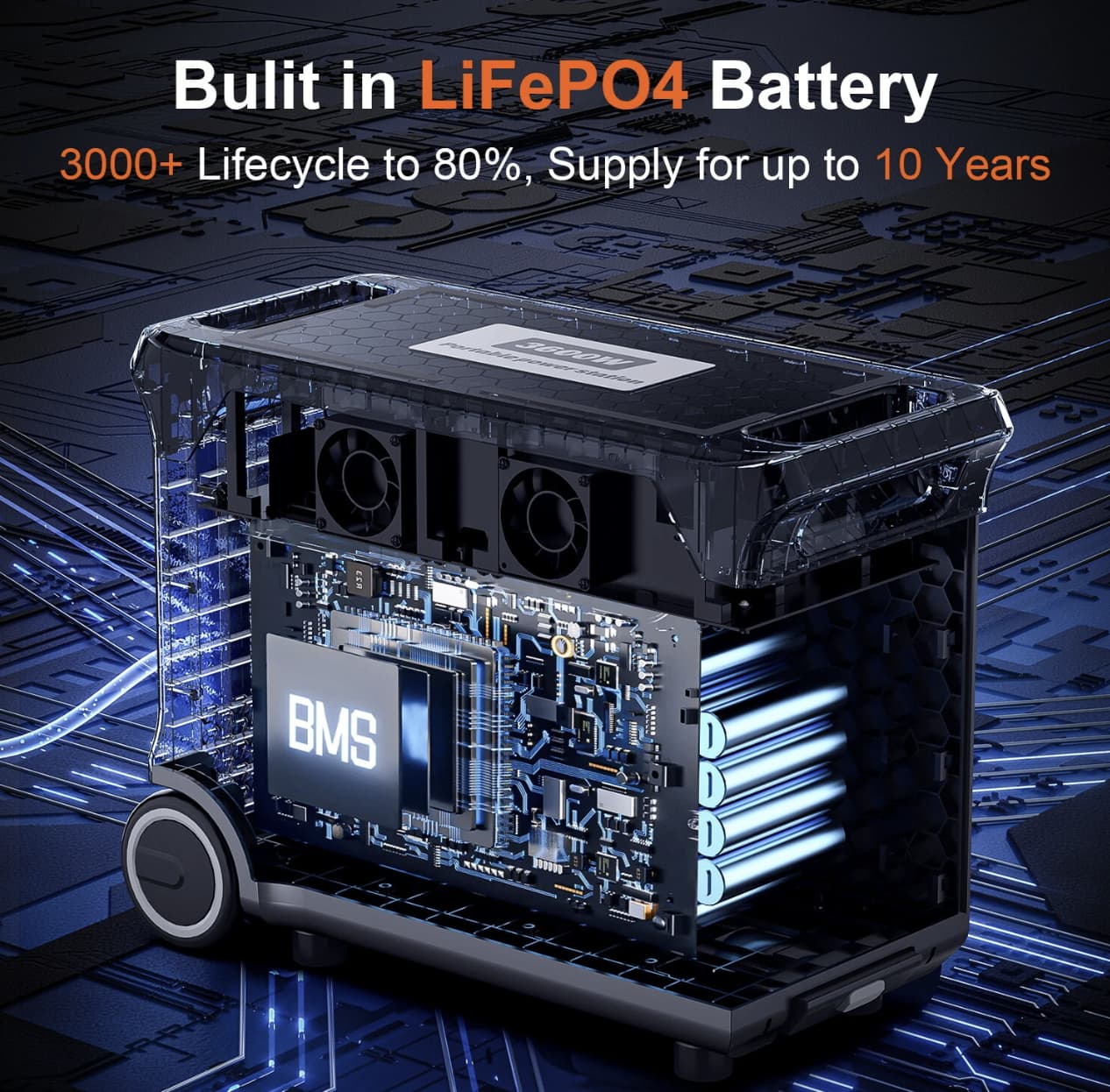
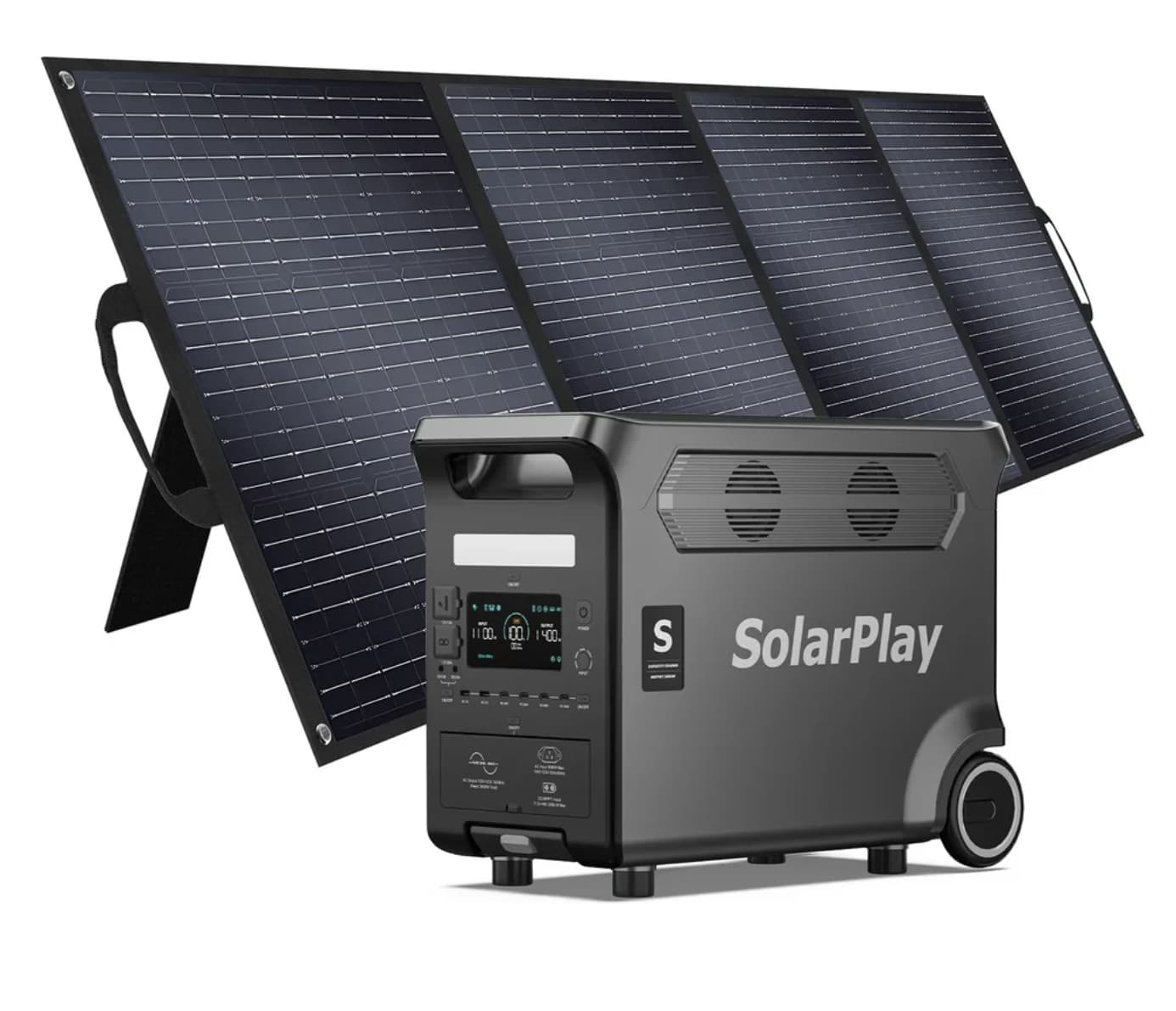
The SolarPlay Q3600 is designed around that idea. It combines a 3,840Wh LiFePO4 battery with up to 3,600W of AC output, 2,000W solar input and multiple charging interfaces. The result is a large-format power station aimed at users who need considerably more than a conventional portable battery can provide.

A 3,840Wh Battery Changes What a Portable Power Station Can Do

The Q3600’s biggest selling point is its 3,840Wh battery capacity.

That amount of stored energy gives the unit a very different role from smaller power banks or compact camping batteries. Instead of being primarily a device for keeping phones and laptops alive, the Q3600 is intended to support a wider range of equipment, including household appliances, workshop tools, RV equipment and other higher-power loads.

SolarPlay uses a LiFePO4 battery architecture for the Q3600. The manufacturer’s specifications list more than 4,000 charge cycles while retaining 80% of the original capacity, although real-world battery longevity will naturally depend on charging habits, temperature and load conditions.

For users considering a power station as an emergency backup, this distinction matters. A large capacity does not automatically mean unlimited runtime, because actual operating time depends heavily on the wattage of the connected equipment. A 3,840Wh battery can therefore be thought of as a substantial energy reserve rather than a guarantee of a specific number of hours.

3,600W of AC Output Makes It Suitable for More Demanding Loads

The Q3600 is rated for 3,600W continuous AC output and uses a pure sine wave inverter. The European version provides 220–240V AC output at 50Hz/60Hz.

This is one of the areas where the Q3600 separates itself from smaller portable power stations.

A 3,600W output ceiling gives users considerably more room for equipment with higher power requirements. That can be useful for appliances and tools that would simply be outside the practical range of a compact 1,000W-class station.

However, the sensible approach is still to check the rated and startup power of each appliance before connecting it. Motors, compressors and heating appliances can behave differently from their advertised average consumption, so the station’s maximum output should not be treated as a universal guarantee for every device.

Solar Charging Is One of the Q3600’s Most Interesting Features

The Q3600 is not limited to wall charging. Its solar input can accept up to 2,000W, giving the system a much stronger off-grid charging capability than many smaller portable power stations.

SolarPlay states that the Q3600 can reach a full charge in approximately 1.5 hours when AC and solar charging are combined, rather than implying that a 3,840Wh battery can always be fully recharged from solar alone in that time.

The European model also provides adjustable AC charging levels of 400W, 800W, 1,200W, 1,600W and 2,200W. This gives users more control over charging speed and power demand depending on the situation.

That flexibility could be particularly useful during longer outdoor trips. Instead of treating the battery as a one-time energy source, users can recharge it during the day and use the stored energy later when solar production falls.

Multiple Output Types Make It More Versatile

Another strength of the Q3600 is the range of connection options.

The specification includes AC outlets alongside a 12V cigarette-lighter output, an XT60 port, DC outputs, USB-A ports and several USB-C connections. One USB-C port supports up to 100W PD output, making it suitable for higher-powered compatible devices such as laptops.

The Banggood listing describes the product as having 17 outputs, while SolarPlay’s current product page lists 15 output ports. Because the two sources present the port count differently, buyers should check the exact configuration of the package and regional version before ordering.

More importantly, the variety of outputs means the Q3600 can serve several types of equipment at the same time rather than functioning as a single-purpose AC battery.

UPS Support Adds a Practical Home-Backup Role

The Q3600 also supports a UPS function, which makes it more interesting for use around the home.

According to the listed specifications, the system can switch to battery power in less than 20 milliseconds under its specified UPS conditions. This is intended to reduce interruption when mains power disappears.

That feature can be useful for equipment that needs a more consistent power source, such as networking hardware, computers or selected electronic devices.

It should not, however, be confused with a dedicated enterprise-grade UPS system. Users with particularly sensitive equipment should check the manufacturer’s UPS specifications and the equipment’s own power requirements before relying on the Q3600 as their only backup solution.

Large Capacity Comes With a Real Weight Trade-Off

The Q3600 is portable, but it is not lightweight.

The listed bare-device weight is approximately 42.2kg, with dimensions of about 608 × 289 × 456mm.

That makes the built-in wheels and telescopic handle particularly important. The Q3600 is better understood as a movable power station rather than something most users will casually carry by hand over a long distance.

For an RV, garage, workshop, campsite or home backup location, this design makes sense. Users can position the unit where it is needed and roll it into place instead of repeatedly lifting the entire 42kg system.

Designed for Home Backup, RVs and Off-Grid Use

The Q3600’s specifications suggest several practical use cases.

For home backup, the large battery and high AC output provide a way to keep selected appliances and electronics operating during outages.

For RV use, the combination of AC, 12V and other DC outputs can reduce the need to carry separate power solutions for different types of equipment.

For off-grid applications, the 2,000W solar input becomes especially important because it allows the Q3600 to function as part of a rechargeable solar-based power system rather than relying entirely on the electrical grid.

Outdoor users should still consider the unit’s 42.2kg weight and physical size when planning transportation. Its wheels make movement easier, but this is not a lightweight backpacking power station.

What About Noise and Protection?

SolarPlay lists the Q3600 with multiple battery-management protections covering conditions such as overcharging, over-discharging, over-current and short circuits. The Banggood specifications also list a working temperature range of approximately -10°C to 45°C for the Q3600.

The product is also listed with safety and transport-related certifications including CE, FCC, RoHS, PSE, UN38.3 and MSDS documentation.

These features do not eliminate the need to use the power station within its operating limits, but they show that the Q3600 is designed as a substantial energy-storage system rather than simply a large battery pack.

SolarPlay Q3600 Specifications

Specification SolarPlay Q3600
Battery capacity 3,840Wh
Battery type LiFePO4 / LFP
AC output 3,600W
AC voltage 220–240V
AC waveform Pure sine wave
Solar input Up to 2,000W
AC charging Up to 2,200W
UPS Less than 20ms under specified conditions
USB-C Up to 100W on dedicated PD port
DC output 12V options
Weight About 42.2kg
Dimensions About 608 × 289 × 456mm
Operating temperature Approximately -10°C to 45°C

Specifications can vary by regional version or package, so buyers should verify the configuration before purchase.

Is the SolarPlay Q3600 Worth Considering?

SolarPlay Q3600 power station is not trying to win the portability contest by being small and light. Its appeal comes from the opposite direction.

The 3,840Wh battery, 3,600W AC output and 2,000W solar input give it the kind of electrical capacity that makes sense for home backup, RV trips, workshops and longer off-grid use. The multiple output types and UPS function further expand its potential applications.

The biggest compromise is its size and 42.2kg weight. That means the Q3600 works best when it can be rolled into position rather than carried frequently.

For buyers who prioritize large energy storage, high output power and solar recharge capability over lightweight portability, the Q3600 offers a much more capable alternative to smaller portable power stations.

Before purchasing, users should also confirm the exact regional version, output configuration and included accessories, particularly because the current Banggood listing and SolarPlay’s own product page differ in how they describe the number of output ports.

The post SolarPlay Q3600 Brings 3840Wh Capacity and 3600W Output to Portable Backup Power appeared first on IGeeKphone China Phone, Tablet PC, VR, RC Drone News, Reviews.

  •  

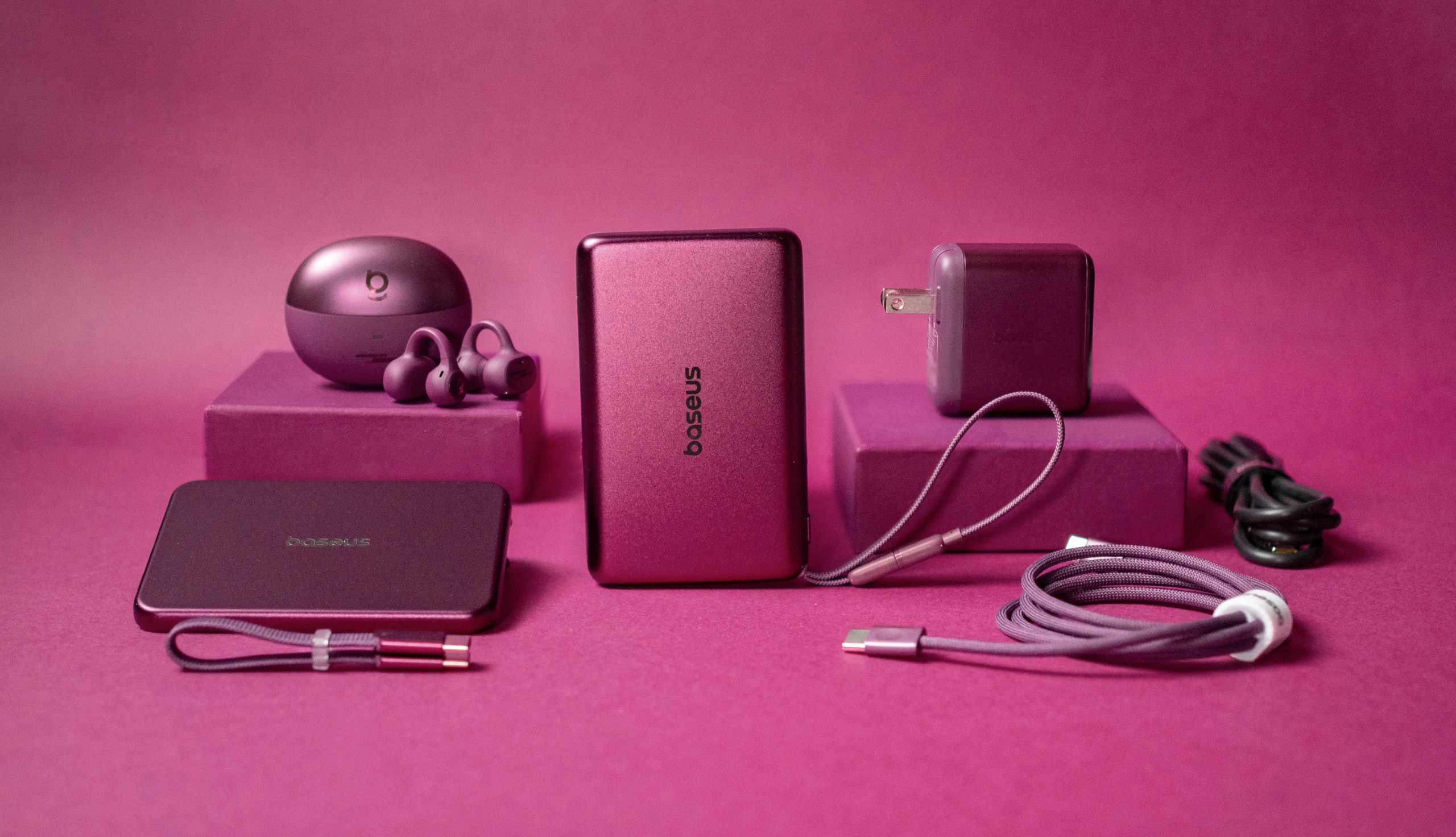
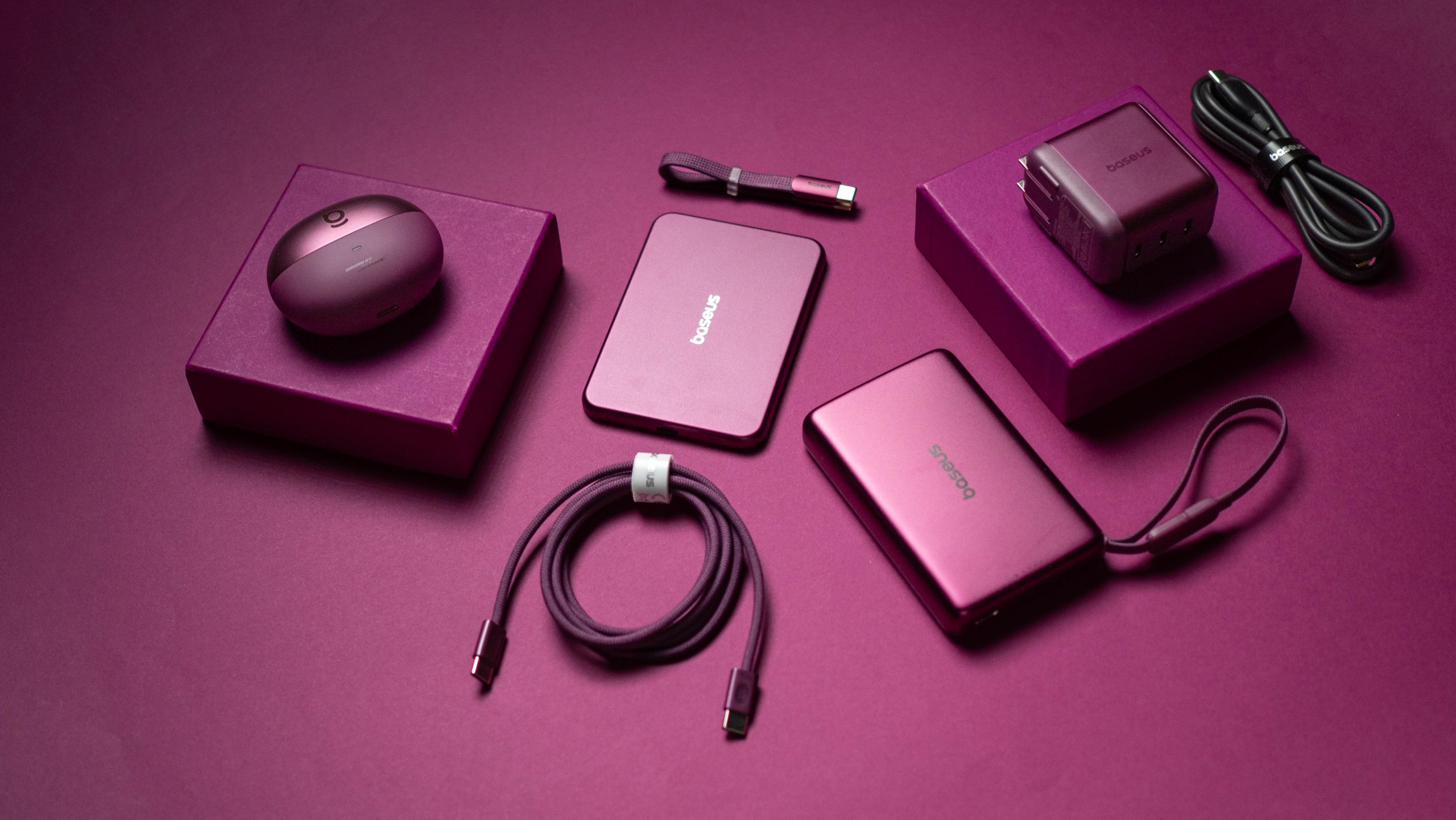
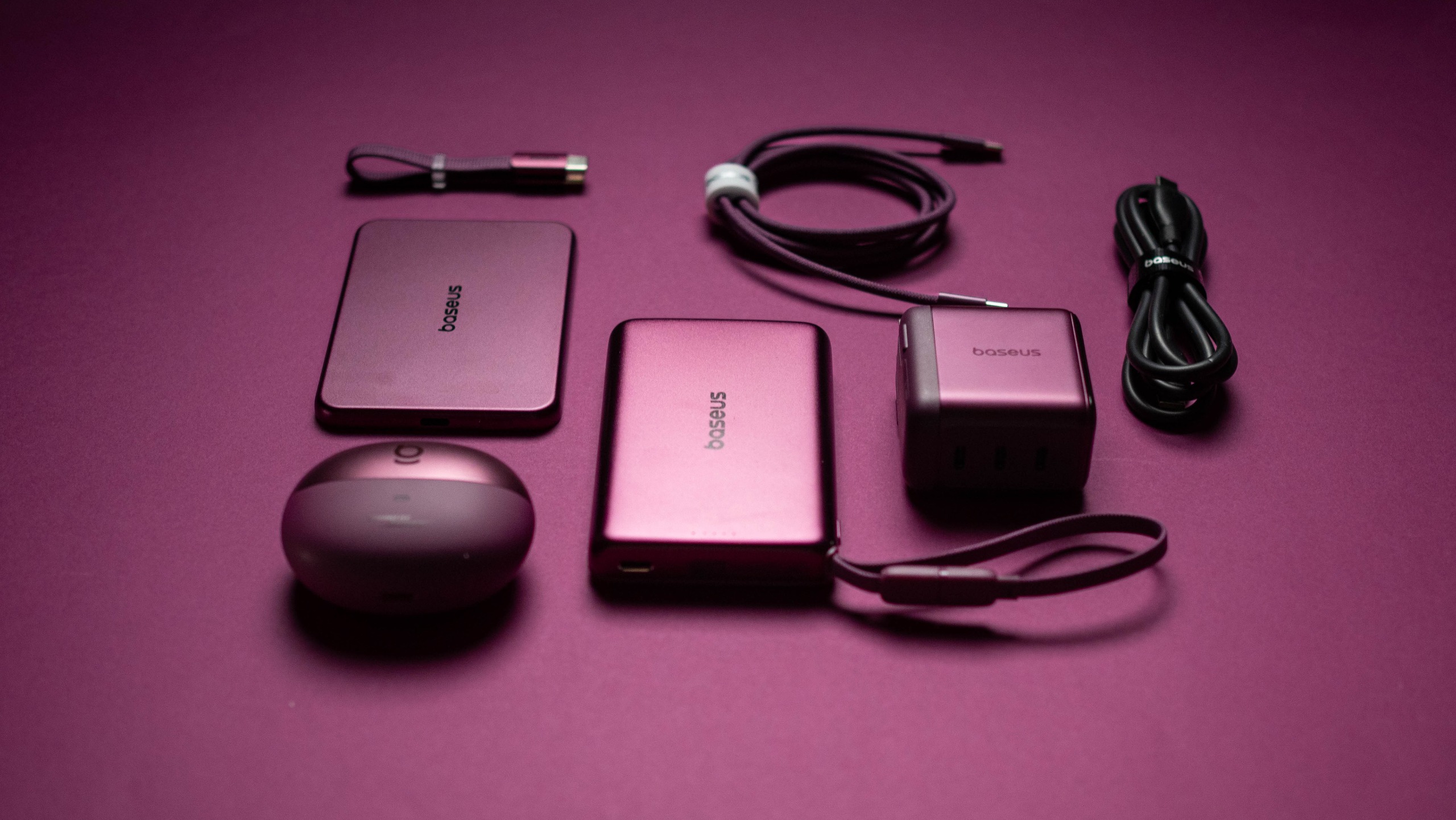
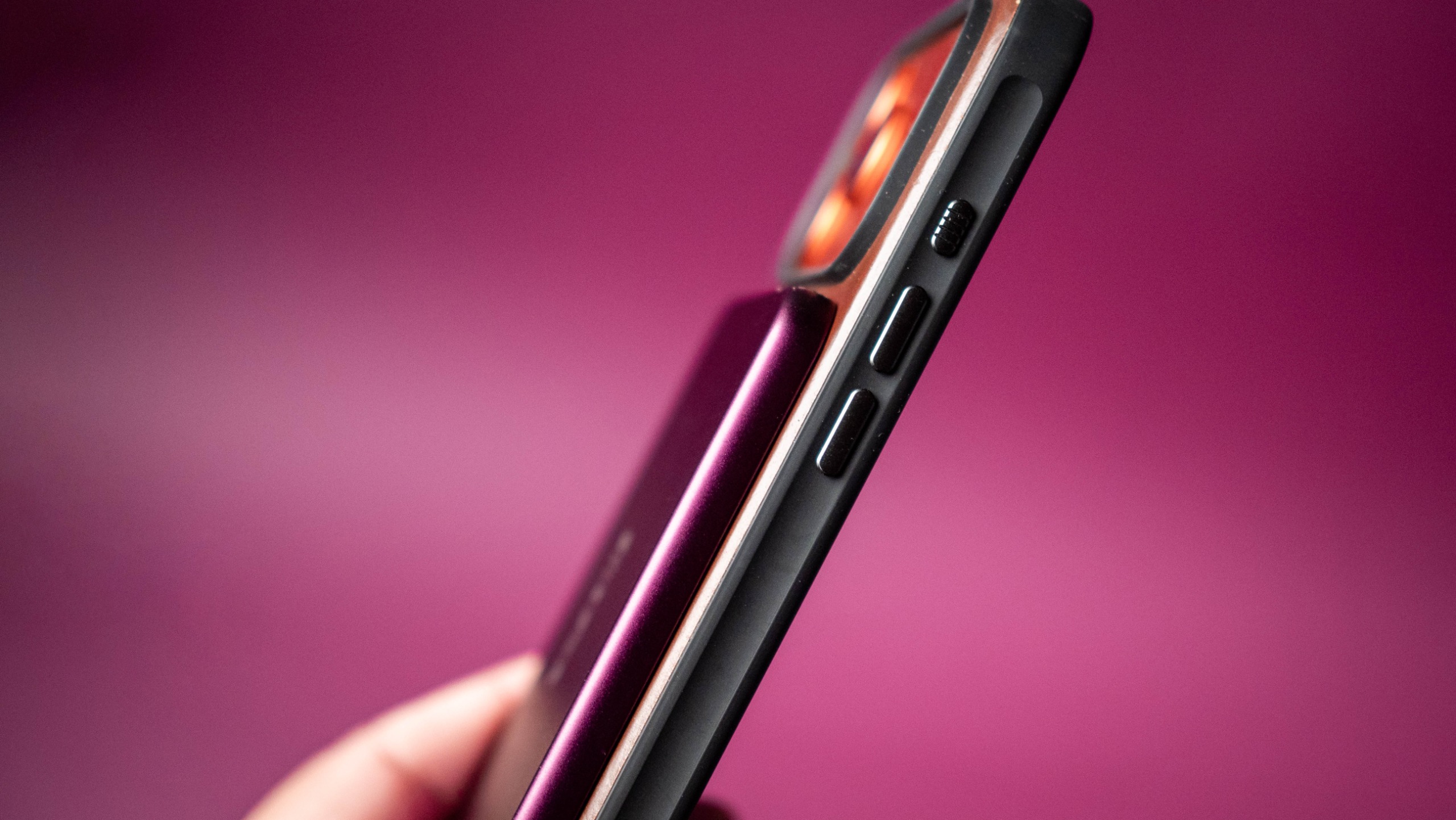
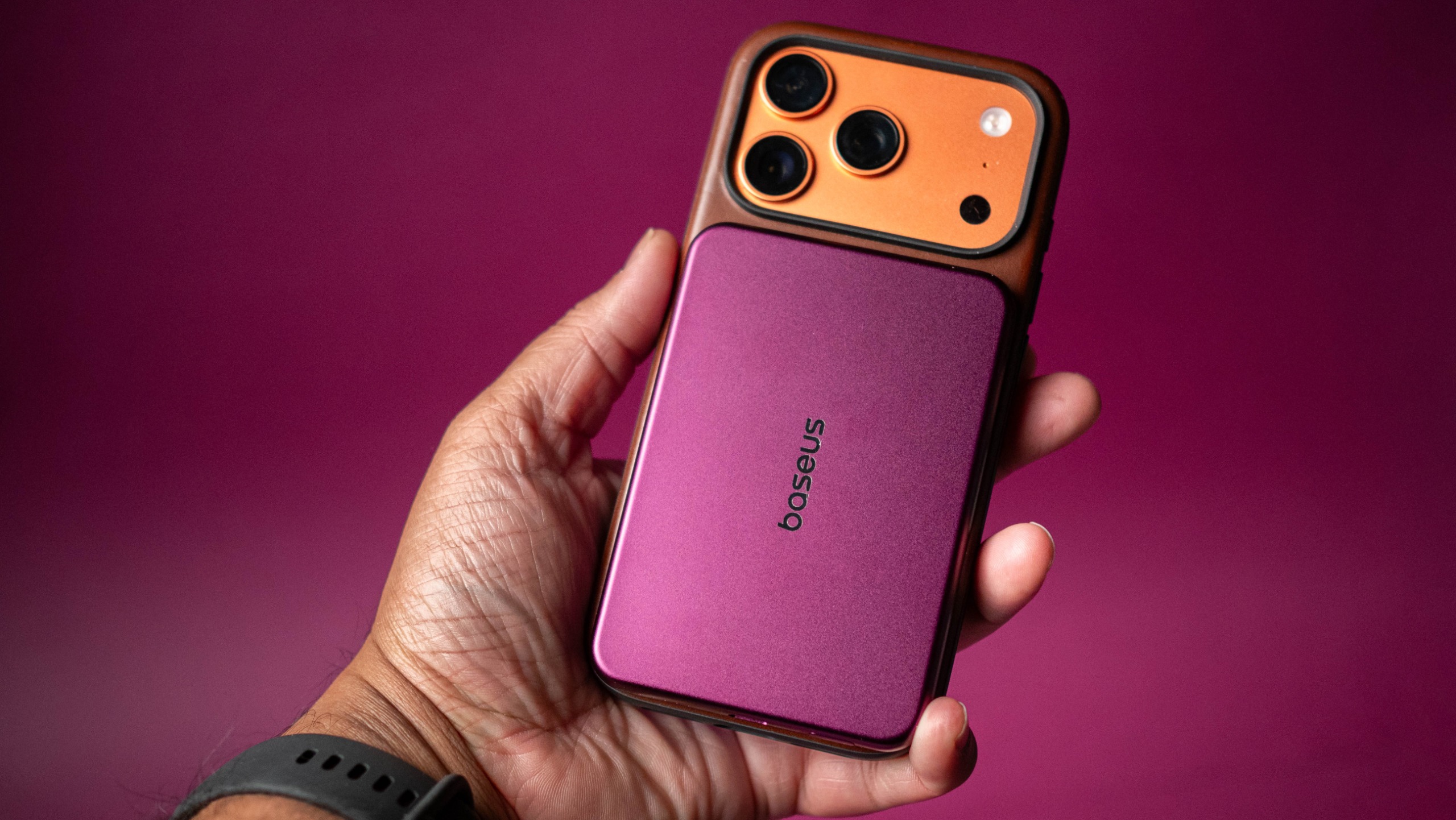
I used Baseus' Dark Cherry iPhone 18 Pro accessories, and they're stunning

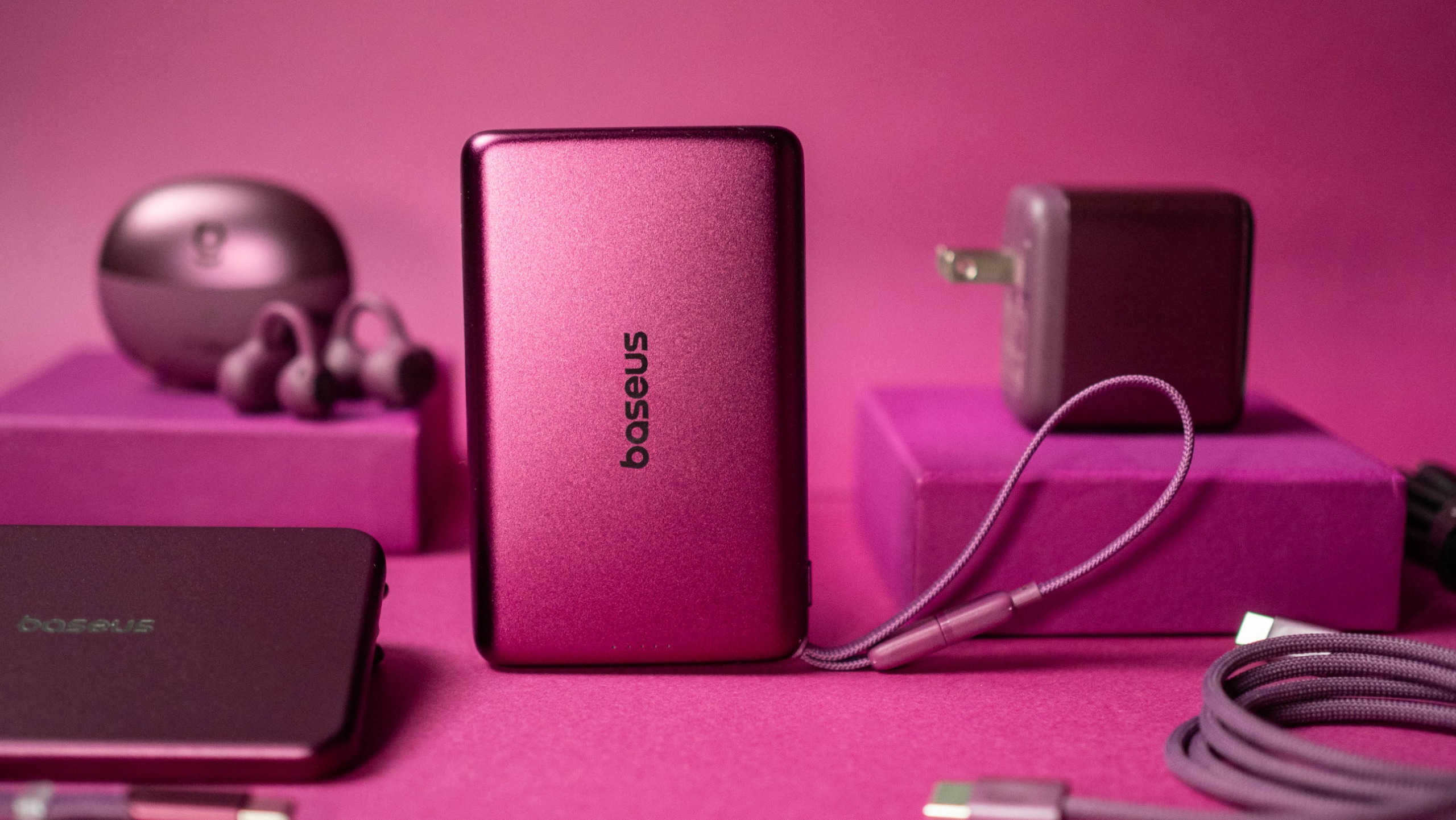
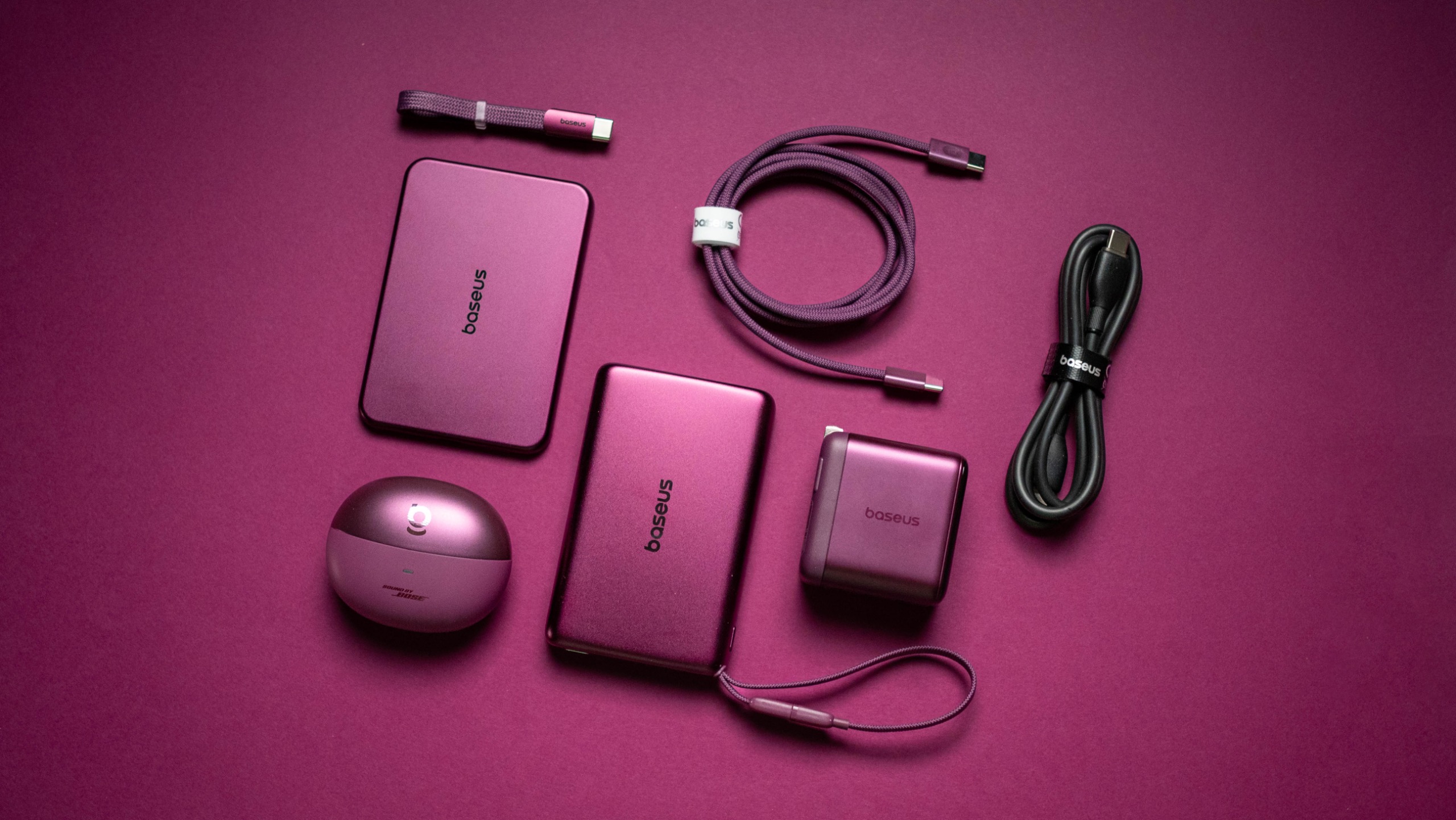
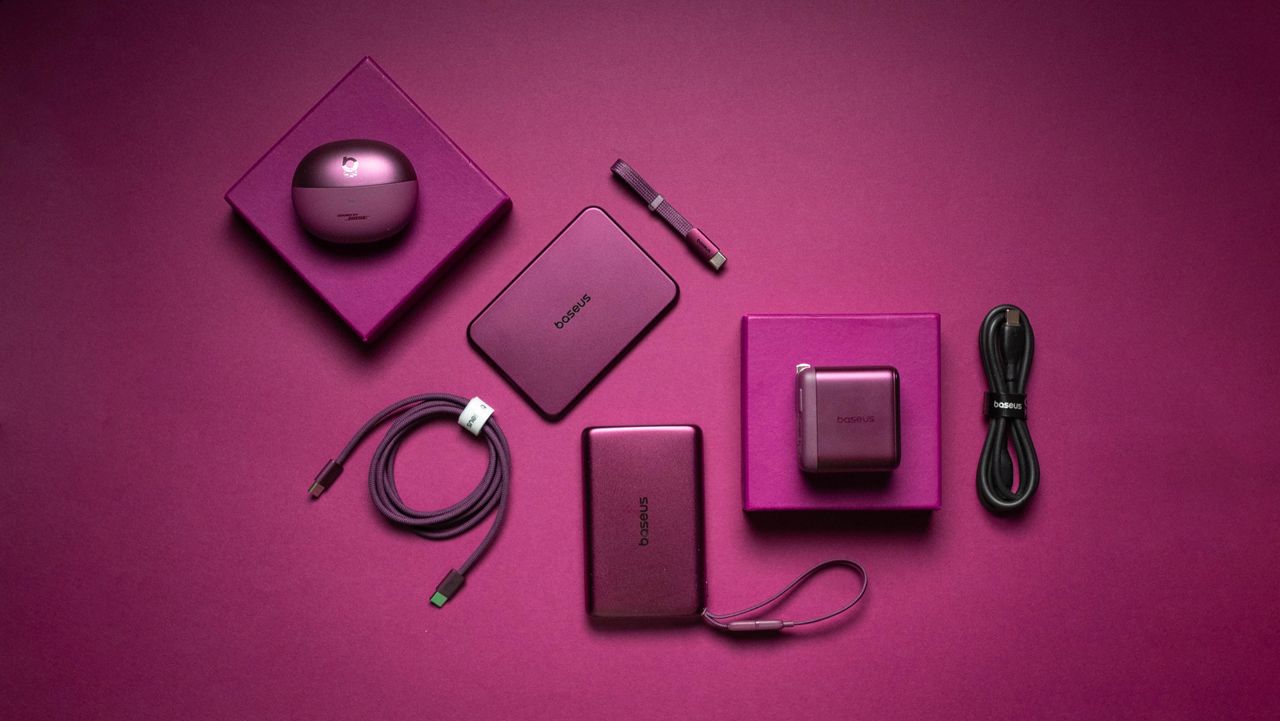
Baseus knows how to make great charging and audio accessories, and the brand is going all-out ahead of the iPhone 18 Pro launch. The Dark Cherry collection includes five products that are debuting in a bold new cherry red colorway designed to match the Dark Cherry variant of the upcoming iPhone 18 Pro.

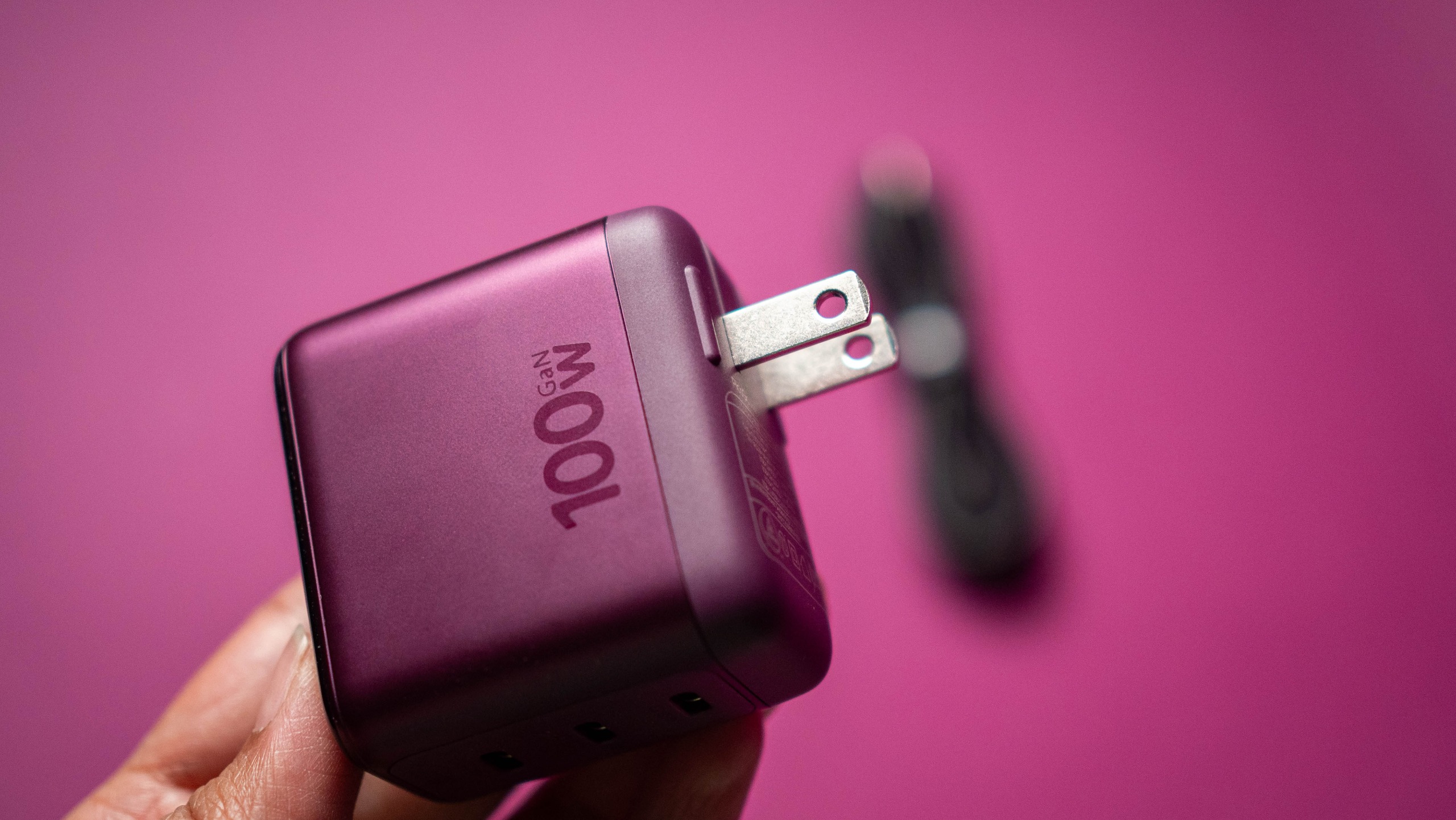
The highlight of the new collection is the PicoGo Pro AH22, the smallest 100W GaN charger with three USB-C ports. It comes with a built-in panel that shows real-time charging details, and it is now available for $59 on Amazon.

Baseus Dark Cherry iPhone 18 Pro collection review
Apoorva Bhardwaj / Android Central
Baseus Dark Cherry iPhone 18 Pro collection review
Apoorva Bhardwaj / Android Central
Baseus Dark Cherry iPhone 18 Pro collection review
Apoorva Bhardwaj / Android Central

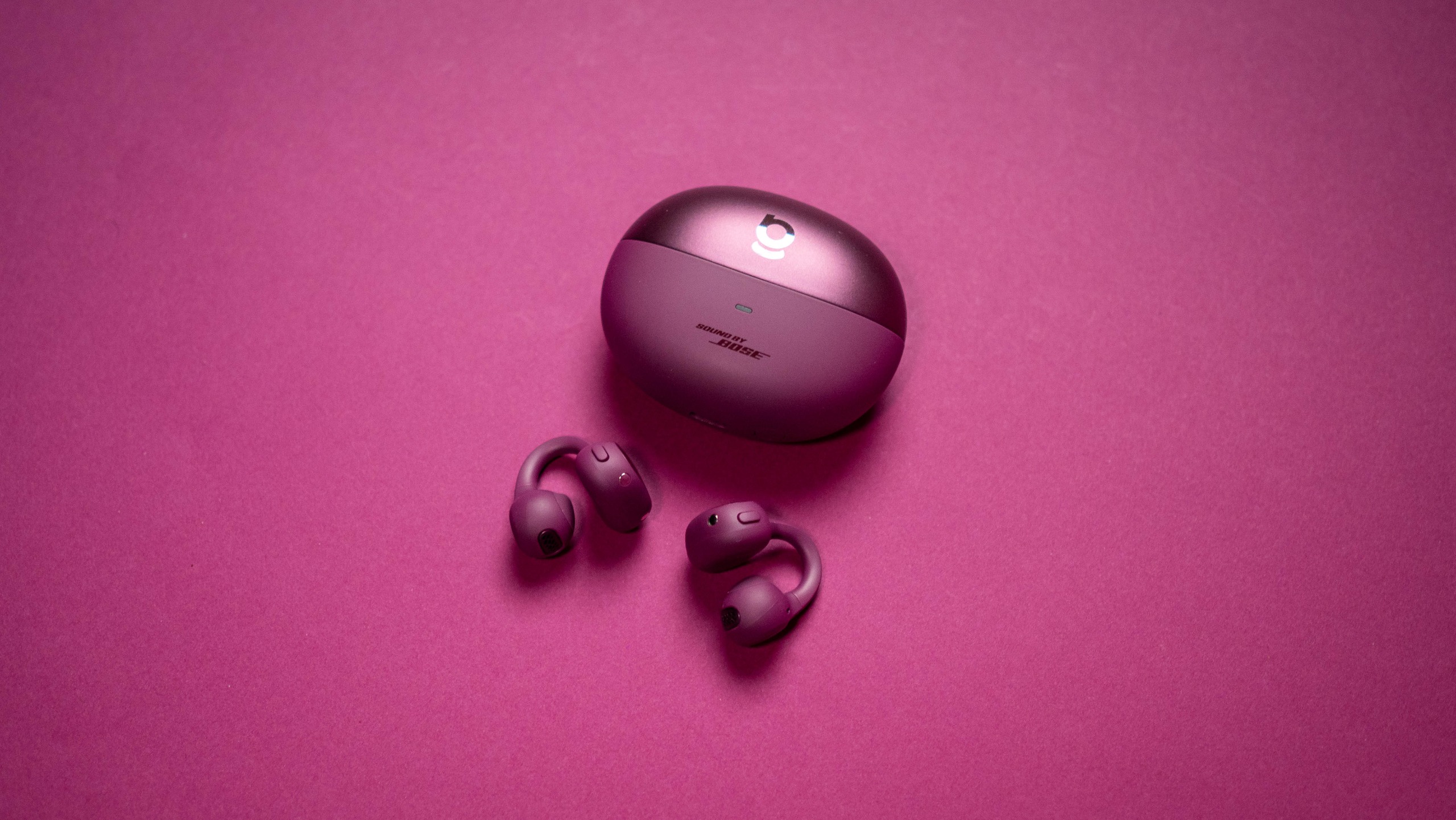
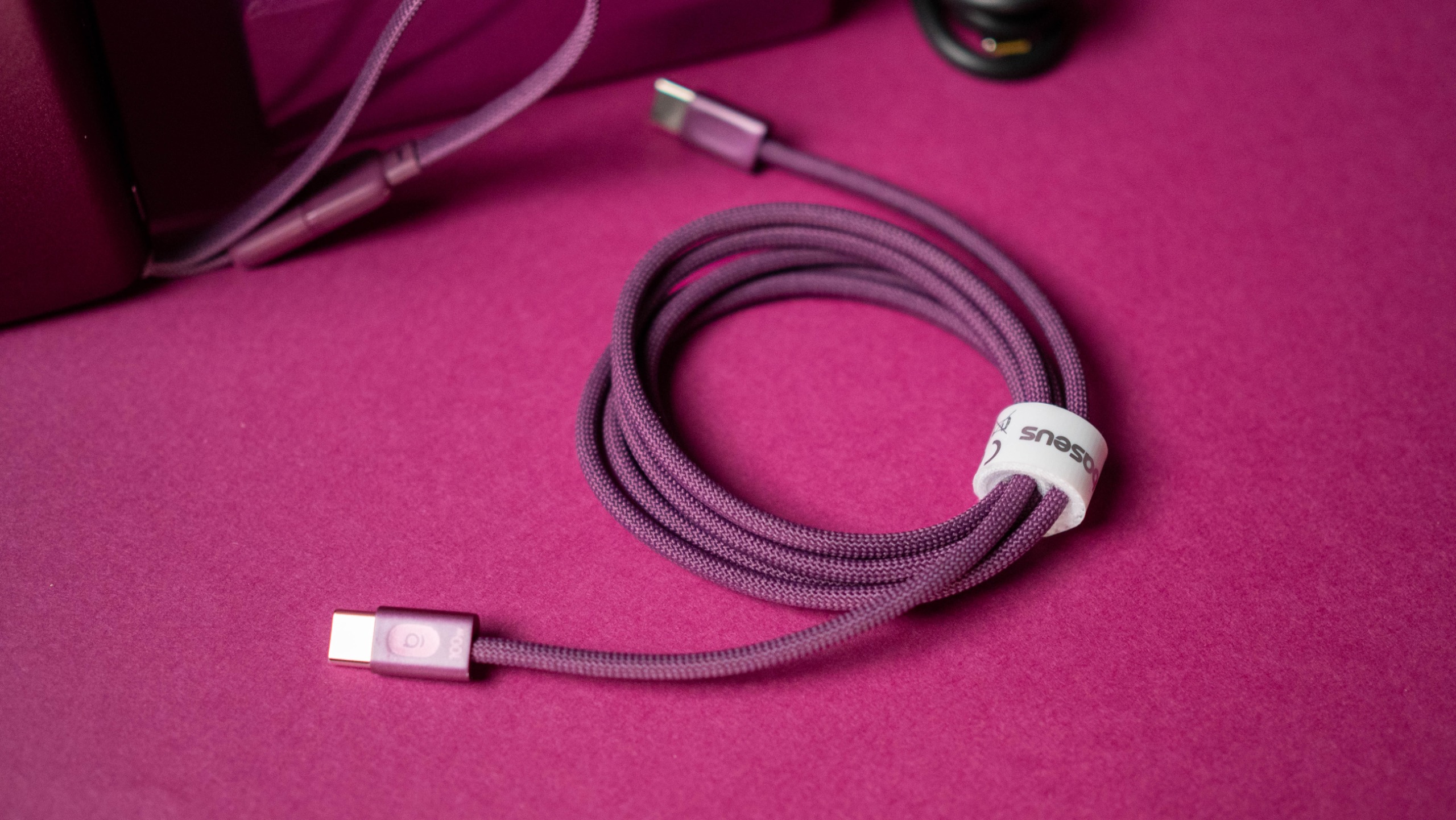
There's also the PicoGo AM52, a 25W Qi 2.2 power bank with 10,000mAh battery that's available for $79, and the ultra-thin PicoGo Air AM71 5,000mAh power bank that costs $69. The Bose-tuned Inspire XC1 earbuds get the Dark Cherry makeover as well, and they're $149. Rounding out the list is the 100W USB-C to USB-C cable, and it costs $12.

Baseus has an exclusive deal for AC readers that is live now and runs until October 31, 2026:

Baseus 100W PicoGo Pro AH22: This is the GaN charger you want

Baseus Dark Cherry iPhone 18 Pro collection review

(Image credit: Apoorva Bhardwaj / Android Central)

I used the PicoGo Pro AH22 as my go-to charger for the last month, and there's a lot to like. It is noticeably smaller than other 100W chargers I have on hand, and it still has three USB-C ports. The smaller size and the vibrant color makes it a great choice for travel (it's going straight into my tech bag), and I like that it has a built-in screen that shows real-time charging details, time left to charge, and what protocol a connected device is using.

Baseus Dark Cherry iPhone 18 Pro collection review
Apoorva Bhardwaj / Android Central
Baseus Dark Cherry iPhone 18 Pro collection review
Apoorva Bhardwaj / Android Central
Baseus Dark Cherry iPhone 18 Pro collection review
Apoorva Bhardwaj / Android Central
Baseus Dark Cherry iPhone 18 Pro collection review
Apoorva Bhardwaj / Android Central

It has three charging modes — Smart, Gentle, and Turbo — and the Smart mode is useful while charging several devices at once. The Gentle mode is what you need for overnight charging, and Turbo prioritizes the C1 port to 100W.

There's intelligent device recognition, and I like this feature a lot. Baseus also added a set of fun effects that show up while charging. The individual USB-C ports go up to 100W, and with all three in use, you get a 95W power budget. I used it with my Pixel 11 Pro XL, Find X9 Ultra, Galaxy Z Fold 8 Ultra, iPad Pro M4, and a few dozen accessories, and the charger did a great job.

Baseus PicoGo AM52 25W Qi2.2 10,000mAh Power Bank: Charge anything with ease

Baseus Dark Cherry iPhone 18 Pro collection review

(Image credit: Apoorva Bhardwaj / Android Central)

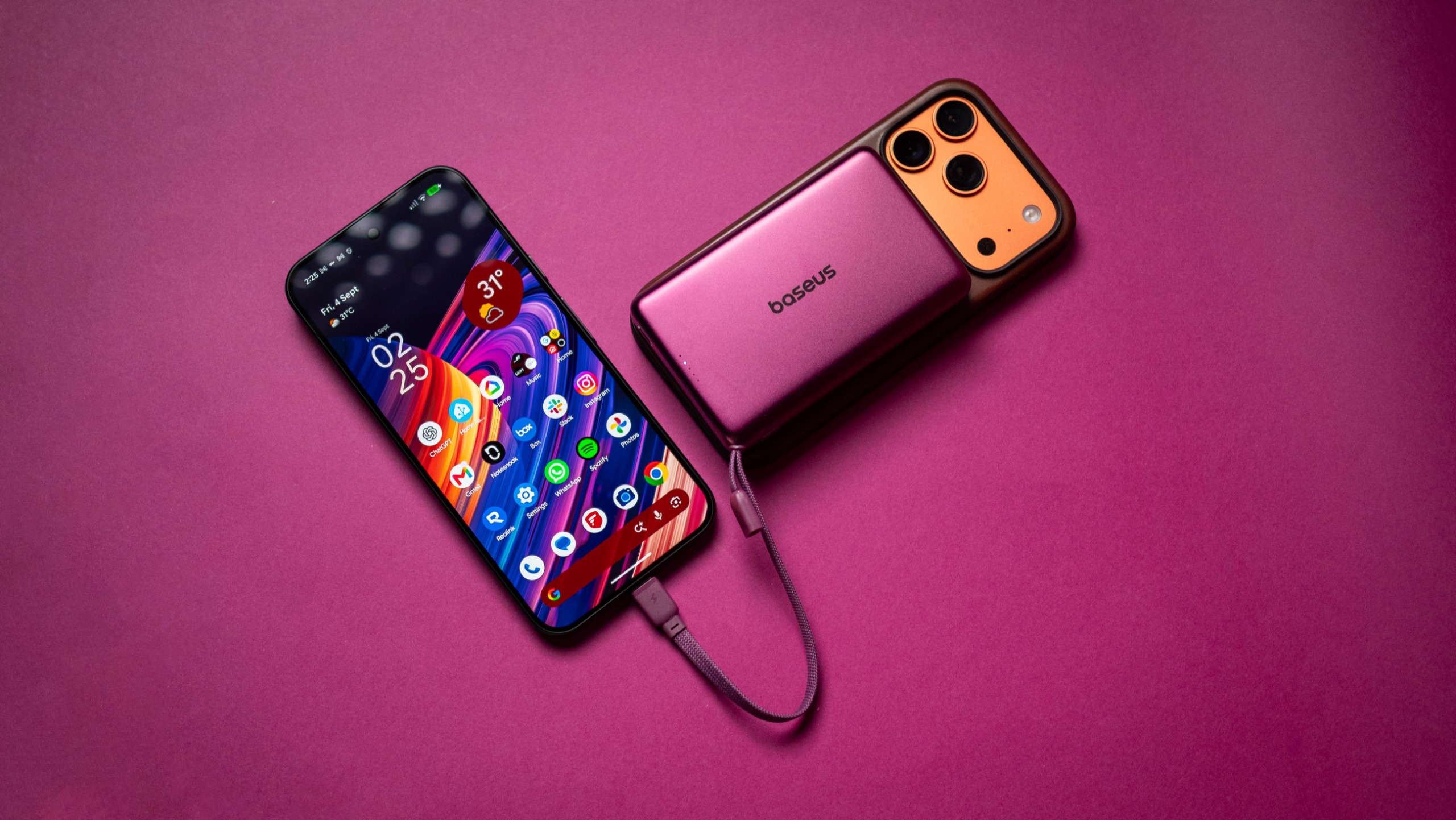
The PicoGo AM52 isn't a new product, and I've been using the power bank for the better part of a year. The Qi 2.2 tech allows it to charge phones at 25W, and it's great to use with the iPhone 17 Pro and Pixel 11 Pro XL.

Baseus Dark Cherry iPhone 18 Pro collection review
Apoorva Bhardwaj / Android Central
Baseus Dark Cherry iPhone 18 Pro collection review
Apoorva Bhardwaj / Android Central

There's no doubt that the cherry color looks much better than the standard grey model I've been using all this time. The 10,000mAh battery is able to charge the iPhone 17 Pro and Pixel 11 Pro XL to full, and it has a built-in USB-C cable if you need to plug in other devices, going up to 45W.

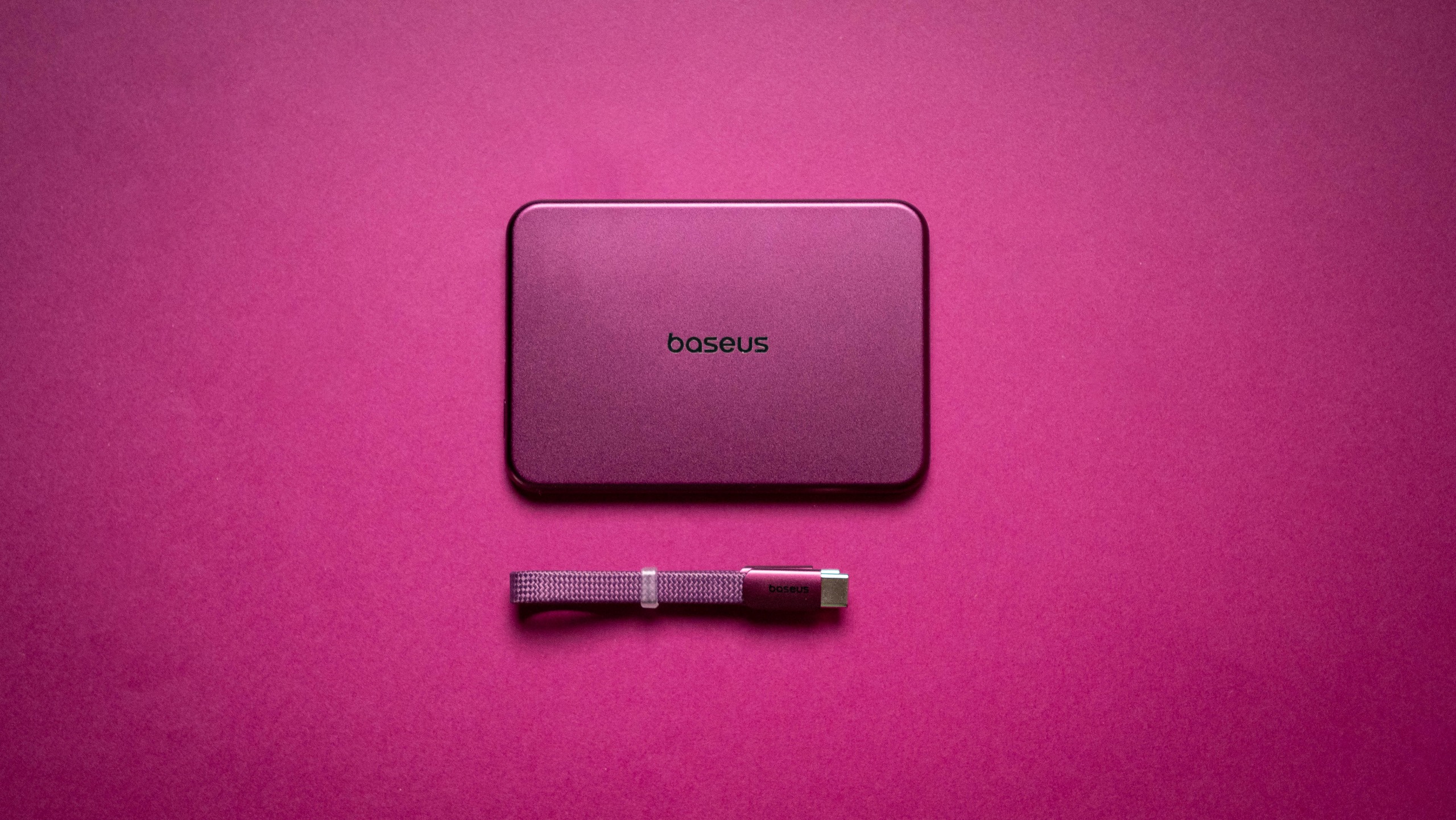
Baseus PicoGo Air AM71 5,000mAh Power Bank: The thinnest power bank

Baseus Dark Cherry iPhone 18 Pro collection review

(Image credit: Apoorva Bhardwaj / Android Central)

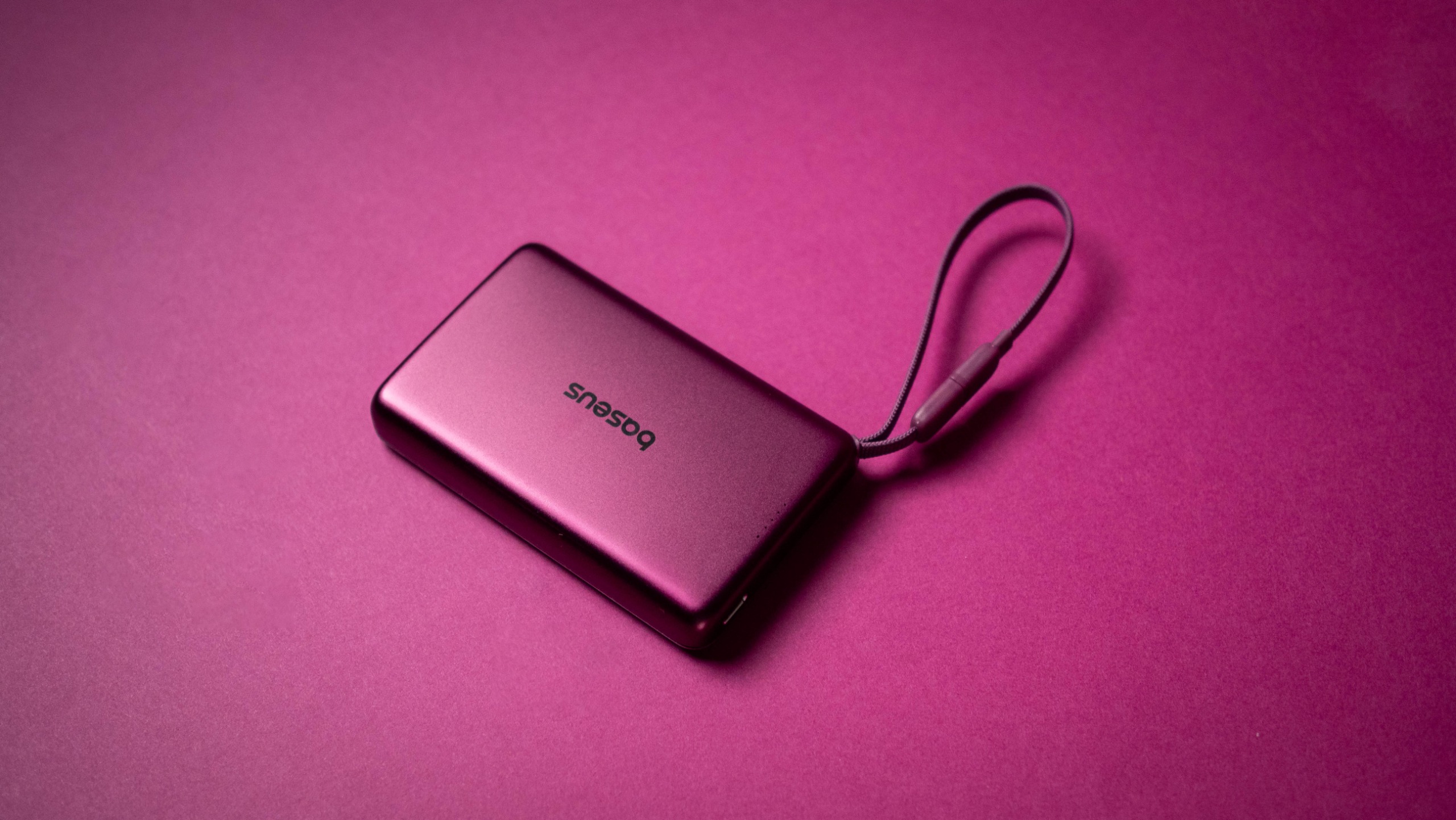
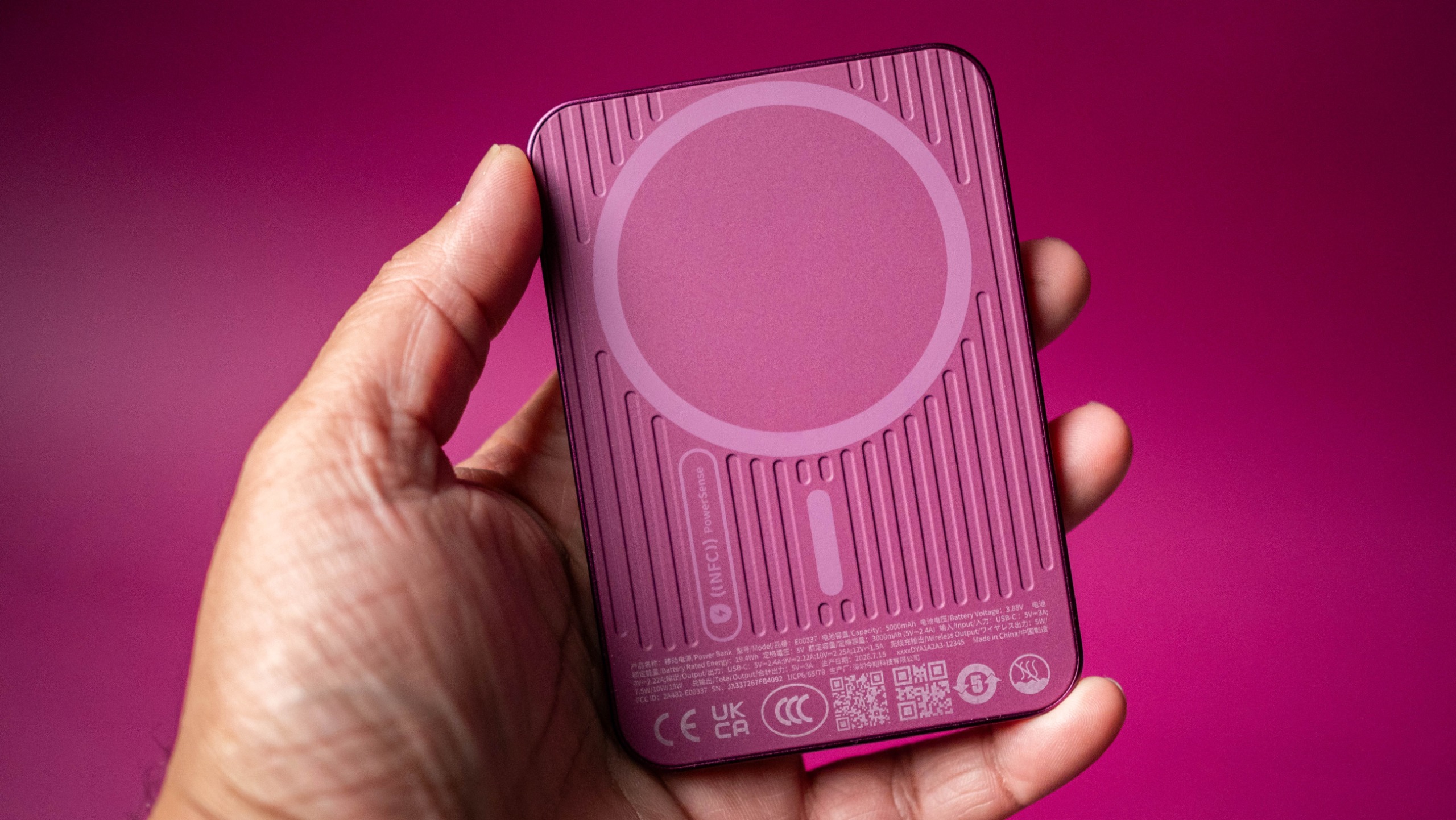
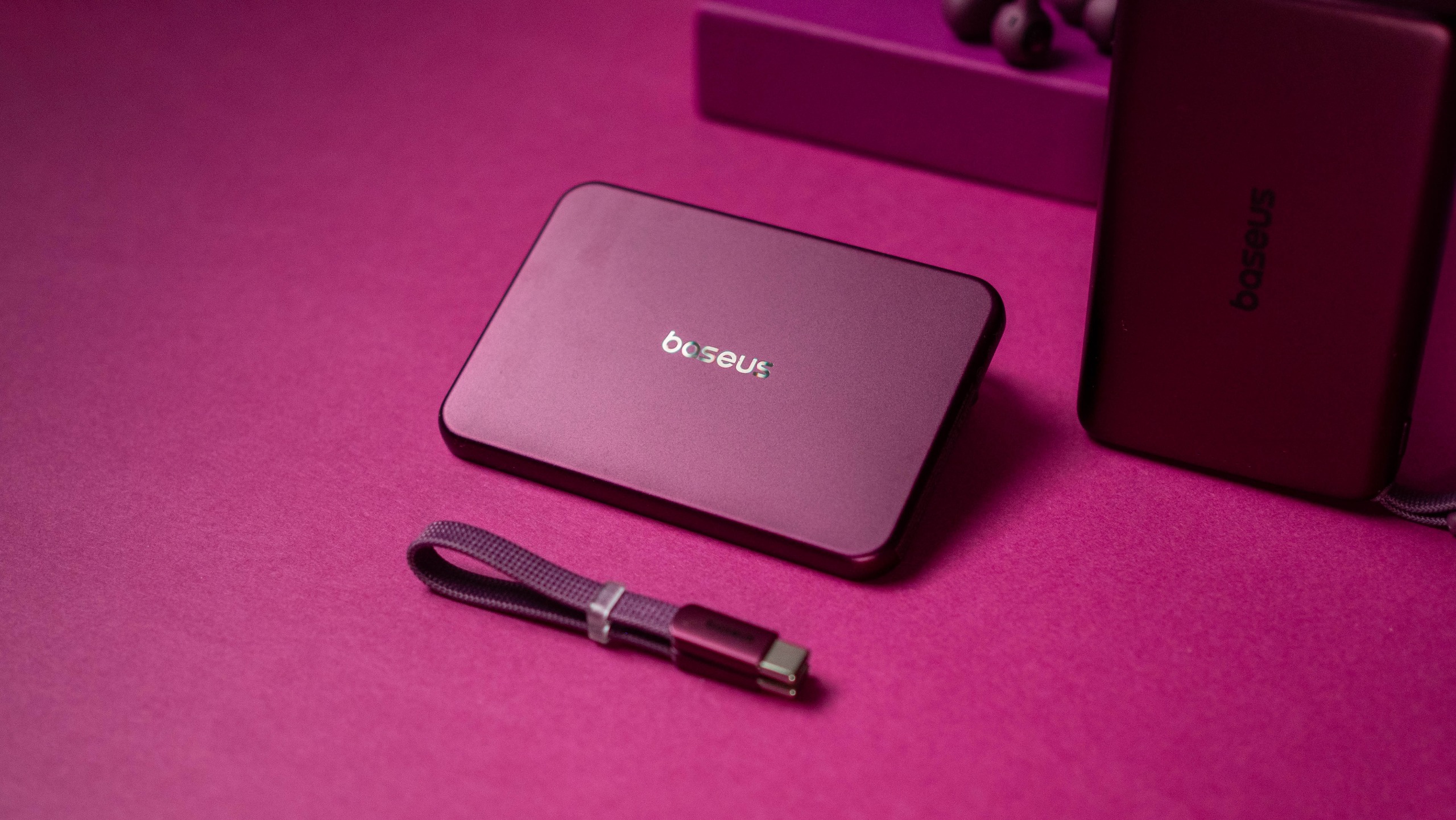
The PicoGo Air AM71 is a 5,000mAh magnetic power bank, and it is one of the thinnest I've used yet. It doesn't have 25W charging, instead using the standard Qi standard to deliver a 7.5W charge. There is a USB-C port that gets you 22.5W, and the power bank recharges at 20W.

Baseus Dark Cherry iPhone 18 Pro collection review
Apoorva Bhardwaj / Android Central
Baseus Dark Cherry iPhone 18 Pro collection review
Apoorva Bhardwaj / Android Central
Baseus Dark Cherry iPhone 18 Pro collection review
Apoorva Bhardwaj / Android Central
Baseus Dark Cherry iPhone 18 Pro collection review
Apoorva Bhardwaj / Android Central

While I'm not a huge fan of ultra-thin power banks, I will admit that the AM71 has unmatched portability. It's just 0.3 inches and weighs 105g, and is easy to slot into a bag or trousers — I have one in my tech EDC bag. The 5,000mAh battery isn't enough to charge a phone to full, but it will get your iPhone 17 Pro Max to the halfway point. This is down to energy conversion, and is true of all power banks.

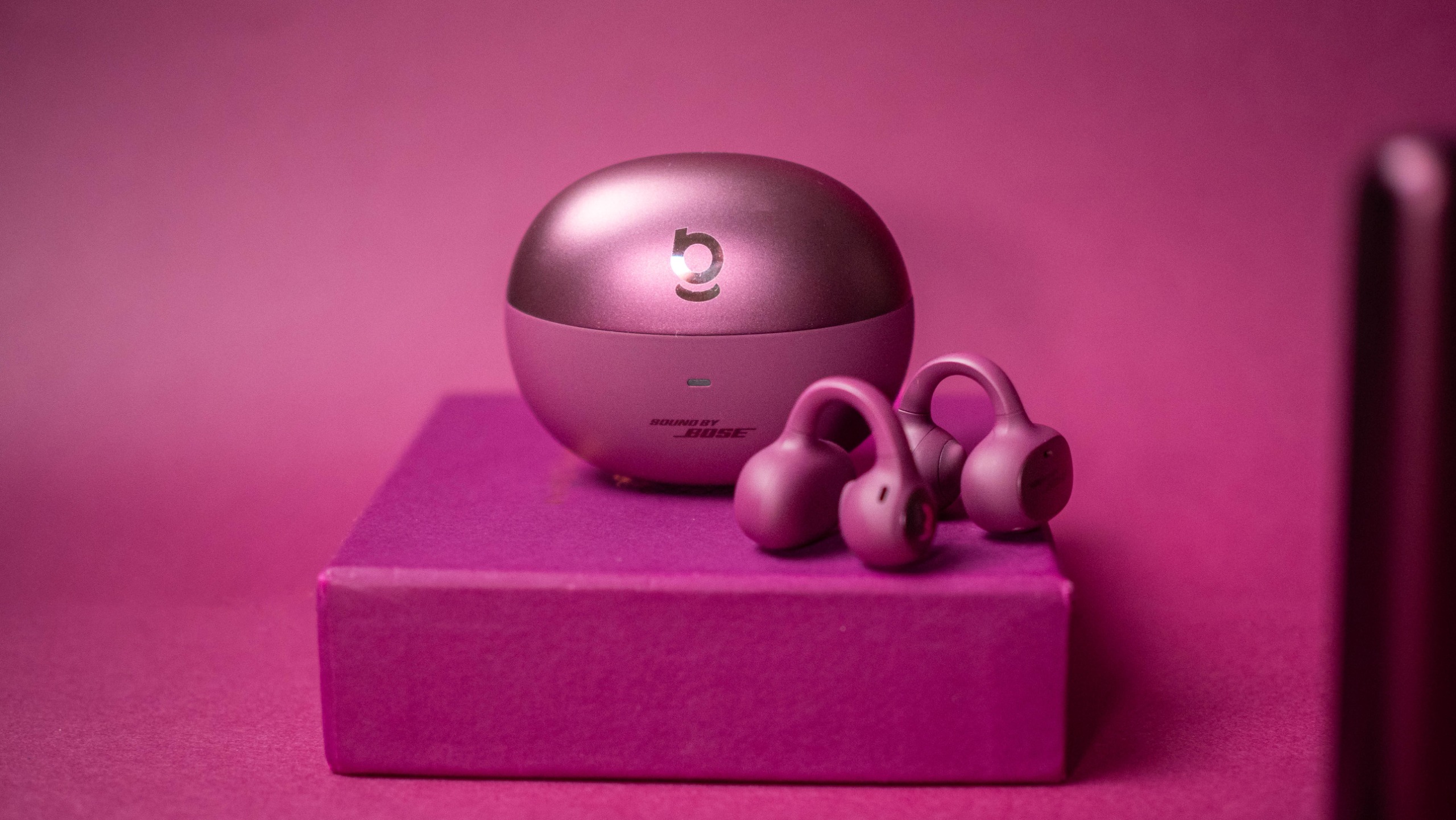
Baseus Inspire XC1: Bose sound for less

Baseus Dark Cherry iPhone 18 Pro collection review

(Image credit: Apoorva Bhardwaj / Android Central)

I like the Inspire XC1 because of the open ear design, and they're a good choice if you have issues getting a good fit with regular buds. The cherry color makes these buds stand out a lot from the regular model, and they definitely get a lot of attention while outdoors.

Baseus Dark Cherry iPhone 18 Pro collection review

(Image credit: Apoorva Bhardwaj / Android Central)

The Bose-tuned sound quality is terrific, and the buds have meaningful bass along with a clean mid-range and good treble. They're pretty great with calls as well, and have LDAC and IP66 ingress protection. I get over seven hours of battery life between charges, and that's more than adequate in daily use. The only point of contention is that the cherry variant is $149, which is a sizeable increase over the $99 that the regular model costs these days.

Baseus FrostCool: A reliable 100W USB-C cable

Baseus Dark Cherry iPhone 18 Pro collection review

(Image credit: Apoorva Bhardwaj / Android Central)

I have a lot of these cables in the house, and they're reliable in everyday use. The cherry color is the only difference here, and other than that, it's the same cable: it can deliver a 100W charge over USB PD, is 6.6ft in length, and the braided design is built to last.

Baseus Dark Cherry iPhone 18 Pro collection review

(Image credit: Apoorva Bhardwaj / Android Central)

Baseus is going all-in on Dark Cherry, and I like that the brand has an entire range of accessories available in the new colorway. While there's a little bit of a wait before we know all about the iPhone 18 Pro, you can get a head-start by grabbing the accessories you need.

  •  

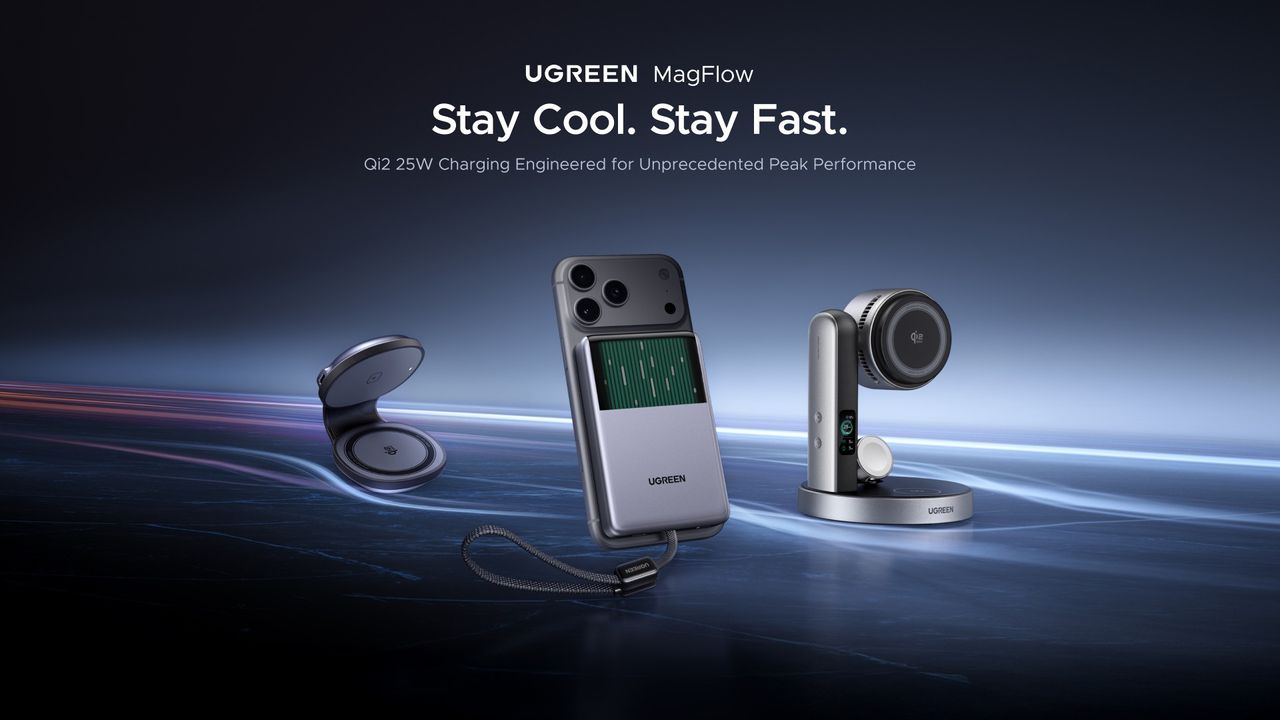
Stay frosty: UGREEN's MagFlow lineup keeps things cool with speedy Qi2 25W charging

What you need to know

  • UGREEN announced its all-new cool, MagFlow wireless charging lineup.
  • The lineup consists of the MagFlow Pro Magnetic Power Bank with a 10,000mAh cell, supporting Qi2 25W capabilities.
  • Joining these charging capabilities in the 2-in-1 Foldable Magnetic charger and the 3-in-1 wireless charging stand.
  • UGREEN states its MagFlow lineup is available today (Sept 3) on its website and Amazon.

If you were at Gillette Stadium this evening (Sept 3), you would've caught UGREEN's major reveal: the new MagFlow lineup.

UGREEN says it wants to solve a few problems consumers face daily. The MagFlow lineup aims to deliver a "high-power" wireless charging solution that's fast "without becoming uncomfortably hot." UGREEN's series is taking advantage of the latest technology, delivering Qi2 25W wireless charging, and the biggest stunner is the MagFlow Pro Magnetic Power Bank.

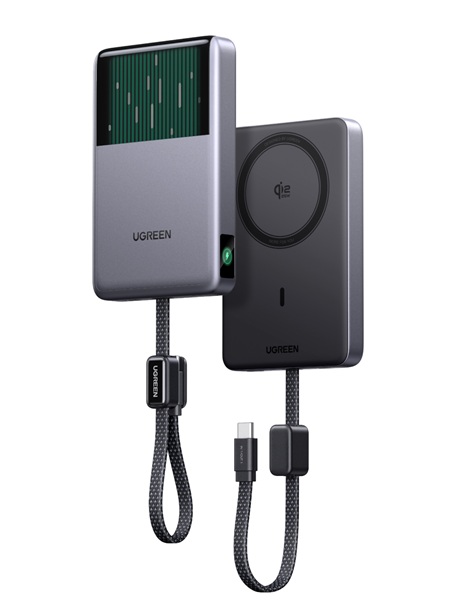
The UGREEN Magnetic Power Bank with a huge 10,000mAh battery and 25W Qi2 charging.

(Image credit: UGREEN)

UGREEN's power bank features a hefty 10,000mAh cell. Charging quickly builds up heat, but to keep it cool, the power bank utilizes UGREEN's CryoPulse. Internally, there's a micro-pump that constantly whisks away heat, keeping the temperature comfortably under 18 degrees Fahrenheit. The Magnetic Power Bank also features a digital screen, which shows its charging power, battery level, cycle count, and cooling status.

UGREEN states the MagFlow Pro Magnetic Power Bank is available today for $149 on the company's official store and Amazon.

On-the-go or at home?

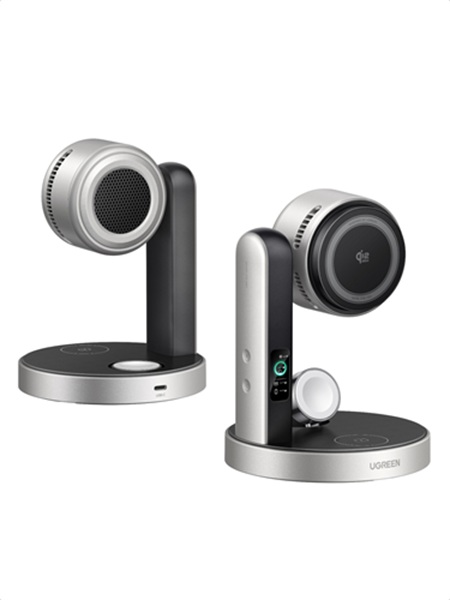
The UGREEN 3-in-1 wireless charging stand.
UGREEN

While consumers can attach the MagFlow power bank to their phone for quick charges, UGREEN continues the on-the-go idea with a pocket-sized charger.

The MagFlow 2-in-1 Foldable Magnetic wireless charger also features Qi2 25W charging capability. UGREEN says this product can double as a magnetic phone stand. Users can prop it up on a table, desk, or bedside. What's more, when it's folded, the 2-in-1 wireless charger fits in your pocket or travel bag.

Since 2-in-1 isn't enough, UGREEN took things further at Gillette Stadium this evening with its MagFlow Pro 3-in-1 Magnetic Qi2 25W wireless charging stand. Similar to the Magnetic Power Bank, this magnetic charging stand features the company's CryoPulse TEC Active Cooling with an "ultra-quiet" 15dB fan. All of this cooling potential is because consumers can charge multiple devices at once. Temperatures are kept low, and keep reportedly charge an iPhone 17 Pro Max to 50% in under thirty minutes.

Consumers will find a display on the charging stand to keep them informed.

UGREEN states the 2-in-1 Foldable Magnetic charger is available today (Sept 3) for $59. The 3-in-1 charging stand starts at $159. Both devices join the 10,000mAh power bank on UGREEN's official website and Amazon.

  •  

PG&E expands V2X program with Tesla, Volvo, Nissan and $17K incentives

PG&E just expanded its Vehicle-to-Everything (V2X) program, adding EVs from Tesla, Kia, Volvo, Polestar, and Nissan and opening up as much as $17,000 in incentives to turn a car into home backup power.

The California utility brought in Bidirectional Energy and PowerFlex as approved partners, and drivers now have until June 30, 2027 to enroll.

more…
  •  

Data centers become "killer application" for new power transformer tech

Data centers have become the largest driver of a surging electricity demand that is straining US power grids. But the AI data center boom has also accelerated investment in a technology that could provide a silver lining for everyone—solid-state power transformers that replace industrial-age technology with modern power electronics.

Power grids currently rely on conventional transformer technology that is painstakingly assembled by hand and has a fundamental design dating back to the 1880s. Two copper wire coils manually wound around a steel core create electromagnetic fields that help step up voltage levels of alternating current electricity for long-distance transmission or step down voltage levels for the electricity use of homes and businesses. The largest power transformers cannot be mass-manufactured but are instead custom-built for each utility company’s electrical substations.

Manufacturing constraints, coupled with the scramble to upgrade US power infrastructure, have meant utility companies and other customers must wait up to several years for delivery of new power transformers. That not only hinders power grid infrastructure expansion needed to support growing electricity demand, but also delays the process of replacing aging power transformers.

Read full article

Comments

© EPRI

  •  

MacVoices #26217: Take Control – Kirk McElhearn Takes Control of Airpods (1)

Kirk McElhearn discusses his new guide to getting the most from Apple’s AirPods, Take Control of AirPods for Take Control Books, explaining why the deceptively simple earbuds deserve a dedicated manual. The conversation explores hearing assistance, noise cancellation, audio quality, controls, battery management, charging options, Bluetooth limitations, and choosing the right model. Kirk offers tips that unlock features many owners never realize are available.

💾

  •  

MacVoices #26147: Live! – Spider-Man and AI, Apple Wallet Changes, Mac Mini Pricing, and Airline Charging

An online furor over the upcoming Spider-Man movie brings the issue of AI companions to the fore, along with broader concerns about celebrity likenesses, trademarks, and legal protections. Chuck Joiner, David Ginsburg, Eric Bolden, Brian Flanigan-Arthurs, Marty Jencius, and Jeff Gamet examine Discover removing Apple Wallet features, Mac mini pricing and configuration changes tied to […]

💾

  •  

OPPO K15 Smartphone Review: The Truly Practical Choice in the 2K Price Segment

1. Introduction: Cooling Is Usually Reserved for Gaming Flagships, But Mid-Range Phones Need It More

There are plenty of smartphones in the 2,000-yuan price range that focus on stacking specifications, but very few invest in advanced cooling systems.

Looking across the market, phones in this price segment are usually competing on performance, cameras, and fast charging. Cooling solutions are often mentioned only briefly—or ignored completely.

It is not because cooling is unimportant. The reason is simple: with limited costs, manufacturers usually spend their budget on features that users can immediately notice.

However, overheating and performance throttling are exactly the problems that trouble mid-range smartphone users the most.
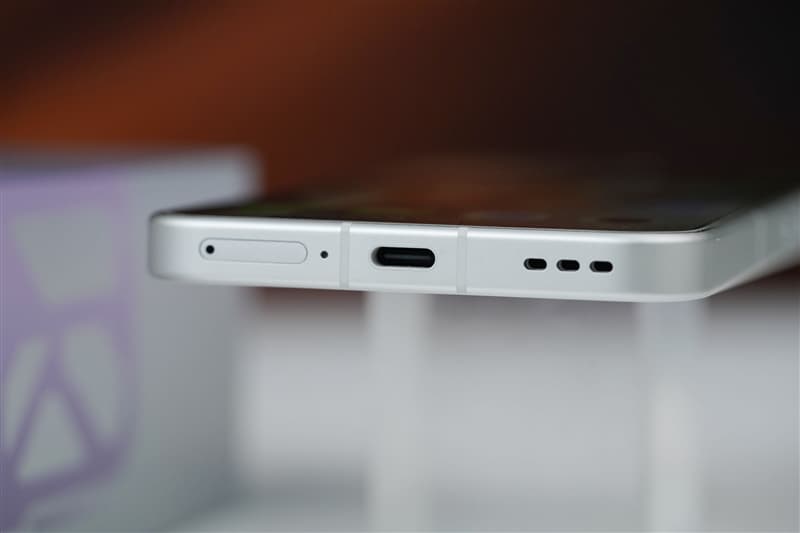
Examples include:

  • A phone becoming too hot to hold while navigating outdoors in summer
  • Gaming frame rates dropping from 60fps to 40fps after half an hour
  • The device overheating while charging and being used at the same time
  • Reduced battery lifespan caused by long-term heat exposure

OPPO K15 is a practical all-round smartphone that brings an active cooling fan system into the 2K price segment.

OPPO K15 Review: 8000mAh Battery + Active Cooling Fan Makes It the Most Practical 2K Phone

The OPPO K15 is equipped with the MediaTek Dimensity 7360 SUPER processor, OPPO’s Tidal Engine optimization system, an 8000mAh large-capacity battery, and IP69 flagship-level water resistance.

It also features:

  • Three 50MP cameras
  • A large 5000mAh-class imaging system
  • Active cooling fan
  • Long-lasting battery performance

The phone aims to solve two of the biggest complaints among mid-range smartphone users:

  1. Overheating
  2. Running out of battery

Honestly, I did not have very high expectations for cooling performance on a 2K-range smartphone. With cost limitations, simply keeping temperatures under control is already considered good enough.

However, OPPO added an active cooling fan this time, making me curious:

Is the cooling fan just a marketing gimmick, or can it actually reduce temperatures?
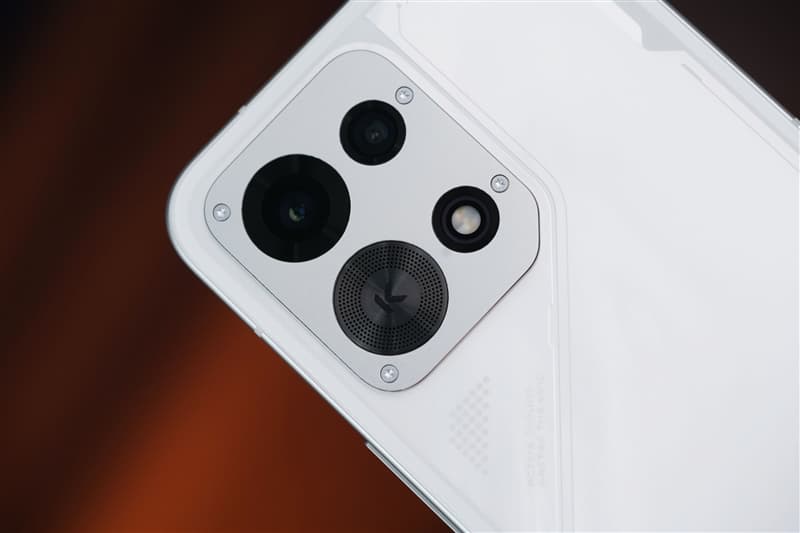
Active Cooling Fan: More Than Just a Marketing Feature

The OPPO K15 uses a new-generation Wind Cooling Engine, featuring a built-in micro cooling fan.

According to OPPO, the cooling system can:

  • Reduce temperature by 5°C within 5 minutes
  • Keep fan noise as low as 30dB during full-speed operation

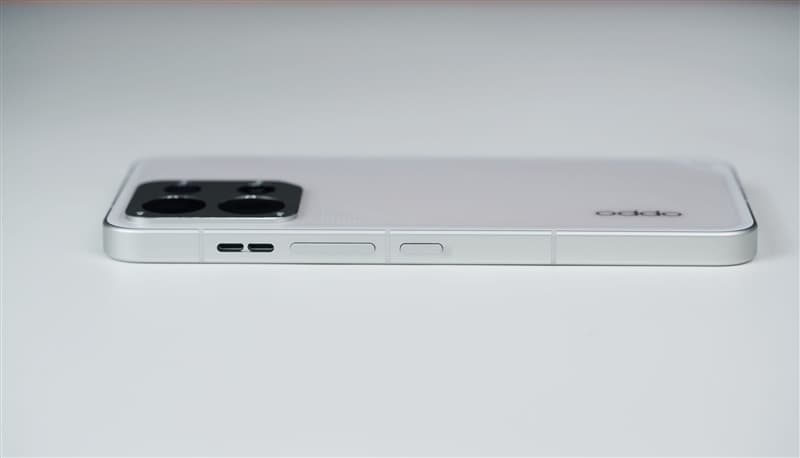
The fan is integrated with the rear camera module design. Thanks to this approach, the back cover remains completely flat without a large camera bump.

The entire phone is only:

  • 8.27mm thick

This means the cooling system does not negatively affect the grip or overall feel.

After completing temperature tests, I found that the fan performed better than expected.

Adding a cooling fan to a 2K-range smartphone reminds me of installing a turbocharger on an economy car—not to make it a racing machine, but to ensure it does not lose power when climbing uphill.
For flagship gaming phones, cooling is about achieving peak performance.

For mid-range phones, cooling is about maintaining stable performance during daily use.

Battery and Charging: 8000mAh Battery Designed for All-Day Use

The OPPO K15 features an 8000mAh Glacier Battery, providing enough endurance for heavy daily usage.

It supports:

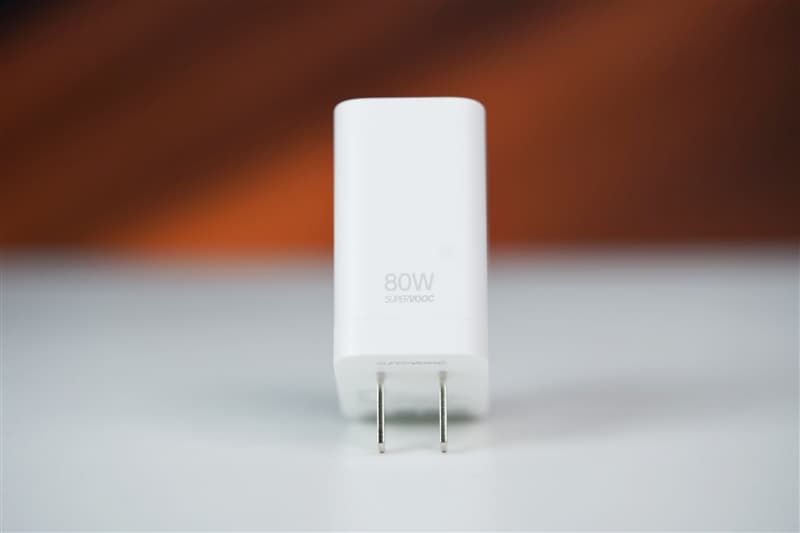
  • 80W SUPERVOOC fast charging
  • UFCS universal fast charging protocol
  • PPS charging protocol
  • Bypass charging
  • Wired reverse charging

The bypass charging feature allows power to directly supply the motherboard instead of continuously charging the battery during gaming sessions.

This helps:

  • Reduce heat generation
  • Protect battery health
  • Improve long-term durability

The reverse charging function also allows the phone to act as an emergency power source for accessories such as:

  • Earbuds
  • Smartwatches
  • Other small devices


Camera System: Three 50MP Cameras in the 2K Segment

The OPPO K15 features three 50MP cameras:

  • Rear main camera
  • Ultra-wide-angle camera
  • Front selfie camera

The main camera includes:

  • 1/2-inch large sensor
  • f/1.88 aperture
  • Optical Image Stabilization (OIS)

The ultra-wide-angle camera offers:

  • 143.3° ultra-wide field of view

The front camera supports:

  • 50MP resolution
  • Autofocus (AF)

For a phone in the 2K price segment, this camera configuration is quite generous.


Durability: IP69/IP68/IP66 Protection and Military-Grade Testing

The OPPO K15 focuses heavily on durability.

It supports:

  • IP69 waterproof rating
  • IP68 dust and water resistance
  • IP66 protection
  • Eight military-standard durability tests

The phone also features:

  • Crystal Shield glass protection
  • Metal middle frame

The combination makes it more resistant to:

  • Drops
  • Water exposure
  • Dust
  • Extreme environments

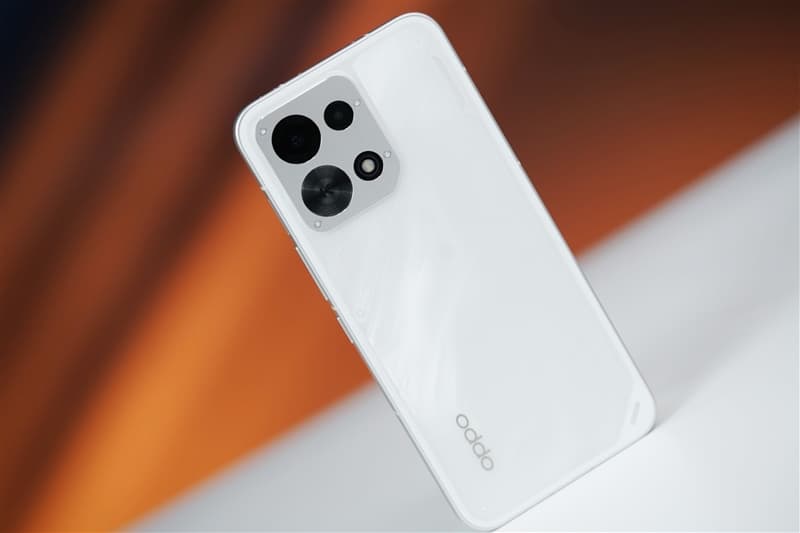
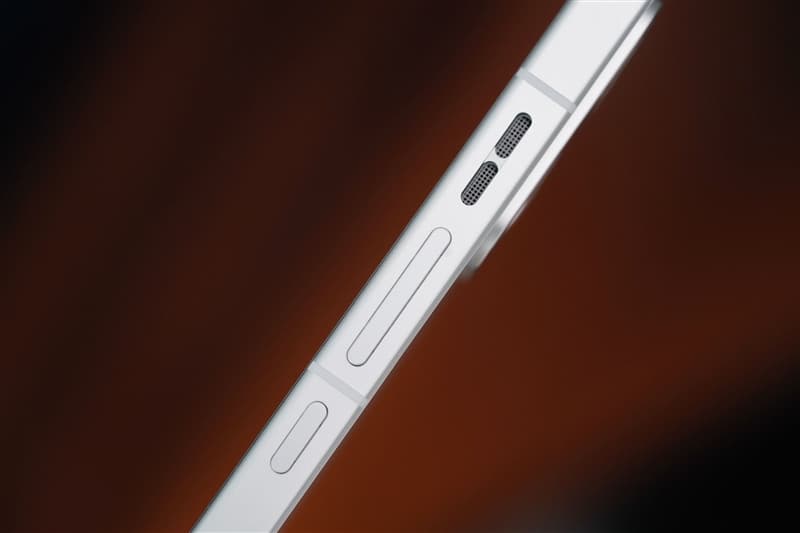
2. Design Review: Cloud Pattern Back Cover with Hidden Cooling Fan

The OPPO K15 features a 6.59-inch centered punch-hole flat display.

The rounded corners and narrow bezels provide a comfortable viewing experience.

The display supports:

  • 1.5K resolution
  • 120Hz refresh rate

Daily activities such as:

  • Watching videos
  • Switching apps
  • Scrolling webpages

all feel smooth and responsive.

The front panel uses high-strength Crystal Shield glass, while the back cover has a smooth texture that reduces fingerprints.


Colors and Rear Design

The OPPO K15 comes in two colors:

  • Speed White
  • Wind Gray

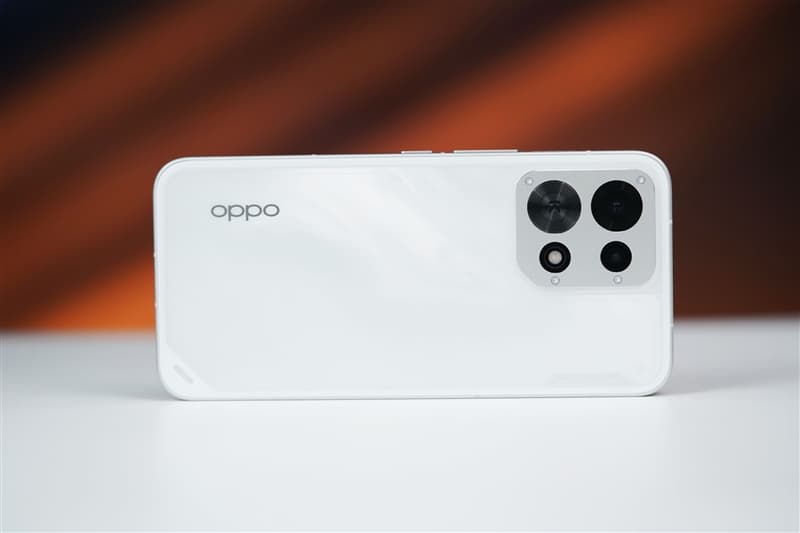
The review unit is the Speed White version, featuring a unique cloud-pattern texture.

When light reflects across the surface, it creates a flowing storm-like visual effect.

At the bottom of the back panel is the text:

“ACTIVE COOLING, MASTER THE WIND”

This highlights the phone’s cooling identity without making the design look aggressive.


Camera Module and Cooling Fan Integration

The rear camera module is one of the most distinctive parts of the phone.

It uses:

  • A square silver camera base
  • Four corner screws
  • Industrial-style design elements

Layout:

  • Top left: Main camera
  • Top right: Ultra-wide camera
  • Bottom left: Cooling fan air intake
  • Bottom right: Flash

The fan and camera system are integrated into one flat module.

Despite including an internal fan, the phone remains:

  • 8.27mm thick
  • Comfortable to hold
  • Free from a large camera bump

This design is clever because many flagship phones now have large protruding camera modules, while the OPPO K15 maintains a cleaner back design.

3. Cooling Test: The Active Fan Actually Works — Overheating and Throttling Become Less of a Concern
When people think of smartphones with built-in cooling fans, gaming flagships usually come to mind.

However, for users in the 2K price segment, long-term stable performance is arguably more important.

Common scenarios such as:

  • Outdoor navigation under strong sunlight
  • Long gaming sessions
  • Recording videos for extended periods
  • Using the phone while charging

can easily cause mid-range phones to heat up and reduce performance.

The OPPO K15 features the new-generation Wind Cooling Engine, which uses a three-layer cooling solution:
  1. Large-area VC vapor chamber

    The VC cooling plate quickly spreads heat away from the processor area.

  2. High-conductivity graphite layer

    The graphite material helps transfer heat more efficiently throughout the body.

  3. Built-in micro cooling fan

    The active fan pulls hot air away through the exhaust outlet, actively accelerating heat dissipation.

The key difference is that this is active cooling, not traditional passive cooling.

The fan is physically running, and heat is actively being removed.


Temperature Reduction Test

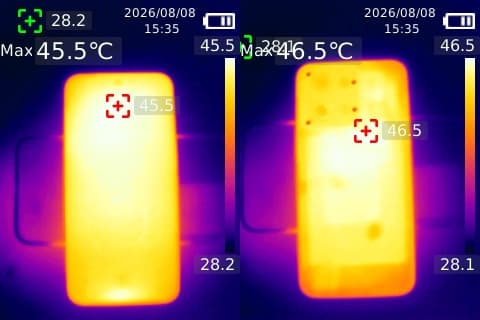
First, we used the AnTuTu stress test to push the OPPO K15 into a high-load state.

After continuous full-load operation:

  • Front temperature reached: 45.5°C
  • Rear temperature reached: 46.5°C

At this point, the phone felt noticeably hot in the hand.

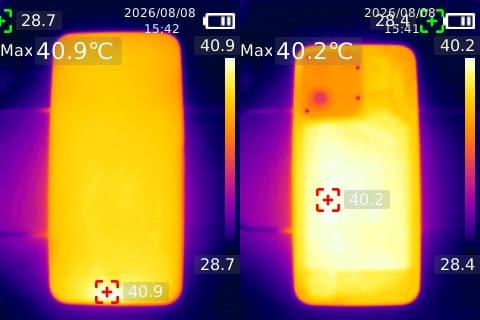
Then we activated the cooling fan.

After 7 minutes:

  • Front temperature dropped to 40.9°C
  • Rear temperature dropped to 40.2°C

The phone changed from hot to only slightly warm.

After waiting 12 minutes:

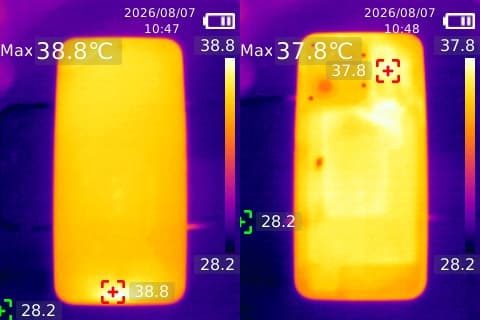
  • Front temperature: 38.8°C
  • Rear temperature: 36.5°C

Compared with the peak temperature of 46.5°C, the rear temperature dropped by approximately 10°C.

The thermal imaging results clearly showed that heat was being transferred away through the fan system.

The temperature around the cooling fan area was noticeably lower than other parts of the phone, proving that the fan was actively removing heat.


High-Energy Outdoor Mode

The OPPO K15 also includes a High-Energy Outdoor Mode, which can be enabled through the accessibility settings.

Once activated, the system automatically:

  • Starts the cooling fan
  • Optimizes temperature control
  • Keeps the phone operating within a stable performance range

This mode also includes several practical outdoor improvements:

Enhanced Screen Brightness

The display automatically increases brightness, making it easier to see under direct sunlight.

Improved Voice Volume

When Bluetooth devices are disconnected, the phone automatically switches to the speaker and increases volume.

Extended Screen Timeout

The display stays active longer, preventing interruptions during:

  • Navigation
  • Outdoor work
  • Long-term map usage

Quick Access Optimization

Frequently used applications can be pinned to a shortcut bar for faster switching.

There are also desktop shortcut cards that allow one-tap access to important functions.

The combination of cooling assistance and outdoor optimization makes the OPPO K15 more convenient for real-world use.

The purpose of active cooling in a 2K smartphone is not chasing the highest benchmark score.

It is about maintaining stable performance during long gaming sessions, navigation, and video recording.

Other phones compete for peak performance.

The OPPO K15 focuses on staying stable for longer.

4. Performance Test: Dimensity 7360 SUPER + Tidal Engine Focus on Stability

The OPPO K15 is powered by the MediaTek Dimensity 7360 SUPER processor.

Although positioned as a mid-range chipset, OPPO has added its own Tidal Engine optimization system to improve long-term performance.

The phone also features:

  • 4950mm² VC vapor chamber
  • High-conductivity graphite cooling layer
  • Built-in active cooling fan

This combination provides a strong thermal foundation for a phone in this price category.

To evaluate real-world performance, we tested two popular mobile games.


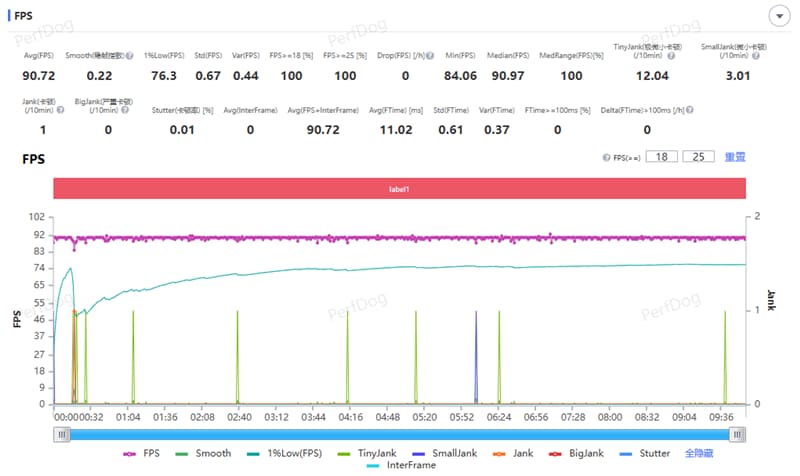
Gaming Test 1: Honor of Kings

For Honor of Kings, we set:

  • Frame rate: Ultra-high
  • Graphics quality: HD
  • Performance mode: Enabled

During a full 5v5 match:

Results:

  • Average frame rate: 90.72 FPS
  • Frame fluctuation index: 0.22

The phone maintained smooth performance throughout the match.

Whether during:

  • Large team fights
  • High-density skill effects
  • Tower battles

there were no obvious frame drops or visible lag.

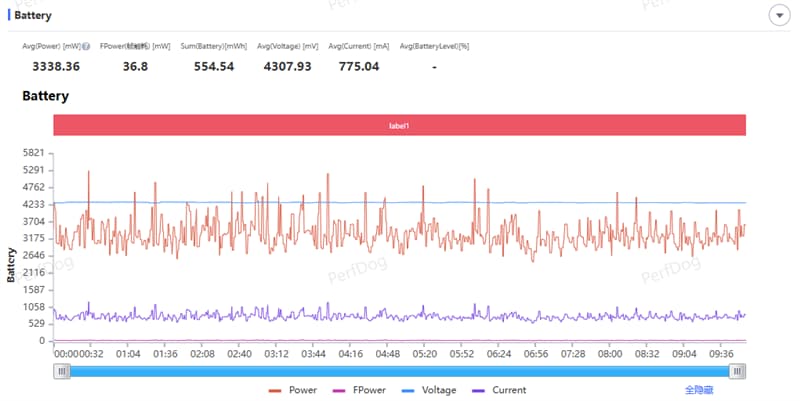
Average power consumption:

  • 3.34W

Energy consumption per frame:

  • 36.8mW

After enabling the cooling fan in smart variable-speed mode, temperatures remained well controlled.


Gaming Test 2: PUBG Mobile

For PUBG Mobile, settings were:

  • Graphics: Smooth
  • Frame rate: Extreme (60 FPS)
  • Mode: Classic Squad Battle

During the entire match:

  • Landing
  • Rotating zones
  • Fighting enemies
  • Final circle battles

the frame rate remained around 60 FPS.
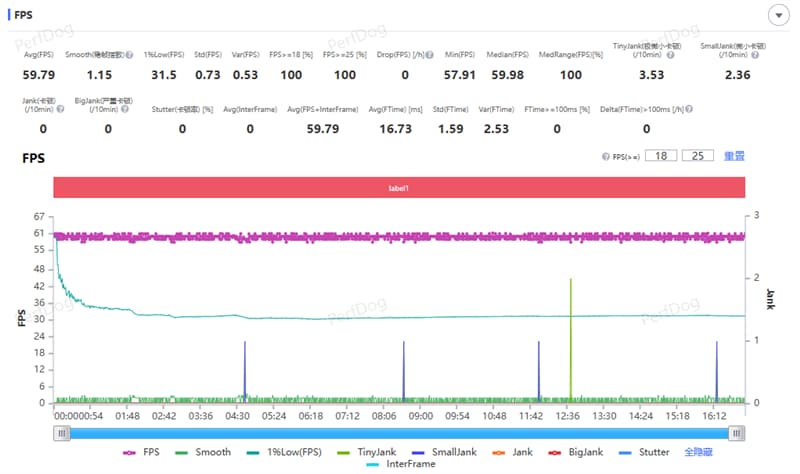
There were no common mid-range phone issues such as:

  • Sudden frame drops when entering the zone
  • Delayed aiming response
  • Stuttering during combat

Average power consumption:

  • 2.84W

Energy consumption per frame:

  • 47.5mW

The cooling fan helped maintain stable temperature during the gaming session.


5. Camera Review: Three 50MP Cameras Deliver Strong Image Quality

The OPPO K15 represents a major improvement in imaging for the K series.
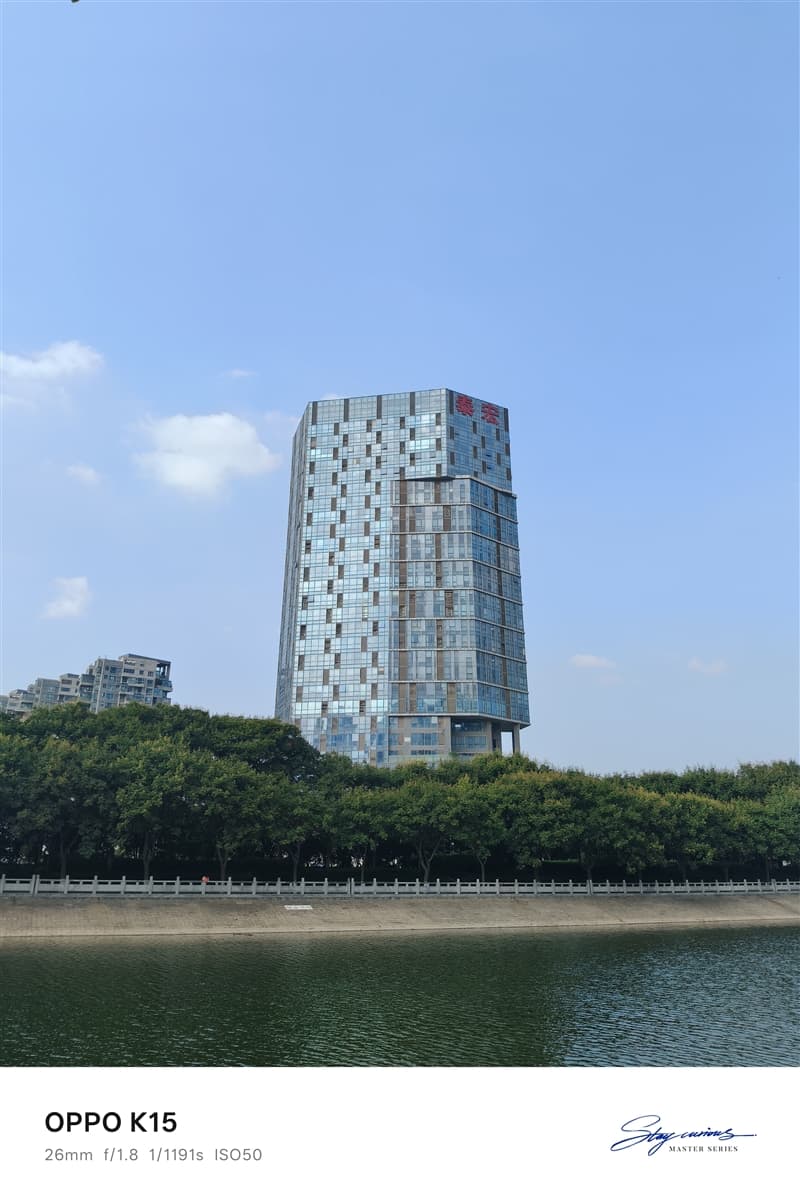
It features three 50MP cameras:

  • Main camera
  • Ultra-wide camera
  • Front camera

The main camera includes:

  • 1/2-inch large sensor
  • f/1.88 aperture
  • OIS optical stabilization

The ultra-wide camera provides:

  • 143.3° ultra-wide field of view

Unlike many mid-range phones where secondary cameras are mainly for marketing, the OPPO K15 gives more attention to practical photography.


Main Camera Experience

The 50MP main camera performs well in daylight scenes.

Strengths include:

  • Good detail retention
  • Natural colors
  • Strong dynamic range
  • Stable handheld shooting thanks to OIS

Photos maintain good clarity even when zooming into details.

The large sensor also helps improve:

  • Low-light performance
  • Background separation
  • Night photography quality

Ultra-Wide Camera Experience

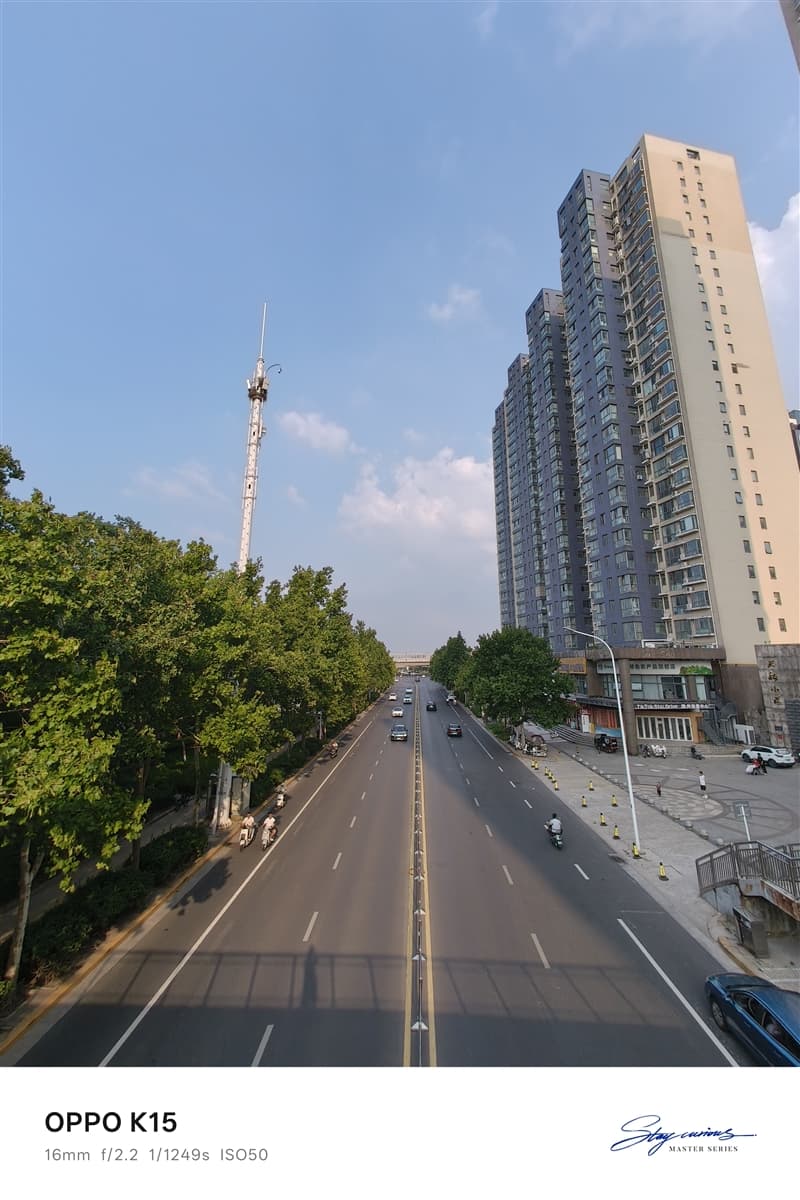
The 143.3° ultra-wide camera is useful for:

  • Architecture photography
  • Landscape shots
  • Group photos
  • Travel scenes

The wider perspective allows users to capture more content in a single frame.


Night Photography

The main camera’s large sensor and optical stabilization help improve nighttime shooting.

Night photos show:

  • Better light control
  • Reduced motion blur
  • Improved shadow details

For a mid-range smartphone, the camera performance is above average.

6. Battery and Charging: 8000mAh Battery Easily Lasts a Full Day, 80W Flash Charging Keeps You Going

Battery life is one of the strongest selling points of the OPPO K15.

The phone comes with an 8000mAh Glacier Battery, which is significantly larger than the batteries commonly found in mainstream smartphones.

For users who rely heavily on their phones every day, such as:

  • Outdoor workers
  • Travelers
  • Navigation users
  • Mobile gamers
  • Video streamers

the large battery capacity provides a clear advantage.


Battery Life Test

To evaluate real-world endurance, we used the Battery Dog testing tool developed by Kuai Technology.

The test simulated typical daily usage scenarios, including:

  • CPU high-load operation
  • Multi-thread processing
  • AI recognition
  • Image browsing
  • Video playback
  • Web browsing

Testing conditions:

  • Screen brightness: 50%
  • Auto brightness: Disabled
  • Volume: 30%

The results showed:

The OPPO K15 lasted:

14 hours and 33 minutes from 100% battery down to 20%.

Based on this result, the theoretical full battery endurance is approximately:

18 hours of continuous usage.

This result matches the expectations of an 8000mAh battery and demonstrates the phone’s excellent endurance.

For normal users, the OPPO K15 can easily handle:

  • A full day of heavy usage
  • Long outdoor navigation
  • Extended gaming sessions
  • Continuous video playback

without worrying about battery anxiety.


80W SUPERVOOC Fast Charging Experience

The OPPO K15 supports:

  • 80W SUPERVOOC fast charging
  • UFCS universal fast charging
  • PPS fast charging protocol

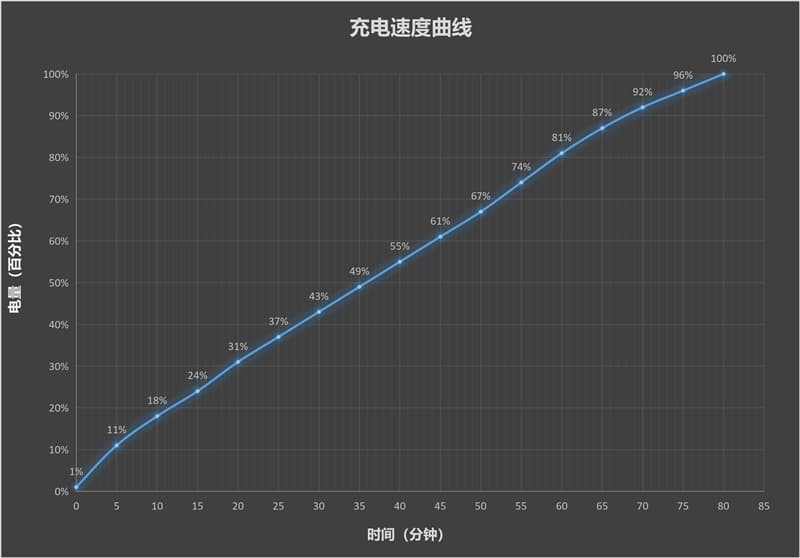
We tested charging with the included 80W charger.

Starting from:

1% battery

Charging results:

Charging Time Battery Level
5 minutes 11%
10 minutes 18%
30 minutes 43%
60 minutes 81%
80 minutes 100%

Although the phone uses a large 8000mAh battery, it can still reach a full charge within around 80 minutes.

This provides a good balance between battery capacity and charging speed.


Bypass Charging: Better for Long Gaming Sessions

The OPPO K15 supports bypass charging, which is especially useful for gamers.

When enabled:

  • Power goes directly to the motherboard
  • Battery charging is reduced
  • Heat generation is lowered
  • Battery aging is minimized

This means users can keep playing games while connected to power without constantly stressing the battery.

For people who often:

  • Play games while charging
  • Watch videos for long periods
  • Use the phone as a stationary entertainment device

this feature is very practical.

Wired Reverse Charging

The OPPO K15 also supports wired reverse charging.

The phone can temporarily act as a power bank for devices such as:

  • Wireless earbuds
  • Smartwatches
  • Other smartphones

When traveling, this feature provides an emergency power solution without carrying an additional charger.


7. Special Features: IP69 Protection, Breathing Light, NFC and Infrared

Beyond cooling, performance, and battery life, the OPPO K15 also includes many practical features that improve everyday experience.


IP69 Protection: Designed for Tough Environments

The OPPO K15 supports:

  • IP69 waterproof protection
  • IP68 dust and water resistance
  • IP66 protection

It also passed eight military-standard durability tests covering:

  • High temperature
  • Low temperature
  • Rain exposure
  • Dust environments
  • Drop resistance

This makes the phone suitable for more demanding environments.


Water Resistance Test

During testing, we played Douyin videos on the OPPO K15 while placing it under running water.

The results:

  • Video playback continued normally
  • Touch controls remained responsive
  • Wet fingers could still operate the screen

The phone remained fully functional after exposure to water.

While IP69 protection does not mean users should intentionally abuse their devices, it provides additional confidence for:

  • Outdoor workers
  • Travelers
  • Users in rainy environments

Mist Shadow Breathing Light: Adding Gaming Atmosphere

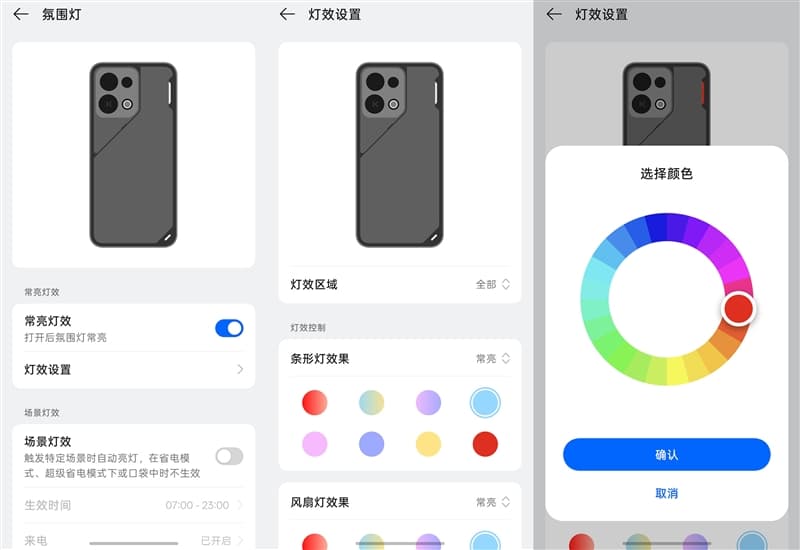
The rear panel includes OPPO’s Mist Shadow Breathing Light system.

Users can customize:

  • Full lighting area
  • Strip lighting
  • Fan lighting

Lighting effects include:

  • Flowing effects
  • Breathing effects
  • Always-on mode
  • Flashing effects

The fan lighting also supports:

  • Breathing mode
  • Constant lighting
  • Flashing mode

Multiple colors are available.

At night, the lighting can synchronize with music, creating a gaming-style atmosphere.

Unlike inexpensive RGB lighting effects, the implementation feels more refined.

Users can also configure:

  • Activation time
  • Lighting behavior
  • Automatic disabling when the phone is in a pocket

Mountain-Sea Communication Technology: Better Signal in Weak Areas

The OPPO K15 includes OPPO’s self-developed Mountain-Sea Communication Technology.

The system uses:

  • 360° surround antenna design
  • Multi-source signal optimization algorithms

It is designed to improve connectivity in difficult environments such as:

  • Underground parking areas
  • Elevators
  • Buildings with weak signals

During testing in an underground parking area:

Network results:

  • Ping latency: 37ms
  • Download speed: 8.37Mbps
  • Upload speed: 16.12Mbps

The phone maintained stable connectivity without obvious disconnections.
Dual-Frequency GPS: Faster and More Accurate Positioning

The OPPO K15 is equipped with:

  • Dual-frequency GPS
  • Flagship-level sensors
  • Multi-source positioning algorithms

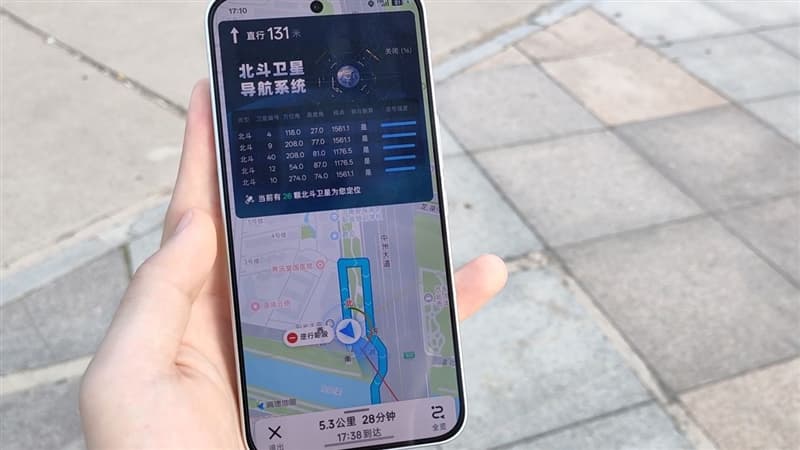
During navigation testing with Amap:

  • Location locking was fast
  • Navigation started quickly
  • Position accuracy remained stable

The real-time navigation interface showed:

  • 26 BeiDou satellites assisting positioning

Even in complex environments such as:

  • Urban streets
  • Tunnels
  • Underground parking areas

the positioning performance remained reliable.


8. Final Verdict: A Smartphone That Solves Real Problems

At the beginning of this review, the question was:

Is the cooling fan on a 2K-range smartphone just a gimmick, or does it really work?

After testing, the answer is clear:

It works.

During the AnTuTu stress test:

  • Rear temperature reached 46.5°C
  • After activating the fan for 12 minutes, it dropped to 36.5°C

A temperature reduction of around 10°C was confirmed through thermal imaging.

The active cooling fan is the feature that truly separates the OPPO K15 from other phones in the same price range.

Many smartphones offer:

  • Large batteries
  • Water resistance
  • Fast charging

But fewer combine these features with an integrated cooling fan.


OPPO K15 Key Strengths

The phone delivers:

8000mAh large battery
Active cooling fan
IP69/IP68/IP66 protection
Stable gaming performance
80W fast charging
Three 50MP cameras
120Hz 1.5K display
Dual-frequency GPS
Strong signal performance


Who Should Buy the OPPO K15?

The OPPO K15 is especially suitable for users who care about:

  • Long battery life
  • Stable performance
  • Outdoor usage
  • Gaming without overheating
  • Durability
  • Practical everyday features

However, users who want:

  • Maximum gaming frame rates
  • Flagship-level processor performance

may prefer higher-end gaming smartphones.

The Dimensity 7360 SUPER is not designed to chase extreme benchmark records. Instead, it focuses on delivering stable performance over long periods.

Final Conclusion

Many smartphones in the 2K price range compete by making their specification sheets look impressive.

OPPO K15 takes a different approach.

Instead of only chasing higher numbers, it focuses on solving real user problems:

  • A phone that does not become uncomfortable when hot
  • A battery that lasts all day
  • A device that remains reliable outdoors
  • A smartphone that can handle daily challenges

The built-in cooling fan is like adding a turbocharger to an economy car—not for racing, but to prevent losing power when climbing a hill.

After testing, the OPPO K15 proves that it can:

  • Stay cool under pressure
  • Maintain stable performance
  • Last through demanding usage
  • Survive tougher environments

For users looking for a practical, durable, and reliable smartphone in the 2K price segment, the OPPO K15 is one of the most complete choices available.

OPPO K15: A truly practical smartphone built for real-world use.

The post OPPO K15 Smartphone Review: The Truly Practical Choice in the 2K Price Segment appeared first on IGeeKphone China Phone, Tablet PC, VR, RC Drone News, Reviews.

  •  

MOKiN 200W Desktop Charger REVIEW A Compact 6-Port GaN Charger That Powers Your Entire Desk

MOKiN 200W Charging Station with Retractable Cord

$59.98
Price as of 08/05/2026
We may earn a commission when you buy through our links. This helps support MacSources and keeps our content free. Thank you!

With 200W of shared output, six charging ports, a retractable USB-C cable, and a real-time LCD display, the MOKiN 200W Desktop Charger is an excellent all-in-one charging solution for modern desktops.

I’ve reviewed quite a few MOKiN products over the years, and they’ve become one of those brands I genuinely look forward to testing. Whether it’s a docking station, USB-C hub, or charger, I’ve consistently been impressed by the quality of the materials, thoughtful designs, and reliable performance. MOKiN has earned a place among my favorite accessory brands because they continue to deliver dependable products without the premium price tag that many competitors charge.

Founded around 2016, MOKiN focuses on USB-C accessories, including docking stations, hubs, adapters, and charging solutions. As laptops and tablets have increasingly adopted USB-C while removing traditional ports, the company has built its lineup around helping users connect displays, transfer data, and charge multiple devices with as little hassle as possible. Backed by its parent manufacturer, C-SmartLink Information Technology in Shenzhen, MOKiN has expanded its reach to customers in more than 100 countries and continues to grow its lineup with practical, well-built accessories.
MOKiN 200W GaN Charger 6-Port with LCD Display

Specs

  • Total Power Output: Up to 200W shared across six charging ports 
  • Ports: 4 × USB-C, 2 × USB-A 
  • Maximum USB-C Output: Up to 100W from a single USB-C port (device must support 100W input) 
  • Maximum USB-A Output: Up to 15W from a single USB-A port 
  • Display: Integrated LCD screen with real-time per-port power monitoring, charging time, average power usage, temperature alerts, and animated status icons 
  • Built-In Cable: 2.6 ft (80 cm) retractable USB-C cable 
  • Technology: GaN 5.0 for improved charging efficiency and reduced heat generation 
  • Safety Features: Six-layer protection system including overcurrent, overvoltage, short-circuit, overheating, and other charging safeguards 
  • Compatibility: Supports charging for smartphones, tablets, laptops, power banks, and other USB-powered devices, including iPhone, Samsung Galaxy, MacBook, iPad, and more 
  • Dimensions: 4.8 × 2.8 × 2.2 inches 
  • Ideal For: Home offices, desktops, bedside tables, travel, and charging multiple devices simultaneously 
  • Warranty: 18-month limited warranty 
  • Support: Lifetime technical support from MOKiN 
MOKiN 200W GaN Charger 6-Port with LCD Display

Unboxing and First Impressions

Inside the box, you’ll find the MOKiN 200W Desktop Charger along with its external power supply. Setup couldn’t be any easier. Simply connect the power adapter, plug it into the wall, and the charger is ready to go.

After powering it on, I was greeted by MOKiN’s familiar LCD display. A single button on the top of the unit lets you cycle through several different display screens, allowing you to view real-time charging information such as how much power each connected device is drawing, total charging output, charging time, average power usage, and other system information. It’s a simple interface that’s easy to navigate and genuinely useful if you like keeping an eye on what your devices are pulling.

MOKiN 200W GaN Charger 6-Port with LCD Display

My first impression was just how compact the charger is. Despite offering six charging ports and up to 200W of total output, it takes up very little space on a desk. The clean, vertical design helps minimize clutter, making it an excellent addition to a desktop setup without dominating valuable workspace.

Overall Use

After using the MOKiN 200W Desktop Charger on my desk for a while, it’s become one of those accessories I don’t want to be without. My desk is filled with power-hungry devices including a MacBook Air, iPad Pro, smartphone, wireless accessories, and even large-capacity power banks, so having a single charging station that can handle everything without needing multiple wall adapters has been incredibly convenient. Instead of cluttering my desk with individual chargers, I now have one compact unit that quietly sits in the corner until I need it.

MOKiN 200W GaN Charger 6-Port with LCD Display

One of my favorite features is the built-in retractable USB-C cable. It keeps the desktop looking clean and organized because there’s no loose cable hanging around when it’s not being used. When I need to charge something quickly, I simply pull it out, plug it in, and when I’m finished it retracts neatly back into the charger. My only complaint is that I wish MOKiN had included two or even three retractable cables instead of just one. That would make it even more convenient for frequently charging multiple USB-C devices without reaching for additional cables.

The LCD display is another feature I’ve grown to appreciate. Being able to see exactly how much power each connected device is drawing is surprisingly useful, especially when charging laptops or high-capacity power banks. It takes the guesswork out of charging and gives the charger a more premium feel.

MOKiN 200W GaN Charger 6-Port with LCD Display

Overall, this has become a permanent fixture on my desk. It stays out of the way, takes up very little space, and is always ready whenever I need to charge another device. For anyone with a desk full of modern USB-C gadgets, this feels less like an optional accessory and more like a necessity. It keeps everything organized, eliminates cable clutter, and provides enough power that I’ve rarely found myself wishing for anything more.

Conclusion

The MOKiN 200W Desktop Charger is another excellent product from a brand that has consistently impressed me. It delivers plenty of power in a surprisingly compact design, keeps desktop clutter to a minimum, and offers enough ports to charge just about everything I use on a daily basis. The retractable USB-C cable, informative LCD display, and 200W total output all combine to create a charging station that feels both practical and thoughtfully designed.

MOKiN 200W GaN Charger 6-Port with LCD Display

As with any high-powered GaN charger, it does get warm when it’s supplying a lot of power, especially when charging multiple devices or power-hungry equipment at the same time. During my testing, however, the temperatures never reached a point that I considered unsafe or concerning. The heat remained well within what I’d expect from a charger pushing this much power, and I never experienced any performance issues while using it.

My biggest wish is that MOKiN had included two or three retractable USB-C cables instead of just one, as that would make an already convenient charger even better. Even so, that’s a relatively minor complaint.

MOKiN 200W GaN Charger 6-Port with LCD Display

If you’re looking for a single charging station that can replace a handful of bulky wall adapters while keeping your desk clean and organized, the MOKiN 200W Desktop Charger is an easy recommendation. It’s become a permanent part of my desktop setup, and I can honestly say it’s one of those accessories that you don’t realize you need until you start using it every day. Once it’s on your desk, it’s hard to imagine going back.

For more information, visit mokinglobal.com

  •  

Tesla Supercharger shooting sparks EV charging safety debate

After a gunman opened fire at a Twin Falls, Idaho, In-N-Out with an attached Tesla Supercharger last week, EV owners flooded social media with the same suggestion: buy an EVject.

The breakaway charging connector lets you drive off while still plugged in. It sounds like an obvious fix for a horrifying scenario — but it’s a controversial device that doesn’t actually solve the problem, and it points to something Tesla and every other automaker should be building instead.

  •  

UGREEN Nexode Pro 160W Charger with Retractable Cable REVIEW A Powerful All-in-One Charging Solution

UGREEN Nexode Pro 160W Charger with Retractable Cable,

$149.99
Price as of 07/30/2026
We may earn a commission when you buy through our links. This helps support MacSources and keeps our content free. Thank you!

The UGREEN Nexode Pro 160W combines high-speed GaN charging, a built-in retractable USB-C cable, smart monitoring, and multi-device support into a premium travel-friendly charger.

In the past few years, I’ve really enjoyed using high-powered, advanced power adapters. Many of them come with a display built-in that show you how much power output is occuring while you charge and I really like to monitor that activity. UGREEN has been one of my favorite charging device companies and now they are releasing the Nexode Pro 160W Charger…with a Retractable Cable! That is an accessory that makes the premium charger even more convenient.

About the UGREEN Nexode Pro 160W Charger with Retractable Cable

The UGREEN Nexode Pro 160W Charger with Retractable Cable is a premium GaN charger designed for users who regularly carry multiple high-powered devices. Combining a compact form factor with up to 160W of total output, it can charge everything from laptops and tablets to smartphones and accessories from a single power adapter.

One of its standout features is the integrated retractable USB-C cable, which extends up to 27.6 inches and eliminates the need to carry an extra charging cable for many situations. The charger also includes three USB-C ports and one USB-A port, allowing up to four devices to be charged simultaneously.

UGREEN 160W Charger with Retractable Cable

Unlike traditional chargers, the Nexode Pro features a built-in smart display that provides real-time information including power output, charging protocols, voltage, current, and temperature. It also supports Bluetooth and Wi-Fi connectivity through the UgreenConnect app, enabling remote power management, safety controls, and over-the-air firmware updates.

Powered by UGREEN’s GaNInfinity™ technology and Thermal Guard™ safety system, the Nexode Pro is designed to deliver efficient, high-speed charging while continuously monitoring temperatures and intelligently distributing power between connected devices.

Features & Specs

  • Up to 160W total power output
  • Built-in 27.6-inch (70 cm) retractable USB-C cable with eight adjustable lengths
  • Up to 140W output from the integrated USB-C cable
  • Up to 140W output from the USB-C1 port
  • Charge up to four devices simultaneously
  • 3 × USB-C ports and 1 × USB-A port
  • Built-in smart display with real-time charging information
  • Displays total output, per-port wattage, voltage, current, charging protocol, temperature, and charger mode
  • GaNInfinity™ technology for efficient, compact charging
  • Thermal Guard™ temperature monitoring with checks up to 200 times per second
  • Intelligent SmartCharge Power Distribution for optimized power allocation
  • Bluetooth and Wi-Fi connectivity through the UgreenConnect app
  • Remote power management and safety shutdown controls
  • Over-the-air (OTA) firmware updates
  • Designed to charge laptops, tablets, smartphones, handheld gaming devices, and accessories from a single charger
UGREEN 160W Charger with Retractable Cable

Pricing & Availability

The list price of the UGREEN Nexode Pro 160W Charger is $149.99 from ugreen.com and Amazon.

User Experience

The first thing I noticed when I took the UGREEN Nexode Pro 160W Charger out of the box was just how premium it felt. UGREEN has consistently impressed me with the quality of its charging accessories, and this charger is no exception. Even though it can deliver up to 160W of power and charge multiple devices at once, it wasn’t as large or heavy as I expected. It’s a little heavier than a standard laptop charging brick, but that’s an easy tradeoff when it can replace several chargers in my bag. I wouldn’t hesitate to toss it into my laptop bag for everyday use or when I’m traveling.

The built-in retractable USB-C cable is easily one of my favorite features. It sounds like a small addition, but after using it for a while, I found myself appreciating it more and more. The cable extends smoothly, locks securely into the different length settings, and retracts evenly every time. It also feels sturdy enough that I don’t worry about it wearing out with normal use. While it’s obviously not meant to reach across a room, it’s more than long enough for charging devices on my desk, nightstand, or in a hotel room. Best of all, I never had to ask myself if I remembered to pack a USB-C cable because one is always built into the charger.

UGREEN 160W Charger with Retractable Cable

For my testing, I used the Nexode Pro with an iPhone 16 Pro, MacBook Pro, iPad Pro, and Microsoft Surface Pro. Across all of them, the charger delivered the performance I expected. To give a more measurable example, I charged my iPhone 16 Pro from 19% to 66% in just 30 minutes, a gain of 47% battery life, averaging about 1.57% per minute. That lines up well with what I’d expect from a high-performance USB-C charger and makes it a great option when you need to top off your battery before heading out.

One of the reasons I enjoy testing chargers like this is the built-in display. I love being able to see exactly what’s happening while my devices are charging. Instead of simply plugging something in and hoping it’s charging at full speed, I can quickly glance at the display to see the current wattage being delivered. The screen is bright, easy to read, and provides useful information without feeling cluttered. For me, this isn’t just a novelty feature. It’s something I actually use every time I charge my devices.

UGREEN 160W Charger with Retractable Cable

I also connected the charger to the UgreenConnect app to see what it offered. Setup was fairly straightforward, although the touch button used during pairing was a little temperamental and occasionally took a couple of tries. Once connected, though, the Bluetooth and Wi-Fi connection remained reliable. I mainly used the app for monitoring charging information and tracking data. The charger works perfectly well without the app, so it’s definitely not a requirement, but if you’re someone who enjoys keeping an eye on charging statistics or wants access to additional controls, it’s a nice bonus.

Finally, I was impressed with how cool and quiet the charger remained throughout my testing. Even while charging higher-powered devices, it never became excessively warm, and I never heard any fan or electrical noise. That’s exactly what I want from a charger I’m going to leave plugged in on my desk or pack in my travel bag. It simply did its job without drawing attention to itself, and that’s a good thing.

UGREEN 160W Charger with Retractable Cable

Conclusion

The UGREEN Nexode Pro 160W Charger with Retractable Cable is one of the most versatile charging solutions I have tested. It combines the convenience of a multi-port GaN charger with the added benefit of an integrated retractable USB-C cable, eliminating one more accessory that can be forgotten when traveling. For professionals, frequent travelers, and anyone who regularly carries multiple devices, the UGREEN Nexode Pro 160W Charger with Retractable Cable is an excellent investment. It reduces clutter, delivers reliable charging performance, and provides a level of convenience that traditional chargers cannot match.

For more information, visit UGREEN.com

  •  

China Develops Drones with Endless Flight Times Powered by Advanced Laser Technology

Chinese researchers are using laser technology to vastly extend the flight time of drones, marking a significant shift in UAV capabilities.

The achievement was reported by researchers from China’s Civil Aviation University, who reported their findings in laser-based drone charging technology in a recent article published in Matter & Light.

The new drone concept utilizes a lightweight receiver, repurposing solar cell technology to absorb laser light and convert it into electricity to power a device.

Endless Drones

“Imagine a future where drones inspecting forests, monitoring disasters, or delivering packages no longer need to land frequently to replace batteries,” said senior author Jianhua Han of Civil Aviation University of China. “As drones take on longer missions, battery life has become one of the biggest barriers.”

At the core of the breakthrough is perovskite, a class of synthetic compounds with a crystalline structure highly conducive to solar power applications. The team developed a perovskite laser cell-thermoelectric (PLC-TE) tandem device that optimizes a solar cell to accept laser energy.

drone model
In laboratory tests, the perovskite laser receiver effectively powered the propeller on a stationary drone model (Image Credit: Y. Han and X. Han et al., Matter & Light)

The cell’s perovskite converts laser energy into electricity, which can be a messy process, as some of the power is lost as heat. The thermoelectric layer addresses this problem by capturing heat and converting it into electricity via the temperature differential between its warmer, laser-facing side and its cooler side. However, that contrast requirement can be an issue when the laser uniformly heats the entire drone, reducing the efficiency of that heat-to-energy conversion.

Managing Overheating

“When we tested the device under a high-power laser, the thermal camera showed temperatures of 80 to 90 degrees Celsius,” Han said. “That was much higher than we expected and made us realize that heat buildup was a far more serious problem than we had imagined.”

To mitigate overheating concerns, the receiver was mounted on the drone’s wings, kept separate from other components, and paired with heat-blocking technology to enable laser-to-electric energy conversion without overheating sensitive electronics.

This heat-blocking technology included nanocrystals embedded in the PLC-TE tandem device, which acted as a thermal barrier due to their poor thermal conductivity. With the nanocrystals in place, the researchers tested the conversion device on its own and observed a significant slowdown in heat flow during prolonged laser exposure, which would cool the drone overall.

This PLC-TE device was bombarded with a green laser in a laboratory experiment and converted 38.49% of the beam’s energy into electricity, a high percentage compared to other wireless charging systems in similar scenarios.

Drone Tests

Next, the team integrated the energy conversion system onto a stationary lab drone and also added airflow channels to the wings. In subsequent laboratory tests, laser bombardment supplied sufficient energy to power the drone’s propeller, while the airflow channels effectively cooled the thermoelectric layer’s cold side, maximizing heat-to-electricity conversion.

“Previous studies largely focused on the materials or the device itself,” Han explained. “We wanted to think beyond the laboratory, to how the system could actually be integrated into an aircraft, cooled during operation, and made compatible with flight. It isn’t just a materials science problem; it’s an engineering one.”

Work continues on this wireless drone charging system, with outdoor flight tests on a lightweight frame scheduled. These will be paying particular attention to the system’s reliability under real-world outdoor conditions. However, the team notes that energy conversion efficiency will not be their sole research area, as the accuracy of laser tracking will be essential to the system’s safe operation.

“Our work demonstrates the possibility of ‘refueling aircraft with light,’” Han concluded. “Going from 1 to 100 will require solving many engineering challenges, but we hope this provides a starting point for future development.”

The paper, “Sb2Se3 Nanocrystals Enable Efficient Perovskite-Thermoelectric Tandem Devices for Laser-Powered Unmanned Aerial Vehicles,” appeared in Matter & Light on July 29, 2026.

Ryan Whalen covers science and technology for The Debrief. He holds an MA in History and a Master of Library and Information Science with a certificate in Data Science. He can be contacted at ryan@thedebrief.org.

  •  
❌