Rivian’s rejection of CarPlay and physical buttons in favor of voice and AI control sees to question safety, convenience, data control, and long-term car software support. Chuck Joiner, David Ginsburg, Jeff Gamet, Guy Serle, Web Bixby, Eric Bolden, Marty Jencius, and Jim Rea question whether Rivian has other motives, and then dive into Tesla updates, AI voice recreation of Stan Lee, Spider-Man ticket promotions, Dashlane concerns, and Andy Ihnatko’s new site.
Shiloh Hendrix got a $1,000 fine and 200 hours of community service for using a racial slur. The Somali man who filmed her had rape charges dropped "in the interest of justice". Only in Minnesota, says Steven Tucker.
Le temps change radicalement cette semaine, mais cette parenthèse fraîche pourrait ne pas durer : le mois de septembre va sans doute nous réserver de nouvelles surprises.
Pesticide manufacturers have voluntarily canceled registrations for products containing paraquat in California — kicking off a statewide phase-out of the controversial herbicide.
As Trump’s agencies shrink, narrow their role, and reduce enforcement, politically connected Energy Transfer is steering a slow cleanup of fuel it spilled into drinking water near the Delaware River.
Amid mounting public concern about data center growth this year, Pennsylvania state lawmakers introduced at least 30 bills to regulate or encourage data center construction.
One resident said he ‘wasn’t expecting black smoke,’ which can signal higher levels of toxic pollutants in the air. Another said she’s concerned about potential health impacts because she wants to have a family.
A tiny microscope weighing just five grams could give neuroscientists an unprecedented view of how individual brain cells control behavior while animals move naturally. Researchers at the University of Colorado Anschutz Medical Campus and the University of Colorado Boulder have developed a head-mounted device that can both record neural activity and selectively activate individual neurons during movement. The technology could help scientists investigate how brain circuits generate behavior and how those circuits become disrupted in conditions such as Alzheimer’s disease, Parkinson’s disease and epilepsy.
The device, called Opto2P-FCM, combines two powerful techniques that have traditionally been difficult to use together in a freely moving animal. Two-photon microscopy provides detailed images of living brain tissue at cellular resolution, while optogenetics uses light-sensitive proteins to control selected neurons. By integrating both capabilities into a miniature instrument, the researchers can observe specific cells as they become active and then stimulate chosen neurons to test how they influence the surrounding network.
“These miniature microscopes have been increasingly used to study the neural basis of behavior in freely moving animals,” said Emily Gibson, PhD, associate professor of biomedical engineering at CU Anschutz and the study’s senior author. “This new microscope allows deeper penetration and higher resolution images in the brain. Importantly, it can also excite select neurons using optogenetics.”
For decades, conventional two-photon microscopes have been regarded as the gold standard for imaging neurons in living brains. These systems use infrared laser light to produce high-resolution images deep within tissue, allowing researchers to track calcium signals and other indicators of neural activity. However, conventional microscopes are generally large, stationary instruments. Animals must often remain immobilized beneath the objective, making it difficult to study brain activity during walking, exploration, social interaction or other natural behaviors.
Miniature microscopes have helped overcome that limitation by moving the imaging system onto the animal’s head. Yet reducing the size and weight of the equipment has often required compromises. Some compact systems provide lower-resolution images, while others can record neural activity but cannot stimulate precisely selected cells. The Colorado team designed Opto2P-FCM to address both problems through a dual-path optical architecture that separates imaging from stimulation.
In the imaging pathway, infrared light is directed through the brain to generate two-photon signals from fluorescent markers inside neurons. These markers can report changes in calcium concentration, which occur when neurons fire. The resulting signals are collected to create detailed images of neural activity at the level of individual cells. A separate optical pathway delivers patterned light for optogenetic stimulation, allowing researchers to activate specific neurons without disrupting the imaging beam or overwhelming the detectors.
This separation is technically important because imaging and stimulation place different demands on an optical system. High-resolution imaging requires precise focusing, efficient light collection and minimal optical distortion. Optogenetic activation, by contrast, requires intense, accurately positioned light capable of reaching the light-sensitive proteins expressed by selected neurons. Designing both functions into a device small enough to be carried by an animal required careful control of the alignment, geometry and weight of every optical component.
“This microscope is a game changer,” said Juliet Gopinath, PhD, professor of electrical, computer and energy engineering and physics at CU Boulder and a study co-author. “Being able to demonstrate a state-of-the-art instrument for both read-out and photo-stimulation of neurons is amazing.” The research team included engineers, physicists and neuroscientists who worked together to solve problems involving miniature lenses, mechanical tolerances, optical alignment and three-dimensional fabrication.
The device weighs approximately five grams, but its small size made construction unusually demanding. Mo Zohrabi, PhD, a senior research scientist at CU Boulder and co-first author, said the team initially thought such an instrument might be impossible to build because of the tight tolerances required by the optics and available 3D-printing technology. Gregory Futia, PhD, a senior research associate at CU Anschutz and co-first author, said that every component had to be designed and accounted for with extreme precision. Even slight misalignment could reduce image quality or prevent the stimulation beam from reaching the intended cells.
The researchers believe the platform could transform experiments designed to distinguish correlation from causation in the brain. Recording a neuron’s activity can show that it is associated with a behavior, but it does not prove that the cell helps produce that behavior. With optogenetic stimulation, scientists can activate a selected population and observe whether movement, decision-making or other actions change. At the same time, the microscope can record how neighboring neurons respond, providing a view of how local circuits coordinate activity.
The current Opto2P-FCM system is a prototype, and the researchers are working on future versions that could be smaller, lighter and faster. They also hope to expand the field of view so that more neurons can be monitored at once. Such improvements could make it possible to track larger networks over longer periods while animals engage in increasingly complex behaviors. By combining cellular-resolution observation with targeted manipulation in a freely moving subject, the technology may help reveal how healthy neural circuits operate and how neurological disease changes the communication between them.
Subject of Research: Miniature two-photon microscopy, optogenetics, neural circuits and brain activity during natural movement
Article Title: New Miniature Microscope Allows Scientists to Watch and Control Brain Cells During Natural Movement
References: Optica, “New Miniature Microscope Allows Scientists to Watch and Control Brain Cells During Natural Movement,” article publication date: Aug. 7, 2026
I've been using Razer mice for decades, and have tested dozens upon dozens of iterations of the firm's products. I'm also a dedicated MMORPG and MOBA player on PC, flipping between games like World of Warcraft and Heroes of the Storm as seasons wax and wane.
For the Warcraft-faithful, I play a Demonology Warlock, which has been simplified over the years, but in previous expansions I had anywhere up to 30+ keybinds for playing the class effectively in PvE and PvP. It was a bit like learning a musical instrument back in the day, particularly when you throw in battle potions, trinkets and other additional buttons.
As such, I've tended towards Razer mice with extra inputs to make my gaming life easier. I had no idea how much easier it was going to get until I went palm-on with the new Razer Naga V3 Pro — which is quite easily one of the best mice of 2026.
Razer Naga V3 Pro: Specs and price
MMO player's best friend. (Image credit: Windows Central | Jez Corden)
The Razer Naga V3 Pro builds on its predecessor in a variety of ways, but chief among those is the inclusion of a further three configurable inputs, bringing the maximum total to 23 (and many, many more if you use HyperShift and other modifier keys).
1000 Hz native; upgradeable to true 8000 Hz (Mouse Dock Pro / HyperPolling Dongle); HyperSpeed Wireless (2.4 GHz), Bluetooth LE, USB-C wired
Battery & Lighting
Up to 155 hours (HyperSpeed); 3-zone RGB (logo, wheel, 12-button plate); 5 onboard profiles
Materials & Accessories
100% PTFE feet; USB-A to USB-C cable; HyperSpeed dongle; compatible with Mouse Dock Pro & HyperFlux V2
Dimensions & Weight
119.5 × 75.5 × 43.5 mm; 117 g base weight; Side plates: 12-button (20 g), 6-button (17 g), 2-button (15 g)
Price & Availability
$179.99 USD / £179.99 GBP / €199.99 EUR — Available worldwide Aug 11, 2026
Razer also doubled down on durability with reinforced molding processes for the switches, which the firm says will now last up to and potentially beyond 100 million actuations.
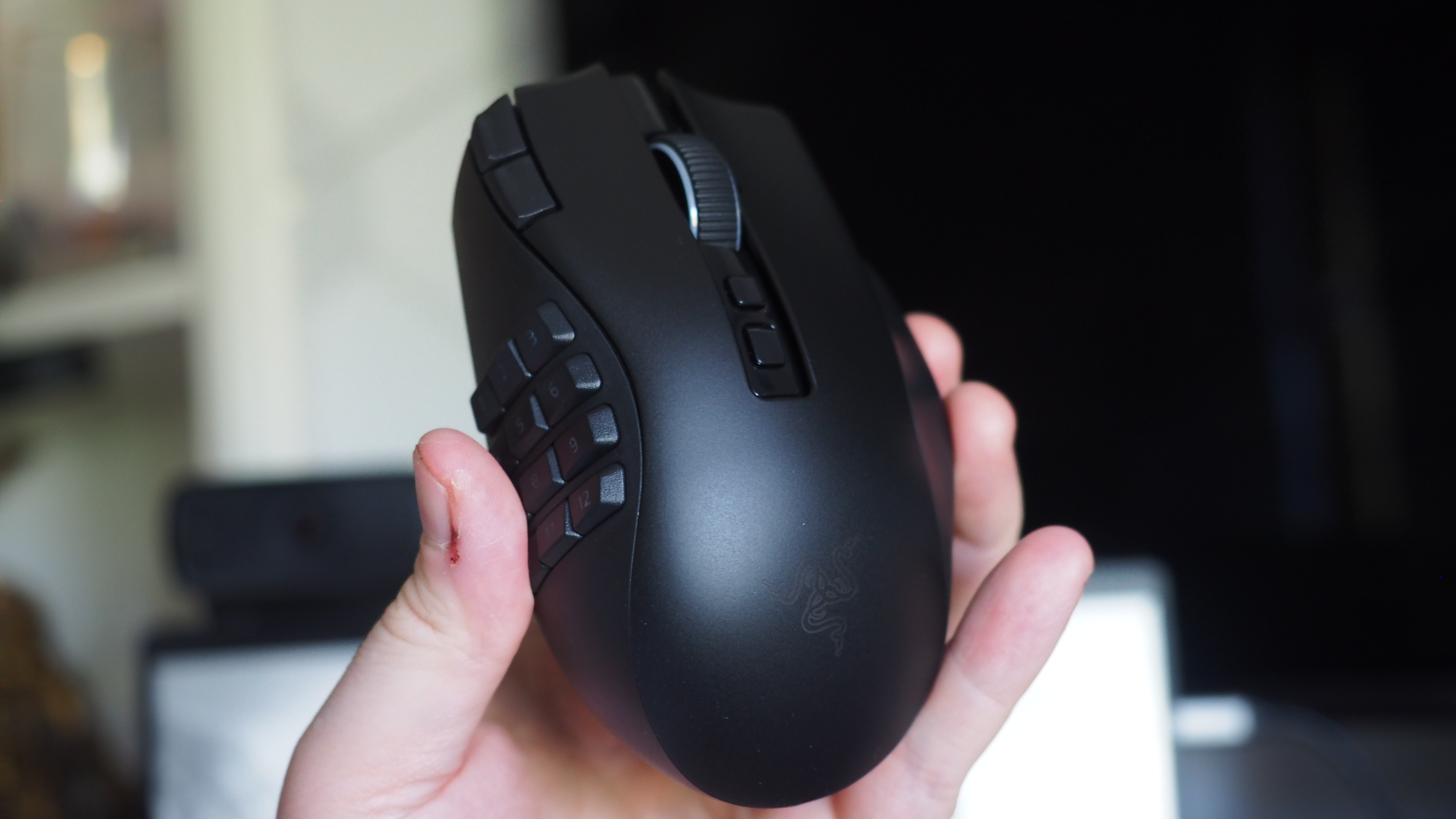
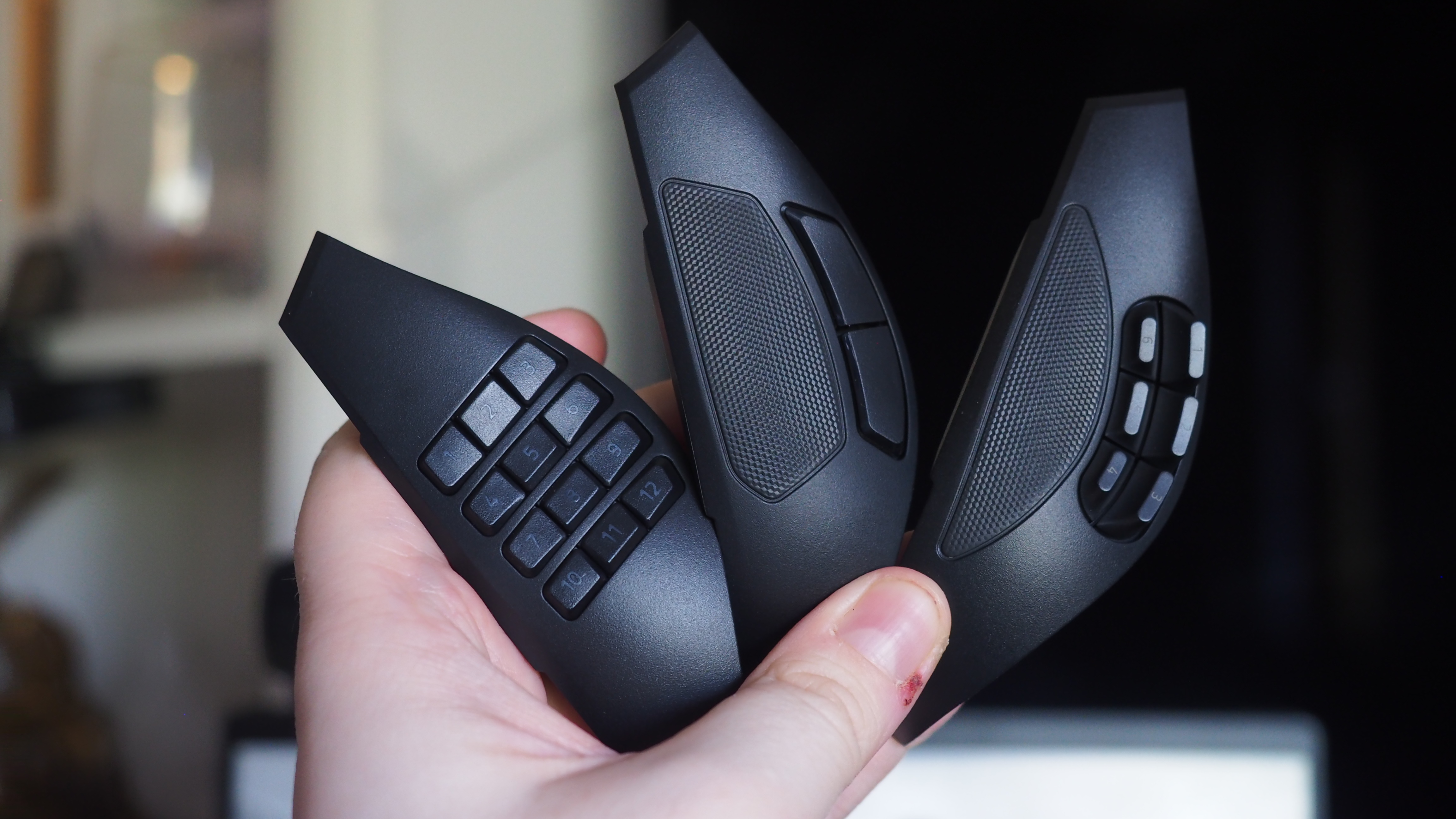
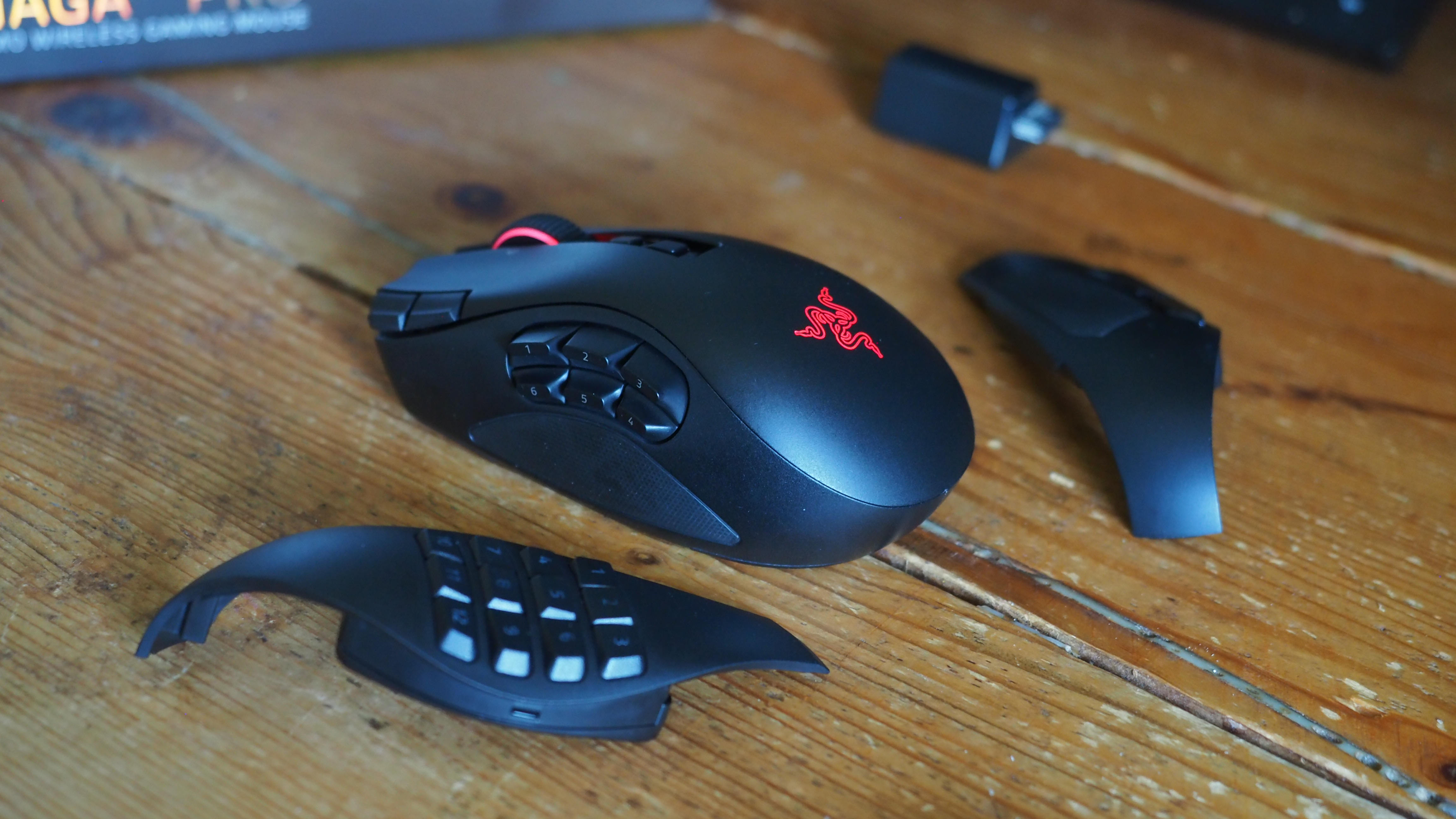
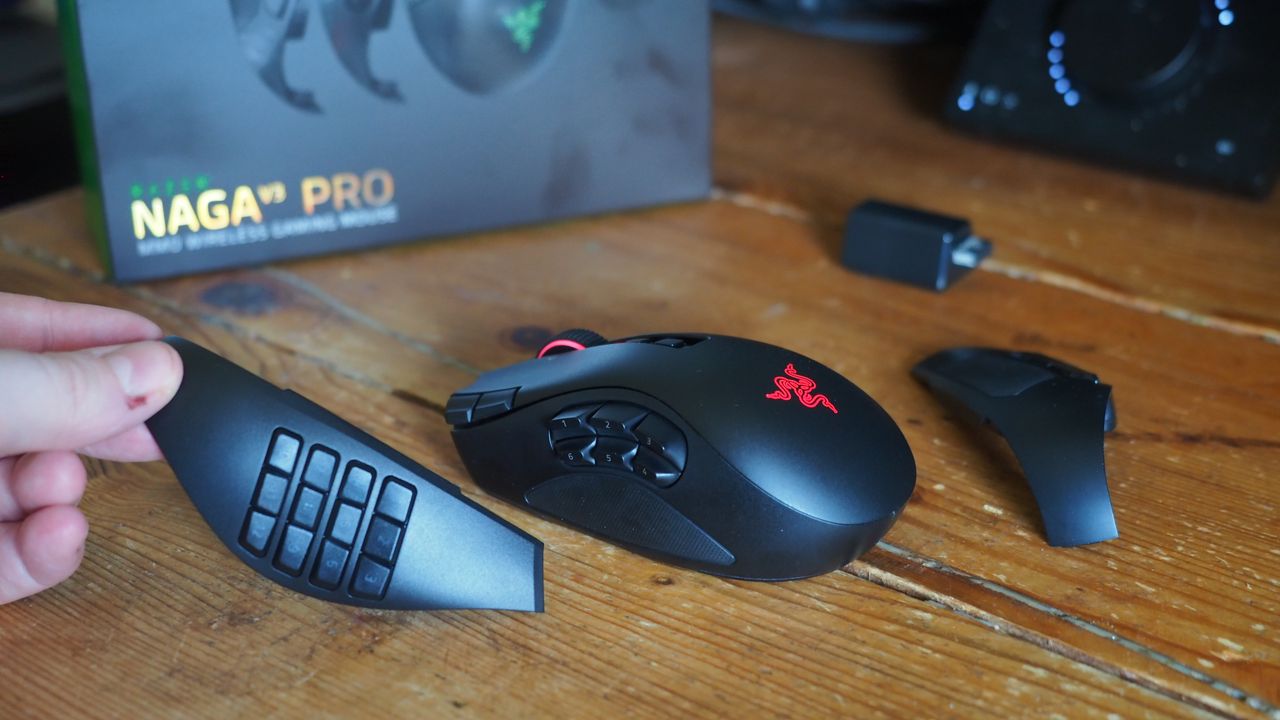
The obvious headline feature is the magnetic button plates that can be customized at will, adding between two, six, and twelve additional buttons. Razer has also included a uniquely configurable scroll wheel that comes with haptic feedback capabilities.
The mouse goes into general availability on August 11, 2026, and will set you back $179.99 from Best Buy in the United States.
Razer Naga V3 Pro: Features
Three's a crowd they say. Not here. (Image credit: Windows Central | Jez Corden)
The Razer Naga range has long been designed with MMO and MOBA gameplay in mind, adding a huge amount of additional inputs via a unique magnetic side plate feature.
Razer has enhanced the force of the magnets to ensure it feels well and truly part of the mouse when connected, and I can say without doubt that it well and truly does. The buttons can be programmed at will using Synapse, and modified further with a ring-finger button that defaults to Razer's dedicated "Hyper Shift" modifier key. Of course, all of these can be reconfigured too.
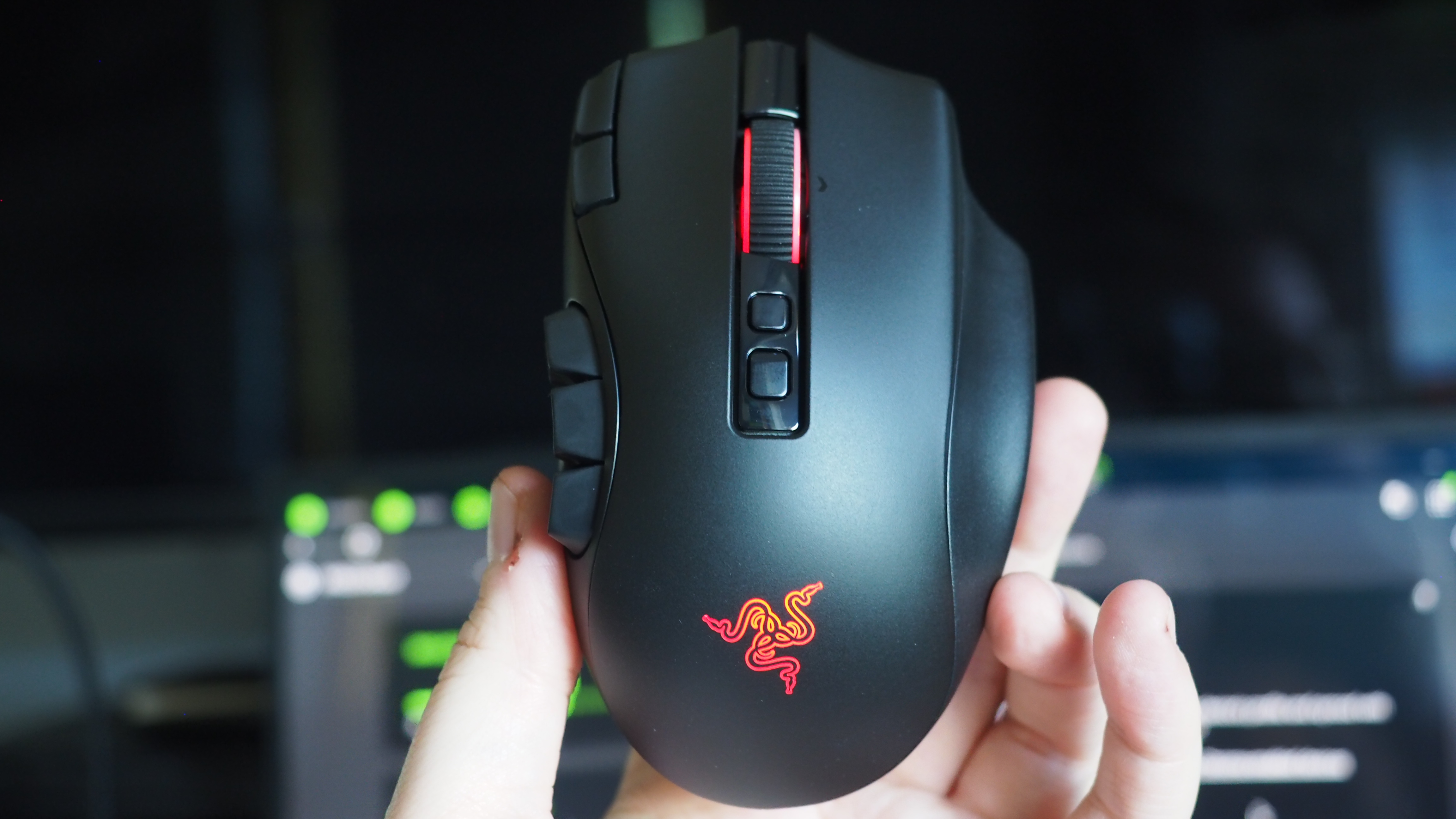
What struck me immediately when going palm-on was the new scroll wheel. Razer has included some unique functionality here that I've not experienced previously in other mice. You can set it to free-wheeling mode, which allows it to quite literally spin indefinitely under its own weight. There's also a standard step-stop function that most users will be familiar with, but also a precision-stop feature that adds some haptic feedback and shortens the actuation for rapid hot bar or weapon switching with more forceful control.
There is a parade of other buttons and functions too. The DPI rates have been placed in the top right corner of the mouse out of the way, requiring a little more intent to reach to prevent accidents, I suppose. There are two buttons below the scroll wheel, and the scroll wheel itself can be tilted and clicked for additional inputs too.
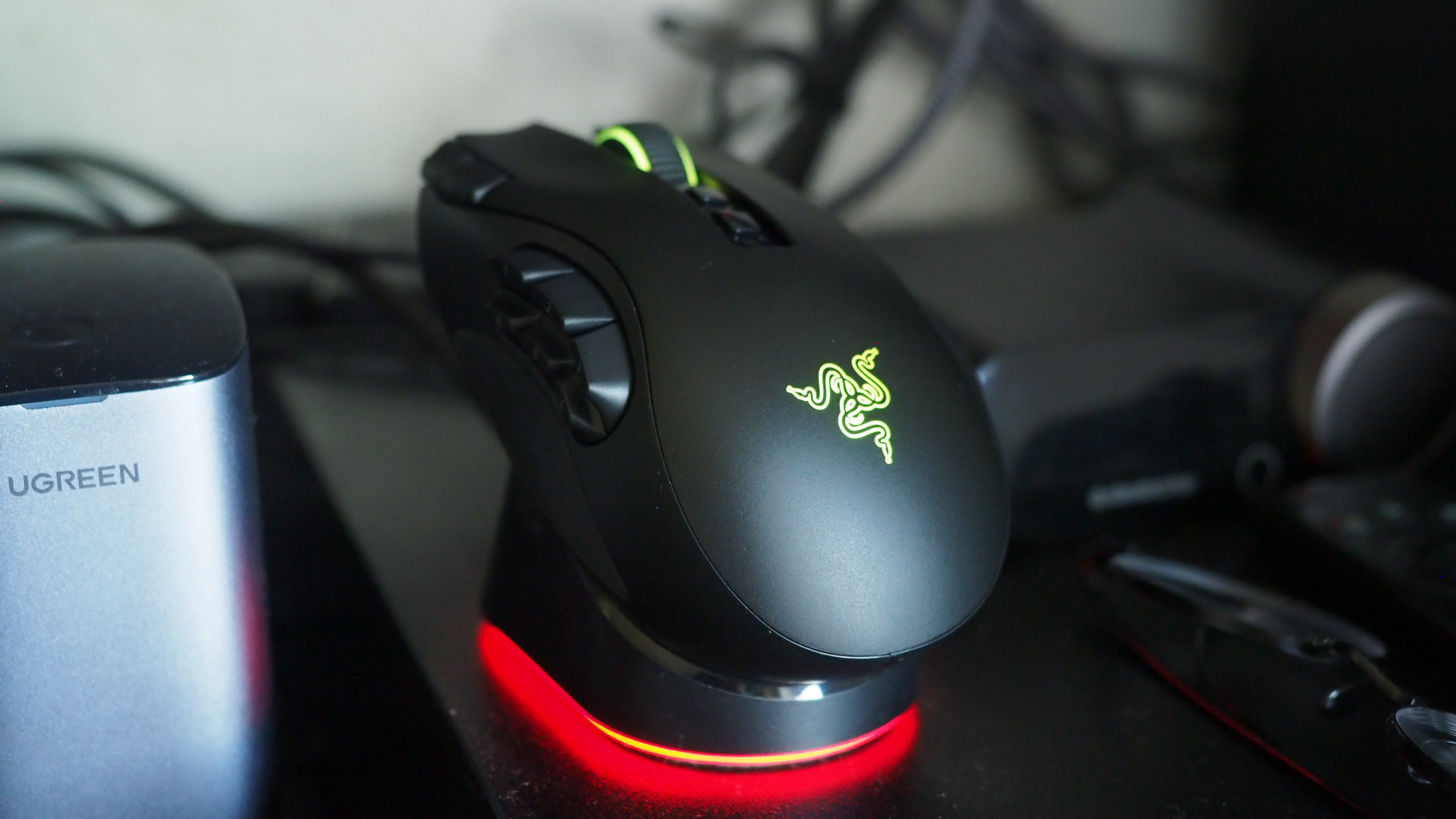
It sports 155 hours of battery life out of the box, and supports Razer's new Mouse Dock as well as its wireless Hyper Flux charging mouse mat. Either plugged in or connected to a compatible Hyper Speed dongle, this bad boy can go all the way up to 8,000 Hz. You will not be left wanting for speed.
Razer Naga V3 Pro: Comfort and usage
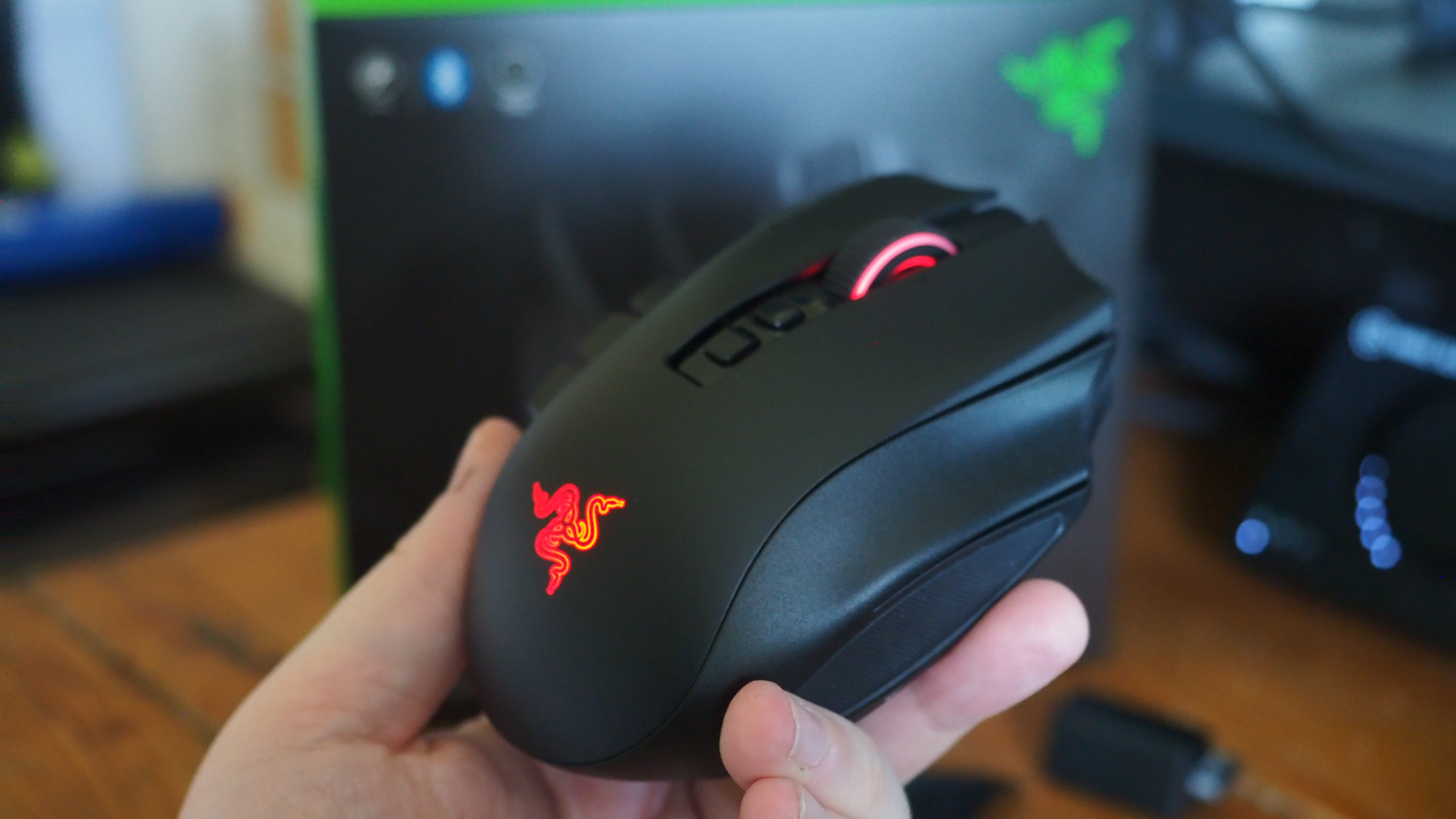
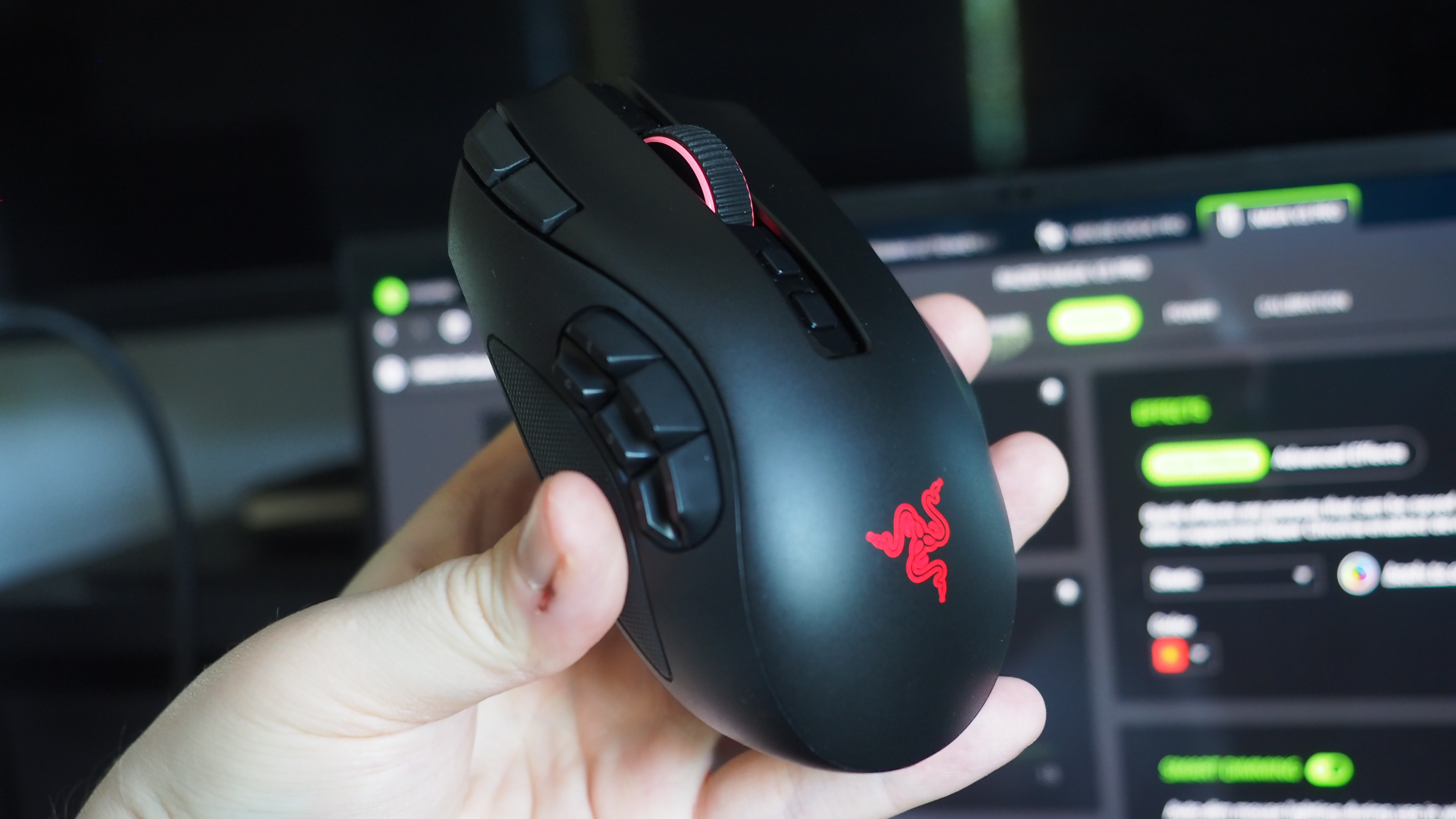
All the buttons. Windows Central | Jez CordenLight weight, maximum function. Windows Central | Jez CordenIt feels good in the hand, although some users may find it a little too high. Windows Central | Jez CordenRazer magnetic charge dock capable, but not included. Windows Central | Jez Corden
How does it feel to actually use, though? I dropped into a couple of World of Warcraft raids and played a few games of Heroes of the Storm to get a feel for it, but it was in games like Age of Empires where it truly felt transformative.
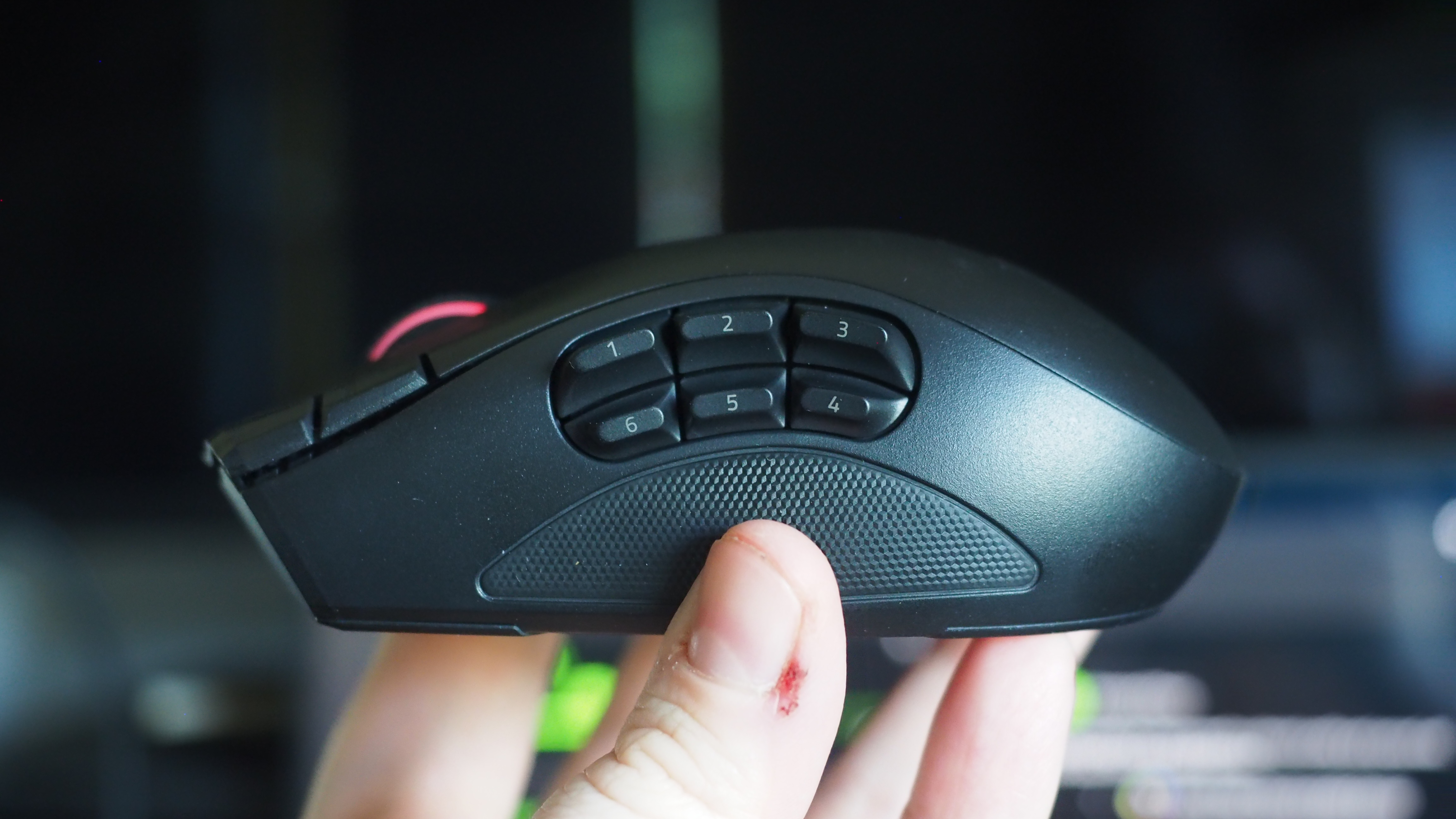
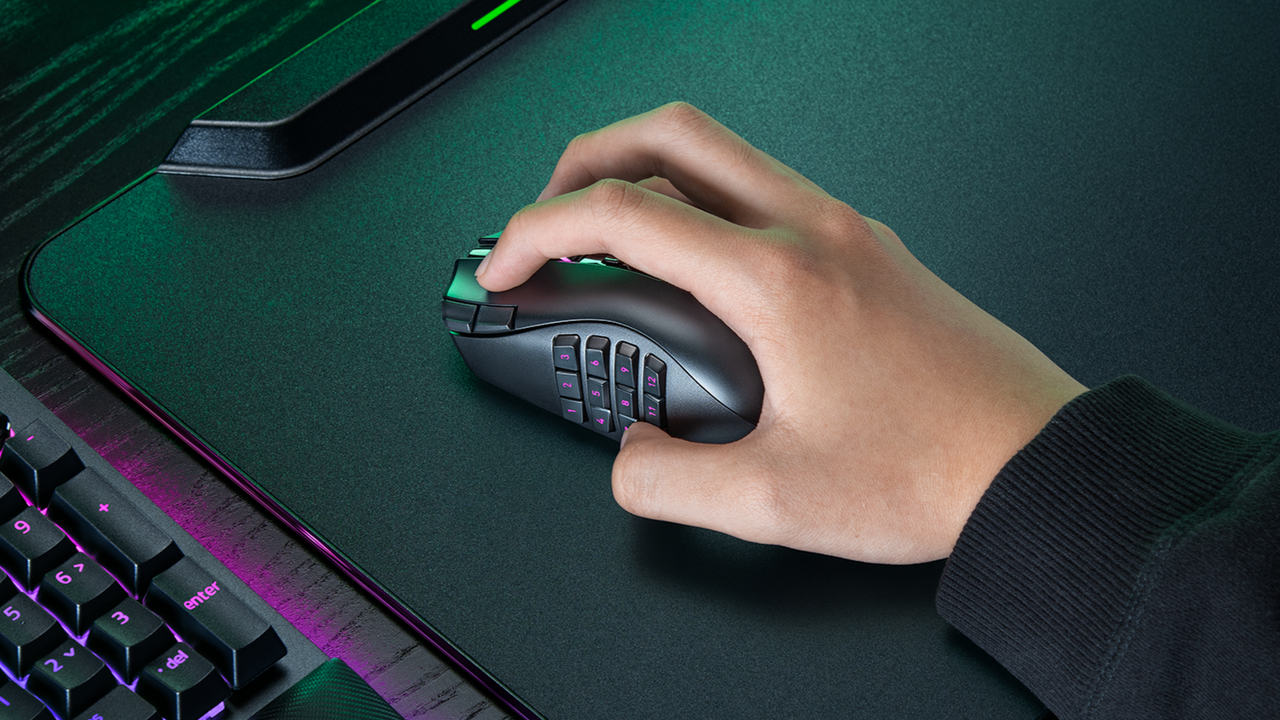
As noted, you can add up to 12 extra buttons with the side plate feature. It does take some getting used to, and I think Razer could've perhaps done a bit more to help differentiate the keys, particularly on the 12-button plate. The six button plate felt like the sweet spot for me, given that the profile of the buttons made them easier to memorize, but also I didn't find it as hard to squeeze my thumb backwards to hit the keys closest to my palm.
Indeed, you might struggle with this mouse if you don't have the most flexible hands. I found its palm hump to be a bit tall for my tastes (small ass hands maybe, or perhaps poor desk ergonomics on my end), but overall it was incredibly comfortable. I suspect most people won't have any issues with it. I also suspect that it was designed quite intentionally to be "palm grippy" to facilitate the fact users will be reaching for buttons on the side more often than on other mice.
Six buttons felt like the sweet spot for me. (Image credit: Windows Central | Jez Corden)
There are probably neuroscientific reasons for this, but it does feel genuinely more intuitive to actuate inputs on the same hand as your movement intentions. Perhaps it stems from my console-oriented history in some ways, but I found it a lot easier to drop Guldan's ult with a mouse swipe and mouse click, as opposed to lining up my mouse with a keyboard press.
For Age of Empires, it was particularly fun binding various quick keys directly to the mouse. Assigning regiments, bypassing certain menus, and being able to select specific units instantly from anywhere won't make up for my lack of skill with RTS, but it did boost the fun factor.
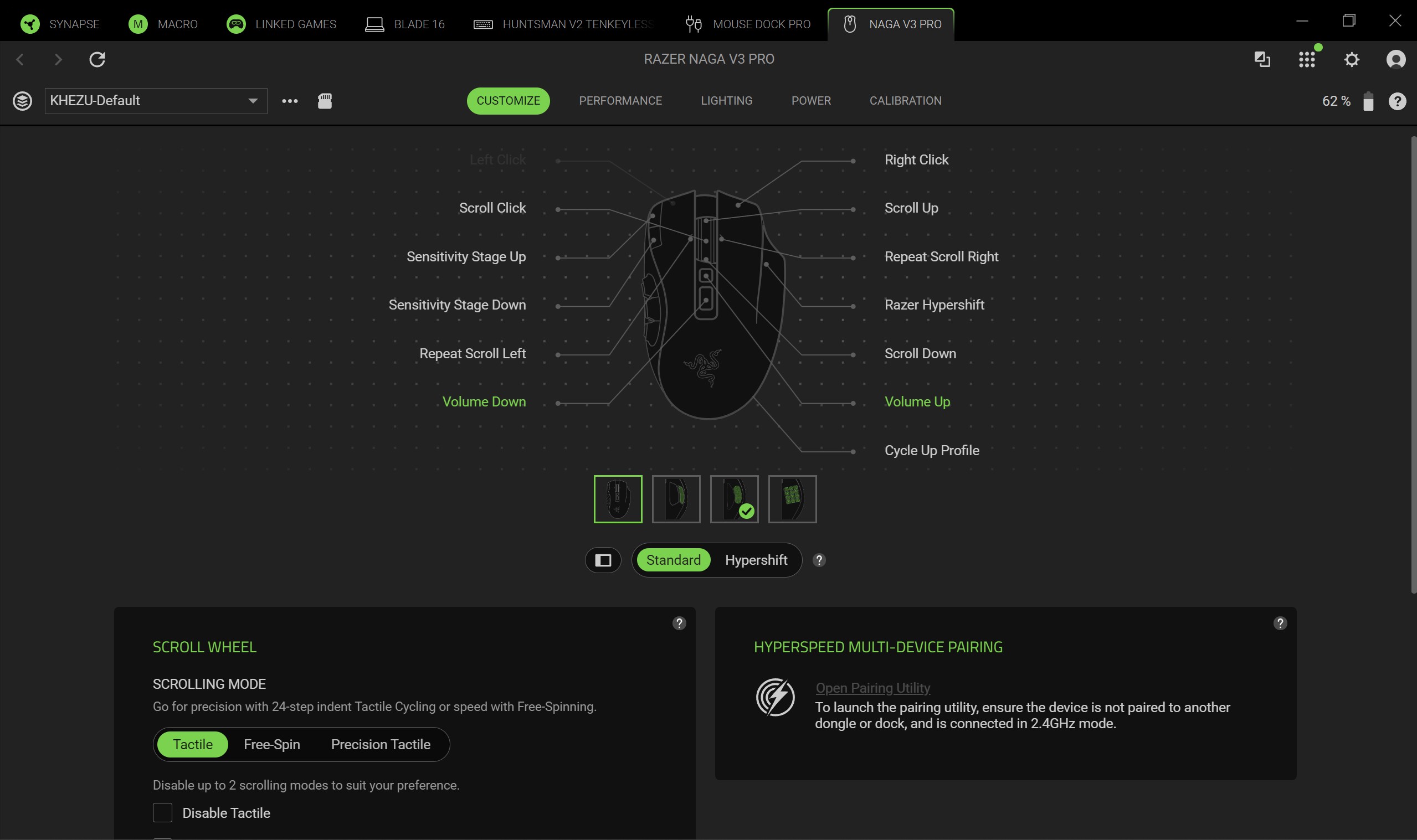
Razer Synapse is a fantastic piece of software that ties everything together. It's still better than solutions from other companies by a country mile. Configure RGB lighting, set up profiles for specific games, configure literally all the things — quick and easy.
Sync all the Razer things. (Image credit: Windows Central)
Some of the less useful features include Razer's macro functionality, which will sadly get you banned in a lot of online games for "automation."
The Naga V3 Pro also comes with an AI assistant key by default, which lets you bind certain Copilot prompts to mouse inputs for some reason. You can turn it off, but it's 2026 so everything has to have some kind of "AI" feature in it apparently, even if it's effectively useless. Perhaps this might become more useful if Microsoft ever ships agents to consumers, but as for right now it feels like boardroom fluff. Thankfully, that's the only "feature" here I could describe as such. Practically everything else is genuinely useful and represents a demonstrable upgrade.
There is a lot of functionality in the Razer Naga V3 Pro, and you won't need all of it all of the time. It is designed primarily for people who want maximum control over their games, and indeed, it is priced as such.
Razer Naga V3 Pro: Conclusion
It ain't cheap! (Image credit: Windows Central | Jez Corden)
The Razer Naga V3 Pro is a tour de force of functionality, with unmatched versatility for practically every genre of game you can throw at it. FPS, RTS, MOBA, MMORPG, and beyond — even the most control-complex games fall before the Naga and its capacity to inject intuitiveness into the least intuitive games and control schemes possible.
But yes, it will require configuring to get there. That's ultimately who it's designed for, though; people who play more complex games to a hardcore level, and want their peripherals to reflect their desire to configure and control their experience.
You should buy this if ...
✅ You play complex input-heavy games like MMORPGs and RTS.
✅ You like to configure your controls to the nth degree.
✅ You prefer your inputs on your mouse, rather than your keyboard.
You should not buy this if ...
❌ You find configuring keybinds exhaustive and annoying.
❌ You have particularly small hands (you might find its height uncomfy).
❌ Price might be a concern.
This will become my default mouse moving forward. Being able to effectively keybind number keys 5, 6, 7, 8, 9, 0, etc. without needing to physically reach away from WASD is a big boost in some games I play.
However, I am cognizant of the fact that I got the review unit here. Almost $200 for a mouse is tough to justify unless you're particularly passionate about the functionality the Razer Naga V3 Pro is going to provide for you. For configuration enthusiasts, there's well and truly nothing better than the Razer Naga V3 Pro right now.
Razer
Naga V3 Pro
"Stay one step ahead—no matter how the game changes."
Join us on Reddit at r/WindowsCentral to share your insights and discuss our latest news, reviews, and more.
Razer, one of my favorite manufacturers that has produced some of the best PC gaming accessories I've ever used, has released a new mouse built to conquer any game you throw at it — the Razer Naga V3 Pro.
This gadget is the long-awaited evolution of the Razer Naga V2 Pro, which takes everything we loved about its predecessor (which we gave a near-perfect review score) and refines it to create the ultimate PC gamer mouse.
Here's what you need to know about the Razer Naga V3 Pro and where you can buy it.
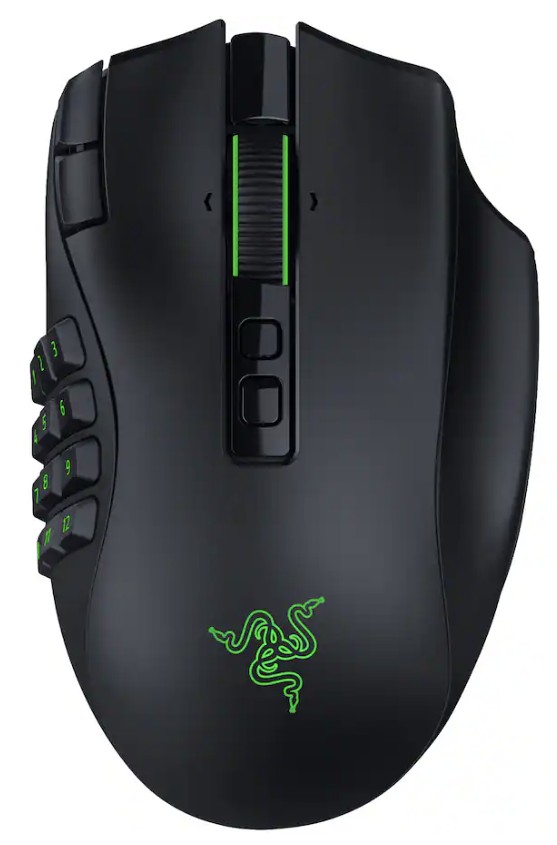
The side plates of the Razer Naga V3 Pro gamer mouseWindows Central | Jez CordenSide view of the Razer Naga V3 Pro MouseWindows Central | Jez CordenTop view of the Razer Naga V3 Pro MouseWindows Central | Jez Corden
The Razer Naga V3 Pro mouse is equipped with cutting-edge tech to improve input detection speeds and swappable button plate configurations so that it can handle a wide variety of game genres.
Its biggest selling points include:
23 programmable buttons and three interchangeable side button plates (a 12-button MMORPG plate, a 6-button MOBA plate, and a 2-button FPS plate).
A Razer HyperScroll Tilt Wheel Gen-2 with new dual tactile, free-spin, and smart-reel modes to adjust its scrolling speeds to a user's preference.
A Razer Optical Mouse Switches Gen-4 to give its buttons an upgraded lifecycle up to 100-million clicks, cleaner and faster input detection, tactile feedback, and a zero-bounce optical design to prevent accidental misclicks.
A Razr Focus Pro 50K Optical Sensor Gen-3 with precise mouse-movement detection and adjustable sensitivity that can go as high as 50,000 DPI.
Polling rates from 1000Hz to 8000Hz to help improve the mouse's input accuracy and detection speed.
A lightweight build of 117g (with the 12-button MMORPG plate attached) so it's not so heavy to move for the wrist while allowing it to be moved more quickly when making sharp turns in first-person action games.
A battery life of 155 hours on HyperSpeed connectivity (2.4GHz).
This mouse is Razer's next amazing premium outing for MMORPGs, MOBAs, FPS titles, and more
The Razer Naga V3 Pro gamer mouse on a base charger (Image credit: Windows Central | Jez Corden)
Our resident PC gaming accessory expert, Jez Corden, reviewed the Razer Naga V3 Pro and found it to be one of the best PC mice he's used so far this year. Jez praised it for possessing dozens of programmable buttons, the best-in-class software solution, and a premium feel that emphasizes tactility.
So, if you generally play input-heavy PC games and you want to get your hands on the Razer Naga V3 Pro, it will cost $179.99/£179.99/€199.99 at select digital retailers including Best Buy, directly from Razer.com, and at physical RazerStores.
Dominate any PC game imaginable with the Razer Naga V3 Pro Wireless mouse, complete with three swappable button plates, a Focus Pro 50K Optical Sensor Gen‑3 with 50,000 max DPI, 23 programmable inputs, and many more rich features.View Deal
Join us on Reddit at r/WindowsCentral to share your insights and discuss our latest news, reviews, and more.
Flock Safety’s automated license plate-reading cameras, used by thousands of law enforcement agencies in the U.S., have drawn intense criticism from civil liberties groups.
The idea that academia, despite its massive Left-wing skew, is rife with anti-Black prejudice is absurd, argues Noah Carl: underrepresentation does not equal discrimination.

 Login
Login