❌

Reading view

Pastebot 3 for Mac

John Voorhees:

What sets Pastebot 3 apart is its addition of deep automation tools. Not only does the update add MCP support, making it an excellent tool to use with Claude or ChatGPT/Codex, but it includes a brand new CLI that you or an agent can use from Terminal or incorporate into scripts you build.

[…]

New filters have been added that allow you to transform clippings using text transformations and even shell scripts. Using the ability to script custom filters, I’ve begun adding a few of my own to Pastebot for things like adding and removing bullets from multiple lines of text.

I’ve long been aware of this app but hadn’t paid much attention because I’m happy using LaunchBar as my clipboard and snippet manager. LaunchBar has some transformations built-in, and I’ve built up a collection of my own scripts, but it’s appealing that Pastebot comes with so many out of the box.

From Pastebot’s main UI, you can select multiple items at once and right-click to add them to a Stack, or you can pick them one at a time in any order you’d like. As you select items, they’re numbered in the order you’ll paste them into a document using a keyboard shortcut. It’s an excellent feature for filling out forms or copying data from one spreadsheet to another.

Juli Clover:

There are also rule-based Smart Pastebins for automatic organization, like every link or image copied from Safari. Smart Pastebins can be filtered by clipping size, type, file extension, creation date, text, text length, and more. Multiple parameters can be combined for detailed filtering, and custom notes can be added to clippings to make them easy to find via search.

[…]

Tapbots says Pastebot 3 was built to work with Apple's Universal Clipboard feature, and when enabled and active, anything you copy on your iPhone is saved in Pastebot automatically.

John Gruber:

Chief among my favorite features:

  • Remembers up to 1,500 clippings (up from a mere 1,000 in v2).
  • Syncs via iCloud. If I copy something on one Mac, it’s in my Pastebot history on my other Macs.
  • That sweet Tapbots UI.

Marcus Mendes:

Importantly, Pastebot 3 requires macOS 26 Tahoe or later and comes with a 14-day free trial. Users can buy the app directly from Tapbots for $39 or subscribe through the App Store for $2.99 per month or $24.99 per year.

[…]

The direct purchase includes one year of updates, with additional years available for $19 each. Users who stop paying for updates can continue using the latest version covered by their purchase. Pastebot 2 owners can also get a $12.99 upgrade discount by entering their existing license key at checkout.

scottybee:

They are not offering any upgrade path for MAS customers. The reason they stated was “upgrade pricing has always been our way of thanking people who bought directly from the site.”

Paul Haddad:

I generally try to avoid complaining about App Store review, since I do think they have a really hard job to do. But I’m about 2 more PB3 rejections from just giving up.

Previously:

  •  

Flickr 5.0

Phil Gyford:

Flickr recently updated their iOS/iPadOS app to version 5 (App Store link) and, while it’s not radically new, for a service whose changes have been incremental over recent years it contains a lot of differences. However I’ve yet to find any official changelog or update information.

[…]

When displaying multiple grouped photos from a person you’re following, it is no longer possible to view all the subsequent ones, other than the three or four initially displayed.

In the list of your Followers’ photos, their name now appears under their photos, so you must scroll down beyond the photos to see who took them.

[…]

When zooming into a photo the app no longer loads a higher resolution version, so now the zoomed-in version will be very pixellated.

He has a long list of missing features that may or may not be coming back. And there’s what seems like a major change: tags can no longer use capital letters.

The main changes I noticed were:

  • In the Home/Discover view, when there’s a large group of new photos, you can only go into the group and view them individually, swiping to see each one. There’s no longer a way to see the whole group at once and scroll through it. (And tapping on the group icon or number of photos doesn’t do anything.)

  • Double-tapping to favorite doesn’t work in some situations.

  • The interface is more busy, showing more interaction chrome like other social media sites, rather than focusing on the photos.

  • Swiping/navigation seems more clear than before, though without the old app side-by-side I can’t be exactly sure what’s changed.

Update (2026-07-16): Wesley Moore:

The Android version has been updated too:

“Flickr is back and better than ever — rebuilt from the ground up with a fresh new look and feel.”

I would guess it’s been built with cross-platform technology as it looks the same and came out the same time as iOS. The performance is terrible on Android. Scrolling my Photostream is juddery on my Pixel 9a (120 Hz display). It’s worse on my Android tablet.

Scrolling between photos swipes the whole UI (not just the photo), there’s also a flash of white loading the new photo. Needs some serious iteration.

See also: Reddit.

Update (2026-07-27): A. Lee Bennett Jr.:

Hooray! #Flickr restored a thumbnail view of all items from a specific post.

It turns out that Flickr 5.0.3 reverts back to the 4.x codebase.

Flickr (Reddit):

We know the new app hasn’t met the bar you expect from Flickr. Since launch, we’ve heard your feedback about bugs, missing features, and rough edges, and we want to acknowledge that directly. Here is where we currently stand:

iOS: We’re in the process of rolling back the iOS app to the previous version while we address these issues. You should see this reflected in the App Store shortly.

Android: The Android app will remain on the updated version. Due to technical limitations and the risks involved in reverting, a rollback isn’t possible on this platform. Instead, expect frequent updates as we fix bugs and restore preexisting features.

Across both platforms, this app refresh represents a significant, long-term investment in the Flickr app. The app was long overdue for an update and getting it right matters to us. Thank you for your patience, and for continuing to share what’s missing and not working. It’s shaping exactly what we address next.

  •  

ChatGPT Work and ChatGPT Classic

John Gruber, earlier this week:

When ChatGPT is attached to an open document in another app, it’s not a snapshot at the moment of attachment, like what you’d get by copying and pasting the whole thing into the chat, or by dragging the current version of the file into the chat. It’s a live ongoing attachment, so as the attached document/note changes, ChatGPT sees the changes. It’s such a great feature, and I don’t think it exists on any platform but the Mac. And it couldn’t exist on iOS, by design, doesn’t allow for inter-application communication.

I worry for ChatGPT’s future, though.

Juli Clover:

OpenAI today announced ChatGPT Work, a ChatGPT agent with built-in Codex that can complete tasks across web, mobile, and desktop using information from your apps. ChatGPT Work can execute multi-step tasks, using scheduling to work independently. Like Claude Cowork, ChatGPT can use your computer to do tasks in the background across apps.

[…]

With OpenAI merging Codex and ChatGPT, there is a new ChatGPT desktop app that’s available across Mac and Windows. Users who have the Codex app installed can update it to turn it into the new ChatGPT desktop app. The existing ChatGPT desktop app is being renamed ChatGPT Classic.

Zac Hall:

You can watch today’s livestream announcement video below[…]

[…]

It’s possible to have ChatGPT Classic, ChatGPT, and Codex installed, but the way forward seems to be just running the new ChatGPT desktop app. Codex users can still use the Codex app icon, but the app will be called ChatGPT.

The ChatGPT Classic app looks more native Mac-like, so that might be an issue for users.

Steve Troughton-Smith:

LOL @ OpenAI replacing the native AppKit ChatGPT app with the Electron Codex app after @gruber’s recent posts on the topic 😂

(It’s almost like Apple doesn’t have clear messaging on the right way to build native desktop apps anymore, and, if Apple doesn’t know, why on earth would third-party developers make that investment)

Federico Viticci:

The rollout of the unified ChatGPT for Mac app really isn’t going well on X/Reddit 🥶

They kinda fumbled it and I think Anthropic did a slightly better job on first try. Even OpenAI’s existing iOS app makes more sense than their new Mac layout right now.

The difference between “normal” chatbot chats, Work/Cowork harnesses with connectors, and Code/Codex local threads and filesystem access is the new UX hell for these companies.

Steve Troughton-Smith:

The chat experience is ChatGPT. Now it’s squirreled away in a sub section of a sub pane inside a vastly more-complex app. It’s hard to imagine anybody who actually wants to use ChatGPT wants to use it this way, Electron or not. And as a Codex user, I resent having my Codex deleted and renamed ‘ChatGPT’ instead. I don’t want my ‘chats’ anywhere near my ‘work’. This feels like a stupid move that will decimate casual ChatGPT desktop usage

John Gruber (Mastodon):

Looks like I picked the wrong week to quit sniffing glue.

See also: Dithering.

Previously:

Update (2026-07-13): Tony Arnold:

Oh yeah, the new ChatGPT app is as bad as first impressions made it out to be. It’s not just a slow, RAM hungry shell of a thing, but the design and UX are a poorly thought out kitchen sink approach.

Codex has never been great, but this is a confusing mess.

Benedict Evans:

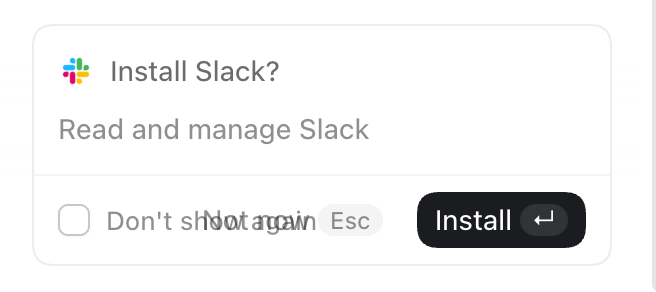
Wow, what a total mess. What is the difference between a project, a task and a chat? Why did chats get a crappy floating window but tasks and projects don’t? Why does choosing ‘plugins’ get me ‘templates’? Am I not allowed to finish ‘setup’ if I don’t use Slack or Google Drive? Why…

Via John Gruber (Mastodon):

OpenAI’s internal org chart is a complete disorganized mess. This new app perfectly reflects that.

The old ChatGPT app was focused. That’s the app that still ships for mobile (which includes iPad, which tells you whether OpenAI thinks iPad is a real computer or a big iPhone), and is, for some Mac users, left installed on their systems as “ChatGPT Classic”. The new app is an incredibly confusing sloppy mess. At a glance it looks like a polished app. But the UI is just slop. It has the veneer of a polished app without actually being organized or structured or labeled in ways that add clarity and coherence.

John Gruber:

So I don’t see “the prompt in the app to download the new ChatGPT desktop app”. If I download the new app manually, I get a disk image. After mounting the disk image, the instructions say to double-click the “ChatGPT” app on the disk image — not to drag it to the Applications folder. If I do that while the old ChatGPT app is still running, it bounces back and forth a few times but nothing new gets installed and nothing old gets removed or renamed. I’m just left with the classic ChatGPT app, still named “ChatGPT”.

If I run the installer on the disk image when the old ChatGPT app is not running, the old app gets replaced by the new one in my Applications folder, and the old app is moved to the Trash. There is no app named “ChatGPT Classic”.

I mean, their Help document does say “the new app may install alongside your current app”, and “if both remained installed”, so they seem just as confused as I am.

Update (2026-07-14): Adam Engst:

And as much as I’ve been focusing more of my attention on Anthropic’s Claude because of concerns I have about OpenAI and its management, ChatGPT has more active users (~1.1 billion) than Google’s Gemini (~900 million), and many more than Claude (~245 million, in part because it’s more focused on enterprise uses).

As such, it’s worth noting three recent changes with ChatGPT: a massively confusing app replacement, the end of the ChatGPT Atlas Web browser, and improvements to ChatGPT Voice.

Update (2026-07-17): M.G. Siegler:

Let’s give OpenAI some credit, once they realize they made a mistake, they act quickly to correct it. Today’s case in point: with an update, ChatGPT now features ChatGPT once again. No, that’s not a joke, and yes, it does speak to a very obvious self-own.

John Gruber:

How in the world did they ship this without sync?

[…]

Bringing back “chat” to ChatGPT is literally the least they needed to do. Hiding chat in an obscure corner of the interface from an app named “ChatGPT” would be like removing text editing from TextEdit.

  •  

Rewriting Apple’s TrueType Hinting Interpreter in Swift

Scott Perry:

My team rewrote Apple’s TrueType hinting interpreter in Swift, ask me anything.

[…]

I feel like naming just one would be a disservices to all of the features that made this effort possible (C interop, generics, noncopyable/nonescapable types) but at the end of the day I think the star of the show was the optimizer; despite being faster than the code it replaced, the new code is super readable and that was only possible because the optimizer was able to completely eliminate all of our abstractions.

The new version is faster, but the main motivation was security concerns.

Dmitrii Kalianov:

Is hinting useful/being used in the days of hi-dpi displays? I was under impression that Apple switched to grayscale anti-aliasing and ditched hinting.

Scott Perry:

For the most part hinting isn’t really necessary anymore, but thanks to being Turing-complete it has been Hyrum’s law-ed by at least one CJK font that uses hinting to lay out strokes in its characters.

Alex Rosenberg:

There were three major TrueType implementations at Apple IIRC:

  • The original 68K one
  • A rewrite for Copland that lived with ATS/ATSUI after Copland was cancelled
  • iPhone shipped one derived from heavily-modified FreeType that was current until today

Scott Perry:

One of the axioms for this project was that I wanted my team to write the most boring code possible—nearly identical structurally to the code it was replacing, because to do otherwise would introduce binary compatibility risk. The other axiom was 100% test coverage for all new code as it landed, with the same units testing both interpreters.

Rosyna Keller:

Is the font parsing code itself still C++?

Scott Perry:

There is also a “Safe Font Parser” for WebKit in Lockdown Mode, but it supports a subset of all the myriad features provided by font formats.

Previously:

Update (2026-06-16): Scott Perry (Hacker News):

Font parsers process data from untrusted sources, making the TrueType hinting interpreter a security-critical attack surface. To make the format more resilient on Apple platforms, we rewrote its hinting interpreter from C to memory-safe Swift for the Fall 2025 releases. In addition to memory safety, we also improved performance: on average, our Swift interpreter runs 13% faster than the C interpreter it replaced.

[…]

Binary compatibility was crucial for this project to succeed: existing programs had to continue to function the same as they did before, effectively unaware that a new implementation was in place. This means not just interface compatibility but pixel-identical glyph rendering as well, relative to the C implementation.

[…]

To ensure correctness, we developed two test suites. The first was a unit test suite that can target both implementations, providing exhaustive (99.7%) code coverage for both. This suite is included with the open source release of the Swift interpreter.

Then, to represent real-world workloads, we used a fuzzer to minimize a corpus of 10 million PDF files down to 4,200 without any loss of code coverage.

[…]

Following WebKit’s Safer Swift Guidelines, the example below demonstrates how to wrap a bridged structure from C in a projection type that uses Ref for lifetime safety, brokers bounds-safe access to the underlying data, and returns idiomatic Swift types to its callers.

The interpreter source is on GitHub.

Marcin Krzyzanowski:

@_lifetime(copy code, copy twilightZone, copy glyphZone)

See also: Phillip Tennen’s Writing a TrueType font renderer (Hacker News).

Previously:

  •  

Rewriting Notion in SwiftUI

Hartley Charlton:

Apple this week confirmed that Notion is migrating its user interface to SwiftUI, citing the app’s desire for greater performance and UI consistency than its existing web-based stack can deliver.

[…]

The callout was clearly deliberate; Notion is one of the most widely used productivity apps on the Mac, and has long been criticized for the sluggishness that comes with its Electron-based architecture.

Previously:

  •  
❌