❌

Reading view

Mac Running Slow? How to Make it Fast Again

Have you been asking yourself this question lately, β€œWhy is my Mac running slowly?” If yes, you’re one of a number of users who encounter the problem wherein their computer starts to slow down. It’s a perennial question that we all ask ourselves at some point after using our Macs for a while. It’s ironic […]

The post Mac Running Slow? How to Make it Fast Again appeared first on The Mac Observer.

  •  

Fix β€œmacOS Cannot Verify That This App is Free from Malware” [2026]

When you try to open an app downloaded outside of the App Store, your Mac might block it with a warning like β€œmacOS cannot verify that this app is free from malware.” And depending on your macOS version, you might also see messages like β€œthe developer cannot be verified” or β€œunidentified developer.” Sometimes it’s just […]

The post Fix β€œmacOS Cannot Verify That This App is Free from Malware” [2026] appeared first on The Mac Observer.

  •  

Best Virtual Machine Software for Mac in 2026

The best virtual machine software for Mac lets you run Windows, Linux, older operating systems, and isolated development environments without replacing macOS. Parallels Desktop offers the easiest Windows experience, while VMware Fusion provides powerful virtualization tools for free. UTM is a strong open-source option, and VirtualBox remains useful for cross-platform testing. Your Mac’s processor affects […]

The post Best Virtual Machine Software for Mac in 2026 appeared first on The Mac Observer.

  •  

Why MacBook Stops Charging at 80% and How to Fix It

Many MacBook Air, MacBook Pro, and MacBook Neo owners have noticed something curious; their MacBook battery stops charging at 80% when plugged in. To add to the confusion, even if they leave their MacBook plugged in overnight, the battery seems to be stuck at 80% and will not charge any further. Because this is not ... Read More

The post Why MacBook Stops Charging at 80% and How to Fix It appeared first on OS X Daily.

  •  

How to Downgrade from iOS 27 Beta to iOS 26

The iOS 27 beta has overall been a very positive experience for many beta testers, but if you have installed iOS 26 beta onto your iPhone or iPad and decided that it’s no longer for you, perhaps due to some incompatibility, critical bug, or other issue, then you can downgrade your iPhone from iOS 27 ... Read More

The post How to Downgrade from iOS 27 Beta to iOS 26 appeared first on OS X Daily.

  •  

Inoreader: Build Your Own Newsfeed and Cut Through the Noise [Sponsor]

Staying up to date has never felt more overwhelming.

Between websites, newsletters, podcasts, social media feeds, and specialized publications, valuable information is scattered across countless apps and platforms. The challenge is no longer finding content – it’s keeping up with it without wasting time or missing what matters.

That’s where Inoreader comes in.

Inoreader helps you build your own personalized newsfeed by bringing together the sources you care about in one place. Instead of jumping between websites, inboxes, and apps throughout the day, you can keep up with everything from a single interface designed to help you stay informed while cutting through the noise.

Unlike algorithm-driven feeds, Inoreader puts you in control. Follow the websites and creators you trust and receive their updates directly. No engagement-driven recommendations and endless scrolling, just the content you’ve chosen to follow.

For those who need more than a traditional feed reader, Inoreader offers powerful monitoring tools. Create custom feeds to track keywords, brands, companies, competitors, products, or industry trends across the web and receive updates automatically whenever something new appears.

As your reading list grows, Inoreader helps you organize and revisit important information. Save articles for later, highlight key passages, add notes, and build a searchable archive of knowledge and insights that remains accessible long after you’ve finished reading.

To help you process larger volumes of content, Inoreader’s Intelligence features can summarize articles, extract key insights, and help you make sense of information faster. Whether you’re following daily news, researching a topic, or monitoring developments in your industry, Inoreader helps you stay informed without getting overwhelmed.

Advanced filtering and automation tools can further streamline your workflow by automatically organizing incoming content, surfacing what matters most, and reducing distractions – saving you time while ensuring important updates never slip through the cracks.

Inoreader is available on the web, iPhone, iPad, and Android devices, with offline reading support on mobile, so your newsfeed is always available when you need it.

You can get started with Inoreader for free, or explore everything the Pro plan has to offer with a 14-day free trial and no credit card required. New Pro subscribers can also get 30% off their first year.

Learn more and get started at inoreader.com.

Our thanks to Inoreader for sponsoring MacStories this week.

  •  

How to Disable DoorDash Promo Notifications on iPhone

Tired of getting bombarded with frequent DoorDash advertising, promotional, and marketing notifications on iPhone? You’re not alone. If it feels like your notifications are getting spammed by DoorDash, this is a broad nuisance to many, and fortunately with some hidden settings adjustments, you can completely stop the DoorDash marketing rubbish that gets pushed to your ... Read More

The post How to Disable DoorDash Promo Notifications on iPhone appeared first on OS X Daily.

  •  

Intel Benefits From a New Shift in A.I. Spending

The Silicon Valley chipmaker’s revenue rose 25 percent in the latest quarter, its fastest growth in 15 years, as A.I. firms increasingly bought chips known as central processing units.
  •  

iPhone Air 2 Release Date, Features, Camera, Battery and Everything We Know

Apple is already working on the second-generation iPhone Air, and early reports suggest it will fix several of the biggest complaints about the first model. While the original iPhone Air impressed buyers with its ultra-thin design, many users wanted better cameras, longer battery life, and improved sustained performance. The upcoming iPhone Air 2 is expected […]

The post iPhone Air 2 Release Date, Features, Camera, Battery and Everything We Know appeared first on The Mac Observer.

  •  

iOS 27 CarPlay: Every New Feature Coming This Fall

Apple is bringing several useful upgrades to CarPlay with iOS 27, making the in-car experience smarter, more interactive, and easier to use. While this is not the biggest CarPlay update ever released, it introduces meaningful improvements across Siri, media playback, video apps, and the overall interface. The biggest highlight is Siri AI, which finally gives […]

The post iOS 27 CarPlay: Every New Feature Coming This Fall appeared first on The Mac Observer.

  •  

iPhone 18 Pro Release Date: Here’s Exactly When Apple Is Expected to Launch It

Apple is expected to unveil the iPhone 18 Pro this September, continuing its long-running tradition of launching new flagship iPhones in the fall. While the company has not confirmed an official date yet, multiple reports and Apple’s previous launch history point to an announcement during the second week of September. This year could also bring […]

The post iPhone 18 Pro Release Date: Here’s Exactly When Apple Is Expected to Launch It appeared first on The Mac Observer.

  •  

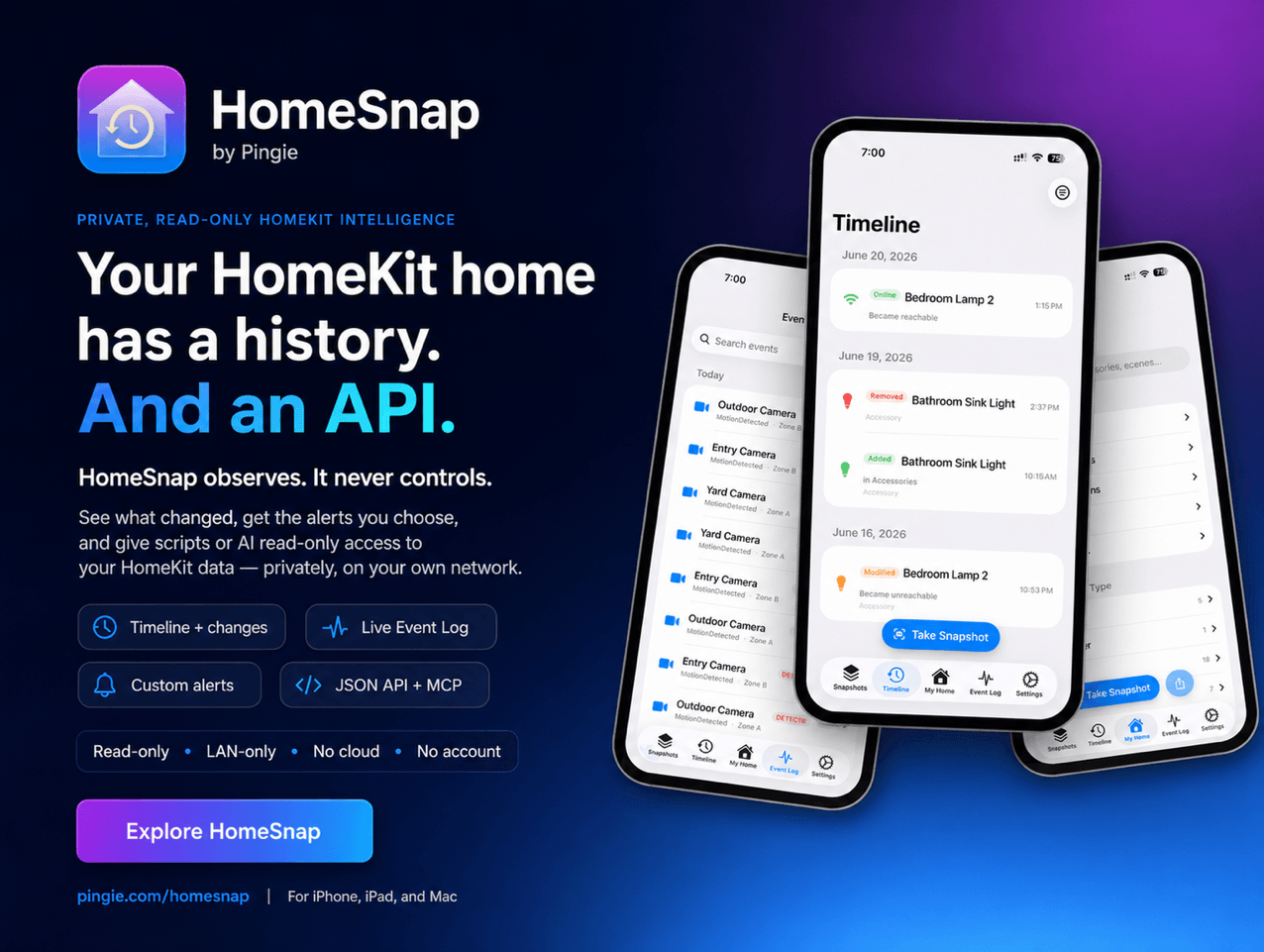
HomeSnap: A Private, Read-Only Window Into Your HomeKit Home [Sponsor]

HomeSnap remembers everything your HomeKit home does, shows you its live status, and tells you the moment something needs attention, right from your iPhone, iPad, or Mac. No accounts, no third-party servers, and your data stays private to you.

Your Home, Remembered

Apple’s Home app shows you this instant. HomeSnap shows you the whole story. It quietly captures a snapshot of your entire setup about once a day and tells you exactly what changed, room by room and device by device. A Timeline and a live Event Log let you scroll back through motion, lights, locks, and doors as they happened, so β€œdid the garage really open at 2 a.m.?” finally has an answer.

Your Home Has an API

This is the part power users tend to love. Flip one switch in Settings and HomeSnap serves your home over your own Wi-Fi, off by default, LAN-only, no cloud and no account involved:

  • A local web dashboard you can open from any laptop, phone, or tablet on your network: live status tiles, an activity heatmap, charts, and per-room and per-device pages.
  • A read-only JSON HTTP API with real endpoints for your home, rooms, accessories, scenes, automations, events, change history, health, and battery and temperature trends. Point a script, a shortcut, or a Home Assistant REST sensor at it and pull structured data out of HomeKit without touching a single Apple framework.
  • An MCP server (Model Context Protocol), so you can connect the AI assistant you already use, like Claude, and ask about your home in plain language: β€œwhich batteries will die first?”, β€œwhat happened in the garage last night?”, β€œwhich lights were on longest this week?” The assistant reads your home, read-only, over your own network.
  • Markdown and JSON exports of your home and its history, plus live updates over WebSocket for anything you want to build on top.

Everything here is read-only and stays on your network. Nothing about your home is sent to a third party, and you can put a password on it.

Live Status and Smarter Batteries

The My Home tab is your home exactly as it is right now: which lights are on, which doors are open, what every sensor reads. Battery-powered devices are ranked most-urgent-first, and HomeSnap estimates how long each one will last (β€œabout 3 weeks”) from its own history, so a dying sensor never catches you off guard.

Alerts You Actually Want

Build your own notification rules: pick an accessory, pick a trigger (a light turns on, a garage door opens, a fan passes a speed you set), and get told when it happens. Add freeze and overheat temperature alerts, low-battery warnings, and quiet hours so nothing pings you overnight.

Insights Into How Your Home Lives

A native Insights screen shows an activity heatmap of your busiest hours, your most active devices and rooms, each light’s total on-time, and recent door and lock activity. The same numbers power a private web dashboard you can open from any device on your Wi-Fi.

A Vault for Your Setup Codes

HomeSnap saves your HomeKit and Matter pairing codes so you can re-pair a device after a reset. Scan a code or type it in, and it comes back later as a scannable QR or a large, readable number, safely stored in iCloud.

Our thanks to HomeSnap for sponsoring MacStories this week.

  •  
❌