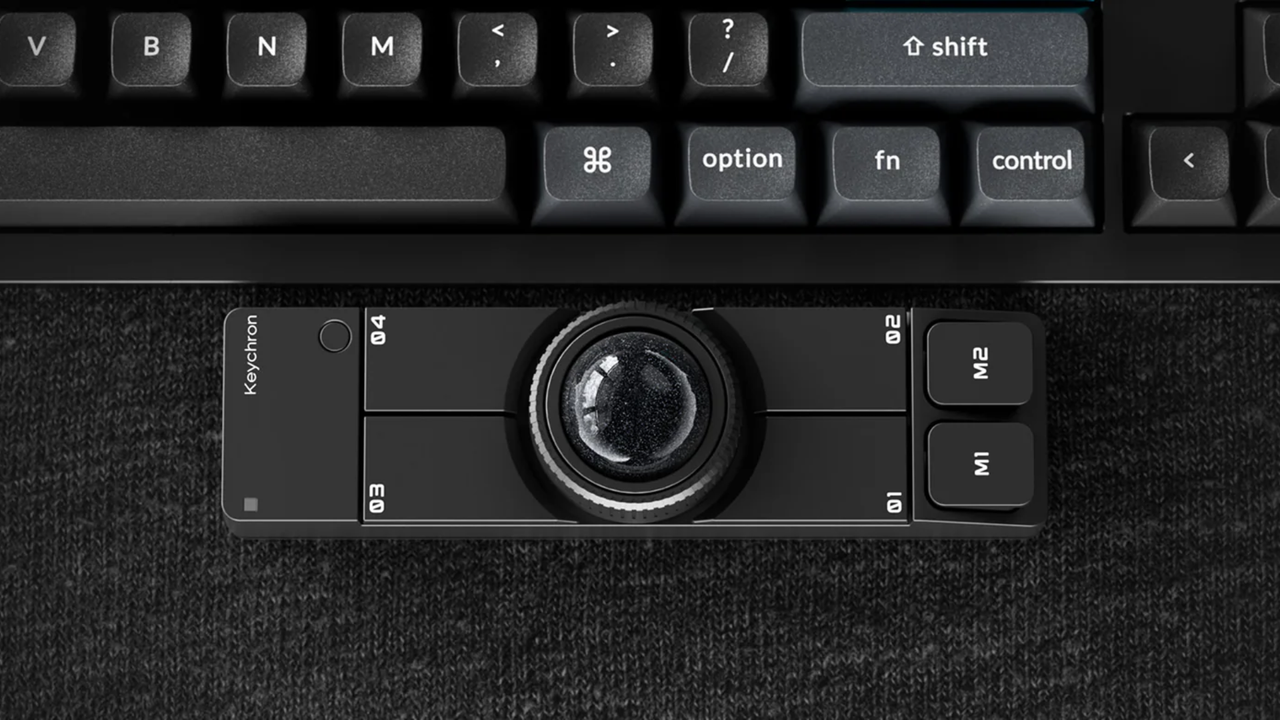
Keychron, which is known for its mechanical keyboards, just launched a wireless trackball mouse designed to comfortably sit underneath your space bar, complete with six programmable buttons. The Nape Pro wireless trackball mouse is now available on Amazon for $89.99. Although it may look pricey, with comparable ergonomic trackball mice often priced significantly lower, its unique rectangular design makes it the perfect companion for programmers, writers, and those who primarily use the keyboard for productivity. The placement means you don’t have to lift your hands from the keyboard to move the cursor, although it will get in the way if you prefer using a wrist rest.
The keyboard maker revealed the quirky trackball mouse earlier this year at CES, and it’s finally available for those who are interested. It’s wireless, sports six customizable buttons and a control dial, so you can also use it as a macro pad that you can place to the left or right of your keyboard or drawing tablet (or even center, if you have a split keyboard) and pair it with one of the best gaming mice for regular use. But what makes the Nape Pro more useful and powerful is the customizability that Keychron offers. You can change the functions of each button and the dial on the trackball mouse to exactly match what you need. It also has up to seven layers, so you can change what each button does based on what you need.
There are other trackball mice available on the market, like the Elecom Huge Plus with its 52mm ball and 10 programmable buttons (by comparison, the Nape Pro only has a 25mm ball), but they’re mostly designed to replace your mouse with their ergonomic designs. The Keychron trackball, on the other hand, feels like it’s there to complement your current ergonomic mouse and not replace it entirely.
This trackball mouse is another unique product from Keychron, which is known for making one of the best wireless and best budget mechanical keyboards. The keyboard company also makes different types of mice for basic use, productivity, and gaming, but it seems that it hasn’t hit the home run yet on these models. Perhaps the Nape Pro, which is like a hybrid macro pad and trackball mouse, would help elevate its mice to the same level as some of its mechanical keyboards, like the Keychron K3 Ultra.
A group at the Institute of Science Tokyo simultaneously measured the activity of thousands of neurons in two mousebrain regions and found that the areas sometimes shared timing information but maintained more independent representations at other times. The researchers, led by Associate Professor Riichiro Hira, maintained that this flexibility enables the brain to remain stable as it adapts to changing requirements.
A Task Built to Catch the Brain Switching Modes
Hira’s team created a task to highlight this timing mystery. They trained mice to expect rewards at intervals that switched between 6 and 12 seconds, without any break to mark the end of one trial and the start of the next. Since there was no pause, the mice had to keep updating their internal sense of time throughout the experiment, instead of resetting their mental stopwatch for each new trial.
The mice eventually figured out the pattern. At first they expected a reward every six seconds even if the time they had to wait was longer than this, but by the end of the training session, their behavior indicated that they had learned to anticipate both reward intervals. This showed that the mice were capable of keeping track of both durations and of predicting which one would come next.
While the mice performed the task, the researchers recorded activity in their secondary motor cortex and the posterior parietal cortex using wide-field two-photon calcium imaging. Both regions play key roles in planning, prediction, and working memory.
Two Regions, Two Kinds of Mistakes
The neurons fired in sequence in each brain area, with different cells becoming active at different times. This sequence showed that each region was monitoring the passage of time.
The researchers also identified two kinds of errors in the neural activity. In some cases, both areas made the same mistake when assessing the passage of time. These coherent errors suggested that both regions sometimes shared the same timing drift. In other instances, only one region was inaccurate while the other remained correct. These independent errors suggested that one region could temporarily maintain a different timing representation from the other. Independent errors were more frequent than coherent ones, and this ratio remained the same in all the mice examined.
If the brain regions were just randomly out of sync, you’d expect the ratio to change. However, it didn’t, which suggests that the brain has a built-in way to balance working together and working independently.
Modeling the Switch Between Coherence and Independence
To identify this mechanism, the team built a computational model with two recurrent neural networks linked by sparse, long-range connections and exposed to the same background noise. The model produced the same 2-to-1 ratio of independent to coherent errors seen in the mice.
The model also discovered that the limited connections between the networks tended to cause them to become synchronized, while the common noise caused them to move in separate directions. Hira provided an explanation of the interaction saying, “We found sparse inter-regional connectivity promotes synchronization between the two regions, whereas widespread fluctuations prevent complete synchronization, allowing each region to preserve its own temporal representation.” Neither force takes precedence; instead, a compromise is reached which allows communication between the regions.
The findings challenge the idea that brain regions rely on a single synchronized timing system. It indicates that the brain can adjust how different parts are coordinated, rather than just turning that coordination on or off.
What a Flexible Clock Could Mean for the Brain
Hira’s team believes that there are implications beyond simple timing circuits. “In the future, our results may contribute to a better understanding of cognition, neurological disorders involving disrupted inter-regional coordination, and the development of brain-inspired artificial intelligence and robotic control systems that combine stability with flexibility,” said Hira.
This last idea may prove most important in the years ahead. Engineers building AI and robotic systems face a similar challenge: how to let separate parts work on their own when needed, yet still come back into sync. The mouse brain shows that sparse connections and shared background fluctuations can achieve this balance. This could point to a design principle that even applies to systems with no biological components.
Austin Burgess is a writer and researcher with a background in sales, marketing, and data analytics. He holds an MBA, a Bachelor of Science in Business Administration, and a data analytics certification. His work focuses on breaking scientific developments, with an emphasis on emerging biology, cognitive neuroscience, and archaeological discoveries.
Simply put, polling rate is the frequency at which data is sent between your mouse and keyboard to your computer. For many years, the standard polling rate of most gaming mice and keyboards was 1,000Hz, and that's still a setting that's available by default.
However, with the rise of competitive shooters, particularly tactical ones such as CS2, VALORANT, and Rainbow Six Siege, the pro scene needed a shift, and we saw the advancement towards 4,000Hz and 8,000Hz for "esports tech".
But does anyone really need an 8,000Hz polling rate when gaming? Do the best FPS players in the world even take advantage of it? I'm going through everything you need to know about how 8K works, the latency you can expect, impact on battery life, and all other things you need to consider when properly getting your setup ready for success.
How does polling rate affect latency?
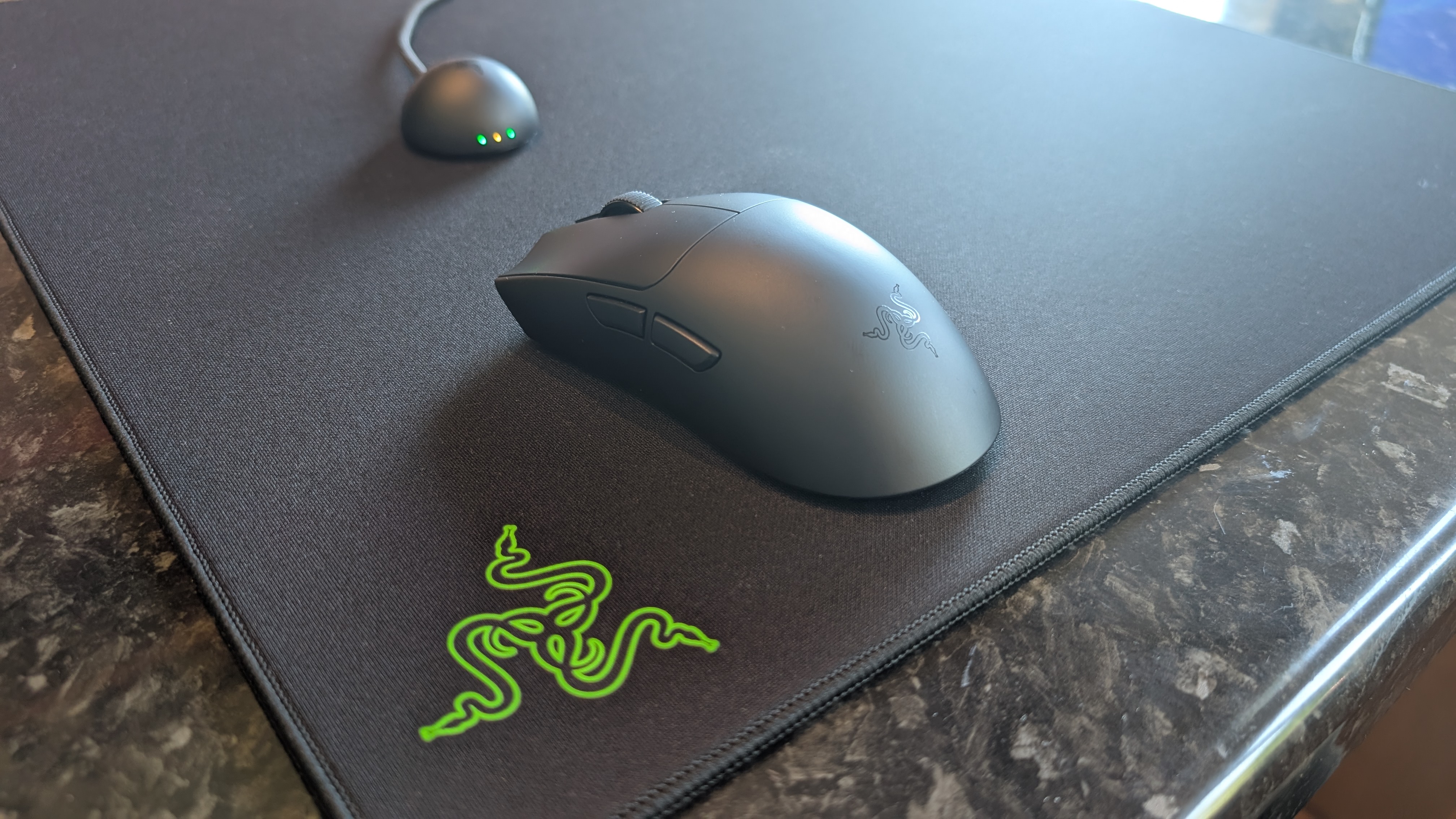
The Razer Viper V4 Pro is among the best gaming mice, and it supports 8K polling (Image credit: Future)
True to its namesake, an 8K polling rate will report its position to your PC a total of 8,000 times, instead of 4,000 times or a thousand times as with 4,000Hz and 1,000Hz, respectively. An 8,000Hz polling rate responds with far lower latency than either of these two previous standards; specifically, updates are sent between a mouse or a keyboard to your computer's processor every 0.125ms, eliminating a theoretical maximum of 0.875 ms input delay, meaning a smoother cursor or movement.
The difference in response time of 0.125ms (8K), 0.25ms (4K), and 1ms (1K) can be huge when it comes to polling rate, provided you have the right hardware to properly take advantage of this. That's because an 8,000Hz polling rate can be incredibly demanding on the battery life of wireless mice and keyboards, and it's one of the main considerations as to why you may want to drop the response time down in your settings.
The drawbacks of an 8,000Hz polling rate
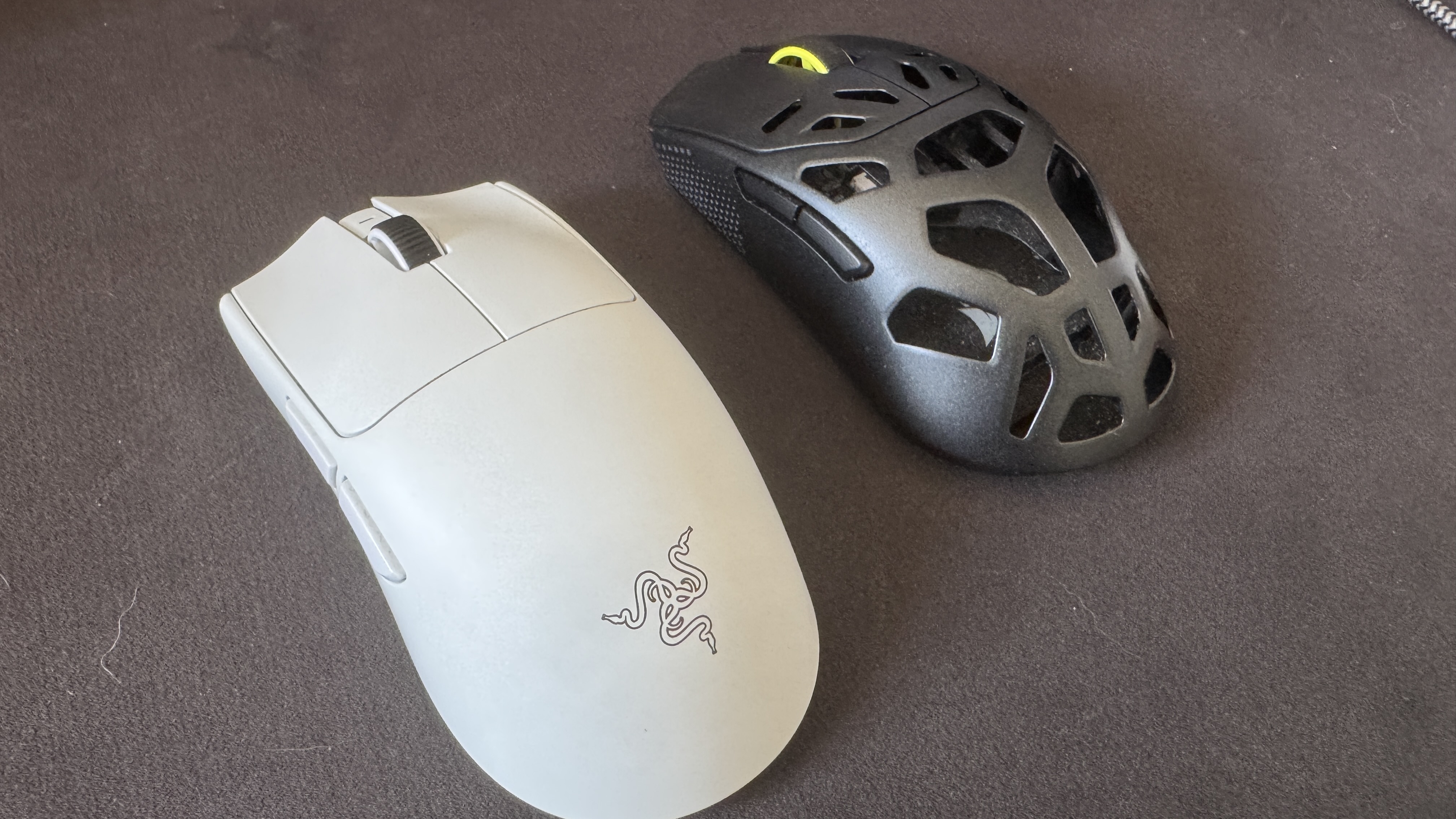
The Corsair Sabre V2 MG, like many top-end mice, have the option of 8K polling wirelessly, even if it comes at 1K out of the box (Image credit: Future)
In brief, an 8,000Hz polling rate for your mouse and keyboard can be incredibly demanding on your computer. That includes heavy strain on even the best processors, the aforementioned heavily reduced battery life on a mouse and keyboard, and even the potential risk of micro-stuttering. As a lifelong PC gamer and a competitive shooter enthusiast who is hopelessly obsessed with VALORANT, I've seen the battery life debate happen in real-time.
I've tested and reviewed hundreds of mice and keyboards throughout my career, and one of the biggest points of contention when it comes to enabling the polling rate comes down to battery life. As an example, my favorite gaming mouse of all time is the Corsair Sabre V2 MG, an 8K-enabled gaming mouse that's built with a Magnesium Alloy frame. It weighs just 56g and features excellent skates, making it ideal for a precision heavy shooter.
As standard, via the Corsair Web Hub, this gaming mouse will run out of the box at 1,000Hz (1K), with battery life prioritized. With the pointer used as the stock, you can expect around 100 to 120 hours of play between charges. In my experience, I am charging this mouse every two weeks or so, depending on how much I'm working day-to-day, etc. However, in my many months with this mouse, I've noticed that things fall off incredibly hard with 8K enabled; my battery life tends to last only around two to three days (or one or two nights of VALORANT Competitive) before I'm reaching for the USB-C lead.
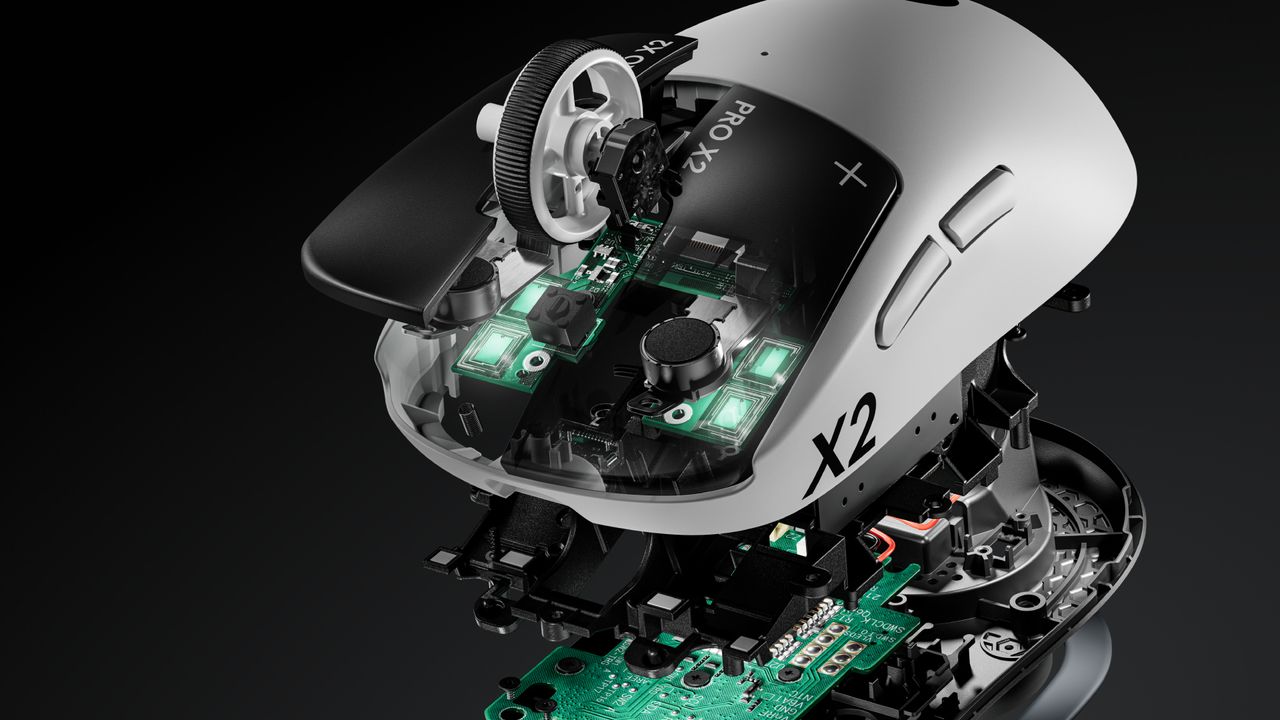
If we take 18 hours as the average battery life from the Corsair Sabre V2 MG when used in 8K mode, that's a reduction of around 85%, which is staggering. We can see a similar drop off from the most well-used new esports mice currently on the market, with the Razer Viper V4 Pro (an excellent mouse), touting up to 180 hours of playback in 1K but only 45 hours when maxed out at 8K. Similarly, while the Logitech G Pro X2 Superstrike has around a 90-hour playback at 1K, that drops down dramatically to between 20 and 35 hours at 8K. With Logitech's pointer, though, you have to factor in the strength of the haptics here, hence the rough range rather than a more exact figure.
What about the human limitations of an 8,000Hz polling rate?
(Image credit: Future)
Now that we've covered what an 8,000Hz polling rate is, how it works, how it compares against 1K and 4K, and the technical drawbacks, we now need to go over the human limitations with 8K. As previously mentioned, 1K means a 1ms response time, and that gets cut down to just 0.125ms with 8K, but what does that mean for a human being, and not a machine?
The average human response time is around 250-280ms; that's the time it takes to see something and physically react. I am not a pro player, but I do play video games at a high level, with a response time average of around 175ms, though I've been faster. The best esports players can eclipse this effortlessly: you only need to look as far as VALORANT and CS2 players, such as TenZ (widely considered to be among the best VALORANT players), with an average reaction time of 135ms. 100ms is even possible, even though the average tends to hover around the 150ms mark.
If we take 1K as a baseline for polling rate, that means there's an average of 150 reports between the mouse/keyboard and the processor, as you tap a key or click what you see. Taking 8K, then, sees 1,200 instances. With this information in mind, is there really much of an advantage here, even at this granular level, with the best players in the world and, conversely, the only people who would even notice a proper difference between 1K, 4K, and 8K?
Do pro players use 8,000Hz polling rates?
The best gamers in the world aren't interested in using an 8,000Hz polling rate for their keyboards or mice. (Image credit: Secretlab)
Considering the far lower latency, you would expect that professional esports gamers would all dial their settings to an 8,000Hz polling rate by default when playing demanding games, but that's simply not the case. If we look back at TenZ's mouse and keyboard settings when playing VALORANT, he last used the Pulsar TenZ Signature Edition mouse at 1,600 DPI, 0.24 sensitivity, and (most crucially) a 1,000Hz polling rate as standard; no 4K, and certainly no 8K enforced here.
What about a VALORANT player from the most aggressive team in the game? Then we must look at f0rsakeN from the legendary Paper Rex. He was last using the Pulsar Sustanto-X with an 800 DPI, a 0.71 sensitivity, and a 4,000Hz polling rate. Let's move away from Riot Games' shooter and instead turn our attention to Valve, then. As far as CS2 players go, few are as well-regarded in 2026 as Team Spirit's donk.
The young Russian is widely regarded as the best player in the world. Is he using an 8K polling rate for his mouse and keyboard to do this? No, while he previously used the industry standard Logitech G PRO X Superlight 2, he's now switched to a bespoke, and as of yet unreleased/prototype Zowie X Donk mouse at 800 DPI, 1.25 sensitivity, and a 1,000Hz polling rate. What about Niko? He recently had his own Razer collaboration drop, and currently uses a Razer Deathadder V4 Pro Niko Edition with an 800 DPI, 0.9 sensitivity, and a 2,000Hz polling rate.
Let's briefly look at two games for the sake of argument, and two of their respective top players. Peterbot is widely considered the best Fortnite player in the world, and he uses a Logitech G Pro X Superlight 2 at 800 DPI with a 1,000Hz polling rate. ImperialHal is among the best Apex Legends players, and the CEO (as he's known) currently uses a Finalmouse Starlight Pro with an 800 DPI, a 1.1 sensitivity, and a 1,000Hz polling rate. So, pro players simply are not using an 8,000Hz polling rate when playing, and they're simply better than the other 99.9% of players who play these games.
Is using an 8,000Hz polling rate worth it?
Based on everything I've gone through here, it becomes challenging to wholesale recommend (or actively condemn) 8K. An 8,000Hz polling rate is mechanically and technically better for how it responds between the peripheral and the machine, even if the human who presses that key or clicks the mouse ends up being the limiting factor, or bottleneck. It's the simple, undeniable truth that the saved milliseconds are (really) indistinguishable to basically everyone on the planet.
Then we get into the debate of battery life. Do you want your gaming mouse to last over 100 hours on a single charge, or just 10? That's a tough sell, considering it undercuts the primary reason to cut the cord in the first place. Then there's the massive CPU overload, game engine incompatibility (and developers and publishers are not yet gearing their software for the tech), and the variables of the hardware itself. Hardware makes the difference: TMR and Hall Effect switches and sensors will have far more of an impact than the simple reporting time between the processor and peripheral.
So why am I not fully discouraging you from using an 8,000Hz polling rate in its entirety? Because it ultimately comes down to personal preference, and to feel. If you're running one of the best gaming PCs or best gaming laptops with a high-end processor, a 4K graphics card, and a high refresh rate monitor, then, battery life aside, it doesn't really hurt to have everything cranked up and forgotten about. Are you likely to really notice it? No, but fractional optimization is still (ever so slightly) better than none in the first place.
I'm not quite cynical enough to claim that an 8,000Hz polling rate is just a marketing gimmick; however, I will say that hardware companies have gleefully exploited the ignorance of the end consumer, the simple reductionist view that a bigger number automatically means better, without looking into the nuances of the conversation. Now that's something you will be fully clued up on when considering your next keyboard or mouse.
A leaf-eared mouse living more than 6,700 meters (22,000 feet) above sea level in the Andes has shattered assumptions about where mammals can survive. Near the summit of an Andean volcano, where the air contains barely half as much oxygen as it does at sea level, scientists found something that should not have been there: [...]
Schistosoma mansoni is a parasitic worm that infects millions of people worldwide, entering the body through the skin. Unlike bacterial infections that often cause pain and inflammation, S. mansoni usually slips in unnoticed, rarely causing discomfort. Scientists have long wondered why our skin’s defenses don’t react more strongly to this invader.
Researchers from the University of Pennsylvania and Tulane University explored whether a specialized group of pain-sensing neurons, called TRPV1+, plays a role in detecting and fighting off S. mansoni during its invasion. TRPV1+ neurons are nerve cells in the skin that respond to heat, spicy foods, and certain bacteria and fungi. When activated, they can trigger pain and release molecules that alert the immune system. Previous researchers have shown that these neurons help defend against bacterial and fungal skin infections, but their role in fighting off parasites was unclear.
To examine how S. mansoni infects its hosts, the team conducted experiments using groups of 4 to 8 mice, matched for age and sex. They repeated each experiment 2 to 3 times to ensure their data was reproducible. They anesthetized the mice, exposed their ears to a solution containing 100 to 150 live S. mansoni larvae, and covered the area with vaseline to keep the solution in place. After 20 to 30 minutes, they counted the number of larvae remaining in the mice’s ears to assess how many had successfully penetrated their skin.
Next, the team measured pain sensitivity in the mice exposed to the parasite by placing them in chambers and applying an infrared heat source to their paws. They recorded how long it took each mouse to withdraw its paw as a sign of pain. They repeated this test 3 times per paw on each mouse, waited at least 5 minutes between each measurement, and calculated an average withdrawal time. They found that mice infected with S. mansoni were approximately half as sensitive to heat-induced pain as an uninfected control group, suggesting that the parasite could be suppressing the mice’s TRPV1+ neurons.
To investigate this further, the team isolated nerve cells that transmit sensory signals from the mice’s skin, known as dorsal root ganglia, and grew them in the lab. They stimulated these neurons by adding a spicy compound in chili peppers, known as capsaicin. Then they measured calcium influx, a sign the neurons were active, using a special dye that glows differently under a microscope depending on calcium levels. This allowed them to see how active the neurons were and how many molecules they released in response to infection and stimulation. They found that 68% of neurons from uninfected mice responded to capsaicin, but only 26% of neurons from infected mice did so, confirming that the parasite dampened their sensory neuron responses.
To test whether restoring the mice’s neuron activity could help their bodies resist parasite invasion, the researchers genetically engineered the mice to produce a light-sensitive protein in their TRPV1+ neurons, called channelrhodopsin. They “turned on” these neurons by stimulating them with blue light for 30 minutes every day for 5 days before infecting the mice with parasites. Six days later, they assessed the mice’s immune response by using a laser to count immune cells in samples of ear tissue. They also determined how far the parasites had spread by counting larvae in lung samples. They saw that mice with the artificially activated TRPV1+ neurons had nearly double the immune response, blocked roughly twice as many larvae at the skin, and had about 20% fewer parasites in their lungs.
Next, the researchers selectively destroyed TRPV1+ neurons in a new set of mice using a compound known as resiniferatoxin. Three weeks later, they confirmed the treatment had worked by testing the mice’s pain sensitivity using the same heat assay as before. After confirming the mice had lost their pain sensitivity, the team exposed the mice to the parasites. They found that the reinfected mice had 1% to 3% weaker skin immune responses and approximately 25% to 30% more parasites in their lungs than a control group, further confirming that TRPV1+ neurons play a protective role during early infection.
The team concluded that S. mansoni has evolved ways to silence pain-sensing neurons, like TRPV1+. Their discovery suggests that future scientists could boost skin immunity against parasites by targeting sensory neurons. For example, they could develop topical creams or therapies that activate these neurons to help our bodies fight off S. mansoni and similar parasitic invaders.
Researchers at NYU Langone Health recorded the activity of hundreds of neurons simultaneously across several brain regions in mice. By tracking how signals move from the hippocampus to the neocortex, where long-term memories are kept, they found that a subset of hippocampal neurons appears to participate in routing information between regions in distinct patterns. These cells participate in both incoming and outgoing signaling, but do so using distinct patterns of activity.
Separate Channels Through the Same Cells
The study focused on a series of interconnected brain regions: CA3, which processes rapidly changing information; CA1, which serves as a central hub; and the retrosplenial cortex, which is important for navigation and spatial memory. About one in four CA1 neurons receives most of the signals from CA3. When these same neurons send signals to the retrosplenial cortex, they fire in a different pattern, creating a separate outgoing channel using the same cells.
Rather than using new neurons, the brain separates these channels by changing how the same neurons fire together. The researchers suggest this arrangement may help reduce interference between new learning and more stable cortical memories.
“Our findings help explain how memory can be both moldable and enduring,” said co-lead author Joaquín Gonzalez, PhD, a postdoctoral fellow in the Department of Psychiatry at NYU Grossman School of Medicine. “By changing how the same cells fire together instead of turning on new cells, the brain can keep information organized and protect older memories.”
What Happens During Sleep
The CA1 neurons involved in learning during the day also stay active at night. The researchers found that these cells remain busy during sleep events called sharp-wave ripples, which are bursts of activity the hippocampus uses to replay and strengthen memories from the day.
Since overlapping neurons are recruited during both waking activity and sleep replay, the same circuit elements appear to participate in both learning and consolidation. This theoretically allows the brain to use a single system for both learning and storing memories, without the two processes interfering with each other.
“Our study shows how learning and memory consolidation can coexist in the same network,” said co-lead author Mihály Vöröslakos, MD, PhD. “Our discovery was made possible because for the first time, we were able to record hundreds of individual neurons across all the key regions simultaneously in animals that were moving around naturally.”
Implications for Disease and AI
The system identified in this research may help explain how memory disorders begin. In Alzheimer’s disease, for example, the hippocampal circuits examined here are some of the earliest to deteriorate. These networks are essential for sorting and organizing new experiences.
“Our discovery of a ‘memory switchboard’ deep in the hippocampus may provide clues as to how memory circuits fail in Alzheimer’s disease,” said co-senior author Zhe S. Chen, PhD, a professor in the Departments of Psychiatry and Neuroscience at NYU Grossman School of Medicine.
Artificial intelligence systems have a hard time holding onto what they’ve already learned when faced with new tasks, a problem researchers call catastrophic forgetting. The human brain appears able to update memories without catastrophic forgetting by altering the use of existing neural circuits. By studying how our brains pull this off, scientists hope to design AI that can keep learning new things without forgetting the old.
“By showing how the mammalian brain can safeguard memories during learning, our research may offer a biological blueprint for designing next-generation AI technology that can update itself continuously without overwriting what it has already acquired,” said co-senior author György Buzsáki, MD, PhD, the Biggs Professor of Neuroscience at NYU Grossman School of Medicine.
The researchers plan to investigate whether similar switchboard-like channels exist in other memory circuits. The authors caution that their findings in mice under controlled conditions do not yet allow conclusions about the human brain.
Austin Burgess is a writer and researcher with a background in sales, marketing, and data analytics. He holds an MBA, a Bachelor of Science in Business Administration, and a data analytics certification. His work focuses on breaking scientific developments, with an emphasis on emerging biology, cognitive neuroscience, and archaeological discoveries.

 Login
Login