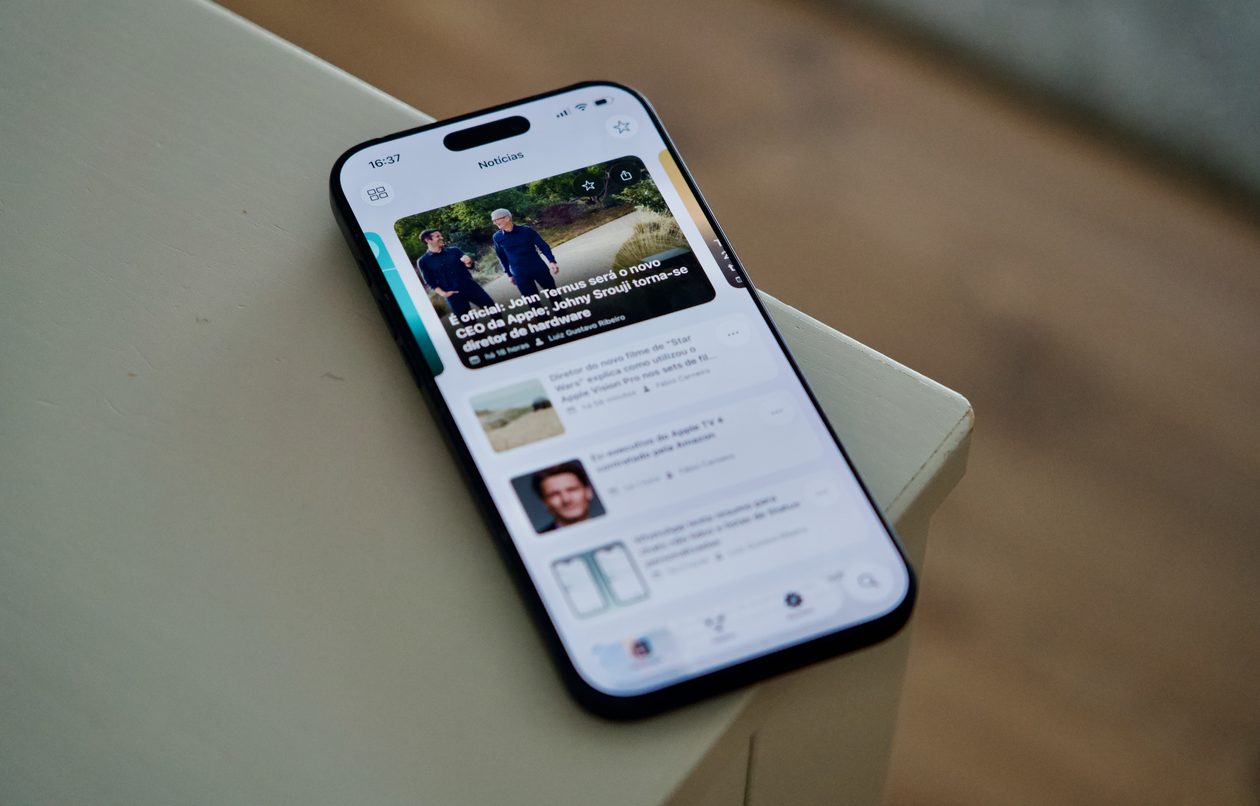
Nosso aplicativo — disponível para iPhone, iPad, Apple Watch e Mac — acaba de receber uma atualização significativa para a versão 5.0.2, repleta de melhorias e correções pedidas por muitos de vocês. 😉
Atendendo a muitos pedidos, implementamos de volta o gesto de deslizar a partir do canto da tela para sair de um post e retornar à tela inicial do app.
Também corrigimos um comportamento que incomodava bastante: ao tocar em links externos dentro de um post e depois voltar para o app, agora você retorna exatamente para a mesma posição de leitura em que estava — sem perder o lugar.
Os favoritos também passaram por uma revisão importante e agora são devidamente sincronizados entre iPhone, iPad e Mac.
Melhorias na marcação de posts como lidos/não lidos, incluindo o retorno de uma seção “Posts” nos ajustes do app;
A possibilidade de adicionar tíquetes ao Carteira (Wallet) diretamente pelo app;
Aprimoramentos gerais em acessibilidade.
Agradecimentos
Fica aqui um agradecimento especial ao Cassio Rossi e ao Mozzer pelas colaborações feitas em nosso projeto no GitHub para esta versão.
A atualização já está disponível na App Store — e, como sempre, vale a pena atualizar o quanto antes para aproveitar todas as novidades. Em breve, é claro, voltamos com mais! 😉
Fechando a semana com a nossa tradicional seleção de promoções na App Store para esta sexta-feira!
Canon: Chord Composer, desenvolvido por Dylan Shade, destaca-se como uma ferramenta de composição extremamente intuitiva e inspiradora — e, por isso, é o nosso destaque do dia.
O app combina três modos de criação (Instant Inspiration, Intelligent Discovery e Total Control), permitindo desde progressões totalmente aleatórias até construções manuais detalhadas.
A interface, limpa e direta, facilita a experimentação dos acordes de diferentes estilos (jazz, guitarra, piano, ukulele) e a audição de tudo com reprodução realista, seja você um músico profissional ou apenas um entusiasta no assunto.
Desbloqueie sua criatividade musical! Aproveite a oferta!
Abaixo outros jogos/apps que, juntos, somam quase R$60 em descontos:
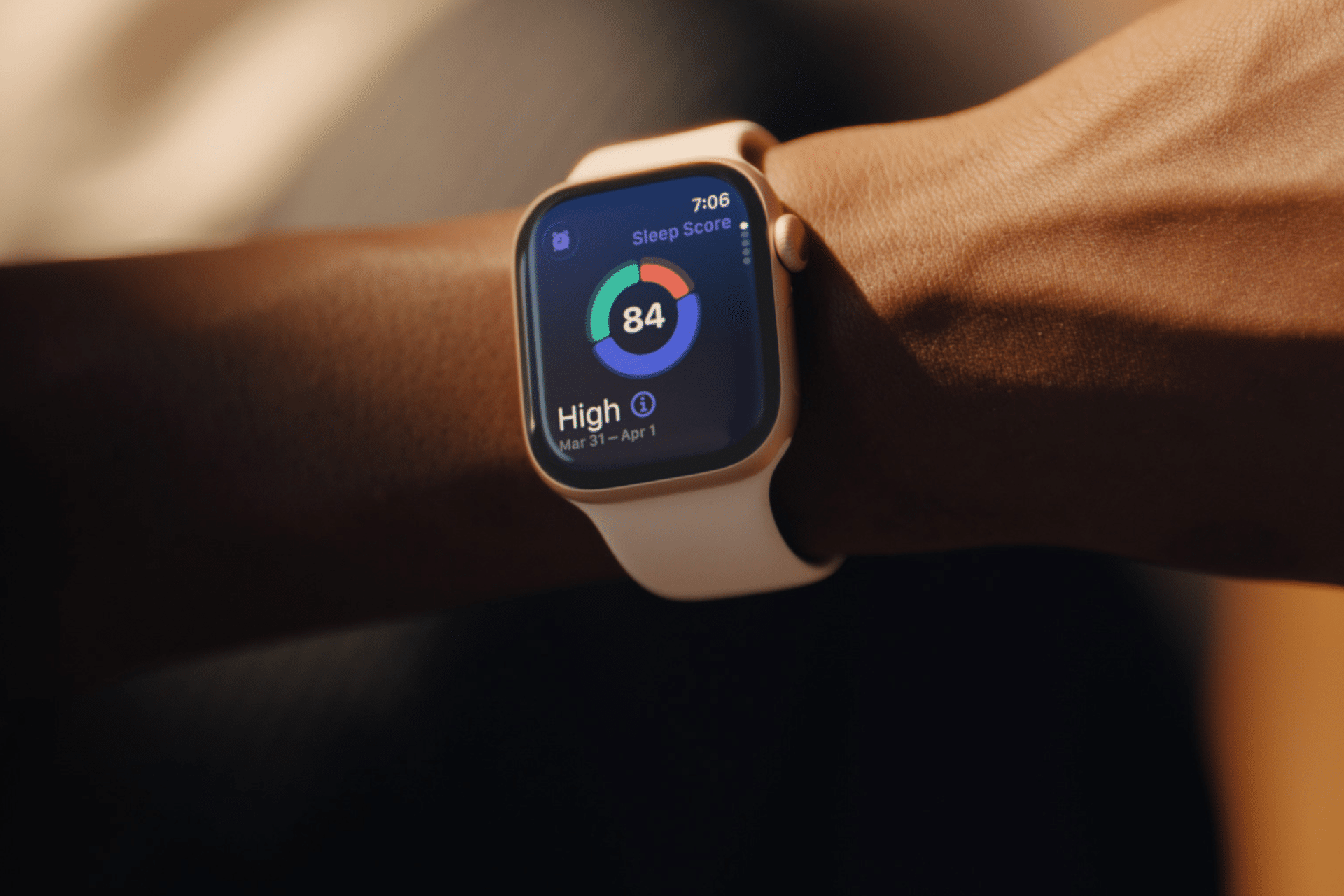
Sleep tracking on Apple Watch can make an invisible part of daily health easier to understand. Each morning, the watch may show sleep duration, stages, interruptions, overnight vitals and a score intended to summarize the night.
That information can be useful. It can also create a new habit of judging the entire day before getting out of bed.
One low score may make a person feel tired before noticing how they actually feel. A few minutes less deep sleep can become a source of concern. Going to bed can even start to feel like a test that must be passed rather than a normal biological process.
Apple Watch sleep data works better as a long-term observation tool than as a nightly verdict. The goal is not to collect perfect scores. It is to notice repeatable patterns and make small changes when those patterns match real-life problems.
What Apple Watch Measures During Sleep
Apple Watch estimates sleep using movement and signals collected while it is worn overnight. Depending on the model and available features, the Health and Sleep apps can show total sleep time, awake periods and estimates for core, deep and REM sleep.
The watch may also collect sleeping heart rate, respiratory rate, wrist temperature and other overnight metrics. The Vitals app compares several of these measurements with the user’s established typical range.
A sleep score compresses parts of the night into one number or category. Apple’s score considers factors including sleep duration, consistency and time spent awake. That makes it convenient, but convenience should not be confused with a complete medical interpretation.
The watch cannot know whether a stressful conversation kept someone awake, whether a child interrupted the night or whether the wearer woke feeling unexpectedly refreshed after fewer hours. It estimates physiological and behavioral signals. The person still supplies the context.
Sleep Tracking Apple Watch Data Works Best as a Trend
One night can be distorted by almost anything: travel, alcohol, illness, noise, a late meal, room temperature or a loose watch band. Even the position of the arm can affect sensor collection.
A weekly or monthly view is more useful because it reduces the influence of isolated nights. Patterns begin to emerge around bedtime consistency, total duration and changes in overnight vitals.
To review longer sleep trends on iPhone:
Health > Search > Sleep > select the weekly, monthly or six-month view
Look first at sleep duration and timing. These measurements are generally easier to interpret than small changes in individual sleep stages.
A person who repeatedly sleeps less on work nights may have a scheduling issue. Someone whose sleep becomes more fragmented after late caffeine may have found a useful connection. A consistently irregular bedtime may explain more than whether deep sleep moved by 12 minutes on Tuesday.
The data becomes valuable when it supports an observation that can lead to a realistic adjustment.
Image Credit: Apple Inc.
Do Not Treat Sleep Stages as Exact Measurements
Core, deep and REM sleep are presented as distinct colored sections, which can make them appear more precise than they are. Apple Watch estimates these stages from signals available at the wrist. A clinical sleep study uses additional equipment and is designed for medical evaluation.
That does not make the stage information worthless. It means small nightly differences should not be overinterpreted.
A person does not need to increase deep sleep manually or achieve a perfect proportion of REM sleep. Sleep architecture changes naturally across age, stress levels, exercise, illness and different parts of the night.
Use stage data to notice substantial or persistent changes, not to compete with yesterday’s chart. Spending 15 minutes less in one estimated stage is not automatically a health problem.
Start With How You Feel
Before opening the Sleep app, notice how the morning feels.
Was waking difficult? Is concentration normal? Is there unusual daytime sleepiness? Does the body feel recovered after exercise? Was the night interrupted for an obvious reason?
This brief self-check prevents the score from defining the experience. Someone may feel fine after a lower-rated night, while another person may feel exhausted despite receiving a favorable score.
The most useful interpretation combines both sources: subjective experience and device data. When they repeatedly agree, the pattern deserves attention. When they conflict for one night, there may be no reason to react.
Use Vitals as Context, Not a Diagnosis
The Vitals app can show whether overnight measurements such as heart rate, respiratory rate, wrist temperature and sleep duration fall within a typical range. It becomes more useful after the watch has collected enough nights to establish a personal baseline.
An outlier may reflect alcohol, medication, elevation, intense training or the beginning of an illness. It may also be an ordinary variation or imperfect reading.
Several unusual metrics appearing together may provide more context than one isolated number. Even then, Apple Watch data should not be used to diagnose a condition independently.
Persistent symptoms, breathing concerns, extreme daytime sleepiness or major changes in sleep should be discussed with a qualified healthcare professional. Bring the trend data if it helps describe what has been happening, but do not let the watch replace an evaluation.
Build a Routine Around Behavior, Not Scores
The healthiest use of sleep tracking is to connect the data with actions a person can actually control.
A consistent bedtime may improve the pattern. Charging the watch before the evening makes tracking more reliable. Reducing late caffeine, adjusting the bedroom temperature or moving an intense workout earlier may also produce noticeable changes.
To set a sleep schedule:
Health > Search > Sleep > Full Schedule & Options > Add Schedule
A schedule can provide Wind Down reminders and help keep bedtime more regular. It should remain a helpful structure rather than a rigid obligation. Life will occasionally interrupt it.
Choose one adjustment and observe it for a week or two. Changing five habits after one poor night makes it difficult to identify what helped.
Image Credit: Apple Inc.
When Sleep Tracking Creates More Stress
Some people become preoccupied with improving sleep data, repeatedly checking results or worrying that a low score guarantees a bad day. The anxiety can itself make falling asleep more difficult.
That is a sign to reduce exposure to the numbers.
Sleep tracking can be turned off temporarily, or the data can be reviewed only once per week. Another option is to avoid checking the score in the morning and examine trends at a neutral time later.
To change sleep tracking settings:
Watch app on iPhone > My Watch > Sleep
A break does not erase the knowledge already gained. A person who has learned that regular timing and less late caffeine improve sleep may no longer need a daily chart to confirm it.
The device should support rest, not supervise it.
A Better Way to Read the Morning Report
A practical morning review can remain simple. Check whether the watch recorded the full night. Notice total duration. Consider whether the bedtime was typical. Look for any major change in overnight vitals, then move on.
There is rarely a need to analyze every stage, compare several apps or search for explanations after one ordinary variation.
Sleep tracking on Apple Watch is most useful when it reveals something that was difficult to see without data: a repeated shortfall in duration, an inconsistent schedule or a pattern linked to habits and recovery.
The score can summarize one night, but it cannot grade the person who slept through it. A healthier measure is whether the information helps create calmer nights, better days and fewer reasons to think about the watch after waking.
Your Apple gear wasn’t cheap. And if you drop your iPhone, your iPad stops turning on, or you smack your Apple Watch into something and shatter it, getting it repaired probably won’t be cheap either.
Apple includes a one-year limited warranty with all hardware so if there’s a manufacturing defect, you’ll be covered. To also protect against accidental damage, get priority tech support, and in many cases replace your product if it is lost or stolen, you can opt to purchase AppleCare+. Here’s what it is, what it covers, and what you can expect to pay.
Is AppleCare+ worth it? Only you can decide for your own situation, but this should be everything you need to know to make a smart choice.
Updated July 16 ,2026: Apple has slightly increased the cost of AppleCare+ on iPads and Macs, by $0.50 per month or $5.00 per year.
What is AppleCare+?
If you’ve never even heard of AppleCare, start here! Otherwise, feel free to skip to the sections that cover your particular devices.
How AppleCare+ is different from the standard Apple warranty
AppleCare is Apple’s term for its warranty programs. Every Apple device comes with a certain stretch of AppleCare warranty service and phone/chat support for free, typically one year for the warranty and 90 days of phone support. You can pay to extend that protection for longer, get discounted repairs on accidental damage, and in some cases replace your device if it is lost or stolen. That’s called AppleCare+.
Do I have to buy AppleCare+ at the same time as the product?
No. If you already know you want it, buying AppleCare+ with the product is a good idea, just so you don’t forget. When you’re shopping at the Apple store and Apple.com, you’ll be offered AppleCare+ at checkout, and authorized Apple resellers can offer AppleCare+ too.
But you have some time to decide. Generally you get 60 days from the purchase date to buy AppleCare+ (only 30 days if you’re in Japan), and Apple has a page where you can check your exact device’s eligibility.
The latest iPhones and iPads will show you an AppleCare+ signup prompt right there near the top of Settings, if you’re still eligible. You can tap on it to see how many days remain, and purchase AppleCare+ (with or without Loss and Theft protection) right on your device.
If your new iPhone or iPad is eligible for AppleCare+, you’ll see a signup prompt near the top of the Settings app.
Still, to buy AppleCare+ after the fact you generally have to run a diagnostic test on the device in question, so Apple knows it’s in good working order. And no matter when you buy your AppleCare+ plan, the coverage starts from the day you bought your device. So you don’t get an “extra” two months of coverage if you wait two months to buy the plan.
If you want to buy an AppleCare+ plan after the 60-day period has ended, you can bring your device into an Apple Store for an inspection up to a year after purchase. If the technician allows it, you’ll be able to sign up in person.
How do I buy AppleCare+ for products I didn’t buy directly from Apple?
The easiest way is online. Apple’s site has a page to Check Your Service and Support Coverage. Enter your device’s serial number and it’ll tell you if you can still buy AppleCare+ and walk you through the process of purchasing and registering your plan.
Keep in mind that buying an AppleCare+ plan after the fact often means you have to complete a diagnostic test on the device. After all, Apple has to make sure you’re not trying to buy coverage on a device that’s already broken. So do it right away, just in case.
Can you buy AppleCare+ for refurbished products?
You can! Apple offers a range of refurbished items on its website, and they’re all backed by the same one-year warranty as new products. Plus, you can buy AppleCare+ for a refurbished item just as you can with a new one.
How do I check how much time is left on my AppleCare plan?
Head to Apple’s Check Your Service and Support Coverage page and enter your device’s serial number. You’ll find out how much time you have left on your AppleCare plan, and if you can still buy AppleCare+ for this device.
If there’s no Apple store near me, is AppleCare+ a bad idea?
No, you can still use AppleCare+ if you can’t make it to the Apple store. You have several options, actually.
Apple retail stores. If you can get to an Apple store, you can even make a reservation for AppleCare+ service.
Drop off at the UPS Store. Apple can provide you with a Repair ID number for an iPhone, iPad, or iPod needing service, and you can take it to any UPS Store in the U.S., which will ship the device to Apple at no cost to you. When Apple finishes the repair, you get the device back in the mail, again with no shipping fee.
Direct mail. Alternatively, Apple will send you a box and shipping labels for you to ship any Apple product back to them for repair. Apple pays the shipping both ways.
Onsite service. If the problem is with a desktop Mac, Apple can sometimes even send an authorized repair technician to you.
DIY. If the problem is relatively small, Apple can sometimes just send you a part, like a new iPhone charger or Apple TV remote.
Do I have to pay for AppleCare+ up front?
AppleCare+ used to be a single purchase that extended warranty services for a set span of time (usually two years). It has since changed to an ongoing discounted repair and replacement service, which you can pay for monthly or yearly. You are covered for as long as you continue to pay for AppleCare+.
How am I supposed to survive without my device while Apple is repairing it?
Apple offers an Express Replacement Service for the iPhone, iPad, and Apple Watch. When you use Express Replacement, Apple sends you a new device right away, and you don’t have to mail in your broken device until you receive it. Conditions apply, but ask Apple about it when you contact them and they can let you know if you qualify.
What if I sell the product before AppleCare+ runs out?
Most AppleCare+ plans, which are paid montly or annually, are linked to your Apple Account and do not transfer with the product. Older AppleCare+ plans, which were one-time fees for a set period of coverage, can be transfered to the new owner. See this support document for more information.
Does AppleCare cover loss or theft?
There used to be a second tier of AppleCare+ that included coverage for loss or theft, but Apple now only offers this tier. So yes, it covers loss and theft (on applicable products) and there is no longer an option to get AppleCare+ without that.
Is AppleCare+ only for U.S. customers?
No, Apple provides global coverage for most Apple devices (iPhone, iPad, Apple Watch, Mac, iPod, Apple TV, and Apple displays). Service options do vary between countries, but any AppleCare service is always performed by authorized techs with genuine Apple parts.
Obviously, you should always read the full agreement before you purchase any warranty or insurance.
Can I cancel an AppleCare+ plan?
Yes, you can. If it’s within 30 days of purchasing the plan, you’ll get a full refund minus any service you received. Outside of 30 days, you’ll get a prorated refund, minus any service, minus a fee of $25 or 10 percent of the prorated refund, whichever is less. Call Apple at 1–800-MY-APPLE to ask how.
Can I extend AppleCare+ after a policy runs out?
Yes, though some devices have a limit as to how many times you can extend coverage. Apple has a 45-day window where a policy can be extended 24 or 36 months, paid monthly or annually. In China, the window is 30 days.
The iPhone is covered in glass, easy to drop, and goes everywhere with you. No wonder iPhones break so frequently! Here’s the skinny on buying some extra protection.
How much does AppleCare+ cost for iPhone?
It varies by the device. Here’s the price for both monthly and annual coverage.
I bought my iPhone with the iPhone Upgrade Program. Doesn’t that have AppleCare+ included for free?
It’s included, but it’s not free. The cost of the two-year AppleCare+ plan is included among the 24 loan payments you agree to pay. (But at least you aren’t charged interest.)
If you upgrade your phone after a year, your two-year loan starts over again, but you still get the second year of AppleCare+ on the new phone. Read the iPhone Upgrade Program terms for more detail. The iPhone Upgrade Program is a loan, so again, be sure to read all the fine print before you sign up.
For the iPhone, AppleCare+ extends your warranty coverage from one year to two, and extends phone and chat support from 90 days to the full two years as well.
You also get up to two incidents of accidental damage coverage per year for a relatively low service fee. If you’ve only damaged the screen, a screen replacement is only $29/£25. But if the iPhone has other damage, the fee is $99/£79. iPhones are eligible for the Express Replacement Service, letting you request a replacement device in the mail before you send your original damaged device in for repair.
So let’s say you drop your iPhone on the corner, which breaks the screen but also dents the enclosure enough that Apple can’t fix just the screen—that’s a $99/£79 repair. If the screen shatters but the rest of the phone is relatively unscathed, $29/£25.
The warranty against defects covers the phone as well as the battery and the included headphones and accessories. Accidental damage can include almost anything, such as water damage, drops, running the thing over, your kid pours paint into the Lightning port—as long as you only have two incidents (or less) in the two-year coverage period.
The plan also covers two incidents of theft or loss per year.
You might also want to check your homeowner’s and renter’s insurance policies to see if they cover stolen electronics. Some cell phone service providers’ own insurance plans cover loss and theft, but it’s relatively rare.
Should I get it AppleCare+ for my iPhone?
If you’re going to buy AppleCare+ on anything, it’s probably going to be your iPhone. But it’s not always a slam dunk. Depending on the age of your iPhone and how expensive some future repair might be, you may end up spending more for AppleCare+ and a repair than just a straight repair cost.
Really it depends on how careful you are with your iPhone. Do you use a case? Avoid action sports? Rarely drop your phone? Or are you a total klutz who’s broken every phone you’ve ever owned? Be honest with yourself and proceed accordingly.
An Apple Watch is another prime candidate for AppleCare+, if for no other reason than because it’s on the outside of your wrist where it can constantly bump and scrape on things.
AppleCare+ for iPad
Whether you agree that an iPad can replace a laptop, its AppleCare+ plan certainly is cheaper than AppleCare+ for a Mac—and iPads are eligible for Apple’s speedy Express Replacement Service too.
Apple recently raised the price of AppleCare+ for iPad by $0.50 per month or $5.00 per year.
Pad, iPad mini
$5.49
$54.99
iPad Air 11-inch (M4)
$6.49
$64.99
iPad Air 13-inch (M4)
$7.49
$74.99
iPad Pro 11-inch (M5)
$10.49
$104.99
iPad Pro 13-inch (M5)
$11.49
$114.99
What does AppleCare+ for iPad cover?
You are covered for unlimited damage from accidents like drops or spills.
You also get two incidents of accidental damage coverage per year, with a service fee of $49/£39 for most damage, plus tax. AppleCare+ covers the iPad as well as its battery and included accessories like the power brick. You are covered for up to two incidents of loss or theft in 12 months.
Should I get it AppleCare+ for my iPad?
This answer might hinge on how you use your iPad. My iPad, for example, almost never leaves my house—but I also share it with a 6-year-old who doesn’t always treat it like an expensive and fragile device. Still, our iPad is mostly for entertainment, so I’m living (dangerously?) without AppleCare+.
On the other hand, if I was a road warrior with an iPad Pro that I relied on every day to make my living, I’d be more likely to shell out the $129/£129 for AppleCare+.
AppleCare+ for Macs and Apple displays
Apple doesn’t sell its own Apple-branded displays anymore, and AppleCare+ for Macs might seem like a bargain if you’ve ever paid hundreds to get a laptop serviced—or overkill if you’re an iMac user who’s never run into a problem.
For Macs, AppleCare+ does not include coverage for loss and theft. Apple recently increased the price for Mac coverage by $0.50 per month or $5.00 per year.
Mac mini
$3.99
$39.99
Mac Studio
$6.49
$64.99
iMac
$6.49
$64.99
MacBook Neo
$5.49
$54.99
MacBook Air 13-inch
$7.49
$74.99
MacBook Air 15-inch
$8.49
$84.99
MacBook Pro 14-inch
$10.49
$104.99
MacBook Pro 16-inch
$15.49
$154.99
Mac Pro
$17.99
$179.99
AppleCare+ for the Apple Studio Display costs $4.99/$49.99, and for the Studio Display XDR it costs $9.99/$99.99.
What does AppleCare+ for Macs cover?
AppleCare+ for Macs covers unlimited accidental damage for a lower service fee than you would pay for an out-of-warranty repair. If you damage just the screen or Mac’s enclosure, it’s $49-99 and all other damage is $149-299, plus tax. You get unlimited battery replacements for no extra charge (Apple requires your battery hold less than 80% of its original charge before replacing it).
For Macs, your computer is covered, plus the battery, power adapter, and other included accessories.
What doesn’t AppleCare+ for Macs cover?
It doesn’t cover loss or theft. Your homeowner’s or renter’s insurance might, depending on your policy.
Should I get it AppleCare+ for my Mac?
For Macs, AppleCare+ makes more sense if you’re buying a laptop and you’re worried about the screen, or you just tend to be rough on your computers. Desktop Macs probably aren’t as important to cover, since the likelihood of, say, dropping one is a lot less. Still, Macs have a long life, so you may decide three years of (transferable) protection is worth the extra cost.
AppleCare+ for Apple Watch
For Apple Watch, your AppleCare+ subscription now covers loss and theft—it didn’t originally do so.
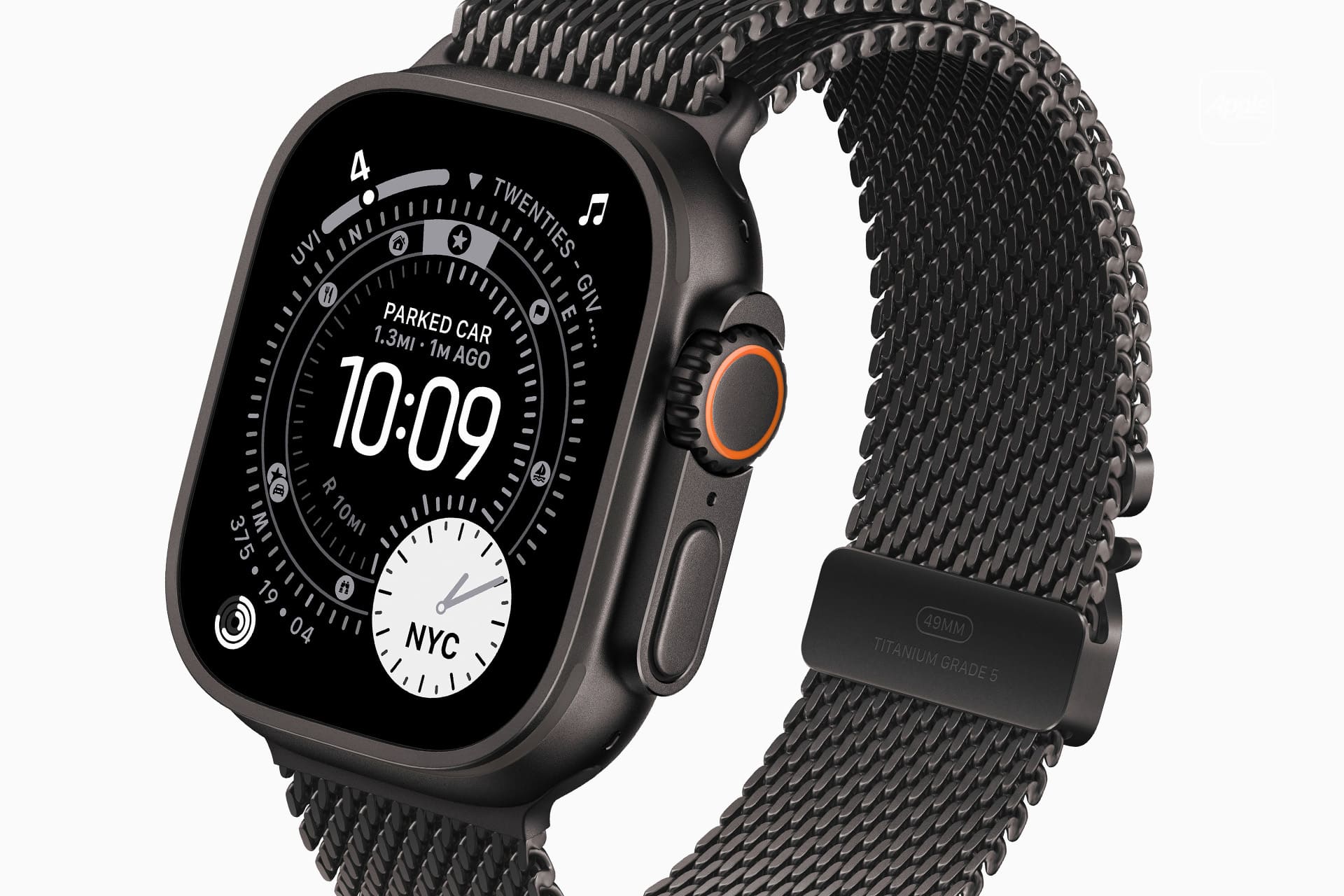
Fancier editions like the Hermes, Titanium, or Ceramic watches may have different AppleCare+ pricing, however.
What does AppleCare+ for Apple Watch cover?
You get unlimited repairs for accidental damage, and up to two instances of loss or theft in 12 months.
Should I get it AppleCare+ for my Apple Watch?
It’s pretty difficult to get an Apple Watch repaired anywhere but the Apple store, as we found out. The Apple Watch is designed to be tough, so most users hopefully shouldn’t have problems. But if you’re paranoid or accident-prone, or you just love the idea of Express Replacement Service so you never miss a step, AppleCare+ is there.
AppleCare+ for Apple TV
Your Apple TV is probably the last thing you’d buy an extended warranty for, but Apple is happy to sell you one!
It’s only $29/£25, both for the regular Apple TV and the 4K edition. That gets you two years of warranty coverage and tech support.
What does the AppleCare+ Apple TV cover?
The Apple TV itself, the Siri Remote, and even the Apple AirPort router you use with it, if you bought it within two years of the Apple TV. Tech support by phone or chat includes help with setup, connecting to Wi-Fi, iCloud, renting or buying from iTunes, AirPlay, and even connecting to third-party streaming services. You also get coverage for accidental damage (spills, drops, earthquakes, fires) or cosmetic damage. But since it just sits there that’s unlikely to be used. Each incident has a service fee of $15.
What doesn’t it cover?
Loss and theft, including losing the remote. (But if the remote stops working, that’s covered.)
Should I get it AppleCare+ for my Apple TV?
Nah. I mean, you could. But you probably don’t need to, because it’s a box that sits under your TV and doesn’t go anywhere.
Os planos da Smart Runner ajustam-se automaticamente ao longo do tempo, tendo em conta a evolução dos utilizadores, e, através da integração com o Apple Watch, é possível acompanhar métricas em tempo real durante os treinos.

 Login
Login