❌

Reading view

CarPlay Apps: 120 Popular Options for Your Car

CarPlay apps have grown far beyond maps, music and basic messaging. More than 120 popular iPhone apps now offer some form of support for Apple’s in-car platform, giving drivers access to navigation, podcasts, audiobooks, sports, communication, electric vehicle charging, parking, food ordering and newer AI assistants.

Not every compatible app places its full iPhone interface on the dashboard. CarPlay uses simplified layouts, voice controls and restricted features designed to reduce distractions. Some apps show lists and buttons, while others operate mainly through Siri or audio playback.

The larger catalog nevertheless changes what CarPlay can do. It is becoming a controlled extension of the iPhone rather than a small collection of driving utilities.

CarPlay Apps Cover More of the Journey

The first generations of CarPlay concentrated on a small set of familiar activities: choosing a route, making a call, sending a message and playing audio. Those functions remain central, but Apple has gradually opened additional categories to developers.

CarPlay apps can now help drivers find parking, locate fuel, identify EV charging stations, order food for collection and complete certain driving-related tasks. Automakers can also build apps that control supported vehicle features without forcing the driver to leave the CarPlay interface.

Apple continues to limit which app categories qualify. A social network, game or ordinary shopping app cannot simply reproduce its iPhone screen on the dashboard. Developers must use Apple’s CarPlay frameworks and present only functions considered suitable for the car.

The approach explains why the available catalog can feel both extensive and restrained. More than 120 apps may be compatible, but the dashboard does not become a crowded copy of the App Store.

Digital car dashboard displaying speed at 60 mph, range of 200 miles, temperature of 72°F, engine at 195°F, and sport mode engaged. The center screen features lane assistance with surrounding vehicles and Apple Maps MICHELIN Ratings integration.
Image Credit: Apple Inc.

Navigation Remains the Starting Point

Apple Maps is built directly into CarPlay and provides turn-by-turn guidance, traffic information, estimated arrival times and destination suggestions based on information from the iPhone.

Drivers can also choose popular alternatives including Google Maps and Waze. Each service brings a different combination of traffic data, route preferences, incident reporting and familiar saved locations.

Other navigation and travel options include HERE WeGo, TomTom GO Navigation, Sygic GPS Navigation, Gaia GPS and specialist apps designed for trucks, motorcycles or outdoor routes.

The strongest choice usually comes down to habit and regional coverage. A driver already using Google Maps or Waze on iPhone can continue using saved destinations and preferences inside the car. Apple Maps benefits from tighter system integration, including Siri requests, Calendar suggestions and Apple Watch directions.

CarPlay allows several navigation apps to appear in the Dashboard layout, where mapping can share the screen with media controls and other useful information.

Music, Radio and Podcasts Dominate the Catalog

Audio remains the largest CarPlay app category because it suits an environment where users should spend as little time as possible looking at the screen.

Apple Music, Spotify, YouTube Music, Amazon Music, Deezer, Tidal and Pandora provide access to large music libraries. Radio services such as TuneIn, iHeartRadio and SiriusXM add live stations, news, sports and talk programming.

Podcast listeners can use Apple Podcasts, Overcast, Pocket Casts, Castro and Spotify. Audiobook options include Apple Books, Audible, Audiobooks.com and Bookmate.

The CarPlay versions usually emphasize large buttons, recent listening, saved libraries and voice search. More detailed account management remains on the iPhone.

Siri can start playback without requiring users to browse through several menus. The experience is safer and often faster when the request includes the service and content, such as asking Siri to play a specific playlist through Apple Music or Spotify.
Phone Charging but CarPlay Not Working

Messaging Is Becoming More Visual

Messages has long allowed CarPlay users to hear incoming texts and dictate replies through Siri. Third-party messaging services have expanded the same general idea.

WhatsApp now offers a fuller CarPlay experience that can display recent chats, calls and favorite contacts while keeping message composition centered on voice. Other supported communication apps include Telegram and selected business messaging services, depending on region and app version.

CarPlay does not display long text conversations like an iPhone. Siri reads messages aloud, and users can dictate a response. Visual elements remain limited so the dashboard does not become a scrolling chat screen.

Phone and supported calling apps also provide simplified access to contacts, recent calls and favorites. Meeting services can support audio participation, but video remains unavailable while driving.

AI Assistants Enter CarPlay

AI assistants represent one of the newest CarPlay app categories. ChatGPT, Perplexity and Grok have introduced CarPlay support, allowing drivers to interact through voice without handling the iPhone.

These apps can answer general questions, explain subjects, brainstorm ideas or continue voice conversations. Their usefulness in a car is different from navigation or music. They provide a hands-free knowledge interface during a commute or long trip.

Google Meet and other communication apps have also expanded their in-car presence, emphasizing audio conversations rather than video.

AI responses should not replace directions, emergency information or vehicle warnings. They can also produce inaccurate answers, particularly when asked about rapidly changing road conditions. Apple Maps, official traffic services and the vehicle’s own systems remain the appropriate sources for driving decisions.

The arrival of AI assistants still marks a meaningful expansion. CarPlay is no longer limited to commands with predefined outcomes. Drivers can now hold longer spoken interactions through supported services.

Parking, Fuel and EV Charging Become Easier

Practical travel apps can reduce the need to handle an iPhone after arriving near a destination.

Parking services can help locate garages, compare availability or start a parking session. Availability varies by city, but apps from services such as SpotHero, EasyPark and ParkWhiz may offer CarPlay functions in supported markets.

Fueling apps can guide drivers to compatible stations and, in some cases, prepare or authorize payments. EV charging apps can locate chargers, show connector availability and begin navigation to a selected station.

ChargePoint, PlugShare, Electrify America and other charging networks provide different levels of CarPlay integration. Drivers should confirm that their preferred service supports the platform in their country and app version.

Food-ordering support is more restricted. Compatible apps are designed around quick pickup tasks rather than browsing complete menus while the vehicle is moving.
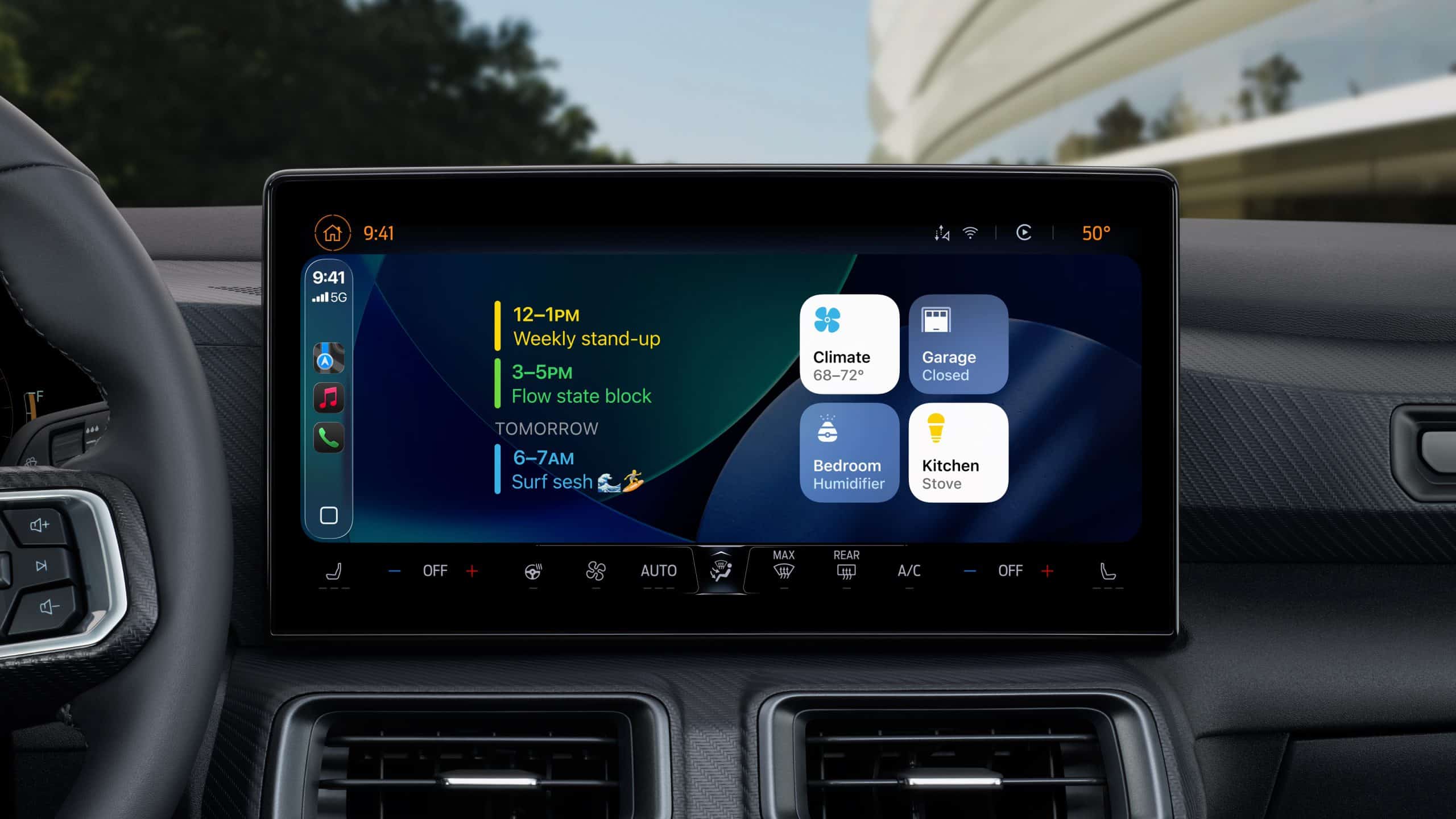
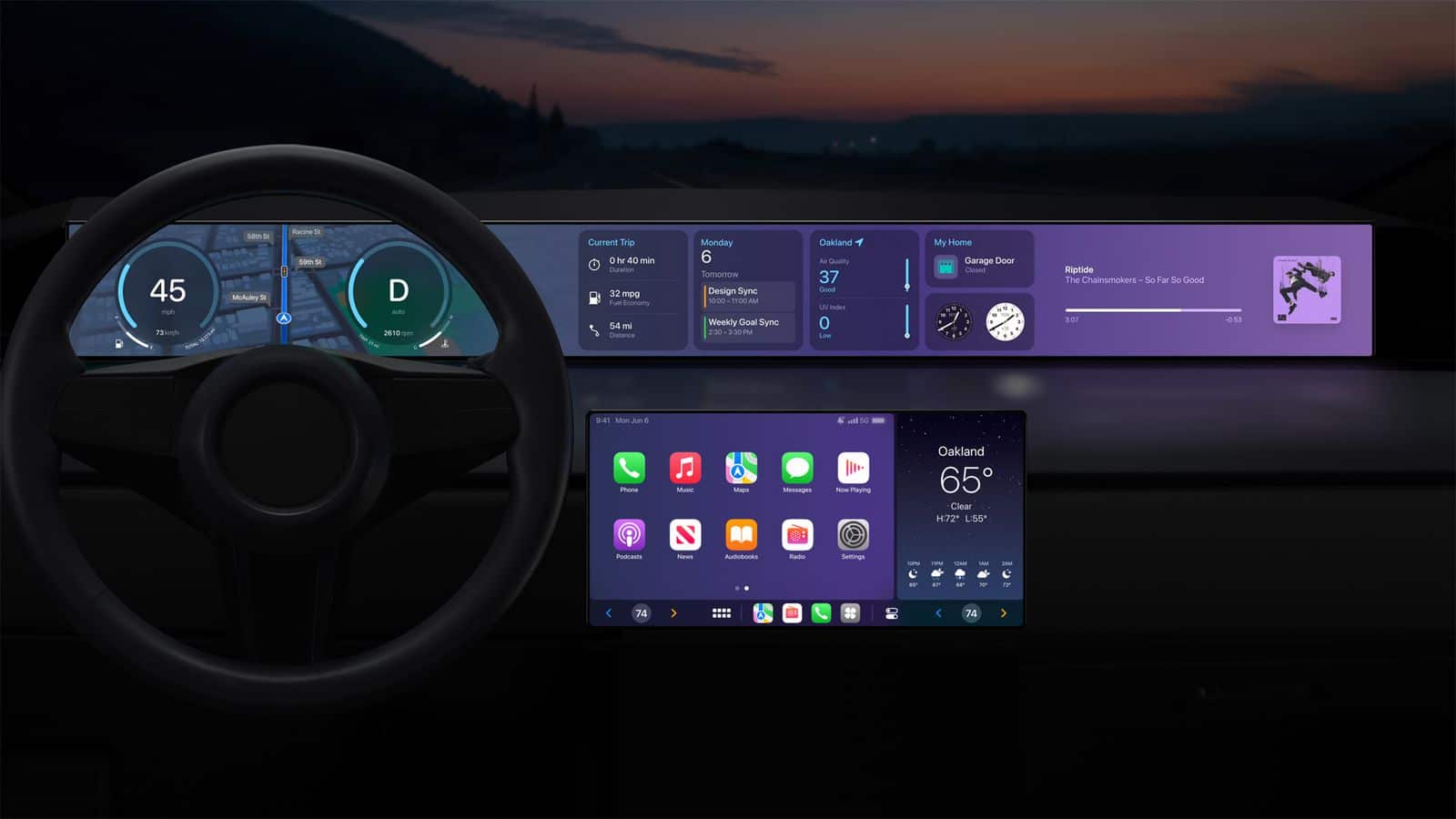
CarPlay apps - Apple’s next-generation CarPlay interface displayed across multiple in-car screens, showing customizable speedometer, widgets, and climate controls.

Sports and Driving Information Join the Dashboard

Sports apps are also finding a place in the car. Apple Sports and selected third-party services can provide scores or spoken updates without requiring drivers to follow a live visual feed.

Audio broadcasters already make sports a major part of CarPlay through radio and podcast services. Dedicated sports support makes it easier to reach a favorite team or competition directly.

Driving-task apps can handle functions such as recording mileage, managing road trips or communicating with fleet systems. These experiences are generally built for narrow purposes and use simplified controls.

Automaker apps form another category. Depending on the vehicle, they can expose controls for radio stations, climate functions, drive modes or other systems through CarPlay. Support is determined by the manufacturer and may differ between models.

How to Find CarPlay Apps on an iPhone

Compatible apps installed on the iPhone normally appear in CarPlay automatically. Users can decide which ones remain visible and change their order.

To organize CarPlay apps:

Settings > General > CarPlay > select the vehicle > Customize

Apps can be added, removed or rearranged from this screen. Removing an app from the CarPlay layout does not uninstall it from the iPhone.

An app may not appear when its developer has not enabled CarPlay support, the feature is unavailable in the region or the app needs to be updated. Some services also require an active subscription or account.

The safest layout keeps frequently used navigation and audio apps near the first page. Less essential services can remain farther back or be removed to reduce dashboard clutter.

More Apps Do Not Mean More Screen Time

The value of 120 CarPlay apps is not having 120 icons inside the car. It is having a useful service available when a particular trip requires it.

A daily commute may involve only Maps, Music and Messages. A road trip may add charging, parking, audiobooks and weather information. A workday could involve audio meetings and mileage tracking.

CarPlay’s restrictions remain part of its appeal. Apps are expected to simplify their interfaces, support voice interaction and limit detailed visual tasks. The system should reduce the temptation to use the iPhone rather than reproduce every distraction on a larger screen.

As iOS 27 expands capabilities for audio, communication, navigation and driving-task apps, the catalog is likely to keep growing. The more useful evolution will be deeper integration with the Dashboard, Siri and vehicle controls—not simply another row of icons.

The post CarPlay Apps: 120 Popular Options for Your Car appeared first on AppleMagazine.
  •  

PrismML AI 93% Compression Could Give Siri a Major Boost

PrismML AI compression could give Apple a way to place far more capable artificial intelligence directly inside the iPhone. The Caltech spinout says it reduced a 27-billion-parameter model from approximately 54GB to less than 4GB, small enough to run locally on an iPhone 17 Pro.

That represents a reduction of about 93%, but the more useful number may be memory efficiency. PrismML says its technology can use up to 15 times less memory than conventional versions of the same model. Apple has reportedly held early discussions with the startup about possible uses for the technology.

Neither company has announced a partnership, acquisition or product plan. PrismML’s claims also need to be judged through independent testing, sustained performance and the compromises introduced by heavy compression. Even so, the demonstration points directly at one of Apple’s largest AI challenges: fitting stronger models inside devices without destroying battery life, consuming too much memory or sending every complex request to the cloud.

PrismML AI Compression Changes the Size Problem

Large AI models are difficult to run on phones because their parameters require substantial storage and working memory. A standard model may perform well in a data center equipped with powerful accelerators, large memory pools and constant electricity, then become impractical inside a device designed to last all day on one battery.

PrismML approaches that problem by representing model weights with far fewer bits. The startup has developed what it calls Bonsai models, including 1-bit versions designed to preserve much of the original model’s capability while sharply reducing size and energy use.

The reported iPhone demonstration used a compressed version of Alibaba’s Qwen model with 27 billion parameters. That is far larger than the compact language models normally associated with smartphones. Running it locally suggests that model size may no longer be controlled only by the number of parameters. How efficiently those parameters are represented becomes just as relevant.

Compression is not new. Developers already use quantization, pruning and other methods to make models smaller. PrismML’s claim is that its approach pushes that process much further while retaining useful reasoning and language performance.

That claim is exactly why Apple would be interested.

Why Siri AI Needs Smaller Models

Apple’s AI strategy depends on dividing work between the device and the cloud. Simpler Apple Intelligence requests can run locally, while more demanding tasks may move to Private Cloud Compute. That hybrid structure allows Apple to offer stronger capabilities without forcing the iPhone to carry every model it may ever need.

The cloud layer, however, introduces cost, latency and availability requirements. A request must leave the device, reach a server, be processed and return. Apple has designed Private Cloud Compute around strong privacy protections, but local processing remains faster and easier to explain.

A larger on-device model could improve Siri AI’s language understanding, reasoning and ability to complete multi-step tasks without a network connection. It could also reduce the number of requests sent to Apple’s servers.

That does not mean cloud processing would disappear. Server models can remain larger and support especially demanding requests. PrismML AI compression could instead move the dividing line. Tasks that currently need Private Cloud Compute might become possible directly on a future iPhone.

The benefits could include quicker responses, stronger offline operation and less server demand as Apple Intelligence reaches more users.

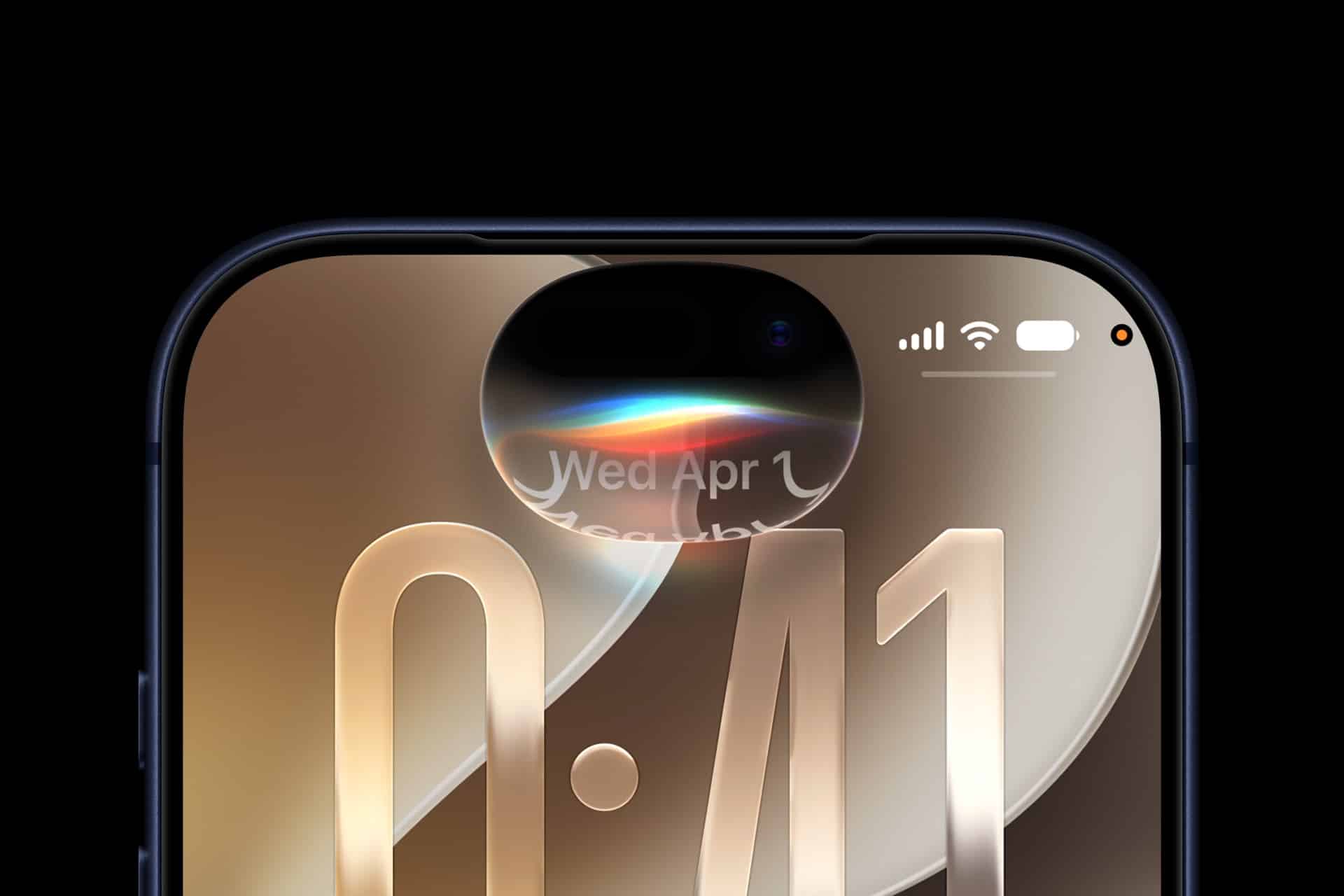
Close-up of a smartphone screen displaying the time 0:41, with Siri AI showcased in the dynamic island at the top, rainbow-like light effect glowing, and battery, Wi-Fi, and signal icons visible in the corner.
Image Credit: Apple Inc.

Privacy Fits Apple’s Preferred Direction

On-device processing has always been central to Apple’s AI positioning. Personal information can remain on the iPhone rather than moving through a conventional cloud service. The device can interpret a request, use local context and produce an answer without exposing the underlying data beyond the hardware.

A model capable of handling more work locally would reinforce that approach. Siri AI could potentially understand messages, notes, schedules or onscreen content while reducing the need to transfer information elsewhere.

Apple already uses Private Cloud Compute when local processing is insufficient, and the company has built significant safeguards around that system. Yet every task completed on the iPhone removes one additional processing step.

Privacy is not the only advantage. Local models can continue operating when connectivity is poor or unavailable. That could help Siri AI during flights, rural travel, crowded events or other situations where cloud access becomes unreliable.

A capable offline assistant would also feel more like part of the operating system and less like a remote service accessed through an interface.

The iPhone Still Has Physical Limits

Shrinking a model to less than 4GB does not automatically make it ideal for everyday iPhone use. The model must also run quickly enough, avoid excessive heat and leave enough memory for iOS and active apps.

A technical demonstration may complete tasks successfully while consuming more energy or time than users would accept from Siri. Apple would need to optimize the model for its Neural Engine, memory architecture and software frameworks rather than simply loading PrismML’s existing build onto every supported device.

Storage is another consideration. A model occupying several gigabytes would compete with apps, photos, offline media and system files. Apple could reserve more storage for intelligence features, deliver models selectively or use several specialized models instead of one large general system.

Battery use may create the hardest constraint. An AI model can fit in memory and still require too much sustained computation for frequent mobile use. The ideal system needs to be small, fast and efficient enough to disappear into normal iPhone behavior.

Apple’s chip design gives it an advantage here. The company controls the processor, Neural Engine, operating system and AI software stack. PrismML could provide the compression technique while Apple handles the deeper hardware integration.

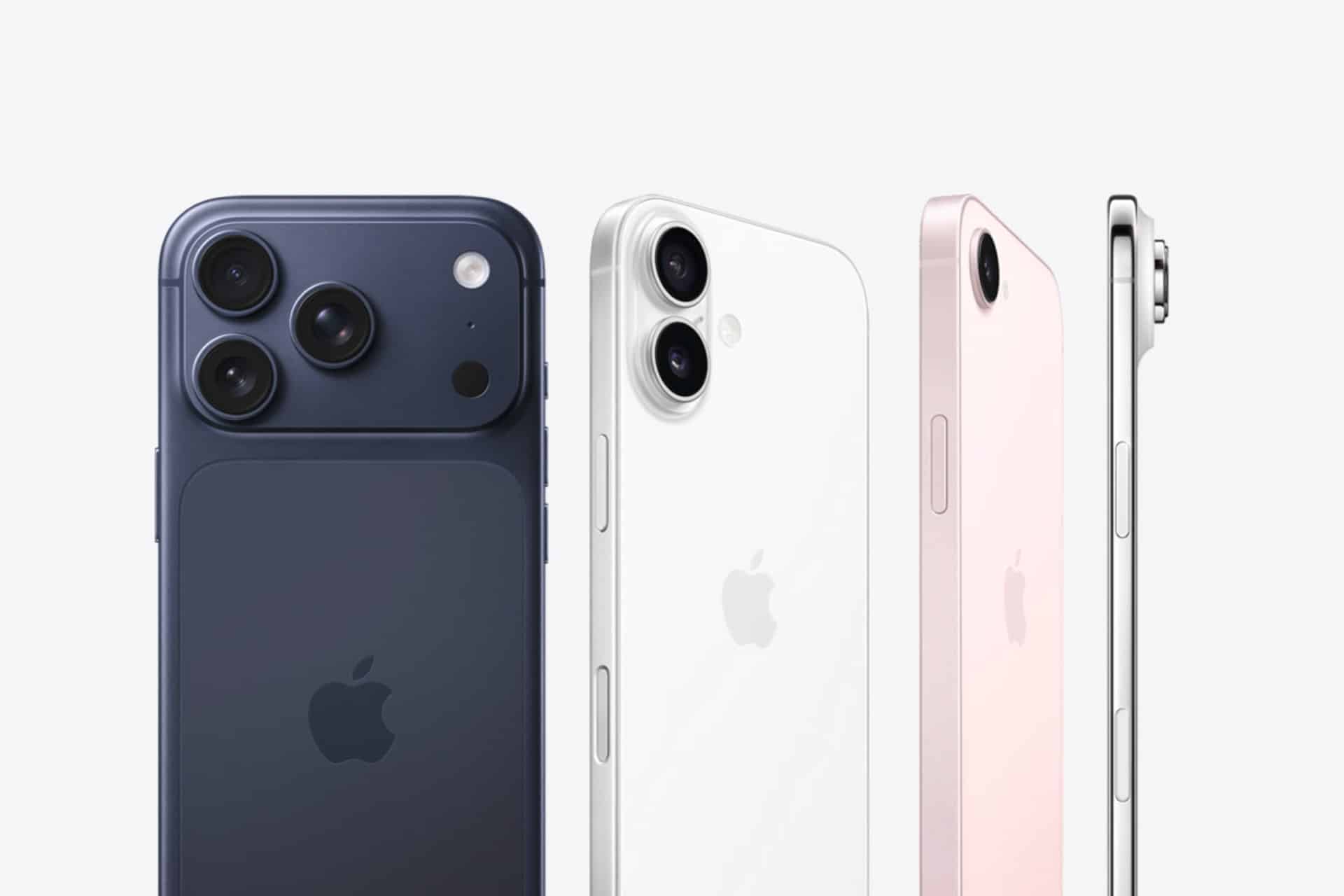
Four Apple iPhones in different colors—dark blue, white, pink, and silver—are shown from the back and side, highlighting their camera designs and sleek edges against a light background, alongside the Apple Watch Find Devices feature.
Image Credit: Apple Inc.

Better AI Without Replacing the Cloud

The strongest use of PrismML’s technology may not be putting one enormous model on every iPhone. Apple could use compression across a family of models designed for different devices and tasks.

A smaller model could handle routine language requests. A more capable local model could be downloaded only to recent Pro devices with sufficient memory. Specialized models could support writing, image generation, app actions or Visual Intelligence. Private Cloud Compute could remain available when the request exceeds local capability.

That would give Apple more flexibility than an all-local or all-cloud design. Each device could carry the intelligence appropriate for its chip, memory and battery capacity.

The approach could also help Macs, iPads and future home products. A compressed model may run more comfortably on a MacBook Air, HomePod or smart home hub without requiring constant server access. Apple could scale the same intelligence foundation across products while adjusting model size to the hardware.

This is especially relevant as Siri AI moves beyond answering questions. App actions, personal context and ambient smart home control require intelligence that remains available throughout the day. Lower memory and energy requirements could make those experiences more practical.

Compression Always Includes Trade-Offs

A 93% reduction is a striking headline, but compression can affect output quality. A smaller representation may lose precision, weaken reasoning or struggle with uncommon information. The real test is not whether the model runs. It is whether it performs well enough across the tasks Apple expects Siri AI to handle.

PrismML says its technology preserves strong performance compared with full-precision models. Apple would still need extensive evaluation across languages, safety categories, tool use and personal-assistant scenarios.

Reliability is especially sensitive for an operating-system assistant. A model used for casual brainstorming can tolerate occasional weakness. A model handling messages, appointments, directions or app actions needs a higher level of consistency.

Apple may therefore use aggressive compression selectively. Some tasks can accept a smaller model, while others may remain on a higher-quality server model. The user would not need to know which model is active as long as the response remains fast and dependable.

A black background with a glowing sphere in the center, featuring colorful light waves—red, orange, blue, and green—swirling horizontally inside the sphere, evoking a futuristic Siri AI interface.
Image Credit: Apple Inc.

Apple Wants the Technology, Not Necessarily the Company

Reports indicate Apple has spoken with PrismML, but early conversations can lead in several directions. Apple could license the startup’s technology, work on a technical integration, hire members of the team or explore an acquisition.

The company has a long history of purchasing smaller firms for specialized technology and engineering talent. Model compression would fit that pattern because it supports Apple’s existing AI strategy rather than creating a separate consumer product.

PrismML could also remain independent and provide its tools to multiple hardware companies. Its technology has potential uses across phones, computers, robotics, vehicles and industrial equipment where cloud access is expensive or unreliable.

Apple’s interest alone gives the startup attention. The larger significance is that efficient models are becoming as valuable as larger ones. The AI industry spent years treating scale as the primary route to improvement. Mobile computing forces a different question: how much intelligence can fit inside the power and memory limits of one personal device?

A Smaller Model Could Make Siri Feel Larger

Apple does not need to place the biggest available model on an iPhone. It needs a model capable enough to improve the interactions users repeat every day.

PrismML AI compression could help Siri understand more context, complete more requests locally and respond without waiting for a server. It could strengthen Apple’s privacy argument while reducing the infrastructure load created by millions of AI-enabled devices.

The technology remains early, and a startup demonstration is not the same as a shipping Apple feature. The 93% figure will mean little if quality, battery life or speed suffer under daily use.

But the direction fits Apple unusually well. The company has spent years designing smaller, more efficient hardware systems that perform beyond their apparent limits. PrismML is proposing a similar strategy for AI models.

If the startup’s claims hold up, the next major Siri improvement may not come from sending a larger model into the cloud. It may come from fitting one into the iPhone without making the iPhone feel the weight.

The post PrismML AI 93% Compression Could Give Siri a Major Boost appeared first on AppleMagazine.

  •  

Call Forwarding on iPhone: How It Works

Call forwarding on iPhone is a simple feature with a specific job: it sends incoming calls from your iPhone number to another phone number. That can be useful when you are traveling, using a temporary phone, separating work and personal calls, covering a business line or making sure important calls reach someone else when you cannot answer.

The feature is built into iOS, but it depends on carrier support. Apple notes that call forwarding can be set up on iPhone if cellular service is through a GSM network. If the service uses a CDMA network, users may need to contact the carrier for setup details. That means the option may not appear for every user, every carrier or every plan.

For most supported iPhones, the path is quick:

Settings > Apps > Phone > Call Forwarding

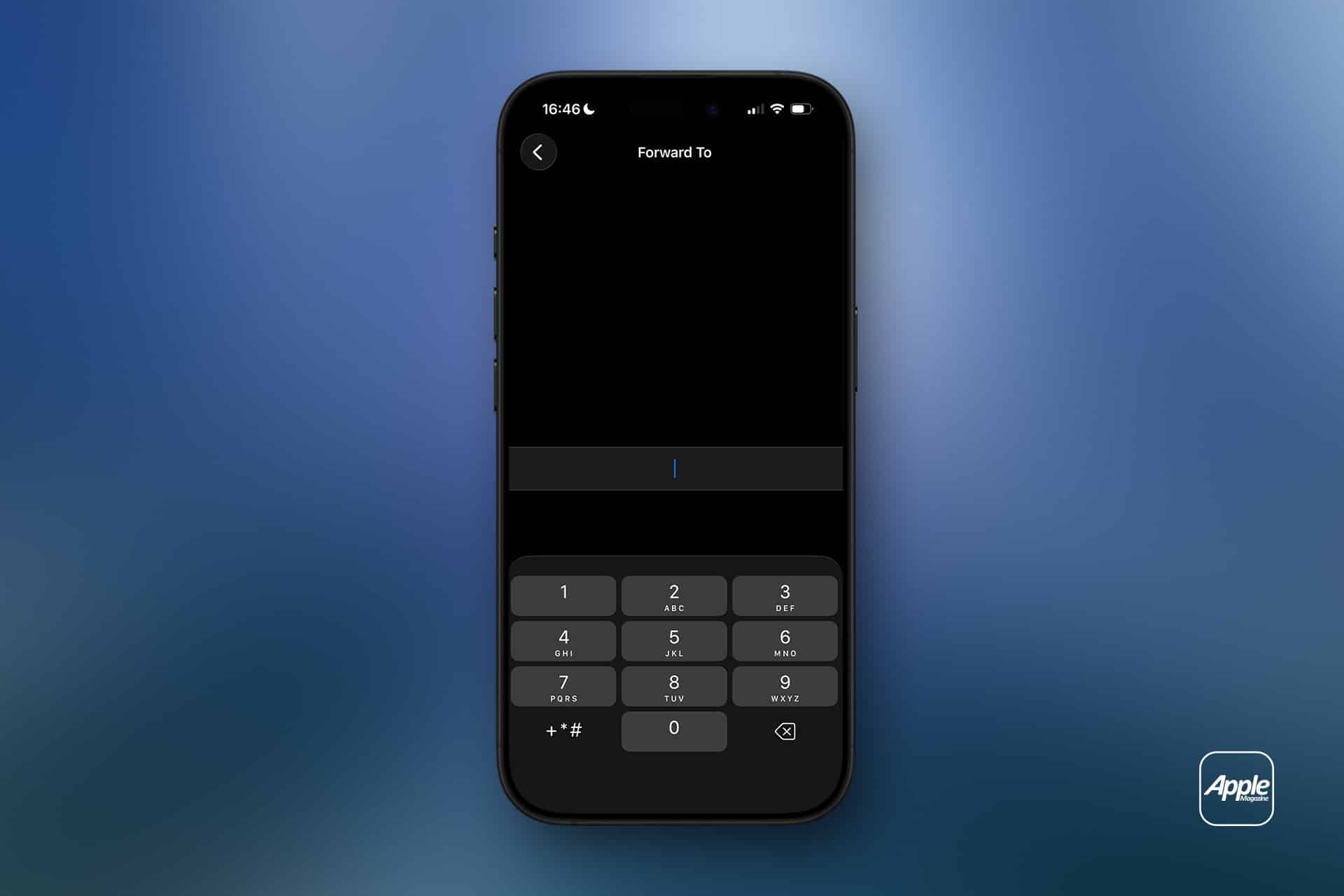
Turn on Call Forwarding, then enter the phone number where calls should be sent. When call forwarding is active, an icon appears in the status bar so the user can see that incoming calls are being routed elsewhere.

An iPhone displays a “Forward To” screen with a numeric keypad, prompting the user to enter a number—perfect for configuring call forwarding within iPhone settings. The background features a blue gradient, with an Apple logo in the lower right corner, emphasizing seamless cellular service management.
Image Credit: AppleMagazine

Call Forwarding on iPhone Sends Calls Elsewhere

Call forwarding on iPhone does not move messages, FaceTime calls, app notifications or voicemail settings by itself. It only redirects standard cellular phone calls. If someone calls your iPhone number, the carrier routes that call to the number you entered.

That distinction is important. If you forward calls to another phone, text messages still arrive on the original iPhone unless other settings or services are involved. FaceTime calls may still ring on Apple devices signed into the same Apple Account. Messaging apps such as WhatsApp, Signal, Telegram or Messenger are unaffected.

Call forwarding is also different from Silence Unknown Callers, Focus modes or Do Not Disturb. Those features control how calls appear or interrupt you. Call forwarding changes where the call goes.

This makes the feature useful in a few common situations. A business owner can send calls to an office line. A traveler can forward calls to a local number. Someone with a damaged iPhone can temporarily send calls to another device. A freelancer can route calls to a partner during time off. A parent can forward calls to a spouse for a short period.

How to Turn On Call Forwarding

To turn on call forwarding:

  • Settings > Apps > Phone > Call Forwarding
  • Turn on Call Forwarding
  • Tap Forward To
  • Enter the phone number
  • Go back to save the setting

Use the full phone number, including area code. If forwarding to an international number, include the correct country code. After setting it up, test the feature from another phone. Do not assume it works until a test call rings at the forwarded number.

To turn call forwarding off:

Settings > Apps > Phone > Call Forwarding > Turn off

After turning it off, test again. A quick call from another phone confirms whether incoming calls are back to normal.

If the Call Forwarding menu spins, fails to load or does not save the number, restart the iPhone and check cellular service. If the problem continues, contact the carrier because the setting depends on the carrier network.

Why the Setting May Be Missing

Some users look for call forwarding and cannot find it. That usually means one of three things: the carrier does not expose the feature in iPhone settings, the plan does not support it, or the network requires carrier codes or account-level setup.

Apple’s guide says CDMA users should contact their carrier for call forwarding information. Some carriers also use special dialing codes for forwarding all calls, forwarding when busy, forwarding when unanswered or forwarding when unreachable. Those codes vary by carrier and country, so guessing is not a good idea.

The best path is to check the carrier’s support page or app. Many carriers let users manage forwarding from the account dashboard, especially for business lines or multi-line plans.

If the option is missing, the iPhone is not necessarily broken. The carrier may simply handle forwarding differently.

What Happens to Voicemail

Call forwarding can affect voicemail behavior depending on the carrier and destination number. If the forwarded phone does not answer, the call may go to the voicemail of the forwarded number instead of the original iPhone voicemail. In some cases, carrier rules may still send it back to the original mailbox, but users should not assume that.

This is another reason to test. Call the iPhone from another number, let it ring, and see where the missed call lands. If the goal is to preserve the original iPhone voicemail, carrier support may be needed.

For work numbers, this can be especially important. A forwarded business call going to a personal voicemail greeting can look unprofessional. A personal call going to a shared office voicemail can create privacy problems. Check before relying on it.

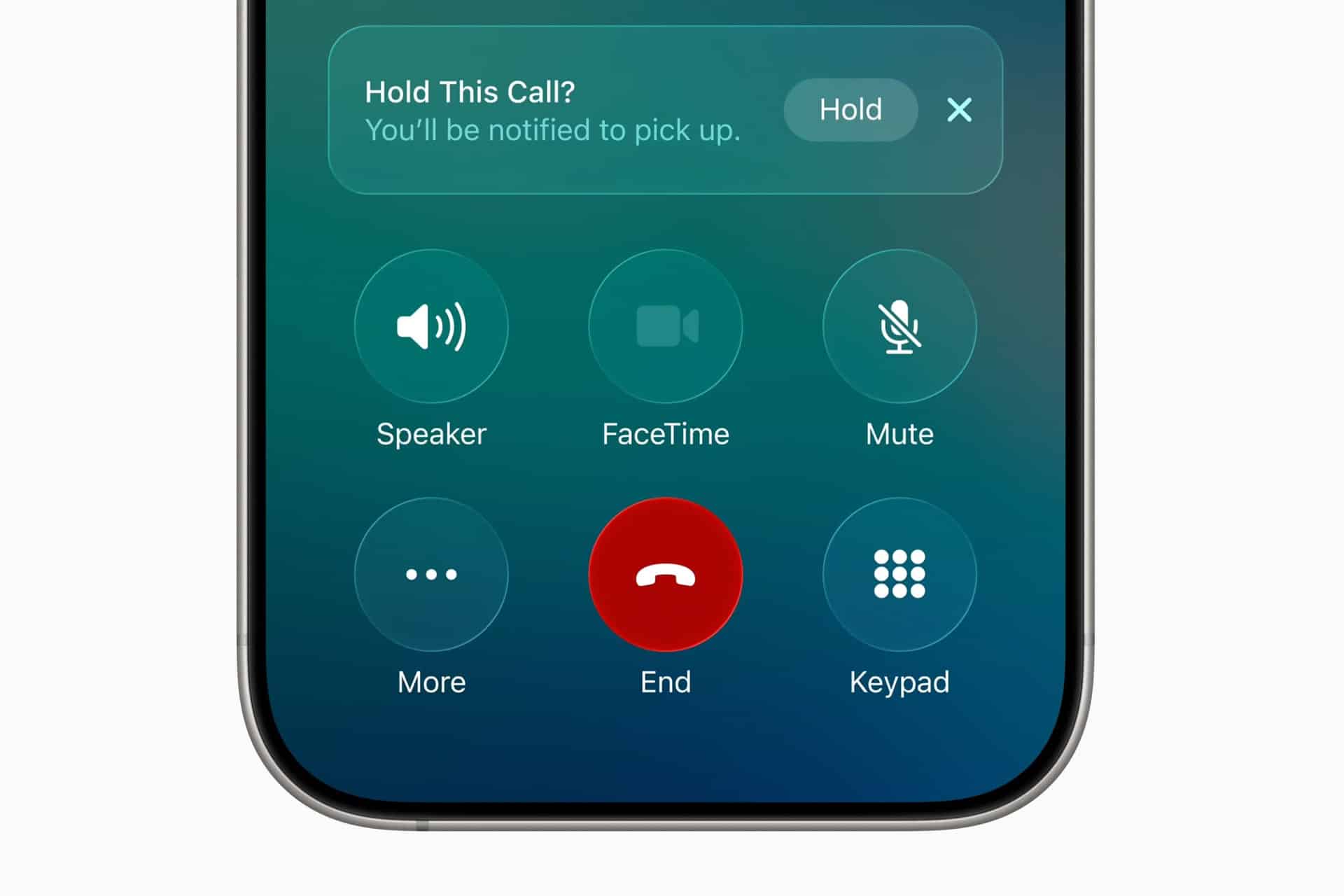
Close-up of an iPhone call screen showing options: Speaker, FaceTime, Mute, More, End (red button), and Keypad. A notification at the top says "Hold This Call? You'll be notified to pick up." The image highlights typical iPhone features used for managing calls and cellular service, including call forwarding capabilities.
Image Credit: Apple Inc.

Call Forwarding and Dual SIM

iPhone users with Dual SIM or eSIM setups should pay attention to which line is being forwarded. A personal line and business line can have separate carrier settings. Forwarding one does not automatically forward the other.

To check lines:

Settings > Cellular > Select the line you want to manage

Then return to:

Settings > Apps > Phone > Call Forwarding

The available settings may vary by carrier and line. If one line supports call forwarding and the other does not, that is usually a carrier difference, not an iPhone problem.

Dual SIM users should also test both numbers separately. Call the personal number, then call the business number, and confirm each behaves as expected.

When Call Forwarding Is Useful

Call forwarding works best when the goal is temporary coverage. It is useful during travel, device repairs, vacations, business handoffs, office moves, event coverage or times when another person needs to answer calls.

It can also help people who use a landline or desk phone during work hours. Calls can be forwarded from the iPhone to the office line, then turned off at the end of the day. The reverse can also work if the carrier supports it.

For small businesses, call forwarding can help avoid missed calls without adding a full phone system. A company can route calls to whoever is available. For individuals, it can be a quick fix when an iPhone battery is failing, a device is being repaired, or cellular reception is better on another phone.

The feature is less ideal as a permanent business phone solution. If multiple people need to answer calls, if calls need menus, if calls need recordings, or if voicemail needs to stay organized, a dedicated phone service may be better.

Privacy and Cost Considerations

Call forwarding may create charges depending on the carrier, plan and destination number. Forwarding calls to an international number can be expensive. Forwarding to another domestic mobile number is usually simpler, but users should still check the plan.

Privacy also deserves attention. Once calls are forwarded, the person or device receiving them may hear personal, business or sensitive conversations meant for the original number. Do not forward calls to a shared phone unless that is intentional.

Before forwarding a work line to a personal number, check company policy. Some organizations do not allow business calls to be routed to unmanaged personal devices.

Call forwarding - A young woman with brown hair in a green sweater sits on a chair, holding an iPhone voice recorder and speaking into it. A peacock feather decorates the background against a plain wall.
Image Credit: Freepik

How to Troubleshoot Call Forwarding

If call forwarding does not work, start with the basics. Confirm the iPhone has cellular service. Restart the device. Check that the forwarding number is entered correctly. Turn call forwarding off, wait a few seconds, then turn it on again.

Then test from another phone. A test call is the fastest way to know whether the carrier accepted the setting.

If calls still do not forward, check whether the carrier supports call forwarding through iPhone settings. Some carriers require account-level activation, carrier codes or a business calling feature. If the iPhone setting is missing or stuck, carrier support is usually the right next step.

Also check Focus modes and blocked numbers if the issue is not forwarding but missed calls. A call may fail to ring because of Focus, Silence Unknown Callers, a blocked contact, poor signal or voicemail settings rather than call forwarding.

A Simple Feature Worth Testing

Call forwarding on iPhone is easy to use when the carrier supports it. Open iPhone settings, turn on Call Forwarding, enter the destination number and test it. Turn it off when the temporary need is over.

The feature is most useful when it is deliberate and short-term. It can keep calls moving during travel, repairs, work coverage or busy periods, but it should be checked carefully because voicemail, costs and privacy can change once calls are routed to another number.

The iPhone makes the setting simple. The carrier decides how far that simplicity goes.

The post Call Forwarding on iPhone: How It Works appeared first on AppleMagazine.

  •  

Can anyone look cool wearing Snap’s $2,000 glasses?

Snap CEO Evan Spiegel wearing the Snap Specs.
Snap CEO Evan Spiegel wearing the Snap Specs. They’re not the worst on him, but bold fashion rarely makes for mainstream success. | Screenshot: CNBC

Yesterday, Snap debuted its new $2,195 Specs glasses. In an interview with CNBC, Snap CEO Evan Spiegel described the Specs as something the company had been working on for more than 12 years, an attempt to "bring computing into the world" and "make it more human." He positioned them as a device to help people stay more connected to the world around them instead of looking down at their phones. People, he said, are tired of screens.

While Spiegel was speaking, I was struck by how, whenever his head moved, the light caught the lenses just so, revealing the hidden outline of the Specs' display. It was ironic that Spiegel was talking about scr …

Read the full story at The Verge.

  •  

All the latest news on Android 17, Wear OS 7, and Android XR

  •  

Google launches Wear OS 7 with Live Updates and a battery life boost

Three Pixel Watch screenshots showing Live Updates

Google's Wear OS 7 update is starting to roll out today for the Pixel Watch 2, 3, and 4, adding a new Live Updates feature that tracks live events from your Android smartwatch. Live Updates will now sync with Wear OS devices, so updates like sports scores or an ongoing meal delivery will show up on both your watch and your phone.

You might also notice your watch lasting a little longer - Google claims Wear OS 7 offers up to 10 percent more battery life than Wear OS 6.

Wear OS 7 will also introduce some new Gemini Intelligence features, but Google says these aren't launching until "later this year." They'll include Create My Widget, which …

Read the full story at The Verge.

  •  

Apple 2027 rumors: AirPods with cameras for AI and the second folding iPhone

AirPods Pro 3 shown with an iPhone and live translation features. | Photo by Amelia Holowaty Krales / The Verge

Now that we're clear of WWDC and all of the new AI-powered features coming to Apple's platforms, Bloomberg reporter Mark Gurman has more details about rumored new hardware, like the camera-equipped AirPods he'd previously written about. He says they are currently on schedule for a late 2027 launch, and that while we're checking out beta releases for this fall's iOS 27 update, the new earbuds are internally being tested with next year's update, iOS 28.

With cameras mounted in their stems and lights to indicate when data is being uploaded to the cloud, they could give the upgraded version of Siri "visual context" about your surroundings, be …

Read the full story at The Verge.

  •  

Qualcomm’s latest chip hints that more powerful smart glasses could be on the way

Smart glasses are still a nascent category, but chipmaker Qualcomm is hard at work upgrading the silicon to power the next wave of XR devices: the Snapdragon Reality Elite.

Although Qualcomm is announcing the chip today at Augmented World Expo, we've technically already gotten a hands-on with a device powered by the new chip at last month's Google I/O: the forthcoming Aura glasses for Android XR. At the time, Xreal and Google were coy about the processor upgrades to the long-awaited spectacles. Turns out, it was the Reality Elite.

Spec-wise, the new chip focuses on across-the-board performance upgrades. The GPU gets a 60 percent bump, the …

Read the full story at The Verge.

  •  

Snap is finally about to ship AR glasses — and they cost a fortune

Specs glasses on a white background.

Snap is finally launching augmented glasses for the public. Specs, which Snap describes as "a wearable computer built into see-through augmented reality glasses," will cost $2,195. You can preorder a pair of Specs now at specs.com with a $200 refundable deposit, and Snap says they're expected to ship "this fall" in the US, UK, and France.

This is a big moment for Snap: The company made a big entry into smart glasses with its original Spectacles in 2016, and the company has been toiling away on nonpublic AR versions of Spectacles over the past few years. CEO Evan Spiegel promised the company would launch consumer AR glasses in 2026 and even …

Read the full story at The Verge.

  •  

The Apple Watch Series 11 is back to its best price

The Apple Watch Series 11 on an illustration background.
The Apple Watch Series 11 is $100 off in all colors.

Apple’s upcoming watchOS 27 update will bring Siri AI and other exciting features to the Apple Watch Series 9 and newer Apple Watch models. If you’re contemplating an upgrade, all colorways of the GPS-enabled 42mm Apple Watch Series 11 — the latest model — are on sale for $299 ($100 off) at Amazon, Walmart, and Target, matching its best price so far. You can customize your look by picking up a discounted Apple Watch band at Woot, starting at $14.99 ($35 off).

Apple’s Series 11 watch is a solid upgrade, especially for those who are still using an Apple Watch Series 6 or older. Battery life is one area where you’ll see big improvements, with up to 24 hours on a single charge. It also has a more durable, scratch-resistant design and bright, wide-angle OLED screen. While it has the same S10 chip as the $219 Apple Watch SE 3 that we recommend to most people, the Series 11 has a host of extra features, including hypertension notifications, an ultra-wideband chip, a brighter (and more pixel-dense) screen, plus a depth gauge, to name most of the differences.  

As previously mentioned it’s one of a few Apple Watch models that will support watchOS 27 when it arrives this fall. The update will bring a redesigned app grid, custom Wallet passes for cards that use barcodes or QR codes, and new Siri AI capabilities. Beyond asking Siri AI to handle a range of tasks from your wrist, it will also be able to surface information stored across your Apple devices, and let you continue conversations after starting them on your iPhone.

Read our Apple Watch Series 11 review.

Three more ways to save 

  • You can buy the Beats Studio Buds Plus wireless earbuds for $99.99 ($70 off) at Amazon, Best Buy, Target. That matches their best price so far this year, and includes the slick translucent option we were particularly fond of. The Studio Buds Plus deliver a good combination of excellent sound, solid noise cancellation, and comfort, while working well with both Android and iOS devices. They’re also water-resistant and last up to nine hours on a charge, with swappable ear tips for a more secure fit. Read our review.
  • Fujifilm will be releasing a new Instax Mini 13 on June 25th, but if you’d rather save some money — or pick up a fun Father’s Day gift — Fujifilm’s Instax Mini 12 is on sale for $79.95 ($14 off) at Amazon, Best Buy, and Target, which is one of its better prices in recent months. While it lacks Mini 13’s self-timer, the Mini 12 is an excellent instant camera, producing clear, natural-looking prints and offering a simple, beginner-friendly experience that’s easy for all ages to enjoy.
  • The last-gen 11-inch LTE-enabled iPad Air with 128GB of storage is on sale for $499 ($250 off) at Best Buy, putting it at the same price as the Wi-Fi-only model. Its M3 chip isn’t as powerful as the newer M4’s, but it’s still fast, and it touts support for Apple Intelligence. It’ll be compatible with iPadOS 27 when it’s released in the fall, which adds Siri AI updates and makes transferring files to an external drive faster, among many other improvements. Read our review.
  •  
❌