Apple’s iPhone User Guide explains how to share your screen, ask to see someone else’s screen, or remotely control it during a call in the Phone app. Apple says both you and the other participant need iOS 26 or later, and that remote control is not currently available in the European Union. The feature is […]
Screen Time has received one of its most substantial parental-control updates with iOS 27, iPadOS 27, and macOS 27, adding new ways for parents to manage how long children use categories of apps, which websites they can visit, and what content reaches them through Messages and FaceTime.
The features were previewed at WWDC in June and are now available as part of Apple’s latest operating-system releases. Rather than relying only on fixed app limits, the redesigned Screen Time gives parents a more flexible set of controls that can change throughout the day and adapt as a child gains access to more apps and services.
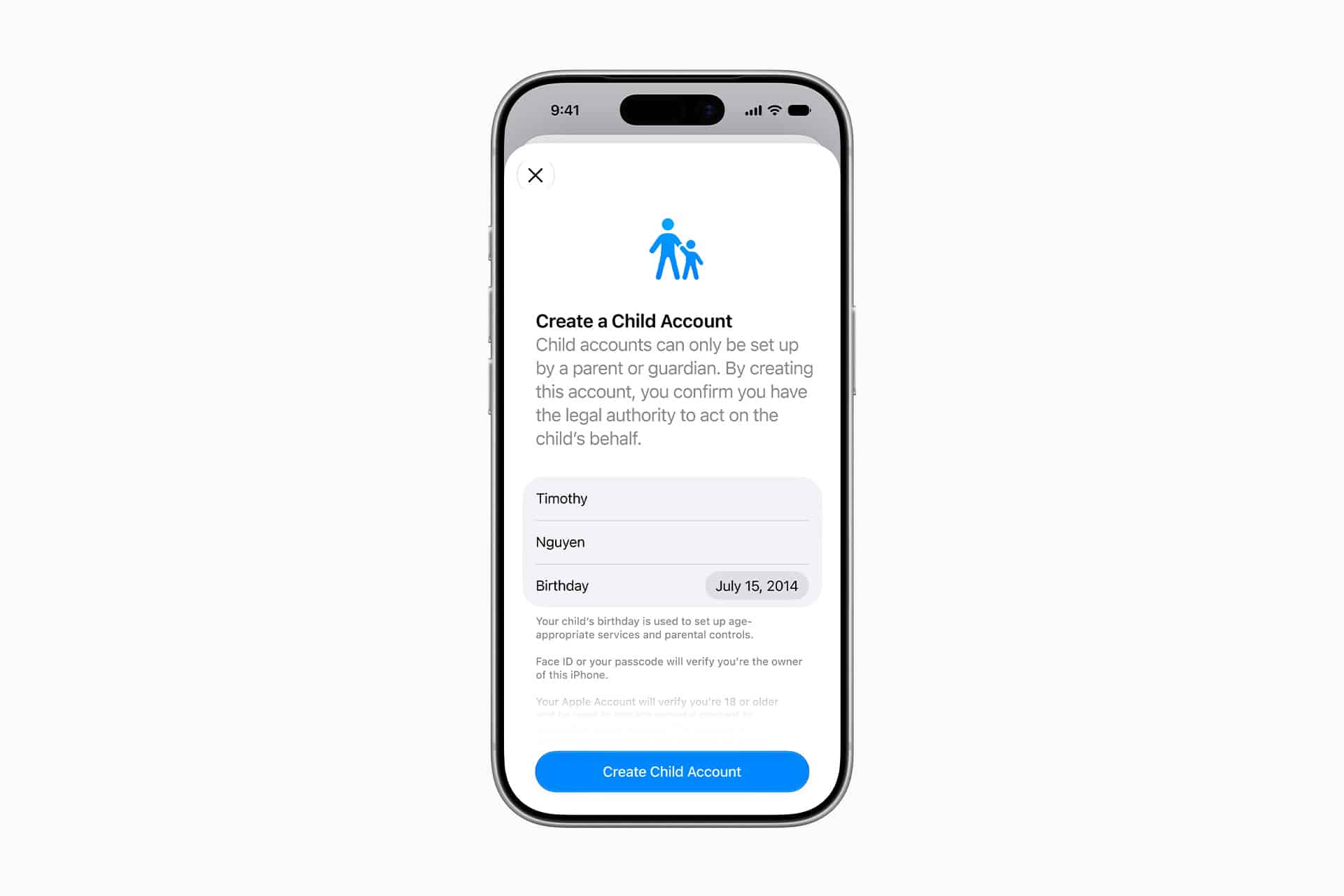
Among the additions are Time Allowances, Ask to Browse, a simpler child-device setup process, expanded Communication Safety protections, and faster controls for temporarily pausing or extending access.
Apple is also working with the American Academy of Pediatrics to adapt the organization’s Family Media Plan into guidance parents can reference when setting up devices and Screen Time.
Screen Time introduces Time Allowances by app category
Time Allowances give parents a daily amount of time that can apply across categories including Entertainment, Games, and Social Media.
That differs from managing each application individually. Parents can set time allowances for categories such as Entertainment, Games, and Social Media, then adjust those settings based on the needs of their household.
Apple provides suggested starting points based on a child’s age and guidance informed by clinical and child-development research. Those recommendations are optional, with parents able to change them based on their own household and the individual child.
The updated Screen Time also supports schedules that control which apps remain available at different periods of the day. Parents can therefore create separate access patterns around school, homework, evenings, and weekends rather than relying on one universal daily restriction.
Temporary adjustments have been made easier as well. Parents can quickly limit access to apps and the web during periods such as meals, then restore access without rebuilding their existing restrictions. When a child reaches a limit, they can request additional time from a parent to complete an activity or finish a conversation.
The redesigned interface puts device usage and the most frequently used applications closer to the front, reducing the amount of navigation required to understand how a child is spending time on a device.
Image Credit: Apple Inc.
Ask to Browse extends parental approval into Safari
Ask to Browse brings a permission model already familiar from app downloads to the web.
When the feature is active, a child who attempts to visit a new website in Safari can be required to request permission first. The parent receives the request through Messages and can review it before allowing access.
The feature is available across iPhone, iPad, and Mac and works alongside existing web-content restrictions.
It complements Ask to Buy, which requires children to obtain permission before downloading or purchasing an app or making an in-app purchase. Apple has also expanded the initial setup process so a parent configuring a personal device for a child can choose which apps are available from the beginning.
Setup Assistant offers the option to provide only essential apps, use a recommended group, or manually choose which ones are permitted. More applications can then be introduced later as the parent decides the child is ready for them.
The approach gives parents a way to begin with a comparatively limited device instead of configuring a full standard account and removing unwanted access afterward.
Communication Safety expands beyond detected nudity
Communication Safety now intervenes when it detects gore or violent imagery in shared photos and videos, expanding protections that previously centered on nudity.
Apple says the feature works with content shared through areas including Messages and FaceTime, with the new protection also extending to live FaceTime calls.
Communication Safety is designed to intervene before a child views or shares detected sensitive material. Apple has previously built these protections around on-device analysis, allowing the system to identify content without requiring Apple to receive the underlying images.
Parents can also continue controlling who children communicate with. Contact-management settings can require approval before a child adds someone new and then communicates through Phone, Messages, or FaceTime.
Child Accounts remain the foundation for these controls. Apple generally requires Child Accounts for children under 13, although the applicable age can vary by state, country, or region. Child Accounts remain available for family members up to age 18.
The accounts automatically activate age-based safeguards and connect parental controls through Family Sharing.
Image Credit: Apple Inc.
iOS 27 requires the family’s devices to stay in sync
The new Screen Time controls arrive with one practical requirement: devices participating in the same Family Sharing setup need current software.
Apple says all devices in the Family Sharing group must be updated to the corresponding 27-generation releases — iOS 27, iPadOS 27, macOS 27, watchOS 27, and visionOS 27 — before the updated Screen Time controls can be used consistently across the family.
The family organizer, parent, or guardian must also update the parental-control configuration after the software upgrades.
That requirement is worth checking before troubleshooting a missing setting on one child’s device. If every device in the group cannot be updated, Apple says the family can continue using the previous version of Screen Time and its parental controls, but the new controls will not be available consistently across the group.
The features themselves also vary by platform. Ask to Browse and Time Allowances are available on iPhone, iPad, and Mac, while some Family Sharing and communication features extend to other devices.
Apple has launched a dedicated Child Safety site alongside the software release, collecting setup instructions, explanations of Child Accounts, Screen Time controls, communication protections, App Store age tools, Find My, and Apple Watch options for families.
The updated Screen Time controls are available now with iOS 27, iPadOS 27, and macOS 27, although individual features can vary by region, language, and hardware. For families upgrading several devices at once, checking every device in the Family Sharing group for its corresponding version 27 update is the most useful place to start.
As AI models gain advanced capabilities to find vulnerabilities in software, develop ways to exploit them, and even carry out autonomous hacking sprees, researchers offered a sobering new example on Tuesday, disclosing vulnerabilities in the video conferencing platform Zoom that could have been exploited to take over targets’ devices. Anyone on a call that involved screen sharing, whether participants or the host, would have been vulnerable to a silent attack that could be carried out with no indication and no interaction from the victim.
Researchers from the digital defense firm A Security say the bug was discovered in early June using publicly available AI models, and that it took fewer than 20 prompts to uncover the vulnerabilities and create a working attack. Zoom issued a security advisory on Tuesday, including details about fixes the company has already begun rolling out to address the flaws, which affected devices running all operating systems that Zoom supports—Windows, macOS, Linux, iOS, and Android.
[…]
The vulnerabilities were specifically in the protocol used to facilitate real-time annotation during screen sharing.
I don’t understand how it could take over an iOS device when Zoom’s iOS screen sharing feature only allows observation, not control.
Dutch officials have warned that a high-severity macOS vulnerability that allows attackers to execute malicious code is under active exploitation.
“The NCSC has received a notification indicating that active abuse of this vulnerability has been observed on multiple systems on which port 5900 was accessible from the Internet,” the Netherlands National Cyber Security Centrum warned earlier this week. “In all these cases, root had been accessed on the affected system and a Monero crypto miner had been placed.”
Do you know if your screen sharing is on?
The vulnerability, tracked as CVE-2026-65400, received a patch from Apple last week for macOS Tahoe, Sequoia, and Sonoma. The vulnerability, with a severity rating of 7.1 out of 10, stems from a bug in the macOS screen sharing capability, which allows a remote party to view the screen and control the keyboard and mouse while a machine is turned on. A flaw in the “state management,” which keeps track of preceding events, user interactions, variables, and other system states, is the underlying cause.
In an update to the initial advisory, the Dutch agency said it received a report indicating that the vulnerability is being exploited in the wild in attacks where port 5900 is exposed to the internet.
According to the NCSC, the attacker obtained root access to the system and deployed a Monero cryptocurrency miner.
The vulnerability, identified as CVE-2026-65400, could allow an attacker on the network to authenticate to Screen Sharing without valid credentials. Reports now indicate that the vulnerability has been actively exploited on Macs where Screen Sharing was accessible from the Internet.
[…]
[We] strongly recommend that all Screens users install the latest macOS updates as soon as possible.
[…]
For users who want to further restrict access to Screen Sharing, Screens can connect to a Mac through an SSH tunnel instead of exposing the Screen Sharing service directly.
Apple has released macOS Tahoe 26.6.1, a rapid security update that addresses a serious vulnerability in the built-in Screen Sharing feature. The update, which arrived on Thursday without any new features, is strongly recommended for all Mac users running the latest version of the operating system.
Screen Sharing allows users to view and control another Mac remotely over a local network or the internet. It is widely used for remote support, file access, troubleshooting, and managing multiple Macs in homes, schools, or businesses. Once connected, a remote user can see the desktop, open apps, transfer files, and control the keyboard and mouse as if sitting at the machine.
The vulnerability could allow an attacker on the same network to authenticate to Screen Sharing without valid credentials. Apple fixed the issue through improved state management. The company has not indicated whether the flaw was being actively exploited in the wild.The same Screen Sharing bug affects earlier macOS versions, so Apple also issued companion security updates: macOS Sequoia 15.7.9 and macOS Sonoma 14.8.9.
Mac users can install the update by going to System Settings > General > Software Update. No corresponding updates for iOS, iPadOS, or watchOS were released alongside this Mac-only security patch.
MacDailyNews Take: Given the potential for unauthorized remote access, installing macOS Tahoe 26.6.1 (or the relevant update for older systems) promptly is advised.
Please help support MacDailyNews — and enjoy subscriber-only articles, comments, chat, and more — by subscribing to our Substack: macdailynews.substack.com. Thank you!
Apple has released updates to macOS 26.6.1, 15.7.9, and 14.8.9 to fix a Screen Sharing vulnerability that could let an attacker “on the network” connect without valid credentials. Update soon.
You manage all the devices that appear in Xcode as run destinations using Device Hub.
Run your app on simulated devices in Device Hub to quickly evaluate new features and fix bugs, and to see how your interface works on devices that you don’t have physical access to. Run your app on physical devices to test features or services that have hardware dependencies or investigating performance issues. For more information, see Running your app on simulated or physical devices.
Device Hub is undoubtedly a major surprise. It integrates simulators, physical device management, system state testing, and dynamic size adjustment into a new workflow. Its impact on day-to-day development experience may be more direct than that of many individual APIs. That said, iPhone apps now also support dynamic size adjustment, which will bring new challenges for developers, especially in terms of data and state organization. Adapting to different sizes is not something that can be solved merely by relying on dynamic layout containers. In many scenarios, large and small sizes correspond to very different navigation logic.
Xcode 27 introduced, among other new features, a new Device Hub app for developers that takes the place of the Simulator app. Where Simulator relied on separate windows for each device, Device Hub brings them all together into a single window where each simulated device is the detail view from a source list of devices on the left. It’s a more organized approach, made necessary by the wide variety of platforms Apple and Apple platform app developers have to build and test against.
[…]
In releases prior to Xcode 27, you could resolve this by importing the root public certificate into the simulated OS. On iOS, this could be done by dragging and dropping the .cer file onto the Simulator device window. Nothing would appear to happen, but you could then navigate to Settings, General, About, Certificate Trust Settings and mark the certificate as trusted.
[…]
In Xcode 27 with Device Hub, this process is much more uniform. […] While this new process does require you to wrap certificates in an Apple Configurator profile, this is much more consistent with how Apple’s device management system works, as it relies on signed profiles with policies, not loose .cer files. And now, just by adding the .mobileconfig to the Profiles section of the device inspector, the embedded certificate is automatically marked as trusted, greatly speeding up installation on new virtual devices.
Thanks to the remote control / screen sharing features of Device Hub, I can remotely navigate to Settings and start a software update on all my iOS27 devices without having to go collect them around the house 👌
For all of Apple’s nonsense about adding iPhone Mirroring to the EU, the new Device Hub (iOS Simulator) lets you remote-control your physical iOS devices just fine. I don’t think the DMA has an opt-out for developer tools 😛
It’s such a shame for now that Xcode 27’s Device Hub doesn’t support remote screen sharing with iOSes earlier than 27. I wish the screen sharing functionality was part of the developer disk image, and backported to iOS 26 and even iOS 18. Having a physical device plugged in somewhere is so much faster than booting a Simulator.
Xcode 27’s “Device Hub” is a broken shitshow, but most importantly, it lacks the Debug menu, where you could toggle slow animations and simulate memory warnings. Apple works tirelessly to destroy any good tool they used to have.
He has a thread of issues. Hopefully these will be addressed before it’s out of beta.
The Device Hub sometimes doesn’t kill CoreSimulator processes when you quit the app (not sure if this is a bug or intentional). Given that each device uses several hundred processes, the memory/processing impact is significant.
You’ll probably want to keep an eye on how many you have running: use right-click on the simulator in the list to “Shut Down” as necessary.
We live in a modern, jet-set, hyper-fast world! When we want to buy something online, boom, zoom, we use our fingerprint or face to approve the transaction, so we can grab the next Segway outta here! We don’t have time to enter a credit card! And can we trust a webpage form? Pfeh!
All right, calm down, 1950s inner voice, it’s not that bad. Most of our transactions involving a payment card or other sensitive data can be safely handled over a secure web connection. Apple Pay in Safari is the highest standard, of course, because the payment process involves encrypted elements, and your card number isn’t disclosed to the merchant. The Wallet app in iOS and the Wallet features in iPadOS and macOS further let us automate the entry of numbers and identifiers on pages we trust.
That’s all for automated commerce. What about other scenarios where you need to provide information to someone, often a friend or a local business, in order to transfer money or conduct a transaction? How can you be sure no one else is snooping in?
Make a call
Voice is still one of the most secure means of providing data. The landline wired and cellular wireless networks may be fertile ground for government agencies, but if you need to read a credit-card number or provide a PIN, a call is often the safest way to do so. By voice, you can always have the other person verify details that you believe only they know, or you can verify details to them for the same.
Because we live in a cyberpunk dystopian future, I do have to add a proviso. AI-generated voices have been convincing for a couple of years now—long enough that you shouldn’t trust an incoming call from someone you think you know, and certainly not from a bank, credit-card company, or other financial institution. I mean, I wrote “How To Avoid AI Voice Impersonation and Similar Scams” in January 2024! I assume the state-of-the-art scam is even better.
(The biggest takeaway is analog, too. Set a family password that you demand from a family member who calls asking for money or to do some weird phone or computer set of instructions.1)
Unless recorded, voice calls also lack persistence, making them impossible to recover later. A real-time Bob needs to be either between Alice and Carol or doing an AI impression of Alice or Carol.
Use secure messaging
I could make the argument that using secure messaging carries even less risk than a voice call if you’ve had an ongoing messaging conversation with someone, so you know it’s really them. Are unsecured text messages being intercepted willy-nilly?2 No, but there is also something about sending plain text all over the cellular networks that gives me the willies, nillies aside.
Look for a lock and the label Encrypted for RCS; iMessage is always encrypted, or it won’t work. (Lower image: Apple)
Secure messaging systems include:
iMessage: While iMessage has seen exploits, they’re government-grade ones. Its secure end-to-end infrastructure is creaky, but unbroken. There’s an extra detail I’ll mention below.
RCS with encryption: Between Apple Messages on iOS 26.5 or later and an Android device with RCS encryption support, you have a similar level of end-to-end protection. Make sure you see RCS encryption in the text field, or it’s just plain text. You can also use RCS encryption between two capable Android devices—as if!
Signal: The Signal app and ecosystem have the best end-to-end encryption, as it implements some of the most modern approaches to protecting older messages and current conversations available so far.
The extra note on iMessage is complicated. Briefly, if you use Messages in iCloud, an encryption key to retrieve those messages is included in an iCloud-based iPhone or iPad backup. With access to your Apple Account, someone could potentially retrieve your stored messages. However, if you enable iCloud’s Advanced Data Protection, the backup is encrypted and requires endpoint decryption using one of your devices, protecting the Messages in iCloud encryption key. This should be a worry only if someone manages to obtain your Apple Account, can activate a second factor, and the information you passed via Messages is so sensitive that someone would hunt to uncover it.
Avoid using SMS or MMS text messages (unencrypted plain text), unencrypted RCS (in-transit/at-rest encryption), or other messaging systems where you’re not sure how they handle data protection. WhatsApp can be used if you either have backups disabled or have enabled end-to-end encrypted backups.
Don’t use most collaborative tools
I know that I spend a lot of time in shared documents, whether Google Docs, Notes, Pages, or more esoteric apps or web apps. Most lack the highest level of protection. Shared Pages and Numbers files on iCloud Drive, as well as Google Docs, are encrypted in transit and at rest, and granting shared access is relatively easy (very easy in Google Docs). For iCloud Drive documents, this is true even with Advanced Data Protection enabled.
I’d be dubious about pasting my driver’s license or credit-card information into any of them that are shared with someone else. Ditto, don’t take a picture of your payment card or driver’s license and share it via a Shared Album in Photos, as it has the same issue.
There are two notable (heh) exceptions: if you and the other party or parties to a shared Notes entry or an iCloud Shared Photo Library all have Advanced Data Protection enabled, end-to-end encryption is used.
Consider the risk
As with all decisions around privacy, consider how at risk you and your data are, including voice as data. In most cases, ensuring a baseline level of encryption can be enough. Even when the app or server can “see” your unscrambled information, the transport between your device and the server and another person’s device is encrypted. Someone would have to break into the server to sniff data. If stored on the server, the baseline state would be encrypted at rest; however, the server operator would manage those encryption keys.
For peace of mind, if not strictly necessary, I’d encourage you to consider using end-to-end encryption when you can. It’s so easily available. For someone to crack your connection, they would need to obtain one of your devices and be able to unlock it. Otherwise, the path between you and someone else is effectively impregnable.
For further reading
I cover message security extensively in my book Take Control of FaceTime and Messages, which I recently updated to include the beta release of RCS encryption for Apple-to-Android communication.
For more on Wallet, I wrote an entire book on that seemingly simple app and set of features, Take Control of Apple Wallet. The book arose from the frustrations of finding where things in Wallet (and outside Wallet but related to it) lived.
On the security side of things, Take Control of Securing Your Apple Devices includes detailed advice on the ins and outs of physical security: how to ensure someone with access to your hardware can’t reach your data.
[Got a question for the column? You can email glenn@sixcolors.com or use/glennin our subscriber-only Discord community.]
This will also deter family members from asking you for money if you don’t give them the password. ↩
Apple’s built-in screen sharing support for Mac-to-Mac connections has always been a help for those of us with remote setups: headless Macs acting as servers, an office and home Mac, or the laziness of having Macs in different parts of your house you want to access without standing up.1
Under the hood, Apple relies on VNC (Virtual Network Computing), a fairly ancient standard at this point in time, and you probably get the sense of its creaking joints if you use the Screen Sharing app regularly.2 But it’s possible you didn’t know that, starting in Sonoma, Apple added a “super excellent” mode to Screen Sharing as an option when you connect two Macs with M-series chips. Called High Performance, it can deliver on its name.
Let’s shift into overdrive
When you initiate a connection, Screen Sharing asks you to pick between Standard and High Performance modes.
When you connect to another Mac using Screen Sharing, you’re given a choice of which mode to use. Let’s walk through the connection steps:
Either launch the Screen Sharing app and double-click the Mac’s name in a list, or, in the Finder, Control-click/right-click the Mac’s name and choose Screen Sharing. (There are still more ways to start, too.)
From the Select Screen Sharing Type options, you can select Standard, which is VNC-based, or High Performance, which adds Apple’s secret sauce on top.
Click Continue.
Enter your credentials.
The screen appears, and you may need to enter your macOS account password on the remote Mac to unlock it.
In that pathway, if you choose High Performance, you’re presented with different options. You can also click the info (i) button to the right of an existing connection in the Connections window in Screen Sharing, and choose High Performance from the Screen Sharing Type pop-up menu to save that option for the next connection.
A saved connection’s settings let you change the sharing type, display configuration, and port after the fact.
With a Standard connection, you get a pixel-for-pixel remote view of the other Mac’s display or displays. It’s just like you’re sitting in front of it. In fact, if you use the same account as the currently logged-in user, the remote Mac shows what you’re doing to anyone who looks at it. (You can log in as another user, and a session starts in the background that doesn’t appear on the remote display screen.)
High Performance takes a different approach. You can opt to create one or two virtual displays on the remote Mac, each with independent resolution, high-dynamic-range (HDR) support, and other features. It’s like being a remote user of the computer rather than sharing. (This mode doesn’t change the remote display resolution or other settings.)
With a High Performance connection between Apple silicon Macs, you gain these advantages:
You can choose one or two virtual displays, regardless of the number of displays connected to the shared computer.
The Dynamic Resolution option lets you resize a virtual display to the native resolution of your local screen, up to 4K (3840×2160 pixels) or, with HiDPI, up to 1920×1080. You can click the Dynamic button on the Screen Sharing toolbar or choose View: Dynamic Resolution during a live session.
Stereo audio passes over the connection, as does improved video. The connection supports HDR (for richer low-light and shadow tones), 4:4:4 chroma subsampling (uncompressed color data for improved fidelity), and high frame rates of 30 or 60 frames per second (for more stable video streaming, such as when watching a video or using video-editing software).
The downside of High Performance is that it imposes severe requirements for it to work well. You need 75 Mbps per 4K display and low network latency, which requires fast Wi-Fi with a gigabit-or-faster mesh or wired backbone if there are multiple network routers or base stations. However, that requirement also means that when you’re using High Performance, it feels very much like sitting in front of the other display rather than viewing it remotely.
The Screen Sharing toolbar with High Performance mode enabled offers controls unavailable in a Standard session; some options remain dimmed depending on the remote Mac’s capabilities.
If you want the depth of HDR Video, you have to enable it on the remote Mac via System Settings: Displays. The option for HDR Video appears in a Preset pop-up menu, but, of course, only if the display supports the right HDR signal. HDR can be enabled or disabled from the View menu and Screen Sharing toolbar, if it’s available.
Because the remote display is blacked out when using High Performance (even when connecting as the currently logged-in user), this can be seen as a privacy advantage if you have concerns about anyone else viewing the remote Mac’s screen. However, High Performance mode’s utility really lies in treating Screen Sharing like a high-speed display tunnel instead of a jerky remote view.
For further reading
If you’re looking for more detailed information about High Performance mode or any aspect of Mac-based file and screen sharing, you might consult my book, Take Control of Apple Screen and File Sharing.
[Got a question for the column? You can email glenn@sixcolors.com or use/glennin our subscriber-only Discord community.]
I don’t have a couch Mac and a kitchen Mac and a bedroom Mac and a… you get it. But I do have a downstairs office Mac and a laptop. ↩
Screen Sharing is found in /System/Applications/Utilities, just an oddity of how Apple locates certain apps on the immutable System volume. ↩
In the evolving landscape of global water resource management, addressing the persistent tension between equitable distribution and cooperative efficiency remains a paramount challenge. A pioneering study recently published in Nature Water introduces an innovative Atkinson social welfare function (SWF)-based framework that operationalizes distributive equity alongside systemic efficiency within transboundary water systems. By embedding equity explicitly as a normative design criterion, this framework leverages an adjustable inequality aversion parameter, providing policymakers with a powerful tool to balance social justice with optimal resource use.
At the heart of this advancement lies the mathematical backbone of the Atkinson SWF, a function well-regarded for its flexibility in capturing societal preferences for inequality reduction. The framework transforms equity from a nebulous ideal into a quantifiable, adjustable dimension directly integrated within multi-objective optimization. Applied to the Zambezi Watercourse—a complex shared basin impacting multiple countries—the model reveals that introducing inequality aversion yields only modest reductions in total hydropower output, around 1–2.7%, while significantly lowering disparities in country-level generation by 3 to 8 points on the Atkinson index.
This nuance is crucial because natural constraints such as water availability and turbine capacity inherently limit the scope for redistributing hydropower output to improve equity. Instead, the model shows that inequality aversion primarily affects firm generation capacity, where Zimbabwe and Zambia experience substantial percentage increases during critical periods, reflecting strategic operational shifts. Mozambique’s generation remains relatively stable. Such findings underscore a pragmatic approach to equity: rather than static allocation, operational strategies can target support during vulnerable drought conditions, effectively marrying resilience with justice.
Importantly, the concave utility assumption underlying inequality aversion parallels risk aversion concepts in economic theory. This alignment suggests that what often appears as an efficiency sacrifice in pursuit of equity may, in fact, represent a system more robust to uncertainty and stressors. In water resource contexts marked by ecological variability and competing demands, this insight reframes equity not as a zero-sum trade-off but as integral to sustainable cooperation.
A key innovation of the framework is its dynamic adaptiveness during optimization, eschewing rigid allocation rules or static weightings. For instance, when factoring in floating photovoltaic (FPV) investments alongside traditional hydropower, Mozambique assumes the full cost of preserving near-natural environmental flows in its delta—sacrificing 41% of hydropower generation and facing frequent low-output periods. Yet, this environmental stewardship shifts investment priorities away from Zambia to Mozambique without requiring prior distributional knowledge, thereby reducing inequality by 25 Atkinson index points with a modest overall production trade-off of 4.2%. This responsiveness is a critical advancement for transboundary water management, where power dynamics and environmental conditions are perpetually in flux.
The study deliberately calibrates its inequality aversion parameter, epsilon (ϵ), at 2—a level representing strong equity preference—to demonstrate the framework’s capabilities. However, it recognizes stakeholder perspectives may differ widely. Rather than treating epsilon as a technical constant, the authors advocate viewing it as a parameter for deliberation, surfacing explicit negotiation choices among diverse actors. Structured choice experiments could translate complex mathematical trade-offs into intuitively understandable options, enabling stakeholders to reveal implicit equity preferences through participatory processes. This approach dovetails with the multi-objective optimization’s Pareto frontier, which transparently spans the spectrum from maximal efficiency to maximal equity, thus facilitating informed trade-offs.
The researchers embed a normative assumption in their baseline welfare function: treating each country as an equally weighted actor, reflecting sovereignty principles inherent in international water law and institutional arrangements like ZAMCOM, the Zambezi Watercourse Commission. This aligns with the ‘one state, one vote’ doctrine, appropriate for interstate governance frameworks. Yet, the team acknowledges the normative and practical implications of population-weighted alternatives. Incorporating population in the welfare aggregate could, for example, prioritize individual welfare across riparian states rather than equal state-level standing. Such distinctions have profound implications—especially in basins like the Zambezi where the most populous country, Mozambique, has the lowest per-capita hydropower generation.
Extending the framework to a population-weighted SWF or a per-capita welfare input introduces normative choices about justice, as these measure equity through fundamentally different lenses: aggregate human welfare versus national sovereignty. In scenarios where population rankings and per-capita generation rankings conflict, these alternatives may pull policy preferences in divergent directions, underscoring the need for societal dialogue to resolve such trade-offs.
While the study focuses on interstate equity, it also addresses the crucial gap of intrastate disparities, which country-level metrics risk obscuring. Implementing the framework at subnational scales would necessitate coupling basin-wide hydrological models with detailed power system dispatch simulations and geospatial electrification mapping. Though technically complex, such integration promises to capture localized inequalities in access and generation more effectively. Preliminary attempts, such as those conducted in Ghana, employ inequity metrics like the Gini index but lack Atkinson’s adjustable inequality aversion—an essential feature for nuanced policy negotiation. The authors argue that their SWF framework offers scalable advantages for applying distributive justice across regional or even community scales, especially in data-scarce, transboundary environments.
A particularly thought-provoking question arises around accommodating group-specific inequality aversion across demographic or vulnerability categories—such as gender-differentiated impacts or subregional disparities within countries. From a methodological standpoint, the study identifies significant hurdles. Introducing distinct epsilon parameters for multiple groups compromises the anonymity and Pigou-Dalton consistency properties fundamental to welfare economics and adds layers of unquantifiable normative complexity. Instead, the authors advocate maintaining a single inequality aversion parameter, deferring subgroup analyses to disaggregated data where possible and allowing these insights to inform participatory negotiations.
Complementary approaches, including incorporation of needs-referenced thresholds consistent with prioritarian ethics, face challenges tied to the Atkinson function’s strict positivity constraints and the difficulty of justifying group-specific thresholds beyond narrowly defined legal or vulnerability classifications. Ultimately, the study emphasizes that the framework’s power lies in making equity visible and operationally relevant, rather than complicating aggregation with layered value parameters.
Beyond hydropower and water management, this Atkinson SWF-based approach holds broader applicability. Many resource allocation challenges characterized by monotonic, concave utilities—such as renewable energy deployment, biodiversity conservation, or climate adaptation finance—stand to benefit from formalized equity-efficiency trade-offs. Threshold effects or objectives with increasing returns require separate treatment within multi-objective optimization, but many relevant environmental and social goals fit the concavity assumption well.
As climate change intensifies variability in precipitation and water availability, the necessity of cooperative frameworks balancing equity and efficiency becomes ever more urgent to prevent breakdowns in international water agreements. By operationalizing the principle of ‘equitable and reasonable utilization,’ this research translates normative international water law doctrines into tangible, evidence-based decision tools that directly relate to real-world human welfare and environmental sustainability outcomes. The Atkinson SWF, with its adaptable inequality aversion and capacity for participatory negotiation, emerges as a promising lynchpin for future transboundary water governance.
In conclusion, this study marks a notable advance towards integrating distributive justice within multi-actor optimization models for shared water systems. It demonstrates how explicit normative assumptions can coexist with rigorous technical analysis to produce outcomes that are both efficient and equitable. The dynamic responsiveness embedded in the framework addresses the complexity and uncertainty of water sharing arrangements, facilitating adaptive cooperation even as political and climatic conditions evolve. This balanced approach, supported by empirical application to the Zambezi basin, could serve as a blueprint for operationalizing equity in other transboundary resource settings worldwide.
As demands on common-pool resources mount, such integrative approaches will be indispensable for sustaining long-term cooperation. By linking sophisticated welfare economics with participatory policy processes and cutting-edge water system simulations, this research provides both the theoretical foundation and practical pathway to reconcile competing values on the international stage. The Atkinson SWF-based equity framework thus represents a crucial step towards more just, resilient, and sustainable shared water futures.
Subject of Research:
Optimization of distributive equity and cooperative efficiency in transboundary water resource systems using Atkinson’s social welfare function.
Article Title:
Balancing equity and efficiency in transboundary water systems with Atkinson’s welfare function.
Article References:
Arnold, W., Giuliani, M. & Castelletti, A. Balancing equity and efficiency in transboundary water systems with Atkinson’s welfare function. Nat Water (2026). https://doi.org/10.1038/s44221-026-00671-4
Forty million UK iCloud users could be owed up to $100 (£77) each after a $3.9 billion (£3 billion) class action lawsuit against Apple was cleared for trial — and the company’s problems may be just getting started.
For Apple, the worry is that this case could snowball to become yet another existential regulatory problem. The action was brought by consumer group Which?, which accused Apple of breaching UK competition law by giving its iCloud storage service preferential treatment and “trapping” customers with Apple devices into using iCloud.
Trapping happy customers
Apple achieves this by encouraging its customers to sign up to iCloud for storage of photos, videos and other data while also making it difficult for them to use alternative providers to backup key data. The company also squeezes extra dollars out of customers by providing a stingy 5GB of storage for free, while putting important data including messages and photos inside that allocation. Even Google provides 15GB of storage in its free tier.
The problem is that the scale of Apple makes it difficult for competitors to reach customers with alternative solutions, while Apple’s control over the operating system gives it integration advantages third-party competitors don’t get.
While there may well be justifications for constraining access to some personal data, those privacy and security challenges don’t apply to all of it.
You are the product
When it originally filed the claim, Which? explained that Apple could resolve the claim without litigation by offering consumers their money back and opening up iOS to allow users a real choice for cloud services. This is unlikely to happen.
Apple won’t be looking at a hefty fine just yet. The first available trial date is in October 2028 and the legal fight is expected to last nine weeks, which might, or might not, equate to a Christmas surprise for Apple’s then CEO. There’s no time to sit back, however, as the company must still file its defense papers with the court by the end of next month, July 31.
The snowball factor
The UK is not alone. Italy has launched its own antitrust probe into Apple’s iCloud dominance under the EU’s Digital Markets Act (DMA). The problem with that litigation is that since Italy has commenced the probe, other nations across the bloc might also act.
Italy is looking to see whether Apple has failed to open up its iOS and iPadOS ecosystems to rival cloud services, arguing that third-party providers are unable to access the same system components as iCloud. The DMA insists competitors should enjoy the same degree of access as iCloud because Apple is seen as a gatekeeper, which means it is required to meet a higher set of standards.
Apple, of course, will inevitably — and rightly — argue that customer privacy needs to be protected, and that open, free, access to some of the data its trusted iCloud service can use is not in the consumer interest.
The company has already proposed one way in which it can provide third-party services with access to confidential data with a trusted intermediary system that anonymizes that information in use.
Why we need a Trusted System Agent model
That’s precisely what it offered Europe when it proposed a solution called Trusted System Agent — an intermediary that would allow virtual assistants to safely access the same features and capabilities as Siri AI for devices in the EU. Unfortunately, EU regulators didn’t accept Apple’s justification concerning the need to protect customer privacy, which is why Apple Intelligence won’t be available in Europe for a while, if at all.
That’s in Europe, of course. But the UK case is likely to get to court long before litigation processes in Europe get going, making the UK action an important test case in which yet another important component of Apple’s offering to consumers is up for trial.
Please join me on social media at BlueSky, LinkedIn, or Mastodon, even better, please subscribe to The Corefor your daily fix of human-curated Apple News.
The rise of generative AI (genAI) technology has prompted a growing debate about the future of software-as-a-service (SaaS) business models.
Some of the fears are overblown: enterprises are unlikely to vibe-code their own applications to replace their SaaS suppliers anytime soon, while software vendors have yet to see per-seat sales fall off due to mass automation of white-collar jobs. (In fact, some now predict the opposite will happen.)
At the same time, AI has the potential to change the way work is carried out, with AI agents empowered to interact with software applications on behalf of users. For software vendors, that could mean a future where applications are accessed less through traditional user interfaces as AI agents connect via APIs.
It’s an inevitable shift, says Box CEO Aaron Levie, and one that requires software vendors to adapt their existing products and business models to prepare for agent workflows.
Computerworld recently spoke with Levie about how Box — and other SaaS vendors — can adapt as agentic AI threatens to upend existing business models. (This interview has been edited for clarity.)
Discussion about a “SaaS-pocalypse” has died down recently, and software stocks have rebounded. At the same time, it seems clear the adoption of AI agents could change how workers interact with software. How can companies like Box adapt to this new environment? If AI increasingly becomes the interface users interact with, where does the long-term value lie? “People are realizing that you’re not going to rebuild a lot of the systems that people were kind of claiming you would [with vibe-coding]; it just doesn’t make sense. So, that part is sort of dissipating. However, headless software and the ability to use your systems via AI is obviously going to happen, there’s no question.
“So, I think the conversation is shifting from ‘AI disrupts software’ to ‘AI is going to be the biggest consumer and user of software going forward.’ And for that, the main thing is: can you have a business model that allows you to actually monetize the consumption of those agents using your underlying tools? We’re fortunately built for that; we’ve had an API business model basically forever, so we’re well prepared.
“There’ll be some companies that have to pivot a little bit more significantly over time — there’s no question that will happen in a bunch of organizations. We’re big believers that AI will be the biggest user and interface for the future of software.”
How important is it for Box to retain that interaction with human workers, rather than becoming more of the underlying layer AI agents interact with? “I would say that we’re totally comfortable with that shift. When you have AI agents, you still need a place to be able to secure the data — you need to protect it, you need to govern it, you need to make sure you know who’s accessing it. None of that changes in the world of AI. In fact, if anything, it actually increases.
“We don’t really care if it’s an agent using the data, an application using the data, a person using the data — we want to be the best content management system that connects your information to all of those applications.”
How does that perspective feed into your product development and roadmap “It basically means that we need to be a headless platform. That means customers need to be able to access their data via MCP inside of ChatGPT, inside of Claude, inside of all these systems. It means that we care as much about our APIs and access to those APIs as we now do our user experience. We have to make sure that both of those environments are as simple and clean as possible, and as usable as possible.
“It’s basically as if there’s another constituent now in our ecosystem that we have to go and pay attention to.
“We need to be the best place to manage your content, and then wherever you want to work with it from, we’re totally fine. So, if you want to work with your files from your desktop, from Claude Cowork, from ChatGPT Codex — we just want to make sure we are universally accessible across every single place that people want to work with their data.”
Could that mean changes around how you price access to your software? Do you expect a shift to usage-based pricing? “Not as much as is probably being talked about online, because seats still make sense for the employee and the end user. Even when an agent is doing work on your data, it’s still you invoking that agent. It sort of makes sense that the seat is still attached to the underlying end user employee, even though an agent is going to be doing work on your data.
“We think the seat model will be quite durable over time. What this does is just add another business model, where you have agent-only interactions; those will be primarily coming through the API, and then that will be a consumption model.”
What are your thoughts on outcome-based pricing? Is that something you look at? “We do one thing that’s close to that — we have the Box Agent that does things like data extraction. It extracts your data and we charge based on the number of pages that you want to extract data from. So there are some things that approximate outcomes, but not at the level of resolving a customer service ticket or something like that, that maybe has been talked about. We’re probably going to be more aligned to…the amount of compute that that is used.”
What are your conversations with customers around moving to a usage-based model? A lot of organizations are used to fixed monthly subscriptions — can metered AI agents become problematic? “I think it definitely can be. This is sort of a common tension in general.… We saw this with cloud computing, for instance. The difference with cloud computing is that cloud was relatively centralized, versus the use of AI and tokens are much more diffuse. That’s a big difference that companies have to think about.
“There’s always this tension: you can pre-buy and have a subscription, but then you might be overpaying for periods where you’re not using it as much. Or you can only pay for what you use, in which case you might have some volatility in the pricing of what happens.”
How are customers progressing in adopting AI agents — particularly, the move from pilot projects to production. What are some of the biggest barriers to wider deployment of agents? “We’re very much moving from coding agents to the rest of knowledge work: this is the jump that’s starting to occur. In that, one of the big questions and challenges is how companies get agents the right context and information to work with — how do they enable agents with the right level of constraints in their organization from a security and compliance standpoint? This is our kind of reason to exist, and what we’re helping our customers on.
“Overall, it’s just a transformational moment in the enterprise. Every customer that I talk to, every dinner that we have with customers, every CIO meeting I’m in, every CEO meeting I’m in, it’s all about agents.
“Agents have thrown the whole world into this kind of dynamic period of, ‘What does the shape of your organization look like? What’s the future of a manager versus an individual contributor? What are the workflows that you can go and execute on?’ There are so many different ways that this is starting to change.”
You were part of another major industry transition with the adoption of cloud computing. Are there similarities you see or major differences that customers can learn from? “The big difference between [them] is that, with cloud, you could centralize the deployment of and management of.Cloud really only affected 3% of your organization that was moving from the data center to the cloud, and then every employee got better products and experience as a result of that. The change was really kind of fairly concentrated. AI affects every single employee in the company. It’s a radically different type of transformation of what work looks like.
“There are only so many analogies you can make to cloud before quickly you realize, no, this is actually a different transformation. Maybe it’s even closer to the PC, in the sense of every single worker has to change what they’re doing to be productive. It’s not a technology delivery shift, it’s a fundamental reworking of every workflow in the enterprise. And so that’s I think what most companies are going through right now.”

 Login
Login