❌

Reading view

Why Quarterly Reviews Matter More Than Annual Goals

I recently did a quarterly planning session with some of the MacSparky Labs members. I do that every quarter and find it really rewarding. It gives us a bit of a personal accountability circle. During the session, I started talking about the importance of quarterly review.

Now I know, reading this, you’re thinking that the new year is just around the corner. If you’re going to start thinking about planning and priorities, that seems like the ideal time to do it.

But think back to whatever you did this past January. Is it still on your mind? It likely isn’t, because January is a very poor boss of October.

I’m a big fan of quarterly planning. I think, as humans, we respond much better to a three-month plan than a year-long plan. It gives you a sense of renewal every three months, along with real, actionable feedback loops. Quarterly reviews give you a scheduled chance to make adjustments.

I’ve been working a lot lately on my health, but that isn’t a thing you can fix with one January resolution. In Q1, I was more focused on better eating habits and losing weight. In Q4, I’m thinking a lot more about how to gain more muscle and become more fit. Revisiting it quarterly lets me change the area of focus.

Annual planning gives your goals a lot of hiding places to disappear. Ninety days is much more concrete. You can pick a few things where you can actually move the needle and make progress.

I’ve got a lot more thoughts on this that I cover in the Productivity Field Guide, but here we are at the beginning of Q4. My advice to you is to start now. Don’t wait until January 1 to try to get serious about what’s important to you.

Figure out a few things today that you can do in the next 90 days and get to work.

The post Why Quarterly Reviews Matter More Than Annual Goals appeared first on MacSparky.

  •  

Apps Adding Siri AI Support for iOS 27

iOS 27 brings the long-promised Siri AI, but the part that matters most is what happens outside Apple’s apps. If Siri AI is really going to get legs, it needs third-party developer support. I had hoped Apple might use MCP as the bridge between Siri and third-party apps, which could have brought a lot of support along quickly. That’s not the route Apple chose. Given the security and sandboxing constraints of Apple’s operating systems, I’m not even sure it could have worked.

Instead, Apple’s plumbing for Siri AI is App Intents. Developers describe their app’s content and actions in a form Siri, Spotlight, and Shortcuts can understand. The first wave of updates is here, and it gives us a much better idea of what third-party Siri support will look like.

Things 3.24

Things 3.24 lets you speak more naturally when creating a to-do. You can also continue the conversation to add a note, schedule the task, move it to a project, or correct something Siri misunderstood.

The update also adds Spotlight indexing, which gives Siri a way to find to-dos and projects already in your database. This is much closer to talking with a task manager than dictating into one.

OmniFocus 4.9

OmniFocus 4.9 goes deeper. Siri treats OmniFocus actions as reminders, projects as lists, and folders as groups. It can create and edit actions, set due dates, add flags and repeat schedules, and work with notes and image attachments.

The visual piece is especially interesting. The Omni Group says you can point Visual Intelligence at a handwritten list and move those items into OmniFocus. Siri can also use Spotlight’s index to answer questions about your remaining and recently completed tasks.

Fantastical 4.2

Fantastical 4.2 connects Siri AI to Fantastical calendars. You can ask about your schedule, create an event, or move an existing event through a follow-up request. Those conversations also appear in the new Siri app.

Calendar work is exactly the sort of thing a voice assistant should handle quickly and reliably.

Fantastical is a MacSparky sponsor.

Dark Noise 3.6

Dark Noise 3.6 is a nice demonstration of Siri’s on-screen awareness. You can ask Siri to play a particular sound or one of your favorites without building a shortcut first. While looking at a sound in the app, you can say “Play this” or “Favorite this,” and Siri knows what “this” means.

Ulysses 41

Ulysses 41 adds on-screen awareness, Ask Siri, and Write with Siri. On the Mac, there is also a toolbar button for calling up Siri’s writing features while you work. If you would rather keep Siri out of your writing app, Ulysses lets you switch the feature off on the Mac.

The Ulysses implementation is less about commanding the app and more about giving Siri useful context while you write.

The Real Siri AI Test

Siri AI is still a beta. It requires supported hardware, language, and region settings, and the first wave of app support is uneven. The operating system also needs time to index an app’s actions and content, so a newly installed integration may not work immediately.

It’s nice to see apps showing up in multiple categories. If this is to get momentum, I think Apple needs to do everything in its power to really push the gas down on third party support. That means further available actions, code support, and they should continue to promote Siri AI-enabled apps.

The post Apps Adding Siri AI Support for iOS 27 appeared first on MacSparky.

  •  

Mike Vardy’s New Book, Productiveness

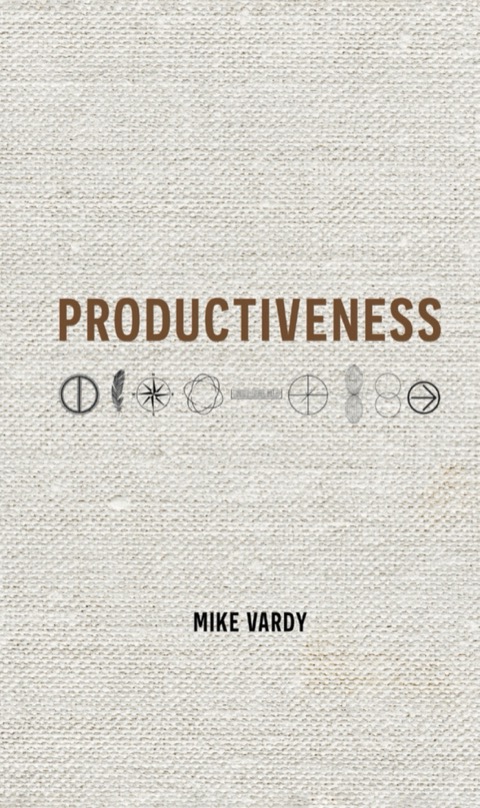
The cover of Productiveness by Mike Vardy, with the title above nine hand-drawn principle symbols on a linen background

Mike Vardy has spent his career inside the word “productivity.” He built frameworks around it, taught it, made a living off it. And for years the word itself bugged him. But don’t forget “Productivity” started out as a term for measuring the efficiency of factories.

Mike argues the better word is “productiveness”. Not how much you produce, but whether what you produce, and how you go about producing it, actually amounts to something.

That distinction is the subject of Mike’s new book, out now. Nine principles for keeping meaningful work sustainable once the systems around it start to strain. My congratulations to Mike for getting this book published.

The post Mike Vardy’s New Book, Productiveness appeared first on MacSparky.

  •  

Daylite Now Syncs With Google Calendar

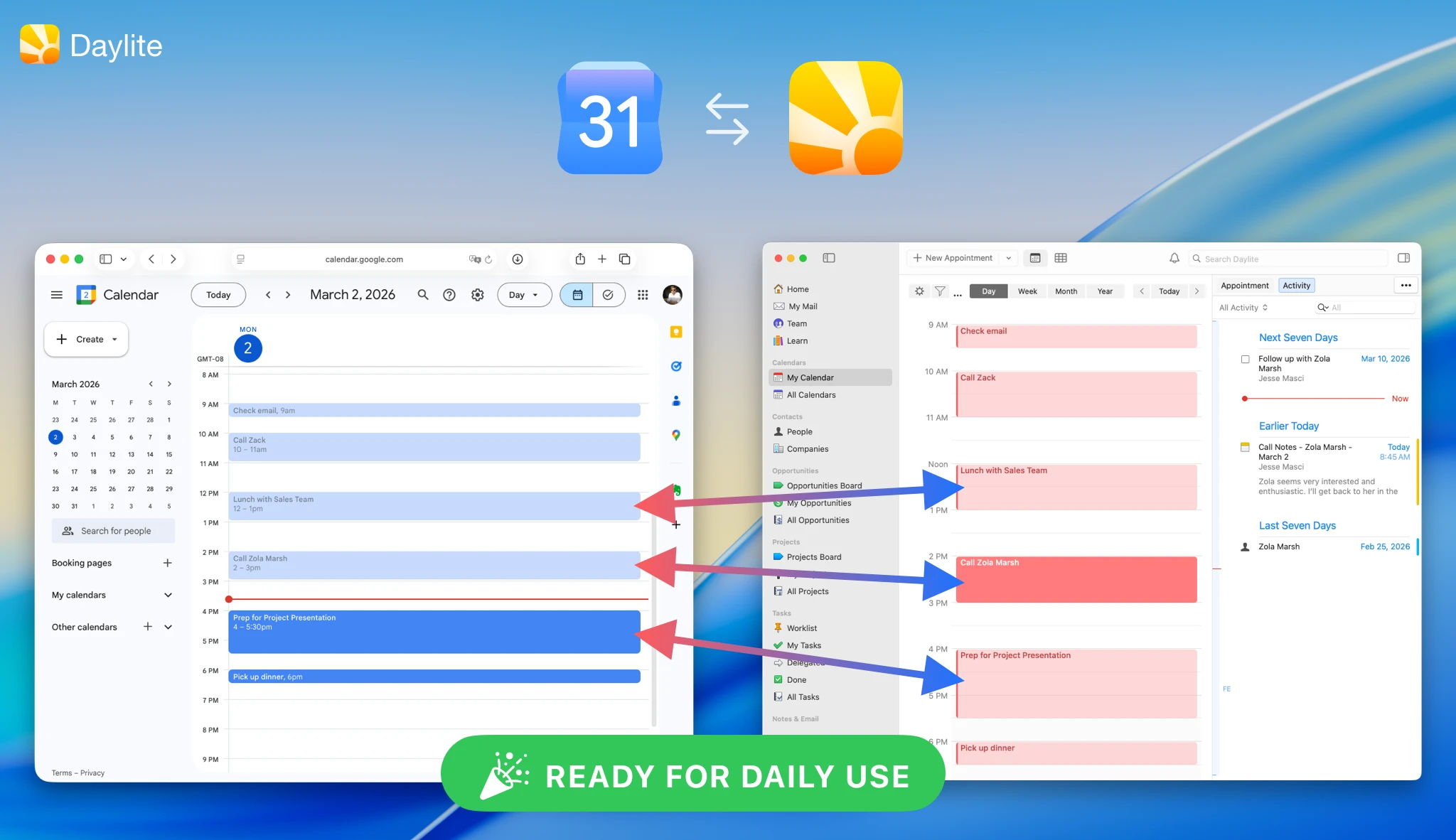
Google Calendar and Daylite calendars syncing appointments in both directions

This week MacSparky is sponsored by Daylite.

My calendar is great at telling me where I need to be. It’s terrible at telling me why. The appointment says “Call with client,” and everything I need for that call lives somewhere else.

Daylite just fixed that for people who run their day in Google Calendar. The new Google Calendar sync is continuous and two-way. Add or move an appointment in Google Calendar, and Daylite has it. Change it in Daylite, and Google Calendar gets the update. Meetings that Zoom or Gmail drop onto your calendar come along too.

The good part is what happens next. Once an event is in Daylite, you can link it to the people, companies, projects, and opportunities it belongs to. That meeting stops being a block of time and becomes part of the client’s history, sitting right next to the emails and notes.

You can connect your work and personal Google calendars, and there are privacy controls so your team sees you’re busy without seeing the details.

If you live in Apple’s Calendar app, this one isn’t aimed at you. But a lot of consultants and small teams run on Google Calendar, and for them, this is a big deal. Daylite runs on Mac, iPhone, and iPad, and there’s a free 14-day trial. Take a look at Daylite.

The post Daylite Now Syncs With Google Calendar appeared first on MacSparky.

  •  

Rogue Amoeba Turns 24 (and 24% Off)

Rogue Amoeba 24th anniversary sale: Save 24% with code 24YEARS

Rogue Amoeba opened its doors on September 30, 2002, and they’re celebrating 24 years with a birthday sale: 24% off anything in their store with the code 24YEARS. The discount runs through October 4.

I use Rogue Amoeba apps every day. Audio Hijack, Fission, and SoundSource are baked into how I record every podcast. My wife, who is very much not a power user, loves Piezo. If you’ve been eyeing one of their apps (or the upgrade to SoundSource 6), this is the week to do it.

The latest versions of their whole lineup also support macOS 27, and Rogue Amoeba says Golden Gate fixes several long-standing problems in the Mac’s audio system. Good news all around.

Happy birthday, Rogue Amoeba. Here’s to 24 more.

The post Rogue Amoeba Turns 24 (and 24% Off) appeared first on MacSparky.

  •  

Mac Power Users 868: Tyler Stalman Reviews iPhone 18 Pro Camera

I thought variable aperture meant more of that creamy background blur. Tyler Stalman joins Stephen and me to explain what the iPhone 18 Pro’s cameras actually give us, including better ways to work with Apple Log and ProRAW. We also compare pocket video cameras and the iPhone Duo, then do our best to spend Stephen’s camera budget.

Links and Show Notes

This episode of Mac Power Users is sponsored by:

  • Notion: Try the powerful, easy-to-use Notion AI today.
  • 1Password: Never forget a password again.

The post Mac Power Users 868: Tyler Stalman Reviews iPhone 18 Pro Camera appeared first on MacSparky.

  •  

Don’t Ask the Robot What to Do

There is a world of difference between asking a robot, “Help me do this,” and asking, “What should I do?” AI can be remarkably good at the first question but lead you astray with the second. New users often learn that distinction the expensive way.

I’ve taught thousands of people how to use agentic AI, and I’ve seen a similar pattern. People get into trouble after they have some success with AI and try to push it further. Quite often, the thing they want on the other side just isn’t there.

At first, you’re skeptical of AI’s ability to provide any real help. With a little time and training, you figure out how to give it context, build skills, and assign the kind of donkey work it can reliably do unsupervised.

The moment that sinks in is liberating. Suddenly, you’ve got more time for creative work while the AI handles the grunt work.

As you get more reps in and the AI becomes reliable on this kind of work, your confidence in it grows. Then, somewhere along the way, you start giving it more credit than it’s due.

That’s where the drift begins.

The robot really isn’t equipped for the why. Put simply, the robot can’t exercise judgment and taste like you can. I’ve seen a lot of new models come out, and they keep getting smarter. Yet they still fail miserably in matters of taste and judgment.

I think the reason is context. The robot hasn’t lived your life. It doesn’t truly know your preferences. No matter how smart the model gets, its assertions of judgment are based on incomplete and inadequate context. It may have read a staggering amount of material, but it hasn’t been you.

I understand why people fall into this trap. The AI is fast, and it’s very confident in its answers. It feels authoritative. And yet, when you get beyond donkey work, these robots can be full of bullshit.

It doesn’t help that vendors of these frontier models keep promising the technology will change your life. Artificial intelligence is a transformational technology. It just isn’t nearly as transformational as the guy trying to pump up his company’s stock price claims.

People still give it more authority than they should. They ask it to do harder things than it can handle. After all that early success with donkey work, they start trying to make the AI smart enough to make those calls for them.

The fact is, it can’t make that judgment for you.

Trying to outsource judgment and taste to AI is an expensive way to get bad results. It’s like asking your toaster to pick the best bread for your turkey sandwich.

Also, even if it could exercise judgment and taste, do you really want it to? Isn’t that your job? Shouldn’t you get to decide what bread goes on your sandwich?

I see this often with people going through my coursework. They reach a point of frustration and give up on the utility of artificial intelligence because they pushed it beyond its capabilities.

My advice is always the same. Scale back. Get back to the useful zone.

Give the robot work where you know the outcome and can tell whether it’s any good. Limit its scope to jobs where you can provide enough context.

AI is great for grunt work that a computer can do. Stay in that space, and you’ll spend remarkably little time managing the AI. Draw clear lines in your head about how far you can take it and where it needs to step aside so humans can take over.

The reason I like the term “donkey work” so much is that it captures what AI does best. Granted, that doesn’t justify a trillion-dollar stock valuation, but it can make a real difference in your life.

You’re the human. You make the map. Hand the robot the shovel.

When you go beyond that, friends, there be dragons.

The post Don’t Ask the Robot What to Do appeared first on MacSparky.

  •  

Strategery Returns to iPhone and iPad

So, with some trepidation, I report that Lex Friedman has brought Strategery back from the dead. There are some clever updates, with a better visual design and even the addition of chaos mode, but I must admit I immediately set the look back to the original. Be careful with this one.

I think the first game I ever got addicted to on the iPhone was Strategery. It’s like Risk, but a lot faster, and I played thousands of games over the years.

The post Strategery Returns to iPhone and iPad appeared first on MacSparky.

  •  

Mac Power Users 866: The Ternus Doctrine

On this episode of Mac Power Users, Stephen and I break down Apple’s September event, starting with the “Ternus Doctrine” and what it means for Siri AI. We compare the iPhone Duo and iPhone 18 Pro, then dig into the new Apple Watch and AirPods features. In More Power Users, we share what we ordered and why.

Episode Links

This episode of Mac Power Users is sponsored by:

  • NetSuite: The leading integrated cloud business software suite. Try NetSuite Next for free.
  • Squarespace: Save 50% off your first purchase of a website or domain using code MPU

The post Mac Power Users 866: The Ternus Doctrine appeared first on MacSparky.

  •  

The Ternus Doctrine

This past week, Apple took the wraps off the new iPhone Pro and the brand-new iPhone Duo. It’s a big deal, and a lot of ink has already been spilled over it. But something else happened that I’d like to shed more light on.

John Ternus gave his first keynote as Apple CEO. And his opening remarks in that job carry real weight. He chose to use that moment to make his case for Apple’s place in AI. (Yes, he called it AI.) It starts at the 3:32 mark in Apple’s YouTube keynote and it was the clearest statement of intent we’ve heard from Apple on the subject.

His words:

AI makes entirely new kinds of experiences possible. And AI can become even more useful when it brings together your life with the apps, services, and products you use every day. And this means the product at the center of your experiences becomes even more essential. What I like to think of as an intelligent personal hub.

It’s the intersection of broad new capability and a deep understanding of your personal context that makes this idea so powerful.

There’s no product in the world better designed to be your intelligent personal hub than iPhone.

As your personal hub, your iPhone can do so much more for you because it understands your context. This includes your calendar, your relationships, your routines, the most private details of your daily life.

It’s personal intelligence that’s actually personal.

He described the iPhone as an “intelligent personal hub.” His argument was pretty straightforward. If you were building the ideal device for personal AI, you’d want something you carry everywhere, with enough processing power to run models locally and a connection to more capable models when needed. You’d want cameras and microphones so it could understand what’s going on around you. And you’d want a screen. There are still plenty of things I’d rather look at than have a robot read to me.

You’d end up with something a lot like an iPhone.

The other half of his argument was about context. A capable model gets much more useful when it knows something about you. Your calendar, your relationships, and your routines are already on your phone. With your permission, that information could help it do things that a chatbot starting from scratch can’t.

Of course, that’s also the information you’d be least comfortable handing over to some company’s servers. Ternus tied Apple’s approach directly to that concern. Run the models on the device whenever possible. Use Private Cloud Compute when the job needs more power. His promise was “personal intelligence that’s actually personal.”

For lack of a better term, I’m calling this the Ternus Doctrine.

I’ve been making versions of this argument for a while. Apple’s access to local context has always seemed like a big advantage to me. But hearing Ternus put it together at the opening of the keynote (his first as CEO) felt different. This was the position he chose to stake out before getting to the new hardware.

Apple has often seemed reluctant to get serious about AI. I know they’ve been working on it, and I’ve written before about why their approach could work. But there’s a limit to how long I can be excited about what Siri might eventually do. At some point, I need it to do the thing.

If we start doing more of our computing by asking an assistant to do work for us, whoever makes that assistant will have a lot of influence over how we use our devices. If I spend my day working through somebody else’s AI, Apple still gets to sell me a phone. But somebody else is deciding how much of that phone I use and which services I reach for.

I don’t think Apple wants that future.

Ternus’s argument gives Apple a different path. Make the intelligence built into the phone useful enough that it’s the one we reach for. Give it the context it needs, while letting us control what it can access. And make it work across the devices and apps we already use.

If he follows through, I’d expect more attention to what Apple silicon can run locally. I’d also expect Apple to keep building out Private Cloud Compute. Those are the parts of the plan where Apple controls the hardware and can keep improving it.

Siri is the harder test. I’m on the betas and the new Siri AI is light-years ahead of the old Siri. But it’s still unclear how far Apple is willing to take this. If they want Siri to become the brain of our private contextual AI assistant, they need to keep the gas down. They also need developer buy-in. Apps need to plug into it.

I’m speculating about where Ternus takes this. An opening speech doesn’t tell us how he’ll assign people or spend money, and Apple has given us plenty of reasons to be skeptical of AI promises.

I liked hearing Ternus explain where he thinks Apple belongs. Now I’d like to be able to ask my iPhone to do something complicated and trust it to finish the job.

The post The Ternus Doctrine appeared first on MacSparky.

  •  

Two Apple Event Videos Worth Watching

There is a lot to process after this week’s Apple event. If you’re still sorting through it all, I found two videos worth your time.

First is Marques Brownlee’s iPhone 18 Pro/Duo Impressions: Mogged. Marques has a good feel for this stuff, and I always value his initial reactions. I don’t agree with him about the Apple Watch recording feature. He lands closer to the creepy side of that debate. I don’t think it is nearly as troubling as some people are making it out to be, although we’ll know more once people start using it in the wild.

The second is Tyler Stalman’s iPhone 18 Pro & Duo: A Photographer’s Reaction. Tyler set me straight on the variable aperture. The mechanism isn’t there to create more bokeh. At its widest setting, the lens is already as open as it gets. The clever bit is that Apple can put a faster lens in the phone, then stop it down when conditions call for less light or more depth of field.

https://www.youtube.com/watch?v=Zt-fS0DH8BQ

That makes the variable aperture less of a single flashy feature and more of a tool that lets Apple build a more flexible camera. Either way, if you like taking pictures with your phone, I think the iPhone 18 Pro is going to be a really nice upgrade.

The post Two Apple Event Videos Worth Watching appeared first on MacSparky.

  •  

A Few Thoughts Following Apple’s September 2026 iPhone Event

Apple today announced the iPhone 18 Pro, iPhone Duo, AirPods 5, and new Apple Watches. Here are a few initial thoughts.

The Event

  • John Ternus looked comfortable during his first product event as Apple CEO. And he got to introduce “one more thing” straight out of the gate.
  • Apple has these video events down. They move fast and look beautiful. I still miss the tension of a live room. Million-dollar executives should have to sweat once in a while.
  • There was a lot of “later this year” today. Some of that is understandable with an entirely new iPhone platform. I also expect they’ve had their hands full with Siri AI.
  • Apple’s larger pitch was the iPhone as an “intelligent personal hub.” The iPhone does the thinking, the Watch senses what is happening, and the AirPods handle private input and output. I like that they are getting a bigger picture story around AI.
  • Also, they said AI.

iPhone 18 Pro

  • The new camera system is the selling point. A mechanical aperture that moves from f/1.48 to f/4 gives photographers real control over light and depth of field. Apple is also bringing aperture, shutter speed, white balance, and a histogram into its own Camera app. Third-party camera apps just lost some territory.
  • Apple Reference Image may prove more important than it first appears. The idea is to make a signed record of what the sensor saw at the moment of capture. With synthetic images getting better every month, establishing the origin of a photograph is going to matter.
  • Apple spent a surprising amount of time talking about cooling. That makes sense. Heat has become one of the main limits on phone performance. I’ll be curious to see how much difference the new vapor chamber makes. My theory is that Apple has a specific heat ceiling. Better thermal control gives it room to run the chip faster before reaching that ceiling.
  • There is no regular iPhone 18 this fall. Apple’s least expensive new iPhone starts at $1,199. I am curious how that goes over once these phones move beyond the enthusiasts.

iPhone Duo

  • Well, they got me.
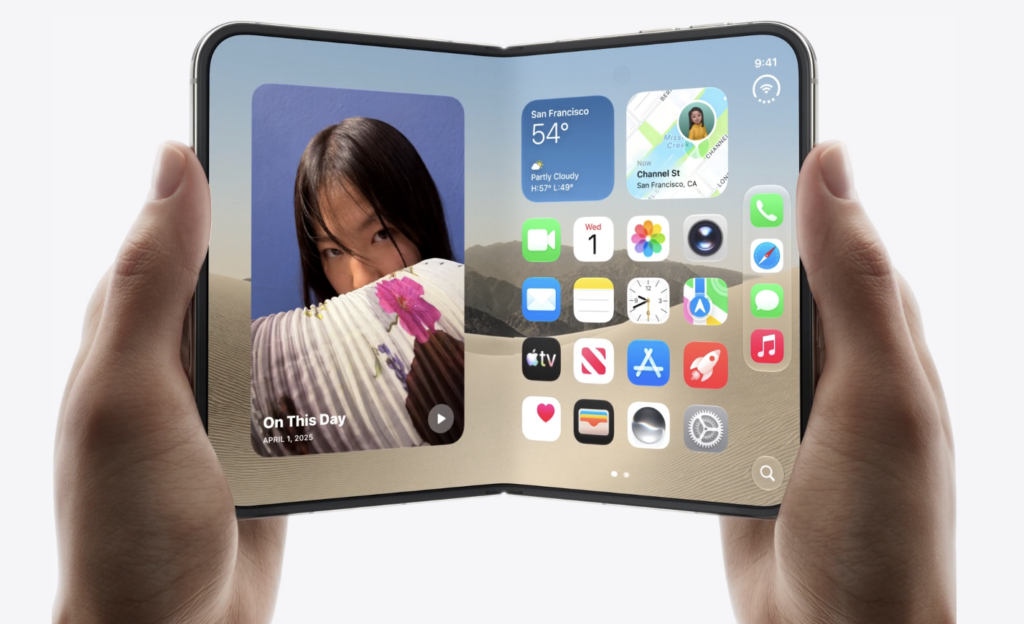
  • The hardware is impressive, but the software sold the device. The way apps move between displays, the new dock, the two-app layouts, and all the partially folded positions make this feel like a new kind of iPhone. It does not look like Apple took iPadOS and folded it in half.
  • I’ve been calling this an iPad mini in your pocket, and that still feels right. When I travel, I often leave the laptop in my bag and write on an iPad mini with a folding keyboard. The Duo could give me that setup without carrying the iPad.
  • The hard choice is the camera. If you want the best camera that you will actually carry, get the iPhone 18 Pro. The Duo gives up the Pro’s variable aperture and telephoto reach.
  • There are plenty of other compromises. No Face ID. A smaller outer screen. A hinge with more than 100 parts. First-generation hardware that starts at $1,999. This thing screams AppleCare.
  • I’m going to buy one. I will keep an eye on the return window, but I suspect it is staying. At this point I would probably say anything to justify getting a Duo, so discount my advice accordingly.

Apple Watch

  • I started the day with an Ultra 3 and no good reason to replace it. Then Apple announced the new health sensors and Live Rewind. So much for discipline.
  • Live Rewind is the Watch feature I care about most. My hearing isn’t so great. Asking someone to repeat themselves once is fine. Asking two or three times gets awkward. The ability to look down and read the last 15 seconds could be genuinely useful to me.
  • That feature also deserves scrutiny. Apple says the audio is handled on the device and deleted, with a chime and full-screen notice when Live Rewind runs. I want to understand how it works around other people before deciding how often I would use it.
  • The Apple Watch story has changed a lot. It began as a device for notifications and small apps. Apple now talks about it primarily as a health sensor on your wrist.

AirPods 5

  • The $129 AirPods 5 look like the easy recommendation. Active noise cancellation is now standard, and people who dislike silicone ear tips get more of the AirPods Pro experience in an open-ear design.
  • Apple did not make a strong case for the $149 version. Wireless charging, a volume gesture, and some additional battery life are nice. I am not sure they are worth the extra $20 for most people.
  • I wonder why there are two tiers to this product. That $129 price point must be particularly effective for Apple.

What Did Not Show Up

  • No new Apple TV. No HomePod mini. No screen-based HomePod device. None of those products belonged in an iPhone-focused event. I suspect we’ll see them all soon.

I am still inside the reality distortion field, so check back after these products ship. But yes, I am ordering the Duo.

The post A Few Thoughts Following Apple’s September 2026 iPhone Event appeared first on MacSparky.

  •  

Intentional AI 8: Whisper to Write

Intentional AI podcast artwork

On this episode of Intentional AI, Chris and I look at how dictation went from a nine-thousand-dollar tool that needed hours of training to something you can whisper into your watch. We compare cloud and local options, including Wispr Flow, MacWhisper, Superwhisper, and Whisper Memos, along with the privacy tradeoffs that come with each.

We also talk about using your voice to give robots better context, then wrap up with Claude’s new browser and background computer use.

This episode of Intentional AI is sponsored by:

  • Making Light: Craft a daily ritual to focus on what matters most. Get $10 off your first order with the code ‘INTENTIONAL26’

The post Intentional AI 8: Whisper to Write appeared first on MacSparky.

  •  

Focused 264: The Accountability Shaped Hole

On this episode of Focused, Mike and I work through practical questions about capacity, chronotypes, delegation, accountability, and what to do when a careful plan collapses. We also talk about task overload and the difference between getting human help and handing work to a robot.

In Deep Focus, we look at systems for bad days and why my automated daily note lost to the paper cards sitting on my desk.

This episode of Focused is sponsored by:

  • Gusto: Payroll, HR, Benefits. Simplified. Get 3 months free.
  • Keeper: Get 60% off personal and family plans.
  • Daylite: The only made-for-mac CRM solution. Start your free trial today.
  • Squarespace: Save 10% off your first purchase of a website or domain using code FOCUSED.

The post Focused 264: The Accountability Shaped Hole appeared first on MacSparky.

  •  

Record Any Audio on Your Mac, with Audio Hijack

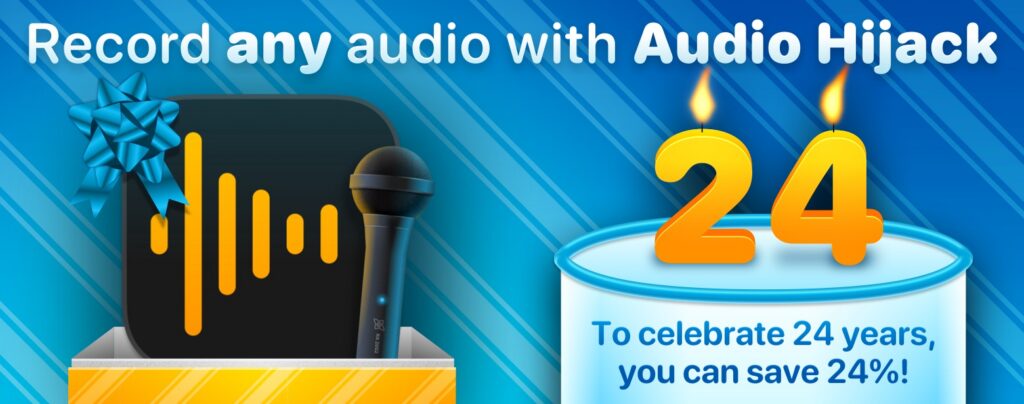
Audio Hijack app icon with a gift bow and microphone next to a '24' birthday cake, celebrating Rogue Amoeba's 24th anniversary with 24% off

This post is sponsored by Rogue Amoeba.

This week, my friends at Rogue Amoeba are back to sponsor MacSparky. On September 30, they’ll be marking 24 years of making great audio tools for the Mac. To celebrate, MacSparky readers can save 24% off anything in the Rogue Amoeba lineup. Use discount code SPARKY24 in their online store through the end of September.

Rogue Amoeba has a full suite of audio tools for the Mac. Audio Hijack is their flagship recording tool.

Audio Hijack records audio from anything on your Mac: your web browser, a Zoom or Teams call, a microphone, a hardware interface, or your entire system audio. It’s easy to build your sessions, using a visual block-based canvas. Drop in your audio sources, add any effects you want, and hook up recording and monitoring. Audio Hijack makes sure it all connects automatically, and you get exactly the audio you expect.

They just released Audio Hijack 4.6, with refinements to their fantastic Transcribe block. Drop it into a session, and Audio Hijack turns audio into text locally on your Mac. Nothing gets uploaded, nothing goes to a server, and there are no accounts required. If you’ve been looking for a way to get transcripts of your calls and recordings without handing the audio to somebody else, Audio Hijack is your answer.

There’s a fully functional free trial, so you can put Audio Hijack through its paces before you spend anything. Download it today from Rogue Amoeba’s website. And don’t worry – Audio Hijack is already updated for compatibility with macOS 27 (Golden Gate).

My thanks to Rogue Amoeba for supporting MacSparky, and for keeping Mac audio in such good hands for 24 years. Check out Audio Hijack, and the rest of their lineup, and don’t forget discount code SPARKY24 to save 24% off everything this month.

The post Record Any Audio on Your Mac, with Audio Hijack appeared first on MacSparky.

  •  

Help Relay Reach $5 Million for St. Jude

The Relay for St. Jude 2026 fundraiser is underway. Hooray! Since 2019, the Relay community has raised more than $4.8 million for St. Jude. This year, we’re within reach of the $5 million mark.

The case is simple. You give money and they use it to take care of kids with cancer. Families never receive a bill from St. Jude for treatment, travel, housing, or food. The hospital has also helped push the U.S. childhood cancer survival rate from 20% when St. Jude opened in 1962 to more than 80% today. Donors make that work possible. I plan on helping. You can too. Even five dollars helps.

The post Help Relay Reach $5 Million for St. Jude appeared first on MacSparky.

  •  

Hazel Turns 20

Hazel turns twenty this weekend. I’m a fan. People ask if I’m still using Hazel in the age of AI, and the answer is absolutely yes. Hazel still does a lot of great file management on your device without burning tokens or sacrificing your privacy. There’s definitely space for it on my hard drive still.

To mark the occasion, everything in the Noodlesoft store is 35% off through Monday night. No code required, the sale price is already showing:

  • Hazel 6: $42 → $27.30
  • Family Pack, up to five Macs in one household: $65 → $42.25
  • Upgrade from an earlier version: $20 → $13.00

For giggles, I’ve also marked the Hazel Field Guide 50% off for the week. Code: HAZELIS20

Happy Birthday, Hazel.

The post Hazel Turns 20 appeared first on MacSparky.

  •  
❌