❌

Reading view

Lenovo YOGA Pro 15 Spark Teased With NVIDIA RTX Spark N1X Superchip

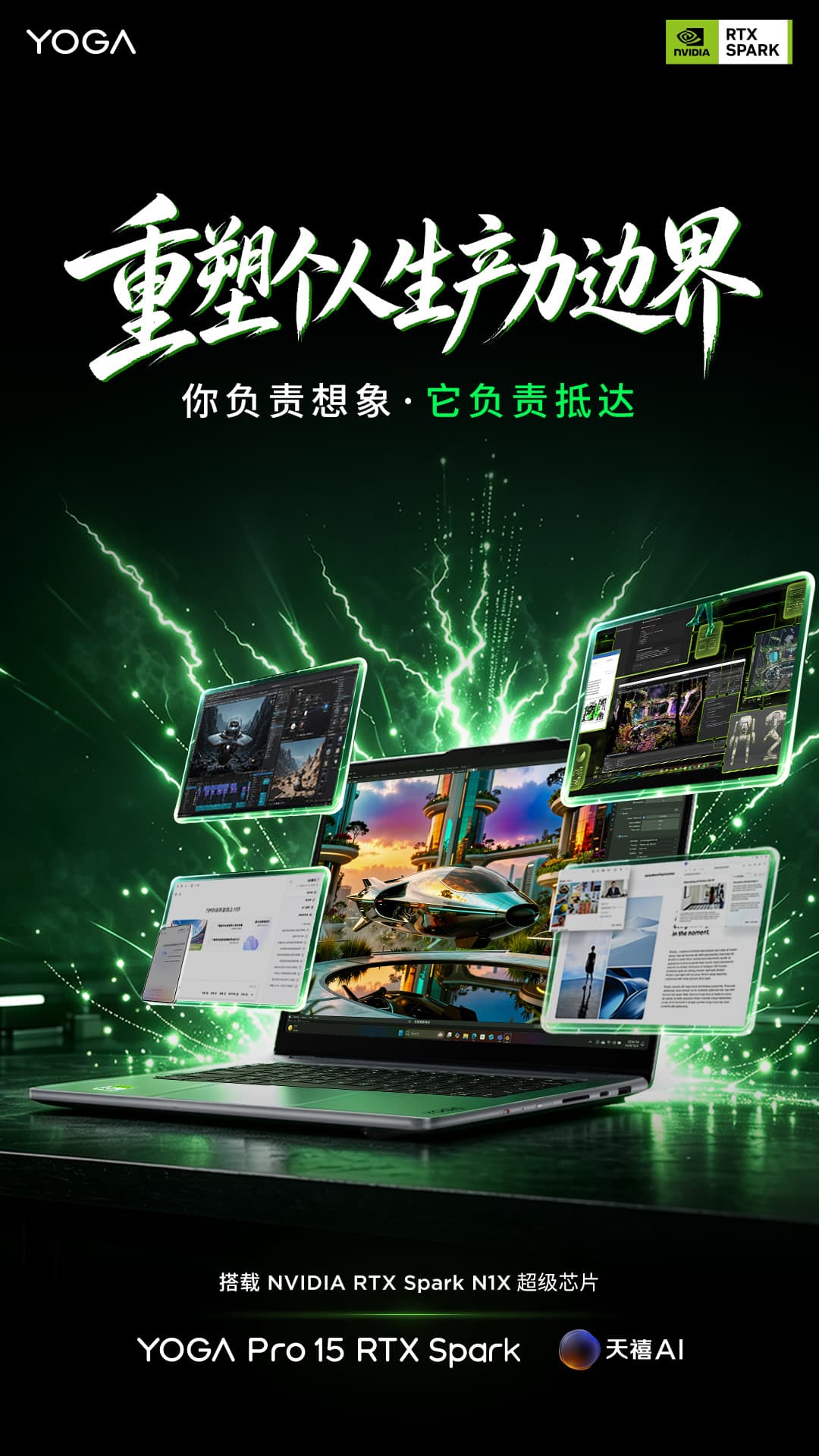
Lenovo has started teasing YOGA Pro 15 Spark, a new China-market laptop built around NVIDIA’s RTX Spark platform. The company has not yet revealed the full domestic configuration or pricing, but the latest teaser suggests that more details are coming soon.

The new laptop is closely related to Lenovo’s recently announced AI laptop Yoga Pro 9n, which debuted internationally at IFA 2026. Lenovo lists the Yoga Pro 9n as a 15-inch premium creator laptop powered by NVIDIA RTX Spark, while the Chinese-market version is called the YOGA Pro 15 Spark.

YOGA Pro 15 Spark Brings RTX Spark to China

The YOGA Pro 15 Spark has now entered the domestic preheating phase, indicating that Lenovo is preparing to introduce its NVIDIA RTX Spark-powered laptop to the Chinese market.

Rather than relying on a conventional Intel or AMD processor paired with a separate graphics card, the RTX Spark platform combines a Grace CPU and Blackwell RTX GPU into a single superchip. Lenovo says the platform is designed for demanding local AI workloads, content creation and software development.

This architecture is one of the most notable aspects of the new Yoga laptop because the CPU and GPU can share a large pool of unified memory. That design is particularly relevant to AI applications that require substantial memory capacity.
NVIDIA RTX Spark N1X Targets Local AI Workloads

The RTX Spark N1X platform used by Lenovo’s announced systems can integrate a 20-core NVIDIA Grace CPU with a Blackwell RTX GPU containing up to 6,144 CUDA cores. The platform can also support up to 128GB of unified memory and deliver up to 1 PFLOPS of AI performance at FP4 precision, according to Lenovo’s China-market information.

For users, the significance goes beyond raw specifications. Large unified memory capacity can allow the CPU and GPU to access the same memory pool, making the architecture particularly suited to running demanding AI models locally rather than depending entirely on cloud processing.

NVIDIA has also described RTX Spark PCs as Windows-on-Arm systems, with the first machines scheduled to arrive in October 2026.

The International Yoga Pro 9n Already Has a 15.3-Inch OLED Display

Lenovo’s international Yoga Pro 9n provides an indication of what to expect from the China-market YOGA Pro 15 Spark.

The Yoga Pro 9n features a 15.3-inch 2.5K OLED display with a refresh rate of up to 165Hz. It can also be configured with up to 128GB of LPDDR5X memory and up to 4TB of storage. Lenovo positions the machine toward creators and developers who need high local computing performance.

The laptop also uses an aluminum chassis and measures as little as 16.7mm thick, while its cooling architecture supports an 80W TDP configuration.

However, Lenovo has not yet confirmed whether every specification of the international Yoga Pro 9n will carry over unchanged to the Chinese YOGA Pro 15 Spark.

More Details Expected Soon

At this stage, Lenovo has confirmed the domestic preheating of the YOGA Pro 15 Spark, but key details such as its Chinese pricing, exact configuration and retail launch date have not yet been announced.

The new model could become an interesting option for users looking for a relatively portable laptop capable of handling local AI workloads, creative applications and GPU-accelerated tasks.

For now, the main takeaway is clear: Lenovo is bringing its RTX Spark N1X-powered Yoga platform to the Chinese market, with the YOGA Pro 15 Spark expected to receive more official details in the near future.

The post Lenovo YOGA Pro 15 Spark Teased With NVIDIA RTX Spark N1X Superchip appeared first on IGeeKphone China Phone, Tablet PC, VR, RC Drone News, Reviews.
  •  

Lenovo Googlebook 15: What the 120Hz OLED and Core Ultra 5 325 Mean for Users

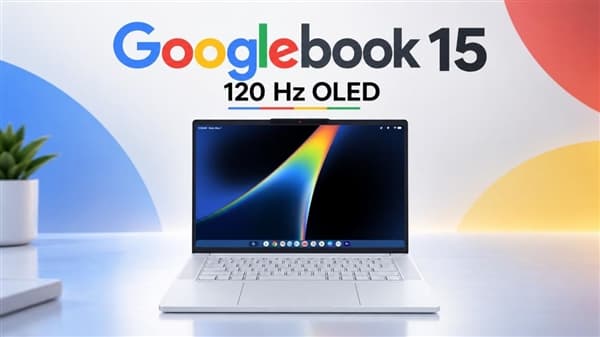
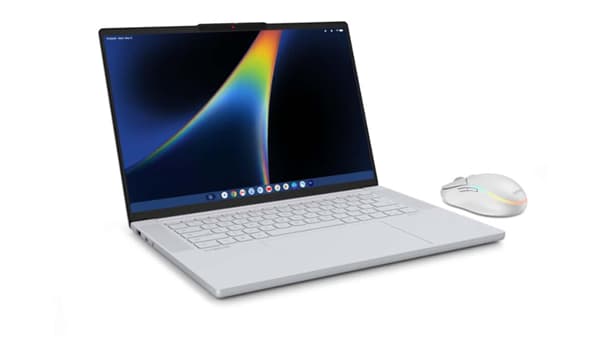
Lenovo’s upcoming Lenovo Googlebook 15 is shaping up to be a very different kind of Google-powered laptop. Leaked specifications point to a 15.3-inch 120Hz OLED touchscreen, Intel’s Core Ultra 5 325 processor, up to 32GB of LPDDR5X memory and a 70Wh battery. The combination suggests that Lenovo is targeting users who want more than the basic hardware traditionally associated with Chromebooks.

The laptop is expected to become one of the first devices built around Google’s new Googlebook Panther Lake processor platform. Lenovo has not yet confirmed the final retail price or complete launch details, so the specifications below should still be treated as leaked information until the company makes an official announcement.

Lenovo Googlebook 15 specifications

The reported configuration puts the Googlebook 15 firmly in the premium laptop category.

  • Processor: Intel Core Ultra 5 325
  • Graphics: Integrated Intel Xe3 graphics
  • Memory: 16GB / 32GB LPDDR5X
  • Storage: 256GB / 512GB SSD
  • Display: 15.3-inch OLED touchscreen
  • Resolution: 2880 × 1800
  • Refresh rate: 120Hz
  • Brightness: Up to 500 nits
  • Color coverage: 100% DCI-P3
  • Battery: 70Wh
  • Claimed battery life: Up to 11 hours
  • Wireless: Wi-Fi 7 and Bluetooth 5.4
  • Ports: 2 × Thunderbolt 4, USB-A, HDMI 2.0 and 3.5mm audio
  • Webcam: 5MP RGB with dual microphones
  • Audio: Four speakers with Dolby Atmos
  • Weight: Approximately 1.29kg
  • Thickness: Approximately 15.9mm

A 120Hz OLED display is the biggest highlight

The Googlebook 15 laptop lineup reportedly uses a 15.3-inch OLED touchscreen with a 2880 × 1800 resolution and 16:10 aspect ratio.

The 120Hz refresh rate is particularly notable. Instead of positioning the machine as an inexpensive web-focused notebook, Lenovo appears to be giving it a display specification normally associated with more expensive Windows laptops.

The panel is also reported to reach 500 nits and cover 100% of the DCI-P3 color space. That combination should make the Googlebook 15 more appealing for photo and video viewing, creative work and general multimedia use.

For everyday productivity, the 16:10 format also provides more vertical workspace than a traditional 16:9 laptop display.

Core Ultra 5 325 and up to 32GB RAM

Performance is another area where the Googlebook 15 moves beyond the usual entry-level Chromebook formula.

The leaked configuration points to Intel’s Core Ultra 5 325 processor, paired with integrated graphics. Buyers are reportedly expected to have a choice between 16GB and 32GB of LPDDR5X memory.

Storage options are said to include 256GB and 512GB SSD configurations.

The higher 32GB memory option could be particularly useful if Googlebook is intended to handle heavier multitasking, Android applications and AI-assisted workloads rather than simply running browser-based tasks.

Googlebook 15 brings a different keyboard and design

Lenovo is reportedly giving the laptop several visual and functional details designed specifically for the Googlebook platform.

One of the most unusual additions is a dedicated Google “G” key positioned between the Fn and Alt keys. Its final software function has not been fully explained, but the key could become an important shortcut for Google services or AI features.

The lid is also expected to feature a multicolor LED strip known as Glowbar. Rather than being purely decorative, the lighting system can reportedly provide visual information related to power and charging status.

The laptop is said to use a large haptic touchpad measuring approximately 150 × 95mm, while the keyboard is backlit.

Security and video-call features

The Googlebook 15 also appears to take security and communication more seriously than a basic Chromebook.

The power button is reportedly integrated with a fingerprint reader, while the laptop is expected to support Google’s facial authentication system.

For video calls, Lenovo is reportedly using a 5MP RGB webcam with dual microphones. A physical privacy shutter is also included, allowing users to cover the camera when it is not in use.

Audio is handled by four speakers with Dolby Atmos support.

Plenty of ports for a thin 15-inch laptop

Despite its relatively slim chassis, the reported port selection is fairly comprehensive.

The laptop is expected to have two Thunderbolt 4 ports, one USB-A port, HDMI 2.0 and a 3.5mm headphone and microphone combo jack.

Wireless connectivity reportedly includes Wi-Fi 7 and Bluetooth 5.4.

This combination makes the Googlebook 15 more flexible for users who connect external displays, storage devices and other accessories.

70Wh battery and lightweight design

The reported 70Wh battery is another interesting part of the specification.

Lenovo is said to target up to 11 hours of battery life under its own testing conditions. That figure should not be interpreted as guaranteed real-world runtime, since display brightness, refresh rate, applications, wireless connections and workload can all affect battery performance.

More impressive is the reported weight. Despite its 15.3-inch display, the laptop is expected to weigh around 1.29kg and measure approximately 15.9mm thick.

That would make the Googlebook 15 relatively portable for a large-screen notebook.

Why the Googlebook 15 matters

The most interesting part of the Googlebook 15 is not any single specification. It is the overall hardware combination.

A 120Hz OLED touchscreen , Core Ultra 5 processor, up to 32GB of RAM, Thunderbolt 4, Wi-Fi 7 and a 70Wh battery place the machine well above the basic hardware profile that consumers traditionally associate with Chromebooks.

The Googlebook platform also appears designed around Google’s broader ecosystem, including Gemini AI features and closer Android integration.

That means Lenovo’s new laptop could be aimed at users who want the simplicity of Google’s software environment without accepting entry-level laptop hardware.

This is also why the Googlebook 15 may be more interesting than a conventional Chromebook upgrade. Its value will ultimately depend on how well Googlebook OS takes advantage of the more powerful hardware.

Lenovo Googlebook 15 release date and price

Lenovo has not yet announced a final retail price for the Googlebook 15.

The laptop is expected to arrive this autumn, with Googlebook hardware expected to receive more attention as Google reveals additional details about the platform.

For now, the leaked specifications suggest that Lenovo is preparing a premium large-screen Googlebook rather than another budget-focused Chromebook.

The combination of a 120Hz OLED display, Intel Core Ultra 5 325, up to 32GB of RAM, modern connectivity and Google-focused software could make the Lenovo Googlebook 15 one of the more interesting new laptops in the emerging Googlebook category.

Until Lenovo officially confirms the specifications, however, pricing, availability and final software features should be considered unconfirmed.

The post Lenovo Googlebook 15: What the 120Hz OLED and Core Ultra 5 325 Mean for Users appeared first on IGeeKphone China Phone, Tablet PC, VR, RC Drone News, Reviews.

  •  

DuoHinge leva a animação de dobra do iPhone Duo para os MacBooks

Algo que não passou despercebido durante a apresentação do iPhone Duo, primeiro smartphone dobrável da Apple, foi a animação ao abrir e fechar o aparelho — uma cortesia da versão adaptada do iOS especialmente para o modelo.

Como quase nada é impossível no mundo dos desenvolvedores, essa animação já foi transportada para o macOS graças ao DuoHinge, que adiciona uma ilusão de ótica interativa de dobra à tela física do seu MacBook.

Ao acessar diretamente o sensor de ângulo da tampa integrado ao Apple Silicon, o DuoHinge projeta sua área de trabalho em tempo real em um plano 3D virtual vertical, aplicando perspectiva realista via raycasting, dispersão gaussiana de vidro em duas passagens e dispersão cromática nas bordas conforme você fecha a tela.

An iPhone Duo–style hinge animation, but on a MacBook. Sometimes it’s fun to build things just because. pic.twitter.com/grYKra4X91

— João Franco (@JoaoFranco_03) September 10, 2026
Uma animação de dobradiça no estilo do iPhone Duo, mas em um MacBook. Às vezes, é divertido criar coisas simplesmente pelo prazer de fazê-lo.

O processamento da área de trabalho ocorre localmente no dispositivo, utilizando a taxa de atualização da tela integrada (até 120Hz em telas compatíveis) por meio do ScreenCaptureKit e shaders Metal personalizados, tudo encapsulado em uma camada transparente que permite cliques através dela, sem interromper seu fluxo de trabalho.

O aplicativo lê o sensor de ângulo da tampa e suaviza o movimento de acordo com a cadência de renderização. Um ícone vetorial do MacBook, no estilo da Apple, gira e espelha o ângulo real da sua tela nas barras de menu do macOS (no modo claro ou escuro).

O DuoHinge é gratuito, não contém assinaturas, nem rastreia quantas vezes você abre o seu MacBook. Ele exige pelo menos o macOS Sonoma 14 e pode ser baixado diretamente pela página no GitHub — ao iniciar o aplicativo pela primeira vez, abra-o na barra de menus e conceda permissão de Gravação de Tela e Áudio do Sistema quando o macOS solicitar.

  •  

Un ragazzo che utilizzava il laptop per molte ore con il computer appoggiat…

Un ragazzo che utilizzava il laptop per molte ore con il computer appoggiato sull’addome ha sviluppato una particolare lesione della pelle. La causa era l’esposizione prolungata al calore del dispositivo, una condizione nota come eritema ab igne.
  •  

Boy developed "toasted skin" condition from using a laptop every day

Fears that modern electronic devices may harm children are nothing new. Gadgets with screens of any size have long been allegedly melting, rotting, and/or corrupting the brains of youths for decades. However, a medical case report published this week offers a new and alarming way our digital doodads may cause physical harm.

In BMJ Case Reports, two UK doctors, Mara Znagoveanu and Edward Artley, report the case of a boy who came to an emergency department with alarming marks on his abdomen. The marks were described as being in a patch about 15 centimeters (six inches) wide, made of flat, reddish-brown "interlacing lines forming irregular circles and a lace-like morphology." A picture of the marks is here.

Mysterious marks

The boy, whom they described only as being in "mid-childhood," was not in any pain, and the rash was not warm to the touch or tender. He and his parents said they couldn't think of any recent injuries or trauma that might explain the marks. He was otherwise healthy, hadn't recently been ill, and had no systemic symptoms, such as fever or fatigue. Everything about the boy's health, growth, and medical history looked normal.

Read full article

Comments

© Getty | The Good Brigade

  •  

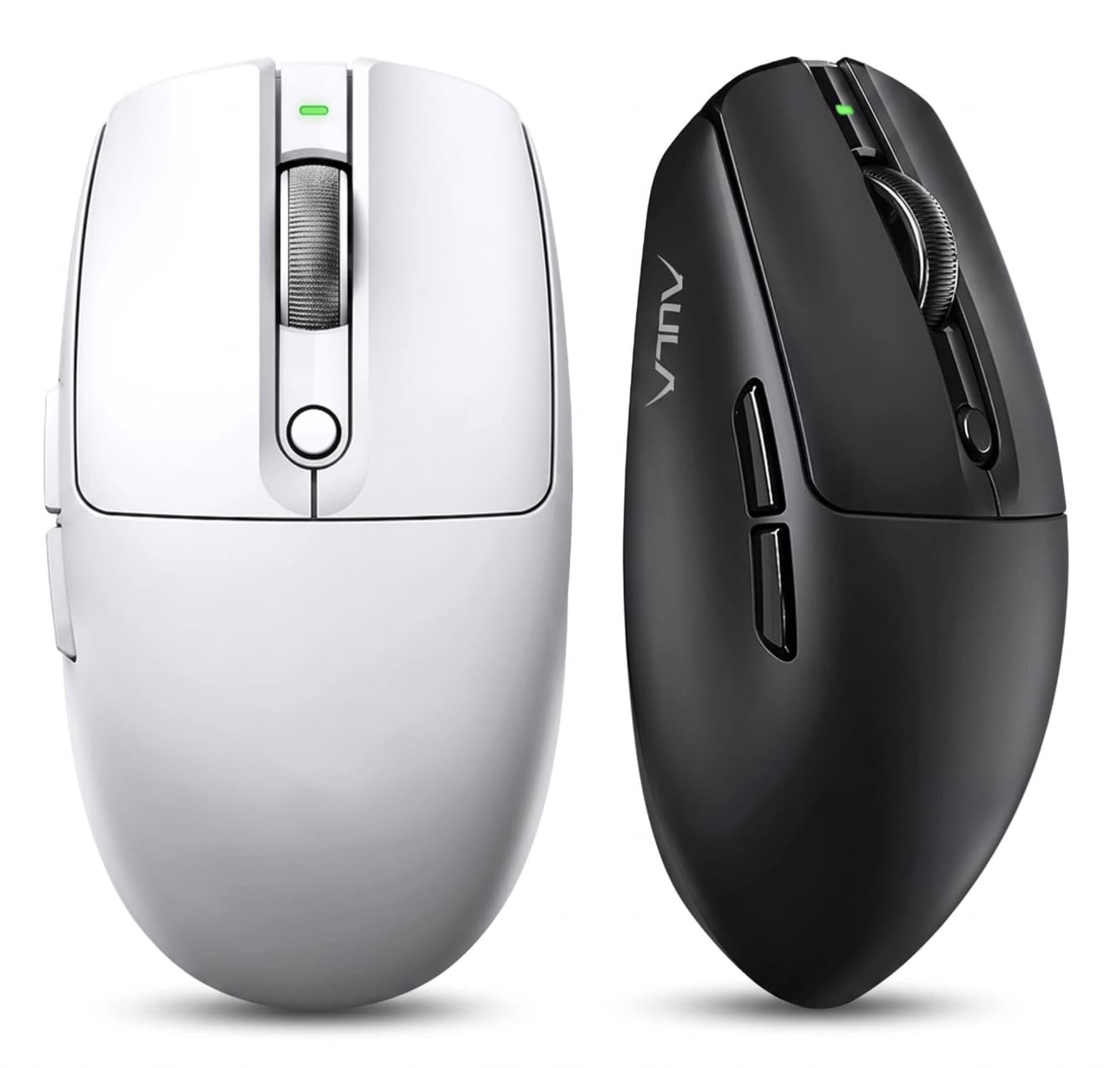
AULA V1 Gaming Mouse Combines Lightweight Design With Competitive-Level Features

Gaming mice have changed significantly in recent years. Instead of simply adding more buttons or aggressive designs, many modern players are looking for a better balance between speed, precision, comfort and wireless flexibility.

The AULA V1 gaming mouse follows this trend with a lightweight 55g body, a PAW3311 optical sensor, dual 1000Hz polling support and three connection modes. Designed for PC and laptop gamers, the mouse aims to deliver a responsive experience while remaining comfortable during long gaming sessions.

Rather than targeting only professional esports players, the AULA V1 focuses on a broader group of users who want a fast and reliable gaming mouse without dealing with excessive weight or unnecessary complexity.

Lightweight 55g Design Focuses on Faster Movement

Weight has become one of the most important factors in gaming mouse design.

The AULA V1 weighs approximately 55g, placing it in the lightweight gaming mouse category. A lower weight can make quick movements easier, especially in fast-paced FPS games where players frequently perform rapid aiming adjustments.

A lighter mouse also reduces the amount of physical effort needed during extended sessions. For gamers who use low sensitivity settings and rely on larger arm movements, reducing unnecessary weight can improve overall control and comfort.

However, lightweight design is not only about reducing numbers. The shape, balance and grip style also determine whether a mouse feels comfortable.

The AULA V1 uses a versatile ergonomic shape designed for different grip methods, including palm grip, claw grip and fingertip grip. It is recommended for small to medium-sized hands, making it more suitable for users who prefer a compact gaming mouse design.

PAW3311 Sensor Delivers Accurate Tracking

At the center of the AULA V1 is the PixArt PAW3311 optical sensor.

The sensor supports up to 12,000 DPI, with tracking performance reaching up to 300 IPS and acceleration up to 35G. These specifications provide enough adjustment range for different gaming styles, from precise aiming in competitive shooters to faster cursor movement in everyday applications.

DPI flexibility is especially useful because different games require different sensitivity settings.

A competitive FPS player may prefer a lower DPI setting for accuracy, while strategy games, productivity tasks or large-resolution displays may benefit from higher sensitivity.

Instead of forcing users into one performance profile, the AULA V1 gives players more freedom to customize the mouse according to their preferences.

Dual 1000Hz Polling Rate Keeps Wireless Performance Competitive

Wireless gaming accessories have improved significantly, and many players no longer want to sacrifice performance for convenience.

The AULA V1 supports a 1000Hz polling rate in both wired and 2.4GHz wireless modes. This means the mouse can report its position frequently, helping maintain a responsive connection during gameplay.

For competitive gaming, consistency is often more important than simply chasing the highest specification number.

A stable 1000Hz polling rate combined with a lightweight body and accurate sensor creates a balanced setup for players who want a fast response without being restricted by a cable.

Tri-Mode Connectivity Makes It More Versatile

One of the biggest advantages of the AULA V1 is its tri-mode connection system.

The mouse supports:

  • USB-C wired connection
  • 2.4GHz wireless connection
  • Bluetooth connection

This allows users to switch between different scenarios more easily.

For gaming desktops, the 2.4GHz wireless mode provides a cleaner setup without the limitations of a cable. When battery charging is needed or maximum stability is preferred, users can switch to wired mode.

Bluetooth connectivity expands compatibility with laptops and other devices, making the AULA V1 more practical than a mouse designed only for gaming PCs.

Built for Long Gaming Sessions

A gaming mouse is not only judged by performance numbers. Comfort becomes increasingly important when users spend several hours playing or working.

The AULA V1 combines its lightweight construction with an ergonomic body design to reduce fatigue during extended use.

Its compact dimensions of approximately 94mm × 62.7mm × 38.5mm make it easier to control for users who prefer smaller mice.

The design is especially suitable for players who prefer quick movements rather than the heavier, larger shapes often found on traditional gaming mice.

Reliable Switches and Custom Control Software

The AULA V1 uses AULA’s custom MCU system and gaming switches rated for approximately 10 million clicks.

While click lifespan does not directly determine gaming performance, durability is important for users who frequently play competitive games where thousands of clicks can accumulate over time.

The mouse also supports AULA’s proprietary HUB driver software, allowing users to adjust settings and customize the experience according to their needs.

Battery and Everyday Wireless Convenience

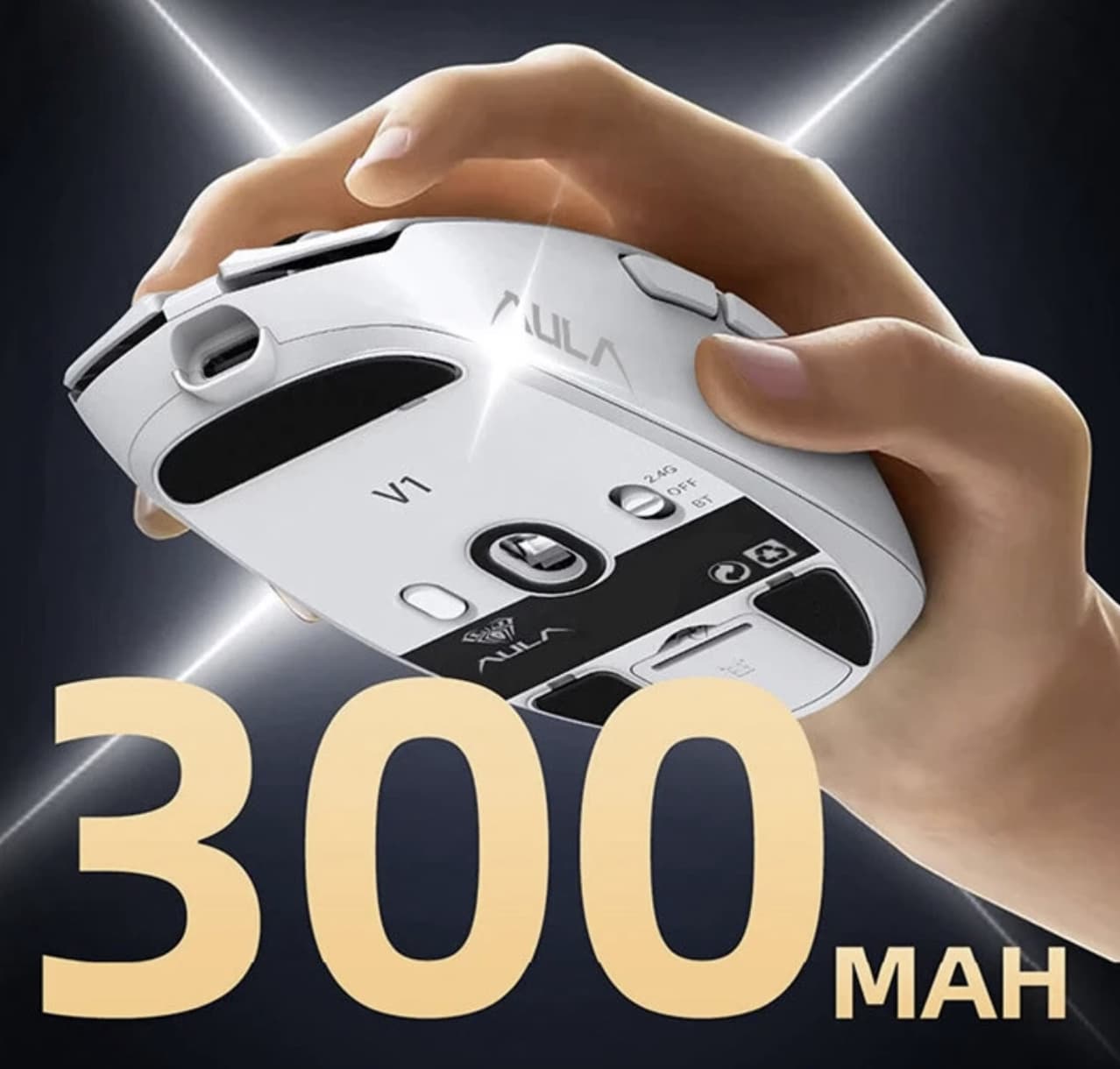
The AULA V1 includes a built-in 300mAh battery, allowing it to operate as a wireless gaming mouse without requiring constant cable connection.

Battery capacity is only one part of wireless mouse performance. Actual usage time depends on factors such as connection mode, polling rate and lighting settings.

For users who switch between gaming and everyday computer use, the combination of wireless freedom and USB-C charging provides a more flexible experience.

AULA V1 Specifications

Feature Details
Model AULA V1
Sensor PAW3311 Optical Sensor
Maximum DPI 12,000 DPI
Tracking Speed 300 IPS
Acceleration 35G
Polling Rate 1000Hz wired / 1000Hz wireless
Weight About 55g
Battery 300mAh
Connection USB-C wired / 2.4GHz wireless / Bluetooth
Switch Lifespan 10 million clicks
Driver AULA HUB Driver
Size 94 × 62.7 × 38.5mm
Recommended Hand Size Small to medium

Specifications are based on the current product listing and may vary depending on regional versions.

Who Should Buy the AULA V1 Gaming Mouse?

The AULA V1 is a good match for users who want:

  • A lightweight mouse for FPS and competitive gaming
  • Wireless freedom without giving up 1000Hz polling
  • A compact ergonomic design
  • Multiple connection options for PC and laptop use
  • A balance between gaming performance and daily productivity

It may not be the ideal choice for users who prefer large ergonomic mice designed for bigger hands or those looking for advanced features such as adjustable weights, many programmable buttons or premium flagship sensors.

Final Thoughts

AULA V1 gaming mouse focuses on the areas that matter most for modern gaming: low weight, accurate tracking and flexible connectivity.

Its 55g design makes fast movements easier, while the PAW3311 sensor and dual 1000Hz polling rate provide the responsiveness expected from a modern gaming peripheral. The addition of wired, 2.4GHz wireless and Bluetooth modes also makes it practical beyond a single gaming setup.

For gamers looking for a lightweight, versatile and affordable gaming mouse, the AULA V1 offers a balanced combination of performance and everyday convenience.

The post AULA V1 Gaming Mouse Combines Lightweight Design With Competitive-Level Features appeared first on IGeeKphone China Phone, Tablet PC, VR, RC Drone News, Reviews.

  •  

Ofertas: MacBooks Air de 13″ e 15″ (M5) com até 34% de desconto!

O MacBook Air foi atualizado neste ano com o chip M5 e é o notebook ideal para quem quer um Mac portátil capaz de lidar com a grande maioria das tarefas diárias. Além disso, ele traz um visual moderno, com uma tela Liquid Retina e o conector MagSafe 3.

Se você está de olho nesse notebook, estamos trazendo hoje duas ofertas muito boas no KaBuM! — atrativas principalmente levando em conta os recentes aumentos de preços na linha de computadores da Maçã.

Modelo de 13 polegadas

O modelo de 13″, na cor prateada, traz 16GB de memória unificada, 1TB de SSD 1Solid-state drive, ou unidade de estado sólido. e chip M5 com uma GPU 2Graphics processing unit, ou unidade de processamento gráfico. de 10 núcleos.

MacBook Air de 13” (M5 com GPU de 10 núcleos, 16GB de memória e 1TB de SSD)

Parcelado: de R$19.599,00 por R$12.902,10 em até 10x
À vista no Pix: de R$17.639,10 por R$12.257,00

🛍️ Produto vendido pelo KaBuM; resgate o cupom 8DO8💰https://t.co/j6W0OyChmj

— MM Ofertas (@MMOfertas) August 7, 2026

Ele está saindo por R$12.902,10, valor que pode ser parcelado em até 10 vezes no cartão de crédito. Se levarmos em conta que o preço tabelado desse mesmo computador é de R$19.599, estamos diante de um desconto de 34%.

Para quem preferir pagar à vista no Pix, o preço cai para R$12.257,00, o que representa um desconto de 31% se compararmos com o valor à vista praticado pela Apple, de R$17.639,10.

Modelo de 15″

Para quem prefere um Mac com uma tela maior, o modelo de 15“ também está em oferta no KaBuM!.

Na cor meia-noite, a máquina é equipada com o chip M5 com uma GPU de 10 núcleos, 16GB de memória unificada e SSD de 1TB.

MacBook Air de 15” (M5, 16GB de memória, 1TB de SSD)

Parcelado: de R$21.599,00 por R$14.387,36 em até 10x
À vista no Pix: de R$19.439,10 por R$13.667,99

🛍️ Produto vendido pelo KaBuM; resgate o cupom 8DO8💰https://t.co/NAIhJNTn2n

— MM Ofertas (@MMOfertas) August 7, 2026

Ele está saindo por R$14.387,36 — representando um desconto de 33% em comparação com o valor tabelado da Apple no Brasil, de R$21.599,00.

Para pagamentos à vista no Pix, o preço fica melhor: cai para R$13.667,99. Como o valor à vista praticado pela Maçã no país é de R$19.439,10, estamos diante de um desconto de 30%.


Para aproveitar ambas as ofertas, aplique o cupom 8DO8 no carrinho.

Todos os descontos de promoções divulgadas pelo MacMagazine são calculados com base nos preços sugeridos pela Apple ou por outras fabricantes. Pode ser que um determinado produto seja comumente encontrado por valores inferiores em redes varejistas, mas a nossa base de comparação é sempre em cima das tabelas oficiais.

Não perca! 💻

Fique sempre por dentro das ofertas!

Se você não é louco, é claro que gosta de economizar. E, para isso, o MacMagazine tem diversas opções para ajudar você a conseguir comprar o seu produto Apple pagando menos!

Você pode usar a nossa extensão para os navegadores Chrome/Opera/Edge, acompanhar as ofertas pelo MM Fórum, pelo Facebook, pelo X, pelo Threads, pelo Bluesky, pelo Mastodon ou por um canal no Telegram. Escolha a melhor opção para você — ou todas, para depois não se arrepender — e economize! 😉

NOTA DE TRANSPARÊNCIA: O MacMagazine recebe uma pequena comissão sobre vendas concluídas por meio de links deste post, mas você, como consumidor, não paga nada mais pelos produtos/serviços usando os nossos links de afiliado.

Notas de rodapé

  • 1
    Solid-state drive, ou unidade de estado sólido.
  • 2
    Graphics processing unit, ou unidade de processamento gráfico.

  •  

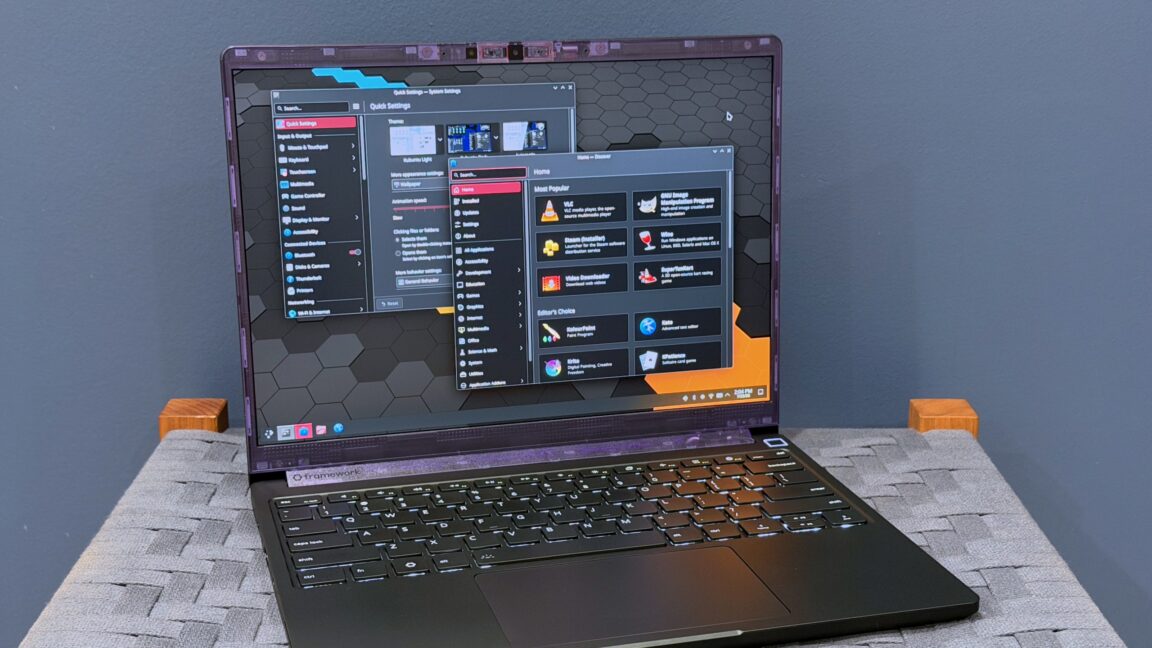
Framework Laptop 13 Pro review: Much better battery, much worse price

I've liked the Framework Laptop 13 since the first time I used it, partly because I just think the idea of a repairable and upgradeable laptop is cool and partly because it's not Yet Another Ultraportable Trying To Be A MacBook Air Clone. But the design has always had real shortcomings—the most noticeable and serious being its mediocre battery life.

Enter the Framework Laptop 13 Pro. While all previous Laptop 13 refreshes have tinkered around the edges with the original design (a tweaked lid design here, new hinges or new speakers there), the Laptop 13 Pro is as close as we've gotten to a second-generation revision for the original design.

This means that it breaks backward compatibility for some (but not all) Laptop 13 components, most notably the bottom case, the keyboard and trackpad, and the original 55 WHr and 61 WHr battery designs. But by allowing itself to make larger changes to the design, Framework has made major strides in battery life and general fit and finish.

Read full article

Comments

© Andrew Cunningham

  •  

Microsoft's Surface Laptop Ultra looks like its first true MacBook Pro competitor

Dell, Asus, Lenovo, HP, MSI, Acer, and Gigabyte are among the PC makers that are designing systems around Nvidia's RTX Spark, Nvidia's new Arm-based chip for Windows PCs. But the flagship RTX Spark PC may be from the same company that makes Windows: the new Microsoft Surface Laptop Ultra is a high-end RTX Spark system that will offer up to 128GB of unified memory for "creators, developers, and AI builders."

Microsoft says the Laptop Ultra will be available "later this year" but didn't discuss any specific pricing or configuration options.

The Laptop Ultra will slot in above the regular Qualcomm Snapdragon-based Surface Laptops in Microsoft's lineup. Microsoft has made high-end Surface devices with more powerful CPUs and GPUs before, but to date, they've also come with convertible designs that may have limited their appeal. The first was the old Surface Book, with its fully detachable screen and bendy-straw hinge that didn't close all the way; the second was the Surface Laptop Studio, with its chunky design and sliding screen. The Laptop Ultra is Microsoft's first attempt to follow the MacBook Pro formula: it's like the other Surface Laptops, just with more power.

Read full article

Comments

© Microsoft

  •  
❌