
❌

Reading view

CarPlay Chatbots: 5 Major AI Apps Now Reach Your Dashboard

CarPlay chatbots now span five major services, giving the growing collection of dashboard apps a much more conversational side. Claude is the latest addition, joining ChatGPT, Perplexity, Grok, and Meta AI. Drivers can increasingly bring their preferred AI service into the car through an iPhone app update, although access is not equally open across all five.

The appeal is easy to understand. A question comes to mind during a trip, and instead of saving it for later, you can ask it aloud. A follow-up can become part of the same conversation. There is no need to turn every request into a rigid command or reach for a keyboard.

But the headline needs one qualification: Meta AI has appeared in CarPlay while remaining unavailable to some accounts. Five apps have added support; that does not mean every driver can open all five and immediately start talking.

Claude Brings CarPlay Chatbots to Five

Anthropic’s latest iPhone update adds a straightforward CarPlay experience: begin a new voice conversation or return to a recent chat. The reported Claude integration places those choices inside the simplified dashboard interface rather than reproducing the full mobile app.

That continuity could be particularly useful for someone who already uses Claude regularly. A conversation does not have to begin again simply because the setting has changed from a desk to a parked car or a journey.

Claude’s arrival also makes the category feel less experimental. ChatGPT, Perplexity, and Grok established an earlier presence, while Meta AI recently joined the lineup. There is now a broader choice of familiar services rather than one chatbot acting as a demonstration of what CarPlay might eventually support.

This is not a reason to install all five. An assistant that already understands the conversation you want to continue may be more convenient than another app with a different account, unfamiliar controls, and an empty chat history.
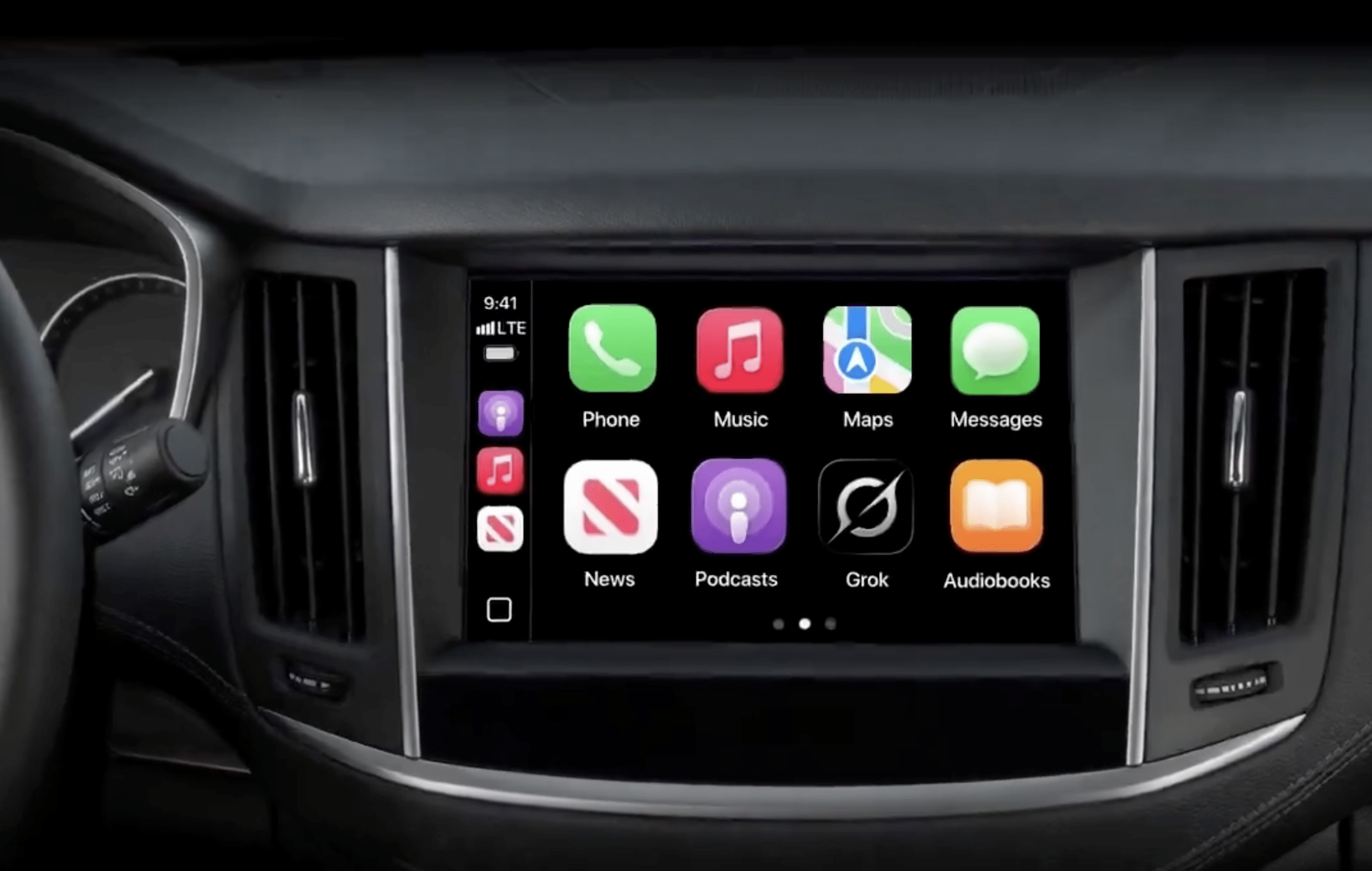
CarPlay Chatbots | A car dashboard display shows an infotainment screen with app icons for Phone, Music, Maps, Messages, News, Podcasts, Grok Voice, and Audiobooks in a grid layout. Steering wheel and air vents are partially visible.
Image Credit: Grok / X

Meta AI Still Has an Access Catch

Meta AI is the entry readers should approach with the most caution about availability. Reports describe its icon appearing on the CarPlay screen, only for the app to display a notice that the experience is not supported for that account.

Coverage of the limited Meta AI rollout also notes that moving to a paid account did not necessarily remove the restriction. Paying solely to unlock CarPlay would therefore be a poor assumption.

An icon and a working service are different things. The first shows that the app includes a CarPlay interface; the second depends on whether the provider has enabled access.

If Meta AI opens normally on the iPhone but refuses to work on the dashboard, that account-specific message is important. Repeatedly reconnecting the cable or resetting the vehicle’s infotainment system is unlikely to resolve a restriction controlled by the service.

What CarPlay Chatbots Actually Do

The useful distinction is between discussing something and making the car do something.

A conversational assistant can help explain an unfamiliar subject, work through an idea, or answer follow-up questions. You might ask for a plain-English explanation of a concept mentioned in a podcast, practice a short introduction, or explore ideas for a weekend project.

Those are different requests from changing a destination, calling a contact, or adjusting a vehicle setting. A chatbot’s ability to describe an action should not be mistaken for permission to perform it.

Apple recognizes voice-based conversational apps as a supported CarPlay category, alongside separate categories for navigation, audio, messaging, and driving tasks. Developers must build an appropriate CarPlay experience; an ordinary iPhone chatbot does not automatically qualify simply because it has a microphone button.

The distinction also helps set expectations about the screen. A dashboard conversation should not become an invitation to read paragraphs, inspect generated images, or manage a complicated workspace while driving.

For everyday use, short questions make more sense than elaborate assignments. Asking for three talking points is manageable. Dictating a detailed business proposal while negotiating traffic is a task better saved for somewhere stationary.
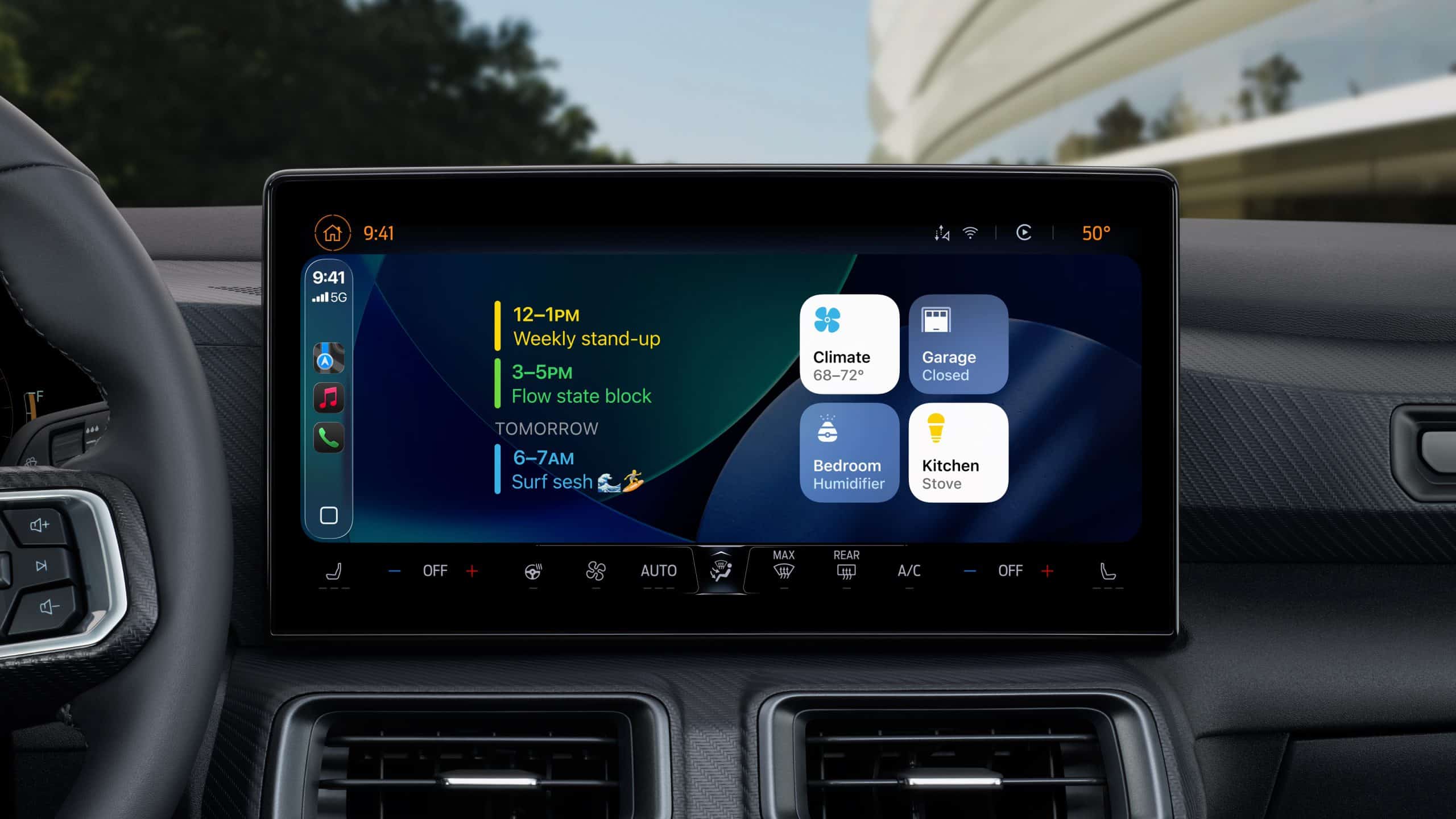
Apple’s next-generation CarPlay interface displayed across multiple in-car screens, showing customizable speedometer, widgets, and climate controls.

ChatGPT Has Clear Requirements and Limits

OpenAI’s CarPlay support documentation confirms availability across all ChatGPT plans, globally, on supported iPhones running iOS 26.4 or later. The latest ChatGPT app and a CarPlay-compatible vehicle are required.

Its interface supports starting a voice conversation, returning to recent or pinned chats, and accessing projects. However, OpenAI explicitly says the CarPlay version cannot access maps, vehicle information, or live location, and cannot control the car or other apps.

That rules out assuming it knows which intersection you are approaching or can change a route because you discussed a destination.

These requirements also mean ChatGPT’s CarPlay support is not something that requires waiting for iOS 27. Readers already using compatible software can check the existing app without installing an upcoming operating-system beta.

Choosing an Assistant Without Adding Dashboard Clutter

There is little value in treating the car as a place to conduct a five-way AI comparison. Try the services while parked, then keep the one that suits the conversations you actually want to have.

Listen for how clearly an assistant answers, whether it understands follow-up questions, and how easily a conversation can be stopped. A response that feels impressive on a laptop may be exhausting when spoken through car speakers for several minutes.

Ask for shorter answers when needed. “Explain that in two sentences” is often a more useful instruction in this setting than requesting a comprehensive overview.

For work-related conversations, consider who else is in the vehicle before resuming a saved chat. A colleague’s name, a client discussion, or a personal detail can become audible to passengers even when the phone remains untouched.

The presence of an app inside CarPlay should not be treated as approval to share confidential information with its provider. Keep employer rules and the service’s own account settings in mind before discussing business material.

Voice Quality Can Depend on the Car

A disappointing voice experience is not always a sign that the AI service misunderstood the question. OpenAI notes that CarPlay audio depends on the vehicle’s microphones, speakers, and echo cancellation. The same app can therefore sound or behave differently across cars.

Before abandoning an assistant because it repeatedly misses words, test it while parked with the cabin quiet. That makes it easier to distinguish a microphone or audio-routing problem from an account restriction or an unhelpful response.

There is also a small behavior worth knowing about ChatGPT: CarPlay may reopen the last-used app when the iPhone reconnects. If a chatbot unexpectedly returns to the display on your next trip, that alone does not mean it has started a fresh conversation or begun listening.
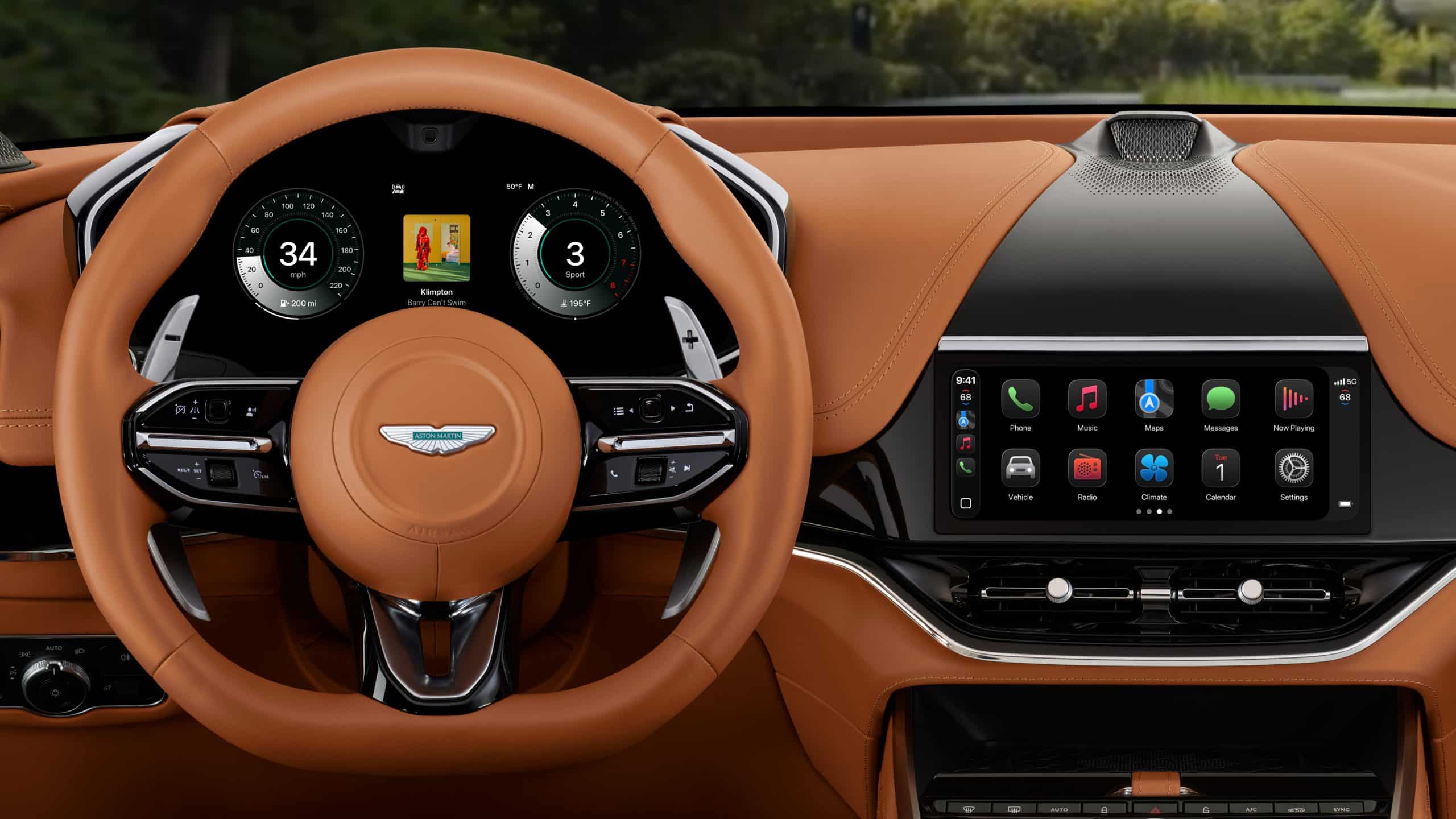
Luxury car interior featuring a brown leather steering wheel with a digital display behind it and a large touchscreen center console showcasing ioS 26 smartphone apps; green trees visible through the windshield.

The post CarPlay Chatbots: 5 Major AI Apps Now Reach Your Dashboard appeared first on AppleMagazine.

  •  

CarPlay Apps: 120 Popular Options for Your Car

CarPlay apps have grown far beyond maps, music and basic messaging. More than 120 popular iPhone apps now offer some form of support for Apple’s in-car platform, giving drivers access to navigation, podcasts, audiobooks, sports, communication, electric vehicle charging, parking, food ordering and newer AI assistants.

Not every compatible app places its full iPhone interface on the dashboard. CarPlay uses simplified layouts, voice controls and restricted features designed to reduce distractions. Some apps show lists and buttons, while others operate mainly through Siri or audio playback.

The larger catalog nevertheless changes what CarPlay can do. It is becoming a controlled extension of the iPhone rather than a small collection of driving utilities.

CarPlay Apps Cover More of the Journey

The first generations of CarPlay concentrated on a small set of familiar activities: choosing a route, making a call, sending a message and playing audio. Those functions remain central, but Apple has gradually opened additional categories to developers.

CarPlay apps can now help drivers find parking, locate fuel, identify EV charging stations, order food for collection and complete certain driving-related tasks. Automakers can also build apps that control supported vehicle features without forcing the driver to leave the CarPlay interface.

Apple continues to limit which app categories qualify. A social network, game or ordinary shopping app cannot simply reproduce its iPhone screen on the dashboard. Developers must use Apple’s CarPlay frameworks and present only functions considered suitable for the car.

The approach explains why the available catalog can feel both extensive and restrained. More than 120 apps may be compatible, but the dashboard does not become a crowded copy of the App Store.

Digital car dashboard displaying speed at 60 mph, range of 200 miles, temperature of 72°F, engine at 195°F, and sport mode engaged. The center screen features lane assistance with surrounding vehicles and Apple Maps MICHELIN Ratings integration.
Image Credit: Apple Inc.

Navigation Remains the Starting Point

Apple Maps is built directly into CarPlay and provides turn-by-turn guidance, traffic information, estimated arrival times and destination suggestions based on information from the iPhone.

Drivers can also choose popular alternatives including Google Maps and Waze. Each service brings a different combination of traffic data, route preferences, incident reporting and familiar saved locations.

Other navigation and travel options include HERE WeGo, TomTom GO Navigation, Sygic GPS Navigation, Gaia GPS and specialist apps designed for trucks, motorcycles or outdoor routes.

The strongest choice usually comes down to habit and regional coverage. A driver already using Google Maps or Waze on iPhone can continue using saved destinations and preferences inside the car. Apple Maps benefits from tighter system integration, including Siri requests, Calendar suggestions and Apple Watch directions.

CarPlay allows several navigation apps to appear in the Dashboard layout, where mapping can share the screen with media controls and other useful information.

Music, Radio and Podcasts Dominate the Catalog

Audio remains the largest CarPlay app category because it suits an environment where users should spend as little time as possible looking at the screen.

Apple Music, Spotify, YouTube Music, Amazon Music, Deezer, Tidal and Pandora provide access to large music libraries. Radio services such as TuneIn, iHeartRadio and SiriusXM add live stations, news, sports and talk programming.

Podcast listeners can use Apple Podcasts, Overcast, Pocket Casts, Castro and Spotify. Audiobook options include Apple Books, Audible, Audiobooks.com and Bookmate.

The CarPlay versions usually emphasize large buttons, recent listening, saved libraries and voice search. More detailed account management remains on the iPhone.

Siri can start playback without requiring users to browse through several menus. The experience is safer and often faster when the request includes the service and content, such as asking Siri to play a specific playlist through Apple Music or Spotify.

Phone Charging but CarPlay Not Working

Messaging Is Becoming More Visual

Messages has long allowed CarPlay users to hear incoming texts and dictate replies through Siri. Third-party messaging services have expanded the same general idea.

WhatsApp now offers a fuller CarPlay experience that can display recent chats, calls and favorite contacts while keeping message composition centered on voice. Other supported communication apps include Telegram and selected business messaging services, depending on region and app version.

CarPlay does not display long text conversations like an iPhone. Siri reads messages aloud, and users can dictate a response. Visual elements remain limited so the dashboard does not become a scrolling chat screen.

Phone and supported calling apps also provide simplified access to contacts, recent calls and favorites. Meeting services can support audio participation, but video remains unavailable while driving.

AI Assistants Enter CarPlay

AI assistants represent one of the newest CarPlay app categories. ChatGPT, Perplexity and Grok have introduced CarPlay support, allowing drivers to interact through voice without handling the iPhone.

These apps can answer general questions, explain subjects, brainstorm ideas or continue voice conversations. Their usefulness in a car is different from navigation or music. They provide a hands-free knowledge interface during a commute or long trip.

Google Meet and other communication apps have also expanded their in-car presence, emphasizing audio conversations rather than video.

AI responses should not replace directions, emergency information or vehicle warnings. They can also produce inaccurate answers, particularly when asked about rapidly changing road conditions. Apple Maps, official traffic services and the vehicle’s own systems remain the appropriate sources for driving decisions.

The arrival of AI assistants still marks a meaningful expansion. CarPlay is no longer limited to commands with predefined outcomes. Drivers can now hold longer spoken interactions through supported services.

Parking, Fuel and EV Charging Become Easier

Practical travel apps can reduce the need to handle an iPhone after arriving near a destination.

Parking services can help locate garages, compare availability or start a parking session. Availability varies by city, but apps from services such as SpotHero, EasyPark and ParkWhiz may offer CarPlay functions in supported markets.

Fueling apps can guide drivers to compatible stations and, in some cases, prepare or authorize payments. EV charging apps can locate chargers, show connector availability and begin navigation to a selected station.

ChargePoint, PlugShare, Electrify America and other charging networks provide different levels of CarPlay integration. Drivers should confirm that their preferred service supports the platform in their country and app version.

Food-ordering support is more restricted. Compatible apps are designed around quick pickup tasks rather than browsing complete menus while the vehicle is moving.

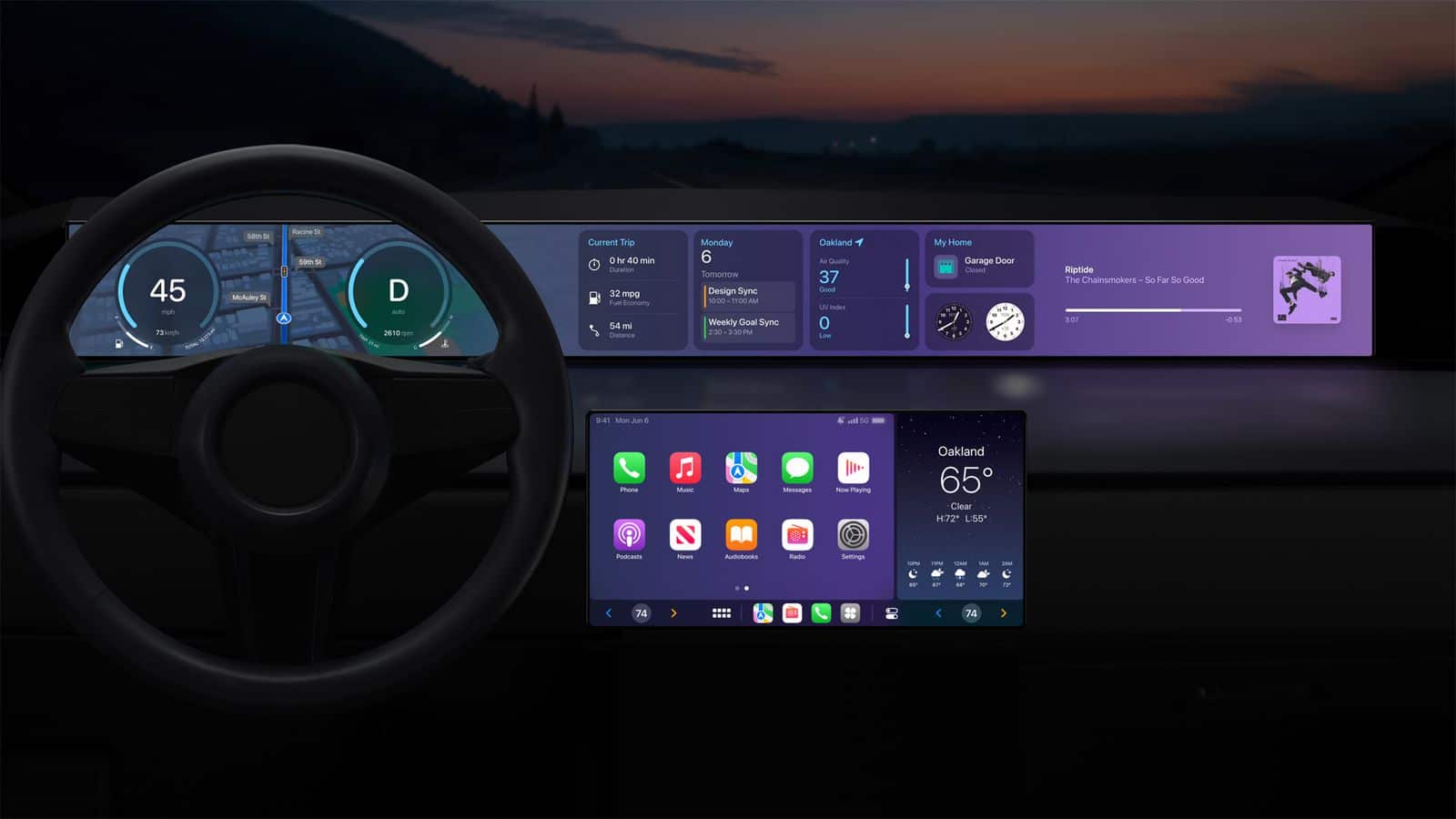
CarPlay apps - Apple’s next-generation CarPlay interface displayed across multiple in-car screens, showing customizable speedometer, widgets, and climate controls.

Sports and Driving Information Join the Dashboard

Sports apps are also finding a place in the car. Apple Sports and selected third-party services can provide scores or spoken updates without requiring drivers to follow a live visual feed.

Audio broadcasters already make sports a major part of CarPlay through radio and podcast services. Dedicated sports support makes it easier to reach a favorite team or competition directly.

Driving-task apps can handle functions such as recording mileage, managing road trips or communicating with fleet systems. These experiences are generally built for narrow purposes and use simplified controls.

Automaker apps form another category. Depending on the vehicle, they can expose controls for radio stations, climate functions, drive modes or other systems through CarPlay. Support is determined by the manufacturer and may differ between models.

How to Find CarPlay Apps on an iPhone

Compatible apps installed on the iPhone normally appear in CarPlay automatically. Users can decide which ones remain visible and change their order.

To organize CarPlay apps:

Settings > General > CarPlay > select the vehicle > Customize

Apps can be added, removed or rearranged from this screen. Removing an app from the CarPlay layout does not uninstall it from the iPhone.

An app may not appear when its developer has not enabled CarPlay support, the feature is unavailable in the region or the app needs to be updated. Some services also require an active subscription or account.

The safest layout keeps frequently used navigation and audio apps near the first page. Less essential services can remain farther back or be removed to reduce dashboard clutter.

More Apps Do Not Mean More Screen Time

The value of 120 CarPlay apps is not having 120 icons inside the car. It is having a useful service available when a particular trip requires it.

A daily commute may involve only Maps, Music and Messages. A road trip may add charging, parking, audiobooks and weather information. A workday could involve audio meetings and mileage tracking.

CarPlay’s restrictions remain part of its appeal. Apps are expected to simplify their interfaces, support voice interaction and limit detailed visual tasks. The system should reduce the temptation to use the iPhone rather than reproduce every distraction on a larger screen.

As iOS 27 expands capabilities for audio, communication, navigation and driving-task apps, the catalog is likely to keep growing. The more useful evolution will be deeper integration with the Dashboard, Siri and vehicle controls—not simply another row of icons.

The post CarPlay Apps: 120 Popular Options for Your Car appeared first on AppleMagazine.

  •  
❌