Update, 7:35pm ET, Wednesday, Oct. 7: We rechecked every price on Amazon this evening. Several laptop and tablet prices moved, and nine listings came out because they no longer showed a discount.
Prime Big Deal Days ends at 2:59am ET Thursday, which leaves tonight for anything on this list. The Microsoft Surface Laptop (2026) leads the laptops at $1,329.97, $370 under its $1,699.99 list price, and Amazon prices it that way for Prime members only. Apple’s MacBook Air M5 is $1,099 and the iPad mini (A17 Pro) is $499, and neither carries a Prime requirement. Samsung’s 27-inch Odyssey OLED G6 is $384.99 without a Prime badge, and the monitors further down run from a $99.99 Samsung to a $799.99 ultrawide.
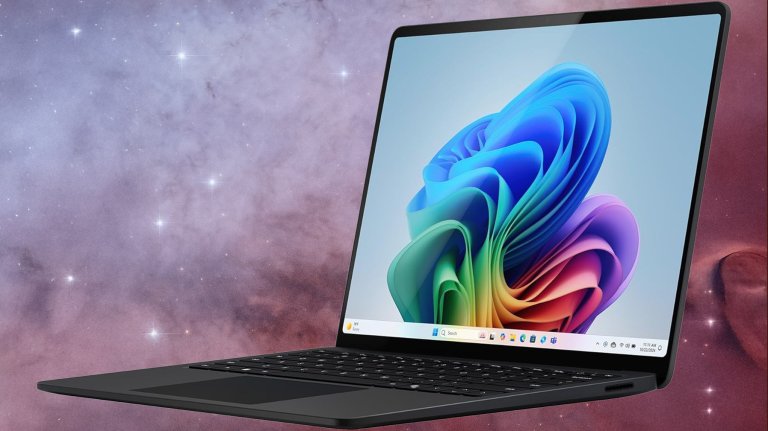
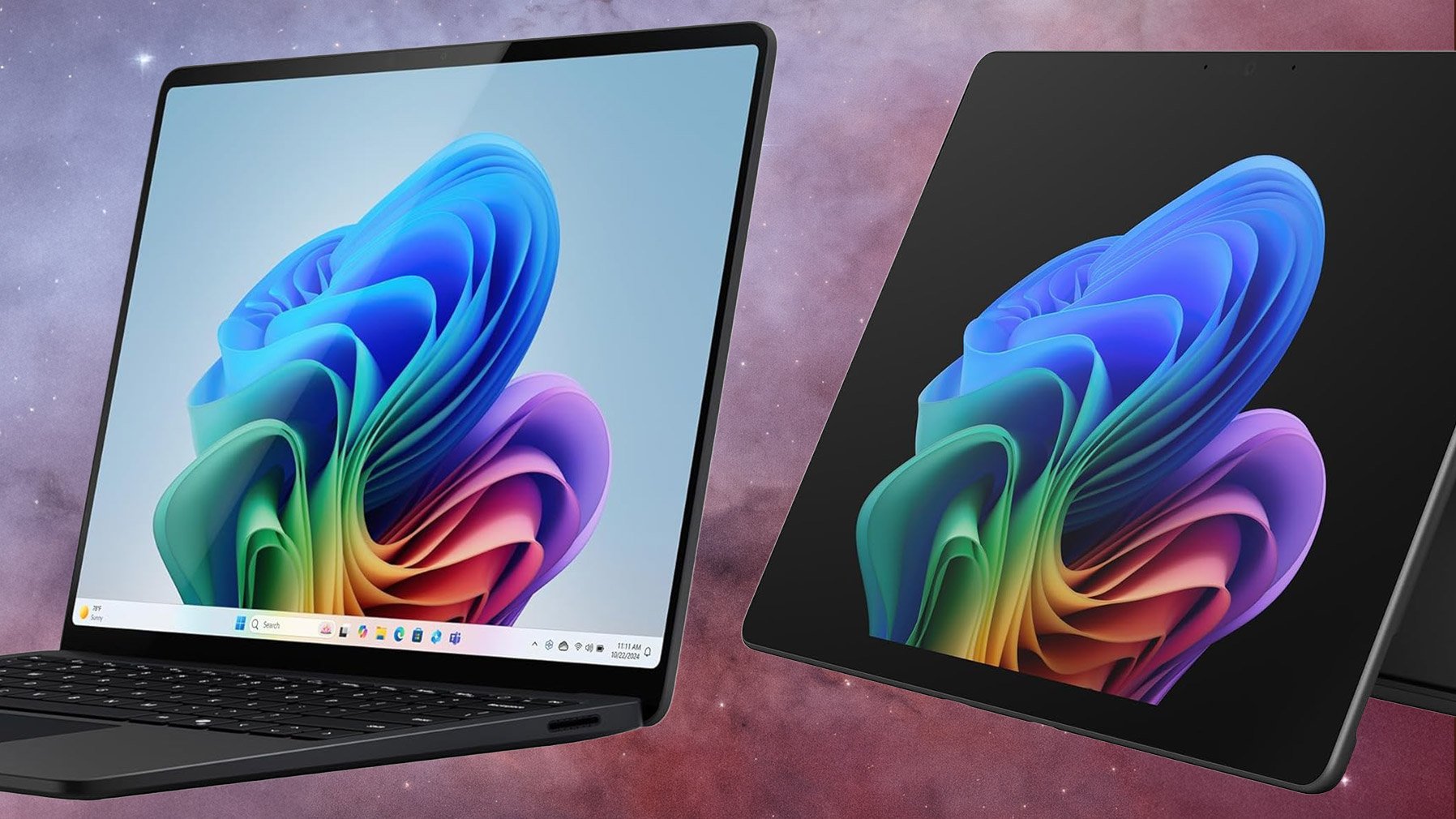
Microsoft Surface Laptop (2026): $1,329.97 (was $1,699.99)
Microsoft Surface Laptop (2026) $1,329.97 (was $1,699.99)
A Snapdragon X2 Elite touchscreen laptop, for Prime members
A 13.8-inch touchscreen, Qualcomm’s Snapdragon X2 Elite chip, 16GB of memory and a 512GB SSD are what $1,329.97 buys in the 2026 Surface Laptop. That’s $370 off its $1,699.99 list price, and the listing rates the battery for up to 20 hours of video playback. Snapdragon machines run the Arm version of Windows 11, so check that any older software you rely on runs on Arm.
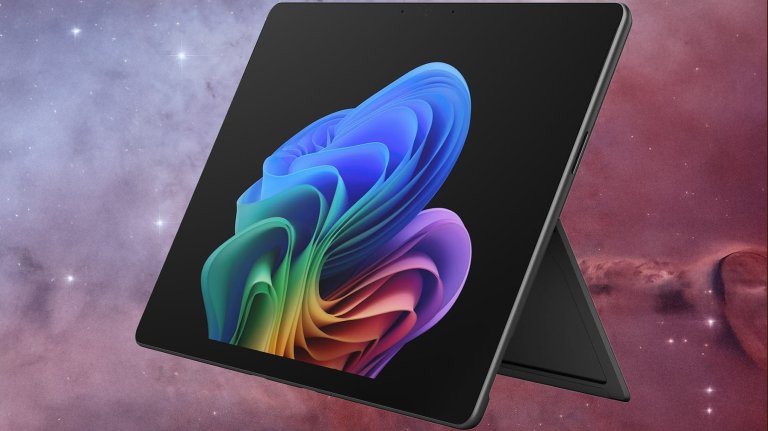
Microsoft Surface Pro (2026): $1,599.99 (was $2,099.99)
Microsoft Surface Pro (2026) $1,599.99 (was $2,099.99)
Microsoft’s Surface Pro (2026) pairs a 13-inch OLED screen with the same Snapdragon X2 Elite chip, plus 16GB of memory and 1TB of storage, according to the listing. At $1,599.99 it’s $500 off its $2,099.99 list price.
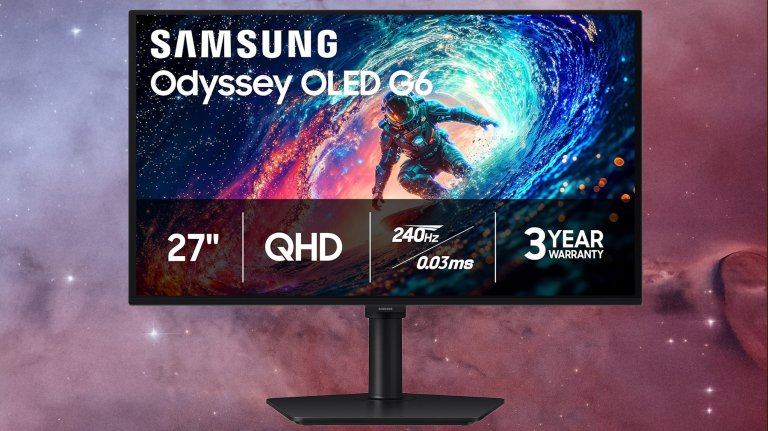
OLED pixels switch off completely to create intense black levels, which is the reason to pick the Samsung 27-inch Odyssey OLED G6 (G61SH) over the IPS monitors further down. It’s $384.99, $215 under its list price, and Amazon’s listing flags it as the lowest price in 30 days. Samsung’s listing calls it a QD-OLED panel at QHD (1440p) with a 240Hz refresh rate.
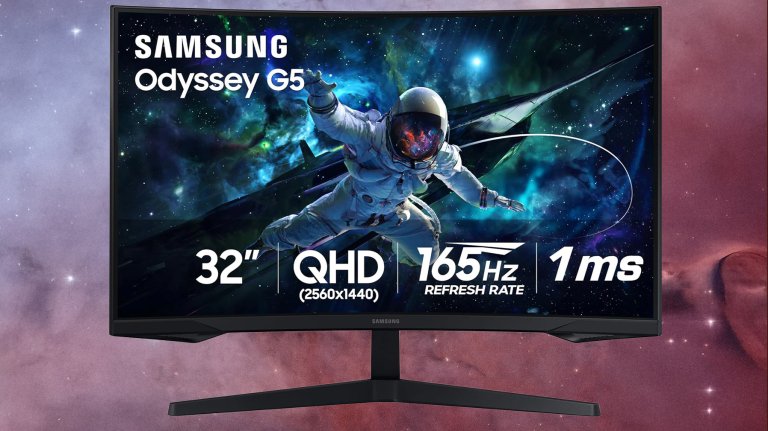
A 32-inch QHD gaming screen for under $200 is a solid deal. The Samsung 32-inch Odyssey G55C fits that description at $189.99, $140 under its list price. Samsung lists a 1000R curve, so the edges of a screen this wide turn back toward your eyes at desk distance. QHD is 2560 x 1440, a real step up in sharpness from a 1080p panel at 32 inches.
Laptop deals
The Lenovo Slim 7i Aura Edition is $999.99 with a 14-inch OLED screen and Intel’s Core Ultra 7 256V, and the Acer Predator Helios Neo 14 is $1,699.99 with an RTX 5070 and 32GB of memory. The MSI Cyborg 17 listing shows a delivery window of Oct. 20 to Nov. 4.
When do the Prime Big Deal Days laptop and monitor deals end?
Prime Big Deal Days ends at 2:59am ET on Thursday, October 8. The Surface Laptop (2026) and most of the other deals here carried an Amazon countdown timer when we checked Wednesday evening, but the Samsung Odyssey OLED G6 listing showed no end time.
Should I buy a laptop now or wait for Black Friday?
The Surface Laptop (2026) is $1,329.97 on Amazon right now, $370 under its $1,699.99 list price, and that Prime member price runs only through the end of Prime Big Deal Days at 2:59am ET Thursday.
Whenever the time comes around to upgrade your phone, tablet, or laptop, you don’t necessarily have to go for the latest (and most expensive) model. You can take the refurbished route instead.
Refurbished tech sits somewhere between brand new and used, although the exact definition depends on where you’re buying from. Typically, these devices will have been returned after a certain period of use, though the length of that period and the extent of the use can vary from gadget to gadget.
What you always get with refurbished devices is a guarantee that they’ve been professionally inspected, cleaned up, and (where necessary) repaired. They’ll come with a warranty of sorts too, so you can be confident they’re not going to fail out of the box. They are often a year or two (at least) behind the latest gadget releases as well.
Crucially, these items will cost you significantly less than buying new, and there’s a good chance they’ll last almost as long too. At the very least, it’s worth looking around to check out current models and prices—here’s how to do it.
The best refurbished tech you can buy
Phones are pretty much the perfect gadget if you’re wanting to take the refurbished route. A constant, annual cycle of new models hitting the market means old models being sold on, and lots of different places to buy from. Any refurbished marketplace you come across will likely have a phones section. You can throw in tablets here too, which are again regularly updated and widely available.
What’s more, year-on-year phone and tablet upgrades are more iterative than they used to be. You’re not really missing out too much by having a phone design or a tablet spec that’s a year or two old—these devices are well supported with software updates for many years by Apple, Google, Samsung, and other manufacturers. That means you don’t need to worry about your refurbished bargain becoming obsolete soon after you’ve bought it.
Laptops are another product category well suited to being refurbished. There’s an even greater choice than with phones and tablets when it comes to specs, designs, and screen sizes, which means you’re likely to be able to find something that fits your requirements without too much searching.
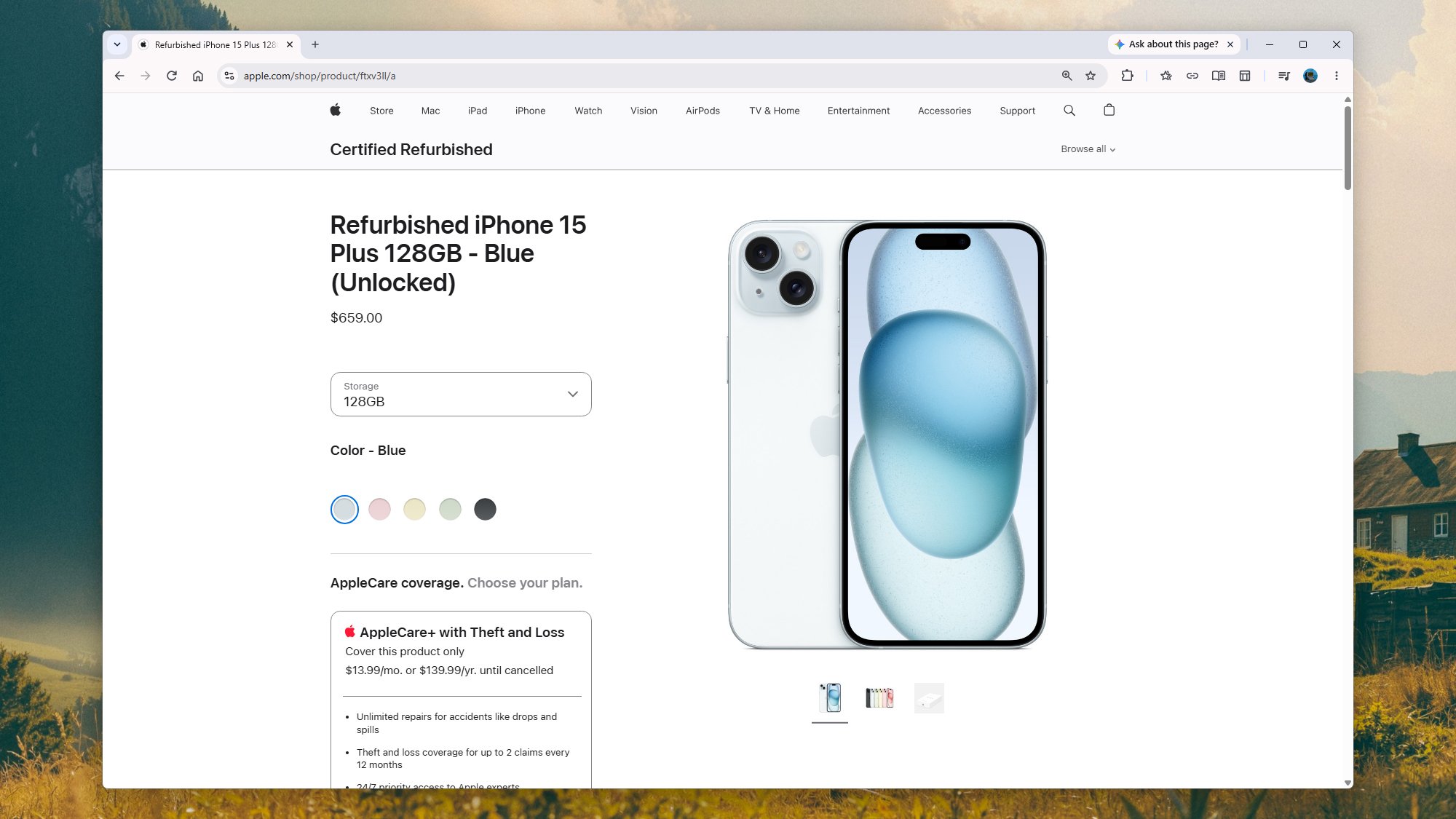
Apple will sell you refurbished iPhones directly. Screenshot: Apple
Games consoles can be bought refurbished too. Here the refresh cycle is much slower—there were seven years between the PS4 and the PS5, and we’re still waiting for the PS6—so you’re not really buying outdated tech, just pre-owned. Older consoles often show up on refurb portals as well, if you want to do some retro gaming.
The tricks to finding a good refurbished gadget deal are all common sense: Buy from a reputable outlet (see below), look particularly closely at the details given for the item condition and the included warranty, and shop around several sites for the best deal.
Give some thought to timing as well. Phones in particular are usually released on a predictable schedule—Google, Samsung, Apple, and others all tend to launch new handsets at the same time each year. So if you’re hearing rumors about product refreshes, you might want to wait until they’ve arrived. It’s always going to have a knock-on effect on the refurbished market, and you might be able to get a later model.
Where to find the best refurbished tech
There are plenty of places to find refurbished tech online, which tells you that plenty of shoppers see the appeal—and gives you the chance to compare prices and save as much money as you can. To begin with, Apple, Google, and Samsung all have official stores for refurbished tech, with one-year warranties as standard.
If you’re looking at third-party refurbished tech stores, BackMarket has one of the widest range of gadgets. You’ll find phones, tablets, laptops, consoles, speakers, headphones, smartwatches and more here, and some significant discounts too. As well as a one-year warranty as standard, the site also has a free 30-day returns policy, in case you change your mind about what you’ve bought.
Don’t discount eBay from your searches either. Yes, there are lots of individuals selling old tech here that’s way past its best, but there are also real manufacturers and reliable third-party stores selling refurbished kit through the portal too, covering every category you can imagine—one way to get started on your refurb search is to click the Brand Outlet link at the top, though you can also run a general search.
BackMarket offers a wide range of refurbished tech. Screenshot: Backmarket
Then there’s Swappa, which is another well-respected source of refurbished gadgets. It has a mix of used and refurbished items, and a mix of individuals and professional tech sellers, so be sure to read the listings carefully to know what you’re getting. Reassuringly, all the listings are reviewed by Swappa staff, and the condition of gadgets (plus details of any warranty) have to be clearly stated.
Also worth a look is Amazon Renewed, especially if you’re already used to the Amazon shopping experience, because everything works in the same way. The condition of items and the warranties attached to them can vary, but everything comes with a 90-day guarantee window for returning items if you need to.
Ideally, it’s best to be checking multiple different sites in your search for the best refurbished tech—there isn’t the same consistency of pricing as you’ll find on something that’s brand new, so you can compare different offers against each other (just be sure to check on what else you get for the price, in terms of returns policies and extras).
Auf YouTube findest du die angesagtesten Videos und Tracks. Außerdem kannst du eigene Inhalte hochladen und mit Freunden oder gleich der ganzen Welt teilen.
Nvidia has released a free tool that will enable users to build an AI inferencing cluster from disparate PCs on the same network, accessible from a single interface.
Released as a beta, Nvidia Personal AI router (PAIR) connects devices running Windows, macOS or Linux to process AI inferencing workloads privately.
While the system is aimed primarily at home users, it could find favour with enterprises looking to put idle desktop compute capacity to use.
PAIR works with DGX Spark desktop supercomputers, PCs containing RTX GPUs, and some MacOS devices. The systems in the cluster run tasks in parallel, but PAIR does not turn them into a virtual GPU, Nvidia said.
David Pogue’s authoring style turns Apple: The First 50 Years turns what could have been names and dates into a richly illustrated journey through Apple’s successes, failures, products, personalities, and untold stories. The print edition combines rare photos with approachable narratives and clever sidebars, while David’s audiobook narration, musical touches, and energetic performance add a different dimension to the story, making the audio edition a must-listen. Get both to have the full experience.
This edition of Foreshadowing Tech considers how so many AI speculations from Colossus: The Forbin Project have come true in both surprising and subtle ways. Regular panelists Chuck Joiner, Marty Jencius, Jeff Gamet, are joined by guest AI enthusiast Jill McKinley to look at how the film predicted things like machine autonomy, surveillance, privacy and self-improving systems. Wrapped in a thriller that is as much political as it is tech, there are questions about freedom and security that we have yet to address today. The panel mixes film trivia, tech analysis, and unsettling parallels to today’s AI debates in a thoughtful discussion.
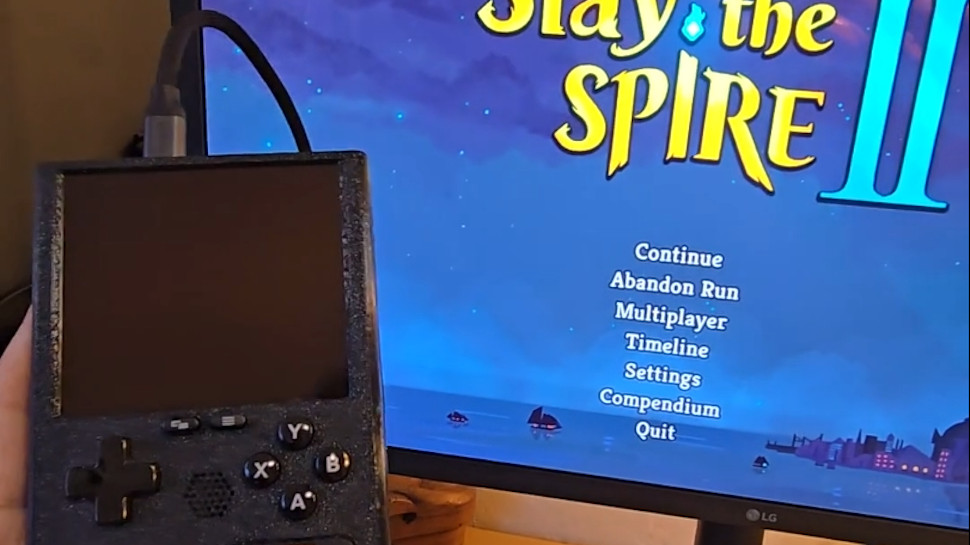
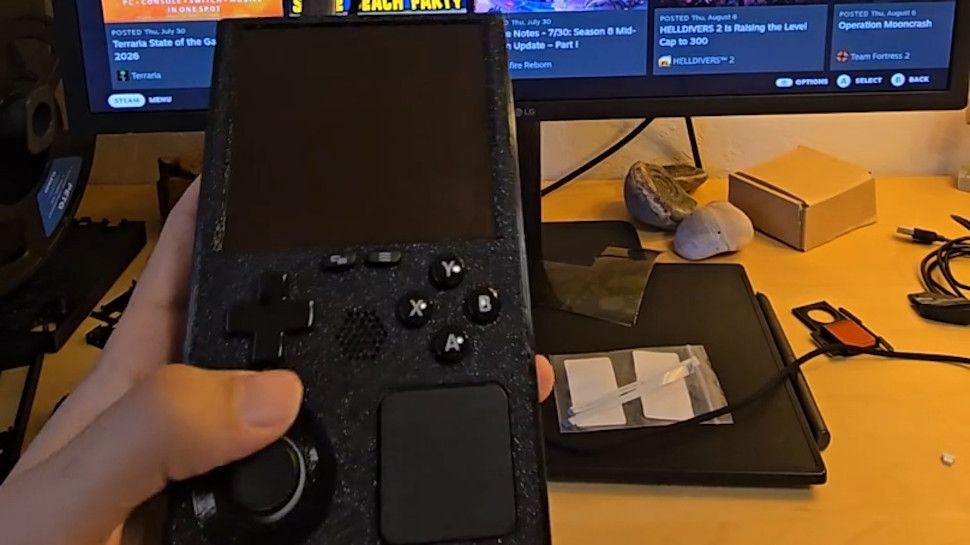
A modder has taken the innards of a Steam Deck and put them into a Game Boy-style case
The end result is the 'SteamBoy', although it's not quite finished (the screen doesn't yet work)
There's a lot of excitement about this DIY project, and some gamers have even said they'd be keen to buy a retro handheld like this
Ever wished the Steam Deck looked a bit more retro — or indeed a lot more retro? Meet the 'SteamBoy', which takes the innards of Valve's handheld and transplants them into a case styled on the Game Boy.
The SteamBoy uses the motherboard, controller, buttons, speakers, and battery from the Steam Deck, fitting the components into a case which the maker says is the same dimensions as an original Game Boy, with a thickness of 32mm (yes, it's thick).
PhyFawkes explains: "The battery is the original battery, and it basically takes up the whole width of the device on the inside. It's sandwiched between the motherboard and the display. The motherboard and controller boards are completely intact as well."
The only element that isn't functional yet is the screen, so this device is still a work in progress. The Redditor has demonstrated it working on an external monitor, though.
Analysis: next stop Kickstarter?
(Image credit: PhyFawkes on Reddit)
The snag with getting the screen going is that the motherboard firmware reports the display properties directly to SteamOS, and so the firmware details must be updated with the info for the new screen. The Redditor says it hopefully it won't take too long to sort this out.
Another part of the recipe that's missing is the triggers, but PhyFawkes says that they might be able to add them eventually, but that space constraints with the case could make this too tricky a proposition.
Apparently the handheld runs cool enough with some slight under-volting. All in all, this a very smart-looking project, and I'm seriously impressed. The case itself is 3D-printed, with the Redditor noting that they're going to provide the details on how to make one for those who might want to try their hand at this enterprising piece of handheld DIY.
Of course, constructing something like this is well beyond the scope of your average gamer, and there are fans of this concept out there who'd be willing to pay money for a SteamBoy of their own. Plenty of them, in fact, as the reception for this project has been nothing short of glowing.
As someone on Reddit put it: "This is legitimately so cool. I would totally back something like this on Kickstarter."
Novel squat Android opens to an iPad-like screen for video or multitasking, with plenty of power and battery life
Samsung’s latest folding phone breaks the mould with a squat, passport-like shape reminiscent of the Blackberry, which opens up to become a tablet similar to an iPad mini. It is certainly a better shape for a tablet than other designs, but is a short and wide phone when closed a compromise too far?
The Galaxy Z Fold 8 is an entirely new variant in Samsung’s foldable family for this year launched alongside the Z Fold 8 Ultra with a more familiar candy bar shape. Both folders are extremely expensive, with the Fold 8 starting at £1,699 (€1,999/$1,899.99/A$2,699) and the Fold 8 Ultra at £1,899 (€2,199/$2,099.99/A$2,999), with RAMageddon driving up prices even at the top of the market.
I was fourteen or so when I went to the Gadget Show Live (once a big tech event in the UK which showed off the latest technology) in 2016 as a punter and overheard someone on a stand I'd visited mention they'd spent £1,000 on a custom gaming PC.
A thousand pounds. On a computer. I remember turning that figure over in my head (it's roughly $1,400) and not quite being able to make sense of it, not necessarily because I couldn't fathom how much money that was, but because at the time, it seemed like a lot of money to spend on a PC without any frame of reference as to what that price got you.
As it turned out, £1,000 would have bought you an upper mid-range system back then, and speccing a top-end system of the time would have added an awful lot more to my 'dream budget'. A properly specced 3XS system built around Intel's then-flagship Kaby Lake processor, the Core i7-7700K, and an Nvidia GeForce GTX 1080, would set you back around £1,700 including VAT.
Nvidia went one further with the venerable GTX 1080 Ti, which arrived in March 2017. It immediately became the card every serious PC gamer wanted, and pushed that high price even higher. Nonetheless, you still got an entire top-of-the-range PC for that price.
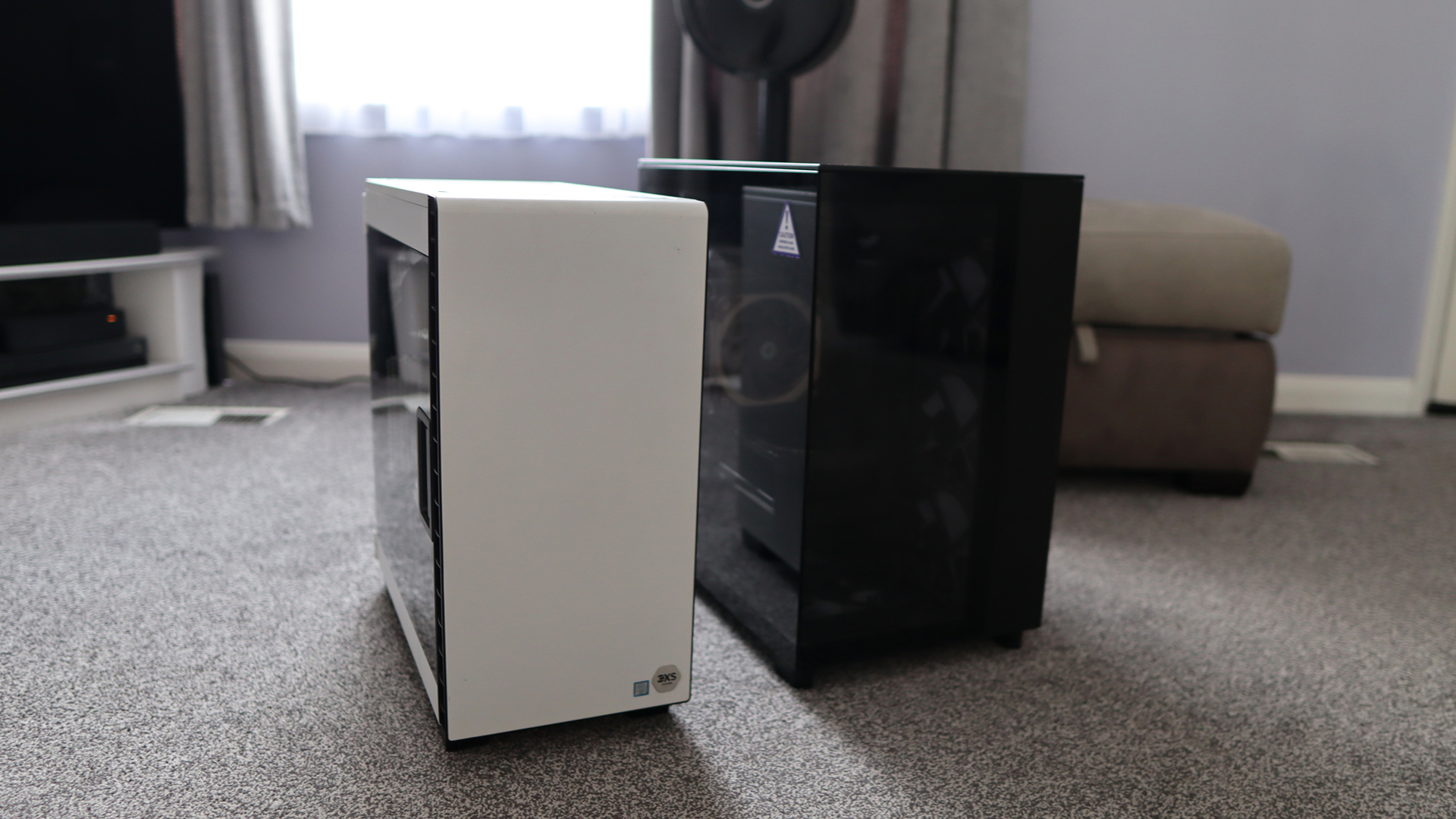
(Image credit: Future)
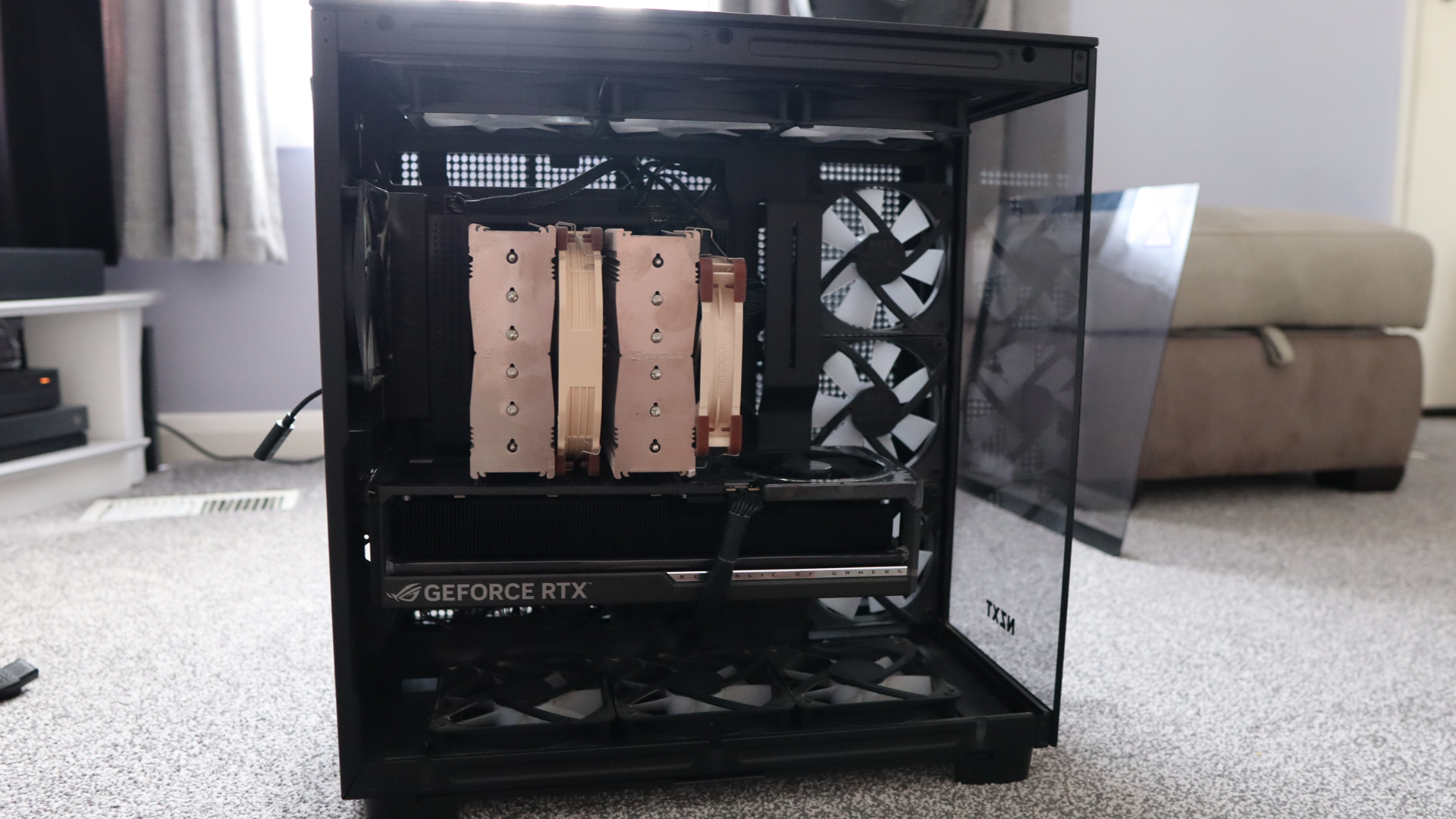
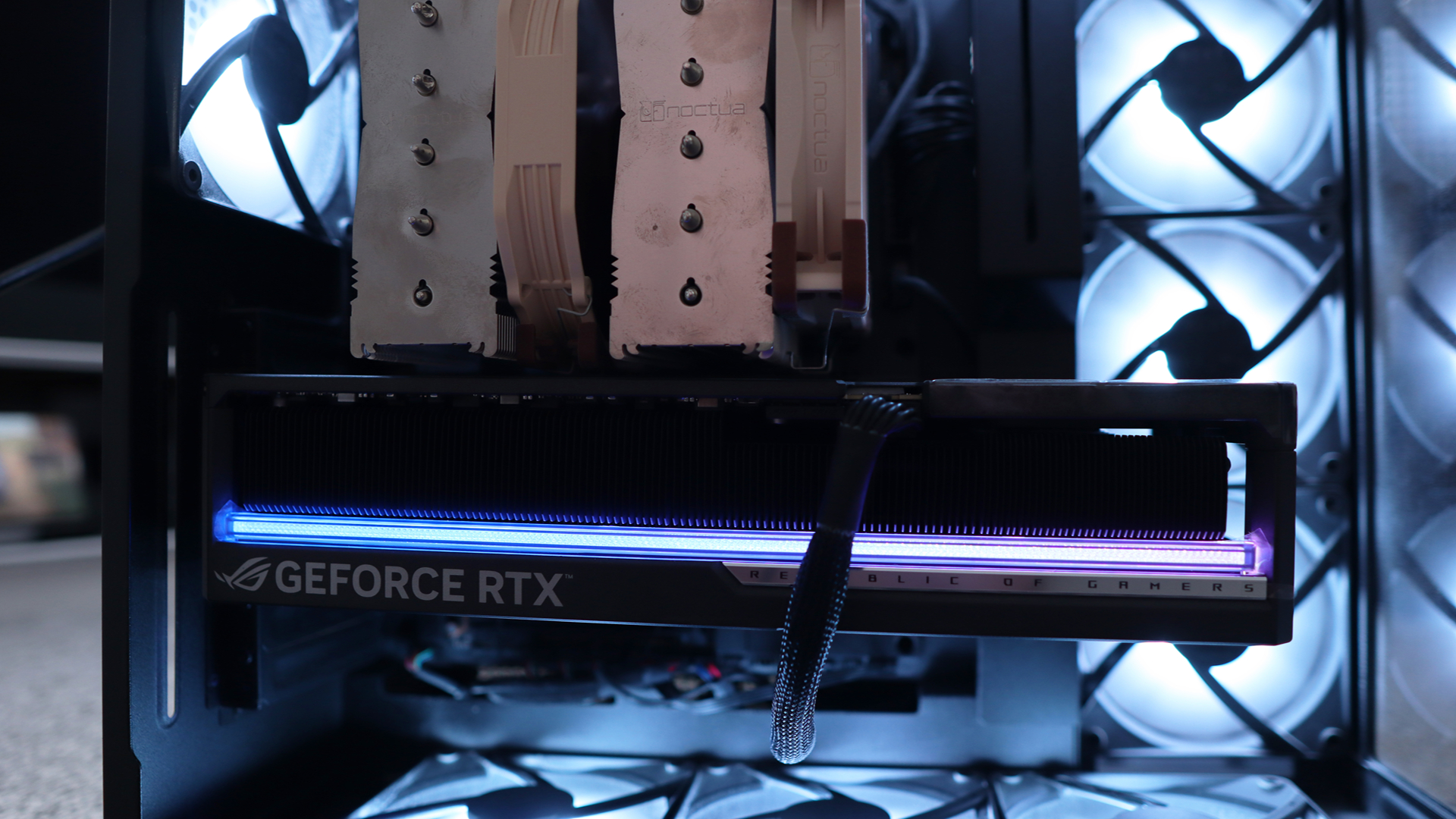
Here's what's strange about that number in 2026: it's roughly what you'd pay for a flagship graphics card alone. Nvidia's RTX 5090 should retail for roughly in line with what this entire PC cost, although the Asus ROG RTX 5090 Astral I've got for testing is over double the RRP of this PC, even taking inflation into account.
Intriguingly, the GPU that was the ceiling of consumer ambition in 2017 is now, in isolation, cheaper than a mid-range graphics card in 2026. Nvidia's GTX 1080 Ti launched at £699 / $699 (about AU$930); the RTX 5090 launched at £1,799, at least for the Founder's Edition card.
That's not a like-for-like comparison — flagship GPU pricing has always been a law unto itself — but it does tell you something about the economic difference between these two moments in PC gaming history.
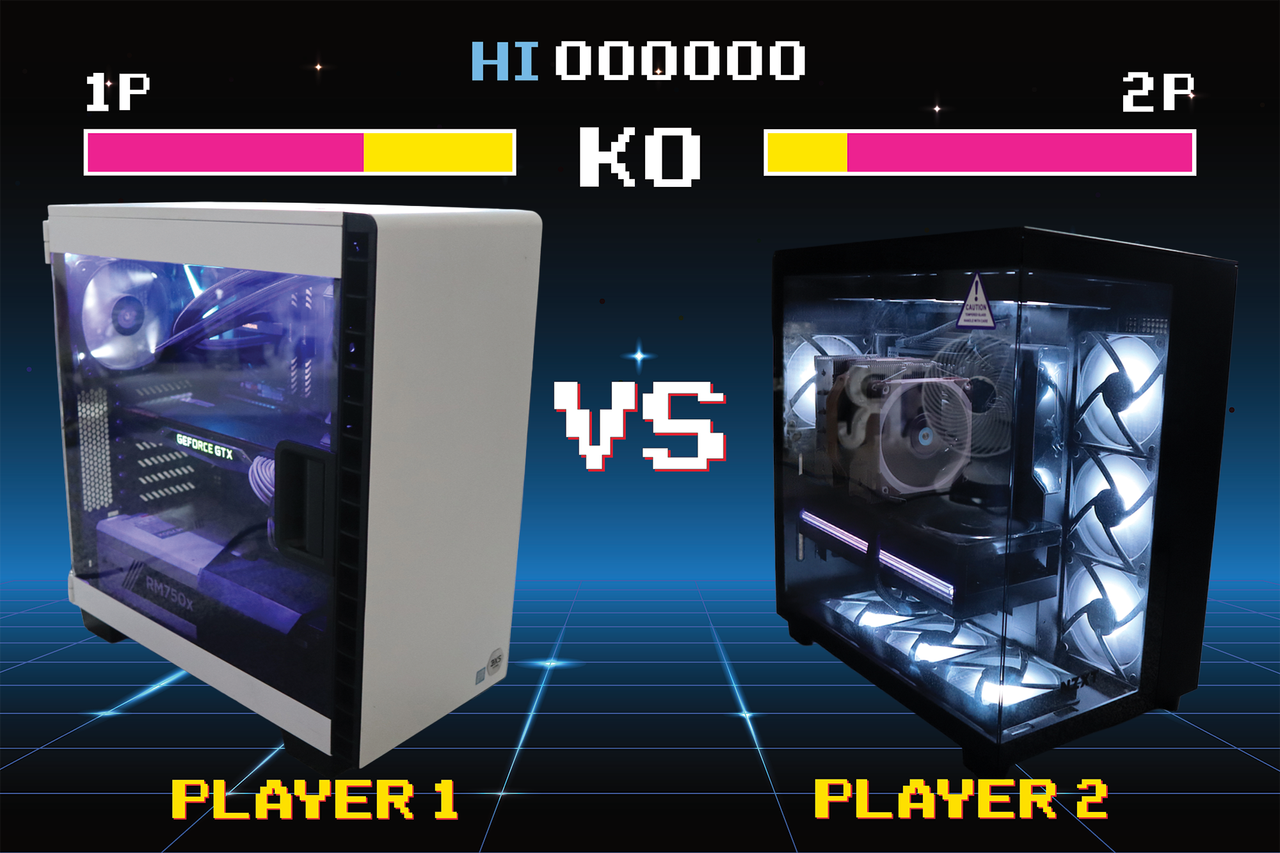
Now, Scan has sent me that exact system, and I've plonked the GTX 1080 Ti Founder's Edition inside, and I've been running it alongside my own high-spec rig, with an RTX 5090 added for good measure, to see how the decade-old dream holds up.
What £1,700 bought you nearly a decade ago
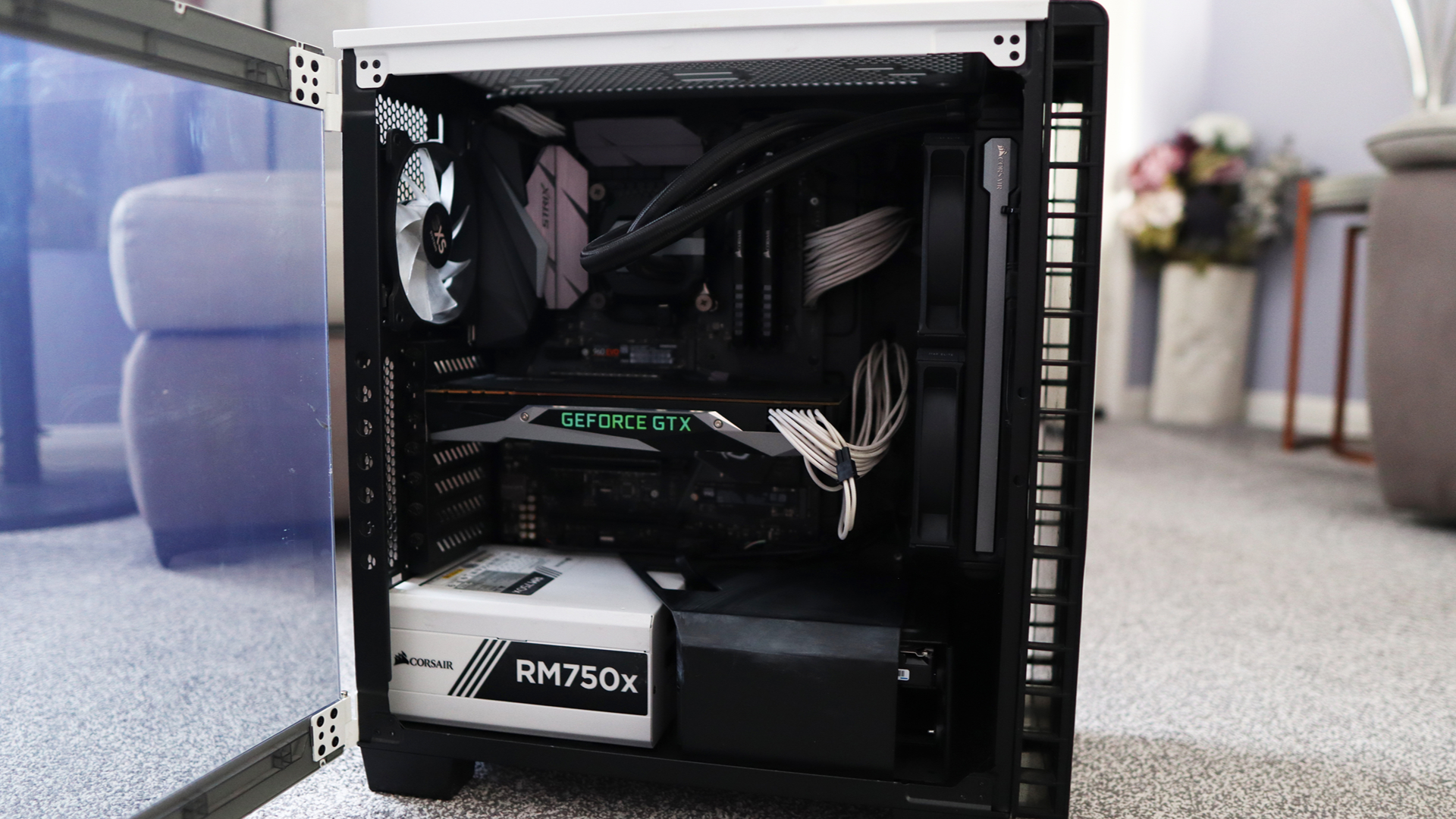
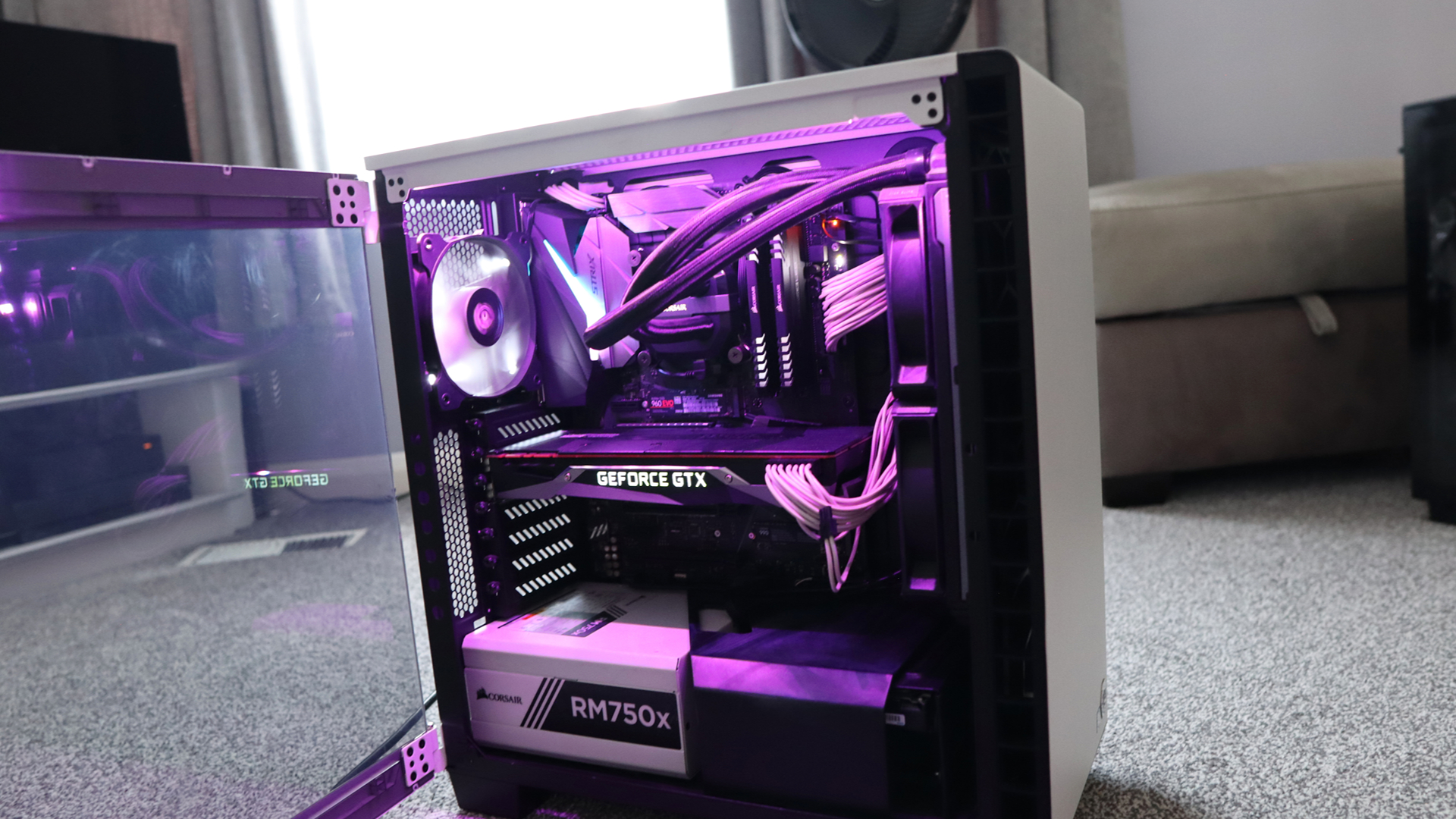
Here's the entire spec sheet of the 3XS PC that Scan sent my way with the GPU swapped out:
CPU: Intel Core i7-7700K
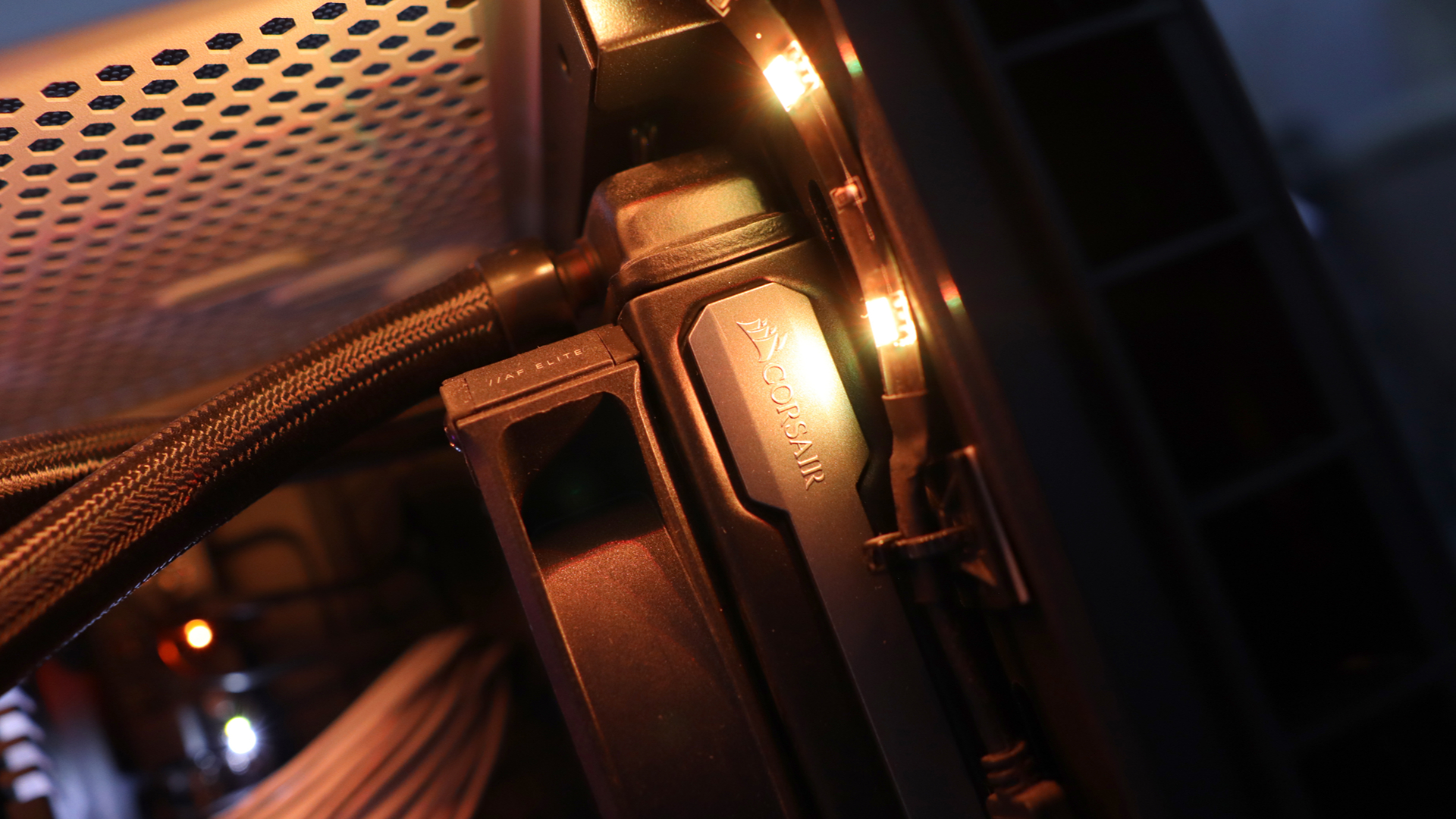
Cooler: Corsair 240mm AIO
GPU: Nvidia GTX 1080 Ti Founder's Edition
RAM: Corsair Vengeance LED 16GB DDR4-3000
SSD: Samsung 960 Evo 250GB SSD (supplemented with a further 1TB SSD for game storage in my case)
Motherboard: Asus ROG Strix Z270F Gaming
PSU: Corsair RM750x 750W White
Case: Corsair Carbide 400C in white
On first impressions, I'm a fan of the Corsair Carbide 400C case, feeling it to be a quieter and more considered choice than a lot of the RGB-laden alternatives that were becoming increasingly common at the time. Coming in white adds a bit of style to proceedings, and it seems roomy enough for the build on offer here. The hinged door with glass window is a nice touch, too.
Inside, the Asus ROG Strix Z270F Gaming motherboard is decently feature-rich and adds a smattering of RGB in the top corner to sit alongside the white LEDs of the RAM and the stock case fan inside. The Samsung 960 Evo SSD would have been top spec at the time, but is the one component that feels particularly outdated. It's a fast, capable boot drive, but is easily filled up with a modern Windows 11 installation and a game or two. Back in 2017, you'd have definitely wanted a hard drive installed as well.
(Image credit: Future)
Then there's the GTX 1080 Ti Founder's Edition. Nvidia's reference cooler on the Ti was a meaningful step up from the blower-style designs of previous generations, with an open dual-fan layout that kept temperatures in check. It's a handsome card even by today's standards and feels more restrained than the AIB partner designs that surrounded it. Holding it in 2026 feels like handling something from a very specific and rather significant chapter in GPU history, given its legendary status.
The 1080 Ti has a reputation that outlasted the hardware cycle it was supposed to belong to. When Nvidia's RTX 2080 Ti arrived in 2018, it brought ray tracing and a steeper price — and offered only a slight bump in rasterisation performance that most 1080 Ti owners looked at the cost of upgrading and decided against it. Even now, folks are asking how good this card is today, which is testament to its performance - and indeed its reputation.
A modern point of reference
Of course, benchmark numbers are no good in isolation, so for comparison's sake, I'm putting the Scan system against my own personal gaming rig, with the added boost of the RTX 5090. Usually it'd be an RTX 4080 Super, but for a 'dream PC' angle, I needed to go with the modern dream. Here it is in terms of specs:
That isn't too bad of a PC if I do say so myself, and yes, I could use faster RAM or a beefier AMD processor if I wanted to eke out as much performance as possible, but I haven't seen fit to upgrade just yet.
(Image credit: Future)
Benchmarking methodology
To see how this 2017-era PC performs in the big 2026, I thought it might be fun to run it through a range of games – both ones that are contemporaries of the system and some slightly more modern titles that might push it quite hard. I've also put it through a range of modern benchmark tests to gauge performance against the newer hardware.
To Scan's credit, the machine came running the latest version of Windows 11 25H2 and Nvidia's latest driver release for GTX 10-series desktop cards, driver 582.66, which was a security update released in June 2026.
I've also elected to run games hooked up to my 4K QD-OLED monitor to see how far we can really push this Scan system, running at 1080p, 1440p and 4K to give you a full picture. The RTX 5090 system has also been put through the same tests, as close as possible, to give some comparable results and a frame of reference.
Testing 2017-era games
Firstly, I thought it was correct to run the Scan system through some games that would be period-correct for the time this PC was released to give an idea of a baseline. All four titles were run at their maximum settings, for reference.
Far Cry 5 seemed an ideal first candidate, being from 2018, and at the Ultra preset with HD textures enabled, it managed a 113fps average at 1080p. Going up to 1440p pushed things to 95fps, proving some surprisingly playable results. It was only when I got up to 4K that things dipped immensely, with a 50fps average. For reference, the RTX 5090 system hit 186fps at 4K, which tells you something about how much the goalposts have moved.
I followed this up with the original Dirt Rally, a game that relies on a strong CPU to help alongside the 1080 Ti, so the Core i7-7700K has to do a fair bit of heavy lifting. At the Ultra preset, the 1080 Ti managed 127fps at 1080p and 126fps at 1440p — results so close together that the GPU clearly isn't the bottleneck at either resolution; the 7700K is setting the ceiling, and it's holding it pretty well. At 4K, the GPU gets more of a say, and results come in at a still-reasonable 79fps.
(Image credit: Ubisoft)
However, this revealed one of the bigger gulfs between the older system and my more modern option. The RTX 5090 system managed 304fps at 1080p, 267fps at 1440p, and 225fps at 4K — numbers so high they serve as a reminder of how differently the two machines interpret the same game.
The original Hitman, which uses DirectX 12 at maximum settings, returned 128fps at 1080p, 106fps at 1440p, and 59.5fps at 4K. The RTX 5090 system managed 203fps at 1080p, 191fps at 1440p, and 186fps at 4K — again, the gap narrowing considerably at lower resolutions before opening up at 4K.
I'd argue Rise of the Tomb Raider is the 1080 Ti's finest hour in this period-correct lineup. Running at the Very High preset in DirectX 12, it returned 144fps at 1080p and 110fps at 1440p. These are numbers that would have felt sky-high at the time and still feel impressive today. Even at 4K, the 59.7fps result is the most modern-feeling 4K figure of the four period titles, suggesting this is a game the 1080 Ti was particularly well-matched for, and a near-60fps average provides some very playable results even today.
(Image credit: Future)
That is, until you get the RTX 5090 involved – it posted 316fps, 302fps, and 281fps across the three resolutions in Rise of the Tomb Raider.
Trying newer games
The older game results paint a flattering picture of the 1080 Ti. However, modern titles are much less kind, as you might expect.
My first port of call was Cyberpunk 2077, perhaps this generation's Crysis equivalent, as it can be quite a demanding title for a range of systems. For the 1080 Ti, at the Ultra preset without any upscaling, it managed 52fps at 1080p — passable, if not quite the experience the game deserves — while 1440p dropped to 32fps, and 4K delivered a deeply unimpressive 13.9fps. Enabling FSR 2.1 Quality improved things to 62fps, 41fps, and 20.5fps across the three resolutions respectively, which at least makes 1080p feel workable.
Beyond that, it's a significant compromise. Ray tracing isn't an option here at all — the 1080 Ti simply has not got the hardware for it, and that means for 2026's most demanding titles, including Indiana Jones & The Great Circle that require hardware-based ray-tracing to even run, you won't be able to play them at all.
(Image credit: CD Projekt Red)
The RTX 5090, by contrast, ran the Ultra preset at 173fps, 148fps, and 116fps natively. Plus, a more modern card supplements its raw power with Nvidia's DLSS upscaler and fully-fledged RT performance. With DLSS Transformer enabled, those numbers climbed to 183fps, 170fps, and 167fps. With a combination of Cyberpunk 2077 at its RT: Ultra preset with DLSS Transformer enabled, it managed 130fps, 129fps, and 125fps at 1080p, 1440p, and 4K respectively. The gap between these two machines in Cyberpunk 2077 is the widest in my entire test suite, and the most instructive.
This is especially true when you take the multi-frame-gen tech Nvidia has put into these new Blackwell cards, acting as a multiplier for 'fake frames' for a smoother feeling experience, as long as you're starting with a solid enough base frame rate so too much latency isn't introduced. With the RT: Ultra preset, and the MFG multiplier set to 4x, the RTX 5090 system managed 511fps at 1080p, 452fps at 1440p and 355fps at 4K, widening the gulf even further.
Returnal tells a similar story for this matchup. The Epic preset returned 57fps at 1080p, 45fps at 1440p, and 27fps at 4K — the 1080p result is playable, but Returnal's fast-paced action makes anything below 60fps feel like a handicap, and 27fps at 4K is below any reasonable threshold. The RTX 5090 managed 231fps, 207fps, and 147fps at the same resolutions. In a game built around sharp reactions and split-second timing, that headroom matters more than in most.
(Image credit: Future)
Moving over to Rainbow Six Extraction, I had higher hopes for a more modern eSports-type title. The default Ultra preset includes a Dynamic resolution of 25-100% of the selected one, which is how I left it, revealing 126fps at 1080p, 85fps at 1440p, and a genuinely solid 66fps at 4K. It's the most comfortable the 1080 Ti looks across this entire modern test suite, and a reminder that there are modern titles that aren't particularly demanding, which are still playable on older hardware.
Meanwhile the RTX 5090-equipped modern PC scored 461fps at 1080p, 405fps at 1440p, and 272fps at 4K, and prove the benefit of the bevvy of high refresh rate OLED screens we've begun to see in recent years when paired with such powerful hardware.
For one final test, I thought it'd be interesting to try a super up-to-date Unreal Engine 5-based title in Black Myth Wukong, as one of the few titles that doesn't need any hardware-based ray-tracing, unlike a lot of its contemporaries.
I elected to step down to the Very High preset, with FSR enabled (with a resolution scale of 33 for 4K, 49 for 1440p and 66 for 1080p) and frame-gen on. The result was 46fps at 1080p, 44fps at 1440p, and 40fps at 4K, which make for some remarkably consistent numbers across different resolutions that make it clear that frame-gen is doing some form of heavy lifting to keep the output FPS so stable. The RTX 5090 managed 120fps, 122fps, and 119fps with the same settings.
Synthetic benchmark time!
The synthetic benchmarks tell a predictable story. The 7700K holds up reasonably well in single-core workloads — the gap to the 7800X3D is meaningful but not embarrassing, and is somewhere in the region of 50% depending on which test you trust.
Multi-threaded performance is a different matter, though, where nearly a decade of core count increases and architectural progress make the comparison increasingly one-sided.
On the GPU side, the picture is more interesting. In 3DMark Fire Strike — a DirectX 11 test that's broadly representative of the conditions the 1080 Ti was designed around — the RTX 5090 leads by roughly three time. Push to Fire Strike Ultra at 4K, and that becomes nearly five times, and the Time Spy results, which move into DirectX 12 territory, tell the same story: a 4x gap at 1440p becoming 4.6x at the Extreme variant.
The 1080 Ti doesn't just lose ground to newer hardware — it loses it disproportionately as resolution and API demands increase, which is worth keeping in mind as we come to a judgement on this entire system.
Intel Core i7-7700K + Nvidia GTX 1080 Ti FE
AMD Ryzen 7 7800X3D + Nvidia RTX 5090
Geekbench 6
1,643 (Single) 5,484 (Multi)
2,691 (Single) 14,911 (Multi)
Cinebench R23
1,204 (Single) 6,038 (Multi)
1,763 (Single) 17,541 (Multi)
3DMark Fire Strike
19,076
55,465
3DMark Fire Strike Ultra
6,241
30,553
3DMark Steel Nomad
1,982
N/A
3DMark Time Spy
7,785
31,075
3DMark Time Spy Extreme
3,627
16,828
Summing up
The comparisons made here make for a fascinating reminder of just how much the PC gaming landscape has changed over the past decade.
In 2017, £1,700 bought you an entire dream machine built around the best consumer graphics hardware money could buy. In 2026, that same sort of money barely gets you through the door for a flagship GPU alone. The economics are strange, but the performance gulf is telling: the RTX 5090 system is several times faster in many of the tests here, especially as resolutions rise and modern rendering technologies come into play.
However, the old Scan system isn't the write-off those numbers might suggest when you drill down. The GTX 1080 Ti and Core i7-7700K remain a remarkably capable pairing in the games they were designed around, with high-refresh-rate 1080p and 1440p gaming still very much within reach for those older titles. Even some newer titles remain playable with sensible settings, although the lack of dedicated ray-tracing hardware and modern AI-assisted upscaling means there are increasingly firm limits to what the system can do.
That perhaps says more about how well balanced the original machine was than anything else. The 1080 Ti earned its legendary reputation because it wasn't merely fast for its time, but rather remained relevant for years afterwards, and even now it can still provide a decent experience in the right games. There are still folks talking about how well it does today, which is a testament to its legacy.
(Image credit: Future)
Admittedly, the rest of the system has aged more unevenly, with the 16GB of DDR4 memory and tiny 250GB boot drive feeling particularly constrained in 2026, but there is still something satisfying about using a PC that once represented the absolute pinnacle of enthusiast gaming so far removed from the original situation.
The modern machine is undeniably better in almost every measurable sense. It's dramatically faster, more capable at 4K, and supported by technologies that simply didn't exist when the GTX 1080 Ti launched. Features such as DLSS, frame generation and hardware-accelerated ray tracing have changed what we expect from a high-end graphics card, while high-refresh-rate OLED displays, such as the one both systems have been hooked up to from Philips, give all that extra performance somewhere meaningful to go.
Still, there is a certain charm to the 2017 system in my book. It represents a point when a top-end gaming PC felt aspirational but not entirely unattainable — when spending £1,700 could buy the whole dream, rather than just the graphics card. The hardware may no longer be cutting-edge, but it hasn't become entirely obsolete either. If anything, testing it against a 2026 flagship proves just how exceptional the GTX 1080 Ti was, and how long a genuinely well-specced gaming PC can remain enjoyable.
The goalposts have moved enormously, but the old dream still has plenty of game left in it.

 Login
Login