Palantir moves AI computing from distant clouds directly into combat zones
Containerized data centers process battlefield intelligence without permanent cloud connectivity
Nvidia B300 accelerators power deployable AI systems for frontline operations
Palantir Technologies and its infrastructure partner Armada have begun deploying mobile data centers built inside standard shipping containers for combat zones.
Each unit carries its own computing hardware, storage arrays, networking gear, and cooling systems needed to run advanced artificial intelligence models.
The servers run on Nvidia's B300 AI accelerators, while Palantir's modular AIP platform links the models directly into operational workflows and other company tools.
Processing power without a constant cloud link
Chad Wahlquist, a Forward Deployed Architect at Palantir Technologies, appeared inside one containerised data center during the July 2026 announcement introducing the mobile computing platform.
Unlike conventional cloud-based systems, these containerized units can process information without maintaining any constant connection to public cloud infrastructure.
They can also be fully isolated from external networks whenever operational security requirements demand a stricter level of separation at all times.
The outcome is a self-contained computing node able to analyze intelligence and sensor data right at the point where it is collected.
Distributed computing also offers stronger resilience than depending entirely on one single, centralized data center to run every operation across a wide area.
Losing contact with the cloud, or even losing one mobile node entirely, would not necessarily shut down the whole system.
Other units could keep processing information locally, since the entire network does not depend on one central point of failure.
Bringing AI closer to the battlefield
For military users, the concept brings advanced artificial intelligence much closer to sensors, field commanders, and units already deployed on the ground.
This reduces dependence on communications links that remain vulnerable to jamming, interception, or outright physical destruction during active combat operations.
Instead of sending every piece of battlefield data back to a distant cloud, analysis can occur inside a deployable container placed close to the action.
Alex Karp, the billionaire co-founder and chief executive of Palantir, has praised Ukraine's wartime innovation cycle as instructive for allies.
He has argued that the war is exposing a widening gap between military theory and the reality of modern combat.
Karp credited Ukrainian engineers and soldiers with adapting battlefield technology at a pace unmatched by most peacetime institutions worldwide.
He suggested that this rapid development cycle is teaching the United States and Europe lessons unavailable in traditional laboratories or think tanks.
Whether these containerized AI systems truly perform as promised under sustained combat stress remains an open question.
As of the time of writing, there is no public independent verification of the technology's actual battlefield performance by Palantir, Armada, or any military partner.
During my years as a TechRadar Homes Editor, I tested an awful lot of vacuums. But the one that's been my constant companion throughout has been the Dyson V15 Detect. It's not a review sample — my partner bought it, and it's the vacuum we've been using at home for the past 21-plus months. It's been used to clean hard tile floors, carpets, lots of stairs, and a whole heap of dog hair.
The V15 is not the newest Dyson vacuum. It came out in 2021 and there are now two newer flagship models: the Gen5detect (launched 2022) and the V16 Piston Animal (2025). However, despite not being the latest-and-greatest, it's still the model that sits atop our best Dyson vacuum guide.
So after nearly two years of regular cleaning with the V15, would I still recommend it? How does it match up against the rest of the best cordless vacuums on the market — and specifically, the newest models from Dyson's great competitor, Shark? Here's my long-term review.
Smooth mover
Let's start with what I love about our Dyson dust-sucker. The suction is excellent, and the Auto mode (where the suction will increase or decrease depending on how much dirt is detected on the floor) is a very welcome addition. I use this mode almost exclusively, and it can be relied upon to do a thorough job of clearing whatever debris has gathered on the floor. I haven't noticed a drop in cleaning performance over our two years of use.
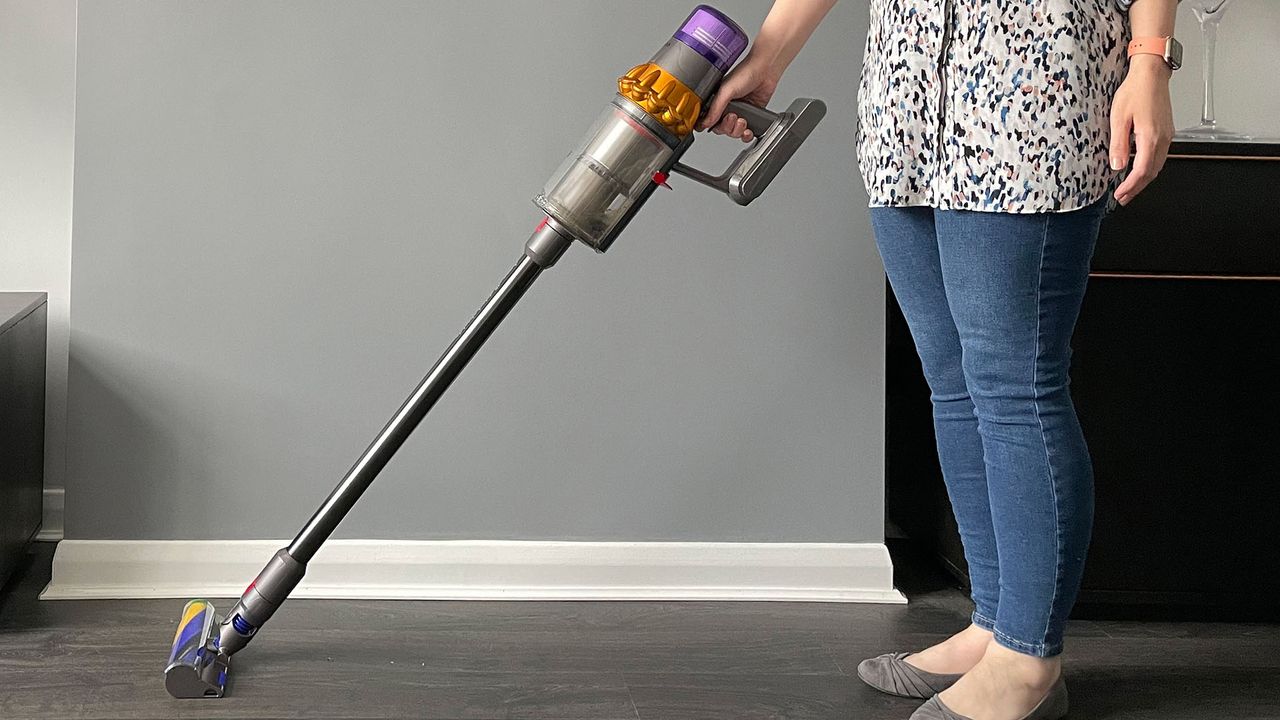
The V15 is also extremely easy to maneuver. Our home has lots of stairs, and plenty of nooks and crannies where dust and hair like to collect and lurk, and the V15 Detect does a great job of getting into all of them. I love how easily and smoothly the head pivots, and the fact it can lie completely flat to the ground for cleaning under beds.
Many of the newest Shark vacuums have a hinge on the vacuum wand, which enables it to bend forwards for cleaning under furniture. It works well, but adds bulk to the wand, and the whole thing is slightly unwieldy in its folded state. For my home, the Dyson setup works perfectly well, but if you're lacking in maneuvering room, perhaps Shark's 'MultiFlex' / 'Flexology' solution would be a better fit.
The hidden crevice tool is a lifesaver in my tall home (Image credit: TechRadar / Sharmishta Sarkar)
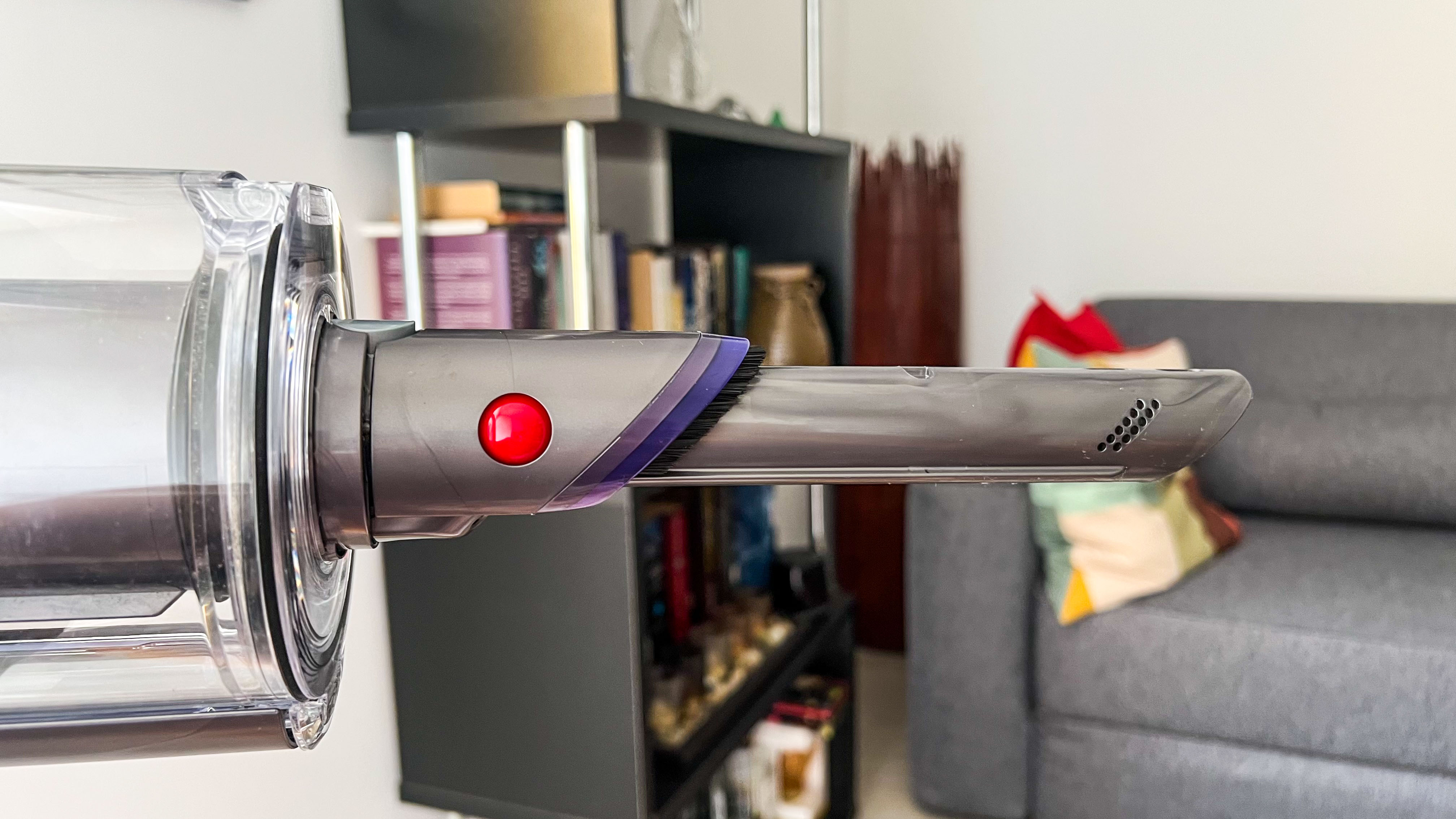
I'm also a huge fan of the Dyson V15's secret crevice tool. It's hidden in the wand, so I'm never without it. Our house is tall and thin, with four floors, and this built-in tool means that if I spot a dusty corner at the top of the house, I don't have to traipse all the way down to the utility room to fetch a detail tool to deal with it. As far as I'm aware, this feature is exclusive to Dyson at the moment.
Having tested a number of vacuums from Dyson and various other brands, I'm always struck by how consistently high quality and well-built the Dyson vacs feel. There's a strong attention to detail in the design, and they feel sturdy and reliable. That's still true of the V15 after nearly two years of use.
Lasers and data
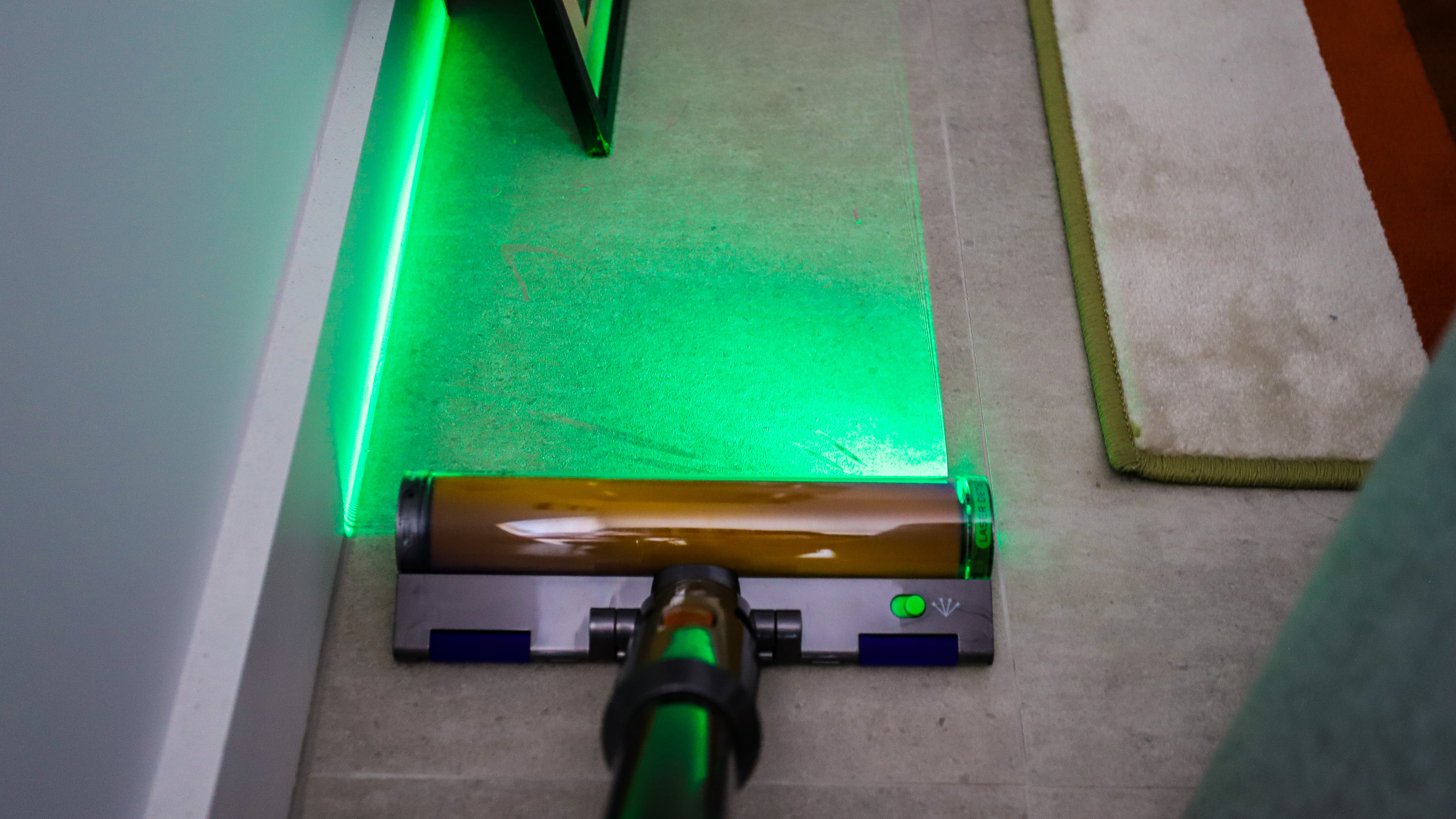
Now on to a couple of features that have divided opinion within my household. The V15 comes with a couple of different floorheads: the Digital motorbar head, which has bristles and is designed for use on any floor type, and the Fluffy optic head, which is entirely soft and built for use on hard flooring. The latter is equipped with a green light to illuminate dust.
I love using the light on the soft floorhead to chase down dust bunnies (Image credit: Future)
I'm very on board with the Fluffy floorhead. I love that it feels gentle on our tiled kitchen floor (and doesn't clatter over it as most vacuum cleaner heads will), and I appreciate the way the light draws attention to dust and hair lurking in dingy corners. I find it very satisfying to then whisk that dust away, and always feel I'm getting a far more thorough clean than I would without this feature.
However, my partner is not so enamored with the Fluffy floorhead. He feels the Digital motorbar floorhead works perfectly well on hard floors, and it's not worth the hassle of swapping the heads over.
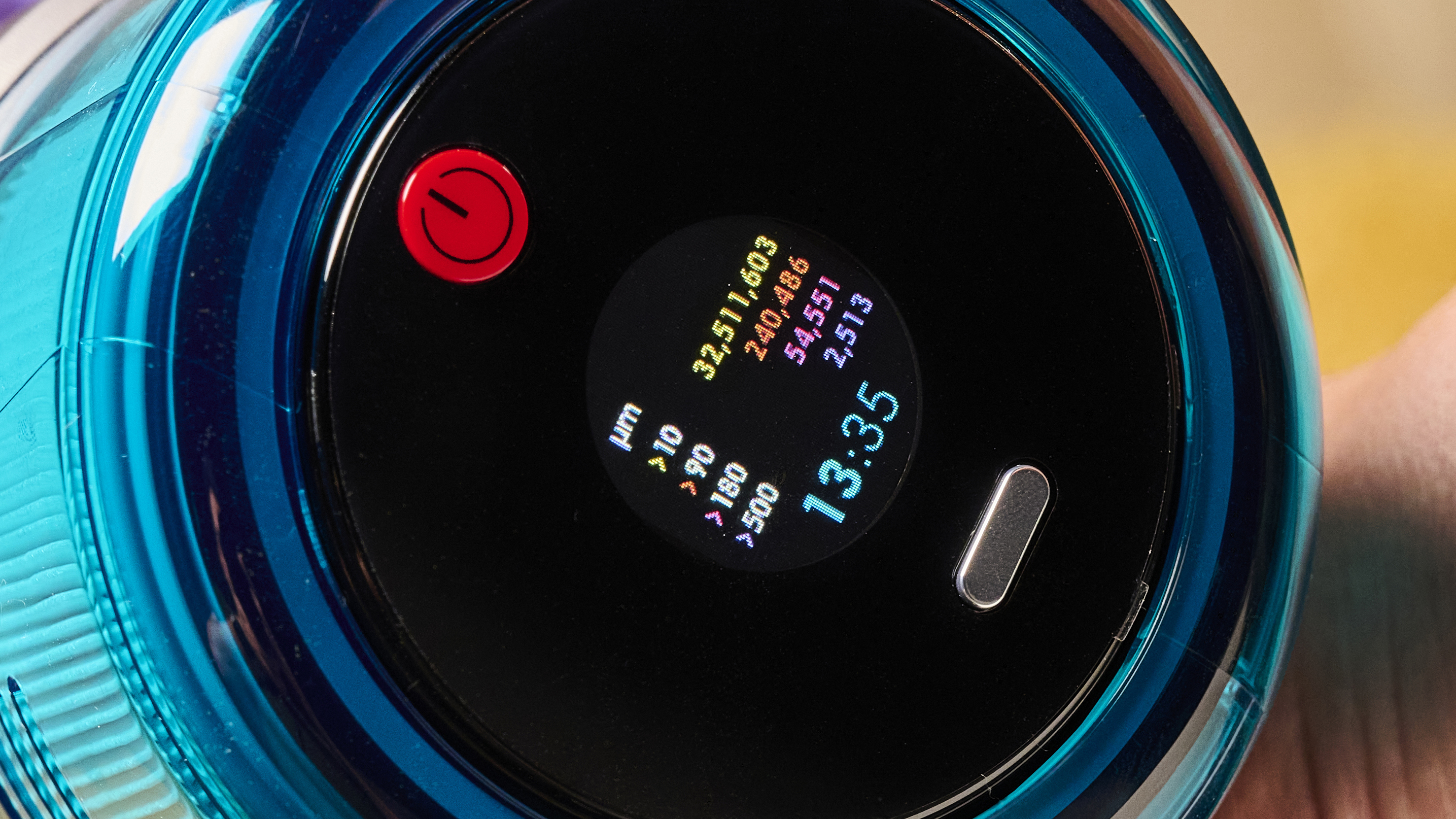
Both the V15 and the Gen5detect (pictured) have real-time dust reports (Image credit: Future)
Then there are the real-time dust reports on the screen. I find these endlessly fascinating, and I enjoy seeing the dust hotspots causing the bar graphs to spike. However, when I asked my partner for his thoughts, it became clear that not only was he not paying them any attention, but he didn't really know what they were. Is is possible the general public is just not as invested in the intricacies of vacuum cleaning as I am? Maybe.
Bulking up
Moving on to the down-sides of the V15. The most significant complaint I have with it is that V15 Detect is that it's pretty heavy. Further to that, the weight is concentrated in the main motor section, which itself is rather elongated in shape. That makes it rather unwieldy, and especially when used in handheld mode.
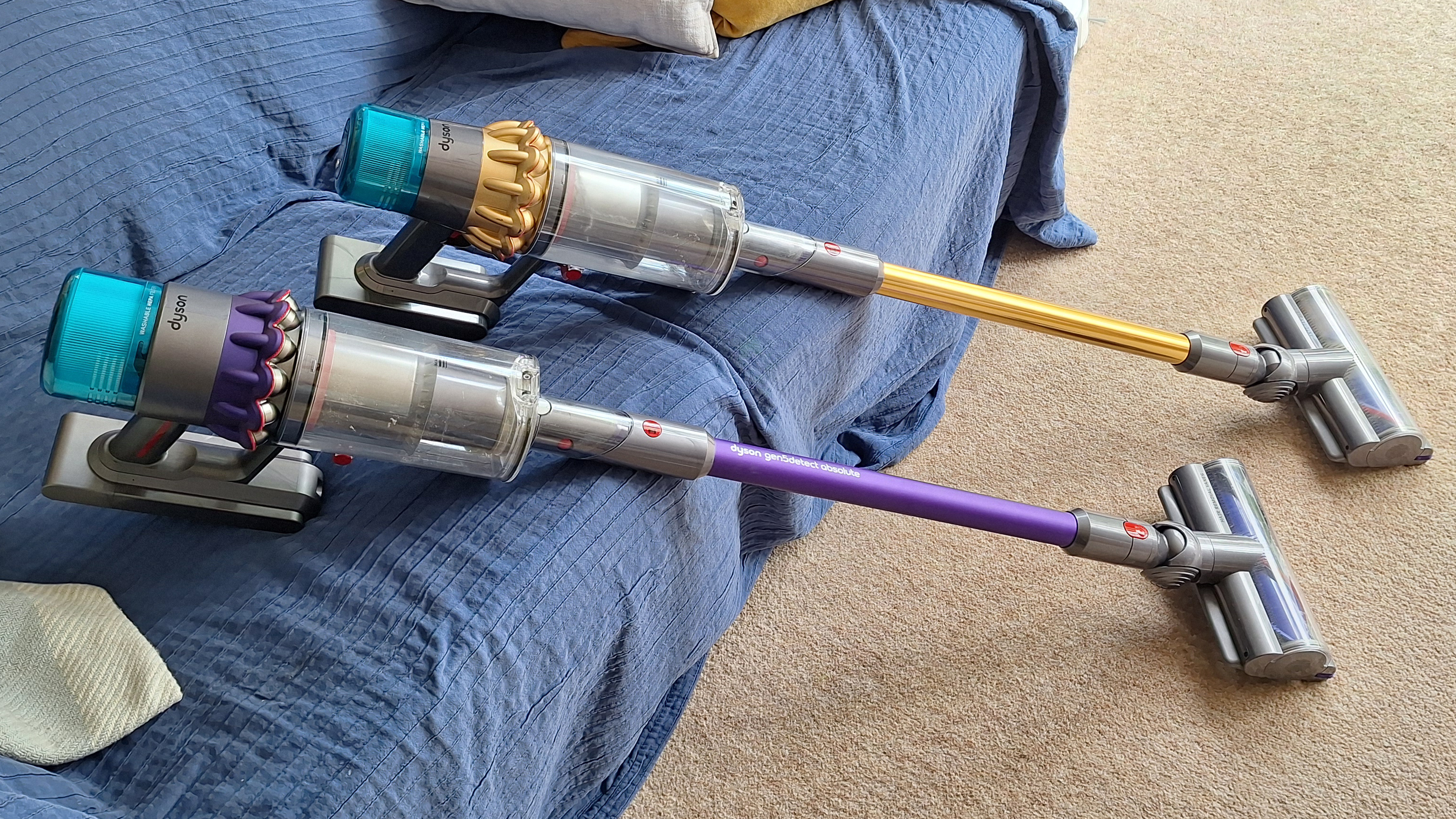
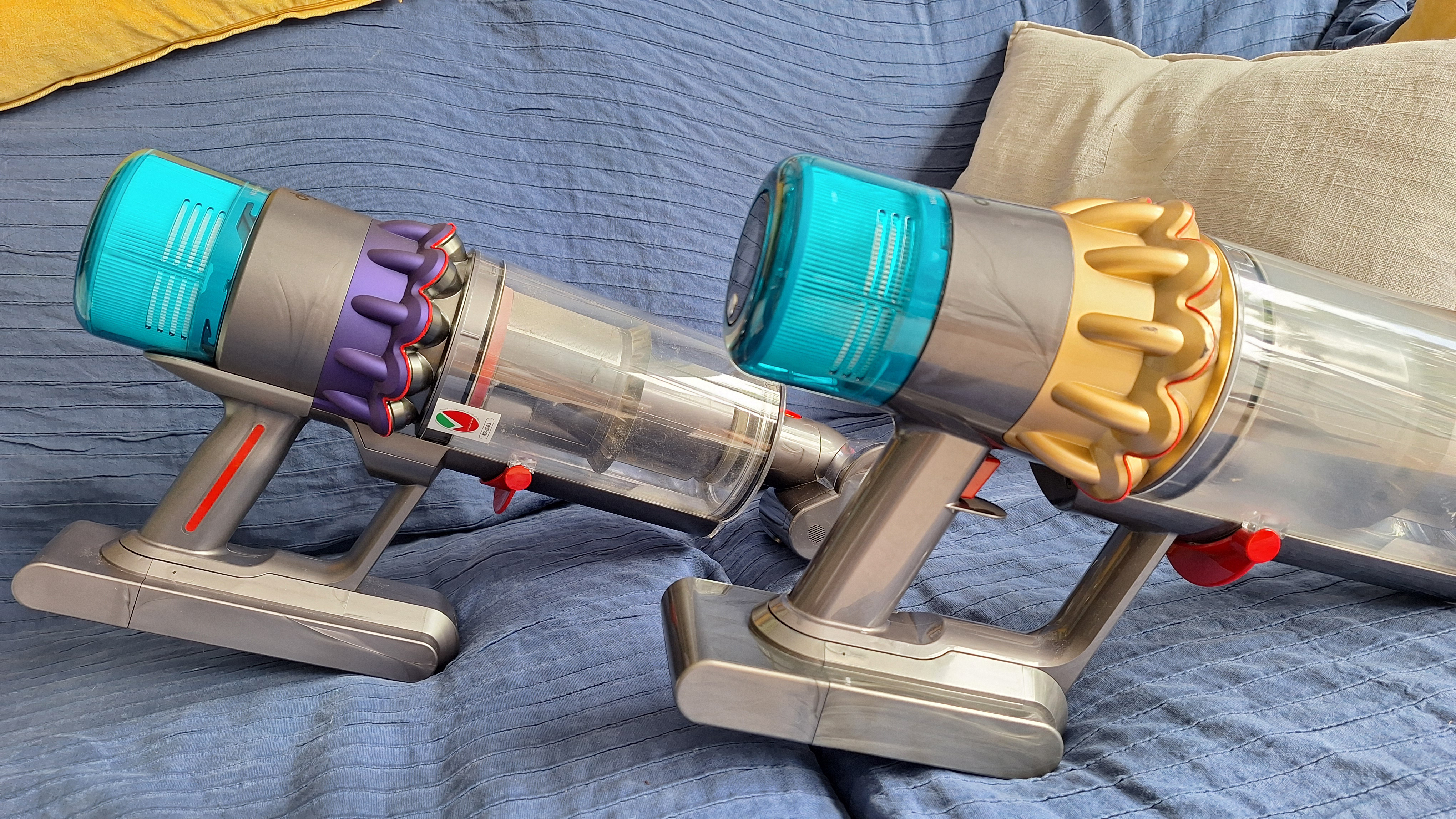
The V15 (background) and newer Dyson vacuums have a rather heavy, elongated motor section, which can make them a little awkward to use (Image credit: Future)
All of Dyson's newer vacuums (I'd say from this model onwards — so the V15, the Gen5detect and the V16 Piston Animal) suffer from this weight distribution issue.
Looking to Shark's range, the fancier models, such as the PowerDetect Cordless, are actually heavier overall. However, the motor/handle section is more squat in shape, and there's more weight through the wand and into the floorhead. That means more even weight distribution, which can make for a more comfortable vacuuming experience.
A triggering issue
Another big complaint I have with the V15 is that it's trigger-operated, with no option to lock it for continual running. I find that irritating when I'm using the vacuum for long periods, or trying to get into awkward corners while keeping the trigger compressed.
I prefer the setup on Dyson's newer models, where there's a one-press power button. However, that's still not perfect — it requires you to have a hand free to turn the machine on and off, because the power button is not reachable from your holding hand.
Most modern Shark models use button operation, and just like the Dyson designs, you can't reach the button from your holding hand. My ideal design is one where the vacuum is trigger-operated but with a lock for continual running. No Dyson vacuum has this setup, and neither do any of Shark's newest stick vacs, although that brand's range is so sprawling you might find a trigger-plus-lock design somewhere.
The V15 (foreground) switches on and off with a trigger on the handle — which can be frustrating when using it for longer cleaning sessions (Image credit: Future)
One comment that I hear sometimes about Dyson stick vacuums is that they don't always last as long as customers expect. Our V15 is still going strong after just under two years (which is actually at the lower end of how long cordless vacuums are meant to last, although most people would probably hope for longer).
Prior to that, my partner had a Dyson Cyclone V10, which lasted over five years. At that point the battery conked out, and replacing it only fixed the issue for a few months. I think that's a decent lifespan for a vacuum, but your mileage may vary.
Is it worth it?
After two years using my Dyson V15, I'd still recommend it. Its cleaning powers are excellent with no signs of fading, its special features genuinely useful, and I love how maneuverable it is.
I personally also prefer it to Shark's newest models. I cover my main thoughts on this in my Shark vs Dyson article, but as a short overview, it's special features feel superior — Dyson's laser lights are far more effective than Shark's headlamps, and its Auto mode feels more precise. The Dyson also pivots more smoothly and the overall design feels sleeker and more high-end.
However, it's not a clear-cut decision. The Shark PowerDetect Cordless offers the best outright cleaning performance of any vacuum I've used, including all the Dyson models. Shark's models also arguably deliver better value for money — although its higher-spec models still sit in the premium price tier.
The bottom line? After using the V15 for a couple of years, and testing multiple other vacs from different brands including Shark, I'm still something of a Dyson fan-girl. When our at-home vac finally bites the dust, we'll probably end up buying another Dyson, although I will still be checking out what Shark has to offer...
Tiny desktop system claims massive language model performance at dramatically lower costs
Proprietary G≡LIX 1 chip delivers 700 TOPS for local AI workloads
Agent Box runs advanced AI models entirely without relying on cloud services
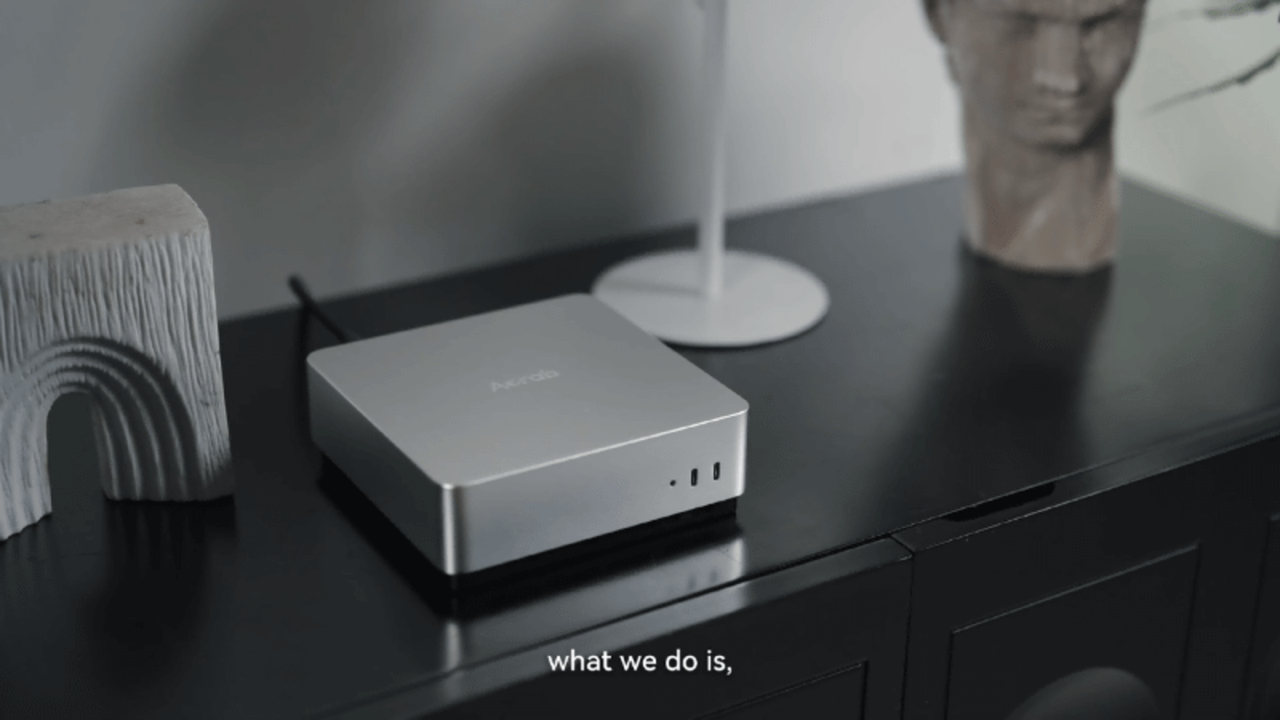
Singapore-based startup Acrab has unveiled the Agent Box, a mini PC built to run 100 billion parameter language models entirely on local hardware.
The device is powered by a proprietary chip called G≡LIX 1, manufactured using a 5nm process for efficient edge computing.
Acrab claims the system delivers performance close to Nvidia's $5,000 DGX Spark while cutting costs to roughly one-fifth and halving power consumption.
A custom chip built for local AI workloads
The G≡LIX 1 processor combines a 20-core Arm CPU, a GPU rated at 3 TFLOPS, and a multicore neural processing unit tuned specifically for large language model inference.
It draws on 273GB/s of high-bandwidth unified memory alongside an 8MB L1 cache and a 768GB/s L2 cache.
Acrab says the chip reaches 700 TOPS of processing power while keeping the entire system compact enough to sit on a desk.
The NPU is balanced against the general-purpose compute unit, and VAE vector acceleration reportedly speeds up attention processing by up to three times.
Beyond the core processor, the SoC integrates a video DSP cluster, multiple camera input subsystems, and a high-resolution display engine within a single unified architecture.
In internal testing, the company recorded a prefill rate of 1,416.8 tokens per second under a Gemma 26B A4B configuration with a 40K KV cache and a 10K token input.
That compares with 188.9 tokens per second on an Apple Mac Mini M4 Pro, representing a claimed 7.5 times improvement in prefill speed over conventional consumer hardware.
"Generative AI helped people find answers. Agentic AI will help them get things done,” said Dr. Ken Phua, CEO of Acrab.
Software ecosystem expands beyond the hardware
Beyond the hardware specifications, Acrab says Agent Box includes a complete software platform featuring AI runtimes, developer toolchains, operating system capabilities, reference designs, and orchestration software for autonomous agents.
Demonstrations released by the company showed voice commands automatically creating and printing 3D models, operating robotic vacuum cleaners, and interacting with connected devices including smart lights, smart air conditioners, and smart locks.
Acrab says keeping inference on the device can reduce token costs, protect sensitive information locally, maintain operation during limited internet connectivity, and provide persistent memory for personalised AI assistants.
The company also plans to extend its computing platform into AI NAS systems, network-attached storage systems, industrial robots, service robots, and smart vehicles through partnerships with hardware manufacturers.
Although Acrab has disclosed limited corporate information, copyright notices accompanying its announcement reference CATL, the world's largest electric vehicle battery manufacturer.
If that relationship accurately reflects financial backing, the announcement could attract additional attention because of CATL's scale and resources.
“Our goal is to give device makers and developers the foundation to bring agentic intelligence into many different products and environments,” Dr. Phua said.
“Agent Box demonstrates what the technology can do today, while GΞLIX 1 and our full-stack platform are designed to support a much broader ecosystem of devices and applications.”
Today's Leeds vs Liverpool live streams sees the two Premier League clubs play the final game of their US tour at Soldier Field in Chicago, with new Reds manager Andoni Iraola hunting a third win in three matches.
After a 3-2 defeat by Championship side Wrexham and a clash with Premier League rivals Sunderland, Leeds will aim to finish their US tour on a high. Fans got their first glimpse of Harry Wilson in Leeds colours after the summer signing came on as a second-half substitute against Wrexham and the Welshman could feature against Liverpool, where he came through the academy. Fellow new boy Tarik Muharemovic could also be in line for his debut. Daniel Farke's side have just three pre-season friendlies left after this game, with a home fixture against German side RB Leipzig next up on Saturday.
Iraola is eyeing a clean sweep in America after making it two wins out of two as Liverpool boss with a 1-0 victory over Wrexham, thanks to Rio Ngumoha's second-half strike. Stand-in captain Dominik Szoboszlai started at centre back in that game, underlining the Reds' lack of options in the heart of defence, but Jeremy Jacquet could make his debut following his £60m move from French club Rennes. Alexander Isak, Florian Wirtz and Ryan Gravenberch could also feature for the first time under Iraola after joining the tour late following the World Cup. After this clash, Liverpool will fly home before facing Monaco and Como at Anfield on the next two Sundays.
Read on to find out how to stream Leeds vs Liverpool live and from anywhere in the world.
How to watch Leeds vs Liverpool live streams for FREE
Good news!All Red Video - Liverpool's official streaming platform comes with a 14-day free trial, enabling you to stream Leeds vs Liverpool and the rest of the Reds' pre-season friendlies for free.
Abroad for Leeds vs Liverpool? UseNordVPN to unlock your stream from anywhere in the world.
Use a VPN to watch Leeds vs Liverpool from anywhere
A VPN is a handy piece of software that can make your device appear as if it's back in your home country, thereby letting you unlock your usual streaming service. The best VPN right now? We recommend NordVPN – it does everything and comes with a 75% discount.
Not having a VPN is like leaving your front door wide open in a busy city – anyone can walk right in and take a peek.
TechRadar regularly reviews all the biggest and best VPN providers and NordVPN is our #1 choice.
✅ Up to 75% Off Today ✅ 3 Extra Months Free ✅ Unlocks Stan Sport
Get NordVPN and stream Leeds vs Liverpool from anywhere.View Deal
It's really straightforward to use a VPN to watch Leeds vs Liverpool.
1. Install the VPN of your choice. As we've said, NordVPN is our favorite.
2. Choose the location you wish to connect to in the VPN app. For example, if you want to watch the Stan Sport stream, select 'Australia' from the listed countries.
3. Sit back and enjoy the action. Head to Stan Sport and tune into Leeds vs Liverpool.
How to watch Leeds vs Liverpool live streams in the US
Viewers in the United States can stream Leeds vs Liverpool on the ESPN Deportes channel and viaESPN Select ($12.99).
Stan Sport carries most of the football across the 2026/27 season, including the Premier League, Champions League and FA Cup.
Missing the game because you're outside Australia?Use a VPN to login to your Stan Sport or beIN SPORTS Connect account.
What is the Leeds vs Liverpool start time?
Leeds vs Liverpool kicks off at 9pm BST / 4pm ET / 1pm PT on Sunday, August 2. That's 6am AEST on Monday, August 3 in Australia.
We test and review VPN services in the context of legal recreational uses. For example:1. Accessing a service from another country (subject to the terms and conditions of that service).2. Protecting your online security and strengthening your online privacy when abroad.We do not support or condone the illegal or malicious use of VPN services. Consuming pirated content that is paid-for is neither endorsed nor approved by Future Publishing.
The Samsung Galaxy Z Fold 8 is smaller, cheaper, and has fewer cameras than the Galaxy Z Fold 8 Ultra, but it may end up being the most popular Galaxy foldable to date.
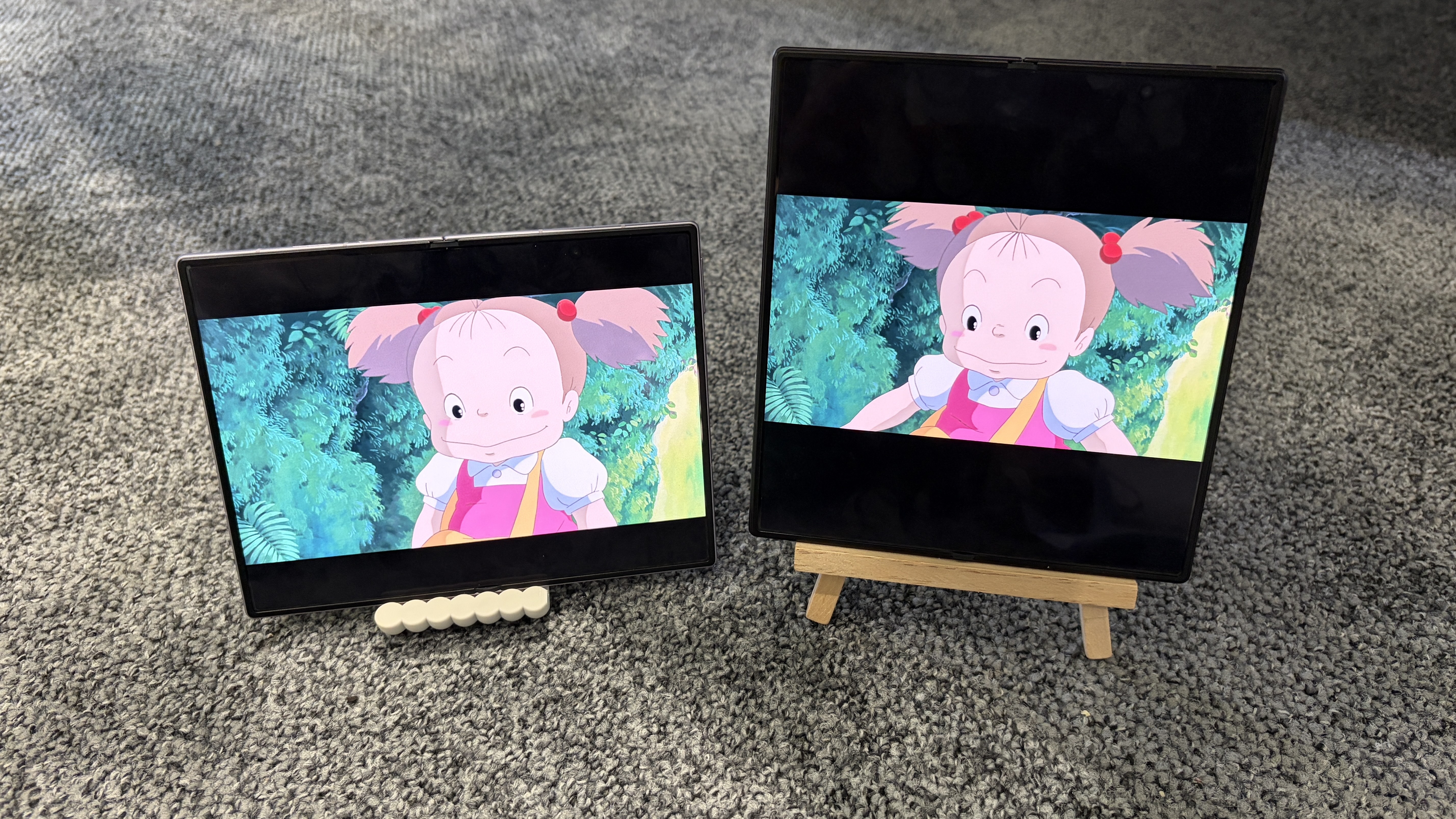
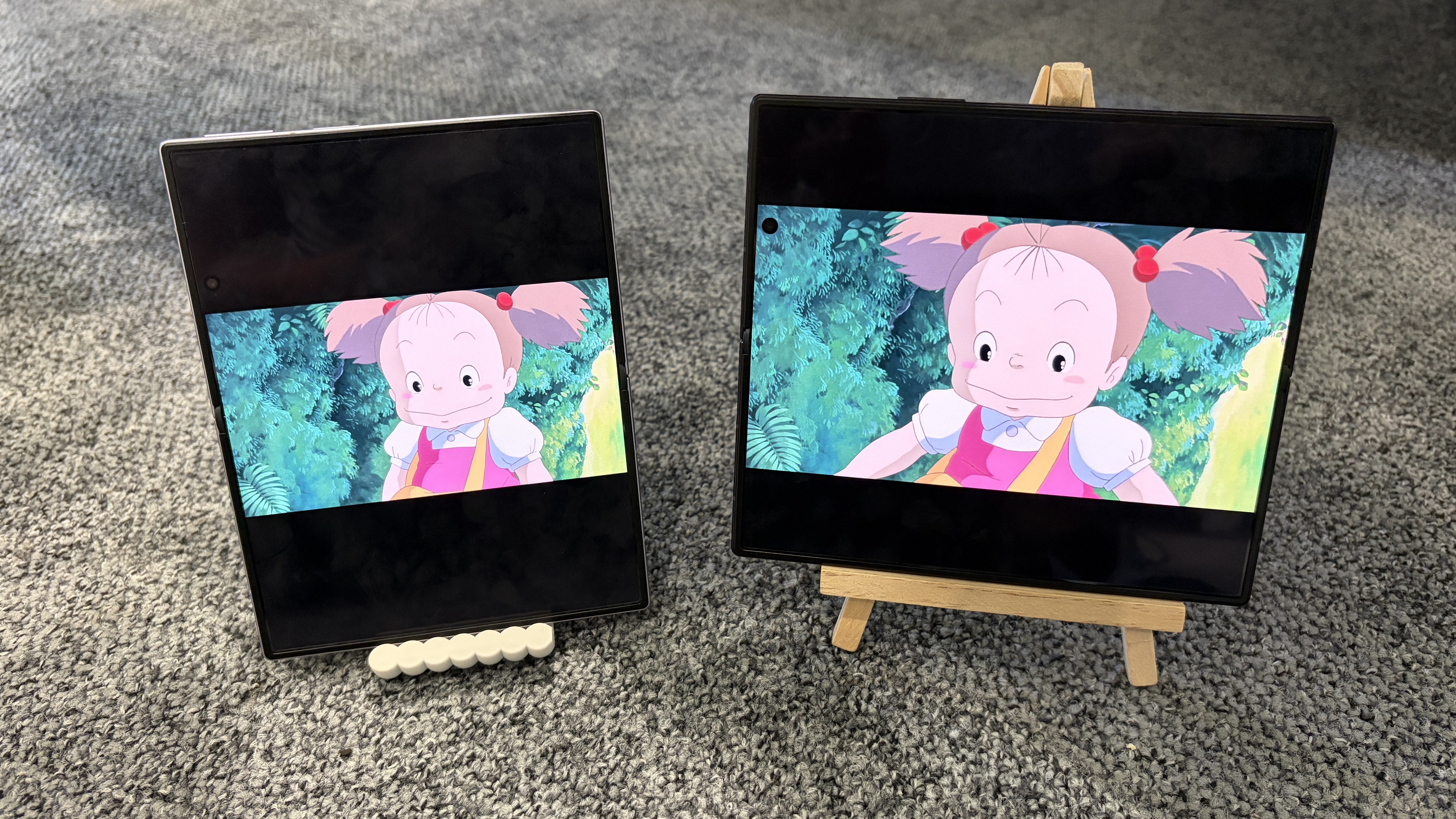
Why? Because its 7.6-inch inner screen has a 4:3 aspect ratio, which is supposedly “the new standard for viewing content,” as Samsung told us in an interview — and if there’s one thing most of us can’t get enough of in 2026, it’s content.
The Galaxy Z Fold 8 Ultra, meanwhile, has an eight-inch inner screen with a 10:9 aspect ratio, which is great for spreadsheets and multitasking, but less brilliant for movies and YouTube videos.
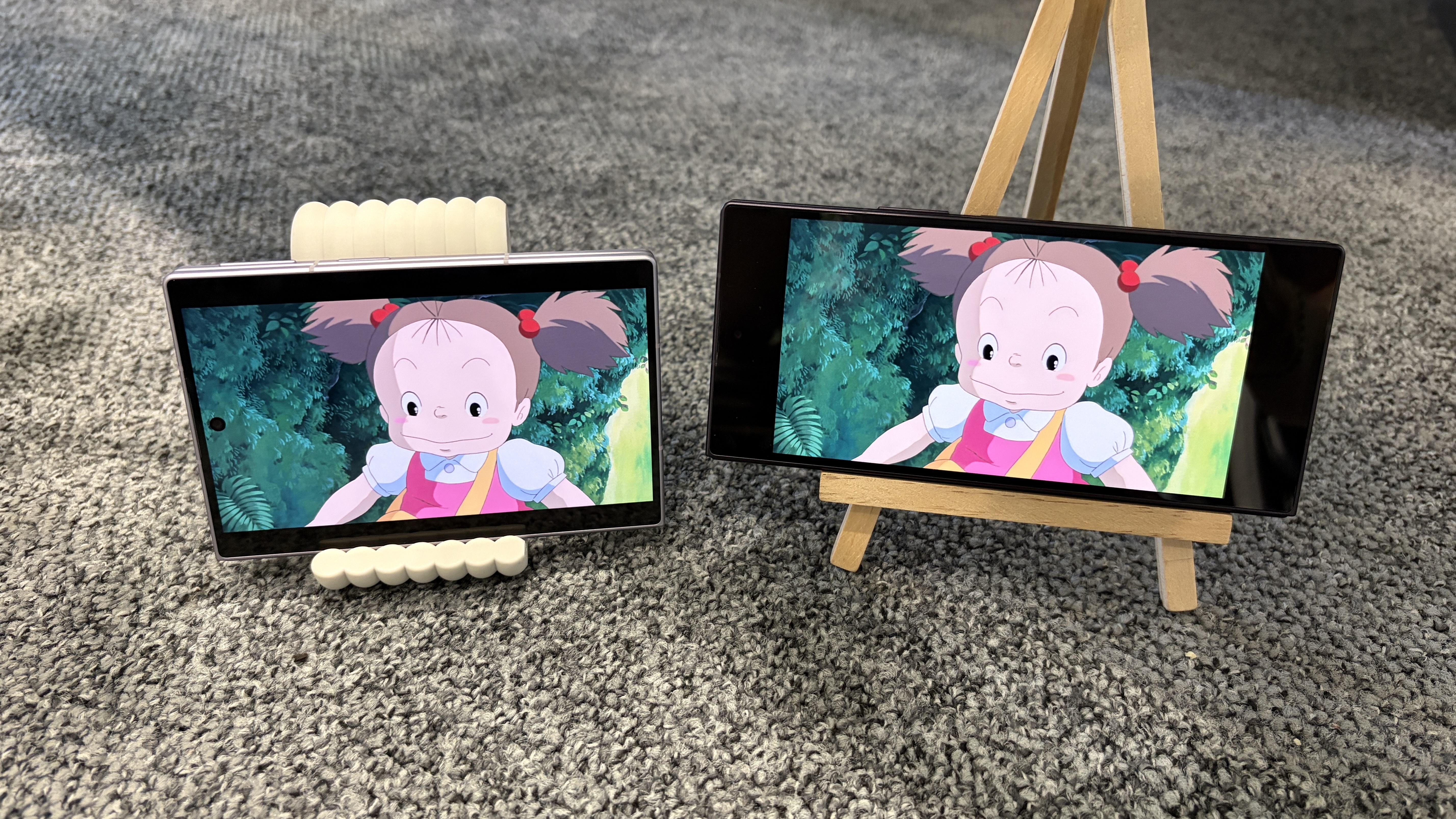
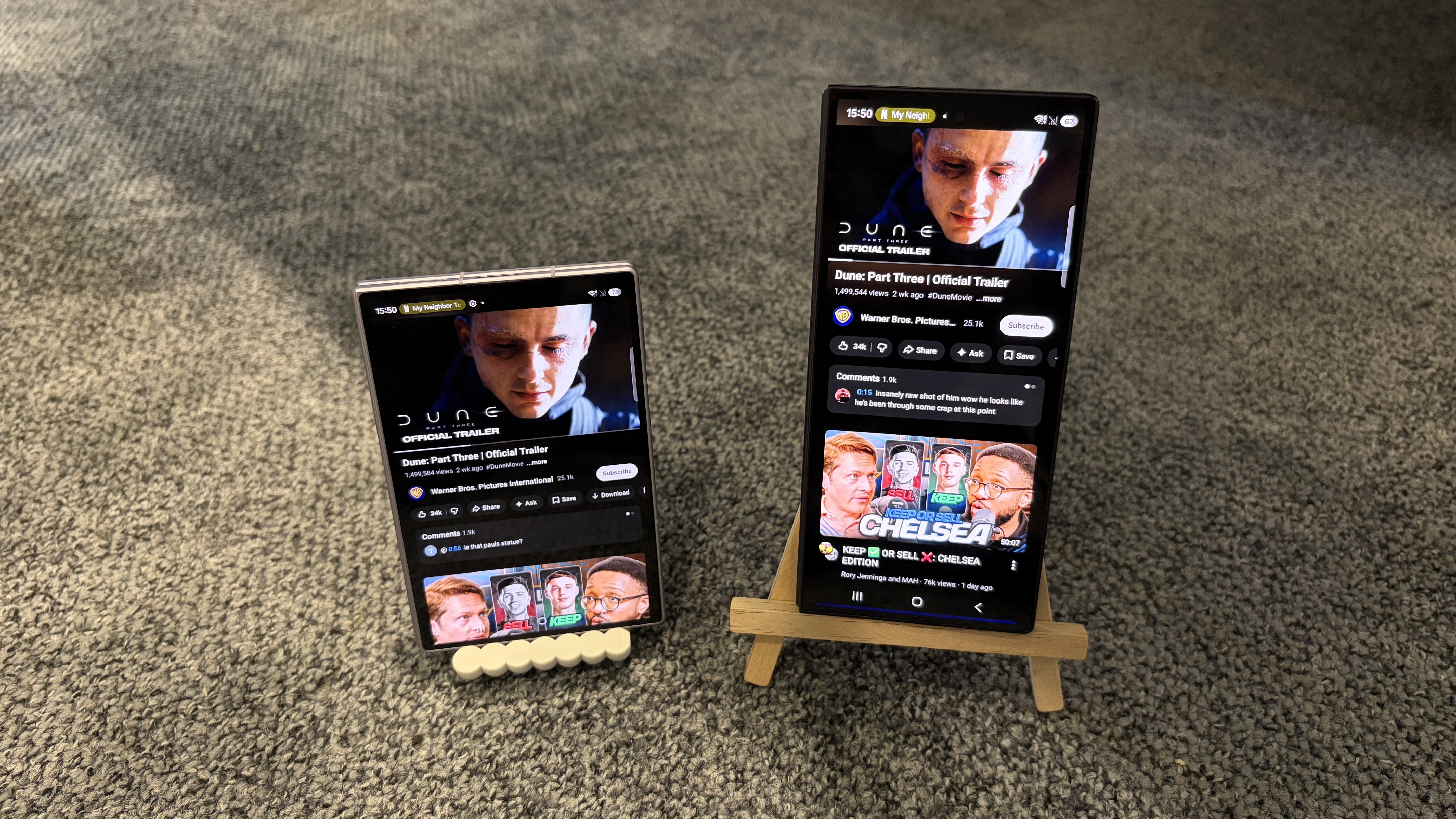
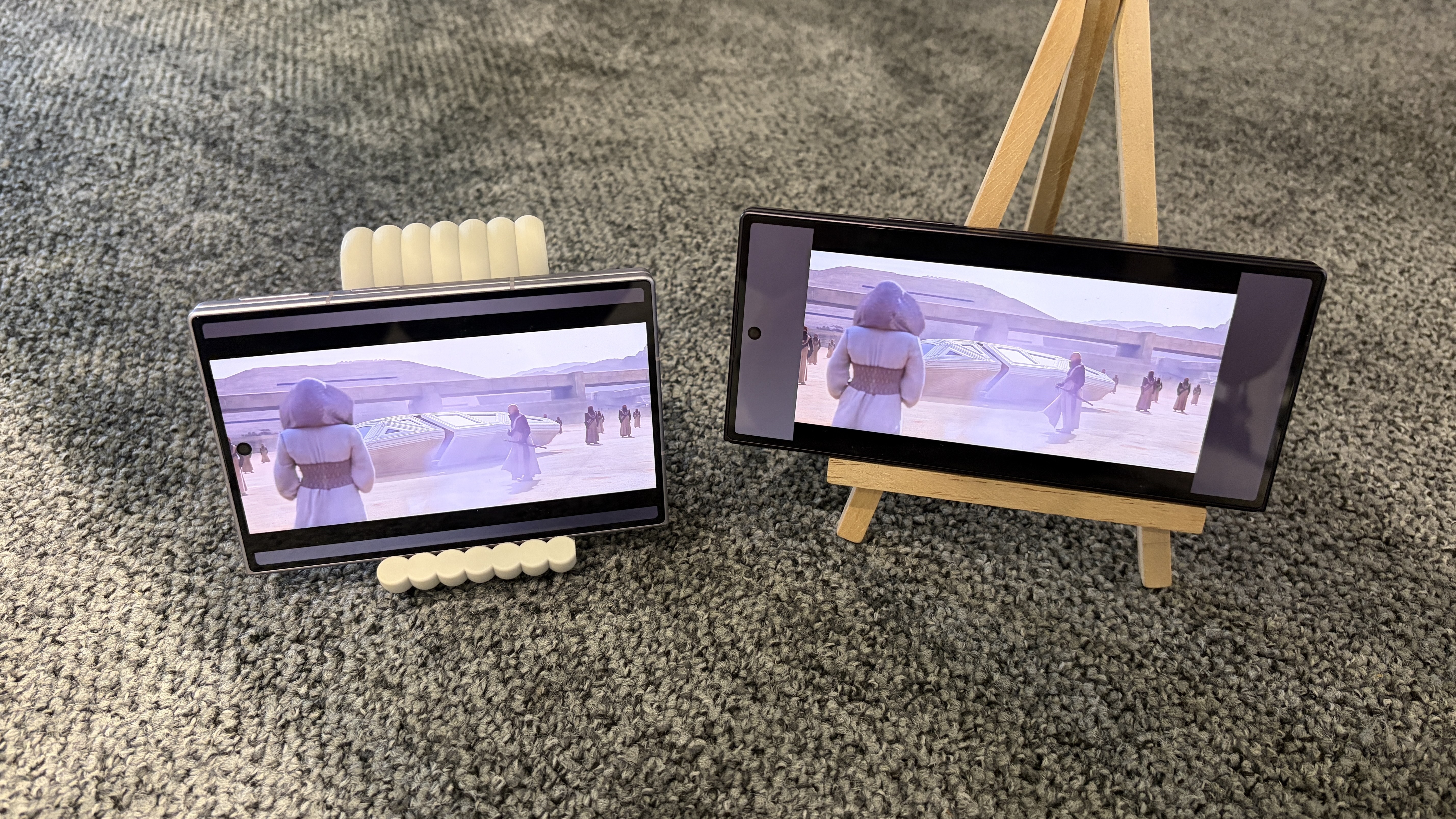
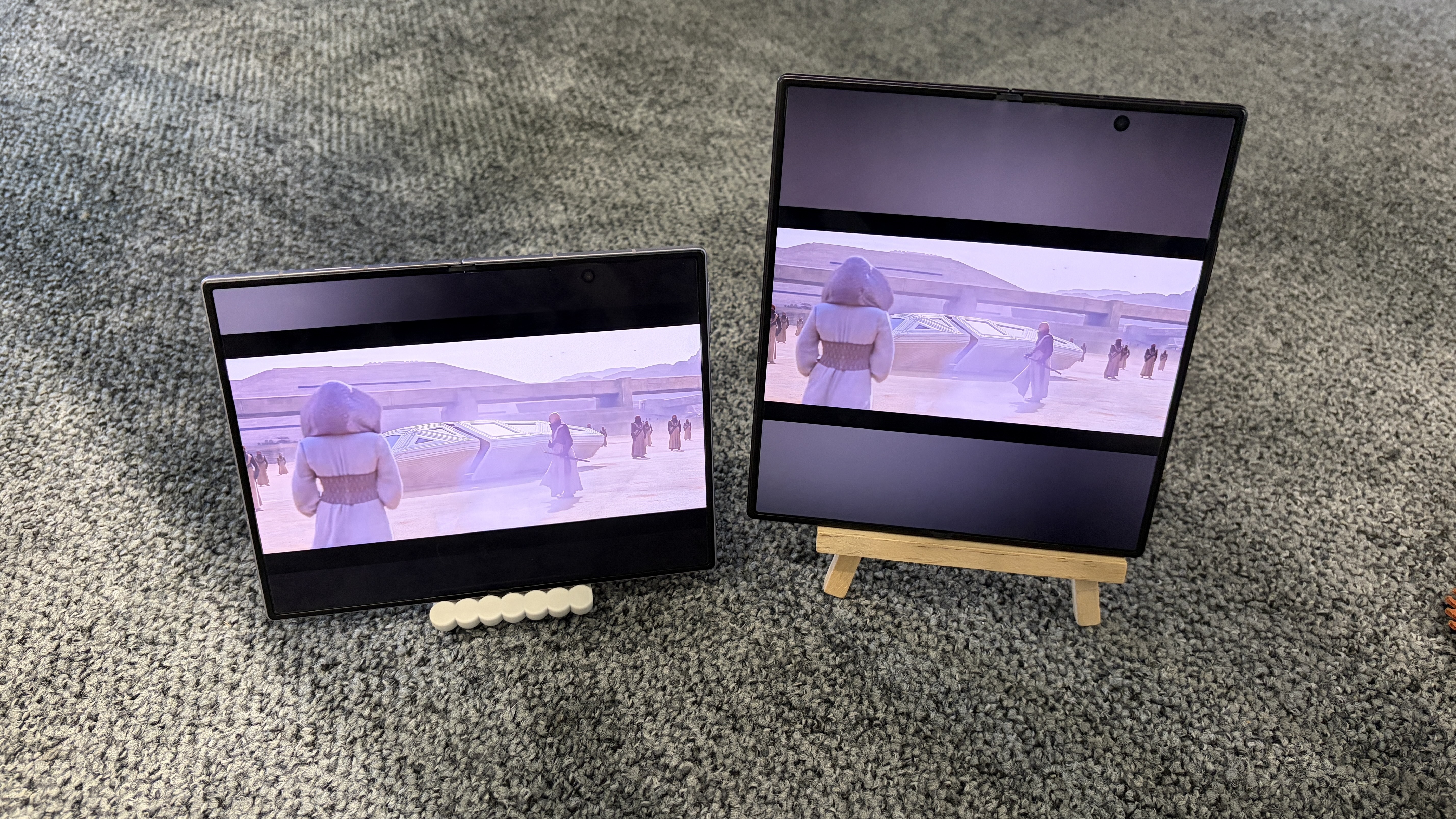
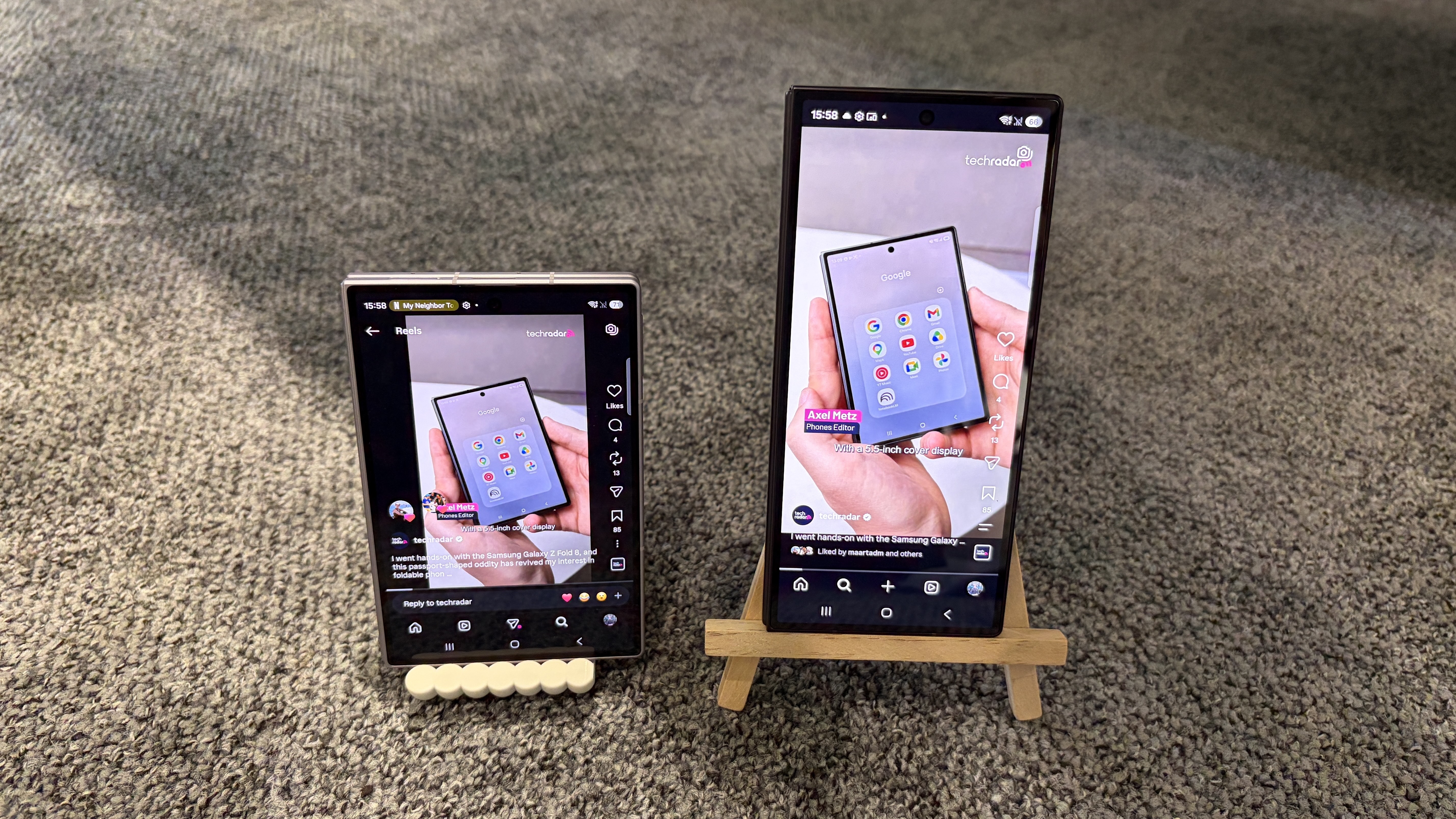
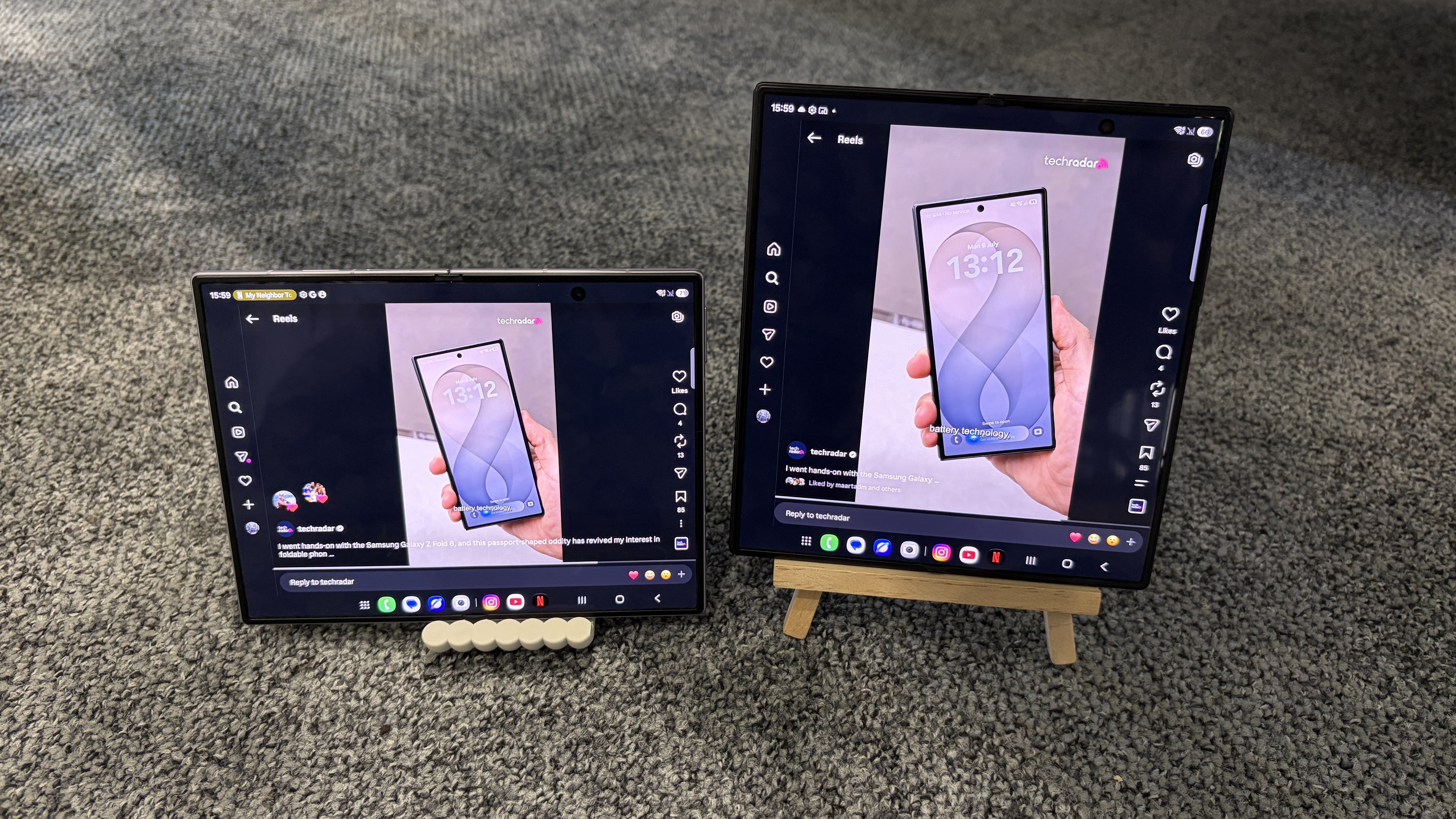
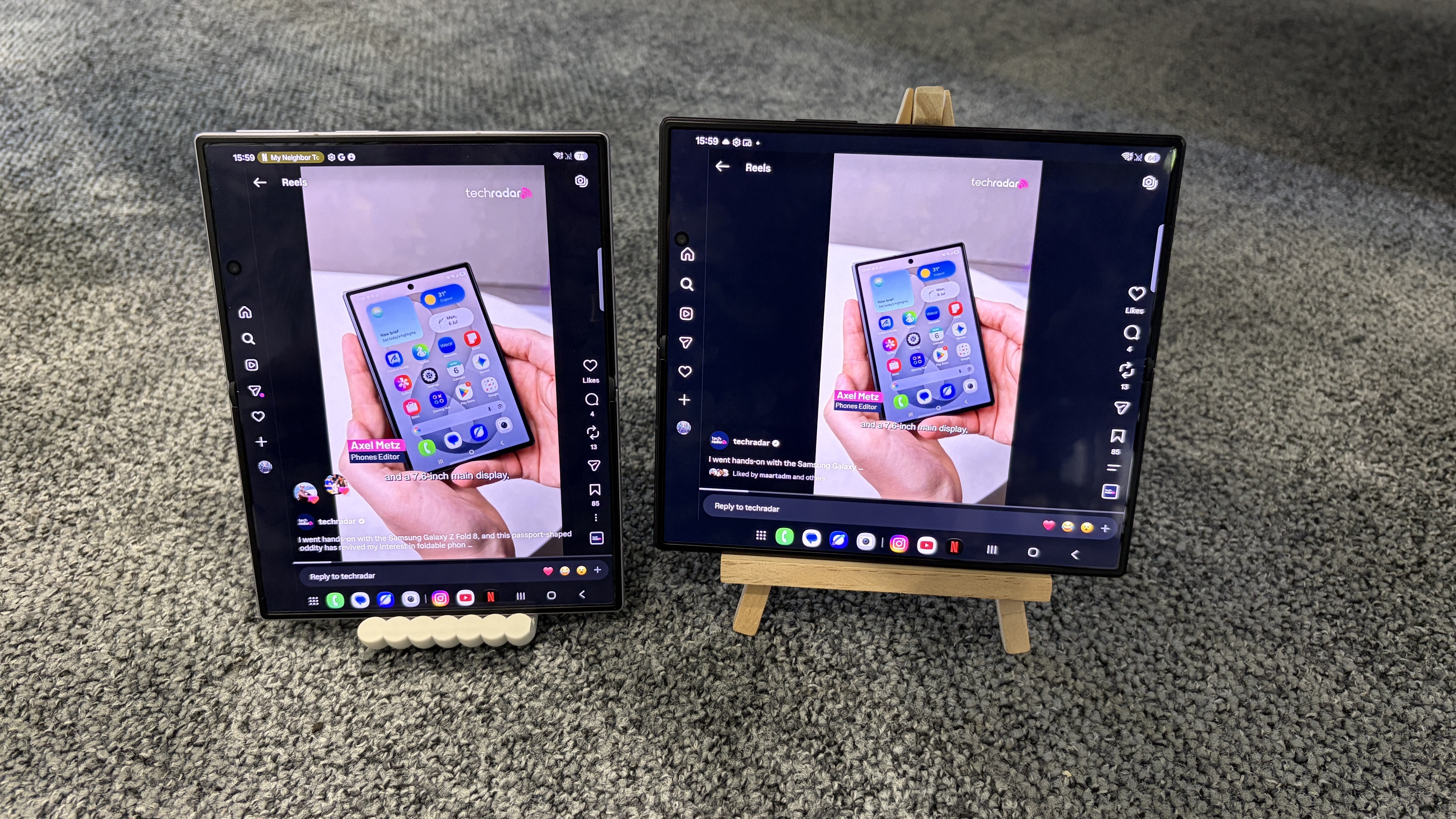
Don’t believe me (or Samsung)? I compared the experience of streaming Netflix, watching YouTube, and scrolling through Instagram Reels on the Galaxy Z Fold 8 and Galaxy Z Fold 8 Ultra — in both portrait and landscape orientations, where possible — to help you visualize the aspect ratio differences between these two devices.
Check out the side-by-side comparisons for each platform below, and let me know in the comments section which phone you’d prefer to use for watching videos. I've also included a roundup of each model's respective size specs for added context.
Samsung Galaxy Z Fold 8 Ultra
Samsung Galaxy Z Fold 8
Dimensions (unfolded):
158.4 x 143.2 x 4.1mm
161.4 x 123.9 x 4.5mm
Dimensions (folded):
158.4 x 72.8 x 8.9mm
81.9 x 123.9 x 9.7mm
Display (unfolded):
8 inches, 10:9
7.6 inches, 4:3
Display (folded):
6.5 inches, 21:9
5.5 inches. 16:10
Netflix
Z Fold 8 (10:16) / Z Fold 8 Ultra (9:21)
(Image credit: Future)
Z Fold 8 (4:3) / Z Fold 8 Ultra (10:9)
(Image credit: Future)
Z Fold 8 (3:4) / Z Fold 8 Ultra (9:10)
(Image credit: Future)
YouTube
Z Fold 8 (16:10) / Z Fold 8 Ultra (21:9)
With either phone in this orientation, expanding the YouTube video automatically switches the orientation to landscape (see the next photo) (Image credit: Future)
Z Fold 8 (10:16) / Z Fold 8 Ultra (9:21)
(Image credit: Future)
Z Fold 8 (4:3) / Z Fold 8 Ultra (10:9)
(Image credit: Future)
Z Fold 8 (3:4) / Z Fold 8 Ultra (9:10)
(Image credit: Future)
Instagram Reels
Z Fold 8 (16:10) / Z Fold 8 Ultra (21:9)
(Image credit: Future)
Z Fold 8 (4:3) / Z Fold 8 Ultra (10:9)
(Image credit: Future)
Z Fold 8 (3:4) / Z Fold 8 Ultra (9:10)
(Image credit: Future)
Verdict
For Netflix and YouTube, the Galaxy Z Fold 8 provides a cleaner viewing experience than the Galaxy Z Fold 8 Ultra in every orientation except 3:4. The black bars above and below the video are noticeably narrower than those on the Galaxy Z Fold 8 Ultra, and there's no awkward pillarboxing (i.e., bars on either side of the video) when using the Galaxy Z Fold 8 in 10:16 (you'll notice that content wraps around the phone's punch-hole camera, which doesn't happen on the Galaxy Z Fold 8 Ultra).
Of course, if you use the Galaxy Z Fold 8 in 3:4, the black bars are much bigger than those on the Galaxy Z Fold 8 Ultra, but Samsung itself admits that this orientation is “more natural for reading e-books or browsing the web,” which gives the smaller device another nice win over the pricier model.
The Instagram Reels-watching experience is pretty similar across both phones, but given the Galaxy Z Fold 8's lighter weight (201g vs 215g), I'd give it the edge here, too.
So there you have it: if watching videos and scrolling through social media is your priority, the Galaxy Z Fold 8 is a better buy than the Galaxy Z Fold 8 Ultra.
Of course, there is much more to both phones than their respective displays — the Galaxy Z Fold 8 Ultra has better cameras, for instance — so I wouldn't jump headfirst into buying one over the other until you've read our full Samsung Galaxy Z Fold 8 Ultra vs Galaxy Z Fold 8 comparison.
Side note: You're not able to watch videos in 16:10 (Z Fold 8) or 21:9 (Z Fold 8 Ultra) on Netflix, nor videos in 10:16 (Z Fold 8) or 9:21 (Z Fold 8 Ultra) on Instagram, hence why these options don't appear in the above comparison.
AI growth keeps enterprise hard drive demand climbing across global cloud infrastructure
Cloud providers continue expanding storage despite massive investment in AI accelerators
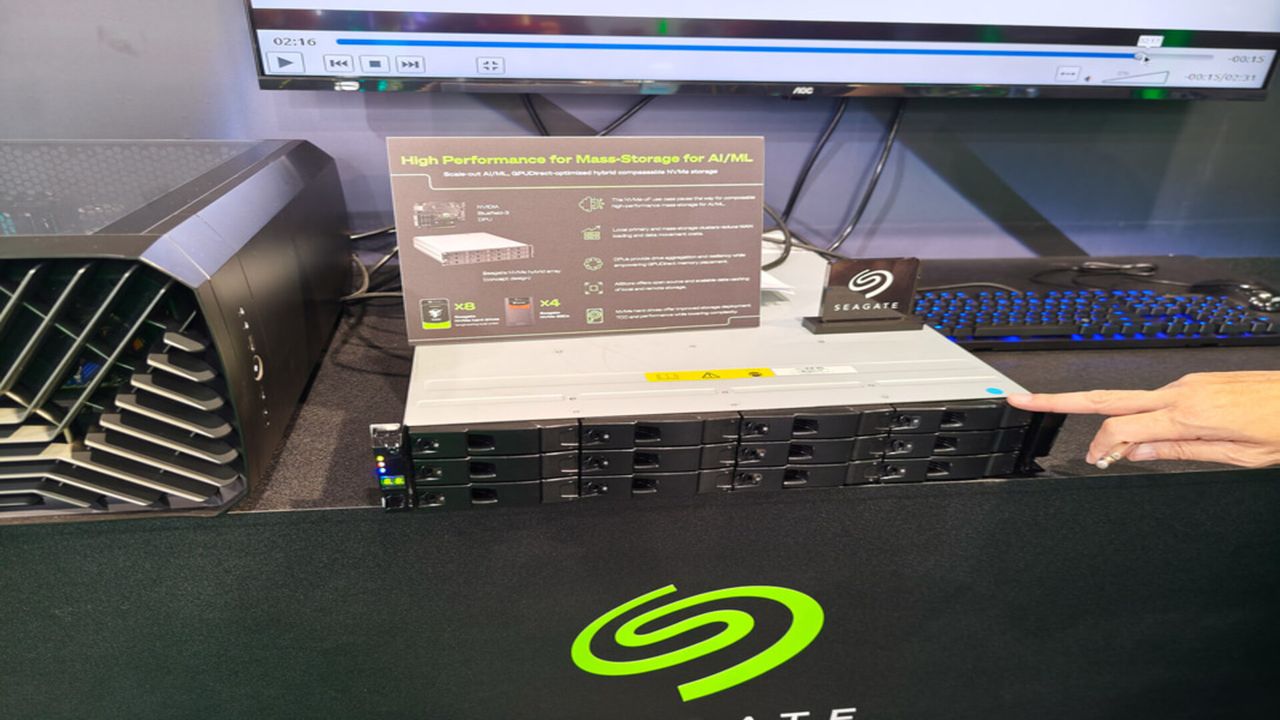
Enterprise storage remains essential as artificial intelligence generates unprecedented data volumes
Enterprise demand for high-capacity hard drives continues accelerating as artificial intelligence generates expanding datasets requiring reliable, affordable storage throughout increasingly complex cloud environments.
That growing appetite for storage has intensified competition among cloud providers building artificial intelligence infrastructure, keeping enterprise hard drives firmly within long-term investment plans.
Seagate's recent fiscal fourth-quarter and full-year 2026 financial results indicate continued demand from cloud data center customers despite no disclosure of future HDD allocation commitments.
Enterprise customers continue driving demand for mass-capacity HDDs
AI relies heavily on enormous storage capacity because valuable data must remain available long after computations are done.
As organisations deploy larger AI models, the amount of stored information grows alongside computing requirements.
This significantly increases the dependence on enterprise hard drives for economical long-term retention.
Unfortunately, HDDs are becoming harder to secure, with manufacturers already booking long-term supply commitments years in advance.
Many HDD manufacturers have locked in contracts extending into 2028 and 2029, meaning customers wanting drives that far out may already be shut out of available slots
Seagate said robust cloud data center demand kept driving business growth, tying stronger storage purchases to AI infrastructure expanding across global markets.
"As AI accelerates data generation and its value, we see durable long-term demand for mass capacity storage," said Dave Mosley, Seagate's chair and chief executive officer.
Seagate expects strengthening exabyte demand through its Mozaic platform and differentiated HAMR technology roadmap as enterprise deployments continue expanding worldwide.
While Mosley did not explicitly say customers are reserving Seagate's hard drive production through 2029, his remarks make clear that enterprise demand now sits at the core of the company's strategy.
Financial performance supports the broader storage story
Its annual revenue increased during fiscal 2026, while Q4 performance exceeded company expectations for revenue.
Operating cash flow reached $3.7 billion during fiscal 2026, while free cash flow totalled $3.1 billion after fourth-quarter operating cash flow reached $1.3 billion.
Seagate also reduced total debt by $1.4 billion during fiscal 2026, including $302 million during the fourth quarter, ending with outstanding debt of $3.6 billion.
Cash and cash equivalents reached $1.7 billion, while ordinary shares outstanding totalled 227 million and directors approved a quarterly dividend of $0.74 per share.
Seagate expects first quarter fiscal 2027 revenue near $4.1 billion alongside non-GAAP diluted earnings per share of approximately $7.30, subject to stated variations.
"Seagate's strong fourth quarter exceeded our expectations for revenue and non-GAAP EPS, capping a fiscal 2026 in which we grew,” Mosley said.
“Our performance is being driven by robust cloud data center demand and disciplined execution, and we see the momentum continuing in 2027."
Seagate’s rival, Micron, already made the move that Seagate is currently hinting at. It exited its Crucial consumer RAM businesslin 2025 to redirect supply toward enterprise customers.
Micron said the shift was meant to "improve supply and support for our larger, strategic customers in faster-growing segments," cutting consumer buyers off from a manufacturer they had relied on for years.
Seagate has not gone that far with hard drives, but Mosley's insistence that cloud demand is driving the business suggests it could prioritise enterprise demand if current trends continue.
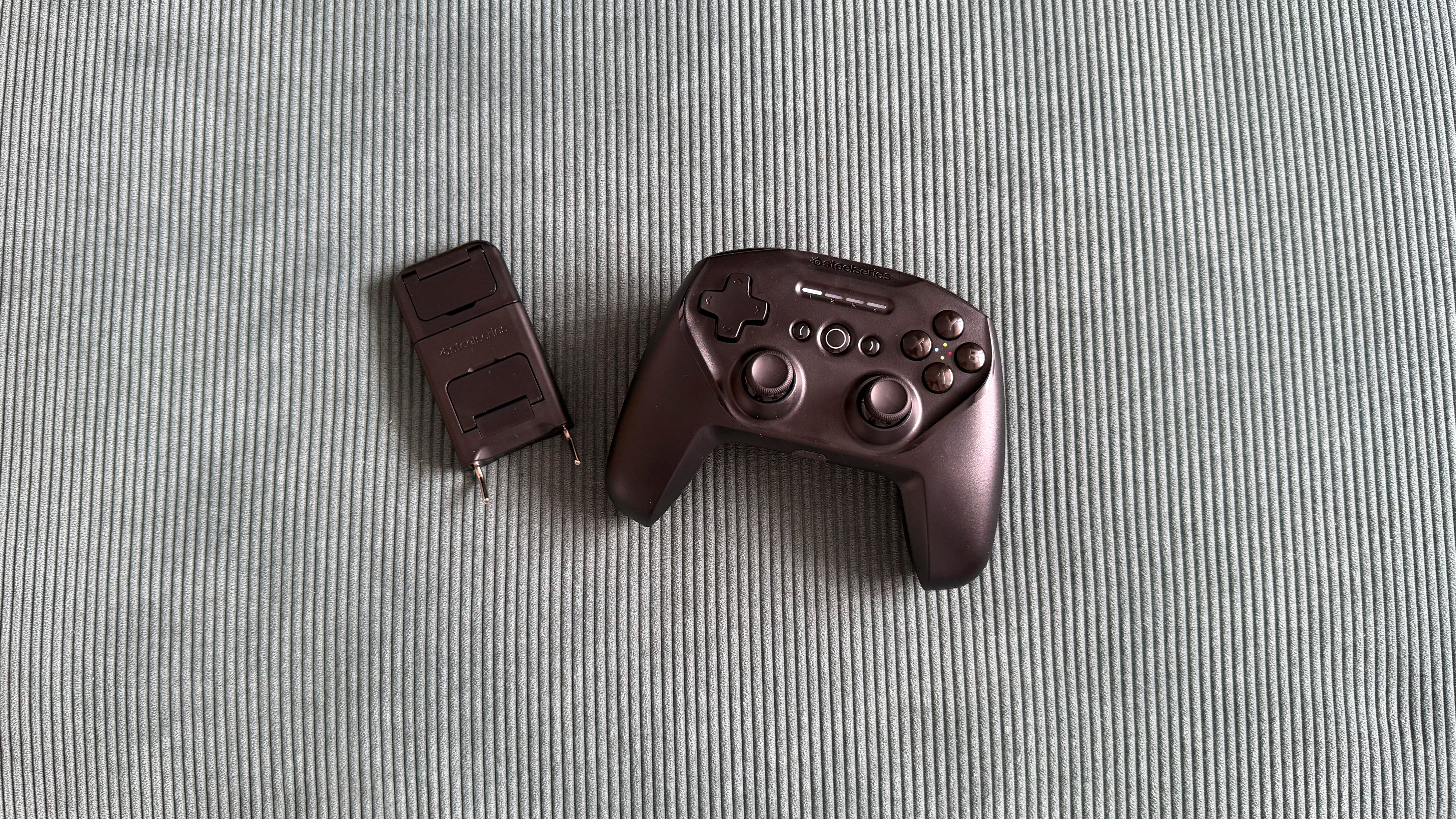
The SteelSeries Stratus+ is a wireless Bluetooth controller built primarily for Android mobile gaming, with wired USB-C support for Windows PCs.
It launched back in 2022 at $59.99 / £64.99, but has since tumbled to sale prices around $25 / £25. It’s a welcome price drop because it’s about the only thing that keeps it in with a shot of being worth picking up, and on the periphery of the best mobile controller conversation — but only just.
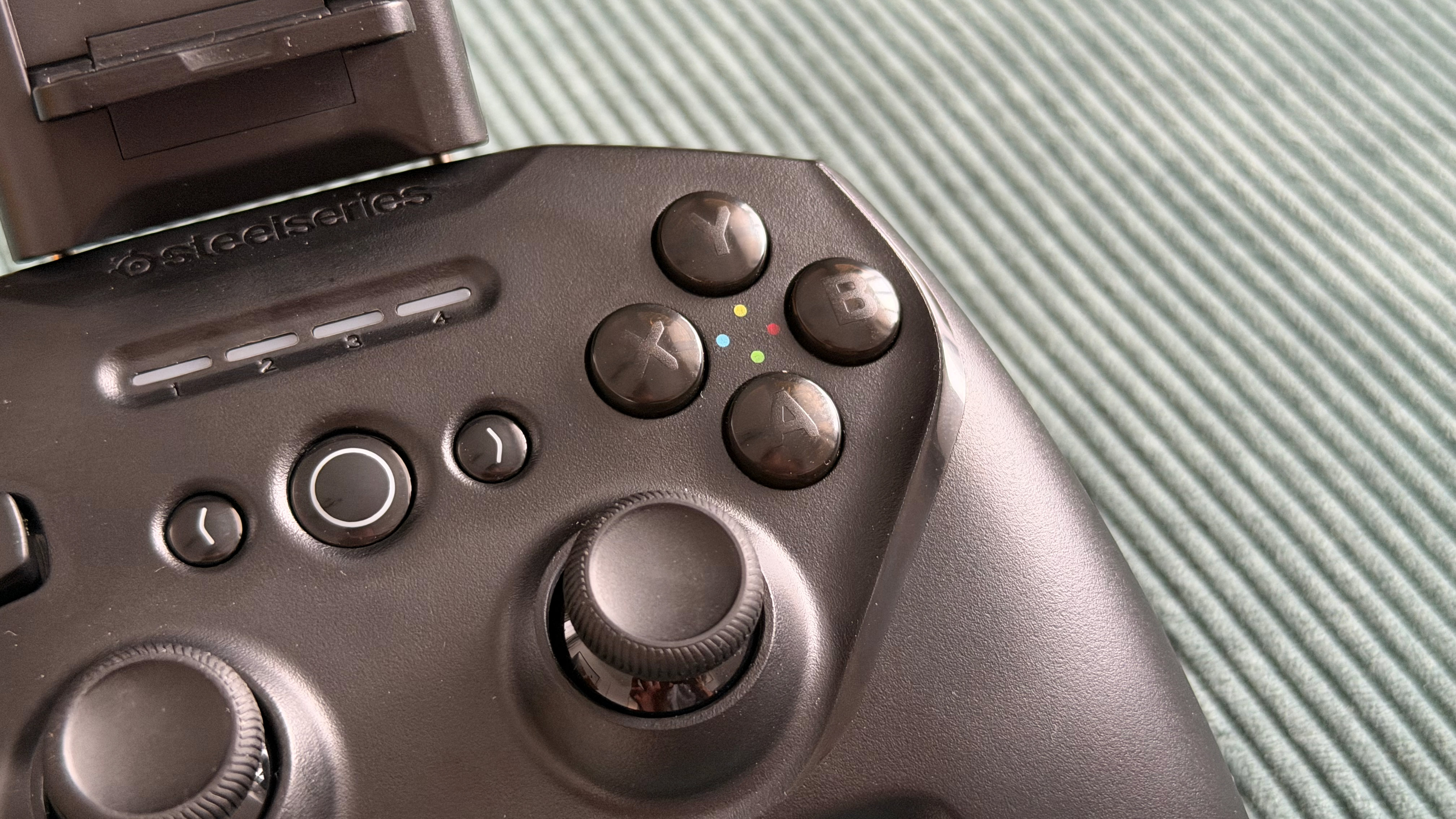
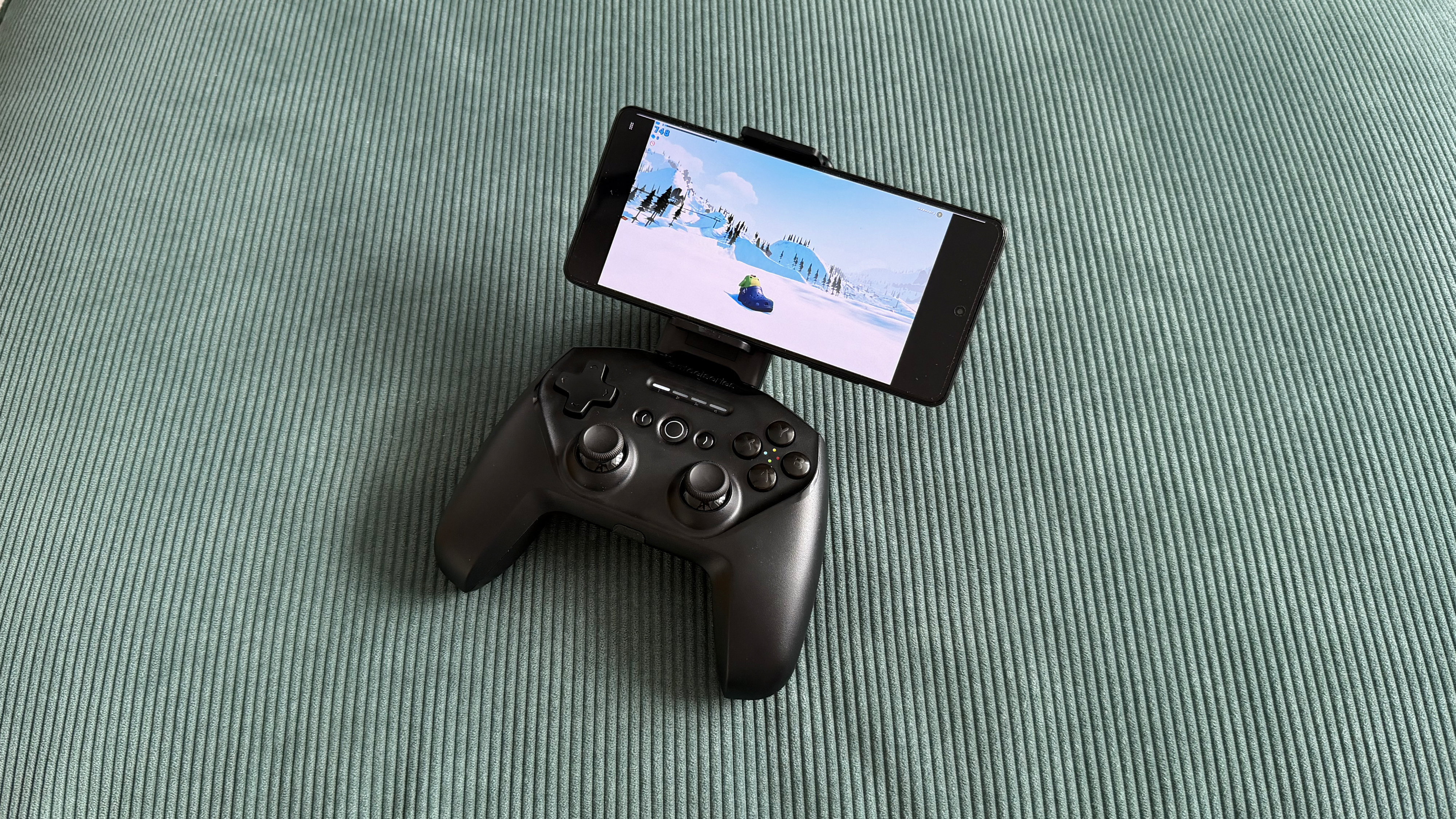
SteelSeries positions the Stratus+ as delivering a console-quality mobile experience, and in theory, it has most of the ingredients to do that. A traditional shape that blends Xbox and PlayStation design elements with a removable phone mount, Hall Effect triggers, and a claimed 90-hour battery life via Bluetooth LE. In practice, however, the phone mount that should be the controller's defining feature ends up being its biggest weakness. It’s tricky to install, and once it’s in, it wobbles, spoils the balance, and worst of all, it has a habit of turning your phone off altogether.
Once you have found the sweet spot to mount your phone, game compatibility is then a mixed bag. Fortnite on mobile is often kind on controller compatibility and worked well here, but more finicky titles like Call of Duty Mobile and Need for Speed didn't work at all. Xbox Cloud Gaming fared better, performing well enough with Forza Horizon 6, though compounding Bluetooth latency with remote gaming meant noticeable enough input lag that it forced me into pre-empting inputs rather than driving naturally.
For a mobile controller, the Stratus+ actually performs best as a wired PC controller. Plug it in via USB-C, and it's instantly recognized as an XInput device, fully mapped in Steam, and perfectly functional as a basic controller. The problem is that it's a particularly competitive market, and it does very little to stand out. You could pick up an actual Xbox Wireless Controller for not much more and get a better, more comfortable pad that still pairs to your Android phone.
(Image credit: Future/Alex Berry)
SteelSeries Stratus+ review: Price and availability
List price: $59.99 / £64.99 / AU$159.99
Now often found as low as $25 / £25 from third parties
Available from SteelSeries and retailers
The SteelSeries Stratus+ has been around a little while now, first launching in May 2022 at $59.99, though fast-forward to 2026 and that list price isn’t holding up. It’s now often available much cheaper from retailers, and I saw it selling for less than half its list price while pulling together this review.
At full price, the Stratus+ is stuck trying to compete with options like the first-party Xbox Wireless Controller and sits uncomfortably close to the excellent GameSir G8 Galileo mobile grip or the GameSir G8+ Bluetooth controller, all of which offer better experiences in their own way.
At its current discounted price, however, it’s cheap enough to be worth a look as a budget PC gamepad.
SteelSeries Stratus+ review: Specs
SteelSeries Stratus+
Price
$59.99 / £64.99 / AU$159.99
Dimensions
5.9 x 4.3 x 2.5in / 150 x 110 x 63.2 mm
Weight
8.6oz / 244g
Connection
Bluetooth LE, USB-C (Windows only)
Compatibility
Android, Chromebook, PC
Software
None
SteelSeries Stratus+ review: Design and features
Blends elements from Xbox and PlayStation controllers into a familiar shape
Included phone mount isn’t really fit for purpose
Solid D-pad and Hall Effect triggers are the highlight
Before you start messing around with the phone mount, the SteelSeries Stratus+ looks like a perfectly generic controller. The sort of thing you’d see in a film to avoid giving brand recognition to either side of the console war. It borrows PlayStation’s symmetrical thumbstick layout and pairs it with Xbox-style ABXY buttons and a black shell. It's inoffensive, generic, and unexciting.
Holding it, though, something feels off. Despite being almost identical in width to an Xbox Series X controller and actually a touch taller, the Stratus+ somehow feels cramped. Part of that is down to the symmetrical stick placement, I’m sure, as it naturally sits lower on the body and makes the whole controller feel shorter than it physically is. I have reasonably large hands and am very used to an offset stick layout, so it never quite settled. Some of this is obviously personal preference, and if you’re coming from a DualSense Wireless Controller, I’m sure you’ll adapt quicker, though I doubt you’ll escape that sense of being on top of yourself.
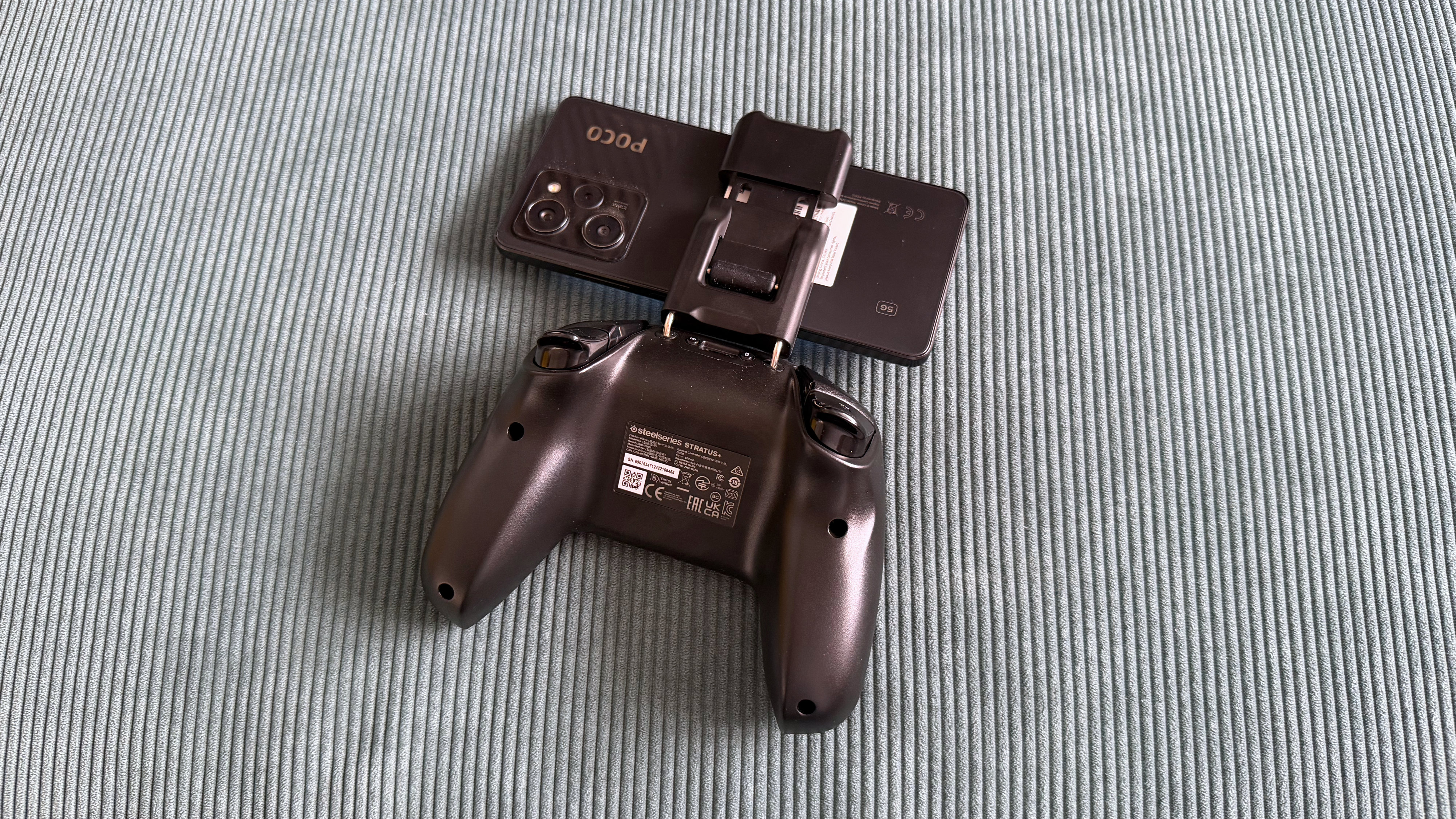
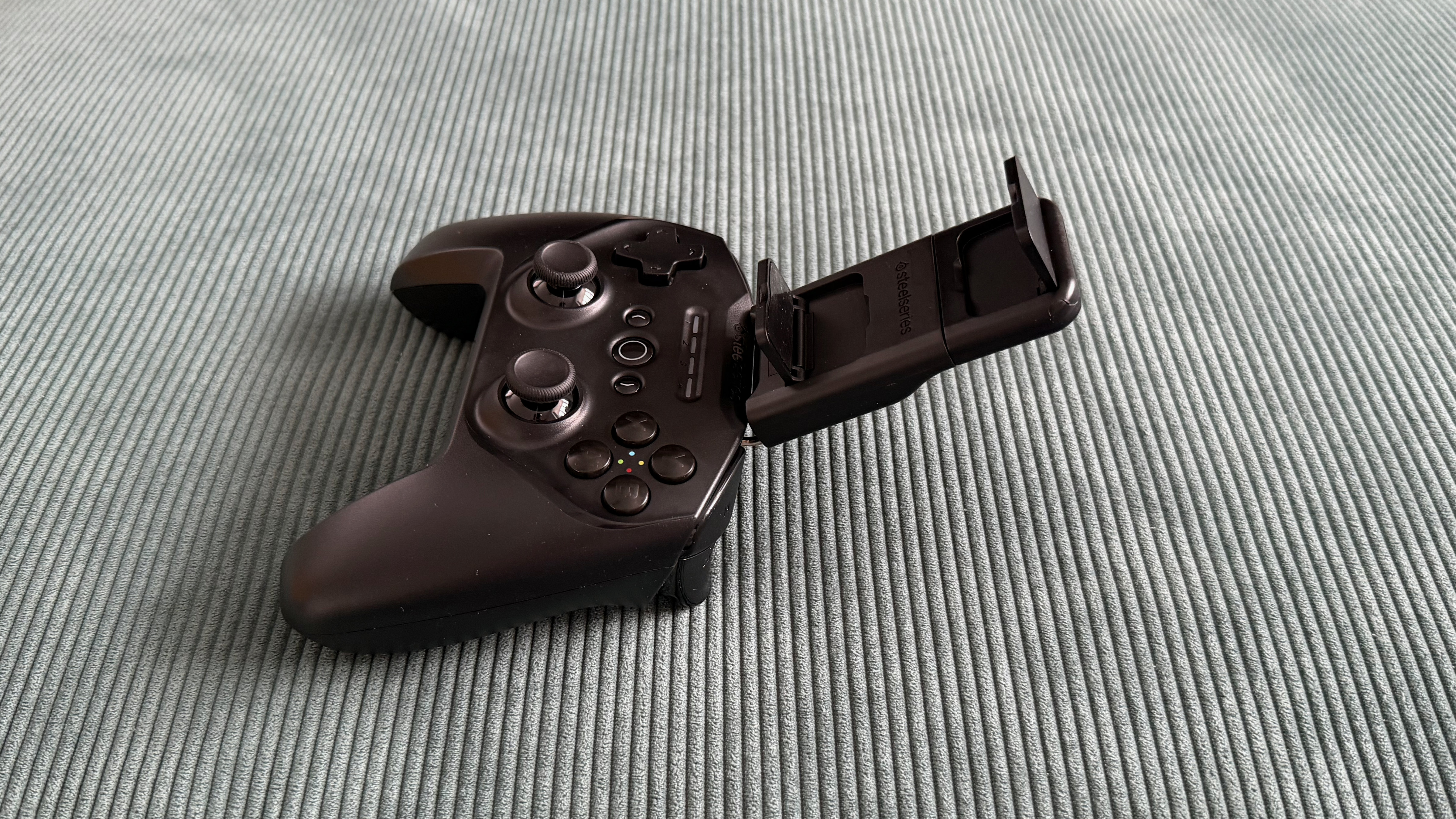
The phone mount is where things stray from the norm and, unfortunately, not particularly successfully. SteelSeries includes a detachable clip that slots into the top of the Stratus+ via two metal bars to turn this from a controller into a mobile controller. It doesn’t work well, though, and almost feels like a third-party modkit for a controller, rather than a first-party USP. It’s fiddly to install, and even with the bars fully inserted, there's noticeable wobble before you've even added a phone.
(Image credit: Future/Alex Berry)
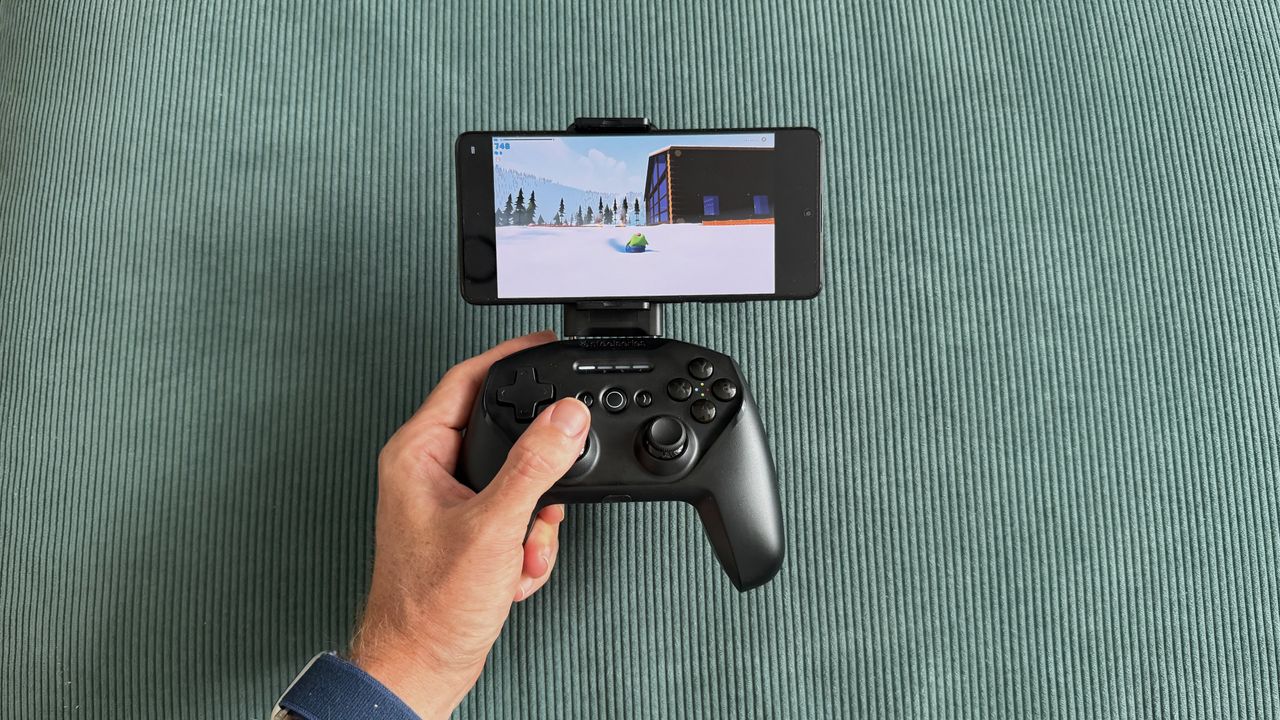
Once you do seat a device, the controller becomes top-heavy and unbalanced, constantly wanting to tip backward when placed on a surface and feeling like it’s trying to spill forward out of your hands. The mount clamps your phone from the sides rather than end-to-end, which helps with universality, but means it's also constantly trying to press your phone's power and volume buttons. During testing with a POCO X5 Pro, I had to significantly offset the phone to the right of the cradle to avoid it turning my phone off.
The D-pad is probably the highlight of the entire controller, not something I’ve often said, so it’s nice to see it get its moment to shine. It's firm with a satisfyingly soft press and rock solid with zero wiggle. The ABXY face buttons are generic but functional, and the bumpers are quiet, soft, and responsive.
There are Hall Effect sensors in the triggers with a mid-length travel and linear mapping, though there’s no hair trigger mode and no companion app to set dead zones. The ALPS thumbsticks offer fairly high resistance and felt fine during testing with no drift out of the box, though it's worth noting that these sticks don't carry the same drift-resistance guarantees as Hall Effect alternatives.
(Image credit: Future/Alex Berry)
SteelSeries Stratus+ review: Performance
Bluetooth latency is noticeable at times
Mobile game compatibility is inconsistent
Wired PC performance is where it’s at its best
The SteelSeries Stratus+ is trying to be two controllers in one, and in testing, the experience was certainly a tale of two halves.
Connected to my Windows gaming PC via USB-C, the Stratus+ was instantly recognized as an XInput controller and fully mapped as a generic gamepad in Steam. You’d think that’d be the bare minimum experience, but it’s actually refreshing to see it just work, as that isn’t always the case, I’ve found.
I jumped across a few titles in both Steam and Xbox Cloud Gaming, and there's nothing here that would give you reason to reach for a different controller. It’s perfectly fine but equally, there’s nothing worth shouting about, or that would make you recommend this one specifically. It looks like a generic game controller, and it plays like one, but most importantly these days it’s priced like one too, so that’s not a bad thing.
Sticking that weird phone mount into the top and heading to mobile, the experience is considerably less convincing. The SteelSeries Stratus+ connected to my POCO X5 Pro without issue, but game support is a guessing game. Fortnite recognized the controller and played well overall, but displayed PlayStation button prompts on screen despite the Stratus+ using an ABXY layout.
The firm resistance of the sticks offered me plenty of fine control, and any input lag was small enough to be below my skill cap. Call of Duty Mobile and NFS No Limits simply didn't work at all, with no controller recognition and no hardware mapping workaround available.
Again, this isn’t a SteelSeries-specific issue, but competitors like GameSir have built compatibility solutions via their companion apps, so while those games don’t have great native controller support, it’s possible with a little effort by brands.
(Image credit: Future/Alex Berry)
Xbox Cloud Gaming fared better, recognizing the controller natively and without any button mapping issues. Forza Horizon 6 played OK, but this is where the Bluetooth latency became most apparent when stacked on top of the small amount of remote gaming input lag. Racing games demand reactive inputs and a feeling of being connected to your car, and with the Stratus+, there was enough delay to force me into adapting my play style.
Rather than reacting naturally to what was happening on screen as I would normally, I found myself having to preempt my next movement while still executing the last one, building in a mental delay to compensate. It's not catastrophic, and it's less noticeable in games that don't demand constant precision, like the charming Sledding Game or Stardew Valley, which both played fine.
SteelSeries claims 90+ hours of battery life, and while I unfortunately couldn’t devote nearly four straight days to gaming, I can see those numbers being true enough. Despite regular use over a week of testing, the battery percentage reported by Android barely seemed to drop, and any time I was gaming on PC was passively juicing it up again anyway. Curiously, when charging, I noticed there was often quite a discrepancy between what the controller's own LED indicators showed versus what my phone reported.
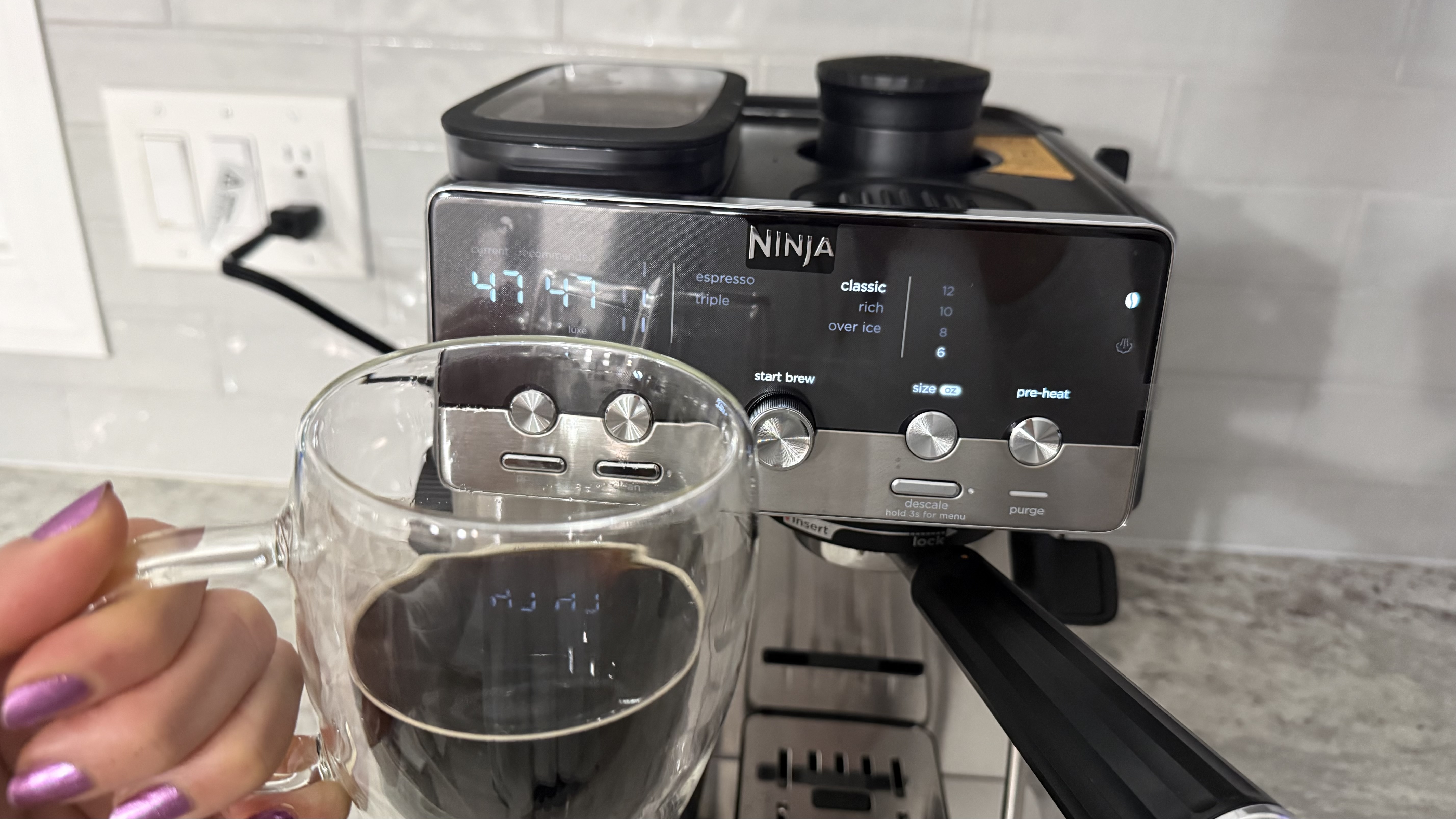
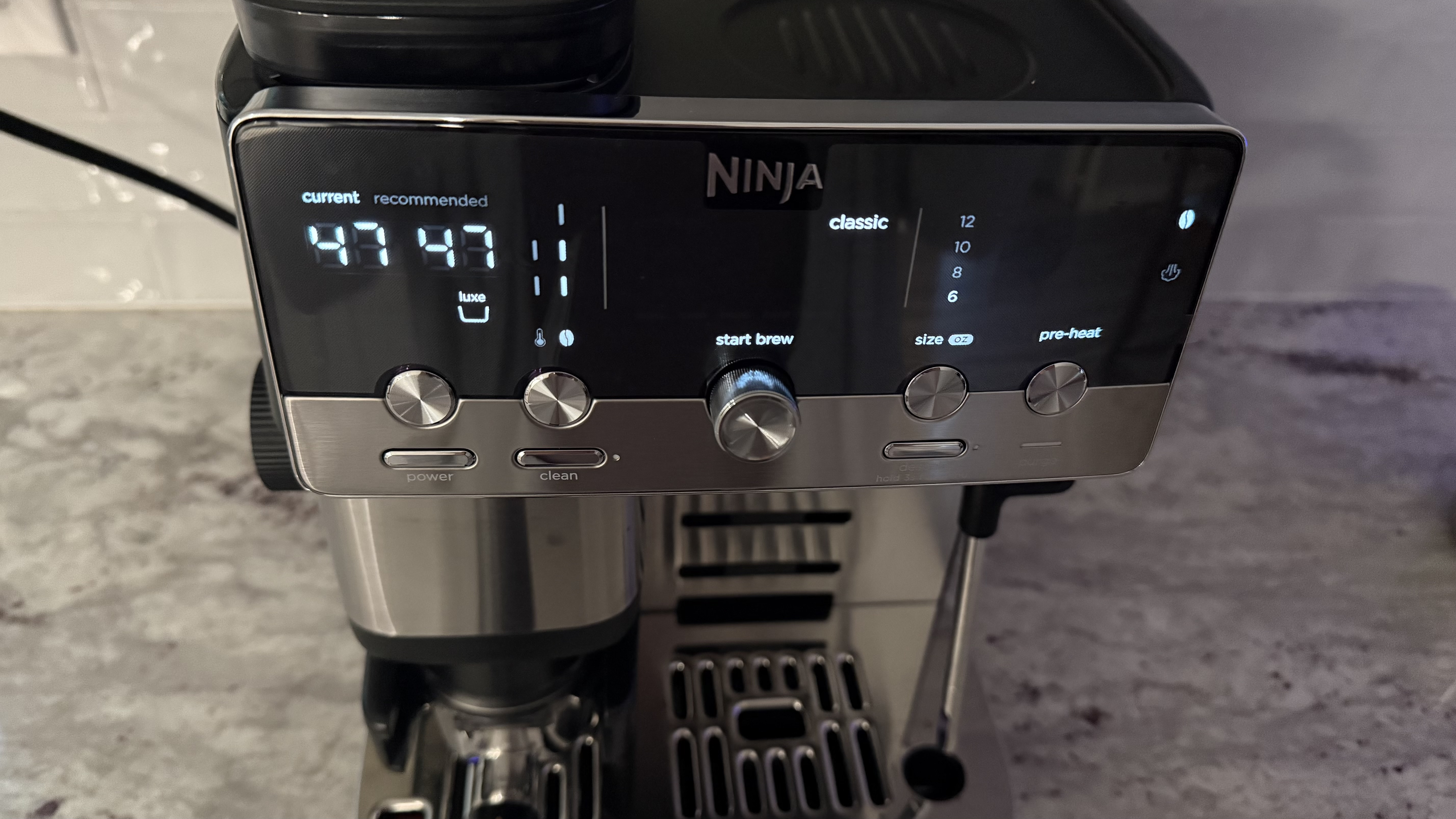
At one point, I had three solid lights and one flashing during charging, suggesting it should be 75%, yet my phone's Bluetooth settings reported just 47% battery. There’s fast charging available here, so ultimately it isn’t a dealbreaker, as I doubt you’ll be plugged in often, but I’d be inclined to trust the more pessimistic software number over the lights.
(Image credit: Future/Alex Berry)
Should I buy the SteelSeries Stratus+ review?
Buy it if...
You're looking for a budget wired PC controller and nothing more At its current street price, the Stratus+ is a functional, no-frills wired gamepad that works out of the box with Steam on Windows. If you need a cheap controller for casual gaming on a PC, it'll do the job.
You want a casual Bluetooth pad for Fortnite or cloud gaming For supported mobile titles like Fortnite, the Stratus+ is perfectly fine. The same is true for Xbox cloud gaming, though be mindful that compound input lag can be tricky to work with for titles requiring reactive controls.
Don't buy it if...
You want a genuine mobile-first gaming controller The phone mount is poorly designed, the Bluetooth latency is noticeable at times, and without a companion app, there are real limits to game compatibility. A telescopic controller or even a standard Xbox Wireless Controller paired via Bluetooth will give you a substantially better mobile experience.
You're paying full retail price The Stratus+ isn’t worth its MSRP and is still not particularly compelling until you get close to the half-off mark it can often now be found at. There are simply far too many better options in the same price bracket if you’re stuck paying full price.
Also consider...
If you're looking for something else in either the dedicated mobile or PC controller space then consider these fine options.
SteelSeries Stratus+
GameSir G8+ Bluetooth
Xbox Wireless Controller
Price
$59.99 / £64.99 / AU$159.99
$79.99 / £79.99 / AU$129.99
$59.99 / £54.99
Dimensions
5.9 x 4.3 x 2.5in / 150 x 110 x 63.2mm
9.06 x 4.21 x 2.17in / 230 x 107 x 55mm
6.0 x 4.0 x 2.5in / 153 x 102 x 63mm
Weight
8.6oz / 244g
10.72oz / 314g
10.1oz / 287g
Connection
Bluetooth LE, USB-C (Windows only)
Bluetooth 5.3, Wired (USB-C), Dongle (sold separately)
Xbox Wireless, Bluetooth, Wired (USB-C)
Compatibility
Android, Chromebook, PC
Android, iOS, Nintendo Switch, PC, macOS
Xbox, Windows PC, Android, iOS
Software
None
GameSir App (Android only)
Xbox Accessories app
GameSir G8+ Bluetooth If mobile gaming is your priority, something from the GameSir G8+ family is likely a better bet. The telescopic cradle design eliminates all the phone mount problems entirely; Hall Effect sticks and triggers offer drift resistance, and the GameSir companion app provides hardware mapping for unsupported games. It costs more, but the experience is in a different league.
Xbox Wireless Controller You’ll need to find somewhere to prop up your phone or grab a third-party case/clip, but you can always just pair a first-party Xbox Wireless Controller to an Android phone over Bluetooth. It’ll be a more comfortable solution with more robust native game support, and it plays great on PC too.
I spent a week gaming with the Stratus+ across a POCO X5 Pro (Android) and a Windows PC
I tested native Android games like Fortnite and Call of Duty Mobile, Forza Horizon 6 and Sledding Game via Xbox Cloud Gaming, and Steam titles via wired USB-C
I paid particular attention to things like Bluetooth latency, game compatibility, and phone mount stability
I approached testing the Stratus+ independently as both a mobile controller and a PC gamepad over the course of a week, along with considering whether it successfully comes together as one hybrid unit. On Android, I tested both local titles and cloud gaming, while on PC, I tested through Steam's controller interface and games, along with Xbox Cloud Gaming, to evaluate its viability as a wired desktop pad.
I used a POCO X5 Pro in the included phone mount, paying particular attention to stability, balance, and how comfortable the overall experience was in this arrangement. I played both at home on the couch and at a desk, as well as taking the controller out and about to see how it fared on the move.
Boy, sure is a hot one today, huh? Okay, I get the irony: that's a take so cold you could use it to replace your freezing Wim Hof showers. But when the metaphorical mercury creeps this high, you've got to keep your cool. The same goes for your laptop, which is why you might want to grab a laptop cooling pad this summer.
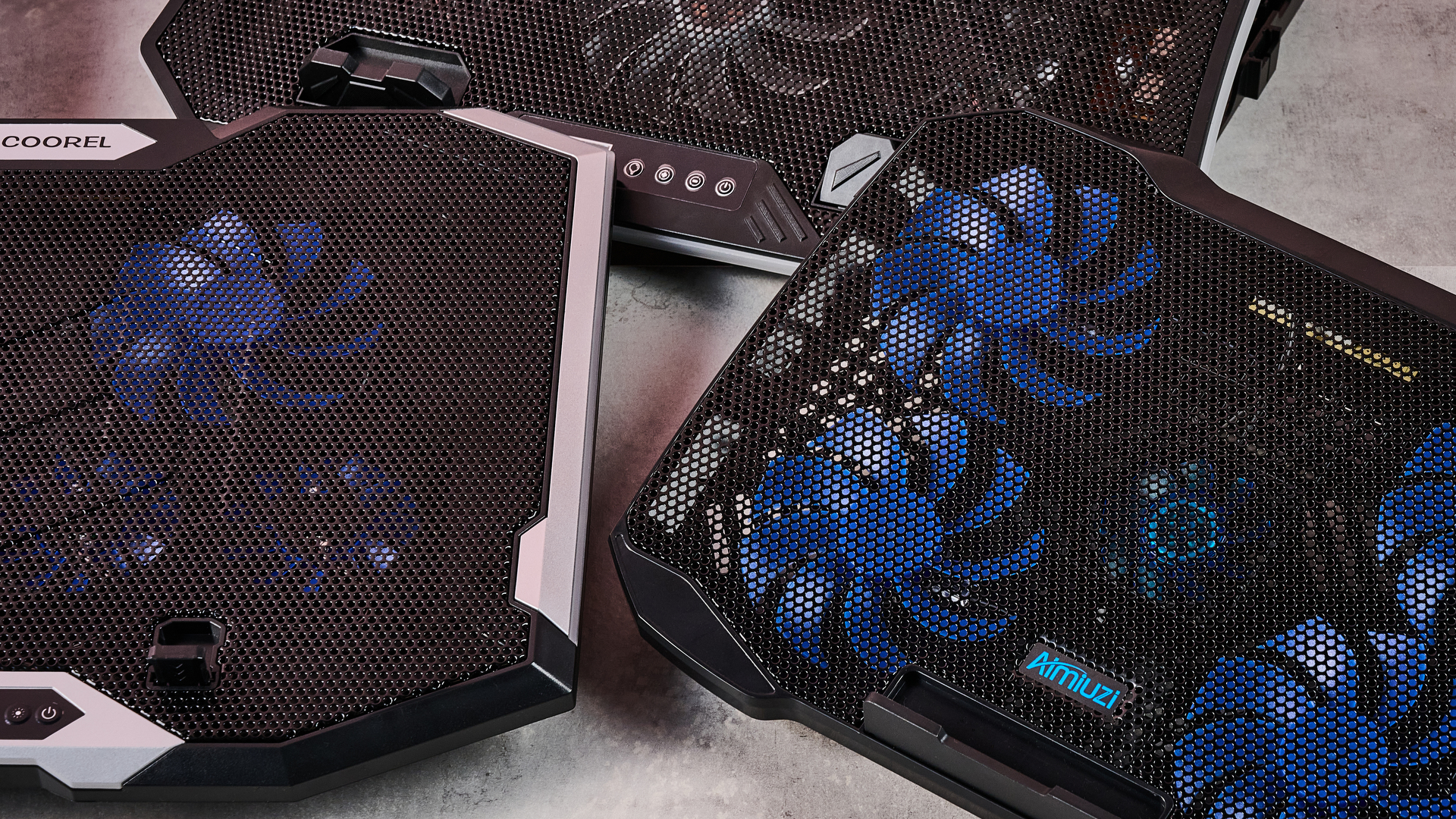
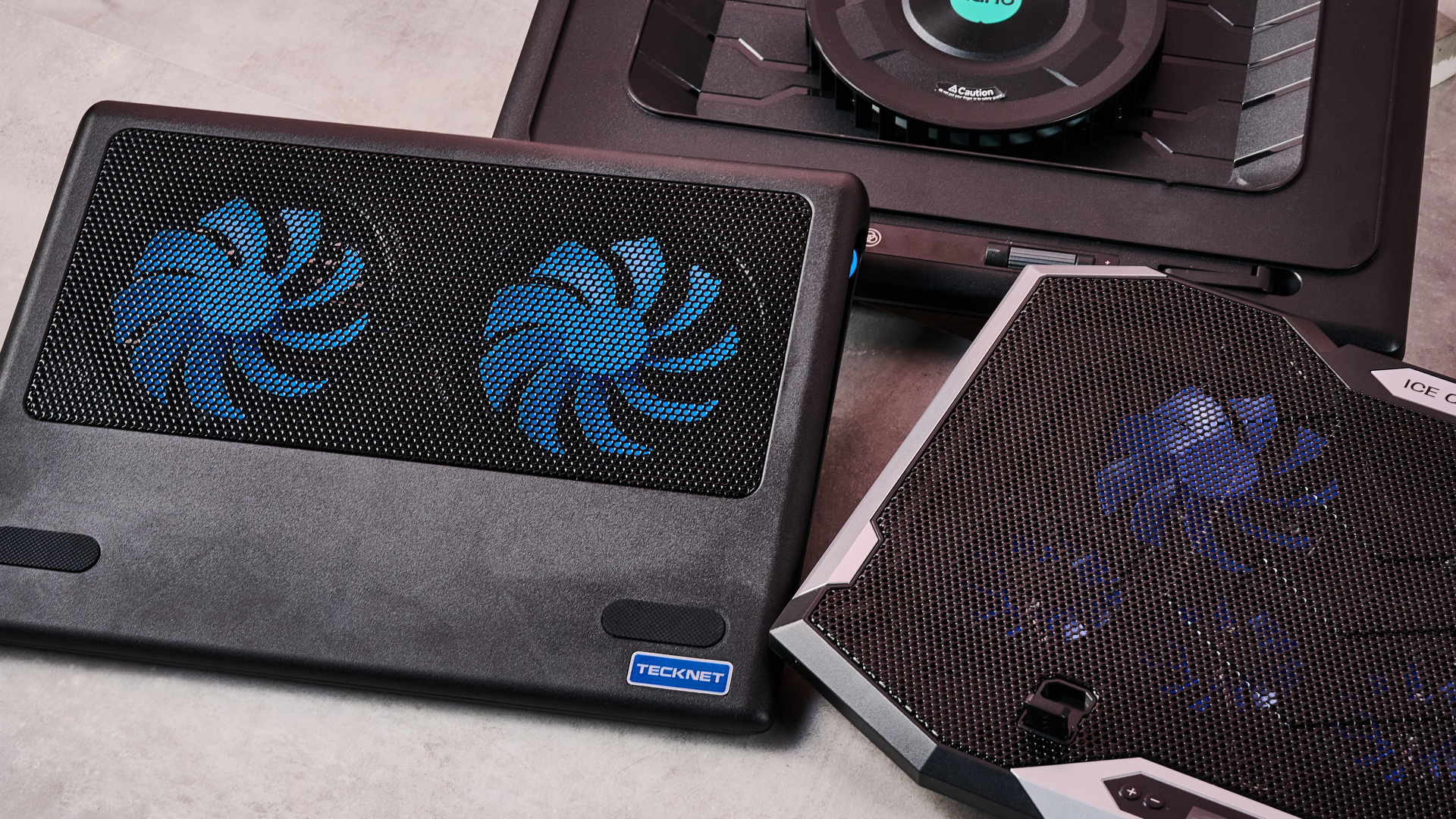
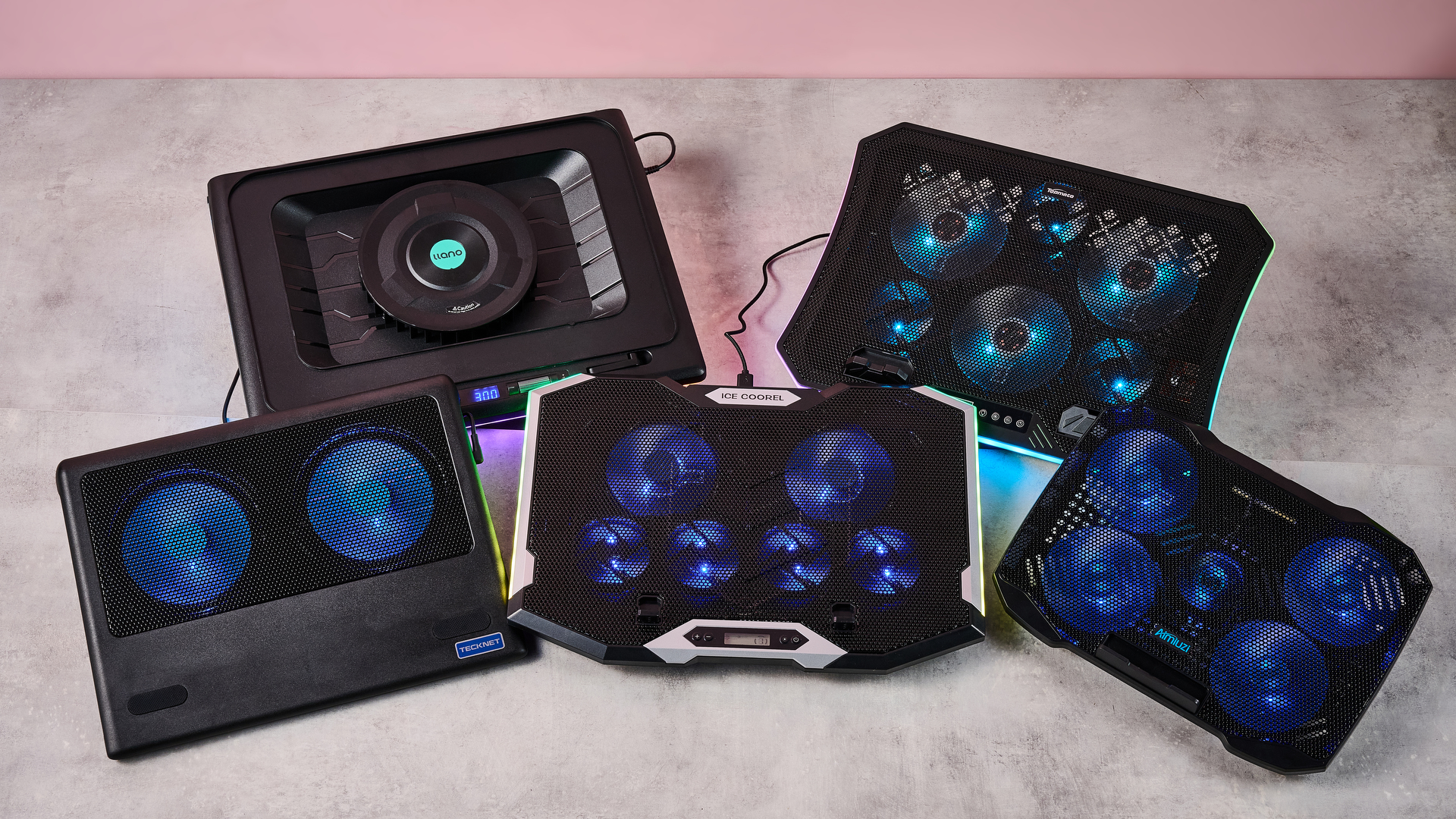
Fortunately for you, I've spent this week testing every laptop cooling pad I can get my hands on to see which offers the superior AC for your computer. Not only that, but I've brought receipts — this piece has more graphics and graphs than election night coverage. So if you want objective numbers about which pad is genuinely gusty and which is all bluster, I've got the data you need.
I get that it can be tempting to overlook cooling your laptop during warm weather — I've been more worried this summer about tracking down a fan to keep myself cool than my laptops. But you overlook the best laptop cooling pads at your peril.
I still have vivid memories of the summer I redlined my laptop during a heatwave. While the video skittering should have been a hint, it was only when it stopped booting up and started bleeping SOS in Morse code that I began questioning my life choices. Turns out I'd burnt out the memory — quite literally: there were scorch marks on the inside of the case.
So at this time of year, it's worth considering whether a laptop cooling pad can help you out. And I can definitely help out there.
Laptop cooling pads: cooling
Temperature Rise Using Laptop Cooling Pad
The temperature rise during a stress test while using the laptop cooling pad on max settings
Baseline
31.9
TopMate C12 Laptop Cooling Pad
22.8
Klim Mistral
20.4
Klim Wind
19.5
Almiuzi F2 Plus Laptop Cooling Pad
18.4
TECKNET Laptop Cooling Pad
17.9
Klim Ultimate
15.5
Liangstar Laptop Cooling Pad
15.3
Llano V10 Gaming Laptop Cooling Pad
12
Llano RGB Laptop Cooling Pad
8
010203040
Temperature difference (°C) Data
Product
Value
Baseline
31.9
TopMate C12 Laptop Cooling Pad
22.8
Klim Mistral
20.4
Klim Wind
19.5
Almiuzi F2 Plus Laptop Cooling Pad
18.4
TECKNET Laptop Cooling Pad
17.9
Klim Ultimate
15.5
Liangstar Laptop Cooling Pad
15.3
Llano V10 Gaming Laptop Cooling Pad
12
Llano RGB Laptop Cooling Pad
8
Baseline
57.4
TopMate C12 Laptop Cooling Pad
41
Klim Mistral
36.7
Klim Wind
35.1
Almiuzi F2 Plus Laptop Cooling Pad
33.1
TECKNET Laptop Cooling Pad
32.2
Klim Ultimate
27.9
Liangstar Laptop Cooling Pad
27.5
Llano V10 Gaming Laptop Cooling Pad
21.6
Llano RGB Laptop Cooling Pad
14.4
015304560
Temperature difference (°F) Data
Product
Value
Baseline
57.4
TopMate C12 Laptop Cooling Pad
41
Klim Mistral
36.7
Klim Wind
35.1
Almiuzi F2 Plus Laptop Cooling Pad
33.1
TECKNET Laptop Cooling Pad
32.2
Klim Ultimate
27.9
Liangstar Laptop Cooling Pad
27.5
Llano V10 Gaming Laptop Cooling Pad
21.6
Llano RGB Laptop Cooling Pad
14.4
Lower values indicate better cooling.
How I tested
To test each laptop cooling pad's performance, I ran a 3DMark Steel Nomad stress test on an Acer Predator Helios 300 gaming laptop with an Nvidia GeForce RTX 3080 GPU. The test ran for 15 minutes, with each cooling pad set to maximum. Using a thermal camera, I clocked the hottest point before and after the test, then calculated the temperature differential between the two to determine how much warming each cooling pad allowed.
Assessing which laptop cooling pad is a breezy wonder and which is a wheezy blunder ultimately comes down to how frosty each model's cooling is. That's why I went through every pad I could get my hands on to see how much each one prevented our gaming laptop from heating up during a 3DMark stress test.
As you can see, by far the weakest cooling offered by any laptop cooling pad I tested was from the TopMate C12 Laptop Cooling Pad. Compared to the 57.4°F / 31.9°C baseline rise of our gaming laptop alone, the C12 was only able to limit it to a 41°F / 22.8°C rise — that might be better than frantically waving a dish towel in its general direction, but only barely.
Probably the biggest disappointment of these tests was how the Klim Mistral performed. Not only did it seem to perform worse than the more affordable Klim Wind — resulting in 36.7°F / 20.4°C warming compared to the Wind's 35.1°F / 19.5°C — but it was pretty inconsistent to boot, achieving even worse results on a retest.
Skipping ahead a little, the laptop cooling pad I was most surprised by was the TECKNET. Although it's cheaper than quite a few of the pads I tested here, setting me back just $21.59 / £21.99, the 32.2°F / 17.6°C warming it presided over put it firmly in the top half of the pack. It's the little laptop cooling pad that could.
(Image credit: Future)
Given that the Liangstar Laptop Cooling Pad and Klim Ultimate both achieved an almost photo finish, it would be easy to assume there's not much daylight between them. However, like a bottle of wine, you really need to weigh up what you're spending here to calculate its true value. And as the Liangstar costs $20.99 / £23.59 versus the Klim Ultimate's $44.97 / £44.97 price tag, that definitely takes the edge here.
But, frankly, there's a reason Llano is the absolute GOAT in my eyes. As you can see, it took both first and second place on my cooling pad podium. While the Llano V10 Gaming Laptop Cooling Pad stopped our gaming laptop from warming up more than 21.6°F / 12°C, the Llano RGB Laptop Cooling Pad kept it down to just 14.4°F / 8°C of warming. This boi makes liquid nitrogen look positively toasty.
Laptop cooling pads: noise levels
1 / 2
Noise Level — cooling pad alone
Noise level of the cooling pad or laptop alone taken at head height and from 3 inches away
Llano RGB Laptop Cooling Pad
71
Llano V10 Gaming Laptop Cooling Pad
64.5
Klim Mistral
52.6
Liangstar Laptop Cooling Pad
45
TopMate C12 Laptop Cooling Pad
43.5
Laptop alone
42
Almiuzi F2 Plus Laptop Cooling Pad
37.4
Klim Wind
36.2
TECKNET Laptop Cooling Pad
36
Klim Ultimate
36
020406080
dB
Head height Data
Product
Value
Llano RGB Laptop Cooling Pad
71
Llano V10 Gaming Laptop Cooling Pad
64.5
Klim Mistral
52.6
Liangstar Laptop Cooling Pad
45
TopMate C12 Laptop Cooling Pad
43.5
Laptop alone
42
Almiuzi F2 Plus Laptop Cooling Pad
37.4
Klim Wind
36.2
TECKNET Laptop Cooling Pad
36
Klim Ultimate
36
Llano RGB Laptop Cooling Pad
85
Llano V10 Gaming Laptop Cooling Pad
77
Klim Mistral
62.6
Liangstar Laptop Cooling Pad
59
TopMate C12 Laptop Cooling Pad
58
Laptop alone
60
Almiuzi F2 Plus Laptop Cooling Pad
50.2
Klim Wind
48.8
TECKNET Laptop Cooling Pad
60
Klim Ultimate
46
0255075100
dB
Near Data
Product
Value
Llano RGB Laptop Cooling Pad
85
Llano V10 Gaming Laptop Cooling Pad
77
Klim Mistral
62.6
Liangstar Laptop Cooling Pad
59
TopMate C12 Laptop Cooling Pad
58
Laptop alone
60
Almiuzi F2 Plus Laptop Cooling Pad
50.2
Klim Wind
48.8
TECKNET Laptop Cooling Pad
60
Klim Ultimate
46
Noise Level — cooling pad & laptop
Combined noise level of the cooling pad and laptop taken at head height and from 3 inches away
Llano RGB Laptop Cooling Pad
64
Llano V10 Gaming Laptop Cooling Pad
57.5
Klim Mistral
51.5
TopMate C12 Laptop Cooling Pad
45
TECKNET Laptop Cooling Pad
45
Liangstar Laptop Cooling Pad
45
Klim Ultimate
44.4
Klim Wind
44
Almiuzi F2 Plus Laptop Cooling Pad
44
020406080
dB Head height Data
Product
Value
Llano RGB Laptop Cooling Pad
64
Llano V10 Gaming Laptop Cooling Pad
57.5
Klim Mistral
51.5
TopMate C12 Laptop Cooling Pad
45
TECKNET Laptop Cooling Pad
45
Liangstar Laptop Cooling Pad
45
Klim Ultimate
44.4
Klim Wind
44
Almiuzi F2 Plus Laptop Cooling Pad
44
Llano RGB Laptop Cooling Pad
79
Llano V10 Gaming Laptop Cooling Pad
69
Klim Mistral
61.5
TopMate C12 Laptop Cooling Pad
58.5
TECKNET Laptop Cooling Pad
58
Liangstar Laptop Cooling Pad
59
Klim Ultimate
55.2
Klim Wind
58.5
Almiuzi F2 Plus Laptop Cooling Pad
61
020406080
dB Near Data
Product
Value
Llano RGB Laptop Cooling Pad
79
Llano V10 Gaming Laptop Cooling Pad
69
Klim Mistral
61.5
TopMate C12 Laptop Cooling Pad
58.5
TECKNET Laptop Cooling Pad
58
Liangstar Laptop Cooling Pad
59
Klim Ultimate
55.2
Klim Wind
58.5
Almiuzi F2 Plus Laptop Cooling Pad
61
How I tested
When it came to noise levels, I measured the noise of each cooling pad from 3 inches away and from my head height when sitting in front of it. I also recorded the combined noise of each cooling pad and the testing laptop's fans 10 minutes into each stress test from the same distances.
You may think that your gaming laptop makes a lot of noise. But believe me: that's scarcely more than a murmur compared to some cooling pads. Given they're essentially just an LED-adorned box with a whopping great fan inside, they can get pretty shouty. That's why I grabbed the sound level meter from my utility belt and started measuring like the world's nerdiest superhero.
Perhaps predictably, the pad that blows coolest blows loudest. While I love the Llano RGB Laptop Cooling Pad's glacial chilling, I can't get away from the fact that it's pretty noisy. I'm 5 foot 11 inches tall, and from my head height, I clocked it at 71dB — according to the Center for Hearing and Communication, that's roughly as loud as a coffee grinder or freeway traffic. In my book, that's a worthy price to pay for keeping your laptop cool, but it might not be ideal if you're planning to use it in the office.
In fact, you might assume there's an inverse relationship between cooling and fan noise. And while that does hold true for the most part, there are some interesting exceptions. For example, while I found the Liangstar Laptop Cooling Pad offered the third best cooling in my tests overall, it was substantially quieter than either of the Llanos, clocking in at a much less brash 45dB.
Conversely, the Klim Mistral manages to buck the trend in the other direction, running surprisingly loud compared to some of the other competitors here. At 52dB, it kicks out a similar level of noise as a fridge — which is pretty ironic given it offered some of the worst cooling in my testing.
(Image credit: Future)
And there are some surprising candidates for the winner's podium when it comes to sound levels. The TECKNET offers far from the worst cooling, and yet it ties for first place as the quietest pad on test here at 36dB — again, not at all bad given its super affordable price tag.
Honestly, though, if you want whisper-quiet running without sacrificing performance, my pro tip would be to check out the Klim Ultimate. Unlike Klim's two cheaper cooling pads, it offers very credible chilling while also measuring noise levels of 36dB from head height — that's apparently quieter than a library, which isn't known for being a raucous place.
Fundamentally, noise levels probably shouldn't be the deciding factor when picking your perfect laptop cooling pad. Both cooling power and budget come higher up the pecking order in terms of my personal preferences. But that doesn't mean you should ignore it completely — depending on where and how you use your laptop, you could find strapping a jet engine to the bottom of it to be a bit of a deal breaker.
Do I even need a laptop cooling pad?
1 / 2
MacBook Air M5 encode test
Performance after an hour during a standard encode test both with and without cooling
Versus Comparison Data
Attribute
Benchmark — MacBook Air M5
Klim Ultimate — MacBook Air M5
Average FPS
2.52
2.77
Estimated encode time
122
114
VS
Average FPS (fps)
2.52
2.77+10%
Estimated encode time (minutes)
+7%122
114
Re-encoding a 4K stereo .mov file at highest quality, the MacBook Air M5 showed a modest reduction in throttling in terms of average FPS and encode time when using the Klim Ultimate laptop cooling pad.
Acer Predator Helios 300 encode test
Performance after an hour during a standard encode test both with and without cooling
Versus Comparison Data
Attribute
Benchmark — Acer Predator Helios 300
Klim Ultimate — Acer Predator Helios 300
Average FPS
2.8
2.8
Estimated encode time
115
113
VS
Average FPS (fps)
2.8
2.8
Estimated encode time (minutes)
+2%115
113
Re-encoding a 4K stereo .mov file at highest quality, the Acer Predator Helios 300 showed essentially no reduction in either average FPS or estimated encode time, suggesting limited heat-related throttling took place.
How I tested
Here I used a standard encoding test. I re-encoded the 4K stereo version of the Creative Commons animated movie Big Buck Bunny at 4K 120fps at the slowest encode speed, then ran it for an hour to allow throttling to take place and recorded the total estimated encode time and average encode rate. I ran this on both my MacBook Air M5 and our testing Acer Predator Helios 300, uncooled and cooled with the Klim Ultimate, to see the impact it had on performance.
So it's pretty clear which cooling pads offer ice-cold AC and which sound like a tumble dryer breaking the sound barrier. But I've left the biggest question until last — do you actually need one at all?
Aiming to prove my theorem that 'cold CPU = good', I whipped up a quick encode test designed to stress out the CPU of several laptops over a longer period. In theory, after an hour, their core temperature should have risen, their CPUs throttled, and the length of the encode spiked and the encode rate dropped. Running the same test with one of our top cooling pads, the Klim Ultimate, would then show how much it could reduce this throttling.
On my MacBook Air M5, after an hour of using its passive cooling alone, the total estimated encode time had crept up to 122 minutes, and the average encode rate was sitting at 2.52 FPS. When I reran the test with the Klim Ultimate running on max cooling, that total encode time was trimmed to 114 minutes, and the encode rate had increased to 2.77 FPS. That's not a huge difference, but it shows the Klim Ultimate was able to trim back some of that temperature-related throttling.
Running the same test on our Acer Predator Helios 300 was a much more ambiguous experience. During my first run, the encode crashed within minutes, and during the second it crashed moments after the test concluded. So it was honestly far from stable.
I was able to eventually get some results, however, and they showed... nothing. Whether I was using the Klim Ultimate or not, the test results were essentially identical, with Handbrake clocking an estimated encode time of 115 minutes uncooled and 113 with the Klim's help. Meanwhile, the encode rate remained steady, sitting at a reasonable 2.8 FPS.
(Image credit: Future)
What does that mean? That I've wasted several hours of my life? Not quite. There are a couple of key conclusions to take away from this. One is that a performance laptop with whacking great fans built in is already pretty good at keeping itself cool. Shocking revelation, I know.
But probably the more critical takeaway is that the mileage you get out of a laptop cooling pad is going to vary depending on how well optimized it is for handling heat, as well as the kind of tasks you're doing. Had I tried to run Cyberpunk 2077 on max graphics settings with ray-tracing switched on, the Predator Helios 300 would likely have caused it to melt into the earth's core.
There's also another caveat. While it's definitely been warm the last week or so in the TechRadar testing lab, it hasn't reached the kind of desiccating highs that have hit both the US and UK in recent months. Past a certain point, any laptop will struggle in the heat. Forget CPU throttling — in that heat, I'd be more worried about your components liquefying like a chocolate bunny on the launch pad at Cape Canaveral.
In light of that, I'd say a laptop cooling pad is still worth exploring, especially if you tend to do a lot of resource-intensive tasks like 3D work, Photoshopping or gaming.
Any thoughts or personal experiences you'd like to share? Please feel free to chime in down in the comments!
Valve's SteamOS has often presented the perfect excuse to be whisked away from Microsoft's troublesome Windows 11. The Linux operating system's better gaming performance has often been proven, utilizing RAM well without the bloatware often found with Windows 11.
SteamOS provides a console-like user interface (UI), making navigation and game launches far easier than Windows 11, despite the recent Xbox mode. With those benefits in mind, I've been contemplating a full switch to SteamOS, ditching Windows for good, and the best way to do that would be via Bazzite.
Bazzite (not affiliated with Valve) is effectively a SteamOS clone, specifically designed for "Linux newcomers and enthusiasts alike", but most importantly, comes with out-of-the-box compatibility with Nvidia and Intel GPUs, and a smooth experience for handhelds.
Using my second streaming PC, I put Bazzite to the test over a few months. Without a doubt, it's easily the best option for any gamer looking for a console-like couch gaming setup.
With tools like Decky Loader, customization is easy, with plugins to change SteamOS game mode themes, navigation sound effects, or even the startup and shutdown videos. However, despite all of the benefits of using the operating system, I still can't step away from Windows 11 on my main system, and there are multiple reasons why.
Multitasking drawbacks
(Image credit: Universal Blue / Bazzite)
As a frequent multitasker using applications like Discord to stream games to friends, Bazzite (more specifically SteamOS) isn't an ideal option. Using Discord to stream games on the same rig works just fine in desktop mode; however, it's not the same story for its game mode, which is arguably the entire purpose of using Bazzite.
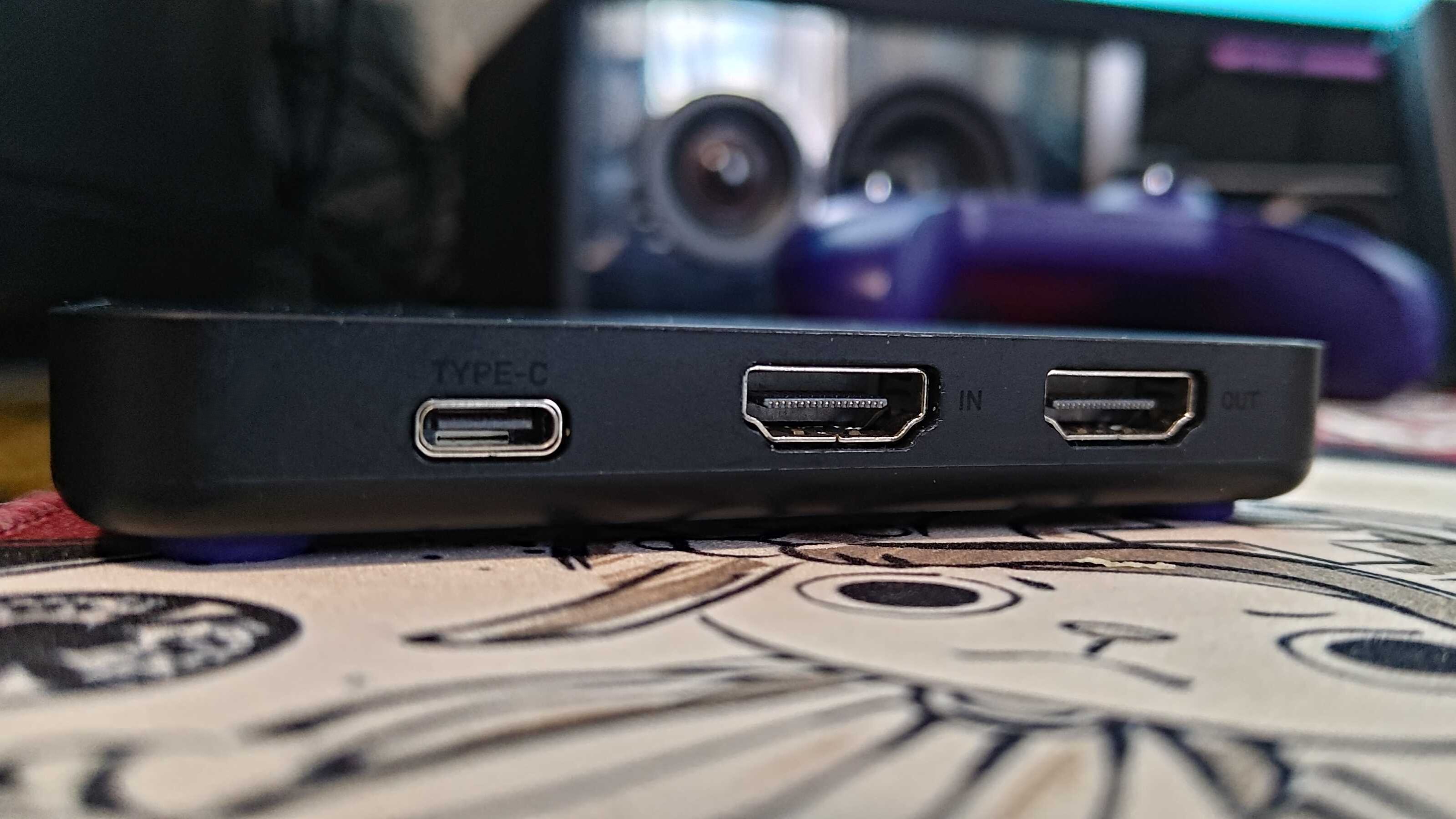
Streaming on Discord in game mode severely drops frame rates in games, with constant stutters in many I tested, and there are a few instances where attempting to stream an application will result in a black screen. I tried to use the NZXT Signal 4K30 capture card and stream my second PC's Bazzite activity on Discord via my main PC, but it's not that simple.
Sure, HDMI passthrough on the capture card is possible, but I didn't want to be limited to 4K 60 frames per second on either my TV (which is capable of 144Hz) or my gaming monitor (capable of 240Hz). Frankly, capture cards with higher passthrough capabilities don't come cheap.
(Image credit: Discord)
Duplicating or projecting the display, as you would on Windows 11, would be the easy solution. However, Gamescope, the compositor responsible for displaying games on screen with Bazzite, cannot duplicate outputs.
Still trying to avoid the NZXT capture card's 4K 60Hz passthrough limitation, I opted for an HDMI splitter with one input and two output ports. Unfortunately, the moment the capture card is connected, the output on either my TV or monitor has the refresh rate slashed to 60Hz and VRR disabled.
That occurs to ensure that the Extended Display Identification Data (EDID) of both is matched, according to what the capture card is capable of in passthrough.
(Image credit: Future / Isaiah Williams)
None of these issues are present on Windows, as you can use OBS to project the main display onto the capture card without ever having to rely on an HDMI splitter or a better capture card.
This isn't an attack on SteamOS or Bazzite in particular; after all, game mode is quite literally designed for gaming, so multitasking isn't a priority for Valve or specifically Bazzite developers in this case.
However, it's worth noting that streaming on the gaming OS is more trouble than it's worth, and that's without even mentioning the potential audio bugs or OS glitches. That's only one part of why it's worth sticking with Windows, though.
Compatibility issues
(Image credit: Future / Isaiah Williams)
I wish these issues stopped there, but not quite. Firstly, a large majority of popular multiplayer games such as Battlefield 6, Call of Duty (most of the modern entries), Destiny 2, and EA Sports FC 26 will not work on Linux due to their anti-cheat systems.
This is an issue that lies directly with publishers and developers for those games that refuse to adapt their anti-cheat systems to work on SteamOS. It also doesn't seem as though this will change any time soon; the Steam Machine was arguably one way to effectively force the hand of publishers to consider anti-cheat compatibility on Linux, but it's not exactly a popular PC due to its high price.
It's also worth noting that Game Pass is inaccessible natively on Bazzite, and requires either cloud gaming or third-party launchers, and you'll be lucky if you can get the latter to function.
The solution to accessing those anti-cheat games is a dual-boot with Windows 11 and Bazzite. However, that isn't completely ditching Windows 11 as I've planned to, and a dual-boot can end up messy thanks to Windows' forced updates.
(Image credit: Valve)
Perhaps the most frustrating aspect is that Nvidia GPUs don't play nice with game mode on Bazzite, often resulting in glitchy functionality, or just completely black screens. I tested this by swapping out the AMD Radeon RX 9060 XT 16GB GPU in my second PC with my spare Nvidia GeForce RTX 3080 Ti and found that game mode was just frustrating to use.
So if I wanted to use Bazzite on my main rig equipped with an Nvidia GeForce RTX 4080 Super, its DX12 (a graphics API) gaming performance would be worse than Windows. Overall, the entire purpose of switching over to Linux was for better gaming performance and easy console-like UI navigation would be non-existent.
I'm sure all of these pain points will be addressed at some point, whether via Bazzite or Valve's official SteamOS builds. For now, though, I'll stick with Windows 11 on my main rig — even though I desperately want to be done with it.
Did you know TechRadar now has membership?
(Image credit: Future)
Become a TechRadar Insider by simply clicking 'Join Now' at the top of this page. Have a question? Please email membership@techradar.com
The current state of music streaming is interesting, yet unpredictable. The shift from the CD era into the streaming era has made access to music more ubiquitous, but it’s also thrown up problems: some users aren’t interacting with music like they did before, and the explosive spread of AI is threatening the entire streaming model. Enter Mauhan M. Zonoozy, former Head of Innovation at Spotify, who has plans to tackle both these problems.
Zonoozy left Spotify in 2023, and since then has set up his own music software label, A Vinyl Bar in Shibuya, a record label-meets-production studio that releases playful music apps the way labels drop records, including jetset.fm and Stacks. Essentially, it’s creating digital music playgrounds.
While Shibuya’s products don’t have extensive libraries of music like typical streaming platforms, they offer users different ways to create new sounds, even if you only use them for a couple of minutes. But despite the label still being in its infancy, Zonoozy knows exactly where he wants to take it.
I chatted with Zonoozy about where his post-Spotify career is heading, and his ambitious plans to insert his music services into a streaming world in which AI is becoming a growing presence.
Music is participatory
Bop is an interactive DJ music app that lets you mix and mess around with music (Image credit: A Vinyl Bar in Shibuya )
In a short period of time, Mauhan and his “small team of creative technologists” have released a slew of casual, interactive music platforms across web and mobile — but this is only the beginning.
“I spent years at Spotify and I loved it,” Mauhan tells me. “Incredible company, incredible team. But I think I spent most of my time effectively thinking about what comes next. I started A Vinyl Bar in Shibuya around a simple belief that music is a verb, that the next major music platform should give people something to do with the music. It should be more participatory, more engaging”.
Streaming has certainly made music a lot more accessible, but there was always one thing missing for Mauhan: interaction. “With streaming, you can hear almost anything, anywhere instantly, but the dominant interaction is still effectively sorting through folders and pressing play,” he continues. “There's an entire generation that was growing up playing with music through different mediums and different devices. I think their relationship with everything felt a lot more interactive.”
This sparked a lightbulb moment for Mauhan, and his mission statement is simple: “to empower more people to express themselves with music, or feel self-expressive with music”. This is where his latest project, Bop, comes into play.
(Image credit: A Vinyl Bar in Shibuya )
Bop is a pocket DJ app, currently in beta, that lets you mix, mash, and mess with music. Its interface is like an MPC workstation, allowing you to create remixes of popular songs by dragging and dropping effects and sounds onto its grid. “We're not all about replacing the creative process,” Mauhan adds. “We're more about building instruments and new ways to express yourself.”
When it comes to the best music streaming services, tools like this aren’t a new concept — Spotify has its own DJ-style mixing feature — but Mauhan believes there’s still more room for music services whose focus is user expression.
“I think there's a yearning for creative expression (in music platforms),” he says. “I think listening to music the way artists created and intended is absolutely a big part of it, but I also think having Legos that you play and interact with, engage with is also very important.
“The next step in our journey is packaging that up into something that is platform scale, and we can actually deploy it and build a larger community of users and fans around it.”
Next stop: a larger music platform
In addition to Bop, borrowmyipod.com is a music service that lets you customize a classic iPod, and you can enter links for your Spotify and Apple Music playlists (Image credit: A Vinyl Bar in Shibuya)
It’s clear that Zonoozy has had a blast developing Shibuya’s array of sonic playground tools, but what I want to know is if there’s a larger music platform on the horizon — and turns out, there is.
“I think there's a bigger platform at the end of the tunnel for sure,” he tells me. “A Vinyl Bar in Shibuya is working actively on building it. I don't think it's gonna look or feel like any streaming platform you've seen before.” Now I’m intrigued — how will this platform compete with the likes of the music streaming big dogs? Turns out Zonoozy has thought about that too.
“We believe it's going to be more participatory,” he shares. “We're not building something that puts the music in the background, we want to put it in the foreground”. And it's as simple as that. “The hints are in the products, and we want things that feel more playful and approachable. I don't think anyone's going to accuse us of building a DSP,” he adds.
(Image credit: A Vinyl Bar in Shibuya )
Despite it still being in early stages of development, Zonoozy has a lot of faith in Shibuya’s bigger project; but music streaming tools are evolving rapidly as is tech in general, so he’s had to do a lot of thinking ahead.
“My personal belief was that a lot of the cues around where media is going were in the gaming space,” he continues. “And I think interactive media was always a little bit ahead of the rest of the world in terms of film and music. I think because it was closer to technology, it was exploring the more creative technological boundaries of what you could do with media.
“I think now with what's going on and how powerful these computers in our pockets are becoming, there's so much new, cool stuff you can do. It's a responsibility for all of us working in music and tech to figure out ways to do it that supports the industry, the community, and more than anything, the art form.” It occurs to me that Zonoozy is as interested in conserving as he is in innovating.
Will music streaming survive without AI?
(Image credit: A Vinyl Bar in Shibuya )
It wouldn’t be a discussion about where the music-streaming industry is going without me bringing up AI, and Zonoozy sounds dismissive about AI at first, telling me: “You know what I like about AI? It's easy to spell”.
AI is having a big influence on music platforms in many ways, with algorithmic recommendations and tools such as AI playlist generators now pretty much part of the package. Because these features are right at users’ fingertips, I ask, will there come a time where listeners won’t be able to use services without the help of AI?
Zonoozy has hope, saying, “It's hard for me to imagine a world where people are building things completely void of touching some semblance of AI, but I do believe that there will be products that are not purely driven by generative media.” While he doesn’t necessarily favor the reliance on AI tools to enhance the UX, Zonoozy isn’t against AI altogether. If anything, he acknowledges its benefits, and how it’s helped provide the foundations to his services.
“It's enabling technology for us, it's just not the consumer proposition,” he adds. “Shibuya doesn't build LLMs or ask anyone to prompt music and wait for a finished song, but we do use it as a co-pilot for coding and development. I'd be naïve to say that there's no AI somewhere in the stack there. But on the music side, all the stems are all hand produced”.
He continues, “I'm not anti-AI. I think AI is an incredible, powerful future-facing infrastructure. I think it can build so many cool things and empower so many cool things. I’m a traditionally strong techno optimist in that sense, I think it will lead to incredible discoveries and advancements — it makes coding infinitely easier. But AI is not our product thesis on our side.”
When it comes to streaming services, there’s a huge focus on churning out tools designed to make the listening experience more personalized, more convenient, and more interactive. Given the pace of this evolution, I find it difficult to envisage where streaming culture is headed — Zonoozy shared my uncertainty.
“In terms of streaming specifically, I don't know what's going to happen,” he admits. “The extreme levels of personalization to custom content made for you — I don't know where that line ends. Is it being personalised, or is it being generated for you?”
Meta may dominate the smart glasses zeitgeist, but it's far from the only player — my favorite brand in the space is actually Xreal, with its range of impressive but pricey wearable-display specs. And with the launch of its new xbx brand, Xreal's lineup now includes more budget-friendly options too.
If money were no object, Xreal’s One Pro glasses are easily the crème de la crème of smart specs. Their Bose-tuned audio is impressive for such a small package, their electrochromic dimming tech is perfect for swapping between clear vision and shaded for optimal viewing conditions, and their unique optic engine displays their image more vividly than the competition, with fewer visible distortions.
The only issue is their price — $649 / £579 (they aren't available directly in Australia), absent any discounts, although they can be found on sale occasionally.
If you’re on a budget, my preferred pick has instead been RayNeo. Its Air 4 Pro specs debuted earlier this year, and not only are they affordable at just $299 / £289, they still come with solid specs, including HDR10 support.
With its new xbx a01+, however, Xreal might have just claimed the budget crown for itself.
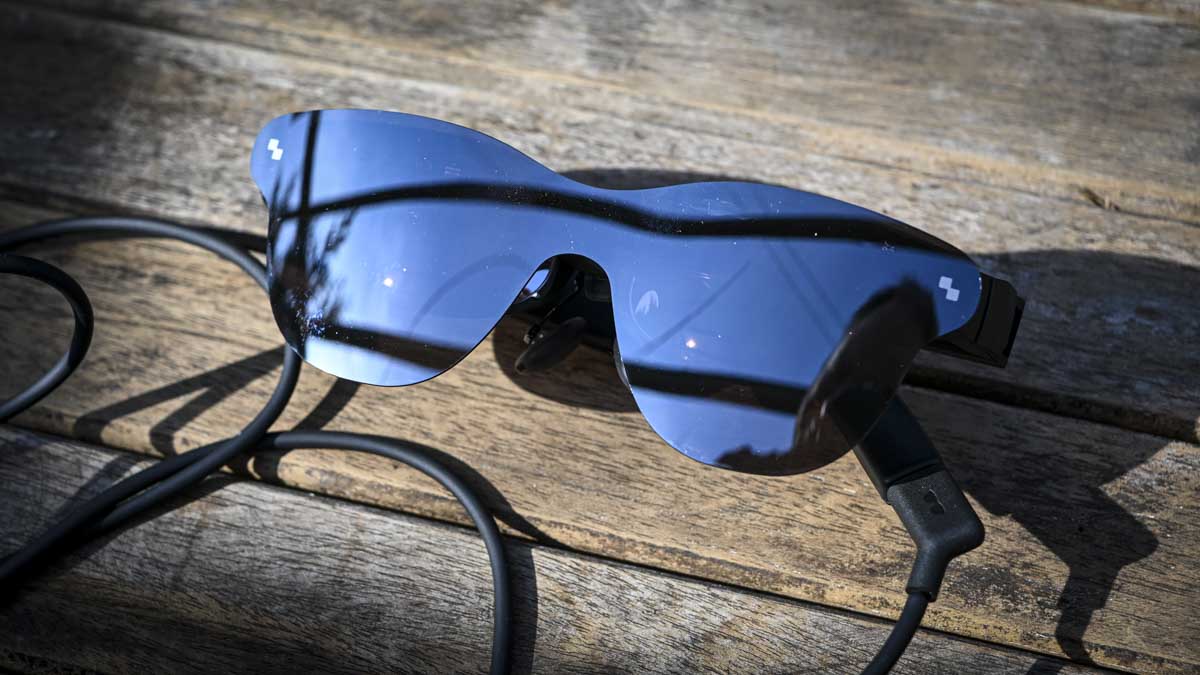
The RayNeo Air 4 Pro glasses (Image credit: Alastair Jennings)
Budget brilliance
Now the elephant in the room is that Xreal's specs cost a bit more. At their current $299 / £269 discounted price at Xreal.com they're on par with or cheaper than RayNeo's glasses; however their official price is $359 / £349, and while they aren’t discounted at the moment, we’ve regularly seen the RayNeo Air 4 Pros selling for $249 / £249 (RayNeo also doesn't seem to sell directly to Australia) or cheaper.
At the same time, the Xreal xbx a01+ glasses boast a handful of improvements which warrant a slightly higher price.
For a start, their brightness tops out at 1,600 nits, while the RayNeo Air 4 Pro can only hit 1,200 nits. This extra brightness should allow you to get more out of the HDR10 support, offering more room for the light vs dark contrast and vivid colors to breathe across the video format’s visual range. Highs can look more high, helping lows look lower by comparison.
(Image credit: Future / Hamish Hector)
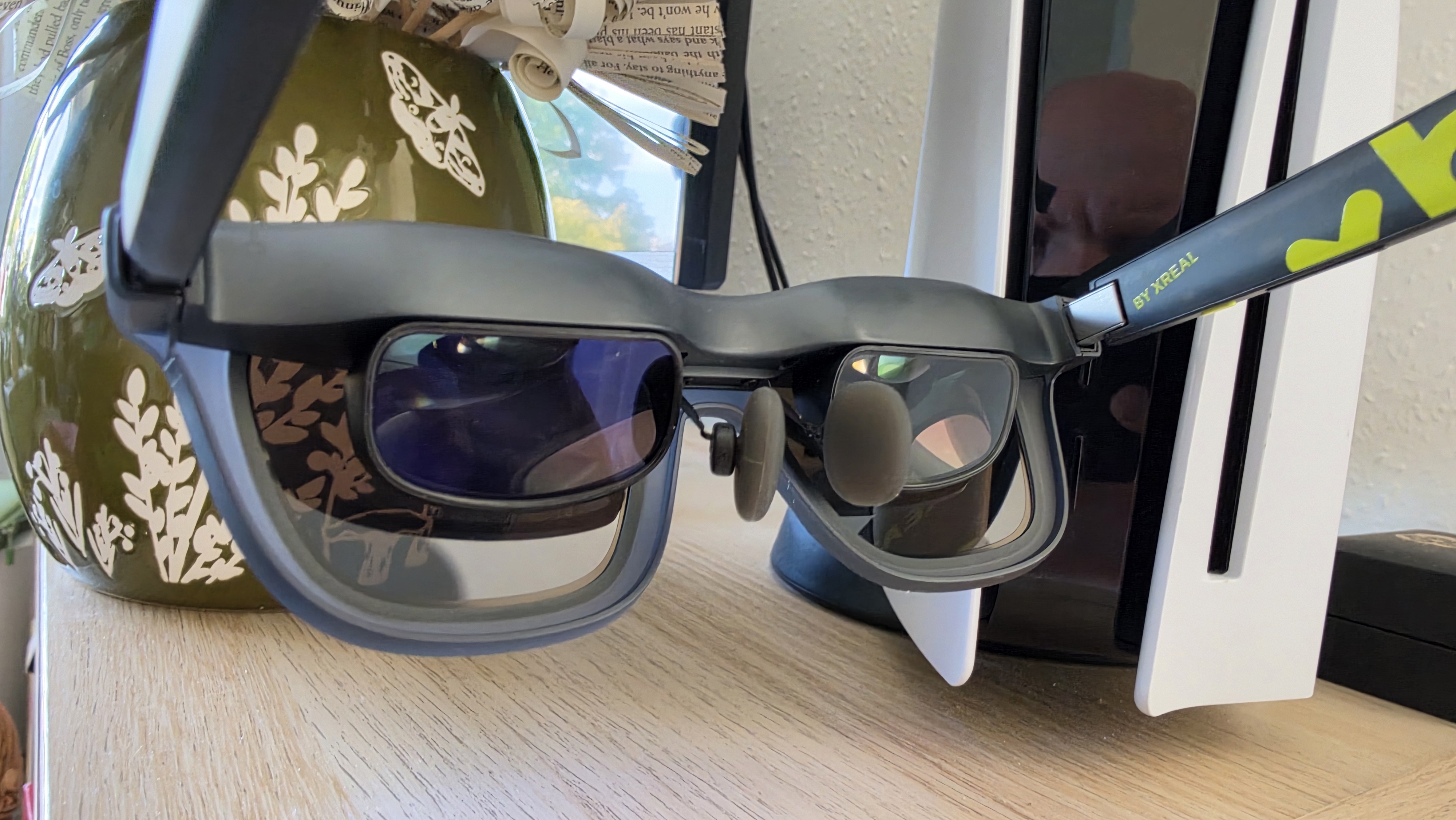
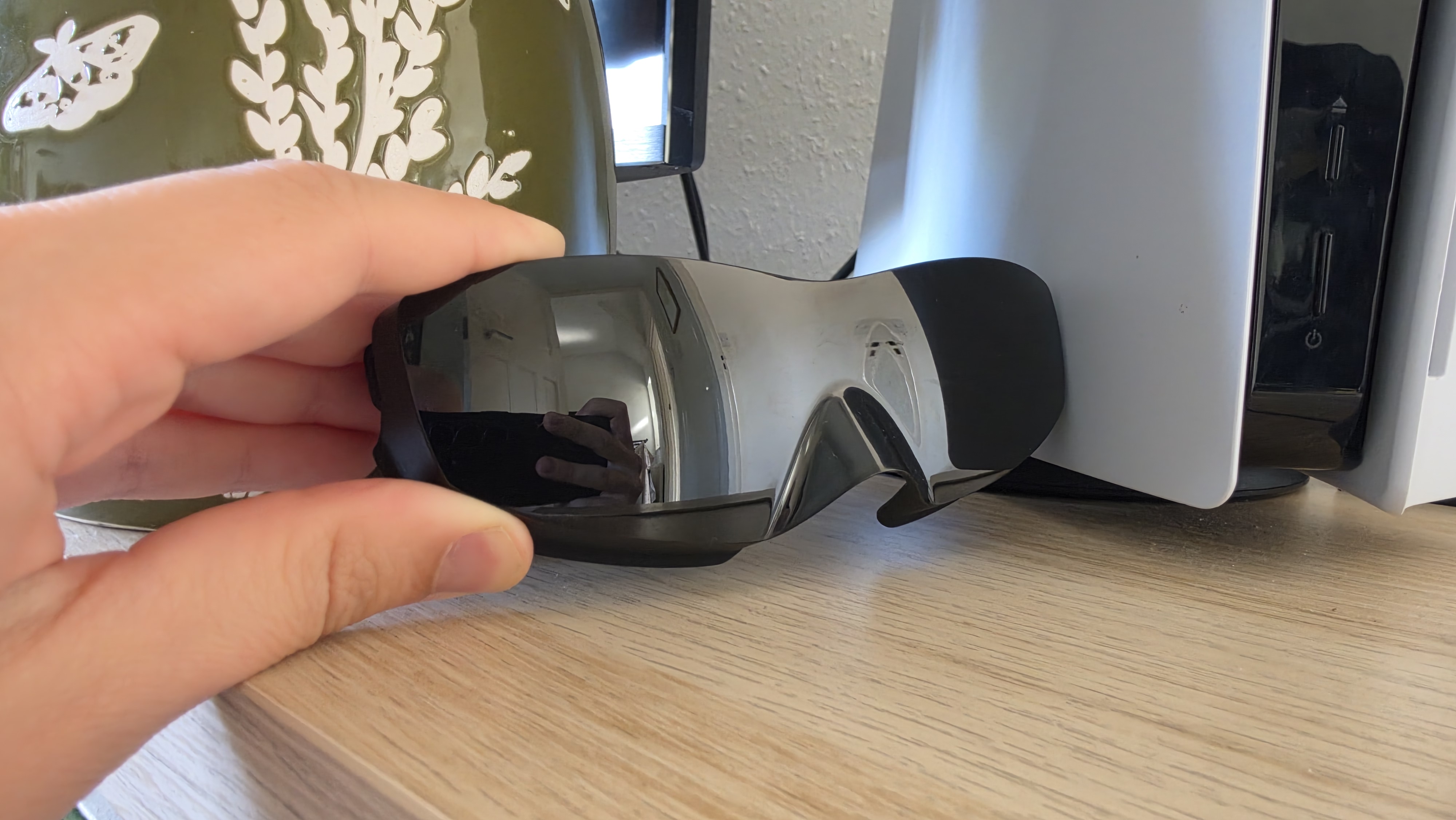
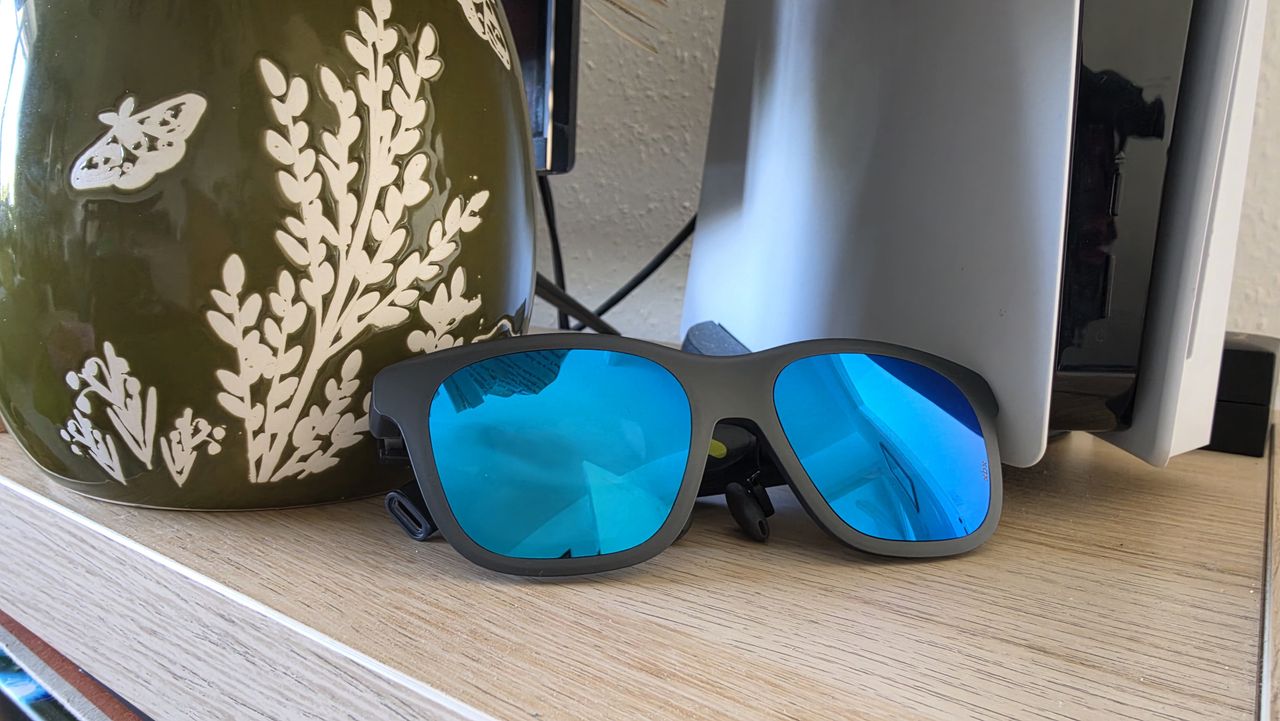
Aiding the image quality are the swappable lens covers.
While advertised as giving you the ability to choose which color of sunglasses cover you most want to complement your style, the xbx's box also includes a completely opaque black cover you can use with your specs. Because the specs are essentially virtual projectors, a darker environment ensures the highest-quality viewing conditions, though I found the regular sunglasses were fine even in bright sunlight.
The xbx glasses are lighter too, weighing just 62g compared to the RayNeo Air 4 Pro's 76g. Admittedly I haven't found them majorly more comfortable, but as I kicked back with them in a sun lounger while on vacation for hours on end I was relaxed enough to doze off on several occasions.
The only tradeoff is, I'd say, the audio, which doesn't seem to involve Bose tuning this time, and isn't quite as impactful as the Air 4 Pro's. That said, I'll almost always use earbuds or headphones with my display glasses, because they’re better in terms of quality and minimize sound leakage, so this downgrade didn't bother me.
(Image credit: Future / Hamish Hector)
Who wins? You decide
You'll also have to contend with Xreal's standard optic engine too. This is the prism that reflects the micro-OLED display into your eyes, and the standard design is susceptible to external reflections — most commonly light bouncing off the top of the specs and into your view. Pictures will also be a little smaller thanks to a reduced field of view, and can be a little blurrier at the frame edges.
Only Xreal's One Pros boast the improved design, but having experienced it, it's tough to go back to the standard optic engine.
To be fair, though, that’s mostly a me problem, and if you’re new to the display glasses world the Xreal xbx a01+ and RayNeo Air 4 Pros should be perfectly adequate performance-wise.
(Image credit: Future)
As for which of the budget specs you should go for — whichever is cheaper would be my suggestion.
The technical improvements of the xbx specs are solid, but if you can save $40/£40 or more on the RayNeos, their few deficiencies can be overlooked.
That said, if stylish, colorful designs are a must, alongside a marginally better image quality, then you'll be very pleased with the new Xreal xbx a01+ glasses.
I love reading — or at least that’s what I tell myself. In reality, I’ve always had a very on-and-off relationship with it, going from devouring books in days to barely opening one for weeks or months on end.
But one constant I’ve realized is that I don’t tend to prioritize reading — if there’s a show I’m binging, a new game I can’t stop thinking about, or simply lots of social engagements to attend, books will generally get put aside until I have more time on my hands.
But then something occurred to me — while I don’t always have long stretches of time that I’m happy to devote to reading, my days are full of short periods that aren’t being filled, like while I’m waiting in line or at a train station, or simply waiting for the kettle to boil. And then there are times when I’m on a train or in a cafe and might want to read, but don’t have a book with me as I travel light.
With all that in mind, back in late January, I bought the ViWoods AiPaper Reader — a pocket-sized Android ereader that’s small enough to carry with me everywhere alongside my phone — in the hopes that it would get me reading during periods that might otherwise be dedicated to podcasts or simply spent sitting or standing in slightly bored silence.
At the same time, I also had some hope that, since this ereader has full access to the Google Play Store, it might help cure my smartphone addiction — as doomscrolling was likely to be less desirable on an E Ink screen.
A tiny device that was a big reading success
(Image credit: TechRadar)
Before buying the ViWoods AiPaper Reader, I hadn’t read much in a while — I had dozens of unread books on my Kindle Colorsoft and big stacks of physical books silently judging me. I might start one, but it wouldn’t stick — life would get in the way, or it wouldn’t immediately grab me enough to reach for it again.
But the ViWoods AiPaper Reader changed that. I loaded up the Kindle app on it and got in the habit of keeping it in my pocket, alongside my phone. Then, almost any time I would previously have switched on a podcast — such as when on a train or in small empty moments of my day — I’d reach for this instead.
It didn’t matter whether I had two minutes or two hours; I’d aim to read something, and because the AiPaper Reader was always in my pocket, there was no excuse not to. I didn’t even have to go to my shelves to grab a book.
It allowed me to build a consistent reading habit and make progress with books even on days when I didn’t have much time, or wasn’t massively in the mood to read. After all, reading a couple of pages while boiling the kettle is still better than nothing, and it all adds up. And best of all, because this device got me back into reading, I’m now more inclined to read my paperbacks than I have been for some time.
Was it all smooth sailing? No, there have been some days and even a few weeks where I would stop carrying the ViWoods AiPaper Reader with me. But so far, I’ve always found it easier to go back to than a larger ereader or a physical book.
An imperfect light and unnecessary AI
(Image credit: TechRadar)
This isn’t the perfect pocket-sized ereader. It has a front light but not a warm light, which can make reading at night a bit less comfortable than on some of the best ereaders — especially as the brightness is adjustable, the minimum level is still quite bright.
There’s also the AI-shaped elephant in the room, which even if you know nothing about this device, you’ve probably been wondering about from its name.
Like so much recent tech, the ViWoods AiPaper Reader is trying to cash in on the AI craze; there's a dedicated AI button that you can press to speak to an AI chatbot, with models from OpenAI, Google, DeepSeek, and Qwen all built in.
(Image credit: TechRadar)
These platforms can be used either as general-purpose AI chatbots or in combination with ViWoods' own apps to, for example, look up definitions of words in the books you’re reading. But personally, I’m tending to just use the Kindle app for reading, which can’t directly communicate with the AI.
Plus, using the ViWoods' AI functionality requires a Wi-Fi connection, which drains the battery faster than I want from an ereader, and it’s slower to interact with than just pulling up Gemini on my phone.
Beyond AI, some of the other software available on the ViWoods isn’t perfect, either, as while it runs a fairly recent version of Android in Android 16, there’s no promise of any version updates, and ViWoods’ own interface leaves a little to be desired. For example, there's little explanation of how some features work, and many important settings are hidden away in an ‘advanced settings’ submenu. There’s also an 11-step process to actually authorize and activate the Google Play Store on this device, despite it running Android.
Those gripes aside, I’ve generally been impressed by the ViWoods AiPaper Reader. Its 6.13-inch Carta 1300 screen is big and crisp enough to comfortably read on, its battery lasts me anywhere from a few days to a few weeks depending on how much I’m using it, and it looks like a genuinely premium device, with a slim, sleek design that’s almost up to the standards you’d expect from a premium brand like Apple.
This didn’t cure my addiction
(Image credit: TechRadar)
While the ViWoods AiPaper Reader got me reading again, it was less successful at breaking my doomscrolling habit — though not a complete failure.
I figured that, since it runs Android apps, I could keep my phone in another room when I’m at home, and use the ereader for most things, with its monochrome E Ink screen sure to leave me reaching for it less.
And it somewhat worked for that — when I was disciplined about actually keeping my phone out of reach. But after a while, I got out of the habit, and even when I did keep my phone elsewhere, I’d sometimes encounter things I genuinely wanted it for, like penning a long message. So this wasn’t the perfect solution for me.
(Image credit: TechRadar)
I’d perhaps have more luck if I fully replaced my phone with a device like this — and the ViWoods AiPaper Reader does have a SIM card slot, so it can fulfil most smartphone functions. But it lacks speakers and cameras, so you’d be making some unfortunate sacrifices.
Were I serious about that idea, I might invest in something like the Mudita Kompakt instead, as that’s designed specifically as a minimalist E Ink phone. So, if you’re looking primarily for something to break your smartphone habit, I’d suggest a device like that instead (or, perhaps, the similarly distraction-free Balance Phone).
Still, as a secondary function on a device I’m mostly using for books, the ViWoods AiPaper Reader has not been a total failure.
Now, if you’ll excuse me, I’ve got some reading to do.
Cyberattack hits operational technology at more than 30 Minnesota community water systems, briefly taking treatment plant offline and forcing several towns onto manual operations
A leaked WaterISAC memo obtained by WIRED relays a state fusion center assessment tying the intrusions to Iranian-affiliated hackers, but no US agency has formally attributed the attack yet
The CISA had warned four days earlier that Iranian-affiliated actors were compromising internet-facing PLCs, repeating guidance that has mostly fallen on deaf ears
More than 30 community water systems across Minnesota were hit by a coordinated cyberattack, targeting the operational technology running pumps, wells, water towers, and wastewater lift stations rather than the office networks behind them.
Minnesota IT Services disclosed the attack on July 28 2026 and activated a statewide incident response, stating that it wasn't aware of any Minnesota city asking residents to change their drinking water use just yet.
A memo obtained by Wired, circulated by the water sector information-sharing group WaterISAC and carrying a restricted TLP: AMBER handling marking, relays a Minnesota state fusion center assessment that ties the intrusions to Iranian-affiliated hackers.
A warning that was more or less ignored
Four days before the attacks, CISA updated an advisory, AA26-097A, warning that Iranian-affiliated actors were compromising internet-facing programmable logic controllers made by Rockwell Automation, Schneider Electric, Siemens, and possibly others across the US water, energy, and government sectors. It documented confirmed disruptions and financial losses.
This drew no immediate response from state functionaries, and it is easy to see why: the US has tens of thousands of community water systems that serve small populations and lack budgets for dedicated cybersecurity staff.
This is despite there being a precedent: Iranian-linked actors hit the Municipal Water Authority of Aliquippa in Pennsylvania in November 2023, defacing a Unitronics controller with an anti-Israel message. CISA said at the time those devices were exposed to the internet with default passwords still in place. The advice issued then is the same advice being issued this week, which is telling about how little has changed since.
The WaterISAC memo, dated the day the attacks concluded, passes on a state fusion center report linking the activity to Iranian-affiliated actors. That memo was not meant to be public, but it has been corroborated by The New York Times and The Washington Post, which reported that they spoke to federal officials and US intelligence agencies, respectively, lending credence to the claims.
CISA later warned that attackers are changing PLC passwords to lock operators out of their own equipment, and repeated the advice that has been unchanged for years: get PLCs off the public internet and put remote access behind a VPN or gateway.
Who was affected?
The worst of the cyberattack hit Braham, a town of roughly 1,700 people, where the city said attackers shut down the operating controls, taking the water treatment plant and the well offline. Crews restored it manually within a couple of hours, and residents were told to minimize water use in the meantime.
Plymouth, a Minneapolis suburb of about 80,000, found the problem confined to equipment connected over cellular links at two water towers and several wastewater lift stations. Its IT division disconnected the affected kit from the network entirely to stop the attack and prevent retargeting during reconfiguration.
Maple Plain declared a local state of emergency to manage its response, and South St. Paul reported that some automated controls were compromised. In most cases, contingency procedures held and water and wastewater operations continued.
None of this is happening in a vacuum, however. The June memorandum that paused fighting between the US and Iran has broken down, and both are trading strikes, including recent US attacks near the Strait of Hormuz that destroyed a water facility and cut supply to more than 20,000 people. Whoever carried out the Minnesota attacks, the symbolism of targeting municipal water is unlikely to be accidental.
The damage that these intrusions caused was limited; they produced brief outages that trained staff fixed by hand. That is an outcome with a silver lining, and it depended on utilities having people who knew how to run a treatment plant without its automation, even if its digital defenses collapsed outright.
Fun fact: whenever I have days that I work remotely, I'll always have an episode of Bob's Burgers on in the background. In fact, I watch all 16 seasons of the hit Hulu and Disney+ animated comedy so often, that I could tell you exactly what episode was on without directly looking at it.
I felt incredibly prepared for the handful of Bob's Burgers quizzes already on the internet claiming to be the hardest, but nobody has yet been able to truly test the reams of random knowledge I've acquired from watching the series so often.
Should I be able to tell recite the lyrics to the song that plays over Tina and Tammy's first time collectively ditching class in season 2? Probably not.
So, behold — the genuinely most difficult Bob's Burgers quiz that I have played to date (because I made it). If you get more than 80%, I'll assume that you're actually a Wharf resident who's somehow found their way into the real world.
I have left out anything that happens in The Bob's Burgers Movie, but you'll need to have seen seasons 1-16 in order to answer all of the questions.
Check back when Bob's Burgers season 17 (hopefully) airs in early 2027... you know that the above will be updated accordingly.
Ninja Luxe Café Mini Espresso Machine: two-minute review
The Ninja Luxe Café Mini Espresso Machine is a compact version of the Ninja Luxe Café. It doesn't require an enormous amount of counter space, especially considering that this single machine grinds your whole beans directly into your filter, weighs your grinds, brews your espresso or drip coffee, and froths your milk. You won't need any other coffee accoutrements on your counter.
While I did brew some absolutely delicious coffee with the Ninja Luxe Café Mini, there is definitely a learning curve. In fact, I wouldn't say I have mastered the espresso settings yet, even after brewing many cups. Even with the identical espresso settings, sometimes I get just an ounce or so and sometimes I get a lot more. Drip coffee comes out consistently well; no issues there. I also had some trouble frothing the milk; with just a minimum amount of milk in the jug it overflowed onto the counter.
Note that even though this is a semi-auto machine, you do need to have some manual strength and dexterity to get the portafilter properly into place. Be ready for some trial and error. If you're prepared to take on a project, I think you'll be well-rewarded for your efforts.
(Image credit: Karen Freeman / Future)
Ninja Luxe Café Mini Espresso Machine: price and availability
Widely available both in store and online
Retails for $449.99 USD (£338.50 GBP, $643.73 AUD)
Only sold in the black and chrome colorway
You can find the Ninja Luxe Café Mini Espresso Machine at many brick and mortar stores and websites, including Amazon, Best Buy, Kohl's, Target, and Ninja's own site. It retails for $449.99 USD (£338.50 GBP, $643.73 AUD) and comes in just the one color, black and chrome.
(Image credit: Karen Freeman / Future)
Ninja Luxe Café Mini Espresso Machine: specs
Name
Ninja Luxe Café Mini Espresso Machine
Type
Semi-automatic
Dimensions (L x W x H)
10.24 in L x 12.17 in W x 13.43 in H / 26.01 cm L x 30.91 cm W x 34.11 cm H
Weight
18.96 lbs / 8.6 kg
Brew styles
Espresso (double), Triple (espresso), Classic (coffee), Rich (coffee), and Over Ice (coffee)
Milk frother
Yes
Connected device
No
Ninja Luxe Café Mini Espresso Machine: design
Efficient design gives it a smaller footprint
Aesthetically pleasing, goes with any decor
Five brew styles
The Ninja Luxe Café Mini is efficiently designed to house everything you need to make just about any sort of coffee drink in a relatively small package. When you first unpack it, you will need to determine your water hardness with the enclosed test strip and set your machine accordingly. Run a flush cycle and then you're ready to start brewing.
The machine has a conical burr grinder, a brewing system that makes both espresso and coffee, and a steam wand. It comes with two filter baskets:, a smaller 'double' and a larger 'luxe' basket (unlike most espresso machines, there's no basket for pouring a single shot).
Place the basket into the portafilter, the funnel on top of that, and then slide it into the grinding cradle. Choose your brew style. The machine evaluates your beans and determines a recommended grind size. Turn the grind dial to meet the recommended number and hit the grind button.
(Image credit: Karen Freeman / Future)
Once your ground coffee is the basket, remove the portafilter and tamp down the grinds with the assisted tamper. It has a spring inside so you'll apply just the right amount of pressure.
(Image credit: Karen Freeman / Future)
Then you can remove the funnel, place the portafilter under the Ninja Luxe Café Mini's group head and turn it until it locks into place. This takes some manual strength and dexterity, and the machine's relatively light weight means you have to brace it in place so it doesn't slide around, though it does get easier with repeated use.
You can manually select your level of strength (represented by one, two, or three beans) and temperature or just use the default. When you're done brewing, dispose of the puck of used coffee grounds, and clean the dirty components.
(Image credit: Karen Freeman / Future)
There is also a milk jug and steam wand. To use it, turn the manual valve on the side from brewing mode to frothing mode. The owner's manual includes detailed instructions of how to get the most froth from your milk of choice.
(Image credit: Karen Freeman / Future)
You'll need to clean the tamper, funnel, basket, portafilter, steam wand and jug after each use. You'll also need to empty and clean out the drip tray every few brews, and every time you froth milk. Additionally, you'll need to descale the machine periodically. However, there is no obvious way to get in and clean the grinder. That part never gets wet, but coffee oils will build up there over time.
Design score: 4.5/5
Ninja Luxe Café Mini Espresso Machine: performance
There is definitely a learning curve
You need manual strength and dexterity
Brew amounts are not consistent
Did you know TechRadar now has membership?
(Image credit: Future)
Become a TechRadar Insider by simply clicking 'Join Now' at the top of this page. Have a question? Please email membership@techradar.com
Overall, I think you'll find that the Ninja Luxe Café Mini will make you some great coffee and espresso drinks. There's definitely a learning curve, but if you have the patience you'll figure it out. Of bigger concern was that sometimes the brewing seemed to just stop short of a full yield, and I'm not sure why. The same beans brewed at the same setting just didn't always yield the same size espresso. This only happened to me while brewing espresso; all three of the drip coffee settings yielded perfect results every time.
There are five different brew settings: Espresso (which is actually a double espresso), Triple (espresso), Classic (drip coffee), Rich (a richer drip coffee), and Over Ice (drip coffee brewed at a lower temperature). I tested all five of them multiple times.
Espresso
The smallest drink you can make is a double espresso, there is no single espresso setting on this machine. The owner's manual says to throw away the first espresso you brew each time you put new beans into the hopper because it takes a couple of brews for the machine to dial in correctly. I tasted it anyway and yes, you should toss it. After that first one, the espresso tasted good though sometimes it would randomly give me a shorter brew. I did notice that I consistently got a beautiful crema.
The experience of brewing the triple espresso is just like brewing the regular (double) one, only you use the Luxe basket instead of the smaller one. Again, the machine would sometimes give me a tiny brew. Pictured below is one of the smaller triples; other times it was much larger. Otherwise, the espresso was good and always had a lovely crema.
The Classic drip coffee setting yielded consistently good results. In addition to adjusting the grind size, brew temperature, and strength if you like, you can also choose to brew 6, 8, 10, or 12 ounces of coffee. The user experience of brewing the drip coffee is the same as brewing espresso, except that you skip the tamping step. The machine does something totally different on the inside. You get no crema. And when you go to throw the puck away, it's very wet, as opposed to the drier, crumbly puck you get with espresso.
The rich drip coffee setting works just like the classic, only it yields a richer brew. I find I prefer the classic, as I found it a bit smoother and less bitter, but your tastes may differ.
Karen Freeman / FutureKaren Freeman / Future
Over ice
The drip coffee over ice setting might have been my favorite. I found it very smooth and it didn't taste too diluted from the ice.
Karen Freeman / FutureKaren Freeman / Future
Steam wand
I found that it took some practice to get the milk frothing just right. I tried just leaving the jug in place and frothing it from there, and it works ok but doesn't produce much foam. I tried following the instructions about angle and movement in the owner's manual, and got too much foam.
The wand will purge itself right after frothing, and you'll want to wipe off the milk from the outside of the wand right away. Otherwise it sticks on there pretty good, requiring a bit of scrubbing to get it off.
Should you buy the Ninja Luxe Café Mini Espresso Machine?
Ninja Luxe Café Mini Espresso Machine score card
Attribute
Notes
Score
Value
While not cheap, it does replace five machines: conical burr grinder, coffee scale, espresso machine, coffee machine, and milk frother.
4/5
Design
It looks great on the counter and has a relatively small footprint for all it does.
4.5/5
Performance
There's definitely a learning curve and my results were not consistent, but the coffee drinks especially were quite tasty and the espresso crema was perfect every time.
3.5/5
Buy it if
You want to be the barista
You'll need to put the effort in, but you can be the barista at home with this machine. You control the settings and the results, with help from the machine's sensors.
You want all the coffee accoutrements in one smallish machine
Forget having a separate grinder, scale, brewer, and frother spread out over your countertop. Just one little machine does it all.
You can't decide between espresso and drip coffee
Now you don't even need two different machines for espresso and drip coffee. The Ninja Luxe Café Mini Espresso Machine does both, plus iced coffee and milk drinks too.
Don't buy it if
It's not in your budget
While you'll likely make fewer trips to the coffee shop, and you don't have to buy five separate machines, it's still not cheap.
You don't have great manual dexterity and/or strength
It takes some coordination and muscle to get the portafilter correctly installed in the group head for brewing.
You expect perfectly consistent results with the touch of a button
This machine isn't a fully automatic touch-of-a-button machine. It's not always consistent and there is a learning curve.View Deal
Ninja Luxe Café Mini Espresso Machine: also consider
De'Longhi La Specialista Touch
This one is a little bit more automated and beginner-friendly than the Ninja Luxe Café Mini Espresso Machine while still being pretty small and lightweight. It's also a bit more expensive.
Ninja AutoBarista Pro Fully Automatic Espresso Machine
While almost double the price of the Ninja Luxe Café Mini, it's worthwhile if you want a one-touch, super easy-to-use machine. It makes about a dozen different beverages including coffee, espresso, iced drinks, and milk drinks.
This fully automatic coffee and espresso machine does it all with a touch of a button or even a voice command to Alexa. Custom design your own beverages. It's the priciest of the bunch, but an amazing machine.
How I tested the Ninja Luxe Café Mini Espresso Machine
I brewed and drank every drink on the menu: (double) Espresso, Triple (espresso), Classic (coffee), Rich (coffee), and (coffee) Over Ice more than once. I used two different kinds of beans for each beverage, first going all the way through the menu with a dark french roast and then again with a medium-dark roast. I frothed two different kinds of milk (almond and skim dairy) several times and added the milk to espresso shots. I cleaned all of the parts that touch the coffee after each use.
Planning a summer getaway but worried about leaving your house for a few weeks? While statistically you are more likely to suffer a break-in during the winter months when it’s much darker, summer also presents an ideal opportunity for burglars. Even if you're at home there are increased risks, especially if you leave your windows open to get some fresh air into the house during a heatwave.
Of course, there are basic steps you can take to reduce your risk such as asking a neighbor to take in your mail and packages, and making sure windows are closed when you go out. But technology can help big time too. What’s more, you don’t have to spend a fortune on all the gear. Whereas once you had to spend thousands on security cameras and PVRs (personal video recorders) that had to be professionally installed, now you can buy cameras and video doorbells for a fraction of the price that can be controlled easily via your smartphone.
Starting simple
The trick is to start simple. A good idea if you are going away for a long time is to have an indoor camera focused on the most vulnerable part of the house where a burglar is most likely to break in — such as a back door. I’ve got a Nest Cam IQ Indoor focused on my patio doors leading out to the garden. I like it because it can record when it hears sound (such as glass breaking) as well as motion.
However, there are other cheaper models available from companies such as Amazon-owned Blink and Ring as well as lesser-known, but popular, Chinese brands such as EZVIZ, Reolink and Aqara.
Focused on the front door I have a tiny Blink Mini 2K+ which also provides a chime for the Blink video doorbell so we can hear it ringing in the house. Usually, I switch the motion sensor off on the Blink Mini during the day because it’s triggered every time a family member opens the front door which can be a bit of a pain. However, when I go on holiday I switch the motion sensor on just in case.
I use a Google Nest Cam IQ Indoor, which can record sounds like breaking glass
One important consideration is how footage is stored — either locally on a MicroSD card or in the cloud. Personally, I prefer storing footage locally on an SD card, although the downside is that you will usually have to buy a card separately. The advantage of local storage is that not only is it generally more secure (there have been cases of servers being hacked and private security footage being leaked), it also often works out cheaper in the long term.
That’s because many home security companies will charge you a monthly subscription fee to store all your recorded footage and access advanced AI-driven features such as facial recognition and text descriptions of videos.
While these features may be vaguely useful, especially if you have lots of people coming to the door, for the vast majority it’s probably not worth the monthly fee.
Let’s go outside
Obviously, no discussion of home security is complete without talking about outdoor cameras and video doorbells. Whether it’s summer or winter, these devices are invaluable when it comes to optimizing your home security set-up and helping to prevent burglary.
Choosing the type of outdoor camera you want is largely down to personal choice and the type of property you live in. Generally speaking, outdoor cameras should be mounted reasonably high on your property to give you a better view and to prevent theft.
Some security cameras, like the IMOU AOV PT, can pan and tilt to follow potential threats (Image credit: Future)
Many offer a wide viewing angle of between 130 and 180 degrees, while some of the latest models, such as the latest IMOU AOV PT, are pan-and-tilt models that detect and track movement automatically.
Want a security camera to act as a deterrent to an opportunist burglar? Then it’s worth considering a device with a powerful built-in spotlight and loud siren. If there are two things that burglars hate more than anything else, they're excessive noise and light that draws attention to what they are up to. Reolink’s Solar Floodlight Cam covers both bases with twin spotlights either side of the camera and an integrated 110dB siren.
Going solar
Unlike indoor cameras, which usually plug into the mains, powering an outdoor camera is a little more challenging. Although some are designed to plug into the mains via a waterproof housing, most now rely on either disposable/rechargeable batteries and/or solar power. Indeed, solar-powered cameras, such as the Reolink Solar Floodlight Cam mentioned above, have become increasingly popular in the UK particularly as summers have got hotter and panels have become more efficient.
While many of the latest outdoor cameras comprise separate solar panels that need to be mounted separately and plugged into a USB-C socket on the camera, others such as the IMOU Cell 3C come with a solar panel built in. Chinese company Baseus even has an innovative solar-powered camera, the Baseus Security S2, that boasts an innovative rotating solar panel that moves as the sun moves in order to maximize power to the camera.
Solar panels can dramatically extend the battery life of security cameras, and the Baseus Security S2 has an innovative one that rotates throughout the day to follow the sun (Image credit: Chris Price)
Deciding how to power your outdoor camera isn’t the only factor you need to consider either. You also need to think about the technology you are going to use to transmit video clips to your phone’s security camera app. While for indoor cameras this is usually WiFi, for outdoor devices getting a connection between the indoor router and outdoor camera can be more challenging — especially over distances of around 30m.
One option therefore, may be to buy a device that offers dual-connectivity, including Wi-Fi and cellular (usually 4G), such as the IMOU AOV PT or Eufy 4G LTE Cam S330.
Optimizing your setup
So you’ve got your outdoor camera. What next? Well, now begins the process of optimizing it for your security needs. Generally, most outdoor cameras are far too sensitive and record far more footage than you actually need to look at. As a result, you could find your entire time on holiday viewing footage of someone walking past your house, or a car whizzing by, instead of enjoying quality time away.
Not only is this highly annoying, it could really waste battery power — something that's both costly and time-consuming, especially if you have to climb up on a ladder to take the device down to recharge or change the batteries every couple of weeks.
By reducing video quality you will be able to store more footage on the SD card/in the cloud
Chris Price
Within the app, it’s therefore a good idea to set the motion detection zones so that the camera only records footage captured on your property and also reduce the sensitivity settings too so the camera isn’t recording too much footage. If you know you are going to be away for a set period of time then it’s probably a good idea to ensure the camera can detect motion 24/7, but when you are home you may want to use the menus so it only records at time of the day when you know family members or flat mates aren’t going to be entering or leaving the property (such as night time).
When it comes to video quality, most outdoor cameras now offer at least 1080p video quality. However, some such as the Baseus Security S2 and the Reolink Altas PT Ultra, offer stunning 4K picture quality. While this is great, especially if you want to zoom in on close ups of a potential suspect, most of the time it’s probably unnecessary. By reducing video quality you will be able to store more footage on the SD card/in the cloud and not consume as much power either.
Many modern security cameras, such as the Reolink Altas PT Ultra, can record in 4K, but dialling down the quality means you'll be able to store more video footage when you're away (Image credit: Chris Price)
For night-time monitoring, standard infra-red (IR) night vision provides clear monochrome visibility in total darkness while a colour night-vision option uses advanced low-light sensors or built-in LED spotlights to capture colour details after dark.
Video doorbells — it’s good to talk
Think someone may be intruding on your property while you’re not around? All security cameras that I’ve ever tested (probably over 50 now) feature two-way audio so you can, if you so wish, talk directly to the intruder to tell him or her to get off your land. And they can also talk back to you, of course, using the built-in microphone.
Video doorbells [let] you speak directly to people who press the button, even if you are sitting on beach sipping a strawberry daiquiri
Chris Price
Some of the latest models even generate automated messages or use different voices so the person doesn’t actually know who they are talking to (for example the Aqara G100 indoor/outdoor security camera lets you turn your voice into that of a robot or clown.) It’s a feature that some women and teens in particular might find reassuring, especially if they don’t want a man to think they are at home by themselves — though I can’t help thinking of Kevin McCallister in the film Home Alone.
Essentially video doorbells take the technology one step further by enabling you to speak directly to people who press the button, even if you are sitting on beach sipping a strawberry daiquiri on your summer vacation (as with the G100, Aqara’s G410 Doorbell Camera Hub also allows you to disguise your voice). Invented by Ring’s founder Jamie Siminoff back in 2013, video doorbells have really taken off in the last few years with most home security manufacturers now producing models.
Video doorbells let you see and speak to visitors (welcome or otherwise) when you're away from home via an app, and some can even change your voice for privacy (Image credit: Chris Price)
Usefully, not only do video doorbells enable you to talk to whoever comes to the door as if you were at home, they can also be set up to detect and record nearby movement just like standard outdoor security cameras. The only real difference is that, whereas outdoor security cameras often have a wide viewing angle and wide aspect ratio, video doorbells tend to offer a much squarer field of view — often 1:1 — so you can see whoever is at the door more clearly.
Advanced functionality
For those looking to replace their traditional doorbell, video doorbells are a great solution. With many models, it’s even possible to use existing doorbell wiring to power them, rather than having to rely on disposable or rechargeable batteries. Many come with separate plug-in chimes so you can hear the doorbell clearly inside the house with a choice of customizable ‘ringtones’, ranging from classical music to Christmas carols.
Did you know TechRadar now has membership?
(Image credit: Future)
Become a TechRadar Insider by simply clicking 'Join Now' at the top of this page. Have a question? Please email membership@techradar.com
That’s not to say that video doorbells are the perfect security solution for everyone. They’re not. Often, I’ve found there is quite a lag when you are talking to someone and if you live on a busy street it can be difficult to hear what they are saying. To counter this, some models, including those from Ring, enable you to play automated responses to the visitor, a bit like an old-fashioned answerphone — for example, ‘please leave the parcel outside’ or ‘call back in an hour’s time’.
Another issue is that with subscription services such as Ring Pro you can spend up to $19.99 / £15.99 a month on premium features such as person, package and vehicle alerts, video descriptions and 180 day video playback. At least with a Blink video doorbell it’s possible to store clips on the Blink Sync Module 2 hub using a separate USB drive while the TP Link Tapo D235 is one of the few doorbells with integrated MicroSD storage (it also offers free AI smart detection to distinguish between vehicles, pets and people).
Complete security solutions
Looking for a more advanced security solution for when you go away over the summer? Most manufacturers will allow you to view several cameras via their app. However, if you want to put different types of security devices together — such as locks, lights and a burglar alarm — then you will need a more advanced setup.
Ring Alarm supports certified third-party products via the encrypted Z-Wave network
Chris Price
For example, one advantage of the Aqara G410 video doorbell is that it’s actually a fully-fledged smart home hub with a built-in Matter bridge and Thread border router that can be used as part of a smart home ecosystem such as Apple HomeKit, Google Home, Amazon Alexa and Smart Things.
Owned by Amazon, Ring products including cameras, video doorbells and burglar alarms can easily be controlled using Alexa routines with footage viewable via Echo Show devices. Furthermore, Ring Alarm also supports certified third-party products via the encrypted Z-Wave network, including smart locks from Yale, Schlage and Kwikset. This means you can lock/unlock doors, manage guest PIN codes and trigger automated security routines (such as arming the alarm when the door is locked) all inside the Ring app.
Securing your home for summer
With the summer holiday season well and truly upon us, and houses left empty as we down tools for a well needed break, now is the time to think about securing your home. While traditional precautions — such as securing windows, clearing letterboxes and locking away garden tools (including ladders) — remain essential precautions, modern technology can help too.
Protecting your home against burglary needn’t cost the earth either. You can now buy indoor cameras focused on vulnerable parts of the house for less than $70 / £50 while most outdoor cameras and video doorbells cost between $120 / £100 and $250 / £200. And while subscription charges do push up prices, often these aren’t necessary — especially if you can store footage locally on an SD card or USB drive.
Ultimately, combining the latest tech solutions with solid physical security will give you the peace of mind needed for you to truly unwind, ensuring your home remains a well-guarded fortress while you enjoy your break.
Robot boat launches drone without crew during challenging ocean demonstrations
Pioneer vessel survives rough seas while supporting airborne surveillance operations
Tethered SkyRanger drone provides continuous monitoring from unmanned ships
A robotic boat has launched and recovered its own drone off the deck, without a single crew member aboard either vehicle.
British firm ACUA Ocean and American sensor maker Teledyne FLIR Defense completed the demonstration for the UK Ministry of Defence.
The trial paired an uncrewed surface vessel named Pioneer with a small tethered drone known as the SkyRanger R70 aircraft.
Rough-water stability makes flight operations possible
The entire demonstration depended heavily on the Pioneer's ability to hold steady in genuinely rough conditions each time at sea.
In January 2026, ACUA Ocean said the vessel held steady in waves reaching 4.25 meters, or roughly 13.9 feet high.
The company reported a 60% cut in roll motion compared with traditional single-hull monohull vessels used across the industry.
That stability functions as the mechanical foundation allowing a tethered drone to fly safely off a small robotic vessel at all.
A violently rocking platform would make sustained flight operations for the SkyRanger R70 nearly impossible under open ocean conditions overall.
ACUA Ocean said Pioneer has already completed prior Royal Navy contracts covering surveillance, reconnaissance and anti-submarine warfare tasks before this trial.
The system pairs a tethered uncrewed aerial system, or T-UAS, with an uncrewed surface vessel known as a robotic boat.
Teledyne FLIR's SkyCarrier is a ruggedized launch platform housed in a container that unfolds into an articulating landing pad system.
During the trial, SkyCarrier successfully launched a SkyRanger R70 drone autonomously from the deck of the moving Pioneer vessel itself.
Once airborne, the SkyRanger R70 stayed connected to Pioneer through a power and data tether, avoiding any need to land and recharge.
"Integrating the SkyRanger R70 with the Pioneer creates something genuinely new: a persistent, deployable capability," said Neil Tinmouth, chief executive of ACUA Ocean.
Richard Cunha of Teledyne FLIR Defense also said pairing the drone with Pioneer opens up an entirely new class of missions.
The SkyRanger R70 runs multiple embedded NVIDIA processors that perform real-time object detection and classification without ground input.
The combined sensor package delivers Group 2 level ISR performance while flying on a much smaller Group 1 airframe type.
UKDI, the Ministry of Defence's early-stage funding arm, backed the demonstration well before it reached any full-scale procurement decision process.
"Securing UKDI funding for this demonstrator is a significant milestone for ACUA Ocean and UK maritime autonomy broadly," Tinmouth said.
This technology will support the Royal Navy priorities including anti-submarine warfare, mine countermeasures and undersea infrastructure protection efforts overall.
That said, a successful demonstration under UKDI funding does not guarantee the system will reach large-scale deployment across naval operations soon either.
Cost, reliability at sea over long periods, and integration with existing fleets remain open questions that testing alone cannot resolve.
In a brand new twist on the franchise, 12 all-star survivalists are dropped into the ocean in the dead of night and left to fend for themselves on a remote Philippine island — all while completely starkers. Read on for how to watch Naked and Afraid: Shipwrecked onlinefrom anywhere with a VPN — a potentially for FREE.
Initially told they are on their way to a standard Naked & Afraid group challenge, the survivalists are instead left to grab what they can before being set adrift off a remote island in the pitch black night. After making it ashore, the contestants are divided into four groups and left to survive on the island in an area dubbed “Southeast Asia’s Bermuda Triangle.”
The jungle offers the most fruitful bounty, including essential equipment left behind from those who have come before, but it’s also high risk, with unforgiving terrain and deadly wildlife. The shark-infested ocean doesn't offer much more solace, as alongside the toothsome terrors, there’s also stingrays, sea snakes and box jellyfish to contend with.
With no food, fresh water or clothing, the teams must quickly form a plan, and work together, relying on their skills as a unit, not as individuals. Whatsmore, with each team only receiving one piece of the challenge map, they must track down the others in order to combine intelligence and secure rescue by Day 35.
Shipwrecked sounds like a thrilling take on the franchise, combining the classic N&A survivalist ethos with the desert island drama of the likes of Castway and Lost. Find out how to watch Naked and Afraid: Shipwrecked online and from anywhere.
Can I watch Naked and Afraid: Shipwrecked for free?
Naked and Afraid: Shipwrecked isn't streaming on any free services, however viewers in the UK and Canada could potentially make use of Discovery Plus' 7-day FREE trial.
Use a VPN to access you usual streaming services from abroad – more details below.
How to watch Naked and Afraid: Shipwrecked from abroad
For those away from home looking to watch Naked and Afraid: Shipwrecked, you’ll be unable to watch the show as normal if you're outside the US due to regional restrictions. Luckily, there’s an easy solution.
Downloading a VPN allows you to stream geo-blocked services online, no matter where you are. It's a simple bit of software that changes your IP address, meaning that you can access on-demand content or live TV just as if you were at home. Our favorite is NordVPN – it's one of the best VPNs on the market.
Use a VPN to watch Naked and Afraid: Shipwrecked from anywhere:
Not having a VPN is like leaving your front door wide open in a busy city — anyone can walk right in and take a peek.
TechRadar regularly reviews all the biggest and best VPN providers and NordVPN is our #1 choice.
✅ 70% Off Today ✅ 3 Months Extra Free ✅ Unlocks HBO Max
Get NordVPN and stream Naked and Afraid: Shipwrecked.VIEW DEAL ON
How to watch Naked and Afraid: Shipwrecked in the US
Naked and Afraid: Shipwrecked premieres in the US on Discovery at 8pm ET / PT on Sunday, August 2. New episodes will go out in the same slot weekly.
Cord cutters can access Discovery via an OTT service such Sling TV or YouTube TV.
Episodes will also be available to stream every Monday, on HBO Max, with subscriptions starting from $10.99 a month.
Have one of these subscriptions but away when Naked and Afraid is on? You can still access your usual streaming services from anywhere by using a VPN.
How to watch Naked and Afraid: Shipwrecked in Canada
New episodes from Naked and Afraid: Shipwrecked stream on Discovery Plus in Canada, dropping every Monday.
Discover Plus costs CA$5.99 per month for Canadian subscribers.
US viewer in Canada? If you’re away from home, you can access your usual services easily with NordVPN.
Can I watch Naked and Afraid: Shipwrecked online in Australia?
New episodes of Naked and Afraid usually stream via Foxtel Now in Australia, however there's no set release date for the Shipwrecked spin-off.
When it does arrive, you'll also likely find episodes over on HBO Max.
US viewer travelling Down Under? Try using a VPN to access your usual stream – we recommend NordVPN.
Can I watch Naked and Afraid: Shipwrecked online in the UK?
Like all other iterations of the franchise, Naked and Afraid: Shipwrecked will stream on Discovery Plus in the UK, however a firm release date is TBC.
Brits can subscribe to Discovery Plus from £3.99, although many Sky users can access the service for free as part of their package.
Brit abroad? You can still watch the show as you usually would by using a VPN.
What you need to know about Naked and Afraid: Shipwrecked
What is the Naked and Afraid: Shipwrecked release date?
Naked and Afraid: Shipwrecked premieres on Sunday, August 2 in the US, with episodes streaming in the US and Canada the following day. UK and Australia release dates are TBC.
Naked and Afraid: Shipwrecked episode schedule
Seasons of Naked and Afraid usually last around 8-10 episodes, meaning Shipwrecked would go out on the following schedule:
Episode 1: Sunday, August 2
Episode 2: Sunday, August 9
Episode 3: Sunday, August 16
Episode 4: Sunday, August 23
Episode 5: Sunday, August 30
Episode 6: Sunday, September 6
Episode 7: Sunday, September 13
Episode 8: Sunday, September 20
Episode 9: Sunday, September 27
Episode 10: Sunday, October 4
Naked and Afraid: Shipwrecked all-star cast
Adam Kavanaugh – 61 Days Survived
Ally Frueh – 21 Days Survived
Ana Lis Pitter – 21 Days Survived
Dani Beauchemin – 114 Days Survived
Darrin Reay – 115 Days Survived
Jamie Frizzell – 55 Days Survived
Jarrell Banks – 21 Days Survived
Jonny Yates – 21 Days Survived
Malu Beyonce – 17 Days Survived
Mandy Bublitz – 35 Days Survived
Patrick French – 110 Days Survived
Shawn Bretschneider – 21 Days Survived
We test and review VPN services in the context of legal recreational uses. For example:1. Accessing a service from another country (subject to the terms and conditions of that service).2. Protecting your online security and strengthening your online privacy when abroad.We do not support or condone the illegal or malicious use of VPN services. Consuming pirated content that is paid-for is neither endorsed nor approved by Future Publishing.
Torn ear tips. Snapped charging case. Dented drivers. Like every other kind of gadget imaginable, the best headphones aren't built to last, and I'd wager that everyone reading this article has some skeletons (of old, ailing gadgets) in their (metaphorical) closet.
In fact, according to a European Union report, in 2024, 51% people kept their old smartphones even though they were no longer using them, and 34% were still holding onto their outdated laptops and tablets. We just don't know what to do with our old kit.
So, do you throw away your broken over-ear headphones and buy a new pair? Do you hunt down your nearest electronics recycling bank, or donate them to an organization which could use the parts? In recent years, the second-hand tech industry has boomed, with refurbishing and reselling sites such as Back Market and Refurbed ensuring that used gadgets get a second lease of life.
But too often, that first lease of life is all-too-easily abandoned. The tech you might be recycling — or consigning straight to landfill — might actually be easily repairable.
Per the BBC, a survey suggested that 7,000,000 wireless headphones (yes, seven-million) were thrown away in 2022, in the UK alone. And as we'll explore later, the majority of those may not have needed throwing away.
There's a simple truth. Gadget sellers are often loathe to admit it, worrying that repairing your own gadgets may affect their bottom line. And as we'll also soon learn, many companies seem to make repairs really quite difficult.
The thing is, your faulty gadget may be only a quick fix from working like new. From complicated pieces of kit such as AV machines and computers, to white-label toasters and kettles, electronics can often be repaired at home, for a fraction of the cost of buying new... within reason.
The long road to repairable tech
(Image credit: Pixabay)
Tech repairability isn't a new concept, but it's a rather new debate. Or, at least, it's one that's only recently been at the forefront of the news cycle, under the somewhat beige name 'right to repair'.
For two years now, repairability has been of growing importance to politicians as well as makers. In July 2024, the EU entered into force its 'Directive on repair of goods', and since Europe is a major market for tech companies, changes made for the region have been reflected in tech sold globally.
Designed to go hand-in-hand with several other EU policies on eco-friendly design, the repair directive is designed to make your gadgets easier to fix.
For example, electronics makers are now obliged to repair faulty kit, or make spare parts accessible for a reasonable price, so that third parties can do the repairs for you.
Some companies may look for loopholes — but not Fairphone
(Image credit: Future)
Before repairability was codified in legislation, it was still a focus for certain brands. One of those was Fairphone, a Dutch brand which began life as a campaign about conflict minerals in tech, and now makes phones and headphones. Miquel Ballester, its Head of Product, explained to us why it made the jump into physical devices:
"You can put the most ethically sourced materials in the world into a device, but if it dies in a year and a half because a battery's glued in, you've undone most of the good you just did".
He continued: "In the case of smartphones, earbuds, and headphones, repairability was what made the rest of the mission focus on bringing action into the industry. We've been fighting this fight for over a decade, long before 'right to repair' was something people brought up at dinner."
Fairphone devices are modular, meaning you can easily remove and replace the screen, camera, batteries, or other parts, all without having to extricate them from a tightly-packed device. The brand sells replacement parts online, so you can repair faulty components at home.
According to Ballester, Fairphone found that making its phones repairable didn't mean it had to change the performance and style of its products, but there was an impact on the price: "Designing for modularity means you're working with connectors, seams, and screws instead of glue and epoxy, and that adds a bit of cost compared to a phone that's built to be sealed shut forever".
We've been fighting this fight for over a decade, long before 'right to repair' was something people brought up at dinner
Miquel Ballester, head of product at Fairphone
Don't chase a high IP-rating (when you probably don't need it)
I also asked Ballester if any components or specs struggle in repairable gadgets. "Waterproofing is the one I'd point to first," he explained, railing against the trend of tech companies chasing an IP68 rating.
"Realistically, unless you're taking your phone free diving, IP55 gets you everything you actually need. It holds up against rain, spilled coffee, sweat at the gym, all the situations people actually put their phones through."
So, not IP68, which guarantees you protection for 30 minutes in a meter of water? "Chasing that rating basically forces you into permanent seals and factory-glued seams, because that's still the easiest way to guarantee a device survives being submerged.
"We'd rather give you a device that can be opened and repaired for the next seven years than one that survives a swimming pool once and then can't have its battery replaced. It's a genuinely difficult engineering line to walk, and I won't pretend IP68 wouldn't look nice on a spec sheet, but chasing it would mean compromising the thing we actually care about."
As mentioned, the EU's right to repair changes mean that companies may have to sell tools to repair their gadgets. But for Fairphone, that isn't a problem; they've been designed not to require proprietary tools. A Phillips screwdriver is all you need.
But how repairable is tech really?
(Image credit: Future)
Just because a company doesn't make gadget repairability a selling point, doesn't mean that you can't easily fix it. To learn more about the repair process, I visited a local community repair shop called Fixing Factory, which operates several locations in London, UK.
Fixing Factory lets residents bring in broken items to get them repaired, but it also operates as a way to train volunteers in fixing household items.
When I visited the Fixing Factory's Camden location, the streets around the shop were abuzz — England was just hours away from its ultimately-unsuccessful World Cup match against Argentina. But inside the repair shop, a different kind of squad was assembled: a troop of junior repairers (volunteers learning how to repair tech) were being briefed on safety procedures.
As I waited, I got to admire the huge collection of gadgets in various stages of repair (or lack thereof, in the cases of some training toasters). Laptops, vacuum cleaners, radios, even some throwback iPod nanos. Waiting alongside me was an older lady, who'd somehow managed to transport several startlingly-sized antique lamps in a series of backpacks and strollers, all ready to be repaired by the volunteers.
Not all of the Fixing Factory attendees were in training, and I was lucky enough to speak to several of the expert volunteers. They explained to me how to tell if a gadget can be repaired, what to do if you want to fix your tech, and when you should rely on an expert to bring your tech up to spec.
Identifying gadgets as repairable
(Image credit: Future)
One repair volunteer, describing themselves as a 'generalist' who liked to fix everything, told me how they'd helped create the teaching material for the trainees in the next room and explained how they work out if a gadget can be fixed in the first place.
"The first thing we do is we will safety check the device. If we've got a plug, we'll make sure we do PAT testing [a standardized way of checking the safety of portable appliances], and then everything goes into an RCD [Residual Current Device, which can instantly turn off power if something goes wrong] before we plug it in, and then we'll do a functional test.
"From there, we'll then diagnose what's going wrong and sit down with a member of the public, and work with them and go: 'okay, tell me the story, what happened, what's not working.'"
From what I was told, about half of the people with broken tech know why it's broken, either because of their own research or because the fault is obvious. And the other half "just have no clue".
We had far in excess of 70% repairability on e-waste
A Fixing Factory volunteer
The volunteer told me about a recent trial the group conducted, in which they went to a local recycling facility for several months, to log the kind of items thrown away and how much was actually repairable.
"We had far in excess of 70% repairability on e-waste. And so I like to think that's probably reflective of what comes into Fixing Factory locations."
I was staggered by that number; by the sounds of it, well over half of the gadgets we throw away could actually be fixed!
Stats from a similar study carried out by The Restart Project also found that only 12.4% of electrical devices thrown away were truly at the end of their life span. A further 7.2% needed repairs that were deemed too costly to be worthwhile; 9.5% were economical to repair; 36.2% were working just fine, and for the remaining 34.7% it wasn't possible to determine what state of life they were in.
Looking back at that 7,000,000 headphone figure I mentioned before, that'd suggest about 2.5 million of them could get back to a state of working just fine. Truly, the trash is not the first destination for faulty gadgets.
Do (or don't) try this at home
(Image credit: Future)
Repair shops such as Fixing Factory are one option for handling your broken tech, but how easy are they to fix at home? (Unless you have a Fairphone product, of course). I spoke to another Fixing Factory volunteer to find out.
Kevin, a student at a local university, told me: "You can literally fix anything if you watch enough YouTube... but it's pretty complicated".
He was one of many volunteers who flagged YouTube and the iFixit channel (and website) specifically, as an invaluable source of information for prospective home repairers. The site publishes teardowns, repair guides, and has an active forum to help you understand just how feasible a home repair is.
Sometimes, even this isn't necessary: "A lot of things are just dirty and need to be cleaned deeply."
You can literally fix anything if you watch enough YouTube
A Fixing Factory volunteer
This is something I understand all too well; a deep-clean of my home-built PC recently made me realize that I didn't need to buy new parts. It was just dusty.
Kevin gave some sage advice: "Take good notes or good photos to make sure you put [the gadget] back together correctly".
Another volunteer pointed out, though, that online guides and a little clean both play second fiddle to another, more important type of learning: "Sitting down with someone and sharing the experience, I think is something that's very valuable."
Not all tech is worth repairing
Most of the advice so far has pertained to smaller electricals and 'safer' items, but often you want to fix something more complicated. When I asked one volunteer whether home tech repairs were feasible, I was told: "Is it feasible? Yes. Is it safe? Questionable."
There are several dangers involved with lithium-ion batteries, the kind of which you find in most portable gadgets, and their predilection for catching fire is chief amongst them. You don't even have to be repairing them for disaster to strike.
The North London Waste Authority has identified several types of lithium-ion battery-toting gadgets — including smartphones and electric toothbrushes — as major fire risks. According to the organization, which handles waste disposal for seven London boroughs, "electrical items can easily catch fire if they are thrown into general waste and become damaged in waste vehicles".
A spokesperson told me that, across 2025, they saw at least 20 fires which could be linked to battery combustion. They even shared a video of one such incident, which you can see above. Stats from the National Fire Chiefs Council point to there being over 1,200 battery fires across the UK in bin lorries and waste sites that same year.
One false move and you can suddenly have a nasty fire.
Fixing Factory volunteer
And it's even worse if you're intentionally trying to fiddle around with them.
"One false move and you can suddenly have a nasty fire," one volunteer told me, adding, "Equally, when you're dealing with mains voltage, you can suffer some serious burns, let alone cardiac arrest. I would encourage anybody to find a friendly electrician, or someone with some qualifications, or a place like Fixing Factory."
(Image credit: Labutin.Art / Shutterstock)
Unrepairable tech isn't a manufacturing accident, as the Senior Workshop Manager and Operational Specialist of the Fixing Factory location I visited, Petra Backovska, explained to me. "Sometimes, you find that tech isn't built to be repaired, or repaired easily. And if there's something that wasn't made to be repaired, they make it really hard for you to do it — you can actually break it very, very easily".
Backovska identified cheap electronics manufacturers as a prime culprit for unrepairable tech, where important considerations are forgotten in favor of low costs and mass production. But more complex electronics were just as bad: "There could be things that need to have a CE mark on every item [as opposed to one for the entire gadget]".
If there's something that wasn't made to be repaired, they make it really hard for you
Petra Backovska, Senior Workshop manager at Fixing Factory
This is a mark affixed to most tech products sold in the European Economic Area to show that they're compliant with European health, safety and environmental standards. It'll be familiar to anyone who lives in the area; inspect any gadget within arm's reach, you'll likely find the mark hidden somewhere.
"So if the item doesn't have a CE mark, it's not safe, and we're not going to touch it anyways. So that could increase the number of things that we turn down, because we just don't know if it was manufactured safely."
I was also told that such a mark doesn't necessarily mean tech is safe: "Sometimes the mark is actually fake, and someone just slapped it on and didn't actually do all of the standardized testing in the process, which allowed them to produce something in large quantities very quickly, to sell it very cheap. But that also means that the item is not safe."
So how do you know if something should be repaired at home, or by an expert? Every volunteer advised that, if in doubt, consult an expert or take it to a repair shop: "It's that classic thing: asking is always the safest way."
There's a hard way to learn, and an easy way
(Image credit: Future)
Given the risks mentioned, I asked whether repairing tech from home could actually be dangerous, but was told by Backovska, "It doesn't have to be, but you need to have some training and follow the safety steps."
"If you jump into something just guessing things, then you're learning the hard way — and the hard way might be that you give yourself an electric shock. If you don't have experience with repairing, bring it to your local repair group."
I was told that Fixing Factory works with regulators, safety experts and product designers in order to create health and safety processes. These are taught to trainee volunteers, many of whom pass them onto customers whose goods are broken.
One of the volunteers I spoke to helped develop the training courses I got to witness, and told me that gadget-specific skills were often passed along, between volunteers and gadget owners.
The money and the waste
(Image credit: Photo by Tom Fisk via Pexels)
At the heart of the matter, two key reasons define why tech repairs are important. The first is economical: it will often be much cheaper to fix a device than to buy a new one. Second is the environmental impact: e-waste is a massive (and growing) problem, and keeping a hold of old gadgets (by repairing them) reduces the amount of clutter in landfill.
I love to quote a United Nations stat looking at e-waste from 2022: apparently, it'd fill roughly "enough trucks to form a bumper-to-bumper line encircling the equator". Our planet has a gastric band of junk, and hopefully, it'll push us to stop throwing away electronics. It's one of the core drives behind the aforementioned EU legislation.
The Restart Project is a UK-based charity which focuses on the right to repair electronics; it lobbies for legislation, helps organize repair groups (like the Fixing Factory I visited) and educates on the state of electronics. I spoke to Fiona Dear, co-Director at The Restart Project, to learn where repairable tech is going in the future.
There's nothing much on the horizon for other product categories
Fiona Dear, Co-Director at The Restart Project
"We have seen a bit of change [from companies] in recent years, and that's generally as a response to legislation. Even if the legislation isn't enacted, [manufacturers' changes are] in anticipation of legislation."
At the moment though (and in Europe, at least), this is limited: "There's only really legislation for two kinds of products. The first is white goods like dishwashers, and there's been legislation in place for a few years now. And it's just expanded to smartphones and tablets in Europe — that's why we're seeing a difference.
"Unfortunately, there's nothing much on the horizon for other product categories". That's why it's such a shame that, as mentioned earlier, wireless earbuds have seen a repairability exemption.
A problem of parts pairing
(Image credit: Future)
When I asked how technological changes are affecting repairability, one massive problem reared its head, which Dear called out specifically: "Parts pairing".
Parts pairing is a software limitation some brands apply to their devices. The gadgets will recognize when non-native parts are added, and throw up an error message when you try to use them.
For example, a phone might not let you use a new screen, a pair of headphones might reject their drivers, or a laptop might not play with a battery you install. In fact, software seems to be public enemy number one for tech repairability at the moment.
"A dishwasher or even a toaster, might have some kind of smart element in it," Dear explained, "which means it's dependent on software, and software isn't designed to last for as long as the mechanics of the product".
As iFixit points out in its guide to parts pairing, this is done by brands to encourage you to use its own repair services, instead of third-party ones (or repairing your own tech at home, using replacement parts). Often, the brand in question has unique access to make these error messages disappear. Dear flagged refurbished smartphones as being especially susceptible to this practice.
Parts pairing is one of the more cynical practices in this industry
Miquel Ballester, head of product at Fairphone
"Parts pairing is, in my personal opinion, one of the more cynical practices in this industry", Fairphone's Miquel Ballester explained. "Every component we ship, whether it's a battery in a Fairphone or bud and case battery in Fairbuds, is built to be freely interchangeable".
But software limitations remain an issue for tech longevity. "The repair experts who point out that software is the real bottleneck are right. It's exactly why we also treat long-term software support as inseparable from the repairability story".
The brand's latest mobile, the Fairphone 6, has a guaranteed 8 major Android updates, one of the longest life spans pledged by an Android maker. For many years, any more than two years' updates were a rarity, but nowadays companies are offering more and more updates. The Samsung Galaxy S26 and Google Pixel 10 series, for example, both have 7 years in the can.
Did you know TechRadar now has membership?
(Image credit: Future)
Become a TechRadar Insider by simply clicking 'Join Now' at the top of this page. Have a question? Please email membership@techradar.com
When I told peers that I was working on a tech repair piece, I received some intriguing reactions. Some view it as a great way to keep your gadgets ticking along (as it should be), but stories of cowboy repairers abound.
But the high proliferation of gadget repair stores is indicative of something different: a strong demand for our gadgets to keep working longer. Tech shops aren't fronts for dodgy dealings; they fix the devices we use every day, which is probably a more lucrative market than narcotics or single-use vapes.
Over the last few years, the rise of AI has driven up memory prices, causing gadgets to cost a lot more money, and new purchases to be more and more of a treat. You've surely noticed that electronics purchases nowadays cost a lot more (and bundle in some useless AI tools as a consolation prize, but that's a gripe for another day).
With no sign of that slowing down, gadget repairs are only going to be more and more important. And so a change is needed: a change in attitude to tech fixing, a change in our own skill sets so we're able to do so at home, and a change in legislation so that companies have to make it easier for us to mend our ailing electronics.
We're now well past the point where it's very difficult, and in some cases impossible, to tell AI-generated photos and videos from the real thing. That means it's now important to treat everything you see online from untrusted sources with a big dose of skepticism.
A newly rolled out Google Earth feature has apparently made AI-generated misinformation even more of a problem — and it highlights the scary potential of the technology, as well as the need for stronger guardrails to block the efforts of those who will instantly try and find the most subversive and harmful ways to use a new product.
The feature is AI image generation in Google Earth, powered by the Nano Banana 2 model, and after a wave of inappropriate images were created and posted online, it's now been pulled while Google works on some more robust protections against misinformation.
Google Earth's new feature
Reimagining Pompeii was one way the feature could be used (Image credit: Google)
It all started with the usual level of hype that Google builds around any new AI feature: the Nano Banana 2 image generation model that has already wowed us in the Gemini app would be available inside Google Earth on the web.
"Generate custom images to help you visualize history, create real estate plans, and more," Google said. "For the first time, you can generate custom images using Google Earth's satellite, aerial, and 3D imagery alongside Nano Banana, which creates concepts grounded in the real world."
Google had examples of how it could be used too: create an infographic about the Statue of Liberty, visualize your dream home by the lake, see what your neighborhood might look like a hundred years from now, or imagine Pompeii just before it got buried by ash and rock from an erupting Mount Vesuvius.
All it took was a text prompt, and Google Earth would combine existing satellite and 3D data to create the AI image you were asking for. While the AI model wasn't new, adding it to the accurate and authentic imagery already in Google Earth was.
What went wrong
Infographics could be created with real-world information (Image credit: Google)
Perhaps we should've seen this coming — and indeed some people did — but combining AI with the 3D data and satellite imagery of Google Earth didn't work out quite as well as Google hoped. The new upgrade was quickly used to create all manner of deceptive images that were then widely shared online.
I'm reluctant to point you to them directly and give these fakes any more attention, but they're not hard to find on social media. Think natural disasters, terrorism attacks, giant sinkholes, alien activity, and refugee populations all in places where they never actually were, thanks to AI.
Some of the images are clearly jokes, but many were produced deliberately to spread misinformation and confusion. That they were based on actual images sourced from Google Earth added extra credibility they wouldn't otherwise have had. And that was enough for Google to remove the feature.
Google says a flood of images "that appear to violate our policies" mean that "we're rolling back this feature in Google Earth while we work on implementing stronger guardrails". The company added:."It's important to note that generated images didn't appear in the main Google Earth experience for others to see and were watermarked as AI generated."
Our AI-filled future
Google Earth-based visions of the future will have to wait (Image credit: Google)
You don't have to look for long online to find rather strong anti-AI sentiment building up among users, especially when it comes to image and video content. The general sentiment on Reddit is that there's "zero use" to a feature like this, and that users are fed up with AI being "shoved down our throats".
There are various obvious lessons to be learned here: firstly not everything needs to have an AI prompt box or an AI element to it, and if some tools are largely AI-free, that's fine. Microsoft recently rolled back some of the AI it added to Notepad — an app where a big part of the appeal is its simplicity — after user complaints.
Secondly, before companies release any new AI features, they need to consider the worst-case scenarios in terms of how they're going to be used. The internet as a collective is going to immediately try and stress test them in the most deceptive and unwholesome ways, and there need to be safety measures put in place around that.
Lastly, it's never been more important to stick to sources of information that you know you can trust: not random social media accounts, but established publications that have policies around AI and its use. That's one effective way you can tell the difference between what's trustworthy and what isn't.

 Login
Login