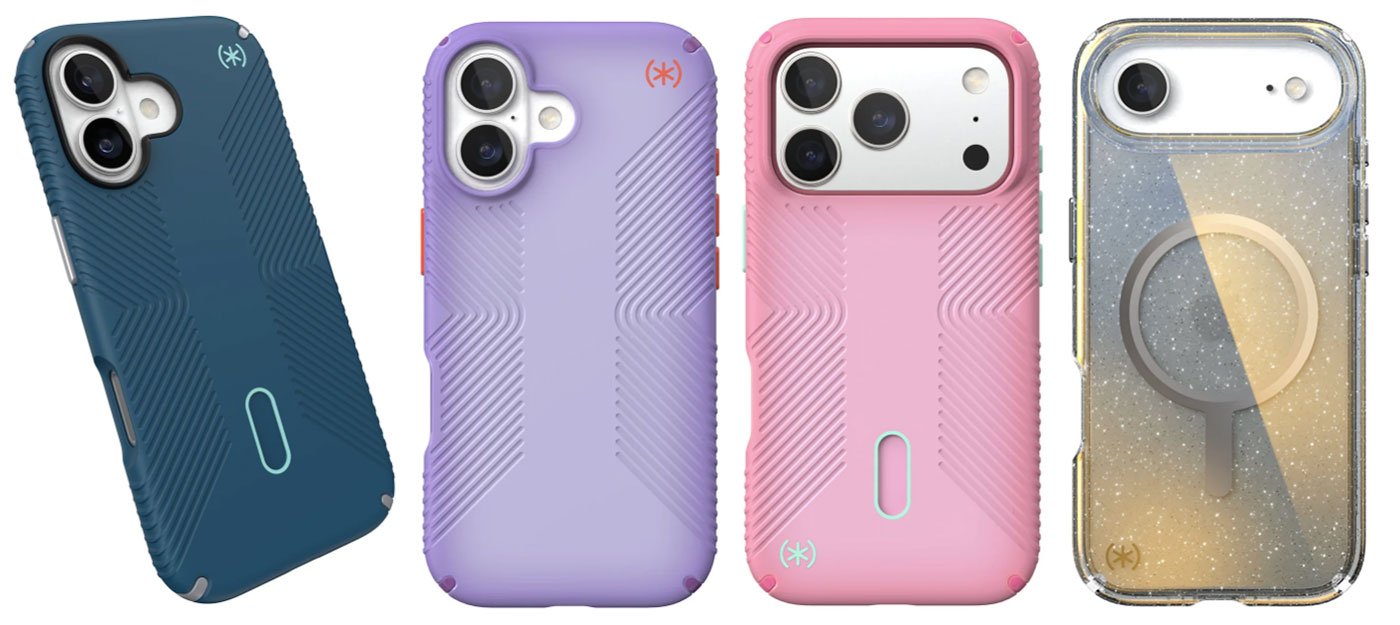
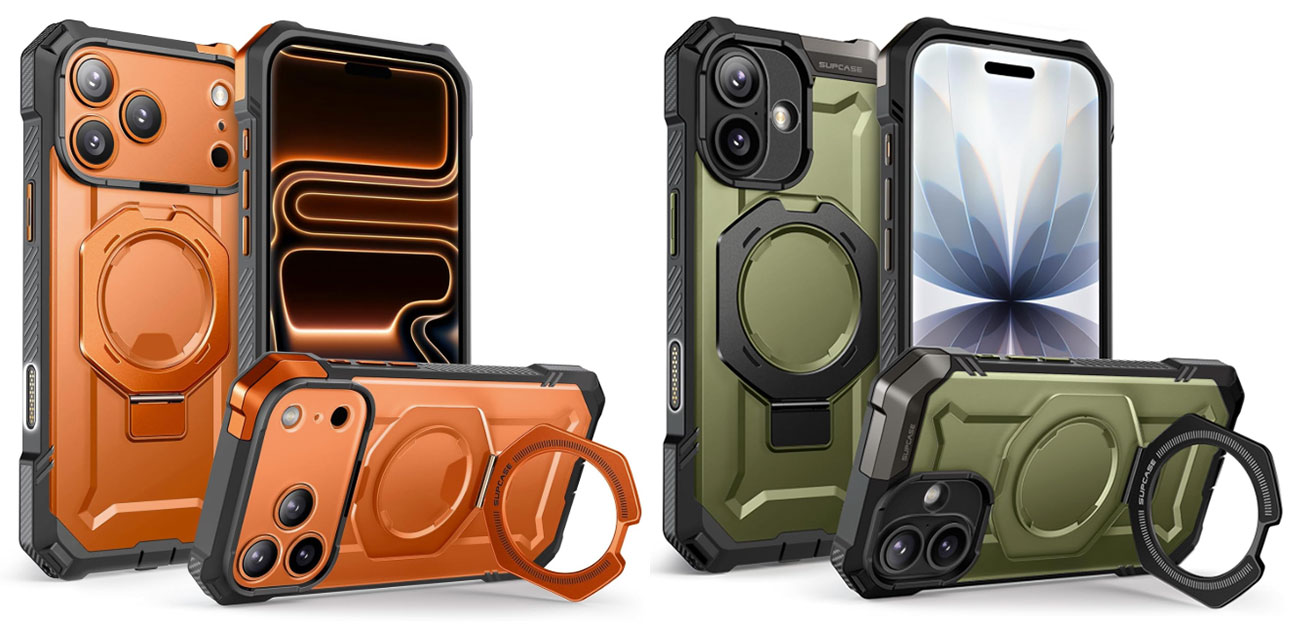
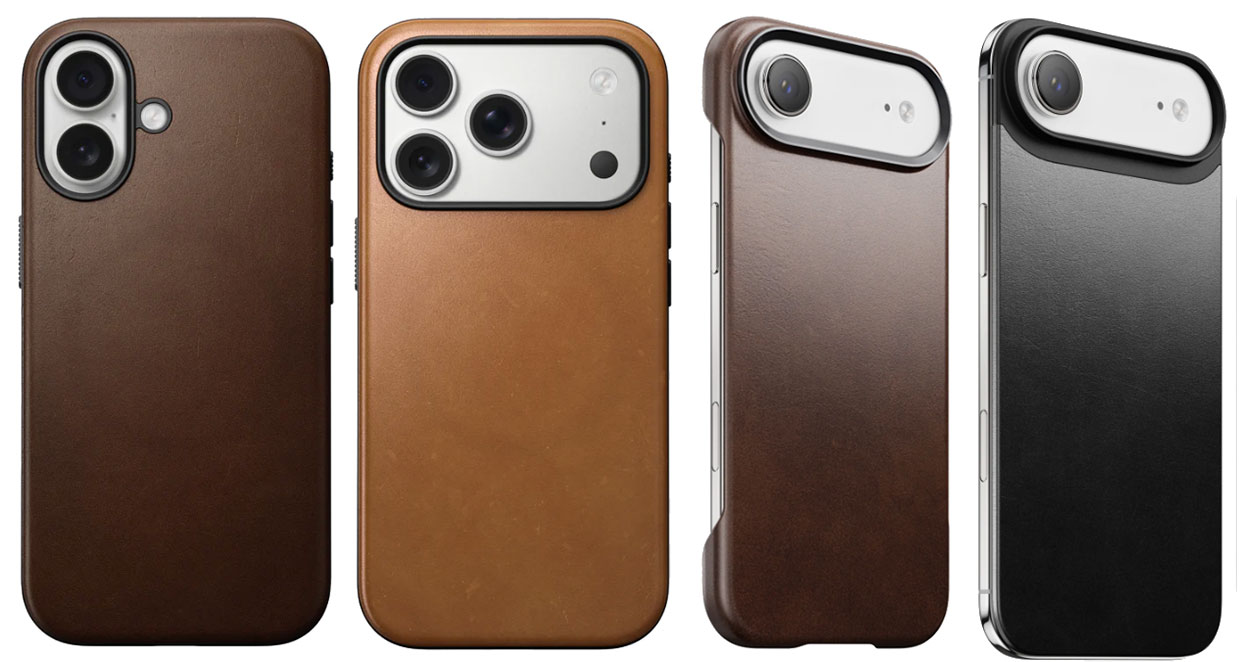
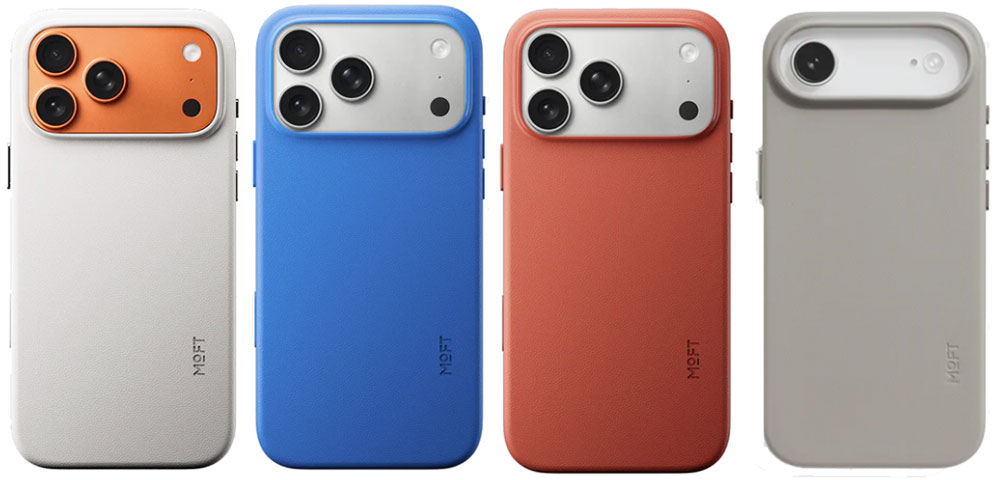
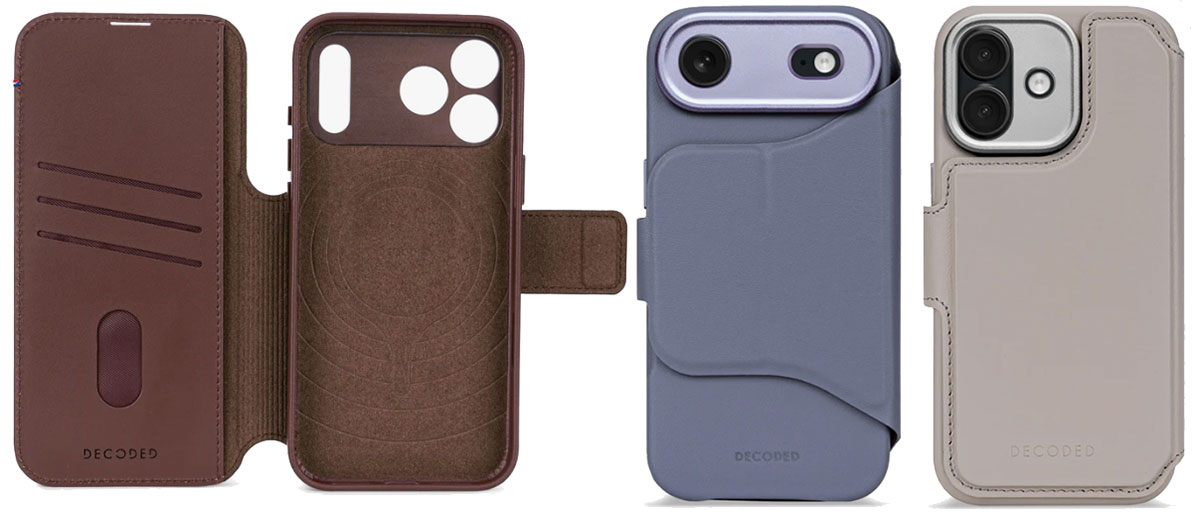
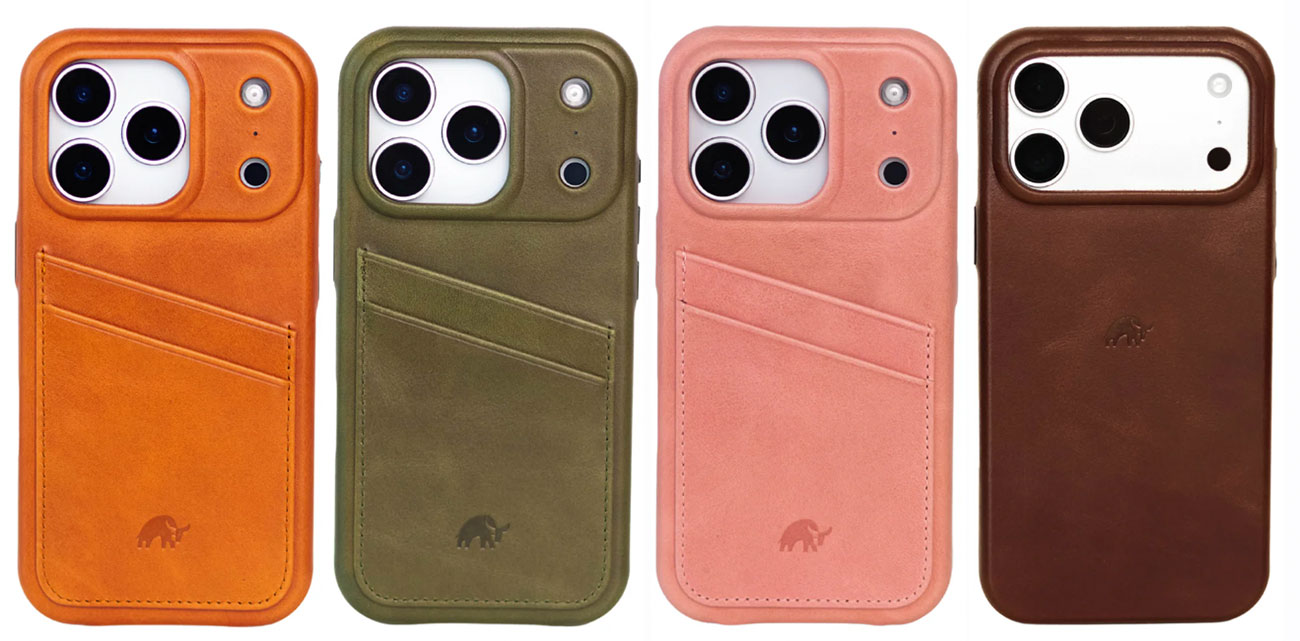
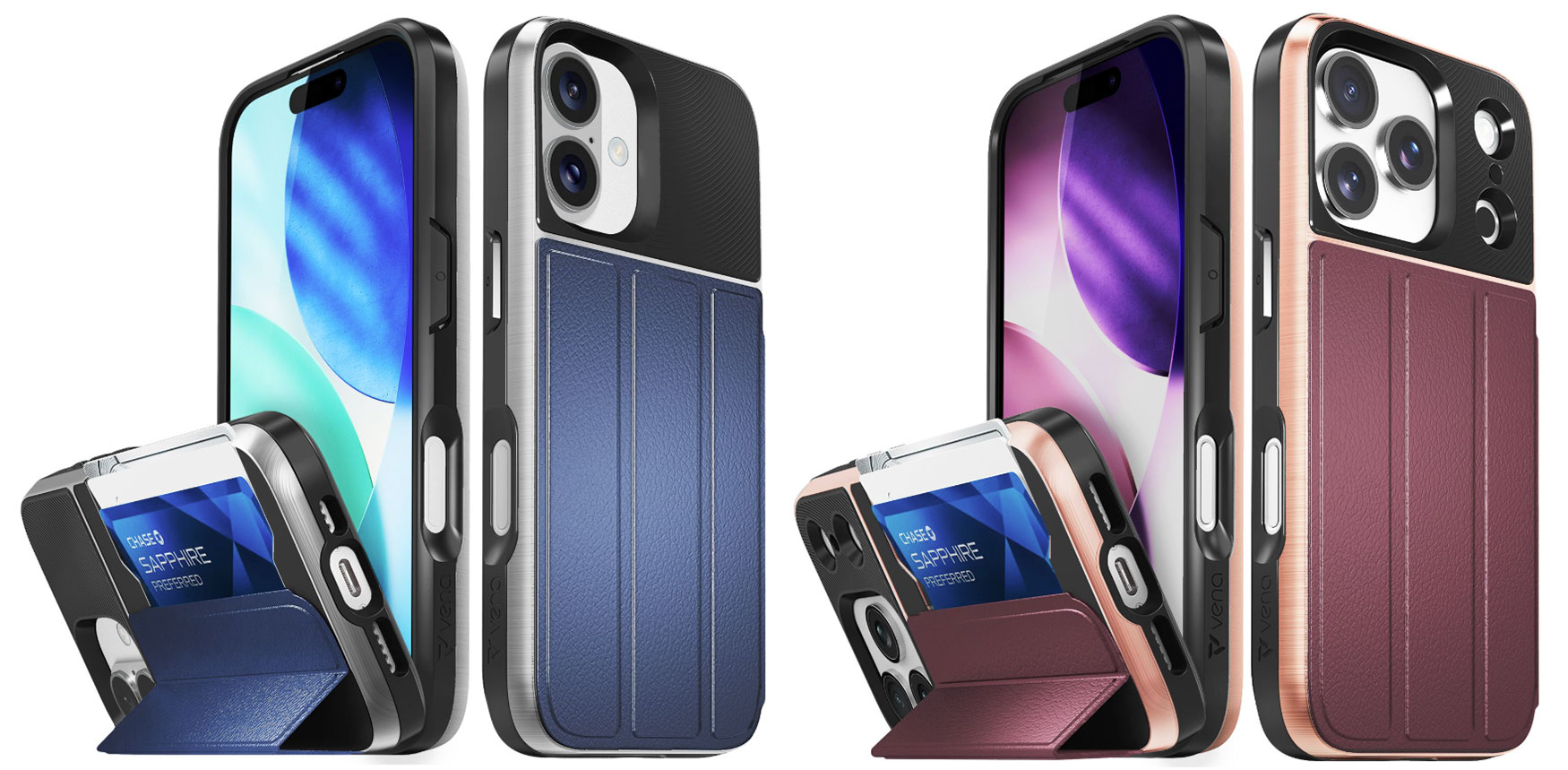
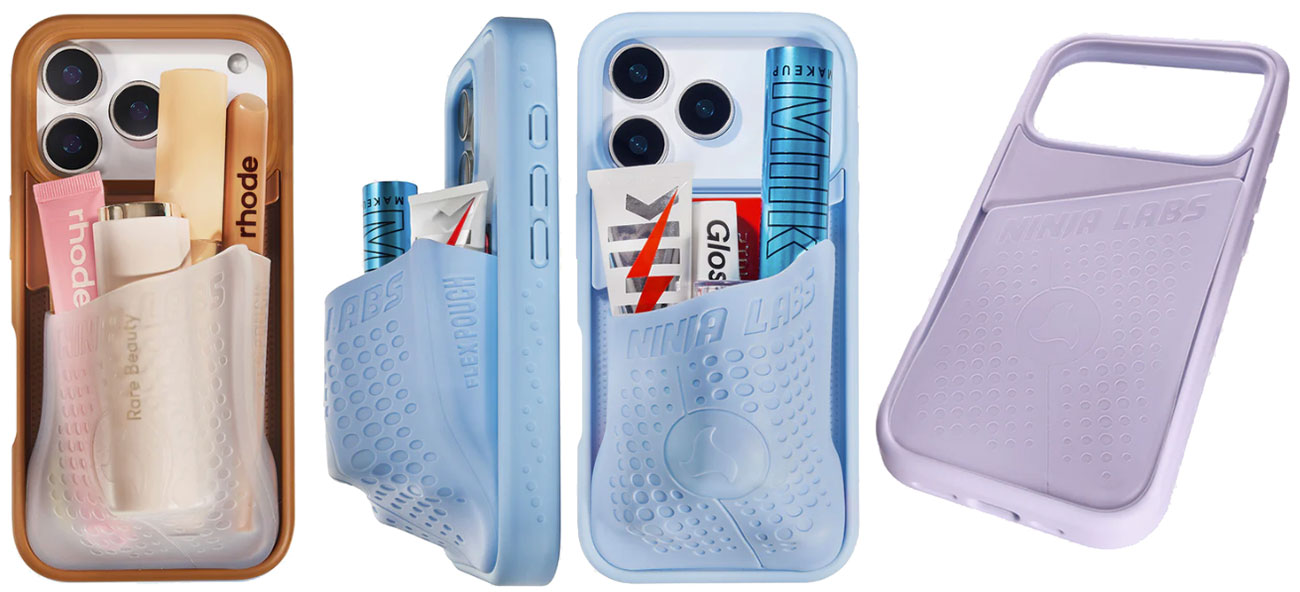
Before you even start the setup on your iPhone 17—be it an iPhone 17, 17e or Air, 17 Pro or 17 Pro Max— you should consider what type of case you need to protect it in. However good Apple’s new Ceramic Shield 2 shell is, it won’t be up to protecting your phone if dropped or scraped. A case just makes sense—and can look fantastic, too. Some are even ultra glamorous.
Cases come in more shapes and sizes and with more functionality than you’d believe. Hit these links to jump straight to our recommendations, reviews and tests to find the perfect case for your iPhone 17, 17e, 17 Pro and 17 Pro Max and Air. Or read on for more case advice before reaching the product charts. Cases for the most recent iPhone 17e have started to appear (keep reading) and we’ll add more here when they arrive.
Do I need an iPhone case for iPhone 17?
You may have heard that Apple’s new-generation Ceramic Shield 2 front cover promises 3x better scratch resistance, and for the Pro and Pro Max models Ceramic Shield also protects the back of iPhone, delivering 4x better resistance to cracks than the back glass on previous models. Does that mean that you no longer need a case? A case will keep your iPhone looking at it’s best, which will be a benefit when and if you come to sell it. Also, note that neither the plain iPhone 17 nor Air feature the same level of back protection.
Do I need an iPhone case for iPhone Air?
The iPhone Air is so thin it seems a shame to bulk it up in a protective case. It’s also tough at resisting bending but it is still just as vulnerable to drops and everyday dings. Most cases reviewed here have a variant for the iPhone Air but there are especially thin cases such as the super-slim Thinborne iPhone 17 Case and Pitaka Ultra-Slim Case, or consider the Nomad Magnetic Leather Back that misses the sides altogether and protects just the back.
Why you need an iPhone case
The primary function of a phone case is to protect your high-cost but fragile device from physical damage—caused by accidental impacts such as shocks from drops and scrapes that can leave your phone with a cracked screen, scratches, dents, a shattered back or internal harm. In fact, research shows that within 10 weeks of purchase, half of all new phone users will drop their handset. D’oh!
Just being pulled from your pocket many times a day causes gradual wear that adds to the unseen damage from UV exposure and other environmental factors. Environmental protection safeguards against water and dust damage that can degrade or destroy your precious phone. Putting your iPhone into a case doesn’t make it indestructible, but it will reduce the risk of everyday or unexpected damage that might otherwise save a costly repair or full replacement.
Which type of iPhone case to choose
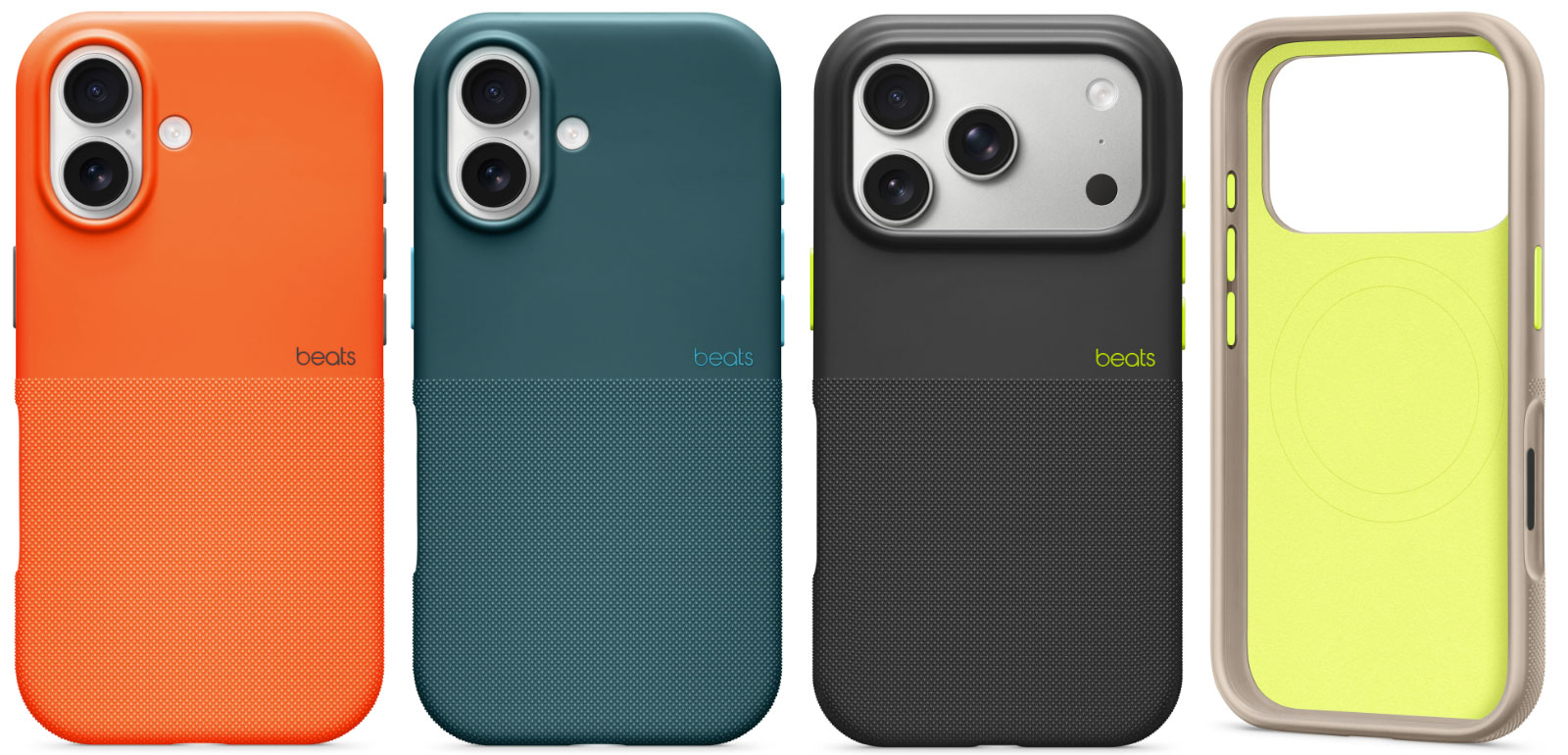
As nice as Apple makes its phones look there are only a handful of colors, so a case also offers aesthetic personalization through design (there are thousands to choose from) and customized style. Love the Cosmic Orange iPhone Pro but want to save money with the basic iPhone 17 model? Why not just buy a bold orange case for the 17, such as the Beats iPhone 17 Rugged Case in Sierra Orange?
Choosing the right case material (be that silicone, leather, Graphene or Kevlar) is also key—depending on whether you are after better grip, more robust protection or luxurious leather.
Cases can also add functionality, with handy features such as stands for hands-free viewing or wallet holders for carrying cards and cash. If you ever wirelessly charge your phone, make sure the case is MagSafe compatible—most are these days.
Best clear iPhone cases for iPhone 17, 17e, Air, 17 Pro and 17 Pro Max
If covering up Apple’s iPhone offends your inner Jony Ive, look for a clear, transparent case that keeps the iPhone’s looks as wonderful as they were straight out of the box. Why pick out a Sky Blue iPhone Air or Cosmic Orange iPhone 17 Pro Max, only to cover it up in a black plastic case or something with badly drawn flowers on it? With a Clear case, you get decent protection without ruining the look of the phone—although Apple has rather mucked this up with its own version; see review below.
If you want a plain black case or flowery pattern instead of Apple’s small palette of colors, we have plenty for you to choose from further down this feature.
Apple iPhone 17 Clear Case with MagSafe – Simple but flawed clear iPhone 17 case
Pros
- Made by Apple
- Shows off iPhone 17’s color
Cons
- Basic protection
- Ugly on Pro / Pro Max
- Open bottom section
- Expensive
Best Prices Today:
Price comparison from over 24,000 stores worldwide
Price comparison from Backmarket
- MagSafe compatible: Yes
- Weight: 29g
- Camera edge: 2mm
- Button covers: Plastic
- Colors: Clear
Available for: iPhone 17 | iPhone Air | iPhone 17 Pro | iPhone 17 Pro Max
Amazon: All iPhone 17 models
Amazon UK: iPhone 17 | iPhone Air | iPhone 17 Pro | iPhone 17 Pro Max
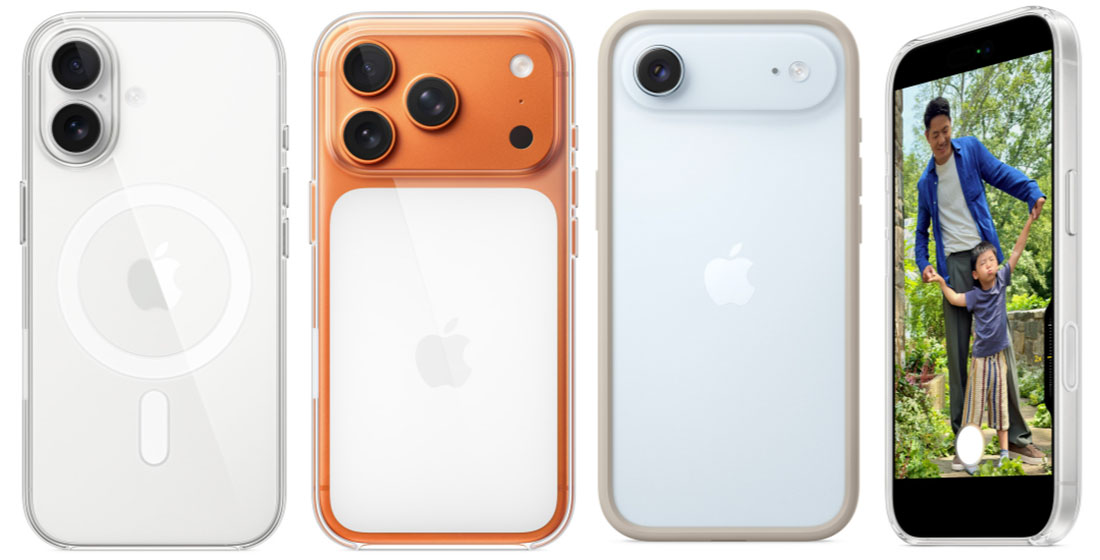
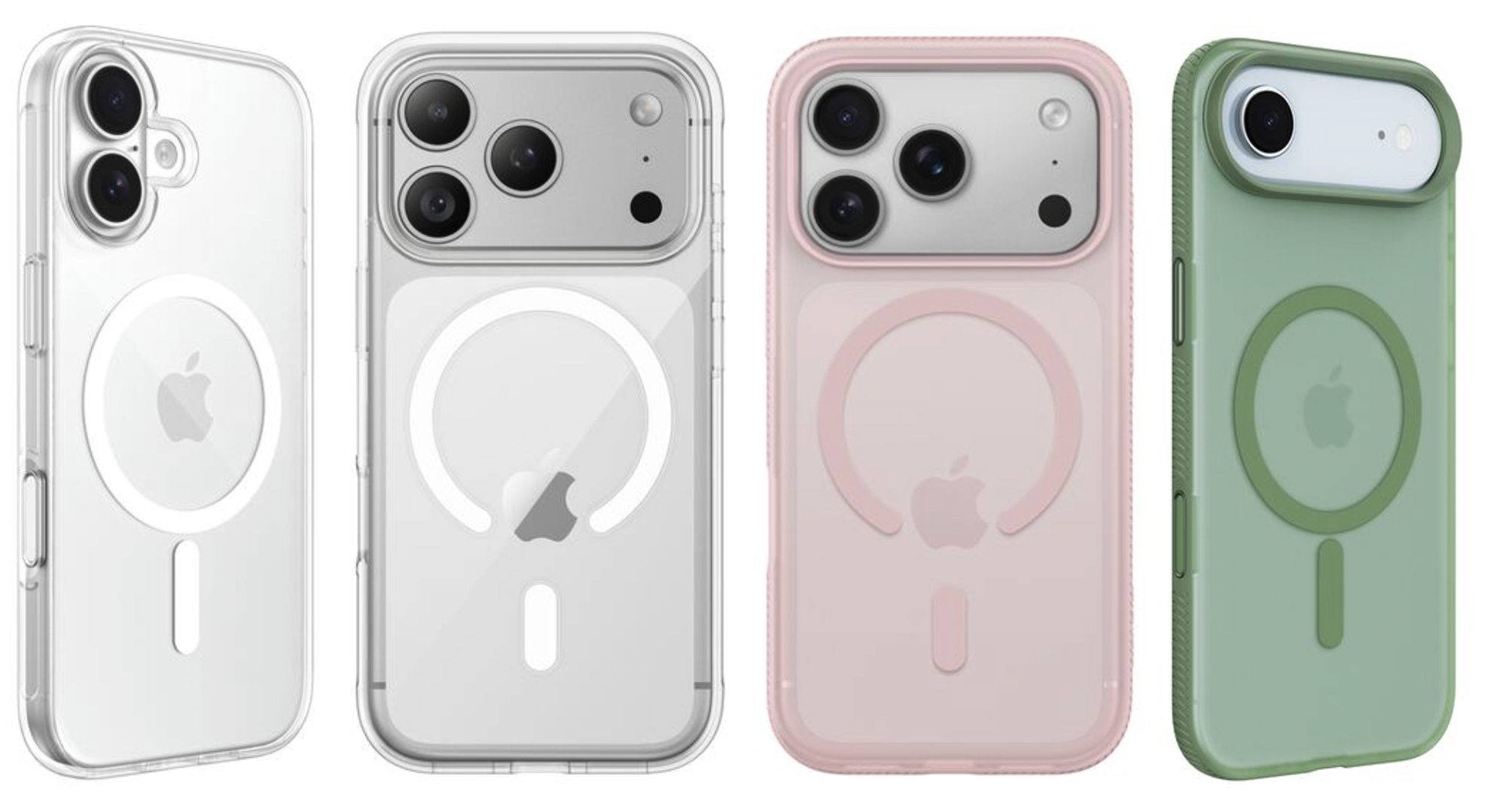
This simple, rigid iPhone 17 protective case from Apple is thin and light. By design, clear cases shouldn’t disguise the color of your iPhone that you chose when you purchased it.
The Apple Clear Case is made from a blend of optically clear polycarbonate and other flexible materials, with a scratch-resistant coating on both the inside and outside. While it’s more protective than silicone cases and features a robust-looking 2mm camera lip, you can find tougher cases, which we have reviewed below.
While the Clear Case for the basic iPhone 17 is as you’d expect, Apple has somewhat ruined the idea of a “clear” case for its Pro and Pro Mac versions of the iPhone 17, which feature a slab of white plastic at the back under the camera area. It’s white whatever color of iPhone 17 Pro or Max that you own.
This is because Apple added its second-generation Ceramic Shield glass as a separate panel on the back of the Pro models—it’s on only the front of all the 17 family. To keep the back design visually balanced, the Apple logo was repositioned slightly lower. The white slab on Apple’s clear case is related to this adjustment and the alignment of the MagSafe magnets. Customers are already complaining that Apple should have created cases with a block in the color of the phone. If your iPhone 17 Pro or Pro Max is orange or deep blue that slab of white is, well I’ll say it, ugly.
The bottom of the Clear Case is nearly fully open, which reduces the level protection.
For the iPhone Air Apple has another not really clear solution: the iPhone Air Bumper. This protects the edges of the phone and matches the Air’s color but leaves the back exposed. With a raised bezel it will also stop the screen touching the surface when laid flat. You can choose the bumper color to match your iPhone Air or select another color if you are feeling adventurous.
Apple also sells the iPhone Air Case with MagSafe in Frost or Shadow, with a 0.9mm back panel that’s reinforced with a polycarbonate frame. The inside is lightly frosted, while the exterior is finished to a high gloss.
At 29g it’s super light, and while the rigid case adds a little bulk, it’s worth a little compromise for that layer of protection. All materials and coatings are optimized to prevent yellowing over time.
There are also cheaper clear cases, which we have also tested for you. But the Apple badge is a sure sign of quality, as you’d expect.
ESR Classic Hybrid Magnetic Case – Best budget clear iPhone 17 case
Pros
- Shows off iPhone’s color
- Affordable
- Stash Stand option
Best Prices Today:
Price comparison from over 24,000 stores worldwide
Price comparison from Backmarket
- MagSafe compatible: Yes
- Weight: 42g (with Stash Stand)
- Raised edge: 1.2mm
- Camera edge: 0.8mm to 2mm
- Button covers: Plastic
- Colors: Clear, plus frosted pink, blue, black and green
Available for: iPhone 17 | iPhone 17e | iPhone Air | iPhone 17 Pro | iPhone 17 Pro Max
Amazon: All iPhone 17 models
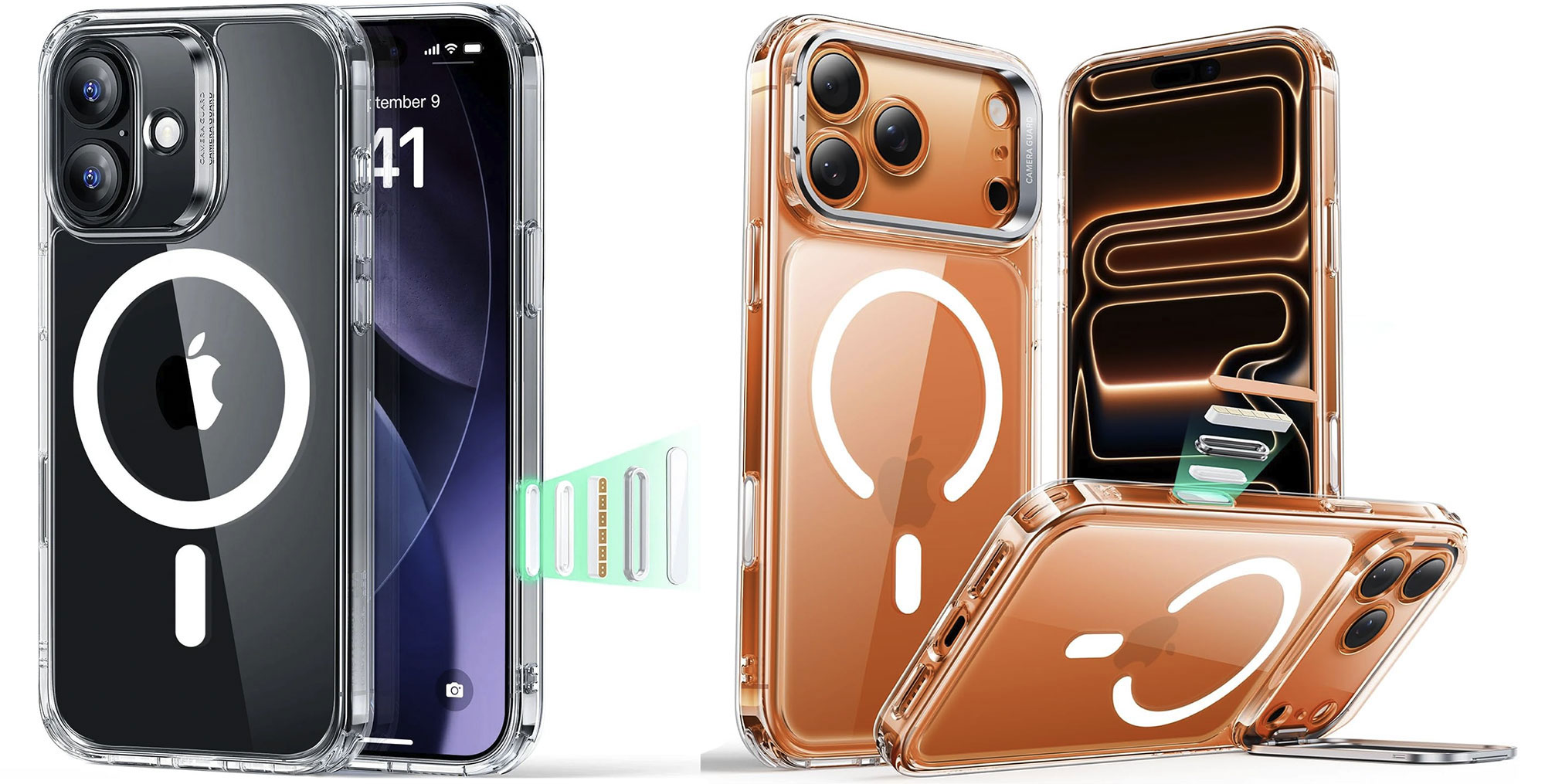
If you want see-through protection for your new iPhone 17 ESR’s Classic Hybrid Case—with 1.5mm back—features shock-absorbing Air Guard corners that can protect from drops up to 11ft. ESR claims its clear plastic resists yellowing for longer than cheaper cases.
ESR also makes a version of the clear Classic Hybrid Case that features a handy built-in kickstand for stable viewing. The $25.99 ESR Classic Hybrid Magnetic Case with Stash Stand hides its pull-out stand in the zinc alloy camera guard. It supports 15-85° viewing angles in both portrait and landscape orientations. With its 2mm camera edge it’s more protective than the basic model.
Unlike Apple’s ugly Pro and Pro Max clear cases, ESR’s design ensures that the Apple logo remains fully visible without obstruction, while still providing strong magnetic performance. That means you can see Apple’s original iPhone color through the clear case, and the bottom section has cutouts where necessary compared to the fully open section on the Apple Clear Case.
Totallee Scarf Case for iPhone 17 – Slimmest, lightest hard clear iPhone 17 case
Pros
- Slimmest clear case
- Lightest case
- Pro model colors show through
Cons
- Basic protection
- MagSafe costs more
Best Prices Today:
Price comparison from over 24,000 stores worldwide
Price comparison from Backmarket
- MagSafe compatible: Optional
- Weight: 6g
- Raised edge: 0.2mm (Scarf); 0.5mm (Spy)
- Camera edge: 0.2mm (Scarf); 0.5mm (Spy)
- Button covers: Plastic
- Colors: Clear, Red, Navy, Green, Black, Frosted
Available for: iPhone 17 | iPhone 17e | iPhone Air | iPhone 17 Pro | iPhone 17 Pro Max
Amazon: iPhone 17 | iPhone Air | iPhone 17 Pro | iPhone 17 Pro Max
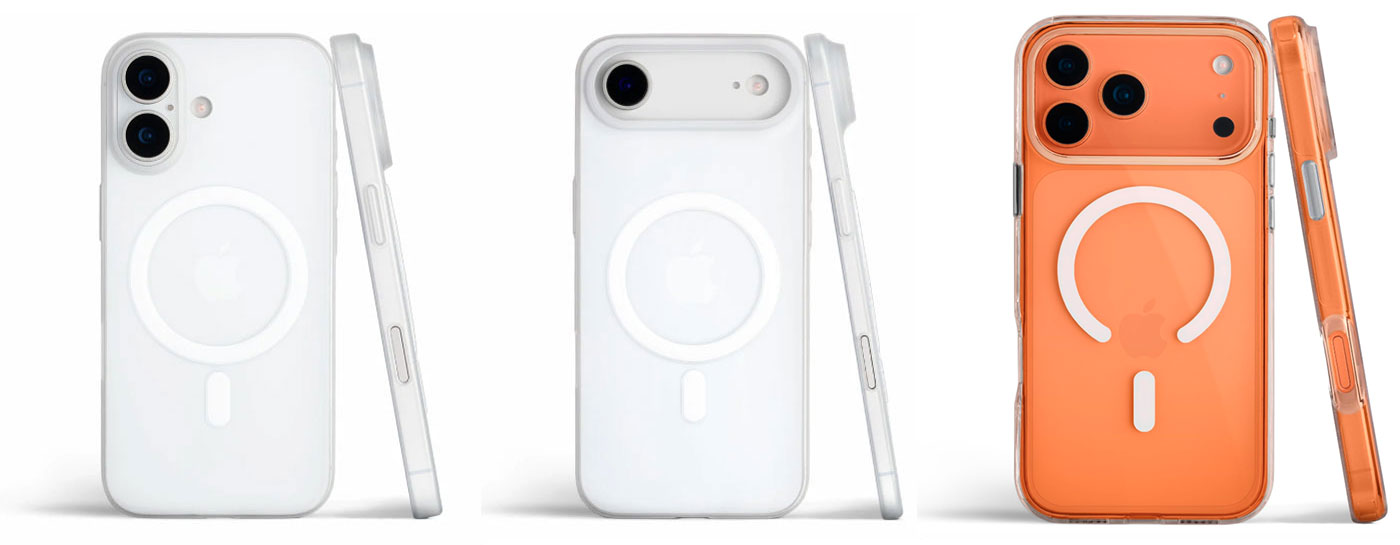
Made of polypropylene, a hard yet flexible plastic, the Totallee Scarf is the slimmest (0.5mm) iPhone 17 case available and—by a long way—the lightest. Even at this weight, there are button covers, and a cutout for the Camera Control. The lip around the camera and at the front are smaller than on other cases but the emphasis is on thinness rather than chunky protection. It offers protection from bumps, scratches, dirt, and minor drops (3 feet).
There is a clear version and a similar Frosted Clear model, plus a bunch of other frosted colors to choose from, but only Clear, Frosted and Black options for the MagSafe-compatible versions. Note that you have to pay a little more ($4) for the MagSafe-compatible versions, which we think is worth it but for a pure clear look the non-MagSafe version is the way to go.
The Totallee Spy case isn’t as thin but is still pretty marginal at 1mm thick, and has been tested with a 6-foot drop so you may thank yourself next time your new phone slips from your grasp. It is available only in only a Clear version for iPhone 17, iPhone Air, iPhone 17 Pro and iPhone 17 Pro.
As with the ESR clear case reviewed above the Totallee clear cases don’t obstruct the phone’s true color like the ugly Apple case. This is achieved in the same way by having a small break in the magnet ring—without loss of functionality—so that Apple’s lower logo on the Pro models isn’t obscured.
Casetify clear Impact and Bounce Cases for iPhone 17 – Most customizable clear iPhone 17 case
Pros
- Shows off iPhone’s true color
- Protection level options
- Built-in kickstand option
Best Prices Today:
Price comparison from over 24,000 stores worldwide
Price comparison from Backmarket
- MagSafe compatible: Yes
- Weight: 45g
- Raised edge: 1.4mm to 1.6mm
- Camera edge: 1mm to 3.9mm
- Button covers: Plastic
- Colors: Clear
Available for: iPhone 17 | iPhone 17e | iPhone Air | iPhone 17 Pro | iPhone 17 Pro Max
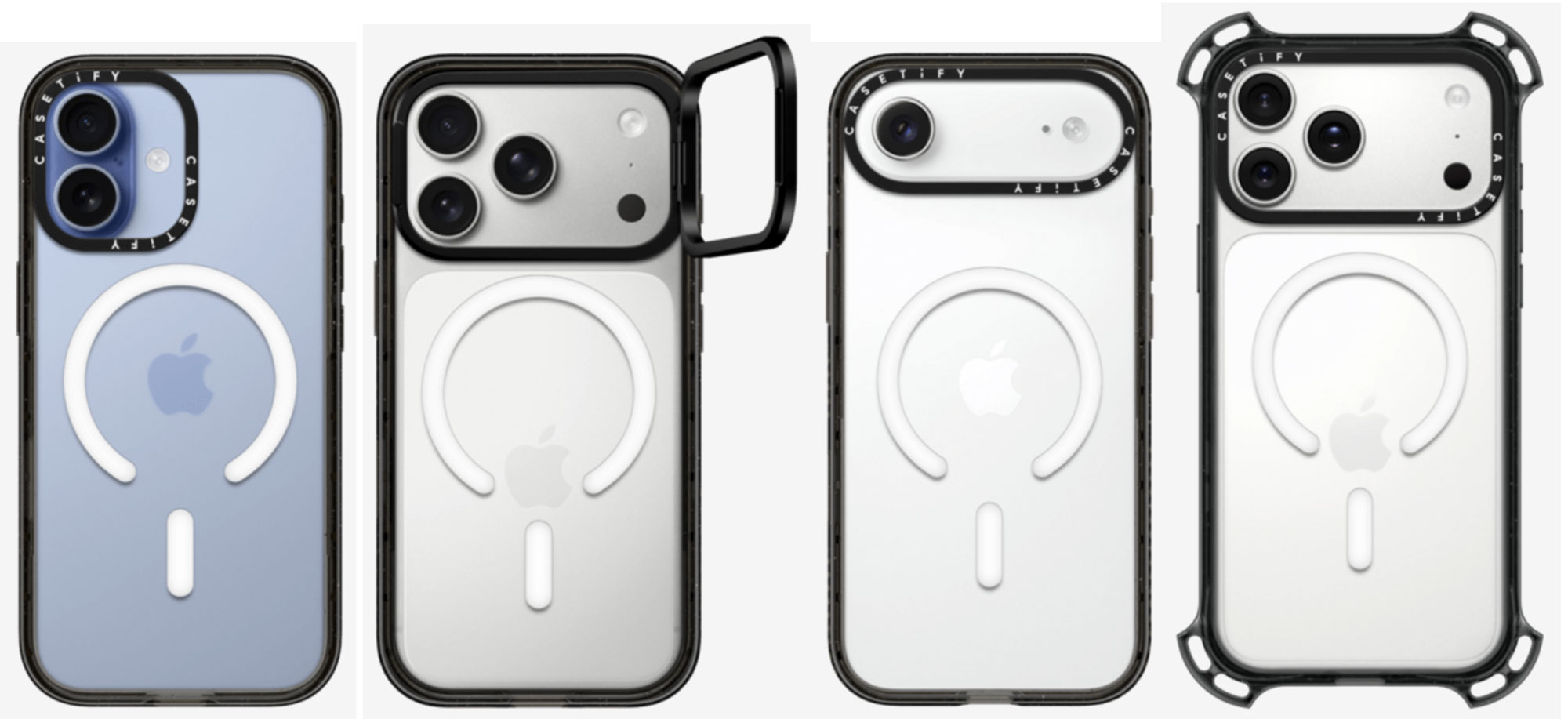
Offering a selection of protection levels, Casetify’s Impact and Bounce cases are available for all models of the iPhone 17 family. It is solidly built and feels robust, offering a minimum of 6.6ft (2m) drop protection up to 32.8ft (10m) if you choose the Ultra Bounce Case with its standout corner bumpers.
The case edges aren’t clear because they feature extra-protective EcoShock or TesseLock designs. On one side there are sockets to easily attach phone charms. The more protection, sadly the less of the original phone can be seen even in a clear case, but most of the shock absorption on the Bounce case family protrudes from the corners.
For a little extra outlay, the Impact Case can be ordered with an integrated stand, otherwise cleverly hidden in the camera ring in a similar design to the ESR Stash Stand reviewed above.
Belkin SheerForce iPhone 17 Clear & Grip Cases – Affordable quality hard clear iPhone 17 case
Pros
- Shows off iPhone’s color
- Affordable
- Grippy side color options
Best Prices Today:
Price comparison from over 24,000 stores worldwide
Price comparison from Backmarket
- MagSafe compatible: Yes
- Weight: 36g
- Raised edge: 1.6mm
- Camera edge: 0.5mm
- Button covers: Plastic
- Colors: Clear or Grip in Black, Pink, Pistachio Green, Navy, Lavender
Available for: Clear: All iPhone 17 models | Grip: All iPhone 17 models
Amazon: Clear: All iPhone 17 models | Grip: All iPhone 17 models
Belkin is a trustworthy name for Apple accessories and its iPhone cases carry on this tradition. There’s nothing flashy about the SheerForce Clear Case aside from its action-packed name, and clear cases really shouldn’t be flashy. It doesn’t add a big white block under the MagSafe logo but still shows off the Apple logo—as such it’s superior to Apple’s own-brand clear case, reviewed above. The Clear Case has a claimed 13ft (4m) drop protection, and side grooves for added grip.
You can add a sheen of color with the translucent SheerForce Grip Case—oddly there were more colors on offer in the U.K. than U.S.—as well as textured sides to make it, as the name suggests, a little more grippy than its clear sibling. Being not as hard as the Clear Case, the Grip Case offers a lower 6.6ft (2m) drop defense.
Rokform Crystal Case iPhone 17 – Most protective clear iPhone 17 case
Pros
- Shows off iPhone’s color (a little)
- Robust protection
- Magnetic case
- Bike/Car mount system
Cons
- Not entirely transparent
- MagSafe compatibility not 100%
- Heavy
Best Prices Today:
Price comparison from over 24,000 stores worldwide
Price comparison from Backmarket
- MagSafe compatible: Yes (not with all chargers)
- Weight: 74-89g
- Raised edge: 1.5mm
- Camera edge: 2.5mm
- Button covers: Plastic
- Colors: Clear with black trim
Available for: iPhone 17 | iPhone Air | iPhone 17 Pro | iPhone 17 Pro Max
Amazon: All iPhone 17 models
Rokform is one of the most trusted market leaders in iPhone protection.
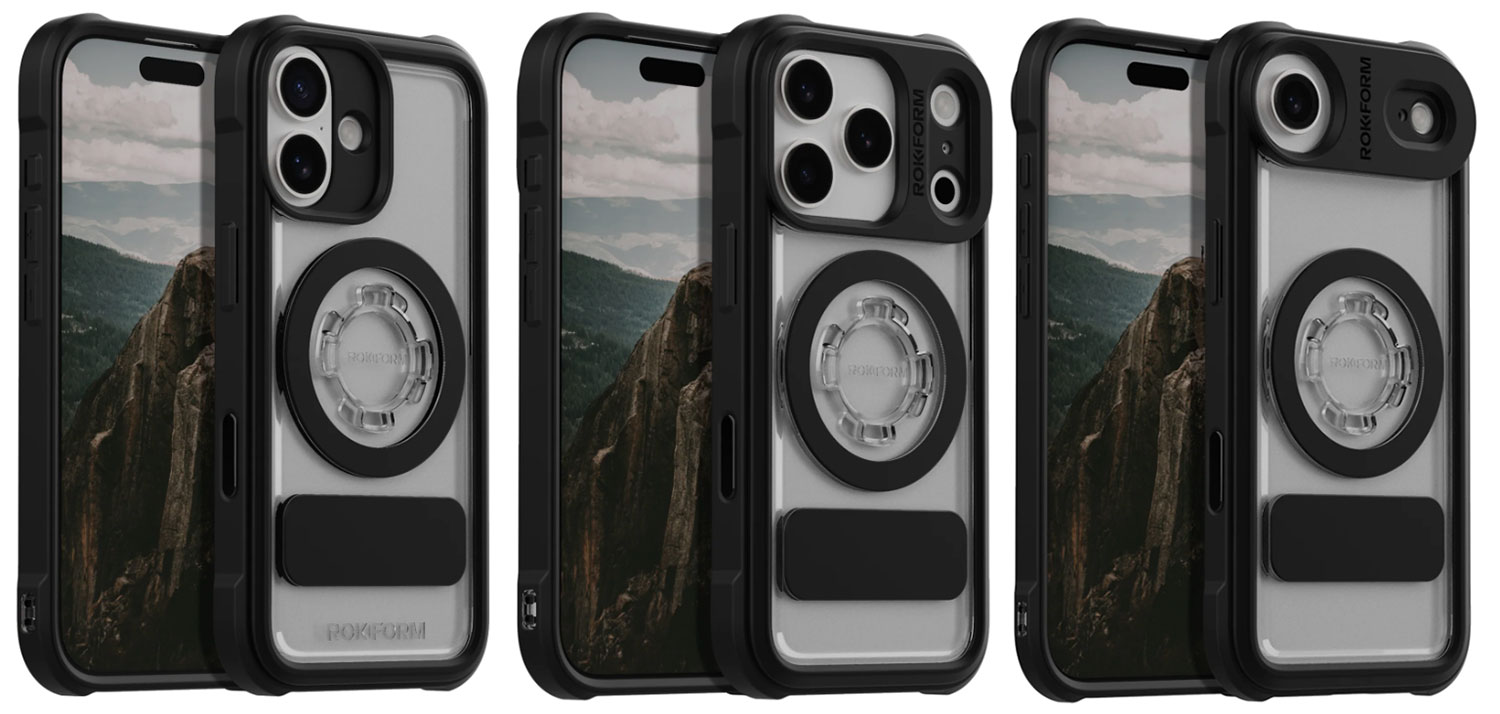
For those who want to see and show off at least some of their iPhone’s original coloring, but still gain maximum protection, Rokform offers its Crystal Case for the iPhone 17 family. This is more solid looking than even the Casetify Ultra Bounce reviewed above.
As you’d expect, that protection comes at the price of some bulk and heft. The case is not fully clear because its dual-construction black sides, textured-grip edges and corners are made from a military-grade polycarbonate and TPU (thermoplastic polyurethane) combination to absorb shocks from drops and falls of up to 6 feet.
Magnetic itself you can securely clamp it onto any magnetic surface.
At present, the Rokform cases are too thick to work with all MagSafe chargers—it didn’t work with all the chargers we tested it with—so you will likely need to remove your phone from the case to charge it wirelessly.
The case also features the Rokform’s famous twist-lock and magnetic mounting system for bike, motorcycle and car mounts. If you’re going biking with iPhone on your handlebars, a super-protective case is a must.
Rokform does ship internationally, but you’ll need to check the fees depending on your region, and remember that customs charges also vary by country.
More quality clear cases for iPhone 17 family:
- OtterBox Symmetry Clear Case ($59.99): 31g
- Mouse Clarity Clear Case ($69.99): 41g
Best stylish iPhone cases for iPhone 17, Air, 17 Pro and 17 Pro Max
While some will prefer a clear case to keep their iPhone’s natural color, others are more gregarious and want a splash of difference, from plain new colors, through pretty, cool or sometimes hideous patterns, to fully customizable designs. We’ve counted hundreds of designs on offer, so there must be something here for you and your iPhone 17.
Apple iPhone 17 Silicone Case with MagSafe – Popular, Apple-branded colorful case range
Pros
- Made by Apple
- Vibrant color range
Cons
- Not as protective as others
- Not for iPhone Air
- Expensive
Best Prices Today:
Price comparison from over 24,000 stores worldwide
Price comparison from Backmarket
- MagSafe compatible: Yes
- Weight: 30g
- Button covers: Silicone
- Colors: Neon Yellow, Orange, Purple Fog, Midnight, Black, Terra Cotta, Light Moss, Anchor Blue
Apple: iPhone 17 | iPhone 17 Pro | iPhone 17 Pro Max
Amazon: All iPhone 17 models
Amazon UK: iPhone 17 | iPhone 17 Pro | iPhone 17 Pro Max
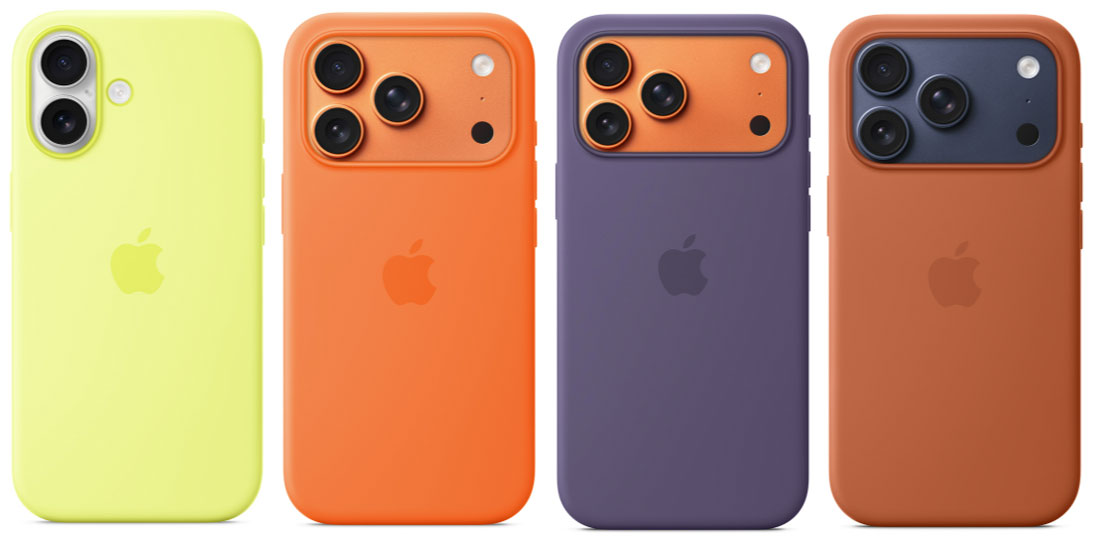
The smooth Apple Silicone case is a classic, popular protective iPhone covering—available in the widest range of colors with eight to choose from depending on which model you are buying for. There’s enough choice here to satisfy most people, but if you prefer to see the color of the iPhone itself, look to a clear case; see above.
It is as protective as you need for everyday calamities except big falls—if you want ultra protection, look to our best protective cases reviewed further down. If you are prone to letting your phone slip out of your hand, look for cases made from TPU, Kevlar or Graphene.
It is made with a soft-touch, almost silky 45% recycled silicone material. Inside, the lining is soft microfiber to protect the iPhone itself from scratches.
Aside from the colors and the attention to detail, people flock to this Apple case apart because it’s made by Apple and has the famous logo on the back. You can’t go wrong buying an Apple-made case, but you can find more options elsewhere.
Casetify iPhone 17 Case – Best custom iPhone 17 cases
Pros
- Many customization options
- Protection levels
Best Prices Today:
Price comparison from over 24,000 stores worldwide
Price comparison from Backmarket
- MagSafe compatible: Yes (where stated)
- Weight: 69g (Ultra Case)
- Raised edge: 1.4 to 1.6mm
- Camera edge: 1.17 to 3.8mm
- Button covers: Plastic
- Colors: Multiple customization options
Available for: iPhone 17 | iPhone 17e | iPhone Air | iPhone 17 Pro | iPhone 17 Pro Max
Amazon: All iPhone 17
Amazon UK: All iPhone 17
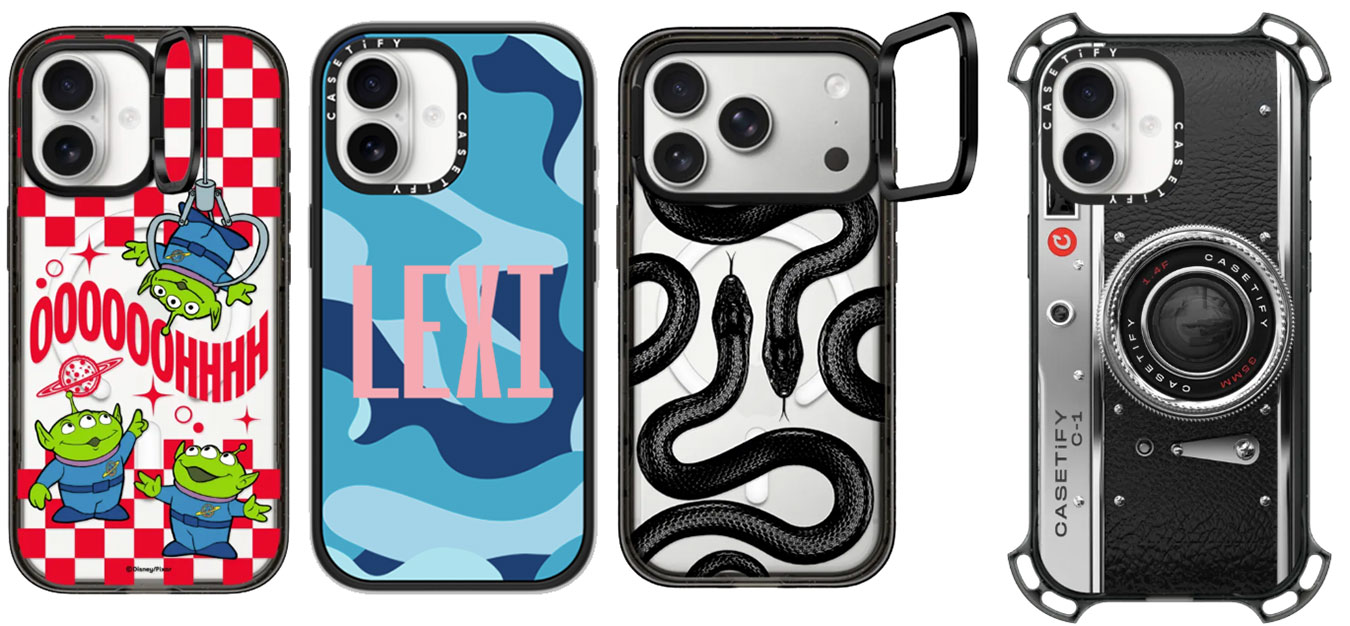
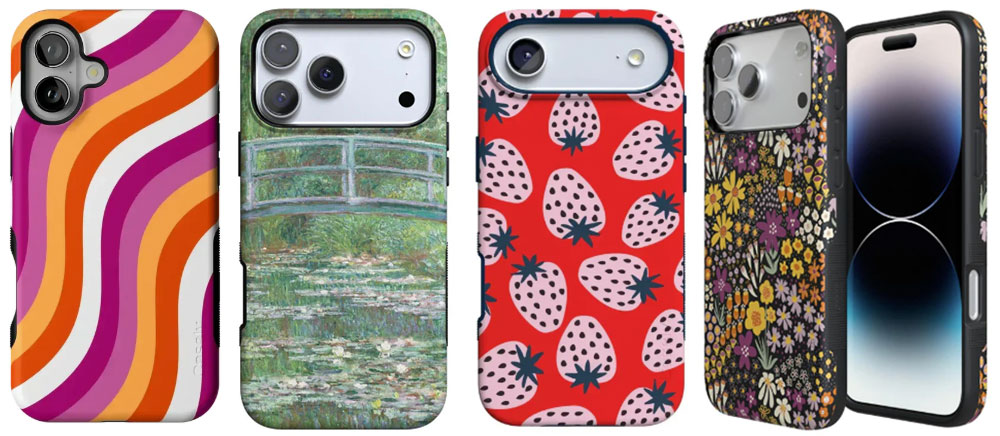
With nearly 5,000 designs to choose from, the Casetify range gives you almost too many choices—and some of the designs are pretty out there. Each to their own! To add some fun you need a non-clear case, and if you want to impose your own personality then look for customization options.
The most customizable range of iPhone 17 cases we’ve seen are from Casetify, where you can mix and match colors, patterns, prints, artists, and personalization options, as well as several levels of protection. There’s a smaller selection of the company’s case designs on Amazon.
Prices vary and rise depending on the protection levels, but for most you get a wide range of design options, including character-led designs such as Disney, Smurfs, SpongeBob and Peanuts.
You can add a name or short word, plus add hearts and stars, fonts, and text colors if you desire. Some cases feature a pull-out stand, which is otherwise hidden in the camera ring.
Casetify also offers a range of protection levels: Impact (8.2ft drop protection, 4x MIL-STD-810G or 6.6ft and 3x with a ring stand), Bounce (21.3ft drop protection, 6x MIL-STD-810G), Ultra Bounce (Bounce corners, 32.8 ft. drop protection, 10x MIL-STD-810G) and, for the 17 Pro and Pro Max, Ultra (Ultra Bounce corners, 32.8 ft. drop protection, 10x MIL-STD-810G, 6-layered rugged protection).
The raised bezel to protect the screen can be either 1.4mm or 1.6mm, and the protective camera ring from 2mm to 3.8mm. The Impact Ring case features the tallest camera-protecting lip at 3.6mm, the biggest we’ve seen in our tests.
A new customizable Glaze case offers an inner printing method, where designs are printed underneath a protective inner layer, preventing them from fading and losing quality over time.
Casely iPhone 17 Classic and Bold Cases – Best iPhone 17 case for colorful protection
Pros
- Optional protection levels
- Design options
Best Prices Today:
Price comparison from over 24,000 stores worldwide
Price comparison from Backmarket
- MagSafe compatible: Yes
- Weight: 39-56g (Classic); 46-62g (Bold Case)
- Raised edge: 3mm (Bold), 1.3mm (Classic)
- Camera edge: 1.33mm (Bold), 0.75mm (Classic)
- Button covers: Plastic
- Colors: Over 60 designs available
Available for: iPhone 17 | iPhone 17e | iPhone Air | iPhone 17 Pro | iPhone 17 Pro Max
While not as customizable as the Casetify iPhone 17 cases, the range of Casely design options is almost overwhelming, including designs based on works by Impressionists Van Gogh and Monet.
Aside from the 240+ designs, you can choose between the Classic and Bold case models for each type of iPhone 17. The Classic Collection is lighter and more flexible with a glossy finish, while the Bold Collection is more protective and comes with a matte finish.
The Bold models have ribbed sides, which adds real grip, making it less likely that you’ll drop your iPhone in the first place—but if you do there’s impressive 8-foot drop protection and a 3mm raised screen lip (only 1.3mm on the Classic), the highest we’ve tested. The camera edge could be a little higher, but we are big fans nonetheless.
Casely adds small shipping fees if bought direct—these are calculated at final checkout. Uniquely Casely offers club membership where subscribers receive a new phone case every month, with exclusive members-only styles released each month. Users choose a style or Casely can send a surprise case.
Nomad Modern & Rugged Cases for iPhone 17 – Slick and cool
Pros
- Cool colors
- Matte finish
- Protection levels
Best Prices Today:
Price comparison from over 24,000 stores worldwide
Price comparison from Backmarket
- MagSafe compatible: Yes
- Weight: 36g (Modern); 47g (Rugged)
- Raised edge: 1mm (Modern), 1.85mm Rugged)
- Camera edge: 0.5mm
- Button covers: Metal
- Colors: Volt, Lunar Gray, Vulcan Black, Ultra Orange, Black
Available for: iPhone 17 Pro and 17 Pro Max
Amazon: Nomad Modern / Nomad Rugged
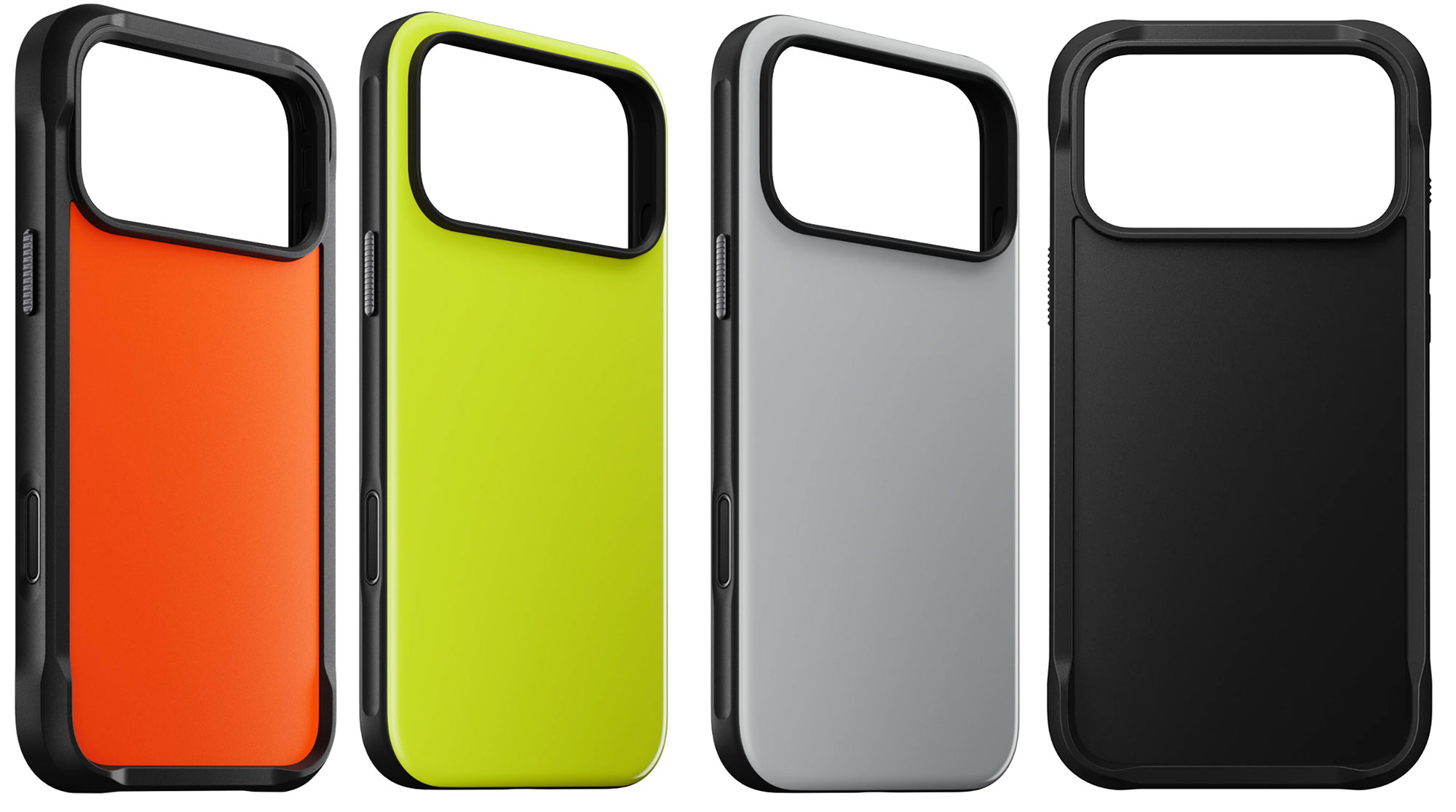
Nomad has a range of cooly colored cases for the iPhone 17, although none for the plain 17 model. The slim, minimalist Modern Case features a satin-smooth matte backplate, grippy bumpers and metal buttons. It claims 8ft drop protection with a shock-absorbing TPU bumper.
As you’d expect from its name, the equally matte Rugged Case is more robust with 15ft drop protection, as its polycarbonate frame boasts fortified corner bumpers. Its bumpers are grooved bumpers for a better grip. There’s also a leather version of the Rugged Case; see the Nomad leather case reviews further down this roundup.
dbrand Grip Case for iPhone 17 – Best grippy iPhone 17 case for cool designs
Pros
- Many cool design options
- Tactile grippy sides
Best Prices Today:
Price comparison from over 24,000 stores worldwide
Price comparison from Backmarket
- MagSafe compatible: Yes
- Weight: 37g
- Raised edge: 1.5mm
- Camera edge: 0.5mm
- Button covers: Plastic
- Colors: Nearly 50 designs available
Available for: iPhone 17 | iPhone 17e | iPhone Air | iPhone 17 Pro | iPhone 17 Pro Max
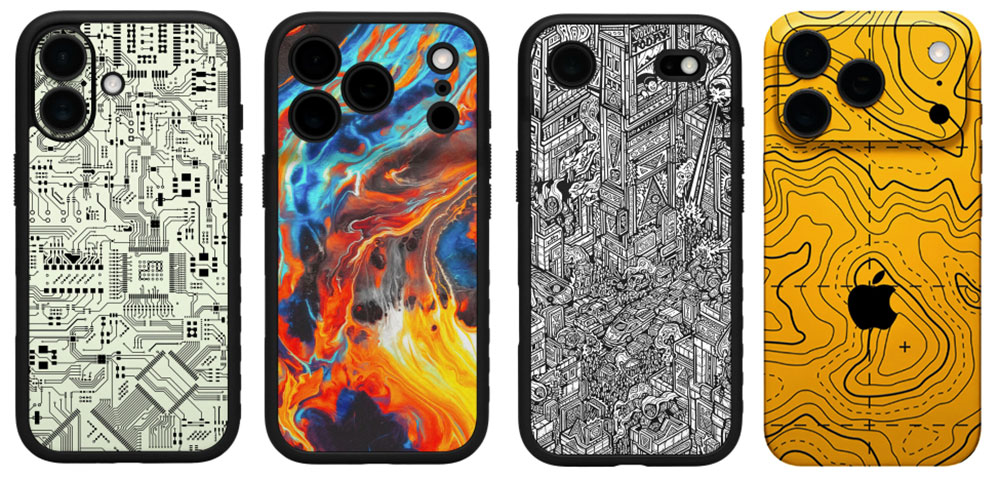
We love the 2mm-thin dbrand Grip Case for several reasons. First, as the name suggests, it is supremely grippy but still slides from a pocket with ease. The sides feature gripped stripes on a textured frame and further ridged, easy-to-locate buttons. This should mean you are less likely to drop your iPhone unless you or someone else is really trying to make it happen.
Second, the screen has a tapered edge, allowing for easy edge-swipes along the center of the display with just a 0.4mm raised lip but a much more protective 1.5mm lip on the top and bottom. The camera lenses are protected with a 0.5mm lip but also features a “hooded” design around the entire camera housing, tapering both the rubberized rim and the rigid frame of the case to protect the cameras. This symmetrical design ensures that the camera protrusions don’t rock back-and-forth while sitting flat on a table surface.
dbrand also offers a thinner 0.25mm textured and scratch-proof $24.95 Skin Case for the Pro iPhones in a similar wide range of techy and weird designs, from Area 51, X-Ray, Toxic Waste and Solar Flare among many others.
Rhinoshield iPhone 17 Cases – Best customizable iPhone buttons
Pros
- Thousands of design options
- Tactile grippy sides
Best Prices Today:
Price comparison from over 24,000 stores worldwide
Price comparison from Backmarket
- MagSafe compatible: Yes
- Weight: 37g (SolidX)
- Raised edge: 1.5 to 2.5mm
- Camera edge: 1mm
- Button covers: Plastic
- Colors: Over 4,500 designs available
Available for: All iPhone 17 models
Amazon: All iPhone 17 models
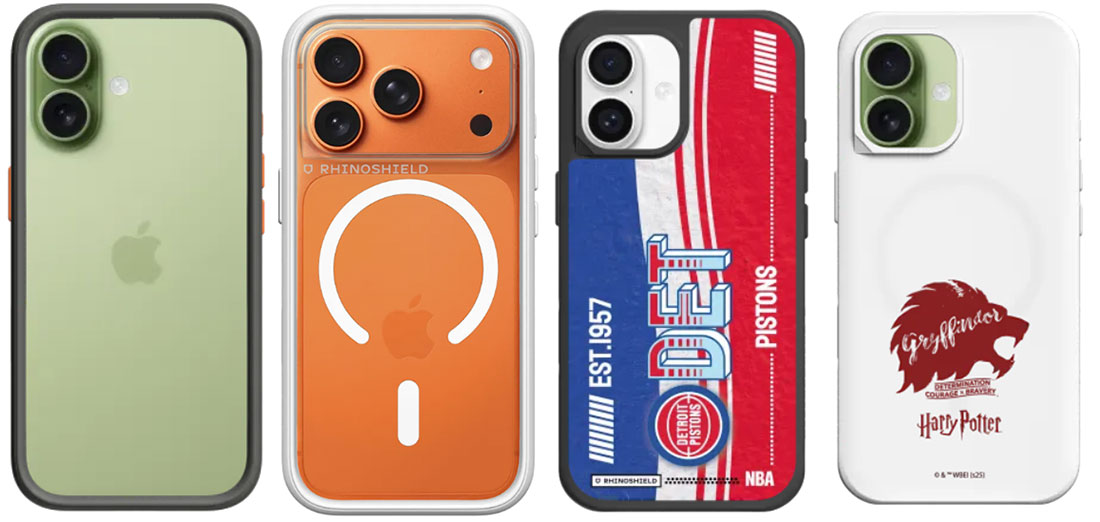
If you want to customize your own case Rhinoshield offers a “Design Your Own” service where you upload your own photos, add text, choose fonts and colors, etc.
It also has a range of fun choices from its Design Studio, including a roster of hip Japanese and Far Eastern characters as well as major movie and TV franchises (Harry Potter, Jurassic Park, Batman, Smurfs, Lord of the Rings), and a special collection of women designers.
Almost uniquely, it lets you customize elements of its SolidX and Mod NX cases, swapping out button colors. In the first example pictured above I went for the Neon Orange buttons ($1) and Graphite bumper. Using the Design Your Own option you can add stickers and photos plus a whole lot more. SolidX with reinforced corners and stronger drop protection
Following up on behalf of our client RHINOSHIELD with a new update that may be useful for any iPhone 17 coverage you are working on. Since launch, RHINOSHIELD’s engineering team has been monitoring how legacy cases are performing on the new hardware. Early tests are already showing higher failure rates due to Apple’s internal redesign, specifically the repositioned battery tray, expanded vapor chamber cooling system, and the shifted logic board.
This is the challenge RHINOSHIELD designed the new AirX case to solve. AirX redirects impact away from the rigid battery tray, reduces torsional stress around the logic board area, and supports the updated thermal system. The case has performed significantly better in early drop and stress tests compared with cases that were simply adapted from prior models.
AirX with its cushioned Air Isolation Chamber and Compression Skeleton; and Mod NX system with an interchangeable backplate design that you can switch to match your mood.
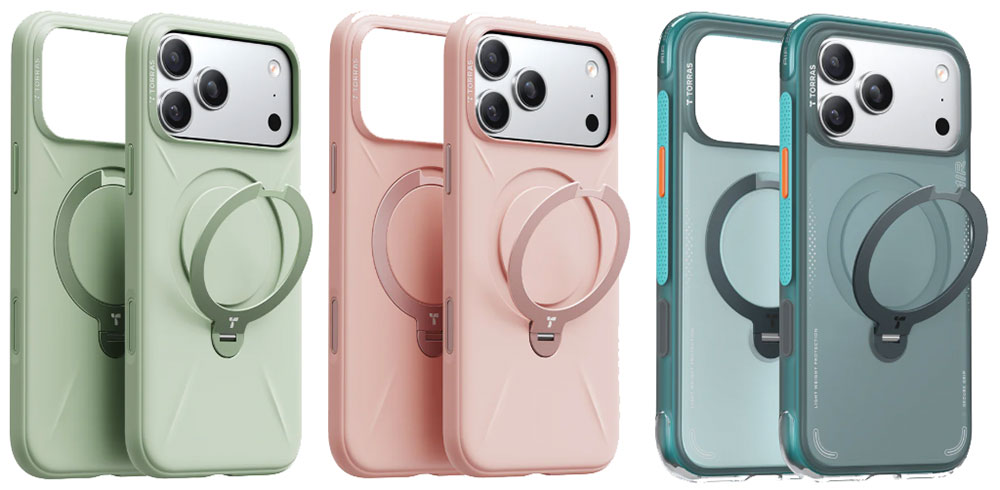
Torras Ostand Q3 Silicone and Air Cases for iPhone 17
Pros
- 360-degree rotatable ring stand
- Grippy frame
Best Prices Today:
Price comparison from over 24,000 stores worldwide
Price comparison from Backmarket
- MagSafe compatible: Yes
- Weight: 46g
- Raised edge: 1.5mm
- Camera edge: 0.33mm
- Button covers: Plastic
- Colors: Shadow Black, Glacier Sprint, Deep Blue, Cosmic Orange, Desert Gold, Baby Blue, Pearl White, Blush Pink
Available for: iPhone 17 Pro | iPhone 17 Pro Max
Amazon: iPhone 17 | iPhone 17e | iPhone Air | iPhone 17 Pro | iPhone 17 Pro Max
Amazon UK: All iPhone models
Always one for a confusingly named but quality iPhone case, Torras has maybe outdone itself by naming one of its iPhone 17 cases the Q3 Air, especially as it is available for only the iPhone 17 Pro and 17 Pro Max and not the actual iPhone Air. It features shock-absorbing Air-Max airbag technology that’s good for drops of up to 12 feet, Dot-Matrix anti-slip buttons and a secure grip.
Made with 55% Recycled Silicone, the Torras Q3 Silicone Case offers the same 360 degree rotating Spin stand, and boasts a luxurious velvety interior. While it is smooth enough to slip in and out of a pocket with ease, the textured grip feels secure.
Decoded Silicone Case – Best-looking iPhone 17 silicone cases
Pros
- Wide vibrant color range
- Two silicone styles
- Smooth feel
Cons
- Low Screen and camera edge
Best Prices Today:
Price comparison from over 24,000 stores worldwide
Price comparison from Backmarket
- MagSafe compatible: Yes
- Weight: 40g
- Button covers: Metal
- Colors: 8 colors
Available for: iPhone 17 | iPhone Air | iPhone 17 Pro | iPhone 17 Pro Max
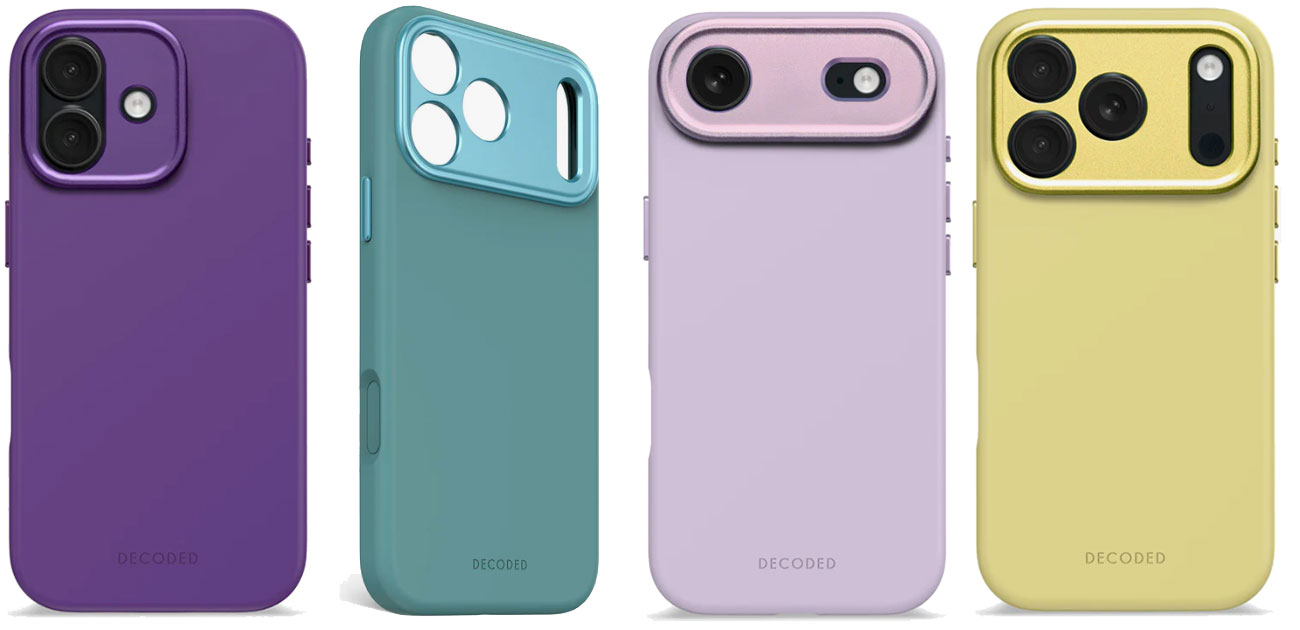
The Apple Silicone cases include some vibrant colors, but for the widest range and some delightful flourishes we prefer the Decoded range of Silicone cases. There’s a range of vibrant and cool colors, including True Navy, Retro Blue, Future Dusk, Rosette, Soft Taupe, Yuma Yellow, Phantom Black, and Lavender.
Unlike on most back cases there is a metal camera ring that fully encloses the iPhone’s camera array and gives complete edge protection without blocking image. The cases boast metal buttons and a lovely silky soft touch that will have you stroking the case like the seats of a new car.
Drop resistance up to 1.2 meters is claimed, although we’d have preferred a little more screen and camera edge height.
Native Union (Re)Classic and Active Cases – Elegant iPhone 17 animal-free leather cases
Pros
- Color options
- Matte finish
- Protective feel
Best Prices Today:
Price comparison from over 24,000 stores worldwide
Price comparison from Backmarket
- MagSafe compatible: Yes
- Weight: From 37g
- Raised edge: 1.5mm (Classic); 1mm (Active)
- Camera edge: 0.6mm (Classic); 0.8mm (Active)
- Button covers: Metal
- Colors: Black, Apricot Crush, Sandstone, Slate Green, Tan, Navy
Available for: All iPhone 17 models
Amazon: All iPhone 17 models (Active Case)
Amazon: All iPhone 17 models (ReClassic Case)
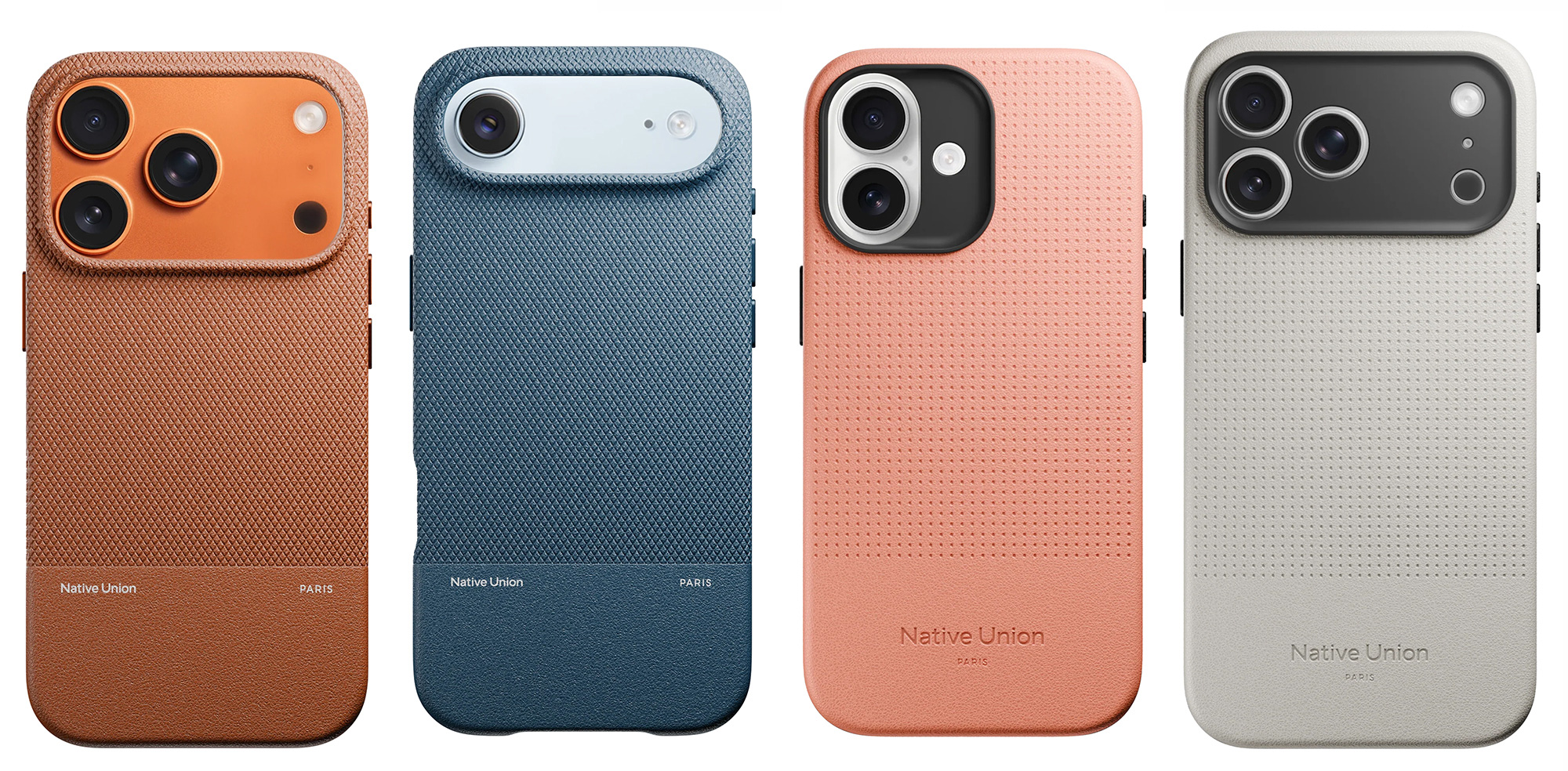
Available for the whole iPhone 17 lineup, including the slim iPhone Air, Native Union has two colored and one clear case in eco-friendly materials.
The textured (Re)Classic Case for iPhone 17 is the most elegant of the range with contrasting smooth and cross-grained plant-based leather in Tan, Navy, Black and Slate Green colors. It features drop protection of up to 6 feet (1.8m).
The Active Case for iPhone 17 has a more durable and rugged recycled iPhone case with 10ft (3m) drop protection. It is offered in cool Sandstone and softer Apricot Crush colors, as well as Black and Slate Green.
Zagg Milan & Sedona iPhone 17 cases – Find your style and protection
Best Prices Today:
Price comparison from over 24,000 stores worldwide
Price comparison from Backmarket
- MagSafe compatible: Yes
- Weight: 45g
- Button covers: Plastic
- Colors: Glitter, Floral, Geometric, Leopard, Iridescent
Available for: iPhone 17 | iPhone 17e | iPhone Air | iPhone 17 Pro | iPhone 17 Pro Max
Amazon: iPhone 17 | iPhone 17e | iPhone Air | iPhone 17 Pro | iPhone 17 Pro Max
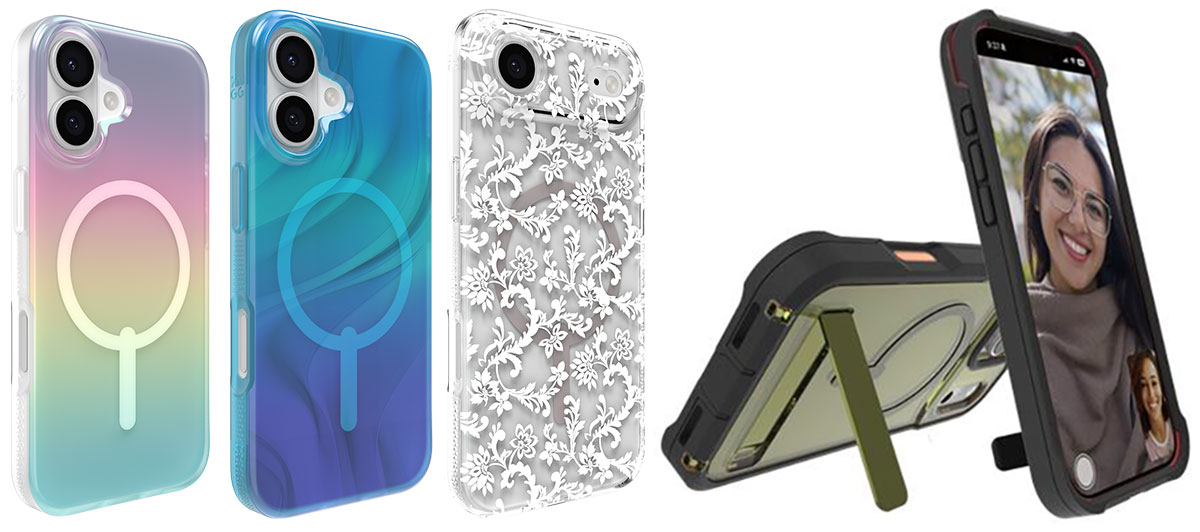
There’s an interesting choice of colors and patterns in the Milan Snap range of iPhone 17 cases from Zagg. There are sparkly iridescent, glitter and pretty flower designs. The slim, lightweight profile ensures a comfortable fit in your pocket or hand, while up to 93% post-consumer recycled materials underscores a commitment to sustainability
Zagg’s Sedona range has impact-absorbing corner bumpers and an integrated kickstand.
Both are strengthened with Graphene, a flexible material that boasts of being 200x stronger than steel, and claim 13-foot (4m) drop protection
Mous Limitless Case for iPhone 17 – Wide range of material designs
Pros
- High protection level
- Design options
Cons
- Low screen and camera edge
Best Prices Today:
Price comparison from over 24,000 stores worldwide
Price comparison from Backmarket
- MagSafe compatible: Yes
- Weight: 42-46g
- Raised edge: 0.5mm
- Camera edge: 0.5mm
- Button covers: Plastic
- Colors: Walnut, Bamboo, Speckled Fabric, Black Leather, Chilli, Aramid Fiber, Silver Pearl, Marine, Mulberry, Sage, and Stone
Available for: iPhone 17 | iPhone Air | iPhone 17 Pro | iPhone 17 Pro Max
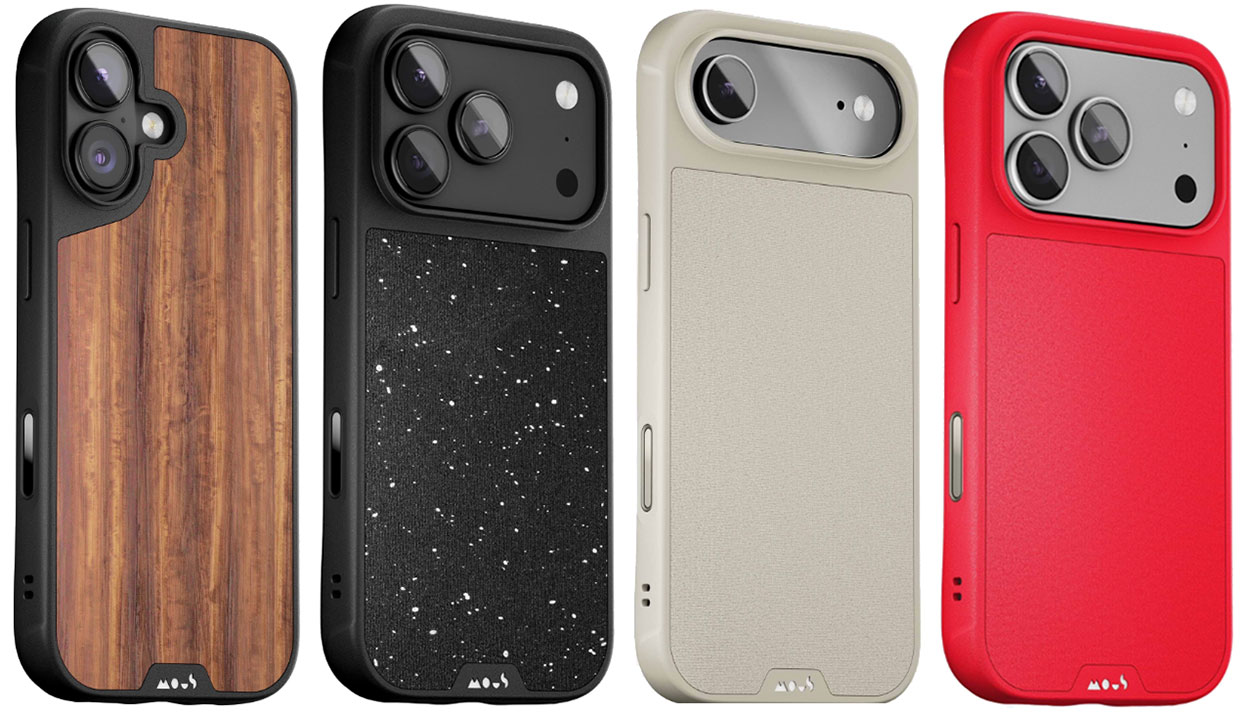
The Limitless is a range of iPhone 17 cases that excellently mimics various materials, such as wood, pearl and leather on to its polycarbonate and TPE shell plus TPU sides and shock-absorbing bumpers. If you’re into your phone case looking a little different, we think this adds a certain gravity to the iPhone’s looks.
Protection level is high without making the case too bulky and the reinforced AiroShock impact-absorbing corner bumps are reasonably subtle. It has rippled grip ribs and side eyelets for wrist straps and phone slings.
There is also a range of Mous mounts for bikes, cars and motorbikes that work with the company’s Interlock Case.
The screen and camera edge height is a little lower than on most cases.
Burga iPhone 17 Cases – Wide and colorful range of patterns
Pros
- Colorful design options
- Optional protection levels
Best Prices Today:
Price comparison from over 24,000 stores worldwide
Price comparison from Backmarket
- MagSafe compatible: Yes
- Weight: 45-61g
- Raised edge: 1.3mm to 1.8mm
- Camera edge: 0.63mm to 2.75mm
- Button covers: Plastic
- Colors: Over 500 design options
Available for: All iPhone models
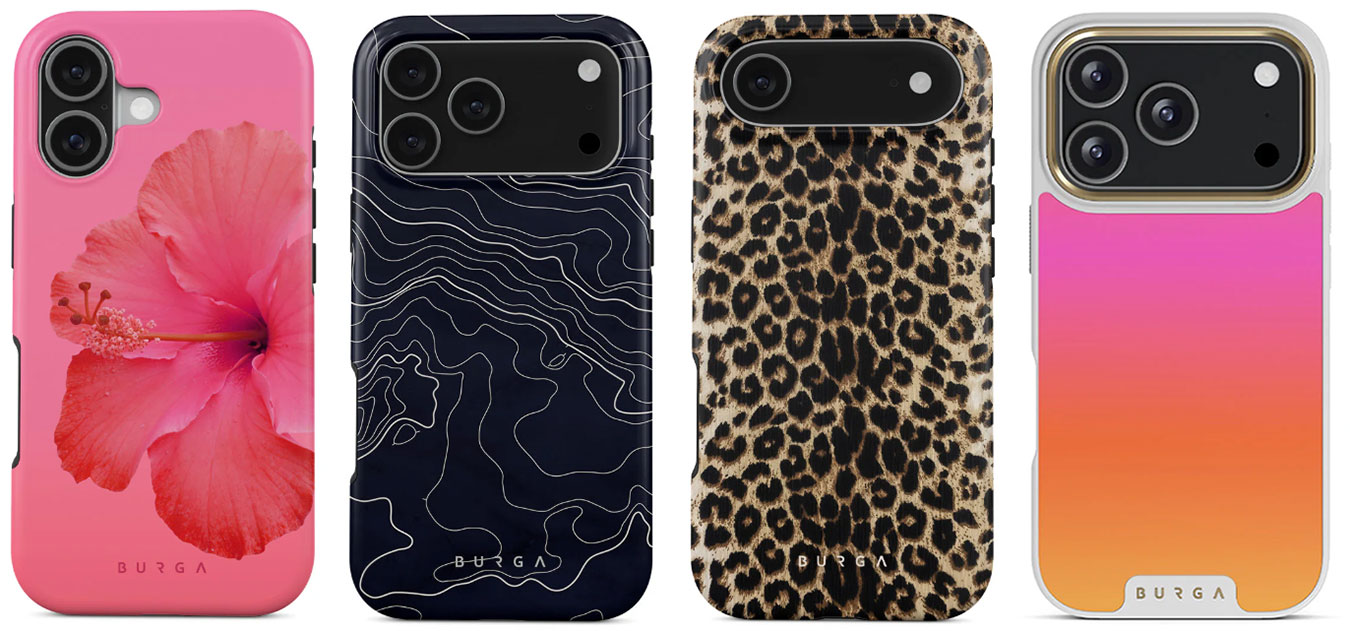
There are over 500 bright and bold design and case-protection options to choose from Burga’s eclectic iPhone 17 family collection. It’s certainly not all pink and leopard skin but this is the place to come for some great girly selections. You can also pick up many stripped, tartan, marble and even sardine patterns.
We like that after choosing your style you then have the option to choose from two different protections levels: Elite and Tough. The Elite Case features an impact-absorbing CloudGuard technology plus dot-pattern grip for more confident handling, and a choice of Gold or Gunmetal case accents, plus a mirrored option. Burga claims that its anti-fade printing keeps designs vibrant day after day. The slimmer Tough Case has a dual-layer build with. a silicone interior and+ hard shell exterior.
Spigen Classic LS MagFit for iPhone 17 Pro – Vintage 1984 Mac looks
Pros
- Looks just like the original Apple Mac
- Mac keyboard-inspired buttons
- Lanyard slot
Cons
- iPhone 17 Pro and Pro Max only
Best Prices Today:
Price comparison from over 24,000 stores worldwide
Price comparison from Backmarket
Apple fans of a certain age are likely to swoon at the sight of this retro-look iPhone 17 Pro case, kitted out like 1984’s original Macintosh 128K. In the past, we’ve seen Spigen iPhone cases that mimic the iMac (in Bondi Blue, Graphite, Ruby and Tangerine) but this is the company’s best gimmick yet.
The side buttons are styled after the vintage Mac’s keyboard keys, with “Hello” engraved on the power button—just as the Mac used to introduce itself. Even the Spigen logo has been redesigned and inspired by the classic Apple logo.
It has caught up with newer Apple technologies, being compatible with MagSafe and with a touch-sensitive capacitive T cover for the Camera Control.
Spigen is also offering a matching phone strap that fits in with the vintage Mac theme.
Beats iPhone 17 Case with MagSafe and Kickstand – Best iPhone 17 case with lanyard kickstand
Pros
- Made by Apple (sort of)
- Color options
Best Prices Today:
Price comparison from over 24,000 stores worldwide
Price comparison from Backmarket
- MagSafe compatible: Yes
- Weight: 25g
- Button covers: Plastic
- Colors: Lime Stone, Pebble Pink, Bedrock Blue, Granite Gray
Available for: iPhone 17 | iPhone 17 Pro | iPhone 17 Pro Max
Amazon: iPhone 17 | iPhone Air | iPhone 17 Pro | iPhone 17 Pro Max
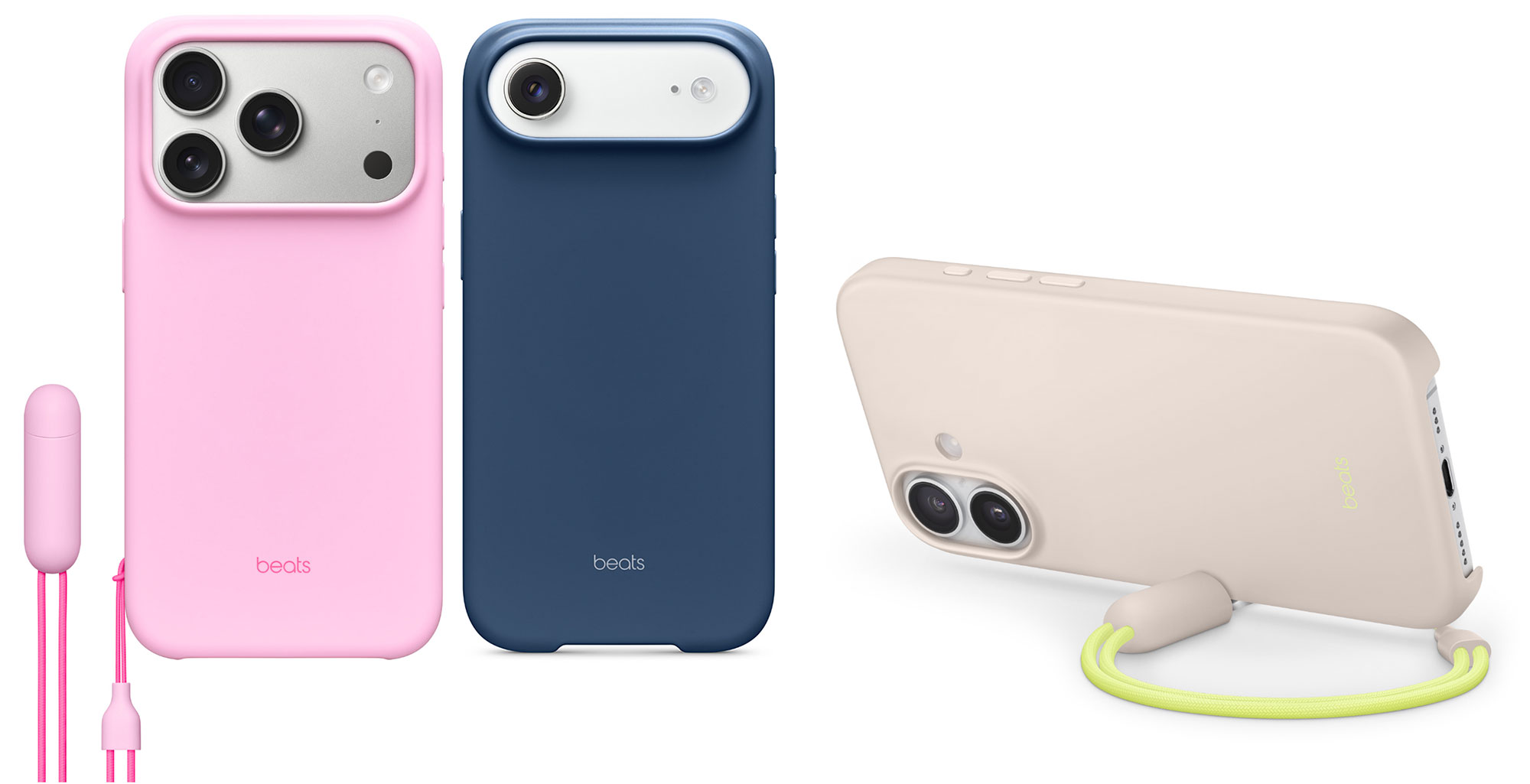
Much nicer than the rather lame Beats case line-up for the previous iPhone 16 family, there’s some real imagination pout into the Beats iPhone 17 range of polycarbonate cases. One model boasts a removable lanyard loop that doubles up as a stand for hands-free viewing in landscape mode. Just open the adapter at the end of the lanyard loop and attach it to a magnetic point on the edge of the case.
For $14 less you can get the same case but without the multi-purpose lanyard. This is the only version of the Beats case made for the iPhone Air.
Arc Pulse – Minimalist metal protectors
Pros
- Leaves most of the iPhone bare
- Lightweight
- Super stylish
Cons
- Leaves most of the iPhone bare
- Won’t work with MagSafe power banks
Best Prices Today:
Price comparison from over 24,000 stores worldwide
Price comparison from Backmarket
- MagSafe compatible: Maybe
- Weight: 15-18g
- Button covers: None
- Colors: Black, Silver, Graphite, Rose Bronze, Gold, Onxy Black
Available for: iPhone 17 | iPhone Air | iPhone 17 Pro | iPhone 17 Pro Max
This is not a case in the normal definition but the stylish metal shells offer protection where it matters most, leaving the rest of your iPhone as naked as Apple intended. They look like futuristic Gaudi-esque jewelry made from molten metal.
The Arc Pulse is a two-part design, with a top section protecting the corners, camera lens and screen, and a bottom section covering the corners. Both are made from aluminum with an anti-scratch coating—or aerospace-grade 5 titanium coated with our Onyx Black Tungsten Carbide if you have deep pockets. The uncovered phone parts are protected from falls by the shells stopping the phone itself from touching the surface it is dropped on. Arc describes it as like a bikini for your phone.
They fit, adhesive-free, by simply—although firmly—sliding on. You need to apply some force at this stage but it feels robust and won’t slip off, even when repeatedly dragged from your pocket. Arc says it will protect from drops of up to 10 feet. As an iPhone case nerd it did feel strange leaving so much of the phone exposed but I still felt secure that a drop would be covered by the chunky metal shells.
One drawback is that you will most likely have to remove the lower part to clamp on a magnetic power bank, leaving the bottom the phone exposed while charging.
Ghostek Atomic Slim iPhone 17 Pro Case – Anti-slip grip in wide range of colors
Pros
- Colorful design options
- Anti-slip grip
Best Prices Today:
Price comparison from over 24,000 stores worldwide
Price comparison from Backmarket
- MagSafe compatible: Yes
- Weight: 45-61g
- Raised edge: 1.3mm to 1.8mm
- Camera edge: 0.63mm to 2.75mm
- Button covers: Plastic
- Colors: Prismatic, Red, Black, Pink, Orange, Green, Blue, Gunmetal, Silver, Aramid
Available for: iPhone 17 Pro and Pro Max
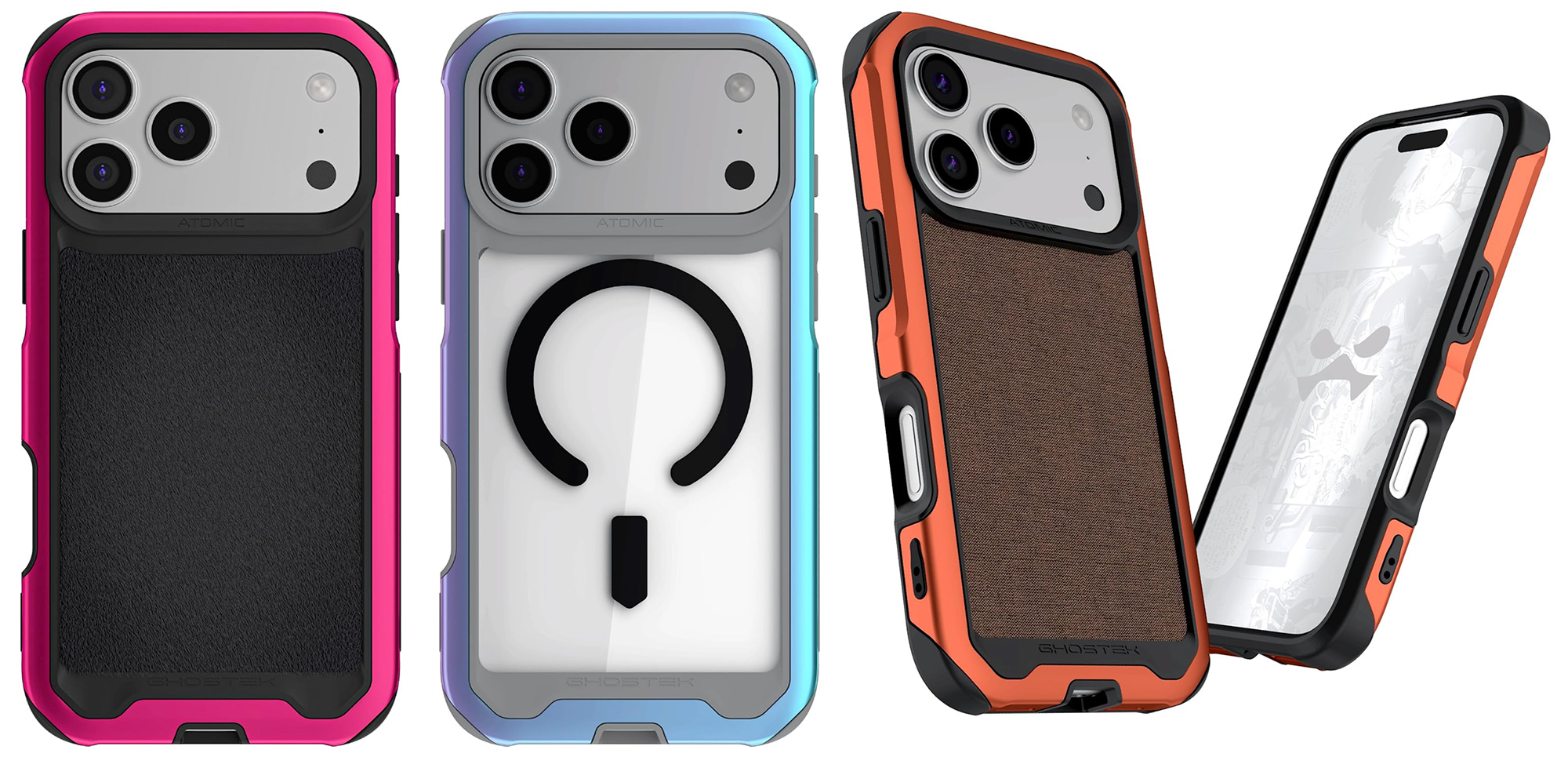
The Atomic range of cases for the iPhone 17 Pro and 17 Pro Max is available in a wide range of colors, including a rather lovely Prismatic hue.
Drop protection is 12 feet, with the case boasting an aluminum alloy frame, shock-absorbing corners, clear back design, and non-slip grip.
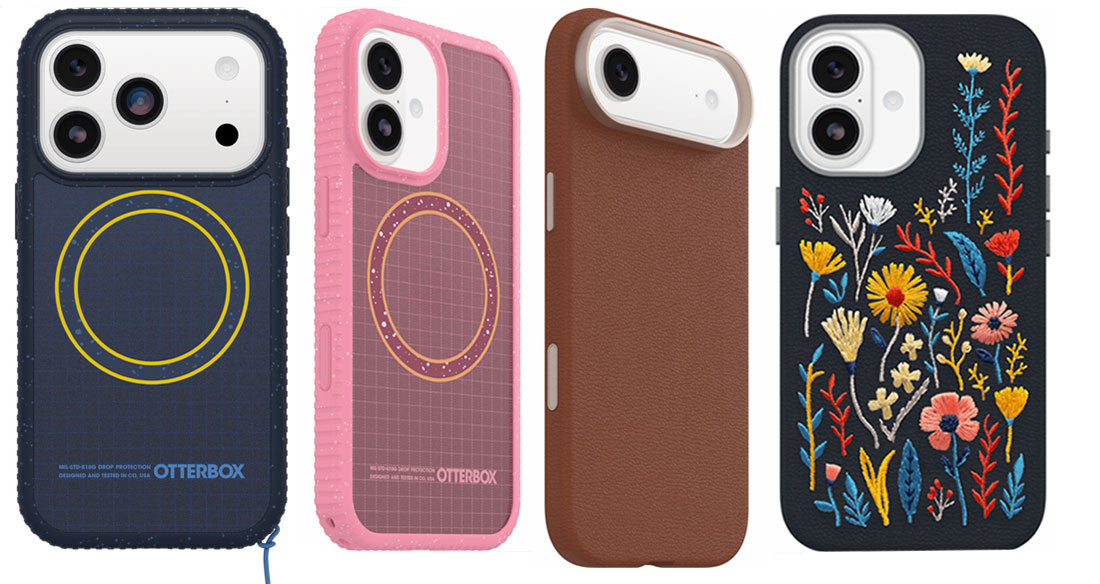
OtterBox Sole & Symmetry Cases – Grippy and hippy iPhone 17 cases
Best Prices Today:
Price comparison from over 24,000 stores worldwide
Price comparison from Backmarket
- MagSafe compatible: Yes
- Weight: 47g (Sole); 33g (Symmetry)
- Button covers: Plastic
- Colors: Black, Green, Pink, Blue, Brown, Gray
Available for: iPhone 17 | iPhone Air | iPhone 17 Pro | iPhone 17 Pro Max
Amazon (Symmetry Cactus): All iPhone 17
OtterBox is a well-known accessory maker, particularly in its protective phone cases. It has a wide ranges of iPhone 17 case models, and has introduced a new one for the iPhone 17 family.
The Sole Case is about the grip, with a high-ridge tread around the case edge that should mean fewer drops. The removable lanyard loop is another reason the Sole means the new iPhone should stay with you. Even if the iPhone does slip from your grasp OtterBox claims its 5x military-grade protection should come into play. The color choices might not be to your preference but that grip should make up for it.
The Symmetry Cactus Leather Case is made from an ethical leather substitute by Desserto, crafted from organic nopal cactus that are sustainably grown and harvested sustainably without the need for irrigation. Inside the case there’s a soft felt backing. There are plain color cases and also more fancy versions with stitched thread embroidery.
Wave Case for iPhone 17 – Best Sustainable iPhone 17 Eco Case
Pros
- Biodegradable and plastic-free
- Color options
Cons
- MagSafe models cost extra
Best Prices Today:
Price comparison from over 24,000 stores worldwide
Price comparison from Backmarket
- MagSafe compatible: Yes (where stated)
- Weight: 40g
- Raised edge: 2mm
- Camera edge: 2mm
- Button covers: Recycled materials
- Colors: Black, Yellow, Turquoise, Pink, Khaki, Red, Blue, White
Available for: iPhone 17 | iPhone Air | iPhone 17 Pro | iPhone 17 Pro Max
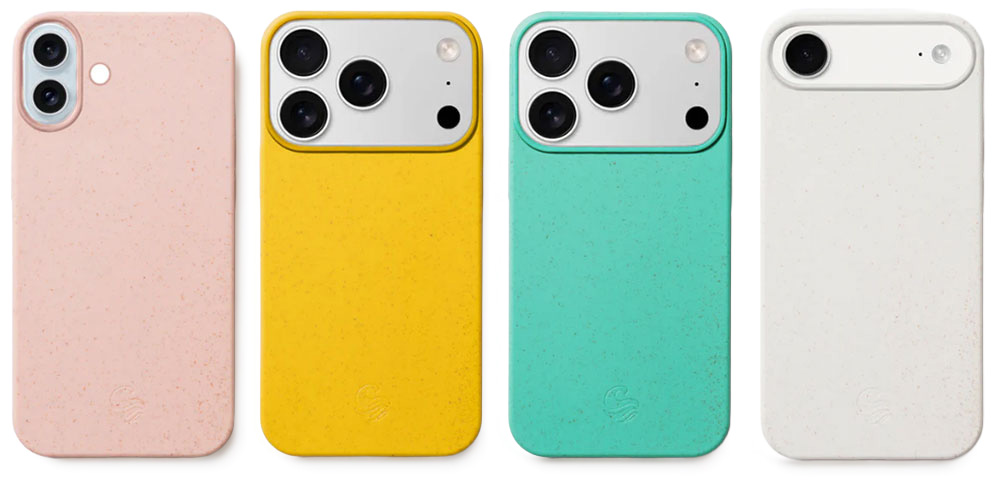
With the Wave range of biodegradable iPhone cases, you can protect your phone and the planet, reducing your plastic consumption. The plant-based phone cases are made from two commonly used biodegradable polymers. Known for its rigid and transparent properties PLA (Polylactic Acid) is derived from renewable resources such as wheat straw. PBAT (Polybutylene Adipate Terephthalate) is a biodegradable copolyester that offers flexibility and durability. Together they make an eco-friendly material that works well for phone protection.
Despite being plastic-free the smooth but grippy Wave cases have “been “military grade” (MIL-STD 810) drop protection, shock-absorbing corners and feature a generous protective 2mm lip around the screen and camera—one of the tallest we have seen.
Not all sustainable products are boring—the Wave cases come in a wide range of bright colors and printed designs. The case material adds a natural fleck to the design. You can also add a recycled glass screen protector.
The standard and Etched case designs aren’t MagSafe compatible but will charge wirelessly. However, you can pay a little more for an integrated magnet that makes the case MagSafe compatible, which we would recommend.
Tech21 Evo iPhone 17 cases – From Clear to Glow In The Dark eco cases
Pros
- Biodegradable
- Color options
Best Prices Today:
Price comparison from over 24,000 stores worldwide
Price comparison from Backmarket
- MagSafe compatible: Yes
- Weight: 46g
- Button covers: Plastic
- Colors: Black, Blue, Green, Pink, Clear
Available for: iPhone 17 | iPhone 17e | iPhone Air | iPhone 17 Pro | iPhone 17 Pro Max
Amazon: All iPhone 17 models
Amazon UK: All iPhone 17 models
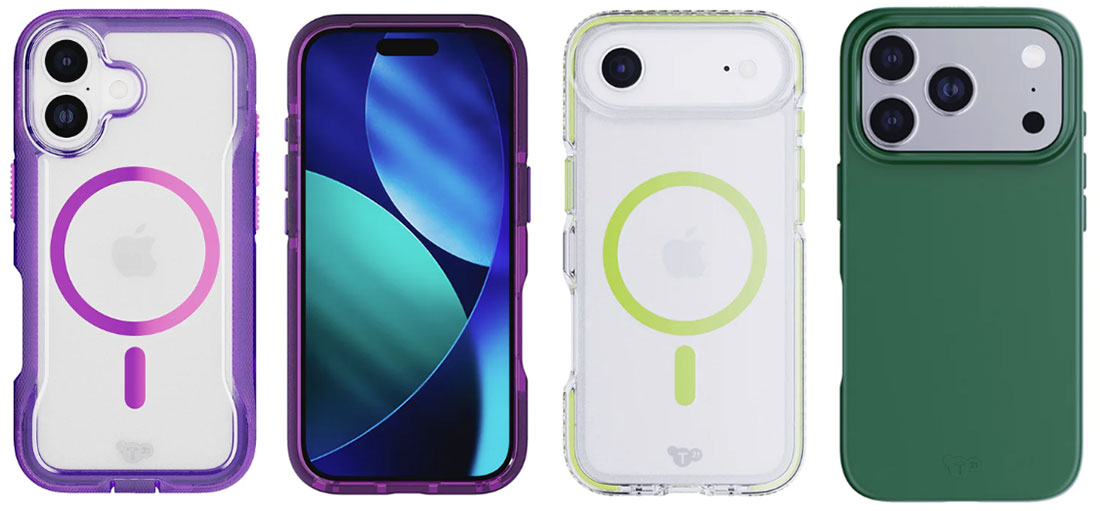
Tech21 has a range of Evo cases for the iPhone 17 family, including the iPhone Air.
Most protective is the EvoPro that offers 32.8ft (10m) impact protection and a textured grip. The EvoCheck has 16ft (4.9m) drop protection and interchangeable buttons so you can mod the look at the sides. EvoCrystal is even more fun with the same level of protection but a glow-in-the-dark MagSafe ring in green, gold, silver and iridescent. If you want to stick with what Apple gave you, there’s the EvoClear with 12ft (3.6m) impact protection. None offera cover for Apple’s Camera Control if that matters to you.
All are made with the addition of what Tech21 calls “Bio-Spice” designed to boost microbial activity in oxygen-free environments that helps to break down the plastic casing, although it’s not certified as compostable.
Best protective iPhone cases for iPhone 17, Air, 17 Pro and 17 Pro Max
A case isn’t there just to make your iPhone look pretty. The best cases offer reasonable protection while adding as little bulk as possible by using the latest, strongest materials.
Kevlar is the material used to make bulletproof vests—it’s also known as Aramid Fiber. Graphene is even stronger. Zagg claims the graphene used in its Denali Snap case is “harder than a diamond, yet more elastic than rubber, and up to 200x stronger than steel”. That suggests a fall onto the pavement—or indeed off a cliff—might not be fatal for your phone.
Some protective iPhone cases go full out and don’t care about their bulk as long as they protect your iPhone from the biggest disasters that can befall it. We’ve tested protective iPhone 17 cases from the thin to the very thick.
UAG iPhone 17 Cases – Best Protective iPhone 17 Case
Pros
- Super protection level
- Kickstand option (Plasma)
- Color options
Best Prices Today:
Price comparison from over 24,000 stores worldwide
Price comparison from Backmarket
- MagSafe compatible: Yes
- Weight: 47g
- Button covers: Plastic
- Colors: Black, Titanium, Crimson, Mallard, Green, Ash, Cloud Blue, Midnight Camo and more
Available for: iPhone 17 | iPhone 17e | iPhone Air | iPhone 17 Pro | iPhone 17 Pro Max
Amazon: iPhone 17 | iPhone 17e | iPhone Air | iPhone 17 Pro | iPhone 17 Pro Max
Amazon UK: iPhone 17 | iPhone 17e | iPhone Air | iPhone 17 Pro | iPhone 17 Pro Max
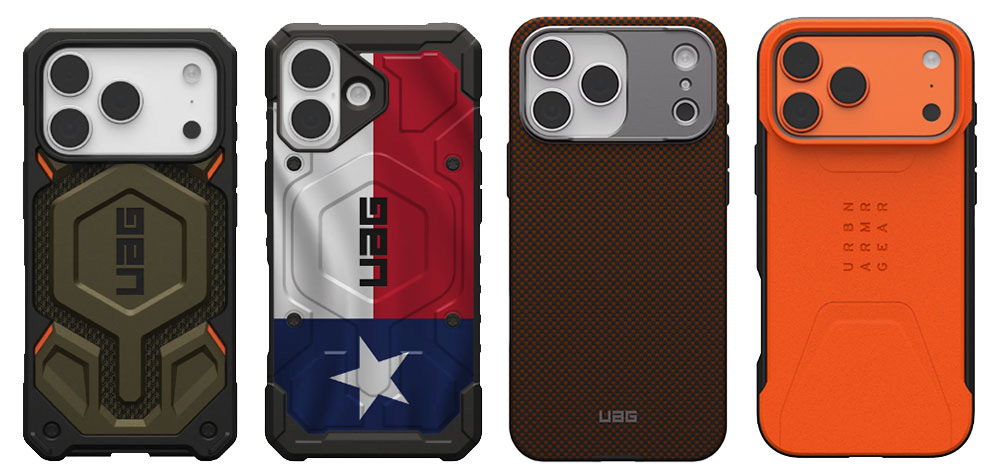
UAG cases look formidable, like military vehicles lined up to cross deserts and battlefields without getting a single dent when the artillary starts raining down. There’s huge range to choose from: we counted 16 different types but here are our favorites.
The Monarch Pro ($84.95) and Monarch Pro Kevlar ($99.95) are UAG’s flagship and most popular protective cases with the Kevlar model. They boast sculpted corners for reinforced drop protection (25 feet) and textured edges for enhanced grip. This is the phone case that Judge Dredd might carry in his holster. The 2-piece PC/TPU co-mold Trooper ($64.95) is the most durable case in the USG lineup—an Ultra protective case with a covered charging port providing a protective defense against the elements plus 30-foot drop protection.
The thinner-profile Civilian ($64.95) has a special-edition orange version for 17 Pro and 17 Pro Max owners. A HyperCush impact protection system offers 20-foot drop protection, and there’s an anti-slip traction grip to stop you dropping it in the first place. UAG’s Pathfinder cases ($59.95) has the widest choice of colours and an ultra-light PC impact frame that still offers 18-foot drop defence. If you want to show some pride in the flag there are some patriotic Stars and Stripes versions to chhose.
The lighter weight Plasma XTE ($74.95) with integrated ring kickstand has a wide range of colour choices, and still distresses with 20-foot drop protection. The solid Metropolis ($69.95) is a crowd pleaser with Kevlar and color options, plus 18-foot drop defensive features.
UAG’s thinnest protective iPhone 17 case is the sleek and lightweight Fibr Armr Case ($99.95), made with Kevlar 30-foot drop protection fiber in either Graphite/Bronze or Orange/Charcoal, which offers 15-foot drop protection
There’s also a clear case, the $54.95 Pylo, that has a decent grip plus air-soft cushioned corners that give it 16-foot drop protection that still beats most other cases. If the 16 Pro version proves true for the 17, it will offer reliable anti-yellowing protection. You can choose the edge colours and there’s also a version with a purple and pink glow.
Zagg Rainier Snap Case for iPhone 17 – Super protective iPhone 17 Case
Pros
- Super protection level
- Kickstand option
- Color options
Best Prices Today:
Price comparison from over 24,000 stores worldwide
Price comparison from Backmarket
- MagSafe compatible: Yes
- Weight: 47g
- Button covers: Plastic
- Colors: Black, Black Cherry Pink, Sandstone Beige, Cobalt Horizon Blue, Sea Kelp Green, Smoke Black
Available for: iPhone 17 | iPhone 17e | iPhone Air | iPhone 17 Pro | iPhone 17 Pro Max
Amazon: All iPhone 17
Named after an active volcano near Seattle and boasting a claimed 22-foot (6.7m) drop protection (the highest we’ve seen), the dual-material Zagg Rainier Snap is an ultra-protective iPhone 17 case that, surprisingly, is not as bulky as a boulder.
This is down to its Graphene-infused back plate and shock-absorbing corner bumpers. Graphene is the strongest material known to man—supposedly up to 200x stronger than steel, which might be useful if you do drop this phone case into a volcano. The case’s border features TPU.
Its rugged, textured finish adds a good grip, and when it’s not in your hand there’s an integrated metal kickstand that works in both landscape and portrait modes. The Rainier is constructed with up to 80% post-consumer recycled materials.
Rokform Rugged Case – Most protective iPhone 17 Case with mounts and magnets
Pros
- Super protection level
- Magnetic case
- Bike/Car mount system
Cons
- Chunkier than others
- Not 100% MagSafe compatible
Best Prices Today:
Price comparison from over 24,000 stores worldwide
Price comparison from Backmarket
- MagSafe compatible: No
- Weight: 78-93g
- Raised edge: 2mm
- Camera edge: 1mm
- Button covers: Plastic
- Colors: Black
Available for: iPhone 17 | iPhone Air | iPhone 17 Pro | iPhone 17 Pro Max
Amazon: All iPhone 17 models
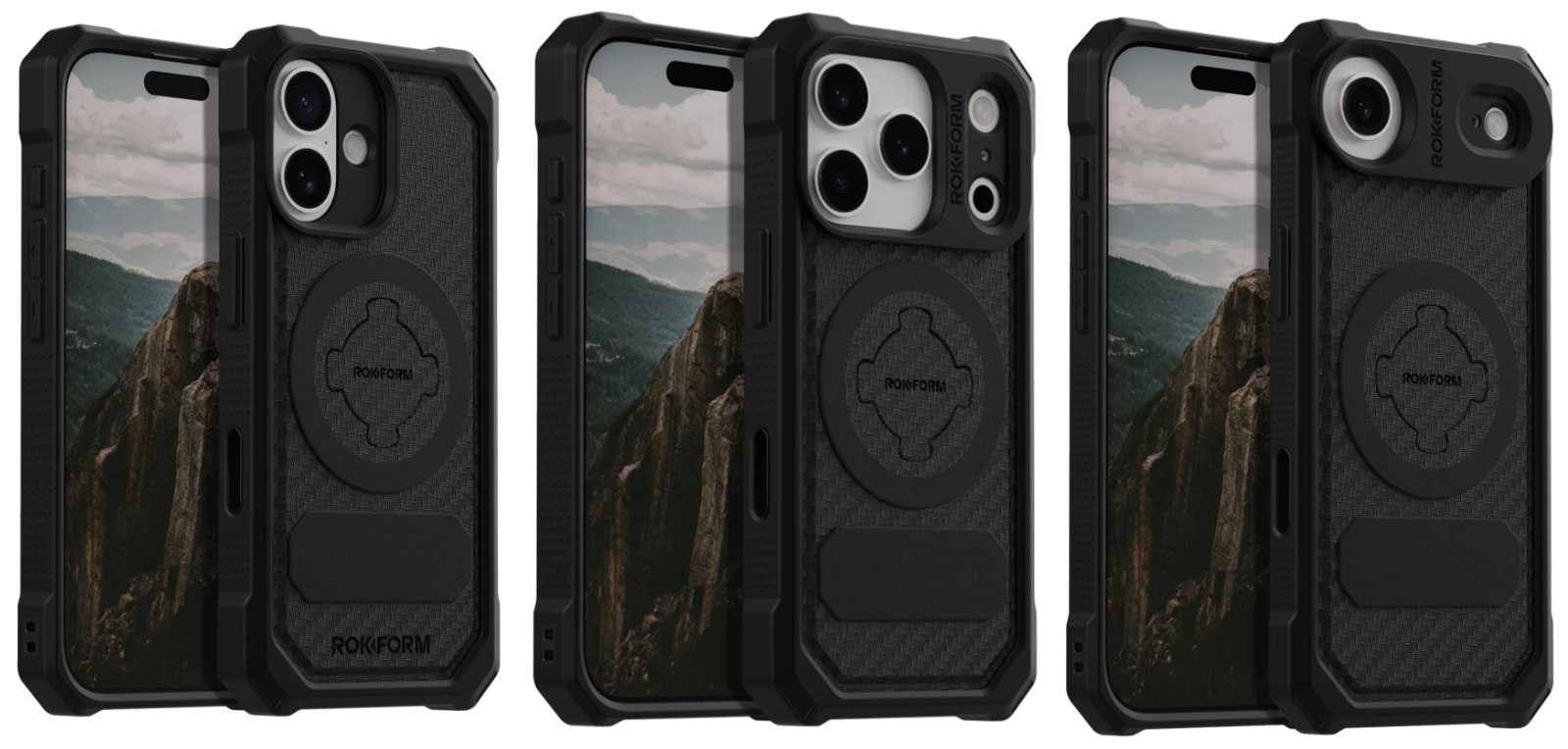
There’s nothing colorful about this super-shielding iPhone case. If you want your iPhone case to shout “Protection!”, market leader Rokform’s aptly named Rugged Case looks the business and is built like a tank but still looks sleek.
Rokform claims the case can withstand drops of up to 6 feet (1.8m) due to its construction from a combination of high-impact polycarbonate and rugged TPU for impact resistance and cushioning.
Like its clear-ish Crystal Case reviewed in our clear case section higher up, the Rugged Case features MAGMAX magnets that mean you can very securely clamp your encased iPhone onto any metal surface, plus Rokform’s RokLock twist-lock mounting system for twist-lock bike mounts, motorcycle mounts and car and golf-cart mounts.
The impact-resistant polycarbonate protective shell features reinforced corners and extra camera protection that makes it a little chunkier than standard cases but reassuringly so, and not ridiculous. It is more rigid than the Zagg Ranier Snap case, reviewed above, which also features a slightly more raised lip around the camera.
In its current form it is sadly not 100% compatible with MagSafe wireless charging, with the exception of Rokform’s own power banks and accessories.
The Rugged Case comes in black only, while the Crystal Case will show off the iPhone’s true body color.
Benks ArmorPro Protective Case – Best Slim Protective iPhone 17 Case
Pros
- Nice woven kevlar design
- Extremely protective but slim
- Lightweight
- Metal buttons on the ArmorPro
Cons
- Buttons less protected on the ArmorAir
Best Prices Today:
Price comparison from over 24,000 stores worldwide
Price comparison from Backmarket
- MagSafe compatible: Yes
- Weight: 32g (Pro); 20g (Air)
- Raised edge: 1mm
- Camera edge: 2.7mm
- Button covers: Metal
- Colors: Black with subtle variation options
Available for: iPhone 17 | iPhone Air | iPhone 17 Pro | iPhone 17 Pro Max
Amazon (ArmorPro): iPhone 17 | iPhone Air | iPhone 17 Pro & 17 Pro Max
Amazon (ArmorAir): iPhone 17 Pro & 17 Pro Max
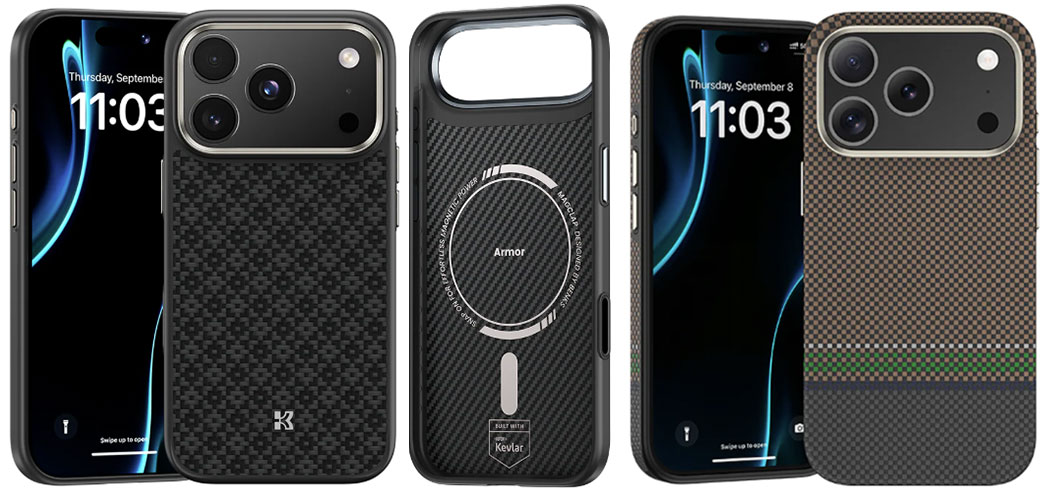
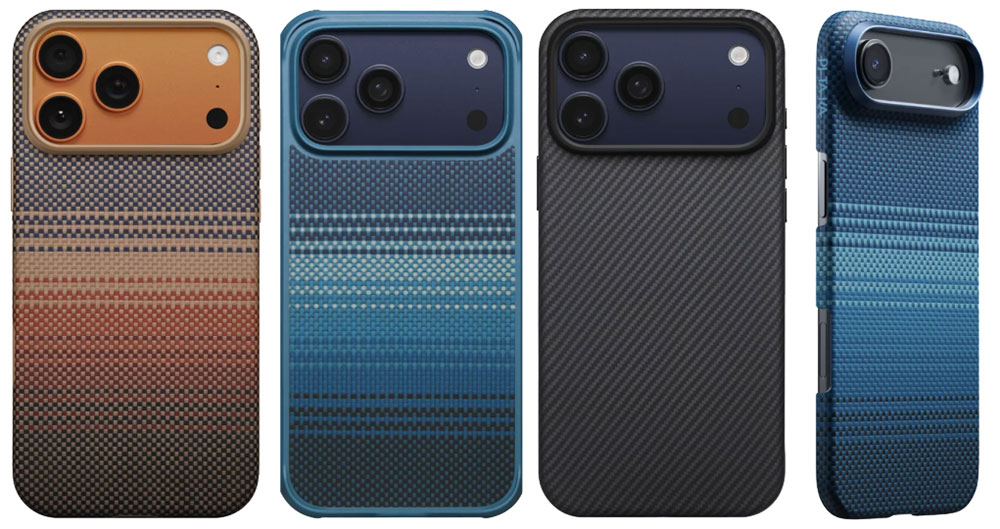
The Benks ArmorPro offers great protection via its “3X military standard aerospace-grade 600D DuPont Kevlar fiber”—the same material that’s used in body armor and bulletproof vests, so it should be up to the job of protecting your phone when you drop it onto the pavement. It’s a woven fiber, giving it a slightly textured grippy feel, to keep the iPhone from falling out of your hand in the first place. With some cases that sometimes leads to a struggle to pull it quickly from a pocket but we didn’t find this to be a problem with the Benks Kevlar cases.
The metal frame on the back gives raised protection around the camera lenses—one of the best we’ve seen. The buttons on the sides are nicely solid in the TPU frame that offers superior shock resistance.
Benks also sells a lighter ArmorAir model that has exposed buttons and no TPU frame. The ArmorPro can withstand a 6-foot drop; the ArmorAir just 4ft. It is one of the lightest iPhone 17 cases we have tested, at just 20g. Even the ArmorPro weighs just 32g.
Add a touch of personality with the Aurora version that features stripes of color meant to resemble the etherial northern lights. An all-new AmorGrid version is based on the Chinese traditional Jiaoluo weaving technique.
All are MagSafe compatible, and priced around the same—although there are slight price differences with the back pattern options.
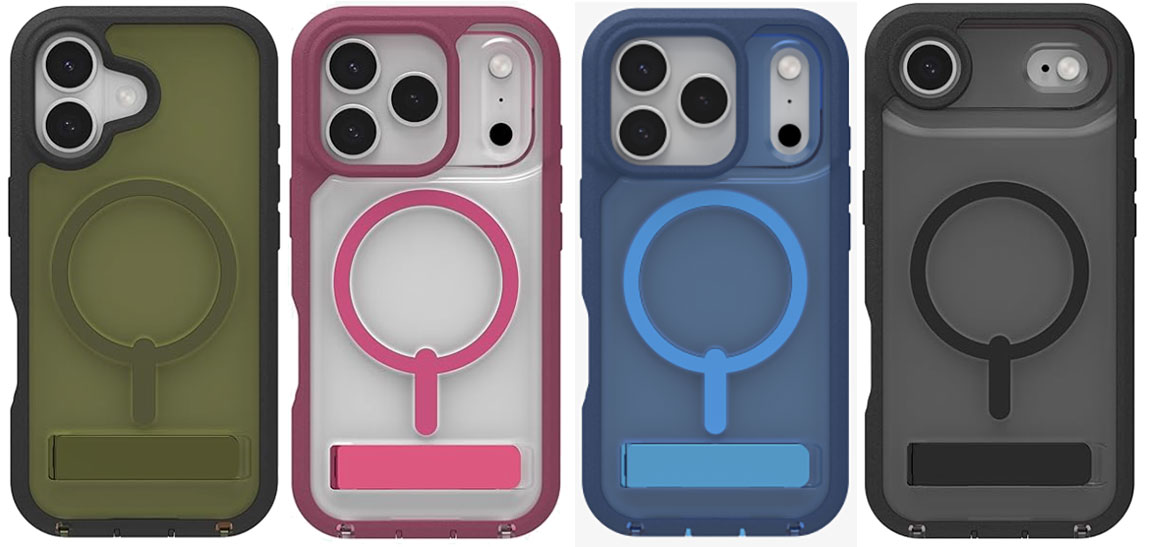
ESR iPhone 17 Cyber Tough Case with Stash Stand – Best budget protective iPhone 17 case
Pros
- High protection level
- Built-in kickstand
- Color options
Cons
- Slightly chunkier than others
Best Prices Today:
Price comparison from over 24,000 stores worldwide
Price comparison from Backmarket
- MagSafe compatible: Yes
- Weight: 72g (with Stash Stand)
- Raised edge: 2.4mm
- Camera edge: 1.7mm
- Button covers: Plastic
- Colors: Black, Navy Blue, Olive Green, Space Gray, Rosy Pink, Orange
Available for: iPhone 17 | iPhone Air | iPhone 17 Pro | iPhone 17 Pro Max
Amazon: All iPhone 17
Along with the clear ESR cases reviewed above, the company sells a more protective Cyber Tough Case with Stash Stand for iPhone 17. Air, 17 Pro and 17 Pro Max.
It looks the part, quite solid and slab-like but more flexible on the sides than the Rokform Rugged Case, see below. The integrated metal kickstand pulls out from the camera ring.
It is constructed with a three-layer design (TPU soft shell, TPE hard shell, and shock-absorbing Poron lining) that ESR claims can withstand drops from as high as 23 feet. The 2.4mm raised edge is one of the highest we’ve tested.
Unlike most macho protective cases, it’s available in a range of colors depending on the model of iPhone 17, including one in a fetching pink.
Thinborne iPhone 17 Case – Thinnest protective iPhone 17 case
Pros
- Ultra-thin but protective
- Lightweight
- Minimalist
- Screen protector
Cons
- No screen bezel
- Button cutouts
- U.S. only
Best Prices Today:
Price comparison from over 24,000 stores worldwide
Price comparison from Backmarket
- MagSafe compatible: Yes
- Weight: 18g
- Raised edge: No
- Camera edge: 0.5mm
- Button covers: Cutouts
- Colors: Black
Available for: iPhone Air | iPhone 17 Pro | iPhone 17 Pro Max
Amazon: iPhone Air | iPhone 17 Pro | iPhone 17 Pro Max
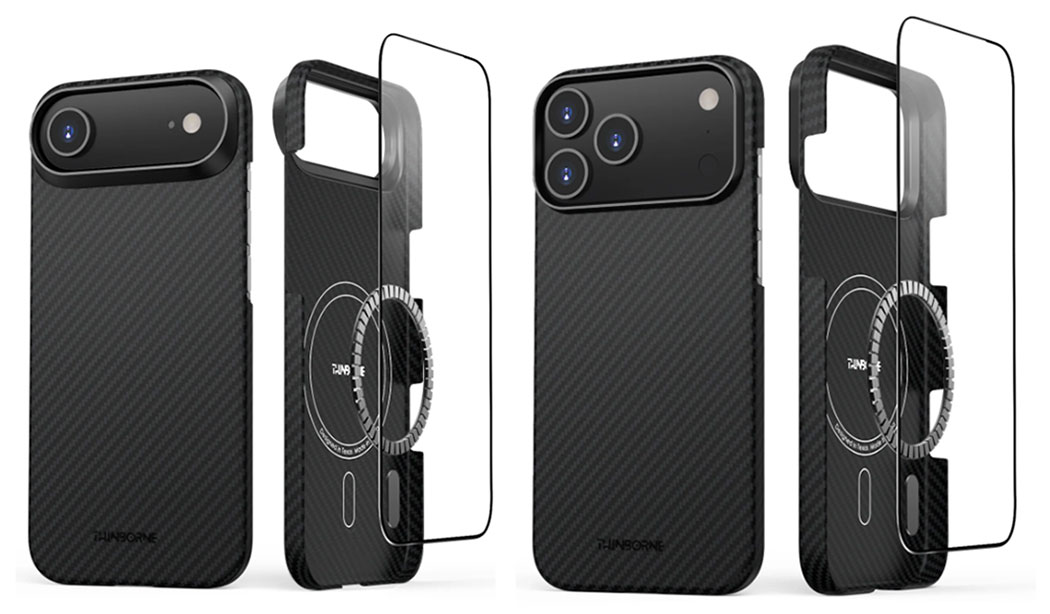
iPhone Air users in particular won’t want to add a big bulky case to their ultra-thin phone. Otherwise they’d just buy sone of the other iPhone 17 models. Thinborne makes cases so thin that even Air owners will think again and consider protecting their slim phone.
At only 0.04 inches thin and weighing under 18g, the 600D Aramid Fiber iPhone Air minimalist case offers scratch protection without spoiling the Air experience.
Fully MagSafe compatible, the case features a textured finish for an enhanced grip, which adds anti-slip protection. To maintain the case-less feel, there are button cutouts rather than protective covers and there’s no lip on the front to protect the screen—instead there’s a screen protector included with each case, although there’s no easy-application tray as you’d get with a separate premium screen protector. Oxidized black aluminum is used for the raised lip around the camera lenses.
iPhone 17 Pro and Pro Max owners can also enjoy the benefits of a super-thin 0.04-inch case. Thinborne’s cases for these phones weigh a little more at 22g but are otherwise very similar.
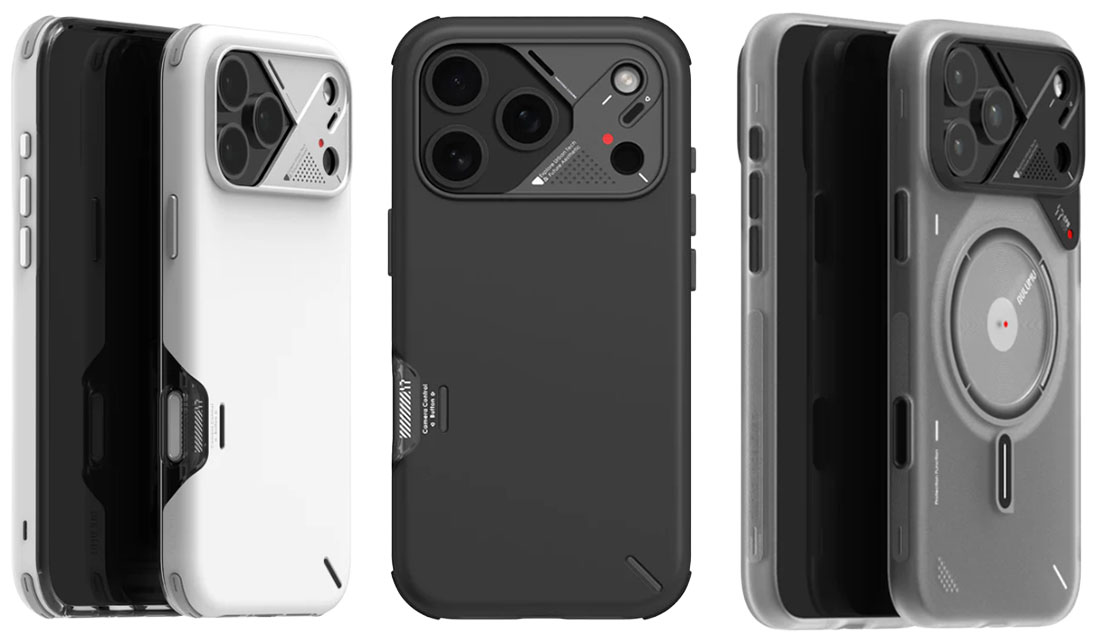
Aulumu Slim Shockproof Case for iPhone 17 Pro – Cooling temperature-sensitive case
Pros
- Cooling technology
- Temperature sensor
- Metal buttons
Best Prices Today:
Price comparison from over 24,000 stores worldwide
Price comparison from Backmarket
- MagSafe compatible: Yes
- Weight: 51g to 60g
- Raised edge: 1.7mm
- Camera edge: 0.9mm
- Button covers: Metal
- Colors: Black, White
Available for: iPhone 17 Pro & 17 Pro Max
Amazon: All iPhone 17 Pro & 17 Pro Max
The sleek and good-looking A17 Slim Shockproof Case (from $59.98) is available for the iPhone 17 Pro and 17 Pro Max, featuring what Aulumu calls “CoolHyper Superconductive Cooling Technology” that integrates a silicone cooling pad and aluminum plate to reduce device temperature “by up to 46%”.
Unique among the iPhone cases reviewed here is a color-changing smart sensor that monitors the iPhone’s CPU temperature and in real-time visually alerts users as the heat increases: red for 25° and yellow for 45°. Heat can be the enemy of the phone’s battery so this could prove to be a secondary level of iPhone protection. Around the flash and Lidar Scanner the rear camera section is part covered for further defense.
There are also Vegan Leather CoolHyper cases for iPhone 17 Pro and Max with the same cooling tech and temperature sensor as the Shockproof Case. Also available on Amazon.
Aulumu also sells the A17 Frosted Case (available in translucent gray or white from $39.98), which is constructed from 100% TPU with a dual-sided IMD process that includes patterns that remain intact without fading. Most notable are futuristic glow-in-the-dark accents that softly illuminate at night. Also available on Amazon.
Beats iPhone 17 Rugged Case – transform Apple's limited color choices
Pros
- Made by Apple (sort of)
- High protection level
- Color options
Best Prices Today:
Price comparison from over 24,000 stores worldwide
Price comparison from Backmarket
- MagSafe compatible: Yes
- Weight: 40g
- Button covers: Plastic
- Colors: Sierra Orange, Rocky Blue, Alpine Gray, Everest Black
Available for: iPhone 17 | iPhone 17 Pro | iPhone 17 Pro Max
Amazon: All iPhone 17 models
Beats has come up trumps with its cases for the iPhone 17, 17 Pro and 17 Pro Max, although it’s less bothered by the Air.
This extra-durable case guards against drops and scratches with a rugged polymer backing boosted by impact-absorbing sidewalls and corners and an enclosed bottom. There’s extra grip via its textured matte exterior that Beats claims reduces signs of scratches, smudges and fingerprints.
But what we really like about the Beats Rugged Case is that it gives you the opportunity to spurn Apple’s limited color choices. If you love the iPhone 17 Pro’s Cosmic Orange but can afford only the plain iPhone 17, then the Sierra Orange Beats Rugged Case transforms the cheaper iPhone into something resembling the pricey Pro. Want a black 17 Pro Max, just slip on the Everest Black Beats Rugged Case. Even the insides are rather dashing.
That said, Beats being from the Apple stable means you pay a premium for its wares, too.
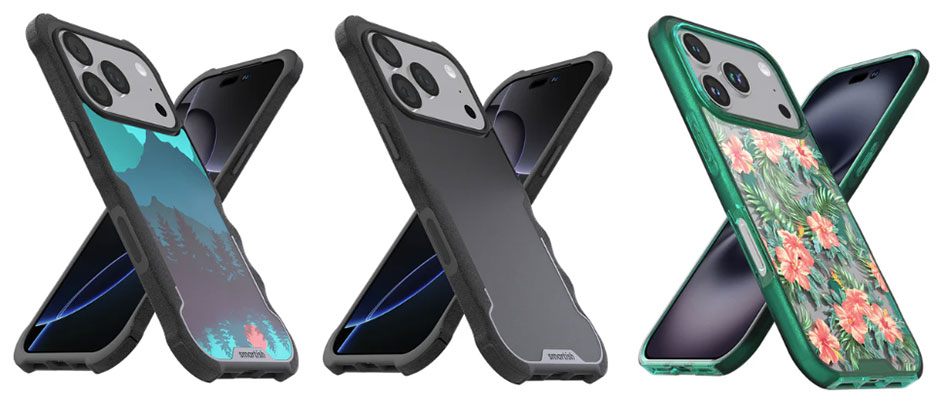
Smartish Gripzilla case for iPhone 17 – Grippy iPhone 17 case
Pros
- Grippy sides and finger grips
- High protection level
- Personalization options
Best Prices Today:
Price comparison from over 24,000 stores worldwide
Price comparison from Backmarket
- MagSafe compatible: Yes
- Weight: 40g (Gripmunk); 54g (Gripzilla)
- Raised edge: 1.5mm
- Camera edge: 1mm
- Button covers: Plastic
- Colors: Black Tie Affair, Clearly Black, Moving Mountains, Walnut Woods
Available for: iPhone 17 | iPhone 17e | iPhone 17 Pro | iPhone 17 Pro Max
Amazon: All iPhone 17
While most cases protect from drops and falls, none is as grippy as the Smartish Gripzilla iPhone case that features special finger grooves along the textured sides that make it less likely for you to drop the phone from your hand in the first place. If you drop it, Smartish claims its air-pocket corners can withstand a drop from 6 feet, which should account for most non-giant-related accidents.
Slightly less grippy but still grippier than most cases, the Smartish Gripmunk case has the same textured sides for a firmer hold than you’ll get with a glossy case. It also has more color and pattern options.
OtterBox Defender Pro for iPhone 17 – Multi-part case
Pros
- Grippable rubber edges
- Three-piece design
- Super protection level
Best Prices Today:
Price comparison from over 24,000 stores worldwide
Price comparison from Backmarket
- MagSafe compatible: Yes
- Weight: 50g (Pro XT); 63g (Pro)
- Button covers: Plastic
- Action button: Covered
- Camera Control: Cutout
Colors: Black, Blue Sentiment, Purple Mystery, Camo, Green Intrigue, Dusk Reverie
Available for: iPhone 17 | iPhone Air | iPhone 17 Pro | iPhone 17 Pro Max
Amazon (Defender Pro): All iPhone 17
Amazon (Defender Pro XT): All iPhone 17
This OtterBox Defender Pro cases for the whole iPhone 17 family is constructed (by you) from either two or three protective pieces. OtterBox claims it has been tested to 7x military-grade protection levels. The slimmer two-part Defender Pro XT case remains reasonably thin but lacks the grippier sides of the three-part non-XT model. Its back is clear, although some versions have a pattern on top.
Both feature shock-absorbing corners that don’t stick out too much like on some ultra-protective cases. The final third layer provides grippy sides and back to help prevent phone drops in the first place.
One feature lacking from most cases is a protective port cover to stop fluff and other debris entering the USB-C opening. I’ve had to make a couple of trips to the Apple Store to remove dust and dirt that I couldn’t find myself, so appreciate this feature.
Both models can be bought with a free holster that clips to belts or bags and can double as a kickstand.
Slimmer still and still a two-part build with grippy sides, the OtterBox Commuter boasts 3x military-grade protection, and is an easier slide in and out of your pocket.
Pitaka Summa & Cairn Cases for iPhone 17 Pro – Slim Protective iPhone 17 Cases
Pros
- Woven aramid fiber design
- Smooth texture
- High protection level
- Strong metal camera and button protection
Cons
- iPhone 17 Pro and Pro Max only
Best Prices Today:
Price comparison from over 24,000 stores worldwide
Price comparison from Backmarket
- MagSafe compatible: Yes
- Weight: 34g
- Raised edge: 0.85mm
- Camera edge: 0.75mm
- Button covers: Metal
- Colors: Black/Gray, Sunset, Moonrise
Available for: All iPhone 17 models
Pitaka has a range of cases for the iPhone 17 family, but in terms of protection we prefer the 2mm-thick Cairn and Summa Cases (from $59.99) that meet military-grade drop test standards. Unlike many of the cases reviewed here it boasts metal side buttons.
As with the other Pitaka cases, it is constructed from robust aerospace-grade aramid fiber (aromatic polyamide) blended with shockproof TPU sides. This tough material resists scratches, abrasions and exposure to chemicals. An added benefit is that this weave gives the case textured patterns that stand out from the crowd. Inside it is lined with soft Nappa leather to provide cushioning for the back of the phone.
The Summa case also boasts an extra Orca Resin layer.
It is also slim and lightweight unlike chunkier protective cases and slides in and out of a pocket with ease. At present, the Cairn and Summa cases are available for the iPhone 17 Pro and 17 Pro Max only. Owners of the iPhone 17 and iPhone Air can buy the 0.88mm-thin Ultra-Slim Case (17 / Air) that is also made from Aramid fiber, which barely feels like it’s there.
To distinguish: the Ultra-Slim offers basic scratch resistance, Cairn has military grade drop protection, and Summa has full body shock absorption as well as the military-grade protection.
Speck Presidio iPhone 17 Cases – Colorful protective iPhone 17 cases
Pros
- Grippy sides
- High protection
- Color options
Best Prices Today:
Price comparison from over 24,000 stores worldwide
Price comparison from Backmarket
- MagSafe compatible: Yes
- Weight: 42-46g
- Button covers: Plastic
- Colors: Black, Blue, Glitter, Clear
Available for: iPhone 17 | iPhone 17e | iPhone Air | iPhone 17 Pro | iPhone 17 Pro Max
Amazon: All iPhone 17 models
Amazon UK: All iPhone 17 models
Speck offers a range of cases for the iPhone 17 family, including the Presidio2 Grip with anti-slip texturing, the Presidio Lux with glittery color options, and clear options. There are various options, with and without grippy sides or a special ClickLock system that promises enhanced MagSafe locking.
Drop protection is up to 13 feet (4m) with shock-absorbing corner cushions. The iPhone’s Camera Control is a cutout rather than a capacitive cover as found on most cases reviewed here.
Despite its protection levels and no-slip grippiness, alongside the dark blue and black options there’s space for the Presidio Lux in Ibis Pink and Magic Purple colors.
Supcase for iPhone 17 Pro cases – Rugged iPhone 17 case
Pros
- Grippable sides
- Tough looks
- Optional screen protector
Best Prices Today:
Price comparison from over 24,000 stores worldwide
Price comparison from Backmarket
- MagSafe compatible: Yes
- Weight: 58g
- Raised edge: 2mm
- Camera edge: 1.5mm
- Button covers: Plastic
- Colors: Black, Azure, Coral, Desert, Guldan
Amazon: iPhone 17 | iPhone Air | iPhone 17 Pro | iPhone 17 Pro Max
The Unicorn Beetle cases from Supcase look the part with military-style looks, textured sides and a thick 1.64mm backplate. Drop protection of 15-20 feet (4.5-6m) is promised, with the company even claiming a real-life case of a user’s life saved when the case absorbed the impact of a stray bullet, although we’d still wear a protective vest in those situations.
There are various shiny colors depending on your model of iPhone, and two types of case: UB Grip and UB Grip Pro, with the Pro case offering the higher drop protection plus an included screen protector. Each features a pull-down kickstand.
Best leather and alternatives iPhone cases for iPhone 17, Air, 17 Pro and 17 Pro Max
Apple made a deliberate move away from leather with its accessories at the launch of the iPhone 15 and has stuck to its vegan ways ever since. Apple’s alternative was a micro twill called FineWoven that unfortunately customers were quick to complain about as it easily picked up stains from just about anything it come into contact with. While it was not available for the iPhone 16 it is back for the 17, and we presume the old weaknesses have been fixed.
If you want a leather alternative we recommend the vegan leather MOFT MOVAS case, reviewed below.
But if you are happier with the real animal skin thing, there are some great leather cases to choose from, as you’ll find by reading on.
Nomad Leather Cases for iPhone 17 – Best Horween leather iPhone 17 cases
Pros
- Stylish
- Horween and Modern/Traditional options
Cons
- Options differ by phone model
Best Prices Today:
Price comparison from over 24,000 stores worldwide
Price comparison from Backmarket
- MagSafe compatible: Yes
- Weight: 35g
- Raised edge: 1mm
- Camera edge: 0.5mm
- Button covers: Metal
- Colors: Rustic Brown, Black, English Tan, Burgundy Chromexcel, Olde Dublin
Available for: All iPhone 17 models
Amazon: All iPhone 17 models
You can choose between Nomad’s Modern Leather and Traditional Leather cases, each of which is available in either Standard or Horween leather. The Modern Leather Case is more robust, featuring a 360-deegree TPU bumper that protects against drops up to 8 feet. The Traditional Case offers a more sophisticated look and luxurious feel.
Nomad sources its leather from two tanneries: Chicago’s preeminent Horween Leather Company and Danish tannery Ecco for its standard Leather cases. Horween is a vegetable-tanned, aniline dyed leather, which means that it’s as untreated and natural a finish as you can get. The leather builds character and patina over time, as the surface shows natural wear from use (scratches, knocks, and other impacts) but also allows the leather to accept and erase wear with its natural waxes. Nomad’s Modern leather shows wear at a slower rate.
A Rugged Leather Case with thicker TPU bumpers has 15-foot impact absorption. At the other end of the scale, the ultra-thin Horween Magnetic Leather Back keeps your iPhone Air, 17 Pro or 17 Pro Max sleek by attaching to just the back of the phone via microsuction patches and an integrated magnet array.
The company also makes a range of leather wallet cases, reviewed below.
Mujjo Full Leather Wallet Case for iPhone 17 Pro – Best leather iPhone 17 case with wallet card holder
Pros
- Stylish
- Wallet option for 17 Pro and Max
Cons
- Cards prevent wireless charging
Best Prices Today:
Price comparison from over 24,000 stores worldwide
Price comparison from Backmarket
- MagSafe compatible: Yes (without cards)
- Weight: 35g
- Raised edge: 1mm
- Button covers: Metal
- Colors: Black, Tan, Monaco Blue, Basalt, Bronze Red
Available for: All iPhone 17 models
Amazon: All iPhone 17 models
Amazon UK: All iPhone 17 models
Premium designer Mujjo, from the luxury bag maker Troubadour, has been making some of our favorite leather Apple accessories for many years. In a fine-grain Danish calfskin the Full Leather Case is available in five colors for each model of the iPhone 17 family.
Owners of the iPhone 17 and iPhone 17 Pro Max get an extra option, the Full Leather Wallet Case that can hold two or three bank, ID or travel cards. You’ll need to remove the cards to wirelessly charge the iPhone within. This version is available in only Black and Tan.
Eager to win some green points, the company points out that sustainable “DriTan water-free leather tanning” is involved—this uses the moisture already present in the hides. The buttons, camera bump, soft microfiber lining, and polycarbonate inner shell are made from recycled plastic. All the cases feature machined-metal buttons, 1mm raised bezel and a metal rear camera bump for superior protection.
MOFT Snap Phone Case MOVAS – Best vegan leather iPhone 17 case
Pros
- Smooth texture
- Vegan leather
- Lanyard option
- Color options
Cons
- Boldest colors for Pro and Max only
Best Prices Today:
Price comparison from over 24,000 stores worldwide
Price comparison from Backmarket
- MagSafe compatible: Yes
- Weight: 29g
- Raised edge: 1.3mm
- Camera edge: 1mm
- Button covers: Metal
- Colors: Jet Black, Taupe, Misty Cove, Cement, Earthen Beige
Available for: iPhone 17 | iPhone Air | iPhone 17 Pro | iPhone 17 Pro Max
Amazon: All iPhone 17
If you desire something from a more monochromatic palette, the minimalist MOFT Snap Case MOVAS for iPhone 17 offers a range of cool, muted color options, plus some real splashes of color for the iPhone 17 Pro and 17 Pro Max.
The lightweight Snap Case is made from MOFT’s own MOVAS-P, a four-layer soft-touch vegan leather that the company claims is non-fading and fingerprint, scratch and stain resistant.
The side buttons are metal for better responsiveness and durability, with a capacitive Camera Control cover. The raised front edge is 1.3mm, offering excellent screen protection, and the camera cutout is elevated by 1mm.
There is a special version that is compatible with a Phone Lanyard in four colors for hands-free use, priced separately at $29.99.
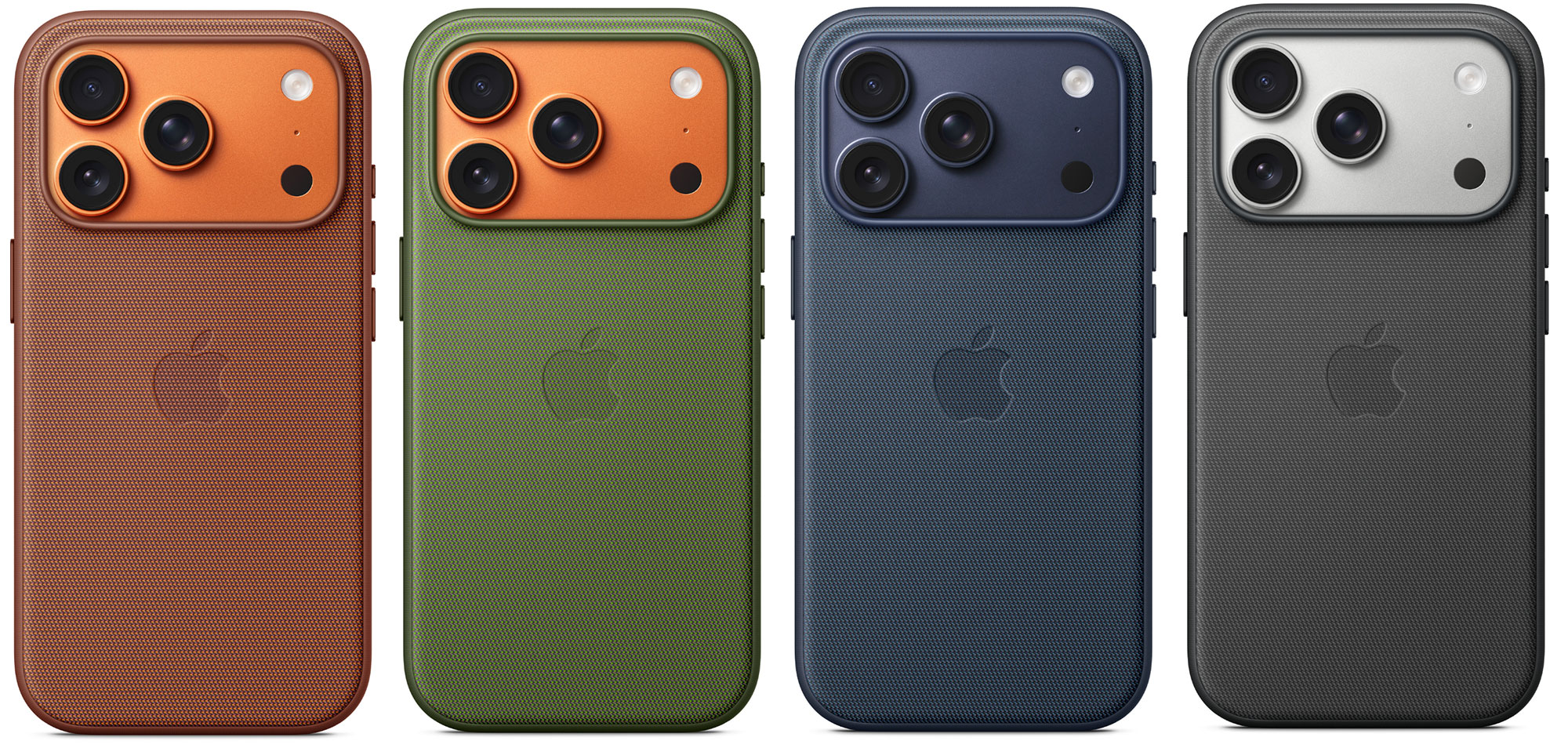
Apple iPhone 17 TechWoven Case – it's back!
Pros
- Tactile leather alternative
Cons
- 17 Pro and Max only
- Slight worry after iPhone 15 stain-gate
Best Prices Today:
Price comparison from over 24,000 stores worldwide
Price comparison from Backmarket
- MagSafe compatible: Yes
- Button covers: Metal
- Colors: Blue, Purple, Sienna, Green, Black
Available for: iPhone 17 Pro | iPhone 17 Pro Max
Amazon: iPhone 17 Pro and 17 Pro Max
Amazon UK: iPhone 17 Pro | iPhone 17 Pro Max
After a disastrous stain-complaint launch with the iPhone 15 Apple is back with an iPhone 17 TechWoven Case after retiring its own designed fabric for the iPhone 16.
The tactile material is made from 100% recycled polyester—multicolored yarns are woven on a jacquard loom. The edges of the case are coated with lightly textured TPU for added grip. The keys are made of elegant anodized aluminum.
In his review of the iPhone 17 Pro Max, Macworld’s Roman Loyola noted that USB-C cables with wider plug casings won’t plug in with the TechWoven Case on as the case gets in the way. Apple’s USB-C cable (included with the phone) has a narrower plug that fits fine.
Woolnut Leather Cases for iPhone 17
Best Prices Today:
Price comparison from over 24,000 stores worldwide
Price comparison from Backmarket
- MagSafe compatible: Yes
- Weight: 35g
- Raised edge: 1.3mm
- Camera edge: 1mm
- Button covers: Metal
- Colors: Black, Cognac, Green, Gray
Available for: iPhone 17 | iPhone Air | iPhone 17 Pro | iPhone 17 Pro Max
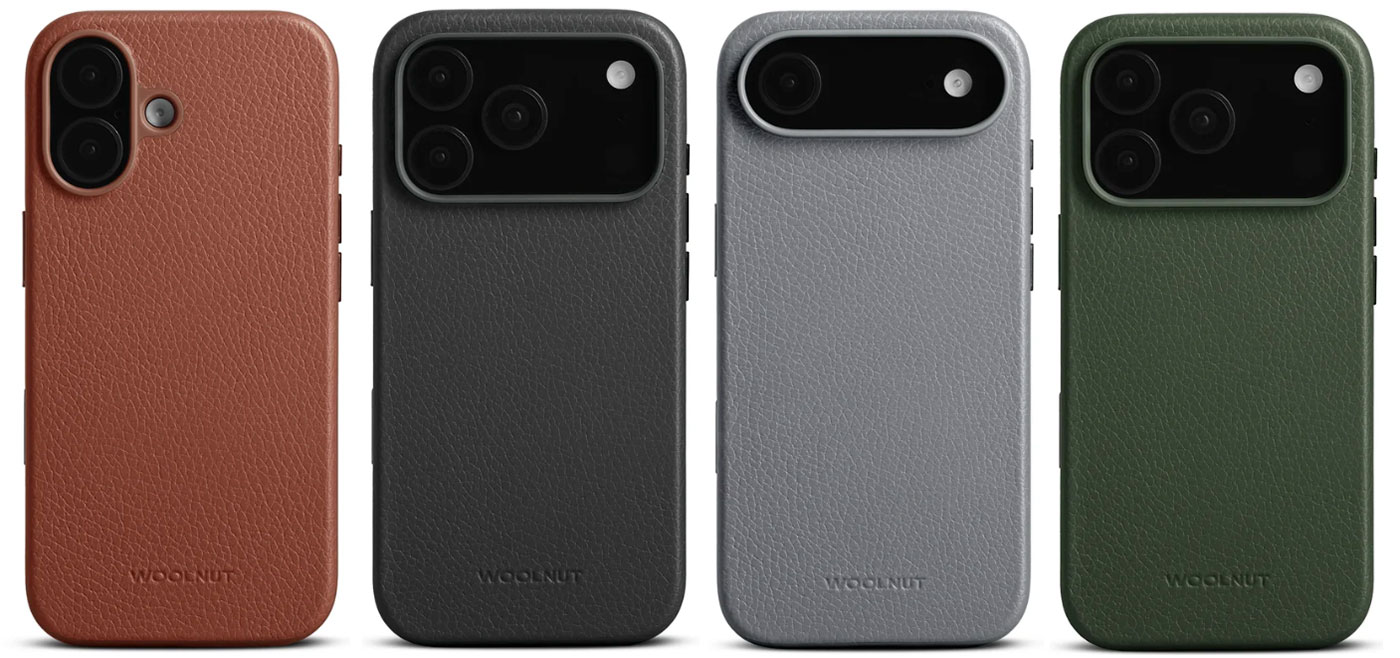
We’ve long been fans of the simple, minimalist but luxury accessories from Swedish firm Woolnut. You’ll find them in our roundups of the best laptop sleeves and in previous collections of the best iPhone cases.
Woolnut hasn’t moved far with its Leather Case for iPhone 17, which looks much like the same for all the other iPhones since the 12. And why stray from a classic case?
The full-grain leather cover the slim polycarbonate and TPU frame is from Scandinavia, of course, and the interior features soft microfiber. The buttons are made from aluminum, not plastic as used on most cases. One new feature: a capacitive button for the Camera Control.
Grams(28) Leather Cases for iPhone 17 Pro
Pros
- Stylish
- Debossed initials option
Best Prices Today:
Price comparison from over 24,000 stores worldwide
Price comparison from Backmarket
- MagSafe compatible: Yes
- Weight: 32g
- Raised edge: 1mm
- Camera edge: 1mm
- Button covers: Leather
- Colors: Black, Blue, Green, Burgundy and Brown
Available for: iPhone 17 Pro and iPhone 17 Pro Max
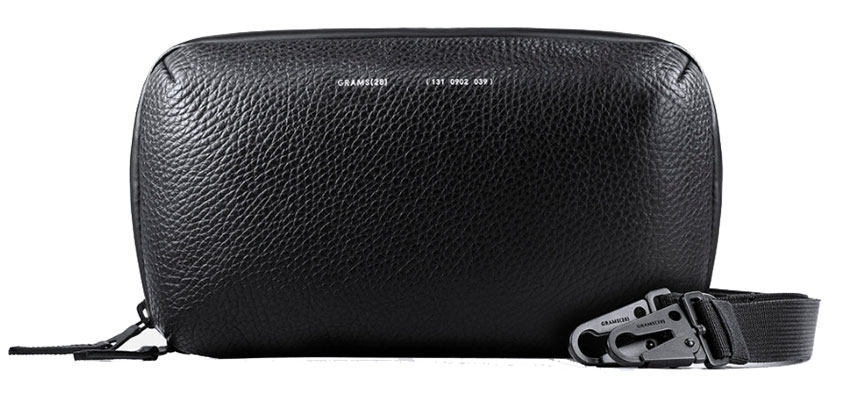
Grams(28) is a high-end luxury brand specializing in aesthetic but functional accessories made from high-quality leather sourced from Italy. It has Pebbled and Snowflake models of case for the iPhone 17 Pro and iPhone 17 Pro Max only. Non-Pro iPhone owners look elsewhere.
The Pebbled Leather Case has that classic textured leather grain pattern, made from Italian Pebbled Bovine Leather in Black, Navy and Dark Green.
The Snowflake Leather Case is made from Italian Vegetable Tanned Snowflake Leather—also known as pueblo leather—with a glossier rugged surface coming through after 90 days usage. It’s available in Black, Jeans and Tabacco colors.
Each of these iPhone 17 cases are MagSafe compatible and feature a robust 360-degree TPE bumper and 1mm raised ridge above the screen and camera lenses—with 5-foot drop protection.
Uniquely, the company can personalize the case with a hand-debossing service that stamps your initials deeply into the leather’s surface.
Bellroy Leather iPhone 17 Cases
Pros
- Color range
- Leather and leather-free options
Best Prices Today:
Price comparison from over 24,000 stores worldwide
Price comparison from Backmarket
- MagSafe compatible: Yes
- Weight: 32g
- Raised edge: 1mm
- Camera edge: 0.6mm
- Button covers: Metal
- Colors: Black, Nightsky, Khaki and Rust (leather); Black, Lilac Haze, Butterscotch and Tahini (non-leather).
Available for: All iPhone models
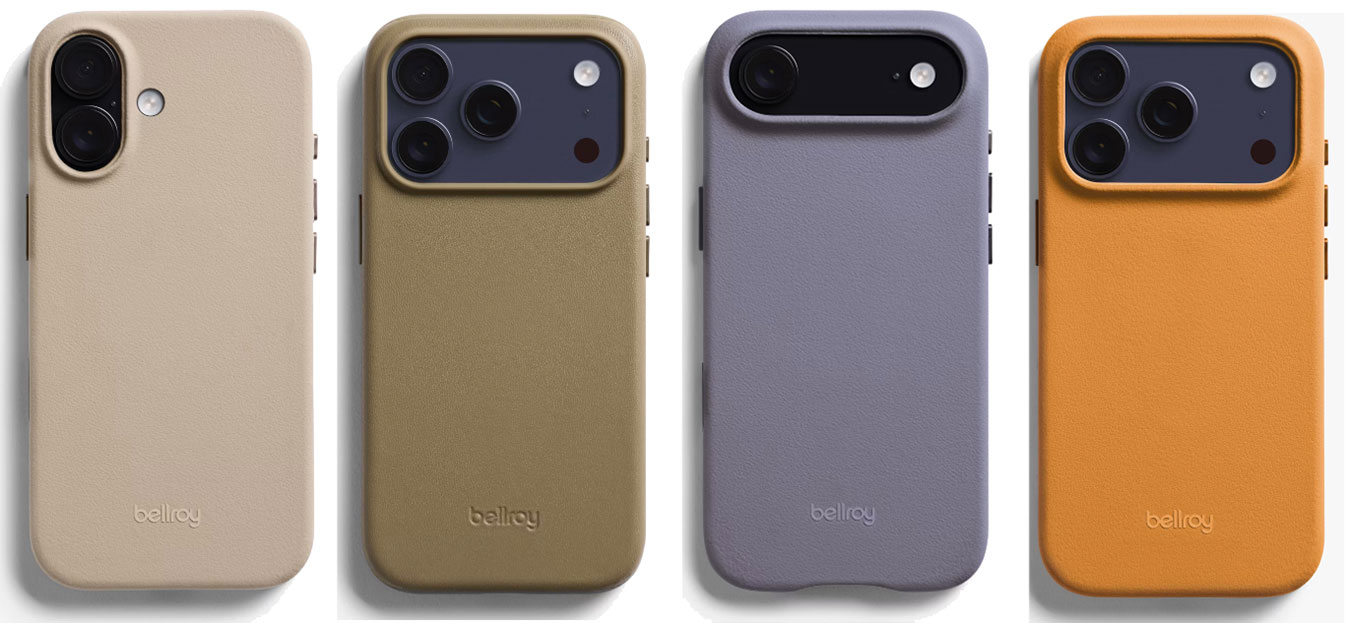
Available in both premium leather and leather alternative , this iPhone 17 case features anodized aluminum buttons. We are as much fans of the color options as we are the Moft Snap MOVAS case.
The leather alternative material INNOVERA is meant to not just feel like leather, but even smell like it too. It is made with plant protein and post-consumer recycled nylon.
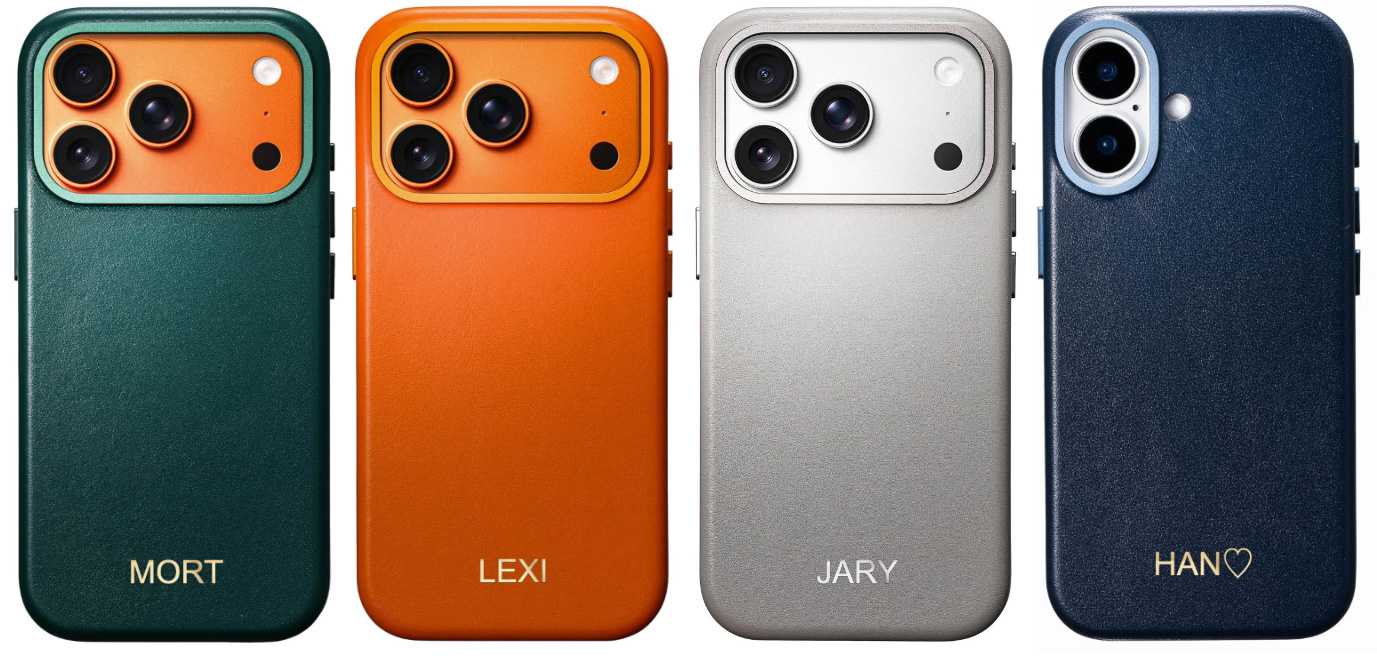
Casebellé iPhone Leather Case – Personalized monograms
Pros
- Wide color choice
- Colour-matched buttons, ring
- Personalized monogramming
Best Prices Today:
Price comparison from over 24,000 stores worldwide
Price comparison from Backmarket
- MagSafe compatible: Yes
- Weight: 40g
- Raised edge: 1.15mm
- Camera edge: 1mm
- Button covers: Metal
- Colors: Solar Orange, Steel Blue, Stone Grey, Racing Green, Cognac Brown, Obsidian Black, Amber Brown, Noir Black
- Available for: All iPhone models
Available for: iPhone 17 | iPhone Air | iPhone 17 Pro | iPhone 17 Pro Max
Amazon: iPhone 17 | iPhone 17 Pro | iPhone 17 Pro Max
Available in a wide range of colors, including a vibrant Solar Orange and classy Racing Green, this range of slim leather cases is made from either full-grain Italian nappa leather or vegetable-tanned full-grain leather.
You can personalise your case with custom embossing of up to 4 characters in gold, silver, or blind emboss.
The precision-milled metal camera frame and a bespoke Camera Control Button are color-matched to the case.
Best iPhone 17 cases with wallet
There are several great choices for iPhone 17 cases that feature built-in wallets. Scan the reviews above for some examples, such as:
Some include wallets that attach to the case magnetically and other have the wallet built in. Note that built-in wallets usually affect wireless charging, especially with cards inside. You’d need to remove the Smartish Wallet Slayer case to use wireless charging, for example, but not the Decoded Detachable cases reviewed below.
Decoded iPhone 17 Detachable Wallet Case – Best wraparound wallet case
Pros
- 360 protective cover
- Physical wallet
- Still MagSafe compatible even with cards
- Leather or Silicone options
Best Prices Today:
Price comparison from over 24,000 stores worldwide
Price comparison from Backmarket
- MagSafe compatible: Yes
- Weight: 45g (Silicone); 120g (Leather)
- Button covers: Metal
- Colors: Chocolate Brown, Navy Shadow, Solid Clay, Black, Forever Blue, Phantom Black
Available for: All iPhone models
Amazon UK: All iPhone 17
Most wallet iPhone cases place the card slots at the back, which can hamper wireless MagSafe charging. The Decoded Leather Detachable Wallet Case and Textured Silicone Detachable Wallet are more flexible. It’s actually two cases in one as the standard case magnetically clamps onto a wraparound that features the wallet card slots behind the front panel.
The detachable wallet includes three card slots, plus storage for banknotes. The Silicone version can fold to create a handy stand but is available in just two colors compared top the full-grain Ecco leather case’s four.
This lightweight front part offers double protection for the screen aside from the raised edge found on the case. There’s further magnetic magic on the folding closure. The case promises 1.2m drop protection, and the button covers are metal for further robustness and precise control.
The whole package is surprisingly slim for a full wraparound wallet. You could place the bare phone straight onto the wraparound cover, but you’d lose the 360-degree protection should the phone be dropped.
Nomad Modern Leather Folio Case for iPhone 17 Pro – Horween plus protection
Pros
- Horween leather
- 360 protective cover
- Physical wallet
Cons
- No plain iPhone 17 models
Best Prices Today:
Price comparison from over 24,000 stores worldwide
Price comparison from Backmarket
- MagSafe compatible: Yes
- Weight: 70g
- Raised edge: 1mm
- Camera edge: 0.5mm
- Button covers: Metal
- Colors: Rustic Brown, Black, Burgundy Chromexcel, Olde Dublin
Available for: iPhone 17 Pro and 17 Pro Max
Horween leather inside and out, the Nomad Modern Leather Folio Case can hold three cards and a small number of banknotes or receipts. It encloses the iPhone—17 Pro and 17 Pro Max only—so all your valuables are protected within, and held in place with a magnetic clasp.
The buttons are metal in a polycarbonate frame with 360-degree grippy TPU bumper. With the wallet at the front, the back remains fully MagSafe compatible.
If you are less of a leather purist, there’s a standard leather version available for $75, down from $109 for the more premium Horween.
Bandolier Remi and Hailey iPhone 17 Cases – Glamorous iPhone 17 accessories
Pros
- Super glamour
- Detachable wallet options
- Crossbody straps
Cons
- MagSafe requires phone or wallet removal
Best Prices Today:
Price comparison from over 24,000 stores worldwide
Price comparison from Backmarket
- MagSafe compatible: Yes
- Weight: 68g
- Raised edge: 1.3mm
- Camera edge: 0.6mm
- Button covers: Metal
- Colors: Gold, Silver, Pewter
Available for: All iPhone 17 models
Amazon: All iPhone 17 models
Claiming fans from Taylor Swift to Martha Stewart, accessory maker Bandolier’s iPhone cases are aimed very much at the women’s fashion market, and they look like no other with crossbody designs that match leather, gold, silver and chrome.
The Hailey is an ultra-stylish adjustable and detachable crossbody grain leather phone case with adjustable strap and expandable side-slot wallet to keep cash or cards. The Emma’s wallet is instead top-loading, and the Mila is a bi-fold.
If you love the Bandolier look but want to keep your wallet in your handbag, Bandolier does offer glamorous iPhone cases without the wallet, although most—such as the Rayna—allow you to accessorise later. Some feature an integrated D-ring on the strap for attaching accessories such as AirPods, keys, or the wallet itself.
Not just good-looking, the Bandolier cases offer 4-foot drop protection.
Bullstrap Leather Cases – Leather iPhone 17 wallet cases
Cons
- No protection at the case bottom
Best Prices Today:
Price comparison from over 24,000 stores worldwide
Price comparison from Backmarket
- MagSafe compatible: Yes
- Weight: From 34g
- Raised edge: 2mm
- Camera edge: 2.7mm
- Button covers: Plastic
- Colors: Sienna, Maverick, Dune, Borbon, Terra, Slate, Black, Ocean, Beach
Available for: iPhone 17, 17 Pro, 17 Pro Max
The Bullstrap full-grain leather cases are made from hides sourced from Europe and northern United States, and are lightly buffed and dyed, sprayed with oils and waxes, and then polished to achieve a two-tone color effect.
The Minimalist Portfolio Case features two card slots, and an open bottom section.
Bullstrap also offers a Minimalist leather case without the card slots, Contemporary with a closed bottom and cutouts, and Flex with a protective TPU rim along the edges.
Bellroy Phone Case, 3 Card – Leather iPhone 17 wallets
Pros
- Wallet options
- Clever kickstand
Cons
- MagSafe requires phone or wallet removal
Best Prices Today:
Price comparison from over 24,000 stores worldwide
Price comparison from Backmarket
- MagSafe compatible: No
- Weight: 51g
- Raised edge: 1mm
- Camera edge: 0.6mm
- Button covers: Plastic
- Colors: Black, Nightsky, Rust, Khaki
Available for: All iPhone 17 models
Australian company Bellroy is perhaps more famous for its wallets than its phone cases, so it’s appropriate that we feature it here for its iPhone 17 cases that feature wallets, either built-in or attached magnetically.
The premium leather Bellroy Phone Case – 3 Cards has an integrated but hidden wallet that cleverly and magnetically unfolds to create a landscape phone kickstand. Inside the case there’s a spot for a spare SIM and pin.
You’ll need to remove the phone to wirelessly charge it.
Vena vCommute iPhone 17 Case – Best Protective iPhone 17 Case with wallet
Pros
- Wallet feature
- Stand
- Tough
Best Prices Today:
Price comparison from over 24,000 stores worldwide
Price comparison from Backmarket
- MagSafe compatible: No
- Weight: 68g
- Raised edge: 1.6mm
- Camera edge: 1.6mm
- Button covers: Plastic
- Colors: Graphite Gray, Slate Blue
Available for: iPhone 17 | iPhone 17e | iPhone Air | iPhone 17 Pro | iPhone 17 Pro Max
What distinguishes the Vena vCommute from similar tough cases also reviewed here is its hidden 3-card wallet that doubles up as a stand. Vena claims it can withstand fairly vicious attacks with its 2x military-grade protection. You need to open the leather flap to enable wireless charging. Cards feel more secure here than sticking out of the back of the case or stored in a separate accessory that magnetically clamps to the back of the phone.
It is made with dual-layer polycarbonate and TPU with corner guards that Vena claims can survive drops from above 8 feet.
Ninja Labs Flex Pouch – Most stretchable wallet case
Best Prices Today:
Price comparison from over 24,000 stores worldwide
Price comparison from Backmarket
- MagSafe compatible: No
- Weight: 90g
- Button covers: Plastic
- Action button: Covered
- Camera Control: Cutout
- Colors: Matcha, Lavender, Black
Available for: All iPhone 17 models
The unique Flex Pouch from Ninja Labs is for people who want to store more than three credit cards in their iPhone case wallet. Super stretchable, the silicone pouch can firmly hold as many objects as some of us have in our backpack pockets! It can keep a robust grip on your ID cards, cash, AirPods, pens, lighter and lipstick and not blink or tear—it is not recommended to store your keys or any other sharp objects in the pouch. Stuffed full the Flex Pouch might just about fit in a coat pocket.
Even if you just want to store a few cards, we found the Flex Pouch a tight hold. It is slightly wider at the top and tighter on the bottom. Once emptied, it pings back to its original flat form. With an AirPods case inside, you can use the case as a landscape stand.
The case itself feels robust and is available in three colors. Each of these can then have either an opaque or similarly colored pouch on the back.
Shipping is free $50 within the U.S. and worldwide shipping costs are calculated per country.
Best iPhone 17 battery cases
An iPhone case with a wallet or stand is all very useful but sometimes not as urgent a need as a battery recharge. While battery cases for iPhones were once commonplace—even Apple made one—they are rarer today with the advent of magnetic power banks. Power banks are great but offer little-to-no drop protection like you’ll get from a case. The best mixture of the two is a battery case, and we’ve tested the latest from the iPhone battery case pioneer, Mophie. Also read: Best iPhone Battery Cases.
Mophie Juice Pack for iPhone 17 Pro
Pros
- Integrated power bank
- Slimmer than you’d expect
Cons
- Bulkier than a normal case
- Not available for plain iPhone 17
Best Prices Today:
Price comparison from over 24,000 stores worldwide
Price comparison from Backmarket
- MagSafe compatible: Yes
- Weight: 98g
- Raised edge: 1.5mm
- Camera edge: 0.26mm
- Button covers: Plastic
- Colors: Black
Available for: iPhone Air | iPhone 17 Pro | iPhone 17 Pro Max
Mophie has long been the go-to for iPhone battery cases, and often it’s the only game in town except for a bunch online from companies we haven’t heard of and so are reluctant to trust with a potentially dangerous battery so close to our precious iPhone.
The battery inside the Juice Pack battery case (3000mAh for the 17 Pro and 3600mAh for 17 Pro Max) isn’t as capacious as those you’ll find in a power bank (5000mAh to 10000mAh) but it still recharged our empty iPhone 17 Pro to 55%—enough to get most of us to the next available charger and power socket. The smaller battery means the battery case is much slimmer than older iPhone battery packs used to be.
Drop protection is claimed at 6 feet. There are raised corners at the front to save the screen from impacts, and a little raised protection for the cameras at the back. The design is a two piece construction but it feels robust and won’t come apart while being pulled from your pocket.
Read our full
Mophie Juice Pack for iPhone 17 Pro review
Best iPhone bags
A case will protect your iPhone from harm not only from drops but the constant to and fro from your pocket, rubbing it up this way and that. Sometimes a pocket isn’t the best place for tech, and you need something more substantial to hold it in—especially if your pockets are full or your outfit doesn’t have any! A secure pocket within a bag should make it harder for thieves to snatch your phone, especially in crowded areas, and keeps it further from rain should you be caught outside at the wrong time.
Some experts also warn against keeping a phone too close to your body due to the radio-frequency radiation that can cause heat build up that’s bad not just for your phone but those rather vital organs near your pockets—think about it for a second. Keeping it in a bag, rather than directly in a pocket, increases the distance between the phone and your body. We have reviewed and tested the best bags for Mac but there are smaller carriers for phones that should be considered.
Herschel Cloud Sling for iPhone
Pros
- Slim phone sling
- Space for accessories
Best Prices Today:
Price comparison from over 24,000 stores worldwide
Price comparison from Backmarket
- Weight: 150g
- Colors: Black, Pink
The Herschel Cloud Sling for iPhone is an exclusive on the Apple Store. It’s a classic minimalist Herschel design made with a padded, lightweight fabric, protected with a zippered closure and adjustable strap.
Available in Pink or Black, there’s space for your AirPods case and charging cable, plus a padded slot for AirTag.
Alpaka Modular Phone Sling V2
Pros
- Stylish phone sling or belt attachment
- Keeps the phone away from your body
- RFID-blocking front pocket
Best Prices Today:
Price comparison from over 24,000 stores worldwide
Price comparison from Backmarket
- Weight: 150g
- Colors: Black, Army Green, Dark Green, Blue
Fitting any iPhone, the Alpaka Modular Phone Sling V2 allows hands-free phone carrying, and can be worn either as a crossbody sling or a waist belt-loop attachment.
As with the Waterfield Hudson, reviewed below, a magnetic closure mechanism and buckle strap system allow for easy access while keeping the phone secure. At the front is an RFID-blocking front pocket for your cards and cash. And at the side there’s a pen slot.
Waterfield Leather Grammercy Sling and Hudson Crossbody
Pros
- Super-premium craftsmanship
- Clever dual magnetic closure and buckle (Hudson)
- Keeps the phone away from your body
Best Prices Today:
Price comparison from over 24,000 stores worldwide
Price comparison from Backmarket
- Weight: 499g (Grammercy); 680g (Hudson)
- Colors: Black, Chocolate, Grizzly
Available for: Grammercy: All iPhone 17 models Hudson: All iPhone 17 models
Handcrafted from full-grain leather in San Francisco Waterfield’s range includes super-premium bags such as the Gramercy Leather Sling and Hudson Leather Crossbody.
The 2L Gramercy Leather Sling ($309) carries an iPhone, wallet, keys, glasses, cards, and a few daily items. The key differentiator is the pocket layout: two Ultrasuede-lined exterior pockets that help protect an iPhone and glasses from scratches, including a rear quick-access pocket that sits close to the body. A front pocket with an authentic paragliding buckle adds a modern accent, while three interior pockets and a key tether organize small essentials. An alternative is the Grams(28) Essential Pouch, reviewed below.
The larger 3.5L Hudson Leather Crossbody ($329) is a crossbody bag that features a dedicated iPhone pocket, which you can access one-handed via the clever magnetic closure that eliminates the need for fumbling with zippers. An extra layer of protection, the self-finding magnetic Fidlock buckle secures the flap in place. There’s also a more open slip pocket at the back.
These bags will suit the style-conscious iPhone user who doesn’t want to stuff their device in their back pocket
The black leather models are the most dressy of these beautiful if pricey bags, with the Chocolate and Grizzly colorways a little more casual but still very smart. Of course it fits any iPhone, not just the 17.
You can buy only direct from Waterfield Designs. For international orders add $19 shipping plus applicable duties.
Grams(28) 131 Essential Pouch
Pros
- Luxury look and feel
- Mesh and zipped pockets
- Sling strap included
Best Prices Today:
Price comparison from over 24,000 stores worldwide
Price comparison from Backmarket
- Weight: 170g
- Colors: Black, Navy Blue, Dark Green
Another luxury product for your luxury iPhone—just as you don’t but a $10 case for your new $1,000 phone why buy the cheapest bag from the market stall to carry around all your possessions—but worth it for the joy of owning such a gorgeous and practical fine full-grain Italian leather crossbody.
There’s only 1L of capacity but you can fit a lot into this bag as well as your iPhone. On a recent trip to Valencia I carried my phone, guidebook and some case in mine, and it felt safe from pickpockets as long as I kept it at my front—and I didn’t have to keep patting my pockets to check they weren’t invaded.
Best iPhone 17 camera grips and cases
There are specialized camera grips for the iPhone that sometimes require a custom case. These can make using the iPhone more versatile as a camera and therefore faster to grab that perfect picture.
Telesin Master Grip for iPhone 17 Pro and Max – Case and custom camera grip
Pros
- Superior camera grip
- Custom keys
- Pro photography app
Best Prices Today:
Price comparison from over 24,000 stores worldwide
Price comparison from Backmarket
The retro-inspired Master Grip, from camera-accessory maker Telesin, has been designed exclusively for the iPhone 17 Pro and 17 Pro Max, and features precision cooling, AI-powered filters and a built-in 3200mAh power bank and wireless charging support so your phone shouldn’t fade during even the longest photoshoot.
The one-handed ergonomic grip will be familiar to owners of traditional camera and is wrapped in soft but grippy sweat-resistant silicone-based synthetic, adding comfort and stability.
Its thermal dissipation system features a graphene heat sink and MagSafe cooling backplate that prevents overheating during extended 4K or HDR shooting sessions.
The Master Grip retains a two-stage shutter for half-press autofocus and full-press capture, with the tactile feel of a mechanical shutter that old-school and new photographers love. Within easy reach are shooting button and zoom rocker, plus wake button and mode dial. A customizable Fn button, via the AI-trained Telesin Reef Color app, enables quick access to functions such as filter switching, intensity adjustment, exposure control, white balance, shutter speed, and ISO — just like you’d find on a pro camera.
There are two bundles available for the iPhone 17 Pro and 17 Pro Max: Standard with iPhone case, wrist strap and charging cable, and Creator, which also includes a UV filter and magnetic fill light.
How to choose a case for your iPhone 17
Protection
The most common results of drops and knocks cause cracked and scratched screens, followed by chipped corners and sides. Even a basic phone case offers some protection against such everyday drops and knocks, and some are built to withstand more catastrophic accidents. Modern materials mean that protective cases are relatively slim and light. Clever design and tough-but-thin materials such as Kevlar and Graphene are key to the levels of robustness—but it remains the case that the bulkier the case, the more protection it will likely offer as long as it is also clever and made of the right stuff.
Let’s face it the iPhone is basically made front and back of glass—even if it is a new version of Ceramic Shield that Apple claims is three to four times tougher than any smartphone glass—and glass dropped on the floor usually ends in tears.
Look for raised edges (known as a bezel) around the screen that will protect it from drop cracks and scratches—it lands on these edges and not the fragile screen. Another point of obvious weakness is the camera lens area, and you should go for a case with a raised edge around that part, too, in case the phone lands that side down. Where we have the exact dimensions, we have included this information in our case reviews below.
Look for button covers—in metal or plastic. Some cases prefer cutouts but may offer less protection as a result. The Camera Control on the right side of all the iPhone 17 models is capacitive so it can’t be covered using standard materials in the same way as the other iPhone buttons can. Instead the best utilize a piece of sapphire crystal coupled with a conductive layer to communicate finger movements—including taps, slides and swipes—to the button below.
Style
If you want to keep the original Apple colors while still protecting the phone, choose a clear case. If you want to add more personality—if only to distinguish your iPhone from those of your family and friends—there are thousands of designs to choose from. Some are quite beautiful, some fine art, and some I wouldn’t want to be seen with in a dark room.
And iPhone 17 cases come in many forms: wallet cases, cases that support bike and car mounts, phone pouches, sleeves, slings and cases with belt-clips. Here we keep adding the best we can find as they come in for testing.
Fit
Ensure you choose the right case for your exact model so that it fits correctly over the buttons and camera lenses for uninterrupted use. Where possible we have linked to the buying pages for each model: iPhone 17e (6.1 inch), iPhone 17 (6.3 inch), Air (6.5 inch), iPhone 17 Pro (6.3 inch) and iPhone 17 Pro Max (6.9 inch).
Don’t think you can squeeze your new 17 model iPhone into a case for an older model. Sometimes a new iPhone is the same size as the previous model, but not the 17 unfortunately, which also has a whole new camera section at the top. Upgraders need a new case. That said, I have used an iPhone 17 Pro case on my iPhone 16 Pro. The buttons work but the flashlight is covered on some cases.
Magnetic wireless charging
Also make sure that the case is MagSafe compatible so that you can charge wirelessly with a MagSafe charger while your iPhone 17 stays in its case. So-called “clear” cases sadly require a huge white ring on their back to be compatible with MagSafe charging. Colored, patterned or leather cases hide their magnets better.
On the 17 Pro and 17 Pro Max Apple has placed its logo further down the back so the circle of magnets would cut through it. On its own clear case Apple tries to not spoil its logo or reduce the number of magnets and ends up with an ugly solution for the 17 Pro and Pro Max clear cases. Third-party clear case manufacturers have decided to remove a few magnets to allow the logo to show, and claim this doesn’t affect the magnetic fit.
You can, of course, still charge via a USB-C cable—which will always be the fastest way to charge an iPhone—and an iPhone charger.
Will the iPhone 16 Pro fit an iPhone 17 Pro case and vice versa?
If you still own an iPhone 16 Pro and fancy one of the iPhone 17 Pro cases reviewed here, you might be in luck. Our test iPhone 16 Pro fit most of the iPhone 17 Pro cases here, although some may cover the 16 Pro’s flashlight. It’s not the case the other way round as an iPhone 16 Pro case will cover the 17 Pro’s Flash and the LiDAR Scanner that uses lasers to measure distances and create a 3D map of the environment.
You can’t swap iPhone 16 and 17 cases on models other than the Pro due to size and cutout differences.
Will the iPhone 17 Pro fit an iPhone 18 Pro case and vice versa?
Current information suggests Apple will keep a very similar chassis for the iPhone 18 Pro: near-identical dimensions, similar button placement, comparable thickness, the same overall form factor, and MagSafe carried over. On that basis, most iPhone 17 Pro cases should physically fit the iPhone 18 Pro. The one caveat is the camera. Recent reports point to a slight redesign of the camera module. The change is not expected to be dramatic, but even small shifts matter around the lens area, so you could see imperfect camera alignment, visible gaps around the module, reduced protection at the lenses, and issues with precision-fit cases in particular.
In short: for basic protection many 17 Pro cases will likely still do the job. For proper fit and finish, a dedicated iPhone 18 Pro case will remain the better option.

 Login
Login