❌

Normal view

MacVoices #26283: Live! – ‘Pro and Tell,’ Duo Delays, Apple at $5 Trillion, and Affinity for iPad

By: Chuck
21 October 2026 at 22:21
Apple’s upcoming “Pro and Tell” event sparks speculation about new MacBook Pro models, while iPhone Duo preorders raise questions about shipping delays and retail availability. The panel discusses Apple’s $5 trillion valuation, why HomeView won’t launch in the European Union, and the anticipated arrival of Affinity Studio on iPad, including how it could transform creative workflows and provide yet another powerful alternative to Adobe Creative Cloud. 

💾

OpenAI's latest AI models are coming to Google Cloud and Antigravity

21 October 2026 at 19:51

Google would certainly prefer that everyone used its Gemini models with Google Cloud services, but soon, you'll have more options. OpenAI and Google have come to an arrangement that will see the former's frontier models arrive in Google Cloud services. Perhaps more importantly, GPT models will soon appear in Antigravity, Google's agent-powered coding tool.

For enterprise customers and AI enthusiasts, OpenAI's latest model will appear in Google's "Model Garden" in the coming weeks, adding to its 200-plus options. The garden already offers access to Google's Gemini models, as well as an assortment of open models like Mistral, Llama, and Gemma. Anthropic's Claude AI has also been available for some time. Google says it's now the only large cloud provider offering access to all three leading closed LLMs.

While OpenAI notes that Microsoft continues to be its primary cloud partner, the full suite of current GPT 6 and 6.1 models—Astra, Sol, and Luna—will launch on Google Cloud. Astra will naturally cost the most to run, but Google's system supports dynamically moving workloads between LLMs based on performance, latency, and efficiency.

Read full article

Comments

© Ryan Whitwam

OpenAI Models Are Now On All Three Major US Cloud Platforms

By: BeauHD
21 October 2026 at 19:00
OpenAI is bringing its models to Google Cloud's model garden and Antigravity coding tool, putting its technology on all three major U.S. cloud platforms after Microsoft's exclusive license ended earlier this year. "Google Cloud's longstanding investment in machine learning and AI has made it a destination for AI workloads and the developers and data scientists building them," OpenAI said in a blog post. It continues: [...] The integration will pair OpenAI's frontier models with Google Cloud's built-in access controls, centralized data governance, and high-performance infrastructure to support demanding enterprise workloads. Google Cloud customers will be able to purchase OpenAI frontier models via model garden, transacted through the Google Cloud Marketplace. Enterprises with Google Cloud spend commitments will be able to draw down their GCP commitments for these purchases. Additionally, OpenAI models will soon be available in Google Antigravity and the Gemini Agent, providing enterprise customers with model choice flexibility and the best model for each task. [...] For context, Microsoft previously held exclusive licensing rights to OpenAI's intellectual property, but that arrangement ended less than six months ago as OpenAI began expanding its partnerships with other cloud providers. Just one day after Microsoft's exclusivity ended, Amazon announced plans to host OpenAI's models on its cloud platform in April.

Read more of this story at Slashdot.

Nvidia, Nokia claim AI-RAN hype is justified as momentum grows

21 October 2026 at 14:59

INTERVIEW: Nokia chief technology and AI officer Pallavi Mahajan and Nvidia SVP of telco Ronnie Vasishta told the Mobile World Live Podcast their AI-RAN partnership is showing tangible progress, as they announced close to 20 operators are lined up for lab and commercial trials of the technology.

In an exclusive interview to outline progress of their efforts, Vasishta and Mahajan highlighted the fact it had only been 12 months since the two companies announced a joint AI-RAN partnership, which included a $1 billion investment from Nvidia into the Finnish vendor.

A year on, today (21 October) at Nvidia’s GTC 2026 event in Berlin the duo announced almost 20 operators globally have committed to AI-RAN collaboration, including 10 from EMEA. Mahajan said these operators are at different stages, lined up for both lab and commercial trials.

In 2027 trials are expected from BT Group, Deutsche Telekom and Elisa, with the latter preparing for commercial deployment.

In the US, T-Mobile has completed what was claimed as the world’s first AI-RAN call on a live network, while in France Orange is introducing new voice and intelligence services for enterprises based on the technology.

Speed of light
Vasishta told MWL it was hard to overhype development based on the progress it had seen over the past year, and the number of trials and deployment is only set to grow.

“A year ago, or two years ago for sure, I think people would have scoffed at the idea. Nokia talking about operator commercialisation with AI-RAN, I think, that would have been perhaps seen as somewhat sceptical.”

Mahajan concurred, describing the pace of development as occurring “at the speed of light” with the game changer centred on being able to outline the true “value of what AI brings in terms of making RAN efficient” such as significant spectrum efficiency gains.

“In the next few years, the distinction between the networks and computing infrastructure will just blur,” she said, inevitably opening up a host of operator opportunities across applications beyond 5G and 6G.

Vasishta added Nvidia had started on the journey of software-defined RAN eight years ago and the inclusion of Nokia in 2025 had accelerated this dramatically.

“We see all operators around the world are created differently. They service different markets, they have different DNA, but overall, all of them have gravitated towards this concept now of AI RAN.”

Click here to listen to the full interview.

The post Nvidia, Nokia claim AI-RAN hype is justified as momentum grows appeared first on Mobile World Live.

Amazon readies €16B German investment

21 October 2026 at 09:32

Amazon outlined plans to invest more than €16 billion in its German operations in 2027 to expand its AI infrastructure, cloud computing and satellite connectivity.

The move adds to more than €100 billion Amazon invested in Germany since 2010 as it races against rivals Google and Microsoft to build out its AI services and cloud infrastructure in the nation.

David Zapolsky, chief global affairs and legal officer, described Germany as a centre of innovation and one of Europe’s most attractive investment destinations.

“We want German businesses, communities and creators to have the infrastructure and tools they need to compete and grow.”

The fresh investment includes €4.8 billion to expand Amazon Web Services’ Frankfurt cloud region and AI infrastructure to meet increasing customer demand.

It plans to bolster connectivity through its Amazon Leo satellite network to provide high-speed internet across the country.

Amazon Leo has secured 24 slots with European launch provider Arianespace.

The company plans to also broaden its logistics footprint and create new content for its Prime Video platform.

The post Amazon readies €16B German investment appeared first on Mobile World Live.

O que se passou com a Google Cloud? Falha deixa a Revolut e vários serviços com problemas na Europa

20 October 2026 at 16:06

Os serviços da Google Cloud estão a recuperar depois de uma falha que afetou várias empresas e plataformas digitais na Europa. A Google afirma que o problema está resolvido para a maioria dos clientes, mas admite que um número reduzido continua afetado.

The post O que se passou com a Google Cloud? Falha deixa a Revolut e vários serviços com problemas na Europa appeared first on Tek Notícias.

T-Mobile US, Ericsson tout AI beamforming gains

20 October 2026 at 15:01

T-Mobile US is testing AI to allocate radio resources on its 5G-Advanced network, with Ericsson trial results showing the biggest gains during peak traffic.

The operator is trialling AI-Managed Beamforming on live commercial traffic at scale. Chief network officer Ankur Kapoor (pictured) outlined the results in a blog post. The work focuses on sounding reference signals (SRS), short transmissions from phones that help the network measure the path between a device and a cell site and direct beams more accurately.

Due to those resources being limited, they have traditionally been allocated under fixed rules. T-Mobile instead uses a supervised-learning model trained on its network data and running on Ericsson’s RAN compute and silicon to predict where demand is rising and redirect resources accordingly.

Kapoor explained training the model on T-Mobile’s data gives it an advantage on the operator’s network over networks which do not contribute their own tuning data.

The results came from newly activated sites in New York City, but the blog did not say how many were included or give a baseline for the trial.

T-Mobile reported the biggest gains during peak hours, including about a 50% increase in advanced beamforming using full-band SRS, a 16% improvement in downlink user throughput, 12% better spectral efficiency and a 10% increase in downlink data volume.

In May, the companies reported close to 10% better spectral efficiency from a separate AI-native scheduler with link adaptation on live traffic.

Kapoor said the technology suits T-Mobile’s network because beamforming works particularly well in TDD spectrum, where uplink and downlink share the same band, and the operator has a leading position in midband TDD.

He linked the trial to rising network demand, citing Ericsson’s June 2026 Mobility Report, which reported global mobile data traffic growth of 22% year-on-year. Video accounted for about 75% of traffic and 5G subscriptions topped 3.1 billion.

Jaco du Plooy, SVP and head of the T-Mobile customer unit at Ericsson Americas, stated the trial marked another step toward networks which respond more intelligently to demand, enabled by Ericsson’s silicon.

Kapoor said 6G networks will need to sense, learn and respond to support applications such as distributed AI, robotics, vision AI and other forms of physical AI, describing T-Mobile’s nationwide 5G-Advanced network as its proving ground.

The post T-Mobile US, Ericsson tout AI beamforming gains appeared first on Mobile World Live.

Nokia, SoftBank plot commercial AI-RAN trial

20 October 2026 at 11:57

Nokia agreed a deal with SoftBank Corp to conduct an AI-RAN field trial in commercial traffic conditions in 2027, progressing efforts to validate the technology.

The Finnish vendor stated the trial in Japan would be an important step in SoftBank’s AI-RAN ambitions by assessing the approach in a live network environment.

For Nokia, the trial also advances its AI-RAN commercialisation roadmap by shifting the technology from laboratory development to real-world deployment.

Nokia explained it will combine its AI-native anyRAN cloud RAN software on SoftBank’s core AI-RAN platform AITRAS, along with Nvidia’s ARC platform.

Through a combination of the platforms, Nokia stated AI-RAN would bring radio and AI workloads on to a common platform, helping operators “improve infrastructure utilisation, acceleration innovation and unlock new revenue opportunities”.

Nokia and SoftBank already have an AI-RAN deal in place, backed by an Nvidia accelerated computing node.

SoftBank SVP and CTO Ryuji Wakikawa said the trial is a significant milestone in the transition of AI-RAN from concept to execution.

“We are excited to begin this next phase of validation with Nokia, paving the way for a new era of networks that can deliver both connectivity and AI services.”

Pallavi Mahajan, chief technology and AI officer at Nokia, pointed to the potential for AI-RAN to “unlock new levels of spectral efficiency while providing the distributed intelligence needed to support physical AI”.

The post Nokia, SoftBank plot commercial AI-RAN trial appeared first on Mobile World Live.

MacVoices #26281: Live! – Photocraft and the Rise of AI-Created Software Alternatives

By: Chuck
19 October 2026 at 19:25
Can AI-powered vibe coding challenge established software companies? Photocraft and other Adobe application clones spark a discussion of their capabilities, legal questions, and the possibility of creating customized software. A live download offers a closer look at the applications. The conversation also explores the Swift Angels developer meetup, LinkedIn’s growing importance for professional networking, and generational differences in technology.

💾

Xcode 27.1

16 October 2026 at 20:59

Apple (xip, downloads):

Xcode 27.1 includes Swift 6.4 and SDKs for iOS 27.1, iPadOS 27, tvOS 27, watchOS 27, macOS 27, and visionOS 27. Xcode 27.1 supports on-device debugging in iOS 17 and later, tvOS 17 and later, watchOS 10 and later, and visionOS. Xcode 27.1 requires a Mac running macOS Tahoe 26.6 or later.

Christian Beer:

You can’t run macOS UI tests on Xcode cloud as soon as your app uses „restricted entitlements“[…]

Previously:

MacVoices #26275: Live! – Removing Apple Intelligence, iPhone 18 vs. AT&T, More iCloud Email Addresses

By: Chuck
9 October 2026 at 19:22
The risks and rewards of removing Apple Intelligence to reclaim storage storage space space are debated, along with some experiences of performance problems following macOS upgrades. They investigate reports of iPhone 18 Pro Max failures on AT&T, debating whether hardware, software, or carrier networks are responsible. The conversation concludes with new, expanded iCloud+ email alias options, custom domains, and the advantages of owning a personal domain. 

💾

MacVoices #26267: Cloud Storage Isn’t Backup and Evaluating Googlebooks

By: Chuck
30 September 2026 at 00:01
The panel looks at macOS 27 ending Time Capsule backup support, then debates Google’s new Android-based laptops and its attempt to build a tighter ecosystem. Other topics include Chrome’s retro-style bookmark launchpad and GM’s geolocation privacy settlement before a deep dive into cloud storage, AWS data loss, redundancy, service agreements, and why cloud storage is […]

💾

Locked Down Passkey and Keychain Backups

24 September 2026 at 20:49

I remain unhappy with Apple’s passkey backup story. There’s little documentation about this, but from what I can tell:

  • There are no automatic versioned backups. (Syncing is not backup because it doesn’t protect you against human error, bugs, or attacks.)

  • Even if you have a Time Machine backup, it’s not possible to restore it to the same Mac without logging into iCloud. This could be a problem if your account is locked or compromised.

  • Restoring it to a different Mac is impossible because the decryption key is stored in the other Mac’s Secure Enclave. Apple is protecting you from accessing your own backup, even though the keychain is already an encrypted file, protected by the password that you set. (And the Time Machine or clone drive that it’s stored on is probably encrypted, too.)

  • The Passwords app can now export passkeys, but you cannot create an export file that you can import back into Passwords on another Mac. You can only export to a third-party password manager that’s installed on the same Mac (which may require a working Apple account). Even then, this does not include passkeys for Apple services; they don’t show up in the Passwords app. There are also some other restrictions around shared items and Sign In with Apple.

The above is last year’s news, but I don’t think I had written it all in one place before. The new bad news is that, as of macOS 26.4, these problems now affect regular passwords, not just passkeys. (You do have more flexibility to export passwords, though.)

Rich Trouton (Hacker News):

Historically, you could copy the login keychain file from one Mac to another and be able to open it on the destination Mac by providing the password to that keychain. As of macOS Tahoe, this does not appear to work for Macs which use Secure Enclave.

[…]

From that, it appears that unlocking the login keychain requires more than the password because the keys it unlocks are tied to the Secure Enclave of the Mac where the keychain was created. With the decryption keys stored in the source Mac’s Secure Enclave, manually copying the keychain to another Mac and then unlocking it won’t work. The password you have for the keychain may be correct, but the actual keys needed to decrypt its contents won’t be available on the destination Mac.

Jeff Johnson:

According to Apple, all Apple silicon Macs, as well as some Intel Mac models, have the secure enclave processor, so the issue affects millions of Mac users.

[…]

If anything happens to your Mac, if it’s stolen or becomes inoperable, your login keychain is also lost, unrecoverable, even if you have a copy of the login keychain file! This is a stunning development that has left me bewildered and irate. WTF was Apple thinking? To my knowledge, Apple did not even publicize the change in Tahoe.

[…]

How does Migration Assistant handle the situation on Tahoe? I don’t know. I would guess that since Migration Assistant still has access to the old Mac, it simply decrypts the old login keychain and copies the login keychain entries to the new login keychain on the new Mac, rather than transferring the keychain files directly.

[…]

I recommend that you open your login keychain with the Keychain Access app (now located in /System/Library/CoreServices/Applications) and check what’s in there, the data that you’re in danger of losing. Whether you realize or it not, many apps use the login keychain. For example, Google Chrome and other Chromium browsers store passwords in the login keychain. MailMate stores email account passwords in the login keychain. The open source RSS reader Vienna stores website passwords in the login keychain. The Zoom app also uses the login keychain. My Developer ID code signing certificate is stored in the login keychain; if I’m not mistaken, I believe that Apple’s own Xcode put it there. And of course, any items that you’ve manually added to the login keychain would be lost if the keychain file could not be unlocked.

Howard Oakley:

I have confirmed that a login.keychain-db copied from my Mac mini M4 Pro to a virtual machine (VM) running macOS Tahoe 26.6.2 cannot reveal any of its secrets to the Keychain Access app on the VM, as it refuses to accept the valid password. Not only that, but Keychain Access running in a VM cannot access the login.keychain-db keychain copied from another Tahoe VM, although neither has been anywhere near a Secure Enclave.

If you intend migrating manually between Macs, don’t waste time trying to copy across the login keychain, as it’s not likely to work, and its secrets will remain.

[…]

I performed test migrations between VMs, and demonstrated that Migration Assistant does copy the contents of the login keychain successfully to the destination Mac.

I think this only happens if you migrate over a network, with the old Mac acting as a server. I prefer to connect the old Mac using Target Disk Mode, but in that case Migration Assistant wouldn’t be running on the old Mac so the special sauce wouldn’t work. Likewise if I were trying to do the migration using a third-party cloning app.

Howard Oakley:

  • Loss of physical access to a Mac running 26.4 or later prevents access to any items stored in its login keychain.
  • Hardware failure requiring logic board replacement may have the same effect on restoring the contents of its login keychain (assuming that migration from a backup doesn’t work).
  • Restoring an Apple silicon Mac in DFU mode may be similar in effect.

What I don’t know yet is whether you can unlock and access any login keychain written by macOS 26.4 or later and migrated from a backup accessed directly from a different Mac. This would occur in one-Mac migration, when Migration Assistant uses a backup of a Mac not acting as a Migration server. This would only be possible if the backup also stored the additional secret required to access the login keychain, which seems unlikely.

[…]

Apple’s documentation for macOS Tahoe and the copying of keychains makes no mention of this change, in spite of its serious consequences and the change being made almost six months ago.

It there states “If you didn’t use Setup Assistant, the best way to copy your keychains to a new computer is to export and then import them using Keychain Access”. However, Keychain Access can only export some keychain items including certificates and keys, but not passwords. And to do that, the Mac must be able to unlock and access those items in the source keychain. Thus, Apple’s recommendations are out of date and will now fail.

rsUSA0 (via Jeff Johnson):

When upgrading to macos 27 Golden Gate, I erased my system through recovery to do a clean install. I planned to manually migrate data back to the computer from an external drive clone of Macintosh HD and a Time Machine backup. This has worked well in the past and eliminated system bloat.

When I manually migrated my login keychain, it opened, showed entries, but it wouldn’t accept my password to reveal any actual passwords. The window shakes like I’m using the wrong password. I’m 100% sure I’m using the correct password. I also tried every password I’ve ever used and I’m certain it’s not a password issue.

Perhaps even restoring to the same Mac failed because the clean install wiped the key stored in the Secure Enclave. [Update (2026-10-01): See update below.]

Jeff Johnson:

Some people who read my previous blog post misunderstood the issue, because they didn’t know that the macOS login keychain is distinct from iCloud Keychain.

[…]

In the Keychain Access app, you can see two separate default keychains, one of which is the login keychain. The other default keychain is named “iCloud” if you’ve enabled iCloud Keychain, “Local Items” if not. There’s actually a longstanding issue with this keychain analogous to the newer issue with the login keychain.

[…]

Mac users like myself who forsake iCloud Keychain face the prospect of no disaster recovery for the Local Items keychain. My habit is to manually create a new password item in the login keychain and only then supply the credentials to an app, for example, Safari AutoFill. Ironically, the login keychain change brought by macOS 26.4 sabotages my password backup procedure[…]

jen1x:

Today, I got my new Mac mini M6. When I started setting up the new machine, it asked me to update to macOS 27, so I followed the instructions.

[…]

After signing in to iCloud, it asked me to enter the passcode of one of my Apple devices. I entered the correct passcode and even tried the passcodes for all of my devices, but I keep getting the same message:

Verification Failed
There was an error verifying the passcode of your iPhone

I don’t like having to rely on iCloud.

Previously:

Update (2026-10-01): TN3137 has been updated for macOS 26.4:

Historically each file-based keychain was a standalone file. You could, for example, copy a keychain file from one Mac to another and still use it, as long as you knew the keychain password.

In macOS 26.4 and later that’s no longer the case. A keychain file might reference a protected entropy file. To unlock such a keychain you need both the keychain password and the protected entropy file.

[…]

These protected entropy files are stored in /var/db/SystemKeys. If you’re creating a backup product, make sure to back up that directory. Without it, the keychain files that you back up might be useless.

[…]

The /var/db/SystemKeys directory is not directly accessible, even when running as root, so you can’t copy a protected entropy file in the normal way. To access it, disable System Integrity Protection (SIP).

First things first: I don’t think turning off SIP every time you make a backup is a real solution. And I don’t understand what problem Apple is really trying to solve with protecting the entropy file; it seems like they don’t trust their own encryption. Lastly, it’s not explicitly stated, but I don’t think copying the entropy file helps with backing up passkeys.

That aside, I find the details both illuminating and confusing. This probably explains the rsUSA0 case above, where restoring to the same Mac didn’t work. The key wasn’t stored in the Secure Enclave but rather in the entropy file on the SSD, which had been wiped. This also suggests a simpler way for Migration Assistant to work; it could have special access to copy the entropy file without having to actually open the keychain.

It also seems to be saying that, if you turn off SIP and copy the entropy file, you can then access your keychain backup from another Mac. But I’m not sure how to square that with Apple’s keychain documentation:

Keychain items are encrypted using two different AES-256-GCM keys: a table key (metadata) and a per-row key (secret key). Keychain metadata (all attributes other than kSecValue) is encrypted with the metadata key to speed searches, and the secret value (kSecValueData) is encrypted with the secret key. The metadata key is protected by the Secure Enclave but is cached in the Application Processor to allow fast queries of the keychain. The secret key always requires a round trip through the Secure Enclave.

How can copying the entropy file work if the Secure Enclave is required? My guess is that the entropy file itself is encrypted (NSFileProtection) using the Secure Enclave. So accessing it on the original Mac does require going through the Secure Enclave. But when you make a backup, the entropy file gets decrypted. Maybe accessing the keychain on the second Mac causes file protection to be re-applied to the contents of /var/db/SystemKeys, so then it becomes protected by that Mac’s Secure Enclave.

Previously:

Update (2026-10-02): Dave Nanian (Mastodon):

This is obviously not a good user solution, because no one is going to boot to Recovery, turn off SIP, back up, boot back to Recovery, and turn SIP back on. Thinking they would do so is kind of crazy.

[…]

SuperDuper handles this situation. When you make a bootable copy, the required keys are copied without requiring any special steps.

SuperDuper itself can’t read the entropy file, but it uses Apple’s asr tool to make bootable backups, and that has special access. (Unfortunately, it can’t update the entropy file without making a fresh bootable backup, but in practice I don’t expect it to need updating.) I had not been bothering to make most of my backups bootable, since in most cases I just want to restore to an internal SSD, not actually boot from the backup. But I now think it makes sense to choose bootable backups as the default.

Howard Oakley (Rich Trouton):

I won’t expand on my feelings any further than by saying that in my 37 years as an Apple developer, I have never come across anything so shameful.

Unfortunately, it seems like the keychain stuff was just the warm-up act.

Update (2026-10-05): Howard Oakley:

[macOS 26.4] Added the protected directory at /var/db/SystemKeys to backups of Data volumes, and protects them in backups.

So Time Machine does back up the entropy file. I missed this because I didn’t see /var/db in my backups, but it turns out that they do have /private/var/db/SystemKeys and are just missing the /var symlink.

Update (2026-10-07): Jeff Johnson:

The -s option to the security show-keychain-info is not yet documented in man security, not even on the latest version of macOS Golden Gate. Moreover, the -s option does not work on macOS Sequoia and earlier. In general, the security show-keychain-info command reveals no information unless the specified keychain is unlocked, which makes it impossible to discover the salt of a keychain file that you can’t currently unlock. However, as long as you already have the entire contents of the /var/db/SystemKeys directory from the macOS volume on which a keychain file was created, the inability to determine the keychain file’s salt beforehand shouldn’t be much of a problem, because in practice there are typically only a few salt files, so you can simply copy them all to another macOS volume.

[…]

You don’t actually have to disable SIP to add files to the /var/db/SystemKeys directory, because you can do so from another boot volume. You have to boot into recovery anyway in order to disable SIP, so you could simply edit /var/db/SystemKeys from recovery rather than disabling SIP on the non-recovery volume.

The security unlock-keychain command lacks an option to specify the location of an entropy file or to provide the file data directly, so unfortunately a login keychain can’t be unlocked from the recovery volume, only from a volume where you can add files to the /var/db/SystemKeys directory.

iPhone Handoff

23 September 2026 at 20:32

Apple:

iPhone Handoff lets you use one phone number between two devices, so you can switch between them whenever you want. It makes it easy to move back and forth between devices optimized for the moment — like weekday business or weekend adventures.

[…]

After iPhone Handoff is set up, one iPhone becomes the main iPhone and the other iPhone becomes the secondary iPhone that shares the number. Your main iPhone should be the one you use most often. Some carrier services, like Call Forwarding and Caller ID, and carrier account management can only be managed on your main iPhone. Contact your carrier for more details.

To move between your main iPhone and secondary iPhone, simply unlock the device that you want to start using — your phone number will automatically become active on that device.

[…]

iPhone Handoff works with Dual SIM as long as both eSIMs are from carriers that support iPhone Handoff. Once set up, both eSIMs switch together simultaneously when you unlock your iPhone.

They say you need to have Messages in iCloud enabled.

Joe Rossignol:

In addition to needing two iPhones running iOS 27, “iPhone Handoff” will seemingly require carrier support. The forum post mentions that T-Mobile in the U.S. and Deutsche Telekom in Germany might be among the first carriers to offer the feature.

T-Mobile:

T‑Mobile is introducing the feature at $5/month.

John Gruber:

This seems like a ridiculous thing to charge for. It’s not adding a separate device to your plan, like adding a cellular iPad or even an Apple Watch. It’s just switching your active eSIM between two iPhones. You can do this for free, now, on any carrier via Settings → Cellular — but it takes a bunch of taps, confirmation on both iPhones, and a few minutes for the carrier to register the eSIM transfer. iPhone Handoff just eliminates all the annoying friction and waiting.

Chance Miller:

As reported by CNET, AT&T seemingly has no plans to support iPhone Handoff.

Previously:

Two-Tier Encryption in the UK

22 September 2026 at 21:36

Alexander Cohen:

The Post reported that UK security officials had issued such a TCN, in secret, in January 2025, requesting that Apple create a way to access encrypted iCloud data belonging not just to UK users, but to Apple users worldwide. The chutzpah of it all was astonishing.

Apple’s position (privately, since they were prohibited from commenting publicly on the reported TCN) showed fidelity to its previous stance: deliberately weakening end-to-end encryption, for whatever purpose or for whomever the intended beneficiary, would make every user less secure. So the dispute became the UK government saying it needed access, Apple saying it couldn’t decrypt the data, and the UK effectively replying: then change the system so that you can.

[…]

Faced with a legal order that would have required it to change the security architecture on which ADP depended, Apple found a third option: stop offering the feature that made this dilemma exist in the first place. It reverted affected UK iCloud data to Standard Data Protection, where Apple does hold the keys and can respond to lawful legal process (except the baseline categories that stay end-to-end encrypted either way). This satisfied the underlying legal requirement without ever building a ‘backdoor’.

Apple said the decision to withdraw ADP in the UK left them “gravely disappointed”. There was, however, an important disclaimer. Apple only stopped allowing new UK users to turn on Advanced Data Protection.

Apple:

For users in the UK who have already enabled Advanced Data Protection, Apple will soon provide additional guidance. Apple cannot disable ADP automatically for these users. Instead, UK users will be given a period of time to disable the feature themselves to keep using their iCloud account.

I wonder whether Apple will actually lock users out of their accounts if they don’t turn off ADP or whether they’ll quietly not enforce it like with Emergency SOS via satellite.

Cohen:

In July 2026, Apple lodged a fresh complaint at the Investigatory Powers Tribunal, which became public the following month. Then, on the 11th of September 2026, U.S. Senator Ron Wyden (a Democrat) and Republican Congressman Warren Davidson called on the UK’s Investigatory Powers Tribunal to open up its proceedings concerning Apple’s encrypted-data dispute.

[…]

On the 17th of September The Daily Telegraph reported that Apple had asked the Investigatory Powers Tribunal to remove restrictions that gag them from confirming the existence of the reported TCN.

Previously:

As diferenças entre o HomePod mini 2 e o modelo original

20 October 2026 at 22:30

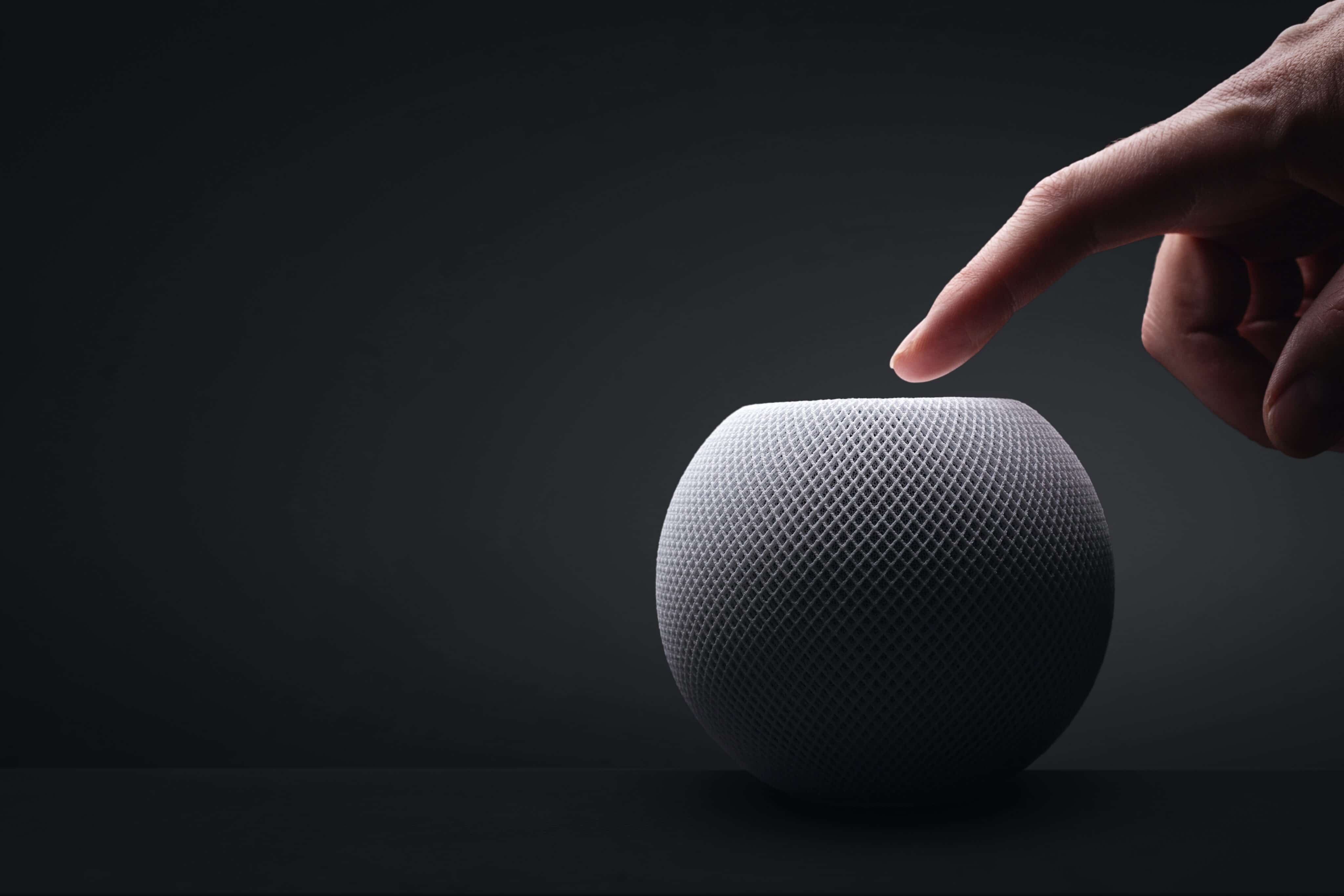
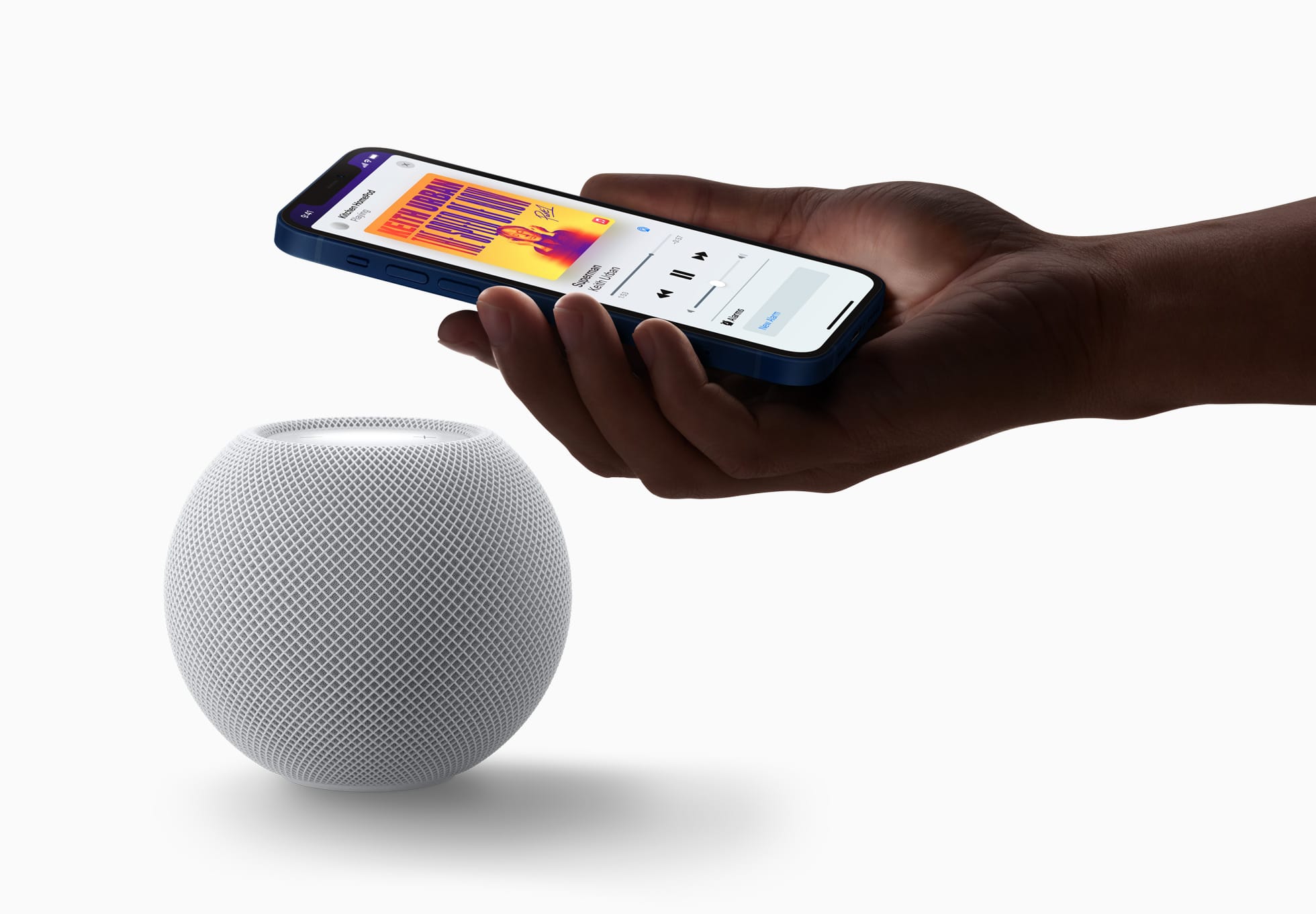
Anunciado na semana passada, o HomePod mini 2 traz algumas novidades bastante interessantes, como o suporte à Siri AI e um processador atualizado. Ainda assim, como ele se parece bastante com o seu antecessor (principalmente em termos de design), é possível que algumas pessoas ainda estejam confusas quanto às melhorias promovidas pela Apple.

Se você é uma delas, saiba que está no artigo certo! A seguir, vamos passar por todas as diferenças entre o HomePod mini de primeira geração e o HomePod mini 2 — assim, você poderá decidir qual dos dois modelos comprar ou se vale a pena trocar o seu.

Design e dimensões

Aqui você vai encontrar mais semelhanças do que diferenças entre as duas gerações da caixa de som inteligente, que contam com o mesmo visual geral, introduzido em 2020, com novas cores adicionadas em 2021 e posteriormente em 2024.

Divulgação/Apple

Com um corpo esférico envolto por uma malha colorida, ambos os modelos têm 84,33mm de altura e 97,9mm de largura, com diferença apenas no peso, menor no HomePod mini 2: 335g (ante os 345g do modelo de primeira geração).

Como dito, as cores do HomePod mini de primeira geração já foram atualizadas algumas vezes, e o modelo chegou a ser vendido nas opções branca, amarela, laranja, azul e meia-noite. O HomePod mini 2, por sua vez, pode ser adquirido nas cores branca, rosa, verde, azul e meia-noite.

Ambos os modelos seguem vindo com uma superfície circular retroiluminada com botões de “+” e “-” para ajuste rápido de volume.

A Apple disponibilizará o recurso Brilho do Som (Sound Glow), que faz essa superfície pulsar e brilhar em tempo real de acordo com a música que está tocando, para todos os modelos do HomePod mini e para o HomePod de segunda geração.

Divulgação/Apple

Tecnologia de áudio

Nesse quesito temos algumas mudanças bem curiosas de uma geração para a outra, embora pouco tenha mudado do ponto de vista de hardware.

O que ambos os modelos têm:

  • Driver de alcance completo e dois radiadores passivos para graves profundos e frequências altas nítidas;
  • Guia de onda acústica personalizada para um campo sonoro de 360º;
  • Tecido acusticamente transparente;
  • Áudio computacional para ajustes em tempo real;
  • Reconhecimento de Som para alarmes de fumaça e monóxido de carbono;
  • Áudio multiambiente com AirPlay;
  • Compatibilidade com setups de áudio estéreo.

O que apenas o HomePod mini 2 tem:

  • Compatibilidade com som surround quando emparelhado a uma Apple TV 4K;
  • Pode ser usado como caixa de som para Macs;
  • Chip S10.
Divulgação/Apple

Em termos de hardware de áudio, o HomePod mini de primeira geração leva vantagem em apenas um item: o número de microfones. Enquanto o modelo mais antigo vem com quatro microfones embutidos “para Siri em distâncias grandes”, o HomePod mini 2 vem com “apenas” três.

É possível, no entanto, que a Apple esteja compensando a ausência de um microfone no novo modelo com as novas capacidades de software viabilizadas pelo chip S10, bem mais moderno do que o S5 do HomePod mini de primeira geração.

Fontes e controles de áudio

Aqui, nada mudou. Ambos os modelos podem reproduzir áudio das seguintes fontes:

  • Apple Music;
  • Compras do iTunes;
  • Biblioteca de Música do iCloud com uma assinatura do Apple Music ou do iTunes Match;
  • Serviços de música de terceiros;
  • Estações do Apple Music Radio ou episódios sob demanda;
  • Estações de rádio do TuneIn, do iHeartRadio ou do Audacy;
  • Apple Podcasts;
  • Resumos de notícias;
  • AirPlay (iPhone, iPad, iPod touch, Apple TV 4K ou Mac).

Também é possível controlar a reprodução ao:

  • Tocar uma vez na parte superior para reproduzir/pausar;
  • Tocar duas vezes seguidas para pular;
  • Tocar três vezes seguidas para voltar;
  • Tocar e segurar para invocar a Siri;
  • Tocar nos botões de “+” e “-” para aumentar ou diminuir o volume.
HomePod mini
photoschmidt / Shutterstock.com

Siri

O HomePod mini 2 vence com facilidade nesse quesito: é o único compatível com a versão “turbinada” da assistente virtual da Apple, a Siri AI.

De acordo com a Apple, além de ajudar em tarefas mais simples como enviar mensagens, controlar a reprodução e configurar lembretes, a Siri AI também pode conversar mais naturalmente, responder dúvidas sobre o mundo real com base em buscas na web e recomendar músicas de maneira mais precisa. Ela ainda leva mais o contexto em conta e processa a maioria das solicitações no próprio dispositivo.

O HomePod mini de primeira geração segue com a versão antiga da Siri, capaz de lidar com comandos mais básicos.

Conectividade e sensores

Tanto o HomePod mini de primeira geração quanto o HomePod mini 2 são compatíveis com descoberta ponto a ponto, para acesso fácil de convidados, e com redes Thread, além de contarem com um chip de banda ultralarga para recursos que dependem da proximidade de outros aparelhos, como iPhones.

Divulgação/Apple

Já o modelo mais antigo tem Wi-Fi 4 (802.11n) e Bluetooth 5, enquanto a nova versão conta com Wi-Fi 6E (802.11ax) e Bluetooth 6. Ambos os modelos vêm com sensores de temperatura e umidade.

Preço e disponibilidade

Já disponível em pré-venda, o HomePod mini 2 será lançado em 30 de outubro por US$150 (US$20 a mais do que o modelo anterior) nos Estados Unidos e em outros países selecionados.

Assim como seu antecessor, o novo HomePod mini também segue sem uma previsão de lançamento no Brasil ou em Portugal — quem sabe isso mude com o lançamento dos sistemas 27.2 e com a chegada da Siri AI em português.

Divulgação/Apple

Ambos os HomePods mini vêm com um cabo USB-C e um adaptador bivolt de 20W na caixa, além da documentação regulamentar, é claro.


HomePod e HomePod mini (miniatura)
Comprar HomePod e HomePod mini 2 de Apple 🇺🇸 Preço: a partir de US$149
Cores: meia-noite, branco, rosa, azul ou verde

NOTA DE TRANSPARÊNCIA: O MacMagazine recebe uma pequena comissão sobre vendas concluídas por meio de links deste post, mas você, como consumidor, não paga nada a mais pelos produtos/serviços ao usar os nossos links de afiliado.

❌