❌

Normal view

Apple Park: Designed to Isolate

21 July 2026 at 21:29

Malcolm Crawford (Mastodon):

The open-plan floors make it hard to concentrate. The building is so large that getting from one meeting to the next eats real time out of the day. It’s common for people to run meetings with colleagues over Webex — colleagues on the same campus, sometimes no more than two hundred yards away.

Ironically, Apple Park replaced a campus that did far better on the same measure without ever trying to. Infinite Loop produced far more of the accidental, cross-team contact Apple Park was explicitly built to create. Working out why starts with what Infinite Loop got right by accident. It continues with what the research on office proximity says about why that kind of thing happens at all. And it ends with what Apple Park could become instead — including a version of the fix Apple already trusts enough to run for a hundred people a year.

[…]

There’s no obvious focal point for the whole site — most sections have their own sitting area and their own coffee bar, but nothing plays the role Caffè Macs and the IL1 coffee bar played together at Infinite Loop. Caffè Macs at Apple Park seats a thousand people and feels built for throughput, not conversation. Everything is organised per-segment rather than around a shared centre, which is convenient for the people in that segment and useless for the discovery-by-accident that made the old campus work.

[…]

By multiple accounts from people who were there during design and construction, the site was flagged as under-provisioned for meetings and conferences before it even opened.

Via Jason Anthony Guy:

Apple Park is a beautiful structure, but is not terribly conducive to focused or collaborative work. Even as an occasional visitor I found it overwhelming. Employees sit shoulder to shoulder, voices bounce off and bleed through glass walls, and privacy is a virtual impossibility. My friends and colleagues who worked there regularly found it difficult to be productive.

I worked in Infinite Loop (Building 3, 2nd floor) for thirteen years (right below Developer Publications, where Malcolm spent a good portion of his Apple career). I loved IL because its design made serendipitous encounters easy. Whether it was sitting outside Caffè Macs or in the IL 1 Atrium, I would inevitably bump into someone and have a conversation that furthered an in-flight project, sparked something new, or simply reinforced the social ties that bind colleagues.

It helped that at that time, Apple had perhaps 10,000 employees, most of whom were in or near IL. After iPhone came about and IL started getting locked down, much of the natural collaboration dissipated, disappearing behind badged doors and disclosures.

Ken McLeod:

IL provided a place to focus on your work[1], as well as seating spaces that are out of the flow of traffic where you can have an informal meeting[2]. At AP, every collaborative space is effectively in the middle of a hallway. That turns out to be enormously distracting, both to you and to those people trying to work in the glass bullpen right next to it.

[1] before all cubicles and offices became multi-person shared spaces

[2] before all those spaces were filled in with more offices

Helge Heß:

“The IL1 atrium really was the crossroads of the company in those days” I really don’t think that this is true literally by any means. Assuming “those days” overlap with the time I’ve been there (pre Park). The XFs in IL have been extremely scarce. IL was way too small and overloaded, I’d actually say it was very similar to Apple Park. No one really wanted to work there in those tiny offices with multiple people 🤷‍♀️

Steve Hayman:

I loved the IL1 atrium. I’d sit there and hope that someone like MMalc would wander by, and they often did. It was a real destination for field people who didn’t get to visit the mothership very often. I miss that. AP had nothing like it.

Eric Schwarz:

I think of my days in college—most dorms residence halls were not air conditioned, so at the end of August, you had to open your window (often to place a box fan) and door to create some airflow. People walking through the building would meet by chance. Newer buildings tended to be less lively and more like a hotel—all the doors closed and rarely much activity. Through renovations, most of the buildings have had air conditioning added, dropping those interactions over the years.

Previously:

Update (2026-07-22): Dr. Drang:

As you may know, the Lumon Industries building that Mark, Helly, Irving, and Dylan work in is a former Bell Labs facility in Holmdel, New Jersey. I first learned about the building several years ago, when I read Jon Gertner’s excellent history of The Labs, The Idea Factory. It’s a distinctive place designed by Eero Saarinen in the early 60s.

Bell Labs was known for the fruitful collaboration of its researchers, often started through chance meetings in the hallways of other Bell Labs facilities. The new Holmdel building was supposed to further that sort of teamwork, but things didn’t work out as planned.

macintog:

I worked in IL1 for over a decade. The day I saw the open-plan spaceship, I knew I would never set foot inside. There are more rewarding ways to work in a barn.

Siri AI Beta

20 July 2026 at 16:27

Federico Viticci (Mastodon):

The AI frontier from the two big labs (and – we have to be honest with the numbers here – probably SpaceXAI and Meta now, too) is in a completely different league at the moment. I spent my first couple of weeks with Siri AI trying to convince myself that I could replace Codex with Siri AI, and that was the wrong approach. There is a potential future in which Siri AI can become a more proactive and capable agent, but that’s not what Apple is shipping this year.

[…]

Siri AI is a dramatically better Siri for typical Siri stuff. The new Siri understands your commands and nuanced requests better because of the LLMs behind it; it can often perform multiple requests in one go (such as setting multiple timers with one command); the new expressive (and customizable!) voices sound great, and they’re terrific at reading and summarizing notifications. Apple’s first advantage compared to other chatbots is right here: only Siri can integrate with the iPhone and iPad to this extent, so even if the Foundation models aren’t as smart as the competition, Siri can do a lot more for most people on their devices because neither OpenAI nor Anthropic have OSes they can control.

[…]

The biggest issue I’ve encountered is the inconsistency of it all. Very often, the new Siri AI still replies with a generic “Uh oh, something went wrong“ error that doesn’t explain what the error was or why it happened. Sometimes, I ask a question via voice, and it errors out, but then a few seconds later, I type the same question in the app, and it’s fine.

[…]

My problem is that, right now with Apple’s own apps, both the index and Siri’s ability to perform actions are very inconsistent. The assistant hallucinates abilities it doesn’t have, and it frequently just doesn’t work.

Dan Moren:

The good news is that Siri AI is capable: impressively so, at times. In the lowest of low bars, it certainly beats the pants off the previous incarnation of Siri, but its access to your own personal data and all of the app on your phone also unlocks a host of new possibilities.

But it’s also not without the pitfalls that underlie all LLM-powered chatbots: errors in understanding, hallucinations, and so on.

[…]

The app itself is pretty barebones, letting you view those conversations in List or Grid layouts, select multiple conversations to delete them, and pin or rename any single conversation. In Settings : Siri, you can choose to either open to the overview or to a new conversation and decide whether old conversations are kept for 30 days, 1 year, or forever. It’s a little strange that one-off queries (“What’s the average height of the Norwegian World Cup team?”) are stored alongside more involved conversations (“Can you help me build a specific RSS feed for this site?”); I also ended up with a few orphan blank “New conversations” which I deleted, but it’d be nice if you could filter to find those. Conversations are fully searchable and sync between devices via iCloud.

John Voorhees:

Despite the current limitations, if you use chatbots as a replacement for Google Search, you’ll probably have a good experience with the new Siri app. That’s because even in these early betas, if you ask Siri something like, “Give me a day trip itinerary for a trip to Chicago this Saturday,” you’re likely to get good but pretty middle-of-the-road recommendations. From there, though, you can drill down with follow-up queries to get something more in line with your tastes. The results include source links you can follow, too. Given the ad-strewn mess that web search has become, using Siri for this sort of thing is a meaningfully better experience.

The one caveat on Siri’s world knowledge is that it’s roughly 2-3 weeks stale in some places.

[…]

A good example is Music. You can prompt Siri to play a song, but most of the rich metadata in the app isn’t exposed to Siri, which is a shame because it is exposed elsewhere, for example to AppleScript.

Previously:

Update (2026-08-04): Benjamin Mayo:

Thanks to the top-to-bottom revamp that is Siri AI, Siri is reliably intelligent. Finally. We are still in the midst of beta season, and Apple is yet to confirm whether Siri AI will formally launch with iOS 27 in September or sometime later in the year, but the feature is up to scratch. There are bugs and glitches and edge-case quirks, but on the whole, it wipes the floor with old Siri and is competent enough to supplant my everyday usage of other chatbots too.

[…]

Siri AI can get a snapshot of what’s on screen, but it cannot control the UI for you autonomously. As such, if you ask it to do something outside of its library of available app actions, it will say it can’t do that. Often, it can quote the relevant steps for you to do it yourself, but obviously that falls short of the ideal experience. This feels a bit lacklustre to people already embracing AI agents en masse. Claude and Codex on Mac do not hit these walls; they are all too keen to move your mouse for you and run terminal commands until the job is done.

Previously:

notarytool Can’t Handle Zip64 Files

20 July 2026 at 16:27

Wade Tregaskis:

In short: if you have any file in your app (or whatever it is you’re trying to get Apple to sign) that is over 4 GiB, you must use a disk image (DMG) to package it for notarytool, not a zip file.

This is because support for files larger than 4 GiB requires using the “Zip64” zip file format, which would be fine except Apple’s notary servers can’t handle them.

Previously:

Update (2026-07-22): Rosyna Keller:

It’s recommended to notarized exactly what you’re going to ship to users and shipping zips is extremely risky because you never know what tool the user will use to decompress the file.

Multiple unzipping tools will strip necessary extended attributes that could cause the code signature to fail to validate. This is especially true if you put non-code files in “code places” and they have to be signed with an extended attribute.

San Francisco Demands Removal of Nudify Apps

17 July 2026 at 22:16

Matt Burgess (MacRumors, ArsTechnica):

On Thursday, San Francisco city attorney David Chiu sent legal notices to Apple and Google demanding that they remove from their app stores 13 face-swapping apps, which allow users to create AI-generated nonconsensual nude images. The letters say the Silicon Valley giants should stop “aiding and abetting” the sale of explicit deepfake images and “sever” business relationships with the app developers.

[…]

Researchers have repeatedly found and reported apps in Apple’s App Store and Google’s Play Store that allow people to generate sexual images using AI—including some apps being rated as suitable for use by children. While new laws and bans aim to tackle the scourge of explicit deepfakes online, technology and social media companies consistently direct millions of people toward the harmful tech.

Both Apple and Google have developer policies that prohibit pornography, abuse, and harassment on their platforms.

Burgess gives the impression, which is my base assumption, that these 13 apps were clear about what they do, so App Review has no excuse for missing them. But I’m sure it’s keeping us all safe in other regards.

Meanwhile, in a preprint research paper published in May, researchers from Cornell University and Georgetown University identified 420 apps offering general face-swapping capabilities on Google’s and Apple’s app stores. They tested 155 to see if they could be used to create face swaps with nude images; in 70 percent of cases, it was possible, with the apps not including safety measures to prevent this.

Previously:

Update (2026-07-21): Danny Bradbury:

Chiu isn’t arguing that hosting an app automatically makes a platform liable for what it does. Platform operators already won that battle with Section 230 of the Communications Decency Act. That 30-year-old law says websites generally aren’t responsible for content posted by users, allowing platforms to host user-generated content without getting sued every time someone defames someone in a comment thread.

Courts have often extended those protections to cover app stores too. Apple and Google are treated as distributors of whatever a third-party developer uploads, rather than publishers.

Chiu is attempting to sidestep that argument by focusing on the companies’ payment systems, noting that Apple and Google collect a cut of every in-app purchase. According to the Tech Transparency Project (TTP), that means they profit from apps that generate revenue by creating non-consensual intimate imagery.

EU Exempts Apple Watch and AirPods From Battery Removal Requirement

17 July 2026 at 22:16

Hartley Charlton:

The European Commission yesterday adopted new exemptions to its Batteries Regulation that free the Apple Watch and AirPods from having to offer user-removable and replaceable batteries.

[…]

The reasoning largely mirrors why devices like electric toothbrushes were already exempt: Opening a compact, sealed enclosure and failing to reseal it properly could let water in and create a safety risk. Products can also qualify for exemption if their construction makes battery removal inherently dangerous, or if there is no realistic way to build in user access given current manufacturing methods.

[…]

The iPhone was already exempt from the removability rule under the original regulation, thanks to its battery cycle life and water resistance rating.

Marcus Mendes:

Although the Commission has adopted the exemption, it must still undergo scrutiny by the European Parliament and the Council of the EU.

[…]

To read the European Commission’s full delegated act, follow this link.

Previously:

Update (2026-07-20): See also: Hacker News.

Update (2026-07-30): Rui Carmo:

This is one of those exceedingly rare cases where EU legislation has produced an unambiguously good outcome: from February 2027, Logitech’s European wireless devices will ship with hard-pack, user-replaceable batteries, and Logitech will sell certified replacements.

Golden Gate Squircle Jail

16 July 2026 at 20:43

Paul Kafasis:

With last year’s release of MacOS 26 (Tahoe), Apple made a mess of app icons. In the first betas of MacOS 27 (Golden Gate), however, there are signs of a turnaround. We’re urging Apple to continue making improvements, by restoring the ability for MacOS app icons to have distinct shapes.

[…]

After decades of beautiful, memorable Mac icons in varying shapes, Tahoe flattened personality to obtain bland uniformity. The platform is worse for it.

Past icons weren’t just more expressive. They were also more usable. Having distinct shapes provided a useful way to tell icons apart. Tahoe eliminates that cue by forcing everything into the same squircle, leaving color as the primary way to tell icons apart at a glance.

Jason Snell:

Kafasis makes the important point that uniform shapes make it more difficult for users, especially those with vision issues including color deficiency, to differentiate between icons.

John Siracusa:

Squircle Jail is the worst design-related thing Apple has ever done to Mac developers, and probably the worst icon-related thing it has ever done, period. Incredibly developer-hostile.

If squircled icons are actually better, then let that design win in the market. That’s how we transitioned from the classic Mac OS icon style to the more photorealistic Mac OS X icon style. Developers adopted it because they wanted to, and because users desired it.

John Gruber (Mastodon):

The squircles, I will point out, are not in and of themselves the problem. The problem would be the same with any mandated shape, like, e.g., VisionOS’s circles.

[…]

I can’t think of any other design crime Apple has ever foisted on Mac developers that I’d argue (with Siracusa) was worse.

[…]

It’s like Apple decided every single one of its own apps must wear a stupid-looking hat, and they put those stupid-looking hats on third-party apps too, whether the developers of those apps want them or not. Scratch that. Not hats but helmets.

[…]

Just the mere silhouette of the old Keynote icon is more recognizable, and thus more iconic, than any icon on any platform from Apple today.

Jeff Johnson:

The traffic sign analogy hits me personally, because the StopTheMadness icon used to be shaped like a stop sign, but I was practically forced into making it a generic road sign.

Gus Mueller:

I get why Apple did it, but I think it’s completely wrong for the Mac.

Marcin Wichary:

On his blog, Jim Nielsen writes how Apple filed away so much expression by forcing rigid icon bureaucracy in macOS. Nielsen focuses mostly on distinctiveness; previously, you could make the icon unique by its general shape or the shape of its contents, but one of these two levers has now been taken away[…]

[…]

However, one also can’t help but notice how ugly and amateurish the Creator Studio icons are, so it all feels absolutely like a net negative – the new system took something away and the proposed replacement feels low quality[…]

Rui Carmo:

I, too, find the squircles aesthetically offensive and utterly pointless.

[…]

The part that genuinely breaks my brain, though, is that I now find icons on Linux more distinctive than on macOS, which would be impossible for my ten-year-ago self to believe. The platform that built its reputation on craft and visual identity has spent a year sanding it off, while the one everyone used to mock for its inconsistency is where individuality survives.

Jeff Johnson:

The subliminal, Orwellian message of the squircle jail is that all software is subservient to Apple, merely accessories to Apple devices, interchangeable cogs in the machine.

Mario Guzmán:

Had to grab the rest of the icons from #MacOSX Leopard. Gosh, they’re so, so pretty. So finely crafted. Gorgeous. Love it.

Dr. Drang:

I agree, but Apple’s 50th anniversary has gotten me thinking a lot lately about the early days of the Mac, so it’s only natural that my mind shifted to the highly constrained icons Mac applications had back then.

[…]

Many of the complaints about squircle jail are about the loss of icon elements that “stick out” from the rest of the design. As you can see, this idea was there from the very start; the hands stick out from the tilted rectangles.

John Gruber:

I never loved the hand on these icons. It felt too uniform. It functioned like a “this is an application” badge, but such a badge never felt necessary to me.

[…]

I think it’s less that Apple gave up on them and more that it came into focus that the “hand holding a pen over a diamond-shaped document” convention was intended for document-based apps. It signified “This is a creative tool that you use to create documents”. Apps that weren’t about creating document files — like Disk First Aid and Font/DA Mover — got different icons. Font/DA Mover’s truck icon in System 2 signified that you use this tool to move things. Disk First Aid’s ambulance was an obvious metaphor for repairing something unwell.

[…]

But the main thing about the “hand holding pen over diamond” convention was that it was only ever a convention.

John Gruber (Mastodon):

(a) I don’t think this is a good mandate for iOS either;

(b) it was always so for iOS, though, so it’s not like Apple has ever taken away rich creative icon shapes on the platform;

(c) MacOS is a far richer and more precise environment than iOS.

[…]

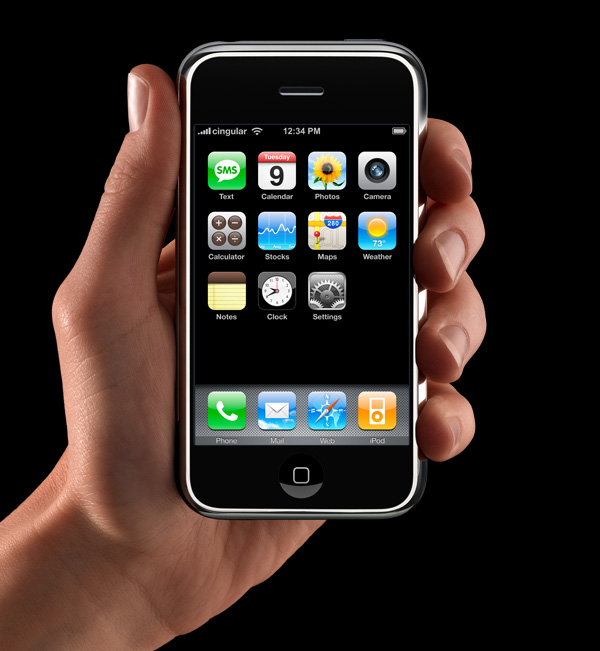
App icons on the iOS home screen are effectively simple buttons. I think it’s rather obvious that’s why they have had that squircle/roundsquare shape ever since the iPhone was announced in January 2007 (source). They’re one-tap launchers. App icons in MacOS are not mere buttons. You can drag them, move them, and drop things on them. You click them to select, and double-click to launch. They are richer objects that deserve a richer visual vocabulary. iOS is a world meant for fat-tipped Magic Markers and blunt safety scissors. MacOS is a world meant to support fine-tipped drafting pens and precision razor-sharp X-ACTO knives.

Louie Mantia (Mastodon):

While developers have submitted full-bleed square images for iOS app icons since 2008, for these new squircle icons in macOS 11, Apple provided a template to compose app icons in an image editing tool like Photoshop, with full control over the canvas beyond the suggested—but not required—squircle. This template made it easy-ish for designers to compose macOS app icons that were identical to or synonymous with an iOS app icon, while leaving the door open to continue using arbitrarily-shaped app icons on macOS.

[…]

The second type of Squircle Jail is more controversial, because these app icons were specifically drawn with the intention of fitting in. Overriding that intention feels like punishment for having done the right thing. App icons in a style that was recently encouraged by the system are now scaled down and put inside the squircle as if it were a container. Every icon that was utilizing the previous squircle shape suddenly looks much worse than before.

[…]

Instead of taking care to design and develop solutions specifically for Mac and iPhone, newer and bigger companies that don’t only make apps often ship apps with logo icons, rather than app icons. We’ve all seen it.

[…]

I would love if Apple provided a way for designers to poke outside that squircle boundary. Some of my favorite app icons did that. But also some of my least-favorite app icons ignored this shape entirely, when it was used for every system icon in the last five years. Whenever those apps showed up in my Dock, it was like a stain on my shirt I couldn’t get out.

John Gruber:

Ultimately this is what I object to with the squircle mandate. It favors the bottom of the heap by restricting the top. It makes bad icons mediocre but pushes great icons toward mediocrity too. That’s not The Macintosh Way.

Nick Heer:

Mantia touches on all the pragmatic reasons to unify the shape of icons in an operating system, all of which I have considered, and then drops the above paragraphs — and things started to make more sense to me. This is a different way to think about it. This is not a situation where a cleaner looks like a zesty beverage with toxic consequences. The shared general function of these icons does help communicate something and makes them less ambiguous in that sense.

But a broad category of functionality is only part of the story of an icon and — with respect to Mantia’s long and illustrious history of work in this area, and that of co-Parakeeter Luka Grafera — taking away a difference of shape also limits what an icon can communicate. It may not be a cleaning product that looks and is packaged like juice, but imagine if every consumable liquid was in identical bottles with only a different label.

Steve Troughton-Smith:

Louie’s squircle jail post just underscores that the squircle jail benefits 99% of apps, and is better for the platform overall. There is only ever a handful of apps that make great Mac app icons, and a withering number of ‘great Mac app icon designers’ — you can probably only name one or two left in the scene.

Jeff Johnson:

Mantia talks as if it were more important for apps to “belong to the Dock” than to allow Dock users to quickly select the right app in the list. That’s choosing form over functionality.

“The shape of apps is a squircle.” But Mac users already knew those were apps in the Dock!

See also: Accidental Tech Podcast.

Tyler Hall:

If you’re lucky enough to distribute an app outside the Mac App Store, you can break free of squircle jail using NSDockTilePlugIn. It’s not strictly the intended use-case of that API. And it’s not allowed in the Mac App Store, either. But it can solve the problem.

BasicAppleGuy:

If you recognize these icons, it’s probably time to schedule your routine back exam.

Previously:

Update (2026-07-17): Louie Mantia:

But my perspective right now is to be very pragmatic. The decision to mask all icons with squircles is a long-time coming. It was perhaps the most predictable thing to happen in Apple’s history. For 20 years, it’s been leading up to this.

I want to make nice things for macOS, whatever macOS is. And this is what it is.

Roger Wong:

Some of my favorite icons over the years have had interesting shapes, like the truck for Transmit, the vise for Compressor, or the cute bird for Twitteriffic.

[…]

But I also recall clicking some icons and not being able to select them. Why? Because I was inaccurate in my click and instead my cursor landed in the empty space just outside the shape.

[…]

If I recall correctly, developers could use a different mask for the click target to help users out. But I don’t think many did all the time, including Apple, which you can obviously see in the video above.

Louie Mantia:

I don’t want to step on toes regarding your new [StopTheMadness] icon which has great color— but I don’t understand why you elected to abandon the octagon as the outer shape. That’s a choice. You are not forced to abandon it. Why not do something like this?

I like this.

Nick Heer:

Losing some of the artistry in an icon makes it more difficult to distinguish between legitimate and well-crafted Mac apps, and everything else. It is not a perfect proxy, to be sure, and there are some very nice squircle icons. But it is nevertheless a unfortunate change that makes apps of varying levels of quality look more similar.

Flickr 5.0

15 July 2026 at 19:52

Phil Gyford:

Flickr recently updated their iOS/iPadOS app to version 5 (App Store link) and, while it’s not radically new, for a service whose changes have been incremental over recent years it contains a lot of differences. However I’ve yet to find any official changelog or update information.

[…]

When displaying multiple grouped photos from a person you’re following, it is no longer possible to view all the subsequent ones, other than the three or four initially displayed.

In the list of your Followers’ photos, their name now appears under their photos, so you must scroll down beyond the photos to see who took them.

[…]

When zooming into a photo the app no longer loads a higher resolution version, so now the zoomed-in version will be very pixellated.

He has a long list of missing features that may or may not be coming back. And there’s what seems like a major change: tags can no longer use capital letters.

The main changes I noticed were:

  • In the Home/Discover view, when there’s a large group of new photos, you can only go into the group and view them individually, swiping to see each one. There’s no longer a way to see the whole group at once and scroll through it. (And tapping on the group icon or number of photos doesn’t do anything.)

  • Double-tapping to favorite doesn’t work in some situations.

  • The interface is more busy, showing more interaction chrome like other social media sites, rather than focusing on the photos.

  • Swiping/navigation seems more clear than before, though without the old app side-by-side I can’t be exactly sure what’s changed.

Update (2026-07-16): Wesley Moore:

The Android version has been updated too:

“Flickr is back and better than ever — rebuilt from the ground up with a fresh new look and feel.”

I would guess it’s been built with cross-platform technology as it looks the same and came out the same time as iOS. The performance is terrible on Android. Scrolling my Photostream is juddery on my Pixel 9a (120 Hz display). It’s worse on my Android tablet.

Scrolling between photos swipes the whole UI (not just the photo), there’s also a flash of white loading the new photo. Needs some serious iteration.

See also: Reddit.

Update (2026-07-27): A. Lee Bennett Jr.:

Hooray! #Flickr restored a thumbnail view of all items from a specific post.

It turns out that Flickr 5.0.3 reverts back to the 4.x codebase.

Flickr (Reddit):

We know the new app hasn’t met the bar you expect from Flickr. Since launch, we’ve heard your feedback about bugs, missing features, and rough edges, and we want to acknowledge that directly. Here is where we currently stand:

iOS: We’re in the process of rolling back the iOS app to the previous version while we address these issues. You should see this reflected in the App Store shortly.

Android: The Android app will remain on the updated version. Due to technical limitations and the risks involved in reverting, a rollback isn’t possible on this platform. Instead, expect frequent updates as we fix bugs and restore preexisting features.

Across both platforms, this app refresh represents a significant, long-term investment in the Flickr app. The app was long overdue for an update and getting it right matters to us. Thank you for your patience, and for continuing to share what’s missing and not working. It’s shaping exactly what we address next.

Sunsetting CoreStorage

14 July 2026 at 19:26

Apple:

In macOS 28 and later, the Mac OS Extended file system format will be supported only for volumes (disks and other storage devices) that aren’t encrypted. For future macOS compatibility, either decrypt or reformat any encrypted Mac OS Extended volumes.

I think Apple removed the user interface for creating such volumes way back in Big Sur. It’s not really surprising that they’re going away, although only offering a year of warnings seems rather aggressive. Many people delay updating to major OS versions or wait until they get a new Mac. There will be users that switch to a Mac that can only run macOS 28 and get rid of their old one before realizing that some drive they haven’t connected in a while won’t mount.

The other surprising part is that Apple’s options—reformat or decrypt—are not great. During the initial transition to APFS, macOS would transparently convert an encrypted HFS+ boot volume to encrypted APFS without rewriting any data. This functionality is nominally still available via the diskutil apfs convert command, but Apple hasn’t mentioned this or built an automatic upgrader GUI.

[Decrypting] doesn’t apply to encrypted Time Machine backup disks.

It’s obvious why. The old Time Machine format with hard links is totally different from the new one based on APFS snapshots. But this means that you’ll either need to buy a new Time Machine drive for use with macOS 28 or delete your backup history. Even if you keep the old drive, you’ll need an older boot drive or an old Mac in order to be able to access it.

Previously:

Update (2026-07-24): Marcus Mendes:

Apple has now revised the page to add a third option, allowing users to convert an encrypted HFS+ volume directly to encrypted APFS without decrypting it first.

[…]

The company has also removed its previous instructions for decrypting the volume first, converting it to APFS without erasing it, and then optionally re-encrypting it.

Hammer:

Ignore Apple’s guidance and do not use Convert to APFS in Disk Utility for disk images.

The first encrypted HFS+ disk image I tried to convert that way failed and left me with an unusable disk image. If I didn’t have backups I’d have lost its contents.

It didn’t corrupt the disk images that I tried, but it didn’t work, either, instead failing with an error about expecting a GPT partitioning scheme.

Update (2026-07-28): Howard Oakley:

As encrypted disk images have never used CoreStorage, withdrawal of support for that has no impact on the continued use of any form of encrypted disk image, including those using HFS+ as their virtual file system.

This is a good point. Apple’s support page refers to “encrypted Mac OS Extended disks,” but the developer release notes refer to CoreStorage specifically. So this shouldn’t affect most encrypted disk images, which show up in Finder as unencrypted after mounting. The encryption is at the disk image level rather than at the file system level. However, I’m not sure that all encrypted disk images are safe. Presumably, a device image, which directly copies the blocks rather than the files, would still use CoreStorage.

Apple Sues OpenAI Over Trade Secrets

13 July 2026 at 20:02

Sarah Perez (PDF, Hacker News, MacRumors):

The iPhone maker alleges that this misconduct, which it says reveals a pattern of theft from OpenAI employees who previously worked at Apple, was directed by OpenAI’s senior leadership, including Chief Hardware Officer Tang Tan.

The lawsuit, which was filed in the U.S. District Court for the Northern District of California, accuses Tan of using Apple’s confidential project code names during OpenAI’s recruiting process, asking job candidates to bring in Apple hardware components to their interviews, coaching departing Apple employees on how to evade the company’s security procedures, and asking for details about the company’s unannounced products.

Apple’s allegations are detailed and shocking, and it sounds like they have a lot of evidence.

Chance Miller:

The lawsuit names Chang Liu and Tang Tan as two of the defendants. Tang Tan served as VP of product design at Apple, leading iPhone and Apple Watch product design. He departed the company in February 2024 to work with Jony Ive. Chang Liu, meanwhile, worked at Apple for eight years and was a senior system electrical engineer before departing to join OpenAI in January 2026.

Apple’s lawsuit also names OpenAI and io Products as defendants.

OpenAI’s hardware efforts are being led by Jony Ive, Apple’s former chief design officer.

[…]

Ive, Hankey, and Cannon are not personally mentioned anywhere in Apple’s initial filing today.

Emma Roth:

Here are the most surprising claims in Apple’s 41-page filing.

Marcus Mendes (MacRumors):

OpenAI’s Director of Strategic Communications, Drew Pusateri, took to X to comment on the company’s behalf.

In his post, he claims OpenAI has “no interest in other companies’ trade secrets,” adding that OpenAI remains “focused on building innovative technology that empowers people everywhere.”

This seems like a weak response, given that Apple says it reported its findings to OpenAI in February and never heard back. Presumably, they’ve already investigated but see the situation as serious enough that they need to say as little as possible.

It’s not clear to me the extent to which Apple believes the behavior was limited to the named defendants. It’s hard to believe that the rest of OpenAI’s leadership—including Altman and Ive—were unaware, given the scale of their recruiting from Apple. It’s equally hard to believe that they were aware and thought they could get away with it. I guess little from Altman would surprise me at this point. I’d like to believe that Ive wasn’t part of it, but then are we to believe that his former coworkers all kept him in the dark?

Nick Heer:

What is immediately notable about this whole thing is the myriad conflicts of interest. Apple, of course, has a current partnership with OpenAI to power Apple Intelligence features, something repeatedly mentioned on the previous version of its marketing webpage, and conspicuously absent on the current one.

But the history runs far deeper. Among the defendants in the suit is io Products — do not blame me for that capitalization choice — founded by Jony Ive and acquired by OpenAI last May. Total mentions of “Ive” in the body of this lawsuit? Zero. Also, one of the investors in Ive’s company was Emerson Collective, founded by Laurene Powell Jobs, and which now has equity in OpenAI. Neither Emerson nor Powell Jobs are defendants.

M.G. Siegler:

It all reads a bit as if Apple has been building up evidence of these allegations for some time and recently got their smoking gun. It’s not just nebulous “trade secrets” either, there are specific mentions down to “metal finishing techniques” that Apple apparently invented and protected.

It also comes a little less than a month after OpenAI was rumored to be threatening Apple with a lawsuit over the perceived failure of their deal to bake ChatGPT into the iPhone. As I wrote at the time, even just that threat was clearly not going to go over well in Cupertino.

John Gruber (Mastodon):

Footnote 13 on p. 15 states:

Apple and OpenAI have a commercial relationship involving the integration of OpenAI’s ChatGPT into Apple Intelligence. The companies have entered into a written agreement governing that integration. That agreement is not at issue here. OpenAI’s acts of trade secret misappropriation alleged herein do not arise from and have no connection to that agreement.

Be that as it may legally speaking, in practical terms it seems untenable for that Apple Intelligence partnership to continue after this.

Jason Snell:

All that bubbling-under-the-surface tension between Apple and OpenAI is now out in the open!

M.G. Siegler:

Namely, while Apple frames OpenAI – or at least its fledgling hardware division – as “rotten to its core” (interesting terminology!), they really only have a case against two and maybe three individuals. But they also clearly believe that if this case goes to trial, they will have a case against a lot more.

[…]

The parallels to the Anthony Levandowski situation after he left Google for Uber have been drawn.

[…]

It is interesting that Apple is not suing Yu-Ting “Alyssa” Peng, who is named in the suit as a co-conspirator with Liu while she was still employed at Apple, before she also subsequently went to work at OpenAI. Is it possible she’s cooperating or has cooperated with Apple in this investigation?

[…]

Even if these allegations are found to be untrue or embellished, can he reasonably stay at OpenAI now? And perhaps that’s the real outcome Apple is looking for here, as they clearly frame him as the ringleader of the 400-plus people who have come over to OpenAI from Apple.

Hartley Charlton:

OpenAI’s ambitions to build a hardware rival to the iPhone are already running into trouble because of Apple’s trade secret lawsuit, according to Bloomberg’s Mark Gurman, who argues the damage is showing up well before any court ruling.

[…]

The scale of the talent drain is a major part of why this matters to Apple. More than 400 former Apple employees now work at OpenAI, including former Apple design chief Jony Ive, and Gurman says the company poached so heavily from Apple’s iPhone product design group specifically that Apple had to rebuild parts of the team. Apple has responded with bigger retention bonuses and executives personally working to keep engineers from leaving.

Jeff Johnson:

OpenAI stole stuff? I can’t believe it! I thought they were done with stealing after they stole literally everything on the internet.

Colin Cornaby:

I’m sure there’s no problem with sending this company all your source code they pinky swear not to train on.

Steve Troughton-Smith:

I can’t believe this awful company solicited confidential information and stolen trade secrets, hiring from this other company while pretending to partner with them. ‘Rotten to the core’ indeed

😛

He’s referencing Apple doing this to Masimo. And, of course, Steve Jobs himself directed Apple to engage in illegal hiring practices.

Previously:

Update (2026-07-17): See also: Dithering.

Tim Hardwick (FT, Hacker News):

Apple has reportedly sent legal letters to dozens of former Apple employees now working at OpenAI, telling them to preserve potentially relevant documents and communications as it continues to pursue its trade secret lawsuit against the AI company.

Update (2026-08-06): Hartley Charlton (PDF):

OpenAI has asked a federal judge to dismiss Apple’s lawsuit accusing the AI company of stealing trade secrets, calling the allegations “meritless.”

Previously:

ChatGPT Work and ChatGPT Classic

10 July 2026 at 16:47

John Gruber, earlier this week:

When ChatGPT is attached to an open document in another app, it’s not a snapshot at the moment of attachment, like what you’d get by copying and pasting the whole thing into the chat, or by dragging the current version of the file into the chat. It’s a live ongoing attachment, so as the attached document/note changes, ChatGPT sees the changes. It’s such a great feature, and I don’t think it exists on any platform but the Mac. And it couldn’t exist on iOS, by design, doesn’t allow for inter-application communication.

I worry for ChatGPT’s future, though.

Juli Clover:

OpenAI today announced ChatGPT Work, a ChatGPT agent with built-in Codex that can complete tasks across web, mobile, and desktop using information from your apps. ChatGPT Work can execute multi-step tasks, using scheduling to work independently. Like Claude Cowork, ChatGPT can use your computer to do tasks in the background across apps.

[…]

With OpenAI merging Codex and ChatGPT, there is a new ChatGPT desktop app that’s available across Mac and Windows. Users who have the Codex app installed can update it to turn it into the new ChatGPT desktop app. The existing ChatGPT desktop app is being renamed ChatGPT Classic.

Zac Hall:

You can watch today’s livestream announcement video below[…]

[…]

It’s possible to have ChatGPT Classic, ChatGPT, and Codex installed, but the way forward seems to be just running the new ChatGPT desktop app. Codex users can still use the Codex app icon, but the app will be called ChatGPT.

The ChatGPT Classic app looks more native Mac-like, so that might be an issue for users.

Steve Troughton-Smith:

LOL @ OpenAI replacing the native AppKit ChatGPT app with the Electron Codex app after @gruber’s recent posts on the topic 😂

(It’s almost like Apple doesn’t have clear messaging on the right way to build native desktop apps anymore, and, if Apple doesn’t know, why on earth would third-party developers make that investment)

Federico Viticci:

The rollout of the unified ChatGPT for Mac app really isn’t going well on X/Reddit 🥶

They kinda fumbled it and I think Anthropic did a slightly better job on first try. Even OpenAI’s existing iOS app makes more sense than their new Mac layout right now.

The difference between “normal” chatbot chats, Work/Cowork harnesses with connectors, and Code/Codex local threads and filesystem access is the new UX hell for these companies.

Steve Troughton-Smith:

The chat experience is ChatGPT. Now it’s squirreled away in a sub section of a sub pane inside a vastly more-complex app. It’s hard to imagine anybody who actually wants to use ChatGPT wants to use it this way, Electron or not. And as a Codex user, I resent having my Codex deleted and renamed ‘ChatGPT’ instead. I don’t want my ‘chats’ anywhere near my ‘work’. This feels like a stupid move that will decimate casual ChatGPT desktop usage

John Gruber (Mastodon):

Looks like I picked the wrong week to quit sniffing glue.

See also: Dithering.

Previously:

Update (2026-07-13): Tony Arnold:

Oh yeah, the new ChatGPT app is as bad as first impressions made it out to be. It’s not just a slow, RAM hungry shell of a thing, but the design and UX are a poorly thought out kitchen sink approach.

Codex has never been great, but this is a confusing mess.

Benedict Evans:

Wow, what a total mess. What is the difference between a project, a task and a chat? Why did chats get a crappy floating window but tasks and projects don’t? Why does choosing ‘plugins’ get me ‘templates’? Am I not allowed to finish ‘setup’ if I don’t use Slack or Google Drive? Why…

Via John Gruber (Mastodon):

OpenAI’s internal org chart is a complete disorganized mess. This new app perfectly reflects that.

The old ChatGPT app was focused. That’s the app that still ships for mobile (which includes iPad, which tells you whether OpenAI thinks iPad is a real computer or a big iPhone), and is, for some Mac users, left installed on their systems as “ChatGPT Classic”. The new app is an incredibly confusing sloppy mess. At a glance it looks like a polished app. But the UI is just slop. It has the veneer of a polished app without actually being organized or structured or labeled in ways that add clarity and coherence.

John Gruber:

So I don’t see “the prompt in the app to download the new ChatGPT desktop app”. If I download the new app manually, I get a disk image. After mounting the disk image, the instructions say to double-click the “ChatGPT” app on the disk image — not to drag it to the Applications folder. If I do that while the old ChatGPT app is still running, it bounces back and forth a few times but nothing new gets installed and nothing old gets removed or renamed. I’m just left with the classic ChatGPT app, still named “ChatGPT”.

If I run the installer on the disk image when the old ChatGPT app is not running, the old app gets replaced by the new one in my Applications folder, and the old app is moved to the Trash. There is no app named “ChatGPT Classic”.

I mean, their Help document does say “the new app may install alongside your current app”, and “if both remained installed”, so they seem just as confused as I am.

Update (2026-07-14): Adam Engst:

And as much as I’ve been focusing more of my attention on Anthropic’s Claude because of concerns I have about OpenAI and its management, ChatGPT has more active users (~1.1 billion) than Google’s Gemini (~900 million), and many more than Claude (~245 million, in part because it’s more focused on enterprise uses).

As such, it’s worth noting three recent changes with ChatGPT: a massively confusing app replacement, the end of the ChatGPT Atlas Web browser, and improvements to ChatGPT Voice.

Update (2026-07-17): M.G. Siegler:

Let’s give OpenAI some credit, once they realize they made a mistake, they act quickly to correct it. Today’s case in point: with an update, ChatGPT now features ChatGPT once again. No, that’s not a joke, and yes, it does speak to a very obvious self-own.

John Gruber:

How in the world did they ship this without sync?

[…]

Bringing back “chat” to ChatGPT is literally the least they needed to do. Hiding chat in an obscure corner of the interface from an app named “ChatGPT” would be like removing text editing from TextEdit.

Disk Not Ejected Properly

8 July 2026 at 20:23

Mike Bombich:

The USB device drivers report that they are destroying the “Rocket XTRM Q” device due to a “link change interrupt”

APFS filesystem drivers report a “dangling mount”, failures to finish transactions before unmount, and dozens of “media is not present” errors.[…]

storagekit collects a report of the “disappeared” devices and notices that one of them was mounted. This is ultimately what leads to the “Disk Not Ejected Properly” notification.

Unfortunately, nothing in here explains what caused the “link change interrupt”; all we know is that the USB device drivers detected an interruption.

Not discussed here, perhaps because there’s little we can do about it, is the role of changes to macOS. I’ve documented problems in the past of hard drives, which used to work perfectly, suddenly start spontaneously unmounting with every backup after updating to a new OS version. The Sierra to Big Sur period was particularly bad, as I recall. (There are also some hard drive enclosures, and cheap SSDs, that seem to be problematic to matter the OS version, but I don’t continue to use those.) Sometime around Monterey or Ventura, the spontaneous unmounts almost completely disappeared for me, though Ventura introduced other mounting/unmounting problems. Last week, I finally updated to Tahoe, and I’m sad to say that spontaneous unmounts are back. Almost every night, one of my Samsung SSDs—connected to a Thunderbolt dock—gets reported as improperly ejected. Sometimes it remounts by itself; other times I have to unplug and replug it.

Previously:

Update (2026-07-09): Rosyna Keller:

I keep getting these errors too. It only started when I connected the external SSD to a OWC Thunderbolt dock. It never happened with direct connect.

My Thunderbolt dock is from Anker.

Update (2026-07-10): Matt:

I also just stared getting these a bunch. Mine is connected to a CalDigit Thunderbolt dock.

I have to wonder if something changed in a recent update (15.7/26.4?)

Sunsetting Textual IRC Client

8 July 2026 at 20:22

Codeux Software:

Textual is the world’s most popular application for interacting with Internet Relay Chat (IRC) chatrooms on macOS.

[…]

Textual supports very powerful modern technologies such as the latest IRCv3 specifications, native IPv6, client-side certificate authentication, and much, much more in an easy to navigate, clutter free experience.

Unfortunately (via Jan Lehnardt):

Textual has been sunset and will no longer receive updates.

Previously:

Update (2026-07-10): rob:

IRC (Internet Relay Chat) is having a bit of a revival in one of the communities I participate in (we ditched Discord), but there are not that many clients for Apple devices?

I’m currently using Goguma on mobile and Halloy on desktop, but they both don’t feel like native apps… (technology stack and especially UI/UX)

[…]

Luckily I recently discovered Mango, which looks very promising.

The Mac Genie:

I would still love to have a modern version of Ircle. Nothing else comes close as the best example of a Mac IRC client.

A New Firefox Look

7 July 2026 at 20:53

Rizki Kelimutu:

Firefox is evolving with a refreshed design that makes the browser feel more modern, approachable, and consistent across desktop and mobile. The refresh also extends to Firefox’s voice and writing style, making product experience feel more human, direct, and unmistakably Firefox.

Via Jeff Johnson:

Nothing says “consistent” like making your large-screen keyboard & mouse UI exactly like your tiny touchscreen UI.

And nothing says “more human” like a manufactured voice and writing style.

rjacob:

Internally, we’ve been calling this work Project Nova, and today we’re excited to share a deeper look at what we’ve been building and where we’re heading next.

The goal of this work is to create a more cohesive foundation for Firefox: making the browser feel cleaner, warmer, faster, and more adaptable.

Some of the areas we’re working on include:

  • Simpler navigation and a redesigned Settings experience
  • Easier access to features like tab groups, split view, and vertical tabs
  • The return of Compact Mode
  • Refreshed visual updates across tabs, icons, spacing, and browser surfaces
  • More customization options, including new themes and wallpapers

Previously:

Update (2026-07-28): athomas (via Thomas Clement):

Starting today, you can try out the next design evolution of Firefox in Nightly.

It’s still Firefox, now with a more cohesive look and feel across tabs, menus, panels, and other browser surfaces. You’ll notice softer tab shapes, a warmer color palette, updated icons, and – after hearing from many of you – the return of Compact Mode and new theme options to make Firefox your own.

Still no AppleScript support.

Update (2026-08-04): Marcin Wichary:

Contra the previous post, just spotted this “Same settings, new look!” callout in Firefox, on a page I have never visited before, talking about a feature I have never used[…]

Apple Silicon and AI

7 July 2026 at 20:51

Jason Hiner (MacRumors):

In an exclusive conversation with The Deep View ahead of WWDC 2026 in June, Doug Brooks, senior product manager of Apple silicon, discussed how Apple’s long-term investments in neural processing, unified memory, power-efficient computing, and hardware-software integration have positioned its devices for the AI era.

He also explained why Macs have become a favorite platform among AI developers, why Mac minis and Mac Studios are emerging as the preferred AI agent machines, and how Apple sees the future of on-device AI across iPhone, iPad, and Mac.

[…]

“We build a chip knowing exactly what systems it’s going to go into. The chip can influence the system design, and the system design can influence the chip requirements. They’re married together very tightly. I’d actually go a step further and include software in that equation. As we enable new capabilities in the chip, we want to make sure those capabilities are exposed all the way through the software stack so developers can benefit and customers can benefit. Because if those transistors go unused, what’s the point? It’s not about adding something and hoping somebody finds a use for it. We want those capabilities available to solve real problems. I think that’s what allows us to build better systems and ultimately better products.”

It seems like a lot of it is just that developers like macOS.

Previously:

Update (2026-07-10): See also: Hacker News.

Castro’s Customer Support Lessons

6 July 2026 at 19:45

Dustin Bluck (archive link, Hacker News):

I had an idea when I bought Castro that human support based around actual user experience was an easy differentiator. I’ve rarely gotten useful answers from support from services I use. I thought if I used my own product every day, read every email and answered it thoughtfully, people would appreciate this, and it would build some degree of loyalty and appreciation.

[…]

However, what I found is this whole thing didn’t work as I thought it would. Sure sometimes we were able to wow customers, particularly when we responded right away with an exact fix for them. But the vast majority of our honest, thoughtful answers were deeply unsatisfactory to users, and it often annoyed them more than anything else.

[…]

Customers email us with confusion about how podcasts work, how the App Store works, how their Mac works, and any number of tangential issues. What tends to happen is the same users do this over and over, and once they find out we answer, the requests get more frequent and more burdensome.

[…]

To the user, any response aside from “Okay, we’re going to build that right now” is meh-to-negative. Various honest responses, such as “I thought about this or tried it in the past and it unfortunately didn’t work very well” are not going to knock their socks off. These just don’t do much in terms of loyalty and rapport.

[…]

Avoiding explanations and specifics tends to get a neutral response and doesn’t suck anyone in or waste too much time. In other words, the best approach for us is what most companies do. Because building loyalty or rapport at the moment something isn’t working and the user is frustrated hasn’t worked. The real positive experience comes when you actually improve the product, so that’s where we’re spending our time.

I have definitely seen all these categories of customer interactions, but I don’t agree with the conclusion. Yes, in the end you want to be improving the product, but I don’t think that’s fully separable from interacting with customers as humans. I’ve found spending time on customer support incredibly valuable for making my products better. Even a lone report of an issue can often lead to a fix and learning something important that has wider implications. It’s also enjoyable and motivational to hear about real people making use of what I’ve built or to turn around someone who started with a negative view. And it seems to help with marketing, too.

I also see a correlation with the apps that I use—the better ones tend to also have good support. That said, I use a podcast app that famously doesn’t offer support. There are different situations, and there’s more than one way to a good product and a successful business.

I do think there’s an art to all this. Not everything can be measured, and there’s more to it than just committing to answering e-mails thoughtfully. You need to set boundaries and steer the interactions to make them productive, efficient, and satisfying for both sides. I’m still learning.

Previously:

Update (2026-07-07): Jeff Johnson:

This is what you get from the free with IAP business model: most of your support emails are from freeloaders!

My apps are upfront paid, thus most of my support emails are from customers. I don’t get overloaded with emails, and paid customers are more incentivized to solve issues with you, because they’ve invested money into the app.

Vitor:

I find myself agreeing with you that customer support is valuable and we should do it. But over the years I have also realised that, in a way, being good at support is punishing. I’ll explain[…]

WhatCable 1.1.7

6 July 2026 at 19:45

Darryl Morley:

WhatCable explains cable speed, charging limits, e-marker data, and connected devices in plain English. Name a cable and it tracks how the cable actually performs over time, so you can spot the one that has started misbehaving. No more guessing why a cable charges slow or refuses to drive your display.

Via Norbert M. Doerner:

It is open source, free, and definitely a tool to look into, if you have external drives on your Mac!

Previously:

Update (2026-07-10): Dan Moren:

For example, after looking at it, I realized that my backup drive was only connected via a USB2 cable. Fine in general for overnight backups, but when it reminded to me when I was troubleshooting some backup issues that maybe I should switch to a high speed cable that supports USB-3.

[…]

For a £9.99 one-time purchase, you can unlock WhatCable Pro, which works on up to two Macs, lets you assign names to cables so you can remember which one it is when you plug it in later, provides more in-depth diagnostics, offers live power metering to see how much juice is being delivered right now, and even more.

Old Reddit Now Requires Logging In

3 July 2026 at 19:23

Scharon Harding (Slashdot):

Reddit will start requiring people to be logged into Reddit to use old.reddit.com.

The new requirement will take effect “over the next month,” a Reddit employee going by the username boat-botany announced on the social media platform today. The person claimed that the change is part of an ongoing effort to “tighten how automated systems access Reddit.”

[…]

Perhaps more alarming for old-school Redditors is that boat-botany’s post left the door open for Reddit retiring old.reddit.com.

Nick Heer:

“New” Reddit is a janky, slow, bloated mess of a website that mostly displays text, images, and videos. “Old” Reddit is ugly but functional.

Previously:

Update (2026-07-24): Cole Kurashige (Hacker News):

New Reddit will not load anything more than the post itself without Javascript (JS).

[…]

Cynically, it seems like Reddit discovered they can make scraping harder by making your browser load more and work more, which they had already done by rewriting a nice piece of HTML into a 5x more bloated mess of web components or whatever.

spacecowgoesmoo:

Based on other’s people reports, it seems like Reddit might be requiring auth now [for RSS].

UK CMA Proposals for External Payments and NFC

3 July 2026 at 19:23

Ben Lovejoy:

The EU required Apple to permit third-party app stores, while a US court ruled that developers have the right to direct iPhone users to third-party payment platforms for app purchases and subscriptions. Britain’s Competition and Markets Authority (CMA) is now proposing to apply this latter rule in the UK.

Tim Hardwick (John Gruber):

The U.K.’s competition regulator has proposed letting app developers direct users to payment options outside Apple’s App Store and Google’s Play Store, in a move aimed at increasing competition and reducing the fees charged by the two companies.

[…]

The regulator said any fees Apple and Google charge developers for enabling such “steering” must be fair and reasonable, remain below existing App Store and Play Store commissions, and allow developers to either pass savings on to consumers or reinvest them in innovation.

John Gruber (Mastodon):

Requiring Apple to allow apps to steer users to the web to make payments is, I’ve long argued, sensible regulation. I’ve also long argued that Apple has been obstinate in disallowing it. If in-app payments — through Apple’s system — can’t compete with out-of-app payments on the web, something is wrong with IAP. But it’s wrong to assume that payments outside IAP will result in lower prices and better policies for users.

Nick Heer:

They may increase prices when costs grow but that does not mean they do the opposite. But who cares? Lower costs permit more flexibility on pricing and, even if that money ends up in the pockets of developers instead of Apple, is that supposed to be a bad thing? Is there a reason why someone should be upset that they might pay the same amount but an indie developer gets to keep more of it?

The proposed policies are pretty straightforward from what I can see. Among other obligations, Apple is not allowed to use or require scare tactics when users are routed to an external payment mechanism and, while it is allowed to charge a steering fee, it is not allowed to count services not used by developers offering third-payments nor double-count for services already accounted for by other developer fees. Also, the CMA calls bullshit on Apple’s claim that third-party payments are particularly risky[…]

Previously:

Update (2026-07-30): Juli Clover:

Apple said new UK App Store rules would give regulators a “highly intrusive” role dictating how it runs its business, reports Reuters. Apple submitted feedback to the UK’s Competition and Markets Authority as it considers forcing Apple to change its App Store rules around steering.

[…]

UK regulators said Apple can charge developers a fee, but it must be fair and reasonable, and below existing App Store commissions, so developers can pass savings to customers or reinvest them in innovation.

According to Apple, the CMA’s proposed rules would undermine innovation and investment, and would amount to price regulation because of the restriction on fees.

Android AI Violates DMA

3 July 2026 at 19:23

Ryan Whitham:

The issue before the commission currently is the built-in advantage for Gemini on Android. When you turn on any Google-powered Android phone, Gemini is already there and gets special treatment at the system level. The European Commission is taking aim at the lack of features available to third-party AI services. The commission believes that there are too many experiences on Android that only work with Google’s Gemini AI, and as a gatekeeper, Google must change that.

[…]

European regulators are proposing several broad changes to the way AI tools operate on Android phones. Some of this is straightforward, like allowing third-party AI tools to be invoked system-wide via hot words or button presses. This might also include allowing AI tools to view screen context when the user opens them.

[…]

Many of the Gemini AI features in Android, including Magic Cue, rely on running local models, and Google has been slow to allow third parties the system access to make that work effectively. So the EU is also suggesting a mandate that would ensure developers have the necessary hardware access to run local models “with high levels of performance, availability and responsiveness.”

Via John Gruber:

The difference between Google and Apple on this front is that Google just blazed ahead and shipped Gemini integrated into Android in the EU, and is now facing compliance problems after shipping. (Ask forgiveness.) Apple isn’t shipping Siri AI in the EU in iOS 27, knowing that it’s going to be deemed non-compliant. (Ask permission.)

Previously:

Update (2026-07-17): Juli Clover:

The European Commission today formally ordered Google to give third-party AI services the same access to Android device features that Gemini has.

[…]

The European Commission is giving Google a full year to implement changes that will meet the Digital Markets Act requirements, and that's before any legal appeals Google might make.

Google (via Ben Schoon):

This Android ruling threatens device security by granting external apps sensitive and powerful device permissions without these safeguards.

Update (2026-07-23): John Gruber (Mastodon):

They provide separate “Q&A” overviews of the guidance for Android AI interoperability and web search sharing, and the full guidance documents are PDFs (Case DMA.100220 for Android AI, Case DMA.100209 for web search).

[…]

The EC is demanding that Google create APIs that allow third-party AI assistants to do everything Google Gemini does now[…]

[…]

Also, in my reading, the EC is demanding that Google make available to third-party AI assistants all information in Google’s own apps (Gmail, Google Calendar, Google Docs, Google Maps, etc.) that Gemini has access to.

[…]

Apple unfortunately hasn’t shared any technical details describing its proposal for a “Trusted System Agent” that it shared with the EC last year. But whatever Apple’s vision for the Trusted System Agent is, I don’t see how the EC would deem it compliant with the DMA if they want from Apple anything close to what they are now demanding from Google.

I don’t know what will come of this, but I’m pleased to see it in the sense that it is logically coherent. The TSA seems like a way to give the appearance of doing something without actually solving the problem. Like Gruber, I don’t really see why Google would want to comply with this rather than taking their Gemini ball and going home. Unlike Gruber, I don’t find it scary to let users opt into sharing their data and background time with apps of their choosing. I don’t like software design by government committee, but it seems less bad than further entrenching an unfettered monopoly. Maybe this could have been avoided if Google had developed its own reasonable solution instead of shipping something that was obviously not compliant.

EveryMac at 30

2 July 2026 at 20:44

EveryMac:

On July 2, 1996, EveryMac.com launched.

Thirty years is a long time -- and a great deal has changed since then -- but what has not changed is that EveryMac.com has been there to provide you with detailed info on every Mac from the original 128k to the current line. Thank you very much for your support through the years.

I think there used to be a bunch of sites like this, but EveryMac has endured, and it’s the one I’ve been using for long time. I asked proprietor Brock Kyle how he got started:

As you know, the Internet was different in the 90s. I was at least partially inspired by Guy Kawasaki’s evangelism and wanted to support what was at that time considered a decidedly “beleaguered” Apple Computer. Mac hardware was a topic that I was interested in and relatively experienced with -- or at least I thought so, I have learned a little bit more since then 🙃 -- and the site was simply my effort to contribute to the body of knowledge. I miss the ethos of those days.

Stephen Hackett:

There are a bunch of ways to support EveryMac, and its anniversary prompted me to chip in to help keep the lights on at a very important resource.

I am a huge fan of the site’s comparison charts, which make it easy to see how a particular model evolved over time[…]

Jason Snell:

Back in 1995 I worked on a project for MacUser magazine called the Mac Catalog, which was a FileMaker-based spec database much like EveryMac’s. I was the person who brought the Mac Catalog to the web for the first time, in fact!

Joe Rossignol:

Launched in 2022, AppleDB is a helpful resource that provides a database of Apple devices, software updates, firmware releases, and more.

Previously:

Update (2026-07-03): John Gruber:

I still feel like DF is a newcomer next to a site like EveryMac. 1996 for chrissakes. Steve Jobs wasn’t even back at Apple yet. What a great run it’s been and continues to be for EveryMac.

Mactracker, which is an app rather than a Web site, recently celebrated its 25 anniversary:

Mactracker provides detailed information on every Apple Macintosh, iPod, iPhone, iPad, Apple Watch, and Apple Vision Pro ever made, including items such as processor speed, memory, graphic cards, supported OS versions, price, color, storage, and expansion options. Also included is information on early Apple systems, Newton, Apple TV, Apple accessories, audio, displays, modems, printers, scanners, storage, Wi-Fi products, Mac pro apps, and operating systems.

Update (2026-07-06): Adam Engst:

I first wrote about it in “EveryMac’s Ultimate Mac Sort Tool” (20 September 2011), we noted its 20th anniversary in “MacNN and Tekserve Close, EveryMac and Mactracker Carry On” (8 July 2016), and it has popped up in TidBITS periodically since. Although I also use MacTracker and Glenn Fleishman’s new Fruit Specs site, nothing compares to EveryMac’s depth and breadth, and its Ultimate Mac Comparison can be particularly helpful for identifying differences between Macs.
❌