❌

Normal view

Golden Gate Squircle Jail

16 July 2026 at 20:43

Paul Kafasis:

With last year’s release of MacOS 26 (Tahoe), Apple made a mess of app icons. In the first betas of MacOS 27 (Golden Gate), however, there are signs of a turnaround. We’re urging Apple to continue making improvements, by restoring the ability for MacOS app icons to have distinct shapes.

[…]

After decades of beautiful, memorable Mac icons in varying shapes, Tahoe flattened personality to obtain bland uniformity. The platform is worse for it.

Past icons weren’t just more expressive. They were also more usable. Having distinct shapes provided a useful way to tell icons apart. Tahoe eliminates that cue by forcing everything into the same squircle, leaving color as the primary way to tell icons apart at a glance.

Jason Snell:

Kafasis makes the important point that uniform shapes make it more difficult for users, especially those with vision issues including color deficiency, to differentiate between icons.

John Siracusa:

Squircle Jail is the worst design-related thing Apple has ever done to Mac developers, and probably the worst icon-related thing it has ever done, period. Incredibly developer-hostile.

If squircled icons are actually better, then let that design win in the market. That’s how we transitioned from the classic Mac OS icon style to the more photorealistic Mac OS X icon style. Developers adopted it because they wanted to, and because users desired it.

John Gruber (Mastodon):

The squircles, I will point out, are not in and of themselves the problem. The problem would be the same with any mandated shape, like, e.g., VisionOS’s circles.

[…]

I can’t think of any other design crime Apple has ever foisted on Mac developers that I’d argue (with Siracusa) was worse.

[…]

It’s like Apple decided every single one of its own apps must wear a stupid-looking hat, and they put those stupid-looking hats on third-party apps too, whether the developers of those apps want them or not. Scratch that. Not hats but helmets.

[…]

Just the mere silhouette of the old Keynote icon is more recognizable, and thus more iconic, than any icon on any platform from Apple today.

Jeff Johnson:

The traffic sign analogy hits me personally, because the StopTheMadness icon used to be shaped like a stop sign, but I was practically forced into making it a generic road sign.

Gus Mueller:

I get why Apple did it, but I think it’s completely wrong for the Mac.

Marcin Wichary:

On his blog, Jim Nielsen writes how Apple filed away so much expression by forcing rigid icon bureaucracy in macOS. Nielsen focuses mostly on distinctiveness; previously, you could make the icon unique by its general shape or the shape of its contents, but one of these two levers has now been taken away[…]

[…]

However, one also can’t help but notice how ugly and amateurish the Creator Studio icons are, so it all feels absolutely like a net negative – the new system took something away and the proposed replacement feels low quality[…]

Rui Carmo:

I, too, find the squircles aesthetically offensive and utterly pointless.

[…]

The part that genuinely breaks my brain, though, is that I now find icons on Linux more distinctive than on macOS, which would be impossible for my ten-year-ago self to believe. The platform that built its reputation on craft and visual identity has spent a year sanding it off, while the one everyone used to mock for its inconsistency is where individuality survives.

Jeff Johnson:

The subliminal, Orwellian message of the squircle jail is that all software is subservient to Apple, merely accessories to Apple devices, interchangeable cogs in the machine.

Mario Guzmán:

Had to grab the rest of the icons from #MacOSX Leopard. Gosh, they’re so, so pretty. So finely crafted. Gorgeous. Love it.

Dr. Drang:

I agree, but Apple’s 50th anniversary has gotten me thinking a lot lately about the early days of the Mac, so it’s only natural that my mind shifted to the highly constrained icons Mac applications had back then.

[…]

Many of the complaints about squircle jail are about the loss of icon elements that “stick out” from the rest of the design. As you can see, this idea was there from the very start; the hands stick out from the tilted rectangles.

John Gruber:

I never loved the hand on these icons. It felt too uniform. It functioned like a “this is an application” badge, but such a badge never felt necessary to me.

[…]

I think it’s less that Apple gave up on them and more that it came into focus that the “hand holding a pen over a diamond-shaped document” convention was intended for document-based apps. It signified “This is a creative tool that you use to create documents”. Apps that weren’t about creating document files — like Disk First Aid and Font/DA Mover — got different icons. Font/DA Mover’s truck icon in System 2 signified that you use this tool to move things. Disk First Aid’s ambulance was an obvious metaphor for repairing something unwell.

[…]

But the main thing about the “hand holding pen over diamond” convention was that it was only ever a convention.

John Gruber (Mastodon):

(a) I don’t think this is a good mandate for iOS either;

(b) it was always so for iOS, though, so it’s not like Apple has ever taken away rich creative icon shapes on the platform;

(c) MacOS is a far richer and more precise environment than iOS.

[…]

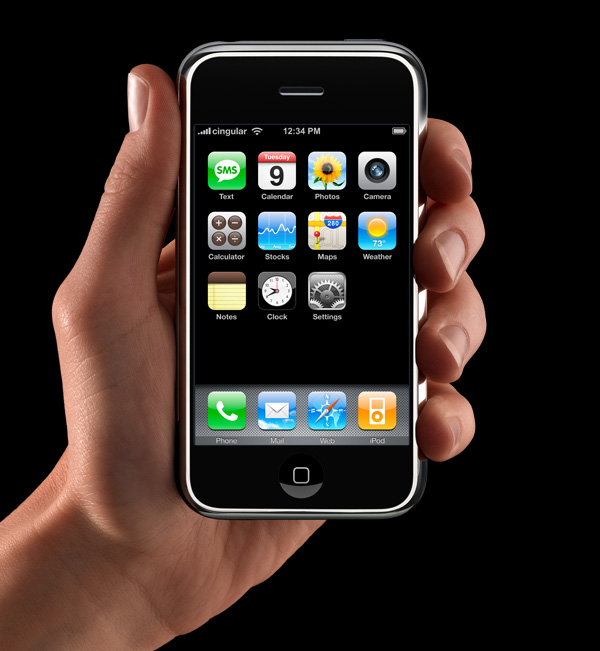
App icons on the iOS home screen are effectively simple buttons. I think it’s rather obvious that’s why they have had that squircle/roundsquare shape ever since the iPhone was announced in January 2007 (source). They’re one-tap launchers. App icons in MacOS are not mere buttons. You can drag them, move them, and drop things on them. You click them to select, and double-click to launch. They are richer objects that deserve a richer visual vocabulary. iOS is a world meant for fat-tipped Magic Markers and blunt safety scissors. MacOS is a world meant to support fine-tipped drafting pens and precision razor-sharp X-ACTO knives.

Louie Mantia (Mastodon):

While developers have submitted full-bleed square images for iOS app icons since 2008, for these new squircle icons in macOS 11, Apple provided a template to compose app icons in an image editing tool like Photoshop, with full control over the canvas beyond the suggested—but not required—squircle. This template made it easy-ish for designers to compose macOS app icons that were identical to or synonymous with an iOS app icon, while leaving the door open to continue using arbitrarily-shaped app icons on macOS.

[…]

The second type of Squircle Jail is more controversial, because these app icons were specifically drawn with the intention of fitting in. Overriding that intention feels like punishment for having done the right thing. App icons in a style that was recently encouraged by the system are now scaled down and put inside the squircle as if it were a container. Every icon that was utilizing the previous squircle shape suddenly looks much worse than before.

[…]

Instead of taking care to design and develop solutions specifically for Mac and iPhone, newer and bigger companies that don’t only make apps often ship apps with logo icons, rather than app icons. We’ve all seen it.

[…]

I would love if Apple provided a way for designers to poke outside that squircle boundary. Some of my favorite app icons did that. But also some of my least-favorite app icons ignored this shape entirely, when it was used for every system icon in the last five years. Whenever those apps showed up in my Dock, it was like a stain on my shirt I couldn’t get out.

John Gruber:

Ultimately this is what I object to with the squircle mandate. It favors the bottom of the heap by restricting the top. It makes bad icons mediocre but pushes great icons toward mediocrity too. That’s not The Macintosh Way.

Nick Heer:

Mantia touches on all the pragmatic reasons to unify the shape of icons in an operating system, all of which I have considered, and then drops the above paragraphs — and things started to make more sense to me. This is a different way to think about it. This is not a situation where a cleaner looks like a zesty beverage with toxic consequences. The shared general function of these icons does help communicate something and makes them less ambiguous in that sense.

But a broad category of functionality is only part of the story of an icon and — with respect to Mantia’s long and illustrious history of work in this area, and that of co-Parakeeter Luka Grafera — taking away a difference of shape also limits what an icon can communicate. It may not be a cleaning product that looks and is packaged like juice, but imagine if every consumable liquid was in identical bottles with only a different label.

Steve Troughton-Smith:

Louie’s squircle jail post just underscores that the squircle jail benefits 99% of apps, and is better for the platform overall. There is only ever a handful of apps that make great Mac app icons, and a withering number of ‘great Mac app icon designers’ — you can probably only name one or two left in the scene.

Jeff Johnson:

Mantia talks as if it were more important for apps to “belong to the Dock” than to allow Dock users to quickly select the right app in the list. That’s choosing form over functionality.

“The shape of apps is a squircle.” But Mac users already knew those were apps in the Dock!

See also: Accidental Tech Podcast.

Tyler Hall:

If you’re lucky enough to distribute an app outside the Mac App Store, you can break free of squircle jail using NSDockTilePlugIn. It’s not strictly the intended use-case of that API. And it’s not allowed in the Mac App Store, either. But it can solve the problem.

BasicAppleGuy:

If you recognize these icons, it’s probably time to schedule your routine back exam.

Previously:

Update (2026-07-17): Louie Mantia:

But my perspective right now is to be very pragmatic. The decision to mask all icons with squircles is a long-time coming. It was perhaps the most predictable thing to happen in Apple’s history. For 20 years, it’s been leading up to this.

I want to make nice things for macOS, whatever macOS is. And this is what it is.

Roger Wong:

Some of my favorite icons over the years have had interesting shapes, like the truck for Transmit, the vise for Compressor, or the cute bird for Twitteriffic.

[…]

But I also recall clicking some icons and not being able to select them. Why? Because I was inaccurate in my click and instead my cursor landed in the empty space just outside the shape.

[…]

If I recall correctly, developers could use a different mask for the click target to help users out. But I don’t think many did all the time, including Apple, which you can obviously see in the video above.

Louie Mantia:

I don’t want to step on toes regarding your new [StopTheMadness] icon which has great color— but I don’t understand why you elected to abandon the octagon as the outer shape. That’s a choice. You are not forced to abandon it. Why not do something like this?

I like this.

Nick Heer:

Losing some of the artistry in an icon makes it more difficult to distinguish between legitimate and well-crafted Mac apps, and everything else. It is not a perfect proxy, to be sure, and there are some very nice squircle icons. But it is nevertheless a unfortunate change that makes apps of varying levels of quality look more similar.

Clear and Tinted Icons Are a Hard Pass

16 July 2026 at 20:42

Adam Engst:

Of the TidBITS readers who chose to respond to the poll, only 1% said they use clear icons on the Mac, and no one admitted to using tinted icons. On the iPhone, clear icons were twice as popular—a whopping 2%—and just 1% of respondents said they use tinted icons. Dark icons, which retain color, were slightly more popular, but still couldn’t exceed single digits, with 6% on the Mac and 9% on the iPhone.

Squircle Jail is one thing; redesigning icons to be assembled within Icon Composer is another. The latter makes a lot less sense but for supporting clear and tinted icons.

Previously:

macOS 27 Public Beta

14 July 2026 at 19:27

Juli Clover:

Apple today released the first public beta of macOS Golden Gate, expanding the macOS 27 beta test to non-developers. You can sign up to test the update on Apple’s beta website, and then download it by going to System Settings > General > Software Update and toggling on the macOS 27 beta.

Jason Snell:

The fact that there are more design changes in macOS than any of Apple’s other 27 updates speaks volumes about how broken many of the Tahoe design decisions were. Apple describes the design as “even more refined,” because in Apple marketing-speak, broken features are never remedied or fixed—past features are just improved. The truth is, Apple has rolled back numerous missteps and made changes to others to mitigate the issues they caused.

Antonio G. Di Benedetto:

The Golden Gate developer beta has proven stable in my everyday use on an M5 MacBook Air and M5 Max MacBook Pro, which is notable since dev betas often have side effects like tanking battery life or causing hardware to run hotter than normal.

[…]

Would I still prefer to go back to the flatter design of macOS Sequoia? Yes, unequivocally. But at least Liquid Glass is more tolerable and less distracting now.

John Voorhees:

Nowhere is the Snow Leopard of it all more apparent than in the hundreds of little changes made to improve the day-to-day use of your Mac. I’m not going to catalog them all here, but I’ve used Golden Gate on two different Macs at this point, and based on my experiences so far, the changes are meaningful.

Jeff Johnson:

This is the crazy Finder column view file selection dragging behavior I’m seeing in the latest Golden Gate developer beta.

Matthias Gansrigler-Hrad:

With the release of the macOS 27 Golden Gate public beta, can we finally submit Mac apps built with Xcode 27?

Previously:

iOS 27 Public Beta

14 July 2026 at 19:27

Juli Clover:

Apple released the iOS 27 public beta today, and if you’ve been curious about the new software, now’s the time to try it out. iOS 27 brings Siri AI, performance improvements, and lots of new Apple Intelligence features.

[…]

Everything feels snappier than it did in iOS 26. Animations are quicker, apps launch faster, and AirDrop transfers complete faster. You’ll see improvements when taking photos, opening the keyboard, using the App Library, and swapping Home Screen pages. Your iMessages between devices sync more accurately, messages won’t fail to send and will be automatically retried, and your iPhone can transition more smoothly between Wi-Fi and cellular.

Dan Moren:

In general, the iOS 27 incarnation of Liquid Glass is far easier on the eyes, dialing down the transparency in favor of legibility. Apple’s also imposed some distinction between user interface elements and content. For example, in list views like in Messages and Mail there are now much clearer “toolbar” areas at the top when you start scrolling, even if they still have some degree of translucency. App icons have also gotten a face lift; they’re sharper, and feel more vibrant.

[…]

That’s because one of the odd things about looking at iOS 27 is that there’s just a ton of small stuff—those “quality of life” improvements that chip away at little frustrations and annoyances.

Previously:

WWDC 2026 Links

17 June 2026 at 20:16

General:

Documentation:

Sessions:

Podcasts:

Previously:

Golden Gate Window Corners

9 June 2026 at 19:16

Adam Overholtzer:

Corners!

Simon B. Støvring:

“We fixed corner radius” was a WWDC keynote highlight. Let that sink in.

Rudrank:

This should have been since macOS 26 #WWDC26

Folks getting excited for consistent corner radius 😂

Kuba Suder:

Ehh, no change here, RIP Intel Macs… stuck on the v1 Liquid Glass forever 🫤

There was so much demand for this that the Liquid Radius haxie exists. People were willing to disable FileVault and System Integrity Protection to get consistent window corners.

Previously:

Update (2026-06-23): Marcin Wichary:

Then, there’s the website you’ve just seen: elaborate, with nice “before and after” animations, and a fun landing page. I thought the installation steps, given the complexity of the effort, were exemplary and even educational. There’s also a page listing all the apps confirmed to work, and a “How Liquid Radius limits its blast radius” (ha) section, revealing the author is clear-eyed about their work being a hack, and even the dimensionality of its hackiness. Even within the tool there are nice design details.

But, as I was exploring the site, I kept switching between “this is ridiculous!” (laudatory) and “this is ridiculous!” (derogatory) in my head.

Golden Gate Sidebars and Toolbars

9 June 2026 at 19:15

Joe Rossignol:

macOS Golden Gate also has design changes. For example, apps now have a unified toolbar at the top, and the sidebar now expands to the edge of the window.

Hartley Charlton:

Sidebar behavior is also being updated. Sidebars will now expand to the full edge of the window, with refraction effects continuing beneath them rather than cutting off at the sidebar boundary. Sidebar icons will also retain their color, a change that addresses a common complaint about the original Liquid Glass implementation.

I’m really happy for these changes, but it’s not clear to me that they’re improvements over what we had pre-Tahoe or, especially, pre-Big Sur.

John Siracusa:

Oh thank god! No more margins around sidebars on macOS!

Benjamin Mayo:

sidebars now work how they used to!

Mario Guzmán:

I just love that toolbars have clear/strict dividers again in #macOS27.

Whoever said your content and UI should blend is a liar.

What a wonderful and welcome fix in #macOS27.

Betamagic:

Instead of properly fixing the Liquid Glass implementation of NSToolbar buttons in macOS 27 Golden Gate, Apple decided to simply place an ugly, semi-transparent macOS 15-ish background bar behind the buttons, which makes Liquid Glass completely useless in the toolbar.

João Pavão:

macOS 26 should have never been more than one developer seed release, with these changes taking place before the actual public release.

It’s sad that we had to endure this crap of a UI for a full year and now have to maintain apps for it for I don’t know how much longer.

Previously:

Update (2026-06-12): Norbert Heger:

Why has nobody told me this before?

defaults write -g NSSplitViewItemSidebarDefaultsToFloatingAppearance -bool NO

Look at this gorgeously clean sidebar on macOS Tahoe!

Jesper:

The macOS standard sidebars don’t live in a blob with very uncomfortable margins (which were required for there to be a layer fit in between the “traffic light” window controls and the window’s edge).

Update (2026-06-16): Mark Sokolovsky has screenshots of the sidebars in recent macOS versions.

Update (2026-07-22): Mario Guzmán:

No more progressive blur for scroll edges in System Settings on macOS. This is definitely a very welcome change and overall one of the many little enhancements -- driving the entire UI in the right direction. Love it.

Golden Gate Menu Icons

9 June 2026 at 19:15

Wesley Hilliard:

macOS Tahoe threw an icon on every menu item, making them impossible to distinguish at a glance. macOS Golden Gate has rectified that design taboo with blessedly iconless menus.

Apple:

In macOS 27.0, menu bar and context menus present a reduced set of menu item images, similar to the behavior prior to macOS 26.0. By default, NSMenu hides all menu item symbol images — non-symbol images remain visible. For menu items created from a xib file, NSMenu also observes the value of the “macOS 26.0 only” checkbox in the menu item inspector. If this checkbox is unchecked, the menu item image remains visible; if checked, it is hidden. These changes in menu item image visibility apply to applications linked on macOS 26.0 and later. Review the updated Human Interface Guidelines to determine which menu items in your app should still display images. Use the new preferredImageVisibility property on NSMenuItem to customize the image visibility for your menu items. As in macOS 26.0, NSMenu automatically provides default visible menu item images for certain common system-wide menu items, such as Settings, Share, and Print.

Joachim Kurtz:

„Icons in menus are now hidden by default“ and you can specifically enable them to draw attention to the most important actions.

Don’t get me wrong, this is a great change! But to take a full year and your lead designer leaving to figure out that this was a mistake… woof…

Dominik Wagner:

I like that Menu Icons now are hidden by default again on macOS - Quite a lot of concessions towards liquid glass being the wrong move last year. Takes courage to take so many steps back, literally. I’m appreciating that. Even if they present it as improvements rather than “undo” - that’s just what one has to do for marketing.

Previously:

Update (2026-06-11): John Gruber (Mastodon, Hacker News, MacRumors):

Wonderful news in MacOS 27 Golden Gate: the icons are gone. It’s like Tahoe’s menu item icons never happened. Prokopov noted it on Mastodon with before and after screenshots, and mentions that Apple has updated the Human Interface Guidelines accordingly[…]

[…]

This is my favorite news from all of WWDC this week.

Marcin Wichary:

Kudos to Nielsen and Prokopov for pushing on this and explaining the problem so well. This wasn’t about ugly icons. This was about improper use and misunderstanding of iconography.

Liquid Glass 27 Icons

9 June 2026 at 19:14

Ryan Christoffel:

Last year with iOS 26, Apple redesigned its full lineup of app icons for iPhone. But just one year later, iOS 27 has even more design changes for many app icons.

[…]

iOS 27’s new app icons are “sharper and more detailed,” per Apple’s description. And it really shows.

Louie Mantia:

If you’re curious how much changed from 26 to 27 for app icon rendering with Icon Composer, here are a few examples of the difference (in this thread). First of the pair is 26, the second is 27.

Benjamin Mayo:

App icons also look significantly different now, but I think some of this is beta 1 bugs as the 27 rendering is very flat.

Andreas Storm:

All app icons are getting a Liquid Glass update

Louie Mantia:

The needless, barely-even-noticeable directional specular highlights based on the rotation of your phone on app icons are gone in iOS 27, and thank god for that.

Kuba Suder:

Ohhhh they made app icons sharper! That was one of the things that stood out to me, some were sooo blurry… my mom noticed it too on her new iPad.

Mario Guzmán:

I will say that icons render better in #macOS27 so some of these icons look super sharp, super glassy, super sophisticated. Almost like something you’d buy at the Swarovski store.

I mean, look at this icon! Look at it closely. Zoom in. Almost gives me Mac OS X Tiger detail vibes.

• • •

Thomas Brand:

All I wanted from WWDC was release from squircle jail.

Simon B. Støvring:

Just f***ng free macOS app icons from squircle jail already.

• • •

Icon Composer for Beginners Group Lab:

Join us online to ask questions, get advice, and follow the discussion about getting started with Icon Composer.

Previously:

Update (2026-06-11): Ged Maheux:

I appreciate Apple wiping the vaseline off the screen for iOS 27. App icons seem significantly less fuzzy, especially in light mode, which is a good thing.

Kuba Suder:

I think they dragged the sharpness slider too far in some cases, and some lines are too strong and too visible, but imho generally this is a change in a good direction (if it also scales well to various sizes). Some of those icons were annoyingly blurry in 26.

Jonathan Reed:

The clarity and legibility of almost all the icons have improved significantly, with icons like Photos packing a real visual punch. Additionally, viewing the icons at this size, you can see the nice refraction effects of the glass-like elements.

The one that really stood out for me, though, was the new Finder icon, which not only looks cleaner but also has a subtle change to the nose and the curve of the divide, bringing it much closer to the classic Finder icon from the pre-Liquid Glass days.

Basic Apple Guy:

Here are a list of many of the icons across macOS Golden Gate (beta 1) compared to their liquid glass Tahoe counterpart.

Update (2026-06-16): Marcus Mendes:

Following Monday’s WWDC6 keynote, Apple updated its Design Resources portal with assets for iOS 27, iPadOS 27, and macOS 27 Golden Gate.

Notably missing were explicit download links to the SF Symbols 8 beta and the Icon Composer 2 beta. However, both are available to download, and you can get them below:

Update (2026-07-06): Louie Mantia:

In Icon Composer, effects are determined at a group level. Components within groups can only turn on/off effects wholesale.

If I choose “individual” on the group, I get individual specular highlights (great), but I also get individual shadows (not great).

If I choose “combined” on the group, I get a combined shadow (great), but I also get also get a combined specular highlight (not great).

I can’t win unless I bake in the specular highlight, which defeats the purpose.

Liquid Glass 27 Slider

9 June 2026 at 19:13

Hartley Charlton:

Apple said it has heard user feedback, which it “deeply appreciates,” and is now making adjustments to the underlying foundations of how Liquid Glass is constructed. Chief among those changes is a new slider that lets users control transparency, ranging from fully opaque to completely clear.

Benjamin Mayo:

As well as offering this new degree of customization, Apple is also changing the default way the glass material is rendered, to improve contrast and provide an even more vibrant visual look.

It’s definitely improved. I’m not sure it’s better than pre–Liquid Glass, though. I’m reserving judgement until I use it more, but I’m skeptical of the slider being a good solution. Previously, even going “full” opaque with the Reduce Transparency accessibility setting didn’t make it look good. The slider doesn’t even go as far as that, and I’m not really sure what the point of providing the intermediate options is.

Gui Rambo:

I laughed out loud when that slider showed up in the keynote 😂

Chris Turner:

Can confirm that if you want to reduce the effects of Liquid Glass as much as possible, using Reduce Transparency in the Accessibility settings on iOS is still the way to go over the new slider that was introduced.

Kyle Howells:

A setting to tint or clear liquid glass?!? Adding UI sliders like this isn’t design.

Design is making a choice, weighing the options and picking the best option.

Michael Love:

I’m disappointed at the lack of deeper changes to Liquid Glass, they’re not really addressing the fundamental problem that this is an AI designed to look good superimposed over colorful feeds or photos or whatever and looks annoying and bland on top of plain text

Ryan Jones:

iOS 27 Liquid Glass is more “bubble” than glass to me. More sharp on the edges.

Steve Troughton-Smith:

Tell me that’s not Aqua

Riccardo Mori:

“We improved Liquid Glass by letting you reduce the effects until there’s no more Liquid Glass”

Well, that’s nice.

Steve Troughton-Smith:

The line weights on the new Liquid Glass button elements are so thin that it looks pretty bad when not at 100% scale…

Which it will almost never be on macOS, iPadOS, in the iOS Simulator, or in screenshots… 👀

Apple Knowledge Navigator:

Since the release of macOS 26 Tahoe, some users have defended the changes made by Apple - specifically, the implementation of Liquid Glass - as being a forward-thinking design was unproblematic, despite many clear and obvious objections that had sound reasoning. These were routinely dismissed as a “You’re holding it wrong” mentality.

[…]

Apple should never have released Tahoe in the state that it was, and I was pleasantly pleased to see that Golden Gate looks like a return to focus on quality and attention to detail.

Saagar Jha:

I think this is about how close we will get to “yeah we messed up Liquid Glass lmao”

David Kopec:

Apple very rarely admits mistakes. The fact that they’re rolling back some of the extremeness in Liquid Glass and actively mentioned in the keynote that they very seriously took user feedback, shows just how bad some of it was.

Yes, we need to be able to read text.

Craig Grannell:

Well, that’s the closest Apple is ever going to get to saying “We fucked this up and are rowing back.”

Joe Fabisevich:

Translation for this new Liquid Glass: We fucked up, our bad.

Hey, I’ll take it.

Steve Troughton-Smith:

Two conflicting things can be true at the same time:

  • I quite like how retro and Aqua ╳ iOS 6 the new version of Liquid Glass looks
  • I feel like the changes to Liquid Glass are a colossal rug-pull that invalidate much of the last 12 months of my development efforts across all my apps

Just as it’s more costly for users and developers when Apple rushes to ship features before ironing out the bugs, massive design changes like iOS 7 and Liquid Glass, released without adequate testing and refinement, waste developer time and burden users with poor design while they wait for Apple to figure out what it actually wants to do.

CM Harrington:

There’s a chunk of my developer timeline that is very confused that the face-eating leopards are eating their face.

My dudes (all dudes): Apple always tells you to jump. You always jumped. It’s just now you’re realising the giant corporation that will always operate in their best interest is not actually aligned with you. You conformed to it.

…but you’ll keep doing it.

Steve Troughton-Smith:

If you want to support macOS Sequoia, you’re now going to have to support three different UI styles. If you want to skip the macOS 26 version of Liquid Glass, you’re going to have to drop support for users on Intel Macs. It’s a no-win situation.

Previously:

Update (2026-06-12): Jesper:

That said, iOS 27 still suffers from the basic usability issues with Liquid Glass – like, say, the tendencies to pick up touches and taps in the sliver between the bottom/corner edge of the display and the tab bar. I suppose it is honest from a user interface perspective for links that are visible within that area to be tappable, but it is a terrible user experience. (When is the intent of the user to tap any of those things?) Together with the tinted glass, the solution that springs to mind here is to just extend the tab bar towards the edges, which would solve the problem, but is also what pre-Liquid Glass iOS did.

Update (2026-06-17): Khaos Tian:

lol as part of WWDC 26, they got rid of the Liquid Glass Gallery hosted on developer.apple.com 😂

Steve Troughton-Smith:

“They fixed Liquid Glass!”

…are you sure about that? 😅

Update (2026-06-19): trixit:

The inconsistency alone is damning. Buttons and toolbars still look rough even after Apple’s attempts to reign things in, and the corner radius situation remains all over the place. They fixed app windows, sure, but countless dialogs still have that chunky, Duplo-brick quality that made 26 such a visual mess. The new Siri chat app is a perfect example: those conversation bubbles look like they were ported in from a different OS entirely. They just don’t belong.

[…]

What really gives it away, though, is the behavior of the design team itself. They’re already quietly dialing up opacity, adjusting refractions, pulling back on the more extreme glass effects. That’s not iteration, that’s damage control. When a “bold new design language” starts getting walked back before the ink is even dry on the release notes, the writing is on the wall.

The core problem was always philosophical. Transparent, refractive UI elements look striking in a keynote demo. In a professional OS where you need clarity, speed, and visual stability, where you’re actually trying to get work done, they’re a liability.

Como ativar a redução dos efeitos de brilho no Apple Watch

22 July 2026 at 12:00

Assim como os iPhones e iPads, os Apple Watches também possuem um ajuste que pode minimizar os efeitos de destaque e de luz intermitente nas interações com os elementos presentes na tela.

Batizado de Redução dos efeitos de brilho, o recurso veio para minimizar os efeitos do Liquid Glass, já que muita gente não curtiu os elementos introduzidos com as versões 26 dos sistemas operacionais da Maçã.

Veja como habilitar isso no seu smartwatch! ⌚️

Pelo iPhone

Com o app Watch aberto, toque na aba “Meu Relógio” e selecione “Acessibilidade”.

Em seguida, marque a opção “Redução dos efeitos de brilho”.

Pelo Apple Watch

No relógio, abra os Ajustes (Settings), vá até “Acessibilidade” e marque a opção “Redução dos efeitos de brilho”.

Apple Watch Ultra 3

Cores: natural ou preto
Pulseiras: loop Alpina, loop Trail, Oceano ou estilo milanês de titânio
R$ 7.850,50
R$ 10.499,00

Apple Watch Series 11

Material: alumínio ou titânio
Cores: cinza-espacial, prateado, ouro rosa, preto brilhante, natural, dourado ou ardósia
Tamanho: 42mm ou 46mm
Conectividade: GPS ou GPS + Cellular
Pulseiras: esportiva ou estilo milanês
R$ 4.599,00
R$ 5.499,00

Apple Watch SE 3

Cores: meia-noite ou estelar
Tamanhos: 40mm ou 44mm
Conectividade: GPS ou GPS + Cellular
Pulseira: esportiva
R$ 2.444,43
R$ 3.299,00

NOTA DE TRANSPARÊNCIA: O MacMagazine recebe uma pequena comissão sobre vendas concluídas por meio de links deste post, mas você, como consumidor, não paga nada mais pelos produtos/serviços usando os nossos links de afiliado.

❌