 Login
LoginScientists Left AI Alone on a Deserted Island With Nothing to Do. It Invented Games and Started Behaving Like Children at Play
21 October 2026 at 21:28
 With no assigned goals, AI agents created their own challenges — and learned from them.
 With no assigned goals, AI agents created their own challenges — and learned from them.
Early iPhone Duo reviews are examining how Apple’s first foldable handles everyday tasks ahead of its October 23 launch. Reviewers describe an appealing inner display alongside adjustments involving one-handed use, authentication, and app layouts, providing a practical picture of where the design works well and where it asks users to adapt.
Evaluations published October 21 offer a more substantial picture than brief demonstrations, ahead of initial retail availability on OctobeIn a September 19 hands-on, Android Central’s Harish Jonnalagadda also highlighted the inner display’s coating. Those earlier impressions provide context for the October reviews, but came from a shorter session rather than extended everyday use.r 23. The emerging story combines an appealing inner display with practical questions about handling, applications, and the compromises involved in carrying one device that serves two roles.
The inner screen’s finish is becoming one of the most consistent points of interest. Apple’s official announcement describes a nano-textured polymer cover intended to reduce glare and minimize the visibility of the fold.
In his PetaPixel review, Jaron Schneider praises the reduction in reflections and says fingerprints are much less noticeable during normal use. He also acknowledges that people who dislike matte displays may not appreciate this one.
In a September 19 hands-on, Android Central’s Harish Jonnalagadda also highlighted the inner display’s coating. Those earlier impressions provide context for the October reviews, but came from a shorter session rather than extended everyday use.
That gives the comparison with existing foldables a more useful starting point than screen size alone. A larger panel matters less if reflections repeatedly interfere with what someone wants to see. Equally, a finish that one reader finds comfortable may disappoint someone who prefers the appearance of glossy glass.
The relevant difference is therefore partly experiential. Shoppers should examine text, photographs, and dark scenes under several lighting conditions rather than judging the screen from a promotional image.
Schneider’s assessment also exposes a practical tension: he finds the hardware exceptionally well made, yet describes difficulty with one-handed typing and adjusting his grip for Touch ID. His experience favors using both hands.
Those observations should remain attributed to the reviewer. Hand size, preferred grip, and familiarity can produce different reactions to the same device.
Nevertheless, they identify something worth testing before choosing a foldable. The closed phone will still handle quick messages, authentication, and tasks performed while standing or moving. Those interactions deserve as much attention as the impressive moment when the inner screen opens.
A useful demonstration would involve composing a message, reaching frequently used controls, unlocking the device, and then opening it to continue working. Comfort across that sequence reveals more than holding an unfolded phone briefly for a photograph.
Mark Spoonauer’s October 21 Tom’s Guide review praises the ease of using two applications together, but finds that applications without appropriate optimization can look poor. He also reports that rotating into portrait interrupts the side-by-side layout, which returns when the phone rotates back.
In that specific comparison, he notes that Samsung’s Galaxy Z Fold 8 keeps two narrow app windows visible in portrait.
This illustrates why “supports multitasking” is only the beginning of a useful comparison. What happens when the phone rotates, when someone switches tasks, or when an application encounters an unfamiliar shape can determine whether the extra space feels productive.
The Duo’s Split View limitations become more relevant when they interrupt a task already underway. The review describes a change in layout rather than the loss of the app pair, which returns when the device rotates back to landscape.
Buyers should check the applications they rely on most. A polished demonstration using selected software cannot establish that every banking app, editing tool, or work service will make equally effective use of the display.
Tom’s Guide recorded 13 hours and 20 minutes in its web-browsing battery test, using the larger display, a 5G connection, and brightness set to 150 nits. The publication says it adapted the test to fill the Duo’s screen and ran it alongside the Galaxy Z Fold 8 and iPhone 18 Pro Max.
In that simultaneous comparison, the Galaxy Z Fold 8 lasted 10 hours and 6 minutes, while the iPhone 18 Pro Max reached 17 hours and 31 minutes. The Samsung phone had previously recorded 12 hours and 19 minutes, illustrating why results from different runs need context rather than being treated as fixed rankings.
The result provides a useful reference, rather than a promise about every owner’s day. It also demonstrates why a single competitive headline can oversimplify testing: the method, screen used, and comparison conditions belong alongside the number.
These accounts suggest that the Duo’s identity depends on how its screen finish, physical format, and software work together. They also reveal disagreement about whether those benefits outweigh the adjustments. Praise for construction does not automatically resolve concerns about grip or application behavior.
For prospective buyers, the useful question is which compromises fit their routine. Reading comfort, dependable access to work applications, and easy one-handed interactions may carry different weight for different people. The first reviews now provide concrete experiences to investigate, while long-term display and hinge durability still require longer observation.
The post Early iPhone Duo Reviews Highlight Display Strengths and Everyday Trade-Offs appeared first on AppleMagazine.
As of iPadOS 27, if you have multiple windows open while AirPlaying (whether or not Stage Manager is on), tapping on anything other than the presenting app will snap the external display into showing your whole iPad screen. This means that my students see all my notes on who I want to call on, or poll results that should be hidden from them. They also get distracted from what we’re learning by all these jarring windows popping up and disappearing. If you’re presenting at a big conference, it’s extremely embarrassing.
[…]
As for what the behavior should be, I’m not a developer, but here’s a proposal: if you’re using an app that is in presenter mode (e.g., PowerPoint playing a presentation, or a GoodNotes document open), it should always get precedence on the external display, until that presentation gets stopped, the document is closed, or the app is quit.
Previously:
Apple’s iPhone User Guide explains how to share your screen, ask to see someone else’s screen, or remotely control it during a call in the Phone app. Apple says both you and the other participant need iOS 26 or later, and that remote control is not currently available in the European Union. The feature is […]
The post How to share your screen or give remote control on an iPhone call in iOS 26 appeared first on The Mac Observer.
Apple's new HomeView hub doesn't have an App Store, unlike almost all of the company's other devices. Here's why.
(via Cult of Mac - Your source for the latest Apple news, rumors, analysis, reviews, how-tos and deals.)
PC; Origame Digital
This odd but absorbing adventure sends you waddling across Antarctica in search of an eldritch entity – uncovering a world far stranger than it first appears
A Nazi kneels down on frozen snow, staring at an endless Antarctic horizon. Another holds a gun to his head, ready to end his own life. I direct a small waddling penguin up to them, trying to imagine what it could be thinking. Dismay, perhaps. Likely bewilderment. But then a faint smile seems to break out across its beaky face, as if amused by these silly humans and their misguided belief that they could ever best this howling, harsh landscape.
For most games, the idea of playing as a penguin observing Nazis losing the plot near the south pole would be weird enough. But Penguin Colony, developed by Origame Digital, pushes further. This is an audacious, frequently brilliant retelling of HP Lovecraft’s 1936 novella At the Mountains of Madness, in which eldritch horrors are just as common as Nazis. Further weirdness abounds: the many collectibles scattered about this place are not shiny gold objects à la Super Mario or Sonic. Rather, they are words. So tottering about as a semiaquatic bird, you have a unique mission: collect human language.
Continue reading...
© Photograph: Origame Digital/Fellow Traveller
© Photograph: Origame Digital/Fellow Traveller
© Photograph: Origame Digital/Fellow Traveller
Source: Apple.
Yesterday, Wired reported that third-party apps with CarPlay functionality would be available on Apple’s new HomeView device. That struck me as odd. I was expecting, and I think many others were at least hoping, that the HomeView would be a new platform for building apps. And while strictly speaking that doesn’t seem to be the case, in an entirely different way it is. Here’s what’s going on.
Apple’s original press release caused some confusion because it doesn’t spell out the CarPlay angle. Instead, it simply says that the HomeView supports “compatible third-party audio and video apps,” and “[s]elect apps require a paired and compatible iPhone nearby,” which is also a CarPlay requirement. That press release also mentioned the HomeView’s ability to use widgets and access personal context without ever mentioning whether that applies to third-party apps.
Well, now we have some answers to most of these questions. First of all, Apple documents out-of-the-box support for audio and video apps, rather than the full range of CarPlay categories. That’s further supported by Katarina Mogus’ interview with Apple’s Cecilia Dantas, which draws a straight line between third-party video apps and CarPlay support.
Second, the Human Interface Guidelines have been updated to address which widgets can be used with the HomeView:
On Apple HomeView, people can place widgets on the Modular face and the Home Screen. Widgets on HomeView are from the small system family, and share the appearance of iPhone widgets. A person chooses widgets from among those already installed on HomeView, like Weather or World Clock, or from their individually connected iPad or iPhone.
As for whether Siri can access third-party data and actions, I suspect the answer is yes. Apple’s press release called out personal context specifically, which was confirmed by Apple’s Kaiann Drance and Lilian Rincon in an interview with Reuters. So, for example, you can presumably use the HomeView to retrieve an old message from the Messages app on your iPhone. The Q&A section on the HomeView product page also mentions taking action across apps with Siri. That strongly suggests that the HomeView’s functionality will be the same as the new HomePod mini 2’s when it gains Siri AI capabilities, even though I haven’t seen anything from Apple that addresses whether that sort of Siri integration extends to third-party apps directly.
So, as of today, Apple has documented support for CarPlay audio and video apps and small widgets. I suspect Siri AI will provide another route, too. That limited app model may disappoint some, but I think it points to where personal assistants are heading. Apps aren’t going away, but the need for a separate app on every device is.
Siri, with apps integrated through App Intents, is emerging as a new UI. Developers who have adopted that technology already give users ways to interact with their apps beyond the apps themselves. I expect HomeView will extend that opportunity even further without requiring developers to build for an entirely new device. If it does, that’s a win for developers and users alike, and perhaps just the tip of the iceberg in a world where computing extends beyond apps.
Apple’s new HomeView device doesn’t have an App Store, but it does have an app story, of a sort. There are some selected Apple apps on its (surprisingly) iPad-like home screen, but you can’t add more. What’s a person to do?
If you use apps that play audio or video and support CarPlay, though, you’re in luck: HomeView supports those apps, and just those apps, via projection from your iPhone. So if you’re a fan of Overcast or Spotify, you’re in luck.
And if you’re curious about video CarPlay, well, that’s a feature Apple added this year that lets apps play video using CarPlay when the car is parked. And the HomeView is always parked.
Beyond that, though, it seems like HomeView is at least starting life as a very limited app platform. Apple does say that if you make a Siri AI query for your personal content, it will search everything on your iPhone or iPad—and that includes apps that aren’t on the HomeView. So you should be able to query your iPhone apps, but not actually run them.
In the short term, this means that if you want to (for example) access your calendar right on your device, you will probably have to do so via Apple’s Calendar app, even if you use a different app on your other devices. (If you use an app that has a web app equivalent, you could probably open it up in Safari, which is an app that the HomeView does offer.)
In the long term, I still think it’s quite likely that Apple will eventually expand what can be run on HomeView. I haven’t used one yet, but based on what I’ve seen on Apple’s website, it feels very much like a 1.0 product with plenty of room for expansion. Whether that comes in the form of apps, widgets, or access for CarPlay apps that aren’t audio or video apps, remains to be seen.
Apple (video, Hacker News, MacRumors Six Colors, MacStories, Slashdot):
Apple today introduced Apple HomeView, designed to be central to the home and personal to everyone in it. With a stunning 7-inch Liquid Retina display, HomeView brings entertainment, connection, and smart home management together in one place, from playing music and making FaceTime calls to home monitoring and hands-free automations with voice control — all designed with privacy and security at the core. HomeView recognizes users by their faces, adapting so they can access their personal content in Messages, FaceTime, Calendar, Reminders, and Find My.
[…]
Designed to fit in any space, HomeView can be placed on a tabletop as the center of the home or wall-mounted to fit in spaces like the entryway or hallway.
I guess the best part is the price. $299 (not including wall mount) is less than the base iPad and the same as the Apple TV. But I just can’t imagine what I would use this thing for. It does not seem more appealing than an iPhone or HomePod for any tasks. I wouldn’t want to dedicate any kitchen space for it, and the cord is a problem. Why would I not just use an old iPad or iPhone, which are wireless and support apps and standalone video? Maybe it would be interesting if it could do something extra, like act as a Time Capsule.
HomeView does not have FaceID. I asked about this and Apple reps said that first, your home is (reasonably!) presumed to be a safe space. But in order for users to be recognized — by voice or face — they must have a “registered [non-watch] personal device” that supports Apple Intelligence and Siri AI, that device must be present on the home’s Wi-Fi network, and it must have been recently unlocked.
Apple said it is “working constructively with the EU in an attempt to find a path forward,” but provided no timeline for EU availability.
Previously:
Update (2026-10-14): Julian Chokkattu:
It doesn’t have an App Store. Instead, Apple has a curated selection of apps, including FaceTime, Messages, and Safari. A handful of third-party media apps like Spotify are available, and developers can bring over existing CarPlay apps. If your iPhone already has one of these CarPlay apps installed, it can automatically appear on the HomeView after setup. (There are no video streaming apps like YouTube, Netflix, or Disney+, but if those companies choose to make their apps available on the CarPlay framework, they will show up on the HomeView; for now, you’ll have to consume videos by using the Safari browser.)
Via John Voorhees:
CarPlay makes some sense as a way to push apps to the HomeView, but unless the entitlement is opened wider, it also makes no sense at all.
I suspect this is just the mechanism for audio and video apps and not a more general developer channel for making apps.
Beyond that, though, it seems like HomeView is at least starting life as a very limited app platform. Apple does say that if you make a Siri AI query for your personal content, it will search everything on your iPhone or iPad—and that includes apps that aren’t on the HomeView. So you should be able to query your iPhone apps, but not actually run them.
I do think I want one, but there are a few things to settle besides price and value. For starters, having more screens in the house doesn’t seem like a winning proposition (the HomePods we’ve got work OK for alarms, reminders, etc.), and the American fascination with the kitchen island (which, by the way, needs power sockets in the middle…) doesn’t translate to European flats.
Are you going to cut a hole in your island to feature HomeView?
I really like the new Apple HomeView device!
The only thing I can’t get past, (as a previous iMac G4 owner) is the screen can’t rotate vertically.
Notice the slick Apple video edit:
If someone needs to rotate HomeView, the whole base needs to rotate along with the power cord.
Wait… I just noticed something else from the HomeView video🤔
When she goes to grab the HomeView, you can see her right hand reach out to grab the lower right hand corner of the screen. But then the cut shows her grab the top of the base to rotate it?
Did they not like the cut where the entire base rotates? (This would would have shown the USB-C plug rotate along with the entire unit)
iOS Icon History: iPod/Music
Folks speculating HomeView is the tail end of Tim Cook’s product “leadership,” but 1) Ternus is the CEO and can torpedo it if he thinks it’s a stinker. 2) He’s also the guy who spearheaded iPad’s “what’s a computer?” campaign and the idea that an iPad was a viable replacement.
The biggest issue with Apple’s Home ecosystem is the absolutely garbage Home app. Still, in 2026, there is a tab dedicated fully to buying more smart home gadgets (aka, an ad) within the iOS Home app and it can’t be removed. Yet rooms are buried up top. Pitiful.
This is the ONE THING (“One more thing”?) I’d been hoping to get from @Apple in this announcement: they were redoubling efforts on HomeKit/Home.app to make the ecosystem actually work better… annnnnd did not get that impression. At all.
IMHO, as an HomeKit user with dozens of devices in 2 Homes, there is SO MUCH low-hanging fruit that @Apple could be working on to improve the UX, it is pathetic.
The original HomePod didn’t come to the EU either for 5 months, and even then it was only in two countries. The original HomePod never came to Ireland at all, before it was discontinued. But if you only listened to the pundits, this is somehow now the DMA’s fault.
See also: Marques Brownlee.
Update (2026-10-16): Jesper:
It is so convoluted that people will be having trouble understanding it, and if they have trouble understanding it they’ll be having trouble trusting it. Most of what it does involves somehow sucking in the juices from the people’s devices that cohabitate with it.
[…]
That it works at all is impressive, but will people really put their integrity in its hands? Between this and the various “always-listening” features of the recent Apple Watch releases, I’m thinking Apple has gotten a bit too high on its own supply.
Apple overhauled the external display APIs in iOS 27 for unclear reasons and replaced it with a ‘scene accessory’ API, which I believe powers the iPhone Duo’s both-screens-at-once entitlement-gated API.
Enter HomeView, with its ‘CarPlay’ API, which is clearly a stopgap solution that will please nobody.
But if we’re beaming UI from a connected iPhone, the external scene accessory API suddenly looks more promising. That way you could do ‘real’ apps without an App Store.
See also: Dithering and Accidental Tech Podcast.
Update (2026-10-19): John Gruber (Mastodon, tweet, Bluesky):
I do think the basic concept is an intriguing idea. But as an implementation of that concept, my initial impressions are threefold. First, I am unconvinced that anyone in a family would use this for anything other than playing music or podcasts, rather than just using their phones. And if that’s the case, why not just have a HomePod? Apple’s video shows family members taking turns to use the HomeView, rotating it on the kitchen island to face themselves. Why? Why does the mom check her calendar on this, rather than on her iPhone, while the dad is using it to follow a French toast recipe? There’s a real “Why do we need this?” question here and I don’t think Apple’s video answers it, at all.
I don’t have a HomeView yet. But I’m excited to own one.
[…]
I’m confident that Apple won’t show endlessly scrolling promos on that screen.
[…]
Yes, my phone shows those things. Yes, my Apple Watch shows those things. But I like that data being glanceable and not requiring I look at a full-on distraction machine. I’m thinking the HomeView might be the Kindle hardware of tiny bits of data I want.
Mark Gurman (via John Gruber):
Apple postponed the HomeView repeatedly — first until spring 2025, then summer, then fall, and then again throughout 2026 before finally unveiling it this past week. And the hardware betrays its age. With thick bezels, an A18 processor and 8 gigabytes of memory, this is clearly a product conceived years ago. Finished units have been sitting boxed up in warehouses for the better part of a year, waiting for the software to catch up.
Apple produced a 3-minute promotional video that purports to show a “typical” family using a HomeView. The ad has drawn criticism from John Gruber and TidBITS readers, who were horrified by the behaviors portrayed, and more to the point, it doesn’t seem to show the HomeView making life any better. Certainly, nothing in that video matches how any “typical” morning has ever gone in our household.
Although we use our HomePods heavily to turn lights on and off and listen to music, it’s hard to think of much else we would choose to do on the HomeView.
[…]
As someone who cooks seriously, I’m skeptical of HomeView’s one-step-at-a-time approach.
I cook a lot and can’t imagine using HomeView for recipes. I always reformat and edit them beforehand. I print them out so I can jot notes as I’m cooking and easily see more than one at once without having to fiddle with a screen.
A drawback of using an HDR-ready third-party monitor on macOS 26 Tahoe was the inability to activate High Dynamic Range at the common 2560 x 1440 scaled resolution. Fortunately, the newest macOS release resolves this problem.
- Symptom: scrolling is choppy on the Studio Display XDR at 120Hz or Adaptive (47–120Hz). At 60Hz, and on the MacBook’s own screen, scrolling is smooth.
- What devices are affected: M5 Pro MacBook Pros have reproduced the problem; other repots suggest the Mac mini with M5 Pro chip is also affected. Apple lists M5 Pro MacBook Pro models as supporting the Studio Display XDR at 120Hz.
- Likely cause: measurements suggest the GPU stays at a low clock speed while scrolling and misses frame deadlines.
- Workaround: MacRumors Forums poster Tiguanito’s M5ScrollBoost, a small menu bar app that encourages the GPU to run faster while you scroll.
Previously:
Update (2026-10-14): Timuçin Kabak:
Another issue I encountered is that the True Tone also applies to some external displays and applies a tint. I created a tool for it.
Anunciado na semana passada, o HomePod mini 2 traz algumas novidades bastante interessantes, como o suporte à Siri AI e um processador atualizado. Ainda assim, como ele se parece bastante com o seu antecessor (principalmente em termos de design), é possível que algumas pessoas ainda estejam confusas quanto às melhorias promovidas pela Apple.
Se você é uma delas, saiba que está no artigo certo! A seguir, vamos passar por todas as diferenças entre o HomePod mini de primeira geração e o HomePod mini 2 — assim, você poderá decidir qual dos dois modelos comprar ou se vale a pena trocar o seu.
Aqui você vai encontrar mais semelhanças do que diferenças entre as duas gerações da caixa de som inteligente, que contam com o mesmo visual geral, introduzido em 2020, com novas cores adicionadas em 2021 e posteriormente em 2024.

Com um corpo esférico envolto por uma malha colorida, ambos os modelos têm 84,33mm de altura e 97,9mm de largura, com diferença apenas no peso, menor no HomePod mini 2: 335g (ante os 345g do modelo de primeira geração).
Como dito, as cores do HomePod mini de primeira geração já foram atualizadas algumas vezes, e o modelo chegou a ser vendido nas opções branca, amarela, laranja, azul e meia-noite. O HomePod mini 2, por sua vez, pode ser adquirido nas cores branca, rosa, verde, azul e meia-noite.


Ambos os modelos seguem vindo com uma superfície circular retroiluminada com botões de “+” e “-” para ajuste rápido de volume.
A Apple disponibilizará o recurso Brilho do Som (Sound Glow), que faz essa superfície pulsar e brilhar em tempo real de acordo com a música que está tocando, para todos os modelos do HomePod mini e para o HomePod de segunda geração.
Nesse quesito temos algumas mudanças bem curiosas de uma geração para a outra, embora pouco tenha mudado do ponto de vista de hardware.
O que ambos os modelos têm:
O que apenas o HomePod mini 2 tem:


Em termos de hardware de áudio, o HomePod mini de primeira geração leva vantagem em apenas um item: o número de microfones. Enquanto o modelo mais antigo vem com quatro microfones embutidos “para Siri em distâncias grandes”, o HomePod mini 2 vem com “apenas” três.
É possível, no entanto, que a Apple esteja compensando a ausência de um microfone no novo modelo com as novas capacidades de software viabilizadas pelo chip S10, bem mais moderno do que o S5 do HomePod mini de primeira geração.
Aqui, nada mudou. Ambos os modelos podem reproduzir áudio das seguintes fontes:
Também é possível controlar a reprodução ao:
O HomePod mini 2 vence com facilidade nesse quesito: é o único compatível com a versão “turbinada” da assistente virtual da Apple, a Siri AI.
De acordo com a Apple, além de ajudar em tarefas mais simples como enviar mensagens, controlar a reprodução e configurar lembretes, a Siri AI também pode conversar mais naturalmente, responder dúvidas sobre o mundo real com base em buscas na web e recomendar músicas de maneira mais precisa. Ela ainda leva mais o contexto em conta e processa a maioria das solicitações no próprio dispositivo.
O HomePod mini de primeira geração segue com a versão antiga da Siri, capaz de lidar com comandos mais básicos.
Tanto o HomePod mini de primeira geração quanto o HomePod mini 2 são compatíveis com descoberta ponto a ponto, para acesso fácil de convidados, e com redes Thread, além de contarem com um chip de banda ultralarga para recursos que dependem da proximidade de outros aparelhos, como iPhones.
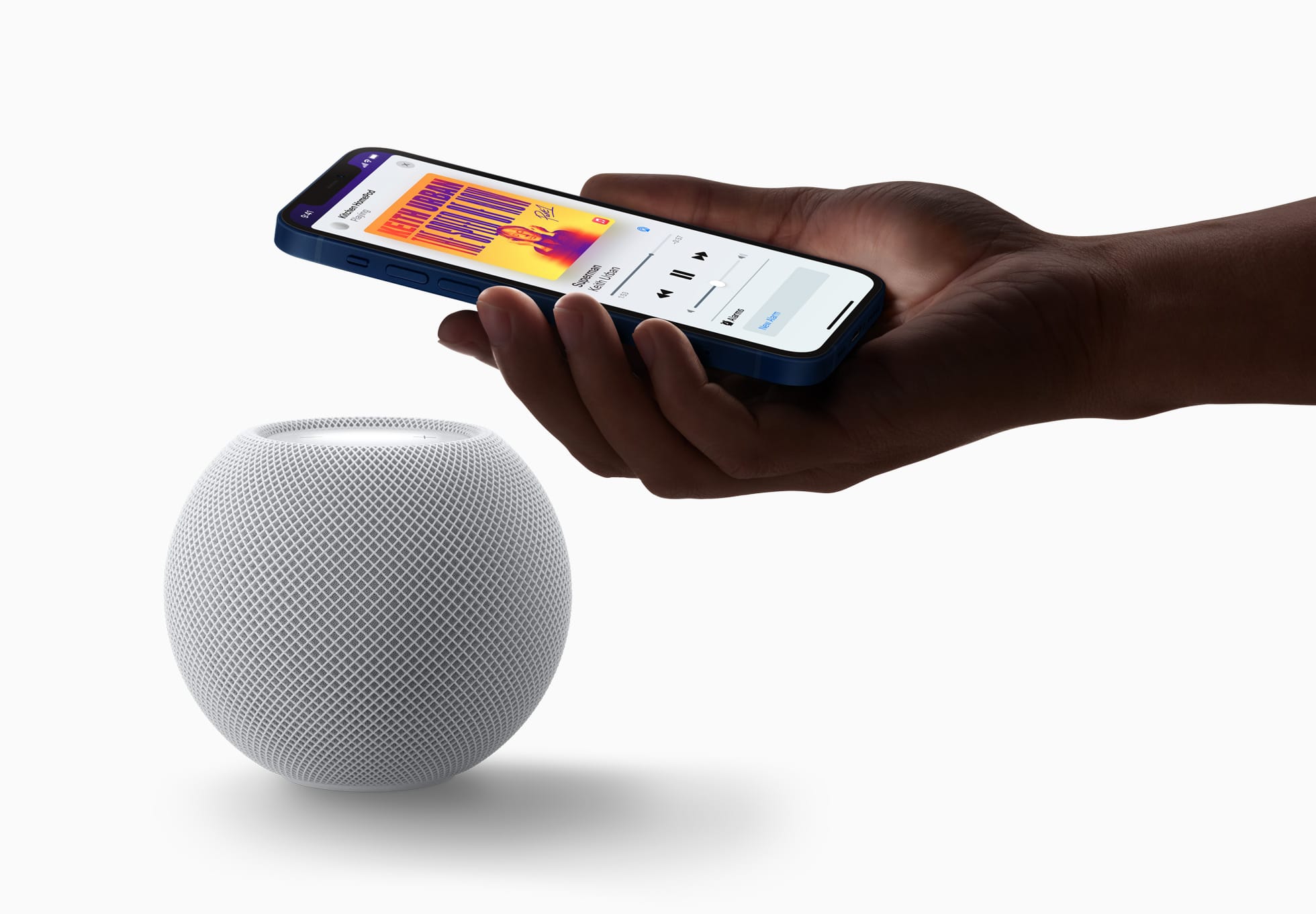
Já o modelo mais antigo tem Wi-Fi 4 (802.11n) e Bluetooth 5, enquanto a nova versão conta com Wi-Fi 6E (802.11ax) e Bluetooth 6. Ambos os modelos vêm com sensores de temperatura e umidade.
Já disponível em pré-venda, o HomePod mini 2 será lançado em 30 de outubro por US$150 (US$20 a mais do que o modelo anterior) nos Estados Unidos e em outros países selecionados.
Assim como seu antecessor, o novo HomePod mini também segue sem uma previsão de lançamento no Brasil ou em Portugal — quem sabe isso mude com o lançamento dos sistemas 27.2 e com a chegada da Siri AI em português.

Ambos os HomePods mini vêm com um cabo USB-C e um adaptador bivolt de 20W na caixa, além da documentação regulamentar, é claro.
NOTA DE TRANSPARÊNCIA: O MacMagazine recebe uma pequena comissão sobre vendas concluídas por meio de links deste post, mas você, como consumidor, não paga nada a mais pelos produtos/serviços ao usar os nossos links de afiliado.
GM made the decision to drop Apple CarPlay and Android Auto phone casting from its newer EVs, and it’s one we’ve been pretty critical of. Although the automaker told us it made that decision in order to offer a better, more unified experience to its customers, that may well have changed: here, customers still have the choice to just cast their phone to the center screen.
And it has done a better job of integrating CarPlay and Android Auto into the experience, putting the casting apps in a large window or tile that takes up most but not all of the infotainment screen. To the left is another card that allows you to access other native apps, like towing or music (although you can still have CarPlay as the source for that native music app, should you start feeling a little Inceptionish). Porsche took a similar approach to working with, rather than against, users who enjoy CarPlay, and this looks like a welcome step from GM.
GM’s spokesperson wouldn’t be drawn on whether this means we’re going to see a corporate retreat from the previous stance on EVs, but I will note that the press release it sent Ars does say that the system was built “as a single scalable foundation across electric, gas and diesel-powered vehicles, it transforms time spent behind the wheel into an effortless, personalized journey,”—emphasis mine.
Matthew Haughey (via John Gruber):
The car industry accidentally did something I’ve always wanted to see, which was to release basically the same car under two brands and models, with one major consumer-facing difference. It’s kind of remarkable how good of a experimental design this is, since the performance and driving characteristics of both cars are identical, but drivers in one model get a major phone integration the others do not.
[…]
For the years these cars were sold together, the Honda outsold the Blazer by 43%, 73%, and 166% in each time period. Today in 2026, people are buying a Honda Prologue over one and a half times more often than the Chevy Blazer EV the Prologue is based on.
My favorite CarPlay feature is when it’s reading a text message to me and I go to tap the “Done” button and it suddenly turns into a “Call” button underneath my finger and I have to wait for all of the animations to finish before I can actually end the call and then I wonder (a) did the person notice that I called them for a few seconds and (b) do I need to explain that now and (c) are they going to call me back now and (d) HOW DID THIS INTERFACE EVER SHIP oh my god
Previously:
Update (2026-09-22): Joe Rossignol:
All in all, GM really wants you to know that it is committed to ditching the extremely popular feature that you probably want in your next EV.
It will only offer the choice in gas vehicles.
DXVK 3.1.1 traz melhorias importantes para jogos no Linux, resolvendo crashes e problemas de performance em títulos populares.
O post DXVK 3.1.1 chega com correções importantes para Skyrim, Rayman 3 e outros jogos no Linux apareceu primeiro em Blog do Edivaldo - Informações e Notícias sobre Linux.
