
❌

Reading view

ChatGPT Dots Gain Widget and New Shortcuts Actions
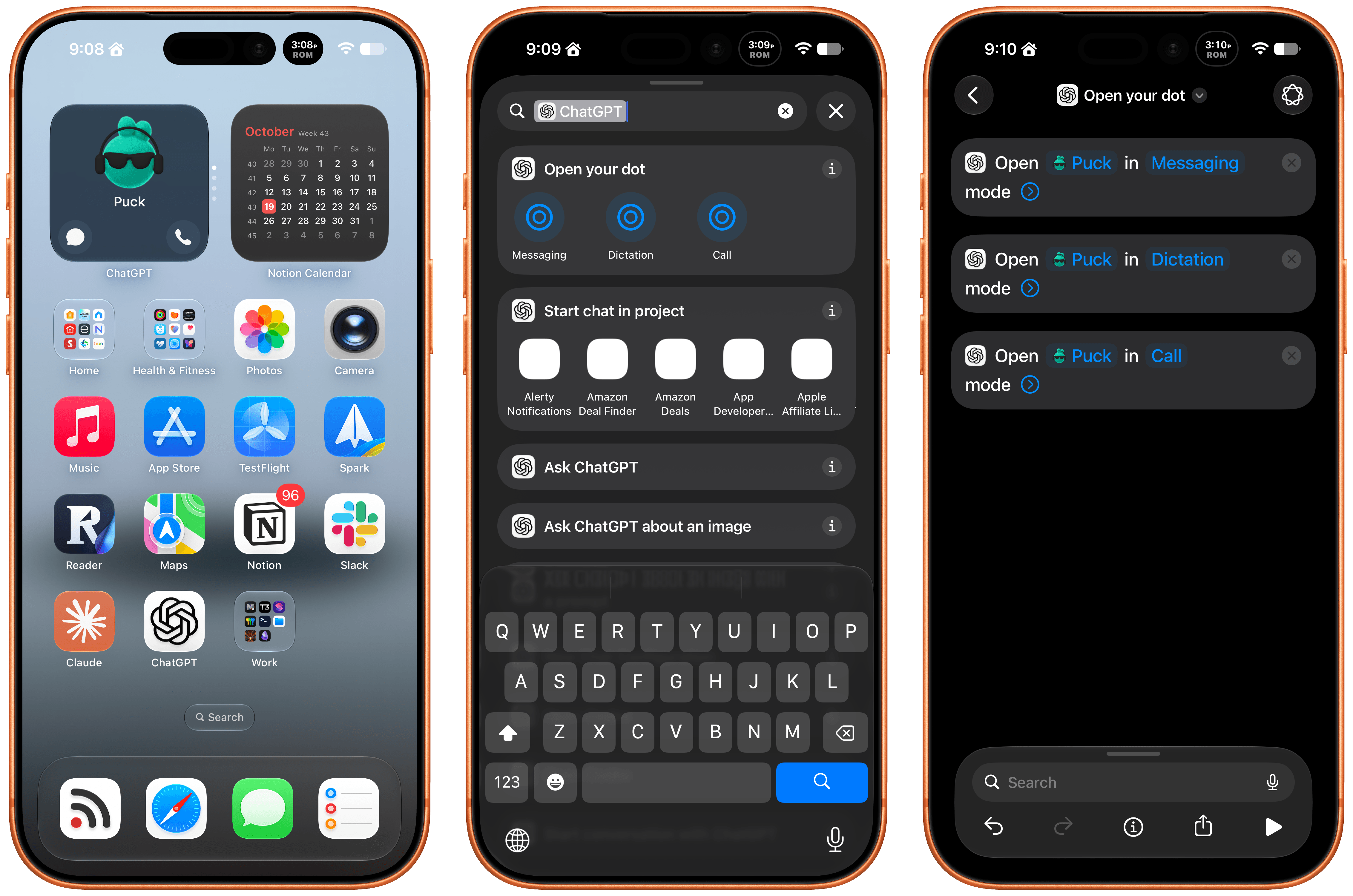
Late Friday, OpenAI updated the ChatGPT app on iOS and iPadOS with a new widget for your Dot and Shortcuts actions that let you control it three ways. The implementation is really well done and adds automation options worth considering.

First of all, the Dot widget is about as simple as it gets, but also very useful. I have the ChatGPT app set up to drop me into its Codex view because that’s typically how I use the app. I open Codex, check on a long-running project, and provide whatever input is necessary to keep things moving.

The problem I’ve run into is that I’ve been using my Dot, Puck, more and more to kick off research, ask one-off questions and check in on things like my email. Landing in Codex means tapping around more, which I can avoid now with ChatGPT’s new small-sized widget. The widget has two modes. The first simply shows your Dot’s avatar, and tapping on it opens your Dot’s message thread. However, if you edit the Dot, you can toggle on the “Show shortcut button” to display messaging and voice buttons beneath your Dot, adding the option to start a voice call with your Dot. As simple as this is, it’s been great to have the option to start in Codex via the ChatGPT app or check in with my Dot thread using the widget.

The other interesting feature is a trio of Shortcuts actions to message, dictate, or call your Dot. Each action has two parameters: the name of your Dot and how you want to communicate with it. That first parameter is an interesting one because tapping on it opens a list with your sole Dot in it because currently, you can only have one Dot. However, it also strongly suggests that the ability to set up multiple Dots is on the horizon, which OpenAI clearly telegraphed during its DevDay. After all, why have a parameter that opens a list unless there’s more than one choice?
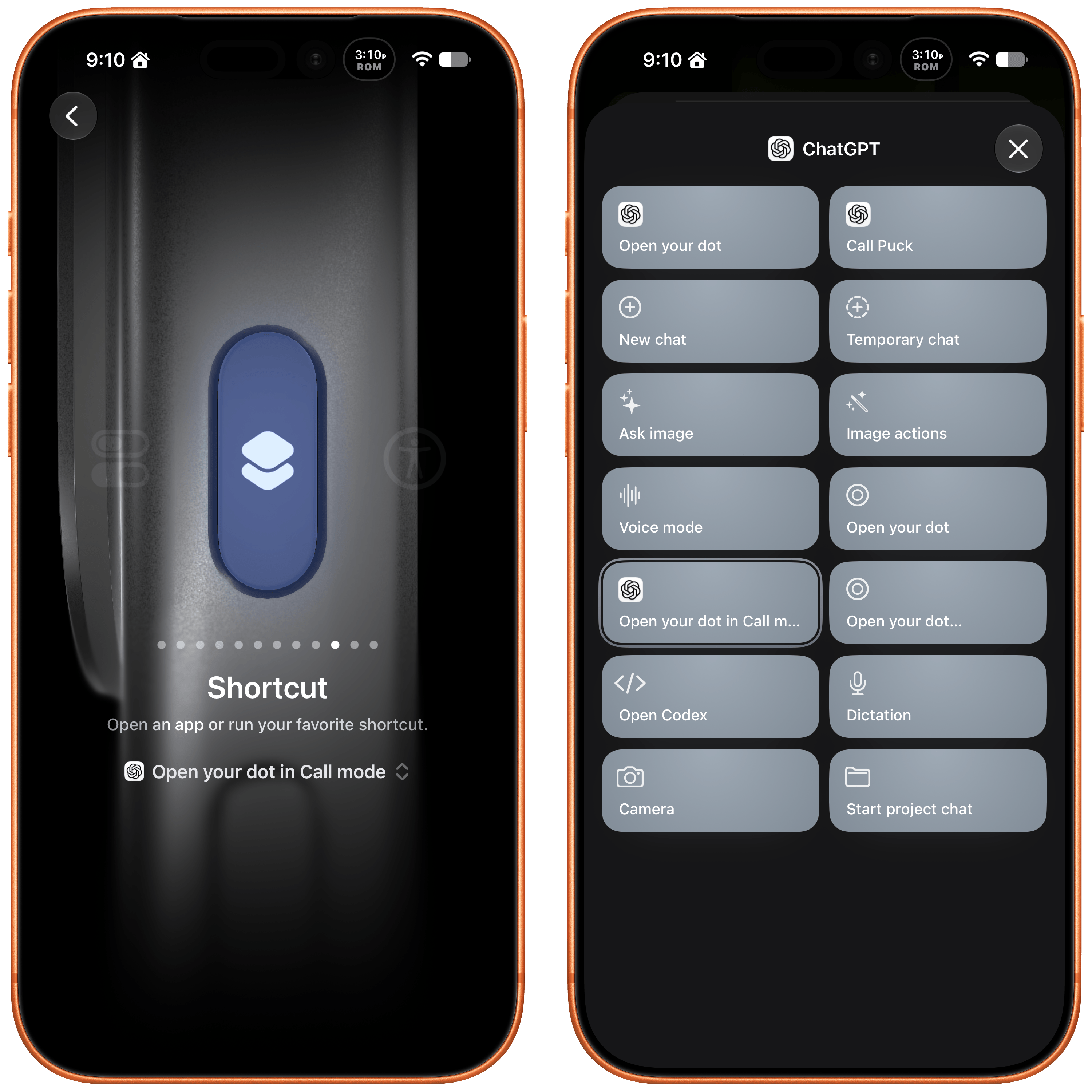
I've set my Action button up to call my Dot.

I’ve set my Action button up to call my Dot.

The actions can be used in your shortcuts, are accessible from Spotlight Search, and most interestingly can be tied to an iPhone’s Action button, allowing you to visit your Dot’s thread in any of three ways. I’ve set my Action button up to start a Dot call. I often think of tasks and have ideas for research topics when I’m out for a walk, and I want to see if having brief calls with my Dot is an effective way to get a jump on those ideas, so they’re waiting for me in ChatGPT when I get home.

These actions and widgets are an excellent addition to OpenAI’s app and a cut above Anthropic’s more barebones approach to widgets and Shortcuts. I would, however, like to see Dots integrated even deeper into Shortcuts. The Shortcuts actions only open your Dot thread in one of the three modes. I’d love to be able to connect Dots to other apps with actions that accept input from other sources and produce outputs that can be used in other actions.

While I’m making requests, I still think multiple Dots need to be supported sooner rather than later, and OpenAI needs to provide a better mechanism for switching between Macs if you use a Dot with multiple computers. Plus, Dots are still a little buggy, with scheduled tasks failing too often and for reasons that aren’t always clear.

That said, the latest update is worth checking out if you’ve found Dots helpful. The strength of Dots is that they’re everywhere you can access ChatGPT, and now with widgets and Shortcuts actions, getting to your Dot in each of those places is easier than ever.
  •  

HomeView Points to Siri AI as the Next Developer Platform

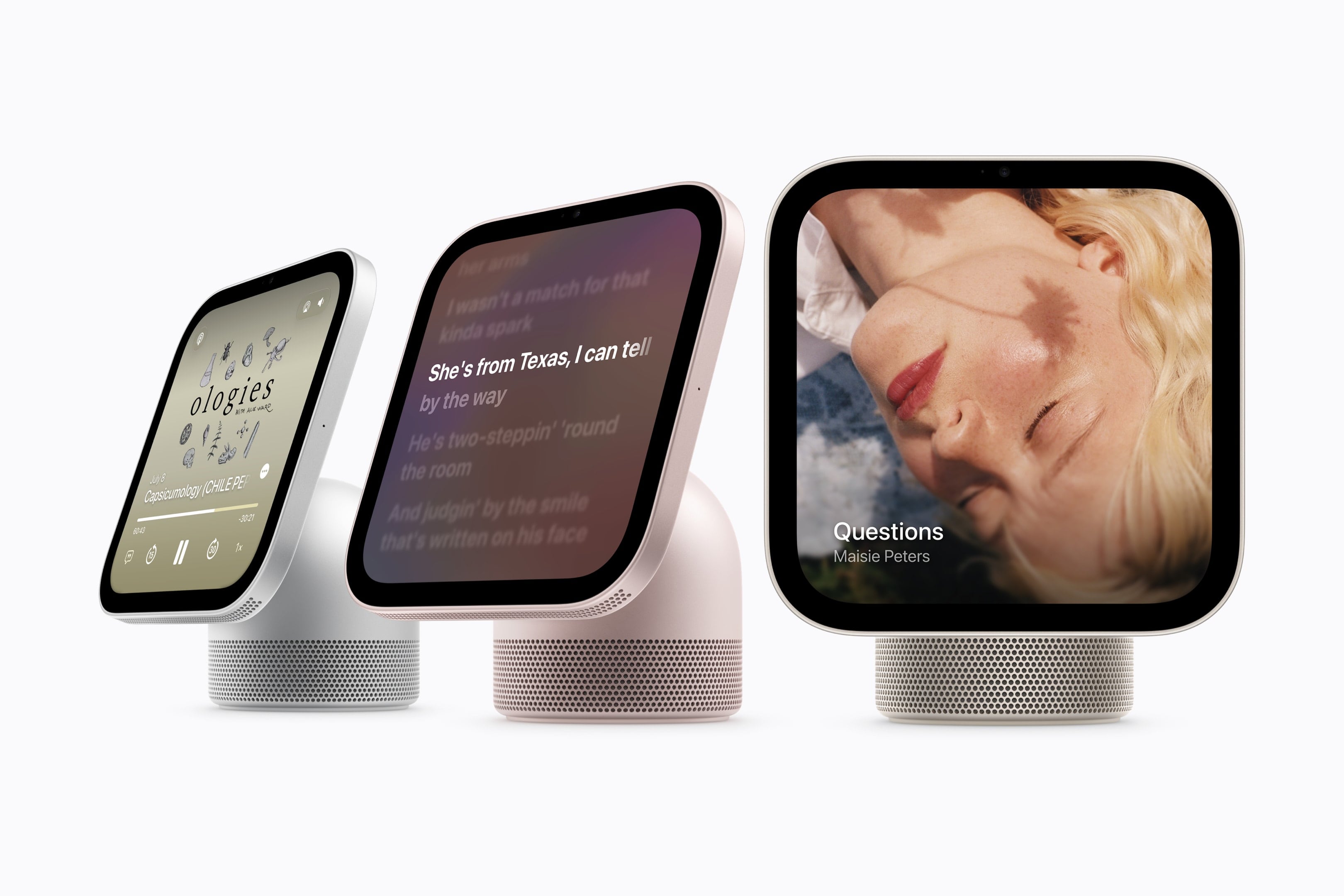
Source: Apple.

Source: Apple.

Yesterday, Wired reported that third-party apps with CarPlay functionality would be available on Apple’s new HomeView device. That struck me as odd. I was expecting, and I think many others were at least hoping, that the HomeView would be a new platform for building apps. And while strictly speaking that doesn’t seem to be the case, in an entirely different way it is. Here’s what’s going on.

Apple’s original press release caused some confusion because it doesn’t spell out the CarPlay angle. Instead, it simply says that the HomeView supports “compatible third-party audio and video apps,” and “[s]elect apps require a paired and compatible iPhone nearby,” which is also a CarPlay requirement. That press release also mentioned the HomeView’s ability to use widgets and access personal context without ever mentioning whether that applies to third-party apps.

Well, now we have some answers to most of these questions. First of all, Apple documents out-of-the-box support for audio and video apps, rather than the full range of CarPlay categories. That’s further supported by Katarina Mogus’ interview with Apple’s Cecilia Dantas, which draws a straight line between third-party video apps and CarPlay support.

Second, the Human Interface Guidelines have been updated to address which widgets can be used with the HomeView:

On Apple HomeView, people can place widgets on the Modular face and the Home Screen. Widgets on HomeView are from the small system family, and share the appearance of iPhone widgets. A person chooses widgets from among those already installed on HomeView, like Weather or World Clock, or from their individually connected iPad or iPhone.

As for whether Siri can access third-party data and actions, I suspect the answer is yes. Apple’s press release called out personal context specifically, which was confirmed by Apple’s Kaiann Drance and Lilian Rincon in an interview with Reuters. So, for example, you can presumably use the HomeView to retrieve an old message from the Messages app on your iPhone. The Q&A section on the HomeView product page also mentions taking action across apps with Siri. That strongly suggests that the HomeView’s functionality will be the same as the new HomePod mini 2’s when it gains Siri AI capabilities, even though I haven’t seen anything from Apple that addresses whether that sort of Siri integration extends to third-party apps directly.

So, as of today, Apple has documented support for CarPlay audio and video apps and small widgets. I suspect Siri AI will provide another route, too. That limited app model may disappoint some, but I think it points to where personal assistants are heading. Apps aren’t going away, but the need for a separate app on every device is.

Siri, with apps integrated through App Intents, is emerging as a new UI. Developers who have adopted that technology already give users ways to interact with their apps beyond the apps themselves. I expect HomeView will extend that opportunity even further without requiring developers to build for an entirely new device. If it does, that’s a win for developers and users alike, and perhaps just the tip of the iceberg in a world where computing extends beyond apps.

  •  

MacVoices #26278: Live! – Apple HomeView: First Impressions, Features, and Buying Decisions

Apple’s new HomeView takes center stage (no pun intended) as the panel examines its design, features, pricing, and potential role in the smart home. From tabletop and wall-mounted models to HomeKit integration, FaceTime, calendars, and home automation, the discussion explores practical uses and limitations. Panelists who have already ordered HomeView share their buying decisions, while […]

💾

  •  
❌