❌

Reading view

Razer Prio review: The first mobile controller I've actually wanted to carry everywhere

Mobile gaming controllers have come a long way over the last few years, but they all suffer from one common flaw: they're rarely as portable as the phones they're designed to enhance.

That's always seemed ironic to me. Smartphones fit in our pockets, but many mobile controllers require a dedicated carrying case or space in a backpack. At that point, I often find myself wondering why I didn't just bring a handheld gaming PC instead.

That's exactly the problem the new $99 Razer Prio aims to solve.

Rather than chasing the biggest grips or most console-like ergonomics, Razer built something fundamentally different. The Prio folds into a compact package measuring just 107mm by 67mm when closed, making it roughly credit card-sized in length and width, while weighing only 101 grams.

It's the first mobile controller I've used that genuinely disappears into a pocket.

And that's what makes it special.

Razer had no input, nor did it see the contents of this review, prior to publication.

A clever design that solves a real problem
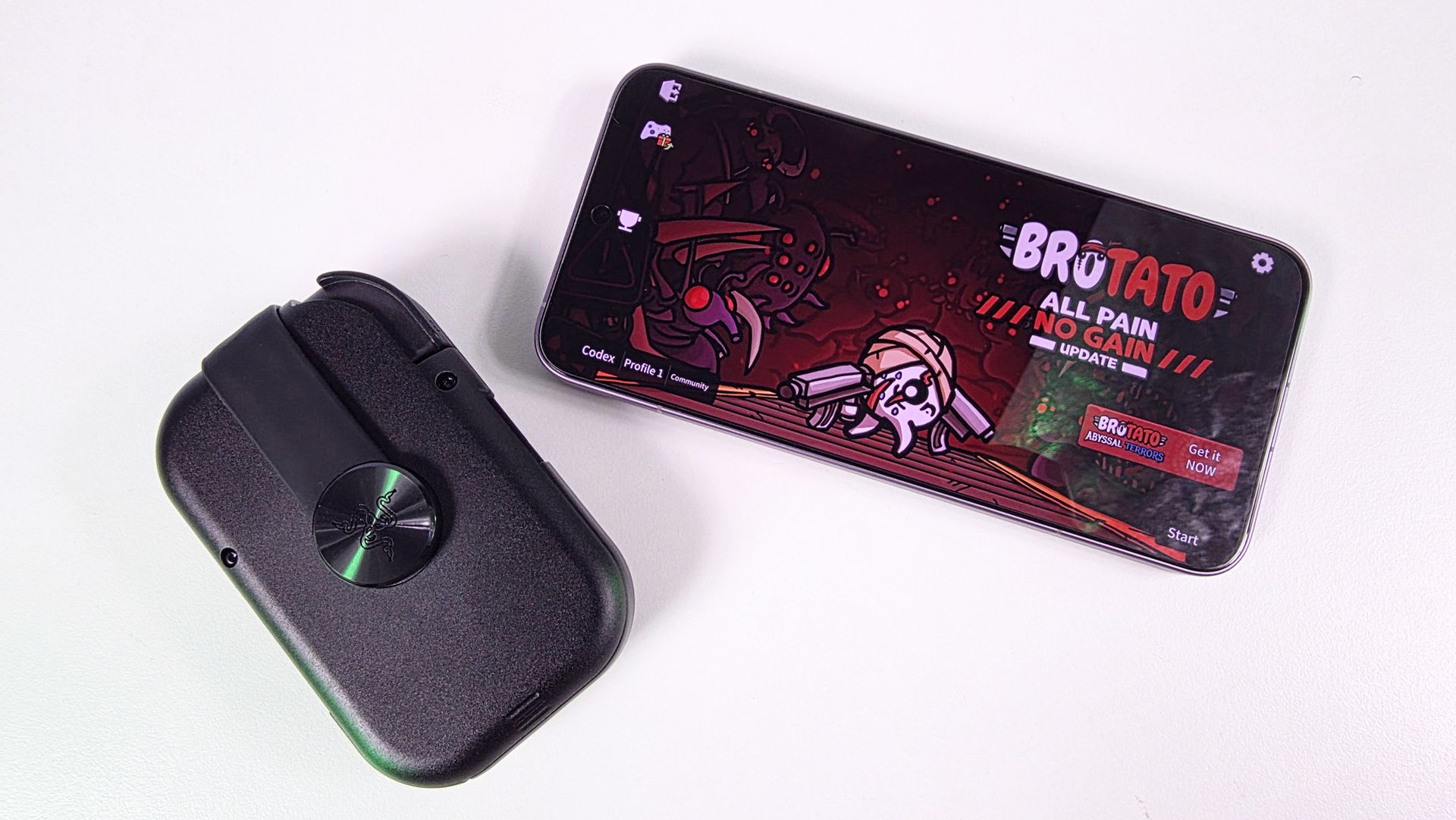
Folded, compact Razer Prio mobile controller resting next to a smartphone displaying the main menu of the game Brotato on a white surface.

The Razer Prio mobile controller (folded) next to the Xiaomi 17T Pro with a rather large 6.83 inches display. (Image credit: Daniel Rubino)

The Prio's standout feature is its unique folding mechanism.

Using an interlocking design, each half rotates and folds inward, transforming from a compact rectangle into a full mobile controller. Razer's engineers deserve credit here because this doesn't feel like a gimmick. It's solving a legitimate problem that nearly every competing product ignores.

The trade-off, however, is that setup isn't immediately intuitive.

The first few times I unfolded the Prio, I found myself fumbling with the locking mechanism and trying to remember exactly which piece rotated where. Razer could absolutely improve the onboarding experience with clearer instructions.

Fortunately, the learning curve doesn't last long. After a handful of uses, unfolding the controller becomes second nature, and you begin to appreciate just how clever the entire design is.

More importantly, because it's so small, I actually carried it around.

That's a bigger compliment than it may sound. Many mobile controllers are technically portable but not especially convenient. The Prio is different because you can toss it in a pocket and completely forget it's there until you need it.

Small controls, surprisingly good results
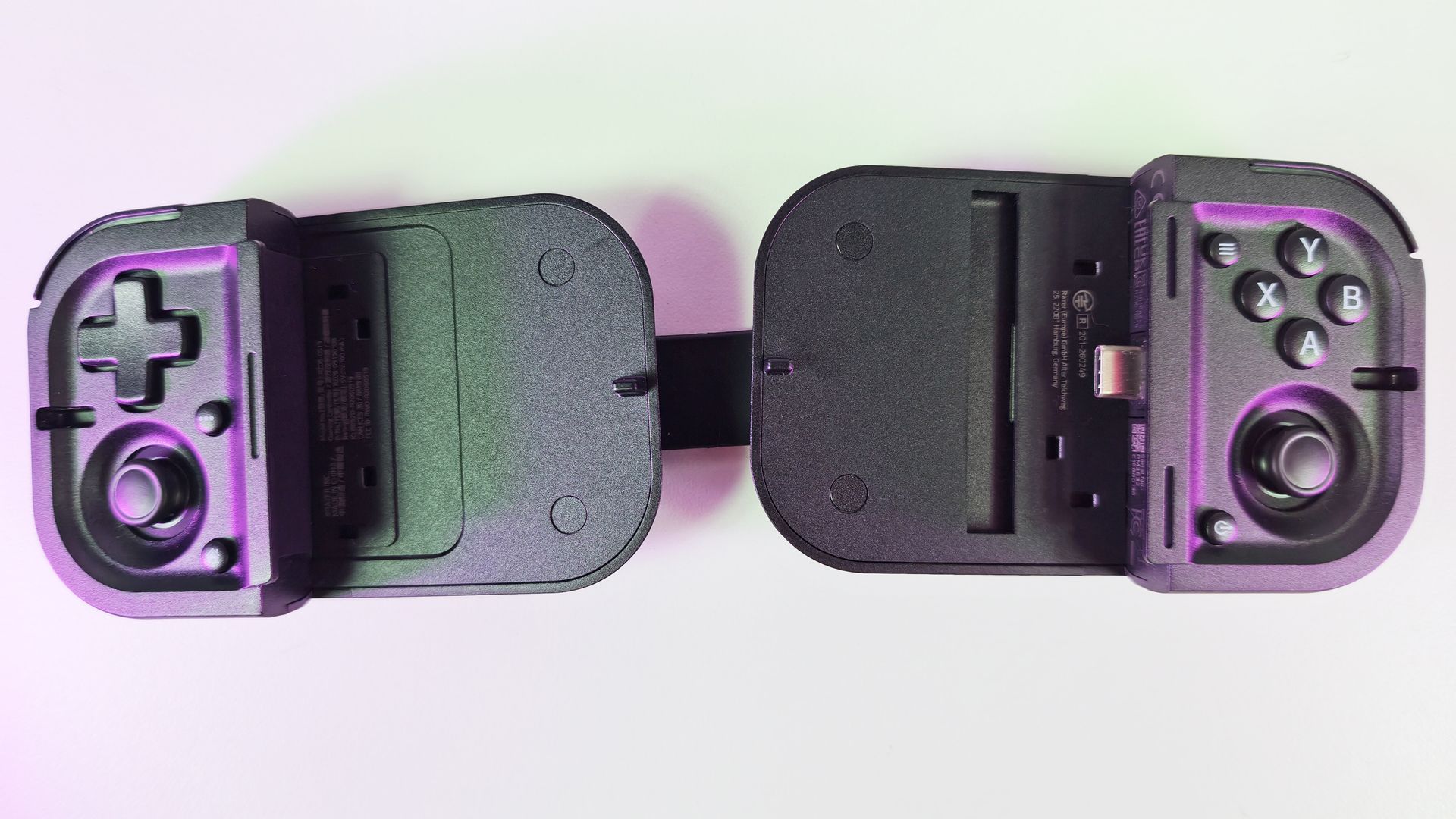
Top-down view of the unfolded Razer Prio controller without a phone, showing its central bridge, USB-C plug, D-pad, face buttons, and dual analog sticks.

Top-down view of the unfolded Razer Prio controller without a phone, showing its central bridge, USB-C plug, D-pad, face buttons, and dual analog sticks. (Image credit: Daniel Rubino)

Once unfolded, the Prio reveals a complete controller layout that includes dual thumbsticks, a D-pad, bumpers, triggers, face buttons, and dedicated function buttons.

Naturally, any controller this compact requires compromises.

The thumbsticks are noticeably smaller than what you'd find on a traditional controller, and the face buttons reflect the Prio's portable-first design philosophy. If you're expecting Xbox controller levels of comfort, you'll need to temper expectations.

That said, I liked using them more than I expected.

The D-pad feels tactile and responsive, the face buttons provide good feedback, and the thumbsticks are particularly interesting. Razer uses capacitive thumbsticks with contactless sensors that can detect movement without relying on traditional mechanical contacts. In theory, that means improved durability and resistance to stick drift compared with conventional designs.
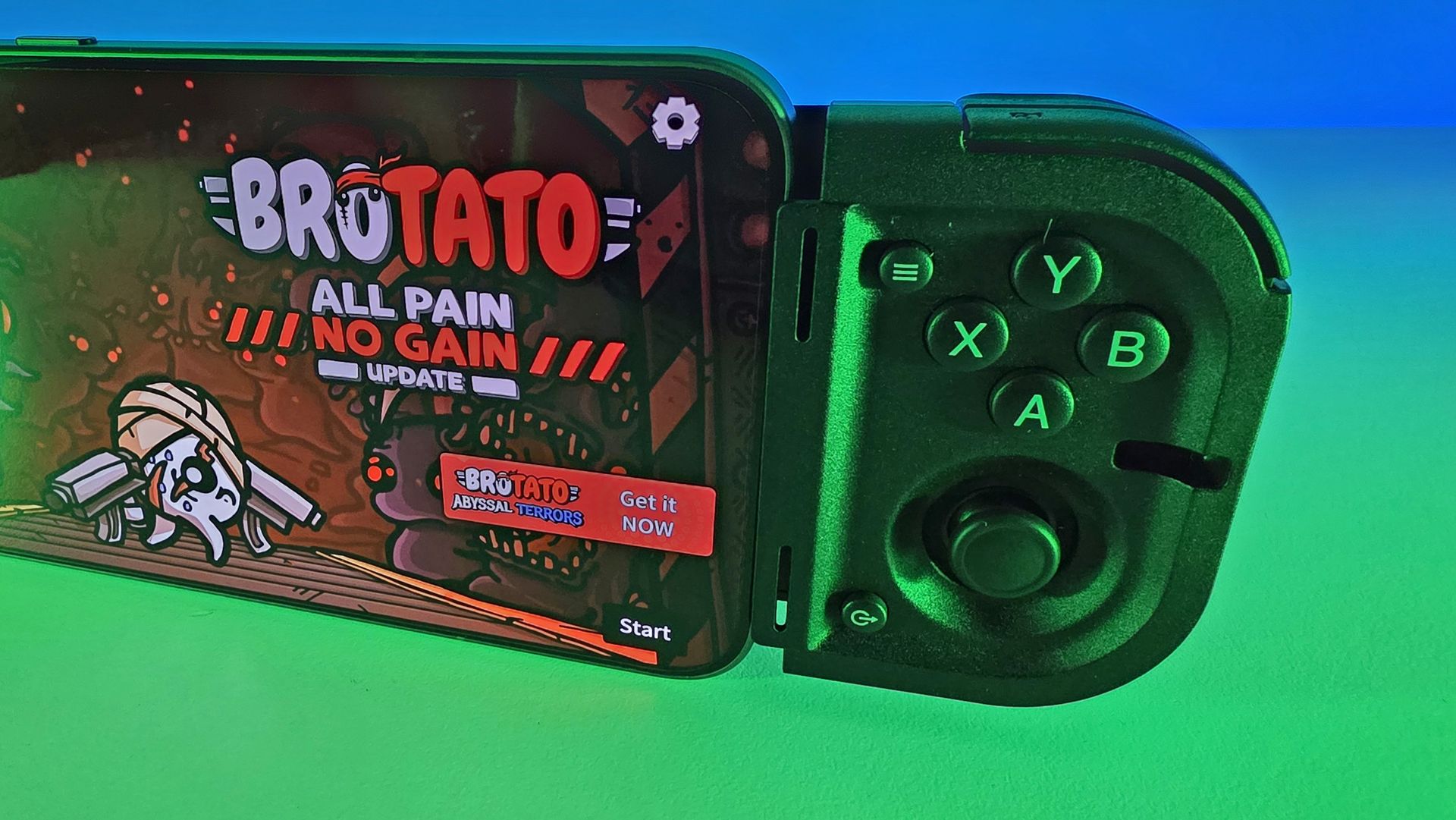
Close-up of the right side of the Razer Prio controller connected to a smartphone running Brotato, lit by green ambient light.

The thumbsticks are tiny, but it sure beats onscreen controls any day. (Image credit: Daniel Rubino)

During testing with games like Brotato and Xbox Cloud Gaming titles, controls felt accurate and responsive. Because the Prio connects directly through USB-C rather than Bluetooth, I also never noticed any input lag, pairing issues, or connectivity problems.

No Bluetooth and USB-C also means the Prio itself never needs charging, which again adds to the convenience factor, as it's one less thing to think about if you want a quick gaming sesh at the doctor's office.

The triggers deserve a special mention. They're perfectly usable, but they're also one of the areas where the compact size makes itself known. The L2 and R2 triggers feel a little unusual compared to traditional controllers and are somewhat clickier than expected. They get the job done, but nobody is going to mistake them for premium full-sized controller triggers.

Better than touch controls, and that's what matters
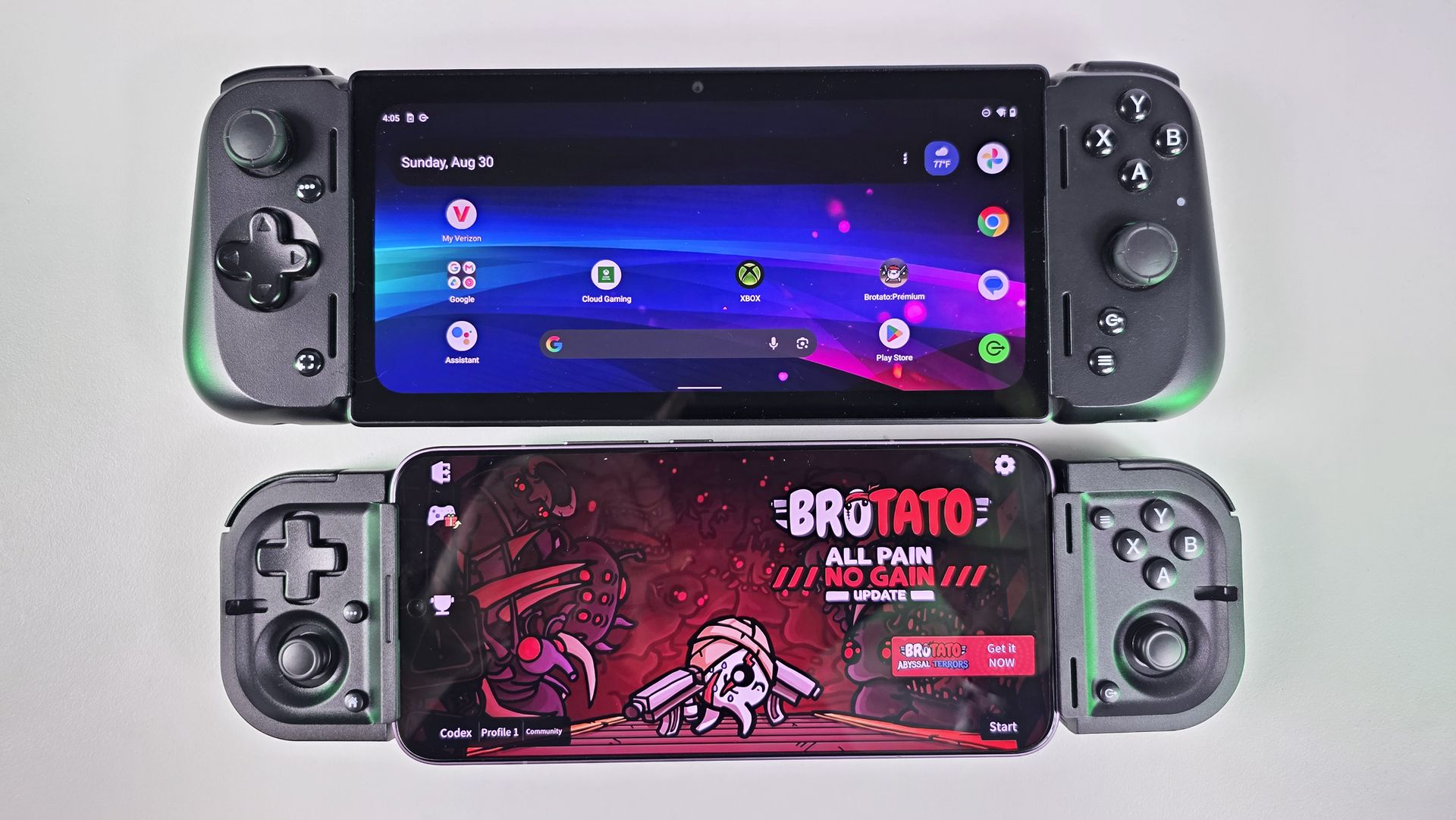
Direct comparison between Razer Edge at top and a smartphone docked inside the compact Razer Prio controller at bottom.

How the Prio (bottom) compares to the Razer Edge 5G (above). (Image credit: Daniel Rubino)

One mistake readers might make is comparing the Prio directly against controllers like the Razer Kishi V3 Pro, which got high praise from us.

That's not really the point.

The Prio isn't designed to be the most ergonomic controller available. It's designed to be the controller you're willing to carry every day.

During longer gaming sessions of around an hour, the smaller controls do start to make their presence known. My hands were definitely more aware of the compact design than they would be with something like a Kishi V3 Pro.
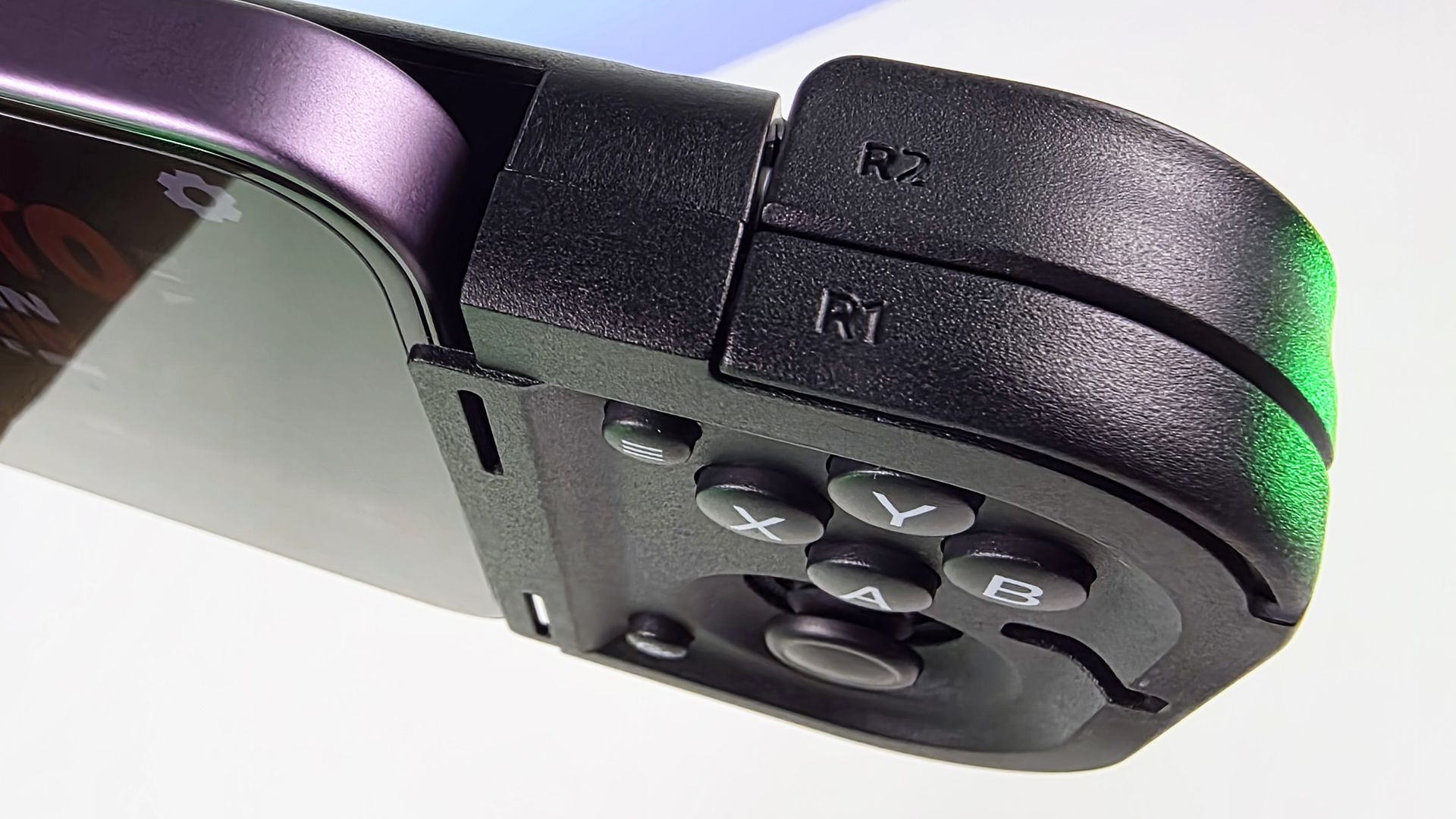
Close-up of the Razer Prio right controller module attached to a purple phone, showing R1/R2 shoulder triggers, ABXY face buttons, and an analog thumbstick.

The top shoulder buttons are decent on the Razer Prio. (Image credit: Daniel Rubino)

But here's the thing: I'd still choose the Prio over touchscreen controls every single time.

In fact, that's the comparison that matters most.

Playing action games with virtual buttons often causes hand fatigue and cramping much faster than using the Prio. The tactile controls provide actual feedback, keep your thumbs off the display, and make games considerably more comfortable to play.

If you're already gaming primarily with on-screen controls, the Prio feels like a massive quality-of-life upgrade.

Wide compatibility and a surprisingly good software experience
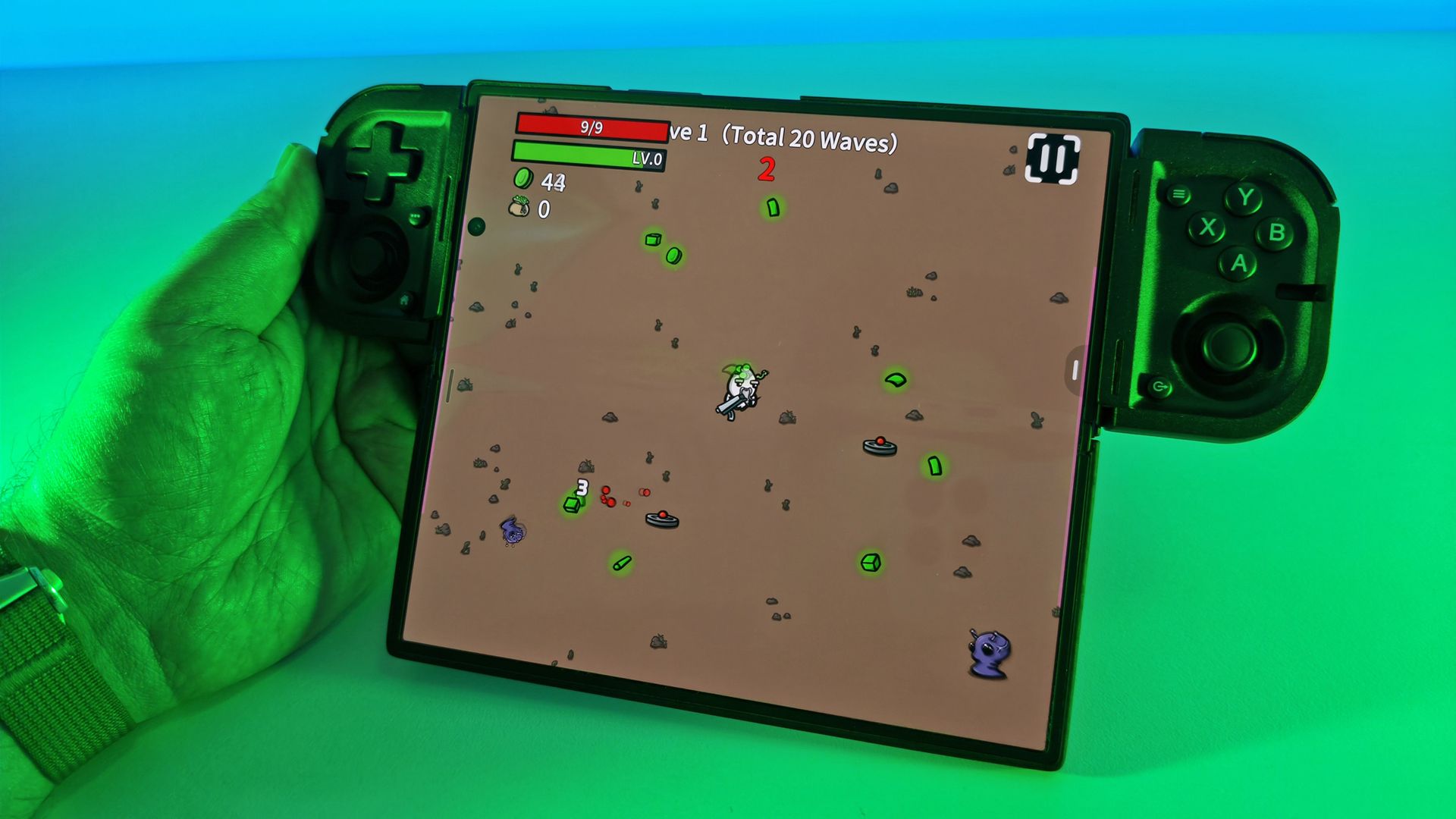
Hand holding a wide foldable smartphone displaying active Brotato gameplay, clamped horizontally inside a black Razer Prio controller under green light.

The Prio technically works with the Samsung Galaxy Z Fold7, but you can only use it unfolded. It's a bit clunky, but super fun to use! (Image credit: Daniel Rubino)

Razer says the Prio supports USB-C smartphones up to 188mm in length and cases up to 15mm thick. It also works with both Android phones and modern USB-C iPhones.

My foldable phones like the Samsung Galaxy Z Fold7 worked too, albeit with a caveat. Ironically, I found the best experience with my Fold devices was actually in their unfolded tablet mode. While that may seem counterintuitive for such a compact controller, gaming on a larger foldable display paired with the Prio was surprisingly enjoyable.

The included spacers and bumpers also make fitting phones straightforward, even when using cases. For instance, I had no issues using the Prio with my Samsung Galaxy S26 Ultra with a Pitaka case (you just have to swap out or remove the internal bumper/pads).

Then there's Razer Cortex.
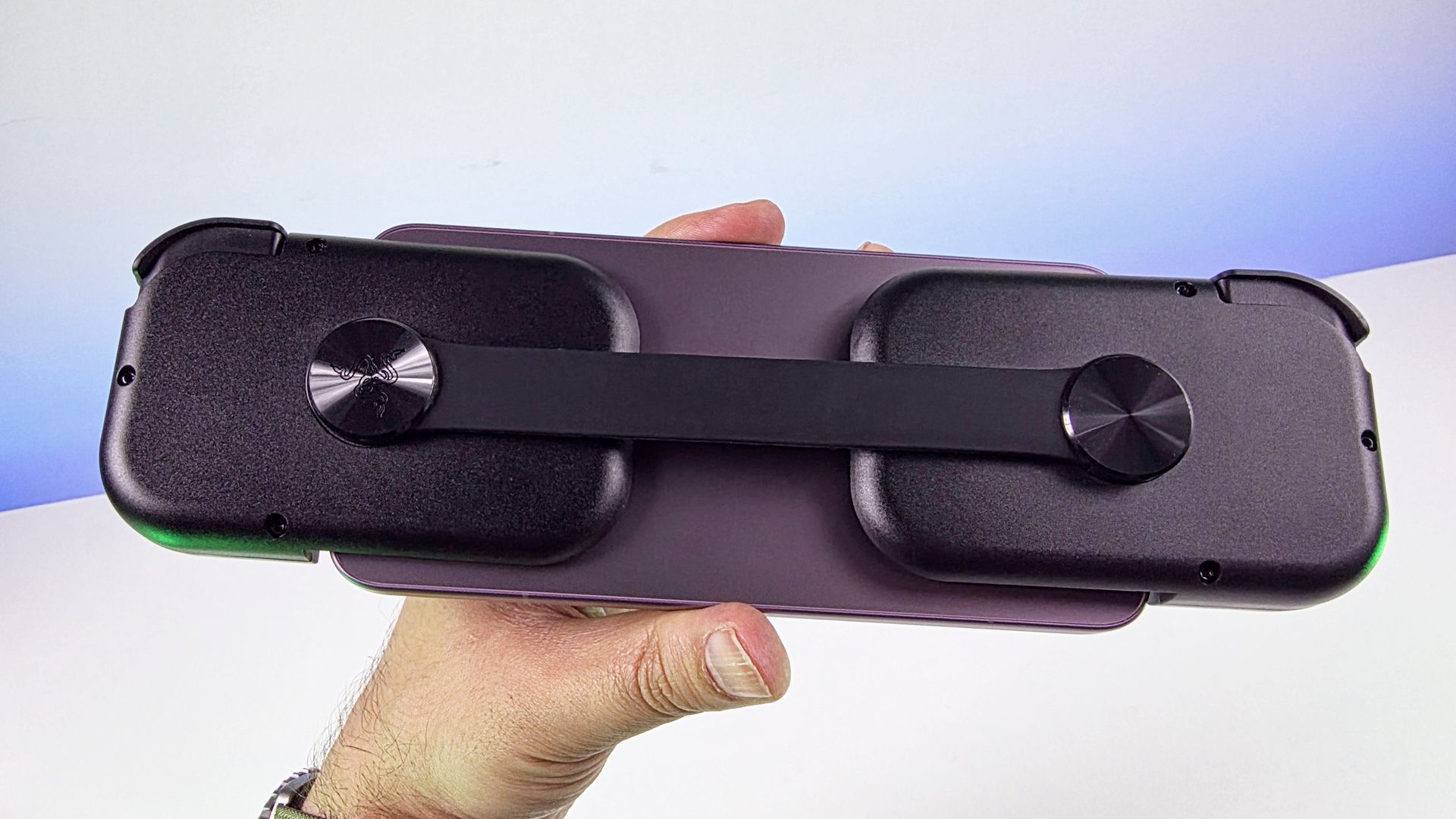
Hand holding the back of a smartphone attached to the Razer Prio controller, highlighting the flexible rear strap connecting the two handgrips.

Rear of the Razer Prio on the Xioami 17T Pro smartphone with a 6.83 inche display. (Image credit: Daniel Rubino)

The dedicated Cortex button launches Razer's gaming software, which automatically gathers installed games into a centralized library. The experience feels somewhat similar to using a Steam Deck or handheld gaming PC launcher, making it easier to jump into games without digging through app drawers.

The controller supports not only mobile games but also cloud and remote streaming services, including Xbox Cloud Gaming, Steam Link, PlayStation Remote Play, and Razer PC Remote Play.

One limitation worth mentioning is that not every mobile game benefits from the Prio. Some popular titles remain locked to portrait orientation. Games like 1945 Air Force and Raiden Fighter simply aren't designed around horizontal controller gameplay, so the Prio doesn't add much value there.

For more console-style mobile games, however, it's an excellent fit.

Competition
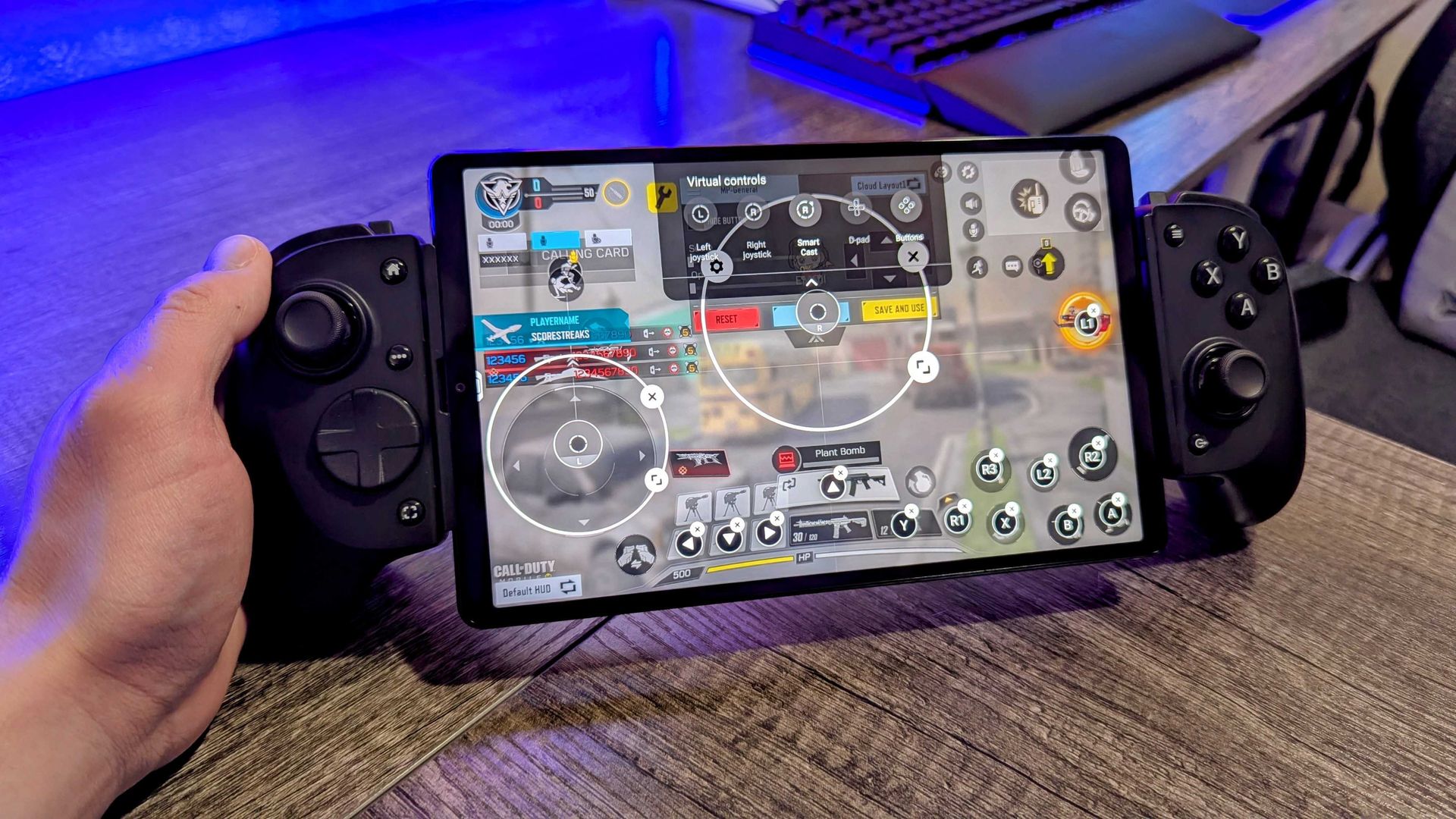
Image of the Razer Kishi V3 Pro mobile gaming controller.

The $149 Razer Kishi V3 Pro is bigger and more premium, but really not pocketable like the Razer Prio. (Image credit: Windows Central | Zachary Boddy)

The Prio's biggest competition may come from within Razer's own lineup.

The Razer Kishi V3 and Kishi V3 Pro offer larger controls, better ergonomics, and a more traditional controller experience. They're excellent options for couch gaming or tossing in a backpack.

The Prio takes a different approach.

Those controllers are portable. The Prio is pocketable. That distinction ends up making all the difference.

Sure, there are some other great options like the Backbone One Xbox Edition ($109), Abxylute S9 ($99), and even Razer's Razer Kishi Ultra, which all got excellent reviews from us and are great mobile controllers, but none of them are .... well, pocketable.

Should you buy it?
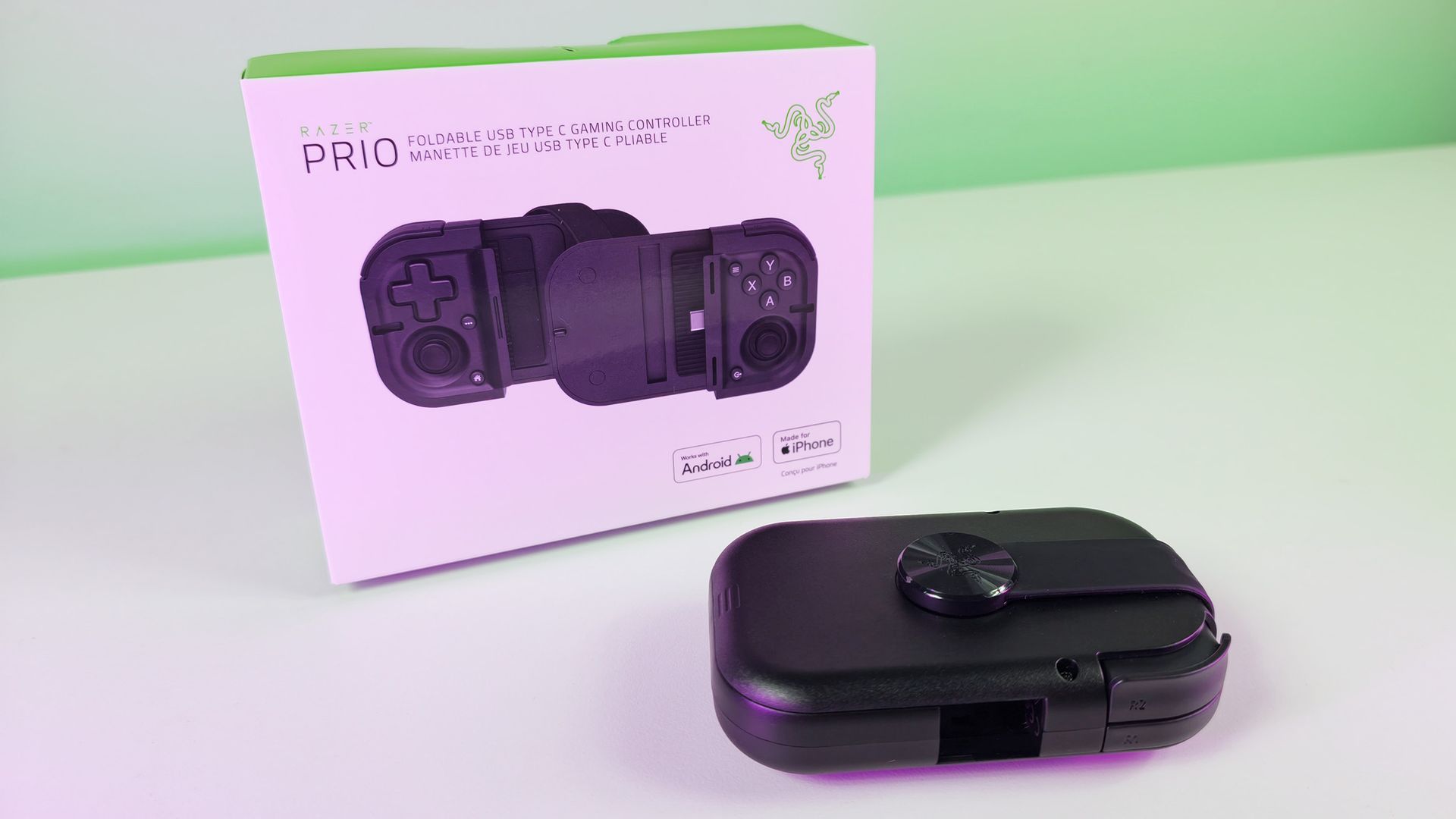
Folded black Razer Prio mobile controller resting in front of its white product box on a white surface with green gradient lighting.

Folded black Razer Prio mobile controller resting in front of its white product box. It's a bit thick (and mostly hollow), but still easily fits into a pocket. (Image credit: Daniel Rubino)

βœ…You should buy this if...

  • You want a pocketable mobile controller
  • You want a step up from on-screen controls
  • You cloud game or play horizontally-formatted games

❌You shouldn't buy this if...

  • You have a foldable phone (maybe)
  • You prefer more comfort over portability

The Razer Prio succeeds because it understands the assignment.

Rather than trying to become another bulky mobile controller, it prioritizes portability without sacrificing too much functionality. The result is a controller that's more comfortable than touchscreen gaming, more practical than many competitors, and genuinely easy to keep with you every day.

At $99.99, it sits right on the edge of what feels reasonable. Personally, I think $79.99 would be the sweet spot. But Razer also made the smart decision not to push pricing too close to the far more premium Kishi V3 Pro ($149.99), and there are certainly more expensive mobile controllers on the market.

The controls are small. The setup is initially quirky. The all-black design could use a splash of classic Razer green.

None of those complaints change the fundamental reality: the Prio solves a real problem.

And if you've ever left a mobile controller at home because it was simply too big to carry around, the Razer Prio might be exactly what you've been waiting for.
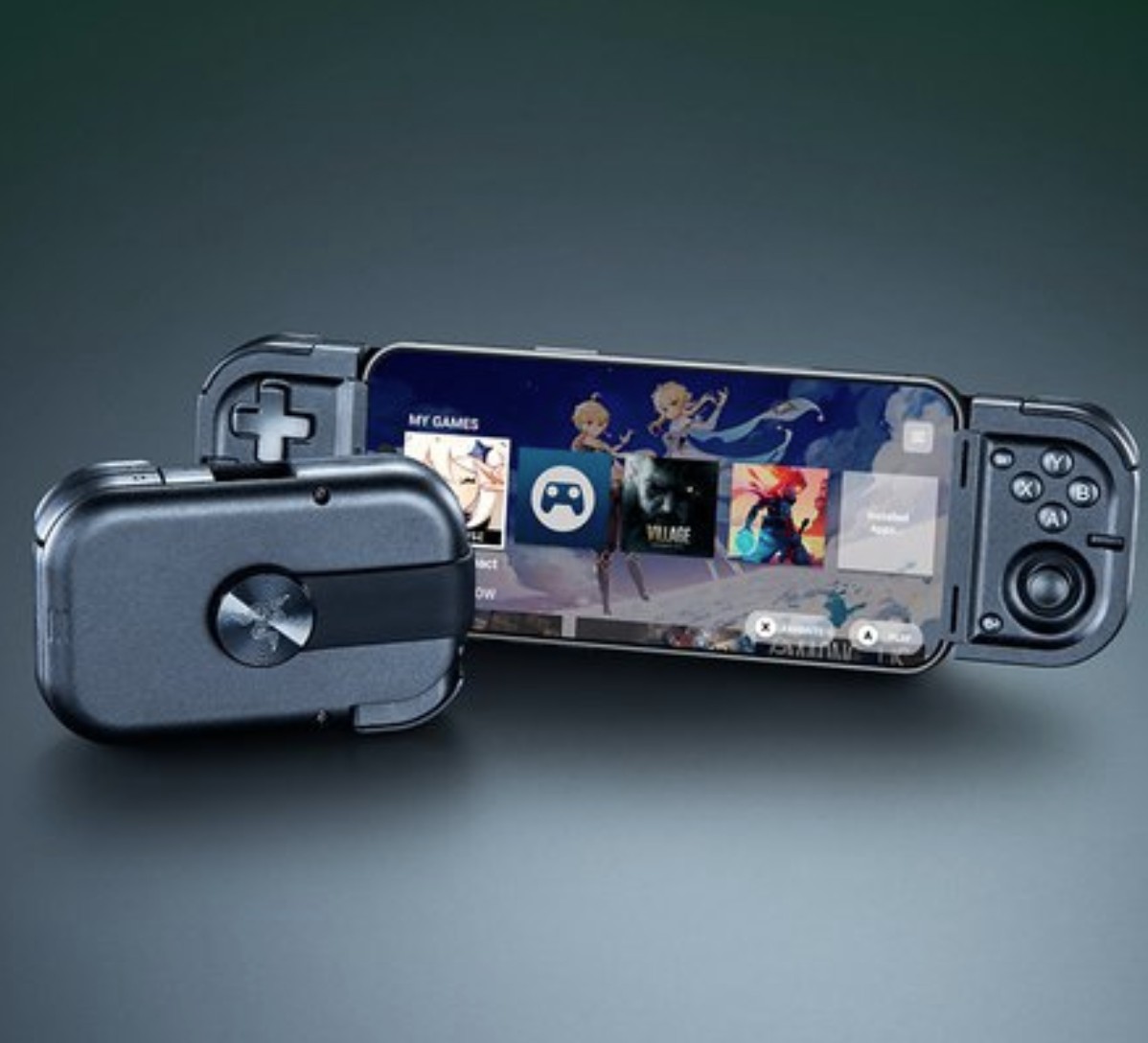
Product shot of the Razer Prio mobile controller

Pocketable
Razer
Prio

The Razer Prio isn’t out to win any β€œbiggest, cushiest controller” awardsβ€”it’s gunning for the gold in portability. With a clever foldable design that shrinks down to about the size of a credit card, it’s one of the rare mobile controllers you might actually slip into your pocket instead of leaving it to gather dust at home.

Click to join us on r/WindowsCentral

Join us on Reddit at r/WindowsCentral to share your insights and discuss our latest news, reviews, and more.
  •  

Razer Reclusa X Mini 65% review: A surprising $49.99 enthusiast gaming keyboard that nails the basics

Razer is on a tear this year for gaming keyboards ranging from a new Huntsman low-profile to the $499 Huntsman Signature Edition and a few in between like the new-fangled $139 Razer Huntsman V3 HE Magnetic.

But Razer is known for its top-tier and expensive gaming accessories, which makes this new Razer Reclusa X Mini 65% such an intriguing addition, as it's only $49.99.

Even my jaw dropped a bit when I was getting briefed on it, as very few Razer products hit below $50, especially when not on sale.

Of course, the $49.99 question is it any good? To be fair, I'm a bit biased against 65% keyboards (I miss my media keys), but I've spent the last 10 days using it, and let's just say the price wasn't the only surprise.

Let's get into the pros, cons, and who this is for.

Razer had no input, nor did it see the contents of this review, prior to publication.

Razer Reclusa X Mini 65%: Price and specifications

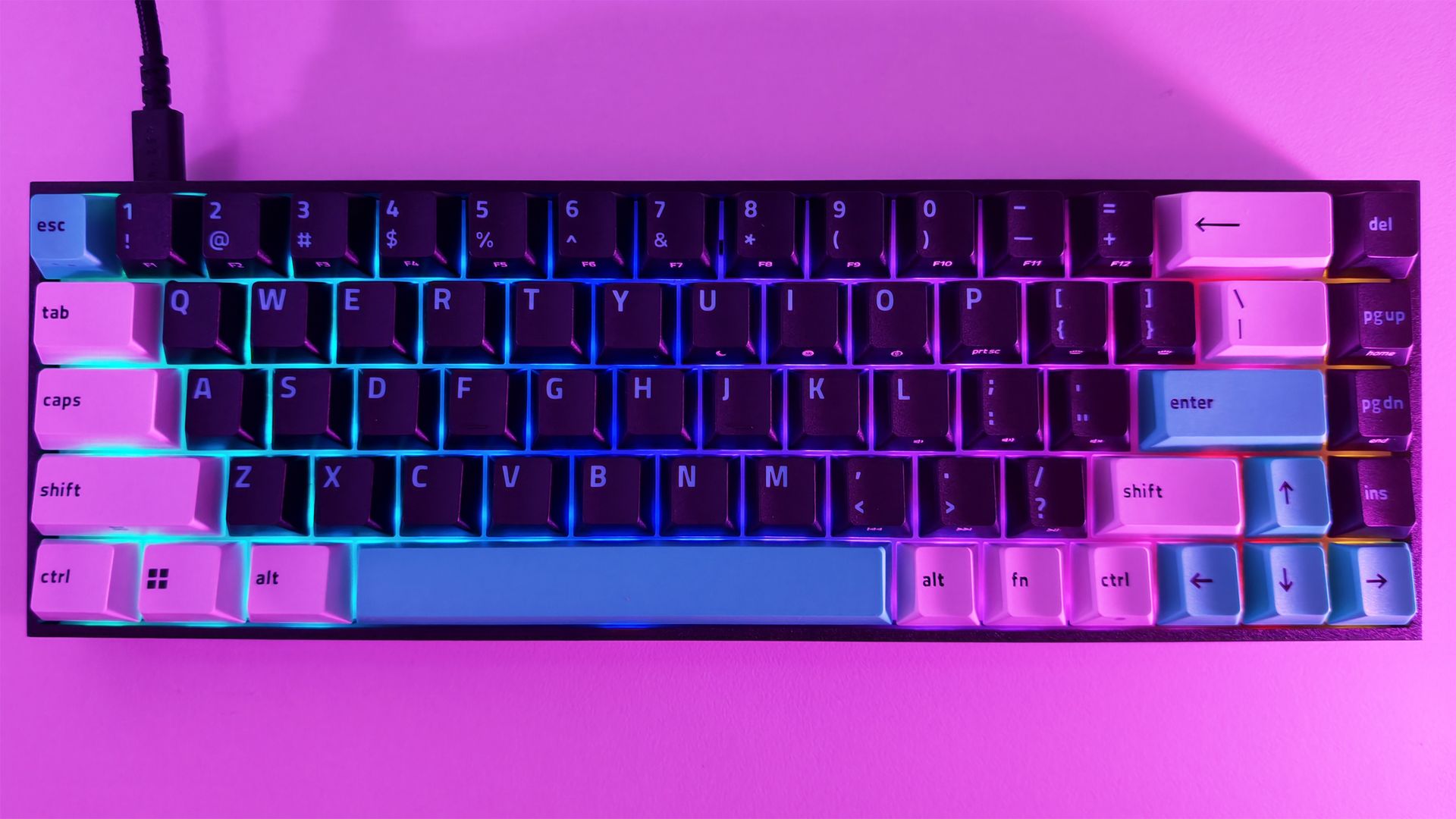
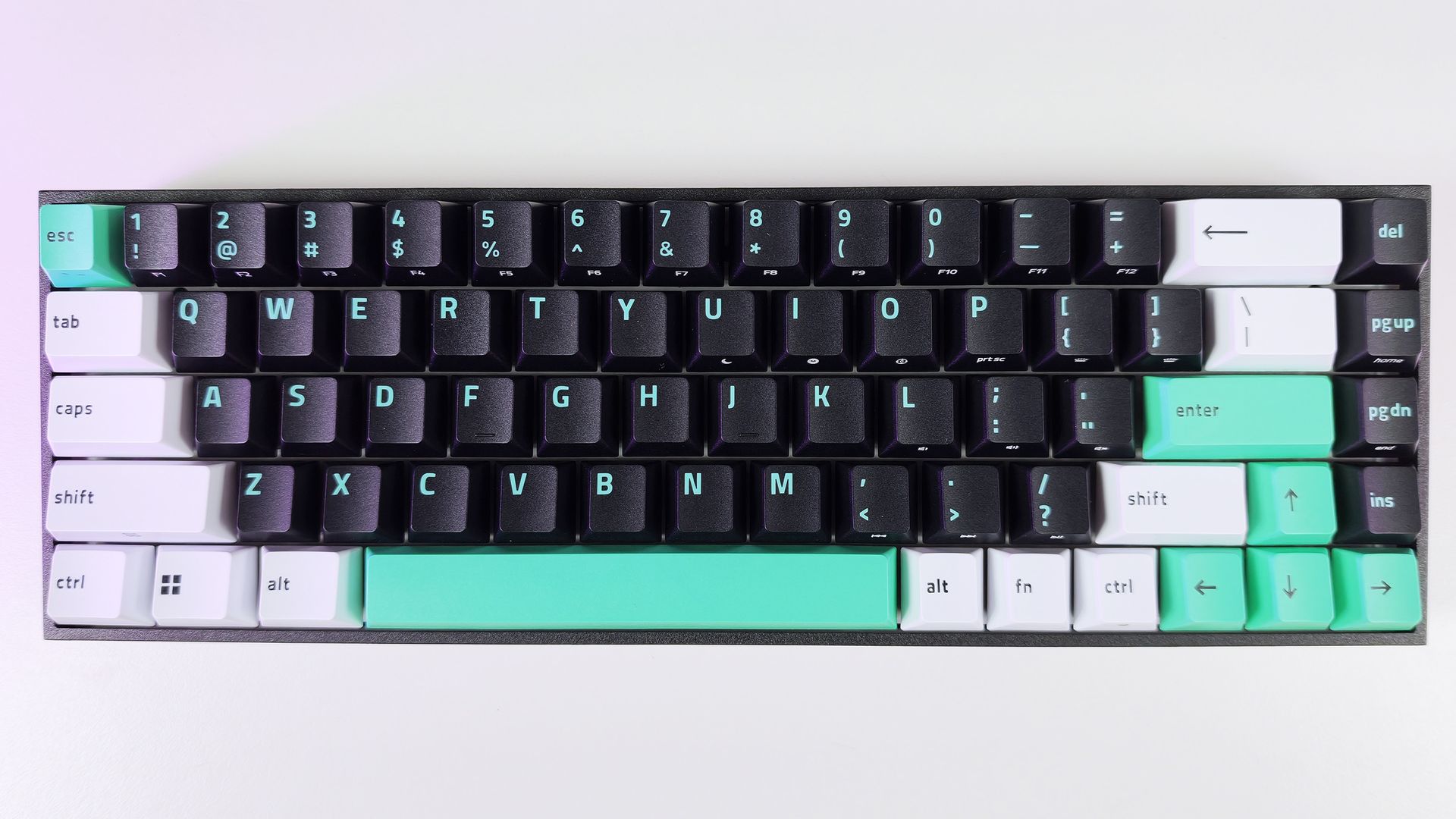
Direct top-down view of the Razer Reclusa X Mini 65% keyboard showing its black, white, and teal keycaps in neutral light.

Direct top-down view of the Razer Reclusa X Mini 65% keyboard showing its black, white, and teal keycaps. (Image credit: Daniel Rubino)

The Reclusa X Mini 65% launches at just $49.99 (Razer.com, Amazon; I expect Best Buy to get it eventually), making it one of the most affordable mechanical keyboards Razer has released in recent memory. That's especially notable when you consider it isn't cutting corners on enthusiast-friendly features such as hot-swappable switches, south-facing LEDs, pre-lubed stabilizers, per-key RGB lighting, and support for Razer's competitive gaming technologies.

Among its highlights are Razer's Gen-3 Orange tactile switches, compatibility with both 3-pin and 5-pin mechanical switches, dual-layer silicone dampening, and a new tri-tone visual design that immediately separates it from the rest of Razer's keyboard portfolio.

Specs

  • Layout: 65%
  • Switches: Razer Gen-3 Orange Tactile
  • Hot Swap: 3-pin and 5-pin compatible
  • RGB: Per-key Razer Chroma RGB
  • Polling Rate: Up to 1,000Hz
  • Sound Dampening: Dual-layer silicone
  • Keycaps: Doubleshot ABS, tri-tone design
  • Features: Snap Tap, Snap Flex, Dual-Keypress Priority
  • Price: $49.99 USD

What I like

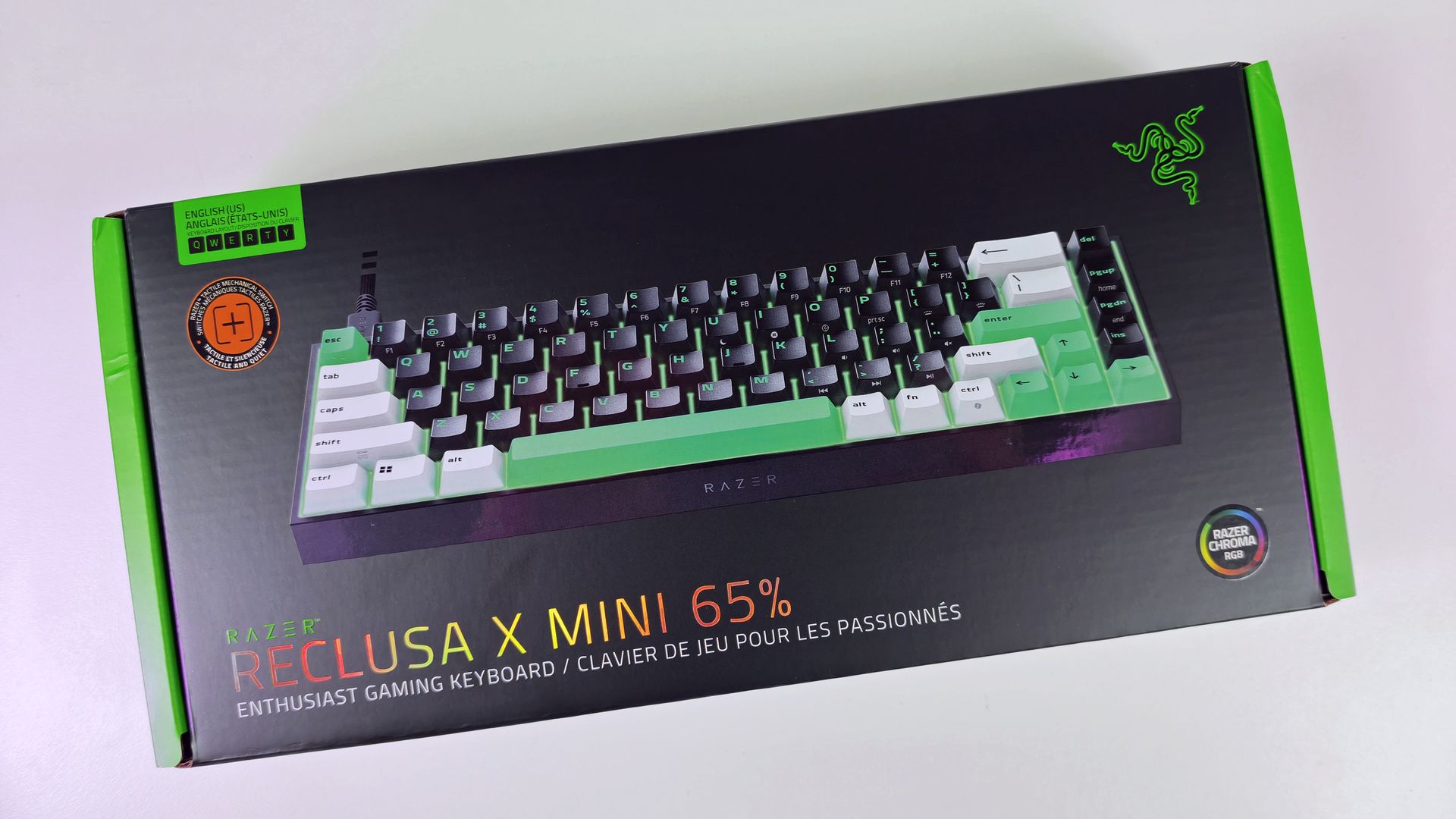
Direct top-down view of the Razer Reclusa X Mini 65% keyboard retail box.

(Image credit: Daniel Rubino)

The biggest surprise with the Reclusa X Mini 65% is just how good it feels to type on.

I'm generally not a huge fan of 65% keyboards. I miss dedicated media controls, and shrinking a layout inevitably introduces compromises. Yet after a few days with the Reclusa, I found myself reaching for it more often than expected.

The Gen-3 Orange tactile switches deserve a lot of the credit.

Razer describes them as delivering a tactile bump with quieter operation and improved consistency, while maintaining a 100-million keystroke lifespan. In practice, they're some of my favorite tactile switches Razer has produced, even compared to the more expensive Huntsman line.

The keys feel snappy, springy, and responsive, with excellent travel and a satisfying bottom-out characteristic that's surprisingly difficult to describe. The closest comparison is that each keystroke feels deliberate, controlled, and rewarding.

Every press feels crisp and energetic, with just enough tactility to make long typing sessions genuinely enjoyable.

The keyboard's dual-layer silicone dampening helps elevate the experience further. Razer specifically tuned the board to reduce resonance and hollow acoustics, and it shows.

The overall sound profile sits somewhere between mid-volume and clacky. Meanwhile, the space bar and backspace produce a deeper, more pronounced thock that adds personality without becoming distracting.

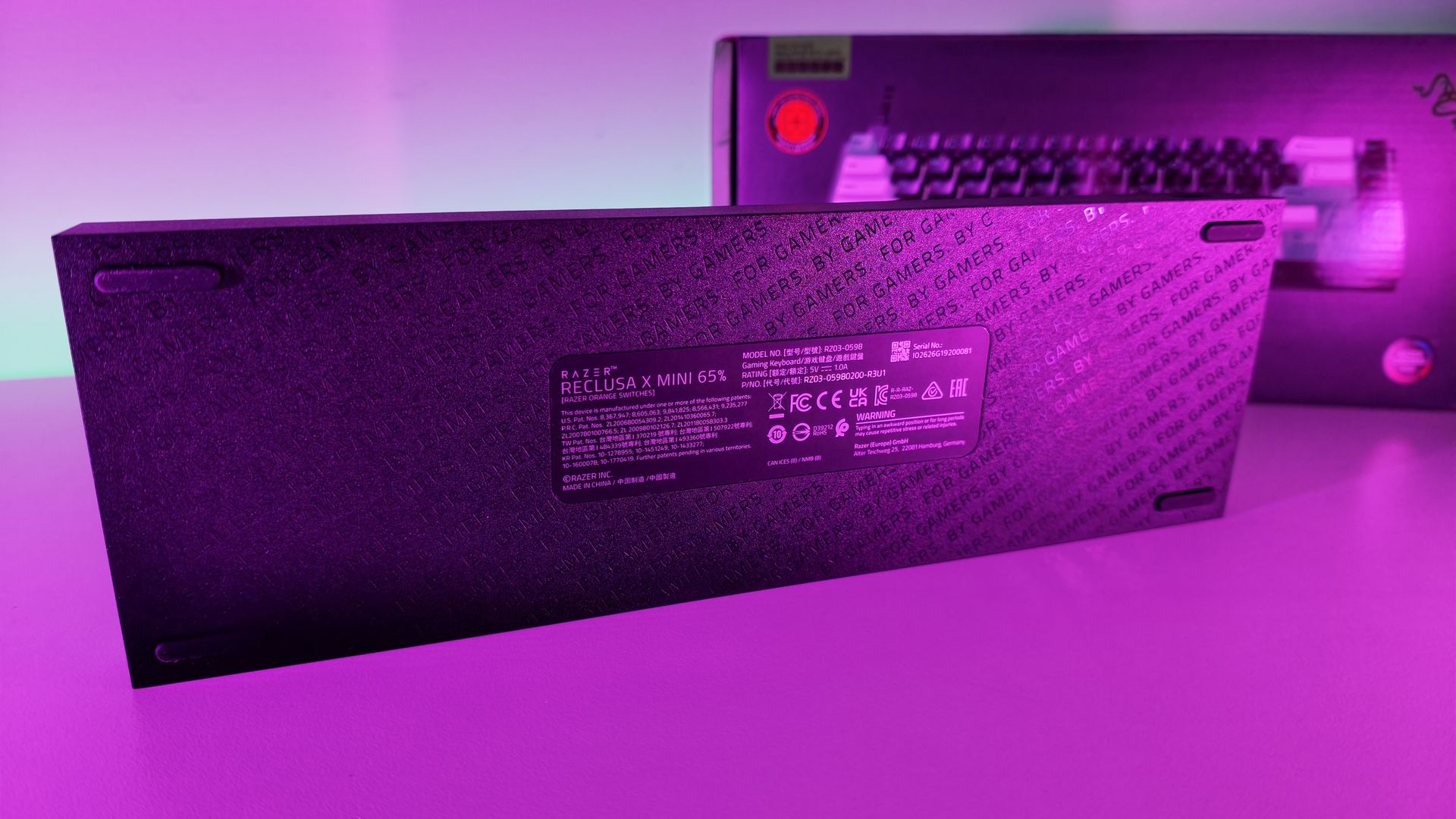
Bottom surface of the Razer Reclusa X Mini 65% keyboard, featuring rubber feet and a center product label with technical details.

Surprisingly, no risers on the bottom of the Reclusa X Mini 65%. (Image credit: Daniel Rubino)

For a $50 keyboard, the construction is also impressive.

My review unit measured roughly 710 grams, giving it enough heft to stay planted on the desk. The chassis doesn't feel flimsy, cheap, or hollow. The matte finish does a great job resisting fingerprints, and the included braided USB-C cable is the same type of quality cable Razer ships with more expensive products.

The hot-swappable design is another major selling point.

Users can install both 3-pin and 5-pin switches without soldering, making the board approachable for newcomers while still appealing to enthusiasts. Razer even notes that the keyboard can be opened through screws in the top plate for additional modifications, although doing so may affect warranty coverage according to the FAQ

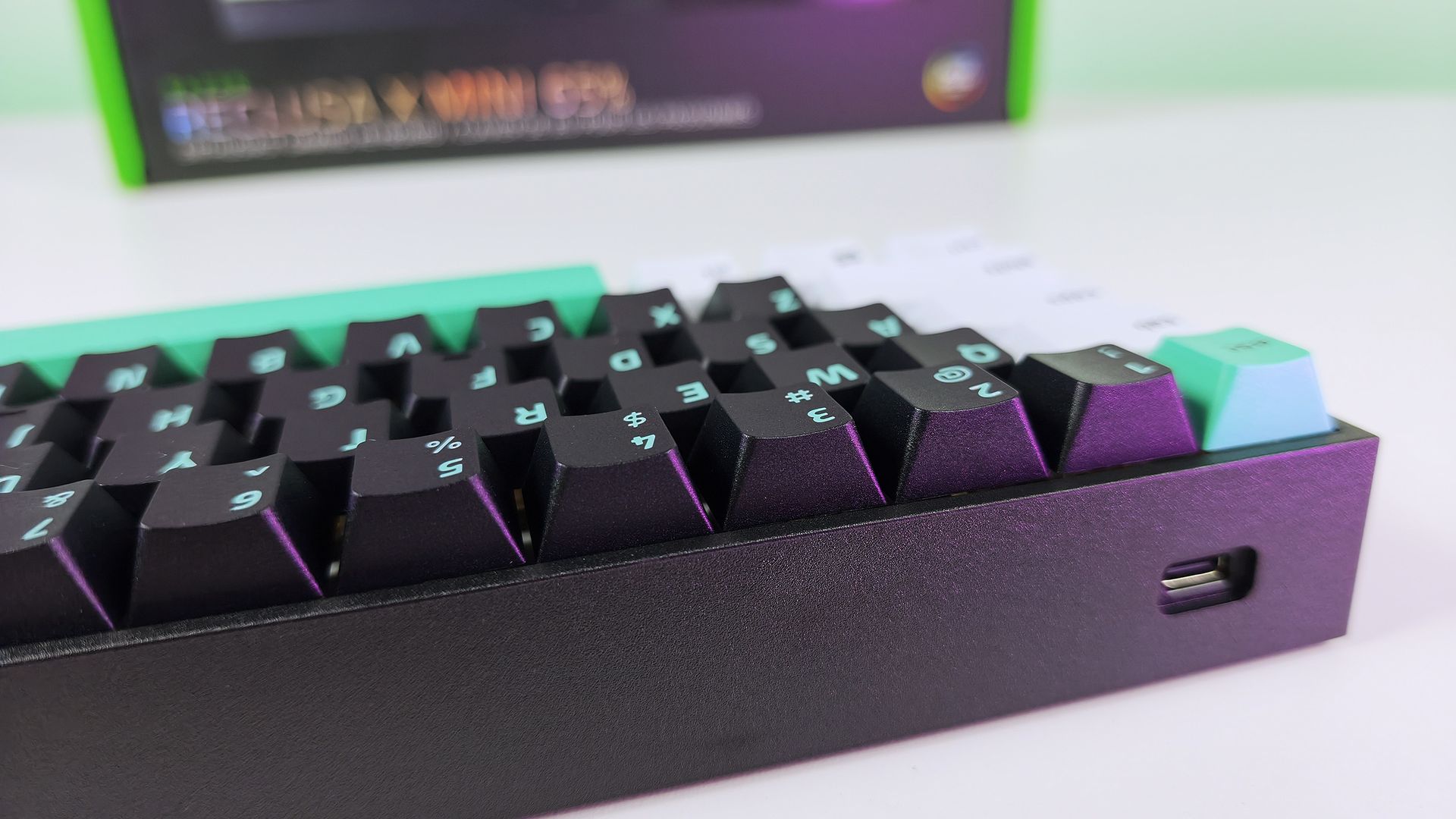
Close-up side view of the Razer Reclusa X Mini 65% keyboard showing the recessed USB-C port on its black frame.

The Razer Reclusa X Mini 65% has a very solid body with a single Type-C port on the left-hand side. (Image credit: Daniel Rubino)

I experimented with swapping switches and found the process straightforward. More importantly, I never felt a pressing need to do so. The stock experience is already strong enough that many users will be perfectly happy leaving it untouched.

The new tri-tone keycap design is another win.

Razer says the design is intended to give the keyboard a distinctive visual identity, and it succeeds. Combined with south-facing RGB LEDs, the Reclusa feels like one of Razer's clearest nods yet toward the custom keyboard crowd.

Gaming features that actually matter

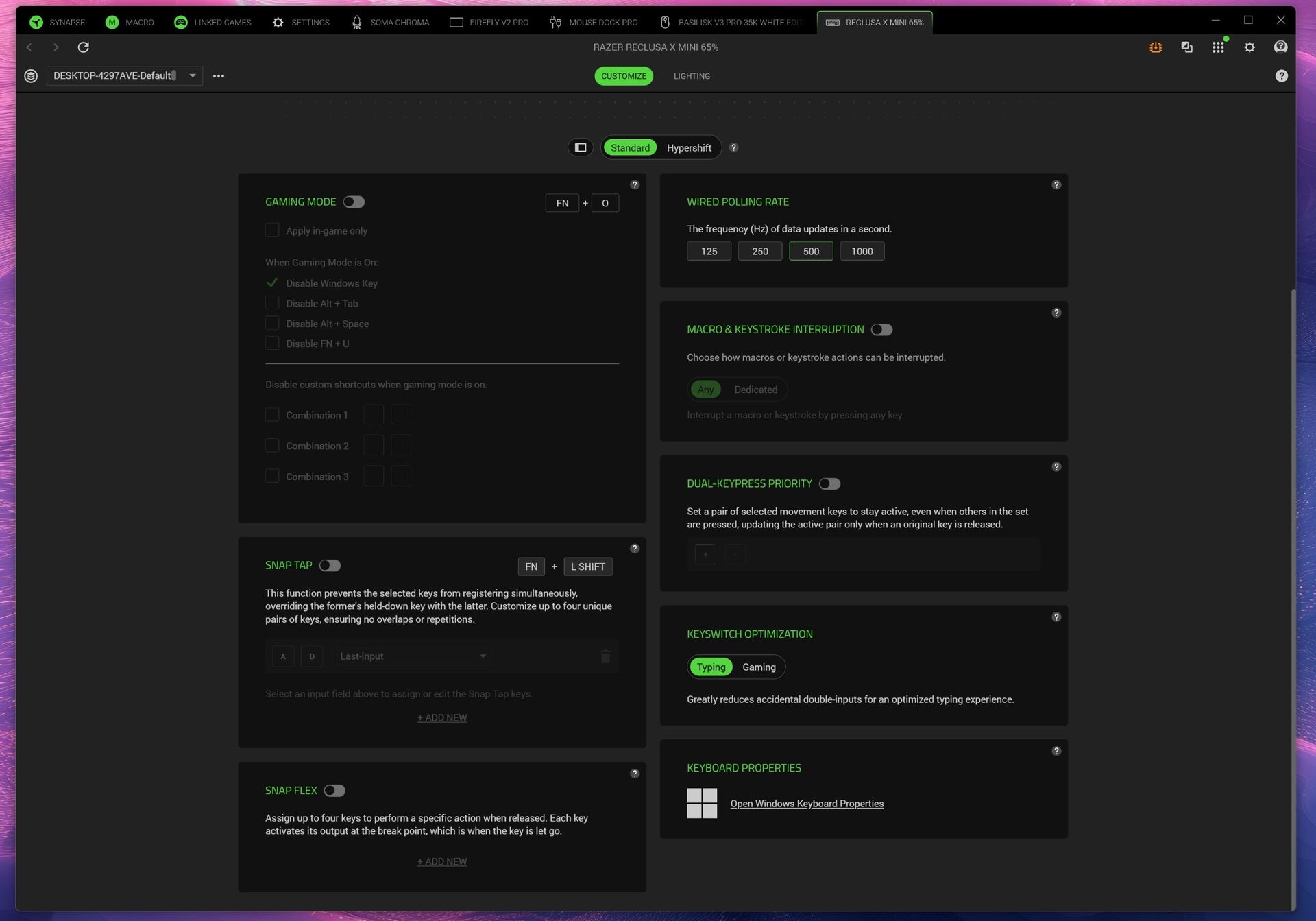
Screenshot of Razer Synapse and the multiple gaming features for the Razer Reclusa X Mini 65% keyboard.

Screenshot of Razer Synapse and the multiple gaming features for the Razer Reclusa X Mini 65% keyboard. (Image credit: Daniel Rubino)

The Reclusa X Mini 65% also includes Snap Tap, Snap Flex, and Dual-Keypress Priority, technologies aimed primarily at competitive players.

Snap Tap helps prioritize directional inputs for cleaner counter-strafing behavior, while Snap Flex can bind two actions to a single keystroke for more consistent multi-input actions. Dual-Keypress Priority is designed to maintain movement consistency when overlapping directional inputs occur.

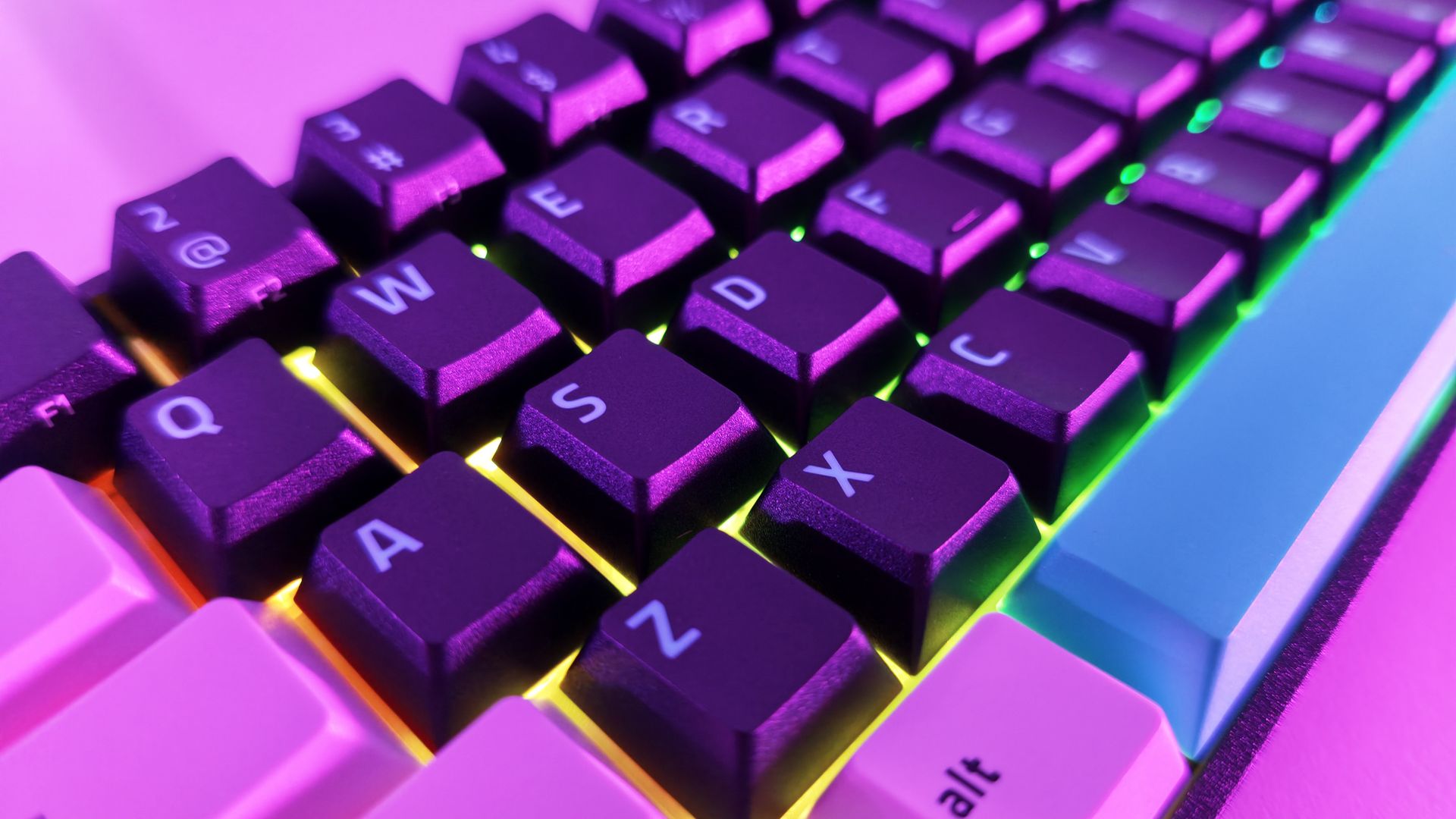
Extreme close-up of textured black keycaps on the Razer Reclusa X Mini 65% with bright RGB backlighting underneath.

Close-up of the included Doubleshot ABS, tri-tone design keycaps and RGB. (Image credit: Daniel Rubino)

During a few gaming sessions in Call of Duty and DOOM: The Dark Ages, the keyboard behaved exactly as I'd expect from a modern Razer gaming board. The features worked as advertised, though none fundamentally changed my experience during limited testing.

The more important takeaway is that entry-level pricing doesn't mean sacrificing gaming-focused functionality.

What I don't like

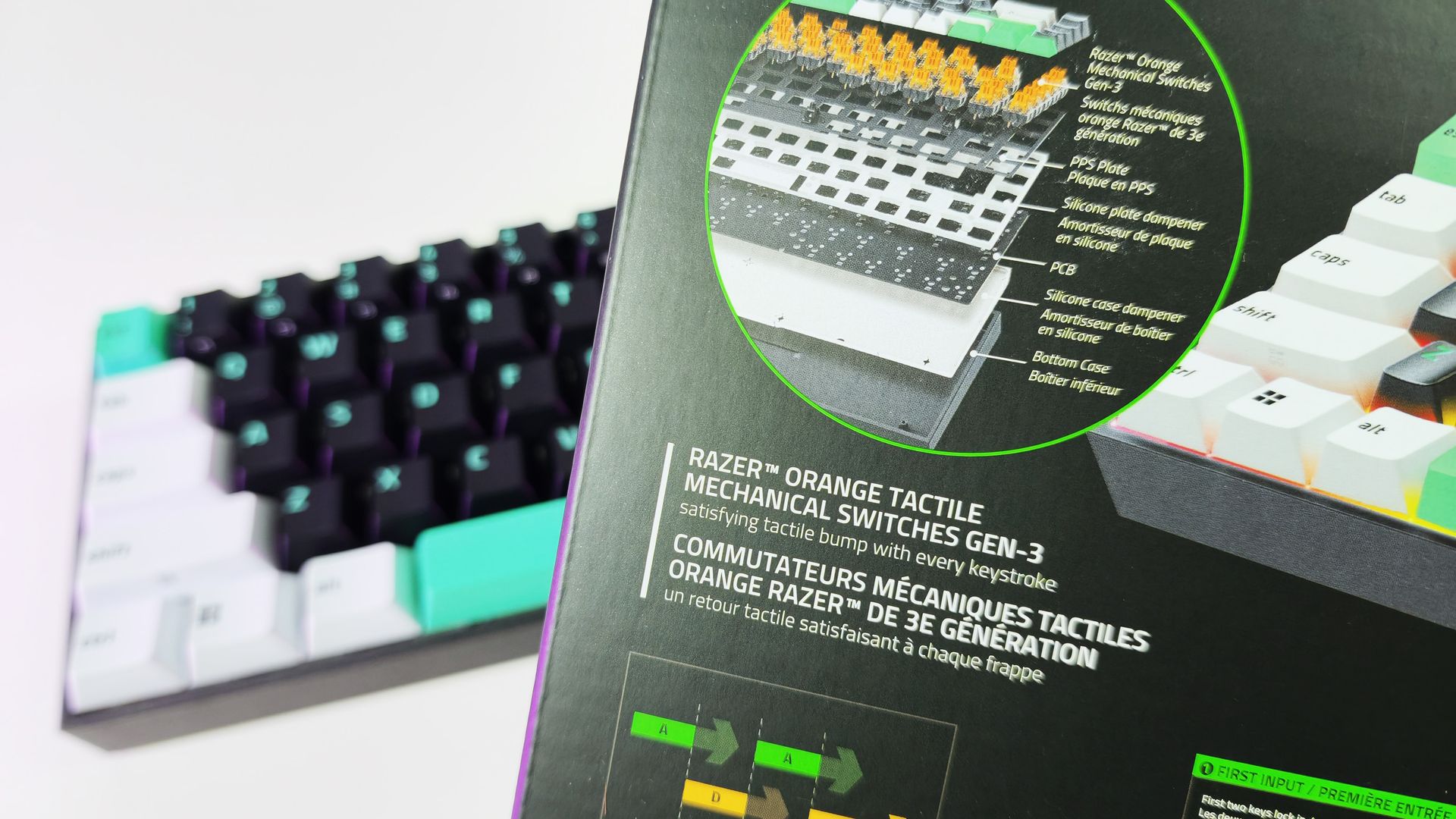
Close-up of the retail box highlighting Razer Orange Tactile Mechanical Switches Gen-3 with an exploded layer diagram.

(Image credit: Daniel Rubino)

The 65% form factor itself remains my biggest complaint.

That's more personal preference than a flaw, but users accustomed to dedicated media keys, function rows, or larger layouts may feel constrained. That said, I like typing so much on this; I haven't switched back yet, so that's saying something.

Another drawback is the lack of adjustable feet.

The keyboard sits completely flat, and there are no built-in risers to alter the typing angle. Some users will appreciate the low profile, but I would have liked additional adjustment options.

The Reclusa feels premium where it matters most, but a pair of flip-out feet would have completed the package.

RGB lighting is also merely good rather than exceptional. It gets the job done, but don't expect the depth, diffusion, and visual impact of premium Razer boards like the Huntsman V3 Pro series.

Finally, Synapse remains a potential sticking point. While Razer has been increasingly expanding web-based support options across its ecosystem, some users still prefer products that avoid software requirements entirely.

Should you buy it?

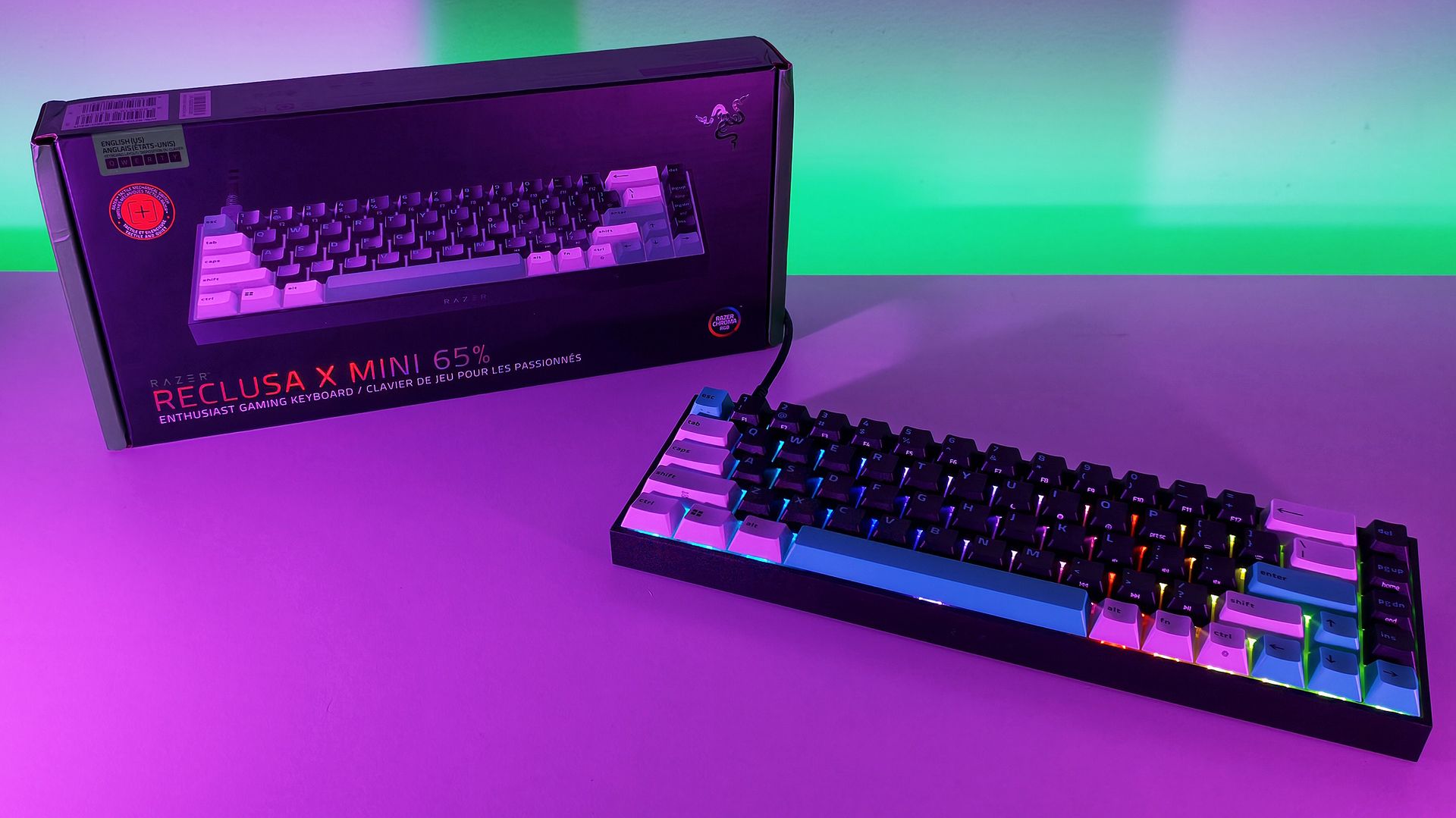
Angled view of the Razer Reclusa X Mini 65% keyboard with active RGB lighting next to its packaging on a purple surface.

(Image credit: Daniel Rubino)

βœ…You should buy this if...

  • You want a quality mechanical keyboard under $50
  • You want hot-swappable switches without entering the custom keyboard rabbit hole
  • You enjoy tactile switches and satisfying typing acoustics
  • You want enthusiast-friendly features from a major gaming brand

❌You shouldn't buy this if...

  • You need a full-size or TKL layout
  • Dedicated media controls are a must-have
  • Adjustable typing angles are important to you
  • You want flagship-tier RGB lighting

Final thoughts

The Reclusa X Mini 65% feels like the beginning of something larger for Razer.

The company explicitly describes the model as the debut of a new enthusiast-focused Reclusa family and "the first step in the Reclusa journey." While Razer hasn't announced additional models, the messaging strongly suggests the line will expand into other sizes and configurations over time.

If that's the plan, this is an excellent start.

At just $49.99, the Reclusa X Mini 65% delivers a surprisingly refined typing experience, useful gaming features, broad customization potential, and a build quality that belies its budget-friendly price. I still prefer larger layouts, but that's the highest compliment I can give this keyboard: despite my reservations about 65% boards, I genuinely enjoyed using it.

Who should buy it?

The Razer Reclusa X Mini 65% is ideal for gamers and keyboard enthusiasts looking for a genuinely good mechanical keyboard without spending triple digits. If you've been curious about hot-swappable keyboards, custom keycaps, and enthusiast-focused features but don't want to dive headfirst into the custom keyboard rabbit hole, this is one of the easiest and most affordable entry points Razer has offered.

It'll also be a great gift for young aspiring gamers this holiday season.

Razer Reclusa X Mini 65% product image showing the keyboard from a top down perspective.

Razer
Reclusa X Mini 65%

A remarkably affordable enthusiast keyboard that combines hot-swappable switches, excellent tactile feedback, and a premium feel into a package that punches well above its $49.99 asking price.

Click to join us on r/WindowsCentral

Join us on Reddit at r/WindowsCentral to share your insights and discuss our latest news, reviews, and more.
  •  
❌