❌

Reading view

Android, Google rende più facile e sicuro il passaggio a un nuovo password manager

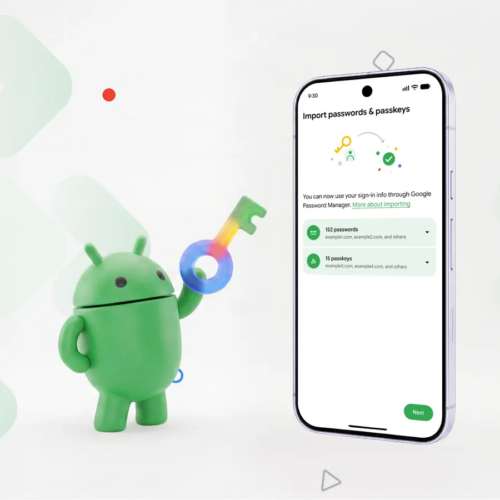
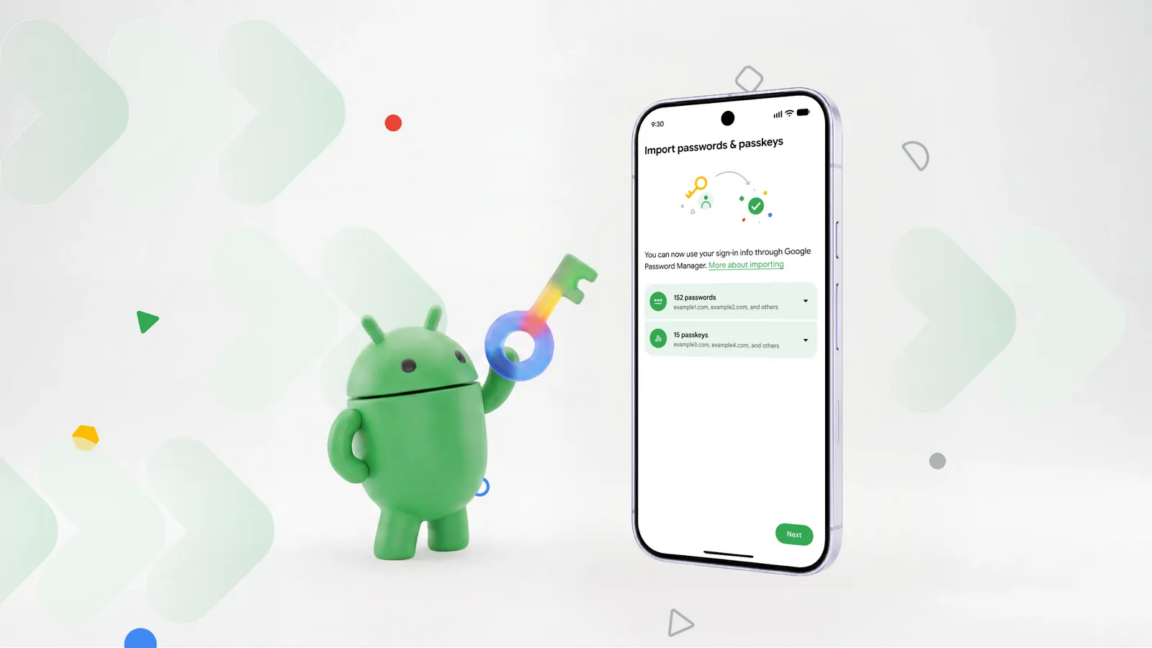
Nelle scorse ore Google ha annunciato una novità piuttosto importante in Android che permetterà di passare più agevolmente da un password manager all’altro, trasferendo il database di credenziali (sia password sia passkey) direttamente, senza bisogno di esportarlo e importarlo manualmente, con tutti i rischi derivati dalla generazione di file contenenti dati così sensibili (spesso nemmeno crittografati).

Fino a oggi, cambiare password manager significava spesso esportare l’intero archivio delle credenziali in un file locale, salvarlo sul dispositivo e successivamente importarlo nel nuovo servizio. In molti casi questi file possono essere archiviati senza crittografia; e poi bisogna ricordarsi di eliminare il file una volta completata la procedura, per evitare che rimanga accessibile sul dispositivo. Con il nuovo sistema, invece, l’utente deve semplicemente avviare la procedura di importazione dal nuovo password manager scelto. A quel punto Android rileva automaticamente i gestori di password compatibili installati sullo smartphone e consente di selezionare quello da cui trasferire i dati.

Il sistema si occupa di gestire il collegamento tra i due servizi, richiedendo l’autorizzazione necessaria per il trasferimento. Dopo la conferma dell’utente, password e passkey verranno spostate senza la creazione di file intermedi e senza ulteriori passaggi manuali. Certo, non è un’operazione che si fa una volta a settimana, ma vista la criticità dei dati salvati fa comodo avere una procedura ad hoc che minimizzi i pericoli per l’utente.
Piccolo prezzo per un ottimo smartphone? Honor 400 Lite, compralo al miglior prezzo da Amazon Marketplace a 130 euro.

CLICCA QUI PER CONTINUARE A LEGGERE

  •  

Google Finally Launches A Native Gemini Desktop App For Windows

Google has officially rolled out a brand new native desktop application for its smart platform, bringing the handy tool directly to Windows machines. Instead of opening a web browser every time you need help, you can now pull up the assistant right over your active screen. It gives regular users a much faster way to […]

The post Google Finally Launches A Native Gemini Desktop App For Windows appeared first on The Mac Observer.

  •  

New Mexico Lawmakers Ask Apple To Stop State Name Change To New America

New Mexico representatives are asking Apple and Google to block a potential state name change on mapping platforms. The move comes after the US President suggested renaming the state to New America in a series of social media posts. The lawmakers want to preemptively ensure that the tech companies ignore any official push to alter […]

The post New Mexico Lawmakers Ask Apple To Stop State Name Change To New America appeared first on The Mac Observer.

  •  

Android can now securely migrate your logins between password managers

As longer, more complex passwords have become a necessity, remembering all those strings of numbers, letters, and special characters has become nearly impossible. Password managers can solve that problem, but what happens when you want to move to a different login organizer? Sure, you could manually type all your logins into a new app, but now Android can do that for you without the tedium.

Google designed the new login transfer process to happen entirely on your phone, so you need the corresponding apps installed with your credentials synced. To start the move, you'll have to find the import option in the app you want to use. The location of that feature will vary, but in Google Password Manager (built into Android), it's near the top under the settings tab.

The import option in Google Password Manager will plug in to the new migration system, while export still just creates an unencrypted CSV with your passwords that can be dumped into any app. It will be similar in other apps, so make sure to start the process in the app you want to use. Currently, this works in Google's app, 1Password, Bitwarden, and Dashlane.

Read full article

Comments

© Google

  •  

Android can now securely migrate your logins between password managers

As longer, more complex passwords have become a necessity, remembering all those strings of numbers, letters, and special characters has become nearly impossible. Password managers can solve that problem, but what happens when you want to move to a different login organizer? Sure, you could manually type all your logins into a new app, but now Android can do that for you without the tedium.

Google designed the new login transfer process to happen entirely on your phone, so you need the corresponding apps installed with your credentials synced. To start the move, you'll have to find the import option in the app you want to use. The location of that feature will vary, but in Google Password Manager (built into Android), it's near the top under the settings tab.

The import option in Google Password Manager will plug in to the new migration system, while export still just creates an unencrypted CSV with your passwords that can be dumped into any app. It will be similar in other apps, so make sure to start the process in the app you want to use. Currently, this works in Google's app, 1Password, Bitwarden, and Dashlane.

Read full article

Comments

© Google

  •  

Panic builds over bankrupt Spirit’s looming data sale to Google

Doug Kreuzkamp was shocked when news outlets reported that Google won an auction to buy a huge amount of operational data as part of Spirit Airlines’ bankruptcy proceedings.

Kreuzkamp founded a startup called Springshot in 2011, which created a widely used proprietary platform that helps humans and AI systems improve airline efficiency and quickly solve logistics problems so flights can stay on time and airlines can operate as smoothly as possible. Hundreds of airports use it globally.

Springshot powered Spirit’s technology stack for the last three years, right up to the “very last flight,” Kreuzkamp told Ars. Yet his company got no notice when Spirit prepared to auction off a massive dataset that he thinks likely improperly includes a substantial amount of data and intellectual property (IP) that Springshot owns—not Spirit.

Read full article

Comments

© Justin Sullivan / Staff | Getty Images News

  •  

Google Pixel 10a : le smartphone à garder des années passe sous les 390 €

Le Google Pixel 10a mise sur une durée de vie logicielle particulièrement longue, des fonctions photo assistées par l’IA et une autonomie annoncée à plus de 30 heures. Un smartphone pensé pour rester pertinent pendant des années qui s'affiche en ce moment à -29 % sur Amazon.

  •  

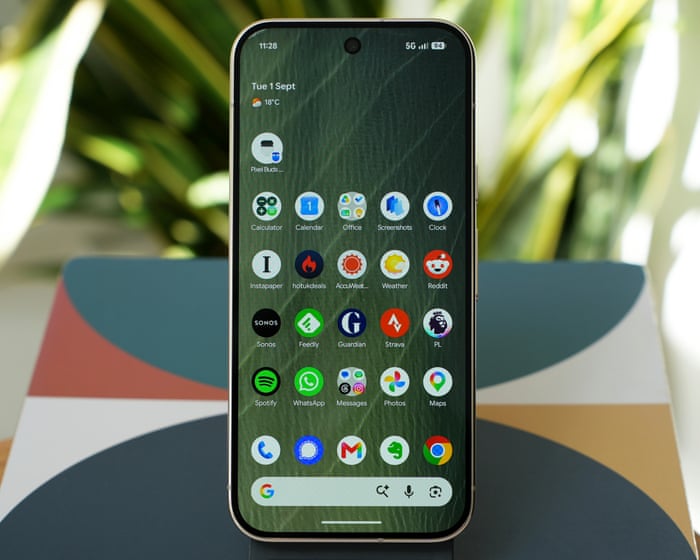
Pixel 11 Pro review: Google’s best pocket camera goes customisable

Solid battery life, snappy performance and quality software make for a great smaller phone with a killer camera

Google’s latest Pro phone is out to prove it has the best camera on a smartphone while embracing customisation, allowing you to change the look and feel of your photos far beyond simple filters even if that means making them technically worse.

The Pixel 11 Pro packs the best of Google’s hardware and software into a still-pocketable and easy to handle frame, instantly making it a contender for best smaller phone of the year.

Screen: 6.3in 120Hz QHD+ OLED (495ppi)

Processor: Google Tensor G6

RAM: 12 or 16GB

Storage: 256, 512GB or 1TB

Operating system: Android 17

Camera: 50MP + 48MP UW + 48MP 5x tele; 42MP selfie

Connectivity: 5G, eSIM, wifi 7, UWB, NFC, Bluetooth 6, Thread and GNSS

Water resistance: IP68 (1.5m for 30 minutes)

Dimensions: 152.7 x 71.9 x 8.4mm

Weight: 204g

Continue reading...

© Photograph: Samuel Gibbs/The Guardian

© Photograph: Samuel Gibbs/The Guardian

© Photograph: Samuel Gibbs/The Guardian

  •  

Google's AI genome system evaluates every possible one-base change

On Tuesday, Google announced AlphaGenome Atlas, a resource that attempts to predict the consequences of every possible single-base variant in the human genome. The human genome is about 3 billion bases long, so trying the other three DNA bases that don't appear in our reference genome means sending a total of 9 billion bases through AlphaGenome software.

AlphaGenome is designed to identify potential functions of non-coding DNA, which does not encode proteins but makes up the vast majority of the human genome. Some of this non-coding DNA is essential for controlling the activity of the protein-coding portion—it tells the cell where and when to make messenger RNAs, how to process them into mature protein-coding forms, and so on. But much of it appears to be little more than the remains of viruses and other molecular parasites.

Being able to identify the functional portion is very useful, as is having all the analysis done by a single software package. But until biologists start to use it heavily (assuming they do), it won't be clear what AlphaGenome offers beyond what we could have gotten out of its training data.

Read full article

Comments

© Vertigo3D

  •  

Google's AI genome system evaluates every possible one-base change

On Tuesday, Google announced AlphaGenome Atlas, a resource that attempts to predict the consequences of every possible single-base variant in the human genome. The human genome is about 3 billion bases long, so trying the other three DNA bases that don't appear in our reference genome means sending a total of 9 billion bases through AlphaGenome software.

AlphaGenome is designed to identify potential functions of non-coding DNA, which does not encode proteins but makes up the vast majority of the human genome. Some of this non-coding DNA is essential for controlling the activity of the protein-coding portion—it tells the cell where and when to make messenger RNAs, how to process them into mature protein-coding forms, and so on. But much of it appears to be little more than the remains of viruses and other molecular parasites.

Being able to identify the functional portion is very useful, as is having all the analysis done by a single software package. But until biologists start to use it heavily (assuming they do), it won't be clear what AlphaGenome offers beyond what we could have gotten out of its training data.

Read full article

Comments

© Vertigo3D

  •  
❌