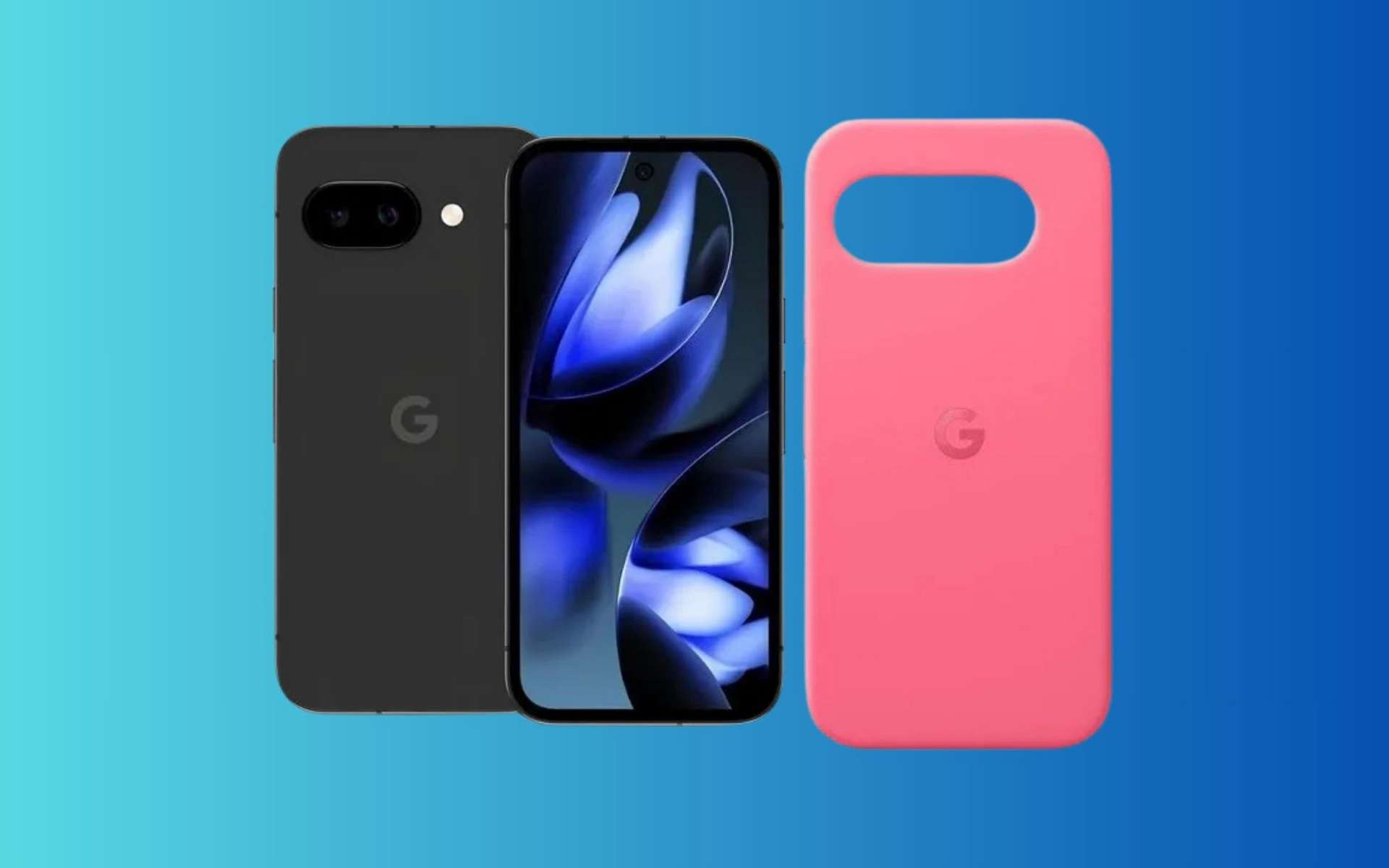
Le Google Pixel 9a profite de la rentrée et des French Days pour alléger son prix chez Cdiscount : le smartphone 5G de 256 Go tombe à 404 € avec le code COCORICO15. Une bonne occasion de passer au Pixel sans faire surchauffer la carte bancaire.
That being said, generative AI can be incredibly useful. The key is simply to frame it as a purpose-specific tool for the right type of limited task as opposed to treating it as the end-all answer for everything, as most tech players seem overly eager to do these days.
Today, I’ve got a new Gemini Android advantage for you to explore — another one that I’ve never seen advertised anywhere but that works brilliantly well and solves a long-standing limitation of our modern mobile gizmos.
It’ll take you all of a minute to master and cost you precisely $0 to pull off. Ready?
This Gemini-provided power-up very much follows the path of thinking about AI as a limited, purpose-specific tool for a narrow task — the exact sort of area where AI excels.
I won’t keep you waiting: Gemini, as I discovered whilst poking around within it recently, is really good at generating unique, custom ringtones and notification sounds based on your personal preferences and specifications.
It almost seems obvious, once you think about it. But I sure hadn’t thought about it up until now — and I suspect most other folks haven’t, either.
The advantage here goes beyond just superficial silliness, too: By creating your own custom ringtones and notification noises, you can know exactly what event your phone is alerting you to within a split second of hearing the associated sound — without having to rely on the same limited and often underwhelming pool of default options that everyone else uses (or, worse yet, having to lean on shady, ad-ridden “ringtone apps” to find mediocre alternatives). That means you’ll know within a heartbeat when your boss or an especially important client is calling or if an incoming call is a random unknown number.
On the notification front, you can create a specific, memorable sound to accompany a new message in an important work-related Slack channel and a different distinctive sound for a high-priority email. They’ll all be sounds that you make and identity with and that no one else in the world uses. That’s pretty powerful.
And creating these custom sounds couldn’t be much easier, either, once you realize it’s possible:
First, just fire up Gemini on your phone (or on any device you’re using) and tell it what you want. So, for instance…
Create a soft, subtle ringtone that’s reminiscent of an old office phone sound.
Create a ringtone that sounds like an 8-bit version of The Final Countdown.
Create a one-second high-pitched notification sound that brings to mind the Super Mario Bros theme song.
Create a short notification sound that mimics the Back to the Future time circuits noise.
Create a notification sound that sounds like a robot saying “ALERT, ALERT!”
The only limit is your imagination. And if you’re not feeling especially imaginative, you can even ask Gemini to give you a list of ideas for distinctive, memorable ringtones or notification sounds based on geeky nostalgia, 80s pop-metal, or whatever it is that tickles your fancy.
Once you’ve sent a request, Gemini will — somewhat confusingly — spit back a big honkin’ block of HTML code. This is because, for reasons unknown, the system can’t or won’t just provide a sound file directly. Go figure.
Ask, and ye shall receive: Gemini’s ringtone-creating prowess in action.
JR Raphael, Foundry
But from there, it’s just one more quick step to get the file you need: Click or tap the copy icon in the upper-right corner of that code block — the icon that looks kinda like two stacked, rounded rectangles — to copy the entire chunk of code onto your system clipboard.
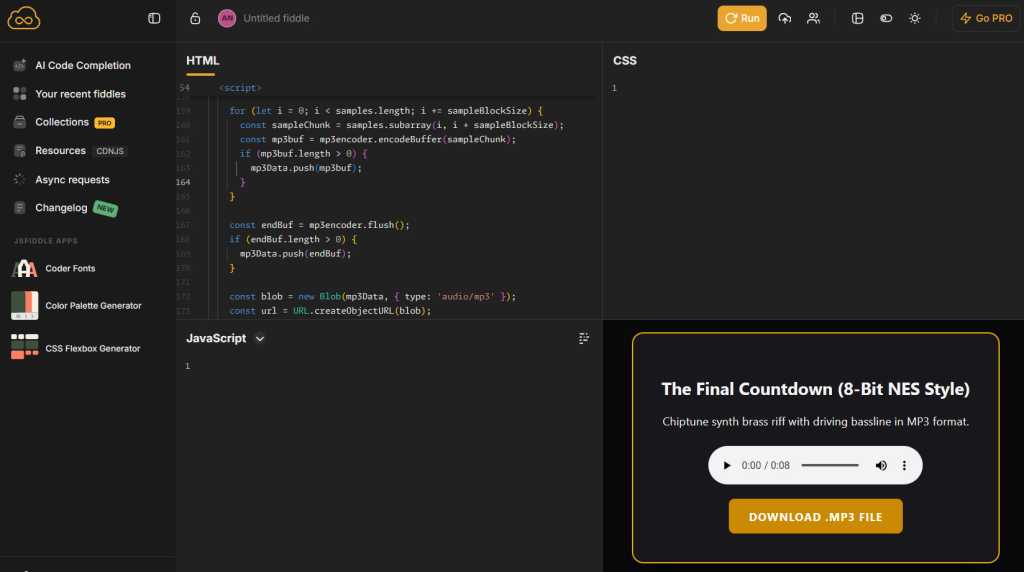
Then open up your browser and go to the website JSFiddle.net. It’s a well-known, long-standing tool for running code like HTML right in your browser and seeing the result, and it works entirely in the browser and without any downloads or special permissions required.
Tap or click into the “HTML” field, then paste in the code from your clipboard (by long-pressing any open space, on Android, and selecting “Paste” from the menu that appears). Click or tap the “Run” button, and — ta-da: You’ll see a player to listen to your custom Gemini-generated sound and a button to download it.
The JSFiddle website makes it easy to take Gemini’s output and both play and download a sound file from right within your web browser.
JR Raphael, Foundry
Provided you like what you hear, hit the button to download the file, then head into the Sound section of your Android system settings to save it and make it available for applying as any kind of alert or ringtone. The exact steps for doing that will vary from one type of Android device to another, but on a Pixel or another phone that follows Google’s core Android interface, you’ll tap on either “Ringtone” or “Notification,” then tap “My Sounds” and tap the plus icon to import your own custom file from your phone’s local storage.
On a Samsung device, you’ll start the same way but look for the plus icon within the “Ringtone” section of the settings, then tap the “Folders” tab to find your locally downloaded files. Samsung doesn’t make it easy to add in your own custom notification sounds, annoyingly, so what you’ll have to do is open up the Google Files app, find the file you downloaded in your “Downloads” folder, then tap the three-dot icon alongside it to copy it to the folder called “Notifications.” Once the file is in that folder, it should show up as a notification noise option within the Samsung Android settings.
With Gemini as your personal composer, you’ll never be stuck with generic overused sounds again — and you’ll always know exactly what’s happening from the first note of whatever noise you hear.
O seu smartphone estar a acusar falta de espaço não significa que tenha de comprar um telemóvel novo. Veja como libertar espaço no armazenamento do seu equipamento em poucos minutos, com dicas simples para Android.
Longer battery life, faster chip, actually useful AI tools and better cameras keep quality Android ahead of competition
Google’s Pixel 11 continues to set the standard for what you should expect from the base model of a flagship phone with class-leading cameras, long software support and almost all the bells and whistles of its most expensive phones.
The regular Pixel 11 costs £879 (€999/$899/A$1,499) making it £80 or equivalent more expensive than last year’s model as the cost of RAMageddon continues to bite. It’s not cheap by any stretch of the imagination, but it comes with 256GB of storage and is £200 less than the Pixel 11 Pro, matching rival Samsung’s Galaxy S26.
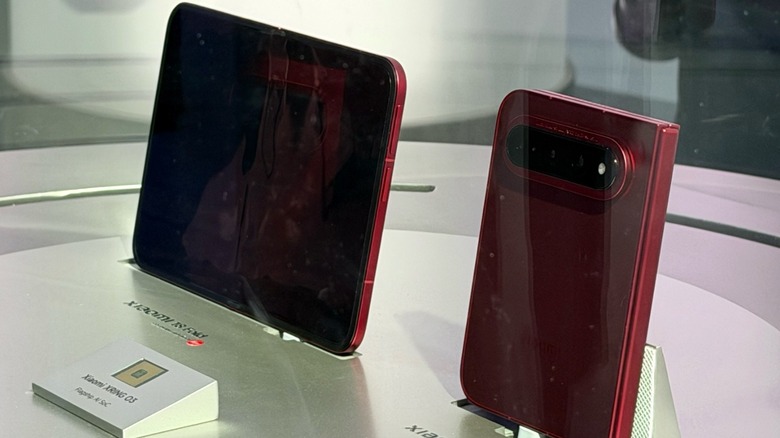
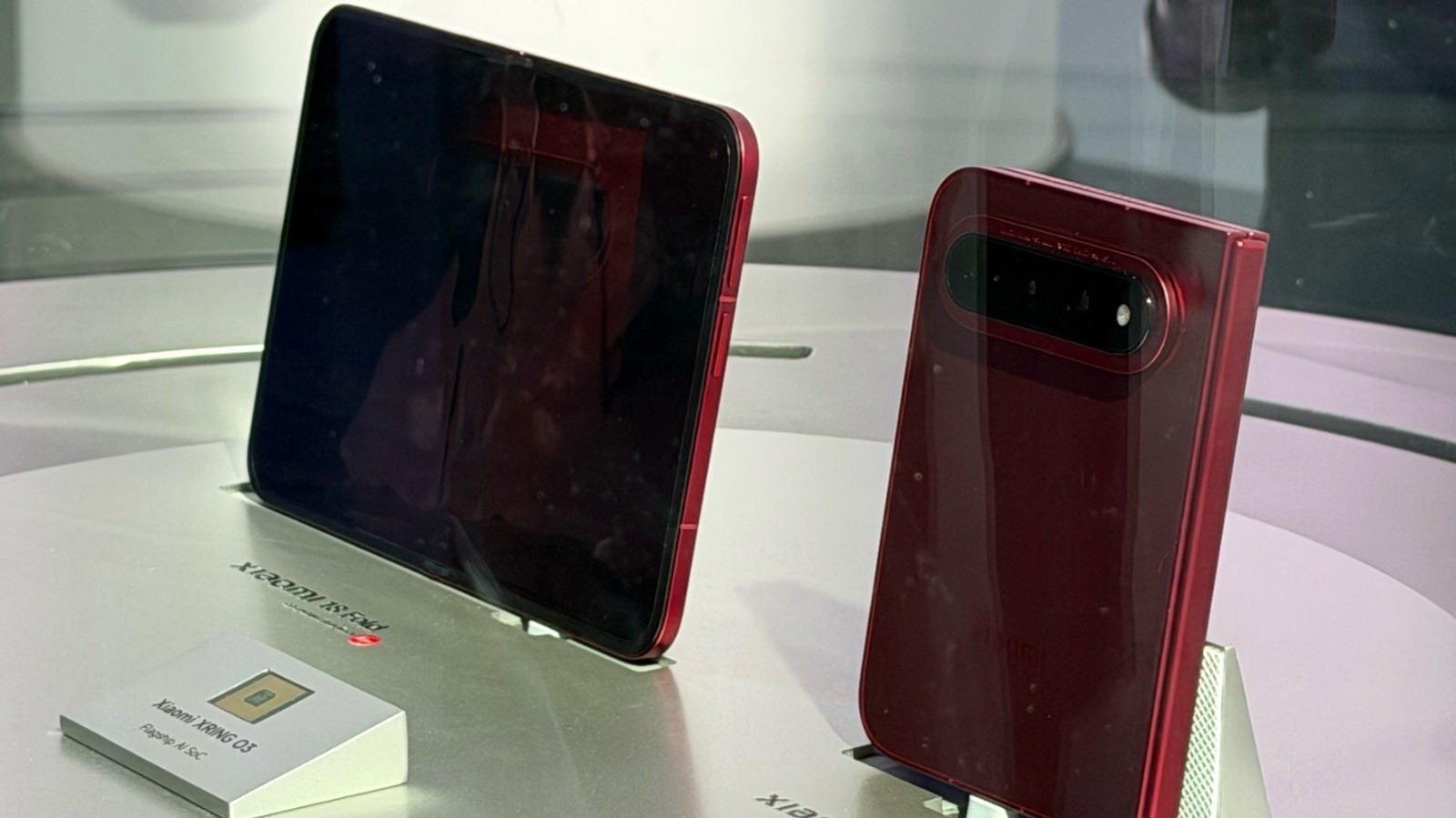
Xiaomi brought more than 380 devices and concepts to IFA 2026, but the mysterious foldable phone it refused to discuss might have been the star of the show.
Smartphone longevity didn't used to matter. In the past, before you could wear out or break a phone, there was always some shiny new thing to buy. Today, we expect our smartphones to go the distance, but they've also become less repairable and, in many cases, more fragile. Fairphone, a Dutch smartphone maker that has just entered the US market, thinks about phones differently.
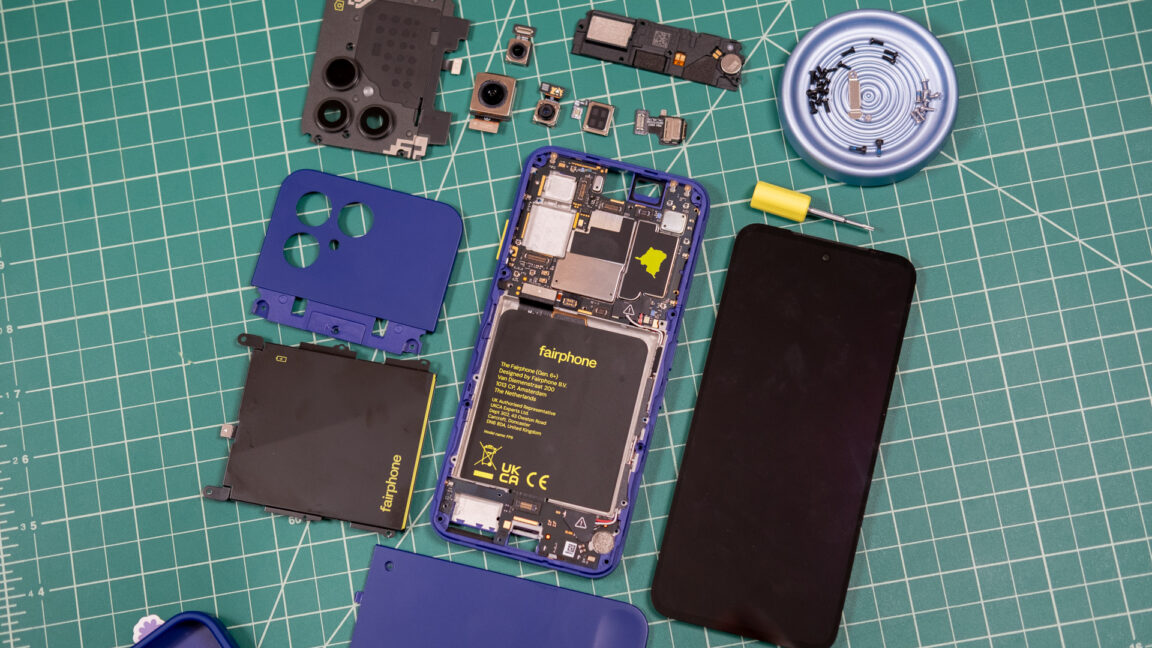
The new $650 Fairphone Gen 6+ is designed both for longevity and easy repairability. There are trade-offs to this approach if you're used to the standard glass and aluminum sandwiches filled with glue, gaskets, and teeny-tiny screws. But the drawbacks could be worth it for the right buyer. Fairphone CTO Chandler Hatton told Ars that Fairphone's goal is to provide a compelling mobile experience while also enabling the user to "fully own" their device. At the end of the day, this is what a lot of people say they want in a smartphone.
Take it apart, put it back together
These days, Google, Samsung, and Apple support phones with software updates for the better part of a decade, but will the hardware last that long? And what happens when it needs a repair? You may be out of luck or out a lot of money, but Fairphone prioritizes the self-repair experience.
The settlement between Google and Epic that aimed to put to rest the companies’ long-running antitrust battle is being withdrawn, and that means third-party app stores are coming to the Play Store.
[…]
While Apple suffered little penalty in its Epic case, Google was tripped up by its anti-competitive management of the supposedly open Android ecosystem. Google used its market position to discourage device makers from promoting or pre-loading non-Google app stores and attempted to hide that conduct. The remedies set by Judge James Donato included lower fees, mirroring Google Play apps in other stores, and most vitally, placement of alternative app stores in Google Play.
[…]
Google and Epic were set to return to court on July 16 to argue in favor of the settlement. However, the writing may have been on the wall. In a recent expert analysis provided to the court, MIT economics professor Nancy Rose noted that the settlement was “unlikely to enable Google Play’s potential competitors to overcome their long-standing network-effect disadvantage in a timely manner.”
[…]
Under the terms of Judge Donato’s original injunction, these stores will have access to the full catalog of Google Play apps by default. […] Google will also require approved stores to block malware, respect intellectual property, and include mechanisms to update and uninstall apps.
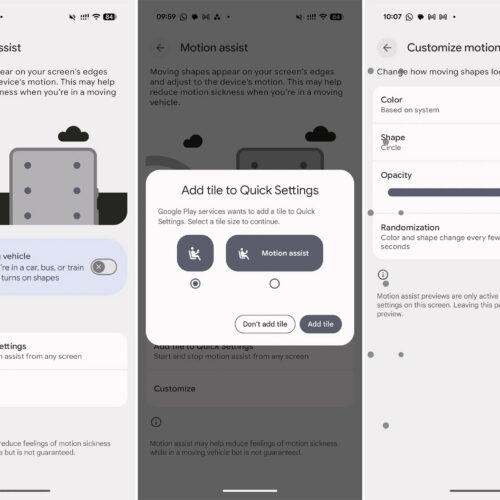
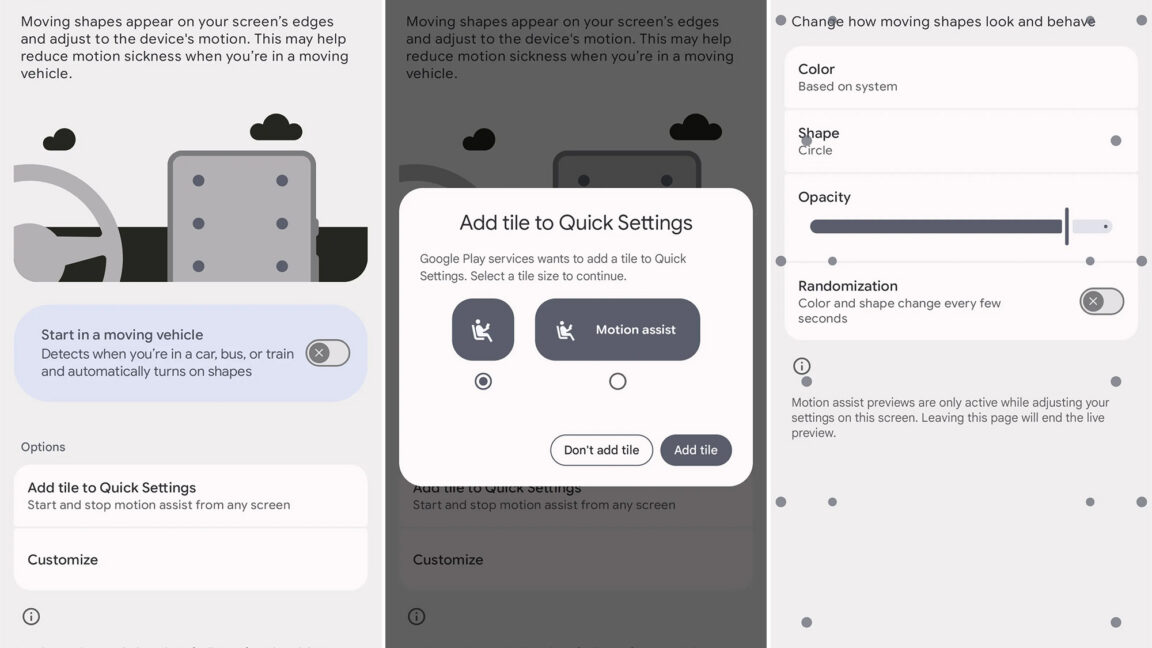
Let's be frank: Some of Google's recent Android feature Drops have been duds, offering little more than an expansion of Gemini summaries and chat functions. The new September Drop does have some Gemini flavor, but there are non-AI goodies, too. Your messaging threads are getting prettier and more useful, and those nifty Motion Assist dots that began appearing last week are rolling out widely. And even the Gemini expansion is not without utility.
Since this is an Android Drop rather than a Pixel Drop, these features are coming to a wider range of devices. The OS version does matter, though. If you're on Android 16 or higher, you can now tell Gemini to log the location of items that don't have a tracker tag attached. Just tell the AI where you put something, and include a photo if you like.
Remembered items in Find Hub
This information will be logged in Find Hub, which has thus far been used for locating phones, earbuds, and tracker tags. You can ask Gemini to recall that information or simply check Find Hub yourself the next time you forget where you put that item.
Is CarPlay really a key factor in car buyers choices? At least one statistic supports that position, raising questions about automakers ignoring customer preferences. The panel also examines Gmail’s upcoming changes, Apple’s evolving iPhone purchasing strategy, and a troubling article about advertising and tracking on computer monitors and smart displays.
From baby-monitors to smart watches, from apps to computer programs, connectable hardware and software are omnipresent in our daily lives. Less apparent to many users is the security risk such products may present.
The Cyber Resilience Act (CRA) aims to safeguard consumers and businesses buying software or hardware products with digital elements. The CRA addresses the inadequate level of cybersecurity in many products, and the lack of timely security updates. It also tackles the challenges consumers and businesses currently face when trying to determining which products are cybersecure and in setting them up securely, making it easier to identify hardware and software with the proper cybersecurity features.
The CRA introduces mandatory cybersecurity requirements for manufacturers, covering the planning, design, development and maintenance of such products. These obligations must be met at every stage of the value chain. The CRA also requires manufacturers to handle vulnerabilities during the lifecycle of their products. Some products of particular relevance for cybersecurity may need to undergo a third-party assessment by a notified body before they are sold on the EU market.
[…] the extremely heavy future requirements that are due on December 11, 2027.
For example, free security updates must be provided for at least five years without changes regarding the operating system requirements—a period that resets every time someone purchases an app of a particular version.
Some people are cursed with motion sickness, which can make it impossible to read or use a phone in a moving vehicle without suffering waves of nausea. There's a surprisingly simple trick that can make smartphones usable in such situations. Apple deployed it on the iPhone a couple of years ago, and now Google's own version is finally coming (slowly) to Android.
Motion sickness is caused by a disagreement between what your inner ear senses and what your eyes see. If you're looking at a book or a screen while in a car, the sensory mismatch can lead to a pretty unpleasant time. As part of iOS 18 in 2024, Apple released a feature called Motion Cues that places a network of moving dots on the screen to alleviate motion sickness, and it seems to work surprisingly well. Google's version is similar, but it's called Motion Assist.
Google began testing Motion Assist back in 2024, but it never expanded beyond an internal test until now. Android Authority reports Motion Assist is appearing on Pixel phones running Android 17, but there's no app or update you can install to get the feature—it's being delivered by Play Services as part of a staged rollout.
Several months ago, Motorola and the makers of GrapheneOS announced a team-up that would expand support for the privacy-centric OS to beyond Google's Pixel phones. The announcement, however, was bereft of details. Now, the creators of the OS have taken to Mastodon (naturally) to provide an update. Moto's GrapheneOS phones are on track to launch in 2027, but they'll cost a pretty penny.
The upcoming Moto devices won't ship with GrapheneOS, but they will be fully supported by the project with help from Moto itself. So far, only Pixel phones have met GrapheneOS's strict hardware requirements to ensure the highest level of security and privacy. The software, which is based on Android, includes features like enhanced memory protection, granular network permissions, customizable app sandboxing, and a duress code that can be used to wipe your phone. (That last one got an activist charged with a felony earlier this year after he used it to delete his data during a customs interrogation.)
According to the GrapheneOS team, the upcoming Moto phones will be premium flagship devices. The team expects pricing to be even higher than Pixel phones, which is saying something. The current Pixel lineup starts at $900 for the base model Pixel 11, a $100 increase from last year. The Pixel 11 Pro XL price has gone up to a whopping $1,300 this year.

 Login
Login