When you read the newspaper, does it read you back?
On Thursday, USA Today Co — formerly known as Gannett, the publisher of its eponymous newspaper USA Today— announced that it was partnering with the AI surveillance firm Palantir to monetize and gain “actionable intelligence” on its audiences, Nieman Lab reports.
The largest newspaper publisher in the nation’s partnership was revealed in its second quarter earnings call. After extolling Palantir’s AI-powered platform, USA Today CEO Mike Reed said that it would allow the paper to “build a common intelligence layer” on the data it collects on its readers.
“Every visit, every session, and every moment of attention creates a signal,” Reed told investors Thursday morning, as quoted by Nieman. “When we connect those signals, they become actionable intelligence that allows us to engage users more effectively and monetize those relationships faster and at much greater value.”
The optics of partnering with Palantir — a company that provides military targeting software and wields a vast surveillance panopticon — are undeniably touchy. It’s worked hand in hand with ICE, secretly providing the agency a tool that scours citizen’s Medicaid and other government data to create a map of people it could potentially deport. It also supplies the Israeli military with an AI battlefield decision-making tool that can analyze enemy targets for elimination.
Still, it’s unclear how much more invasive the USA Today’s partnership will be compared to the routine data gathering and audience analysis that websites typically perform. One example of what Palantir’s platform could do, according to president of USA Today Media Kristin Roberts, was automatically identify partnerships to make money through affiliate links.
“Historically, much of our commerce business has relied on manual processes to connect affiliate opportunities with our content,” Roberts added.
It’s the latest deal Palantir has struck with media outlets as they struggle to bring in traffic from search engines in an increasingly AI-dominated web ecosystem. It’s also partnered with Axel Springer, the publisher which owns Politico, Business Insider, and the German newspaper BILD. Thomson Reuters’ partnership in particular is a case study in the dangers of letting online brands act as data brokers: 404 Media found that the Reuters publisher had supplied personal data to ICE, and some employees are protesting its $125 million deal to sell the agency voter data.
A security researcher has designed an algorithm that can create computer-generated patterns capable of hiding people, faces, and vehicles from detection by surveillance cameras.
Using ‘spy glasses’ made by Facebook owner leads to floods of negative comments, say content creators
It was hardly an offensive video. Amid the buzz of the Tour de France finale, Oliver Hooson filmed himself whipping up a delicious-looking flat white for a fellow cycling enthusiast. But after posting the footage on social media, the comments that soon rolled in were a real shock. “PERV,” read one. “Out here pushing creep glasses,” said another. His mistake? Documenting the moment with Meta’s “spy glasses”.
Despite being marketed as the latest must-have gadget, Meta’s smartglasses, which can record video footage while being worn, have faced a vicious backlash, particularly relating to concerns about surveillance. There are widespread fears about the glasses being used to film people, especially women, without their consent, and the resultant footage being posted on social media. This has earned them the label of “pervert glasses”, and content creators, no matter how they are used, have faced a flood of negative comments for deploying them.
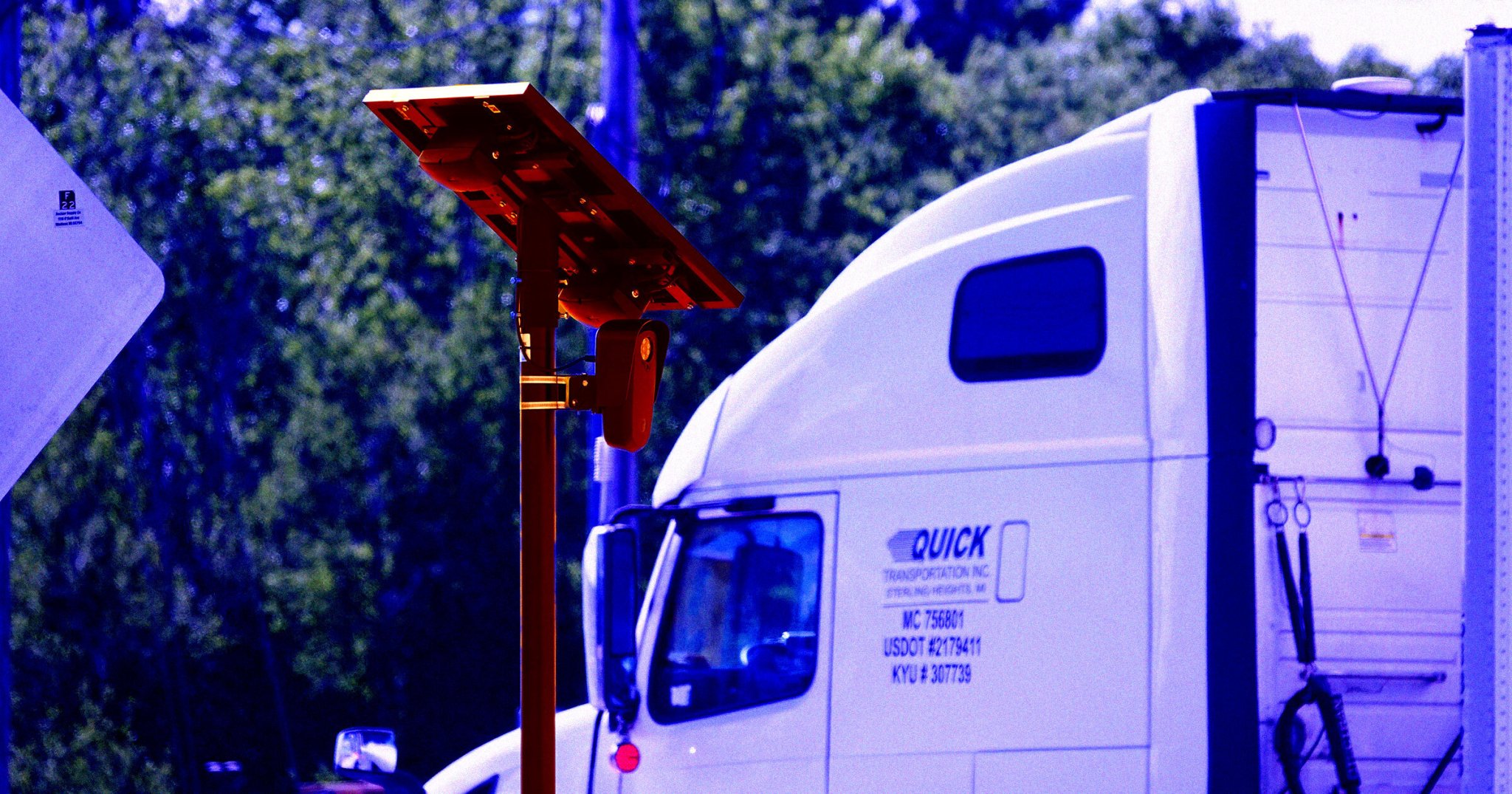
Dozens of Flock cameras have been vandalized around Dallas Texas in the last six months, reports a local news station. In Utah, ABC News reports, a county sheriff's office even said Wednesday a Flock camera was even vandalized within days of its being installed. And in the Minnesota city of Winona, "Every Flock license plate reader camera operated by the Winona Police Department has been sawed off and stolen in what investigators believe was a coordinated theft," according to local media:
All eight cameras were taken August 1, according to the Winona Police Department. A patrol officer first noticed the cameras had not sent any alerts in 24 hours. When officers checked the locations, they found the cameras had been cut from their poles and taken. The poles were left behind.
Two additional Flock cameras on the Mississippi River Bridge, owned by Buffalo County, were also stolen in the same manner...
The thefts are part of a broader national trend. Flock cameras have been vandalized and cut down in communities across the country.
When someone in Florida filmed a damaged Flock camera lying in the grass in Florida, their footage attracted 980,000 views on social media, according to a local news report, with the uploader saying "Most of the people that are commenting are against Flock cameras." But that report adds it's one of at least five cameras recently damaged just in Florida:
- In another incident, investigators "found the black camera and its pole lying on the ground."
- Two days later, sheriff's deputies found a camera destroyed "with pieces scattered on the ground. Deputies reported the damage appeared to have been caused by a blunt object."
- On July 31, "Police said two camera poles had been intentionally cut in half, causing an estimated $10,000 in damage to the system."
In West Virginia 20-year-old Wesley Jackson has been arrested for allegedly vandalizing Flock cameras, with another 20-year-old (a university student) now arrested for being his accomplice, according to a local news report. Ironically, Jackson's arrest was made possible partly by information from... automated license plate readers.
But the Washington Post notes there's now a flood of Facebook commenters jokingly offering to provide a fake alibi:
"Couldn't have been him — we were out counting blades of grass," said one of the 29,000 commenters on a post about the arrest from the local news station WDTV. Others attested that the man, Wesley Jackson, had been helping them "replace the roof on a homeless shelter," "playing halo 2," "changing the tires" on their car or giving their "doggie a treat" at the time the cameras were destroyed.
Meanwhile, the anti-surveillance group DeFlock reports 100 communities have now rejected automated license plate readers. Wednesday an Arizona county sheriff explained to his local Board of Supervisors why he will not renew his office's contract with Flock when it expires next month. Local Arizona media reports:
"We have a camera system that can do facial recognition technology and can start building a data set on what our citizens are doing on a day-to-day basis," Teeple told supervisors. "That, in my training and experience, is a huge Fourth Amendment violation."
Recently an Arizona man even told his city council he'd be launching AI-powered satellites to monitor "where government officials go, where they stop, who they meet with, and when they return home," reports 404 Media:
It would be no different than how the city monitors its citizens using Flock cameras, he said...
He said he'd already started compiling profiles on their vehicles, spouses vehicles, children's vehicles, and planned to combine that data with Bluetooth signals, advertising IDs, and commercial data sources, "so our authorized users can replay the movements of every government official and their immediate family," he said. Local businesses would be invited to join the network, to "protect" officials while they shop, eat at restaurants, and move around the city.
And CNET reports "a quiet battle is happening across the US" between "towns working to adopt Flock Safety systems and those trying to ban them entirely."
From major cities like Los Angeles canceling its Flock contract to towns wrapping Flock AI cams in plastic bags because Flock won't take them down, it's a wild time for surveillance and questions about government accountability.
Plus: A judge rules cell tower dumps unconstitutional, water utility hacks spread to a dozen states, a phishing email opens a missile-parts supplier’s inbox, and a ransomware boss gets 16 years.
Plus: A judge rules cell tower dumps unconstitutional, water utility hacks spread to a dozen states, a phishing email opens a missile-parts supplier’s inbox, and a ransomware boss gets 16 years.
Two security researchers bought cheap domains—including noreply.net and deleteduser.com—and set up email listening services. Hundreds of companies are sending them corporate secrets.
Two security researchers bought cheap domains—including noreply.net and deleteduser.com—and set up email listening services. Hundreds of companies are sending them corporate secrets.
When police in West Virginia’s Monongalia County arrested 20-year-old Wesley Jackson for his alleged involvement in the destruction of automatic license plate readers (ALPRs) deployed by the company Flock Safety, they likely never could have imagined the outpouring of support he would receive from the online community.
In the days after Jackson’s arrest, a post by local news station WDTV gathered over 29,000 comments. As the Washington Post observed, those comments were overwhelmingly positive, with community members and strangers alike singing Jackson’s praises, and concocting a seemingly endless variety of alibis.
To take the community’s word — or words — for it, Jackson couldn’t have been the perpetrator, as he was simultaneously replacing the roof on a homeless shelter, dispensing dogs treats, canoeing, saving puppies from burning buildings, sweeping a parking lot, and rescuing cats from trees at the time the alleged offenses were committed.
“He was actually kissing the homies goodnight at the time of the incident,” one absurdist commenter protested. “Couldn’t have been him.”
Take a look at the comments under any news article or police report about ALPR vandalism, and it’s clear the phenomenon stretches far beyond Monongalia County. It seems the trend is spreading so fast that there doesn’t even necessarily need to be an arrest for John Q Public to lionize privacy minded saboteurs.
Case in point, when police in Winona, Minnesota released a statement claiming that “all eight of our city’s Flock cameras were missing,” the public quickly sprang into action, peppering the department’s page with hundreds of comments in support of the perpetrator, who remains at large. The support was so overwhelming that the department soon shut down comments under the release.
“Whoever you’re suspecting was actually on a fishing trip with me between July 29th and August 1st,” one commenter joked.
“Love seeing the comments on these police releases of flocks being cut down,” remarked another. “It restores some faith in humanity that no one wants to be tracked indefinitely in the name of ‘safety.'”
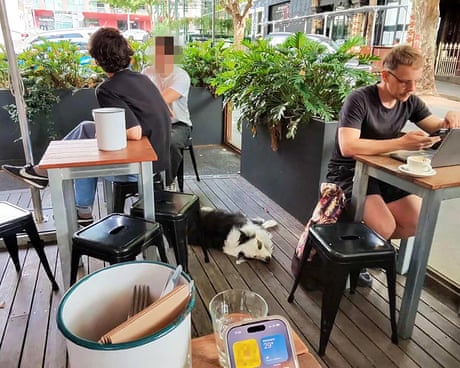
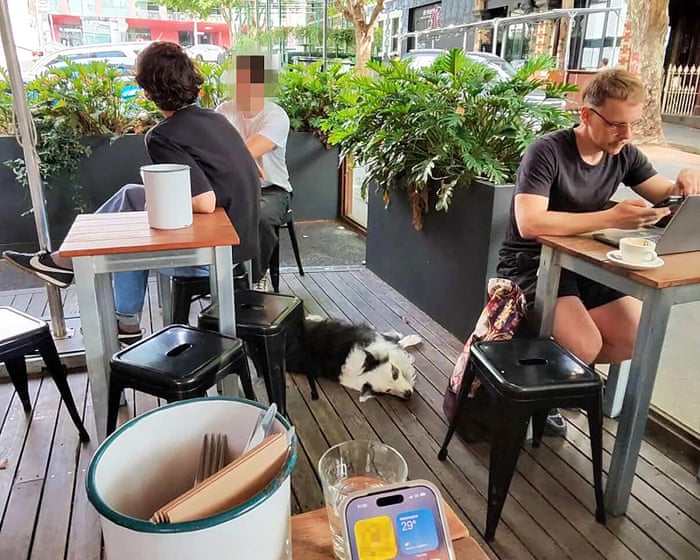
One summer day earlier this year, Rhys left a cafe in Melbourne where he had been working remotely, when his phone pinged with a message on the dating app Grindr.
The message was a photo of him sitting at a table outside the cafe on his laptop, with his dog seated on the ground next to him. In the foreground, in a man’s hand was an iPhone unlocked.
Wispr, the startup behind dictation tool Wispr Flow, has created an AI note-taking assistant that records meetings and generates conversation summaries for users.
The Wispr Flow Notetaker tool “captures your meetings so you can stop splitting your attention between listening and writing things down,” said Sahaj Garja, Wispr CTO and co-founder.
Notetaker starts recording with one click, and doesn’t require a bot to attend a video or voice call. It can also be used to capture in-person conversations.
The software has three key functions. Before a call, Notetaker displays a meeting brief with information such as meeting purpose and background of participants.
Once the meeting starts, a live transcript displays the dialogue text and labels speakers. A “what did I miss?” button provides a summary of talking points from the previous few minutes.
Finally, post-meeting, Notetaker generates a more detailed summary organized by topic that includes information such as key dates, decisions, and next steps. Users can search across notes from previous meetings in the Notetaker app. “Over time your meeting history stops being a folder of documents you have to go find and becomes something you can ask questions of,” said Garja.
Notetaker integrates with AI assistants such as Anthropic’s Claude and OpenAI’s ChatGPT via model context protocol. This allows users to connect outputs such as transcripts and summaries “into how you already work, instead of sitting in a separate app,” said Garja.
With Notetaker, Wispr competes in an increasingly busy market for AI note-taking apps that includes Fireflies, Granola and Otter.
Wispr claims Notetaker can produce more accurate transcripts than existing tools, partly because of the additional context it uses during transcription. It uses the same personal dictionary from Wispr Flow that includes acronyms, products, and preferred spellings, and can also draw on other sources such as calendar information to understand the purpose of a meeting and help ensure speakers are labelled correctly.
Before generating the final summary, Notetaker also re-reads the live meeting transcript and combines it with additional context to create a more accurate final output, Garja said.
Notetaker is the first new product launched by Wispr, which was founded in 2021 and has since raised $81 million in funding.
“We didn’t set out to build a dictation app,” said Garja. “The mission has always been to reshape how people interact with their devices, and dictation was the fastest way in.”
“Notetaker is the second product on that path. Dictation took the keyboard out of writing. Notetaker takes it out of meetings, so nobody has to spend the call typing up what everyone just said.”
User consent when recording calls
As AI note-taking tools have become more prevalent in the workplace, privacy concerns have arisen, including the need for all-party consent when recording a call in some jurisdictions, and whether meeting audio is used to train AI models. Two software vendors, Otter and Granola, currently face separate lawsuits in California that allege privacy law violations related to their products.
Wispr Flow Notetaker captures audio locally on a user’s device rather than joining the call as a visible bot. That means there’s no notification to signal that a conversation is being transcribed, which places responsibility on users to disclose the recording to others on the call in accordance with local laws, said Garja.
“Users should always let the other person know before you start recording or transcribing a conversation, whether it’s a video call, an in-person meeting, or a phone call,” he said, adding that Wispr intends to build additional features for automated consent messaging “in the coming weeks.”
Wispr doesn’t train its AI models on customer data without consent, though free and standard tier customers must choose to opt-out, according to Wispr’s privacy terms. Nor does it create “voiceprints or biometric profiles” of users or anyone else on a call using audio recording data, the company says.
When Notetaker is active, conversation audio is captured on a user’s device and processed on cloud servers to enable transcription. The recorded audio file is encrypted and stored temporarily on the user’s device or cloud storage, Wispr said. After a limited period, the audio is automatically deleted.
Notetaker is available with the Wispr Flow macOS app to free and paid subscribers, with support for Windows “coming soon.”
Apple Health data can now move between the Health app and Google Health on an iPhone. The connection lets Google Health import supported information recorded by an iPhone, Apple Watch, and compatible apps. The latest Google Health update can also send supported Fitbit information to Apple Health.
This two-way connection is useful for people who wear a Fitbit but prefer Apple’s Health app as the central place for viewing activity, sleep, steps, and other wellness information. It also reduces the need for third-party synchronization apps.
The feature requires a recent version of Google Health. Google began introducing support for sending data back to Apple Health with Google Health version 5.05. Because app updates can roll out gradually, the new sharing options may not appear until the latest version reaches your account.
Update Google Health Before Starting
The Fitbit app became Google Health in 2026. Existing Fitbit users should find that the installed app has changed its name and design after updating. Fitbit accounts must also be moved to an adult Google Account to use the redesigned service.
Google says the Apple Health connection requires iOS 16.4 or later. The iPhone must have internet access while the connection is being created.
To check the iOS version installed on your iPhone:
Settings > General > About > iOS Version
Install the latest compatible iOS update if the phone is running an older release.
To look for an available iPhone software update:
Settings > General > Software Update
Next, confirm that Google Health is current. Version 5.05 or later is required for the newer option that sends supported Google Health and Fitbit information to Apple Health.
To update Google Health from the App Store:
App Store > Profile Picture > Available Updates > Google Health > Update
If Google Health does not appear under Available Updates, search for the app manually. The App Store page may show an Update button if a newer release is available.
To find the app directly:
App Store > Search > Enter Google Health > Google Health (Fitbit)
People who previously used Fitbit should sign in with the Google Account connected to their Fitbit information. Creating a different account may produce an empty Google Health profile.
Image Credit: Google
Connect Apple Health Data to Google Health
Connecting the apps allows Google Health to read supported information from Apple Health. This can include data collected by the iPhone, Apple Watch, and other apps that already share information with Apple Health.
To start the Apple Health connection:
Google Health > Connections > Apps and Services > Apple Health > Get Started
Depending on the Google Health version and interface shown on the iPhone, Connections may appear behind the profile icon.
To find Apple Health through the alternative menu:
Google Health > Profile Icon > Partner Apps > Apple Health
Google Health will display a consent screen explaining the connection. Read the information before continuing.
To approve the initial connection:
Sync Google Health With Apple Health > Agree
The iPhone will then display Apple’s health permission screen. This screen lets you decide which information Google Health can read.
To give Google Health access to every supported category:
Apple Health Permission Screen > Turn All Categories On > Allow
You do not have to share every available category. Selecting individual permissions provides more control over sensitive health information.
To share only selected categories:
Apple Health Permission Screen > Select Each Health Category > Allow
Google Health can import supported information such as steps, distance, active energy, exercise records, routes, sleep sessions, sleep stages, heart rate, resting heart rate, heart rate variability, blood oxygen, respiratory rate, body temperature, weight, body fat percentage, water, nutrition information, and some cycle-tracking data.
Available categories depend on the devices and apps connected to Apple Health. An iPhone may provide steps and walking information, while an Apple Watch can contribute heart rate, workouts, sleep, and other measurements supported by the model.
After the permissions are approved, Google Health should confirm that the connection is complete.
To finish the connection:
Google Health Confirmation Screen > Done
New Apple Health information should begin appearing automatically in Google Health. Google has said that imported data can be used across relevant Google Health metrics, although not every external data type is used for every calculation.
To find imported health information:
Google Health > Health > Select a Metric
Google Health may display information from several connected sources together. Its value for a metric can differ slightly from the number shown by Apple Health because the apps may process available data differently.
Send Fitbit Data to Apple Health
Google Health version 5.05 adds the reverse direction that many iPhone and Fitbit users previously lacked. Supported information recorded through Fitbit can now be written into Apple Health.
Before enabling this option, make sure the Fitbit is properly connected to Google Health. Fitbit devices normally synchronize automatically throughout the day when Bluetooth is available and the wearable is near the iPhone.
To check the connected Fitbit:
Google Health > Profile Icon > Devices > Select Your Fitbit
The device page should show the wearable, its battery level, and its most recent synchronization time. Opening Google Health can also prompt a nearby Fitbit to transfer recently collected information.
Once the wearable is updating Google Health correctly, open the Apple Health connection settings.
To open the sharing controls for Apple Health:
Google Health > Profile Icon > Partner Apps > Apple Health
The interface may use Apps and Services instead of Partner Apps on some versions.
To reach the same connection through Apps and Services:
Google Health > Connections > Apps and Services > Apple Health
Follow the prompts for sharing Google Health information with Apple Health. The iPhone may display separate permissions for data that Google Health can read and data that it can write.
To allow supported Fitbit information to appear in Apple Health:
Apple Health Permission Screen > Allow Google Health to Write > Select Health Categories > Allow
Google says supported information can include exercise records, steps, sleep, vitals, and other health data. The exact selection can vary according to the Fitbit model, region, Google Health version, and information stored in the account.
Selecting every category is convenient, but it can create overlapping sources when an iPhone, Apple Watch, and Fitbit record the same type of activity. Choose only the categories you want Google Health to add.
A person who uses a Fitbit mainly for sleep, for example, can allow sleep information while leaving steps disabled. Someone who wears a Fitbit instead of an Apple Watch may prefer to enable steps, workouts, heart rate, sleep, and other supported categories.
Image Credit: AppleMagazine
Check Google Health Permissions
Apple Health keeps permission controls on the iPhone. You can change them after the first connection without deleting either app.
To review Google Health access from Apple Health:
Health > Profile Picture > Privacy > Apps > Google Health
The page shows the categories Google Health is permitted to read or update. Turn off any category you no longer want to share.
Some iOS versions provide the same controls through the Sharing tab.
To find Google Health through the Sharing tab:
Health > Sharing > Apps and Services > Google Health
Turning off a permission stops future sharing for that category. It does not necessarily remove information that has already been written to Google Health or Apple Health.
The Google Health app also provides controls for the connection.
To review Apple Health inside Google Health:
Google Health > Connections > Apps and Services > Connected > Apple Health
If Google Health displays a message that new data types are available, open the connection and approve the additional categories you want to use. Newly supported information is not automatically shared without permission.
Manage Duplicate Health Information
An iPhone, Apple Watch, and Fitbit can record similar information at the same time. Apple Health keeps each source attached to its data and uses a priority order when presenting combined measurements.
You can inspect the sources contributing to a category and choose which one Apple Health should prefer.
To review the sources used for step information:
Health > Search > Activity > Steps > Data Sources and Access
The screen shows the apps and devices that provide step records. If Google Health, an Apple Watch, and the iPhone all appear, you can adjust their priority.
To change the order of step sources:
Health > Search > Activity > Steps > Data Sources and Access > Edit > Drag Sources Into the Preferred Order > Done
Move the source you trust most toward the top. Apple Health generally gives higher priority to sources placed above others when similar records overlap.
Repeat the same process for other categories if their totals do not look right. Exercise, sleep, active energy, and distance can each have their own sources and permissions.
Image Credit: Google
Fix Missing or Delayed Data
Synchronization is not always immediate. A Fitbit first sends its information to Google Health, and Google Health then writes supported records to Apple Health. Bluetooth availability, Background App Refresh, internet access, and battery-saving behavior can affect this process.
Begin by opening Google Health with the Fitbit close to the iPhone. Wait for the device to complete its normal synchronization before checking Apple Health.
If Apple Health information is missing from Google Health, confirm that the connection remains active.
To check the connection status:
Google Health > Connections > Apps and Services > Apple Health
If Google Health displays an error or a request for new permissions, follow the message shown on the screen.
Background App Refresh can help Google Health update when the app is not open.
To allow Google Health to refresh in the background:
Settings > General > Background App Refresh > Google Health > On
Bluetooth must remain available for a Fitbit to communicate with the iPhone.
To confirm that Bluetooth is enabled:
Settings > Bluetooth > Bluetooth On
If the connection continues to fail, disconnecting and reconnecting Apple Health may restore the permission request.
To disconnect Apple Health from Google Health:
Google Health > Connections > Apps and Services > Apple Health > Disconnect > Confirm Disconnect
Disconnecting the service does not automatically remove every permission already stored by Apple Health. Review the Google Health entry in the Health app if you want to remove those permissions as well.
To remove the remaining Apple Health permissions:
Health > Profile Picture > Privacy > Apps > Google Health > Turn Off All
After reconnecting the apps, allow time for new records to appear. Previously stored information may not transfer in exactly the same way as activity recorded after the connection was enabled.
You can inspect an individual entry to confirm whether it came from Google Health, a Fitbit, an Apple Watch, or the iPhone.
To check the source and time of a synced record:
Health > Search > Select a Health Category > Show All Data > Select the Latest Entry
Apple’s iCloud Private Relay is designed to hide users’ IP addresses from websites and even from Apple itself while browsing in Safari. But according to security researchers Talal Haj Bakry and Tommy Mysk, the feature does not always work as intended because of issues in Apple’s WebKit browser engine.
The problem centers on passkeys, the password-free authentication method that is becoming more widely used. When a user authenticates with a passkey, the request is handled outside the browser itself. Private Relay only protects traffic within Safari (as an iCloud+ feature) and does not function like a full-device VPN. As a result, the authentication request can expose the user’s real IP address to the website or service.
Because the vulnerability sits in WebKit, the engine that powers every browser on iOS, the IP leak is not limited to Safari. Privacy-focused browsers such as OnionBrowser and the researchers’ own Psylo browser can also reveal a user’s IP when passkeys are used.
Re: Responsible Disclosure
We found ourselves in a bit of a dilemma with these DNS and IP leaks in WebKit and how to handle them responsibly.
We first became aware of a DNS leak in Psylo in late June 2026 after a user reported it. During our investigation, we found two… https://t.co/5kFu0jtUsJ
The researchers have already notified OnionBrowser and the Tor Project of their findings and suggested fixes. Apple has told 404 Media that it is investigating the report. However, Bakry and Mysk noted that Apple’s response times for similar privacy issues can be lengthy; a previously reported problem with the Hide My Email feature that allowed real email addresses to leak behind aliases was not fully fixed for about a year after it was disclosed.
MacDailyNews Take: Until a fix arrives, users who rely on Private Relay for anonymity should be aware that logging in with passkeys on iOS may still reveal their IP address.
Please help support MacDailyNews — and enjoy subscriber-only articles, comments, chat, and more — by subscribing to our Substack: macdailynews.substack.com. Thank you!
Apple’s next generation of Apple Intelligence and Siri are truly helpful AI that’s centered around you and your needs. Integrated into your apps, grounded in your context, and private at every step; coming later this year.
Apple’s long-awaited overhaul of its voice assistant, now branded Siri AI, is set to arrive this fall alongside iOS 27, iPadOS 27, macOS updates, and related system software. The upgraded assistant promises deeper personal context awareness, on-screen understanding, more natural conversations, and the ability to take actions across apps. But there’s a clear hardware cutoff: only devices that already support Apple Intelligence will receive the full experience at launch.
iPhone Models That Make the Cut
Siri AI requires an A17 Pro chip or newer (with sufficient RAM for on-device processing). Supported iPhones include:
• iPhone 17 Pro and Pro Max
• iPhone Air
• iPhone 17 and 17e
• iPhone 16 Pro and Pro Max
• iPhone 16, 16 Plus, and 16e
• iPhone 15 Pro and Pro Max
Older models, including the standard iPhone 15 and anything earlier, will get the broader iOS 27 update (interface changes, security fixes, and non-AI features), but miss out on the new Siri capabilities.
A subset of these devices — primarily the iPhone 17 Pro, Pro Max, and iPhone Air — will also unlock Apple’s most powerful on-device AI model. That unlocks extras such as more expressive customizable voices, improved speech recognition, and higher-accuracy dictation.
iPads, Macs, Watches, and Vision Pro
Compatibility extends across the rest of the ecosystem with similar requirements:iPad: iPad Pro (M1 chip and later), iPad Air (M1 and later), and iPad mini with the A17 Pro chip.
• Mac: All models with Apple silicon (M1 and later), including the MacBook Neo with its A18 Pro chip.
• Apple Watch (must be paired with a nearby supported iPhone): Series 9 and later, Ultra 2 and later, and SE (3rd generation).
• Apple Vision Pro: All models.
The highest-tier on-device model is further restricted on tablets and computers to those with newer chips (M4 or later on iPad, M3 or later on Mac) plus at least 12 GB of unified memory.
Timeline and Limitations
Developer betas began around the June 2026 WWDC announcements, with a public beta expected in the following months and a stable consumer release targeted for fall 2026 (September timeframe). Siri AI will initially roll out in English (with Spanish support also noted in some documentation), and regional restrictions apply: it will not launch at the outset on iOS or iPadOS in the European Union due to regulatory considerations around the Digital Markets Act, though macOS and visionOS users in the EU will be able to access it. Availability in China is also delayed pending regulatory clearance.
Those without supported hardware will keep the classic Siri experience for now while still receiving the rest of the 2026 software updates. Apple continues to emphasize on-device processing and Private Cloud Compute for privacy, so the hardware bar reflects the computational demands of the more capable models.
MacDailyNews Note: More info about Apple Intelligence and Siri here.
Please help support MacDailyNews — and enjoy subscriber-only articles, comments, chat, and more — by subscribing to our Substack: macdailynews.substack.com. Thank you!
Mass surveillance technology might be popular with police departments, but for the US public, it’s becoming an increasingly difficult sell.
At least 54 cities across the US have voted to cancel, non-renew, or reject Flock’s automatic license plate reader (ALPRs) since the start of the year, according to data collected by the Washington Examiner. That comes after reporting in February that some 30 cities had done the same since 2025, indicative of the rising backlash against the tech.
In all, the Examiner reports cities in 23 states have shredded their Flock contracts so far this year, led by California and Wisconsin, which each have seven rejections, cancellations, or deactivations. Other heavy hitters include New York, Washington, and Massachusetts with four each, and Virginia with three.
Though Flock has its cameras in over 5,000 US cities as of July 2026, the rise in rejections at the municipal level comes amidst a tidal wave of outrage around issues of privacy and civil rights.
In cities where civic leaders have been slow to respond to these anxieties, citizens have moved quickly to take matters into their own hands by damaging, obscuring, or stealing the surveillance cameras in order to stop them from recording footage. A rise in official cancelations or rejections shows municipal leaders are catching on to the reality that the American populace broadly disproves of the technology, and they aren’t afraid to show it.
Arguably the highest-profile contract cancellation for Flock came when the Los Angeles Police Department decided to non-renew its years-long contract with the company, a decision motivated by a searing internal audit of the company’s technology. The internal report found that, in just two months, Flock’s ALPRs contributed to 161 false stolen-vehicle alerts, resulting in a false-positive rate of 32.3 percent.
With no sign of the outrage settling anytime soon, it’s likely these 54 cities could just be the start.
Apple faces a $32.5 billion lawsuit over how its Photos app scans and stores faces. A federal judge cleared the case to proceed as a class action late last month, allowing millions of Illinois iPhone owners to join.
The case has been years in the making, and Apple has fought to shut it down at nearly every turn. Now it heads back to the court, with the company’s privacy practices on trial.
[…]
Court records have shown that the update applies to users with iCloud Photos turned on. Those accounts also need to use at least 10GB of storage and contain at least 5,000 photos and videos. Plaintiffs say all this amounts to collecting biometric data without consent, putting Apple squarely at odds with Illinois law.
Again, I find it odd that features are apparently gated based on the capacity of your iCloud account rather than the available storage.
The lawsuit accuses Apple of collecting biometric data without user consent in the Photos app, reportsThe Times. It is alleged that Photos uses facial recognition technology to scan individuals who appear in images, creating a “faceprint” for each person in the photo library.
After collecting enough samples, an algorithm is allegedly used to identify the iPhone user. That data is then stored on the iPhone within the Photos app.
I don’t see what the issue is here. My understanding is that it only uploads vectors after you’ve opted in by enabling iCloud Photos and manually assigning names. Also, the vectors don’t seem like the sort of biometric information that the law was meant to protect.
Assuming things are working properly, what should happen is that the people you have specifically named and the photos you have specifically verified sync their info via iCloud. However, the actual face detection for the rest of the photos is done on a per device basis and is not synced via iCloud, primarily for security/privacy reasons.
So, when you first set up a new device, it will pull down the names and info for the photos where you have identified a particular person, but then it still needs to go through the entire library on-device, identify the faces in each photo, and compare them to the synced information to tell which person is in which photo. So once it’s done, you should end up with mostly the same photos identified as each person, but each device still needs to do its own face detection locally.
AI note-taking app maker Granola is accused of violating privacy laws by developing software that can record conversations without all participants’ consent, according to a lawsuit filedJuly 30 in a California federal court.
It follows a similar ongoing case in the same district, filed last year, that involves another note-taking and transcription software vendor, Otter.ai.
AI note-taking apps have proliferated in recent years, with dedicated tools emerging from vendors including Fellow, Fireflies, Otter, and others, some of which claim to have tens of millions of users. These AI assistants record and transcribe meeting conversations, generating automated summaries and follow-up items. Similar note-taking functionality is also built into virtual meeting platforms such as Google Meet, Microsoft Teams, and Zoom.
However, the use of these AI note-taking tools has raised privacy concerns over the ability of some to record and transcribe conversations without the consent of all participants.
The proposed class action complaint against Granola, filed by Florida resident Tarra Chamberlain in the US District Court for the Northern District of California, alleges the company “purposefully” designed its app to record calls without requiring disclosure to all participants.
While some note-taking tools require a bot to join a video or voice call, Granola captures audio directly from the user’s computer, allowing it to transcribe meetings without appearing as a meeting participant.
The complaint argues that this violates individual privacy rights as well as the California Invasion of Privacy Act (CIPA) that requires “all-party” consent when recording calls.
The complaint also alleges that Granola then by default uses transcription data for commercial purposes, including its use in training its AI models, and “actively advertises the hidden nature of its technology as one of its primary advantages.”
Granola did not respond to a request for comment.
According to the company’s website, Granola offers two optional “transparency features” that can be enabled by app users and admins: an automated chat message that alerts participants when transcription begins, and a watermark added to the user’s video feed. The company also promises that data used to train its AI models is anonymized and “never sent to third parties.”
The Granola case bears similarities to a separate lawsuit involving Otter.ai. The class action filed last year alleges that Otter.ai records all users without their consent and uses their voices to train its speech recognition AI tools.
Reporting on the latest developments in the Otter.ai suit, MLex wrote this week that, during a court hearing Monday, the judge overseeing the case expressed skepticism about the company’s argument to dismiss the case. US District Judge Eumi K. Lee did not issue a ruling from the bench, saying a written judgement would follow.
The two cases highlight some of the concerns businesses face when deploying AI note-taking tools.
AI notetaking is “more dangerous than any other type of traditional recording apps and tools,” said Enza Iannopollo, Forrester VP and principal analyst, as it raises additional questions about the use of employees’ conversation data.
“Specifically, is the recorded data used for training models? Is the voice used for training other AI? How do I get ‘forgotten’ after my data and biometrics have been recorded? These concerns apply to AI specifically and must be added to the traditional privacy and confidentiality concerns organizations have for other type of recording apps and tools,” she said.
Before deploying AI note-taking apps, Iannopollo recommends that businesses take appropriate steps to vet the tools and “ensure that all contractual clauses are aligned to the business AI risk appetite and risk management best practices.”
“As these tools record, process, store, and share biometric data, organizations must ensure that they comply with all the relevant requirements,” Iannopollo said, adding that transparency and consent notices should be provided to all parties involved in the use of AI note-taking apps.
Nonetheless, when I send an email in Mail app, from a non-iCloud account to an non-iCloud account, Mail immediately triggers an iCloud connection, as revealed by Little Snitch.
[…]
What could Mail be querying and saving in CloudKit when I’ve disabled Mail in iCloud?
[…]
As you can see in my screenshot at the beginning of this blog post, I have Contacts turned off in iCloud settings, so my Previous Recipients list should not be synced to iCloud. Nonetheless, I followed the commenter’s suggestion of logging in Terminal. I saw log messages that referred to com.apple.mail.recents, which might indicate Previous Recipients and would certainly explain why this happens when I send an email.
[…]
I do object to notifying Apple that I’ve just sent an email. That in itself seems like a violation of my privacy.
The settings are confusing, even more so than with System Preferences. If you go to System Settings ‣ Apple Account, it shows a round rect that says Mail and shows the Mail icon. If you click this, it lets you uncheck Sync this Mac for iCloud Mail. This mirrors the iCloud Mail checkbox that you get when you click See All to see the full list of apps. I don’t like how the top-level name and icon suggest that you’re going to a settings sheet for the Mail app, but then it actually gives you iCloud settings.
Importantly, there’s also anotherMail checkbox in that list. It’s easy to miss because, first, why would you expect to see twoMail checkboxes?
And, second, it’s not obvious that there are actually three lists: a bunch of “favorite” system apps, in non-alphabetical order, for some reason including lesser ones like Freeform and Image Playground; followed by a second list of system apps in alphabetical order; and then a third list of alphabetical third-party apps.
Mail is in the second list, along with (to me) other top-tier apps like Books and Maps. Anyway, this second Mail checkbox controls the syncing of non-mail Mail data such as rules and smart mailboxes. But not, apparently, according to Apple, the previous recipients.
Whether magicians, thieves, or just fed up citizens, somebody has made an entire city’s worth of ALPRs vanish in the night.
According to new reporting by MPR News, police in the city of Winona, Minnesota are incensed after their entire fleet of Flock license plate readers went missing.
In a press release shared on Facebook, the Winona Police Department groused that “all eight of our city’s Flock cameras were missing.”
The police department’s first clue came on the night of August 1st, when an eagle-eyed officer “noted that there’d been no recent activity on the cameras.”
“Officers subsequently checked the various locations where the Flock cameras were placed and found that the poles were cut down near the base,” the presser explains. “Officers located the poles nearby in the weeds, but the cameras had been removed. As of [August 4th], the cameras have not been located.”
Overall, the police department noted that the cost to replace each ALPR and pole is about $3,000, meaning the city could be out roughly $24,000 if it chooses to replace the eight cameras and the poles they used to be attached to. That doesn’t include service fees from the company, however, which could add as much as $16,000 to the bill before all is said and done.
Though this case is pretty extreme, it’s just the latest incident of vandalism involving ALPRs in Minnesota — and indeed, the rest of the country.
The company and its surveillance devices have become a lightning rod for anxieties around surveillance in the US, embodying concerns about privacy, tech industry oversight, and police abuse of power all in one public gadget.
Case in point, comments under the Winona Police Department’s press release were overwhelmingly positive, celebrating the act of vandalism and making a local folk hero of whoever’s responsible.
“Whoever you’re suspecting was actually on a fishing trip with me between July 29th and August 1st,” one poster quipped. Another blamed natural forces: “I think the deer might’ve ate them. [They’re] outta hand lately.”
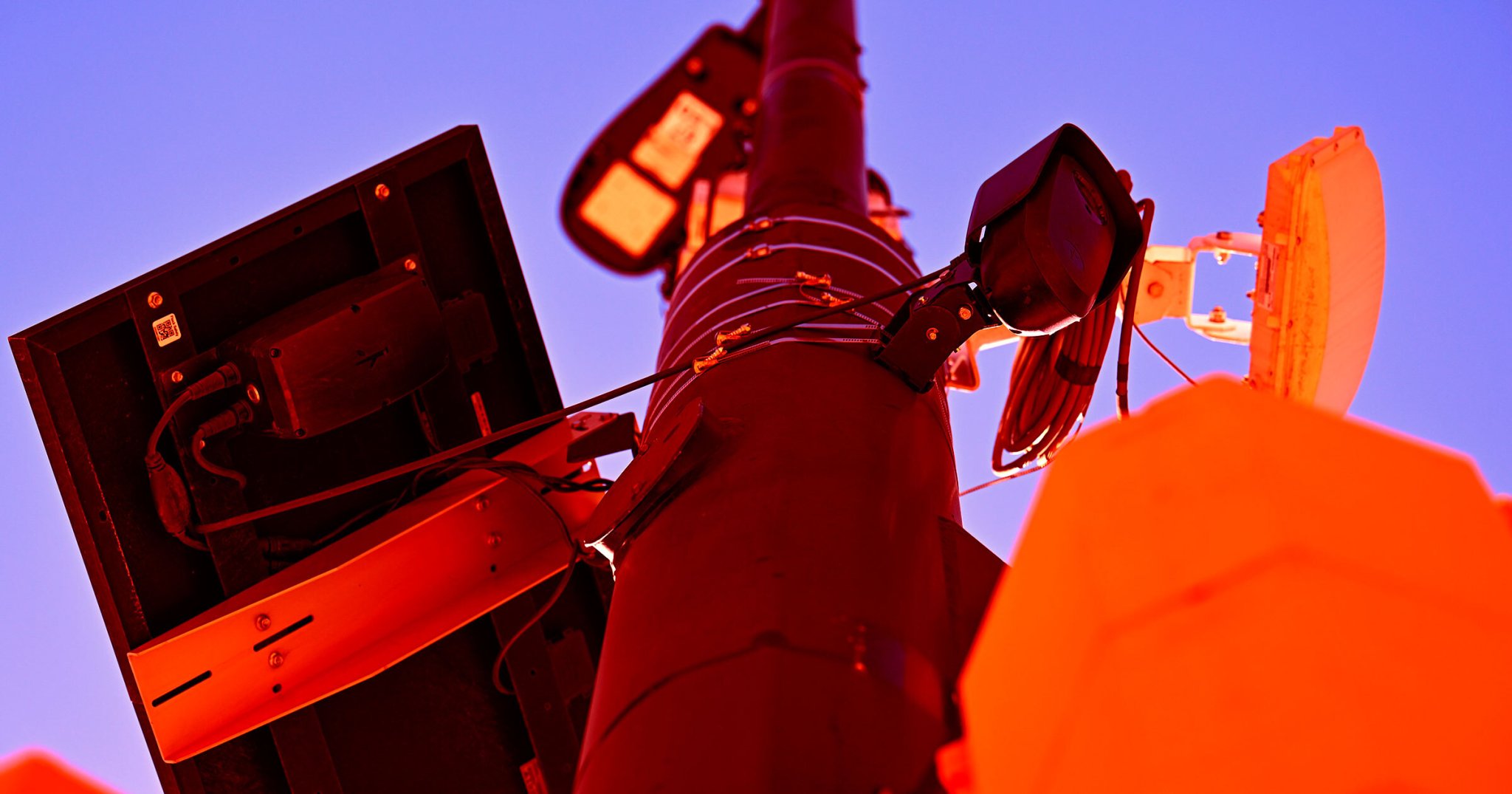
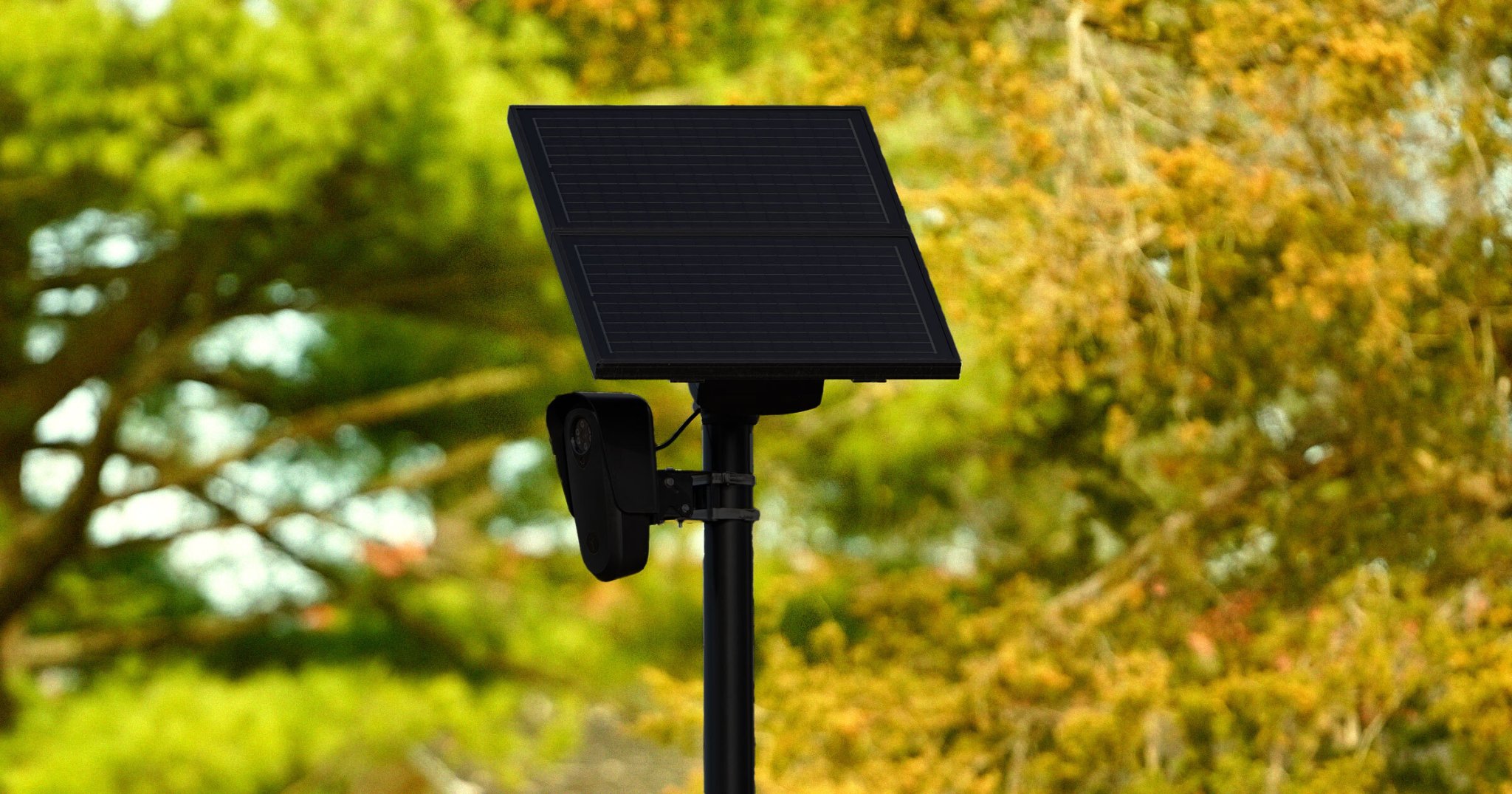
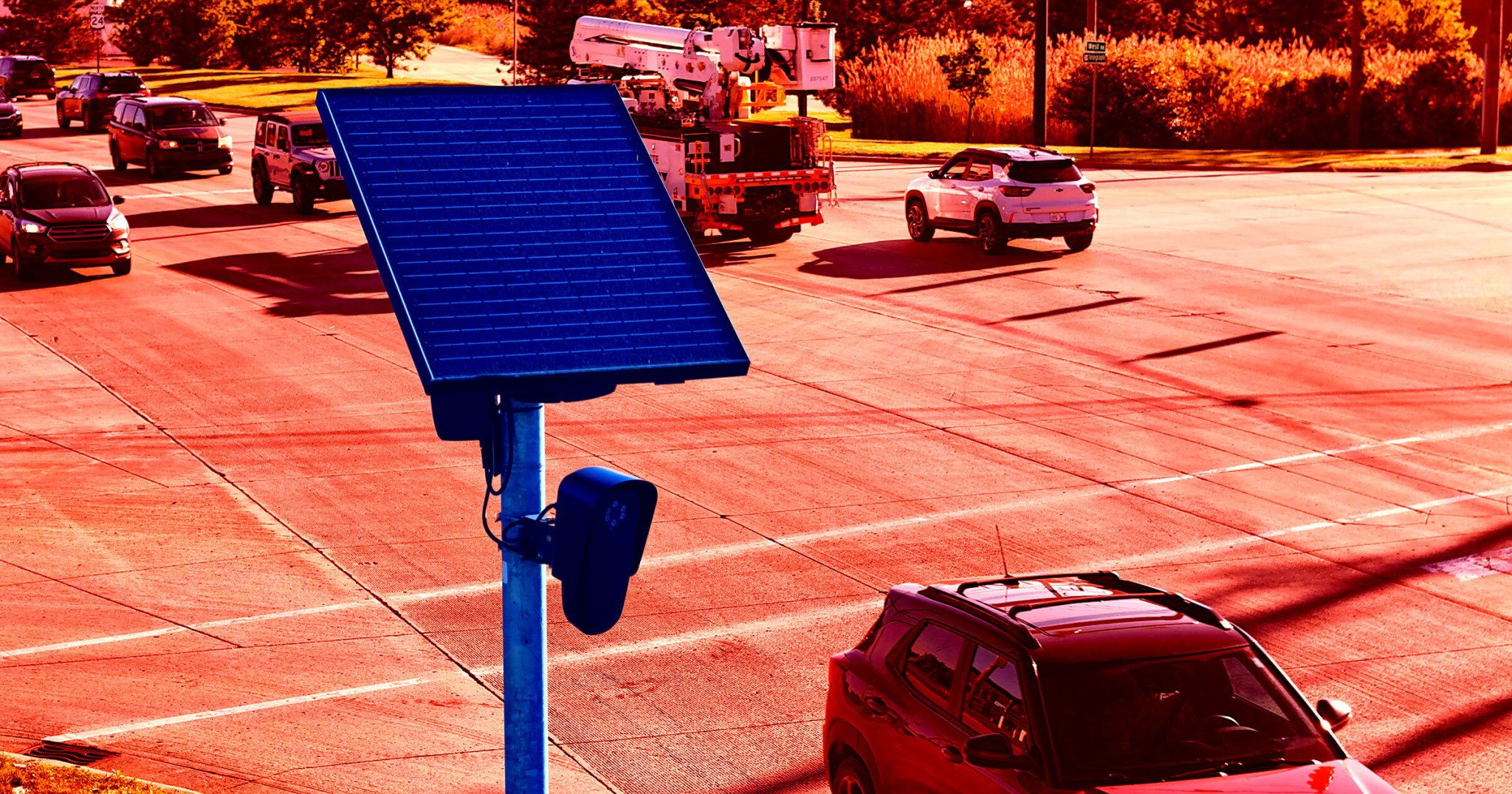
Google’s notorious AI Overview just handed would-be Flock vandals a perfect excuse to carve into the company’s controversial AI-integrated license plate readers (ALPRs).
ALRPs are wildly unpopular, especially online, where privacy-minded communities trade memes and videos cheering on destruction of the surveillance equipment. One of the more popular bits in this space centers on the idea that Flock’s ALPR’s are supposedly packed with valuable metals like gold, copper, and zinc — so, the tongue-in-cheek riffing goes, why not crack one open and cash in at the nearest scrapyard?
Clever or not, the meme hinges on a spurious claim. ALPRs do contain trace amounts of gold and other metals, just not enough to be worth the trouble. Unless you’re well versed in breaking down circuit boards, you’d be hard pressed to earn enough to buy a Big Mac, let alone recoup your labor costs.
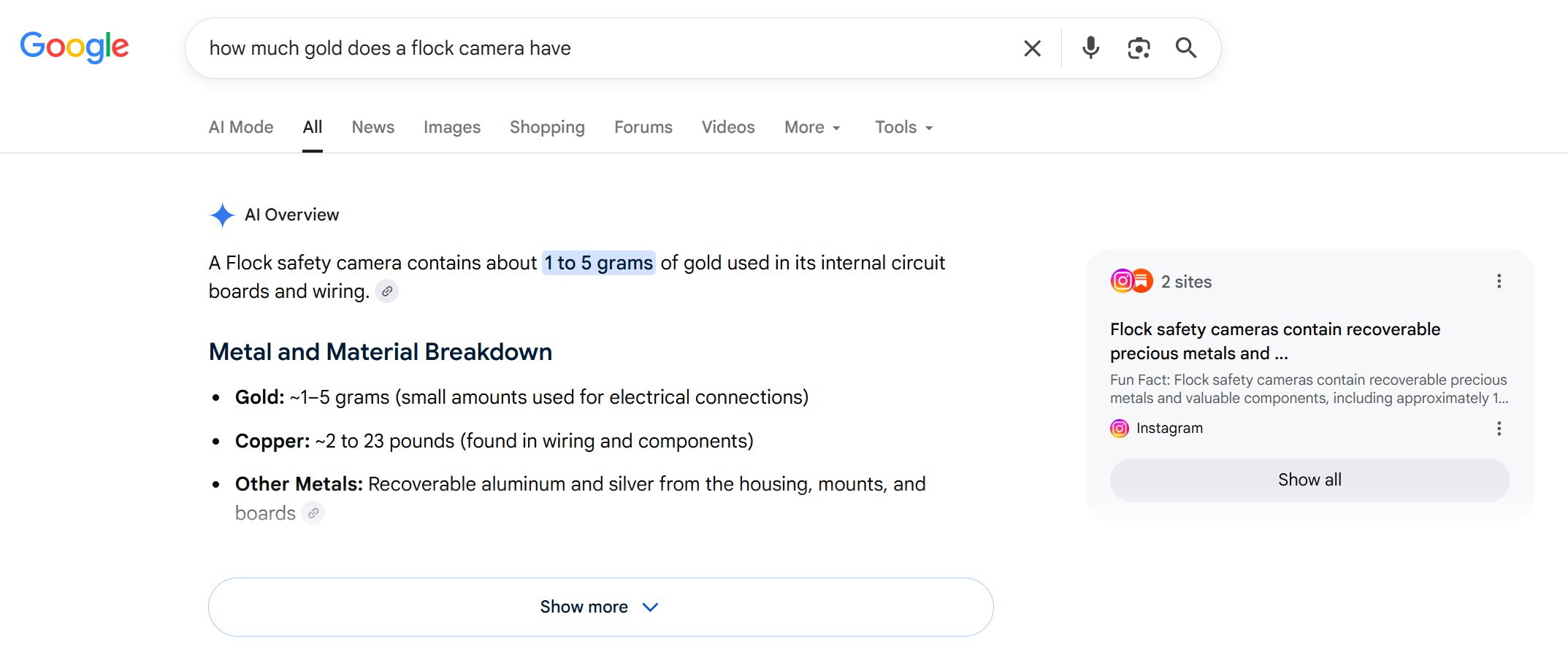
Search “how much gold does a Flock camera have” and Google’s AI Overview doesn’t even push back a little bit. Instead, it flatly asserts that a “Flock safety camera contains about 1 to 5 grams of gold used in its internal circuit boards and wiring.” (At today’s gold prices, that would mean each Flock camera contained up to $650 of gold.)
Google goes on to claim that Flock’s ALPRs hold anywhere from two to 23 pounds of copper, which would be an engineering marvel considering the whole device only weighs three pounds.
Google’s AI Overview cites two sources to back up its summary, and neither holds up.
The first is an anonymous Substack post from an account called do.not.obey.do.not.comply, claiming the “rough scrap value of these metals per camera is estimated to be $150 to $500.” Google’s summary skips the fine print, however: that figure comes from “estimates based on scrap-value discussions” — vibes, in other words, as opposed to actual reporting or financial information.
The second is an AI-generated Instagram post riffing on the same meme, egging vandals on to gut the camera to access their supposedly precious innards. The account behind that post seems to belong to a weed grower, with most other posts about plant cloning, hydroponics, and fully grown cannabis flower.
There’s a real irony buried in all this AI slop: one AI-surveillance company’s search engine is quietly manufacturing an excuse to destroy another AI-surveillance company’s product. If that doesn’t sum up the current state of the AI-obsessed tech industry, nothing will.

 Login
Login






 (@mysk_co)