Login
Login
Google Ordered to Give A.I. Rivals More Access on Android Smartphones
The decision by European Union regulators is a response to fears that Google will use its vast Android user base to gain an edge in A.I.

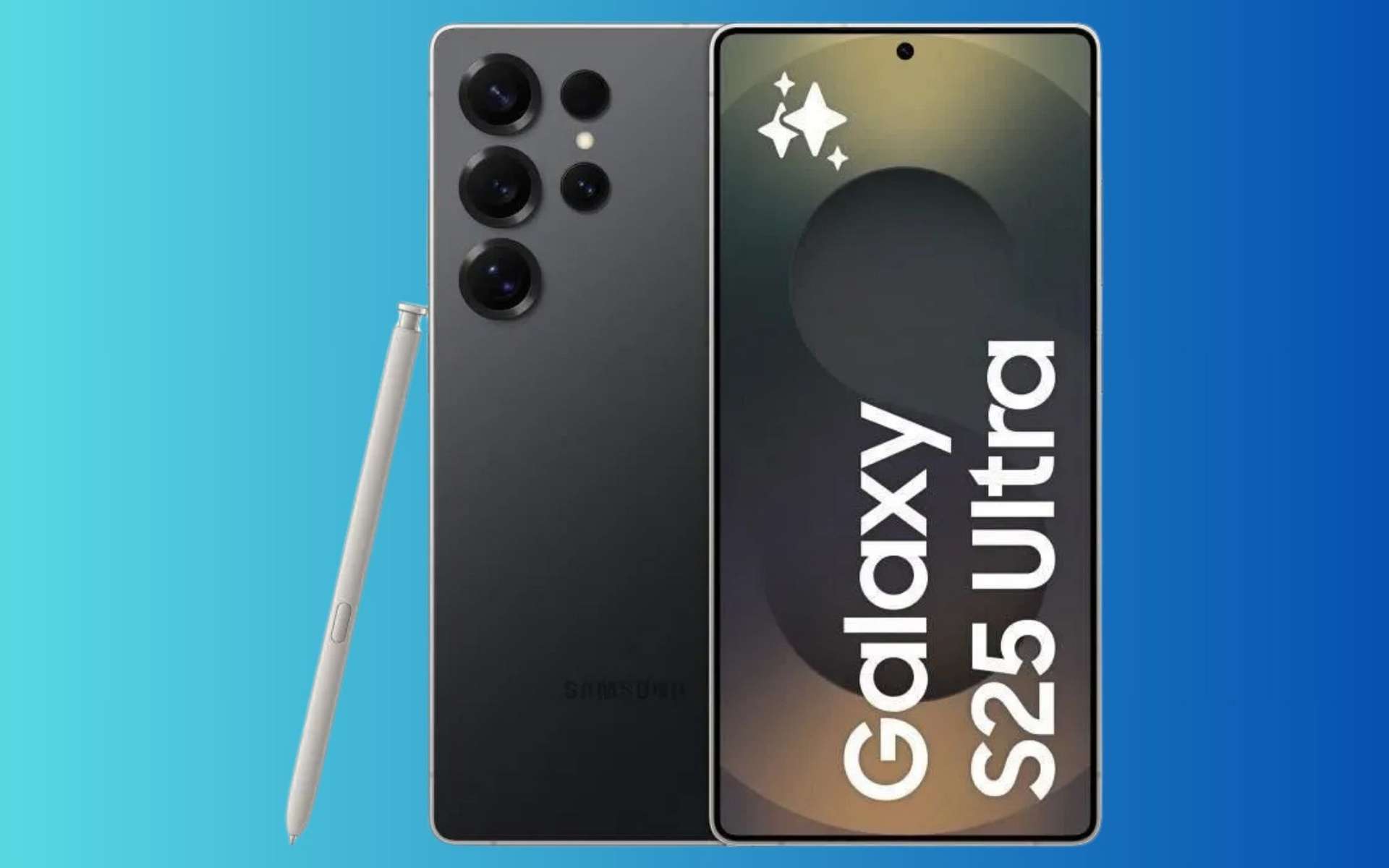
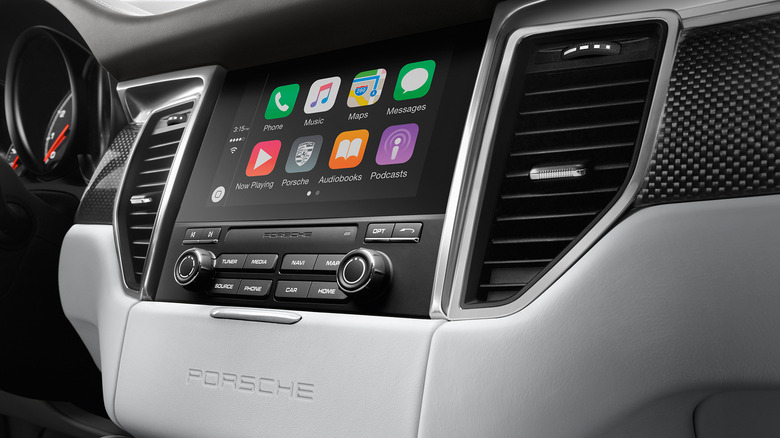
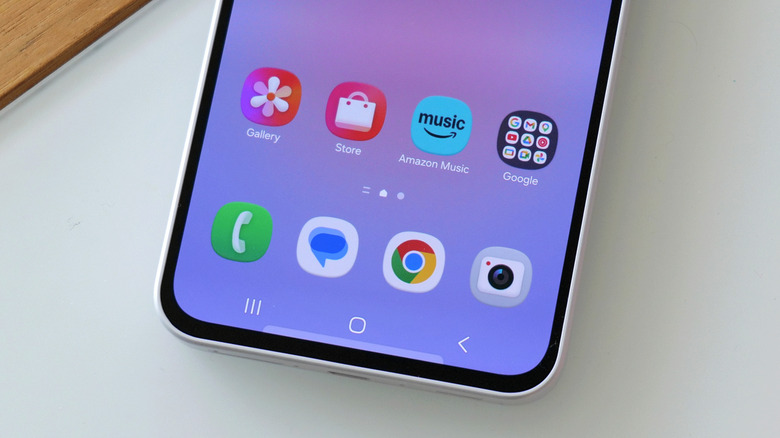
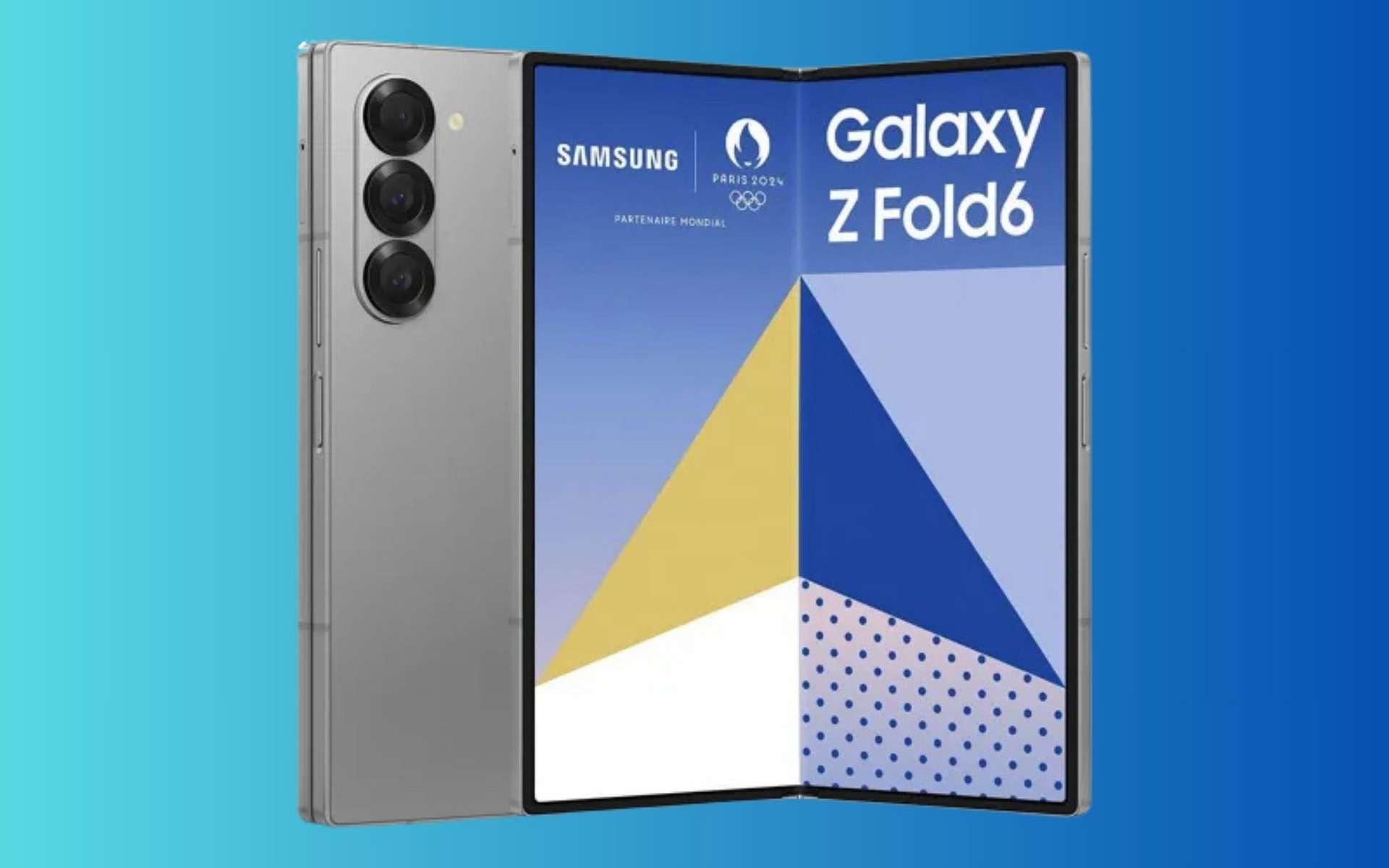
Ainda antes de anunciar a próxima geração de dobráveis, os conceitos de “smartphones do futuro” foram mostrados pela Samsung. Há modelos Z-Fold a ecrãs roláveis, já funcionais, entre os protótipos.
The post Samsung revela protótipos de novos smartphones que dobram, deslizam e até se expandem appeared first on Tek Notícias.
Widgets, widgets, widgets. Has there ever been an Android feature so full of promise that went unloved by Google for so very long?
Okay, so maybe there has been — erm, lots of times, actually. But even so, Android’s widgets system is a perfect example of an exceptional advantage that Google basically buried, abandoned, and left on the brink of extinction up until its overdue revival in 2021’s Android 12 update. (And that revival, by the way, happened for no apparent reason whatsoever. Just a totally random, unprompted change of heart after a decade of indifference. Riiiiiiiiight.)
Google may have given up on widgets for a while, but the good news is that (a) they’re back, baby — still now, more than ever, even in our overly AI-obsessed 2026 timeline — and (b) the Android developer community keeps chuggin’ along and coming up with ever-more creative new ways to embrace widgets beyond what Google itself sees fit to give us. That means no matter what Android version your favorite phone is running, you can step up your own Android widget game and give yourself some fresh and fruitful paths to make the most of your phone’s framework.
Here, my dear, are some fantastic beyond-the-basics ways to put your favorite Android widgets to use and change the way you get stuff done on your phone.
[Psst: Love learning new things? Get my free Android Intelligence newsletter to get a tasty new tip in your inbox every Friday.]
Widgets are a wonderful way to interact with all sorts of info without ever having to open up apps, but having too many widgets can quickly lead to a cluttered and overwhelming home screen.
Well, here’s a neat way to give yourself the benefit of a widget while still maintaining a neat and minimal space for working: An excellent app called Popup Widget lets you create an on-demand pop-up widget (get it?!) that looks like a regular ol’ icon on your home screen but then loads any widget you want when tapped.
See?
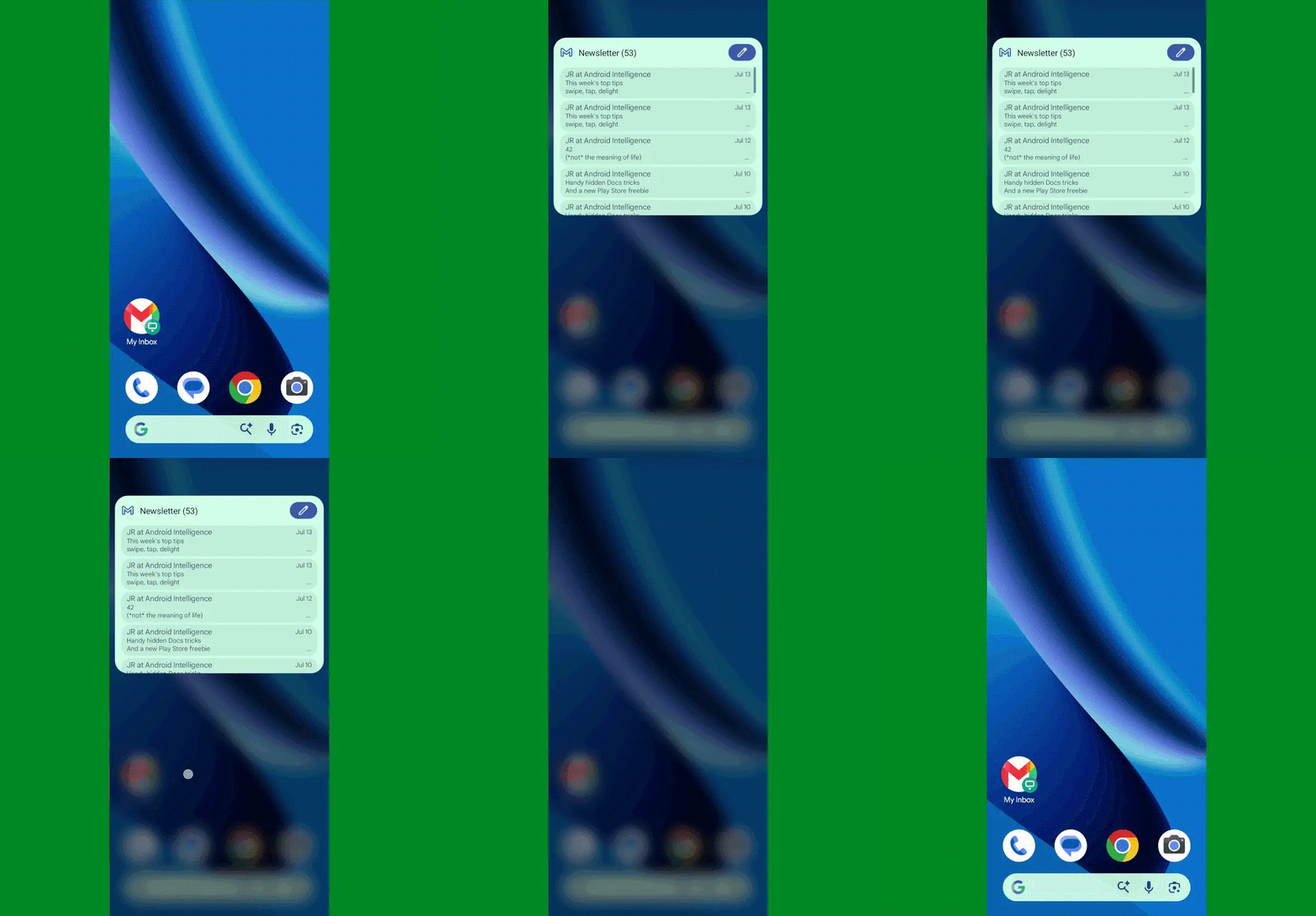
JR Raphael, Foundry
You can even get really wild and set up a single icon that opens multiple widgets at the same time — like your inbox and your calendar together:
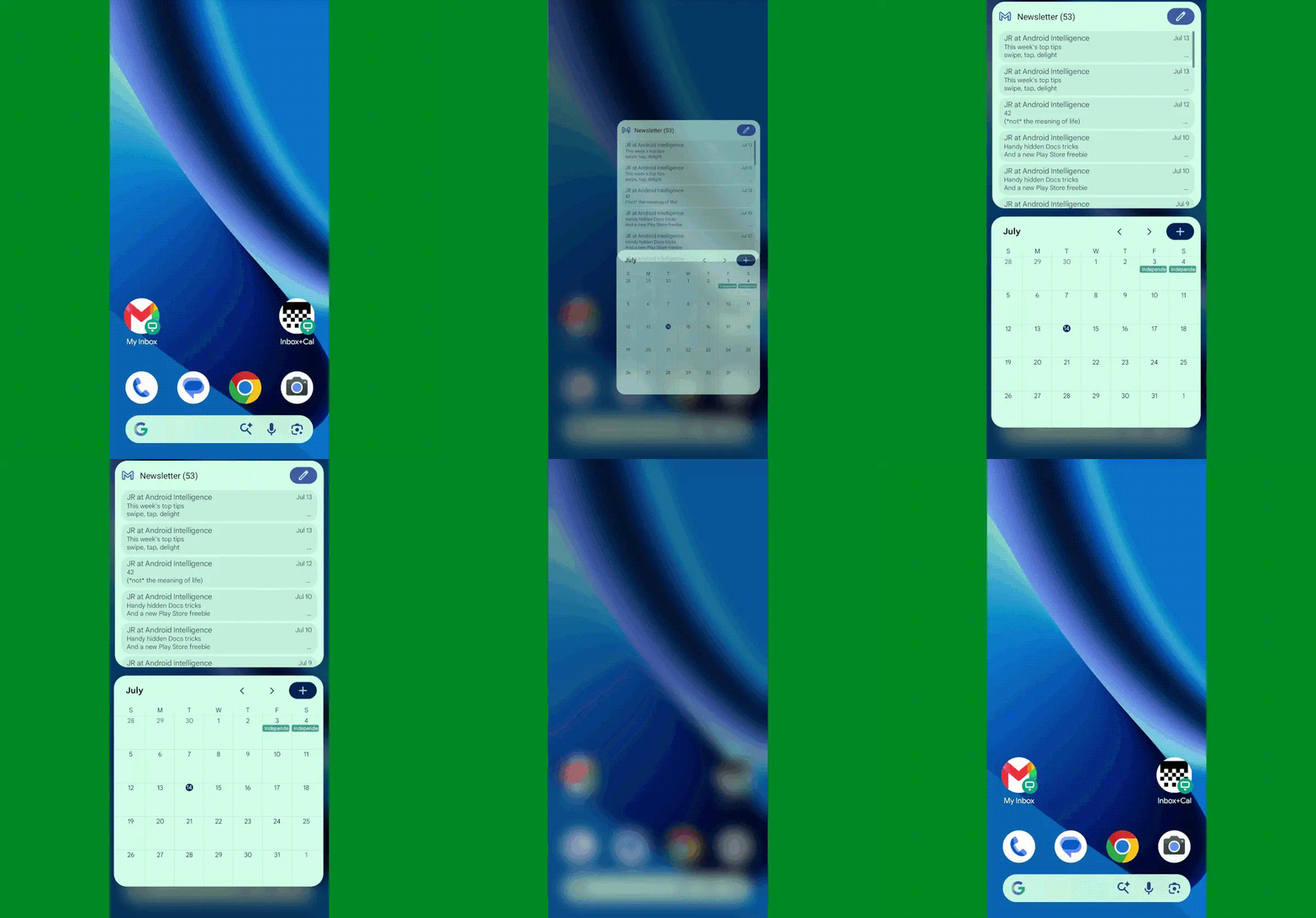
JR Raphael, Foundry
Not bad, right?
Popup Widget costs two bucks and doesn’t require any special permissions or manners of access. And it’s pretty simple and self-explanatory to set up: Once you install and open the app, it’ll walk you through adding in whatever pop-up widgets you want. You can choose the name and even the icon associated with each one along with its precise placement on your screen and how much the screen behind it should dim when it’s loaded.
The app will offer to add the shortcut directly onto your home screen for you then, or you can also find all of your Popup Widget creations by pressing and holding the main Popup Widget icon in your app drawer.
Alternatively, if you’re already using a custom Android launcher like Smart Launcher or Niagara, you can find similar options for summoning widgets on demand within their settings — no separate apps even required.
And that, my widget-loving wallaby, is but our first winning widget possibility.
If you like the idea of having a widget on demand but would rather have it be available to summon from anywhere instead of just from your home screen, this next wacky widget option is just the thing for you.
It comes from a spectacular app called Edge Gestures, which works in conjunction with Popup Widget to take that same concept and make it universally accessible. (I told ya it was wacky!)
When you first install Edge Gestures, the app will prompt you to enable it as a system accessibility service and to grant it the ability to display over other apps. These permissions sound scary — and they should! — but in the case of this specific utility, they’re absolutely appropriate and necessary in order for it to operate. The former is the only way an app is able to create a custom system-wide gesture, which we need for this setup to work its magic, and the latter is how your widget is able to be shown on top of whatever else you’re doing.
(If you’re at all worried, note that Edge Gestures doesn’t request any other significant system permissions. Beyond that, it’s reputable, it’s been around for quite a long while, and it has a large number of overwhelmingly positive reviews.)
Where were we? Oh, right: Once you’re inside the Edge Gestures configuration area, you’ll be able to select exactly what gesture you want to use for pulling up your widget. I’d think carefully about finding something that won’t interfere with anything else, like the system-level Android gestures, and that’ll be convenient to access without being a command you’re likely to trigger by mistake.
So, for instance, you might make the gesture a simple swipe downward along the left side of your screen. To do that, you’d find the “Swipe down” option within the app’s “Left” tab, and you’d set it to “Popup Widget” — and then create or select whatever Popup Widget item you want. And remember: You can select one widget or multiple widgets, too.
Prepare yourself for some serious oohing and ahhing:

JR Raphael, Foundry
As you can see, this opens up a whole new world of mobile multitasking potential. I mean, really: How could you not love that?!
The final thing worth doing is going into all the other gesture options in that same configuration area and tapping “Clear” for each of ’em to get rid of Edge Gestures’ default actions. I’d also go into whichever side of the screen you aren’t using — left or right — and tap the toggle to turn the gestures for that side off entirely. That way, you won’t inadvertently activate any gestures that you don’t actually want or need.
Edge Gestures costs $2 to use.
Next, here’s an interesting twist on that same on-demand Android widget idea: You can make any widget especially easy to access from anywhere without even having to mess around with any on-screen swiping by setting one of your phone’s physical keys as a trigger for the widget’s appearance.
I’ll give you a second to catch your breath and process the sheer splendor of that sorcery.
Back? Cool. So, the key to this feat (har har) is the combination of the aforementioned Popup Widget and a handy Android contraption called Key Mapper — which makes it easy to map your phone’s physical keys to all kinds of crazy custom actions.
In this case, we’ll set it up so that pressing and holding one of your volume keys causes whatever widget you want to be summoned, like so:
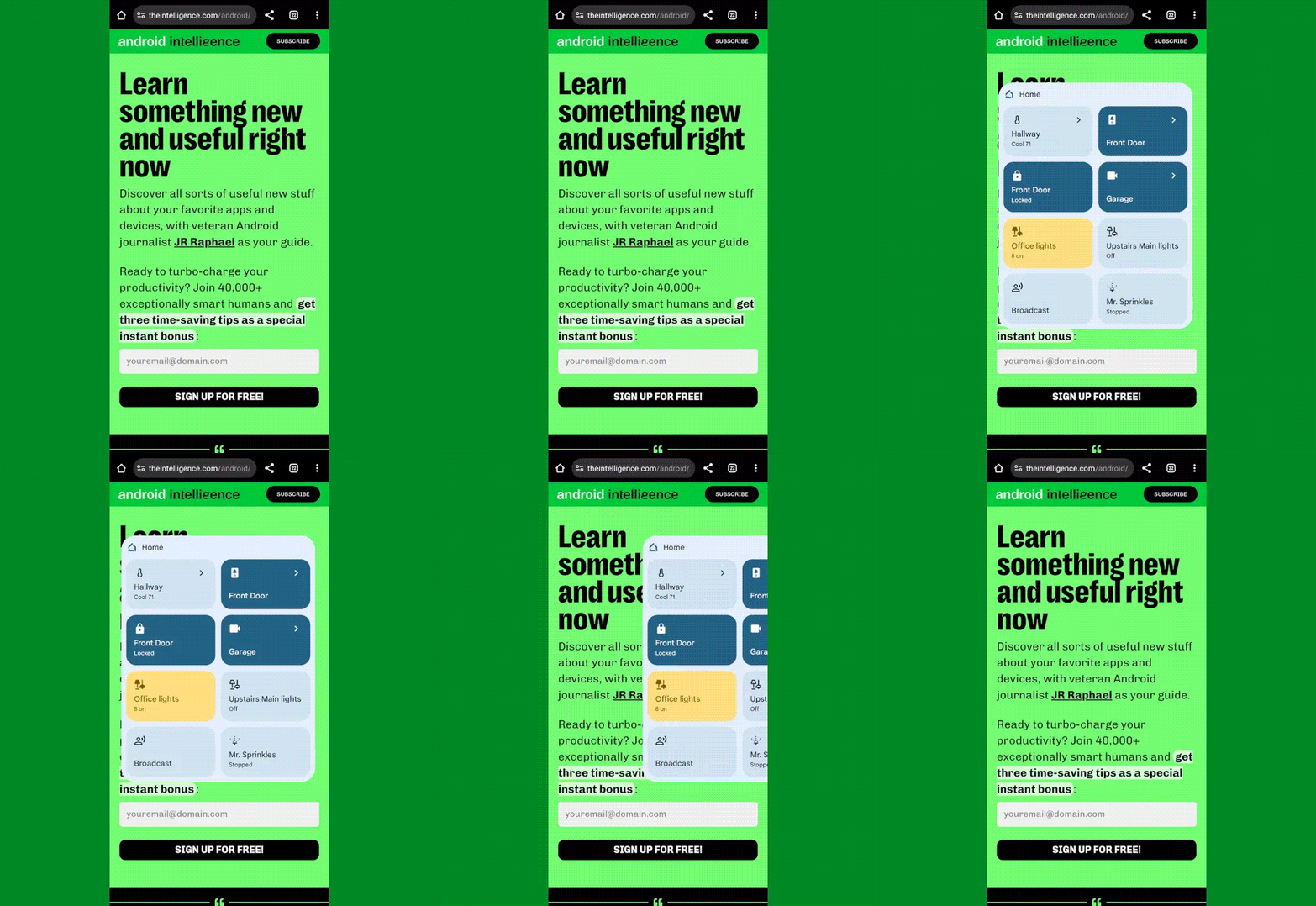
JR Raphael, Foundry
Pretty nifty, no?
I’ve got step-by-step instructions for making this happen in this separate guide.
If you like the notion of having a widget always available but aren’t so keen on the hidden gesture concept, an app called Overlays will let you create a small floating bubble that you can position anywhere on your screen and then tap to pull any widget up when you want it — just like with Android’s recently revived Bubbles multitasking system, only compatible with any Android device and version and with the simplicity of a widget instead of the complexity of an entire app.
Check it out:
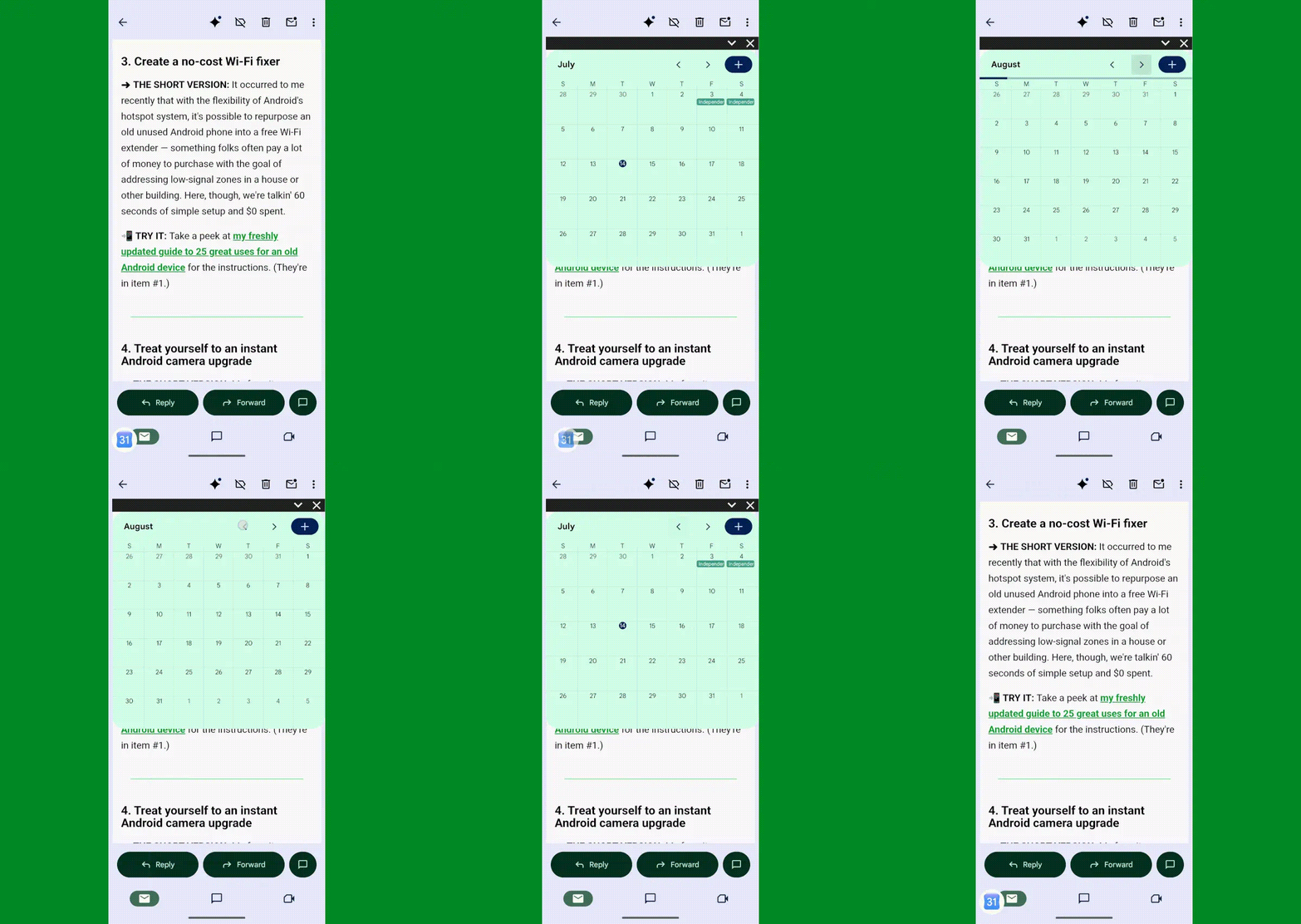
JR Raphael, Foundry
By default, Overlays gives you a bunch of its own little widgets to choose from, but the real power comes from adding in widgets from the Android apps you actually rely on. To do that, tap the “Triggers” tab at the bottom of the Overlays configuration area, then tap the red plus button in the lower-right corner of the screen. Select “Manual,” then type in whatever name you want for your widget and tap the icon to pick any icon you like.
Tap “Save,” then select “Widget” and find the widget you want from the list. At that point, you’ll see a preview of the widget. Move or resize it if you like, then hit the arrow in the upper-left corner of the screen to exit out of that interface. Last but not least, tap the name of your newly made widget on the screen that comes up next to change its status to “Always on.”
As soon as you head out of the app and back to your home screen, your fancy new widget should pop right up. All you’ve gotta do is tap the little downward-facing arrow in its corner to minimize it down to a bubble, which you can then press and hold to move anywhere your widget-worshipping heart desires.
Overlays can also create widgets that automatically appear based on context — so you could have something show up every time you connect to a certain Bluetooth device or Wi-Fi network, for instance. To explore those options, just follow the same steps from above but pick “Event” instead of “Manual” when you reach the “Triggers” tab configuration.
Overlays is free with an optional $4 in-app upgrade that removes some ads from the configuration tool and unlocks a handful of advanced features.
Last but not least in our collection of wacky Android widget possibilities is one of my favorite widget wonders — and that’s the ability to stack multiple widgets and then swipe between ’em on your home screen without having ’em take up any extra space.
Check it out:
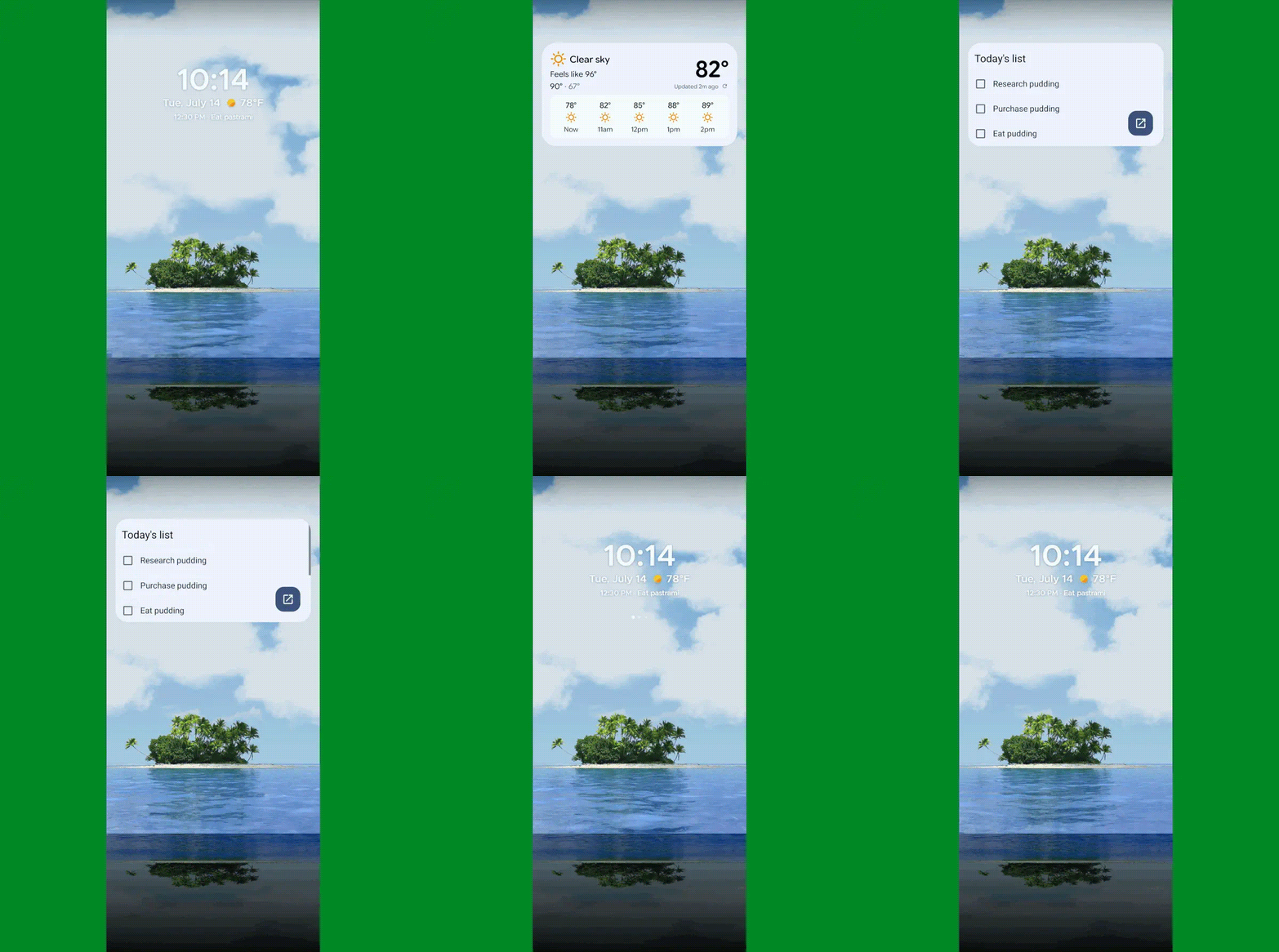
JR Raphael, Foundry
This enhancement presents a bit of a choose-your-own-adventure-style path:
First, if you’re using a reasonably recent Samsung Galaxy gizmo, the option is should already be present and available in your standard Samsung home screen setup. Just press and hold any open space on your home screen and then select the option to add a widget — then, once the widget is added, press and hold it and look for the “Create stack” command.
With any other Android gadget — or even with a Samsung device, if you want extra options and flexibility — you can use a custom Android launcher like the aforementioned Smart Launcher or Niagara as well as the retro-geeky T9-themed Key Launcher I introduced to you earlier this summer.
Those launchers replace your phone’s entire home screen environment and give you all sorts of interesting new possibilities for optimizing your interface and making it especially well-suited for you. And the stacked widget feature is just one small sliver of what they offer and how they’ll transform your Android experience.
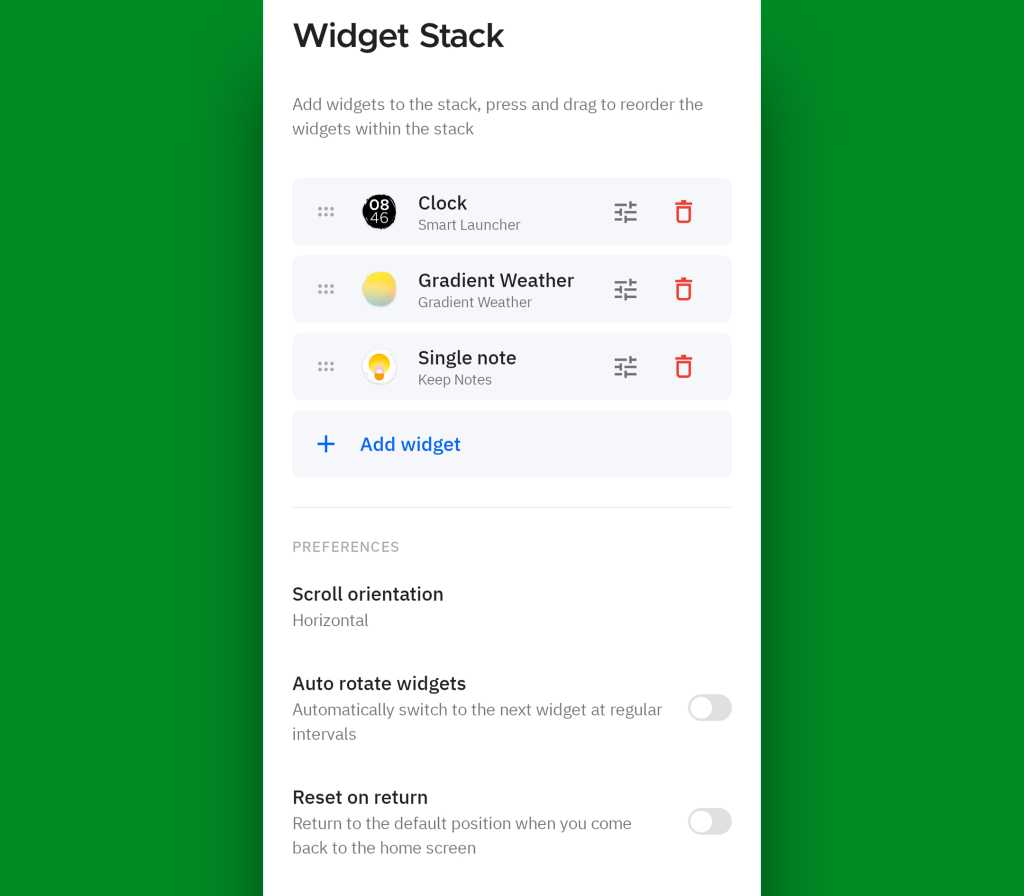
JR Raphael, Foundry
So there ya have it: five wacky, wild, wonderful ways to make widgets even more wow-inducing. Some days, you’ve just gotta love Android and the endless customization, control, and power it provides.
Put even more Googley goodness in your noggin with my free Android Intelligence newsletter — one exceptional new thing to try every Friday!

Testes independentes realizados pela West Coast Labs mostram que manter o NordVPN ligado 24 horas seguidas aumenta o consumo de bateria em apenas 1,4% no Android e 1,8% no iOS.
The post Usar VPN consome mais bateria? Estudo independente desmistifica utilização no smartphone appeared first on Tek Notícias.
Except for the second user/refurbished smartphone markets, AI means the days of cheap phones are over, with huge price pressures putting low-end vendors out of business.
Omdia data confirms that Apple and Samsung are undisputed kings of the hill, combining for 42% of the market even as smartphone sales overall have seen a 4% average decline.
The two companies increased market share by 4% (Apple) and 2% (Samsung) compared with 2Q25. Meanwhile, the situation is becoming much worse for smaller vendors as memory prices spiral, leaving their businesses under immense strain. Data from Counterpoint Research tells a similar story, indicating Apple growth against a background of market decline.
It’s important to put the impact of raised RAM costs into perspective. While Apple and Samsung make products at the kind of scale that enables them to cut better deals, smaller makers don’t have the same advantage, leaving them far more exposed to memory price driven pressures.
And they really are exposed; not only are sales declining, but Omdia analyst Runar Bjorhovde notes that vendors at that end of the market are dealing with hugely destructive DRAM price hikes over just the past year — up to four or five times higher in some cases. That degree of increase is the kind of business-focused tsunami that drives people out of the market altogether and certainly leaves companies exposed to M&A activity.
Right now, memory and storage can account for more than 60% of the product cost, Bjorhovde said. And as costs continue to increase, what profitability that does exist in the low-cost, high competition lower end smartphone space is being utterly mauled. Omdia forecasts a 22% decline in the sub-$400 smartphone segment as a result.
“Samsung Electronics and Apple — the two market leaders — made huge market share gains…, whereas most players beyond went through steep volume declines,” Bjorhovde said.
Apple’s decision to expand its addressable market with the iPhone ‘e’ series just adds pressure, while Samsung’s enduring popularity helps make it difficult for smaller vendors to generate profit through market scale. “To adapt, vendors are shifting their strategies from volume to value by reoptimizing portfolios and adjusting retail pricing,” he said.
“Although memory and storage costs are the biggest challenges for vendors, they are far from the only challenge,” Bjorhovde said. “New semiconductor bottlenecks, such as within foundries, are adding further cost pressures.”
With the cost of manufacturing set to continue to rise, it’s generally accepted that we’ll see the average selling price of smartphones climb in the coming 12 months, with Apple set to lead the market toward higher cost builds with the new Pro and Ultra iPhones this September.
Apple’s decision to hold smartphone prices so far has added another price pressure to low-end vendors; the longer it holds its prices down, the longer and more painful will smaller vendors hang onto their own low-price structure to compete.
A further wild card is in Apple’s recent lawsuit against OpenAI, which accuses the ChatGPT maker of “illegal reliance on misappropriated trade secrets” in its hardware plans. OpenAI is thought to be planning an AI-driven iPhone competitor.
We’ve heard speculation about these plans before, of course. But what seems to be emerging in the wake of Apple’s litigation are hints OpenAI intends to introduce its first AI hardware product at some point in 2027.
Assuming that schedule remains on track, OpenAI will likely impose further component pricing pressure across the whole industry. After all, Apple’s customer loyalty leads the industry, and Samsung has built something similar. So, the companies with the most to lose to OpenAI will be the same set of smaller vendors who are already struggling with component price-driven market complexity.
OpenAI products will demand the same memory, similar processors, manufacturing, and other components as other devices, prompting further pricing pressure. That’s likely to put some small vendors out of business entirely, even as standard smartphone prices increase.
Those outcomes won’t be universal, as the desire for sovereign data services and growing mistrust of US tech companies suggest OpenAI’s products might see limited adoption in most markets. But they could serve to accelerate divergence in smartphone purchasing patterns worldwide, while adding to market pressure.
You can follow me on social media! Join me on BlueSky, LinkedIn, Mastodon, and subscribe to The Core.

Smartphone shipments started to plateau a few years back, ending the days of guaranteed double-digit growth for any company that wanted to make phones. Fewer smartphone manufacturers exist today, and they're facing new pressure in the age of AI. A new report claims that smartphone shipments cratered 11 percent in the last quarter. Some are weathering the storm better than others, though.
According to Counterpoint, this substantial drop brings smartphone shipments to their lowest second-quarter level since 2013. Analysts place the blame for this drop squarely on the increasing price of DRAM and NAND chips. Manufacturers have largely shifted to supporting the AI computing boom, which leaves fewer components for consumer devices like smartphones and PCs. As prices climb higher, fewer people are interested in buying new phones.
This problem has been particularly vexing for people who are happy to purchase budget devices. A recent report from market research firm Omdia noted that higher memory costs are particularly bad for phones priced at $500 or less. In these segments, memory can now easily account for half of the total manufacturing cost. These devices have seen quicker and larger price increases compared to flagship devices, for which memory is now more than a quarter of the cost. That's a significant increase in the past year, but there's still more profit to be had at the high end.
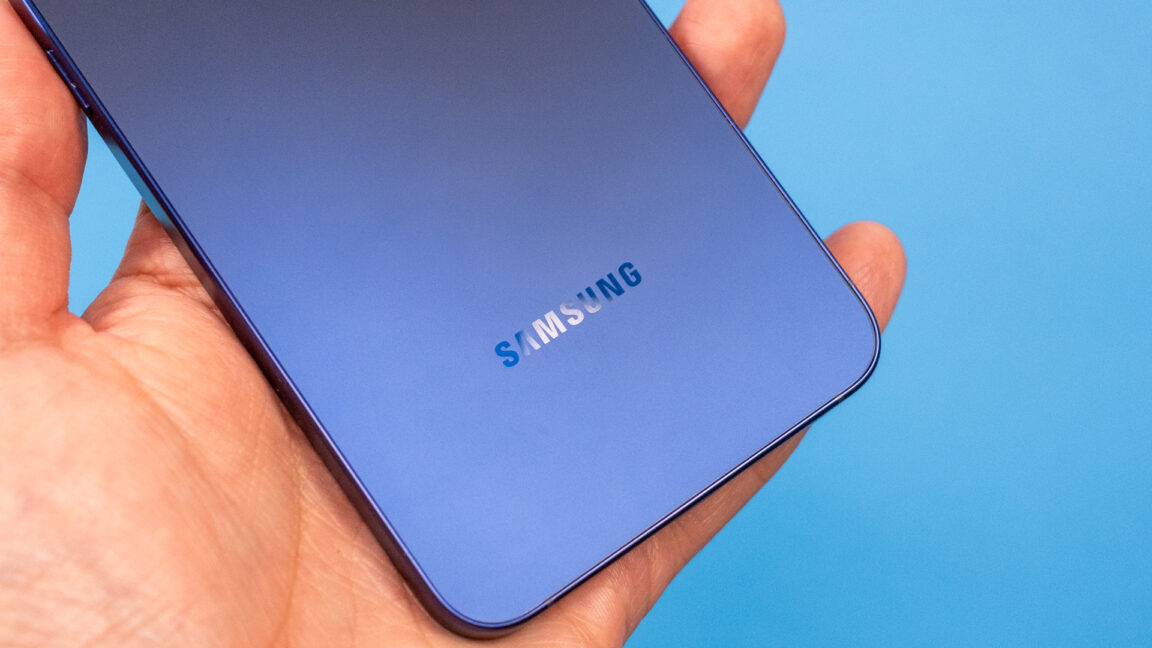
© Ryan Whitwam
Google has announced its next Made By Google event, taking place on August 12 in New York City. Google's invite doesn't name names, but the imagery clearly shows a new Pixel phone that looks a whole lot like last year's phone. Some new rumors, however, suggest the updated phones will come with inflated price tags courtesy of the AI-driven component shortage.
The sleek lines of the phone in the teaser image are a dead ringer for Google's last few Pixel phones, and that matches some early rumors. Google's new phones will have similar shapes, with the Pro and Pro Fold models perhaps shaving off a little thickness. The most notable design change will probably be the rumored "Pixel Glow" lights, a rear-facing notification and status light.
Recent reports claim that Google is finally doing away with the base 128GB storage option for the smaller phones. In 2025, both the Pixel 10 and Pixel 10 Pro started at 128GB of storage, a bit lacking for a modern flagship device at a time when people don't upgrade as often. Google will reportedly move to 256GB as the base storage for both phones.