When going abroad, the right plugs are essential to keep your gadgets charged. These are my favorite travel adapters and chargers that I’ve tested myself.
When going abroad, the right plugs are essential to keep your gadgets charged. These are my favorite travel adapters and chargers that I’ve tested myself.
“Coffee” made with functional mushrooms like lion’s mane and chaga is all the rage. We tried the most popular brands to find which were the most palatable.
“Coffee” made with functional mushrooms like lion’s mane and chaga is all the rage. We tried the most popular brands to find which were the most palatable.
If your iPhone is one of the 15 models on Apple’s Apple Intelligence device list, the cheapest way in costs nothing: iOS 27 arrives free on Monday, September 14. If it is not, the least expensive route Apple sells is the $699 iPhone 17e, and the same model was listed at $599 before September 9. […]
Apple’s headphone range is down to three names and four prices, and the choice comes apart cleanly by what you do rather than what you spend. AirPods 5 at $129 or $149 are the open-ear pick for anyone who wants to hear the room, AirPods Pro 3 at $249 are the only model with a […]
Apple now sells three Apple Watches, and for most sports the answer is the middle one. The Apple Watch Series 12 at $399 covers running, swimming and everyday health tracking on Apple’s own numbers, the Ultra 4 at $799 earns its price only if your day runs past 10 hours of workout tracking or your […]
Apple sells seven iPhones this week, from the $699 iPhone 17e to the $1,999 iPhone Duo, and only two of them carry a dedicated telephoto lens. That makes the decision simpler than the size of the lineup suggests: the iPhone 18 Pro at $1,199 is the cheapest iPhone Apple sells with a real zoom lens, […]
Apple has published no walk-in policy for 18 September, and it has published no stock figures for any store, anywhere. If you want a straight answer to whether you can turn up on launch day without a pre-order and leave with a phone, Apple has not given one, and nobody else is in a position […]
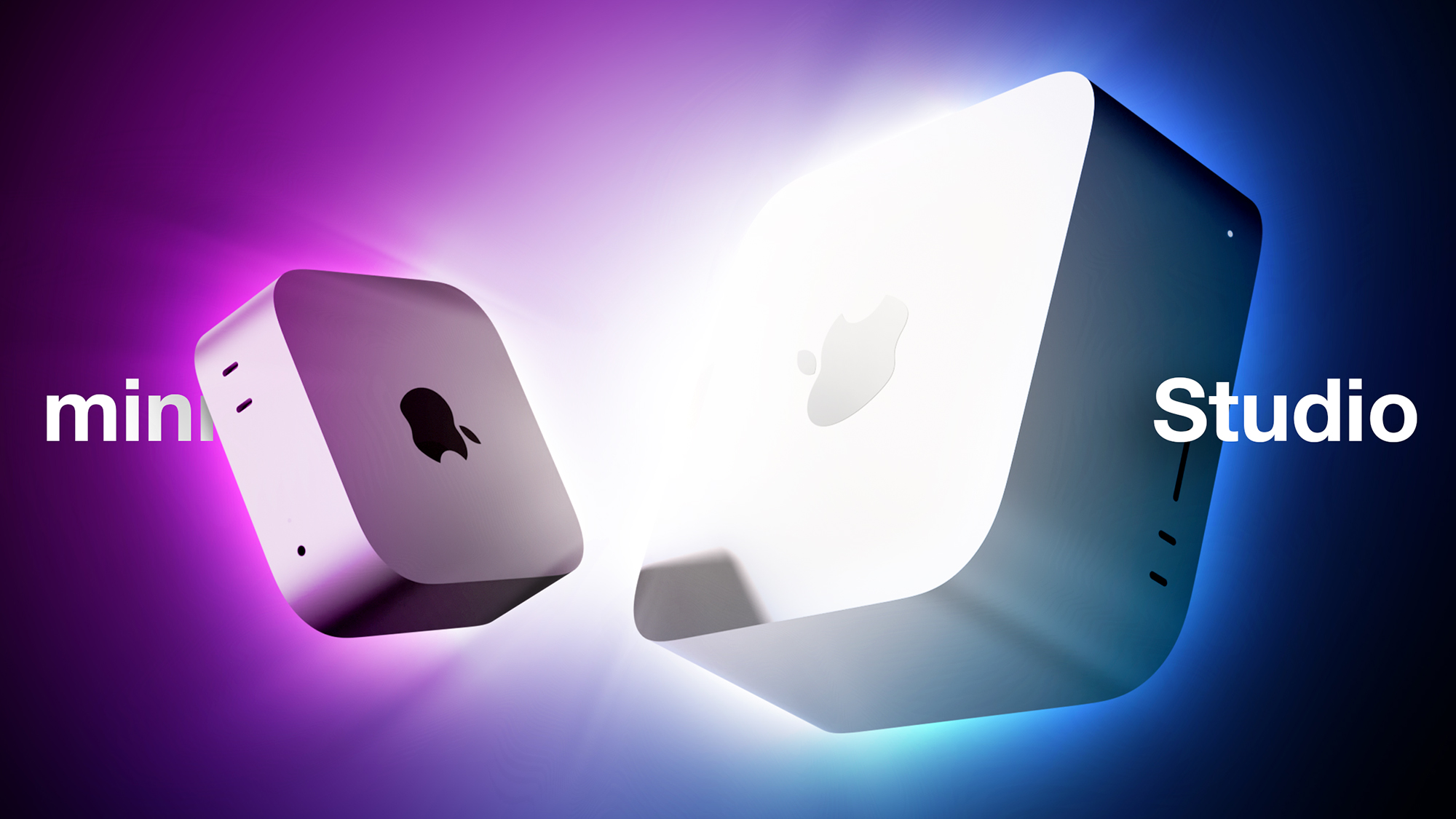
Apple announced new Mac mini and Mac Studio models last month, with both available to pre-order now. It is the first time in years that Apple has revised its two desktop Macs simultaneously, so which should you choose?
There are now two desktop Macs to choose from following the discontinuation of the Mac Pro, but the prices have moved sharply. The Mac Studio starts at $2,499 and rises to $5,499 for the M5 Ultra model, while the Mac mini starts at $899 with the M6 chip and $1,699 with the M5 Pro.
Those prices come on top of the across-the-board Mac and iPad increases Apple made in June, which took the Mac mini from $599 to $799, the M4 Pro configuration from $1,399 to $1,599, and the Mac Studio from $1,999 to $2,499. The M5 Ultra adds a further $200 to the post-June M3 Ultra price, putting it $1,500 above what the M3 Ultra cost at launch.
Our guide helps to answer the question of how to decide which of these two desktop Macs is best for you. The two machines now share a large number of key features, including:
A boxy silver aluminum enclosure with no color options
Apple's N1 chip, bringing Wi-Fi 7 and Bluetooth 6 to both machines for the first time
Neural Accelerators built into every GPU core
Hardware-accelerated ray tracing
A Media Engine with hardware-accelerated H.264, HEVC, ProRes, and ProRes RAW, plus AV1 decode
A next-generation SSD architecture that Apple says is up to twice as fast as before
64-core GPU: 96GB or 256GB unified memory
80-core GPU: 96GB, 256GB, or 512GB unified memory
256GB, 512GB, 1TB, or 2TB storage
512GB, 1TB, 2TB, 4TB, or 8TB storage
512GB, 1TB, 2TB, 4TB, or 8TB storage
1TB, 2TB, 4TB, 8TB, or 16TB storage
Video decode engine
Video decode engine
Video decode engine
Two video decode engines
Video encode engine
Video encode engine
Two video encode engines
Four video encode engines
ProRes encode and decode engine
ProRes encode and decode engine
Two ProRes encode and decode engines
Four ProRes encode and decode engines
Support for up to three displays: two at 6K 60Hz or 4K 165Hz, plus a third at 5K 60Hz over Thunderbolt or 4K 60Hz over HDMI
Support for up to three displays, all at 6K 60Hz or 4K 165Hz
Support for up to five 4K displays, four 6K displays, or two 8K displays
Support for up to eight 4K displays, eight 6K displays, or four 8K displays
Two displays per Thunderbolt port
All three displays through a single Thunderbolt port
Three rear Thunderbolt 4 ports
Three rear Thunderbolt 5 ports
Four rear Thunderbolt 5 ports
Four rear Thunderbolt 5 ports
Two front USB-C ports
Two front USB-C ports
Two front USB-C ports
Two front Thunderbolt 5 ports
Two rear USB-A ports
Two rear USB-A ports
2.5Gb Ethernet or 10Gb Ethernet port
2.5Gb Ethernet or 10Gb Ethernet port
10Gb Ethernet port
10Gb Ethernet port
SDXC card slot (UHS-II)
SDXC card slot (UHS-II)
Bottom power button
Bottom power button
Rear power button
Rear power button
Starts at $899
Starts at $1,699
Starts at $2,499
Starts at $5,499
Both enclosures carry over unchanged, so the dimensions of the two devices remain radically different, with the Mac Studio dwarfing the Mac mini in every way.
Mac mini
Mac Studio
Height
2.0 inches (5.0 cm)
3.7 inches (9.5 cm)
Width
5.0 inches (12.7 cm)
7.7 inches (19.7 cm)
Depth
5.0 inches (12.7 cm)
7.7 inches (19.7 cm)
Weight
M6: 1.5 pounds (0.67 kg)
M5 Pro: 1.6 pounds (0.73 kg)
M5 Max: 6.0 pounds (2.7 kg)
M5 Ultra: 8.0 pounds (3.6 kg)
Most customers should choose the M5 Pro Mac mini over the M5 Max Mac Studio, saving $800 on the base models. The gap widens across custom configurations, since the Mac Studio's memory and storage tiers start higher and climb further.
There is an unusual situation at the bottom of the lineup this year. The $899 Mac mini is the only machine of the four with a latest-generation chip, and the M6 is Apple's first 2nm chip. Its Dual 16-core Neural Engine, which Apple says system frameworks can drive simultaneously, is also more Neural Engine hardware than either the M5 Pro or the M5 Max provides. If your workload leans on on-device machine learning rather than sustained CPU or GPU throughput, the cheapest Mac in this comparison is not obviously the weakest one for the task. The trade-offs are Thunderbolt 4 rather than Thunderbolt 5, a 32GB memory and 2TB storage ceiling, and a single video encode engine.
You should only consider the Mac Studio if you have a professional workflow that can genuinely leverage the M5 Max or the M5 Ultra, along with the additional ports, display outputs, and memory capacity. If you need the Mac Studio, you will likely already know that you are looking for a highly powerful machine capable of supporting a specific intense workload. The M5 Ultra is Apple's first quad-die M-series chip, and its four ProRes engines, four video encode engines, and 1.2TB/s of memory bandwidth are aimed squarely at multi-stream video work and large local AI models. The 512GB memory ceiling has no equivalent anywhere else in the Mac lineup, and it is what allows models with hundreds of billions of parameters to run entirely on device.
The Mac Studio still has a superior selection of ports, with four rear Thunderbolt 5 ports on the M5 Max and six in total on the M5 Ultra, plus an SDXC card slot, USB-A, and 10Gb Ethernet as standard. This makes a practical difference for anyone working off fast external storage or camera media. The Mac mini has closed part of the distance by moving to 2.5Gb Ethernet as standard, up from Gigabit.
Clustering over Thunderbolt 5 and RDMA is not a point of difference between the two machines, since it arrived in macOS 26.2 last December and works on any Mac with Thunderbolt 5, including the M5 Pro Mac mini and the previous-generation Mac Studio. The exception is the M6 Mac mini, which has Thunderbolt 4 and cannot take part.
Both Mac mini models still cap out at three external displays, but they now reach 165Hz at 4K, up from 144Hz on the M4 generation, and the M5 Pro model drives all three through a single Thunderbolt port. For a three-display desk setup at high refresh rates, the M5 Pro Mac mini is sufficient. It is only above three displays, or at 6K and 8K, that the Mac Studio becomes necessary.
A notable exception arises at the top of the Mac mini lineup. An M5 Pro Mac mini configured with additional memory and storage moves close enough to the $2,499 Mac Studio that the comparison changes somewhat. For an increment of a few hundred dollars, the Mac Studio substitutes a chip with roughly twice the memory bandwidth, a second video encode engine, far greater display support, and headroom to 128GB of unified memory. If you are already spending heavily on a Mac mini, price the Mac Studio before committing.
If you plan to keep the machine for many years, the Mac Studio's ceiling matters more than its starting price, because it is the only one of the two that can be configured beyond 64GB of unified memory. Buyers weighing the M6 Mac mini against the M5 Pro Mac mini should note that the newer chip generation and the newer process node both sit in the cheaper machine, and that the M5 Pro's advantages are concentrated in multi-core and graphics performance rather than in longevity.
To some extent, purchasing decisions should be driven by budget, but any savings on the computer itself can be put toward a good external display such as Apple's Studio Display, which starts from $1,599 and was one of the few products spared June's price rises. An M6 Mac mini paired with a Studio Display comes to $2,498, a dollar less than a bare M5 Max Mac Studio with nothing to plug into. An M5 Pro Mac mini and a Studio Display together come to $3,298, which is $799 more than the base Mac Studio and $2,201 less than the M5 Ultra Mac Studio with no display at all.
Both machines are available to pre-order now and arrive on Tuesday, September 22, with education pricing of $799 and $1,599 on the two Mac mini models and $2,299 and $5,099 on the two Mac Studio models. Mac Studio configurations with 512GB of unified memory are not due until late October.
Our conversation with Kirk McElhearn about his new Take Control of AirPods continues, exploring the advanced capabilities of AirPods beyond simple audio playback, explaining listening modes, Conversation Awareness, head gestures, and how the Apple ecosystem enhances the experience. He also discusses why AirPods perform poorly as phone microphones, examines rumors of camera-equipped AirPods, and reflects […]
If you are trying to reduce your nicotine spending in 2026, one question naturally comes up: is vaping cheaper than smoking cigarettes?
For most adult smokers who switch completely to vaping, the answer is still yes. However, the size of the saving depends on how much you smoke, what type of vape you use, how frequently you replace pods or coils, and where you buy your products.
In the UK, the cost gap is also being influenced by changes to tobacco taxation and the introduction of the Vaping Products Duty (VPD) from October 2026. Even with the new vape tax, vaping is expected to remain less expensive than smoking for many users.
Vaping vs. Smoking: The Quick Answer
For a regular smoker, vaping can cost substantially less than buying cigarettes every day.
The NHS says that, once the initial vape kit has been purchased, vaping has been estimated to cost about one-third as much as smoking.
The exact saving will vary, though. A refillable pod system with e-liquid can have a very different running cost from frequently buying premium disposable or prefilled products.
Here’s a simplified comparison:
Cost factor
Smoking
Vaping
Initial equipment
None
Vape device required
Main consumable
Cigarettes
E-liquid/pods
Replacement parts
None
Coils/pods may be required
Daily cost
Generally higher
Generally lower
Long-term cost
High
Usually lower
UK tax pressure in 2026
Very high
Increasing
Potential savings
—
Significant for many smokers
Why Smoking Is So Expensive in 2026
The biggest reason cigarettes are expensive is taxation.
UK cigarette prices include tobacco duty and VAT. The government increased tobacco duty in November 2025, and another increase is scheduled for 1 October 2026. From that date, the cigarette duty rate will rise to £394.09 per 1,000 cigarettes plus 16.5% of the retail price, subject to the minimum excise duty of £518.75 per 1,000 cigarettes.
For someone smoking every day, these costs add up quickly.
Example: A Pack-a-Day Smoker
Imagine an adult smoker buying one 20-cigarette pack every day.
At a hypothetical retail price of £15 per pack, the spending would be:
£15 per day
£105 per week
£450 per 30 days
£5,475 per year
This is only an example because cigarette prices vary by brand and retailer. If the price of a pack rises, the annual cost rises accordingly.
The important point is that smoking creates a recurring expense that is difficult to reduce without cutting consumption.
Why Vaping Can Be Cheaper
Vaping separates the cost of the device from the cost of the consumable.
A reusable pod system or vape kit may require an upfront purchase, but the device can then be used repeatedly. The ongoing expenses generally involve:
E-liquid
Replacement pods
Replacement coils
Occasionally a replacement battery or device
This can make the running cost considerably lower than buying a new packet of cigarettes every day.
The NHS specifically states that vaping costs much less than smoking and estimates that, after purchasing a kit, vaping can cost around one-third as much as smoking.
The Cheapest Vaping Setup in 2026
If your primary goal is reducing ongoing costs, a reusable refillable vape is generally worth considering rather than treating vaping as a series of disposable purchases.
A typical cost-conscious setup might include:
A reusable pod kit
A bottle of e-liquid
Replacement pods or coils
A charger if required
Once the device has been purchased, you only need to replace the consumables.
This is particularly important because the UK has already prohibited the sale or supply of disposable vapes. The NHS notes that disposable vapes can no longer legally be sold or supplied in the UK, while reusable and refillable products remain available.
What About the New Vaping Tax?
One of the biggest changes affecting the vaping-versus-smoking calculation in 2026 is the UK’s new Vaping Products Duty.
From 1 October 2026, the duty on vaping liquid will be £2.20 per 10ml. HMRC’s guidance confirms that the duty is calculated according to the volume of vaping product.
For example:
10ml of e-liquid → £2.20 duty
20ml → £4.40 duty
30ml → £6.60 duty
50ml → £11.00 duty
100ml → £22.00 duty
This tax is incorporated into the supply chain and can ultimately affect the retail price paid by consumers.
The government has also increased tobacco duty at the same time. It announced a £2.20 increase per 100 cigarettes alongside the introduction of the £2.20-per-10ml vaping duty, with the stated aim of preserving the price difference between vaping and tobacco.
So while vaping is becoming more expensive, cigarettes are also facing substantial tax increases.
Refillable Vapes vs. Disposable Vapes
When comparing vaping costs, it is important not to treat every vape product as equally economical.
Refillable Pod Systems
Refillable pod systems can be one of the more economical approaches because you purchase e-liquid separately and reuse the device.
Their costs include:
Initial device
E-liquid
Pods or coils
Occasional replacement device
For someone who vapes regularly, spreading the cost of the hardware over many months can reduce the effective daily cost.
Prefilled Pods
Prefilled pod systems are convenient because there is less maintenance and no need to manually fill a tank.
However, convenience can come with a higher cost per unit of nicotine or e-liquid compared with buying larger quantities of refillable e-liquid.
Disposable Vapes
Disposable vapes were once popular partly because of their simplicity, but they are no longer a legal retail option in the UK. The NHS confirms that disposable vapes cannot legally be sold or supplied.
For UK consumers in 2026, therefore, cost comparisons should focus mainly on reusable and refillable vaping products.
A Simple Annual Cost Comparison
Let’s use an illustrative example rather than claiming a universal retail price.
Suppose a smoker spends £15 per day on cigarettes:
£15 × 365 = £5,475 per year
Now suppose a hypothetical vaping setup costs £5 per day on average, including e-liquid, pods/coils and the annualised cost of the device:
£5 × 365 = £1,825 per year
That would represent a potential saving of:
£5,475 − £1,825 = £3,650 per year
The numbers are illustrative rather than a prediction of what every vaper will spend. Your actual cost could be considerably higher or lower depending on consumption and product choice.
The NHS’s estimate that vaping can cost around one-third as much as smoking provides useful context for why these savings can be substantial.
What Can Make Vaping More Expensive?
Vaping is not automatically cheap.
Your spending can increase if you:
Buy premium devices frequently
Use high quantities of e-liquid
Replace pods or coils unnecessarily often
Buy expensive prefilled products
Keep multiple devices
Upgrade hardware frequently
Vape continuously throughout the day
Someone who regularly buys new devices and premium products may spend much more than someone using a basic refillable pod system.
In other words, your vaping style matters almost as much as the product itself.
What Can Make Smoking Even More Expensive?
Smoking costs can also rise beyond the price of cigarettes.
A smoker may spend additional money on:
Lighters
Cigarette cases
Tobacco accessories
Travel-related purchases
Convenience-store premiums
Tobacco price increases
More importantly, smoking is a daily expense. Even a relatively small increase in the price of a packet can translate into hundreds of pounds of additional spending over a year.
With further tobacco duty increases scheduled for October 2026, this pressure is unlikely to disappear.
Is Vaping Worth It Just to Save Money?
For an existing adult smoker, switching completely from cigarettes to vaping may reduce nicotine-related spending while also reducing exposure to many toxic substances found in cigarette smoke.
The NHS states that vaping is not risk-free, but that nicotine vaping is less harmful than smoking and exposes users to a smaller fraction of the risks associated with smoking.
However, the financial calculation should not be interpreted as a recommendation for non-smokers to start vaping.
If you do not smoke, starting vaping simply to save money does not make financial or health sense. The NHS advises that non-smokers should not vape.
For smokers considering switching, the greatest financial benefit comes from switching completely rather than maintaining both habits.
Dual Use Can Destroy the Savings
One of the biggest mistakes in a vaping-versus-smoking comparison is assuming that someone will completely replace cigarettes with vaping.
For example, if you continue smoking half a pack of cigarettes per day while also vaping, you are paying for two nicotine products.
That can result in:
Cigarette spending + vaping spending = higher total nicotine spending
A complete switch can therefore be much more economical than simply adding vaping to an existing smoking habit.
The NHS also notes that smokers only get the full benefits of switching when they stop smoking completely.
Vaping vs. Smoking: Which Is Cheaper in 2026?
For most adult smokers, vaping remains the cheaper option in 2026, particularly when using a reusable refillable device and buying e-liquid efficiently.
The cost advantage is being narrowed somewhat by the introduction of Vaping Products Duty from October 2026, but tobacco products are also facing higher taxation. The UK government’s policy continues to maintain a price differential between vaping and tobacco.
The Bottom Line
If you’re comparing the two purely on running costs:
Smoking: High and continually rising cost, largely driven by tobacco duty.
Vaping: Lower potential running cost, but affected by device, e-liquid and replacement-pod expenses.
Refillable vaping: Usually the most cost-conscious vaping approach.
Disposable vapes: No longer legally sold or supplied in the UK.
Dual use: Can eliminate much of the potential financial saving.
For a regular smoker, switching completely to a reusable vaping system can potentially save hundreds or even thousands of pounds per year, depending on previous cigarette consumption and vaping habits.
However, cost is only one part of the decision. Vaping is not harmless, and non-smokers should not start vaping. For smokers who want to quit, both financial considerations and health considerations should be taken into account.
Frequently Asked Questions
Is vaping cheaper than smoking in 2026?
Generally, yes. The NHS estimates that vaping can cost about one-third as much as smoking once the initial vape kit has been purchased.
Will vaping become more expensive in October 2026?
Yes. The UK is introducing Vaping Products Duty at £2.20 per 10ml of vaping liquid from 1 October 2026.
Are cigarettes getting more expensive in 2026?
Yes. UK tobacco duty is scheduled to increase again on 1 October 2026, including higher cigarette duty and a higher minimum excise duty.
Are disposable vapes legal in the UK in 2026?
No. The NHS states that disposable vapes cannot legally be sold or supplied in the UK. Reusable and refillable products remain available.
Is vaping completely safe?
No. Vaping is not risk-free. However, NHS guidance says nicotine vaping is less harmful than smoking cigarettes.
What is the cheapest way to vape?
For an adult smoker who chooses to switch, a reusable refillable pod system can generally provide a lower ongoing cost than repeatedly buying prefilled or single-use products. Actual savings depend on e-liquid consumption, hardware costs and purchasing habits.
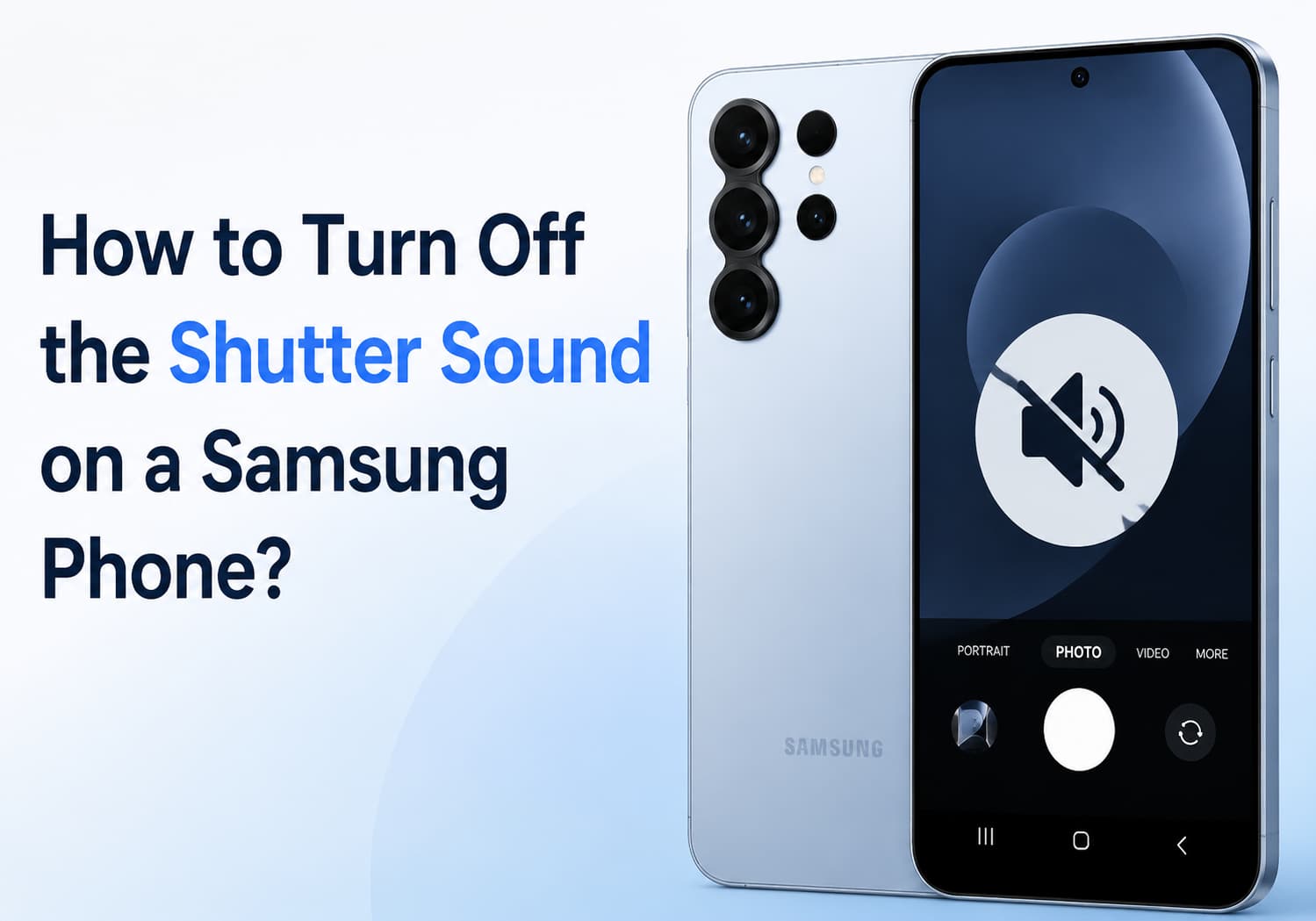
Samsung smartphones are known for their excellent camera performance, but the camera shutter sound can sometimes be inconvenient, especially when taking photos in quiet environments such as libraries, meetings, museums, or during personal moments.
Depending on your Samsung phone model, region, and software version, the method for disabling the camera sound may vary. This guide explains the common ways to turn off or reduce the camera shutter sound on Samsung Galaxy devices.
Why Does a Samsung Phone Make a Camera Shutter Sound?
The camera shutter sound is designed to provide an audible confirmation that a photo has been captured.
However, in some countries and regions, smartphone manufacturers are required by law to keep the shutter sound enabled to protect privacy and prevent unauthorized photography.
Because of these regional regulations:
Some Samsung phones allow the shutter sound to be disabled
Some models only allow it to be muted through system sound settings
Some versions permanently keep the shutter sound enabled
If you cannot find the option, it may be restricted by your device’s region settings.
Method 1: Disable Camera Shutter Sound Through Camera Settings
On many Samsung Galaxy phones, you can turn off the shutter sound directly from the Camera app.
Follow these steps:
Step 1: Open the Camera App
Launch the built-in Camera application on your Samsung phone.
Step 2: Enter Camera Settings
Tap the gear icon (Settings) in the top-left or top-right corner.
Step 3: Find Shutter Sound Option
Look for:
Shutter sound
or
Camera sounds
Step 4: Turn It Off
Toggle the option off.
After disabling it, taking photos will no longer produce the camera shutter sound.
Note: This option is not available on every Samsung model.
Method 2: Turn Off Camera Sound by Using Silent Mode
If your Samsung phone does not provide a shutter sound option, you can try muting system sounds.
Steps:
Swipe down from the top of the screen to open the Quick Settings panel.
Tap the Sound icon.
Change the phone mode to:
Silent
Vibrate
Open the Camera app and take a photo.
On many Galaxy devices, the shutter sound follows the system volume settings.
Method 3: Lower System Volume Settings
Another simple method is reducing the system sound volume.
Steps:
Open:
Settings → Sounds and vibration
Select:
Volume
Reduce:
System volume
to the lowest level.
Then test the camera again.
Depending on your Samsung model, the shutter sound may disappear.
Method 4: Use Samsung Modes and Routines
Samsung’s Modes and Routines feature allows automatic sound control.
You can create a routine that switches your phone to silent mode when entering specific locations or situations.
For example:
Library
Office
Meeting room
Setup Steps:
Open:
Settings → Modes and Routines
Tap:
Routines
Create a new routine.
Set a condition:
Location
Time
App opened
Add an action:
Sound mode → Silent
This can automatically disable camera sounds when needed.
Method 5: Use Third-Party Camera Apps
If the Samsung Camera app does not allow shutter sound control, some third-party camera applications may offer additional options.
Examples include:
Open Camera
Other professional camera apps
These apps may provide settings such as:
Disable camera sound
Custom shutter options
Manual controls
However, availability depends on your phone model and Android version.
Method 6: Change the Phone Region (Advanced Option)
Some Samsung phones sold in regions where shutter sounds are mandatory cannot disable the sound.
Advanced users sometimes change the device region or firmware version to another market where disabling the shutter sound is allowed.
However, this method is not recommended for most users because it may:
Affect warranty service
Cause software issues
Require firmware flashing knowledge
Always check your local laws before changing regional settings.
How to Turn Off Camera Sound on Popular Samsung Galaxy Models
Samsung Galaxy S Series
For Galaxy S models:
Open Camera
Tap Settings
Disable Shutter sound if available
If the option is missing:
Use Silent mode
Lower system volume
Samsung Galaxy Z Fold and Z Flip Series
Foldable Galaxy phones usually follow the same camera settings:
Camera → Settings → Shutter sound
If unavailable:
Enable Silent mode before taking photos
Samsung Galaxy A Series
Budget and mid-range Galaxy A phones may have different software versions.
Try:
Camera settings
Sound settings
Silent mode
Why Can’t I Disable the Camera Sound on My Samsung Phone?
If the shutter sound cannot be turned off, possible reasons include:
1. Regional Restrictions
Some countries require phones to make a camera sound.
2. Carrier Firmware
Carrier-specific software may remove the option.
3. Android Version Differences
New One UI versions may change camera settings locations.
4. Device Model Limitations
Not all Samsung Galaxy models support shutter sound control.
Frequently Asked Questions
Can I completely remove the Samsung camera shutter sound?
It depends on your phone model and region. Some devices allow it through Camera settings, while others only allow muting through sound modes.
Does silent mode always disable the camera sound?
Not always. Some Samsung phones still keep the shutter sound active due to regional restrictions.
Can I turn off the screenshot sound too?
Screenshot sounds are controlled separately and may also depend on your region settings.
Will disabling camera sound affect photo quality?
No. Turning off the shutter sound only changes audio feedback and does not affect camera performance or image quality.
Final Thoughts
Turning off the camera shutter sound on a Samsung phone is usually simple if your device supports the option. Start by checking:
Camera App → Settings → Shutter Sound
If that option is unavailable, try:
Silent mode
Reducing system volume
Using Samsung Modes and Routines
Trying a compatible third-party camera app
Keep in mind that some Samsung phones sold in certain regions are required to keep the shutter sound enabled, so the available options may depend on your device model and location.
 Login
Login


_.png)