Turtle Beach PlayTrek 2-in-1 Case for Nintendo Switch 2: review
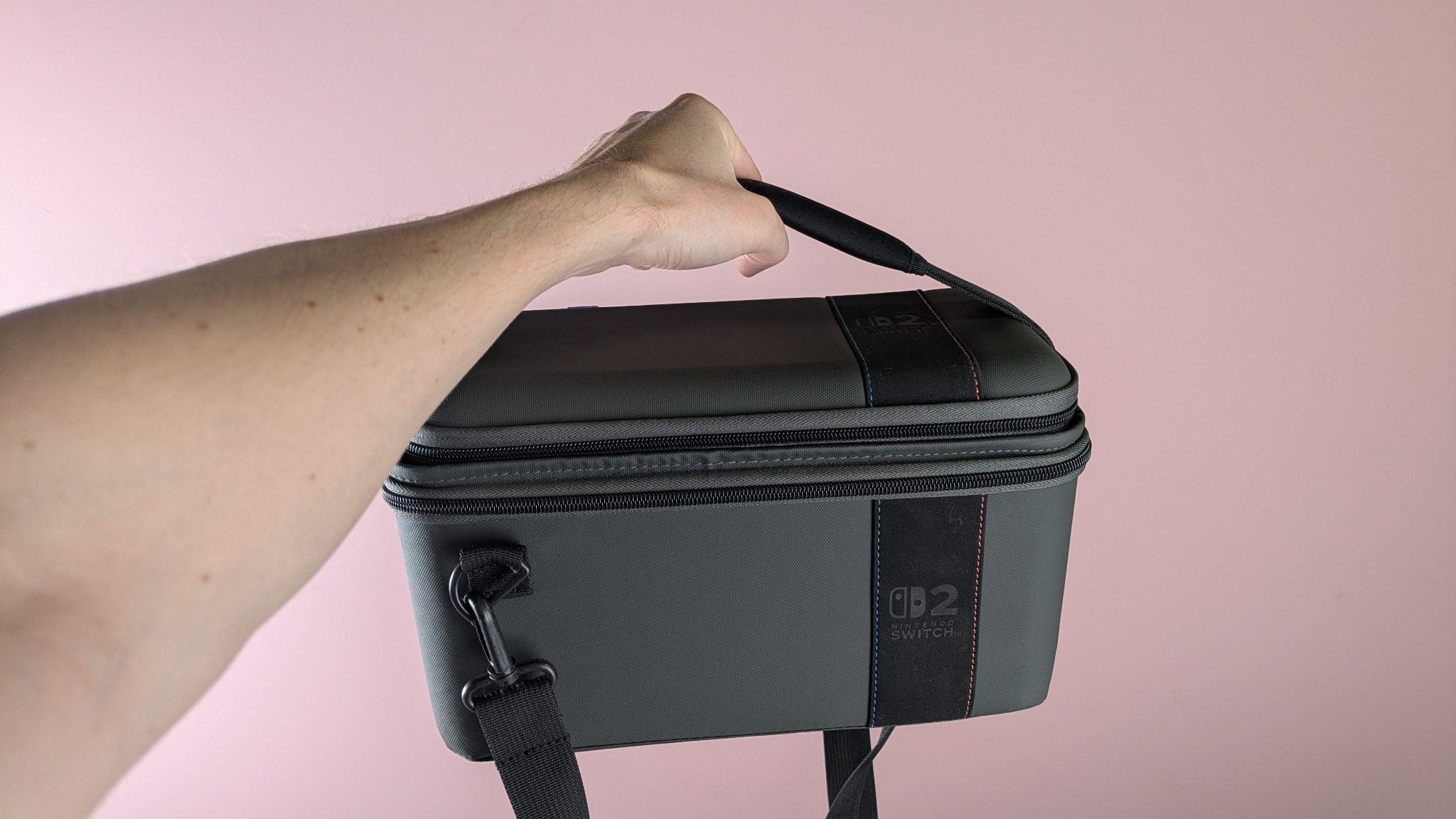
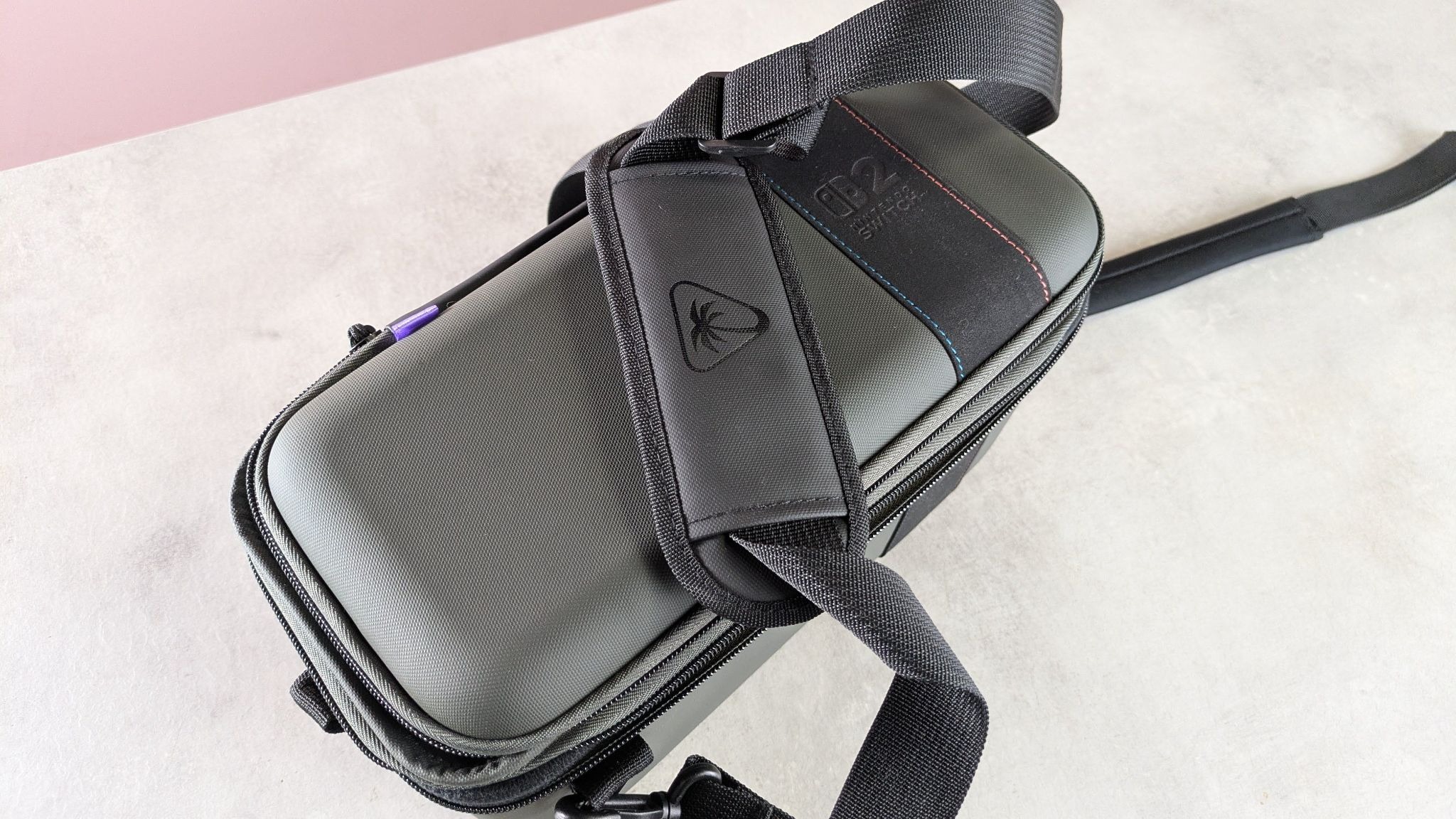
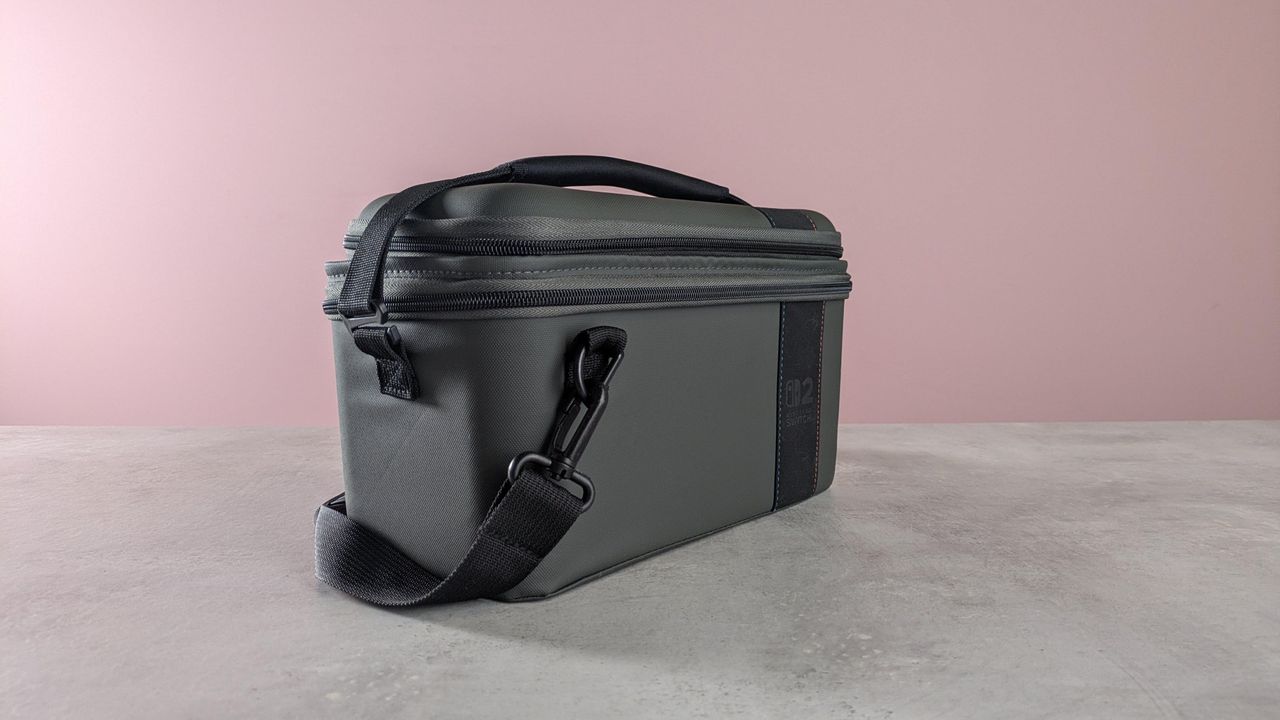
The Turtle Beach PlayTrek 2-in-1 makes a good first impression. It’s quite sleek for a large Switch 2 carrying case, and also rather stylish. This is thanks to the dark grey color and the surprisingly elegant suede strip that runs around it, offset to the right. It features subtle blue and orange stitching, a nice detail and a nod to the color coding of the Joy-Con 2 controllers.
(Image credit: Future)
The material of the entire unit also impressed me with its ruggedness. The shell of the main compartment feels solid, too, with only a slight amount of flex. As for the detachable travel case on top, I appreciated the small rubber strip that runs along its back edge, as it provides a little more durability and protection when opening it up. What’s more, the entire case is pleasingly light and slender, which is all the more impressive considering what it’s designed to carry.
The zips are similarly well-made, with a reasonably long string and a thin plastic topper that’s easy to grip. However, I did find them a little awkward to open at times, as the lids of both the travel case and main compartment have a tendency to sag inwards, slightly obscuring the teeth. This is a minor issue, though, and not one that’s likely to frustrate.
(Image credit: Future)
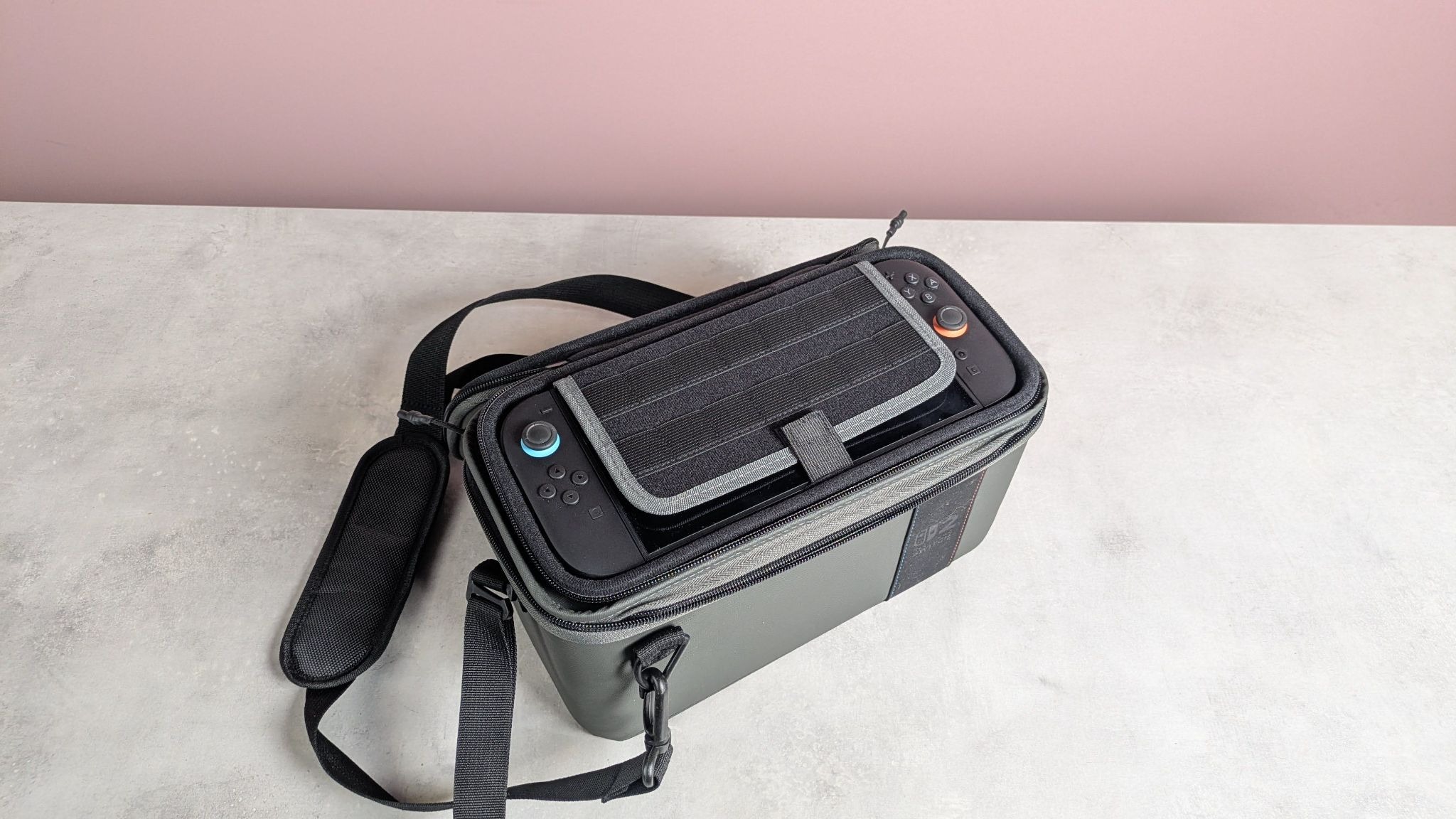
It’s quite versatile in terms of storage. As mentioned, and as the name suggests, there are two elements to the PlayTrek 2-in-1. The first is the travel case, which is attached via hook-and-loop fastening. This feels quite strong, so I wasn’t worried about it detaching unintentionally. The case houses the console and up to 14 game cards, courtesy of the elastic slots attached to the screen protector flap. The inner part of the lid features zipped netting for storing other accessories, such as cables and the like. There’s no carrying handle, though, which is an oversight.
The fit for the console is very snug, and the case itself is thin all over with next to no extraneous bulk. This makes it great for tucking into a backpack, like the best Nintendo Switch 2 accessories. However, it isn’t a hard shell; it flexes quite readily, so I wouldn’t be confident stacking anything heavy on top of it.
By contrast, the main compartment feels sturdy. The sides can bend inwards quite easily, but the same isn’t true of its corners, so I wouldn’t be concerned if it were subjected to outward forces.
(Image credit: Future)
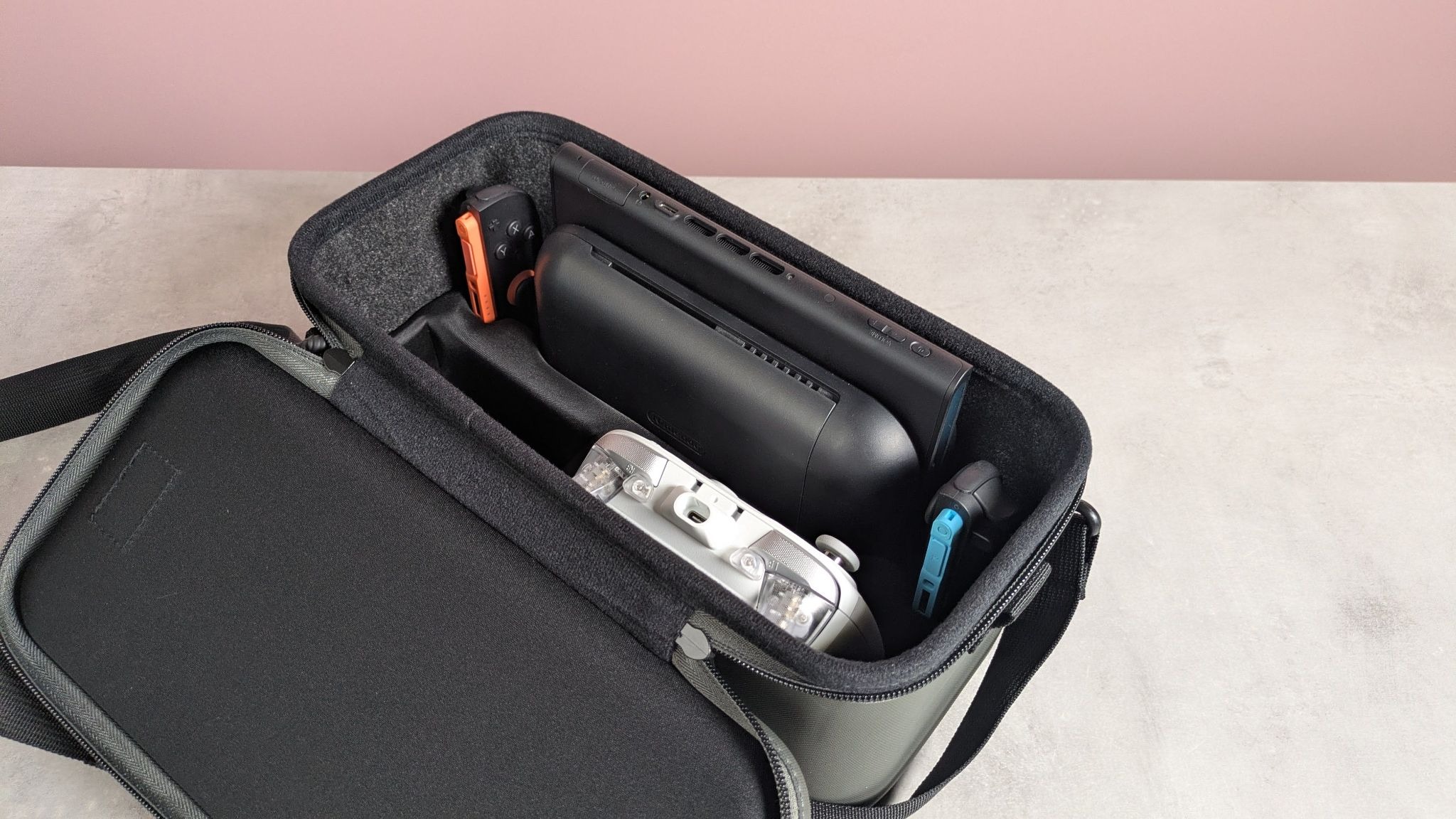
Inside there are inserts for the console, the dock, the Joy-Cons, the charger, and a large gamepad, such as the Switch 2 Pro Controller. I managed to fit the GameSir G7 Pro here instead, which is one of the best Nintendo Switch 2 controllers you can buy, with ease. The fit was snug and secure, as it was for all the other parts. Nothing moved out of place when I threw the loaded case up and down and spun it upside down several times.
The mold material is also just about soft enough to prevent scratching or marking the items within. However, during the course of my test, the glue adhering one side of the mold base to the bottom of the case failed, coming loose.
(Image credit: Future)
Obviously this was disappointing, although it’s possible I got unlucky with my particular unit. Regardless, it at least suggests some quality control issues. Despite the failure, I wasn’t too concerned that this would compromise the security of my contents: the other side of the base remained affixed, and since it sits tightly within the compartment, I wouldn’t be worried if all the glue came unstuck.
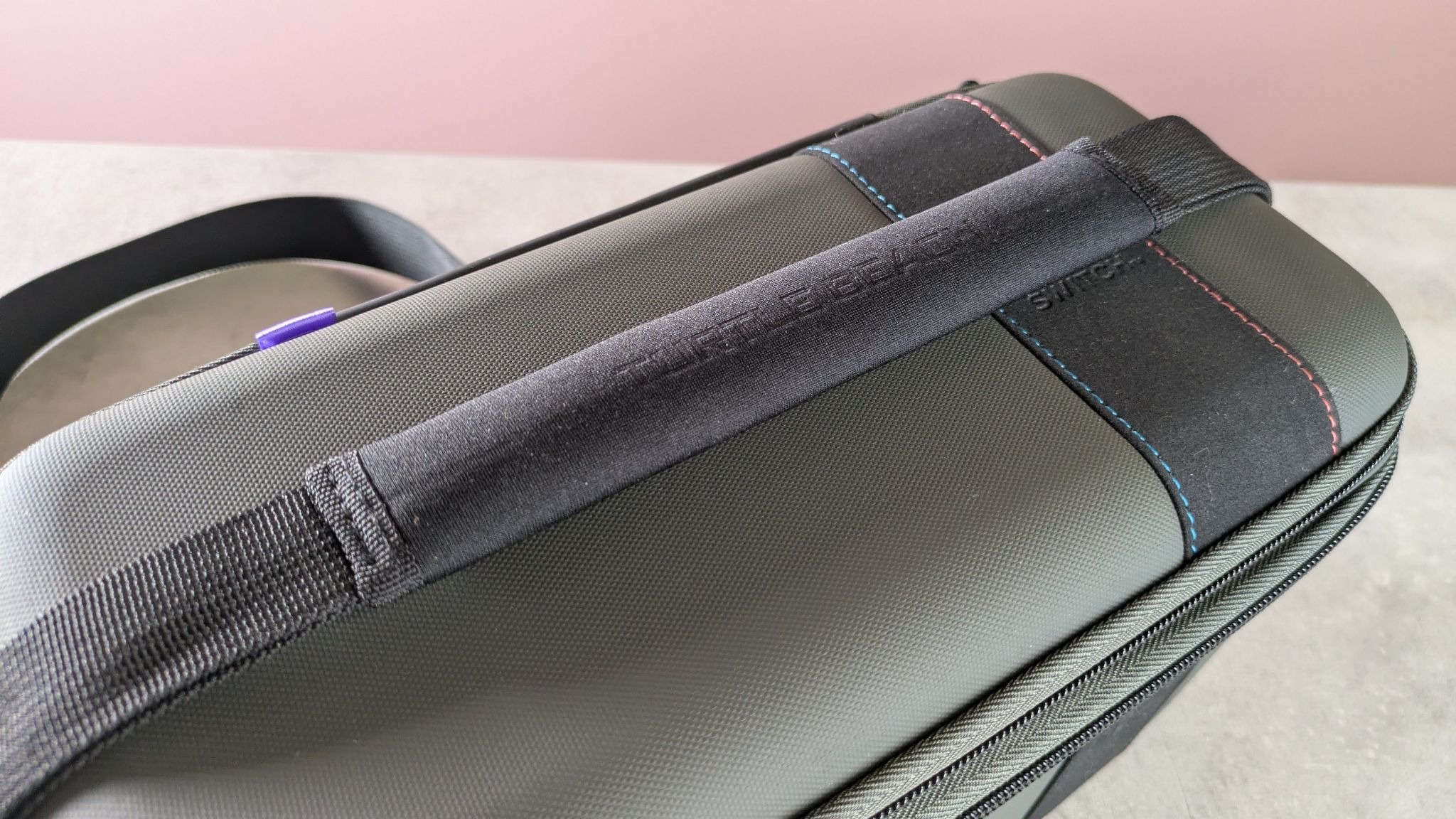
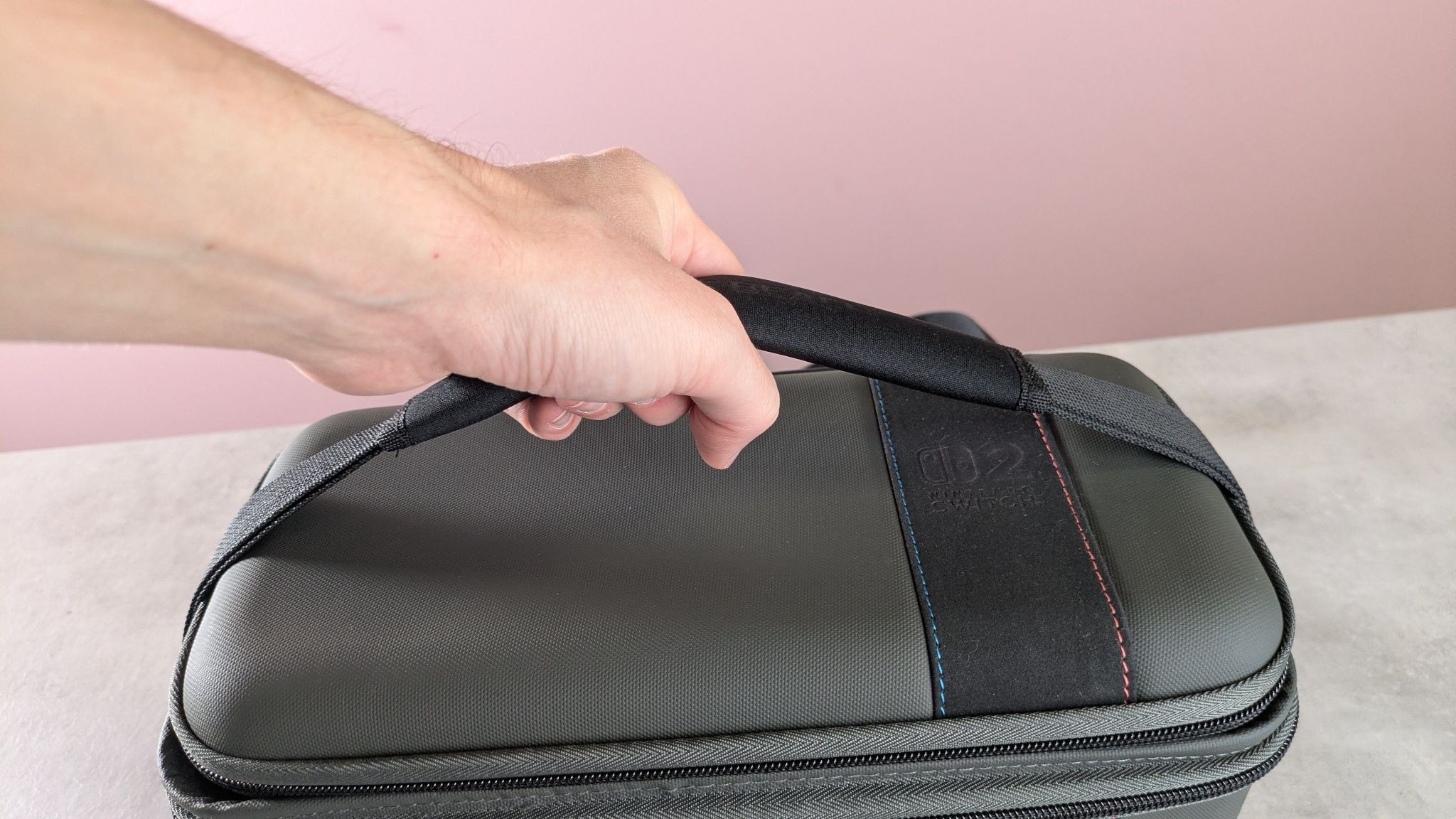
There are two straps adorning the main compartment. There’s a small carrying handle with a soft neoprene cover that’s very soft and comfortable in the hand. It provides just enough slack, although it's quite tight, which makes it awkward to move out of the way when accessing the main compartment and detaching the travel case; the handle slid out of one of its buckles accidentally on numerous occasions. On the other hand, this tightness does help to pin down the travel case on top, adding an extra layer of security to the hook-and-loop fastening.
(Image credit: Future)
The shoulder strap is a typical affair, with its nylon design and plastic karabiners. It's a small shame these and the buckles aren’t made of metal, but I guess this helps to keep the weight down. Fortunately, the karabiners are very solid, which can make them a little tough to remove, but this is a price I’m willing to pay for the security they offer in return.
The length of the strap is adjustable to a reasonable degree, although it could perhaps offer more slack to more easily accommodate taller users. The padded cover over the adjustment buckle is a little thin and lacks the cushioning of the neoprene carrying handle, but I still found it sufficient to prevent the strap digging into my skin.
At $50, the PlayTrek 2-in-1 is a reasonable price for such a feature-filled carrying case. It also has the quality to match, aside from the aforementioned issue with the inner mold. And since it’s cheaper than Nintendo’s own counterpart, it’s a compelling alternative.
Turtle Beach PlayTrek 2-in-1 Case for Nintendo Switch 2 review: Price & specs
Price
$49.99 / £39.99 (about AU$70)
Dimensions
5.83 x 12.60 x 7.99in / 148 x 320 x 203mm
Weight
1.78lbs / 809g
Number of game card slots
14
Compartments
7
Handle
Yes
Color
Grey
Should I buy the Turtle Beach PlayTrek 2-in-1 Case for Nintendo Switch 2?
Scorecard
Attributes
Notes
Rating
Design
Light and bulk-free, while still providing enough protection. The travel case is a bit too soft, though.
4 / 5
Storage
There’s plenty of room for your entire gaming setup, which is all the more impressive given its slender form.
5 / 5
Value
It’s not exactly cheap, but it’s cheaper than Nintendo’s equivalent, yet has more features and storage space.
4.5 / 5
Buy it if…
You want versatility With its detachable travel case and space for your Switch 2 and its accessories, this really is the all-encompassing solution for transporting your setup.
You want to keep the bulk down It’s relatively slender and pleasingly light without being too flimsy.
Don't buy it if…
You want a tough travel case The detachable travel case isn’t as solid as many others, which is a shame.
You want an unfussy handle The strap handle is awkward to move out of the way when opening the main compartment.
Turtle Beach PlayTrek 2-in-1 Case for Nintendo Switch 2 review: Also consider
Nintendo Switch 2 All-In-One Carrying Case As Nintendo’s official carrying case, you’d imagine the quality would be high here. And indeed it is, but it’s more expensive than the PlayTrek, yet less solid and with fewer features. There aren’t as many game card slots, and there’s no detachable travel case. Read our full Nintendo Switch 2 All-In-One Carrying Case review.
How I tested the Turtle Beach PlayTrek 2-in-1 Case for Nintendo Switch 2
(Image credit: Future)
I tested this case for a few days, storing the Switch 2 in the travel case compartment, as well as in the main compartment along with the dock, Joy-Cons, and a large controller.
I carried the case around, via both the handle and the shoulder strap, and regularly removed and replaced the handle to test how easy this was. I also tested the zips thoroughly by opening and closing them repeatedly.
I threw the case up and down and spun it upside down several times to test both the hold of the detachable travel case and the hold provided by the inner molds of the main compartment.
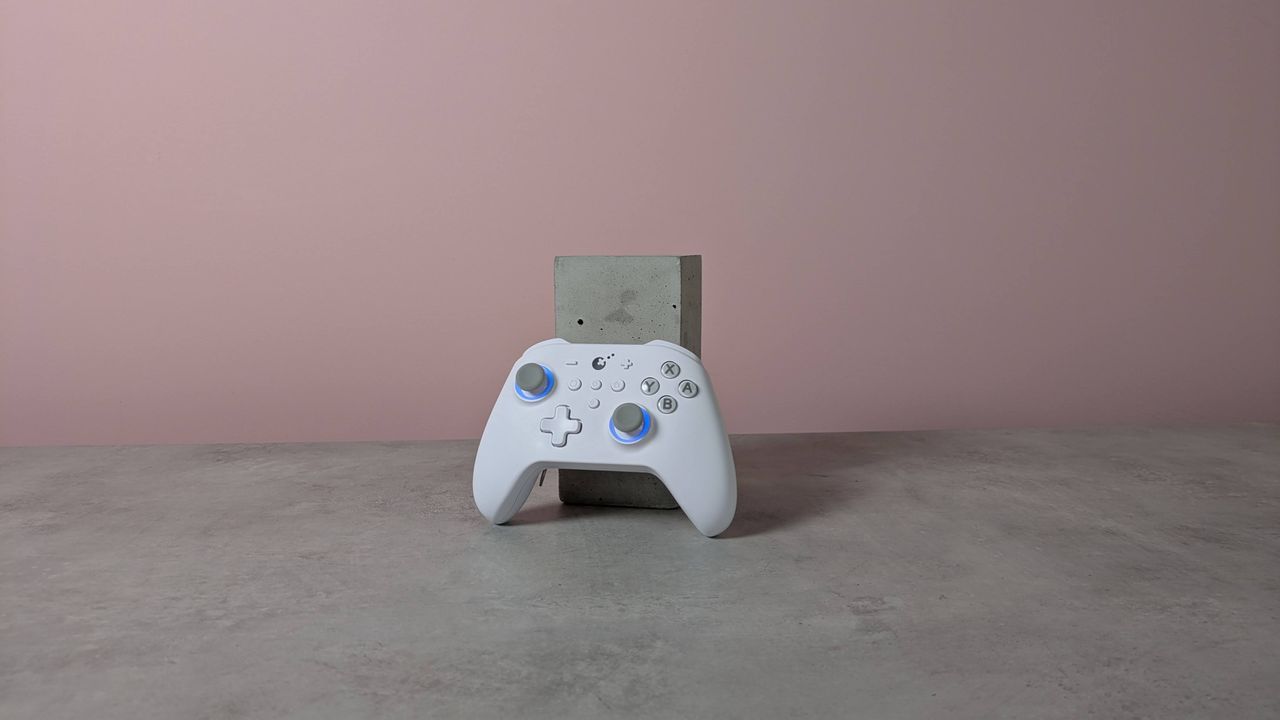
The GuliKit KK3 Max might look like a standard controller, but it has plenty of extras and features on board.
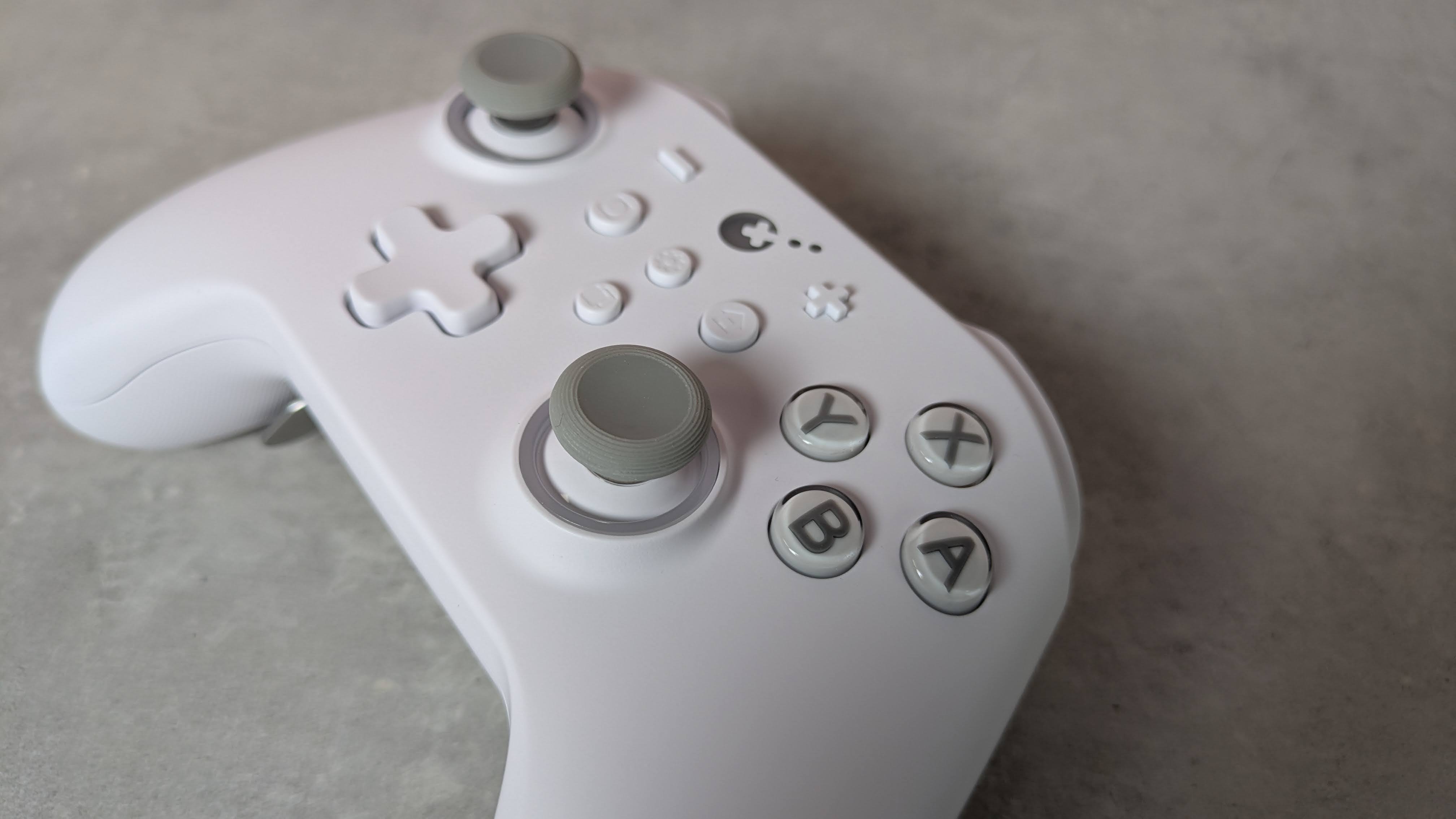
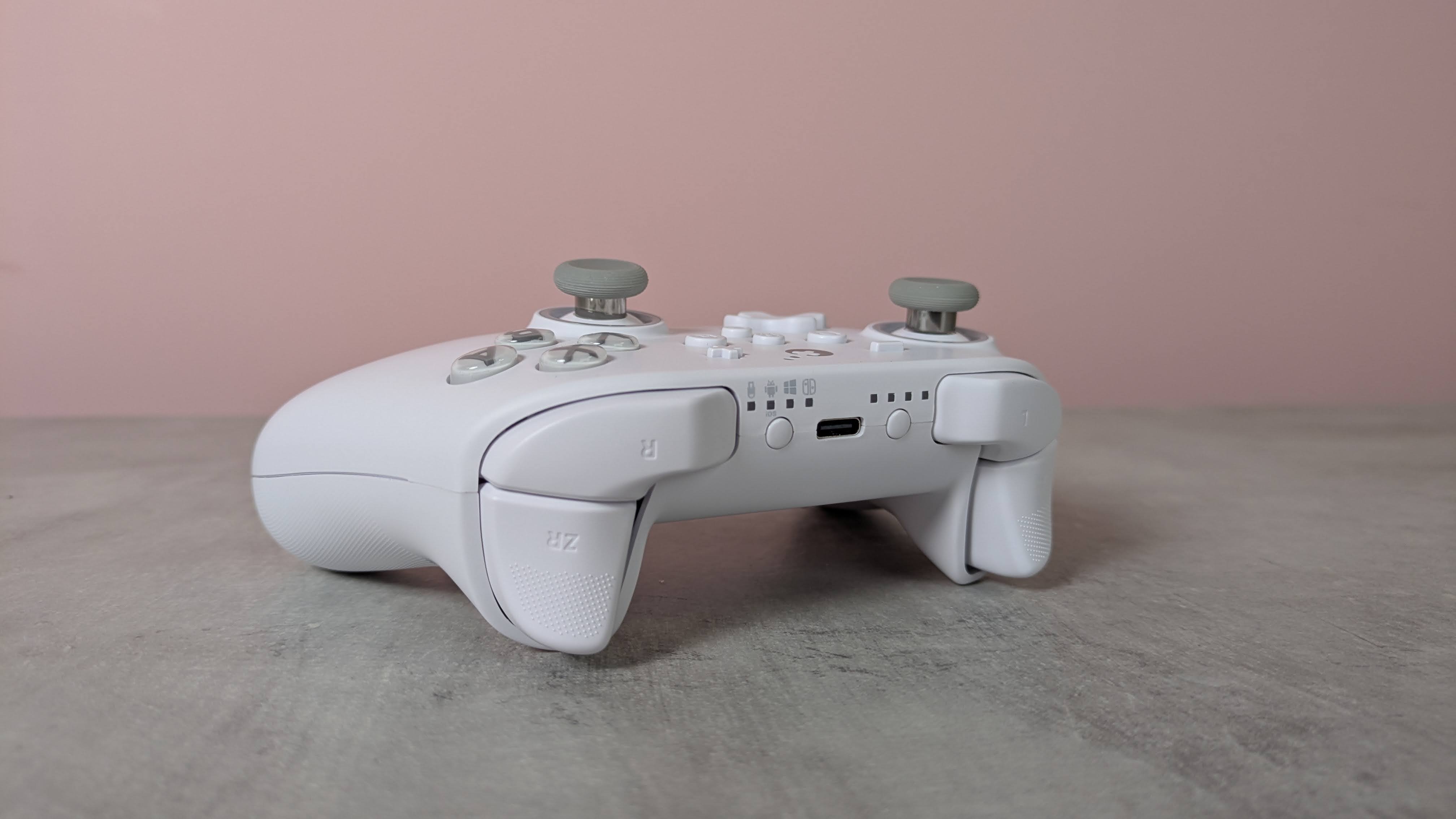
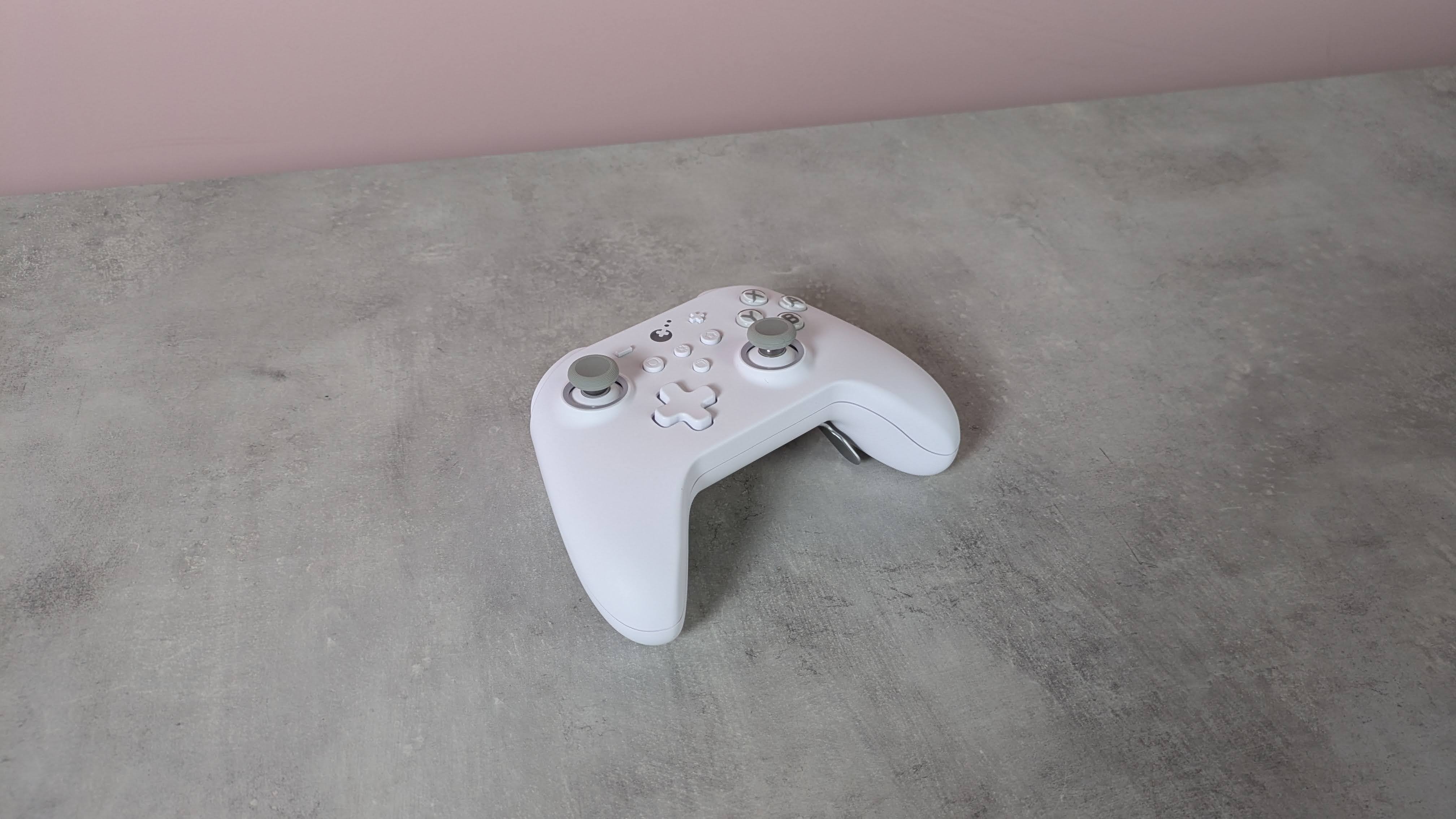
Adopting the familiar form of the Xbox’s gamepad, the KK3 Max doesn’t exactly push the boundaries in terms of design. But given how comfortable and convenient the shape and layout are, it’s hard to complain about its lack of originality.
There are also a few extra flourishes that add some interest. The matte white finish of my review unit was rather fetching, while the front panel is incredibly smooth, smoother than any other I’ve felt before. Its construction also feels quite solid, rivaling the builds of the best PC controllers.
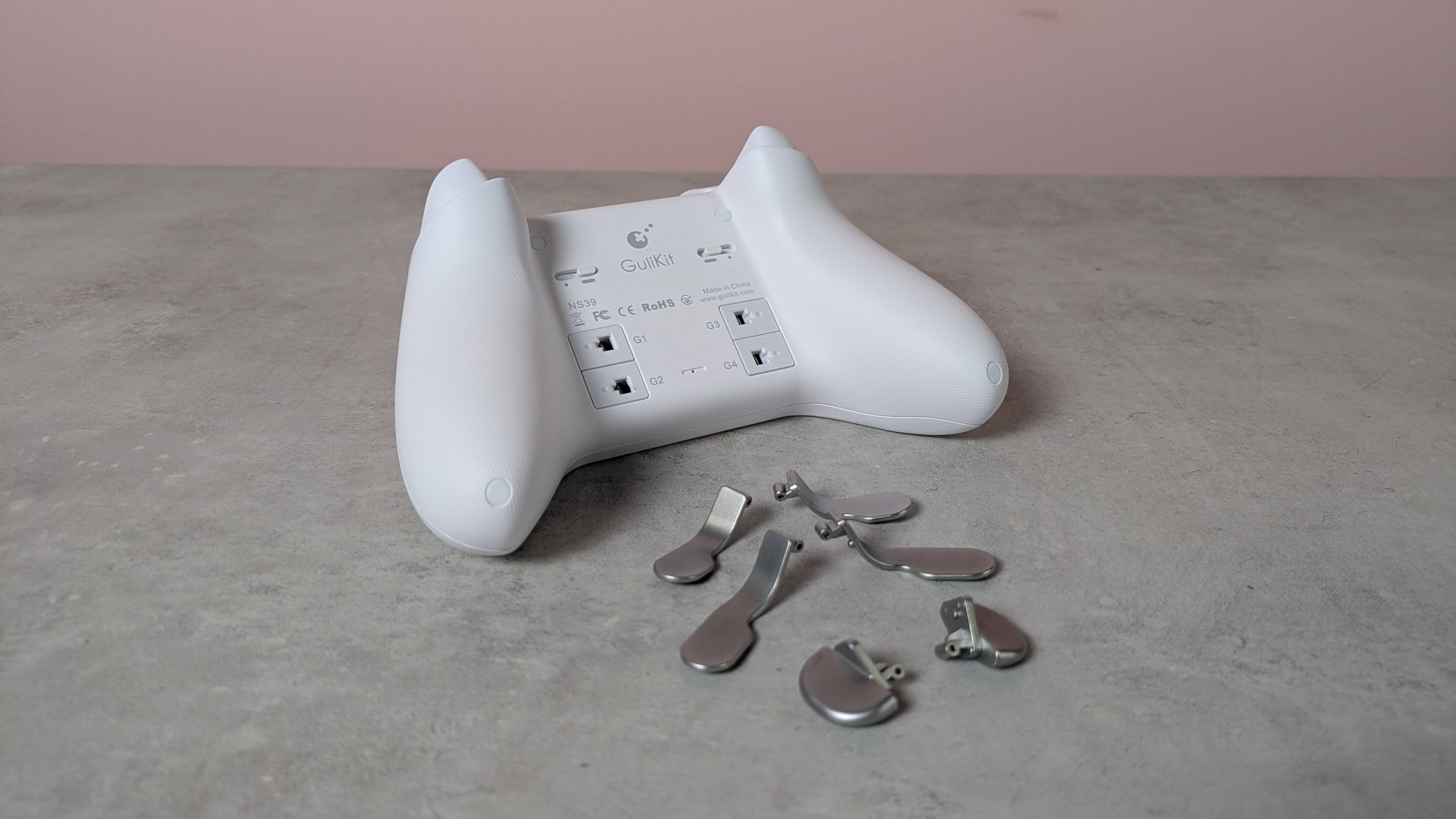
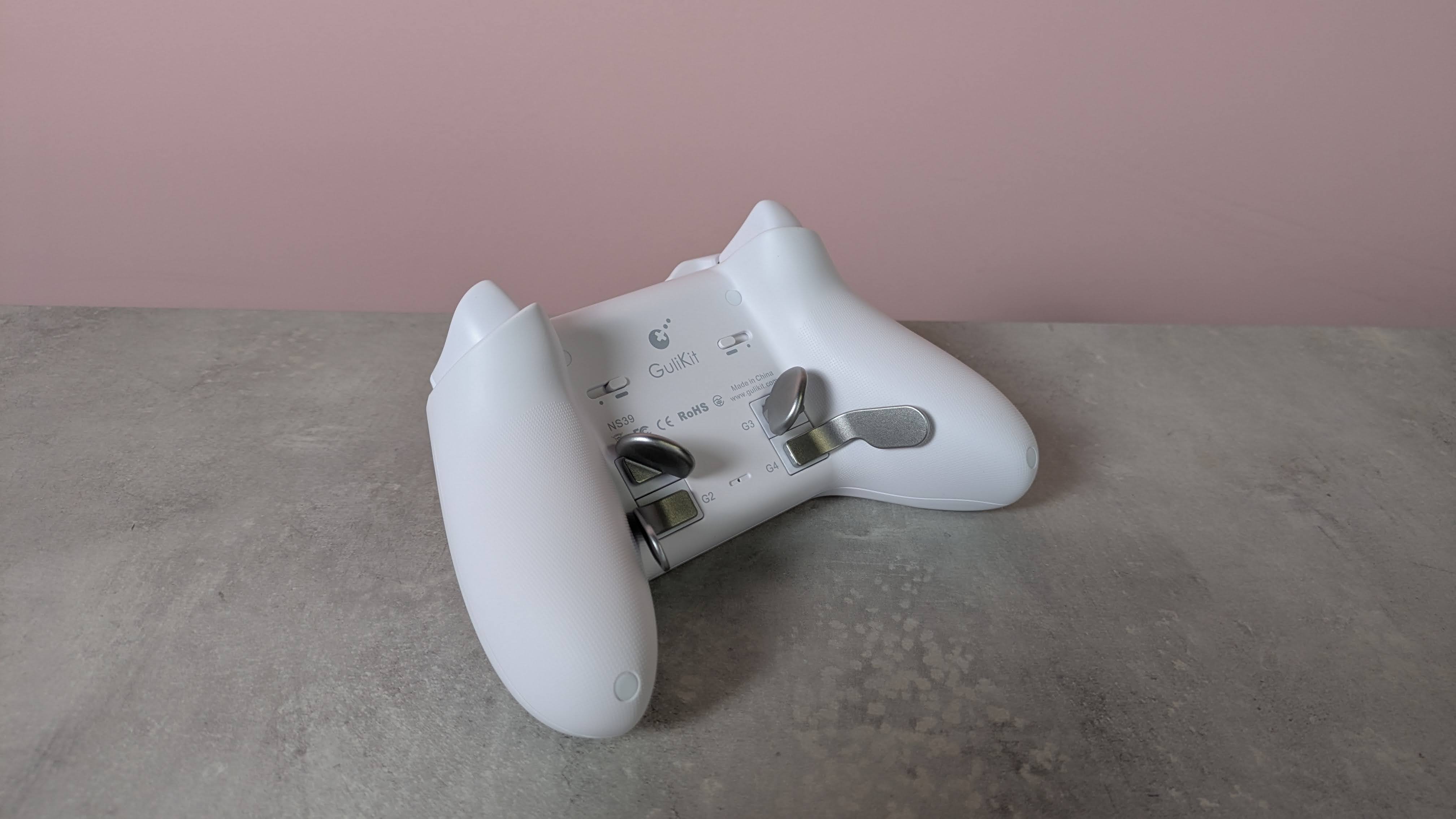
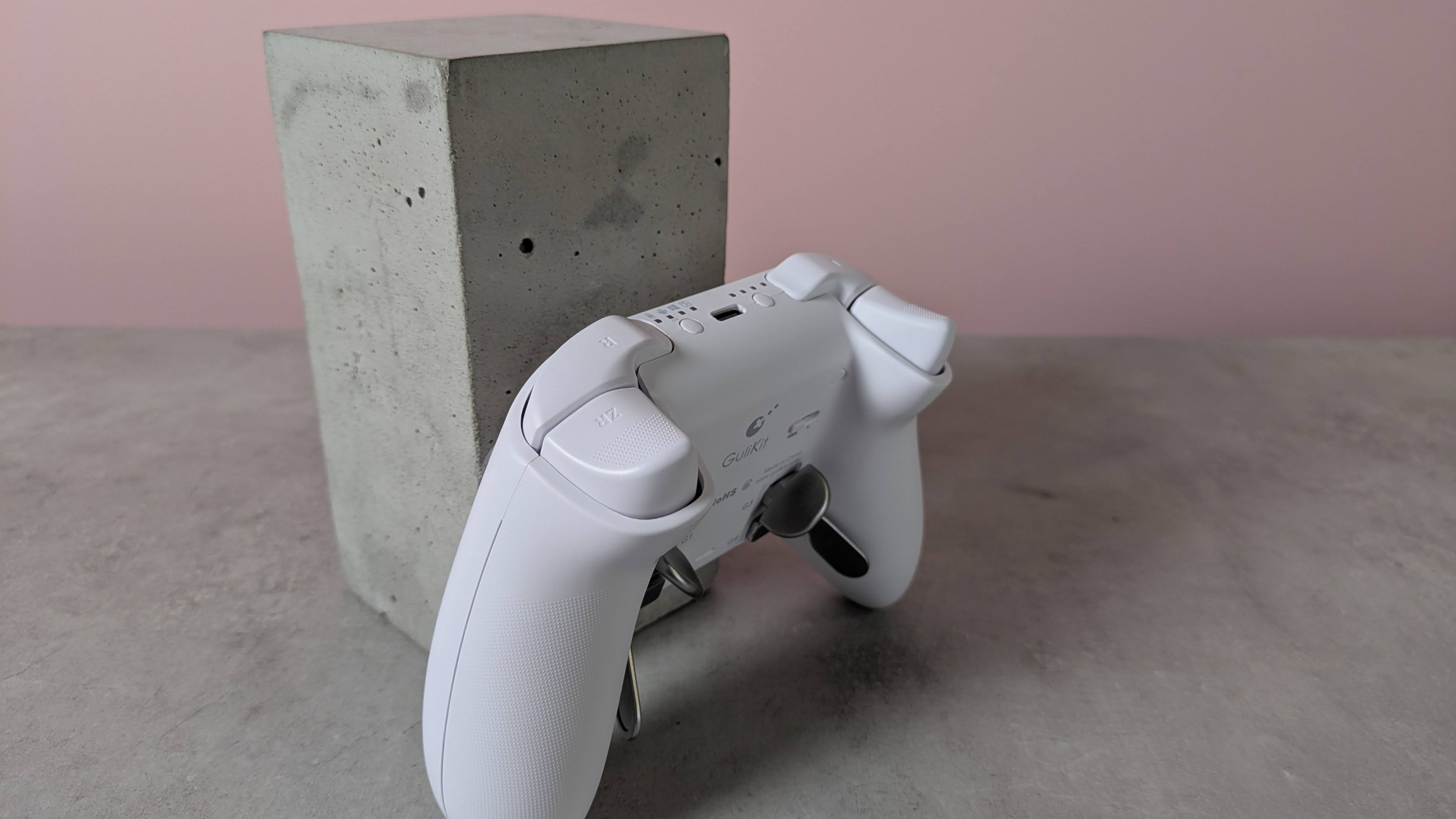
This premium feel extends to the buttons, since there’s very little wobble to any of them. The same can be said of the various sets of levers for the four back buttons, although a fair amount of force is required to insert them.
(Image credit: Future)
Despite the lack of software, there are still plenty of input-related customizations and settings available via various button combinations. These range from basic adjustments, such as the vibration intensity and stick sensitivity, to more advanced features, such as motion control and macro recording.
The overall performance of the KK3 Max is pretty good. Most of the buttons are responsive and satisfying to press. The triggers offer a fair amount of control, although I found their travel distance a little too short for my preferences. The sticks also lack the precision of the best, although they move easily and quickly. Motion controls are also inconsistent: I found they performed well with Nintendo Switch games, but were less effective on PC and mobile titles.
I’m happy to report that I had no issues with connectivity on any system I tried the KK3 Max with. Whether it was to my PC via the USB dongle or to my Switch and Android tablet via Bluetooth, the KK3 Max connected quickly to them all and I didn’t experience any dropouts or lag. Hotswitching between devices is also easy thanks to the dedicated button for this purpose, although it can take several presses for the button to respond.
The current multiplatform controller market is certainly a competitive one, with an increasing number of entrants offering increasingly better value. At $79.99 / £65.99 / AU$113.95, the KK3 Max is dangerously close in price to some real standouts, such as the Steam Controller and the GameSir G7 Pro 8K, and more expensive than the 8BitDo Pro 3, another highly capable controller. It mightn’t quite match up to its cohort, but the KK3 Max is still a gamepad to consider if you prefer onboard adjustments and like to have plenty of back buttons.
(Image credit: Future)
Gulikit KK3 Max review: Price & availability
$79.99 / £65.99 / AU$113.95
Available now in various colorways
Premium pricing puts it against big hitters
The GuliKit KK3 Max costs $79.99 / £65.99 / AU$113.95 and is available now from Amazon. Three colorways are available: black, white, and grey.
This pricing places the KK3 Max at the premium end of the market. It comes close to some big names in this space, such as the new Steam Controller. This has the advantage of touchpads for controlling the mouse cursor, and we found its gyroscope controls performed very well, unlike the KK3 Max’s. It isn’t compatible with the Switch or Switch 2, though.
The KK3 Max is also more expensive than the 8BitDo Pro 3, which has class-leading performance. We particularly loved its smooth analog sticks and triggers, as well as its phenomenal D-pad. It’s very customizable, too, thanks to its accompanying software — something the KK3 Max lacks.
Gulikit KK3 Max review: Specs
Gulikit KK3 Max
Price
$79.99 / £65.99 / AU$113.95
Weight
9.7oz / 275g
Dimensions
6 x 4.3 x 1.3in / 154.7 x 108.1 x 32.4mm
Compatibility
PC, Switch, Switch 2, Android, iOS
Connection type
Wireless (2.4GHz, Bluetooth), Wired (USB-C)
Battery life
15-28 hours
(Image credit: Future)
Gulikit KK3 Max review: Design and features
Super smooth surface
No extra D-pad hats or stick caps
No software
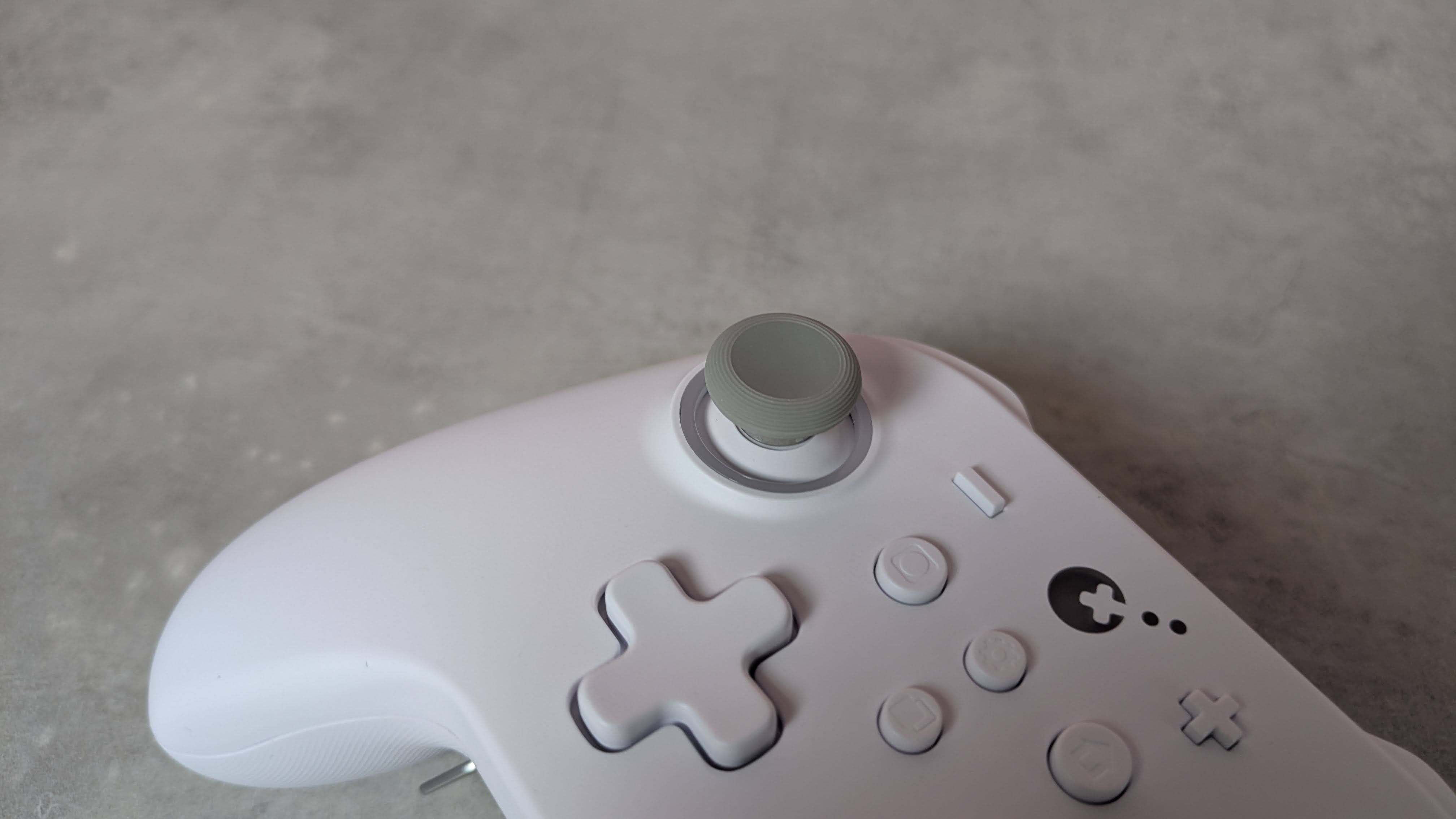
The KK3 Max has a simple and conventional design, replicating the form and layout of the best Xbox controllers. This is no bad thing, though, since such gamepads are among the most ergonomic and comfortable out there. Along with many others, I’m also particularly fond of the asymmetric analog sticks, since this moves the D-pad to a position that makes it easier to use with either thumb.
What may prove more divisive, however, is the relatively small size of the entire unit. I don’t have particularly large hands, but both my thumbs and forefingers tended to overhang the sticks and triggers respectively. I was able to adjust my grip to compensate without sacrificing comfort or security, but others might find this more of a problem.
There are some extra touches to the KK3 Max’s design that set it apart from the crowd. The brilliant white matte finish of my review unit is quite eye-catching, as is the subtle yet effective RGB lighting around the sticks, which also has a practical function that I’ll come to later.
(Image credit: Future)
The front plate is incredibly smooth to the touch, smoother than any other controller I’ve experienced. However, this plate isn’t magnetically attached as it is on other gamepads, allowing for easy removal for the sake of customization and reordering or replacing buttons.
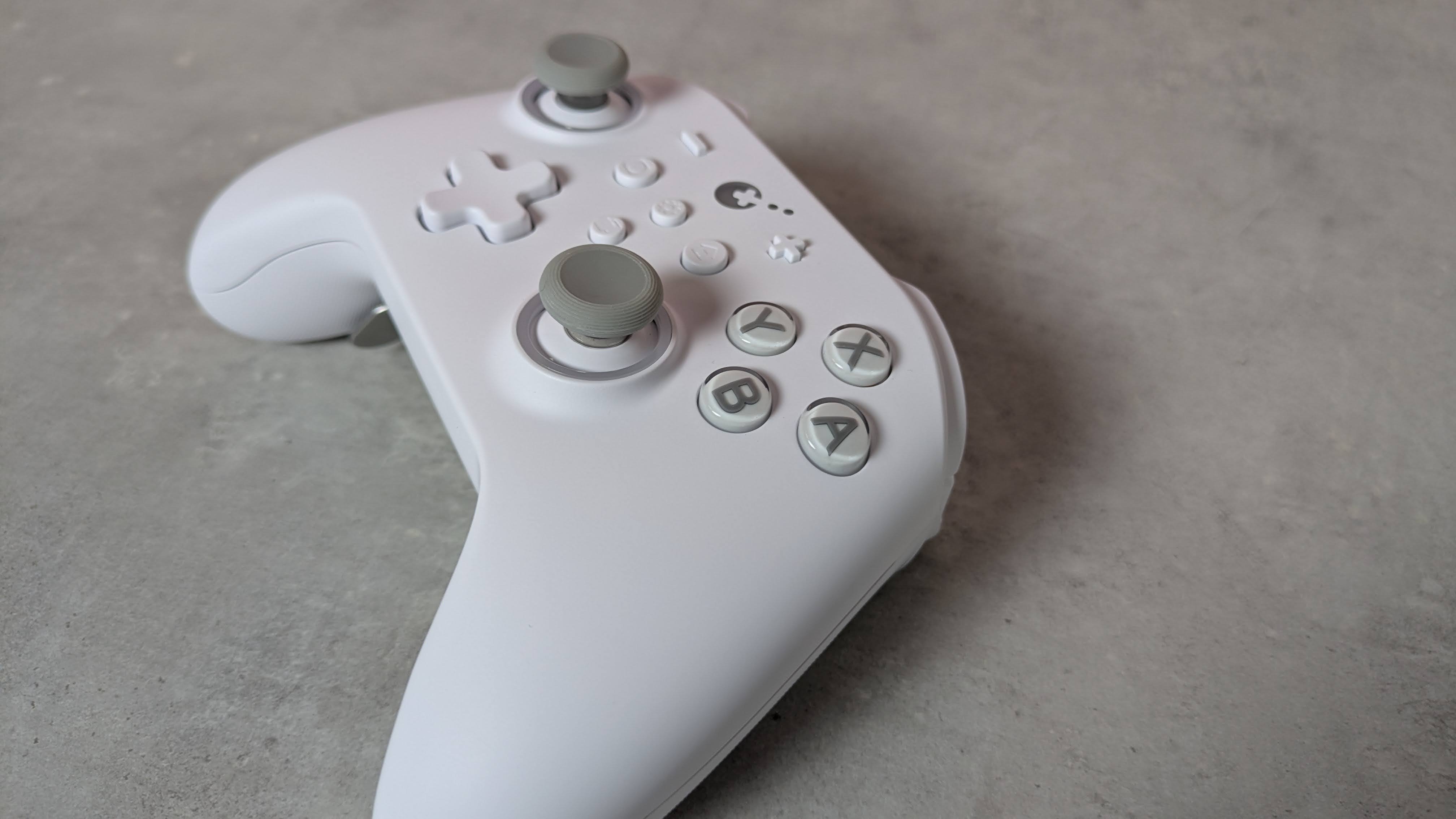
You can still remove the KK3 Max’s face buttons — you’ll just need to use the included puller to do so, which is thankfully easy to use. You can’t directly swap the X with the Y button or the A with the B, though, since they have different depths and curvatures. Rather, duplicates of each button are included in the box with the appropriate depth and curvature for swapping their position. This seems like a rather inefficient solution to me, and just means you have more bits of plastic in your life than you otherwise would.
I can’t complain about their quality, though. They’re pleasantly smooth and stable, with only a marginal amount of play, while their transparent design is quite fetching. The D-pad also feels stable, although it’s a shame you can't replace the hat, as different designs can make a real difference to feel and performance, and would cater to more preferences. Fortunately, I found it quite ergonomic; even though it adopts the traditional four-point shape, its rounded edges make it better for rolling between directions.
(Image credit: Future)
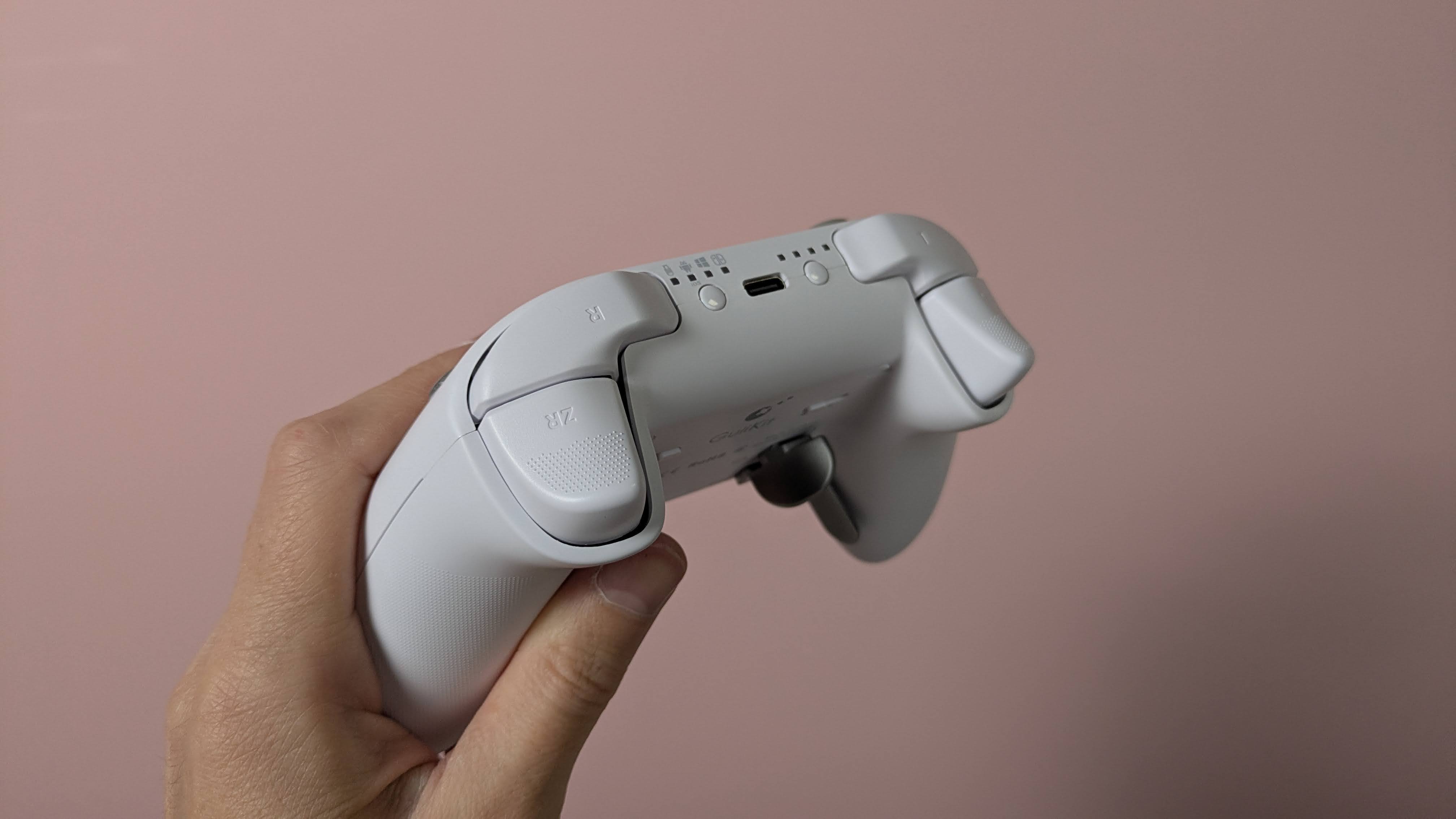
The triggers are also comfortable. They have rounded outside edges, which makes them soft on the finger, as well as a dotted texture to provide grip. The analog stick caps are reasonably small but have an ergonomic shape and a soft finish. Their edges are slightly textured, although this is less prominent than other examples, so those with sweaty thumbs might slip off them. They are removable, but GuliKit doesn’t provide any extra sets in the box, which is a shame. The sticks themselves are quite tall and suitably planted, with a negligible amount of play.
More solid are the back button levers. Despite how they look, they’re not made from metal, but they are reassuringly sturdy. They actually require a fair amount of force to insert in their slots, but once in place, I felt pretty confident that they weren’t going to come loose. They come in different shapes, with two sets of paddle-like levers and a set that looks more like bumpers.
(Image credit: Future)
There’s no software for customizing the inputs of the KK3 Max, which is a shame. However, there are still plenty of adjustments you can make and features to enable using various button combinations. You can alter the sensitivity of the analog sticks, with three levels to choose from, as well as toggle Dead Zone mode for them. You can also enable the Motion Aim Assist mode, letting you assign gyroscopic controls when either the left stick or the left trigger is held. Again, there are three levels of sensitivity to choose from here.
Other settings include a toggle for the D-pad between four- and eight-direction modes, A and B and X and Y swaps, and a Rapid Trigger function with two modes to choose from: one where the chosen input triggers repeatedly when held, and the other when it’s merely pressed. An autopilot mode and a macro recorder are available, too.
All these adjustments are quite easy to make, and there are some useful indicators that let you know what settings have been selected. For instance, the sticks light different colors depending on which of the three sensitivity levels is set, and the pad rumbles once, twice, or thrice depending on which of the three sensitivities of the Motion Aim Assist is set. However, I still would’ve preferred software for convenience's sake; it’s always nice to see your settings represented graphically, and having to remember all the button combinations is a hassle I could do without.
(Image credit: Future)
Gulikit KK3 Max review: Performance
Solid button feel
Slightly imprecise sticks
Motion controls are mixed
In action, the KK3 Max acquits itself rather well. The face buttons are tactile and well-damped, and only require a light touch to press, which makes them feel snappy. However, they don’t provide the best feedback, and there are times when it can be difficult to feel them actually being pressed. Thankfully, however, this didn’t result in presses failing to register, in my experience.
The bumpers are more clicky, but still have enough dampening to make presses satisfying. However, I found their position a little too high, which can make reaching them a little difficult. I should say that I encounter this problem on quite a few gamepads, but here it’s particularly acute.
In fact, I found the back buttons more usable than the bumpers, which isn’t something I can say about a lot of other controllers with back buttons. Their travel might be shallow, no matter which lever you decide to attach, but there’s enough dampening and feedback to make them viable as replacements for other inputs. I didn’t accidentally trigger them when gripping the KK3 Max tightly, either. The shapes of the various levers are easy to use, although I did find that the lower paddles were best used with two fingers rather than one.
(Image credit: Future)
The triggers are resistant enough to provide adequate control when performing graduated presses, something I especially appreciate when playing racing games such as Assetto Corsa that require precise acceleration and braking inputs. Their relatively shallow travel does negate this aspect somewhat, but I still found them just about up to the task. They’re also light enough to perform rapid inputs when needed, and to prevent fatigue from setting in during prolonged holds.
The sticks move freely and quickly, with a fast rebound that makes them feel snappy. Aiming was quite accurate when I played 007 First Light, although they don’t offer the smoothest motion, with small but frequent jumps and unexpected accelerations affecting my accuracy. Thankfully, their aforementioned height didn’t pose a problem when moving them around, although it did cause some instability when pressing in the L3 and R3 buttons, with accidental directional movements often accompanying them.
The gyroscopic motion controls are mixed in terms of their performance. When I played The Legend of Zelda: Tears of the Kingdom on my Switch, they were smooth when aiming the bow, and on a par with the best Nintendo Switch controllers. However, with games on other platforms, such as First Light on PC and Hitman Blood Money — Reprisal on Android, they were jerky and restrictive in terms of movement. No matter how many times I recalibrated them using the onboard function to do this, they didn’t improve on these systems.
I had no issues connecting the KK3 Max to my Windows 11 PC, Switch, or Android tablet via Bluetooth or the USB dongle. The handy button for hot-switching between devices is also useful, and hot-switching itself proved quick in my experience. However, the button doesn’t operate that well, taking a few too many presses to actually respond.
Should I buy the Gulikit KK3 Max?
Buy it if…
You want a comfortable gamepad The ergonomic shape of the KK3 Max, combined with the super smooth front panel and rounded triggers, make it comfortable to use — although those with particularly large hands might struggle with it.
You want plenty of back buttons With four back buttons and three different kinds of lever attachments for them, the KK3 Max is great for those who like to trigger inputs with their fingers rather than their thumbs.
Don't buy it if…
You want software Even though you can customize the inputs of the KK3 Max, you’ll need to do this with button combinations, as there’s no companion app.
You want the best stick performance The sticks aren’t quite as smooth or precise as those in the best gamepads.
Gulikit KK3 Max review: Also consider
GuliKit KK3 Max
8BitDo Pro 3
Valve Steam Controller (2026)
Price
$79.99 / £65.99 / AU$113.95
$59.99 / £40 (around AU$84)
$99 / £85 / AU$149
Weight
9.7oz / 275g
8.5oz / 242g
10.3oz / 292g
Dimensions
6 x 4.3 x 1.3in / 154.7 x 108.1 x 32.4mm
6.1 x 3.9 x 2.6in / 154 x 101 x 65mm
4.4 x 6.3 x 2.2in / 111 x 159 x 57mm
Compatibility
PC, Switch, Switch 2, Android, iOS
Switch, Switch 2, PC, Android, iOS
PC, Mac, Android, iOS
Connection type
Wireless (2.4GHz, Bluetooth), Wired (USB-C)
Wireless (2.4GHz, Bluetooth), Wired (USB-C)
Steam Controller Puck, USB, Bluetooth
Battery life
15-28 hours
15-20 hours
35+ hours
Valve Steam Controller (2026) Valve’s latest iteration of the Steam Controller was highly anticipated, and in our view it didn’t disappoint. We found it offered great all-round performance, thanks to its TMR analog sticks and excellent gyro controls. Unlike other controllers, it also features touchpads for controlling cursor movement, making it a real boon for PC players. It doesn’t have the wide-ranging platform support of others, though.
8BitDo Pro 3 If you want to spend less on a controller but still want great performance, look no further than the 8BitDo Pro 3. We loved the performance of its sticks, triggers, and D-pad, and we found its shape supremely comfortable, while still staying faithful to the old SNES gamepad it’s keen to emulate. It also has great software with plenty of customizations.
I tested the Gulikit KK3 Max for a few days, during which time I played a number of games on most of the platforms the controller is compatible with. I used it on my Windows 11 PC via the 2.4GHz wireless USB dongle, and on my Switch and Samsung Galaxy Tab S11 tablet via Bluetooth.
I made sure to play a variety of games across these platforms to test every facet of the controller’s performance. I played 007 First Light on PC, which is a good test for the accuracy and precision of analog sticks, as well as Hitman: Blood Money — Reprisal on my tablet for the same purpose. I also played Assetto Corsa, which is not only a good test for the sticks but also for the control offered by the triggers. I also played The Legend of Zelda: Tears of the Kingdom on Switch, primarily to test the motion controls, as the game and console handle such controls very well.
I’ve been gaming for decades, and have used numerous gamepads with numerous systems in that time. I’ve also reviewed a number of other controllers, from budget offerings to high-performing premium models.

 Login
Login