❌

Reading view

Inoreader: Build Your Own Newsfeed and Cut Through the Noise [Sponsor]

Staying up to date has never felt more overwhelming.

Between websites, newsletters, podcasts, social media feeds, and specialized publications, valuable information is scattered across countless apps and platforms. The challenge is no longer finding content – it’s keeping up with it without wasting time or missing what matters.

That’s where Inoreader comes in.

Inoreader helps you build your own personalized newsfeed by bringing together the sources you care about in one place. Instead of jumping between websites, inboxes, and apps throughout the day, you can keep up with everything from a single interface designed to help you stay informed while cutting through the noise.

Unlike algorithm-driven feeds, Inoreader puts you in control. Follow the websites and creators you trust and receive their updates directly. No engagement-driven recommendations and endless scrolling, just the content you’ve chosen to follow.

For those who need more than a traditional feed reader, Inoreader offers powerful monitoring tools. Create custom feeds to track keywords, brands, companies, competitors, products, or industry trends across the web and receive updates automatically whenever something new appears.

As your reading list grows, Inoreader helps you organize and revisit important information. Save articles for later, highlight key passages, add notes, and build a searchable archive of knowledge and insights that remains accessible long after you’ve finished reading.

To help you process larger volumes of content, Inoreader’s Intelligence features can summarize articles, extract key insights, and help you make sense of information faster. Whether you’re following daily news, researching a topic, or monitoring developments in your industry, Inoreader helps you stay informed without getting overwhelmed.

Advanced filtering and automation tools can further streamline your workflow by automatically organizing incoming content, surfacing what matters most, and reducing distractions – saving you time while ensuring important updates never slip through the cracks.

Inoreader is available on the web, iPhone, iPad, and Android devices, with offline reading support on mobile, so your newsfeed is always available when you need it.

You can get started with Inoreader for free, or explore everything the Pro plan has to offer with a 14-day free trial and no credit card required. New Pro subscribers can also get 30% off their first year.

Learn more and get started at inoreader.com.

Our thanks to Inoreader for sponsoring MacStories this week.
  •  

HomeSnap: A Private, Read-Only Window Into Your HomeKit Home [Sponsor]

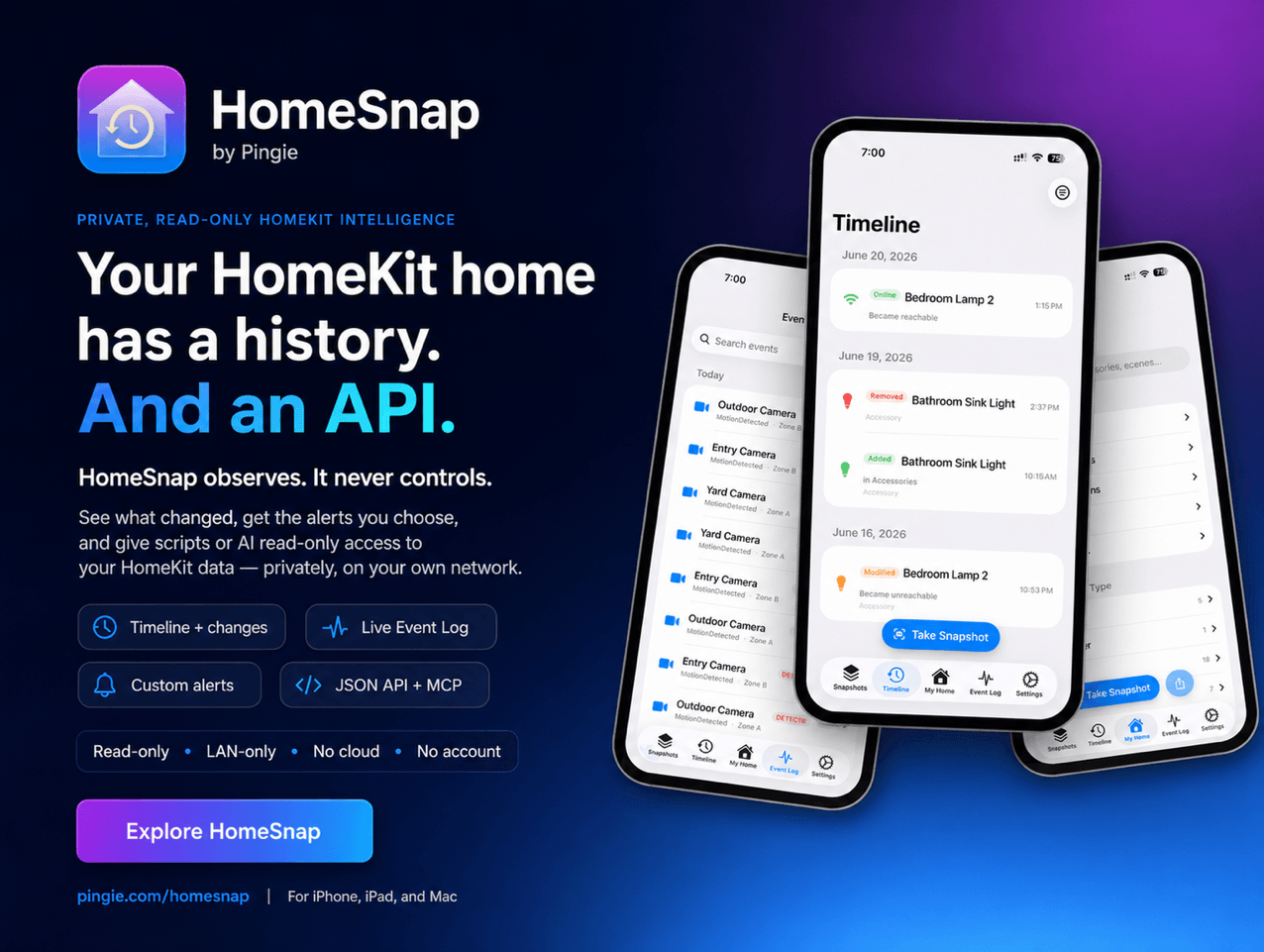
HomeSnap remembers everything your HomeKit home does, shows you its live status, and tells you the moment something needs attention, right from your iPhone, iPad, or Mac. No accounts, no third-party servers, and your data stays private to you.

Your Home, Remembered

Apple’s Home app shows you this instant. HomeSnap shows you the whole story. It quietly captures a snapshot of your entire setup about once a day and tells you exactly what changed, room by room and device by device. A Timeline and a live Event Log let you scroll back through motion, lights, locks, and doors as they happened, so β€œdid the garage really open at 2 a.m.?” finally has an answer.

Your Home Has an API

This is the part power users tend to love. Flip one switch in Settings and HomeSnap serves your home over your own Wi-Fi, off by default, LAN-only, no cloud and no account involved:

  • A local web dashboard you can open from any laptop, phone, or tablet on your network: live status tiles, an activity heatmap, charts, and per-room and per-device pages.
  • A read-only JSON HTTP API with real endpoints for your home, rooms, accessories, scenes, automations, events, change history, health, and battery and temperature trends. Point a script, a shortcut, or a Home Assistant REST sensor at it and pull structured data out of HomeKit without touching a single Apple framework.
  • An MCP server (Model Context Protocol), so you can connect the AI assistant you already use, like Claude, and ask about your home in plain language: β€œwhich batteries will die first?”, β€œwhat happened in the garage last night?”, β€œwhich lights were on longest this week?” The assistant reads your home, read-only, over your own network.
  • Markdown and JSON exports of your home and its history, plus live updates over WebSocket for anything you want to build on top.

Everything here is read-only and stays on your network. Nothing about your home is sent to a third party, and you can put a password on it.

Live Status and Smarter Batteries

The My Home tab is your home exactly as it is right now: which lights are on, which doors are open, what every sensor reads. Battery-powered devices are ranked most-urgent-first, and HomeSnap estimates how long each one will last (β€œabout 3 weeks”) from its own history, so a dying sensor never catches you off guard.

Alerts You Actually Want

Build your own notification rules: pick an accessory, pick a trigger (a light turns on, a garage door opens, a fan passes a speed you set), and get told when it happens. Add freeze and overheat temperature alerts, low-battery warnings, and quiet hours so nothing pings you overnight.

Insights Into How Your Home Lives

A native Insights screen shows an activity heatmap of your busiest hours, your most active devices and rooms, each light’s total on-time, and recent door and lock activity. The same numbers power a private web dashboard you can open from any device on your Wi-Fi.

A Vault for Your Setup Codes

HomeSnap saves your HomeKit and Matter pairing codes so you can re-pair a device after a reset. Scan a code or type it in, and it comes back later as a scannable QR or a large, readable number, safely stored in iCloud.

Our thanks to HomeSnap for sponsoring MacStories this week.

  •  

Halide: Unlock Your iPhone Camera [Sponsor]

If you read MacStories, you’ve likely heard of Halide. For nine years, it’s been the definitive iPhone β€œpro camera app,” garnering an Apple Design Award, and happy users all over the world. Two years ago, Halide added Process Zero, a feature that lets your iPhone take photos free of AI and algorithms in the spirit of analog photography. Halide Mark III takes that to the next level with its new Looks, Photo Lab, and streamlined design.

Halide Mark III now produces gorgeous photos straight out of camera, thanks to film-inspired Looks developed in partnership with renowned Hollywood colorist Cullen Kelly. For the times you feel like fine-tuning things, Mark III includes a powerful image lab that makes it easy to dial in a perfect look in seconds.

Chip shortages are hitting everyone’s wallets, so we’ve decided to run our first sale in three years, exclusively for MacStories readers. This week only, you can get Halide for 25% off your first year with offer code MACSTORIES2026SUB, or 25% off a one-time-purchase with offer code MACSTORIES2026OTP.

Our thanks to Halide for sponsoring MacStories this week.

  •  
❌