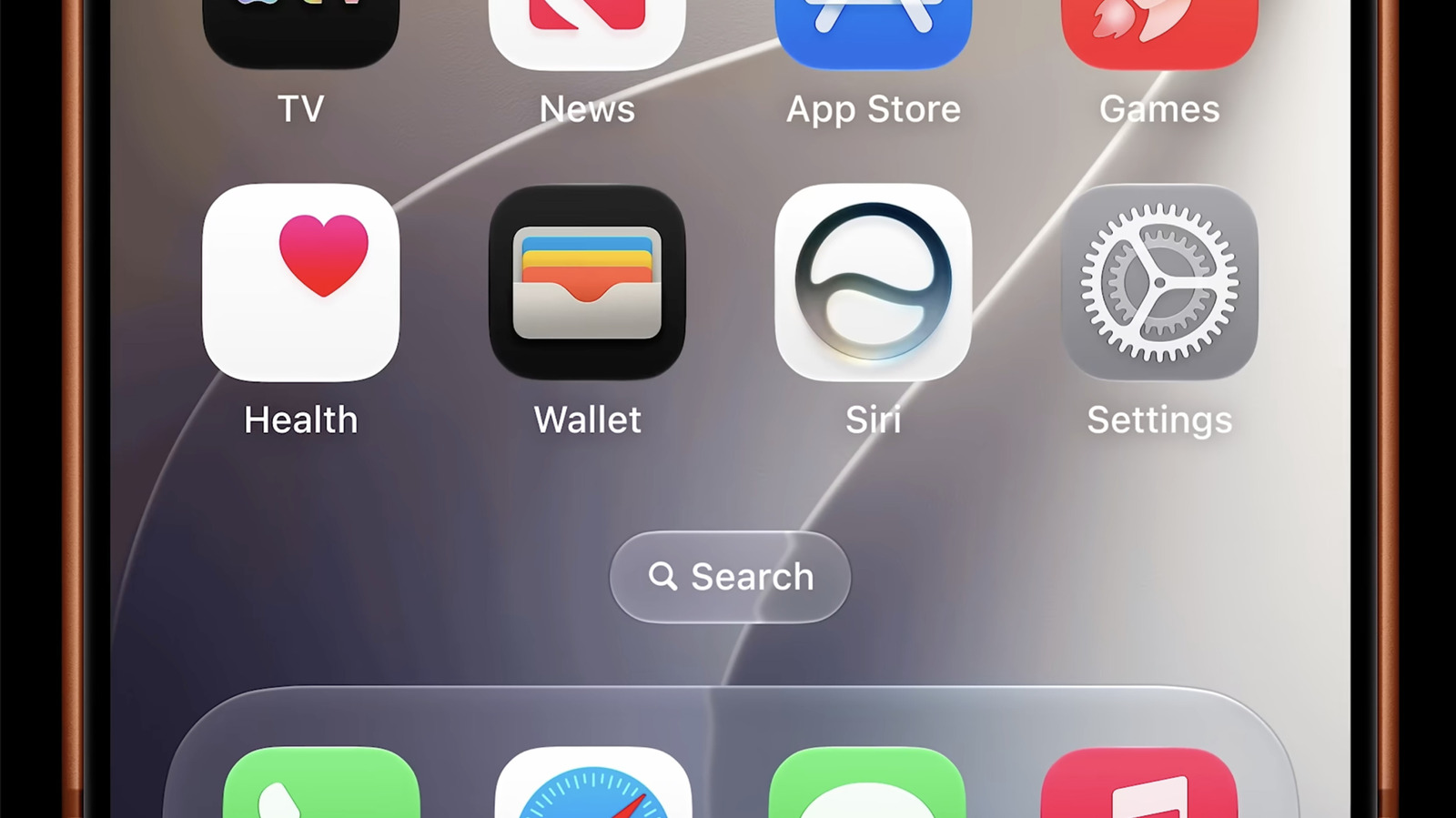
❌

Reading view

Stop saying John Ternus has to fix Apple — the company is fine, his job is simply to carry Cook's legacy forward and yes, to roll out more winning designs

I’m under no illusions that John Ternus’ Apple will be the exactly same as it has been under Tim Cook. Initially though, there will be few, if any, changes. Ternus is not an outsider with wild anti-Apple ideas intended to wake a sleeping giant. He's been here for decades, through all the major releases that made Apple, well, Apple. Claims that he's arriving in September to revive Apple's design excellence are, if not off base, then just wrong-headed.

First of all, the argument presupposes that there is something fundamentally lacking in Apple's Industrial design: Jony Ive was obviously lighting in a bottle, and current design lead Molly Anderson is a pale, albeit also British, imitation. (Granted, Anderson has not been in the position that long, taking over from Evans Hankey, who left in 2023.)

But accepting that presumption is to ignore all the beautifully designed products that have arrived under Cook's leadership, with and without Ive, and also often under the watchful eyes of Ternus.

Remember the Pro — oh

But since Ive's skills as a designer are so vaunted, let's start with a failure. Perhaps you remember the Mac Pro. No, not the cheese-grater design unveiled in 2023. While that had its detractors, it was miles above the trashcan design unveiled in 2013.

It was the ultimate expression (at least in PC terms) of Ive's "form meets function" obsession. The internal structure was sort of a triangle of boards that seemed perfectly wrong for a squat, circular enclosure. Ive's fingerprints were all over the impractical system, one that Craig Federighi later admitted to me (during a mea culpa meeting on the Pro) had boxed Apple into a thermal corner. It was hard to upgrade and was roundly rejected by pro system users.

Ive was also responsible for the Apple Pencil. With it, his penchant for skeuomorphism extended from app design into the physical world. The Apple Pencil fully resembled a white plastic version of a real, pencil, and to accommodate that, it had, under a custom cover, a hidden Lightning charging plug. You even needed a special adaptor to charge it. Later, wirelessly charging Apple Pencils, which I think Ive also designed, fixed this mess.

Naturally, Ive's hits far outweighed his misses, and many big ones came during the Cook-Ive collaboration period, including the iPad Air, the Apple Watch, and AirPods (which started awkwardly but gradually improved).

The more divisive Apple Vision Pro was likely designed under Hankey and Anderson's watchful eye. I do think it's a pleasant intersection between the needs of extremely high-end innovation and aesthetic appeal. Goggles will be goggles, after all.

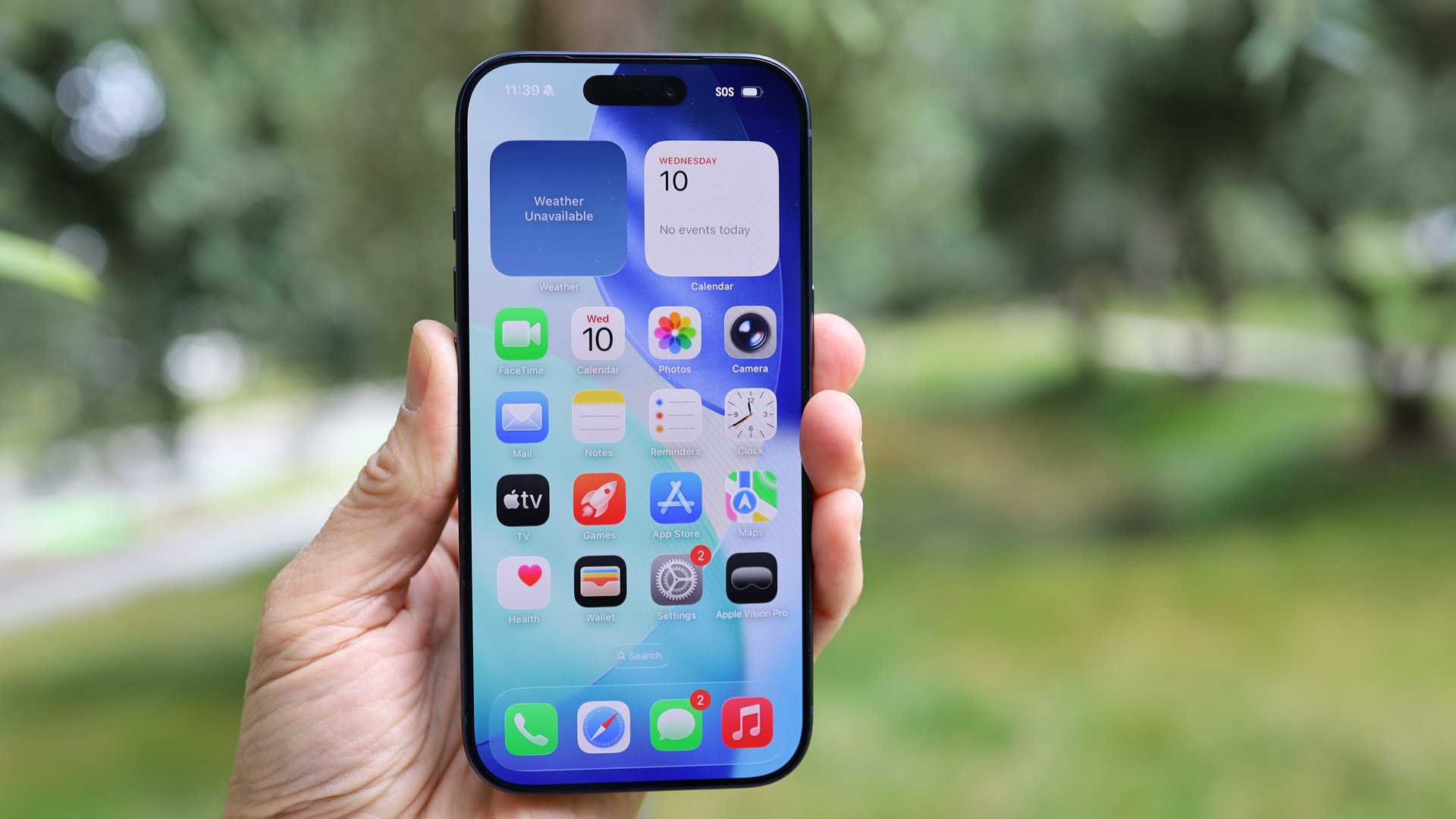
Even iPhone design has remained, if not excellent, interesting.

The iPhone is still beautiful...discuss

When Apple introduced the first iPhone in 2007, there really was no other handset quite like it. Apple set the bar and, over the years, every other manufacturer followed. It became harder and harder for Apple to differentiate its metal and glass slab from its competitors. The ever-larger camera arrays have provided a sort of design challenge and an opportunity at the same time. Hankey and Anderson, at least, came up with a giant island that's quite recognizable from a distance. And let's not discount color. The orange was a stroke of genius and the new MacBook Neo's playful Blush and Citrus colors are lively, proving Anderson knows how to marry form with expression.

Ternus' role as hardware lead means he's been seeing these designs for years. My sense in sitting down with him after the launch of the iPhone Air is that he is intimately involved with the process of shoving all that technology into ever-thinner, but shockingly strong frames. He gets that you need to marry engineering skills with industrial design to get a durable and usable product that's still attractive.

When I think about what Ternus will do when he finally takes over in September, I am reminded of relay race runners. Cook continues to pace around the track while slowly holding out the baton behind him. Ternus is nearby, running just behind Cook with one hand outstretched. Neither man will stop. The handoff will happen in a few months, with everything still in motion.

The process of finishing the rumored iPhone Ultra (the folding phone) continues as we speak, and Ternus is not going to suddenly pull a Steve Jobs and throw the design into a fish tank, to see if bubbles rise, thus proving they could make it smaller. He won't demand that all plastic be replaced with glass, or even that one more color be added to the mix.

When, as the recent Bloomberg report claims, Ternus said of Apple's design history and appeal to customers, "We’re going to make sure that stays the case,” he's not talking about making huge changes to achieve that goal.

Ternus will stay the course and support Anderson. He may hire more design support and, down the line, Ternus will look for his signature initiative or product; he will want to have his own iPhone or iPod. But that's a natural inclination for any incoming CEO. Job one, though, is staying the course, shepherding the in-the-pipeline products to market and ensuring that Apple remains Apple.

I think Ternus knows exactly how to do that.

  •  

I've found the sleeper headphones deal of Prime Day and it's Nothing: Pro cans for just $61 and buds just $19!

How many more times (and in how many more ways) can I say this? Nothing's most recent batch of colorful, joyful and hang it all refreshingly different listening gear is nothing short of excellent for the money.

And the thing is, those already-excellent asking fees have just been further reduced, in some cases by up to 49% off for Prime Day.

• View the full Amazon Prime Day sale

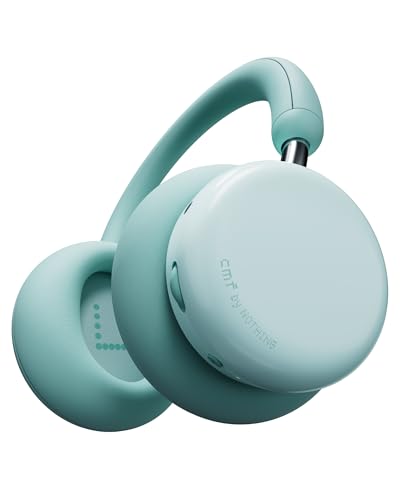
My pick of the over-ear headphones bunch would be the excellent noise-cancelling CMF Headphone Pro, which have absolutely no business looking this good, or indeed sounding so fabulously fun, for just $65 — a massive 34% off an original launch fee that's barely eight months old.

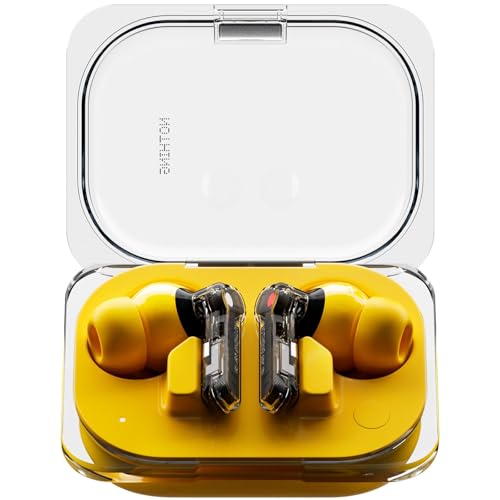
And if you're after earbuds, it'd be easy to just opt for the cheapest of the cheap, and let me be clear, 49% off the CMF Buds 2a, making them just $19.99 rather than $39 is incredibly low, however you try to slice it. But for me, the Nothing Ear (a) still win out, with a new lowest-seen price of just $53.20 (was $99 at launch, although $79 is their most-recent discounted price) .
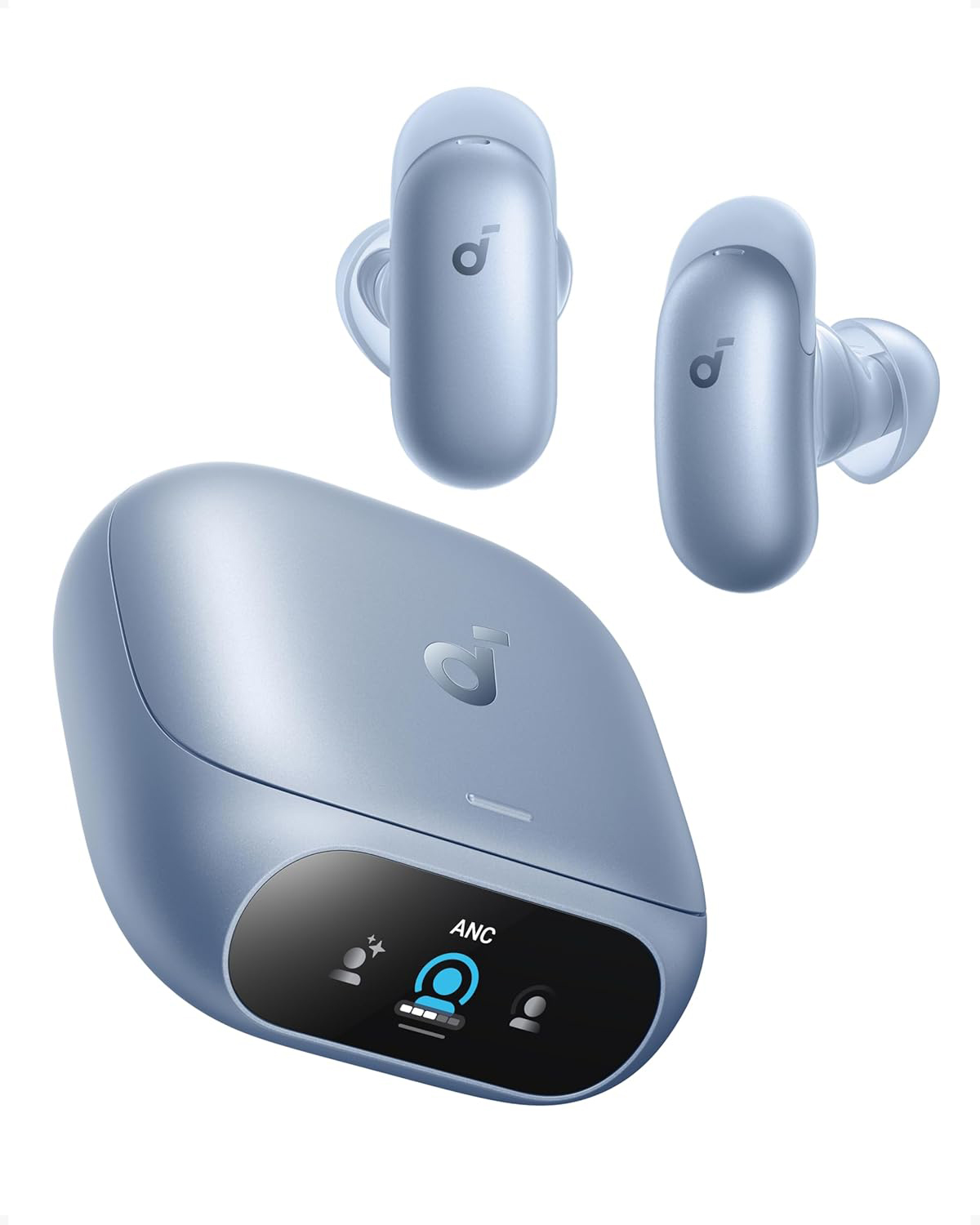
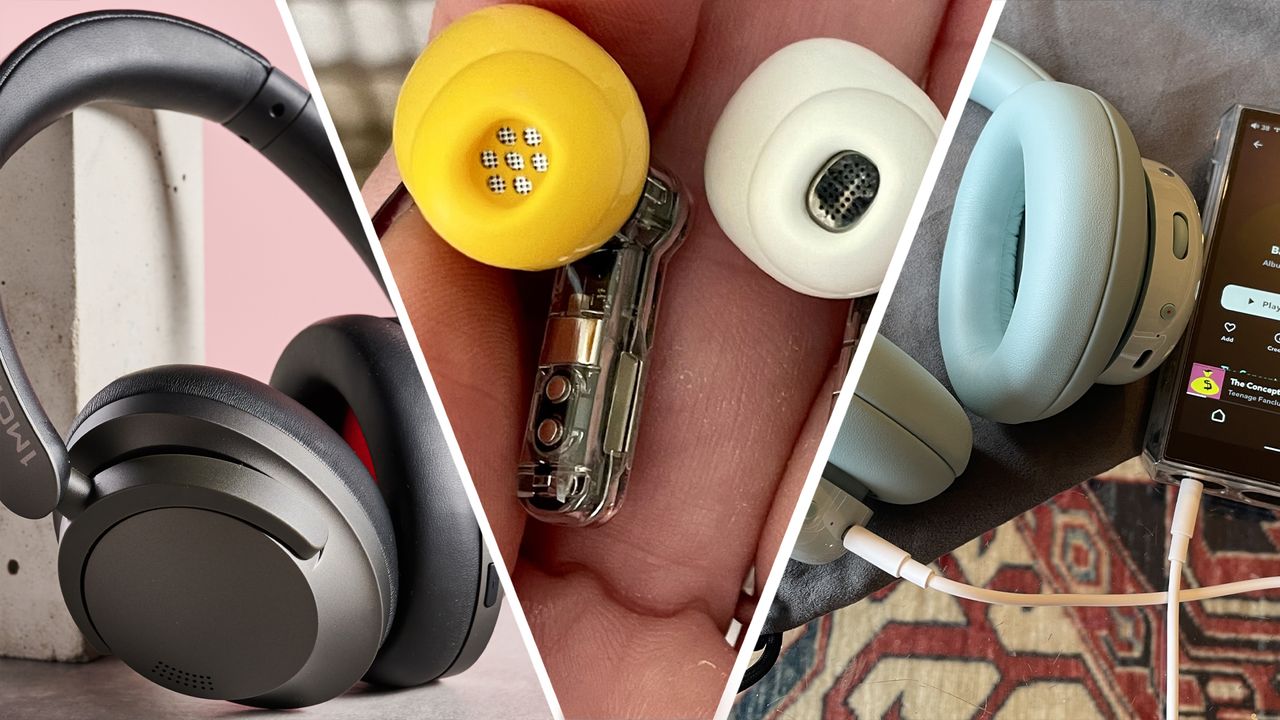
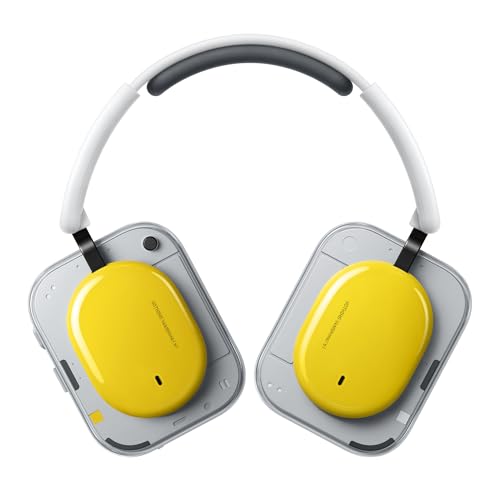
And I'm not even done! I also love the firm's second stab at flagship headphones, the Nothing Headphone (a), not to be confused with the inaugural Heaphone (1) which do not feature in this list (yes, I know Nothing's naming strategy can be confusing. That's why you stick with me). No, this newer, far better set of over-ears retains the unusual aesthetic of the original effort but adds much better, fuller, more expansive audio and offers excellent on-ear controls to further enhance it all, plus a battery life that's, well, nothing short of excellent.

Not after headphones or earbuds? It's OK, you can see the best of the new deals, as they drop, in our Amazon Prime Day live blog.

Nothing's insane Prime Day savings – quick links

Nothing's huge Prime Day sale — the cans and earbuds to snap up

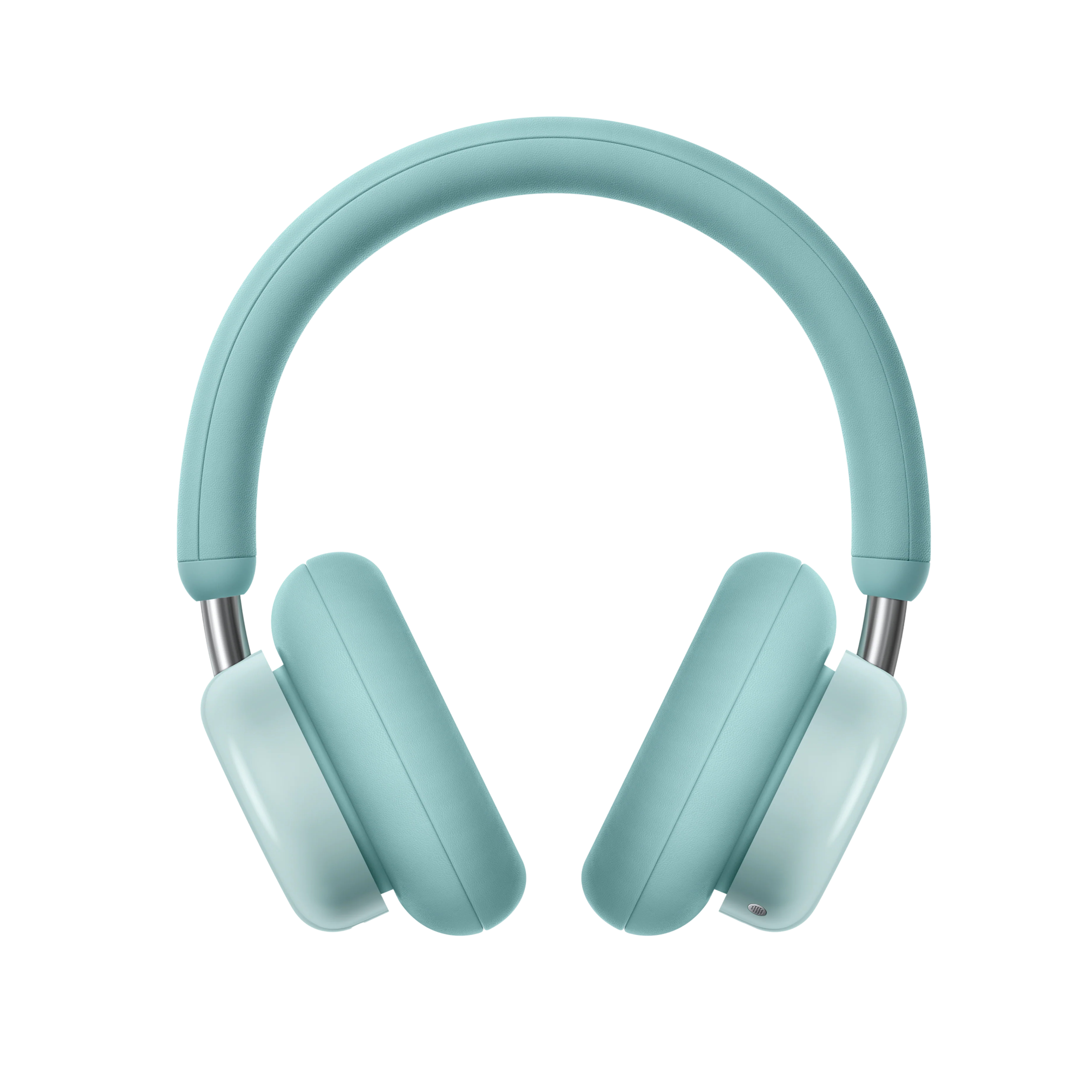
Cmf by Nothing Headphone Pro Active Noise Canceling Wireless Headphones Bluetooth 5.4 Over the Ear Headset, 50h Anc Playtime, Bass&treble Slider, Custom Eq&spatial Audio, Hi-Res Ldac, Light Green

CMF
Headphone Pro

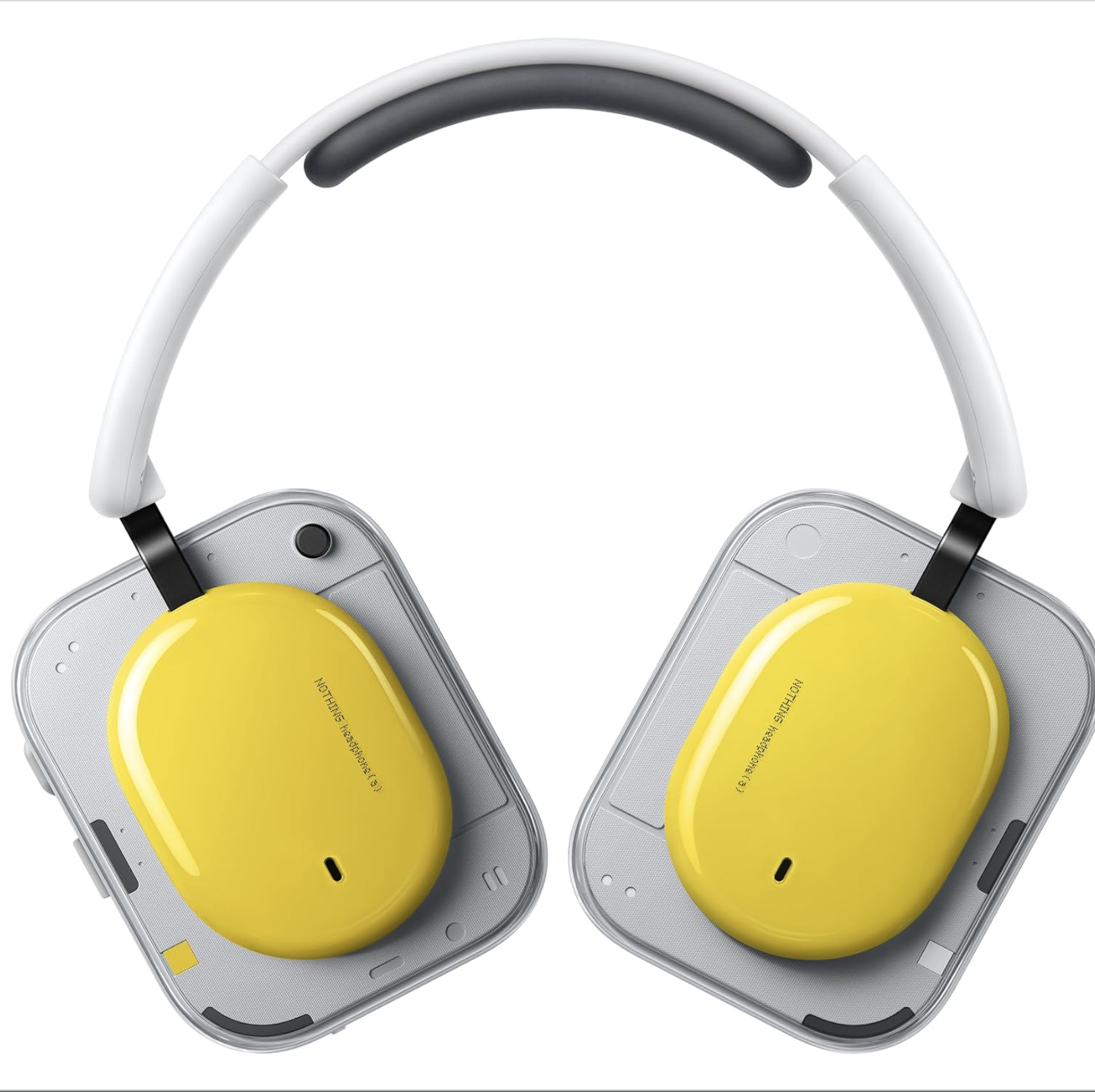
Nothing Headphone (a) 2026 New, Adaptive Active Noise Cancelling Headphones, Wireless Over Ear Bluetooth 5.4 Anc Headset With Ldac Hi-Res, 5 Hd Mics Ultra Bass Via App, 135 Hours Playtime, Yellow

Nothing
Headphone (a)

Nothing Ear (a) Wireless Earbuds, 45db Hybrid Noise Cancelling Earbuds, Hi-Res Audio, Advanced Equaliser, Dual Connect, 6 Mics, 42.5h Playtime Ear Buds Wireless Bluetooth, Yellow

Nothing
Ear (a)

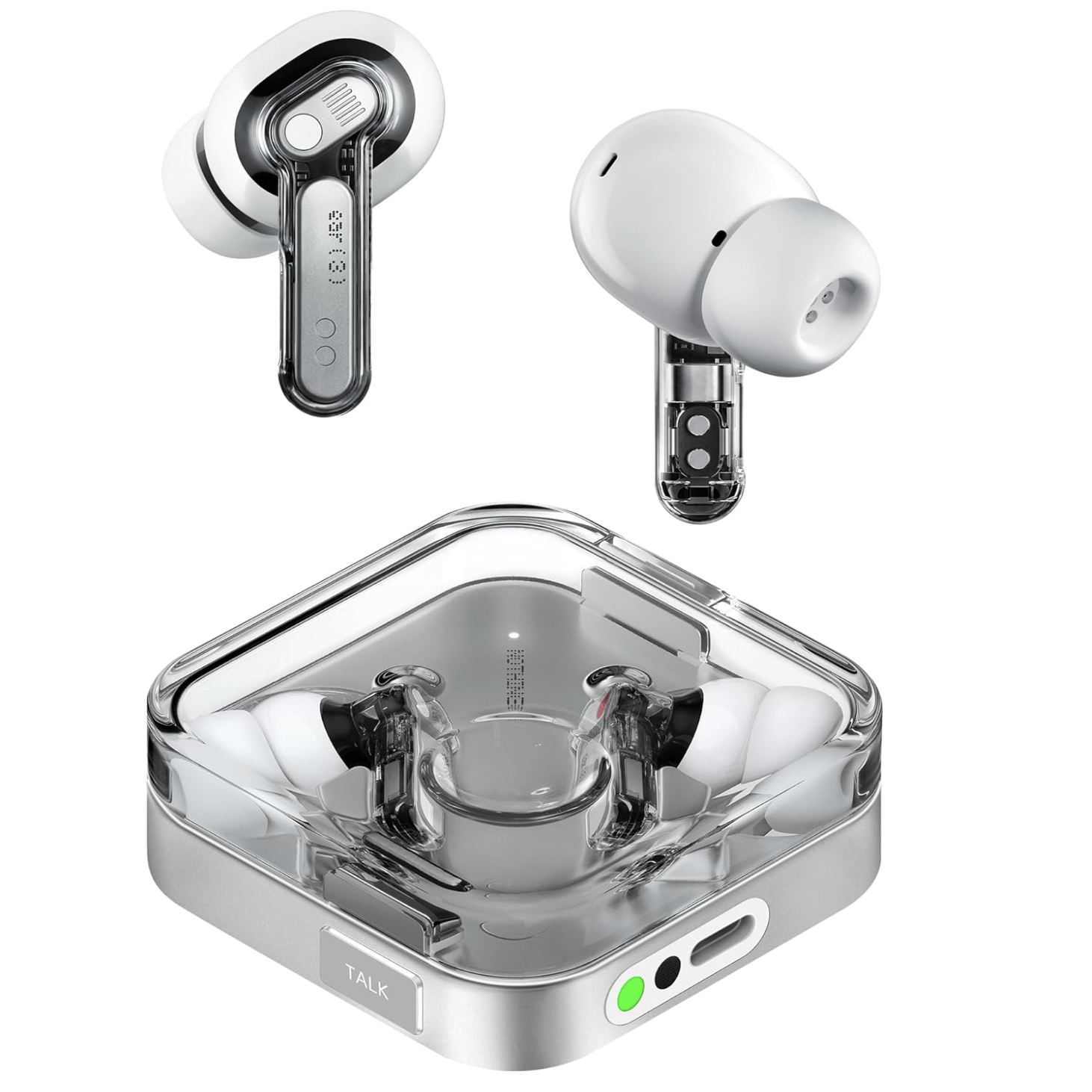
Nothing Ear 3 on white background

Nothing
Ear (3)

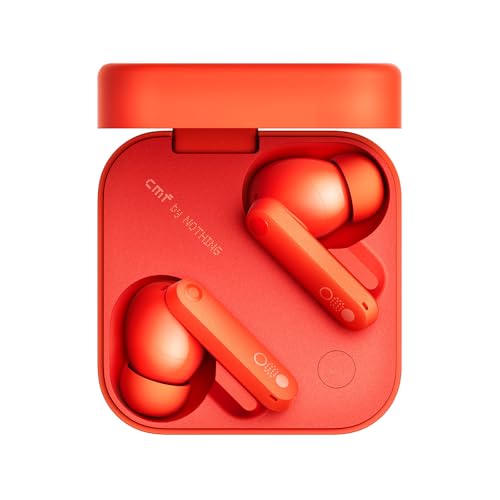
Cmf Buds Pro 2 Wireless Earbuds With Smart Dial, 50db Hybrid Noise Cancelling Earbuds Wireless Bluetooth 5.3, 11mm Bass With Ldac, 6 Hi-Res Audio Mics, 43h Playtime, Fast Charging Case, Orange

CMF by Nothing
Buds Pro 2

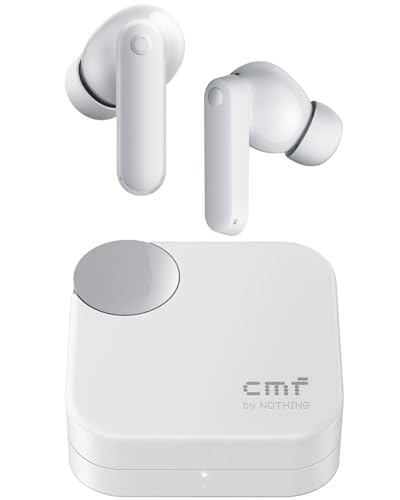
Cmf Buds 2a Wireless Earbuds Active Noise Cancelling 42db Hybrid Anc Bluetooth Headphones, 12.4mm Dynamic Driver for Big Bass, 4 Mic Clear Call, Sport Ear Buds for Iphone, Android, Light Grey

CMF
Buds 2(a)

If I had to pick, I'm still going for the delightfully fresh, luxuriously padded teal CMF Headphone Pro, which I regularly reach for (and I test headphones for a living, remember) owing to the easy-breezy on-ear controls and fun, zealous sound when I'm out and about.

That said, there's a little more clarity in the Headphone (a) and I do love the cassette-type look of the ear cups. But if you need a bit of wiggle room in your bag for other essentials, earbuds suddenly start looking very good indeed, no?

That said, the Nothing Ear (3) are the best if you regularly record your voice, thanks to their 'Super Mic'. It's the shiny button directly under the snappy case magnet labelled 'TALK' and it's a lot of fun. It's best to think of it as very much like those little clip-on wireless mics content creators hold very close to their mouths on social media — except now, they might hold an earbuds case to their lips to add voiceovers.

Nothing calls Super Mic a "breakthrough dual-microphone system driven by ambient-filtering technology." Essentially, the dual MEMS beamforming mics built into the case focus on your voice, cutting through surrounding noise (up to 95dB is the claim) for clearer calls and voice notes. And no other product in this little roundup has it. Food for thought, then…

In my glowing 4.5-star review of these truly likeable September 2025-issue noise-cancelling over-ears, I said they "could easily cost twice as much", adding "you'll struggle to find a more original set of affordable headphones that offer this much for this little". Well, now that figure has shrunk to just $61.75, a fee our price trackers have never seen until now — their previous all-time low price was $68, just for full clarity. For this money, and as long as the glorious white or light green colorways suit, I wouldn't even hesitate. Highly recommended! View Deal

A moment for the 'fried-egg-meets-cassette-tape' colorway though… yes, it's a look for the bold, but the deal is live on the slightly more demure black or white finishes too, and this March 2026 set of noise cancelling cans doesn't just excite us in the looks department. These aren't to be confused with the slightly disappointing Headphone (1) — no no, this is the greatly improved (and far cheaper) follow-up set. And in our full review, we summarised our thoughts thus: "Now THAT's how you do a second version". This is the cheapest they've ever been, but given that they're barely three months old, that's not surprising… View Deal

More Amazon Prime Day deals

  •  

How many updates does your phone have left? The longevity of Apple, Samsung, Pixel, and more phones explained

A smartphone can be a major investment — especially if you’re shopping for one of the best phones around — so it’s important to be sure that the device you’re buying isn’t just good for now, but good for many years to come.

Software support is a key factor in determining how long a phone will last, and in recent years, manufacturers have been committing to much longer product support windows than they used to. But not all phones get the same amount of support, and indeed some older phones will be approaching their final update in 2026.

So, below, we’ve detailed how long phones from Apple, Samsung, Google, and Motorola will continue to receive updates.

To keep things simple, we've focused on major brands with US availability, but if you have a recent high-end phone from the likes of Honor, Oppo, or Xiaomi, it will likely be in line for between five and six years of updates from its launch date. Older and lower-end models tend to be in the two-to-three-year range.

Apple iPhones

Apple iPhone 17 Pro REVIEW

The iPhone 17 Pro (Image credit: Lance Ulanoff / Future)

Apple never used to commit to a specific support window for its phones, but that changed in 2024, when new UK regulations required brands to outline a minimum support window. As a result, Apple now promises a minimum of five years — but this only applies to security updates, not the kinds of iOS updates that add new software features. And five years is a minimum, with Apple often going beyond that number anyway.

All of which is to say we can’t be certain when iPhones will get their final update, but typically, they’re supported for between five and seven years.

So, the list below is our best guess for how many years of updates each currently supported iPhone model has left.

  • iPhone 17 series — 4-6 years (last update in 2030, 2031, or 2032)
  • iPhone Air — 4-6 years (last update in 2030, 2031, or 2032)
  • iPhone 16 series — 3-5 years (last update in 2029, 2030 or 2031)
  • iPhone 15 series — 2-4 years (last update in 2028, 2029, or 2030)
  • iPhone 14 series — 1-3 years (last update in 2027, 2028, or 2029)
  • iPhone SE (2022) — 1-3 years (last update in 2027, 2028, or 2029)
  • iPhone 13 series — 0-2 years (last update in 2026, 2027, or 2028)
  • iPhone 12 series — 0-2 years (last update in 2026, 2027, or 2028)
  • iPhone 11 series — final update will probably be this year with iOS 27
  • iPhone SE (2020) — final update will probably be this year with iOS 27

Samsung Galaxy phones

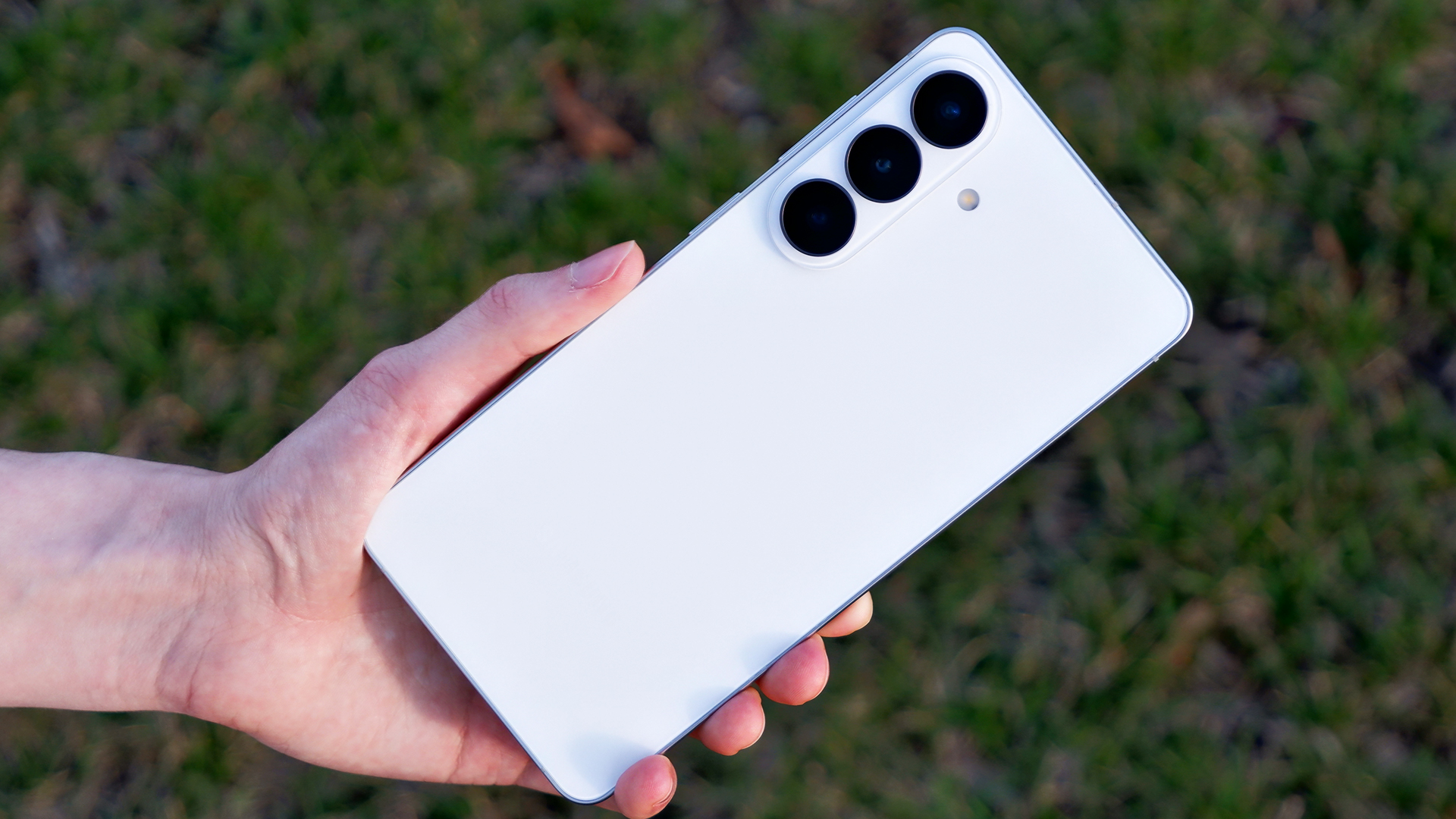
The back of the Samsung Galaxy S26 Plus against grass.

The Samsung Galaxy S26 Plus (Image credit: Future/Rami Tabari)

Samsung offers as much as seven years of support for some of its recent phones, but older and lower-end handsets get fewer updates, so how long your phone will be updated for can be quite variable depending on the model.

  • Samsung Galaxy S26 series — 7 years (last update in 2033)
  • Samsung Galaxy Z Fold 7 — 6 years (last update in 2032)
  • Samsung Galaxy Z Flip 7 — 6 years (last update in 2032)
  • Samsung Galaxy Z TriFold — 6 years (last update in 2032)
  • Samsung Galaxy S25 series — 6 years (last update in 2032)
  • Samsung Galaxy Z Fold 6 — 5 years (last update in 2031)
  • Samsung Galaxy Z Flip 6 — 5 years (last update in 2031)
  • Samsung Galaxy S24 series — 5 years (last update in 2031)
  • Samsung Galaxy A57 — 6 years (last update in 2032)
  • Samsung Galaxy A56 — 5 years (last update in 2031)
  • Samsung Galaxy A36 — 5 years (last update in 2031)
  • Samsung Galaxy A26 — 5 years (last update in 2031)
  • Samsung Galaxy A17 — 5 years (last update in 2031)
  • Samsung Galaxy A17 — 4 years (last update in 2030)
  • Samsung Galaxy A55 — 1 year (last update in 2027, security patches until 2029)
  • Samsung Galaxy A35 — 1 year (last update in 2027, security patches until 2029)
  • Samsung Galaxy M35 — 1 year (last update in 2027, security patches until 2029)
  • Samsung Galaxy A25 — 1 year (last update in 2027, security patches until 2028)
  • Samsung Galaxy A54 — final Android update this year (2026), final security patch in 2028
  • Samsung Galaxy A34 — final Android update this year (2026), final security patch in 2028
  • Samsung Galaxy S23 series — final Android update this year (2026), final security patch in 2028
  • Samsung Galaxy Z Fold 5 — final Android update this year (2026), final security patch in 2028
  • Samsung Galaxy Z Flip 5 — final Android update this year (2026), final security patch in 2028
  • Samsung Galaxy M54 — final Android update this year (2026), final security patch in 2028

Google Pixel phones

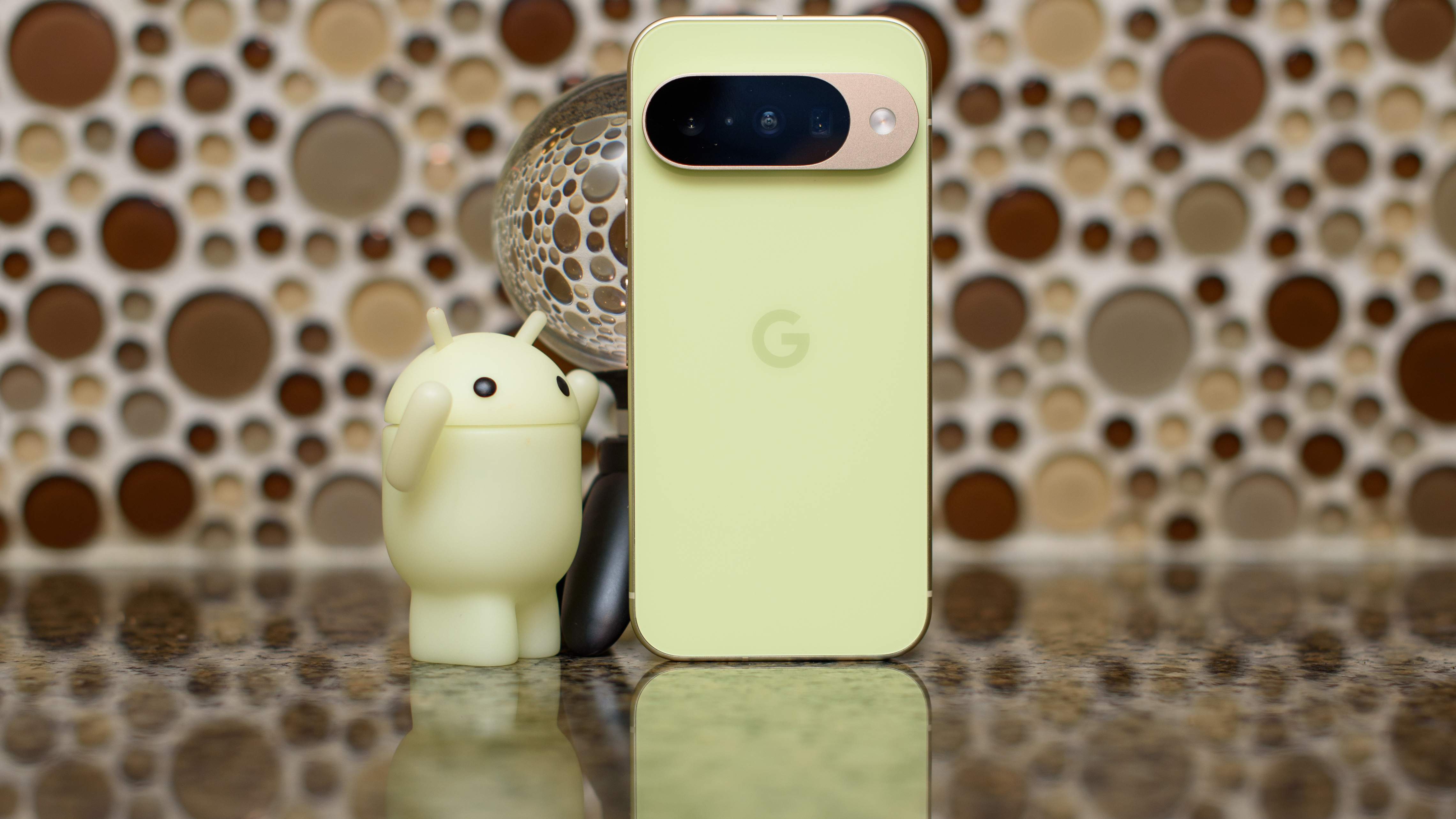
Google Pixel 10 in Lemongrass against a bubbly backsplash

The Google Pixel 10 (Image credit: Philip Berne / Future)

Google has committed to supporting all handsets from the Pixel 8 onwards for seven years, while phones from the Pixel 6 and Pixel 7 lines get five years of support.

Note that, as a-series models launch later than their mainline siblings, they technically get supported for longer. But depending on when major new Android versions launch, they may not get additional significant updates.

Motorola phones

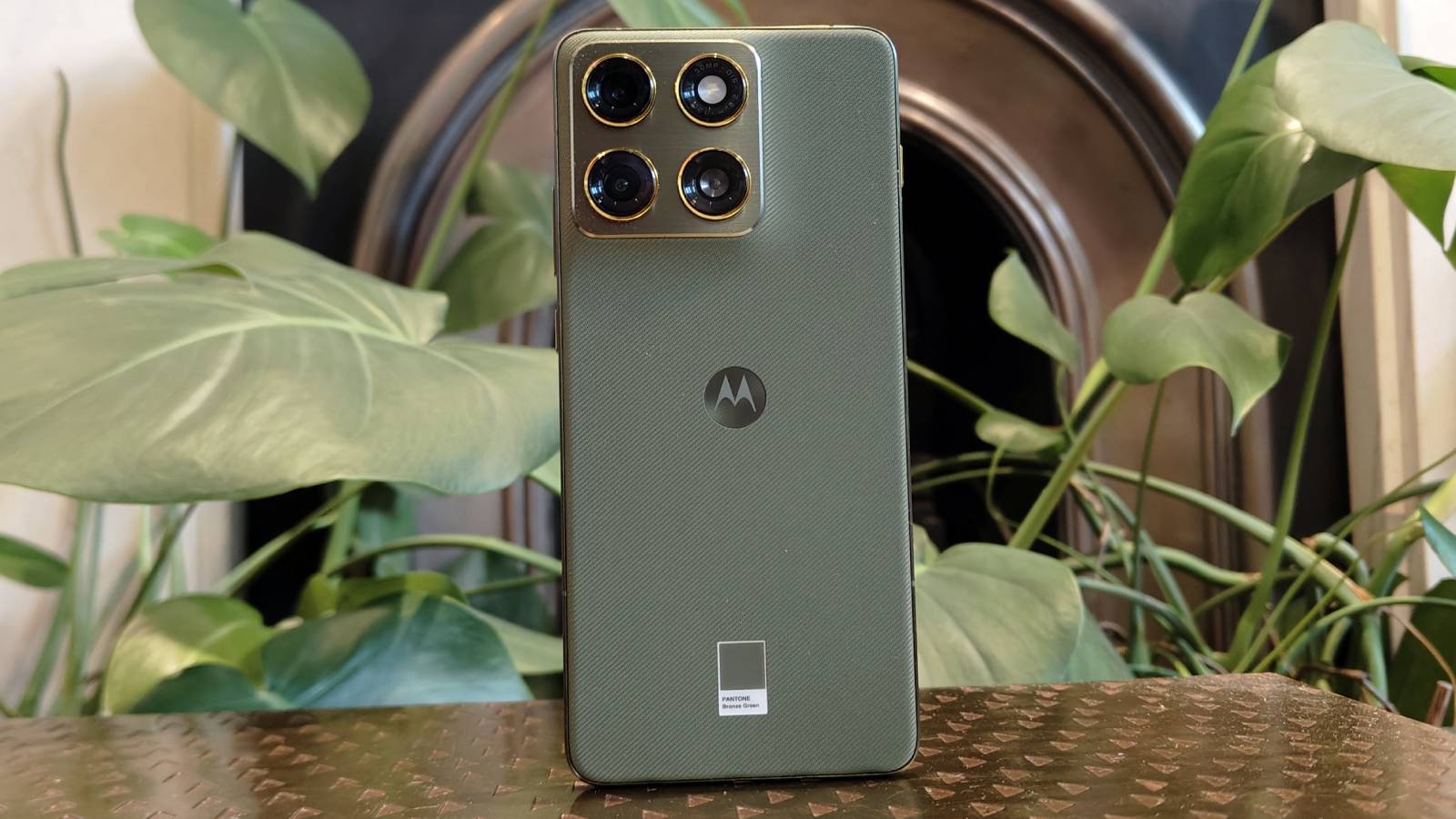
The Motorola Edge 70 perched on a brown table.

The Motorola Edge 70 (Image credit: Future)

Motorola’s update commitments feel quite messy and inconsistent, with some phones getting more or fewer updates than you might expect, but you’ll find an overview of the currently supported handsets below.

  • Motorola Signature — 7 years (last update in early 2033)
  • Motorola Edge 70 series — 3 years (last update in 2029, security patches until 2031)
  • Motorola Edge 60 Neo — 3 years (last update in 2029, security patches until 2031)
  • Motorola Edge 50 Neo — 3 years (last update in 2029)
  • Motorola Razr 70 / Razr 2026 series — 2 years (last update in 2028, security patches until 2030)
  • Motorola Edge 60 series (excluding Neo) — 2 years (last update in 2028, security patches until 2029)
  • Moto G75 — 2 years (last update in 2028, security patches until 2030)
  • Motorola Razr 60 / Razr 2025 series — 1 year (last update in 2027, security patches until 2029)
  • Motorola Edge 50 Pro — final Android update this year (2026), final security patch in 2028
  • Motorola Edge 50 Fusion — final Android update this year (2026), final security patch in 2028
  • Motorola Edge 50 Ultra — final Android update this year (2026), final security patch in 2028
  • Motorola Razr 50 / Razr 2024 series — final Android update this year (2026), final security patch in 2028
  • Moto G86 — final Android update this year (2026), final security patch in 2029
  • Moto G56 — final Android update this year (2026), final security patch in 2029

  •  

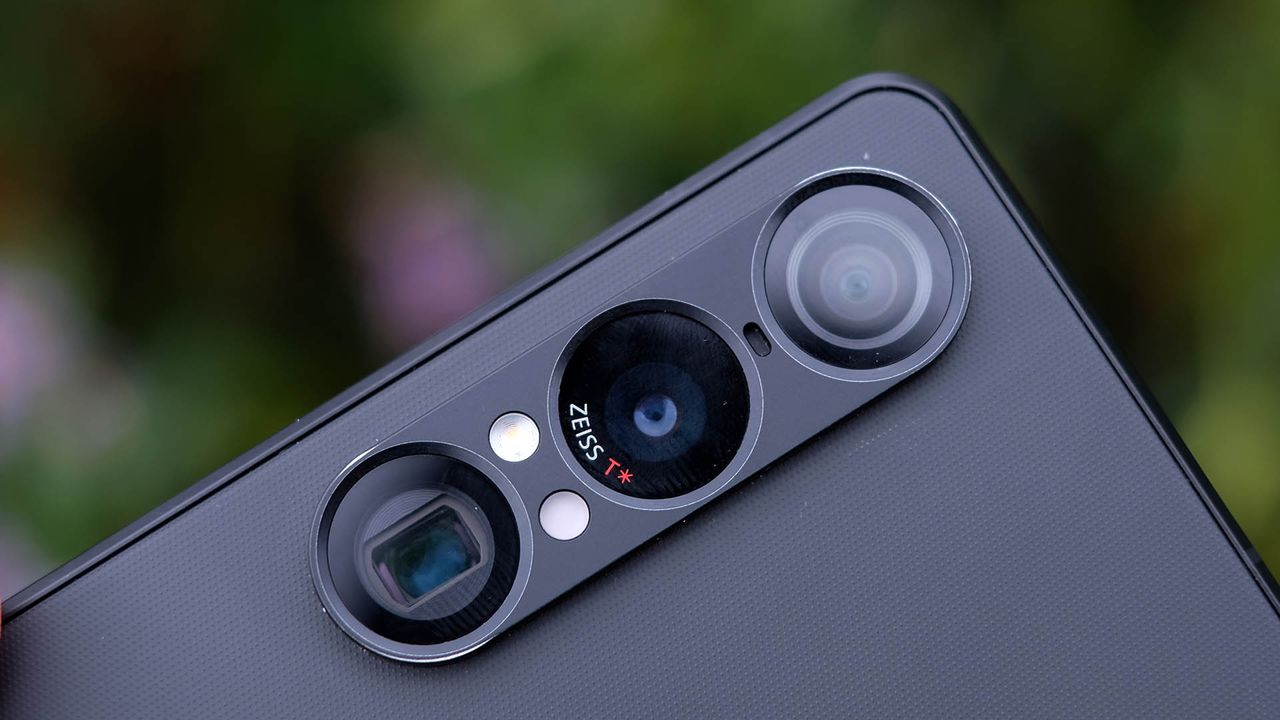
Sony’s new 64MP sensor could be a game-changer for telephoto cameras

  • Sony has announced a new camera sensor designed for phones
  • It has an unusual pixel structure that improves its resolution
  • The company highlights it as being a particularly good fit for telephoto cameras

Telephoto cameras are often a weak link in smartphone camera arrays. Many phones don’t offer them at all, and those that do often use smaller sensors or fewer megapixels than their wide and ultra-wide counterparts. But a new Sony sensor could deliver a big telephoto upgrade if the best camera phones incorporate it.

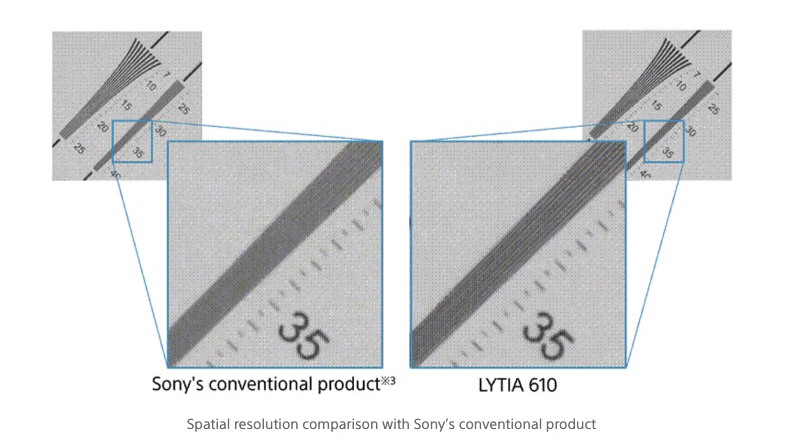
The Sony LYTIA 610 is the industry’s first mass-produced sensor to have an ‘RB2×2 On Chip Lens (OCL) pixel structure.’ We won’t get too weighed down in technical details, but the upshot is that, according to Sony, this design achieves both “improved resolution and excellent autofocusing” at the same time.

There’s a greater than 20% improvement in spatial resolution (meaning its ability to resolve fine details) compared to conventional Sony sensors with the same pixel size, and the company specifically highlights telephoto cameras as benefiting from all this.

A spatial resolution comparison with Sony's new sensor

(Image credit: Sony)

Plus, this sensor also offers an improved readout speed, allowing for 4K 120fps video recording and 4K 60fps HDR recording. So it could prove beneficial for videos as well as photos.

Reducing the performance gap

Sony also notes that this sensor “reduces the performance gap with the large sensors used on main cameras and suppresses variations in image quality across multi-lens camera systems, enabling a more uniform shooting experience.” So, in other words, if this is used for telephoto cameras, then you’re less likely to get noticeably inferior shots than when taking wide or ultra-wide photos.

This is all achieved without increasing the sensor or pixel size from Sony’s more conventionally designed LYTIA 601 sensor, which some phones currently use for their telephoto cameras. Potentially, then, this new sensor could deliver improved results without much of a price hike or a larger space requirement.

Of course, it remains to be seen which, if any, phones will actually use this sensor, but aside from Sony’s own Xperia handsets, you’ll also find Sony cameras in at least certain phones by Google, Xiaomi, and even Apple, among other brands. So there are any number of future handsets that could potentially get a telephoto boost from this sensor.

  •  

An Apple Siri mystery has been solved by an audio engineer — spectrogram reveals how Apple stopped voice assistant setting off millions of iPhones and HomePods during its WWDC 2026 event

  • Apple avoids setting off your iPhone when its execs say “Hey Siri” at events
  • One enterprising engineer decided to find out why
  • By analyzing the keynote’s audio, they solved an intriguing mystery

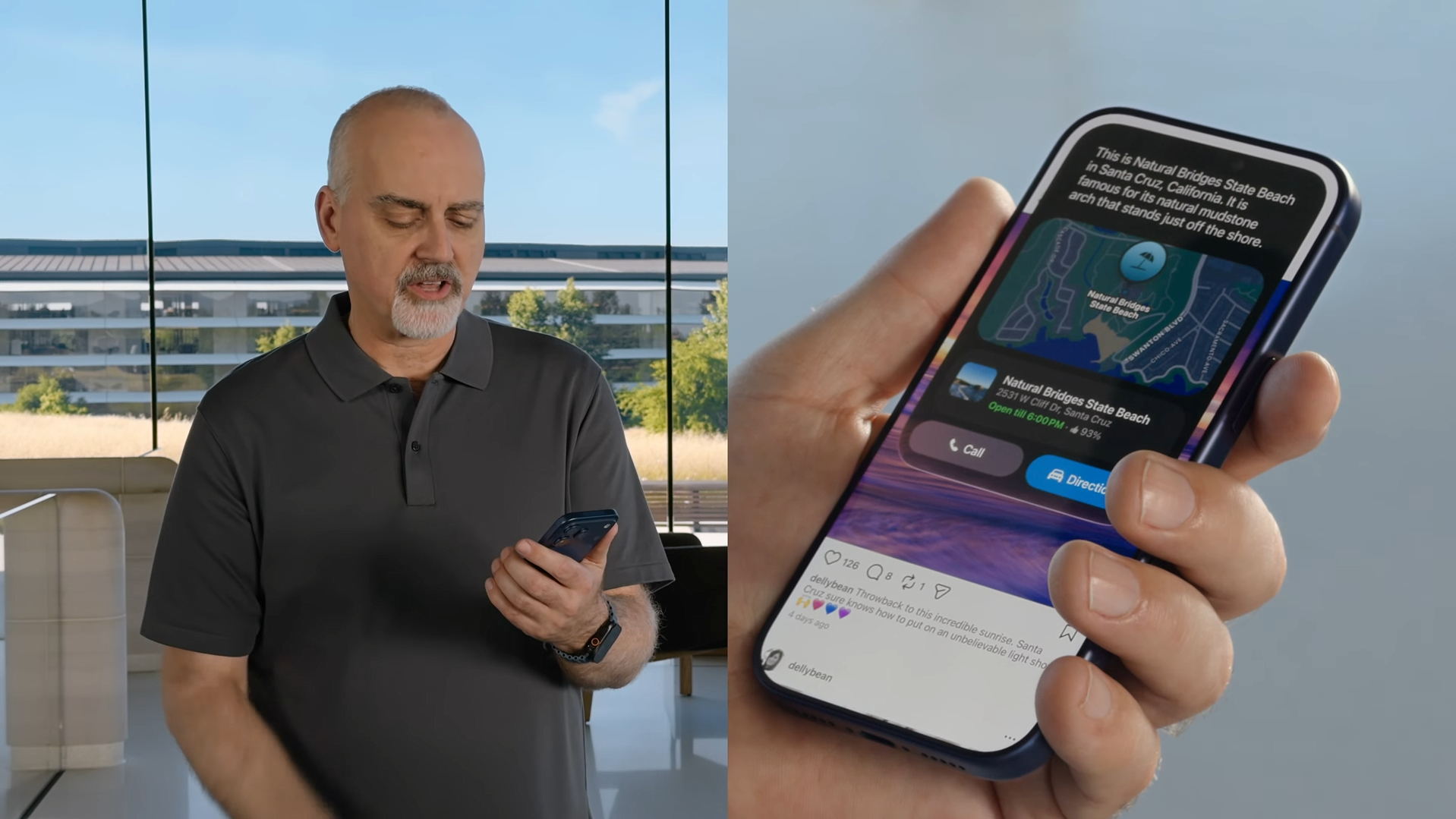
Siri has just been given the brain transplant it's needed for years, but it's always been good at detecting the words "Hey Siri" — so much so that accidental summonings have been a common problem. But an audio engineer has just explained how Apple cleverly avoided Siri popping up on your phone during its recent WWDC 2026 keynote.

As revealed by Techexplain on Substack, it all comes down to the audio frequencies embedded in Apple’s keynote video. Once Apple’s audio engineers made a few subtle tweaks, the company’s presenters could say “Hey Siri” as much as they liked without risking millions of phones going off around the world.

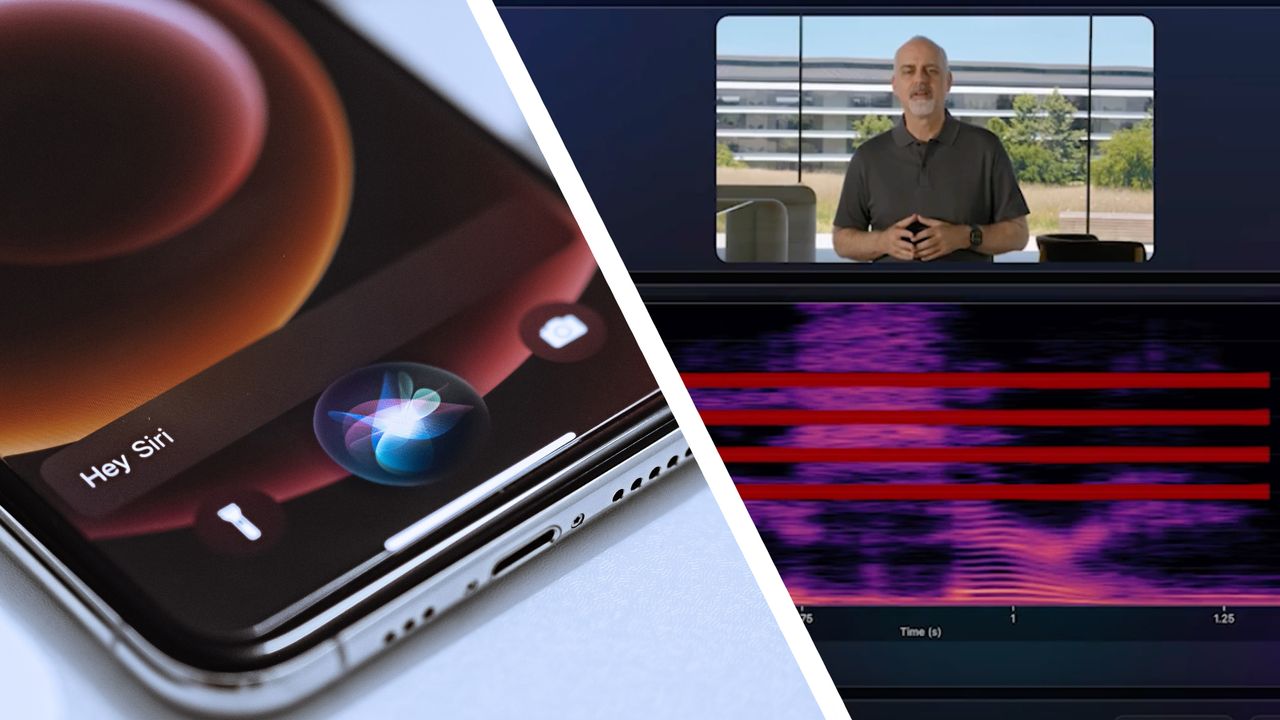
To find out what was going on, Techexplain downloaded the audio and video from the WWDC event. They fed that into a spectrogram analyzer, which is an app that can visualize audio frequencies as colored graphs and bands. When the WWDC video was examined, it revealed that a few frequency bands in the 3kHz to 6kHz range had been removed from the audio.

And this is the key to the video not invoking Siri. Without those four frequency bands, the Siri assistant lurking on your device did not hear the phrase “Hey Siri” — even though Apple’s presenters said it repeatedly throughout the show.

Wait, how exactly does this work?

WWDC 2026 Screenshots

(Image credit: Apple)

Apple’s solution might sound odd. After all, doesn’t Siri listen out for the trigger words being spoken? If those words were present in Apple’s video, shouldn’t Siri have been activated?

Well, not quite. Your iPhone contains an “always-on processor” chip whose job is to constantly sample background audio, which is then fed into a neural network. The audio is converted into a spectrogram and the neural network analyzes it to look for a specific frequency pattern — in this case, the sibilant sound that occurs when you say “Siri.” And yep, you guessed it, those sibilant sounds mostly exist in the 3kHz to 6kHz range.

In other words, what Siri is actually listening out for is a frequency rather than the words being spoken. It means that if Apple’s engineers remove the 3kHz to 6kHz bands from the WWDC keynote, Siri won’t “hear” its name being spoken — even if that’s exactly what the presenters are doing.

It’s a clever trick that helps ensure Apple’s presenters can speak naturally without the need to avoid saying “Siri.” At the same time, it avoids setting off millions of iPhones and annoying their owners when “Hey Siri” is uttered. It’s an ingenious solution that solves a thorny problem in a satisfyingly elegant way — and we wouldn’t expect anything less from Apple.

  •  

The Android dark mode power-pack: 5 secrets for a smarter screen setup

Few things are as delightfully divisive as Android’s dark mode.

Some phones now ship with Android’s darker-style interface activated by default. Most reasonably recent devices offer it as a swift ‘n’ simple toggle. And most people, in my experience, have amusingly strong preferences about which approach they prefer — the standard Android “light” mode, in which screens tend to be bright and with shades of white as a foundation, and the dark mode (a.k.a. “dark theme”), where black and dark gray dominate and everything is much more muted and muddy.

It really is a night and day difference, so to speak — but no matter where you fall on the light vs. dark preference spectrum, it’s well worth your while to noddle over two pertinent points:

  1. Android’s dark mode doesn’t have to be an all-or-nothing decision. With the right setup, you can use it as a dynamically activated sometimes switch that enables itself automatically based on different variables and gives you a darker, less glary motif when conditions call for it while leaving you with the lighter, brighter look the rest of the time.
  2. Regardless of how often you’re using dark mode, a few easy adjustments will make it meaningfully more complete and effective as an end-to-end interface style for whatever you’re doing on your device.

It occurred to me recently that we’ve gone over several smart Android dark mode enhancements over the past weeks and months — and that, put together into a single power-pack bundle, these small-seeming items can add up to create a pretty dramatic difference in your Android-using experience, whether you’re a full-fledged dark mode convert or a more light-preferring vampire skeptic.

Here, specifically, are five easy ways to make Android’s dark mode meaningfully better for you.

[Keep the nerdy knowledge coming with my free Android Intelligence newsletter — something new and useful in your inbox every Friday!]

Android dark mode power-up #1: The app expansion

Up first is a feature that arose as part of our Android 17 discussion and sparked the entire idea for this collection — and that’s the one-tap switch in the latest Android version that forces every app on your phone to follow your dark mode preference, whether the program technically supports such a setting or not.

In Android 17, finding and flipping that switch will make every app turn dark whenever the system-wide dark mode is active. It eliminates the irksome exceptions that’ve traditionally stayed stubbornly light (due to developer laziness) even when your dark theme is on.

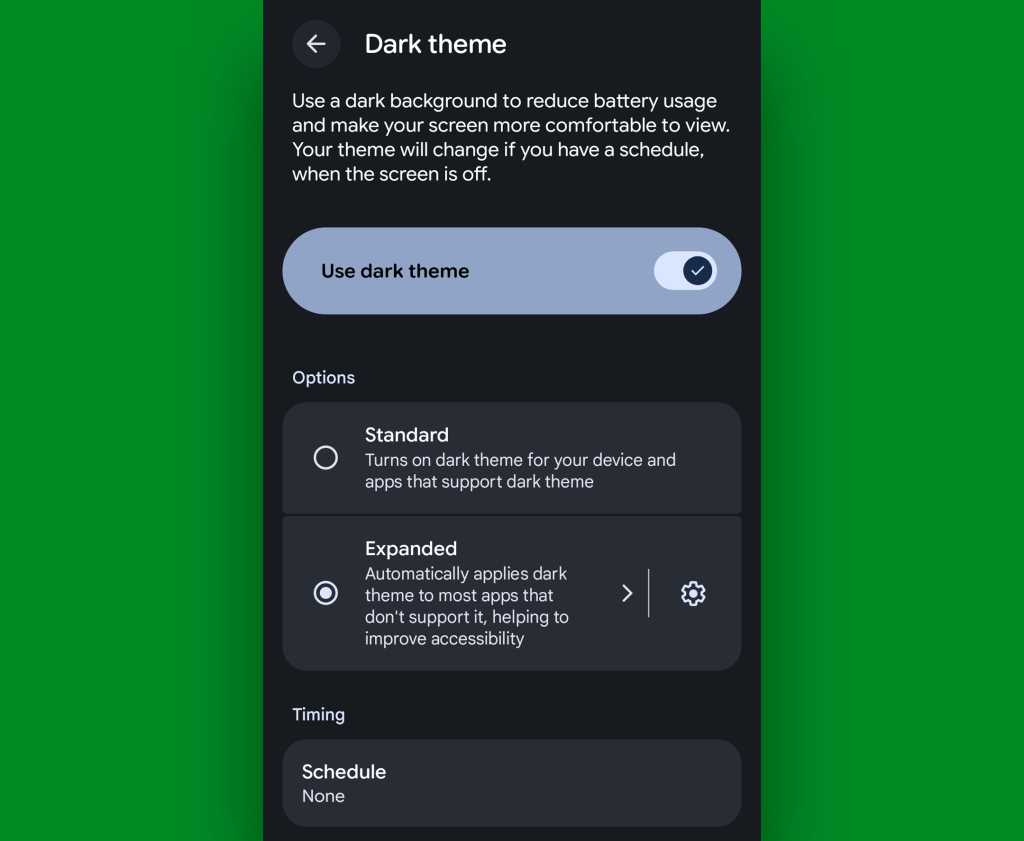
If you’ve got Android 17 on your phone already, it couldn’t be much easier to make it happen. Just look in the Display section of your system settings, tap the words “Dark theme,” then change the setting that shows up next from “Standard” to “Expanded.”

Android 17 dark theme expanded
Android’s new “Expanded” option lets you force apps into dark mode compliance, even if they aren’t designed to do it on their own.

JR Raphael, Foundry

No Android 17? No problem: On devices with reasonably recent pre-Android-17 system software, you can actually find a switch buried deep in some developer settings that’ll let you enable the exact same option without any waiting.

Follow these instructions and enjoy your new universally consistent darkened dynamic.

Android dark mode power-up #2: A darkened web

That first trick fixes the issue of certain apps not following your dark mode preference — but what about the web? Most of us spend a fair amount of time in our browsers these days, and most websites won’t follow a dark mode setting and adjust their interfaces accordingly.

They absotively can, though. With the flip of a single switch buried within your browser’s bowels, you can force every website into a darkened motif whenever your system-level dark mode is up and running.

See?

Android dark mode - Chrome web
Viewing a website in Chrome normally, at left, and with dark-mode-associated web darkening, at right.

JR Raphael, Foundry

Here’s the secret:

  • Open up Chrome on whatever Android device you’re using. (And note that this will also work with any Chromium-based Chrome alternative, like Brave, Edge, or Vivaldi.)
  • Type chrome:flags into the address bar.
  • Type darken into the search box at the top of the screen that comes up next.
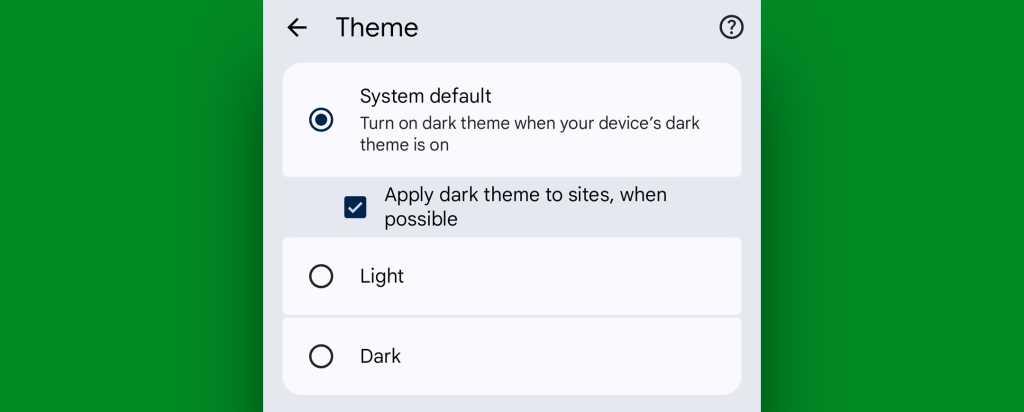
  • See the line labeled “Darken websites checkbox in themes setting”? Tap the “Default” box beneath it, and change its setting to “Enabled.”
  • Tap the blue “Relaunch” button at the bottom of the screen.

Now, when Chrome comes back a second or so later…

  • Tap the three-dot menu icon in its upper-right corner.
  • Tap “Settings” in the next menu.
  • Scroll down until you see “Appearance.” Tap it, then tap “Theme.”
  • Make sure the newly added box for “Apply dark theme to sites, when possible” — which we just magically made appear via our last little modification — is checked and active.
Android dark mode - Chrome web setting
Chrome’s web-darkening option appears only after you’ve enabled an out-of-the-way flag.

JR Raphael, Foundry

And that’s it: From that moment onward, whenever your Android device is switched into its dark mode, any website you’re viewing within Chrome will automatically follow suit. Nothing more to it, and no further thought or action ever required on your part.

Not bad, eh?!

Android dark mode power-up #3: A dark mode schedule

Even as someone who isn’t into dark mode as a 24/7 sort of thing, I can definitely appreciate the presence of a dimmer, less glary look on my device in certain specific scenarios.

It’s incredibly easy to overlook or forget, but Google’s actually got a way to handle that for you. In fact, it’s been built into Android itself since 2020’s Android 11 release.

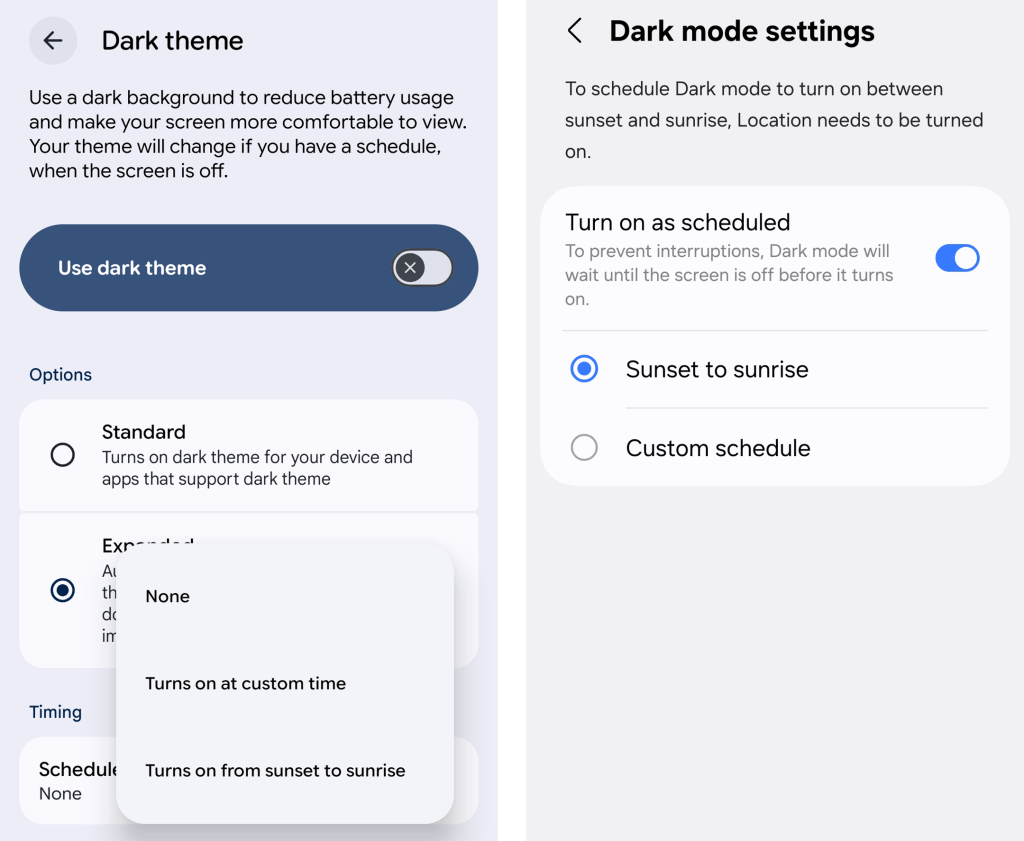
Just look in the Display section of your system settings and tap the line for either “Dark theme” or “Dark mode settings.” If you see a toggle alongside that line, make sure you’re tapping the actual words next to it — not the toggle itself.

Then look for the option to create a schedule.

Android dark mode schedule
An Android dark mode schedule, as seen in Google’s standard Android interface (at left) and in Samsung’s Android style (right).

JR Raphael, Foundry

You can create a time-based rule for when your device’s dark mode turns on and back off again, or — more intelligent yet — you can set it to automatically activate at sunset, wherever you are at any given moment, and then turn itself back off and switch you back over to light mode at sunrise.

You can also integrate dark mode into Android’s rarely noticed Bedtime Mode so that the screen getting dimmer is part of your pre-sleep winddown routine, if you really wanna get wild.

Or — ahem…

Android dark mode power-up #4: Contextual dark mode

A dark mode schedule is pretty forkin’ sensible. But the reality is that even with a time-based setup or a sunset-driven activation approach, you’ll still be using your phone in bright rooms with dark mode active and vice-versa.

And if you want Android’s dark theme present only when you’re actually in a dark room — as makes the most sense in my mind — there’s an even more intelligent option.

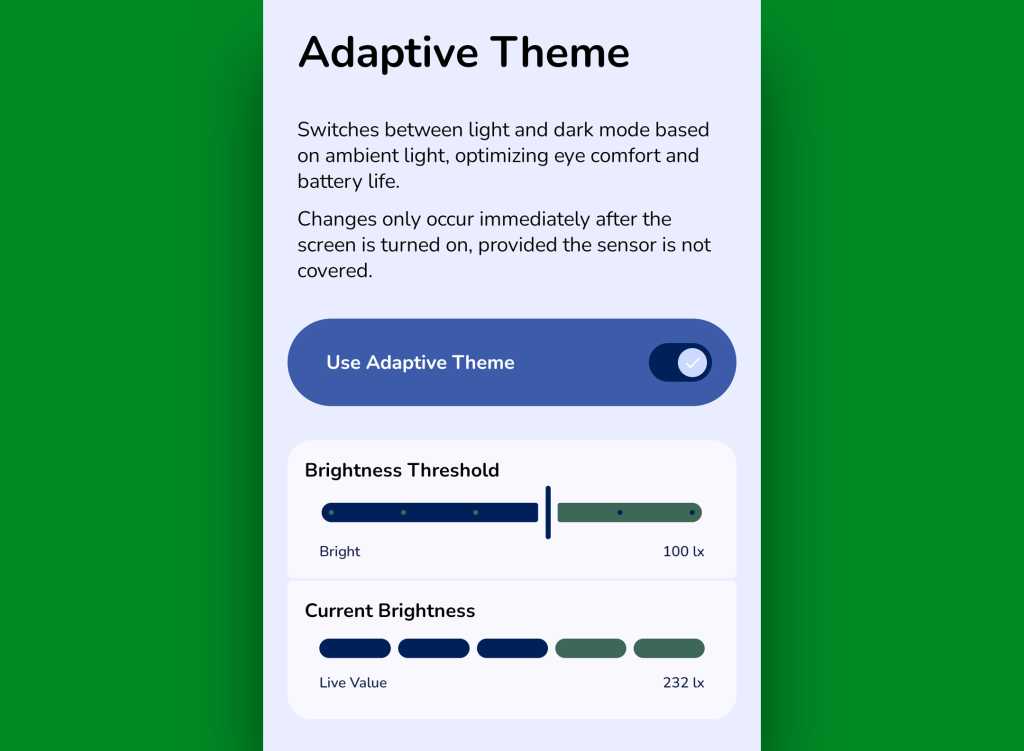
It comes our way via a handy little free app called Adaptive Theme. That app does one thing and only thing only: It automatically adjusts your device’s dark mode setting based on the actual ambient light around you, using your phone’s sensors rather than an arbitrary time or a not-always-relevant sunset status as a guide. It makes so much sense, you’ll find yourself wondering why your phone didn’t just work that way from the get-go.

The app does unavoidably have a slightly complex one-time setup, which I outline step-by-step here. It’s perfectly safe to do, though, and it shouldn’t take you more than a couple minutes to pull off.

And once you’ve done that, your Android dark mode will just work for you — flipping on when the lighting around you is dim (to your exact specifications) and flipping back off when you’re in brighter surroundings.

Android dark mode: Adaptive Theme settings
Adaptive Theme lets you take total control of how and when Android’s dark mode activates based on your environment.

JR Raphael, Foundry

Yes, please — and thank you. Last but not least…

Android dark mode power-up #5: The wallpaper wizard

Superficial as it may seem, the one piece of the puzzle we haven’t yet addressed — that isn’t ordinarily affected by Android’s dark mode setting — is your home screen wallpaper.

By default, whatever wallpaper you set at the system level stays the same even as your interface moves between its dark and light states — and when you’re anglin’ for a dimmer, less glary look in dark environments, that can be pretty darn jarring.

An app called, rather aptly, Dark/Light Wallpaper Scheduler is the answer you never knew you needed. It’s pretty self-explanatory — you tell it which wallpaper you want when your phone is in dark mode and light mode, then it automatically switches ’em out for you based on that status — but I wrote about it in detail here, if you’re interested in reading more about how exactly it works and how you can make the most of it.

And with that, my fellow Android-appreciating animal, your dark mode power-pack is complete. Now, would someone please turn off the lights? I don’t know about you, but all this talk of darkness has me hankering for a nap.

Wake up to even more useful Android wisdom every Friday with my free Android Intelligence newsletter — one practical new trick to try each week, straight from me to ye.

  •  

O2 to begin UK 2G switchoff in 2029, and that means you might need a new smart meter

  • O2's 2G networks set to be pulled from 2029 in line with industry
  • 4G and 5G networks are more secure and more efficient
  • Some IoT and connected systems still use 2G

Virgin Media O2 (VMO2) has become the latest UK mobile operator to announce plans to shut down its legacy 2G networks, beginning in 2029.

At the same time, VMO2 said not having to look after 2G networks will free up more resources to look after, and improve, 4G and 5G network capacity, speeds and reliability.

The company already started shutting down its 3G networks in 2025, with a national cutoff planned as soon as this year, but 2G networks remained open in the meantime.

VMO2 to start pulling 2G networks from 2029

EE is also turning off its 2G networks from 2029, with VodafoneThree following suit in 2030.

While VMO2 promises to warn customers to help them identify affected devices and migrate to more modern networks, most smartphone users are unlikely to notice an impact because modern smartphones rely on 4G and 5G networks instead.

But IoT devices, smart meters, payment terminals, alarm systems and other crucial infrastructure has traditionally used 2G networks.

"While most customers won’t need to take any action at all, some businesses might need to start planning for this now," CTO Jeanie York explained.

The industry-wide 2G shutdown ultimately falls under government plans to strengthen telecoms security, following concerns over supply chain risks, cyberattacks and the general security of critical national infrastructure.

VMO2 also disclosed the environmental benefits of the shutdown. Though its 2G networks only carry 0.5% of all VMO2 mobile network traffic, it accounts for more than 10% of the company’s total cell site energy consumption. The company declared that its 4G and 5G networks are 10x more efficient.

Google logo on a black background next to text reading 'Click to follow TechRadar'

  •  

L’iPhone 17 256 Go voit son prix chuter pendant les soldes d’été : une offre rare chez Rakuten

L’iPhone 17 fait partie des smartphones les plus convoités du moment. Avec son design premium, ses performances de haut niveau et son écosystème toujours aussi fluide, il s’impose comme un choix de premier ordre pour les utilisateurs à la recherche d’un appareil durable et performant au quotidien.

  •  

Don’t overspend on your mobile plan — these 5 EOFY deals on SIM-only plans will give you more data for less

The end-of-financial-year sales have seen many smartphone deals across flagship, mid-range and budget handsets, including some rare discounts on the current iPhone 17 range.

If you splurged on a new phone during the sales, you may be interested in signing up for a new SIM-only plan if you bought one outright, especially if you’re not 100% happy with your current provider.

Even if you didn’t buy a new phone, it can still pay to shop around for a new SIM-only plan, as you may find one that fits your needs better than your current one. You could be paying for a ton of data with your current provider that goes unused, for example. Or maybe you’d benefit from having international calls included in your monthly price.

Given how competitive the telco market is currently, providers are jostling for your attention — whether it’s generous mobile data allowances, discounts on the monthly plan fees or inclusions like international calls and texts — and it would be a good idea to take full advantage.

The best part is, unless your current plan is tied up with a mobile phone, it’s so easy to switch providers. If the promotional plan discount of the SIM-only plan you signed up has just wrapped up, you can easily swap to a different provider that’s offering its own discounted plan with next to zero hassle.

I’ve put together a list below of the best SIM-only plans I’ve spotted this EOFY across a range of use cases and budgets, with all the inclusions and discounts:

Best value EOFY SIM-only plan

TPG Large Plan | 100GB | AU$22.50 per 28-day renewal (first six renewals, then AU$45 per renewal)

While we’ve usually spruiked the TPG plan that’s a step down from this one (50GB data for AU$17.50 per month) as the best value SIM-only deal, getting 100GB of mobile data for AU$22.50 is an outright steal, even if it’s just for the first 6 months. Unlike many of the SIM-only plans at this price range, you get access to the full Vodafone 5G network, bringing with it added benefits of extended coverage and faster download speeds. One perk also worth mentioning is the inclusion of unlimited international calls and texts to 31 destinations. Do note is that this is a 28-day plan, which means you’ll have 13 payments each year.

Total minimum cost: AU$22.50
Total cost for first year: AU$405
Ongoing yearly cost: AU$540View Deal

Best cheap EOFY SIM-only plan

Swoop Mobile | 30GB | AU$12.40 p/m (first 6 months, then AU$24.90 p/m)

There are cheaper plans than this, but this entry-level offering from Swoop Mobile not only provides 30GB of mobile data, but it also uses Vodafone’s 5G and 4G networks, which is rare at this price point. You also get unlimited national calls and texts at this price.

Total minimum cost: AU$12.40
Total cost for first year: AU$223.80
Ongoing yearly cost: AU$298.80View Deal

Best EOFY SIM-only plan on the Telstra network

Exetel PlusOne eSIM plan | 130GB | AU$40p/m

Exetel has only a single mobile plan offering, but the brand nails the brief perfectly with a great value option on the Telstra 5G network (with speeds capped at 150Mbps). You get a generous 130GB of data each month, unlimited international calls to 15 countries including the UK and US, and the ability to bank up to 1000GB of data. And all this for just AU$40 per recharge (30 days). Do note that this plan is only available with an eSIM, so you'll first need to check if your phone is compatible.

Total minimum cost: AU$40
Total yearly cost: AU$480View Deal

Best EOFY high-data SIM-only plan

Vodafone Large Plan | 400GB | AU$36.50 (first 6 months, then AU$73p/m)

Of the big 3 Aussie telcos, Vodafone has regularly provided the best value, and the mere fact that the brand made it to this list means that it can compete with MVNOs in certain price points. Vodafone is offering 50% off plan fees for the first 6 months, making the 400GB Large Plan, at less than AU$40 per month, the best high-data SIM-only plan this EOFY. To sweeten the pot further, you also get unlimited minutes to 'Zone 1' nations and 300 minutes to 'Zone 2' nations. To see which countries are available, you can learn more about international calls with Vodafone.

Total minimum cost: AU$36.50
Total cost for first year: AU$657
Ongoing yearly cost: AU$876View Deal

Best EOFY long expiry SIM-only plan

Lyca Mobile Large | 900GB | AU$220 (first 12 months, then AU$480)

Lyca Mobile's Large plan has long been TechRadar’s favourite long-term expiry plan, especially now the included data has increased from 600GB to 900GB (although the price did also increase from AU$175 to AU$220 for the first 12 months). Granted, the ongoing cost after the first year is quite pricey, but you at least have the option to shop around for a different promo on a long-expiry plan afterwards. The mobile data will be provisioned in 75GB instalments each month, which can be helpful in case you accidentally use too much data in a single month. You'll also receive international minutes to 35 destinations with this plan.

Total minimum cost: AU$220
First year cost: AU$220
Ongoing yearly cost: AU$480View Deal

More of the best SIM-only plans

Keen to shop around more? Check out the most popular SIM-only plans in the widget below:

  •  

The cheap headphones and earbuds actually worth buying, as picked by audio experts who really tested them

Here at TechRadar, we test dozens of pairs of headphones every year. And while we've been won over by many an ultra-pricey set of cans, we also love a cheap pair of headphones that punches above its price tag. This article is dedicated to showcasing these wallet-friendly wonders. I asked TechRadar's audio specialists which headphones they'd recommend to buyers on a budget, and you'll find their suggestions below.

If it's true wireless in-ears you're after, you'd struggle to do better than the Nothing Ear (a) buds, which Audio Editor Becky Scarrott awarded a perfect five stars, calling them "a resounding home run" for the British startup and praising the noise cancellation, sound quality and battery life in particular. In the current Amazon Prime Day deals, they're unbeatable value at under $55 / £50.

In the over-ear arena, standouts are the CMF Pro and the 1More Sonoflow Pro HQ51, both of which earned 4.5 stars in our tests. The former were put through their paces by Becky, who was impressed with the "superb" sound quality in general, and was pleasantly surprised to discover "the sort of... personal sound profile curation [we're] more used to seeing in headphones much higher up the food chain". The latter were reviewed by our review's team's resident headphone specialist Harry Padoan, who praised the "adept audio, noise-crushing ANC and eye-catching design". Both are even better value than usual right now, too, thanks to those Prime (and rival-Prime) deals.

Read on for more budget-maximizing buys — and hit the 'View details' button for a summary of what we thought of them in our tests, plus links to the full reviews.

Top cheap earbuds and headphones

Nothing
Ear (a)

Pros

  • Fun, zealous, expansive sound
  • Vastly improved active noise cancellation
  • Smaller, more pocketable case

Cons

  • No wireless charging support
  • No flagship sound profile curation
1More
Sonoflow Pro HQ51

Pros

  • Customizable, satisfying sound
  • Effective ANC
  • Fantastic battery life

Cons

  • App situation is a bit messy
  • Button controls appear a little cheap
  • Build feels slightly flimsy
Huawei
FreeArc

Pros

  • Top-tier sound
  • Competitive price
  • Comfortable fit

Cons

  • App download pains
  • Middling battery life
  • Would benefit from ANC
CMF
Headphone Pro

Pros

  • Excellent hearing tests; unexpected at the level
  • Emotive, circumaural sound
  • Exemplary battery life

Cons

  • ANC isn't amazing
  • Energy slider feels a tad gimmicky
  • No hard carry case or USB-C charger in the box

Anker Liberty 5 Pro earbuds

Anker
Soundcore Liberty 5 Pro

Pros

  • Strong noise cancellation
  • Rock-solid fit
  • Fun, bassy sound

Cons

  • Charging case on the bulky side
  • Could do with a discount
  • Touchscreen can be unresponsive
Sony
WH-CH720

Pros

  • Great sound balance
  • Lots of detail in audio
  • Effective noise cancellation
  • Full of useful features

Cons

  • Sound feels constrained
  • Noise cancellation leaks in low sounds
  • Plastic feels a little cheap
OneOdio
Focus A6

Pros

  • Sensational sound quality
  • Extensive software features
  • Comfy, quality construction

Cons

  • On-ear controls are a little sensitive
  • ANC is good rather than game-changing
JLab
Go Pods ANC

Pros

  • Solid ANC
  • Lightweight build
  • Truly low price

Cons

  • Poor eartip fit
  • Lean battery life
  • Aggressive transparency mode
Soundpeats
Clip1

Pros

  • Fantastic listening test
  • Comfortable build
  • Competitive value

Cons

  • Low max volume
  • Cheap-feeling case
  • Touch control issues

  •  

I review tech for a living, and these are the 7 essential tech buys I'd recommend for your summer travels

We're in the midst of (a very hot) summer, and I'm sure many of you out there are raring to go on your travels this season. But if you're about to jet off on your vacation, then it's best to be as prepared as possible. And you know what you need to make your travels as seamless and enjoyable as possible? Some top-tier tech.

I'm a Senior Reviews Writer here at TechRadar, and have tested hundreds of gadgets over the years, from premium noise-cancelling headphones through to power banks and misting fans. So, I've got the lowdown on all the travel tech essentials you need to make this summer one to remember — for all the right reasons, of course.

I've included seven must-haves, with a small speaker, travel chargers, and even a compact clothes steamer on the list. Everything here has either been tested by me, or someone on the TechRadar team, so I'm confident that each item will serve you well on your adventures this summer and beyond. So, without further ado, let's dive right into my top picks!

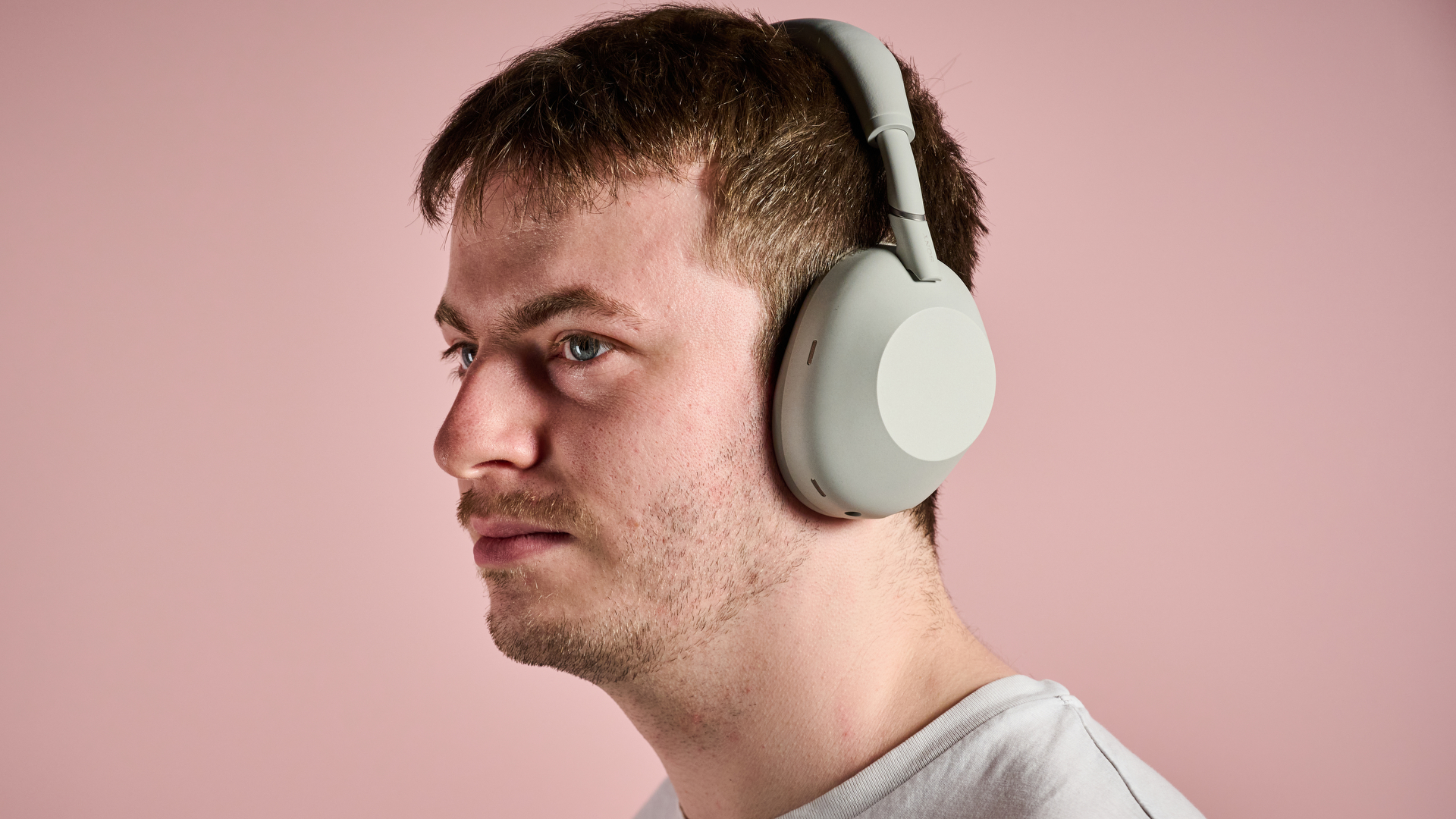
1. Noise cancelling headphones: Sony WH-1000XM6

Man using the Sony WH-1000XM6

Oh look, it's me wearing the Sony WH-1000XM6! (Image credit: Future)

Ah, Sony WH-1000XM6, my beloved. These are, in my view — and the view of many at TechRadar — the best headphones you can buy right now.

The XM6 have it all. Class-leading active noise cancellation works great, even on flights with jet rumbles and screaming children. They sound incredible, with brilliant balance across the frequency range, as well as plenty of low-end punch and excitement to make energetic tunes sound their best. And they're foldable too, making them incredibly compact when you're on the move.

These come with a handy magnetic carry case, 30 hours of battery life, and excellent touch controls. Sony's Sound Connect app also makes it easy to tailor sound to your liking and make any subtle changes you need. They're simply the best, but I'll let you find that out for yourself.

2. Small speaker: JBL Go 5

Person holding the JBL Go 5 by its strap

This small speaker is ideal for getting ready or listening to tunes by the beach (Image credit: Future)

The JBL Go 5 launched recently, and when I reviewed it, the speaker genuinely took my breath away.

It's exactly how to do an upgrade right, offering better sound, a more flashy design, and even better durability than its already impressive predecessor, the JBL Go 4. I love its edge lighting, its well-balanced sound with clean bass and rich mids, and also its broad feature set, which includes EQ options and multi-speaker pairing.

Despite improving on what its predecessor had to offer, the Go 5 is available at a very similar price, typically coming in at around the $55 / £40 mark, and if you need excellent sound, solid battery life, and high level (IP68) waterproofing on a budget, then it's the best small Bluetooth speaker to buy right now.

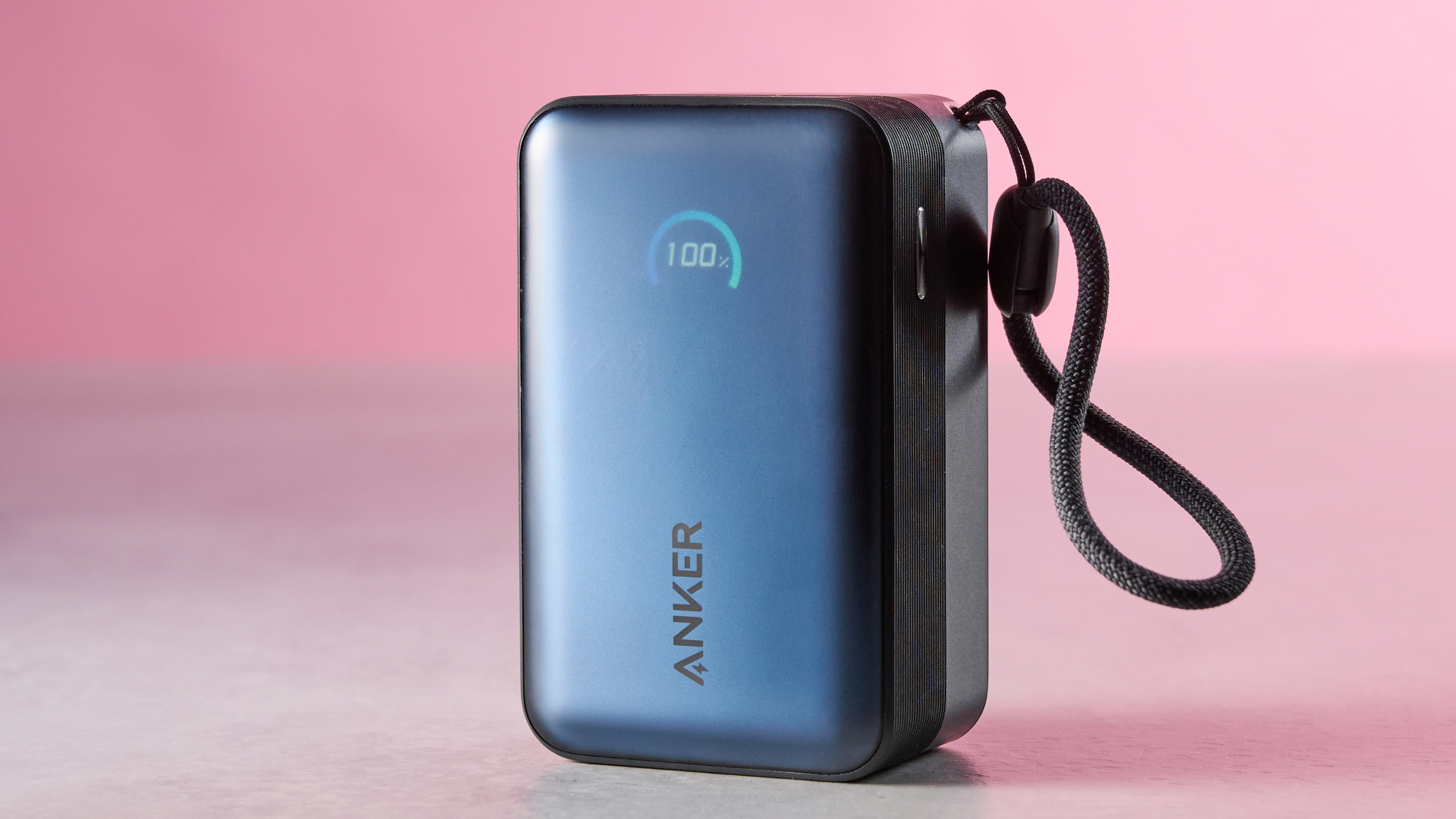
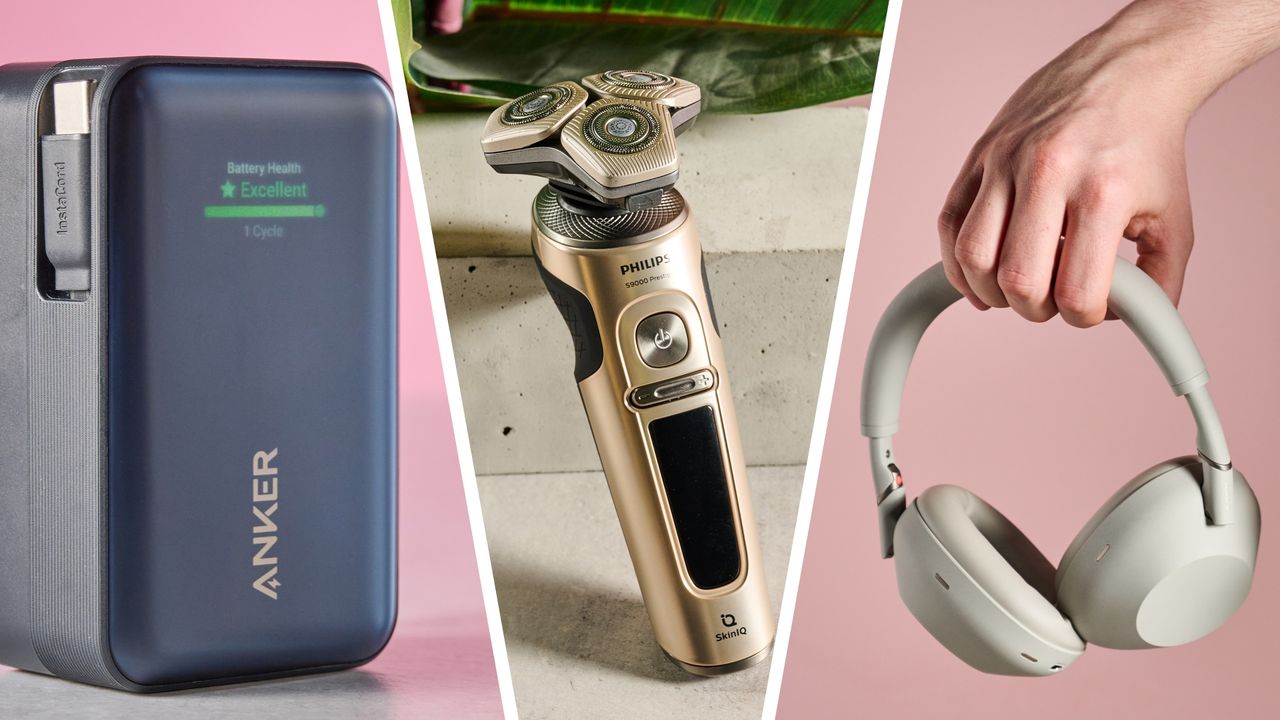
3. Power bank: Anker Nano Power Bank 10K 45W

Anker Nano Power Bank 10K 45W Built-In Retractable USB-C Cable against pink background

With an integrated cable and speedy charging, this power bank is ideal for on-the-go use (Image credit: Future)

I genuinely bring this Anker power bank with me everywhere. It's the definitive portable battery for travel for a few key reasons.

The first is its size. This model is absolutely tiny and can easily slip into a pocket or small bag, no problem. Second, it's incredibly practical. There's an integrated USB-C cable, making charging on the go totally seamless. And finally, it's a fantastic performer. That 45W max wattage means fast-charging is easily accessible on even some of the best phones.

A 10,000mAh capacity should also mean it can charge a pair of wireless headphones as well as your handset, so if you want an ultra-practical, lightweight power bank to bring on the go, the Anker Nano Power Bank 10K 45W is my number one recommendation.

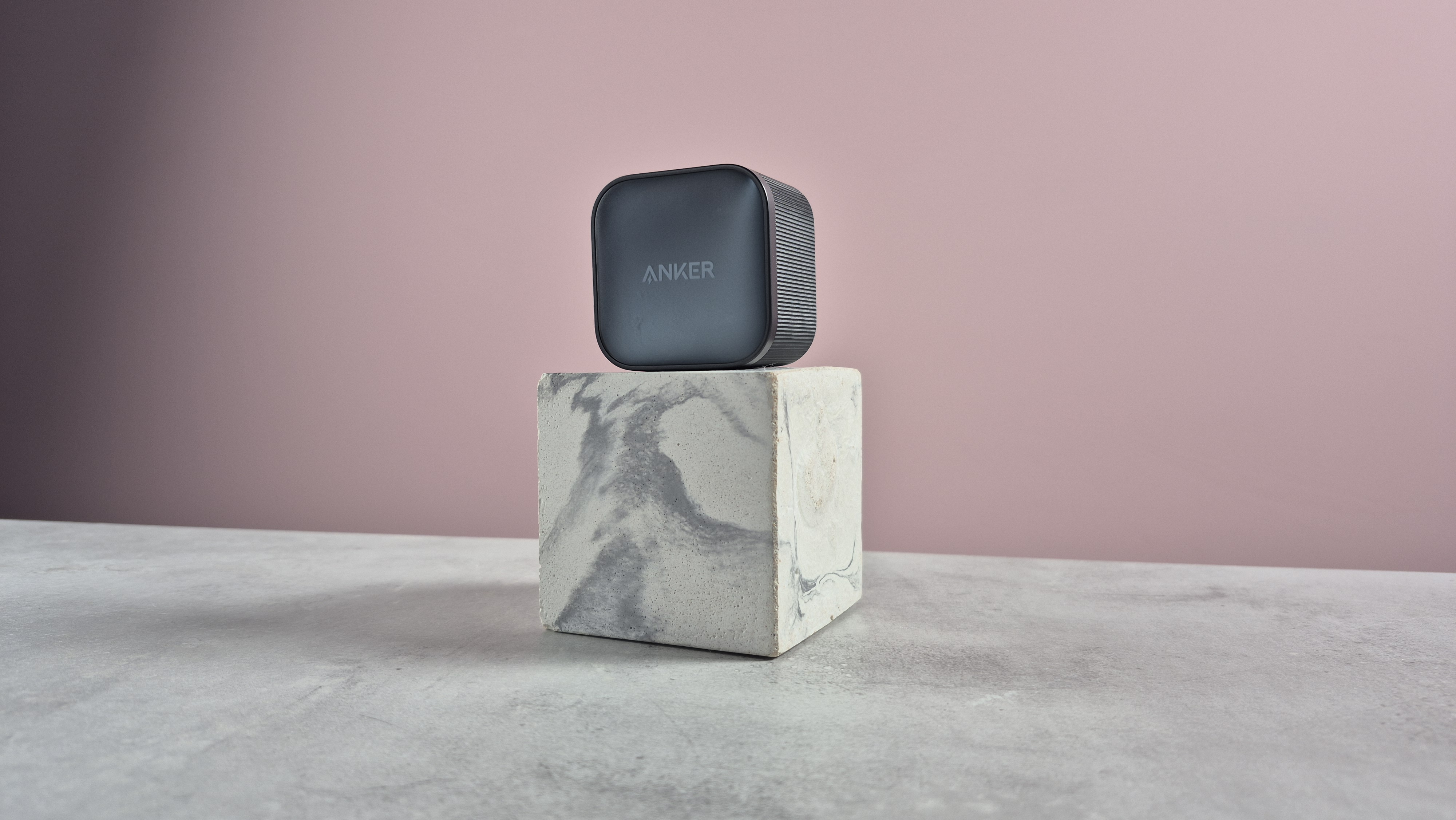
4. Travel charger: Anker Nano Charger 45W with USB-C Cable

Anker Nano Charger 45W with USB-C Cable balanced on top of block

It's compact, high-performing, and even comes with a USB-C cable (Image credit: Future)

If you need a travel charger for your phone, tablets, and wireless earbuds, then look no further than the Anker Nano Charger 45W, which comes with a USB-C cable in the box — a nice touch!

I've used this one a lot myself, and it's great for travel. Why? Well, it's incredibly compact and packs in quite a bit of power, meaning you can make use of fast charging without lugging a massive brick around. If you're using a travel adapter, the model's low weight also means it won't awkwardly get weighed down or stick out, which is a huge plus.

This charger is well-built, foldable — helping it to slide into your pocket — and highly affordable. It really has it all, so if you're still using a slow charger, then take things up a notch with this awesome Anker alternative.

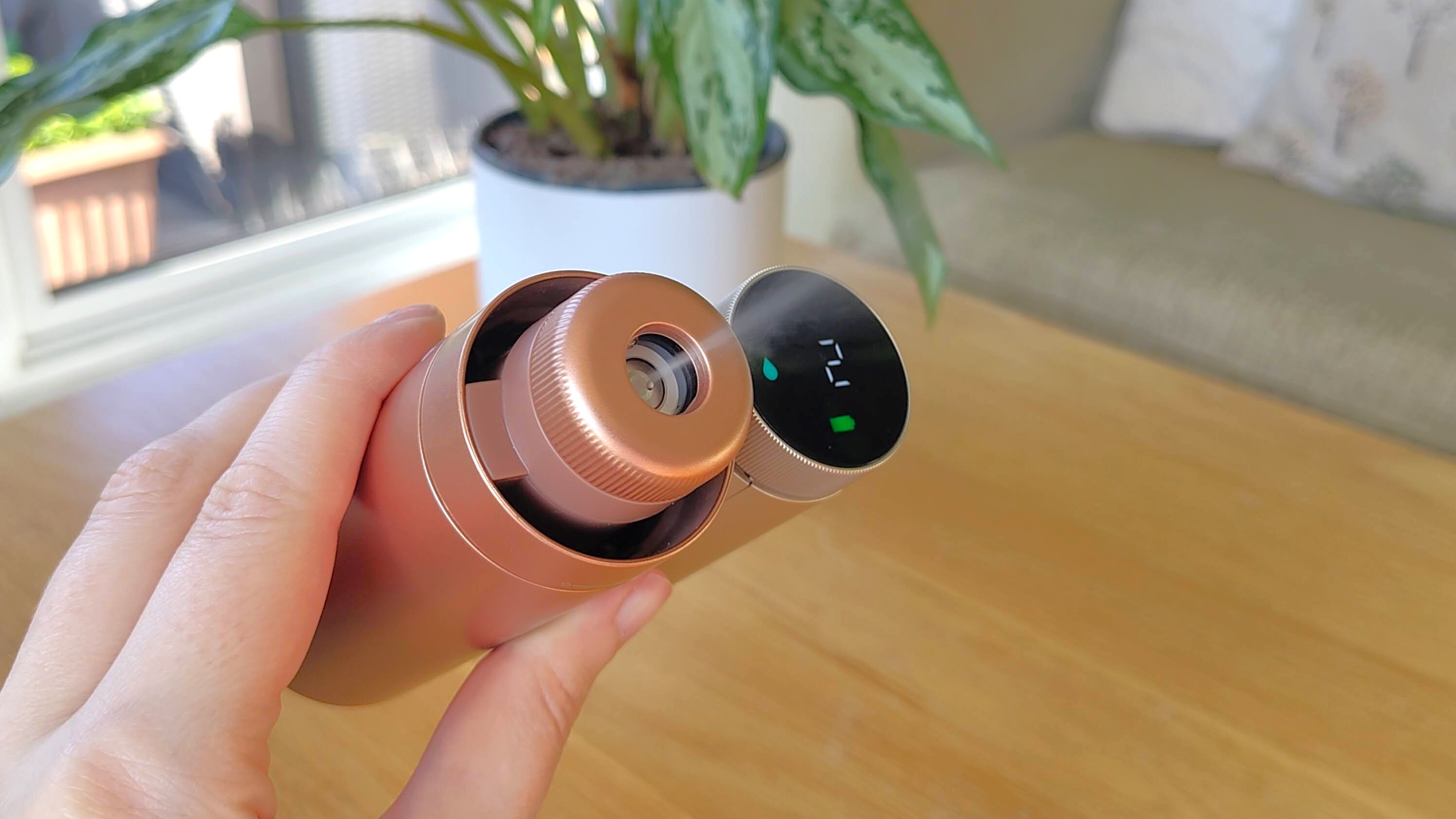
5. Portable fan: Shark ChillPill

Woman's hand holding Shark ChillPill personal fan with misting attachment

Take a ChillPill with this awesome portable fan (Image credit: Future)

In the UK, it's absolutely scorching right now. It feels like I'm fighting for my life here with the combination of high humidity and near record-breaking temperature. And when you're on your summer travels, I'd wager that it will be similarly blazing in a number of countries. What you need, then, is a portable fan.

We're big... fans... of the Shark ChillPill here at TechRadar, and awarded it a 4.5 star review recently. It has good battery life, is filled with a range of cooling options, and even has a mister for when you need a healthy blast of cold.

The build and design quality is strong here too, and the straightforward controls make it a joy to use. Yes, it's a little expensive, but we've seen it pop up on sale from time to time, so if you want to stay chilled on the move, then I'd strongly suggest picking this lil' gadget up.

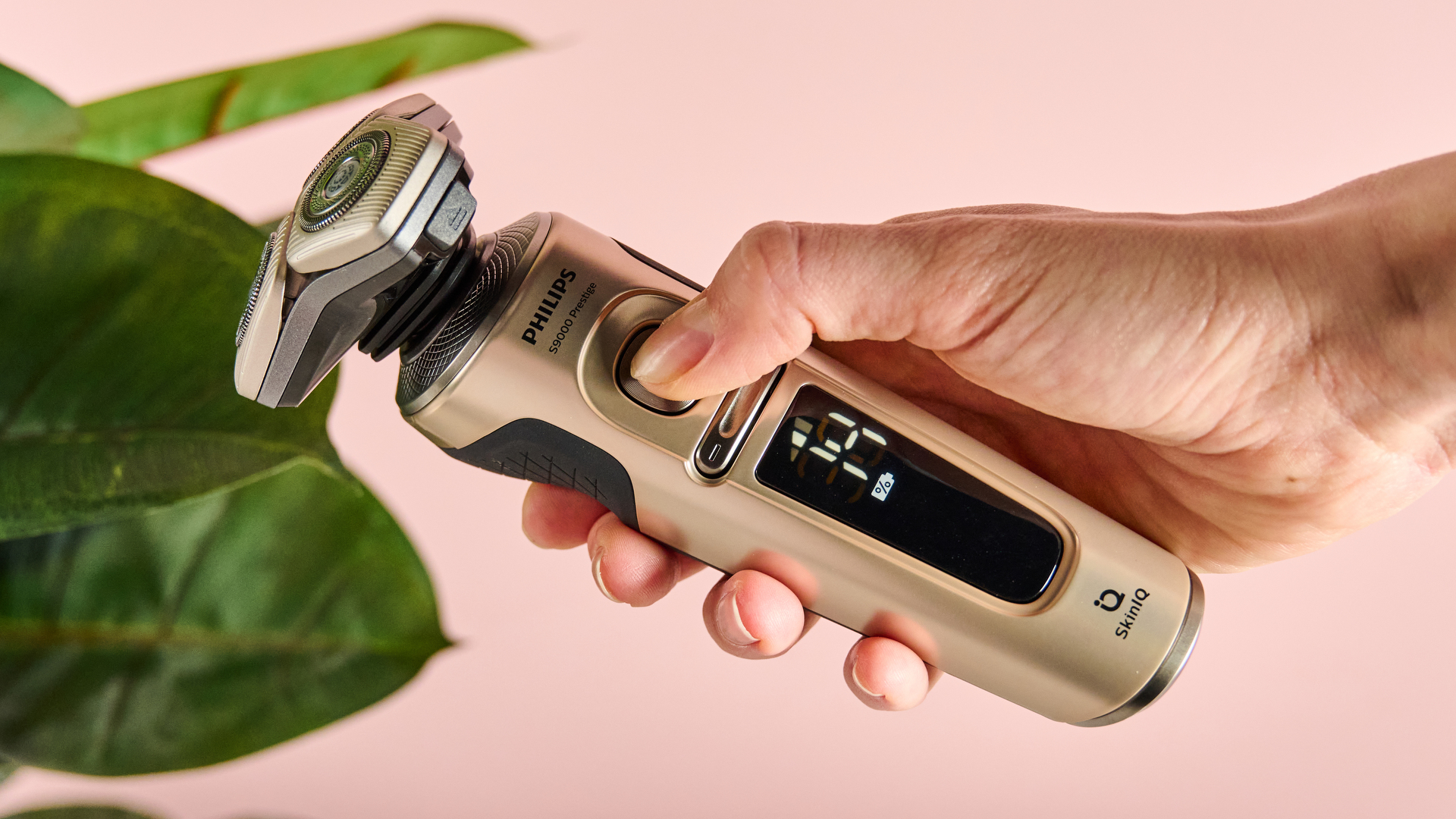
6. Philips Shaver S9000 Prestige

Person turning on the Philips Shaver S9000 Prestige

(Image credit: Future)

OK, so not everyone will need this, but if, like me, your facial hair seems to grow back in the blink of an eye, the Philips Shaver S9000 Prestige will be a great addition to your travel tech arsenal.

With multiple speed settings to suit your desired sensitivity, wet and dry shaving versatility, interchangeable heads (including a beard trimmer), and spectacular handling, the S9000 Prestige is a true all-rounder.

This model also has solid battery life and I rarely need to juice it up. But it comes with a wireless charging pad for when you're running low on power. There's also a cleaning device thrown in the box, and a carry case for whenever you're on the move.

I've found that the S9000 Prestige is kind on my skin, which is pretty prone to razor burn, and its flexible foil shaver is great at getting into those hard to reach areas around the nose, for instance. It launched at a fairly high price, but you can regularly swipe it up on sale now, so why not give it a go?

7. Clothes steamer: various options

OK, in all honesty, I've not actually got a travel clothes steamer, but when some colleagues of mine heard that I was writing this piece, they were clear that it's a must have.

After all, how many times have you been on holiday or out on a business trip and realized that our garments look a little creased? For me, it's a few times too many. With a compact clothes steamer, you can wave goodbye to pesky creases and wrinkles in a flash.

So, I have a few recommendations from the team that I'm here to share with you. For our US readers, Managing Editor of News & Deals, Jacob Krol, suggests the Conair Handheld Garment Steamer. This affordable model boasts "turbo steam power," comes with a 3-in-1 attachment, and has a water tank that's good for 20 minutes of steaming. Not bad, eh?

Over the pond, our Managing Editor of Social & Engagement, Josephine Watson, had a couple of recommendations. The first, the Tefal Pure Pop Slim Handheld, is cheap, comes in a range of funky colors, and heats up in just 15 seconds for super speedy action. Josephine told me that her bridesmaid friend bought this model in order to save a wedding dress disaster — and luckily, it worked. Talk about coming in clutch.

Josephine also recommended the Russell Hobbs Steam Genie 2in1 Handheld, even claiming she would trade her firstborn for it. Pretty high praise. This model has a 150ml water tank, can heat up nice and swiftly, and claims to kill up to 99.9% of bacteria within 60 seconds.

  •  

Back to school: my pick of the 4 best ANC headphones for studying — affordable, durable noise-cancelling cans this Prime Day

Do you need headphones for the next semester or term? I get it. And is money, er, relatively tight? Again, I understand — and the good news is, a huge sales event known as Amazon Prime Day is here to help.

See all early Prime Day deals at Amazon

I'm also here to help, as TechRadar's audio editor and full-time headphones tester since 2019. So, even if I do flatter myself, I know what makes a good set of headphones — and which pairs will lend themselves to studying that aren't those flagship sets few people can afford on a student loan.

When I went to college, there was no Bluetooth audio (why thank you but no really, it's true). There were also no music streaming services and the MP3 format was very much in its infancy.

What I did have was a portable CD player and some Sony headphones. And let me tell you that I owe every exam I passed to these products (plus my local HMV store, which I scurried along to armed with money from a part-time job waiting tables at a Wimpy restaurant).

As a dancer since age two, it turns out I have always needed music and simultaneous movement (or the compulsion to move) to retain information from books. I've since found out I'm not alone — and maybe that's why you're here.

What follows are the four best pairs of headphones I've found for students. I'll explain why briefly, and link to the best deals live now. And don't worry, you've got this.

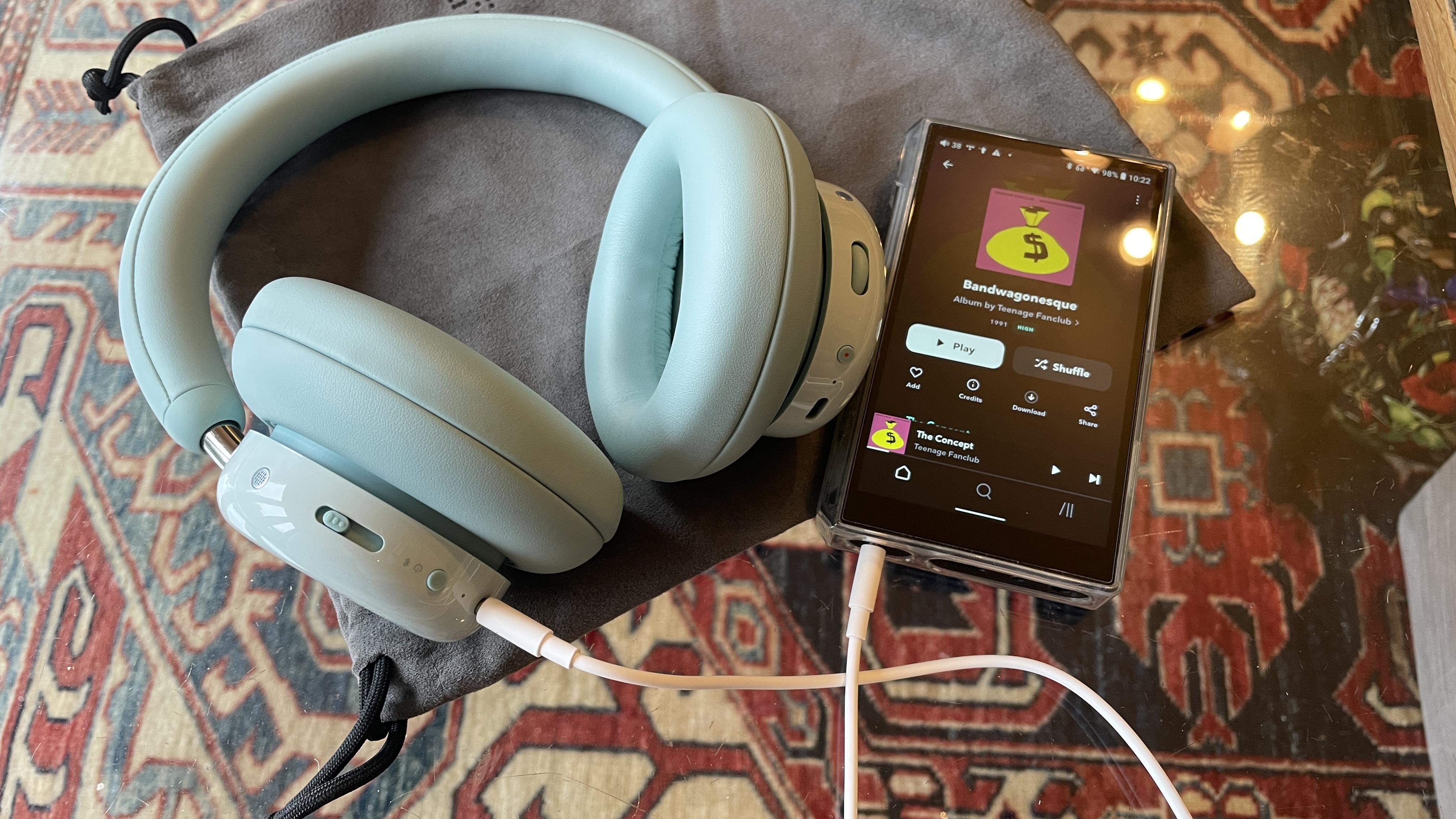
1. CMF Headphone Pro: artsy over-ears that won't break the bank

CMF Headphone Pro either beside Nothing Headphone (1) or on a table, with the accessories in the box

(Image credit: Future)

Did you know that CMF is simply Nothing's more affordable arm — so these headphones carry a lot of Nothing Headphone (a) magic, just in a more affordable build? And what a lovely original build it is too.

I tested these budget-friendly, very comfortable and surprisingly customizable over-ear headphones and if zealous, bass-hungry sound quality sounds like a bit of you, you'll love these. Add to this the outstanding battery life, the kinds of hearing tests (and personal sonic profile curation) I'm more used to seeing in headphones much higher up the food chain, an 'Energy-slider' that can ramp up the low end even further and a glorious volume wheel on the right ear cup that's something reminiscent of much pricier headgear (the kind made by a company named after a fruit, if you get me) and they're a winning combination.

All of this for a sub-$100 / £80 fee — before we start looking for discounts? OK, the ANC is acceptable rather than amazing and you don't get a hard case, but still, you’ll struggle to find a more original set of affordable headphones that offer this much for this little. Need more? Read my glowing 4.5-star CMF Headphone Pro review.

CMF Headphone Pro

TechRadar's official review scores

Features
4.5
Sound Quality
4.5
Design
4.5
Battery Life
5
Noise Cancellation
4
Value
4.5
Overall
4.5
Group 1 Data
ProductFeatures ()Sound Quality ()Design ()Battery Life ()Noise Cancellation ()Value ()Overall ()
CMF Headphone Pro4.54.54.5544.54.5
TechRadar Logo

2. OneOdio Focus A6: one of the team's best budget headphones by a mile

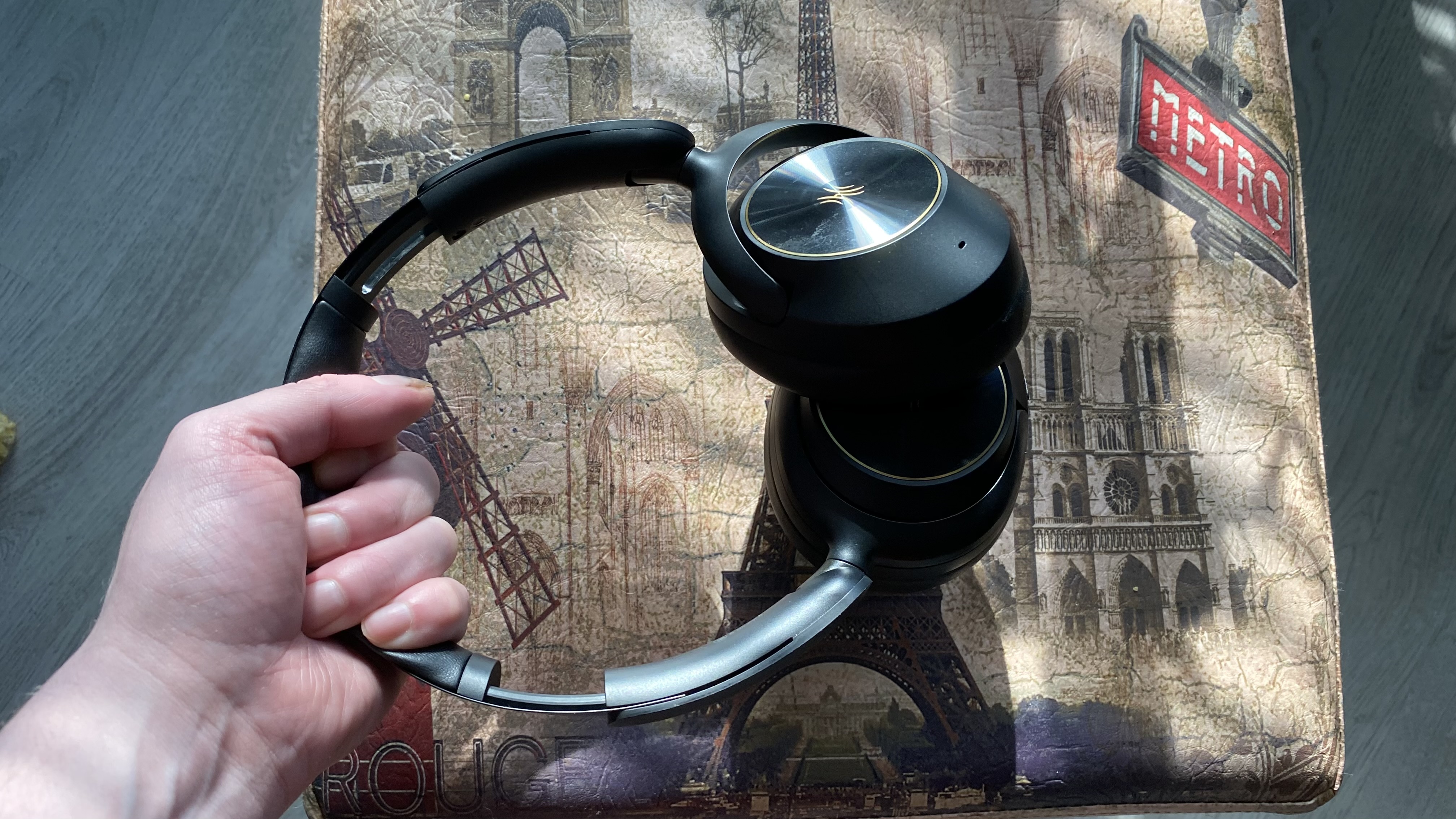
OneOdio Focus A6 over-ear headphones held by the headstrap over a Parisian stool

(Image credit: Future / Dave Meikleham)

For one of the TechRadar team, these are the best affordable cans they've ever tested — and it's not even close, as a quick scan of our 4.5-star review of the OneOdio Focus A6 shows.

You know the flagship Apple cans I vaguely mentioned before — the ones that very few of us can afford? This particular team member prefers the product you're looking at here to those elite over-ears, for sound. What else makes them so good? Well, USB-C audio support, a solid and classy build quality, plus a super-slick companion app you very rarely see at this level and Bluetooth 6.0 for starters.

Again, the ANC is very good rather than stellar, but this is budget-friendly territory and you will struggle to better it at anything like this price point. Highly recommended.

OneOdio Focus A6

TechRadar's official review scores

Features
4
Sound Quality
4.5
Design
4.5
Battery Life
5
Noise Cancellation
4
Value
5
Overall
4.5
Group 1 Data
ProductFeatures ()Sound Quality ()Design ()Battery Life ()Noise Cancellation ()Value ()Overall ()
1More Sonoflow Pro HQ5144.54.55454.5
TechRadar Logo

3. 1More Sonoflow Pro HQ51: ignore the name — focus on the value

1More SonoFlow Pro HQ51 headphones held in a man's hands

(Image credit: Future)

Try to get past the name that sounds like some sort of water filtration system (sorry, maybe just me?) and there's a musically sensitive and expressive set of headphones here that'll reward you time and again for your nominal asking fee.

In fact, we called them the "ultimate in sound-per-pound value" in our 4.5-star in-depth 1More Sonoflow Pro HQ51 review. The aesthetic is much more 'your average set of basic cans' here, but at school, college or university (where the security of your valuables will never be far from your mind), that's no bad thing. And although they might look fairly anonymous, the budget has certainly been spent on the drivers under the hood, because they sound fantastic for the money.

Here, the app isn't especially slick, but it's functional. Also, the battery life is extensive, the ANC is up to scratch and you can even listen via 3.5mm with the bundled cable in the box. If you don't mind their relatively anonymous looks, it's a winner.

1More Sonoflow Pro HQ51

TechRadar's official review scores

Features
4
Sound Quality
4
Design
4
Battery Life
5
Noise Cancellation
4
Value
5
Overall
4.5
Group 1 Data
ProductFeatures ()Sound Quality ()Design ()Battery Life ()Noise Cancellation ()Value ()Overall ()
1More Sonoflow Pro HQ514445454.5
TechRadar Logo

4. Sony over-ears, but not as you know them

Sony WH-CH520N headphones held in a hand

(Image credit: Future)

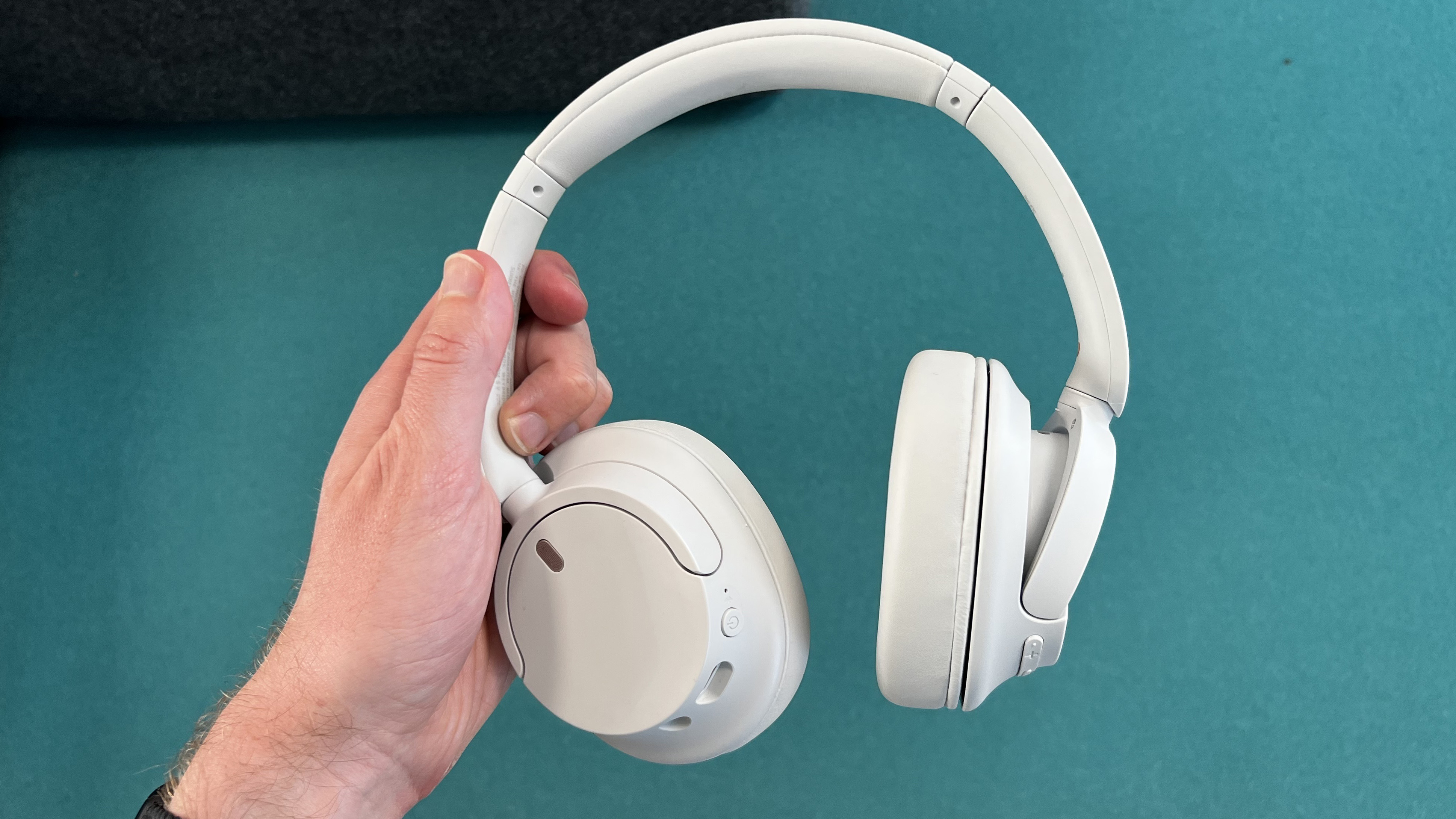
Alongside the flagship Sony WH-1000XM6 and even newer, arguably even fancier Collexion set of cans, there exists a cheaper set of Sony over-ears. And while they're a little older now (having launched in Spring 2023) they still boast effective noise cancellation and many aspects of the Sony sound quality that made their upmarket siblings the industry standard.

The name — Sony WH-CH720 — is instantly forgettable, but the sound quality is not. OK, the build is a little bit plasticky and you're not getting hi-res codecs, but the ANC does a great job at nixing extraneous sounds for this money. And while the sound feels just a tad compressed when pitted against pricier rivals, Sony's Sound Connect companion app helps to tweak things and make them a fantastic option for the money.

Also, given their relative age, I'd look out for extra discounts on Prime Day…

Sony WH_CH720

TechRadar's official review scores

Features
4.5
Sound Quality
4
Design
4
Battery Life
4.5
Noise Cancellation
4
Value
4.5
Overall
4
Group 1 Data
ProductFeatures ()Sound Quality ()Design ()Battery Life ()Noise Cancellation ()Value ()Overall ()
Sony WH-CH7204.5444.544.54
TechRadar Logo

  •  

Android 17 já está disponível para smartphones Pixel (com bugs pelo caminho). Veja as novidades do sistema operativo

Além de funcionalidades para produtividade e segurança, o Android 17 promete melhorias para os gamers e fãs de multitasking. A estreia da nova versão do sistema operativo nos smartphones Pixel fica marcada por relatos de vários problemas, de bugs no ecrã a falhas nas ligações.

The post Android 17 já está disponível para smartphones Pixel (com bugs pelo caminho). Veja as novidades do sistema operativo appeared first on Tek Notícias.

  •  

Sony’s Xperia 1 VIII is still a phone for the fans

Photo of the Sony Xperia 1 VIII sitting on a windowsill in front of flowers, showing the rear
The 1 VIII doesn’t look much like any Xperia that’s come before.

The Xperia 1 VIII marks an attempt at a step change for Sony's flagship phone line. Not only has it had an aesthetic overhaul, but Sony has also revamped the camera system, dropping the continuous optical zoom telephoto that's defined the last four generations of Xperia phone.

It's not all different. Sony staples like a 3.5mm headphone jack and microSD card slot remain, and a few specific design touches, like a thick front bezel that fits stereo speakers, have stayed intact. Sony's ambitious pricing hasn't changed either: The Xperia 1 VIII isn't launching in the US, but in the UK and Europe, it starts from £1,399 / €1,499 (about $1,850), r …

Read the full story at The Verge.

  •  
❌