Login
Login
iOS 27 Could Bring Apple’s Biggest AI Upgrade Yet to iPhone
Apple Intelligence is expanding in iOS 27 with Siri AI, Photos tools, Safari updates, Shortcuts automation, and tighter device limits.

Um novo inquérito da Comissão Europeia, divulgado nesta terça-feira, traça um retrato detalhado da relação dos adolescentes europeus com os ecrãs e as redes sociais. Os dados do Eurobarómetro revelam que Portugal está entre os países com mais horas de exposição.
The post Adolescentes portugueses passam mais de 6 horas por dia em frente a ecrãs durante o fim de semana appeared first on Tek Notícias.
Well, hey, how ’bout that? Here we are, on a random quiet-seeming week in June, and a new Android version is officially making its way into the wild and onto our favorite Googley gizmos.
Yes, indeed: Google announced the launch of Android 17 this week, and the rollout is getting underway as we speak. As usual, the software will show up for current, still-supported Pixel devices right away, over the next few to several days. (As for everyone else — well, you know the drill by now, right? It’s up to each individual Android device-maker to process and send out its software updates, and outside of Pixels, that support is exasperatingly unreliable. But odds are, if you aren’t palming a Pixel, you’ll be waiting for a while — maybe even a long while, if you have a phone by a certain manufacturer whose name rhymes with Boatorola.)
As always, some of Android 17’s most important elements are the under-the-hood privacy, security, and performance enhancements that you won’t explicitly see but that will make a critical difference in your device’s ability to operate efficiently and advisably. But this latest Android release also packs an impressive punch of interesting surface-level touches that’ll bring an instant boost to your day-to-day productivity and all-around Android-enjoying experience.
As is often the case, many of the most useful elements are things you might not ever even notice or think to tap into if you don’t know where to look.
Here are the four Android 17 features I’ve found most noteworthy so far and how you can start putting ’em to use this second.
[Psst: Don’t let the learning stop here. Check out my free Pixel Academy e-course to discover all sorts of advanced intelligence lurking within whatever Pixel you’re using!]
Our first Android 17 addition on its way to Pixel owners this week is something that’s been in the works for many a moon now — and that’s a handy new multitasking mode known as Bubbles.
Bubbles first came into the Android picture way back in 2019, but at that point, it was limited mostly to messaging and never came close to reaching its full promised potential. At long last, now, Bubbles are back, baby, and becoming everything we’d always wanted them to be.
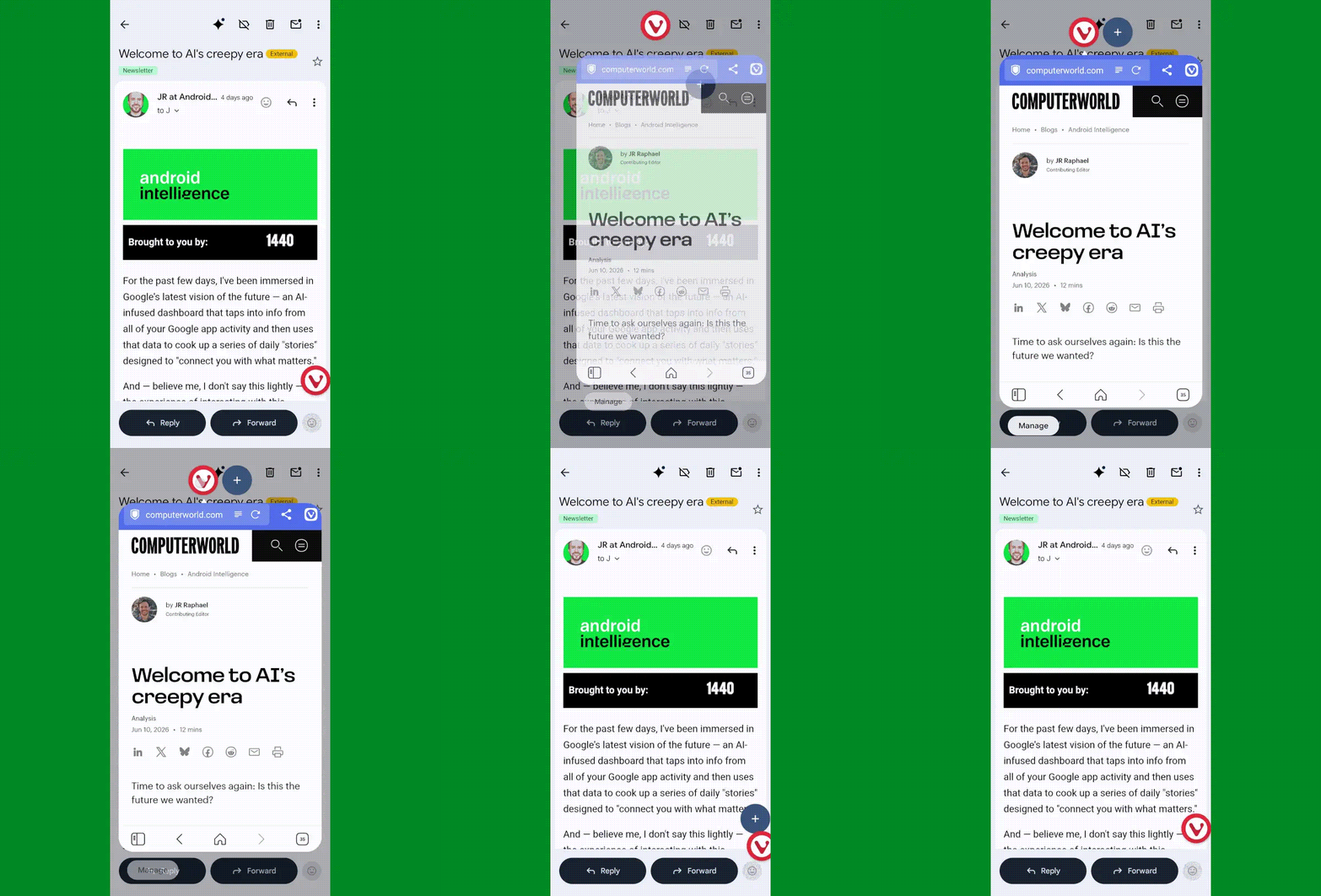
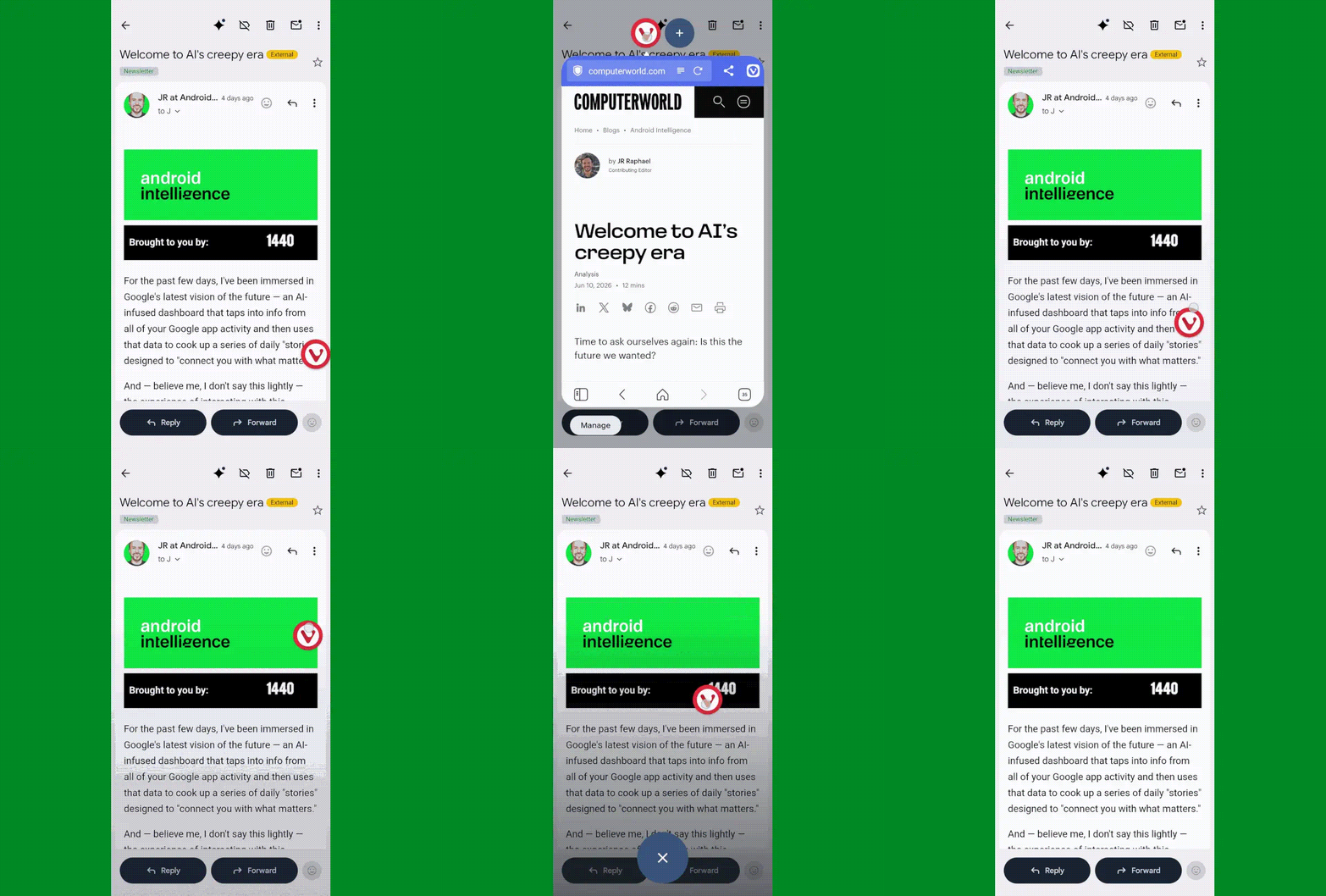
The simplest way to think about Bubbles is as a way to turn any app you’re using into a floating, collapsible window — so you can pull it up on demand when you want it, then minimize it back down into a small icon (a “bubble” — get it?!) to get it out of your hair but keep it nearby for easy ongoing access.
It’s an interesting way to multitask without having to commit to a full-fledged split-screen setup. It can be quite useful for keeping things like lists, documents, emails, chats, or anything else you’re coming back to regularly at your fingertips — so you can pop into it as needed, without any real effort, but also without having it in your face all the time.
JR Raphael, Foundry
In Android 17, Bubbles is easy to launch with any app in front of you. The only catch is that as of now, at least, it can be triggered only from the standard stock Pixel Launcher — not a custom Android launcher like Smart Launcher or Niagara.
Provided you’re using the standard Android home screen setup, though, all you’ve gotta do is:
JR Raphael, Foundry
You can also add additional bubbled apps into that same view via the plus icon next to the first app’s icon when a bubble is open. Pretty nifty, wouldn’t ya say?
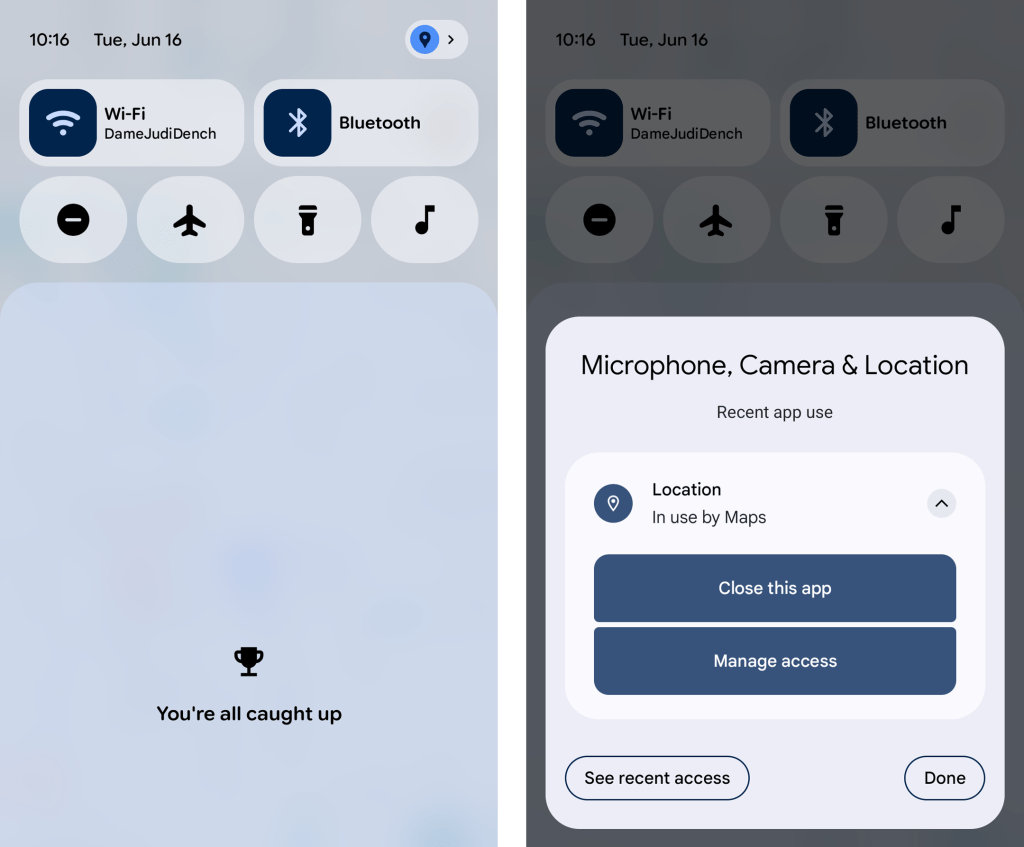
Allowing apps access to your location inevitably requires a certain amount of compromise when it comes to the ever-prickly subject of privacy — and it demands a certain level of trust that the apps in question won’t abuse the privilege or use it for reasons beyond their intended purposes.
Android 17 makes it meaningfully easier to accept that bargain and rest easy knowing your info isn’t being misused, thanks to a pair of related new privacy protection measures:
JR Raphael, Foundry
Hey, we’ll take it. Just remember to keep tabs on the permissions Google itself is claiming these days, too, as those don’t always come with a prominent pop-up.
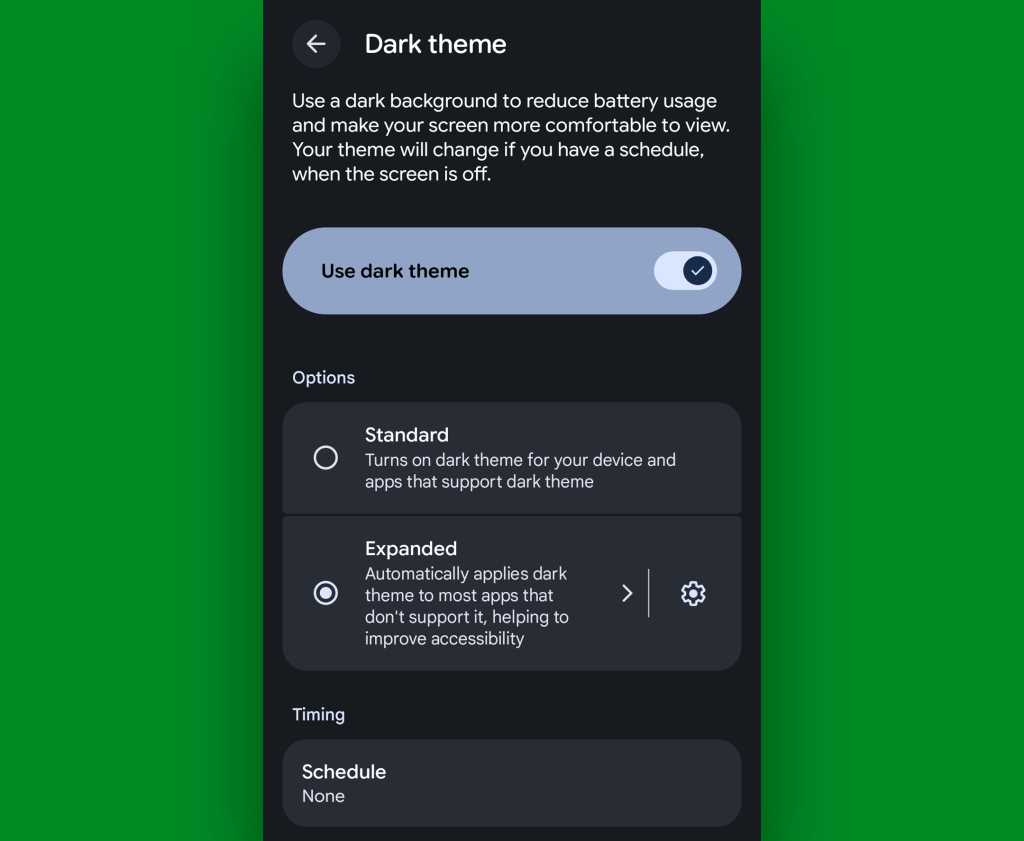
Dark mode may be one of the more divisive interface adjustments of our modern mobile moment, but if you’re a fan of the dimmer, less glary view across your Android experience, you’re bound to appreciate the added option Android 17 affords you in that area.
It’s a simple one-tap checkbox that forces apps to adjust and comply with your dark mode preference, when it’s active — even if they don’t natively support such a setting. That means those pesky apps that’d typically maintain the same standard light interface even when you activate dark mode will now turn dark along with the rest of your setup whenever Android’s dark mode is on.
All it takes it quite literally one tap on the freshly added Android 17 option:
JR Raphael, Foundry
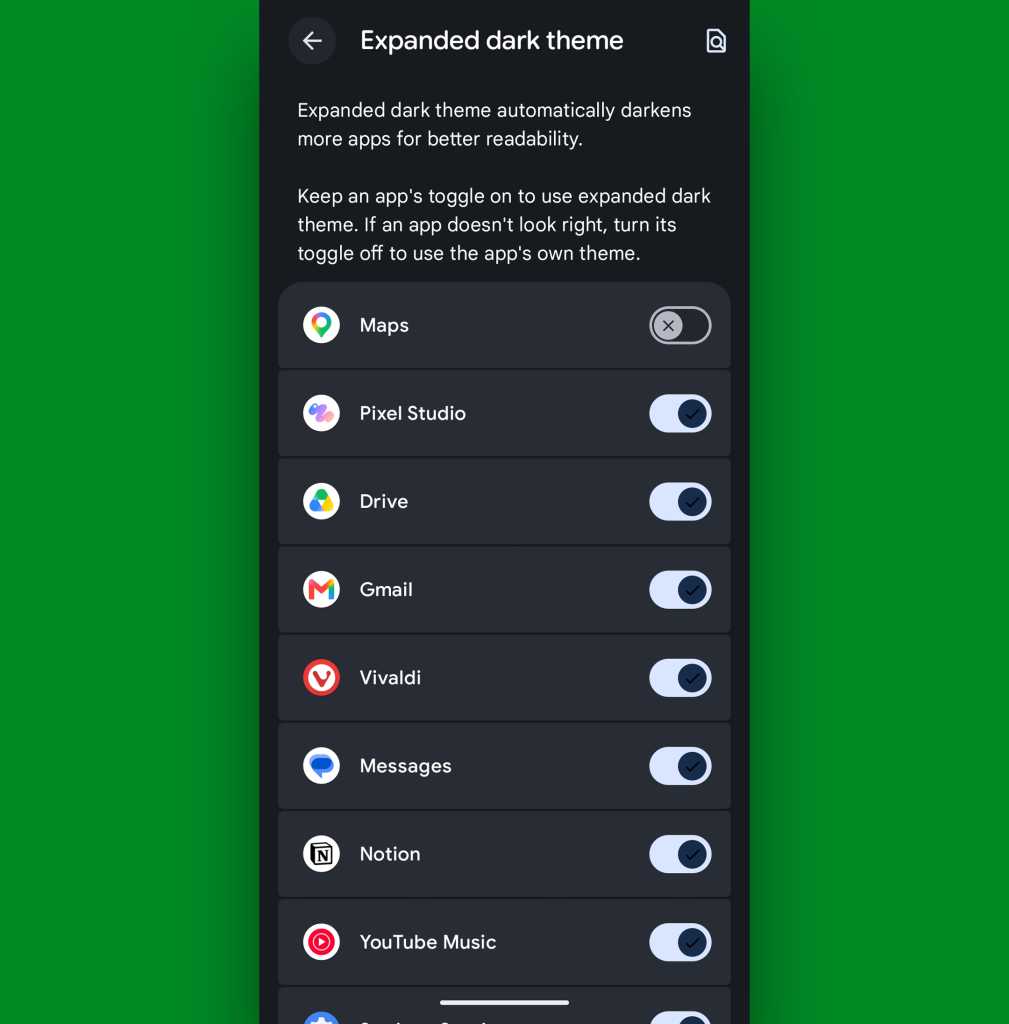
Now, one note: By forcing apps to adapt to dark mode even if they aren’t designed for it, it’s possible some programs may end up lookin’ a little funky. If that ever happens and you aren’t thrilled with an app’s adaptation, go back to that same settings screen we were just starin’ at and tap the gear-shaped icon alongside the “Expanded dark theme” option. That’ll let you create exceptions and select specific apps that don’t get dark mode automatically applied.
JR Raphael, Foundry
But everything else will now be in the dark when you want it — just like your dark, brooding heart desires.
Whether you’re a prince/princess/dutchess/middle-manager of darkness or not, Android 17’s new Comfort View may be just the thing for you.
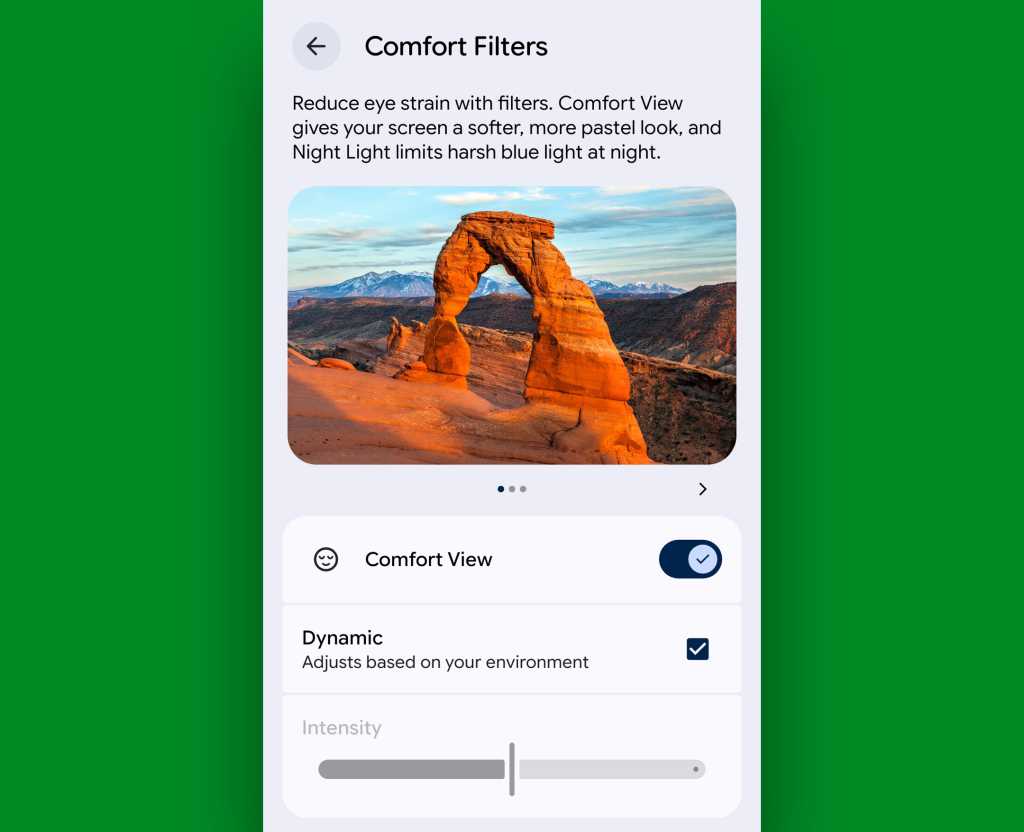
Comfort View is an off-by-default addition to your Pixel that applies a softer, more pastel-oriented filter to the display with automatic adjustments based on your current viewing environment — in other words, how bright it is around you at any given moment. Ooh, ahh, etc.
To try it out, march your way back into those Display settings, and this time, tap the line labeled “Comfort Filters.” Flip the switch next to “Comfort View,” make sure the “Dynamic” checkbox is active, and see how you feel about your newly optimized screen-color view as you move throughout your day.
JR Raphael, Foundry
If you find the filtering to be too extreme or not enough to make a difference, you can also try disabling the “Dynamic” option there and then manually adjusting the “Intensity” slider to suit your specific peeper preferences. But I suspect if you give it enough time, you’ll find the automatic adjustments to be one of those things that just works for you and makes your device a little easier on the eyes, relative to each and every viewing environment — without being something you actively think about or pay much mind.
That, if you ask me, is the sign of an effective feature. And it’s a welcome addition to Android and the ever-evolving Pixel experience.
Don’t let yourself miss an ounce of Pixel magic. Come check out my free Pixel Academy e-course to find tons of hidden features and time-saving tricks for your Googley gizmo.

Android 17 has been in testing since early this year, with the final beta hitting devices just a couple of weeks ago. Insofar as a mature operating system like Android still has big days, this is one of them. The official Android 17 build is starting its rollout on Pixel phones, adding a small set of new features and laying the groundwork for the future. This release also coincides with a Pixel Drop and a new version of Wear OS (based on Android 17) on Pixel Watches.
Google no longer uses an unmodified version of Android on its phones—the Pixel build includes numerous features that are distinct from Android 17 itself. Other device makers will include versions of some of these features when they eventually update their phones, but for now, Google's Pixel phones are the only way to experience Android 17.
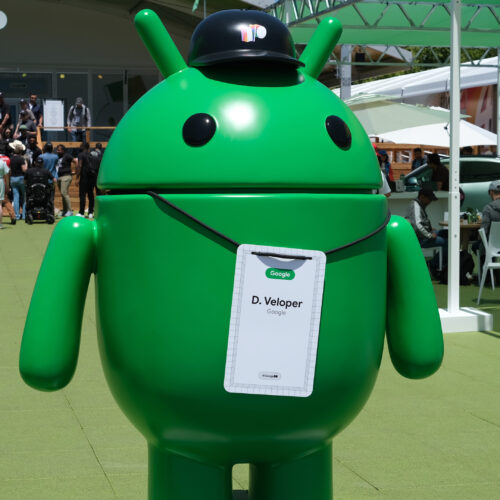
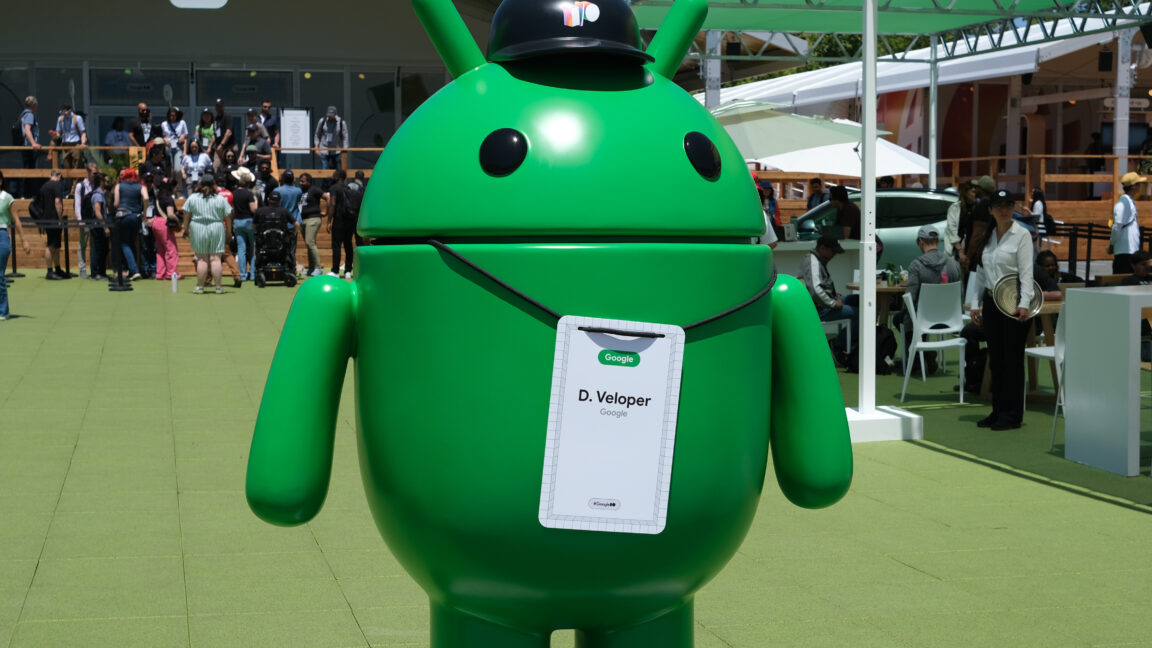
The multitasking Bubbles system in Android 17 expands on a similar (but underutilized) messaging feature. In Android 17 on Pixels, you can long-press on any app icon to open that app as a floating window. When minimized, these bubbles stay on top of other apps. On foldable phones, the bubbles dock into a "bubble bar" for easy multitasking.
© Ryan Whitwam
Android 17 has been in testing since early this year, with the final beta hitting devices just a couple of weeks ago. Insofar as a mature operating system like Android still has big days, this is one of them. The official Android 17 build is starting its rollout on Pixel phones, adding a small set of new features and laying the groundwork for the future. This release also coincides with a Pixel Drop and a new version of Wear OS (based on Android 17) on Pixel Watches.
Google no longer uses an unmodified version of Android on its phones—the Pixel build includes numerous features that are distinct from Android 17 itself. Other device makers will include versions of some of these features when they eventually update their phones, but for now, Google's Pixel phones are the only way to experience Android 17.
The multitasking Bubbles system in Android 17 expands on a similar (but underutilized) messaging feature. In Android 17 on Pixels, you can long-press on any app icon to open that app as a floating window. When minimized, these bubbles stay on top of other apps. On foldable phones, the bubbles dock into a "bubble bar" for easy multitasking.
© Ryan Whitwam
Além de uma câmara principal de 200 MP e de uma telefoto periscópica ZEISS APO, o dobrável Vivo X Fold 6 será compatível com um teleconversor, que permite alcançar uma distância focal equivalente até 200 mm.
The post Próximo dobrável da Vivo chega com câmara de 200 MP e suporte a teleconversor para “ver” mais longe appeared first on Tek Notícias.
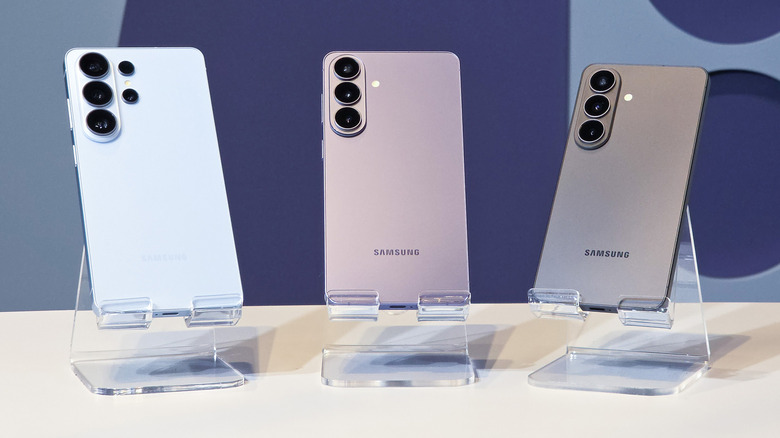
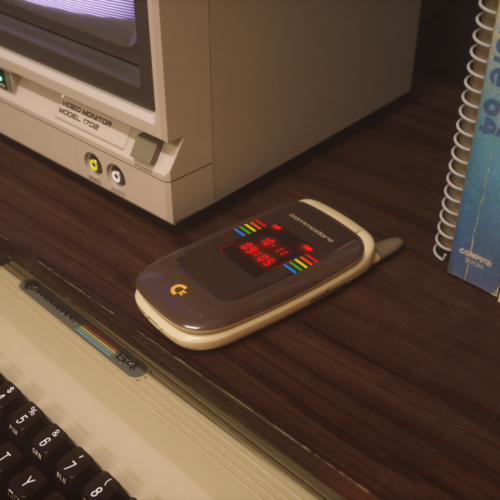
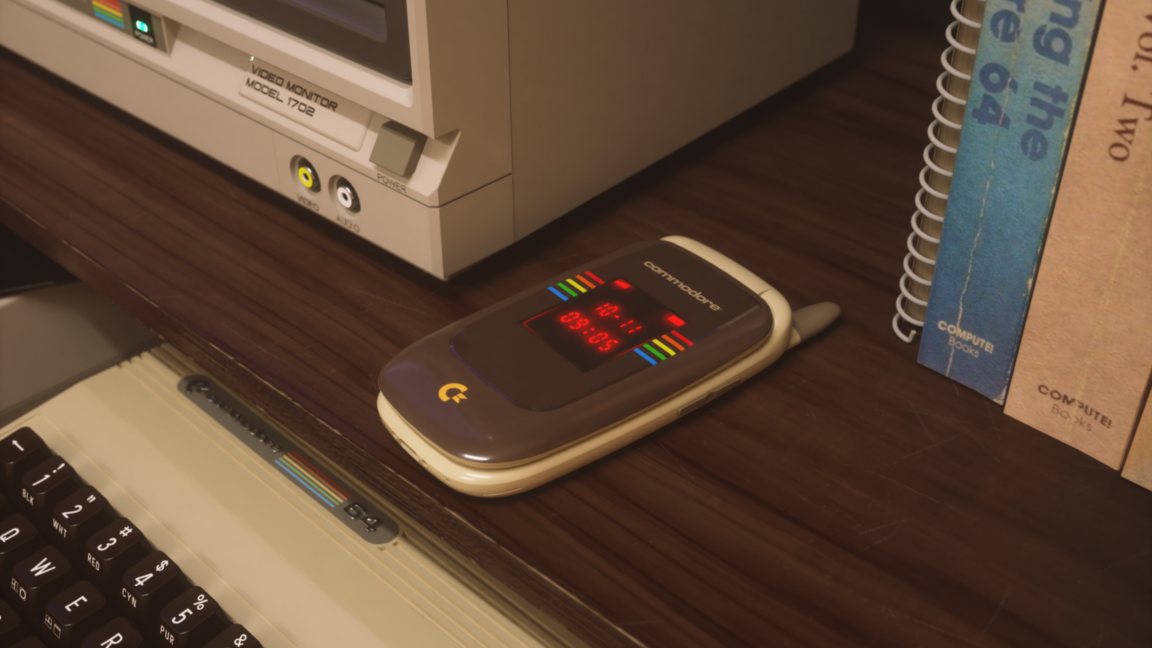
The next gadget to bear the storied Commodore branding will be a flip phone.
The name behind the bestselling desktop PC in history came back about a year ago. Christian “Peri Fractic” Simpson, best known for running the Retro Recipes (now known as Retro Recipes x Commodore) YouTube channel, acquired the Commodore Corporation and "100 percent of the original and official trademarks that defined the Commodore name since 1983,” per a July 2025 press release. Simpson said the price was “in the low seven figures.” Since the acquisition, the brand released the Commodore 64 Ultimate and the Commodore 64X PC, a mini PC housed in a chassis that resembles the Commodore 64.
Today, the new Commodore announced a new device in a dated design: a flip phone.
© Commodore
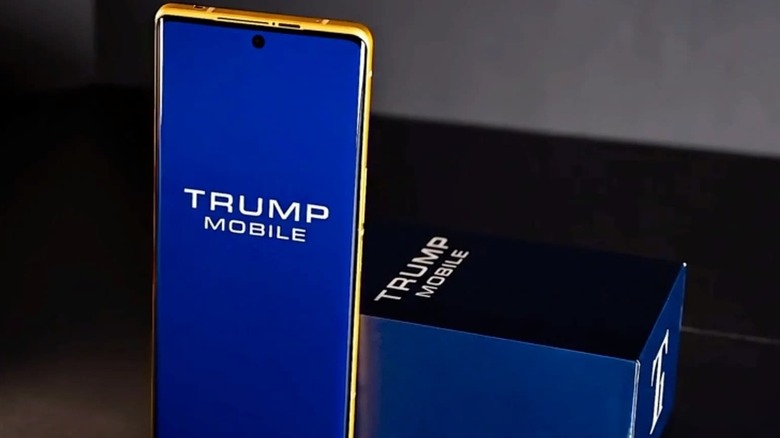
O Trump Phone não é o que parece e uma nova desmontagem da iFixit confirma o que muitos suspeitavam. Afinal, o smartphone é quase idêntico ao HTC U24 Pro, lançado em 2024.
The post Que segredos esconde o Trump Phone? Desmontagem confirma que não é tão novo (ou americano) quanto parece appeared first on Tek Notícias.
Em entrevista ao TEK, Peter Windischhofer, cofundador da Refurbed, antecipa um cenário de maior pressão nos preços dos novos equipamentos devido à escassez de chips e deixa um alerta: há milhões de smartphones esquecidos nas gavetas dos portugueses que podem ser a chave para a independência de recursos na Europa.
The post Do lixo eletrónico à “mina urbana”: A economia circular pode salvar a soberania tecnológica da Europa? appeared first on Tek Notícias.