❌

Reading view

'It's not an OLED-killer yet': I tested Hisense’s affordable RGB TV, and while I like its picture quality and performance, it surprisingly falls short in the area I had the highest hopes for

Hisense UR8 review: Two-minute review

The Hisense UR8 is the first ‘affordable’ RGB TV on the market, and while it has a strong feature set and mostly good picture quality, the UR8 doesn't demonstrate the ‘OLED-killer’ status the RGB tech has been given. While it’s a good TV, it can’t count itself among the best TVs I've tested this year.

The UR8 has a good number of smart and AI features, as well as features for gaming. It also has four HDMI 2.1 ports, an anti-glare screen akin to Samsung’s own Glare Free screens, and comes equipped with Hisense’s Hi-View AI RGB processor.

Picture quality on the UR8 is good, but delivers some disappointments. It demonstrates excellent backlight control for an LED, backlit TV, as well as strong contrast, decent black levels, and crisp textures. Its motion is also good, even with out-of-the-box picture modes, though I did note some blurring at times.

However, as this is an RGB TV, its big selling point should be its colors, and while they are natural, and can appear punchy, they’re not as bold as I hoped for, especially given its ostensibly impressive test measurements (more on that below). While RGB is a step forward in some aspects for mini-LED, TVs using the technology still can’t compete with the best OLED TVs.

Sound quality is solid. The UR8 delivers some weighty bass, good accuracy and precise sound mapping, and delivers clear speech in movies and TV shows. The soundstage can sound narrow, however, and Dolby Atmos effects aren’t always clear. While the built-in sound is good for the most part, home theater fans will likely want to supplement it with one of the best soundbars.

Gaming is one of the UR8’s strengths. With four HDMI 2.1 ports, all kitted out for gaming, it supports up to 4K 180Hz and VRR. When actually playing games, the UR8 feels responsive and delivers a smooth experience. Getting a low input lag time does require adjustment of settings and the picture isn’t always perfect; but while it doesn’t beat the best gaming TVs, the UR8 is still good for gaming.

Value is a mixed bag with the UR8. The 65-inch model I tested launched for $1,999 / £2,299 / AU$2,495, and while prices are already dropping in the US, and it's great value in Australia, its price in the UK puts it in direct competition with some of the best OLED TVs, like the LG C6. While it does deliver good performance and features for the price in the US and Australia, the same isn’t true for the UK.

Hisense UR8 review: Prices & release dates
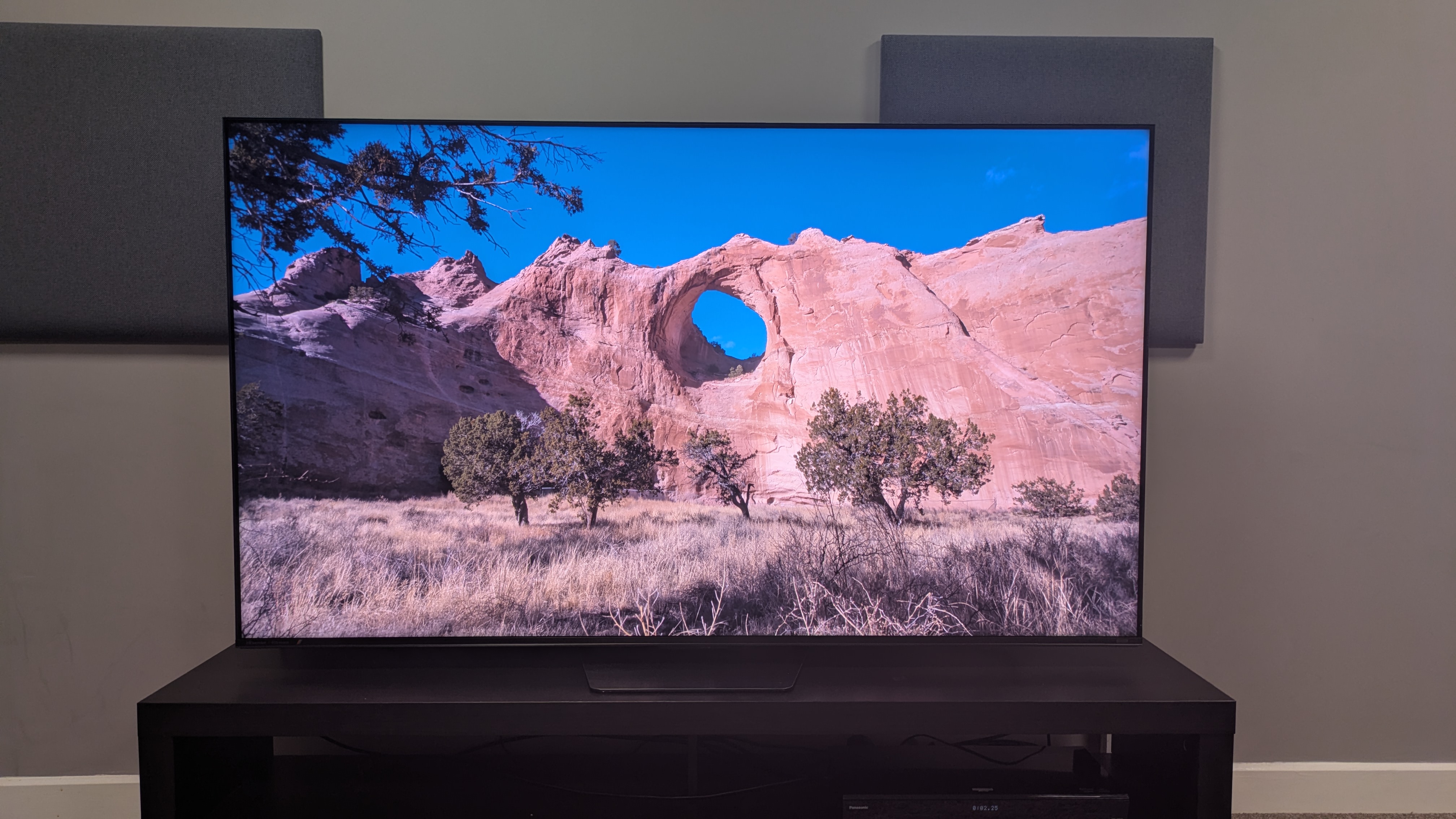
Hisense UR8 showing a bright canyon cliff on screen. The image shows good brightness with accurate colors

(Image credit: Future)
  • Release dates: June 2026 (US) / July 2026 (UK)
  • 55-inch: $1,299 / £1,699 / AU$1,895
  • 65-inch: $1,999 / £2,299 / AU$2,495
  • 75-inch: $2,499 / £2,999 / AU$3,195
  • 85-inch: $3,499 / £3,499 / AU$4,695
  • 100-inch: $5,999 / £7,999 / AU$N/A

The UR8 is the Hisense's entry-level RGB mini-LED TV, sitting below the flagship Hisense UR9, but above TVs in the brand's standard mini-LED range such as the Hisense U7S. It’s available in sizes 55-85-inch in most regions, and available in 100-inch in the US and UK (there's no listing for an Australian model yet). The 65-inch model I tested launched for $1,999 / £2,299 / AU$2,495.

Since its release, the UR8’s prices have already dropped in the US, with the 65-inch now available for $1,499. The 55-inch has dropped as low as $999, putting it in the same price bracket as some standard mini-LED models. The same can’t be said in the UK, where its prices are not only higher than standard mini-LED competition, but even pricier than the LG C6 OLED.

Hisense UR8 review: Specs

Hisense UR8

Screen type:

RGB mini-LED

Refresh rate:

Up to 180Hz

HDR support

Dolby Vision, HDR10+, HDR10, HLG

Audio support:

Dolby Atmos and DTS:X

Smart TV:

Google TV (US), VIDAA (UK/Australia)

HDMI 2.1 ports:

4 x HDMI 2.1

Built-in tuner:

ATSC 3.0

Hisense UR8 review: Benchmark results

1 / 4

Brightness measurements

Taken using a colorimeter and test pattern generator. Click the test name for measurements and select the chosen test from the dropdown menu.

Hisense UR8
HDR Filmmaker Mode (10% window)
2097
HDR Filmmaker Mode (Fullscreen)
771
TCL QM8L
HDR Filmmaker Mode (10% window)
3719
HDR Filmmaker Mode (Fullscreen)
759
Samsung QN80H
HDR Filmmaker Mode (10% window)
1149
HDR Filmmaker Mode (Fullscreen)
603
01,0002,0003,0004,000
nits
HDR Filmmaker Mode Data
ProductHDR Filmmaker Mode (10% window) (nits)HDR Filmmaker Mode (Fullscreen) (nits)
Hisense UR82097771
TCL QM8L3719759
Samsung QN80H1149603
Hisense UR8
HDR Standard Mode (10% window)
2394
HDR Standard Mode (Fullscreen)
767
TCL QM8L
HDR Standard Mode (10% window)
3771
HDR Standard Mode (Fullscreen)
795
Samsung QN80H
HDR Standard Mode (10% window)
1204
HDR Standard Mode (Fullscreen)
672
01,0002,0003,0004,000
nits
HDR Standard Data
ProductHDR Standard Mode (10% window) (nits)HDR Standard Mode (Fullscreen) (nits)
Hisense UR82394767
TCL QM8L3771795
Samsung QN80H1204672
Hisense UR8
SDR Filmmaker Mode (10% window)
314
SDR Filmmaker Mode (Fullscreen)
372
TCL QM8L
SDR Filmmaker Mode (10% window)
229
SDR Filmmaker Mode (Fullscreen)
0
Samsung QN80H
SDR Filmmaker Mode (10% window)
199
SDR Filmmaker Mode (Fullscreen)
231
0100200300400
nits
SDR Filmmaker Mode Data
ProductSDR Filmmaker Mode (10% window) (nits)SDR Filmmaker Mode (Fullscreen) (nits)
Hisense UR8314372
TCL QM8L229N/A
Samsung QN80H199231
Hisense UR8
SDR Standard Mode (10% window)
1514
SDR Standard Mode (Fullscreen)
778
TCL QM8L
SDR Standard Mode (10% window)
581
SDR Standard Mode (Fullscreen)
0
Samsung QN80H
SDR Standard Mode (10% window)
588
SDR Standard Mode (Fullscreen)
340
05001,0001,5002,000
nits
SDR Standard Data
ProductSDR Standard Mode (10% window) (nits)SDR Standard Mode (Fullscreen) (nits)
Hisense UR81514778
TCL QM8L581N/A
Samsung QN80H588340
TechRadar Logo

HDR color gamut

Closer to 100% is better. Taken using a colorimeter and test pattern generator.

Hisense UR8
UHDA-P3
145.2
BT.2020
95.1
TCL QM8L
UHDA-P3
97.9
BT.2020
90.2
Samsung QN80H
UHDA-P3
95.2
BT.2020
75
037.575112.5150
HDR Filmmaker Mode Data
ProductUHDA-P3 ()BT.2020 ()
Hisense UR8145.295.1
TCL QM8L97.990.2
Samsung QN80H95.275
TechRadar Logo

Picture accuracy

A lower score is better. Taken using a colorimeter and test pattern generator.

SDR Delta-E

Hisense UR8
7.9
TCL QM8L
3.7
Samsung QN80H
1.8
012345678
SDR Delta-E Data
ProductValue
Hisense UR87.9
TCL QM8L3.7
Samsung QN80H1.8
TechRadar Logo

Input lag

Lower is better. Taken using a Leo Bodnar 4K HDMI Video Signal Lag Tester.

Hisense UR8
4K 60Hz
11.7
1080p 120Hz
11.7
TCL QM8L
4K 60Hz
9.5
1080p 120Hz
0
Samsung QN80H
4K 60Hz
12.3
1080p 120Hz
5.8
03.757.511.2515
ms
HDR Filmmaker Mode Data
Product4K 60Hz (ms)1080p 120Hz (ms)
Hisense UR811.711.7
TCL QM8L9.5N/A
Samsung QN80H12.35.8
TechRadar Logo

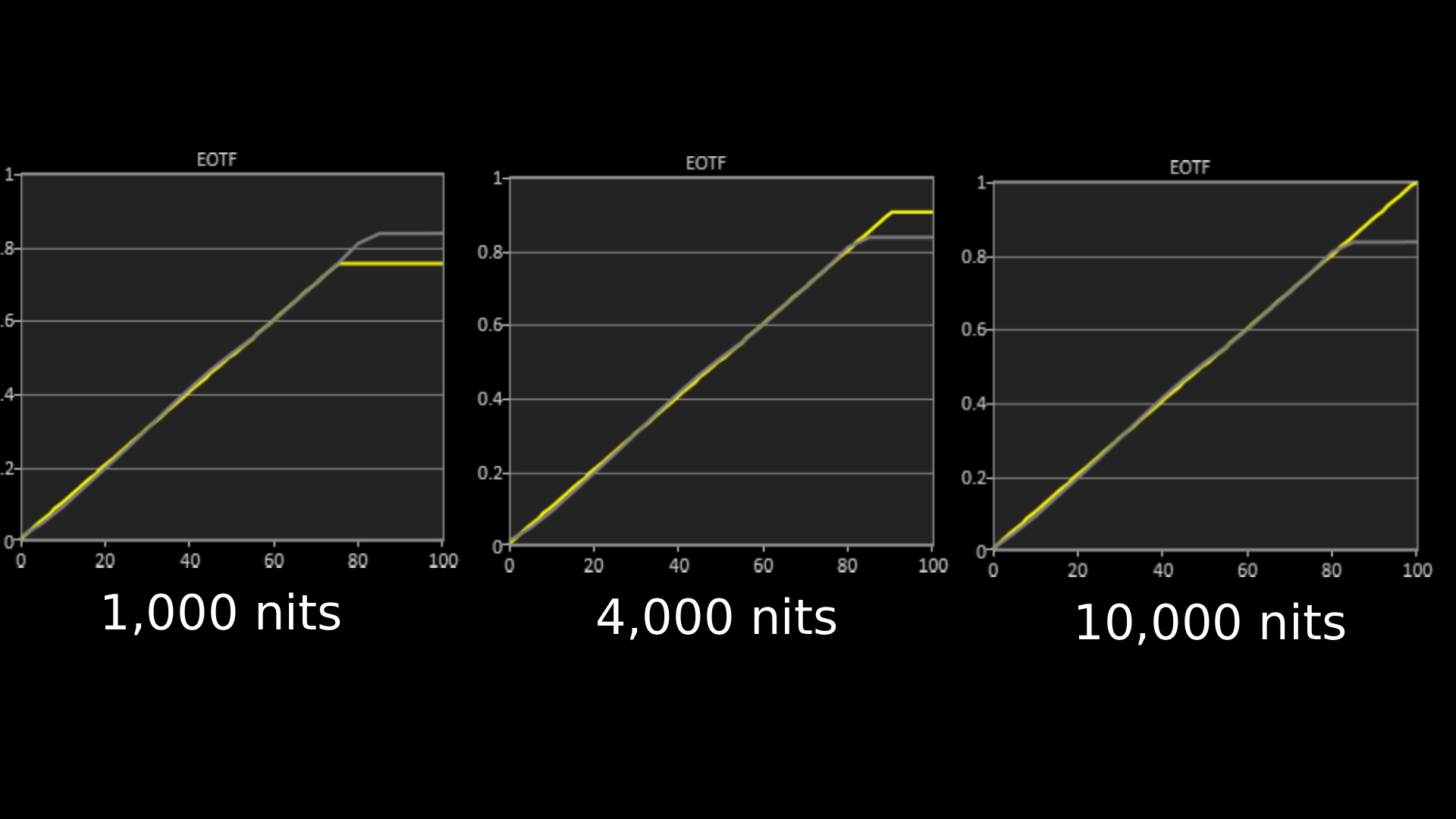
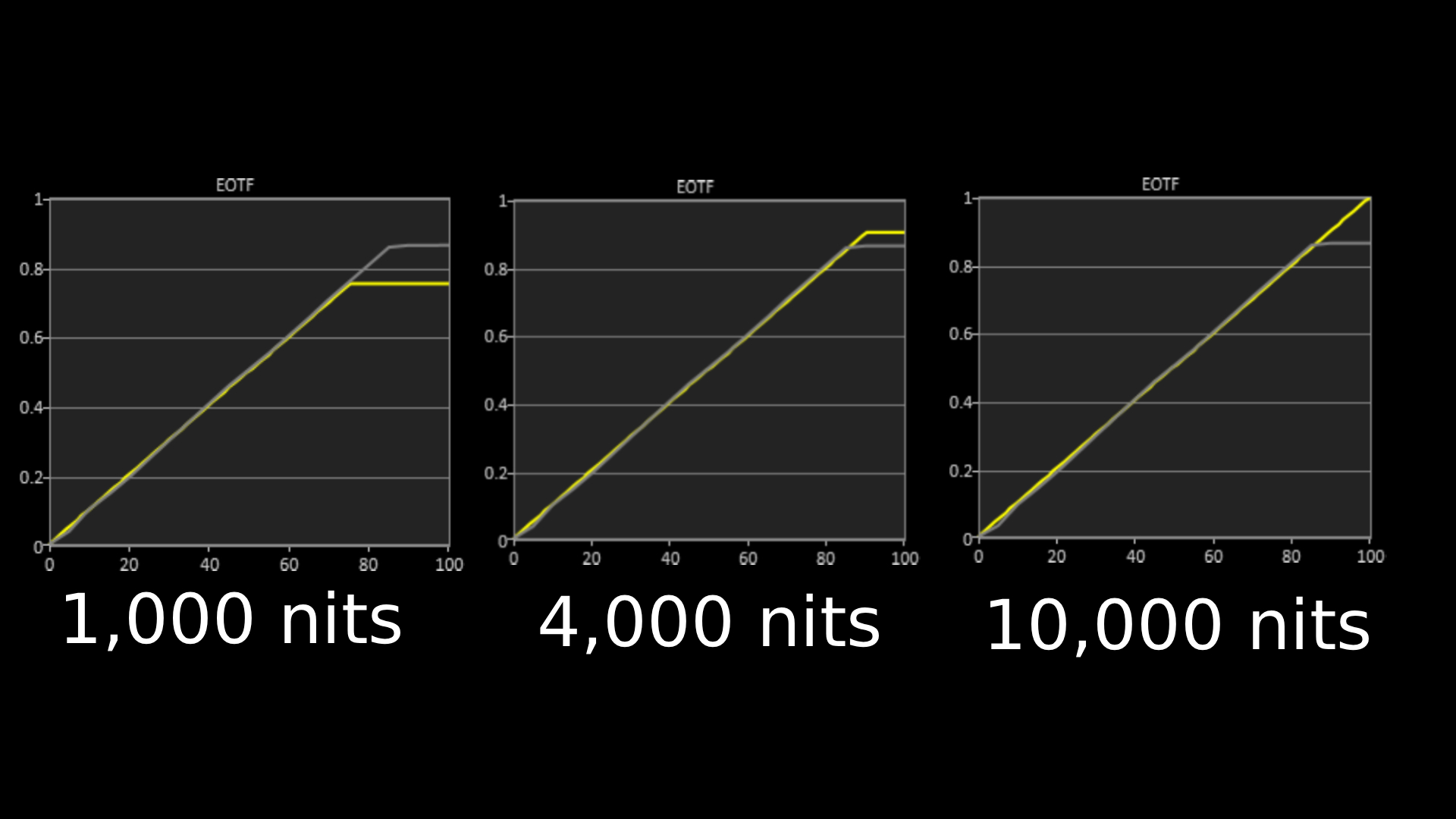
Hisense UR8 EOTF graphs for 1,000, 4,000 and 10,000 nits

The above EOTF graphs show the accuracy of the Hisense UR8 for hitting different HDR brightness levels in grayscale. The closer to the yellow line, the more accurate a TV is. As with all our tests, these results are out of the box, without calibration, to demonstrate the performance most people will get. As you can see, the UR8 did very well on all three target tests, showing little deviation from the reference line. (Image credit: Future)

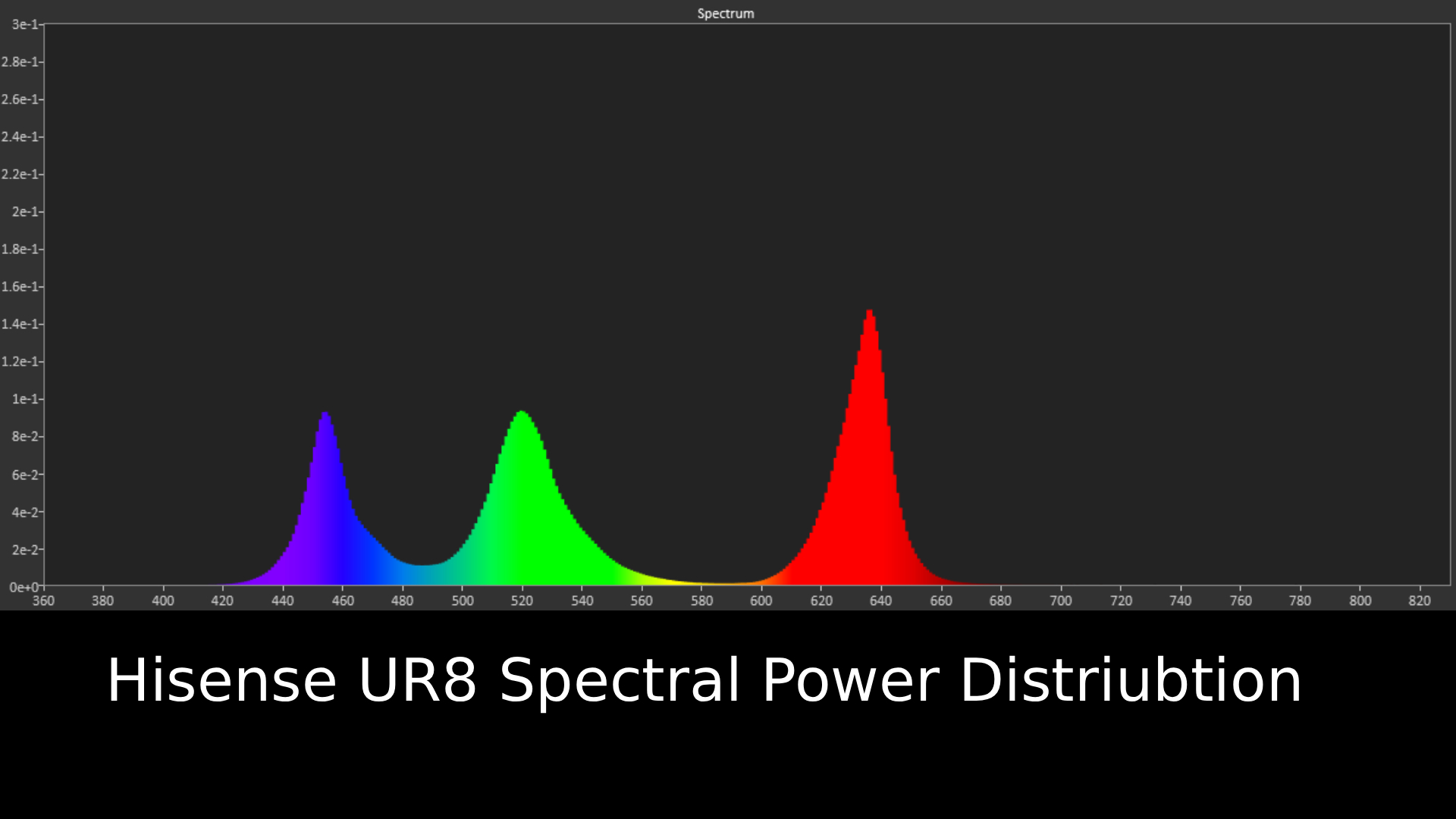
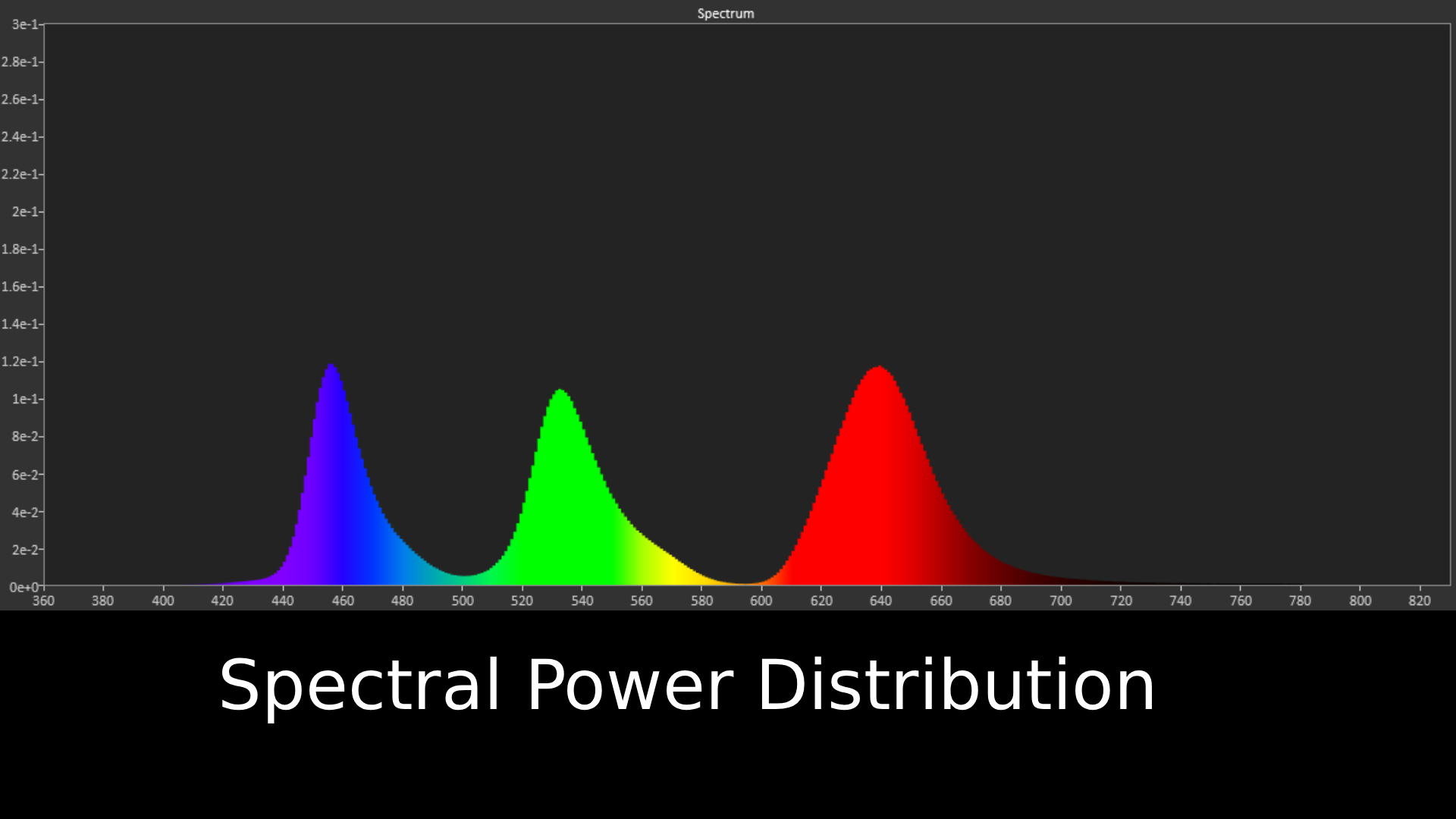
Hisense UR8 Spectral Power Distribution graph

Spectral power distribution refers to the intensity of light that a source will display at various wavelengths of color. It can reveal how accurate a source can show color at different light levels, and can be instructive in understanding how a TV is handling color (Image credit: Future)

Hisense UR8 review: Features

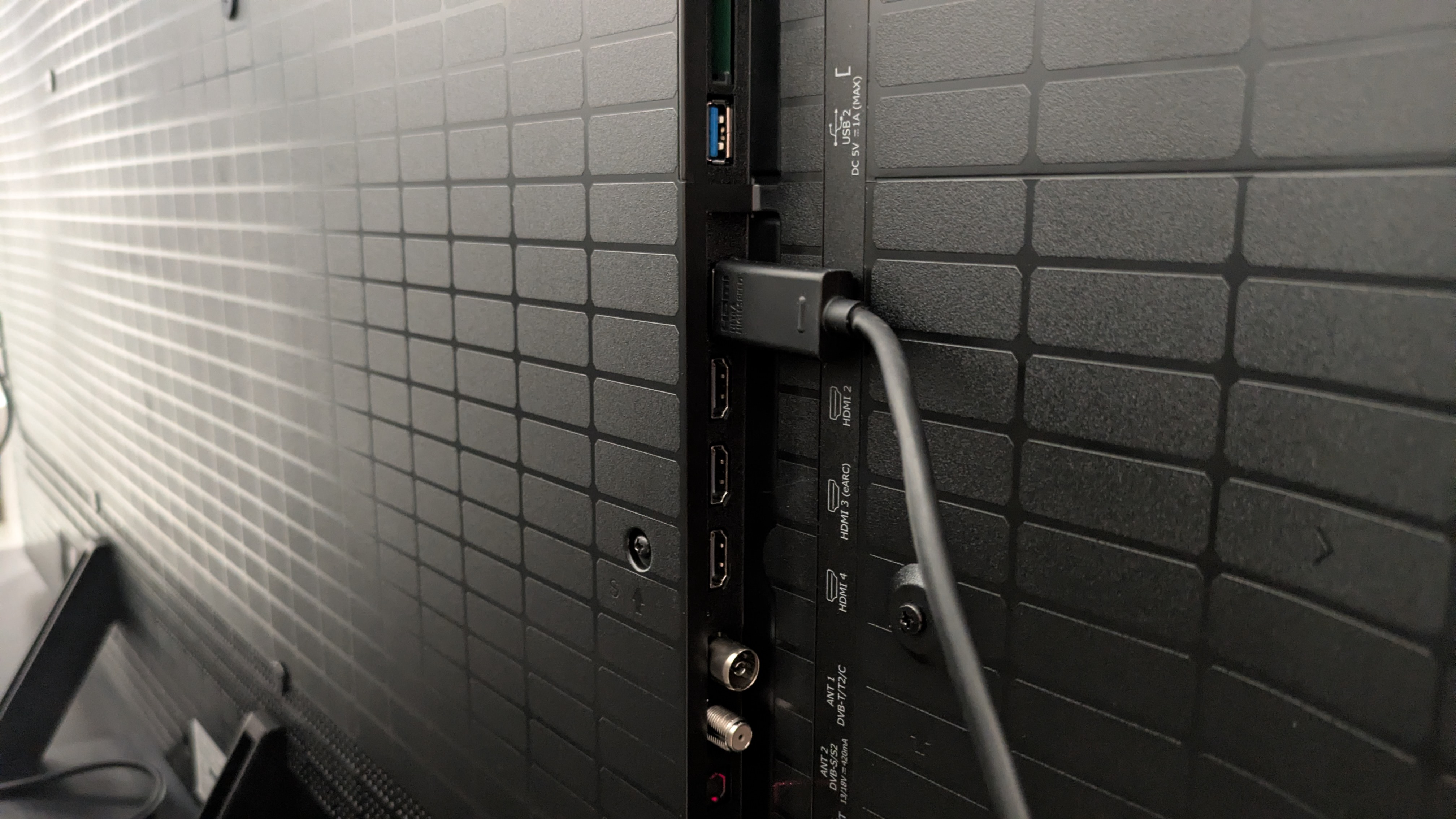
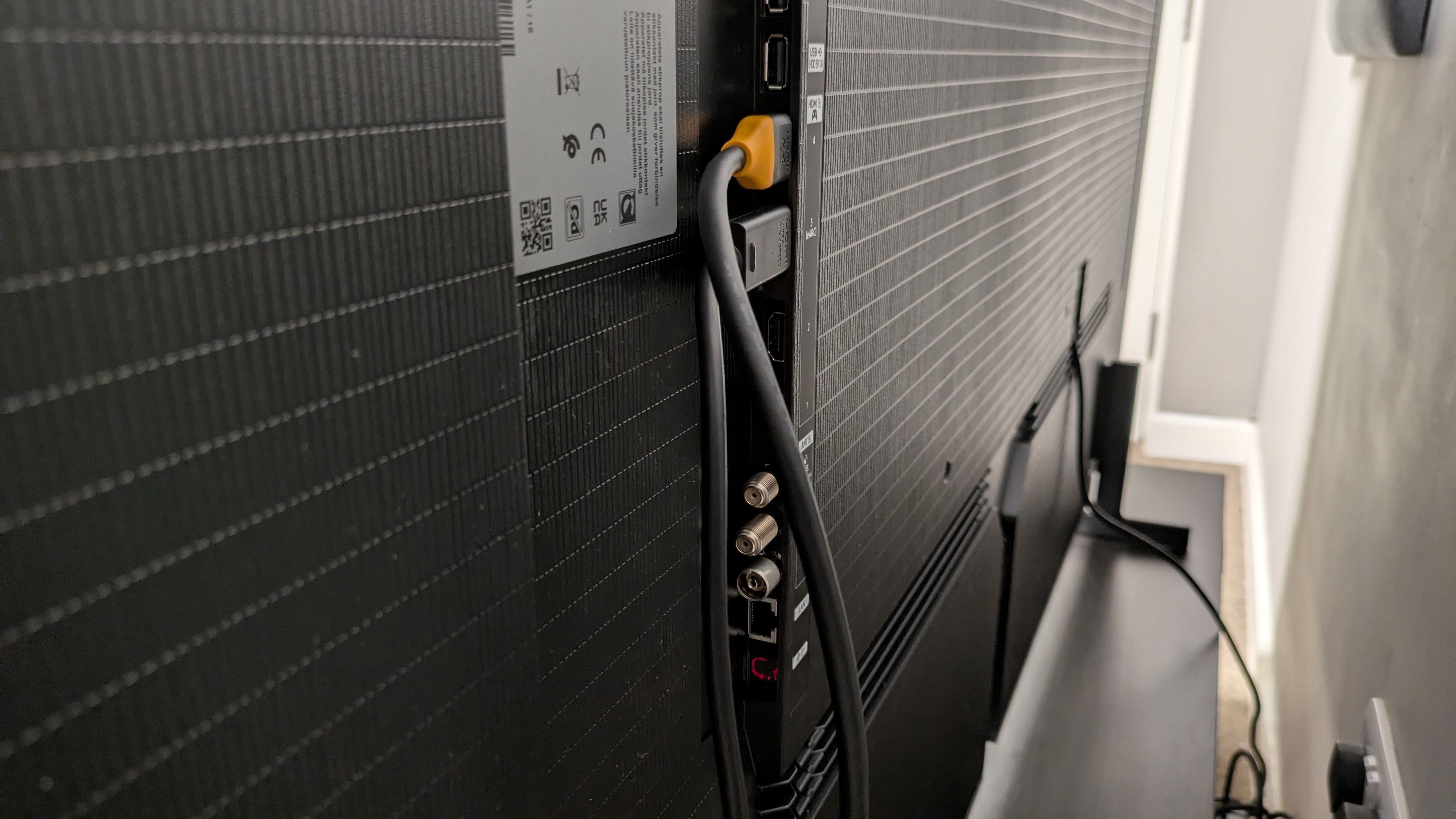
Hisense UR8 ports with HDMI cable connected

The UR8 has four HDMI 2.1 ports (Image credit: Future)
  • RGB mini-LED panel
  • Four HDMI 2.1 ports, up to 180Hz refresh rate
  • Anti-glare screen

The Hisense UR8 is the first affordable RGB mini-LED TV to come onto the market, with the Hisense UR9 taking the flagship spot. The UR8 and UR9 are the first RGB mini-LEDs available in smaller sizes, after the tech's introduction in the Hisense 116UX last year. While the UR9 and UR8 are both significantly cheaper than the 116UX, the UR8 is the more affordable option of the two, although it is still pricier than some standard mini-LED.

RGB mini-LED has a similar setup to standard mini-LED, but instead of purely white LEDs within the TV’s backlight, there are red, blue and green LEDs, which are designed to produce bolder colors and higher brightness than a standard mini-LED in the same bracket. Hisense claims that RGB mini-LED can hit 100% of the BT.2020 color space (more on that below).

The UR8 comes equipped with an anti-glare screen, similar to Samsung’s Glare Free screens. It’s a matte screen designed to reduce distracting, mirror-like reflections, to make viewing in brighter conditions easier.

The UR8 is equipped with Hisense’s Hi-View AI Engine RGB processor, which is designed to help boost color performance, as well as offer AI picture and sound features.The UR8 supports both Dolby Vision and HDR10+ HDR formats, as well as the new Dolby Vision 2 format, though no content is currently available for this format at the time of writing. IMAX Enhanced is also supported.

The UR8 comes with a great list of gaming features, including four HDMI 2.1 ports which all support up to 4K 180Hz (up to 4K 120Hz for consoles), VRR including AMD FreeSync Premium Pro, Dolby Vision and HDR10+ gaming, and ALLM. There’s also a game menu, where settings for brightness boosting can be adjusted.

For sound, there’s a Devialet-tuned, 2.1.2 channel speaker system, totaling 70W of power. Dolby Atmos and DTS: X are both supported, and there are a plethora of audio settings and preset modes to dig into.

Which smart TV system the UR8 uses depends on your region. In the US, you get Google TV, while in the UK and Australia the UR8 uses Hisense’s own VIDAA smart TV. As I’m based in the UK, I’ll be discussing VIDAA. It supports an extensive number of apps, including big hitters like Netflix and Prime Video, as well as BBC iPlayer and ITVX in the UK. It also supports Freely in the UK, which can be used to watch live, broadcast TV over Wi-Fi, without the need for satellite or antenna connections.

  • Features score: 4.5 / 5

Hisense UR8 review: Picture quality
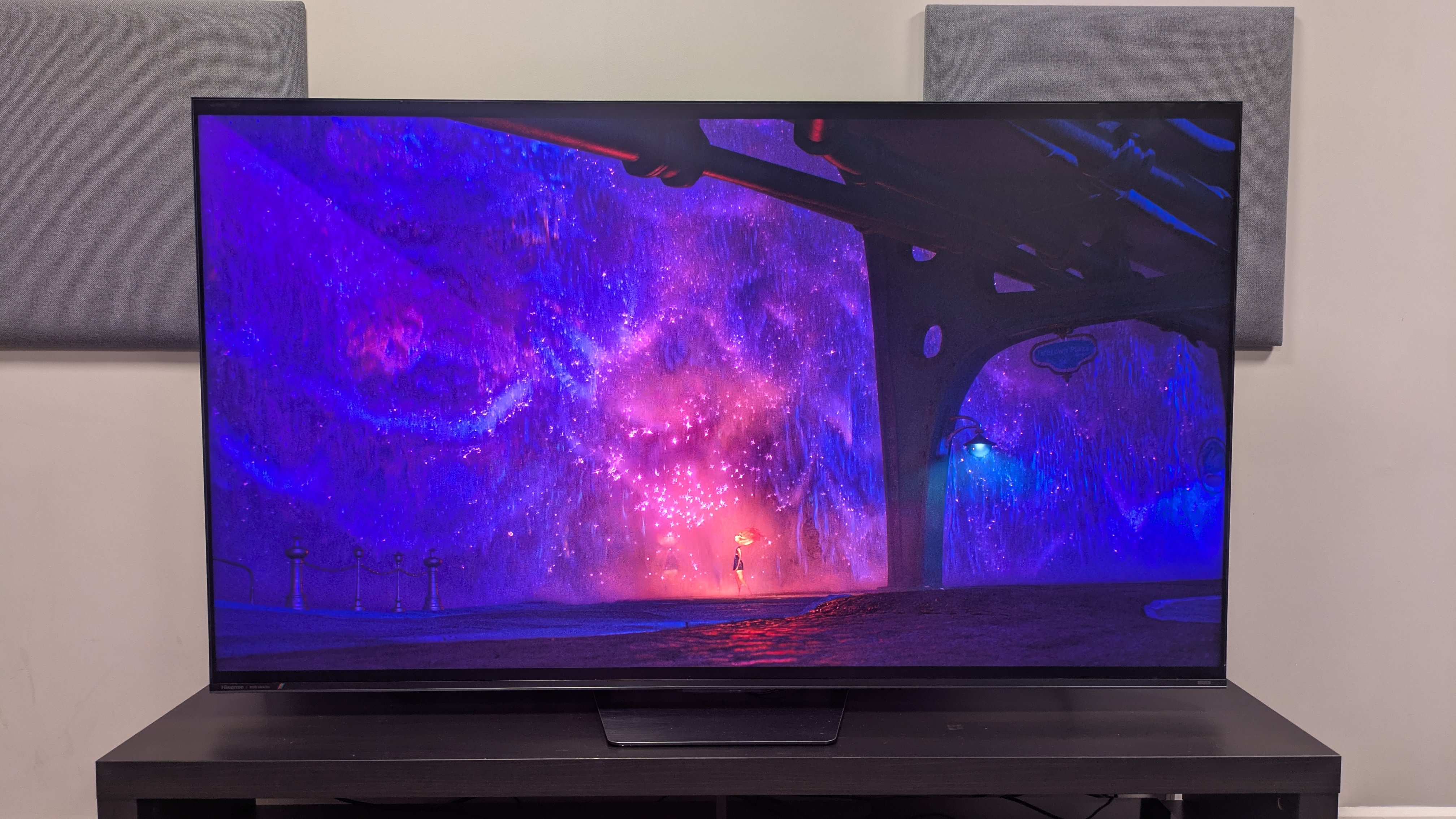
Hisense UR8 with purple waterfall from Elemental on screen. The purple looks vibrant and shiny, with impressive colors

The UR8 delivers some vibrant colors (shown here in a scene from Elemental), but they seem lacking for RGB (Image credit: Disney / Future )
  • Great backlight control
  • Effective anti-glare screen
  • Colors don’t live up to measurements

In terms of brightness, the UR8 hits some interesting numbers. In Filmmaker Mode, it hit a measured peak HDR brightness of 2,097 nits and in Standard, it hit 2,394 nits. These are solid results, and while flagship OLEDs such as the Samsung S99H are now beating this (it hits 2,743 nits peak HDR), it does beat more standard mini-LEDs in its price bracket such as the Samsung QN80H, which I measured at 1,149 nits peak HDR (though this was on the 55-inch model).

Fullscreen HDR brightness is also solid, clocking in at 771 nits and 767 nits in Filmmaker and Standard modes respectively. Where the UR8 delivers more impressive brightness is in SDR Standard, where it hit a peak of 1,514 nits and fullscreen of 778.

The most surprising measurement, though, was the UR8’s HDR color gamut coverage. Not only did it hit 95.1% of the BT.2020 color space, the highest I’ve measured on a TV to date, but it registered a staggering 145.2% of the UHDA-P3 color space, which massively exceeds the high of 100% I registered on the Samsung S95F last year with the same color space.

Looking at these results, I expected colors to be spectacular — and this brings me to my main criticism of the UR8: the colors I saw did not reflect those measurements. When I watched Elemental, the UR8 still delivered punchy, vibrant colors such as Ember’s flame and the blue of Wade’s water, but they didn’t have the pop I was expecting. In La La Land, at the Spring party, Mia’s yellow dress is bright and natural looking, but I’d seen more engaging colors on other TVs.

I found when I compared the UR8 to the Samsung QN80H, a standard mini-LED in the same price range, the QN80H actually delivered bolder colors. Taking the same La La Land scene for comparison, Mia’s yellow dress, the green bushes, and the red outfits of some party-goers all looked much more vibrant on the QN80H. The UR8’s colors looked natural, but lacked that wow factor I expected from an RGB TV.
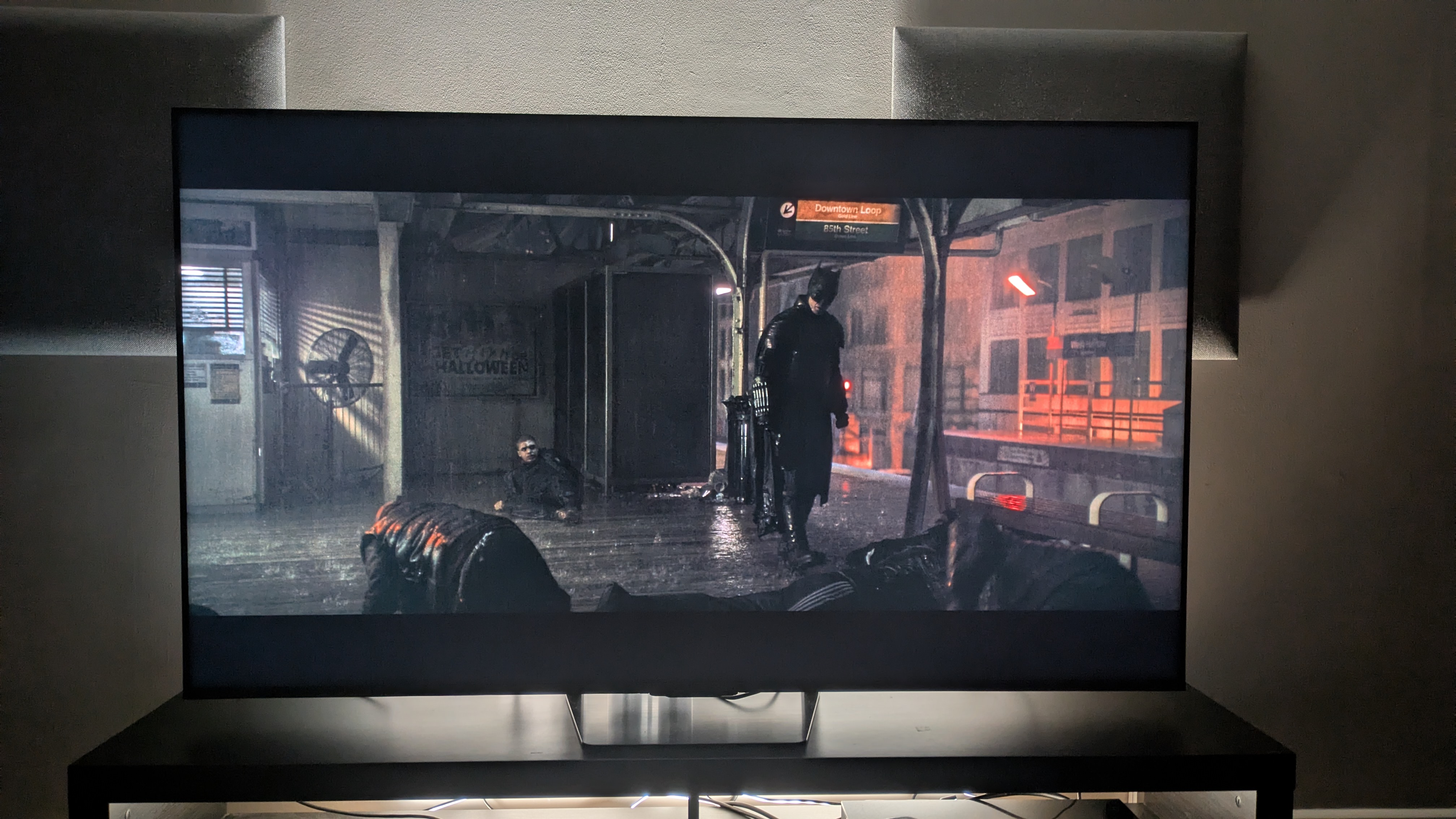
Hisense UR8 showing Batman on a subway platform. The TV shows strong contrast with good detail

The UR8 has some of the best backlight control I've seen from a mini-LED TV (Image credit: Warner Bros. / Future )

It was a shame the UR8’s colors weren’t as dazzling as I’d hoped, because in other areas, the UR8 shines, especially its backlight control. Standard mini-LED TVs can really suffer from blooming (where light from a bright object against a dark background can create a halo effect around said object), but this wasn’t the case with the UR8, which demonstrated little to no blooming through most tests. Watching the UR8 at more extreme angles did reveal some blooming, but it was better than what I’ve seen on some mini-LED TVs in the past.

Watching The Batman, the UR8 demonstrated solid contrast too, with mostly deep black tones and a good balance between light and dark tones, shown as Batman wanders around the crime scene at Mayor Mithcell’s home, or in the bright lights around the Batcave. I did notice blacks could take on a gray hue in some scenes, but for the most part, The Batman looked good.

I did find that the Dolby Vision Dark picture mode was too dim to watch in a bright room, despite the anti-reflection screen, but worked well in ambient and dimmer conditions. The brighter Dolby Vision IQ picture mode works best for brighter rooms. If you do use Dolby Vision IQ, I recommend dropping the brightness from 50 to 49 and turning off precision detail and super resolution for a more natural-looking image with better contrast.

It was a similar story with Alien: Romulus. The UR8 did a solid job displaying the scenes in space, with good contrast between the light from the moon and the black of space as the crew approached the Renaissance station. The black of space was occasionally gray, but still very good for a mini-LED, backlit TV. Again, backlight control proved to be the UR8’s strong suit.
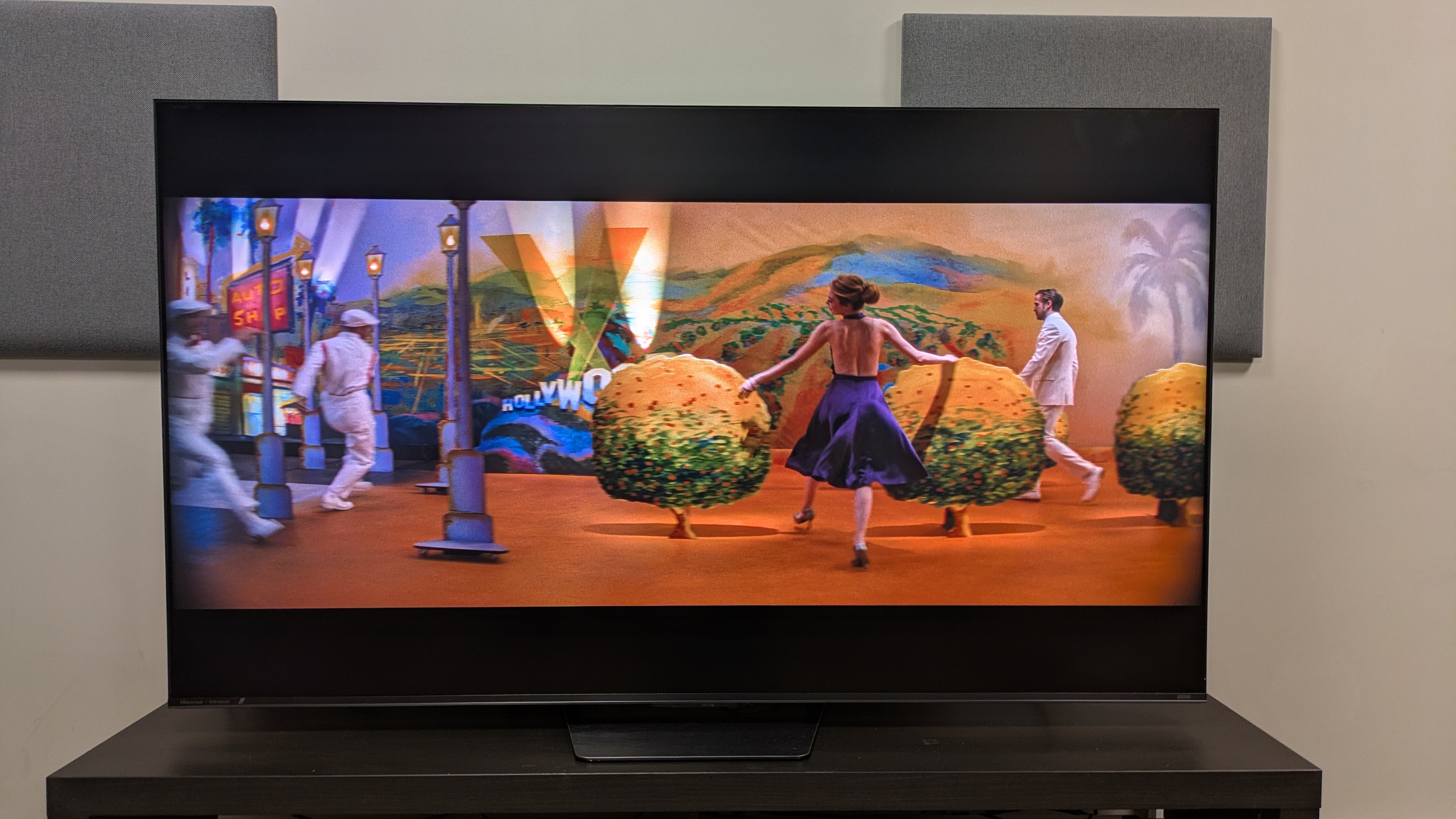
Hisense UR8 showing Mia dancing on a studio set from La La Land. The UR8 has vibrant colors with nice punch

Textures and details appear crisp in most movies, seen here in La La Land (Image credit: Future)

In all HDR movies, the UR8 delivered crisp textures, with refined detail in people, clothing and objects. The UR8 did a good job showing the intricate textures of the various consoles onboard the mining ship in Alien: Romulus. Close-up shots showed sweat, hairs, and facial details like wrinkles with real clarity as well.

One thing I did find odd was that for non-Dolby Vision content, the Filmmaker, Movie, and IMAX Enhanced picture modes all looked identical. There seemed to be no real difference in brightness, color or contrast — something I would expect from a TV.

The UR8 did a good job with sports. Watching some World Cup highlights on BBC iPlayer, motion was smooth in the default Sports picture mode. While most of the motion styles worked, I found myself using either Clear or Standard. Color enhancer is on by default in this mode, and I personally found the colors too oversaturated, so I turned this off, and colors looked more natural. I did notice there was muddying of textures during very quick camera pans, but for the most part, the UR8 worked well for sports.

  • Picture quality score: 4 / 5

Hisense UR8 review: Sound quality
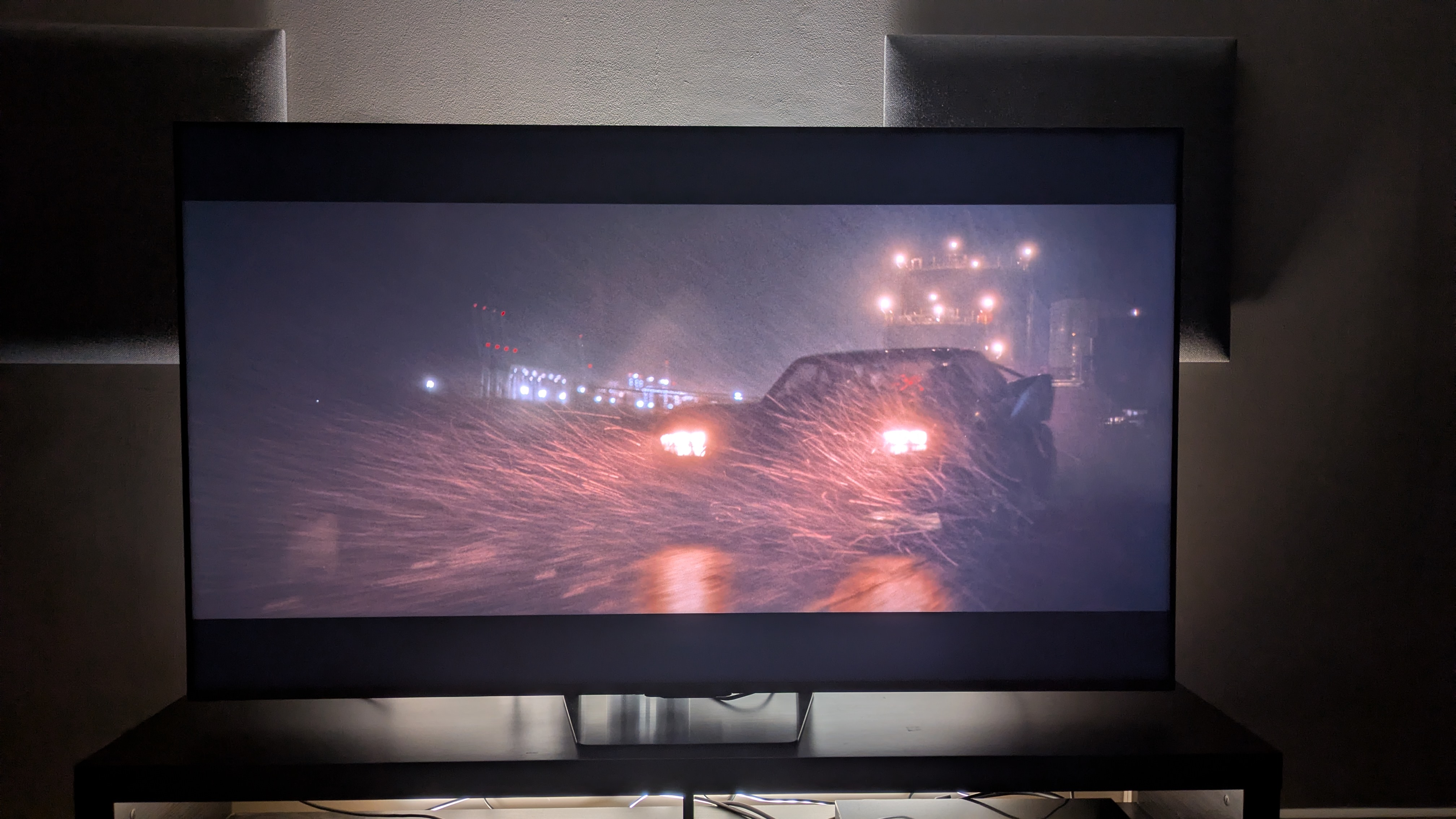
Hisense UR8 showing the Batmobile from The Batman on screen.

The UR8 delivers solid overall built-in sound (Image credit: Warner Bros. / Future )
  • 2.1.2 channel speaker array
  • Good bass and accuracy
  • Soundstage can be narrow

The UR8 has a built-in 2.1.2 channel speaker array, tuned by Devialet, with a total power of 70W. There are a good number of preset sound modes and settings, but I mainly used Standard and Theater mode for my testing.

Watching the Penguin chase scene from The Batman, the UR8 delivered good bass levels, accurately conveying the loud rumble of the Batmobile’s engine. The UR8 demonstrated good accuracy too, mapping the sound of swerving tires, bullet sprays and the horns of passing traffic to the action on screen with solid precision.

While I typically use Theater mode on most TVs, I found that the UR8’s could get harsh at times, with a sudden brightness that I found distracting. Standard mode was a more than suitable alternative, and although it didn't have as wide a sound field as Theater mode, it was more controlled.

The UR8 delivers solid sound overall, but I did feel its soundstage was narrow, meaning not every element of The Batman scene was given room to breathe. It’s a decent sound system for a TV, but overall I’d still recommend a soundbar to go with it.

  • Sound quality score: 4 / 5

Hisense UR8 review: Design
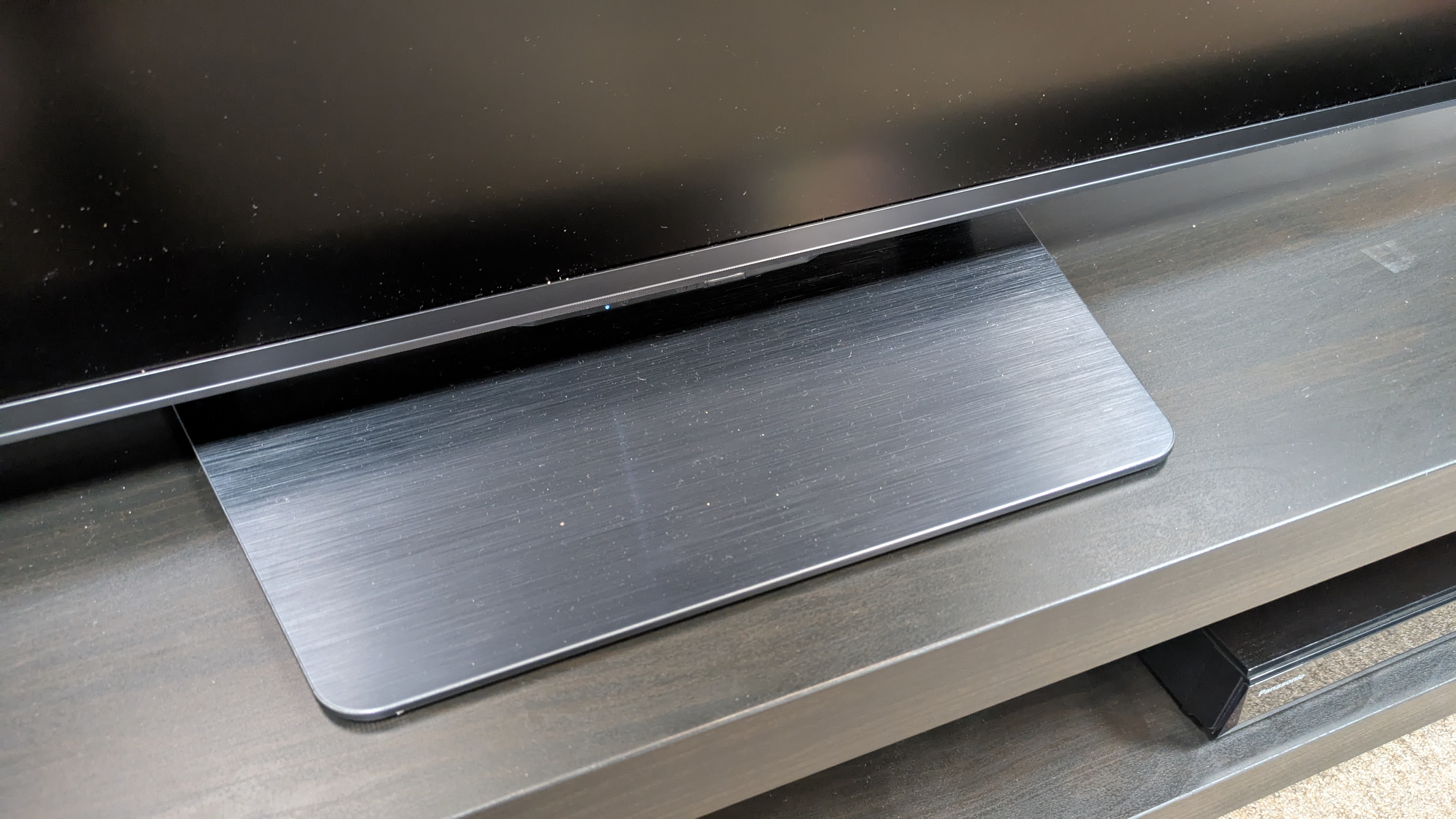
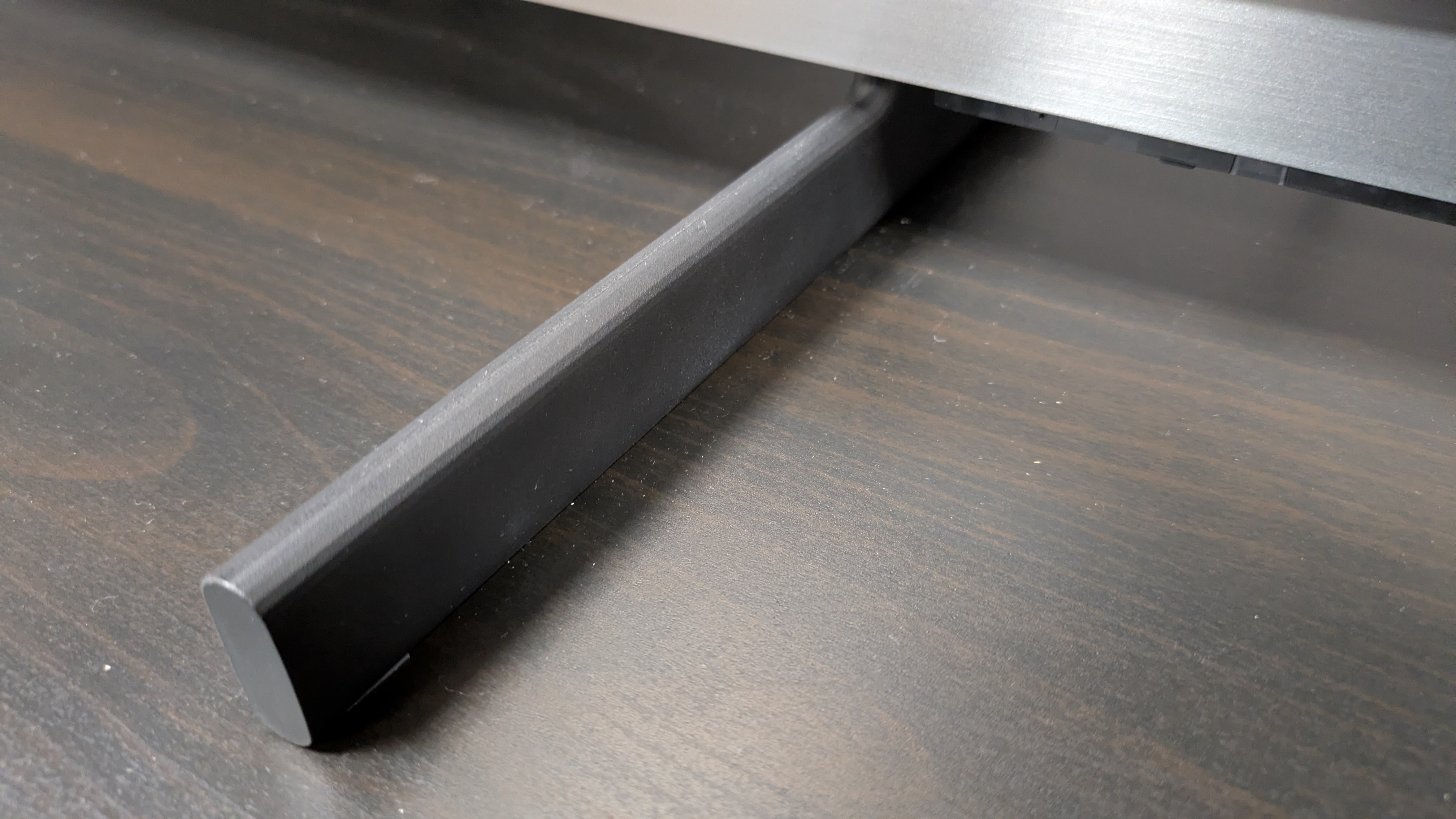
Hisense UR8 pedestal stand

The UR8 has a safe, solid design, and uses a central pedestal stand (Image credit: Future)
  • Sturdy build
  • Solid pedestal stand
  • Slightly bulkier depth

The UR8 has a functional, safe design. The TV itself feels sturdy when installed on its central pedestal stand, which does feel solid even though it’s made of a plastic material. The TV is slighter deeper than some rivals, such as the Samsung QN80H, but again it feels well built.

As I mentioned above, the UR8 features an anti-glare screen, which does a good job of limiting reflections in brighter conditions. The 65-inch model I tested felt light for its size and it has a trim bezel, although the bottom bezel is thicker than those on the top and sides. Connections are easily accessible on the side of the rear of the TV.

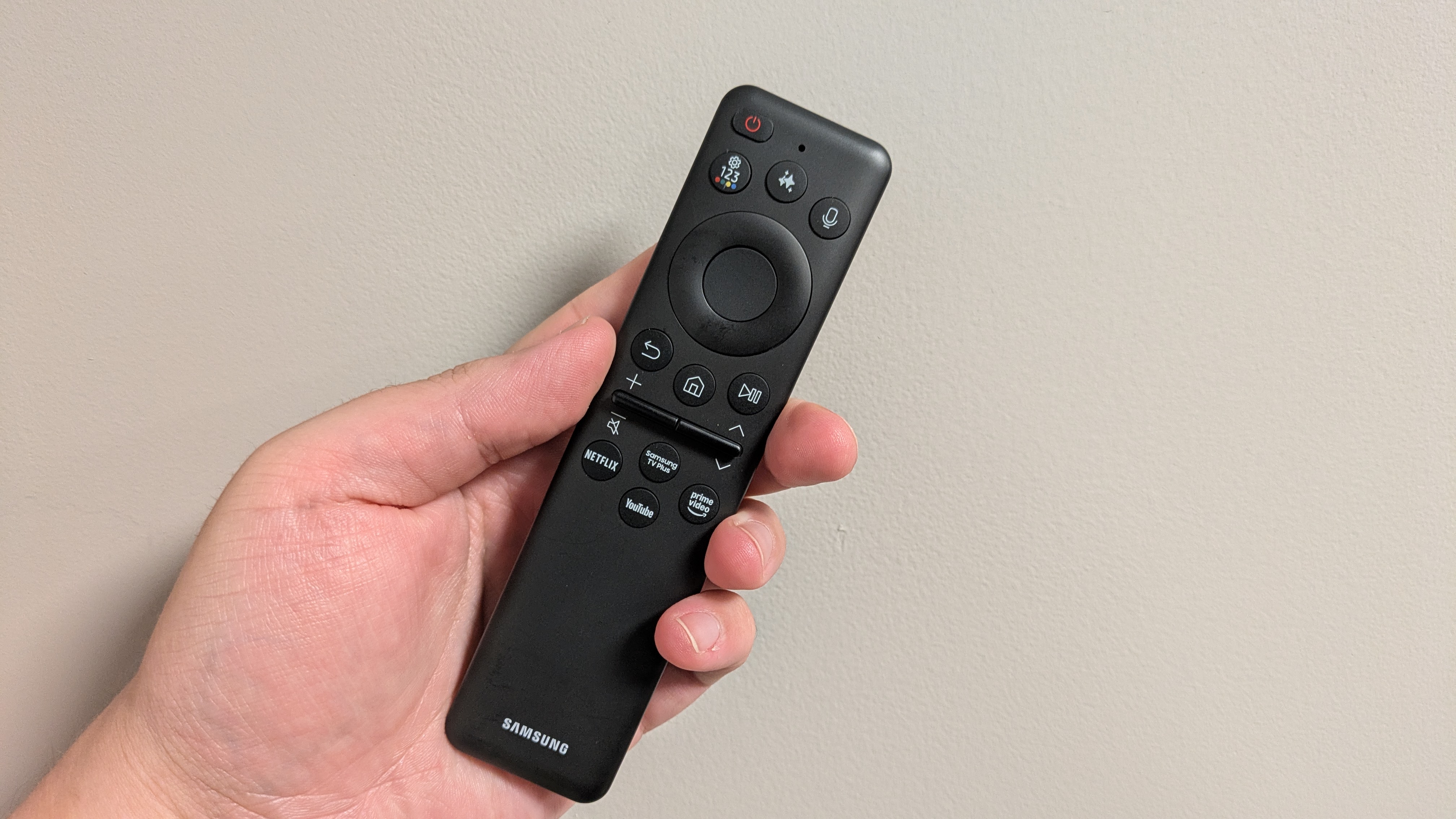
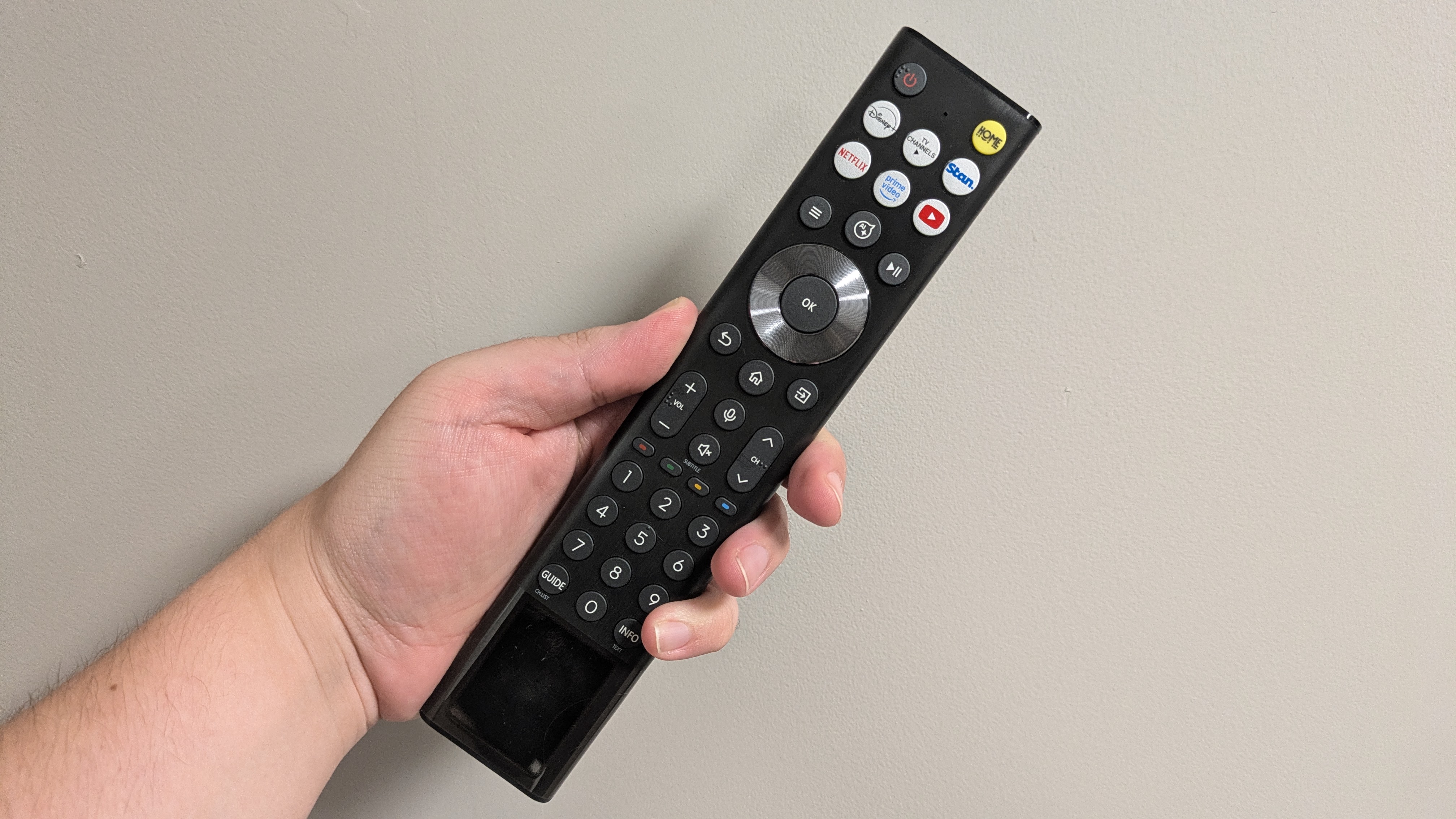
The UR8 comes with Hisense’s own USB-C and solar rechargeable remote, which for me is one of the better controllers on the market. It does feel a bit light, but for me the button layout is logical, and it’s nice to see a rechargeable remote supplied with a cheaper TV.

  • Design score: 4 / 5

Hisense UR8 review: Smart TV & menus
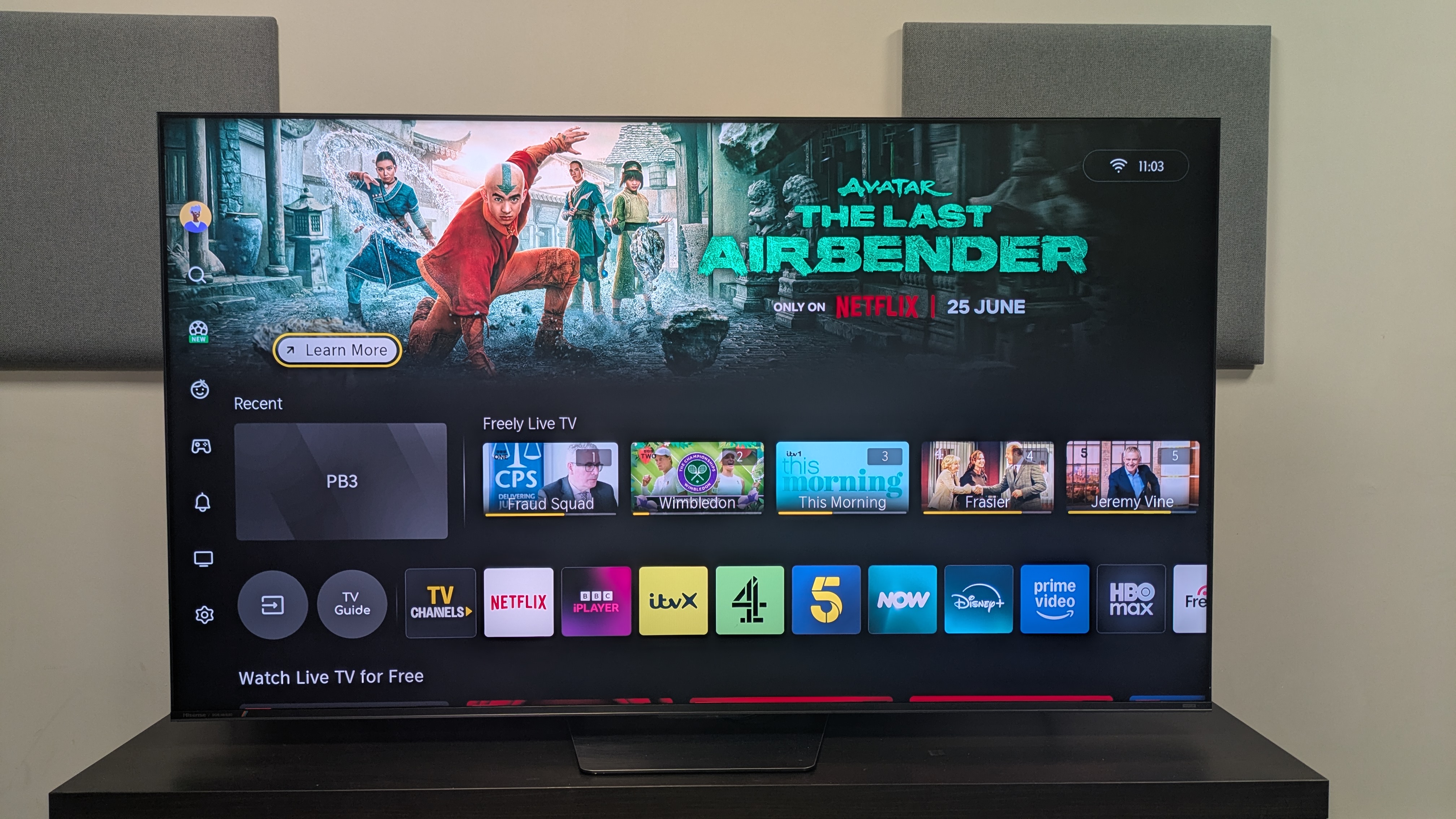
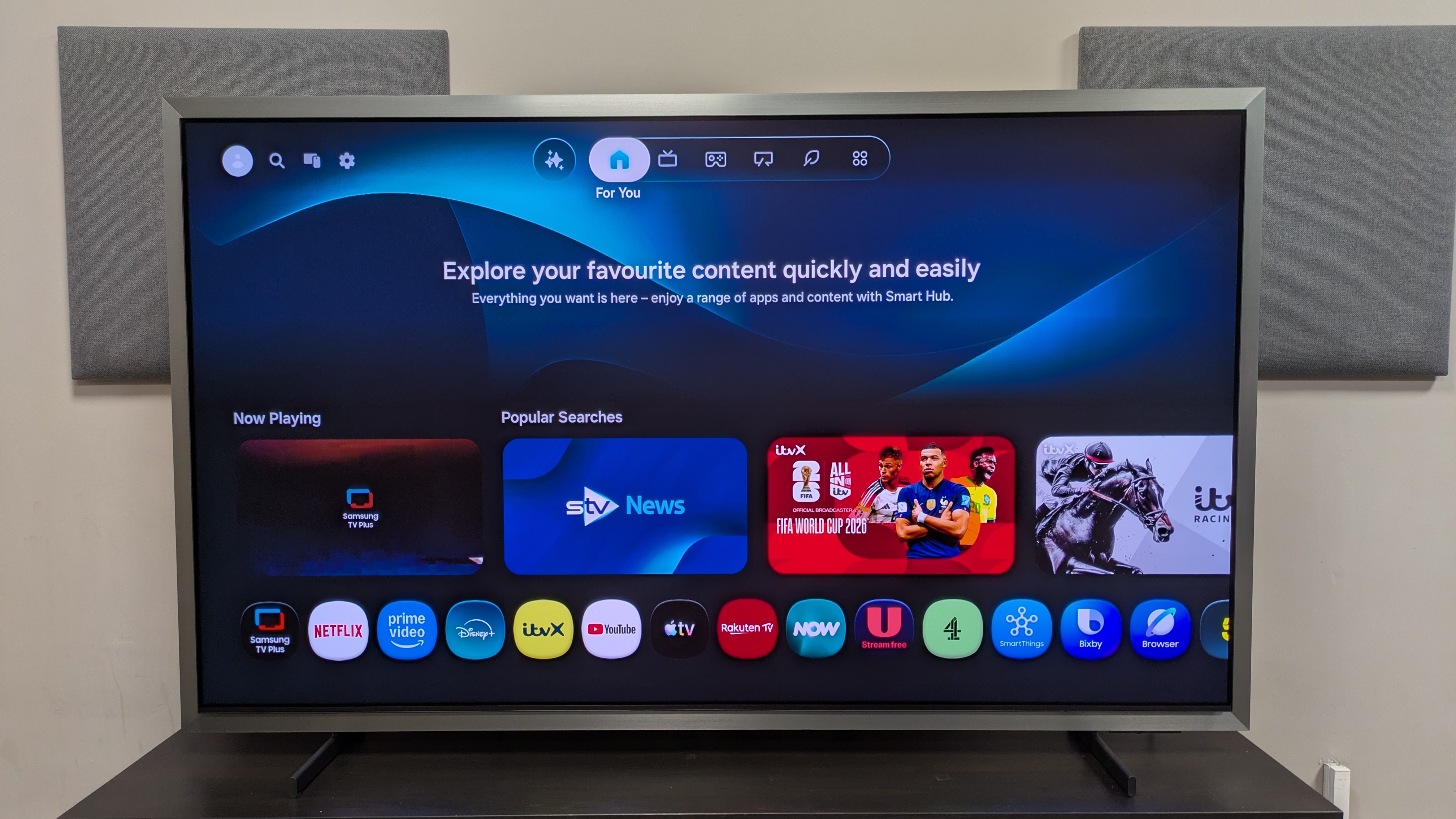
Hisense UR8 with VIDAA home page on screen

Your smart TV will vary depending on region. The UR8 uses Google TV in the US and VIDAA (home screen pictured) in the UK and Australia. (Image credit: Future)
  • Google TV US, VIDAA UK and Australia
  • Good number of picture and audio settings
  • Dated appearance

As I’m based in the UK, I’ll be discussing the VIDAA smart TV platform featured in the UR8 (also used in Australian models). If you’re based in the US, the UR8 uses Google TV as its smart TV platform instead.

VIDAA is a serviceable smart TV system. It supports a good number of major apps including Netflix, Disney Plus and Prime Video, as well apps from UK broadcasters, including BBC iPlayer and ITVX. The home screen offers a lot of content recommendations, but there's also a large banner space at the top of the screen for ads, which can be distracting.

The menus are neatly and logically laid out, with most settings easy to find. Response times when navigating these menus is good too. There are plenty of settings for adjusting both the picture and sound, although I didn’t use a lot of them.

VIDAA does, however, look a little dated, especially in the menus. It doesn’t have the sleekness of Samsung’s Tizen or Google TV, or the simplicity and color of Roku. Secondly, as someone who does change settings a lot, a pop-up eco warning appears every time and this can get frustrating; and there seems to be no way to turn it off.

  • Smart TV score: 3.5 or 4

Hisense UR8 review: Gaming
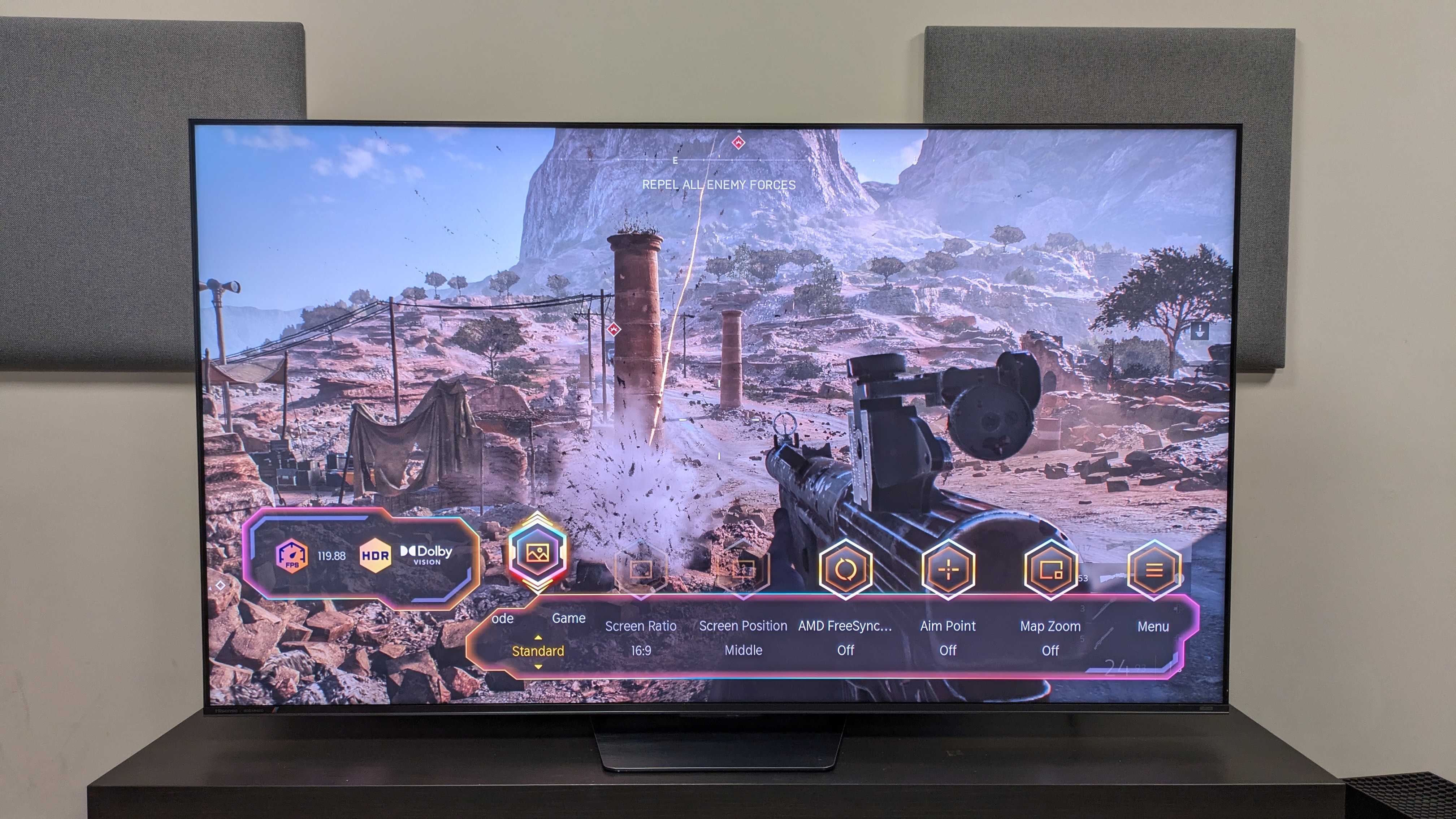
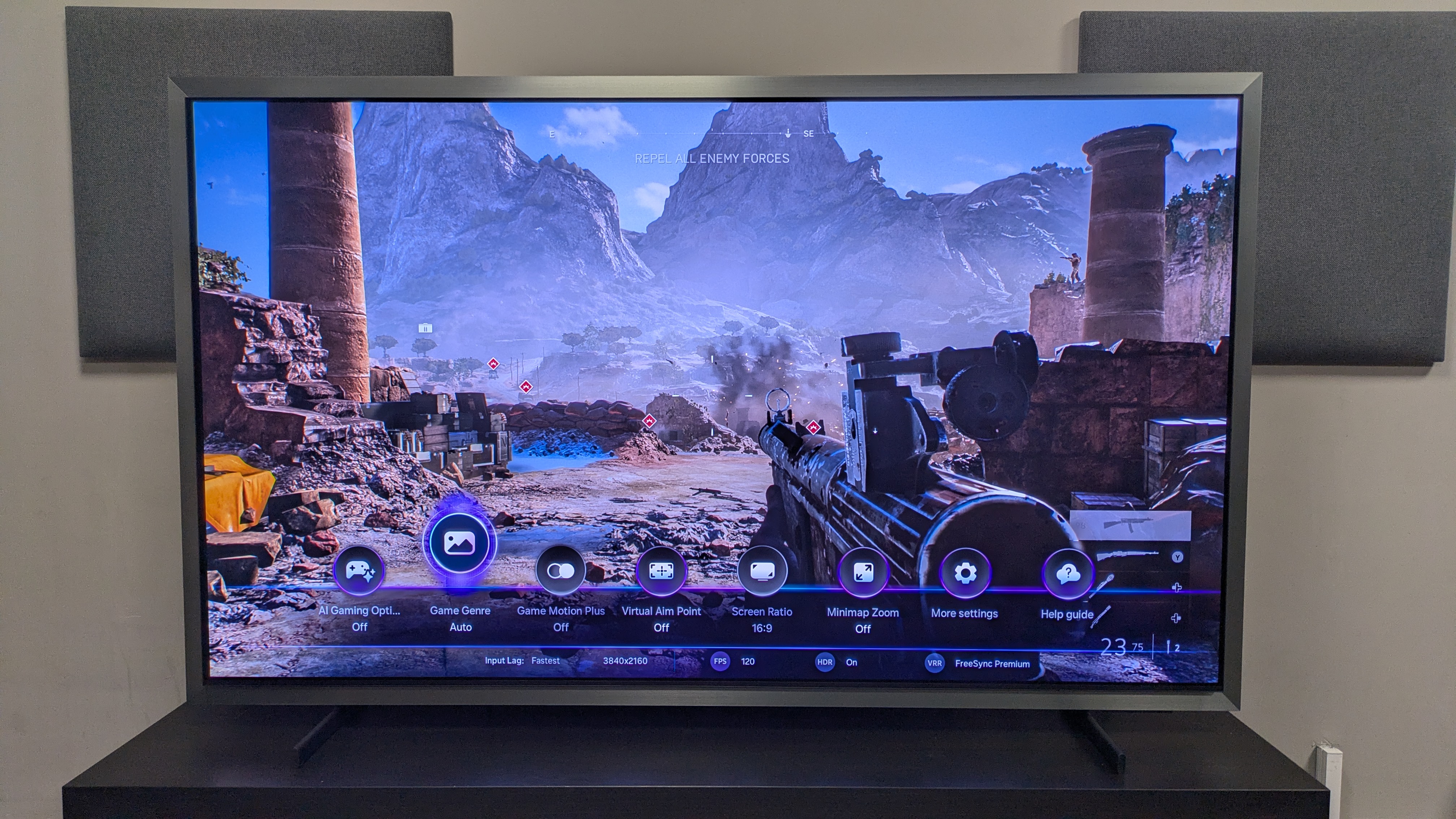
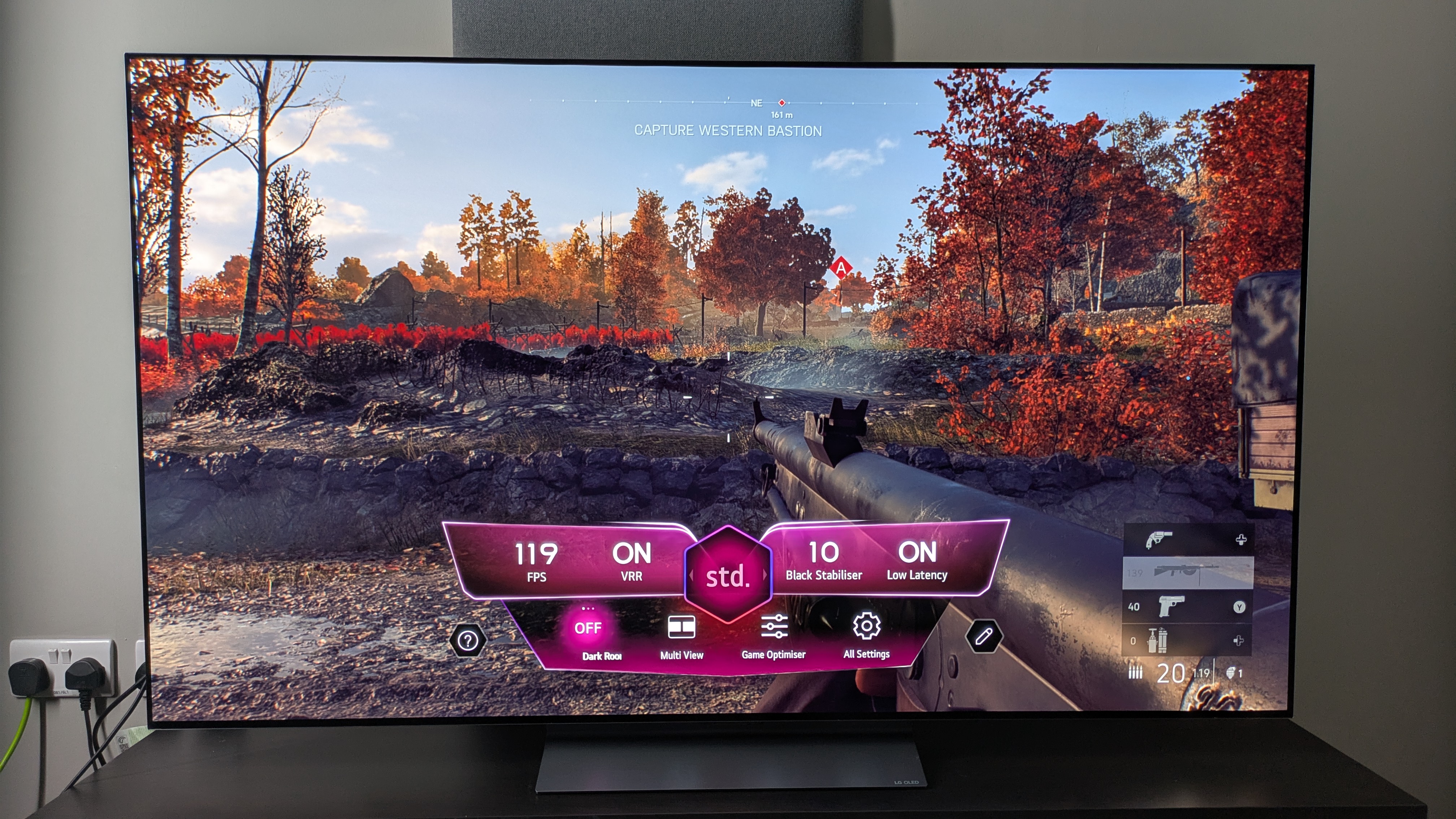
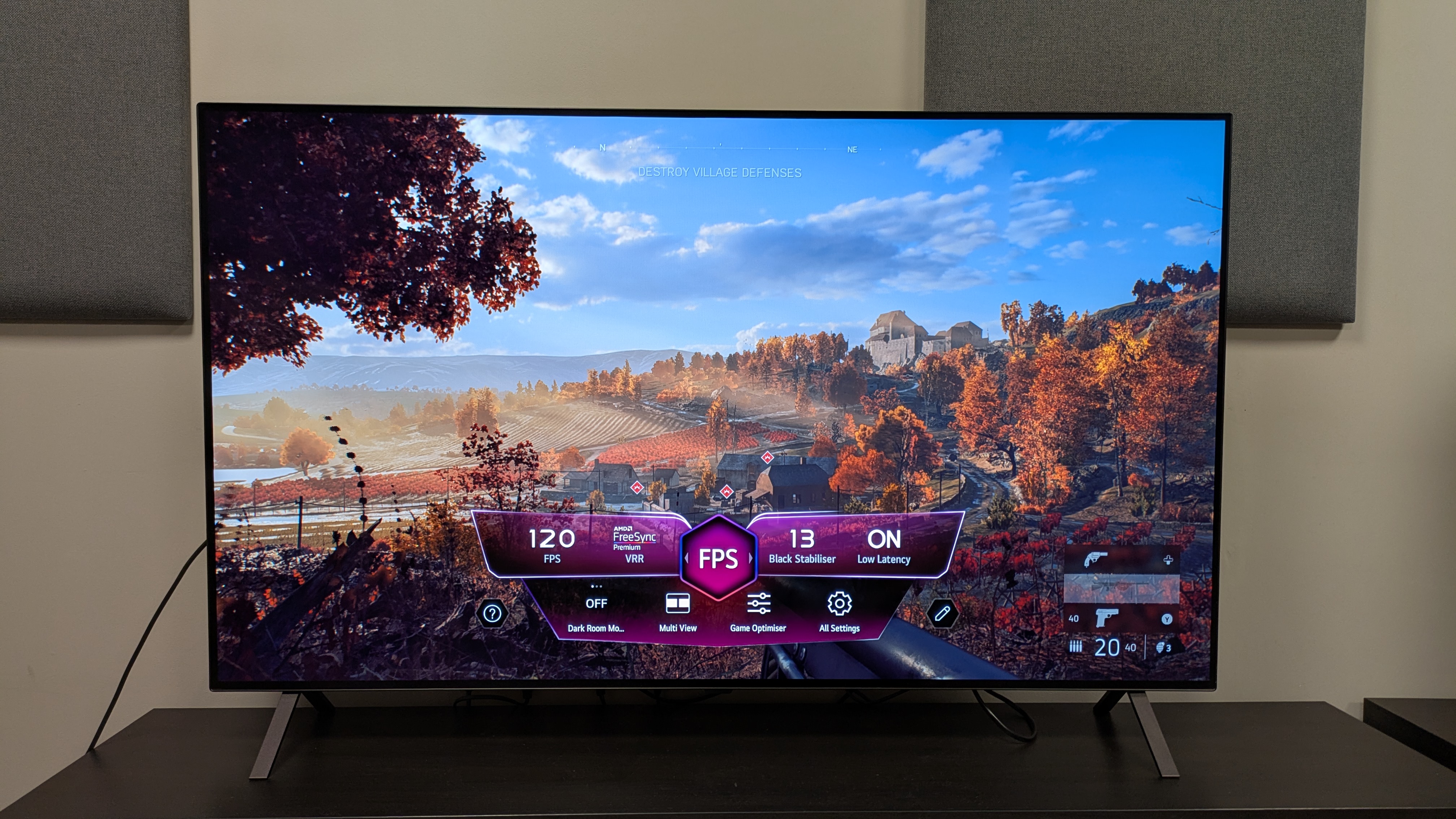
Hisense UR8 with shot from Battlefield V on screen, with game menu along the bottom

The UR8 has an excellent choice of gaming features, and delivers solid gaming performance (Image credit: Future)
  • Near-full suite of features
  • 11.7ms input lag (with the right settings)
  • Up to 4K 180Hz refresh rate supported

The UR8 is actually very well equipped for gaming. It has four HDMI 2.1 ports that support 4K up to 180Hz (4K 120Hz for consoles is supported), VRR including FreeSync Premium Pro, both Dolby Vision and HDR10+ gaming, and ALLM.

To get the lowest input lag time, which I measured at 11.7ms in 4K 60Hz, you do have to mess around with some settings. Having put the UR8 into Game mode, I then had to turn on a refresh rate feature, which prioritized faster frame rates, and this is how I got the above result. Without adjusting those settings I measured the input lag time at 20ms, above the 15ms threshold we look for in testing.

Playing Battlefield V in 4K 120Hz, actual gameplay felt smooth, and the UR8 did a good job handling fast-moving action sequences like a shootout in a desert mission. The overall picture quality was good, with high brightness, bold color and solid contrast. I did notice that, during particularly quick camera pans, some textures could muddy, but this didn’t happen every time.

  • Gaming score: 4.5 / 5

Hisense UR8 review: Value
Hisense UR8 remote

(Image credit: Future)
  • Great value in the US and Australia
  • Overpriced in the UK
  • Overall good performance for the price

Value is a tough attribute to grade for the Hisense UR8. As RGB mini-LED is still in its infancy (having only been introduced in 2025, and only come to smaller screens for the first time this year), I did anticipate that RGB TVs would be pricey, even more entry-level models like the UR8.

With the UR8, it all comes down to where you are. When it's on sale, you can pick the 65-inch model up for $1,499 in the US, and prices are only going to drop. This puts the UR8 in direct competition price-wise with standard mini-LED, giving people looking for a TV within that price range more choice. It's also good value in Australia, with the 65-inch launching for AU$2,495, which translates to $1,799 / £1,299. I expect prices in Australia to come down reasonably quickly too.

The same can’t be said for the UK, unfortunately. The 65-inch launched recently at £2,299, which is actually pricier than the LG C6 OLED — and while RGB is meant to be a direct rival to OLED, as I've mentioned, it’s not there yet. I have seen the UR8 drop to £1,999 at some retailers, but this is still OLED-level pricing.

Overall, the UR8 does deliver pretty good value for money. It’s got a good feature set, delivers decent built-in sound, and is good for gaming, and while the picture doesn’t quite deliver what I’d hoped for, it’s still solid compared to most mini-LED. It’s just a shame that the value proposition is region-dependent.

  • Value score: 4 / 5

Should you buy the Hisense UR8?
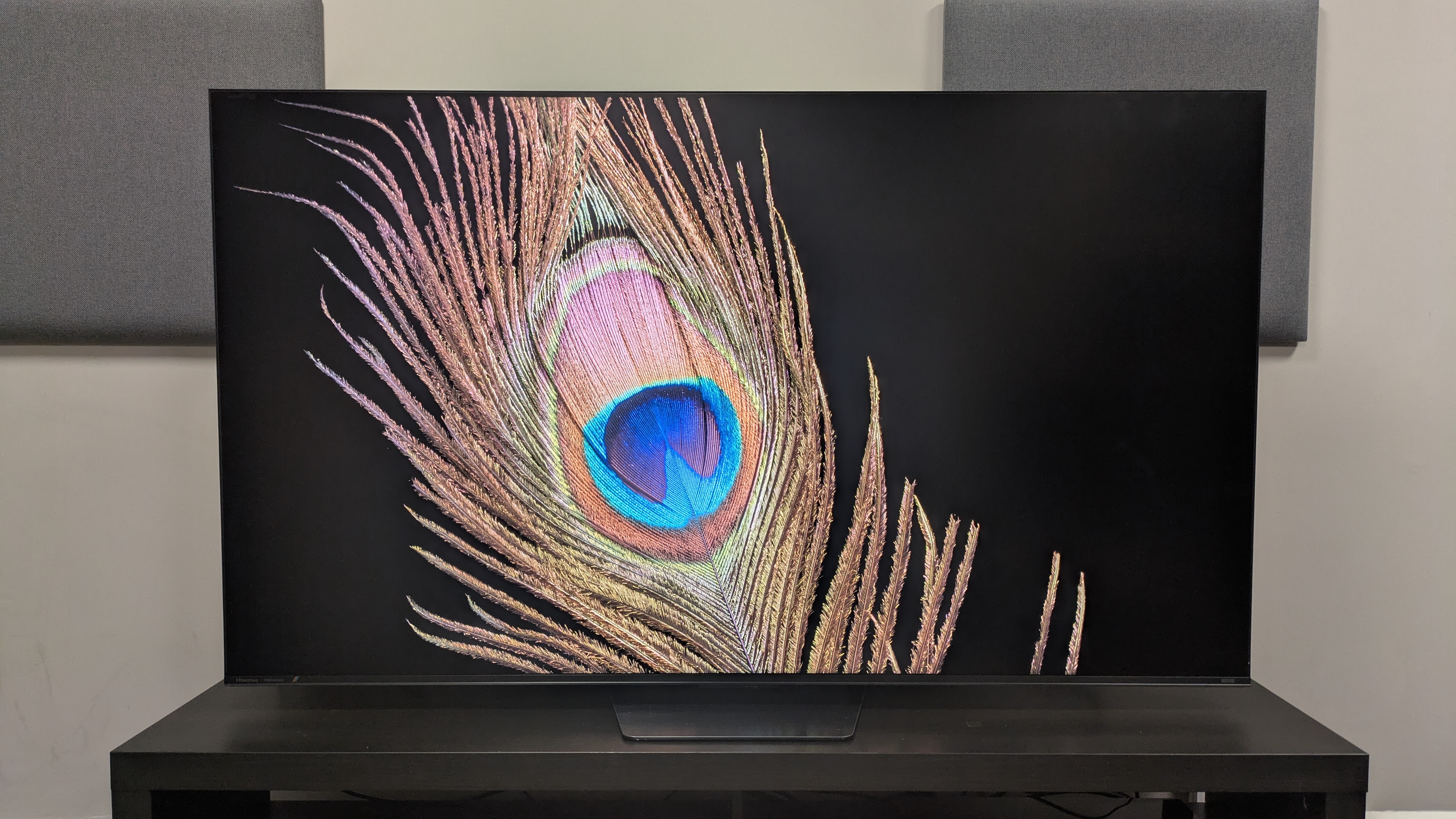
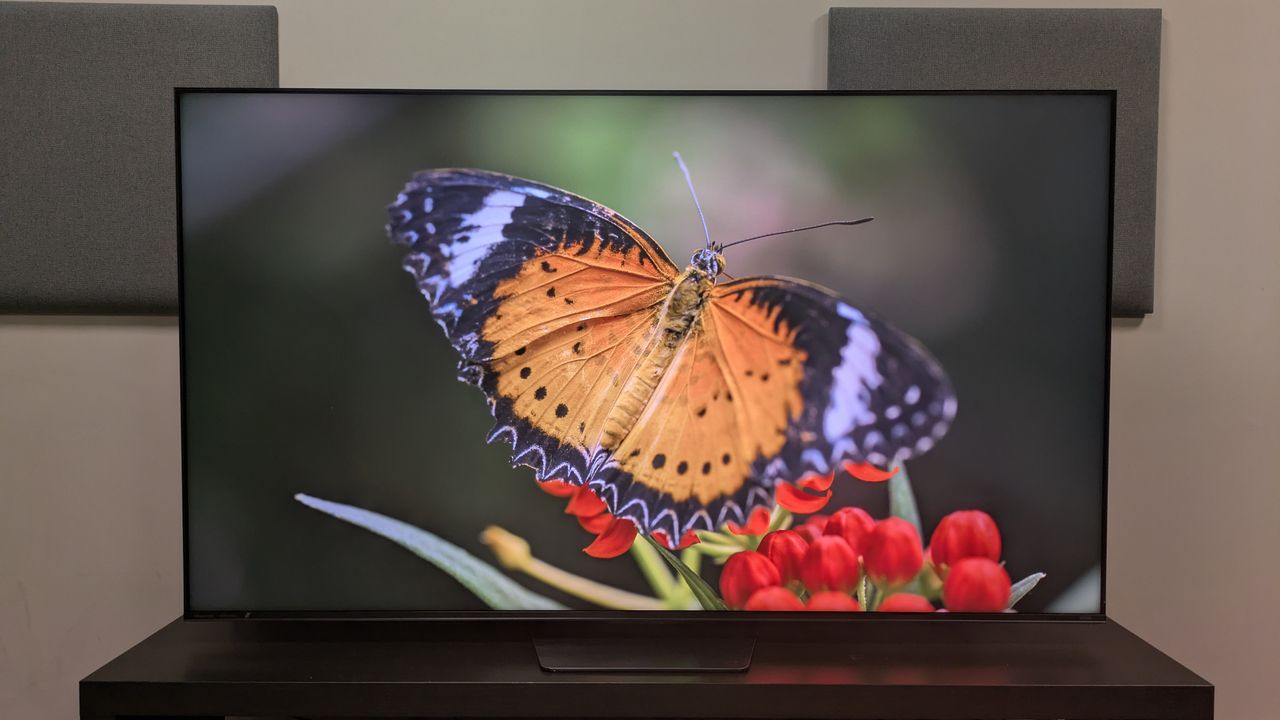
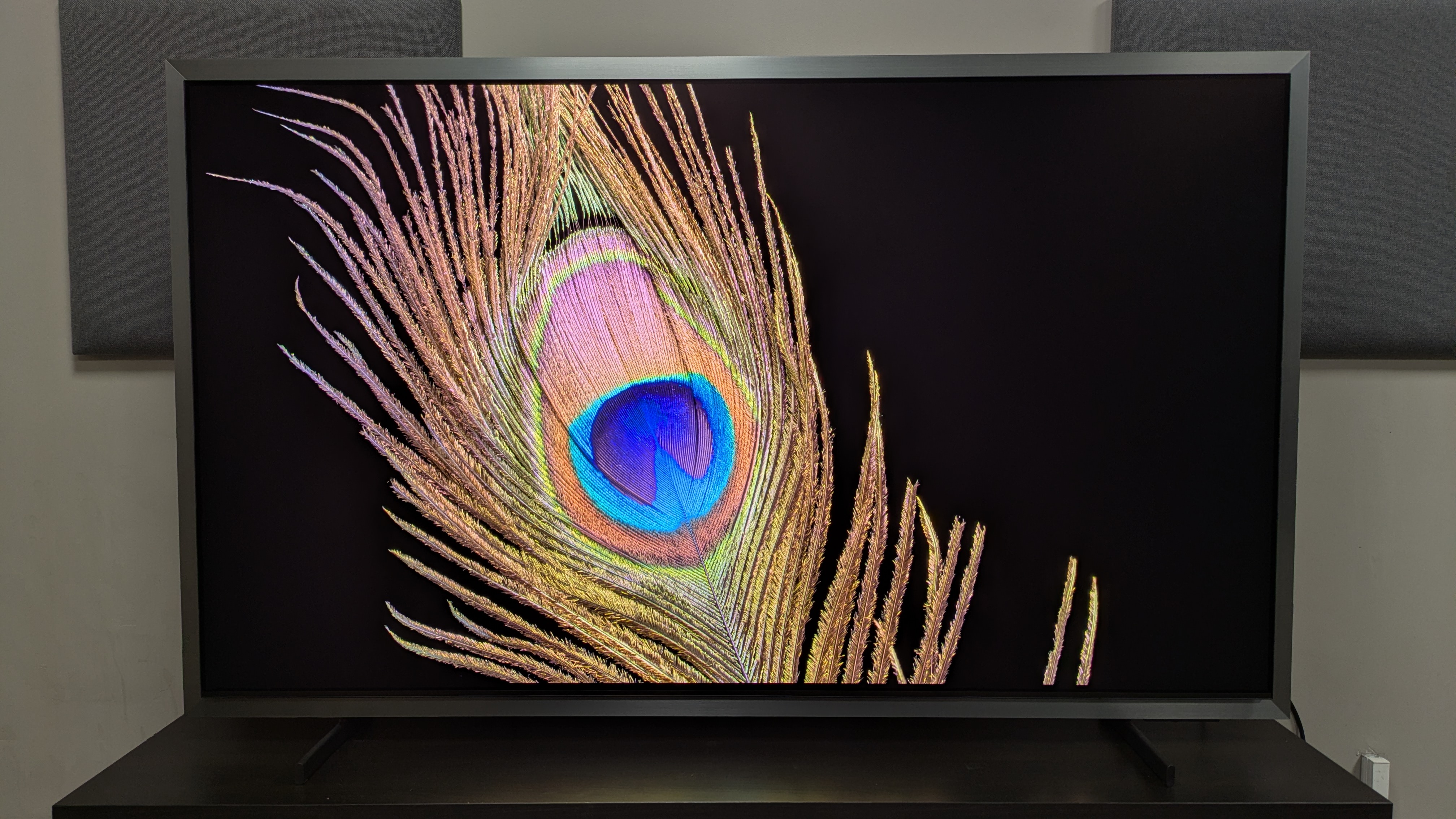
Hisense UR8 with peacock feather on screen. Image has good detail and brightness while handling reflection well

(Image credit: Future)
Hisense UR8

Attributes

Notes

Rating

Features

A great list of features, especially for gaming

4.5/5

Picture quality

Detailed picture with good contrast and backlight control, though colors don't have the RGB wow-factor

4/5

Sound quality

Solid built-in sound with good bass and clear speech, but soundstage can be narrow

4/5

Design

Sturdy build and safe design. Slightly bulkier than other TVs

4/5

Smart TV and menus

Google TV (US) or VIDAA (UK/Aus) smart TV. Plenty of useful settings, but design is dated

4/5

Gaming

Near-full suite of features, including four HDMI 2.1 ports, with very good performance

4.5/5

Value

Affordably priced for RGB in US and Aus; overpriced at launch in the UK

4/5

Buy it if...

You want a mini-LED with good backlighting
The UR8's backlight control is great, meaning darker movies show less blooming and viewing angles are improved.

You want a great TV for gaming
The UR8 has a near-full suite of gaming features, and offers very good overall performance once you've adjusted some settings.

You want a good TV for daytime viewing
The UR8 has an anti-glare screen that's good at reducing mirror-like reflections in brighter rooms.

Don't buy it if...

You want the best of RGB mini-LED
While the UR8's picture quality is good overall, its colors don't match my test measurements, lacking the vibrancy I'd hoped for.

You like variety in your movie picture modes
The UR8's three movie picture modes — Filmmaker, Movie, and IMAX Enhanced — all look pretty much the same.

You want the best TV for motion
I noticed during some of my testing that textures could blur during fast-paced action, meaning some detail was lost in games and sport.

Also consider

Hisense UR8

Hisense UR9

Samsung QN80H

LG C6

Price (65-inch)

$1,499 / £2,299 / AU$2,495

$1,699 / £2,299 / AU$3,499

$1,599 / £1,299 / AU$1,999

$1,799 / £2,299 / AU$3,499

Screen type

RGB mini-LED

RGB mini-LED

Mini-LED

OLED

Refresh rate

120Hz (Up to 180Hz)

120Hz (up to 170Hz)

144Hz

165Hz

HDR support

Dolby Vision, HDR10+, HDR10, HLG

Dolby Vision, HDR10+, HDR10, HLG

HDR10+, HDR10, HLG

Dolby Vision, HDR10 and HLG

Smart TV

Google TV (US) / VIDAA (UK/Aus)

Google TV (US) / VIDAA (UK/Aus)

Tizen

webOS 26

HDMI ports

4 x HDMI 2.1

3 x HDMI 2.1

4 x HDMI 2.1

4 x HDMI 2.1

Hisense UR9
The step-up model from the UR8, the UR9 delivers higher brightness, more dimming zones and bolder colors. It's also the same price as the UR8 in the UK at the time of writing. The UR8 is the better choice for gamers with multiple consoles, however, as the UR9 only offers 3 HDMI 2.1 against the UR8's 4.

Samsung QN80H
A standard mini-LED, the QN80H isn't as bright as the UR8, and its backlight control isn't as good, resulting in more blooming than the UR8. Side-by-side however, the QN80H does seem to deliver bolder, punchier colors than the UR8.

Check out my Samsung QN80H vs Hisense UR8 comparison

LG C6
The LG C6 is an OLED with deeper blacks, bolder colors and better motion handling than the UR8, while the UR8 offers higher brightness for better bright-room viewing. In the US and UK, the C6 is priced very similarly to the UR8, but in Australia, the C6 is closer to the step-up UR9 in price.

Read our full LG C6 reviewView Deal

How I tested the Hisense UR8
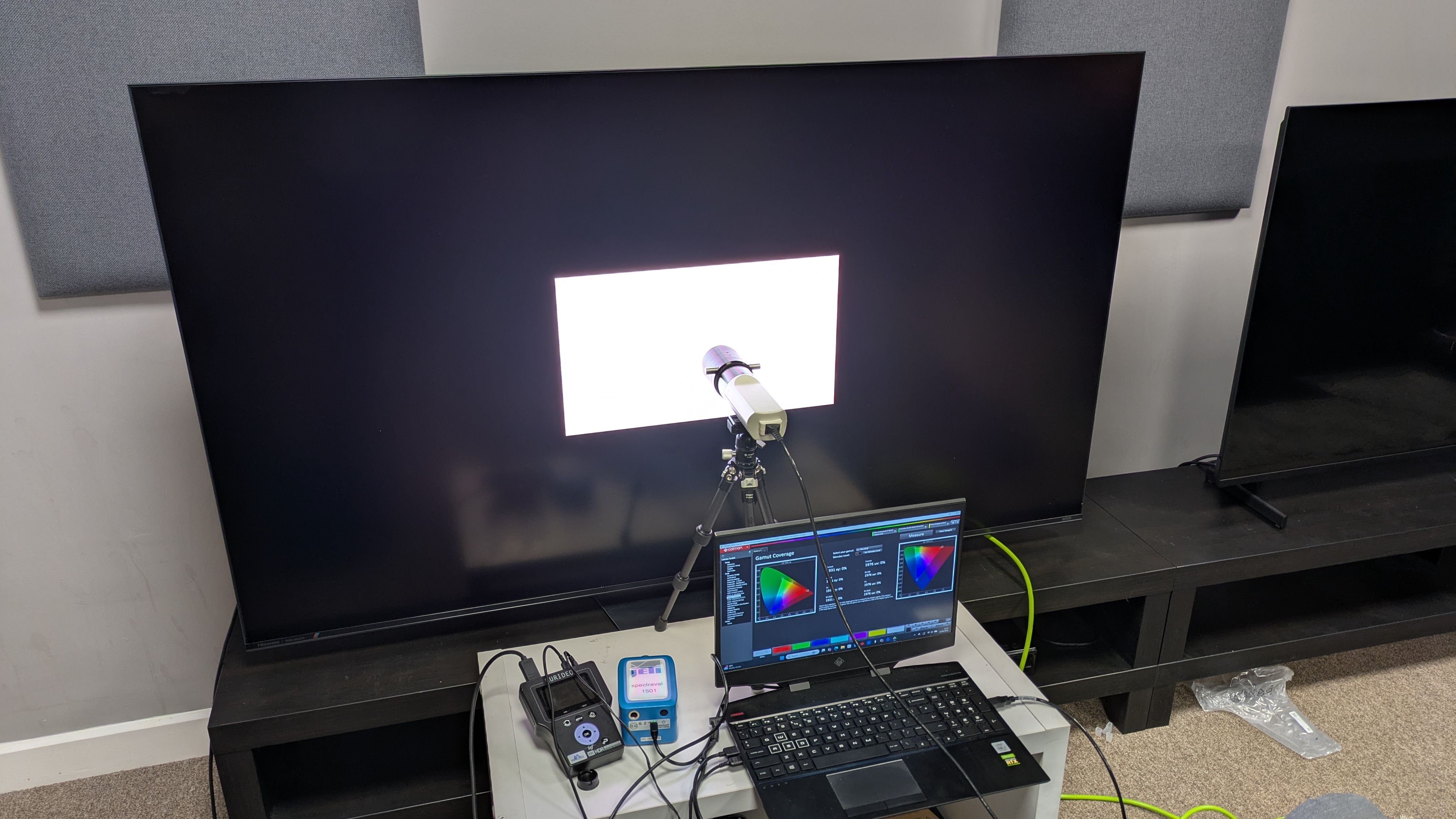
Hisense UR8 with testing equipment attached for measurements

(Image credit: Future)
  • Tested over two weeks
  • Tested in different lighting conditions in lab
  • Measurements taken using Portrait Displays' Calman color calibration software

My first step in testing the Hisense UR8 was to establish the best picture modes for critical testing, and I landed on Filmmaker Mode and Cinema mode (which admittedly looked very similar).

I then used reference scenes to test the UR8's picture quality, focusing on brightness, color, detail, upscaling, contrast and backlight control. I used a couple of these same scenes to test the TV's built-in speakers.

I also used an Xbox Series X to test the TV's gaming features and performance, playing Battlefield V.

Apart from objective testing, I took measurements of the UR8 using specialized equipment. This included a Jeti Spctral 15VA Spectroradiometer and Klein K-10A colorimeter (with both meters profiled together), with a Murideo Six G 8K Metal test-pattern generator. I took measurements using Portrait Displays' Calman color calibration software.

The first measurements I took were the UR8's brightness, in both SDR and HDR. I used white window patterns in sizes ranging from 1-100%, with peak (10%) and fullscreen (100%) windows serving as the primary focus. I took measurements in the UR8's Standard and Filmmaker Mode pictures modes.

After this, I measured the color and grayscale accuracy (in SDR), focusing on the Delta-E values (the margin for error between the test signal sent and what's displayed on screen).

Next, I measured the UR8's HDR color gamut coverage, focusing on the BT.2020 and UHDA-P3 color spaces.

I also measured the UR8's HDR EOTF in 1,000, 4,000 and 10,000 nits. This shows the UR8 accuracy at both light and dark levels. I also tested the UR8's spectral power distribution, which demonstrates color performance.

Finally, I tested the UR8's input lag time using a Leo Bodnar 4K HDMi Input Lag Tester.

Read our in-depth overview of how we test TVs at TechRadar.

  •  

The Samsung S99H is one of the best OLED TVs I've ever tested, even if it does feature a controversial design

Samsung S99H review: Two minute review

Sitting at the top of Samsung’s 2026 TV lineup, the Samsung S99H is a flagship OLED TV that delivers excellent performance, particularly when it comes to picture, and a full set of features both for smart TV and for gaming. This could easily be one of 2026’s best TVs.

The S99H has a full list of features. Its NQ4 AI Gen 3 Processor comes with a stack of AI tools for picture, such as AI Motion Enhancer Pro and AI 4K Upscaling Pro, AI tools for sound such as Adaptive Sound Pro, and other AI tools for content recommendation. All of these fall under the Samsung Vision AI banner.

Picture quality on the S99H is superb. It delivers the highest brightness to date from a flagship OLED TV, along with vibrant, accurate colors, crisp textures and powerful contrast. Its anti-reflection screen is effective at eliminating reflections and while its Filmmaker Mode is a little dim in bright conditions, its Movie mode is a great brighter alternative.

Motion handling is mostly smooth and natural for both movies and sport, and while there are some hints of black crush in certain movies I tested, the S99H’s picture is still up there with the best OLED TVs.

The Samsung S99H delivers solid overall built-in sound. Its accuracy and precision are its strengths, with an excellent connection between the action on screen and the sound. The bass is punchy, there’s some nice impact and the soundstage can be wide. Still, this level of picture quality deserves a fuller sound, so I’d recommend one of the best soundbars or speakers.

Design is arguably the S99H’s most controversial topic this year. A new silver frame around the TV, called the FloatLayer Design, has been added and I personally found the frame to be distracting. While meant for wall-mounting, the extra width may cause space issues for some people and the handsome central pedestal stand of its predecessor has been replaced by two plastic feet. The One Connect Box has been removed, with ports returning to the TV itself — but you can connect Samsung Wireless One Connect Box to add more HDMI ports.

The S99H is a phenomenal gaming TV. Carrying four HDMI 2.1 ports that support 4K 165Hz, full VRR, HDR10+ gaming and ALLM, and boasting an ultra-low 9.5ms input lag at 60Hz, performance is smooth and the picture always looks great. Easily one of 2026’s best gaming TVs.

One UI Tizen is the S99H’s smart TV platform. It supports all major streaming apps, delivers pretty smooth performance and is easy to navigate. While there are some quirks that I found frustrating (namely auto-playing Samsung TV Plus), it’s still a good smart TV platform. Its Vision AI companion can be useful for those who enjoy AI, and while it doesn’t quite measure up to LG’s webOS, it’s still solid.

The 65-inch S99H I tested costs £3,199, which is a premium price for most people. It does justify its price with the level of performance and features that it offers and while the rival LG G6 is currently cheaper (up to £500 cheaper depending on sales), I expect the S99H’s prices will start to drop soon enough. In the meantime, last year’s Samsung S95F is available at a fraction of the cost, and is a great-value buy while it lasts.

Samsung S99H review: Prices & release dates

Samsung S99H with peacock feather on screen. The S99H shows good color and detail

(Image credit: Future)
  • Release date: June 2026
  • 55-inch price: £2,399
  • 65-inch price: £3,199
  • 77-inch price: £4,299
  • 83-inch price: £5,899

The Samsung S99H is the flagship OLED in Samsung’s 2026 TV lineup. It sits above the mid-range Samsung S90H and budget Samsung S85H. The 65-inch model I tested launched in June 2026 at £3,199

In the few weeks since its release, prices have remained the same. The S99H’s launch prices are cheaper than both its predecessor, the S95F, and the rival G6. However, the G6 has been out for longer, so its prices have dropped.

Samsung S99H review: Specs

Screen type

QD-OLED

Refresh rate

Up to 165Hz

HDR support

HDR10+, HDR10, HLG

Audio support

Dolby Atmos

Smart TV

Tizen

HDMI ports

4 x HDMI 2.1

Samsung S99H review: Benchmark results

1 / 4

Brightness measurements

Taken using a colorimeter and test pattern generator. Click the test name for measurements and select the chosen test from the dropdown menu.

Samsung S99H
HDR Filmmaker Mode (10% window)
2739
HDR Filmmaker Mode (Fullscreen)
449
LG G6
HDR Filmmaker Mode (10% window)
3004
HDR Filmmaker Mode (Fullscreen)
451
Samsung S95F
HDR Filmmaker Mode (10% window)
2132
HDR Filmmaker Mode (Fullscreen)
390
01,0002,0003,0004,000
10% window
HDR Filmmaker Mode Data
ProductHDR Filmmaker Mode (10% window) (10% window)HDR Filmmaker Mode (Fullscreen) (10% window)
Samsung S99H2739449
LG G63004451
Samsung S95F2132390
Samsung S99H
HDR Standard Mode (10% window)
2831
HDR Standard Mode (Fullscreen)
463
LG G6
HDR Standard Mode (10% window)
2469
HDR Standard Mode (Fullscreen)
385
Samsung S95F
HDR Standard Mode (10% window)
2135
HDR Standard Mode (Fullscreen)
380
07501,5002,2503,000
10% window
HDR Standard Mode Data
ProductHDR Standard Mode (10% window) (10% window)HDR Standard Mode (Fullscreen) (10% window)
Samsung S99H2831463
LG G62469385
Samsung S95F2135380
Samsung S99H
SDR Filmmaker Mode (10% window)
220
SDR Filmmaker Mode (Fullscreen)
219
LG G6
SDR Filmmaker Mode (10% window)
559
SDR Filmmaker Mode (Fullscreen)
390
Samsung S95F
SDR Filmmaker Mode (10% window)
256
SDR Filmmaker Mode (Fullscreen)
137
0150300450600
10% window
SDR Filmmaker Mode Data
ProductSDR Filmmaker Mode (10% window) (10% window)SDR Filmmaker Mode (Fullscreen) (10% window)
Samsung S99H220219
LG G6559390
Samsung S95F256137
Samsung S99H
SDR Standard Mode (10% window)
229
SDR Standard Mode (Fullscreen)
229
LG G6
SDR Standard Mode (10% window)
648
SDR Standard Mode (Fullscreen)
559
Samsung S95F
SDR Standard Mode (10% window)
372
SDR Standard Mode (Fullscreen)
199
0200400600800
10% window
SDR Standard Mode Data
ProductSDR Standard Mode (10% window) (10% window)SDR Standard Mode (Fullscreen) (10% window)
Samsung S99H229229
LG G6648559
Samsung S95F372199
TechRadar Logo

HDR color gamut

Closer to 100% is better. Taken using a colorimeter and test pattern generator.

Samsung S99H
UHDA-P3
99.97
BT.2020
89.2
LG G6
UHDA-P3
99.3
BT.2020
83
Samsung S95F
UHDA-P3
100
BT.2020
89.3
0255075100
HDR Filmmaker Mode Data
ProductUHDA-P3 ()BT.2020 ()
Samsung S99H99.9789.2
LG G699.383
Samsung S95F10089.3
TechRadar Logo

Picture accuracy

A lower score is better. Taken using a colorimeter and test pattern generator.

SDR Delta-E

Samsung S99H
1.6
LG G6
1.4
Samsung S95F
2.61
0123
SDR Delta-E Data
ProductValue
Samsung S99H1.6
LG G61.4
Samsung S95F2.61
TechRadar Logo

Input lag

Lower is better. Taken using a Leo Bodnar 4K HDMI Video Signal Lag Tester.

Samsung S99H
4K 60Hz
9.5
1080p 120Hz
5
LG G6
4K 60Hz
8.9
1080p 120Hz
4.6
Samsung S95F
4K 60Hz
9.5
1080p 120Hz
0
012345678910
ms
HDR Filmmaker Mode Data
Product4K 60Hz (ms)1080p 120Hz (ms)
Samsung S99H9.55
LG G68.94.6
Samsung S95F9.5N/A
The Samsung S95F does not have a 1080p 120Hz results as its results were registered before we started taking the 1080p 120Hz measurement
TechRadar Logo

Samsung S99/S95H HDR EOTF results in 1,000, 4,000 and 10,000 nits. Graphs show that the S99/S95H has excellent accurate HDR EOTF

The above EOTF graphs show the accuracy of the Samsung S99H for hitting different HDR brightness levels in grayscale. The closer to the yellow line, the more accurate a TV is. As with all our tests, these results are out of the box, without calibration, to demonstrate the performance most people will see. As you can see, the S99H did very well on all three target tests. (Image credit: Future)

Samsung S99/S95H spectral power distribution graph

Spectral power distribution refers to the intensity of light that a source will display at various wavelengths of color. It can reveal how accurate a source can show color at different light levels, and can be instructive to understand how a TV is handling color. (Image credit: Future)

Samsung S99H review: Features

Samsung S99H ports on rear panel with two HDMI cables plugged in

The ports of the S99H have returned to the rear panel of the TV, with the removal of the One Connect Box (Image credit: Future)
  • NQ4 AI Gen 3 processor
  • OLED Glare Free screen
  • AI enhancements including AI Football Pro mode

The flagship Samsung OLED has typically used a QD-OLED panel in its 55-77-inch sizes in the past. Based on my testing measurements, I am certain that the 65-inch model I tested does use a QD-OLED panel, though Samsung doesn't confirm this either way. The 83-inch model will use an LG W-OLED panel, because QD-OLED panels don't come in that size.

The S99H features an anti-reflection, matte screen, called OLED Glare Free by Samsung, that is designed to reduce mirror-like reflections, and keep reflections from a light to minimum.

The S95H uses Samsung’s own NQ4 AI Gen 3 processor, which provides visual AI-based enhancements such as AI Motion Enhancer Pro, 4K AI Upscaling Pro and Auto HDR Remastering Pro, as well as the introduction of AI Soccer Mode Pro, designed to provide the best picture and sound for Soccer. AI audio enhancements include AI Sound and AI Sound Controller Pro.

For HDR support, HDR10+, HDR10 and HLG are once again supported, but there is still no support for Dolby Vision. For enhanced audio formats, Dolby Atmos is supported, but not DTS.

The big design change with the S99H, compared to last year’s S95F, is the addition of a wider, silver frame, which Samsung calls a FloatLayer Design, which adds a couple of extra inches all around the TV. As a result, the One Connect Box is gone and ports have returned to the rear panel of the TV itself.

It’s worth noting that, as well as the four HDMI 2.1 ports on the rear panel, Samsung says that its Wireless One Connect Box can be added in addition to the other ports, giving you a total of eight HDMI 2.1 ports (four built-in, four on the optional box).

For sound, the S95H features a built-in 4.2.2-channel, 70W speaker system that supports Dolby Atmos: the same core specs as last year’s S95F. Sound features include Object Tracking Sound+ (OTS+), Adaptive Sound Pro and Active Voice Amplifier Pro.

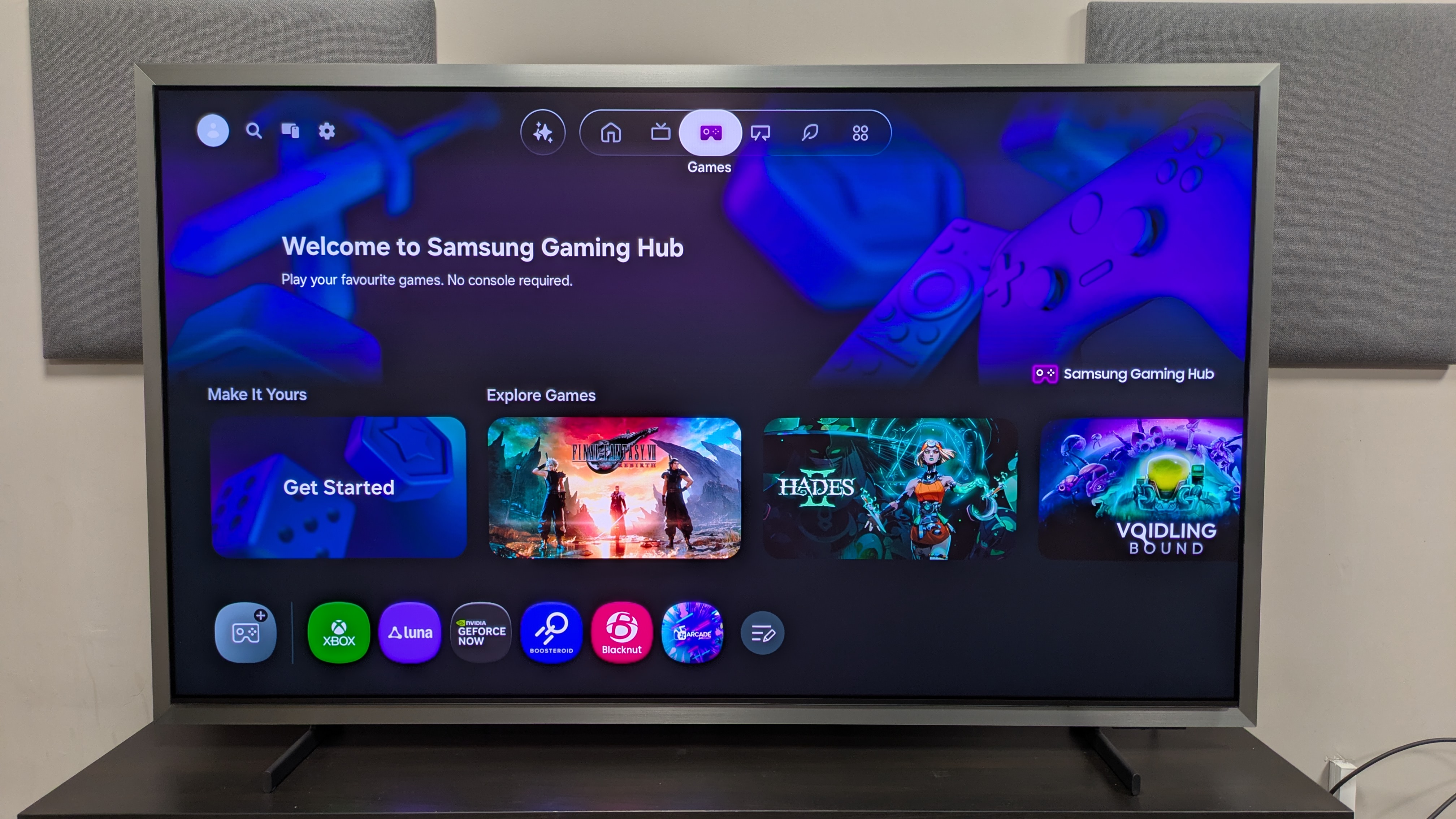
Gaming is well covered, with four HDMI 2.1 ports built-in that support 4K at up to 165Hz, full variable refresh rate options including AMD FreeSync Premium Pro and Nvidia G-Sync, HGiG, HDR10+ gaming and auto low latency mode. There’s also a Game Hub where cloud-based applications such as Xbox and Luna can be accessed.

Samsung uses its own Tizen smart TV platform on the S99H, which features the aforementioned picture and audio AI tools as well as Generative Wallpaper and Art Mode, the latter of which is the same found on the brand’s The Frame art TVs.

Tizen supports a vast array of apps including Netflix and Prime Video, as well as UK based apps including BBC iPlayer and ITVX. For antenna/satellite based programming, Samsung uses its own Samsung TV Plus platform, rather than Freely or Freeview.

  • Features score: 5 / 5

Samsung S99H review: Picture quality

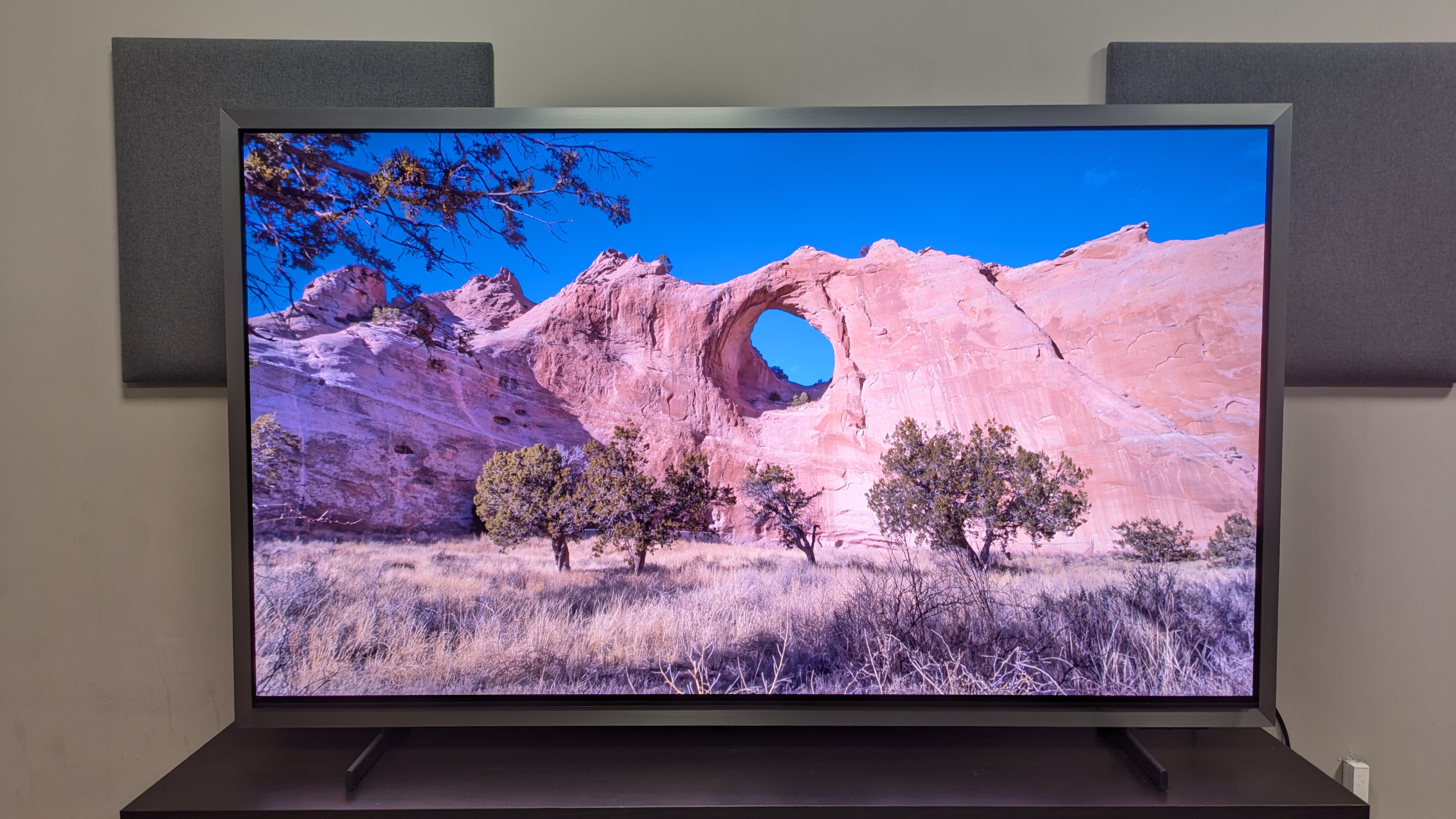
Samsung S99H with canyon and cliffside on bright day

The S99H's increase in brightness means daytime scenes have even more pop (Image credit: Future)
  • Spectacular colour display
  • Effective anti-glare matte screen
  • Strong contrast and inky black tones

The S99H boasts some strong brightness results, clocking in at 2,739 nits in Filmmaker Mode and 2,831 nits in Standard for peak HDR brightness. I used Movie mode for some of my testing, and this registered at 2,751 nits peak HDR. This is a big jump over 2,132 nits and 2,135 nits the S99H’s predecessor, the S95F, registered in the same HDR Filmmaker and Standard modes respectively.

Even fullscreen HDR brightness has had a nice boost, registering 449 nits in Filmmaker, 460 nits in Standard and 450 nits in Movie. This is a jump over the 380 nits and 390 nits the S95F achieved in Filmmaker and Standard mode.

The S99H’s has an anti-reflection, matte screen. If you’re viewing in a bright room, with unavoidable light, the S99H should be near the top of your shopping list. While I preferred the LG G6 over the S99H for actual content in bright rooms, the S95H is still the better TV for eliminating reflections outright.

The S99H demonstrates effective upscaling of SDR sources. Watching a mix of reality shows and Wimbledon via Samsung TV Plus, the S99H did a good job sharpening textures and giving colours a richer look. With HD sources, detail upscaling looked realistic and definitely had a 4K-like level of detail.

I tried out the Auto HDR Remastering Pro tool, and while it did boost brightness and sharpen textures, it all looked too artificial for my liking.

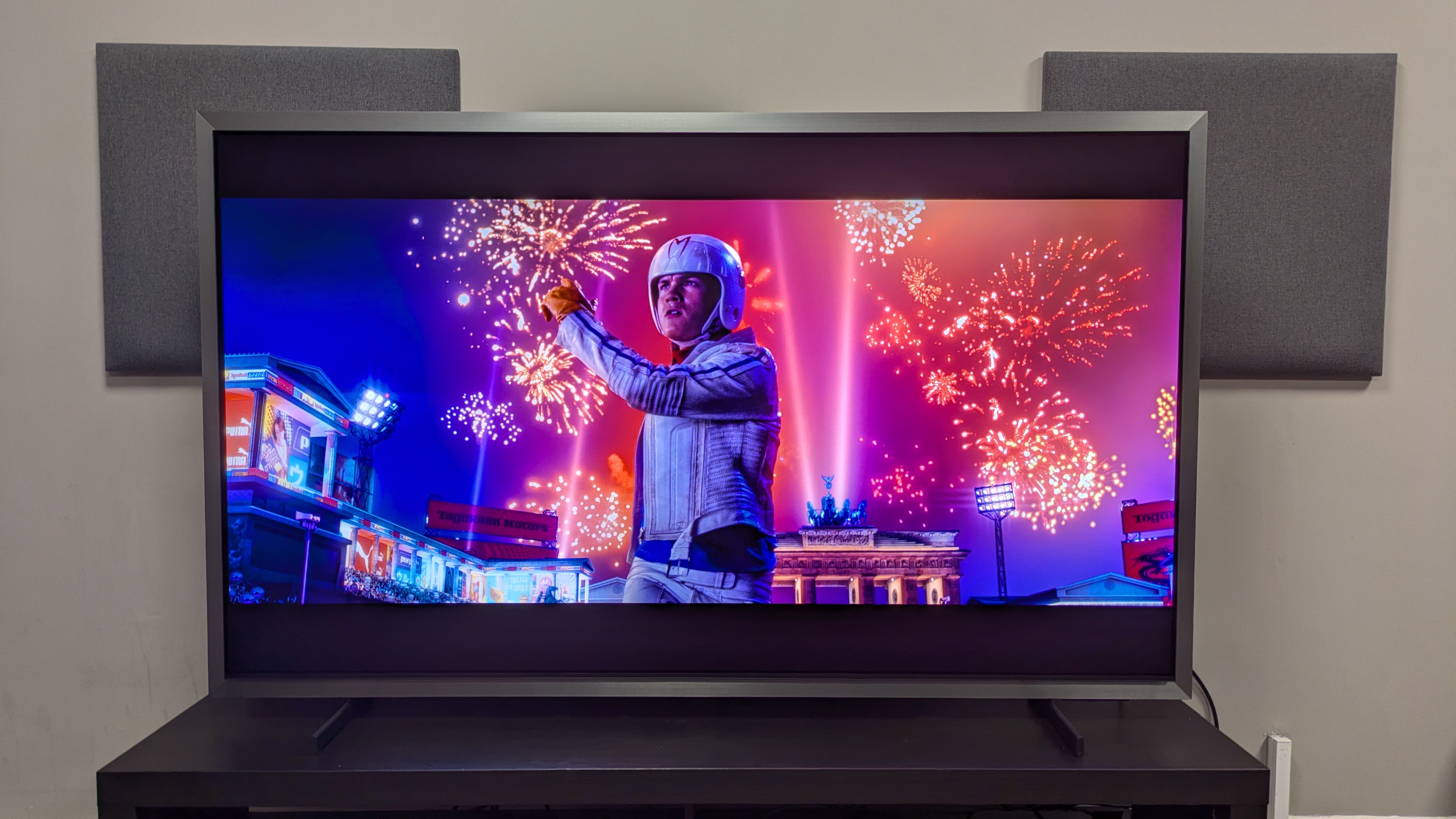
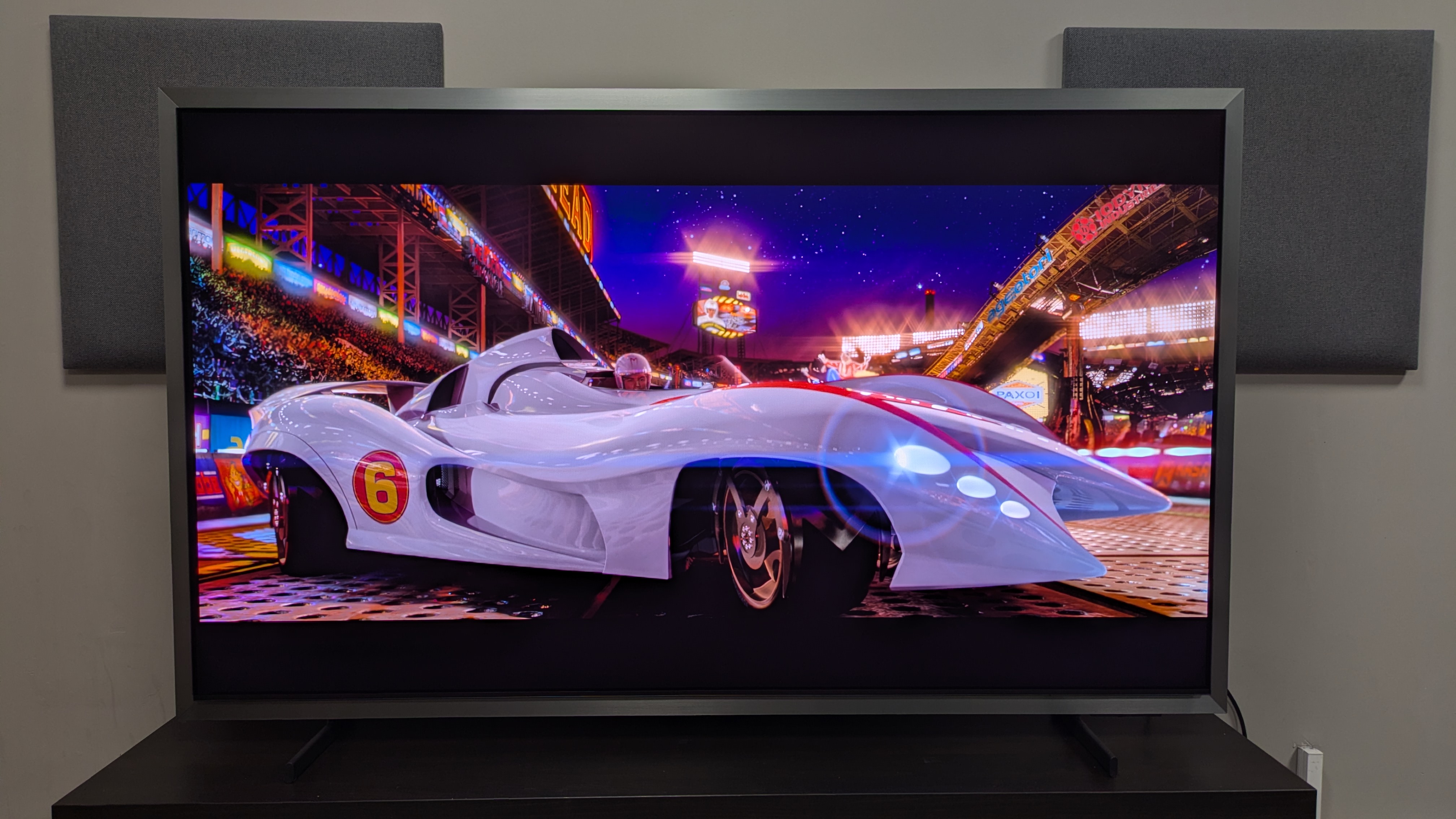
Samsung S99H with shot of Speed Racer in front of some fireworks from Speed Race. The S99H's color reproduction is vivid and dazzling

Colour reproduction is the S99H's best feature, meaning shots from colourful movies like Speed Racer really shine on screen (Image credit: Future)

Moving to HDR sources, I first tested the S99H’s colour reproduction. Watching Speed Racer, a recent addition to my 4K Blu-ray testing rotation, the S99H delivered bright, bold colours that accurately captured the cartoon-style colours of the movie. Close-up shots of Speed Racer show vibrant reds in the interior of his cockpit and his ‘M’ logo, while later scenes show gorgeous, bright blues of clear skies and neon-like greens of a field in a schoolyard.

Comparing the S99H to the G6, I did find that the S99H made some reds a little pale and orange in appearance at times, but viewed in isolation, the S99H’s colors still looked superb. Moving to La La Land, Mia’s yellow dress was punchy, but accurate on the S99H and the gradient of pinks and purples in the sunsets looked realistic, but still lively.

It’s no real surprise that colors looked bold on the S99H, as I measured its HDR colour gamut coverage at 89.2% of the BT.2020 colour space and 99.97% of the DCI-P3 colour space: both outstanding results.

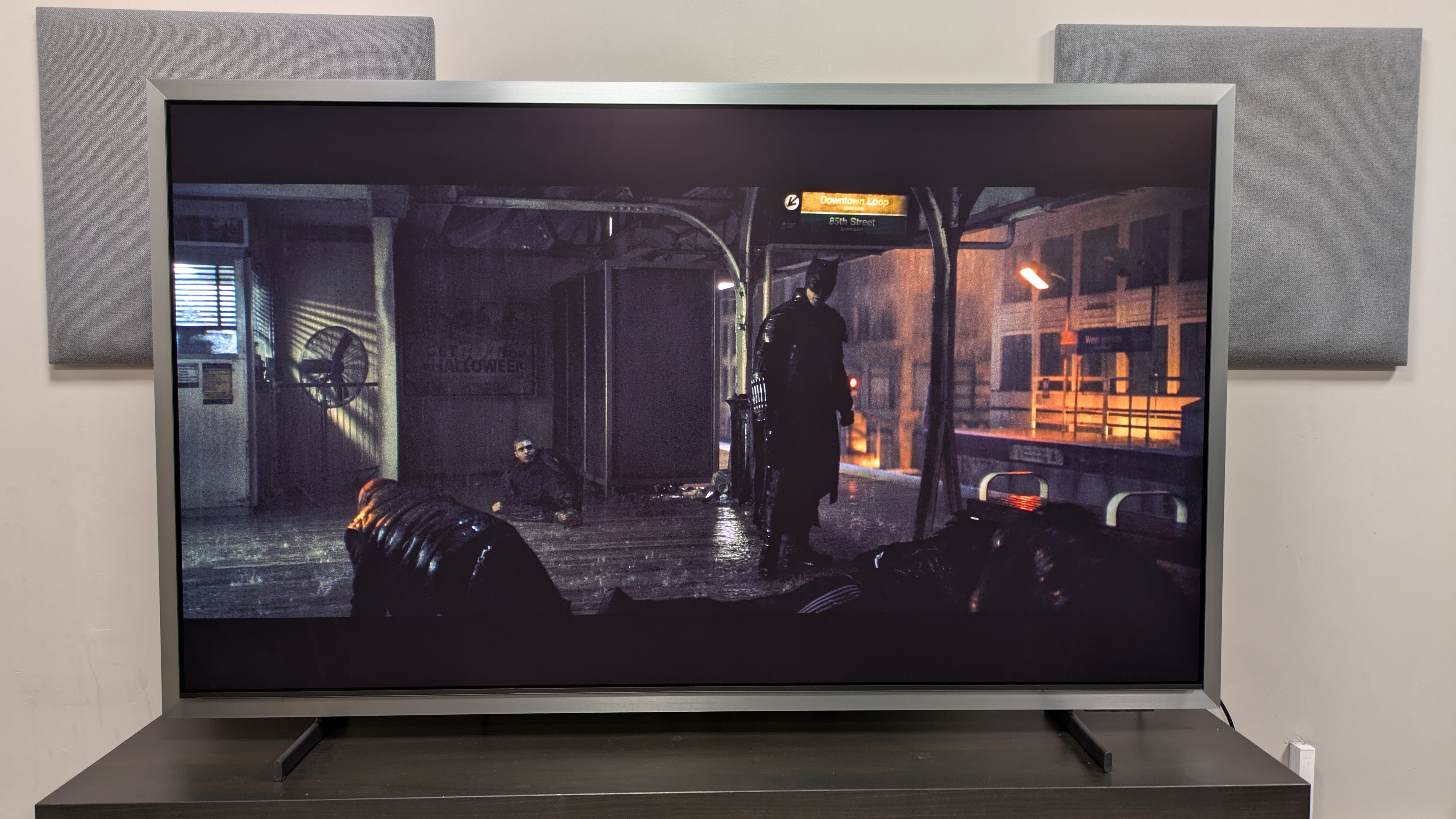
Samsung S99H with a shot of Batman stood on a subway platform from The Batman. The TV is set to Movie mode, and the picture is clear in very bright conditions
The Batman (pictured) looks best in Movie mode in bright conditions Future
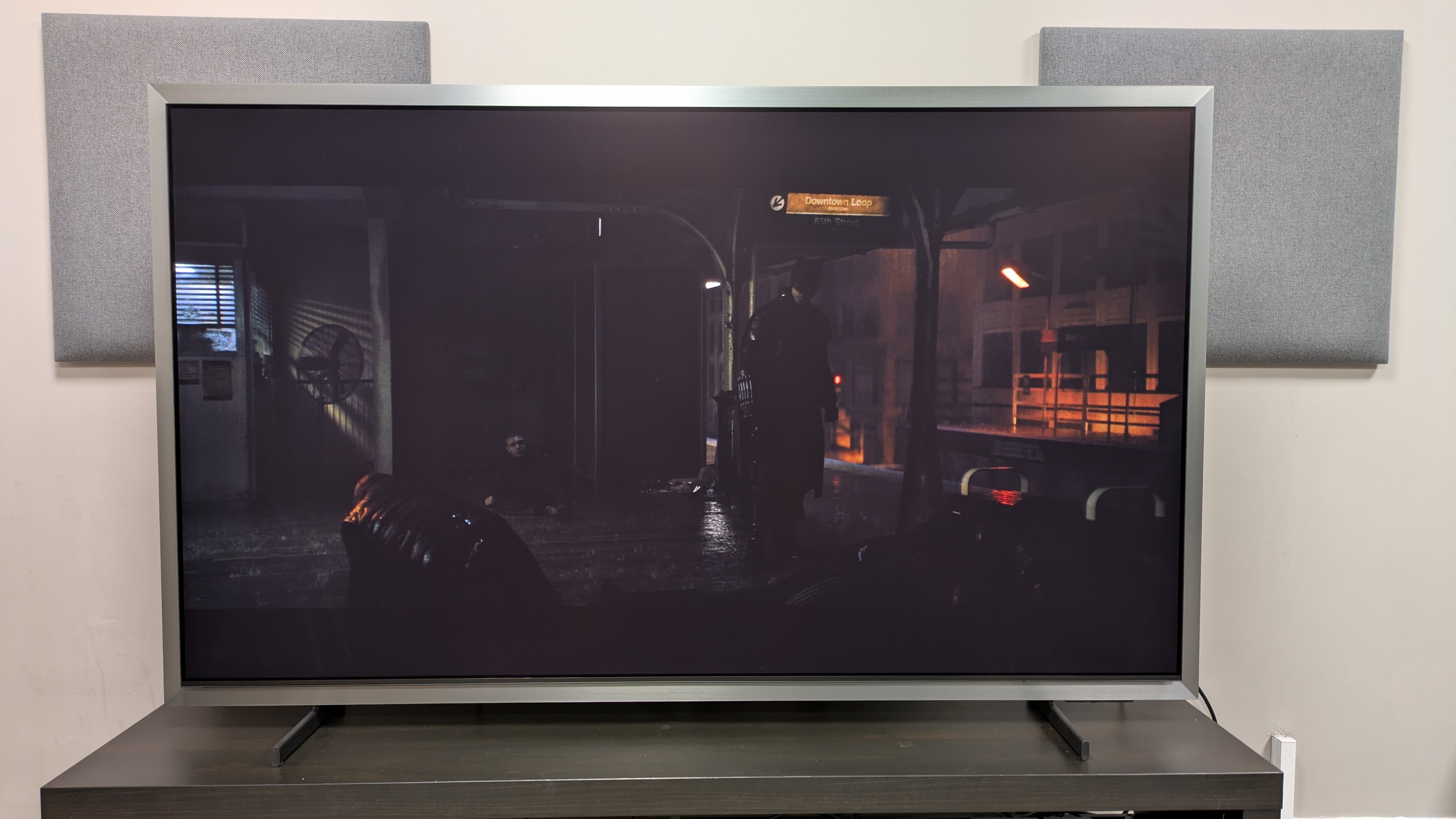
Samsung S99H with a shot of Batman on a subway platform from The Batman. The S99H is set to Filmmaker mode in a bright room and the movie is difficult to see
In Filmmaker Mode, in a bright room, The Batman is difficult to see Warner Bros / Future

For darker movies, it was important to get the right picture mode for the situation. I found The Batman was too dim to watch in the default Filmmaker Mode with the lights on in our testing lab, but Movie mode worked fine. In a darker room however, Filmmaker Mode worked.

Throughout The Batman, the S99H’s strong contrast shone through, aided by its punchy highlights from its newfound brightness and rich black tones. Whether Batman stood in a dark subway or the camera cut to a ceiling-high, wide-angle shot of the Batcave, there was an excellent balance between light and dark tones.

I found during my testing that in Filmmaker Mode, the S99H was prone to black crush during the darker parts of the movie, resulting in detail loss. Batman’s armour in the aforementioned subway scene is obscured, as the S99H prioritises deeper blacks. This wasn’t as true in a ‘brighter’ dark movie, such as Alien: Romulus, where detail is more preserved, but there were still hints of black crush.

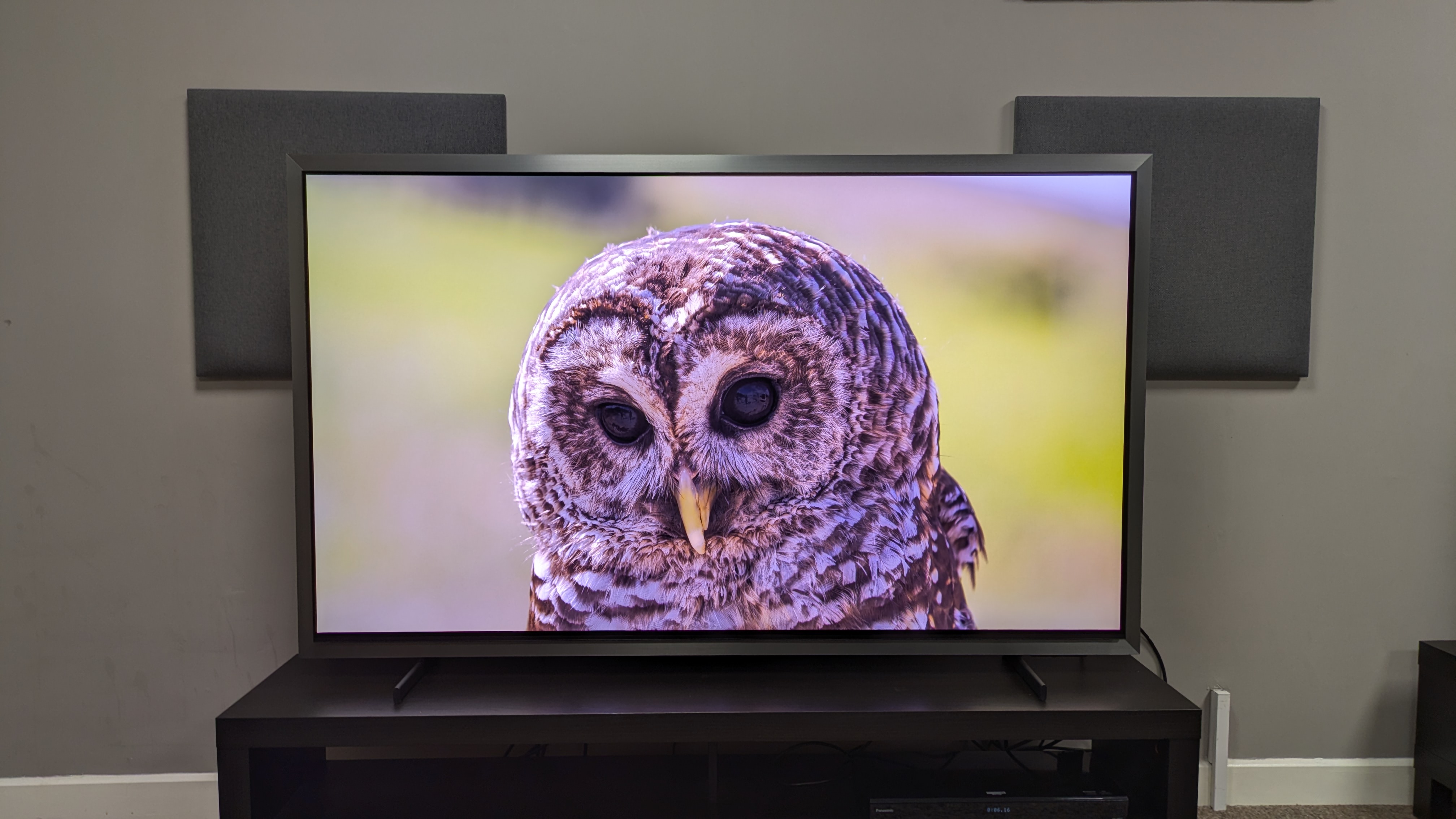
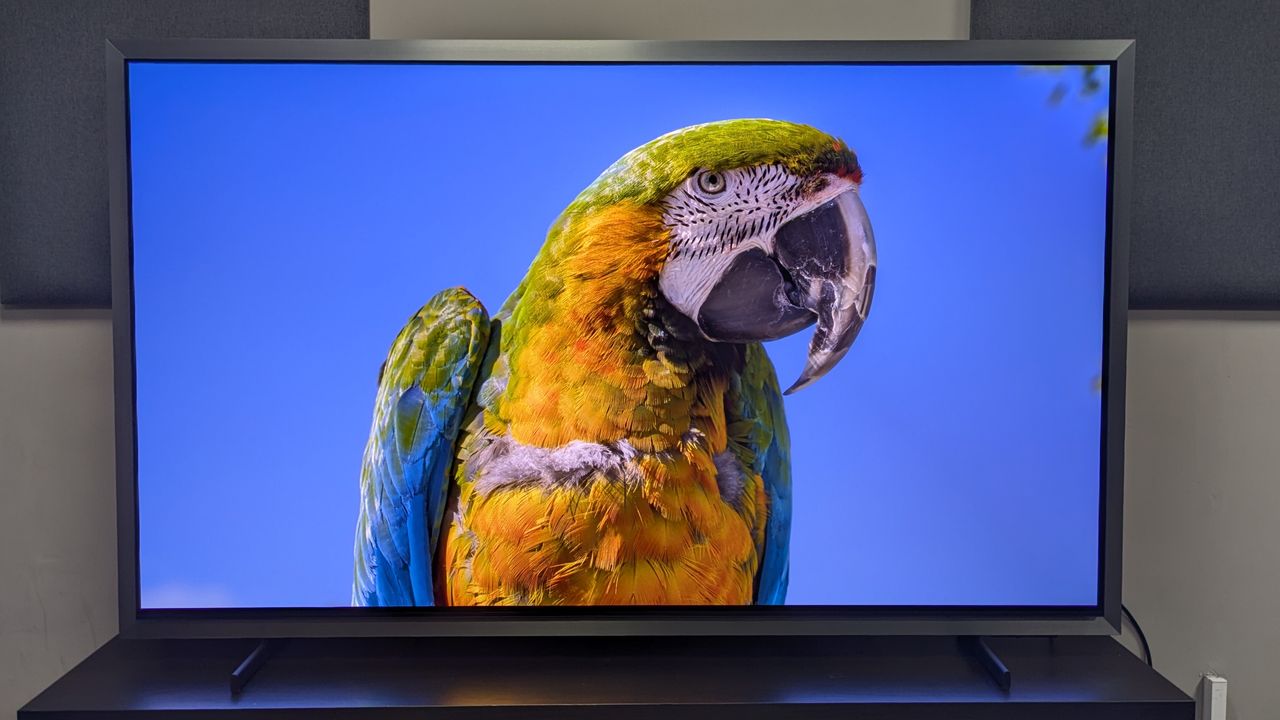
Samsung S99H with owl on screen. Shows S99H's crisp detail, with refined textures

The S99H's textures are crisp and 3D-like, regardless of what's on screen (Image credit: Future)

The S99H’s textures are crisp and 3D-like, no matter the content. Skin, clothing and objects all look lifelike, especially in HDR. I actually found I preferred the look of the S99H’s skin tones better than the G6 in my comparison of the two.

Finally, motion. The S99H demonstrated good motion throughout my testing, but I found it was best to set motion to 3 blur and 3 judder. Any higher, and motion looked artificial and unnatural. Going back to Speed Racer, the S99H did a good job handling the fast racing sequences as cars swerved from side-to-side. I did find there was some judder as commentators panned across the screen, but I found this on every TV I’ve tested with the disc so far.

I tried out the S99H’s AI Football Mode Pro and it was somewhat effective. The commentary was clearer and louder, the picture was more detailed and motion was smoother. If you don’t want to use any AI tools, then Standard picture mode with judder and blur set to 3 worked well.

  • Picture quality score: 5 / 5

Samsung S99H review: Sound quality

Samsung S99H with Mach 6 from Speed Racer on screen. Shows the S99H's punchy brightness and bold colors

The S99H delivers solid built-in sound that's good for movies like Speed Racer (pictured), but a soundbar would do the picture more justice (Image credit: Warner Bros / Future )
  • 4.2.2 channel, Dolby Atmos
  • Great accuracy and clarity
  • No DTS support

The S99H features a 4.2.2 channel, 70W speaker array and supports Dolby Atmos. There is however no DTS support. Along with its two sound modes, Standard and Amplify, there are AI Sound tools such as Adaptive Sound Pro and Active Voice Amplifier that can be used to adjust sound.

Watching Speed Racer with the S99H set to the Amplify sound mode, the S95H demonstrates solid bass and power, accurately delivering the rumble and revving of engines. Collisions as cars battle during races also have good impact, along with clear speech, even during the most hectic of races.

The S99H’s Object Tracking Sound+ (OTS+) is superb for delivering precise sound placement. When Speed Racer grinds a rail in the opening race, the sound was clean and audible, despite other loud effects.

Trying out the S99H’s AI Sound mode, it adds some width to the soundstage, giving more volume to more subtle effects. However, I personally found that the AI Sound was a little more compressed and some power was compromised, so I preferred the default Amplify setting.

While overall the S99H’s built-in speakers did a good job, I still felt the sound was contained to the screen's width, and while there was some good delivery of Atmos effects, they again were lost in the mix. For a TV with this picture quality, I’d still recommend a soundbar at least for the full cinematic experience.

  • Sound quality score: 4 / 5

Samsung S99H review: Design

Samsung S99H with owl on screen. Shows S99H's crisp detail, with refined textures
The new silver frame surrounding the S99H will be divisive Future
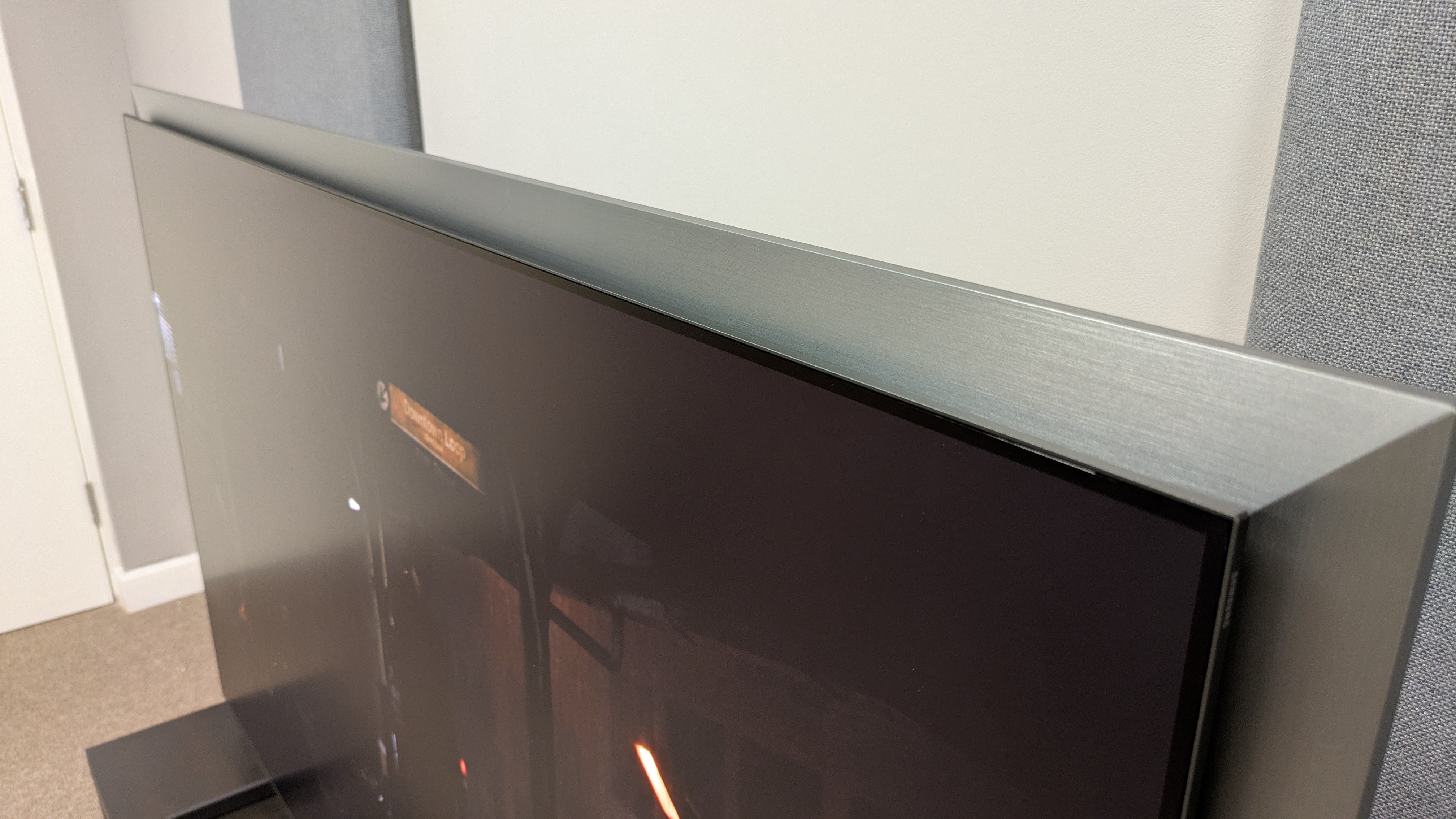
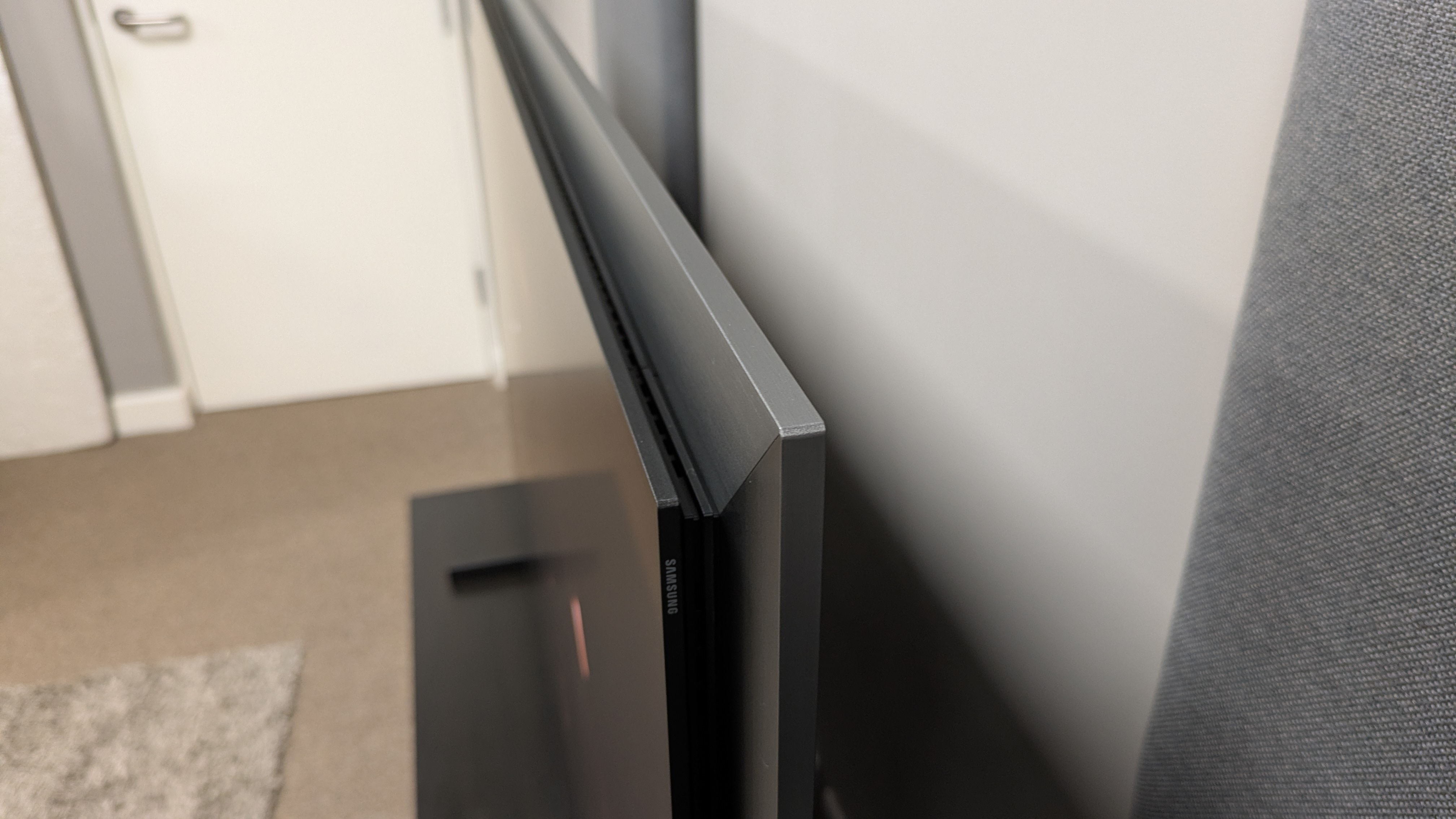
Samsung S99H frame from top angle
The screen 'floats' in front of the frameFuture
Samsung S99H feet
The pedestal stand has been replaced by two feetFuture
  • Extended silver frame will be divisive
  • Stand replaced with feet
  • No One Connect Box included

Arguably the biggest talking point for the S99H this year is the physical design changes compared to last year’s S95F. The most notable is the FloatLayer Design, a silver frame that surrounds the TV, giving it a floating, 3D look. This is going to be a controversial addition and for some, it will mean a re-think on where to put the TV, since it adds width and height.

Personally, I’m not a fan, as I find the silver to be a bit distracting and when viewed off-centre, the frame looks odd.

The black, metal, pedestal stand from the S95F has been replaced by two plastic grey feet. While these feet are sturdy and easy to install, I still feel it’s a downgrade for a premium TV. The TV’s bezel is still sleek and ultra-thin, however, and gives it a high-quality feel (but is slightly spoiled by the frame behind it).

The other big change is the removal of the One Connect Box, an external box that housed the TV’s connections and processing. Now, the ports have returned to the rear panel on the TV itself.

For some, this will be welcome news. The S99H is compatible with the Wireless One Connect Box too, so if you liked the external connections, this is still an option you can add on — and not only that, the box can work in tandem with the TV’s built-in connections, meaning a potential eight HDMI 2.1 ports. Who needs an AVR?

The SolarCell remote returns once again, and while there’s been no real changes or additions to it, it’s still a light, sleek, USB-C and solar rechargeable remote that’s probably one of the better remotes on the market.

  • Design score: 4 / 5

Samsung S99H review: Smart TV & menus

Samsung S99H with One Ui Tizen home page on screen

(Image credit: Future)
  • One UI Tizen smart TV platform
  • Vision AI features
  • Home, Gaming, Art Hubs

The S99H uses Samsung’s own One UI Tizen smart TV platform, with the headline this year being the Samsung Vision AI Companion, which can be used to find related content to what you're watching, and answer general questions you may ask AI. Microsoft Copilot is supported.

Along with supporting major streaming apps such as Netflix and Prime Video, it also supports major UK streaming apps such as BBC iPlayer and ITVX. Samsung does not include Freely or Freeview, instead opting to use its own Samsung TV+ system for live streaming channels.

Tizen uses a number of different hubs as a way to organise relevant apps and content. Home houses streaming apps and content recommendations based on your viewing. Game houses all things gaming, including cloud based apps from the likes of Xbox. Daily hosts apps for office and health use, while Art hosts the Art Store, where artworks can be downloaded to be used as screensavers.

Art mode is a new addition, and basically means you can turn this into an artwork display, just like Samsung's The Frame TV. This may explain the new frame-like design. The Art mode costs a monthly subscription for access to all artworks.

Tizen is intuitive enough and easy to use. There is a space at the top of the home screen for banner ads, but this is common on most smart TV platforms nowadays. One thing I did find frustrating was that whenever I lingered on the home screen, Samsung TV+ would autoplay and overwrite whatever I was doing. There seemed to be no way to turn this off, short of deleting the app.

There are a good number of picture settings present, as well as AI-based tools for picture and sound settings.

  • Smart TV & menus score: 4.5 / 5

Samsung S99H review: Gaming

Samsung S99H with Battlefield V on screen

The S99H is a fantastic gaming TV with a full suite of features (Image credit: Future)
  • Four HDMI 2.1 ports
  • FreeSync and G-Sync supported
  • 9.5ms input lag time

The S99H is an excellent TV for gaming. Across its four HDMI 2.1 ports, it supports 4K 165Hz, full VRR including AMD FreeSync and Nvidia G-Sync, HDR10+ gaming and ALLM. It also features a Game Hub, where gaming related content and cloud based gaming apps such as Xbox and Luna are supported.

The S95H’s gaming performance is smooth and responsive, thanks to its ultra-low, measured 9.5ms input lag time. As I dashed around a desert battlefield in Battlefield V playing at 4K 120Hz, snapping between targets and diving for cover, there was never any sign of judder from the S99H, which expertly handled the chaos.

With its strong colours, high brightness and powerful contrast, the S99H looks great while gaming too. During the same desert mission in Battlefield V, it did a superb job capturing the relentless heat of the African sun. Detail in weapons and textures of environments were crisp and refined throughout gaming as well.

  • Gaming score: 5 / 5

Samsung S99H review: Value

Samsung S99H remote

(Image credit: Future)
  • Premium OLED price
  • Rivals are currently notably cheaper
  • Great features and performance for the money

As a flagship OLED TV, the S99H carries a premium price tag. The 65-inch model I tested costs £3,199. This is £200 less than the launch price of last year’s S95F, which is some welcome news. However, the S99H’s main rival, the LG G6, costs £2,999 at the time of writing and has dropped to £2,699 at times. For £500 cheaper, the G6 is better value, but it does have the advantage of an earlier release date (April 2026). I am sure the S99H’s prices will drop in a similar fashion over time.

While the S99H is a premium price, it delivers the features and performance to justify it. It’s worth noting there is a slightly cheaper Samsung S95H model available (£3,299 for 65 inches) which looks similar to last year’s S95F. Do not confuse this model with the Samsung S95H model available in the US and Australia — that's actually the same TV as this S99H model.

Samsung told me the major differences between the UK S95H and the S99H models are no frame, lower brightness from the panel, and Wi-Fi 5 on the S95F vs the S99H’s Wi-Fi 6. However, those definitely aren't the only differences, because the S95H uses the One Connect Box too. We have asked Samsung if there are differences in the type of OLED panel used, and it refused to say. In any case, while the frame will be controversial, the higher brightness and better Wi-Fi are the extra £100, in my opinion.

At the time of writing, if you want a flagship Samsung OLED, a 65-inch S95F is still available for roughly £1,899, and while the S99H is an upgrade, the S95F is easily the best value option right now. Once the S95F goes out of stock, the S99H’s prices should lower and it’ll be a more-than-worthy successor.

  • Value score: 4 / 5

Should you buy the Samsung S99H?

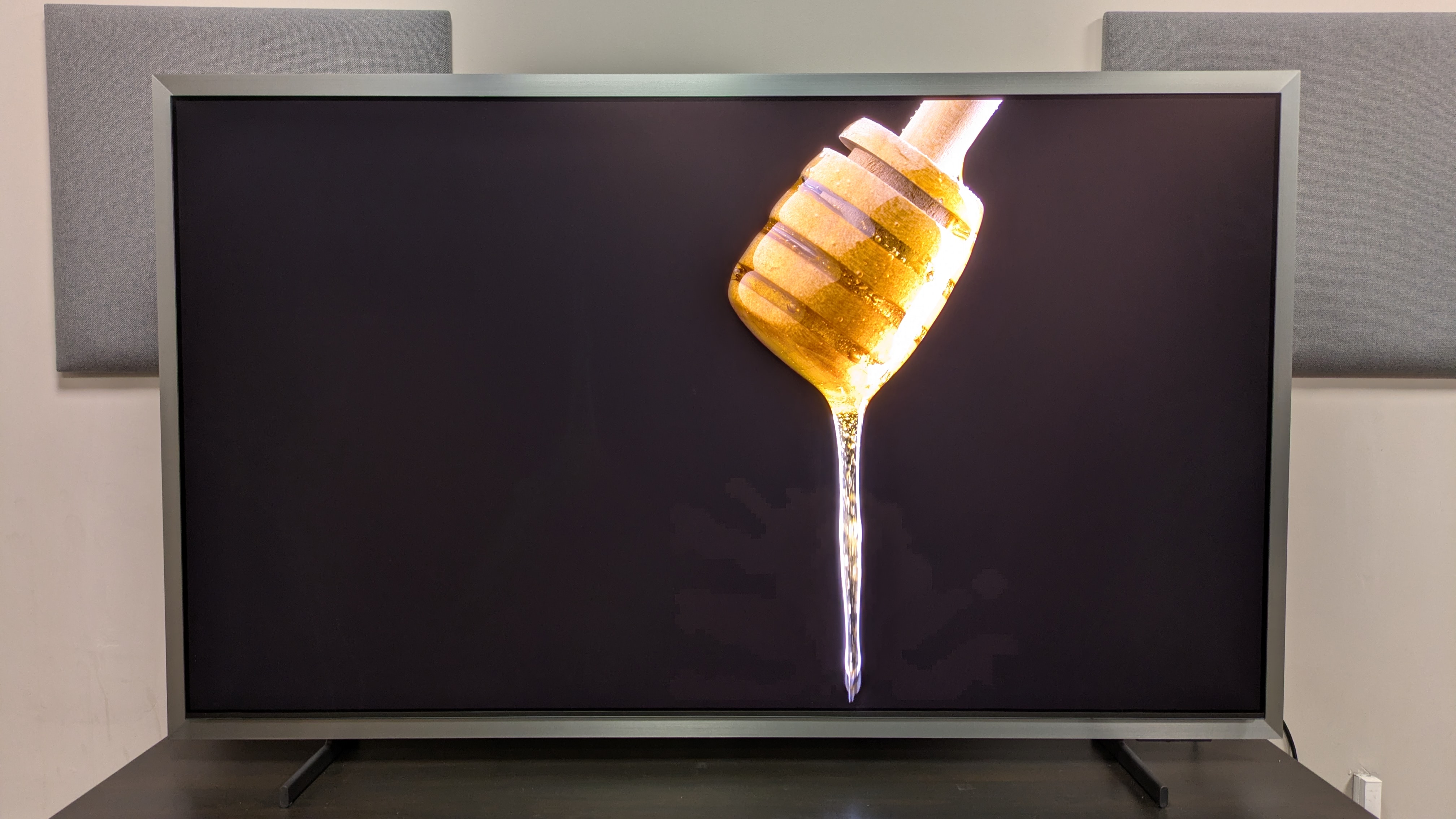
Samsung S99H with honey dripping on screen

(Image credit: Future)
Samsung S99H 65-inch

Attributes

Notes

Rating

Features

The Samsung S99H has a full suite of features for movies, gaming and smart TV. Dolby Vision HDR is still not supported however.

5/5

Picture quality

The S99H's picture is bright, bold, rich and detailed and it's excellent for bright rooms. Some signs of black crush, but an excellent picture overall

5/5

Sound quality

Clear, accurate sound quality with solid bass and impact, but can feel contained to screen. Soundbar recommended to match the picture

4/5

Design

A new extended silver frame that will prove divisive, plus the central stand is replaced by cheaper plastic feet. Aside from this, the TV does look modern and feels very sturdy.

4/5

Smart TV and menus

A good smart TV platform wit plenty of settings and AI tools. There are some annoying quirks here and there though.

4.5/5

Gaming

A full list of gaming features with top-tier performance to match. An excellent elite OLED for gaming

5/5

Value

The S99H comes at a premium price, but has the features and performance to justify it.

4/5

Buy it if...

You want a bold, colourful picture
The S99H's picture is brighter than ever, with gorgeous colours and 3D-like textures that look great regardless of what's on screen.

You want an elite OLED for gaming
With four HDMI 2.1 ports that support 4K 165Hz and all VRR options, and razor-sharp performance, the S99H is a superb TV for gaming.

You want to watch in a bright room
The S99H's anti-reflection screen is effective at eliminating reflections, even in the brightest rooms.

Don't buy it if...

You want a straight-forward design
The S99H's new silver frame will prove divisive, as it does mean some will have to re-think on their TV's placement.

You want Dolby Vision HDR
Like all Samsung TVs, the S99H doesn't support Dolby Vision HDR, instead featuring support for HDR10+.

You're on a budget
A flagship OLED TV comes at a price and while it does mostly justify its price, other, cheaper mid-range OLEDs with similar features are available.

Also Consider

Samsung S99H

LG G6

Samsung S95F

Sony Bravia 8 II

Price (65-inch)

£3,199

£2,999

£1,899

£2,299

Screen type

QD-OLED

OLED

QD-OLED

QD-OLED

Refresh rate

165Hz

165Hz

165Hz

120Hz

HDR support

HDR10+/HDR10/HLG

HDR10, HLG, Dolby Vision

HDR10+/HDR10/HLG

HDR10, HLG, Dolby Vision

Smart TV

One UI Tizen

webOS 26

Tizen 9.0

Google TV

HDMI ports

4x HDMI 2.1

4x HDMI 2.1

4x HDMI 2.1

4 (2x HDMI 2.1)

LG G6
The S99H's main rival, the LG G6 is brighter and has better black levels in bright room viewing. It also supports Dolby Vision HDR. The S99H does have crisper textures and the anti-reflection screen for extreme bright rooms, however. This choice may come down to price.

Read our full LG G6 review

Samsung S95F
The S99H's predecessor, the Samsung S95F is available for nearly half the price and has the same features and delivers similar performance in a more standard design. The S99H however does have higher brightness and improved black levels.

Read our full Samsung S95F review

Sony Bravia 8 II
Sony's flagship OLED TV, the Sony Bravia 8 II also uses a QD-OLED panel for outstanding colours and it also delivers a fuller built-in sound. The S99H is brighter and has more gaming features though.

Read our full Sony Bravia 8 II review

How I tested the Samsung S99H

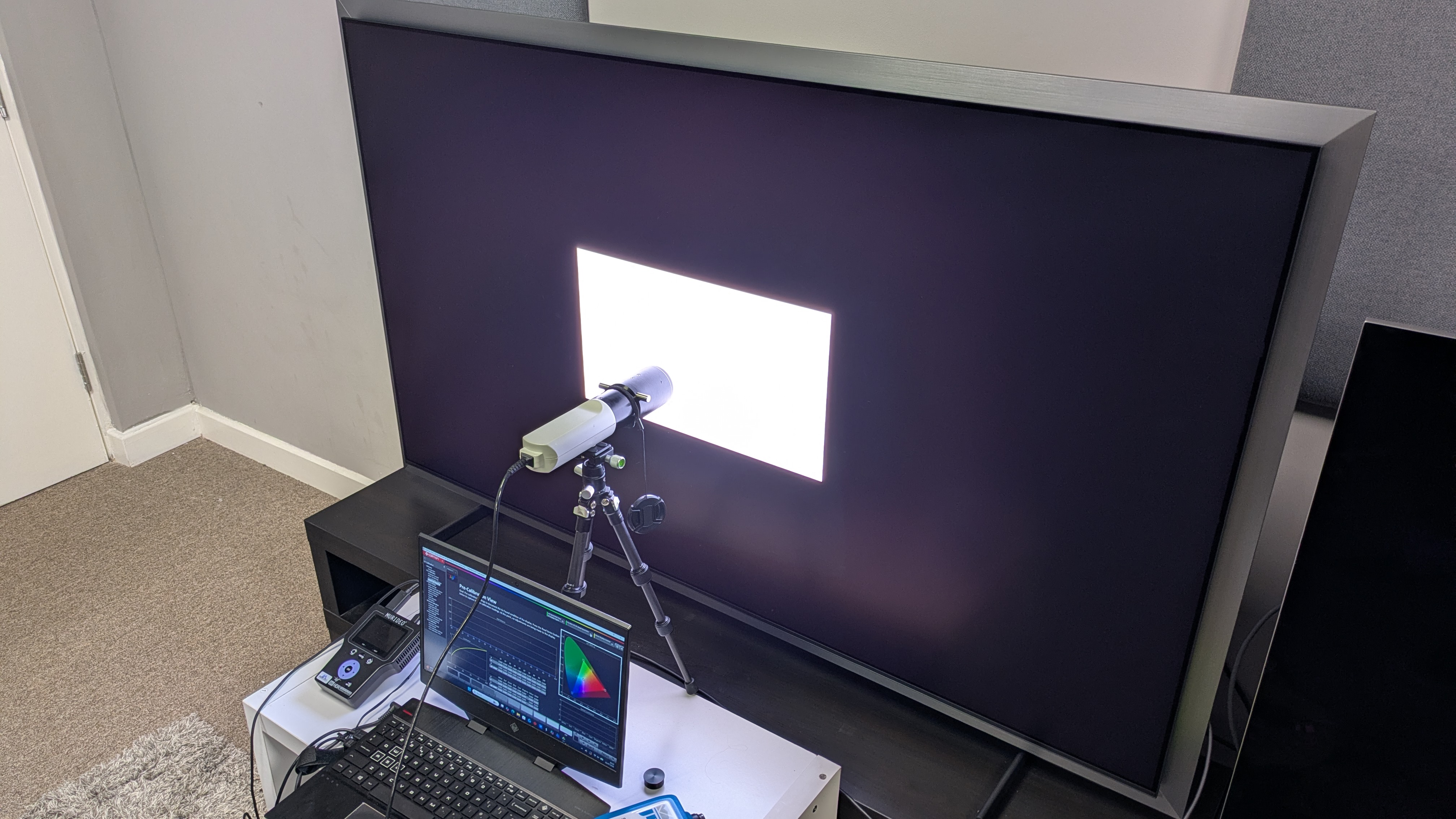
Samsung S99H with testing equipment attached and white window pattern on screen

(Image credit: Future)
  • Reviewed in our TV testing room in varying lighting conditions
  • Tested using both SDR and HDR sources
  • Measurements taken using Portrait Displays' Calman color calibration software

The first step in testing the S99H was to determine its best picture modes. I settled on three: Filmmaker Mode for dark-room movie viewing; Movie for bright-room movie viewing and Standard for sports and daytime TV.

After this, I began by testing the S99H's picture quality using both SDR (broadcast TV) and HDR (4K Blu-ray and streaming), focusing on colour, contrast, detail, upscaling and motion.

I also tested the S99H's sound quality using reference scenes from Speed Racer among other movies, and I tested its gaming performance using Battlefield V on Xbox Series X.

Once subjective testing was completed, I moved onto taking objective measurements. I did this using a Klein K-10A colorimeter (profile with a Jeti Spectral 15VA Spectroradiometer), a Murideo Six G 8K Metal test pattern generator and recorded measurements using Portrait Displays' Calman colour calibration software.

I started with brightness measurements, using white window patterns in sizes 1-100% in both SDR and HDR. The two primary results I focus on are peak (10%) and fullscreen (100%) brightness.

Next, I measured the S99H's colour and greyscale accuracy in SDR, and then measured its HDR colour gamut coverage, using the DCI-P3 and BT.2020 colour spaces, hoping for a result of over 95% in the DCI-P3 space.

We recently introduced two new tests into our measurements. The first is the HDR EOTF, which shows the accuracy a TV in both light and dark areas, suing 1,000, 4,000 and 10,000 nits targets. Then, there is the Spectral Power Distribution test, which measures how a TV handles colour recreation.

My final test was to measure the S99H's input lag using a Leo Bodnar 4K HDMI Input Lag Tester. I measured both 4K 60Hz and 1080p 120Hz results in milliseconds (ms).

  •  

The Samsung S95H is one of the best OLED TVs I've ever tested, even if it does feature a controversial design

Samsung S95H review: Two minute review

Sitting at the top of Samsung’s 2026 TV lineup, the Samsung S95H is a flagship OLED TV that delivers excellent performance, particularly when it comes to picture, and a full set of features both for smart TV and for gaming. This could easily be one of 2026’s best TVs.

The S95H has a full list of features. Its NQ4 AI Gen 3 Processor comes with a stack of AI tools for picture, such as AI Motion Enhancer Pro and AI 4K Upscaling Pro, AI tools for sound such as Adaptive Sound Pro, and other AI tools for content recommendation. All of these fall under the Samsung Vision AI banner.

Picture quality on the S95H is superb. It delivers the highest brightness to date from a flagship OLED TV, along with vibrant, accurate colors, crisp textures and powerful contrast. Its anti-reflection screen is effective at eliminating reflections and while its Filmmaker Mode is a little dim in bright conditions, its Movie mode is a great brighter alternative.

Motion handling is mostly smooth and natural for both movies and sport, and while there are some hints of black crush in certain movies I tested, the S95H’s picture is still up there with the best OLED TVs.

The Samsung S95H delivers solid overall built-in sound. Its accuracy and precision are its strengths, with an excellent connection between the action on screen and the sound. The bass is punchy, there’s some nice impact and the soundstage can be wide. Still, this level of picture quality deserves a fuller sound, so I’d recommend one of the best soundbars or speakers.

Design is arguably the S95H’s most controversial topic this year. A new silver frame around the TV, called the FloatLayer Design, has been added and I personally found the frame to be distracting. While meant for wall-mounting, the extra width may cause space issues for some people and the handsome central pedestal stand of its predecessor has been replaced by two plastic feet. The One Connect Box has been removed, with ports returning to the TV itself — but you can connect Samsung Wireless One Connect Box to add more HDMI ports.

The S95H is a phenomenal gaming TV. Carrying four HDMI 2.1 ports that support 4K 165Hz, full VRR, HDR10+ gaming and ALLM, and boasting an ultra-low 9.5ms input lag at 60Hz, performance is smooth and the picture always looks great. Easily one of 2026’s best gaming TVs.

One UI Tizen is the S95H’s smart TV platform. It supports all major streaming apps, delivers pretty smooth performance and is easy to navigate. While there are some quirks that I found frustrating (namely auto-playing Samsung TV Plus), it’s still a good smart TV platform. Its Vision AI companion can be useful for those who enjoy AI, and while it doesn’t quite measure up to LG’s webOS, it’s still solid.

The 65-inch S95H I tested costs $3,399 / AU$5,299, putting it at the premium end of the TV market. While this is a high price, the S95H delivers features and performance to justify the price and it’s competitively priced with rivals, with the LG G6 65-inch costing $3,299 / AU$4,999. I expect prices for the S95H will drop shortly, with some deals already active in Australia at the time of writing.

Samsung S95H review: Prices & release dates

Samsung S99H with peacock feather on screen. The S99H shows good color and detail

(Image credit: Future)
  • Release date: June 2026
  • 55-inch price: $2,299 / AU$3,999
  • 65-inch price: $3,299 / AU$5,299
  • 77-inch price: $4,299 / AU$7,999
  • 83-inch price: $6,299 / AU$9,999

The Samsung S95H is the flagship OLED in Samsung’s 2026 TV lineup. It sits above the mid-range Samsung S90H and budget Samsung S85H. The 65-inch model I tested launched in June 2026 at $3,299 / AU$5,299.

In the few weeks since its release, prices have remained the same, though we have seen some price reductions in Australia, particularly in larger-sized models, with up to AU$1,500 off the 83-inch model. The S95H’s launch prices are cheaper than both its predecessor, the S95F, and the rival G6. However, the G6 has been out for longer, so its prices have dropped over time.

Samsung S95H review: Specs

Screen type

QD-OLED

Refresh rate

Up to 165Hz

HDR support

HDR10+, HDR10, HLG

Audio support

Dolby Atmos

Smart TV

Tizen

HDMI ports

4 x HDMI 2.1

Built-in tuner

ATSC 1.0 (US)

Samsung S95H review: Benchmark results

1 / 4

Brightness measurements

Taken using a colorimeter and test pattern generator. Click the test name to see more measurements and choose a test from the dropdown menu

Samsung S95H
HDR Filmmaker Mode (10% window)
2739
HDR Filmmaker Mode (Fullscreen)
449
LG G6
HDR Filmmaker Mode (10% window)
3004
HDR Filmmaker Mode (Fullscreen)
451
Samsung S95F
HDR Filmmaker Mode (10% window)
2132
HDR Filmmaker Mode (Fullscreen)
390
01,0002,0003,0004,000
nits
HDR Filmmaker Mode Data
ProductHDR Filmmaker Mode (10% window) (nits)HDR Filmmaker Mode (Fullscreen) (nits)
Samsung S95H2739449
LG G63004451
Samsung S95F2132390
Samsung S95H
HDR Standard Mode (10% window)
2831
HDR Standard Mode (Fullscreen)
463
LG G6
HDR Standard Mode (10% window)
2469
HDR Standard Mode (Fullscreen)
385
Samsung S95F
HDR Standard Mode (10% window)
2135
HDR Standard Mode (Fullscreen)
380
07501,5002,2503,000
nits
HDR Standard Mode Data
ProductHDR Standard Mode (10% window) (nits)HDR Standard Mode (Fullscreen) (nits)
Samsung S95H2831463
LG G62469385
Samsung S95F2135380
Samsung S95H
SDR Filmmaker Mode (10% window)
220
SDR Filmmaker Mode (Fullscreen)
219
LG G6
SDR Filmmaker Mode (10% window)
559
SDR Filmmaker Mode (Fullscreen)
390
Samsung S95F
SDR Filmmaker Mode (10% window)
256
SDR Filmmaker Mode (Fullscreen)
137
0150300450600
nits
SDR Filmmaker Mode Data
ProductSDR Filmmaker Mode (10% window) (nits)SDR Filmmaker Mode (Fullscreen) (nits)
Samsung S95H220219
LG G6559390
Samsung S95F256137
Samsung S95H
SDR Standard Mode (10% window)
229
SDR Standard Mode (Fullscreen)
229
LG G6
SDR Standard Mode (10% window)
648
SDR Standard Mode (Fullscreen)
559
Samsung S95F
SDR Standard Mode (10% window)
372
SDR Standard Mode (Fullscreen)
199
0200400600800
nits
SDR Standard Mode Data
ProductSDR Standard Mode (10% window) (nits)SDR Standard Mode (Fullscreen) (nits)
Samsung S95H229229
LG G6648559
Samsung S95F372199
TechRadar Logo

HDR color gamut

Closer to 100% is better. Taken using a colorimeter and test pattern generator.

Samsung S95H
UHDA-P3
99.97
BT.2020
89.2
LG G6
UHDA-P3
99.3
BT.2020
83
Samsung S95F
UHDA-P3
100
BT.2020
89.3
0255075100
HDR Filmmaker Mode Data
ProductUHDA-P3 ()BT.2020 ()
Samsung S95H99.9789.2
LG G699.383
Samsung S95F10089.3
TechRadar Logo

Picture accuracy

A lower score is better. Taken using a colorimeter and test pattern generator.

SDR Delta-E

Samsung S95H
1.6
LG G6
1.4
Samsung S95F
2.61
0123
SDR Delta-E Data
ProductValue
Samsung S95H1.6
LG G61.4
Samsung S95F2.61
TechRadar Logo

Input lag

Lower is better. Taken using a Leo Bodnar 4K HDMI Video Signal Lag Tester.

Samsung S95H
4K 60Hz
9.5
1080p 120Hz
5
LG G6
4K 60Hz
8.9
1080p 120Hz
4.6
Samsung S95F
4K 60Hz
9.5
1080p 120Hz
0
012345678910
ms
HDR Filmmaker Mode Data
Product4K 60Hz (ms)1080p 120Hz (ms)
Samsung S95H9.55
LG G68.94.6
Samsung S95F9.5N/A
The Samsung S95F does not have a recorded 1080p 120Hz results as its measurements was taken before we started doing this test
TechRadar Logo

Samsung S99/S95H HDR EOTF results in 1,000, 4,000 and 10,000 nits. Graphs show that the S99/S95H has excellent accurate HDR EOTF

The above EOTF graphs show the accuracy of the Samsung S95H for hitting different HDR brightness levels in grayscale. The closer to the yellow line, the more accurate a TV is. As with all our tests, these results are out of the box, without calibration, to demonstrate the performance most people will see. As you can see, the S95H did very well on all three target tests. (Image credit: Future)

Samsung S99/S95H spectral power distribution graph

Spectral power distribution refers to the intensity of light that a source will display at various wavelengths of color. It can reveal how accurate a source can show color at different light levels, and can be instructive to understand how a TV is handling color. (Image credit: Future)

Samsung S95H review: Features

Samsung S99H ports on rear panel with two HDMI cables plugged in

The ports of the S95H have returned to the rear panel of the TV, with the removal of the One Connect Box (Image credit: Future)
  • NQ4 AI Gen 3 processor
  • OLED Glare Free screen
  • AI enhancements including AI Football Pro mode

The flagship Samsung OLED has typically used a QD-OLED panel in its 55-77-inch sizes in the past. Based on my testing measurements, I am certain that the 65-inch model I tested does use a QD-OLED panel, though Samsung doesn't confirm this either way. The 83-inch model will use an LG W-OLED panel, because QD-OLED panels don't come in that size.

The S95H features an anti-reflection, matte screen, called OLED Glare Free by Samsung, that is designed to reduce mirror-like reflections, and keep reflections from a light to minimum.

The S95H uses Samsung’s own NQ4 AI Gen 3 processor, which provides visual AI-based enhancements such as AI Motion Enhancer Pro, 4K AI Upscaling Pro and Auto HDR Remastering Pro, as well as the introduction of AI Soccer Mode Pro, designed to provide the best picture and sound for Soccer. AI audio enhancements include AI Sound and AI Sound Controller Pro.

For HDR support, HDR10+, HDR10 and HLG are once again supported, but there is still no support for Dolby Vision. For enhanced audio formats, Dolby Atmos is supported, but not DTS.

The big design change with the S95H, compared to last year’s S95F, is the addition of a wider, silver frame, which Samsung calls a FloatLayer Design, which adds a couple of extra inches all around the TV. As a result, the One Connect Box is gone and ports have returned to the rear panel of the TV itself.

It’s worth noting that, as well as the four HDMI 2.1 ports on the rear panel, Samsung says that its Wireless One Connect Box can be added in addition to the other ports, giving you a total of eight HDMI 2.1 ports (four built-in, four on the optional box).

For sound, the S95H features a built-in 4.2.2-channel, 70W speaker system that supports Dolby Atmos: the same core specs as last year’s S95F. Sound features include Object Tracking Sound+ (OTS+), Adaptive Sound Pro and Active Voice Amplifier Pro.

Gaming is well covered, with four HDMI 2.1 ports built-in that support 4K at up to 165Hz, full variable refresh rate options including AMD FreeSync Premium Pro and Nvidia G-Sync, HGiG, HDR10+ gaming and auto low latency mode. There’s also a Game Hub where cloud-based applications such as Xbox and Luna can be accessed.

Samsung uses its own Tizen smart TV platform on the S95H, which features the aforementioned picture and audio AI tools as well as Generative Wallpaper and Art Mode, the latter of which is the same found on the brand’s The Frame art TVs.

Tizen supports a vast array of apps including Netflix and Prime Video and uses Samsung TV Plus for broadcast TV. It does however only have a built-in ATSC 1.0 tuner, rather than the latest ATSC 3.0.

  • Features score: 5 / 5

Samsung S95H review: Picture quality

Samsung S99H with canyon and cliffside on bright day

The S95H's increase in brightness means daytime scenes have even more pop (Image credit: Future)
  • Spectacular color display
  • Effective anti-glare matte screen
  • Strong contrast and inky black tones

The S95H boasts some strong brightness results, clocking in at 2,739 nits in Filmmaker Mode and 2,831 nits in Standard for peak HDR brightness. I used Movie mode for some of my testing, and this registered at 2,751 nits peak HDR. This is a big jump over 2,132 nits and 2,135 nits the S95H’s predecessor, the S95F, registered in the same HDR Filmmaker and Standard modes respectively.

Even fullscreen HDR brightness has had a nice boost, registering 449 nits in Filmmaker, 460 nits in Standard and 450 nits in Movie. This is a jump over the 380 nits and 390 nits the S95F achieved in Filmmaker and Standard mode.

The S95H’s has an anti-reflection, matte screen. If you’re viewing in a bright room, with unavoidable light, the S95H should be near the top of your shopping list. While I preferred the LG G6 over the S95H for actual content in bright rooms, the S95H is still the better TV for eliminating reflections outright.

The S95H demonstrates effective upscaling of SDR sources. Watching a mix of reality shows and Wimbledon via Samsung TV Plus, the S95H did a good job sharpening textures and giving colors a richer look. With HD sources, detail upscaling looked realistic and definitely had a 4K-like level of detail.

I tried out the Auto HDR Remastering Pro tool, and while it did boost brightness and sharpen textures, it all looked too artificial for my liking.

Samsung S99H with shot of Speed Racer in front of some fireworks from Speed Race. The S99H's color reproduction is vivid and dazzling

Color reproduction is the S95H's best feature, meaning shots from colourful movies such as Speed Racer really shine on screen (Image credit: Future)

Moving to HDR sources, I first tested the S95H’s colour reproduction. Watching Speed Racer, a recent addition to my 4K Blu-ray testing rotation, the S95H delivered bright, bold colors that accurately captured the cartoon-style colours of the movie. Close-up shots of Speed Racer show vibrant reds in the interior of his cockpit and his ‘M’ logo, while later scenes show gorgeous, bright blues of clear skies and neon-like greens of a field in a schoolyard.

Comparing the S95H to the G6, I did find that the S95H made some reds a little pale and orange in appearance at times, but viewed in isolation, the S95H’s colors still looked superb. Moving to La La Land, Mia’s yellow dress was punchy, but accurate on the S95H and the gradient of pinks and purples in the sunsets looked realistic, but still lively.

It’s no real surprise that colors looked bold on the S95H, as I measured its HDR color gamut coverage at 89.2% of the BT.2020 colour space and 99.97% of the DCI-P3 color space: both outstanding results.

Samsung S95H with a shot of Batman stood on a subway platform from The Batman. The TV is set to Movie mode, and the picture is clear in very bright conditions
The Batman (pictured) looks best in Movie mode in bright conditions Future
Samsung S99H with a shot of Batman on a subway platform from The Batman. The S99H is set to Filmmaker mode in a bright room and the movie is difficult to see
In Filmmaker Mode, in a bright room, The Batman is difficult to see Warner Bros / Future

For darker movies, it was important to get the right picture mode for the situation. I found The Batman was too dim to watch in the default Filmmaker Mode with the lights on in our testing lab, but Movie mode worked fine. In a darker room however, Filmmaker Mode worked.

Throughout The Batman, the S95H’s strong contrast shone through, aided by its punchy highlights from its newfound brightness and rich black tones. Whether Batman stood in a dark subway or the camera cut to a ceiling-high, wide-angle shot of the Batcave, there was an excellent balance between light and dark tones.

I found during my testing that in Filmmaker Mode, the S95H was prone to black crush during the darker parts of the movie, resulting in detail loss. Batman’s armor in the aforementioned subway scene is obscured, as the S95H prioritizes deeper blacks. This wasn’t as true in a ‘brighter’ dark movie, such as Alien: Romulus, where detail is more preserved, but there were still hints of black crush.

Samsung S99H with owl on screen. Shows S99H's crisp detail, with refined textures

The S95H's textures are crisp and 3D-like, regardless of what's on screen (Image credit: Future)

The S95H’s textures are crisp and 3D-like, no matter the content. Skin, clothing and objects all look lifelike, especially in HDR. I actually found I preferred the look of the S95H’s skin tones better than the G6 in my comparison of the two.

Finally, motion. The S95H demonstrated good motion throughout my testing, but I found it was best to set motion to 3 blur and 3 judder. Any higher, and motion looked artificial and unnatural. Going back to Speed Racer, the S95H did a good job handling the fast racing sequences as cars swerved from side-to-side. I did find there was some judder as commentators panned across the screen, but I found this on every TV I’ve tested with the disc so far.

I tried out the S95H’s AI Soccer Mode Pro and it was somewhat effective. The commentary was clearer and louder, the picture was more detailed and motion was smoother. If you don’t want to use any AI tools, then Standard picture mode with judder and blur set to 3 worked well for sports.

  • Picture quality score: 5 / 5

Samsung S95H review: Sound quality

Samsung S99H with Mach 6 from Speed Racer on screen. Shows the S99H's punchy brightness and bold colors

The S95H delivers solid built-in sound that's good for movies like Speed Racer (pictured), but a soundbar would do the picture more justice (Image credit: Warner Bros / Future )
  • 4.2.2-channel speaker system with Dolby Atmos
  • Great accuracy and clarity
  • No DTS support

The S95H features a 4.2.2 channel, 70W speaker array and supports Dolby Atmos. There is however no DTS support. Along with its two sound modes, Standard and Amplify, there are AI Sound tools such as Adaptive Sound Pro and Active Voice Amplifier that can be used to adjust sound.

Watching Speed Racer with the S95H set to the Amplify sound mode, the S95H demonstrates solid bass and power, accurately delivering the rumble and revving of engines. Collisions as cars battle during races also have good impact, along with clear speech, even during the most hectic of races.

The S95H’s Object Tracking Sound+ (OTS+) is superb for delivering precise sound placement. When Speed Racer grinds a rail in the opening race, the sound was clean and audible, despite other loud effects.

Trying out the S95H’s AI Sound mode, it adds some width to the soundstage, giving more volume to more subtle effects. However, I personally found that the AI Sound was a little more compressed and some power was compromised, so I preferred the default Amplify setting.

While overall the S95H’s built-in speakers did a good job, I still felt the sound was contained to the screen's width, and while there was some good delivery of Atmos effects, they again were lost in the mix. For a TV with this picture quality, I’d still recommend a soundbar at least for the full cinematic experience.

  • Sound quality score: 4 / 5

Samsung S95H review: Design

Samsung S99H with owl on screen. Shows S99H's crisp detail, with refined textures
The new silver frame surrounding the S95H will be divisive Future
Samsung S99H frame from top angle
The screen 'floats' in front of the frameFuture
Samsung S99H feet
The pedestal stand has been replaced by two feetFuture
  • Extended silver frame will be divisive
  • Stand replaced with feet
  • No One Connect Box included

Arguably the biggest talking point for the S95H this year is the physical design changes compared to last year’s S95F. The most notable is the FloatLayer Design, a silver frame that surrounds the TV, giving it a floating, 3D look. This is going to be a controversial addition and for some, it will mean a re-think on where to put the TV, since it adds width and height.

Personally, I’m not a fan, as I find the silver to be a bit distracting and when viewed off-centre, the frame looks odd.

The black, metal, pedestal stand from the S95F has been replaced by two plastic gray feet. While these feet are sturdy and easy to install, I still feel it’s a downgrade for a premium TV. The TV’s bezel is still sleek and ultra-thin, however, and gives it a high-quality feel (but is slightly spoiled by the frame behind it).

The other big change is the removal of the One Connect Box, an external box that housed the TV’s connections and processing. Now, the ports have returned to the rear panel on the TV itself.

For some, this will be welcome news. The S95H is compatible with the Wireless One Connect Box too, so if you liked the external connections, this is still an option you can add on — and not only that, the box can work in tandem with the TV’s built-in connections, meaning a potential eight HDMI 2.1 ports. Who needs an AVR?

The SolarCell remote returns once again, and while there’s been no real changes or additions to it, it’s still a light, sleek, USB-C and solar rechargeable remote that’s probably one of the better remotes on the market.

  • Design score: 4 / 5

Samsung S95H review: Smart TV & menus

Samsung S99H/S95H game hub menu screen

(Image credit: Future)
  • One UI Tizen smart TV platform
  • Vision AI features
  • Home, Gaming, Art Hubs

The S95H uses Samsung’s own One UI Tizen smart TV platform, with the headline addition this year being the Samsung Vision AI Companion, which can be used to find related content to what you're watching, and can answer general questions you may ask AI. Microsoft Copilot is supported.

Tizen supports major streaming apps such as Netflix, Prime Video, Apple TV+ and more.

Tizen uses a number of different hubs as a way to organize relevant apps and content. Home houses streaming apps and content recommendations based on your viewing. Game houses all things gaming, including cloud based apps from the likes of Xbox. Daily hosts apps for office and health use, while Art hosts the Art Store, where artworks can be downloaded to be used as screensavers.

Art mode is a new addition, and basically means you can turn this into an artwork display, just like Samsung's The Frame TV. This may explain the new frame-like design. The Art mode costs a monthly subscription for access to all artworks.

Tizen is intuitive enough and easy to use. There is a space at the top of the home screen for banner ads, but this is common on most smart TV platforms nowadays. One thing I did find frustrating was that whenever I lingered on the home screen, Samsung TV+ would autoplay and overwrite whatever I was doing. There seemed to be no way to turn this off, short of deleting the app.

There are a good number of picture settings present, as well as AI-based tools for picture and sound settings.

  • Smart TV & menus score: 4.5 / 5

Samsung S95H review: Gaming

Samsung S99H with Battlefield V on screen

The S95H is a fantastic gaming TV with a full suite of features (Image credit: Future)
  • Four HDMI 2.1 ports
  • FreeSync and G-Sync supported
  • 9.5ms input lag time

The S95H is an excellent TV for gaming. Across its four HDMI 2.1 ports, it supports 4K 165Hz, full VRR including AMD FreeSync and Nvidia G-Sync, HDR10+ gaming and ALLM. It also features a Game Hub, where gaming related content and cloud based gaming apps such as Xbox and Luna are supported.

The S95H’s gaming performance is smooth and responsive, thanks to its ultra-low, measured 9.5ms input lag time. As I dashed around a desert battlefield in Battlefield V playing at 4K 120Hz, snapping between targets and diving for cover, there was never any sign of judder from the S95H, which expertly handled the chaos.

With its strong colors, high brightness and powerful contrast, the S95H looks great while gaming too. During the same desert mission in Battlefield V, it did a superb job capturing the relentless heat of the African sun. Detail in weapons and textures of environments were crisp and refined throughout gaming as well.

  • Gaming score: 5 / 5

Samsung S95H review: Value

Samsung S99H remote

(Image credit: Future)
  • Premium OLED price
  • Competitive with other elite OLEDs
  • Great features and performance for the money

As a flagship OLED TV, the S95H carries a premium price tag. The 65-inch model I tested costs $3,299 / AU$5,299, although I’ve seen offers in Australia dropping the same model to $AU4,799.

This puts its pricing right in line with its rival, the LG G6, which costs $3,299 / AU$4,999 for the 65-inch size. Really, it comes down to preference between the two and how important the differences such as total reflection reduction versus maintain black tones are.

Right now, if you want a flagship Samsung OLED, a 65-inch S95F is still available for roughly $2,499 (stock looks depleted in Australia) and while the S95H is an upgrade, the S95F is easily the best value option right now. Once the S95F goes out of stock, which looks to be sooner rather than later, the S95H’s prices will continue to fall, and it’ll be a more-than-worthy successor.

  • Value score: 4 / 5

Should you buy the Samsung S95H?

Samsung S99H with honey dripping on screen

(Image credit: Future)
Samsung S95H 65-inch

Attributes

Notes

Rating

Features

The Samsung S95H has a full suite of features for movies, gaming and smart TV. Dolby Vision HDR is still not supported however.

5 / 5

Picture quality

The S95H's picture is bright, bold, rich and detailed and it's excellent for bright rooms. Some signs of black crush, but an excellent picture overall.

5 / 5

Sound quality

Clear, accurate sound quality with solid bass and impact, but can feel contained to screen. Separate sound is recommended to match the picture.

4 / 5

Design

A new extended silver frame that will prove divisive, plus the central stand is replaced by cheaper plastic feet. Aside from this, the TV does look modern and feels very sturdy.

4/5

Smart TV and menus

A good smart TV platform wit plenty of settings and AI tools. There are some annoying quirks here and there though.

4.5 / 5

Gaming

A full list of gaming features with top-tier performance to match. An excellent elite OLED for gaming.

5 / 5

Value

The S95H comes at a premium price, but has the features and performance to justify it.

4 / 5

Buy it if...

You want a bold, colorful picture
The S95H's picture is brighter than ever, with gorgeous colors and 3D-like textures that look great regardless of what's on screen.

You want an elite OLED for gaming
With four HDMI 2.1 ports that support 4K 165Hz and all VRR options, and razor-sharp performance, the S95H is a superb TV for gaming.

You want to watch in a bright room
The S95H's anti-reflection screen is effective at eliminating mirror-like reflections, even in the brightest rooms.

Don't buy it if...

You want a straightforward design
The S95H's new silver frame will prove divisive, both aesthetically and because it might mean some will have to re-think their TV's placement.

You want Dolby Vision HDR
Like all Samsung TVs, the S95H doesn't support Dolby Vision HDR, instead featuring support for HDR10+.

You're on a budget
A flagship OLED TV comes at a price and while it does mostly justify its price, other, cheaper mid-range OLEDs with similar features are available.

Also Consider

Samsung S95H

LG G6

Samsung S95F

Sony Bravia 8 II

Price (65-inch)

$3,299 / AU$5,299

$3,299 / AU$4,999

$2,499 / N/A

$2,999 / AU$4,999

Screen type

QD-OLED

OLED

QD-OLED

QD-OLED

Refresh rate

165Hz

165Hz

165Hz

120Hz

HDR support

HDR10+/HDR10/HLG

HDR10, HLG, Dolby Vision

HDR10+/HDR10/HLG

HDR10, HLG, Dolby Vision

Smart TV

One UI Tizen

webOS 26

Tizen 9.0

Google TV

HDMI ports

4x HDMI 2.1

4x HDMI 2.1

4x HDMI 2.1

4 (2x HDMI 2.1)

Built-in tuner (US)

ATSC 1.0

ATSC 1.0

ATSC 1.0

ATSC 3.0

LG G6
The S95H's main rival, the LG G6 is brighter and has better black levels in bright-room viewing. It also supports Dolby Vision HDR. The S95H does have crisper-looking textures and the anti-reflection screen for extreme bright rooms, however. This choice may come down to price.

Read our full LG G6 review

Samsung S95F
The S95H's predecessor, the Samsung S95F is available for nearly half the price and has the same features and delivers similar performance in a more standard design. The S95H, however does have higher brightness and improved black-level handling.

Read our full Samsung S95F review

Sony Bravia 8 II
Sony's flagship OLED TV, the Sony Bravia 8 II also uses a QD-OLED panel for outstanding colors and it also delivers a fuller built-in sound. The S95H is brighter and has more gaming features though.

Read our full Sony Bravia 8 II review

How I tested the Samsung S95H

Samsung S99H with testing equipment attached and white window pattern on screen

(Image credit: Future)
  • Reviewed in our TV testing room in varying lighting conditions
  • Tested using both SDR and HDR sources
  • Measurements taken using Portrait Displays' Calman color calibration software

The first step in testing the S95H was to determine its best picture modes. I settled on three: Filmmaker Mode for dark-room movie viewing; Movie for bright-room movie viewing and Standard for sports and daytime TV.

After this, I began by testing the S95H's picture quality using both SDR (broadcast TV) and HDR (4K Blu-ray and streaming), focusing on color, contrast, detail, upscaling and motion.

I also tested the S95H's sound quality using reference scenes from Speed Racer among other movies, and I tested its gaming performance using Battlefield V on Xbox Series X.

Once subjective testing was completed, I moved onto taking objective measurements. I did this using a Klein K-10A colorimeter (profile with a Jeti Spectral 15VA Spectroradiometer), a Murideo Six G 8K Metal test pattern generator and recorded measurements using Portrait Displays' Calman color calibration software.

I started with brightness measurements, using white window patterns in sizes 1-100% in both SDR and HDR. The two primary results I focus on are peak (10%) and fullscreen (100%) brightness.

Next, I measured the S95H's color and grayscale accuracy in SDR, and then measured its HDR color gamut coverage, using the DCI-P3 and BT.2020 color spaces, hoping for a result of over 95% in the DCI-P3 space.

We recently introduced two new tests into our measurements. The first is the HDR EOTF, which shows the accuracy of a TV's brightness across its range, using 1,000, 4,000 and 10,000 nits targets. Then, there is the Spectral Power Distribution test, which measures how a TV recreates colors.

My final test was to measure the S95H's input lag using a Leo Bodnar 4K HDMI Input Lag Tester. I measured both 4K 60Hz and 1080p 120Hz results in milliseconds (ms).

  •  

I test gaming TVs every day and these are the models I'd trust to let GTA 6 look its best

In case you hadn’t heard, GTA6 pre-orders are live tonight (June 25) at midnight. Due for general release on November 19, it’s been 13 years (!) since GTA 5 first launched two console generations ago. While you’re pre-ordering your copy, now might be the time to upgrade your TV to experience Vice City looking its best.

I test TVs for a living, and that includes the best gaming TVs. For GTA 6, you’re going to want excellent picture quality with vibrant colors, excellent motion handling for the fast-paced action, and a suite of gaming features to cover the bases. Below, I’ve picked five of the top gaming TVs to suit all budgets that will be perfect for tearing through Vice City.

You may notice that all of these TVs are from last year. While we’ve been testing the best TVs this year and a lot of them are great, last year’s TVs will be a much better value and still more than capable of doing justice to GTA 6. That’s why, for me, they’re the better option right now.

LG C5

LG C5 with Battlefield V and Game Bar on screen

(Image credit: Future)

The best place to start is with the top recommendation. Sitting at the top of our best gaming TV guide, as well as our best OLED TV guide, is the LG C5, a five-star OLED that can literally do it all. It has a full suite of features and superb picture quality that will be perfect for GTA 6.

The C5 delivers rich, bold colors with whatever it’s given, and this is going to be important for the neon-soaked streets of Vice City in GTA 6. Watching colorful movies like Elemental on the C5, colors really pop on screen, with oranges, reds, and blues all shimmering. It also delivers rich contrast with deep black tones, important again for that nightlife vibe in Vice City. With excellent motion handling, car chases will be a breeze for the C5.

Packed with a full suite of gaming features, the C5 is a top-notch gaming TV. Four HDMI 2.1 ports support 4K 144Hz, full VRR, HGiG, ALLM, and Dolby Vision gaming, and with a 9.2ms input lag time, expect super-responsive gameplay as you’re fleeing from the cops in GTA 6. It handled Battlefield V at 120fps with ease when I played it.

Price-wise, you’ll want to pay about $1,199 / £1,399 (stock is looking thin in Australia) for a 65-inch model. This will be a great size for seeing GTA 6 in all its glory, but the C5 is available in sizes 42 to 83 inches to cover every situation.

TCL QM6K/C6K

TCL QM6K showing game and game menu screen overlay
Future
TCL C6K with Battlefield V on screen
Future

If you’re looking for a TV upgrade but don’t want to break the bank, the TCL QM6K (known as the TCL C6K/Q6C depending on region and retailer) is a fantastic choice. It still has great picture quality and an impressive stock of gaming features for a very affordable price.

I tested the C6K as I’m based in the UK, and it has great overall picture quality. Its main highlight is its color reproduction. It produces vivid, natural colors that made movies like Wicked look great during my testing, accurately capturing the vibrant pink of flowers in trees. Expect the same for GTA 6. The C6K also demonstrated impressive backlight control and black tones for a mini-LED at this price range, working well for movies like The Batman. Again, Vice City nightlife should look great.

The C6K supports a lot for gaming, which is rare at this level. It supports 4K 144Hz, FreeSync Premium Pro, ALLM, and Dolby Vision gaming. It has a measured 13.6ms input lag, which is still above the 15ms threshold we look for. Gaming on it, I had a great time while playing Battlefield V, as it did a great job handling chaotic battle sequences, so it should be prepared for GTA 6.

Its real highlight is its price. A 65-inch QM6K has dropped as low as $529 and the C6K 65-inch will cost around £679/ AU$1,099. These are excellent prices for a TV this size and a great option for an affordable upgrade for GTA 6.

Samsung QN90F

Samsung QN90F game menu

(Image credit: Future)

Now, if you’re someone who’s planning to take some time off to play GTA 6, you’ll need a TV that works well in a bright room for daytime gaming sessions. Enter the Samsung QN90F, a brilliant gaming TV that also doubles as our best TV for sports.

The QN90F is the perfect TV for bright rooms for several reasons. It has solid brightness (exceeding 2,500 nits HDR peak and over 600 nits full screen) and an effective, anti-glare screen that does a great job reducing mirror-like reflections to a minimum. So, even if you have big windows, the QN90F can handle them. It also has great picture quality to go with it, producing punchy, accurate colors and strong contrast with surprisingly rich black tones. Expect GTA 6 to look great on this one.

The QN90F is equipped with a full list of gaming features, too. It supports 4K 165Hz, FreeSync Premium Pro, ALLM and HDR10+ gaming across four HDMI 2.1 ports. Its 9.5ms input lag time is up there with the very best, so you can expect it to handle the chaos of GTA 6 with no problems.

While the QN90F is a flagship model, its prices have dropped significantly. A 65-inch will cost you roughly $1,399 / £1,299 (stock in Australia is low again), which is again phenomenal pricing for a TV at this level.

LG B5

LG B5 OLED TV with Battlefield V and game optimizer menu on screen

(Image credit: Future)

If you want an OLED but can’t quite stretch to the LG C5, the LG B5 is your next best option. It’s one of the best budget OLED TVs I’ve tested and delivers a lot of the same great performance and features as its step-up sibling.

With accurate, rich colors that suited the vibrant aesthetic of Wicked and Elemental, the B5 is sure to make GTA 6’s sun-soaked, colorful streets look fantastic. It also produces the powerful contrast with inky blacks you’d want from an OLED TV, despite its cheaper price range. While the B5 doesn’t have the brightness of other step-up OLEDs, it still has punchy highlights that will make the neon of Vice City pop.

The B5 is kitted out with a full list of gaming features, including 4K 120Hz, full VRR including FreeSync and G-Sync, HGiG, Dolby Vision gaming, and ALLM, all built into the four HDMI 2.1 ports. A measured 9.1ms input lag time is at the top of the gaming TV list, so expect all the action of GTA 6 to look superb.

The B5’s prices can fall to a deceptively affordable place for an OLED. You can get the 48-inch model, a perfect size for bedroom gaming, for as low as $549 / £569 / AU$1,169, meaning you don’t have to spend a fortune for OLED.

LG G5

LG G5 OLED TV gaming menu

(Image credit: Future)

The flagship OLED for LG in 2025, the LG G5, is like the C5 taken up a notch. It has a similar feature set but turns up the picture quality by another level with higher brightness, bolder colors, and more impactful contrast.

Testing the G5, its colors were its most impressive aspect. Vibrant, rich, and bright all at once, any colorful scene dazzled on screen, and I think it’s going to do the Miami-inspired Vice City serious justice in GTA 6. It also produces powerful contrast, expertly balancing deep black levels and bright highlights. Vice City nightlife will look stunning on this TV. It also produces extremely impressive textures that are 3D-like, along with refined detail.

This is another TV with an impressive list of gaming features. 4K 165Hz, full VRR including FreeSync and G-Sync, Dolby Vision gaming, HGiG, and ALLM are on all four HDMI 2.1 ports. Its measured 9.2ms input lag time again did wonders for Battlefield V’s fast-paced gunfights at 120fps when I played it, so it should do the same for GTA 6.

The G5 is at the more premium end of the TV market, with a 65-inch model costing $2,299 / £1,999 / AU$2,699, but if you are looking for the premium way to play GTA 6, this will be the TV to do it on.

  •  
  •  
❌