
❌

Reading view

Everything New in iOS 27.2 Beta 1

Apple surprised us with the first beta of iOS 27.2 today instead of releasing an iOS 27.1 beta. Apple likely went straight to iOS 27.2 to keep iPhone Duo code under wraps for now, since we already know the ‌iPhone Duo‌ will ship with iOS 27.1 when it comes out in October.

This beta includes Apple's revamped Health app, new languages for Siri AI, and a handful of other useful tweaks.

Revamped Health App


The iOS 27.2 beta includes the redesigned Health app Apple showed off at its September iPhone event. The new app is organized into three main tabs: Insights, Longevity, and Browse.
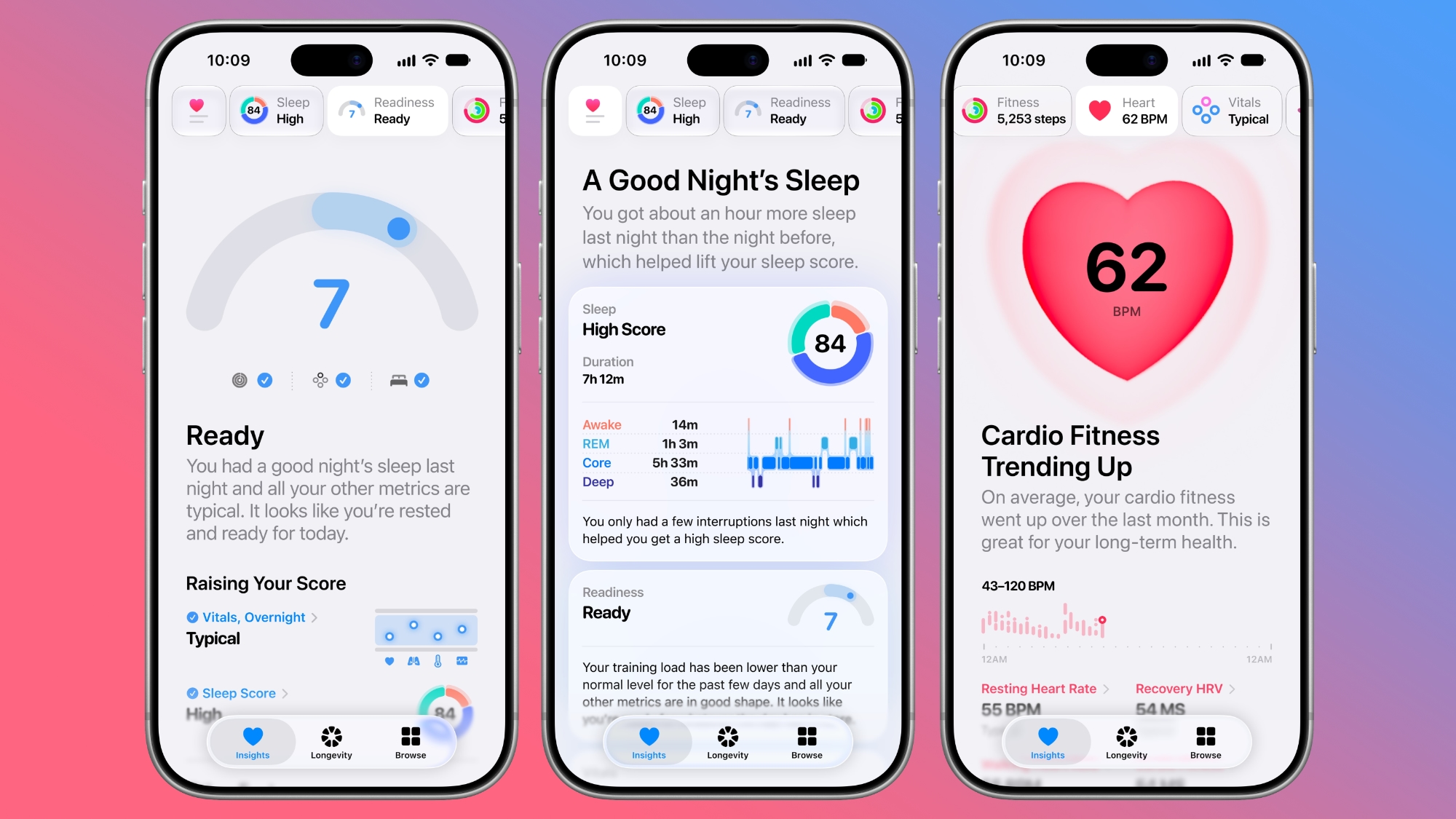

Insights includes your most recent and relevant health info, such as vitals, sleep score, heart rate, and Activity Rings. Longevity shows your health data over time, offering up a Health Age calculated from activity level, VO2 max, sleep time, and other metrics.


The Health Age feature uses in-app assessments that take advantage of the iPhone's camera. You can measure flexibility, strength, balance, and VO2 max. The revamped Health app is only available in U.S. English.

The Health app also has a new icon.

Call Context


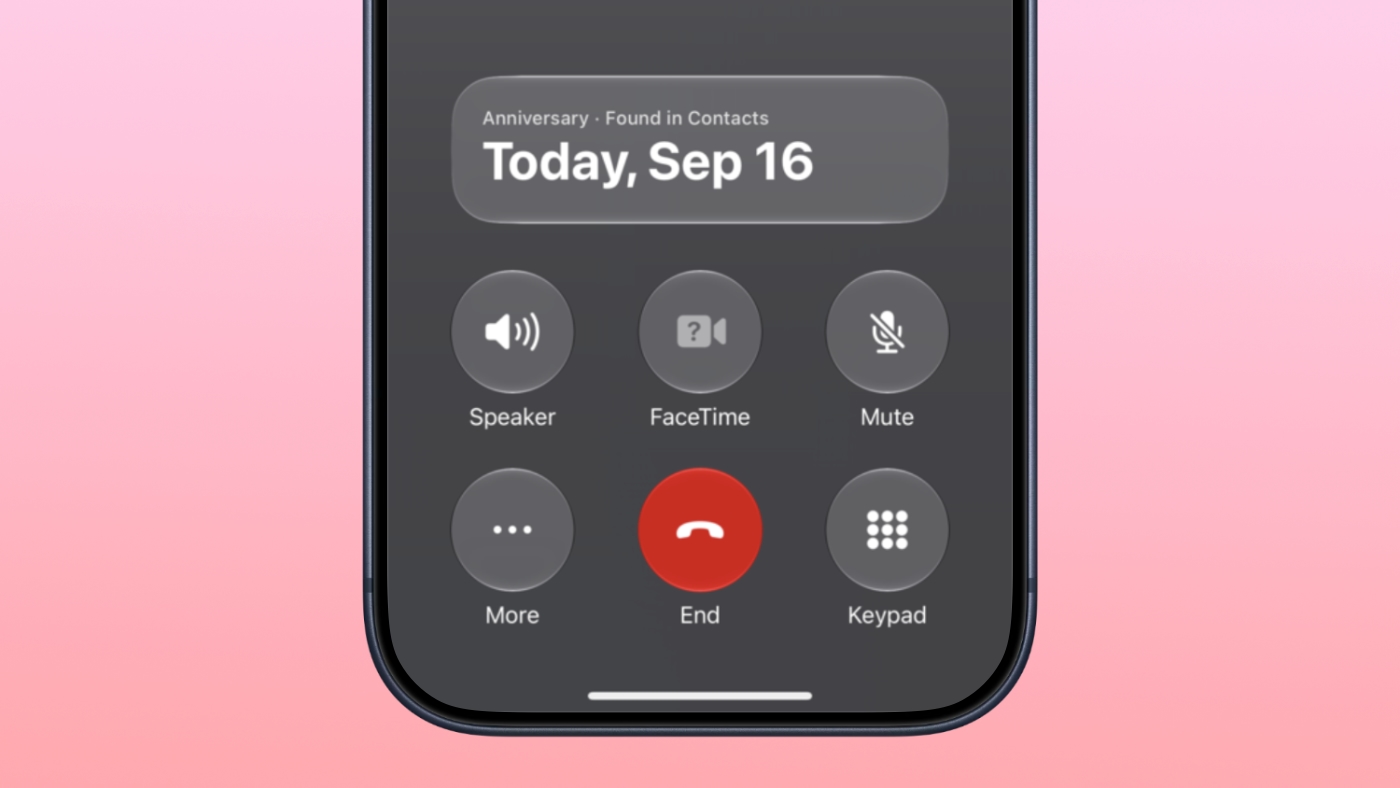
Apple added anniversary alerts to the Apple Intelligence Call Context feature. If you make a phone call to someone and you have an anniversary for them set in the Contacts app, you'll see a reminder in the Phone app.

CarPlay


There are themes for CarPlay Ultra that include options for wallpaper, gauge style, and color. Code suggests ambient lighting in supported vehicles will also match the color of the selected theme.

Siri AI Languages


‌Siri‌ AI is available in French, Japanese, Korean, Portuguese, and Spanish in the iOS 27.2 beta.

Apple TV App


Apple extended Apple TV app profiles to the iPhone and iPad in iOS 27.2. ‌Apple TV‌ app users can create profiles in the account settings section, and then swap between those profiles. Profiles only require a name, profile rating, and information about whether the user is a child.
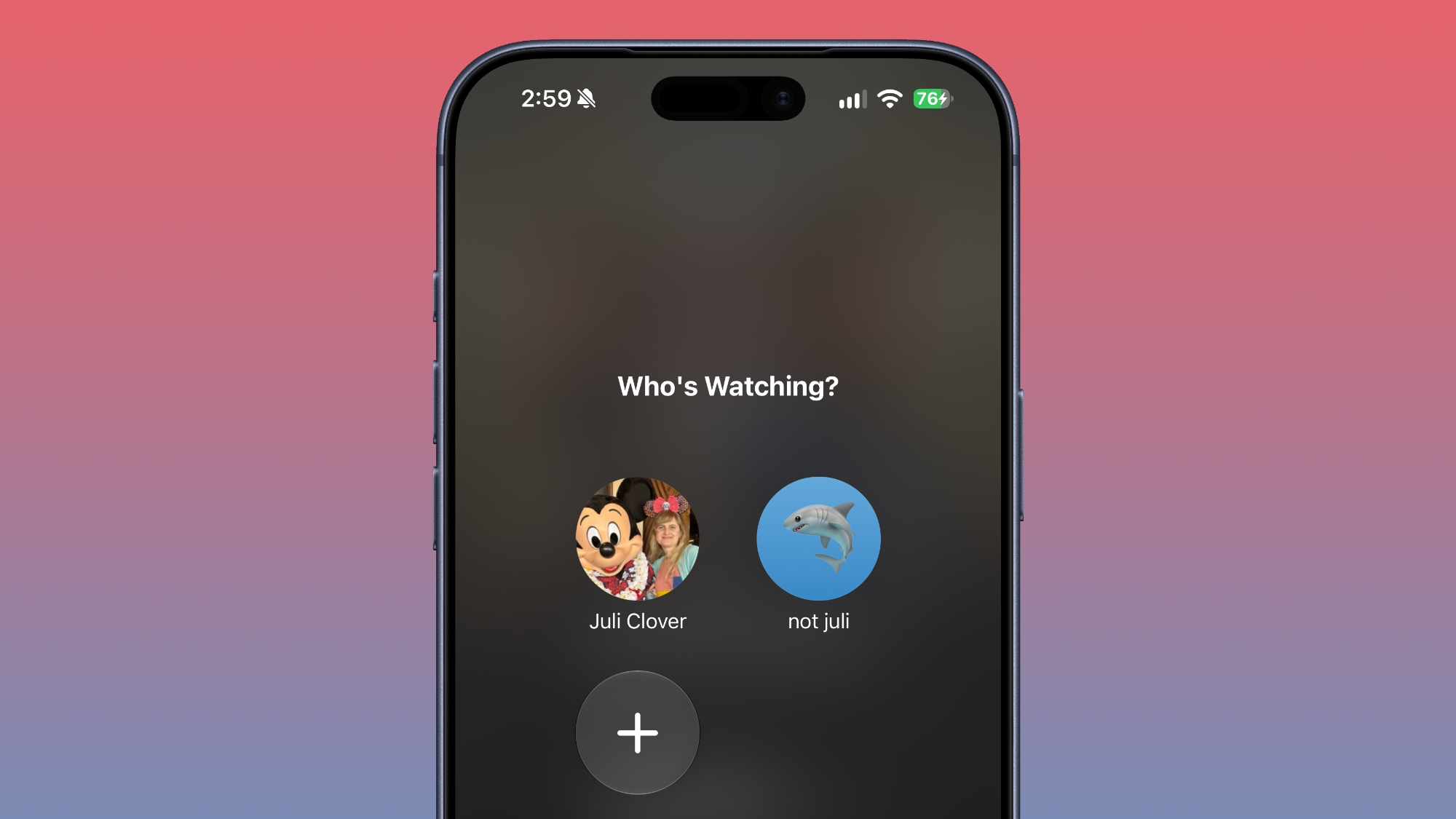

Creating an account for a child limits content to a PG rating by default, but there is a customize option for more granular control. Users can select age ratings for TV shows and movies that are appropriate for the child based on their age. Profiles are useful for parents that want to hand over an iPhone or ‌iPad‌ to a child to watch TV content while also restricting content that's not age-appropriate.

There's also a new option to turn on sign language interpretation when available. It can be toggled on in the TV app settings.

ASL FaceTime API


Back in May, Apple said it would add a new API to FaceTime allowing developers who make sign language interpretation apps to add a human interpreter to an ongoing video call.

That feature appears to be live in iOS 27.2.

Clock


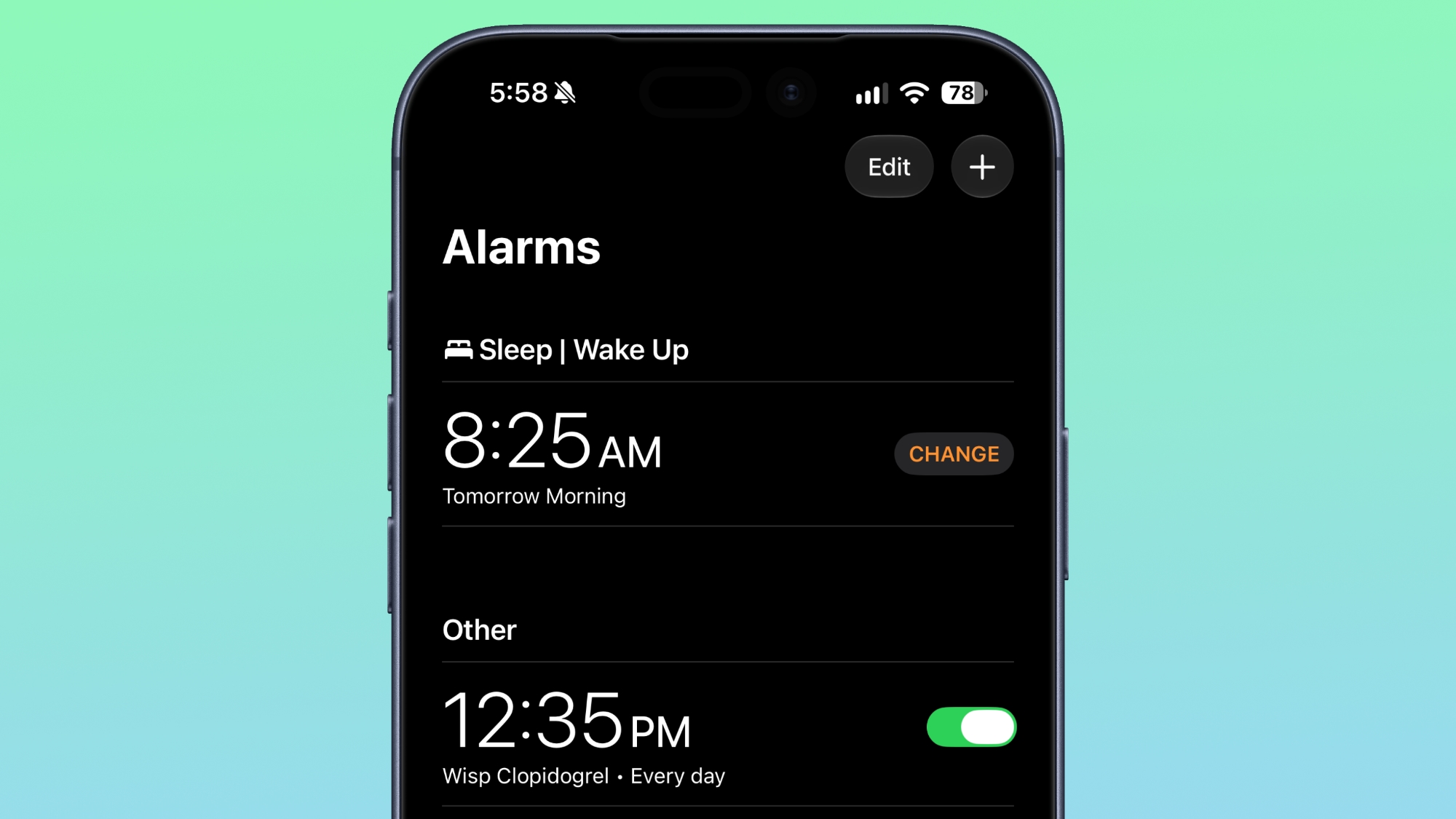
Apple tweaked how alarms appear in the Clock app. The a.m. and p.m. readouts are now smaller than the time.

Music


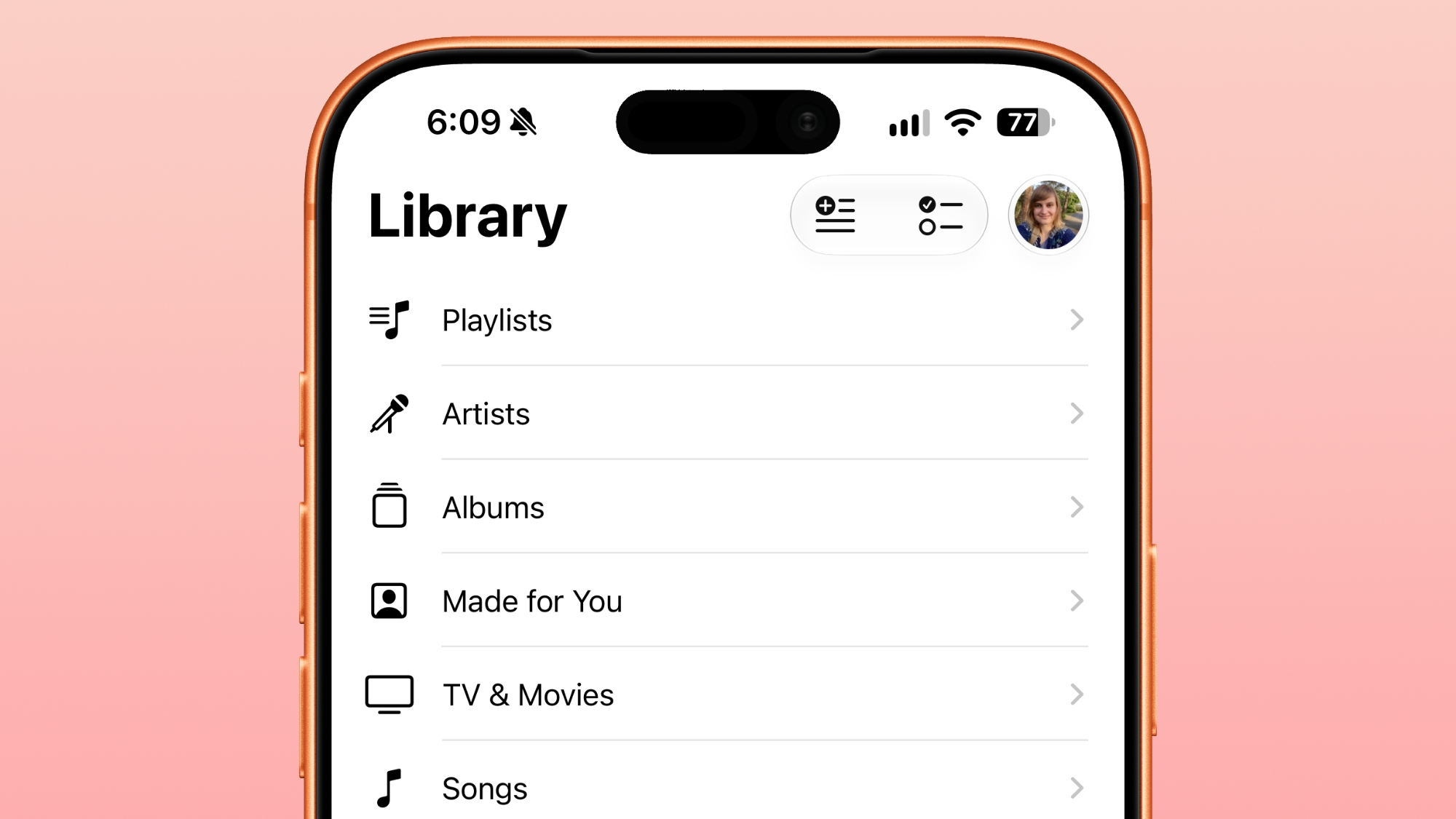
In the Music app, some of the red accents have been removed. The Play and Shuffle buttons in Library are black instead of red, as are all of the icons next to the Library sections.

Siri


App Access in the ‌Siri‌ section of the Settings app is now named "Excluded Apps." Tapping on "Add Apps" brings up a list so multiple apps can be excluded at once. Apps previously had to be excluded one by one.
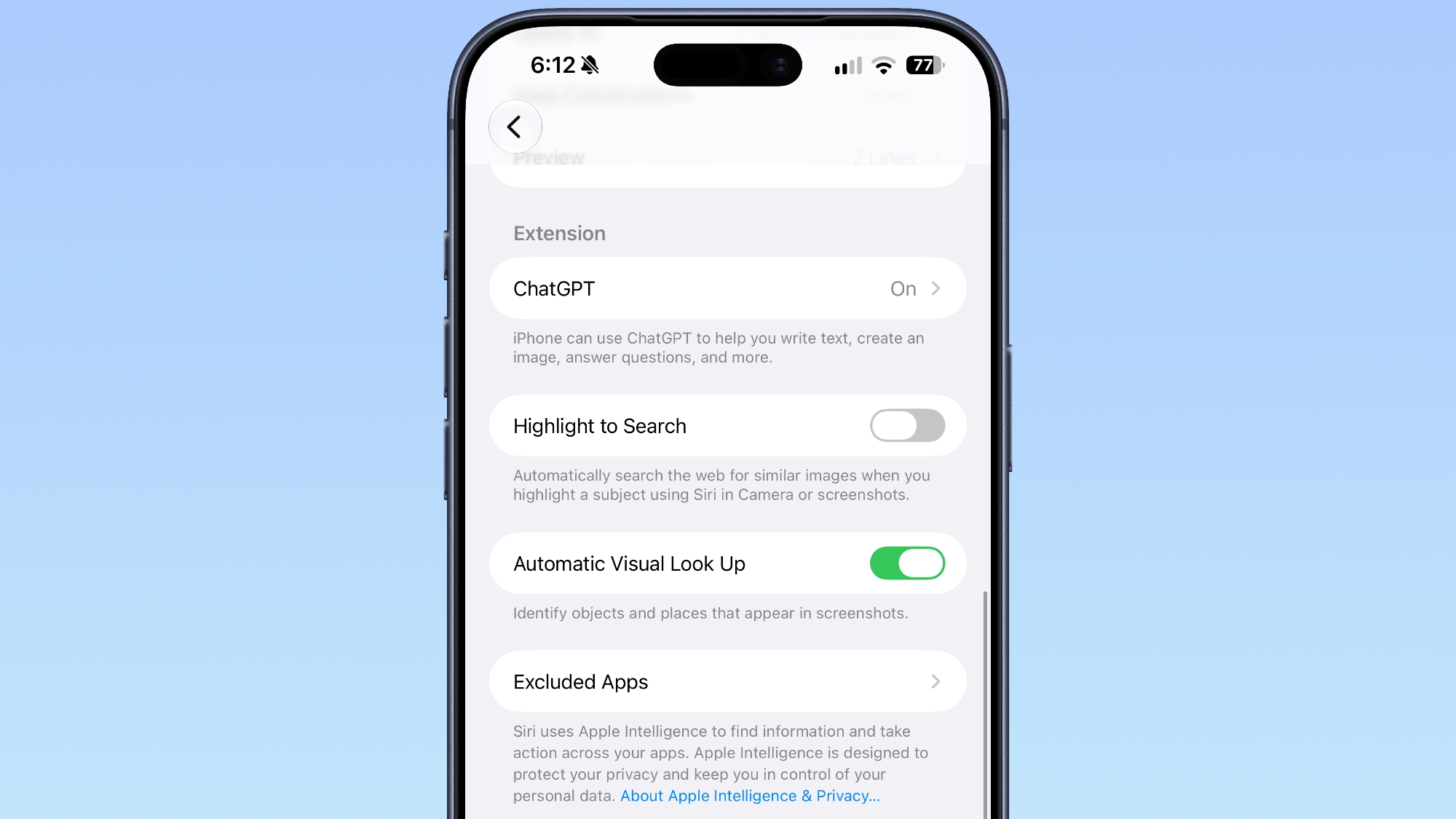

Adding an app to the Exclude list prevents it from showing up in ‌Siri‌, Search, and suggestions.

Podcasts


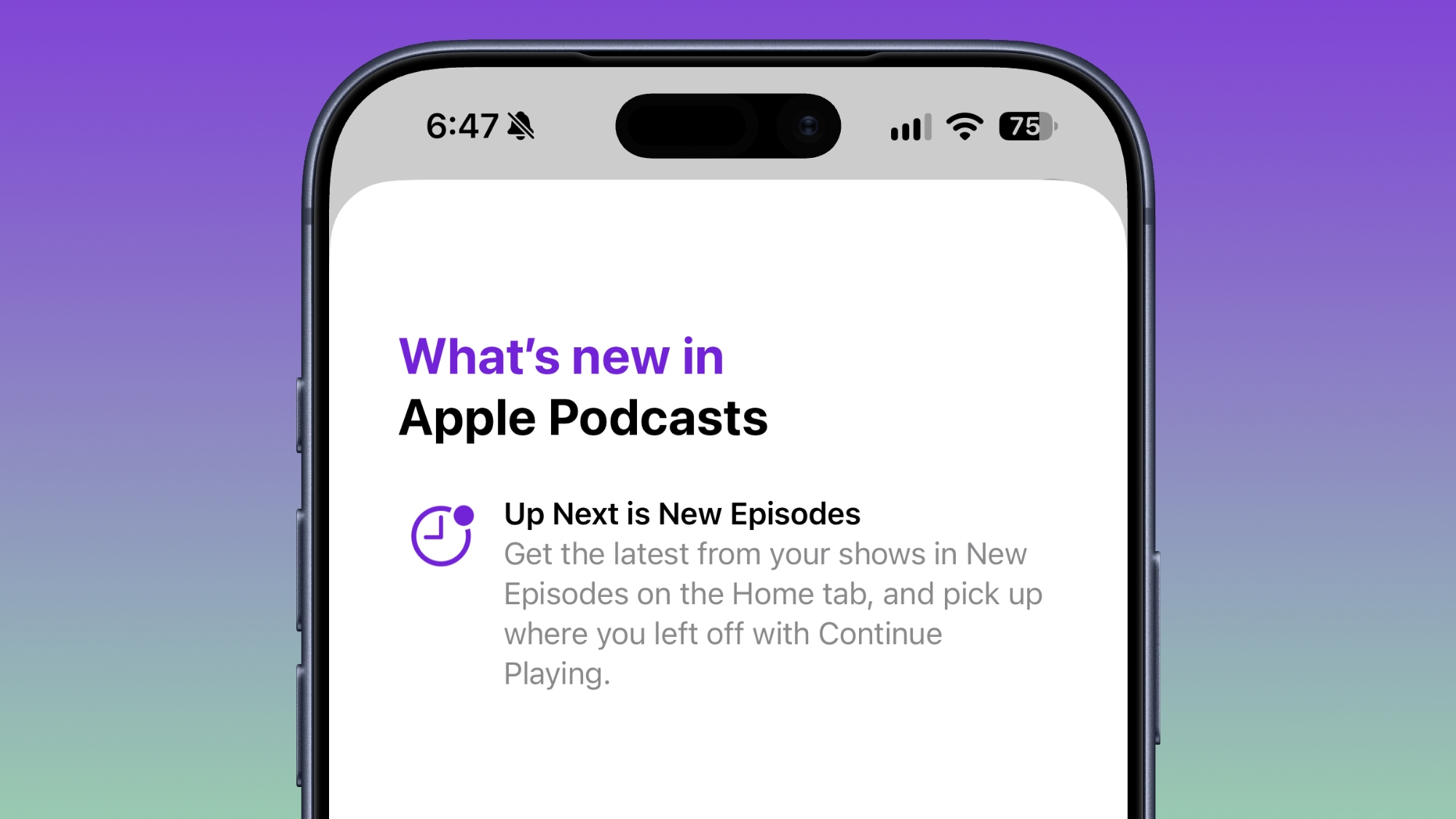
Apple renamed Up Next to New Episodes, with a Continue Playing option directly below it.

App Tracking Transparency


According to Apple's release notes for the update, App Tracking Transparency supports an alternative expanded prompt for EU users along with re-prompting on an annual basis. The alternative prompt is required for users in France, Germany, Italy, Poland, and Romania.
Related Roundups: iOS 27, iPadOS 27
Related Forum: iOS 27

This article, "Everything New in iOS 27.2 Beta 1" first appeared on MacRumors.com

Discuss this article in our forums
  •  

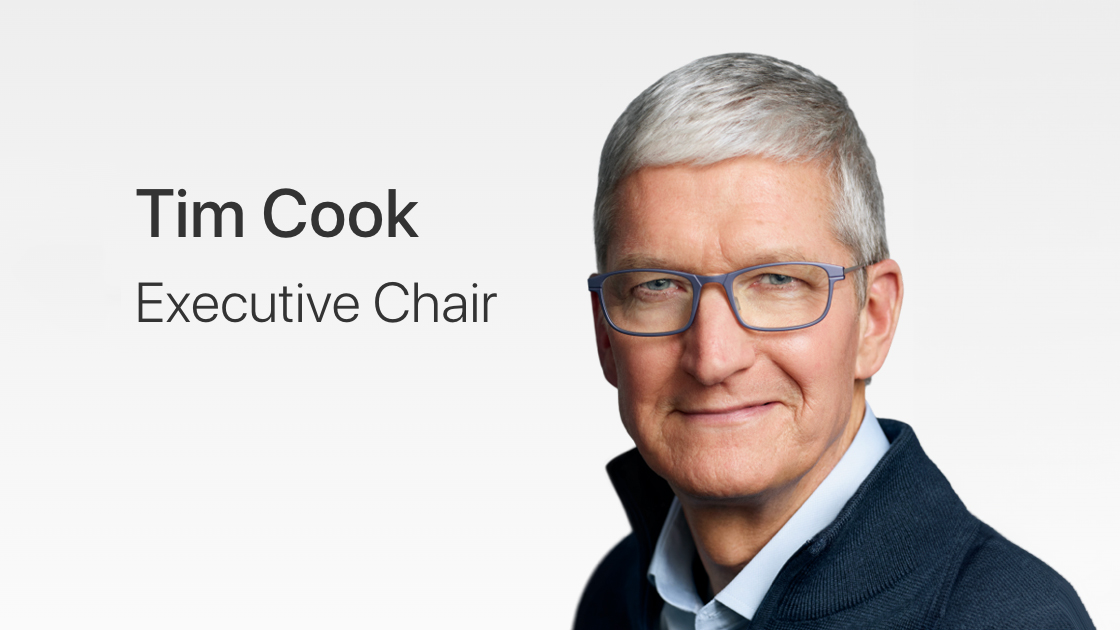
Tim Cook to Attend White House State Dinner for Xi Jinping

Apple executive chairman Tim Cook is expected to attend a White House state dinner for Chinese President Xi Jinping, reports Bloomberg.


Cook stepped down as Apple CEO and transitioned to executive chairman on September 1, with John Ternus taking over. Part of Cook's new role includes engaging with policymakers around the world.

U.S. President Donald Trump invited Cook, OpenAI CEO Sam Altman, and Nvidia CEO Jensen Huang, among others. The dinner will be held next week during Xi's visit to Washington.

Cook has attended multiple state dinners with Xi. Earlier this year, Xi held a state dinner for Trump in Beijing where Cook was present, and in 2015, Cook was seated next to Xi at a state dinner then-President Barack Obama hosted.
This article, "Tim Cook to Attend White House State Dinner for Xi Jinping" first appeared on MacRumors.com

Discuss this article in our forums

  •  

Hands-On With the Redesigned Health App in the iOS 27.2 Beta

With the iOS 27.2 beta, Apple is testing the new Health app that it previewed at its September iPhone event. The app has been entirely overhauled, with new Insights and Longevity tabs that give you more information on your health and fitness metrics.


The Insights tab shows your most recent health data, such as Activity Rings, heart rate, sleep score, and vitals. It'll eventually show personalized guidance, but that feature hasn't been added yet.

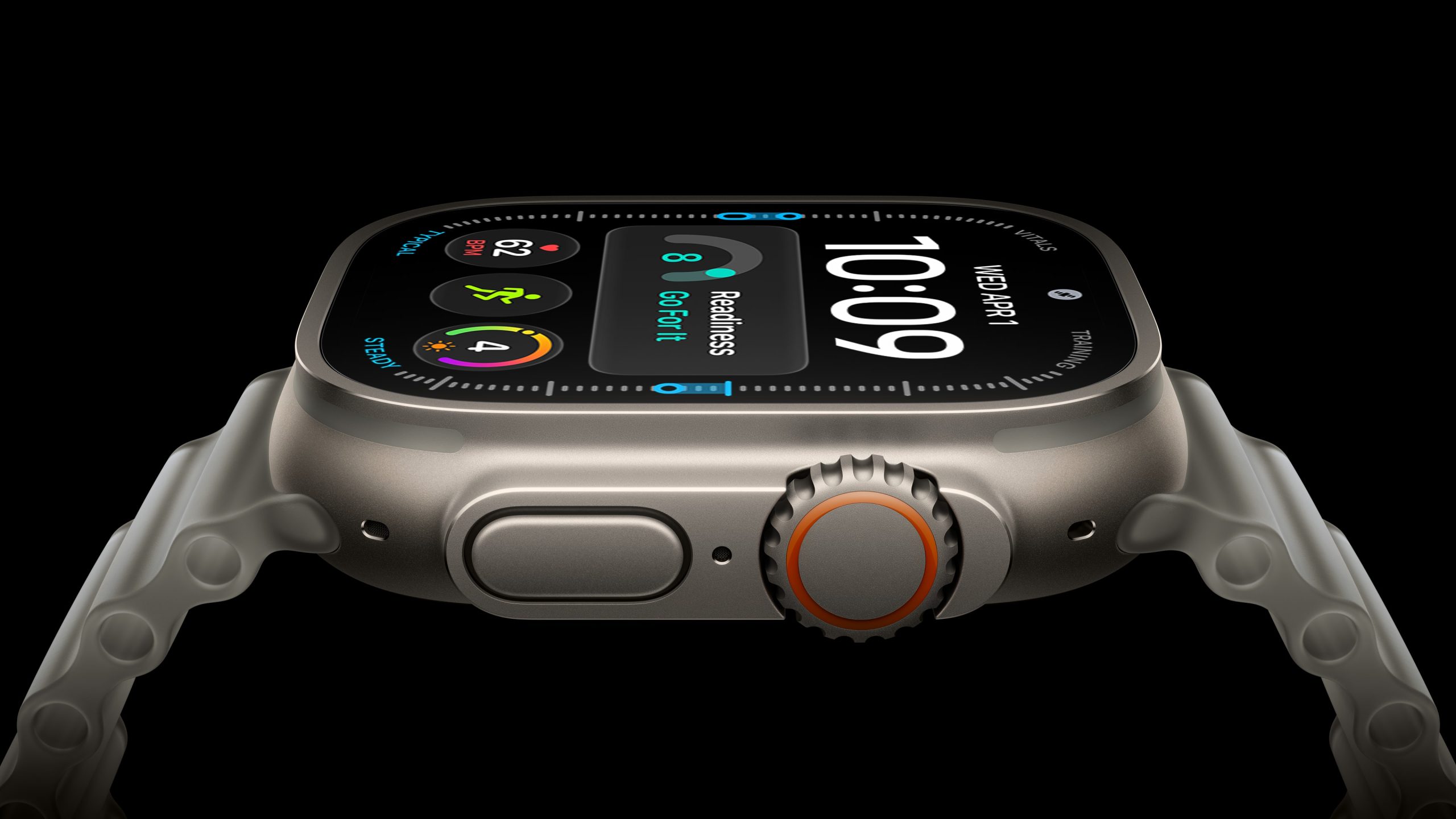
Apple Watch Series 12 and Ultra 4 owners will see a readiness score calculated from recent activity, vitals, and sleep score to help them decide whether to take a recovery day or push harder.

The Longevity tab looks at your health data over time to calculate your Health Age based on activity level, VO2 max, sleep time, and other metrics. It also uses fitness assessments you can do right on your iPhone to check flexibility, balance, and VO2 max.

Apple plans to offer a $119 laboratory panel from Quest Diagnostics, which will also contribute to the Health Age score. For now, you can upload your recent lab results.

Getting the most out of the Health app requires an Apple Watch or another fitness device that integrates with it.

While the Health app is being tested in the iOS 27.2 beta, it won't be part of the iOS 27.2 release. It will instead launch later this year.
Related Roundups: iOS 27, iPadOS 27
Related Forum: iOS 27

This article, "Hands-On With the Redesigned Health App in the iOS 27.2 Beta" first appeared on MacRumors.com

Discuss this article in our forums

  •  

iOS 27.2 Could Save Your Marriage

The iOS 27.2 beta that Apple released today adds a feature that reminds you it's your anniversary when you call someone, as long as you've added the date in the Contacts app.


On the date of your anniversary, when you go to call the person, you'll see a reminder that it's an important day so you don't forget to say something. The anniversary alert uses Call Context, a feature Apple added in iOS 27.

Call Context brings up information from emails and other sources when you place a phone call. If you place a call to an airline and you have an email with a flight confirmation number for that airline in the Mail app, it surfaces that confirmation number so you don't have to go digging for it.

In ‌iOS 27‌, Call Context works with birthdays, and it shows a fireworks animation when you're placing a call. iOS 27.2 adds anniversaries, but unfortunately, it doesn't come with a new animation.

The Call Context anniversary option draws from your Contacts app. To add an anniversary to a contact, open the Contacts app and select their name. Tap "Edit" in the corner, then tap "add date," and the first suggestion under date is anniversary.

You can also ask Siri AI to add the anniversary date to the person's contact card if you have a device that supports Apple Intelligence.

iOS 27.2 is in beta right now, and it is expected to launch in October.
Related Roundups: iOS 27, iPadOS 27
Related Forum: iOS 27

This article, "iOS 27.2 Could Save Your Marriage" first appeared on MacRumors.com

Discuss this article in our forums
  •  

Apple Seeds First macOS Golden Gate 27.2 Beta to Developers

Apple is testing the next macOS Golden Gate update, and developers can download the ‌macOS Golden Gate‌ 27.2 beta as of today. The beta comes just two days after Apple launched ‌macOS Golden Gate‌ 27.0.


Registered developers can download ‌macOS Golden Gate‌ 27.2 by opening up the System Settings app, clicking on General, selecting Software Update, and opting into ‌macOS Golden Gate‌ betas.

Apple removed two Apple Intelligence features from the launch version of ‌macOS Golden Gate‌, but said they would be coming back in a future software update. It's possible the features will return as soon as the 27.2 release.

Apple delayed Suggestions in Messages, a feature that lets the Messages app offer actions based on the context of conversations. If someone asks for a photo, Messages might suggest inserting it with a tap. If someone invites you to an event, Messages can suggest adding it to the Calendar app.

Apple also pulled the ‌Apple Intelligence‌ feature that automatically updates weak and compromised passwords using Safari.
Related Roundup: macOS Golden Gate
Related Forum: macOS Golden Gate

This article, "Apple Seeds First macOS Golden Gate 27.2 Beta to Developers" first appeared on MacRumors.com

Discuss this article in our forums
  •  

Apple Releases First iOS 27.2 Beta

Apple today seeded the first beta of an upcoming iOS 27.2 update to developers for testing purposes, with the update coming just two days after the iOS 27 launch. Apple also seeded an iPadOS 27.2 beta.


Registered developers can download the beta updates by opting in under Settings > General > Software Update and selecting the ‌iOS 27‌ developer beta.

Siri AI will be available in new languages later this year, and support could be added in iOS 27.2. Apple is adding French, Japanese, Korean, Portuguese, and Spanish in October.

Two Apple Intelligence features were removed from the launch version of ‌iOS 27‌, and those could also be reintroduced as soon as iOS 27.2. Apple delayed suggestions in Messages conversations and the option to automatically fix compromised and weak passwords using AI.

Apple also plans to debut a new Health app experience, and we could see that in the beta as well.

Apple releasing an iOS 27.2 beta ahead of a iOS 27.1 beta is a surprise, especially because the company plans to ship the iPhone Duo with iOS 27.1. Apple may be holding iOS 27.1 until the Duo comes out, just to keep the features under wraps. iOS 27.1 will add updated app layouts and features built for the iPhone Duo's two displays. The ‌iPhone Duo‌ will have a vertical dock, vertical Dynamic Island, new dual-screen app layouts, side-by-side app multitasking, and exclusive Camera app capabilities.

Since the ‌iPhone Duo‌ will launch on Friday, October 23 and will ship with iOS 27.1, Apple will need to release the iOS 27.1 update before then. If iOS 27.2 includes new ‌Siri‌ AI languages, it too will launch sometime during the month of October.
Related Roundups: iOS 27, iPadOS 27
Related Forum: iOS 27

This article, "Apple Releases First iOS 27.2 Beta" first appeared on MacRumors.com

Discuss this article in our forums
  •  

iOS 27.2 Adds Profiles to Apple TV App

With iOS 27.2 and iPadOS 27.2, Apple extended Apple TV app profiles to the iOS version of the app.


Apple brought ‌Apple TV‌ profiles to tvOS with tvOS 26.2, but the feature has been limited to the ‌Apple TV‌ until now.

‌Apple TV‌ app users can create new profiles in the account settings section, which can also be used to swap between profiles. Profiles only require a name, profile rating, and information about whether the user is a child.

Creating an account for a child limits content to a PG rating by default, but there is a customize option for more granular control. Users can select age ratings for TV shows and movies that are appropriate for the child based on their age

Profiles are a useful feature for a parent that wants to hand over an iPhone or iPad to a child to watch TV or movie content because it restricts what's available without impacting what the parent sees when signed into their own account.
Related Roundups: Apple TV, iOS 27, iPadOS 27
Buyer's Guide: Apple TV (Don't Buy)

This article, "iOS 27.2 Adds Profiles to Apple TV App" first appeared on MacRumors.com

Discuss this article in our forums
  •  

iOS 27.2 Adds Siri AI in New Languages

In the iOS 27.2 beta, Apple Siri AI is available in new languages, including French, Japanese, Korean, Portuguese, and Spanish.


In the launch version of iOS 27, ‌Siri‌ AI is limited to English.

Apple previously said that new ‌Siri‌ AI languages would be coming in October, so that likely means iOS 27.2 will see an October launch.

Related Roundups: iOS 27, iPadOS 27
Tag: Siri
Related Forum: iOS 27

This article, "iOS 27.2 Adds Siri AI in New Languages" first appeared on MacRumors.com

Discuss this article in our forums
  •  

iOS 27.2 Beta Previews New Apple Intelligence Health App

The first beta of iOS 27.2 includes Apple's redesigned Health app, giving developers a chance to try out the features ahead of launch later this year.


Apple's developer notes for the feature say the Health app is being tested in this beta, but it won't be in the launch version of iOS 27.2. It will instead come later in the year.

The Health app will incorporate Apple Intelligence to turn data and metrics collected by the Apple Watch into personalized guidance. Here are the new features we can expect:

  • Insights - The Insights tab offers an Apple Intelligence-generated summary of timely information like your latest sleep metrics or a new peak in VO2 max. There are options to get custom advice on readiness, fitness, heart health, and more in the For You section.

  • Personal Guidance - Personal guidance is part of the Insights tab. It knows what's important to you, and will make relevant suggestions. Apple says if you're working on your cardio, you might see a suggestion to incorporate intervals into your morning run. Recommendations adapt to each user and their data.

  • Readiness - The new Apple Watch models calculate a readiness score that takes into account recent activity, vitals, and sleep score. It gives a 0–10 score with recommendations on activity level. Readouts include Recover, Pace Yourself, Ready, or Go For It. Info is shown on the watch, in the Fitness app, and in the Health app's Insights tab.

  • Fitness - Insights incorporates your daily activity and it updates throughout the day.

  • Vitals - The Vitals option in the Health app has new overnight views and daytime views. HRV is incorporated as a metric, offering a better look at your ability to recover from stress. It measures overall HRV and recovery HRV.

  • Longevity - There is a new Longevity tab in the Health app. It uses metrics from your iPhone and Apple Watch to assess overall health across heart health, sleep, mental wellbeing, movement health, metabolic health, hearing, and nutrition. The section shows you how well you're doing in each category, and how each metric is classified against the latest clinical guidance.

  • Health Age - Health Age is part of the Longevity tab. It uses metrics like VO2 max, resting heart rate, HRV, sleep, and biomarkers from blood work to determine how your health metrics compare to your actual age. It will help you figure out what habits make the biggest impact on your health, and how you can improve.


At-home health assessments like a VO2 max test will be coming to the Health app, taking advantage of the iPhone's camera to track your movements as you follow instructions from a trainer. There will be in-depth physical assessments for measuring flexibility, strength, balance, and movement mechanics in addition to VO2 max.

Apple also plans to eventually offer U.S. users the option to buy a bloodwork panel from Quest that covers more than 50 biomarkers. The test is priced at $119, and users will be able to order it right in the Health app.

Not all of the new features are going to be available in the beta. CNET says ordering labs, personalized health info in the Insights tab, and personalized recommendations will not be available until later in the year. Features are going to roll out progressively.
Related Roundups: iOS 27, iPadOS 27
Related Forum: iOS 27

This article, "iOS 27.2 Beta Previews New Apple Intelligence Health App" first appeared on MacRumors.com

Discuss this article in our forums

  •  

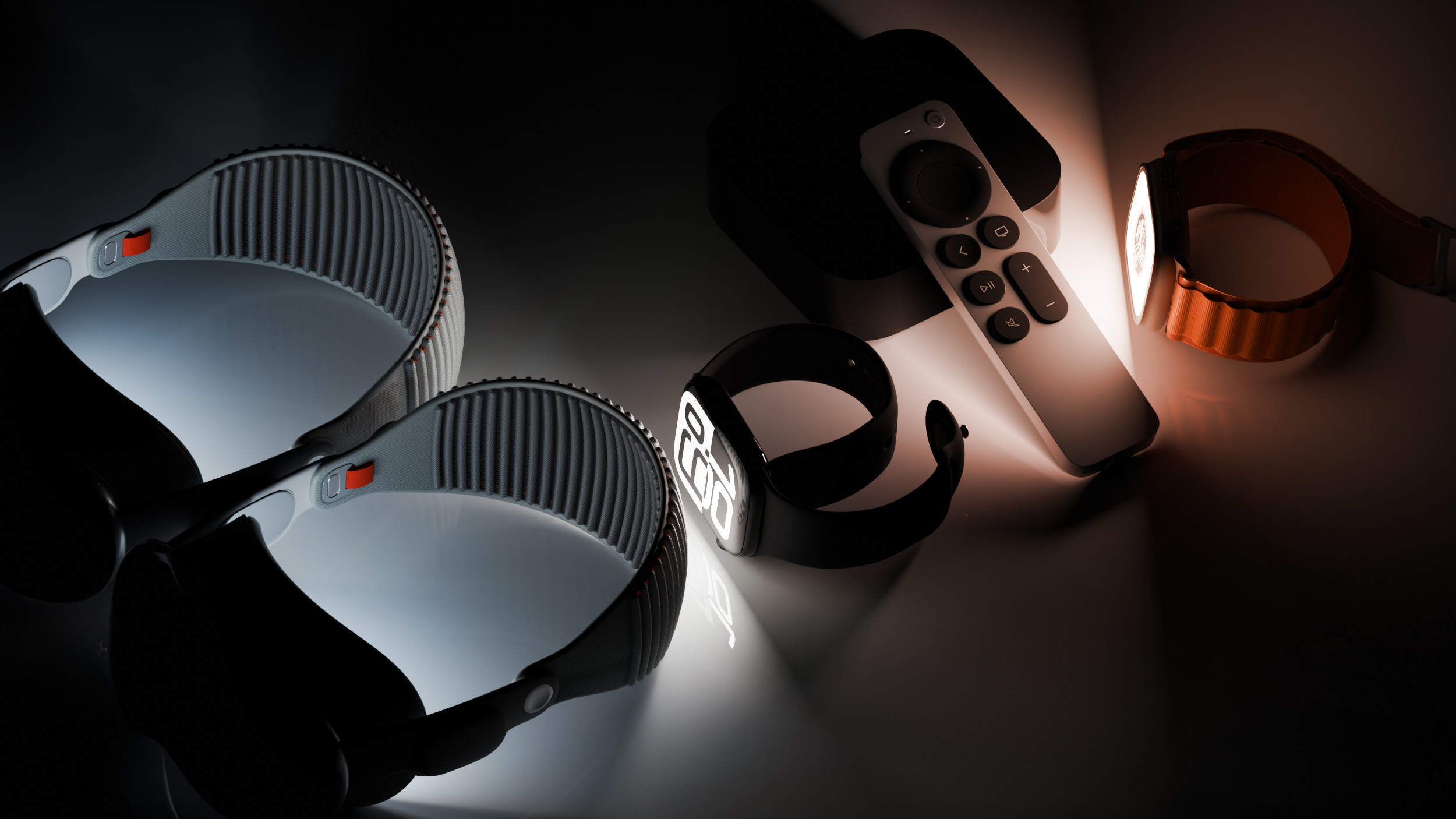
Apple Releases First watchOS 27.2, tvOS 27.2 and visionOS 27.2 Betas

Alongside new betas of iOS 27.2, iPadOS 27.2, and macOS Golden Gate 27.2, Apple has released the first betas of watchOS 27.2, tvOS 27.2, and visionOS 27.2. The betas come two days after the 27.0 software updates were released.


Registered developers can download the betas through the Settings app on each device.

Two new Apple Intelligence features are coming to the Apple Watch Series 12 and Apple Watch Ultra 4 in late 2026, and Apple could start testing them as soon as watchOS 27.2. Live Rewind will allow users to double-press the Digital Crown to get a transcription of what was said in the last 15 seconds, while Siri Recap will turn conversations users have had during the day into high-level notes.

There's no word on what's being added in visionOS 27.2 and tvOS 27.2, but Apple is expected to introduce a new version of the Apple TV 4K with ‌Siri‌ AI support sometime before the end of the year.
This article, "Apple Releases First watchOS 27.2, tvOS 27.2 and visionOS 27.2 Betas" first appeared on MacRumors.com

Discuss this article in our forums

  •  

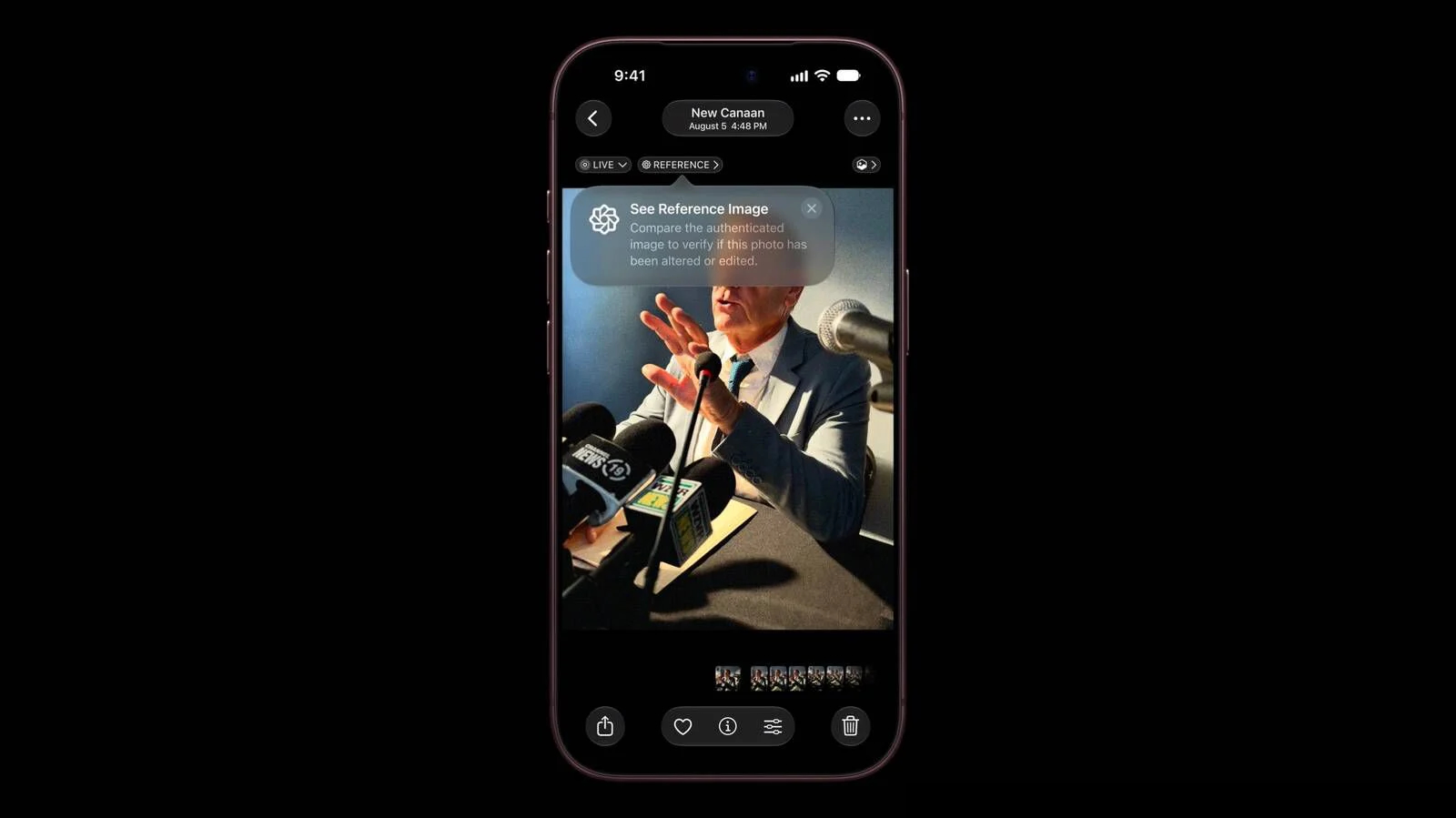
Apple Details How Reference Image Proves a Photo is Real

The iPhone 18 Pro models support Apple Reference Image, a way to verify that a photo was taken with an iPhone and hasn't been edited. Apple says it's a method to prove that something actually happened and wasn't AI-generated, likening the feature to a digital film negative.


Apple Reference Image offers a trustworthy, scalable guarantee that a reference image is what it claims to be: a real photograph, captured by a real sensor in an iPhone camera, at a specific time. It sets a new standard for verifiable digital photography.

Apple introduced Apple Reference Image when debuting the ‌iPhone 18 Pro‌ and Pro Max, and today the company shared more information on how the feature works on its Security Research blog.

Apple Reference Image boots the camera sensor into a specialized reference mode. The mode instructs the sensor to cryptographically sign pixel data immediately after capture, and the sensor firmware is prevented from modifying the data. Other authentication systems don't sign images until the end of the software processing pipeline, which Apple says leaves images vulnerable to tampering attacks.

Apple Reference Image creates a "secure digital negative" protected from software compromise alongside a standard editable photo. The negative is stored on-device and includes pixel data, sensor metadata, and cryptographic timestamps with lower and upper bounds. When a user decides to "develop" the negative for verification, it is sent unprocessed to Private Cloud Compute. Private Cloud Compute runs the steps needed to render the image in a secure, private, and verifiable environment.

Apple says the feature resists data injection attacks, compromised operating systems, hardware attacks, and cryptographic attacks. Apple believes Apple Reference Image is the only image provenance system with quantum-secure defenses. In case the system is breached, there is a revocation option. Private Cloud Compute calculates a confidence score for each image, and Apple can revoke individual photos or an entire sensor if fraud is detected.

To safeguard photographers, Apple Reference Image avoids using an explicit, public credential for photographers, and it prevents public association between different photos taken by the same sensor. The confidentiality of the image is protected, including from Apple.

Apple Reference Image is opt-in and is limited to the Main camera sensor.

More information on the ins and outs of Apple Reference Image can be found in Apple's full blog post.
This article, "Apple Details How Reference Image Proves a Photo is Real" first appeared on MacRumors.com

Discuss this article in our forums
  •  

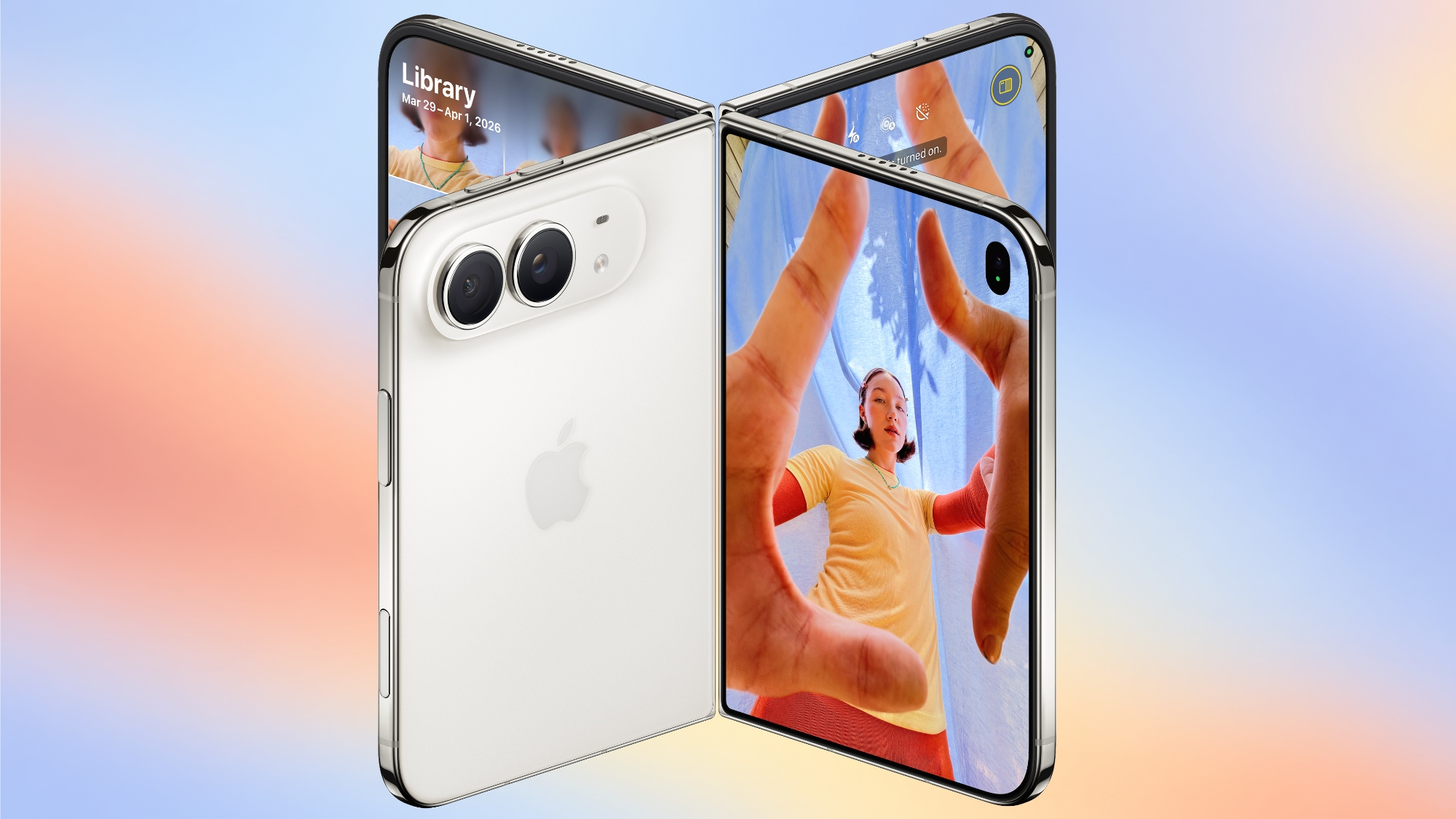
What the iPhone Duo's Camera Can and Can't Do

To take advantage of the iPhone Duo's dual-display design, Apple is introducing new Camera app features that are unique to the foldable iPhone.


Smart Take


Smart Take uses AI to determine when everyone (including the iPhone owner) is ready for a group shot, so no one has to use a timer or stay out of the picture to capture the image.


You can prop up the ‌iPhone Duo‌ in a half-folded orientation, get in frame, and then wait for the group shot to be taken.

Kid Cue


Kid Cue shows little Peanuts animations to children so they look at the camera when you're taking a photo.


Duo Preview


With Duo Preview, the Camera app shows a live preview of the shot on both displays, so the subject you're taking a photo of can make adjustments.


Duo FaceTime


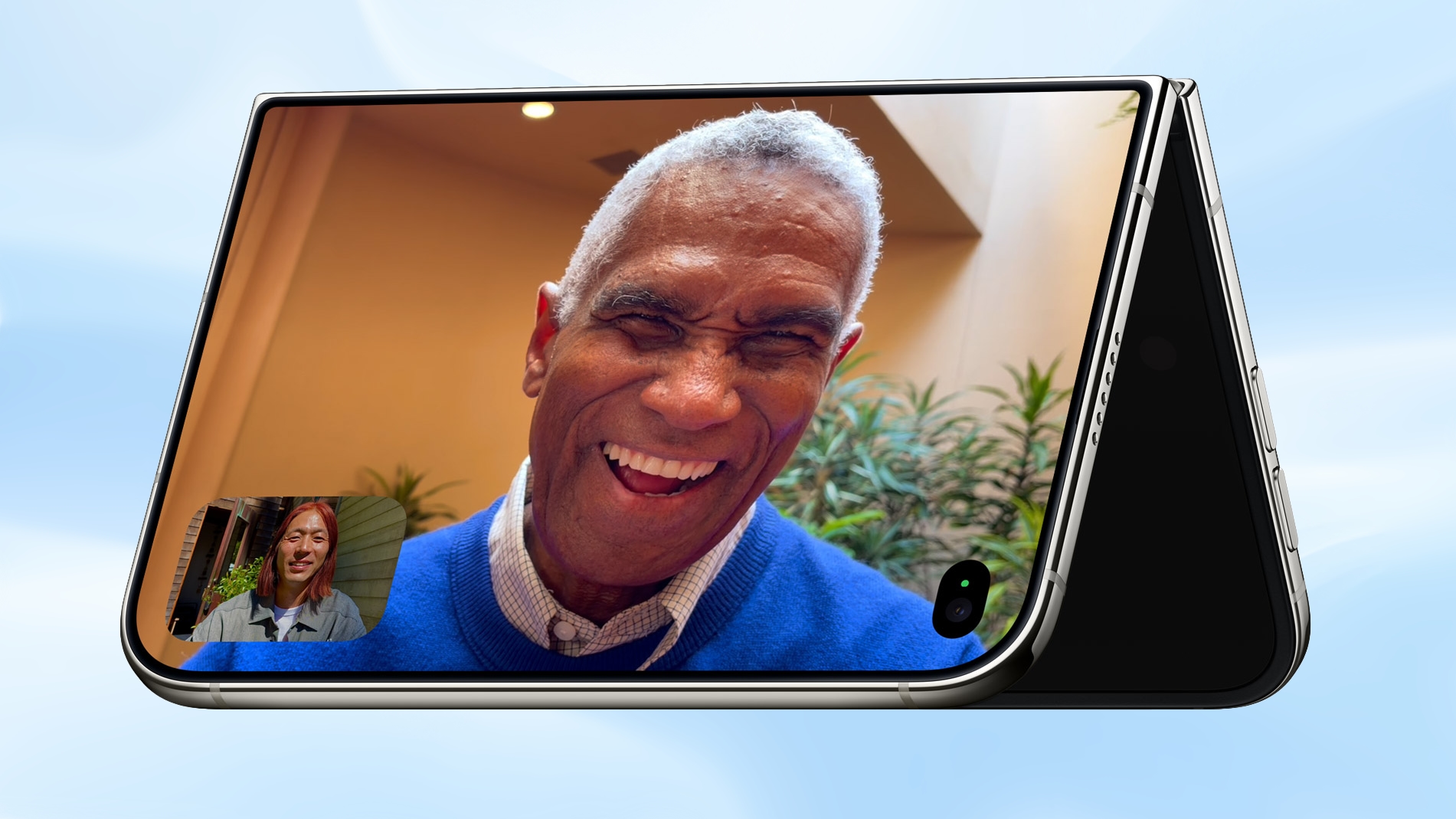
Nearby friends can participate in a FaceTime call using the outer display while the iPhone owner uses the inner display, so nobody has to crowd around the iPhone or pass it around to get on video.


Duo ‌FaceTime‌ is not the same as Dual Capture, which records video with both the front and rear cameras. Duo ‌FaceTime‌ specifically uses the outer display to allow another person to join in on a call.

Unique Form Factor Features


The ‌iPhone Duo‌ can be used in multiple orientations, including when it's half-folded. The Duo stands up on its own, for taking ‌FaceTime‌ calls and recording video without holding it.


The folding mechanism acts like a built-in tripod and stand, so it's also useful for selfies and long exposures. You can also capture selfies with the higher-quality 48MP rear camera while using the outer display as a viewfinder, which isn't something you can do with a slab iPhone.

Camera Hardware


The ‌iPhone Duo‌ has a "Dual Fusion" two-camera setup with a 48MP Main camera. It's basically the same camera that's in the iPhone 17 (not the 17 Pro), offering 26mm 24MP images by default, along with 12MP 2x "telephoto" images at 52mm.

The camera supports sensor-shift optical image stabilization, but not the second-generation version available in the Pro models. It also does not support spatial photos or the ProRAW format.

It also includes a 48MP Ultra Wide camera with a 13mm focal length and macro capabilities. Since there's no Telephoto lens, the ‌iPhone Duo‌ is limited to 2x optical-quality zoom in, 2x optical zoom out, and digital zoom up to 10x for images.

Other Camera Capabilities


Like the iPhone 18 Pro and Pro Max, the ‌iPhone Duo‌ supports the latest Photographic Styles, which adds texture and grain parameters.

Video


Smart focus tracking is a feature new to the ‌iPhone Duo‌ and the ‌iPhone 18 Pro‌ models. It uses AI to keep a subject in focus at all times, and pick up subject tracking if the subject exits the frame and then reappears.

The Duo supports 4K Dolby Vision video recording at up to 120 fps, and Cinematic mode for recording videos in 4K Dolby Vision at up to 60 fps. For the first time, Cinematic mode effects can be added to a video after capture on the Duo and ‌iPhone 18 Pro‌. Apple also says there's improved low-light video on the Duo when recording at 1080p.

Time-lapse video recording with stabilization up to 4K Dolby Vision is a new ‌iPhone 18 Pro‌ and ‌iPhone Duo‌ option. It's especially useful on the ‌iPhone Duo‌ because you can record a stable video without the need for a tripod.

Front Camera


The ‌iPhone Duo‌'s outer front-facing camera is 12MP, not 18MP like the ‌iPhone 17‌ and ‌iPhone 18 Pro‌ models. It otherwise has the same features.

The inner display has a 1080p ‌FaceTime‌ camera that's under the display.

Missing Camera Features


Compared to the ‌iPhone 18 Pro‌ and Pro Max, the ‌iPhone Duo‌ has a more rudimentary camera system. It lacks many features available on the Pro models.

  • Telephoto lens

  • Pro Controls

  • Apple Reference Image

  • Variable aperture

  • Second-generation sensor-shift optical image stabilization

  • Adaptive True Tone flash

  • Spatial photos and video recording

  • ProRAW

  • ProRes

  • ProRes RAW

  • Genlock

  • Apple Log 2 video recording

  • Studio-quality four-mic array


Launch Date


The ‌iPhone Duo‌ will be available for pre-order on October 16, and it will launch on October 23. Pricing starts at $1,999.
Related Roundup: iPhone Duo
Related Forum: iPhone

This article, "What the iPhone Duo's Camera Can and Can't Do" first appeared on MacRumors.com

Discuss this article in our forums
  •  

Apple's Last Intel 21.5-Inch iMac is Now Vintage

Apple today added the 2019 4K iMac to its list of vintage products, which means repairs can only be done if Apple has the parts available.


Products are added to the vintage list five years after they were last distributed for sale, and they're moved to the obsolete list at the seven-year mark. Vintage products can be repaired at Apple Stores and by Apple Authorized Service Providers if the parts are available, but that's not guaranteed. Devices that are obsolete are not eligible for repair and Apple no longer makes repair components.

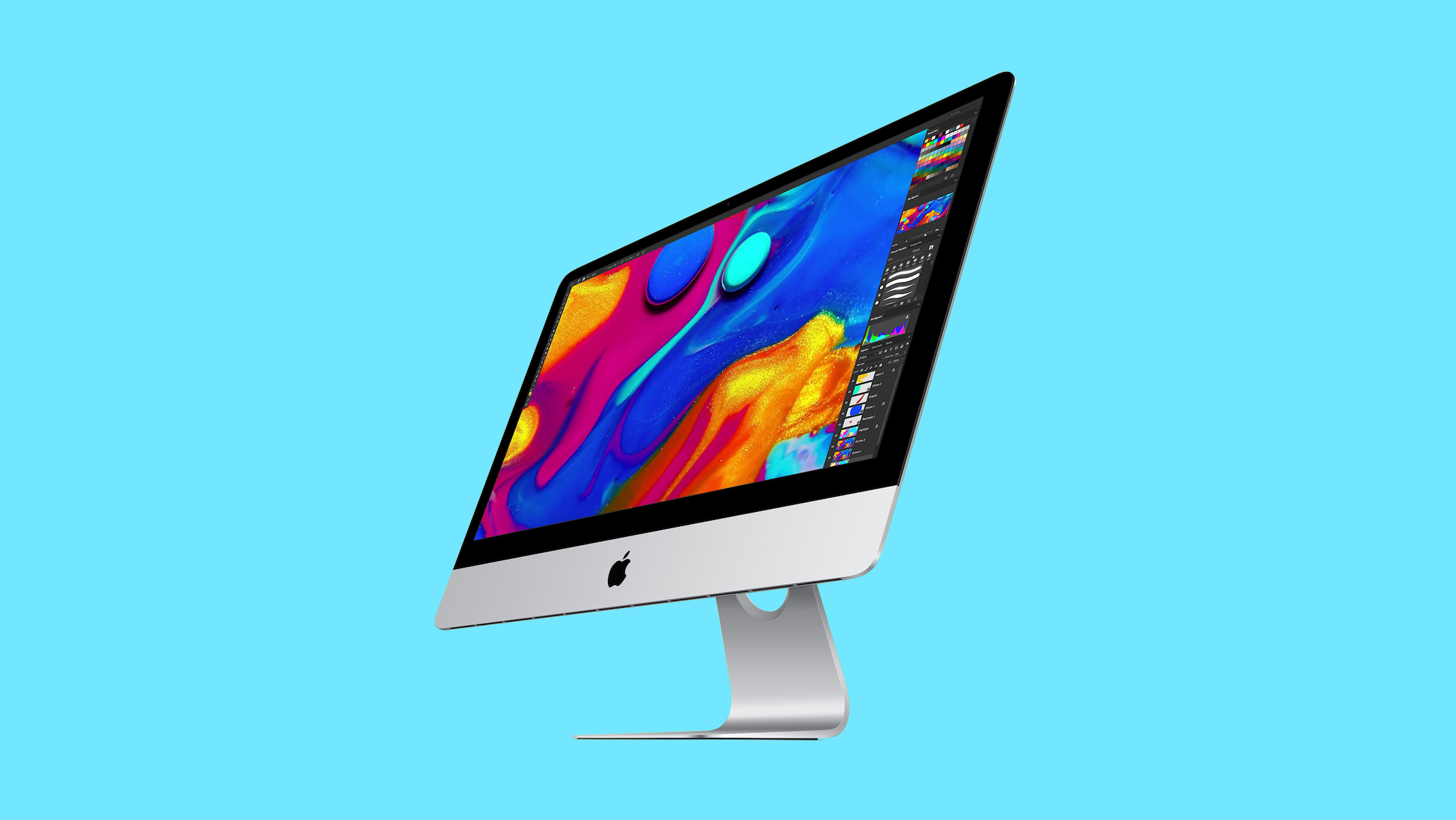
The 2019 iMac preceded the colorful, redesigned M1 ‌iMac‌ that came out in 2021. The machine featured a 21.5-inch Retina 4K display and the standard silver ‌iMac‌ design. The base model was equipped with an Intel Core i3 processor, 8GB RAM, and a 1TB hard drive. Pricing in 2019 started at $1,299.

The 2019 27-inch ‌iMac‌ that was sold alongside the 21.5-inch model was added to the vintage list in July 2025, but Apple sold the smaller model for a longer so it didn't previously qualify as vintage.
Related Roundup: iMac
Buyer's Guide: iMac (Don't Buy)
Related Forum: iMac

This article, "Apple's Last Intel 21.5-Inch iMac is Now Vintage" first appeared on MacRumors.com

Discuss this article in our forums
  •  

AirPods 5 Hands-On: Better Noise Cancellation, Lower Price

After Apple introduced the AirPods 5 last week, we got a set to take home and review. We've been testing the AirPods 5 for the last week and have some initial thoughts.


The ‌AirPods 5‌ have the same overall design and fit as the AirPods 4, so they're just as comfortable as the prior-generation model.

Active Noise Cancellation has been improved through new internal acoustic architecture, and it's surprisingly good. The ‌AirPods 5‌ don't have silicone ear tips so you might not expect ANC to work as well as earbuds with a tighter fit, but there is a noticeable improvement over the ANC version of the AirPods 4.

Apple says the ‌AirPods 5‌ use low-noise microphones and a new compressor tuned for open-ear ANC. The compressor is tuned to a wider frequency range and can react faster than before when conditions change. Sound is measured for the left and right ears independently, correcting for fit leaks to further improve ANC.

Sound quality on the ‌AirPods 5‌ was muddier than on the AirPods Pro 3, especially in the low mids. iOS 27 has custom EQ, though, which allows for adjustments. The ‌AirPods 5‌ support Adaptive Audio and Transparency, so they have most of the same audio features as the ‌AirPods Pro 3‌.

Apple used to limit ANC to the higher-end version of the AirPods 4, but with the ‌AirPods 5‌, it's universal. You can now get AirPods with ANC for just $129. There's an upgraded model with a Wireless Charging Case, an extra hour of battery life, and swipe-based controls on the stem for $149. The base model has four hours of battery with ANC, while the upgraded version offers five hours.

Live Translation, Adaptive Audio, Conversation Awareness, and other features that were previously limited to the higher-end AirPods 4 model are now on all models. Dust and water resistance has improved, and the AirPods have an IP57 rating, so they'll hold up better to sweat and moisture exposure.

With the ANC upgrade and the price drop, the ‌AirPods 5‌ are an excellent value. If you've been hesitant to get AirPods because of the price, this is the version to get. People who have AirPods Pro or AirPods 4 with ANC don't need to upgrade, but it's a big improvement if you have older AirPods.

The ‌AirPods 5‌ are available for pre-order and will launch on Friday, September 18.
Related Roundup: AirPods 5
Buyer's Guide: AirPods (Buy Now)
Related Forum: AirPods

This article, "AirPods 5 Hands-On: Better Noise Cancellation, Lower Price" first appeared on MacRumors.com

Discuss this article in our forums
  •  

Apple Explains What Happens to Conversations Siri Recap Hears

The Apple Watch Series 12 and Ultra 4 have new Audio Intelligence features that include Sound Recognition, Music Recognition, Live Rewind, and Siri Recap. When these features are activated, the new Apple Watches are always listening to what's going on around the wearer.


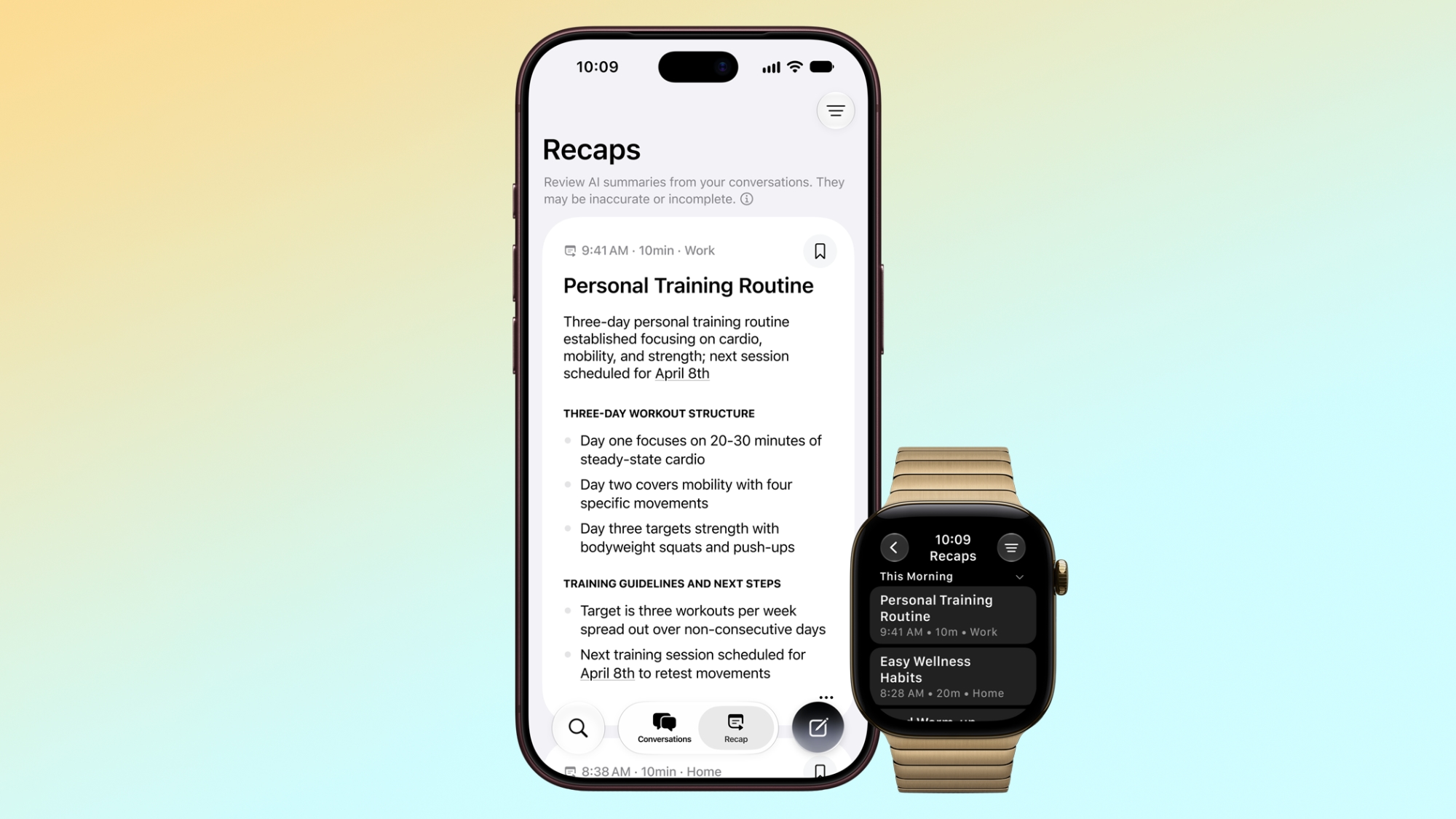
With ‌Siri‌ Recap, the Apple Watch listens to your conversations throughout the day and takes notes. It uses Apple Intelligence to continually generate summaries that Apple says are meant to "jog your memory" on events so you can stay present in the moment.

Apple anticipated negative reactions to a wearable that's always listening, so it has a detailed explainer on the privacy features that have been added.

  • No speaker attribution - ‌Siri‌ Recap will not identify and attribute speakers. Names can be included if mentioned in the conversation, but nothing is directly attributed to a specific person.

  • Omitted information - ‌Siri‌ Recaps will omit potentially harmful content or sensitive data, which Apple says includes language that promotes self-harm or hateful speech, financial data, government-assigned identifiers, authentication data, and certain personal identifiers.

  • Caveats - Apple warns that ‌Siri‌ Recap summaries can be incomplete or inaccurate, and filtering may not remove all sensitive information.

  • No transcript - Apple says ‌Siri‌ Recap doesn't produce a full transcript of a conversation. It's just a summary, comparable to notes one might jot down after a conversation.

  • Condensed conversations - Encrypted, condensed text versions of a conversation are sent to Private Cloud Compute. The text is less than half the length of the original transcript, and distills the conversation to its core meaning. Conversation tone, non-essential language, filler words, and redundancies are removed.

  • No audio recording - Audio is sent to the Secure Exclave on Apple Watch and iPhone for processing and analysis. It can't be accessed by the operating system, apps, the user, or Apple, and no audio is recorded or stored.

  • Private Cloud Compute - ‌Siri‌ Recap uses Apple Foundation Models running on Private Cloud Compute to summarize and format the final output. Data is not accessible to Apple or anyone else.

  • Opt in, not opt out - ‌Siri‌ Recap can be turned on in the Apple Watch app on iPhone, and set to listen on a schedule. You can have it on only at work, or set it to never listen at night. There will be a quick access toggle in Control Center for turning it on and off.

  • Auto-delete - Summaries auto-delete after seven days if not saved to the ‌Siri‌ app.

  • Siri app - Summaries are saved to the ‌Siri‌ app and can be deleted at any time from all synced devices. Saved summaries can be exported to other apps like Notes.

  • Encryption - Summaries are end-to-end encrypted when synced to your other devices via iCloud so only your trusted devices can access them.


Apple suggests that Apple Watch wearers "be mindful" of the people around them. "While audio is not recorded and stored, and no speakers are attributed, consider those around you where conversations might be private or sensitive," reads Apple's document.

‌Siri‌ Recap requires one of the new Apple Watch models and an iPhone 16 or later (except the iPhone 16e). The feature is launching later this year.
Related Roundup: Apple Watch 12
Tag: Siri
Buyer's Guide: Apple Watch (Buy Now)
Related Forum: Apple Watch

This article, "Apple Explains What Happens to Conversations Siri Recap Hears" first appeared on MacRumors.com

Discuss this article in our forums
  •  

Apple Watch Ultra 4 Drops GLONASS Support

Apple removed GLONASS support from the Apple Watch Ultra 4, according to technical specifications listed for the device. The Ultra 4 supports GPS, Galileo, QZSS, and BeiDou, while the prior-generation Ultra 3 supported GPS, GLONASS, Galileo, QZSS, and BeiDou.


GPS, Galileo, BeiDou, and QZSS use CDMA-based signaling and support multiple frequencies for more accurate positioning. Consumer devices typically only receive an L1 signal from GLONASS, so it is less useful on devices with dual-frequency support. GLONASS also uses a different signal architecture, and receivers have to correct for hardware timing delays on a per-satellite basis, which can lead to positioning errors.

Apple did not say why GLONASS support was removed, but dropping it could improve accuracy, reduce processing, and possibly improve battery life.

The Apple Watch Series 12 continues to support GLONASS, likely because the L1-only limitation is less relevant on a single-frequency device.
Related Roundup: Apple Watch Ultra 4
Related Forum: Apple Watch

This article, "Apple Watch Ultra 4 Drops GLONASS Support" first appeared on MacRumors.com

Discuss this article in our forums
  •  

T-Mobile to Charge $5 a Month for iOS 27 iPhone Handoff

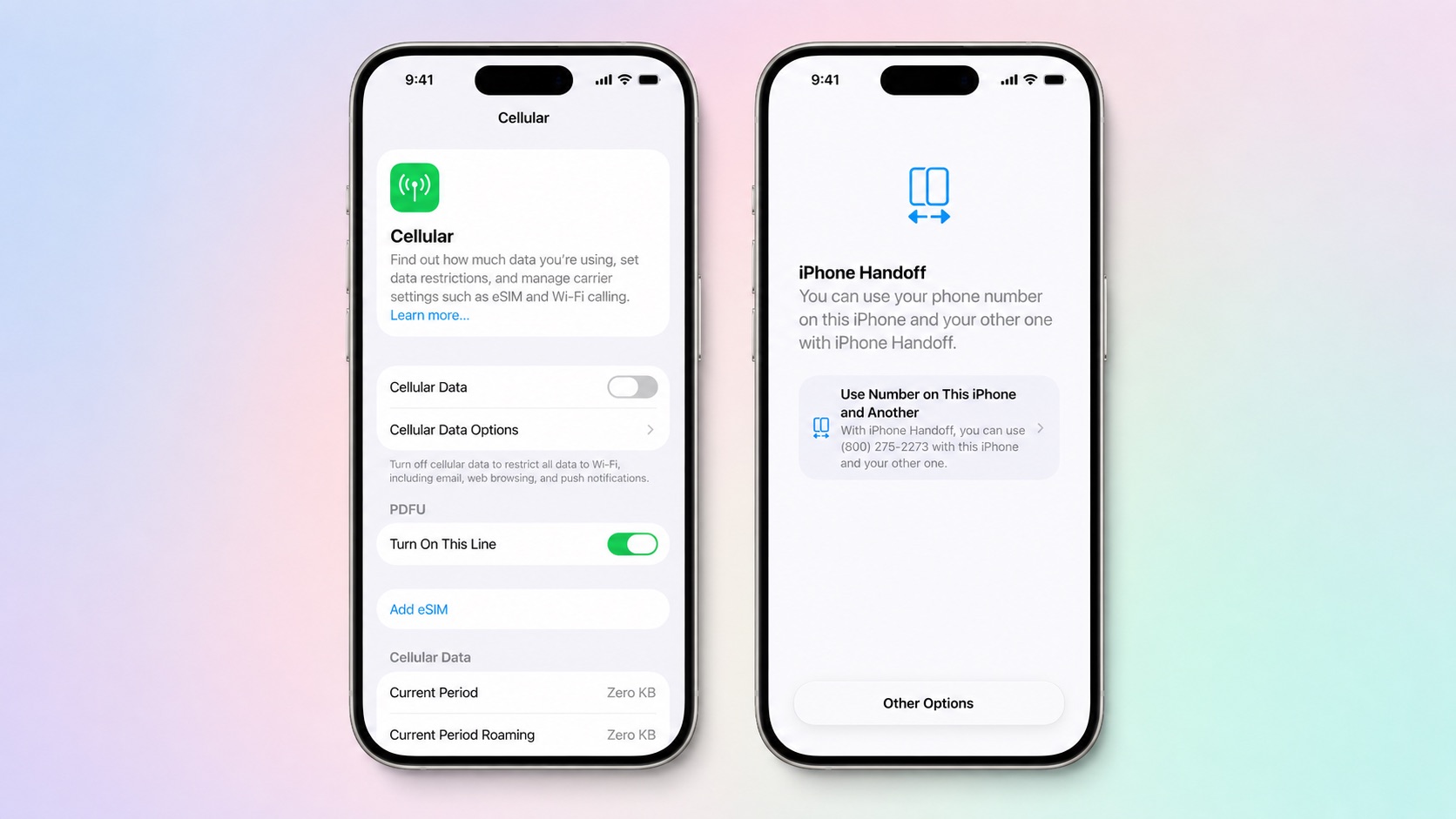
T-Mobile will charge customers $5 per month to use iPhone Handoff, an e-SIM feature that allows the same phone number to be used on two separate iPhones.


iPhone Handoff requires carrier support, and at launch, only T-Mobile users in the U.S. and Deutsche Telekom users in Germany will be able to use it.

T-Mobile says customers can use their number across two compatible iPhone models and elect which phone is active at any given time. Features like calls, texts, data, mobile hotspot, Scam Shield, and T-Satellite will work on both devices with an eligible plan.

Apple is adding support for iPhone Handoff in iOS 27. It requires two iPhones running ‌iOS 27‌ or later that are connected to Wi-Fi and signed into the same Apple Account with FaceTime, iMessage, and Messages in iCloud turned on. It can be turned on when activating a new iPhone or in the Settings app.

When iPhone Handoff is enabled, one iPhone serves as a main iPhone and the other iPhone is the secondary device that shares the same number. Moving between the main iPhone and secondary iPhone happens automatically when you unlock one of the devices.

A phone number can only be active on one iPhone at a time when using iPhone Handoff. Payment cards in the Wallet app and car keys can work across both iPhones, but Apple warns some Wallet items like transit passes, IDs, or corporate badges might only work on one iPhone at a time. iPhone Handoff also does not transfer an Apple Watch from one iPhone to another.

iPhone Handoff works with Dual SIM as long as both eSIMs are from carriers that support iPhone Handoff. Both eSIMs will switch simultaneously when you unlock your iPhone. Each eSIM has to be set up separately.

Once set up, iPhone Handoff remains activated until you contact your carrier to turn it off. More information can be found in Apple's support document for the feature.

‌iOS 27‌ is set to launch on Monday, September 14, and the new iPhone 18 Pro models will launch on Friday, September 18.
Related Roundups: iOS 27, iPadOS 27
Related Forum: iOS 27

This article, "T-Mobile to Charge $5 a Month for iOS 27 iPhone Handoff" first appeared on MacRumors.com

Discuss this article in our forums
  •  

You Can't Use Apple Watch's Live Rewind Secretly, Apple Says

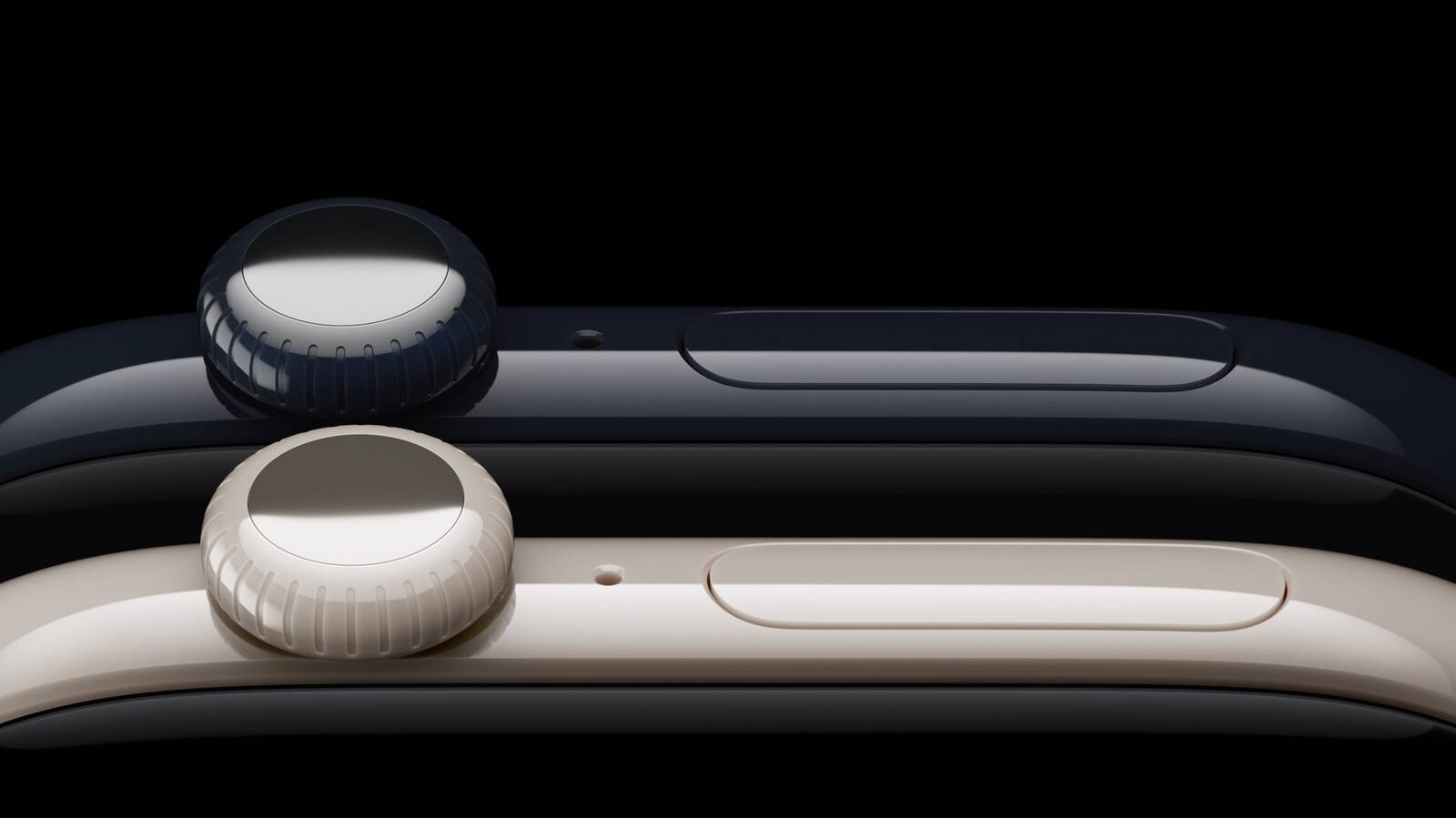
With the Apple Watch Series 12 and Ultra 4, Apple is adding Live Rewind, which relies on an S11 processor and new continual listening features.


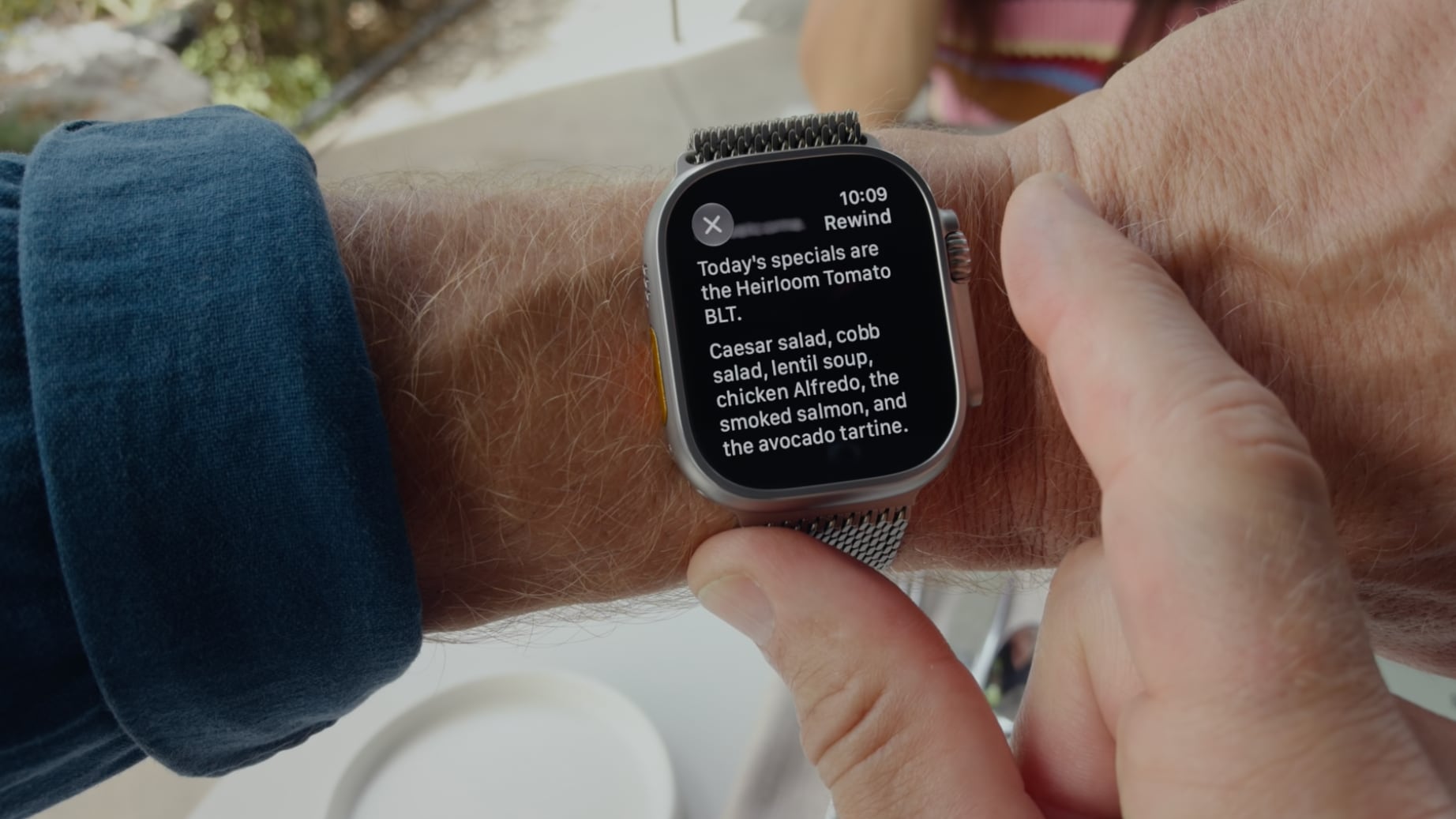
Live Rewind listens to what's happening around the wearer, and when activated with a double press on the Digital Crown, offers a transcript of what was said in the last 15 seconds. Apple says the feature will let users catch something they missed or are less familiar with. Snippets can be referred to Siri for further evaluation or saved to the ‌Siri‌ app.

Apple users are already expressing privacy concerns about Live Rewind, and likening it to Meta's much-maligned smart glasses, but no Apple Watch user will be able to activate it surreptitiously.

When the Digital Crown is pressed for Live Rewind, the Apple Watch will sound an audible chime from the speaker. The chime will sound even if the Apple Watch is on silent or if headphones are connected. At the same time, a full-display animation and microphone indicator will appear, with the combination meant to alert those nearby that the feature has been activated.

Apple says Live Rewind only activates with a deliberate press on the Digital Crown and all processing is done on-device. It shows the last 15 seconds of speech as a text snippet on the display, and does not continue to transcribe in the background. It can be turned on or off through the Watch app on the iPhone.

The Apple Watch Series 12 and Ultra 4 have an S11 chip equipped with a Secure Exclave. Apple describes the Secure Exclave as a hardware-isolated compartment that processes sensor data separately from the rest of the system. Data processed and analyzed in the Secure Exclave is not accessible by the operating system, apps, the user, or Apple.

Live Rewind and other Audio Intelligence features do not generate audio recordings. Audio flows into the Secure Exclave, is processed, and then deleted.

According to Apple, Live Rewind text snippets "disappear permanently" from the Apple Watch approximately 30 seconds after the Apple Watch display dims, unless the info is saved to the ‌Siri‌ app.

Live Rewind requires an Apple Watch Series 12 or Apple Watch Ultra 4 paired with an iPhone 16 or later, though the iPhone 16e is not compatible. Apple Intelligence and ‌Siri‌ AI are required, and the feature is not available for users under 13. The feature will launch later this year and won't be in the initial versions of watchOS 27 and iOS 27.
Related Roundup: Apple Watch 12
Buyer's Guide: Apple Watch (Buy Now)
Related Forum: Apple Watch

This article, "You Can't Use Apple Watch's Live Rewind Secretly, Apple Says" first appeared on MacRumors.com

Discuss this article in our forums
  •  

Ceramic Series 12 is Pricier to Repair Than Apple Watch Ultra 4

Apple reintroduced a ceramic case for the Apple Watch Series 12, but if you don't have AppleCare+, repairs are unusually expensive.


It costs $599 to fix "other damage," which covers any repair besides a battery replacement. Battery service is priced at $99.

Repairing a ceramic Series 12 is more expensive than getting an Apple Watch Ultra 4 repaired. That repair costs $549 without ‌AppleCare‌+ (up $50 from the prior model). A repair for a cellular aluminum Series 12 of the same size is $349.

Apple Watch Series 12 models in the Pearl White or Night Blue ceramic options are priced starting at $899, while the ‌Apple Watch Ultra 4‌ is priced starting at $799.

With ‌AppleCare‌+, Apple Watch users will only need to pay a $69 service fee for damage to the ceramic Apple Watch Series 12 or $79 for the ‌Apple Watch Ultra 4‌. Battery service is free if a watch's battery capacity drops below 80 percent, and theft or loss has a $119 deductible.

‌AppleCare‌+ with Theft and Loss for the Apple Watch Series 12 is $4.99 per month, and it's $5.99 per month for the Ultra 4. Customers can also opt for ‌AppleCare‌ One, Apple's $19.99 per month option that covers up to three devices. Starting on September 14, Apple is also offering ‌AppleCare‌ One Family, which is $49.99 per month for up to six family members.
Related Forum: Apple Watch

This article, "Ceramic Series 12 is Pricier to Repair Than Apple Watch Ultra 4" first appeared on MacRumors.com

Discuss this article in our forums

  •  

Apple Rates iPhone 18 Pro Slightly Easier to Repair Than 17 Pro

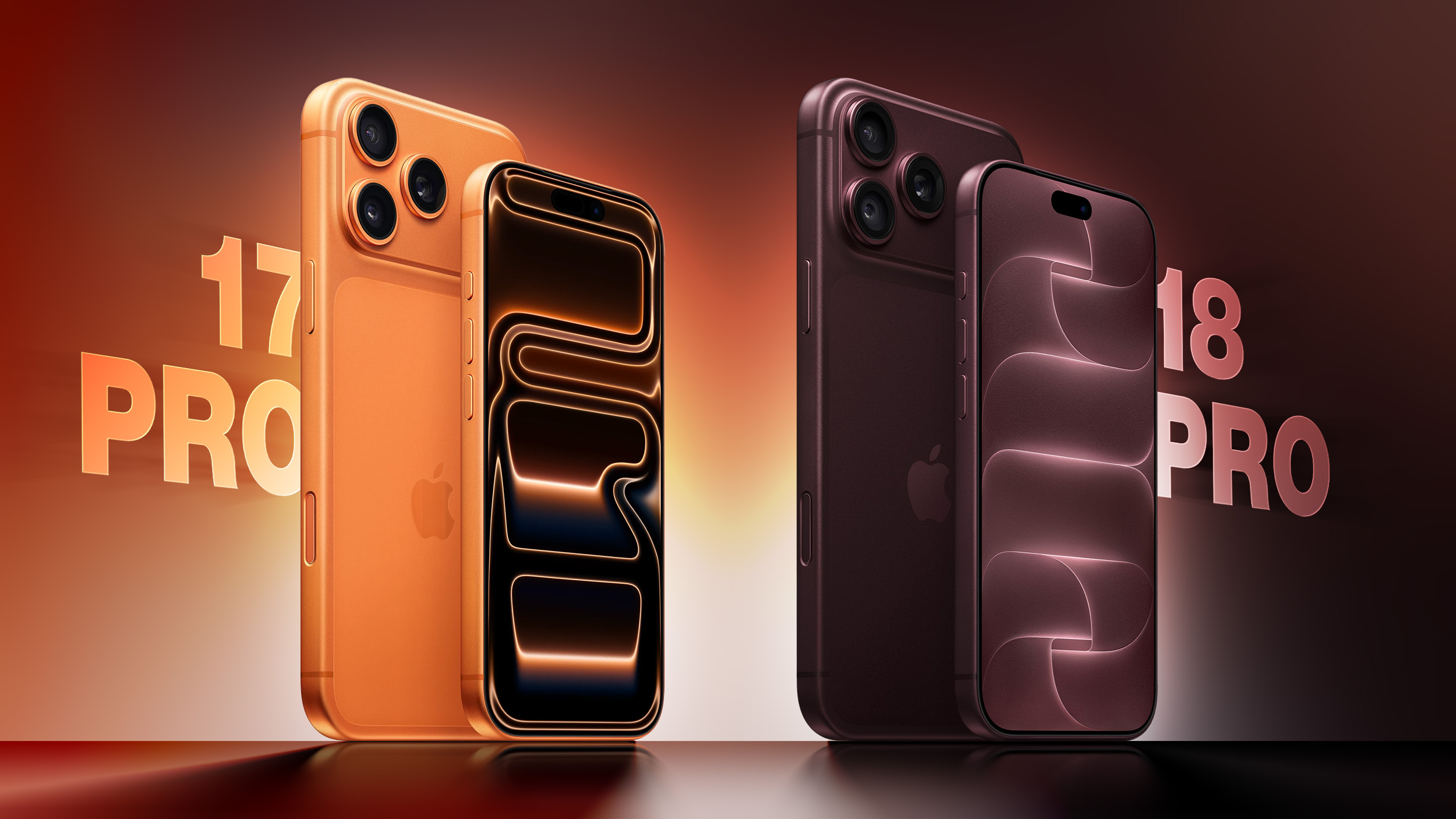
Apple's repairability scores suggest the iPhone 18 Pro and ‌iPhone 18 Pro‌ Max are slightly easier to repair than the iPhone 17 Pro and ‌iPhone 17 Pro‌ Max. Apple released the repairability data in a product information sheet required by EU energy labeling regulations [PDF].


The EU requires smartphone makers to self-rate repairability across categories like disassembly depth, fasteners, tools, spare parts, software update duration, and repair information. Each category gets a 0–5 score, which is combined into the overall index number. Here are the ‌iPhone 18 Pro‌ and Pro Max scores compared to the ‌iPhone 17 Pro‌ and Pro Max scores.

  • Overall index - 3.14, up 0.10 from 3.04

  • Disassembly depth - 2.75, up 0.10 from 2.65

  • Fasteners - 3.80, no change

  • Tools - 2.55, up 0.50 from 2.05

  • Spare parts - 4.00, no change

  • Software updates - 1.00, no change (EU only awards a higher software core when manufacturers agree to support devices beyond the five-year minimum)

  • Repair info - 5.00, no change


It looks like the ‌iPhone 17 Pro‌ models and the ‌iPhone 18 Pro‌ models have similar builds and are repaired in largely the same way, but there are small gains in tools and disassembly depth. Apple may have new tools for accessing some components, but the regulatory filings don't go into specifics. Both devices are class C on the A-E scale that appears on the iPhone's label.

We won't have to wait long to see what's changed inside the new iPhone models, because repair site iFixit is likely planning a teardown of one of the new iPhones on or shortly after the September 18 launch date.

Since the iPhone Duo isn't available for pre-order yet, Apple hasn't published similar repair data for the device.
Related Roundup: iPhone 18 Pro
Related Forum: iPhone

This article, "Apple Rates iPhone 18 Pro Slightly Easier to Repair Than 17 Pro" first appeared on MacRumors.com

Discuss this article in our forums

  •  
❌