
❌

Reading view

iPhone 18 Pro adds variable aperture, A20 Pro, and longer battery life

iPhone 18 Pro arrives with Apple concentrating its biggest changes in three areas: camera control, sustained performance, and battery life. The new Pro models retain familiar 6.3-inch and 6.9-inch display sizes, but introduce a variable-aperture main camera, the 2-nanometer A20 Pro chip, redesigned thermal hardware, and a smaller Dynamic Island.

The lineup consists of iPhone 18 Pro and iPhone 18 Pro Max, starting at $1,199 and $1,299 in the U.S., respectively. Both begin with 256GB of storage and are available in black, silver, glacier, and a new burgundy finish. Preorders opened September 12, with retail availability beginning September 18 in more than 65 countries and regions.

Rather than treating the Pro models as a cosmetic update, Apple has focused on changes that become more noticeable during demanding use, particularly photography, video work, gaming, AI processing, and long sessions away from a charger.

iPhone 18 Pro brings variable aperture to the main camera

The centerpiece is a new 48MP Fusion Main camera with a physical variable aperture, a first for the iPhone.

Six laser-cut aperture blades can adjust the amount of light reaching the sensor while also changing depth of field. The camera supports four aperture settings: ƒ/1.48, ƒ/1.8, ƒ/2.8, and ƒ/4.0.

At the wider end, the camera can gather more light in darker scenes. A narrower aperture can keep more people or background detail in focus, giving photographers another tool beyond computational depth effects and Portrait mode.

Apple also gives users direct access to those settings through new Pro controls in the Camera app. Aperture, shutter speed, and white balance can be adjusted manually, while a histogram provides a more conventional way to monitor exposure.

The feature is paired with a new main-camera sensor and updated computational imaging pipeline. Apple says the combination improves low-light performance and detail, while Photographic Styles gain texture and grain controls for additional control over an image’s appearance.

Video receives several additions as well. Cinematic effects can now be applied after recording to footage captured at up to 60 frames per second, while Time-lapse can record in 4K with Dolby Vision HDR. Audio Mix has also been updated with improved voice processing and the ability to isolate music.

For photographers who want more evidence of how an image originated, Apple is introducing Apple Reference Image. In Reference mode, the main camera signs sensor data, which Private Cloud Compute uses to create an unalterable reference version that can be compared with an edited image in Photos. Apple is also preparing support for the SynthID standard as another way of identifying AI-generated or altered content.

Close-up of a camera lens with visible aperture blades, surrounded by a maroon-colored body—reminiscent of the sophisticated design seen on the iPhone 18 Pro Max. Subtle reflections are visible on the lens surface.
Image Credit: Apple Inc.

iPhone 18 Pro uses A20 Pro and a redesigned vapor chamber

A20 Pro is built using a 2-nanometer manufacturing process and contains a six-core CPU, seven-core GPU, and dual 16-core Neural Engine.

Apple says memory bandwidth is 50% higher than on A19 Pro, while GPU performance can be up to 40% faster. The Neural Engine provides 32 cores in total, doubling the AI processing capability of the previous Pro chip.

The silicon change is closely tied to a redesigned cooling system. Apple has rearranged the chip package so that the silicon die sits beside the memory rather than beneath it in the thermal path, allowing A20 Pro to connect more directly to a next-generation vapor chamber.

That vapor chamber has three times the surface area of the previous generation and uses new materials to move heat away from the processor more effectively. Apple claims the design can deliver up to a 40% gain in sustained performance compared with iPhone 17 Pro.

That distinction is more relevant than peak benchmark numbers for workloads such as extended gaming sessions, video editing, computational photography, and local AI models, where heat can force a phone to reduce performance over time.

Connectivity has also moved further toward Apple-designed silicon. The N1 wireless chip supports Wi-Fi 7, Bluetooth 6, and Thread, while the new C2 modem succeeds C1X. Apple says C2 uses 15% less energy while offering faster uploads and adds mmWave support in the U.S.

A metallic chip with the Apple logo and text “A20 PRO” in bold, centered on a dark background with a subtle multicolored glow around the edges—designed to power the next-generation iPhone 18 Pro and iPhone 18 Pro Max.
Image Credit: Apple Inc.

iPhone 18 Pro Max reaches 45 hours of video playback

Battery improvements are another major part of the new hardware.

Apple rates eSIM-only versions of iPhone 18 Pro for up to 36 hours of video playback, while iPhone 18 Pro Max reaches as much as 45 hours. Apple says Pro Max receives the largest battery-life increase ever delivered in an iPhone.

Some of that gain comes from using the space previously occupied by a physical SIM tray. In markets receiving eSIM-only models, including the U.S., Canada, Japan, Mexico, Saudi Arabia, and the UAE, the larger internal battery provides an additional two hours of rated video playback.

Charging has accelerated as well. iPhone 18 Pro can reach 50% charge in approximately 15 minutes using a supported wired setup, while wireless charging reaches 50% in around 30 minutes. Apple says five minutes of wired charging on iPhone 18 Pro Max can provide roughly seven hours of video playback.

Both devices use aluminum unibody construction with Ceramic Shield 2 on the front and Ceramic Shield on the back. Storage options run from 256GB through 2TB.

The iPhone 18 Pro weighs 211 grams, while iPhone 18 Pro Max weighs 249 grams. Display sizes remain 6.3 inches and 6.9 inches, respectively.

Four iPhones—featuring the iPhone 18 Pro and iPhone 18 Pro Max—in black, white, blue, and deep red colors are displayed upright in a row against a black background, showing their backs and triple camera arrays.
Image Credit: Apple Inc.

iOS 27 brings Siri AI and new Apple Intelligence tools

The hardware launches alongside iOS 27, which places Apple Intelligence and the new Siri AI more prominently across the system.

Siri AI can use personal context from information stored across apps, respond to onscreen content, perform actions in supported apps, and handle more open-ended questions. A new Siri mode in Camera lets users ask questions and take action based on objects or information visible through the viewfinder.

Photo tools include Spatial Reframing, Extend, and an upgraded Clean Up feature, while Safari can monitor selected webpages for changes such as a product restock or price adjustment.

The Dynamic Island has also been physically reduced and redesigned. It can display up to three Live Activities simultaneously while continuing to support Face ID.

Apple released iOS 27 on September 14, while Siri AI is rolling out initially as a beta in English, with additional language support planned. iPhone 18 Pro and iPhone 18 Pro Max reach stores September 18, giving Apple a Pro lineup whose most substantial additions are less about a new exterior shape and more about physical camera control, heat management, and how long the hardware can sustain demanding workloads.

The post iPhone 18 Pro adds variable aperture, A20 Pro, and longer battery life appeared first on AppleMagazine.
  •  

iPhone 18 Launch: Apple Park Prepares for a Bigger In-Person Event

iPhone 18 launch, Apple Park, iPhone 18, iPhone 18 Pro, iPhone 18 Pro Max, iPhone Ultra, foldable iPhone, Apple event, September event, John Ternus, Steve Jobs Theater, iOS 27, iPhone camera, variable aperture, liquid metal hinge, foldable display, hands-on event, product launch, Cupertino, smartphone news

The iPhone 18 launch is turning Apple Park into more than a stage for Wednesday’s presentation. The September 9 Apple event already carries unusual expectations around a possible foldable iPhone, a new generation of Pro cameras, and John Ternus’ first major product introduction as CEO. Reports of additional event staff now suggest that the experience awaiting invited media could be larger and more demanding than a conventional iPhone demonstration.

The official event announcement confirms that “Surprise and shine” begins September 9 at 10 a.m. Pacific Time, with worldwide streaming through apple.com, Apple TV, and YouTube. The invited audience will attend from Apple Park, but the increased activity surrounding the event does not necessarily mean that the company will abandon its carefully produced video format for a completely live keynote.

A polished presentation can explain specifications, introduce software, and display new hardware from perfect angles. It cannot reproduce the first sensation of opening a foldable screen, examining a crease under direct light, testing a mechanical hinge, or watching a camera respond as the lighting changes. Those moments happen after the main presentation, inside the hands-on areas where early opinions begin to form.

Apple Park

Apple Park Scales Up for the iPhone 18 Launch

The first indication of a larger operation arrived through an internal program for US retail employees. According to reporting distributed by Bloomberg, store employees were invited to enter a lottery for positions supporting the in-person unveiling.

Selected employees were expected to organize lines, check in guests, provide directions, welcome attendees, and assist security teams. Employees who participated in WWDC 2026 or the iPhone 17 event were reportedly excluded, allowing another group of retail workers to experience the launch.

The existence of the lottery does not prove that the keynote itself will return to a traditional live-stage presentation. Apple has previously recruited retail employees to support events, and the company has not disclosed how many people were selected this year.

It does confirm that the Apple Park gathering requires a substantial customer-facing operation beyond the team producing the presentation. Retail employees already know how to direct visitors, explain products without overwhelming them, manage queues, and identify when someone needs technical help.

Those skills become particularly useful during an event attended by journalists, photographers, analysts, creators, and international guests, all trying to reach the same devices within a short period. Additional staff can prevent the hands-on area from becoming a crowded ring around a few demonstration tables.

The iPhone 18 launch may also require more movement between specialized spaces. A conventional phone can be displayed in rows according to color or size. A foldable model needs room for repeated opening and closing, interface demonstrations, durability questions, and comparisons between its exterior and interior screens. Camera testing requires a different environment again.

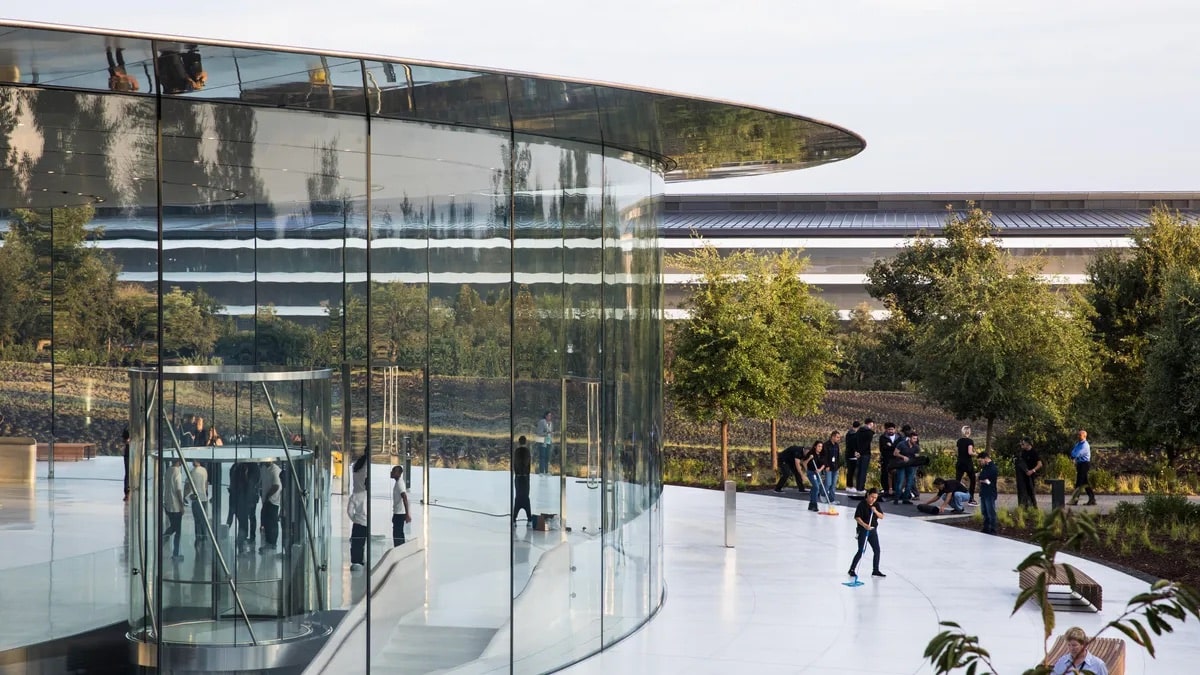
Apple Park does not need to undergo a permanent architectural transformation for that expansion. Modular tables, managed lighting, guided demonstrations, additional charging equipment, and more employees can significantly enlarge the experience around Steve Jobs Theater for a single afternoon.

A person holds a foldable smartphone displaying the time, 09:07, in a cozy café with wooden tables, drinks, and a blurred background of people and large windows—perhaps testing out new features on iOS 27 Beta or eagerly comparing it to rumors about the upcoming iPhone 18.
Image Credit: AppleMagazine

A Foldable iPhone Needs a Different Kind of Demo

The rumored iPhone Ultra is likely to attract the longest lines if it appears on Wednesday. It would represent the first substantially new iPhone form factor since the current full-screen design became established, and its appeal cannot be communicated through processor charts alone.

Visitors will want to know how the hinge feels at different angles, whether the device stays open when partially folded, how much pressure is required to close it, and whether both sides align evenly. They will inspect the central folding area under bright light and move a finger across the display to determine whether the crease is visible, noticeable by touch, or effectively hidden during normal use.

Display stress remains one of the most difficult engineering problems in the foldable category. TrendForce’s analysis of foldable display technology explains that crease reduction depends on controlling stress across the panel’s multilayer structure. Ultra-thin glass, optically clear adhesive, support plates, and the position of the display’s neutral layer can all influence how the screen behaves after repeated folding.

Reports have associated the iPhone Ultra with a liquid-metal hinge and a virtually creaseless internal display, but neither detail has been announced. Even if the production device resembles those descriptions, “virtually creaseless” will remain a subjective claim until people can examine the screen from different angles and under different lighting conditions.

Apple will consequently need demonstration units that are fully accessible rather than fixed behind stands. A journalist should be able to fold the device repeatedly, rotate the internal display, type with the phone partially open, and watch iOS 27 transfer an activity between the exterior and interior screens.

Those interface transitions could be as revealing as the physical hardware. A larger display gains value when an app can reveal another column, create a more capable workspace, or reposition controls without simply enlarging the standard iPhone interface.

Demonstrators may need to direct visitors toward examples that reveal those differences within the limited time available. Mail, Maps, Photos, Safari, video calling, document editing, and drag-and-drop workflows could communicate the benefit of the larger display faster than a static home screen.

The hands-on area must also answer durability questions without pretending that a few minutes can replace months of ownership. Hinge resistance, protection around the folding axis, weight distribution, screen reflections, and off-center visibility can be judged immediately. Long-term wear, dust resistance, and thousands of folding cycles cannot.

Camera Testing Could Become Part of the Event

The Pro camera system is expected to receive one of the lineup’s most technical hardware changes. Previous iPhone 18 Pro camera reporting has centered on a mechanical or variable aperture, which could physically alter the amount of light passing through the main lens.

A conventional fixed-aperture smartphone camera manages exposure through shutter speed, sensor sensitivity, computational processing, and other electronic controls. A mechanical aperture can change the physical opening through which light reaches the sensor. Depending on its design, that could provide additional control over exposure, depth of field, highlights, and the appearance of subjects at different distances.

Current pre-event iPhone 18 expectations indicate that the feature may be exclusive to the iPhone 18 Pro Max, although its final availability will remain uncertain until the presentation.

A normal demonstration table would reveal little about such a camera system. Effective testing requires contrast, motion, faces, reflections, foreground objects, and meaningful changes in brightness.

Apple has previously used prepared scenes to demonstrate cameras, making controlled lighting stations a reasonable possibility for the iPhone 18 launch. No dependable report has confirmed that a dedicated photography pavilion or a particular new installation has been constructed for Wednesday, however.

A useful setup would allow creators to move between bright and dim areas while watching the aperture respond. A foreground object positioned near a person could demonstrate changes in depth of field. Directional lights could reveal highlight handling, while a darker scene could test whether the physical aperture works smoothly with computational photography.

Video creates another challenge. Any aperture adjustment during recording must appear gradual rather than causing sudden jumps in exposure or background separation. If manual control is available, photographers will immediately look for the number of supported aperture positions and whether a chosen setting can be locked before recording.

These demonstrations would offer the in-person audience something that cannot be reproduced during the stream. The presentation can display carefully selected photographs and video clips, but activity around the camera stations will reveal how quickly professionals understand the controls and whether the results remain convincing outside a prepared promotional sequence.

John Ternus Faces His First Apple Park Test

Wednesday’s event will be John Ternus’ first major product launch as CEO. That creates an unusual balance between continuity and change. The campus, production team, executives, and controlled demonstrations remain familiar, while the person responsible for the final message has changed.

Ternus does not need to replace every established event practice during his first days in the role. A larger in-person component would let him place more attention on direct product experience without sacrificing the timing and visual precision of a prerecorded presentation.

A live welcome, appearances around the campus, and extended media access after the video could establish his presence without forcing the event into an entirely different format. His background in hardware engineering also makes this a suitable launch for more detailed demonstrations, particularly if the lineup includes a new hinge, display construction, or mechanical camera component.

The hardware surrounding the iPhone 18 launch will test how well the company explains unfamiliar decisions. A foldable iPhone must justify its size, construction, software behavior, and likely premium price within minutes. The Pro camera must demonstrate an advantage that remains visible after computational processing. Accessories must protect new shapes without making them unpleasant to hold.

Retail employees working at Apple Park can observe those reactions closely. They will hear which controls require an explanation, which accessories create hesitation, and which claims prompt the same questions repeatedly. That experience can return to stores before customers begin arriving for demonstrations of their own.

The Hands-On Area Becomes the Real Examination

Apple controls every frame of its presentation video, but it cannot control every observation made after the screens turn off. A foldable display will be photographed from difficult angles. Its hinge will be opened hundreds of times. Camera samples will be compared before visitors have left Apple Park. Any awkward transition, reflection, or confusing control will circulate within minutes.

This makes the in-person operation more demanding than a larger guest list might suggest. Every demonstration unit must remain charged, connected, clean, updated, and ready for the next visitor. Foldable devices may require closer inspection between sessions, while camera areas need staff who understand both the feature and the conditions created to demonstrate it.

The employees around those spaces should provide enough guidance to help visitors locate unfamiliar features without turning every interaction into another scripted presentation. Excessive control makes a demonstration feel artificial; too little creates confusion and crowded tables.

Apple Park therefore becomes a second launch platform after the worldwide stream. The video introduces the products, while the hands-on area exposes them to fingers, lenses, questions, and immediate judgment. By Wednesday afternoon, the questions repeated most frequently around those demonstration tables may offer the first indication of how easily the iPhone 18 lineup can explain itself.

iPhone 18 red color concept shown front and back with edge-to-edge display.

The post iPhone 18 Launch: Apple Park Prepares for a Bigger In-Person Event appeared first on AppleMagazine.

  •  

FaceTime Dual Capture: iOS 27’s Biggest Video Call Upgrade

FaceTime Dual Capture is bringing simultaneous front-and-rear camera streaming to video calls in iOS 27, allowing compatible iPhones to show the caller and their surroundings without repeatedly switching between cameras.

The feature expands technology Apple introduced with the iPhone 17 family. Dual Capture already allows the Camera app to record through the Center Stage front camera and a rear camera at the same time. iOS 27 brings a similar capability directly into live FaceTime calls.

During a call, the front camera can continue showing the speaker while the rear camera displays whatever the iPhone is pointing toward. Someone attending a concert can share the performance and remain visible. A parent can show a child playing without disappearing from the conversation. A person asking for technical assistance can remain on screen while directing the rear camera toward the equipment causing the problem.

Dual Capture removes the awkward sequence of switching to the rear camera, showing something, and switching back to continue speaking face to face. Both perspectives remain available inside the same call.

Close-up of the FaceTime app icon on a screen, showing a green background with a white video camera symbol and the label “FaceTime” below it. Highlighted in this iOS 27 interface, a finger is partially visible near the icon.
Image Credit: Thomas Trutschel Photothek/Getty Images

FaceTime Dual Capture Changes Camera Switching

The normal FaceTime camera control changes from a simple front-or-rear choice on supported iPhones. When the caller activates the rear camera, iOS 27 keeps the front camera visible by default.

The main view displays the rear camera feed while a smaller window contains the front camera image. This picture-in-picture arrangement gives the other participant a continuous view of the caller’s reaction, commentary, or explanation.

To activate both cameras during a supported FaceTime call:

FaceTime > Start a video call > Tap the Flip button

Tapping the Flip button turns on the rear camera without immediately removing the front view. The other participant begins receiving both perspectives as part of the FaceTime stream.

The caller can disable the front view when it is no longer needed. This provides a conventional rear-camera presentation for situations where the surroundings should occupy the complete image.

To return to a single camera view:

FaceTime > Tap the camera view > Disable the front camera

The exact labels and placement may change before the public release of iOS 27 because the feature is still being tested in beta software. Its basic behavior is already established: the Flip control activates the rear camera while retaining the front camera feed.

Dual Capture does not create two independent FaceTime calls. Both images belong to one video stream, so the caller does not need a second account, device, or invitation.

The feature also differs from screen sharing. FaceTime screen sharing transmits applications and interface activity from the iPhone display. Dual Capture transmits live video from two physical cameras.

A hand holds a smartphone, recording a video of four people in costume outdoors. A small FaceTime Dual Capture window at the top shows two people smiling during the call. The phone’s screen displays camera controls, powered by iOS 27.
Image Source: Google

Which iPhones Support Dual Capture

Apple has limited FaceTime Dual Capture transmission to the iPhone 17, iPhone 17 Pro, iPhone 17 Pro Max, and iPhone Air. Each model includes Apple’s 18MP Center Stage front camera and the Dual Capture capability introduced in the Camera app.

An older iPhone that supports iOS 27 cannot originate a Dual Capture stream. It continues to use the normal option of selecting either the front camera or a rear camera during a call.

Older models can still receive and display a Dual Capture feed when they are running iOS 27. This allows an iPhone 16 or another supported device to see both views transmitted from an iPhone 17, even though it cannot send the same presentation back.

Both participants need iOS 27 for the new FaceTime layout to work as intended. The transmitting device must also be one of the supported iPhone 17-generation models.

This limitation is based on Apple’s official feature support rather than the simple presence of front and rear cameras. Earlier iPhones have camera hardware capable of operating in several multi-camera applications, but Apple has not extended its native Dual Capture implementation to them.

Third-party applications have offered forms of simultaneous multi-camera recording for years through Apple’s developer frameworks. The difference is that iOS 27 integrates the experience into FaceTime, where users can activate it through the familiar camera-switching control.

iPhone 17 Owners Receive a Second Dual Capture Feature

Describing FaceTime Dual Capture as retro-compatible with the iPhone 17 does not fully explain its relationship with the hardware. The iPhone 17 family introduced Apple’s native Dual Capture recording in 2025, and iOS 27 now gives that existing camera system another purpose.

Inside the Camera app, Dual Capture produces a saved video containing front and rear views. Apple lists support for recording at up to 4K Dolby Vision at 30 frames per second on the iPhone 17.

FaceTime uses the camera pairing for live communication instead. Network quality, bandwidth, device temperature, and FaceTime processing can affect the transmitted resolution, so users should not assume that a call will preserve the Camera app’s maximum 4K recording specification.

The Center Stage front camera also contributes more than resolution. Its square sensor gives the iPhone greater freedom to adjust framing without requiring the device to be physically rotated. Center Stage can help keep the caller positioned inside the smaller front-camera view while the rear camera follows the subject being shared.

That combination makes Dual Capture more useful than placing two untreated camera feeds beside each other. FaceTime can preserve the speaker’s presence while directing most of the screen toward the event, object, or location being discussed.

The feature may require more processing power and energy than an ordinary single-camera call. Running two camera sensors while encoding and transmitting live video can increase battery consumption and device temperature, especially during long calls over cellular data.

Apple has not published separate battery estimates for Dual Capture FaceTime calls. Users planning extended sessions may want access to power and a stable Wi-Fi connection.

FaceTime

iOS 27 Prepares FaceTime for iPhone 18

FaceTime Dual Capture arrives shortly before Apple’s expected iPhone 18 generation, making it likely to become part of how the company demonstrates the new phones’ camera and communication abilities.

Apple has not announced the iPhone 18 lineup or confirmed its final camera specifications. Compatibility with FaceTime Dual Capture is therefore expected from the software’s “iPhone 17 and newer” positioning, but individual iPhone 18 models should not be treated as confirmed until Apple presents them.

The software release gives existing iPhone 17 owners access without requiring another hardware purchase. That approach also provides Apple with a working FaceTime feature before the next iPhone launch rather than introducing the camera mode and communication interface at the same moment.

Future hardware could improve the experience through faster processors, stronger image stabilization, upgraded sensors, or more efficient video encoding. None of those additions is required for the supported iPhone 17 family, which already contains the camera system needed to transmit both views.

Dual Capture is only one part of the FaceTime update. Apple is also improving video-call quality when the network connection is weak, addressing a problem that becomes especially relevant when two live camera views require transmission. Traditional Chinese support is joining FaceTime Live Captions as well.

The weak-connection improvement may determine how dependable Dual Capture becomes away from Wi-Fi. A feature designed for travel, events, repairs, and outdoor calls needs to tolerate changes in cellular bandwidth without freezing both views or forcing the session to end.

FaceTime Dual Capture remains part of the iOS 27 beta as Apple prepares the public update for September. Apple can still adjust the interface, performance, device requirements, and picture-in-picture behavior before the completed software reaches iPhone 17 owners.

The post FaceTime Dual Capture: iOS 27’s Biggest Video Call Upgrade appeared first on AppleMagazine.

  •  
  •  
❌