Apple has released iOS 26.7 for iPhone and iPadOS 26.7 for iPad as security focused software updates for users who are not yet ready to jump onto iOS 27 or iPadOS 27. Over 100 security fixes are included in the iOS 26.7 update, but no new features or other changes are along for the ride. ... Read More
Apple has released MacOS Tahoe 26.7 along with MacOS Sequoia 15.8 as security updates for older Mac users and for those who are not yet interested in running the just released MacOS Golden Gate 27 update. MacOS Tahoe 26.7 and MacOS Sequoia 15.8 have over a hundred security fixes but do not include any new ... Read More
Available today, Apple’s latest software updates introduce Siri AI and deliver helpful new Apple Intelligence features that make the apps users interact with every day smarter and more useful.
Apple’s latest software updates introduce Siri AI, a more intelligent, knowledgeable, and capable version of Siri, and deliver helpful new Apple Intelligence features that make the apps users interact with day to day smarter and more useful. The updates also bring powerful and intuitive new features to help parents create safer, more enriching digital experiences for kids and introduce an expansive set of improvements that make Apple products more responsive, more delightful, and easier to use.
Making Apple Products More Personal and Useful Than Ever
Siri AI is an entirely new version of Siri powered by the next generation of Apple Intelligence and deeply integrated into iPhone, iPad, Mac, Apple Watch, and Apple Vision Pro. A more capable and conversational assistant with personal context understanding, broad world knowledge, onscreen awareness, and even more systemwide app actions, Siri AI is now rolling out as a beta in English, with support for French, Japanese, Korean, Portuguese, and Spanish coming in October.
Siri AI can understand personal context across messages, emails, photos, and more, to help users find what they need in the moment. It can also answer questions related to the content on a user’s screen or go out to the web to get up-to-date information to generate a helpful answer. Siri is integrated into the Camera app on iPhone with Siri mode, allowing users to get information and take action on what’s in front of them, like splitting a bill and paying friends with Apple Cash, or adding a custom pass to Wallet. With Visual Intelligence, users on iPhone, iPad, or Mac can now ask Siri about what they’re looking at on the screen, and Vision Pro users can search, ask questions, and take action simply by looking at their surroundings and asking Siri.
With Write with Siri, users can simply describe what they need to generate a draft or help refine what they’ve written. A dedicated Siri app uses iCloud to privately sync conversational history across a user’s products, so they can start chatting with Siri on iPhone and continue the conversation on Mac, iPad, Apple Watch, or Apple Vision Pro.
The next generation of Apple Intelligence also brings helpful new features to apps that users rely on every day. In Photos, Spatial Reframing, Extend, and an upgraded Clean Up tool provide more ways to edit photos while respecting the original moment as it was captured. Image Playground gives users the ability to create high-quality images in virtually any style, including photorealistic, and with image metadata and upcoming support for the SynthID standard, users can identify images generated or edited with AI. In Safari, Apple Intelligence powers new tools that automatically organize a user’s tabs into topics; notify them of website changes, like product restocks or price drops; and enable the creation of custom extensions based on a description. Call Context surfaces relevant information, like a confirmation code or reservation number, when calling a business.
New Expert-Informed Child Safety Features and a Redesigned Screen Time Experience
Easy-to-use new features help parents manage what their kids can see, who they can talk to, and when they have access to apps. A new setup flow for child accounts makes it easier to enable age-based safeguards across the system. From the beginning, parents can choose the exact apps their kids have access to on their device, and gradually add more over time. Ask to Browse allows parents to require approval before their kids access a new website in Safari. In addition to being able to approve each new contact their kids connect with, parents can lean on Communication Safety, which now also detects and intervenes to block gore or violent content when detected in shared images or videos.
Redesigned to be more intuitive for parents, Screen Time offers an at-a-glance view of their kids’ average device usage and top apps. New tools make it easy to set daily total time allowances across Entertainment, Games, and Social Media apps, with guidance from leading clinical and child development experts, and Schedules let parents manage which apps their children have access to at different points in the day.
For parents and families looking for more information on how to help create safer, more enriching digital experiences for their kids, Apple has a dedicated website, which includes details on the latest tools and how to get started using them.
A More Refined Experience Across Platforms
The 2027 software releases deliver platform improvements that span performance, connectivity, search, and more, making Apple products even more responsive, reliable, and delightful to use.
• Performance: Users will experience faster performance on iPhone, iPad, and Mac. On iPhone and iPad, apps launch up to 30 percent faster, photos load up to 70 percent faster after being taken, and AirDrop transfers are up to 80 percent faster. On iPad, browsing files and transferring them to an external USB drive is now up to 5x faster, and there are additional improvements to closing, switching, and dragging windows while multitasking. On Mac, things users do every day feel extra snappy and responsive. AirDrop transfers are quicker, iCloud Photos uploads begin faster, swiping between spaces and Mission Control is smoother, and more. On Apple Watch, music playback is even faster.
• Connectivity: On iPhone and iPad, transitions between cellular and Wi-Fi networks are more seamless than ever. In Messages, sending large photos and videos in low-bandwidth situations no longer prevents subsequent texts from going through, so users can continue replying while media is being delivered. On Mac, users will experience faster network file browsing. Apple Vision Pro starts and connects to Wi-Fi up to 3x faster.
• Search: On iPhone, iPad, and Mac, search across Spotlight, Photos, and Mail is more stable, efficient, and comprehensive, so it can better help users find exactly what they are looking for. Additionally, a completely new ranking system in Mail surfaces even more relevant results in Top Hits.
• Design: Refinements to the software design with Liquid Glass deliver an even more focused and approachable experience. For example, a new slider in Settings gives users the option to personalize Liquid Glass, adjusting it anywhere from ultraclear to fully tinted to match their preference, and app icons have been updated to be sharper and more defined.
Additional features across platforms:
• iCloud Shared Albums support full-resolution sharing for photos and videos, and make it easier for Android and Windows users to join and contribute.
• The Health app brings support for perimenopause and menopause in Cycle Tracking, including notifications about cycle deviations inclusive of perimenopause.
• AirPods users can now enjoy custom EQ to further personalize how their AirPods sound. And with expanded Apple GymKit functionality, users with AirPods Pro 3 can sync their heart rate data through iPhone while enjoying incredible audio quality.
• Apple Maps brings an enhanced Flyover experience, which combines aerial imagery with AI, allowing users to enjoy even more detailed visuals.
• On Apple Watch, new Smart Stack widget suggestions surface when they are relevant, and users can conveniently open a widget with a new single-handed tap gesture. Workout Buddy is supported even when users don’t have their iPhone nearby, and it’s now available in Spanish in addition to English.
• Apple Vision Pro users can now turn panoramas into spatial scenes with rich depth and use them as a personal Environment, or transform their space entirely with the new Thórsmörk Environment featuring a dynamic Icelandic aurora.
• On Apple TV, users get high-resolution lossless audio support for Apple Music, a redesigned Apple Podcasts app, and broader text-size accessibility options.
The new features start rolling out today across iOS 27, iPadOS 27, macOS 27, watchOS 27, visionOS 27, and tvOS 27.
Availability
Features are subject to change. Some features may not be available in all languages or regions, and availability may vary due to local laws and regulations. For more information about availability, visit apple.com.
New Apple Intelligence capabilities across apps are available for users with supported products set to a supported language. Siri AI begins rolling out as a beta in English, with French, Japanese, Korean, Portuguese, and Spanish coming in October.
Mac and Apple Vision Pro users in the EU will be able to access Siri AI when set to a supported language. Siri AI will not be available initially in the EU in iOS, iPadOS, and watchOS.
Siri AI and the other new Apple Intelligence features will not be available in China while Apple works through regulatory requirements.
Users who enable Apple Intelligence on supported products set to a supported language will have access with iOS 27, iPadOS 27, macOS 27, watchOS 27, and visionOS 27.
Apple Intelligence is available with support for these languages: English, Danish, Dutch, French, German, Italian, Norwegian, Portuguese, Spanish, Swedish, Turkish, Vietnamese, Chinese (simplified), Chinese (traditional), Japanese, and Korean. Some features may not be available in all regions or languages. For feature and language availability and system requirements, see apple.com/apple-intelligence.
Apple Intelligence and Siri AI in iOS 27, iPadOS 27, macOS 27, watchOS 27, and visionOS 27 are available on iPhone Duo, iPhone Air, iPhone 16 models or later, iPhone 15 Pro, iPhone 15 Pro Max, iPad mini (A17 Pro), iPad models with M1 or later, MacBook Neo (A18 Pro), Mac with M1 or later, Apple Vision Pro, Apple Watch Series 9 or later, Apple Watch Ultra 2 or later, and Apple Watch SE 3 when paired with an Apple Intelligence-enabled iPhone. Some features on Apple Watch require iPhone nearby.
Certain Apple Intelligence features that rely on server-side models are subject to daily usage limits, including but not limited to Siri AI, intelligent photo editing tools, Image Playground, and AFM 3 Cloud models in Shortcuts. Daily limits may vary by feature, request complexity, system demand, system policies, and other factors. Expanded access to such features will be available for a fee in the future. Use of these features is subject to Apple Intelligence terms and conditions. Learn more at apple.com/apple-intelligence. Siri AI is not available for users under 13.
MacDailyNews Take: Hello, Siri AI! Happy updating!
Please help support MacDailyNews — and enjoy subscriber-only articles, comments, chat, and more — by subscribing to our Substack: macdailynews.substack.com. Thank you!
MacOS 27 Golden Gate has been released by Apple and is now available to download and update for the general public. MacOS 27 went through several months of beta testing, and the finalized version can be installed on any compatible Mac. MacOS 27 Golden Gate includes performance improvements for MacOS itself including improved system responsiveness ... Read More
iOS 27 is now available for iPhone, along with iPadOS 27 for iPad. This is the final version of iOS 27, after a several months long beta development and testing process. All eligible iPhone models and iPad devices can download and install the iOS 27 or ipadOS 27 upgrade, respectively, at their leisure. iOS 27 ... Read More
Apple has published three performance claims for iOS 27, each with the device it was tested on. It has published nothing about what the update does to battery life, nothing about how large the download is, and nothing about how much free space it needs. Those are the three things people actually search for on […]
Apple has published no known-issues list for iOS 27, no security notes for it and no accessory compatibility page, so nothing on the record predicts a dead CarPlay connection or a lost Bluetooth pairing on Monday. What Apple has published is a short list of changes that touch exactly those areas, plus one deadline that […]
Apple has published nothing that says an iPhone runs slower after a major update, and there is no iOS 27 known-issues document to check against. The one published measurement that speaks directly to older hardware was taken on an iPhone 11 Pro Max, the oldest generation iOS 27 supports, and it points the other way: […]
There is no off switch for Liquid Glass in iOS 27. The only control Apple has published is a slider in Settings that moves the effect anywhere from ultra-clear to fully tinted, and nothing in Apple’s description of the update removes the design. The reason this search keeps coming back is that Liquid Glass is […]
If you are planning to skip Monday and wait for iOS 27.1, understand what you are waiting for: Apple has not published an iOS 27.1, has not dated one, and has not published a single word about how iOS 27 itself will roll out beyond the date. iOS 27 arrives Monday, September 14 as a […]
The iPhone 15 Pro and iPhone 15 Pro Max are the oldest iPhones on Apple’s Apple Intelligence list, so on Monday, September 14 they get the full iOS 27 feature set as most people understand it: Siri AI in beta, Image Playground, the new Photos editing tools and Call Context. What they do not get […]
iOS 27 arrives on Monday, September 14 as a free update, and Apple’s compatibility list still runs all the way back to the iPhone 11 and the iPhone SE second generation. An iPhone 11 gets the new Liquid Glass look, Apple’s speed work, the rebuilt search and the new parental controls. It gets none of […]
Apple has released iOS 26.6.2 for iPhone and iPadOS 26.6.2 for iPad. The software updates provide a fix to address an issue with updating software updates over a cellular connection. There are no concurrent software updates available for other devices or Apple hardware. How to Download & Install iOS 26.6.2 and iPadOS 26.6.2 Update As ... Read More
Apple on Monday released the eighth developer betas of macOS 27, iOS 27, iPadOS 27, tvOS 27, and watchOS 27, continuing the final stretch of testing before the software is expected to ship to the public in September.
The new builds arrive one week after the seventh developer betas, which went out on August 24. At this point in the cycle, Apple is typically focused on bug fixes, performance, and stability rather than large new user-facing features. Release candidates are widely expected after Apple’s September hardware event.
Apple also issued matching eighth betas for tvOS 27 and visionOS 27.
macOS 27 continues under the Golden Gate name. It is the first macOS release limited to Apple silicon Macs.
How to install
Registered developers can install the updates over the air:
• iPhone and iPad: Settings → General → Software Update → Beta Updates, then choose the iOS 27 or iPadOS 27 Developer Beta.
• Mac: System Settings → General → Software Update.
• Apple Watch: Use the Watch app on a paired iPhone. The watch should be on the charger, on Wi-Fi, and at least 50 percent charged.
Full restore images are also available from the Apple Developer site. Public beta testers usually receive corresponding public builds shortly after the developer drop.
What these releases are building toward
The “27” operating systems were first shown at WWDC 2026 on June 8, with developer beta 1 following the same day. Public betas began in mid-July. The official fall releases are expected alongside new iPhones and other hardware.
Headline features across the platforms include:
Siri AI. Apple’s rebuilt assistant is the centerpiece. It is designed as a more conversational chatbot with general world knowledge, personal context from apps such as Messages and Mail, and on-screen awareness. iOS 27 also adds a standalone Siri app for conversation history, systemwide Write with Siri, and Visual Intelligence relocated into the Camera app with a Siri mode. On Apple Watch, Siri AI requires a paired iPhone that supports Apple Intelligence (iPhone 15 Pro and later).
Apple Intelligence elsewhere. New AI features land in Photos, Safari, Shortcuts, Wallet, and Passwords. On the Mac, Spotlight and Shortcuts pick up deeper Siri AI integration, including natural-language shortcut creation.
Liquid Glass refinements. After last year’s more aggressive glass look, Apple has improved legibility and added a transparency slider so users can dial the effect from glassy to more opaque. macOS 27 also revisits window chrome, including traffic-light controls and more consistent corner radii.
Performance. Apple has emphasized faster app launches, quicker keyboard appearance, snappier AirDrop, better Wi-Fi/cellular handoff, and improvements that are noticeable even on older supported iPhones. watchOS 27 includes battery optimizations, an updated Find My experience with Precision Finding, Workout Buddy improvements that work without a nearby iPhone, and a Dynamic app grid with Siri suggestions.
Some capabilities remain limited by region or regulation. Earlier in the cycle, Siri AI features were reported as blocked for EU developers under Digital Markets Act rules, and certain Apple Intelligence features have been unavailable in China while Apple works through local requirements.
What to expect next
Ninth-week betas this late in the summer are often the last regular developer drops before release candidates. Those RCs frequently appear after Apple’s September event, when the company also tends to reveal any remaining watch faces, health features, or hardware-tied software that was held back from earlier betas.
The finished versions of iOS 27, iPadOS 27, macOS 27 Golden Gate, watchOS 27, tvOS 27, and visionOS 27 are still expected for the public this fall.
MacDailyNews Note: As always, beta software can be unstable. A backup is strongly recommended before installing.
Please help support MacDailyNews — and enjoy subscriber-only articles, comments, chat, and more — by subscribing to our Substack: macdailynews.substack.com. Thank you!
Apple has released macOS Tahoe 26.6.1, a rapid security update that addresses a serious vulnerability in the built-in Screen Sharing feature. The update, which arrived on Thursday without any new features, is strongly recommended for all Mac users running the latest version of the operating system.
Screen Sharing allows users to view and control another Mac remotely over a local network or the internet. It is widely used for remote support, file access, troubleshooting, and managing multiple Macs in homes, schools, or businesses. Once connected, a remote user can see the desktop, open apps, transfer files, and control the keyboard and mouse as if sitting at the machine.
The vulnerability could allow an attacker on the same network to authenticate to Screen Sharing without valid credentials. Apple fixed the issue through improved state management. The company has not indicated whether the flaw was being actively exploited in the wild.The same Screen Sharing bug affects earlier macOS versions, so Apple also issued companion security updates: macOS Sequoia 15.7.9 and macOS Sonoma 14.8.9.
Mac users can install the update by going to System Settings > General > Software Update. No corresponding updates for iOS, iPadOS, or watchOS were released alongside this Mac-only security patch.
MacDailyNews Take: Given the potential for unauthorized remote access, installing macOS Tahoe 26.6.1 (or the relevant update for older systems) promptly is advised.
Please help support MacDailyNews — and enjoy subscriber-only articles, comments, chat, and more — by subscribing to our Substack: macdailynews.substack.com. Thank you!
Apple has released security updates for MacOS Tahoe 26.6.1, MacOS Sequoia 15.7.9, and MacOS Sonoma 14.8.9, each addressing the same security flaw relating to the Screen Sharing service where an attacker could authenticate without valid credentials. Download links for IPSW and full installers for these new versions of MacOS are available further below. Due to ... Read More
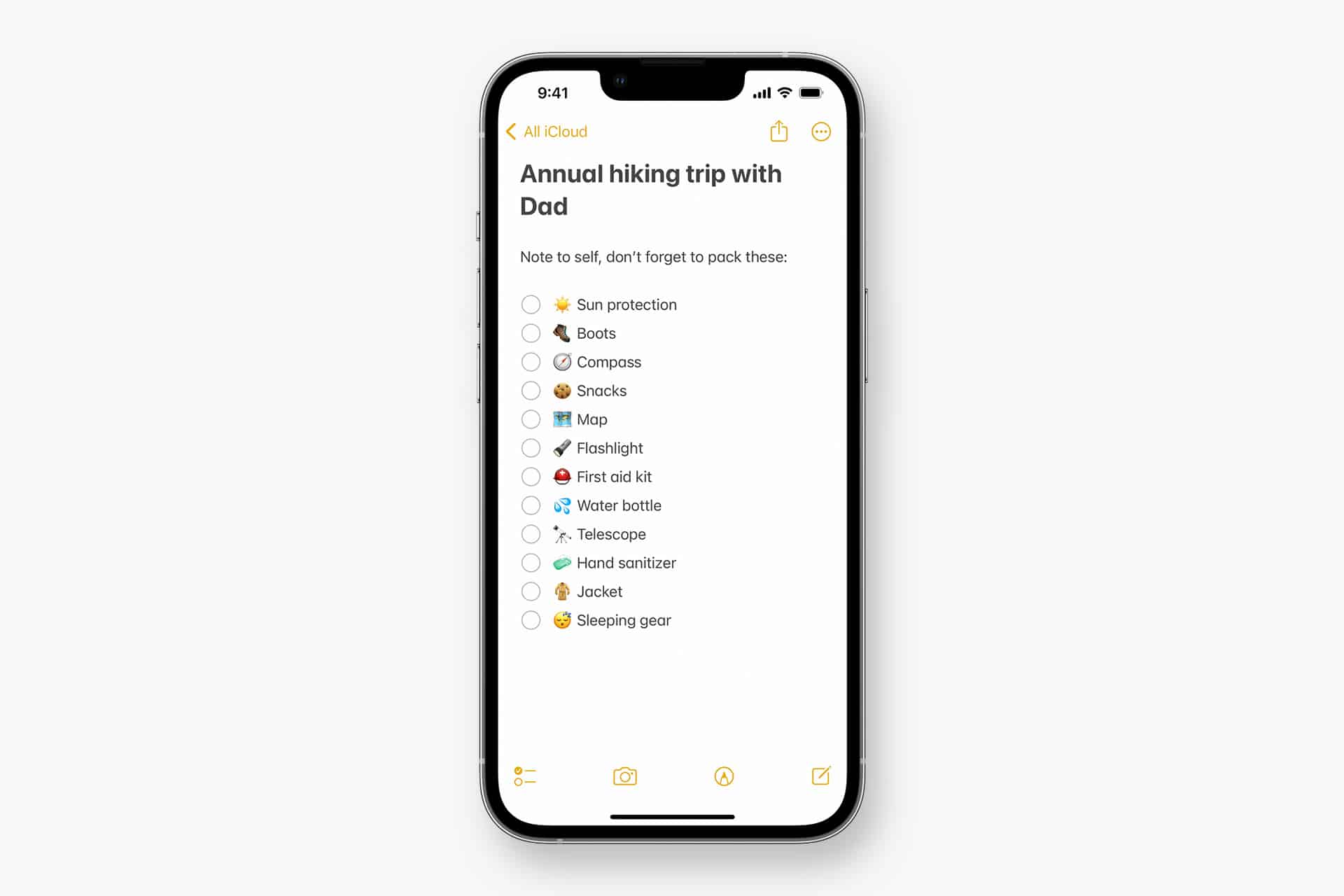
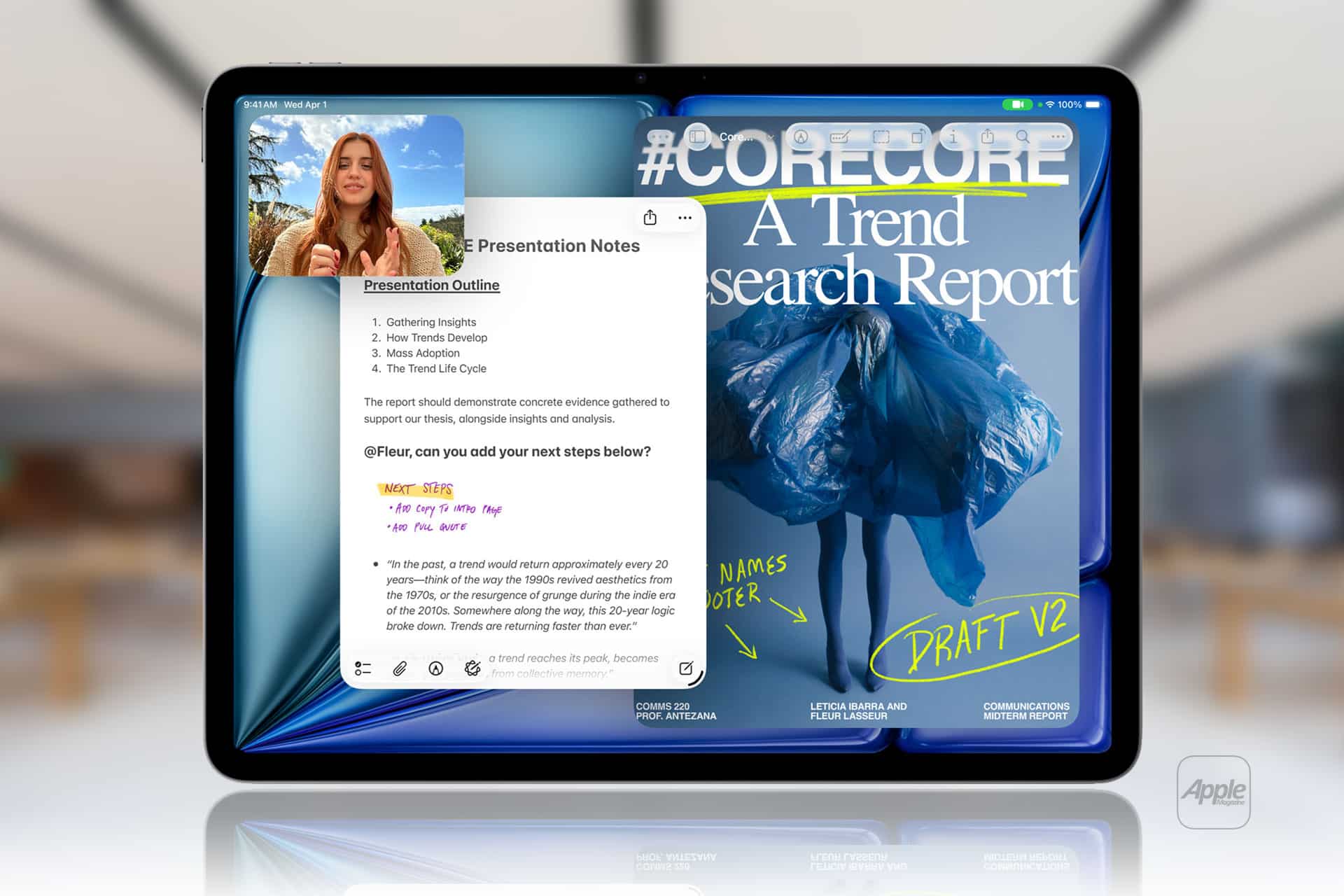
Apple Notes in iOS 27 receives a focused collection of upgrades designed to make long documents easier to navigate and information simpler to move between apps.
Section links allow users to jump directly to headings inside a note. Divider lines create clearer visual boundaries, while expanded Markdown support improves workflows involving websites, writing tools and plain-text editors.
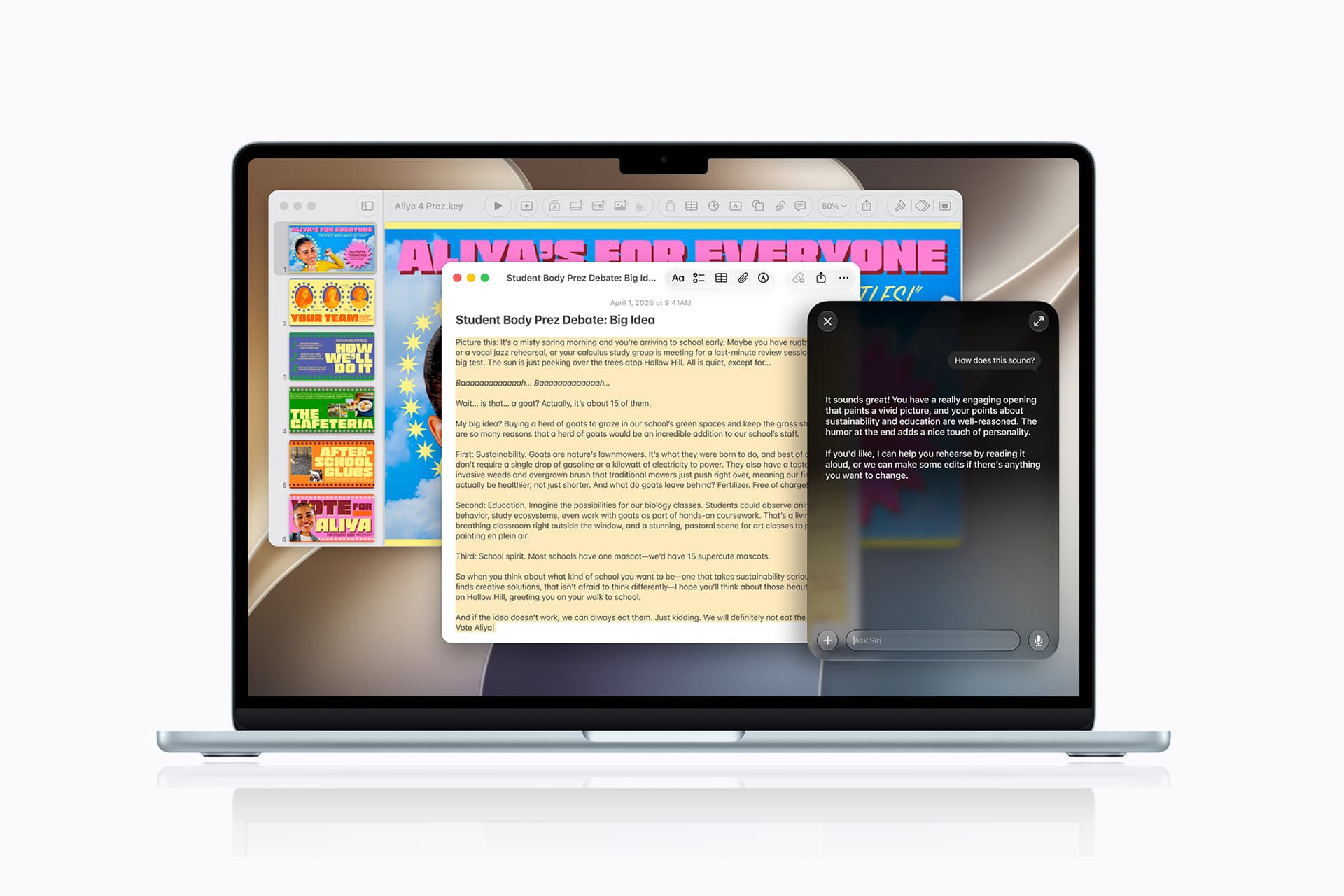
Siri AI introduces the most ambitious addition by creating notes, adding information to existing documents and transferring answers from a Siri conversation without requiring manual copying.
Image Playground also becomes more capable inside Notes, gaining additional visual styles and photorealistic image generation through Apple’s new cloud-based model.
Not every feature requires Apple Intelligence. Divider lines, section links, Markdown tools and the updated interface work on every iPhone compatible with iOS 27. Siri AI and advanced Image Playground capabilities need newer hardware and may have additional language or regional restrictions.
Image Credit: Apple Inc.
Apple Notes iOS 27 Adds Section Links
Section links solve one of the largest problems affecting long notes: reaching information located several screens below the beginning.
A user can now select text, choose Add Link and connect it to any heading or subheading inside the current note. Tapping that linked text immediately moves the reader to the selected section.
The feature can turn the opening of a document into a manual table of contents. A project note might contain links to its schedule, budget, participants, research and outstanding tasks without requiring separate documents.
To create a section link:
Select text > Add Link > Link to Section > Choose a heading
Notes displays the headings and subheadings already present in the document. Regular body paragraphs do not appear as destinations, so the note must use Apple’s title or heading formats before links can be created.
To format a destination:
Select the section title > Formatting > Heading or Subheading
The visible link text does not need to match the destination heading. A phrase such as “View the current budget” can link to a section titled “Financial Information.”
Section links differ from the existing ability to connect separate notes. Apple Notes already allows users to create internal links leading from one document to another. The new control moves within the same document instead.
That distinction is useful for meeting records, research files, travel plans and study material that become too long for ordinary scrolling but do not need to be divided into several notes.
Links should continue working when the document is shared through iCloud because they point to structural elements inside the note rather than fixed screen positions.
Renaming or deleting a destination heading may affect its link. Users maintaining complex documents should test their navigation after reorganizing major sections.
Divider Lines Improve Visual Structure
Apple Notes in iOS 27 adds horizontal divider lines as a native formatting element.
The line creates a visible separation across the document without requiring users to type repeated hyphens, underscores or other characters.
To add one:
Place the cursor > Open the edit menu > Insert Divider Line
The divider is inserted at the cursor position and moves with the surrounding content as the note changes.
A horizontal line can separate meeting notes by date, distinguish reference material from personal comments or divide a recipe into ingredients, preparation and serving information.
It also provides structure without making every section a heading. Headings define the hierarchy used by section links, while dividers create a visual break that does not become another navigation destination.
Typing a row of hyphens previously produced an inconsistent substitute. The characters could wrap on a narrow screen, change length after editing or become difficult to select. The native element maintains its appearance as the document moves among iPhone, iPad and Mac.
Divider lines should be used selectively. Adding one between every short paragraph can make the note look more fragmented rather than organized.
The strongest layout combines headings for major subjects, subheadings for smaller divisions and divider lines where one type of content clearly ends before another begins.
Markdown Moves More Easily Into Apple Notes
Apple Notes gained the ability to import and export Markdown files with iOS 26. The iOS 27 upgrade removes additional steps from copying content between Notes and Markdown-based tools.
Markdown uses plain-text characters to represent formatting. A hash symbol can identify a heading, pairs of asterisks can create bold text and square brackets can define a link.
The format is widely used by writers, developers, documentation systems and publishing platforms because it remains readable without requiring a proprietary editor.
When Markdown-formatted text is pasted into Apple Notes in iOS 27, the app automatically converts the syntax into rich text. Headings become formatted headings, links become clickable and emphasis appears as bold or italic text.
A pasted line such as Project Schedule appears as a formatted heading rather than displaying the two hash symbols.
Moving content in the opposite direction is also easier. Apple has added a Copy as Markdown command that converts selected rich text into Markdown syntax before placing it on the clipboard.
To use it:
Select the text > Open the edit menu > Copy as Markdown
The result can be pasted into a content-management system, code editor, Markdown document or another writing application while preserving supported formatting.
Copy as Markdown does not transform Apple Notes into a complete Markdown editor. Users continue writing through the familiar rich-text interface rather than viewing raw syntax throughout the document.
Complex attachments may not translate perfectly. Scanned documents, drawings, audio recordings, embedded files and some tables do not have universal Markdown equivalents.
Basic elements such as headings, links, emphasis and lists provide the most dependable transfer. Users preparing an important publication should review the pasted result before assuming every element survived the conversion.
Image Credit: AppleMagazine
Siri AI Can Create and Update Notes
Siri AI gives Apple Notes in iOS 27 a more direct connection with information generated or located through the assistant.
A user can ask Siri a question, refine the answer through conversation and save the result into a new note. The transfer happens without selecting the response, copying it and leaving Siri to open Notes manually.
A request could take the following form:
“Create a note called Kyoto Trip and add this itinerary.”
Siri can also target an existing document when the user identifies it clearly:
“Add these restaurant suggestions to my Kyoto Trip note.”
The integration extends beyond saving complete answers. Siri AI can reorganize poorly formatted information, convert text into a clearer structure and place the revised version inside Notes.
Someone collecting an unorganized group of tasks could ask Siri to separate them by priority before saving the result. A block of research could be converted into headings and shorter paragraphs.
Siri’s personal-context capabilities can help locate an existing note when the precise title is forgotten. The assistant is designed to search information across apps and understand requests using details connected to the user.
These actions remain subject to permissions. Siri should not silently place information into a document without recognizing the requested destination and action.
Users should review AI-generated material before treating it as authoritative. Reformatting supplied text carries less factual risk than asking Siri to generate research, dates, quotations or instructions from general knowledge.
Siri AI Requires Newer iPhone Hardware
The main Apple Notes iOS 27 update runs on iPhone 11 and later, as well as the second-generation iPhone SE and newer models.
Siri AI has a narrower hardware requirement. Apple lists iPhone 15 Pro, iPhone 15 Pro Max and every iPhone 16 or later model as compatible with the new Apple Intelligence architecture.
An iPhone 15, iPhone 15 Plus, iPhone 14 or iPhone 11 can receive section links, dividers, Markdown support and the redesigned Notes interface. Those devices cannot use the Siri AI note-writing actions.
This separation means two iPhones running the same operating system can display different Notes capabilities.
Siri AI is scheduled to reach users as a beta later in 2026, beginning in English. Apple plans to expand language availability, but individual capabilities may not arrive simultaneously in every supported language.
The assistant will not initially be available on iPhone or iPad in the European Union. Apple has also said its new Apple Intelligence features will remain unavailable in China while the company works through regulatory requirements.
Ordinary Siri controls may continue to perform basic actions on unsupported devices, such as creating a simple dictated note. They should not be confused with the new ability to hold a conversation, reorganize information and add the result to a chosen document.
Image Playground Expands Inside Notes
Image Playground remains integrated with Apple Notes in iOS 27 and receives a substantially more capable generation model.
The upgraded system can produce higher-quality images in a wider range of visual styles, including photorealistic results. Earlier Image Playground versions concentrated on illustration, animation and sketch-like appearances.
Users can describe an image and insert the generated result into the current note. A travel plan might receive a destination image, while a creative project could use generated concept art beside written ideas.
Photorealistic generation runs through Private Cloud Compute rather than entirely on the iPhone. Apple says requests processed through this architecture are not stored or made accessible to the company.
Generated images automatically include a hidden SynthID watermark identifying them as AI-created. The watermark does not appear as a visible label across the picture, but it provides a technical signal that compatible systems can detect.
Image generation may have daily usage limits because it depends on powerful server models. Apple says most iCloud+ plans will provide increased access, although the exact allowance can depend on the subscription and service conditions available at release.
The complete Image Playground experience may not appear in every early iOS 27 beta. Apple can activate or adjust cloud-dependent features separately while testing the operating system.
New Icons Clarify Shared Notes and Folders
Apple Notes adopts the wider iOS 27 design changes through refreshed buttons, menus and Liquid Glass interface elements.
The Notes app icon has been updated while preserving the familiar yellow-and-white paper design. The change keeps the app recognizable without leaving it visually disconnected from the new system icons.
Shared material receives clearer identification. The shared folder displayed near the top of the folder list now uses a blue icon, separating it more clearly from private iCloud and local folders.
Individual shared notes and folders also receive revised symbols. These indicators make it easier to understand whether another person can view or edit material before sensitive information is added.
The distinction matters because a collaborative note can look almost identical to a private document once it is open. A clearer icon in the list provides another warning before the user begins editing.
Liquid Glass changes the appearance of controls and menus but does not alter the underlying note format. Existing notes, scans, checklists, attachments and locked documents remain available after the update.
People using accessibility settings such as increased contrast, reduced transparency or reduced motion may see a modified version of the visual design.
Existing Notes Features Remain Available
The iOS 27 changes build on a much larger set of capabilities introduced during earlier releases.
Apple Notes can already scan documents, attach PDFs, record audio, generate transcripts, solve mathematical expressions, create checklists and collaborate through iCloud.
Users can link one note to another, place notes inside folders, apply tags and create Smart Folders that collect documents according to selected rules.
Locked notes can use a device passcode or separate password, while Face ID provides faster access on supported iPhones.
The app can also identify handwriting, search text inside scanned documents and recognize information contained in images.
None of those existing tools has been replaced by Siri AI or Markdown. The new version concentrates on moving through large notes and transferring information with less manual work.
Section links are particularly effective when combined with audio transcripts or lengthy scanned research. A user can create headings above important material and place navigation links at the beginning of the document.
Markdown support addresses another gap by making Notes more practical as the first stage of a publishing workflow rather than a closed destination for text.
Image Credit: Apple Inc.
What to Check Before Installing the iOS 27 Beta
Apple Notes in iOS 27 is available for testing through prerelease software, with the complete operating-system release scheduled for the fall.
Beta software can contain synchronization failures, interface problems and changes that Apple has not finished documenting. Notes is especially sensitive because its content may synchronize immediately across every device using the same Apple Account.
Before installing a beta on a primary iPhone, users should confirm that important notes have finished syncing and that another copy of critical information exists outside the beta device.
A Mac, iPad or iCloud.com can be used to verify whether recent documents have reached the server. Exporting especially important notes as PDFs or Markdown files provides an additional copy that does not depend on the Notes database.
Collaborative notes require more caution. People using older operating systems may not see every new formatting element exactly as intended, particularly while iOS 27 remains in testing.
The public release should resolve many compatibility issues, but Siri AI will follow its own beta schedule and regional limitations. Installing iOS 27 alone will not guarantee that every intelligent Notes action appears immediately.
Apple can still modify menu locations, visual elements and cloud-based features before the final version arrives. The safest time to reorganize a large Notes library around section links will be after every frequently used Apple device can install its corresponding fall update.
MacOS Sequoia 15.7.8 and MacOS Sonoma 14.8.7 are available for Mac users who are not running the Tahoe operating system. Both MacOS Sequoia 15.7.8 and MacOS Sonoma 14.8.7 include a myriad of security patches, making them recommended updates for all Mac users who are running those operating systems. No new features are included. Separately, Apple ... Read More
Apple released iOS 26.6 and iPadOS 26.6 to the public on July 27, 2026. These are maintenance updates focused on stability, security, and quiet preparation for the major iOS 27 and iPadOS 27 releases expected this fall, rather than flashy new user-facing features.
Apple’s official release notes for both platforms are nearly identical: “This update includes bug fixes, security updates and optimizes the Spotlight index to prepare for iOS 27” (or iPadOS 27).
Spotlight index optimization for the next major release
The most significant change is largely invisible. iOS 26.6 and iPadOS 26.6 begin optimizing and re-indexing device data for Spotlight. This work is foundational for the overhauled Spotlight search and deeper Siri AI integration coming in the “27” generation, where search and on-device intelligence will be more tightly linked.
Early beta testers of the next major OS versions reported that full indexing could take a week or longer on devices with large amounts of data. By starting the process now, Apple aims to deliver a smoother upgrade experience in the fall, so the enhanced features are ready (or nearly ready) right after installation.
Security updates
The updates deliver a substantial security payload—more than 70–75 fixes across the two platforms. These address issues in areas including the kernel, MediaRemote (a path-handling vulnerability that could allow root privileges), WebKit, Accessibility (including protections related to iPhone Mirroring), Siri information disclosure, App Store, Game Center, and others.
Apple has also strengthened Apple Maps by introducing BlastDoor-style sandboxing (MapsBlastDoorSupport.framework and a dedicated service). This isolates potentially risky map data processing in a manner similar to iMessage’s security architecture, reducing the impact of any future vulnerabilities without changing how users interact with the app.
Other notable changes
• Blocked Contacts Limit Reached alert: iOS and iPadOS impose a limit on the number of blocked contacts (reported around 20,000). Previously there was little or no clear feedback when the limit was hit. The update adds an explicit alert that directs users to remove an existing blocked contact before adding another.
• Enterprise/managed device fix: Resolution for an issue where the DisableAssociationMACRandomization configuration key did not properly prevent changes to the Private Wi-Fi Address setting.
Various additional bug fixes for reliability and edge cases accumulated since earlier 26.x point releases.
No major interface redesigns, new apps, or high-profile user features were introduced. These point releases follow the pattern of later 26.x updates as Apple shifts primary development focus to the next major generation.
Availability and recommendation
iOS 26.6 and iPadOS 26.6 are available now via Settings > General > Software Update on compatible devices (generally iPhone 11 and later for iOS, and corresponding recent iPad models for iPadOS). They are widely viewed as the final significant point updates in the 26 series before the fall “27” launches.
MacDailyNews Note: Because of the large number of security patches and the proactive Spotlight preparation work, users are encouraged to install the updates promptly. Doing so improves current device security and positions devices for a cleaner transition to the upcoming major OS versions and their enhanced AI capabilities.
Please help support MacDailyNews — and enjoy subscriber-only articles, comments, chat, and more — by subscribing to our Substack: macdailynews.substack.com. Thank you!
Apple has released MacOS Tahoe 26.6 for Mac users running the Tahoe operating system. The update is primarily focused on security fixes, and includes 8 new Emoji icons. Don’t expect any major changes or features, as those are instead arriving in the currently under beta MacOS 27. For Mac users running MacOS Sequoia and MacOS ... Read More

 Login
Login