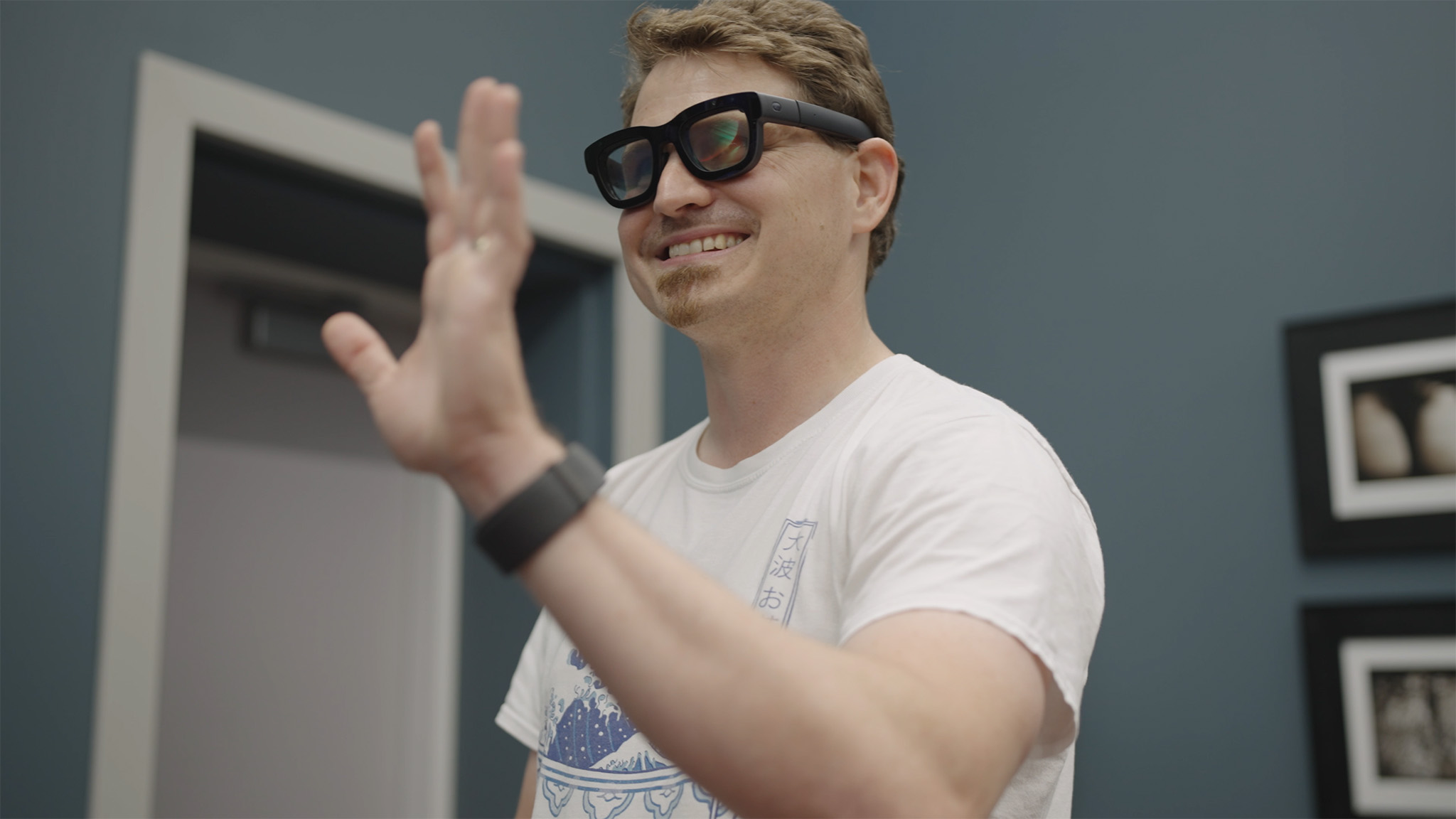
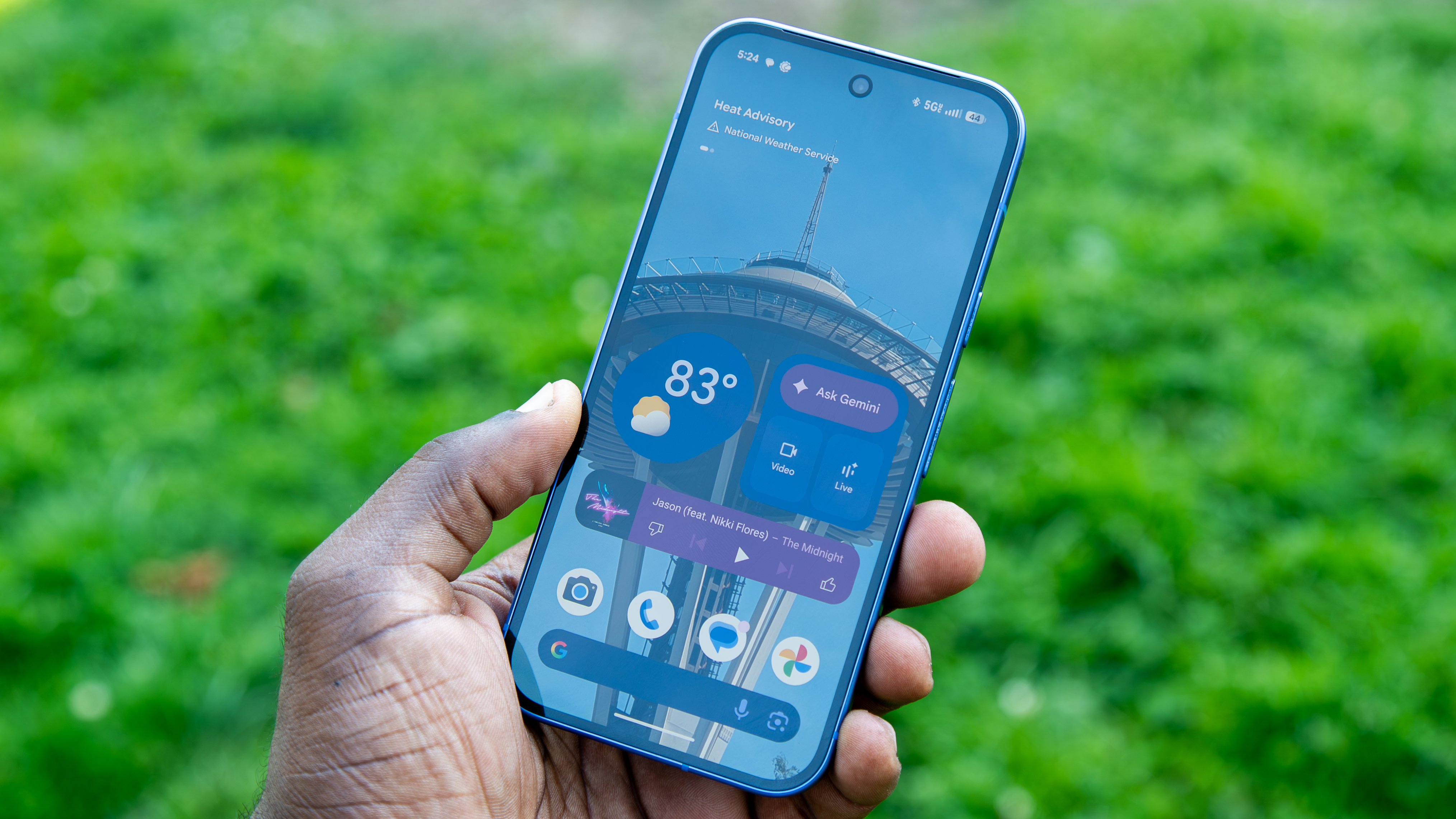
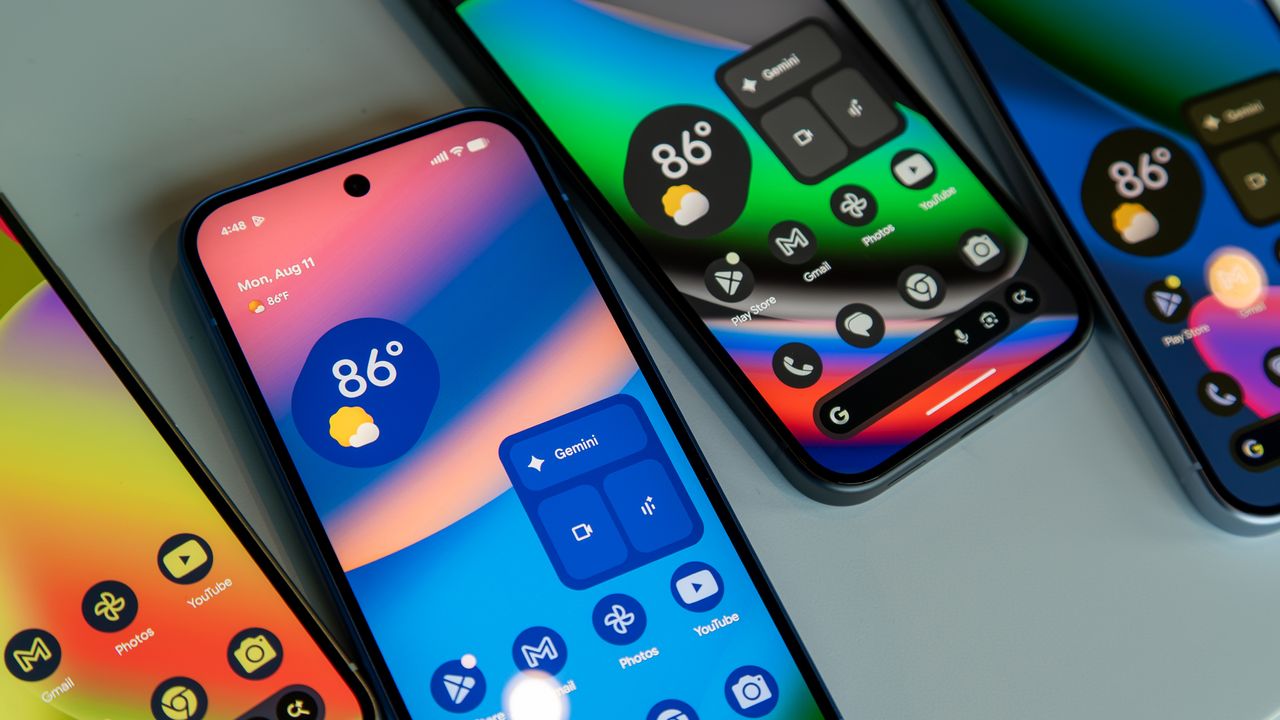
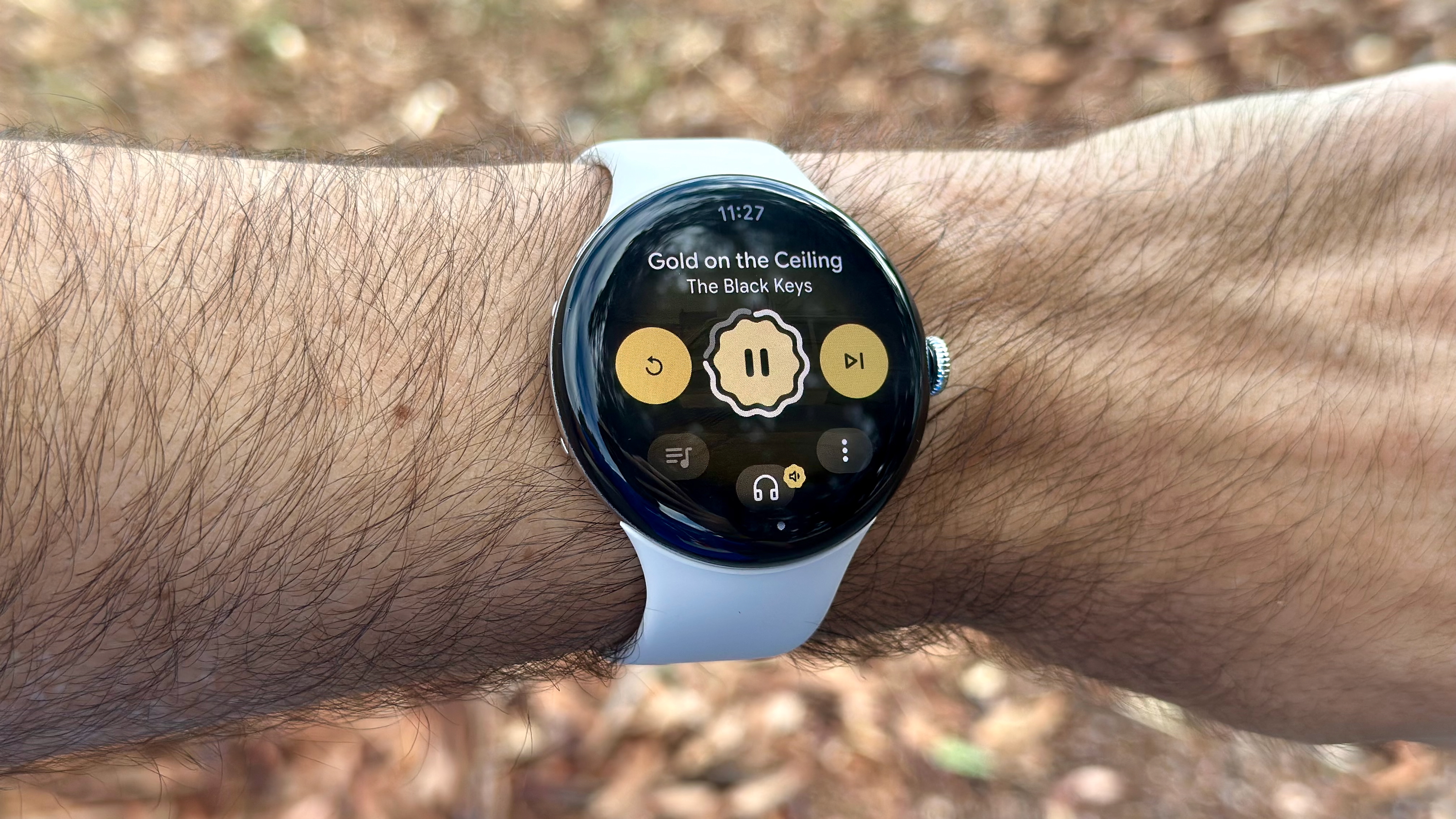
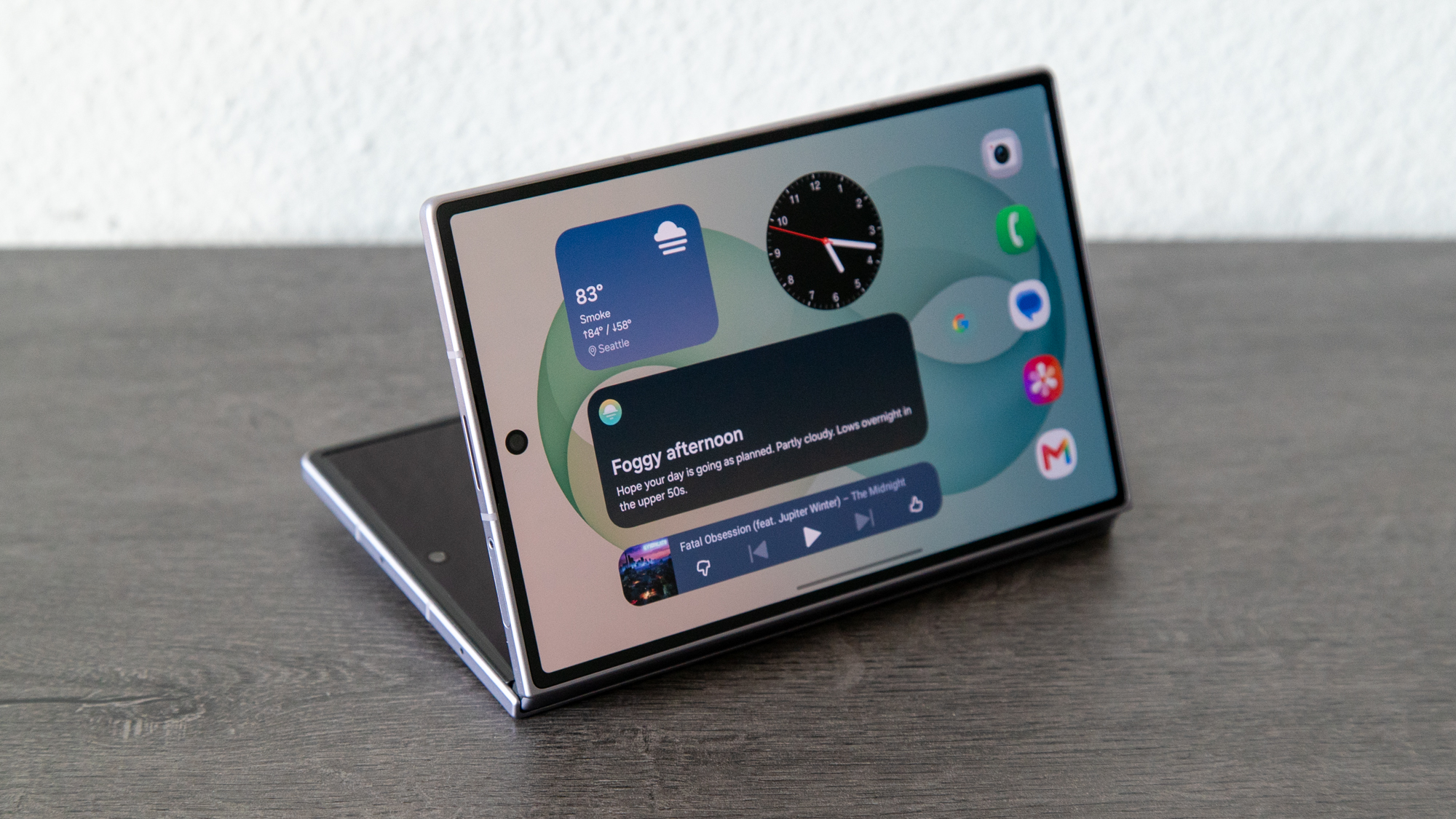
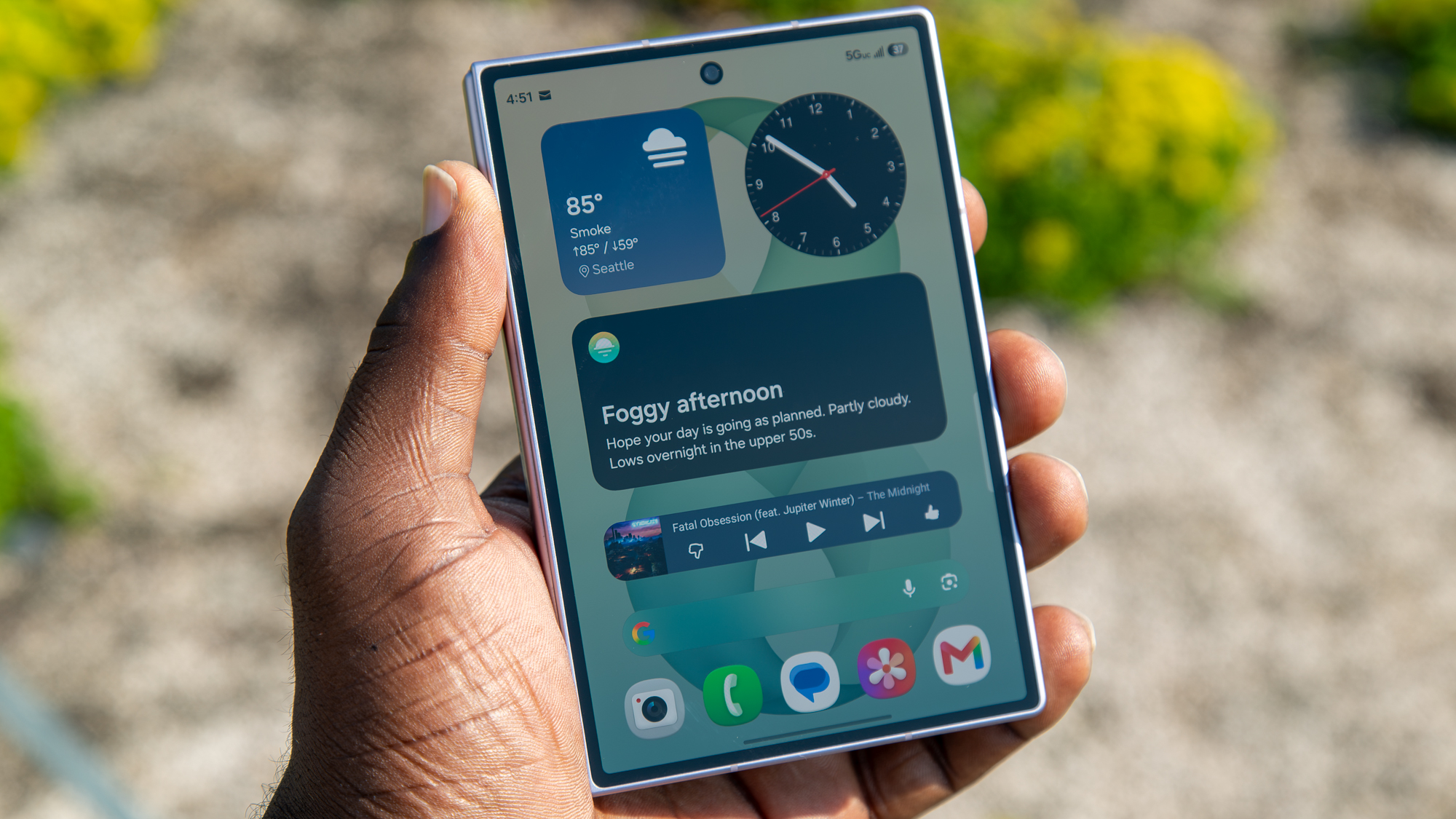
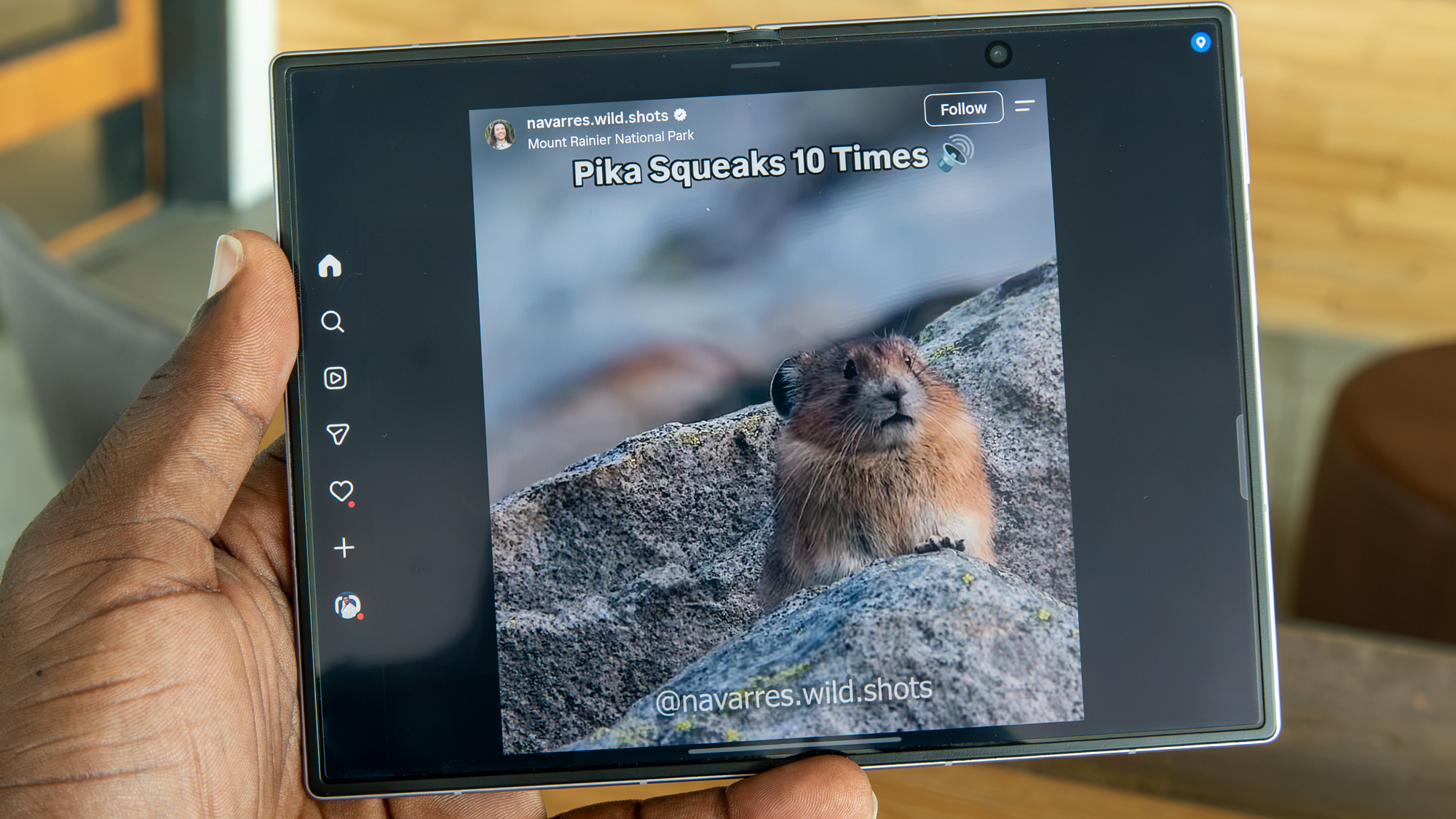
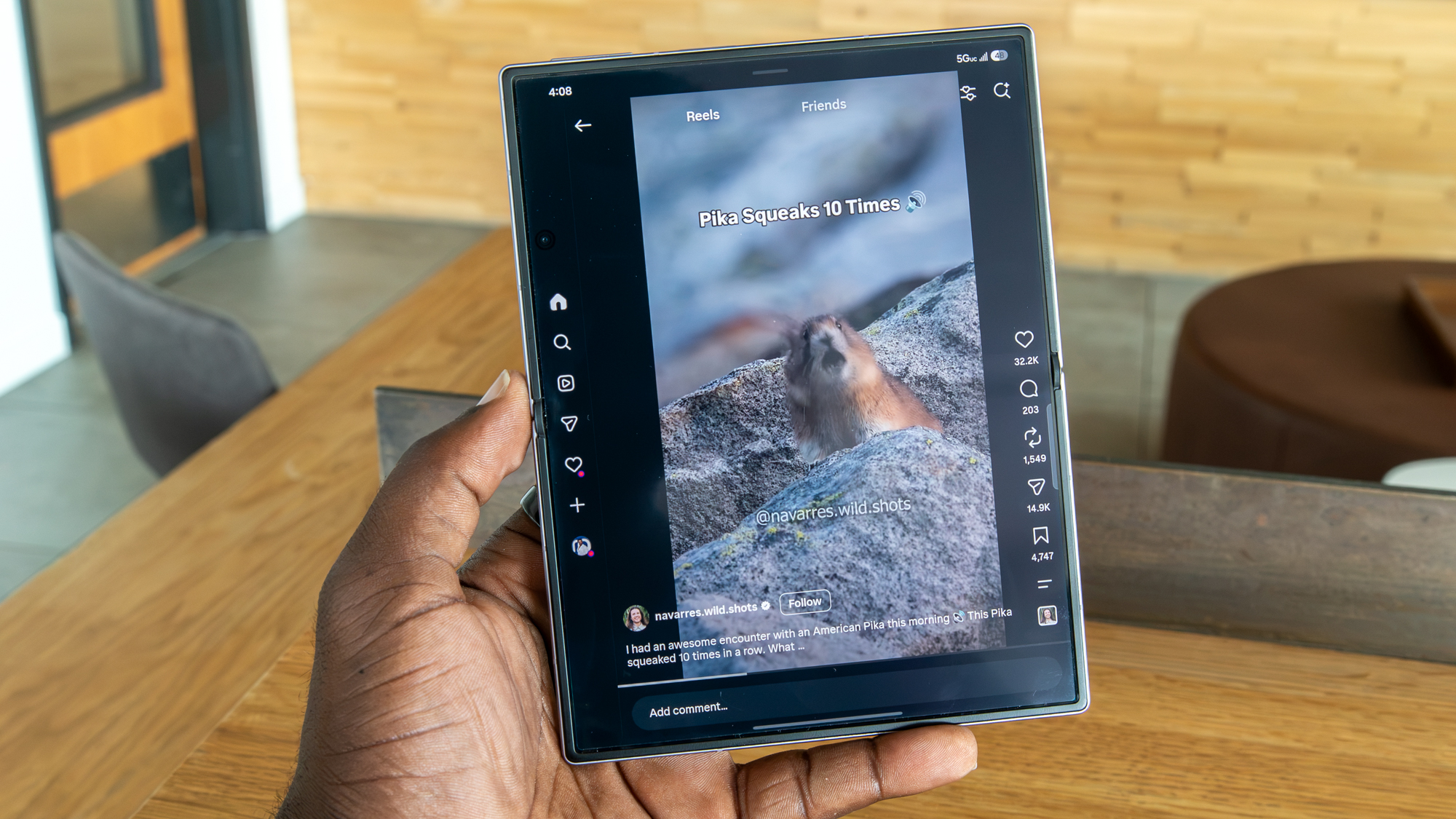
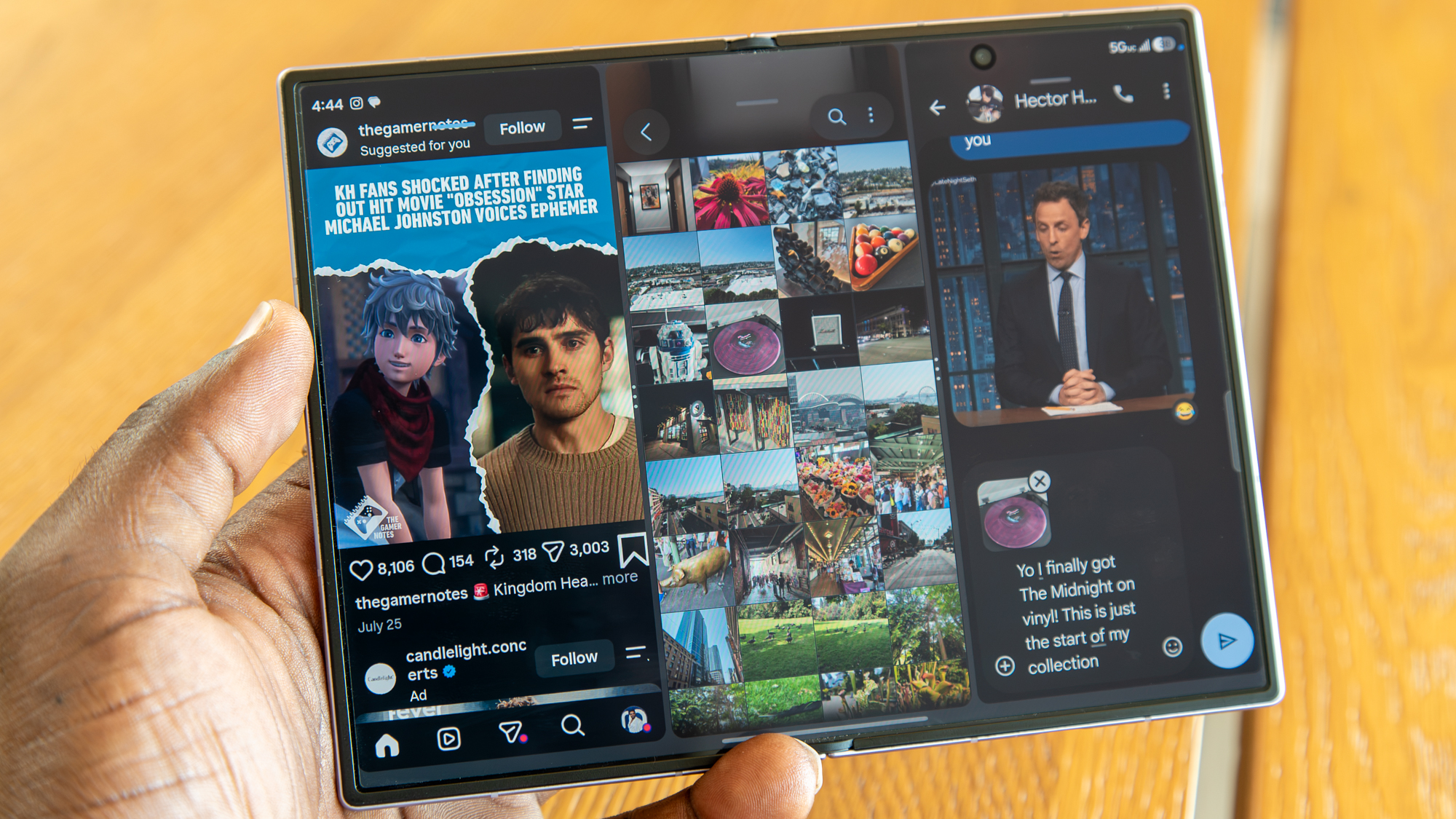
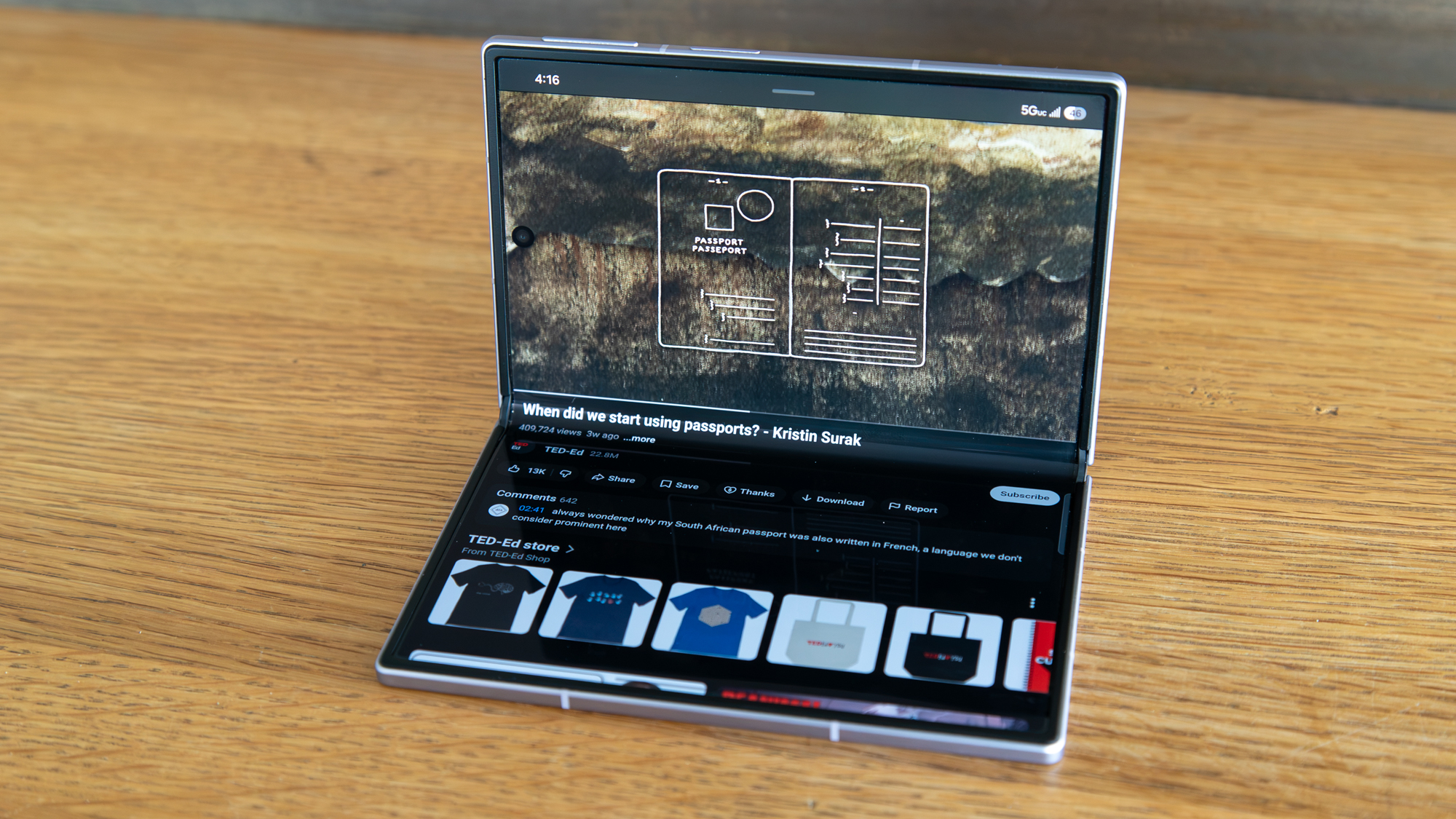
Meta announces that its neural handwriting is now rolling out in its EAP (Early Access Program) for the Ray-Ban Display.
Users are recommended to write with their index finger on a stable surface, and allow the AI to correct any typos or mistakes.
Meta confirmed this was on the way for the Ray-Ban Display in December.
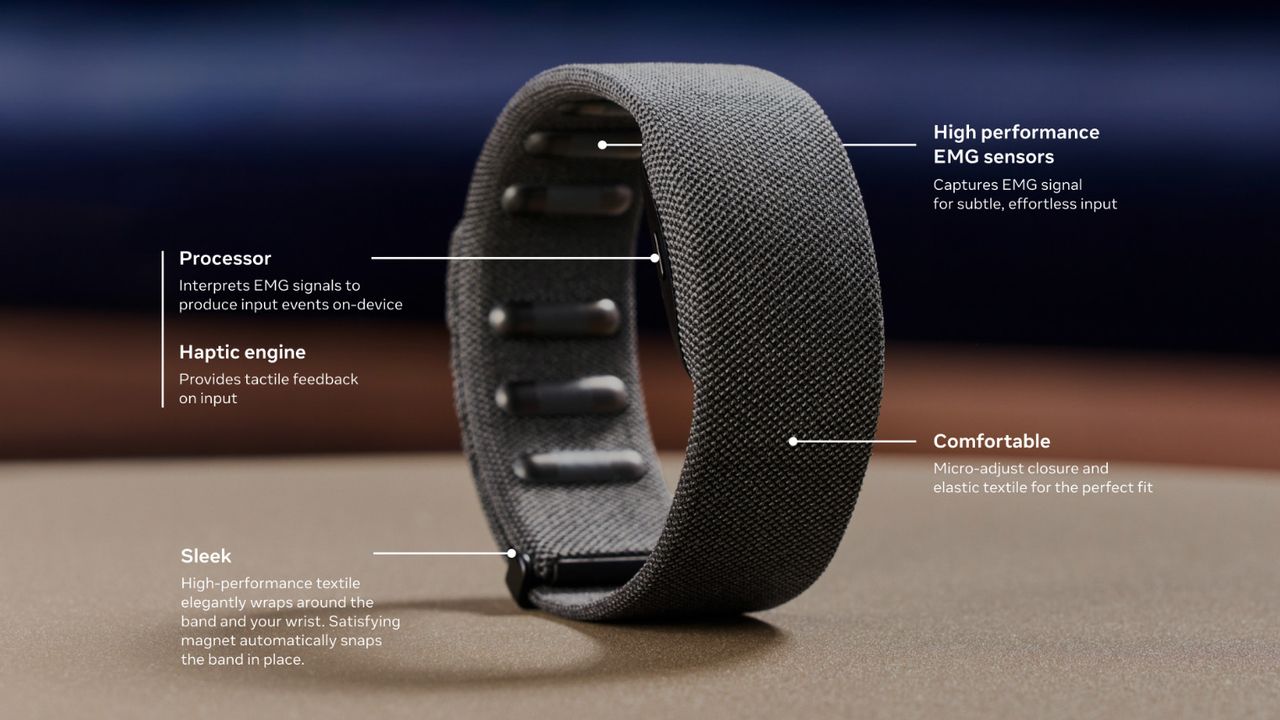
Meta's neural band is an important part of its smart glasses experience. It brings convenience, and Meta says it's offering a new feature in Early Access for silent AI interactions.
If you've got a pair of Meta smart glasses, the company has announced a silent handwriting feature in Early Access using the Neural Band. In a press release, Meta says users can write "AI queries with their index finger when their display is on." It states users can get answers to questions, play a song, pull up directions, and more without much effort—just a finger. Meta went into more detail about this EAP (Early Access Program) feature.
If you're interested, Meta says users must ensure their Neural Band is paired with their glasses and that everything is updated, as well as enroll in the EAP. To enable neural handwriting, head to Meta AI app > Settings > select your glasses > Early Access > toggle Meta AI with neural handwriting. For the "best results," Meta recommends users write with their index finger. It states you should "anchor your wrist on a hard surface and use your index finger to write." What's more, you should write in print, not cursive.
To ensure the Neural Band and neural handwriting feature captures what you're writing properly, you should write smoothly and at a consistent pace. Meta says users shouldn't worry about typos, nor should they wait for their HUD to catch up to what they've written. Continue regardless, and Meta AI will automatically fix any errors.
Neural handwriting is headed to the Meta Ray-Ban Display in the EAP.
Writing in the air
(Image credit: Android Central)
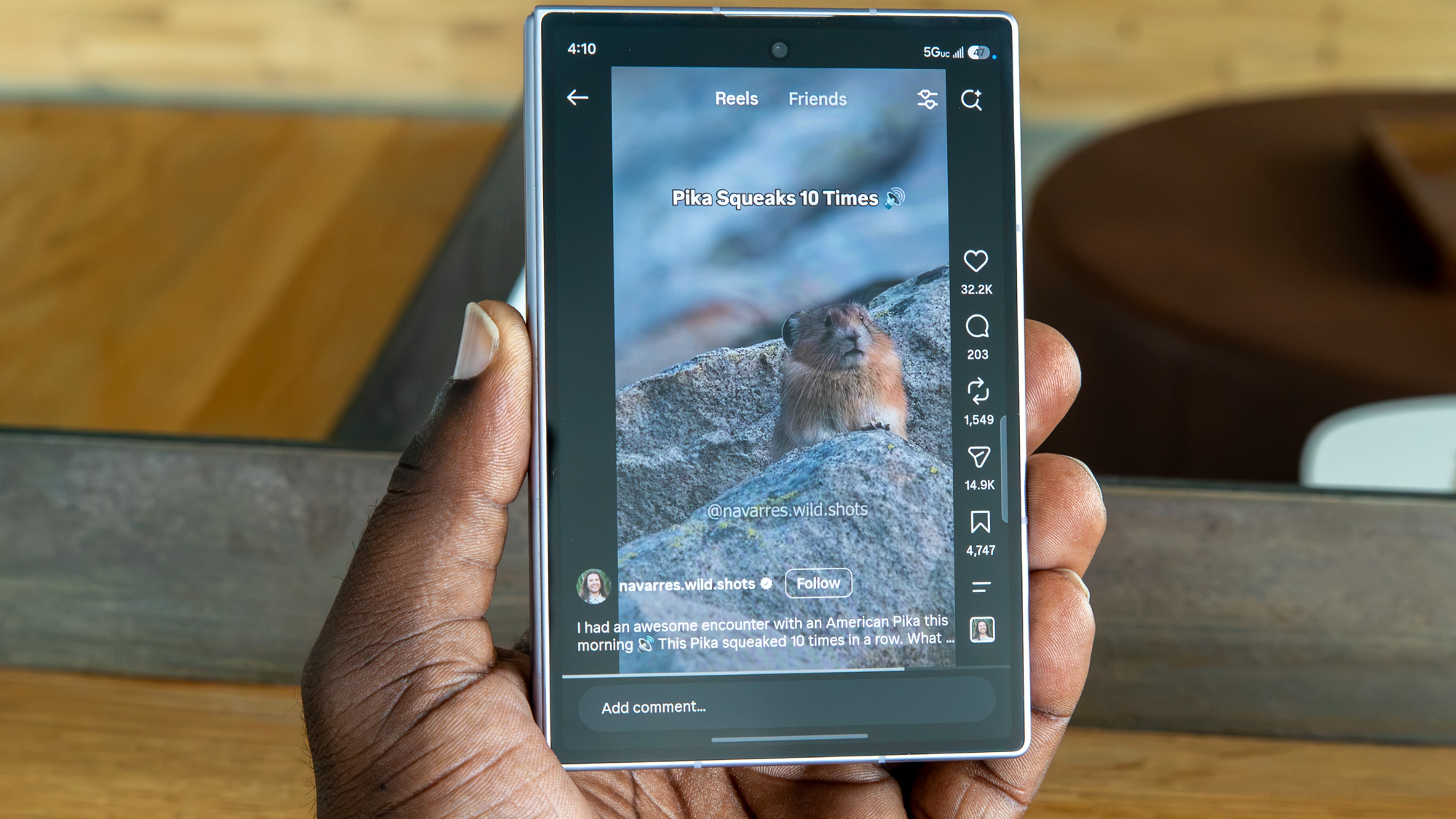
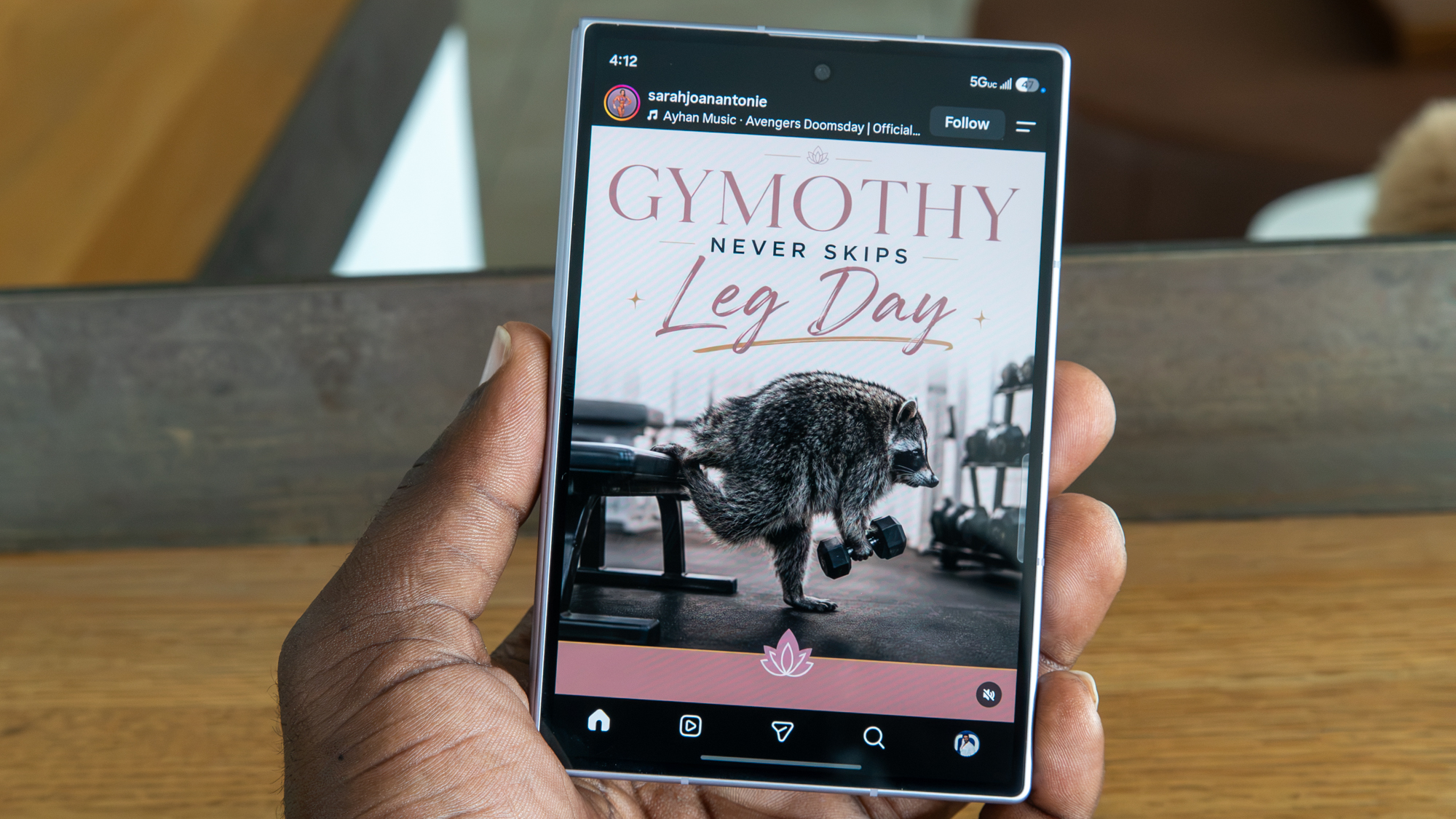
It was teased in December 2025, and now it's finally here. Meta confirmed late last year that it planned to empower its Ray-Ban Display further with "virtual" handwriting. We've now seen this arrive as neural handwriting. This EMG handwriting feature was confirmed to leverage the Neural Band with the user's drawing and gesture inputs. The company also teased Instagram Reel support for its glasses, too.
The neural band was an object of interest for Android Central's Nicholas Sutrich last year, too. To him, it felt like a true device straight out of a Sci-fi movie. To Meta, the sEMG band (neural band) is a requirement for "true AR smart glasses products." Users wouldn't need to rely on a screen to type their commands. The band captures your muscle movements to act out what you're writing or capture your gestures. It's silent and completely hands-free (technically).
Android Central's Take
The neural band is pretty cool, I have to admit. But bringing this "virtual" or neural handwriting just seems like the next logical step for Meta. It can already capture gesture for scrolling through song lists, why not do more? Why not make it so writing a quick message or asking its AI is effortless with single movements?
Samsung announced that its Hearing Aid feature for the Galaxy Buds 3 Pro and 4 Pro has been FDA-cleared.
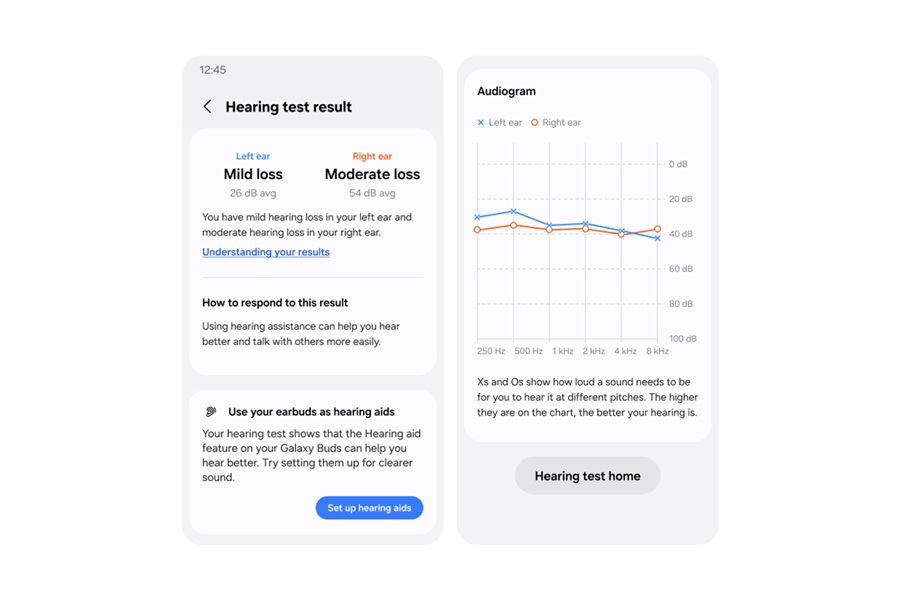
It states this will work alongside its Hearing Test, which lets users use "clinical-grade, pure-tone audiometry" to test their hearing and see clear results.
Samsung says Hearing Test and Hearing Aid will arrive on the Buds 3 Pro and 4 Pro in the U.S. and other approved markets in Q4 2026.
Samsung announces that a major accessibility feature for its Galaxy Buds has cleared a key governmental hurdle.
The company announced this morning (Aug 11) that its Hearing Aid feature for the Galaxy Buds 3 Pro and 4 Pro has been FDA-cleared. Samsung says this enables the previously mentioned devices "to serve as an over-the-counter hearing aid for adults (18 or older) with perceived mild to moderate hearing loss."
For users, this means you'll have access to the Galaxy Buds' Hearing Test, alongside this Hearing Aid feature. Hearing Test is self-administered from the Galaxy Buds menu in your Settings. Samsung says it uses "clinical-grade, pure-tone audiometry" to test your hearing in each ear. Hearing Test is also said to highlight any "hearing deficits." Your Galaxy Buds will generate an "audiogram" that Samsung says mirrors what you'd receive from a professional test.
Once completed, your test will categorize your results in one of the following categories: mild, moderate, severe, or profound.
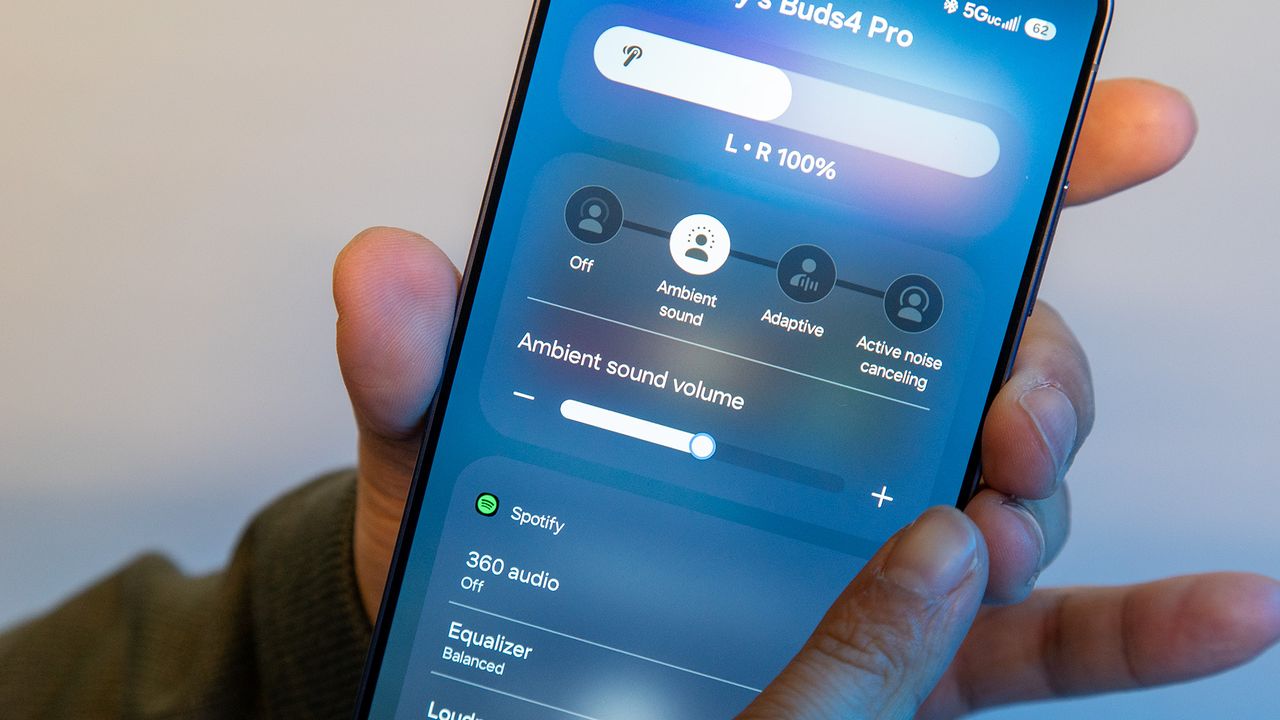
Your Galaxy Buds will then use your Hearing Test results to fine-tune its Hearing Aid feature. It might boost "high frequencies, surrounding whispers, or distant voices." The Galaxy Buds 3 Pro and 4 Pro benefit from familiar true hearing aid features, such as "noise elimination and beamforming." Hearing Test and the Hearing Aid feature for the Buds 3 Pro and 4 Pro will arrive on Galaxy devices in Q4 2026 in the U.S. and other approved markets.
Hear the world around you
(Image credit: Samsung)
Samsung has continued to focus on the user's hearing health ever since its huge Health app update in June. In the spirit of being proactive, Samsung announced Hearing Health. It will leverage your Galaxy Watch, phone, and Buds to monitor the noise level around you. If loud noises are a constant, your Galaxy Watch would let you know and urge you to make changes. The idea is to help users better preserve their hearing for the long term.
This capability was announced for the revamped app, which includes a lot of new health features for current and upcoming Galaxy devices. For example, the Galaxy Watch 9 and Watch Ultra 2 feature this new Hearing Health feature right out of the box. Samsung reiterates that users can keep tabs on their Hearing Health from the Health app, and now these new features are on the way for the Galaxy Buds to take things further.
Android Central's Take
Preserving your hearing is incredibly important. It's one of those things that if you lose it, it's hard to get back. This is even more important, given that we love earbuds. It's easy to pop those in and start listening while working, reading, or walking. But we've got to be conscious about our noise level. You never want those earbuds too loud. That's something we all learned when we were kids, right?
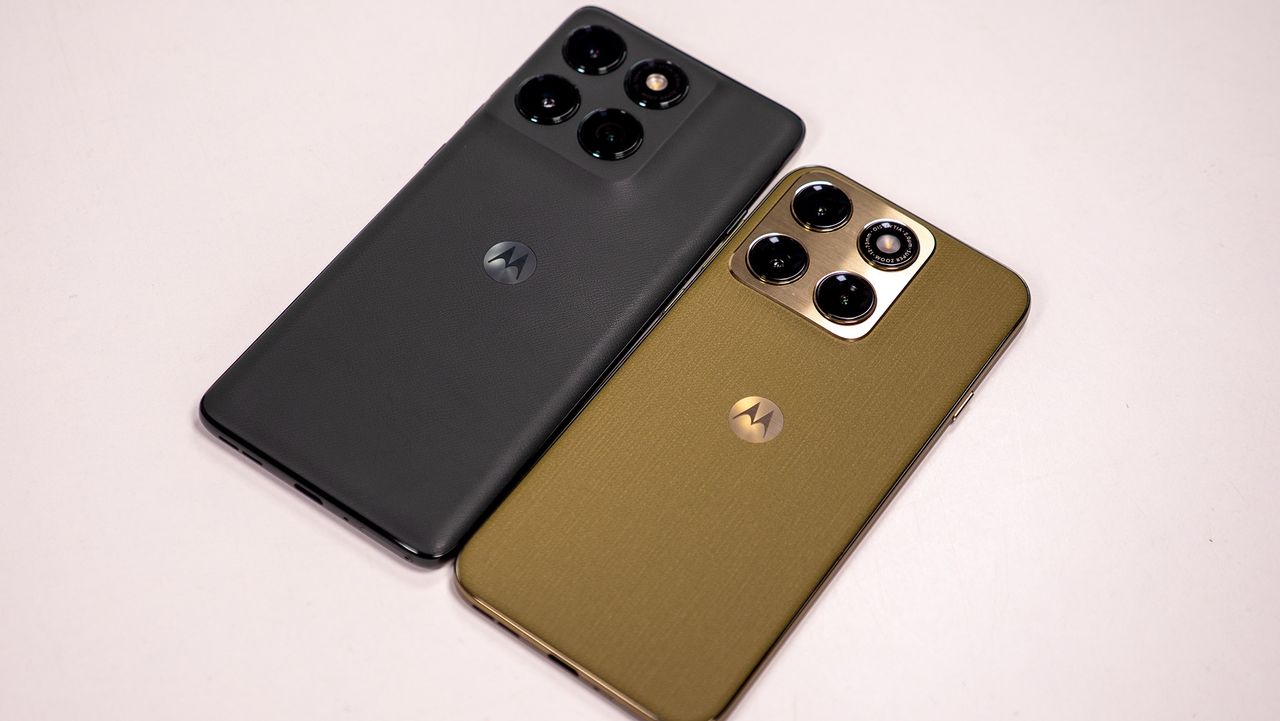
Motorola has confirmed 50+ devices for the stable Android 17 update.
Newer Razr and Edge models are expected to receive Android 17 before older devices.
Several Moto G models, including the G Stylus 2026, G Power 2026, G87, G86, G77, G67, G57, G47, and G37, are eligible.
Motorola has just announced a massive list of more than 50 devices that will be getting the stable Android 17 update, and the rollout has already started. But before you start clicking the "Check for updates" button, you need to know who gets it first and who’s stuck waiting.
The stable rollout has already begun with the Motorola Edge 2025, with newer premium devices like the Razr 70 series and Edge 70 lineup likely to be given priority, as per the company's announcement on its Spanish website. Motorola says the update will roll out gradually to other eligible models in the coming weeks and months.
Interestingly, this rollout has been in the works for months. Motorola’s Android 17 beta program started just days after Google released Android 17 Beta 1 in February, putting it ahead of a few rival Android brands. This was notable as Motorola was still working on rolling out Android 16, with some eligible phones still waiting months for the last big update.
The confirmed Android 17 roster is a massive one. It includes the Motorola Signature and a long list of Razr models, as follows:
Motorola Razr 70 Ultra
Motorola Razr 70 Plus
Motorola Razr 70
Motorola Razr Ultra 2026
Motorola Razr+ 2026
Motorola Razr 2026
Motorola Razr Fold 2026
Motorola Razr Fold 2025
Motorola Razr 60 Ultra
Motorola Razr 60s
Motorola Razr 60d
Motorola Razr 60
Motorola Razr Ultra 2025
Motorola Razr+ 2025
Motorola Razr 2025
Motorola Razr 50 Ultra
Motorola Razr+ 2024
The Edge series also gets the same treatment, covering the Edge 70 family, Edge 2026, Edge 2025, Edge 60 series, and Edge 50 Ultra.
Motorola Edge 2026
Motorola Edge 70 Pro+
Motorola Edge 70 Pro
Motorola Edge 70 Max
Motorola Edge 70 Neo
Motorola Edge 70 Plus
Motorola Edge 70 Fusion+
Motorola Edge 70 Fusion
Motorola Edge 70
Motorola Edge 2025
Motorola Edge 60 Stylus
Motorola Edge 60 Pro
Motorola Edge 60 Fusion
Motorola Edge 60
Motorola Edge 50 Ultra
Motorola Edge 60
Even the cheaper Moto G phones from Motorola aren’t being left behind. The list also includes:
Moto G Stylus 2026
Moto G Power 2026
Moto G Play 2026
Moto G 2026
Moto G 2025
Moto G Power 2025
Moto G Stylus 2025
Moto G Max
Moto G87
Moto G86
Moto G86 Power
Moto G77
Moto G77 Power
Moto G67
Moto G57
Moto G57 Power
Moto G47
Moto G37
Moto G37 Power
Motorola’s Android 17-based HelloUI update introduces Live Updates in a Dynamic Island style, the Qira Moto AI assistant, lock-screen customization options, resizable Quick Settings tiles, refreshed haptics, tinted icons, and a redesigned volume panel.
Remember, rollouts will differ by region and carrier. If your Motorola is on the list, you should eventually see the update pop up under Settings > System > System updates.
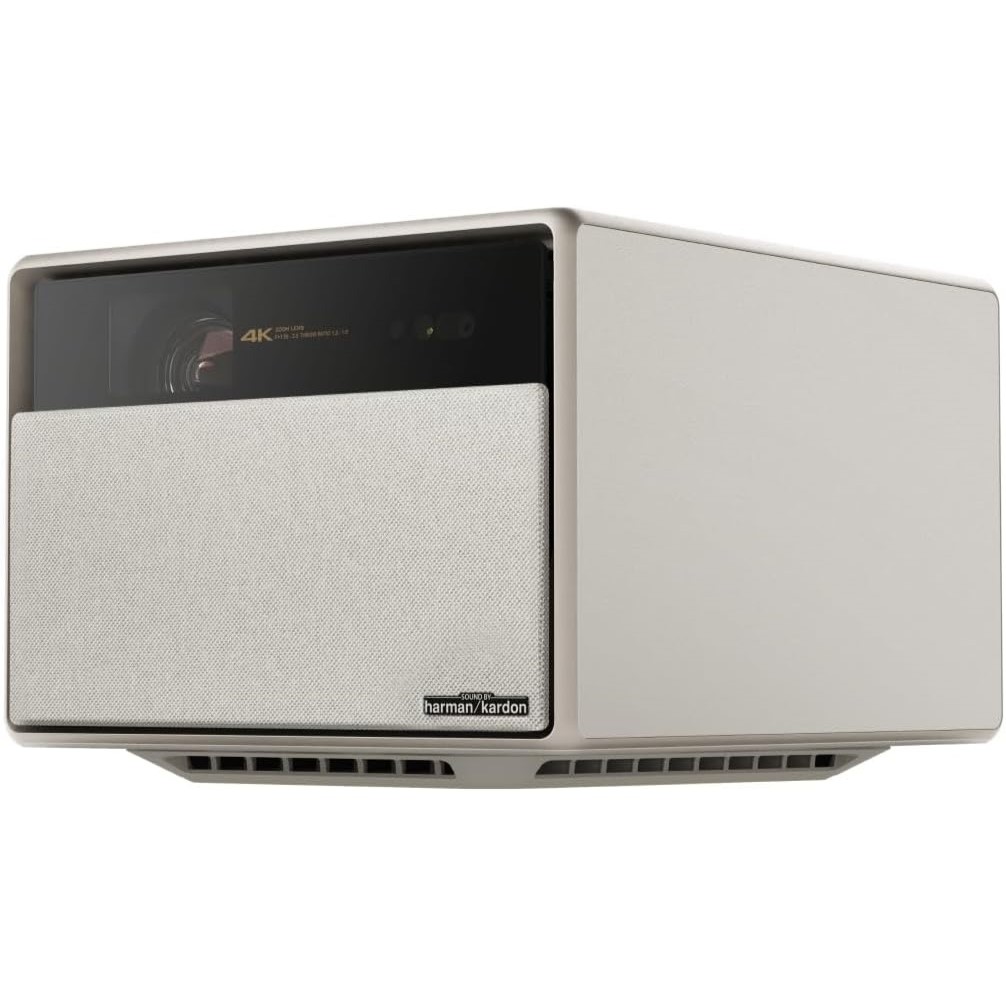
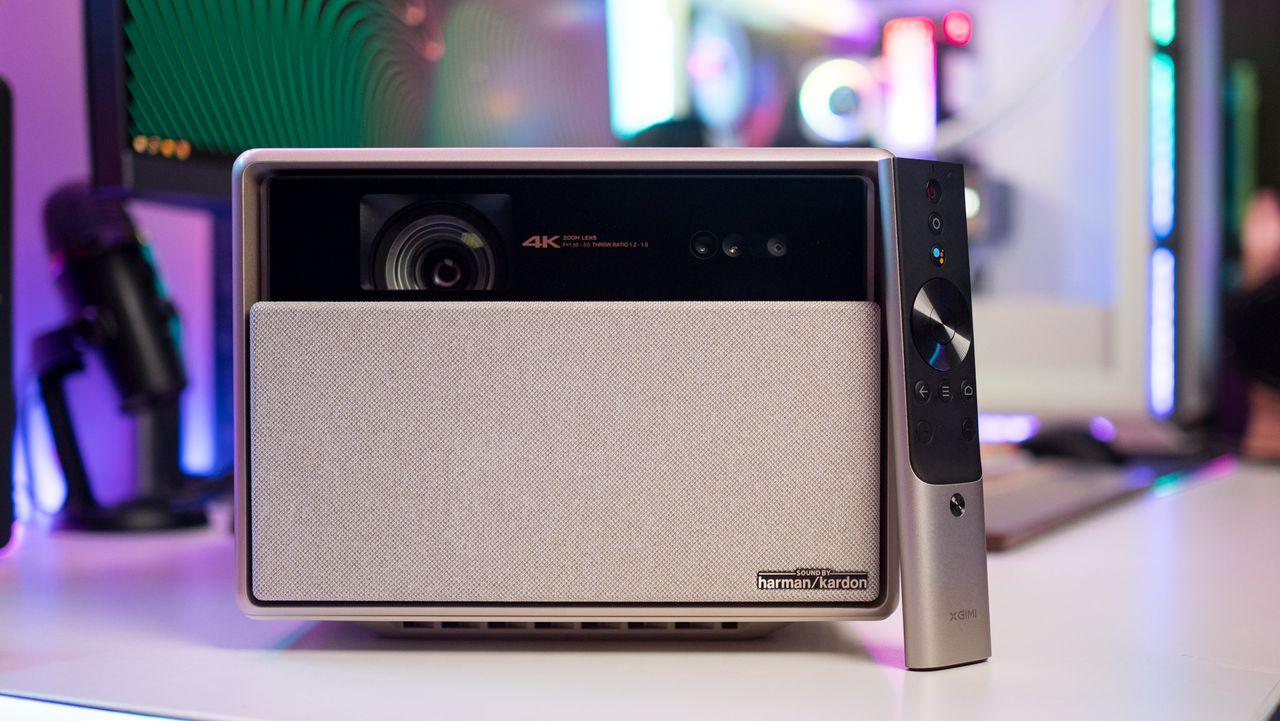
In the age of 4K projectors, dropping a ton of cash on a smart TV no longer seems like the wisest decision. This is particularly true when products like the XGIMI Horizon Ultra are hanging around.
We gave this projector a 4.5/5-star rating when we reviewed it a few years back, highlighting its vibrant and crystal-clear picture quality, stylish design, and Dolby Vision integration. Depending on where you shop, the Horizon Ultra can cost as much as $1,699, but WellBots is currently selling the projector for a reasonable $1,149. Slap on this discount using the code 300SAVE at checkout and you'll drop the device down to only $849.
Get my favorite 4K projector for as little as $849 with this exclusive code
Use the code 300SAVE at WellBots and you'll score a straight $300 off the Horizon Ultra 4K projector by XGIMI. That's on top of the $550 discount already offered by the retailer, no strings attached. View Deal
Even though it initially dropped back in 2023, the XGIMI Horizon Ultra continues to reign as one of the best 4K projectors on the market. The stylish device utilizes a hybrid laser and LED system to produce images that are consistently clear, bright, and vibrant.
The Horizon Ultra is able to dynamically adjust the picture depending on the surface that it's being projected on, while the auto focus feature ensures that your content looks as crisp as possible. You get Dolby Vision and HDR/SDR support, in addition to a Gaming display mode that drops the latency to as low as 18ms. There are also display modes for movies, TV shows, sports, and Custom (which lets you finetune settings to your preference). The smart home device is also equipped with two USB 2.0 ports, two HDMI ports, ethernet, and Bluetooth/Wi-Fi 6 support, so connecting to your favorite streaming devices or consoles should never be an issue.
The projector's built-in speakers aren't exactly mind blowing, so you might want to invest in a soundbar to make the most out of the device. Fortunately, you just saved $300 by using the code above, so adding in some speakers shouldn't be the end of the world. Needless to say, if you want a home theater upgrade without the physical constraints of a smart TV, XGIMI's Horizon Ultra is a great product to consider — especially at this price.
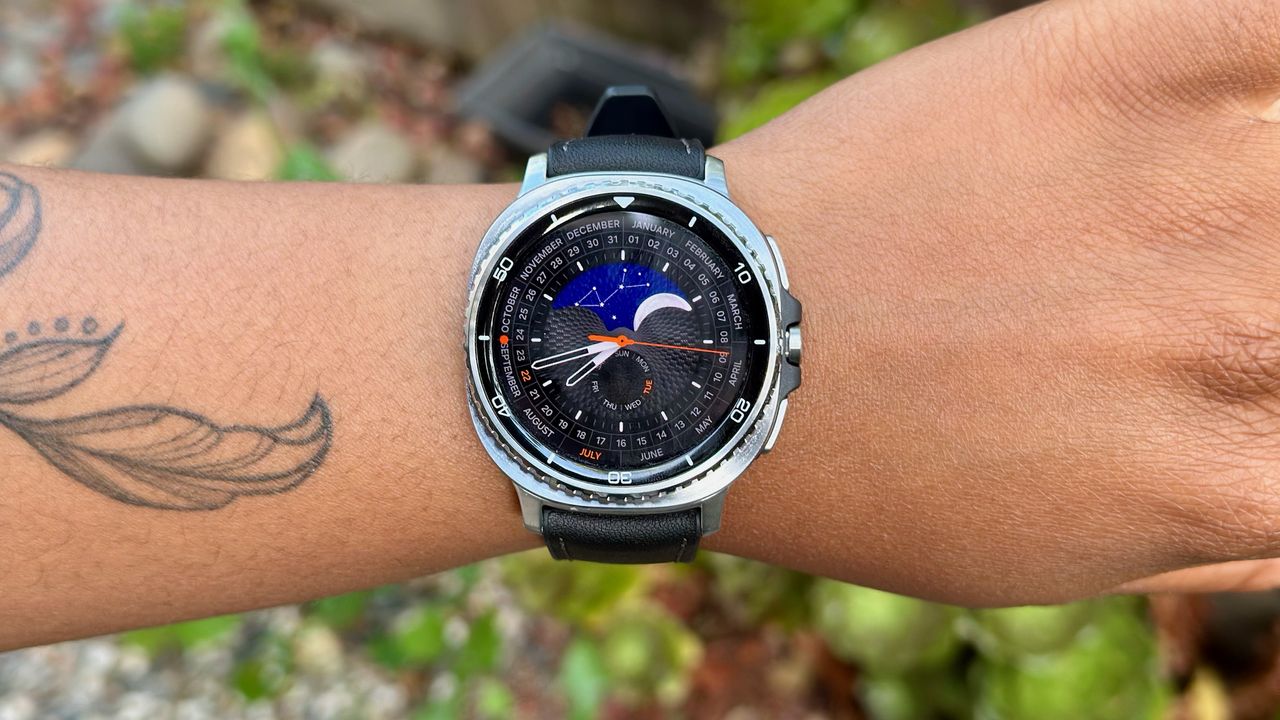
Samsung just uploaded a One UI 9 Watch test firmware (L500XXU2ZZH2) for the Galaxy Watch 8 Classic to its servers.
The new firmware specifically targets the Watch 8 Classic, making it one of the first older models (outside the new Watch 9 series) to get public beta access.
This build runs on a newer bootloader version. Once you install it, rolling back to the previous software won't be possible.
Samsung is moving closer to bringing One UI 9 Watch to older Galaxy smartwatches, and the Galaxy Watch 8 Classic seems to be among the first to receive it. A new test build has appeared on Samsung’s test servers, which could be a sign that a public beta could be launched soon.
As per the screenshots shared by Tarun Vats on X, Samsung has uploaded the firmware with build number L500XXU2ZZH2/L500OXM2ZZH2 for the Galaxy Watch 8 Classic. Just because the software is ready doesn’t mean the beta will be available quite yet, but it’s a strong indication that Samsung is preparing to get things started soon.
Breaking news!Galaxy Watch8 Classic: The first One UI 9 watch beta build has been spotted on the test server.Build: L500XXU2ZZH2/L500OXM2ZZH2We can expect the beta program in the coming weeks. pic.twitter.com/FLzpdHihYQAugust 11, 2026
Samsung's smartwatch software usually goes through a few internal builds before it makes it to users. The test-server listing also suggests that downgrade might not be possible after the update is installed, and the new firmware seems to be built on a newer bootloader version.
This is important for anyone looking to get into the beta early. The software is still in testing, so expect unfinished features, bugs, and compatibility issues. If you rely on your smartwatch for notifications, exercise, or health monitoring, it might not be the best idea to put it on your everyday watch.
While Samsung hasn’t made an official statement regarding the beta program, the leaked build suggests that the Galaxy Watch 8 Classic could be one of the first devices, apart from the Galaxy Watch 9 series, to get access.
There is a bigger reason to follow this rollout. Samsung's Galaxy Watch 9 and Galaxy Watch Ultra 2 already ship with One UI 9 Watch based on Wear OS 7, so there's little reason for Samsung to now withhold the update from older models. If Samsung holds to its usual rollout pattern, the beta could be here in the next few weeks.
Back to school season is here, and if you're looking to get equipped with the latest Android tech before the semester starts, you're in luck: Amazon just launched a sale that's slashing prices on dozens of our favorite devices.
Whether you're interested in a new smartphone, a laptop for studying, or a pair of noise-cancelling headphones to block out all distractions, all of the best Android deals from Amazon's sale can be found in this guide.
Of course, Amazon isn't the only retailer launching student-friendly deals ahead of the fall semester. You can find all of the latest shopping advice and deal coverage by yours truly by keeping an eye on our Back to School 2026 landing page. Didn't find anything today? Check back later: I'll keep adding relevant Amazon deals to this list for as long as it makes sense to do so.
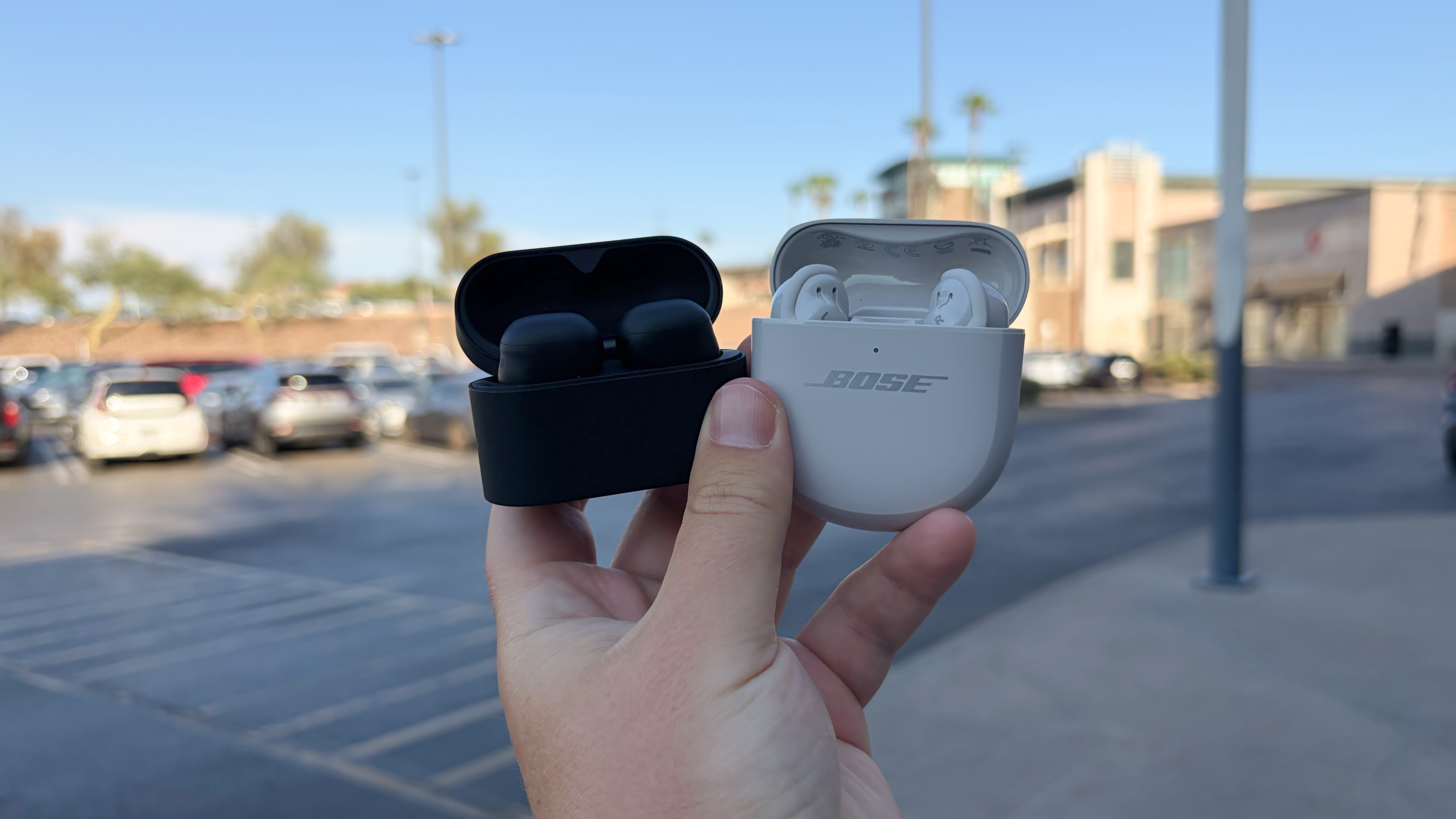
So, you need a pair of ANC earbuds. Recommendations usually start with the pairs that match your smartphone: AirPods, Pixel Buds, Galaxy Buds, OnePlus Buds, or Moto Buds. If you opt for a pair of ANC earbuds from a trusted audio brand instead, you're likely choosing between Sony and Bose. I've used both the Sony WF-1000XM6 earbuds and the Bose QuietComfort Ultra Earbuds (Gen 2) for months, and they're the best of the best when it comes to active noise-cancellation power.
But there can only be one best. So, I decided to take the flagship Sony and Bose earbuds to three noisy places to see how each one cancels out unwanted sound. This isn't a lab test or a benchmark — it's a real-world showdown that reflects how the Sony WF-1000XM6 earbuds and the Bose QuietComfort Ultra Earbuds (Gen 2) perform in everyday scenarios. While it was close, there was one pair of ANC earbuds I consistently preferred for its ANC power.
How the specs compare
(Image credit: @tshakaarmstrong)
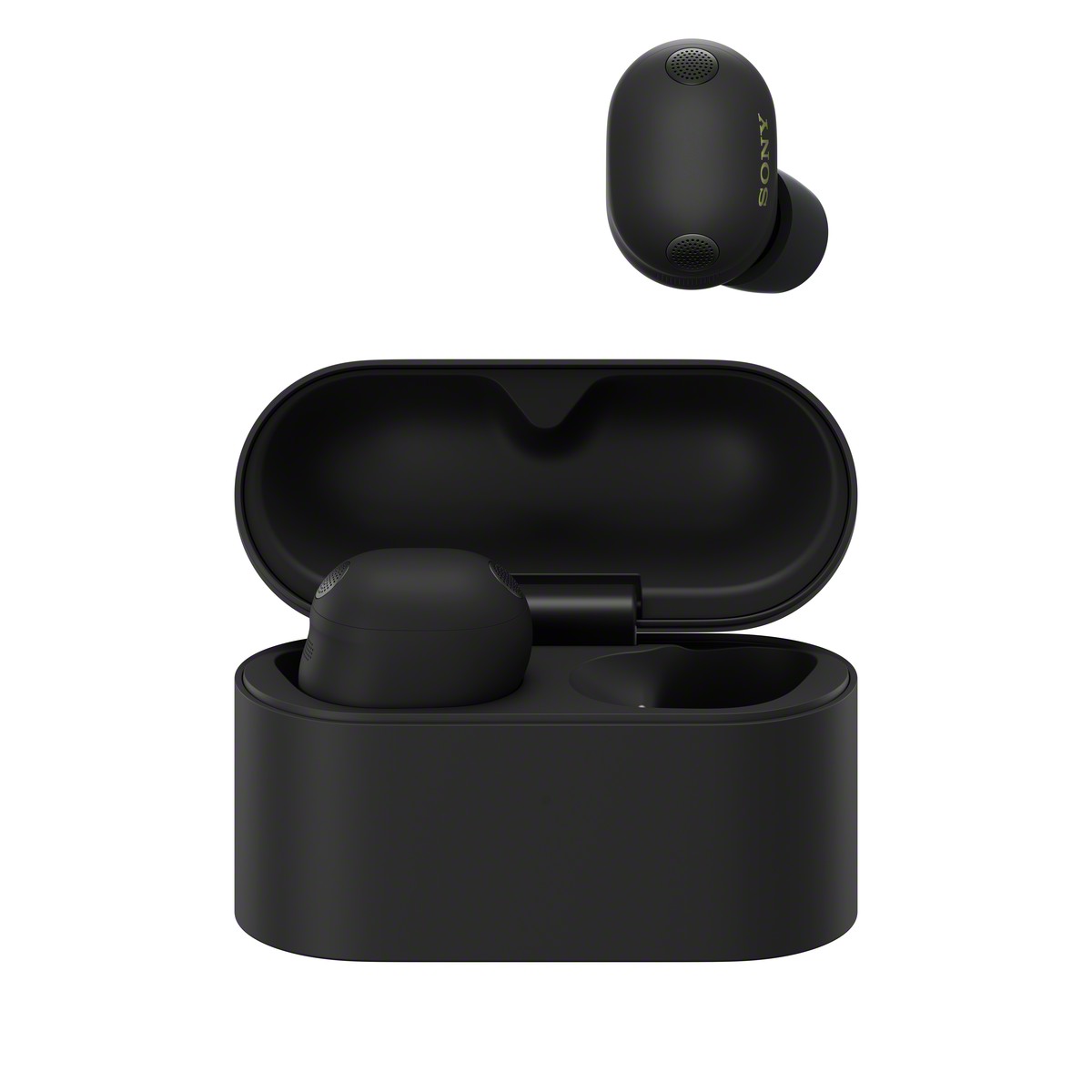
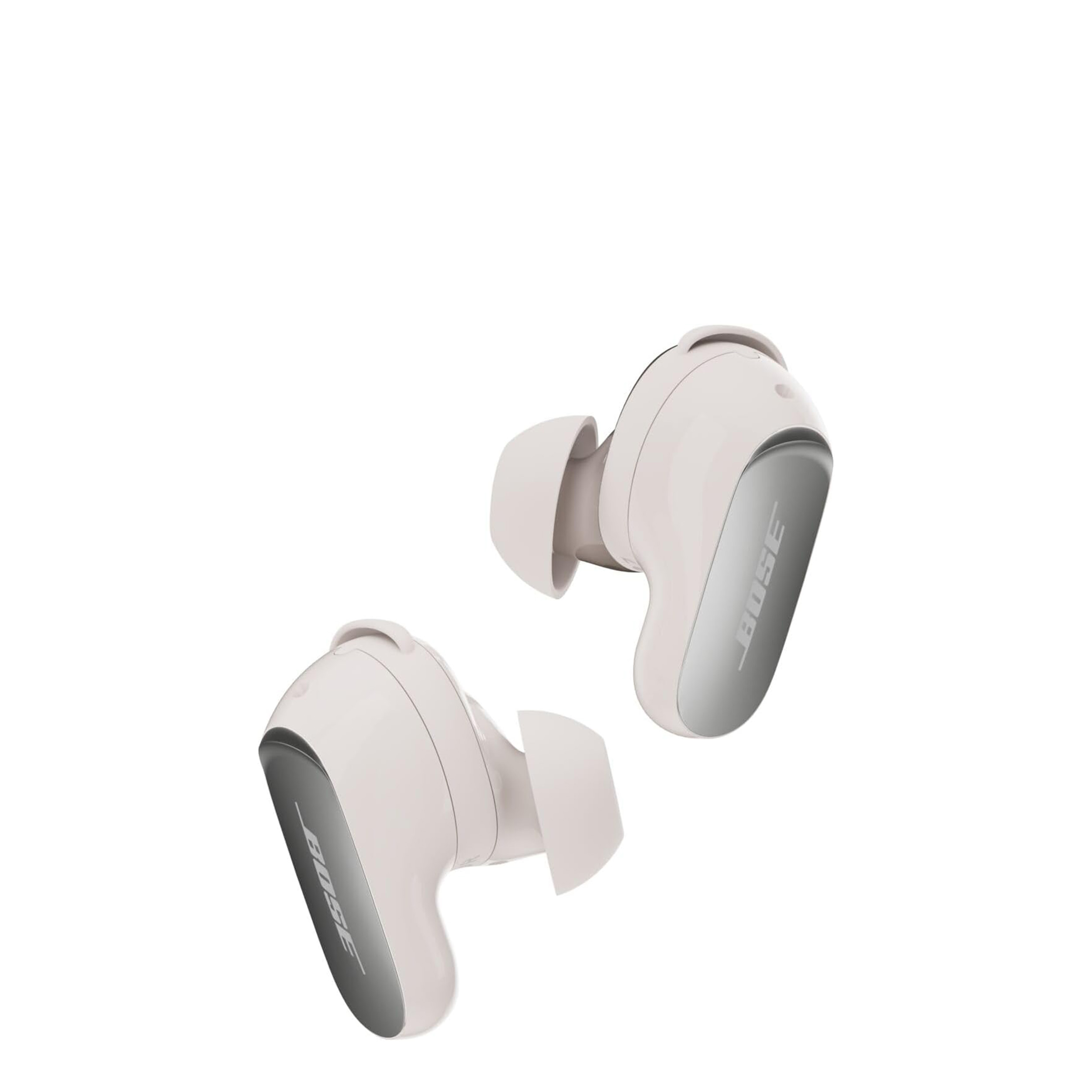
The Bose QuietComfort Ultra earbuds (Gen 2) use eight onboard microphones — four per earbud — to cancel out sound. Bose is using new AI-powered algorithms for active noise cancellation, but we don't know the specifics. The Sony WF-1000XM6 also has eight microphones split evenly between the two earbuds. Sony uses a custom QN3e processor for noise cancelation, and it's said to be 3x faster than its predecessor.
For this test, I took the Bose and Sony earbuds to loud places and tested their ANC performance. I placed the earbuds in my ears and listened for active noise cancellation without any music playing. Then, I raised the volume to a modest 50% and started playing music to see how environmental noise is perceived at a comfortable listening level.
This test is purely gauging the earbuds' ANC chops. It ignores sound quality, battery life, call quality, and other features, but every detail is covered in our full reviews of the Sony WF-1000XM6 and the Bose QuietComfort Ultra earbuds (Gen 2).
I wore Sony and Bose earbuds in a noisy coffee shop
(Image credit: Brady Snyder / Android Central)
The first place I took the Sony and Bose earbuds to was my local coffee shop. I'm regularly working from a cafe, and it's a great environment. Good vibes, superb lattes, and free Wi-Fi. The one problem every digital nomad has run into is the noise. Loud espresso machines, constant chatter, and noisy foot traffic can quickly lead to distractions. The obvious solution to this issue is a pair of ANC earbuds, and that's why I brought the WF-1000XM6 and the QuietComfort Ultra earbuds (Gen 2) along with me.
Active noise cancellation works best with consistent noise, which is why environments like a coffee shop can trip up ANC earbuds. Sudden bursts of loud conversation or intermittent machinery can pierce the ANC barrier. When I wore the QuietComfort Ultra earbuds (Gen 2) without music playing, most background noise and the radio music turned to silence. However, I could still hear laughter, the espresso machine screeching, and chairs sliding around.
I then switched to the WF-1000XM6, but Sony's earbuds struggled to cancel out the mid-frequency environmental noise. Without music playing through my earbuds, I could still hear the music from the overhead radio speakers and make out nearby conversations. Interestingly, the high-pitched sounds that broke through Bose's ANC bubble were suppressed by the Sony earbuds.
Starting to play music through each pair of earbuds at 50% volume made their flaws virtually indistinguishable. With music playing, the Sony WF-1000XM6 blocked out nearly all audible background noise. The same was mostly true of the QuietComfort Ultra earbuds (Gen 2), except for lighter tracks with strong vocals and minimal production.
In this test, I preferred the ANC power of the Bose earbuds. I really didn't like that the Sony earbuds did little to block out the chatter and background music in the coffee shop, which can be distracting.
I wore Sony and Bose earbuds under a rumbling AC unit
(Image credit: @tshakaarmstrong)
Your air conditioning unit might be producing the loudest sound in your home. I live in the Arizona desert, so my AC is running almost nonstop this time of year. Using a sound measurement tool, I recorded my AC's noise level to be 60 decibels. That's quite loud, so I sat right underneath my air conditioner and put the Bose and Sony earbuds in my ears. These low-frequency hums and rumbles coming from your AC unit pose a challenge for even the best ANC earbuds.
Both earbuds nearly canceled out the AC unit's loud noise, but the QuietComfort Ultra earbuds (Gen 2) did a better job. While the Sony WF-1000XM6 made the noise less irritating, it was still there. The Bose earbuds, by comparison, made the AC unit sound silent — even without music playing. After choosing a song and setting the volume at 50%, neither pair of earbuds had a problem blocking out the annoying rumble of my air conditioner.
In this test, the win goes to the Bose QuietComfort Ultra earbuds (Gen 2). Based on the results of the first two tests, it seems like the Sony WF-1000XM6 isn't quite as good at negating low- and mid-frequency sounds.
I wore Sony and Bose earbuds throughout a crowded shopping mall
(Image credit: Brady Snyder / Android Central)
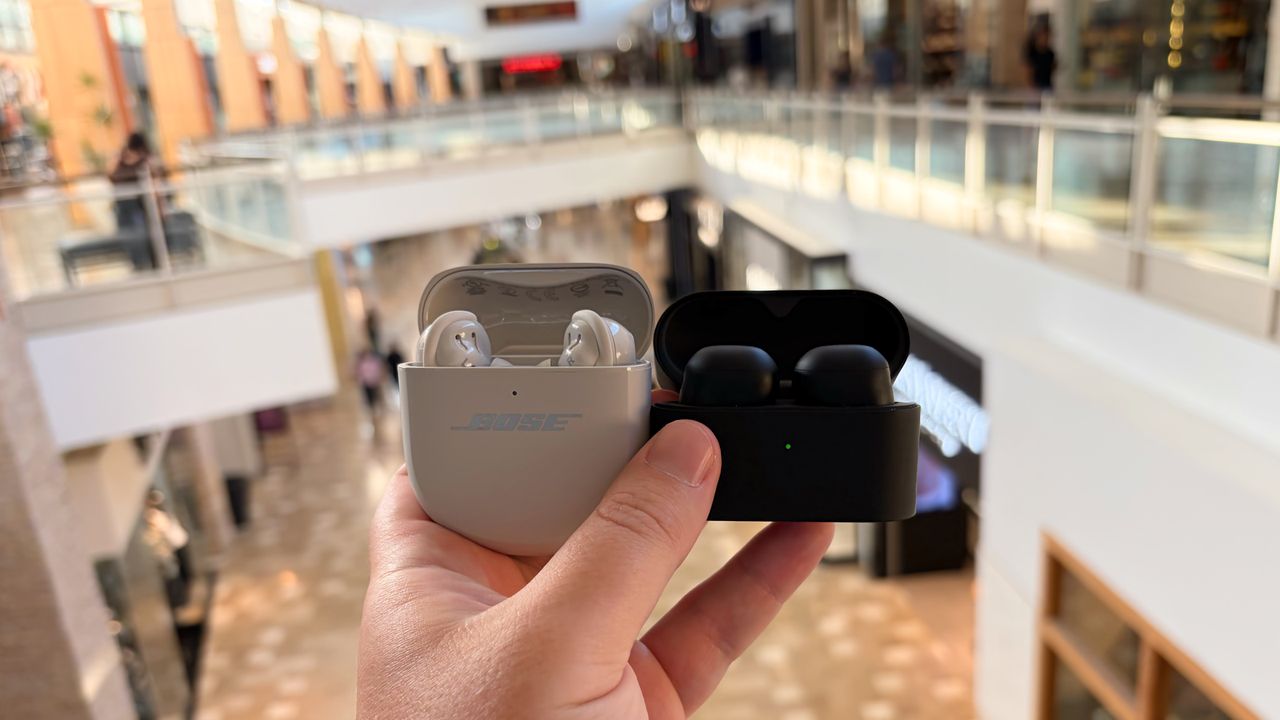
For the final test, I took the Bose and Sony earbuds to the loudest place I could think of: a crowded shopping mall on a Friday night. I walked through a supermarket, a food court, and the concourse to get a feel for how each pair of earbuds responded to the noisy environments. Unlike the first two tests, which relied heavily on low- and mid-frequency background noise, the most challenging sounds to cancel out here were in the high-frequency range.
Sony's WF-1000XM6 earbuds actually did a better job blocking out the conversations and chatter around me in the wall, and I have a hunch as to why. There was so much talking going on that all the voices blended together into a kind of white noise the Sony buds easily canceled out. This could be why the WF-1000XM6 stopped voices in their tracks here, but didn't perform as well in the less-crowded coffee shop.
In the food court, the Sony earbuds' ability to block out higher-end sounds shined. The sizzle of frying pans and the clanking of utensils were mitigated by the WF-1000XM6, whereas they were much easier to hear through the Bose earbuds. Even at 50% volume, I could still hear some of those high-pitched noises while wearing the QuietComfort Ultra earbuds (Gen 2).
The two pairs of earbuds didn't stand a chance at canceling out the infrequent PA announcements in the food court, but this isn't surprising. Overall, the Sony earbuds won in the mall. The chatter all blending together, paired with the high-pitched nuisance sounds, gave the WF-1000XM6 the perfect environment to put its ANC strengths on display.
Verdict
(Image credit: Brady Snyder / Android Central)
Looking back on my week of ANC testing both the Bose and Sony earbuds, the winner on paper seems clear. More often than not, the Bose earbuds canceled out noise better than the Sony earbuds. Still, I'm not ready to write off the Sony WF-1000XM6 earbuds. I actually enjoyed wearing them for active noise cancellation more than the QuietComfort Ultra earbuds (Gen 2), because the Sony earbuds are decidedly more comfortable.
They're smaller, and don't make as tight of a seal in your ear as the Bose earbuds. Perceived ANC power has as much to do with passive sound isolation as it does active algorithmic cancellation. The very reason the QuietComfort Ultra earbuds (Gen 2) performed well might also be the reason I wanted to pull them out of my ears during longer listening sessions. While I found the Bose earbuds canceled out more noise on most tests, I'd reach for the Sony earbuds for their comfort anyway.
Sony
WF-1000XM6
Best for comfort
The Sony WF-1000XM6 are excellent ANC earbuds, and cancel out a whole lot of noise. Their supreme comfort helps you enjoy long listening sessions with ANC active. However, the fit may not be as secure as the Bose QuietComfort Ultra Earbuds (Gen 2).
Bose
QuietComfort Ultra Earbuds (Gen 2)
Most secure fit
The Bose QuietComfort Ultra Earbuds (Gen 2) do an excellent job of staying securely in your ears, creating a seal that helps with sound isolation. This improves ANC quality, but some users may find the characteristic uncomfortable after a while.
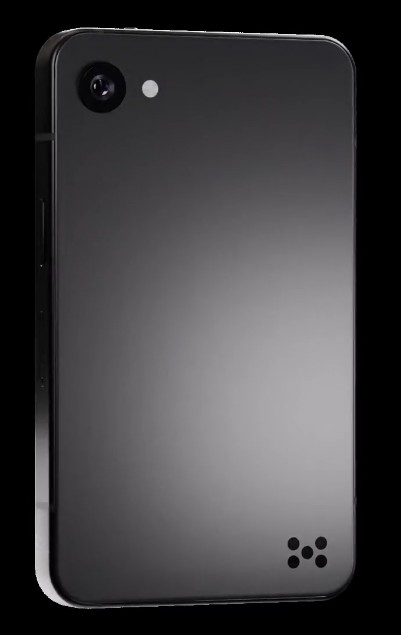
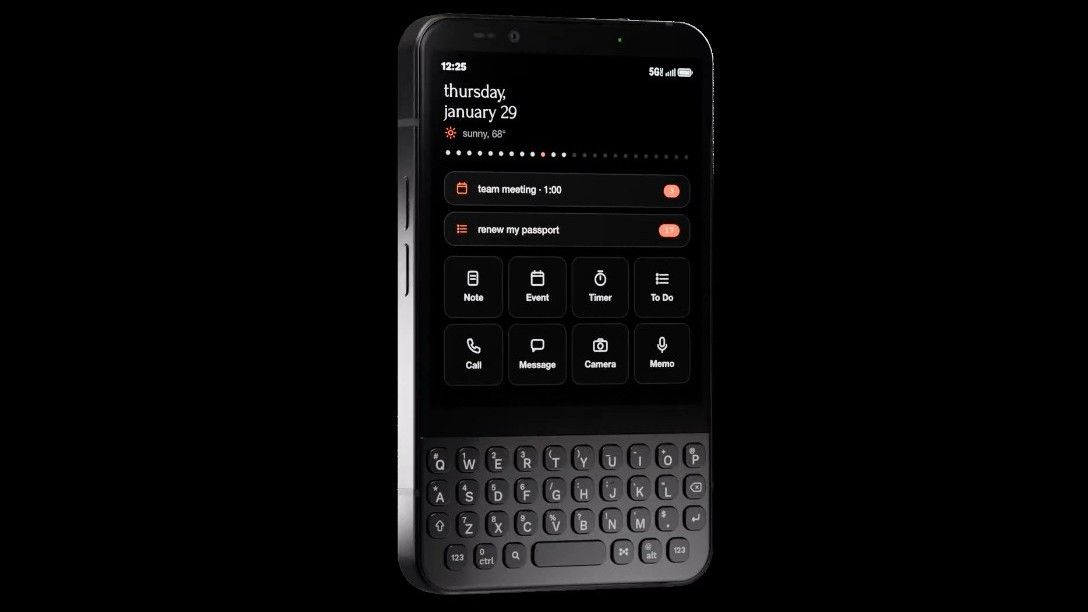
The Minimal Phone 2 swaps the original’s E Ink panel for a 3.92-inch 90Hz AMOLED display.
You still get the physical keyboard, now upgraded with backlighting, remappable shortcuts, and metal dome switches.
A curved aluminum body replaces the original’s boxy shell, while the front camera moves above the display.
The company that built a phone around making screens deliberately boring just gave its sequel a gorgeous OLED panel. Yes, the Minimal Phone 2 has ditched the E Ink display that made the original what it was and replaced it with a 3.92-inch 90Hz AMOLED screen.
Why the sudden U-turn? Because the original model with an E Ink panel, while great for reducing distractions, was genuinely painful to use. Owners complained of ghosting, sluggish animations, and a display that made anything but reading text a chore.
The Minimal Company seems to have decided that this intentional friction doesn’t have to mean unusable. Founder Armen Youssefian had posted the first renders of the sequel on X, which already hinted at a full visual overhaul.
Thank goodness, the physical QWERTY keyboard survives the transition, but now it sports backlit keys and remappable shortcuts and employs metal dome switches. The design language also changed from a blocky, sharp-edged shell to a curved aluminum body in black or silver. The front-facing camera was finally moved to a sensible place above the display, rather than hiding near the Alt key.
(Image credit: The Minimal Company)
Under the hood, the phone is powered by a MediaTek Dimensity 8300 with 8GB RAM and up to 512GB storage, per the company’s Kickstarter listing. You also get a physical mute switch, NFC, and, surprisingly, a 3.5mm headphone jack. But this old-school charm comes in a noticeably smaller footprint than its predecessor.
There is a lot we still do not understand. Questions remain about pricing and launch date. The company first opened a waitlist for early-bird access, but the phone has since moved to crowdfunding, giving potential buyers a more clear-cut way to back it.
The Kickstarter campaign has already exceeded its goal, raising more than $650,000 from over 1,000 backers. So, this thing is happening. The big question is: Does an AMOLED screen on a "minimal" phone defeat the entire purpose or finally make the QWERTY-powered experience actually usable daily? We’ll see when it releases to consumers, but if you’ve been itching for a modern BlackBerry-esque device without the E Ink compromise, this could be your play.
Usually, when a new smartphone model is about to come out, our advice is simple: wait. Either you end up liking the new one or get a sweet discount on the old one. Thanks to the AI boom, that isn't a cardinal rule anymore. Older models aren't seeing the drastic price decreases we're used to, and new models are more likely to launch with higher prices than ever before. So, if you're in the market for a new Pixel phone, should you wait or buy now?
Google is set to launch the Pixel 11 this week, but there's a case for buying your next Pixel phone right now. We've seen recent discounts on every mainline Pixel 10 phone, and there's one attractive Pixel model with a price that could make you forget about the Pixel 11 series entirely. That said, if you don't want to miss out on your chance to score the latest and greatest Pixel, the Pixel 11 might be worth the wait. As you can see, there's a lot to consider, so let's break down the cases for buying a Pixel now or waiting for the Pixel 11.
The case for buying a Google Pixel 10 now
(Image credit: Nandika Ravi/Android Central)
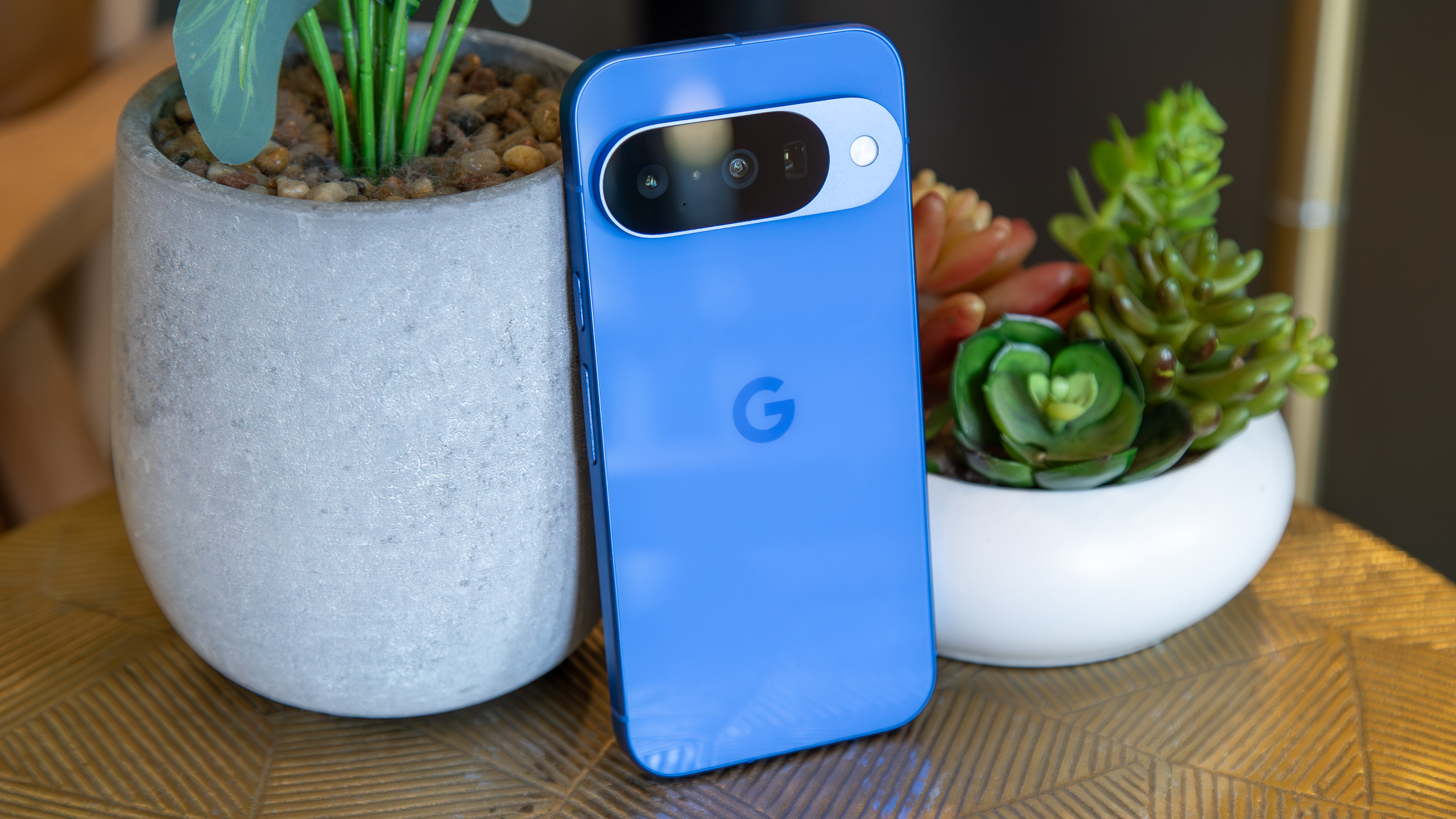
If you like the Pixel 10 series as-is and want to avoid a potential price hike, there's certainly a reason to buy one of Google's phones now. Since the Pixel 11 series is expected to shed the 128GB model and make the 256GB configuration the default, some phones will cost more. According to pricing leaks, the Pixel 11 will start at $899, the Pixel 11 Pro will cost $1,099, and the Pixel 11 Pro XL will cost $1,299. That's quite the jump — $100 more for every non-foldable phone.
This puts the Pixel 11 Pro XL in the same tier as the Samsung Galaxy S26 Ultra, which costs $1,299 as well. Of course, we'll have to see what the Pixel 11 Pro XL holds, but that might give prospective buyers pause. Samsung flagships typically offer better performance with fast Snapdragon chips that trounce Google's Tensor chips in benchmarks. If you have $1,299 to spend, the Samsung Galaxy S26 Ultra is often the default pick, and Google will have to prove the Pixel 11 Pro XL belongs in that conversation.
(Image credit: Nicholas Sutrich / Android Central)
Those that aren't eager to spend $100 more for the Pixel 11 series might be better off buying a Pixel 10 phone now. The Pixel 10 Pro and Pixel 10 Pro XL are both slightly discounted on Amazon currently, but the deal looks better when you consider the impending possibility of a Pixel 11 price hike. The Pixel 10 isn't seeing major discounts at the moment. I see the case for buying a Pixel 10 now, but it would sting knowing we just saw major Pixel 10 deals during Prime Day.
The Pixel 10 series' price history makes me less inclined to buy the three mainline models now. The budget Pixel 10a is a different story, though. It's discounted to just $424 at the Google Store right now. This is the best bang-for-your-buck Android phone on the market, and it's a breath of fresh air at a time when flagship prices keep rising. If you think the Pixel 10a's budget hardware would meet your needs, I think it's worth buying now instead of waiting for the Pixel 11.
The case for waiting for the Google Pixel 11
(Image credit: Derrek Lee / Android Central)
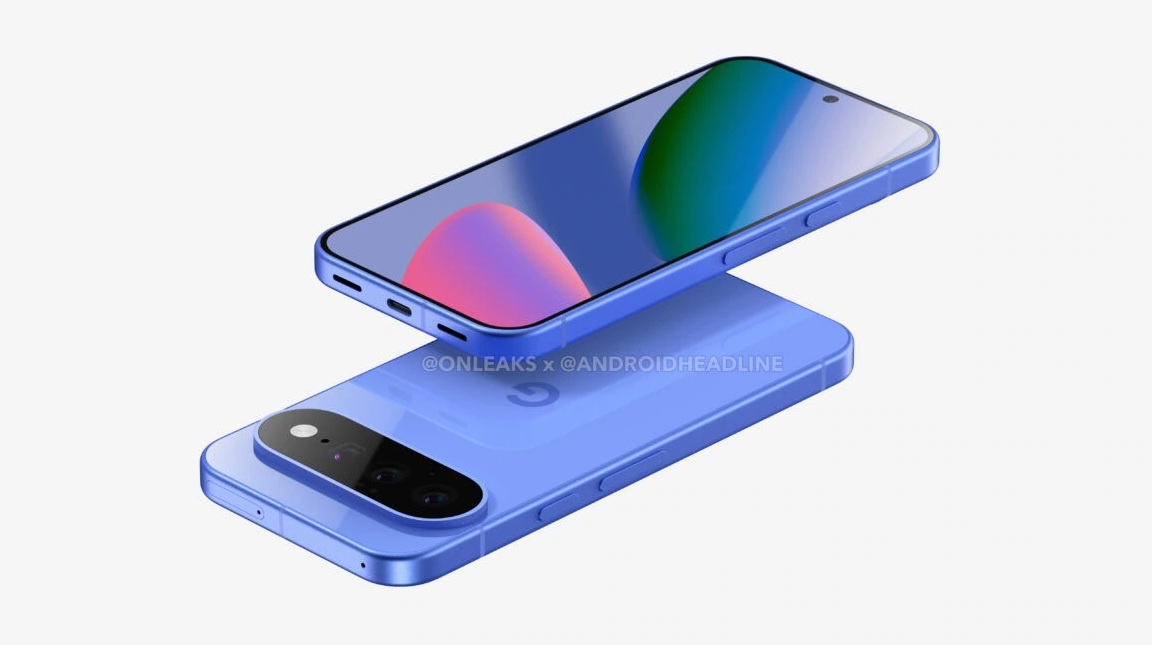
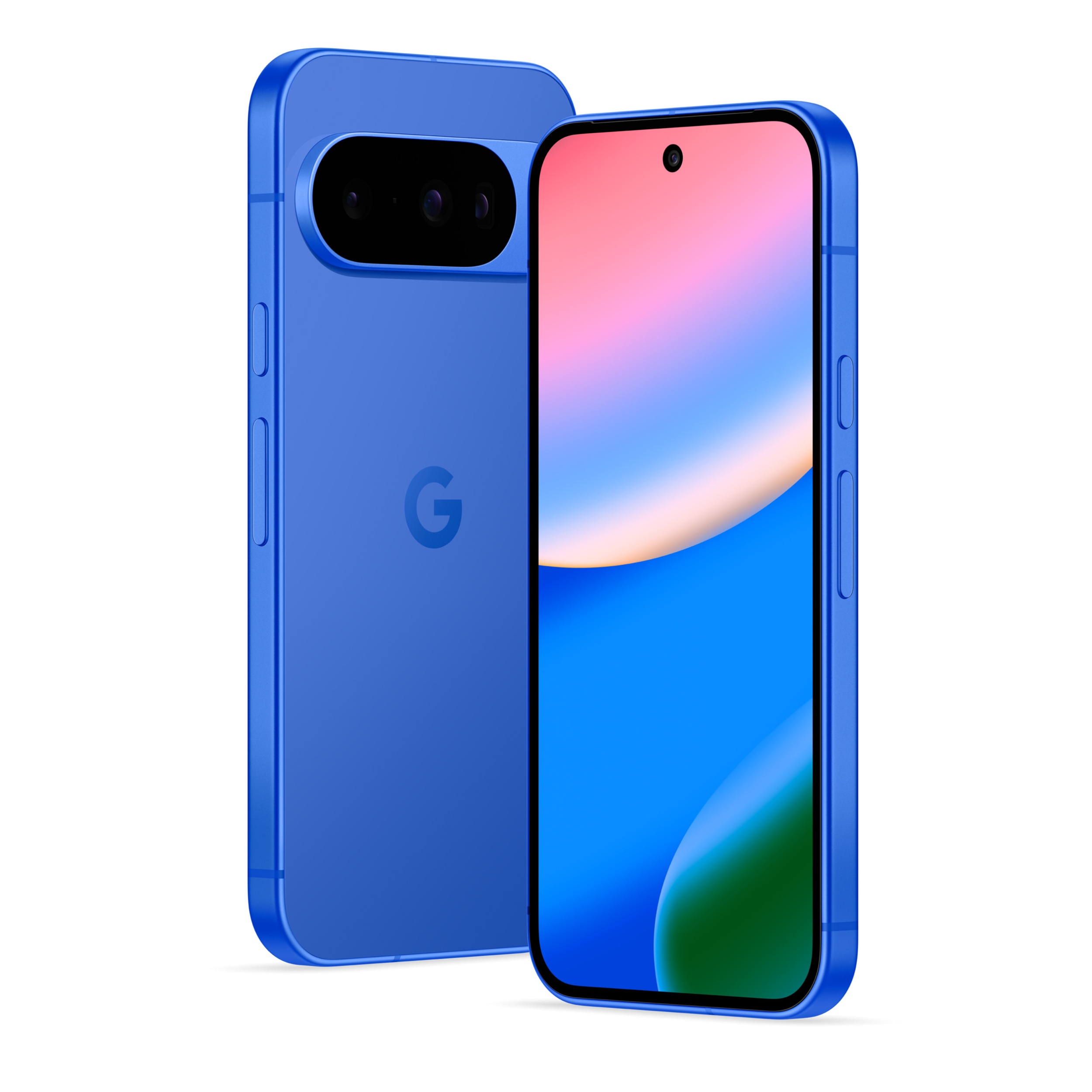
We're always looking toward the next best thing, and the Pixel 11 appears to be just that. Leaks and rumors paint an early picture of what the Google Pixel 11 might look like, and how it would improve on the Pixel 10 series. It's a good bet that the Pixel 11 will be powered by the Tensor G6 chipset, which could be built on a 2nm process to improve processing power and efficiency. The design looks similar to the Pixel 10, according to renders, but we're on the lookout for potential display, battery, and camera upgrades.
(Image credit: Android Headlines)
The question you should ask yourself is: what does the Pixel 11 series have to upgrade to make it worth the rumored $100 price hike? If your wishlist includes super-fast charging or Snapdragon-like performance, you might be underwhelmed. In that case, you may be better off buying a Pixel 10 or Galaxy S26 series phone instead. But if you have more modest aspirations, like better optimizations and slightly improved hardware, the Pixel 11 could be worth the wait.
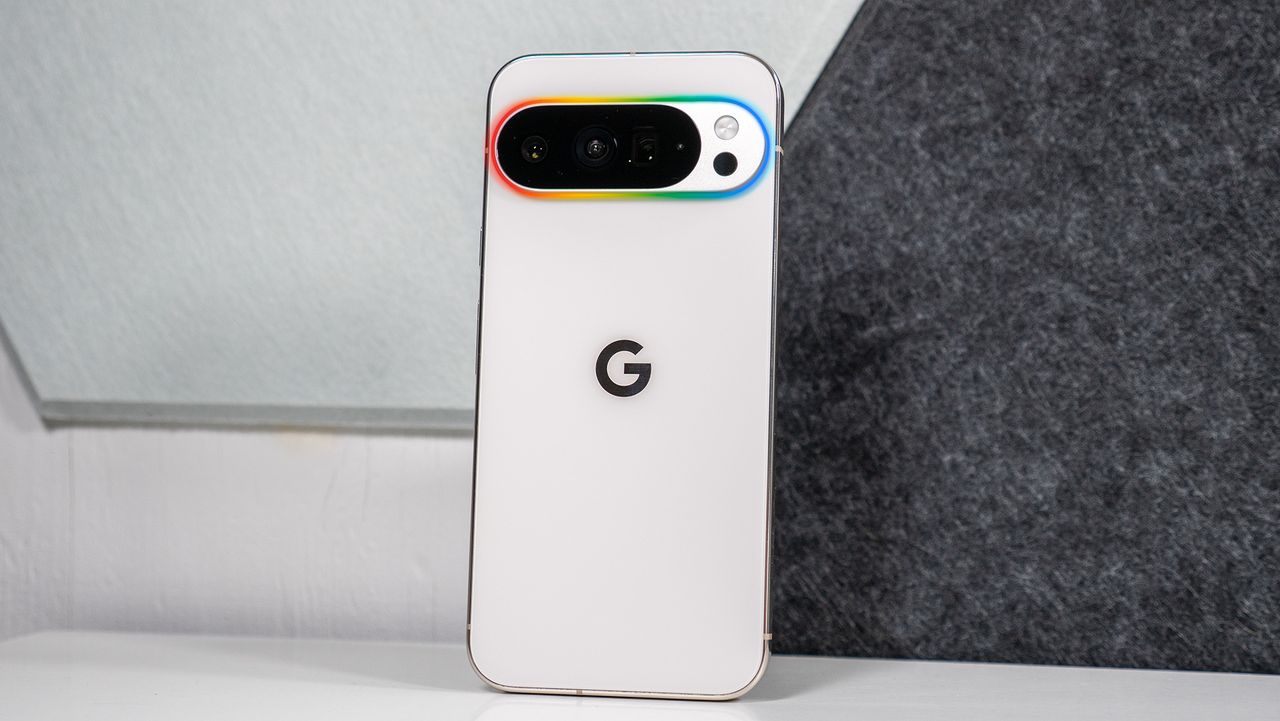
One neat Pixel 11 rumor is that the phone could sport a glow light on the back, possibly called Pixel Glow or Pixel HiLight. It'd be a novelty similar to that of Nothing's Glyph Interface. For those tired of iPhones, Pixels, and Galaxys all looking mostly the same, a quirk like this could make the Pixel 11 worth waiting for.
Specs and rumors aside, you should wait for the Pixel 11 if you want to take advantage of carrier promotions, trade-in deals, or pre-order deals. There are pros and cons to carrier promos and trade-ins — you enter a restrictive carrier contract and/or give up your old device in exchange for massive savings on a new one. Not everyone should enter into a carrier contract to get the Pixel 11.
However, if you're willing to make that decision, you will likely get the Pixel 11 for cheaper than a Pixel 10 currently costs at full price.
How I'd spend my money
(Image credit: Derrek Lee / Android Central)
If I were in the market for a new phone, I'd take a long look at whether the Google Pixel 10a could meet my needs. I tested that phone for weeks this year, and it offers long battery life, decent performance, and solid hardware for a fraction of the price of new flagships. You can get one brand-new from Google for about a third of what the flagship Pixel 11 Pro XL will likely cost. To me, it's a no-brainer if you can live with the device's few compromises.
If you're more interested in the mainline Pixel 10 or Pixel 11 models, waiting is probably your best strategy. The Pixel 10, Pixel 10 Pro, and Pixel 10 Pro XL all saw major and enticing discounts over the summer, but the current deals are uninspiring by comparison. Instead of taking a small discount and getting a last-gen device, it's worth waiting for the Pixel 11.
There is a chance the Pixel 10 goes on sale again, especially as we approach Black Friday season. Or, you could be impressed by what Google has to offer and snag a Pixel 11 when it's available.
Made by Google 2026 is almost here — this is where the Pixel 11 will be officially revealed. Stay tuned for our coverage leading up to, throughout, and following the event, which begins Wednesday, Aug. 12 at 3 p.m. PT / 6 p.m. EDT.
Google
Pixel 10
The current contender
The Google Pixel 10 is soon to be replaced by the Pixel 11, but it'll remain an Android fixture for years to come. It is covered by Android OS upgrades for six more years, and still has decent hardware. However, some will prefer to wait and see what the Pixel 11 holds.
Samsung's newest smartwatches finally hit store shelves last week, but if you weren't being vigilant, you could've completely missed that one of the best Galaxy Watch 9 deals is still going strong at T-Mobile.
That's a whopping $430 in savings on the 40mm version of the watch. Need something bigger? You can apply the same discount to the 44mm version or even the Galaxy Watch Ultra 2 if you need a bit more power. The choice is yours.
The Samsung Galaxy Watch 9 is here, and T-Mobile will already give you the flagship wearable for free when you add a line with Watch Plan Plus 2.0 on the carrier's website. You'll still have to pay the $35 activation fee, but you're looking at $430 in savings on a device that's sure to rank among the best Android smartwatches released this year. No trade-in required. View Deal
The Samsung Galaxy Watch 9 takes the foundation of its excellent predecessor and adds a new Snapdragon processor and a larger battery without increasing the size or weight. The result is a sleek, lightweight smartwatch that doesn't skimp on premium specs and innovative Galaxy AI software features.
Just like the Galaxy Watch 8, the new model still features a vibrant AMOLED display with 32GB of onboard storage, plus you get dual-band GPS tracking, IP68 with 5ATM water resistance, and a powerful BioActive sensor with ultra-accurate health and fitness tracking capabilities.
So what's the catch? Well, as I mentioned above, you'll need to pay the $35 activation fee and sign up for the Watch Plan Plus 2.0 plan to enjoy the $430 discount. This plan costs just $15 per month and gives you unlimited talk, text, and data directly from your smartwatch, in addition to unlimited texting and 5GB of data in over 215 countries worldwide (15GB of data in Mexico and Canada).
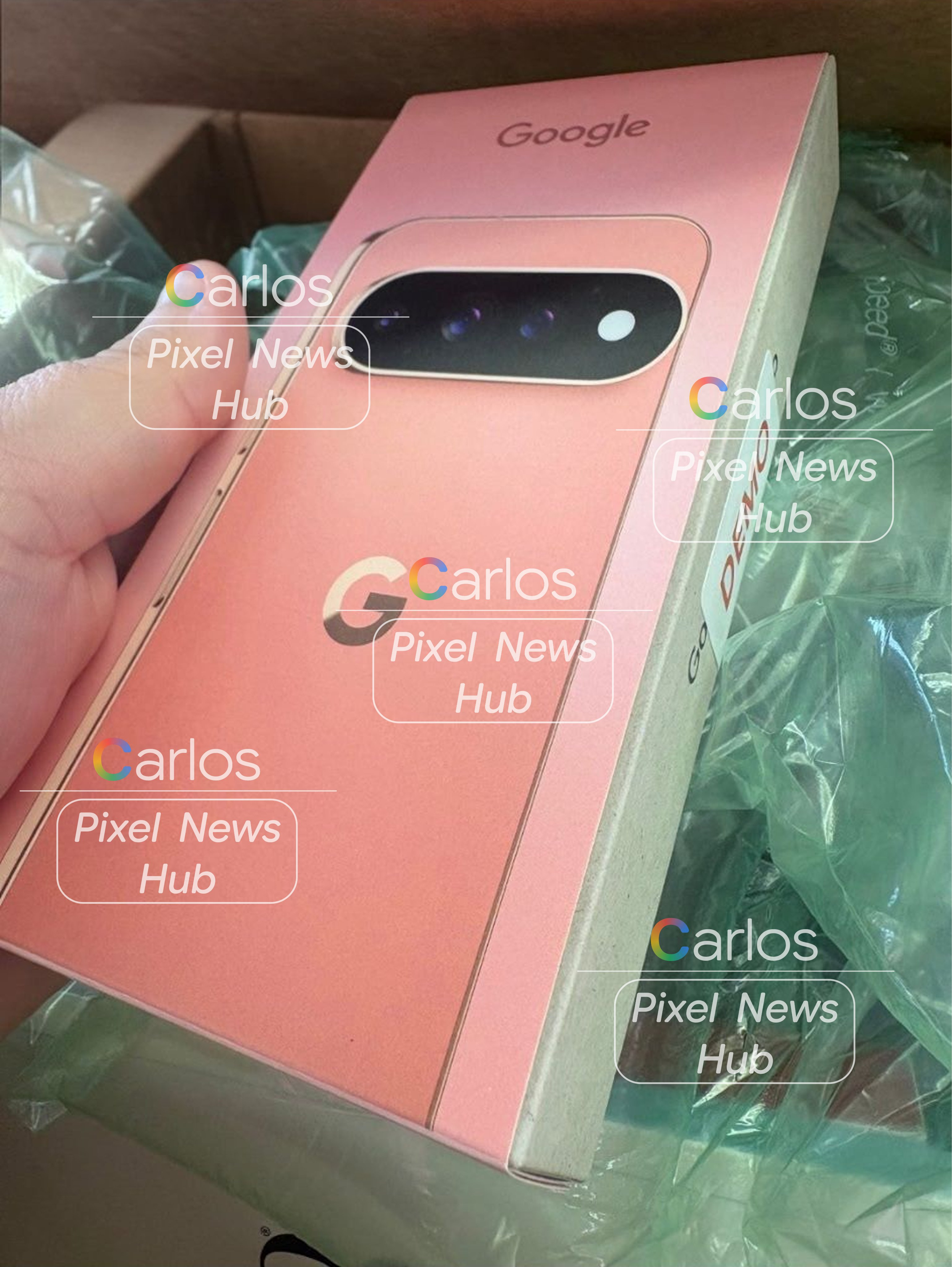
Hands-on images show the matte black model and "Dune" retail box for the Pixel 11 Pro XL.
The images were apparently sourced from carrier demo units arriving in the US ahead of the August 12 launch.
A larger LED module on the camera bar dubbed "HiLight" could act as an RGB notification light, even when the phone is face down.
Google usually tries to keep its flagship hardware under wraps until launch day, but carrier store inventory has spoiled the surprise yet again. Just days before the official Made by Google event, hands-on images of the Pixel 11 Pro XL have emerged online, giving us a look at the real-world design of Google’s upcoming flagship phone.
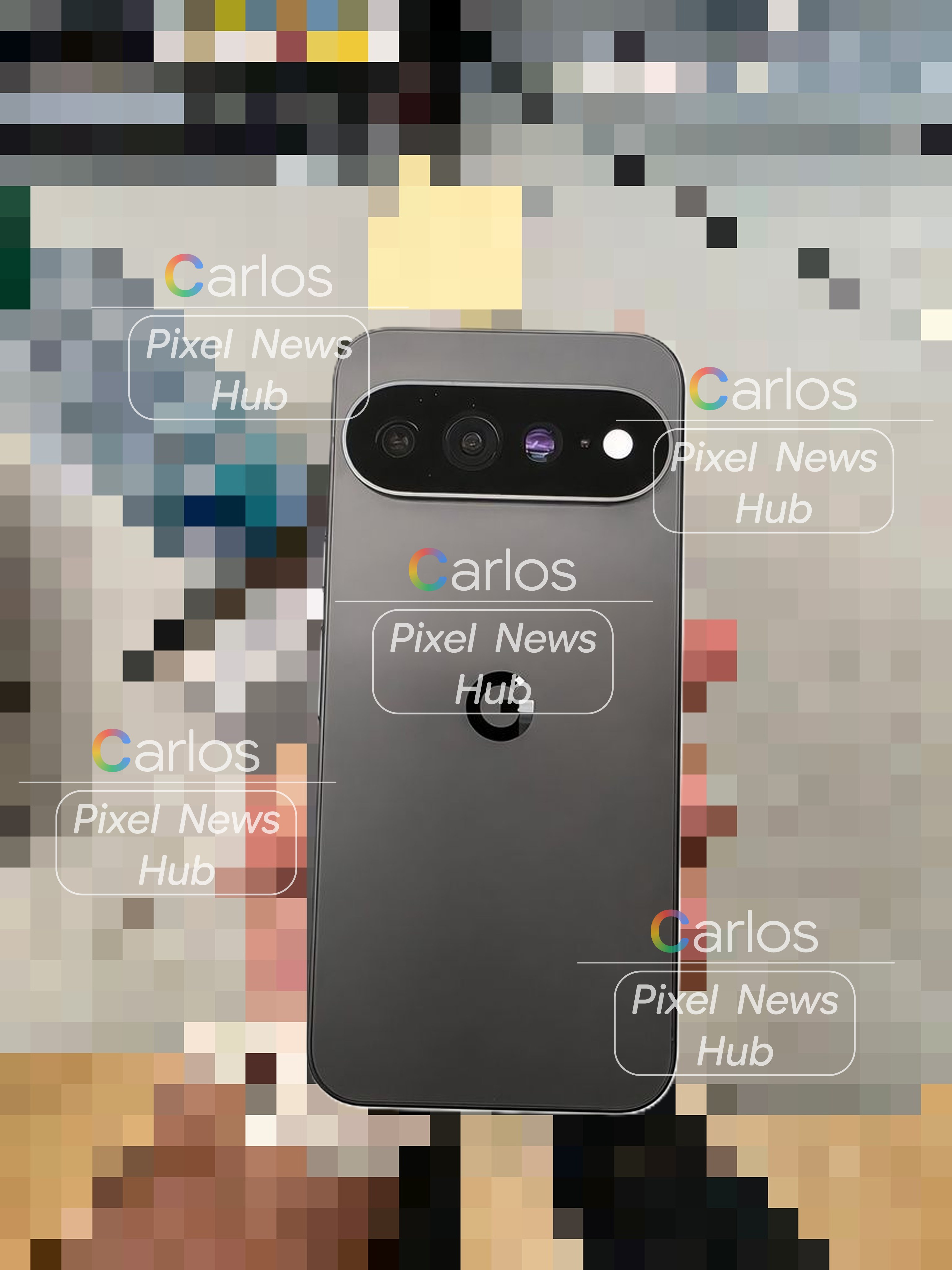
Images posted by @PixelNewsHub on X reveal what are claimed to be carrier demo units on their way to US stores. The images give us a crisp look at an all-matte black model, as well as retail packaging for a fresh colorway rumored to be either “Dune” or “Canyon.”
@PixelNewsHub / X@PixelNewsHub / X
The design is very similar to last year’s, but upon closer inspection, there are some hardware updates. The lenses on the camera bar look to protrude a lot more this time around. Then there’s the larger LED module, which Google apparently calls "HiLight."
Previous leaks hint that the HiLight LED is an RGB notification light that sits on the camera bar and keeps lighting up even when your phone is face down. Gemini is also supposed to give visual alerts for certain contacts or pulse when you message it.
Of course, no Pixel launch would be complete without a little bit of drama. Reports from Turkey say that black market copies of the boxed Pixel 11 Pro XL are already available for $1,700, a bit above the rumored starting price of $1,299.
That said, it appears that Google is sticking with the familiar Pixel silhouette, and that’s not necessarily a bad thing. But with the Tensor G6 chipset, a rumored $899 base model price (and no more 128GB option), and this mysterious HiLight feature, the Pixel 11 series has some questions to answer. We will know all for sure on August 12.
Google is back this year with its Made by Google event, and we’re expecting a lot of Pixel news. Of course, Google is set to launch the Pixel 11 series, which will likely include several different smartphones as well as a new foldable. In addition, Google is expected to launch the Pixel Watch 5, and there could be some additional devices in the mix.
We hope you’re as excited to learn about Google’s latest smartphones as we are! Last year’s launch was filled with celebrities and internet personalities, and this year looks to be no different, with Stephen Curry, Shubman Gill, Ayami Nakajo, and more, with Trevor Noah hosting.
Over the next few days, we’ll be going over what you can expect and covering the event live as it happens so you don’t have to miss a thing! Scroll down for all the details!
When and what time is Made by Google?
The event is Wednesday, August 12, and it starts at 3 p.m. PT / 6 p.m. EDT.
How to watch the Made by Google event?
Google will stream the event on its official Made by Google YouTube Channel. You can also watch it live at the Google Store website. Click the Notify Me button below so you don’t miss a thing!
Google has been low-key hyping up its Pixel 11 series for some time, although we just didn’t know it. Earlier this year, the company gave us a glimpse of new features arriving with Android 17, and while the update is already out, there are still some features that haven’t arrived yet, and likely more that Google hasn’t even teased. What are you looking forward to the most?
(Image credit: Nicholas Sutrich / Android Central)
One feature I can’t wait to get my hands on is Pause Point. It’s supposed to remind you to take a break from distracting apps with things like timers, breathing exercises, and even suggestions for less-distracting apps to use. Because we all need a reminder to take a break from social media, right? It’s actually a pretty thoughtful feature, one I never expected from Google.
(Image credit: Google)
Another feature I hope to see on the Pixel 11 Pro Fold is the Gamepad. It basically turns your foldable into a mini game console of sorts with a dedicated control pad on the bottom half of the screen, which should enhance the gaming experience. Google also says it will include native controller remapping for those of you who use external controllers, which is a great way to appeal to mobile gamers.
Android 17 is shaping up to be a more social-media-focused update, and on the other side of Pause Point, the company launched Screen Reactions, which makes it incredibly easy to record yourself over another video. It’s an incredibly useful feature and very easy to use. It makes me wonder what other social features the Pixel 11 will introduce.
Google was already in the midst of doing some heavy brand reworking with Gemini, and Android 17 only furthers those actions. Google says that Android is no longer an "operating system" but, rather, an "intelligence system." This sounds like marketing nonsense, and I'm some of it certainly is, but the idea is that Android is moving beyond a traditional point-and-click (or tap) UI and, instead, becoming a system that does exactly what you ask of it.
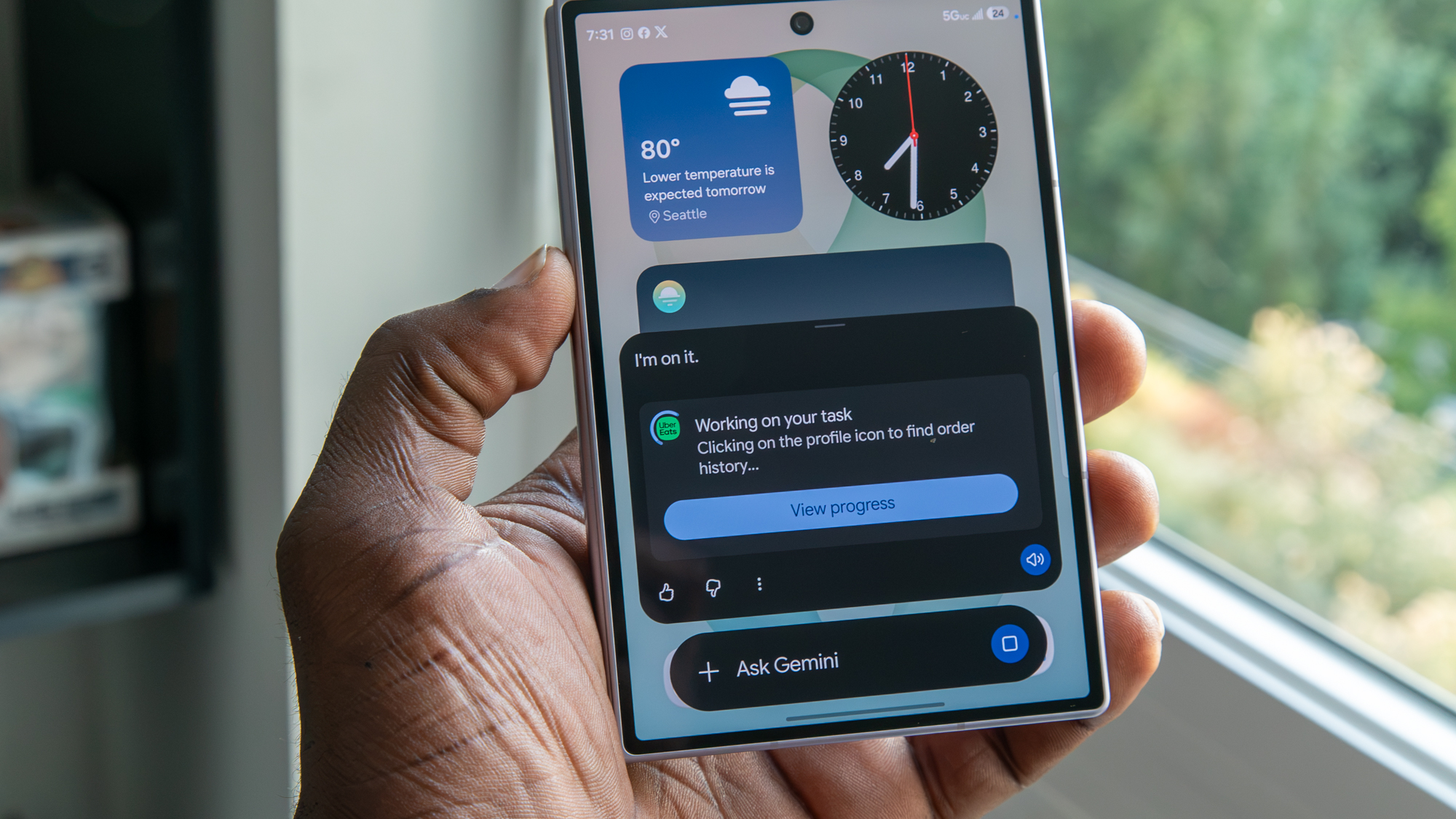
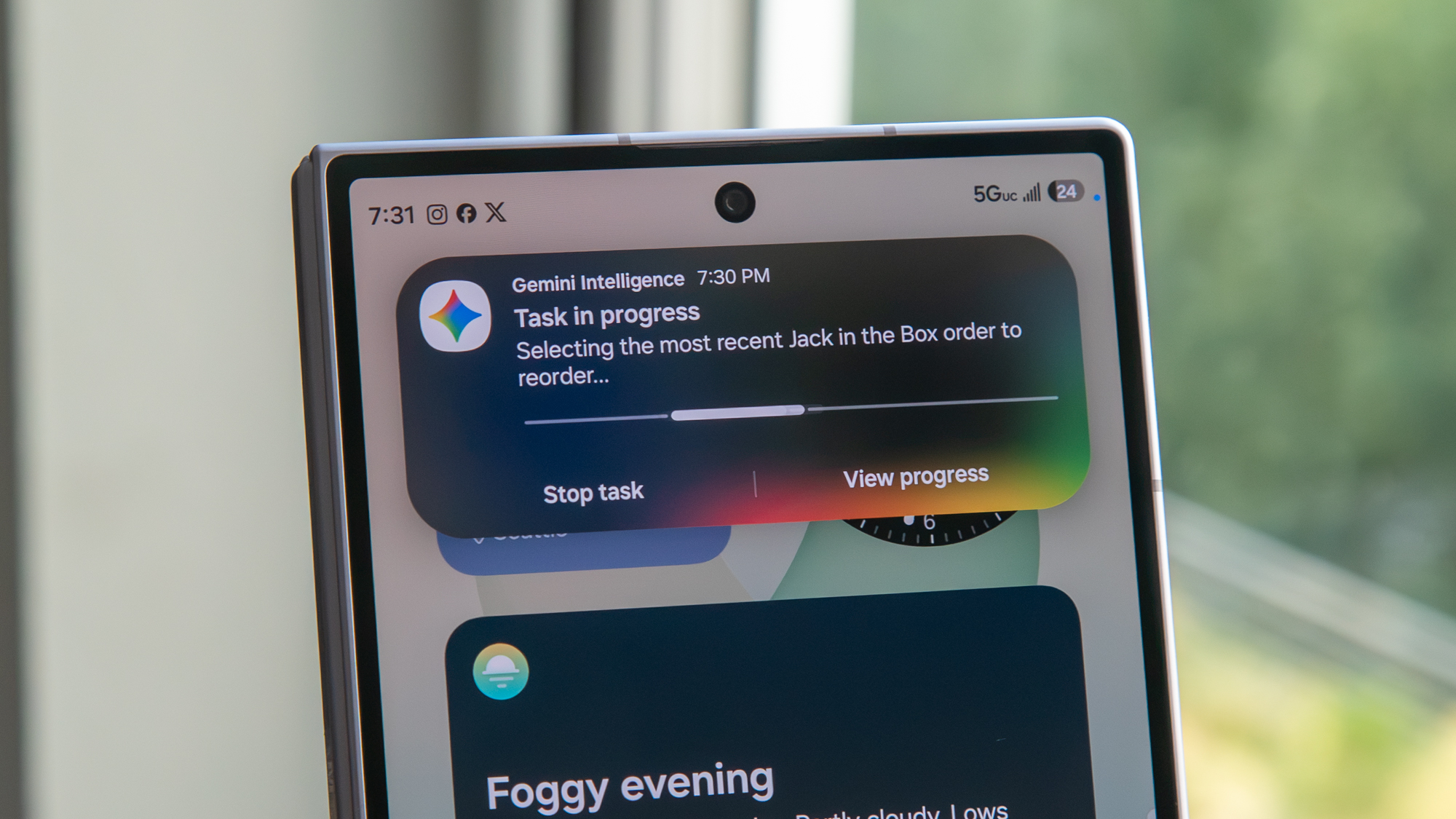
Case in point, the newer Gemini Automation features which will navigate entire apps and websites for you with a single command. I used it to order food and tea from two different restaurants and all I had to do was hit confirm. While I'd argue that having Gemini order food for me is silly and completely unnecessary, seeing Gemini have the ability to navigate complex UIs without error is impressive, and there will no doubt be more sensible reasons to use this feature in the near future.
For me, the most interesting part of Gemini Intelligence and automation is when Gemini is used to interact with apps that aren't usually deemed "compatible." Let's say you're particularly find of an obscure note app that wouldn't normally have tie-ins with services like Gemini. No problem, because Gemini Intelligence is supposed to be able to work with it, regardless.
Say you took a photo of a banner or poster for an upcoming event and want to make a shopping list based on what you'll need for it. Gemini can help navigate the content in the photo and fill out a note in your favorite app without you manually typing it in. That's just one of many features we're expecting to see expanded on the new Pixel 11 series, too!
One of the other Gemini highlights from The Android Show 2026 was the new Create A Widget feature, which turns Gemini into a professional coder so you can make custom home screen widgets. Nothing started this trend a few months ago and did a spectacular job with the implementation, and I expect to see Google take the concept even further on the Pixel 11.
The concept is pretty simple. Say you want a specific widget that doesn't seem to exist in the Play Store. Just ask Gemini to create a widget for you, and it'll begin the coding process, complete with the ability to revise and modify things as the widget is being built.
(Image credit: Nicholas Sutrich / Android Central)
Since we're looking back at The Android Show from earlier this year, it's worth remembering that it was actually the first time Google quietly gave us a look at what is now rumored to be called Pixel Glow, or HiLight.
During the Googlebook teaser, you could spot a glowing light bar across the top of the laptop lid. Since then, we've seen the same design language appear on the new Google Home Speaker, and according to recent leaks, it's also expected to make its way to the Pixel 11 series.
Speaking of Googlebook, Google has been unusually quiet about it ever since The Android Show. That makes me wonder whether the upcoming Made by Google event could finally give us a proper look at Google's next-generation premium laptops. What do you think? Do you expect Googlebook to make an appearance next week? Let me know in the comments.
Speaking of the Pixel launch event, as a Pixel 10 Pro owner, I'm honestly not that excited about the Pixel 11 series itself. Based on everything we've seen so far, there don't seem to be many major hardware upgrades this year. What I'm actually looking forward to is Android 17 and the new features launching alongside the Pixel 11.One feature I'm especially excited about is the new 3D emojis. Google first showed them off during The Android Show, but we still haven't seen them arrive on Pixel phones. They're still not quite on the same level as Apple's emoji design, in my opinion, but they're definitely a big improvement over what Android has today.
Another Android 17 feature I'm really looking forward to is Rambler. I've talked about it before, but it's essentially Google's new AI-powered voice typing system. Instead of speaking carefully and trying not to make mistakes, you can just talk naturally. Rambler automatically ignores your "ums" and "ahs," understands corrections as you speak, and turns everything into properly formatted text. It's very similar to what we've recently seen with Gemini on macOS, but this time it's coming to Android smartphones. That's one of the Android 17 features I'm probably most excited to try.
While we wait for Made by Google, why not have a little to snack on? The Android Show this year talked up the company’s security improvements. One of the major highlights was Location Access. I know, I thought the same thing. Google made this more transparent so we can manage how an app accesses our location, and when it happened. We don’t always want to put ourselves out there like that, so I like that Google worked this into Android.
Another Android upgrade Google gave us—in line with its recent behavior—involved scam protections. At the Android Show 2026, Google talked about protections for your banking apps by introducing “verified financial calls.” We work hard for our money. The last thing we want is for it to get swiped. If Google deems that call to be a fraud, it will tell you to hang up now.
Since we’re now, officially, in the second half of 2026, we should start seeing Google’s upgraded Live Threat Detection. This will deliver “warnings about suspicious behavior that could be potentially harmful.” Take, for example, an app trying to force a text message to another number you don’t know. The idea is to ward off malicious trickery, and there’s a chance we’ll see this talked about with the Pixel 11’s launch.
Be honest: Android Auto has been lacking, right? If you’re asking me, I’d say “kind of.” Google has continued to improve Android Auto over the years. Gemini’s involvement has helped, too. At the Android Show, Android Auto was shown with a vastly improved, “immersive” Google Maps experience with an edge-to-edge display, and a robust 3D view. Android Auto will tell you what you should keep an eye out for, like traffic lights and lanes. It’s no longer generic. It’s actually helpful.
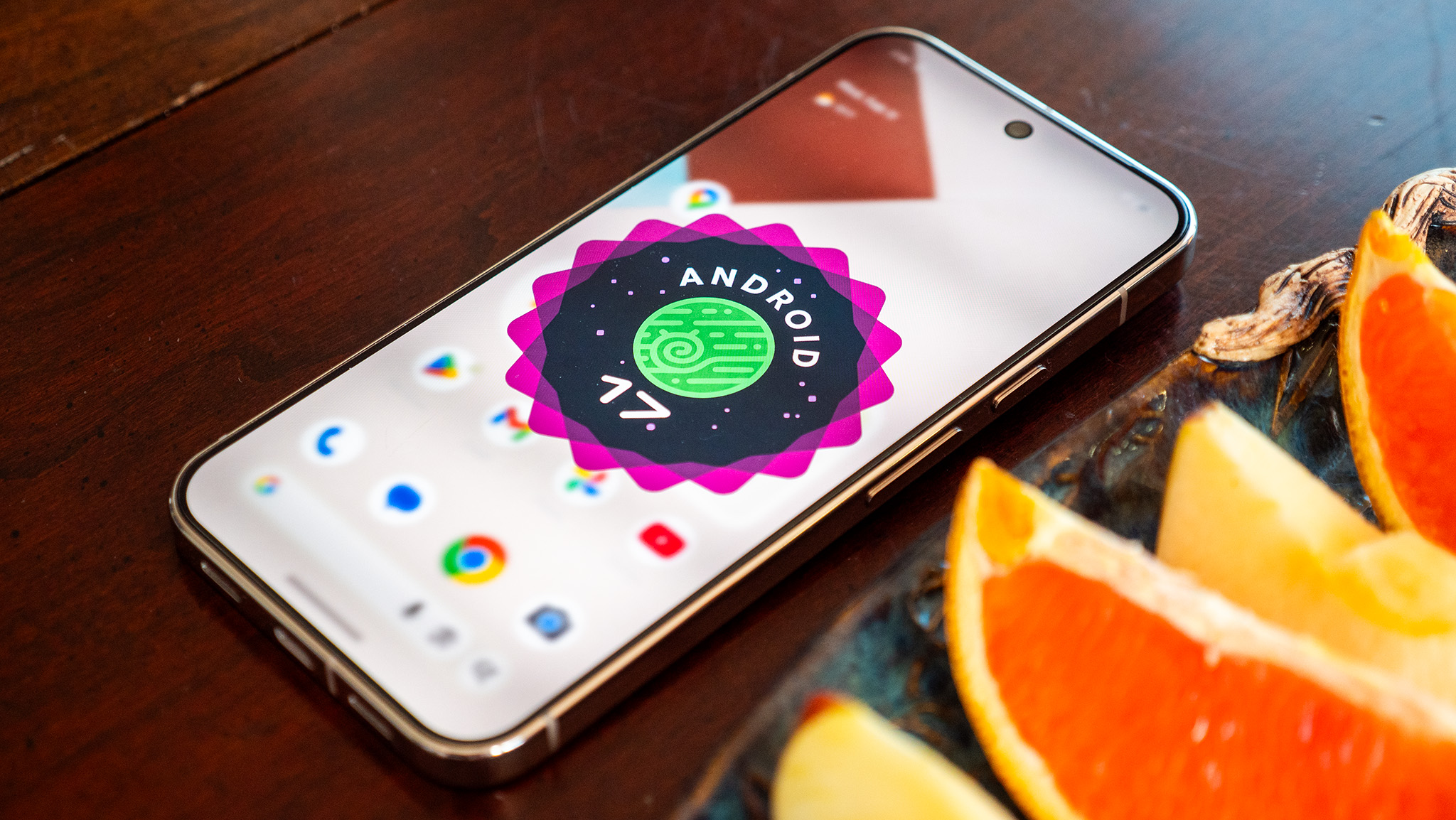
One of the main reasons why Google pushed the Android release ahead last year is to ensure its latest devices get the latest build of the OS out of the box. With Google releasing phones in August and subsequently rolling out a new Android version in the month of October didn't really make much sense, so it's good to see Android builds coming out earlier. The stable Android 17 version was released on June 16, and Google's eligible devices have made the switch already.
Samsung also joined the Android 17 bandwagon with its foldables, and the Galaxy Z Fold 8 models come with One UI 9.0 and the latest version of Android out of the box. Of course, Samsung's vision of Android looks very different to what Google has on the Pixels, and that's one of the best things about Android; you can choose what kind of interface you want on your phone. On that note, other brands are starting to roll out the stable Android 17 update to their phones, with Xiaomi getting us underway.
What I like the most in Android 17 is the Bubbles multitasking mode. The ability to use floating windows allows much greater flexibility, and it makes a lot of sense on a foldable like the Pixel 10 Pro Fold. There's better fluidity in general with the interface, and this was a phoe problem in the past.
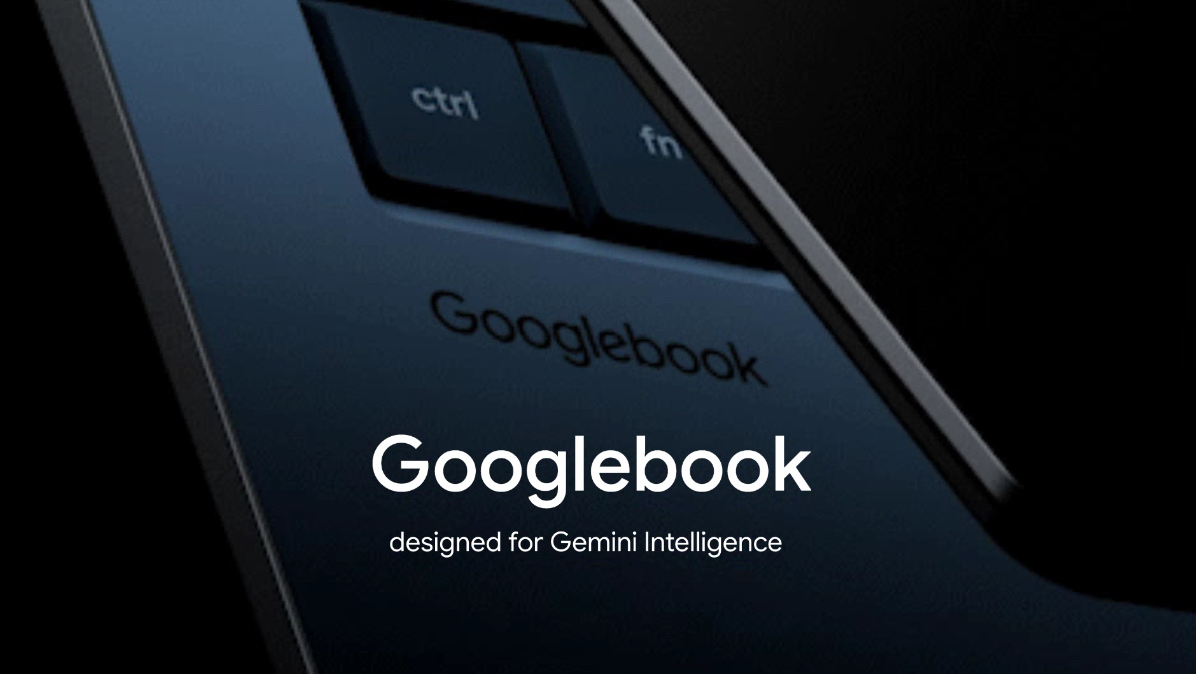
Returning to highlights of The Android Show, the Googlebook teaser got everyone excited about how Google will deliver the Chromebook successor. What stands out this time is that the Googlebook is aimed as a high-end device, with Google noting that it puts Gemini front and center. We'll also get a mix of regular x86-based models and Arm devices, and I'm interested in the latter — there's much better battery life with Arm notebooks in general, and I can't wait to see how Google utilizes this with the Googlebook.
(Image credit: Google)
What's notable with the Googlebook is that it could showcase what Android and ChromeOS can do together. Google is going about this the right way, with major hardware vendors slated to release Googlebooks later in the year. The software will ultimately prove to be the defining factor, and I think there's definitely potential to see how Google brings Android and ChromeOS together into a unified ecosystem.
(Image credit: Google)
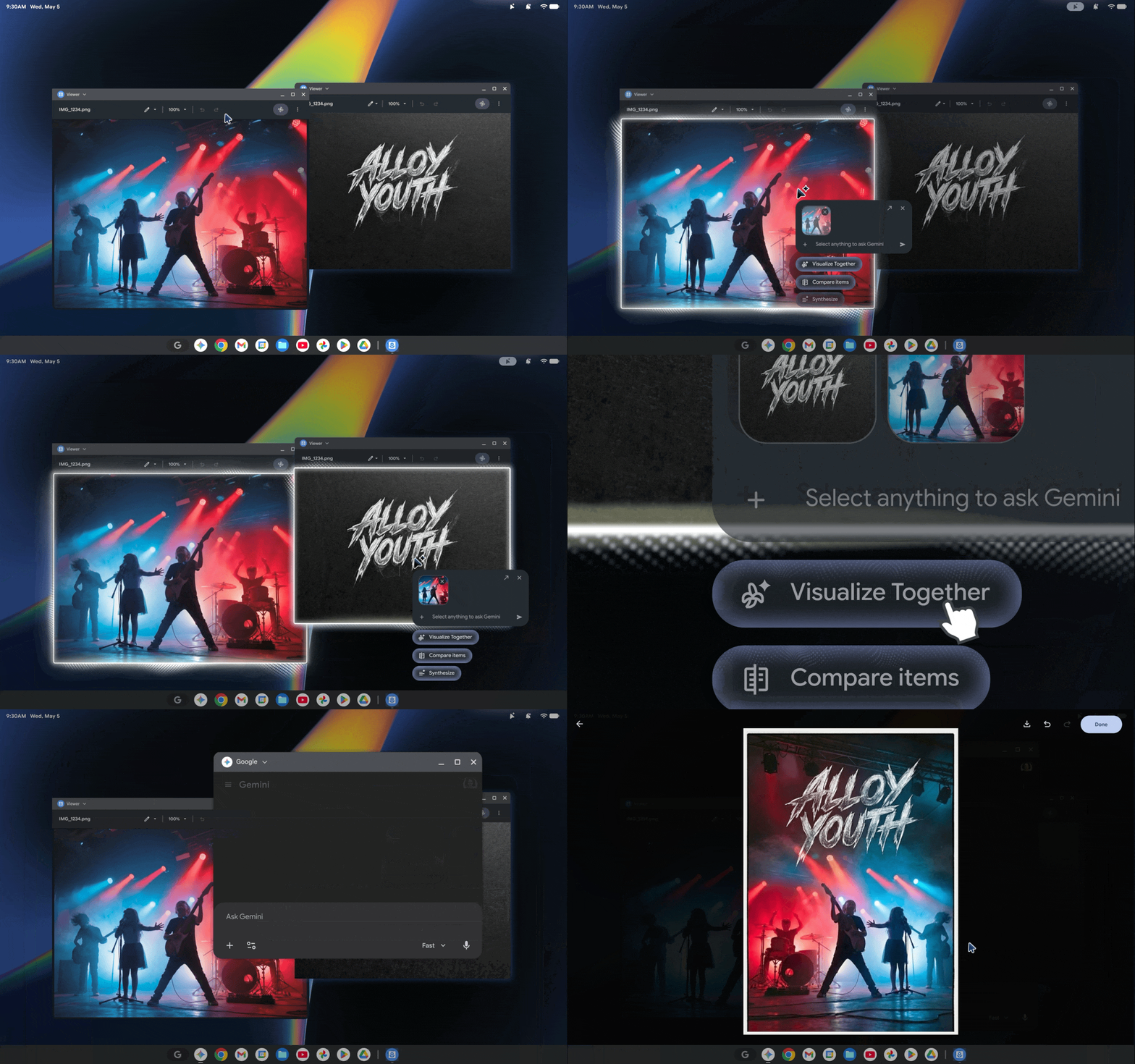
The defining feature of the Googlebook is the Magic Pointer, where you can easily get contextual information from Gemini just by wiggling your cursor at whatever you're browsing. This is what Google says when it's talking about Gemini Intelligence being integral to the Googlebook, and I'm very excited to see how it holds up in daily use.
Chromebooks have dominated classrooms over the last decade, and it is a bold bet by Google to switch things up with the Googlebook. The high-end hardware combined with tight-knit integration with Gemini is interesting, but Google is going up against a well-established Windows ecosystem and MacBooks. I guess we’ll have to wait and see where the initial batch of Googlebooks slot in; that will give us a good idea as to what Google is planning to get out of its latest product category.
I’ve (Derrek Lee) been using the base Pixel 10 for about a year, and it’s quite a step-up from the Pixel 9. The cameras are phenomenal, and I love the Qi2 support since it doesn’t force me to put a case on this already thick phone.
I’m curious how the Pixel 11 will upgrade the base Pixel experience, perhaps with more base storage and faster charging?
It would also be nice if Google made the Pixel 11 a bit thinner, perhaps by giving it a denser silicon-carbon battery… but I won’t get my hopes up.
(Image credit: Derrek Lee / Android Central)
I’m also excited to see what’s coming with the Pixel Watch 5. Based on Google’s teaser, it won’t look much different from the Pixel Watch 4, which has been one of my favorite smartwatches in the past year. However, early rumors suggest there also won’t be a change in chipset, while more recent rumors suggest it’ll feature an “Accelerated” version of the Snapdragon W5 Gen 2. It’s a bummer that it may not feature the premium “Snapdragon Wear Elite” found in the new Galaxy Watch 9 and Ultra 2, but last year’s chip was no slouch, and it’s likely this is to help keep costs down while providing more AI capabilities.
Speaking of keeping costs down, it looks like even Google won’t be able to avoid the inevitable price increase with the Pixel Watch 5. One rumor points to Google increasing the base price by $50, bringing it to a starting price of $399 for the 41mm variant. Would you pay that much for a smartwatch?
One change I’m hoping to see with the Pixel Watch 5 is an upgrade to the fitness tracking. Garmin is my go-to for fitness because it can set detailed workout routines and track reps and sets. As someone who frequents the gym and lifts weights, this is incredibly useful to me, and the reason why I switch out my Pixel Watch for the Garmin Venu 4 when I work out. If the Pixel Watch 5 can get this right, I can probably just stick to one smartwatch going forward. That said, I won’t get my hopes up.
While Derrek might be disappointed in the rumor that the Pixel Watch 5 isn't going to use the new Snapdragon Wear Elite chipset, I'm actually quite happy to hear this news. I've (Nick Sutrich) been using the Galaxy Watch Ultra 2 for the past two weeks, which uses that new Snapdragon Wear Elite chipset, and the battery life is comparatively awful compared to any other recent Snapdragon Wear chip I've gotten my hands on.
The W5 series, by comparison, seems to have a much better performance efficiency balance than Qualcomm's newest supercharged chip. Considering all the Pixel Watch models powered by Snapdragon still feel snappy to this day, I'd much rather stick with this more efficient chipset line than something that's unnecessarily more powerful.
And before I move on from the Pixel Watch 5 rumors, I'm also quite stoked about the rumored changes to fitness tracking. One of the reasons I've stopped using Wear OS entirely is because fitness tracking on the platform is extremely lacking when compared to brands like Amazfit, Garmin, and Coros. Seeing as how I only use smartwatches for fitness tracking these days, this is a key feature for me.
I'm probably echoing Derrek's sentiments too much from earlier, but the point is that I know Wear OS can do so much better than it currently does, especially with the powerful chipsets inside and the excellent software Google has been building over the past few years since the big Wear OS reboot.
On to the Pixel 11 series, I'm tentatively looking forward to the new displays Google will inevitably use in these phones, but not for the same reason as many other people. We're not expecting any revolutionary changes here, likely just another bump in brightness for all four rumored models, but I am hoping that Google enhances its "sensitive eyes" feature that launched with the Pixel 10.
If you're not aware, the Pixel 10's display accessibility feature doubled the PWM dimming rate, but those numbers weren't high enough to fix these painful displays for people sensitive to flicker. Instead, Google will need to increase that rate by at least 10x (something most smartphone companies have done at this point), or disable PWM dimming entirely (as Motorola and Honor offer), to make its OLED displays comfortable for this group of folks. Here's hoping!
Remember the glowing light bar Google teased on Googlebook earlier this year? Well, it now looks like it's officially coming to the Pixel 11 series, and it may be called HiLight. According to the leaks, it'll light up when you're interacting with Gemini and will even change colors dynamically, making it feel like a modern version of the old Android notification LED. I just hope Google lets us customize it. Imagine assigning different colors to different contacts, so you'd know who's calling or messaging even when your Pixel is face down.
It also looks like Pixel Glow, or HiLight, won't be available across the entire Pixel 11 lineup. According to the latest leaks, the feature will be exclusive to the Pro models. In fact, Google is reportedly redesigning the camera housing on the Pixel 11 Pro Fold to make room for the new LED. It'll be interesting to see whether this becomes a long-term Pixel design language, much like the camera bar did a few years ago.
One leak I wasn't expecting is that the standard Pixel 11 might lose its telephoto camera. Google only added a telephoto lens to the base Pixel last year with the Pixel 10, but now there are reports suggesting it's going away again, possibly to help keep costs under control. Instead, the Pixel 11 is said to ship with just a 48MP main camera and a 13MP ultrawide. If that's true, it'll actually be a downgrade from the Pixel 10.
Speaking of cameras, one upgrade I'm actually looking forward to is the touted 120x Pro Zoom on the Pixel 11 Pro. Google already does a great job with computational photography, and while the phone still uses a relatively modest telephoto camera, AI does a lot of the heavy lifting. It'll be interesting to see whether Google can make 120x zoom genuinely useful, or whether it's just another big number for the spec sheet.
Another feature we've been hearing about for months now is finally expected to arrive with the Pixel 11 series: Night Sight Video. Google is reportedly bringing Ultra Low Light Video to the lineup, allowing users to record much brighter videos in extremely dark conditions. If it ends up being anything like what Night Sight did for phone photography all those years ago, this could easily become one of the biggest camera upgrades on the Pixel 11.
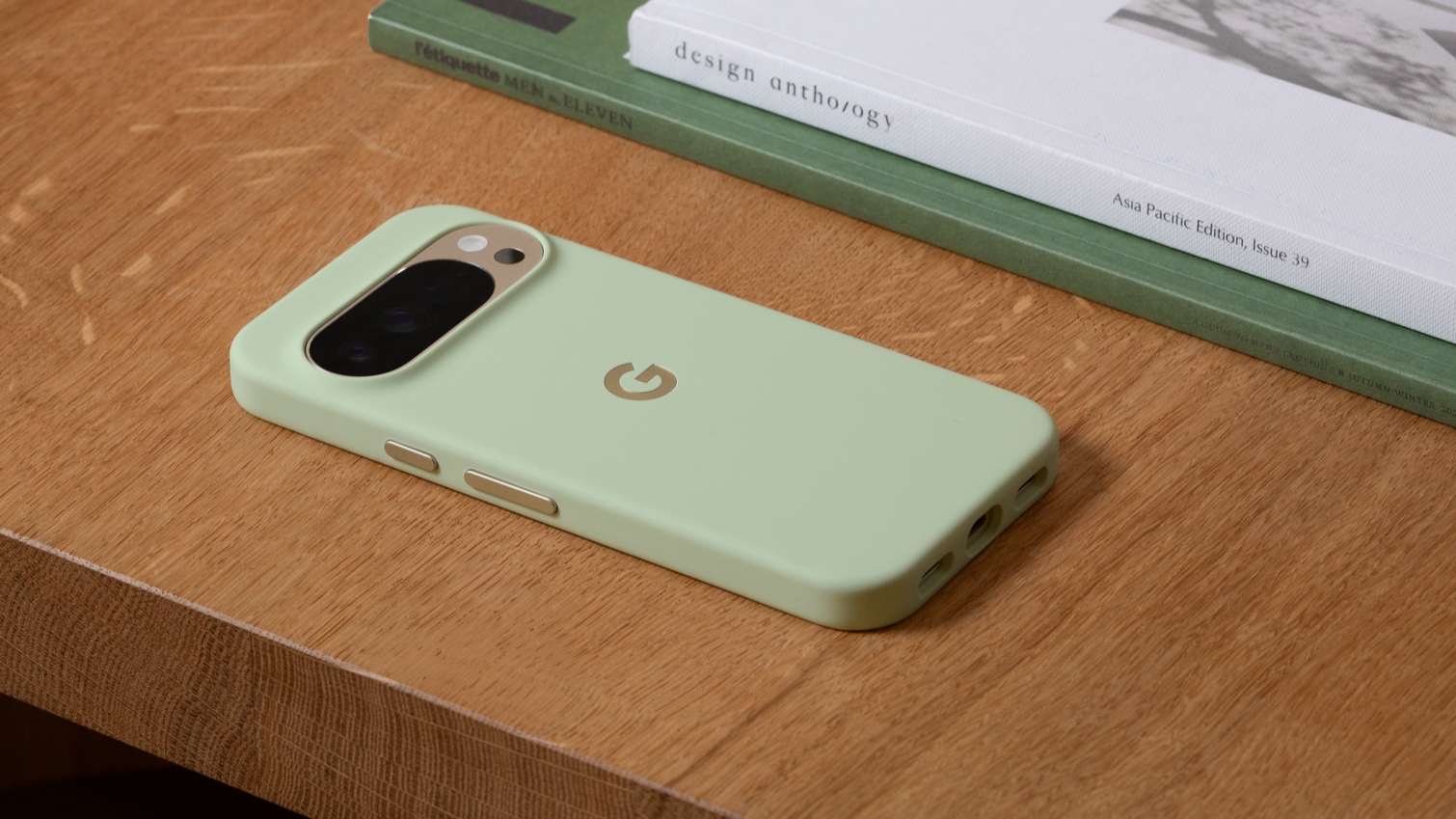
Thinborne makes some pretty nice phone cases and, in typical fashion, it showcased a set of Pixel 11 casesway earlier than you’d usually expect. We had no clue where to turn with these, but one thing was significant: the cases had a wider camera bar cutout. You remember all those “Pixel Glow” talks, right? Things might not play out how we think.
If there’s one thing I’ve always wanted more of is Google’s in-house chip, the Tensor. I don’t mean that in the greatest of ways. What I mean is it’s lacking. Google hasn’t had the best track record with Tensor. Some Tensor G6 rumors (Pixel 11’s chip) said Google would chase a 2nm process. This would, in theory, improve its performance. How much? We’re not sure. You also can’t leave out Google’s AI; however, user health could take a few steps forward with this chip, too.
While some Tensor G6 leaks for the Pixel 11 seemed positive, others brought us back down to Earth. What was weird (and incredibly important to me) is what was said about the chip’s GPU. Some claim the Tensor G6 could feature a “very old” GPU. The Pixel series hasn’t been the “greatest” for games. They do good, yes, of course. But rumors say the Pixel 11 might not perform any better than the Pixel 10 in this department (and I’m sad).
On a more techie side, leaks say the Tensor G6 could bring MediaTek’s modem into the fold, not Samsung’s. Reports mentioned MediaTek’s M90 modem, specifically, which could offer 12Gbps speeds, dual-active 5G, and more. It’s not a lightweight modem by any means, and that might help the Pixel 11 stand taller. It would give consumers a crisp, smooth experience with their mobile data.
Another interesting tidbit around the Tensor G6 is that it may be built on a 2nm node. This could give Google an advantage when it comes to efficiency, as a node shift from the existing 3nm to 2nm will ensure the same cores don't consume as much power to do the same tasks. With Qualcomm and MediaTek still on 3nm and not likely to switch to designs based on 2nm until next year, this is an area where Google could lead things on Android.
The main thing I want to see in the Tensor G6 is better gaming potential. The Pixel 10 Pro XL did a better job at this last year, but the Tensor G5-based phone still had a tendency to overheat in sustained gaming sessions, and Google needs to address that with the Pixel 11 models. While Google says that it prioritizes the AI side of things and tailors hardware to suit its Gemini models, there's no getting around the fact that these are high-end phones, and they need to measure up in all areas.
That said, I am keen on seeing how the Tensor G6 holds up against its Qualcomm and MediaTek rivals. Google needs to show this year that it can deliver a platform that's at the same level. Thermal management is going to be a key area of focus as brands increasingly rely on local AI models, and this will be interesting to test on the Tensor G6 and its 2nm node.
Another thing to keep an eye on is battery life. Chinese manufacturers have made considerable strides in this regard in the last two years — mostly by adding huge silicon-carbon batteries — and it will be interesting to see how Google delivers better battery life this generation. We haven't gotten much in the way of information around this, but the few leaks point to Google going with a smaller battery in the Pixel 11 Pro XL. That sounds counterintuitive, but we will need to wait and see what Google does.
Talking about batteries, we'll have to see if Google also switches to silicon-carbon tech. Samsung started using the tech in its latest foldables; that's the main reason why the Galaxy Z Fold 8 Ultra has a bigger battery while being thinner and lighter than its predecessor. The Pixel 11 Pro Fold could do with a thinner and lighter design, but will Google use silicon-carbon batteries or something else? We'll know tomorrow.
While a lighter design would be good, I want to see a lighter battery on the Pixel 11 Pro Fold. My Pixel 10 Pro Fold doesn't quite manage to last an entire day, and this isn't generally a problem on any other foldable I use. The Find N6, on the other hand, lasts well over a day consistently. I'm optimistic that Google will figure out a way to boost battery life with the 11 Pro Fold, but I'm going to wait until I actually get my hands on the foldable before I make up my mind.
Did you know that someone apparently found a Pixel Watch 5 at the bottom of the ocean as far back as May? Someone posted photos of the device online, saying their friend found it while scuba diving in St. Martin. It’s kind of funny to think that a Google employee lost their Pixel Watch 5 prototype while on vacation, and it reminds us of how someone found the original Pixel Watch at a restaurant, sharing photos of the device exclusively with Android Central ahead of Google’s official announcement.
Do you use LTE on your smartwatch? I did, but I found it pretty useless. I ask because while the Bluetooth 41mm Pixel Watch 5 is expected to start at a whopping $399, the base LTE variant is expected to receive a bigger price increase to… wait for it… $499! That’s approaching Garmin Venu 4 territory, so Google had better make a pretty compelling case for the Pixel Watch 5.
(Image credit: Michael Hicks / Android Central)
In addition to the Pixel Watch 5, we’re also hearing rumors of a Pixel Tag. This is expected to be a Bluetooth tracker, similar to the Apple AirTag, although seemingly with a very different design. I’m not sure how I feel about it, and honestly think it looks kind of ugly from the leaked image. I feel it would’ve been better to copy Motorola and adopt a similar shape to the AirTag so its accessories could be reused, but Google’s gotta make money somehow, I guess.
There's very little chance that we'll see a major design change to the Pixel 11 Pro Fold this year, but I can certainly dream of a wide version of the phone. This could be similar to what Samsung did with its Galaxy Z Fold 8 series this year, where or launched an Ultra model with the more standard tall book-style foldable design, in addition to a new smaller, wider non-Ultra model. Based on preorders, this was the right move to make.
I was frustrated with Google when the company abandoned the original Pixel Fold's shorter, wider design language and, instead, opted for a more generic design. While I don't see that changing this year, it would be the perfect answer to the missing smaller Google flip-style foldable.
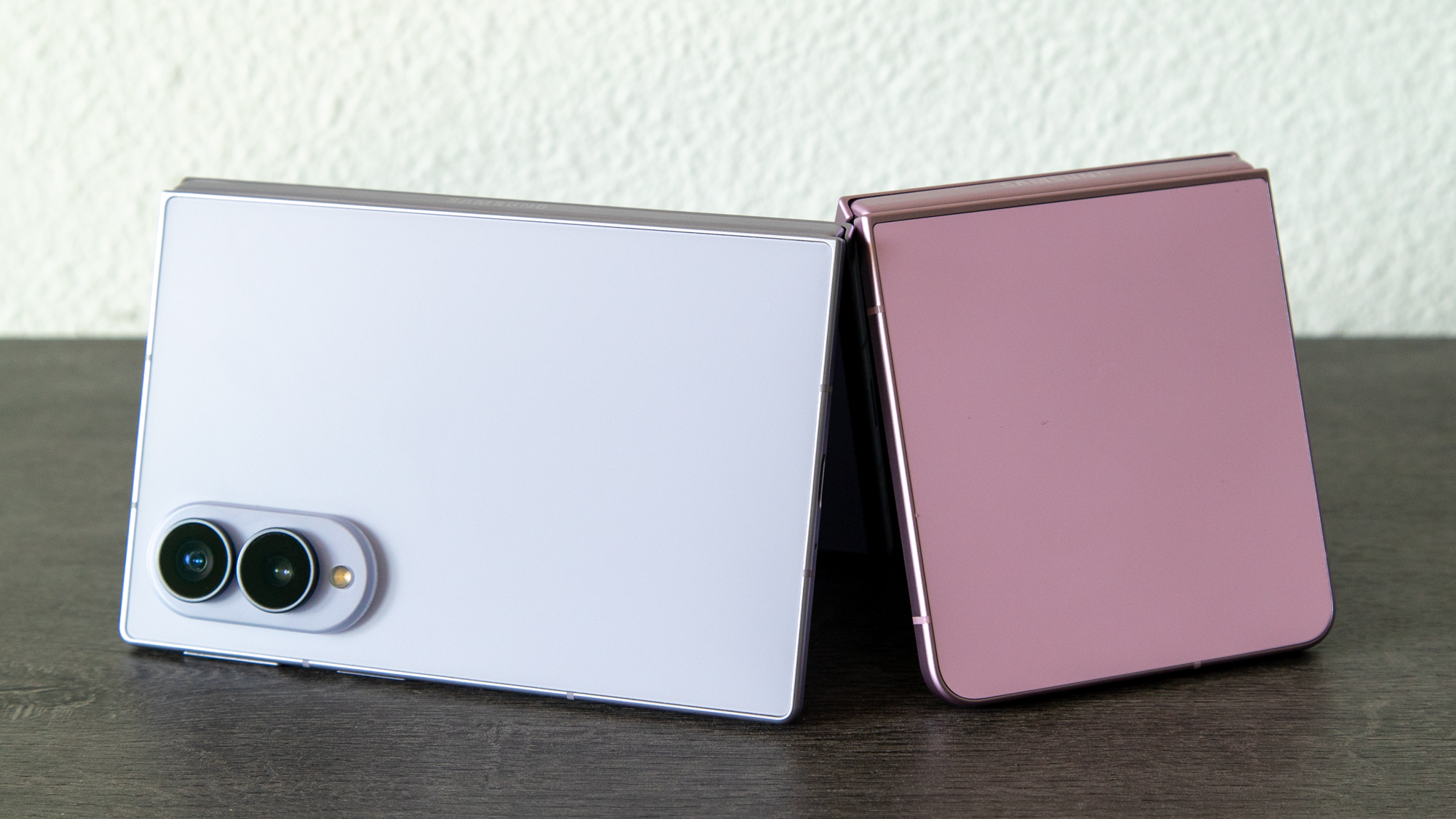
The Galaxy Z Fold 8 surprised me. As someone who has not been a big fan of book-style foldables and generally prefers flip phones, the Galaxy Z Fold 8 seems to flip everything on its head. In fact, given its small stature, it sits somewhere in the Goldilocks zone between both types of foldables.
I think this is why I like the Galaxy Z Fold 8 so much. I was ready to dismiss the new design when I saw leaks of the phone, but as soon as I put it in my hand, something clicked, and in my two weeks of testing, the phone has been a joy to use. Between the pocketability, the performance, and the price, the Galaxy Z Fold 8 might be the ideal foldable phone for most buyers, although you'll have to deal with a few compromises.
It's a little strange that Samsung popularized the current foldable design, only to shift to a form factor that few others have tried and abandoned. That said, Samsung's iteration seems to take the design a bit further by incorporating a shorter chassis and wider displays.
The result is a phone that feels admittedly very different from what we're used to, especially following the advent of taller smartphone displays. But holding the phone sort of puts the whole thing into perspective; it's thin and light, and nearly the entire phone fits in the palm of my hand. That's important for reachability, something that taller smartphones seem to have forgotten is still important.
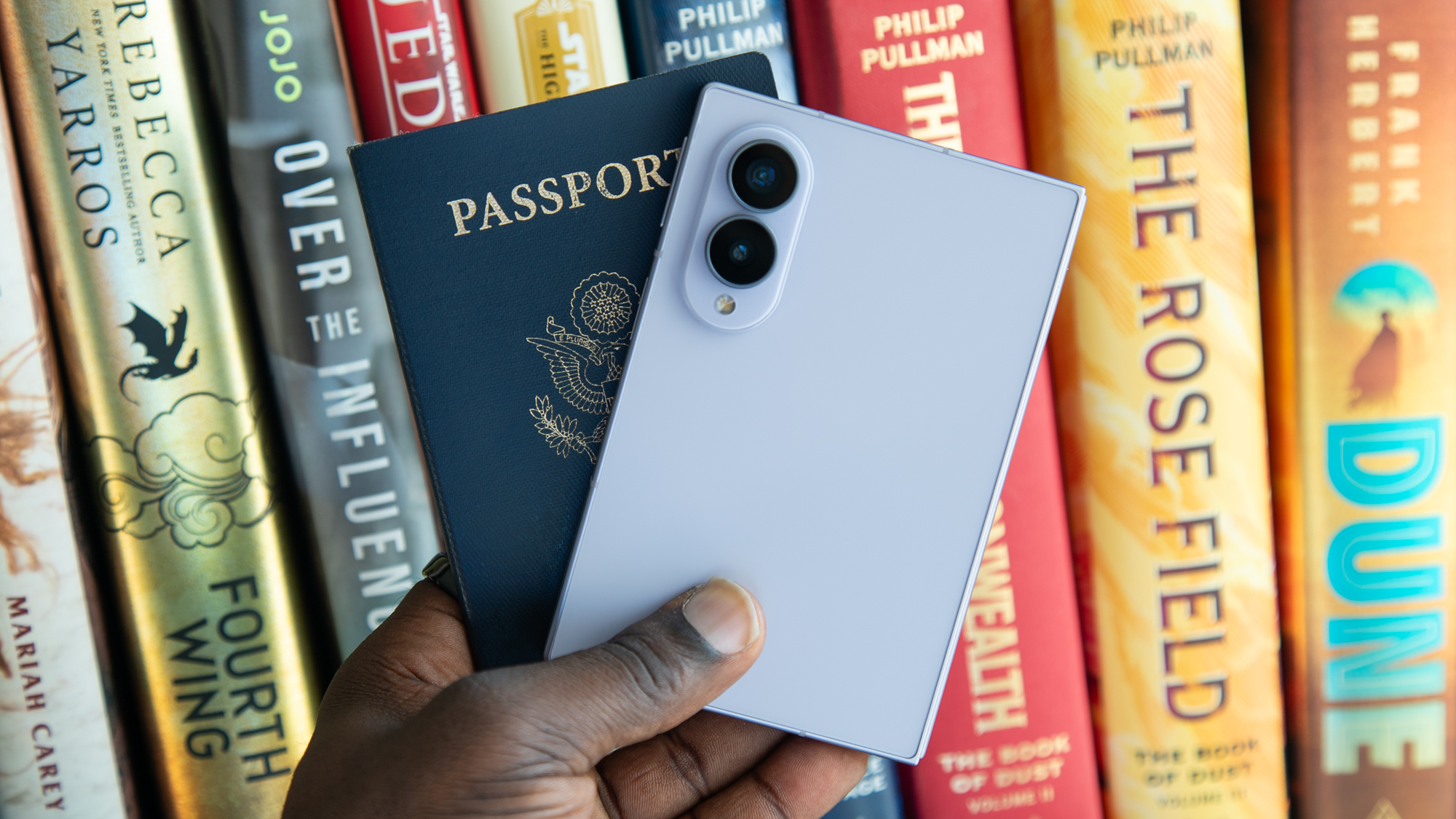
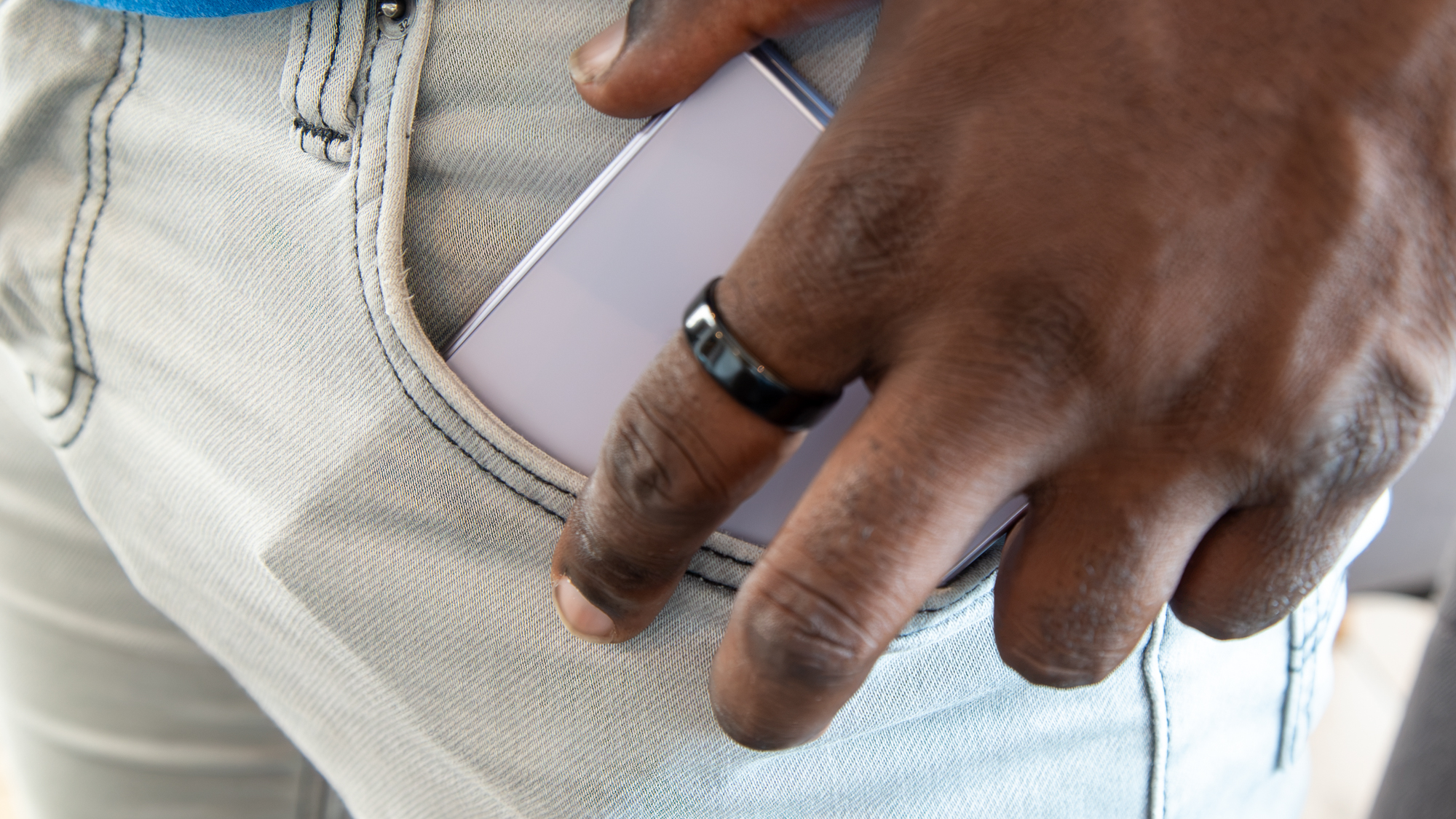
It's literally the size of my passport, and it fits in my pocket better than any other smartphone I've used in recent years, including flip phones like the Motorola Razr Ultra.
Derrek Lee / Android CentralDerrek Lee / Android CentralDerrek Lee / Android CentralDerrek Lee / Android Central
Part of my original concern was how apps would scale to this odd 16:10 aspect ratio on the external display, and my concerns were mostly unfounded, although not completely.
Vertical videos are still watchable on the external display, and while the minimum black bars on the sides may annoy some, I don't mind them. I actually like that the app’s UI elements are pushed away from the video. Watching longer-form videos like movies, TV shows, and YouTube also feels pretty natural on the external display.
Derrek Lee / Android CentralDerrek Lee / Android CentralDerrek Lee / Android Central
The downside of having such a short, wide external display is that app content is a bit condensed, and there are times when I find myself scrolling more than I normally would because of the lack of vertical real estate.
This can be addressed somewhat when you open the Galaxy Z Fold 8 to reveal the surprisingly seamless and tablet-like display.
(Image credit: Derrek Lee / Android Central)
The wider aspect ratio reminds me of how I felt when I first saw the Galaxy Z TriFold: this is exactly how a foldable phone should feel, like a phone when closed and a tablet when open. It also helps that the new Titanium Flex display makes for a barely noticeable crease. If Apple's been waiting to get rid of the crease for its eventual foldable, now is definitely the time.
Videos are also a joy to watch on the larger display, and there are fewer black bars on the top and bottom, at least compared to the Ultra.
Derrek Lee / Android CentralDerrek Lee / Android CentralDerrek Lee / Android CentralDerrek Lee / Android Central
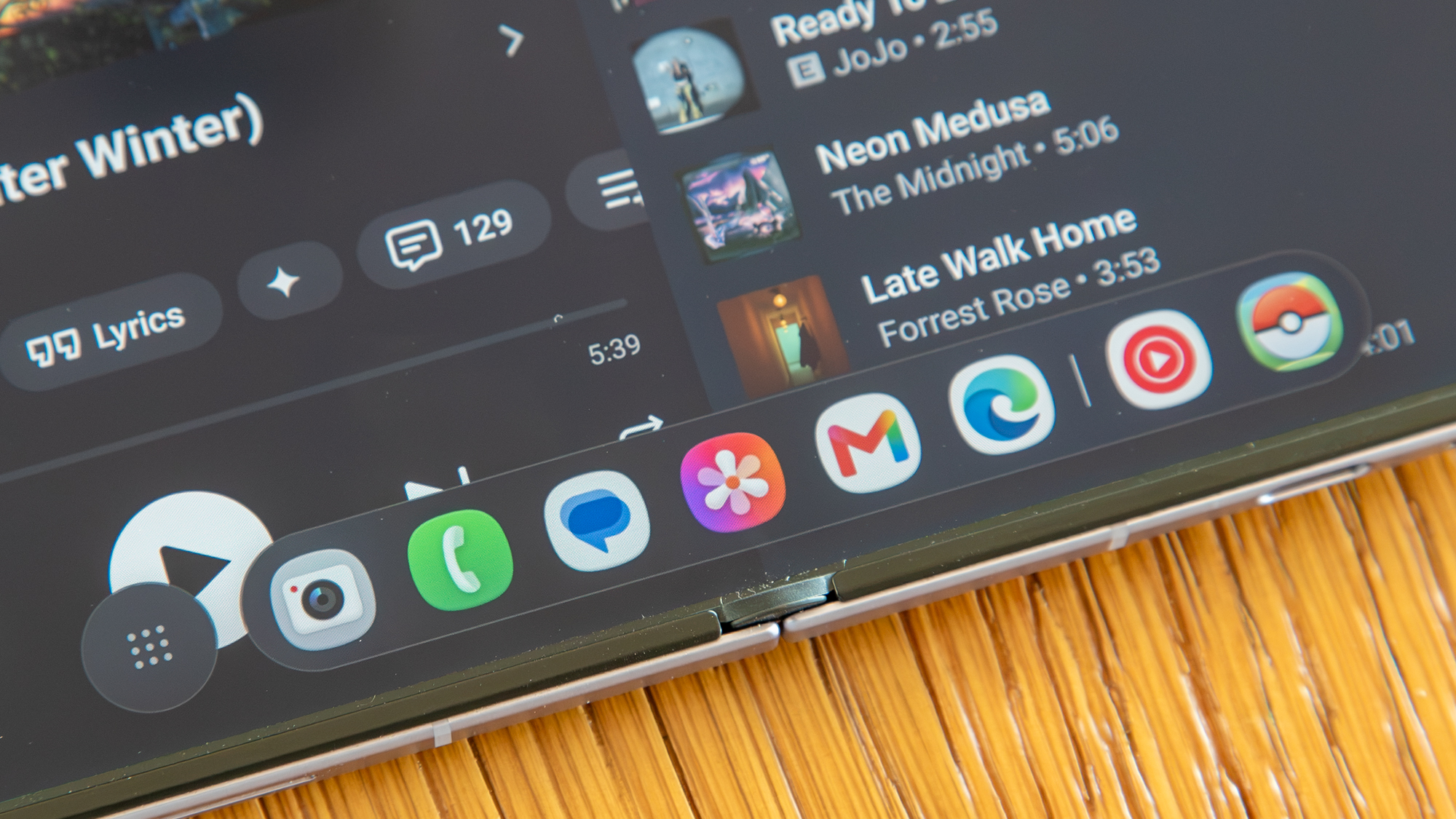
The Galaxy Z Fold 8 also acts like a tablet when it's open. That means apps like Gmail, YouTube Music, and Chrome open in tablet mode, and you can pull up a taskbar of apps at the bottom from just about any screen.
Oddly enough, there's no support for the Flex Mode panel, which is on both the Fold 8 Ultra and Flip 8. That's because the hinge can't really be freely adjusted to stay at different angles, especially beyond 90 degrees. It's a bit of a missed opportunity for viewing content.
But the wider display means better multitasking. One thing I love about the Galaxy Z Fold 8 is that you can use three apps side by side, instead of having one app take up a full side and two apps split in half on the other. And of course you can drag and drop content between apps and resize them to your liking.
Derrek Lee / Android CentralDerrek Lee / Android CentralDerrek Lee / Android Central
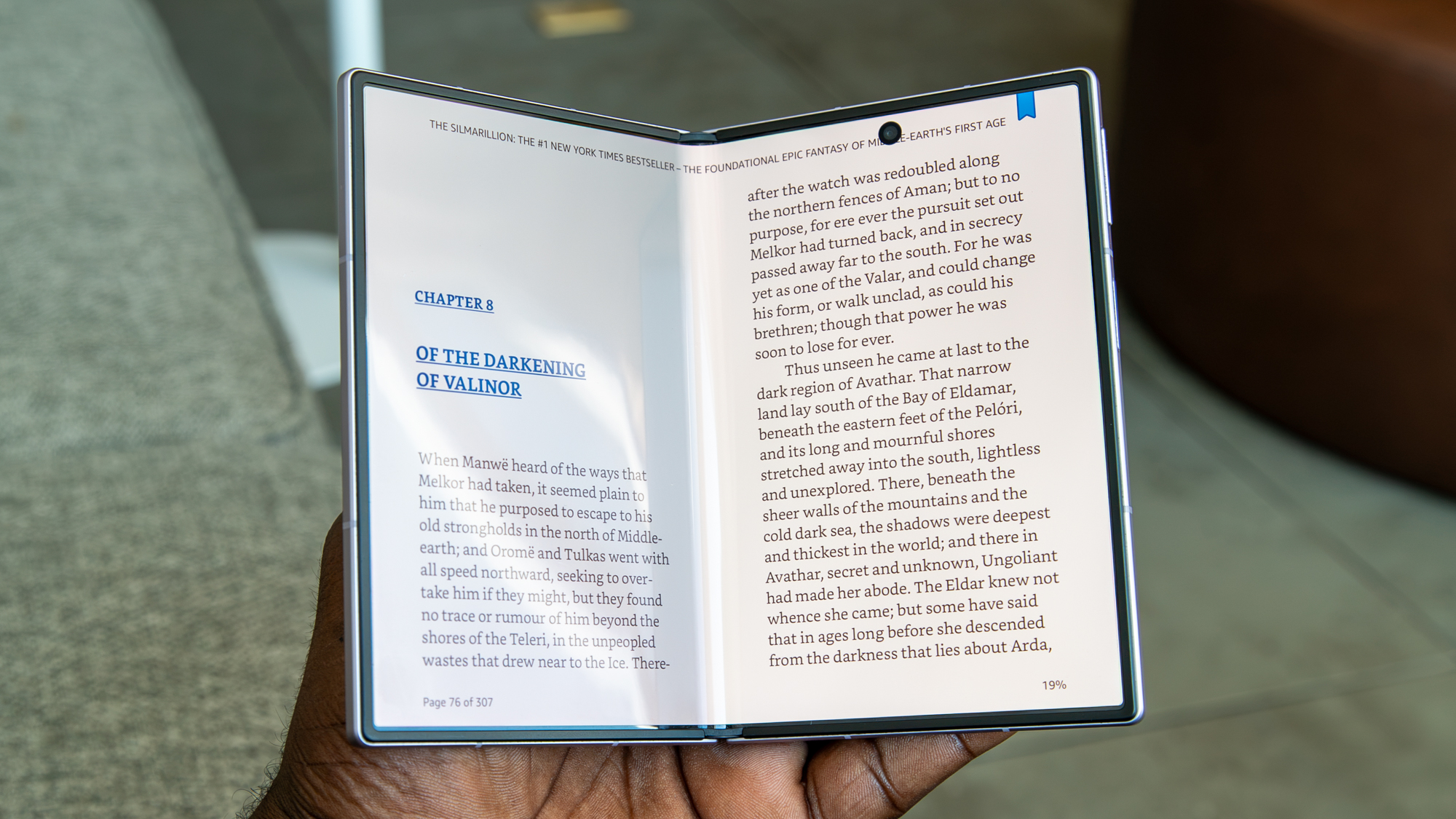
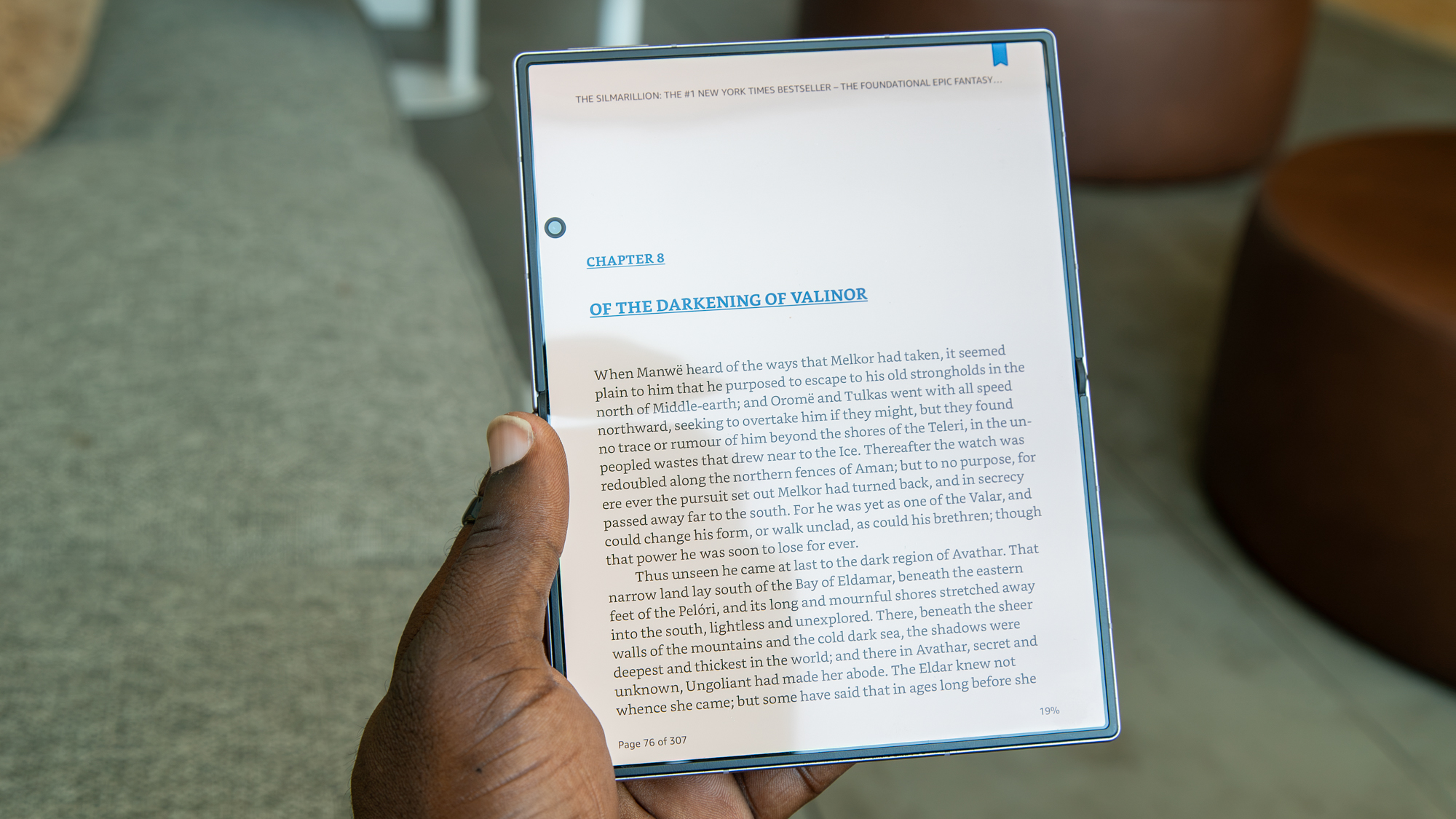
Another benefit the Galaxy Z Fold 8 has over the more square Ultra is that the wider display gives you more options for app layouts. Sure, I can use apps like Instagram or read ebooks in a horizontal orientation, but I can turn the phone and use the app vertically so that certain content fits the screen better.
Derrek Lee / Android CentralDerrek Lee / Android CentralDerrek Lee / Android Central
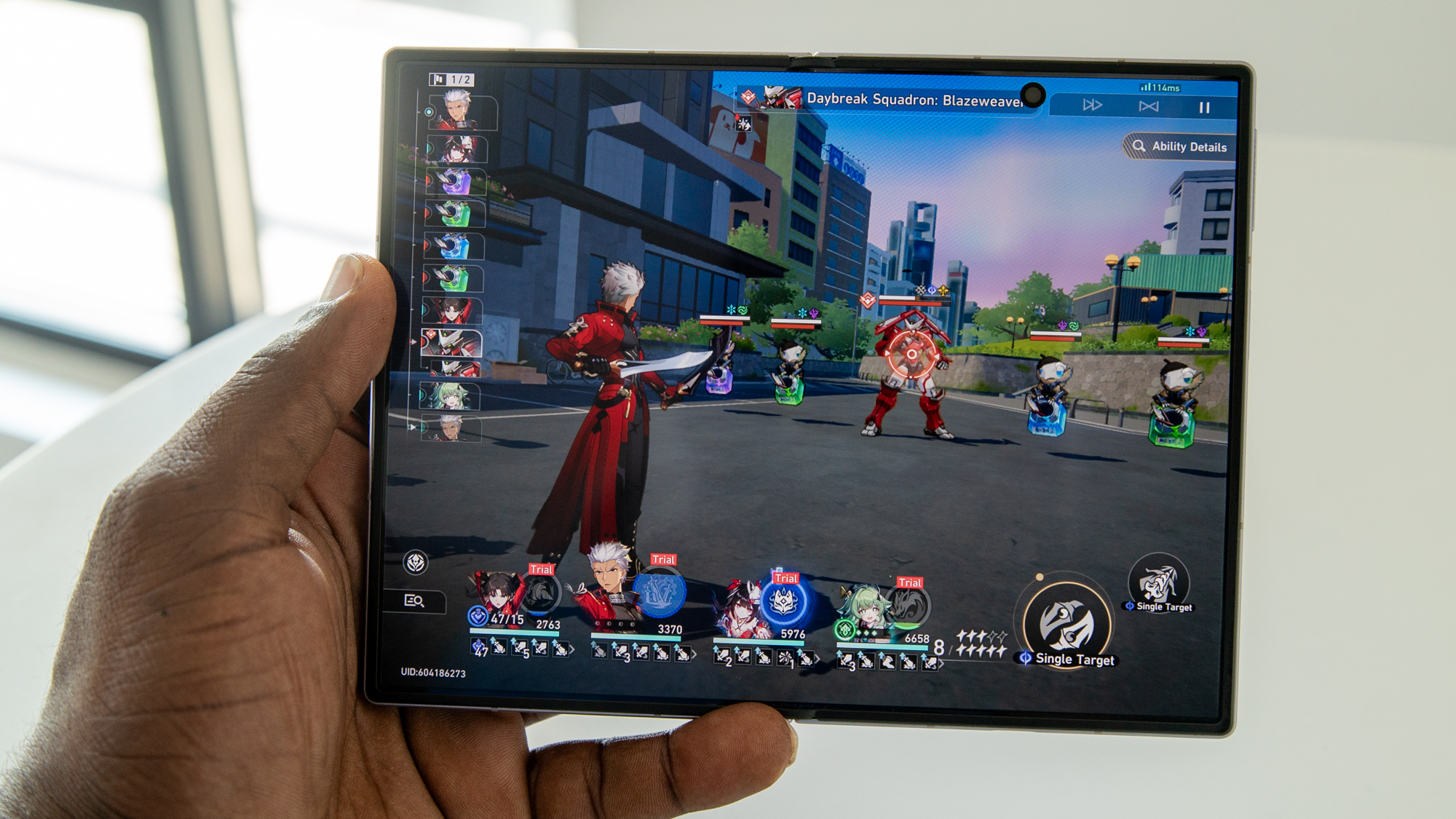
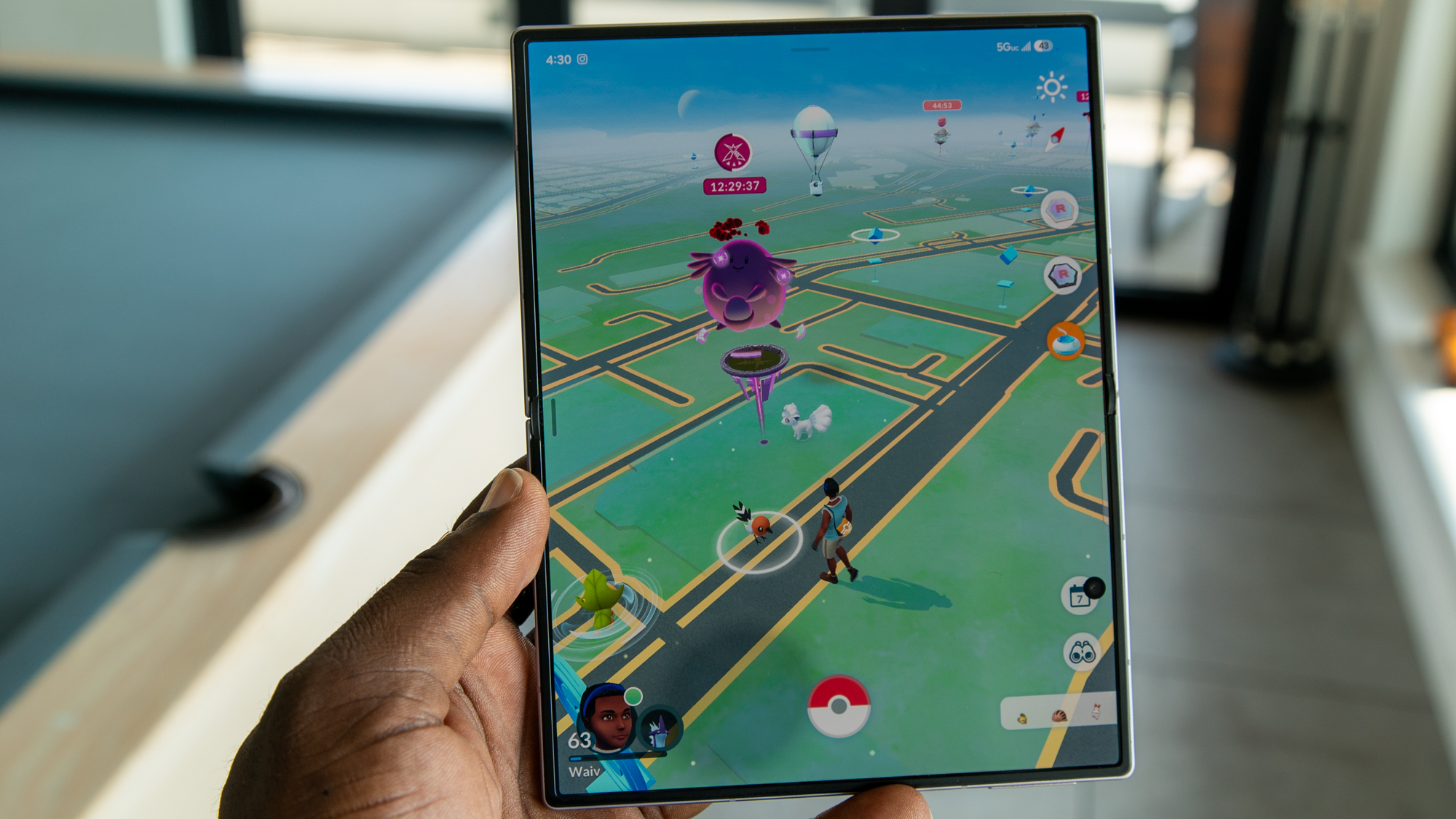
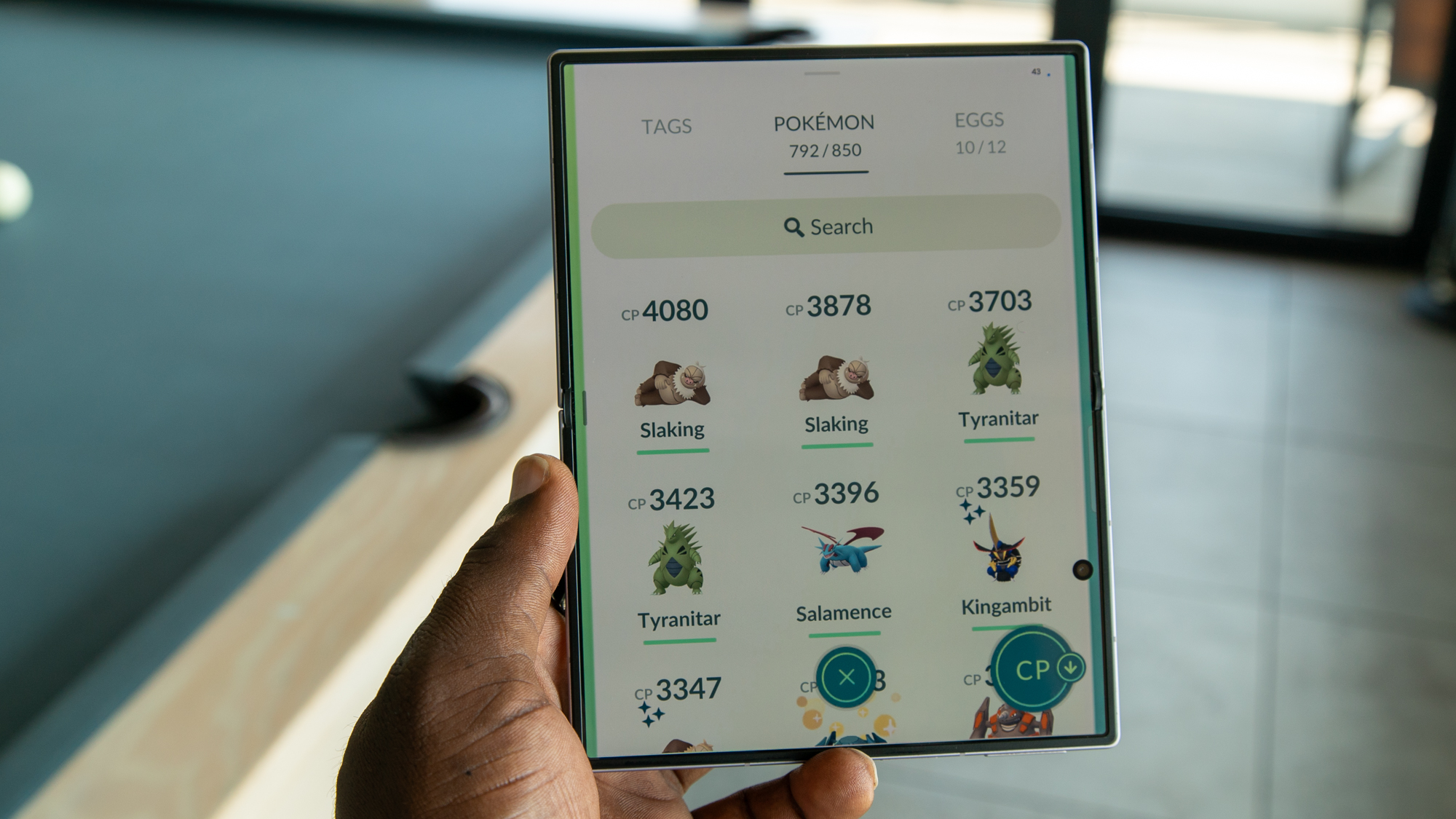
Of course, not all apps will scale very well on either display. That mostly goes for games, and while some like Honkai: Star Rail look just fine on either panel, Pokémon Go doesn't look very good on the inner display. Scaling is very awkward for this game and for a lot of other vertically oriented games as well, and you're like I'm going to have to fiddle around with the scaling options to find a fit that works for you.
Derrek Lee / Android CentralDerrek Lee / Android CentralDerrek Lee / Android Central
The Snapdragon 8 Elite Gen 5 for Galaxy and base 12GB of RAM help the Fold 8 perform just as well as you'd expect, with no hiccups. That said, I notice that the phone gets pretty warm, mostly when gaming, and I imagine it's due to the phone's small stature.
The small chassis also means there's not much room for a huge battery. The 4,800mAh battery should get you through most of the day, although now that Samsung is using silicone carbon batteries, I feel that the company could have squeezed in its larger-capacity unit. After all, the smaller Razr Ultra 2026 squeezed in a 5,000mAh battery with much faster charging.
(Image credit: Derrek Lee / Android Central)
There are plenty of AI features scattered throughout One UI 9, although admittedly they're the least interesting thing about the Galaxy Z Fold 8. If you can stand using Samsung Keyboard, which is still pretty bad, you'll get access to many of Samsung's Galaxy AI features like writing tools, translation, and Gemini Intelligence.
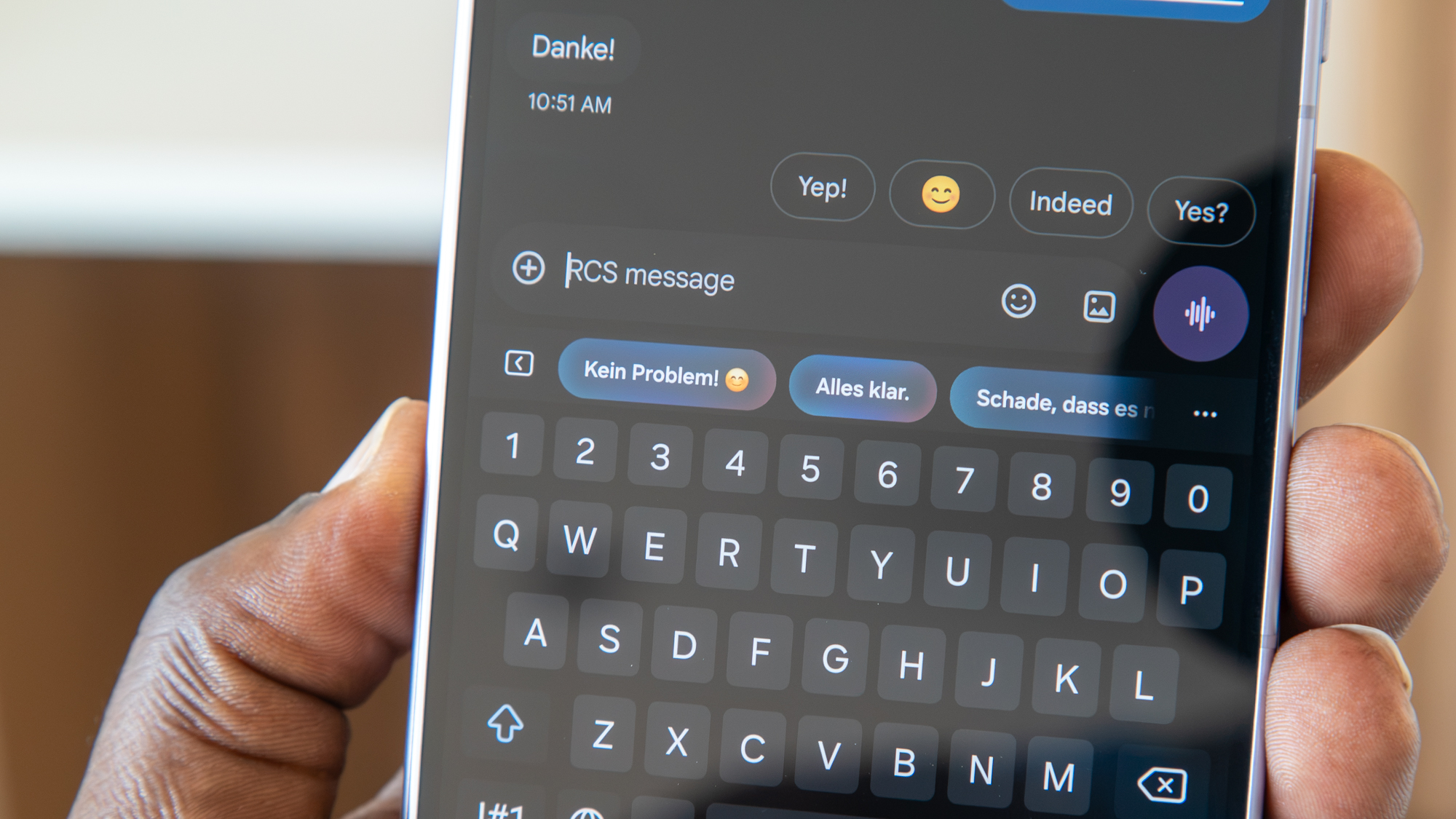
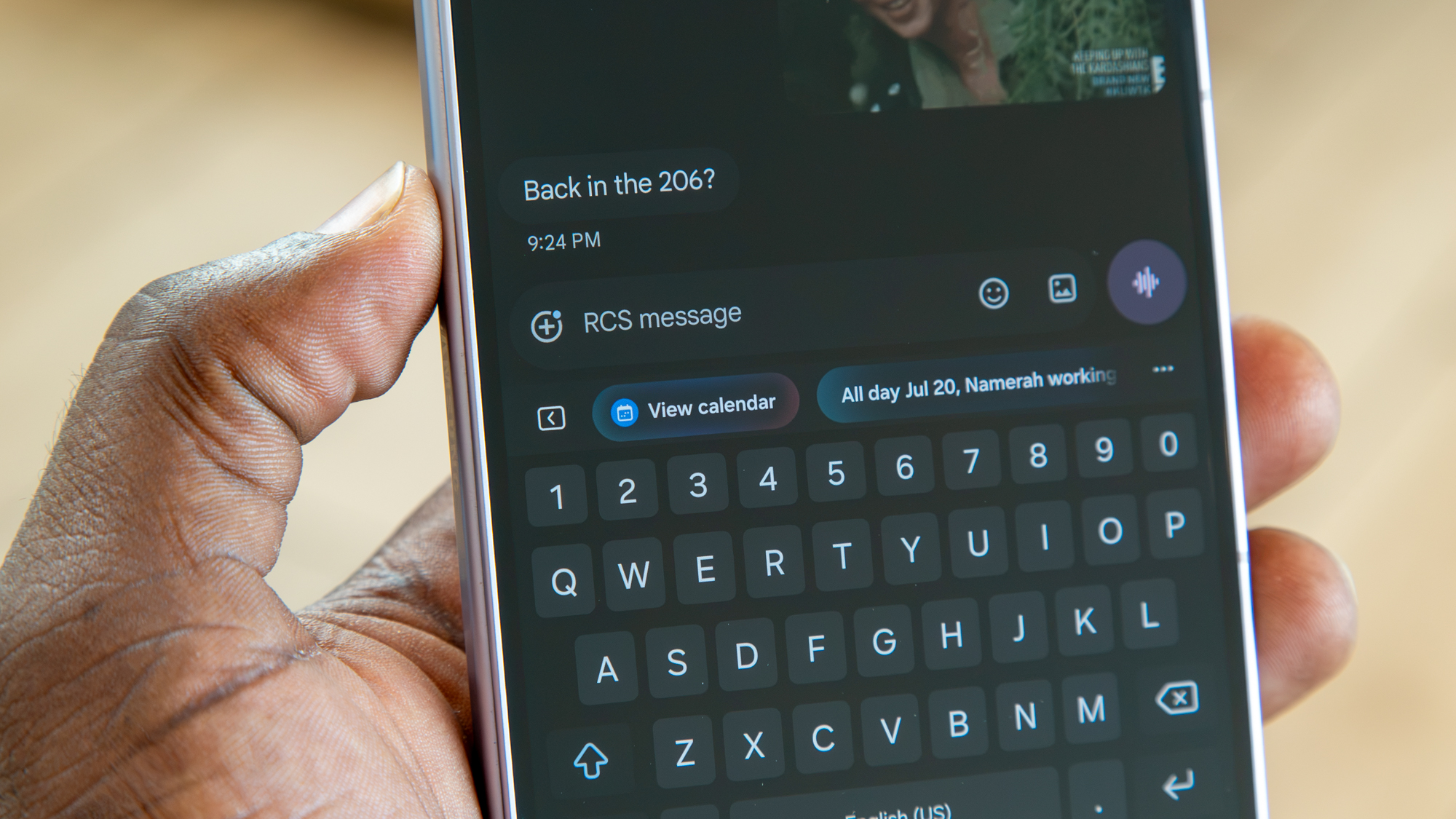
When I receive a message, for instance, the AI will suggest responses based on the conversation, and even gave me prompts in German when a friend of mine texted “Danke," which I found pretty fun. It also suggests certain actions, like opening my calendar when my friend asked if I was back in town after a long trip, or sending my location when another friend asked how my trip was going.
And of course, with Gemini intelligence, you can have it perform actions on your behalf, and it supports even more apps than before.
Derrek Lee / Android CentralDerrek Lee / Android CentralDerrek Lee / Android CentralDerrek Lee / Android Central
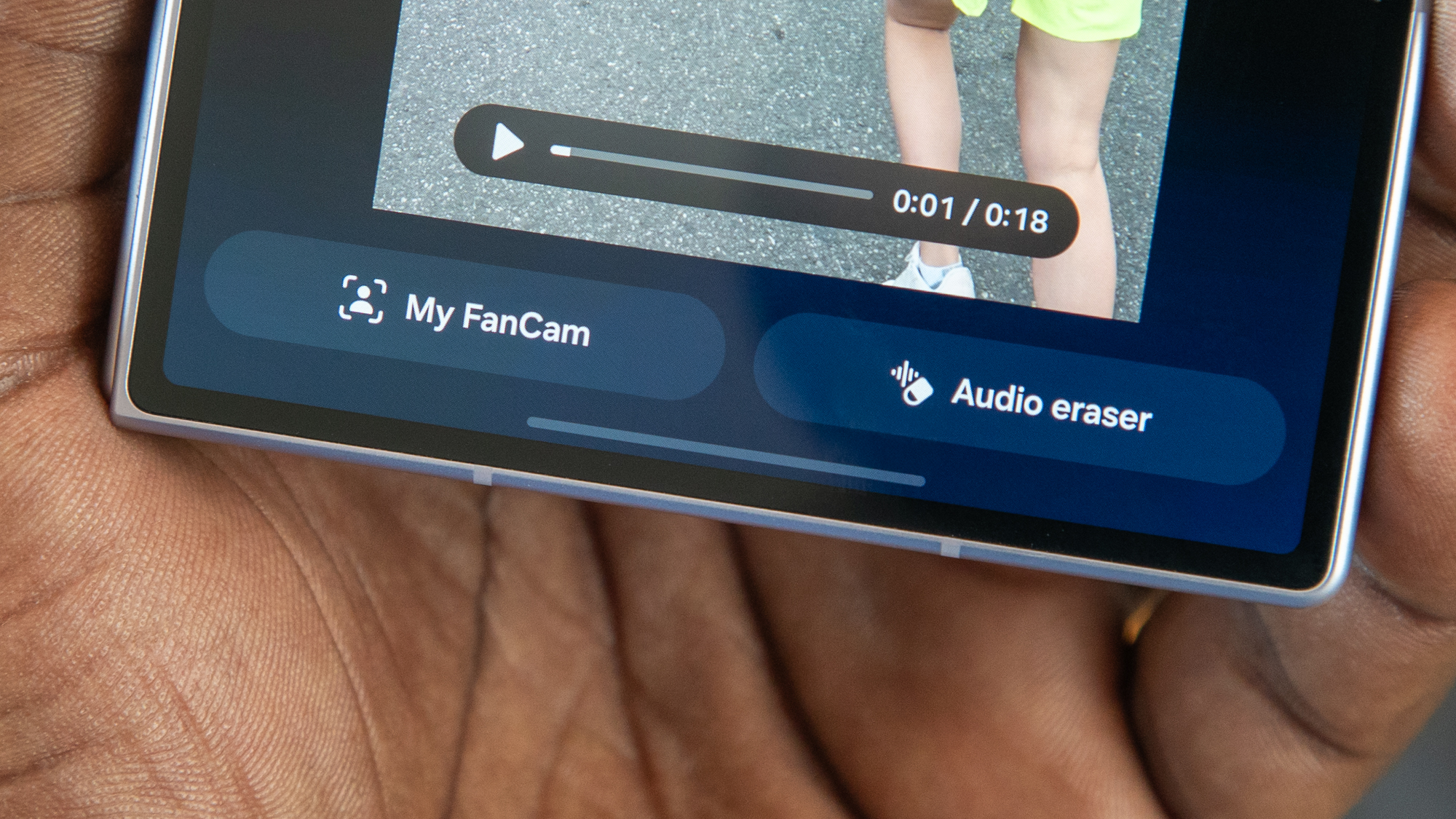
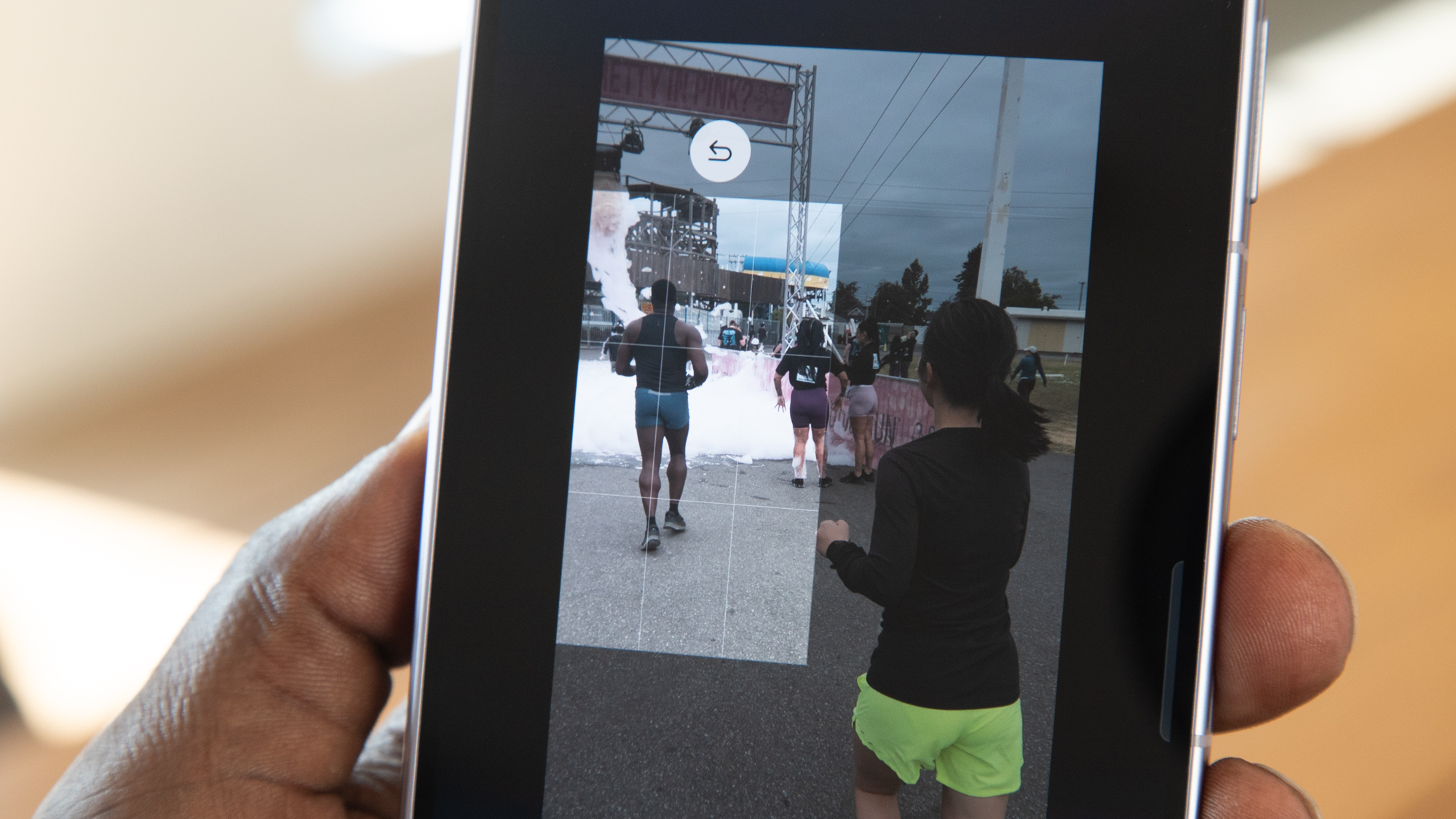
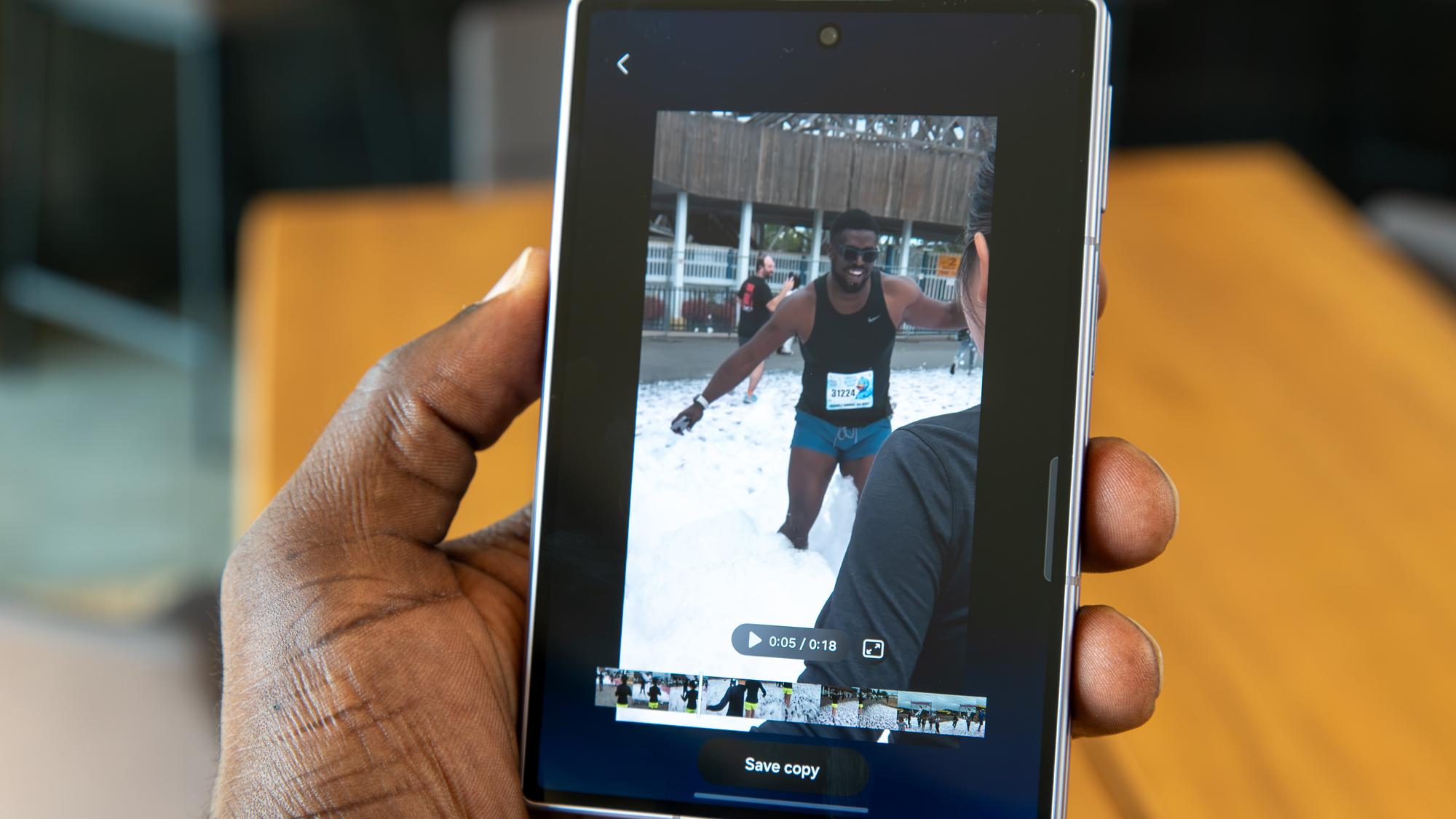
One of the highlight features on the Galaxy Z Fold 8 is My FanCam, which can pinpoint a person in a video and focus on them, allowing you to crop out the rest of the video so that it's social media-ready. It's actually quite ingenious, and the result is often better than I expect.
The phone does a good job keeping up with the subject, wherever they happen to be in the video, although the camera movements can be a bit wobbly when tracking subjects. Still, it saves me a ton of time having to edit the videos manually.
Derrek Lee / Android CentralDerrek Lee / Android CentralDerrek Lee / Android Central
As for the cameras, the dual 50MP sensors on the back can capture decent images, and you can see my Galaxy Z Fold 8 camera review/comparison for more on that. There is no telephoto sensor, which is also likely due to the phone's limited space. On the plus side, Samsung included new video capture features the creators will love, such as the ability to capture LOG video or add LUTs to give your videos a dramatic look.
This is one of the things I loved about using LG smartphones like the V30, so I'm glad to see it here.
Should you buy the Galaxy Z Fold 8?
(Image credit: Derrek Lee / Android Central)
Th writing has been on the wall for some time that the era of modern flip phones may be coming to an end. Samsung hasn't said anything about it, but reports have pointed to the rising popularity of book-style foldables, so much so that even Motorola has joined the party.
If there's one phone that I can see killing the flip phone and taking foldables truly mainstream, it's the Galaxy Z Fold 8. It may not have all the Ultra features of its sibling, but it brings much of that added utility of a larger foldable to a smaller, more pocketable, and much more affordable form factor. And it's a damn joy to use.
Qualcomm is making major strides in mobile processing by introducing custom Oryon cores in a smartphone processor. Now, the generational improvements have made their way across Qualcomm's chip portfolio — even to processors that don't bear the "Elite" branding.
This makes it tricky to compare the performance capabilities across smartphone models and chip generations. For instance, Motorola's new Razr Ultra 2026 is powered by the last-generation Snapdragon 8 Elite chip. By comparison, the Razr Fold runs on a newer Snapdragon 8 Gen 5 mobile platform, just the non-Elite version.
I wanted to see whether an older Elite chip or a newer "base" chip offered better performance, so I put the Razr Ultra 2026 and the Razr Fold through a six-text benchmark gauntlet. The results weren't what I expected.
How I tested the Razr flagships
(Image credit: Derrek Lee / Android Central)
I put the Motorola Razr Ultra 2026 and the Motorola Razr Fold through a series of six tests, each designed to gauge a specific aspect of device performance. To test CPU performance, which affects how snappy your device feels when opening apps and during basic use, I used both Geekbench 6 and Geekbench 7. For on-device AI testing, I ran Geekbench AI and its TensorFlow Lite framework. To see how the phones handled gaming and graphics-based tests, I ran 3DMark's Wild Life Extreme benchmark and stress test.
I ran each benchmark test three times, starting the next run immediately after the first one finished. This provides a clean average of the results that is more representative of real-world performance than a single run. Running the benchmark trials in quick succession hints at how the Razr Ultra 2026 and the Motorola Razr Fold handle sustained loads, and whether the phones experience major thermal throttling.
After completing three runs of each benchmark test, I allowed the phones to cool down before beginning the next test. This ensures the strain of former tests isn't impacting the performance of a current test.
CPU and AI benchmark performance
(Image credit: Brady Snyder / Android Central)
The Snapdragon 8 Elite chip inside the Razr Ultra 2026 features two prime CPU cores that can be clocked up to 4.32GHz, plus six more performance CPU cores that can reach 3.53GHz. Meanwhile, the Snapdragon 8 Gen 5 chip inside the Razr Fold is built on newer Oryon Gen 3 prime CPU cores, but they are only clocked at up to 3.8GHz. The processor's six performance CPU cores can hit up to 3.32GHz.
So, the older Elite chip offers higher clock speeds, and the base Snapdragon 8 Gen 5 chip has newer prime cores. Since the two chips have the same number of prime and performance CPU cores, the Razr Ultra 2026 and the Razr Fold's benchmark results should be in the same ballpark. Let's see how they turned out.
Geekbench 6 CPU benchmark results
Device/chip
Test 1
Test 2
Test 3
Average
Motorola Razr Fold (Snapdragon 8 Gen 5)
2,612 single-core / 8,809 multi-core
2,596 single-core / 8,480 multi-core
2,572 single-core / 8,388 multi-core
2,593 single-core / 8,559 multi-core
Motorola Razr Ultra 2026 (Snapdragon 8 Elite)
2,830 single-core / 8,372 multi-core
2,782 single-core / 8,261 multi-core
2,762 single-core / 8,170 multi-core
2,791 single-core / 8,268 multi-core
In Geekbench 6, the older Snapdragon 8 Elite chip consistently beat the newer base Snapdragon 8 Gen 5 processor by a few hundred points in single-core CPU performance. The Razr Fold averaged a 2,593 single-core score, whereas the Razr Ultra 2026 averaged a 2,791 single-core score. This kind of performance is what makes your phone feel fast when opening apps, loading webpages, or navigating the UI. Despite the Razr Ultra 2026's older chip and constrained form factor, the Elite processor still wins here.
As for multi-core performance, the Razr Fold manages to pull more out of the Snapdragon 8 Gen 5's eight CPU cores. The newer, base chip's best benchmark run resulted in a multi-core score of 8,809, and an average of 8,559. The Razr Ultra 2026 was notably behind, putting up an 8,268 multi-core score. Essentially, this means the Razr Fold's non-Elite chip will be better for multitasking and parallel workloads than the Razr Ultra 2026's older Elite chip — at least as configured here.
In terms of performance trends, each phone unsurprisingly posted its best result on the first try. However, the three CPU tests didn't cause either phone to noticeably throttle. The results for the second and third trials weren't too far off what we saw in the first run.
Geekbench 7 CPU benchmark results
Device/chip
Test 1
Test 2
Test 3
Average
Motorola Razr Fold (Snapdragon 8 Gen 5)
1,082 single-core / 5,883 multi-core
1,077 single-core / 5,935 multi-core
1,103 single-core / 5,717 multi-core
1,087 single-core / 5,845 multi-core
Motorola Razr Ultra 2026 (Snapdragon 8 Elite)
1,235 single-core / 6,787 multi-core
1,018 single-core / 6,697 multi-core
990 single-core / 6,848 multi-core
1,081 single-core / 6,777 multi-core
Geekbench 6 is widely used for smartphone comparisons and chip benchmarking, but Geekbench 7 is here. This updated test offers "both new and improved workloads to measure the performance of your CPUs and GPUs." In other words, it's better built to test how phones and chips will handle the demanding AI and media workflows used in 2026.
The results painted a different picture. While the Snapdragon 8 Gen 5 chip in the Razr Fold was better at multi-core performance in the Geekbench 6 test, the opposite was true using the Geekbench 7 benchmark. The older Snapdragon 8 Elite processor in the Razr Ultra 2026 posted multi-core scores as much as over 1,000 points higher than the newer Snapdragon 8 Gen 5 chip in the Razr Fold.
Single-core performance was about the same across the two phones and chips. The shift in multi-core performance does beg the question: Is the older Elite chip actually better-positioned for modern multitasking?
Geekbench AI benchmark results
Device/chip
Test 1
Test 2
Test 3
Average
Motorola Razr Fold (Snapdragon 8 Gen 5)
4,101 quantized score
3,726 quantized score
3,968 quantized score
3,932 quantized score
Motorola Razr Ultra 2026 (Snapdragon 8 Elite)
3,586 quantized score
3,248 quantized score
2,900 quantized score
3,245 quantized score
If you care about on-device AI performance, it seems having a newer chip is more important than having an "Elite" one. The base Snapdragon 8 Gen 5 averaged a Geekbench AI quantized score of 3,932, whereas the Snapdragon 8 Elite was further behind with an average score of 3,245.
GPU benchmark performance
(Image credit: Brady Snyder / Android Central)
Perhaps the most surprising part of this test was seeing the difference in GPU performance between the two Motorola flagships. I used 3D Mark's Wild Life Extreme, a 4K UHD gaming benchmark, to push each phone and processor to its limits in a one-minute test. The results were clear: the older Elite chip in the Razr Ultra 2026 is better for gaming and graphics-heavy tasks.
The Snapdragon 8 Elite processor in the Razr Ultra 2026 averaged 32.36 frames per second across the three minute-long trials. Meanwhile, the Razr Fold could only muster a 25.04 average FPS. The final scores showed the same result: the Razr Ultra 2026 averaged a 5,404 overall score, while the Razr Fold averaged a 4,181 overall score. I should note that I ran every test on the Razr Fold's cover display, so the foldable wasn't being penalized for having a larger internal screen.
3DMark Wild Life Extreme benchmark
Device/chip
Test 1
Test 2
Test 3
Average
Motorola Razr Fold (Snapdragon 8 Gen 5)
4,307 overall score; 25.79 average FPS
4,340 overall score; 25.99 average FPS
3,897 overall score; 23.34 average FPS
4,181 overall score; 25.04 average FPS
Motorola Razr Ultra 2026 (Snapdragon 8 Elite)
5,743 overall score; 34.39 average FPS
5,614 overall score; 33.62 average FPS
4,855 overall score; 29.08 average FPS
5,404 overall score; 32.36 average FPS
Keen-eyed readers will notice that the Razr Ultra 2026's graphics performance really started to tail off in the third trial. Frame rates dipped under 30FPS, and the overall score was nearly 1,000 points lower than the first trial. This is a sign of thermal throttling, and it's a foreshadowing of what happened in our final test.
Geekbench 7 GPU benchmark
Device/chip
Test 1
Test 2
Test 3
Average
Motorola Razr Fold (Snapdragon 8 Gen 5)
9,332
13,430
13,155
11,972
Motorola Razr Ultra 2026 (Snapdragon 8 Elite)
10,263
12,866
13,405
12,178
Before that, though, we have the Geekbench 7 GPU benchmark results. Oddly, each phone performed at its worst in the first trial run. Performance stabilized in the second and third runs, which is the opposite of what we're used to seeing. The Razr Fold had the highest-scoring trial, but the Razr Ultra 2026 finished with a higher average score.
Stress test results
(Image credit: Derrek Lee / Android Central)
My final test was 3DMark's Wild Life Extreme stress test. It's one of my favorite tests to run on phones, because it's excellent at showing how they will perform under sustained heavy loads.
Specifically, the Wild Life Extreme stress test forces phones to render high-resolution 4K UHD game visuals for 20 minutes. Rather than providing a single score at the end, the stress test shows how performance and temperature changed over time throughout the 20-minute test.
I planned to make a big chart showing how the Razr Fold and Razr Ultra 2026 performed under heavy loads, but I couldn't. That's because the Razr Ultra 2026 couldn't finish the stress test without overheating, and it didn't even come close.
Just a few minutes into each stress test attempt, the Razr Ultra 2026 overheated and force-stopped the Wild Life Extreme stress test. This is certainly a bad result, and it's a sign that the Elite chip might be a tad bit too powerful for the small form factor of a clamshell foldable.
(Image credit: Derrek Lee / Android Central)
The Razr Fold and its Snapdragon 8 Gen 5 chip did complete the stress test with 56.5% stability. This isn't the best I've seen, but it isn't the worst either. The phone's highest stress test loop score was 4,946, and the lowest was 2,801, so there's a lot of fluctuation. It does thermal throttle, but hey, it finished.
The stress test results (or lack thereof) show why we can't just stop at classic benchmarks when evaluating phones and chips. The Snapdragon 8 Elite chip in the Razr Ultra 2026 is better in benchmarks, but the stress test failure proves you'll never be able to maximize it in sustained loads.
Verdict
(Image credit: Derrek Lee / Android Central)
Overall, it's clear that whether a phone has an Elite chip or not shouldn't factor highly into your purchasing decision. It's true that the older Snapdragon 8 Elite chip did outperform the Snapdragon 8 Gen 5 chips on a few occasions. However, the newer design of the Snapdragon 8 Gen 5 helped it come out ahead in on-device AI performance. If anything, the takeaway here is that a base Snapdragon chip is better than an Elite chip that runs too hot for your phone to handle.
"Hold on, hold on. What's going on here?" my coach asked as he noticed me wearing four watches before I went out running. I often wear two watches to the gym because I'm constantly comparing them, but I've never worn four before, and that was clearly enough to raise eyebrows.
After explaining the article you're currently reading, in which I wear four smartwatches through a series of tests, he laughed and told me I must have a fun job. Indeed, I do! But the results of the test should be a real help to anyone looking to buy a smartwatch this year (and help save some money in the process).
So stick with me as I run through my past week, in which I wore four smartwatches to sleep, every time I ran during my half-marathon Spartan training, and during a full 5K Spartan race over the weekend.
Starting off with a good night's sleep
(Image credit: Nicholas Sutrich / Android Central)
I would never recommend sleeping with four smartwatches on, but I will say that it wasn't nearly as uncomfortable as I had been dreading. Most smartwatches collect the same sleep data, but every so often you'll find a watch that does something different. The Galaxy Watch Ultra 2, for example, included a skin temperature measurement, measured against a baseline it had determined in the past 2 weeks since I started wearing it.
Sleep stats
Metric
Samsung Galaxy Watch Ultra 2
Honor Watch 6
Amazfit T-Rex 3 Pro
OnePlus Watch 3 43mm
Sleep time
6h 33m
6h 38m
6h 43m
6h 31m
Sleep score
72
77
54
70
Deep sleep
1h 3m
2h 24m
1h 17m
1h 2m
Light sleep
2h 36m
2h 48m
3h 8m
3h 47m
REM sleep
2h 2m
1h 26m
1h 22m
1h 42m
Times awake
18 (52m)
2
9 (38 min)
2 (7m)
Breathing quality
12.9 times/min (high rate)
63 (low score)
14 BRPM
N/A
Heart rate range
45-84 (51 avg)
30-122ms HRV
47-73
46-64 bpm (52 avg)
Blood Oxygen
93%
N/A
94%
N/A
Skin temperature
+1.3F
N/A
N/A
N/A
Of all the watches I wore, the Honor Watch 6 showed the least data. Most of it is holed up in a sleep analysis section that gives you percentages and glanceable "normal," "high," and "low" ranges so you don't have to dive deep. That's good because I couldn't figure out how to dive deep into this data.
The OnePlus Watch 3 43mm offered a better look at the data, but it didn't include as many data points (like SpO2 or breathing quality). The Galaxy Watch Ultra 2 did a great overall job, but it seems like it's a bit more sensitive to my restless sleep than the other watches.
Overall, I felt like the Amazfit T-Rex 3 Pro's data was the most accurate. I know I woke up more than 2 times (which the Honor and OnePlus watches say), but there's no chance I was up 18 times as Samsung suggests. The T-Rex 3 Pro has a temperature sensor onboard, but apparently, it doesn't include this data for sleep. Weird choice, but that terrible 54 sleep score lines up with how I felt when I woke up, not the 72 Samsung gave me.
Time for a run (or four)
(Image credit: Android Central)
I began training for a Spartan Beast a few weeks ago using Amazfit's incredible running coach feature because I already felt confident in the watch's ability to accurately measure everything. Since I had already been comparing the Amazfit T-Rex 3 Pro to every other watch I've worn over the past few years, it made sense to keep it on for this comparison.
My intuition wasn't wrong. Looking at the map data above, where I ran 2.5 miles over two loops around this Walmart and the surrounding business park, things look pretty even until you zoom in. I broke off sections of the track so you can see the GPS tracking discrepancies between the watches.
Overall, the OnePlus Watch 3 43mm was the least accurate (genuinely a surprise to me), while the Galaxy Watch Ultra 2 and Amazfit T-Rex 3 Pro tied for first. The Honor Watch 6 also did an excellent job, but there were two points on the map with notable tree cover that showed me running in the road instead of on the sidewalk, while the other two kept me on the side of the road.
(Image credit: Android Central)
As I dove deeper into the rest of the data, I found a consistent pattern among all four watches. In each data point, there was a clear outlier. The Honor Watch 6, for example, got the altitude all wrong, while the Galaxy Watch Ultra 2 completely fumbled the cadence measurement.
The OnePlus Watch 3 43mm had some very strange spikes and dips in speed, almost assuredly owing to the GPS tracking issues I mentioned earlier, while all four watches tied for heart rate accuracy. Notably, the Amazfit T-Rex 3 Pro didn't show up as an outlier on any of the data points, owing to its excellent overall accuracy.
One Spartan Race to finish it off
(Image credit: Android Central)
As I approached the Spartan Race, it was clear that Amazfit and Samsung were leading the pack here. Since I had to wear an RFID bracelet and a separate time bracelet for the race, I only had room for two smartwatches, so this was going to be between the winners.
I don't see any obvious discrepancies in the GPS data between the two watches. Clearly, each is slightly different from the other, but it's impossible to tell which one is right since this is a trail course. I'll give this section a tie.
(Image credit: Android Central)
You'll need to click the expand button on the image above and zoom in to see all the details, but once you do, you'll understand why Amazfit did a better job of tracking this race. In the heart rate data, you'll see three points where the Galaxy Watch Ultra 2 did something weird. Just after 9:20 and around 10:05, it registered a far lower heart rate than I actually had.
Then, around 10:46-10:50, it seems to have failed to get a heart rate at all. Strangely enough, that same lapse in data also appears in the speed and cadence graphs. While both watches were dead-on with speed data and mostly similar with altitude, the Galaxy Watch Ultra 2 wildly messed up my running cadence, which happened during other runs I've gone on with this watch, too.
This particular Spartan Race was both very busy and extremely muddy, causing quite a bit of backup at each obstacle. On the cadence graph, you can see where the Amazefit T-Rex 3 Pro properly measured me not moving while waiting in line, yet the Galaxy Watch Ultra 2 seems to think these moments didn't happen. Trust me, I was frustrated enough to remember them, and that's enough to give the T-Rex 3 Pro the win.
Truly amaze
(Image credit: Nicholas Sutrich / Android Central)
The Amazefit T-Rex 3 Pro has been my go-to smartwatch for the past two years, and it's no wonder, with the results I've seen over the past week. While several watches have caught my attention since then, this one is consistently the most reliable and one of the most feature-rich.
Aside from being a great watch, the Zepp app that powers the experience is second to none. The UI is excellent; it's got a ton of amazing features (like this AI-powered food logging feature), and the subscription is only necessary if you want additional AI-powered insights, which I haven't typically used in the past. All in all, it's easily my favorite workout companion and an experience I think fitness fans will love.
Samsung makes some of the best camera phones in the ever-shrinking North American market. With the Galaxy Z Fold 8 and Z Fold 8 Ultra hitting the market, I decided to take their cameras for a spin, taking 1,000 photos between both phones to get a good idea of how they perform.
Beyond just testing the cameras of Samsung's newest foldables, I also took the time to compare the camera performance to two of my favorite foldables: the Motorola Razr Ultra 2026 and Razr Fold. Motorola has come a long way, and the Fold has proven that the company knows how to make a good camera.
How I tested them
(Image credit: Derrek Lee / Android Central)
I've been testing the Galaxy Z Fold 8 and Fold 8 Ultra since their launch on July 22. I captured photos in various scenarios and environments, using both devices alongside the Razr Ultra 2026 and Razr Fold.
I didn't fiddle with any settings or tap a subject in the viewfinder to adjust the exposure; all of these were just point-and-shoot.
(Image credit: Derrek Lee / Android Central)
Juggling four phones isn't easy, and it isn't the most scientific method, but I tried to keep things as fair as possible. I made sure to capture photos with the same or similar composition across devices. Still, there may be some slight differences between photos.
Also, for the sake of my sanity (and your time), I'm not uploading all 1,000 photos I captured with the Galaxy Z Fold 8 series. However, I have selected a number of images that I think best represent the capabilities of the Galaxy Z Fold 8 series in different situations.
Note: Click the expand button in the corner for a better view of the images.
Samsung Galaxy Z Fold 8 and Galaxy Z Fold 8 Ultra
(Image credit: Derrek Lee / Android Central)
Between the Galaxy Z Fold 8 and Fold 8 Ultra, the hardware differences are quite massive. The former sticks to two 50MP cameras, while the latter has a massive 200MP primary sensor and a third telephoto camera. The result is noticeably more detail in the Fold 8 Ultra's images, while the Fold 8 tends to lean a bit softer.
That goes for color as well; images from the Fold 8 Ultra tend to be punchier, while the Fold 8 tends to appear a bit muted. I find I prefer the Ultra's images, although it can go a bit overboard with saturation, especially when it comes to the color red.
This is the complete opposite for the ultrawide sensor, which is punchier on the Fold 8, and I tend to prefer these images over the Fold 8 Ultra's ultrawide.
Both phones do relatively okay when it comes to selfies and portrait images, although I still feel like they lack proper tuning for skin tones like mine.
Galaxy Z Fold 8Derrek Lee / Android CentralGalaxy Z Fold 8 UltraDerrek Lee / Android CentralGalaxy Z Fold 8Derrek Lee / Android CentralGalaxy Z Fold 8 UltraDerrek Lee / Android CentralGalaxy Z Fold 8Derrek Lee / Android CentralGalaxy Z Fold 8 UltraDerrek Lee / Android CentralGalaxy Z Fold 8Derrek Lee / Android CentralGalaxy Z Fold 8 UltraDerrek Lee / Android CentralGalaxy Z Fold 8Derrek Lee / Android CentralGalaxy Z Fold 8 UltraDerrek Lee / Android CentralGalaxy Z Fold 8Derrek Lee / Android CentralGalaxy Z Fold 8 UltraDerrek Lee / Android CentralGalaxy Z Fold 8Derrek Lee / Android CentralGalaxy Z Fold 8 UltraDerrek Lee / Android CentralGalaxy Z Fold 8Derrek Lee / Android CentralGalaxy Z Fold 8 UltraDerrek Lee / Android CentralGalaxy Z Fold 8Derrek Lee / Android CentralGalaxy Z Fold 8 UltraDerrek Lee / Android CentralGalaxy Z Fold 8Derrek Lee / Android CentralGalaxy Z Fold 8 UltraDerrek Lee / Android CentralGalaxy Z Fold 8Derrek Lee / Android CentralGalaxy Z Fold 8 UltraDerrek Lee / Android CentralGalaxy Z Fold 8Derrek Lee / Android CentralGalaxy Z Fold 8 UltraDerrek Lee / Android CentralGalaxy Z Fold 8Derrek Lee / Android CentralGalaxy Z Fold 8 UltraDerrek Lee / Android CentralGalaxy Z Fold 8Derrek Lee / Android CentralGalaxy Z Fold 8 UltraDerrek Lee / Android CentralGalaxy Z Fold 8Derrek Lee / Android CentralGalaxy Z Fold 8 UltraDerrek Lee / Android CentralGalaxy Z Fold 8Derrek Lee / Android CentralGalaxy Z Fold 8 UltraDerrek Lee / Android CentralGalaxy Z Fold 8Derrek Lee / Android CentralGalaxy Z Fold 8 UltraDerrek Lee / Android CentralGalaxy Z Fold 8Derrek Lee / Android CentralGalaxy Z Fold 8 UltraDerrek Lee / Android CentralGalaxy Z Fold 8Derrek Lee / Android CentralGalaxy Z Fold 8 UltraDerrek Lee / Android CentralGalaxy Z Fold 8Derrek Lee / Android CentralGalaxy Z Fold 8 UltraDerrek Lee / Android CentralGalaxy Z Fold 8Derrek Lee / Android CentralGalaxy Z Fold 8 UltraDerrek Lee / Android CentralGalaxy Z Fold 8Derrek Lee / Android CentralGalaxy Z Fold 8 UltraDerrek Lee / Android CentralDerrek Lee / Android CentralDerrek Lee / Android CentralGalaxy Z Fold 8Derrek Lee / Android CentralGalaxy Z Fold 8 UltraDerrek Lee / Android CentralGalaxy Z Fold 8Derrek Lee / Android CentralGalaxy Z Fold 8 UltraDerrek Lee / Android Central
The Ultra clearly has the upper hand with zoom. The Fold 8 can take 2x shots at optical quality, but anything beyond that and you'll see the quality drop. In most cases, images for the Ultra appear much cleaner, while the Fold 8 can sometimes struggle to produce the necessary detail.
Sometimes the Fold 8 gets it right, and while the AI is clearly putting in some work to make up for the lack of a telephoto camera, things like text can appear sharper on the Fold 8 compared to the more natural processing from the Ultra's optical sensor. Still, the Fold 8 isn't as consistent with zoom shots, and your best bet is to stick with 2x.
Galaxy Z Fold 8 (3x)Derrek Lee / Android CentralGalaxy Z Fold 8 Ultra (3x)Derrek Lee / Android CentralGalaxy Z Fold 8 (10x)Derrek Lee / Android CentralGalaxy Z Fold 8 Ultra (10x)Derrek Lee / Android CentralGalaxy Z Fold 8 (3x)Derrek Lee / Android CentralGalaxy Z Fold 8 Ultra (3x)Derrek Lee / Android CentralGalaxy Z Fold 8 (3x)Derrek Lee / Android CentralGalaxy Z Fold 8 Ultra (3x)Derrek Lee / Android CentralGalaxy Z Fold 8 (10x)Derrek Lee / Android CentralGalaxy Z Fold 8 Ultra (10x)Derrek Lee / Android CentralGalaxy Z Fold 8 (3x)Derrek Lee / Android CentralGalaxy Z Fold 8 Ultra (3x)Derrek Lee / Android CentralGalaxy Z Fold 8 (2x)Derrek Lee / Android CentralGalaxy Z Fold 8 Ultra (2x)Derrek Lee / Android CentralGalaxy Z Fold 8 (3x)Derrek Lee / Android CentralGalaxy Z Fold 8 Ultra (3x)Derrek Lee / Android CentralDerrek Lee / Android CentralDerrek Lee / Android CentralDerrek Lee / Android CentralDerrek Lee / Android CentralDerrek Lee / Android CentralDerrek Lee / Android CentralDerrek Lee / Android CentralDerrek Lee / Android Central
Both phones do a decent job with challenging lighting, but I wouldn't say either excels. Photos are often a tad noisy, though this is more of an issue with the base Fold 8 than the Fold 8 Ultra, which often delivers cleaner, more detailed shots.
Galaxy Z Fold 8Derrek Lee / Android CentralGalaxy Z Fold 8 UltraDerrek Lee / Android CentralGalaxy Z Fold 8Derrek Lee / Android CentralGalaxy Z Fold 8 UltraDerrek Lee / Android CentralGalaxy Z Fold 8Derrek Lee / Android CentralGalaxy Z Fold 8 UltraDerrek Lee / Android CentralGalaxy Z Fold 8Derrek Lee / Android CentralGalaxy Z Fold 8 UltraDerrek Lee / Android CentralGalaxy Z Fold 8Derrek Lee / Android CentralGalaxy Z Fold 8 UltraDerrek Lee / Android CentralGalaxy Z Fold 8Derrek Lee / Android CentralGalaxy Z Fold 8 UltraDerrek Lee / Android CentralGalaxy Z Fold 8Derrek Lee / Android CentralGalaxy Z Fold 8 UltraDerrek Lee / Android CentralGalaxy Z Fold 8Derrek Lee / Android CentralGalaxy Z Fold 8 UltraDerrek Lee / Android CentralGalaxy Z Fold 8Derrek Lee / Android CentralGalaxy Z Fold 8 UltraDerrek Lee / Android Central
Overall, both phones have their strengths, and Samsung seems to have improved how its phones capture movement. I really like the ultrawide shots on the Fold 8, but the Fold 8 Ultra unsurprisingly comes out on top, with the 200MP primary camera bringing more vibrancy and detail to images, while the telephoto camera keeps zoom shots relatively clean.
Samsung Galaxy Z Fold 8 and Motorola Razr Ultra 2026
(Image credit: Derrek Lee / Android Central)
Both the Galaxy Fold 8 and Razr Ultra 2026 have dual 50MP cameras for wide and ultrawide shots. However, both phones handle color and lighting a bit differently. Regarding color reproduction, the Razr Ultra 2026 does a better job of staying true to the scene, while elements (like the sky) can be a bit more dramatic due to the added contrast and detail. The Fold 8 again feels a bit more muted in many scenes, but still does a decent job.
The Razr Ultra 2026 also handles trickier lighting situations a bit better, brightening subjects without adding a ton of noise in the process. However, the caveat is that while it does better with things like neon signs, my unit doesn't seem to like bright street lamps very much, as they can flare up and ruin a scene.
I also tend to prefer selfies on the Galaxy Z Fold 8's external front-facing camera, as the Razr Ultra tends to do some weird overprocessing. However, I find the Razr is better at portrait mode photos.
Galaxy Z Fold 8Derrek Lee / Android CentralRazr Ultra 2026Derrek Lee / Android CentralGalaxy Z Fold 8Derrek Lee / Android CentralRazr Ultra 2026Derrek Lee / Android CentralGalaxy Z Fold 8Derrek Lee / Android CentralRazr Ultra 2026Derrek Lee / Android CentralGalaxy Z Fold 8Derrek Lee / Android CentralRazr Ultra 2026Derrek Lee / Android CentralGalaxy Z Fold 8Derrek Lee / Android CentralRazr Ultra 2026Derrek Lee / Android CentralGalaxy Z Fold 8Derrek Lee / Android CentralRazr Ultra 2026Derrek Lee / Android CentralGalaxy Z Fold 8Derrek Lee / Android CentralRazr Ultra 2026Derrek Lee / Android CentralGalaxy Z Fold 8Derrek Lee / Android CentralRazr Ultra 2026Derrek Lee / Android CentralGalaxy Z Fold 8Derrek Lee / Android CentralRazr Ultra 2026Derrek Lee / Android CentralGalaxy Z Fold 8Derrek Lee / Android CentralRazr Ultra 2026Derrek Lee / Android CentralGalaxy Z Fold 8Derrek Lee / Android CentralRazr Ultra 2026Derrek Lee / Android CentralGalaxy Z Fold 8Derrek Lee / Android CentralRazr Ultra 2026Derrek Lee / Android CentralGalaxy Z Fold 8Derrek Lee / Android CentralRazr Ultra 2026Derrek Lee / Android CentralGalaxy Z Fold 8Derrek Lee / Android CentralRazr Ultra 2026Derrek Lee / Android CentralGalaxy Z Fold 8Derrek Lee / Android CentralRazr Ultra 2026Derrek Lee / Android CentralGalaxy Z Fold 8Derrek Lee / Android CentralRazr Ultra 2026Derrek Lee / Android CentralGalaxy Z Fold 8Derrek Lee / Android CentralRazr Ultra 2026Derrek Lee / Android CentralGalaxy Z Fold 8Derrek Lee / Android CentralRazr Ultra 2026Derrek Lee / Android CentralGalaxy Z Fold 8Derrek Lee / Android CentralRazr Ultra 2026Derrek Lee / Android CentralGalaxy Z Fold 8Derrek Lee / Android CentralRazr Ultra 2026Derrek Lee / Android CentralGalaxy Z Fold 8Derrek Lee / Android CentralRazr Ultra 2026Derrek Lee / Android CentralGalaxy Z Fold 8Derrek Lee / Android CentralRazr Ultra 2026Derrek Lee / Android CentralGalaxy Z Fold 8Derrek Lee / Android CentralRazr Ultra 2026Derrek Lee / Android CentralGalaxy Z Fold 8Derrek Lee / Android CentralRazr Ultra 2026Derrek Lee / Android CentralGalaxy Z Fold 8Derrek Lee / Android CentralRazr Ultra 2026Derrek Lee / Android CentralGalaxy Z Fold 8Derrek Lee / Android CentralRazr Ultra 2026Derrek Lee / Android CentralGalaxy Z Fold 8Derrek Lee / Android CentralRazr Ultra 2026Derrek Lee / Android CentralGalaxy Z Fold 8Derrek Lee / Android CentralRazr Ultra 2026Derrek Lee / Android CentralGalaxy Z Fold 8Derrek Lee / Android CentralRazr Ultra 2026Derrek Lee / Android CentralGalaxy Z Fold 8Derrek Lee / Android CentralRazr Ultra 2026Derrek Lee / Android Central
When it comes to zoom, neither phone excels here, and they tend to trade blows in detail, lighting, and color. Sometimes, I prefer the Galaxy Z Fold 8, and other times the Razr comes out on top. Either way, I don't think there's a winner here, as neither is particularly good beyond 2x zoom.
Galaxy Z Fold 8 (2x)Derrek Lee / Android CentralDerrek Lee / Android CentralGalaxy Z Fold 8 (2x)Derrek Lee / Android CentralDerrek Lee / Android CentralGalaxy Z Fold 8 (2x)Derrek Lee / Android CentralDerrek Lee / Android CentralGalaxy Z Fold 8 (2x)Derrek Lee / Android CentralRazr Ultra 2026 (2x)Derrek Lee / Android CentralGalaxy Z Fold 8 (2x)Derrek Lee / Android CentralRazr Ultra 2026 (2x)Derrek Lee / Android CentralGalaxy Z Fold 8 (2x)Derrek Lee / Android CentralRazr Ultra 2026 (2x)Derrek Lee / Android CentralGalaxy Z Fold 8 (2x)Derrek Lee / Android CentralRazr Ultra 2026 (2x)Derrek Lee / Android CentralGalaxy Z Fold 8 (10x)Derrek Lee / Android CentralRazr Ultra 2026 (10x)Derrek Lee / Android CentralGalaxy Z Fold 8 (3x)Derrek Lee / Android CentralRazr Ultra 2026 (3x)Derrek Lee / Android Central
Overall, I think the Razr Ultra 2026 has the upper hand when it comes to just the point-and-shoot camera experience. That's not to say the Galaxy Z Fold 8 is bad, but there's a general lack of pop in its images. I think the camera could use some additional tuning, perhaps with future updates (which Samsung is good about).
Samsung Galaxy Z Fold 8 Ultra and Motorola Razr Fold
(Image credit: Derrek Lee / Android Central)
The Fold 8 Ultra's 200MP camera should theoretically come out on top compared to the Razr Fold's 50MP sensor, right? Well, surprisingly, Motorola holds its own. Both phones bring plenty of detail to their images, and while photos from the Galaxy Z Fold 8 Ultra can appear more vibrant, such as when taking photos of the sky or of water, the Razr Fold handles low-light situations better.
As you can see from the photo of the door or the floating planets, the Razr Fold's camera brings more light into a scene while keeping noise levels low. The alleyway also shows how the Razr Fold handles tricky lighting better, as you can see much more clearly into the distance than in the Fold 8 Ultra's photo. And I don't even know what happened with the Carnegie Library; the Fold 8's color is way off.
That said, the Fold 8 handles moving objects better than Motorola's, as the Razr Fold's post-processing can often result in a missed moment or a blurry subject. The Fold 8 Ultra also handles selfies better with its external front camera.
Galaxy Z Fold 8 UltraDerrek Lee / Android CentralRazr FoldDerrek Lee / Android CentralGalaxy Z Fold 8 UltraDerrek Lee / Android CentralRazr FoldDerrek Lee / Android CentralGalaxy Z Fold 8 UltraDerrek Lee / Android CentralRazr FoldDerrek Lee / Android CentralGalaxy Z Fold 8 UltraDerrek Lee / Android CentralRazr FoldDerrek Lee / Android CentralGalaxy Z Fold 8 UltraDerrek Lee / Android CentralRazr FoldDerrek Lee / Android CentralGalaxy Z Fold 8 UltraDerrek Lee / Android CentralRazr FoldDerrek Lee / Android CentralGalaxy Z Fold 8 UltraDerrek Lee / Android CentralRazr FoldDerrek Lee / Android CentralGalaxy Z Fold 8 UltraDerrek Lee / Android CentralRazr FoldDerrek Lee / Android CentralGalaxy Z Fold 8 UltraDerrek Lee / Android CentralRazr FoldDerrek Lee / Android CentralGalaxy Z Fold 8 UltraDerrek Lee / Android CentralRazr FoldDerrek Lee / Android CentralGalaxy Z Fold 8 UltraDerrek Lee / Android CentralRazr FoldDerrek Lee / Android CentralGalaxy Z Fold 8 UltraDerrek Lee / Android CentralRazr FoldDerrek Lee / Android CentralGalaxy Z Fold 8 UltraDerrek Lee / Android CentralRazr FoldDerrek Lee / Android CentralGalaxy Z Fold 8 UltraDerrek Lee / Android CentralRazr FoldDerrek Lee / Android CentralGalaxy Z Fold 8 UltraDerrek Lee / Android CentralRazr FoldDerrek Lee / Android CentralGalaxy Z Fold 8 UltraDerrek Lee / Android CentralRazr FoldDerrek Lee / Android CentralGalaxy Z Fold 8 UltraDerrek Lee / Android CentralRazr FoldDerrek Lee / Android Central
But what I was really curious about was how both phones handle zoom. This was a big highlight of my Motorola Razr Fold camera review, so I wanted to see if the Galaxy Z Fold 8 Ultra was up to the challenge. Shockingly, that doesn't seem to be the case.
At 3x zoom, both phones are neck-and-neck, and unless you need to go any further than this, you should be fine with images from either phone. If you go beyond this point, however, Motorola's AI kicks in and handles a lot of the work, and it does a bang-up job doing it in most cases. Lines are cleaner, text is more legible, and you can see clearer figures of people from off at a distance of even 30x zoom.
That 30x zoom happens to be the limit of the Fold 8 Ultra's zoom capabilities, but perhaps Samsung should have limited it even further, because images at this level are not very usable. You can probably get away with decent 10x zoom photos, but more often than not, the Razr Fold will produce the better photo, regardless of the lighting (although there are some exceptions).
Galaxy Z Fold 8 Ultra (3x)Derrek Lee / Android CentralRazr Fold (3x)Derrek Lee / Android CentralGalaxy Z Fold 8 Ultra (3x)Derrek Lee / Android CentralRazr Fold (3x)Derrek Lee / Android CentralGalaxy Z Fold 8 Ultra (3x)Derrek Lee / Android CentralRazr Fold (3x)Derrek Lee / Android CentralGalaxy Z Fold 8 Ultra (10x)Derrek Lee / Android CentralRazr Fold (10x)Derrek Lee / Android CentralGalaxy Z Fold 8 Ultra (3x)Derrek Lee / Android CentralRazr Fold (3x)Derrek Lee / Android CentralGalaxy Z Fold 8 Ultra (3x)Derrek Lee / Android CentralRazr Fold (3x)Razr Fold (3x)Derrek Lee / Android CentralGalaxy Z Fold 8 Ultra (10x)Derrek Lee / Android CentralRazr Fold (10x)Derrek Lee / Android CentralGalaxy Z Fold 8 Ultra (3x)Derrek Lee / Android CentralRazr Fold (3x)Derrek Lee / Android CentralGalaxy Z Fold 8 Ultra (30x)Derrek Lee / Android CentralRazr Fold (30x)Derrek Lee / Android CentralGalaxy Z Fold 8 Ultra (3x)Derrek Lee / Android CentralRazr Fold (3x)Derrek Lee / Android CentralGalaxy Z Fold 8 Ultra (3x)Derrek Lee / Android CentralRazr Fold (3x)Derrek Lee / Android CentralGalaxy Z Fold 8 Ultra (10x)Derrek Lee / Android CentralRazr Fold (10x)Derrek Lee / Android CentralGalaxy Z Fold 8 Ultra (3x)Derrek Lee / Android CentralRazr Fold (3x)Derrek Lee / Android CentralGalaxy Z Fold 8 Ultra (3x)Derrek Lee / Android CentralRazr Fold (3x)Derrek Lee / Android CentralGalaxy Z Fold 8 Ultra (3x)Derrek Lee / Android CentralRazr Fold (3x)Derrek Lee / Android CentralGalaxy Z Fold 8 Ultra (3x)Derrek Lee / Android CentralRazr Fold (3x)Derrek Lee / Android CentralGalaxy Z Fold 8 Ultra (3x)Derrek Lee / Android CentralRazr Fold (3x)Derrek Lee / Android CentralGalaxy Z Fold 8 Ultra (3x)Derrek Lee / Android CentralRazr Fold (3x)Derrek Lee / Android CentralGalaxy Z Fold 8 Ultra (10x)Derrek Lee / Android CentralRazr Fold (10x)Derrek Lee / Android CentralGalaxy Z Fold 8 Ultra (30x)Derrek Lee / Android CentralRazr Fold (30x)Derrek Lee / Android CentralGalaxy Z Fold 8 Ultra (10x)Derrek Lee / Android CentralRazr Fold (10x)Derrek Lee / Android CentralGalaxy Z Fold 8 Ultra (3x)Derrek Lee / Android CentralRazr Fold (3x)Derrek Lee / Android CentralGalaxy Z Fold 8 Ultra (3x)Derrek Lee / Android CentralRazr Fold (3x)Derrek Lee / Android CentralGalaxy Z Fold 8 Ultra (3x)Derrek Lee / Android CentralRazr Fold (3x)Derrek Lee / Android CentralGalaxy Z Fold 8 Ultra (3x)Derrek Lee / Android CentralRazr Fold (3x)Derrek Lee / Android CentralGalaxy Z Fold 8 Ultra (10x)Derrek Lee / Android CentralRazr Fold (10x)Derrek Lee / Android CentralGalaxy Z Fold 8 Ultra (3x)Derrek Lee / Android CentralRazr Fold (3x)Derrek Lee / Android CentralGalaxy Z Fold 8 Ultra (30x)Derrek Lee / Android CentralRazr Fold (30x)Derrek Lee / Android Central
Verdict
Samsung doesn't make bad cameras, but it doesn't make the best cameras either. The Galaxy Z Fold 8 and Z Fold 8 Ultra hold their own, and I don't think anyone would be particularly disappointed with either phone's camera.
The Galaxy Z Fold 8 is clearly not as good as its Ultra sibling, and it even falls behind Motorola's Razr Ultra 2026 in some areas. However, unless you're trying to zoom in really close or take photos in the dark, I think it's more than adequate.
The Galaxy Z Fold 8 Ultra is the better of Samsung's latest foldables, and produces great images with vibrant colors and plenty of detail. However, its zoom capabilities leave a lot to be desired, especially compared to the Razr Fold, and I'm hoping Samsung can address this in future updates.
It's official: the Samsung Galaxy Z Flip 8 has landed, and it doesn't disappoint. One problem, however, is that the innovative foldable now boasts a starting price of $1,199.99 for the 256GB configuration, which is $100 more expensive than its predecessor.
Fortunately, I'm already hard at work tracking down the best Galaxy Z Flip 8 deals so you don't have to go searching. The offers aren't quite as good as the promotions we saw during the preorder period, but you can still score some impressive savings if you know where to look. Keep reading for my recommendations on buying the brand new flip phone, and don't forget to check back later to see what's new: I'll keep adding new offers to this list as I find them.
Add a line with the Experience More or Experience Beyond plan and T-Mobile will give you the new Samsung Galaxy Z Flip 8 for just 100 bucks when you trade in an eligible device.View Deal
Trade in an old or broken device and Samsung will give you up to $400 off your Z Flip 8 preorder. Alternatively, you could skip the trade-in process altogether and secure yourself a $100 discount. View Deal
Just like Amazon, Best Buy will give you a free $200 gift card when you order the unlocked Galaxy Z Flip 8 on its site. There's also some trade-in credit up for grabs if you'd rather go that route. View Deal
Sign up for Xfinity Mobile with the Mobile Plus plan and you'll be eligible for up to $1,000 off the new Galaxy Z Flip 8. Even without the trade-in, the affordable carrier will hook you up with a $600 discount. View Deal
FAQ
(Image credit: Derek Lee / Android Central)
How much does the Samsung Galaxy Z Flip 8 cost?
The Samsung Galaxy Z Flip 8 will start at $1,199.99 / €1,299.00 / £1,149.00 for the 256GB configuration of the phone. That's $100 more expensive than last year's Galaxy Z Flip 7, which was already more expensive than its predecessor. This price increase is even further proof that no one is exempt from the ongoing RAM crisis, which is why finding good deals is so important nowadays.
I already own the Galaxy Z Flip 7. Is it worth upgrading?
The Galaxy Z Flip 8 and last year's Galaxy Z Flip 7 share a lot of similarities on the design and hardware side, especially at first glance. Both flip phones come with 12GB of RAM and a 4,300mAh battery, and they feature virtually identical camera systems and displays, although the Z Flip 8 does clock in at 8 grams lighter than its predecessor. The Z Flip 8 also uses the Snapdragon 8 Elite Gen 5 processor, which is a bit more powerful than the last generation's Exynos chip.
Do these minor upgrades justify the $100 price increase? It's a tough call, but if you're already happy with your Galaxy Z Flip 7, I see no reason to rush to the store to grab the new phone. On the other hand, if you're a flip phone fanatic, the Z Flip 8 offers one of the best experiences around.
Samsung's new lineup of foldable phones has finally hit store shelves, but if you missed the preorder period, fear not: there are still plenty of Galaxy Z Fold 8 deals that are worth checking out today. Whether you want the ultra-wide Z Fold 8 or the super-powered Galaxy Z Fold 8 Ultra, if you want to save money on these innovative Android phones, all of the web's best offers can be found in this guide.
Unlike some phone releases that feel purely perfunctory, Samsung is really changing things up with its newest book-style foldable phones. The Galaxy Z Fold 8 sports a brand new form factor that we've compared to a passport, while the brand new Galaxy Z Fold 8 Ultra is one of the largest foldables we've ever seen.
These phones aren't just pretty to look at, however. They also feature incredible specs under the hood, with powerful Snapdragon chips, useful AI-boosted software features, and years of guaranteed OS updates. Starting at $1,899, they're also pretty expensive, so I gathered all of the web's best Z Fold 8 deals in this guide. Didn't find anything yet? Check back later: we're sure to see more offers go live in the coming days.
Interested in Samsung's newest clamshell-style flip phone? I also put together a guide to the best Samsung Galaxy Z Flip 8 deals for your perusal.
The preorder period has come to an end, but T-Mobile will STILL give you a free Galaxy Z Fold 8 when you trade in an eligible device and add a line with the Experience Beyond plan. That's $1,900 of savings, but you better act fast. View Deal
Add a line with the Unlimited Ultimate plan and you'll be eligible for up to $1,200 off the Galaxy Z Fold 8 when you trade in an old or broken device at Verizon. View Deal
Trade in an old or broken phone and Samsung will give you up to $1,000 off the Galaxy Z Fold 8. Don't have anything to trade in? Skip that part of the process and you'll still score a $200 credit when you buy unlocked.View Deal
Buy the Galaxy Z Fold 8 unlocked from Amazon and you'll get a free $350 gift card with your order! There's also some additional trade-in savings up for grabs (in the form of an additional gift card).
Note: this deal is currently listed as Out of Stock on Amazon. There's a good chance it'll return once more before disappearing forever, so keep an eye on that product page if you're interested. View Deal
Purchase the Galaxy Z Fold 8 today and Best Buy will hook you up with a free $100 gift card. There's also some trade-in credit up for grabs if you're looking to ditch an old phone. View Deal
Looking for a cheaper phone plan? Xfinity Mobile will give you up to $1,000 off the Z Fold 8 when you trade in an old phone and add a line with the Mobile Plus plan. That may not seem like a lot compared to the other deals, but considering that the required data plan starts at just $45 per month (before any promo discounts are applied), it's actually one of the most cost-effective deals on the list.View Deal
Similar to the Z Fold 8 deal described above, T-Mobile will slash $1,900 off the price of the Z Fold 8 Ultra when you add a line with an eligible unlimited plan and trade in an old or broken device. View Deal
Add a line with Verizon's Unlimited Ultimate plan and you'll score up to $1,200 off the Galaxy Z Fold 8 Ultra when you trade in an old or broken phone.View Deal
Add a line with an eligible data plan and AT&T will give you up to $1,900 of trade-in credit, which could put a serious dent into the price of the Z Fold 8 Ultra. View Deal
Buy the Z Fold 8 Ultra directly from the source and you'll be eligible for up to $1,-00 of trade-in credit, no activation required. If you don't have anything trade in, you'll still get a $200 credit with your purchase, plus some bundle discounts when you pair the phone with Samsung accessories.View Deal
Buy the Galaxy Z Fold 8 Ultra unlocked from Best Buy and the retailer will hook you up with a $200 gift card. There's also some considerable trade-in credit available if you have an old or broken phone lying around. View Deal
Just like the Z Fold 8, Amazon will give you a free $350 gift card when you order the unlocked Z Fold 8 Ultra on its site, no strings attached. View Deal
Just like the Z Fold 8 deal detailed above, you can get up to $1,000 off the Z Fold 8 Ultra when you trade in and add a line with the affordable Mobile Plus plan at Xfinity Mobile.View Deal
FAQ
How much does the Samsung Galaxy Z Fold 8 cost?
The new wide-style Galaxy Z Fold 8 is set to cost $1,899.99 for the 256GB version, while the Fold 8 Ultra will start at $2,099 USD. Samsung's foldable phones have always been expensive, but the ongoing RAM crisis has contributed to increased prices across the board. It's just one more reason why the above deals are so essential.
(Image credit: Derrek Lee / Android Central)
How does the Galaxy Z Fold 8 compare to the Z Fold 8 Ultra?
It may sound strange, but the Galaxy Z Fold 8 Ultra is the true successor to last year's Galaxy Z Fold 7. Starting at $2,099, the phone boasts virtually identical dimensions to last year's foldable with an upgraded 5,000mAh battery, Snapdragon 8 Elite Gen 5 chipset, and 12GB of RAM for the 256GB and 512GB models. It also weighs just 215 grams, which is the same as last year's model. The fact that Samsung was able to pack a larger battery into the same thin frame as the Galaxy Z Fold 7 is impressive, but some folks may be disappointed that the design is otherwise largely unchanged.
The Samsung Galaxy Z Fold 8, on the other hand, is where things start to look interesting. The phone boasts a 7.6-inch main display and 5.5-inch cover display (both stunning AMOLED, of course), resulting in a device that looks a bit like a passport book. Clocking in at just 201 grams, the Z Fold 8 also comes with the same Snapdragon chip as the Ultra, plus a 4,800mAh battery, the latest AI-boosted software features, and up to 16GB of RAM. Moreover, the Z Fold 8 is $200 cheaper than the Ultra.
Is the Samsung Galaxy Z Fold 8 worth it?
It depends! If you already own a foldable phone, such as the Z Fold 7 or the Motorola Razr Fold, there's really no reason to upgrade right away. These OEMs push out new foldable phones every year, so it's okay (and probably financially responsible) for you to skip a generation here and there.
On the other hand, if you want to try the latest in foldable phone technology and you're able to get a good deal that works with your budget, the Z Fold 8 and Z Fold 8 Ultra really do offer some of the most innovative Android experiences around.
As I leaned over the railing, heart pounding and hands shaking, I questioned how I ended up here. A flagship $699 phone in hand, ready to be hurled to its death. Let me explain.
I'm big on phone cases and test them for a living. One of the most common business tactics employed by case makers is to advertise their drop protection. Buzzwords like "impact absorption," "heavy-duty," and even "military grade" are thrown around all the time.
Do they actually mean anything? And what even is military grade? I decided to use my Pixel 8 as the sacrificial lamb and put four incredibly well-known and reputable brands to the test.
I wanted to bump these cases around and fling them from the heights the brands claim they can survive, going as far as driving over the toughest case that I found.
Namerah Saud Fatmi / Android CentralNamerah Saud Fatmi / Android CentralNamerah Saud Fatmi / Android CentralNamerah Saud Fatmi / Android CentralNamerah Saud Fatmi / Android Central
Poetic guarantees 20ft military-grade drop protection and full-body rugged defenses.
BURGA promises reliable, everyday protection against drops, bumps, and daily wear, which I'd say should be your average accidental phone drops from your hands.
Quad Lock promises the same everyday protection from its MAG Case.
Lastly, Dbrand assures us that the Grip Case has military-grade impact resistance, but provides no exact figures in terms of drop or impact resistance.
A tumble and roll in the sack to check scratch resistance
(Image credit: Namerah Saud Fatmi / Android Central)
To start off, I grabbed a few heavy objects, random things like my power bank and keys, and chucked them in a bag along with the Pixel 8. I shook the bag like it owed me money and repeated the process with each case.
I won't lie, I was a little nervous about the pointy keys and power bank as they are pretty solid metal objects and I usually keep them in separate compartments of my bag to be safe. I was happy to learn that the scratch-proof claims are accurate, but obviously only the back of the phone is protected. Poetic was the only exception to this rule, as it comes with a built-in screen guard. I had a screen protector on, so there were no scratches on the screen with any of the other cases either.
In fact, the only trouble I had during this part of the test was taking off the darn tough cases. Poetic gave me the most trouble, and I ended up cracking a nail taking it off.
The real test — dropped face first onto tiled floors
(Image credit: Namerah Saud Fatmi / Android Central)
Finally, the fun part arrived. I decided to drop the tough cases offering everyday protection from 5ft onto hard tiled floors. This is actually more than the typical "military standard" of drop protection.
Expert case maker SUPCASE detailed this standard, where "the phone case undergoes 26 drops from a height of 4 feet onto a plywood surface laid over a concrete base with a steel backing" to qualify.
Each one of the four cases survived unscathed, so for the next test, I moved on to the toughest contender: Poetic.
(Image credit: Namerah Saud Fatmi / Android Central)
Unlike BURGA, Dbrand, and Quad Lock, Poetic takes things a lot further and promises heavy-duty 20ft drop resistance, which is about two floors of an average building.
With a mighty heave-ho, I hurled the Pixel 8 in the Poetic Revolution case from the second floor of my parents' house.
The built-in screen guard stayed glued to the top of the phone even after such a terrible drop, but the case itself came off from the impact. However, the Pixel 8 still worked perfectly afterward, with not even a scratch or crack to be found.
(Image credit: Namerah Saud Fatmi / Android Central)
The only damage was a barely discernible dent in the camera bar in the front, but it did not interfere in the functional operation. The aesthetics of the phone were largely intact too.
(Image credit: Namerah Saud Fatmi / Android Central)
Unbelievably, the phone was still working. The camera lenses didn't shatter. I could still take pictures and make calls.
I decided to test just how impregnable the Poetic Revolution phone case really is and maybe took things too far with the final challenge.
I drove over the Poetic Revolution heavy-duty phone case with a car
Namerah Saud Fatmi / Android CentralNamerah Saud Fatmi / Android Central
And for my last trick, I decided to literally run the Poetic Revolution case over with a car.
My heart was in my mouth as I watched my dad drive over the phone in his MPV that seats seven. I was hesitant before chucking the phone off the second floor, but this was even more frightening.
Once the deed was done, I picked up the phone and...
Hallelujah! The phone was still working! The touchscreen responded as it should, I took a few pictures, sent a voice note on WhatsApp, and watched some YouTube videos.
Sure, the phone was a little dusty, but I washed off the dirt. Everything was as it should be — until I took the case off and checked the backside of the Pixel.
Namerah Saud Fatmi / Android CentralNamerah Saud Fatmi / Android CentralNamerah Saud Fatmi / Android Central
It hurt to see the bottom part of the glass back with spiderweb-like cracks spreading up. Clearly, the Poetic Revolution case has its limits. One must not drive over it with a car, but that's on me. Poetic never said you could.
I am still impressed that this was after multiple back-to-back drop tests, that too in the searing hot 45°C (or 113°F) Arabian summer. I can still use the Pixel 8 to do everything it needs to do. I even washed it with water, though I do not recommend you to do that with a cracked glass back.
It charges fine, the screen works, the cameras are functional, the mic records properly, and the speakers sound as they should. The Wi-Fi and Bluetooth modules are operating normally too.
All my ruthless drop testing proved that a good case can save your phone from disaster. The bottom line is, always get a good quality phone case. Those drop protection numbers clearly are not marketing slop. Just make sure it's a reliable brand like Poetic, not some off brand knockoff, so you can trust that the brand actually drop tested their case.
Back to school season is upon us again, and if you're in the market for a new laptop, there are plenty of student-friendly Chromebooks worth considering in 2026. We test these devices every year to ensure that they still meet Android Central's rigorous standards, and I was pleased to see that my personal favorite for students on a budget, the Lenovo IdeaPad Slim 3, is currently chilling with an impressive $220 discount at Best Buy.
The class-ready Lenovo IdeaPad Slim 3 just scored an epic discount at Best Buy
The IdeaPad Slim 3 by Lenovo is a versatile laptop with a gorgeous touchscreen display, great battery life, and a MediaTek processor that's powerful enough for both work and play. Grab the campus-ready device from Best Buy today and you'll score a straight $220 off your purchase, no strings attached. View Deal
Whether you're studying, drawing, or streaming your favorite series after class, the Lenovo IdeaPad Slim 3 is one of the best Chromebooks for students because of its overall versatility and bang for the buck.
Straight out of the box, you get a vibrant 14-inch 1080p display with a touchscreen and a durable enough build that you can easily throw the laptop into a backpack or briefcase. The Chromebook will also last up to 18 hours on a single charge, so you don't have to worry about juicing up mid-class or during those long study sessions.
The IdeaPad Slim 3's MediaTek Kompanio 520 processor with 4GB of RAM is capable enough for studying, streaming, and browsing the web, plus you get plenty of ports (including a microSD card slot) for all of your devices and storage needs.
So what's the catch? Well, as the saying goes: you get what you pay for. The IdeaPad Slim 3 is a basic laptop that's built for basic tasks, and as it's a 2023 device, you shouldn't expect the latest software features as soon as you boot it up.
If you want a cheap laptop that's reliable and durable enough to bring with you wherever you go, the Slim 3 is a great pick. But if you want something with a bit more power and innovation under the hood (and you don't mind paying for it), there are plenty of other outstanding Chromebooks to consider this semester.

 Login
Login