❌

Reading view

K12 Smart Indoor WiFi PTZ Camera Brings 360° Room Monitoring to a Simple Home Setup

A home security camera does not always need an advanced multi-camera system to be useful. For many households, the bigger challenge is simply being able to check a room remotely, see what is happening when nobody is home, and respond quickly when something changes. For households building a connected home, an indoor security camera can provide a simple way to check rooms, pets, children, or other areas remotely.

The K12 Smart Indoor WiFi PTZ Camera takes that approach with a compact indoor design, 1080P video, remote pan-and-tilt control, color night vision, motion alerts, and two-way communication. Instead of leaving a fixed camera pointed at one section of a room, its motorized movement allows users to look around a much wider area from a phone.

That makes the K12 particularly interesting for everyday indoor monitoring, including keeping an eye on pets, checking an empty room, or staying connected with family members.

A Wider View Without Installing Multiple Cameras

The K12 uses a 100° wide-angle lens and a motorized PTZ mechanism capable of 355° horizontal pan and 110° vertical tilt. This combination is more important than the raw resolution because it determines how much of a room the camera can actually cover.

A fixed indoor camera can leave areas outside its viewing direction unchecked. With the K12, users can remotely change the camera’s position when they want to inspect another part of the room.

For a living room, bedroom, workspace, or pet area, this can make a single camera more practical than simply buying a higher-resolution fixed model.

The camera’s 1080P Full HD output is also aimed at everyday monitoring rather than professional surveillance. It provides enough detail for checking people, pets, furniture areas, and general activity without turning the product into an unnecessarily complicated security system.

Night Monitoring Is More Than Just Black-and-White Video

Indoor monitoring becomes much less useful if the camera produces poor images after sunset. Combined with other smart home monitoring devices, the K12 can become part of a broader setup for checking what is happening inside the home.

The K12 supports color night vision as well as a conventional infrared night-vision mode. In situations where there is still some available light, color imaging can provide additional visual information compared with a standard monochrome infrared feed.

When the room becomes completely dark, infrared mode provides another option for maintaining visibility.

This dual approach makes sense for a camera designed to stay active around the clock. Rather than treating daytime and nighttime as completely separate use cases, the K12 is designed to adapt its imaging method to the available light.

Motion Alerts Turn the Camera Into an Active Monitor

Remote viewing is useful, but constantly opening a camera app to check an empty room is not practical.

The K12 includes motion detection and real-time notifications, allowing the camera to alert a smartphone when movement is detected. This changes the role of the device from a camera that simply records to a monitoring tool that can draw attention to an event.

For example, a pet moving around the house, someone entering a room, or unexpected activity while the home is empty can trigger an alert.

Of course, motion detection should not be treated as a professional alarm system. Its real advantage is convenience: users can receive a prompt to check the live feed instead of repeatedly checking the camera manually.

Two-Way Audio Makes Remote Monitoring More Interactive

The built-in microphone and speaker add another useful layer to the K12.

Through the mobile application, users can listen to the camera’s surroundings and communicate through the device. That can be useful when checking on a pet, talking to someone at home, or responding to a visitor.

This feature also illustrates why an indoor camera can be more useful than a basic recording device. The camera is not only sending information back to the user; it can also provide a simple way to communicate with the room.

2.4GHz Wi-Fi Keeps the Setup Straightforward

The K12 connects through 2.4GHz Wi-Fi and supports mobile devices running iOS or Android. For an indoor camera, this is a practical connectivity choice because 2.4GHz networks generally offer better range through walls than higher-frequency Wi-Fi bands.

The trade-off is that users should make sure their home network has adequate coverage where the camera will be installed.

The K12 is therefore best viewed as a camera designed to work within an existing home Wi-Fi environment rather than as a completely independent cellular surveillance device.

Local or Cloud Storage Gives Users More Flexibility

The camera supports two recording approaches: microSD storage and cloud storage through a subscription-based service.

Local microSD storage can be attractive for users who prefer keeping recordings on physical media and want to avoid depending entirely on a cloud service. Cloud storage, meanwhile, can make recordings easier to access remotely and may provide a convenient backup option.

The important point for buyers is to check the exact storage plans, supported card capacity, and subscription requirements before relying on either option for long-term surveillance.

Where the K12 Makes the Most Sense

The K12 is not trying to replace a complete outdoor security system. Its strengths are more closely connected to everyday indoor use.

It can make sense for:

  • Pet monitoring: Check what a dog or cat is doing while you are away.
  • Room monitoring: Keep an eye on a living room, bedroom, office, or other indoor space.
  • Family communication: Use two-way audio to speak with someone at home.
  • Movement awareness: Receive an alert when activity is detected.
  • Night monitoring: Switch between color and infrared night-vision modes depending on lighting conditions.

Its PTZ movement is particularly useful when the camera needs to cover more than one part of a room.

What Buyers Should Check Before Buying

The K12’s feature list looks impressive for an indoor camera, but buyers should consider a few practical limitations.

First, 1080P is Full HD rather than 2K or 4K. It is suitable for general room monitoring, but users looking for highly detailed footage for identification may want a higher-resolution camera.

Second, the K12 uses 2.4GHz Wi-Fi, so network coverage should be considered before installation.

Third, cloud storage is subscription-based according to the listing. Buyers who want a completely local setup should therefore pay attention to the microSD recording options.

Finally, PTZ coverage does not mean the camera literally records every direction simultaneously. The motorized mechanism allows the viewing angle to be changed, but users should still position the camera carefully to maximize the useful area.

K12: A Practical Approach to Indoor Monitoring

The K12 Smart Indoor WiFi PTZ Camera is most interesting because it combines several everyday features without requiring a complicated surveillance setup.

Its 1080P video, 355° pan, 110° tilt, color night vision, motion alerts, two-way audio, and mobile connectivity give it a broader role than a basic fixed indoor camera.

Rather than focusing on a single headline specification, the K12’s appeal comes from how these features work together. A homeowner can position the camera in one room, remotely change its viewing direction, receive an alert when movement occurs, check the live feed, and communicate through the built-in speaker and microphone.

For users who need a straightforward indoor Wi-Fi camera for pets, family monitoring, or general room awareness, the K12 offers a practical feature set without turning home monitoring into a complicated project.

The post K12 Smart Indoor WiFi PTZ Camera Brings 360° Room Monitoring to a Simple Home Setup appeared first on IGeeKphone China Phone, Tablet PC, VR, RC Drone News, Reviews.

  •  

BlitzWill BW-CLT2 Smart Ceiling Light Combines Everyday Illumination With RGB Ambience

Ceiling lights are usually one of those home products that disappear into the background once they are installed. BlitzWill BW-CLT2, however, takes a different approach by combining a conventional main ceiling light with a separate RGB ambient-lighting effect.

The result is a fixture designed to handle two different jobs: providing practical illumination for everyday activities while also giving a room a more customizable atmosphere when bright white lighting is not what you want. The BlitzWill BW-CLT2 is designed to replace a conventional ceiling fixture with a more flexible smart home lighting setup.

The 40cm BlitzWill BW-CLT2 supports adjustable color temperature from 2700K to 6500K and can be controlled through an app, voice commands, or a remote control. It also supports DIY scene settings, giving users more control than a basic on/off ceiling lamp.

One Ceiling Light, Two Different Lighting Roles

The combination of adjustable white light and RGB effects also makes the BW-CLT2 more versatile than a basic smart LED ceiling light.

For normal use, the primary light can provide the room’s everyday illumination. The adjustable 2700K–6500K range gives users the flexibility to move between warmer and cooler-looking white light depending on the time of day or the atmosphere they want.

The RGB section serves a different purpose. Instead of replacing the main light, it can be used to add color around the room and create a softer background effect.

That separation makes the design more practical than an RGB-only lamp. You can keep the main light focused on visibility while using the colored lighting to change the mood.

2700K to 6500K Gives More Control Over the Room

A fixed-color ceiling lamp can work perfectly well, but it gives you little flexibility once the fixture is installed.

The BW-CLT2 takes a more adaptable approach with a 2700K–6500K adjustable color-temperature range. Warmer settings can suit relaxed evening use, while cooler white light can be more appropriate when you need a brighter, more functional environment.

This makes the light suitable for spaces that serve multiple purposes. A bedroom, study, living room, or gaming area can all require different lighting at different times.

Rather than buying separate lights for different situations, the BW-CLT2 puts those adjustments into one ceiling fixture.

Smart Controls Make Daily Adjustments Easier

Another advantage is that the BW-CLT2 is not limited to a physical wall switch.

The product supports app control, voice control and a dedicated remote, giving users several ways to change the lighting.

App-based control is particularly useful for people who prefer adjusting lighting from a phone, while the remote provides a more traditional option for quick changes.

The combination also means the light does not have to be treated as a purely decorative smart-home gadget. It can still be operated in a straightforward way when you simply want to change the lighting without opening an app.

DIY Scenes Are More Useful Than They Sound

The BW-CLT2 also includes a DIY scene mode, which is one of the features that separates it from a basic adjustable LED ceiling lamp.

Instead of repeatedly changing brightness, color temperature, or RGB effects manually, users can create lighting combinations suited to particular situations.

For example, one setup could prioritize a brighter white light for working, while another could use warmer illumination with RGB ambience for watching movies or relaxing.

The important point is not simply that the lamp has RGB lighting. It is that the different lighting elements can be used as part of a more personalized room setup.

Is the 40cm Size a Good Fit?

At 40cm, the BW-CLT2 occupies a middle ground between small decorative fixtures and larger ceiling panels.

That makes it potentially suitable for bedrooms, smaller living spaces, studies, gaming rooms, and other areas where a large ceiling fixture may look excessive.

However, buyers should consider the dimensions of their room before choosing it. A 40cm fixture may be a sensible fit for a compact or medium-sized space, while a much larger room could require additional lighting.

What Buyers Should Consider

The BW-CLT2 makes the most sense for people who want more than basic ceiling illumination.

Its strongest feature is arguably the combination of practical white lighting and RGB ambience. The adjustable 2700K–6500K range handles everyday lighting needs, while the RGB system and DIY scenes add a more decorative element.

It is also worth remembering that smart-lighting features are most valuable when you actually plan to use them. If you only need a simple ceiling lamp that stays at one brightness and color, a conventional LED fixture may be enough.

For users who want to experiment with room lighting, however, the BW-CLT2 offers considerably more flexibility in a single fixture.

BlitzWill BW-CLT2: A Flexible Upgrade for a Smart Home

BlitzWill BW-CLT2 Smart Ceiling Light is less about adding another colorful gadget to a room and more about combining several lighting functions into one ceiling fixture.

Its 40cm form factor, adjustable 2700K–6500K white lighting, RGB ambience, multiple control methods, and DIY scene support give it a broader role than a standard ceiling lamp.

Banggood’s EU-direct listing currently shows the BW-CLT2 at around $52.99, although the final price can change with promotions, region, taxes, and availability.

For shoppers looking to make a room more adaptable without filling the ceiling with multiple lighting fixtures, the BW-CLT2 is an interesting option worth considering.

The post BlitzWill BW-CLT2 Smart Ceiling Light Combines Everyday Illumination With RGB Ambience appeared first on IGeeKphone China Phone, Tablet PC, VR, RC Drone News, Reviews.

  •  

Samsung Galaxy SmartTag 3 Renders Leak, Showing Black and White Designs

Samsung appears to be preparing a new generation of its compact tracking device, with fresh renders reportedly revealing the upcoming Galaxy SmartTag 3.

Tech publication SammyGuru shared the alleged renders on September 10, offering an early look at the tracker’s exterior design. The images suggest that Samsung could launch the Galaxy SmartTag 3 in two color options: black and white.

According to previously leaked retailer information, the black model is listed under model number EI-T5900BBEGUS, while the white version reportedly carries the model number EI-T5900BWEGUS.

Galaxy SmartTag 3 Could Cost $29.99

Pricing information has also surfaced ahead of the device’s official announcement. The Galaxy SmartTag 3 is reportedly expected to cost $29.99 for a single tracker. A four-pack could be offered for $99.99, giving buyers a lower per-unit price when purchasing multiple trackers.

At current exchange rates, those prices are approximately 200 yuan and 673 yuan, respectively. However, regional pricing and availability may vary when Samsung officially launches the product.

Familiar Compact Design With a Refined Look

The leaked renders indicate that Samsung is keeping the compact, rounded-square form factor associated with its SmartTag lineup while making subtle changes to the appearance.

The white Galaxy SmartTag 3 appears to feature a light-colored outer frame surrounding a circular center section. The middle area seems to have a slightly metallic appearance, with what looks like a fine brushed texture. A raised circular border visually separates the center from the surrounding frame.

The black version appears to use the same overall shape but adopts a darker finish across the exterior. Both versions have rounded corners, giving the tracker a simple design that should be easy to attach to everyday items.

What to Expect From the Galaxy SmartTag 3

Galaxy SmartTag 3 is expected to continue Samsung’s focus on helping users locate personal belongings such as keys, bags and other frequently misplaced items. However, the leaked renders mainly reveal the device’s exterior, while detailed information about its tracking technology and other hardware features has yet to be confirmed. How about Samsung’s smart device ecosystem?

Samsung has not officially announced the Galaxy SmartTag 3 or confirmed the leaked renders, model numbers, pricing or specifications. More details should become available if the company announces the tracker in the coming weeks.

The post Samsung Galaxy SmartTag 3 Renders Leak, Showing Black and White Designs appeared first on IGeeKphone China Phone, Tablet PC, VR, RC Drone News, Reviews.

  •  

ALLDOCUBE Coolplay Pad Pro 2 Launches With 12.1-Inch 2.5K 90Hz Display and 4G Dual SIM

ALLDOCUBE has officially introduced the Coolplay Pad Pro 2, a new Android tablet aimed at users who want a larger screen without giving up cellular connectivity. The tablet combines a 12.1-inch high-resolution display, a 10,000mAh battery, 4G dual-SIM support and Android 16-based software, making it an interesting option in the Android tablet market.”

The tablet is priced at 1,299 yuan (about $182) for the 8GB RAM and 128GB storage configuration. During the initial sales period, buyers can also receive an 80-yuan discount coupon, bringing the effective price down to 1,219 yuan.

12.1-Inch 2.5K Display With 90Hz Refresh Rate

The Coolplay Pad Pro 2 focuses heavily on its large display. It features a 12.1-inch IPS panel with a 2.5K resolution and 90Hz refresh rate, providing more screen space for video streaming, web browsing, gaming and productivity tasks.

The panel uses an in-cell fully laminated design, which helps reduce the gap between the display layers. This can make content appear closer to the surface while also improving the overall viewing experience compared with a conventional non-laminated screen.

For a tablet in this price range, the combination of a 2.5K resolution and 90Hz refresh rate gives the Coolplay Pad Pro 2 a more capable multimedia setup than a basic entry-level Android tablet.

Helio G100 Chip and 8GB RAM

Powering the tablet is MediaTek’s Helio G100 octa-core processor, with a maximum clock speed of 2.2GHz. ALLDOCUBE says the device scores more than 500,000 points in AnTuTu, although real-world performance will naturally vary depending on software, temperature and testing conditions.

The standard configuration includes 8GB of RAM and 128GB of UFS storage. Users who need additional space can expand the storage with a TF card supporting capacities of up to 1TB.

This hardware combination should be suitable for everyday activities such as browsing, video playback, social apps, office work and casual gaming. More demanding games may require lower graphics settings to maintain consistent performance.

4G Connectivity With Dual SIM Support

One of the tablet’s biggest selling points is its cellular connectivity. Unlike Wi-Fi-only tablets, the Coolplay Pad Pro 2 supports 4G connectivity with dual-SIM support, allowing it to stay online without relying on a nearby Wi-Fi network.

The tablet supports voice calls, SMS messaging and mobile data through major domestic carriers. This makes it more versatile for users who want a tablet that can remain connected without relying on a nearby Wi-Fi network.

For commuters, travelers or users who prefer a large screen for communication and mobile internet, the 4G functionality could be one of the device’s most practical features.

10,000mAh Battery and 33W Charging

The Coolplay Pad Pro 2 packs a 10,000mAh battery, giving the tablet a substantial power reserve for a large-screen device.

Charging is supported through 33W PD fast charging with PPS protocol support. However, the tablet does not include a charging adapter in the standard package, so buyers may need to purchase a compatible charger separately.

The large battery should be particularly useful for users who frequently watch videos, browse the web or use mobile data away from a power outlet.

Cameras and Quad-Speaker Audio

For photography and video calls, the tablet features an 8-megapixel front camera and a 16-megapixel rear camera with autofocus.

The rear autofocus camera can be useful for scanning documents, capturing notes or taking quick photos, while the front camera is positioned more toward video calls and everyday communication.

Audio is handled by a four-speaker system with BOX-style acoustic chambers, paired with a digital amplifier chip. The quad-speaker setup is intended to provide a wider audio experience when watching movies, listening to music or playing games.

7.45mm Body and Android 16-Based Software

Despite its large battery and 12.1-inch display, the Coolplay Pad Pro 2 has a body thickness of 7.45mm. The tablet runs ALLDOCUBE OS, a customized interface based on Android 16.

The software gives the tablet a newer Android foundation while providing ALLDOCUBE’s own system experience. Combined with the large display, cellular connectivity and expandable storage, the device is positioned as a multifunctional tablet rather than simply a media-consumption product.

ALLDOCUBE Coolplay Pad Pro 2: Who Is It For?

The Coolplay Pad Pro 2 takes a straightforward approach: a large 12.1-inch 2.5K display, 90Hz refresh rate, 10,000mAh battery and 4G dual-SIM connectivity are combined into a relatively affordable Android tablet.

Its 4G calling and dual-SIM support could be especially appealing to buyers who want a standalone tablet for mobile data and communication. Meanwhile, the 2.5K 90Hz panel and quad-speaker system make it better suited to entertainment than many entry-level tablets.

At 1,299 yuan, or 1,219 yuan after the launch discount, the Coolplay Pad Pro 2 could be an interesting option for users prioritizing screen size, battery capacity and cellular connectivity over flagship-level processing power.

The post ALLDOCUBE Coolplay Pad Pro 2 Launches With 12.1-Inch 2.5K 90Hz Display and 4G Dual SIM appeared first on IGeeKphone China Phone, Tablet PC, VR, RC Drone News, Reviews.

  •  

iPhone Duo vs Galaxy Z Fold8: How Their Fold Creases Compare

Apple’s rumored iPhone Duo and Samsung’s Galaxy Z Fold8 are taking different approaches to one of the biggest visual challenges in foldable phones: the display crease.

According to a video comparison published by technology journalist Joanna Stern on September 10, the two foldable phones show surprisingly similar crease performance when viewed straight on, although differences become easier to spot when the displays are tilted toward a light source.

iPhone Duo and Galaxy Z Fold8 Show Subtle Creases

Stern’s 18-second comparison video shows both phones running the same New Things webpage with their displays set to maximum brightness. The devices are then viewed from several angles to highlight how the center of each foldable screen reflects light.

When viewed directly from the front, the central crease on the iPhone Duo is difficult to distinguish. The Galaxy Z Fold8 also appears relatively smooth from this angle, although a narrow reflection can become visible when the phone is moved.

The difference becomes more noticeable when either device is tilted toward a light source. Under those conditions, the fold area catches reflections and makes the crease easier to identify.

This suggests that crease visibility is not determined solely by the physical shape of the display. Surface treatment, internal support materials and the way a panel handles reflections can all affect what users actually see in everyday use.

iPhone Duo Uses a Nano-Texture Inner Display

Apple is reportedly taking a surface-focused approach with the iPhone Duo.

The 7.6-inch inner display is said to feature a nano-texture surface treatment designed to reduce glare and reflections. By limiting reflected light, the finish could also make the central fold less visually obvious in bright environments.

That could be particularly useful when using the large inner screen near windows, outdoors or under strong overhead lighting, where reflections can make even a relatively shallow crease stand out.

However, reducing reflected light is not the same as eliminating the physical fold. The display still needs to bend repeatedly, so the underlying crease remains an important part of the engineering challenge for Apple’s first foldable iPhone.

Galaxy Z Fold8 Takes a Structural Approach

Samsung is using a different strategy with the Galaxy Z Fold8.

The phone reportedly uses Samsung’s Flex Titanium structure, which combines a titanium alloy film with a titanium plate beneath the foldable display. The structure is intended to provide additional support to the flexible panel while helping reduce the visual impact of the crease.

Samsung also equips the Galaxy Z Fold8 with an anti-reflective main display. This is important because reflected light can exaggerate the appearance of a fold, particularly when the screen is viewed from an angle.

In other words, Samsung’s approach combines structural reinforcement and reflection control, while Apple’s reported solution puts more emphasis on the display’s surface treatment.

Which Foldable Has the Better Crease?

Based on the short comparison, neither phone appears to completely eliminate the crease. Instead, both manufacturers seem to be focusing on making it less noticeable during normal use.

The iPhone Duo’s nano-texture treatment could give it an advantage when reflections are the main reason the crease becomes visible. Meanwhile, Samsung’s Flex Titanium construction addresses the physical support of the folding panel while its anti-reflective display helps reduce distracting reflections.

The more meaningful comparison will likely come after both phones have been used for a longer period, especially as foldable display technology continues to evolve. Viewing a brand-new foldable at different angles can show how noticeable the crease is, but it does not reveal how the display will perform after thousands of folding cycles.

iPhone Duo vs Galaxy Z Fold8: Early Takeaway

The reported comparison suggests that Apple and Samsung are approaching foldable display creases from slightly different directions. Apple appears to be using display surface technology to reduce glare and improve visual uniformity, while Samsung is combining a reinforced internal structure with an anti-reflective screen.

For users, the practical difference may be less about completely removing the crease and more about how easily it disappears during everyday viewing.

The iPhone Duo’s final display design, crease performance and other specifications remain subject to official confirmation. A longer hands-on comparison will ultimately provide a better indication of which foldable delivers the cleaner-looking inner screen.

The post iPhone Duo vs Galaxy Z Fold8: How Their Fold Creases Compare appeared first on IGeeKphone China Phone, Tablet PC, VR, RC Drone News, Reviews.

  •  

Xiaomi Pad 9 Pro Max Review: 13.3-Inch Display Explained

The Xiaomi Pad 9 Pro Max makes an immediate impression with its 13.3-inch display and 3:2 aspect ratio. The larger screen provides noticeably more workspace, yet the tablet remains surprisingly portable at just 5.67mm thick and 653g. Despite its size, it does not feel like a device that needs to stay on a desk.

The model tested here is the Soft Light Edition. Unlike a standard display designed to deliver higher brightness and more vivid colors, the soft light panel is better suited to extended viewing. This gives the 13.3-inch tablet a clearer focus on productivity, reading, and long sessions.

However, the large display is not necessarily the most interesting part of the Xiaomi Pad 9 Pro Max. The bigger question is how Xiaomi intends users to take advantage of such a large tablet.

Flagship Performance in a Slim Body

The Xiaomi Pad 9 Pro Max is the first tablet to feature the Xiaomi Xring O3 chip, bringing the company’s flagship-level processor to a tablet form factor. Fitting such a powerful chip into a body measuring only 5.67mm thick makes the device particularly interesting from a hardware perspective.

However, the Xring O3 is not simply about achieving higher benchmark scores or faster gaming performance. Its real value becomes more apparent when combined with the tablet’s large display and software features.

The HyperOS 4 experience introduces large-screen features such as improved multitasking and multi-window functionality. When paired with the floating keyboard and touchpad, the Pad 9 Pro Max starts to feel less like a traditional tablet and more like a flexible productivity device.

Apps such as WPS Office and CapCut also benefit from the additional screen space, giving users more room to work with documents, timelines, and multiple applications. The inclusion of DP-in video input further expands the tablet’s potential use cases, allowing the large display to serve purposes beyond conventional tablet tasks.

This is what makes the Xiaomi Pad 9 Pro Max particularly interesting. Its appeal is not simply based on having a 13.3-inch screen or a powerful processor. Instead, Xiaomi appears to be exploring how hardware, software, and accessories can work together to make a large tablet genuinely useful.

During my experience with the Xiaomi Pad 9 Pro Max, the main question was not how powerful the Xring O3 could be. Instead, I wanted to see whether the combination of the Xiaomi Xring O3, 13.3-inch display, HyperOS 4, keyboard, touchpad, and other accessories could unlock the full potential of a large-screen tablet.

That approach makes the Pad 9 Pro Max more than simply a bigger tablet. It is an attempt to create a device that can adapt to productivity, entertainment, creative work, and other everyday scenarios. The rest of the review will explore whether Xiaomi has successfully achieved that goal.

Design and Screen

The Xiaomi Pad 9 Pro Max features a large 13.3-inch LCD display with a 3408 × 2272 resolution, delivering a sharp 3.4K viewing experience at 308 PPI. It also supports a 144Hz refresh rate, making scrolling, animations, and everyday navigation feel noticeably smoother.

One of the display’s standout features is its 3:2 aspect ratio. Compared with the more common 16:10 format, the taller screen provides additional vertical space, which is particularly useful for browsing websites, reading documents, and working with productivity apps. The panel also supports the P3 wide color gamut, HDR10, and Dolby Vision, while its peak brightness reaches 1,000 nits. As a result, the display is well suited to both office tasks and multimedia consumption.

The model featured in this review comes in a deep wine-red finish inspired by the Burgundy wine region of France. Its color sits between bright and dark red, giving the tablet a distinctive appearance without looking overly flashy. The overall finish feels refined and premium.

At just 653g, the tablet made an immediate impression with its relatively light weight. Considering its 13.3-inch display, it feels considerably easier to carry than a typical laptop of a similar screen size.

Flip the tablet over and you’ll find an all-metal unibody construction that gives it a sturdy and premium feel. The Xiaomi logo sits in the center, while the camera module is positioned toward the upper-right corner. Three metal contact points can be found near the opposite side for connecting the optional floating keyboard.

These three circular contacts allow the keyboard to attach directly to the tablet. Once the magnetic connection is made, the keyboard is ready to use without requiring additional pairing or complicated setup. It’s a simple but practical design for users who frequently switch between tablet and laptop-style workflows.

The rear camera module uses a rounded rectangular design and houses a 50MP main camera. The upper portion of the module also carries the “XRING” branding, highlighting Xiaomi’s in-house Xuanjie chip platform and giving the rear design a distinctive touch.

Along one side of the tablet, you’ll find the speakers and a USB Type-C 3.2 Gen 2 port. The port supports DP-in video input and can handle output of up to 3.4K at 120Hz. This expands the tablet’s versatility, allowing it to work as a secondary display when connected to a laptop or as a larger gaming screen when paired with devices such as a Nintendo Switch.

The opposite edge houses the power button, another speaker, and microphone openings. Xiaomi has also added a “Dolby Vision · Atmos” marking to the chassis, reflecting support for Dolby Vision and Dolby Atmos technologies.

Floating Keyboard

The accompanying Xiaomi Pad 9 Pro Max floating keyboard attaches magnetically and holds the tablet securely in place. Once connected, it is immediately ready for use, allowing the tablet to transition quickly from a traditional touchscreen device into a laptop-style workstation.

With the 13.3-inch display paired with a physical keyboard, tasks such as writing documents, responding to messages, and handling other productivity work become much more comfortable. The setup gives the tablet a laptop-like experience while retaining the flexibility of a detachable design.

The keyboard uses large 16mm keycaps with approximately 1mm of key travel. During typing, the keys provide clear feedback and a relatively crisp response, making the layout more familiar to users accustomed to conventional laptop or desktop keyboards.

The integrated touchpad uses a linear motor to provide tactile feedback and supports multiple gesture shortcuts. This makes navigation more convenient when the tablet is being used in laptop mode without relying heavily on the touchscreen.

The rear of the keyboard cover follows the tablet’s overall material and color scheme, creating a cohesive look when the two are attached. When closed, the cover sits firmly against the tablet and maintains a clean, integrated appearance.

Slim Design and Battery

At only 5.67mm thick, the Xiaomi Pad 9 Pro Max has an exceptionally slim profile for a device of this size. From the side, its thin body gives it an almost plate-like appearance. More impressively, Xiaomi has managed to fit a large 12,000mAh battery and its flagship Xring O3 chip into this slim chassis.

The tablet also comes with a 120W fast-charging adapter. According to Xiaomi’s official figures, the 12,000mAh battery can reach a full 100% charge in approximately 53 minutes. We will put that claim to the test later in the review to see how the real-world charging performance compares with the manufacturer’s specifications.

Hardware and Performance

The Xiaomi Pad 9 Pro Max is the first Xiaomi tablet to feature the company’s third-generation self-developed Xring O3 chipset. The processor uses a 10-core all-big-core CPU architecture and a 16-core Mali G2-Ultra NX GPU, giving it hardware specifications that are closer to desktop-class performance.

As Xiaomi’s most powerful tablet chipset to date, the Xring O3 achieved more than 5.22 million points in AnTuTu V11 under low-temperature laboratory conditions. In our own testing, we used the latest version of AnTuTu in a 25°C environment, where the Xiaomi Pad 9 Pro Max reached 5.53 million points. This puts the tablet firmly among the highest-performing Android tablets.

Thermal Performance and Cooling

To maintain sustained performance, Xiaomi has equipped the Pad 9 Pro Max with a 3,038 mm² vapor chamber (VC) cooling plate and a massive 10,112 mm² graphite heat-spreading layer. The tablet’s 13.3-inch chassis also provides additional internal space for its cooling hardware.

The key question is whether this thermal design can prevent performance from dropping during extended gaming sessions. To find out, we tested three demanding mainstream games under high-performance settings.

1. Honor of Kings

For Honor of Kings, we enabled Performance Mode and selected the highest available graphics quality and frame-rate settings.

During a standard 5v5 match, the Xiaomi Pad 9 Pro Max delivered an average frame rate of 144.22 fps, while the 1% Low frame rate reached 134.3 fps. The frame-rate curve remained remarkably stable throughout the test.

The large 13.3-inch display provides a clear advantage for MOBA games. The wider screen gives players more room to view the battlefield, while the larger interface makes controls and on-screen information easier to see. However, the tablet’s size also makes it less comfortable to hold for extended gaming sessions.

For longer gaming sessions, placing the tablet on a stand is a more practical solution. This is one of the main compromises of using a large-screen tablet for gaming.

Average power consumption during the test was 4.6W, with power consumption per frame measured at 31.9mW.

The highest surface temperature reached 31.9°C on the front and 31.5°C on the rear, showing that the cooling system kept temperatures under control.

2. Genshin Impact

For Genshin Impact, we enabled Performance Mode and frame interpolation. We then ran through Sumeru City for 10 minutes using the highest graphics settings.

Sumeru City is a demanding area because of its dense combination of NPCs, buildings, vegetation, and other environmental elements. This makes it a useful scenario for evaluating sustained GPU performance.

After 10 minutes of gameplay, the Xiaomi Pad 9 Pro Max achieved an average frame rate of 119.7 fps, while the 1% Low figure reached 94.9 fps. Overall, the tablet maintained performance close to a consistent 120 fps.

Average power consumption was 5.98W, while power consumption per frame was 49.98mW.

The highest temperature recorded on the front was 35°C, while the rear reached 33.6°C.

One of the more interesting features of the Xring O3 is its integrated AI rendering capability. The GPU includes eight AI rendering acceleration units that support 3.2K super-resolution and 120fps frame interpolation at the same time.

In practical terms, this allows the tablet to improve image sharpness and frame-rate smoothness without relying on a separate discrete graphics processor.

We also tested the feature directly in Genshin Impact. After opening the game toolbox, enabling Display Enhancement, and turning on super resolution, the visual quality became noticeably sharper. Fine details such as Keqing’s hair, clothing patterns, and textures on the stone walls appeared clearer, while distant building edges looked less blurred.

3. Honkai: Star Rail

For Honkai: Star Rail, we again enabled Performance Mode and frame interpolation. The game was tested for 10 minutes at the highest graphics settings while exploring the Golden Hour area.

After the 10-minute test, the average frame rate reached 119.27 fps, while the 1% Low frame rate was 74.1 fps. Performance remained generally stable, although frame-rate fluctuations became more noticeable during the second half of the test. Even so, the overall result remained within a reasonable range for demanding gameplay.

Average power consumption was 7.92W, with power consumption per frame reaching 66.37mW.

The highest temperature measured on the front was 34.9°C, while the rear reached 33.6°C.

The Xiaomi Pad 9 Pro Max demonstrates strong sustained gaming performance across all three tests. Its Xring O3 chipset, large cooling system, and spacious 13.3-inch chassis work together to maintain high frame rates without excessive surface temperatures.

The tablet is particularly well suited to players who prefer a large display and high refresh-rate gaming. Its main limitation is physical size: while the 13.3-inch panel improves visibility and immersion, holding such a large tablet for long gaming sessions can become uncomfortable.

For users who primarily game with the tablet supported on a desk or stand, however, the Xiaomi Pad 9 Pro Max offers a compelling combination of large-screen immersion, high frame rates, and strong thermal performance.

Productivity Experience

The Xring O3 showed impressive results in gaming, but raw performance is only part of what makes a premium tablet useful. For a device positioned as a large-screen productivity flagship, the more important question is whether its processor, 13.3-inch display, and Surge OS 4 can make everyday work faster and more convenient.

After spending time with the Xiaomi Pad 9 Pro Max, its productivity features make a stronger impression than benchmark numbers alone.

A 13.3-Inch Display Designed for Productivity

The Xiaomi Pad 9 Pro Max features a 13.3-inch display with a 3408 × 2272 resolution and a 3:2 aspect ratio. While the specifications are impressive, the real advantage becomes clear during office work.

When using WPS to write documents, the taller 3:2 screen shows more vertical content than a typical 16:10 tablet display. This means less scrolling when reading or editing long documents.

The Soft Light Edition is particularly useful outdoors. Its anti-glare treatment noticeably reduces reflections under strong lighting, making the display more comfortable to view during extended work sessions.

1. Six Apps Can Run at the Same Time

The Xiaomi Pad 9 Pro Max supports up to six application windows simultaneously. A four-finger pinch gesture opens the panoramic view, allowing all active windows to be displayed together and resized or repositioned as needed.

I tested this feature while planning a weekend trip to Shanghai Disneyland. I used Xiaohongshu to browse travel recommendations, Gaode Maps to check the route from Zhengzhou to Shanghai, Flightradar24 to compare flight information, QQ to communicate with my friend, the Disney store to check ticket prices, and the calculator to work out the overall budget.

With all six applications open, switching between them remained responsive, with no obvious stuttering. This is where the multi-core capability of the Xring O3 becomes useful in everyday productivity rather than simply in benchmarks.

For normal work, four windows feel more comfortable. Six windows are better when you need to compare several sources at once, such as when researching, shopping, planning a trip, or managing multiple work tasks.

2. Full-Featured WPS Brings a Desktop-Like Office Experience

Android tablets have traditionally offered a more limited WPS experience compared with desktop computers. Large spreadsheets could become sluggish when scrolling, while long documents sometimes suffered from delays when zooming or navigating.

The Xiaomi Pad 9 Pro Max takes a different approach with a full-featured version of WPS designed for the tablet. Xiaomi states that its performance is more than 20% higher than the previous container-based version, while scrolling through large spreadsheets, scaling lengthy documents, and rendering complex presentations have also been optimized.

In practical use, large Excel spreadsheets containing tens of thousands of rows remained smooth while scrolling. The brief delays that can occur on less powerful tablets were much less noticeable.

Adding the floating keyboard and touchpad makes the experience even closer to using a traditional computer. Document editing, navigation, and text input feel familiar enough for extended office sessions.

The built-in Lingxi AI features add another layer of convenience. Users can generate presentations, analyze Excel data, and create text content with AI-assisted commands, reducing the amount of repetitive work required for common office tasks.

3. CapCut Pro Makes Large-Screen Video Editing More Practical

The Xiaomi Pad 9 Pro Max comes with CapCut Pro pre-installed. Its interface provides a familiar editing environment, while the 13.3-inch display gives the timeline, media library, preview window, and editing controls more room than a smartphone.

The larger canvas makes dragging clips, adjusting effects, and managing multiple layers considerably easier.

Even with several video tracks, filters, transitions, and effects active, playback remained smooth during testing. This highlights one of the biggest advantages of combining a powerful processor with a large display: the goal is not simply achieving a high benchmark score, but maintaining a responsive experience during real work.

I also tested video export performance. A 30-second 4K video file measuring 113MB took less than 15 seconds to export from the moment the process was started. That makes the tablet particularly useful for creators who need to edit and share footage quickly while traveling or working away from a desk.

4. AI Features: Super Xiao Ai and Cross-Device File Management

Surge OS 4 introduces an expert mode for Super Xiao Ai that goes beyond basic question-and-answer functions. It can understand more complicated instructions, divide them into multiple tasks, and perform operations across different applications.

4.1 Cross-Device AI File Management

One of the more useful AI features is the ability to access files across tablets, smartphones, and computers using natural-language commands.

Instead of manually opening a file manager and transferring documents, users can simply tell Xiao Ai what they need. During testing, a request to send an order-data spreadsheet from a computer to the tablet prompted the system to locate the relevant file and transfer it to the Pad.

The process took only a few seconds and removed several manual steps from the workflow.

4.2 Super Xiao Ai Expert Mode

Expert Mode becomes more interesting when handling multi-step tasks. For testing, a six-minute meeting recording was used with a simple instruction: organize the latest recording, create notes, and prepare a PowerPoint presentation.

Super Xiao Ai automatically processed the recording, created structured meeting minutes, identified the main ideas, and summarized the advantages and risks of the five startup plans discussed during the meeting.

It then generated an 11-page business-style presentation containing a cover page, meeting overview, plan details, comparison information, and an action flow. After reviewing the generated content, the presentation could be created with a confirmation. The system can also generate interactive web pages, data dashboards, and other structured office content from basic instructions.

4.3 AI Notes Turn Recordings Into Structured Summaries

The AI Notes feature can automatically transcribe meeting recordings and turn them into organized summaries.

In one test, a six-minute recording was converted into approximately 660 words of structured notes. The result included the key discussion points, the five solutions mentioned during the meeting, and the final conclusion.

Different processing modes, including key-point summaries, meeting minutes, proofreading, and simplified content, provide additional flexibility.

AI can also answer questions about previously recorded meetings, making it easier to find information without manually searching through every note.

5. DP-In Could Be One of the Tablet’s Most Useful Features

DP-In is arguably one of the most interesting features of the Xiaomi Pad 9 Pro Max. Using a full-featured USB-C cable, the tablet can function as an external display and portable second monitor, supporting input of up to 3.4K at 120Hz.

Because the connection does not depend on Wi-Fi, it can also be useful in environments where wireless connectivity is unreliable.

5.1 Use the Pad as a Portable Second Monitor

I connected the Xiaomi Pad 9 Pro Max to a laptop and used it as a secondary display. Text remained sharp, and moving application windows between the two screens felt responsive.

A dual-screen setup is particularly useful for office work. For example, the laptop can display the main document while the Pad shows reference materials, communication apps, or meeting information.

The tablet also works with Mac devices and supports multiple HiDPI display modes, making it more flexible for different desktop setups.

5.2 Turn a Handheld Console Into a Larger Gaming Setup

DP-In can also expand the display of a handheld gaming device.

After connecting a handheld console, the 13.3-inch screen provided a much larger viewing area than the console’s built-in display. During testing with the SFC version of Chrono Trigger, the larger panel made the pixel graphics easier to appreciate and the dialogue easier to read.

This setup offers a portable alternative to carrying a separate desktop monitor when you want a larger gaming screen.

5.3 Use the Pad as a Portable Drawing Display

When connected to a PC and paired with the Xiaomi Focus Stylus Pro, the Pad can also function as a digital drawing display.

The stylus supports up to 16,384 levels of pressure sensitivity. Its gesture controls can be used to access the color palette, adjust brush settings, and change brush thickness, making common drawing operations easier to access.

I tested the setup with Drawing World Pro. The pen response was responsive, while the 13.3-inch canvas provided enough space for drawing and annotation work. For users who regularly create illustrations or annotate documents while traveling, this setup can be more convenient than carrying a dedicated graphics tablet.

The Xiaomi Pad 9 Pro Max can also connect directly to mainstream cameras. With compatible photo-editing software, photos can be transferred to the tablet for quick editing and output without first moving them to another computer.

Beyond traditional productivity, the tablet can also serve as a rear entertainment and control screen in supported Xiaomi vehicles, including the SU7 and YU7. Depending on the vehicle configuration, users can access functions such as air conditioning, seat controls, music, and navigation. Child-space and anti-motion-sickness features further expand its potential for passengers.

Battery Life and Charging

Battery life is an important consideration for any large-screen tablet, especially a 13.3-inch flagship model. A bigger display and powerful hardware can consume more power, making battery capacity and charging speed key factors in the overall user experience.

The Xiaomi Pad 9 Pro Max addresses this with a large 12,000mAh battery and support for 120W fast charging. While these specifications look impressive, real-world battery performance is a better measure of how well the tablet handles demanding tasks.

Battery Life Test

To evaluate the Xiaomi Pad 9 Pro Max’s endurance, we used BatteryDog, a battery testing tool developed by Fast Technology. The test combines several demanding scenarios to simulate typical daily use, including CPU-intensive workloads, multi-threaded processing, AI recognition, image browsing, video playback, and web browsing.

For consistency, the display brightness was set to 50%, automatic brightness was disabled, and the volume was fixed at 30% throughout the test. These settings help reduce external variables and provide more reliable results.

The test results provide a clearer picture of how the 12,000mAh battery performs under a mixed workload. For a tablet with a 13.3-inch display and flagship-level hardware, endurance under sustained use is particularly important, as it determines how long users can work, stream videos, browse the web, or handle demanding applications before needing to recharge.

Battery Life and Charging

Battery life is an important consideration for a large-screen tablet, especially when it combines a high-resolution display with flagship-level performance. The larger display and more powerful hardware can naturally lead to higher power consumption.

The Xiaomi Pad 9 Pro Max addresses this with a 12,000mAh battery and 120W fast charging. While these specifications are impressive, real-world performance is more important. Here is how the tablet performed in our battery and charging tests.

1. Battery Life Test

We used BatteryDog, a testing tool from Fast Technology, to evaluate the Xiaomi Pad 9 Pro Max under a range of simulated everyday workloads. The test included CPU-intensive tasks, multi-threaded processing, AI recognition, image browsing, video playback, and web browsing.

To maintain consistent testing conditions, the display brightness was fixed at 50%, automatic brightness was disabled, and the volume was set to 30%.

The Xiaomi Pad 9 Pro Max lasted 11 hours and 2 minutes, dropping from 100% to 20% battery capacity during the test. Based on this result, the tablet’s estimated full battery endurance is approximately 13 hours and 47 minutes.

The tablet also maintained a relatively low peak temperature of 35.3°C throughout the test, indicating good control over both heat and power consumption.

For a device featuring the Xring O3 flagship chipset and a 13.3-inch 3.4K high-refresh-rate display, this is a strong result. The combination of a large 12,000mAh battery and the chipset’s power-efficiency optimizations allows the Xiaomi Pad 9 Pro Max to provide enough endurance for a full day of typical use.

2. Charging Test

The Xiaomi Pad 9 Pro Max was also tested with its included 120W fast charger. We performed the test with the screen turned off to measure the charging performance under controlled conditions.

The results were impressive. The tablet charged from 1% to 25% in just 10 minutes, reached 63% after 30 minutes, and completed a full charge in approximately 57 minutes.

Considering the tablet’s large 12,000mAh battery, reaching a full charge in under an hour is particularly useful for users who need to quickly prepare the device before heading out.

The Xiaomi Pad 9 Pro Max also supports 27W wired reverse charging, allowing it to provide emergency power to a smartphone or other compatible device. Although 27W is considerably lower than the tablet’s own 120W charging speed, the feature can still be useful when another device needs a quick power boost.

Overall, the combination of a 12,000mAh battery, nearly 14 hours of estimated endurance, and 120W fast charging makes the Xiaomi Pad 9 Pro Max well suited to users who want both long battery life and fast recharge times from a large-screen flagship tablet.

Verdict

The Xiaomi Pad 9 Pro Max shows that a larger tablet display can offer more than simply extra screen space. After using the device, it becomes clear that the real advantage of its 13.3-inch panel comes from how Xiaomi integrates the display with the hardware and software.

A bigger screen alone does not necessarily make a tablet more useful. However, when the additional space is combined with productivity features, multitasking, creative tools, and support for external devices, the experience becomes significantly more practical.

This is where the Xiaomi Pad 9 Pro Max stands out.

The Xring O3 chip provides a strong performance foundation, but Xiaomi has designed the tablet around more than gaming and everyday performance. The 13.3-inch display works alongside Surge OS 4, a keyboard, and a range of software features to create a more desktop-like experience.

Features such as multi-window support, full-featured WPS, CapCut, AI tools, and DP-in make better use of the large display. Instead of simply showing larger versions of the same content, the screen provides additional room for office tasks, creative projects, and multitasking.

DP-In Adds Another Dimension

One of the most useful features is DP-in, which expands how the tablet can be used. The Xiaomi Pad 9 Pro Max can connect to a computer and serve as a secondary display. It can also work with gaming devices or be used as a digital display when paired with a stylus.

This makes the 13.3-inch screen more than a tablet display. It can become a portable workspace, secondary monitor, or entertainment screen depending on the situation.

For users who frequently switch between a laptop, desktop, gaming device, and tablet, this flexibility could be one of the tablet’s biggest advantages.

Is the Large Size a Problem?

The 13.3-inch form factor does have one obvious drawback: portability in the traditional tablet sense. Its larger body makes it less comfortable to hold for extended periods, particularly when using it without a stand.

For gaming, reading, or watching videos for a long time, placing the tablet on a desk or stand is likely to be more comfortable. However, this limitation matters less for users who primarily want a large workspace for office tasks, creative work, or multitasking.

In other words, the Xiaomi Pad 9 Pro Max is not designed to compete with smaller tablets purely on portability. Its strength lies in providing a much larger working area while retaining the flexibility of a tablet.

The Xiaomi Pad 9 Pro Max is not aimed at users who simply want the biggest tablet possible. Instead, it makes more sense for people who can take advantage of a large display and want one device that can combine tablet functionality, productivity features, creative tools, and secondary-screen capabilities.

Its 13.3-inch display is therefore more than a size upgrade. Combined with the Xring O3 chip, Surge OS 4, multitasking features, and DP-in, it gives the tablet a broader range of practical uses.

That is what makes the Xiaomi Pad 9 Pro Max interesting: it is not just a tablet with enough power to handle work. It is a tablet designed to become a more capable part of a user’s everyday workspace.

Read Also: Xiaomi 18 Pro Max Appears on Geekbench With Snapdragon 8 Super Gen 6

The post Xiaomi Pad 9 Pro Max Review: 13.3-Inch Display Explained appeared first on IGeeKphone China Phone, Tablet PC, VR, RC Drone News, Reviews.

  •  

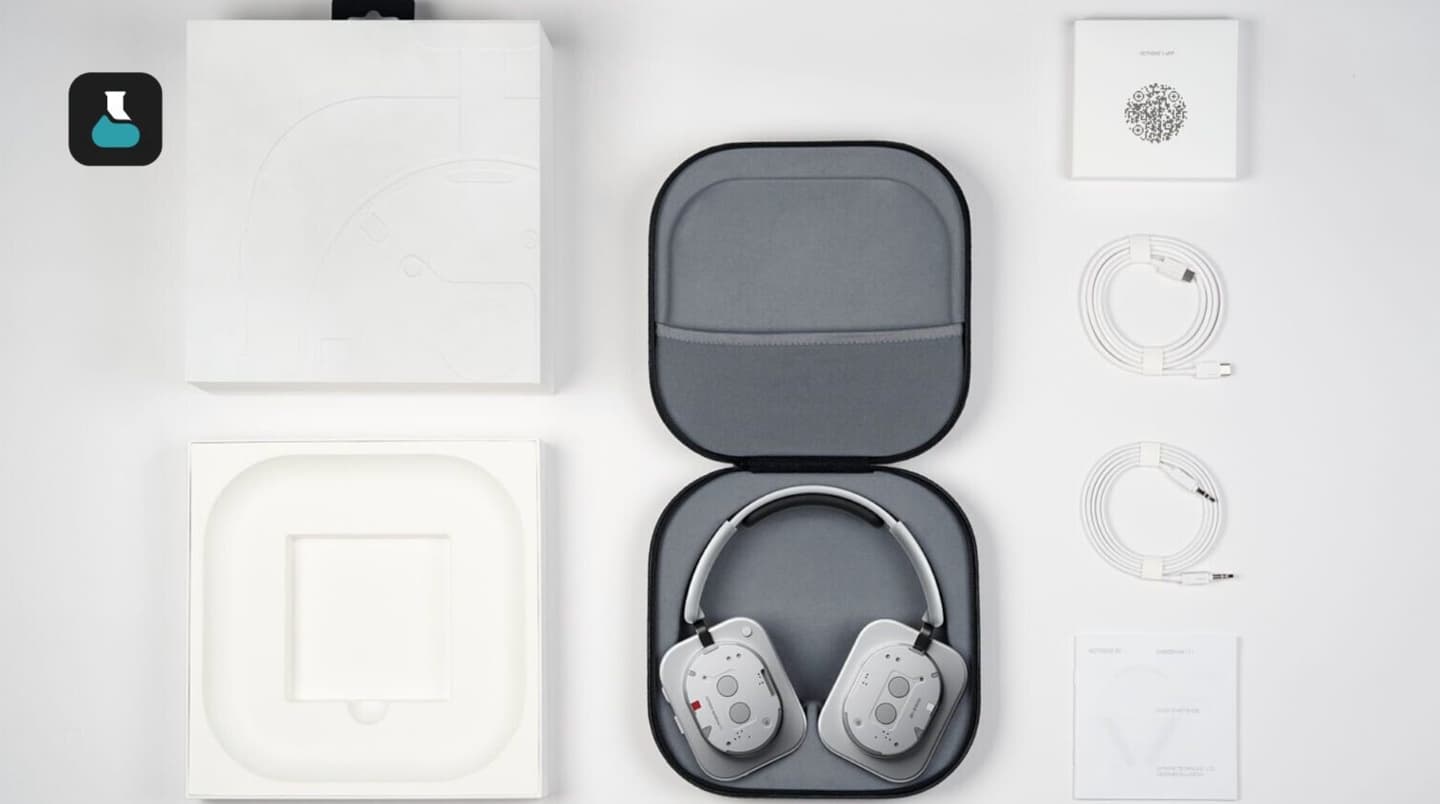
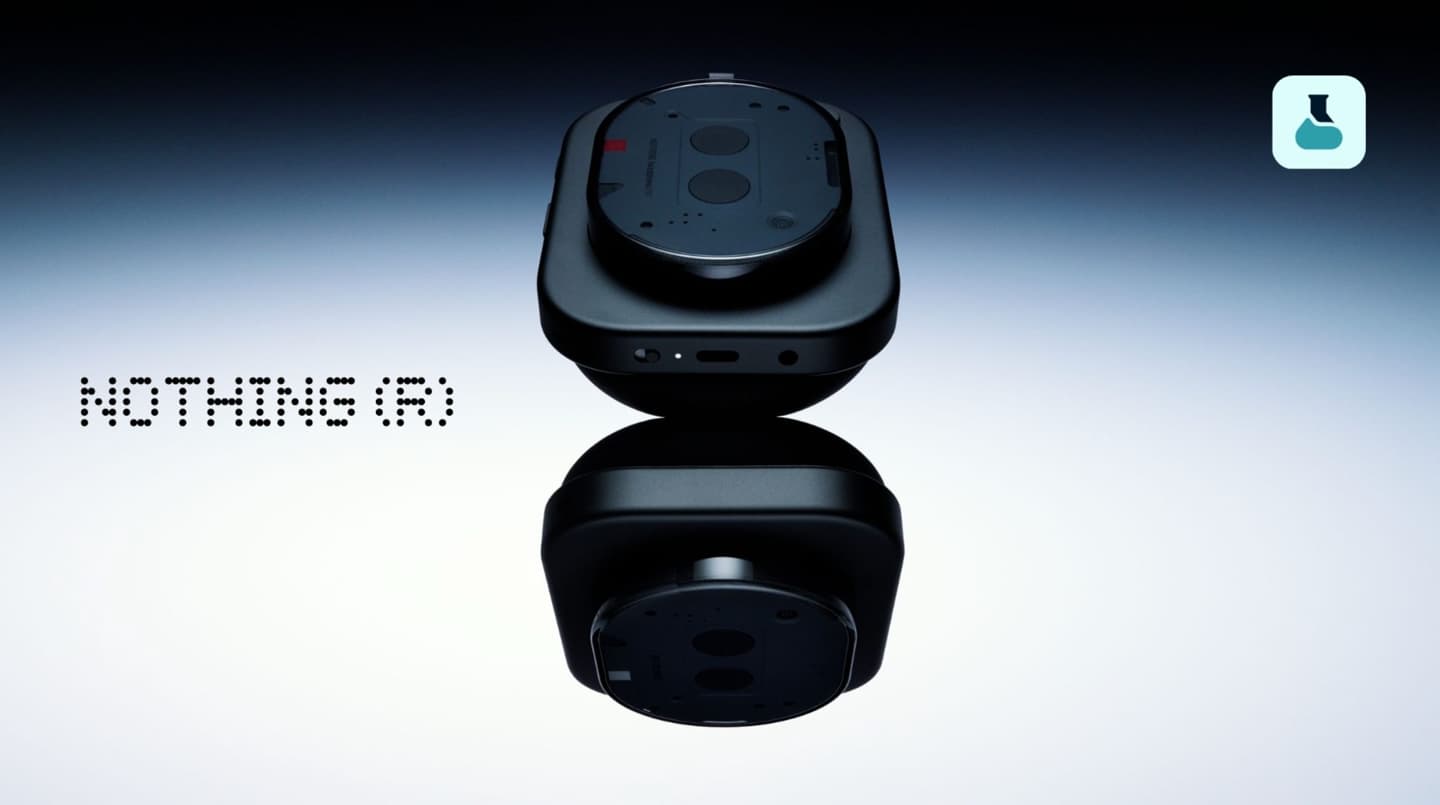
Nothing Headphone (1) Pro Leaked: Triple-Driver Audio, 60-Hour Battery and September 29 Launch

Nothing appears to be preparing a more premium version of its over-ear headphone lineup. According to information reported by Dealabs, the company is expected to introduce the Nothing Headphone (1) Pro in the coming weeks, with a European price of €349 and a U.S. price of $399. Nothing’s move into premium headphones also gives the brand another way to extend its distinctive Nothing’s transparent design language beyond smartphones and earbuds.

The new model is reportedly scheduled to launch on September 29, positioning it firmly in the premium wireless headphone market rather than the entry-level segment.

Nothing’s Transparent Design Gets a Premium Treatment

The Headphone (1) Pro is expected to continue Nothing’s recognizable design language, including the brand’s semi-transparent aesthetic. The headphones are reportedly offered in black and white, while the construction combines an aluminum body with scratch-resistant glass elements.

The headset is also said to carry an IP52 rating, providing some protection against dust and light water exposure. While that rating does not make the headphones suitable for heavy rain or water immersion, it could provide additional peace of mind during everyday use.

Triple-Driver System Could Be the Biggest Upgrade

One of the most interesting features of the Headphone (1) Pro is its reported three-driver audio architecture. Instead of relying on a conventional single-driver setup, the headphones are expected to use separate drivers to handle different parts of the frequency range.

The high-frequency section could use an XMEMS driver, a technology designed around extremely fast mechanical response and precise high-frequency reproduction. If implemented as reported, the combination could give Nothing a stronger technical selling point against other premium wireless headphones.

The company is also reportedly working with Metropolis Studios, a well-known London recording and mastering facility, on the headphone’s tuning. That collaboration could help Nothing pursue a more studio-oriented sound profile rather than simply emphasizing heavy bass or consumer-friendly sound.

10 Microphones and Adaptive ANC

The Headphone (1) Pro is expected to include 10 microphones, which could support both active noise cancellation and voice-related functions.

The headphones are reportedly equipped with adaptive active noise cancellation (adaptive ANC) that can adjust to surrounding conditions. A transparency mode is also expected, allowing users to hear environmental sounds without removing the headphones.

This combination should make the Headphone (1) Pro more practical for commuting, office use and other situations where users may need to switch between immersive listening and environmental awareness.

Hi-Res Audio, LDAC and More Sound Controls

For wireless audio, the new headphones are expected to support LDAC and Hi-Res Audio, potentially giving compatible devices access to higher-quality Bluetooth audio transmission.

Nothing is also reportedly preparing a Flat EQ option alongside more advanced sound-adjustment features. The company may position these controls toward listeners who want greater control over how their music sounds rather than relying solely on preset profiles.

The reported involvement of Metropolis Studios further suggests that audio quality will be one of the major selling points of the Pro model.

Bluetooth 6.1 and a 3.5mm Headphone Jack

Connectivity is another area where the Headphone (1) Pro could stand out. The headset is reportedly expected to use Bluetooth 6.1, while also retaining a 3.5mm audio jack.

The wired connection will be useful for listeners who prefer a direct audio connection, want to avoid Bluetooth compression, or need to connect the headphones to devices without wireless audio support.

The combination of modern Bluetooth connectivity and a traditional wired input also gives the headphones greater flexibility across different listening environments.

Up to 60 Hours of Battery Life

Battery life could be another major advantage. The Headphone (1) Pro is reportedly capable of delivering up to 60 hours of playback, although real-world endurance will likely depend on factors such as ANC usage, volume level, codec selection and connection mode.

The headphones are also expected to support fast charging, allowing users to restore listening time without keeping the headset connected to power for long periods.

Nothing Headphone (1) Pro: What to Expect

Based on the leaked information, the Nothing Headphone (1) Pro could be a significant step beyond a typical lifestyle-focused wireless headset. Its combination of a three-driver audio system, XMEMS technology, 10 microphones, adaptive ANC, LDAC, Bluetooth 6.1 and up to 60 hours of battery life gives it a specification sheet aimed squarely at the premium market.

The reported €349 European price and $399 U.S. price would also put it in direct competition with established premium headphone brands.

Nothing has yet to officially confirm all of these specifications, so the final hardware, features and regional pricing should be treated as unconfirmed until the company makes its announcement. If the September 29 launch date is accurate, more official details should emerge soon.

The post Nothing Headphone (1) Pro Leaked: Triple-Driver Audio, 60-Hour Battery and September 29 Launch appeared first on IGeeKphone China Phone, Tablet PC, VR, RC Drone News, Reviews.

  •  

Open-Ear Earphones With Bluetooth 6.0: 14mm Drivers, Battery Life and Everyday Use

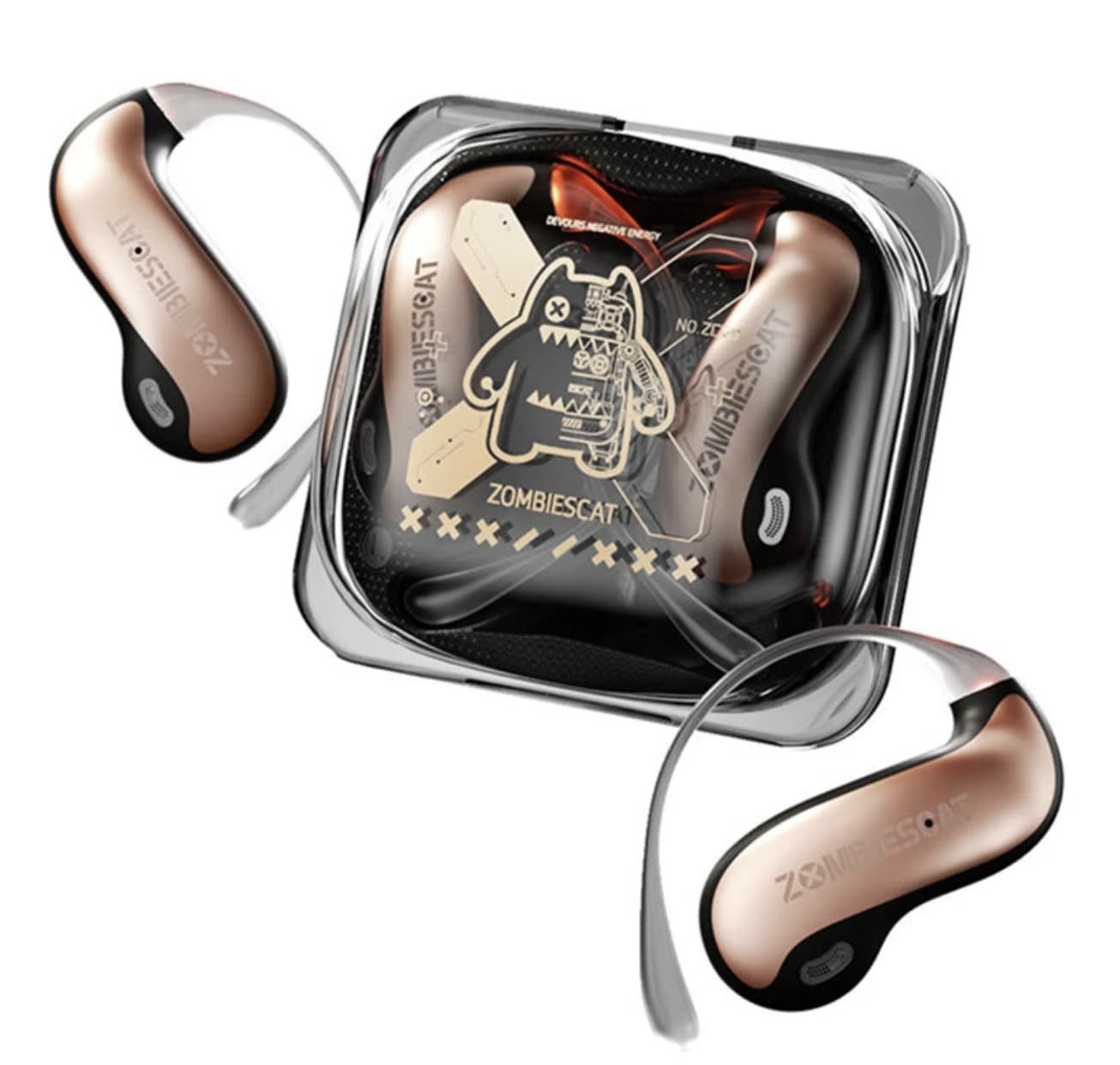
As wireless earbuds continue to get smaller, comfort and awareness of your surroundings can become just as important as compact size. The Zombies Cat B22 takes a different route with an open-ear earclip design that rests around the ear instead of blocking the ear canal. Combined with Bluetooth 6.0 and large 14mm drivers, the B22 is designed for users who want wireless audio while staying more connected to their surroundings during everyday activities and workouts.

That design is paired with Bluetooth 6.0, 14mm dynamic drivers, claimed 720° panoramic sound, a built-in microphone, and a small warm-colored safety light. Instead of trying to compete purely on conventional earbuds specifications, the B22 is designed around the idea of keeping music available while maintaining a more open connection with the surrounding environment.

According to the Banggood listing, the B22 supports Bluetooth 6.0, uses 14mm speakers, offers up to 4.5 hours of playback from the earbuds themselves and up to 20 hours when combined with the charging case.

The B22’s biggest idea is its open-ear design

The most interesting part of the Zombies Cat B22 is not actually Bluetooth 6.0. It is the way the earphones are worn.

Rather than pushing an earbud into the ear canal, the B22 uses an earclip-style open-ear structure. This can be appealing to people who dislike the plugged-in sensation of traditional in-ear headphones or want to remain more aware of their surroundings while listening.

That makes the B22 sports headphones particularly relevant to walking, commuting, cycling and other situations where completely isolating yourself from environmental sound may not be desirable.

It also changes the way the headphones should be evaluated. The goal is not simply maximum isolation. Instead, the B22 is built around a balance between personal audio and environmental awareness.

14mm drivers give the B22 a larger audio foundation

Inside the compact earphones are 14mm dynamic drivers.

A larger driver does not automatically guarantee better sound, but it gives the B22 a substantial hardware foundation for producing bass, vocals and higher-frequency details. For an open-ear design, that can be particularly important because there is no sealed ear canal to create the same acoustic conditions as conventional in-ear headphones.

The product listing describes the 14mm drivers as being designed for a broad soundstage with stronger bass and clear treble.

The stated frequency response is 20Hz–20kHz, covering the commonly specified range for consumer headphones.

What does “720° surround sound” mean here?

The B22 also promotes 720° panoramic sound, which is one of its more unusual specifications.

This should be understood as a spatial-audio presentation rather than literally having sound physically travel in every direction around the listener. The idea is to create a wider and more immersive sense of positioning than conventional stereo playback.

That could make movies, games and music feel more spacious, although the real-world effect will depend on the recording, device and listening environment.

For buyers, the more meaningful takeaway is that Zombies Cat is positioning the B22 as an immersive open-ear headphone, rather than a basic wireless sports earbud.

Bluetooth 6.0 focuses on connection and responsiveness

The B22 uses Bluetooth 6.0 and supports HSP, HFP, A2DP and AVRCP profiles. The listed transmission distance is up to 10 meters.

For everyday users, the important part is less about the Bluetooth version number itself and more about how the headphones fit into daily use.

Bluetooth 6.0 is intended to provide a modern wireless connection, while the supported profiles cover common functions such as music playback, hands-free communication and remote media control.

The listing also highlights low latency for gaming and video. That makes the B22 potentially more versatile than headphones designed exclusively for music listening, although actual latency can vary depending on the connected phone, computer or game system.

The built-in warm light is more than decoration

One of the B22’s most distinctive physical features is its integrated warm safety light.

The light is positioned as a visibility feature for activities such as night running and cycling. Rather than functioning purely as an RGB-style visual effect, the concept is to make the wearer easier to notice in darker surroundings.

This is a clever addition because open-ear headphones are already aimed at active users. A small visibility feature gives the design another practical purpose.

However, the light should be considered an additional visibility aid rather than a replacement for proper cycling or running safety equipment.

Battery life is designed around shorter daily sessions

The B22 uses a 40mAh battery in each earphone and a 300mAh charging case.

Banggood lists approximately 4.5 hours of playback from the earbuds alone and up to 20 hours with the charging case. Charging the case and earbuds is listed at around one hour.

That makes the B22 better suited to several shorter listening sessions than extremely long continuous use.

For example, a commute, workout, walk or evening gaming session can fit comfortably within the stated earbud runtime. Once the earbuds are returned to the case, the additional battery capacity extends the overall listening time.

As always, actual runtime can vary with volume, connection conditions and other usage factors.

The earclip format makes the B22 a sports-oriented headphone

The B22 weighs approximately 43 grams as listed for the product, with dimensions of 60 × 28 × 52mm.

Its physical design is clearly aimed at people who want something different from conventional TWS earbuds.

The earclip structure avoids the need for a traditional silicone ear tip, while the open-ear configuration can make the headphones more suitable for users who prefer a less enclosed listening experience.

That said, fit is highly personal. An earclip that feels secure for one person may not feel identical for another, so the B22’s design should be viewed as an alternative to conventional earbuds rather than a universal replacement.

A microphone makes it useful beyond music

The B22 includes a built-in microphone and supports the standard Bluetooth calling profiles listed by Banggood.

This means the headphones can also be used for calls and voice communication rather than functioning only as a music player.

For people who frequently switch between podcasts, music, phone calls and video content, that makes the B22 a more practical everyday accessory.

Who should consider the Zombies Cat B22?

The B22 makes the most sense for users who specifically want an open-ear Bluetooth headphone rather than a conventional sealed earbud.

It could be particularly interesting for:

  • Runners and walkers who prefer an open listening style
  • Cyclists looking for headphones with an additional visibility feature
  • Commuters who dislike the pressure of in-ear tips
  • Users who want larger drivers in an open-ear design
  • People interested in Bluetooth 6.0 headphones
  • Gamers and video viewers looking for a more spacious audio presentation

It may be less suitable for someone whose first priority is strong passive isolation or deep noise blocking, because the open-ear concept is fundamentally designed around a different listening experience.

Zombies Cat B22 specifications

Feature Zombies Cat B22
Wearing style Open-ear earclip
Bluetooth Bluetooth 6.0
Driver 14mm dynamic driver
Frequency response 20Hz–20kHz
Claimed audio feature 720° panoramic sound
Bluetooth profiles HSP / HFP / A2DP / AVRCP
Transmission distance Up to 10m
Earbud battery 40mAh
Charging case 300mAh
Earbud playback Up to 4.5 hours
Total playback with case Up to 20 hours
Charging time About 1 hour
Microphone Yes
Product weight About 43g
Product dimensions 60 × 28 × 52mm
Colors Black, Red, Beige

The specifications above are based on the product information currently published by Banggood.

Final thoughts

Zombies Cat B22 earphone is interesting because it does not try to be another ordinary pair of TWS earbuds.

Its combination of an open-ear earclip structure, 14mm dynamic drivers, Bluetooth 6.0 and built-in warm safety lighting gives it a clearly defined identity. The claimed 720° panoramic sound is another attempt to make the listening experience more immersive without returning to a conventional closed-in design.

The real appeal of the Zombies Cat B22 is not simply its specifications, but the way its open-ear design fits into everyday listening. By leaving the ear canal open, the B22 can be a useful alternative for running, commuting, walking or casual listening when staying aware of nearby sounds is important. For users who prefer a less isolated listening experience than traditional in-ear earbuds provide, the B22 offers a distinctive combination of comfort, situational awareness and wireless convenience.

The post Open-Ear Earphones With Bluetooth 6.0: 14mm Drivers, Battery Life and Everyday Use appeared first on IGeeKphone China Phone, Tablet PC, VR, RC Drone News, Reviews.

  •  

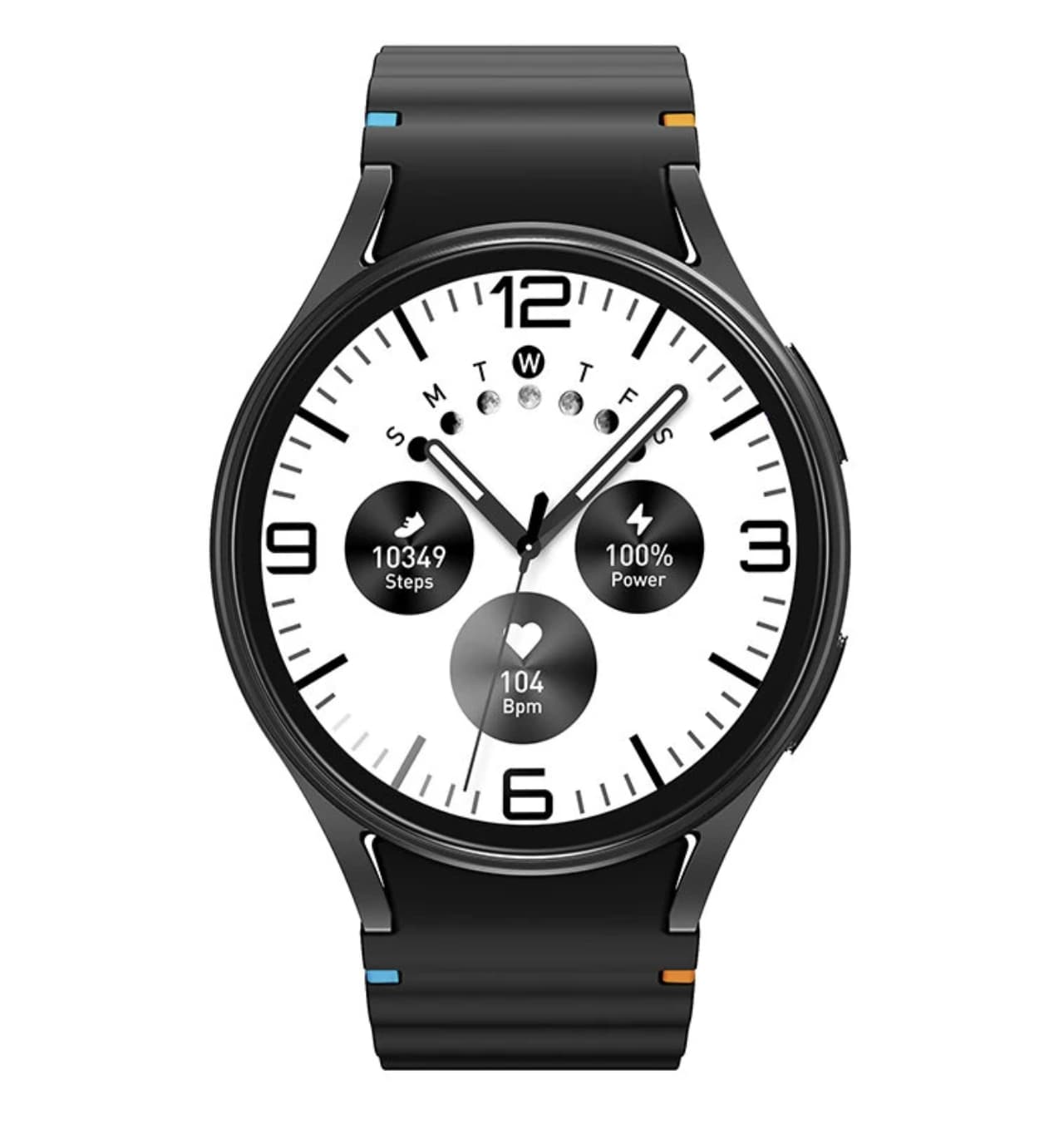
Budget Smartwatch with Bluetooth Calling and 1.50-Inch Display: What to Know

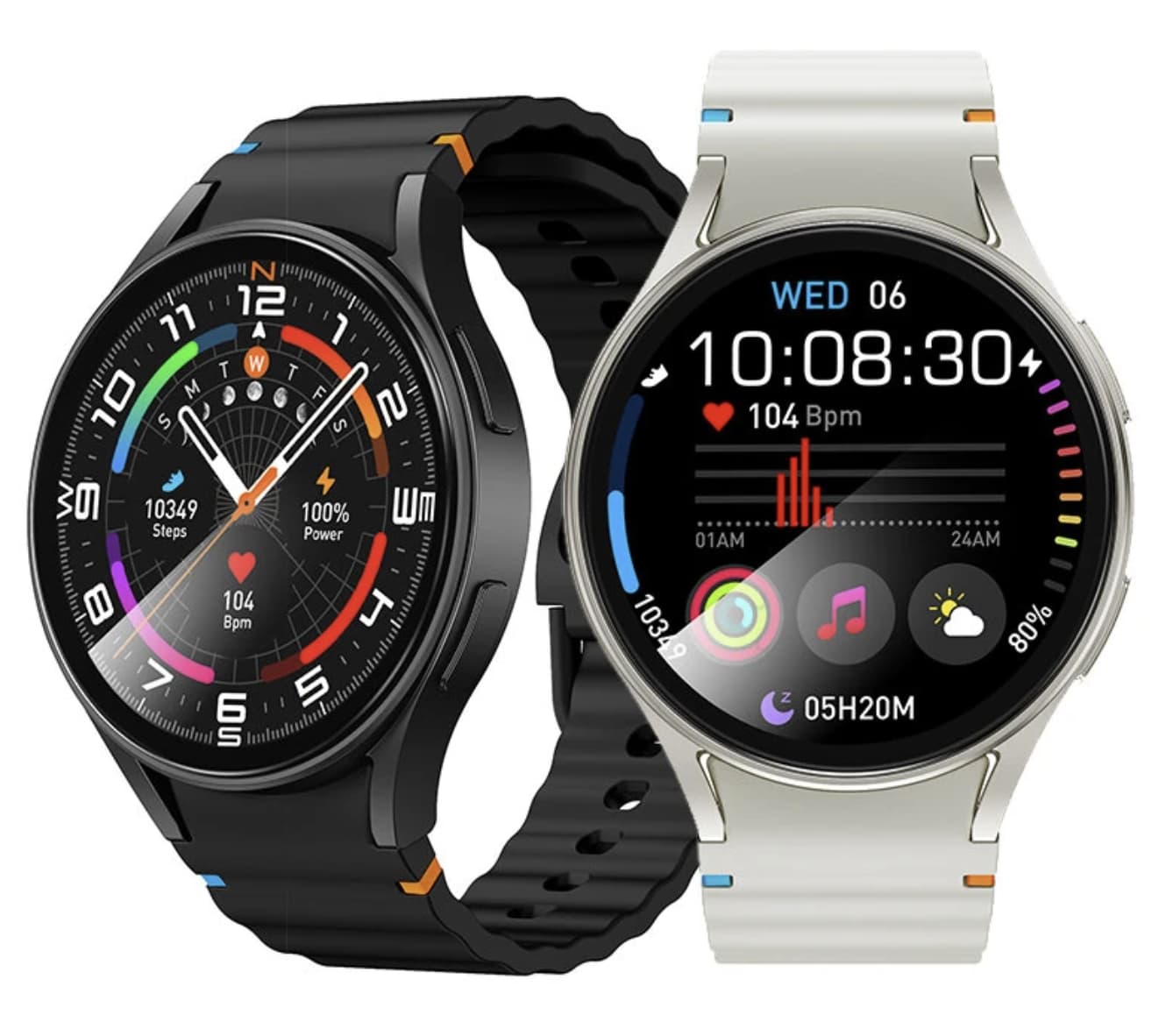
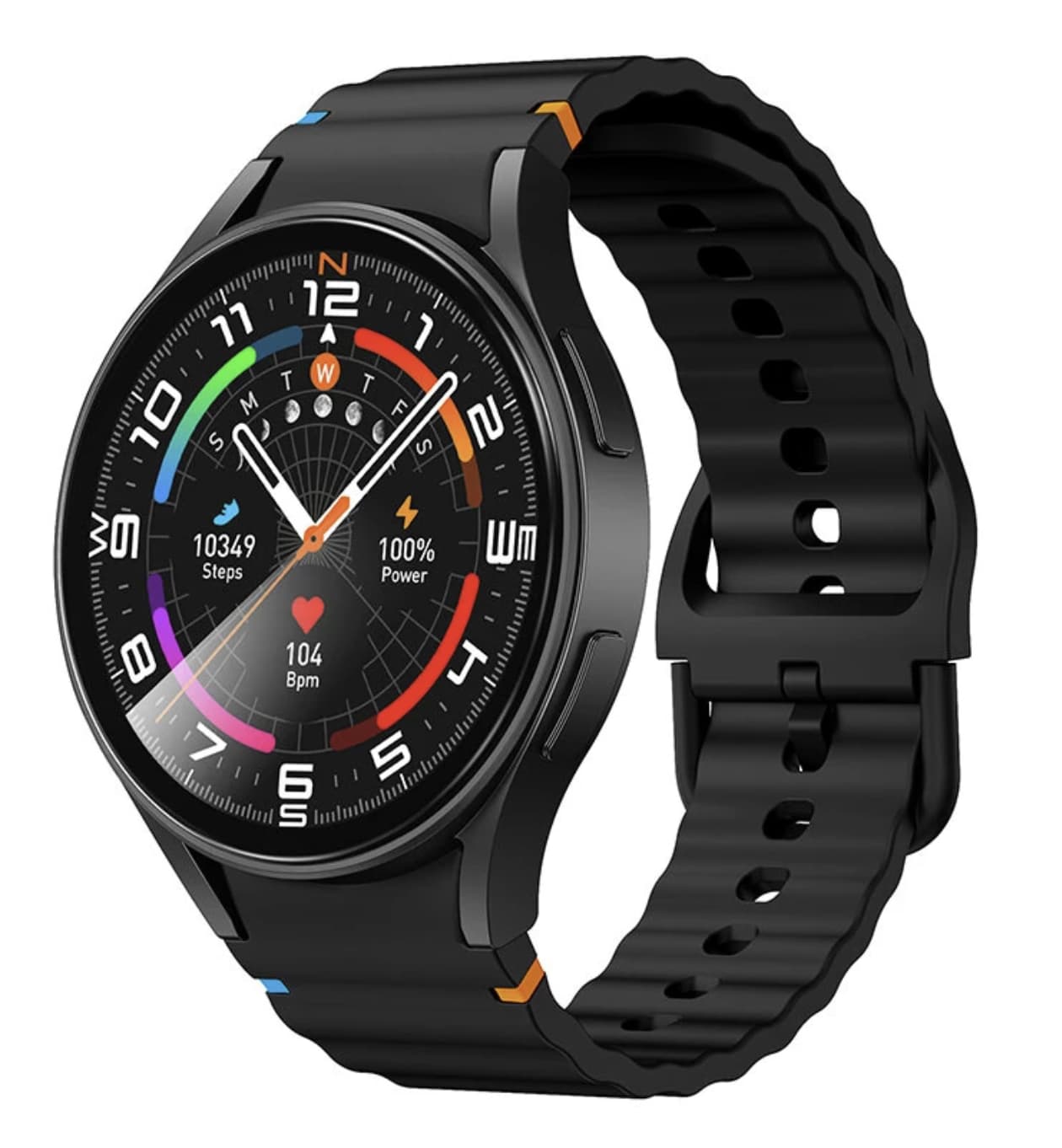
Affordable smartwatch are no longer limited to step counting and basic notifications. The S2 Smartwatch takes a broader approach, combining a 1.50-inch touchscreen, Bluetooth calling, activity tracking, sleep monitoring and several everyday phone-control features in one wearable.

Its specifications are clearly aimed at users who want a smartwatch that can handle common daily tasks without moving into the price range of premium models. Instead of competing with advanced sports watches, the S2 focuses on convenience: seeing notifications, answering calls, checking activity data and keeping basic wellness information on the wrist.

That positioning makes the S2 more interesting to evaluate as an everyday wearable than as a high-end fitness device.

The S2’s 1.50-Inch Screen Is Designed for Everyday Interaction

The S2 uses a 1.50-inch smartwatch display with a 360 × 360 resolution.

Screen size matters more on a smartwatch than the numbers alone suggest. A larger panel gives notifications, menus and activity information more room, which can make the interface easier to read without immediately reaching for a smartphone.

The S2 uses an IPS display rather than AMOLED. That distinction is important for buyers comparing it with more expensive smartwatches. An AMOLED panel generally offers stronger contrast and deeper blacks, while the S2 takes a more cost-conscious approach.

For its intended market, however, the 1.50-inch screen is one of the more practical aspects of the design. Users who mainly want to read notifications, navigate menus and check fitness information may benefit more from the larger viewing area than from having premium display technology.

Bluetooth Calling Makes the S2 More Than a Fitness Tracker

One of the S2’s most useful features is Bluetooth calling.

After connecting the watch to a compatible smartphone, users can handle calls from the wrist instead of taking the phone out every time a call arrives. The watch also supports call reminders and notifications, giving it a more active role in everyday communication.

Bluetooth 5.3 provides the wireless connection, while compatibility with Android and iOS makes the S2 suitable for users across the two major mobile platforms.

The calling function is particularly useful in situations where pulling out a phone is inconvenient. At the same time, buyers should remember that this is Bluetooth-based calling rather than a fully independent cellular smartwatch. The phone remains an important part of the experience.

Health Features Are Better Viewed as Daily Wellness Tools

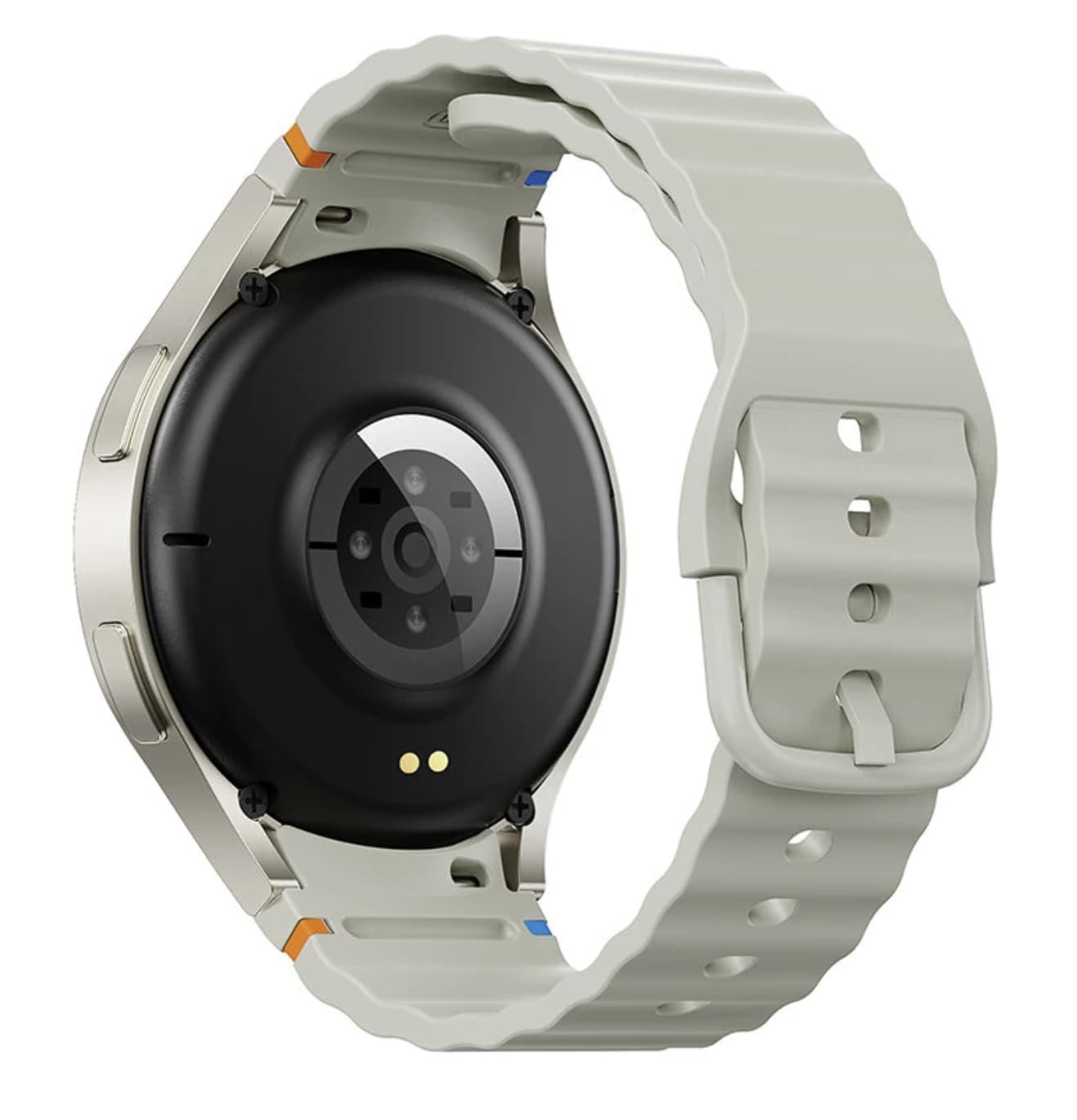
The S2 includes several health-oriented functions, including heart-rate monitoring, blood-oxygen readings, blood-pressure readings and sleep tracking.

These features give the watch a broader role than a simple activity tracker. Instead of checking only steps and exercise, users can use the watch to observe different aspects of their daily routine.

There is an important limitation, however.

The health measurements should be treated as general wellness information rather than medical results. The product information states that these functions are intended for reference and are not a substitute for professional medical equipment.

That makes the S2 more suitable for users who want to observe general trends over time. Someone who needs clinically accurate measurements should continue to rely on appropriate medical devices and professional advice.

Sleep Tracking Gives the Watch a 24-Hour Role

The S2 also tracks sleep, which changes how the watch can be used outside exercise.

A smartwatch that only records workouts has limited value for people who want to wear it throughout the day. Sleep monitoring, step counting, calorie information and sedentary reminders allow the S2 to collect a wider range of everyday activity data.

The benefit is not necessarily advanced sleep analysis. Instead, the S2 provides a simple way to build a longer-term picture of daily habits.

For casual users, that can be more useful than having a large collection of specialist sports measurements they may never use.

Multiple Sports Modes Focus on General Fitness

The S2 supports multiple sports modes as well as step, distance and calorie tracking.

This gives the watch enough flexibility for common activities and casual workouts. Users can switch between different exercise categories while keeping their activity information connected to the rest of the watch’s health data.

However, the number of sports modes should not be confused with professional sports tracking.

The S2 does not appear to be designed as a replacement for a dedicated training watch with advanced GPS, recovery analysis, detailed performance metrics and specialist workout tools. Its advantage is simplicity.

If the goal is to record basic exercise and stay aware of daily movement, the S2 covers the essentials without adding unnecessary complexity.

FitCloudPro Is an Important Part of the Experience

The S2 works with the FitCloudPro companion application.

The app provides the connection between the watch and smartphone and supports functions such as notifications, watch-face management and related settings.

This is worth considering before buying the watch because some of its smart functions depend on the phone connection. The S2 is not intended to operate as a completely independent device.

For users who are comfortable pairing a smartwatch with a phone, this is a relatively straightforward setup. The connected approach also allows the watch to provide features such as smartphone camera control and music controls.

IP67 Protection Is Useful, But It Does Not Make the S2 a Swimming Watch

The S2 has an IP67 rating.

For everyday use, that provides useful protection against dust and limited water exposure. It can therefore be more reassuring during normal activities where the watch may encounter sweat or occasional splashes.

But IP67 should not be interpreted as a license to use the watch for swimming.

The product information specifically advises against swimming with the S2. Buyers who regularly participate in water sports should therefore look for a smartwatch designed and rated specifically for those conditions.

This is an example of where understanding the actual use case is more important than simply looking at the IP rating.

280mAh Battery: Enough for Several Days of Typical Use

The S2 uses a 280mAh battery and is rated for approximately 3–5 days of use, depending on usage conditions.

That estimate should be viewed as a general guideline rather than a guarantee. Bluetooth calling, frequent notifications, screen brightness and continuous health monitoring can all increase power consumption.

The watch also supports magnetic charging, which avoids having to insert a conventional charging connector directly into the watch.

For someone who wants a smartwatch that can remain on the wrist for several days between charges, the S2’s battery capacity is reasonable for its feature set.

The Design Favors Everyday Wear

The S2 uses a zinc-alloy case with a silicone strap.

Its listed dimensions are approximately 54.2 × 47.3 × 12.8mm, while the strap is around 210mm long with a 22mm band width.

This is not an ultra-thin fitness band. The relatively substantial case gives it a more traditional smartwatch presence, while the silicone strap keeps the design practical for casual exercise and everyday wear.

The result is a watch aimed more at versatility than at minimalist styling.

Where the S2 Makes Sense

The most interesting aspect of the S2 is not any single specification.

Its value comes from how several basic features work together.

A user can receive notifications during the day, answer a Bluetooth call, check steps, review sleep information, record a workout, control music and use the watch as a remote camera controller.

None of those functions is particularly unusual by itself. The appeal is having them combined in one relatively affordable wearable.

This also explains why the S2 should not be judged against premium smartwatches solely on specifications. It does not offer the same level of display technology, sports analysis or ecosystem integration. Instead, it targets people who want a broad set of useful functions without paying for advanced features they may never use.

Who Should Buy the S2 Smartwatch?

The S2 is a reasonable choice for users who prioritize practical everyday functions.

It makes the most sense for someone looking for:

  • A large 1.50-inch smartwatch display
  • Bluetooth calling
  • Smartphone notifications
  • Basic activity tracking
  • Sleep monitoring
  • Heart-rate and SpO2 information
  • General blood-pressure readings
  • Multiple sports modes
  • Music and camera controls
  • Several days of typical battery life
  • Basic protection against dust and everyday water exposure

On the other hand, users who specifically need advanced GPS tracking, professional training analytics, medical-grade measurements, swimming-focused protection or a premium AMOLED display should consider a more specialized smartwatch.

S2 Smartwatch vs. a Typical Budget Fitness Band

The S2’s biggest advantage over a simple fitness band is the communication layer.

A fitness band can be excellent for steps, sleep and basic activity monitoring, but the S2 adds Bluetooth calling, broader notification support, music control and camera control.

That makes it closer to a general-purpose smartwatch than a dedicated fitness tracker.

The trade-off is size. The S2 is a more substantial wearable, so buyers who prefer a lightweight band that disappears on the wrist may prefer a smaller fitness tracker.

Final Verdict

The S2 Smartwatch is best understood as an affordable all-round wearable rather than a specialist sports watch.

Its 1.50-inch display gives everyday interactions plenty of room, while Bluetooth calling adds a feature that can genuinely reduce the need to reach for a smartphone. Health and activity functions cover the basics, and the 280mAh battery is designed to provide several days of typical use.

Its limitations are equally clear. The IPS display is not aimed at competing with premium AMOLED watches, the fitness functions are primarily for everyday tracking, and the health measurements should not be treated as medical results.

For buyers who want a straightforward smartwatch that combines communication, activity tracking and everyday convenience, the S2’s broad feature set is its main selling point. It is less about having the most advanced technology and more about putting a useful collection of smartwatch functions on the wrist at an accessible price.

The post Budget Smartwatch with Bluetooth Calling and 1.50-Inch Display: What to Know appeared first on IGeeKphone China Phone, Tablet PC, VR, RC Drone News, Reviews.

  •  

What the Nordic Spirit-Co-op Live Deal Means for UK Nicotine Sponsorship Rules

Nordic Spirit has partnered with Co-op Live, one of the UK’s major entertainment venues, in a move that puts a nicotine pouch presence in the UK inside a high-profile live entertainment environment.

The partnership is particularly notable because the UK’s rules governing the advertising and sponsorship of nicotine products are about to change significantly. The Tobacco and Vapes Act 2026 introduces a much broader framework covering the promotion and sponsorship of vaping and nicotine products, with the government intending the new advertising and sponsorship restrictions to take effect on June 1, 2027.

That makes the timing of the Nordic Spirit and Co-op Live deal more interesting than a conventional venue partnership. It arrives during a period when nicotine brands are still able to operate within the existing rules, while preparing for a substantially more restrictive marketing environment.

What Is the Nordic Spirit and Co-op Live Partnership?

Nordic Spirit, a nicotine pouch brand, has entered into a partnership with Co-op Live that gives the brand a presence at the Manchester entertainment venue.

Rather than being simply a retail arrangement, the partnership places Nordic Spirit within an entertainment setting where brand visibility and audience engagement are important parts of the commercial relationship.

For Nordic Spirit, the deal provides another way to establish brand awareness among adult nicotine consumers . For Co-op Live, the agreement represents a commercial partnership with a nicotine brand during a period of significant regulatory change across the UK nicotine market.

The timing is therefore an important part of the story.

Why the Timing Matters

The UK nicotine market is approaching a major change in how products can be promoted.

The Tobacco and Vapes Act 2026 extends advertising and sponsorship restrictions to nicotine products as well as vaping products. The government’s Department of Health and Social Care says it intends the comprehensive advertising and sponsorship ban to begin on June 1, 2027.

The legislation goes beyond traditional advertising. Section 131 covers sponsorship agreements involving vaping products and nicotine products where contributions are made under an agreement and activities resulting from that agreement promote those products in the UK.

This is important because sponsorship is different from placing a conventional advertisement in a newspaper or on a website.

A sponsorship arrangement can connect a brand with a venue, event, sports organisation or other public-facing activity. Under the new framework, those relationships can therefore become subject to much greater scrutiny when they promote a nicotine product.

What Changes Under the Tobacco and Vapes Act?

The new law represents a substantial expansion of the UK’s approach to nicotine marketing.

The government says the future restrictions will cover advertising, promotion and sponsorship involving vaping and nicotine products. They are intended to apply across the UK.

The legislation also makes clear that sponsorship restrictions can apply when a sponsorship agreement results in activities intended to promote a vaping or nicotine product.

That distinction matters for businesses because the question is not simply whether a company has purchased a conventional advertisement.

The wider issue is whether a commercial arrangement results in promotional activity for a product that falls within the scope of the legislation.

Does the New Law Automatically Make the Co-op Live Deal Illegal?

Not necessarily.

This is an important distinction that should not be overlooked.

The government has stated that it intends the comprehensive advertising and sponsorship restrictions to come into force from June 1, 2027. However, the explanatory notes to the legislation state that the commencement of Section 131 is to be specified by regulations.

That means it would be inaccurate to conclude simply that the existing Nordic Spirit and Co-op Live partnership is already prohibited.

Instead, the more useful question is how the arrangement will be treated as the new rules take effect and whether any existing contractual or promotional activity needs to change.

The final practical impact will depend on the commencement regulations, implementation details and guidance available to businesses.

Why Venue Partnerships Are Becoming More Important to Watch

The Nordic Spirit deal illustrates a broader issue in the nicotine industry.

For years, brands have used different forms of visibility to establish consumer awareness, including retail presence, digital communication, events and sponsorships.

The upcoming UK restrictions could significantly reduce the number of channels available for commercial promotion.

That makes existing partnerships particularly interesting.

A venue partnership can involve more than a logo on a wall. Depending on the agreement, it may include branded areas, promotional material, digital exposure, event-related activity or other forms of brand association.

Under a regulatory framework that specifically addresses sponsorship and promotion, businesses will need to assess those elements individually rather than treating the entire arrangement as a simple advertising purchase.

Nicotine Pouches Face a Different Regulatory Landscape

Nicotine pouches have also become increasingly visible in the UK nicotine market.

Unlike traditional tobacco products, nicotine pouches do not contain tobacco. However, the Tobacco and Vapes Act 2026 specifically brings nicotine products within the broader advertising and sponsorship framework. The government’s explanatory notes describe the new rules as extending advertising, promotion and sponsorship restrictions to nicotine products as well as vape aerosol products.

This is a significant development for pouch brands.

It means that the industry’s marketing environment cannot be assessed only by looking at traditional tobacco regulations. Companies selling nicotine pouches will also need to consider the new restrictions that apply specifically to nicotine products.

The government has also announced separate changes affecting the sale and promotion of vaping and nicotine products. From October 29, 2026, new age-of-sale and related restrictions will apply, including restrictions on free distribution intended to promote vaping or nicotine products.

What This Could Mean for Future Brand Partnerships

The Nordic Spirit and Co-op Live agreement may become a useful example of the transition taking place in the UK nicotine market.

For brands, the challenge will not simply be finding another advertising channel. Companies will need to reconsider how they build awareness when conventional promotional and sponsorship opportunities become more restricted.

For venues and commercial partners, the issue is equally important.

A partnership involving a nicotine company may require closer review of branding, promotional activity, event integration and contractual obligations. The regulatory question may extend beyond the presence of a brand name to what consumers actually see or experience as a result of the commercial relationship.

That could make compliance more complicated than simply removing an advertisement.

What Consumers Should Take From the Partnership

For adult consumers, the most relevant point is that the nicotine pouch market is entering a period of significant regulatory transition.

The Nordic Spirit and Co-op Live partnership itself is only one commercial arrangement. Its wider significance comes from the timing: it demonstrates how nicotine brands are continuing to explore mainstream commercial partnerships while the UK is preparing to impose broader restrictions on advertising and sponsorship.

The government says the future restrictions are designed to reduce the promotion of nicotine and vaping products, particularly in the context of protecting younger people from exposure to marketing.

As implementation approaches, businesses will need to understand not only what products they can sell, but also how those products can legally be promoted.

Final Thoughts

The Nordic Spirit and Co-op Live partnership is noteworthy because it sits directly within a changing UK nicotine marketing landscape.

The agreement does not, by itself, mean that the partnership is already prohibited. Instead, it highlights the transition from today’s rules toward a system in which advertising and sponsorship of nicotine products are expected to face much tighter restrictions.

The UK’s Tobacco and Vapes Act 2026 provides the legal framework for that change, while the government currently intends the wider advertising and sponsorship restrictions to take effect on June 1, 2027.

For nicotine brands, venues and other commercial partners, the key issue over the coming months will be understanding exactly how existing and future agreements fit within the new rules.

That makes the Nordic Spirit and Co-op Live partnership worth watching—not simply as a brand deal, but as an example of how the UK nicotine industry’s approach to marketing may change before the new restrictions take effect.

The post What the Nordic Spirit-Co-op Live Deal Means for UK Nicotine Sponsorship Rules appeared first on IGeeKphone China Phone, Tablet PC, VR, RC Drone News, Reviews.

  •  

Lost Mary MT35000 Turbo Review: A New Generation High-Capacity Disposable Vape

The high-capacity disposable vapes market has moved far beyond simple compact devices. As users look for longer-lasting options with better flavor consistency and more practical features, manufacturers are increasingly adding rechargeable batteries, intelligent displays and improved coil systems.

Lost Mary MT35000 Turbo represents this new direction. Designed as a high-capacity disposable vape, it combines a large e-liquid reservoir, rechargeable battery, dual-mode output system and a hidden display that reveals important information only when needed.

Instead of focusing only on a large puff number, the MT35000 Turbo aims to improve the complete experience — from flavor stability and battery management to everyday convenience.

Lost Mary MT35000 Turbo Key Specifications

  • Puff Count: Up to 35,000 puffs (Smooth Mode)
  • E-liquid Capacity: 18ml
  • Nicotine Strength: 50mg/ml (5%)
  • Battery Capacity: 1000mAh rechargeable battery
  • Charging Port: USB Type-C
  • Coil System: Dual mesh coil
  • Display: Hidden battery and e-liquid indicator
  • Modes: Smooth Mode and Turbo Mode
  • Size: 106 × 43 × 23mm

A Bigger Battery Designed to Match a Larger E-Liquid Capacity

One of the biggest challenges with high-puff disposable vapes is balancing battery life with e-liquid consumption, which is why rechargeable disposable vape technology has become increasingly popular among adult users.

A device may contain a large amount of e-liquid, but without enough battery capacity, users may experience charging interruptions before finishing the entire tank.

The Lost Mary MT35000 Turbo addresses this with a 1000mAh rechargeable battery, providing more power compared with many traditional disposable devices. The USB-C charging system also makes recharging faster and more convenient for daily use.

For users who prefer a device that can last longer between replacements, the larger battery capacity is one of the most meaningful upgrades.

35,000 Puffs: More Than Just a Bigger Number

The headline feature of the MT35000 Turbo is its up to 35,000 puff rating.

However, puff numbers should always be viewed as an estimate because actual usage depends on individual habits, including draw duration, frequency and power mode selection.

Lost Mary rates the device for up to 35,000 puffs when using Smooth Mode, while Turbo Mode prioritizes stronger output and a warmer experience with a lower estimated lifespan.

This makes the MT35000 Turbo suitable for users who prefer flexibility:

  • Smooth Mode focuses on longer-lasting daily use.
  • Turbo Mode delivers a more intense flavor and vapor experience.

Rather than forcing users into one style, the two-mode system allows the device to adapt to different moments.

Dual Mesh Coil Improves Flavor Consistency

Flavor quality is often where large-capacity disposable vapes face the biggest challenge.

As the e-liquid level decreases over time, some devices may experience changes in taste or vapor performance. The MT35000 Turbo uses a dual mesh coil system designed to provide more even heating and maintain a consistent flavor profile throughout the device’s lifespan.

Mesh coil technology works by increasing the heating surface area compared with traditional wire coils, a design approach commonly used in modern mesh coil vape technology to improve vapor consistency.

For users who choose high-capacity devices mainly because they want the same flavor experience for longer, coil design is just as important as battery size.

Hidden Display Adds Practical Information

A unique feature of the Lost Mary MT35000 Turbo is its Blend-In display.

Unlike traditional screens that remain visible all the time, the display stays hidden until the device is activated. When used, it can show information such as battery level and e-liquid status.

This approach keeps the exterior design clean while still giving users access to important information.

For a rechargeable disposable vape, knowing the remaining battery level can help prevent unexpected downtime, while e-liquid indicators provide a clearer understanding of when the device is approaching the end of its lifespan.

Turbo Mode vs Smooth Mode: Which One Should You Use?

The MT35000 Turbo’s name comes from its adjustable vaping experience.

Smooth Mode

Smooth Mode is designed for users who prefer:

  • Longer overall usage time
  • A balanced inhale experience
  • More economical consumption

This mode is the better choice for all-day vaping when consistency and longevity are the priority.

Turbo Mode

Turbo Mode increases output for users who want:

  • Stronger flavor intensity
  • A warmer draw
  • More vapor production

The trade-off is that higher output generally consumes battery power and e-liquid faster.

This makes Turbo Mode better suited for moments when users want a more powerful experience rather than maximum lifespan.

Compact Shape Despite Large Capacity

High-capacity disposable vapes often become larger and less convenient to carry.

The MT35000 Turbo attempts to maintain portability with a compact rectangular design measuring approximately 106 × 43 × 23mm.

The shape continues Lost Mary’s familiar ergonomic approach, making it easier to hold compared with some oversized high-capacity devices.

This balance between capacity and portability is important because users often choose disposable devices for convenience in the first place.

Flavor Options Designed for Different Preferences

Lost Mary has expanded the MT35000 Turbo lineup with multiple flavor choices covering fruit, cooling and mixed profiles.

Popular flavor categories include:

Fruit-Based Flavors

Designed for users who enjoy sweeter and refreshing profiles, fruit flavors remain one of the most popular categories in disposable vaping.

Cooling Flavors

Mint and ice-inspired options focus on a cleaner and colder sensation.

Mixed Flavor Profiles

These combine multiple notes to create more complex taste experiences rather than a single flavor direction.

Having different flavor styles allows users to choose according to personal preference rather than only choosing based on hardware specifications.

Who Is the Lost Mary MT35000 Turbo Designed For?

The MT35000 Turbo may appeal to users who want:

  • A longer-lasting disposable vape format
  • Rechargeable battery convenience
  • Large e-liquid capacity
  • Consistent flavor performance
  • A device with battery and liquid monitoring
  • The option between smoother and stronger output

It may be less suitable for users who prefer:

  • Smaller pocket-sized devices
  • Lower nicotine options
  • Traditional refillable vape systems

Lost Mary MT35000 Turbo vs Traditional Disposable Vapes

Compared with older disposable devices, the MT35000 Turbo introduces several features that reflect where the category is heading:

Feature Traditional Disposable Lost Mary MT35000 Turbo
Battery Usually smaller 1000mAh rechargeable
Charging Often non-rechargeable USB-C charging
Capacity Lower e-liquid volume 18ml capacity
Information display Usually unavailable Hidden smart display
Output control Fixed output Smooth/Turbo modes
Coil technology Standard coil Dual mesh coil

The biggest difference is that the MT35000 Turbo behaves more like a compact rechargeable device while keeping the convenience of a pre-filled format.

Final Thoughts

Lost Mary MT35000 Turbo shows how disposable vapes are evolving from simple single-use products into more feature-rich devices.

Its combination of a 1000mAh battery, large e-liquid capacity, dual mesh coil, hidden display and dual-mode operation gives users more control over their vaping experience.

While the 35,000-puff claim depends on usage conditions, the overall design focuses on solving common problems found in traditional disposables: limited battery life, inconsistent flavor and lack of information.

For adult users who prefer a high-capacity disposable format with modern features, the Lost Mary MT35000 Turbo offers a more advanced approach compared with basic disposable vape devices.

The post Lost Mary MT35000 Turbo Review: A New Generation High-Capacity Disposable Vape appeared first on IGeeKphone China Phone, Tablet PC, VR, RC Drone News, Reviews.

  •  

AULA V1 Gaming Mouse Combines Lightweight Design With Competitive-Level Features

Gaming mice have changed significantly in recent years. Instead of simply adding more buttons or aggressive designs, many modern players are looking for a better balance between speed, precision, comfort and wireless flexibility.

The AULA V1 gaming mouse follows this trend with a lightweight 55g body, a PAW3311 optical sensor, dual 1000Hz polling support and three connection modes. Designed for PC and laptop gamers, the mouse aims to deliver a responsive experience while remaining comfortable during long gaming sessions.

Rather than targeting only professional esports players, the AULA V1 focuses on a broader group of users who want a fast and reliable gaming mouse without dealing with excessive weight or unnecessary complexity.

Lightweight 55g Design Focuses on Faster Movement

Weight has become one of the most important factors in gaming mouse design.

The AULA V1 weighs approximately 55g, placing it in the lightweight gaming mouse category. A lower weight can make quick movements easier, especially in fast-paced FPS games where players frequently perform rapid aiming adjustments.

A lighter mouse also reduces the amount of physical effort needed during extended sessions. For gamers who use low sensitivity settings and rely on larger arm movements, reducing unnecessary weight can improve overall control and comfort.

However, lightweight design is not only about reducing numbers. The shape, balance and grip style also determine whether a mouse feels comfortable.

The AULA V1 uses a versatile ergonomic shape designed for different grip methods, including palm grip, claw grip and fingertip grip. It is recommended for small to medium-sized hands, making it more suitable for users who prefer a compact gaming mouse design.

PAW3311 Sensor Delivers Accurate Tracking

At the center of the AULA V1 is the PixArt PAW3311 optical sensor.

The sensor supports up to 12,000 DPI, with tracking performance reaching up to 300 IPS and acceleration up to 35G. These specifications provide enough adjustment range for different gaming styles, from precise aiming in competitive shooters to faster cursor movement in everyday applications.

DPI flexibility is especially useful because different games require different sensitivity settings.

A competitive FPS player may prefer a lower DPI setting for accuracy, while strategy games, productivity tasks or large-resolution displays may benefit from higher sensitivity.

Instead of forcing users into one performance profile, the AULA V1 gives players more freedom to customize the mouse according to their preferences.

Dual 1000Hz Polling Rate Keeps Wireless Performance Competitive

Wireless gaming accessories have improved significantly, and many players no longer want to sacrifice performance for convenience.

The AULA V1 supports a 1000Hz polling rate in both wired and 2.4GHz wireless modes. This means the mouse can report its position frequently, helping maintain a responsive connection during gameplay.

For competitive gaming, consistency is often more important than simply chasing the highest specification number.

A stable 1000Hz polling rate combined with a lightweight body and accurate sensor creates a balanced setup for players who want a fast response without being restricted by a cable.

Tri-Mode Connectivity Makes It More Versatile

One of the biggest advantages of the AULA V1 is its tri-mode connection system.

The mouse supports:

  • USB-C wired connection
  • 2.4GHz wireless connection
  • Bluetooth connection

This allows users to switch between different scenarios more easily.

For gaming desktops, the 2.4GHz wireless mode provides a cleaner setup without the limitations of a cable. When battery charging is needed or maximum stability is preferred, users can switch to wired mode.

Bluetooth connectivity expands compatibility with laptops and other devices, making the AULA V1 more practical than a mouse designed only for gaming PCs.

Built for Long Gaming Sessions

A gaming mouse is not only judged by performance numbers. Comfort becomes increasingly important when users spend several hours playing or working.

The AULA V1 combines its lightweight construction with an ergonomic body design to reduce fatigue during extended use.

Its compact dimensions of approximately 94mm × 62.7mm × 38.5mm make it easier to control for users who prefer smaller mice.

The design is especially suitable for players who prefer quick movements rather than the heavier, larger shapes often found on traditional gaming mice.

Reliable Switches and Custom Control Software

The AULA V1 uses AULA’s custom MCU system and gaming switches rated for approximately 10 million clicks.

While click lifespan does not directly determine gaming performance, durability is important for users who frequently play competitive games where thousands of clicks can accumulate over time.

The mouse also supports AULA’s proprietary HUB driver software, allowing users to adjust settings and customize the experience according to their needs.

Battery and Everyday Wireless Convenience

The AULA V1 includes a built-in 300mAh battery, allowing it to operate as a wireless gaming mouse without requiring constant cable connection.

Battery capacity is only one part of wireless mouse performance. Actual usage time depends on factors such as connection mode, polling rate and lighting settings.

For users who switch between gaming and everyday computer use, the combination of wireless freedom and USB-C charging provides a more flexible experience.

AULA V1 Specifications

Feature Details
Model AULA V1
Sensor PAW3311 Optical Sensor
Maximum DPI 12,000 DPI
Tracking Speed 300 IPS
Acceleration 35G
Polling Rate 1000Hz wired / 1000Hz wireless
Weight About 55g
Battery 300mAh
Connection USB-C wired / 2.4GHz wireless / Bluetooth
Switch Lifespan 10 million clicks
Driver AULA HUB Driver
Size 94 × 62.7 × 38.5mm
Recommended Hand Size Small to medium

Specifications are based on the current product listing and may vary depending on regional versions.

Who Should Buy the AULA V1 Gaming Mouse?

The AULA V1 is a good match for users who want:

  • A lightweight mouse for FPS and competitive gaming
  • Wireless freedom without giving up 1000Hz polling
  • A compact ergonomic design
  • Multiple connection options for PC and laptop use
  • A balance between gaming performance and daily productivity

It may not be the ideal choice for users who prefer large ergonomic mice designed for bigger hands or those looking for advanced features such as adjustable weights, many programmable buttons or premium flagship sensors.

Final Thoughts

AULA V1 gaming mouse focuses on the areas that matter most for modern gaming: low weight, accurate tracking and flexible connectivity.

Its 55g design makes fast movements easier, while the PAW3311 sensor and dual 1000Hz polling rate provide the responsiveness expected from a modern gaming peripheral. The addition of wired, 2.4GHz wireless and Bluetooth modes also makes it practical beyond a single gaming setup.

For gamers looking for a lightweight, versatile and affordable gaming mouse, the AULA V1 offers a balanced combination of performance and everyday convenience.

The post AULA V1 Gaming Mouse Combines Lightweight Design With Competitive-Level Features appeared first on IGeeKphone China Phone, Tablet PC, VR, RC Drone News, Reviews.

  •  

SolarPlay Q3600 Brings 3840Wh Capacity and 3600W Output to Portable Backup Power

Portable power stations have moved beyond simply charging phones and laptops. As more people look for backup power for home appliances, RVs, outdoor equipment and emergency situations, the useful question is no longer just how many USB ports a power station has. It is whether the system has enough capacity, output power and charging flexibility to handle demanding equipment without becoming impractical to move.

The SolarPlay Q3600 is designed around that idea. It combines a 3,840Wh LiFePO4 battery with up to 3,600W of AC output, 2,000W solar input and multiple charging interfaces. The result is a large-format power station aimed at users who need considerably more than a conventional portable battery can provide.

A 3,840Wh Battery Changes What a Portable Power Station Can Do

The Q3600’s biggest selling point is its 3,840Wh battery capacity.

That amount of stored energy gives the unit a very different role from smaller power banks or compact camping batteries. Instead of being primarily a device for keeping phones and laptops alive, the Q3600 is intended to support a wider range of equipment, including household appliances, workshop tools, RV equipment and other higher-power loads.

SolarPlay uses a LiFePO4 battery architecture for the Q3600. The manufacturer’s specifications list more than 4,000 charge cycles while retaining 80% of the original capacity, although real-world battery longevity will naturally depend on charging habits, temperature and load conditions.

For users considering a power station as an emergency backup, this distinction matters. A large capacity does not automatically mean unlimited runtime, because actual operating time depends heavily on the wattage of the connected equipment. A 3,840Wh battery can therefore be thought of as a substantial energy reserve rather than a guarantee of a specific number of hours.

3,600W of AC Output Makes It Suitable for More Demanding Loads

The Q3600 is rated for 3,600W continuous AC output and uses a pure sine wave inverter. The European version provides 220–240V AC output at 50Hz/60Hz.

This is one of the areas where the Q3600 separates itself from smaller portable power stations.

A 3,600W output ceiling gives users considerably more room for equipment with higher power requirements. That can be useful for appliances and tools that would simply be outside the practical range of a compact 1,000W-class station.

However, the sensible approach is still to check the rated and startup power of each appliance before connecting it. Motors, compressors and heating appliances can behave differently from their advertised average consumption, so the station’s maximum output should not be treated as a universal guarantee for every device.

Solar Charging Is One of the Q3600’s Most Interesting Features

The Q3600 is not limited to wall charging. Its solar input can accept up to 2,000W, giving the system a much stronger off-grid charging capability than many smaller portable power stations.

SolarPlay states that the Q3600 can reach a full charge in approximately 1.5 hours when AC and solar charging are combined, rather than implying that a 3,840Wh battery can always be fully recharged from solar alone in that time.

The European model also provides adjustable AC charging levels of 400W, 800W, 1,200W, 1,600W and 2,200W. This gives users more control over charging speed and power demand depending on the situation.

That flexibility could be particularly useful during longer outdoor trips. Instead of treating the battery as a one-time energy source, users can recharge it during the day and use the stored energy later when solar production falls.

Multiple Output Types Make It More Versatile

Another strength of the Q3600 is the range of connection options.

The specification includes AC outlets alongside a 12V cigarette-lighter output, an XT60 port, DC outputs, USB-A ports and several USB-C connections. One USB-C port supports up to 100W PD output, making it suitable for higher-powered compatible devices such as laptops.

The Banggood listing describes the product as having 17 outputs, while SolarPlay’s current product page lists 15 output ports. Because the two sources present the port count differently, buyers should check the exact configuration of the package and regional version before ordering.

More importantly, the variety of outputs means the Q3600 can serve several types of equipment at the same time rather than functioning as a single-purpose AC battery.

UPS Support Adds a Practical Home-Backup Role

The Q3600 also supports a UPS function, which makes it more interesting for use around the home.

According to the listed specifications, the system can switch to battery power in less than 20 milliseconds under its specified UPS conditions. This is intended to reduce interruption when mains power disappears.

That feature can be useful for equipment that needs a more consistent power source, such as networking hardware, computers or selected electronic devices.

It should not, however, be confused with a dedicated enterprise-grade UPS system. Users with particularly sensitive equipment should check the manufacturer’s UPS specifications and the equipment’s own power requirements before relying on the Q3600 as their only backup solution.

Large Capacity Comes With a Real Weight Trade-Off

The Q3600 is portable, but it is not lightweight.

The listed bare-device weight is approximately 42.2kg, with dimensions of about 608 × 289 × 456mm.

That makes the built-in wheels and telescopic handle particularly important. The Q3600 is better understood as a movable power station rather than something most users will casually carry by hand over a long distance.

For an RV, garage, workshop, campsite or home backup location, this design makes sense. Users can position the unit where it is needed and roll it into place instead of repeatedly lifting the entire 42kg system.

Designed for Home Backup, RVs and Off-Grid Use

The Q3600’s specifications suggest several practical use cases.

For home backup, the large battery and high AC output provide a way to keep selected appliances and electronics operating during outages.

For RV use, the combination of AC, 12V and other DC outputs can reduce the need to carry separate power solutions for different types of equipment.

For off-grid applications, the 2,000W solar input becomes especially important because it allows the Q3600 to function as part of a rechargeable solar-based power system rather than relying entirely on the electrical grid.

Outdoor users should still consider the unit’s 42.2kg weight and physical size when planning transportation. Its wheels make movement easier, but this is not a lightweight backpacking power station.

What About Noise and Protection?

SolarPlay lists the Q3600 with multiple battery-management protections covering conditions such as overcharging, over-discharging, over-current and short circuits. The Banggood specifications also list a working temperature range of approximately -10°C to 45°C for the Q3600.

The product is also listed with safety and transport-related certifications including CE, FCC, RoHS, PSE, UN38.3 and MSDS documentation.

These features do not eliminate the need to use the power station within its operating limits, but they show that the Q3600 is designed as a substantial energy-storage system rather than simply a large battery pack.

SolarPlay Q3600 Specifications

Specification SolarPlay Q3600
Battery capacity 3,840Wh
Battery type LiFePO4 / LFP
AC output 3,600W
AC voltage 220–240V
AC waveform Pure sine wave
Solar input Up to 2,000W
AC charging Up to 2,200W
UPS Less than 20ms under specified conditions
USB-C Up to 100W on dedicated PD port
DC output 12V options
Weight About 42.2kg
Dimensions About 608 × 289 × 456mm
Operating temperature Approximately -10°C to 45°C

Specifications can vary by regional version or package, so buyers should verify the configuration before purchase.

Is the SolarPlay Q3600 Worth Considering?

SolarPlay Q3600 power station is not trying to win the portability contest by being small and light. Its appeal comes from the opposite direction.

The 3,840Wh battery, 3,600W AC output and 2,000W solar input give it the kind of electrical capacity that makes sense for home backup, RV trips, workshops and longer off-grid use. The multiple output types and UPS function further expand its potential applications.

The biggest compromise is its size and 42.2kg weight. That means the Q3600 works best when it can be rolled into position rather than carried frequently.

For buyers who prioritize large energy storage, high output power and solar recharge capability over lightweight portability, the Q3600 offers a much more capable alternative to smaller portable power stations.

Before purchasing, users should also confirm the exact regional version, output configuration and included accessories, particularly because the current Banggood listing and SolarPlay’s own product page differ in how they describe the number of output ports.

The post SolarPlay Q3600 Brings 3840Wh Capacity and 3600W Output to Portable Backup Power appeared first on IGeeKphone China Phone, Tablet PC, VR, RC Drone News, Reviews.

  •  

MOFii 708 Transparent Keyboard Combines Tri-Mode Connectivity With a Crystal-Inspired Design

MOFii 708 is designed for users who want their gaming keyboard to stand out visually without giving up the practicality of a full-function layout. Its transparent “crystal” styling gives it a distinctive appearance, while a 105-key membrane layout, RGB lighting and three connection options make it suitable for both gaming setups and everyday desktop use.

Rather than competing directly with enthusiast mechanical keyboards, the MOFii 708 takes a more accessible approach. It focuses on a combination of visual design, flexible connectivity and comfortable long-session typing, making it an interesting option for users who move between gaming, work and general computing.

A Transparent Design That Changes the Look of a Desktop Setup

The first thing that separates the MOFii 708 from conventional keyboards is its transparent construction.

The keyboard uses a clear outer design together with semi-transparent double-shot “crystal” keycaps. When the RGB lighting is active, light can pass through the keycaps and create a more pronounced visual effect than a standard opaque keyboard.

This makes the MOFii 708 particularly suitable for gaming desks where the keyboard is part of the overall setup rather than simply a functional peripheral.

There are two listed finishes, Crystal White and Crystal Black, allowing users to choose between a lighter or darker aesthetic.

105 Keys Keep the Layout Practical

Compact keyboards are popular because they save desk space, but reducing the number of keys can become inconvenient when switching between gaming and productivity.

The MOFii 708 takes a different route with a 105-key layout. It retains a numeric keypad while keeping the overall footprint more compact than some conventional full-size designs.

That makes the keyboard more versatile for users who regularly work with spreadsheets, numbers or other applications that benefit from dedicated number keys.

For gaming, the additional keys also mean users do not have to sacrifice familiar desktop functionality simply to achieve a cleaner setup.

Three Connection Modes Make It Easier to Switch Devices

Connectivity is arguably one of the MOFii 708’s most practical features.

The keyboard supports Bluetooth, 2.4GHz wireless and wired USB-C connections. Instead of locking the keyboard to one particular setup, users can choose the connection method based on what they are doing.

Bluetooth is useful when connecting to compatible laptops, tablets or phones. The 2.4GHz mode provides a dedicated wireless connection for a desktop or gaming environment, while USB-C offers a direct wired option and can also be used for charging.

This three-mode approach is especially useful for people who use more than one computer or frequently switch between a desktop and mobile device.

It also means the keyboard does not have to be treated as a gaming-only accessory. The same device can move between a work desk, gaming PC and portable setup without requiring a separate keyboard for each.

RGB Lighting Is Part of the Design, Not Just Decoration

RGB backlighting is common on gaming keyboards, but the transparent construction of the MOFii 708 gives the lighting a different role.

Because the keycaps use a translucent design, the illumination becomes part of the keyboard’s overall appearance. Multiple lighting modes can be selected to match a gaming setup or simply make the keyboard more visible in a darker room.

For users who care about desktop aesthetics, this is arguably more important than having an unusually high polling rate or specialized mechanical switches.

The MOFii 708 is therefore better understood as a style-focused gaming and productivity keyboard rather than a competitive esports keyboard built around extreme response-time specifications.

A Membrane Keyboard With a Different Priority

The MOFii 708 uses a membrane key mechanism, which is worth highlighting because many current gaming keyboards emphasize mechanical or magnetic switches.

That choice changes the intended audience.

A membrane keyboard can be a sensible option for someone who wants a familiar, quieter typing experience without getting into the customization and maintenance associated with enthusiast mechanical keyboards.

The MOFii 708 therefore makes more sense for users who value comfortable general-purpose typing and an attractive design than for buyers specifically searching for hot-swappable switches, rapid-trigger functions or adjustable actuation.

Ergonomic Angling Targets Longer Sessions

The keyboard is designed with a natural incline intended to create a more comfortable hand position during extended use.

This matters because the MOFii 708 is not positioned exclusively as a gaming peripheral. Its 105-key layout and multi-device connectivity also make it suitable for office work, browsing and everyday typing.

The integrated hand-support design further reinforces this approach. Instead of focusing entirely on gaming specifications, MOFii has attempted to make the physical interaction with the keyboard more comfortable over longer sessions.

Of course, ergonomics are highly personal. The ideal keyboard angle and hand position depend on desk height, chair position and individual typing habits, so buyers should view the design as a comfort-oriented feature rather than a guarantee of reduced wrist strain.

Rechargeable Power Adds Wireless Convenience

Wireless keyboards are only convenient when users do not have to constantly think about replacing batteries.

The MOFii 708 uses a rechargeable battery and includes a smart sleep function designed to reduce unnecessary power consumption when the keyboard is not being used.

The product listing does not provide a specific runtime figure, so it would be better not to judge the keyboard by an estimated number of hours. Actual battery life can vary significantly depending on the connection mode, RGB brightness and usage pattern.

For buyers, the more important point is that the keyboard supports both wireless operation and USB-C, giving them a fallback wired connection when needed.

Designed for More Than a Gaming PC

MOFii lists compatibility with laptops, desktop computers, tablets and smartphones, which fits the keyboard’s multi-mode design.

This broader compatibility makes the MOFii 708 more interesting as a general-purpose peripheral. A user could keep it connected to a desktop through 2.4GHz while using Bluetooth for another compatible device.

That flexibility can be more valuable in a mixed-device workspace than a keyboard with a more specialized gaming feature set.

MOFii 708 Specifications

Feature Details
Model MOFii 708
Layout 105 keys
Key Type Membrane
Connection Bluetooth / 2.4GHz wireless / USB-C wired
Backlight RGB
Keycaps Semi-transparent crystal-style design
Colors Crystal White / Crystal Black
Design Transparent, ergonomic angled layout
Compatibility Laptop, desktop, tablet and phone
Battery Rechargeable
Charging USB-C
Weight Listed at about 794g
Dimensions About 444 × 133 × 43mm

Specifications are based on the current Banggood product listing and may change with product revisions or regional availability.

Who Should Consider the MOFii 708?

The MOFii 708 is best suited to users who want a keyboard that balances appearance and versatility.

It makes particular sense for:

  • Gamers building a visually distinctive RGB setup
  • Users who prefer a membrane keyboard over mechanical switches
  • People who regularly switch between multiple devices
  • Office users who still want gaming-style RGB lighting
  • Buyers who need a numeric keypad without choosing a traditional full-size keyboard
  • Anyone attracted to transparent or retro-futuristic desktop accessories

It is less compelling for enthusiasts who specifically want mechanical switches, hot-swapping, rapid-trigger technology or highly adjustable gaming performance.

Final Thoughts

MOFii 708 keyboard stands out because it is not trying to be another conventional mechanical gaming keyboard. Its appeal comes from combining a transparent crystal-inspired appearance with features that are useful beyond gaming.

The 105-key layout preserves everyday functionality, while Bluetooth, 2.4GHz and USB-C connections make the keyboard flexible enough for multi-device setups. RGB lighting complements the transparent construction, and the ergonomic angle and rechargeable battery make it more suitable for longer everyday sessions.

For users who want a keyboard that adds personality to a desktop while remaining practical for gaming, work and general typing, the MOFii 708 offers a more style-oriented alternative to the crowded mechanical gaming keyboard market.

The post MOFii 708 Transparent Keyboard Combines Tri-Mode Connectivity With a Crystal-Inspired Design appeared first on IGeeKphone China Phone, Tablet PC, VR, RC Drone News, Reviews.

  •  

LDRC 1297 PRO Brings a Brushless 4WD Setup to a 1/14 Mitsubishi Pajero RC Car

LDRC 1297 PRO takes a different approach to the typical toy-style RC car. Instead of focusing only on speed or aggressive styling, it combines a detailed 1/14-scale Mitsubishi Pajero V24WG replica with a more serious mechanical setup aimed at drivers who want both scale realism and usable off-road performance.

The model is officially licensed as a reproduction of the 1992 Mitsubishi Pajero V24WG, giving it a stronger appeal to collectors and enthusiasts who care about the vehicle being represented. At the same time, its 4WD drivetrain, brushless motor, dual-speed gearbox and upgraded suspension components make it more than a display model.

A Classic Pajero Body With a More Capable Chassis

The most obvious feature of the LDRC 1297 PRO is its classic Pajero-inspired body. At 1/14 scale, the RC car measures approximately 33 × 15 × 15 cm, with a 19.5cm wheelbase and 12.5cm track width.

That size gives the model a useful middle ground. It is large enough to show off the proportions and exterior details of the original Pajero, while remaining compact enough for backyard trails, parks and other outdoor driving areas.

The body uses ABS construction, while the chassis combines ABS, nylon and electronic components. This combination keeps the model practical for regular driving without turning it into an excessively heavy crawler.

The official licensing is also important for collectors. The 1297 PRO is designed to reproduce the appearance of the 1992 Mitsubishi Pajero V24WG rather than simply borrowing the general shape of an off-road SUV.

Brushless Power Meets Four-Wheel Drive

Underneath the scale body, the LDRC 1297 PRO has a 2319 3000KV brushless motor and a 4WD drivetrain.

A brushless motor is a significant step above the basic brushed systems commonly found in entry-level RC vehicles. The main advantage here is not simply a higher top speed. The combination of brushless power and four-wheel drive can give the car a more responsive feel when accelerating over loose or uneven surfaces.

The model is rated for a top speed of around 15 km/h, so the 1297 PRO is not positioned as an all-out racing machine. Instead, its setup makes more sense for controlled trail driving and climbing, where traction, throttle response and drivetrain consistency are often more useful than maximum speed.

This positioning is one of the more interesting aspects of the vehicle: LDRC appears to be targeting drivers who want a scale off-road experience rather than a pure speed run.

Two-Speed Transmission Adds More Control

The dual-speed gearbox is another feature that separates the 1297 PRO from simpler RC cars.

Having two speed ranges allows the drivetrain to be better suited to different driving conditions. A lower-speed setting can be useful when negotiating obstacles or climbing, where smooth throttle control matters more than outright speed. The higher range is better suited to open sections where the car can stretch its legs.

This approach also complements the four-wheel-drive system. Instead of treating the Pajero as a fast RC car with an off-road body, the 1297 PRO is built around the idea of adapting its power delivery to the terrain.

Metal Drivetrain Components and Oil-Filled Shocks

The PRO designation is particularly relevant to the chassis hardware.

LDRC lists metal drive shafts, CNC-machined components, front CVD axles and ball bearings, along with genuine oil-filled shock absorbers. These upgrades are aimed at improving mechanical durability and keeping the suspension more controlled when the vehicle is driven across uneven ground.

Oil-filled shocks are especially useful on an off-road RC platform because the suspension has to deal with repeated changes in terrain. Instead of simply absorbing impacts, properly tuned dampers can help keep the wheels in contact with the ground and reduce excessive bouncing.

The upgraded drivetrain hardware should also be useful for drivers who intend to run the car regularly rather than treating it purely as a collectible.

Proportional Control Makes the Car Easier to Drive Smoothly

The LDRC 1297 PRO uses a 2.4GHz three-channel radio system with a claimed control distance of about 20 meters. It also uses proportional steering and throttle control.

That matters more than it may initially appear. Proportional control allows the driver to make smaller steering and throttle adjustments instead of relying on simple full-left, full-right or full-throttle commands.

For a scale off-road vehicle, this is particularly valuable. Slow climbs, narrow trails and uneven surfaces generally reward precise inputs rather than sudden movements.

The PRO version also uses a dedicated one-to-one pairing system between the transmitter and receiver, according to the product specifications.

Battery Life Is Designed Around Trail Sessions

Power comes from an included 7.4V 1200mAh battery, while the transmitter requires two AA batteries separately.

Banggood lists approximately 20 to 30 minutes of driving time, with a charging time of around three hours.

That runtime is reasonable for a compact brushless RC car, although actual results will depend on driving style, terrain and how frequently the motor is operating under load.

For buyers planning longer outdoor sessions, carrying a second compatible battery would make more sense than expecting one charge to cover an entire afternoon.

LED Headlights Add More Than Just Styling

The controllable headlights help reinforce the Pajero’s scale appearance while also making the vehicle easier to see in lower-light conditions.

This is a relatively small feature compared with the drivetrain, but it contributes to the overall character of the model. The LDRC 1297 PRO is clearly designed to work as both a functional RC vehicle and a scale-inspired model that looks convincing when parked.

That dual-purpose approach is arguably one of its strongest selling points.

Who Is the LDRC 1297 PRO For?

The LDRC 1297 PRO makes the most sense for adult RC enthusiasts, Pajero fans and collectors who want a model that can actually be driven.

It is not the obvious choice for someone whose only priority is maximum speed. Its 15 km/h top speed puts the emphasis on controlled off-road driving rather than racing.

Instead, the combination of a licensed classic SUV body, 4WD, brushless power, two-speed gearing, metal drivetrain components and oil-filled shocks gives it a more balanced personality.

For collectors, the 1992 Pajero styling provides the visual appeal. For hobbyists, the upgraded mechanical package provides a reason to take the model outside and use it.

LDRC 1297 PRO Specifications

Feature Details
Model LDRC 1297 PRO / LD1297Pro
Scale 1:14
Vehicle Mitsubishi Pajero V24WG (1992)
Drive 4WD
Motor 2319 3000KV brushless
ESC 20A two-in-one ESC
Transmission Dual-speed gearbox
Steering Servo 17g
Radio 2.4GHz, 3-channel
Claimed Range About 20m
Max Speed About 15 km/h
Battery 7.4V 1200mAh
Claimed Runtime About 20–30 minutes
Charging Time About 3 hours
Body Material ABS
Dimensions About 33 × 15 × 15cm
Wheelbase 19.5cm
Track Width 12.5cm

The specifications above are based on the current Banggood product listing.

Final Thoughts

LDRC 1297 PRO rc truck is interesting because it does not try to win attention with a huge speed number. Instead, it combines the appeal of a classic Mitsubishi Pajero model with hardware that is better suited to actual off-road driving.

The brushless 4WD system provides the power, the two-speed gearbox adds flexibility, while the metal drivetrain components, CVD axles and oil-filled shocks address the mechanical demands of uneven terrain. Meanwhile, proportional controls and the scale-focused body keep the driving experience closer to a hobby-grade model than a basic RC toy.

For anyone looking for a 1/14 Mitsubishi Pajero RC car that balances scale detail with practical off-road hardware, the LDRC 1297 PRO is a model worth considering.

The post LDRC 1297 PRO Brings a Brushless 4WD Setup to a 1/14 Mitsubishi Pajero RC Car appeared first on IGeeKphone China Phone, Tablet PC, VR, RC Drone News, Reviews.

  •  

AirPods 5 Launch With Active Noise Cancellation as Standard at $129

Apple has officially introduced the AirPods 5, bringing a notable upgrade to its entry-level wireless earbud lineup without increasing the starting price.

The biggest change is that Apple is no longer offering a separate non-noise-cancelling version. Active Noise Cancellation (ANC) is now standard on AirPods 5, making this the first generation in the series to include ANC across the lineup.

Prices start at $129, while the version with a wireless charging case costs $149. That means Apple has added a major feature without raising the entry-level price.

AirPods 5 Keep the Familiar Half-In-Ear Design

At first glance, AirPods 5 look largely unchanged from the previous generation. Apple continues to use a semi-in-ear design, rather than switching to silicone ear tips.

This design choice creates an interesting balance. Traditional in-ear earbuds can generally provide stronger passive isolation because their ear tips form a tighter seal, while semi-in-ear earbuds can feel more comfortable during extended listening.

For users who dislike the pressure associated with sealed in-ear headphones, AirPods 5 may therefore offer a more comfortable approach to noise cancellation.

ANC Becomes a Standard Feature

The headline upgrade is active noise cancellation.

Apple says AirPods 5 deliver up to a 50% improvement in noise reduction compared with AirPods 4. Instead of requiring buyers to choose a more expensive noise-cancelling configuration, Apple has made ANC part of the standard AirPods 5 package.

The earbuds also support Adaptive Audio, which can automatically balance Active Noise Cancellation and Transparency Mode according to the surrounding environment.

This makes the AirPods 5 more practical for users who move between quiet indoor spaces, busy streets, public transportation and other changing environments.

Up to 5 Hours of Listening on a Single Charge

With Active Noise Cancellation enabled, AirPods 5 can provide up to five hours of listening time on a single charge.

The charging case extends total listening time to up to 20 hours, giving users several additional charging cycles throughout the day.

While the five-hour figure is not class-leading compared with some larger wireless earbuds, it is reasonable for compact semi-in-ear headphones. The case is also important for users who typically listen in shorter sessions and recharge the earbuds between uses.

IP57 Protection Adds More Durability

AirPods 5 also receive an IP57 rating, giving the earbuds greater protection against dust and water exposure than many basic wireless earbuds.

That additional durability could be useful for everyday activities such as commuting, walking or exercising. However, an IP rating should not be interpreted as making the earbuds suitable for every type of water exposure.

Apple Intelligence Features Expand Their Role

The new AirPods 5 also support several Apple Intelligence-related features, including real-time translation and access to broader knowledge-based functions.

This reflects Apple’s wider strategy of turning its earbuds into more than simple audio accessories. With tighter integration between hardware, software and Apple’s AI features, AirPods can increasingly serve as a hands-free interface for information and communication.

The usefulness of these features will naturally depend on device compatibility, supported languages and Apple’s software ecosystem.

AirPods 5 Price and Availability

Apple is keeping the entry price at $129, despite adding Active Noise Cancellation as a standard feature.

The pricing is:

  • AirPods 5: $129
  • AirPods 5 with wireless charging case: $149

The decision to maintain the previous starting price makes ANC the most significant value improvement in this generation.

What Makes AirPods 5 Different?

The AirPods 5 are not a dramatic redesign, but Apple has focused the upgrade on features that can have a noticeable effect on everyday use.

The combination of standard ANC, Adaptive Audio, a comfortable semi-in-ear design, IP57 protection and Apple Intelligence features gives the new earbuds a broader feature set without moving the starting price above $129.

For users who prioritize comfort and want noise cancellation without the tighter fit of traditional in-ear earbuds, AirPods 5 could be one of the more interesting additions to Apple’s audio lineup.

The post AirPods 5 Launch With Active Noise Cancellation as Standard at $129 appeared first on IGeeKphone China Phone, Tablet PC, VR, RC Drone News, Reviews.

  •  

iPhone 18 Pro and Pro Max Launch With 2nm A20 Pro Chip and Variable Aperture Camera

Apple has officially launched the iPhone 18 Pro and iPhone 18 Pro Max, bringing a major round of upgrades to its high-end smartphone lineup. The new models focus on four key areas: processing performance, camera flexibility, sustained performance and battery life.

The iPhone 18 Pro starts at 9,999 yuan in China, while the iPhone 18 Pro Max begins at 10,999 yuan. Both models will open for pre-orders at 8 PM on September 12, with sales starting September 18.

Four Colors and a Refined Pro Design

The iPhone 18 Pro series is available in four finishes. Apple retains familiar black and silver options while introducing Glacier Blue and Burgundy Red, giving the new Pro models a more distinctive appearance.

The overall design remains closely related to the previous generation, but Apple has made another change to the front display area. The Dynamic Island has been reduced in size, allowing Apple to maintain its existing interactive features while taking up less screen space.

The iPhone 18 Pro features a 6.3-inch display, while the larger iPhone 18 Pro Max comes with a 6.9-inch screen. This keeps the two models clearly separated by size while maintaining the same general design language.

2nm A20 Pro Chip Brings a Major Performance Upgrade

The biggest change inside the iPhone 18 Pro series is Apple’s new A20 Pro chip, which is built using a 2nm manufacturing process.

The processor uses a six-core CPU configuration consisting of two performance cores and four efficiency cores. Apple says the performance cores can deliver up to a 20% improvement over the previous generation.

Graphics performance also gets a significant upgrade. The A20 Pro moves to a seven-core GPU architecture, with peak GPU performance reportedly increasing by up to 40%.

The chip’s AI capabilities have also been expanded. Apple equips the A20 Pro with two Neural Engine groups containing a combined 32 cores, along with a new generation of neural accelerators. Eight-bit floating-point processing can reach twice the previous speed, while memory bandwidth increases by 50%.

These improvements are particularly relevant as on-device AI becomes a larger part of the smartphone experience. More processing capacity can help Apple handle demanding AI workloads without relying entirely on cloud-based services.

New Vapor Chamber Helps Sustain Performance

Higher peak performance is only useful if a phone can maintain it under sustained workloads. To address this, Apple has added a new vapor chamber cooling system to the iPhone 18 Pro series.

The improved thermal design works alongside the A20 Pro to manage heat during demanding tasks such as gaming, video processing and intensive AI workloads.

Apple says sustained performance is up to 40% higher than the previous generation and can reach roughly double the level of the iPhone 16 Pro series.

That makes thermal management one of the more important changes in the new generation. Instead of focusing solely on short benchmark bursts, Apple appears to be placing greater emphasis on maintaining high performance over longer periods.

iPhone 18 Pro Gets Its First Variable-Aperture Main Camera

Camera hardware is another major highlight of the iPhone 18 Pro series.

The phones feature a 48-megapixel Fusion main camera, but this generation adds something new: a variable aperture.

The lens uses a six-blade aperture mechanism with four selectable aperture levels. This allows the camera to adjust how much light reaches the sensor according to the shooting environment.

In practical terms, variable aperture gives the main camera more flexibility than a fixed-aperture design. It can help balance light intake in darker scenes while also providing greater control in situations such as portraits and backlit photography.

The addition is particularly notable because Apple is bringing a traditionally camera-focused hardware feature to its mainstream Pro smartphone system.

Up to 30 Hours of Battery Life

Battery endurance has also received a substantial upgrade.

The iPhone 18 Pro is rated for up to 24 hours of battery life, while the iPhone 18 Pro Max can reach 30 hours.

Charging has been improved as well. Apple says the new models can reach 50% battery capacity in 15 minutes, giving users a faster way to recover power when they are short on time.

The combination of a more efficient 2nm chip, improved thermal management and increased battery endurance could make the Pro Max particularly attractive to users who prioritize long daily usage.

iPhone 18 Pro and Pro Max China Pricing

Apple is offering both models with four storage configurations in China.

iPhone 18 Pro

  • 256GB: 9,999 yuan
  • 512GB: 11,999 yuan
  • 1TB: 15,499 yuan
  • 2TB: 20,499 yuan

iPhone 18 Pro Max

  • 256GB: 10,999 yuan
  • 512GB: 12,999 yuan
  • 1TB: 16,499 yuan
  • 2TB: 21,499 yuan

Pre-orders will begin at 8 PM on September 12, while the iPhone 18 Pro and iPhone 18 Pro Max will officially go on sale on September 18.

What Makes the iPhone 18 Pro Series Different?

The iPhone 18 Pro generation is more than a routine processor refresh. The combination of the 2nm A20 Pro chip, new vapor chamber cooling, variable-aperture main camera and longer battery life gives Apple several hardware upgrades to highlight.

The variable-aperture camera is arguably the most visible photography change, while the new cooling system could have a bigger impact on users who regularly play demanding games or run intensive applications.

At the same time, the 9,999-yuan starting price for the iPhone 18 Pro keeps Apple’s premium Pro lineup firmly in the flagship segment. For buyers considering an upgrade, the most meaningful question may be whether the improved sustained performance, camera flexibility and endurance justify the higher price compared with the previous generation.

The post iPhone 18 Pro and Pro Max Launch With 2nm A20 Pro Chip and Variable Aperture Camera appeared first on IGeeKphone China Phone, Tablet PC, VR, RC Drone News, Reviews.

  •  

Apple Watch Series 12 Launches With New Health Sensors and 5G Connectivity

Apple has officially introduced the Apple Watch Series 12, bringing a new health-sensing system, higher-frequency heart-rate monitoring, the S11 chip, sleep analysis, fitness features, and 5G connectivity to its latest smartwatch lineup.

The new model was unveiled during Apple’s latest product event alongside the iPhone 18 series. In China, the Apple Watch Series 12 starts at 2,999 yuan for the aluminum version. Titanium models start at 5,799 yuan, while the ceramic version starts at 7,499 yuan. Buyers can choose between GPS and GPS + Cellular configurations across the range.

Apple Watch Series 12 Introduces a New Health-Sensing System

Health tracking is one of the biggest areas of focus for the Apple Watch Series 12. Apple says the smartwatch introduces a new-generation health-sensing system designed to collect physiological data more frequently.

The watch can reportedly record heart-rate data in the background every five seconds, while heart-rate variability (HRV) is measured every five minutes. Apple describes this as a major step forward in its heart-rate sensing capabilities.

The updated system is also paired with a redesigned Heart Rate app, while new watch-face complications make key health measurements easier to access without opening a separate application.

For users who regularly monitor their activity and recovery, the increased sampling frequency could provide a more detailed picture of changes throughout the day.

New Readiness Index Helps Put Health Data Into Context

Apple Watch Series 12 also introduces a Readiness Index, which is designed to turn several health and activity measurements into an easier-to-understand daily score.

Rather than looking at individual numbers separately, the feature considers factors such as recent activity, vital signs, and sleep. It then provides an overall indication of how prepared the user may be for the day ahead.

The score can also change as daily activity develops. This means the feature is intended to provide a more dynamic view of the user’s condition instead of treating the morning assessment as a fixed result.

For someone balancing workouts with a busy schedule, the idea is to provide a quick reference for deciding whether to push harder, maintain the current pace, or prioritize recovery.

Sleep Tracking Goes Beyond Total Hours

Sleep monitoring is another major part of the Apple Watch Series 12’s health features.

The watch tracks several aspects of sleep rather than focusing only on how long the user remains in bed. These measurements include sleep duration, bedtime consistency, nighttime awakenings, and the amount of time spent in different sleep stages.

After waking, users can view a sleep score based on these factors. The score also provides information about what contributed to the result, giving users a clearer way to understand their sleeping patterns.

This approach makes the sleep feature less about a single number and more about identifying habits that could influence recovery and overall daily performance.

More Detailed Fitness Tracking

Apple has also upgraded the fitness experience on the Series 12.

The smartwatch is designed to provide more accurate step counting and keep users better informed about training progress. Additional workout metrics give users more information while exercising, making it easier to follow performance over time.

Combined with the new Readiness Index, these fitness features connect activity data with broader health and recovery information. Instead of treating exercise tracking as an isolated function, Apple is increasingly using the watch as a central dashboard for everyday wellness data.

5G Connectivity Adds More Independence From the iPhone

Another notable addition is 5G connectivity.

With cellular connectivity, Apple Watch Series 12 can handle tasks such as making calls, sending messages, and streaming music without always relying on an iPhone being nearby.

This could make the cellular version particularly useful during outdoor workouts or situations where carrying a smartphone is inconvenient.

The watch also retains Apple’s safety-oriented functions, including Fall Detection and emergency communication features. These capabilities are designed to help users contact assistance in urgent situations, even when their iPhone is not immediately available.

Apple Watch Series 12 Pricing and Availability

In China, the Apple Watch Series 12 is priced from 2,999 yuan for the aluminum model. The titanium version starts at 5,799 yuan, while the ceramic model starts at 7,499 yuan.

All three material options are available with GPS or GPS + Cellular configurations.

The combination of a new health-sensing system, more frequent heart-rate measurements, sleep analysis, fitness tracking, 5G connectivity, and safety functions makes the Series 12 a substantial update to Apple’s smartwatch lineup.

What Makes Apple Watch Series 12 Different?

Apple Watch Series 12 is not built around one isolated hardware upgrade. Instead, Apple has focused on connecting health monitoring, fitness data, sleep analysis, connectivity, and safety features into a more comprehensive smartwatch experience.

The new health-sensing system is arguably the most significant change because it increases the amount of physiological data the watch can collect throughout the day. Features such as the Readiness Index then attempt to turn that information into something users can understand and act on.

With multiple case materials, cellular connectivity, and an expanded set of health and fitness functions, the Series 12 continues Apple’s strategy of positioning the Apple Watch as more than a conventional notification and fitness device.

The post Apple Watch Series 12 Launches With New Health Sensors and 5G Connectivity appeared first on IGeeKphone China Phone, Tablet PC, VR, RC Drone News, Reviews.

  •  

Todoo CENIZO Disposable Vape Combines Slim Design With a 1.2Ω Mesh Coil

Todoo Vape has introduced the  Todoo CENIZO Disposable Vape, a compact device aimed at adult consumers who value understated design as much as everyday vaping performance. Instead of focusing on an oversized body or complicated features, CENIZO takes a simpler approach with a slim profile, lightweight construction, coordinated color options, and a 1.2Ω mesh coil.

The device combines a 2ml e-liquid capacity, 300mAh built-in battery, and 1.2Ω mesh coil, while nicotine options include 2% and 5%. Todoo is positioning CENIZO as a more design-oriented addition to its disposable vape lineup, with premium-style packaging intended to match the appearance of the device.

Todoo CENIZO Specifications

Feature Details
E-liquid Capacity 2ml
Battery Capacity 300mAh
Nicotine Strength 2% / 5%
Coil 1.2Ω Mesh Coil
Product Type Disposable Vape

A Slimmer Approach to Disposable Vape Design

The most noticeable characteristic of CENIZO is its compact exterior. Todoo has opted for a slim body rather than a bulky design, making the device easy to hold and convenient to carry.

Its appearance is built around simple proportions and coordinated finishes. Instead of adding unnecessary visual elements, CENIZO uses carefully selected color combinations and a clean exterior to create a more polished appearance.

That design direction also carries over to the packaging. The presentation is intended to complement the device rather than compete with it, giving the product a consistent look from the packaging to the hardware itself.

For adult consumers who prefer a more discreet and minimalist aesthetic, this design approach may be one of CENIZO’s strongest differentiators.

Compact Construction for Everyday Carry

CENIZO pairs its slim body with a built-in 300mAh battery. The relatively compact power system allows Todoo to keep the overall form factor small while providing the battery capacity needed for its intended disposable format.

The lightweight construction also makes the device easy to carry in a pocket or small bag. Its compact dimensions can be useful for users who prefer a disposable vape that does not take up much space during daily activities or travel.

Rather than making battery size the headline feature, CENIZO focuses on balancing portability, appearance, and practical everyday use within a small body.

1.2Ω Mesh Coil Targets a Smoother Draw

Inside the CENIZO is a 1.2Ω mesh coil, which is a key part of the device’s vaping experience.

Mesh coil construction uses a larger heating surface than many conventional wire-coil designs. In a properly matched system, this can help distribute heat more evenly across the coil and support consistent e-liquid vaporization.

For CENIZO, the 1.2Ω configuration is designed around a smoother and more controlled draw rather than simply maximizing vapor production. This fits the product’s broader emphasis on a compact body and refined user experience.

Coil performance can also influence how consistently a flavor is delivered during use. By combining the 1.2Ω mesh coil with its compact disposable format, Todoo is attempting to keep the flavor experience consistent without making the hardware significantly larger.

Tobacco and Fruit-Inspired Flavor Options

CENIZO is available with different flavor directions, giving the lineup a broader appeal among adult consumers.

Tobacco profiles are aimed at users who prefer deeper and more familiar flavor characteristics. These options focus on a traditional tobacco-inspired taste rather than a heavily sweet profile.

Fruit profiles, meanwhile, offer a brighter alternative. Fruit-forward combinations are designed around sweeter and more refreshing flavor characteristics, providing a different experience from the tobacco selections.

This combination gives the CENIZO range a straightforward flavor structure: familiar tobacco choices for traditional preferences and fruit-oriented options for those looking for something more vibrant.

Color Options Add to the Premium Positioning

CENIZO’s visual identity is not limited to its basic shape. Todoo has also developed a selection of colorways intended to complement the device’s slim construction.

The colors and exterior finishes give users more room to choose a style that matches their personal preferences. At the same time, the overall design remains consistent across the range, helping CENIZO maintain a recognizable appearance.

This is an important part of the product’s positioning. CENIZO is not simply presented as another functional disposable vape; its design is clearly intended to play a larger role in the buying experience.

What Makes Todoo CENIZO Different?

The CENIZO combines several relatively straightforward specifications rather than relying on a single headline feature. Its 2ml capacity, 300mAh battery, 1.2Ω mesh coil, slim body, and multiple flavor options form the foundation of the device.

Its stronger point of differentiation is the way those elements are packaged together. Todoo has placed considerable emphasis on exterior design and presentation, while the mesh coil is intended to support a smoother and more consistent vaping experience.

That makes CENIZO particularly relevant to adult consumers who consider appearance, portability, and flavor delivery together when choosing a disposable vape.

Final Thoughts on Todoo CENIZO

Todoo CENIZO takes a design-led approach to the disposable vape category. Its slim and lightweight body gives it a portable form factor, while the 1.2Ω mesh coil is designed to provide consistent heating and a smoother draw.

With a 2ml e-liquid capacity, 300mAh battery, 2% and 5% nicotine options, and tobacco and fruit-oriented flavors, the device covers the core requirements of a compact disposable format while placing additional emphasis on aesthetics.

For adult consumers looking for a more understated disposable vape design, CENIZO represents a new option within Todoo’s product portfolio.

For additional product information, visit the Todoo CENIZO Disposable Vape product page.

About Todoo Vape

Todoo Vape develops vaping products with an emphasis on product design, usability, and flavor. The company serves markets across Europe, Asia, and the Middle East and continues to expand its range of vaping devices.

For more information about Todoo and its product lineup, visit the company’s official website.

The post Todoo CENIZO Disposable Vape Combines Slim Design With a 1.2Ω Mesh Coil appeared first on IGeeKphone China Phone, Tablet PC, VR, RC Drone News, Reviews.

  •  

Apple Watch Ultra 4 Launches With New Health Sensors and Up to 50 Hours of Battery Life

Apple has officially introduced the Apple Watch Ultra 4, bringing a new generation of health-sensing hardware, the company’s latest S11 chip, and longer endurance to its high-end smartwatch lineup.

The new model was unveiled during Apple’s September 10 launch event alongside the iPhone 18 series and several other products. In China, the Apple Watch Ultra 4 starts at 6,499 yuan, with pre-orders opening September 11 and retail sales beginning September 18.

Apple Watch Ultra 4 Focuses Heavily on Health Tracking

Apple says the Apple Watch Ultra 4 is designed to play a more important role in health and fitness tracking. One of the biggest changes comes from its updated health-sensing system, which features a larger electrode surface designed to maintain better contact with the skin during measurements.

The upgraded system also increases the frequency of heart-rate sampling. According to Apple, the watch can collect heart-rate data every five seconds, while heart-rate variability can be monitored every five minutes.

These changes are intended to give the Apple Watch Ultra 4 a more detailed picture of the user’s physiological data rather than relying solely on occasional measurements.

The Heart Rate app and watch-face complications have also received updates, making it easier to access health information directly from the watch.

New Fitness Features Add More Context to Health Data

Apple is also expanding the way the watch presents fitness information. Within the Fitness app, users can view a body score designed to provide a broader interpretation of their current physical condition.

Apple Intelligence can use available data to generate suggestions, with recommendations changing according to the user’s condition and collected activity information.

Another addition allows users to manually add and synchronize medical records. Based on available measurements, the system can also recommend related videos from clinical experts, giving users additional health information to explore.

These features make the Ultra 4 more than a conventional activity tracker, although the information should still be viewed as wellness data rather than a replacement for professional medical evaluation.

Apple Watch Ultra 4 Adds On-Device Sound Recognition

The new smartwatch also introduces expanded audio intelligence features.

The Apple Watch Ultra 4 can recognize certain everyday sounds, including alarms, doorbells and a baby’s crying. This could be particularly useful when the wearer is exercising, working with headphones on, or otherwise unable to immediately notice an environmental sound.

Apple is also adding a new recording-related feature that can turn conversations into text summaries. English will be supported first, while Apple says it has built privacy protections into the feature.

S11 Chip Brings More Processing Power

Under the hood, the Apple Watch Ultra 4 uses Apple’s new S11 chip, which combines upgraded CPU, GPU and NPU capabilities.

The additional processing power should help the watch handle more demanding health, fitness and intelligent features while keeping everyday interactions responsive.

The combination of new sensors and faster processing is particularly important because many of the Ultra 4’s new capabilities depend on analyzing information locally and presenting useful results without making the user manually interpret every measurement.

Up to 50 Hours of Battery Life

Battery life remains one of the Apple Watch Ultra series’ major advantages.

Apple rates the Apple Watch Ultra 4 for up to 50 hours of normal use. During standard workout tracking, the watch can operate for up to 18 hours.

For longer endurance activities, an extended workout mode can provide up to 45 hours of continuous tracking. That makes the Ultra 4 better suited to activities such as ultra-distance running, where keeping GPS and fitness monitoring active for many hours can quickly drain a smartwatch battery.

The combination of long battery life and advanced fitness tracking is therefore one of the clearest reasons to choose the Ultra 4 over a more conventional smartwatch.

Apple Watch Ultra 4 Price and Availability

The Apple Watch Ultra 4 is priced from 6,499 yuan in China.

Apple will begin accepting pre-orders on September 11, followed by official retail availability on September 18.

With its new health-sensing system, S11 processor, sound recognition, intelligent fitness features and up to 50 hours of battery life, the Apple Watch Ultra 4 represents a substantial upgrade focused less on appearance and more on health, endurance and intelligent tracking.

For athletes and users who regularly rely on a smartwatch for long workouts, navigation and health monitoring, those improvements could make the Ultra 4 one of Apple’s most capable wearable devices yet.

The post Apple Watch Ultra 4 Launches With New Health Sensors and Up to 50 Hours of Battery Life appeared first on IGeeKphone China Phone, Tablet PC, VR, RC Drone News, Reviews.

  •  
❌