❌

Reading view

Perplexity Computer’s Local-First Approach to Agents

Source: Perplexity.

Source: Perplexity.

Today, Perplexity announced a local-first mode for Computer where the model and agent work entirely on your Mac whether you’re online or not, sending data to the cloud only with the user’s approval. The new local mode complements Hybrid Compute, which was introduced last month and uses a combination of local models and cloud-based frontier models.

The result is that Perplexity customers now have a choice when they start up the company’s Mac app. They can choose to start agentic workflows in the cloud with frontier models, or they can flip things around and start locally, turning to cloud-based models as needed. The local model uses Qwen 3.6 or PPLX Pro, a post-trained version of Qwen.

The benefit of starting locally in a securely sandboxed code- and tool-use environment is twofold. First, data stays on your Mac, ensuring privacy. Second, Perplexity subscribers are able to conserve credits, making their subscriptions go further. At the same time, cloud-based models remain available with the user’s permission as needed and to perform tasks like browsing the web and accessing online apps.

Local Computer is available to Perplexity Pro, Max, and Enterprise subscribers now, and Perplexity recommends using Apple silicon Macs with at least 36GB of memory.

  •  

Apple Announces October 28 “Pro and Tell” Event

In a post by Greg Joswiak on X, Apple has said it will hold an ‘Pro and Tell’ in Los Angeles, California on Wednesday, October 28 at 10:00 am Pacific.

Judging from the ‘Pro’ in the tagline, I wouldn’t be surprised if we see the much rumored touch-screen MacBook Pro at the event. Other rumors point to a possible refresh of the iMac and the iPad mini.

Our very own Federico will be there in person to cover the event, and of course we’ll have written coverage here on MacStories and later on AppStories.

  •  

ChatGPT Dots Gain Widget and New Shortcuts Actions

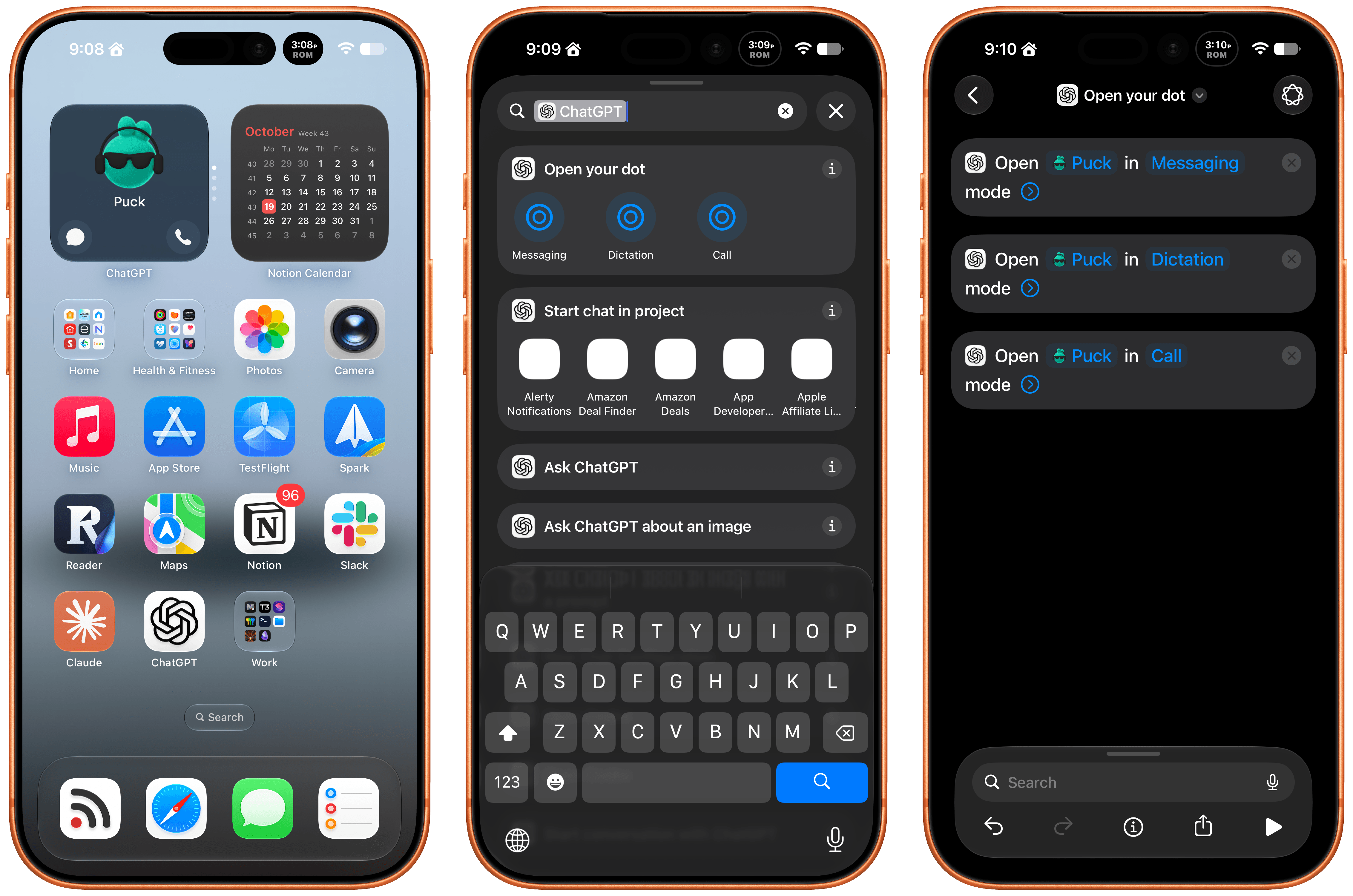
Late Friday, OpenAI updated the ChatGPT app on iOS and iPadOS with a new widget for your Dot and Shortcuts actions that let you control it three ways. The implementation is really well done and adds automation options worth considering.

First of all, the Dot widget is about as simple as it gets, but also very useful. I have the ChatGPT app set up to drop me into its Codex view because that’s typically how I use the app. I open Codex, check on a long-running project, and provide whatever input is necessary to keep things moving.

The problem I’ve run into is that I’ve been using my Dot, Puck, more and more to kick off research, ask one-off questions and check in on things like my email. Landing in Codex means tapping around more, which I can avoid now with ChatGPT’s new small-sized widget. The widget has two modes. The first simply shows your Dot’s avatar, and tapping on it opens your Dot’s message thread. However, if you edit the Dot, you can toggle on the “Show shortcut button” to display messaging and voice buttons beneath your Dot, adding the option to start a voice call with your Dot. As simple as this is, it’s been great to have the option to start in Codex via the ChatGPT app or check in with my Dot thread using the widget.

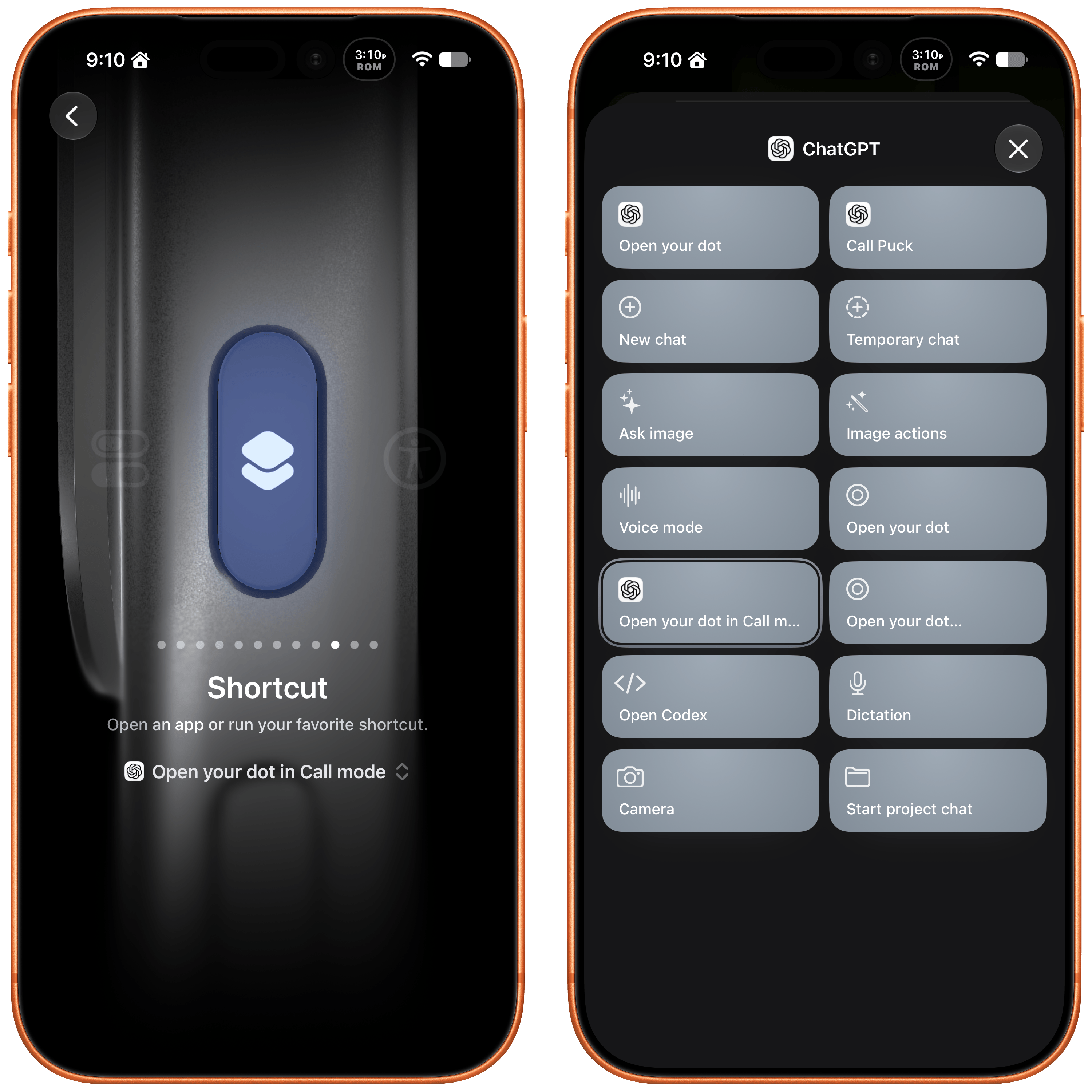
The other interesting feature is a trio of Shortcuts actions to message, dictate, or call your Dot. Each action has two parameters: the name of your Dot and how you want to communicate with it. That first parameter is an interesting one because tapping on it opens a list with your sole Dot in it because currently, you can only have one Dot. However, it also strongly suggests that the ability to set up multiple Dots is on the horizon, which OpenAI clearly telegraphed during its DevDay. After all, why have a parameter that opens a list unless there’s more than one choice?

I've set my Action button up to call my Dot.

I’ve set my Action button up to call my Dot.

The actions can be used in your shortcuts, are accessible from Spotlight Search, and most interestingly can be tied to an iPhone’s Action button, allowing you to visit your Dot’s thread in any of three ways. I’ve set my Action button up to start a Dot call. I often think of tasks and have ideas for research topics when I’m out for a walk, and I want to see if having brief calls with my Dot is an effective way to get a jump on those ideas, so they’re waiting for me in ChatGPT when I get home.

These actions and widgets are an excellent addition to OpenAI’s app and a cut above Anthropic’s more barebones approach to widgets and Shortcuts. I would, however, like to see Dots integrated even deeper into Shortcuts. The Shortcuts actions only open your Dot thread in one of the three modes. I’d love to be able to connect Dots to other apps with actions that accept input from other sources and produce outputs that can be used in other actions.

While I’m making requests, I still think multiple Dots need to be supported sooner rather than later, and OpenAI needs to provide a better mechanism for switching between Macs if you use a Dot with multiple computers. Plus, Dots are still a little buggy, with scheduled tasks failing too often and for reasons that aren’t always clear.

That said, the latest update is worth checking out if you’ve found Dots helpful. The strength of Dots is that they’re everywhere you can access ChatGPT, and now with widgets and Shortcuts actions, getting to your Dot in each of those places is easier than ever.

  •  

MacStories Weekly: Issue 533

This Story is for Club Members

Get weekly newsletters, exclusive stories, member downloads, and ad-free version of MacStories Unwind.


See Plans


Already a member? Sign in

  •  

Meta Releases Muse Spark Open, an Over 800 Billion Parameter Model That Can Run Locally on Multiple M5 Ultra Mac Studios

Meta just released the weights for Muse Spark Open, a multimodal large language model with a mixture-of-experts architecture. It has over 800 billion parameters in total, with 40 billion active per token, and it can run on the latest Mac Studios.

Meta worked closely with Apple to make that happen specifically on the M5 Ultra Mac Studio with the support of MLX, the Apple-led, open-source machine-learning framework. The result is a frontier-class model that can be run locally on desktop hardware.

Apple’s Machine Learning Research blog put the M5 Ultra through its paces standalone and connected with other M5 Ultra Studios, and the results are impressive. If you’re at all interested in running LLMs locally, it’s worth checking out all the details, but a few things jumped out at me:

  • The M5 Ultra’s time to first token exceeds the M3 Ultra by 4.6x thanks to the M5 Ultra’s Neural Accelerators.
  • Tokens generated by the M5 Ultra beat the M3 Ultra by 1.6x.

However, thanks to MLX’s support of RDMA over Thunderbolt 5, big models like Muse Spark Open can be split across multiple M5 Ultra Mac Studios accelerating tasks further. For very large contexts that means a time to first token that’s up to 1.8x faster, but it’s also what lets the model fit onto desktop hardware because even the 4-bit version of Muse Spark Open requires 493GB of memory.

Some of Apple’s testing was done with the 512GB model of the M5 Ultra Mac Studio, which is slated for release at the end of the year. Apple hasn’t said how much the new model will cost, but for context, the 256GB model with 2TB of storage will set you back over $11,000. So the 512GB model isn’t your typical consumer purchase, even more so since running Muse Spark Open requires at least two of them.

However, that doesn’t make this any less of an accomplishment. Muse Spark Open is at the bleeding edge of models that can be run locally on computers that can sit on your desk and don’t need more power than can be delivered from a wall outlet. That’s made possible by the unique combination of Apple silicon and updates to MLX. Plus, with the pace of advancements in AI and Apple silicon hardware, what may only meet enterprise budgets today could become accessible to more consumers faster than most of us might expect.

  •  

HomeView Points to Siri AI as the Next Developer Platform

Source: Apple.

Source: Apple.

Yesterday, Wired reported that third-party apps with CarPlay functionality would be available on Apple’s new HomeView device. That struck me as odd. I was expecting, and I think many others were at least hoping, that the HomeView would be a new platform for building apps. And while strictly speaking that doesn’t seem to be the case, in an entirely different way it is. Here’s what’s going on.

Apple’s original press release caused some confusion because it doesn’t spell out the CarPlay angle. Instead, it simply says that the HomeView supports “compatible third-party audio and video apps,” and “[s]elect apps require a paired and compatible iPhone nearby,” which is also a CarPlay requirement. That press release also mentioned the HomeView’s ability to use widgets and access personal context without ever mentioning whether that applies to third-party apps.

Well, now we have some answers to most of these questions. First of all, Apple documents out-of-the-box support for audio and video apps, rather than the full range of CarPlay categories. That’s further supported by Katarina Mogus’ interview with Apple’s Cecilia Dantas, which draws a straight line between third-party video apps and CarPlay support.

Second, the Human Interface Guidelines have been updated to address which widgets can be used with the HomeView:

On Apple HomeView, people can place widgets on the Modular face and the Home Screen. Widgets on HomeView are from the small system family, and share the appearance of iPhone widgets. A person chooses widgets from among those already installed on HomeView, like Weather or World Clock, or from their individually connected iPad or iPhone.

As for whether Siri can access third-party data and actions, I suspect the answer is yes. Apple’s press release called out personal context specifically, which was confirmed by Apple’s Kaiann Drance and Lilian Rincon in an interview with Reuters. So, for example, you can presumably use the HomeView to retrieve an old message from the Messages app on your iPhone. The Q&A section on the HomeView product page also mentions taking action across apps with Siri. That strongly suggests that the HomeView’s functionality will be the same as the new HomePod mini 2’s when it gains Siri AI capabilities, even though I haven’t seen anything from Apple that addresses whether that sort of Siri integration extends to third-party apps directly.

So, as of today, Apple has documented support for CarPlay audio and video apps and small widgets. I suspect Siri AI will provide another route, too. That limited app model may disappoint some, but I think it points to where personal assistants are heading. Apps aren’t going away, but the need for a separate app on every device is.

Siri, with apps integrated through App Intents, is emerging as a new UI. Developers who have adopted that technology already give users ways to interact with their apps beyond the apps themselves. I expect HomeView will extend that opportunity even further without requiring developers to build for an entirely new device. If it does, that’s a win for developers and users alike, and perhaps just the tip of the iceberg in a world where computing extends beyond apps.

  •  

Apple Teams Up with LG Electronics and Schneider Electric to Offer the Apple Home Collection

Source: Apple.

Source: Apple.

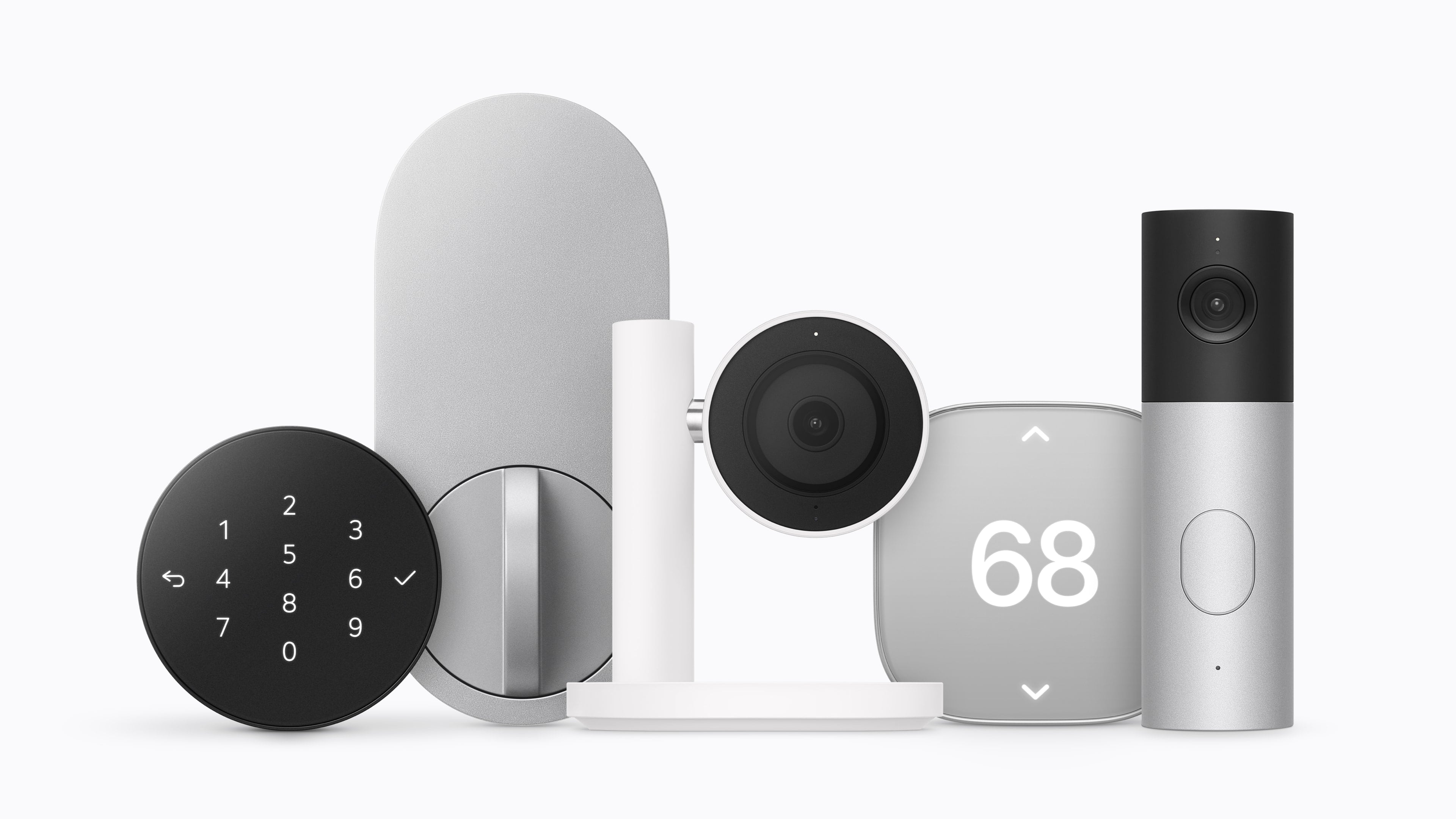
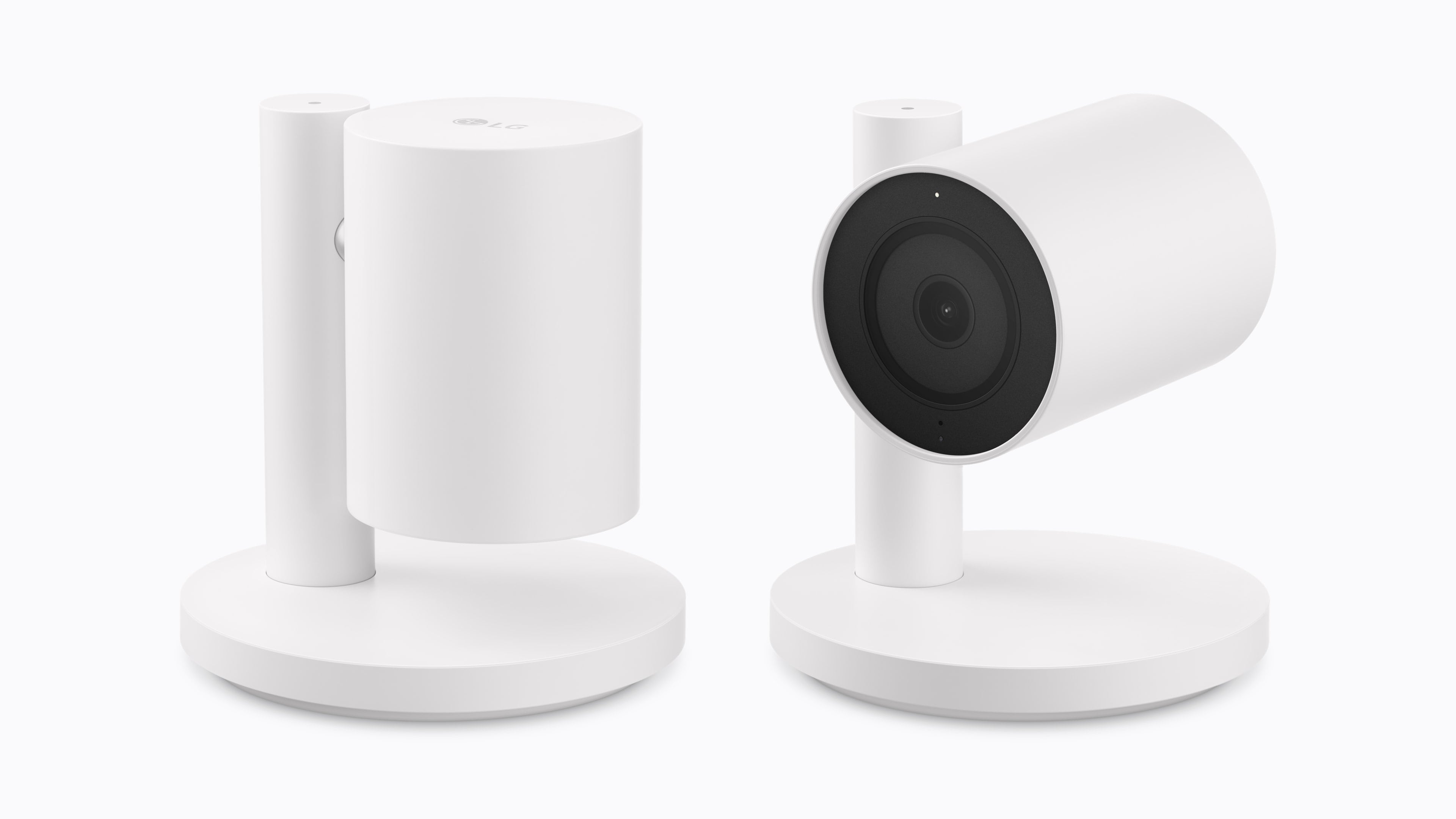
Apple revealed today that it has partnered with LG Electronics and Schneider Electric on the Apple Home Collection, a range of smart home products including sensors, thermostats, cameras, and a smart lock that will be available beginning in December and into 2027.

Source: Apple.

Source: Apple.

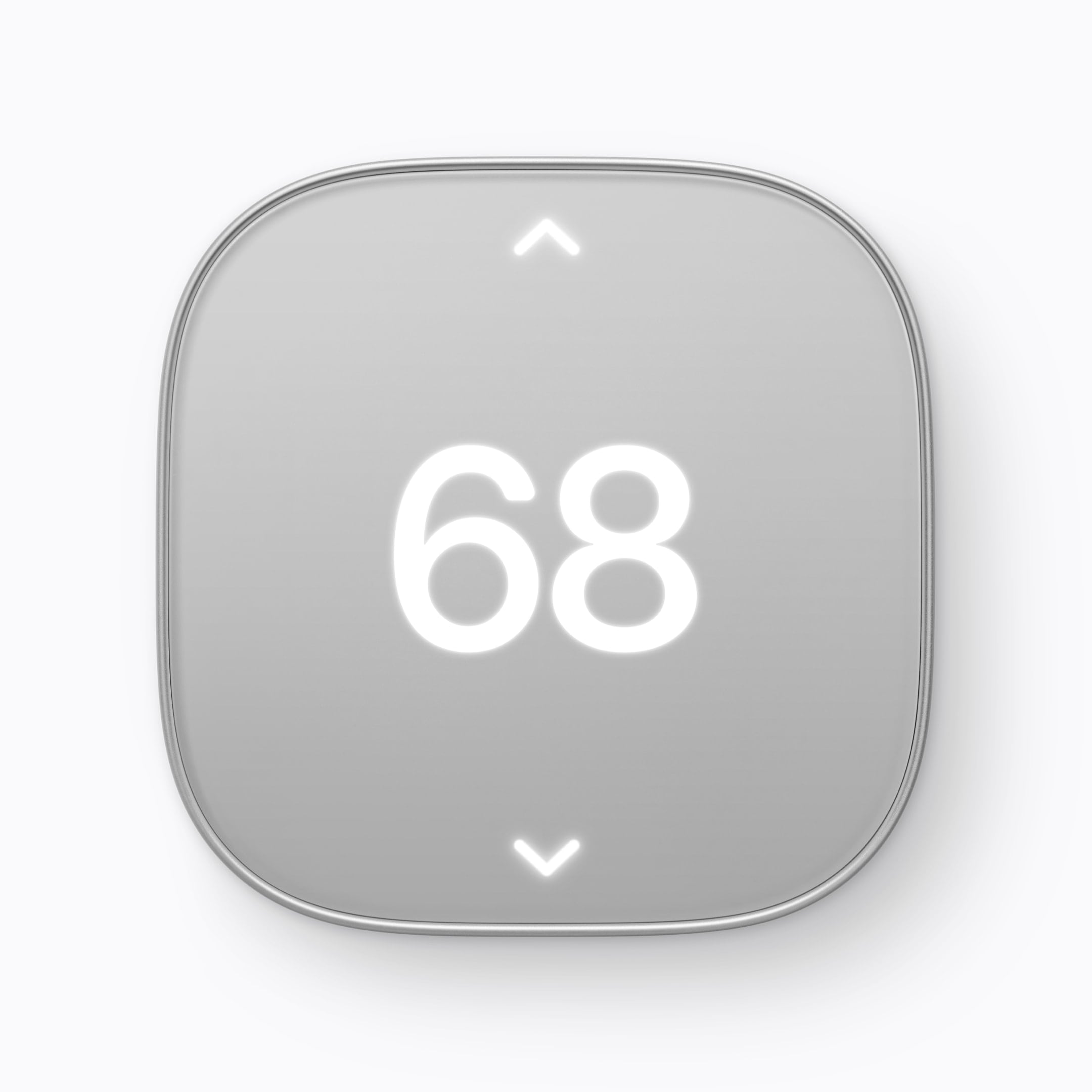
LG has developed a video doorbell, a floodlight camera, outdoor and indoor cameras, a thermostat, and a temperature sensor, along with a smart lock that supports Ultra Wideband for hands-free door unlocking. Schneider Electric will offer a smart thermostat and temperature and humidity sensors. Device installation will also be available through a partnership between ADT and Apple Retail in the U.S. for an additional fee.

Source: Apple.

Source: Apple.

Standout features include:

  • the ability of the cameras to pick out faces, animals, vehicles, and packages,
  • iCloud+ support for HomeKit Secure Video,
  • the ability for the indoor cameras to tilt down when a household member returns home,
  • adaptive temperature on the thermostat that adjusts heating and cooling according to whether someone is home, and
  • the ability to shift heating and cooling use (U.S. only) to when available energy sources are cleaner.
Source: Apple.

Source: Apple.

Pricing for the devices is as follows:

  • LG Video Doorbell Wired: $249.95
  • LG Floodlight Cam: $399.95
  • LG Outdoor Cam Plug-In: $299.95
  • LG Indoor Cam Plug-In: $199.95
  • LG Smart Deadbolt Lock: $349.95
  • LG Smart Thermostat: $199.95
  • LG Temperature Sensor: $39.95
  • Schneider Home Smart Thermostat: $199.95
  • Schneider Home Room Sensor: $39.95

The cameras will be available in the U.S., Canada, and the UK, with other devices limited to the U.S. and Canada.

  •  

The Apple TV 4K Gets Siri AI, an A19 Chip, and a $299 Price Tag

Source: Apple.

Source: Apple.

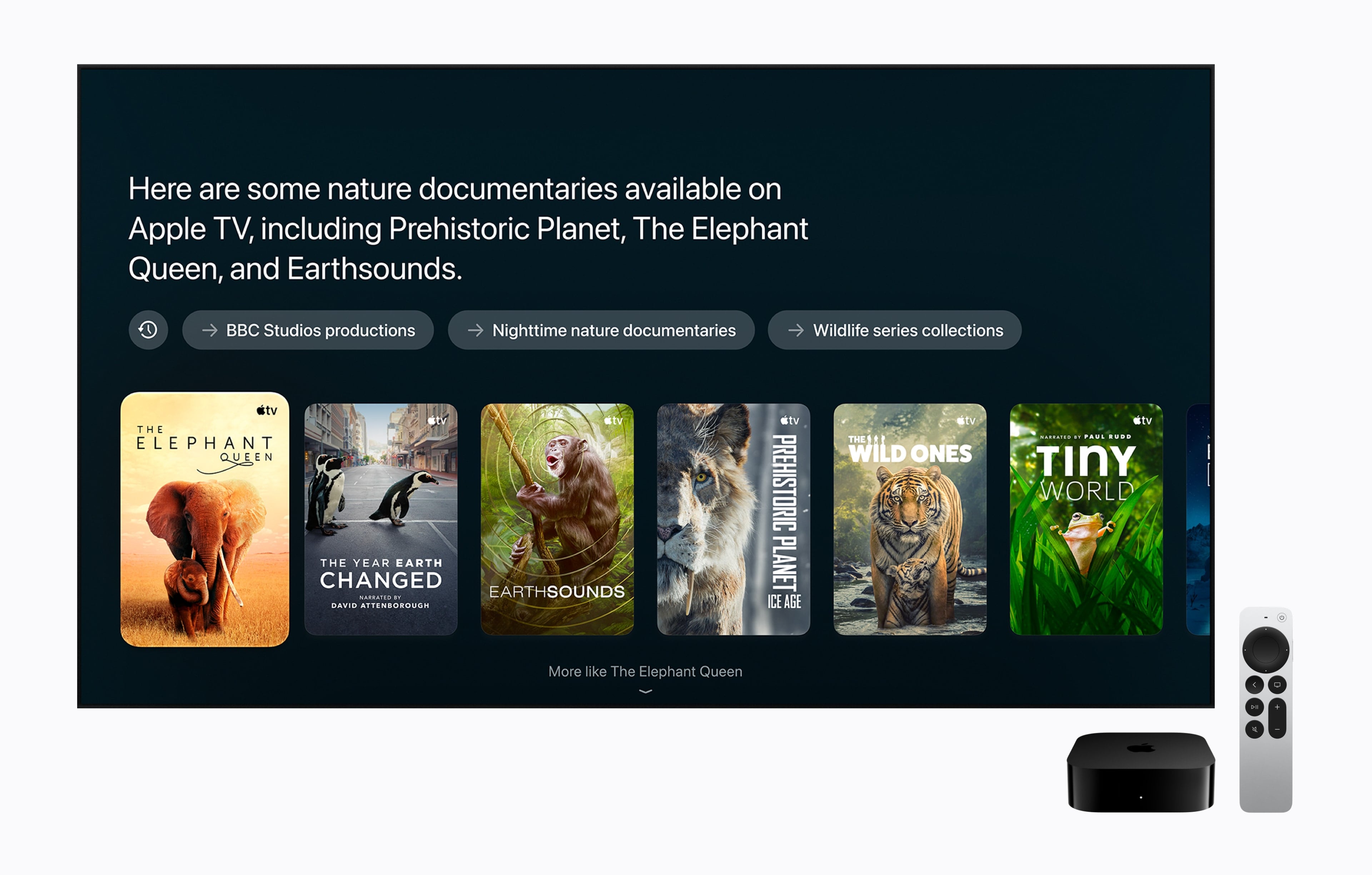
Apple also updated the Apple TV 4K today. Last updated in 2022, the Apple TV 4K’s fourth-generation update is focused on bringing an improved surround sound experience to the Apple TV, along with Siri AI. From the outside, the new Apple TV 4K looks like the old one: a nondescript black box that sits under your TV, but on the inside, the components have been upgraded. The Siri Remote has been updated too.

Source: Apple.

Source: Apple.

The updated Apple TV features Apple’s A19 chip with an AV1 decoder and three far-field microphones. The A19 chip has a faster CPU (a claimed 50% boost) and GPU (a claimed 2x improvement), which may come in handy when playing games. The microphones allow a user’s voice to be picked up by the Apple TV despite background noise, and Apple says Siri AI will enable new ways to discover what to watch on the device. It’s worth noting that Siri AI is available on the second- and third-generation Apple TV 4K, too. Other upgraded specs that are notable include Wi-Fi 7 and Bluetooth 6.

Source: Apple.

Source: Apple.

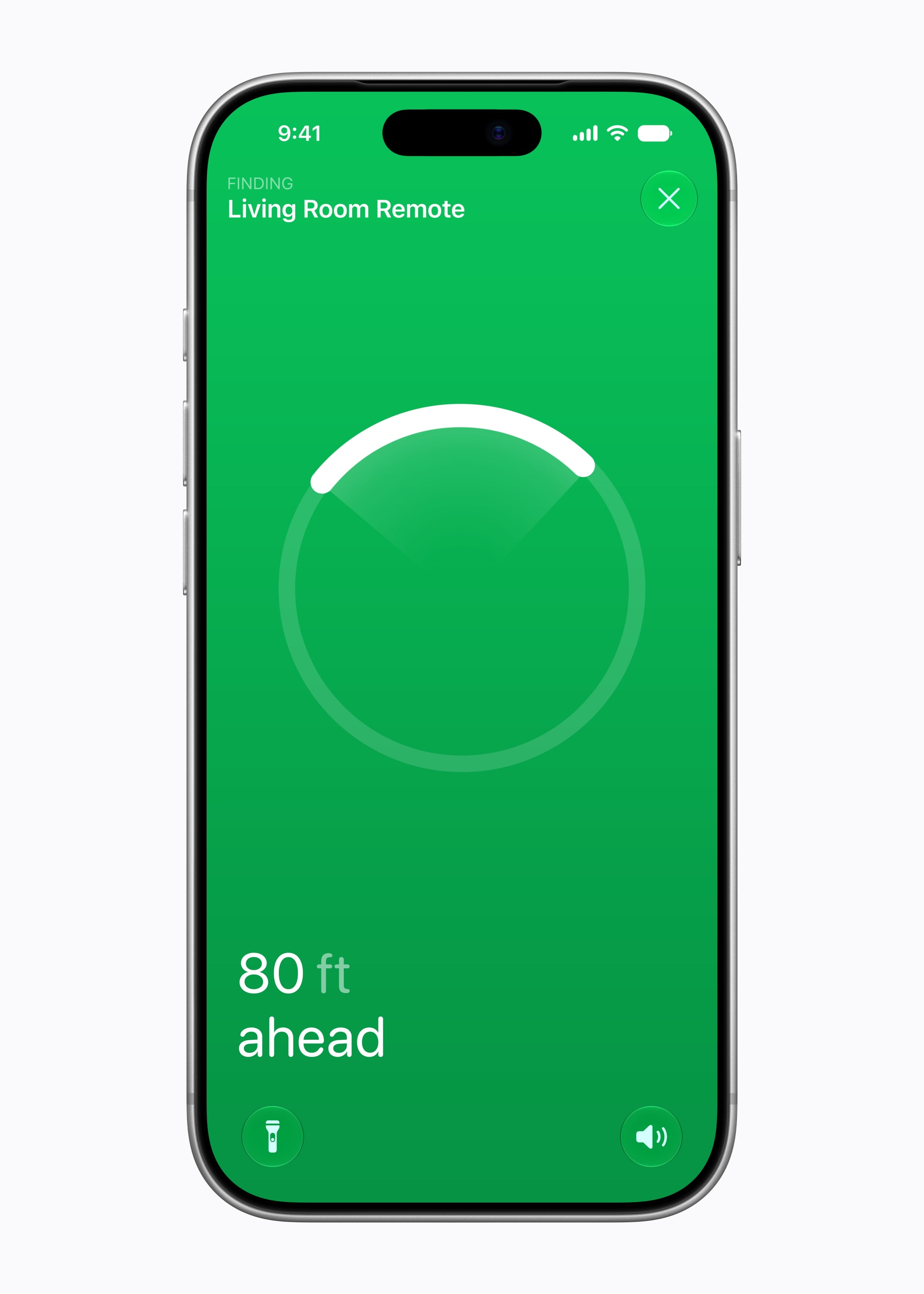
Apple has also expanded the surround sound capabilities of the Apple TV. It can now be paired with four Apple HomePod mini 2s or second-generation HomePods or two pairs of each HomePod type. As for the Siri Remote, it now supports Precision Finding and can play a sound when used with the Find My app.

The new Apple TV 4K is a steep $299, which is disappointing but understandable given the update and 128GB of storage and can be preordered now in the U.S. and 29 other countries, with delivery and in-store availability on November 13.

  •  

Apple Unveils HomeView: A Smart Home Display Powered by Siri AI

Source: Apple.

Source: Apple.

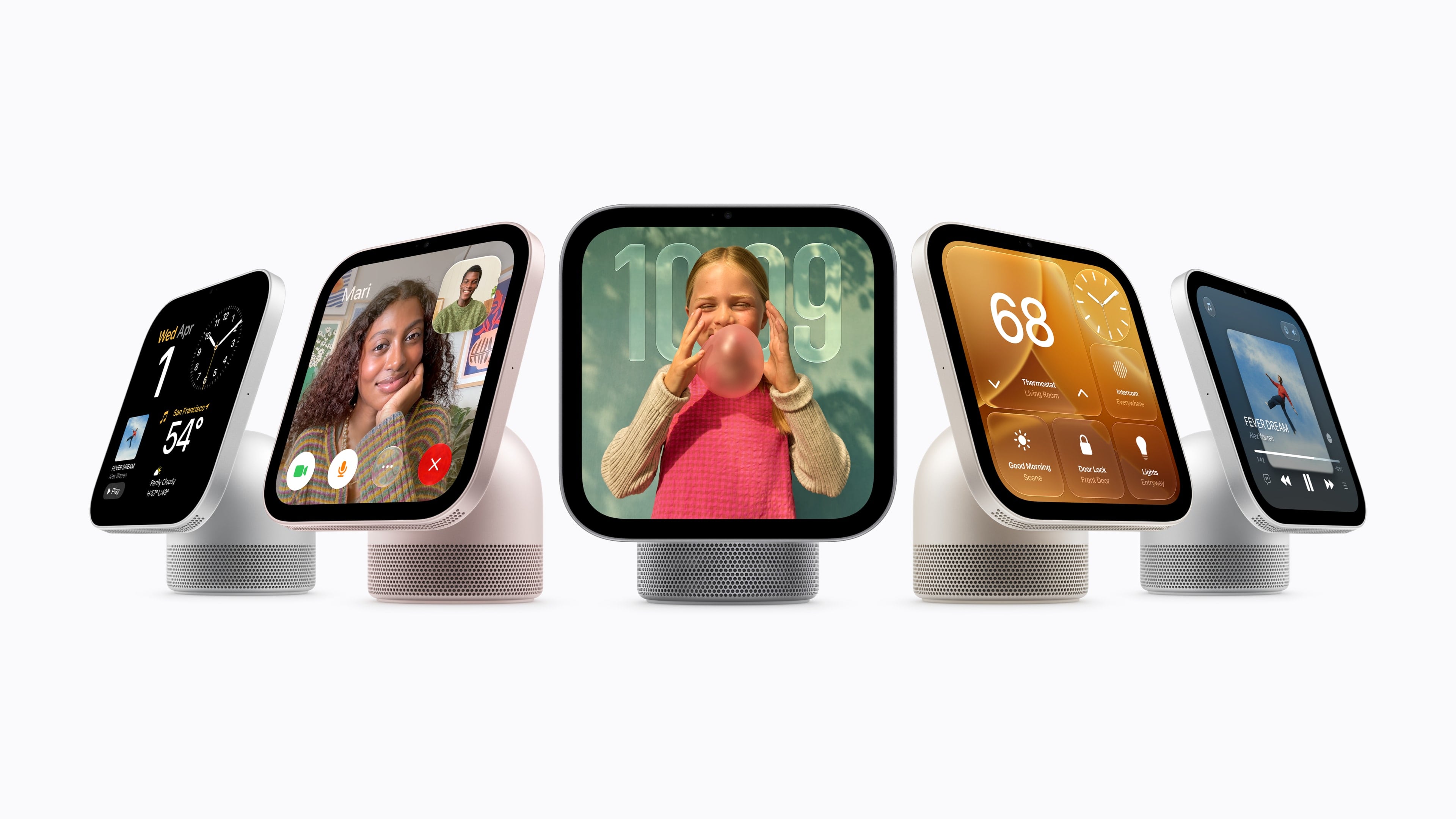
Today, Apple announced the highly anticipated HomeView, a Siri AI-powered device for controlling your HomeKit devices and accessing other apps and services like Apple Music, your calendar, Reminders, Apple Podcasts, and more.

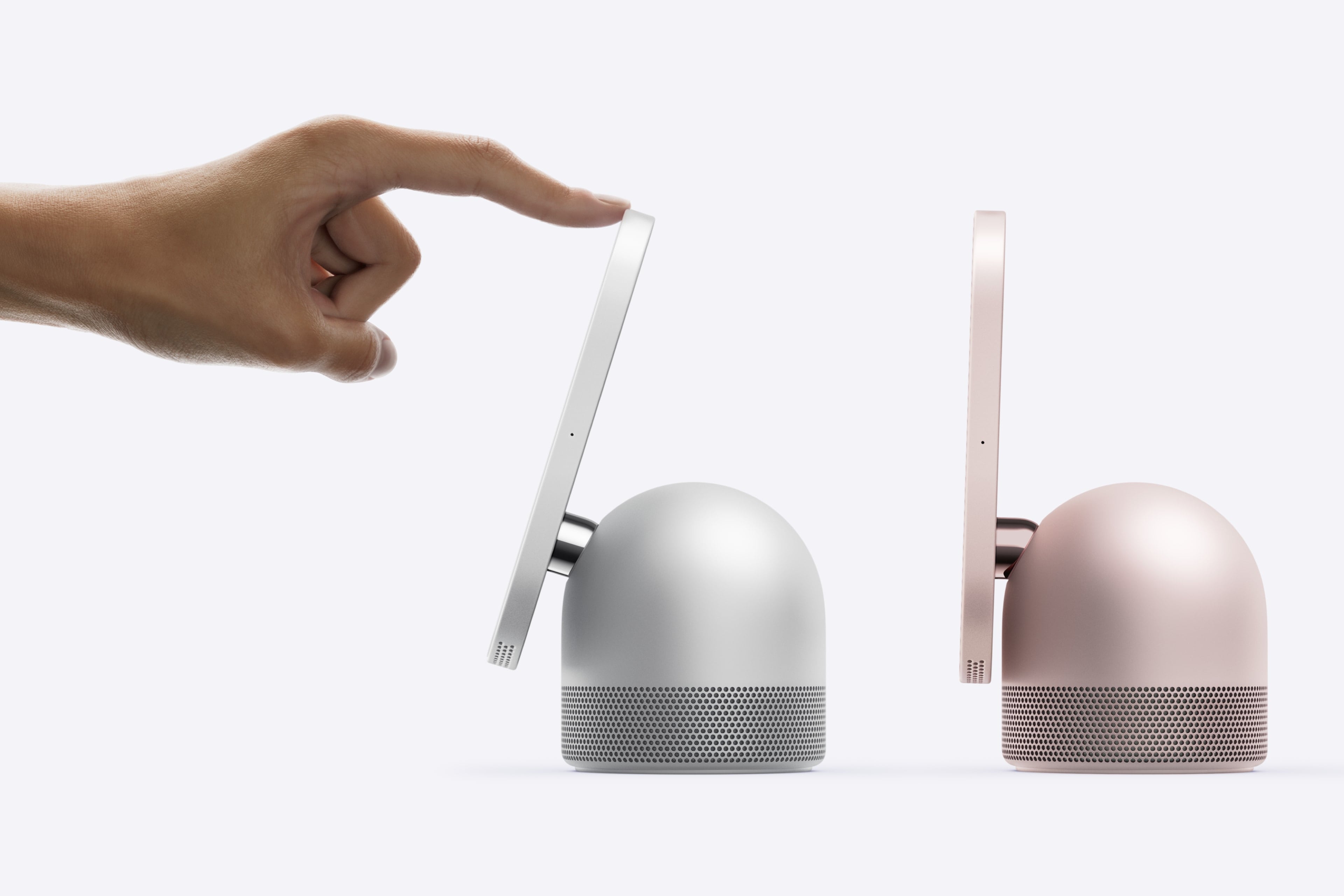
The table top HomeView's screen tilts. Source: Apple.

The table top HomeView’s screen tilts. Source: Apple.

HomeView comes in two configurations, each of which is $299 and will launch on November 13 and can be preordered today. The first sits on a flat surface and has a domed aluminum base and a 7-inch Liquid Retina True Tone display that tilts. The base houses a downward-firing woofer and two force-cancelling passive radiators and the display has two drivers that support Spatial Audio.

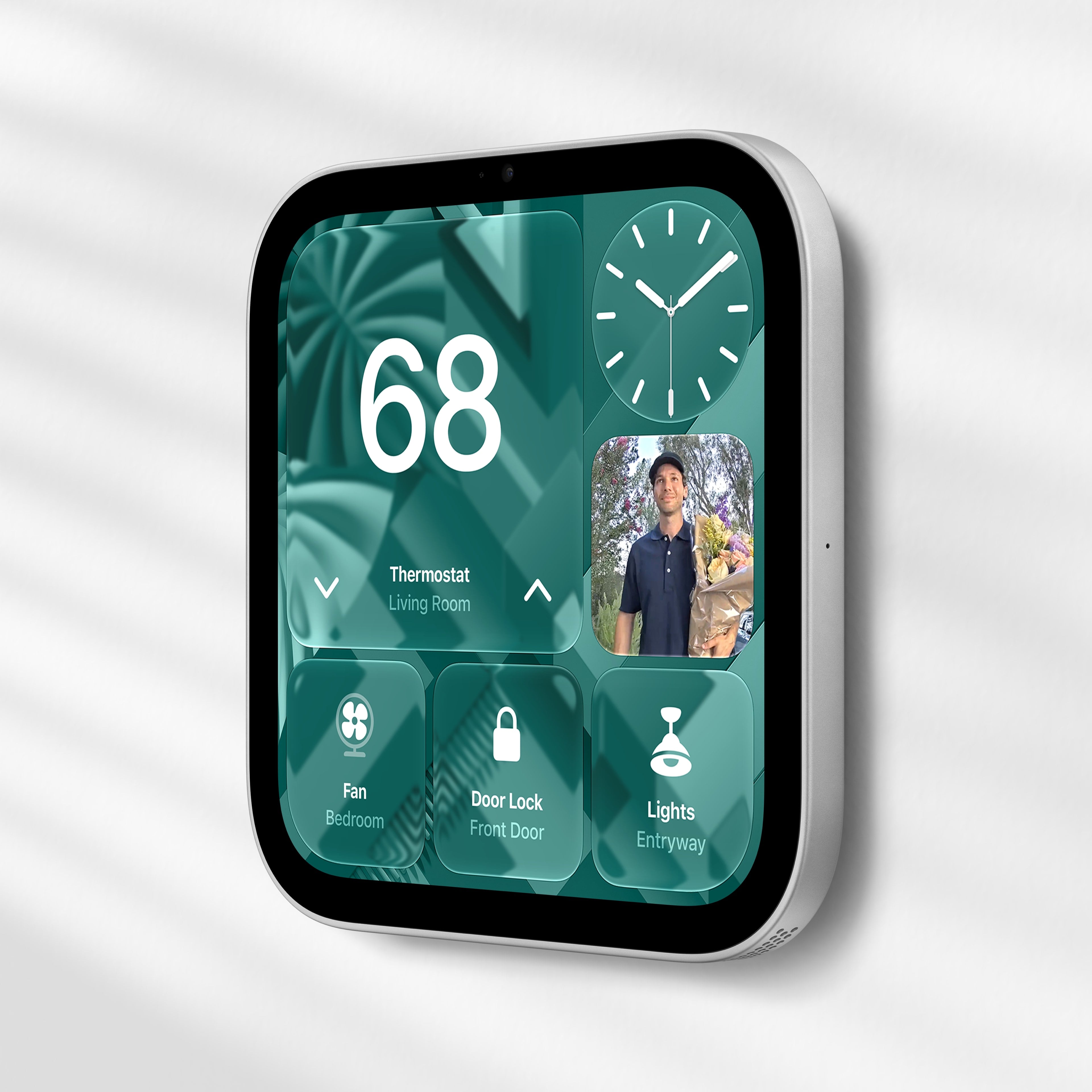
The Wall Mounted HomeView. Source: Apple.

The Wall Mounted HomeView. Source: Apple.

The second HomeView model is meant to be hung on a wall, but the functionality of both is roughly the same. The main difference being that the wall-mounted version lacks the other model’s base and its woofer.

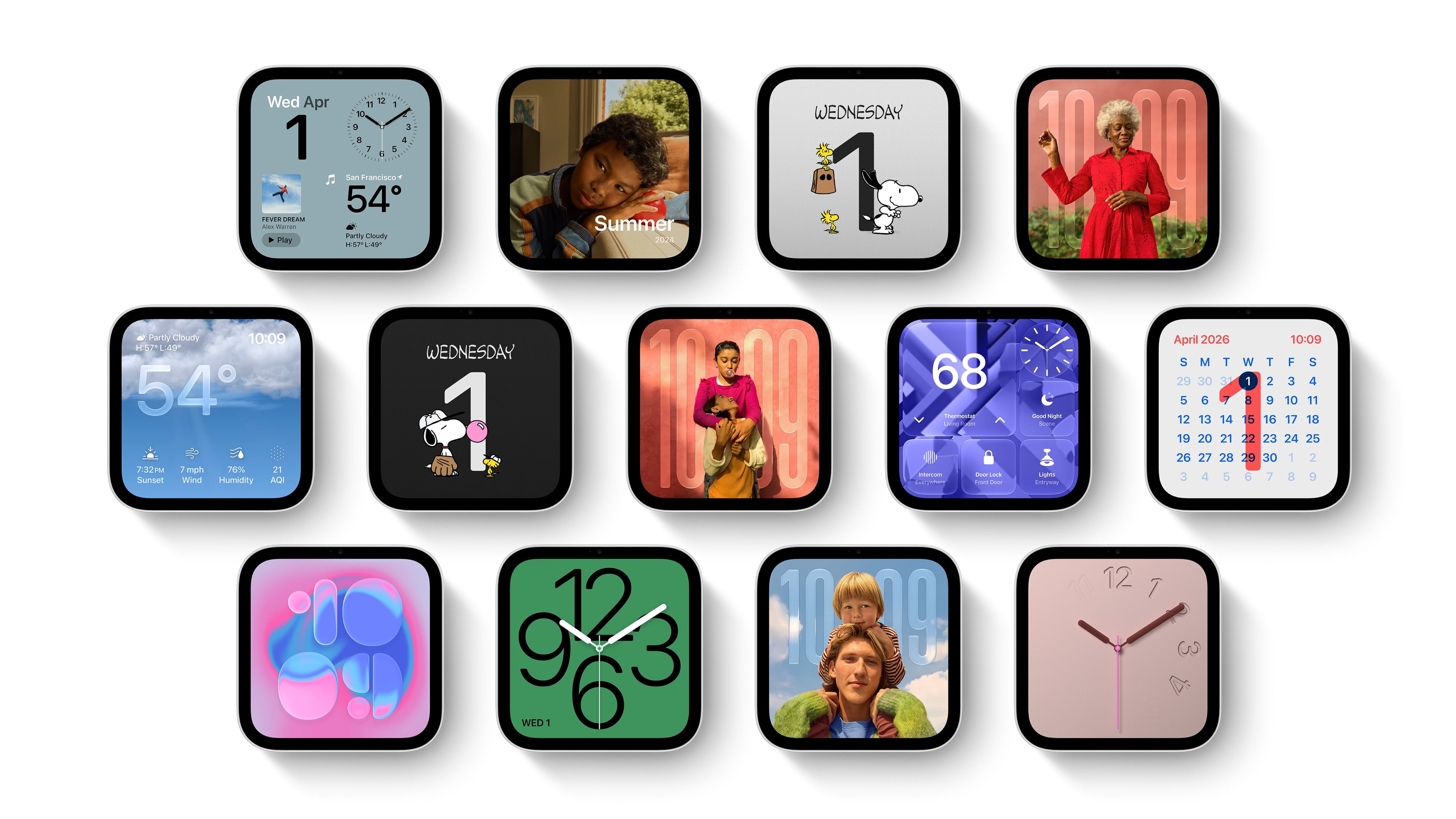
HomeView faces. Source: Apple.

HomeView faces. Source: Apple.

The HomeView features a series of customizable faces that are navigated by swipe gestures. There are faces for photos, weather, a clock, for example, which are reminiscent of Apple Watch faces. There are also tiles for controlling HomeKit devices and widgets for things like the weather and your calendar, which are similar to the iPhone’s StandBy Mode widgets.

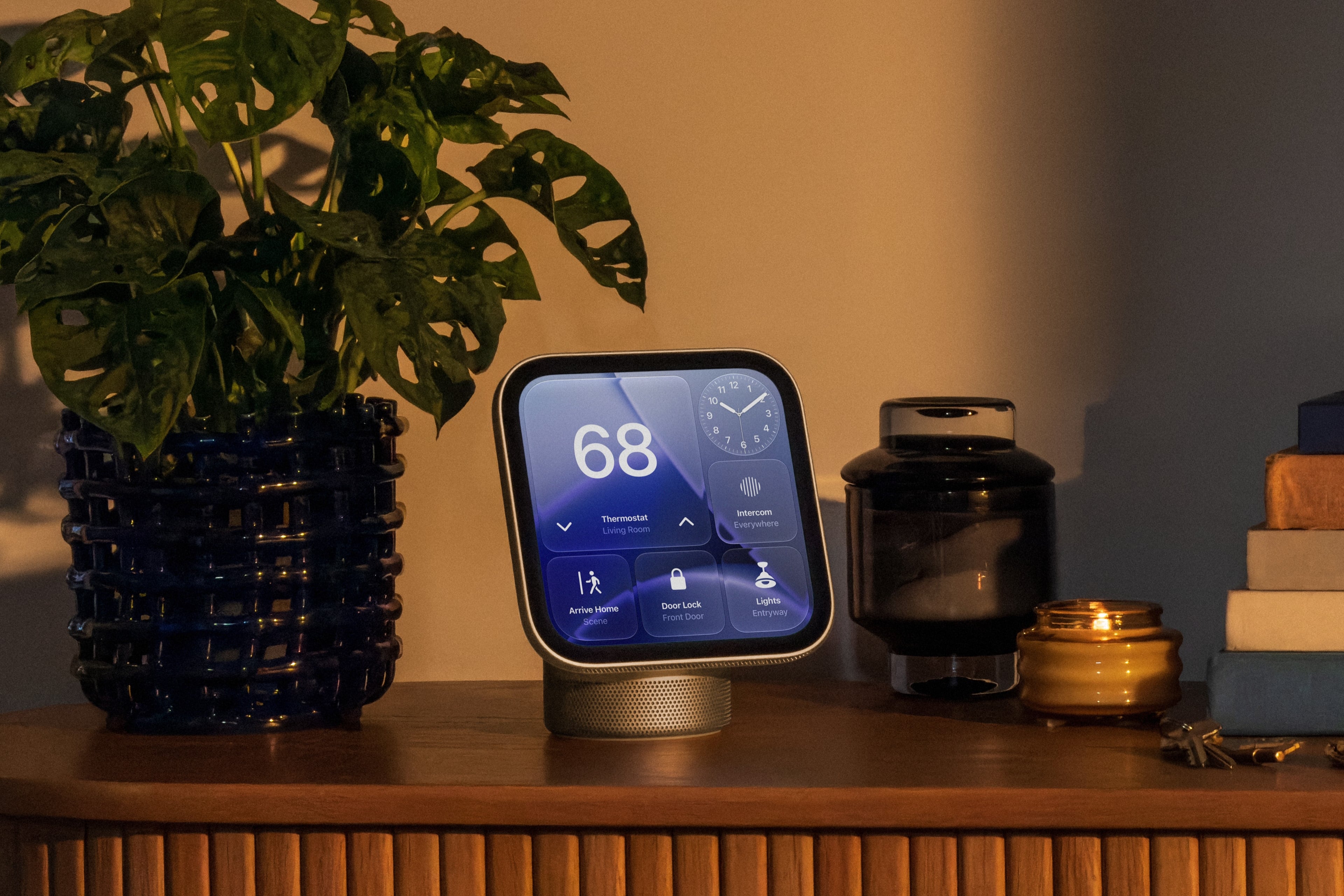
As for apps, Apple includes a selection of their own apps like FaceTime, Music, Podcasts, TV, News, and Messages along with select video and audio apps from third parties. As a smart home hub, HomeView allows users to watch HomeKit camera feeds and control locks, thermostats, lights, blinds, and other compatible devices. Of course, Siri AI is a big part of the HomeView story, too, serving as a means for navigating the device’s UI, interacting with apps, and requesting information conversationally.

Source: Apple.

Source: Apple.

Under the hood, the HomeView is powered by an A18 chip with Secure Exclaves for processing audio and video data. According to Apple, Messages and Calendar content are only available when a user is recognized and their paired iPhone or iPad is present and recently unlocked.

Overall, I love the look of the HomeView and have been thinking about where I’d place it in my home as I write this. I also like the blend of concepts that draw from the Apple Watch, StandBy Mode, and widgets. My hope, though, is that the third-party developer story expands beyond the limited audio and video apps mentioned in Apple’s press release.

Preorders are live now in Australia, Canada, India, New Zealand, the UK, and the U.S. and will begin on Thursday, October 15, at 9 a.m. SGT in Singapore. The HomeView is not available in the EU because Siri AI is not available there.

For the wall-mounted version, Apple is offering a $59.95 USB-C Wall Connector and a $79.95 AC Wired option, both of which are available for preorder now in the U.S. A Power Mount PoE option will be available in early 2027 for $129.95 in the U.S., too.

  •  

Apple Kicks Off Indie Games Week with Six New iPhone and iPad Games, Plus No Man’s Sky Preorders

Source: Apple.

Source: Apple.

Today, Apple announced Indie Games Week, a celebration of some of the best games from independent game studios. To kick things off, the company announced seven big titles that are making their iPhone and iPad debut today or are coming soon.

Apple’s Carson Oliver, the head of App Store Worldwide, had this to say in the company’s press release:

Indie games are constantly pushing the boundaries of creativity to deliver unique gameplay experiences to Apple users, and we wanted to take a moment to celebrate these games and the teams that take creative risks to push gaming forward.

Sifu.

Sifu.

The games available today include:

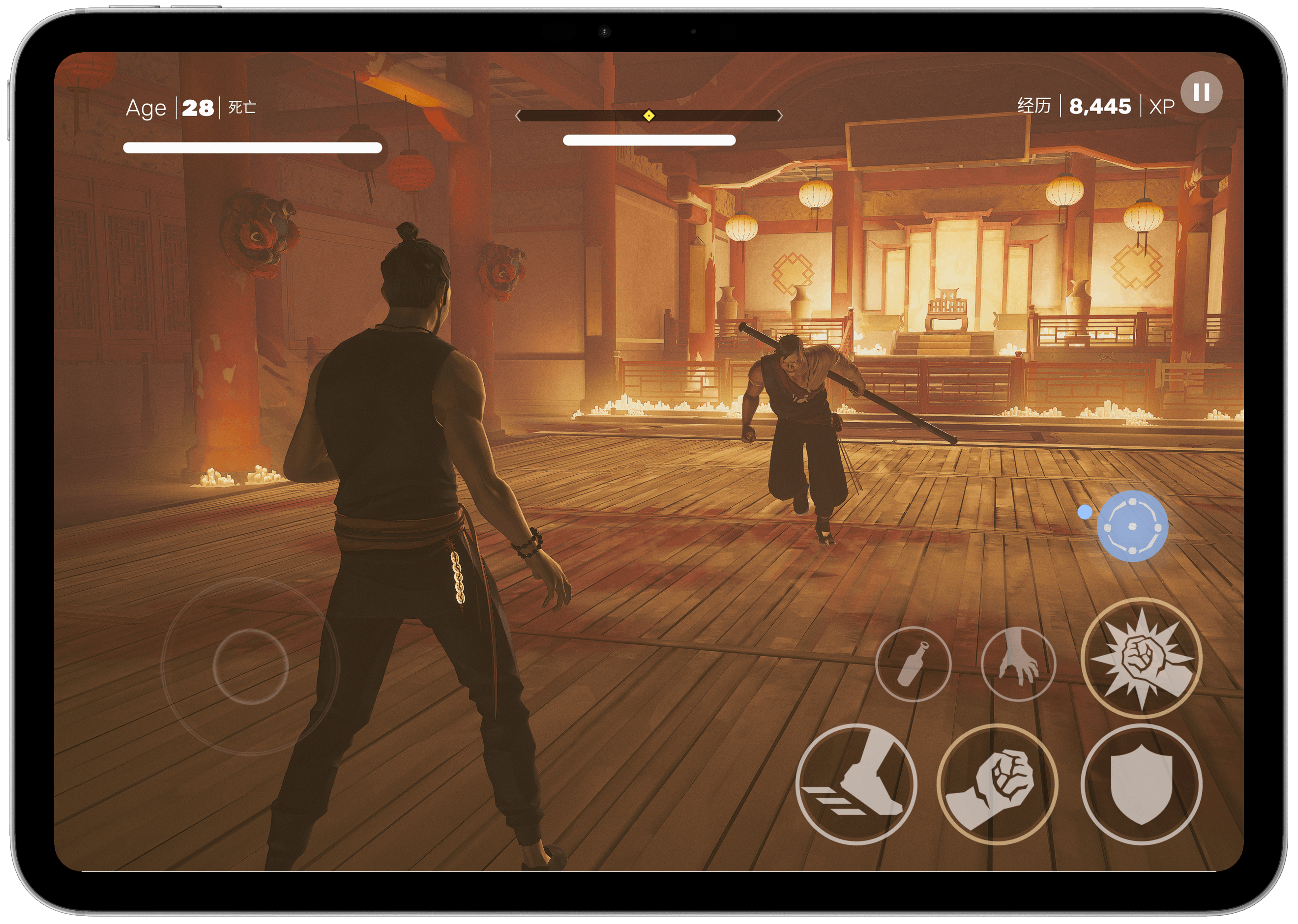
  • Sifu ($7.99), a stylish martial arts fighting game where you play as a kung fu student out for revenge.
  • Vampire Crawlers ($9.99), a deck-building spin-off of Vampire Survivors where the dungeon battles are playable at your own pace.
  • Little Kitty, Big City (Free with $9.99 full-game unlock), an open world game where you explore a cityscape as a cat.
  • Dome Keeper ($9.99), a mining and defense game where you must mine for resources while keeping an eye out for enemy attacks on the surface.
  • Yes, Your Grace 2: Snowfall (Free with $4.99 full-game unlock), a kingdom-management game that poses moral dilemmas as you are forced to make choices to save your empire.
  • 9 Kings (Free with $8.99 full-game unlock), a card-based strategy game where you assemble your army for battle with rivals, managing troops and resources.
Coming Oct. 28: No Man's Sky.

Coming Oct. 28: No Man’s Sky.

Also announced today is that No Man’s Sky is making its debut on the iPhone and iPad on October 28th with preorders available today. Originally announced as a 2022 release for the Mac and iPad, the game has clearly taken longer than expected to adapt to Apple’s platforms.

For those who have been patiently waiting, though, the news is very good. The iPhone and iPad versions support all of the past updates to No Man’s Sky and will work on every iPhone from the iPhone 11 forward and the iPad Air (3rd generation) and later. The game will also feature touch controls, and both mouse and keyboard and controller support. However, similar to the game’s Switch debut, it will not include multiplayer, Settlements, cross-save, or cross-play at launch. No Man’s Sky will be free to download and try with a full-game unlock offered as a $19.99 In-App Purchase.

Dome Keeper.

Dome Keeper.

I’ve had a chance to play each of the games available today on my iPhone and iPad and it’s a great collection. What sets them apart from previous releases on other platforms is the attention each has paid to the unique features of Apple’s platforms. Many, including Dome Keeper, Sifu, and Vampire Crawlers, support Game Center and Family Sharing. By and large, the touch controls are well done, too, but I appreciate the games that offer controller support the most since that’s my preferred way to play.

I’ve had a lot of fun trying the betas of each of these games and am looking forward to No Man’s Sky later this month. There’s something great here for anyone who loves iPhone and iPad gaming, but be sure to check out the other gems Apple is highlighting in this App Store editorial feature, too.

  •  

Our Favorite Indie Apps for iOS 27, Vol. 3

We have another collection our favorite indie apps that take advantage of Apple’s latest OS features. Today, we’re highlighting: Haven, Structured, Capture, Scrappy, and Fin.

Haven

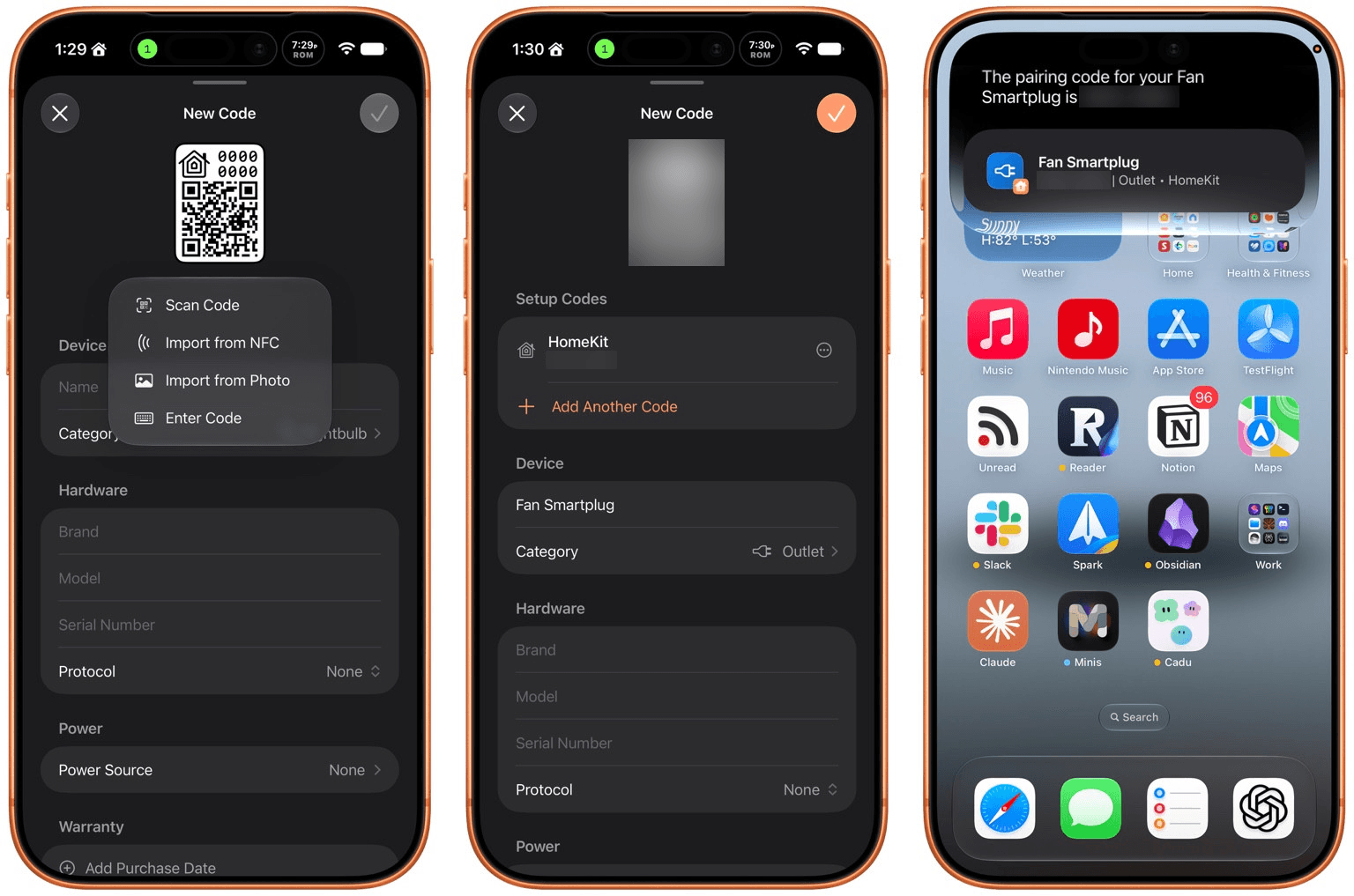
Haven is a HomeKit and Matter pairing code utility by João Franco for the iPhone, iPad, Mac, and Apple Watch that added Siri AI features this fall. The app is exactly what you want with this sort of utility because it makes storing codes for safekeeping fast and easy. Later when you need to re-pair a smart plug behind a couch or a lightbulb in a hard-to-reach spot, you’ll be glad you dropped the codes into Haven.

Retrieving codes is made even simpler, thanks to Haven’s Siri AI integration. Just ask for a code based on the name of your device in Haven, and Siri will fetch the code for you without opening the app. The feature works with both HomeKit and Matter codes and is compatible with natural language queries. The app also supports tagging and the ability to use Apple Intelligence to suggest a tag from among your existing tags.

In addition to the new Apple Intelligence and Siri AI features, Haven can track the home where your device is installed, its room, category, brand, model, serial number, protocol, power source, and status. You can mark items as favorites and add notes and attachments, like a photo of the device, too.

That’s a lot, which will appeal to the HomeKit nerds out there, but as a free download that offers unlimited pairing codes for just $6.99, it’s worth setting up Haven even if all you do is name your device, add the room where it’s located, and then search for it when needed via Siri. Siri AI is perfect for databases, and as anyone who is deep into the HomeKit world knows, a database is the best way to keep your smart home humming.

Structured

I had the pleasure of meeting the Structured team at WWDC this year. It was fun to walk through the app with them, learning about all their plans for the summer development season. But it’s been even more fun to actually play with the final product on the iPhone, iPad, Mac, and Apple Watch.

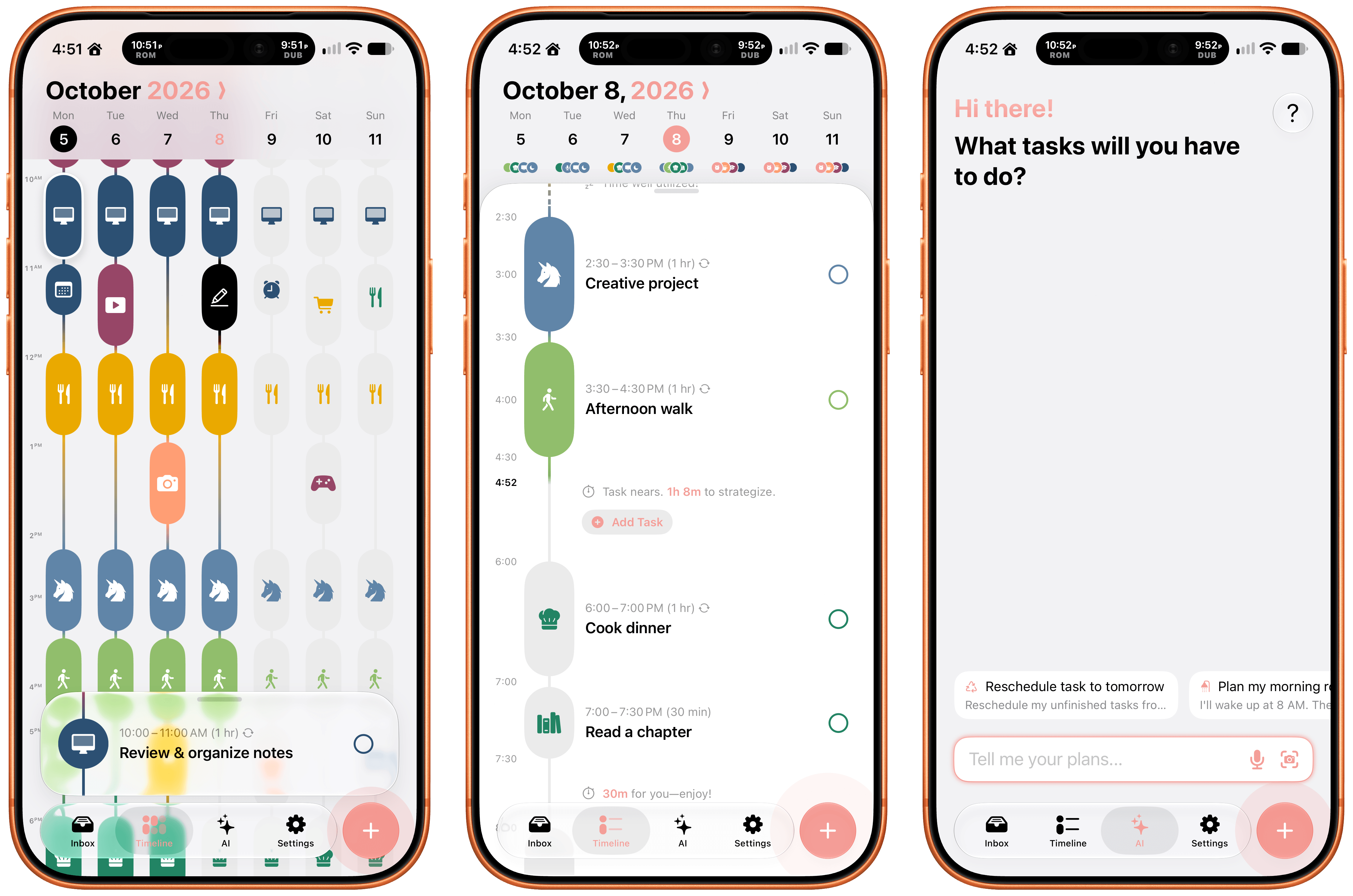
Structured is a day planning app with a beautiful and unique design that made it a finalist for both the 2025 iPad App of the Year Award and an Apple Design Award. I have a bad habit of overstuffing my workday, which is precisely the problem that Structured is designed to solve by visualizing your day and work on a timeline. The app can integrate with Reminders, your calendars, handle recurring tasks, start focus timers, and more.

As for Siri AI, Apple’s assistant can now assist Structured users with creating and editing tasks. There’s also a color prediction feature that’s in beta that learns from your past color choices to help suggest the color of a new task. Plus, Structured got a Liquid Glass update, which makes the app feel right at home among other modern apps without sacrificing the app’s simple design and legibility. If you need help organizing your day and want to see everything in one place, you can’t go wrong with Structured.

Scrappy

I’m always on the lookout for new ways to save random things I find on the Internet. I’m a digital hoarder by nature because you never can be sure when a link, image, or article that piques your curiosity will become something more in the future. The trouble is keeping these sort of bucket apps organized.

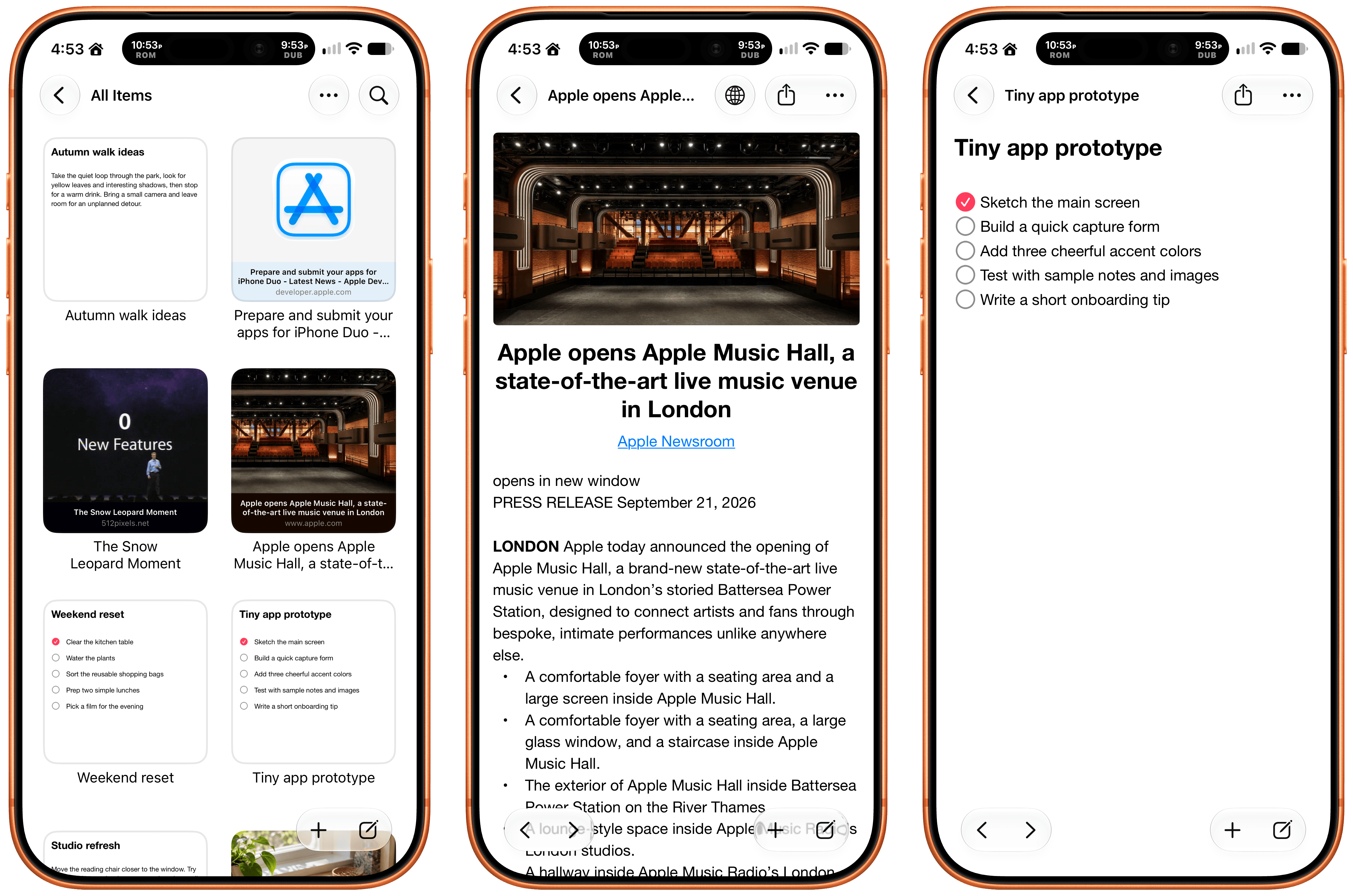
With Scrappy, by developer Steve Harris, you can save it all: notes, images, PDFs, links, videos, photos, screenshots, and more. Harris is also the developer of Keep It a notebook and document organizer app that we’ve covered on MacStories before. There are similarities between Keep It and Scrappy, but the thing that unique about Scrappy is that it’s much more visual.

The app, which works on iPhone, iPad, and Mac, puts a handy shelf just off the edge of your Mac’s screen where you can drag items, and across all platforms, it feautures fast search and smart lists. Plus, thanks to Siri AI, you can search and open what you’ve saved and create and edit notes. There are filtering and sorting options, along with an extraordinarily long set of Shortcuts actions that make the app uniquely suited for automation. Scrappy also has a wonderfully modern card interface that takes advantage of Liquid Glass, and it displays previews of links, images, and other content. There are lots of “bucket apps” on the App Store, but Scrappy is one of my favorites.

Capture

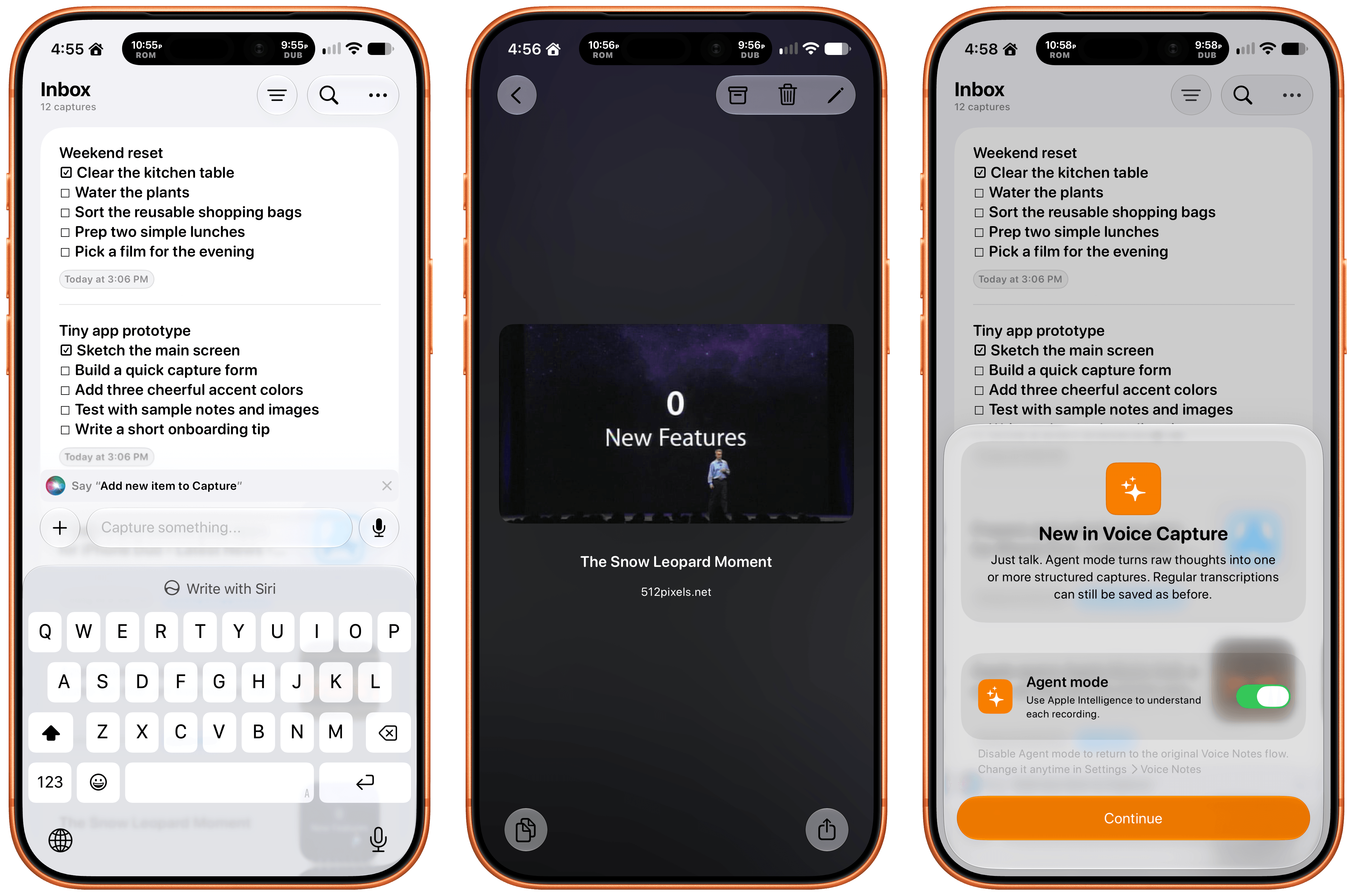
Apps like Capture are a unique obsession of mine as the online world relentlessly accelerates. Capture acts as an inbox for text, links, images, files, and tasks that works on the iPhone, iPad, Mac, Vision Pro, and Apple Watch. While you can store information in Capture long-term, it’s really meant to act as an inbox because the app has nearly 60 integrations with other third-party apps.

Capture has been building a deep library of integrations for a long time now, which I appreciate. It’s the sort of user-first approach that also made the app a perfect fit for App Intents. That integration makes it simple to find, create, and edit items with Siri. There is also an extensive set of Shortcuts actions, making the app a great fit for cross-app automations. Capture also offers creating, finding, and editing via Siri AI, note transcription using Apple’s on-device model, and a voice-based agentic mode.

Fin

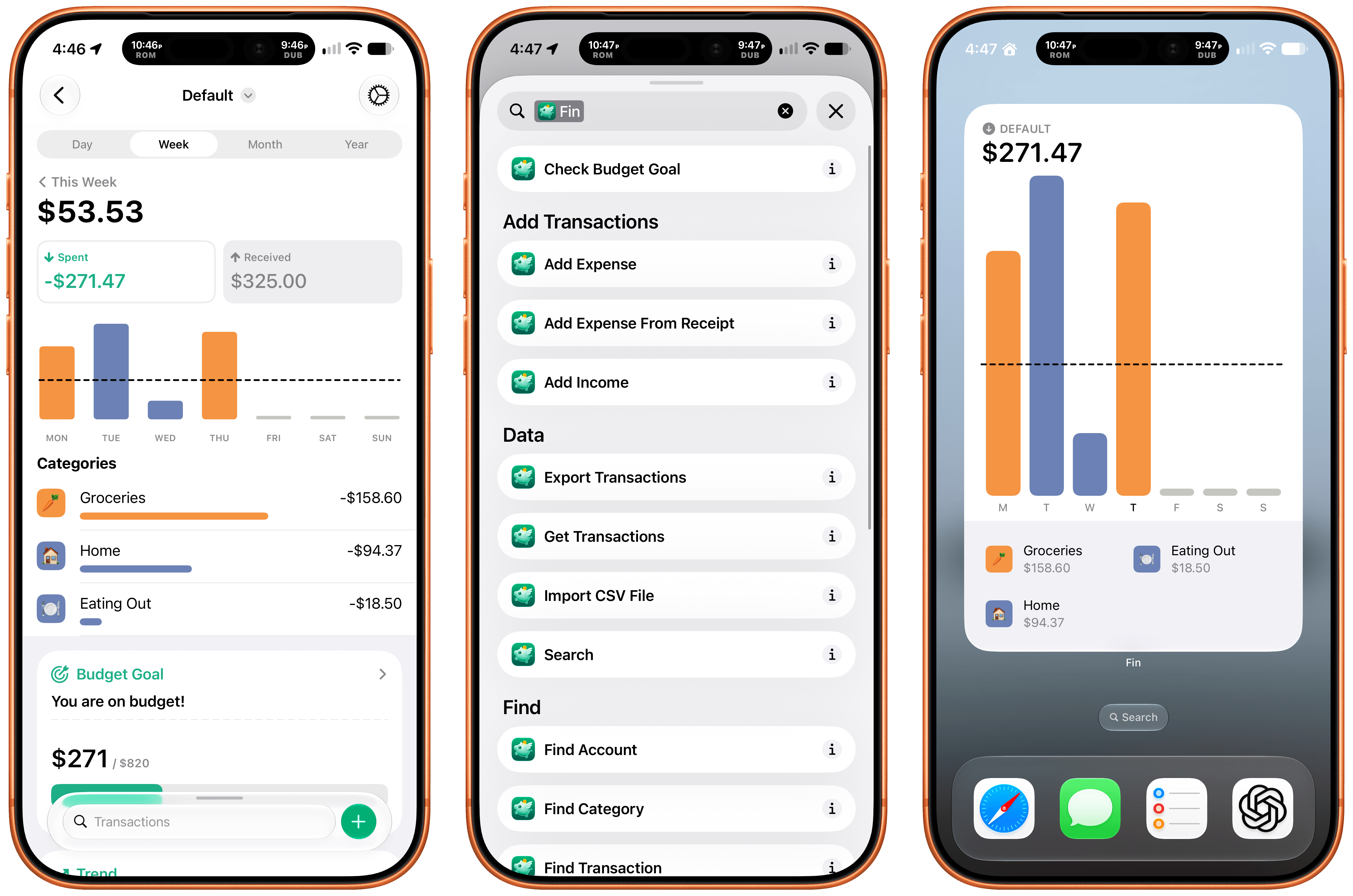
Finally, I want to shout out Fin, the personal budgeting app for iPhone, iPad, Vision Pro, and Apple Watch. Getting data into a budgeting app quickly and easily makes all the difference in the world when it comes to sticking to your budget. Fin excels at quickly recording and organizing your expenses in a clear, colorful interface that takes advantage of Apple’s modern design language.

With the latest version, Fin adds onscreen awareness that lets you ask Siri questions about what’s onscreen. The app also exposes transactions and accounts to Spotlight making it easy to pinpoint data in both. Plus, Fin lets you search, import, export, and add data to the app using Siri. There’s an extra large chart widget too. If you’re looking for a simple on-device way to privately manage your expenses, Fin’s a great choice.

  •  

MacStories Setups: A Summer of Workflow Refinements and Experimentation

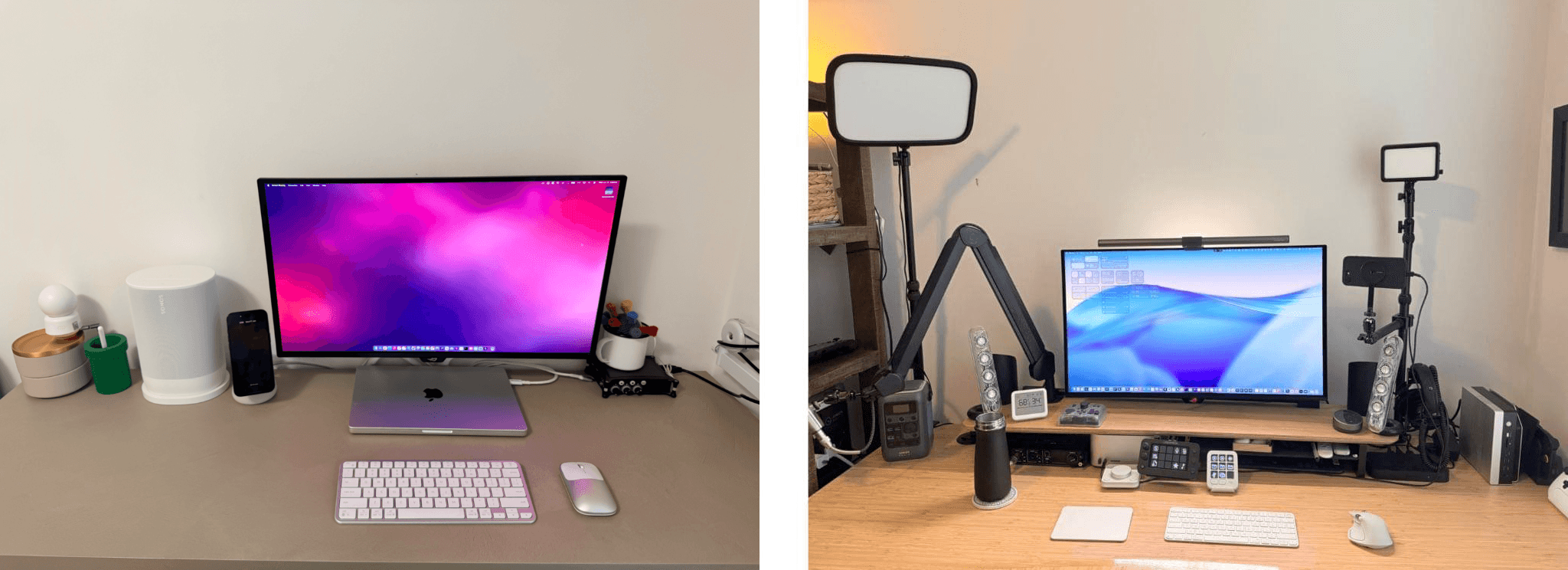
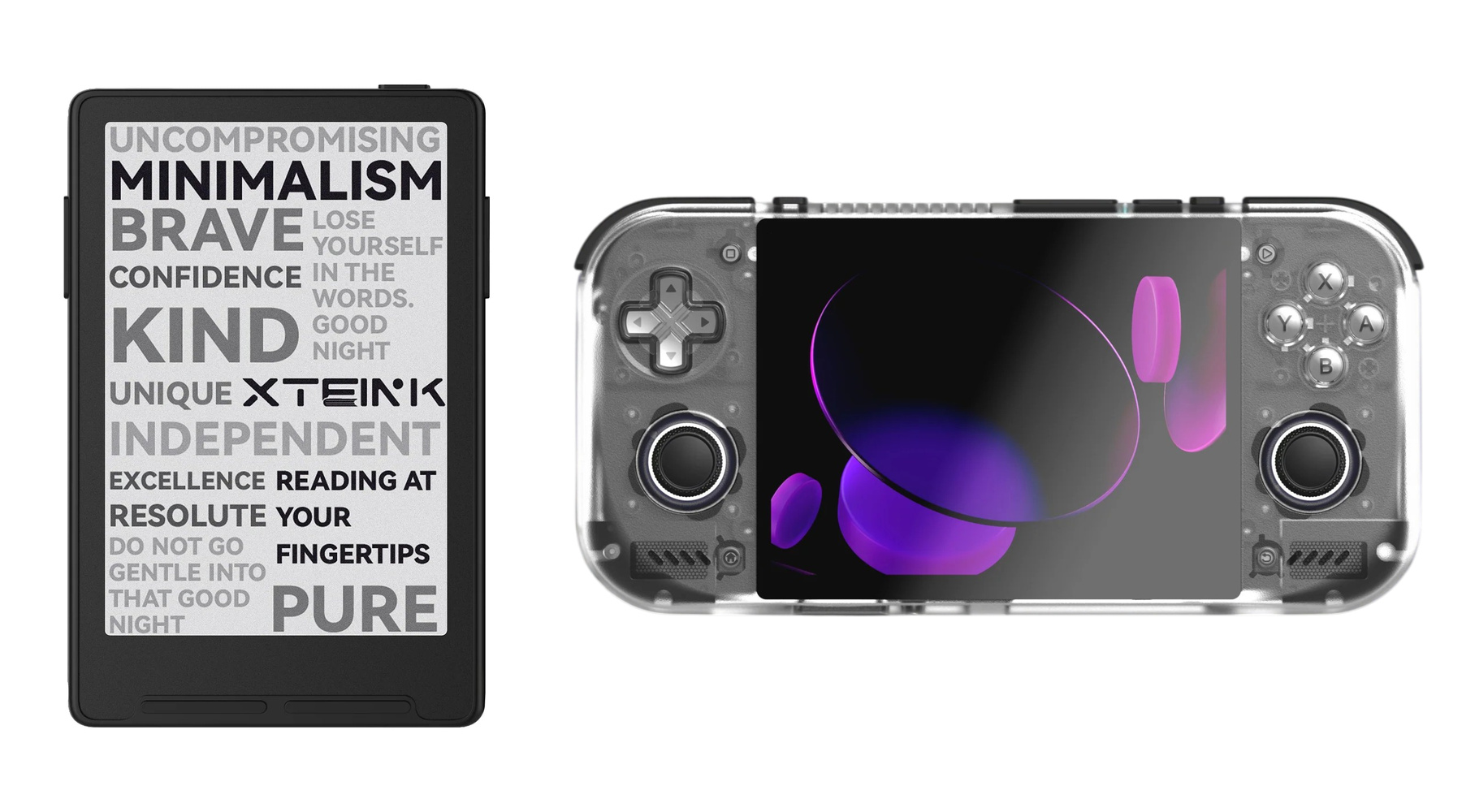
We’re back with another MacStories Setups update. I swear Federico and I didn’t coordinate our purchases this summer, but you’ll notice that both of us began experimenting with XTEINK readers and the Pebble Index 01 smart ring without discussing it in advance.

The UGREEN Thunderbolt 5 Dock and Steam Controller.

The UGREEN Thunderbolt 5 Dock and Steam Controller.

Since June, you’ll see from Federico’s changes that many revolve around fine-tuning his app workflows. From re-adding Claude and Superhuman to reluctantly adopting Chrome for agentic workflows, his update reflects a refinement of the way he works. As for gadgets, Federico has begun using the DJI Mic Mini and Pebble Index 01 for dictation and refined his work and gaming desktop setup with a UGREEN Thunderbolt 5 dock and Steam Controller.

The XTEINK 4 Pro and Retroid Pocket Nova.

The XTEINK 4 Pro and Retroid Pocket Nova.

My setup changes this summer revolve around experiments. I first tried the XTEINK 3 reader and enjoyed creating a custom UI for it so much that I also bought the XTEINK 4 Pro, which is patiently waiting for a free weekend when I can see what more I can do with it. Plus I’ve been trying a bunch of new apps like T3 Code for working with multiple AI subscriptions, Open Minis to get more out of iOS than Siri AI allows, and working with a wide variety of remote access apps, including Beam and Jump Desktop. Finally, I’ve partially abandoned my custom social media web apps for Typefully, which has more features than I’d ever want to build myself.

That’s it for this edition of Setups. Be sure to check out the links here and on the Setups page because some of these gadgets are on sale on Amazon for its Prime Big Deal Days event. Also, be sure to follow the MacStories Deals social media accounts on X.com, Mastodon, and Bluesky.

  •  

MacStories Amazon Prime Big Deal Days Roundup

Amazon’s Big Deal Days for Prime members has begun, and we’ve collected some of our favorite deals offered. As usual, we’ve kept our picks simple, including only those that we’ve reviewed, use ourselves, or that are from brands we trust.

It’s worth noting that this sales event is focused on Prime members, so many of the deals require a Prime subscription. However, not all do.

Smart Home

Philips Hue Festavia lights on my balcony.

Philips Hue Festavia lights on my balcony.

I’m a big fan of Philips Hue Festavia string lights, which I reviewed on MacStories in 2023. I hung a strand on our balcony, which has provided great outdoor atmosphere year-round.

The lights are great for the holidays, too. The Hue app lets you pick all sorts of festive presets that animate and color the lights to mimic candles, stars, and more. Festavia lights are also compatible with Apple’s Home app, giving you multiple ways to control and automate them, which I love. Both the 65-foot and 130-foot models are on sale.

Aqara G5 Pro camera.

Aqara G5 Pro camera.

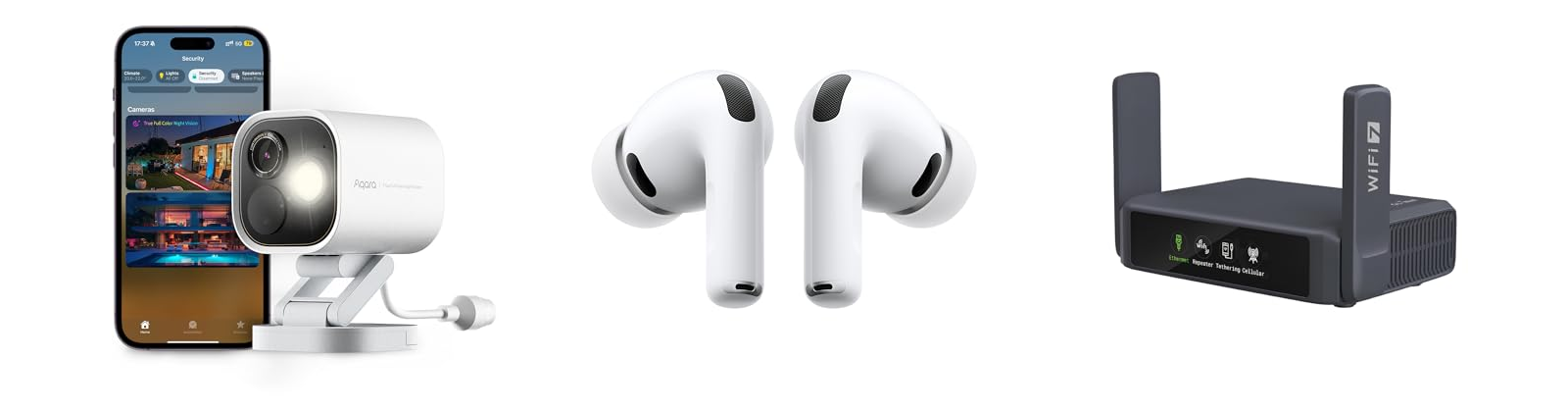
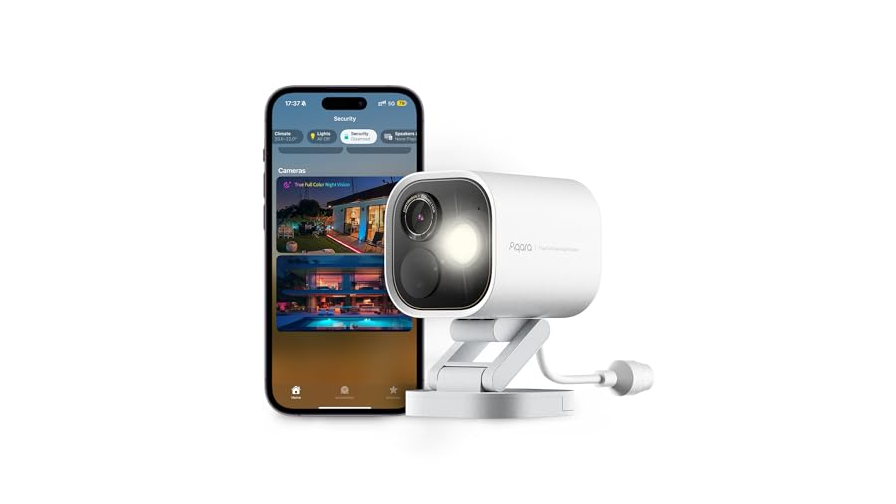
The Aqara G5 Pro camera is on sale, too. It’s been over 18 months since I wrote about this sturdy and reliable outdoor HomeKit security camera, and it’s still one of our most popular hardware reviews on the site. There’s a reason for that, too. The G5 Pro serves as a hub for your other Aqara devices, and stays connected reliably with clear nighttime footage, support for HomeKit Secure Video, and an onboard spotlight. Mine has been installed outside my home ever since I reviewed it, and it’s never missed a beat. I use the Wi-Fi model, but the PoE version is on sale too.

Travel Accessories and Headphones

Anker's 20,100mAh Prime power bank

Anker’s 20,100mAh Prime power bank

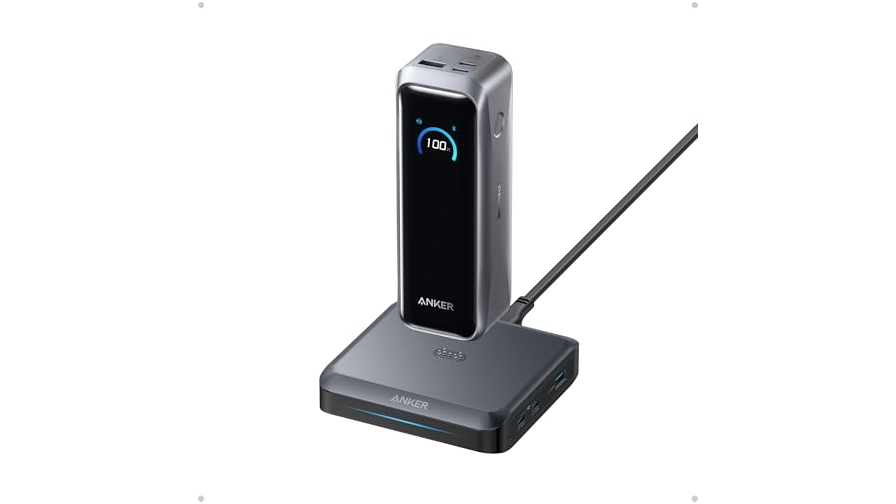
I’m a big fan of batteries and one of the best is Anker’s 20,100mAh Prime power bank, which Federico added to his setup just before WWDC this year. I have a similar model, which is great for use with a laptop and other devices because it can deliver 220W of power with one USB-C port delivering 140W of charging.

UGREEN's 20,000mAh Qi 2 battery.

UGREEN’s 20,000mAh Qi 2 battery.

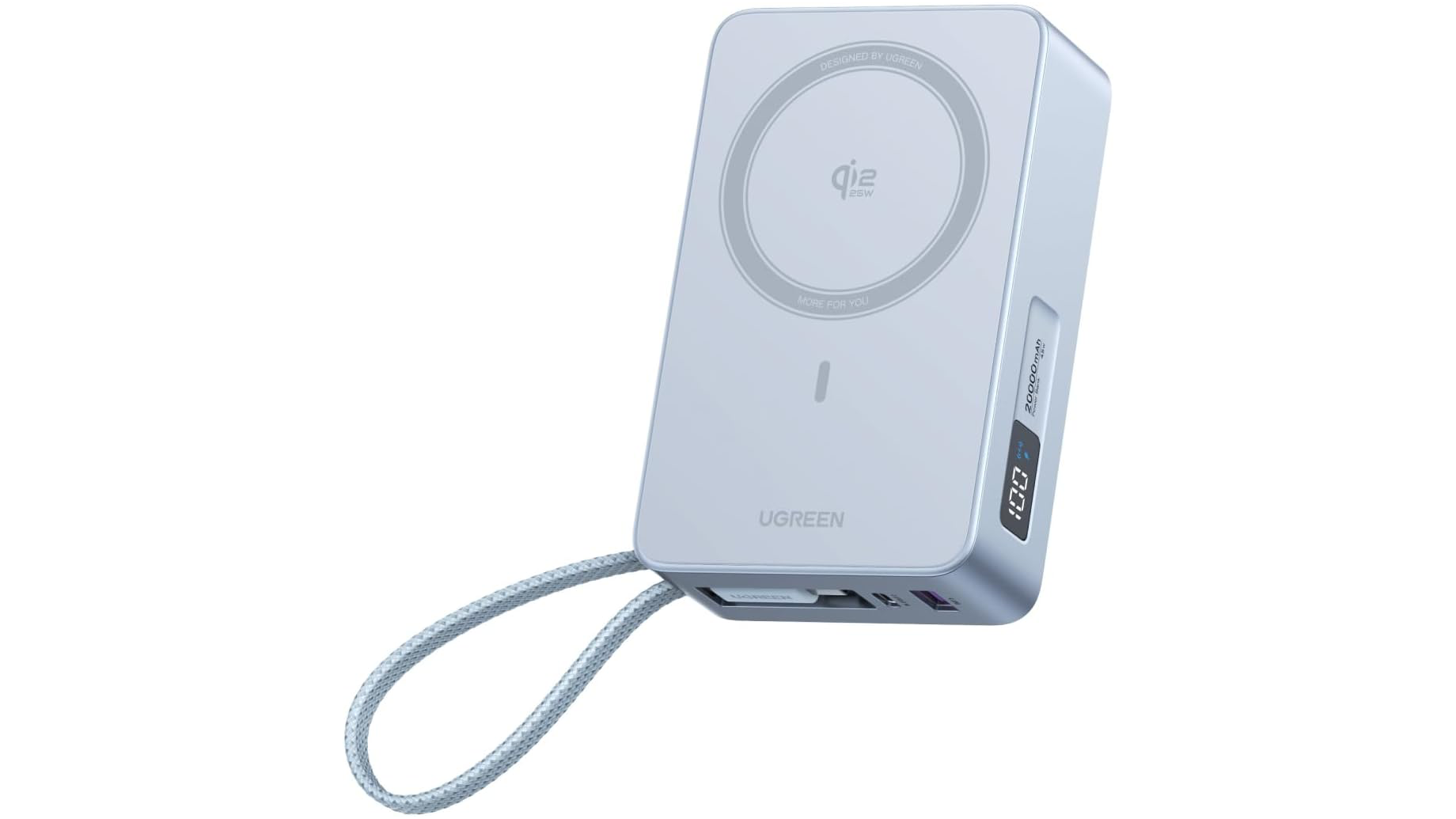
Another interesting battery option is UGREEN’s 20,000mAh Qi 2 battery that delivers 25W of wireless power. I haven’t used this exact battery before, but I have a similar UGREEN model with a smaller capacity that I like a lot. This model also has a built-in USB-C cable and digital screen that shows how much charge is left.

UGREEN's 100W Nexode Pro GaN charger

UGREEN’s 100W Nexode Pro GaN charger


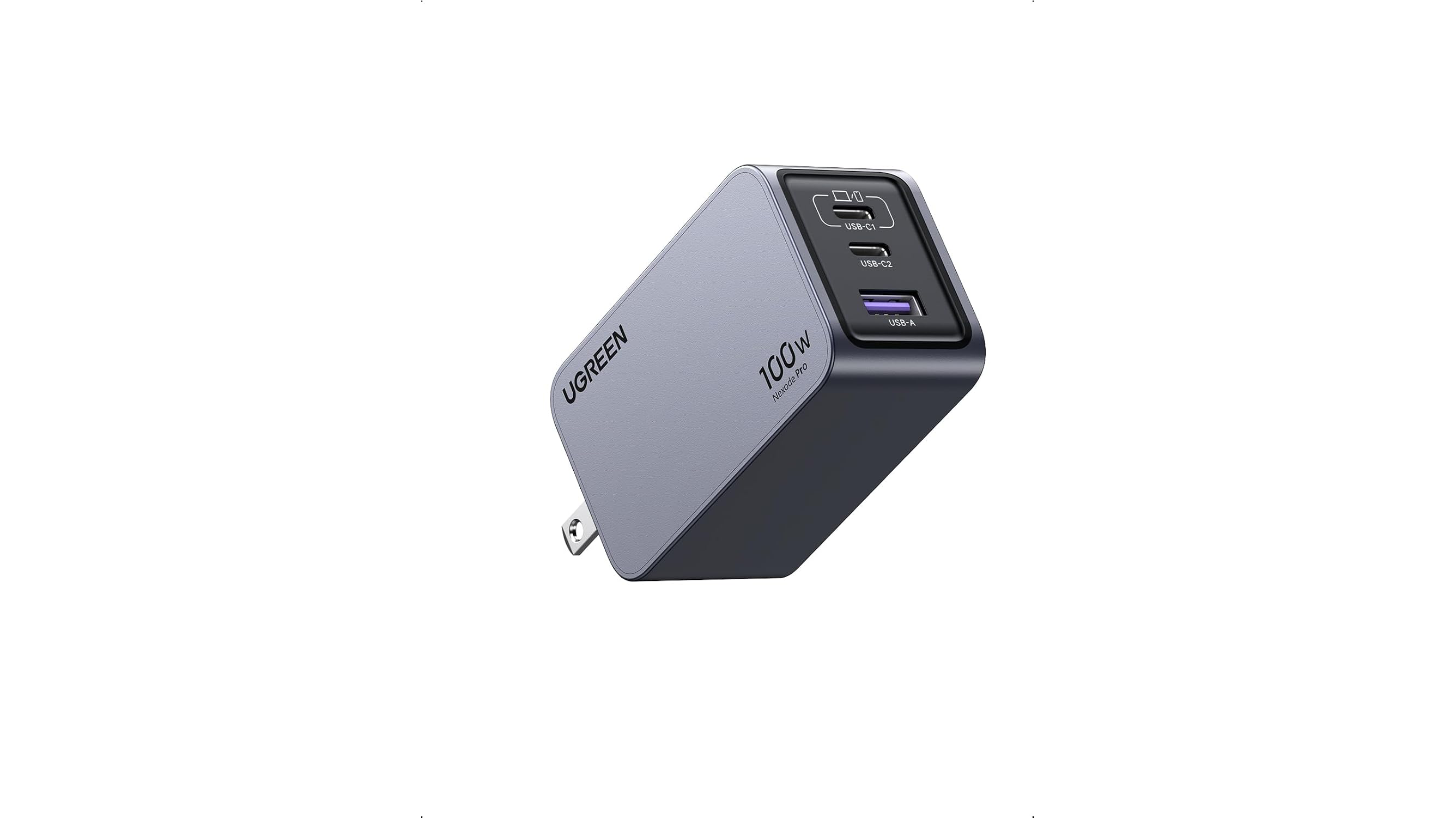
A good travel wall charger is a must, too. When I’m on the road with my MacBook Pro, I always bring UGREEN’s 100W Nexode Pro GaN charger. It has two USB-C ports and one USB-A port, and its prongs fold flat so it’s easy to pack. Combined with its small size, it’s a great choice for any trip.

Slate 7.

Slate 7.

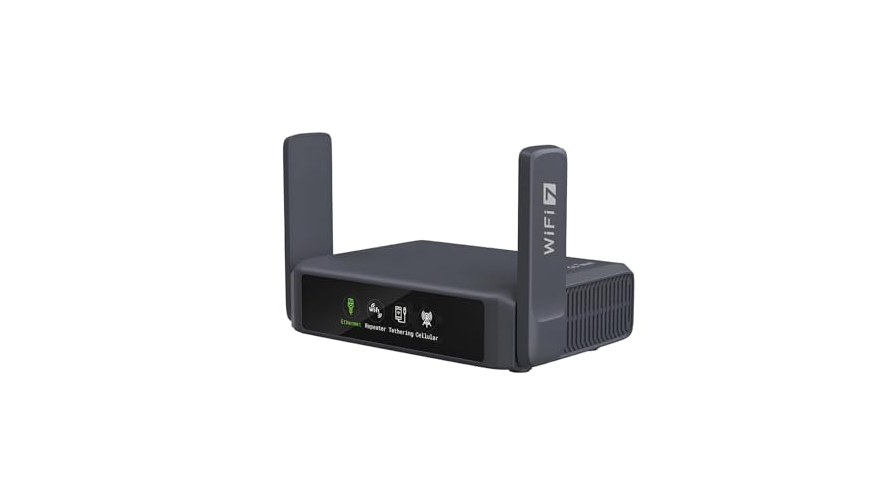
A portable Wi-Fi router is great for traveling with your family when you want to stream a movie at night or when you’re working away from home at a coffee shop. My favorite is the Slate 7 by GL.iNet, which I covered on MacStories last summer. It works well to extend an existing network or to connect to your iPhone to create an ad hoc wireless network.

Satechi USB-C 2.5Gbps Ethernet adapter.

Satechi USB-C 2.5Gbps Ethernet adapter.

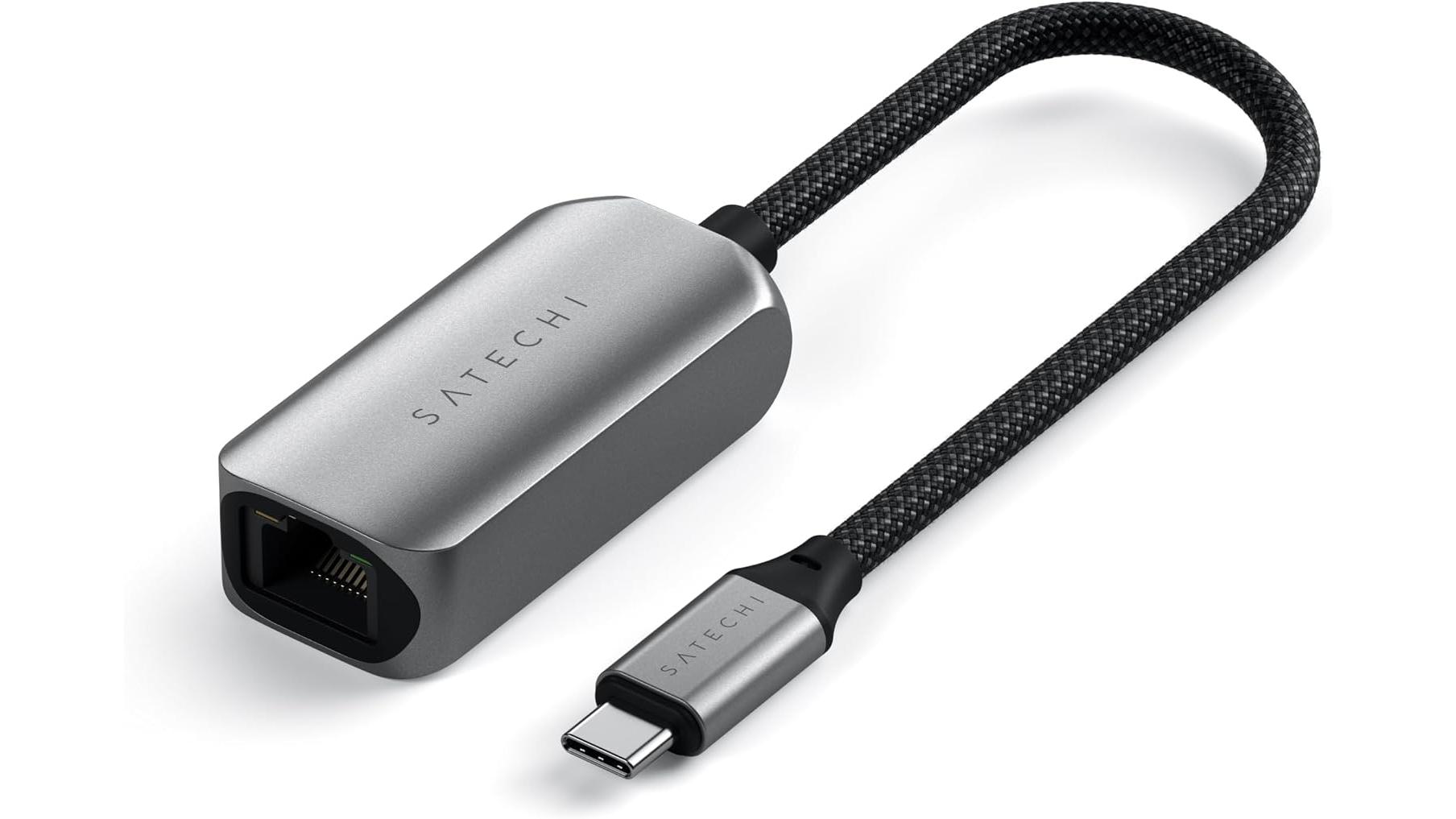
Finally, I wanted to mention the Satechi USB-C 2.5Gbps Ethernet adapter, which I carry whenever I stay in a hotel room because even slow Ethernet is better than most hotel Wi-Fi. I’ve had this adapter for a couple of years and it’s been a lifesaver on the road more than once, including at WWDC this year where I found myself uploading 4K video to YouTube from the Mountain View public library.

AirPods Pro 3.

AirPods Pro 3.

My favorite wireless earbuds and over-the-ear headphones are on sale too. AirPods Pro 3 are my go-to everyday headphones for walking around the neighborhood or working remotely. The active noise cancelation is top tier, and I love both transparency mode for hearing what’s happening around me and the fit.

Beats Studio Pro in Light Blue.

Beats Studio Pro in Light Blue.

I’m also a fan of the Beats Studio Pro headphones for their versatility. They work wirelessly, with a 3.5mm headphone cable, or a USB-C cable, with both cables packed in the box. The sound and noise cancelation are excellent, too. Today’s sales price is one of the lowest I’ve seen, so it’s a great time to pick up a pair.


Alright, that’s all for now. We’ll have more finds during Big Deal Days on the MacStories Deals social media accounts on X.com, Mastodon, and Bluesky.

And for more recommendations beyond the sale, visit the MacStories Setups page, where Federico and I share the hardware and apps we use for work and play. We’ll have an update to that coming tomorrow.

  •  

iPhone Duo App Submissions Are Open

Source: Apple.

Source: Apple.

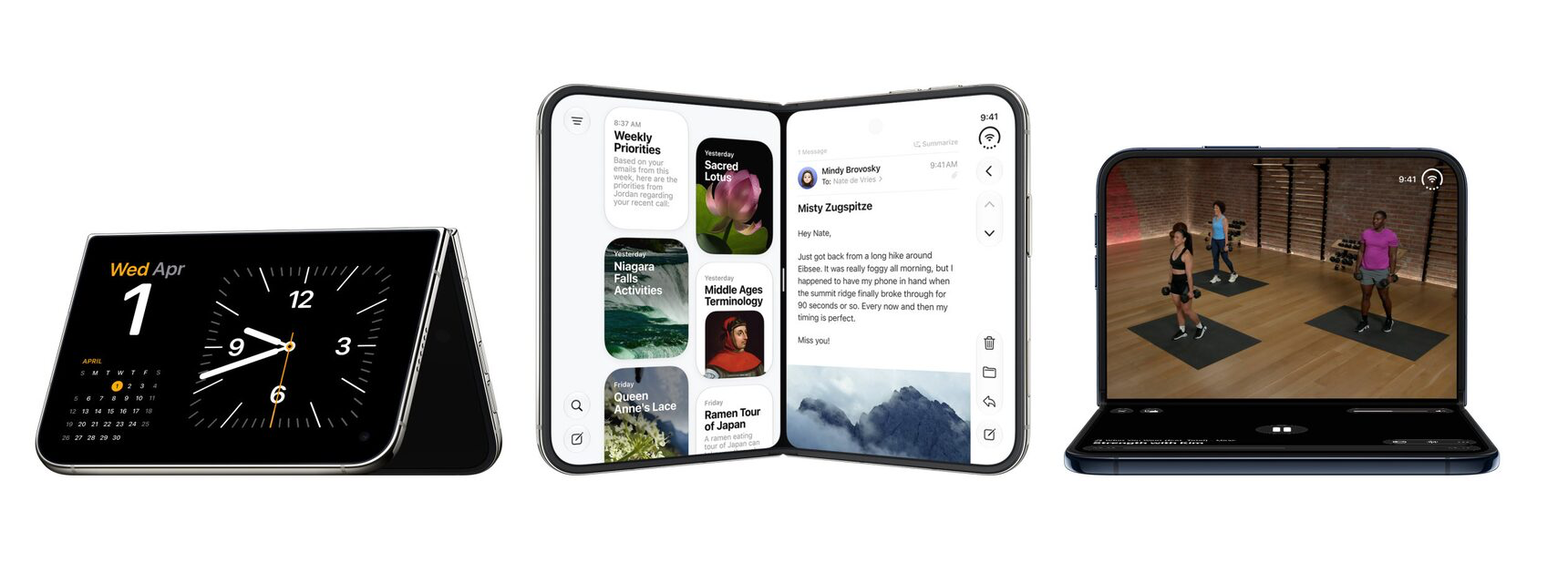
Yesterday, Apple announced on its developer blog that it has begun taking App Store submissions for iPhone Duo apps. The new foldable phone will be in customers’ hands in just over two weeks on October 23 and with Xcode 27.1, developers can recompile existing apps and build new ones.

To prepare for the launch, Apple has provided links to design and App Store asset guidance, as well as submitting apps to App Store Connect.

Federico's Frames CLI.

Federico’s Frames CLI.

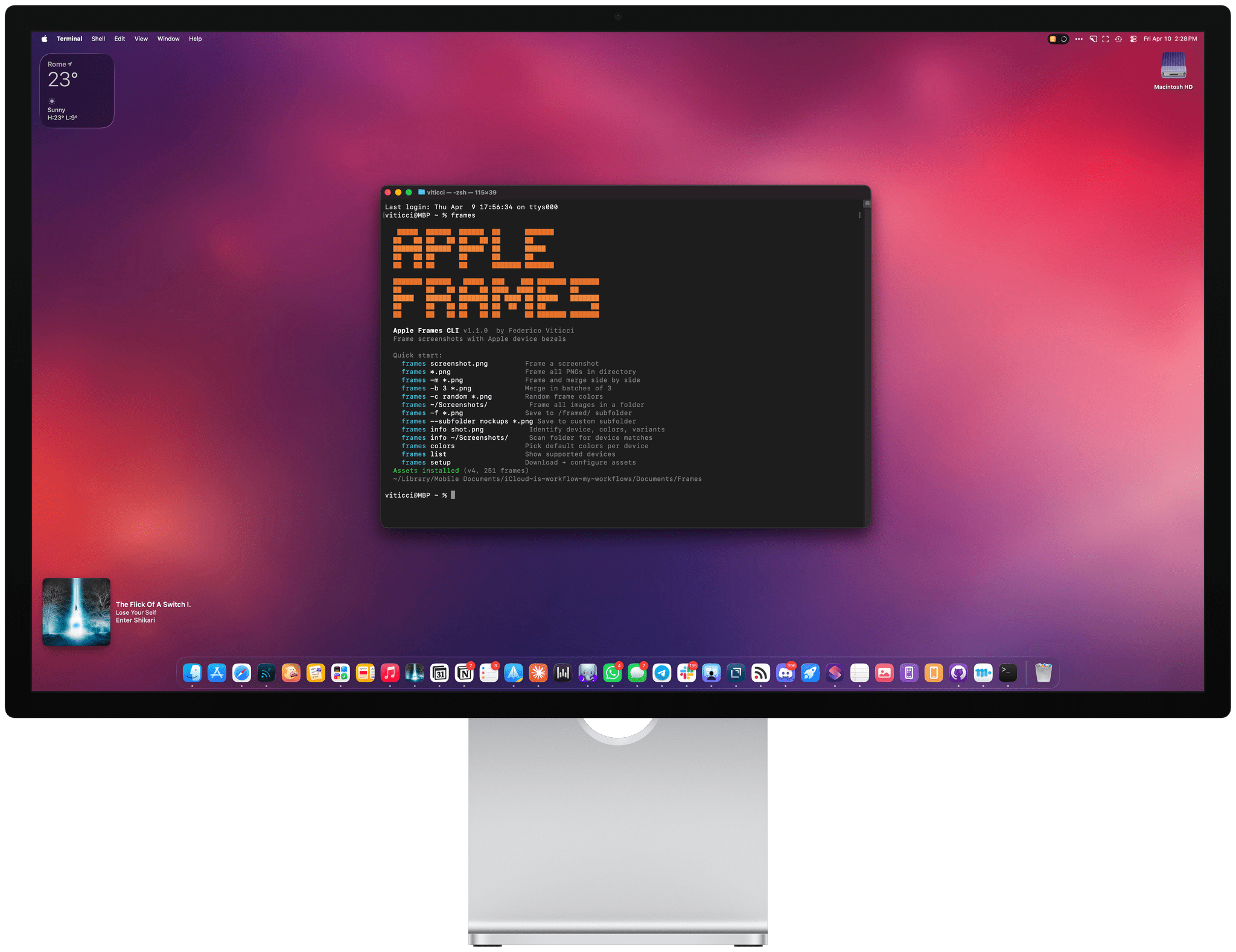
Also, if you’re a developer, don’t forget to check out Federico’s Frames CLI 1.5.0, which includes experimental support for the iPhone Duo. The feedback from developers has been that it saves a lot of time when preparing screenshots for the App Store. The Frames CLI is available on GitHub and there’s more information on MacStories here.

  •  

Apple Announces Plan to Impose New Full Disk Access Controls on Mac Developers

Today, on its developer blog, Apple announced plans to “…introduce additional controls to ensure that users who genuinely wish to grant an app this extraordinary level of access can only do so with very explicit user action.” The company says it’s doing so because of the dangers posed by AI agents.

According to Apple’s post:

Full Disk Access largely sidesteps these controls in order to allow backup apps to function properly on the Mac.

That’s nonsense. Looking at this MacBook Pro, only a handful of apps to which I’ve granted Full Disk Access are backup apps. Others include the Finder replacement Bloom, launchers like Alfred, the wonderful selection utility PopClip, Apple’s own Pixelmator Pro, Setapp, TestFlight, Supercharge, Madden NFL 27 Arcade Edition, Hazel, and many others. It’s a diverse selection of apps covering everything from Apple’s own apps to Mac utilities that are longtime favorites of MacStories readers, and even one Apple Arcade game.

What is valid is that AI agents pose risks if common-sense steps aren’t taken to limit their access to your data. So while the suggestion that Full Disk Access is just for backups doesn’t pass the smell test, Apple’s concerns about agents are well-founded.

The thing that bothers me about this post, though, is that it’s vague. On the one hand, it seems to suggest that users will simply have to jump through additional explicit hoops to grant Full Disk Access to their agents and other apps. On the other hand, claiming that Full Disk Access was designed solely for backup apps raises red flags that could signal that the company intends to restrict the kinds of apps that can use Full Disk Access. I sure hope not.

Even if you want nothing to do with AI agents, the changes that Apple is contemplating could impact a wide variety of the Mac apps you rely on every day. Apple needs to find a way enable reasonable customer protections without hamstringing the Mac’s utility.

  •  

OpenAI’s Dots: A First Look

Source: OpenAI.

Source: OpenAI.

Earlier this week, I was at OpenAI’s annual DevDay conference where it launched Dots, a personal agent that lives inside the ChatGPT app. I set up my Dot and named it Puck after the mischievous sprite in Shakespeare’s A Midsummer Night’s Dream. In the days since then, I’ve found myself using Puck more and more. There are still rough edges, but I thought I’d share what’s working and what’s not, and how Dots are different from what’s already available in ChatGPT and Codex.

Dots are persistent, cloud-based agents that use the plugins and other tools you’ve connected to ChatGPT, after you allow them to do so. Your Dot has its own virtual Linux computer to assist you with your work. And at first, your Dot, which is depicted by a colorful character you can customize, doesn’t have access to anything else. However, as you give your Dot tasks that need access to other tools, it will ask for your permission to access other tools. The pacing of this initial interaction with your Dot is really well done. The requests felt natural and allowed me to get comfortable with expanding what I let Puck do without feeling like annoying interruptions.
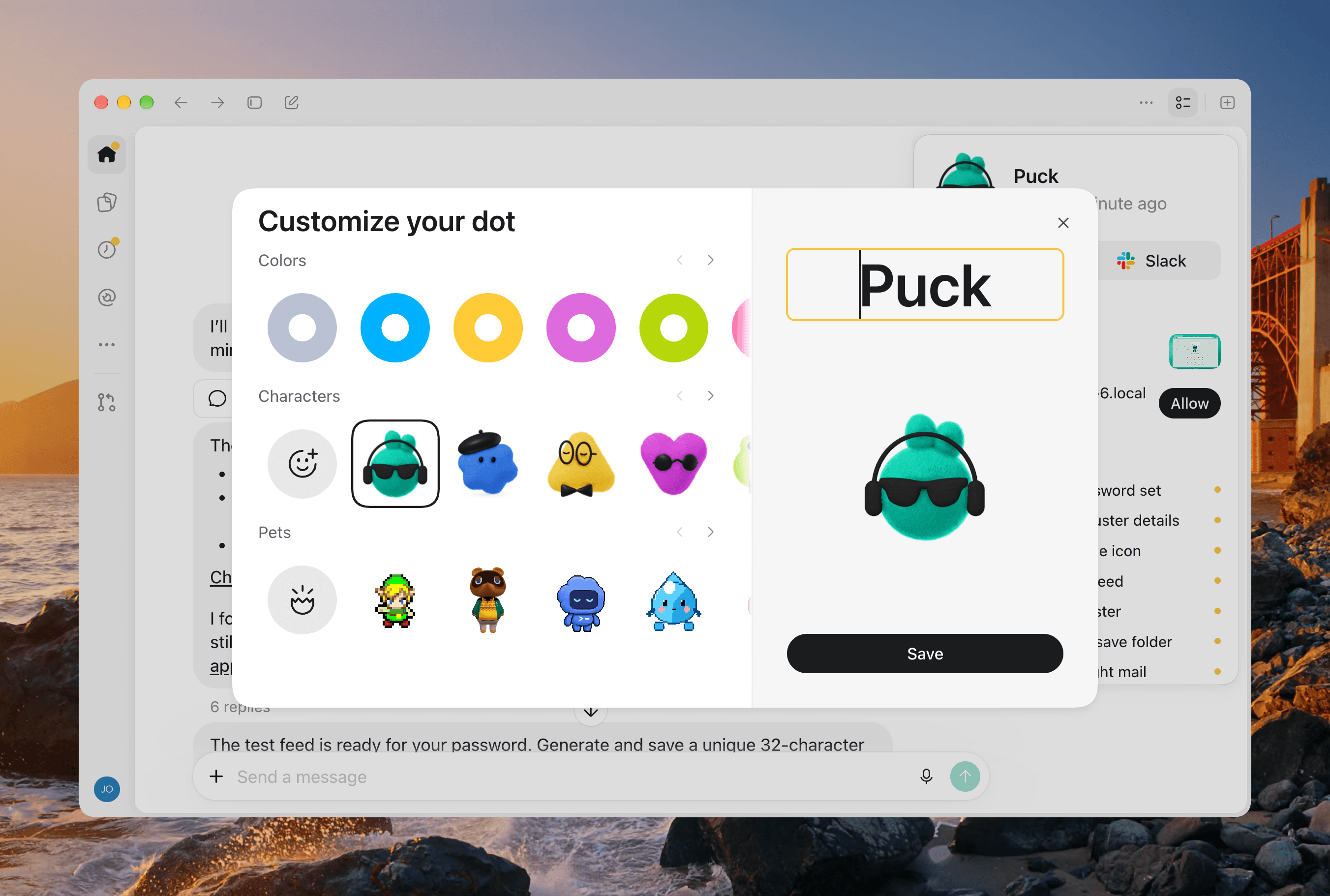
Customizing my Dot.

Customizing my Dot.

Dots are available on mobile and desktop devices, and because they are cloud-based, your Dot’s chat is always synced between devices. But being a cloud-based agent has its downsides, too. Out of the box, your Dot can’t access your computer’s files and apps. That’s easily fixed by clicking or tapping on your Dot and granting it access to your Mac, so it can use the Mac alongside its own VM. As with Codex’s Remote feature, using a remote Mac with your Dot requires the ChatGPT app to be open on that Mac, too.

One big limitation here is that you can only connect to one Mac at a time. I work on a Mac Studio that sits on my desk, but have two Mac minis that run a variety of scripts and other workflows. However, to connect to either of those minis, I first have to grant the Dot permission to use that Mac from that Mac mini, which is far from ideal when you’re working remotely. Sure, it’s easy enough to grant my Dot permission to use my laptop as I type on it in a coffee shop, but the moment I want it to update a script on my Mac mini server, I first have to connect to the mini remotely, authorize the Dot to access it, and then switch back to my laptop. If I’m on a bad Wi-Fi connection, that’s not necessarily possible. I’d love to see Dots become their own Tailscale entities the way Meta’s Muses can, which would solve this limitation.
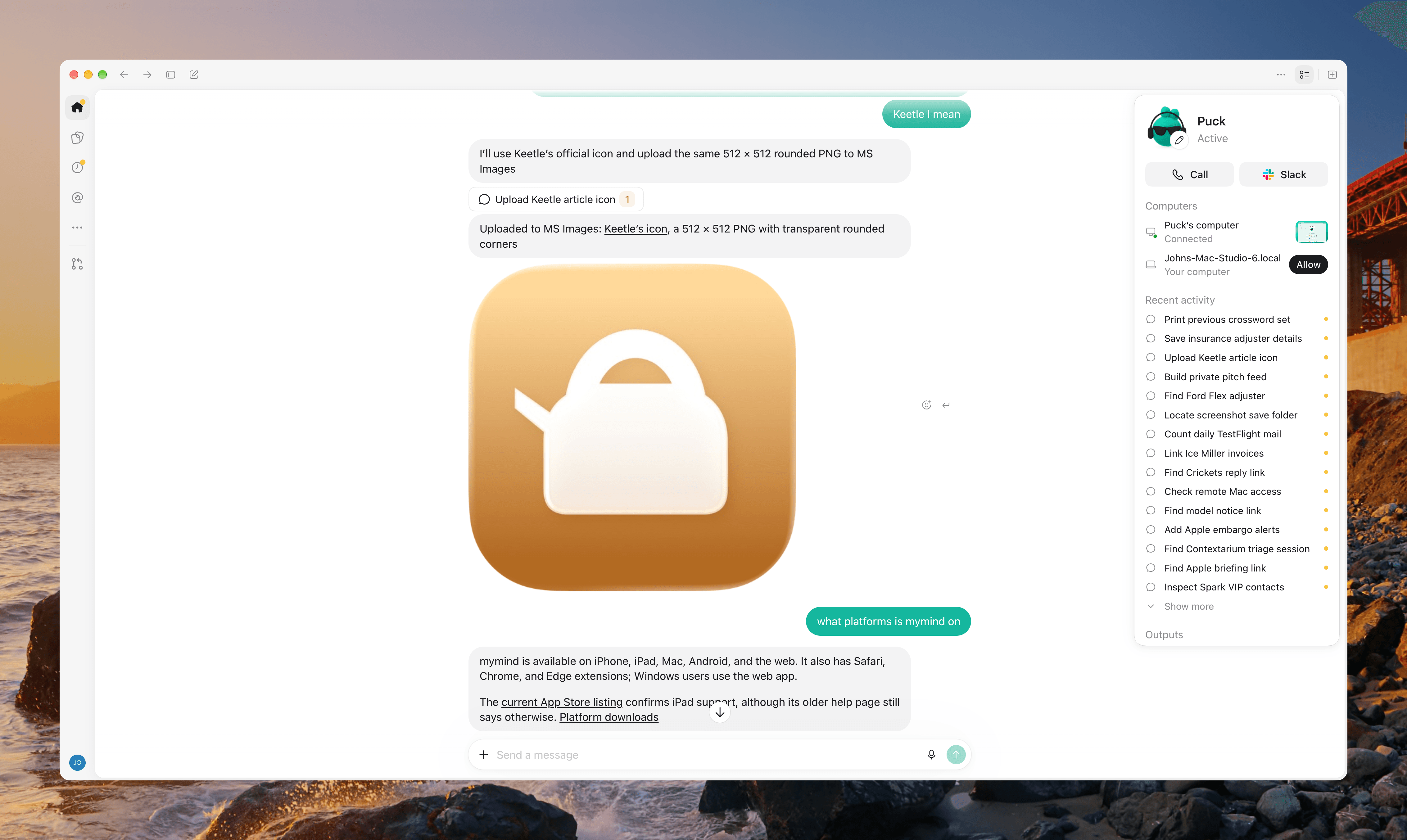
As my Recent Activity shows, it's been a busy day for my Dot.

As my Recent Activity shows, it’s been a busy day for my Dot.

A second limitation of Dots is that you can only have one. If you work with it all day long, your conversation is going to get long, and you’ll find yourself scrolling back through your history looking for something you got from your Dot earlier in the day. Search doesn’t work with your Dot’s thread. Also, OpenAI would tell you that you only need a single Dot anyway, because it’s based on Astra, which is a strong generalist model that obviates the need for specialized agents. However, that only addresses one aspect of why you’d want multiple Dots. You might want your Dot to run multiple large projects in parallel with the ability to monitor their progress without the back and forth with your Dot interleaving multiple topics. Or, you might just want the orderliness of separating personal and work tasks or one project from another.

The good news is that OpenAI is well aware of the popularity of Grok Bot’s multi-agent approach and said that a multi-Dot future is planned for the future. However, because OpenAI has so many users and Dots aren’t being charged as usage against your subscription for the time being, I walked away with the impression that the limitation has more to do with OpenAI taking a conservative approach to avoid running out of server capacity than a philosophical opposition to teams of Dots.

The best strategies I’ve found to deal with the one Dot problem is to spin tasks off into Codex threads when an idea becomes a full-blown project, leaving your Dot to manage it. I’ve done this a couple of times, and it’s been a reliable way to cut down on the traffic in my main Dot thread. A second approach is to take some written product from your Dot and dump it into a Space, which is a lot like a rudimentary Notion document where you can continue asking ChatGPT questions related to the document and collaborate with colleagues. The only downside is that Spaces is currently a bit buggy in my experience.

What I’d like to see instead is for Dots to replace Projects. Instead of a folders of threads system, let a Dot take over a project and associate repos, documents, Spaces, and other assets with it, allowing your head Dot to coordinate work among multiple Dots in parallel. That orchestrating Dot should also be able to act as a messenger between Dot clusters, allowing one team of Dots to share their work on a project with another team facing a similar issue.
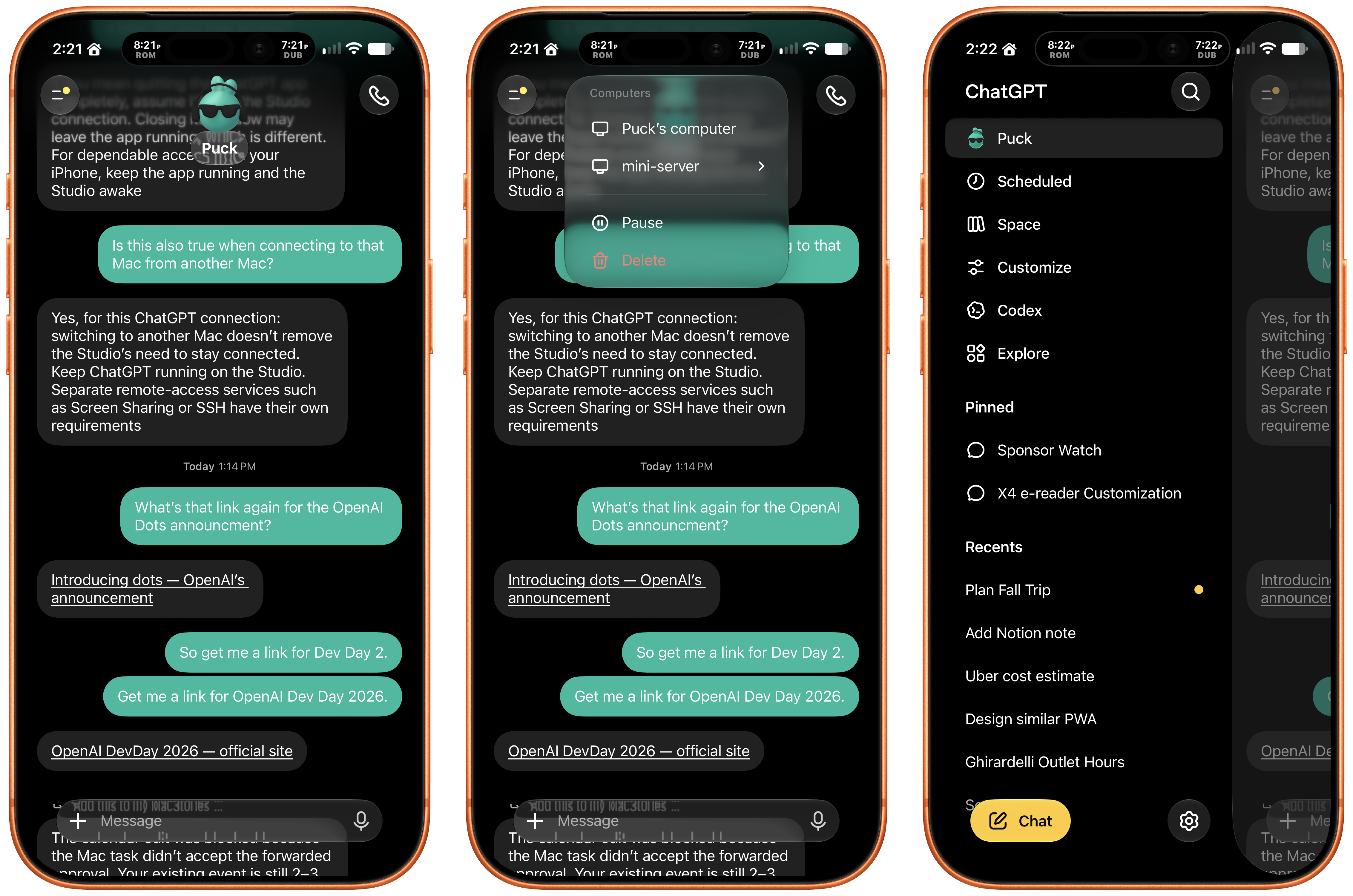
Accessing my Dot conversation from my iPhone is easier than using Codex Remote.

Accessing my Dot conversation from my iPhone is easier than using Codex Remote.

For now though, your Dot stands alone, burdened with all your requests, big and small. There’s no model to pick, effort level to specify, or speed to tweak, just ask your bot to do something and it gets to work. It’s a simple, compelling way to tackle everyday tasks, but it’s not ideal for big projects.

As I mentioned before, I’ve already begun spinning bigger projects out from my Dot’s thread. This was already how I was working before Dots were launched. I have a series of big projects with their own folders, resources, and threads. However, I got into the habit of starting a daily thread in an “operations” project that I created for everyday work tasks. The “operations” project has memories of how I do things and access to Notion databases with schedules, tracking, and other reference materials.

If that sounds a lot like what my Dot can do, it’s because it is. However the differences are meaningful. When I create a new thread in my “operations” project in Codex, the new thread has no idea what was in the last thread unless I tell it or point it at that thread or a tool that can provide the context it needs. Also, while Codex’s Remote feature is vastly better today than even a few months ago, I still find myself pinning the latest operations thread because it can still get lost in the sea of threads in Codex’s Remote view.
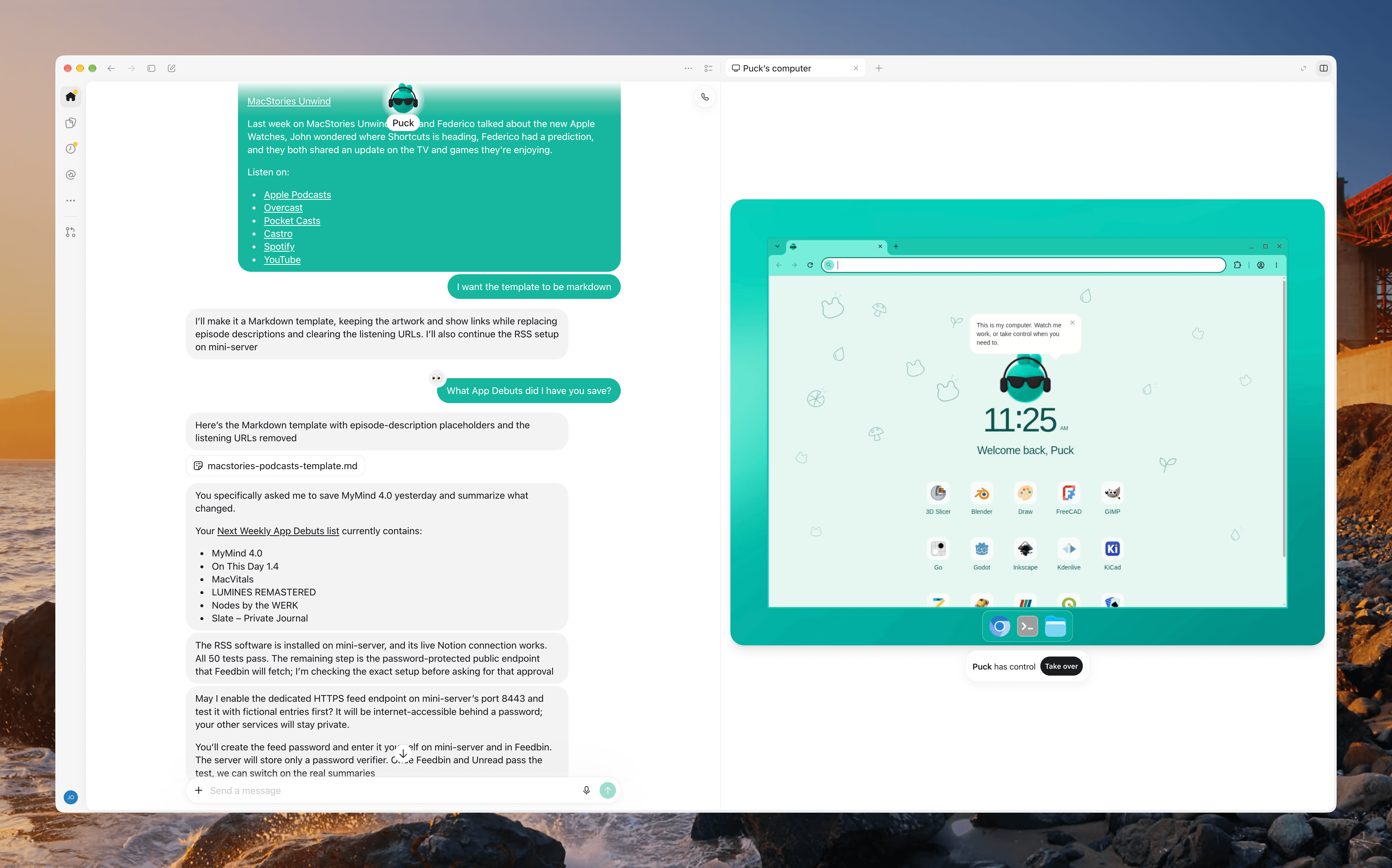
My Dot has its own Linux VM.

My Dot has its own Linux VM.

In contrast, Puck sits in the cloud with one thread that’s always synced and has access to all my tools. That means it carries useful context about my preferences and ongoing work from one day to the next, and because it sits just under “New Chat” in the sidebar, it’s easy to find. I also appreciate the fact that I don’t have to think about what model to use or the reasoning level. That’s just mental overhead that leaves you kicking yourself when you realize you accidentally asked Astra to add some numbers together with Max effort.

So, on balance, my experience with Dots has been good but with caveats. I want to allow my Dot to not just orchestrate Codex projects, but also work across Macs without my intervention, allowing me to develop a script on my Mac Studio and deploy it to my server seamlessly. I also want to create specialist Dots with specific sets of tools, permissions, and areas of expertise and abilities that can be sent to work on multiple projects in parallel with my main Dot orchestrating it all.

Imagine setting up a team of Dots the way you’d create a party of heroes in an RPG, balancing their abilities to fit with the work you do. For now, though, I’m content with asking my Dot to set up tasks, check my email, coordinate my Codex projects, do light research, and perform other small tasks, especially since doing so doesn’t currently count against my OpenAI subscription (unless your Dot starts a Codex or Work session), freeing up my token allotment for bigger projects.

  •  
❌