❌

Reading view

Apple Watch Ultra 3 vs. Ultra 4 Buyer's Guide

The Apple Watch Ultra 4 is now available for pre-order, bringing a new health sensing system, more memory, and longer battery life over its predecessor. Here's everything that's new.
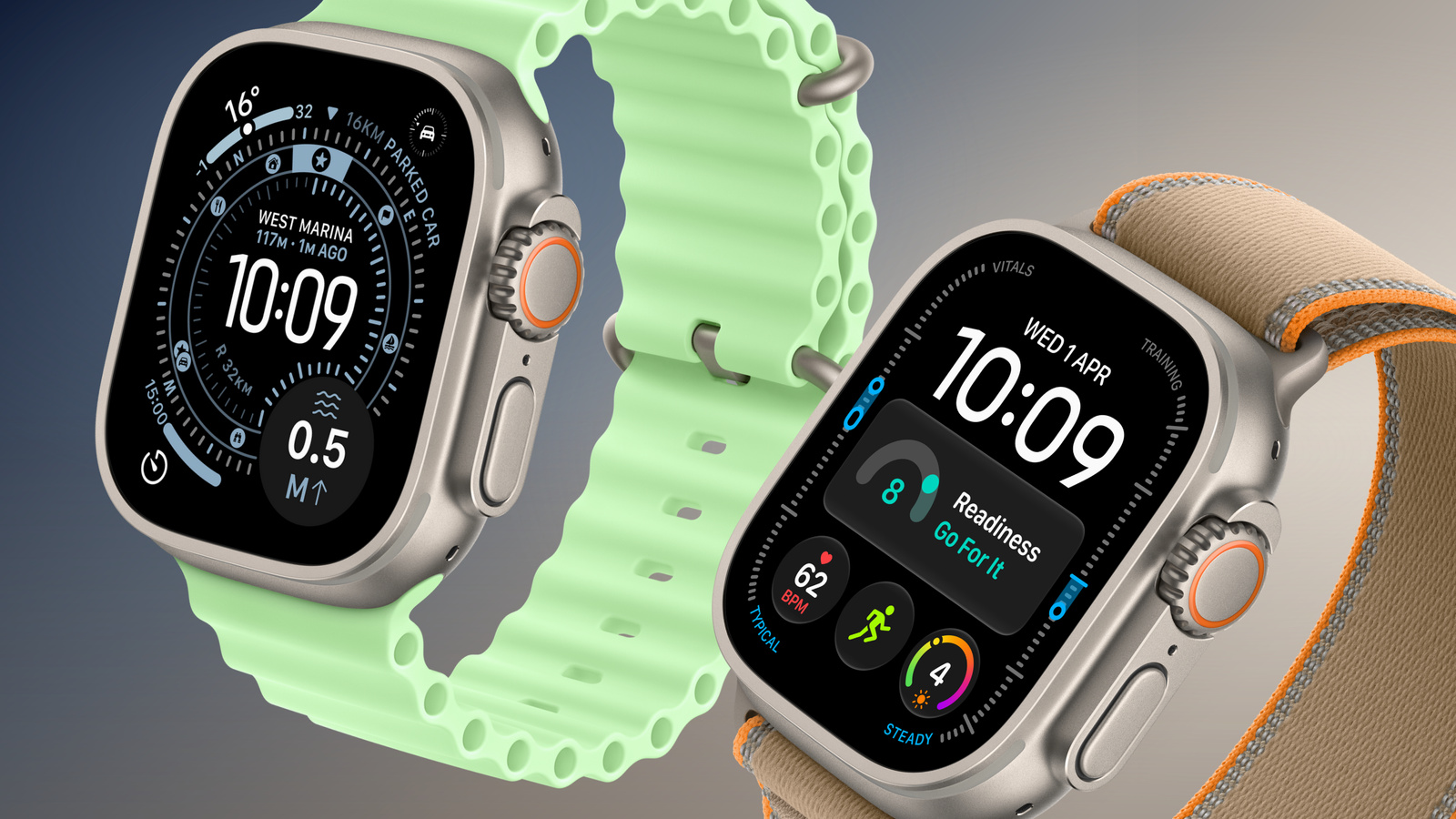

Last year, the Apple Watch Ultra 3 introduced a larger, more efficient display, satellite connectivity, 5G, and improved battery life. The Ultra 4 retains the same basic design and display, but focuses on more detailed health and fitness insights, new Audio Intelligence features, and further battery life improvements.

It launches on Friday, September 18, at the same $799 starting price as the Ultra 3. The comparison below outlines the differences between the two generations:


Apple Watch Ultra 3 Apple Watch Ultra 4
S10 chip (2024) S11 chip (2026)
2GB RAM 4GB RAM
Electrical heart sensor "Health Sensing System" with second-generation electrical heart sensor
Third-generation optical heart sensor Always-on optical heart sensor
Background heart rate tracking High-frequency background heart rate tracking every five seconds, 60x more frequently
HRV Recovery HRV and overall HRV, measured up to 24x more often
Vitals app with heart rate, respiratory rate, wrist temperature, and sleep duration Vitals app heart rate, respiratory rate, wrist temperature, sleep duration, HRV, and a daytime vitals view
Readiness app
Real-time heart rate complication
Step tracking More accurate step tracking and indoor workout distance measurements
Steps complication
Audio Intelligence (Live Rewind, Siri Recap, Sound Recognition, and automatic music identification with Shazam)
Up to 42 hours of normal use Up to 50 hours of normal use
Up to 72 hours in Low Power Mode Up to 84 hours in Low Power Mode
Up to 14 hours of outdoor workout tracking with full GPS and heart rate readings Up to 18 hours of standard outdoor workout tracking
Up to 20 hours of outdoor workout tracking in Low Power Mode with full GPS and heart rate readings Up to 25 hours in Extended Workout mode with full GPS and heart rate readings
Up to 35 hours of outdoor workout tracking in Low Power Mode with Fewer GPS and Heart Rate Readings enabled Up to 45 hours in Max Extended Workout mode, retaining GPS readings every second
15 minutes of charging for up to 12 hours of normal use 15 minutes of charging for up to 18 hours of normal use
5 minutes of charging for up to 8 hours of sleep tracking 5 minutes of charging for up to 10 hours of sleep tracking
Natural titanium: 61.6 grams
Black titanium: 61.8 grams
Natural titanium: 63.0 grams
Black titanium: 63.1 grams
GPS, GLONASS, Galileo, QZSS, and BeiDou GPS, Galileo, QZSS, and BeiDou
40% recycled content 45% recycled content
Now discontinued From $799


Is It Worth Upgrading From Ultra 3 to Ultra 4?


For the vast majority of Apple Watch Ultra 3 owners, the Ultra 4 is not worth upgrading to. The Ultra 3 already offers all of the headline display, durability, satellite connectivity, and established health features. If it comfortably lasts between your usual charging sessions and records your longest workouts, the new model is unlikely to meaningfully change how you use your watch.

The strongest reason to upgrade is if you want recovery tracking to play a larger role in your training. The Ultra 4's more frequent measurements feed into Readiness and Recovery HRV, making it easier to assess when to push harder or take a lighter day. These features are more compelling if you will regularly use them to adjust your training, rather than simply check another set of health metrics.

Battery life is a more practical reason for endurance athletes. If you currently change settings to finish long events or recharge during an extended outing, the Ultra 4 gives you a little more flexibility. For shorter daily workouts, however, the improvement mainly means less frequent charging, which is difficult to justify replacing a year-old $799 watch for.

Audio Intelligence may also justify upgrading for specific users, particularly deaf or hard of hearing users who would benefit from Sound Recognition on their wrist. Live Rewind and β€ŒSiriβ€Œ Recap are less convincing reasons to upgrade immediately, since they arrive in beta later this year and require a compatible newer iPhone.

Should You Buy Ultra 3 or Ultra 4?


For new buyers, the Ultra 4 should be the default choice when the price difference is modest. If you plan to wear it for several years, paying a little more for the new chip, more memory, better battery life, and health tracking enhancements is easier to justify than replacing an Ultra 3 you already own.

The Ultra 3 becomes the better value when it is heavily discounted. If you mainly want a "rugged"-style Apple Watch with a large screen, satellite connectivity, and enough battery life for everyday use and regular workouts, it delivers much of the same experience. Buyers interested in Readiness and recovery insights, or who regularly record very long activities, have a stronger reason to pay more for the β€ŒApple Watch Ultra 4β€Œ.

For used or refurbished Ultra 3 models, factor battery condition and warranty coverage into the saving. A cheaper watch with a degraded battery is less appealing if endurance is your main reason for buying an Ultra.
Related Roundup: Apple Watch Ultra 4
Related Forum: Apple Watch

This article, "Apple Watch Ultra 3 vs. Ultra 4 Buyer's Guide" first appeared on MacRumors.com

Discuss this article in our forums
  •  

Reminder: macOS 27 Ends Time Machine Backups to Time Capsule

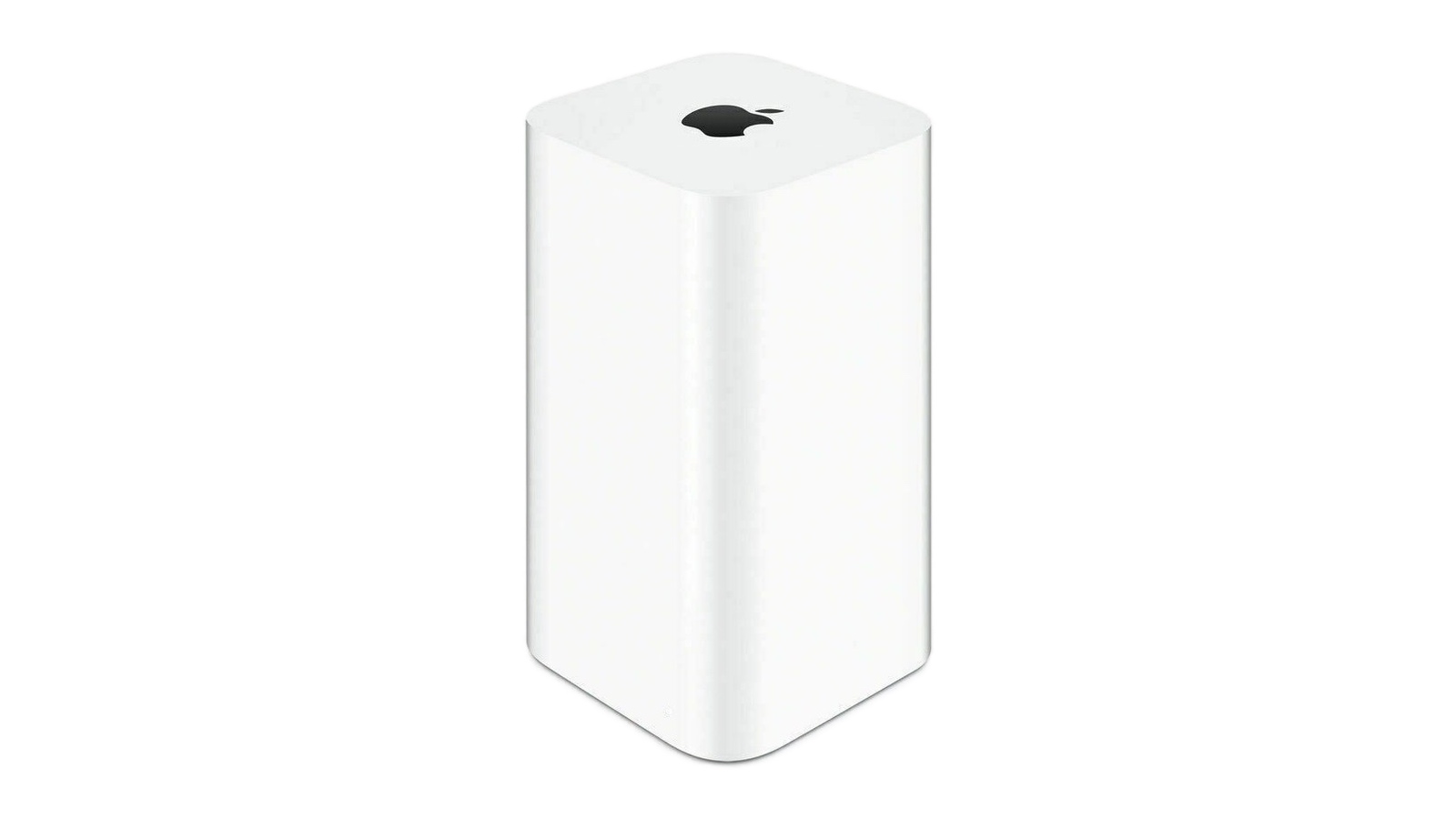
If you're upgrading to macOS Golden Gate and you have an AirPort Time Capsule, Time Machine won't be able to back up to it. macOS 27 removes support for AFP, the legacy file-sharing protocol that Time Capsule relies on for Time Machine backups. Said backups now exclusively use the SMB protocol, which Apple's discontinued Time Capsule hardware does not support in the form required by macOS 27.
Apple warned users about the change back in June 2025 when macOS Tahoe began displaying a warning that Time Capsule backups would no longer work in the next macOS. Users still backing up to one will need an alternative, such as an external drive or a modern NAS.
This article, "Reminder: macOS 27 Ends Time Machine Backups to Time Capsule" first appeared on MacRumors.com

Discuss this article in our forums

  •  

EU's Kids Act to Ban Social Media for Under-13s, Curb Chatbot Access

The EU will ban children under 13 from using social media platforms, some gaming platforms, and AI chatbots without parental supervision. The ban is set to be outlined in the Kids Act, which will be published on Thursday, reports Financial Times.

"No social media under the age of 13. No personal account under the age of 15," said the European Commission president Ursula von der Leyen in a speech on Wednesday. "Europe has the power to act. It is us who decide the rules, not big tech."
According to a draft proposal seen by FT, children under 13 will only be allowed access with supervision from a parent, while children between 13 and 15 will need parental consent to create accounts with parental controls and other restrictions like time limits.

Meanwhile, social media companies, online gaming services, and AI chatbots will be required to introduce safeguards to protect children from abuse and addictive behavior, and companies that offer AI companions and chatbots services will have to avoid designs that encourage unhealthy emotional attachments or expose them to harmful interactions.

Affected companies will also be required to verify the age of users with an official age verification app. Failure to comply with the rules could result in fines of up to 6% of their global annual revenue.
This article, "EU's Kids Act to Ban Social Media for Under-13s, Curb Chatbot Access" first appeared on MacRumors.com

Discuss this article in our forums

  •  

Apple Details How Reference Image Proves a Photo is Real

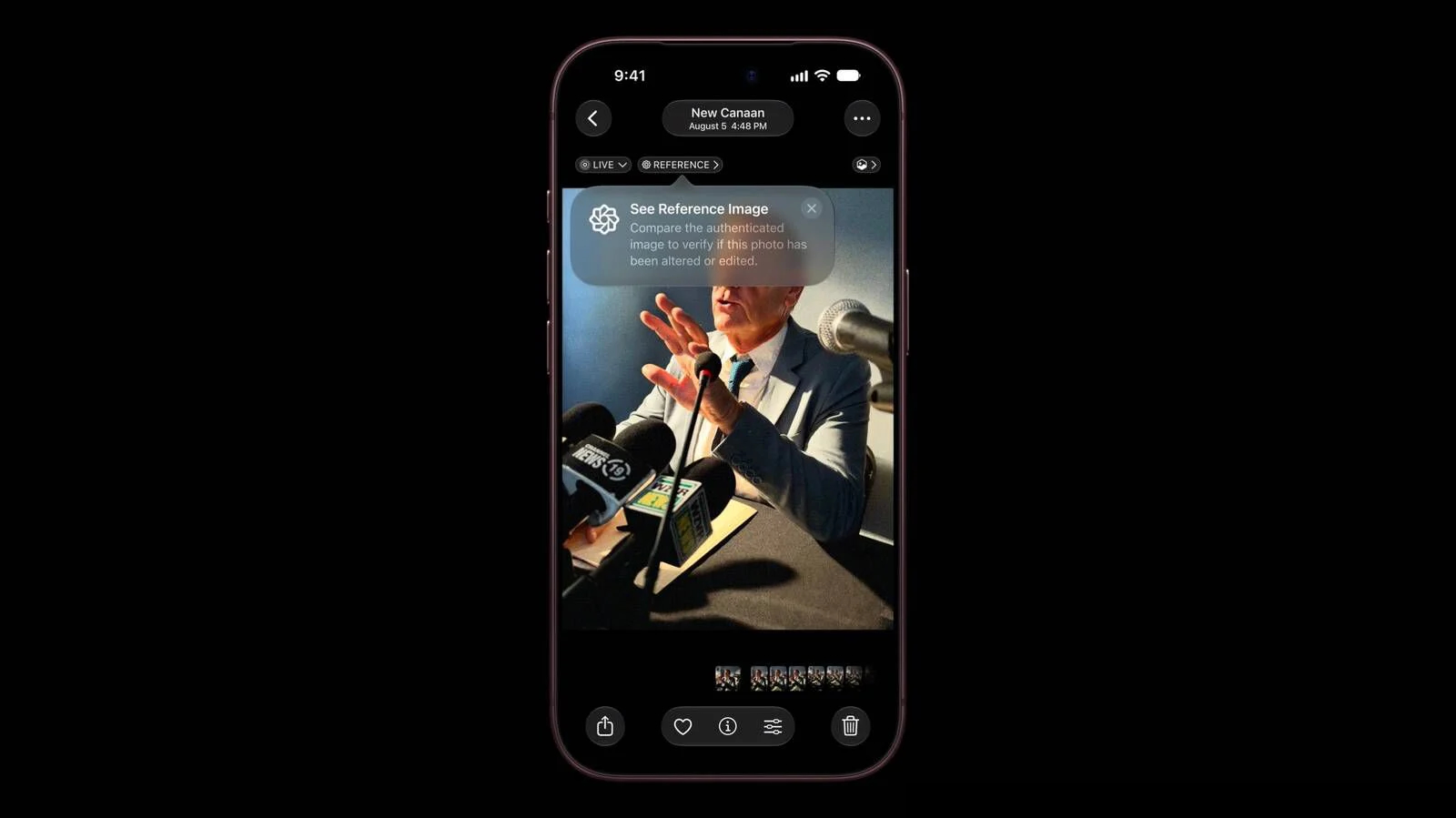
The iPhone 18 Pro models support Apple Reference Image, a way to verify that a photo was taken with an iPhone and hasn't been edited. Apple says it's a method to prove that something actually happened and wasn't AI-generated, likening the feature to a digital film negative.


Apple Reference Image offers a trustworthy, scalable guarantee that a reference image is what it claims to be: a real photograph, captured by a real sensor in an iPhone camera, at a specific time. It sets a new standard for verifiable digital photography.

Apple introduced Apple Reference Image when debuting the β€ŒiPhone 18 Proβ€Œ and Pro Max, and today the company shared more information on how the feature works on its Security Research blog.

Apple Reference Image boots the camera sensor into a specialized reference mode. The mode instructs the sensor to cryptographically sign pixel data immediately after capture, and the sensor firmware is prevented from modifying the data. Other authentication systems don't sign images until the end of the software processing pipeline, which Apple says leaves images vulnerable to tampering attacks.

Apple Reference Image creates a "secure digital negative" protected from software compromise alongside a standard editable photo. The negative is stored on-device and includes pixel data, sensor metadata, and cryptographic timestamps with lower and upper bounds. When a user decides to "develop" the negative for verification, it is sent unprocessed to Private Cloud Compute. Private Cloud Compute runs the steps needed to render the image in a secure, private, and verifiable environment.

Apple says the feature resists data injection attacks, compromised operating systems, hardware attacks, and cryptographic attacks. Apple believes Apple Reference Image is the only image provenance system with quantum-secure defenses. In case the system is breached, there is a revocation option. Private Cloud Compute calculates a confidence score for each image, and Apple can revoke individual photos or an entire sensor if fraud is detected.

To safeguard photographers, Apple Reference Image avoids using an explicit, public credential for photographers, and it prevents public association between different photos taken by the same sensor. The confidentiality of the image is protected, including from Apple.

Apple Reference Image is opt-in and is limited to the Main camera sensor.

More information on the ins and outs of Apple Reference Image can be found in Apple's full blog post.
This article, "Apple Details How Reference Image Proves a Photo is Real" first appeared on MacRumors.com

Discuss this article in our forums

  •  

What the iPhone Duo's Camera Can and Can't Do

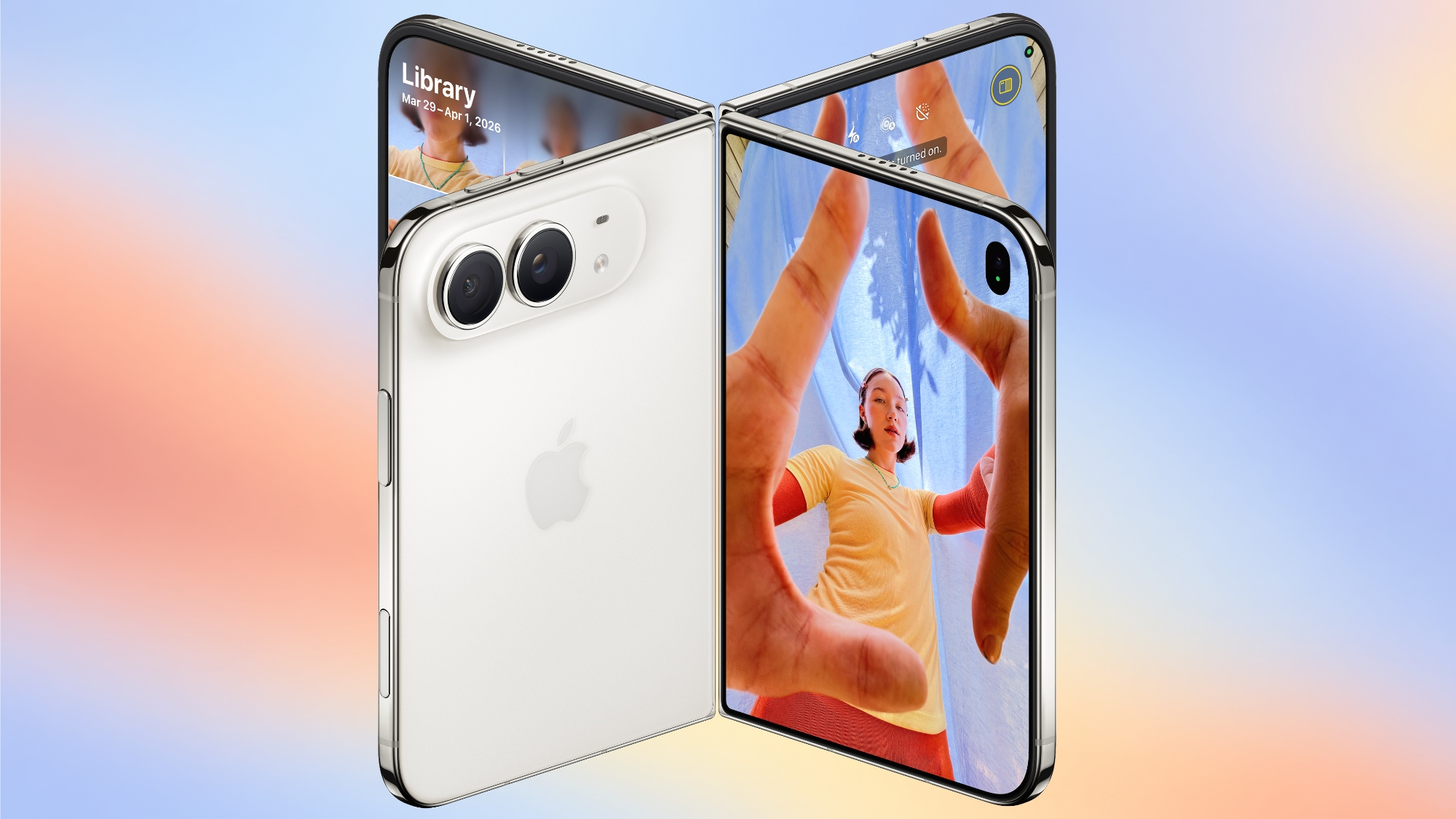
To take advantage of the iPhone Duo's dual-display design, Apple is introducing new Camera app features that are unique to the foldable iPhone.


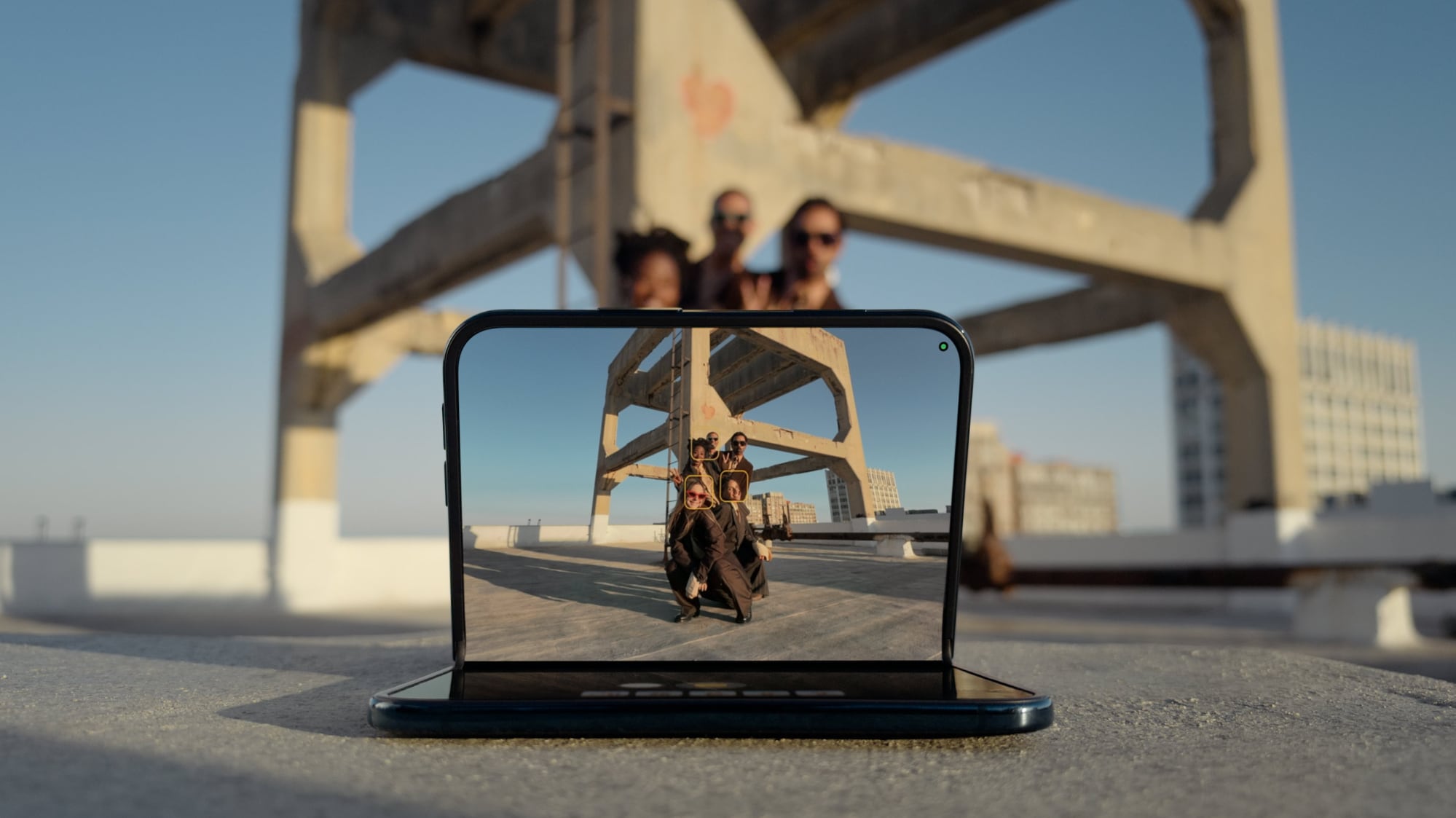
Smart Take


Smart Take uses AI to determine when everyone (including the iPhone owner) is ready for a group shot, so no one has to use a timer or stay out of the picture to capture the image.


You can prop up the β€ŒiPhone Duoβ€Œ in a half-folded orientation, get in frame, and then wait for the group shot to be taken.

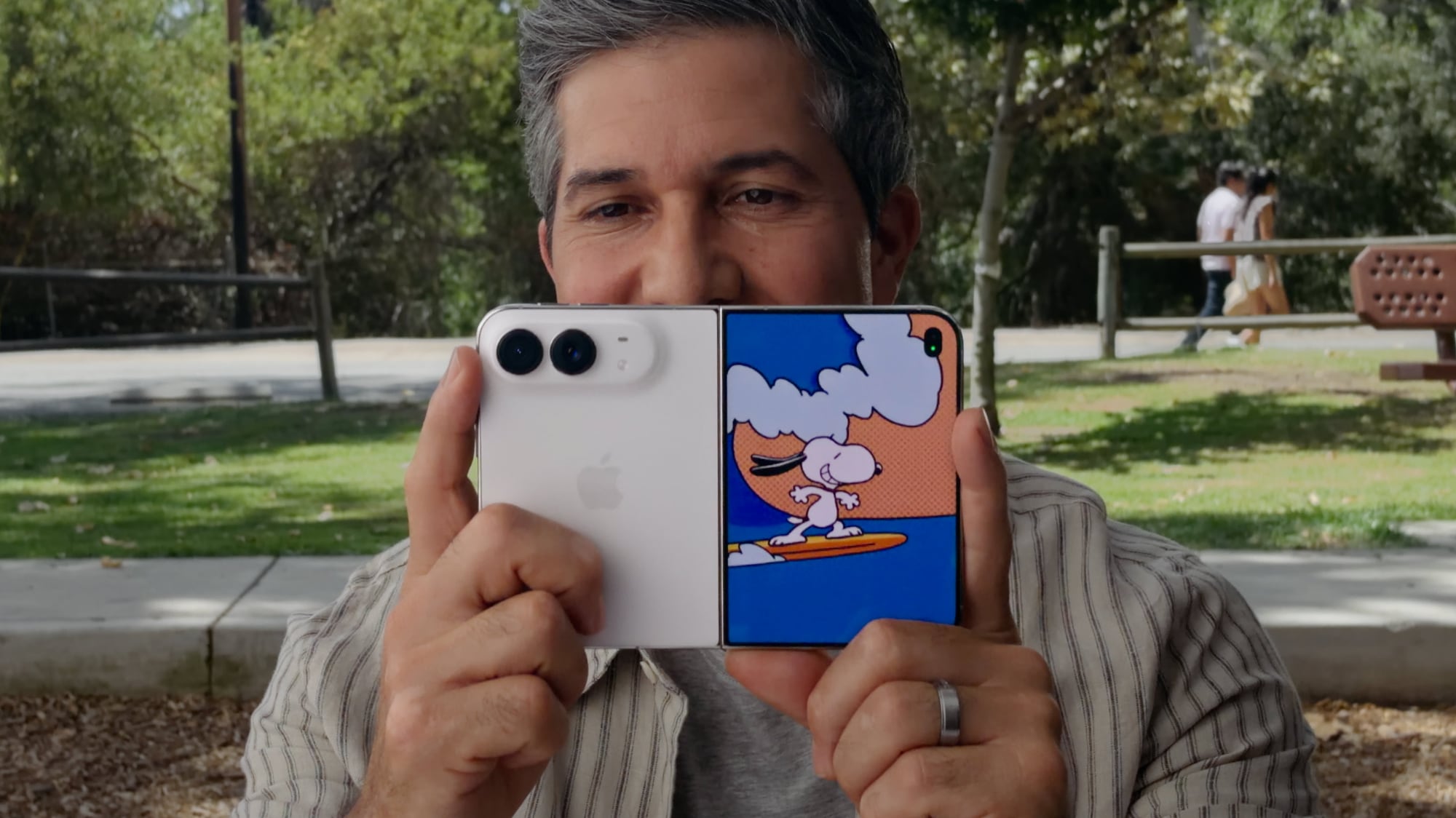
Kid Cue


Kid Cue shows little Peanuts animations to children so they look at the camera when you're taking a photo.


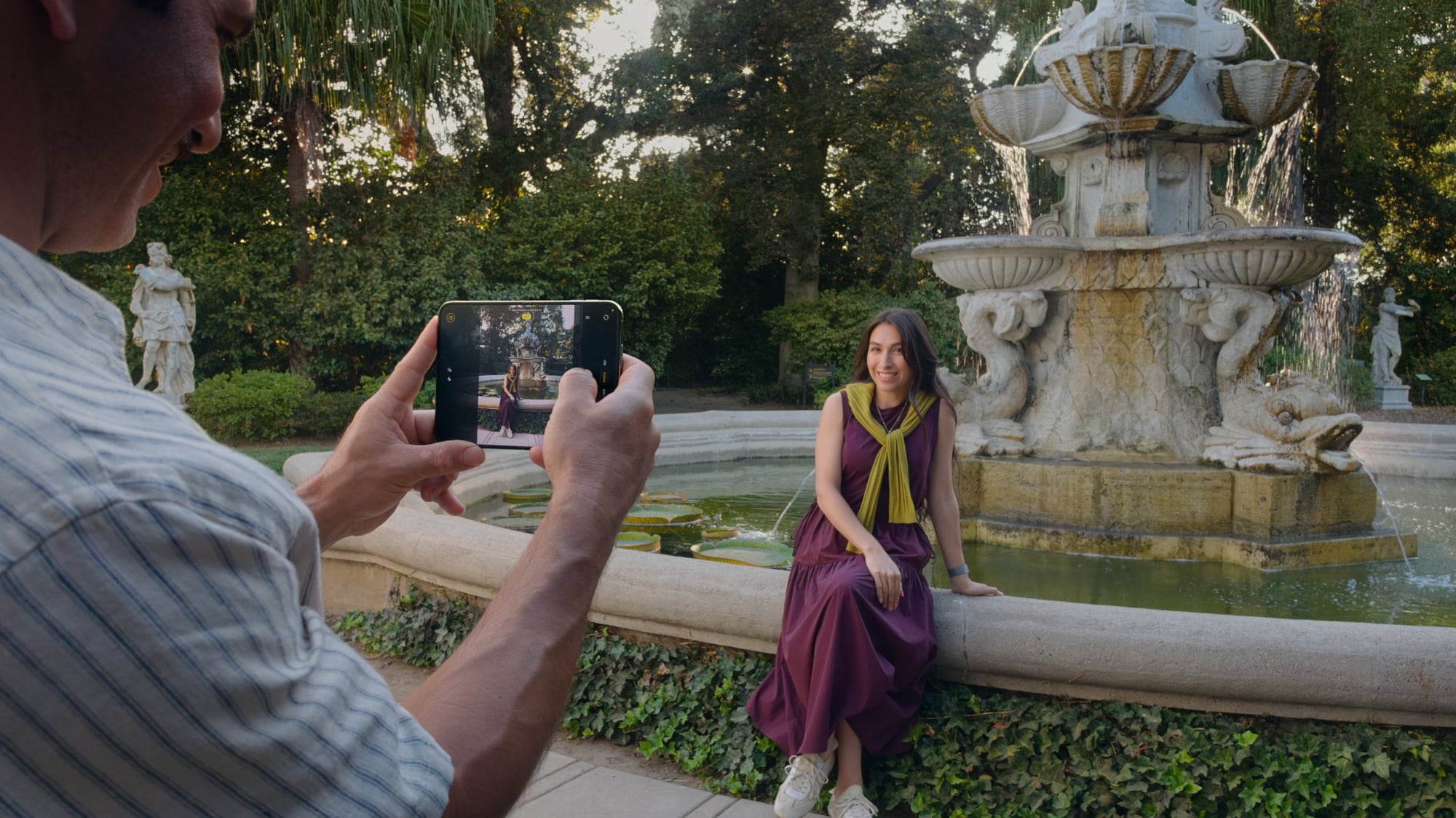
Duo Preview


With Duo Preview, the Camera app shows a live preview of the shot on both displays, so the subject you're taking a photo of can make adjustments.


Duo FaceTime


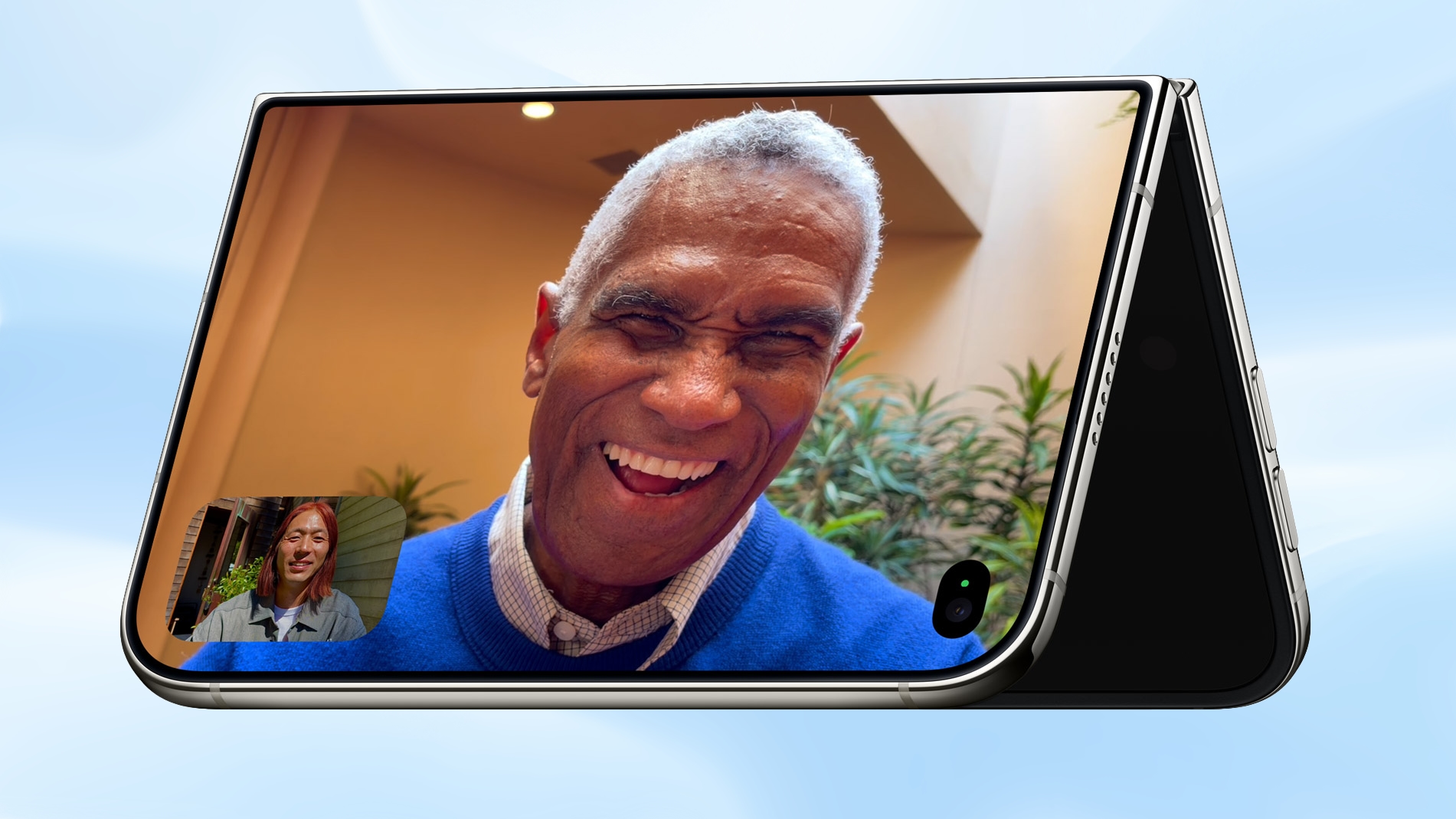
Nearby friends can participate in a FaceTime call using the outer display while the iPhone owner uses the inner display, so nobody has to crowd around the iPhone or pass it around to get on video.


Duo β€ŒFaceTimeβ€Œ is not the same as Dual Capture, which records video with both the front and rear cameras. Duo β€ŒFaceTimeβ€Œ specifically uses the outer display to allow another person to join in on a call.

Unique Form Factor Features


The β€ŒiPhone Duoβ€Œ can be used in multiple orientations, including when it's half-folded. The Duo stands up on its own, for taking β€ŒFaceTimeβ€Œ calls and recording video without holding it.


The folding mechanism acts like a built-in tripod and stand, so it's also useful for selfies and long exposures. You can also capture selfies with the higher-quality 48MP rear camera while using the outer display as a viewfinder, which isn't something you can do with a slab iPhone.

Camera Hardware


The β€ŒiPhone Duoβ€Œ has a "Dual Fusion" two-camera setup with a 48MP Main camera. It's basically the same camera that's in the iPhone 17 (not the 17 Pro), offering 26mm 24MP images by default, along with 12MP 2x "telephoto" images at 52mm.

The camera supports sensor-shift optical image stabilization, but not the second-generation version available in the Pro models. It also does not support spatial photos or the ProRAW format.

It also includes a 48MP Ultra Wide camera with a 13mm focal length and macro capabilities. Since there's no Telephoto lens, the β€ŒiPhone Duoβ€Œ is limited to 2x optical-quality zoom in, 2x optical zoom out, and digital zoom up to 10x for images.

Other Camera Capabilities


Like the iPhone 18 Pro and Pro Max, the β€ŒiPhone Duoβ€Œ supports the latest Photographic Styles, which adds texture and grain parameters.

Video


Smart focus tracking is a feature new to the β€ŒiPhone Duoβ€Œ and the β€ŒiPhone 18 Proβ€Œ models. It uses AI to keep a subject in focus at all times, and pick up subject tracking if the subject exits the frame and then reappears.

The Duo supports 4K Dolby Vision video recording at up to 120 fps, and Cinematic mode for recording videos in 4K Dolby Vision at up to 60 fps. For the first time, Cinematic mode effects can be added to a video after capture on the Duo and β€ŒiPhone 18 Proβ€Œ. Apple also says there's improved low-light video on the Duo when recording at 1080p.

Time-lapse video recording with stabilization up to 4K Dolby Vision is a new β€ŒiPhone 18 Proβ€Œ and β€ŒiPhone Duoβ€Œ option. It's especially useful on the β€ŒiPhone Duoβ€Œ because you can record a stable video without the need for a tripod.

Front Camera


The β€ŒiPhone Duoβ€Œ's outer front-facing camera is 12MP, not 18MP like the β€ŒiPhone 17β€Œ and β€ŒiPhone 18 Proβ€Œ models. It otherwise has the same features.

The inner display has a 1080p β€ŒFaceTimeβ€Œ camera that's under the display.

Missing Camera Features


Compared to the β€ŒiPhone 18 Proβ€Œ and Pro Max, the β€ŒiPhone Duoβ€Œ has a more rudimentary camera system. It lacks many features available on the Pro models.

  • Telephoto lens

  • Pro Controls

  • Apple Reference Image

  • Variable aperture

  • Second-generation sensor-shift optical image stabilization

  • Adaptive True Tone flash

  • Spatial photos and video recording

  • ProRAW

  • ProRes

  • ProRes RAW

  • Genlock

  • Apple Log 2 video recording

  • Studio-quality four-mic array


Launch Date


The β€ŒiPhone Duoβ€Œ will be available for pre-order on October 16, and it will launch on October 23. Pricing starts at $1,999.
Related Roundup: iPhone Duo
Related Forum: iPhone

This article, "What the iPhone Duo's Camera Can and Can't Do" first appeared on MacRumors.com

Discuss this article in our forums

  •  

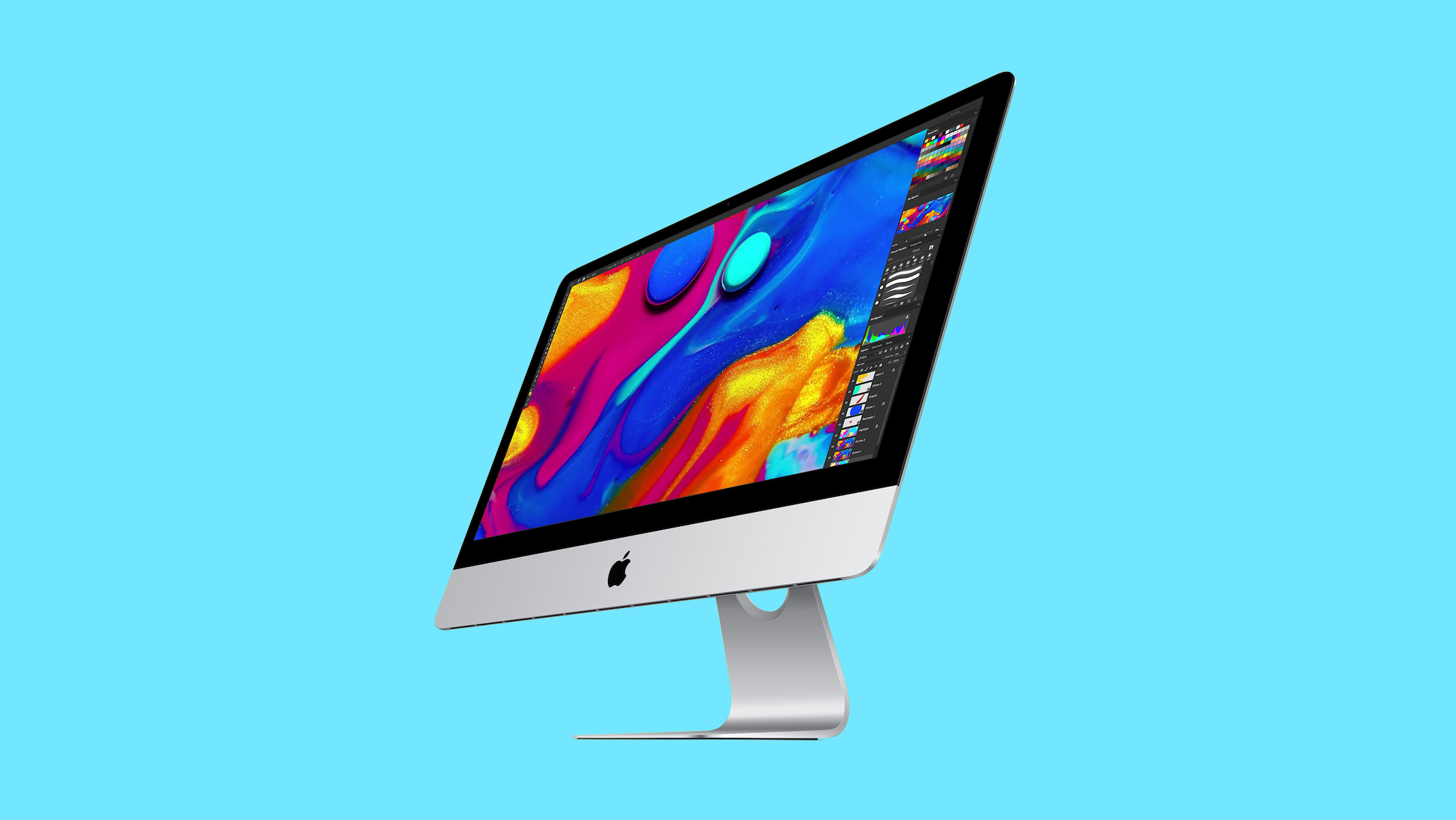
Apple's Last Intel 21.5-Inch iMac is Now Vintage

Apple today added the 2019 4K iMac to its list of vintage products, which means repairs can only be done if Apple has the parts available.


Products are added to the vintage list five years after they were last distributed for sale, and they're moved to the obsolete list at the seven-year mark. Vintage products can be repaired at Apple Stores and by Apple Authorized Service Providers if the parts are available, but that's not guaranteed. Devices that are obsolete are not eligible for repair and Apple no longer makes repair components.

The 2019 iMac preceded the colorful, redesigned M1 β€ŒiMacβ€Œ that came out in 2021. The machine featured a 21.5-inch Retina 4K display and the standard silver β€ŒiMacβ€Œ design. The base model was equipped with an Intel Core i3 processor, 8GB RAM, and a 1TB hard drive. Pricing in 2019 started at $1,299.

The 2019 27-inch β€ŒiMacβ€Œ that was sold alongside the 21.5-inch model was added to the vintage list in July 2025, but Apple sold the smaller model for a longer so it didn't previously qualify as vintage.
Related Roundup: iMac
Buyer's Guide: iMac (Don't Buy)
Related Forum: iMac

This article, "Apple's Last Intel 21.5-Inch iMac is Now Vintage" first appeared on MacRumors.com

Discuss this article in our forums

  •  

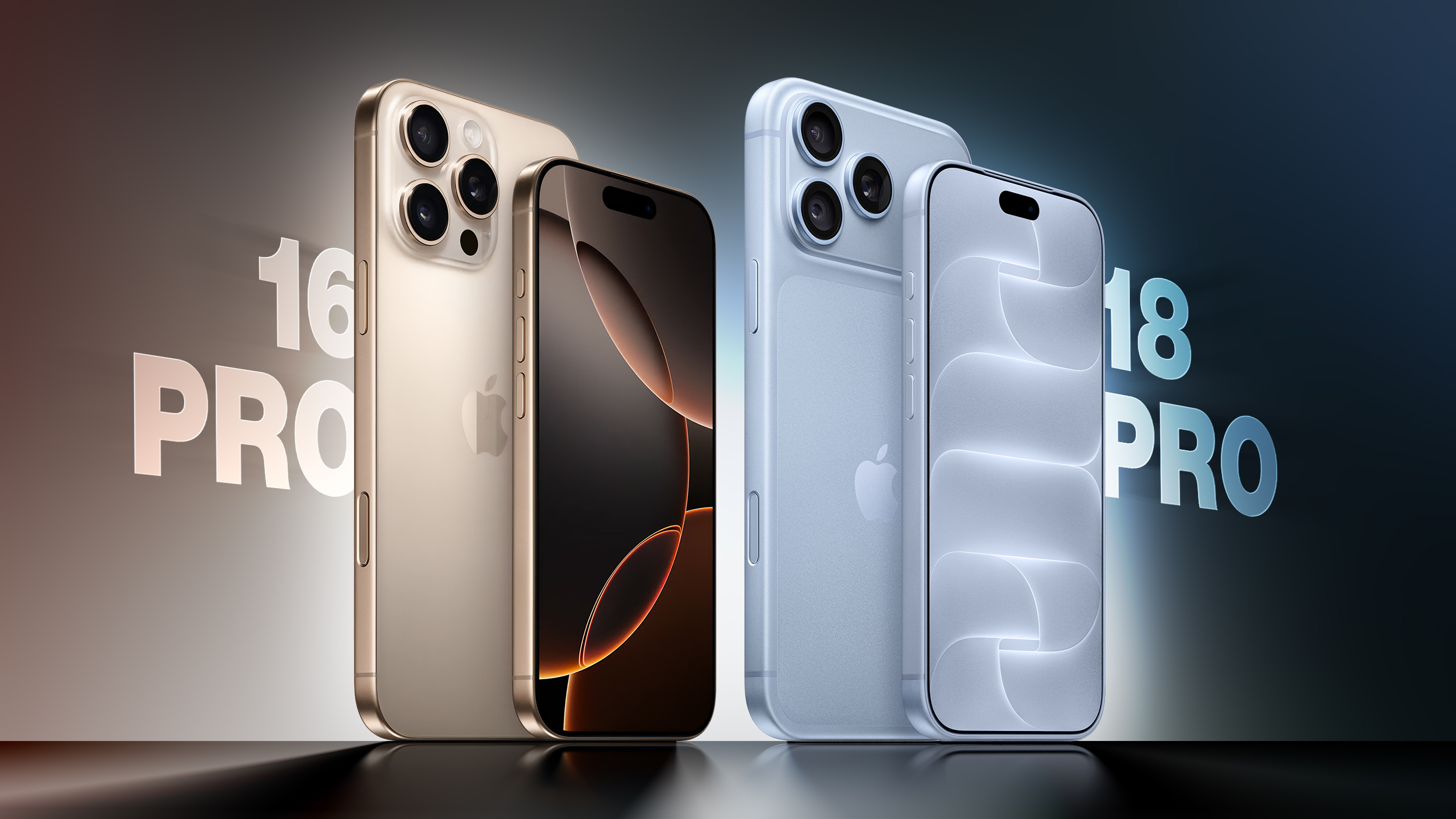
iPhone 16 Pro vs. iPhone 18 Pro Buyer's Guide: Worth Upgrading?

Apple last week announced the iPhone 18 Pro and β€ŒiPhone 18 Proβ€Œ Max, arriving two years after the iPhone 16 Pro and β€ŒiPhone 16β€Œ Pro Max. Skipping a generation means makes for a bigger upgrade, with more than 50 differences between the 2024 and 2026 models.


Most of the visible change arrived in between, with the iPhone 17 Pro replacing the titanium frame and glass back with an aluminum unibody and Ceramic Shield 2, adding vapor chamber cooling, and upgrading both the telephoto and front cameras. This year's update is largely focused on internal changes, centering on the A20 Pro chip, a variable-aperture Main camera, a smaller Dynamic Island, and a battery capacity increase that delivers the largest jump in battery life in the iPhone's history. For β€ŒiPhone 16β€Œ Pro owners, the two sets of changes stack on top of each other.

The β€ŒiPhone 18 Proβ€Œ starts at $1,199 for 256GB, $200 more than the β€ŒiPhone 16β€Œ Pro's $999 launch price, although the entry storage tier has doubled from 128GB. Apple no longer sells the β€ŒiPhone 16β€Œ Pro directly, so any comparison now involves either a device you already own or a third-party listing. Here's everything that differs between the β€ŒiPhone 16β€Œ Pro and β€ŒiPhone 18 Proβ€Œ:

Design and Display


β€ŒiPhone 16β€Œ Pro (2024) β€ŒiPhone 18 Proβ€Œ (2026)
Titanium frame with full glass back Aluminum unibody with partial Ceramic Shield back
8.25mm thickness 8.75mm thickness
Glass rounded square camera bump Full-width rounded rectangle aluminum camera plateau
Ceramic Shield front Ceramic Shield 2 front with 3x better scratch resistance
Fingerprint-resistant oleophobic coating only Apple-designed anti-reflective display coating to reduce glare
2,000 nits peak display brightness (outdoor) 3,000 nits peak display brightness (outdoor)
2x better outdoor contrast
β€ŒDynamic Islandβ€Œ supports up to two simultaneous Live Activities Smaller β€ŒDynamic Islandβ€Œ, supports up to three simultaneous Live Activities
iPhone 16 Pro: Weighs 7.03 ounces (199 grams)
iPhone 16 Pro Max: Weighs 7.99 ounces (227 grams)
iPhone 18 Pro: Weighs 7.44 ounces (211 grams)
iPhone 18 Pro Max: Weighs 8.78 ounces (249 grams)
Available in White, Black, Natural, and Desert Available in Silver, Black, Glacier, and Burgundy


Chip, Performance, and Connectivity


β€ŒiPhone 16β€Œ Pro (2024) β€ŒiPhone 18 Proβ€Œ (2026)
A18 Pro chip A20 Pro chip
Built with TSMC's N3E process (3nm) Built with TSMC's N2 process (2nm), Apple's first 2nm smartphone chip
6-core CPU with 2 performance cores and 4 efficiency cores 6-core CPU with 2 super cores and 4 efficiency cores
60GB/s memory bandwidth ~115GB/s memory bandwidth
8GB RAM 12GB RAM
6-core GPU 7-core GPU with Neural Accelerators
16-core Neural Engine Dual 16-core Neural Engine (32 total cores)
Vapor chamber cooling with 3x more surface area than the β€ŒiPhone 17 Proβ€Œ
New chip packaging that places silicon die beside memory, allowing it to attach directly to the vapor chamber
Qualcomm Snapdragon X71 modem iPhone 18 Pro: Apple C2 modem in all countries
iPhone 18 Pro Max: Apple C2 modem in all countries except the U.S., where it uses a Qualcomm modem
Broadcom Wi-Fi and Bluetooth chip Apple N1 chip for Wi-Fi, Bluetooth, and Thread
Bluetooth 5.3 connectivity Bluetooth 6 connectivity


Rear Camera


β€ŒiPhone 16β€Œ Pro (2024) β€ŒiPhone 18 Proβ€Œ (2026)
12-megapixel Telephoto camera 48-megapixel Fusion Telephoto camera
0.5x, 1x, 2x, and 5x optical zoom options 0.5x, 1x, 2x, 4x, and 8x optical zoom options
Fixed Ζ’/1.78 aperture on the 48-megapixel Fusion Main camera Variable-aperture 48-megapixel Fusion Main camera with four stops: Ζ’/1.48, Ζ’/1.8, Ζ’/2.8, and Ζ’/4.0, using six laser-cut blades
API available for developers to control the aperture range within their own apps
Faster Night mode, tied to the new variable-aperture lens
Pro controls in the Camera app: manual lens aperture, shutter speed, white balance, and histogram
New sensor and computational imaging pipeline on the Fusion Main camera, delivering around 50% better low-light performance and more detail in the back of group photos
Photographic Styles 2, adjusting tone and color Photographic Styles 3, adding texture and grain controls alongside tone and color
Smart focus tracking
Cinematic mode recording up to 4K Dolby Vision at 30 fps Cinematic mode recording up to 4K Dolby Vision at 60 fps
Cinematic mode effects can be applied after capture, on video shot at up to 60 fps
Improved low-light video
Time-lapse video recording with stabilization, up to 4K Dolby Vision
Apple Reference Image (Main camera only)
Audio Mix Audio Mix with new algorithms for higher-quality voices, and the ability to isolate music
ProRes RAW capture support
Genlock support


Front Camera


β€ŒiPhone 16β€Œ Pro (2024) β€ŒiPhone 18 Proβ€Œ (2026)
12-megapixel TrueDepth camera 18-megapixel TrueDepth camera
Tap to zoom Tap to zoom and rotate
Center Stage
Ultra-stabilized video
Dual Capture (up to 4K Dolby Vision at 30 fps)
Photographic Styles 2, adjusting tone and color Photographic Styles 3, adding texture and grain controls alongside tone and color
Smart focus tracking
Cinematic mode effects can be applied after capture
Improved low-light video
Time-lapse video recording with stabilization, up to 4K Dolby Vision


Battery and Charging


β€ŒiPhone 16β€Œ Pro (2024) β€ŒiPhone 18 Proβ€Œ (2026)
iPhone 16 Pro: 3,582 mAh battery
iPhone 16 Pro Max: 4,685 mAh battery
iPhone 18 Pro: 4,056 mAh battery
iPhone 18 Pro Max: 5,391 mAh battery
iPhone 16 Pro: Up to 27 hours of video playback
iPhone 16 Pro Max: Up to 33 hours of video playback
iPhone 18 Pro: Up to 36 hours of video playback
iPhone 18 Pro Max: Up to 45 hours of video playback
iPhone 16 Pro: Up to 50% charge in 30 minutes with a 20W adapter or higher
iPhone 16 Pro Max: Up to 50% charge in 35 minutes with a 20W adapter or higher
Up to 50% charge in around 15 minutes with a 60W-capable adapter
iPhone 16 Pro: MagSafe wireless charging up to 22W with a 30W adapter or higher
iPhone 16 Pro Max: β€ŒMagSafeβ€Œ wireless charging up to 25W with a 30W adapter or higher
β€ŒMagSafeβ€Œ wireless charging up to 25W, reaching 50% charge in 30 minutes with a 35W adapter or higher


Storage and Pricing


β€ŒiPhone 16β€Œ Pro (2024) β€ŒiPhone 18 Proβ€Œ (2026)
iPhone 16 Pro: Available with 128GB, 256GB, 512GB, or 1TB storage
iPhone 16 Pro Max: Available with 256GB, 512GB, or 1TB storage
Available with 256GB, 512GB, 1TB, or 2TB storage
iPhone 16 Pro: Launched at $999 (128GB), $1,099 (256GB), $1,299 (512GB), $1,499 (1TB)
iPhone 16 Pro Max: Launched at $1,199 (256GB), $1,399 (512GB), $1,599 (1TB)
iPhone 18 Pro: $1,199 (256GB), $1,399 (512GB), $1,799 (1TB), $2,399 (2TB)
iPhone 18 Pro Max: $1,299 (256GB), $1,499 (512GB), $1,899 (1TB), $2,499 (2TB)
Now discontinued, only available via third-parties iPhone 18 Pro: Sold directly by Apple, from $49.95 a month for 24 months via Apple Upgrade
iPhone 18 Pro Max: Sold directly by Apple, from $54.12 a month for 24 months via Apple Upgrade


Which to Choose?


For β€ŒiPhone 16β€Œ Pro and β€ŒiPhone 16β€Œ Pro Max owners, the β€ŒiPhone 18 Proβ€Œ is a worthwhile upgrade, and a far easier recommendation than it is for anyone coming from last year's model. Two generations of changes accumulate, touching almost every part of the device: an all-new aluminum unibody with Ceramic Shield 2 and three times better scratch resistance, a display that is 50% brighter outdoors at 3,000 nits and features an anti-reflective coating the β€ŒiPhone 16β€Œ Pro lacks entirely, and a battery that runs for 36 hours rather than 27, rising from 33 hours to 45 hours on the Pro Max. Charging has changed most dramatically of all, dropping from 50% in 30 minutes to 50% in around 15 minutes.

The camera differences are also major. The telephoto camera moves from 12 megapixels at 5x to 48 megapixels with 4x and 8x optical options, the front camera jumps from 12 megapixels to 18 megapixels and gains Center Stage and ultra-stabilized video, and the Main camera trades its fixed Ζ’/1.78 aperture for a four-stop variable aperture ranging from Ζ’/1.48 to Ζ’/4.0. Add ProRes RAW, Genlock, Dual Capture, Cinematic mode at 60 fps, and manual Pro controls, and the β€ŒiPhone 18 Proβ€Œ is a substantially different camera system.

Performance is the other argument for upgrading, particularly if you have noticed your β€ŒiPhone 16β€Œ Pro throttling. The A20 Pro moves to a 2nm process, gains a seventh GPU core with Neural Accelerators, and doubles the Neural Engine to 32 cores, while the vapor chamber that the β€ŒiPhone 16β€Œ Pro lacks entirely is now in its second generation. If you play demanding games, shoot long video clips, or expect to lean on on-device Apple Intelligence features for several more years, the extra 4GB of RAM and the doubled Neural Engine make the β€ŒiPhone 18 Proβ€Œ the more future-proof purchase.

That being said, the price has moved against you. The β€ŒiPhone 18 Proβ€Œ costs $200 more than the β€ŒiPhone 16β€Œ Pro did at launch, even accounting for the doubled 256GB entry tier, and the β€ŒiPhone 18 Proβ€Œ Max is $100 more than its equivalent. The β€ŒiPhone 18 Proβ€Œ Max is also 22 grams heavier than the β€ŒiPhone 16β€Œ Pro Max, which is noticeable in the hand, although it buys you the largest battery gain Apple has ever delivered on an iPhone and the option of a 2TB device.

A notable exception arises if you are upgrading primarily for the design, the telephoto camera, or the battery. Almost all of those enhancements arrived with the β€ŒiPhone 17 Proβ€Œ rather than this year's model, so an β€ŒiPhone 17 Proβ€Œ bought from a third-party retailer at a heavy discount will get you most of the way there for meaningfully less money. The β€ŒiPhone 18 Proβ€Œ's genuine exclusives over that model are the variable aperture and Pro controls, the C2 modem, the smaller β€ŒDynamic Islandβ€Œ, and roughly three extra hours of battery life. If none of those matter to you, last year's model is the better value.

Pre-orders for the β€ŒiPhone 18 Proβ€Œ and β€ŒiPhone 18 Proβ€Œ Max opened on Saturday, September 12, with availability beginning Friday, September 18.
Related Roundup: iPhone 18 Pro
Related Forum: iPhone

This article, "iPhone 16 Pro vs. iPhone 18 Pro Buyer's Guide: Worth Upgrading?" first appeared on MacRumors.com

Discuss this article in our forums

  •  

AirPods 5 Hands-On: Better Noise Cancellation, Lower Price

After Apple introduced the AirPods 5 last week, we got a set to take home and review. We've been testing the AirPods 5 for the last week and have some initial thoughts.


The β€ŒAirPods 5β€Œ have the same overall design and fit as the AirPods 4, so they're just as comfortable as the prior-generation model.

Active Noise Cancellation has been improved through new internal acoustic architecture, and it's surprisingly good. The β€ŒAirPods 5β€Œ don't have silicone ear tips so you might not expect ANC to work as well as earbuds with a tighter fit, but there is a noticeable improvement over the ANC version of the AirPods 4.

Apple says the β€ŒAirPods 5β€Œ use low-noise microphones and a new compressor tuned for open-ear ANC. The compressor is tuned to a wider frequency range and can react faster than before when conditions change. Sound is measured for the left and right ears independently, correcting for fit leaks to further improve ANC.

Sound quality on the β€ŒAirPods 5β€Œ was muddier than on the AirPods Pro 3, especially in the low mids. iOS 27 has custom EQ, though, which allows for adjustments. The β€ŒAirPods 5β€Œ support Adaptive Audio and Transparency, so they have most of the same audio features as the β€ŒAirPods Pro 3β€Œ.

Apple used to limit ANC to the higher-end version of the AirPods 4, but with the β€ŒAirPods 5β€Œ, it's universal. You can now get AirPods with ANC for just $129. There's an upgraded model with a Wireless Charging Case, an extra hour of battery life, and swipe-based controls on the stem for $149. The base model has four hours of battery with ANC, while the upgraded version offers five hours.

Live Translation, Adaptive Audio, Conversation Awareness, and other features that were previously limited to the higher-end AirPods 4 model are now on all models. Dust and water resistance has improved, and the AirPods have an IP57 rating, so they'll hold up better to sweat and moisture exposure.

With the ANC upgrade and the price drop, the β€ŒAirPods 5β€Œ are an excellent value. If you've been hesitant to get AirPods because of the price, this is the version to get. People who have AirPods Pro or AirPods 4 with ANC don't need to upgrade, but it's a big improvement if you have older AirPods.

The β€ŒAirPods 5β€Œ are available for pre-order and will launch on Friday, September 18.
Related Roundup: AirPods 5
Buyer's Guide: AirPods (Buy Now)
Related Forum: AirPods

This article, "AirPods 5 Hands-On: Better Noise Cancellation, Lower Price" first appeared on MacRumors.com

Discuss this article in our forums

  •  

M5 Ultra Chip's Impressive Performance Boost Revealed in First Benchmark Result

The first unverified benchmark result for Apple's new M5 Ultra chip surfaced in the Geekbench 7 database today, offering a look at the chip's impressive performance gains. The new Mac Studio will be Apple's first device to be equipped with the M5 Ultra.


Here is how the highest-end M5 Ultra chip with a 36-core CPU scored:

  • Single-core CPU score: 3,774

  • Multi-core CPU score: 52,516
Apple never released an M4 Ultra chip. Here are the average scores for the highest-end M3 Ultra chip with a 32-core CPU on Geekbench 7:

  • Single-core CPU score: 2,920

  • Multi-core CPU score: 39,059


Unsurprisingly, the M5 Ultra is Apple's fastest chip ever. If this Geekbench result is accurate, it has up to around 30% faster single-core CPU performance and up to around 35% faster multi-core performance compared to the M3 Ultra. But, it comes at a steep cost. In the U.S., the Mac Studio with a 36-core M5 Ultra starts at $6,799.

Apple said the M5 Ultra has up to 1.25Γ— faster single-threaded CPU performance and up to 1.3Γ— faster multi-threaded CPU performance compared to the M3 Ultra, so the benchmark result roughly aligns with or even beats those advertised claims. However, keep in mind that there wil be some variance in scores as additional results surface.

Here is where the M5 Ultra slots in for maximum multi-core CPU performance:
  • M5 Ultra: 52,516

  • M3 Ultra: 39,059

  • M5 Max: 35,119

  • M5 Pro: 33,593

  • M4 Max: 29,047

  • M2 Ultra: 28,789

  • M4 Pro: 24,894

  • M3 Max: 24,649

  • M1 Ultra: 23,328

  • M6: 22,783

  • M5: 17,948

  • M2 Max: 17,387

  • M3 Pro: 16,880

  • M2 Pro: 16,725

  • M4: 15,477

  • M1 Max: 14,299

  • M1 Pro: 13,914

  • M3: 11,650

  • M2: 9,809

  • M1: 8,582
Based on these scores, the M5 Ultra is up to 2.25Γ— faster than Apple's original M1 Ultra chip and up to 6Γ— faster compared to the regular M1 chip.

As always, real-world performance varies.

The new Mac Studio with M5 Max and M5 Ultra chips and the new Mac mini with M6 and M5 Pro chips launch on Tuesday, September 22.

We are still waiting for GPU results for the M5 Ultra to appear in the Geekbench 7 database.
Related Roundup: Mac Studio
Buyer's Guide: Mac Studio (Buy Now)
Related Forum: Mac Studio

This article, "M5 Ultra Chip's Impressive Performance Boost Revealed in First Benchmark Result" first appeared on MacRumors.com

Discuss this article in our forums

  •  

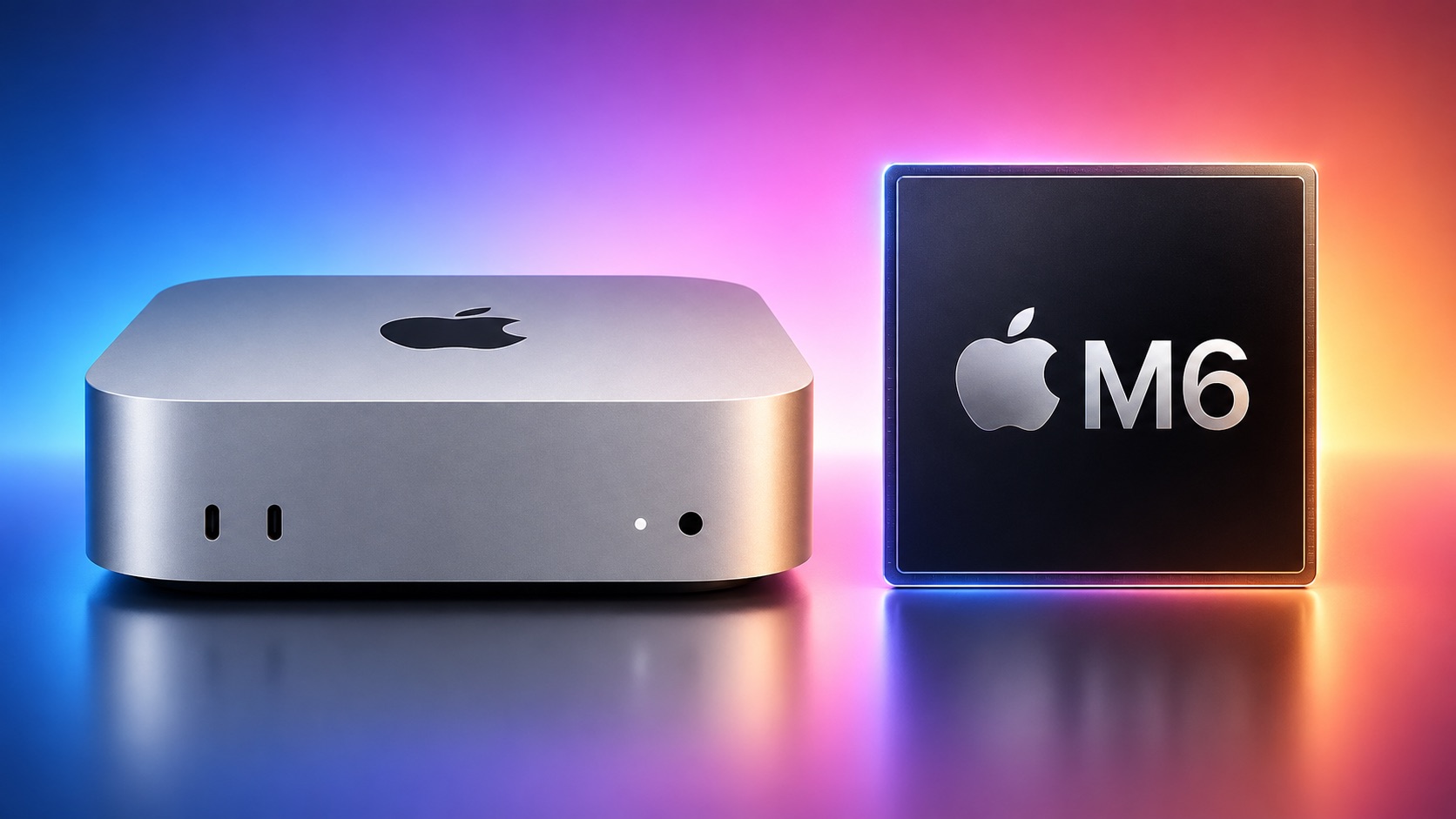
M6 Chip Benchmark Surfaces Ahead of New Mac Mini Launch Next Week

The first unverified benchmark result for Apple's new M6 chip surfaced in the Geekbench 7 database today, offering a look at the chip's performance gains. The new Mac mini will be Apple's first device to be equipped with the M6 chip, which is 2nm.


Here is how the M6 chip scored:

  • Single-core CPU score: 4,071

  • Multi-core CPU score: 22,783


Here are the average M5 chip scores for comparison:

  • Single-core CPU score: 3,641

  • Multi-core CPU score: 17,948
If this single Geekbench 7 result is accurate, the M6 chip has up to around 12% faster single-core CPU performance and up to around 27% faster multi-core CPU performance compared to the M5 chip. Note that the M6 chip is in the new Mac mini, while the M5 chip scores are based on the 14-inch MacBook Pro, but performance should be similar.

Apple said the M6 chip has the world's fastest single-threaded CPU performance, and its 4,071 single-core score indeed tops all other Macs and PCs in the Geekbench 7 database, including the M5 Max chip (3,731) and Qualcomm's Snapdragon X2 Elite Extreme (3,396). Up to 27% faster multi-core CPU performance is in line with Apple's claim of up to 1.2Γ— faster multi-threaded performance, so all of Apple's advertised claims hold up.

Here is where the M6 chip slots in for maximum multi-core CPU performance:
  • M5 Ultra: 52,516

  • M3 Ultra: 39,059

  • M5 Max: 35,119

  • M5 Pro: 33,593

  • M4 Max: 29,047

  • M2 Ultra: 28,789

  • M4 Pro: 24,894

  • M3 Max: 24,649

  • M1 Ultra: 23,328

  • M6: 22,783

  • M5: 17,948

  • M2 Max: 17,387

  • M3 Pro: 16,880

  • M2 Pro: 16,725

  • M4: 15,477

  • M1 Max: 14,299

  • M1 Pro: 13,914

  • M3: 11,650

  • M2: 9,809

  • M1: 8,582
Based on these scores, the M6 chip is more than 2.5Γ— faster than Apple's original M1 chip.

As always, real-world performance varies.

The new Mac mini with M6 and M5 Pro chips and the new Mac Studio with M5 Max and M5 Ultra chips launch on Tuesday, September 22.

We are still waiting for GPU results for the M6 chip to appear on Geekbench 7.
Related Roundup: Mac mini
Buyer's Guide: Mac Mini (Buy Now)
Related Forum: Mac mini

This article, "M6 Chip Benchmark Surfaces Ahead of New Mac Mini Launch Next Week" first appeared on MacRumors.com

Discuss this article in our forums

  •  

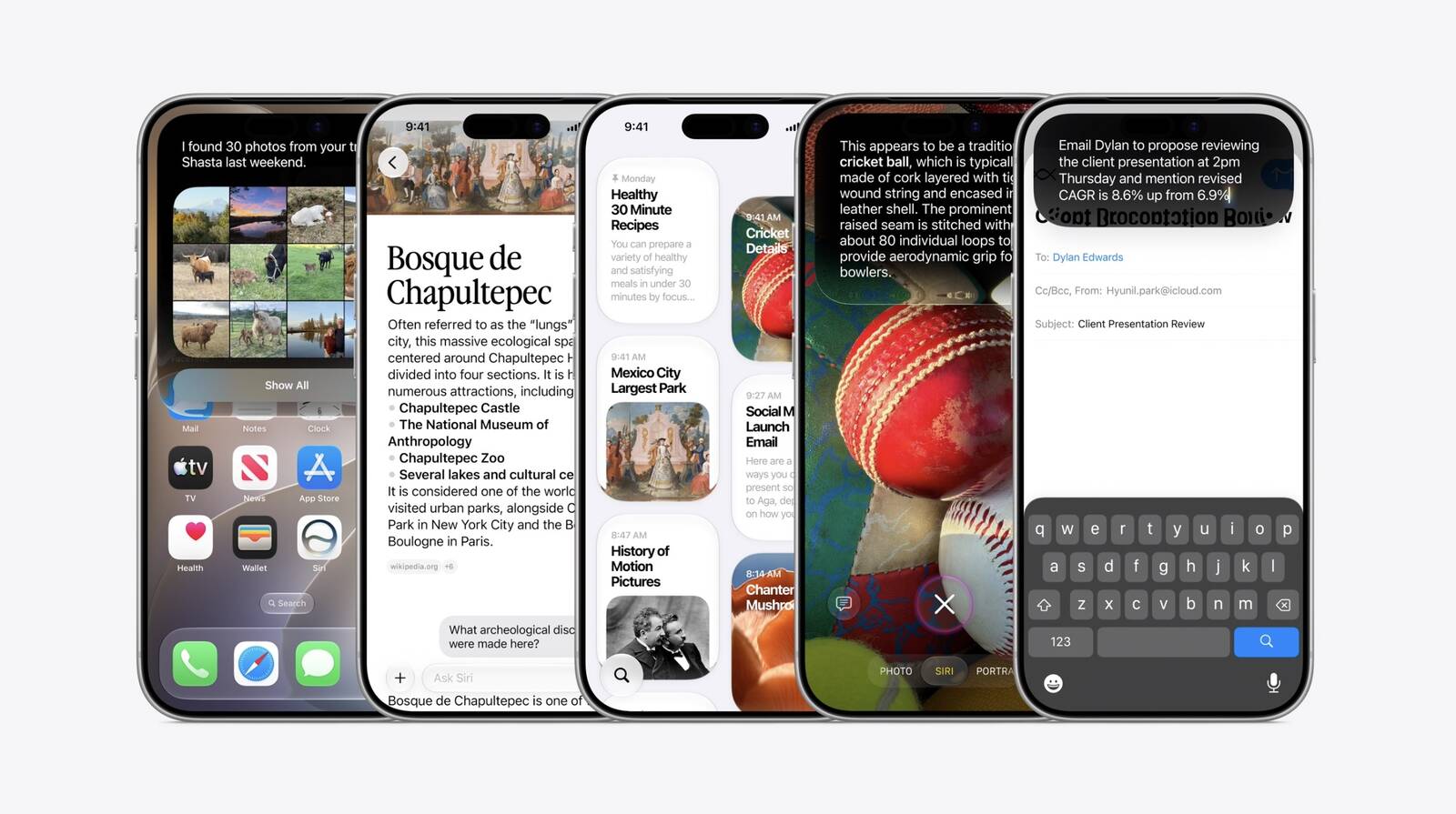
Reminder: iOS 27's All-New Siri AI Has a Waitlist, Here's How to Sign Up

Apple this week released iOS 27 following around three months of beta testing. If you just installed the software update on your iPhone, you might be wondering where the new-and-improved Siri AI and dedicated Siri app are. In case you missed it, you must join Apple's waitlist in order to gain access to these new features.


Keep in mind that while iOS 27 is compatible with the iPhone 11 and newer, Siri AI is limited to the iPhone 15 Pro and newer. This is because Siri AI requires an iPhone model that is compatible with Apple Intelligence, which we have listed below.

Fortunately, joining the Siri AI waitlist is a simple task:

  • Open the Settings app on your iPhone.

  • Tap on the Siri menu.

  • Tap on Try Siri AI (Beta).

  • Follow the prompts.

Wait times seem to vary, with some users receiving access to Siri AI within a few minutes of signing up and others having to wait a few hours or even days.

You will receive a notification on your iPhone once you have received access to Siri AI, and the Siri app will automatically appear on your device at that time. You can talk or type to Siri AI in three ways: swipe down on your iPhone's Dynamic Island, press and hold your iPhone's side button to invoke the assistant, or open the Siri app.


The classic version of Siri has always been useful for basic actions like setting a timer and checking the weather, but it has notoriously struggled with more advanced requests over the years. Siri AI is much more intelligent and personalized: it is essentially a ChatGPT-like version of Siri that can respond to most questions.

Siri AI can draw on your personal information stored on your iPhone, has on-screen awareness, and can perform actions in more apps that support it.

The new Siri is limited to English to start, but Apple said support for French, Japanese, Korean, Portuguese, and Spanish will be available in October, likely as part of the release of iOS 27.1. Apple said Siri AI has unspecified daily usage limits, but it noted that expanded access will be coming with select iCloud+ plans.

Siri AI is not available in the EU on iOS 27, iPadOS 27, and watchOS 27 at launch, as Apple is in a regulatory battle with the European Commission.

The following iPhone models are compatible with Siri AI:
  • iPhone 18 Pro

  • iPhone 18 Pro Max

  • iPhone Duo

  • iPhone 17e

  • iPhone 17

  • iPhone 17 Pro

  • iPhone 17 Pro Max

  • iPhone Air

  • iPhone 16e

  • iPhone 16

  • iPhone 16 Plus

  • iPhone 16 Pro

  • iPhone 16 Pro Max

  • iPhone 15 Pro

  • iPhone 15 Pro Max
You can adjust Siri AI's pace and expressivity on these iPhone models:
  • iPhone 18 Pro

  • iPhone 18 Pro Max

  • iPhone Duo

  • iPhone 17 Pro

  • iPhone 17 Pro Max

  • iPhone Air
Apple still considers Siri AI to be in beta even though iOS 27 is no longer in beta overall.
Related Roundups: iOS 27, iPadOS 27
Tags: Siri, Siri AI
Related Forum: iOS 27

This article, "Reminder: iOS 27's All-New Siri AI Has a Waitlist, Here's How to Sign Up" first appeared on MacRumors.com

Discuss this article in our forums

  •  

Apple TV Shipping Delays Persist, HomePod Mini Unavailable in Orange

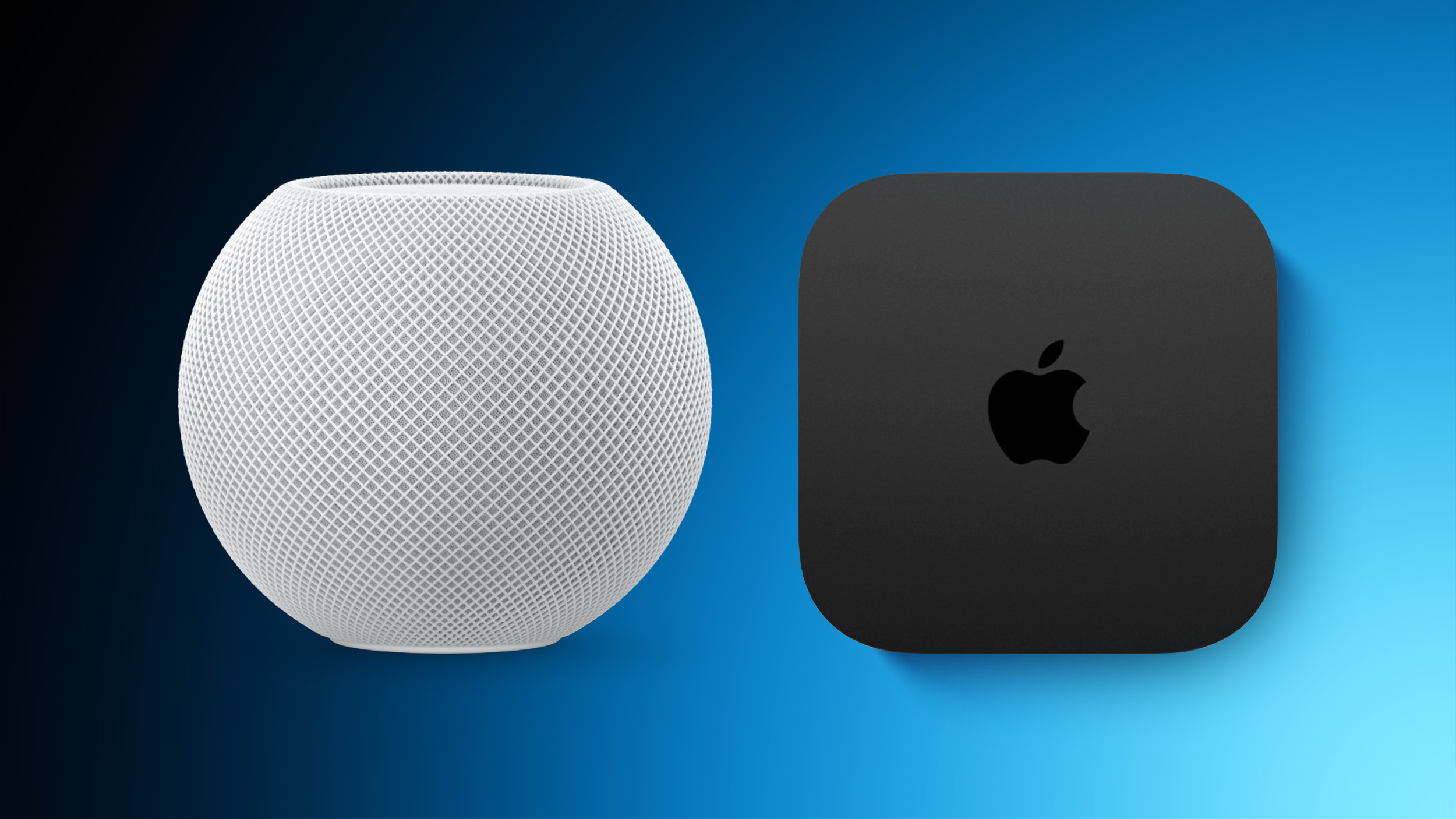
Apple TV and HomePod mini orders continue to face extended shipping delays on Apple's online store in the U.S., amid endless rumors about new models coming later this year. These shortages have been occurring on and off for more than a year.
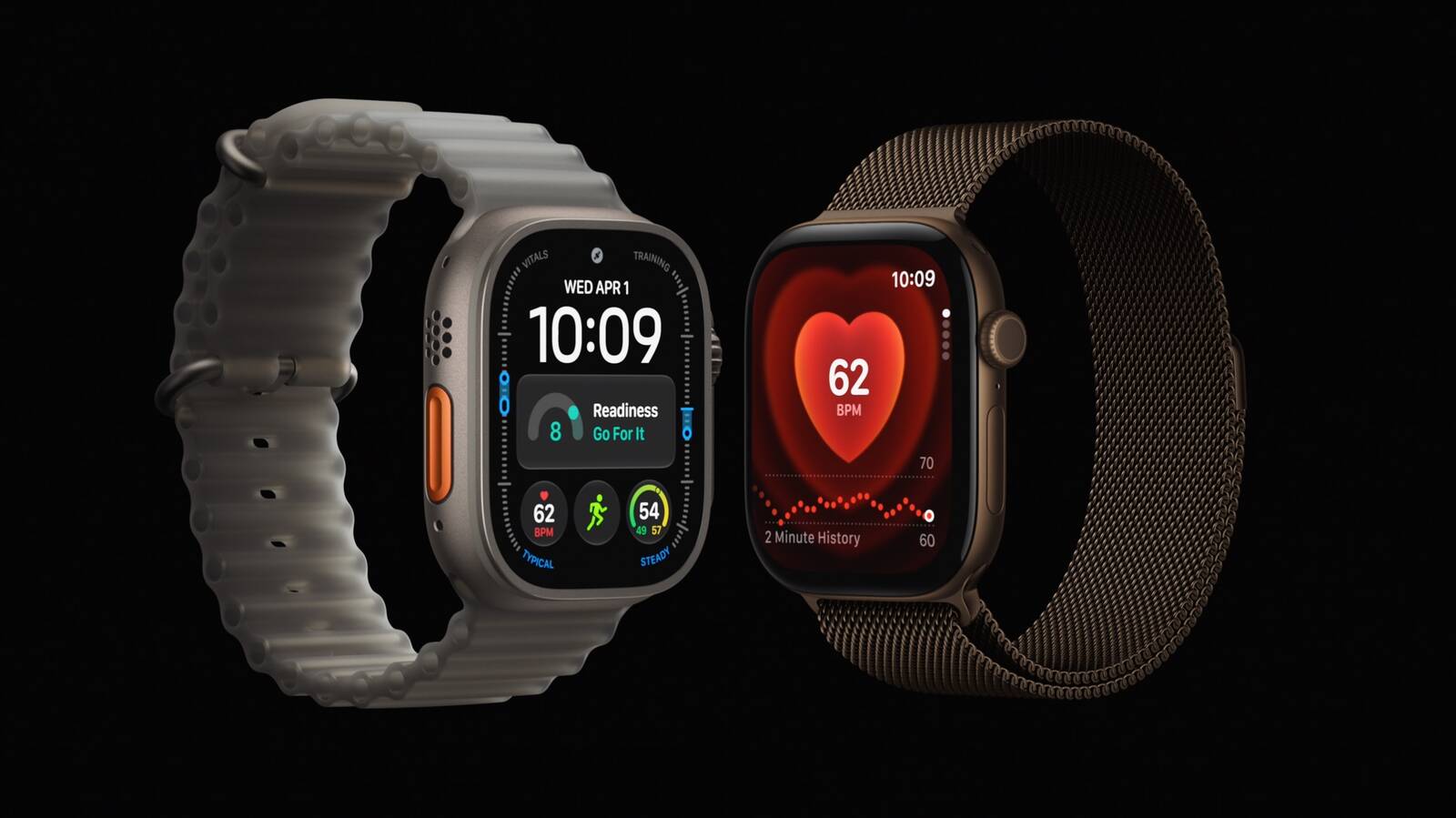
Three examples today: estimated delivery dates for the Apple TV with 64GB of storage are pushing into October, the HomePod mini in orange is currently unavailable to order, and the HomePod mini in yellow is facing a November delivery estimate.
Related Roundups: Apple TV, HomePod mini

This article, "Apple TV Shipping Delays Persist, HomePod Mini Unavailable in Orange" first appeared on MacRumors.com

Discuss this article in our forums

  •  

Apple Watch Pre-Order Discounts Expand With Up to $20 In Savings

Apple began pre-orders for its new Apple Watch Series 12 and Apple Watch Ultra 4 last week, and today Amazon has introduced a few more early discounts on these models.

Note: MacRumors is an affiliate partner with some of these vendors. When you click a link and make a purchase, we may receive a small payment, which helps us keep the site running.

Apple Watch Series 12


Apple Watch Series 12 models are up for pre-order on Amazon today, starting at $389.99 for 42mm GPS devices ($9 off) and $439.99 for 46mm GPS devices ($9 off). These will launch on September 18, and as of writing only the Black Aluminum Case with Black Sport Band 42mm GPS model is on sale.


If you're interested in the cellular models of the Apple Watch Series 12, the 42mm Cellular Series 12 is available for pre-order at $489.99, down from $499.00. This is for the new Dark Bronze Aluminum Case with Olive Sport Band.


You can also pre-order the new Titanium Apple Watch Series 12 models starting at $679.00 ($20 off), and the Ceramic model is available for $929.00 ($20 off).

Apple Watch Ultra 4


The Apple Watch Ultra 4 is available for pre-order on Amazon for $779.99 in the Natural Titanium Case with Translucent Gray Ocean Band. This device will launch on September 18, alongside the Series 12 and AirPods 5.


If you're on the hunt for more discounts, be sure to visit our Apple Deals roundup where we recap the best Apple-related bargains of the past week.


Deals Newsletter


Interested in hearing more about the best deals you can find in 2026? Sign up for our Deals Newsletter and we'll keep you updated so you don't miss the biggest deals of the season!


Related Roundup: Apple Deals

This article, "Apple Watch Pre-Order Discounts Expand With Up to $20 In Savings" first appeared on MacRumors.com

Discuss this article in our forums

  •  

AirPods 5 Sees Initial Pre-Order Deal Ahead of Launch This Friday

Amazon has introduced the first pre-order discount you can get for the brand new AirPods 5, available for $124.99, down from $129.00. While only a $4 markdown, it's notable for being the first ever deal we've tracked on the base model of the AirPods 5.

Note: MacRumors is an affiliate partner with some of these vendors. When you click a link and make a purchase, we may receive a small payment, which helps us keep the site running.
You can also pre-order the AirPods 5 with Wireless Charging Case for $149.00, but there's no discount on this one. The AirPods 5 will launch this Friday, September 18.


Amazon also currently has a solid deal on the AirPods Max 2, available for $449.00, down from $549.00. If you're on the hunt for more discounts, be sure to visit our Apple Deals roundup where we recap the best Apple-related bargains of the past week.


Deals Newsletter


Interested in hearing more about the best deals you can find in 2026? Sign up for our Deals Newsletter and we'll keep you updated so you don't miss the biggest deals of the season!


Related Roundup: Apple Deals

This article, "AirPods 5 Sees Initial Pre-Order Deal Ahead of Launch This Friday" first appeared on MacRumors.com

Discuss this article in our forums

  •  

iPhone Car Keys in Apple Wallet Expanding to Three More Vehicle Brands

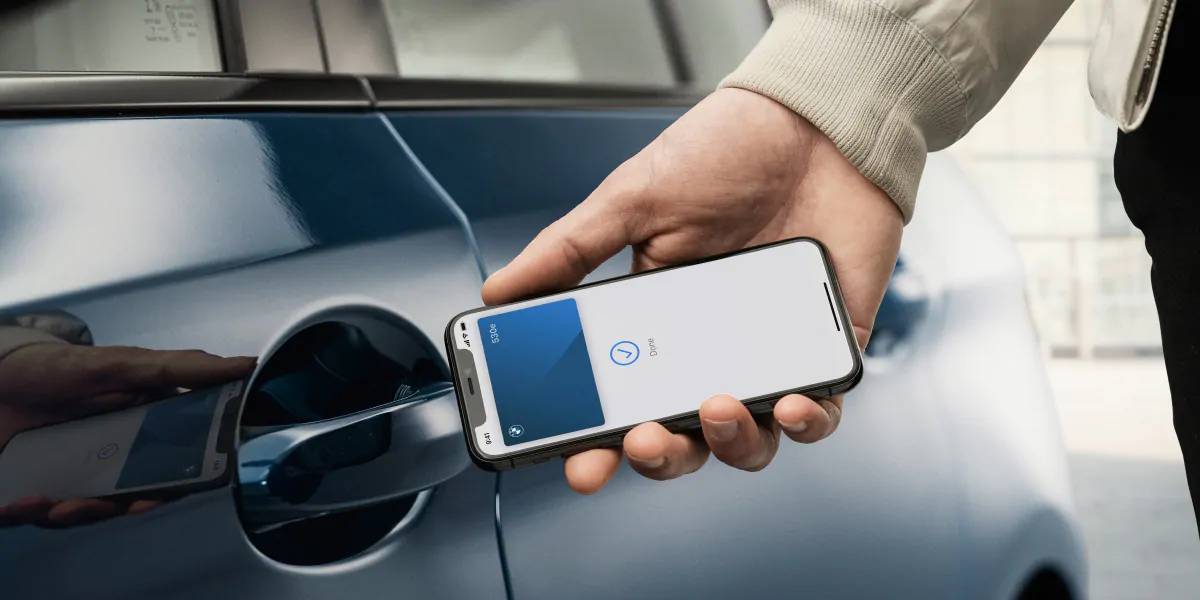
Apple Wallet car keys are coming to three more vehicle brands, including Lincoln, Lucid Motors, and China's Freelander, according to code uncovered by MacRumors contributor Aaron Perris. However, the code does not provide a timeframe for availability.

The digital key feature allows you to lock, unlock, and start a compatible vehicle with an iPhone or Apple Watch. It is already offered by select automakers, including Audi, BMW, Hyundai, Kia, Genesis, Mercedes-Benz, Volvo, and others.
This article, "iPhone Car Keys in Apple Wallet Expanding to Three More Vehicle Brands" first appeared on MacRumors.com

Discuss this article in our forums

  •  

Apple Cuts iPhone Trade-In Values While Raising Mac and iPad

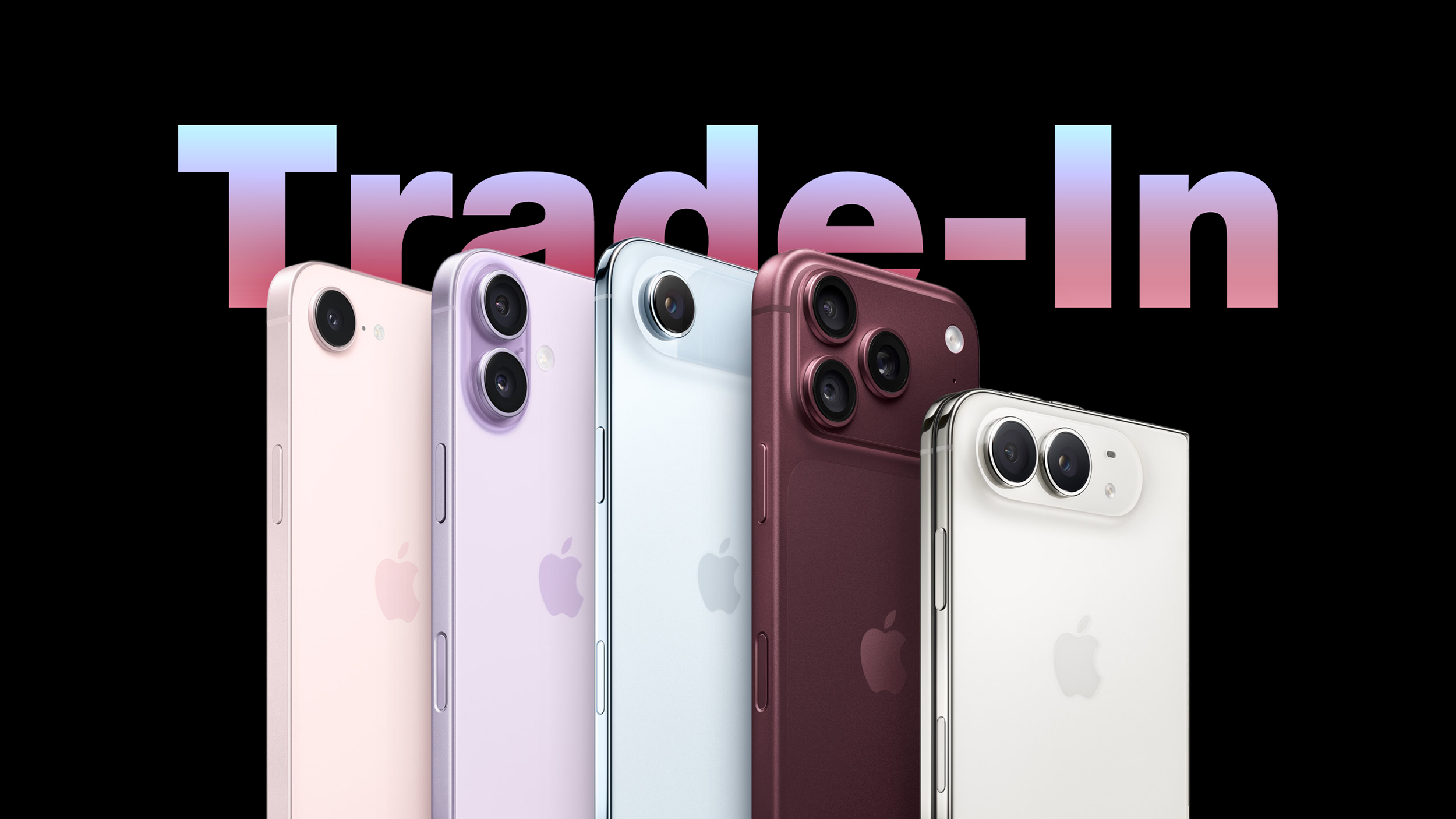
Apple has updated its U.S. trade-in estimates, cutting values for every eligible iPhone while raising them across the iPad and Mac lineups.


The refresh follows the announcement of the iPhone 18 Pro and iPhone Duo. Their predecessors now appear on Apple's trade-in list for the first time, led by the iPhone 17 Pro Max at up to $885. The iPhone Air is valued at $585, exactly the same as the standard iPhone 17, despite having launched at a $200 higher price:


  • iPhone 17 Pro Max: $885

  • iPhone 17 Pro: $785

  • iPhone Air: $585

  • iPhone 17: $585


The update is also the first to run under Apple's new condition grading system, which is now live. Devices with minor cosmetic defects such as small chips in the display glass were previously treated much like those with far more serious damage, resulting in a similarly steep cut to their value. As we reported last week, Apple now applies more granular tiers that better reflect a device's actual condition, and no device receives less than it would have under the old system.

Every other iPhone on the list lost value. The iPhone 16 Pro saw the steepest cut in percentage terms at 19%, while the β€ŒiPhone 16β€Œ Pro Max lost the most in absolute terms, falling $110 barely a month after Apple raised it to $720:


  • iPhone 16 Pro Max: $720 to $610

  • iPhone 16 Pro: $630 to $510

  • iPhone 16 Plus: $485 to $430

  • iPhone 16: $480 to $430

  • iPhone 16e: $310 to $270

  • iPhone 15 Pro Max: $530 to $455

  • iPhone 15 Pro: $420 to $370

  • iPhone 15 Plus: $340 to $315

  • iPhone 15: $335 to $305

  • iPhone 14 Pro Max: $405 to $360

  • iPhone 14 Pro: $335 to $285

  • iPhone 14 Plus: $235 to $210

  • iPhone 14: $235 to $195

  • iPhone SE (3rd generation): $85 to $75

  • iPhone 13 Pro Max: $340 to $320

  • iPhone 13 Pro: $285 to $255

  • iPhone 13: $205 to $175

  • iPhone 13 mini: $155 to $145

  • iPhone 12 Pro Max: $240 to $210

  • iPhone 12 Pro: $195 to $165

  • iPhone 12: $135 to $120

  • iPhone 12 mini: $90 to $80

  • iPhone SE (2nd generation): $45 to $40

  • iPhone 11 Pro Max: $160 to $140

  • iPhone 11 Pro: $145 to $125

  • iPhone 11: $110 to $100

  • iPhone XS Max: $95 to $85

  • iPhone XS: $70 to $60

  • iPhone XR: $90 to $75

  • iPhone X: $60 to $50

  • iPhone 8 Plus: $40 to $35


The Apple Watch followed the same pattern. The Apple Watch Ultra 3 joins at $430, well clear of any other watch Apple accepts, with the Apple Watch Series 11 at $200 and the Apple Watch SE (3rd generation) at $115. Only the two older Apple Watch SE models held their value, at $60 and $30 respectively:


  • Apple Watch Ultra 2: $305 to $265

  • Apple Watch Ultra: $205 to $190

  • Apple Watch Series 10: $165 to $150

  • Apple Watch Series 9: $135 to $115

  • Apple Watch Series 8: $95 to $90

  • Apple Watch Series 7: $70 to $65

  • Apple Watch Series 6: $45 to $40


The β€ŒiPadβ€Œ and the Mac moved decisively the other way, with every model gaining value. The iPad Pro climbed almost 26%:


  • iPad Pro: $720 to $905

  • iPad Air: $490 to $510

  • iPad mini: $300 to $320

  • iPad: $260 to $280


The Mac saw the largest increases anywhere in the update, continuing a run that has nearly doubled some trade-in estimates since the spring. The MacBook Pro has risen from $690 in May to $1,315 today, while the Mac mini is up 65% over the same period of time:


  • MacBook Pro: $855 to $1,315

  • MacBook Air: $580 to $705

  • Mac mini: $480 to $620

  • Mac Studio: $1,305 to $1,460

  • iMac Pro: $315 to $340

  • iMac: $380 to $385


The Mac Pro was the only Mac left untouched, holding at $2,195 and keeping the top of Apple's trade-in range where it has sat since August.

Android estimates were largely static, with four small reductions and a single increase for the Google Pixel 7:


  • Google Pixel 9 Pro XL: $315 to $290

  • Google Pixel 9 Pro: $305 to $275

  • Google Pixel 9: $210 to $200

  • Google Pixel 8 Pro: $155 to $150

  • Samsung Galaxy S22+ 5G: $85 to $80

  • Samsung Galaxy S22 5G: $85 to $80

  • Samsung Galaxy S21+ 5G: $75 to $70

  • Google Pixel 7: $60 to $65


The Samsung Galaxy S22 Ultra 5G, Samsung Galaxy S21 Ultra 5G, Samsung Galaxy S21 5G, Google Pixel 8, Google Pixel 8a, Google Pixel 7 Pro, OnePlus 13, OnePlus 13R, OnePlus 12, and OnePlus 12R all held at the same trade-in prices.

As always, Apple's listed values are estimates, with the company noting that final offers can vary based on a device's condition and configuration, and that not all devices are eligible for trade-in credit.
This article, "Apple Cuts iPhone Trade-In Values While Raising Mac and iPad" first appeared on MacRumors.com

Discuss this article in our forums

  •  

Spotify Now Lets You Keep Kids' Music Out of Your Wrapped

In a move that should be welcomed by parents and guardians of young children, Spotify has announced a new feature that lets you keep kids' and family music played on the service out of your taste profile.


Starting today, Spotify is rolling out a new toggle in the app's settings that prevents kids' music from affecting your personalized recommendations. This includes, for example, songs you play on repeat from your kids' favorite animated movies, theme songs from family TV shows, nursery rhymes, and more.

When you turn the new setting off, you can still search for, listen to, and build playlists of kids and family music, but those streams won't affect what Spotify suggests for you.

In other words, things like Discover Weekly, Daily Mix, and Wrapped will more accurately reflect your taste. Not only that, the setting applies retroactively, so kids music you've already listened to won't count toward your Wrapped top song or artist, for example.

The following steps show you how to turn it off in the Spotify app on iOS and Android:

  1. Navigate to Settings and privacy by tapping your profile picture in the top-left corner.

  2. Select Content and display.

  3. Switch off the toggle next to Include kids and family music in taste profile.

Spotify says it may take up to 48 hours for these changes to be reflected in your personalized recommendations.
Tag: Spotify

This article, "Spotify Now Lets You Keep Kids' Music Out of Your Wrapped" first appeared on MacRumors.com

Discuss this article in our forums

  •  

'Widow's Bay' Leads Apple TV to Record 29 Emmy Wins

Apple TV shows swept the board at the 78th Primetime Emmy Awards last night as the streaming service received 29 wins overall to become the most awarded network of the year.


It was Apple TV's best-ever Emmy Awards haul, thanks to the likes of Widow's Bay, Pluribus, Slow Horses, Margo's Got Money Troubles, Palm Royale, and Mr. Scorsese.

Widow's Bay was the most awarded show of the night, sweeping all major categories with 14 wins in total, including Outstanding Comedy Series. It becomes the most Emmy-awarded comedy series of all time. The show also took the most awards for a comedy series in a single season.

Elsewhere, Pluribus won Outstanding Lead Actress in a Drama Series for Rhea Seehorn and Outstanding Writing for a Drama Series for Vince Gilligan, while drama Slow Horses won Outstanding Directing for a Drama Series for Saul Metzstein.

Apple TV has now reached most Emmy-awarded network status faster than any other streaming service over seven Emmy seasons. It's also now home to the most Emmy-awarded series for the second year in a row, following last year's wins for The Studio. Apple TV has won Outstanding Comedy Series awards for four of the last six years, thanks to Ted Lasso, The Studio, and now Widow's Bay.

See Apple's press release to learn more about every win Apple TV received on the night.
Related Roundup: Apple TV
Buyer's Guide: Apple TV (Don't Buy)

This article, "'Widow's Bay' Leads Apple TV to Record 29 Emmy Wins" first appeared on MacRumors.com

Discuss this article in our forums

  •  

Apple's Weirdest iTunes Walk-Back Turns 12 Today

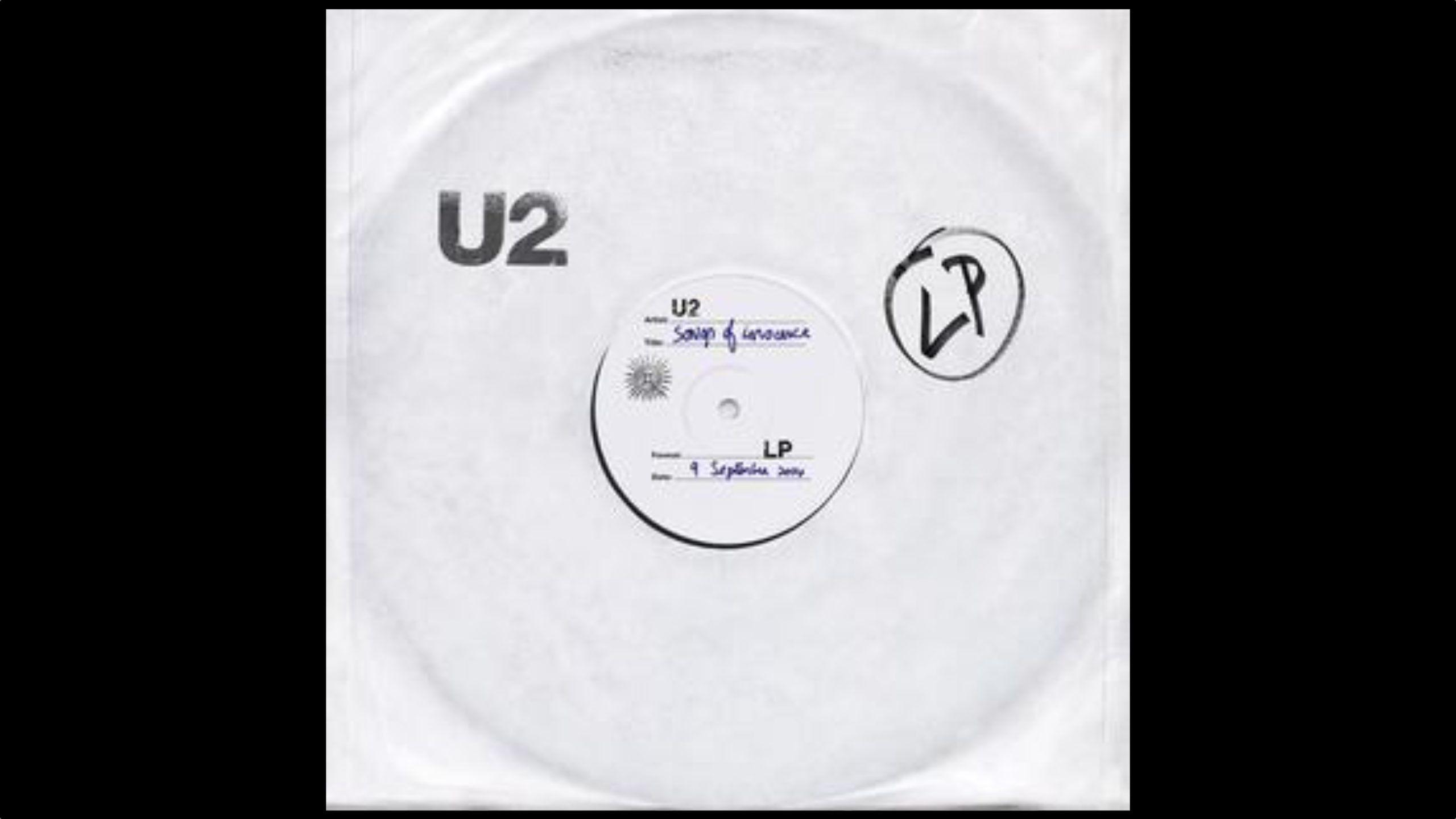
12 years ago today, Apple published a web page with one job: to make a U2 album go away. On September 9, 2014, at Apple's iPhone 6 event, Tim Cook revealed that "Songs of Innocence" would be given to every iTunes customer for nothing. The album was directly linked to accounts, and devices set to "download automatically" got it without asking.

Complaints quickly followed, and on September 15, Apple was forced to respond with a one-click page that stripped the album from accounts. Users were given a month to reinstall it at no cost. Apple said 26 million people ultimately downloaded the full album. Bono apologized a month later. The web tool is no longer active, but an archive of the support page is available here.
This article, "Apple's Weirdest iTunes Walk-Back Turns 12 Today" first appeared on MacRumors.com

Discuss this article in our forums

  •  

Moof! Apple Snuck a Dogcow Into iOS 27 - Here's How to Find It

If you have installed iOS 27 on your iPhone or iPadOS 27 on your iPad (download it via Settings ➝ General ➝ Software Update), Apple left a fun little easter egg for you to discover.


Open the Settings app, then tap through to Appearance ➝ Liquid Glass. Scroll to the bottom of the "Welcome to Apple Park" sample images, and when you hit the last image, keep dragging up with your finger until the word "Moof!" appears in the search bar overlay and the image changes.

Say hello to Clarus. A bitmap image of the famous dogcow was originally used to demonstrate page layout in the classic Mac OS, indicating to users which orientation the paper would be in when it was printed. The original glyph it was based on was created by Susan Kare for the Cairo dingbat font that came with the original Mac in 1984, but it became the official mascot of Apple's Developer Technical Support.

When Apple was a fledgling company, Mac developers regularly left fun little Easter eggs in software, but not so much these days. While surprises can still be found, they are a lot more subtle, and exist more as a nod and wink to Apple's origins rather than anything edgy or unauthorized. If you're interested, several have been found in macOS over the years.
Related Roundups: iOS 27, iPadOS 27
Related Forum: iOS 27

This article, "Moof! Apple Snuck a Dogcow Into iOS 27 - Here's How to Find It" first appeared on MacRumors.com

Discuss this article in our forums

  •  
❌